#🔌technical-help
1 messages · Page 2 of 1
 worldly cipher
 stoic reef
worldly cipher
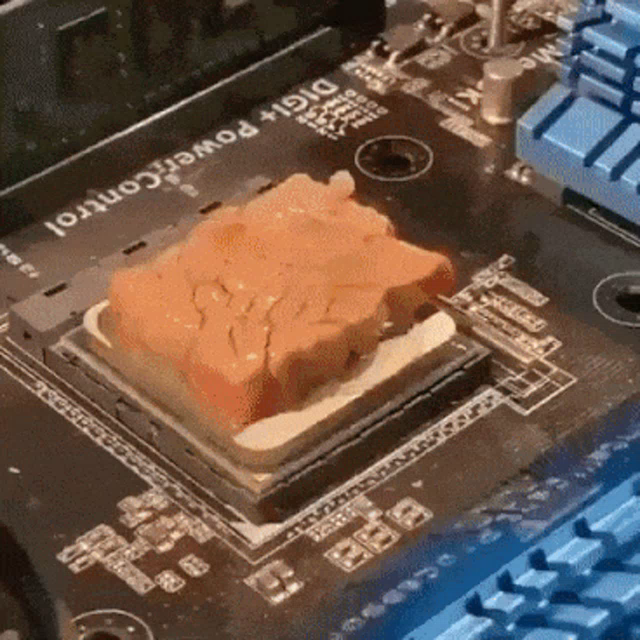
Asked me if he can use toothpaste instead of thermal paste
stoic reef
worldly cipher
Asked me if he can use toothpaste instead of thermal paste
are you for real?
 stoic reef
might as well use pancake batter, its the same consistency 
and when your computer dies you can have a very expensive pancake to eat in between crying about it
 worldly cipher
His PC is overheating rn and he doesn't have any and no store near him that sells thermal paste
Luckily I have one extra but it's a cheap one
Prob he'll need to reapply every 6months
stoic reef
worldly cipher
Prob he'll need to reapply every 6months
i guess they can bum a little off of you for now but they'll need to either stop overclocking their amd or get a tub of it online
wait is it winter there? nice and cold?
cuz if so, then get a tarp, an extra long HDMI cable and an extension cord and youve got yourself a rain proof top tier air cool setup lol
worldly cipher
Summer in day
Winter in night
stoic reef
hmmm, become the nocturnal
worldly cipher

stoic reef
but yeah all jokes aside they probably are overclocking their amd which if its overheating they need to stop that
new thermal paste never hurts tho
worldly cipher
Oh yeah speaking of reapplying
I haven't reapplied mine
It's already been a year and my temp is still fine
 odd wedge
My temp is never fine
stoic reef
worldly cipher
It's already been a year and my temp is still fine
if its properly applied then you dont need to reapply frequently, also depends on the brand and quality and stuff.
stoic reef
odd wedge
My temp is never fine
odd wedge
Over 90°C when doing absolutely nothing, play games cook noodles
stoic reef
odd wedge
Over 90°C when doing absolutely nothing, play games cook noodles
 thats not supposed to happen
worldly cipher
stoic reef
if its properly applied then you dont need to reapply frequently, also depends o...
I'm only overclocking my RAM
stoic reef
worldly cipher
I'm only overclocking my RAM
lol well then your cpu isnt contributing
worldly cipher
Are you using water cooling?
odd wedge
Probs my mistake when I last reapplied ehe
worldly cipher
stoic reef
lol well then your cpu isnt contributing
3200G mhz isn't compatible with 3200mhz 
 thick python
Aye Hugg 
stoic reef
odd wedge
I can't reapply thermal paste, the heatsink screw fucked
still possible to get it out, what you can do is get a drill bit that is about 1 mm below the screw size, then very carefully drill out the the center of the screw, then tweezer out the sides and there you go. need a drill tho 
odd wedge
worldly cipher
Are you using water cooling?
If putting some water on surface of laptop + using water cooling fan to cool it down means water cooling, then yes.
 strong thistle
thick python
Aye Hugg <:VodkaHug:868141524200865853> <:VodkaHug:868141524200865853>
strong thistle
thick python
Aye Hugg <:VodkaHug:868141524200865853> <:VodkaHug:868141524200865853>

strong thistle
worldly cipher
3200G mhz isn't compatible with 3200mhz <:NuwaXD:934577590520389662>
can you screenshot your GPU-Z Vega 8 graphics ? 
 rustic prism
uhhh just done downloading honkai again but the thing is that after the first cutscene where Kiana kicks the jet game literally went black
odd wedge
stoic reef
still possible to get it out, what you can do is get a drill bit that is about 1...
It okie I bought new laptop kekw, I'll bring it to a pc shop for that if I plan to still use it
stoic reef
odd wedge
It okie I bought new laptop kekw, I'll bring it to a pc shop for that if I plan ...
fair enough
worldly cipher
Ryzen 3 3200G support 3200MHz RAM? Officially no, it only supports up to 2933Mhz.
-Quora
strong thistle
odd wedge
It okie I bought new laptop kekw, I'll bring it to a pc shop for that if I plan ...
there is 7 screw in your new notebook that is holding your heatsink (3 for Graphics and 4 for processors)
odd wedge
rustic prism
uhhh just done downloading honkai again but the thing is that after the first cu...
PC?
worldly cipher
Wait is XMP On considered overclocking?
strong thistle
worldly cipher
Wait is XMP On considered overclocking?
XMP is for Intel and EXPO for AMD if i remember
odd wedge
strong thistle
there is 7 screw in your new notebook that is holding your heatsink (3 for Graph...
God 
strong thistle
and yes its overclocking the ram
stoic reef
rustic prism
uhhh just done downloading honkai again but the thing is that after the first cu...
if pc please provide these screenshots:

on a side note i need to quit stealing genshins picture and make a copy pasta
odd wedge
strong thistle
there is 7 screw in your new notebook that is holding your heatsink (3 for Graph...
I think my Inspiron 5570 only has 4 in total for both
iirc
strong thistle
odd wedge
I think my Inspiron 5570 only has 4 in total for both
there is 6 screw if i remember
4 for processors and 2 for the graphics
odd wedge
stoic reef
on a side note i need to quit stealing genshins picture and make a copy pasta
I'll uhh try to do something about that
worldly cipher
strong thistle
XMP is for Intel and EXPO for AMD if i remember
It's the other way around I think
stoic reef
odd wedge
I'll uhh try to do something about that
I mean it'll only take a minute but I'm forgetful and lazy. Unless I smell a new faq coming out 
odd wedge
strong thistle
there is 6 screw if i remember
hmm feels like yes, i really forgor
worldly cipher
Anyway my pc is fine
How much is a thermal paste with good quality
Surely it doesn't cost like $30 right?
strong thistle
worldly cipher
How much is a thermal paste with good quality
Best Quality for Durability is Noctua NT-H2 Thermal paste
Best Quality for Performance is Thermal Grizzly Kryonaut Extreme
strong thistle
worldly cipher
How long do they last?
if i remember Noctua NT-H2 can go up to 2 years , Kryonaut Extreme only go up to 6 months
worldly cipher
Damn $10
I'm remember one time where I keep my thermal paste in a refrigerator
Knowing that they have an expiration date
stoic reef
Gotta pre game it's cooling ability
worldly cipher
Food has expiration date just put it up on a
Refrigerator = +10days
It also applies in thermal paste
odd wedge
i used $2 thermal paste
stoic reef
actually now im wondering if refigerating thermal paste is bad for it since its chemically designed to live in a hot environment and conduct heat very well, not insulate
worldly cipher
It's bad just search on reddit
Since you noticed when you fridge something right like a water bottle leave it in a warm area it will produce water (more like sweat)
worldly cipher
strong thistle
if i remember Noctua NT-H2 can go up to 2 years , Kryonaut Extreme only go up to...
Anyway Kryonaut Extreme is only 6 months does it give more cooling?
stoic reef
well i mean clearly if you take it straight from fridge to cpu it will condensate and break your computer but im wondering if the coldness will mess with the viscous fluid holding the metal oxide together and basically make it dense and brittle and no longer good at conducting heat
worldly cipher
stoic reef
so after a quick search there is like 9 different kinds of thermal paste with radically different chemical compounds and stuff but since most of them use oil for the fluid base that wont go bad if its frozen short term. but as an oil it can dry out or absorb too much moisture and become watery and uncombine from the other stuff and no longer work as a bonding agent so thats why it has an expiration date. obviously the compound used makes a world of difference with expiration date but putting in the fridge (unopened) will not inherently make it go bad faster or anything. though if you put it in the freezer after its been used and closed then the freezer will act as a dehydrator and eventually dry it out faster (thats what freezer burn is, and thats why your freezer collects ice, because it leeches moisture out of food eventually)
so tl;dr fridge is fine short term just there is 0 benefit and you have to bring it up to room temperature and REALLY let it dry out first. and freezer storage will actually shorten the lifespan of thermal paste eventually
thanks for listening to my absolutely useless rant that in the most technical of senses is not entirely off topic work is slow
stoic reef
rustic prism
uhhh just done downloading honkai again but the thing is that after the first cu...
it might be a drivers or graphics card issue, can you provide some info on your computer doing the following steps?
- Press Windows Key + R
Win + R - In the Run window type
dxdiagand hit Enter, or click Ok. - When the DirectX Diagnostic Tool comes up please send a screenshot of the System and Display 1 tab. Please censor your computer name from the system tab if it has personal information.
 frank pond
so i m dling sea server. so is there any direct link for these files. my potato internet gonna take years before its done
 stoic reef
frank pond
so i m dling sea server. so is there any direct link for these files. my potato ...
stoic reef
frank pond
so i m dling sea server. so is there any direct link for these files. my potato ...
for those? i dont think so but i'll look around a bit 
stoic reef
frank pond
so i m dling sea server. so is there any direct link for these files. my potato ...
ok, short answer is yes.
long answer is not exactly, the better honkai impact launcher has an option for downloading the game cache outside of the game (at the launcher window so just have to keep the launcher up)
also if you wanna do that then dont need to reinsstall, the better launcher will be able to use your current installation
frank pond
so like using same assests from the glb files?
stoic reef
frank pond
so like using same assests from the glb files?
i mean you ahve the sea launcher and game folder installed though right?
frank pond
Yep
stoic reef
it'll use that, it cant convert the glb files so it'll still have to download what you're currently downloading but it will do it out of game
stoic reef
frank pond
thnx. didnt knew u could do that in better launcher
mhmm, it is options > download cache
frank pond
when i press dl cache it just recheck and varify game files
stoic reef
just make sure the server is set to sea
and that its pointing to your sea installation folder
 stoic reef
frank pond
https://streamable.com/gtwzcw
stoic reef
frank pond
https://streamable.com/gtwzcw
sorry, i got a call at work but i apologize, i thought that the cache download was the in game stuff but after double checking i was wrong.
 willow falcon
frank pond
https://streamable.com/gtwzcw
willow falcon
frank pond
https://streamable.com/gtwzcw
A cache availability from Hi3Mirror have some long ping (30~60 minutes) after official update settings

stoic reef
willow falcon
A cache availability from **Hi3Mirror** have some long ping (30~60 minutes) afte...
oh so i was right? the in game cg download is just options > download cache but you ahve to wait like an hour?
 willow falcon
 hollow steeple
Try to:
- restart router
- restart device
- use mobile data
- use VPN
frank pond
stoic reef
sorry, i got a call at work but i apologize, i thought that the cache download w...
No worries. Thank you very much regardless
hollow steeple
ty
frank pond
willow falcon
A cache availability from **Hi3Mirror** have some long ping (30~60 minutes) afte...

thick python
willow falcon
A cache availability from **Hi3Mirror** have some long ping (30~60 minutes) afte...
Yes, that's true
It refreshes every 30 mins
frank pond
i c there is this option in collapse launcher. will this help without downloading all other stuff and just reuse assest?
 odd wedge
frank pond
i c there is this option in collapse launcher. will this help without downloadin...
odd wedge
frank pond
i c there is this option in collapse launcher. will this help without downloadin...
This just convert game version between server clients or standalone and Steam, will only download files that are different between them.
so you're still trying to download assets outside of game?
frank pond
i tried downloading outside of game. it downloaded 52 files. after that i launched game and it still gave the prompt to dl file. must be cz i selected hd resources to dl
odd wedge
This is a compressed file of ALL CGs (JP dubbed) up until v6.1, game will download the rest itself, here at least save you 4GB-ish
https://drive.google.com/file/d/1ksk5m4XkqkydroquqpKFmarn880XiM-n/view?usp=share_link
Path for Android:
/Android/data/com.miHoYo.bh3#######/files/assets/Video/
Path for PC client:
\Honkai Impact 3#####\Games\BH3_Data\StreamingAssets\Video\
frank pond
ok thanksu
 late vector
Hello, last week i updated the game on my phone, and when I opened it today I found that my account got reseted even though it says it's linked in profile
 odd wedge
frank pond
ok thanksu
odd wedge
frank pond
ok thanksu
and this, goes to same folder
frank pond
alright
odd wedge
late vector
Hello, last week i updated the game on my phone, and when I opened it today I fo...
Make sure you're logging in on correct server.
I see you have EU role
You logged in on NA server.
late vector
odd wedge
Make sure you're logging in on correct server.
Yeah, thank, it worked and changed back to EU
 scarlet forge
Is it ok if I use a 3rd party controller on PC?
worldly cipher
@strong thistle question about RAM again
You said it's fine to mix brand + all ddr4 runs on 1.2v
All I need is the same MHZ and Latency
What if I find the same MHZ but different Latency
Let's say both 3000mhz ram but the 1st one is 16 and the 2nd on is 20
Is it fine?
Also XMP is ON for me
Tho I know XAMP won't affect Latency just the MHZ
strong thistle
worldly cipher
<@704463706771423293> question about RAM again
You said it's fine to mix brand ...
you can set the Latency to be lower for that CL20 Ram , but if you just leave the CL20 , the CL16 ram will follow the slowest Latency
worldly cipher
strong thistle
you can set the Latency to be lower for that CL20 Ram , but if you just leave th...
I see I was right XMP don't affect Latency just the MHZ
Anyway thanks thanks
 odd wedge
scarlet forge
Is it ok if I use a 3rd party controller on PC?
odd wedge
scarlet forge
Is it ok if I use a 3rd party controller on PC?
Yes
Link includes solutions if the game does not detect/recognise your controller
#🔌technical-help message
scarlet forge
odd wedge
Yes
I tried it hut I'm just scared of a ban risk 
odd wedge
This is okay
 narrow scaffold
How to i fix this?
 worldly cipher
narrow scaffold
How to i fix this?
worldly cipher
narrow scaffold
How to i fix this?
Restart Router
Use Mobile Data
Use a VPN
worldly cipher
@stoic reef
I should disable XMP first before installing the new RAM right?
thick python
worldly cipher
<@704463706771423293> question about RAM again
You said it's fine to mix brand ...
He/She is already sleeping maybe
frank pond
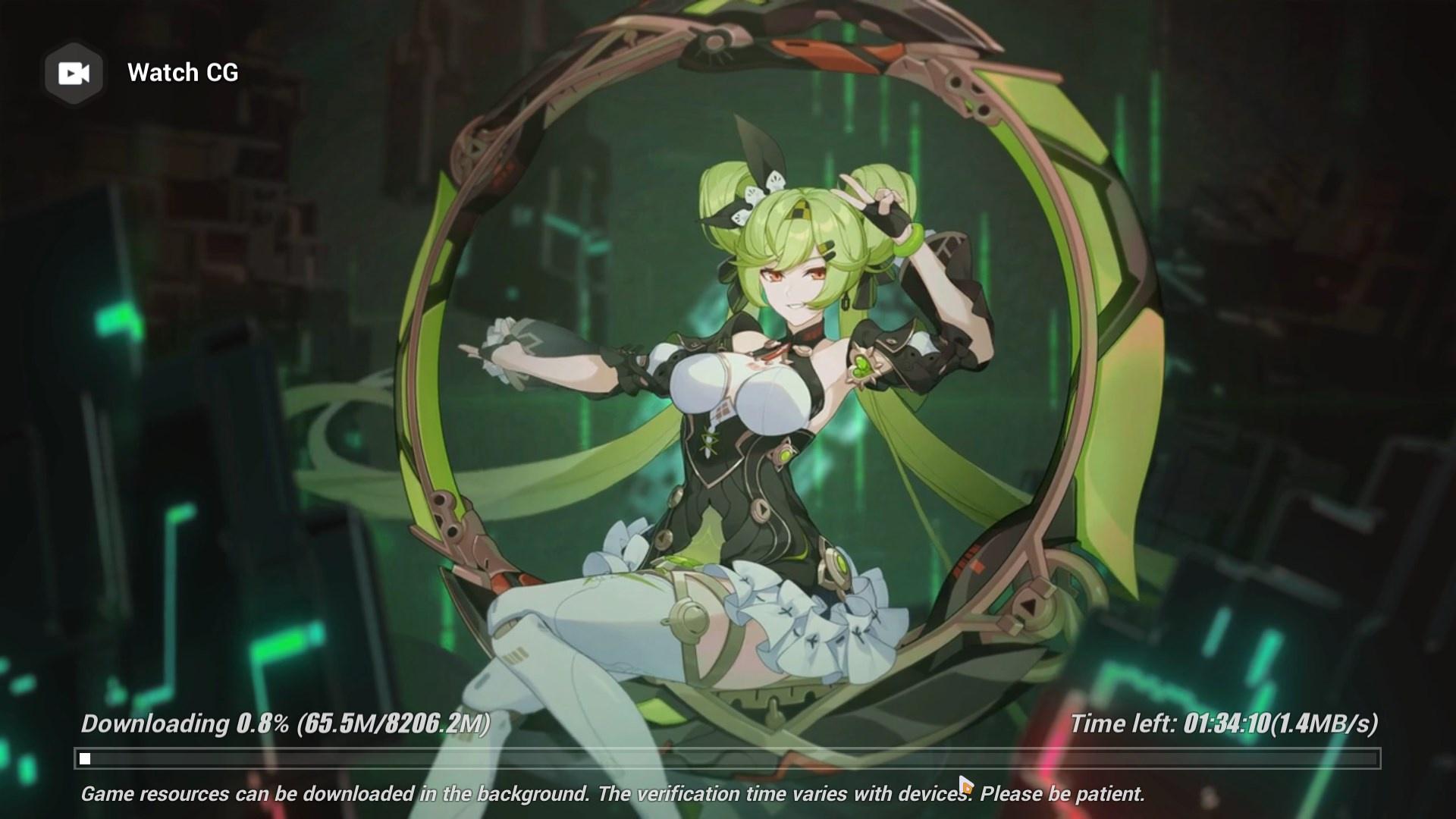
i extracted cg manual. instead of decreasing it increased the dl size. 
before extracting around 6900 MBS were remaing. this is after extraction 
 weak ice
What did you expect? The files were compressed, thus having lesser size. You extracted it.
 winter torrent
Anyone know why there's a popup saying 'connection failed. Try again later' constantly appearing?
My connection is very stable and fast
I've tried restarting my game and phone
stoic reef
thick python
He/She is already sleeping maybe
Yee, 
odd wedge
Yee
stoic reef
worldly cipher
<@277721591012655105>
I should disable XMP first before installing the new RAM ...
Still half asleep but it should detect it automatically when you plug the power back in and turn it on after installing. Though I guess if you wanted to be extra careful in the off chance it doesn't and tries to overclock weirdly then you can disable it, power off and unplug, install new ram and then put in power on and enable it in bios and set it and all that before you ever get to Windows
Shouldn't matter tho I think
stoic reef
winter torrent
I've tried restarting my game and phone
So it is a connection issue, it's just the issue isn't with your home internet or with honkai servers. If it's still happening this pin has things to try, I personally recommend the VPN #🔌technical-help message
stoic reef
odd wedge
Yee
 fossil tapir
hii guys am trying the new ai chan event but the game keep on crashing as soon as i enter the first level and i get these messages :

 stoic reef
fossil tapir
hii guys am trying the new ai chan event but the game keep on crashing as soon a...
stoic reef
fossil tapir
hii guys am trying the new ai chan event but the game keep on crashing as soon a...
Your unityplayer.dll needs to be redownloaded. download this file
https://prophost.ironmaid.xyz/_shared/_zipfiles/sea/BH3_v6.2.0_277a0ec45b1d/UnityPlayer.dll
and replace the UnityPlayer.dll file in your \Games folder
sea version should be fine its identical iirc to global
odd wedge
Lmao link prob
stoic reef
Wait link was wrong I need to get to my computer hold on a sec
 river seal
In honkai salvation log cg, I progressed the dialogue before the characters finish speaking their lines. Every cg/scene after that would have their voice lines muted. Idk if this is a bug, but I noticed this in past events as well. The voice audio should exist but somehow isn't played. Any way to fix this? (Playing on PC)
stoic reef
river seal
In honkai salvation log cg, I progressed the dialogue before the characters fini...
the event is not fully voiced, none of the cg's are iirc
 slim tartan
a possible theory i can think for that is because hoyo is in a chinese based company, right? currently in china there are incredibly strict-zero covid policies and i guess they really can't get VA's to get to their place and record, and for the JPN voices i think it's because they're just unavaliable or something.  open for discussion tho
stoic reef
slim tartan
a possible theory i can think for that is because hoyo is in a chinese based com...
cn version of events are more often voiced but not all of them are. i'm pretty sure that they just dont fully voice 1 time events that are gonna be on for a couple of weeks and then never again
slim tartan
stoic reef
cn version of events are more often voiced but not all of them are. i'm pretty s...
ahh makes sense 
stoic reef
yeah, lotta money for a 1 time thing
slim tartan
ok wow that makes so much sense now
stoic reef
slim tartan
ok wow that makes so much sense now <:HimekoLMAO:928714433809756170>
yup and as for why cn gets more voiced in general its mostly due to the jp VA's being, kinda famous? they're not cheap and they have their own schedules. its still weird when im watching a random anime and im like "wait a sec thats kiana" lol
river seal
stoic reef
the event is not fully voiced, none of the cg's are iirc
Alright. I just want to know. Is it normal when I constantly interrupt voice lines before they finish playing, the rest of the dialogue after that become muted (despite having voice lines) ?
stoic reef
river seal
Alright. I just want to know. Is it normal when I constantly interrupt voice lin...
it can bug out the audio yeah but i dont think its that common. i dont remember if its a guaranteed thing since im either listening to the dialogue or speed reading/clicking but not both. is it happening in story chapters or just events?
river seal
In events, though I can't be specific. For story chapters idk since I haven't played all of them. But its not really bothering me too much.
 wild ether
hey just to confirm, i bought a ps5 controller so i was wondering if honki has some cool stuff it can do with it, like the adaptive triggers and stuff
stoic reef
river seal
In events, though I can't be specific. For story chapters idk since I haven't pl...
i gotcha, i'd say its probably due to events being slightly less bug tested so they can have more issues. but more than likely its due to most events only being partially voice acted or not at all so you probably skipped pasted a part that was voiced and got to the part that wasnt
stoic reef
wild ether
hey just to confirm, i bought a ps5 controller so i was wondering if honki has s...
not that i've ever heard of, it should detect it but it doesnt add new things to the game. if its not in the controller settings it wont show up due to a ps5 controller. (unless they added it in recently and i never found out about it)
wild ether
yeah ive seen genshin add it so i was wondering
but it is expected seein as this game isnt as mainstream
stoic reef
wild ether
yeah ive seen genshin add it so i was wondering
true, but that doesnt necessarily mean anything since they have different dev teams entirely and honkai is still primarily a mobile game first and on android (their biggest market) it does not support controller at all
though you could always email customer support and ask and if they say yes then you can let us know 
slim tartan
stoic reef
yup and as for why cn gets more voiced in general its mostly due to the jp VA's ...
lmao true
strong thistle

 surreal swallow
Can someone tell collapse launcher owner to fix his chaches update feature ?
Its broken
I use it to download the chaches but when i enter the game i download it again
stoic reef
surreal swallow
Can someone tell collapse launcher owner to fix his chaches update feature ?
It...
thats happening because the download is corrupted. its the same situation where if you use the official launcher that it redownloads after its "finished" cuz the download is corrupted.
I'm actually working on a project right now to help people with internet like yours and i redownloaded their cache just fine less than an hour ago
also keep in mind that for a fresh install, the assets download would be 13.4GB, if just updating from 6.1 to 6.2 that it would be around 3.4 GB. the cache download should be around 9GB but if you're referring to the in game download with a cg, that would be around 3.4 GB if updating from 6.1 to 6.2 so you can recognize based on the download size which one its actually downloading
surreal swallow
And iw there anyway to download genshin update without the launcher ?
stoic reef
i dunno about genshin, if you're in their discord you could always ask their tech help channel but i dont know if there is a manual download or not for genshin
surreal swallow
Genshin discord makes my discord crash so i left
stoic reef
but if this project goes well im planning on uploading a multi zip cache and asset downloads so its multiple smaller downloads, hopefully it'll help you because i promise you, the issue isnt with the collapse launcher or anything like that
surreal swallow
I hope it goes well ❤
stoic reef
if it works and everything I'll be sure to ping you. im going to attempt to break the entire cache and asset download into like 50mb sized chunks or something. it'll be a loot of manual downloading but it might work for people with near dial up internet speeds like yours
stoic reef
strong thistle
https://media.discordapp.net/attachments/689356048284647571/695527894231023616/t...
@strong thistle
odd wedge
Luna
odd wedge
stoic reef
yes?
!faq pcspecs
 grizzled rampartBOT
stoic reef
yes?
grizzled rampartBOT
stoic reef
yes?
PC Specs ʕ๑•ɷ•๑ʔ❀
Playing on PC client? Need help? Help us help you! ʕ̢̣̣·͡˔·ོɁ̡̣̣
- Press Windows + R, input
dxdiag. - Please attach screenshots of the
SystemandDisplaytabs (+Rendertab if present).
weak ice
strong thistle
@stoic reef @odd wedge @weak ice
odd wedge
@strong thistle @weak ice @stoic reef
weak ice

odd wedge
I finally no more driving, headache
stoic reef
odd wedge
I finally no more driving, headache
woooo 
 steady solstice
asked support about my mouse problem and they were about as useful as a sack of potatos, anyone know why my dumb mouse makes four 360s in game for just bringing my mouse across my mouse pad only once?
its almost unplayable for me, im trying to push past it cause the game is very fun so far but i just dont know what to do
stoic reef
steady solstice
its almost unplayable for me, im trying to push past it cause the game is very f...
is your mouses DPI adjustable and how large is your mouse pad?
steady solstice
yeah it is but i bring my dpi to 400 and it doesn't change anything
stoic reef
what about my other question?
stoic reef
ok thanks
stoic reef
steady solstice
my mouse pad is like 16 1/5 inches
and just to be clear, you are referring to the camera control while holding down the right click on the mouse right?
steady solstice
yeah
stoic reef
cuz i just double checked, there is no setting for mouse or camera sensitivity (to be clear there is a setting for that in the settings but it does nothing for mouse, it is likely that menu option is from mobile. but since the games camera control was never designed to be used with a mouse (it was designed for mobile swiping which is very similar to a controller joystick) it will be sensitive with a mouse and that cannot be changed. I'm guessing customer service said sort of the same thing, that there was nothing you could do?
basically the game was designed and built around touchscreen swiping which translates well to joystick but not the mouse and moving your mouse 10-16 inches is equivalent to holding the camera rotate joystick for like a good 5 seconds or more which would do about 4 full spins
when im not using my joystick and have to use my mouse, i almost never move it more than about 2 inches to move the camera where it needs to go. i guess you'll have to learn to be less motion-y with it or if you have the money for it, the game works extremely well with a playstation style controller and an off brand, wired pc controller of that style is like 10-20 bucks and almost all of them will work fine.
steady solstice
oh ok so I should use my controller instead?
Man the amount of games I've been having to use controller on and it's on it's last legs lmao
L2 broken, analog stick drifts and all that.
stoic reef
oof, yeah i need a new controller soon, honkai has destroyed my attack button over the years lol but yes if you ahve a working controller honkai works soooo much better with it since it was kind of designed around that. and off brand wired pc controllers are still pretty cheap, dont need to get an expensive one and generic ones get picked up pretty easy since they just use windows xinput which is pretty universal
 stoic reef
oh yeah that too, if you're using a keyboard (since its designed around joystick control) its much better on the game to use the key shortcuts for moving camera
steady solstice
ew I'd prefer my controller
steady solstice
hey what button do i use for the hold button on controller
like do i actually just hold O on my ps4 controller?
stoic reef
hold? like when you're holding an attack to do a charged attack or something?
steady solstice
yeah
stoic reef
you just hold the attack button. there isnt a seperate button for hold attack
(or hold the ultimate button if its one of those that has a holt ult move)
steady solstice
oh ok the controller layout options are weird so i thought it was like O + something
slim tartan
honkai on pc is a glorified emulator change my mind
steady solstice
aren't all mobile -> pc games?
 vapid mesa
slim tartan
honkai on pc is a glorified emulator change my mind
vapid mesa
slim tartan
honkai on pc is a glorified emulator change my mind
Unfortunately is the case, I know all too well it isnt fully utilising my hardware, either
worldly cipher
@stoic reef Good news I bought a new ram
Sadly the ram is 1.35v while mine is 1.2v
@strong thistle
vapid mesa
Depending on the kit/rated frequency, XMP would bump the voltage to 1.35
But 2133/1.2V is base JEDEC spec yeah
worldly cipher
stoic reef
DDR4 should be 1.2v
Yep it's ddr4
 thick bronze
I have an Issue I needed help with, and it only happened today but I've been stuck at the elevator screen for a while now
although I can launch, login and load perfectly fine and the elevator screen moving fine as well but it just never opens up
stoic reef
worldly cipher
Yep it's ddr4
it should be ok, its possible like Khaijinx said that your XMP profile bumped the voltage up, but inherently it shouldnt cause problems, at worst it would not get enough voltage as it is expecting and it would essentially be slightly underclocked but it would work (unless it really didnt get enough to the point of not powering on)
worldly cipher
vapid mesa
Depending on the kit/rated frequency, XMP would bump the voltage to 1.35
Mine is Klevv 1.2
HyperX is 1.35
stoic reef
thick bronze
although I can launch, login and load perfectly fine and the elevator screen mov...
did it get past teh update settings or is it stuck on that part?
worldly cipher
Both are 3200mhz
thick bronze
it's just always like this
 vapid mesa
1.35 will be when XMP is enabled; And for 3200Mbps, that's fine
worldly cipher
Tho mine is 22-22 and HyperX is 16-18
vapid mesa
Tighter CAS timings raises voltage requirements
thick bronze
stoic reef
did it get past teh update settings or is it stuck on that part?
yeh I do get to the checking for the updates part after that the doors should open but just stuck like this
worldly cipher
vapid mesa
1.35 will be when XMP is enabled; And for 3200Mbps, that's fine
So a mix of 1.2v and 1.35v is fine
Atleast they are both 3200mhz?
I think the CL will both go to 22 since mine is CL 22-22-22 while Hyper X is 16-18-18
vapid mesa
If you use them in a system together, it'll default to the spec of your Klevv kit, lowest common denominator (it'll all run 22-22-22 1.2V)
stoic reef
thick bronze
yeh I do get to the checking for the updates part after that the doors should op...
are you on mobile or pc?
thick bronze
pc
though my internet is perfectly fine even after restart, managed to play Genshin and ToF while my internet is at 400mbps
stoic reef
thick bronze
pc
if its a connection issue, then your internet and genshin/ToF gaming wouldnt matter cuz thats not the issue.
but it doesnt sound like a connection issue since it got past the updating settings, its possible it is but first lets try clearing your cache to see if that was it, do these steps #🔌technical-help message but before you restart your computer at the end, also check for any windows updates and if there are any, apply them. then restart your computer. open the game, type your login info again (clearing the cache deletes your saved login info so you'll ahve to retype it) and that will hopefully get it to load
worldly cipher
vapid mesa
If you use them in a system together, it'll default to the spec of your Klevv ki...
It wouldn't downgrade the HyperX Performance right?
Since it only gets 1.2v
vapid mesa
It will, as the Hyperx kit is rated for lower latency/tighter timings
So the performance of your Klevv kit, will be how it'll run as, aswell
Unless you desire to get into RAM overclocking, which without adequate knowledge, strongly recommend against
worldly cipher
vapid mesa
Unless you desire to get into RAM overclocking, which without adequate knowledge...
XMP is on
vapid mesa
Yeah, so that's 22-22-22 1.2V for both, hyperx won't run its own XMP timings with the Klevv kit installed
thick bronze
stoic reef
if its a connection issue, then your internet and genshin/ToF gaming wouldnt mat...
i'll try this out to see if it works but there's no windows update, updated them 2 days ago and was able to play Honkai yesterday too
worldly cipher
vapid mesa
Yeah, so that's 22-22-22 1.2V for both, hyperx won't run its own XMP timings wit...
Hope the performance down is negligable
stoic reef
thick bronze
i'll try this out to see if it works but there's no windows update, updated them...
check again please, i just know pending windows updates will screw with honkai and it only takes about 20 seconds to check
vapid mesa
worldly cipher
Hope the performance down is negligable
So is this 2 separate kits of RAM each? 2x2?
thick bronze
I just checked
 worldly cipher
vapid mesa
So is this 2 separate kits of RAM each? 2x2?
worldly cipher
vapid mesa
So is this 2 separate kits of RAM each? 2x2?
1 Klevv
1 HyperX
For a 2 slot RAM MOBO
vapid mesa
ohhhhhhhh
You'll enjoy the benefits of Dual-channel, so you'll notice an immediate performance gain from that alone
stoic reef
thick bronze
I just checked
oh, well it sounded like you hadn't because you were sure there wasnt any new updates in the last two days
vapid mesa
(As long as you installed the RAM in the correct slots. For a 4-DIMM board, it'll be A2-B2)
stoic reef
my bad
worldly cipher
vapid mesa
You'll enjoy the benefits of Dual-channel, so you'll notice an immediate perform...
Anyway summary is
Both can run fine at 3200mhz 22-22-22 1.2v
HyperX will only get a negligible performance downgrade
vapid mesa
And you'll still get a performance gain from dual-channel which is far more important anyhow
There's anywhere from a 10-30% performance loss, running single vs dual
So all in all, good stuff, hopefully it all works out and smooth sailing
worldly cipher
I see thanks for the info
I'll just disable XMP for now since I haven't instaleld the new RAM turn it back on when its done
vapid mesa
Alright no worries, let me know when you get it installed and hopefully it works fine; mixing RAM can cause stability issues, but on more modern systems it doesnt matter so much
worldly cipher
vapid mesa
Alright no worries, let me know when you get it installed and hopefully it works...
Should I also reset CMOS or just disabling XMP is fine when installing a new Ram
vapid mesa
worldly cipher
Should I also reset CMOS or just disabling XMP is fine when installing a new Ram
No need to reset the BIOS settings, just install it and on first boot, it'll go through POST+memory training, if it gets to splashcreen it's fine
worldly cipher
vapid mesa
No need to reset the BIOS settings, just install it and on first boot, it'll go ...
I already disabled XMP
vapid mesa

worldly cipher
@vapid mesa
I"m good
Tho I'm gonna test single stick if it is surely is running at 3200mhz
stoic reef
worldly cipher
Tho I'm gonna test single stick if it is surely is running at 3200mhz
you can go to cmd and type "wmic memorychip get speed"
it'll display the speeds of all your rams
worldly cipher
stoic reef
you can go to cmd and type "wmic memorychip get speed"
Oh thanks for saving me

stoic reef
worldly cipher
Oh thanks for saving me
stoic reef
i meant it cant hurt but you can always just check your speeds to see if they look ok
but it does take a while
worldly cipher
stoic reef
you can go to cmd and type "wmic memorychip get speed"
Nice both 3200
stoic reef
nice! then they're getting enough voltage to run at capacity so prob dont need to run a diagnostic
slim tartan
curious question, i have an iPad Air 3 and it lags like ass when playing pardofelis. but I tried hohe, with more straining graphics but she didn’t lag at all?? is it because my cpu needs to process pardo’s fast animations quicker or
like i always lagged with characters who had fast animations
stoic reef

might be the cpu bottlenecking that since the gwaphics are fine
im guessing lowering them doesnt change anything?
slim tartan
luna im on ipad but yeah no not really
stoic reef
ipads got cpu's too lol but yeah if lowering the graphics dont change anything then my 0 evidence guess would be the cpu
worldly cipher
Damn I feel like a newbie in hardware well tbh it's my first time upgrading ram that the system is modern + with XMP
My old was 2012
slim tartan
i guess maybe the animations would be too quick for the cpu to handle?
stoic reef
still could be the graphics just having a really slow rendering speed or something but thats not really anything i would know about
stoic reef
worldly cipher
Damn I feel like a newbie in hardware well tbh it's my first time upgrading ram ...
my computers ram is still 2133 (supposed to be 2400 but oh well idc)
i dont have a cpu good enough to be running 3200 yet
slim tartan
imejin i have a fossil cpu
stoic reef
slim tartan
anyway it’s not a big problem I was just curious
tbhi have no idea i was just guessing 
worldly cipher
stoic reef
i dont have a cpu good enough to be running 3200 yet
My CPU can only run 2933mhz at best but my RAM runs at 3200mhz
slim tartan
stoic reef
tbhi have no idea i was just guessing <:KianaShrug:676905666958327819>
lmao all good
slim tartan
worldly cipher
My CPU can only run 2933mhz at best but my RAM runs at 3200mhz <:NuwaXD:93457759...
mhz is like processing power right
stoic reef
slim tartan
mhz is like processing power right
sort of yeah. its an easy way of thinking of it
slim tartan

worldly cipher
Nope it's the ghz
slim tartan
worldly cipher
Nope it's the ghz
worldly cipher
stoic reef
sort of yeah. its an easy way of thinking of it
The mhz is the speed it can handle
Ghz is the power it can produce
slim tartan
worldly cipher
The mhz is the speed it can handle
Ghz is the power it can produce
ohhhh i see
stoic reef
its clock speed, speed at which it does things. in ram that is in MHz which is basically the speed at which it can load and unload data so higher = faster ram. GHz in a cpu is how fast it does math calculations because on a very low level literally everything, from yoru screen display to me typing these words is your cpu adding and subtracting numbers from each other a few billion times a second
 slim tartan
stoic reef
its clock speed, speed at which it does things. in ram that is in MHz which is b...
slim tartan
stoic reef
its clock speed, speed at which it does things. in ram that is in MHz which is b...
woah
this is good explanation thank you
slim tartan
worldly cipher
Fun fact I'm bad at math <:TeriCool:489285443716644884>
you’re not alone on that

worldly cipher
And here I am hoping that in the near future I will work at AMD or Intel to produce processors
slim tartan
worldly cipher
And here I am hoping that in the near future I will work at AMD or Intel to prod...
 trail ermine
Are we having server problems rn? All of my games are fine and have a stable ping but when I play honkai impact it keeps giving me the retry connection prompt.
stoic reef
trail ermine
Are we having server problems rn? All of my games are fine and have a stable pin...
No there's no server issues right now
The issue isn't with your internet, or with honkai
This pin has stuff to fix it though #🔌technical-help message
trail ermine
stoic reef
The issue isn't with your internet, or with honkai
.. alright I'll try.. thank you
thick bronze
stoic reef
if its a connection issue, then your internet and genshin/ToF gaming wouldnt mat...
I just did it, still the same issue, I've actually did it twice now still no changes
my choice is probably reinstalling the whole game I guess
stoic reef
thick bronze
I just did it, still the same issue, I've actually did it twice now still no cha...
then yeah its a connection issue, this should help #🔌technical-help message
dont need to reinstall
trail ermine
stoic reef
The issue isn't with your internet, or with honkai
Aight VPN was the solution .. thank you for responding
stoic reef
trail ermine
.. alright I'll try.. thank you
if you're curious. 98% of the time, connection issues is becuase of an internet exchange server somewhere in between you and honkai is throttling or dropping your connection and a vpn bypasses whoever is doing that
trail ermine
Yeah but it only occured to me today. The last time I experience this was last yr during Mobius update. I'll try to use VPN for the meantime so I couldn't miss any dailies and raids. Thank you very much again for helping out
stoic reef
trail ermine
Yeah but it only occured to me today. The last time I experience this was last y...
np! and well like with any issue, it starts sometime and until it starts happening it didnt happen
hopefully it'll be normal tomorrow and you dont have to use a VPN
worldly cipher
All is fine
@stoic reef
@vapid mesa
@strong thistle
Thanks for the assist guys
Finally I can play in 1080p (Full Screen)
vapid mesa
worldly cipher
All is fine
<@277721591012655105>
<@646864576603881559>
<@704463706771423293>
...
Ahh that is awesome, enjoy the performance and less RAM bottlenecks
worldly cipher
Didn't find any errors and both are in 3200mhz mark
stoic reef
worldly cipher
All is fine
<@277721591012655105>
<@646864576603881559>
<@704463706771423293>
...
wooo 1080p
worldly cipher
Tho I do believe I still run the same fps but will not go down to 10-20fps
I'll do some testing
stoic reef
worldly cipher
I'll do some testing
okie, i hope it does the better!
strong thistle
worldly cipher
All is fine
<@277721591012655105>
<@646864576603881559>
<@704463706771423293>
...
Sorry , i was going away 
 thick bronze
Fixed the issue as well, tho I have to use Mobile Data for this, although I managed to get through the elevator screen when I connected to the wireless WiFi we have instead of using the LAN wire but it had wacky ping
@stoic reef Thanks alot for the assistance btw, hope this gets better tomorrow
stoic reef
thick bronze
<@277721591012655105> Thanks alot for the assistance btw, hope this gets better ...
it hopefully will. most often these issues last for 1-14 days, usually closer to one but if it happens again then mobile data or a vpn should help
odd wedge
fok is the speed capped at ~10-ish or is my WiFi acting up QAQ
 stoic reef
odd wedge
fok is the speed capped at ~10-ish or is my WiFi acting up QAQ
stoic reef
odd wedge
fok is the speed capped at ~10-ish or is my WiFi acting up QAQ
i think its your wifi. i downloaded it twice earlier and it was slower than normal but above 10MB/s
odd wedge
now max at ~12 :(
stoic reef
idk i could try again real quick
odd wedge
Time to upgrade wifi
strong thistle
stoic reef
also a 3050 <:HigoPog:458109179479982080>
 odd wedge
stoic reef
its just you, redownloading SEA for the 3rd time tonight and its at 30
odd wedge
stoic reef
its just you, redownloading SEA for the 3rd time tonight and its at 30
My average was 30 back then QAQ
time to call isp
worldly cipher
odd wedge
fok is the speed capped at ~10-ish or is my WiFi acting up QAQ
Ah yes Fluctuating Wifi
stoic reef
odd wedge
My average was 30 back then QAQ

worldly cipher
And yep just restart router you'll be good if not
The other 2 then
The fluctuate only last for 5-10mins
 silver urchin
Does the hi3 android app support controller yet or no?
 worldly cipher
Apho 2 : 30-40fps
New Event: 25-40fps
Aside from this two the rest are 45-60fps
stoic reef
that is a huuuuuge improvement!
worldly cipher
stoic reef
that is a huuuuuge improvement!
I did said I'm getting fps drop upto 5fps in the new event right
That's because of Ai-Hyperion
Now I'm getting stable ..... not much but stable 25-40fps
Anyway I'm really glad I'm back at Fullscreen
stoic reef
well yes, but i thought before you were getting like 10fps or something plus its not looking like a 2005 ps2 game or something lol
1080p yeeee
worldly cipher
stoic reef
well yes, but i thought before you were getting like 10fps or something plus its...
New event I was playing on 900p back then and still having a 1x8gb I did get down to 7fps
Now I'm gonna try Genshin on Dragonspine
Dragonspine is really notorius for fps drops
worldly cipher
Oh yeah it's best to try it on a 2020+ game
I'll try DMC5
Been playing that on 720p and oh god it's so blurry
A good 35-40fps all Low 1080p 
worldly cipher
Slothy's name
Damn imagine having 3050
So my Shared GPU Memory
From 5gb to 7gb + Dedicated GPU 2gb
A total of 9gb
strong thistle
||Sloth has 3080 Ti|| 
worldly cipher
strong thistle
||Sloth has 3080 Ti|| <:TeriTeehee:895020666338832445>

Oh anyway found a typo in Abyss where words don't have spaces
worldly cipher
strong thistle
||Sloth has 3080 Ti|| <:TeriTeehee:895020666338832445>
Oh btw can't believe the A8-7600 can still keep up with Apho 2
Tho it freezes when Ai-Hyperion is played on the new event
A solid 10-25fps on 900p
Iirc it's a 2x4 1600mhz
stoic reef
gonna have to thank comcast later, it actually got up to 70
 odd wedge
strong thistle
||Sloth has 3080 Ti|| <:TeriTeehee:895020666338832445>
odd wedge
strong thistle
||Sloth has 3080 Ti|| <:TeriTeehee:895020666338832445>
I'm not whale, my dear.
thick python

strong thistle
worldly cipher
Oh btw can't believe the A8-7600 can still keep up with Apho 2
 A8-7600 still has 6 Compute Units for the Graphics

 zinc torrent
how do you actually change
the download location
because if i click this

it automatically sets as
drive c and i cant change it
and wheni open the launcher
it dont even make me change the file location
 balmy current
wheres the other two mission ?

 vapid verge
Whenever I enter invite code the screen freezes is it a bug or did I like- press smth wrong 😭 I have been 5mins stuck on the invite screen and it keeps happening after I restart the app
Ah I finally got out of the screen but now all my buttons r laggy
I just wanted gems 💀
 lost venture
zinc torrent
and wheni open the launcher
lost venture
zinc torrent
and wheni open the launcher
you download that first THEN once you enter the mini launcher screen (the one with all valks showing) you can change where it will be installed
there is an advanced options button you can click before you download the actual launcher
surreal swallow
can anyone help me with downloading genshin directly ? i got a link but i don't know what to download
 lament valve
Is there a way to disable the gyro controls on the menus
lament valve
surreal swallow
can anyone help me with downloading genshin directly ? i got a link but i don't ...

This is honkai. Also get it from the official site not some random link
surreal swallow
lament valve
This is honkai. Also get it from the official site not some random link
the official site have a bad download speed
lament valve
Oh didnt know, my bad
odd wedge
vapid verge
If you want to download 3.3.0 from scratch, without the Launcher doing the download:
Video Guide for Manual Install: https://youtu.be/G2m_uq6XWBg
- Go to https://genshin.hoyoverse.com/en/download
- Click the Windows button, let the file download and install the Launcher
- Open the Launcher, click the
Get Gamebutton, then clickPausebutton - Quit the launcher completely including from the the taskbar notification area or use task manager if needed
- Download the following zip files from HoYoverse's servers:
Game Part 1 - https://autopatchhk.yuanshen.com/client_app/download/pc_zip/20221128113321_cOH1qEM6iRagjJC6/GenshinImpact_3.3.0.zip.001
Game Part 2 - https://autopatchhk.yuanshen.com/client_app/download/pc_zip/20221128113321_cOH1qEM6iRagjJC6/GenshinImpact_3.3.0.zip.002
Game Part 3 - https://autopatchhk.yuanshen.com/client_app/download/pc_zip/20221128113321_cOH1qEM6iRagjJC6/GenshinImpact_3.3.0.zip.003
Game Part 4 - https://autopatchhk.yuanshen.com/client_app/download/pc_zip/20221128113321_cOH1qEM6iRagjJC6/GenshinImpact_3.3.0.zip.004
Game Part 5 - https://autopatchhk.yuanshen.com/client_app/download/pc_zip/20221128113321_cOH1qEM6iRagjJC6/GenshinImpact_3.3.0.zip.005
You also need to download one language pack that your computer's region is currently set to from the below:
If China: https://autopatchhk.yuanshen.com/client_app/download/pc_zip/20221128113321_cOH1qEM6iRagjJC6/Audio_Chinese_3.3.0.zip
If Japan: https://autopatchhk.yuanshen.com/client_app/download/pc_zip/20221128113321_cOH1qEM6iRagjJC6/Audio_Japanese_3.3.0.zip
If Korea: https://autopatchhk.yuanshen.com/client_app/download/pc_zip/20221128113321_cOH1qEM6iRagjJC6/Audio_Korean_3.3.0.zip
If anything else: https://autopatchhk.yuanshen.com/client_app/download/pc_zip/20221128113321_cOH1qEM6iRagjJC6/Audio_English(US)_3.3.0.zip
(These are the official downloads - Recommend using a Download Manager, such as Internet Download Manager to speed things up)
- Go to the game Launcher Directory (by default:
C:\Program Files\Genshin Impact) - Open
Genshin Impact Gamefolder and delete all.zip_tmpfiles (which are partial downloads) - Copy (not move, in case things go wrong) your downloaded
GenshinImpact_3.3.0.zipand your language'sAudio_Language_3.3.0.zipto this folder - Open the Launcher
- Click
Get Game
The Launcher will detect the files you downloaded then unzip them, then install the game then verify the files.
When this has been completed, the Launch button will be enabled and you'll be able to play the game.
@surreal swallow was this what you were asking about?
odd wedge
zinc torrent
drive c and i cant change it

 fast condor
Hello,
I'd want to ask and don't know if I possibly missed it in any of official the posts. Is there any info on from where the Art Collections are going to be shipped?
Thank you
 viral summit
Anyone know how to Unbind your Honkai account from your hoyoverce account tnx
 analog salmon
Idk why this happens can anyone help me

 stoic reef
balmy current
wheres the other two mission ?
stoic reef
balmy current
wheres the other two mission ?
They don't show up till later events
stoic reef
vapid verge
Ah I finally got out of the screen but now all my buttons r laggy
If this is still happening please try to restart your device
stoic reef
fast condor
Hello,
I'd want to ask and don't know if I possibly missed it in any of officia...
No there's no info about that. I would assume they come from China since that is where hoyoverse is located at
stoic reef
vapid verge
Alr
And if that doesn't work then let me know if you're on PC or mobile
stoic reef
viral summit
Anyone know how to Unbind your Honkai account from your hoyoverce account tnx
Only customer support can do that. Are you unable to log into your honkai account or something?
stoic reef
analog salmon
Idk why this happens can anyone help me
Sometimes if we aren't supposed to know what they say they'll do that for the mystery. Is it still happening to every dialogue box or just that one? Cuz that is a thing that they do sometimes fit the story telling of it
stoic reef
 quartz root
hmm its not showing the login option..
quartz root
hmm its not showing the login option..
Accounts to young. It doesn't show up for like 60 days or level 60 something like that I forget since the first login reward is like 100 days or something
vapid verge
stoic reef
And if that doesn't work then let me know if you're on PC or mobile
Im on mobile, and it didnt work still, none of the buttons work again
quartz root
stoic reef
Accounts to young. It doesn't show up for like 60 days or level 60 something lik...
oh well ty i was confused bc i have this account since 2020 i think, im a returnee lmao
stoic reef
quartz root
oh well ty i was confused bc i have this account since 2020 i think, im a return...
yeah it just doesnt show up for a bit since the first reward is around 100 days logged in or somethign
stoic reef
vapid verge
Im on mobile, and it didnt work still, none of the buttons work again
could be a cache issue then, try clearing the app cache in settings > apps > honkai app > clear cache (dont delete data that'll make you redownload the game)
then restart your phone and if you were on wifi try switching over to mobile data (or visa versa if you were on mobile data before) and try again
if that doesnt work then yeah thats just a bug try emailing customer service with the videos you took attached #how-to-contact-cs
vapid verge
stoic reef
could be a cache issue then, try clearing the app cache in settings > apps > hon...
I dont have that option on my ipad, I cant use my phone cos it has srs 0.2MB storage left 💀
vapid verge
stoic reef
if that doesnt work then yeah thats just a bug try emailing customer service wit...
Ah ok
Wait does offload app mean the same as clearing cache?
stoic reef
vapid verge
Wait does offload app mean the same as clearing cache?
oh sorry, ipad doesnt have a clear cache option
so try the switching to mobile data, or visa versa thing i mentioned and if that doesnt work then try customer support
or any iOS really. not possible to clear cache on it tbh
viral summit
stoic reef
Only customer support can do that. Are you unable to log into your honkai accoun...
They say from the email I got that I can do it…
stoic reef
viral summit
They say from the email I got that I can do it…
who said that? customer service? and they specifically told you that you have the power to unbind your account? or did they complete the unbind process and tell you that you can now bind your account?
viral summit
stoic reef
who said that? customer service? and they specifically told you that you have th...
…idk can I show you the email privately somehow so you can see?
stoic reef
viral summit
…idk can I show you the email privately somehow so you can see?
sure
so what customer service was telling you is that for you to get what you are wanting from them (your honkai account bound to your regular hoyoverse account) you will need to do the unbind process and then at the bottom of that email they told you to reply and tell them if you would like to continue doing this. so all you need to do it reply to them and let them know that yes you would like to continue
and they will start the unbinding process
viral summit
Ahh ok so what then?
stoic reef
after you reply?
you wait for their next email...
and then when you get their next email you follow the instructions in that email
viral summit
Ok I’ll see what happens next then tnx 🙂
stoic reef
np!
 scenic karma
Seeing as I was recommended to ask over to this channel I shall oblige… Anyhow, is it possible to change what hoyo account your honkai account is associated to? Since right now I can’t have both my main genshin and honkai acc on hoyolab
stoic reef
scenic karma
Seeing as I was recommended to ask over to this channel I shall oblige… Anyhow, ...
its technically possible but only customer service can do that. what they can do is unbind your honkai account from whatever hoyoverse account its connected to, and unbind any honkai account from your genshin's hoyoverse and then you can do the account retrieval button on the honkai login screen to bind the honkai account and your genshins hoyoverse together. go ahead and email them #how-to-contact-cs and give them the UID number of your honkai account and explain what you want done and also give them the ID number of your genshins hoyoverse account (you can go to account.hoyoverse.com and login with your genshin hoyoverse to see the account ID of that hoyoverse account.)
scenic karma
Alright, I’ll give it a try. Thanks!
stoic reef
yw!
 ashen sedge
i redownloaded the game using the link in pins but it shows this..?
 stoic reef
ashen sedge
i redownloaded the game using the link in pins but it shows this..?
stoic reef
ashen sedge
i redownloaded the game using the link in pins but it shows this..?
does it launch ok?
it should update itself when you launch
ashen sedge
it says this
 stoic reef
ashen sedge
it says this
stoic reef
ashen sedge
it says this
ah ok, which link did you download btw?
ashen sedge
this one
 stoic reef
ok thanks
so its not updating properly, either due to a connection issue or a corrupted update file download, you can do these steps to manually download the update #🔌technical-help message
ashen sedge
okk thankyou
stoic reef
np, it should work but if it doesnt then lemme know
ashen sedge
stoic reef
np, it should work but if it doesnt then lemme know <:SakuraLuv:6603023487441305...
hmm its not working but it might also be because im bad at computer stuff
and i wanna ask what r the dump files? can i delate them?
 stoic reef
yeah you can delete them.
did you move the .7z file to the folder in your screenshot and delete any tmp versions of that file?
stoic reef
ok, make sure to copy it isntead of move it so you dont have to redownload
if there are issues
 stoic reef
ashen sedge
stoic reef
ashen sedge
what error does the launcher say when you go to run it?
also can you right click on bh3_data folder and click properties and let me know how many GB it is?
is it still saying failed to verify files?
if it is and is still showing the phantom of the theater background then try going to settings and let me know what the gave version is
if its 6.1 then try clicking on update launcher in the settings
and also game update in the settings
odd wedge
Why is the .7z file over 10GB
stoic reef
odd wedge
Why is the .7z file over 10GB
i dont get why exactly but after its downloaded its 10.4GB
redownloaded that patch yesterday and its 10.445 GB on my pc
i thinking they got a launcher issue or the file is corrupted,
was gonna try to get the launcher to say 6.2 before going further with the file
 stoic reef
 eternal brook
looks like that launcher is having an issue. until it gets fixed go ahead and go to c:\Users\User\Downloads\Honkai Impact 3 sea\Games and run bh3.exe to directly open the game
eternal brook
lit, thanks tech assistant
stoic reef
eternal brook
lit, thanks tech assistant
np! I let the creator know so when they're awake/available they'll get ie working again
eternal brook
ight
stoic reef
ashen sedge
stoic reef
what error does the launcher say when you go to run it?
failed to check for updates
ashen sedge
stoic reef
also can you right click on bh3_data folder and click properties and let me know...
33.3gb
ashen sedge
stoic reef
if its 6.1 then try clicking on update launcher in the settings
ah lemme try

when i click game update it says failed to check
stoic reef
hmm, can you try connecting to a VPN and then clicking game update?
if you dont have a vpn you can use protonVPN, its fast, has a free option and has good privacy policies
stoic reef
oh, must have been your vpn having a bad connection, glad its working tho
they do that sometimes but in general its still good to use
ashen sedge
yep haha
 elder sorrel
why is it sending me this?
 stoic reef
elder sorrel
why is it sending me this?
stoic reef
elder sorrel
why is it sending me this?
if you're using better launcher then its having an issue, just go to your games folder and run bh3.exe directly until the launcher creator gets it fixed
elder sorrel
aight it worked thx
stoic reef
elder sorrel
aight it worked thx
np!
 light mica
So just a quick update, last patch I couldn't get googleplay to authorize on my desktop.
I ended up just having to copy the address bar and open it up in an incognito window and sign-in again.
Now I can topup with googleplay. And since I edited the config, I can do it even with the collapse launcher.
Epic still uses the extra launcher stuff to pass along the epic store info, so no luck there.
But now I can still get my googlepay rewards on my PC!
No more phone updates ever!
 stoic reef
 inner moss
wot happen, i dont understand
inner moss
wot happen, i dont understand
are you on pc or mobile?
inner moss
pc
stoic reef
inner moss
pc
10031 is a connection issue, try using a VPN or one of the steps in this link (link also has a good free VPN to use if you dont have one) #🔌technical-help message
 sturdy gulch
I have an issue to fill the form for the shipping of the Autumn Memento book. I'm just getting a blank screen 😦
thick python
inner moss
wot happen, i dont understand
It's Hi3Mirror issue. Since there is currently a problem with miHoYo OSS
I'm trying to working at it
stoic reef
sturdy gulch
I have an issue to fill the form for the shipping of the Autumn Memento book. I'...
are you on pc or mobile?
sturdy gulch
stoic reef
are you on pc or mobile?
pc
stoic reef
sturdy gulch
pc
do you happen to be using HI3Mirror by any chance?
sturdy gulch
stoic reef
do you happen to be using HI3Mirror by any chance?
I'm not sure what HI3mirror is, but I use the PC client
stoic reef
if not then please clear your cache (please note that this will delete your saved login data so you'll have to retype it) #🔌technical-help message
thick python
inner moss
wot happen, i dont understand
Update:
Unfortunately, I've tried some way that can be done to Hi3Mirror but still no result to fix this. Since the issue is on the CDN that miHoYo use for now, causing Hi3Mirror unable to sync the data with it.
To fix this, you can just remove Hi3Mirror by following the steps from this link:
#🔌technical-help message
 winged pond
hello i wanted to ask something related to the arts collection, can i still place an order for it? i play on EU server
stoic reef
winged pond
hello i wanted to ask something related to the arts collection, can i still plac...
what do you mean place an order? you can still fill out the shipping details if thats what you mean
winged pond
yeah about that
stoic reef
but the event to win it is over so if you didnt win the item
winged pond
it shows blank
stoic reef
winged pond
it shows blank
do you use HI3Mirror?
winged pond
whats that
thick python
stoic reef
do you use HI3Mirror?
It doesn't related to Hi3Mirror
winged pond
this i what i see
 stoic reef
thick python
It doesn't related to Hi3Mirror
stoic reef
thick python
It doesn't related to Hi3Mirror
ok gotcha
stoic reef
winged pond
this i what i see
pc or mobile?
winged pond
tried on both
stoic reef
oh, if tried on both then email customer service #how-to-contact-cs
theres another 10 days or so to fill it out
you have till DEC 29th
winged pond
the thing is, im from india, so i cant get it directly, so my plan was to have a friend at singapore to place the order for me through my account
stoic reef
well dont mention account sharing to customer support
stoic reef
thats against ToS
winged pond
ah really?
odd wedge
Account sharing is
stoic reef
yes, it is. dont let them use your account. have them give you their address and you put it in the form
odd wedge
winged pond
this i what i see
try first
#🔌technical-help message
stoic reef
but for why its blank, email customer support
winged pond
okok thanks alot
stoic reef
or yeah you can try a VPN first just to make sure
winged pond
ok thanks alot
sturdy gulch
stoic reef
if not then please clear your cache (please note that this will delete your save...
I tried and still the same issue
sturdy gulch
winged pond
this i what i see
I still have this blank screen too
stoic reef
sturdy gulch
I tried and still the same issue
try a VPN if you have one (protonVPN is free if you dont have one) and if that doesnt work then email customer service
winged pond
stoic reef
yes, it is. dont let them use your account. have them give you their address and...
just making sure, would anything happen if my friend logged in and tried to open the art collection link?
stoic reef
winged pond
just making sure, would anything happen if my friend logged in and tried to open...
i mean you wouldnt get isnta banned, for all they know you're using a VPN. but it is still against the terms of service so you shouldnt do that. if they're trusted to know your address then you should be able to just type theirs in on your end
winged pond
okok thank you very much
odd wedge
winged pond
just making sure, would anything happen if my friend logged in and tried to open...
Account sharing is against ToS, and rule 7 of the discord server #rules-en. Do not discuss any further.

 stoic reef
 bronze lintel
go to your games folder and run bh3.exe to just open the game
bronze lintel
alright
stoic reef
sorry, just do that thing :p
i forgot that the launcher just doesnt really open lol
but it'll hopefully get fixed oson
*soon
stoic reef
yeah, the issue is with alibaba cloud, the servers that host honkai SEA. it'll login just fine but its specifically the thing the launcher uses to check for updates so the launcher wont work
 wise light
Hello, i am currently downloading honkai assests (18gb) onto my phone and everytime I do the download speed goes to 50kb/s, even though I am 100 percent sure my internet is good. Do you guys have any advice on what I can do to fasten the dl speed up.
stoic reef
wise light
Hello, i am currently downloading honkai assests (18gb) onto my phone and everyt...
its a connection issue somewhere, if you're on wifi you can try going to mobile data (if thats ok) or if you're on mobile data you can try wifi. otherwise a VPN helps a lot to get around the problem. proton VPN is free, fast and good if you dont have one
 lilac cargo
Yeah everytime you update or smthg use vpn
stoic reef
Doesn't need to be everytime, but if there's an issue yes use a VPN
 manic terrace
Any solution?

 unkempt vale


oh wait let me scroll up
where is the honkai data actually stored? program files?
@unkempt vale yes
stoic reef
manic terrace
Any solution?
Try restarting and if that doesn't work then please send the error log in the crash dump
willow falcon
unkempt vale
where is the honkai data actually stored? program files?
Default folder is C:\Program Files\Honkai Impact 3rd\Games
stoic reef
manic terrace
Any solution?
im actually going to bed but if restarting doesnt work look in the error log file, if it mentions something about a UserAssembly.dll access violation then download this file https://prophost.ironmaid.xyz/_shared/_zipfiles/sea/BH3_v6.2.0_277a0ec45b1d/UnityPlayer.dll
and put it in your Honkai Impact 3rd\Games folder (replace the one in there) and restart your computer
if its a different .dll access violation then do then go here and look for it https://prophost.ironmaid.xyz/_shared/_zipfiles/sea/BH3_v6.2.0_277a0ec45b1d/BH3_Data/Plugins/
and replace which ever one it was talking about (it'll be in the bh3_data\plugins folder) and then restart your computer
that should fix it
manic terrace
stoic reef
if its a different .dll access violation then do then go here and look for it ht...
got it, thanx
have a gn
viral summit
Hey Luna I got a response but I’m a little confused on what I do next?
manic terrace
stoic reef
if its a different .dll access violation then do then go here and look for it ht...
I replaced the .dll, AssetNativePlugin is the one that cause the error, and then i restarted but still the same error
worldly cipher

What do you mean limited version?
Do note that early levels .... some maps are locked like pri-arm co-op and some others
worldly cipher
viral summit
Hey Luna I got a response but I’m a little confused on what I do next?
What's the problem and their response?
viral summit
worldly cipher
What's the problem and their response?
It would be easier to explain if I show you
worldly cipher
Oh just send the hoyoverse reply here


 worldly cipher
I see so:
You want to link your Honkai acc to your Hoyoverse but you can't since your Hoyoverse acc do have a Honkai acc linked
Seems like you have accidentally created one
viral summit
worldly cipher
I see so:
You want to link your Honkai acc to your Hoyoverse but you can't since...
Correct ya
worldly cipher
Ah yes just go find Ai-chan phone and download, you can see all the files you need to dl there
worldly cipher
viral summit
Correct ya
You have 3 options
- You can create another Hoyoverse acc for your Honkai acc
- If you have another Hoyoverse acc who isn't linked to a Honkai acc yet you can linked your Honkai to that
- Unbind, which means you need to fill up some form sent to you by Hoyoverse (You should see it at the email)
If you choose to unbind:
Answering the question should be PERFECT or Clearly Perfect
After you answer you'll need to wait for a Hoyoverse reply if your acc have been successfully unbind the accident Honkai acc or not
Only send one form to avoid difficulties
Replies should take a day
If you have received a reply from Hoyoverse that the unbinding is successful:
Just Mention @stoic reef or @odd wedge
Since they are more knowledgeable in this kind of situation
If your form has been denied:
You can send another form, just to be sure that info you have given is now accurate
And as I said only one form to avoid diff.
odd wedge
whomst has summoned the lazy one?
worldly cipher
viral summit
worldly cipher
You have 3 options
1. You can create another Hoyoverse acc for your Honkai acc
...
So that email said it has the form but I don’t see it

The forgot HYV account unlink thing
worldly cipher
Since @odd wedge is awake lemme bother him
Should he reply to get the unlink form
Iirc the unlink form should be at the bottom
odd wedge
Yes, link should be at bottom. If not, reply them and ask for link.
worldly cipher
odd wedge
Yes, link should be at bottom. If not, reply them and ask for link.
@viral summit
Now if you'll excuse me I do have dailies to finish
viral summit
odd wedge
Yes, link should be at bottom. If not, reply them and ask for link.
Ok so o don’t see a link on ether my computer or phone so looks like I’ll ask them for one right?

 worldly cipher
viral summit
Ok so o don’t see a link on ether my computer or phone so looks like I’ll ask th...
viral summit
worldly cipher
viral summit
Ok so o don’t see a link on ether my computer or phone so looks like I’ll ask th...
viral summit
Ok just makings sure I don’t wana mess this up is all
 short cape
how do i get my switch pro controller to work for this game
wise light
How do I login to my old account, I know it exists based on Mihoyo account retrieval but when I try to log in to it, it goes to another account
surreal swallow
odd wedge
<@935386670902153246> was this what you were asking about?
Yes thanks a lot
sturdy gulch
Anyone else receiving the blank screen when filling address for the autumn memento form ?
stoic reef
viral summit
Ok just makings sure I don’t wana mess this up is all
You can redo this whole process and many times as you need so don't panic over replying to an email perfectly lol
stoic reef
manic terrace
I replaced the .dll, AssetNativePlugin is the one that cause the error, and then...
If it's still happening check the error log again and this time try deleting the .dll that is causing the problem and before you launch the game go into the launcher settings and repair game files to redownload it. If it's still happens then please send the error log file here so I can take a look at it now that I'm awake
stoic reef
short cape
how do i get my switch pro controller to work for this game
If it's working for other things but honkai does not detect it then gets some things you can try. Though tbh switch pro controllers are the most issue prone with honkai so keep that in mind. #🔌technical-help message
stoic reef
wise light
How do I login to my old account, I know it exists based on Mihoyo account retri...
You have to find the account retrieval to bind it to a hoyoverse account. Stop trying to login to the game until you know which hoyoverse it's on because you're making you're life more difficult.
If you've played on your old account after July 2022 then your honkai is bound to a hoyoverse. Just got the one your you're using to sign in. If you have your UID then email customer support and ask which hoyoverse account it's on cuz you don't remember and also give them your UID.
If you haven't played on that account since before July then it's possible it's not bound to any hoyoverse account. Refer to my guide and name sure that you know what it's bound and what hoyoverse it's on before you log in all willy nilly and create a bunch more new accounts https://docs.google.com/document/d/1D7yR6hTaf4FBZy8JHkmvPmi57VAPYHCnl5aDu8k3lzs/edit?usp=drivesdk

Google Docs
Introduction and Explanation: Hello, you are here because you are having trouble logging in to Honkai Impact 3rd. You probably experienced one or more of the following things: You logged in with what you thought was your account and got started into a new character in the tutorial. You only used...
stoic reef
sturdy gulch
Anyone else receiving the blank screen when filling address for the autumn memen...
What did customer service say?
And did a VPN work?
You didn't reply to my last message advising to try a VPN in case it's connection related and if that didn't work to email customer service
manic terrace
stoic reef
If it's still happening check the error log again and this time try deleting the...
Honkai Impact 3rd [version: Unity 2017.4.18f1 (5736849e9d26)]
AssetNativePlugin.dll caused an Access Violation (0xc0000005)
in module AssetNativePlugin.dll at 0033:4c4e7295.
Error occurred at 2022-12-18_191632.
45% memory in use.
16316 MB physical memory [8839 MB free].
23484 MB paging file [10823 MB free].
134217728 MB user address space [134212539 MB free].
Read from location 00000010 caused an access violation.
tried downloading the .dll from the launcher and still the same error
stoic reef
Ok thanks lemme think about this cuz redownloading usually works
manic terrace
Think i just gonna delete the game and download it again
stoic reef
manic terrace
Think i just gonna delete the game and download it again
Before you do that make sure that memory isolation is turned off in the windows settings, you can also try running bh3.exe (from your games folder) as admin and if it's still doing that then yeah I'm out of ideas so try to reinstall
If you do reinstall make sure to run the uninstaller to properly delete the game
manic terrace
stoic reef
If you do reinstall make sure to run the uninstaller to properly delete the game
alright, ty again
stoic reef
manic terrace
alright, ty again <:SakuraLuv:660302348744130560>
np!
viral summit
stoic reef
You can redo this whole process and many times as you need so don't panic over r...
Good to know Tnx
odd wedge
viral summit
Ok so o don’t see a link on ether my computer or phone so looks like I’ll ask th...
I went right back to sleep ehe
 stoic reef
 small yarrow
Hey, I just want to ask why I'm getting this:
small yarrow
Hey, I just want to ask why I'm getting this:
thats a connection issue, are you on a school or work internet? it might be blocking it
small yarrow
No it's personal internet
stoic reef
you can try closing that then and using a VPN or restarting your router, for a VPN if you dont have one then i recommend using proton VPN since its fast, has a free option and has good privacy policies
stoic reef
small yarrow
Thanks Luna
you're welcome! ~~even tho i didnt think to restart pc ~~
small yarrow
I restarted my PC's internet so it's kinda restarting the router
stoic reef
ahhh i see, yeah thats functionally the same thing for most issues other than like router bloat and stuff
 grand patrol
Dose steam deck support honkai impact 3rd and if so can I link my hoyoverse account into the steam luanhcer?
stoic reef
grand patrol
Dose steam deck support honkai impact 3rd and if so can I link my hoyoverse acco...
i actually dont know about the steam deck but i do konw that you cant move your hoyoverse honkai to steam and visa versa
steam uses your steam account to authenticate so you if you play on the normal pc client you cant log into that character on steam
grand patrol
stoic reef
steam uses your steam account to authenticate so you if you play on the normal p...
Gotcha so is there any way to be able to play the pc hoyoverse launcher version on the steam deck kinda regret getting a deck now if I can’t play honkai on it
stoic reef
grand patrol
Gotcha so is there any way to be able to play the pc hoyoverse launcher version ...
unfortunately not. regular pc client is made for windows operating system and the steam deck uses steamOS which is a linux operating system. even if you copied all the files over it wouldnt launch right. you can play on an alt account on it though i think or if your regular account is pretty young then y ou can start over. I did double check and can confirm it will play on steam deck. it'll just be its own account that is steam only
grand patrol
stoic reef
unfortunately not. regular pc client is made for windows operating system and th...
Ouch looks like I’ll be using the steam deck just to get 300 Xtal for my main acc lol Ty for the help much appreciated
odd wedge
I think users needed to make their steam deck to windows to even play HI3
strong thistle
@odd wedge @stoic reef
stoic reef
odd wedge
I think users needed to make their steam deck to windows to even play HI3
oh i didnt know that. i just looked at footage and was like yee it work @grand patrol actually its not that easy, apparently it does not work without dual booting your steam deck into windows
which it will do, but you have to do that (for some other games too iirc)
grand patrol
stoic reef
oh i didnt know that. i just looked at footage and was like yee it work <:FuHuaA...
Got any links for tutorial on how to go about dual booting my meager 2 brain cell can’t handle breaking the consol from lack of knowledge XD
stoic reef
grand patrol
Got any links for tutorial on how to go about dual booting my meager 2 brain cel...
never touched a steam deck so i have no personal experience but here you go i googled it https://www.sportskeeda.com/gaming-tech/steam-deck-guide-how-dual-boot-windows-steamos
i guess if you properly install windows you can maybe run the pc client version though and not the steam version
stoic reef
grand patrol
Got any links for tutorial on how to go about dual booting my meager 2 brain cel...
follow the new link, it'll work better than overwriting steamos with windows
 brave wyvern
not synchronizing, already tried relogging in, and using vpn
 stoic reef
brave wyvern
not synchronizing, already tried relogging in, and using vpn
stoic reef
brave wyvern
not synchronizing, already tried relogging in, and using vpn
pc or mobile?
brave wyvern
pc
stoic reef
brave wyvern
pc
try deleting your cache via these steps and make sure to restart at the end #🔌technical-help message
also note that it'll delete your saved login info so make sure you remember how to log in
 peak terrace
bruh wtf I've already went through this account rebinding shit before, why is it messing up again?
stoic reef
peak terrace
bruh wtf I've already went through this account rebinding shit before, why is it...
is the server right?
it sometimes reverts to europe
peak terrace
it says im in america
stoic reef
make sure then that you're not accidentally putting a space after the email address, also dont copy/paste manually type it in. you can also try forgot password link to reset your password
but this isnt an account binding issue
peak terrace
oh lmao its the password autofill issue
 neon seal
twitter login is not working?
stoic reef
neon seal
twitter login is not working?
I just tried and it works. I'll be busy for the next hour but try
Hoyolab.com with Twitter login
Account.hoyoverse.com and setting an email as backup login
Making sure using the right Twitter and that it's authorized
Restarting your device
neon seal
oh
stoic reef
If none of those work then I'll be back in an hour but it'll help to know what exactly the error is
neon seal
i didnt know there hoyolab actually
and I m stuck here? (I did restart my device and same thing)

 small echo
can i use controller to play on android? does the game support it atm?
slim tartan
small echo
can i use controller to play on android? does the game support it atm?
i think andriod supports it, you gotta pair it up with bluetooth
if no bluetooth in the controller no pairing 😔
small echo
mine does have BT so I guess it's fine? Thank you very muuuch
strong thistle
slim tartan
i think andriod supports it, you gotta pair it up with bluetooth
for mobile phone only IOS device supports it
slim tartan
strong thistle
https://tenor.com/view/capoo-cat-work-gif-23725272
ohh so its only ios who can pair
my bad my bad
stoic reef
neon seal
and I m stuck here? (I did restart my device and same thing)
Hmm did hoyolab work ok? Also when are you getting this screen, just at the hoyoverse Twitter login in the game?
neon seal
stoic reef
Hmm did hoyolab work ok? Also when are you getting this screen, just at the hoyo...
yea
from the login
stoic reef
neon seal
from the login
Are you already signed in in the Twitter app on your device? Also if you're on a mobile device what is the default web browser?
stoic reef
neon seal
lemme relogin on my chorme ig
yeah make sure that chrome is the default browser and that you're currently logged in on chrome
cuz it tries to use the already logged in thing for authenticating
 neon seal
windows
stoic reef
it might be a cache thing, try doing this to clear your cache while i look into some other things #🔌technical-help message
also when you are at this screen, put your twitter login info FIRST, then click authorize app
 neon seal
stoic reef
also when you are at this screen, put your twitter login info FIRST, then click ...
neon seal
stoic reef
also when you are at this screen, put your twitter login info FIRST, then click ...
I did that and it takes me to another login
stoic reef
if you go to twitter.com and look at notifications, do you see notifications about a login from a new device or anything like that?
stoic reef
and when you go to more > settings and privacy > security and account access > apps and sessions > connected apps does it show hoyoverse in that list?
neon seal
yep
stoic reef
then it sounds like a bug or something is going on, after you try clearing your pc cache with the link i provided if that doesnt work then email customer support #how-to-contact-cs cuz i'm out of ideas
neon seal
oh alright
stoic reef
like it should be working, everythings set right and the twitter login isnt down or anything and the only thing on your end it might be that i can think of is the cache
but if clearing it doesnt fix it then im not sure what it could be
neon seal
how do I clear it?
stoic reef
stoic reef
it might be a cache thing, try doing this to clear your cache while i look into ...
with this link that i already gave you...
neon seal
am I doing this right?
 stoic reef
dont delete that folder but that is the registry editor that you need to be in yes
go to the right folder
stoic reef
click on the arrow next to hkey_current_user to open up the folder and see all the folders in it
you need to delete this folder \HKEY_CURRENT_USER\Software\miHoYo\Honkai Impact 3
stoic reef
its ok, i'm here to help
neon seal
 stoic reef
neon seal
stoic reef
neon seal
yup, now open the software folder
then the mihoyo folder
and delete the honkai impact folder
 woeful schooner
waha i’m not sure when a good time to ask for help is but ima type it out anyways for whn someone is avaible —
i recently got logged out and when i go to retrieve and login w my username it shows me my acc, yet when i try to actually login to enter my account it always says error.. i’m so silly cause i’m still new to binding accounts and every tutorial i watch is so confusing 🥲
stoic reef
woeful schooner
waha i’m not sure when a good time to ask for help is but ima type it out anyway...
when was the last time you played? if its anytime within the last 7 months then you dont need to do account retreival
neon seal
after that i restart yes?
stoic reef
neon seal
after that i restart yes?
no
there is also step 4
- Press Windows + R, and input %userprofile%\Appdata\LocalLow\miHoYo\ in the opened window. Delete all the files in the Honkai Impact 3/3rd folder.
- Restart your PC.
woeful schooner
ahh, probably 2 months ago! i had to delete it due to space and since i cleared it i redownloaded it
neon seal
stoic reef
there is also step 4
4. Press Windows + R, and input %userprofile%\Appdata\Loca...
i delete both files yes?
stoic reef
neon seal
i delete both files yes?
if there are only two files in there then yes, but basically delete everything in the folder
neon seal
and then empty my bin?
stoic reef
neon seal
and then empty my bin?
dont have to but you can if you want
neon seal
ima do it
stoic reef
neon seal
ima do it
ok, then restart your computer and try to log in again
stoic reef
woeful schooner
ahh, probably 2 months ago! i had to delete it due to space and since i cleared ...
ok so then yea account retrieval is not needed. the purpose of that is to link your honkai to a hoyoverse account but if you played 2 months ago then your honkai is guaranteed to be on a hoyoverse account.
check these things
- that you're in the right server (NA/EU for global, SEA is just SEA so no server selection at the login screen)
- account error means that there is no hoyoverse account under that email address. Try making sure that there isnt an accidental space at the end of the email address, dont copy it in. manually type it in.
- try forgot password.
if none of that works, do you have your honkai accounts UID number written down anywhere?
woeful schooner
i do have an ss of my UID
stoic reef
woeful schooner
i do have an ss of my UID
then that is good, if all else fails then customer support will be able to help you
ah, then there you go
woeful schooner
ahh didn’t block it all the way.. oops
stoic reef
its ok, just delete the picture
go ahead and email customer service, give them your UID and a screenshot of that forgot password error message and ask for help #how-to-contact-cs <- has email address links
neon seal
stoic reef
ok, then restart your computer and try to log in again
it shows updating settings so it worked?
stoic reef
neon seal
it shows updating settings so it worked?
hopefully, it will have to redownload a little bit to redownload your cache profile and stuff but it'll hopefully work!
neon seal

 stoic reef
just select download
that happens when you clear cache a lot of the times
it doesnt have the flag (all downloaded) or whatever marked so that screen comes up, but you dont actually need to download anything so its 0MB
neon seal
well, thats not good
 neon seal
stoic reef
also when you are at this screen, put your twitter login info FIRST, then click ...
neon seal
stoic reef
also when you are at this screen, put your twitter login info FIRST, then click ...
I did this and it take me there again
stoic reef
neon seal
I did this and it take me there again
you can try signing into twitter again on here but you'll probably have to email customer support #how-to-contact-cs
make sure to tell them that you've tried clearing your cache and restarting your pc and that you can log into twitter just fine but it gives you those screenshots
neon seal
uh, this may be dum but i accidentaly click revoke on hoyoverse did i make a change?
stoic reef
in the twitter settings? or somewhere else
stoic reef
i think if you just go into hoyolab.com and login to authorize it again it'll work
when you click authorize
 bold sluice
Can i link my play store account to hoyoverse account ? If yes will my progressed be saved in hoyoverse account? And how do I do that?
stoic reef
bold sluice
Can i link my play store account to hoyoverse account ? If yes will my progresse...
yes, but i would point out that if you have logged into the game anytime in the last 7 months then your play store account is already a hoyoverse account and if you go to account.hoyoverse.com and login with your play store account and then go to account settings you can link an email and other stuff to be able to login via pc client
bold sluice
stoic reef
yes, but i would point out that if you have logged into the game anytime in the ...
Oh cool
neon seal
stoic reef
i think if you just go into hoyolab.com and login to authorize it again it'll wo...
i am very lost that the wedsite works but not the game login
stoic reef
neon seal
i am very lost that the wedsite works but not the game login
that is because it is a bug with the game login for twitter, which is why you should contact customer support.
in the mean time if you go to account.hoyoverse.com and log in with twitter, then go to account security settings on the left side you can link an email address or set a username and password so that you can log into the game with something other than twitter while customer support figures out why the game twitter login isnt working
yeah that one
also please delete that picture
it has your twitter username on it
stoic reef
yea thats fine~
in fact its probably more secure
i personally use a different email than my regular one for hoyoverse, just make sure you remember which email you use
 worldly cipher

stoic reef
@worldly cipher
 finite mango
basically when I boot up my game at a curtain point i get a little pop up from epic games launcher and for some reason it makes my cursor disappear, I was able to get it back once but I dont remember how. Anyone know how to fix this?
stoic reef
finite mango
basically when I boot up my game at a curtain point i get a little pop up from e...
can you try alt-tabbing out of honkai and then going back in?
and by going back in i mean clicking on the game in the task bar
finite mango
stoic reef
can you try alt-tabbing out of honkai and then going back in?
tried that
many times
stoic reef
do you have a controller plugged in?
finite mango
last time, i think i opened like the settings or somthing and it just mysteriously showed up again but opening it again didnt brind it back this time
finite mango
stoic reef
do you have a controller plugged in?
nope just a mouse
stoic reef
and just to double check, does the cursor disappear in general or just inside of honkai. like when you alt tab out does the cursor show back up?
also how are you opening settings with no mouse cursor?
finite mango
just in honkai and im not quite sure ill check
but unplugging the mouse doesnt bring the curosr back even if i alt tab and stuff like that
stoic reef
edit: after some googling this does not appear to be an issue exclusive to honkai but an issue in general with epic games launcher. REstart your computer and make sure that the epic launcher is fully up to date
if that does not work delete these files https://www.reddit.com/r/PCRedDead/comments/dwimas/epic_store_mouse_cursor_fix_thanks_to_ukingdom9214/?utm_medium=android_app&utm_source=share
it appears to be an invisible epic social overlay
finite mango
yea i have the same issue with genshin but unlike honkai with genshin logging into my account or just simply alt tabbing brings back the cursor
stoic reef
its probably due to honkai and genshin having different engines/fullscreen modes
they're both fullscreen and all that but the way they implement them is different, honkai has a harder time grabbing focus than genshin iirc
finite mango
im so confused
look they dont exist anymore

but i still got the notification
I'll try restart my pc once more
nope
stoic reef
hmm, then i'd email customer support in case they know what to to for this because from how i understand it, that should have worked. their email addresses are here #how-to-contact-cs
until they get this fixed you can go right to your honkai installation folder and go to the games folder and run bh3.exe to run the game without epic being involved
so no popup
be default i think its program files\epic games\honkai impact
finite mango
that worked at least thanks sooo much
playing with an invisible cursor is sooo much pain haha
woeful schooner
it has said this for the past hour and i’m not sure why..
 stoic reef
woeful schooner
it has said this for the past hour and i’m not sure why..
stoic reef
woeful schooner
it has said this for the past hour and i’m not sure why..
i dont think i've ever seen that before... are you on a VPN or anything like that? any custom proxies?
woeful schooner
i’ve never used a VPN actually, never had to; nor any proxies
stoic reef
woeful schooner
i’ve never used a VPN actually, never had to; nor any proxies
ok i gotcha, were you trying to reset your password or what was needing an email verification?
 sonic sail
this message keeps popping up every few seconds. is it an error w my device or the game’s?
 stoic reef
sonic sail
this message keeps popping up every few seconds. is it an error w my device or t...
stoic reef
sonic sail
this message keeps popping up every few seconds. is it an error w my device or t...
close the game and if you're on wifi then switch to mobile data, or if youre on mobile data switch to wifi and try again
sonic sail
stoic reef
close the game and if you're on wifi then switch to mobile data, or if youre on ...
thank you i’ll try! had the error since earlier today
woeful schooner
one of the ways to bind from the email they sent is “if you don’t remember your hoyoverse account, click [Forgot Password]” and since i can’t register it i assume it’s already a hoyoverse account..
stoic reef
woeful schooner
one of the ways to bind from the email they sent is “if you don’t remember your ...
i see, try instead of doing it game, go to account.hoyoverse.com either on a computer or in your phones chrome browser and try forgot password in there, does it work in there?
sonic sail
sonic sail
this message keeps popping up every few seconds. is it an error w my device or t...
still happening altho i’ve now logged into the game via mobile data. i was on wifi when i took this ss earlier
woeful schooner
stoic reef
i see, try instead of doing it game, go to account.hoyoverse.com either on a com...
it says the exact same thing?-
stoic reef
woeful schooner
it says the exact same thing?-
then reply to the customer service email they sent with that screenshot cuz i've never seen that before to be honest. tell them that you're getting both in game and in the web browser
woeful schooner
alright! lawd this is soo.. 😂😂😭😭
stoic reef
sonic sail
still happening altho i’ve now logged into the game via mobile data. i was on wi...
i see, then you'll need to use a VPN, the issue is some internet exchange in between you and honkai's servers is dropping your connection. If you dont have a VPN to try then i recommend proton VPN, its fast, has a free account option and i've confirmed its safe and has good privacy policies.
sonic sail
stoic reef
i see, then you'll need to use a VPN, the issue is some internet exchange in bet...
ok ty i’ll try. is this an issue that will go away over time or is it gna be permanently plaguing me till i use vpn?
stoic reef
woeful schooner
alright! lawd this is soo.. 😂😂😭😭
at least its a one time thing and once you get in you can write down your login info somewhere to keep it later. but if customer service tells you how to fix it please share with me so i'll know what to do for that if i see it again
woeful schooner
of course!!
stoic reef
sonic sail
ok ty i’ll try. is this an issue that will go away over time or is it gna be per...
np
it will go away over time. I have no idea who is dropping your connection and how fast they usually are with getting things fixed soooooo anywhere from 1 day to like a couple of weeks? lol its really hard to be precise with a guess like that but it will go away over time. I just recommend trying it normally and if it doesnt work, just connect with a VPN for the day and then try normally the next day
sonic sail
stoic reef
np <:SakuraLuv:660302348744130560>
it will go away over time. I have no idea w...
got it. tyvm for your help! i’ll just live w it for now ig
stoic reef
mhmm, and i hope it gets fixed soon
eternal brook
is game like mega unpolished rn
max settings used to be fine for me
now im having stutters
i cant remember i have like 500fps on lower settings or on max settings
running rtx3070
stoic reef
not really, the new story chapter and the AI-chan event are using the most cutting edge the game allows right now so its the worst in performance, but in general no.
do keep in mind though that with every update, the games requirements get a little higher because they keep improving the graphics and adding more stuff to it.
what resolution are you running it on?
stoic reef
and i gurantee you that the game has never been able to do more than about 200fps at max on a 3070 so it was probably low settings or something, assuming the frame rate was uncapped cuz its capped in the settings
what cpu and what ram do you have?
actually i'll need to know your driver version number too so please follow these steps so i can see some screenshots on your pc info #🔌technical-help message
 stoic reef
are you getting no value to be tweaked in registry exists?
eternal brook
do u want this?
 stoic reef
yee that
eternal brook
stoic reef
are you getting no value to be tweaked in registry exists?
no idea what this means
stoic reef
yeah your stuff is good, the fps is probably set to 60 in the game settings
stoic reef
eternal brook
no idea what this means
what happens when you go to the options > change fps settings
eternal brook
hold on lemme see if i can find the pic
eternal brook
stoic reef
what happens when you go to the options > change fps settings
in game or in launcher
stoic reef
er its options > manage game settings > set custom fps cap in the launcher
 eternal brook
hold on i was trying to find the fps picture
launching now
ok much better

thanks
stoic reef
Np, tbh that level of fps is just absurd but glad it's how you like it
eternal brook
yea it is
dunno whats a good number to cap at
for some reason 120 cap just now felt stuttering
which is quite surprising
999cap and now no more stutters
stoic reef
idk about the stuttering, maybe its the number 200 but i know that anything over 240fps is very likely indistinguishable to the human eye even on a 144hz monitor
and realistically we cant see anything going more than 60hz but the way your brain processes motion (especially motion going the opposite direction of the camera) means that anything over 240 is scientifically impossible to discern and realistically anything over 60fps is nearly impossible to discern.
if you can see a difference its probably not the framerate and something else causing stuttering, popping in, LoD or something like that that makes it "feel" less smooth
eternal brook
i am aware
it felt like hardwaregate
during the stutter
like what id get on my 1050 pc back at home
stoic reef
yeah, and to be fair. a hardware bottleneck either on the cpu, or ram or even HDD loading things and all that could cause that. not just the GPU
but even gpu could have a stutter due to a driver issue, etc
stoic reef
yup exactly which is nice. I like it when they fix themselves lol
eternal brook
same
 zealous oar
Hi guys, i have downloaded the game first on EGS and played some.
Now I installed the standalone launcher on a different PC, but logged in with the same credentials as before, yet the game started from scratch and I have none of my stuff from my previous playthrough. Why is this and how can I continue my progress from the other installation?
stoic reef
zealous oar
Hi guys, i have downloaded the game first on EGS and played some.
Now I installe...
how did you install it on your other pc? was it via EGS or regular pc client or through steam?
zealous oar
1st PC: EGS
2nd PC: standalone from the website
stoic reef
is the server correct? like if you played on EU on the 1st pc is the 2nd pc set to EU as well?
please double check if you're not 100% sure
zealous oar
i don't have access to the 1st PC right now, that is why I got the game on the 2nd PC in the first place. The EGS didn't ask for region I believe, on the site I chose the EU/Americas client
stoic reef
zealous oar
i don't have access to the 1st PC right now, that is why I got the game on the 2...
EGS uses the global version of the game which in the upper right corner of the login screen has americas or europe as its server. whichever one its set to right now try changing it to the other one and then try logging in again
zealous oar
Great! That solved it, thank you so much!
stoic reef
zealous oar
Great! That solved it, thank you so much!
np!
 lunar gust
eternal brook
dunno whats a good number to cap at
lunar gust
eternal brook
dunno whats a good number to cap at
your refresh rate
there's usually no reason to go more
eternal brook
input lag i guess
lunar gust
unless the FPS affects the game in some way
for example in Quake 3 and games derived from the engine of Q3, higher FPS allows for some unusual movement due to the way how the engine works
eternal brook
mm i see
 supple basin
stoic reef
er its options > manage game settings > set custom fps cap in the launcher
supple basin
stoic reef
er its options > manage game settings > set custom fps cap in the launcher
Why am i not seeing the "set Custom FPS" ? thanks befire
stoic reef
supple basin
Why am i not seeing the "set Custom FPS" ? thanks befire
you have to be using the BetterHI3 Launcher
link for the launcher is in the first pin
supple basin
stoic reef
link for the launcher is in the first pin
Oh... thank you very much
stoic reef
supple basin
Oh... thank you very much
np
 unique cairn
eternal brook
unique cairn
eternal brook
wait what is this program? i have never heard of this and im interested in tweaking fps in hi3 too
eternal brook
betterlauncher
unique cairn
how long u been using it?
unique cairn
on github yeah?
eternal brook
stoic reef
you have to be using the BetterHI3 Launcher
.
unique cairn
imma try it
eternal brook
yea
unique cairn
tyty
 lofty pasture
Can this run Honkai
 weak ice
Vega 7
weak ice
strong thistle
<@314273503593627648> <:VodkaHug:868141524200865853> <a:bcaQueenBeesLove:7641676...
thick python
@strong thistle
 frosty yacht
I've been wondering for a long time now. What is settings update? What does it do? And why?
stoic reef
frosty yacht
I've been wondering for a long time now. What is settings update? What does it d...
well considering we dont have the source code and that no one here works for hoyoverse this is a best guess but if i had to guess based on what it could be downloading and what changes when it downloads. I am fairly certain it is connecting to the selected server you are logging into and getting all of your player profile and connecting to world chat, etc and updating the files that store all those settings and profile data. It is also checking in and downloading anything in the news/events page that first loads up when you get into the game
as for why? well assuming thats what it did do then if it didnt do that then the news page would have to be updated once a month during new version time, thats a lot of future news that wont be relevant, plus if you did something on another device and then came back, if it didnt update your player profile then you wouldnt have your progress synced between all devices
frosty yacht
Hmm sounds plausible but then at the same time, hoyo use api to manage that stuff
stoic reef
i mean some things should be updated in real time yes but other stuff like player data is also stored locally on the device (in pc its in the registry) and it has to download that info sometime
if its downloaded it is probably redownloading it/verifying it
frosty yacht
I see
stoic reef
also theres the news tab which changes pretty frequently but does not require a proper update to change
so i would suspect it does that during settings update
frosty yacht
Got good insight. thanks
stoic reef
np, now i could be totally wrong but thats what i suspect it is. you can always email customer support and see if they know since they actually work for hoyoverse 
 timber cairn
I am two months too late but I found out something I'd like to share.. can I?
There's actually a way to run HI3 with low resolution but full screen on pc..
At least the trick worked for me..
stoic reef
How?
timber cairn
stoic reef
How?
- Change display resolution to some lower value (720p) from Windows settings app.
- Launch the game, go to settings, change video resolution to selected resolution with full screen, 1280x720 fullscreen in my case.
- Exit the game and change display resolution back to 1920x1080 or whatever your device's native resolution is/resolution you want it to be.
- Launch the game, it should continue to run with 720p full screen resolution.
However this will restrict the available resolution options to set, like I was unable to revert to 1080p, so what you have to do is hit Alt + Enter while your screen resolution is the usual 1080p for the game window to restore down from full screen and when you enter settings, you'd see that all the remaining resolution options are again available.
Please can you tell me if this works for you (or anyone who is reading this..)? Actually I was looking myself for a way to do this, to boost frames, and accidentally found this 😅
stoic reef
timber cairn
Really, you want to know?
Yeah I kinda live here so I like to know how to do just about anything.
And yup that would work more that I think about it. Game just is as big as it thinks the screen is and it gets that value from windows so that makes sense. It also makes sense that it won't go back up after changing your screen resolution since it still thinks it's at the max resolution until you force it into window mode and back. It'll work for anyone yup yup
stoic reef
timber cairn
I hope this will be helpful to anyone looking for it..
It's definitely less scary feeling then the registry method so it's a good thing to know, thanks!
timber cairn
I myself hate fiddling around in the registry, no way I would try something involving it 😅
silver urchin
Am I the only one with this bug right now? And how do I fix this?
 stoic reef
silver urchin
Am I the only one with this bug right now? And how do I fix this?
stoic reef
silver urchin
Am I the only one with this bug right now? And how do I fix this?
Have you tried restarting your device?
silver urchin
I'll try that method
stoic reef
Ok, it looks like the bridge render bugged out so I think restarting your device should clear that up
silver urchin
It's fixed. Thanks
 stoic reef
silver urchin
It's fixed. Thanks
stoic reef
silver urchin
It's fixed. Thanks
yw!
 dense imp
i requested account email change/account retreieval 1 month and 10 days ago is there any problem with it or i need to wait more
do i resend or nah
 snow herald

 viral summit
Hi so I got the unbind account form. So do I need to submit the form twice since I have technicaly 2 honkai accounts (1 main account and 1 accidental account)?