#🔧-evrima-troubleshooting-🔧
1 messages · Page 299 of 1
 unkempt axle
 turbid cairn
Another server crash on EU 1?
 serene cliff
turbid cairn
Another server crash on EU 1?
serene cliff
turbid cairn
Another server crash on EU 1?
Did this just happen again?
turbid cairn
Yeah
serene cliff
Im worried my stego was under map before it happened
turbid cairn
I give up on trying to play now lol
serene cliff
Ye me too i just wanna safelog
 muted brook
I have been kicke like 4 times in 60 sekonds
turbid cairn
Has the crashing stopped yet or no?
muted brook
nope
crash all the time
im gonna safelogg to and whait to thewy have fixed this shit before play on thems server again
wtf, i lost my carno to when server crashed now? shitt server
 median crypt
Imagine crashing cant relate
 thin oracle
how do you fix sound going in and out in Evrima?
 sterile dirge
Hey guys, everytime I have downloaded and tried to load up a server in evrima, my character I floating in the air unable to move stuck in the fall animation followed by a message from my computer saying the map file is corrupt and it is totally unplayable, please any help?
sterile dirge
Hey guys, everytime I have downloaded and tried to load up a server in evrima, my character I floating in the air unable to move stuck in the fall animation followed by a message from my computer saying the map file is corrupt and it is totally unplayable, please any help?
 subtle salmon
Opened Evrima for the first time, all servers are empty and can't connect to any, I try connect and get kicked back to Main menu and the welcome message pops up
 fiery scarab
sterile dirge
Hey guys, everytime I have downloaded and tried to load up a server in evrima, m...
fiery scarab
sterile dirge
Hey guys, everytime I have downloaded and tried to load up a server in evrima, m...
try verifying your files
fiery scarab
subtle salmon
Opened Evrima for the first time, all servers are empty and can't connect to any...
try adjusting your steam max ping settings
thin oracle
Yo i can't look up or down in EVIRMA does anyone know how to fix?
 hard dawn
Is the blurry vision still a thing? Haven't played the isle since the release, so just wanted to know before I installed it
fiery scarab
thin oracle
Yo i can't look up or down in EVIRMA does anyone know how to fix?
sounds like your keybinding may be messed up. Try resetting your keybindings or looking in pins for another solution
thin oracle
Yeah i deleted the saved folder in appdata
sterile dirge
fiery scarab
try verifying your files
how do i do that?
fiery scarab
hard dawn
Is the blurry vision still a thing? Haven't played the isle since the release, s...
I'm not 100% sure which blurry vision you are refering to, but evrima and legacy currently do not have any kind of motion blur that I am aware of and evrima doesn't look blurry anymore.
fiery scarab
sterile dirge
how do i do that?
in steam library, right click the isle then go to properties > local files > verify integrity of game files
 torn raven
hard dawn
Is the blurry vision still a thing? Haven't played the isle since the release, s...
torn raven
hard dawn
Is the blurry vision still a thing? Haven't played the isle since the release, s...
i get this too, best way to describe it is really bad ghosting, or really intense motion blur and it only happens on this game
 narrow delta
 analog oar
Not sure how to fix it
analog oar
Not sure how to fix it
I think you can fix it by turning off anti-aliasing, if that doesn't work try running it in windowed fullscreen instead of fullscreen
 mild jewel
That's an issue that happens when using Temporal Anti-Aliasing just due to how it works. Motion blur combined with the TAA is what causes it. But yeah either switching off anti-aliasing or switching to FXAA will reduce or remove the ghosting effect
 astral jackal
Is there anyway to fix the sound and the ground not loading
 tight jungle
Hello, I used to play the isle ok, didnt had any issues, and now I cant, one time it made my pc have a blue screen, now freezes and my pc becomes irresponsive, I play other games and its fine, only the Isle is giving me issues for some reason
thin oracle
What are your specs?
 neon nexus
hi i cant see any servers with over 40 people, my friend can see many servers with people all i see are empty servers i checked the box and unchecked, (i did reinstall he game from legacy)
 unreal swift
what's that ????? :((
 jolly forge
I play using Nvidia GeForce Now cloud gaming and for the last week I have been unable to open the game when I switch the beta to Evrima, Legacy works perfectly fine, but the game will no longer open when I switch to Evrima.
 sleek kindle
as a server owner how do we link the discord in the evirma Hot key "Discord" button in the list of servers.
Should be a place for it in the Game.ini files correct?
mild jewel
sleek kindle
as a server owner how do we link the discord in the evirma Hot key "Discord" but...
It will most likely go there in the future yes, however they either haven't implemented it yet or they haven't said where/how it's supposed to go in the ini file just yet.
sleek kindle
mild jewel
It will most likely go there in the future yes, however they either haven't impl...
roger that thanks
 gusty scarab
Our admins keep having an issue where they get kicked every time they add a manual ban in game. Anyone else having this issue?
 fickle acorn
So wanted to try the Q&A branch, see how things are and maybe give some feedback. But the only beta branch I'm seeing is the normal public one. Any idea where I can find the solution. Am I missing something to make it show up?
jolly forge
I play using Nvidia GeForce Now cloud gaming and for the last week I have been unable to open the game when I switch the beta to Evrima, Legacy works perfectly fine, but the game will no longer open when I switch to Evrima.
 limpid brook
same here with the ge force now
 versed parrot
Is there a way to force my game to be in english? (Messing with language on properties didn't seem to do anything)
Nevermind figured it out, for anyone with the same issue go on properties and on launcher options type -language="english"
it worked for me
thin oracle
does anyone know how to get better FPS?
I have a HP pc with a Hard drive built in, so it dosnt have that boxy-thing beside it.
What are your pc specs?
Ex. ram, gpu, cpu, motherboard, etc.
well.. im not really sure about any of that stuff, honestly. Ive had this PC for 6 years, its pretty old..
I know nothing about computers.
sorry- im rather dumb lmao,
That's totally fine lol, if you have dxdiag installed that should show you most of your specs


how do i download that?
wait, i think i got it
this?


Oh christ that CPU
how do i fix it help T.T
and whats cpu?
Your ram is alright, 8 gb isn't horrible. Your CPU is really old though, 4 cores and only 2.30 GHz max. Your GPU is also pretty old, and for todays graphics/processing standards your PC won't be able to run Evrima at stable frames very well. Legacy is a high stretch, maybe 30-40 frames.
CPU = Central Processing Unit
GPU = Graphics Processing Unit
And RAM means Random Acess Memory.
If you're able to upgrade your pc, I could probably recommend some decent hardware that isn't too expensive.
Sorry 2.30 GHz base.
T.T i really want a new PC, i wanted one for christmas but my mum said no- so. am pretty fucked, huh? SKSKJFJDS
Not exactly fucked, but if you wanna have stable fps you'll definitely need to upgrade
what do i do to upgrade, exactly?
and how do i get a new hardware
Well for starters you'll need to look into buying a new CPU, GPU, and maybe even Ram if you'd like. You'll need to look at what your motherboard can take, what CPUs and such. You can look at some videos, I recommend Dawid Does Tech Stuff he makes videos about upgrading PCs and budget PCs if you don't have a lot of money.
PC upgrading isn't hard, you just need to know exactly what your motherboard can take, and installing isn't hard either.
hhh okay well, i think im just gonna get a whole new PC honestly. The screen on my pc is busted tf up, ive got it hooked up to my TV with a HDMI cable, so.
thanks for genuinely helping me tho! not alot of ppl will actually help KSKSK
Alright, if you need help looking for a good pre-built I can probably recommend you some good ones. Building a pc is always better but there are some good pre-builts out there too.
And no problem!
could you recomend some good PCs? i get paid 202 quid every 2 weeks from college so T.T It aint that much KSKS
Sure give me a moment.
alrighty! Wanna go to DMs or?
Whatever you want, I'm fine with anything
 polar dew
I keep getting kicked from official EU evrima servers
polar dew
 calm eagle
I get dc every 1min EU 1
calm eagle
I get dc every 1min EU 1
Yes I know wt heck
neon nexus
I can see all servers BESIDES EU anyone eles?
im at perth Australia location if its a region lock
 shy gyro
i am from eu and cant find the official na server smh, yesterday all was fine
neon nexus
yesterday i was easy able to connect to it but today it is not showing, my friend can connect and see the EU servers fine he is not in australia
FIXED! If I click on "HIDE EMPTY so its checked, EU 1 pops up, (it has players on it) if i click hide empty so its not checked, EU doesnt pop up which doesnt make sence
because it not ampty anyway
mild jewel
If you turn it back off does it disappear again or does it remain visible?
neon nexus
it disapears if i uncheck hide empty again
(and refresh server list) it must be a game server filter bug
mild jewel
Kinda sounds like it. Glad you figured it out though.
neon nexus
yea i was so mad LOL im glad to
 fresh sandal
hi, im from south africa and cannot seem to find servers
ive tried refreshing and logging out and back in but cannot find a server with atleast 20 plus poeple
 tame kite
i keep trying to join th eocicial eu q and a server for evirma but i keep getting kicked the menu upon starting th eloading process
@fiery scarab
fiery scarab
its possible the server has been up for a long time and is kicking people out. Try changing your steam ping settings. If that doesn't work there may be another solution in the pins of this channel.@tame kite
tame kite
ok an dhow do i change ping
fiery scarab
good question
I think it's under the settings tab in your steam, or under the tab that lets you favorite servers...I don't remember how to change your max ping settings off the top of my head
tame kite
thx il look around
limpid brook
<@&505047238674874368> anything on fixes for the Ge Force now streaming not being able to launch evirma ?? update 3 is close by and i dont wanna miss out on that pleaseee.
analog oar
We server admins don't really have control over Geforce Now. You may wanna contact their support line.
thin oracle
limpid brook
<@&505047238674874368> anything on fixes for the Ge Force now streaming not bein...
Haven't contacted support but I'm pretty sure the issue is because GeForce recently removed the steam app (because people were using it to play unsupported and even pirated games), the steam apps main purpose was to let you play games that require DLC downloaded before launch, and because they removed it, you cant launch evrima.
Only way to fix is if the devs switch evrima to the main branch or if geforce brings it back (which I doubt because they've been dead silent on it for over 2 months now).
So basically, you're going to be unable to play evrima until the devs make it the main branch which might take another year. I doubt dondi could just message geforce telling them to bring back a feature that lets people play pirated games.
So the only reasonable way to fix it is if they just switch evima to the main branch already, and there's already plenty of reasons that they should do this other then this.
its the most up to date version of the game, why is it in the beta branch? Sure you can argue that its buggy and unfinished, but legacy has even worse bugs then evrima and has even less features, the only thing legacy has that evrima doesn't is a half baked bone break system and skins, there's no reason to keep legacy as the main branch at this point, before it was a "meh" thing because it didn't effect anyone but now legacy being the main branch literally prevents a group of players from playing the game.
 keen spire
I don’t know if this goes here, but is there any way to turn off motion blur? It’s not blurry or fuzzy when I’m stationary, but when I move it’s a weird effect I don’t know quite how to articulate.
mild jewel
@keen spire If you're referring to the ghosting effect which is the only effect I can think of, you'll have to either switch to FXAA Anti-Aliasing or disable Anti-Aliasing all-together. It's a side effect of using TAA because of how it works to reduce aliasing. If that doesn't solve the problem you're talking about, then it may be a completely different one
 steep elk
eating animation dosen't work when being a carno and eating another corpse of another carno
limpid brook
thin oracle
Haven't contacted support but I'm pretty sure the issue is because GeForce recen...
yes Id much prefer evirma over lagacy anyday lets hope the devs make it main branch b4 update 3 im big sad tho....my dreams of playing a Ptera are crushed....
keen spire
mild jewel
<@!793741256798502943> If you're referring to the ghosting effect which is the ...
yes, ghosting is the word lol, that fixed it tysm
 dusky harness
Hey everyone, I'm stuck on the "I understand" message in the menu, if I click "I understand" nothing happens. It just stays there. I can't seem to get past it.
 severe timber
Is there anyway to customize the scent particles? When I sniff the particles come flying at me and they're quite jittery and often times hard to follow, especially plants. They look more like they are flashing over and over than they look sort of flowing and leading me to where I want to go, as is what I assume is the intentions. Is there any setting that affects the scent particles?
 spice vector
I've encountered an issue that even looking at the guides don't seem to help. I've been trying to find a particular server to play on with Evrima, but it won't show up. When I go to the servers through steam, the server is there on the list, but when I click it, the window says "Server not responding" and yet players are on it. Any ideas?
 tepid sail
How long will rubble roads last? Were they in those days? -.-
keen spire
tepid sail
How long will rubble roads last? Were they in those days? -.-
what???
spice vector
I'm still struggling and Punch's guides aren't working
 topaz flare
so uh, playin on official eu 1, and i run into a tree and my character model disappears and i couldnt move anymore. carno around 50% grown. when i try relogging back in i have no model and fall through the ground. i did log in once to find that i could move around and do all the good carno stuff, but i couldnt interact with anything (tried biting one of my friends which did nothing, they also couldnt see or hear me, but i could see my footsteps and hear roars/biting). only after i realised i was still in a group with one of my friends did i try leaving it, which reverted to not being able to move again
it seems after the server restarted my carno is back to normal
 gloomy turret
Try to delete your save files manually in your AppData folder.
C:/users/"your username"/AppData/Local/TheIsle
Or:
Open your explorer and type this:
%localappdata%
Search for TheIsle folder and delete it. (It will delete all your save files)
Start your game and set all your settings.
 gloomy turret
🥳 👍
thin oracle
So I went in and did what this said How do I install Evrima?
Open Steam
Right click “The Isle”
Select Properties > Betas
Select the beta “EVRIMA public branch” on the drop-down menu
And It will not let me update it

Help please I'm lost 
thin oracle
welp
gloomy turret
thin oracle
So I went in and did what this said How do I install Evrima?
Open Steam
Right cl...
 thin oracle
I see
gloomy turret
If it's not working try to uninstall your game. And restart steam.

 ?
gloomy turret
?
gloomy turret
Steam "Disk write error" 🤔
 slim raft
My friend keeps crashing once he gets into a server. (sending this in both #🔧-evrima-troubleshooting-🔧 and #🔧-legacy-troubleshooting-🔧 because its happening with both)
 gloomy turret
What are his system specs? 🤔
slim raft
hold on i'll ask
slim raft
gloomy turret
What are his system specs? 🤔
32gb RAM
RTX 2080TI
Ryzen 7 3800x
gloomy turret
That's more than enough.
slim raft
gloomy turret
That's more than enough.
yeah he tried reinstalling and he's getting the issue still
 slim raft
Anyone know anything about this error

 inner osprey
gloomy turret
slim raft
Anyone know anything about this error
inner osprey
gloomy turret
slim raft
Anyone know anything about this error
Are your drivers updated?
slim raft
It's my friend having this issue may I dm you the dms I had between them because I tried to help
gloomy turret
Tell him to update his graphics driver.
slim raft
but the game either crashes the second they get into a server or they got that error
slim raft
gloomy turret
Tell him to update his graphics driver.
yeah he told me it is

here's the main issue he's getting
 gloomy turret
Google "D3D device being lost" and try some of those fixes.
Is this only happening with The Isle or also with other Unreal Engine games?
slim raft
i don't know if he has other unreal games
slim raft
gloomy turret
Google "D3D device being lost" and try some of those fixes.
Is this only happen...
I found this and had him try some of these and he said it didn't work. https://appuals.com/how-to-fix-the-error-unreal-engine-is-exiting-due-to-d3d-device-being-lost/#:~:text=According to Unreal Engine developers,work properly with D3D device

Appuals.com
Users experience the error message ‘Unreal Engine is exiting due to D3D device being lost’ when Unreal is unable to connect with the D3D device on your
if it has something to do with the unreal engine should he try deleting the %local/appdata% of unreal
gloomy turret
This issue mostly appears when your graphic card or drivers are not updated or set up correctly.
He can also try to re-install his graphic driver.
slim raft
mk i might have him try that
because idk whats happening and i feel bad for him not being able to play the game
gloomy turret
Does he have problems with other games?
slim raft
he said other games are working just fine its just the isle giving him issues
slim raft
gloomy turret
Does he have problems with other games?
He's tried completely uninstalling and reinstalling the game, we tried hosting a single player server and his game black screened, he deleted the %appdata% again to see if that worked. His gpu, and drivers are all up to date. So were not sure what's wrong
He had played the isle before on the same device like 10 months ago, but now both legacy and evrima don't work
mild jewel
Hosting in-game doesn't work for anyone on Evrima. Only joining a live server will get you playing. Has he tried a complete reinstall where he uninstalls on steam, and then deletes all of the leftovers in the SteamLibrary and %localappdata% folders?
slim raft
i meant with legacy we tried multiple things
I wanted to make sure if it was just a multiplayer server issue
but when he got black screened on the hosted thenyaw and dev test maps that was a red flag that the game is completely unplayable
So the whole entire game doesn't function for him
multiplayer crashes to the extent of having to task manager (legacy and evrima), hosting a single player server on either map causes the game to black screen but he can still hear things (legacy), and occasionally he gets the unreal error.
mild jewel
Fair enough, but has he tried the total reinstall that I mentioned before? A regular steam uninstall will leave behind some files that may (or may not) continue causing issues even after being reinstalled unless they are deleted manually.
slim raft
Yes he has I listed that already
At this point he's about to give up since nothings working
we've tried a lot
 slim raft
mild jewel
Fair enough, but has he tried the total reinstall that I mentioned before? A reg...
slim raft
mild jewel
Fair enough, but has he tried the total reinstall that I mentioned before? A reg...
he has, but still hasn't worked
his graphics are fine his specs are fine i don't know what the hell is going on
mild jewel
Hm. Does he run any other applications on his system? Something like reshade or maybe some streaming screen recorder that launches at startup?
If he doesn't, has he tried shutting down everything except the game through task manager and then trying the game?
His specs are similar to mine and I have no issues so it's definitely not a spec issue.
slim raft
mk i'll have him try that to see if it works
slim raft
gloomy turret
Does he have problems with other games?
We figured out unreal engine is the issue but I don't know anything about fixing it
all i can think of is he deletes these two

or possibly tries to update unreal engine
mild jewel
Technically you shouldn't normally need unreal engine downloaded onto your system. Updating the engine through the Unreal Launcher is downloading the Unreal Engine editor which is what is used to make the games. Downloading it onto your system shouldn't affect any applications that use it as its base.
thin oracle
Shouldn't delete unreal engine stuff, that'll likely fuck your game up even more
slim raft
Mk so what should I do because nothing else is working for him
I asked him to open the isle alone and its saying this error https://cdn.discordapp.com/attachments/723260797719019620/814354218881777664/The_Isle_Error.png the problem is non of the solutions are helping and we've basically tried everything we've searched and been told

He played the isle before evrima came out and wanted to get back into it but neither of the branches are working for him
gloomy turret
Windows updated?
mild jewel
Can you have him give you his System Information from Steam? While in Steam go to the help tab and have him hit the System Information button to generate a list of his specs.
Really only curious about the Video Card section of those specs I should add
thin oracle
According to Unreal Engine developers, this issue usually occurs when the computer’s graphics or hardware components are not being properly synchronized with Unreal Engine which in turn causes it not to work properly with D3D device.
slim raft
kk he's gonna grab his whole steam system info
thin oracle
Outdated Unreal Engine: The most probable cause is where the Unreal Engine is not updated to the latest build and is not able to communicate with other system components which might be updated recently. It can also be the other way around.
Antivirus software: There are numerous antivirus software out there which tend to block the Unreal Engine, hence marking a false positive. This is very common and can be solved by either creating a whitelist or disabling it.
Outdated Device Drivers: Another probable cause as to why this issue occurs is that your device drivers are either corrupt or outdated. In both cases, reinstalling or updating the drivers work.
Incomplete Steam Files: Steam often works with Unreal Engine. If its game/installation files are corrupt or incomplete, you will experience the error message under discussion.
NVIDIA GeForce Settings: These modules are also known to conflict with the game. Disabling the module or disabling specific settings usually solves the problem.
Overclocking: Overclocking might give your PC the push it needs but is known to cause issues or conflicts with heavy resource-consuming applications. Disabling Overclocking might do the trick for you.
Default Graphics card: The default graphics card usually disables itself when a dedicated one with more power is running. However, in several cases, it might be active alongside the dedicated graphics card and cause conflicts which will further cause issues.
Those are reasons your friend is experiencing those issues, including but not limited to.
slim raft
Is that from the same link I sent?
mild jewel
Yeah
slim raft
yeah we've tried all those
thin oracle
Hm.
slim raft
that's why were stumped on what else to do
because he can't even play the game at all which sucks because that's never fun to deal with
thin oracle
Disable NVIDIA Geforce Experience Battery Boost.
Reduce PC's energy consumption.
Disable antivirus software.
Check hardware.
These as well?
slim raft
I'll see if he disabled the antivirus
bringing in his system info Computer Information:
Manufacturer: Gigabyte Technology Co., Ltd.
Model: X470 AORUS ULTRA GAMING
Form Factor: Desktop
No Touch Input Detected
Processor Information:
CPU Vendor: AuthenticAMD
CPU Brand: AMD Ryzen 7 3800X 8-Core Processor
CPU Family: 0x17
CPU Model: 0x71
CPU Stepping: 0x0
CPU Type: 0x0
Speed: 3900 Mhz
16 logical processors
8 physical processors
HyperThreading: Supported
FCMOV: Supported
SSE2: Supported
SSE3: Supported
SSSE3: Supported
SSE4a: Supported
SSE41: Supported
SSE42: Supported
AES: Supported
AVX: Supported
AVX2: Supported
AVX512F: Unsupported
AVX512PF: Unsupported
AVX512ER: Unsupported
AVX512CD: Unsupported
AVX512VNNI: Unsupported
SHA: Supported
CMPXCHG16B: Supported
LAHF/SAHF: Supported
PrefetchW: Unsupported
thin oracle
What I'm thinking is that it's likely a GPU issue.
gloomy turret
That's why I asked if other games also have issues.
slim raft
Operating System Version:
NEW
[11:24 AM]
Windows 10 (64 bit)
NTFS: Supported
Crypto Provider Codes: Supported 311 0x0 0x0 0x0
Video Card:
Driver: NVIDIA GeForce RTX 2080 Ti
DirectX Driver Name: nvldumd.dll
Driver Version: 27.21.14.6140
DirectX Driver Version: 27.21.14.6140
Driver Date: 1 22 2021
OpenGL Version: 4.6
Desktop Color Depth: 32 bits per pixel
Monitor Refresh Rate: 60 Hz
DirectX Card: NVIDIA GeForce RTX 2080 Ti
VendorID: 0x10de
DeviceID: 0x1e07
Revision: 0xa1
Number of Monitors: 3
Number of Logical Video Cards: 3
No SLI or Crossfire Detected
Primary Display Resolution: 3840 x 2160
Desktop Resolution: 7680 x 2160
Primary Display Size: 24.45" x 13.43" (27.87" diag)
62.1cm x 34.1cm (70.8cm diag)
Primary Bus: PCI Express 8x
Primary VRAM: 11263 MB
Supported MSAA Modes: 2x 4x 8x
Sound card:
Audio device: Chat (2- TC-Helicon GoXLR Mini)
Memory:
RAM: 32714 Mb
VR Hardware:
VR Headset: None detected
Miscellaneous:
UI Language: English
Media Type: Undetermined
Total Hard Disk Space Available: 1915900 Mb
Largest Free Hard Disk Block: 781550 Mb
OS Install Date: Dec 31 1969
Game Controller: None detected
MAC Address hash: a267331bc372de63661bc0dda1f55b381eea810f
Disk serial number hash: bf47f84
thin oracle
Could also unlikely be a bad windows install.
thin oracle
Unreal engine is an engine used to make games, most games iirc are made with unreal. Ex. ARK.
mild jewel
Have him try playing on a single monitor. Either unplug the other monitors or shut them off
Might also have him try dropping the resolution, which isn't ideal but might prevent the issue of the game freezing. I don't know why it would but trying anything at this point seems to be where he's at
slim raft
he has 3 monitors but I understand where he's coming from
 mild jewel
I understand as well, but finding out if that is the cause will allow other solutions to come up. Can't really help out until we know for sure what's causing the issue in the first place.
slim raft
he said its more than likely unreal engine so he's gonna try to verify his unreal engine and then possible if that doesn't work try to revert to an older version
he's also tried messing with the isles res and stuff and that didn't seem to work either
mild jewel
His PC has better specs than mine, and I run the game fine. The only true difference that I think would cause issues is that he's running 3 monitors while I only run 1. If it turns out that it is the issue with the monitors, he'll spend hours trying to do other things to fix it without any results. At worst he tries it and it doesn't change anything, at best he gets to know what the underlying cause is and wait on some sort of fix
slim raft
so he found out that he has some unreal engine games and their not working either

so now we know its really something on unreals end but it makes 0 sense
he's trying the isle again
crashed multiple times he's gonna uninstall and reinstall unreal since he tried a single monitor and that didn't work either
slim raft
He got it to work it was a mix of installing a new version of unreal
 reef oak
Why doesn't render scale change/save when I try lowering it?
 cinder sphinx
In Evrima there is also a problem. There are 3 empty servers and nothing else. Any suggestions how to fix the problem? Please
I can only find some empty servers
I can't play evrima or legacy because of this problem. Does anyone know what to do?
 warm prairie
I have an issue hopefully someone can help me with. I updated the game when Evrima first came out. Played it, no real issues. Well...I decided to wait for further updates since then, and basically, yesterday was the first day I've tried playing since then. Had some updates, which I figured, and now, when I try to play, a Fatal error message pops up saying " couldnt load default compression settings asset with path '/Engine/Animation/DefaultAnimCurveCompressionSettings'
Does anyone has any sort of solution? Pretty please?
 inland sinew
Getting the same exact thing which brought me here. There's some discussion above and potential solutions, but I haven't gotten it to work myself.
 fathom rune
i just updated and lauchned evrima then i restarted my pc now its making me update it again
 compact copper
why is every time i log in to a server and i only get to play for like 3 seconds then it kicks me off the server?
inland sinew
Tried uninstalling/reinstalling the entire game & still getting the same fatal error. Ugh.
inland sinew
I give up. Ive made sure my windows and geforce drivers were up to date. I cant figure out how to verify unreal if that is the problem. Guess I just cant play the isle anymore. 😦
gloomy turret
inland sinew
I give up. Ive made sure my windows and geforce drivers were up to date. I cant ...
Uninstall The Isle manualy by deleting the whole folder in steam and install the game again.
gloomy turret
warm prairie
I have an issue hopefully someone can help me with. I updated the game when Evri...
Uninstall the isle manualy by deleting the whole folder in steam and install the game again.
(1) Right click on the Isle in your steam games list, and click on "Properties"
(2) Click on the tab labeled local files, then click on "BROWSE LOCAL FILES"
(3) This will take you to the game's directory, delete everything in this folder
warm prairie
And then reinstall it?
I know that seems common sense , but just to be sure...
Wait. You said that already. Thank you, I will try.
 small void
Tried this, and no effect.
cinder sphinx
compact copper
why is every time i log in to a server and i only get to play for like 3 second...
Is your internet connection stable?
cinder sphinx
cinder sphinx
Is your internet connection stable?
This is what devs said about it:
I’m having trouble joining servers
-Ensure you are on the same build as the server
-Try joining any server with low ping to see if it works
-The server may be at their cap and cannot make room for more members
-Being kicked, disconnected or failing to join the server causes issues: restart your game and try again
Btw you have to be on the same build otherwise it won't work.
cinder sphinx
cinder sphinx
In Evrima there is also a problem. There are 3 empty servers and nothing else. A...
Btw i fixed this
If you are having trouble with server finding you should try changing the max ping/min. If that doesn't work try restarting your computer. And if both of the actions don't work check your firewall
warm prairie
The reinstall worked for my issue. Thank you
 tender vessel
Some times when I am running through thicker vegetation or with a group my sound gets all cropped and I cant rl tell what's going on. My fps seem to stay consistent but my sound goes bonkers. I dont rl know what is going on. I thought it could be that the game was asking to much from my PC but wouldnt the fps and overall performance get effected too? is there a way to fix this?
cinder sphinx
tender vessel
Some times when I am running through thicker vegetation or with a group my sound...
I have never seen such a bug but i think it has to do something with the game
tender vessel
yee its rl strange, the sound like compresses and crops and cuts but the game seems fine, I tried lowering the res of the game so lets see if it was a performance issue
cinder sphinx
It doesn't affect the video only audio and i think that is a bug that developers still need to fix
If your fps is stable of course
tender vessel
ah okok. Yee for the most part they are, it's more noticeble when I am with a herd or a group, the sound of the 'stomps' gets all messed up but the fps dont seem to change much, just the normal variation
cinder sphinx
There was also this rare sound bug when your walking stomp is at the same time as a nerby dino it sounds like an eruption
cinder sphinx
cinder sphinx
There was also this rare sound bug when your walking stomp is at the same time ...
(On legacy)
small void
What exactly are the requirements for EVRIMA to work properly so I can check my computer?
thin oracle
It says steam subsystem failed to connect
inland sinew
gloomy turret
Uninstall The Isle manualy by deleting the whole folder in steam and install the...
Thank you! I tried this last night and it didnt seem to work but tried again this morning and I actually got it to open! 🥳
gloomy turret
warm prairie
The reinstall worked for my issue. Thank you
🥳 👍
gloomy turret
inland sinew
Thank you! I tried this last night and it didnt seem to work but tried again thi...
Nice 🥳
 strange bridge
how to disable names in spectator mode?
mild jewel
@strange bridge Shift+U is the default keybinding
strange bridge
ty
 winged nebula
why am i abruptly getting sent to main menu when i'm in the middle of playing. I jus wanna grow a Carno but i keep getting sent to main menu every 5 or 10 minutes
small void
As soon as possible, will show a video I to show what is happening. But at the rate the upload is going, that's not gonna happen for two days!🙄
 spring crow
every time i try to get on evrima when this pops up i am incapable of getting off this screen
 gloomy turret
spring crow
every time i try to get on evrima when this pops up i am incapable of getting of...
gloomy turret
spring crow
every time i try to get on evrima when this pops up i am incapable of getting of...
Enter windowed mode by pressing F11
spring crow
gloomy turret
Enter windowed mode by pressing F11
thanks
 nova brook
So with Utah pouncing, can we just get bucked off right away or am I missing some sort of hold something to stay on
 ebon reef
i cant even update my game to Evirma sooooooo....
gloomy turret
ebon reef
i cant even update my game to Evirma sooooooo....
Why? 🤔
ebon reef
I have no idea
 analog flame
ebon reef
i cant even update my game to Evirma sooooooo....
analog flame
ebon reef
i cant even update my game to Evirma sooooooo....
Maybe try to delete and then download the game again
 pliant wind
Heyo, I have a problem that I get a disconnect every few minutes. I don't have this problem on The isle, but only on evrima. My internet is stable so far and I don't crash in other games. Any idea what I could do, to make the disconnects stop?
some additional info:
- this problem happens on any server, no matter if official or unofficial, and low ping.
- I tried deleting saved foleder and reset settings
- internet connection is stable so far, allowed the isle in my firewall etc
mild jewel
@winged nebula @pliant wind It's currently a known issue that the devs may have a fix for in the next update
 pliant wind
thanks c;
 sudden turtle
can somone help me? it keeps saying error accurred when i was trying to open isle ervima
its actually pissing me off
its so damn anoyying
gloomy turret
sudden turtle
can somone help me? it keeps saying error accurred when i was trying to open isl...
What kind of error do you get?
 halcyon shard
aight, so i got the dc bug. My stegi is gone. poof blamo not there.
aight its not just my stegi, its like my isle got a fresh restart on ALL servers.
 spare copper
i have a little problem with admin commands, so. in my controls list i have the "Adminwarp" but, others admins and the owner of the server does not have this command and it does'nt even show in the controls list to them, so i was wondering what they should do or if theres something to activate to show/use those commands, cause some admin can and some other no, im a bit confused
(sorry for any bad spell)
mild jewel
@spare copper Can you potentially share a screenshot of the command? Because I thought that I had all the commands as well and I haven't seen this one before
@spare copper nevermind, I found it. If they are missing the control in their list, then they can do what I did to get it back into mine. I deleted both of these files
%localappdata%\TheIsle\Saved\Config\WindowsClient\GameUserSettings.ini
%localappdata%\TheIsle\Saved\Config\WindowsClient\Input.ini
validated the game through steam, and then restarted the game and the command appeared in my command list.
spare copper
thank you a lot@mild jewel
 ebon moth
Does anyone know how to fix the graphics glitch? It becomes grainy and light particulates flash from god rays. Try to change everything but seems to be stuck.
 hollow violet
@thin oracle Is the issue in Evrima or legacy?
hollow violet
@ebon moth That sounds like a graphics drivers issue, are you up to date on your drivers?
 hidden iris
hello, whenever i play evrima it doesnt fit the screen, can someone help me?
hollow violet
Are your display settings in game correct and do they fit your screen resolutions?
Aka, if you're using an HD monitor, those can support 1920x 1080 resolutions
 violet pasture
@lost furnace you report stuff like that in here.
 lost furnace
this isnt evrima doe
 queen stump
Guys the server "tuetonic 1" doesnt appear when i search on servers, what do i do?
thin oracle
theres no servers coming up for me.
like,, no servers at all- if someone could help id appreciate it!!
 clear socket
thin oracle
theres no servers coming up for me.
clear socket
thin oracle
theres no servers coming up for me.
Follow this and let me know if that works.
 thin oracle
clear socket
Follow this and let me know if that works.
thin oracle
clear socket
Follow this and let me know if that works.
still didnt work,
 acoustic breach
I found a bug but it happend on another server then officials, where do i need to report this?
clear socket
I'm assuming this is on the Evrima branch correct?
acoustic breach
yes
clear socket
Alpha, you can only report from Official servers as other servers could be running different settings.
acoustic breach
its an ai bug, its stuck to my body i cant get rid of it
clear socket
thin oracle
the only option was 5000?
Do a speedtest here and let me know what ping you have https://www.speedtest.net/

Speedtest.net
Test your Internet connection bandwidth to locations around the world with this interactive broadband speed test from Ookla
Don't send a photo because it does contain your IP
thin oracle
so uh, what do i do abt the servers not coming up for me?
clear socket
Well, do you have slow internet?
thin oracle
no, my internet is fine
clear socket
Ok, you can try a VPN, make sure you have Windows updates on the latest version and disable any firewalls you have including Windows Defender
restart your PC then launch The Isle and try again
clear socket

You might also have your own, such as Avast, AVG or Malwarebytes.
They are Anti-Virus but usually have a firewall as well.
thin oracle
clear socket
nope, still nothing.
clear socket
Did you check your Windows updates?
clear socket
Yeah, Windows updates also have security patches and definition updates so you will want to get them downloaded and installed, do them and let me know if that fixes it.
thin oracle
clear socket
Yeah, Windows updates also have security patches and definition updates so you w...
nope, nothing. still no servers.
thin oracle
clear socket
Yeah, Windows updates also have security patches and definition updates so you w...
nope, nothing. still no servers.
dunno what to do,
i have to update my PC,,?
*restart not update,
hollow violet
You should try restarting, and setting exclusions in your firewall, and or try a VPN
thin oracle
how do i do the vpn thing-
still no servers???
hh, i give up. Ill just play on Legacy
hollow violet
You can download a VPN program such as Nord VPN, you can google up how to set it up, get that working and see if you see servers after that
Sorry we can't always respond asap.
thin oracle
ohh,
servers aren’t popping up on legacy either, fuck
i think the isle has totally just- broke for me..
😭😭 i rlly liked this game
i’ve been tryna get this to work for like.. 4? 5 hours now
 eager inlet
Hi guys one question...
 weak thorn
I cant change my res for the isle evrima
its stuck on a different res, When I try to click apply it wont let me
 visual harbor
starts loading then boots me to the main screen any suggestions ?
nvm just booted it in a vpn then it just worked
thin oracle
no servers are coming up for me!
ive reset my pc like- 4 times.
what do i do,,? ive updated my new computer, restarted it like- A MILLION times and ive done the VPN thing. Is my isle broken,,
mild jewel
The only solutions for that problem that we know of has already been said. You can try the Steam max ping settings and give it different values until you finally get something, try adding the Isle as an exclusion to your firewall, or potentially try routing through a different location through the VPN.
You might try deleting the isle entirely from your computer and redownloading for the hell of it if nothing else is working. You uninstall through steam, delete the steam install folder, and then delete the %localappdata%\TheIsle folder. Empty the recycle bin for good measure and then reinstall the game. It might help, might not.
thin oracle
how do i add an exclusion to the firewall,,?
Im not the ebst at computers n shit,
hollow violet
If you don't know how at a moments notice you can look up video tutorials to do so
thin oracle
alright, ill do that.
Soryr, im like.. really stressed n frustrated with this,,
hollow violet
I haven't had to do it myself and it's different per anti-virus software, so it may be different with your setup.
It's fine, totally understandable.
"Go to Start > Settings > Update & Security > Windows Security > Virus & threat protection.
Under Virus & threat protection settings, select Manage settings, and then under Exclusions, select Add or remove exclusions.
Select Add an exclusion, (aka the Isle)"
That may work for you. If you use windows antivirus
thin oracle
ive turned off an antivirus thing and a microsoft defender firewall
is that right,,?
i added the exclusions thing
thin oracle
hollow violet
"Go to Start > Settings > Update & Security > Windows Security > Virus & threat ...
it worked! thanks
 alpine yacht
@hollow violet My settings keep resetting, like when I change my textures to "high", I leave the settings tab and go back and yet, it's "epic" again. What do I do?
gloomy turret
alpine yacht
<@!331636976539271169> My settings keep resetting, like when I change my texture...
Change it manually in the save files.
alpine yacht
gloomy turret
Change it manually in the save files.
And how do I access those files?
gloomy turret
📌 look under pinned messages.
If you want to force your textures to something lower then what it currently is and it's not working through the in-game menu. You can try open up GameUserSettings.txt which you can find in C:/users/youruser/AppData/Local/TheIsle/Saved/Config/WindowsClient/GameUserSettings.txt. Scroll down and look for [ScalabilityGroups]
In there you will find sg.TexturesQuality=x Set that to a lower/higher number.
alpine yacht
gloomy turret
Change it manually in the save files.
Still not working.
hollow violet
What Chikangia said, if your save files are corrupted you'd have to delete that save folder, launch the game, close it, and then try to edit manually.
 chrome otter
Hey guys, so I cant find NA servers on evrima, im eu based - is there a fix for this?
hollow violet
Try using a VPN, I've heard that steam can be weird with what servers it will show you
thin oracle
Proton VPN is a free VPN service, I recommend using it, used it many times in the past.
 fading canopy
Whenever I join a server I have an error pop up that says “host closed the connection” does anyone have any fixes for this? I reinstalled the game and changed the max ping several times by looking up the problem
hollow violet
I've gotten that error before, it was from having a version mismatch.. not sure what's going on with yours but can you try doing a 'manual' uninstall and reinstall? See if that fixes it.
analog flame
thin oracle
Proton VPN is a free VPN service, I recommend using it, used it many times in th...
You sound like a advertiser lol
thin oracle
Lmfao
 empty robin
I cant look up nor down, I can move like normal and can look right and left. The game isn't playable like this, is this known?
 modest wigeon
are all evrima servers empty or just ppl dont play at this time? or is it a bug?

 crimson token
I've noticed an audio bug or possibly just an error? When a Carno is eating it will sound like someone who has accidentally hit their mic. I'm not sure if it can be heard from the Carno's perspective but I can certainly hear it when i'm a Utah. I won't even have to be close to them and the audio error won't even have a direction from where it's coming from. It grabs both ear cups at full volume like you would hear when listening to music
gloomy turret
empty robin
I cant look up nor down, I can move like normal and can look right and left. The...
Try to reset your settings. If it don't work try to delete your save files in AppData.
 onyx vessel
Whenever I tab out of the game my audio bugs out and it just cuts out constantly, never sounding smooth. It's really horrible. Any idea how to fix it? Scratch that. Textures aren't loading & audio is still cutting out. Tried turning my settings down as well but this computer should be able to handle it.
 potent dagger
cant play evrima on Geforce Now anymore, when i try to launch evrima it just does not launch, the old version of isle works tho.
hollow violet
@onyx vessel
Check if your video drivers are all downloaded, if they are,
Id try a verify files on steam, if that doesn't work uninstall and reinstall. I've not heard of an issue like that so its most likely local based.
onyx vessel
hollow violet
<@216291802431488001>
Check if your video drivers are all downloaded, if they a...
Thanks man 👍
 frigid swallow
Hello guys, I have a problem, I can't find EU Official server on Evrima. I refresh 100 times but Don't find it. Can you help me plz?
thin oracle
You may need to try using a VPN or adjusting your ping settings in steam
 mental isle
hollow violet
<@216291802431488001>
Check if your video drivers are all downloaded, if they a...
mental isle
hollow violet
<@216291802431488001>
Check if your video drivers are all downloaded, if they a...
That actually really surprises me, that it isn't known. I've heard many many people with the same audio cutting problem. I made a quick vid to show you what is happening
Some more info; Standing still/in the same area for a minute or two solves it for as long as you don't load in new stuff. If you start moving, loading in other parts of the map the audio starts cutting out again.
I doubt this is a local issue, it also affects people on high-end pcs (3070 GTX GPU for example)
hollow violet
Those many people should have posted a bug report then, because I don't see it in the public bug reports, and it's not known.. I'll make sure to bring it up.
mental isle
You're 100% right, they should've ^^ and that would be great! Thanks, hope it can be figured out!
If you need more info/recordings lmk!
hollow violet
Thank you!
 void lintel
Hey- my audio is constantly cutting out, glitching, and whatnot, and only does this on The Isle. It makes it very hard to focus and listen for sounds. Any fixes?
Ah just found out this is a known bug. Nothing helps it?
hollow violet
At this moment nothing helps it from what I know. You can try uninstalling and reinstalling and making sure drivers are up to date. But that's it.
 lapis violet
Hi i have the Problem that i cant find any Official EU server since yesterday after i lost the connection from EU 1 Help plz
 gray iron
i have a problem, i cant find any servers on evirma...what do i do
gray iron
when i try to select it so firewall doesnt kill it it tells me "catastrophic failuire"
error.
 restive cedar
@lapis violet @gray iron Try raising your Server Browser Ping through Steam.
Open Steam, at the top left select Steam > Settings > In-Game > Increase your Server Browser Pings/Minute
gray iron
the lowest is 250
gray iron
restive cedar
<@!427190716440117248> <@!339532513460617220> Try raising your Server Browser Pi...
what do you mean by "minute"?
restive cedar
gray iron
what do you mean by "minute"?
It's nothing concerning, raise your limit to 1000 or whichever suites you
gray iron
okay let me give it a try now
nope still cant see any servers
it says on the steam support thing that i have to allow it to pass through the firewall by making an exception for it but i can't whenever i try to make an exception for it, it gives me this "catastrophic error"
i dont think its a ping problem..
restive cedar
gray iron
i dont think its a ping problem..
So you've tried adding The Isle as an exclusion through Firewall but received the Catastrophic Error?
gray iron
yes
restive cedar
gray iron
yes
Sorry for the late reply, did you manage to fix it or still having issues? Also a screenshot as Krow said would help if possible
potent dagger
Do people from EU not see official US servers, i use to see them but now i dont?
 flat yoke
ı can't see other servers

 orchid olive
Friend is also unable to see all servers. Only EU ones are showing up. They already tried to play with the ping settings not working
 untold whale
Go set your max ping on steam settings to 1000, mine was on 5000 and changing it helped
bottom right
 gray iron
restive cedar
Sorry for the late reply, did you manage to fix it or still having issues? Also ...
gray iron
restive cedar
Sorry for the late reply, did you manage to fix it or still having issues? Also ...

i see no servers at all...what do i do?
restive cedar
gray iron
i see no servers at all...what do i do?
So through Steam, there's a way to join and view servers. When you open Steam on the top left click View > Scroll to Servers > Below click the down tab for Game and find The Isle
gray iron
thanks, nobody's playing tho so rip
restive cedar
yeah, usually only a few servers that are active, good to know you can at least see servers through Steam
 torn kiln
Some buttons on the game dosent work, like nightvision, map, character.
how do i fix it?
thin oracle
Okay so I got disconnected from Official Evrima #1 afterwards I couldn't join back or see my stegosaurus
shy gyro
same problem, a bit different for me, when i try to join back to official eu 1, i get black screen and clientt is broken, i have to close and restart it, i can play on other server, but when i try go to eu 1 it breaks, i tried like 5 times
thin oracle
That is exactly what happens to me, I'm just bad at describing things
shy gyro
np english is not my native language aswell, sometimes i suck at it aswell^^
well nvm, its back!
thin oracle
Same here
 clever galleon
@torn kiln night vision and map don't work yet as they have not been implemented into the game. but to access your character info press the >INSERT< key!
torn kiln
thx 🙂 @clever galleon
clever galleon
your welcome!
 small quiver
I’ve been having crashes over and over again. Even though I have low ping and over 120 FPS it still crashes. Any way I can fix that?
thin oracle
That's rough buddy...
small quiver
Philip is Zuko confirmed
mild jewel
Is it the game itself crashing or you're just getting kicked out of the server?
small quiver
Every server I go on kicks me
mild jewel
That's a known issue that's getting a potential fix in the next update. You'll just have to wait it out for now as far as I'm aware.
 small quiver
Ah ok
 gray iron
restive cedar
So through Steam, there's a way to join and view servers. When you open Steam on...
gray iron
restive cedar
So through Steam, there's a way to join and view servers. When you open Steam on...
actually just tried it and it wouldnt let me join,

cant see any servers even if i join through steam it wouldnt let me join anyway, can somebody help me
hollow violet
You can try this
 gray iron
will this issue be addressed in the next update?
hollow violet
Have you already tried fully uninstalling and reinstalling the game?
gray iron
...no
i will try it right away
hollow violet
Can't see servers is usually a VPN thing, or a steam server thing, or a firewall thing.
But
sometimes switching branches or even uninstalling and reinstalling will help.
gray iron
i tried the steam thing and the firewall thing, though idk if i did the firewall thing correctly but i've tried multiple times and got people to help with it, i dont think its a vpn matter because everytime i hear something about the vpn thing its always because people cant see some servers, unlike me who sees none at all
hollow violet
Understood
yeah that makes sense.
Someone else had the same issue as you except in was in Legacy, they fixed it by switching to Evrima.
It's.. possible switching branches may fix or completely uninstalling.
Lets see.
gray iron
still dont see any server after uninstalling and reinstalling...
hollow violet
Try switching branches, if you can see servers great
sorry for the back and forth. There's only 1 or 2 people ever who the normal fixes haven't worked for.
gray iron
it's fine don't fret, i just want my game fixed, anyway, i checked the isle legacy and it seems to work fine, evirma however still doesnt load any servers at all
i hope the devs see this and fix this issue..
hollow violet
Did you also go and delete your local files too?
You will have to manually uninstall “The Isle” from Steam. This issue is typically caused when someone switches from the Legacy to the EVRIMA branch.
Open “Steam”
Right Click The Isle
Select Properties > Local Files > Browse Local Files
Delete everything inside of The Isle’s folder.
Sometimes a simple steam uninstall isnt enough.
gray iron
okay i did it do i uninstall the game too from steam now or do i switch to evirma?
hollow violet
Switch to evrima
if that dont work, make sure to delete that folder as well if you're uninstalling.
Apologies for the inconvienence.
gray iron
after deleting everything in the isle's folder and switching to evirma i cant seem to open it now..
gray iron
it just wont open
hollow violet
Okay, after switching to evrima and confirming that folder was deleted, uninstall it.
And reinstall it as Evrima.
gray iron
oh i found some stuff in the evirma's folder should i delete it all, uninstall then reinstall?
 gray iron
alrighty then
hollow violet
If you have conflicting legacy and evrima files, this could happen.
So delete everything Isle, uninstall from steam, reinstall under evrima.
gray iron
hokay...i hope this works
hollow violet
same
hollow violet
Phew. Well, now I can only recommend repairing your network card. Making sure all drivers on your pc are up to date, windows are up to date.
Unfortunatly it's out of my hands now.
gray iron
its okay...i ran out of patience for today so ill try that later, but thank you for your effort and i apologize for wasting your time
hollow violet
No apologies necessary. I apologize my expertise couldn't get the job done. Good luck. Keep me posted if you find a fix.
gray iron
you got it
 naive robin
@gray iron hav same problem as you😢 if you figure it out plz mantion me
hollow violet
@gray iron @naive robin
Try this please.
Reset your system’s Winsock connection settings by opening a Windows command prompt as administrator.
right-click on “Command Prompt” and choose “Run as administrator”) and entering “netsh winsock reset" (without the quotes). Reboot your computer and check if your problem is fixed now.
If you're a Windows 10 user simply type "CMD" into the search bar at the bottom left, right click "Command Prompt" and select "Run as administrator", then continue following the instructions above.
gray iron

i havent tried your suggestion yet but should i still? i see some servers now, this is different
gray iron
hollow violet
<@!339532513460617220> <@!308971592917057536>
Try this please.
Reset your syst...
like this?
 mild jewel
No T in Winsock
netsh winsock reset and then it should ask you to restart your computer for the changes to take affect.
mild jewel
You have it right. Exactly as you just showed
mental isle
In your screenshot you showed netsh winstock reset instead of netsh winsock reset
Did you correct the typo? If not you should've gotten the error "The following command was not found: winstock".
 worn spindle
'fatal error' on Geforce Now

 gray iron
mental isle
In your screenshot you showed `netsh winstock reset` instead of `netsh winsock r...
gray iron
mental isle
In your screenshot you showed `netsh winstock reset` instead of `netsh winsock r...
i wrote it correctly, no typo and it still doesnt work..
 viral flower
I have the same problem, did the command thing correctly, restarted the PC, didn't work, reinstalled the game, didn't work.... :/
Nvm I fixed it
Just tap the "Hide Empty" box
gray iron
wow...WOW IT WAS THAT SIMPLE? my god im sorry for wasting everybody's time who helped, thanks rex...god i feel stupid
viral flower
gray iron
wow...WOW IT WAS THAT SIMPLE? my god im sorry for wasting everybody's time who h...
All good, I wasted lot of time reinstalling the game and only had to do that lmao
gray iron

 hollow violet
gray iron
wow...WOW IT WAS THAT SIMPLE? my god im sorry for wasting everybody's time who h...
hollow violet
gray iron
wow...WOW IT WAS THAT SIMPLE? my god im sorry for wasting everybody's time who h...
You couldn't have known. And I don't even see why that happened.
 grim moon
Hello, sorry to bother but 1. I received this spam unbalancing message: 'Evrima and the isle hack provider: ''discord name'' add me ' 2. atm I can only see 3 servers when launching The Isle Evrima.
ok, nvm 2. I did not read previous messages in this topic.
hollow violet
If you are having issues seeing servers Click the Hide Empty Box and that may fix the issue.
hollow violet
hollow violet
If you are having issues seeing servers **Click the Hide Empty Box** and that ma...
gray iron
i got 1 problem, the audio in the game keeps cutting in and out, anyway to fix it?
 placid harbor
This may help with your sound Issue "https://www.drivereasy.com/knowledge/sound-stuttering-distortion-problem-on-windows-107-solved/"
thin oracle
Is the "nighttime darkness complete darkness at certain angles" thing a bug?
 rain perch
i cant change it so im stuck on 8 fps
 gloomy turret
rain perch
i cant change it so im stuck on 8 fps
gloomy turret
rain perch
i cant change it so im stuck on 8 fps
Check out the document under "pinned messages" 📌.
gloomy turret

Google Docs
Steam-related Issues LAST UPDATE: 25 June 2020 How do I install Evrima? Open Steam Right click “The Isle” Select Properties > Betas Select the beta “EVRIMA public branch” on the drop-down menu Screen is black upon loading up Ensure “The Isle” has been closed Open Steam Right click “The...
gloomy turret
rain perch
that is the main menu if thats what your talking about
I mean that you should look under pinned messages in discord.
There is a document with a fix for your issue.
rain perch
ok thanks alot
 lunar sierra
Hi I have a little problem with playing using the ps4 controller. Everything is ok until I start to sprint. What happens is that as long as I run in a straight line I can sprint but when I do even a slightest turn or change the direction I completely stop.
gloomy turret
lunar sierra
Hi I have a little problem with playing using the ps4 controller. Everything is ...
Try to reset your settings ingame.
If it's not working try to delete your save files in your AppData folder and set all your settings again.
And note that controller controls are still WIP (Work in progress) and not fully supported yet.
 chilly bridge
I cant click I understand on the a greetings islanders thing when u just join the isle. What do I do?
hollow violet
https://docs.google.com/document/d/1o8xsbfZKesdLpvViUdnYwVkG2SiqEuFkw8W3qslI7V0/edit
There's a section for that here @chilly bridge
Google Docs
Steam-related Issues LAST UPDATE: 25 June 2020 How do I install Evrima? Open Steam Right click “The Isle” Select Properties > Betas Select the beta “EVRIMA public branch” on the drop-down menu Screen is black upon loading up Ensure “The Isle” has been closed Open Steam Right click “The...
 vale knot
this is kind of a bug for both evermia and legacy where if i try to install either one, the downloading will sometimes pause and i will have to constantly manually update it
 unborn robin
Hello. I just entered the isle and I am not getting European servers. I have tried hiding empty and refreshing and yes they come out more, but now the officials from Europe do not come out. Yesterday I was playing in the official of europe # 1 and it worked for me, today I don't even get it
 delicate harness
unborn robin
Hello. I just entered the isle and I am not getting European servers. I have tri...
delicate harness
unborn robin
Hello. I just entered the isle and I am not getting European servers. I have tri...
Try searching for it within Steam.
- View>Servers>Change Filter>The Isle
You can then direct connect to it, make sure the game is running as it makes it much faster. 🙂
 wary flume
hi, can someone help me fix this please?

i just tried reinstalling the game and restarting my computer, but to no avail
hollow violet
Did you go to the local files and uninstall it that way or did you use steam?
wary flume
I used steam
 wary flume
okay ill try that thank u!
hollow violet
np!
rain perch
im still having the problem with the stuck on 8 fps. i have looked at the document and done the methods but its still stuck on 8 fps
 wanton stirrup
time to buy a better pc
rain perch
I’m pretty sure it’s a bug
mild jewel
It is a bug, but from my understanding the bug mostly only happens on hardware that's under spec for the game. What's your CPU and GPU?
thin oracle
I run on a 2070, a ryzen 7 2700x eight core, and 16 gb of ram, on servers with more than 40 people I get the 8 fps bug. It's been a thing since launch for me, and with my specs I shouldn't be running 8 fps on any game.
rain perch
It’s the same with me but it only happened recently
I was just play (on 60 FPS) then it just dropped to 8
mild jewel
Just a quick check, have either of you reset your isle appdata folder?
rain perch
No
mild jewel
Ok, try deleting this folder :%localappdata%\TheIsle and then revalidating the game's files through Steam.
rain perch
I’ll try that
But I have tried everything that that the document said and still nothing
mild jewel
This isn't in that section but it might help. If your hardware can handle the game fine, then I'm assuming the only thing that would make the game drop that low would be something to do with the user settings that control graphic quality, including limiting the frame rate. I'm not saying that it is the issue, but it won't hurt anything to try it anyways.
mild jewel
That's the other reason I think it might have to do with that. Because I don't think that switching branches completely clears out that folder, and while the game shouldn't read configurations from the other branch, there's a chance that it could be and just not be understanding it or getting the wrong file or etc...
rain perch
I see
thin oracle
@noble prism I'd also try and revalidate your game files if you haven't
 noble prism
yeah gonna do some tries
thin oracle
and also check your firewall settings
sometimes, firewall settings can reset themselves after updating your PC
noble prism
oh ok thank you
noble prism
thank you very much man i appreciate it
noble prism
guys is that normal i have these temps when playing?

the one on the left is GPU temp and usage sorry if it's written in italian i hope you understand
the GPU should be ok since i have a GTX 1050Ti and i think the max safe temp for that is 97 celsius
the problem is CPU that the max can reach is 100 and i think (i'm not sure) that max safe for a core is to have it 10-20 degrees below the "Tj.Max" temp am i wrong
cause those cores reach 90 or even 95
i use task manager for GPU and Core Temp for CPU checking btw
thank you for helping me guys ❤️
thin oracle
I don't think a base temp of 90 C while playing any game is good
Anything above 78 is considered dangerous and will damage your GPU
Dude your GPU is fucking fried, you need to get that fixed asap if you've been playing like this for extended periods of time.
The safe temp you should have is around 75 Celsius, anything above that will damage your GPU.
Alongside your CPU, you need to get that fixed. You will literally fry your pc if you don't
hollow violet
Not.. really. @thin oracle

Some GPU's normally hit those temps. If you really want to know if it's safe just do a simple google search, "Is 90c safe for 5700xt" or something along those lines.
delicate harness
Depends if you're on a laptop or not. GPU/CPU temps regularly spike on laptops, often as hot as those. Get yourself a cooling mat with fans on it. Amazon have a variety to choose from, get one which raises it off the surface, with holes on the base that sits the laptop, with fans built into it, im not able to get a link right now but a quick search should find it.
If it's a desktop PC, reapply your thermal paste on both CPU and GPU, check your cooler is working properly (fans spinning etc.)
In any case, get a can of air, clean your Desktop or laptop, if it's a laptop, blow the air into your air vents to clear out any dust, it seems trivial to alot of people but you'll be surprise at how adversely dust will affect a PC.
You'll be looking at about £25-35 ($30-40) for a cooling mat.
thin oracle
Running 90 C for extended amounts of time can seriously damage your CPU.
Having anything above 85 degrees is bad in general, depending on if it's a laptop or PC. Ideally, you always want to have <60 C for CPUs on full load anything above 85 C is not good. Under extreme temps it jumps to 80-90C. The thermal limit before continued use damages the CPU is around 95C iirc and the cut off point where it shuts down is over 110C.
Yeah.. you CAN run 90 C, but should you for long amounts of time? Not really.
delicate harness
Hence my offered suggestion.
thin oracle
I was responding to Krow, but yes your suggestion is indeed helpful in that regard.
delicate harness
I see. 😄
Trouble with laptop cooling, is it's very rarely efficient. Any amount of airflow restriction (Ironically, even having it on your lap) will severely raise temps. It has needed an overhaul in design for years. Silly, really.
thin oracle
Temperatures dangerous for GPUs are above 70 C on 50% load, on full load it would be above 95 C.
Like I said, it's okay to run them at 90 C, but not for long amounts of time. That can, and likely will, damage your GPU or CPU and will shorten its lifespan.
GPU Idle should normally be around <40 C, and dangerous temperatures go up to 60 C+
Yeah laptops are troublesome, hence why I got a desktop. Can't stand their weird airflow problems.
delicate harness
Yeah ditto.
I had one of those cooling stands and it lowered my temps enough to stop thermal throttling, i was experiencing temps similar to this fella's.
Only had my laptop for a short while after that, though. Built a desktop and never looked back lol.
thin oracle
I bought a cooling stand as well at some point, but couldn't be bothered to continuously mess with my temperatures. So I took the easy way out and also got a desktop, life saver.
delicate harness
Absolutely.
thin oracle
pls just fix swallowing, thats all what i need
delicate harness
 polar lotus
getting bodies stuck on heads when you try and carry a carcass.
Dying when you safe log. Ive seen two friends safe log out, and then i see their dead bodies laying there after.
noble prism
hollow violet
Some GPU's normally hit those temps. If you really want to know if it's safe jus...
it says the max safe temp is like 95 or 97 celsius for GTX 1050Ti
noble prism
delicate harness
Depends if you're on a laptop or not. GPU/CPU temps regularly spike on laptops, ...
yeah i'm on a laptop a Lenovo Legion Y530
noble prism
delicate harness
Depends if you're on a laptop or not. GPU/CPU temps regularly spike on laptops, ...
oh ok and do i have to open the laptop or i can just blow into holes?
noble prism
thin oracle
Yeah.. you CAN run 90 C, but should you for long amounts of time? Not really.
well dammit :/
noble prism
delicate harness
Trouble with laptop cooling, is it's very rarely efficient. Any amount of airflo...
even tho mine is a gaming laptop so it should be more powerful than standard ones right
thin oracle
Laptops generally do not have good cooling in place for mobility and convenience.
noble prism
thin oracle
Temperatures dangerous for GPUs are above 70 C on 50% load, on full load it woul...
on most games laptop overheats just the upper right corner, making the rest of the keyboard not that hot and (honestly) not worrying me that much. but on games like GTA V, The Isle or Jurassic World Evolution it starts heating even under the WASD keys and if i touch the upper right corner (the one it usually heats) it becomes like lava
thin oracle
Yeah 90 C is okay, but it's always safer and better to run it at cooler temps.
May want to look into a cooling mat.
noble prism
delicate harness
I had one of those cooling stands and it lowered my temps enough to stop thermal...
i know a desktop is WAYYYYYYYYYYYYYYYYYYY better than a laptop (even a gaming one) but i can't afford a proper gaming desktop right now for various reasons, and my (almost) 2 years old gaming laptop is all i have
noble prism
thin oracle
May want to look into a cooling mat.
cooling mat?
thin oracle
One of these to put under your laptop to cool it.
 noble prism
oh i get it
but how do i use it? during gaming? and won't these mats reduce laptop mobility? are those light and small easy to bring? i'm sorry i've heard of those just once in my entire life
thin oracle
Don't worry about it man
Look them up on amazon, see which ones you like and are most suitable for you. They may hinder mobility a little but not really all that much. You don't have to get one with lights, that one was just an example.
noble prism
oh ok ok sounds great. are those connected to power or battery? and so i can finally play for a long amount of time and any game i want with one of these?
and last thing: are those larger or smaller than the laptop? are there specific types for my Lenovo Legion Y530 or they're all the same?
thin oracle
I believe they are power reliant, I'm 99% it's either a cable that plugs into your laptop for power, or it's just battery powered.
You can get any cooling mat to be honest, doesn't really matter what laptop.
It depends on your laptop, but most are about the size if not a little smaller/bigger than your laptop. You can always look at which one suits your laptop best.
naive robin
@hollow violet holy F...it just fixed simply by checking 'hide empty sever box'...thx
🤣
noble prism
thin oracle
It depends on your laptop, but most are about the size if not a little smaller/b...
thank you very very much Sir
thin oracle
Not a problem
noble prism
i got it now
noble prism
guys i was wondering: the overheating thing could be that my laptop has 2.21 ghz and The Isle requires 3.0 ghz? does that count? could be that that makes my laptop overheat? so the solution would technically be to play games that require less than 2.50 ghz if this was the problem right?
cause i was playing X-Plane 11 (it does not overheat as much as playing The Isle) but i noticed these temps and also that where on the top left is written CPU it says 3,61 ghz; so technically (if i got it correctly) i'm playing a game that requires 1,40 ghz more than which i have... could be that that overheats the whole thing or it doesn't matter how much ghzs a gamer requires?

i hope the ghz is not the problem, cause if it was it'd mean there's no way i can play safely, even with buying a cooling mat
BUT if the problem was simply a overheating one, in theory using a cooling mat should solve it correct?
pls forgive me if this last part is not strictly The Isle related, but since i got to know i was having a overheating problem, i got worried and i'm determined to fix it
thin oracle
noble prism
guys i was wondering: the overheating thing could be that my laptop has 2.21 ghz...
how old is your CPU?
alongside, you need at least 3 GHz to run games
if your laptop has the ability to change it's CPU, i'd recommend doing so. If you have the money.
noble prism
so that's why i'm having overheating problems? cause ghz? so it won't fix even if i buy a cooling mat? btw i bought this laptop at april 2019
clear socket
Errr its not exactly about the speed, how many cores/threads do you have?
noble prism
6 cores and 12 threads
 stark pewter
U cant expect laptops to run games smoothly except if ur ready to pay 1k on a laptop instead of a pc
delicate harness
noble prism
guys i was wondering: the overheating thing could be that my laptop has 2.21 ghz...
Cooling mats/stands usually connect via USB to your laptop. Carrying it around could be an option if you don't mind that, but isn't ideal.
The main reason I can see your laptop overheating at the moment is that Evrima isn't very optimized at the moment, you're not able to change many settings that you would have lowered in normal circumstances that would prevent this from happening.
When the ability to do so is available to you, the heat issues should resolve somewhat.
Points to consider:
- Keep the laptop off your lap, or bed etc. Doing these things can and will block air intake vents and suffocate your laptop, cutting cooling completely.
- When it is on your desk/table, raise it higher that normal, the rubber pads under the laptop normally aren't enough to give decent airflow to keep temps low. I used to put erasers where these rubber pads were to raise the laptop even higher.
-You could lower your boost clocks to keep temps low, as they're likely to spike as your speeds increase as with speed comes heat. To do this, go to:
- (CPU) - Start Menu>Settings>System>Power & Sleep>Additional Power Settings>Change Power Settings>Changed Advanced Power Settings>Scroll to "Processor Power Management">Maximum processor state>Set to 99%
2.(CPU) In the same menu>System Cooling Policy>Active - (CPU) Apply.
This will stop the CPU hitting it's "Turbo" clock and lower its temp slightly.
For the GPU, download something like MSI Afterburner if you don't have it already.
When installed, find the Power Limit option, set it to 99. Apply.
This will have the same effect that the CPU solution I offered has.
Good Luck.
Additionally, in the Power Plan Advanced Settings menu, make sure that the Min. Processor state is 5%, not 100%
Also, clean your laptop with a can of compressed air, making sure not to turn the can upside down as it will then spray a liquid out of the can (very bad). Getting into the vents and blowing dust out, as i've said in previous posts, dust WILL choke your laptop.
If you're not happy with CPU temperature at 99% processor state, lower it until you are. Any questions DM me, I don't want to fill this channel with PC advice 🤣 😅
thin oracle
Anyone else get mouse lags at random when near other players? Not FPS wise by the way, but my mouse just lags out for no reason.
hollow violet
Never seen that dio, mouse lags near players? Hard to say what causes that.
delicate harness
Try this site, easier than typing it out.
https://softwarekeep.com/help-center/how-to-fix-mouse-lag-on-windows-10
SoftwareKeep
Is your mouse lagging, slow, stuttering, or freezing when using it? Here are 10 ways to fix Mouse Lag on Windows 10.
noble prism
delicate harness
Cooling mats/stands usually connect via USB to your laptop. Carrying it around c...
well thank you very very much man, it really helps. gonna do what you suggested and wait for Evrima updates. what about other games? also other ones make my laptop overheat, like GTA V, Jurassic World Evolution and others, even if all these games (Evrima included) run very smoothly at high settings too. what should i do other than what you suggested? buy a cooling laptop?
delicate harness
@noble prism laptops struggle in most cases temperature wise when it comes to gaming. Other than the suggestions I've already offered, there isn't really much else to say.
Focus on those settings I mentioned for now, they should help alot. Reducing your in-game graphical settings too may help to aid that.
I know it's not a fantastic feeling when you're told the best way to help your heat issues is to essentially make your laptop run less powerful, but unfortunately that seems like the better option for you right now, but to be honest, it shouldn't affect the performance by a great deal. Infact, due to the heat issues you have at the moment, reducing the temperature will very likely increase the performance of your laptop.
When your parts get hotter, they are designed to lower their performance in order to run efficiently and to avoid the temp getting any higher, so theoretically reducing those temps will in turn make your cpu/gpu run at higher clock speeds but safely.
noble prism
oh ok ok i get it, so no cooling mats. thank you A LOT man, really appreciate all your help ❤️
thin oracle
 tacit grove
anyone know how to fix audio problem
tacit grove
anyone know how to fix audio problem
try restarting your system firstly
if this doesn't work, reverify your game files
 frail scarab
Hello, I have a problem. My night vision isn't working. Is it just me, or is it a bug?
restive cedar
There’s no night vision in Evrima yet
frail scarab
Oh, that solves my problem. I saw it in the settings and was confused. Thank you very much!
 grand breach
hey when i try load up Evirma it just says input not supported? any ideas
gloomy turret
grand breach
hey when i try load up Evirma it just says input not supported? any ideas
Could you make a Screenshot of the message? Or give more info 🤔
Also look in this https://docs.google.com/document/d/1o8xsbfZKesdLpvViUdnYwVkG2SiqEuFkw8W3qslI7V0/edit?usp=sharing
Google Docs
Steam-related Issues LAST UPDATE: 25 June 2020 How do I install Evrima? Open Steam Right click “The Isle” Select Properties > Betas Select the beta “EVRIMA public branch” on the drop-down menu Screen is black upon loading up Ensure “The Isle” has been closed Open Steam Right click “The...
grand breach
back when evirma first launched it worked fine but when i attempted to play it tonight it just randomly appeared when starting the game
i dont see anything similar to it on the common fixes
gloomy turret
Verify your game files in steam. And maybe update your graphic driver.
 shy leaf
why does this keep happening? I lowered everything
 delicate harness
What memory does your GPU have?
shy leaf
delicate harness
What memory does your GPU have?
how do i find that?
shy leaf
i have 8 gig ram and 4 gig graphic card. and 7.9 gig NVIDIA GeForce GTX 1650 graphic compressor
thin oracle
shy leaf
i have 8 gig ram and 4 gig graphic card. and 7.9 gig NVIDIA GeForce GTX 1650 gra...
you should upgrade your RAM
you need at least 16 GB of RAM for gaming these days
thin oracle
tacit grove
but still sound static like TV want to explode
you might want to check your speakers with other things, see if this a problem on your side or not.
tacit grove
thin oracle
you might want to check your speakers with other things, see if this a problem o...
nah...for other games is good...just for evrima....
thin oracle
hm
thin oracle
tacit grove
nah...for other games is good...just for evrima....
are your drivers fully updated?
thin oracle
hm
thin oracle
tacit grove
other game is good..just for evrima...FPS is good..just sound
are you able to report this as a bug in #🐞-evrima-bug-reports-🐞 ?
tacit grove
if i can record it...yea i can report it
thin oracle
alright, thank you
tacit grove
aight
thin oracle
tacit grove
aight
Thanks Dendi, hopefully Update 3 will fix your audio problems
tacit grove
aight...but not only me that have this problem...theres ..i guess 5...that i chat with....they have the same problem...
thin oracle
I'll try and find a solution to this.
However i'm going to research some more
thin oracle
tacit grove
aight...but not only me that have this problem...theres ..i guess 5...that i cha...
are you able to define your experience?
just as a refresher
@tacit grove have you recently updated your sound drivers as well?
thin oracle
I recommend going through this if you haven't
https://support.steampowered.com/kb_article.php?ref=2918-QGHC-3562
Article "Sound Troubleshooting"
tacit grove
i try
thin oracle
however, I'm still trying to find a more selective article on your issue 🙂
thin oracle
tacit grove
i try
also, try putting in another sound input (USB headphones, if you haven't tried already) if you can.
If you are able to do this, is it static?
tacit grove
ive done that but its still sound the same
it still static ...u know...like radio with weak signal
thin oracle
the same sound occurs even on headphones?
tacit grove
yes....it is....
tacit grove
yes
thin oracle
damn
thin oracle
tacit grove
yes
I know this might sound dumb, been reading some articles on this problem
However, try putting vsync on if you haven't
@tacit grove
I'm not sure if this will work for Evrima, but here you go
You have to delete the save folder from the Isle which you can find here: (C: \ Users <username> \ AppData \ Local \ TheIsle)
thin oracle
hm
tacit grove
I put it on vsync...and...its drop my fps to 5 😅😅
thin oracle
you can turn off vysnc if you want
tacit grove
Yea...its good with off vsync
thin oracle
try this tactic
delete the save folder from the Isle which you can find here: (C: \ Users <username> \ AppData \ Local \ TheIsle)
just make sure The Isle is turned off first
tacit grove
aight
thin oracle
alright, good luck
gloomy turret
@snow bloom
Open your explorer and type this:
%localappdata%
Search for TheIsle folder and delete it. (It will delete all your save files)
Start your game and set all your settings again.
 thin oracle
Tip: Make sure to get dual channel Ram if you're planning on upgrading ram, boosts performance significantly.
thin oracle
Damn it
I guess we have to wait till Update 3
@tacit grove
however I'll still try and keep searching
thin oracle
Why aren't offical servers showing up
thin oracle
thin oracle
Why aren't offical servers showing up
"If you are having issues seeing servers Click the Hide Empty Box and that may fix the issue"
No servers want to show but they did for a second
It takes a super long time to load but I cant see offical at all
can you see unofficial servers?
Yea
try clicking the Hide Empty Box, than refresh
I did
also searching up Official in the search bar
And trying the official button it just loads forever, never brings a server up
I'll try that if it loads
alright good luck
Found the us1 server
alright.
If you want, turn off Isle and turn it back on.
And try searching for official again
I might have to, theres only 4 players on this server and I see no AI but I'm a carno so that's an issue
Carno seems a bit glitchy too, not sure why
yeah, currently servers are not at their high
There AI dinos too right?
yeah, only dryo AI currently
to which are mildly aggressive
Are they raptor like things? If so I just found one, it died in 1 shot so I doubt it was a player
was it green?
No, gray and white
gray and white?
And a bit of black
The Hysilophodon is a small herbivorous ornithischian that's built for life in the jungle. As well as being one of the more beautiful dinosaurs on the island, it also sports impressive jumping capabilities and speed to match. When that's not enough to keep safe, the Hypsi can shoot out a stream of it's acidic stomach contents, temporarily blindi...
Labels
Complete, Playable, Herbivore
Can you drag bodies or go into 1st person or is that not a thing?
you can't go into 1st person, however you can drag bodies
should be G
Not a hypsi, it's like a bird raptor thing, black white and gray
how small?
Around my size but smaller, and I'm a juvi carno
no feathers?
None
browns or yellows, on the body?
No
hm, interesting
Also I can't seem to drink, just hit e near water right?
yeah
Couldnt figure out how to drag bodies, and it vanished when I walked a few feet away
But it had no scent so it had to be ai?
I guess?
Also for evrima, can any one play the update, or is it testers? Since I'm not sure if they released it and its it's a default on the server or if it's an option somewhere
the new update? Update 3?
Im.not sure I just mean evrima in general, I thought it was seperate and you had to do something to play it?
that's currently in the hands of the QA testers... however there will be an open beta soon, that will allow everyone to test update 3 before it is released
That's what I thought
thin oracle
thin oracle
Im.not sure I just mean evrima in general, I thought it was seperate and you had...
ahh, I believe you're playing on the Legacy version
Probably
that is why you couldn't find any officials
How do I change it
that's how ^
It's set to none already
yeah, so you want to switch to the Evrima branch
Hopefully this helps, if not I can always try unofficial or of possible a direct IP input thru the steam servers tab
If that works with the isle
yeah
No theres 0 official servers except one in EU and I'm in us
But the old version has lots of bugs so I may have to do unofficial
turbid cairn
My Evrima keeps kicking me out to the main menu randomly. No one else seems to be having this issue
thin oracle
I'm getting awful graphic glitches
Screen flickering, blurry jittering images
I'm at epic and 50fps
turbid cairn
I was growing a stego and I got kicked to the menu's I logged back in and suddenly my stego was a fresh utah
thin oracle
turbid cairn
My Evrima keeps kicking me out to the main menu randomly. No one else seems to b...
that's a DC issue, nothing you can do about that
Everything is so grainy and buggy
turbid cairn
How could it have changed my dino on me though?
thin oracle
turbid cairn
How could it have changed my dino on me though?
were you playing on an official?
turbid cairn
No unofficial
thin oracle
Idk if it's my graphics card or what
thin oracle
thin oracle
Everything is so grainy and buggy
try turning your render scale up
Too bad I cant send the video of what it's doing
I'd have to add a spoiler for it anyways, with a seizure alert, it was freaking out
is that a pc issue? You should be able to get a photo via F12
thin oracle
turbid cairn
No unofficial
alright, still might need to send a report to #🐞-evrima-bug-reports-🐞
I'm trying rebooting it
alright
Setting my render scale a bit higher
ok
Seems fine now, but laggy when I first boot up but that's probably because I'm on epic settings and my pc fans are going hard, I'm running a 1660 ti and its optimizer said this was fine but idk
ok
I also have a 100 ping because it's an EU server so that may be why
I'd recommend you using high, not epic
i have a 1660 ti, high is good and preferred
I'll try that and see I'd it helps
k
My render scale is at 50, should it be higher or lower?
higher, 100 is better for a less fuzzy screen
but you'll probably have to take the game quality to medium
Is the growth system different in the update? When I hit esc theres no character or growth option
yes it's different
it's seamless growth
And what's the difference in sleeping to log out and hitting esc
sleeping will allow you to safe log
pretty much escape will log you out without you dino being safely taken out
well, that's if you log out without safe logging
pressing esc is pressing esc still
it's basically a very similar structure to Legacy
Ah, not really sure how the old system worked since I just got the game and I've only bee watching stuff about evrima
the old system was a bit more simple
you didn't need to sleep, and usually safe logging was 10-20secs long
I've only found one server with players, 4 players, and its unofficial so I'll probably have to try again tomorrow
alright
 vague flint
im trying to help an admin find our server they are not seeing it on the list. What if anything should I have her try
tacit grove
@thin oracle alright
noble prism
guys why even if i put antialiasing to medium or high, the game looks like it has almost none? all grass and trees are like flickering and not defined, this hurts my eyes and make me have headache...
mild jewel
Make sure you're using TAA, FXAA is faster, but not as good at actually reducing the aliasing. Might also be worth making sure that your playing at the same resolution as your monitor, and that your resolution scale is around 80-100
noble prism
my res scale is at 100. i can't find the TAA or FXAA settings, just generic antialiasing
mild jewel
Should be under the Anti-Aliasing method
thin oracle
Could you send a photo @noble prism ?
noble prism
it's in italian btw

it says: resolution-antialiasing-shadows-effects-textures-distance view-vegetation-windowed-scale rendering-smooth fps-vsync
mild jewel
Ah, are you sure you're playing in Evrima? Or are you playing legacy?
noble prism
mild jewel
Ah, are you sure you're playing in Evrima? Or are you playing legacy?
ehm i got no idea... isn't it the same thing?
thin oracle
no
mild jewel
Evrima is a beta branch that you have to opt into. If you haven't opted into it, then you're playing Legacy
mild jewel
Correct. It's cool though, you'll probably get better help in that channel though.
thin oracle
move to #🔧-legacy-troubleshooting-🔧 Tom 🙂
noble prism
yes guys, thank you 😄
 rugged dove
When I try to find a server nothing shows up
thin oracle
rugged dove
When I try to find a server nothing shows up
If you are having issues seeing servers Click the Hide Empty Box and that may fix the issue
rugged dove
Ok thanks
thin oracle
hopefully this worked!
rugged dove
Oh it did work thanks
thin oracle
nice!
 solid grotto
hey i just brought the isle and ive hosted a server with ai and it is stuck on a black screen should i just reload the game?
thin oracle
solid grotto
hey i just brought the isle and ive hosted a server with ai and it is stuck on a...
Are you hosting a server using your pc?
solid grotto
yes
thin oracle
Same pc you're trying to play The isle on?
solid grotto
wdym?
thin oracle
Firstly, do you know how much RAM your pc has?
You shouldn't try and host a server on the same PC you're playing with
Your pc most probably doesn't have enough RAM to run both The isle and host a server
I would recommend either doing one or the other.
More really, just play on a server. Don't host one
solid grotto
okay
thin oracle
You can badly ruin your PC if there is too much demand.
However if you really want to have your own personal server and play on it
solid grotto
ive got 16gb ramn
thin oracle
I recommend either paying someone to host for you
there are a few websites out there. But it is expensive
Or you can buy yourself a second PC
thin oracle
solid grotto
ive got 16gb ramn
Just enough to run a game.
Your PC would basically 'explode' trying to host a server and play on it
solid grotto
do you think its a good idea to buy like 16gm more ram?
the rest of my parts are good i just dont have much ram
thin oracle
Yeah, if you want to run a server and play on it on the same PC
I'd get around 32-64 GB of RAM (preferably 64 as it's more demanding and you want to run and host together)
Just you'd might need to upgrade both your CPU and GPU if you want to do that ^
If you just want to game
I'd say either stay at 16GB or go to 32GB
 rose sail
I lag when people get near me and fight and whatnot :/
Ive messed around with graphics and all and it still does it
thin oracle
rose sail
I lag when people get near me and fight and whatnot :/
Ive messed around with g...
This is currently a server/game-problem
it is not your fault
 fiery oak
Just got a new PC and when I just tried playing evrima, whenever there is a lens flare my screen flashes white. I've tried lowering different settings but even turning off lens flares still has the screen flash white even though I can't see the lens flare causing it. I don't think it is my monitor, as the flashes show up on screen recording software. I couldn't find anything online, so wondering if this a known issue with a possible fix?
thin oracle
fiery oak
Just got a new PC and when I just tried playing evrima, whenever there is a lens...
I don't believe this is a known issue.
However you should check if this is an issue with your monitor firstly.
If this continues you can report in #🐞-evrima-bug-reports-🐞 just to notify the devs about it.
However this could also be a PC/Laptop issue on your side, check if this isn't happening for other games
if you want, you can try and reverify your game firstly
fiery oak
Will do, thanks
thin oracle
good luck!
rose sail
thin oracle
This is currently a server/game-problem
it is not your fault
Alrighty thank you
thin oracle
rose sail
Alrighty thank you
all good!
Do make sure your internet is stable though, however it is mainly a server issue.
Hopefully, it'll be fixed in Update 3!
rose sail
My internet isnt the best but its usually okay
thin oracle
ah, well it's than mainly the server
 topaz ridge
 mild jewel
Most likely your render scale setting.
thin oracle
^ turn it up
hollow violet
Go into your menu, and then options, and look for that render scale setting yeah.
 ashen sky
just bodychecked an 50% stego as an 100% carno no impact whatsoever died instantly from his spike attack pls fix
 gentle cedar
ashen sky
just bodychecked an 50% stego as an 100% carno no impact whatsoever died instant...
gentle cedar
ashen sky
just bodychecked an 50% stego as an 100% carno no impact whatsoever died instant...
Not the right channel mate, I would refer to #balance-feedback If you feel that it wasn't a fair fight.
 dawn fjord
help I downloaded the evrima but my game has the sound pricking all the time, and when I enter a map I am endlessly floating with the buggy map and the pricking sound -;
hollow violet
@dawn fjord I changed your name via rule 6 - Also, that sounds like a GPU drivers issue? Can you try updating your GPU and Reinstalling the game using this method and try again?
How to fix Fatal error: [File:Unknown] [Line: 149]
(1) Right click on the Isle in your steam games list, and click on "Properties"
(2) Click on the tab labeled local files, then click on "BROWSE LOCAL FILES"
(3) This will take you to the game's directory, delete everything in this folder
(4) After deleting, go back to the properties menu and click on "VERIFY INTEGRITY OF GAME FILES"
(5) This will retrieve all of the deleted game files, and reinstall. When you relaunch the game, you should be able to join a server without issue
 cold ore
i keep geting kicked from servers is there a know reason why?
thin oracle
cold ore
i keep geting kicked from servers is there a know reason why?
yes, this is not your fault
Simply a bug that will be fixed in the near future
cold ore
thin oracle
yes, this is not your fault
Simply a bug that will be fixed in the near future
oki thx for the info
 red lava
I have been having a bug on evrima for a few months now that simply prevents me from playing the game. I simply can't access my sprint key anymore, so I can't use my sprint in game or assign a key in my settings as I can't even see the word sprint in my settings. I need your help!
gloomy turret
red lava
I have been having a bug on evrima for a few months now that simply prevents me ...
And again:
You need to delete your save files manually in your AppData folder.
Open your explorer and type this:
%localappdata%
Search for TheIsle folder and delete it. (It will delete all your save files)
Start your game and set all your settings again.
 gloomy turret
@atomic jay look above.
 winter python
@thin oracle heres an image of what to do ^
thin oracle
thank you my beatiful angel
winter python
@thin oracle heres an image of what to do
@worn tulip you as well, this should fix the issue
 noble zealot
why every time i change from evrima to the normal the isle i need to download all the game again?
 blissful kettle
You can have both versions at once
void lintel
Look up a tutorial on YT.
 peak warren
Hey how i can change the graphic settings? as soon as I change the textures it goes back to high, anyone an idea?
gloomy turret
peak warren
Hey how i can change the graphic settings? as soon as I change the textures it g...
If you want to force your textures to something lower then what it currently is and it's not working through the in-game menu. You can try open up GameUserSettings.txt which you can find in C:/users/youruser/AppData/Local/TheIsle/Saved/Config/WindowsClient/GameUserSettings.txt. Scroll down and look for [ScalabilityGroups]
In there you will find sg.TexturesQuality=x Set that to a lower/higher number.
How to open your AppData folder? Look in my post above.
 small marsh
Cant start Evrima. Anyone an idea how to fix this ? If i click on OK game wont start too. Same Message appears again . Thx

 errant peak
Guys I figured out how to change the texture settings in Evrima. You must Redownload Legacy version, change the settings within Legacy Menu, then Redownload envrima
gloomy turret
errant peak
Guys I figured out how to change the texture settings in Evrima. You must Redown...

gloomy turret
small marsh
Cant start Evrima. Anyone an idea how to fix this ? If i click on OK game wont s...
Try to verify your game files with steam.
thin oracle
small marsh
Cant start Evrima. Anyone an idea how to fix this ? If i click on OK game wont s...
Could you translate what this error means, if it still doesn't work
 lost grove
anyone able to tell me what i have to do to fix this error ?
 errant peak
gloomy turret
<:TI_Troll:472576085482143745>
errant peak
gloomy turret
<:TI_Troll:472576085482143745>
Messing with the foliage and view distance also affects performance when changing textures: I’ve found a happy medium with High textures with Epic view distance.
thin oracle
lost grove
anyone able to tell me what i have to do to fix this error ?
(1) Right click on the Isle in your steam games list, and click on "Properties"
(2) Click on the tab labeled local files, then click on "BROWSE LOCAL FILES"
(3) This will take you to the game's directory, delete everything in this folder
(4) After deleting, go back to the properties menu and click on "VERIFY INTEGRITY OF GAME FILES"
(5) This will retrieve all of the deleted game files, and reinstall. When you relaunch the game, you should be able to join a server without issue
lost grove
thank you
thin oracle
all good
good luck Ender 
gloomy turret
errant peak
Messing with the foliage and view distance also affects performance when changin...
Yes but you don't need to re-download legacy to change the settings.
small marsh
thin oracle
Could you translate what this error means, if it still doesn't work
Its like, the isle is trying to start whit the file "the isle" and if i click ok there just appears "the isle the isle" and if i click the other button it just closes
thin oracle
small marsh
Its like, the isle is trying to start whit the file "the isle" and if i click o...
Could you try verifying your game? If you haven't already
small marsh
Im going to try it today
thin oracle
Alright good luck!
do you need a video guide? I am able to send one here if you need so
small marsh
Thx that would be great
thin oracle
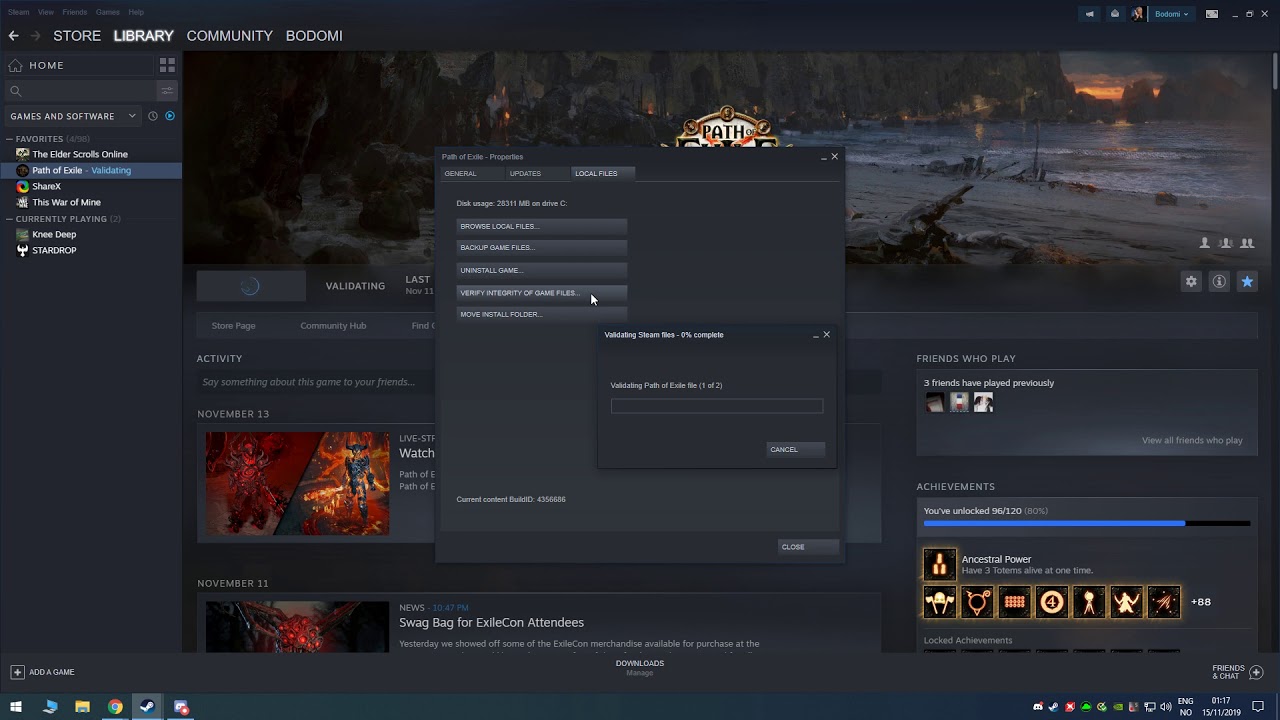
This video shows how to verify the integrity of game files on Steam.
This is useful when the game files are for whatever reason corrupted, or something is missing in the game files.
This video was created in relation to the following Steam Guide: https://steamcommunity.com/sharedfiles/filedetails/?id=1912418281
This video was created in relat...
hopefully this helps @small marsh !
small marsh
Thank you werry much!
thin oracle
all good Benjo, stay well
small marsh
ok i tried and it didnt work.....
thin oracle
Verifying game files isn't the very solution to everything.
You may need to wipe the game clean off of your pc and do a fresh reinstall.
thin oracle
Usually verifying your game files helps your PC find any corrupt files which are causing a problem
thin oracle
small marsh
ok i tried and it didnt work.....
Try this
(1) Right click on the Isle in your steam games list, and click on "Properties"
(2) Click on the tab labeled local files, then click on "BROWSE LOCAL FILES"
(3) This will take you to the game's directory, delete everything in this folder
(4) After deleting, go back to the properties menu and click on "VERIFY INTEGRITY OF GAME FILES"
(5) This will retrieve all of the deleted game files, and reinstall. When you relaunch the game, you should be able to join a server without issue
small marsh
I did this and it didnt work
thin oracle
@small marsh
go through this doc https://docs.google.com/document/d/1o8xsbfZKesdLpvViUdnYwVkG2SiqEuFkw8W3qslI7V0/edit#heading=h.jw95dufthf9c
see if there is anything of value for you 🙂
Google Docs
Steam-related Issues LAST UPDATE: 25 June 2020 How do I install Evrima? Open Steam Right click “The Isle” Select Properties > Betas Select the beta “EVRIMA public branch” on the drop-down menu Screen is black upon loading up Ensure “The Isle” has been closed Open Steam Right click “The...
 grave talon
I join a server, move around a bit, then get forced into the main menu again to click 'I understand'
 jaunty zodiac
atm in evrima, i see lot of players and me disconnected all time for no reason and go to menu again, and need to click i understand 2 times before come again, all 20 minutes :/
void lintel
I understand everyone must get this question a lot, but I'm desperate. Any way to improve FPS? Render scale is at 33, everything but textures is at low, I literally don't know what to do.
7-15 average fps. Also, sound is wack.
hollow violet
What's your specs?
Anyone having fps issues or crash issues, that have already tried the pins fixes please give me your specs so I know if you fit minimum requirements.
void lintel
8 gb i5, not much but I was just wondering if there was any way to improve.
Looking to upgrade soon ofc.
hollow violet
What's your Gpu?
void lintel
Gt2 unfortunately
hollow violet
What is a gt2?
void lintel
Intel built in. Basically I have a shitty laptop. I mean it makes sense but I run mc with shades just fine
thin oracle
void lintel
I understand everyone must get this question a lot, but I'm desperate. Any way t...
Currently Evrima is poorly optimised for lower-end PCs and Laptops.
Expect some sort of change with Update 3, as it seems Dondi has been trying to fix it all.
For the time being, I'd recommend to not play Evrima as you can easily burn out your Laptop.
Play legacy or even another game
void lintel
That's what I thought, ty.
 pulsar cliff
could anyone recommend settings for me?
i5 9300H, gtx 1650, and 8g RAM
don't think I can comfortably run max
thin oracle
Eh your CPU is okay, it's base frequency is shockingly low though. Your 1650 is okay, maybe not the best for running stuff at high.
Do you have dual channel ram?
You may want to upgrade your ram to 16 gb either way though.
pulsar cliff
not sure what that means, but I do plan on adding ram when I can afford to
was just looking for graphics settings recommendations
I played for an hour today and it runs 60 fps with max settings when no other players are on screen
hovers around 20 when with several other players
so playable, but not pretty
idk which settings to bump down first
thin oracle
pulsar cliff
not sure what that means, but I do plan on adding ram when I can afford to
you should certainly acquire some new RAM.
Typical games suggest 16GB for good performance
however, the FPS drop is a natural thing (for update 2) which will be fixed in Update 3 🙂
thin oracle
yeah!
 hollow violet
uh
do you have specific launch params enabled?
right click the isle and hit properties
 light stump
I'm in properties rn
mild jewel
Just make sure this box is empty then. According to that message it has TheIsle repeated 3 times in it.


 mild jewel
Huh. Have you tried verifying the files and all of that?
light stump
I've completely uninstalled around 3 times
mild jewel
completely uninstalled as in uninstalled through steam, then went and deleted all the leftover files?
mild jewel
Ok, after that's done try this fix.
- Hit
Steamon the top left of the steam window - Hit
Exitto close steam completely - Restart steam.
That's a solution that worked for a similar situation for another game. Might work here too.
light stump
if it doesn't work I'll give it a try. thanks for trying to help I'm losing my mind rn lmao
mild jewel
Completely understandable lmao.
light stump
still not working 😦