#🔧-legacy-troubleshooting-🔧
1 messages · Page 55 of 1
 lavish token
 lofty gyro
your issue is with legacy

 hardy cargo
any help please trying to add spinos and other dinos that has been removed from game i change it in config files but nothing happens
 dawn fractal
Hey any admin here... please i need help
i'm in UE 3# and i'm stuck on a tree somehow in Pond
and i'm a adult stego....
 spare musk
dawn fractal
i'm in UE 3# and i'm stuck on a tree somehow in Pond
spare musk
dawn fractal
i'm in UE 3# and i'm stuck on a tree somehow in Pond
ping the official admin role in #evrima-eu with your in game name and server
 fresh narwhal
How do i fix controls not working,
 rugged delta
same here
my bottons dont work exept vocals
i can look around with the mouse
but the rest doesnt respond
 honest river
fresh narwhal
How do i fix controls not working,
honest river
fresh narwhal
How do i fix controls not working,
try this!
@rugged delta as well
 main oak
No fix worked on FATAL ERROR 198 ended up buying a new PC was due for an upgrade but its just a GPU problem you'll have to replace the GPU
 broken citrus
all the server wont show up....
it says no server found everytime i try TwT i want to play!
can someone help me...?
 fallow root
@broken citrus try dis https://youtu.be/FQv_W1yme0c

The Isle - How to fix "No Servers found" Bug in 2 ways!
Hello everyone, in this Video i will show u 2 ways to fix this Bug.
I hope it will help u. Have fun playing the isle.
Support me with a Donation :-)
https://streamlabs.com/pmacgaming/tip
You find me on:
Server: Asura Servers
Discord: https://discord.gg/asura
- way
Go in Steam/Settings/I...
 old surge
I am having an issue where i can't attack, use night vision or open the escape menu
nevermind i found a video that fixed it
 ember smelt
Hi can u guys please help me ... Im just trying to play legacy and i cant see my water and food percentage , cant sniff , bite etc ...
fallow root
@ember smelt heres a fix https://youtu.be/aKuHhPzWgmE
CONTROL KEYS NOT WORKING (You can't sniff and so on.)
In that case you should delete your save folder to reset your whole settings for the game.
► Select the View tab and, in Advanced settings, select Show hidden files, folders, and drives and OK.
► Afterwards, at the bottom left of your taskbar there should be a white search bar. Type %APPDATA...
@old surge Btw was it this video ? https://youtu.be/aKuHhPzWgmE
CONTROL KEYS NOT WORKING (You can't sniff and so on.)
In that case you should delete your save folder to reset your whole settings for the game.
► Select the View tab and, in Advanced settings, select Show hidden files, folders, and drives and OK.
► Afterwards, at the bottom left of your taskbar there should be a white search bar. Type %APPDATA...
broken citrus
I still can't see the server
 bright lintel
i cant sit/stand so iguess i cant walk since i last logged sitting. i cant pause the game/ open menus and chats either. All i can really do is toggle my hud.
spare musk
bright lintel
i cant sit/stand so iguess i cant walk since i last logged sitting. i cant pause...
old surge
fallow root
<@769683329191772250> Btw was it this video ? https://youtu.be/aKuHhPzWgmE
Yes
 near musk
I cannot bite or go into my dino information screen, or type, can someone please help me
or even rest
 lilac salmon
near musk
I cannot bite or go into my dino information screen, or type, can someone please...
lilac salmon
near musk
I cannot bite or go into my dino information screen, or type, can someone please...
For those of you experiencing issues with your keybindings or other controls;
-
Press Windows key.
-
Type "Run" to launch Run program.
-
Type in "%localappdata% and click 'Ok'.
-
Search for TheIsle folder.
-
Delete the TheIsle folder once it has been located.
near musk
i typed RUN in and nothing comes up
 ebon torrent
I need help please
honest river
one of my friend says : He can't see any server , when he try to join the Game says : the server not responding. He followed the steps from the steam community and also the video what i found on this channel , but nothing helped. Please let me know if you know what is this issue/s
honest river
im haveing some issues i have tryed everything i can possibly think of nothing is working why cant i find servers that i have been playing on for months
 verbal temple
Does anyone know how to fix fatal error when opening the isle from steam?
 noble jungle
Hey guys, so yesterday I swapped from Evrima to Legacy, I booted up searched for the server I play as usual and joined. Chose giga and spawned in, I could walk and call bu couldnt bite or go into menu with ESC so I assumed was bugged. I ALT F4 and rebooted and since I cannot find any servers at all? I have tried doing fresh install, Changing steam ping, servers listed. Its not my antivrius and have done network reset in CMD but still no luck. Any advice?
Just realised theres a lot of recent comments about not finding servers?
noble jungle
Devs?
 small sentinel
Cannot use escape menu/tab menu/bite/sit I go into options-controls gives me a bunch of admin keybinds how do i turn off admin mode?
honest river
small sentinel
Cannot use escape menu/tab menu/bite/sit I go into options-controls gives me a b...
For those of you experiencing issues with your keybindings or other controls;
-
Press Windows key.
-
Type "Run" to launch Run program.
-
Type in "%localappdata% and click 'Ok'.
-
Search for TheIsle folder.
-
Delete the TheIsle folder once it has been located.
try this!
@noble jungle same as you ^
 novel river
Hey whats the fix for the error steam subsystem isn't online? My steam is online
honest river
novel river
Hey whats the fix for the error steam subsystem isn't online? My steam is online
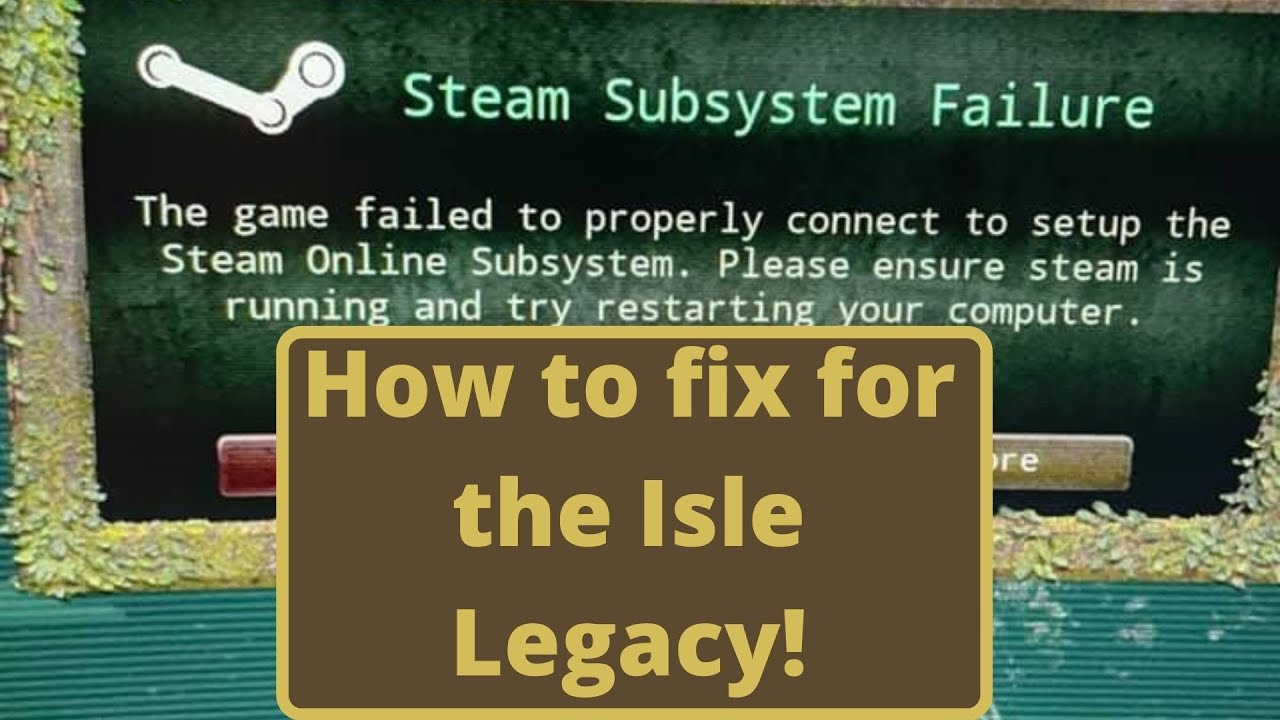
So after this recent update (June 16 2021) is current date. I have both of the versions installed. If you have not done this here is the link to how to do that.
So after you do that then you can do what I show you in the video to fix the issue of legacy not launching properly from steam. I just figured a lot of you...
novel river
I think that's what I did (fix is in pinned) and seems to work needed to restart laptop first
 polar ermine


 edgy ether
hi i have this problem after i switched the Isle legacy to evirma then switched back t legacy my b uttons just dont work like bite, night vision. esp, and otherws anyone know how to fix
 serene steeple
edgy ether
hi i have this problem after i switched the Isle legacy to evirma then switched ...
serene steeple
edgy ether
hi i have this problem after i switched the Isle legacy to evirma then switched ...
For those of you experiencing issues with your keybindings or other controls;
-
Press Windows key.
-
Type "Run" to launch Run program.
-
Type in "%localappdata% and click 'Ok'.
-
Search for TheIsle folder.
-
Delete the TheIsle folder once it has been located.
edgy ether
then do i run The Isle after
honest river
edgy ether
then do i run The Isle after
yes
don't delete anything.
Just run the game and it should be working
edgy ether
ok also just wanted to know is this a common problem
honest river
edgy ether
ok also just wanted to know is this a common problem
pretty common, don't worry about it
edgy ether
ok
cause my friedn said i should factory reset and i just didnt wanna lose my files so i looksed for another fiz
fix
honest river
edgy ether
cause my friedn said i should factory reset and i just didnt wanna lose my files...
what files?
edgy ether
for all my games and others
honest river
if you only delete TheIsle folder, nothing wrong should happen
honest river
you wont lose dinosaur progress as well- as that's a serverbased thing
honest river
edgy ether
ill try now
good luck
honest river
guys the character menu keeps popping up on my screen plz help
 bitter dew
Im trying to change my pause menu button to escape because when I updated the game to legacy it was changed, and I can't change it back to escape for some reason
 kind kernel
anyone know why the server im trying to find is on the thenyaw map with 188/200 players?
when its supposed to be v3 with 100 players
 pliant flicker
Does anyone has this issue with Geforce ansel where the DoF filter make the game all blurry? Can't take proper picture now, big sad 😔
 inner grove


 urban bluff
Generally tired of seeing "no servers found" I have tried changing my ping/minute, uninstalled and re-installed. Do you guys have an idea of why this is happening ?

 proper slate
Same goes for me. Everything worked fine before and now I cant find the Server I played on 24 hours ago.
 proper slate
urban bluff
Generally tired of seeing "no servers found" I have tried changing my ping/minut...
proper slate
urban bluff
Generally tired of seeing "no servers found" I have tried changing my ping/minut...
Refreshing a million times helped at first, but now it doesnt... still figuring out how
Or another way is following a friend that made it on the Server
honest river
hello someone help me fix the bug of the controls bone I can not use to attack or eat etc
@umbral laurel
?
spare musk
the fix is pinned in here
honest river
honest river
Where is it that I don't know much about discord, please help me
https://youtu.be/aKuHhPzWgmE
follow this video^
CONTROL KEYS NOT WORKING (You can't sniff and so on.)
In that case you should delete your save folder to reset your whole settings for the game.
► Select the View tab and, in Advanced settings, select Show hidden files, folders, and drives and OK.
► Afterwards, at the bottom left of your taskbar there should be a white search bar. Type %APPDATA...
thanks
honest river
honest river
thanks
all good
If you get any more issues just @ tech support
(the role)
Or you can @ myself (Lightclaw)
Thank you so much
 rain forge
I have a problem with legacy it keep disconnecting cant even last 2 minutes anymore anybody have an idea about what i could do to fix it?
 wet ibex
I have a strange problem with my lighting, it's incredibly good. As in I can see across the across the map at basically any time while not in a forest. I told a server admin on the server I play on and they told me what they see and it's nothing compared to me. I wanna be able to fix this because it is kind of boring be able to see anything about to attack me at night. I checked my control panel and "calibrate display" and reset them to the normal ones and what I thought looked best. I checked my monitor brightness, contrast, color control, and reset them too. All of them seemed to have no effect aside from making everything absolutely black. I'm asking here before having to reinstall the game as that would be my last resort. If I need to for whatever reason though, I will.
TL;DR I basically have the old V3 lighting
 solemn slate
My legacy Auto Recording is not recording even though it is set to record.
rain forge
im not a pro at the isle but have u tried resseting your settings? might help and then try it
it will reset everthing if u did mess with the settings at some point
 gentle needle
Hi, so heres my problem (i scrolled through trying to see if anyone had anything similar ocurring so sorry if there was a fix already i might've missed it) but i bought the game a month ago and kept having this bug where if i tried to join a game i loaded into the environment with the ambient volume still playing but i could not move and there was no HUD. If i tried to create a server for singleplayer i just got a black screen. I changed resolution and looked for answers in video on steam support and etc but found nothing so i just refunded the game which sucks bc i was excited to finally play when i got my new pc (Nvidia, core i5, its a dedicated gaming laptop with plenty of ram and all that good stuff, should run it no problem) Now my friends are playing it which makes it really tempting to buy and try again but i just really dont want to get it and not have the ability to fix the issue again. At the time i did not think to simply join the discord and ask here on a fix so yeah im not exactly the sharpest raptor in the pack i guess. If there is a solid fix for this id risk going ahead and buying the game again to try it.
spare musk
gentle needle
Hi, so heres my problem (i scrolled through trying to see if anyone had anything...
as far as not being able to move, you could try the fix pinned in here where you delete the saved folder in %appdata%. this will completely reset all settings to default, which might also help with the hud issue. if you do end up coming back and that fix doesnt work, you should ping @.Tech Support for more in depth help
gentle needle
Aight I might see to it. Thank you
 gentle mauve
I for some reason Only see China servers when I try and join legacy. The video from the previous section is already in the files.. However, I still don't see none china servers. How do I fix this? I did the Steam set to 1500 and then too 500 as well and that didn't work. =/
proper slate
urban bluff
I just changed my Max Results 5000
Thank you very much!
urban bluff
proper slate
Thank you very much!
all good!
solemn slate
@rain forge Tried that, didnt work. Supposedly the server i was on has the option disabled, which i didnt know at the time. Will have to check with other servers to see if it is a client side issue.
 cerulean socket
Has anyone had a problem where your PC shuts down when you join a server?
Cause I'm having that issue currently
honest river
cerulean socket
Has anyone had a problem where your PC shuts down when you join a server?
is your video driver currently up to date?
cerulean socket
i'm not sure but this is just coming up today
it was working fine just earlier today
even
honest river
I recommend trying to update your driver
cerulean socket
how does one do that xD
honest river
do you have an AMD or Nvidia Video Card?
cerulean socket
NVidia
honest river
ah ok
honest river
cerulean socket
NVidia
https://www.youtube.com/watch?v=gsr5AWNzbMI
I recommend using this

To keep the latest NVIDIA graphics driver update, refer to the steps in this video.
More great tips and video tutorials for MSI Notebook, visit our MSI How To Channel: https://www.youtube.com/user/msihowtochannel.
If you have any questions regarding the video, please raise your question to us by creating an online web ticket. (https://register...
you have to install Geforce Experience.
It's free
honest river
cerulean socket
ty!
all good, stay well!
if you have any more problems just @ Tech support or myself
 fair tusk
I recently moved from America to Japan, and now I mostly only see the fake 188/200 servers on Legacy. I can't find Nublar (except for the fake German one), Official NA, Noobz, Nycta for some examples. I tried every setting in the Steam server browser pings option and left it at 1000 for now. Checking Hide Empty doesn't seem to change much. When I was here in 2019 I was able to play on US servers after tweaking the server browser pings, and I don't recall needing a VPN or something like that. I don't have any issues in Evrima finding servers. Hopefully I don't need to use a VPN. Anyone have any ideas?
 honest river
 last parcel
I would recommend trying to update your video driver.
But, if you cannot fix it then I'm sorry.
This issue is hard to solve and is a pain
 coral reef
Hi, I was hoping someone could help me who is a little tech savvy, I used to play the isle a little over a year ago with no issues what so ever but now im playing again after all this time every server i join i get put into a chinese server? I very rarely but manage to sometimes join a normal server but after so long i get kicked out and then that server everytime i try to join im put back into another chinese server... I just want to play the isle honestly <@&818552355796287508>
Please note i have tried many servers most being low pink eu/uk servers but again they get hacked after a few hours of playing
 sleek turtle
I used to play the isle for years and it was perfectly fine but I had uninstalled it and just recently reinstalled it. I'm trying to play with friends but my game will not allow me to open the player tab, type, change different chats, lay down, open the character sheet, hit esc, or even attack. All I can do is run around, call, eat, drink, and use night vision. I've reinstalled the game 4 times now and even verified files and I have no idea how to fix it. If anyone can help me that would be great. C: <@&818552355796287508>
 umbral basin
cant look anywhere without everything turning black
i have to like look up but then i cant see anything
cerulean socket
honest river
all good, stay well!
It's doing it again and my drivers are up to date
honest river
cerulean socket
It's doing it again and my drivers are up to date
hm
Check your Windows OS if it's up to date (update-wise)
cerulean socket
How would I do that? I'm not great at this stuff lmao
honest river
cerulean socket
How would I do that? I'm not great at this stuff lmao
https://support.microsoft.com/en-us/windows/update-windows-10-3c5ae7fc-9fb6-9af1-1984-b5e0412c556a#:~:text=In Windows 10%2C you decide,Update %26 Security > Windows Update .
this should be it!
Windows 10 offers you the choice of when and how to get the latest updates to keep your device running smoothly and securely.
cerulean socket
Ty!
honest river
hopefully this works
cerulean socket
It won't remove any files or anything right?
honest river
no
honest river
cerulean socket
im up to date idk what's wrong
ah? Strange
try running The Isle off Geforce Experience?
You also might want to check and reverify your game
cerulean socket
aight thats true, lemme verify the files
honest river
good luck!
cerulean socket
ty
It still didn't work, it faked me out into thinking it worked
Do you have any other ideas?
honest river
try restarting your PC?
cerulean socket
It does that itself, it completely turns off my PC when I try get into the server
It restarts it
honest river
hm
cerulean socket
Maybe I could restarting my PC again and deleting the saved folder?
honest river
yeah, try so
 sudden hinge
Hey, i have this thing where no matter what i do i always have the turn glitch in the isle legacy. Every server i have it, i tried to relauch it and such
honest river
sudden hinge
Hey, i have this thing where no matter what i do i always have the turn glitch i...
what turn glitch are you talking of?
sudden hinge
honest river
what turn glitch are you talking of?
when your dinosaur just turns in a circle consantly
honest river
sudden hinge
when your dinosaur just turns in a circle consantly
ah, I know this
honest river
sudden hinge
when your dinosaur just turns in a circle consantly
this should be the fix.
It's a similar issue with Battlefront 2, hope this worked!
sudden hinge
honest river
this should be the fix.
It's a similar issue with Battlefront 2, hope this work...
was there supposed to be a link? Or a screenshot?
honest river
sudden hinge
was there supposed to be a link? Or a screenshot?
oh lol
https://www.youtube.com/watch?time_continue=14&v=wfxv-GzxPNk&feature=emb_logo
there you go @sudden hinge

If your having trouble doing full turns or can't see your mouse cursor in-game follow the video or these steps: *Note my problems were due to discord
1.Open discord
2. go to settings (bottom left where ur profile is clicked on the gear)
3. Go to the overlay tab
4. Turn off the in-game overlay (the blue switch should be gray)
5. Startup Star...
sorry, not feeling well.
Forgetting to type proper things lately 
sudden hinge
honest river
sorry, not feeling well.
Forgetting to type proper things lately <:lul:69411701...
your fine lol
 high yacht
hello can anyone help me with this problem?, i got a problem with the keybinds like some wont work like esc,attack,sitting,turning nvg ON,etc.... i deleted the game twice already to see if it would be fixed but no
anyone have a solution for this?
honest river
high yacht
hello can anyone help me with this problem?, i got a problem with the keybinds l...
-
Press Windows key.
-
Type "Run" to launch Run program.
-
Type in "%localappdata% and click 'Ok'.
-
Search for TheIsle folder.
-
Delete the TheIsle folder once it has been located.
Here! This should fix it
high yacht
honest river
- Press Windows key.
- Type "Run" to launch Run program.
- Type in "%localappdat...
man i thank u sooo much man i swear i thought i was done for
honest river
high yacht
man i thank u sooo much man i swear i thought i was done for
all good, stay well!
 full plaza
Hello,
We are experiencing a problem on our Legacy server. Some can connect while others cannot "connection to the host has been lost"
Does anyone have any ideas as to why? ^^"
PS: sorry for my english, i'm french ^^"
 proud meadow
I use the 'How to have Legacy AND Evrima' method but now I can't find any server in Legacy is there a way to fix this
honest river
proud meadow
I use the 'How to have Legacy AND Evrima' method but now I can't find any server...
If you are having issues seeing servers Click the Hide Empty Box and that may fix the issue.
try this!
honest river
full plaza
Hello,
We are experiencing a problem on our Legacy server. Some can connect whil...
If you have this error try uninstalling and reinstalling.
try this!
proud meadow
honest river
If you are having issues seeing servers Click the Hide Empty Box and that may fi...

it says this when I open the game
full plaza
honest river
If you have this error try uninstalling and reinstalling.
try this!
I tried but it doesn't work^^"
honest river
proud meadow
https://www.youtube.com/watch?v=r6IB2AHd_Aw
try this video
So after this recent update (June 16 2021) is current date. I have both of the versions installed. If you have not done this here is the link to how to do that.
So after you do that then you can do what I show you in the video to fix the issue of legacy not launching properly from steam. I just figured a lot of you...
proud meadow
thank you I fixed it
 turbid matrix
i just reinstalled legacy and i cant bite sit etc. I have reinstalled it several times and verified the files but that did not work so can any one help?
 opal pier
I have the same problem
honest river
@turbid matrix @opal pier
try use this!
-
Press Windows key.
-
Type "Run" to launch Run program.
-
Type in "%localappdata% and click 'Ok'.
-
Search for TheIsle folder.
-
Delete the TheIsle folder once it has been located.
opal pier
delete these right?
 spare musk
opal pier
delete these right?
spare musk
opal pier
delete these right?
no, thats the steam file. you need to be in your local appdata folder
 👍
👍 thin flower
hey i cant lay down bite go in esc or type something i only can call and walk and run can someone help me pls
honest river
thin flower
hey i cant lay down bite go in esc or type something i only can call and walk an...
-
Press Windows key.
-
Type "Run" to launch Run program.
-
Type in "%localappdata% and click 'Ok'.
-
Search for TheIsle folder.
-
Delete the TheIsle folder once it has been located
try this firstly!
thin flower
where can u see windows key
honest river
thin flower
where can u see windows key
should be the key with the windows button on it
Bottom left
 thin flower
if i type run it takes me to a game
honest river
thin flower
if i type run it takes me to a game
try search up "Run Program"
or just Run
go through every program with Run with it
honest river
sure
thin flower
thxx dude
honest river
thin flower
thxx dude
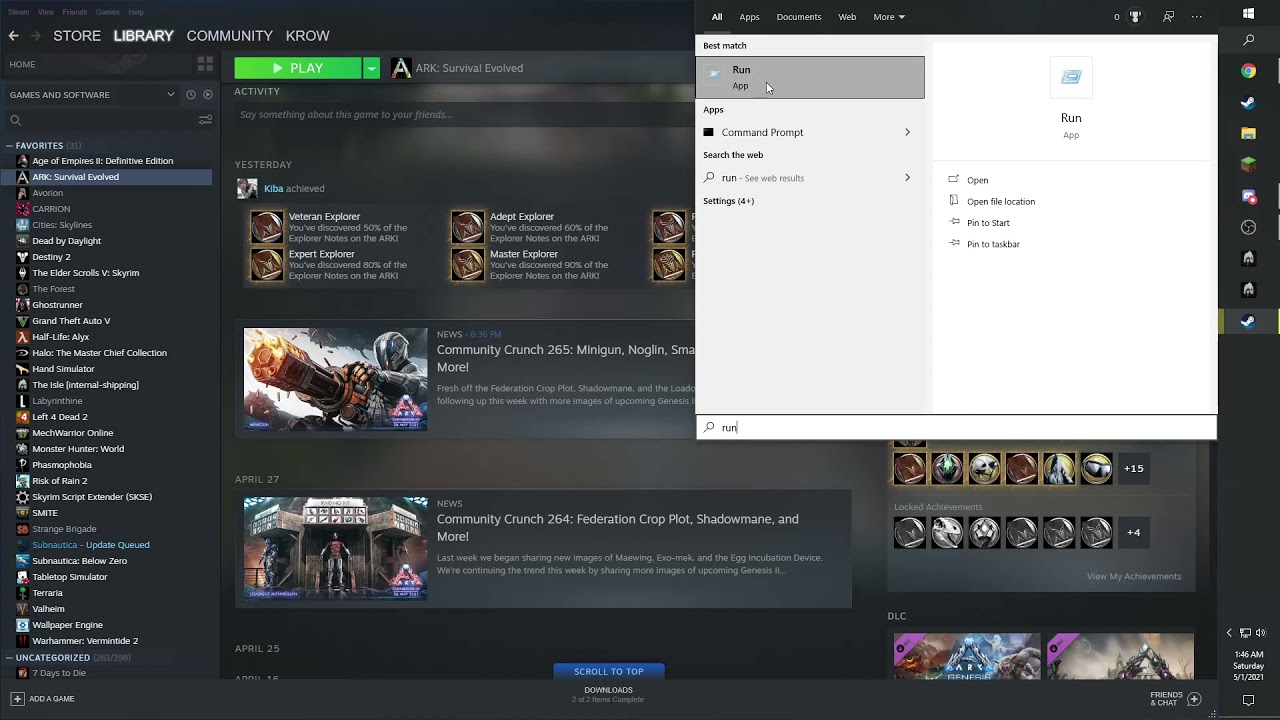
Video Made by krow
(Note) this may not work for the legacy Version of the Isle
(Note) Deleting the save file will only reset your control's
thin flower
but if i type run theres nothing
honest river
are you sure?
thin flower
ye how u send screenshot
honest river
thin flower
ye how u send screenshot

👍 Watch how to start and use one of Windows tools, Run. We will also have a look at some of its main and most often used commands.
Disk Structure is Corrupted and Unreadable – What Can You Do: https://hetmanrecovery.com/recovery_news/disk-structure-is-corrupted-and-unreadable-what-can-you-do.htm
Find the link to our video about safe booting Wi...
 twilit ermine
i have the same problem
honest river
twilit ermine
i have the same problem
try above!
honest river
did you go in via Steam or Appdata?
twilit ermine
?
honest river
how did you find the folders? Sorry
honest river
aight, only delete the one that says "TheIsle"
twilit ermine
but there is many of them
honest river
of "TheIsle"?
twilit ermine
there is one folder and one document
honest river
delete the folder
twilit ermine
k
twilit ermine
it works for me too thanks 🙂
honest river
twilit ermine
it works for me too thanks 🙂
all good, stay well!
twilit ermine
🙂
 agile oxide
hi im getting an issue when im playing randomely i keep getting stutters
its hard to play
its every couple of seconds
 molten hemlock
@lilac thistle For some reason in legacy servers I can't bite, get to my growth menu, or rest.
I also can't get to my settings.
spare musk
molten hemlock
I also can't get to my settings.
There's a fix pinned in this channel, no need to tag Punch
molten hemlock
Oh sorry!
spare musk
All good, hope it works! Let me know if you need help with it, as well
molten hemlock
Do you know which pin it is??
spare musk
Here's the instructions:
-
Press Windows key.
-
Type "Run" to launch Run program.
-
Type in "%localappdata% and click 'Ok'.
-
Search for TheIsle folder.
-
Delete the TheIsle folder once it has been located.
molten hemlock
Do I do that while in game?
spare musk
No, you need to have the game closed
 tribal wedge
I have a friend who is new to The Isle, and we were playing Evrima, but they wanted to try legacy out which I was like "I gotchu" and I'm in game with them now and their controls are all borked. They can't rest, attack, or access any menus. Any idea on how to fix this? <@&401466542140817419>
spare musk
tribal wedge
I have a friend who is new to The Isle, and we were playing Evrima, but they wan...
There's a fix pinned in here, you need to delete a file in your appdata folder. Also, please ping @.Tech Support for technical issues
tribal wedge
spare musk
There's a fix pinned in here, you need to delete a file in your appdata folder. ...
okies, my bad, thank you kindly
spare musk
No worries, let me know if you need more help!
 frank silo
I tried this fix but I don't see a saved folder :(
lilac salmon
frank silo
I tried this fix but I don't see a saved folder :(
Follow this video
might help.
frank silo
tysm!!
frank silo
I tried every solution including deleting the Isle folder and reinstalling twice, but no servers show up; it just loads forever. :(
every PINNED solution*
honest river
frank silo
every PINNED solution*
delete the "Saved" folder in C:\Users\<username>\AppData\Local\TheIsle
 carmine sentinel
my game keeps saying no servers found and it makes my pc's wifi not work when its searching for servers
honest river
carmine sentinel
my game keeps saying no servers found and it makes my pc's wifi not work when it...
If you have this error try uninstalling and reinstalling
try this
carmine sentinel
ive tried that already @honest river
 grand stump
What's the difference between legacy and evrima? I posted an error in evrima and don't want to have put it in the wrong chat. I don't play the Isle but my mates daughter does and he isn't good with pcs so I'm just relaying his error message in the hope someone can help.
serene steeple
grand stump
What's the difference between legacy and evrima? I posted an error in evrima and...
Legacy is the old version if the game, its not being updated anymore due to coding mistakes. Legacy has a good amount of dinos, from Velociraptors to Rex. The maps are full with pine trees and such
Evrima is the new, reworked and in development version. The look of it is more tropical and there are just a few dinos for now (Some uniques like Pteranodon and Deinosuchus);
Thats pretty much the difference
grand stump
OK thanks for that, appreciate the response.
agile oxide
hi i need help
i bought the game days ago i have played since then and a few days ago i noticed there was alot of stuttering happening and some fps drops and i was wondering if anyone could help me?
@honest river
sorry you seemed like you knew everything XD
 mellow snow
I have problem with finding servers
honest river
carmine sentinel
ive tried that already <@456226577798135808>
Open an Administrator level command prompt
Right click CMD - Run as Admin
Type ipconfig /flushdns
netsh winsock reset
Reboot your computer
Try this!
honest river
agile oxide
<@456226577798135808>
yep,
What are you graphics settings at?
honest river
honest river
Open an Administrator level command prompt
Right click CMD - Run as Admin
Type i...
@mellow snow try this as well
carmine sentinel
honest river
Open an Administrator level command prompt
Right click CMD - Run as Admin
Type i...
done and still doesnt work
sometimes servers pop up but thats after 5-15 minutes of waiting
honest river
do you have a VPN or firewall on your PC?
carmine sentinel
no vpn, idk about firewall
honest river
If you are having issues seeing servers Click the Hide Empty Box and that may fix the issue
you tried this as well?
carmine sentinel
honest river
If you are having issues seeing servers Click the Hide Empty Box and that may fi...
yes
in the 2 years that ive played isle, also on evrima, my servers take 5-15 minutes to load. While they are loading my wifi completely disappears on my pc, no other device. Most of the time only like 2 servers pop up aswell
so if i join a server and its full, i gotta wait 10 minutes to try again
honest river
Sounds like it could be a PC issue?
honest river
hm, and this issue is both on Legacy and Evrima?
carmine sentinel
yes
carmine sentinel
no its definitely not my internet, ive tried on 3 different ones, all above 300+ mbps and its still the same issue
honest river
Well I'm quite sorry.
Not sure what's going on with your game then.
However, I'll try and go through some forums and see if anyone has a fix.
If I can, sorry, this is a relatively different issue- so, sorry about that. Have a good day, stay well
carmine sentinel
ty
honest river
carmine sentinel
ty
have you tried trying to find servers via steam?
carmine sentinel
yes, same problem
also tried changing settings in steam that people told me to do
they said it would fix it but it didnt
honest river
sorry bout that
 stuck sluice
When I open the game it starts but when I get to the AE splash screen my pc restarts, i5-6600k / 6700xt / 8GB RAM. I had this problem with evrima but i fixed the problem by opening the game before opening discord. If I ran the game with discord opened it crashed. This didn't fix the legacy crash for me. I am able to open "TheIsleClient-Win64-Shipping.exe" and it gave me the Steam SubSystem Error. I reset winsock and it still crashes. Even if I open the game directly with TheIsle.exe or through steam.
honest river
stuck sluice
When I open the game it starts but when I get to the AE splash screen my pc rest...
Open an Administrator level command prompt
Right click CMD - Run as Admin
Type ipconfig /flushdns
netsh winsock reset
Reboot your computer
try this!
honest river
<@&818552355796287508>
I have a glitch, I cant sit, press exc, chat, or bite, or press tab. I have done what this said and I am still bugged.
spare musk
that is the wrong fix
"For those of you experiencing issues with your keybindings or other controls;
-
Press Windows key.
-
Type "Run" to launch Run program.
-
Type in "%localappdata% and click 'Ok'.
-
Search for TheIsle folder.
-
Delete the TheIsle folder once it has been located."
 woven wind
Hello, I have a friend that keeps getting kicked right as he is joining my server. it keeps saying this in logs
LogOnline: Warning: STEAM: AUTH: Was not able to kick player steamID Valid world: 1.
LogIDatabase: Error: CharRowName was None for steamName despite having valid save data, starting new character creation
LogIDatabase: Warning: Cancelling spawning character for steamName
He is apparently keeps getting kicked from any server he tries to join
woven wind
Restarting his pc fixed it, apparently his pc bugged out with it being on for 1-2 weeks
 ocean pond
how to fix my chracter in legacy not being able to bite or press escape or chat (bassically the controls not working even though ive messed around with the settings for ages)
honest river
ocean pond
how to fix my chracter in legacy not being able to bite or press escape or chat ...
-
Press Windows key.
-
Type "Run" to launch Run program.
-
Type in "%localappdata% and click 'Ok'.
-
Search for TheIsle folder.
-
Delete the TheIsle folder once it has been located.
try this!
ocean pond
honest river
- Press Windows key.
- Type "Run" to launch Run program.
- Type in "%localappdat...
but that will delete the game from my computer dont try to trick me
honest river
ocean pond
but that will delete the game from my computer dont try to trick me
?
That deletes the saved Configs for the game
eg. Your keybinds
ocean pond
i dont want to reinstall it it took like an hour
honest river
that wont reinstall your game
ocean pond
what if i just delete the saved folder inside of the ilse folder will that work
ocean pond
ok
honest river
it's either that or the mother folder
ocean pond
so do i delete the saved or TheIlse folder
honest river
(TheIsle)
honest river
ocean pond
so do i delete the saved or TheIlse folder
either one
ocean pond
ok
honest river
after that, just run your game
honest river
yes
 sand sentinel
okay why can't i bring up anything? like my character sheet, the chat, the esc menu, or even the player list?
honest river
sand sentinel
okay why can't i bring up anything? like my character sheet, the chat, the esc m...
-
Press Windows key.
-
Type "Run" to launch Run program.
-
Type in "%localappdata% and click 'Ok'.
-
Search for TheIsle folder.
-
Delete the TheIsle folder once it has been located.
try this!
honest river
yep! All good, stay well
 mighty merlin
i just installed the isle ,for the first time , and i dont see any servers i can join , how can i fix that?
 compact token
Haloo please i can find some admin on server #3 i have problem cannot use H and still eating but i eat nothink... can somebody help please ?
honest river
compact token
Haloo please i can find some admin on server #3 i have problem cannot use H and ...
try this!
-
Press Windows key.
-
Type "Run" to launch Run program.
-
Type in "%localappdata% and click 'Ok'.
-
Search for TheIsle folder.
-
Delete the TheIsle folder once it has been located.
honest river
mighty merlin
i just installed the isle ,for the first time , and i dont see any servers i ca...
If you are having issues seeing servers Click the Hide Empty Box and that may fix the issue.
compact token
too late they kill me already becouse i can do anythink maybe next time i will try thank you 🙂
compact token
yea no problem soo start again 😄
 quaint chasm
ive recently reinstalled the legacy version, and im having some major problems:-
cant find my fav servers unless discord is closed
when i do connect to a server, i cant use my internet AT ALL on my laptop (im tethered to my phone, and i cant even get chrome to load a page, or load discord on the PHONE) and the phone shows no connection, but i am still loaded into a server on the isle
ive done the usual things like reinstalling/deleting steam cash/ changing ping from 3000 to lower/ deleting islefolder
 dreamy grove
Hello, i switched back to the legacy version and i cant move. i tried the delete the isle folder thing and it didnt work im just stuck
honest river
dreamy grove
Hello, i switched back to the legacy version and i cant move. i tried the delete...
try reverifying your game
dreamy grove
ok
 sterile crow
So I got on legacy the isle after a while of not playing and Its been loading for like 10 minutes, i've tried refreshing i've just restarted the game and closed steam logged back in and tried again and its still not coming up with any servers at all. Please help lol

 tender lodge
the game is glitching out my steam saying its already running this is very annoying and no ive checked it for sure isnt running
frank silo
Ok, I have tried opening the admin command prompt, it does not work. I have tried deleting the TheIsle folder in appdata, that does not work. I tried deleting Saved, that does not work. I tried changing the ping on Steam, and that does not work. I verified the game files through Steam, still no luck. Idk what happened between the time I stopped playing and now, but no servers show up :( it just loads forever
Ok well it seems like complaining really inspired the game because servers just popped up
frank silo
Side note: All of this trouble has fixed the lighting issues that plagued my game before this. The grass also moves with my character again
thin flower
hello can someone help me bc everytime it says no servers found even if i did nothing pls help me
honest river
thin flower
hello can someone help me bc everytime it says no servers found even if i did no...
If you are having issues seeing servers Click the Hide Empty Box and that may fix the issue.
thin flower
oh yess thank u dude
 strong sequoia
Hi i cant use etc on keyboard or rest or attack, it hapoend after i switched to legacy after being on evrima. Anyrone help?
spare musk
strong sequoia
Hi i cant use etc on keyboard or rest or attack, it hapoend after i switched to ...
theres a fix pinned in here, you need to delete a folder in localappdata
strong sequoia
Where can i find it? Im new here
spare musk
thats alright! pins are in the thumbtack icon in the top right of discord

heres the instructions as well in case theres any problems with it
-
Press Windows key.
-
Type "Run" to launch Run program.
-
Type in "%localappdata% and click 'Ok'.
-
Search for TheIsle folder.
-
Delete the TheIsle folder once it has been located.
strong sequoia
thanks it worked xx
 arctic girder
Hello guys, i want to have both legacy and evrima downloaded and playable. One time ive tried that but the legacy wasnt online. How can i have both online ? Ive heard its possible. Nevermind ive figured it out
 final rivet
Switched from Evrima to legacy and now I cannot open chat or attack
honest river
final rivet
Switched from Evrima to legacy and now I cannot open chat or attack
-
Press Windows key.
-
Type "Run" to launch Run program.
-
Type in "%localappdata% and click 'Ok'.
-
Search for TheIsle folder.
-
Delete the TheIsle folder once it has been located
try this
 narrow egret
what is the problem?
 honest river
narrow egret
what is the problem?
honest river
narrow egret
what is the problem?
If you are having issues seeing servers Click the Hide Empty Box and that may fix the issue.
narrow egret
honest river
If you are having issues seeing servers Click the Hide Empty Box and that may fi...
ok
honest river
see if that works
narrow egret
ok
narrow egret
honest river
If you are having issues seeing servers Click the Hide Empty Box and that may fi...
It doesn't work
honest river
narrow egret
It doesn't work
strange.
narrow egret
ye
frank silo
Mine take a while to show up but they do eventually show
I noticed that I can’t search for them tho
agile oxide
@honest river ive got an issue when i try join a server it says client its utdated
out*
honest river
agile oxide
<@456226577798135808> ive got an issue when i try join a server it says client i...
legacy just got an update
agile oxide
so is the server not updated?
honest river
just update your game! 😄
honest river
agile oxide
<@456226577798135808>
just an anti-cheat
agile oxide
ok thank you
honest river
all cool
 violet bramble
What is the update about btw, any patch notes, pls? xD
2,32 GB just for an anti cheat?
honest river
violet bramble
2,32 GB just for an anti cheat?
aye
honest river
not really. No
 faint shore
honest river
legacy just got an update
faint shore
honest river
legacy just got an update
For me theres no way to update it unless I change I to evrima
I just can’t play legacy now

 spare hawk
there are some servers updated for .8
faint shore
Any idea on how to update it? Theres no big button that says to update it
spare hawk
what version is your game?
faint shore
0.1.8
spare hawk
The servers haven't updated, that's the problem 😦
faint shore
Ah so its a server problem now? Each server needs to update?
spare hawk
There should be a filter option to hide outdated servers, but when I looked a lot of them weren't very populated
Yes!
spare hawk
yeah I was on the same problem. I thought beta branch might solve it as I read there were official servers (because I couldn't see them and thought they might be on a beta branch), then I discovered evrima and my mind was blown
frank silo
Oh thank god I just had a heart attack thinking I couldn’t play Legacy anymore lol
Did the lighting break again? 👁️👁️💧
honest river
faint shore
For me theres no way to update it unless I change I to evrima
can't find the update?
 versed trench
anyone with 19.9 GB update too?
 stark bronze
evrima all over again

i just want to know if it is not a problem with my pc specs like happened with evrima
honest river
stark bronze
evrima all over again
try reverifying your game firstly
stark bronze
how?
honest river
sorry, quite tired right now.
Gonna send the video in a sec
stark bronze
ok
honest river
Article "Verify Integrity of Game Files"
if it doesn't work.
@ tech support or someone
stark bronze
aight
honest river
I'm gonna crash right now.
I wont be back to help until 10 hours
 vestal canopy
Any particular reason the isle suddenly won’t update for me? I have had it for quite some time and this is the first time it’s acting up like this.
It says “queued for update” but when I try to update it, it goes to 0% then back to “queued for update”.
Why
 gilded osprey
Have you tried clearing out your steam cache, if that doesn't work you can try to uninstall and reinstall
 south mulch
my game has updated and is now saying my game client is out of date?
vestal canopy
south mulch
my game has updated and is now saying my game client is out of date?
Noobz need to update their servers probably. Unless anyone else here can offer you a different solution then lol
vestal canopy
gilded osprey
Have you tried clearing out your steam cache, if that doesn't work you can try t...
No I’ll give it a try. Hopefully it’ll solve it.
south mulch
vestal canopy
Noobz need to update their servers probably. Unless anyone else here can offer y...
ya maybe, they are on 0.1.8 so idk
 pure gorge
Same goes for NB
 cloud stag
how do i update legacy since its in a seperate folder,
faint shore
honest river
can't find the update?
For evrima or legacy you mean
 dusky cairn
i have both evrima and legacy but how am i supposed to update the legacy branch ?
 exotic sedge
dusky cairn
i have both evrima and legacy but how am i supposed to update the legacy branch...
exotic sedge
dusky cairn
i have both evrima and legacy but how am i supposed to update the legacy branch...
Most likely they don't care
The fact that they released an update on a weekend instead during the week just to mess up with all the population shows as much their poor management as always
Not explaining the details of the update as if we purchasing the game makes us worthless to them
That's the Devs for you
 timber anvil
dusky cairn
i have both evrima and legacy but how am i supposed to update the legacy branch...
timber anvil
dusky cairn
i have both evrima and legacy but how am i supposed to update the legacy branch...
you'll need to delete your Legacy folder, switch to Legacy in Steam and do the whole process you did again, reinstalling both games
spare musk
you dont need to delete the old folder
just rename it back to "The Isle" and opt out of the beta in steam
timber anvil
can Steam detect it again?
spare musk
yes
timber anvil
thats just easier then, thanks
honest river
faint shore
For evrima or legacy you mean
legacy
vestal canopy
For anyone with the disc write error
This may work as it worked for me. If you get this message, head over to your steam folders and delete the mentioned folder. The tmp one too. I did that and now the game downloads/updates just fine to me.

 molten burrow
I switched back to legacy from evrima and now all of my controls are locked all i can do is walk. How do i fix it?
and its not as simple as deleting TheIsle folder cause its already gone and my controls are still broke
 hoary flax
i cant log to any server it tells me to update my client but its already up to date
hoary flax
i know this is stupid but how to update the game
 distant barn
why i cant find the asura server i live in Europe but it shows only damn chinese servers ?
 hollow ivy
Hey. I had legacy and evrima same time but i had to update legacy. And now legacy is giving me a steam subsystem failure. Is there any way to fix it?
honest river
Updated my legacy game and server, now my whole community cant access and i dont know why. We are getting this error:
Fatal error!
Crash in runnable thread Fatal error!

 small chasm
Since the new Update, i constantly rubberband with any dino, anone else ?
 foggy copper
anyone know of a fix for trying to get both versions Legacy and Evrima onto your desktop?

cuz i get hit with this error message when going into legacy
 blazing mountain
honest river
Updated my legacy game and server, now my whole community cant access and i dont...
blazing mountain
honest river
Updated my legacy game and server, now my whole community cant access and i dont...
Make sure both your GPU drivers and Windows are fully up to date. Keep in mind that you don't need the optional updates for Windows, generally those are best avoided in my personal experience.
this link may also have a solution
https://steamcommunity.com/app/376210/discussions/17/1693788384133493388/

Finding your System Specs Follow this: https://gyazo.com/8c1cac40ec65c922d4950386d9d19aba Now that you know you system specs, do the meet the minimum system specs shown on the Store Page? STOP! Have you Googled your problem? Most problems can be easily solved by a simple google search: htttp://google.com Make sure your Graphics Card Drivers are ...
blazing mountain
foggy copper
anyone know of a fix for trying to get both versions Legacy and Evrima onto your...
-
Install Legacy: Steam>Library and right click The Isle>Properties>Betas and click NONE. This will automatically begin to download the Legacy branch
-
Go to The Isle folder: Steam>steamapps>common>The Isle
-
Rename the folder "The Isle - LEGACY" or whatever you prefer so you know which version is which
-
Open the renamed folder and go to TheIsle>Binaries>Win64. Right click in the folder and click New>Text Document. Rename the Text Document: steam_appid.
-
Open the new text document you just made and write: 376210 and save the document.
-
Go back to you "The Isle - LEGACY" (or whatever you named it) and create a Short Cut of the The Isle application. From there you can drag the short-cut onto your Desktop and access Legacy directly from your Desktop. You can do the same for Evrima or you can just start up Evrima from Steam directly.
-
Steam should automatically install Evrima now, if it does not go to Steam>Library and right click The Isle>Properties>Betas and click Evrima. This will automatically begin to download Evrima
After having both versions installed now you should be able to access both Legacy and Evrima.
there will be a text file missing, this explains how to have both and add the text file
foggy copper
The text file does nothing for this fix
blazing mountain
distant barn
why i cant find the asura server i live in Europe but it shows only damn chinese...
enable hide empty and set max results to 5000
blazing mountain
foggy copper
The text file does nothing for this fix
it worked for me yesterday, for a select few people it doesnt work but this is the only effective fix i know of
foggy copper
sadly im one of the few it doesnt work for, and still trying to find a actual solution
blazing mountain
molten burrow
and its not as simple as deleting TheIsle folder cause its already gone and my c...
you will need to delete the input file rather than the whole isle folder
At the bottom left of your taskbar there should be a search bar. Type %APPDATA% in there and open your %APPDATA% folder. At the top you'll see the filepath, click "Appdata" to go back to the actual Appdata folder, then to local > TheIsle > Saved > Config > WindowsClient > Input --- Delete the Input file.
blazing mountain
hoary flax
i cant log to any server it tells me to update my client but its already up to d...
if yoy have already updated your game then this is likely on the server side and the host hasnt updated the server since the patch
 haughty sleet
everytime i try to play it loads then is a black screen and task manager says not responding. Does anyone know how to fix this issue?
honest river
could someone do me a favor and look up if they can find my server at all? i actually redownloaded the whole server files via steam cmd and now my server isnt even listed in the steam server search if i look it up by its IP =_=
ALSO thank you @blazing mountain for the help, apparently none of the troubleshooting works. as soon as i want to j oin ANY server i get the fatal error
i reinstalled legacy twice now on different devices =_=
maybe someone can see the crash log..
honest river
fixed the game crashing, server however is completely broken still..
 tiny flame
My friend has an issue where most of their keybinds don't work for legacy. They tried un-installing the game, verifying files, and a couple other things. Does anyone know a fix?
haughty sleet
tiny flame
My friend has an issue where most of their keybinds don't work for legacy. They ...
im still dealing with my problem
no one has responded and its been more then a hour
spare musk
check the pins
honest river
blazing mountain
1) Install Legacy: Steam>Library and right click The Isle>Properties>Betas and c...
Now i am having the issue, that, SUDDENLY this isnt working for me anymore. Before that stupid update, this worked just fine, and now its no solution for me anymore too.
 tall tide
So im playing on legacy and my hud has disappeared. I tried F10 but no help there what now?
honest river
tall tide
So im playing on legacy and my hud has disappeared. I tried F10 but no help ther...
check your keybinds, I recommend
 graceful quail
haughty sleet
everytime i try to play it loads then is a black screen and task manager says no...
graceful quail
haughty sleet
everytime i try to play it loads then is a black screen and task manager says no...
i am having the same problem
haughty sleet
graceful quail
i am having the same problem
i solved it
haughty sleet
graceful quail
i am having the same problem
Right click The Isle in your Steam library > left click properties > local files > browse local files.
It should open up your Isle folder.
At the very top of the file path click "common"
It takes you back to a folder list of all your Steam games.
Keep that open, we'll go back to that in a moment. Now right click The Isle in your Steam library > left click properties > local files > uninstall game. After it's uninstalled you'll need to go back to that list of game folders and delete "The Isle" folder. That way there is no trace of The Isle, so when you reinstall the game it doesn't re-use any corrupted content that would normally remain after a normal uninstall.
 spare musk
try verifying the game
 errant dune
How
spare musk
right click the game in steam, click properties, click local files, click verify integrity of game files
 spare musk
does it work now?
 honest river
errant dune
honest river
errant dune
give it a while
 inner elk
Does the video in pins solve the issue of being on legacy and not being able to clikc esc to grow or exit the game? Also can't open up chat or tab
honest river
inner elk
Does the video in pins solve the issue of being on legacy and not being able to ...
-
Press Windows key.
-
Type "Run" to launch Run program.
-
Type in "%localappdata% and click 'Ok'.
-
Search for TheIsle folder.
-
Delete the TheIsle folder once it has been located.
this one
the videos in #pinned-troubleshooting aren't
honest river
inner elk
outdated windows?
sorry?
inner elk
You said that there was a video in pinned trouble shooting...? I just wanted to know which video that was
Theres one on outdated windows? Is it that one?
honest river
inner elk
Theres one on outdated windows? Is it that one?
no
inner elk
honest river
the videos in <#723315774344921138> aren't
oh
honest river
https://www.youtube.com/watch?v=E91_fYxZKwU
you can follow this video
 tall tide
honest river
check your keybinds, I recommend
tall tide
honest river
check your keybinds, I recommend
Yeah i have looked through all the settings and to no avail. Still cant see my hud.
inner elk
thank you!
honest river
or just try this
-
Press Windows key.
-
Type "Run" to launch Run program.
-
Type in "%localappdata% and click 'Ok'.
-
Search for TheIsle folder.
-
Delete the TheIsle folder once it has been located.
honest river
tall tide
Yeah i have looked through all the settings and to no avail. Still cant see my h...
are you able to send a photo of this?
tall tide
honest river
are you able to send a photo of this?
Sure can
honest river
alongside, what are your hud settings?
tall tide
honest river
are you able to send a photo of this?
Nothing at all except is occasionally shows up when i drink or eat or run.
 honest river
tall tide
Nothing at all except is occasionally shows up when i drink or eat or run.
honest river
tall tide
Nothing at all except is occasionally shows up when i drink or eat or run.
ah, static hud
tall tide
Is that a glitch?
honest river
no no, your settings have static hud on
tall tide
Hm i dont see an option for static hud.
honest river
tall tide
Hm i dont see an option for static hud.
could you send a photo of your settings?
tall tide
Ah i see it now it was in gameplay.
honest river
aight, all good. Sorry about that.
Stay well
tall tide
Hey np thank you very much.
honest river
have a nice time playing
tall tide
I will indeed
 amber plume
legacy keeps crashing and saying the error message "HUNG" <@&818552355796287508>
usually its when i am trying to select a dinosaur but sometimes it happens at random
honest river
amber plume
usually its when i am trying to select a dinosaur but sometimes it happens at ra...
are you able to get an image of this errror?
amber plume
honest river
are you able to get an image of this errror?
next time it pops up i will usually only happens in death match servers
honest river
amber plume
next time it pops up i will usually only happens in death match servers
in the mean time, you can try some simple troubleshooting methods
honest river
How do I fix this stuttering
It's happening every minutes
It's super annoying and the lag really is pissing me off
 ripe pike
Has anyone had issues using pingperfect servers and huge lag?
I mean like 15-20 seconds lag speaks where you can't move
 ancient sail
honest river
How do I fix this stuttering
ancient sail
honest river
How do I fix this stuttering
Do you have your PC plugged in when this happens? This happens to me when my PC gets low on battery and I need to plug it in. Weird MSI shit.
ancient sail
honest river
How do I fix this stuttering
It could also be rendering in things.
honest river
ancient sail
Do you have your PC plugged in when this happens? This happens to me when my PC ...
Yes
It is plugged in
(24/7) lol
I really don't know why its doing this it only do this on this game
 hazy mirage
Legacy used to do that to me when I was by the Docks. It was from the trees rendering and loading and only happened around there.
But if it's happening to you all over the map no idea.
amber plume
@honest river here you go
 honest river
amber plume
<@456226577798135808> here you go
honest river
amber plume
<@456226577798135808> here you go
https://www.reddit.com/r/theisle/comments/dx67f7/ue4_d3d_device_lost/
here is a post on reddit about this issue
I recommend trying the third comment, by "Tibbysaurus"
 pine mulch
Ive been running into more and more issues with Evrima and now Legacy . It started off as my chat not working in Evrima, then my attacks would randomly stop. then now on Legacy its all the same but my escape , insert and tab doesnt do anything. Ive uninstalled and reinstalled 4 times and the bugs are still there.
pine mulch
If I could get some help getting this game to work that would be great. nothing ive done has worked.. Ive sent in a bug report but heard nothing back Idk what to do :T
spare musk
the fix is pinned in here
 hardy quartz
So something is wrong here ... I've never had anything like that on our legacy server ... does anyone have any idea what that is ???
 honest river
hardy quartz
So something is wrong here ... I've never had anything like that on our legacy s...
hardy quartz
honest river
hardy quartz
So something is wrong here ... I've never had anything like that on our legacy s...
hardy quartz
ok
 rancid yew
any way i can get a slay on legacy servers? stuck in a rock 😦
 fast topaz


why is it doing this
update: apparenlty i have to redownl;oad the whoel game cuz 1 file is missing lol
 prisma plank
Hello, a friend has a problem were he can't find any servers, it always brings shows him "Not servers found"
Is there a solution??
 fickle cairn
@prisma plank thats because of his firewall 100%
 modest vale
Hi,
I recently switched back to legacy because I missed it, but when I went and tried to join a server, a message saying ‘No servers found’ appeared. So I did a little digging and found a solution, which is to switch my max ping to 1000 (I believe do quote me on that). The issue was fixed, but literally all servers were chinese and had the same amount of players. I live in eu so shouldn’t have this issue. When I tried to use the search tool to find servers I used to play on, it didn’t find anything.
Help ?
modest vale
prisma plank
Hello, a friend has a problem were he can't find any servers, it always brings s...
Hi,
I had the same issue. I went to my steam settings, and switched my max pings from 5000 to 1000.
Hope this helps
 unique stirrup
hello, at the moment i have a problem where i cant seem to find any games listed in the legecy tab, ive tryed re-installing , ive tryed to join servers via steam -> "View" -> "server", ive tryed to play around with the buffer rate to refresh the server serch, ive tryed the whole thing with the CMD command on windows typing in ipconfig /release and so on ;; nothing worked
 wooden root
prisma plank
Is there a solution??
wooden root
prisma plank
Is there a solution??
set the maximum results to something like 5000
 void cave


this is the current state of my game, i was wondering if anyone has seen this/ knows how to fix it?^^
lilac salmon
Yeah run a verify integrity of your game through steam
 kind wyvern
does anyone know how to fix the bug in legacy where you cant attack or sir or toggle nightvision but you can move or call?
honest river
kind wyvern
does anyone know how to fix the bug in legacy where you cant attack or sir or to...
-
Press Windows key.
-
Type "Run" to launch Run program.
-
Type in "%localappdata% and click 'Ok'.
-
Search for TheIsle folder.
-
Delete the TheIsle folder once it has been located.
Try this
kind wyvern
honest river
- Press Windows key.
- Type "Run" to launch Run program.
- Type in "%localappdat...
It worked thanks so much!!
honest river
kind wyvern
It worked thanks so much!!
all cool
 loud tusk
Can't Join or Search Most Servers Including the Official Network
- Restarted PC
- Restarted Wifi
- Switched Wifi's (2 Routers)
- Reinstalled The Isle
- Verified Game Files
- Did the thing where you go to steam and in-game settings then change the thing to 1000
- Tried direct connecting through steam
- Punched my table (didn't work)
- Ate some donuts went out to eat came back an hour later tried this all AGAIN (didn't work).
- Finally tried a different device didn't work and tried a different steam account (my mates) on the different PC and different wifi's.
When I state I can't join most servers quite literally only Chinese servers pop up.
Asura
Nycta
Nocturnal
Official Servers
all the main servers I play do not pop up and cant join directly through steam or battlenet.
To also mention I've turned off my VPN and back on tried it on and off, but also turned off firewalls and anti-virus etc.
After scrolling up in the #🔧-legacy-troubleshooting-🔧 channel it seems there is a current bug can we find a way to notify the Developers?
loud tusk
When I TRY and launch from steam all it shows is this If I click join game literally nothing happens. If I click refresh literally nothing happens.
 loud tusk
whatever im just uninstalling
8 of my mates have the same issue and several ppl above and the devs dont give a shit
ive played this game for years and never have the devs been this bad
 echo epoch
My friend just purchased the game and is having the same problems right now as described above with legacy branch. I am having a similar issue with my legacy branch install except i can actually join servers still, just have 0 controls/cant move.
 rain tree
I have this problem where there is this light greyish white wall that renders things in and I'm not sure how to get rid of it
lilac salmon
Can you screen shot it for me?
modest vale
loud tusk
__**Can't Join or Search Most Servers Including the Official Network**__
1. Res...
I have the same issue, can anyone help ?
<@&818552355796287508>
 dense wolf
are there any known tricks for fixing bugged audio on legacy? I have important sounds but no background ambience
honest river
My stamina bar is not showing up, i can see my food/water bars but stamina is not there


 snow marsh
honest river
- Press Windows key.
- Type "Run" to launch Run program.
- Type in "%localappdat...
snow marsh
honest river
- Press Windows key.
- Type "Run" to launch Run program.
- Type in "%localappdat...
i cant seem to find that folder?
honest river
snow marsh
i cant seem to find that folder?
Open File Explorer from the taskbar.
Select View > Options > Change folder and search options.
Select the View tab and, in Advanced settings, select Show hidden files, folders, and drives and OK.
Afterwards, at the bottom left of your taskbar there should be a white search bar. Type %APPDATA% in there and open your %APPDATA% folder.
At the top you'll see the filepath, click "Appdata" to go back to the actual Appdata folder, then to local > TheIsle > delete the "Saved" folder
try this version of it!
snow marsh
honest river
Open File Explorer from the taskbar.
Select View > Options > Change folder and ...
thank you so much!
honest river
snow marsh
thank you so much!
good luck!
 frank quest
مرحبا يا أصدقاء هذه المجموعة ، وهي علامات أستفهام ؟؟؟ أريد الحل رجائا
Hello friends I have this problem and it is question marks??? I want the solution please
 unique stirrup
modest vale
I have the same issue, can anyone help ?
unique stirrup
modest vale
I have the same issue, can anyone help ?
i have a workaround, if you have the server ip/name (the numbercode) you can join most servers via https://www.toprankedservers.com/the-isle/search/str/f/all/9790/0/-1/-1/111/
sadly this is inconsistend but works sometimes atleast, i have the most success after server restarts
Discover your favourite The Isle server
modest vale
unique stirrup
i have a workaround, if you have the server ip/name (the numbercode) you can joi...
ty mate
unique stirrup
happy to help
 wintry gull
Hello I have a problem ingame, the problem is that my dino is always walking like I am pressing w all the time i tried everything but nothing works not even unistalling the game and downloading it again do you maybe have another idea b.c like that i cant eat or drink b.c my dino wont stop walking
 feral osprey
Anyone that knows wtf is going on when you kill an ai, and then after liek 3secs it disappears
 copper bone
Are there any more plans to update legacy?
 earnest swallow
Hey, I'm having issues regarding updates. I had mods in the workshop before the update removed the workshop from the game but This keeps popping up in my downloads saying that my mods need updating, even though I have no mods in my workshop. I tried to update it but just stops and goes back to "update required". I even tried to unsubscribe from all but it doesn't work since it just stays the same and that broken update doesn't go away. Is there a way I can fix this?

 trail juniper
Has anyone been having trouble finding servers after the update? Where most of them are Chinese servers and searching for specific ones isnt working.
 dull trench
I haven’t been able to access any servers at all - not even coming up with the “no servers found” message. It’s just constantly loading, even when I look something up.
honest river
idc if i get banned for pinging the devs but spamming yall on twitter and reports etc doesnt work so this needs to be done its upsetting for us who actually care about the game watching u guys give no shits about 80% of ur player base.
honest river
trail juniper
Has anyone been having trouble finding servers after the update? Where most of t...
This guy says it well to
honest river
dull trench
I haven’t been able to access any servers at all - not even coming up with the “...
so does this guy
honest river
modest vale
I have the same issue, can anyone help ?
another guy with the issue
honest river
echo epoch
My friend just purchased the game and is having the same problems right now as d...
2 ppl with the issue
ive been playing the isle for years and havent seen bs like this ever please notice these issues i beg.
loud tusk
Why was her message deleted and why was she muted? She did nothing wrong
spare musk
loud tusk
Why was her message deleted and why was she muted? She did nothing wrong
She pinged the devs while being well aware of rule 1. Please see our #rules-and-info
loud tusk
Well I do not agree with her mute because the developers need to see this... I haven't been able to play for almost a week now and over 100 others in my little "clan" group cant either. Not to mention over 50 people have complained about it in this channel since the update dropped for legacy. Nothing has been said by the developers or anything and it seems they do not care anymore which is upsetting. I've nearly uninstalled the Isle and so has many others I know.
Server's like Nycta and Nocturnal and Asura's support channels are flooded with these exact issues. It's not a them problem either even we cant join the Official Network. Only servers that pop up are Chinese botted servers.
Can somebody please at least notify the Developers so they can look into this?
It's getting kinda stupid at this point literally feels like they do not care anymore might as well just shut the whole game down at this point.
spare musk
Legacy is not likely to receive any major updates. In essence, it is almost entirely unsupported. It will eventually be deleted and replaced. Additionally, as the rules state, if you would like to notify a developer, you are more than free to ping Punchpacket, or DM him directly.
loud tusk
@lilac thistle Not that you will see this ^^ but scroll up please.
 lilac thistle
loud tusk
<@!115385482384375810> Not that you will see this ^^ but scroll up please.
lilac thistle
loud tusk
<@!115385482384375810> Not that you will see this ^^ but scroll up please.
DM me your issue
 sand escarp
earnest swallow
Hey, I'm having issues regarding updates. I had mods in the workshop before the ...
sand escarp
earnest swallow
Hey, I'm having issues regarding updates. I had mods in the workshop before the ...
Same here
near musk
So are the game devs gonna work on legacy ever agian?
honest river
near musk
So are the game devs gonna work on legacy ever agian?
no
near musk
ouch
feral osprey
is the changes in the json files (players) updated auto to the servers or do they need to be restarted?
 fervent urchin
Idk where to ask, but i reset my controls to change some and now when I press smth it don’t work- the only things it lets me do is call and put on night vision, anyone know what’s happening or what I can do?
 limber palm
fervent urchin
Idk where to ask, but i reset my controls to change some and now when I press sm...
limber palm
fervent urchin
Idk where to ask, but i reset my controls to change some and now when I press sm...
if you haven't fixed it yet,
-
Press Windows key.
-
Type "Run" to launch Run program.
-
Type in "%localappdata% and click 'Ok'.
-
Search for TheIsle folder.
-
Delete the TheIsle folder once it has been located.
unique stirrup
trail juniper
Has anyone been having trouble finding servers after the update? Where most of t...
if you scrole up some ome i have stated a workaround if you know the ip of the server you want to connect to
 ornate spoke
So when its night and I’m looking down or even looking leveled the screen goes black, but if i look up it goes away. Does anyone know how to fix this?
trail juniper
unique stirrup
if you scrole up some ome i have stated a workaround if you know the ip of the s...
Thank you. I was asking for another member at the time. They were having trouble. ^^
 tulip spindle
every time when I switch between evrima and legacy there seems to be some settings and other various things that go from one version to another, for example can't use esc anymore on legacy after playing evrima (this can be fixed by doing all kinds of things like deleting files). Right now I have trouble with bugs related to noise I switched from evrima back to legacy and now the water noises are bugged and go completely silence, also after using evrima I have not been able to open my group screen ever since, is there a way to fix this?

 distant glacier
still need help.. anyone?
spare musk
distant glacier
still need help.. anyone?
try verifying your game files
 shut relic
Hey guys, I have that issue with the buttons not working, i know how to do it now but im on evrima rn. On evrima i dont have any bugs, so do i have to install legacy again to delete the folder? and do i have to install it again after deleting
spare musk
do you have both versions installed?
shut relic
Nope, only evrima.
spare musk
if youre only having problems with legacy, then you only need to delete the folder when you have legacy installed
spare musk
yes, but swapping back to evrima will cause the issue to reappear
shut relic
Oh
spare musk
you only have to delete that file when you swap between the two versions
spare musk
np!
 dusk void
None of my controls work except for w a s d and crouch
shut relic
dusk void
None of my controls work except for w a s d and crouch
Check pins, this will help :)
shut relic
Where can i find Advanced settings in this
 quiet imp
Hello i and some Friends of mine have a problem, we are europeans and we can only see european servers, its getting anoying cause im admin on a us server
 tropic slate
For months now I have not been able to access any legacy servers. Not been a problem til now because I usually play Evrima. If I want to access the same server as a friend, I have to join them in the steam server friend list. Note the servers do not appear on my steam server lists either. I have turned my server browser pings down to 250 and still nothing. I am at a loss here, please send help.
tropic slate
tropic slate
For months now I have not been able to access any legacy servers. Not been a pro...
Just tried each setting available in the server browser ping setting and the most isle v3 servers I can get is 6 max.
 grim raven
Is anyone able to even get into legacy with Geforce Now?
I can't even turn ON the game because the so said "Anti Cheat" or whatever it is.
 brisk bone
Does anyone know what causes this? My internet is connected and the server was not full
 tropic slate
Where is the Isle support email? The one listed on steam does not seem to exist...
honest river
tropic slate
Where is the Isle support email? The one listed on steam does not seem to exist....
if you need help with. support.
Just @ tech support or DM one of the moderators with the techsupport role
or just give your question here
tropic slate
honest river
if you need help with. support.
Just @ tech support or DM one of the moderators...
I already posted my issue earlier in this thread as I did back in 2020 when the issue first arose. I did not receive a response then but just assumed that was because I did not email support.
honest river
tropic slate
I already posted my issue earlier in this thread as I did back in 2020 when the ...
if you were not able to gain a response, you're able to message the community manager about the issue. Punchpacket.
tropic slate
honest river
if you were not able to gain a response, you're able to message the community ma...
Cool! I'll get on that; I've also emailed steam because I think it's more likely an issue with their client. Thanks for the help
honest river
tropic slate
Cool! I'll get on that; I've also emailed steam because I think it's more likely...
all good.
If Punch doesn't answer you back, that's mainly because he is casually bombarded with work.
So, don't be scared to DM him a message a few times.
tropic slate
honest river
all good.
If Punch doesn't answer you back, that's mainly because he is casuall...
Hmm, I don't want to burn them out but like- I literally haven't been able to play legacy for almost a year. Anyways, thanks again
 regal galleon
When I play I can’t use chat,go to the log out section or the growth progress
 lean estuary
Moderator i was an full grow t'rex but cause of these lag server i just died by spino beacause when am turning it's like am teleporting 2 miles away so no chance bite someone.. am not recording because when i am my pc freeze asf and can't be able to ay this game it there a possibility get my dino back?
 mint moat
Ah i see other ppl are only rlly able to find fake Chinese servers rn, glad it’s not just me, I’m usually able to find the servers I go on but today I’m only finding fake versions of those servers lol
 autumn flax


Tried Getting into servers through the Isle, No servers found, tried this method, server not responding. Im on the edge of giving up
Finding servers. Ive followed guide after guide and it is still not fixed.
Reinstall Steam.
Clear your cache.
Update time settings.
Run a check on your storage devices.
Disable Compatibility Mode.
Repair Steam.
I even tried this:
Exit Steam.
Click Start > Run (Windows Key + R).
Type the following command: "C:\Program Files (x86)\Steam\bin\SteamService.exe" /repair.
Launch Steam and test the issue again.
Ive tried accessing servers through this site aswell:
https://www.toprankedservers.com/the-isle/
It worked but was short lived, now im getting these errors:
Discover your favourite The Isle server
even tried this, but it does not work:
If servers are not showing up:
- Click Steam in the top left of your Steam library.
- Go to Settings > In-Game > click the bottom dropdown box and change your max pings to 1000. Note: You may need to play around with the best setting for you. Some players have reported 500 works better for them.
IF that doesn't work, follow this: Open an Administrator level command prompt
- Type in CMD on your windows search through your computer.
- Right click Command Prompt
- Click Run as Admin. It'll open a black weird box
- Type ipconfig /flushdns
- Hit enter
- Type netsh winsock reset
- Hit enter
- Reboot your computer
- Open up The Isle
None of the above worked, any new solution available?
<@&818552355796287508>
 static tulip
im having the same exact issue, i havent been able to get into server for almost a month now
autumn flax
Try 4
Ive been stuck with this for 4 months
The Isle devs in a nutshell.
They started off great, people bought the game, now they have our money, weve played over 2 hours so no refund. Since they already have our money, no shits given
Game breaks, our problem
Where are the devs, upstairs laughing not giving a damn
If the devs went over into the car business, don't trust them 1 bit, Because this is what will happen:
1 they will make a car millions of customers like and are likely to buy
2 They sell quite a few of them, and have made a lot of money from it to cover as many costs etc...
3 When the cars start coming back for services, they just smash it up, leave it as is or give you a back a Chinese ripoff version, where its just crap quality, even the radio is stuck on Chinese music.
4 people start to complain, but the devs simply don't care, because there is a no refund policy. So there is absolutely nothing you can do because they already have your money. Will they help you? Take a quess
I will withdraw this statement once proven wrong.
honest river
Currently the devs are working on another branch of The Isle, as you may have heard "Evrima"
There is no plan to fix Legacy and it's issues.
It, if you want to talk about the car business, is a lemon.
The devs are not planning on fixes. Seeing as it is a waste of time.
I, myself, understand you're not happy. Why should you? You paid for a game and you expect a good product.
You aren't in the wrong. So all I can suggest is c'est la vie, or wait until Evrima is finished (or play during it's development)
The Isle is an indie game, so it's not going to be fast.
I'm sorry you have issues, as your issues seem rare. Finding a Toyota Prius in a bundle of Corollas.
I would remark back about your points but there is no point to it. You can leave, forget about it, complain more or wait. It's your choice.
Sorry about your issues 👍
 paper quest
Hi! Ive been having an issue where my pc just dies when I go and try to launch the game, all I see is the intro animation and then everything shuts off and I cant use the normal buttons to turn on my pc again (goto use the power switch on the backside). Ive been researching on my own for hours now, tried all the solutions like, clean re-installs, manually deleting files, verifying cashes, cleaning the steam cashe, restarting my pc, updating drives, etc.
Its really wierd as, this has only been a thing recently, and after I re-install the game, everything works and I can play for hours no issues. It seems that randomly whenever I want to start it, it either works or locks my pc in limbo for god knows what reason. So after all my efforts, I was hopeing if anyone else has any troubleshooting ideas I could try.
honest river
I've validated my files for 'The Isle' (Legacy Version), then continued to change all my keybinds, including resetting, then when I'm on a server, my keybinds don't work at all, including escape.
I've had to use Task Manager to close my game several times.
Just found the pin
spare musk
honest river
I've validated my files for 'The Isle' (Legacy Version), then continued to chang...
The fix is the second pinned message in here. I also changed your name to comply with rule 6.
honest river
Sorry about all this, Lunary.
spare musk
All good!
honest river
static tulip
im having the same exact issue, i havent been able to get into server for almost...
Same here
 quick pumice
So I got a question is there a way to fix a bug in legacy where the mouse for biting does not work?
 deft veldt
Hello Developers,
My game has this glitch where I am unable to eat and drink. I tries rebooting the game, doing several times and even an admin helping me to try and fix it and it still isnt working. I uninstalled and reinstalled aswell. Some help would be appreciated.
@developers
honest river
deft veldt
Hello Developers,
My game has this glitch where I am unable to eat and drink. I ...
-
Press Windows key.
-
Type "Run" to launch Run program.
-
Type in "%localappdata% and click 'Ok'.
-
Search for TheIsle folder.
-
Delete the TheIsle folder once it has been located.
Tried this?
deft veldt
Ok, I deleted it and now I'll reload and let you know if it fixed it
honest river
deft veldt
Ok, I deleted it and now I'll reload and let you know if it fixed it
good luck
paper quest
Hi! Ive been having an issue where my pc just dies when I go and try to launch the game, all I see is the intro animation and then everything shuts off and I cant use the normal buttons to turn on my pc again (goto use the power switch on the backside). Ive been researching on my own for hours now, tried all the solutions like, clean re-installs, manually deleting files, verifying cashes, cleaning the steam cashe, restarting my pc, updating drives, etc.
Its really wierd as, this has only been a thing recently, and after I re-install the game, everything works and I can play for hours no issues. It seems that randomly whenever I want to start it, it either works or locks my pc in limbo for god knows what reason. So after all my efforts, I was hopeing if anyone else has any troubleshooting ideas I could try.
Update: I no longer can start the isle, even after a clean reinstall….
Please god fix this
 humble tundra
help i cant sit go on night vision i canr press esc tab or do anyting rly
humble tundra
its the same with my mouse
spare musk
the fix is pinned here
humble tundra
spare musk
the fix is pinned here
what do you meamn
spare musk
theres a thumbtack icon in the top right of discord. fixes for common problems are pinned there in the troubleshooting channels
 plain yacht
<@&818552355796287508> is it problem with game or no
there are only some servers of all
lilac salmon
Read pins please
tropic slate
My favourited servers appear as a bunch of numbers. Anyone know what the numbers mean because if I can find each sequence, I can join the corresponding server via toprankedservers (all servers appear on there with the same number 'code') . Not ideal but at least I can play lmao ❤️
 honest river
waht one was it for the controls not working? where u cant sit or bite or anything
nvr mind
 wanton slate
tropic slate
My favourited servers appear as a bunch of numbers. Anyone know what the numbers...
wanton slate
tropic slate
My favourited servers appear as a bunch of numbers. Anyone know what the numbers...
Its due to some recent steam changes within the game - every legacy server will (or should) show up as numbers through the Steam Browser.
Its not anything to do with you game.
Evrima should show up as names i believe
agile oxide
@honest river Just curious will evrima be optimised when it's done?
honest river
agile oxide
<@456226577798135808> Just curious will evrima be optimised when it's done?
to what we can believe, as I cannot promise, yes.
That is what the devs plan
 brazen path
What do I do.

I cannot launch the game
I tried switching back to evrima to
It says the same thing
 copper bronze
brazen path
What do I do.
copper bronze
brazen path
What do I do.
try and verify the files
brazen path
copper bronze
try and verify the files
Okay.
copper bronze
tho i only did it on window i dont know what ur using
brazen path
I'm on windows to
brazen path
Yeah I will, thanks for da suggestion!
copper bronze
brazen path
Yeah I will, thanks for da suggestion!
agent did it fix it
brazen path
copper bronze
agent did it fix it
Yep!
copper bronze
ok
 slate bolt
Hello. I have issues with connecting to certain servers only fake ones will pop up. I red all the pins, tried literally everything and now im starting to lose hope.
 stark bluff
Can you tell me what kind of issue you have? And what you mean with “fake” servers?
slate bolt
trying to find Teutonic servers but only "fake" teutonic server keeeps popping up always with 188/200 people and huge ping. people playing on the "real" teutonic servers told me that its not their real server, and they tried to help me to get the servers to pop up but nothing worked. im just basically having trouble with servers not showing up. sorry for not the best english
 opaque frigate
Hi! I just bought the game and am loving it. My problem is, when I click "official servers" on the search page, it says no servers were found. I can see and join all hosted/unofficial servers. The Isle is an exclusion on my Firewall, so no problems there. I tried setting the ping to 5000, 3000, 1000... But no official servers show. I've also tried only clicking "hide empty servers." No official servers. Are there official servers? Thanks.
stark bluff
opaque frigate
Hi! I just bought the game and am loving it. My problem is, when I click "offici...
You only need to type “Official” on the search bar and will appear 4. 3 for NA and one for EU.
carmine sentinel
why does my isle give me this error sometimes when i try to join servers

when i click join it sometimes goes black for like 7 seconds then gives me the error
it just did it 2 times in a row
 inland palm
I keep getting switched onto a chinese server help its really annoying
theres always 2 of the same server
which are fake
they have like 188

 trail shoal
@ocean jayneed help im knew to legacy need help pls
I WILL NOT ANNOY U GUYS ANYMORE JUST NEED A LITTLE HELP
 rigid cobalt
trail shoal
<@!300394869770289154>need help im knew to legacy need help pls
rigid cobalt
trail shoal
<@!300394869770289154>need help im knew to legacy need help pls
Your better to ping a tech support than a discord moderator. Also please state what you need help with.
trail shoal
rigid cobalt
Your better to ping a tech support than a discord moderator. Also please state w...
i tell u or that other guy
<@&818552355796287508> need help i am new to legacy and i want to join a server any i really dont care but when it says server name: or game mode: or any of those things idk wat to put can someone show me step by step in a vc or send me a vid pls
trail shoal
rigid cobalt
Your better to ping a tech support than a discord moderator. Also please state w...
do they answer quick?
honest river
trail shoal
<@&818552355796287508> need help i am new to legacy and i want to join a server ...
are you unsure about the filters on searching for servers?
honest river
the filters on the bottom right don't matter.
You can use them but they're not really helpful

If you really want to find a server and you're unsure. Make sure none of them are ticked
find any server*
make sure "server name" "game mode" and "map" don't have anything
trail shoal
honest river
make sure "server name" "game mode" and "map" don't have anything
can u tell me a server name that is like half full or 20+ at least
honest river
trail shoal
can u tell me a server name that is like half full or 20+ at least
well, to be honest, I haven't played on any Legacy servers in ages.
I suggest going through #unofficial-isle-communities, seeing if there are any Legacy servers out there.
Sorry, I would give you an answer if I knew more
However, you can ask in #isle-discussion for a more general response. If anyone is willing to answer
trail shoal
honest river
well, to be honest, I haven't played on any Legacy servers in ages.
I suggest g...
thank u if u get paid u deserve a raise
honest river
trail shoal
thank u if u get paid u deserve a raise
I don't get anything lol.
I don't work for the isle, I'm only a community member
 errant onyx
Everytime i try connect to a server i get "Host unable to reach server" or something like that. Tried DNS flush , ip flush etc etc, rebooted PC, verified game files, never had this issue before until now
 spare musk
errant onyx
spare musk
errant onyx
<@&818552355796287508> Have you seen this before?
errant onyx
<@&818552355796287508>
errant onyx
of course not, ive tried all the normal busy big named servers
spare musk
you deleted the folder in localappadata?
 crude blaze
My game does this when i try to find serves, there is literally 100 of those "World-DaLaoWang" and some "China" servers but i still cant find for example. Teutonic etc.

and btw i have been playing on Teutonic cuz it sometimes finds it but most of the time it just says "No servers found."
spare musk
yes, deleting the isle folder in steam uninstalls the game. deleting the TheIsle folder in appdata resets your controls, which is what you need to do
youll have to delete the folder whenever you swap between evrima and legacy
it resets the controls
errant onyx
anyone help me with this?

 thorny wyvern
crude blaze
My game does this when i try to find serves, there is literally 100 of those "Wo...
thorny wyvern
crude blaze
My game does this when i try to find serves, there is literally 100 of those "Wo...
literally the same issue with me ^
 dull glade
 sharp wave
When ever I join a server on legacy my game has a fatal error and crashes. Is there a way to fix this?
honest river
can someone inform me on why none of my UI will pop up, for ex, i press escape, nothing happens, hold q, nothing shows up, press character menu, nothing shows up, i can call, not eat or drink, just call and walk. and then today, evrima got really laggy, idk why, i un installed it and re installed it again, nothing worked, it got reallllyyy slow, and frame rate dropped by a lot.
spare musk
- Press Windows key
-Type %localappdata% and press enter - Find the folder called TheIsle
- Delete the folder
honest river
u sure?
ill try.
what is this sorcery. how did it work.
why do i learn how to create a robot that can spell my name but not how to fix a game.
paper quest
same way I had to find out that if I alt + tab to (example) my browser, full screened, then my game dosnt crash on start up
 mossy crag
Anyone know how to fix this problem please help

 storm tinsel
spare musk
- Press Windows key
-Type %localappdata% and press enter
- Find the folder calle...
storm tinsel
spare musk
- Press Windows key
-Type %localappdata% and press enter
- Find the folder calle...
nice !! it works for me!!!
 sterile wren
none of my keybinds work and I tried the trick where you delete the folder named "TheIsle" but it did nothing and all of my files are still empty after reinstalling the game and my server list won't load no matter how long I wait is there any way to fix this?
 glass hill
ok so re installed the isle (legacy) and this is my path:
Steam > steamapps > common > The Isle
what do i click on next to find "saved" folder and delete it?
Engine, TheIsle(Folder), Manifest_DebugFiles_Win64, Manifest_NonUFSFiles_Win64, TheIsle(Game)
glass hill
glass hill
ok so re installed the isle (legacy) and this is my path:
Steam > steamapps > co...
sorry context, i deleted the entire TheIsle(Folder) and i had to reinstall the game. i am trying to find a "saved" folder to delete in order to restore my binds, as they are non functional
honest river
glass hill
ok so re installed the isle (legacy) and this is my path:
Steam > steamapps > co...
you can try this path
#🔧-legacy-troubleshooting-🔧 message
alongside this #🔧-legacy-troubleshooting-🔧 message
glass hill
honest river
you can try this path
https://discord.com/channels/401464048610312193/4014851010...
the first one worked, restores binds and escape menu, allowing me to exit the game and access settings
i wonder if deleting the whole theisle folder actually works for anybody, cause if not, then a pinned message is telling people to delete the isle, lol
lilac salmon
Tick "Hide empty" if that doesn't work read the pins.
sterile wren
lilac salmon
Tick "Hide empty" if that doesn't work read the pins.
ok I'll try that
 real jewel
can someone help? whenever i load in i cant move, bite, talk, or open the menu. all i can do is call. anyone know how to fix?
lilac salmon
Read pins
copper bone
How do you play legacy and evrima without reinstalling both?
copper bronze
yeh
 shut palm
 kindred cipher
How do I fix this please ;_;

 jolly needle
Update the game
 merry lodge
I died and my game crashed and it doesnt close while loading when it crashes. It then means i cant close the game, so then i cant reopen it. How can I fix this without restarting my computer?
errant onyx

 frigid scarab
Hi, my dino cant drink/eat when i hold on E key, i deleted theisle data, reinstalled the game, and reset the settings. I dont know what else i can do
spare musk
frigid scarab
Hi, my dino cant drink/eat when i hold on E key, i deleted theisle data, reinsta...
- Press Windows key
-Type %localappdata% and press enter - Find the folder called TheIsle
- Delete the folder
frigid scarab
spare musk
- Press Windows key
-Type %localappdata% and press enter
- Find the folder calle...
hi i tried that, didn't work.. 😦
spare musk
You did exactly that? or did you delete the game files in the steam folder?
frigid scarab
spare musk
You did exactly that? or did you delete the game files in the steam folder?
i went through file explorer, didnt do it through steam
spare musk
But was the folder in your steam directory?
frigid scarab
spare musk
But was the folder in your steam directory?
no
spare musk
Did you swap back to legacy during that time? Generally this issue occurs when people change between versions since the folder in appdata is the same for both
frigid scarab
I only swapped around a week ago...this issue only occured yesterday
spare musk
That's very odd, generally this issue occurs almost immediately upon changing versions and currently deleting the folder in localappdata is the only known fix. Sorry I can't provide other solutions
spare musk
We have <@&818552355796287508> but I'm unsure if any are available right now
frigid scarab
spare musk
We have <@&818552355796287508> but I'm unsure if any are available right now
Will they be able to help me any time tomorrow? i should get notified once i will be reffered by them
spare musk
frigid scarab
Will they be able to help me any time tomorrow? i should get notified once i wil...
They're all volunteers, so sadly there's no guarantee when they'll be available
frigid scarab
😦 ok
 pearl oxide
I'm not at home so I can't offer a ton of help, but deleting your Saved folder is the fix for controls not behaving properly
Keep in mind that your graphics settings as well as your saved skins are also located there
 tardy tartan
Do you maybe know hot to fix a bug on legacy that makes your buttons dont work.
Like i can only move sniff and call evrything else i cant use. and i tried chancging it in setttings or reinstaling but it didnt work and on evrima i can play normaly so i dont get it is there a way to fix this.
spare musk
tardy tartan
Do you maybe know hot to fix a bug on legacy that makes your buttons dont work.
...
- Press Windows key
-Type %localappdata% and press enter - Find the folder called TheIsle
- Delete the folder
tardy tartan
do i have to do it in an order or how
spare musk
Just do exactly what's stated there
tardy tartan
do i have to change my version to legacy to make it work?
spare musk
no
 magic estuary
Fix for this?
 frigid scarab
tardy tartan
do i have to do it in an order or how
frigid scarab
tardy tartan
do i have to do it in an order or how
Did it work for u?
tardy tartan
frigid scarab
Did it work for u?
yes but i had to do it three times for some reson
maybe my computer just didint uninstall it at first
 humble canyon
Hello. I have an issue with finding servers. When i try to find em it shows servers that are all thenyaw and Have 188 players on all of them. I tried some solutions on some discord servers none worked.
lilac salmon
magic estuary
Fix for this?
Type in CMD on your windows search through your computer.
2. Right click Command Prompt
3. Click Run as Admin. It'll open a black weird box
4. Type ipconfig /flushdns
5. Hit enter
6. Type netsh winsock reset
7. Hit enter
8. Reboot your computer
9. Open up The Isle
lilac salmon
humble canyon
Hello. I have an issue with finding servers. When i try to find em it shows ser...
rain forge
Legacy is lagging like crazy on the deathmatches for me! Idk what to do?
plain yacht
hell no... even in legacy 😮

- driver timeout detected
in evrima i was getting that thing every day
now first time i got in in legacy
 humble canyon
Is there any other solution to fix the bugged servers?
magic estuary
lilac salmon
Type in CMD on your windows search through your computer.
2. Right click Comman...
Sadly, that didn't work. :<
 cunning vault
is there a way to help you find certain players in replays and is there an accurate way to get that player's name and id when you do find them? I hit the little "dude" button and it just teleports me around to random people
 calm drum
why dont i have combat settings
i cant bite as any dinosaur
looked in controls and under combat and nothing
 cloud glen
What should i do against the "Fatal Error: Game Crashed"
mellow snow
I cant find any servers, I tried deleting the folder, typing in CMD and servers 500-5000, but nothing worked
@lilac salmon some else solutions?
lilac salmon
Try checking your Firewall and if it’s doing anything with The Isle. The best thing to do is to add a firewall exclusion for The Isle's folder located within your steamapps directory
Alternatively, you can use a VPN if you have one.
That's really the only other solutions I know about
mellow snow
I will try
mellow snow
lilac salmon
That's really the only other solutions I know about
maybe could help that I switched from Evrima to legacy
maybe something happened there
lilac salmon
It's possible? You may want to manually uninstall and reinstall.
Not through steam mind you, just delete all the folders of the Isle
Local and steam apps
 bold river
i used the rename technique on legacy and
and it says cant connect to steam subsystem
can anyone help
@lilac salmon sorry for ping
bold river
magic estuary
Fix for this?
i have this too
i did it
but the command isnt working
any fixes for it


 flat sable
Get better internet
flat sable
bold river
can anyone help
So after this recent update (June 16 2021) is current date. I have both of the versions installed. If you have not done this here is the link to how to do that.
So after you do that then you can do what I show you in the video to fix the issue of legacy not launching properly from steam. I just figured a lot of you...
lilac salmon
bold river
i have this too
Type in CMD on your windows search through your computer.
2. Right click Command Prompt
3. Click Run as Admin. It'll open a black weird box
4. Type ipconfig /flushdns
5. Hit enter
6. Type netsh winsock reset
7. Hit enter
8. Reboot your computer
9. Open up The Isle
You tried this?
bold river
yep
rain tree
so i have this weird white barrier whenever i walk around and it moves with me as i walk
 agile vortex
kindred cipher
How do I fix this please ;_;
agile vortex
kindred cipher
How do I fix this please ;_;
Im having this problem to, updating didn't help...
stark bluff
One solution I found to many of your troubles it’s related to have EVRIMA and Legacy installed at the same time. Delete EV version and reinstall from 0 Legacy and should work.
carmine sentinel
why does my servers sometimes say "your connection to the host has been lost" when i try to join
its so annoying
carmine sentinel
 humble canyon
I cant find some servers it shows fake/Bugged ones with all 188 ppl and thenyaw. I tried the cmd solution did not work and the 5000-500 didnt work too. Is there anything else to try?
 final ridge
Guys, please help me find a fix for this!

i have searched all topic on the web, nothing helped me.
<@&818552355796287508>
final ridge
<@&505047238674874368> can i DM any of you?
i really want to play this game, but nobody is helping me into fixing this problem
 quiet onyx
Can anyone help me with this issue I tried switching back to legacy and this fatal error keeps popping up
 honest river
final ridge
<@&505047238674874368> can i DM any of you?
honest river
final ridge
<@&505047238674874368> can i DM any of you?
try @ tech support
honest river
quiet onyx
Can anyone help me with this issue I tried switching back to legacy and this fat...
have you tried any simple troubleshoot stuff, like reverifying your files, uninstall reinstall etc?
quiet onyx
So now I have another problem my controls are not working correctly on legacy need help please
 rocky crown
why my game look like this??? it was fine, then i switched to evrima, then switched back, now it looks like this?
 rocky crown
 honest river
rocky crown
why my game look like this??? it was fine, then i switched to evrima, then switc...
honest river
rocky crown
why my game look like this??? it was fine, then i switched to evrima, then switc...
try turning up your render scale
rocky crown
honest river
try turning up your render scale
that fixed it ! thank you
humble canyon
Could i get help? When i try to find servers it shows 188 ppl and all thenyaw. Tried the cmd fix didnt work and the 5000-500 didnt work too.
 spice wind
hello my controls doesnt work i press atack and doesnt work and with the nightvision the same but in evrima it works this is strange can u help me plese? i really want to play the isle
 sturdy mesa
Need too get in touch with an admin or mod. It's about my account.
lilac salmon
spice wind
hello my controls doesnt work i press atack and doesnt work and with the nightvi...
Open File Explorer from the taskbar.
Select View > Options > Change folder and search options.
Select the View tab and, in Advanced settings, select Show hidden files, folders, and drives and OK.
Afterwards, at the bottom left of your taskbar there should be a white search bar. Type %APPDATA% in there and open your %APPDATA% folder.
At the top you'll see the filepath, click "Appdata" to go back to the actual Appdata folder, then to local > TheIsle > delete the "Saved" folder
Then try playing again
honest river
hi
I don't know where I can write about it, but I changed the game settings in the main menu and I have 2 fps
honest river
Hello, um so idk where to write this but uhhhh i tried out evrima, couple of bugs, got bored so i switched back to legacy bc i wanted to play with my friends on their servers, now i can't see the hud, chat menus, can't get up from 'h' i can't move i can only use my calls. is there any way to fix this? i've tried restarting my laptop and still nothing.
wait nvm i see it right there my bad
 halcyon flame
Please help me! Certain keys not working! My escape key, smell key, vocal calls, etc.. aren't working, i know its not the keybinds because they are set and the keys work in other games, not sure what to do. Please help.
i deleted it and downloaded it 3 times
spare musk
halcyon flame
Please help me! Certain keys not working! My escape key, smell key, vocal calls,...
- Press Windows key
-Type %localappdata% and press enter - Find the folder called TheIsle
- Delete the folder
 brittle wing
Hey does anyone know how to fix an endless black screen that appears instead of the loading screen when connecting to servers? So far I have tried, updating gpu drivers, reinstalling legacy, and ofc restarting my pc. It occurred when my internet cut out and I was disconnected from a server and haven't been able to connect to them since.
 latent crest
Hey does anyone know of a fix for having no combat folder?! baiscally I have done verify files, uninstall and fresh install, delete files!! Nothing has worked!! I can get in game on a server but I can only voice call! can't access tab, esc, bite!!
spare musk
latent crest
Hey does anyone know of a fix for having no combat folder?! baiscally I have don...
- Press Windows key
-Type %localappdata% and press enter - Find the folder called TheIsle
- Delete the folder
latent crest
Hey thanks for the quick reply!! So I deleted it and now guess press play again
honest river
latent crest
Hey thanks for the quick reply!! So I deleted it and now guess press play again
yes
latent crest
It worked!!!! thankyou oh wise ones 😊
 blazing nacelle
Hello, was hoping someone could help solve a problem I've been having. I uninstalled the game a while back and installed it again today, however now I don't have combat/communication folder, exit menu, won't let me sit and or look at player list. I tried doing the steps below but didn't work along with uninstalling the game again.
- Press Windows key
-Type %localappdata% and press enter - Find the folder called TheIsle
- Delete the folder
 hallow knot
ok i am unable to do anything
i cant bite i cant rest all i can do is walk
pls help ive tried everything
 cursive tide
Does anyone know how to fix controls? It wont let me open the menu when i’m in game and i’ve pressed esc so many times- It won’t even let me attack and when I left clicked it made me sniff i’m so confused rn
honest river
cursive tide
Does anyone know how to fix controls? It wont let me open the menu when i’m in g...
Ive gotten the same issue from switching over from evrima none of the keybinds work
spare musk
- Press Windows key
-Type %localappdata% and press enter - Find the folder called TheIsle
- Delete the folder
molten hemlock
this happened to me before and i forgot what to do. what do i do when i cant rest or bite
 uneven saddle
Hello my friend is having an issue when she is in game but she can't do anything. Can't enter chat, can't do calls, and cant move her dinosaur. She has tried picking a different dino, and tried to have admins delete her save file but nothing is working
 glass swift
hey so some of my buttons arnt working like the escape key and h to lay down can i fix this?
 desert estuary
i got same prblem, jsut stwichted back to legacy
bold river
how to fix steam sub system problem
i have legacy renamed version
<@&818552355796287508>
broken citrus
i can't even see the servers... i want to play!!!
does anyone know how i can see the servers again?
blazing nacelle
@broken citrus I may have a solution for you. Go into your Steam settings, and then go to "In-Game" tab and search for "Server Browser Pings/Minute" and set it to 1000
broken citrus
i will try
 gaunt flame
my game wont let me play legacy as in like i cant stand up i cant attack all i can do is roar and sprint
And theres no save file to delet ive tried finding it
@uneven saddle the same thing is happening to me and idk how to fix it
lilac salmon
gaunt flame
<@!580566804439760897> the same thing is happening to me and idk how to fix it
Reset Controls/Controls not working properly | Method Two
Open File Explorer from the taskbar.
Select View > Options > Change folder and search options.
Select the View tab and, in Advanced settings, select Show hidden files, folders, and drives and OK.
Afterwards, at the bottom left of your taskbar there should be a white search bar. Type %APPDATA% in there and open your %APPDATA% folder.
At the top you'll see the filepath, click "Appdata" to go back to the actual Appdata folder, then to local > TheIsle > delete the "Saved" folder
bold river
lilac salmon
Reset Controls/Controls not working properly | Method Two
Open File Explorer fro...
hey umm cud u help me in the isle legacy
im having the subsytem problem
and i tried the cmd wau and other one too both dont owrk
<@&818552355796287508> pls help me
brittle wing
brittle wing
Hey does anyone know how to fix an endless black screen that appears instead of ...
Using a vpn set to the same region the server is hosted OR the same city/region I lived in seemed to resolve the black screen issue + also reduced my ping to servers by roughly 30ms (in my scenario).
broken citrus
blazing nacelle
<@!665029171528990720> I may have a solution for you. Go into your Steam setting...
doesn't change anything still not showing up....
 celest nacelle
I'm having trouble with the legacy server. My controls isn't working. All I can do is sniff, walk, and eat. I can't rest, bite, nothing. I also pressed Esc like so many times and the pause menu isn't popping up nor is the chat popping up. I don't know what to do
broken citrus
i can't even play legacy i try everything i can't see the servers....
pls someone help me T^T
copper bronze
not sure if anyone can
honest river
celest nacelle
I'm having trouble with the legacy server. My controls isn't working. All I can ...
- Press Windows key
-Type %localappdata% and press enter - Find the folder called TheIsle
- Delete the folder
have you tried this?
celest nacelle
honest river
- Press Windows key
-Type %localappdata% and press enter
- Find the folder calle...
It worked! Thank you
honest river
celest nacelle
It worked! Thank you
all good, stay well
broken citrus
find a way on youtube i'm ok! XD
ripe pike
Does anyone know if there is a way to adjust time in text config for legacy? This is all I have but no night adjustment:
ServerStartingTime=1350
bServerDynamicTimeOfDay=0
ServerDayLength=30
honest river
ripe pike
Does anyone know if there is a way to adjust time in text config for legacy? Thi...
better to ask in #server-hosting!
ripe pike
ty
 broken trench
Just decided to re-download this game to check out the new updates, but I literally can't play it. Not even the new EVRIMA beta, just the base game. I'm able to launch the game and see the main menu, but then no servers come up when I try to play. And when I try and host my own game, it literally just goes to a black screen. How do I fix this???
broken citrus
broken trench
Just decided to re-download this game to check out the new updates, but I litera...
I have the same problems but I can play evrima
 fossil stump
my game wont load any servers ive tried everything literaly everything people have suggested and it wont work its load for 2 min then says no servers found idk what to do any help would be appreciated
broken citrus
https://youtube.com/watch?v=FQv_W1yme0c&feature=share
Try the other options it works for me
The Isle - How to fix "No Servers found" Bug in 2 ways!
Hello everyone, in this Video i will show u 2 ways to fix this Bug.
I hope it will help u. Have fun playing the isle.
Support me with a Donation :-)
https://streamlabs.com/pmacgaming/tip
You find me on:
Server: Asura Servers
Discord: https://discord.gg/asura
- way
Go in Steam/Settings/I...
fossil stump
broken citrus
https://youtube.com/watch?v=FQv_W1yme0c&feature=share
Try the other options it ...
i tried the second trick but its showing me this
 broken citrus
Did you press join game?
And for the last one go in the description of the video to get the link
fossil stump
broken citrus
Did you press join game?
yea i click join game it doesnt do anything
broken citrus
Go in the description of the video and try the link
fossil stump
broken citrus
Go in the description of the video and try the link
thats what i did and it showed me the image above
 quasi spade
hello my legacy is messed up, for whatever reason when i go int oa server i cant attack, when i press "Esc" nothing happen Ect whats the fix for this?
humble canyon
I have a prob for quite some time, i think it has been like 14 days. I cant find servers well i can find them but they are bugged i guees? Every single one has same player count same map idk why this happend to me. I cant play on servers i once played on, every single one i was on now i cannot play bc the servers are faked?/bugged?. Should i seek some answers on the internet or idk where. I am quite desperate tbh.
broken citrus
fossil stump
thats what i did and it showed me the image above
Weird...
 valid crest
@quasi spade
When you are encountering issues with the escape menu and/or inability to properly use keybinds/controls, try this:
-
Press Windows key.
-
Type "Run" to launch Run program.
-
Type in "%localappdata% and click 'Ok'.
-
Search for TheIsle folder.
-
Delete the TheIsle folder once it has been located. No adverse effects will take place by deleting this folder, it will reset your keybinds to the correct keys.
quasi spade
Thank you sir it definitely worked!
 rich forge
my friend switched back to legacy she gets a error anticheat not installed help?
 glossy pond
So I spawned with my thirst at like 10 percent and it wont go up if any devs want proof? @lilac thistle
 tawny ridge
So, I have been playing evrima only for the last few months and today I finally decided to switch back and when I did I couldn't lay down or get up from laying down, nor could I bite, or talk in chat/cycle chats, or even open stats or the esc button. Im not sure if it had something to do with evrima or if something went wrong? But does anyone know anything about this?
honest river
tawny ridge
So, I have been playing evrima only for the last few months and today I finally ...
Open File Explorer from the taskbar.
Select View > Options > Change folder and search options.
Select the View tab and, in Advanced settings, select Show hidden files, folders, and drives and OK.
Afterwards, at the bottom left of your taskbar there should be a white search bar. Type %APPDATA% in there and open your %APPDATA% folder.
At the top you'll see the filepath, click "Appdata" to go back to the actual Appdata folder, then to local > TheIsle > delete the "Saved" folder
try this
humble canyon
Does anyone knows why this happens? I cant find the originals <@&818552355796287508>

Not the only server that is effected by this bug/glitch
 strong verge
Hi , I don't know what to do anymore so I ask here for help. Normal Isle I can play and everything work normal, but when I switch to Evrima or legacy, I start game, and when I press "I understand" my PC completely turn off and I need to unplug it from wall and then start again. Does anyone have similar problem and did you manage to fix it?! My conf is: AMD Ryzen 9 5900x, 64GB, Nvidia RTX3090. I was looking for solutions online but no success. THX
 static shell
@strong verge I have a Ryzen 590x and I run the isle just fine with a downsized pc compared to yours. Not your computer hardware.
honest river
Hi everyone i cant use my keybinds and have the same issue as Snippet and yes i saw the response to that comment but i can still not really figure out how to do it:/ is there a video on this somewhere?
strong verge
static shell
<@387239574788636672> I have a Ryzen 590x and I run the isle just fine with a do...
Thx for some info...then I will try to download game again, 3rd time, and try run again...as you said hardware shouldn't suppose to be problem
 rancid charm
Uh kinda need help i cant even move iv just gone back to legacy from evrima and now i cant even move or do anything but call
fallow root
rancid charm
Uh kinda need help i cant even move iv just gone back to legacy from evrima and ...
Try dis it may work https://youtu.be/aKuHhPzWgmE
CONTROL KEYS NOT WORKING (You can't sniff and so on.)
In that case you should delete your save folder to reset your whole settings for the game.
► Select the View tab and, in Advanced settings, select Show hidden files, folders, and drives and OK.
► Afterwards, at the bottom left of your taskbar there should be a white search bar. Type %APPDATA...
rancid charm
fallow root
Try dis it may work https://youtu.be/aKuHhPzWgmE
thank you that worked
honest river
Thank you so much it worked 😄
lilac salmon
For those of you experiencing issues with your keybindings or other controls;
- Press Windows key
-Type %localappdata% and press enter - Find the folder called TheIsle
- Delete the folder