#steam-bugs-discussion
1 messages · Page 4 of 1
 gilded sluice
since we have hard-coded some tasks to diffrent threads already
since windows don't know what is good or bad as balance all the time, but we know exactly which tasks are worth putting on diffrent threads
and you can't use more threads than your processor have
so if you put 11
but you only have 8
or 4
than you will have a very bad experience 🥲
 gray dome
I see, I see... thanks a lot for the heads up! 🙂
so far through my playthroughs, I noticed fire, light, snow and such stuff to impact performance the most (animals too?), now, I am not proficient in programming video games, but would it be possible for you guys to make an option for static light or something? doesn't matter if it looks bad, but some kinda "global" illumination, when you put a light, it doesn't have shadows, particles etc., just a static light with certain light distance, so it doesn't impact performance as much?
 gray dome
ohhhh, hm, I put those all to low but I can still sometimes see performance impact... do you happen to maybe know what could be the issue?
gilded sluice
depends on your CPU / RAM mostly
gilded sluice
no
but do me a favour
ctrl+shift+esc
performance tab
memory
what speed are your memory running at?
gray dome
3200 Mhz
gilded sluice
screenshot it 😉
gray dome
well I can't now because I am on my laptop, but I know around my pc xD it's the first thing I always check after fresh windows 10 install, bios stuff etc.
gilded sluice
it's more than 50% of users saying they have X speed, but they never ever enabled XMP / Expo
so they still run at 1833Mhz or 2133Mhz
gray dome
no, don't worry, it's at 3200 Mhz, I always check BIOS settings after fresh win10 install first
gilded sluice
👌
gray dome
Im just curious as to what should I maybe pay attention to more?
gilded sluice
well.. we don't want our game to look like utterly garbage either
gray dome
I find myself being in the dark most of the time cause I'm afraid to put a lot of lighting
gilded sluice
hence we don't allow to make it look super-bad. just for FPS sake
gray dome
yeah, no worries, the game is super AS IS to me 😄
definitely no.1 favorite from the genre
gilded sluice
we are always trying to find things to optimize tho
but (blame alot of AAA) games are released with poor optimization
so it's a bit of meta atm to blame everything on optimizations
 split oak
What avg. FPS are you getting in Aslands? I get 40-60 on max settings 1440p on a Ryzen 5 2600
Matters cose I was "helping" someone the other day and turned out they weren't happy with their 80-90 FPS lol
gilded sluice
I mean.. some people won't like 1 FPS under 200
🤷
while I don't care between 40 and 165 (I use V-sync)
split oak
pffft yeah same. I'll play RPG's on like 20 FPS if it looks nice
 mossy hinge
The annoying part in Valheim (last time I tried on my laptop which is easy to get below 60 fps) is the input handling. It seems much more tied to FPS, and the delay of input breaks the immersion (more than the less-fluid animation).
 pale cargo
I need immediate help with the flamental ore structures in my world. Everytime i jump onto them i get the falling/flying animation while im standing on it. I can move but i cannot jump or fight back. I cannot jump back on the basalt bombs and im stuck there until i die. I tested this with several flamental ore structures and had the same bug on all of them. I tried logging out while im stuck in the falling animation in hope it would fix the issue but when i log back on i spawn in lava and the flamental is gone. I cannot enjoy ashlands because i basically cannot mine the new ore. Please help


 floral wagon
are you playing with mods?
 lethal flame
floral wagon
are you playing with mods?
lethal flame
floral wagon
are you playing with mods?
I've got the same problem, and I don't have any mods
pale cargo
floral wagon
are you playing with mods?
no mods nothing, not even creative or OP. World is completely Vanilla
 stark meadow
mossy hinge
The annoying part in Valheim (last time I tried on my laptop which is easy to ge...
stark meadow
mossy hinge
The annoying part in Valheim (last time I tried on my laptop which is easy to ge...
Yeah, known issue. There's experimental fix for it already, but wasn't tested properly yet due to not complicating Ashlands patch.
stark meadow
pale cargo
I need immediate help with the flamental ore structures in my world. Everytime i...
Known issue. As a workaround for floating probem, what you can do is reach the flametal pillar, not pick it yet, rather logout and logback in, setup a campfire close by and sit next to it to get some rested buff, and then go for mining it. Setting up a portal real close to it, portaling to the base, re-logging, getting rested and portaling back might also work.
 primal sandal
Hi! Did you solve stuttering problem? Can you pm me?
 dusky zealot
primal sandal
Hi! Did you solve stuttering problem? Can you pm me?
dusky zealot
primal sandal
Hi! Did you solve stuttering problem? Can you pm me?
Nope, apparently not, the problem still appear even after removing the plants. And since our base is quite big and explored a lot of places, it's hard to find what actually causing the stuttering/lag. So we decided to create a new map instead without using that mod. Still, I'm using the PlanBuild mod to copy paste old buildings because well, we don't want to start over of course, and then remove the mod after finished. And so far after few weeks in the new map, the game goes smoothly, no more lag unless too many chickens hatched. Though, we haven't play Ashland release yet, currently playing different game right now
primal sandal
@dusky zealot so you just removed plant everything?
dusky zealot
primal sandal
<@409735417978683392> so you just removed plant everything?
We did, but the lag doesn't seem to fix. So, we made a new map instead and bring our old buildings.
primal sandal
@dusky zealot i think game is just broken : (
Cuz tried vanilla also cause stutters when exploring world
 round dragon
Is there a way to fix the bonemaw gravitational bug that seems to be going on?
dusky zealot
primal sandal
<@409735417978683392> i think game is just broken : (
Cuz tried vanilla also cau...
You don't use mods?
primal sandal
@dusky zealot use
Tried with mods
Without
0 changes, still stuttering
dusky zealot
primal sandal
<@409735417978683392> use
Tried with mods
Without
0 changes, still stuttering
Hmmm idk man, I start a new world seems to work, mods do sometimes leave some random caches or stuffs even after uninstall them which may cause problems after the game is updated. If the game still lags after new world, then it might be your hardware issue or if multiplayer; one of your friends might have slow/high ping internet (rubberbanding).
gilded sluice
round dragon
Is there a way to fix the bonemaw gravitational bug that seems to be going on?
bonemaw gravitation bug?
round dragon
Any time a Bonemaw appears on our world it gravitationally throws us in one direction eternally
only fixable with relogs
stark meadow
round dragon
Any time a Bonemaw appears on our world it gravitationally throws us in one dire...
What do you mean by eternally?
round dragon
Let it sit and see how long it lasted on a fresh world with the console to warp to ashlands and the gravity effected was still sending me after an hour
stark meadow
round dragon
Let it sit and see how long it lasted on a fresh world with the console to warp ...
You mean the Bonemass pushing the boat in one directions and the boat continuing to move in that direction eternally?
Or are you referring to sinking under the sea due to gravity?
round dragon
The best way to describve it is being in fly mode and flying in one direction on terrain
stark meadow
round dragon
The best way to describve it is being in fly mode and flying in one direction on...
If you are using mods, chances are that what ever you are experiencing is caused by them, just link the boat sinking bug that players have due to mods.
round dragon
It was happening on Vanilla as well
I'll have some time tomorrow where I can see if it duplicates on Vanilla again to record for a detailed bug report
 lunar ember
Is anybody else unable to fire the Arbalest? i cant seem to get it to load a bolt. doesnt play the animation, wont fire. i have tried loading tow different types of bolts, nothing works. in vanilla.
lunar ember
lunar ember
Is anybody else unable to fire the Arbalest? i cant seem to get it to load a bol...
Also bows don't work? can draw back as if I'm going to fire, drains stamina, but doesn't load or fire any arrows i have in my inv.
stark meadow
lunar ember
Is anybody else unable to fire the Arbalest? i cant seem to get it to load a bol...
Sounds like you might want to disable your mods or reinstll the game.
lunar ember
I tried removing my mods, didnt seem to do anyhting but im trying again. if it doesnt ill reinstall
stark meadow
lunar ember
I tried removing my mods, didnt seem to do anyhting but im trying again. if it d...
A proper wayto remove mods is described in Section5 of the crash guide: https://www.reddit.com/r/valheim/comments/uq9b8x/my_valheim_is_crashing_fix_for_crash_guide/
 stark meadow
 balmy garnet
Check the same guide I linked above your comment 👆 Post your specs
 crystal magnet
i found a dupe what do i do
balmy garnet
thank you, windows 11, 3070ti, 13700k
lunar ember
stark meadow
A proper wayto remove mods is described in Section5 of the crash guide: https://...
ah, got it, mod issue.
gilded sluice
round dragon
I'll have some time tomorrow where I can see if it duplicates on Vanilla again t...
please send me a player and player-prev file from your valheim directory in a DM when you can
In this hidden folder in windows:
C:\Users\ <username> \AppData\LocalLow\IronGate\Valheim
stark meadow
balmy garnet
should i be following step 4
Section1 is most important to read, because what's most important it to understand why a problem happens.
Judging by you crashing in oceans, the immediate assumption is that you are crashing due to high GPU usage (most of these issues are described in Section1:Point6 of the guide). In terms of fixing crashes Section4 can be useful to do for any software related, but it won't fix the hardware related problems.
You can check which system specs you have by opening Steam → Help → System information
 worldly notch
Question: is the inability to construct stone portals on anything but ground or uncut natural rocks intentional?
I have tried every variation of stone, marble, and grausten imaginable and it will not let me place on top of them
 brave dune
Hello ppl, since the last update I am not able to create a character at all . When I check it out in the list it is shown as deleted. When I as to move it to the cloud eighter nothing happens or there comes a message telling me this ( pic 3 ) . I ain´t using mods or something. as well checked folder ( pic 4 ) nothings else in it as it should be . Could anyone help ? i installed and uninstalled 3 times, searched all drives that´s the only valheim path that is created
balmy garnet
stark meadow
Section1 is most important to read, because what's most important it to understa...
that not good i have a good card,, i will try a few of the steps thank you
stark meadow
worldly notch
Question: is the inability to construct stone portals on anything but ground or ...
Not intentional. Will be fixed.
balmy garnet
i also crash at the menu as well
brave dune


 stark meadow
brave dune
Hello ppl, since the last update I am not able to create a character at all . Wh...
stark meadow
brave dune
Hello ppl, since the last update I am not able to create a character at all . Wh...
You will most likely have to re-install Steam or play with Steam Cloud disabled. This problem usually happens when one re-installs windows but doens't reinstall Steam, rather run it from another drive.
Check that you don't have any leftover files first in your installation folder. These are the only files you should have there: https://i.imgur.com/vdpdeOA.jpg
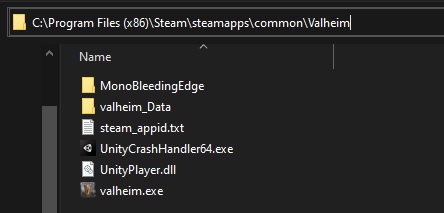
 lime basalt
worldly notch
Question: is the inability to construct stone portals on anything but ground or ...
lime basalt
worldly notch
Question: is the inability to construct stone portals on anything but ground or ...
did you try wood? you may be surprised by the result
brave dune
stark meadow
Check that you don't have any leftover files first in your installation folder. ...
as u see in my screenshot there is no left over and i did not reinstall windows at all
stark meadow
brave dune
as u see in my screenshot there is no left over and i did not reinstall windows ...
Can you create a new character with a different name?
brave dune
as well how u play valheim when no steam is installed. Kinda weird
stark meadow
brave dune
as well how u play valheim when no steam is installed. Kinda weird
Valheim can't be played without Steam, if it was installed via Steam.
I'm not suggesting that you uninstall Steam, rather to re-install it.


 stark meadow
brave dune
stark meadow
brave dune
Then you will need to re-install Steam or disable Steam Cloud for Valheim, as I said.
It's not the first time I see this.
brave dune
i will try that later then
stark meadow
balmy garnet
i also crash at the menu as well
When one crashes in oceans or main menu, it usually happens on good cards rather than week ones.
That's because good cards require more power when on 100% GPU usage and Valheim can push them there in ocean and main menu often. (main menu more so when FPS limiter is not working properly, such as when Vsync is enabled in the in-game menu).
gilded sluice
Valheim main menu is FPS capped tho 🤔
stark meadow
gilded sluice
Valheim main menu is FPS capped tho 🤔
Not when in-game Vsync is enabled.
gilded sluice
well yes. but if your computer crashes from V-sync.. it's very bad
 frank dew
Does someone know how to get cheats, because -console in settings doesnt work in my worlds
it doesnt even open the console with f5
 hard bridge
frank dew
Does someone know how to get cheats, because -console in settings doesnt work i...
hard bridge
frank dew
Does someone know how to get cheats, because -console in settings doesnt work i...
You need to add that to the command options when starting the game. If you can't open the console in game with F5, then it's not set properly in the Steam settings.
frank dew
That's right, isn't it?
 hard bridge
frank dew
That's right, isn't it?
hard bridge
frank dew
That's right, isn't it?
Looks to be.
frank dew
Hmm, it doesnt work
hard bridge
Of course you restarted the game? You're not using any mods or anything?
frank dew
Yes of course and no I dont use mods or any add ons that change the game
hard bridge
frank dew
Yes of course and no I dont use mods or any add ons that change the game
Lemme guess... laptop, or a fancy programmable keyboard or something?
frank dew
? no normal gaming PC
I have a small Corsair keyboard so i have to press fn + 5
it worked that way
stark meadow
frank dew
I have a small Corsair keyboard so i have to press fn + 5
When was the last time you successfully launched Valheim console window with F5 on that keyboard?
Have you tested anywhere else that you F5 works properly? For example, by pressing F5 in a browser your page should refresh.
If you are adding launch argument through Steam library, make sure that you are then not launching Valheim from some shortcut, rather the Steam library.
frank dew
hmm strange f 5 doesnt work
I dont know how to change that but thanks for your help
i havte to go now
hard bridge
The fn key is pretty standard with mini keyboards or special function keyboards. Many manufacturers override the default key to special-purpose keys like media controls. There may be driver settings you can use to change the default behavior, but using fn+F5 is how it will work in the meantime.
 jade hemlock
Is there a bug, that a boss dosent spawn even tho i got the ping? I collected the location to the queen before the ashland update came out. But the Boss was too close to the ashlands, so i didnt even go near the boss, so that i dont generate the ashlands. Now i am finally here and there is no boss in sight
hard bridge
jade hemlock
Is there a bug, that a boss dosent spawn even tho i got the ping? I collected th...
That's not a bug, that's a side effect of upgrading a major patch like this. Undiscovered locations will move. You need to go find the vegevisir again and find the place it moved to. It happens to Hildir's dungeons as well.
jade hemlock
ok thx
 brisk crest
those are the files, i checked now, so file integrity is not an issue, since i also checked file integrity in steam
stark meadow
brisk crest
those are the files, i checked now, so file integrity is not an issue, since i a...
Did you try the first thing I mentioned? Not interacting with you PC as soon as your world load starts?
brisk crest
yep, waited for quite some time, event went to take a shower while waiting
imma try to boot the world now and see if it loads or not
stark meadow
brisk crest
yep, waited for quite some time, event went to take a shower while waiting
Was the game registered as unresponsive when you came back, black loading screen or just black screen?
brisk crest
Afaik it had that loading sign still showing up
stark meadow
brisk crest
Afaik it had that loading sign still showing up
Once the game gets flagged as unresponsive, and if you are on Vulkan, waiting in such scenario usually doesn't help.
Try another thing, as soon as the game starts to load the world, minimise the game and don't return to the game for 5-10min at minimum.
If it still doesn't load, send me your player.log before you close the game. If you used some mods before, they might be responsible for the world not laoading now.
brisk crest
I used to use mods before opening that world, but to make sure they would not interfere, I did a clean installation of the game to get rid of them for good
I also don't use Vulkan, just the vanilla one
and seems like this time it worked
i finally managed to log in my world at last
thanks for the help
 outer loom
Any updates?
stark meadow
outer loom
Any updates?
There will be more compatibility introduced in near future.
 gusty marsh
if it is raining while under a shield, braziers are still extinguished
 minor plaza
i need help, i have a rror fatal in the ground
stark meadow
gusty marsh
if it is raining while under a shield, braziers are still extinguished
Strong winds put the fire down, and shield in not blocking wind, only rain.
stark meadow
minor plaza
i need help, i have a rror fatal in the ground
What error?
minor plaza
Look, can i send a image/vide/gif?
minor plaza
stark meadow
What error?
This
stark meadow
Looks like you might be running the game on a system with below minimum spec requirements.
minor plaza
i try it
i Try everything, and i buy another GPU and i have the same problem
and, i have another pc with older graphics drivers, and i dont have this problem, lol
Just in this pc
stark meadow
What are your specs in this PC?
minor plaza

but, i have anothre pc with older spec and the game dont have this problem :/
im looking for help for 3 months xD
and i see there one mod in a page what can solve this (seemingly)
CANT DO IT
minor plaza
I've tryed to use dxcpl.exe and enable "force WARP"... well now i have the ground textures...but i can't play with 1 FPS.
 digital niche
Just did the moder fight in multiplayer and experienced some truly terrible lag, not really sure what is causing it
 uneven moss
Has anyone else hit the 'bonemaw spawn causes ship to sink and player model gets stuck' problem? This has happened with a Karve, a Longship and 2 Drakkars so far.

 obtuse igloo
does anyone have the problem of loading into a world and the game crashes. It'll be fine in the menu but as soon as I load into a world and click on my screen it crashes.
uneven moss
Vanilla save game?
gilded sluice
uneven moss
Has anyone else hit the 'bonemaw spawn causes ship to sink and player model gets...
not really no 🤔
what happend?
gilded sluice
obtuse igloo
does anyone have the problem of loading into a world and the game crashes. It'll...
99% mod users have this issue 😦
uneven moss
gilded sluice
not really no 🤔
what happend?
No idea mate. Bonemaw yells at my boat, everything nearby gets sucked to the sea floor and I'm stuck in the one spot. Takes an admin to teleport me away and reset the server to fix it.
minor plaza
Smiffe can u help me? x.x PLEASE 😦
gilded sluice
minor plaza
Smiffe can u help me? x.x PLEASE 😦
looks like you have no graphics card mate
or. you have a very old graphics card 🤔
minor plaza
But, i have the game in anothjer pc whit no graphic card and much older and i dont have this problem :/
With*
gilded sluice
which GPU do you have?
 minor plaza
Intel x.x
minor plaza
i7
gilded sluice
that's a processor.
minor plaza
let me see
gilded sluice
integrated graphics cards. are your processor acting as a bare-minimum graphics cards. hence the "integrated" part of the name 😦
minor plaza
Intel(R) Graphics 2000
gilded sluice
the black thing you see. are a shader unable to render due to the graphics card being so outdated. it cannot render it
or in this case, non-existing
minor plaza
How?
minor plaza
Why?
gilded sluice
it doesn't have the capability to produce the required graphics and shaders
minor plaza
Lol, But, when i unistall the graphics Driver the problem is solve, But... The games start to 2 fps x.x
gilded sluice
because your processor cannot be a processor and a graphics card at the same time in games
minor plaza
I can do something to solve this?, change the graphic shader, Mod...?
gilded sluice
you can't
 silk frigate
Can't add Turnips onto Item Stands? Not sure if that was accidentally broken with this latest patch.
 gilded sluice
silk frigate
Can't add Turnips onto Item Stands? Not sure if that was accidentally broken wit...
gilded sluice
silk frigate
Can't add Turnips onto Item Stands? Not sure if that was accidentally broken wit...
you could before?
silk frigate
I remember reading patchnotes for it before.. like around Mistlands release time?
minor plaza
So, The only solution is buying a Graphic Card?
silk frigate
gilded sluice
you could before?
Found it:
https://www.valheimgame.com/news/patch-0-213-4
The final bullet under MISC
 gilded sluice
minor plaza
So, The only solution is buying a Graphic Card?
gilded sluice
minor plaza
So, The only solution is buying a Graphic Card?
one that supports valheim atleast
but what is your processor?
gilded sluice
which means your processor probably won't be able to play the game either when you have a graphics card that meets the minimum requirements
computer parts from 2011 is not sufficient
your RAM are probably to slow when you get further into the game
your harddrive can also be very in danger of just dragging everything down
those are 13 year old now
minor plaza
Lol, But, I dont have any problem playing This, the only problem is that
gilded sluice
you will probably run into more problems down the line
like you go into the mountains biome and encounter blizzards
your PC will struggle hard
or ashlands with fires, ground moving lava, winds etc etc
minor plaza
no no, i test that, no one problems
gilded sluice
well. no mod or fix or anything will solve that shader issue
minor plaza
Lol if i try change the texture or deleting Shaders in the locale archives?
I really love this game, But this problem make me mad :/
gilded sluice
deleting shaders is a bad idea 🥲
minor plaza
why?
gilded sluice
game might break
minor plaza
If i change it?
gilded sluice
yes. or if you remove it somehow
minor plaza
Oh. So... Thanks!
uneven moss
@gilded sluice the boat sinking bug happened to someone else here
uneven moss
round dragon
Any time a Bonemaw appears on our world it gravitationally throws us in one dire...
And another one here
And another here
Hope that all helps mate. Glad to know it’s not just me.
round dragon
I've given this further testing now, The bug applies to my vanilla launch through Thunderstore and the modded launch but not the vanilla launch through Steam. Bizarre but content with working around this purely through steam play to hunt them and avoiding shore when we want access to modded content.
round dragon
uneven moss
And another one here
See my last message for a potential workaround if it is happening to you for the same reason
stark meadow
round dragon
I've given this further testing now, The bug applies to my vanilla launch throug...
It's unlikely that you did the test correctly.
Vanilla launch is a launch without the presence of BepInEx in your installation folder
Oh, sorry, reading that again, you figured that out
uneven moss
Yeah we tested on vanilla as well, confirmed the bug.
stark meadow
uneven moss
Yeah we tested on vanilla as well, confirmed the bug.
It's not a vanilla bug.
Check how your installation folder looks like
uneven moss
Sorry I mean running without mods. Haven’t checked the Thunderstore vs Steam launch though.
round dragon
I have just spent an hour going through this thoroughly so that if it was replicatable on every version I could make a detailed bug report to assist devs, but given I have no instance of it working through the plain steam install we have a workaround for our world, I was just mentioning that the thunderstore vanilla launch also is inflicting the bug but the steam version is not so others may have a workaround also
gilded sluice
round dragon
I have just spent an hour going through this thoroughly so that if it was replic...
it's usually a mod problem
where alot of older mods doesn't understand the ashlands sea shader, and just instantly break anything comming near it
round dragon
Thankyou for your willingness to investigate Smiffe, I didn't want to retag you unnecessarily
gilded sluice
uneven moss
No idea mate. Bonemaw yells at my boat, everything nearby gets sucked to the se...
your problem are almost 100% related to mods you run.
I see you have the mod running bottom left corner
round dragon
Hopefully the above info helps some people out
gray dome
is this intended? muddy scrap pile in chest? not the first time I saw this
 stark meadow
uneven moss
Sorry I mean running without mods. Haven’t checked the Thunderstore vs Steam l...
stark meadow
uneven moss
Sorry I mean running without mods. Haven’t checked the Thunderstore vs Steam l...
What we are referring to as modless setup or vanilla setup, is having only this files in the Valheim installation folder:
https://i.imgur.com/vdpdeOA.jpg
Everything else is a modded setup. If you are launching the game thourhg mod organiser of sorts, you won't have a clean installation
uneven moss
gilded sluice
your problem are almost 100% related to mods you run.
I see you have the mod run...
Yep I'm all caught up now, sorry for being a pest.
gilded sluice
uneven moss
Yep I'm all caught up now, sorry for being a pest.
no problem 🙂
better to report to much, than not at all
we can always look at something, and figure it out. and then have a sure problem sollution at hand
 solar slate
Hey, please fix Flametal Spires becoming buggy, when its starting to descend, my character is stuck in falling animation, when im standing on the rock, and i cant jump, so im doomed and i die.
Just make them not descend so we can mine them... its already dangerous to get into the lava for it, + monsters can aggro from everywhere when you mine it.
Why does it have to descend on top of all this???
stark meadow
solar slate
Hey, please fix Flametal Spires becoming buggy, when its starting to descend, my...
You can hear Developers talking about it here: https://www.youtube.com/watch?v=TPhPMqt3wBU&t=1393s
If it turns out that it can't be fixed, they most probably won't sink.
solar slate
thats relieveing, ty i'll check it out
Why wasnt it addressed in the PTR? or did this only turn out in Live?
 south lance
solar slate
Why wasnt it addressed in the PTR? or did this only turn out in Live?
south lance
solar slate
Why wasnt it addressed in the PTR? or did this only turn out in Live?
Watch the video
solar slate
i am
south lance
Then you should already know the answer to that question as it's explicitly answered
23 min
solar slate
let me watch an entire vid under 5 mins ,brb.
south lance
solar slate
let me watch an entire vid under 5 mins ,brb.
The timestamp where it's answered is 23 minutes as I already told you.
And the whole answer is like one minute long.
So yes, you can watch "an entire video under 5 min"
solar slate
yes i saw it
so the answer is just leave it like that for now., instead of making it not sink, so players can go and die
stark meadow
solar slate
so the answer is just leave it like that for now., instead of making it not sink...
If you want to avoid the bug while waiting for a fix, you can build around the leviathan to stop yourself from siding into lava, mine it via catapult, use shield generators to block lava meteors from spawning. Before you start to pickaxe lava leviathan, log out, log back in, build a campfire and sit next to it to get some rest bonus, then go for pickaxing attempt and you shouldn't start sliding.
solar slate
for now i just got enough to make an armor set for my friend, some station upgrades, and a battering ram. ima wait for fix instead of doing workarounds
 ashen stone
So i guess this might be the right channel to ask for help with valheim not starting? the website told me to ask on the discord but there seems to not be a technical help channel. i just reinstalled valheim after updating from win10 to win11 and now i just get a flashing error and the game wont start.
stark meadow
ashen stone
So i guess this might be the right channel to ask for help with valheim not star...
I would recommend doing a short Valheim re-installation as instructed in Section5 of this guide:
https://www.reddit.com/r/valheim/comments/uq9b8x/my_valheim_is_crashing_fix_for_crash_guide/
If you manage to launch the game, but you won't be able to create a new character, you will need to re-install Steam also.
ashen stone
how could a reinstall help when i just reinstalled? im a bit confused here... the game itself doesnt even open for me
stark meadow
ashen stone
how could a reinstall help when i just reinstalled? im a bit confused here... th...
If you updated from windows 10 to 11, then you don't have a fresh installation.
ashen stone
i said i reinstalled after updating
stark meadow
ashen stone
i said i reinstalled after updating
Can you please first take a look at Section5?
 jagged hamlet
ashen stone
i said i reinstalled after updating
jagged hamlet
ashen stone
i said i reinstalled after updating
A reinstall isn't the same as a clean install I really recommend reading and doing what section 5 says, removing the game, removing all the maps and files associated with Valheim and starting fresh.
 mental grail
game keeps crashing randomly while hosting a server with friends
found this in the .dmp files
Key : Failure.Bucket
Value: SOFTWARE_NX_FAULT_c0000005_UnityPlayer.dll!lane_try_steal
Key  : Failure.Hash
Value: {e9930531-a838-0e9e-a54f-52a6a644934c}
and this in a seperate crash
Key  : Failure.Bucket
Value: INVALID_POINTER_WRITE_c0000005_UnityPlayer.dll!lane_try_steal

Key  : Failure.Hash
Value: {82aaad19-5596-b8b2-7fb5-bb801118ce99}
both happened within about an hour
stark meadow
mental grail
game keeps crashing randomly while hosting a server with friends
found this in ...
Most likely unrelated to multiplayer. Do your friends just crash as well or just disconnect?
You can send them your world file so they can host a bit, to see if another host would start crashing.
All known crash causes are listed in this guide: https://www.reddit.com/r/valheim/comments/uq9b8x/my_valheim_is_crashing_fix_for_crash_guide/
What are your PC specs?
 sharp stone
Posted in the Help section but perhaps this is more appropriate to link the bug report since I play through steam? #valheim-help message
 fossil widget
Hi! Newbie here. The game keeps either disconnecting me from my friend's server or outright crashing.
With disconnects, using BepInExPack Command Prompt gives out the error below — note that the exact same disconnect was present even before any mods were installed, so mods can't be an issue.
src\steamnetworkingsockets\clientlib\steamnetworkingsockets_lowlevel.cpp (245) : Assertion Failed: Taking lock 'SystemSpew' while already holding lock 'SystemSpew'
With crashes, Valheim gives out the error in an attached screenshot. Any ideas how to fix it?

 covert lynx
fossil widget
Hi! Newbie here. The game keeps either disconnecting me from my friend's server ...
covert lynx
fossil widget
Hi! Newbie here. The game keeps either disconnecting me from my friend's server ...
you on vortex?
fossil widget
covert lynx
you on vortex?
I don't know what Vortex is, so probably not)
covert lynx
fossil widget
I don't know what Vortex is, so probably not)
nexus' mod manager
fossil widget
Then no. Before I was just running the clean version of Valheim. Both issues were present on the clean version as well.
 flat lava
Friend is getting this error on loading game from steam. He had gotten this before and reinstalled the game and steam and it worked yesterday. Now today he is getting error again and reinstalled steam again and didn’t fix it. Any ideas?
 stark meadow
sharp stone
Posted in the Help section but perhaps this is more appropriate to link the bug ...
stark meadow
sharp stone
Posted in the Help section but perhaps this is more appropriate to link the bug ...
Buffs and debuffs that come from armors and are not a part of set and not displayed in the active effects.
stark meadow
fossil widget
Hi! Newbie here. The game keeps either disconnecting me from my friend's server ...
Sorry, we are only dealing with vanilla issues here. Bugs that get reported while using mods, are usually mod related and should be discussed with the rest of the modding community here: #mods-discussion . Let me know if you encounter connection issues and crashes, if you decide to remove all of your mods, mods on the server and your teammates removing them also.
stark meadow
flat lava
Friend is getting this error on loading game from steam. He had gotten this befo...
Seems like something messed up resolution settings in the game. This is usually caused by mods.
Your friend can try adding this command line to Valheim launch settings in Steam library:
-screen-fullscreen 1 -screen-height 1080 -screen-width 1920
If it helps, but happens again, it's probably due to a mod, so delete this line, launch the game, and then add the line again if the game doesn't launch.
flat lava
Thanks I’ll get them to try
They did previously had mods and thought they completely uninstalled them all but I’ll get them to look at that complete mod un-install guide to double confirm
sharp stone
stark meadow
Buffs and debuffs that come from armors and are not a part of set and not displa...
Then why does Feather cape display its beneifts and Ashen Cloak does not?
Neither cloak is part of a "set" but one displays its buffs and one does not. Perhaps a display bug but there is no tangible way to really determining if they are active as there is no other reference to total buffs other than the Active Buffs page.
 short sleet
i'm having weird crashes. it says that valheim stopped interacting with windows
flat lava
stark meadow
Seems like something messed up resolution settings in the game. This is usually ...
Sorry I took the wrong screenshot from our discord, this was the exact error they got. Would this change anything you suggested in their command line? They are looking at the mod issue anyways.
 stark meadow
flat lava
Sorry I took the wrong screenshot from our discord, this was the exact error the...
stark meadow
flat lava
Sorry I took the wrong screenshot from our discord, this was the exact error the...
Not really. Have they tried the command?
stark meadow
sharp stone
Then why does Feather cape display its beneifts and Ashen Cloak does not?
You still won't see feather cape's not asksvin cape's resistances and weaknesses in the active effects.
The feather fall effects are listed because they are all a part of special status (has icon next to minimap), Windrun is listed because it's also a special effect like that. Asksvin block and dodge stats are just part of armor piece.
It would be best to showcase all effects regardless of how they are integrated in the game, but it's not a bug, rather a lack of feature.
stark meadow
short sleet
i'm having weird crashes. it says that valheim stopped interacting with windows
Check this first: #steam-bugs-discussion message and let me know if what you are experiencing is not related to what's written there.
short sleet
stark meadow
Check this first: https://discord.com/channels/391142601740517377/12025496759247...
yep, i'm digging through logs right now. doing troubleshooting. if it don't work very well i'll reinstall and clear chache, i've alreadt verified intergity of files
stark meadow
short sleet
yep, i'm digging through logs right now. doing troubleshooting. if it don't work...
If your error is happening during loading of your world, you don't have to do all that, rather read the link I just linked. It's a small comment.
flat lava
stark meadow
Not really. Have they tried the command?
They did, didn’t help. They don’t always get this error message. Sometimes after hitting launch, the screen just flickers between the windows desktop and a black screen, sometimes has the sword cursor as well and just hangs.
stark meadow
flat lava
They did, didn’t help. They don’t always get this error message. Sometimes after...
I would probably double check if this happens when mods are removed, by launching the game multiple times, and if so, do a re-installation of the graphic driver, with emphasis on selecting custom installation option and then perform clean installation option.
flat lava
Was his recording of it
flat lava
stark meadow
I would probably double check if this happens when mods are removed, by launchin...
Clean drivers install appears to have worked for now, cheers. He had just updated to newest version earlier, but the total uninstall and clean install worked
 harsh plume
Hello everyone. I'm new to the discord and looking to see if anyone else have this issue. Every time I load my save, I load into the same spot in the ash lands, with the same gear from a previous save. If I log out in troll armor in the plains and try to load back in, I have on My mist lands gear with the same items in my inventory in the ash lands. Log out nude, come back fully geared. I loaded into my friends world and I loaded in with the same gear from the save previously. Any help?
stark meadow
harsh plume
Hello everyone. I'm new to the discord and looking to see if anyone else have th...
Check the Section1:Point5 in this guide, last paragraph: https://www.reddit.com/r/valheim/comments/uq9b8x/my_valheim_is_crashing_fix_for_crash_guide/
Let me know if you need help if something is unclear or if it doesn't work.
sharp stone
stark meadow
You still won't see feather cape's not asksvin cape's resistances and weaknesses...
I also discovered if you mouse over the Ashen Cloak you do actually see the accumulation of the set bonus and cloak but there is diminishing returns on "stacking" 2 bonuses of the same. So instead of 40% attack stamina reduction it is only 30% (20% from set and 20% from cloak).
mental grail
stark meadow
You can send them your world file so they can host a bit, to see if another host...
so far it seems it only crashes when im hosting
 median loom
Hi all, I play on a server we started when Mistlands came out, we purposely didn't do Hildir's quest, we wanted to keep all new content for when Ashlands was ready. Now we can't find her anywhere on a world where we explored a lot, and I mean a lot of places. I just checked with the world generator, and she's not anywhere she's supposed to spawn. Any help with that ? Thanks.
gilded sluice
median loom
Hi all, I play on a server we started when Mistlands came out, we purposely didn...
world generator isn't accurate nor is it something you should 100% belive in
enable devcommands
enable debugmode
Find Hildir_camp 10
and you will see all her spawn locations
median loom
Thanks I will try that, maybe after exploring a bit more if World generator isn't accurate
gilded sluice
the site is fan made. so it's filled with problems.
specially when we update world-gen
gilded sluice
sharp stone
I also discovered if you mouse over the Ashen Cloak you do actually see the accu...
it's correct with 30% (10+20=30)


 lucid narwhal
anyone had issues with the drakkar boat being instantly pulled/bugged to the bottom of the ocean in the ashlands? it gets stuck down there, we're on a modded, self hosted dedicated server and 4 of us were on the boat, when that happened, 3 of us popped up to the surface, but the 4th was stuck on the boat, on the bottom. they could sit on the stool and stand up underwater, but they were unable to actually move around, re-logging popped them up, but now they're stuck in the water not losing stamina, not able to move, and the boat is still just stuck down there, seemingly not taking damage.
gilded sluice
lucid narwhal
anyone had issues with the drakkar boat being instantly pulled/bugged to the bot...
mod issue
mods have problems handling our re-worked Ashlands sea
 latent tiger
my valheim is crashing upon a new world. I have no mods, already verified files. Tried launching with vulkan and updated all my drivers.
gilded sluice
latent tiger
my valheim is crashing upon a new world. I have no mods, already verified files....
send me your player.log file
latent tiger
wheres that
gilded sluice
In this hidden folder in windows:
C:\Users\ <username> \AppData\LocalLow\IronGate\Valheim
latent tiger
just attach it in here?
gilded sluice
or drop it to me in a DM
latent tiger
dm'd you
gilded sluice
yup yup
looks like it just did what it's suppose to
did you click or alt-tab while it was loading in?
opening a old world in a big update we pushed, makes it add new locations and things
gilded sluice
latent tiger
i was launching my backup valheim smh. it has a vr mod
oof 😄
I was thinking something went wrong with your cloud save sync
 fringe harness
encountered the wierdest bug today.
i was exploring the ashlands, fighting alot of stuff as per ashland usual, when I attacked a vulture nest that wasnt "destroyable"
i tried wacking it a couple of times, with mobs around me getting killed by the "chain lightning" from the thundering berserkir axes when suddenly it looked like the chain lightning together with arrows wierdly enough started spawing all around me?
slowly getting more and more laggy and i saw stuff, like charred bones and crap started spawning all around untill i reached a peak of like 5 fps and started running away, the things where damaging me too. when i ran away, trying to get a portal up a lavablob came and died and it exploded like, a million times and i died, leaving behind a bunch of drops.
i tried to capture the ordeal but ofc my stupid nvidia shadowplay thing didnt work, so i only recorded the aftermath, which isnt that exciting, me running to try and get my corpse back and picking up the million of things on the ground to make the area playable again, since it was so much stuff that i had like, 4-5 fps
the vulture nest is still there, undestroyable and tried to aggro mobs to it to replicate it but i dont seem to be able to
playing completely unmodded on a rented gportal server
jagged hamlet
fringe harness
encountered the wierdest bug today.
i was exploring the ashlands, fighting alot...
If you want to clear all the stuff on the ground instead of picking it up there is a button for it in debugmode, it clears all drops in a certain radius, though passing up all that loot might be hard though.
fringe harness
jagged hamlet
If you want to clear all the stuff on the ground instead of picking it up there ...
allready picked all of it up xD
it filled like 12-14 blackmetal chests
i dont think debugmode works on a dedicated server? maybe it does, havent tried it
anyway, the aftermath is saved if it would be interesting to take a peek at for any devs
yeah it was ALOT but all of it is just charred bones. i have more of that than i need allready haha
lets say, it almost looked like there was infinite amount of mobs spawning and was spawning so fast they didnt even show up on my screen, just saw what looked like chain lightning bouncing around and maybe the arrows from marksmans shooting?
im just guessing here tho
jagged hamlet
fringe harness
allready picked all of it up xD
it filled like 12-14 blackmetal chests
i dont th...
Dang, lots of loot!
 noble gate
Has anyone else noticed a bug with parrying in multiplayer? It only seems to affect golems some of the time, but they don't stay staggered more than half a second if I parry them. This is only when another player is nearby.
 trim yew
Fire Hazard setting: placing a Wood Stack on top of a fire burns it and turns the 50 wood into 50 coal.
 bronze pawn
why i cant rotate bilud item in valheim whill im useing mods ?
noble gate
bronze pawn
why i cant rotate bilud item in valheim whill im useing mods ?
Apart from checking with the mod creators, maybe look at your keybinds?
bronze pawn
no its work without mods , itrying to start mod mod
 primal marten
i dont know if it is just because i updated it but some (i think all of the first disk, except for the theme song) are not correct with theire name
i am speaking about the official Valheim Soundtrack on steam
for example the when i start the second song(Flight into Valheim) some raid music starts(still with the name "Flight ninto Valheim" on the bottom of the screen)
 lilac pond
@sinful sorrel floating items mod is causing the character freezing/boat sinking, turned it off and was able to fight bonemaw
gray dome
if tree gets inside this green zone on bottom (green zone features silver vein above), the tree gets colored wrongly (from snow to default green)
 noble gate
gray dome
if tree gets inside this green zone on bottom (green zone features silver vein a...
noble gate
gray dome
if tree gets inside this green zone on bottom (green zone features silver vein a...
Try running a cart through that area and be amazed! Objects will have the snow texture unless there are sheltering objects above them. You can even use this to make neat floor patterns
 spare trench
@gilded sluice that audio quality is insane 😛
(not sure where else to put this, but it is Steam related)

I don't think my entire Spotify library would take up 149 GB in CD quality
south lance
trim yew
https://discord.com/channels/391142601740517377/1202267437647527977/124321500148...
That was a fixed exploit that seems to have resurfaced again
trim yew
south lance
That was a fixed exploit that seems to have resurfaced again
Nah, they Smiffe said it was intentional for now.
south lance
He did?
The "for now" seems contradictory
Last PTB patch made it so only cinder projectiles from ashlands turned wood into coal.
Fire from any other source should destroy them normally
stark meadow
Many things on Fire hazards world modifers are not balanced. Elder received too much staking damage from cinders, Yagluth burns himself, kiln is not necessary, fires can spread too quickly.
Balancing and bugs reported and related to world modifers is not the main priority atm, and should almost be considered as experimental, but will eventually be addressed.
When it comes to default difficulty, getting stack of coal by burning wood in Ashlands is ok.
south lance
Elder receives too much dmg from cinders? What?
Which cinders?
gilded sluice
south lance
Elder receives too much dmg from cinders? What?
Which cinders?
cinders are small jumping fires
south lance
Oh, i thought it only referred to the spark things that rain in ashlands
gilded sluice
it's both
south lance
But the coal exploit is not removed then...
Is that really intended? Nothing stops anyone from using it to get coal very easily without kilns
gilded sluice
not intended
latent tiger
gilded sluice
oof 😄
glad its working now. Grugg is a new Viking not so ready to take on ashlands
stark meadow
south lance
But the coal exploit is not removed then...
Is that really intended? Nothing st...
There is no exploit on default difficulty.
Getting a stack of coal form a stack of wood in Ashlands is ok.
Exploit doesn't work in other biomes.
south lance
Smiffe pretty much implied that it does just above...
stark meadow
south lance
Smiffe pretty much implied that it does just above...
I believe he was referring to fire modifer, not the default difficulty.
south lance
Oh right. My bad then.
Forgot it was possible in default settings
 uncut pine
Hi
My friend disconnects from our multiplayer server seemingly no matter what fix we try, looking for any possible answers here, can give specifics upon request
stark meadow
uncut pine
Hi
Is everyone on the server playing on Steam?
uncut pine
Yes
stark meadow
uncut pine
Yes
Then the easiest solutiou would probably be for host to disbale crossplay before the server is started.
Some players have network access that's incompatible with crossplay.
Examples of that are being behind NAT, either by using VPN or their own Internet service provider putting them behind CGNAT.
 red ledge
Shield generator removes snow from some but not all build pieces.
 uncut pine
stark meadow
Then the easiest solutiou would probably be for host to disbale crossplay before...
uncut pine
stark meadow
Then the easiest solutiou would probably be for host to disbale crossplay before...
How do I disable crossplay, the button is filled in but I cant click it off?
Oh nevermind I found it, thanks
stark meadow
red ledge
Shield generator removes snow from some but not all build pieces.
Probably then nothing block the snow for that portal, not just the generator
 chilly ravine
Probably intended or unavoidable idk but you can put non-ammo in the catapult. Like I was trying to disassemble mine (can we get cart, boat and catapult unmaking with the hammer please, seriously?) and I accidentally used my black metal axe on the catapult and it got yeeted into oblivion, even though other stuff like grausten can't be loaded into the catapult when it's literally rocks
 dull kayak
Okay, I'm like 99% sure I've been able to confirm a bug:
Two dream texts do not show up when they're supposed to.
See attached screenshots of the relevant content in Unity. These two dreams (dream_moder01 and dream_yagluth01) don't appear at the correct times despite being apparently intended to - the reason for this is that they both define an incorrect global key (defeated_moder, instead of the correct defeated_dragon), and thus their preconditions are either never met or always met (because the garbage key is never set).


(yes I'll also report this on valheimgame.com/support) (ETA: I did so)
chilly ravine
Also for the love of god please fix inventory retrieval with Megingjord, if you have more than 300 weight because you're using megingjord you can't recover your inventory without taking megingjord separately first. The bonus 150 weight is attached to corpse run and you don't get corpse run until after you do recovery, but you can't do recovery because the grave thinks you'd be encumbered and doesn't give your stuff back until you first take and equip megingjord
Trying to play the body carousel because of megingjord in Ashlands with 541 skeletons sixteen valkyries 217 blobs and an Asksvin all trying to hug you is insufferable
 deft jacinth
Hello everybody
Me and my friends can't join servers ( I mean any servers )
 teal patio
it appears that you dont get set on fire when you stand in campfire, i tried restarting the game and still no fire dmg, all settings on normal
could somebody try it too?


 south lance
chilly ravine
Also for the love of god please fix inventory retrieval with Megingjord, if you ...
south lance
chilly ravine
Also for the love of god please fix inventory retrieval with Megingjord, if you ...
Maybe the only way they could do this is if the tombstone gave the corpse run buff before the tombstone disappear, meaning that once you interact with it...
That seems extremely exploitable, you could fill a tombstone with stuff and then just simply interact with it to refresh the buff timer and essentially become invulnerable and have reduced stamina consumption.
Having said all that, it's not a bug, so idk why you're posting that here
jagged hamlet
chilly ravine
Also for the love of god please fix inventory retrieval with Megingjord, if you ...
Have a second meginjord to get the first one back?
south lance
Something tells me this is unintended: Traps are usually barely visible when armed on ashlands ground. Considering this only affects players as mobs have 0 care for visibility, it should be addressed as having almost invisible traps surrounding an outpost can be very dangerous. And this is the most unforgiving place regarding dying

(Although it must work wonders in a PvP server)
jagged hamlet
south lance
Maybe the only way they could do this is if the tombstone gave the corpse run bu...
150 weight the moment you interact with the tombstone and only when looking in the tombstone, once everything from the tombstone is removed all the corpse run buffs apply.
 pine oak
Hello, I bought Valheim yesterday and it ran completely fine. Restarted my pc and today I can only get a few mins/hours in before it crashes. Crashes are seemingly random, no performance issues or anything.
Done the usual uninstall/reinstall, verify integrity of game files, set it to run as admin, etc. I thought it could be interference with other programs but I closed pretty much everything else and still get crashes.
PC specs:
ᴍᴏʙᴏ: ᴀꜱʀᴏᴄᴋ B550 ᴘɢ ʀɪᴘᴛɪᴅᴇ
ᴄᴘᴜ: AMD ʀʏᴢᴇɴ 9 5900x (3.7 GHz clock)
ɢᴘᴜ: ᴇᴠɢᴀ ꜰᴛᴡ3 ɢᴇꜰᴏʀᴄᴇ ʀᴛx 3070
ʀᴀᴍ: ᴄᴏʀꜱᴀɪʀ ᴠᴇɴɢᴇᴀɴᴄᴇ ʀʙɢ ᴘʀᴏ ꜱʟ 32ɢʙ
ᴀɪᴏ: ᴄᴏʀꜱᴀɪʀ ɪᴄᴜᴇ ʜ150ɪ ᴇʟɪᴛᴇ ᴄᴀᴘᴇʟʟɪx
ssᴅ: ꜱᴀᴍꜱᴜɴɢ 970 ᴇᴠᴏ ᴘʟᴜꜱ 1ᴛʙ
ᴘsᴜ: ᴄᴏʀꜱᴀɪʀ ʀᴍ750 ꜰᴜʟʟʏ ᴍᴏᴅᴜʟᴀʀ
Not low on storage or anything either.
Checked event viewer to see what was happening, I get this app error:
Faulting application name: valheim.exe, version: 2022.3.17.51072, time stamp: 0x6582af14
Faulting module name: UnityPlayer.dll, version: 2022.3.17.51072, time stamp: 0x6582b292
Exception code: 0xc0000005
Fault offset: 0x0000000000b687c6
Faulting process ID: 0x5590
Faulting application start time: 0x01daadd3a995e835
Faulting application path: D:\SteamLibrary\steamapps\common\Valheim\valheim.exe
Faulting module path: D:\SteamLibrary\steamapps\common\Valheim\UnityPlayer.dll
Report ID: ed320692-7166-4c62-89a2-38ece35929b3
Faulting package full name:
Faulting package-relative application ID:
If anyone has any ideas pls lemme know x
balmy garnet
typo. it should probably be "bells" not "s"
 gilded sluice
pine oak
Hello, I bought Valheim yesterday and it ran completely fine. Restarted my pc an...
gilded sluice
pine oak
Hello, I bought Valheim yesterday and it ran completely fine. Restarted my pc an...
Hm.. funky
gilded sluice
balmy garnet
typo. it should probably be "bells" not "s"
we know 😄
stark meadow
pine oak
Hello, I bought Valheim yesterday and it ran completely fine. Restarted my pc an...
Have you checked the most commong issues in this guide already?
https://www.reddit.com/r/valheim/comments/uq9b8x/my_valheim_is_crashing_fix_for_crash_guide/
Random crashes are usuall clock related.
stark meadow
deft jacinth
Hello everybody
Me and my friends can't join servers ( I mean any servers )
Are all of your friends on Steam? Have you tried creating a server without the crossplay option?
 weary brook
Is this a known issue?
stark meadow
weary brook
Is this a known issue?
Yes, but it's generally looked at as a feature in the community, so never thought to be addressed.
uncut pine
stark meadow
Then the easiest solutiou would probably be for host to disbale crossplay before...
We disabled crossplay, and he lasted about an hour or so before his game crashed, this time he lost his entire inventory of items and spawned in a random place on the world with nothing
stark meadow
uncut pine
We disabled crossplay, and he lasted about an hour or so before his game crashed...
It's never random rather they spawned at the place where their game last managed to save. When one crashes, no game can save properly.
uncut pine
Ah
stark meadow
What are their system specs?
uncut pine
1080TI
i7 9700K
16GB Ram
When Valheim crashes it freezes his entire pc for a handful of seconds, and crashes other processes like discord too
Ok so the common denominator we have now is that he has crashed upon getting on a boat several times
He went mining, farming, fighting etc with no issues but the boat immediately crashes his game and discord
stark meadow
uncut pine
He went mining, farming, fighting etc with no issues but the boat immediately cr...
I would guess that Discord probably has hardware acceleration turned on, which makes use of the GPU.
Ocean in Valheim can push a GPU to get utilised to 100%. If a system is unstable, it can usually crash at those moments.
It's usually not easy to solve this problems, as described in Section1:Point6 of this guide: https://www.reddit.com/r/valheim/comments/uq9b8x/my_valheim_is_crashing_fix_for_crash_guide/
How old is the power supply unit?
uncut pine
3 years
We tested this, turned off hardware acceleration and put him on a longship in the meadows, his pc crashed again. Very confusing
stark meadow
uncut pine
We tested this, turned off hardware acceleration and put him on a longship in th...
Yeah, it's not the Discord's fault, that's for sure. It's generally system instability, most probably related to GPU and power.
Be sure that maximum power performance is selected in the Nvidia control panel, but also check how many power connector do they have on their card and if every connector has an individual cable from PSU to GPU, or if only one cable comes from PSU and going into both connectors on the GPU. Cable connections should also be checked.
uncut pine
Alright I'll let him know, cheers for the time
 neon fjord
is this supposed to happen? lol ( look at the % stats )
 south lance
They certainly look like stats so I suppose yes
gilded sluice
neon fjord
is this supposed to happen? lol ( look at the % stats )
yupp
 proud egret
Is anyone else having lag issues in the ashlands specifically? My friend and I play together, I have occasional lag but it isn't too bad, but he's had to turn all his graphics to the lowest possible setting and it's still practically unplayable. Being in any other biome, the game runs perfectly fine for both of us
 high vigil
proud egret
Is anyone else having lag issues in the ashlands specifically? My friend and I p...
high vigil
proud egret
Is anyone else having lag issues in the ashlands specifically? My friend and I p...
We did had some issues with lag shortly after launch when we had 5 people playing at once. It seemed like the lag was worst when an askvin was attacking us
 thin spruce
Can someone point me to a good source for troubleshooting connection issues? I have been looking in forums and trying different things, but I have never seen so many possible fixes for any other game and so far none of them are working. Valheim seems to swamp my internet connection as soon as I'm playing it online, even if I am back in the main menu after "failed to connect" and "disconnected" errors.
 mild token
Games is crashing or stuck on loading as soon as I try to start the server, what should I do?
deft jacinth
stark meadow
Are all of your friends on Steam? Have you tried creating a server without the c...
Yes
Yes
It's a network problem
( Fixed)
Thanks
balmy garnet
mild token
Games is crashing or stuck on loading as soon as I try to start the server, what...
Same
 fierce moss
balmy garnet
Same
fierce moss
balmy garnet
Same
yeah same. is it going to get fixed soon?
 pseudo jay
Hello sir, does someone have information about this? So after Ashland update, I got ton of stutter issues while playing. It never happened before the update. My device is lenovo legion 5 with Ryzen 5 4000 series, RTX 2060. Please, let me know if you know something about it.
 keen bramble
Yea I do not know what changed. The game has always been hard to run for me, but I was able to get thru 1500hrs this far with slight stutter/lag issues. About 24hrs ago when I logged in the title screen barely loads in. The stutter is massive and crippling at this point. Tried a reinstall, no mods, graphics settings, boot configuration, the works. No luck. I was able to load in and move around with settings all the way down, but it’s still pretty bad. Looking for any and all suggestions.
mossy hinge
pseudo jay
Hello sir, does someone have information about this? So after Ashland update, I ...
Overheating components and thermal throttling kicking in? Monitor your temps and log them in somewhere.
AFAIK Ashlands is more demanding, and it is possible that before the update Valheim has not been quite that demanding to cause thermal throttling, but now is,
 bitter trout
don't know how i did this but i got a sleeping bug that didn't even fast forward night. has anyone else experienced this?
 fringe harness
keen bramble
Yea I do not know what changed. The game has always been hard to run for me, but...
fringe harness
keen bramble
Yea I do not know what changed. The game has always been hard to run for me, but...
wild penguin is onto something, i would for sure check so that nothing gets overheated
hardware monitor is a good tool i've used for years for checking clocks and temp. maybe boot up the game, let it run for a couple of minutes, atleast like, 10-15 minutes and then take a printscreen of the values of hardware monitor
https://www.cpuid.com/downloads/hwmonitor/hwmonitor_1.53.zip
you want to run the x64 one, not the x32

Voltages, temperatures and fans speed monitoring
 dull crystal
anybody run into a MP issue where the boats continuously get damaged? its like itll "skip" and jump above the water then take damage as it lands back down, and this occurs as the boat rises/falls with the tide/waves. not sure if its a bug w' the game or an issue with the server host performance. (just recently got a server hosted for ashlands)
fringe harness
dull crystal
anybody run into a MP issue where the boats continuously get damaged? its like i...
almost always its someone you play with that is having high latency, not necessarily the server host
gilded sluice
dull crystal
anybody run into a MP issue where the boats continuously get damaged? its like i...
that happens with very low Frame-rate and can also be multiplayer hitching issue
 lethal ledge
i have this thing where the mouse cursor/sword is constantly is showing, stuck in the center of the screen , anyone else have this issue?
 hollow beacon
I'm playing with a friend and out of sync occurs
 strange blade
Anyone else having rubberbanding? Playing MP
stark meadow
strange blade
Anyone else having rubberbanding? Playing MP
One teammate with problems can cause problems for everyone else. If you are experiencing lag in multiplayer, you should identify a teammate with the weakest system specs (CPU is more important in areas where there's more enemies). If you are many players playing on the same spot, you would have to identify the user with the worse connection by each doing the buffer bloat test;https://www.waveform.com/tools/bufferbloat
Next should be /ping test in the Valheim chat to see if anyone has an unstable ping.
If all of those things are fine, but you are still experiencing network lag, you might want to think about adjusting Valheim send rates. It has a potential to eliminate lag at the cost of making certain weak routers crash (which is why it's not offered by default in vanilla game). Look into better networking mod or how to manually edit send rates. Let me know if it helps if you decide to go for it.
stark meadow
hollow beacon
I'm playing with a friend and out of sync occurs
What do you mean by out of sync?
stark meadow
lethal ledge
i have this thing where the mouse cursor/sword is constantly is showing, stuck i...
It usually happens when your mouse disconnects while playing the game.
If it's a wireless mouse, it might be loosing connection often.
If it's a wired mouse, once the probelm happens, if you open the settings/pausmenu, then physically re-plug your mouse, the cursor should be goin after you close the settings/pause menu.
stark meadow
bitter trout
don't know how i did this but i got a sleeping bug that didn't even fast forward...
Using mods? Have you used devcommands in that play session? So what happened instead after sleeping, was it still night?
stark meadow
mild token
Games is crashing or stuck on loading as soon as I try to start the server, what...
@balmy garnet @fierce moss @mild token
Once the loading process starts you shouldn't touch anything on the PC until the process finishes, or else you might break the loading by activating the game window at wrong time. Before doing that however, you should ensure that you don't have any extra files in your installation folder other than these: https://i.imgur.com/vdpdeOA.jpg
Another method is; as soon as the game starts to load the world, minimise the game and don't return to the game for 5-10 min at minimum. Basically don't switch back to game until you are sure it loaded by the sounds you hear.
stark meadow
thin spruce
Can someone point me to a good source for troubleshooting connection issues? I h...
Do you lore your entire Internet access when network problems in Valheim happen?
Connection problems to servers are usually related to crossplay and being behind NAT (CGNAT by Internet service provider or NAT from using an VPN (e.g. Nord VPN). If all of your friends are playing on Steam, the easiest solutin is to just disable crossplay on the server your friends are playing on.
stark meadow
proud egret
Is anyone else having lag issues in the ashlands specifically? My friend and I p...
What PC specs do you have? Is your FPS constantly low or are you experiencing short stutters frequently?
proud egret
stark meadow
What PC specs do you have? Is your FPS constantly low or are you experiencing sh...
I'm not really the one having too many issues, it's really just my friend - I don't know his specs, but the game runs perfectly for him unless he's in the ashlands
strange blade
stark meadow
One teammate with problems can cause problems for everyone else. If you are expe...
And whats the play if the CPU from one player is racking up 80%?
Its a i5 8400
stark meadow
strange blade
And whats the play if the CPU from one player is racking up 80%?
Tell everyone to first check the buffer bloat test, as that one is most likely to cause lag.
80% CPU usage is howerver hightly suspicious as nothing in Valheim will generally use that much CPU power.
Could mean a lot of things, for example Valheim not registering GPU properly, system not having GPU at all, so CPU has to do extra work.
hollow beacon
stark meadow
What do you mean by out of sync?

 quasi glacier
bait has a knockback stat?

 full glen
before the ashlands update this was forest, when we tried to go there, it was just mobs and trees falling (terrain generation problem?)


 long ruin
Cannot create new characters or worlds. Click 'Start,' 'New,' type a name, click 'Done' and the character simply isn't there. No mods, clean folder, verified files
Player.log says this:
/26/2024 13:26:22: Cloud Save: 781 bytes. /characters/newcharplz.fch.new 05/26/2024 13:26:22: Steam writing file chunks 1 / 1, (781 bytes) 05/26/2024 13:26:22: Steam FileWriteStreamWriteChunk() failed! See: https://partner.steamgames.com/doc/api/ISteamRemoteStorage#FileWriteStreamWriteChunk 05/26/2024 13:26:22: Cloud save to location "/characters/newcharplz.fch" failed! Saved as local backup "C:/Users/Thread/AppData/LocalLow/IronGate/Valheim/characters_local/newcharplz_backup_cloud-20240526-132622.fch". Use the "Manage saves" menu to restore this backup.
Using "Manage saves" there as directed does not work
long ruin
Uninstall & reinstall and getting slightly different behavior in the log, still can't create character.
05/26/2024 13:55:10: PlayFab logged in as "Steam_XXXXXXXXXXXXXXXX" 05/26/2024 13:55:10: PlayFab local entity ID is XXXXXXXXXXXXXXXX 05/26/2024 13:55:45: show character selection 05/26/2024 13:55:57: Cloud Save: 781 bytes. /characters/omgplzwork.fch.new 05/26/2024 13:55:57: Steam writing file chunks 1 / 1, (781 bytes) 05/26/2024 13:55:57: Steam Cloud Move: 781 bytes. /characters/omgplzwork.fch.new -> /characters/omgplzwork.fch 05/26/2024 13:55:57: Steam writing file chunks 1 / 1, (781 bytes) 05/26/2024 13:55:57: Steam FileWriteStreamWriteChunk() failed! See: https://partner.steamgames.com/doc/api/ISteamRemoteStorage#FileWriteStreamWriteChunk 05/26/2024 13:55:57: Failed to write data to new location! 05/26/2024 13:55:57: Considering autobackup. World time: 0, short time: 7200, long time: 43200, backup count: 2 05/26/2024 13:55:57: Failed to retrieve save with name omgplzwork! 05/26/2024 13:55:57: failed to load: /characters/omgplzwork.fch.new.fch (Unable to find the specified file.) 05/26/2024 13:55:57: No player data 05/26/2024 13:55:57: Failed to load omgplzwork.fch.new
long ruin
full glen
before the ashlands update this was forest, when we tried to go there, it was ju...
You're very close to Ashlands. The Ashlands update changed the heightmap. It was expected that there would be terrain changes close to Ashlands
long ruin
Cont. from above... Disabling cloud saves allows me to create new characters/worlds but is not ideal. The URL provided by the log might indicate that I either exceeded cloud storage capacity or QUANTITY of files. I am nowhere near capacity but I've probably created more characters and worlds than Smiffe has, lol. I delete them, but I'm thinking it's possible there are a ton of deleted chars/worlds clogging up my cloud, preventing me from ever using it again. I don't believe I have access to this, so, if I'm correct, ideally something could be done
chilly ravine
Why do Asksvins get sneak attacked while you're riding them? You can be barreling directly toward an enemy to sprint past them and they'll just hit your Asksvin mount and basically 1-shot sneak attack it
stark meadow
long ruin
Cannot create new characters or worlds. Click 'Start,' 'New,' type a name, click...
Did you crash recently or tried to abruptly close the game via alternative methods while it was saving.
You should check if there are any temprary Steam save files left in your folders containing saves, as described in last paragraph in Section1:Point4 of this guide:
https://www.reddit.com/r/valheim/comments/uq9b8x/my_valheim_is_crashing_fix_for_crash_guide/
If that's not the case, then it's probably related Steam installation and its re-installation would be required.
Something similar happens every time to people updating Windows from 10 to 11 or re-installing Windows on the main drive, but thinking Steam doesn't also have to be re-installed, rather just ran from the other drive. Steam should be re-installed also.
south lance
full glen
before the ashlands update this was forest, when we tried to go there, it was ju...
World gen changes
 violet prism
Anyone else that randomly hears serpent screeches n roars ON LAND like 10 times or so? Me and my buddies were on land aswell, fairly far from shore or any area that would cause a serpent to spawn...
 fallen plinth
Not sure if this is a bug or just really weird design but grausten can’t support anything for me. No decorations or other build materials can be built on top of or off of grausten in any way. It all breaks immediately. Is this the intended design and if so why? If it’s a bug how do I fix? I’m only running the Valheim+ mod to disable wood rot and torch refill requirements. Everything else is vanilla
uneven moss
gilded sluice
no problem 🙂
So it's been mentioned but just to re-iterate, old mods that allow Floating Items are the cause.
long ruin
stark meadow
If that's not the case, then it's probably related Steam installation and its r...
Thanks for the response. I'm all fixed up. No crashes or OS updates, checked the listed directories and no temp files. Played for a bit with cloud saves off, closed game, turned them back on, relaunched game and it just worked. Guess I should have tried turning it off and then on again before posting? Classic!
gilded sluice
fallen plinth
Not sure if this is a bug or just really weird design but grausten can’t support...
Any mods will cause issues. Remove all of them and install them 1 by 1.
But running mods isn't recommended from our part since they will cause issues
fallen plinth
Thanks!
 young trout
i am stuck in sea. nice job iron gate 1.5 year dev ashland

 slender abyss
young trout
i am stuck in sea. nice job iron gate 1.5 year dev ashland
slender abyss
young trout
i am stuck in sea. nice job iron gate 1.5 year dev ashland
lol dude - you trying to travel at already explored area - what else did you expected?=)
young trout
slender abyss
lol dude - you trying to travel at already explored area - what else did you exp...
I expect sea but after patch is land with 1meter water
 slender abyss
young trout
I expect sea but after patch is land with 1meter water
slender abyss
young trout
I expect sea but after patch is land with 1meter water
But you see there a red land spot - don;t you think you shouldn't sail overthere?
young trout
slender abyss
But you see there a red land spot - don;t you think you shouldn't sail overthere...

max zoom on map
slender abyss
young trout
well you have whaty you have - and here is nothing to complain about
 lucid geyser
Shallow water have been in the game since day 1, in every biome.
 gray dome
@gilded sluice can you guys explain the logic behind black forge upgrades? we can upgrade mistlands carapace armor to level 3 max because other 2 forge upgrades are gotten from the ashlands, but when you get to the ashlands, crafting ashlands armor is not really a problem, meaning carapace armor level 4 is not worth getting at all, rendering it useless, that 4th black forge upgrade needs to be tweaked (same as crafting bronze armor, I have never crafted that in my 500 hours of valh because it's simply not worth it, the amount of time it needs to mine copper is too much for little reward)
also why can't we max ashlands gear, same as with mistlands update, we couldn't max carapace armor? why can't we get the remaining 2 black forge upgrades immediately so the fights can be a bit easier with some extra armor
lucid geyser
You said it yourself; "the fights can be a bit easier", and IG have already tuned it down a lot from pre-PTB to Live. They want it to be hard.
gray dome
lucid geyser
You said it yourself; "the fights can be a bit easier", and IG have already tune...
I know, they're not hard for me, but I got a couple of friends playing together and they're not the best at combat, parrying, dodging etc. and they just simply die a lot + the 5% skill drop makes them weaker each time they die, where they ultimately come to the point where they give up from the game (I'm not sure if it can be turned off?)
I'm more implying the lack of upgrades, we can clearly see that the weapon / armor can be upgraded, but there is simply no upgrade that does it, I don't see why is it so hard to add 2 upgrades
fringe harness
lucid geyser
You said it yourself; "the fights can be a bit easier", and IG have already tune...
yeah but i kinda agree also, because it doesnt really make sence but only if you play solo i think
me and my friends for example, when we have been playing, it has been nice to have that extra upgrade even in the ashlands
there isnt enough materials for us all in the beginning at the new biome, so we've always had use of the extra upgrade for the ones that has to wait with the new armors from the biomes
but i can see for a solo player, it's an upgrade you would maybe never use
lucid geyser
gray dome
I know, they're not hard for me, but I got a couple of friends playing together ...
Adjust World modifiers.
gray dome
lucid geyser
Adjust World modifiers.
It still can't be turned off, it can be down to 1%
but even with 1% they lose a lot, they died over 30 times so far
lucid geyser
gray dome
but even with 1% they lose a lot, they died over 30 times so far
Then maybe they shouldn't be in Ashland.
gray dome
lucid geyser
Then maybe they shouldn't be in Ashland.
some people can't be reasoned with 🙂
lucid geyser
gray dome
some people can't be reasoned with 🙂
Then it's on them, not IronGate
gray dome
lucid geyser
Then it's on them, not IronGate
you're one of those people
lucid geyser
gray dome
you're one of those people
Lol
gray dome
whatever I write you will find a way to counter that, even if it makes no sense
lucid geyser
gray dome
whatever I write you will find a way to counter that, even if it makes no sense
I just see no point to nerf a game more, just because some people can't play the game at the level they want to play at.
stark meadow
Please use other channel for balancing suggestions.
This is a channel for reporting bugs only.
The way it upgrades work right now is intended. Mistlands was balanced on upgrade quality limit of 2.
Players were later provided to increase their gear to level 3, without rebalancing the Mistlands.
Players are upgrading their old Mistlands gear to Lv4 because new upgrade stations only require a little bit of flametal.
gray dome
lucid geyser
I just see no point to nerf a game more, just because some people can't play the...
what do you mean nerf? do you read what you write, before you send it? how are 2 upgrades that should be there in the first place, a nerf?
lucid geyser
gray dome
what do you mean nerf? do you read what you write, before you send it? how are 2...
Make it easier = Nerf
gray dome
stark meadow
Please use other channel for balancing suggestions.
This is a channel for report...
that's not the point, the point is that level 4 is unnecessary because ashlands gear is just much better, there is no point in grinding level 4
fringe harness
lucid geyser
I just see no point to nerf a game more, just because some people can't play the...
lets say i agree with you gyro, but you are being a bit of a douche about it
and @gray dome it would be a nerf, making the content easier than intended - there are world modifiers to make it easier for thoose who need it
and read what i wrote above, its not unnecessary to keep it as it is;
#steam-bugs-discussion message
stark meadow
gray dome
that's not the point, the point is that level 4 is unnecessary because ashlands ...
If it were to be unnecessary, I wouldn't be seeing players upgrading it to Lv4.
Many players are clearing big portions in Mistlands gear and espetially true on servers where there is no enough resources to make new gear, but there are old resources to update previous gear.
This is not a bug.
Use other channels to discus this further.
south lance
gray dome
<@260480620054970378> can you guys explain the logic behind black forge upgrades...
That's a thing since day 1, not black forge alone.
You can't upgrade troll set until you get work bench level 5, you can't get lvl 5 until mountains
south lance
gray dome
that's not the point, the point is that level 4 is unnecessary because ashlands ...
You can't enchant weapons without level 4 black forge
jagged hamlet
south lance
That's a thing since day 1, not black forge alone.
You can't upgrade troll set ...
Once you get an iron pickaxe and are bold and make a dash into the mountains to get 4+ obsidian you can have it in swamp.
It requires going to the mountain though.
south lance
At that point you shouldn't be too far off from mountains anyway so the difference is small
jagged hamlet
south lance
At that point you shouldn't be too far off from mountains anyway so the differen...
If iron pickaxe is the first thing you make it can be quite a while still in the swamps till you are done there.
gilded sluice
gray dome
<@260480620054970378> can you guys explain the logic behind black forge upgrades...
You never need to max out a armor before fighting a boss or so.
What we always intented was that if you need it, you can, but you should be able to kill a boss with level 1,2,3 gear for that biome
weary brook
New stagger bug dropped 😐 Spoilered because it contains footage of the Ashlands boss.
 gleaming orbit
Hello everyone, I hope this message finds you well.
Valheim is an incredible game, which has already cost me almost a thousand hours, and none of it was negative.
However, since the beginning of Ashlands, the game has been freezing and every time it closes when I return to the game, my character rolls back to the point I started previously and replaces the current inventory with the inventory from minutes ago, deleting all items and resetting all the progression.
This has been a burden since the release of the Ashlands expansion, and I waited for an update last week before the day of this message and nothing happened.
I would like to take this to the community and know if anyone else suffers from this error, and if anyone knows how to solve it, I have already lost countless items, progression and farm, important detail here, if I'm playing solo, everyone suffers rollback along with the character , everything that was built, edited or farmed, the SAVE button on the ESC menu doesn't work for anything, it doesn't save anything.
Playing on an online server only causes my character to suffer rollback, but the problem gets much worse.
If I die and the game crashes and I haven't gotten my items back yet, the rollback clones my items because it goes back to the moment before I died, keeping the tombstone intact with all the recently lost items, making everything a mess.
I need a lot of help.
Im not use mods
 terse coral
anyone experience lags when joining a multiplayer world and cant open chests sometimes?
 shadow steppe
gleaming orbit
Hello everyone, I hope this message finds you well.
Valheim is an incredible gam...
shadow steppe
gleaming orbit
Hello everyone, I hope this message finds you well.
Valheim is an incredible gam...
I had the same thing happen to me yesterday and we lost a part of the new burning sword because of it. whatever networking model Valheim is using need to be updated before a final release
stark meadow
terse coral
anyone experience lags when joining a multiplayer world and cant open chests som...
One teammate with problems can cause problems for everyone else. If you are experiencing lag in multiplayer, you should identify a teammate with the weakest system specs (CPU is more important in areas where there's more enemies). If you are many players playing on the same spot, you would have to identify the user with the worse connection by each doing the buffer bloat test; https://www.waveform.com/tools/bufferbloat
Next should be /ping test in the Valheim chat to see if anyone has an unstable ping.
If all of those things are fine, but you are still experiencing network lag, you might want to think about adjusting Valheim send rates. It has a potential to eliminate lag at the cost of making certain weak routers crash (which is why it's not offered by default in vanilla game). Look into better networking mod or how to manually edit send rates.
stark meadow
gleaming orbit
Hello everyone, I hope this message finds you well.
Valheim is an incredible gam...
Did you stumble upon reading this crash guide by any chance?
https://www.reddit.com/r/valheim/comments/uq9b8x/my_valheim_is_crashing_fix_for_crash_guide/
shadow steppe
stark meadow
One teammate with problems can cause problems for everyone else. If you are expe...
What am i going to do with identifying the worst PC in a friend group? kick him from the game? i modified the send rates and everything is still super laggy even with as little as two people, even worse when it's 4 or 5, enemies just lagg all over the place
stark meadow
shadow steppe
What am i going to do with identifying the worst PC in a friend group? kick him ...
Exploring options on what to do next is secondary. First you should be focusing on finding a cause.
How have you tweaked the send rates? On host, server? Clients also have them tweaked?
shadow steppe
server has tweaked send rates but no clients have. I Dont think any of the guys im playing with are tech savy enogh to even attempt that tbh
gleaming orbit
stark meadow
Did you stumble upon reading this crash guide by any chance?
https://www.reddit....
I have already tried some steps described in this guide.
I did a clean install of Valheim, on different SSDs and a Barracuda HD and always the same result.
I also formatted the PC less than 10 days ago, and did a clean installation of the drivers for all components.
I tested it on different characters and different maps and the rollback when crashing continues to happen.
stark meadow
shadow steppe
server has tweaked send rates but no clients have. I Dont think any of the guys ...
I've heard reports where 6-7 players got their network issues resolved by just tweaking the send rates on Nitrado. All of them were even console users. So if it's a dedicated server, should be sufficient, provided that it was done properly.
Your issue might be somewhere else, so I would highly advise checking their system specs, /ping in the game and buffer bloat.
To give you an example of what can happen, you can see @delicate turret resolving their recent networking issues by swapping Ethernet cable extender. Here's buffer bloat before and after.

In the above example you can see the high upload latency which caused network problems in Valheim.
stark meadow
gleaming orbit
I have already tried some steps described in this guide.
I did a clean install o...
If you recently re-installed windows, provided you didn't install programs listed as incompatible in the guide, then the issue is most likely hardware based. What are your system specs and have you tried resetting your BIOS to default settings? Also how often do you crash/freeze?
gleaming orbit
My sistem
Processor : Intel(R) Core(TM) i9-14900KF 3.20 GHz
RAM : 32,0 GB (utilizável: 31,8 GB) DDR5 - 6000MHZ
Windows 11 PRO 23H2
STORAGE : 2x NVME 1TB - SATA HD 4TB
MB : Gigabyte B760m Aorus Elite, LGA 1700 DDR5
RTX 3070
The only BIOS change is activating XMP to use the memories, but I've already tested with XMP disabled and had the same problem.
stark meadow
gleaming orbit
My sistem
Processor : Intel(R) Core(TM) i9-14900KF 3.20 GHz
RAM : 32,0 GB (uti...
I suggest taking a look at this youtube video if you find the time: https://www.youtube.com/watch?v=HIubZYwBfPc, as it might be related to your system. Long story shot, Intel is pushing their last two generation of CPUs above limts by having motherboard manufacturers default BIOS setting be over the top, causing crasehes. When resetting BIOS setting, you should pay attention to advanced CPU setting such as this one:

Updating the motherboard BIOS might also be of important. I just recently had someone under my crash guide reddit post commenting they had to not only update their BIOS, but to update it to specific version that doesn't overlock Intel CPU to extreme by default: https://www.reddit.com/r/valheim/comments/uq9b8x/comment/l5ekcbp/?utm_source=share&utm_medium=web3x&utm_name=web3xcss&utm_term=1&utm_content=share_button
However, since you have freezes, and not crashes, it might be a different issue for you, but I would still focus on RAM and CPU, since you already eliminated a lot of other potential causes by reinstalling the windows.
gleaming orbit
stark meadow
However, since you have freezes, and not crashes, it might be a different issue ...
I will analyze the video and information and check if there is a new version of the BIOS to install.
It's difficult for me to think that it's something related to hardware because all the other games installed work, but I'll check all of this before drawing any conclusions, as soon as I test everything I'll come back to say if it worked.
Thank you for your attention and help.
stark meadow
gleaming orbit
I will analyze the video and information and check if there is a new version of ...
I understand where the doubt is coming from, and rightfully so. However, as I explained in the guide, not every game acts puts the stress on one's system in the same way. Valheim will generally pull more power than majority of the games, and due to the way how it transitions to zones and menus/loading screens, it may cause sudden spikes in power, which are in general a place where a crash happens. Such things can be optimised more, and probably will be over time, but it doesn't change the fact that a system having problems handling that, is an unstable system and not properly configured. That's why 99% of Valheim crash resolutions have nothing to do with what you can do in the game, rather around your system. One can't claim that they system is stable unless they put it through a bunch of stress testing via benchmark programs.
gleaming orbit
stark meadow
I understand where the doubt is coming from, and rightfully so. However, as I ex...
Thank you for the clarification, I will dedicate myself to the tests and do my best to make everything stable, and as soon as I have new results I will bring them here again.
 hazy ore
Anybody had issues with mob pathfinding and aggro since the update? I started a new map with the Ashlands update, and all aggressive mobs and atleast Bonemass have had some sort of pathing or attention issues. The most commonly affected mob seems to be Draugrs who will show the exclamation point as if they are aggro'ed and they attempt to attack but after I hit them they run away until they are far enough away to go back to "resting state" but then they start walking to the original area I found them in before. Bonemass's issue is a bit different but I had created an arena for the bossfight but Bonemass would never go towards me when I was near the spawn skull. A lot of other strange pathing changes I seem to notice in this playthrough but none are as annoying as the Bonemass and Draugrs so far...
No mods used in this playthrough OR installation
stark meadow
hazy ore
Anybody had issues with mob pathfinding and aggro since the update? I started a ...
It's not a path finding issue, rather related to enemy AI. It's also not new. The bug started around summer 2023. It can happen to any enemy.
hazy ore
stark meadow
It's not a path finding issue, rather related to enemy AI. It's also not new. Th...
I did seem to notice that before thank you for the information. I guess ive noticed it happening a lot more on this world
 tame pelican
Is there a bug with boats? Set to sail in the middle of ocean and boat is breaking for no discernable reason. Switch locations, same thing. Advice?
stark meadow
tame pelican
Is there a bug with boats? Set to sail in the middle of ocean and boat is break...
How long were you playing in that session before it started happening?
stark meadow
tame pelican
2 hours.
Done any sailing?
stark meadow
tame pelican
No storm no land. First time in this server.
Is the server hosted on a dedicated server?
tame pelican
No, my private server
Just me and 2 other players on it. Only 1 other person on the map at the time of the damage. Didn't matter if I rebuilt ship, change location. It was a consistent issue.
stark meadow
tame pelican
No, my private server
You'll have to restart your game in order to fix it.
We had few people report it. Still unsure how it happens.
Could you send me your world backups?
gleaming orbit
stark meadow
I understand where the doubt is coming from, and rightfully so. However, as I ex...
Hello, thank you for the advice, I made some BIOS settings, including bringing all the clokcs down, but the errors persist, so I restored and kept only the XMP.
What bothers me most is the rollback that the character takes every time the game closes, this added to playing on a server becomes very frustrating, I'm really very discouraged by all of this, as I lost hours of progression in my favorite game , and now I don't know what to do anymore.
stark meadow
gleaming orbit
Hello, thank you for the advice, I made some BIOS settings, including bringing a...
Did you tweak clocks manually or reset BIOS to defaults?
gleaming orbit
stark meadow
Did you tweak clocks manually or reset BIOS to defaults?
In general, I set it to the defaults, and then I set the specific processor defaults manually, as the video teaches, and as my motherboard allows.
These are not complex things, just putting them in ''normal'' mode, but the game crashed and the rollback happened again.
stark meadow
gleaming orbit
In general, I set it to the defaults, and then I set the specific processor defa...
The game can't save when crash occurs, so no way to avoid that. The crash shouldn't happen.
The only was to mitigate the extent of the rollback would be to do regular manual saves.
If you are playing on a dedicated server, you could ask the owner to make you into an admin so you can manually save, until you resolve the problem.
Also will send you a DM.
gleaming orbit
stark meadow
The game can't save when crash occurs, so no way to avoid that. The crash should...
But how will I know if the problem is something related to me, since I have tried most of the solutions, and my machine meets all the requirements?
And how will I know if it's not the game itself that might have a bug??
Valheim can't have problems with high-performance computers, at least I hope it doesn't.
My hands are tied here.
stark meadow
gleaming orbit
But how will I know if the problem is something related to me, since I have trie...
I sent you a DM
 nimble junco
Idk if this is the right place to mention this but is there any sort of performance patch or update we can expect in the future for Ashland's?
Me and my friend are playing and while we experience very little frame drops they do happen only in the ashland areas. Then on top of that it seems the game becomes hard desynced no matter if we play online or not. Enemies stop moving and then damage is applied late or they slide around. We don't have issues anywhere else besides the Ashland's biome.
I'm hoping we aren't the only ones having this sort of problem. And I'm hoping there may be some sort of optimization patch so that these get ironed out since it's 100% unplayable for us at the moment.
For the desync problem I'm thinking maybe hosting my own server may fix it. Anyways thanks for taking the time to read.
 quiet pulsar
Have the devs acknowledged the magmafish not biting bug? I see posts about it in here from the 15th but nothing else
 kind quest
has anyone had issues with bonemaw sending the boat to the ocean floor?
me and another player have been trying to get to ashlands but every time a bonemaw has been glitching us so all we see is a top down view of us in the boat underwater and we cant move
stark meadow
kind quest
has anyone had issues with bonemaw sending the boat to the ocean floor?
It's confirmed to be mod related. Check #mods-discussion channels for more info.
stark meadow
quiet pulsar
Have the devs acknowledged the magmafish not biting bug? I see posts about it in...
Yeah, known issue.
shadow steppe
Anyone heard anything about any fixes for desync in the latest patch?
 marble wolf
shadow steppe
Anyone heard anything about any fixes for desync in the latest patch?
marble wolf
shadow steppe
Anyone heard anything about any fixes for desync in the latest patch?
Desync is down to poor connection between players, not something the devs can fix.
shadow steppe
Same group of friends, dossens of different games, only game with this problem, I don't think so mate.
 inland charm
hello guys. I hope im in right channel. So I Have a 3060 with 5600x+ 3600mhz 32 gb ram in dual. I tried today my first play with valheim with vulkan. But my fps are capped on max 54. With normal mode ,,play valheim" on steam i can get like 100. Is it supposed to have the fps cap like that? Yes im playing on steam. I tried to force vulkan but its still the same
stark meadow
inland charm
hello guys. I hope im in right channel. So I Have a 3060 with 5600x+ 3600mhz 32 ...
Try checking how high is your FPS on Vulkan in the main menu. Then enable in-game vsync and check again.
inland charm
stark meadow
Try checking how high is your FPS on Vulkan in the main menu. Then enable in-gam...
- its max
I tried with enabled and disabled vsync, exclusive fullscreen etc. nothing worked. on vulkan I have forced 53 fps cap only in valheim.
stark meadow
inland charm
I tried with enabled and disabled vsync, exclusive fullscreen etc. nothing worke...
Have you checked this things now in the main menu?
Or are you still referring to the past testing?
inland charm
stark meadow
Have you checked this things now in the main menu?
No. Im referring this to everything. Main menu, gameplay. Everywhere I have 53 fps cap. No matter with vsync, no matter which graphics settings.
stark meadow
inland charm
No. Im referring this to everything. Main menu, gameplay. Everywhere I have 53 f...
Open the game in Vulkan now. Check FPS, Enable V-sync. Check FPS in main menu again. Then send me your player.log
inland charm
stark meadow
Open the game in Vulkan now. Check FPS, Enable V-sync. Check FPS in main menu ag...
so tell me where I can find player.log . in game foler I guess?
stark meadow
inland charm
so tell me where I can find player.log . in game foler I guess?
The starting menu has a white button on the bottom left called show player.log
It will lead you to a folder that contains the file "Player"
inland charm
stark meadow
It will lead you to a folder that contains the file "Player"
I guess everything is correct and okay
stark meadow
inland charm
I guess everything is correct and okay
Probably a driver related issue, as I can see the game detecting two cards being used
inland charm
stark meadow
Probably a driver related issue, as I can see the game detecting two cards being...
what
inland charm
stark meadow
Probably a driver related issue, as I can see the game detecting two cards being...
it can be issue by new nvidia app?
I mean. I installed a new nvidia app instead off geforce experience. Maybe it didnt uinstall correctly as it should
stark meadow
inland charm
it can be issue by new nvidia app?
I mean. I installed a new nvidia app instead ...
Nvm, opened a wrong player.log the first time.
Yours looks fine, but still, when this happens it's usually a driver related issue, or messedu p registry setting. Did you use any mods before?
To reset registry setting you can do the following:
Click on Windows start and type regedit or registry editor.
Manually navigate to Computer\HKEY_CURRENT_USER\SOFTWARE\IronGate\Valheim.
Delete this Valheim folder in the registry: https://i.imgur.com/pJ90jaP.jpg
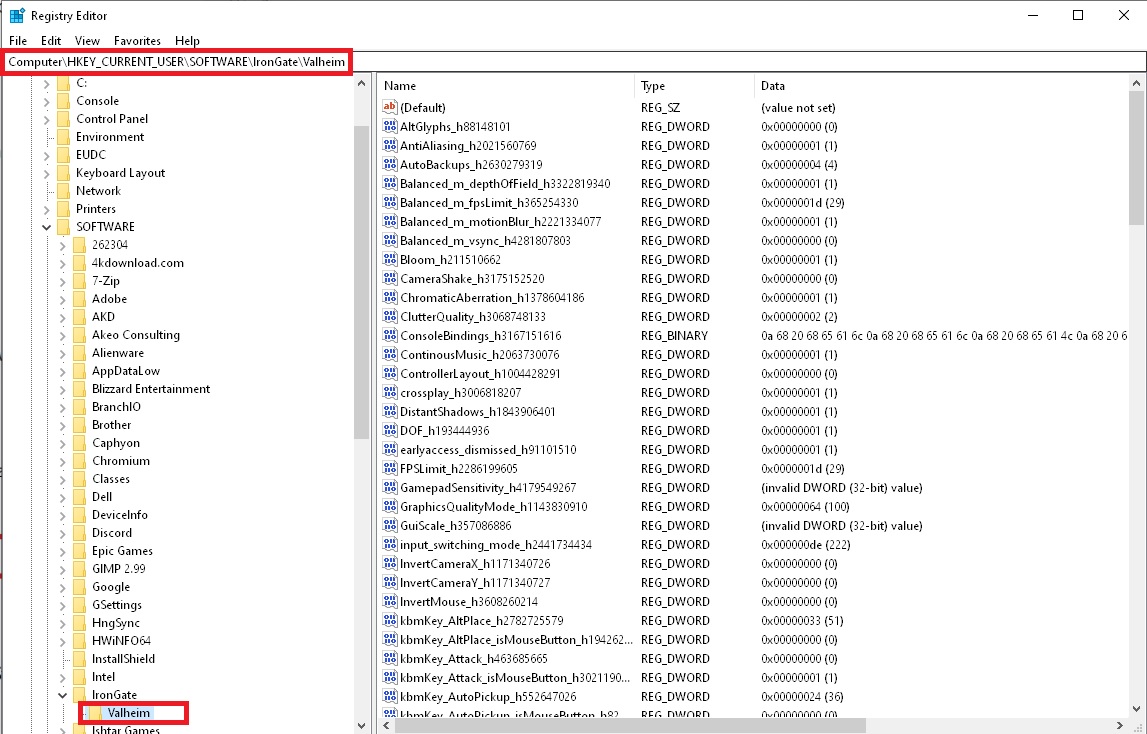 inland charm
stark meadow
Yours looks fine, but still, when this happens it's usually a driver related iss...
inland charm
stark meadow
Yours looks fine, but still, when this happens it's usually a driver related iss...
No. I buyed the game yesterday and played for like 3 hours with my friends
inland charm
stark meadow
To reset registry setting you can do the following:
Click on Windows start and t...
launch the game after that or I need to do something more?
stark meadow
inland charm
No. I buyed the game yesterday and played for like 3 hours with my friends
Then it's highly unlikely that it's a registry issue, if you only recently bough the game.
I would recommend uninstalling the nvidia driver, installing the new driver manually with emphasis on selecting custom installation + perform clean installation in expanded options.
Before that you can also try disabling G-sync in general to see if it's related to the issue.
Would also be interesting to see if FPS cap changed if you chance monitor refresh rate.
inland charm
stark meadow
Would also be interesting to see if FPS cap changed if you chance monitor refres...
give me a second. ill check it. im curious to actually
nope. changing refresh rate did not nothing. still 53 cap
inland charm
stark meadow
I would recommend uninstalling the nvidia driver, installing the new driver manu...
I did that and nothing worked 😐
stark meadow
inland charm
I did that and nothing worked 😐
Custom + clean install or tried disabling G-sync?
inland charm
stark meadow
Custom + clean install or tried disabling G-sync?
Yes. I have disabled gsync
I saw for a milisecond before loading a 100 fps (as my Refresh rate) but then it goes down to 52/53 and yeah, nothing changed. its still the same
stark meadow
inland charm
I saw for a milisecond before loading a 100 fps (as my Refresh rate) but then it...
You saw that in the main menu?
inland charm
stark meadow
You saw that in the main menu?
No. I saw it when I launched the game for less then a second. Even before loading screen. In game and menu its still 52/53
stark meadow
What happens if you set a lower FPS limit via in game settings?
inland charm
stark meadow
What happens if you set a lower FPS limit via in game settings?
Let me check.. With Vsync enabled ingame fps cap doesnt care. But If turned off vsync framerate limit is working.
higher than 53 doesnt fix anything. still its on a fps cap
stark meadow
inland charm
Let me check.. With Vsync enabled ingame fps cap doesnt care. But If turned off ...
With in-game Vsync enabled, the in-game FPS limiter can't work at the same time. That's true in Unity in general.
If FPS limiter is still enabled, it would mean something external is still applying it
Try to reset Valheim profile in Nvidia app or/and in NVidia control panel

Also restore default general profile
inland charm
So I fixed it. I used a NvidiaProfileInspector, picked valheim profile, restore it do default settings, then in Power management I picked adaptive (launch the game and quit) and restore it to maximum performance, after relaunch I see I have a vsync cap as it should be on 100fps. So idk why it worked like that. I remember I had the same problem in my summer car, I fixed it in the same way back then so I tried it and its working.
stark meadow
inland charm
So I fixed it. I used a NvidiaProfileInspector, picked valheim profile, restore ...
Have you tweaked anything in nvidiaprofileInspector on this system before?
inland charm
stark meadow
Have you tweaked anything in nvidiaprofileInspector on this system before?
Like one week ago I disabled some things about EA App cuz the instant replay didnt work in bf2042. Maybe one time I did something in gta 5. But it was like 2 or even 3 years ago. I never used a global profile. Only for the game
The global profile is in default settings. I never touched it.
stark meadow
inland charm
Like one week ago I disabled some things about EA App cuz the instant replay did...
It might have create some custom profile that got loaded. Weird that Nvidia custom re-installation didn't clean that up.
You sure that you selected this?
 inland charm
Yep. I did it in first time yesterday. Today and After that when it didnt worked, I manually download a gpu Drivers from nvidia site.
 earnest anchor
marble wolf
Desync is down to poor connection between players, not something the devs can fi...
earnest anchor
marble wolf
Desync is down to poor connection between players, not something the devs can fi...
Bullshit. B4 update dedicated servers worked well. Now is unplayable af. Trust me. I have very good hardware for server and 1gbps and we can feel it.
stark meadow
earnest anchor
Bullshit. B4 update dedicated servers worked well. Now is unplayable af. Trust m...
Refer to the same comment I made here: #steam-bugs-discussion message and here: #steam-bugs-discussion message
I suggest that your teammates do the suggested tests.
 ornate anchor
Since the Ashlands, I've been having issues with previously dark areas being completely pitch black (like an unlit room in a crypt, or night time in the swamp). There used to be some ambient light. For example, if there are no torches out in front of a crypt I literally can't see the doorway.
Is this intentional, or a bug? Has anyone else experienced this new darkness?
 cold pagoda
Haven't played for a year before now starting again on a new world and had the same feeling a few times in the past few days. Once even in Meadows during a raid with no rain. Couldn't see an enemy coming until it was about 3m away.
shadow steppe
i have noticed this "super dark" sometimes but i think it got added with mistlands
stark meadow
ornate anchor
Since the Ashlands, I've been having issues with previously dark areas being com...
Using mods? Recently unplugged your monitor? I have super dark screen issue when I mess with my monitor. I usually have to restart my system to fix it.
ornate anchor
stark meadow
Using mods? Recently unplugged your monitor? I have super dark screen issue when...
No mods, I can try the monitor, but i have no issues with things being too dark in other games. Also it's OLED, so it should do fine in darkness
weird thing is that sometimes it'll be super dark, then after 10-15 seconds it'll return to normal
cold pagoda
I will check it in the coming days. No mods for me, screen at almost full brightness of laptop.
stark meadow
ornate anchor
No mods, I can try the monitor, but i have no issues with things being too dark ...
That might be related to HDR then. You'll have to experiment with running the game in Vulkan and not (d3d11), windows HDR setting and this seeing in the boot.config
 ornate anchor
gotcha, so launch in vulkan to start?
and you think it's because HDR is enabled and causing issues with DirectX?
stark meadow
ornate anchor
and you think it's because HDR is enabled and causing issues with DirectX?
Try the enabled boot.config HDR option first on Vulkan and d3d11. I recently broke my OLED monitor so can't give specifics, but I had to find a combo that wouldn't cause darkening issues. Not sure if I had to play around with Monitor HDR settings or not. HDR features aren't officially supported in Valheim yet.
ornate anchor
ah gotcha, ok thanks!
As an aside, I've also noticed weird lighting issues when zoning into dark areas. When enterying/leaving Swamp Crypts Everything is get's a weird blueish glow to it (as if it's covered in a sheen) before dropping back to darkened environment
stark meadow
ornate anchor
As an aside, I've also noticed weird lighting issues when zoning into dark areas...
That's a known issue yes
 lilac gust
Question, I have had 2 Bsod computer crashes in 2 days while playing valheim, I think both occured while doing farm work, anyone has noticed a similar situation?
ornate anchor
stark meadow
That's a known issue yes
Just with this most recent patch?
stark meadow
ornate anchor
Just with this most recent patch?
Ashlands issue in general, not yet resolved.
stark meadow
lilac gust
Question, I have had 2 Bsod computer crashes in 2 days while playing valheim, I ...
What are your PC specs?
lilac gust
stark meadow
What are your PC specs?
Processor AMD Ryzen 5 5600X 6-Core Processor
Video Card NVIDIA GeForce RTX 2070 SUPER
Operating System Windows 10
RAM 16 GB
ornate anchor
stark meadow
Ashlands issue in general, not yet resolved.
Thanks for the help!
 sleek wind
Hello, I'm having an issue... I wanted to send a friend my world file but I can't find just the "db" and "fwl" files without the "old". I have checked \IronGate\Valheim\worlds and the world is not even there. I checked IronGate\Valheim\worlds_local and it just has what can be seen in the screen shot. I open the game and it loads fine. I don't share world files often enough to know exactly what I'm doing wrong. Please help!
 stark meadow
lilac gust
Processor AMD Ryzen 5 5600X 6-Core Processor
Video Card NVIDIA GeForce R...
stark meadow
lilac gust
Processor AMD Ryzen 5 5600X 6-Core Processor
Video Card NVIDIA GeForce R...
I recommend checking Secton1:Point6 in this guide: https://www.reddit.com/r/valheim/comments/uq9b8x/my_valheim_is_crashing_fix_for_crash_guide/
stark meadow
sleek wind
Hello, I'm having an issue... I wanted to send a friend my world file but I can'...
Check the Steam Cloud location on disk: https://i.imgur.com/mTVKf1J.jpg?4
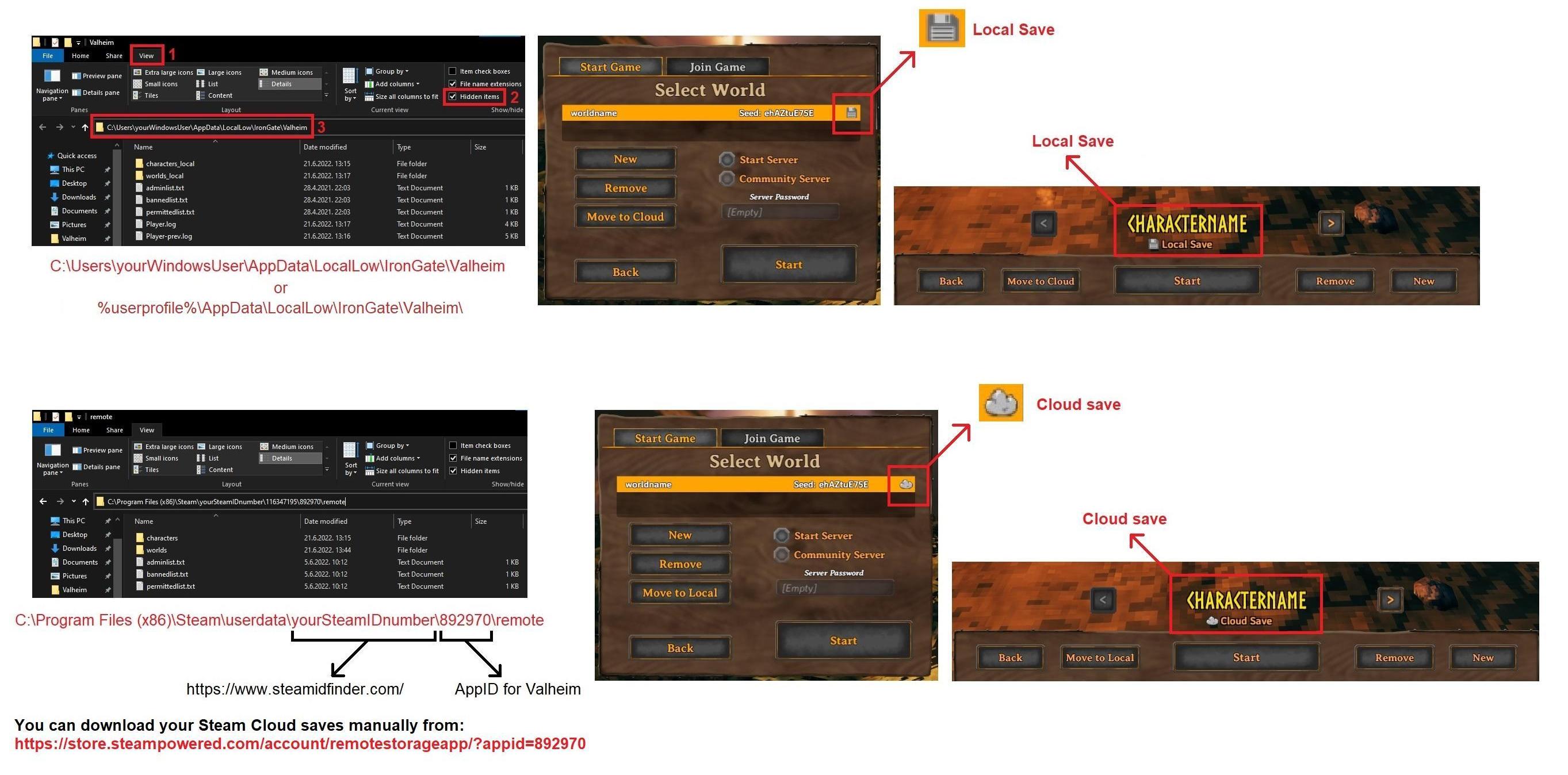 sleek wind
stark meadow
Check the Steam Cloud location on disk: https://i.imgur.com/mTVKf1J.jpg?4
sleek wind
stark meadow
Check the Steam Cloud location on disk: https://i.imgur.com/mTVKf1J.jpg?4
There is nothing there. I have tried moving the files in the game menu from the cloud to local, nothing in the files. I tried moving it back to the cloud and nothing changes in the files. I can run the game all day long, building, fighting and everything. But I cant find the files I need to send to my friend for the life of me.

 gilded lily
has anyone else not received the new small update yet?
stark meadow
sleek wind
There is nothing there. I have tried moving the files in the game menu from the ...
Are you logged into correct steam account in your browser?
When was the last time you were in your world?
stark meadow
gilded lily
has anyone else not received the new small update yet?
It's only available on PTB. Check the Steam news.
sleek wind
stark meadow
Are you logged into correct steam account in your browser?
When was the last tim...
I only have 1 steam account so I know I'm logged in to the correct one. I am in the world right now because I keep launching the game checking the files. closing the game, checking files
stark meadow
sleek wind
I only have 1 steam account so I know I'm logged in to the correct one. I am in ...
Looks like you are just playing on your local saves then.
Are there all of your files in world_local folder?#steam-bugs-discussion message
sleek wind
no which is weird
sleek wind
stark meadow
Looks like you are just playing on your local saves then.
I would be willing to jump in a call and screen share
stark meadow
sleek wind
I would be willing to jump in a call and screen share
Sure
sleek wind
stark meadow
Sure
In Moder's Lair
sleek wind
stark meadow
Sure
Thank you for your help
 gusty isle
So I can't seem to put my feet on the ground when mining Flametal? It's like I'm floating and can't set my feet and jump.
shadow steppe
gusty isle
So I can't seem to put my feet on the ground when mining Flametal? It's like I'...
Yeah that happend to me too, died a couple of times before i gave up on the pillars and went for the chest in the forts instead
 gilded carbon
So my computer crashed while I was putting stuff away at the house, and when I reloaded I was clipping into the floor and I could no longer see the base. Is there any idea how to fix this?

 lunar leaf
Hello guys, I have one stranger issue, I can't dismantle my ship with the hammer, I always do this, but now I can't, someone can help me with this
 raw flare
gilded sluice
lunar leaf
Hello guys, I have one stranger issue, I can't dismantle my ship with the hammer...
raw flare
gilded sluice
lunar leaf
Hello guys, I have one stranger issue, I can't dismantle my ship with the hammer...
you never ever could dismantle a boat with the hammer
unless it's a mod you have, and then it's --> #mods-issues
stark meadow
gilded carbon
So my computer crashed while I was putting stuff away at the house, and when I r...
Can you see boats that are near the base?
 wraith shard
had a pet greyling appear instead of a wolf lol
 jagged hamlet
wraith shard
had a pet greyling appear instead of a wolf lol
jagged hamlet
wraith shard
had a pet greyling appear instead of a wolf lol
Keep it safe.
Make it your logistic manager and put it in the storage room.
wraith shard
Friend already butcher knifed it lol
jagged hamlet
wraith shard
Friend already butcher knifed it lol
Poor Bob or how would you have called it?
 steel monolith
Logged in and my cape was on backwards. Took one step and it changed to the correct position.
 gilded sluice
steel monolith
Logged in and my cape was on backwards. Took one step and it changed to the corr...
gilded sluice
steel monolith
Logged in and my cape was on backwards. Took one step and it changed to the corr...
jump
jagged hamlet
gilded sluice
jump
How high?
ps: How are you feeling?
gilded sluice
jagged hamlet
How high?
ps: How are you feeling?
doctor say both virus and bacteria 🥲
jagged hamlet
gilded sluice
doctor say both virus and bacteria 🥲
Ugh double trouble.
Antibiotics for the bacteria and just toughen it out for the virus?
gilded sluice
just let the body fight
jagged hamlet
gilded sluice
just let the body fight
Make sure to keep the fighters supplied with fluids, and nutrients!
I wish you win the fight quickly.
 void rock
I am on fedora 40 with kde crashing on the native version of valheim, but it runs fine with the windows version under proton. Any suggestions?
spare trench
do you have any crash log?
void rock
This is the bottom of my player.log from trying to load my main world
gilded sluice
void rock
This is the bottom of my player.log from trying to load my main world
looks like broken mods
validate game files to start with
void rock
Yeah I have done that, all files are good
gilded sluice
that player.log file looks very incomplete
void rock
Was just the bottom, want the whole thing?
gilded sluice
so you edited out information from it
gilded sluice
void rock
Was just the bottom, want the whole thing?
yes. since it usually tells the story on the first 10 lines
gilded sluice
Vulkan PSO: cache data not found [path=/tmp/IronGate/Valheim/vulkan_pso_cache.bin]
looks like a drivers issue 🤔
void rock
Well I assume it's a new update that may have broke things?
void rock
I'm on normal
void rock
Alright, I'll get back to ya, thanks
void rock
Can't seem to get it to work
I can actually load in if I choose a new world, however if I try to log out of that world it crashes
void rock
Using the flatpak version of steam solved my issue. Just gonna go with that for now
gilded sluice
Flatpak?
spare trench
many official Linux packages are for Debian-based distributions only, Flatpak is a package manager that provides repackages which overcome that limitation + it uses a sandbox (isolated container) for each app
void rock
Yeah, I'm assuming with fedora 40 some updated package introduced problems but I haven't found it yet
stark meadow
void rock
I am on fedora 40 with kde crashing on the native version of valheim, but it run...
Crashes on Fedora are known and not related to Valehim specifically. There a problem between Fedora 40, Mono and Unity. You can read more about it here: https://github.com/zlib-ng/zlib-ng/issues/1708
You'll have to play in proton compatibility mode as workaround.
gilded carbon
stark meadow
Can you see boats that are near the base?
Yes.
stark meadow
gilded carbon
Yes.
Try to destroy them.
Btw. were you the host or the client in that world?
 stiff musk
Any ideas how to fix this?
 gilded carbon
stark meadow
Try to destroy them.
gilded carbon
stark meadow
Try to destroy them.
My friend is the host, but I will try that fix and let you know
gilded sluice
stiff musk
Any ideas how to fix this?
looks like a mod
 abstract yoke
floor is lava edition
stiff musk
gilded sluice
looks like a mod
Did a clean wipe of the game and reinstalled it. That fixed the issue.
gilded sluice
you had some old mods lingering?
stiff musk
Maybe. But this happened out of no where. This world is 50 days old and everything was fine up until now.
void rock
stark meadow
Crashes on Fedora are known and not related to Valehim specifically. There a pro...
Thanks mate.
 fading ginkgo
Has anyone experienced valheim crashing the PC, especially during storms/lightning/fire effects? I've tried so many solutions and nothing. Game and graphic drivers reinstalls, fps cap, graphic/pc settings... any ideas?
gilded sluice
fading ginkgo
Has anyone experienced valheim crashing the PC, especially during storms/lightni...
usually mods crash the game because of that
unless you have a hardware or drivers issue
may be power supply not being strong enough 🤔
 wraith gazelle
05/30/2024 08:55:01: Zonesystem Start 1565
05/30/2024 08:55:01: Added 3 locations, 0 vegetations, 0 environments, 0 biome env-setups, 0 clutter from main
05/30/2024 08:55:01: Added 1 locations, 0 vegetations, 2 environments, 0 biome env-setups, 0 clutter from main
05/30/2024 08:55:01: Added 27 locations, 25 vegetations, 5 environments, 1 biome env-setups, 3 clutter from main
05/30/2024 08:55:01: Added 4 locations, 0 vegetations, 1 environments, 0 biome env-setups, 0 clutter from main
05/30/2024 08:55:01: Added 24 locations, 33 vegetations, 8 environments, 2 biome env-setups, 2 clutter from main
05/30/2024 08:55:01: DungeonDB Start 1565
05/30/2024 08:55:02: ZRpc timeout set to 30s
05/30/2024 08:55:02: ZNET START
05/30/2024 08:55:02: Load world: dddddddddddd (dddddddddddd)
05/30/2024 08:55:02: missing /worlds/dddddddddddd.db
05/30/2024 08:55:02: Generating locations
05/30/2024 08:55:08: Failed to place all Mistlands_Giant1, placed 342 out of 350
05/30/2024 08:55:13: Failed to place all Mistlands_Giant2, placed 73 out of 100
05/30/2024 08:55:18: Failed to place all SwampRuin2, placed 22 out of 30
05/30/2024 08:55:24: Failed to place all TrollCave02, placed 191 out of 200
Can anyone help me with this game keeps crashing when i try to load a world i have no mods and i did clean install 4 times in a row checked the integrity of files and everything. game is on steam
stark meadow
wraith gazelle
05/30/2024 08:55:01: Zonesystem Start 1565
05/30/2024 08:55:01: Added 3 location...
Once the loading process starts you shouldn't touch anything on the PC until the process finishes, or else you might break the loading by activating the game window at wrong time. Before doing that however, you should ensure that you don't have any extra files in your installation folder other than these: https://i.imgur.com/vdpdeOA.jpg
Another method is; as soon as the game starts to load the world, minimise the game and don't return to the game for 5-10 min at minimum. Basically don't switch back to game until you are sure it loaded by the sounds you hear.
wraith gazelle

it worked @stark meadow but this is the first time it happend so tnx for the quick fix 😄
 heady shoal
fading ginkgo
Has anyone experienced valheim crashing the PC, especially during storms/lightni...
heady shoal
fading ginkgo
Has anyone experienced valheim crashing the PC, especially during storms/lightni...
Yes, I have. I have 3 monitors. It has blacked the one with the game, and 2 other in 10 seconds after, then whole pc crushed. Was not responsive at all, did not bsod, only hard reset.
 uncut thicket
ive had a bug where I picked up the loot off my body and it duplicated some weapons, another bug where the same thing happened after my game crashed and all my items got duplicated. I have the dedicated server modifier that makes you keep some items when u die and not lose as much skill, im using https://linuxgsm.com/servers/vhserver/

LinuxGSM is the command-line tool for quick, simple deployment and management of Linux Valheim dedicated game servers.
stark meadow
heady shoal
Yes, I have. I have 3 monitors. It has blacked the one with the game, and 2 othe...
@fading ginkgo You can both referr to this guide here: https://www.reddit.com/r/valheim/comments/uq9b8x/my_valheim_is_crashing_fix_for_crash_guide/
It's important to know your system specs and notice what types of crashes you are experiencing. Crashes that result in full system shutdowns are in 100% of cases related to hardware, BIOS tweaking, corurpt sytem fiels or corrupt drivers.
stark meadow
uncut thicket
ive had a bug where I picked up the loot off my body and it duplicated some weap...
When a game crashes, which it shouldn't, unexpected things can happen that can't be avoided. One of such things is the server saving your tombstone, but you character not saving due to crash, so when you would die, previous character saves would be reloaded with you having your gear, but also encountering the same gear on the tombstone.
heady shoal
I'm still collecting more info and looking into it. To be sure it's not my system. I had same behavior on my 4090, which was a result of chip getting off from the pads. So i am experimenting, to be sure it's a valheim problem and not my hardware's
stark meadow
heady shoal
I'm still collecting more info and looking into it. To be sure it's not my syste...
Generally most problematic cases to troubleshoot. Check Section1:Point6 in the guide specifically in a bit more detail.
 fickle venture
Question for u guys, Have anyone ever had a bug when your terraformed ground returns to default state pre terraforming ?
gilded sluice
fickle venture
Question for u guys, Have anyone ever had a bug when your terraformed ground ret...
yes. when friends use mods
or you terraform around a draugr village you can find in the medows
fickle venture
gilded sluice
yes. when friends use mods
so even if server is vanilla, on the client side mod can create this bug ?
gilded sluice
fickle venture
so even if server is vanilla, on the client side mod can create this bug ?
oh yes
client sided mods are very typical to make wierd stuff happens
if it's not terraforming resetting around the Draugr village. it's 99% mods related
fading ginkgo
heady shoal
Yes, I have. I have 3 monitors. It has blacked the one with the game, and 2 othe...
I use laptop+monitor but this occured even when only one is active
fickle venture
gilded sluice
if it's not terraforming resetting around the Draugr village. it's 99% mods rela...
thank you
gilded sluice
fickle venture
thank you
that's the problem area?
fickle venture
gilded sluice
that's the problem area?
not all of our member yet online so we can't confirm yet. we will try to reproduce the bug when they come on I will get back to you.
gilded sluice
fickle venture
not all of our member yet online so we can't confirm yet. we will try to reprodu...
if it's that area. it's a known issue sadly
 mossy karma
hi everyone, has anyone experienced very very long loading screen after inputting the password when joining a server?
my friend is able to login with no problems but im having trouble going in the server
stark meadow
mossy karma
hi everyone, has anyone experienced very very long loading screen after inputtin...
Anyone using mods? Try using a different character
mossy karma
stark meadow
Anyone using mods? Try using a different character
did that too since i assumed i was in an area that was customized a lot. same result, even the new character cant go in
mossy karma
stark meadow
Anyone using mods? Try using a different character
and yea we're using mods. still weird that I the server owner cannot go in my own server
stark meadow
mossy karma
and yea we're using mods. still weird that I the server owner cannot go in my ow...
Are you talking about a dedicated server? Did you check your player log for errors?
mossy karma
yup its a dedicated server that i manage.
yep even scoured thru tons of logs just to see an unusual error the only thing i could find is a client side error which i dont understand as of the moment
its this one
 stark meadow
mossy karma
yup its a dedicated server that i manage.
yep even scoured thru tons of logs ju...
stark meadow
mossy karma
yup its a dedicated server that i manage.
yep even scoured thru tons of logs ju...
Not much we can do about modded setups. I would recommend backing up the saves, taking the world to singleplayer, stripping the mods and trying both old and new character.
Some mods can cause irreversible problems even after removing them, but disabling them usually fixes things.
Other than that, you can try restoring an older modded backups of you character and world saves in singleplayer to see if it works.
mossy karma
gonna do that as a last resort as we have 6 active players.
its just weird that my friend can login but i can't. i requested that he shows me his logs when he logs in again later, so that i can compare it to mine
south lance
Something I've been experiencing for a long while that has been reported already: Materials dropped from stuff (such as resource nodes) are misplaced. But I noticed recently that it happens to dismantled build pieces as well
As in, when it comes to ore veins the drops appear below or even above the location of the mined node, when they spawn below they just shoot themselves up for the character to collect, if there are connected nodes above the drops will spawn above the location.
For pieces, they usually spawn above the location where I dismantled the piece due to other pieces being just above.
This might not be game-breaking but having to search for the drops almost every time can be annoying, and in other occasions it can be very inconvenient (like drops spawning at the top of a structure where I might risk dying from fall damage)
stark meadow
south lance
Something I've been experiencing for a long while that has been reported already...
Yeah, we are aware of it. Main reason why resources fall from dungeons now.
 flat basin
Something I've been experiencing over the last day or so of playing which has made me stop altogether is stuttering. I get frame drops and stutters every 10/15 seconds while playing. No matter if I'm in a brand new world or an old one. Meadows or Black Forest. Day or night. Every 10/15 seconds the screen jumps and stutters and I see my fps drop 30/40+ each time. Fresh install of windows and fully updated every driver. Tried uninstalling the game wiping the files and starting from scratch again. Nothing seems to fix this issue and I've never had it before and friends on lower spec systems run it perfectly fine. I'm tearing my hair out here!!! Any suggestions? Please don't say lower settings:) ive tried locking 60fps with everything set to lowest and still no improvement💔
stark meadow
flat basin
Something I've been experiencing over the last day or so of playing which has ma...
Laptop or desktop, what specs?
Generally when it comes to stutters, the most important thing is to make sure that no component in your system is hitting max temp.
I suggest installing HWiNFO and once the stutter happens, checking if any MAX temp limits were reached.
flat basin
stark meadow
Laptop or desktop, what specs?
Generally when it comes to stutters, the most imp...
Desktop,
3060ti
Amd ryzen 5 3600
16gb ddr4 ram 3600
Gpu sits around 35% usage
CPU sits at 60ish
Okay I'll check with that software for sure thank you!
 hearty blaze
Hi all, not sure if this is appropriate place to post but just wanted to see if anyone has the same issues and if they ever found a fix. Ever since getting a new PC and trying to play Valheim, I have had crash after crash. I have had this computer for a couple of months now and it has run everything flawlessly. The specs are: Intel Core i7 14700KF (2.5GHz) Processor, 32GB DDR5-5600 RAM,NVIDIA GeForce RTX 4070 Graphics Card. For whatever reason, Unity is crashing the game constantly to the point where I can't even play. I have looked up multiple guides and resolutions to fix the problem but the problem persists. This is the ONLY game that crashes on this computer after playing probably around 30-50 different games at this point. I have tried updating drivers, compatibility mode, verifying game files, running as admin, running with Vulkan, turning settings down, and optimizating settings through GeForce Experience and running the game through there (which for a while it seemed to fix it but I am back to crashing). Does anyone have any tips for fixing this issue? Unity seems to be really hit or miss for me so far. I literally just want to jump in and play a new server for the Ashlands update and haven't been able to figure out why the issue is persisting after many fixes and workarounds to try and fix it. Any and all help would be greatly appreciated.
 unreal siren
Hi! New here so don’t know if this where I need to ask for help, but I am getting a bit desperate as I’ve tried pretty much everything I know. I have about 380 hours in this game, 370ish from before the ashlands update on my old (7yr old) gaming laptop and never had an issue playing this game. I didn’t play Valheim for at least a couple of months as I was waiting on the Ashlands update. Since shortly before the Ashlands update I have a new laptop, an Alienware M18 rtx4060 intel core i9 and 64gb ram, which can play any game without issue, both on steam and in separate launchers (Battlestate Games launcher for example).
Here is the problem: in the 10 hours that I’ve played this game with the new update, it has crashed at least 20 times. Sometimes after 20 seconds, sometimes after 2 hours. It has crashed in the main menu, during character select, while trying to join a server, while building, while fighting, while sailing,… there’s not really a pattern to be noticed. The only “pattern” I did notice is that when fighting the Valkyrie up close, it has crashed multiple times when it did its fancy melee attack. If I’m watching from 50m away while my friends fight and not go up close and personal the Valkyrie does not crash my laptop.
But the biggest issue is that it doesn’t just crash Valheim, my entire laptop freezes and crashes every single time shortly after Valheim crashes.
In the beginning I got a “steam cloud error” when Valheim closed after the crash, which I thought might be the problem. So I disabled the steam cloud for Valheim and played on local saves. This didn’t help. It just didn’t show the “steam cloud error” message anymore after crashing.
After looking online I found that overclocking or boosting might cause instability and give similar issues (in the past) to what I am facing. So I kept my laptop in “Balanced” preset instead of the “performance” preset it normally switches to when gaming, which uses boost and overclocking.
This also did not change anything. And as I’ve said before, it only happens with Valheim, the lightest game I play, an not with anything else, not even Escape from Tarkov which is a very heavy game, with terrible optimization and even worse servers.
So if anyone has any idea what might cause this, I appreciate the help. I would really like to be able to play my beloved Valheim without risking my pc’s health (and my sanity).
Thanks in advance!
unreal siren
hearty blaze
Hi all, not sure if this is appropriate place to post but just wanted to see if ...
I have pretty much the exact same problem, which is kinda akward you posted it just as I was finishing typing my issue xD
hearty blaze
unreal siren
I have pretty much the exact same problem, which is kinda akward you posted it j...
It is giving me a massive headache at this point lmao. I have NEVER had issues with Valheim until this point. Like you, I played on about a 7-8 year old rig that still could run the game well. For whatever reason, this computer is crashing with Unity every single time I try and play. It is super frustrating.
unreal siren
hearty blaze
It is giving me a massive headache at this point lmao. I have NEVER had issues w...
Hopefully they can find what's causing this and fix it, it is VERY frustrating indeed. But I feel at least slightly better now I know I am not the only one experiencing this issue. I feared something was wrong with my laptop.... 😅
gilded sluice
Hm...
@hearty blaze @unreal siren gimme your player.log files 🙂
In this hidden folder in windows:
C:\Users\ <username> \AppData\LocalLow\IronGate\Valheim
unreal siren
this should be it:
gilded sluice
yup
Hm.. never seen this one before
Direct3D: detected that using refresh rate causes time drift. Will stop trusting refresh rate until the game window is moved.
Direct3D: detected that vsync is broken (it does not limit frame rate properly). Delta time will now be calculated using cpu-side time stampling until the game window is moved.
so.. this issue seems to be because game is set to use V-sync, where the nvidia drivers is set to override that 🤔
do you use "game profile" or used some kind of FPS limiter in your nvidia game profile thingy?
like using nvidia experience and "optimize game settings" ?
unreal siren
I don't (actively) use nvidia geforce experience, apart for driver updates, but it might have "optimized" the game settings without my knowing...

so I assume geforce experience is optimizing it
unreal siren
gilded sluice
do you use "game profile" or used some kind of FPS limiter in your nvidia game p...
in these settings (as far as I can see) it doesn't say anything about FPS, although it still might interfere with it for all I know
gilded sluice
unreal siren
in these settings (as far as I can see) it doesn't say anything about FPS, altho...
have you any mods from old still around or have you tampered with the boot.config file?
or do you run msi afterburner?
unreal siren
gilded sluice
try just clicking "revert"
I reverted it and now it says "game isn't optimized"
unreal siren
gilded sluice
have you any mods from old still around or have you tampered with the boot.confi...
no mods or tampered with anything no
gilded sluice
ok
unreal siren
gilded sluice
or do you run msi afterburner?
nope, don't have that on my pc
gilded sluice
and do you still crash just as fast?
unreal siren
I can't test it right now as I'm doing this in between work, but I'll try it out tonight or this weekend for a couple of hours to see if it has improved
unreal siren
I will, thanks!
stark meadow
hearty blaze
Hi all, not sure if this is appropriate place to post but just wanted to see if ...
Do you have a gigabyte motherboard, and if so, which one?
stark meadow
unreal siren
Hi! New here so don’t know if this where I need to ask for help, but I am gettin...
Which exact i9 does the laptop have? 13900HX?
unreal siren
stark meadow
Which exact i9 does the laptop have? 13900HX?
13th Gen Intel(R) Core(TM) i9-13900HX, 2200 Mhz, 24 Core(s), 32 Logical Processor(s)
 astral crag
The game won't let me load up any new world other than the first one I have
stark meadow
astral crag
The game won't let me load up any new world other than the first one I have
Check this comment: #steam-bugs-discussion message
stark meadow
unreal siren
13th Gen Intel(R) Core(TM) i9-13900HX, 2200 Mhz, 24 Core(s), 32 Logical Processo...
There are some problems with i9 desktop CPU lately, so I'm wondering if it also applies to laptop models.
astral crag
stark meadow
Check this comment: https://discord.com/channels/391142601740517377/120254967592...
nothing is there

do I just start loading it and alt tab until it finishes?
stark meadow
I don't see any BIOS updates that solve this for your laptop, so it might be some incompatibility between Alienware OCControl service using the IntelOverclockingSDK. Check if you have both service running on your system.
I would recommend to start monitoring your temps first tho via HWiNFO tool. It will report certain components reaching MAX temps.
 unreal siren
stark meadow
I don't see any BIOS updates that solve this for your laptop, so it might be som...
unreal siren
stark meadow
I don't see any BIOS updates that solve this for your laptop, so it might be som...
If I search on my laptop I can't find IntelOverclocking SDK, and if it's an external download I did not download it myself either. I only ever used the alienware command centre to forcy my laptop into staying in balanced preset without overclocking or boost, unlike the performance preset which does use this.
And how would my laptop overheat on valheim only? not saying it is not possible but it would seem very weird that it overheats on a very light game and not on Escape from Tarkov for example (or during video editing).
stark meadow
unreal siren
If I search on my laptop I can't find IntelOverclocking SDK, and if it's an exte...
Try start → msconfig (configuration manager) → services → hide microsoft services to see which Intel services are running
As a general rule when playing on laptops, monitoring temps should always be the first check that you should do, for obvious reasons.
Specifically for Valheim, you will see near 100% gpu utilisation in certain Valheim areas, while you won't see that in Tarkov, and crashes for unstable systems often happen at 100% utilisation or during power spikes, which happen during fast transitions between low usage to high usage on components.
fickle venture
vary unlucky in recent days. I'm wondering have anyone got a bug where boss trophies appeared on the stones, even thought we only killed the first boss.
 agile frigate
anyone experienced this in game bug?
whenever i click player list. there is a Gamertag user logged in, and i cannot click the Back button and im getting stuck.

this is a dedicated host server we rented
stark meadow
agile frigate
anyone experienced this in game bug?
whenever i click player list. there is a G...
It's a known PTB issue. Don't open the playerl ist if you are hosting a server without crossplay enabled.
agile frigate
stark meadow
It's a known PTB issue. Don't open the playerl ist if you are hosting a server w...
ok got it. thank you!
 rich pier
- Is this a known bug? Shield Generator on, raining. Hearth doesn't produce fire. Note that shield generator is working because i am not wet. Also tried placing a roof on top of the Hearth, still no fire. It's like the Shield Generator is bugging out the Hearth when raining.
- also, bonus bug: you can use E to interact with the new vines when they have no fruit, the picking up animation happens.

 graceful schooner
Wood?
 flat basin
stark meadow
Laptop or desktop, what specs?
Generally when it comes to stutters, the most imp...
flat basin
stark meadow
Laptop or desktop, what specs?
Generally when it comes to stutters, the most imp...
How do i use HWiNFO?
stark meadow
flat basin
How do i use HWiNFO?
You open it with all features and then chose sensors tab, or you select sensors only during app launch, play some valheim and after stuttering check if some components hit max temps, such as in this example:
 flat basin
stark meadow
You open it with all features and then chose sensors tab, or you select sensors ...
flat basin
stark meadow
You open it with all features and then chose sensors tab, or you select sensors ...
Okay I'll play some valhiem now with it on and throw a screenshot in here! Thanks!!
stark meadow
rich pier
1. Is this a known bug? Shield Generator on, raining. Hearth doesn't produce fir...
Shield generator doesn't stop wind, and wind puts out fires also.
flat basin
stark meadow
You open it with all features and then chose sensors tab, or you select sensors ...
With all of that it drops 30+ frames, stutters every ten or so seconds and is undeniably unplayable 💔
 jovial thicket
so I got back into the game after... a year and a half I think, and my CPU is thermal throttling like crazy, I've never seen anything like that in any game before, including Valheim when I played it the last time. Anyone know if there were any major changes to performance or CPU-heavy tasks added? For the record my GPU is doing well and doesn't even hit 70 degrees C
Old vs New FPS for comparison [I'd drop temps but I don't have screens, it went from averaging 87 degrees C to going from 90 to 103 and throttling down constantly]
I've followed several video tutorials, pasted the boot lines, set it to run as admin, set it to high priority in task manager, etc etc, virtually I've done everything I could possibly find and it's still unchanged even on the lowest settings. Is there anyone capable of explaining what could be the issue? Not necessarily whether I can do something about it, just what the hell is happening.

 stark meadow
flat basin
stark meadow
flat basin
Your GPU is reaching 92°C and this might be why you are experiencing stuttering, because most GPU start thermal throttling the performance at those temps, so they don't go even higher. You should check if all of your GPU gans are spinning properly, and try to limit the FPS in Valheim to 30 FPS + keep Valheim V-sync set to OFF, and then restart your PC and do another playsession while chekcing for stutters and temps.
flat basin
stark meadow
Your GPU is reaching 92°C and this might be why you are experiencing stuttering,...
Yes this is my bad I started the game via optimized gforce experience. After lowering my settings afterwards my GPU temp sat at 64/66 at 90fps...
stark meadow
flat basin
Yes this is my bad I started the game via optimized gforce experience. After low...
You PC should be able to run quality presets without overheating tho.
Do you have a list of the setting which your nvidia experienced tweaked?
flat basin
That's what I mean. I can play anything else completely fine and normal however valhiem seems to destroy my computer😂
stark meadow
jovial thicket
so I got back into the game after... a year and a half I think, and my CPU is th...
No, there hasn't been any changes on Valheim side that should result in your CPU overheating.
In your case, this is most likely caused by your system using both the dedicated GPU (rtx 2060) + CPU (Ryzen 7 3750H) + unecesarily using integrated GPU that is a part of the CPU (Radeon Vega). Which laptop model do you have?
stark meadow
flat basin
That's what I mean. I can play anything else completely fine and normal however ...
That's just because the other games you play don't utilise your GPU to the extent Valheim does.
GPU should not be ovearheating on 100% GPU usage. If it does like in your case, it's faulty (e.g. fans not good), or configured improperly (e.g. fan curve not properly set, or downclocking might be needed to make ti more stable).
jovial thicket
stark meadow
No, there hasn't been any changes on Valheim side that should result in your CPU...
TUF gaming FX505DD
I did try setting Valheim to high performance via windows graphics settings which should theoretically make it only use the RTX
stark meadow
jovial thicket
TUF gaming FX505DD
I did try setting Valheim to high performance via windows gra...
Asus 505 model is unfortunately known to not have a hardware mux switch. This means that integrated GPU can't be turned off, and will always be used. In Valheim this will almost always result in CPU overheating. The best solution I came across on the webs is to hook your laptop over USB-C port to the monitor, at which point the iGPU doesn't activate, and performance is increased. So far non of the players have been able to solve their problem in any other way than that, or limiting graphic setting and setting FPS limiters.
jovial thicket
Shit. I do have the monitor plugged over an HDMI type C though. And what baffles me is that this performance drop is completely new to me, despite having 200+ hours ingame.
stark meadow
jovial thicket
Shit. I do have the monitor plugged over an HDMI type C though. And what baffles...
Try, meant USB-C port, not HDMI.
You can look this video for reference: https://www.youtube.com/watch?v=FMAhtERFONM
jovial thicket
Aight, will do ty
stark meadow
jovial thicket
Aight, will do ty
Also have a look at this article in case you laptop morel has a MUX switch, but I'm just not aware of it.
https://rog.asus.com/articles/rog-gaming-laptops/maximize-your-rog-laptops-performance-with-a-mux-switch/
From my experience with FX505 users, none of them had it
flat basin
Limiting it to 60fps with everything on max settings and this is the temps. Nvidia overlay tells me the temp is 46°c too. Stuttering seems to happen when instances go from high to low. Whenever instances drop I stutter.

Right so I've just tested and kept a close eye. The game is smooth and completely stable until instances drop. And the game hard stutters for 2/3 seconds
stark meadow
flat basin
Limiting it to 60fps with everything on max settings and this is the temps. Nvid...
Some stuttering when crossing zone borders (word is separated in a grid of zones) is normal, but it shouldn't be 2-3 seconds.
This aludes to some problems with the CPU. For AMD CPU, be sure to have maximum performance power plan selected in Windows control panel + have all optional windows updates related to the CPU. If that doesn't help, some tweaks might be needed in a BIOS.
You can compare your stuttering to mine stuttering by performing the same steps as described in the description of this video:
https://www.youtube.com/watch?v=Fz3UelVLzO0
flat basin
stark meadow
This aludes to some problems with the CPU. For AMD CPU, be sure to have maximum ...
Why would my GPU usage be 99% on 60fps?? But on a 1070 it's no where near that?
stark meadow
flat basin
Why would my GPU usage be 99% on 60fps?? But on a 1070 it's no where near that?
On 1070 the game was running on 1080p. Are you running the game on a higher resolution?
flat basin
stark meadow
On 1070 the game was running on 1080p. Are you running the game on a higher reso...
No 1080p lol

 stark meadow
flat basin
stark meadow
flat basin
How high is your GPU usage in the starting menu before loading into a world? Also make sure that you have maximum power performance selected in the Nvidia control panel for Valheim. You would also want it for the general profile probably.
flat basin
stark meadow
How high is your GPU usage in the starting menu before loading into a world? Als...
Maximum performance set on both! Main menu is 66%

Following the video does this look normal to you?
stark meadow
flat basin
Maximum performance set on both! Main menu is 66%
Think there are some differences between the seed: stutter when I made the test VS how the seed gets generated now.
The same seed is usually different on different Valehim versions.
If I load the seed: stutter now, I have 100% GPU usage also, like you, which is normal.
The reason higher GPU usage wasn't observed on my old test, is because the chose area had more instances in general (heavy on CPU).
flat basin
So the stutters when running around the world are normal? Happen for everyone? Due to grids?
stark meadow
flat basin
So the stutters when running around the world are normal? Happen for everyone? D...
Depends how bad are the stutters. Let me record another video so you can compare.
flat basin
Okay thank you ❤️
I'll learn to love them however mine seem awfully bad and not natural really
gilded sluice
flat basin
So the stutters when running around the world are normal? Happen for everyone? D...
some are yes
flat basin
gilded sluice
some are yes
I have a few that are like yeah whenever that's fine but some are like full game save stutters. Hopefully this video he's making clears it up for me. Maybe I'm super sensitive to them?
gilded sluice
depends on CPU, RAM, GPU etc
but we have identified some problems aswell
Personally I don't notice those stutters at all. but I don't expect people to run 7th gen AMD processors with 6000Mhz CL30 RAM either
flat basin
Lucky lucky! Running 3060ti ryzen 5600x 16gb ddr4 3600 ram
gilded sluice
that's pretty much what I had before.
AMD 3700, 3060ti, 3600Mhz DDR4
flat basin
How were the stutters then?
gilded sluice
not to bad back then either
but problems like these comes and goes as we upgrade game engine versions, we add more features
flat basin
I’ll learn to try to love them in the meantime! Just wanted to make sure it was normal and not a problem with the game or my hardware! I’m seeing a lot of people on Reddit pages with much better rigs struggling with it too but also some people with poor setups not having the problem! Either way I absolutely love the game!
gilded sluice
well
alot of people don't even know how to get the better part of performance out of there computer
just buying a expensive rig. doesn't translate to performance
Video on how to optimize your windows PC
https://www.youtube.com/watch?v=6IBkMW39egU

Valheim FPS / Valheim fps increase guide, Boost Performance & Reduce input latency, For ALL PCs✔️🖥️ better fps, boost fps fix stutter Reduce Input Lag and increase frames!
Lets try for 5000+ Likes! 👍 For this Extremely helpful tutorial?! Do your part and hit "Like" now! Lag Fix + FPS Drop fix included! and feel free to suggest more & Subscribe! ...
stark meadow
flat basin
I have a few that are like yeah whenever that's fine but some are like full game...
Ok, try the same test as this one on seed: stutter100
https://www.youtube.com/watch?v=rYQbfXH3Hb0
flat basin
stark meadow
Ok, try the same test as this one on seed: stutter100
https://www.youtube.com/wa...
What do you use at the right of the screen so I can do a mirror ?? So for you this stutter is completely normal?
stark meadow
flat basin
What do you use at the right of the screen so I can do a mirror ?? So for you th...
I'm using MSI afterburner as an overlay, which can be customised. For this test, having an overlay is not really important as much as perceived stutter.
That's the normal amount of stuttering that you should expect. If you stutter normal than this, then it can be improved.
gilded carbon
stark meadow
Try to destroy them.
Thank you for this, it was the fix!
stark meadow
gilded carbon
Thank you for this, it was the fix!
btw. do you remember which chest were you sorting when you crashed?
gilded carbon
stark meadow
btw. do you remember which chest were you sorting when you crashed?
I believe it was a normal chest as we only had one reinforced chest and that's not near where our loot goes.
flat basin
stark meadow
I'm using MSI afterburner as an overlay, which can be customised. For this test,...
I believe our stuttering is the same sometimes it’s a little worse but looks pretty much the same. FPS drops kinda the same! So this is normal? How the game plays atm?
stark meadow
gilded carbon
I believe it was a normal chest as we only had one reinforced chest and that's n...
Could you ask your friend if they could upload their world file and dm me the link to it? I would like to see where that chest was
stark meadow
flat basin
I believe our stuttering is the same sometimes it’s a little worse but looks pre...
It's not ideal, difficult to optimise, so it's normal. DDR5 systems stutter less.
You can also test if disabling C-states in your BIOS helps with the stutters (makes CPU run at max clock all the time, so no oscilation that increase stuttering). Play in Vulkan if it's stable for you.
gilded sluice
better CL also helps
rich pier
stark meadow
Shield generator doesn't stop wind, and wind puts out fires also.
Bug.
Has wood. Tried roof. Tried walls. Also not a too much smoke situation. No mods.

 toxic river
Don't see a roof there
rich pier
toxic river
Don't see a roof there
There is a shield generator. And I tried with roof. Plus I am not wet, thats easy to see.
toxic river
You still need roofing for fires iirc
rich pier
toxic river
You still need roofing for fires iirc
It stops rain for character, doesn't stop for fires? Clearly a bug?
 rich pier
toxic river
But that's how it works rn
rich pier
toxic river
But that's how it works rn
Yeah, because it's a bug. 🤣
toxic river
🤷♀️
@gilded sluice thoughts? If shield gen stops rain it should probably also stop fires from getting put out.
I could see the argument for wind but wind by itself doesn't put out fires
gilded sluice
toxic river
<@260480620054970378> thoughts? If shield gen stops rain it should probably also...


 rich pier
toxic river
I could see the argument for wind but wind by itself doesn't put out fires
rich pier
toxic river
I could see the argument for wind but wind by itself doesn't put out fires
yeah, I never saw that happen before in 2.5k hours so I was kinda confused, but I tried with walls and the fire didn't start. Then, rain stopped, and fire went on instantly.
toxic river
gilded sluice
https://tenor.com/view/shrug-gif-25269231
Solid maybe~?
stark meadow
toxic river
I could see the argument for wind but wind by itself doesn't put out fires
Why by itself indeed does put out fires.
You can force clear weather but force strong wind and you'll see fires be put down
toxic river
Wind by itself without a storm?
rich pier
stark meadow
You can force clear weather but force strong wind and you'll see fires be put do...
It doesn't, I'm like 99.9% sure. Probably mixing up with rain or "too much smoke" in that area
stark meadow
rich pier
It doesn't, I'm like 99.9% sure. Probably mixing up with rain or "too much smoke...
I just told you what to do to convince yourself that wind does put out fires.
Console commands "env clear" + "wind 0 2"
toxic river
The problem there is that you probably don't get those strong winds naturally without a storm to back it up, so the argument is a little moot
rich pier
stark meadow
I just told you what to do to convince yourself that wind does put out fires.
Ok amigo, whatever you say. I just came here to report a obvious bug. Glad Smiffe looked at it.
stark meadow
toxic river
The problem there is that you probably don't get those strong winds naturally wi...
I haven't yet tested "env rain" + "wind 0 0" tho
If that puts out the fire, then the shiled doesn't work properly
rich pier
Love this game game, Ashlands, and the devs! Artists.
Reporting a bug =/= critising the game.
No need to come to the rescue.
toxic river
stark meadow
I haven't yet tested "env rain" + "wind 0 0" tho
If that puts out the fire, then...
Even then it depends on how it's implemented in the code naturally - if all rain weather sets wind to a minimum threshold, which is then used internally to control when fires are put out, it still maps to 'rain puts out fires' for a normal player not looking at the code.
rich pier
toxic river
Even then it depends on how it's implemented in the code naturally - if all rain...
- the Shield Generator description says “protect against weather” and not rain. (AND i tried walls to block wind and it didn’t work)
toxic river
If that's how it's implemented, it should be hopefully possible to add an exception for fires under shield generators
toxic river
rich pier
+ the Shield Generator description says “protect against weather” and not rain. ...
It probably runs all shelter checks - which will always need roofing
stark meadow
rich pier
+ the Shield Generator description says “protect against weather” and not rain. ...
No you haven't blocked the wind properly in your screen. It's not an obvious bug. You are not the first one reporting it.
It was rejected before under premises that it was wind putting out the fires, and the shield not intended to block wind, so windmills can work. However I just did the env rain + wind 0 0 test, and the fires still got put out, meaning that fires under shield are not getting put out by the wind forces. Maybe special case can be made for fires, or shields will clock wind even for windmills, not sure.
flat basin
stark meadow
It's not ideal, difficult to optimise, so it's normal. DDR5 systems stutter less...
I have overclocked gpu a little and fully optermised valhiem with the vid above. 200+fps on high settings at 83% usage is far better. Stutter seems to be the same for me now as it is on your vid! Thank you for the help and reaching out! I guess until i upgrade to ddr5 ill learn to love the micro stuttering thast left 🙂 ❤️
stark meadow
flat basin
I have overclocked gpu a little and fully optermised valhiem with the vid above....
Those tweaks in the videos don't help with zone loading stutters. Only disabling C-states and other BIOS related tweaks to RAM and CPU will. Some systems benefit more from disabling C-states when it comes to stutters, so I still recommend to try it.
flat basin
stark meadow
Those tweaks in the videos don't help with zone loading stutters. Only disabling...
I think i disabled c states. Can find a solid guide on it for asus bios... options arnt theyre for me from the guide. Ive enabled docp in bios to make ram run at 3600... anything else?
stark meadow
flat basin
I think i disabled c states. Can find a solid guide on it for asus bios... optio...
Disabling SPD* write on some motherboards for RAM. Everything else goes into overclocking territory and is potentially unsafe.
flat basin
stark meadow
Disabling SPD* write on some motherboards for RAM. Everything else goes into ove...
Okay I'll try that too
Don't want to overclock read that I can be to much hassle and unsafe like you said!
 wet pendant
is anyone able to help me troubleshoot why I'm crashing? I started playing like a month ago and would crash maybe once or twice a night which sucked but I could deal with it. Now I'm crashing way too often to even really play the game:

I went through the pinned post and tried all of that over the past 4 hours or so and nothing seems to be working
I'm not really savvy enough to read my crash logs and make heads or tails of them to know what's happening
 ashen dock
the new serpent in ashlands is bugged for me and my friend. everytime he his our boat the boat glitches into the water and gets trapped on the sea floor together with us
it just happend again, this time the boat just sank without the serpent hitting us
stark meadow
ashen dock
the new serpent in ashlands is bugged for me and my friend. everytime he his our...
Not a vanilla issue. Related to mods.
ashen dock
i just have some Quallity of life mods on
stark meadow
wet pendant
is anyone able to help me troubleshoot why I'm crashing? I started playing like ...
What are your PC specs?
ashen dock
the Mod floating items was the problem
wet pendant
stark meadow
What are your PC specs?
i9-14900k
rtx 4070ti super
32GB RAM
z790 aorus pro x mobo
not sure what else is helpful
stark meadow
wet pendant
i9-14900k
rtx 4070ti super
32GB RAM
z790 aorus pro x mobo
not sure what else is ...
Will send you a DM
wet pendant
ty!
flat basin
stark meadow
Disabling SPD* write on some motherboards for RAM. Everything else goes into ove...
Still really bad man! Do you support gforce now? I have ultimate which gives access to top end rig... Think it would be any better running it through that? 600mb dl and upload so internets not a problem!
marble wolf
I have no problem with playing using Priority.
 steel gorge
hi, i’m trying to start the server and it’s just refusing to load and the program stops responding
never mind, turns out i just needed to not touch anything
 orchid ermine
So i use Fedora 40 i am a full time linux user and i got the game today :) and i was wondering as to why everytime i try and join my friend via steam it crashes the game? I have good system specs Ryzen 5 3600, Radeon 5600xt and 16gb of ram but i am just lost as to why it'd be crashing my entire game.
toxic river
orchid ermine
So i use Fedora 40 i am a full time linux user and i got the game today :) and i...
Refer to this post regarding Fedora: #steam-bugs-discussion message
void rock
orchid ermine
So i use Fedora 40 i am a full time linux user and i got the game today :) and i...
^ Yeah I had the same issue. Using the flatpak version of steam fixed it for me. Otherwise just gonna have to wait for updates
Or running it under proton like the other lad said
 true skiff
anyone ever figure out the audio stuttering problem in the ashlands?
stark meadow
true skiff
anyone ever figure out the audio stuttering problem in the ashlands?
It's a known Unity engine problem that Unity has to fix. Some workaround might be deployed until then, but it's not something you can fix. Generally playing on a higher FPS helps and decreasing the number of sound emitter objects, such as torches.
orchid ermine
toxic river
Refer to this post regarding Fedora: https://discord.com/channels/39114260174051...
okay thank you
orchid ermine
void rock
^ Yeah I had the same issue. Using the flatpak version of steam fixed it for me....
so wait you're telling me that if i install steam via flathub it should be fine?
why is that? odd aint it?
void rock
orchid ermine
so wait you're telling me that if i install steam via flathub it should be fine?
Not sure, probably has some different package versions where certain bugs don't exist
orchid ermine
welll i installed steam via the command line way, so idk like what the hell is going on
void rock
If you really want to play you can install flatpak steam or just force the use of proton
orchid ermine
yeah i know but i am sad now because like i love fedora budgie but i guess i could switch to Linux Mint later at somepoint down the line
void rock
No need to switch for something like this if you prefer fedora
Such things will be fixed, fedora 40 hasn't been out long
 clear spoke
Having a sporadic weird issue where I load Valheim from Steam. Click Start Game --> Start (Character*) --> Start (World*), and my computer just powers off. *Stored in Cloud, but if I move both Local I have not yet been able to duplicate the issue.
stark meadow
clear spoke
Having a sporadic weird issue where I load Valheim from Steam. Click Start Game...
What are your PC specs?
clear spoke
stark meadow
What are your PC specs?
Hi, MaCarBre. Here are the specs you requested
Operating System: Windows 10 Home 64-bit (10.0, Build 19045) (19041.vb_release.191206-1406)
Processor: AMD Ryzen 7 1700 Eight-Core Processor (16 CPUs), ~3.0GHz
Memory: 32768MB RAM
Page File: 14033MB used, 52987MB available
Card name: AMD Radeon (TM) RX 580
Display Memory: 24501 MB
Dedicated Memory: 8170 MB
Shared Memory: 16330 MB
Current Mode: 1920 x 1080 (32 bit) (119Hz)
Driver Date/Size: 2/19/2024 8:00:00 PM, 1857024 bytes
Driver Version: 26.20.13002.133
Yes, I know this is a 10+ year old Gen 1 processor, but I haven't had this issue in Valheim until Ashlands.
stark meadow
clear spoke
Hi, MaCarBre. Here are the specs you requested
Operating System: Windows 10 Ho...
Do you know the model of your power supply also, and how old it is?
I would advise updating your game to the public beta version, as it has some changes in terms of how worlds are loaded.
You can see how to access it at the beginning of this article:
https://steamcommunity.com/app/892970/allnews/
Generally your should not have in-game V-sync option enabled, and you should try limiting your FPS via Radeon control panel for Valheim to 60.
clear spoke
stark meadow
Generally your should not have in-game V-sync option enabled, and you should try...
Found in-game Vsync enabled with Framerate set 100. Disabled and Lowered accordingly. Will check out the Beta notes shortly. Thanks.
Power supply is the original OEM.
stark meadow
clear spoke
Found in-game Vsync enabled with Framerate set 100. Disabled and Lowered accord...
Full system crashes on old systems are usually indicative of the power supply dying and not being able to supply full power to the 100% utilised GPU. When V-sync is enabled on high refresh rate monitors, Valheim can't use FPS limiters during loading screens, which might result in high FPS and 100% GPU usage that can crash a PC. That's why it's important to check which exact model of power supply you have and to check it's lifespan. For more information about full system crashes in Valheim, you can also check Section1:Point6 of this guide: https://www.reddit.com/r/valheim/comments/uq9b8x/my_valheim_is_crashing_fix_for_crash_guide/
 oak jasper
Good evening, I have a problem where I keep getting random parts of my buildings damaged and they have 0 HP. I wanted to ask if there are any known solutions to this or if the problem is even known.
stark meadow
oak jasper
Good evening, I have a problem where I keep getting random parts of my buildings...
It's a known issue. To avoid it from happening, when the dedicated server you play on gets restarted, you should also restart your game, rather than wait in the main menu. That goes for everyone.
oak jasper
Great, thank you very much, I will pay attention to it
 analog coral
I have a major issue when getting Flame Metal in ashlands. The rock that it spawns on sometimes make you float and fall off. I dont know any type of solution but if there is one I would greatly appreciate it!
stark meadow
analog coral
I have a major issue when getting Flame Metal in ashlands. The rock that it spaw...
If you want to avoid the bug while waiting for a fix, you can build around the leviathan to stop yourself from siding into lava, mine it via catapult, use shield generators to block lava meteors from spawning. Before you start to pickaxe lava leviathan, log out, log back in, build a campfire and sit next to it to get some rest bonus, then go for pickaxing attempt and you shouldn't start sliding.
gray dome
Why is group play bugged since Ashlands update? When I play solo Ashlands, there is no lag but when I play with a friend nearby, it feels like 999 ping
It's impossible to block, parry etc when in a group
marble wolf
It's not?
gray dome
It is
My friends and I are forced to play Ashlands solo, that's when we have no lag
But as soon as we group up (2 or more players in the same place) the game starts lagging so hard, feels like we have 999 ping, it's impossible to parry anything
stark meadow
gray dome
Why is group play bugged since Ashlands update? When I play solo Ashlands, there...
I recommend all of you run a buffer bloat test: https://www.waveform.com/tools/bufferbloat
The test has to be done when not using the Internet for anything else.
wraith gazelle
i have a problem where my gpu usage drops to 20% after 2-3 hours of playing the game and then it runs like that
gray dome
stark meadow
I recommend all of you run a buffer bloat test: https://www.waveform.com/tools/b...
Thanks for the tip, we will try that, but we played valheim couple of days prior to Ashlands update and we didn't have those problems, you can search reddit on the topic I provided, a lot of people are implying those issues in ashlands
Everyone has the same problem, occuring laggs while playing grouped (near each other) as opposed to playing solo (if I am on one Ashlands island and my friend is on other Ashlands island, no laggs)

This for example
Source: https://www.reddit.com/r/valheim/s/8ZymW6EHBS

 peak meteor
ashland fortress central tower north west support (foundation?) of a spire is indestructible - hitting it produces no information about damage (i.e. no "0" or even "too hard") unlike any other part of fortress and it can't be demolished using battering ram
 gray dome
This for example
Source: https://www.reddit.com/r/valheim/s/8ZymW6EHBS
gray dome
gray dome
This for example
Source: https://www.reddit.com/r/valheim/s/8ZymW6EHBS
You can also read about laggs, desync and stutter here on this steam community discussion
stark meadow
gray dome
https://steamcommunity.com/app/892970/discussions/1/5796774642235889688/
You are linking me the threads where I posted commends. I stand by what I said there
Ashlands requires more data to be send over network. If you network is unstable you will have more problems than in other biomes
gray dome
stark meadow
Ashlands requires more data to be send over network. If you network is unstable ...
So following your logic, the game wouldn't work well for me even when playing solo, read what you write man, you're wrong
Also playing lan on gigabit internet produces the same laggs in ashlands, sometimes even in other biomes (dedicated server too, last night 2 friends were fighting yagluth and had tons of lag, that never happened prior to ashlands update), further proving you wrong
And for your information, all my friends and I have gigabit internet and great gaming rigs so it's not that, it needs developer code optimization
 delicate tiger
I think we might have found a worldgen bug? A friend went far with a boat, then stumbled upon a black forest that keeps generating on top of water, kinda, but then falling down.
All the land biome is basically underwater, with tree tops popping up through the sea
stark meadow
gray dome
So following your logic, the game wouldn't work well for me even when playing so...
I would recommend that you read my comments in the threads you linked again. On Steam my user is MaCarBre and on Reddit it's MayaOmkara.
You also see how some players resolved network lag by fixing their buffer bloat here: #steam-bugs-discussion message
stark meadow
delicate tiger
I think we might have found a worldgen bug? A friend went far with a boat, then ...
It's not really a bug, rather something that was intential. You can read more about it here: #steam-bugs-discussion message
 echo cobalt
there is a hole in the floor here, on the right side of my figure

 ember star
I cant load the game, it corrupts my drivers.
Last attempt broke adrenalin and caused error 186.
-rx580 8gb, 2700X cpu.
-dual screen with two dvi iiyamas, one on a display port adapter
-650w 80+ gold psu, ~440w system at peak.
-no mods.
-driver's brand spanking new.
-system up to date.
-did a game files verification, nothing shows up.
-computer is dust free.
-temps are all in the green (scored a K70 and set up some keys as temp indicators)
what do, my friends just picked the game again
not a single other game i have both on gog and steam cause this issue.
the game will not load to the menu anymore
stark meadow
ember star
I cant load the game, it corrupts my drivers.
Last attempt broke adrenalin and ...
What do you mean by the game corrupting your driver?
ember star
it litterally killed adrenalin and had to reinstall my gpu driver to the root
computer starting in 720P, loss of dual screen, basically fresh boost state dead drivers that wont even recognize the gpu and start it in safe mode.
pal world, automation, fallout 4, i've tested a number of gpu heavy game i have and none of them cause the gpu drivers to conk out and cause a blinking black screen and unresponsive keyboard
i turned off vulcan and it's the same issue
stark meadow
ember star
pal world, automation, fallout 4, i've tested a number of gpu heavy game i have ...
If those games are not utilising your GPU to 100%, they are not GPU heavy games.
Valheim will utilise your GPU to 100%
It certainly isn't Valheim that causes your drivers to end up being corrupt.
System crashes due to being unstable and doesn't handle the crash appropriately, which can rarely mess up the drivers.
Your card might be strugling to reach main menu in Valheim. I suggest re-installing your driver via DDU software in safe mode, and then as a test, launch Valheim in lower resolution with this Steam launch settings: "-screen-fullscreen 0 -screen-height 270 -screen-width 480". Before launching Valheim, also try limiting FPS for Valheim game in Radeon control panel to something like 10.
ember star
valheim doesnt push to 100% with my settings, i've dialled it back down due to stutter.
stark meadow
ember star
valheim doesnt push to 100% with my settings, i've dialled it back down due to s...
Didn't you say that you currently can't even load the game?