#steam-bugs-discussion
1 messages · Page 1 of 1 (latest)
 maiden tulip
 solemn zealot
Very steamy in here.
 lone parcel
maiden tulip
<@196192010581835776> your home is restored 😅
lone parcel
maiden tulip
<@196192010581835776> your home is restored 😅
In the old #1202313396356128808-help channel we could share images, can you turn that on for this channel? 🖼️
maiden tulip
lone parcel
In the old <#1202313396356128808>-help channel we could share images, can you tu...
soon™️
 azure breach
Fire in the Hole🗣️ 🔥
 manic hazel
❤️
 quartz perch
hello here ! I have a small bug, when I launch the game I always have motion blur and depth of field activated, even though they are unchecked in the options. The other settings are correctly saved when I change them and restart the game, except for these two, any ideas? (ah and it’s the same for the boxes in “accessibility”)
 stark meadow
quartz perch
hello here ! I have a small bug, when I launch the game I always have motion blu...
stark meadow
quartz perch
hello here ! I have a small bug, when I launch the game I always have motion blu...
It's gonna be fixed on next patch.
 young stirrup
why do some building pieces randomly break? they're placed and sit fine for ages but then it as if they're now under-supported and break themselves? one of them is a stone piece and another a corner tar roof piece
stark meadow
young stirrup
why do some building pieces randomly break? they're placed and sit fine for ages...
Are you playing on a dedicated server?
 drifting badger
Hello everyone! How can i take old saves from steam clouds? or how can i delete Tar liquids because i spawned it middle of the my town?
stark meadow
drifting badger
Hello everyone! How can i take old saves from steam clouds? or how can i delete ...
Best to use "forcedelete 50 tarliquid" console command.
drifting badger
stark meadow
Best to use "forcedelete 50 tarliquid" console command.
you are amazing thank you!
 deft lotus
drifting badger
Hello everyone! How can i take old saves from steam clouds? or how can i delete ...
deft lotus
drifting badger
Hello everyone! How can i take old saves from steam clouds? or how can i delete ...
Does turning it off, then removing saves and then turning it on again works?
There should be an option when you start the game after that about Steam Cloud saves - choose the one with files from your computer
stark meadow
deft lotus
Does turning it off, then removing saves and then turning it on again works?
The...
Do you want to do something with your saves?
 bleak spindle
Hello! I've an issue with my Nvidia graphic card when I play Valheim. I could play other game smoothly, but when I play Valheim there's a line shadow like artifact that shows at the gameplay. I tried to run Valheim graphic setting with intel graphic card and the line shadow disappear. Is there anything that you could help do to fix this problem?
maiden tulip
bleak spindle
Hello! I've an issue with my Nvidia graphic card when I play Valheim. I could pl...
picture?
bleak spindle
maiden tulip
picture?
maiden tulip
bleak spindle
https://imgur.com/bNhTQvx here
what GPU do you got?
bleak spindle
Nvidia Geforce 930 MX and Intel HD Graphics 510
maiden tulip
I wonder if those are to old to be able to make the shaders we use for Valheim :/
these are the minimum

and a 930 MX is a mobile GPU. which is alot weaker than a full size GPU
bleak spindle
maiden tulip
what GPU do you got?
I could play it smoothly at first, but after I update the Nvidia driver the glitch shows. I tried to reinstall all the old driver but the glitch not disappear. https://youtu.be/LiXP8qUuKJc?si=bevQPkIRaSVPlByO here is the video.
maiden tulip
bleak spindle
I could play it smoothly at first, but after I update the Nvidia driver the gli...
you can try to do a clean re-install of the GPU drivers
or even roll-back to an older version if that worked 🤔
bleak spindle
maiden tulip
you can try to do a clean re-install of the GPU drivers
Okay I'll try again, thank you
maiden tulip
np
please report back which fix helped you
some people come here with simular issues and they can read your problem and fix 🙂
stark meadow
bleak spindle
I could play it smoothly at first, but after I update the Nvidia driver the gli...
When your update your Nvidia drivers, be sure that you always select custom installation + clean installation so that previous driver preferences for particular games get removed. Additionally, after that gets done, you should always check if all setting got reverted to default in nvidia contorl panel for Valheim. I've seen few cases where this doesn't get done properly, hence I recommend wiping your drivers with DDU software in safe mode + installing drivers again.
For your particular artefacts, you should also monitor card temps, as artefacts can occur due to thermal throttling also (had similar ones).
bleak spindle
Yes mate, I'm trying to uninstall my GPU with DDU rn
 weary brook
Is the team aware that jumping with the staff of protection at a certain time will cost eitr but not give the player their shield/bubble? It's a really annoying bug considering that often times when you want to bubble (say the bubble breaks) in combat you want to jump and then glide with feather cape to avoid getting hit
stark meadow
weary brook
Is the team aware that jumping with the staff of protection at a certain time wi...
Yes, the devs are aware of it. Unfortunately, it happens for all weapons and not just staves. I'm personally annoyed at it too. Not sure if it's gonna be fixed before Ashlands tbh. Currently, it's not affecting many players, as bunny hopping around costs stamina, and many players don't know how to utilise jump casting with staves, event thouhg it's the most OP thing in the game atm.
weary brook
stark meadow
Yes, the devs are aware of it. Unfortunately, it happens for all weapons and not...
Ye I figured, seen it happen with other weapons, just see it a lot on staff of prot due to how i use the tool 👍 thanks for letting me know the devs know
 hallow glen
Hello Everyone, I'm new here!
About 2 years ago, I embarked on the epic adventure of Valheim on Steam. What a journey it has been! Until last week, I was enjoying the game in crossplay mode with my friends. But then, my Windows 10 needed a general overhaul. I updated everything the system asked for, reinstalled Steam and Valheim... and then the saga began.
I started the game, created a new world, everything seemed to be going well... until I tried to connect to a server. Nothing done. Neither on my friends' servers, nor on the community's servers. I've tried several tips I found on the web, but nothing helped.
What have I already done?
- I disabled Windows Firewall
- Verify the integrity of game files via Steam
- I ran the game as administrator
-Release and renew the IP address - I disabled IPv6
- Updated the DNS
So here I am, asking for help. Are there any experienced Vikings out there who can give me a hand? 🙏
stark meadow
hallow glen
Hello Everyone, I'm new here!
About 2 years ago, I embarked on the epic adventu...
HI, I'm I right to assume you need a crossplay server, because you plan on playing with friends use Xbox and MS store platform?
hallow glen
stark meadow
HI, I'm I right to assume you need a crossplay server, because you plan on playi...
That's right, I play on Steam, I use the game's default server. My friends also play on Xbox and Steam.
But it seems like the problem is with me. Something is preventing me from connecting to other servers. Whoever it is.
stark meadow
hallow glen
That's right, I play on Steam, I use the game's default server. My friends also ...
3 most common reasons as to why crossplay doesn't work are:
- a player using VPN (start → type network status → change adapter settings → check if you have VPN adapters installed)
- Internet service provider that puts their clients behind strict NAT (you can perform this test to find out: https://ip.bieringer.net/cgn-test.html)
- missing C++ distributables → download those here: https://learn.microsoft.com/en-us/cpp/windows/latest-supported-vc-redist?view=msvc-170 (x64 version)
hallow glen
stark meadow
3 most common reasons as to why crossplay doesn't work are:
- a player using VPN...
Oh, I'll test it!
I hope to return with good news o/
 vague meadow
Heyo!
I am having trouble when trying to launch Valheim from Steam. I have reinstalled the game multiples times and checked game files to no avail. Please assist. Thanks! @ me with replies
vague meadow
 modern gust
what happens?
modern gust
what happens?
I select play an the launch options window apears with the lauch with Vulkan or not options. I select one of them and press launch. Then is acts like it is launching, flashes a frame of something and then goes back to like I never hit play.
modern gust
vague meadow
I select *play* an the launch options window apears with the lauch with Vulkan o...
Try following directions of the most recent pin in #valheim-help
vague meadow
modern gust
Try following directions of the most recent pin in <#1202320491377856512>
That worked! Thank you xD
modern gust
vague meadow
That worked! Thank you xD
Yeah no problem. Uninstalling doesnt remove mods lol
vague meadow
I've never used any mods..🤷🏽♂️
hallow glen
stark meadow
3 most common reasons as to why crossplay doesn't work are:
- a player using VPN...
@stark meadow. It worked out!
It was the C++ update
Thank you very much for your support o/
 worldly crescent
hey all, anyone know if there is a way to delete old worlds from the cloudstorage? I only see a download button on that page.
Thanks, Sjahoesjo
maiden tulip
worldly crescent
hey all, anyone know if there is a way to delete old worlds from the cloudstora...
yes
ingame ofc
drop down the menu
worldly crescent
maiden tulip
yes
yes it says deleted but it is not deleted from the steam cloudstorage.
worldly crescent
maybe you can show me one day how to do that 🙂
 lean rampart
nasty bug: haven't launched Valheim in months (Linux / Debian), and now the Audio is completely gone - HOWEVER, when I go into Beta Participation and select the "Last Stable Build before Mistlands", Audio works normally
the other beta (Previous Stable) also has no sound
stark meadow
lean rampart
nasty bug: haven't launched Valheim in months (Linux / Debian), and now the Audi...
It's a unity bug. Either go to linux sound setting after Valheim gets launched and change your output audio device, or launch in proton + vulkan, as an workaround
lean rampart
oh hooray, so someone pushed a buggy unity version into production?
I tried proton, that works but the audio is "crackling" permanently, and gets worse whenever I use my mouse, so unplayable
let me try the audio settings as you said
I am kind of surprised because @potent geyser used to build for linux natively by default, and always wanted his game to run natively on linux - that such a bug would make it to steam
stark meadow
lean rampart
I tried proton, that works but the audio is "crackling" permanently, and gets wo...
Hm... audio crackling might be a different issue. There is another Unity audio stuttering issue, but it mostly affects music and happens when playing on low FPS
Those bugs haven't yet been solved by Unity, and have to fixed by unity. It makes no sense to waste time making custom fixes if they plan of fixing those audio bugs, especially in an early access game, and especially when there are workarounds.
lean rampart
yeah, but I meant I can't believe Unity dumbnuts pushed a buggy version into production
thank you! Your workaround tip with the Audio Output device works!
stark meadow
lean rampart
yeah, but I meant I can't believe Unity dumbnuts pushed a buggy version into pro...
https://issuetracker.unity3d.com/issues/linux-no-audio-output-when-playing-audio
Happens all the time unfortunately. There are generally more bugs on Linux platform due to native unity issues.
Then you update the engine to fix one bug, but new versions comes with others bugs
lean rampart
as a SW dev & engineer myself, it's mind boggling how some patches make it into production systems though 🙂 I mean - I also have bugs in my software, obviously, but usually when I fix something, I don't make something else worse
 gaunt goblet
Hey there, so I've been getting back into Valheim for the past couple days but for some reason the game just doesn't cooperate. First time me and my friend played on my world, Valheim froze for a few before entirely shutting off my pc, with the fans slowing and speeding up again. Also, no "blue screen of death", just shut off. The second time, the game froze then crashed the game, not my pc. Mind you we were playing for a bit and I didn't see any irregular spikes in CPU usage nor RAM (I was using Resources Manager from Task Manager). And the most recent one was when I was in a dungeon with my friend on the same world when it froze, and after a minute or two, I got the blue screen of death with the stop code being something like "KERNEL EXCEPTION". What surprised me the most, however, was when booting and typing in my password to log into windows, it crashed again. Unfortunately, I didn't catch the stop code but what after what felt like 20 minutes, the pc booted back up. Strangely, when I booted it up, the entire pc seemed to reset. None of my apps were in the taskbar except for outlook VSCode, and some other apps. So, I shut down my pc manually from the power button on the side and that seemed to fix it. I'm not sure where to even begin with fixing this but I'm afraid to even start up Valheim again. Any help would be greatly appreciated.
maiden tulip
gaunt goblet
Hey there, so I've been getting back into Valheim for the past couple days but f...
sounds like a hardware issue tho
"The Unable to recover from a kernal exception error happens when the graphics card is selected for processing, but the GPU performance is much lower than the CPU performance. The workload sent from the CPU to the GPU is overloading the GPU."
gaunt goblet
Would you happen to know if it's a problem with me hosting a server or can I just not play the game ever again? And would it be better to host a dedicated server instead?
stark meadow
gaunt goblet
Would you happen to know if it's a problem with me hosting a server or can I jus...
Same problem would happen in that case also. You can check Section1:Point6 for more details: https://www.reddit.com/r/valheim/comments/uq9b8x/my_valheim_is_crashing_fix_for_crash_guide/
What are you specs and how old is your power supply?
gaunt goblet
Power supply is a corsair cx450m, came out in 2019.
CPU : AMD Ryzen 5 1600 Six-Core Processor
Disk HDD : WDC WD20EZBX-00AYRA0
GPU : Radeon RX 570 Series
maiden tulip
gaunt goblet
CPU : AMD Ryzen 5 1600 Six-Core Processor
Disk HDD : WDC WD20EZBX-00AYRA0
GPU : ...
sounds like a drivers issue 🤔
do a clean re-install of your drivers, update windows and possibly look how warm your CPU/GPU is
stark meadow
gaunt goblet
Power supply is a corsair cx450m, came out in 2019.
Could be a power supply issue, but generally it doesn't cause blue screens.
Generally this problem is the most difficult to troubleshoot, because it can be related to many different things, and in cases when it's hardware related, is impossible to diagnose without components swapping. Did you try doing any free system stability benchmarks?
gaunt goblet
No but I haven't updated my driver's in like 5 years, which is probably the issue
I can try to do some
maiden tulip
gaunt goblet
No but I haven't updated my driver's in like 5 years, which is probably the issu...
yeah. you will want to update drivers
gaunt goblet
I will, and if it still keeps crashing I'll let you know. Thx 🙏
 south basin
My friend is having issues with Valheim on his Steam version.
He has desync issues with a Steam server and Dedicated server. Tested with a few different connections (broadband + mobile data)
Has reinstalled 5 times, sometimes it works for a few hours but most of the time it doesnt.
No firewall settings, VPN doesnt help.
Any suggestions?
stark meadow
south basin
My friend is having issues with Valheim on his Steam version.
He has desync issu...
How many of you are playing? Using mods? Who's hosting? Have you tried disableing crossplay?
south basin
stark meadow
How many of you are playing? Using mods? Who's hosting? Have you tried disablein...
1-3 people max. No mods, all vanilla
I tried hosting my own world via the "Start server" option, and also a dedicated host from my VPS provider.
I will try disabling crossplay and see if that helps his connection, he is also trying a fresh windows account to see if that helps
new windows account didnt help
- no crossplay seemed to work kinda? didnt lag out. testing on dedicated server without crossplay
on the dedicated server, noone else can interact when the laggy player is on :D
yeh its weird, crossplay has nothing to do with it, disabled on my steam server, and it works, dedicated doesnt,
its all about luck it seems
stark meadow
south basin
1-3 people max. No mods, all vanilla
I tried hosting my own world via the "Start...
Can you ask them to perform this buffer bloat test? https://www.waveform.com/tools/bufferbloat
Also what are their PC specs? How are their connected to their home router? (wifi, ethernet)
What type of connection are they using? (fiber, adsl, vdsl, satelite, mobile)
south basin
stark meadow
Can you ask them to perform this buffer bloat test? https://www.waveform.com/too...
they are using wifi, for both his at home, and shared via phone hotspot
south basin
stark meadow
Can you ask them to perform this buffer bloat test? https://www.waveform.com/too...
he got like -59 ms for download and +1449ms for upload :D
F tier, thats probably the issue lmao
modern gust
Wifi is not good
stark meadow
south basin
he got like -59 ms for download and +1449ms for upload :D
F tier, thats probabl...
F is pretty bad for playing Valheim.
So the main connection is a phone, that uses mobile Internet connection and has WiFi hotspot enabled, so they connect connect to that phone with their PC over WiFi?
south basin
stark meadow
F is pretty bad for playing Valheim.
So the main connection is a phone, that use...
they probs have mobile for their "home wifi"
i have 5g at home too, with like 200ms and 600ms and im fine tho D tier (while i have valheim open, so not super reliable)
stark meadow
south basin
they probs have mobile for their "home wifi"
You might try reducing Steam browser pings team settings → in game → from 5000 to 250 for all PC involved
Installing Better networking mod (no official support) might help, as it allows for tweaking how the game handles network.
I'm not sure if you would have to lower the send/receive rates or raise them to alleviate some of the issues.
Your friend should also try playing while other devices are not connected to find out if any particular device is problematic (an app on some device slowing down the rouhter - torrent installed)
Leaving crossplay disabled would be best.
solemn zealot
Valheim Bug Tracker → https://www.valheimgame.com/support
deft lotus
Is it a bug that 'find' dev command still shows all found things insted of X despite me writing 'find thing X'
stark meadow
deft lotus
Is it a bug that 'find' dev command still shows all found things insted of X de...
Console is for testing purposes. We don't reports bugs related to it. What exact command?
deft lotus
stark meadow
Console is for testing purposes. We don't reports bugs related to it. What exact...
Oh, I see. The "find" command.
stark meadow
deft lotus
Oh, I see. The "find" command.
I'm got that it's the find command. What's the full commands you are using with object you are trying to find?
deft lotus
stark meadow
I'm got that it's the find command. What's the full commands you are using with ...
So I'm trying to see if I found all the Frost Caves in the mountain biome and I use 'find MountainCave02 10' so it would show only 10 but instead it shows all generated FrostCaves on the map. It says 'found 150 objects'.
 toxic river
deft lotus
So I'm trying to see if I found all the Frost Caves in the mountain biome and I ...
toxic river
deft lotus
So I'm trying to see if I found all the Frost Caves in the mountain biome and I ...
it will find every object with that tag, but it will only mark the amount that you specify on your map

this is find MountainCave02 10

this is find MountainCave02 156

so working as intended
 thorn oar
so hello friends. Question. i got back into server hosting and am wondering why the -cp funtion matters so much. with it, playfab will D/C every 20 or so mins with 4 people on the server. w/o it the server doesnt connect period. is there a fix for this. seems like some are having this issue as recent as like 20 days ago per reddit
Server stats are 64gb ram 32 allocated to Val, xeon e2660 v3 and 500gb hard drive. its a dell t630 tower so its meant for hosting
 marble wolf
There's a PlayFab patch on the way.
thorn oar
really? oh my lord
stark meadow
thorn oar
so hello friends. Question. i got back into server hosting and am wondering why ...
Crossplay in only needed if you have friends playing on Xbox or PC gamepass.
If all of you are on Steam, and you server doesn't function without crossplay, you didn't set it up properly.
Most common problem is related to port forwarding, as this steps in not necessary for crossplay, but it's without it.
thorn oar
so ive modified the headless, and added in the port forwards in both router and server. both tcp and udp. set the -pub 1 flag etc. even internally i cant access the public IP, which i could when -cp was set
stark meadow
thorn oar
so ive modified the headless, and added in the port forwards in both router and ...
Assume that something is wrong with your port forwarding in the router.
Try porting specific ports 2456 and 2457 instead of ranges.
In some cases a faulty installation of the server might be at play, for which I would recommend un-installation, manual removal of files that didn't get removed by un-installation + not editing the start config file and running it default, then checking if you server is available at: https://geekstrom.de/valheim/check/
You might also have problems if you are behind strict NAT set by your Internet provider - CGNAT.
You can perfrom this test to find out: https://ip.bieringer.net/cgn-test.html
deft lotus
toxic river
it will find every object with that tag, but it will only mark the amount that y...
Thank you very much
 calm patio
@gilded sluice Hello sorry for my English
why can I write the printseeds command into the chat in mode without a map and see the seed of the world and the location of the nearest dungeons and from there look for bosses and a merchant
modern gust
Thats devcommands, made for testing the game primarily
toxic river
printseeds specifically is listed in the wiki as a user command
modern gust
Oh, mustve changed
toxic river
So it would be usable by players without the console
modern gust
Probably to easier report bugged dungeons then
calm patio
How we can hide seed?
 rose blade
Is it normal that when my armor give +15 in menu it display +14 ?
Same for skin troll armor.
 finite kiln
It's a visual bug, will be fixed at some point.
rose blade
finite kiln
It's a visual bug, will be fixed at some point.
Ok, thanks
 south lance
It was fixed but reappeared
gaunt goblet
I figured out what it was, it was a combination of steelseries hub and drivers
stark meadow
gaunt goblet
I figured out what it was, it was a combination of steelseries hub and drivers
Did you solve it by updating the drivers or removing the steelseries program?
gaunt goblet
I usually just close steelseries upon opening windows, but my drivers were about 5 years out of date
it just crashed after 20 minutes of gameplay and then I figured I'd close steel series and it seems to be fine
stark meadow
calm patio
How we can hide seed?
Printseeds commands is purposely made available for anyone to use it (not just the host), so that in case of a bug, the Devs can easily get more details about the world and dungeons. You can't force other players to not use the commands, except maybe use mods (I'm not ware of mods that would make it happen). There are more that one way by which players can cheat in Valhiem, as ensuring that players don't is not the main concern. There might be more features that will ensure control for world hosts in the future, but not at this point.
stark meadow
gaunt goblet
it just crashed after 20 minutes of gameplay and then I figured I'd close steel ...
Hm... I would be surprised if that turns out to be main cause of problems. Let me know if it doesn't work in the end.
gaunt goblet
oh ok
I will
Bad news, it carshed again. But not my entire PC this time. It froze my entire pc then went black. After like a split second it came back on and the blue light filter turned off and discord crashed as well so I had to boot that back up. However, I saw a popup for Valheim, something with unity. I didn't get a screenshot sadly. Anything I can do?
Could it be something I have open? I have no idea what it could be. Corrupted files, not strong enough CPU, idk.
 hard bridge
That kind of crash is almost always a driver issue or an overheating issue in my experience. It sounds like your GPU reset though, assuming the whole machine didn't reboot.
stark meadow
gaunt goblet
Could it be something I have open? I have no idea what it could be. Corrupted ...
Highly unlikely that it's caused by a program on your PC. Only programs directly influencing your CPU/GPU clocks, like a MSI afterburner, EVGA PrecisionX, MSI utility, can cause such problems on rare occasions. Have you read the section1:Point6 in the guide I posted last time?
gaunt goblet
The first time today it crashed the game froze, then after a long wait the monitors shut off. The PC was still on though the fans were speeding up and slowing down decently fast.
I did but I couldn't find any of those programs on my PC
stark meadow
gaunt goblet
I did but I couldn't find any of those programs on my PC
Section1:Point6 is not about the programs. Section1:Point1 is about the programs, which is most likely not related to your issue.
gaunt goblet
Let me look again.
Oh that seems like it fits
I guess I'll have to just go through all the solutions
modern gust
stark meadow
Section1:Point6 is not about the programs. Section1:Point1 is about the programs...
Do you wanna post your crash guide in #valheim-help so i can pin it?
stark meadow
How to fix Valheim crashing problems →
https://www.reddit.com/r/valheim/comments/uq9b8x/
modern gust
stark meadow
**How to fix Valheim crashing problems →**
https://www.reddit.com/r/valheim/comm...
stark meadow
gaunt goblet
I guess I'll have to just go through all the solutions
Sadly, in Section1:Point6, not many fixes are listed, as system crashes are more serious in nature.
Have you tried running any of the benchmarks to see how stable is your PC?
gaunt goblet
No, where can I find benchmarks?
stark meadow
gaunt goblet
No, where can I find benchmarks?
You can try some free ones, like this one: https://benchmark.unigine.com/superposition
Try running it for 30min to see how stable is your PC.
gaunt goblet
Is there a more recent version or is 2017 fine.
stark meadow
gaunt goblet
Is there a more recent version or is 2017 fine.
Well tbh, I'm not to sure as to which free benchmarks are good stress tests that simulate similar enviroment like Valhime.
There are better ones for sure, but they are not free.
gaunt goblet
I'll try that one out and see what it says then I'll do UserBenchmark Speed Test, which doesn't test my power supply but my GPU.
hard bridge
Run Furmark and Prime95 at the same time? 🤷
gaunt goblet
Do I need the premium version for the power supply?
stark meadow
gaunt goblet
Do I need the premium version for the power supply?
You shouldn't assume that your problem is related to a power supply, or hardware in general, if you haven't checked all software related options. Have you tried resettings your BIOS first? Have you checked system files for driver corruption, or have you tried re-installing graphic drivers first?
gaunt goblet
I've downloaded Armoury Crate and noticed the temp on CPU gets up to 80 degrees and MHz/clockspeed drops to 200 then shoots back up to 3500.
It's resting CPU temp is at 60
stark meadow
gaunt goblet
I've downloaded Armoury Crate and noticed the temp on CPU gets up to 80 degrees ...
Does it show your maximum temperatures that CPU and GPU reached over one play session? If not, install HwInfo rather which will show you that.
 gilded sluice
gaunt goblet
It's resting CPU temp is at 60
gilded sluice
gaunt goblet
It's resting CPU temp is at 60
What GPU / CPU do you got?
stark meadow
gilded sluice
What GPU / CPU do you got?
gilded sluice
ah right
CPU : AMD Ryzen 5 1600 Six-Core Processor
Disk HDD : WDC WD20EZBX-00AYRA0
GPU : Radeon RX 570 Series
gilded sluice
gaunt goblet
I've downloaded Armoury Crate and noticed the temp on CPU gets up to 80 degrees ...
is the cooling paste dry perhaps?
or something else?
gaunt goblet
I'll check
gilded sluice
gaunt goblet
I'll check
when did you update any windows or drivers last?
gaunt goblet
I just updated my driver's since the last time I did was around 2-3 years ago
But that seemed to work for a bit then yesterday it froze, crashed, and fans spin into full load.
The second time it crashed valheim with the unity crash popup
gilded sluice
gaunt goblet
The second time it crashed valheim with the unity crash popup
GPU drivers update also?
gaunt goblet
Oh just my GPU drivers
gaunt goblet
Alright
gaunt goblet
I think 2H22
gilded sluice
10 or 11?
gaunt goblet
I've got a cumulative update, I'll try doing that
gilded sluice
gaunt goblet
I've got a cumulative update, I'll try doing that
try it
gaunt goblet
Gotcha
gilded sluice
your problem just rescently started right?
 shadow patio
@earnest wolf
gaunt goblet
It's happened around a year ago when I started playing then I had to replace my mother board for some other reason and now it's happening again.
There's only been two crash types, one where it freezes then shuts off the PC and the fans kick into full load, slowing and speeding up rapidly. The other one freezes my PC then after a minute or two flashes black then reappears with discord and valheim crashed; valheim with one of those error unity pop ups. It also turns off my blue light filter but I don't know if that's important.
shadow patio
gilded sluice
your problem just rescently started right?
when i get in to the manger i got laged and hes saying please wait cuz i have worlds in the icloud
gaunt goblet
And sometimes it just works, like around 4 days ago the types of crashes I stated above occurred, then the couple days proceeding I played for around 5 hours straight and not much happened.
gilded sluice
gaunt goblet
And sometimes it just works, like around 4 days ago the types of crashes I state...
how long ago was it since you re-installed windows?
I assume you had to re-install when you changed motherboard?
gilded sluice
did you just re-install ontop of the old install?
gilded sluice
shadow patio
when i get in to the manger i got laged and hes saying please wait cuz i have wo...
I / we can't do much about icloud / steamcloud
it's on steam / microsoft / cloud owner service
shadow patio
gilded sluice
I / we can't do much about icloud / steamcloud
k
gaunt goblet
Sorry for my ignorance, reinstall windows on top of my old windows you mean?
gilded sluice
gaunt goblet
Sorry for my ignorance, reinstall windows on top of my old windows you mean?
yes. you can install or / install your new windows on the same harddrive as your old one
but I did some investigations and there have been multiple issues that can do the same as you have
gaunt goblet
Oh so before I replaced the motherboard I replaced the SSD with a new HDD because tests said it was my disk. Didn't fix the problem so figured it was the motherboard making it seem like the disk was the problem and that seemed to fix it
Sort of unrelated but I think it was a new install
gilded sluice
like a Bios update could fix it 🤔
gaunt goblet
I was thinking about that
gilded sluice
but Bios stuff is in a completly diffrent ballpark of issues
some people suggested that some onboard OC could do this issues without bouncing processors
gaunt goblet
I'll try it
stark meadow
gaunt goblet
I'll try it
Before messing with new BIOS or new windows installation (solves all software related issues), I would recommend checking for corrupt system files, checking your disk for errors, resetting you BIOS settings, refitting your PC components (some might have gotten lose, like RAM sticks, power cables or graphic card slot). If after new windows and BIOS installation you continue crashing, then you know it's a an issue related to hardware.
In latter case, you won't be able to do proper diagnostics without replacement components, so you'll probably have to carry your PC to some repair shop, where they should have spare parts they could test. Before that it would help if you could find a benchmark (not Valheim) that also crashes your system, so they can test it without having to play the game.
gaunt goblet
I used to have a terrible problem with my PC just blue screening out of nowhere. Fixed it when I changed the mother board.
I'll start with checking for corrupt files, going down the list, but I don't think it's really a hardware issue other than repsting CPU or getting a better fan.
Because when I play Valheim the CPU skyrockets to around 85 c
 chilly tusk
HermitTheFrog: There's only been two crash types, one where it freezes then shuts off the PC and the fans kick into full load
Combined with the previous information you've already shared regarding high temps, this sounds like you're overheating the chip and the PC is shutting itself down to prevent damage. If you are getting system crashes on top of game crashes, I would recommend running "SFC /scannow" in an elevated command prompt.
gaunt goblet
I'll do a scan but I got a cumulative update first
chilly tusk
Perusing the Event Viewer logs in Windows will also give you more information as to why the crashes are happening.
gaunt goblet
I didn't even think of that, I'll see
 surreal herald
Hi, i
Hi, i just noticed a music issue! i have a house built in all biomes except mistlands and every time i enter any biome whether by foot or by portal, biome music starts to play as it should do. But, as soon i enter a house in a biome, meadows music starts and only that music plays. The moment i leave a house, biome music starts to play regularly. The only normal place with normal biome music in and outside of the house is in black forest biome. Anyone had something like this? Oh, PS. i tried in both moded and non-moded versions, same thing happens! Thanks for any help!
stark meadow
surreal herald
Hi, i just noticed a music issue! i have a house built in all biomes except mist...
I doubt that the meadows music play in your house if the house in not in the meadows biome. There is a resting music which you are probably noticing in your house.
surreal herald
stark meadow
I doubt that the meadows music play in your house if the house in not in the mea...
Forgive my ignorance! Was that always ingame and i noticed just now or is this something new? Resting music means it will play as long as i'm inside or as long as i'm resting(sitting, standing, lying...)?
toxic river
As long as you have the resting buff, yes
Which happens within the range of a heat source while either sitting down or indoors
hard bridge
I think certain location music will override that, though. In my castle I built on the remains of a Fuling village it just plays the village music, not the home resting music.
toxic river
Yep, there's some POIs with special music that overrides
surreal herald
@Pitabred and Scarlet Quiver, Gyðja of Thor Yes, i know about that, thanks. But resting music is news to me!
hard bridge
Huh. It's been in the game as long as I can remember. It just sounds meadows-y, so you probably just didn't notice it until you hit a biome where the difference is more stark.
surreal herald
@Scarlet Quiver, Gyðja of Thor, Pitabred and MaCaBre Thanks for help and info.
 faint lark
Hello ! I need help, my Valheim don't want to start, whenever i try to launch it, it just appear like the logo and the cross to close the game, i dunno what to do, can anyone help me or have the same issue ?
and sorry for my english, i'm french and not good ^^"
gilded sluice
faint lark
Hello ! I need help, my Valheim don't want to start, whenever i try to launch it...
have you had mods before?
or
is it the first time you launch valheim?
faint lark
not the first time, i'm about 50h, and yes i was playing with mods on r2modman
could we, maybe, go speak about it ?
gilded sluice
I mean sure. drop me a DM
faint lark
Okay nice
 modern plover
Hello, my game crashed when the server was saving after looting Geirrhafa and I lost the loot. Now Geirrhafa is gone. What can I do? Will she spawn in the next Howling Carverns?
stark meadow
modern plover
Hello, my game crashed when the server was saving after looting Geirrhafa and I ...
In what manner did you crash during that saving attempt? Crash to desktop? How much RAM does your system have? (e.g. 8GB, 16GB)
First you should make sure that all of your disks have enough free storage (one of the reasons why crash during saving might happen).
Seems like your world managed to save, but not your character (we usually hear the opposite happening when crash during saving happens).
Next Howling Cavern unfortunately won't have Geirrhafa in it, as current live version has a bug when only one spawns in the world (fixed on next patch).
To fix the problem, you would have to spawn one Geirrhafa with console commands, and kill it with console commands.
To enable console commands, you would have to add -console argument to Valheim launch settings in steam library: https://i.imgur.com/e8Vpfhx.jpg
When in world, press F5 to summon the console and type devcommands to enable all other console commands.
After you have devcommands enabled, go to some remove area and use command spawn fenring_cultist_hildir to spawn Geirrhafa.
You can use command killenemies to kill it quickly.
 robust rain
Did one Smoldering Tomb on this world few months ago, killed Brenna, took her chest to Hildir.
Wanted another chest, went to a DIFFERENT Smoldering Tomb, it has all the 1 ⭐ skeletons but NO Brenna.
She hasn't respawned in the original Tomb either.
I'm trying to understand the Hildir bosses behaviour, I wanted another chest for a video I'm working on but I can't seem to get one as they also don't drop from the raids.
Any input would be lovely!
stark meadow
robust rain
Did one Smoldering Tomb on this world few months ago, killed Brenna, took her ch...
It's a bug. second brenna should have been there. Will be fixed in the next patch.
robust rain
Good to know! So it's safe to say you CAN get another chest?
 safe verge
theres a bug that tethers you to enemies if you knock them back while they're attacking. which can be pretty problematic and an instant death around mountains and cliffsides since the mobs dont take fall damage.
As in, you or a teammate knocks back an enemy that is initiating an attack against you and the mobs target will receive the same knockback as the mob.
 errant nova
hey i have a world that i share with 1 friend. The world works fine for me. when my friend loads in he cant see trees, buildings,animals, or anything else. is there any fix?
stark meadow
safe verge
theres a bug that tethers you to enemies if you knock them back while they're at...
Yes it's a known mistlands bug. If you want to avoid it, avoid standing on slopes while facing downwards and using knockback weapons. It's not related to enemy attacking.
stark meadow
errant nova
hey i have a world that i share with 1 friend. The world works fine for me. when...
Ask them if they see a disconnect icon in top left when they join your world.
 night tulip
Hey guys, i'm trying to join a friends game but when I do it says "Incorrect Password" despite me confirming it being correct multiple times. We also changed the password, waited for the server to reset, and then tried the new password to no avail. Anyone have a fix for this, by chance?
stark meadow
night tulip
Hey guys, i'm trying to join a friends game but when I do it says "Incorrect Pas...
Is anyone using mods?
If not, it's probably an incorrect password, so I suggest doing a test where both the host and you will copy paste the password instead of typing it
(this ensures that no caps-lock nor accidental keyboard language change happens).
night tulip
Oddly enough, I tried again after a few minutes, with no changes and it suddenly just worked. My only thought is maybe the server took longer than I thought to reinitialize the new password. Sorry, and thank you, for the response!
 pseudo vortex
Not sure if a bug, but the chatacter I used to make a world cannot use dev commands now... I feel I'm missing something obvious
stark meadow
pseudo vortex
Not sure if a bug, but the chatacter I used to make a world cannot use dev comma...
Are you saying that other characters can use devcommands?
stark meadow
pseudo vortex
None can
Nothing comes to my mind as to why would devcommands stop working for one particular character, other than mods. Using any?
safe verge
stark meadow
Yes it's a known mistlands bug. If you want to avoid it, avoid standing on slope...
dang, thats a lot of game
 balmy garnet
Does anyone know why multiple settlements keep getting raided by creatures multiple times a day? I've bottled my settlements and by settlements have been under attack recently. If I teleport to an alternate settlement the problem seems to follow. Been playing the game since the beginning but never had this problem before. Any idea why it's like this and are there any drivers to reduce to amount of attacks?
gilded sluice
balmy garnet
Does anyone know why multiple settlements keep getting raided by creatures multi...
you can get a raid every 46 ingame minutes
and you can change in the world modifiers how often you want to be raided. more or less or alot more or alot less or non at all
balmy garnet
Is this where bugs are supposed to be posted? I’m sure it was mentioned before wipe but I don’t see it now. If you press sit while sprinting you character consistently stands back up. Took me awhile to realize why I wasn’t resting next to my fires until I sat twice
stark meadow
balmy garnet
Is this where bugs are supposed to be posted? I’m sure it was mentioned before w...
Yeah, you're on the right place. That one was bothering me as well, but never actually stopped to think about why it might have happened.
It seems like you don't have to sprint, just plain running or waling is enough to stand back up again.
modern gust
Probably what happens with the bed too for me
gilded sluice
balmy garnet
Is this where bugs are supposed to be posted? I’m sure it was mentioned before w...
either here, or on our bug-tracker (which is in the channel topic)
 young wasp
how long it takes for a bug to be approved in bug tracker ?
gilded sluice
young wasp
how long it takes for a bug to be approved in bug tracker ?
depends if you submit it during work hours or not
we are 2 people working on the site so don't expect 24/7 service 🥲
stark meadow
young wasp
how long it takes for a bug to be approved in bug tracker ?
Turkish translation for item weight fix will be featured in the next patch.
young wasp
Hope that patch is in this month ||as well as with Ashy lands :P ||
 azure lagoon
I am an Arch linux user and lately I've been getting a lot of random crashes. I solved this by playing Valheim through Steam's Proton compatibility layer.
I am actively learning how to troubleshoot program crashes and if the developers have any tips on how I might be able log these crashes and send them, feel free to DM or @ me.
 hasty oak
Hello I recently died in my server and I got 450 weight from that and after I equiped my belt I got 600 weight
gilded sluice
hasty oak
Hello I recently died in my server and I got 450 weight from that and after I eq...
that's normal behaviour
The strengthbelt gives you +150 and the buff from picking up your tombstone is also +150
this is because you're suppose to be able to run away with a full inventory without having to first equip the belt when you die
the 600 goes away as soon as the corpse-run buff goes away
 teal cloud
FYI https://valheimbugs.featureupvote.com/ is not resolving
toxic river
seems to be loading fine now
faint lark
@gilded sluice could you accept my friend request please ? so we can maybe solve the problem on my game, and sorry for the ping
gilded sluice
faint lark
<@260480620054970378> could you accept my friend request please ? so we can mayb...
ah yes. I've sent you one
faint lark
thanks !
stark meadow
azure lagoon
I am an Arch linux user and lately I've been getting a lot of random crashes. I ...
Have you tried checking player.log file after one such crash? My crashes on Linux Mint were usually resolved with kernal update.
 thick kettle
Am I seeing a bug here? Let me explain, I'm on Very Hard mode here, when I have God mode activated I can easily parry this troll's overhead attack even tho I still take damage, as you can see on the link below. But when I turn off God mode, no matter how perfectly I time my block trying to parry, I keep getting killed over and over again. Is there something about God mode that makes you take way less damage even though the game is set to Very Hard? A bug with the difficulty settings not affecting God mode maybe? #screenshots message
teal cloud
toxic river
seems to be loading fine now
indeed it is, thanks!
 muted jackal
Probably known, but just in case, the miniboss trophies do not give coal in the obliterator at a 1:1 rate.
safe verge
im having trouble connecting to a friends world - i keep getting the connection icon blinking if i manage to even get in>
but if i get in, nothing besides the land loads. then i disconnect
stark meadow
safe verge
im having trouble connecting to a friends world - i keep getting the connection ...
Are you both playing on Steam?
safe verge
yes
stark meadow
safe verge
yes
For whoever is hosting, they should try disabling crossplay option before starting their world as a server (option is next to start button).
Then the host should send an friend invite through Steam, and other person should join exclusively through that invite
 rough mango
No sure if this is a known bug or not, but thought it might be worth mentioning. I have a house with many portals 10+ at least, not sure if that's relevant. This bug has happened twice now. I go to use a portal, the portals proper name is still there, but it does not light up when i try to use it, so I've assumed something has happened to the portal on the other end. I go to the portal on the other end, and It's still there, and it lights up, thing is when I use it it portals me to the same house but I get exited mid air where there is no portal, and has never been a portal either. If I walk to the portal in house that is supposed to be connected, it still does not light up, destroying it and re-entering the same name does nothing. Building a new portal with a new name and connecting the same portal with the new name on the other end works.
muted jackal
Had a similar issue, don't remember how I "fixed" it.
rough mango
Well if you happen to suddenly remember, please tell. I run my own dedicated server, and thinking of it I'm not sure I've tried to just restart the server to see if that helps when it happens. Will have to see next time. Also been having the dedicated server crash every 3 days or so, mono runtime, native libraries something, guess it's generic, running on debian linux.
stark meadow
rough mango
No sure if this is a known bug or not, but thought it might be worth mentioning....
Had the buggy portal been reconstructed/moved prior to it disconnecting?
There is a bug where if a state of one portal changes exactly as the server is updating the state of another portal, some glitches can happen (indestructible portal, one portal missing but other one works, teleportation on random location). The server usually has to be restarted when this happens (depends which glitch).
About your crashes, are you monitoring your RAM usage? It would be useful to know if it's related to that.
rough mango
stark meadow
Had the buggy portal been reconstructed/moved prior to it disconnecting?
There i...
Nopes, It's been there a long time and prior to any recent server restarts as well. Been a while since I've used it though and constructed plenty of portals since, sadly I can't remember which portal buged before this one, though maybe it could be related to building new ones in close proximity on the Y axis, since the house has 3 floors.
And no not monitoring RAM usage actively, it seems to stay around the same usage, and I've dedicated 16GB to that virtual machine so should be enough I hope.
stark meadow
rough mango
And no not monitoring RAM usage actively, it seems to stay around the same usage...
Is crossplay enabled on the server? Check the RAM usage daily if you can, as running out of it might indicate a memoery leak. Also, might be a good idea to add logfile argument for server config, so that log can be checked after server crashes, but before you launch another instance.
rough mango
Yes crossplay on at the moment, had a friend who bought it via xbox store but plays on PC, although not needed now, will try without, server in general seems less responsive with crossplay enabled regarding connecting, and also been thinking if it adds some lag as well. And yes, logging already, sadly have no rotation so old file is overwritten, monitoring it with tail -f , but haven't seen anything that stands out when it crashes.
stark meadow
rough mango
Yes crossplay on at the moment, had a friend who bought it via xbox store but pl...
Some crossplay related bugs for Linux dedicated servers will be fixed on upcomming patch, so it's gonna be worthwhile knowing if that resolves the crashing issues.
rough mango
Turned off crossplay now at least, might be related as you say. Think without I had it running for weeks so, not sure, been modifying quite often or checking for updates if noone was playing.
Thanks for the help.
And yes, will check again when update comes.
gilded sluice
rough mango
And no not monitoring RAM usage actively, it seems to stay around the same usage...
I've seen teleporter hubs with 100's of teleporters being active and working just fine.
it's very unlikly a proximity issue 🤔
what can happen is that teleporters become a one-way teleporter under certain circomstances tho. but it usually depends on them being deconstructed in very specific ways that can trigger this.
rough mango
gilded sluice
I've seen teleporter hubs with 100's of teleporters being active and working jus...
Good to hear it's not a portal count limitation at least, was thinking if I needed to stop building them. Odd thing regarding the exit points, one was behind the stairs where I never built a portal, one outside the building one floor below where the portal that stopped working was built. Ah well, hope you figure it out.
gilded sluice
rough mango
Good to hear it's not a portal count limitation at least, was thinking if I need...
tho the more portals you have in an area, the bigger the lag it will create
rough mango
Yes, have noticed that, but thought it was mostly due to the animation if close by have around 15 perhaps in that building and can't say it effects performance that much, what caused much more lag was having pigs multiply in the house so much that they blocked all the stairs and so on.
gilded sluice
animals, chests, teleporters and fires are amonst the worst when it comes to things that uses your hardware
 rapid socket
anyone else here play on Linux via Steam? I'm having issues connecting to any public servers.
I've tried verifying the integrity of the game files, uninstalling/reinstalling, googling, binging, duckduckgoing
doesn't matter what server i'm joining, it tries to connect and then takes me back to the home screen with a "Failed to connect" message
stark meadow
rapid socket
anyone else here play on Linux via Steam? I'm having issues connecting to any pu...
Have you tested connecting to both types of servers (steam and playfab (crossplay))?
rapid socket
stark meadow
Have you tested connecting to both types of servers (steam and playfab (crosspla...
yes
stark meadow
If you look at the server now in the community tab, some have a key icon (steam servers) and some arrows and key icon (crossplay servers).
Are you saying you can't connect to either type?
Testing both, to see if you can reach password prompts, to figure out which type causes problems, would be beneficial to know.
rapid socket
hmm
i tried one with a password and it says Incompatible version
it did let me enter a password
I was trying to play with a friend yesterday and it kept giving him the "failed to connect" error too
stark meadow
rapid socket
i tried one with a password and it says Incompatible version
All servers in community tab have a password (key icon).
rapid socket
i think i know what the problem is
all of these servers are using older versions of the game
im using 217.39
most of these are 217.38
stark meadow
Playfab servers have an additional arrows icon (crossplay), which are the servers you have problems connecting to.
If you use VPN or if your ISP put you behind CGNAT, you may have problems connecting to crossplay servers, but since you are on linux, the most likely problem, is you not having necessary dependencies to use playfab services.
Try the command: sudo apt install -y libpulse0 libpulse-dev libatomic1 libc6
stark meadow
rapid socket
im using 217.39
Unrelated to your problem.
.38 and .39 have the same network version, and are compatible
the wrong version message can appear if you try to join modded server
rapid socket
stark meadow
Playfab servers have an additional arrows icon (crossplay), which are the server...
I suspected it had something to do with dependencies but i wasnt even sure where to begin looking for that
rapid socket
stark meadow
Try the command: `sudo apt install -y libpulse0 libpulse-dev libatomic1 libc6`
this should be pinned lol
let me try now
gotta be quick tho. i have work in 15 minutes
marble wolf
rapid socket
this should be pinned lol
It's in the manual I believe.
stark meadow
rapid socket
no luck
Maybe too old distro versoin. If your friend is also on Steam, you don't have to hassle with trying to fix crossplay.
Just tell your friend to disable the crossplay chekc mark before starting their world as a server.
rapid socket
stark meadow
Maybe too old distro versoin. If your friend is also on Steam, you don't have to...
Hmm. Distro is the latest version. Is there an error log somewhere?
stark meadow
rapid socket
Hmm. Distro is the latest version. Is there an error log somewhere?
Log probably won't help much, but you can check if there is something like: "DllNotFoundException: party" at:
/home/steam/.config/unity3d/IronGate/Valheim/Player.log
rapid socket
stark meadow
Log probably won't help much, but you can check if there is something like: "Dll...
Yeah I checked there. It stopped updating
It’s blank
stark meadow
rapid socket
It’s blank
Does the log get refreshed after you restart the game? (new one should be created and old log deleted)
rapid socket
Nope
Says it hasn’t been updated since Wednesday
Haven’t checked it since I reinstalled
I’ll check tomorrow when I get home and let you know
stark meadow
rapid socket
Nope
Hm... doesn't seem like a conneciton only problem anymore. Might be related to file permissions if you installed on root or something.
I had some weird behaviour when I tried proton mode (offers crossplay compatibility), after which the regulat installation got borked, and in order to fix it, I actually had to re-install Steam.
rapid socket
Should I try proton?
Otherwise I can uninstall Steam and see if that works
Valheim is the only game I have installed
stark meadow
rapid socket
Should I try proton?
You can, but launch in Vulkan then. Reportedly is performs with little bit less performance than native Vulkan.
Some people reported otherwise, so I'm not really sure.
Also, depending on the distro, you might be missing some more dependencies, and for determining which ones, you can use this trick:
https://steamcommunity.com/app/892970/discussions/1/6644556627477003989/
However, as I said before, if all of your friends play on Steam, just ignore crossplay. Servers on Steam network perform better, as crossplay requires connecting to relay server is US (for connecting different platforms together).
rapid socket
stark meadow
Also, depending on the distro, you might be missing some more dependencies, and ...
The problem is I’m going to be renting a server for our community to play on and I think some people will be on Xbox or Game Pass.
rapid socket
@stark meadow uninstalling steam and then reinstalling fixed the issue
Pro tip: don’t try to use proton
stark meadow
rapid socket
<@196192010581835776> uninstalling steam and then reinstalling fixed the issue
As I said, some people benefit from it, reportely even in terms of performance and it can fix some innate Unity engine bugs on linux (stuttering due to steam overlay being disabled, wrong audio output device on game launch, wrong mouse capture on multiple displayes). There seems to be a Steam bug on Linux that messed it up if you switch to proton in particular way. Haven't bothered to check what triggers it, but since I fix it, I generally don't have problems with switching between now. But yeah, generally, best to avoid potential hassle in my eyes comes first.
 summer pelican
Anyone else got the Problem of slow motion character movements and lags in the game after nvidia driver update? Windows 11 and Rtx 2080 Super
gilded sluice
summer pelican
Anyone else got the Problem of slow motion character movements and lags in the g...
you mean 551.52 ?
stark meadow
summer pelican
Anyone else got the Problem of slow motion character movements and lags in the g...
The update was supposed to alleviate some of stuttering issues people experienced when V-sync was turned on. Is it on for you in Valheim?
Try uninstalling the drivers, and on next installation select custom installation + put check mark for "perform clean installation".
These are open issues for the latset driver:
- [Netflix] Display issues for videos when using Edge browser. Recommend using Windows Netflix application as workaround. [4388454]
- GeForce GTX 10/RTX 20 series: PC may randomly freeze when Windows Hardware-Accelerated GPU Scheduling and NVIDIA SLI are both enabled [4009884]
- NVIDIA Freestyle filter settings are not saved after quitting game [4472656]
- When playing back SDR videos in Chrome/Edge, deep blacks may not appear correctly when HDR is enabled from the Windows Settings [4492243]
gilded sluice
I do have some wierd things with playing youtube videos on the latest drivers
so maybe nvidia will do a quick-fix update soon
but either do a clean re-install like @stark meadow says.
or downgrade for now
summer pelican
Thank you I will check on that. Using Vulkan solved the problem. But that cant be the permanent solution.
summer pelican
gilded sluice
you mean 551.52 ?
551.52 relesed on 13th feb . My update was a few days earlier so probably not
gilded sluice
summer pelican
551.52 relesed on 13th feb . My update was a few days earlier so probably not
I use the same one
I also play with Vulkan and not DirectX on valheim
stark meadow
To remove your friend's map markers, you would have to:
→ first remove them yourself on your map
→ your friend has to remove them on their map
→ your friend has to **Record **their map to the cartography table
→ you have to **Read ** their map from the cartography table
gilded sluice
easiest way is to destroy the table.
remove all your own markers on your own map
your friends do the same
build a new table
interact with it again
Each table has it's own "memory" of things written to it.
by destroying it, all written information is removed
 smoky ruin
Hey I just finished fighting moder then my game crashed and when I came back I spawned in with only my armour and bow none of my weapons or anything else in my inventory.... can anyone help or had this problem
 smoky jacinth
did you die?
well i hope it saved you defeating moder cause i wouldnt want to redo that
stark meadow
smoky ruin
Hey I just finished fighting moder then my game crashed and when I came back I s...
When game crashes (99% of cases not something related to Valheim game logic), the game can't save.
You most likely ended up with the previous character save, when you died during the Moder fight.
You can restore your previous character save by using manage saves button in the starting menu, which should recover most of your gear.
smoky ruin
stark meadow
When game crashes (99% of cases not something related to Valheim game logic), th...
crazy of you to assume i died during the fight
lol I did... about 10x
pseudo vortex
not sure if this is the right place exactly, but others have this issue so I felt I should mention it- the game apparently has difficulty displaying right-to-left writing systems (i.e. Hebrew)
safe verge
corpse run doesnt trigger properly or each time. sometimes theres a delay...
tame lox also dont always detect aggression and will stand there being hit by mobs until they die
stark meadow
pseudo vortex
not sure if this is the right place exactly, but others have this issue so I fel...
It's not much of a bug as a missing feature. Currently TMP, a Unity enginge feature which Valheim uses for rendering text, doesn't support RTL typing. Before TMP pro, which came in August, you couldn't even type in any RTL language. Unity is working on implementing this feature, so it doens't make much sence to program a custom one as long as the game is in early access.
stark meadow
safe verge
corpse run doesnt trigger properly or each time. sometimes theres a delay...
Were you playing in multiplayer or singleplayer? Using mods?
safe verge
stark meadow
Were you playing in multiplayer or singleplayer? Using mods?
happens in both single and multiplayer with no mods
stark meadow
safe verge
happens in both single and multiplayer with no mods
So specifically for corpse run, can you clarify what have you noticed in singleplayer happening?
Any how often does it occur for you?
safe verge
stark meadow
So specifically for corpse run, can you clarify what have you noticed in singlep...
Sometimes it doesn't trigger at all or is delayed a few seconds upon recovering the grave. It happens maybe 80% of the time where theres a substantial, few second delay, before the bonuses kick in
Or it wont automatically populate the inventory and i have to manually click 'take all' even when my inventory is empty
stark meadow
safe verge
Sometimes it doesn't trigger at all or is delayed a few seconds upon recovering ...
What are you PC specs? So you had cases where it didn't trigger at all?
safe verge
32gb ram, 2070 super, i5, samsung SSD
stark meadow
safe verge
32gb ram, 2070 super, i5, samsung SSD
I just died 30 times on purpose on a weaker system, and didn't notice any issues.
It triggered in 1-2sec tops, which I don't think is a problem.
If you have cases where it doesn't trigger at all, I would like to see a recording of that if possible, on vanilla installation (no BepInEX in installation folder).
The test can easily be done on a new character with a "itemset" and "die" command, so let me know if you find the time.
safe verge
okay ill try to do a screen cap next time
it doesnt feel like system lag or anything since everything else feels fine'
stark meadow
safe verge
okay ill try to do a screen cap next time
Video would be required. I don't think I can deduce much from a screenshot.
You should keep in mind that corpse run will only trigger on tombstone destruction, which only happens when it's completely empty.
The tombstone won't be destroyed/emptied in one interaction (one E click) if picking all tombstone items would result in overburdening you or, if it has too many items.
safe verge
yes thats what i meant
safe verge
stark meadow
Video would be required. I don't think I can deduce much from a screenshot.
You ...
i think the system could be improved - with corpse run kicking in within 2 seconds seen as normal and a non-instantaneous pickup when you get overbunded it becomes kind of antithetical to the purpose of it, no?
If you get the carry bonus from corpse run, presumably to give you time to get your gear, run, then equip meginjord - all that is undermined if you have to physically stop, collect your gear, wait for it to kick in. thats enough time to die again versus a clean pickup. though, also on the principle of functionality there are multiple things at work that are contradictory it seems, to me at least
like the weight bonus is contradicted by not picking up an inventory that will burden, which is common after megingjord. the stamina bonus is contradicted by waiting for it to kick in or having to hobble around waiting for the weight bonus to activate. just feel like it should be an instant trigger
and these subtleties are what make a game predictable and fun versus frustrating and un fun. in my opinion at least
stark meadow
safe verge
i think the system could be improved - with corpse run kicking in within 2 secon...
So your main point is that you would like for corpse run effect to trigger immediately upon tombstone destruction, or are you trying to argue for another way it should work? The delay doesn't come from some sort of set delay, rather the calculation that needs to be done, which happens can happen at slightly different times depending on multiple things.
As one should prepare so that they don't die, one should also try to impact the way they die, and also prepare an optimal way to recover their tombstone. It is not a given that a player will have problems with gear recovery, as it's circumstantial. E.g. toggling off auto pickup of items should be done to ensure you don't pickup unnecessary items proper to interacting with the tombstone, and if you purposely go with older gear to recover a tombstone, then you should try luring enemies out or clearing them, rather than rushing to touch the tombstone. How one should prepare for recovery, also depends on how much the tombstone inventory looked like prior to death. The game is generally frustrating to the extent you prepare.
safe verge
stark meadow
So your main point is that you would like for corpse run effect to trigger immed...
Its multiple points - I think there are sometimes that have me waiting for more than 1-2 seconds for corpse run to trigger and then theres the part that i think is dichotomous design where features seem to be working against each other.
Im sure the notion of "impacting the way one dies" is laughable - since the goal is to not die and once it happens you've essentially been outplayed or lost control of your variables. So lets throw that away. In games, people will also find the path of least resistance, this is unavoidable and sometimes corraling people away from this can be done in ways that make sense or dont - in its current iteration i think there will always be a very large component of rushing to tag the tombstone, which is inherent in the game design and shuffling that off to "the player needs to prepare" is ignoring a virtue of game design which is players will follow the path of least resistance.
I think the details ive highlighted as being contradictory are still quite salient. If corpse run has a weight bonus so that you arent immediately destroyed by your belt being off then the whole not being able to tag it and quickly recover it automatically doesnt make sense. Or at least, I cannot make sense of these kinds of bonuses, if the perspective here is to meticulously prepare, then corpse run seems entirely moot - as you should prepare to be encumbered, prepare to not tag it - but its mere existence suggests you should be able to grab your tombstone and run.
Somewhere in between these two things is sloppy execution that, design wise, makes sense sometimes but not all the time. And to expect people to have their inventory weight memorized before they die? that's a big ask, i just feel like too much of this is being conjectured into "prepare" when in reality corpse run should either be a tool to let you tag your tombstone all the time or none of the time. And the fact that it's a "some of the time" thing doesnt make sense at all, design wise, prepare wise, it just seems unpolished.
stark meadow
safe verge
Its multiple points - I think there are sometimes that have me waiting for more ...
Chosing how you die is an imporant part of gameplas also. You can either risk running away towards the portal, or try battling it out purposely away from the portal so that enemies don't destroy it, so we won't throw it away.
safe verge
I'm having trouble choosing how to die, lol
stark meadow
You also haven't answered my question, how would you make it work?
safe verge
you should be able to automatically populate your inventory without a manual click and not be encumbered as long as your weight is under 600.
or, if that's too much, that feature can be unlocked once megingjord is purchased or was being used when you died
stark meadow
safe verge
you should be able to automatically populate your inventory without a manual cli...
Let's make one thing clear regardless, it's not a bug, so we shouldn't really be discussing it here.
Currently, the game doesn't automatically pickup entire contents of your tombstone, if your current weight is lower than tombstone weight, as the game can't assume you would want all 2000 kg of dragon eggs picked up in one go. What you are really asking, is for the game to pickup all tombstone contents if tombstone weight is under 450, as corpse run buff would anyway activate and cover it. This makes sense to me, but 600 does not. I would be fine with that change, but I don't think it's grants any significant benefit compared to how it works right now, as the game allows you to walk/sprint while managing inventory.
About the lox problem, did you also notice it happening in vanilla single-player? (sounds mostly like a multiplayer problem).
Tied to your FPS (large base, too many tamed animals), or particular enemy?
safe verge
stark meadow
About the lox problem, did you also notice it happening in vanilla single-player...
I cant say i've noticed any performance issues tied to it - but its mostly deathsquitoes and occasionally fulings where the lox just stands still and will take 2-3 hits before responding or registering that its under attack. and yes, 450 is what i meant, not 600 🥴
Tamed lox is in the single digits
 brisk storm
Has anyone else experienced a greydwarf trapped in a copper deposit next to a tower?
I have one I just ran into now, and could see, but I think I've seen it at least one other time
finite kiln
Happens once in a rare while.
hard bridge
I've had skeletons in rocks by the Burial Chambers as well. Stagbreaker is your friend in those instances 😉
brisk storm
Ah, gotcha
gilded sluice
brisk storm
Has anyone else experienced a greydwarf trapped in a copper deposit next to a to...
it shouldn't happen anymore
is it a old world?
brisk storm
gilded sluice
it shouldn't happen anymore
No, I'm new to Valheim
gilded sluice
brisk storm
No, I'm new to Valheim
Do you know if the enemy is still in the node?
brisk storm
gilded sluice
Do you know if the enemy is still in the node?
They may be. I haven't played since I posted that
I did mark it on my map so I could go back if I needed to
 hot yew
idk if its a bug but i had no disk space left and a pop up came on my screen saying it cant save and pressing the ok button doesn't work even after I cleared up some space
stark meadow
hot yew
idk if its a bug but i had no disk space left and a pop up came on my screen say...
Do you have console enabled to save from there?
hot yew
stark meadow
Do you have console enabled to save from there?
no i dont
stark meadow
I think you won't be able to save then. The patch before that, and you could have played for hours without knowing the game wasn't saving due to lack of free storage. In the live version of the game that you were playing, only a partial save proofing was implemented when a user run out of disk space, and a warning message would be displayed, however with this bug of not being able to pres ok button. This bug is fixed on the upcoming patch.
If you don't have console enabled, and if you can't open chat to save, I think you will have to alt + f4. I'm not sure if the game will be able to initiate a save tho, but you have no other option.
Be really sure that you cleaned up your disks properly and that you have enough storage, and only then perform alt + f4. Launch the game again to inspect your world. There is a chance your world might be corrupted, and in such a case don't logout, rather notify me.
hot yew
stark meadow
I think you won't be able to save then. The patch before that, and you could hav...
yeah seems like i need to just risk it ill let you know what happens
hot yew
stark meadow
Be really sure that you cleaned up your disks properly and that you have enough ...
loaded in everything seems to be fine as i loaded in where i got the error message 👍
gilded sluice
brisk storm
I did mark it on my map so I could go back if I needed to
if it's in singleplayer, you can kill it with a command and just solve it.
but I am a little bit conserned how it ended up inside since we added systems before to prevent monsters for being inside such objects 😦
brisk storm
gilded sluice
if it's in singleplayer, you can kill it with a command and just solve it.
but I...
It is single-player but I only found it while exploring so I'm not super concerned. Is there any info you need?
 maiden gorge
I havent played in months so I decided to start a new character and world with no mods. For some reason after 5 mins the game stops responding. If I use Vulkan, 1 to 2 mins. I have redownloaded and verified files with no errors. I have no idea what is causing this...PLEASE ANY HELP IS APPRCIATED 🙂
 inland grove
Sorry I dont know which channel should I post this but I noticed a mishap in rules when I joined discord
oh I cant send a screenshot but it was directing to a bunch of channels that were all "#unknown"
modern gust
the rules that pop up when you join?
i dont see where you're referring to, can you post a screenshot in #screenshots
inland grove
did it but cant tag you
oops im sleepy... the thing i was reporting literally has written to contact a mod lol.
modern gust
inland grove
oops im sleepy... the thing i was reporting literally has written to contact a m...
yeah you can just send it there and smiffe will see it and hopefully fix it 😄
@inland grove you can send images there too 😄
inland grove
sweet! thanks bro
stark meadow
maiden gorge
I havent played in months so I decided to start a new character and world with n...
Have you checked out the crash guide that pinned in this channel? Are you also crashing without Vulkan being enabled?
maiden gorge
stark meadow
Have you checked out the crash guide that pinned in this channel? Are you also c...
i crash without Vulkan in 5 mins but 1 or 2 with Vulkan on. I have not checked the crash guide. Where is it at?
stark meadow
maiden gorge
i crash without Vulkan in 5 mins but 1 or 2 with Vulkan on. I have not checked t...
Every Discord channel here has their own pinned comment section.
Here's a direct link to the guide: https://www.reddit.com/r/valheim/comments/uq9b8x/my_valheim_is_crashing_fix_for_crash_guide/
It would be best if you could go through most common crash problems, general fixes and how to look into log files.
If you need extra help, you can DM me.
maiden gorge
stark meadow
Every Discord channel here has their own pinned comment section.
Here's a direct...
TY
 modern lintel
My mate gets blackscreen very often, sometimes at weird moments, like when he picks up his dead body or entering any dungeon. Is that a known issue? He never has any issues with blackscreening, its just in Valheim.
 unkempt jasper
modern lintel
My mate gets blackscreen very often, sometimes at weird moments, like when he pi...
unkempt jasper
modern lintel
My mate gets blackscreen very often, sometimes at weird moments, like when he pi...
He/She should try fiddling with the graphics settings in the game's menu. Especially, turn off vsync and maybe limiting FPS down to 40-50 or even lower. And turn off some of the other graphics options until there's an improvement.
 stiff tartan
modern lintel
My mate gets blackscreen very often, sometimes at weird moments, like when he pi...
stiff tartan
modern lintel
My mate gets blackscreen very often, sometimes at weird moments, like when he pi...
Does your mate have any probs with CPU flops (hehehe 'flops'), RAM or H/D resources? Valheim can be occasionally hogish about those.
modern lintel
stiff tartan
Does your mate have any probs with CPU flops (hehehe 'flops'), RAM or H/D resour...
Not that i know of.
modern lintel
unkempt jasper
He/She should try fiddling with the graphics settings in the game's menu. Espec...
Allright, we will test that.
stark meadow
modern lintel
My mate gets blackscreen very often, sometimes at weird moments, like when he pi...
It's not a Valheim issue, but Valheim can trigger some GPU issues that other games won't, due to it often using GPU to 100%, espetially older GPU.
Check the Section 1:Point6 in the guide I linked above your comment 👆
What are your friend's system specs?
modern lintel
stark meadow
It's not a Valheim issue, but Valheim can trigger some GPU issues that other gam...
task manager says: CPU 30%, GPU 10%, RAM 40%~ most of the time, when Valheim is opened
How do i check again if the game is running on GPU or CPU?@windows 10
stark meadow
modern lintel
task manager says: CPU 30%, GPU 10%, RAM 40%~ most of the time, when Valheim is ...
What specs does your friend have?
You would need to install some 3rd party software. I personally use MSI afterburner + rivatuner.
Depending on Valhiem settings (reduce background performance) or other drivers settings, when you are not in the game window, you might see a lower usage number.
rough mango
A very unscientific update from me, but I mentioned some week ago having dedicated linux server crash every few days, turning off crossplay solved it. More of a confirmation that it was the problem as it was suggested to try running without it.
maiden gorge
stark meadow
Every Discord channel here has their own pinned comment section.
Here's a direct...
Thank you for the info. I removed any unwanted files in the one area and it still froze. Next step was reset my GPU and Memory to default settings on MSI Afterburner. Played 2 hours without a hitch. THANK YOU!!
gilded sluice
maiden gorge
Thank you for the info. I removed any unwanted files in the one area and it stil...
MSI afterburner is a known issue overall to run while you are palying Unity games 😦
 teal patio
just noticed something, the black marble doesent emit sparks when dropped on the ground
stark meadow
teal patio
just noticed something, the black marble doesent emit sparks when dropped on the...
It does, but on shorter distance than stone for example. Not sure to which extent was that intended.
teal patio
stark meadow
It does, but on shorter distance than stone for example. Not sure to which exten...
already discussed with smiffe and he said its a bug 😄 the render distance of sparks for black marble is little wierd. thank you tho 😄
gilded sluice
teal patio
just noticed something, the black marble doesent emit sparks when dropped on the...
known issue
gilded sluice
stark meadow
It does, but on shorter distance than stone for example. Not sure to which exten...
don't think it's intended 😄
and a bunch other things aswell have this "problem" it seems
stark meadow
gilded sluice
and a bunch other things aswell have this "problem" it seems
That's why I thought it was intended. To increase performance in Mistlands.
gilded sluice
stark meadow
That's why I thought it was intended. To increase performance in Mistlands.
not 100% sure
auto-stacking solves the problem anyhow
but I shall confirm it
 tough inlet
Hey people, whenever I try to connect to any server in valheim it says failed to connect. I'm trying to play in lan, with my girlfriend sitting next to me with her laptop, and we can't find a way to connect to eachother's servers... this is weird af, can anyone help?
stark meadow
tough inlet
Hey people, whenever I try to connect to any server in valheim it says failed to...
If you are both on Steam, try disabling the crossplay option before starting the server.
tough inlet
stark meadow
If you are both on Steam, try disabling the crossplay option before starting the...
you are a man of sex. thank you for your secret sauce. it works, and for this you have my eternal gratitude
 hard spoke
Hey I just found a glitch: I was in a swamp grinding iron. There was a surtling spawner near few of the dungeons place in the water (river near ocean biom). I was porting to my base and back via portal. I noticed some particles around the surtling spawn few times when I ported back to swamp. Well it seems that every teleport, the surtlings respawned and were killed by water. I now have almost 2 stacks of coals and surtling core from just once visiting this spawner. Feels like a cheat
 real thicket
Soooo the glitch is that they respawn everytime you went in the portal?
hard spoke
real thicket
Soooo the glitch is that they respawn everytime you went in the portal?
Yes
Well I think what I described is not intended behaviour
stark meadow
hard spoke
Hey I just found a glitch: I was in a swamp grinding iron. There was a surtling ...
What's your world seed and location of that surtling spawner?
I doubt that teleportation is of any relevance, rather the spawner is just too close to water.
hard spoke
stark meadow
I doubt that teleportation is of any relevance, rather the spawner is just too c...
I didn't test it any further, I think it's like that based on these particles I have seen. Truth is, I was there for a "long" time.
Can I get coordinates somehow?
stark meadow
hard spoke
I didn't test it any further, I think it's like that based on these particles I ...
Do you play with console commands enabled? If not, you can just post screenshot of your map and world seen you are playing on.
hard spoke
stark meadow
Do you play with console commands enabled? If not, you can just post screenshot ...
I can't post images here for some reason. I will send DM
gilded sluice
hard spoke
Hey I just found a glitch: I was in a swamp grinding iron. There was a surtling ...
that's how it can be sometimes
imagine a queue system for each 36x36 meter area
so when you teleport in, the monsters in that queue is allowed to spawn, as long as there isn't any other monster of that type in said area
and since you teleport in. there usually is non
but they instantly die due to contact with water
they will do so until the queue is empty
hard spoke
That explains alot
gilded sluice
so if you where to run back and forth alot you would still empty the queue and have to wait for it to re-fill
which it does with a timer
BUT
if you go sleep. the timer resets faster
hard spoke
Okay, so when I continuously teleport home and back, the mobs will keep respawning until the queue limit is met. Then there is a timer which prevents overusing this...?
gilded sluice
pretty much
stark meadow
hard spoke
Okay, so when I continuously teleport home and back, the mobs will keep respawni...
The problem is not in them spawning when you teleport, nor them dying to water, rather that firehole spaws in the water. I checked that seed on mulitple game versions and it seems mistlands update made that happen more frequently. This specific location should probably be redesigned.
gilded sluice
^ that's fixed tho
unless someone pickaxes them so they are completly below water
I do that alot when I play 😄
stark meadow
gilded sluice
^ that's fixed tho
Same seed pre mistlands → fire hole not in water, but more inland
Same seed post mistlands → firehole in water
Will forward you the details that @hard spoke sent
hard spoke
Thank you guys for taking care of it 👍
 severe tiger
Hi, I was seeing if anyone has experienced a similar problem that's been preventing me from playing Valheim for months now.
Upon launch, my monitor goes into a black screen, and my 2nd monitor also does this. I am then unable to interract with anything on my my desktop, including task manager or ctrl+alt+delete. The screens will start flashing between my wallpaper and a black screen, and sometimes additional windows are overlayed, but I am unable to close them. This cycle repeats until I have to force shut down my computer.
I have tried verifying files, reinstalling after removing all previous files (in steam common folder, not anything in appdata... yet), updating windows/drivers, and updating .NET, VC and DirectX.
Notably this is the only application I have issues with.
If anybody may be able to lead me in the right direction into getting this resolved, it would be much appreciated. I also have a video of this happening if it is any help.
(I haven't been able to find anything of note in event logs or valheim crash reports)
 sharp elk
severe tiger
Hi, I was seeing if anyone has experienced a similar problem that's been prevent...
sharp elk
severe tiger
Hi, I was seeing if anyone has experienced a similar problem that's been prevent...
Just a thought but maybe back down to one monitor and try it, maybe the comp is getting confused and creating a third screen
severe tiger
sharp elk
Just a thought but maybe back down to one monitor and try it, maybe the comp is ...
No luck unfortunately. Going to try Section 5 from the pinned reddit post (Update: Short got me to the menu music playing, but then the black screen loop began again) and see if that helps.
Thanks for the suggestion
gilded sluice
severe tiger
Hi, I was seeing if anyone has experienced a similar problem that's been prevent...
Is it the first time you launch Valheim. Or have you played it before?
This sounds like one of the common mod related issues of old
stark meadow
severe tiger
Hi, I was seeing if anyone has experienced a similar problem that's been prevent...
Sounds like a typical Section1:Point6. Did you reset your BIOS settings yet?
severe tiger
gilded sluice
Is it the first time you launch Valheim. Or have you played it before?
This sou...
I have played before (about 180 hours), but only ever played vanilla, so doubt it's a mod issue.
severe tiger
stark meadow
Sounds like a typical Section1:Point6. Did you reset your BIOS settings yet?
Thought it might be that too, but I don't get any sound, and my hardware doesn't kick into full speed.
I don't overclock/underclock, and don't have GPU sag. I've done a windows memory diagnostic and everything passed. Haven't mined crypto on the machine.
Sometime soon here I will go and do a clean/refitting of all my components. It could use it, lol
gilded sluice
severe tiger
Thought it might be that too, but I don't get any sound, and my hardware doesn't...
send me your player.log file and I can look at it
 fleet flame
i keep getting a disconnect symbol on a non dedicated sever i can move around but that is it and then it will disconnect me i have checked game files restarted sever redownloaded game change setting and i don't know why it still wont work any help is appreciated
severe tiger
severe tiger
Hi, I was seeing if anyone has experienced a similar problem that's been prevent...
Update to this:
After a ton of trial and error, I have narrowed down the culprit to being Corsair CpuIdService. Game runs fine when its disabled via System Configuration
stark meadow
severe tiger
Update to this:
After a ton of trial and error, I have narrowed down the culprit...
Hm.. interesting. Is that service a part of some corsair overclocking software? Did it came with windows as an optional windows update or do you remember having it from the get go (pre-built pc)
stark meadow
severe tiger
Update to this:
After a ton of trial and error, I have narrowed down the culprit...
There's probably crossplay enabled on the server and you are accessing it from a unstable connection or a connectin that is behind strict or multiple NAT (VPN, CGNAT).
If all players on the server are Steam users, tell the server owner to disable crossplay. If the server has to have crossplay (some teammates playing from Xbox gamepass), then you have to ensure the following:
- that you don't have IPv6 only public IP (type my ip into google to check)
- that you have the necessary PlayFab packages installed (Win11 Pro usually doesn't → install the following package: https://learn.microsoft.com/en-us/cpp/windows/latest-supported-vc-redist?view=msvc-170
- that you don't use VPN (start → type network → change adapter settings → check if any VPN adapter is installed → disable or uninstall)
- that a player is not behind strict CGNAT (Xbox has a NAT test on advanced network settings, and on PC you can perform this test: https://ip.bieringer.net/cgn-test.html → best to call your ISP and ask them if they can remove you from NAT)
severe tiger
stark meadow
Hm.. interesting. Is that service a part of some corsair overclocking software? ...
Its a part of corsairs iCue software as far as I have read. I have a corsair keyboard
severe tiger
stark meadow
There's probably crossplay enabled on the server and you are accessing it from a...
Ive only been playing solo on PC. Crashes prior were all on game launch, before the coffeestain studios logo. I will check if there is crossplay enabled, although if its off by default then it should still be off
From what Ive heard from friends iCue has been problematic in other games for them in the past, so it seems like a recurring issue that could be on corsairs part
 half pine
Was "player based raids" fixed/improved/patched? (About getting troll raids too easily etc.)
stark meadow
half pine
Was "player based raids" fixed/improved/patched? (About getting troll raids too ...
No, hasn't been fixed yet. Remaining needed world modifer fixes are on hold until Ashlands release.
 pseudo flare
Does someone know how to fix this issue: when trying to host crossplay server from steam valheim, it says logging into backend services, and it cannot log in
 unborn silo
Hello,
we are renting a server for Valhost. One of our mates died multiple times and it does not show any newer deathmarker on the map. However, it does show and old Death from Day 12. How do we fix this? He already lost his entire items after his last death because he died in a troll cave and his tombstone wasnt there anymore, so we had to build all the items again.
Anyone an idea what could be wrong here?
stark meadow
pseudo flare
Does someone know how to fix this issue: when trying to host crossplay server fr...
If all of your friends are on Steam, tell the host to try disabling the crossplay option before starting your server (the option is next to the start server button).
If you still end up with this error, that would mean there is an issue with the Steam itself. Maybe try restarting your PC first, and let me know if it does't help.
stark meadow
unborn silo
Hello,
we are renting a server for Valhost. One of our mates died multiple time...
I saw your post on the reddit just a minute ago and replied there also.
I see that you said that your friend is using Steam also.
What happens if your friend comes to the server with a new character, adds and wood or stone piece into their inventory, then types "/die" (without quotes) in the chat?
That should make their character die and tombstone should be dropped.
unborn silo
We will try this later and I will come back to you. Thank you!
 torn quail
So almost all the time if not every time I come across the "wooden bridge room" in infested mines, destroying the wood reveals a massive void gap in the dungeon. It's so easy make, replicate and see when done. Has this been reported, considered a bug and/or will it be fixed? It's not a gamebreaking bug of any means, but I'm quite surprised that it's still there after some time now. It's really ugly. I wish I could send pictures here, but I can't.
Why destroy the wood then? It happens easily when fighting in that room, and especially when using magic.
stark meadow
torn quail
So almost all the time if not every time I come across the "wooden bridge room" ...
It's a known bug. Not much attention has been put towards it atm, as there are more important bugs that still need fixing.
 ocean tide
i have an issue. i opened valheim today and my world and character are gone. is there a webpage you can suggest to try and get it back. im pretty handy with linux. i havent changed anything recently. i have had some ubuntu 23.04 updates recently and some wine updates from ubuntu.
im using steam on linux
stark meadow
ocean tide
im using steam on linux
Are your save files visible on Stem Cloud when logging into Steam in the browser?
https://store.steampowered.com/account/remotestorageapp/?appid=892970
(check the dates also if they are the recent saves)
stark meadow
ocean tide
can i post a picture here?
Yeah, you can. You should download those file just in case, just to have them as a backup.
Your saves are probably not loading in game, as something is wrong with Steam app and Steam Cloud.
If Steam Cloud is enabled for Valheim already, you might need to reinstall Steam to fix the issue.
Locally, your Cloud saves should be in: ~/.local/share/Steam/userdata/<steam-id>/892970/worlds
ocean tide
ok for some reason steam decided to global disable cloud support
i want to post a photo but this server prevents it, i guess.
im sick of steam making an update to beta that changes how it worked before. most problems arise with steam updating. i had cloud storage on now it automatically has been shut off why
stark meadow
ocean tide
im sick of steam making an update to beta that changes how it worked before. mos...
Probably too large of a file.
Did you enable steam cloud it to see if saves become visible in the game?
ocean tide
no i have no option to post a photo anywhere here
i cant drag and drop
nor can i choose from a menu
stark meadow
The photo is not that important anyway, as long as saves are there.
You can also manually move files from Steam Cloud folder I mentioned to this folder: /home/steam/.config/unity3d/IronGate/Valheim/worlds_local and characters_local respectably
This will enable your to play on local saves, but they won't be synced with Steam Cloud anymore
Once you fix Steam Cloud, you can move them back from Local to Cloud by using the in-game move saves feature
 honest lodge
This has probably been mentioned before, but I recently got a glitch (that I'm not complaining about lmao) when I retrieved all my items from the gravestone, and got killed at the same time. Not sure if it was a frame perfect thing or what, but I spawned back at my bed with all my stuff (This included all the ore I had mined before)
gilded sluice
honest lodge
This has probably been mentioned before, but I recently got a glitch (that I'm n...
Hm..
it does sounds like a one-time-in-the-world thing 😄
do you have your player and player-prev files still?
if you don't start valheim. it will be in those logfiles 🙂
honest lodge
gilded sluice
if you don't start valheim. it will be in those logfiles 🙂
This happened a while ago, probably more than a few days. If you want more details, I was swimming in the water and died to a ranged attack in the swamp when this happened.
gilded sluice
honest lodge
This happened a while ago, probably more than a few days. If you want more detai...
ah. so you started and closed your game a few times after that?
honest lodge
Yea
gilded sluice
damn
it might just be the case of you actually being dead, but you still managed to pickup your tombstone
I can see that happening
honest lodge
Probably something like that. Because everything afterward played out like normal
gilded sluice
you don't run any mods?
honest lodge
Nah
gilded sluice
yeah. there are like small frame issues like that in the game
honest lodge
I was trying to do a corpse run back, was really far away from home and didn't build any portals like an idiot, died with all my stuff and was about to rage when I spawned at my base with like 40 iron lol
gilded sluice
same with you can grab stuff, after you have started the whole teleporting player animation. and teleport things you shouldn't be able to teleport 😄
honest lodge
Oh really?
honest lodge
Devs learning the meta strats is hilarious ngl
gilded sluice
😄
honest lodge
Yea im not trying to exploit my way to the endgame, this is my first ever playthrough
That was just a really weird lucky coincidence i guess
gilded sluice
I mean.. we don't judge how you play
honest lodge
I mean if something says "can't be teleported" 😂
gilded sluice
😄
honest lodge
That's like making your player levitate in DnD and killing everything because you want to
At that point why not just go outside when you can do anything for free
Game is way too fun to be doing that anyway
 broken glen
Me and my family play Valheim together and we keep having to load in a portal for it to actually work. Both portals have the same name, but whenever we try to go through it, it says Unconnected.
Each time that we have gone in our boat to "fix" the other portal, magically the portals are connected again.
 wet dragon
broken glen
Me and my family play Valheim together and we keep having to load in a portal fo...
wet dragon
broken glen
Me and my family play Valheim together and we keep having to load in a portal fo...
To add on to this, the portal we have is spitting us out in our forge building that is in a different part of our home base. The portal was in this part of the base before we destroyed it and moved it. (Since we are playing on a dedi server I can repost both these messages in there, if needed.)
stark meadow
wet dragon
To add on to this, the portal we have is spitting us out in our forge building t...
@broken glen You will have to restart your server to fix this. Before doing that have one person on each side to reconstruct the portals.
wet dragon
stark meadow
<@315886242816327680> You will have to restart your server to fix this. Before d...
We will give that a try, we're talking fully breaking and reconstructing, right?
Usually we just restart the server, I didn't even think about reconstructing the portals before a restart.
stark meadow
wet dragon
We will give that a try, we're talking fully breaking and reconstructing, right?...
Did you already re-start your server before to fix this issue, but it kept reoccuring for the same portals?
wet dragon
stark meadow
Did you already re-start your server before to fix this issue, but it kept reocc...
Yes.
stark meadow
wet dragon
Yes.
Hm.. can you send me your world.db and world.fwl files before you reconstruct them?
wet dragon
stark meadow
Hm.. can you send me your world.db and world.fwl files before you reconstruct th...
Yep, give me a moment to get folks fed IRL and I can DM you.
 verbal dew
stark meadow
Hm.. can you send me your world.db and world.fwl files before you reconstruct th...
verbal dew
stark meadow
Hm.. can you send me your world.db and world.fwl files before you reconstruct th...
So, you would like us to 1) shut the server down. 2) grab the world.db and world.fwl files and send to you and then 3) try starting, breaking portals, shut down, restart, new portals?
stark meadow
verbal dew
So, you would like us to 1) shut the server down. 2) grab the world.db and world...
Yeah, I would need the save where those portals haven't been reconstructed yet.
wet dragon
stark meadow
Yeah, I would need the save where those portals haven't been reconstructed yet.
shot you a friend request to get you those two files
 sullen spruce
Me and my friend are unable to connect to eachother and play multiplayer via non dedicated server? It says connecting and then I would load in and there would be no terrain and no object. What could be the meaning of this?
unkempt jasper
sullen spruce
Me and my friend are unable to connect to eachother and play multiplayer via non...
Are either of you using any mods for your games? When you log in does your friend see you in the world? Is your friend's world normal to him when you log in?
sullen spruce
unkempt jasper
Are either of you using any mods for your games? When you log in does your frie...
We are both vanilla
gilded sluice
sullen spruce
Me and my friend are unable to connect to eachother and play multiplayer via non...
are both on PC or Xbox or gamepass?
anyone use VPN?
anyone on Wifi? mobile hotspot internet?
sullen spruce
the issue is that he was using a character from a previous update
stark meadow
sullen spruce
the issue is that he was using a character from a previous update
Was your friend able to move on the server with their character while everything else seemed like it was not there?
gilded sluice
sullen spruce
the issue is that he was using a character from a previous update
that usually don't matter tho
it's usually a matter of disconnect or a connection cannot be established correctly
wet dragon
stark meadow
Yeah, I would need the save where those portals haven't been reconstructed yet.
Looks like this worked.
- Break portals on both sides
- logout, restart
- login
- remake portals
Everything connects where it should now. Thank you again for your help!
 weary moon
hello when I try to join my brother's game locally on his PC (he only checked the first option "launch server" the first not the others by creating it so he has to activate the cross play there nothing)
On my PC I see the server in game in "Friends" tab, I join but I end up in a world without trees, nothing empty just a normal biome terrain with nothing and I can't join it in game..
stark meadow
weary moon
hello when I try to join my brother's game locally on his PC (he only checked th...
Can you screenshot how the server looks like in the server tab, before you connect to it? When you do connect to it, do you get the flashing disconnect icon in the top left side of your screen?
gilded sluice
weary moon
hello when I try to join my brother's game locally on his PC (he only checked th...
do you brother have valheim on Xbox Gamepass?
weary moon
gilded sluice
do you brother have valheim on Xbox Gamepass?
No, we play on the same version
weary moon
stark meadow
Can you screenshot how the server looks like in the server tab, before you conne...
I'll tell you that in a little less than two hours when my brother gets home
gilded sluice
weary moon
No, we play on the same version
same version isn't the same.
do you both play on steam or so?
weary moon
gilded sluice
same version isn't the same.
do you both play on steam or so?
Yes Steam
gilded sluice
weary moon
Yes Steam
do you write his local IP when you try to join or do you use a join-code?
weary moon
gilded sluice
do you write his local IP when you try to join or do you use a join-code?
I see my friend game in "friend" and I just join
gilded sluice
weary moon
I see my friend game in "friend" and I just join
Hm.. ok 🤔
do either of you use VPN ?
weary moon
gilded sluice
do either of you use VPN ?
Ah maybe that’s why ?
Generally we never deactivate it so
stark meadow
weary moon
Ah maybe that’s why ?
Generally we never deactivate it so
Then you most likely launch your server with crossplay option enabled.
You can't use most VPN with crossplay.
weary moon
stark meadow
Then you most likely launch your server with crossplay option enabled.
You can't...
I have only enabled the server not crossplay too
stark meadow
weary moon
I have only enabled the server not crossplay too
Ok, share later how that screenshot of the server looks like from friends tab
weary moon
stark meadow
Ok, share later how that screenshot of the server looks like from friends tab
Yes It will be simpler
gilded sluice
weary moon
Ah maybe that’s why ?
Generally we never deactivate it so
yeah.. VPN can for sure make conflicts with valheim
brisk storm
I think I've got another greydwarf stuck in a rock or something
Indeed. It was stuck in a rock. For the hell of it I mined the roc a little and it popped out
gilded sluice
brisk storm
Indeed. It was stuck in a rock. For the hell of it I mined the roc a little and ...
is this on a old world or a newer one?
that issue should been fixed 😦
brisk storm
Relatively new. I only started a few months ago. I mentioned one a couple weeks back too
 untold wigeon
How come casual setting doesn’t stop items getting dropped and skill drain on death like it’s supposed to?
stark meadow
untold wigeon
How come casual setting doesn’t stop items getting dropped and skill drain on de...
It's supposed to work how the Devs want it to work. The way how it works now is intended. There have to be some consequences for dying even on lowest difficulty settings, otherwise players may lose motivation to play due to there being none, without them even realising the reason behind why they don't feel like playing anymore.
untold wigeon
stark meadow
It's supposed to work how the Devs want it to work. The way how it works now is ...
It literally says in the description of casual it stops skill drain on death and items dropping. But it doesn’t
stark meadow
untold wigeon
It literally says in the description of casual it stops skill drain on death and...
That description is a bug.
However many players reported on wishing for no skill drop and no loot drop feature
You can leave you feedback on the main site on the current game mechanics and what you wish to be changed
https://valheim.com/support

Please leave your feedback in the forms.
 cinder pebble
Yeah the description is wrong - it's supposed to say equipped items, and not as many skill points. Sorry about that
untold wigeon
 untold wigeon
stark meadow
It's supposed to work how the Devs want it to work. The way how it works now is ...
untold wigeon
stark meadow
It's supposed to work how the Devs want it to work. The way how it works now is ...
I mean sure but why must I be forced to play like that, can't there be accommodation for all? I thought that was the whole point of the options
stark meadow
untold wigeon
I mean sure but why must I be forced to play like that, can't there be accommoda...
I already said why. You are "forced" to do many things in the game that you have no choice for, and not everything has to be customisation.
I stopped counting after dozens of player statements, saying how they lost motivation in playing after trying out cheating a bit via console mode.
Not everyone is aware of what they really want from a game.
I edited the above comment with a link where you can leave feedback for the current gameplay mechanics.
I suggest explaining why you think that the current option isn't enough.
untold wigeon
stark meadow
I already said why. You are "forced" to do many things in the game that you have...
Um okay?
You stated earlier many players have reported on wishing for no skill drop and no loot drop feature, its pretty obvious what people would want, even though you just claimed not everyone is aware of what they really want from a game?
I also fail to see how accommodating different settings affects yours or others play through or replay ability, considering that's the whole point of those options.
I did leave my feedback and quite frankly I'm pretty disapointed on the gaslighting over a question.
stark meadow
untold wigeon
Um okay?
You stated earlier many players have reported on wishing for no skill...
Where was I gaslighting? Not sure if we have consensus on what that word means here.
The popularity of Souls like games, is the prime example where not implementing customisation difficulties can result in a better game and stronger community where all playing on the same difficulty. Those games are also being criticised for lack of it. Everything has its upsides and downsides. I've already explained the downsides of casual option being too casual, and upsides are obvious for players that know what they want. Unlike Souls games, Valheim tried to find a balance between difficulty options while still retaining some of the feeling that Devs aimed for, which is that death should matter. If you want that changed, what is missing, is presenting argument for why the current casual difficulty isn't low enough.
marble wolf
untold wigeon
Um okay?
You stated earlier many players have reported on wishing for no skill...
Where the heck is the gaslighting? MaCarBre answered your question as well as possible as a non-dev and was sympathetic to your concerns
south lance
untold wigeon
Um okay?
You stated earlier many players have reported on wishing for no skill...
Players should adapt to the game, not expect the game to adapt to them. The accomodations currently available allow for a lot of easiness for the players already.
 wheat vigil
Hello everyone, I cant find if there was a patch last night but since this morning I have gpu issues while playing Valheim. Everytime I open the game it takes gpu usage to %100 constantly and 80+ degrees temp. This doesnt happen with other games. Anyone else is having the same issue?
this does not cause lag spikes or low fps but exhausting the cooler fan with unneccessary usage
AND in this time my gpu literally has higher values than cpu 😄
higher usage.. higher temp.
stark meadow
wheat vigil
Hello everyone, I cant find if there was a patch last night but since this morni...
There hasn't been an update. It's common for weaker AMD cards to reach 100% of GPU usage in the main menu, but it also depends on rendered in which you launched your game, your in-game settings, resolution and andrenalin settings outside of the game.
If you are on a laptop this issue can be more pronounced.
On which resolution are you playing and with which cards?
wheat vigil
stark meadow
On which resolution are you playing and with which cards?
I have nvidia geforce 1050ti laptop. Been playing smoothly without any trouble at max settings. Its still smooth but gpu overheating since this morning
stark meadow
wheat vigil
I have nvidia geforce 1050ti laptop. Been playing smoothly without any trouble a...
What's your laptop model?
wheat vigil
stark meadow
What's your laptop model?
Its not a known brand or model that you can find easily. 8th gen i7 geforce 1050ti most common specs
But the thing is on search results I have found some people with the same problem. High gpu usage.. it seems like an optimization issue
stark meadow
wheat vigil
Its not a known brand or model that you can find easily. 8th gen i7 geforce 1050...
You can check start → system information on windows, to see which model it is.
If temp problems started after a while, and weren't there before, the first thing you should do is dedust your laptop.
You should check if your FPS is limited to 60FPS in the main menu. In-game vsync on a high refresh rate monitor will make the in-game FPS limiter stop working (both can't work at the same time).
wheat vigil
Thanks I will check the system and clean. But I dont have fps issue. Performance is quite smooth. It just keeps overheating without fps drop and making fans work at max speed all the time
stark meadow
wheat vigil
Thanks I will check the system and clean. But I dont have fps issue. Performance...
It's not about FPS issues. If FPS isn't capped, most GPUs will be utilised to 100%, which leads to high temps.
wheat vigil
stark meadow
It's not about FPS issues. If FPS isn't capped, most GPUs will be utilised to 10...
Ok thanks I will check this too
 sick nova
Just a slight discrepancy I noticed when looking through weapon stats, but the "Ancient bark spear" is an iron-tier weapon yet requires forge level 3 to craft, instead of the usual 2 the others do. This puts it and the "Fang spear" at the same tech level which is somewhat confusing.
 pearl slate
hello! Im playing on a server with a friend of mine and after a while I start getting this error message. I can play for maybe 20 seconds before the game shows a disconnection sign on top left corner of the screen and it stays like that for a few minutes until the game kicks me out. Tried googling but didnt find anything online. Does anybody have an idea how to fix this or what causes this?

 edgy pumice
Hello, does anyone know what to do with such desynchronization? All the generated objects and traders are generated lower than those of my friends, the host is not me, I can’t enter this cave either, I simply don’t have an entrance(
 stiff tartan
pearl slate
hello! Im playing on a server with a friend of mine and after a while I start ge...
stiff tartan
pearl slate
hello! Im playing on a server with a friend of mine and after a while I start ge...
Apparently, the server is using crossplay to support Xbox and gamepass users. That means that everyone who connects to the server has to go through the MS PlayFab network to reach the server. It sound's like you aren't making the reqired connection to the playfab letwork. Possibly due to something like you using a VPN which isn't able to connect there. Is your comm link blocked by anti-virus, or Windows security settings, maybe?
stiff tartan
edgy pumice
Hello, does anyone know what to do with such desynchronization? All the generate...
That could be mod related, if you or the server are using any mods that might not be working right.
edgy pumice
stiff tartan
That could be mod related, if you or the server are using any mods that might no...
We play without mods
stiff tartan
edgy pumice
We play without mods
And you are the only player on the server experiencing this problem? Did this just happen recently or has this server always been like this for you? And this happens for you all the time not just now and then?
Try re-verifying your game files from within your Steam client. And start your game from Steam client with or without vulcan, whichever you're not using as usual. And try updating or back dating your video drivers.
stark meadow
pearl slate
hello! Im playing on a server with a friend of mine and after a while I start ge...
Might be a mod related issue. Do you know if the server runs on Crossplay (join code) on Steam backend?
stark meadow
edgy pumice
Hello, does anyone know what to do with such desynchronization? All the generate...
Never seen that one. Steam copy of the game? What are you specs?
pearl slate
stark meadow
Might be a mod related issue. Do you know if the server runs on Crossplay (join ...
Yes I am using a few mods but the problem existed before I downloaded the mods so that cant be it
I also downloaded betternetworking after this which helped a bit but it still disconnects me from time to time
pearl slate
stark meadow
Might be a mod related issue. Do you know if the server runs on Crossplay (join ...
Its crossplay
pearl slate
stiff tartan
Apparently, the server is using crossplay to support Xbox and gamepass users. T...
I have no vpn, neither do I have any active antivirus :b I dont see why windows security might be doing this, especially since the game does connect for some periods of time
stark meadow
pearl slate
Its crossplay
Do you need crossplay, because you have a teammate accessing the game from gamepass?
In order to have a stable connection on crossplay you would have to ensure the following:
- for windows, that you have all PlayFab packages installed (Win11 Pro usually doesn't → install the following package: (https://learn.microsoft.com/en-us/cpp/windows/latest-supported-vc-redist?view=msvc-170)
- that you are not behind VPN (start → type network → change adapter settings → check if any VPN adapter is installed → right click disable)
- that you are not behind strict or double CGNAT (best ti call your ISP and ask or perfrom this test https://ip.bieringer.net/cgn-test.html)
- try lowering your Steam browser pings per minute on Steam settings → in game → browser pings per minute → set from 5000 to 250
- perfrom buffer bloat test to see which score you get: (https://www.waveform.com/tools/bufferbloat)
pearl slate
stark meadow
Do you need crossplay, because you have a teammate accessing the game from gamep...
Okay, thank you for the help! I'll try these out tomorrow. And yes, my teammate is accessing the game from the gamepass so theres no other way
 weary steppe
I appear to have gotten the bug where the forge doesn't unlock 😦 I have all the materials; 4x stone, 4x coal, 10x wood & 6x copper but it wont appear in my build menu. Does anyone know a fix?
finite kiln
Have you smelted the copper ore into copper bars? Are you looking in the crafting tab of the hammer? A screenshot could be helpful.
weary steppe
finite kiln
Have you smelted the copper ore into copper bars? Are you looking in the craftin...
Yeah 😦 Here is a sceneshot of my inventory & hammer menu

 finite kiln
You have the forge there...
weary steppe
finite kiln
You have the forge there...
omg, i saw it as the workbench, that's beyond embarrassing, sorry
finite kiln
Made the problme easy to solve, at least. :>
weary steppe
finite kiln
Made the problme easy to solve, at least. :>
For sure, thank you btw
 forest pendant
Hooray for "Is it plugged in?", my go to when figuring things out. Some folks find it annoying, but it's saved me a couple books worth of typing lol.
finite kiln
It's easy to miss stuff so screenshots are always helpful in that regard. :>
 spare dagger
Yo, so I just redownloaded the game and everytime I try and load one of my maps after choosing my character and map, I get a popup that says the game isn't responding and tells me to end process. I've tried restarting my computer and redownloading the game several times over a few days. Nothing has worked. Anyone know any possible solutions
marble wolf
spare dagger
Yo, so I just redownloaded the game and everytime I try and load one of my maps ...
Have you tried waiting? Loading a new world can take a few minutes.
finite kiln
The game needs to generate a bunch of stuff, let it finish.
 paper sparrow
A while ago, near a plains, on a vanilla dedicated server, three deathsquitos came out and started trashing both our karve and us. I was driving. The deathsquito gave me a killing blow, and I turned invisible, still driving the karve. Everyone else died. I managed to turn the karve around, and was sailing away when the serpent who showed up trashed the karve. I was ejected into the water, unhurt, and died only when the serpent and two fulings who were late to the party killed me.
 tropic whale
Maybe it is not important like other bugs
Skelett from dead raiser with sword can not land a hit on Bonemmass
gilded sluice
tropic whale
Maybe it is not important like other bugs
Skelett from dead raiser with sword c...
Yeah 😓
Known issue but thank you for reporting it
 charred tinsel
https://youtu.be/ikB2SBJqu7k this should not be happening, cultists get staggered by atgeir and the fire that you were clearly out of redirects at you


quite brutal to deal with on very hard 😢
stark meadow
charred tinsel
https://youtu.be/ikB2SBJqu7k this should not be happening, cultists get staggere...
Agreed.
charred tinsel
seems rather new, haven't had issues atgeiring previously. this is current version vanilla no mods and not PTB.
 stark meadow
 neat escarp
like that
neat escarp
like that
Try one more time, but give the game more time to load a world without interrupting the process of loading. So no alt-tabbing, minimising, clikcing with mouse or keyboard. Give it 5min at least.
neat escarp
yep it was that thanks
but i still have my big issue unfortunatly, my fps drop every 5 second
like i have 60 fps constant and 5 second late it drop at 12 fps
hard bridge
neat escarp
like i have 60 fps constant and 5 second late it drop at 12 fps
Probably good to ask in #valheim-help for that specific question. Make sure you don't have any custom profiles set up for Valheim in your graphics driver, and also make sure any screen recording software is turned off. You might also have other background tasks running.
stark meadow
neat escarp
but i still have my big issue unfortunatly, my fps drop every 5 second
Playing on a laptop? What are you PC specs? Sudden and heavy performance drops are often caused by system thermal throttling.
 stone thorn
i hate the bug when you sleep and press jump and you cant sleep you can press e then jump and you will still be in youre bed but sleep wont activate
 pallid oasis
I tend not to be able to sleep when jumping in my bed too most nights
neat escarp
stark meadow
Playing on a laptop? What are you PC specs? Sudden and heavy performance drops a...
Oh good point, i think it's that
hard bridge
neat escarp
Oh good point, i think it's that
Try turning down some of the settings and the render scale if you can. Laptops often share heat exhaust hardware with the CPU and GPU, or they're at least close together, and Valheim uses more CPU than most games do so it can put a lot more load on the overall system than someone might otherwise expect.
 vapid mason
Anybody else have there mouse pointer disappear in game ? what is this ! 😮
stark meadow
vapid mason
Anybody else have there mouse pointer disappear in game ? what is this ! 😮
Happens often? Is it resolved now?
vapid mason
never happen, started up the game today and its gone! no updates no nothing(as far i can see) im trying everything atm, resolution, vulcan, reinstall, overlays off on mouse driver..... nothing rorks so far.
stark meadow
vapid mason
never happen, started up the game today and its gone! no updates no nothing(as f...
Playing on Linux maybe? Multiple monitor setup? Do you have a cursor in other games? (windows can have issues on its own and cursor not being displayed - like mouse trail, text scaling, touch pad on laptop not getting registered as a mouse, etc...)
If it happens only in Valheim try entering the world, entering pause many and then physically reconnect your mouse.
vapid mason
yep iknow, tried everything, and i mean everything ! its only valheim without a pointer, have also check every update log and nothing! no changes on the system and it work fine yesterday, but i have a last resort here and thats format c: 😛 maybe its a sign from the computer gods that i need a win reset :p
compatability mode, scaling, resolution is a nogo ! so im close to system reset indeed 🙂
stark meadow
vapid mason
yep iknow, tried everything, and i mean everything ! its only valheim without a ...
I'm taking it that you are on windows without multiple monitor setup then. Seems a bit excessive 😅 Do you have a controller plugged it or connected over bluetooth?
vapid mason
one monitor, and no controller, tried plugin one in to see if that helped 😛 but no...
and no bluetooth
stark meadow
vapid mason
one monitor, and no controller, tried plugin one in to see if that helped 😛 but...
Clean out your registry files:
- Click on Windows start and type
regeditorregistry editor. - Manually navigate to Computer\HKEY_CURRENT_USER\SOFTWARE\IronGate\Valheim.
- Delete this Valheim folderthere : https://i.imgur.com/pJ90jaP.jpg
- Launch the game.
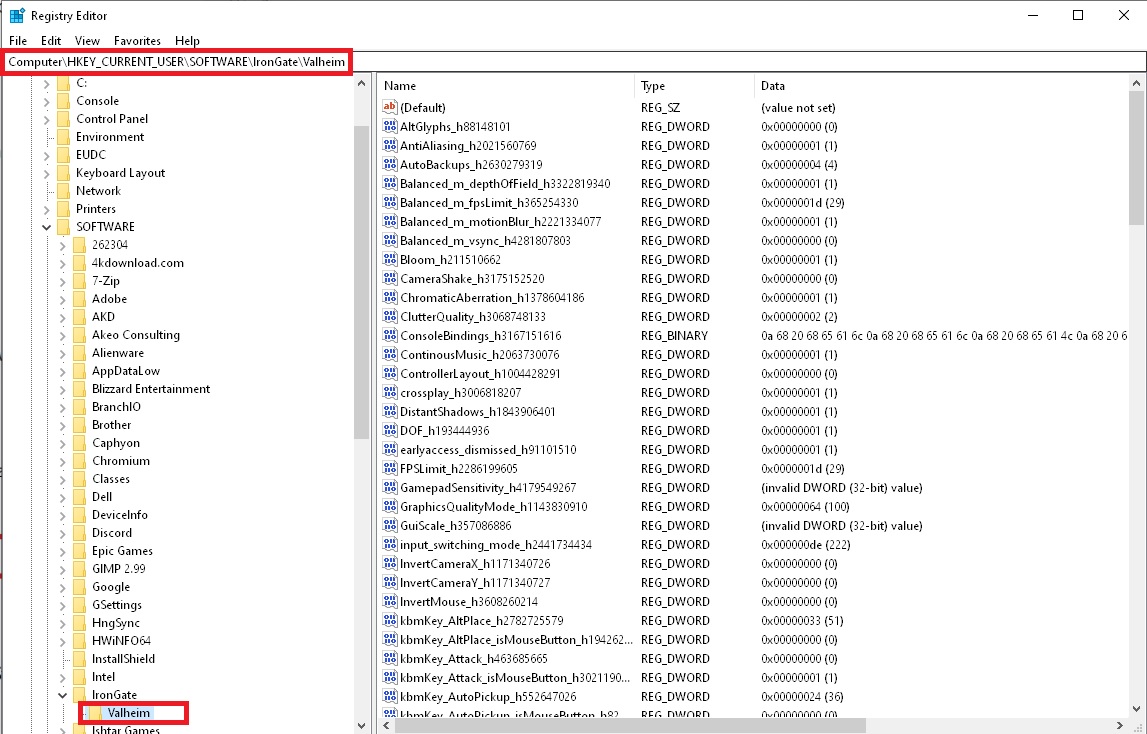 vapid mason
stark meadow
Clean out your registry files:
1. Click on Windows start and type `regedit` or ...
vapid mason
stark meadow
Clean out your registry files:
1. Click on Windows start and type `regedit` or ...
done and no go ! 😛 thanks for the idea
stark meadow
vapid mason
done and no go ! 😛 thanks for the idea
Did you ever use any mod managers in the past for any game?
Check if Valheim folder looks like this or if it has any excess files: https://i.imgur.com/vdpdeOA.jpg
I'm also wondering what would happen if you were to disable gamepad option in the gameplay menu.
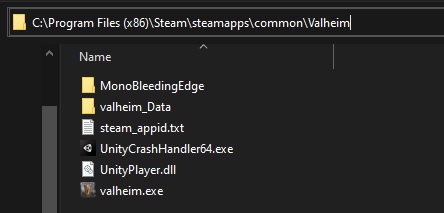 vapid mason
looks like that and i have tried to diasable the gamepad in settings
but, i recorded the screen with valheim in win mode, just to show a buddy of mine, and the cursor shows in the recording, but i cant see it ! ?! 😛 wtf
look, i cant see the "swordcursor at all ! just in the video
so bandicam has my ingame cursor ! 😛 hahaha
stark meadow
vapid mason
looks like that and i have tried to diasable the gamepad in settings
Judging by the size of the cursor, it's probably related to your windows scaling setting for text

Are you suing advanced and custom options there?
vapid mason
im at 100% and tride setting it to 125%(recommended) and 150%, no difference
tried recording the screen with win game bar, same there, no cursor for me, but in the recording the cursor appears
stark meadow
vapid mason
im at 100% and tride setting it to 125%(recommended) and 150%, no difference
Do you have any other overlays running aside from Bandicam?
Maybe some kind of custom setting for valhiem.exe
 vapid mason
no i installed bandigame now just for that so , and i have disabeld nvidia and xbox game bar thingy and steam, shouldnt be anything else, ill check...
stark meadow
Other thing that comes to mind and could be related:

Maybe windows thinks you are typing in Valhiem
vapid mason
yeah tried that also 😛 but its like my screen cant show the cursor even tho its there,
hmhm i see a windows net framework update this morning??
maybe theres been something updated that i cant find or
stark meadow
W11 or 10? I also wonder if you would have this issue on pre-Mistlands verions of Valheim where there are less input related issues in general. (Steam library → Valheim properties → beta → pre-Mistlands).
vapid mason
im on the last beta test that just came out, but it work find last night, but i can try pre mistland.
win 11
stark meadow
vapid mason
im on the last beta test that just came out, but it work find last night, but i ...
Could be related to bete.
Generally, you should join another channel for bug report on beta version of the game.
Check Channels & Roles up top to gain access to PTB channel.
Would be useful to know if you get this on previous versions, more so pre-mistlands version than the PTB or live tho.
vapid mason
tried pre mist and old stable now and did not help, so gonna try system format ! i need to partision my ssd anyways, so good timing.
even tried running valheim on integrated graphics ! nogo
stark meadow
vapid mason
tried pre mist and old stable now and did not help, so gonna try system format !...
I agree, sometimes it's just faster to do that.
Here's how you can check system files for corruption tho, which also might help in case windows update did something unwanted:
https://support.microsoft.com/en-au/topic/system-file-checker-finds-corrupt-files-after-installing-kb2821895-12d6d944-25f5-fc42-551b-05607a026e9d
vapid mason
yeah 😛 but thanks for the assist. only irritating thing is not know what the problem is, but ill know in an hour ish
vapid mason
stark meadow
I agree, sometimes it's just faster to do that.
Here's how you can check system ...
pc formated and reinstall and valheim now has a mouse pointer 🙂
 cloud dirge
Hello. I've researched a bit about this prior to asking, so I am only checking status.
-
Have the Valheim team hammered out multiplayer support for the Steam Deck when - ***joining ***- a server yet?
-
If the answer is yes, where do I look for that information on how to set it up correctly?
[Note: Through my research of my issue prior to asking here, it appears I have to switch to desktop mode, go in and edit an x86_64 config file to omit "crossplay" - but I would prefer to avoid doing that, if possible.]
Thank you very much for your time. I just picked up Valheim last week and I cannot put it down. Great game. Cheers!
stark meadow
cloud dirge
Hello. I've researched a bit about this prior to asking, so I am only checking s...
Are you having thoubles with connection attempts at the crossplay server?
If you don't have the need to play on a crossplay server (none of teammates playing on Xbox or PC gamepass paltform), you shouldn't have problems with starting and joining Steam servers.
If you want to host a world, you just have to disable crossplay option that is next to start server button.
cloud dirge
stark meadow
If you want to host a world, you just have to disable crossplay option that is n...
Yeah I still get the 'Failed to connect' message. Again, this is on Steam Deck - not actually Steam on PC.
I think my only option for now is to install V on my laptop and cross my fingers that it doesn't destroy it. The only reason I want to connect is to show a friend my progress, but otherwise I play solo for zen purposes.
Thank you much for responding, @stark meadow . I'll keep an eye out for updates on my specific issue moving forward. Cheers.
stark meadow
cloud dirge
Yeah I still get the 'Failed to connect' message. Again, this is on Steam Deck -...
There will be no updates. There are no known problem with Steam networks and to establish a connection on a crossplay netwrok, workaround are needed on some Steam deck devices. It's still not clear to me which issue you have, because you haven't answer my question.
To what kind of a server are you trying to connect?
How does the server look like to you when you see it in the join tab while in game? Meaning, does it have key icon next to its name, or does it have key+arrows icon as well (crossplay server).
The upper is the example of a Steam server, and the lower of crossplay server.
 cloud dirge
I didn't say there were problems with Steam networks.. I never said that. I was asking about Steam Deck support for multiplayer. Anyway..
I have attempted to connect to games with no key icon.
I have also tried to connect to games with crossplay on - default settings (example: crossplay enabled on my side, never changed anything)
Still get "Failed to connect".
Also ... "workaround are needed on some Steam deck devices"
Yes, I know. I already said that.
I wanted to try to avoid it, hence why I decided to come here.
stark meadow
cloud dirge
I didn't say there were problems with Steam networks.. I never said that. I was ...
Crossplay server doesn't work → key + arrow icon → known steam deck related crossplay issues or host having issues with crossplay
Steam server doesn't work → key icon → no known issues → so if you have connection problems here, they are not related to Valheim patches not Steam deck, rather you own network or that of a host.
I can host a Steam server for you so you can try connecting to it. What kind of internet access do you have? Mobile, optic, vdsl, adsl, satelite, mobile phone hotspot?
cloud dirge
Appreciate the offer. At the moment I cannot hop onto the server. Thanks for the assist.
stark meadow
cloud dirge
Appreciate the offer. At the moment I cannot hop onto the server. Thanks for the...
Np, ping me when you will be able to and if you want to.
marble wolf
 slender aspen
my sound files as bepinex says are non existent
slender aspen
my sound files as bepinex says are non existent
One for the mod guys #mods-issues
 rapid peak
 stark meadow
rapid peak
stark meadow
rapid peak
If you are talking about default controls being misassigned, it's already fixed on PTB version.
rapid peak
stark meadow
If you are talking about default controls being misassigned, it's already fixed ...
ok, i get it
slender aspen
marble wolf
One for the mod guys <#1202550198174486599>
its not im not using mods and it still doesnt have audio i just wanted to see what bepinex said
marble wolf
slender aspen
its not im not using mods and it still doesnt have audio i just wanted to see wh...
Bepinex is a mod loader so you're definitely using mods.
lone parcel
This bug has been around forever. Everywhere the ground is flat, except for this one spot : https://cdn.discordapp.com/attachments/1085160078878986282/1218366004674166835/annoyingbug.jpg
No matter what I do it keeps resetting back 😤
 slender aspen
i still have no sound and its not a mod issue in vanilla i have no sound
pallid oasis
slender aspen
i still have no sound and its not a mod issue in vanilla i have no sound
Did you try verifying game files?
pallid oasis
So through game pass right? I don't think this is the right channel for your issue if you're not using steam. Sounds more like a hardware issue though, or you may have multiple audio devices connected to your computer and Valheim is going to the wrong one maybe
slender aspen
no
the steam version is installed thats the one that i have no sounds on the xbox one is perfectly fine
pallid oasis
That's weird for sure
slender aspen
yeah i switch to bepinex to troubleshoot and can i show you the logs?
pallid oasis
Sure, you can dm me, not sure if I can help though
pallid oasis
Yay 😄
stark meadow
lone parcel
This bug has been around forever. Everywhere the ground is flat, except for this...
Should be fixed on PTB after leveling it again.
 prime bough
Hallo I have a bug where my cursor isn’t visible when I get into the game I’ve tired reinstalling it on steam, checking my drivers but still hasn’t worked and oh yeah my os is windows
Any suggestions on how to fix this issue?
stark meadow
prime bough
Hallo I have a bug where my cursor isn’t visible when I get into the game I’ve t...
On which version are you playing? Do you have any recording software installed? (nvidia experience, bandicam)
prime bough
stark meadow
On which version are you playing? Do you have any recording software installed? ...
Version 0.217.39, yeah that’s the thing I use outplayed as my recording software but when it comes to reviewing the footage the cursor is visible
So I can’t show you because it’ll be visible but in real time I cannot see it
 white jackal
Hi everyone, my gf is having an issue with Valhiem. She was playing by her self a couple days ago and she alt-tabbed, now she has no cursor in game at all and we have tried everything to fix it. Her build id is 12959248 Version: 0.217.38 on Windows 11.
She has reinstalled the game 2 times, changed many different settings on Steam, removed all overlays (Geforce and Steam), she does not record anything but has OBS installed but never active. Alt-tabbing multiple times and reclicking the game does not work. The cursor works but it is completely invisible making the game nearly impossible to play. It is almost as if the cursor still exists but is completely transparent. Anyone have ideas?
stark meadow
prime bough
Version 0.217.39, yeah that’s the thing I use outplayed as my recording software...
@white jackal We already had 3 reports suggesting the same issue, but it's not a Valheim issue rather something related to the latest Windows update it seems.
Which graphic cards do you have?
white jackal
stark meadow
Which graphic cards do you have?
Hers the, issued one, NVIDIA GeForce RTX 2070 graphics driver version 551.76 Windows 11 . Personally my Windows 10 computer has been having issues updating and it has 3070 Laptop GPU graphics driver version 551.76 and it is currently working just fine. Also this is issue is with and without Vulcan
prime bough
stark meadow
Which graphic cards do you have?
Mine is Geforce RTX 3060 ti
I have windows 11 however
white jackal
prime bough
I have windows 11 however
She also does(the one with the issue) (I was just putting mine to compare working and not working)
prime bough
Ok with Vulcan it still has the issue
As you said
Alt tabbing works but it still completely unplayable
Guessing we’ll have to wait for a fix or a mod
stark meadow
prime bough
Guessing we’ll have to wait for a fix or a mod
It's not a Valheim problem
The patch you have been playing on hasn't been updates for months now and it the past few days the report of mouse not appearing have surfaced.
You can see where @vapid mason reinstalled their windows and problem got fixed from them here: #steam-bugs-discussion message
It's of course far from ideal solution, so more info is needed
prime bough
Ok thanks I’ll reinstall my windows when I’m free
Hopefully it’ll work I’ll get back at some point
stark meadow
Here's another example for players loosing their mouse cursor in other Unity games as well recently: https://forum.paradoxplaza.com/forum/threads/mouse-pointer-suddenly-disappered.1632381/
Since nothing got updated on Unity side, it must be windows update that caused this. The fix is probably related to mouse settings in windows somewhere or display serivers.
prime bough
Ok yeah if reinstalling windows if it doesn’t work I’ll try some trial and error
stark meadow
prime bough
Ok yeah if reinstalling windows if it doesn’t work I’ll try some trial and error
Try reinstalling nvidia graphic drivers first with emphasis on performing clean re-installation right after selecting custom option.
prime bough
Ok cool I’ll get back at some point, thanks
 robust marsh
hello, I have a problem now (multiplayer)
When we were near the Queen's dungeon, the Queen suddenly appeared from the ground. It seemed to behave no differently than inside the dungeon. Finally our host player killed it by dev commands. how come is this?
stark meadow
robust marsh
hello, I have a problem now (multiplayer)
When we were near the Queen's dungeon,...
This bug has been fixed on the current PTB patch, but it's still active in the live verison of Valheim you are playing on.
robust marsh
thank you. We are planning to go to other Queen's dungeon instead. Is it possible that other Queens behave like that?
stark meadow
robust marsh
thank you. We are planning to go to other Queen's dungeon instead. Is it possibl...
Yes. It's not about the queen rather what you do while she is in sprint. Bug will trigger if the last player who interacted with her leaves the areas (logout, portaling or dying).
You can update the game to ptb version before engaging her the second time
Check channel & roles option on the top to gain access to PTB password.
PTB will come to live version in 1-2 weeks probably.
robust marsh
Thank you very much. We will try it.
robust marsh
And I have another question. Can we fight with another Queen in the bugged dungeon again?
stark meadow
robust marsh
And I have another question. Can we fight with another Queen in the bugged dunge...
Yeah, you'll need 3 seeker soldier trophies to summon her.
robust marsh
OK, Thank you.
 vapid notch
why i can break a pile of dirty scrap with a deer antler pickaxe?
( i use google translate)

toxic river
vapid notch
why i can break a pile of dirty scrap with a deer antler pickaxe?
Could you elaborate? Do you mean the muddy scrap pile from the swamps?
vapid notch
toxic river
Could you elaborate? Do you mean the muddy scrap pile from the swamps?
yes

 tawdry jasper
Hi, just wanna report bug with game.
Steam, Vulkan API,
Problem: Logout from private (solo) server ends up on black sreen with music in the background. In windows manager its not stuck (freezed). Saving normally, just black screen. Tried 3 times after 2h+ gameplay. Always black. Option - "Exit game" works normally.
My PC: i5-4590, 12gb ram, gtx 660, windows 10 modified (ReviOS - https://revi.cc/docs/)
 timber terrace
Good day. I'm not sure when this started happening but I use a controller when playing Valheim on my PC. Today I noticed an annoyance. Not really an issue just annoying. I keep jumping when exiting out of the inventory by pressing the B button (xbox) or O button (PS) to exit the menu. Thank you for your time.
hard bridge
timber terrace
Good day. I'm not sure when this started happening but I use a controller when p...
Have you checked your controller mappings?
timber terrace
hard bridge
Have you checked your controller mappings?
Its the standard mappings for steam. I've never changed it or adjusted it. I play all the time and have only recently been experiencing this issue. Y or Triangle is used to access the menu, it can also be closed with the same button; However, I've always used B or O button to close it and never ran into this before. I can adjust my playstyle as I did mention it's not really an issue it will just take me some time to get out of the habit.
stark meadow
timber terrace
Its the standard mappings for steam. I've never changed it or adjusted it. I pla...
This was an issue in the past but was fixed few months ago. On which game version are you playing on?
timber terrace
stark meadow
This was an issue in the past but was fixed few months ago. On which game versio...
Version 0.217.38 (n-20)
stark meadow
timber terrace
Version 0.217.38 (n-20)
Can you share more details about which controller are you using? Wired or wireless? Which console layout in the game? On how much FPS is the game running on when this happens? I can't replicate that old issue with my controllers on 217.38
timber terrace
Currently I'm running a USB connected PS5 Controller, Console layout is labeled as Classic in game. I get around 60 FPS. I've notices subtle differences when exiting the menu... If I use or move an item within the menu the jump doesn't occur but if I just look at the menu then exit using my usual method it causes my character to jump. I hope this helps
stark meadow
tawdry jasper
Hi, just wanna report bug with game.
Steam, Vulkan API,
Problem: Logout from pr...
Not sure if the game should be expected to run normally on RaviOS.
So you are experiencing black screen on every manually save attempts and logout, but not during quit and world save that happens every 30min?
Did you check if any errors pop up in your player.log file as it happens?
Are you forced to reset your PC when you experience black screen?
stark meadow
timber terrace
Currently I'm running a USB connected PS5 Controller, Console layout is labeled ...
I don't have a PS5 controller atm to test. Do you have a PS4 one maybe?
timber terrace
stark meadow
I don't have a PS5 controller atm to test. Do you have a PS4 one maybe?
unfortunately I do not. I do have an old xbox 360 controller I could try if that helps.
stark meadow
timber terrace
unfortunately I do not. I do have an old xbox 360 controller I could try if that...
Please if you can. I want to know if it's controller related. If not, might be related to something else in the Steam and Valheim settings.
Every used a custom steam controller scheme?
timber terrace
stark meadow
Please if you can. I want to know if it's controller related. If not, might be r...
So, I really appreciate your efforts. I don't know how it had happened the one time today but now I can't even recreate the issue. Thank you for helping. I've never used a custom steam controller scheme before.
timber terrace
stark meadow
Please if you can. I want to know if it's controller related. If not, might be r...
If it does occur again I will keep you informed. Thank you so much for your quick responses and diligence.
 steep crown
recently i buy a computer from a friend , it is probably 5 time better than the old one , Valheim was working fine when he played on this computer and now every game work fine except Valheim
I see Coffee Stain and IronGate logo then the entire pc crash before i can see the lobby screen most of the time , sometime im lucky and i can hit Start game and click again to enter my solo world but it crash after sometime too
I tried all the thing they say to do on internet but its still not working
 light radish
Hello. I have a problem with the game: I haven't played it for a year, but I installed all the updates on the day they were released. Today I decided to launch the game, but I came across a black screen and music in the background.How can I fix this situation? Help please
stark meadow
steep crown
recently i buy a computer from a friend , it is probably 5 time better than the...
Did you check out the crash guide that is linked in the pinned comments of this channel?
stark meadow
light radish
Hello. I have a problem with the game: I haven't played it for a year, but I ins...
At which point do you get a black screen, game launch itself?
light radish
stark meadow
At which point do you get a black screen, game launch itself?
I launch the game and immediately a black screen with music from the main menu. Clicking the mouse somehow opened a website with various products related to the game (toys, posters and all sorts of other things)
Addition: I reinstalled the game, the problem did not disappear
stark meadow
light radish
I launch the game and immediately a black screen with music from the main menu. ...
Probably related to your GPU failing to display an image upon launch, rather than somethign being wrong with installation files.
However, you should first try out doing proper installation of the game. Check out how to do the short version of it, in the Section 5 of the crash guide (linked in the pinned commends under for channel).
gilded sluice
light radish
Addition: I reinstalled the game, the problem did not disappear
have you used mods before?
could be one of those wierd things that make your entire game output, into 1 pixel 😄
steep crown
stark meadow
Did you check out the crash guide that is linked in the pinned comments of this ...
more or less , at least now i know what's crashing
Couldn't create a Convex Mesh from source mesh "default" within the maximum polygons limit (256). The partial hull will be used. Consider simplifying your mesh.
Couldn't create a Convex Mesh from source mesh "default" within the maximum polygons limit (256). The partial hull will be used. Consider simplifying your mesh.
Shader 'Lux Lit Particles/ Tess Bumped': fallback shader 'Lux Lit Particles/ Bumped Smoke' not found
Unloading 6 Unused Serialized files (Serialized files now loaded: 0)
light radish
gilded sluice
have you used mods before?
could be one of those wierd things that make your ent...
Yes, I used it. Do you have a solution to my problem?🧐
stark meadow
steep crown
more or less , at least now i know what's crashing
Couldn't create a Convex Me...
That's a normal part of the player log that we all have and not the cause of your crashes.
Crash cause is usually at the end of the log, if listed at all. Best to send me your log file
stark meadow
light radish
Yes, I used it. Do you have a solution to my problem?🧐
The solution is in the section of the guide I pointed you to. Did you try it already or not?
light radish
stark meadow
The solution is in the section of the guide I pointed you to. Did you try it alr...
Yes, nothing helped
stark meadow
light radish
Yes, nothing helped
So you have reset your registry setting and it didn't help?
gilded sluice
light radish
Yes, I used it. Do you have a solution to my problem?🧐
yes. send me your player.log file
@stark meadow it's probably custom monitor setting some mods use to "use"
stark meadow
gilded sluice
<@196192010581835776> it's probably custom monitor setting some mods use to "use...
Section5 in the guide points to how one should properly re-install their game, including registry, so no mod issue here if @light radish followed the steps.
gilded sluice
not sure if it's stored in the registry tho. sometimes you just have to brute-force steam 😄
stark meadow
light radish
Yes
You issue is probably related to Section6 in the guide. GPU failing to reproduce a video due to various resons listed there, so give that a read. It's also important to know which version of Valheim are you running atm. Is your Valheim perhaps looking like this in your library:
 light radish
stark meadow
You issue is probably related to Section6 in the guide. GPU failing to reproduce...
light radish
stark meadow
You issue is probably related to Section6 in the guide. GPU failing to reproduce...
I don't have a test version of the game.
stark meadow
light radish
I don't have a test version of the game.
By the logs you sent us, you didn't to the re-installation steps properly, and you have a bunch of mods still installed.
Properly re-installing Valheim should be your main concern.
- Open your Valheim installation folder: Steam library → right mouse click on Valheim → Manage → Browse local files
- Keep that installation folder opened, so don't close it yet.
- Uninstall Valheim from Steam library → right mouse click on Valheim → Manage → Uninstall.
- Go back to the installation folder that you left opened, and delete any leftover files that un-installation didn't manage to remove, if there are any.
- Install Valheim on Steam again.
Your installation folder should now look like this: https://i.imgur.com/vdpdeOA.jpg
After that launchg the game through your Steam library, and not some shortcut you might have on your desktop.
light radish
stark meadow
By the logs you sent us, you didn't to the re-installation steps properly, and y...
Yes, but according to your suggestion, after a clean installation without mods, my problem did not disappear. Now I will reinstall the game again and send the file without mods, but it will take some time
stark meadow
light radish
Yes, but according to your suggestion, after a clean installation without mods, ...
Judging by the log files you sent us, you have a bunch of mods installed, so you didn't follow this steps properly.
Upload a screenshot of you Valheim installation folder and compare it with my image
light radish
stark meadow
Upload a screenshot of you Valheim installation folder and compare it with my im...
I did everything again, as you have in the manual. The problem has not disappeared. The game is completely free of mods. If you want, I can send you a new one log files
stark meadow
light radish
I did everything again, as you have in the manual. The problem has not disappear...
Was the player log you already sent a new one that you grabbed after doing those steps?
Or did you send an old one?
Judging by the timestemps, you sent a new one, and it's clarly visible that mods haven't been deleted there
light radish
stark meadow
Or did you send an old one?
sorry if I'm doing something wrong). Here is the new file:
stark meadow
light radish
sorry if I'm doing something wrong). Here is the new file:
Did you confirm that your Valheim installation folder now looks just like the the screenshot I posted?
This log looks mod free.
Try adding the following to Valheim launch settings before doing that:
-screen-fullscreen -screen-height 1080 -screen-width 1920
https://i.imgur.com/lt7M0hZ.jpg
It seems like you didn't go through registry step properly either.. Doing the above might be easier for you.
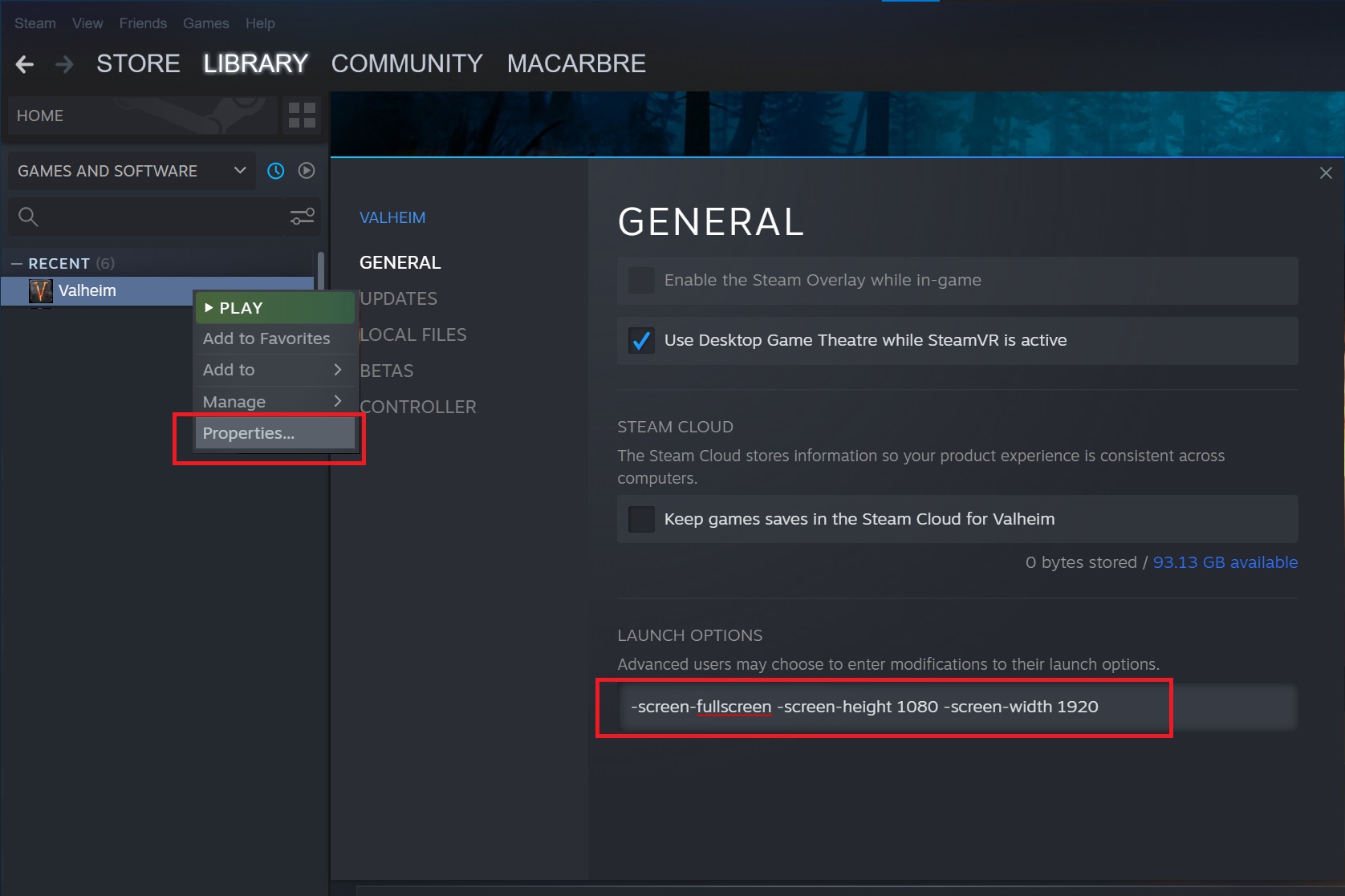 light radish
stark meadow
Did you confirm that your Valheim installation folder now looks just like the th...
light radish
stark meadow
Did you confirm that your Valheim installation folder now looks just like the th...
Thanks. Now the game is working properly again👍
 green dawn
Hello, just checking if other people have encountered an issue with audio on Steam Deck. It's a new install on the deck, no mods, and audio works fine for everything but Valheim. I'm trying to listen through a Bluetooth headset
stark meadow
green dawn
Hello, just checking if other people have encountered an issue with audio on Ste...
There's a known Unity bug on the Linux OS which is responsible for changing main audio device upon Valheim launch.
As a workaround, after launching Valheim, you will have to switch your main audio device back in the system audio settings.
It's easier said than done on Steam deck, so for Steam deck it's easier to just play with proton compatibility mode + vulkan.
green dawn
stark meadow
It's easier said than done on Steam deck, so for Steam deck it's easier to just ...
I'll give this a shot, I've got a Linux gamer in the house who can help me with that. Thank you!
 ionic niche
Hello. I was on live twitch playing hardcore speedrun as usual. And my game crashed after 10h41 of gameplay. Quite sad actually because it was getting very nice.
Anyway. I just want to report that because it is not the first time that this happens to me.
I give you the link of the video if you can get any info with it. https://www.twitch.tv/mradel779/v/2094255140?sr=a&t=24456s

Twitch
mradel779 went live on Twitch. Catch up on their Valheim VOD now.
stark meadow
ionic niche
Hello. I was on live twitch playing hardcore speedrun as usual. And my game cras...
Black screen crashes + sound remaining are described in Section1:Point6 of the crash guide, and they can be related to many things, but never were to something that goes wrong with game logic. The guide is linked linked in the pinned comments for this channel.
I'm surprised your system hasn't crashed sooner tho. Most people that have this problem, have it happen more often, or at least it starts happening more often the more time goes by (hardware dying off).
ionic niche
I play with and amd ryzen 7 5800x. And a 5700 xt.
All the pilote were up to date. And only the game crashed.
When i wanted to re launch the game. It said unity crashed. I had to restart my pc.
I am not a pro. Only a player.
My knowledge of pc. Is very low.
I ma just sharing in case it can help
prime bough
stark meadow
Try reinstalling nvidia graphic drivers first with emphasis on performing clean ...
Hi I’m back from a few days ago I’ve tried what you’ve told me, Valheim still doesn’t want me to have a cursor, dk what to do
stark meadow
prime bough
Hi I’m back from a few days ago I’ve tried what you’ve told me, Valheim still do...
It's a known issue caused by Windows Insiders update. Microsoft is aware of it.
Try might try using WIN + CTRL + X shortcut to make the currsor appear when using "exclusivefullscreen" command in d3d11 Valheim
 stiff sentinel
Anyone have issues with crashing yesterday? (Co op + Crossplay)
 hollow quiver
Where'd everything go

 humble hornet
Into the void
prime bough
stark meadow
It's a known issue caused by Windows Insiders update. Microsoft is aware of it.
...
I’ve enabled exclusivefullscreen and tried WIN + CTRL + X but there still no indicator for the cursor
Gives me the indicator if I tab out tho
stark meadow
prime bough
I’ve enabled exclusivefullscreen and tried WIN + CTRL + X but there still no ind...
Try checking Windows Insider forums for more workaround until they fix it. I'm not aware of any more.
I would personally also try performance mode, or disabling at least few of them
 stark meadow
hollow quiver
Where'd everything go
stark meadow
hollow quiver
Where'd everything go
Was your sound still working there?
stark meadow
stiff sentinel
Anyone have issues with crashing yesterday? (Co op + Crossplay)
Depends who's crashing and how. All parties involved crashing to desktop? How is the server being hosted?
stiff sentinel
stark meadow
Depends who's crashing and how. All parties involved crashing to desktop? How is...
Nah more like everyone except the host disconnecting after rubber banding for a bit. I was the host but never had issues in the past with my connection or whatever was just looking to see if it was a wider issue
hollow quiver
stark meadow
Was your sound still working there?
Yes I could hear my guy punching, and opening the inventory made that woosh sound
stark meadow
hollow quiver
Yes I could hear my guy punching, and opening the inventory made that woosh soun...
What are your system specs?
This types of crashes are usually not related to Valheim specifically, rather happen due to various reasons a system might become unstable in unity engine.
Most likely something related to your GPU
hollow quiver
stark meadow
What are your system specs?
This types of crashes are usually not related to Val...
I have a GTX 1650 4GB
prime bough
stark meadow
Try checking Windows Insider forums for more workaround until they fix it. I'm n...
Yep tried that still doesn’t want to work for some reason
My profile captivated me not being able to play valheim
stark meadow
hollow quiver
I have a GTX 1650 4GB
Was this your first time experiencing this? If it starts occurring more frequently, you'll probably have to go into more troubleshooting.
Until them it would probably be a good idea to get HWinfo to monitor your temperatures while you are playing, so you can at least eliminate that as the cause of problems.
hollow quiver
stark meadow
Was this your first time experiencing this? If it starts occurring more frequent...
This happened back in September I think
but my pc has generally started tweaking more recently.
 drowsy sedge
Hey all, I just got my son a Steam Deck and we are trying to play together. When I make a server it will not really attempt to load the server. If I make one on the deck and try to gain access to on my PC I get an error "cannot resolve" Is there something I am missing? I have cross platform on.
stark meadow
drowsy sedge
Hey all, I just got my son a Steam Deck and we are trying to play together. Wh...
If you are both using Steam, disable the crossplay option before starting the servers (next to start server button). Crossplay is reserved for supporting multiplayer with Xbox consoles and PC gamepass platform.
And some steam deck devices natively do not support crossplay without some tweaking.
drowsy sedge
Thanks, I just found that on a google search and it seemed to work. Now I just need to confirm that non of my other friends are using an Xbox. Is this a bog they are working on fixing? The whole reason we got the steam deck was so he could play with me. Kinda bummed if its going to be a big todo every time we try to play.
And again thanks for the help
stark meadow
drowsy sedge
Thanks, I just found that on a google search and it seemed to work. Now I just...
What do you mean by big todo? If all of your are on Steam all you have to do is disable crossplay option before starting the server. That shouldn't be a not problem for anyone to do, as the option is right there next to the start button. Steam connections are more direct that crossplay ones, so you would generally want to play that way in the first place.
Tweaking is necessary if you will need crossplay, so you can start considering it after you get more info from friends. Crossplay not working on some steam deck devices naively is a Steam/Linux/Microsoft/PlayFab issue, not a Valheim issue. I'm not sure why they haven't fixed this already. Steam as an app is generally more buggy on Linux than on Steam, as many games have unique bugs on Linux that don't manifest on Windows.
gilded sluice
hollow quiver
Where'd everything go
probably mods made this black screen happen
hollow quiver
gilded sluice
probably mods made this black screen happen
I have 0 mods
Only vanilla
gilded sluice
hollow quiver
I have 0 mods
let me look at your logfiles then
in this hidden folder in windows
C:\Users\ <username> \AppData\LocalLow\IronGate\Valheim
Send it to me in a DM
Player and player-prev file
hollow quiver
gilded sluice
in this hidden folder in windows
C:\Users\ <username> \AppData\LocalLow\IronGate...
Ill do it later this evening when I get home.
gilded sluice
hollow quiver
Ill do it later this evening when I get home.
don't start valheim first tho. just send files first so you don't over-write them
hollow quiver
gilded sluice
don't start valheim first tho. just send files first so you don't over-write the...
Restarting the game has fixed the issue both times
I restarted yesterday so they might’ve already been over-written
gilded sluice
hollow quiver
Restarting the game has fixed the issue both times
Hm.. sounds like a drivers issue 🤔
easiest "fix" is check for windows updates
then do a clean re-install of the GPU drivers..
for nvidia cards --> https://help.bethesda.net/#en/answer/57037
for AMD cards --> https://www.systweak.com/blogs/how-to-reinstall-amd-drivers-in-windows/
drowsy sedge
stark meadow
What do you mean by big todo? If all of your are on Steam all you have to do is ...
Ya turning off crossplay will work. Most of the time we are playing through steam. But I do have a friend that plays through Xbox sometimes so we have always started every map as a Cross play so that he can join if he plays on that system. It seemed like a bug with Valheim but if its with the steam deck I can poke that tree as well. Thanks again.
hollow quiver
gilded sluice
easiest "fix" is check for windows updates
then do a clean re-install of the GPU...
I’ll look into it later. Thank you!
 midnight bobcat
Has anyone else experienced this bug that resets the resolution every time the game is started and a world is entered?
It's really getting on my nerves.
Whenever I launch the game, it defaults to my monitor's native resolution, it's very laggy so I adjust it to a lower resolution for smoother gameplay..
but the moment I enter a world it reverts back to the native resolution again.
If I exit the game and return later, it's back to the native resolution all over again.
please fix this, it's driving me insane
stark meadow
midnight bobcat
Has anyone else experienced this bug that resets the resolution every time the g...
Behaviour depends on your OS, Valheim launch settings in Steam library, renderer in which you are launching the game, window mode, screen scaling setting in your graphic card control panel (monitor or GPU based scaling, aspect radio, fullscreen or no scaling), and mods that you are using.
Generally, decreasing in-game render scale setting is better than just lowering resolution settings, as your GUI won't get blurry that way.
midnight bobcat
These are the settings I'm using to launch. Could any of them be causing the issue? I'm running Windows 11
 stark meadow
midnight bobcat
These are the settings I'm using to launch. Could any of them be causing the iss...
stark meadow
midnight bobcat
These are the settings I'm using to launch. Could any of them be causing the iss...
Test it out. Each of those except console argument could cause it.
midnight bobcat
I don't think the settings are the issue because after I launch the game it's in native resolution so I set it to a lower resolution, but when I enter a world, it's back to native again
oh and render scale doesn't seem to affect anything, my FPS stays within the 30-60 range. It dips to 20 when there's a lot happening like rain, snow or a bunch of lights. Isn't that weird because reducing the render scale improves FPS for others, but not for me?
stark meadow
midnight bobcat
oh and render scale doesn't seem to affect anything, my FPS stays within the 30-...
Yes, that's indeed not the norm.
Everything that I listed can cause such issues and it's impossible to tell which of those is causing the issue for you.
Forcing exclusive mod through steam has always been buggy and you using mods doesn't do you any favours:
Exclusive mod also doens't work with Vulkan if you are using it.
 fleet bloom
My friends and I are playing together on a server and we noticed that some of us can see the others map pins after clicking the cartography table and others cannot. Is there a setting that fixes this or is it a bug?
unkempt jasper
There's a button on the map that hides the cartography table's pins.
fleet bloom
we did click that. It only enables and disables the explored map for those of us that aleady canot see the pins
stark meadow
fleet bloom
we did click that. It only enables and disables the explored map for those of us...
Did you make sure that the person who wants to share their original pins, is the person who was the last that clicked the record feature, before the person who doesn't have the pins clicks on the read map feature?
Also, on which game version are you playing?
fleet bloom

We did all click the record feature. We get the new map people explore, but not the pins. Some of the players do get the pins
stark meadow
Contents on the cartography table don't culminate the more of you press the record button, the table can only hold pin information form one player at the time
one player has to record their pins, other players read, then another players records their pins and all other read, and so on..
if it doesn't work correctly, reconstruct the table
fleet bloom
Ok, we will try it out
That did work. I think those of us that did not have the pins always clicked the record discoveries button first before clicking read map
 scarlet orbit
Sitting with Arbalest animation bug
 midnight bobcat
I've tried everything, but the game just won't stop resetting the resolution to its max setting. I want to play in 1600x900 since I get better FPS that way

This should be like an easy fix for the game to maintain the resolution I manually set no? I don't know why it keeps resetting
gilded sluice
midnight bobcat
This should be like an easy fix for the game to maintain the resolution I manual...
could be a mod doing that
you can force it tho
screen-height 900 -screen-width 1600
midnight bobcat
you're a life saver ❤️🔥
gilded sluice
midnight bobcat
you're a life saver ❤️🔥


 heady quail
I had a world previous to mistlands and the game glitched and the boss didn’t spawn in my world. I thought this might’ve been a game glitch or because of me playing the play test without a backup and using the same world
I made a world recently, and I was wondering if the same thing would happen, but with the Ashlands
stark meadow
heady quail
I had a world previous to mistlands and the game glitched and the boss didn’t sp...
Did you have a world where old Mistlands locations were mostly explored?
I don't think we had any bugs which would result in Queen not spawning, other then there being no room to spawn a boss.
heady quail
stark meadow
Did you have a world where old Mistlands locations were mostly explored?
No I heard someone here tell me not to explore it so I didn’t
Then me and my friend spent over 20 hours looking for the seeker queen
stark meadow
heady quail
Then me and my friend spent over 20 hours looking for the seeker queen
It's probably in your world then. Did you use find command to confirm or did you find a vegvisir that would lead you to her altar?
You have to be aware, that if you find vegvisir that point to your location, that map maker might not be valid if you don't explore that marker location before new update hits, as new update often re-shuffles locations in a world.
 thorny hedge
Playing Valheim on Steam Deck with keyboard and mouse, I seems to consistently run into problem with pin labeling on map. 9 out of 10 time, my typed label text disappeared on map.
I tried both on screen keyboard and physical keyboard. Neither van consistently do pin labeling.
stark meadow
thorny hedge
Playing Valheim on Steam Deck with keyboard and mouse, I seems to consistently r...
Do you see the empty label appearing before you start typing? Does is the empty label then dissapears when you finish typing?
thorny hedge
stark meadow
Do you see the empty label appearing before you start typing? Does is the empty ...
I get the typing dialog of Steam Deck first. After I click OK, I would not see the Valheim label dialog. Instead I would see my pin appear with no label.
tough inlet
Hey so, I have a really powerful laptop with a full sized 4080 in it, yet valheim insists on being framelocked at 14 fps
anyone got some help for this?
actually the whole pc becomes rather slow, after starting valheim
but not with other games
7950hx as processor
32 gb ram. help pls
stark meadow
tough inlet
Hey so, I have a really powerful laptop with a full sized 4080 in it, yet valhei...
Your laptop may be overheating, and most probably is, so I would recommend monitoring which MAX temperatures does your system hit with HWinfo program.
Valheim can pull 100% usage on GPU, and some laptops are not equipped well enough to handle that.
Before that check if your laptop is properly plugged in via power cable.
hard bridge
GPU, and heavy CPU usage as well. Between the two many laptops will have problems a) delivering enough power and b) cooling both of those processors. Most other games don't load them quite as evenly as Valheim does.
toxic river
Double check in Nvidia control panel that Valheim is actually using the GPU, too. Just as a sanity check if nothing else, but sometimes you'll hear folks accidentally running the game on integrated graphics.
tough inlet
toxic river
Double check in Nvidia control panel that Valheim is actually using the GPU, too...
THIS. The "AMD extreme experience" or some bs like that is somehow hijacking the GPU into the integrated graphics... nvidia control panel does not allow me to switch back so i'm just gonna do a fresh install on nvidia drivers and hope I can fix that.
stark meadow
tough inlet
THIS. The "AMD extreme experience" or some bs like that is somehow hijacking the...
Which laptop model do you have?
You can also try forcing dedicated card via windows:
 tough inlet
rog strix g17
it works with the fresh install of nvidia software and starting it through the "nvidia experience"
tough inlet
stark meadow
Which laptop model do you have?
You can also try forcing dedicated card via wind...
how do i get there
stark meadow
tough inlet
it works with the fresh install of nvidia software and starting it through the "...
Type graphic settings in windows start. Depending on windows versions it might be called bit differently.
Be sure to monitor your temps none the less, as your laptop might have shifted to using iGPU due to thermal throttling also.
You should also avoid using multiple bloatware that can affect your system clocks. I have seen Asus armoury crate doing more harm than good.
tough inlet
stark meadow
Type graphic settings in windows start. Depending on windows versions it might b...
windows 11, can't find it. also in italian
tough inlet
stark meadow
Which laptop model do you have?
You can also try forcing dedicated card via wind...
ohhhh, per program, I see, there's no generic setting. windows fails me. thanks.
 analog siren
anyone else crashing when you try to join a world?
modern gust
joining a world, do you mean multiplayer or solo player? do you mean crashing or game not responding?
analog siren
modern gust
joining a world, do you mean multiplayer or solo player? do you mean crashing or...
Solo
Not responding
modern gust
yeah you just need to wait
its generating locations
happens first time you make a new world or there's an update that adds new locations
rest of the time it'll be fine
analog siren
it also not responds when i click is that normal?
modern gust
dont alt tab, just wait
yeah just let it be
it'll do its thing, maybe for some minutes
gilded sluice
^ usually this
 barren cedar
Are there any Russian speakers?
marble wolf
barren cedar
Are there any Russian speakers?
Is that a bug?