#genius-bar
1 messages · Page 167 of 1
 rose scroll
 scenic night
When the device reboot wait a minute before pressing the jb button and keep the device cool
rose scroll
literally a minute?
scenic night
Around a minute
rose scroll
ok, btw it is an iPad Mini 3 (WiFi+Cellular) running 12.5.3
it should work
okay waited a minute or so
Chimera app opened
scenic night
rose scroll
it should work
Yeah it should work although it might take quite a few tries
rose scroll
An error Ocurred: Your device could not be jailbroken because the filesystem could not me remounted
but the thing is it is showing as jailbroken now
but i dont have Sileop
Sileo
scenic night
Go into the settings app > general > storage and check to see if you have the ios updates downloaded
Delete it if you do and reboot
rose scroll
yes it has a 12.5.4
deleted it now
gonna reboot
and it failed
well i will keep on trying
but thank you all for the help
 steady abyss
can someone help, all daemons are enabled, the thing in unc0ver to disable the updates isn't enabled and i restored rootfs, is there a way i can fix this without restoring?
 scenic night
!t enableota
 vernal basinBOT
scenic night
!t enableota
vernal basinBOT
scenic night
!t enableota
enableota
To re-enable OTA updates, install OTAEnabler from https://repo.cadoth.net.
If you're on an unjailbreakable version, you'll have to erase your device and set up as new or use a backup that was taken before jailbreaking.
Added by nyuszika7h#0001 | Used 197 times
·
steady abyss
thank you so much
rose scroll
finally made it work, now im jailbroken
scenic night
Just know that if you update to the latest then you won't be able to jb unless that device is an x

scenic night
rose scroll
finally made it work, now im jailbroken
Update all the packages in sileo and you can start installing cool tweaks
steady abyss
scenic night
Just know that if you update to the latest then you won't be able to jb unless t...
i know, i am preparing for delayedota
rose scroll
ooh yes
 frozen vine
steady abyss
i know, i am preparing for delayedota
frozen vine
steady abyss
i know, i am preparing for delayedota
To what version
steady abyss
14.5
frozen vine
You can’t jailbreak 14.5 either (unless thats an x)
steady abyss
i know
yeah im not going now
im gonna wait a bit, i am waiting for the webkit jailbreak
 pearl trench
you just have to put in the transaction id of the paypal transaction to activate
rose scroll
nice , ty
 simple abyss
Yeah
 finite void
Anyone wanna help me install blobs on my iPhone 11 Pro iOS 14.6 trying to downgrade to 14.3 to jailbreak
pearl trench
that's not how it works
you need a jailbreak to use blobs to downgrade even if you have them
finite void
Wowwww so I’m just out of luck then?
pearl trench
yup
 opal flint
finite void
Wowwww so I’m just out of luck then?
opal flint
finite void
Wowwww so I’m just out of luck then?
Yes
finite void
Damn ):
opal flint
L
 silver forge
Hi, what about error find kernel offsets on A9 device unc0ver 6.2.0?
pearl trench
lol did they break something in 6.2
 silver forge
A9 works with 6.1.1 but not 6.2.0
 fierce fractal
use 6.1.1 anyways
silver forge
yes, I will
fierce fractal
6.2.0 is clearly... 6.1.2 but worse
silver forge
it works without any problem on A11 and A14
opal flint
Yet ANOTHER L from u0
They can’t make an update without screwing something
Can they

pearl trench
it's partly shitty rushed code and partly stupid hikari obfuscation lmao
 wicked ice
Hi guys
I need some help with the whole usb stack on Procursus
My device is an iPad Pro 11” 2020 on iPadOS 14.3RC1 jailbroken with Taurine 1.0.4 and I need to futurerestore an iPad connected over USB
I know the USB connection works because the ipad is detected in the photos app as a device i can import photos from
But when I try lsusb, no devices appear and in addition, if I put the other iPad into recovery mode, I can’t do anything to it from futurerestore

I have the following packages installed
eh for now ill download the IPSW
wicked ice
Got the files ready (IPSW and SEP firmware)
The iPad is Wi-Fi only, so I shouldn’t need baseband
Now I just need to figure out what’s wrong with usbmuxd/something with usb

Doesn’t work, probably since it can’t even see the device.
<@&355177530061357057>
tried all i can find, now i resort to pinging geniuses
wicked ice
Tried idevicerestore since im updating the device to latest anyway and still no
frozen vine
is the daemon running?
 frozen vine
maybe try restarting it?
 frozen vine
probably have better luck doing it from pc tbh
wicked ice
that’s the issue
im without my pc until tomorrow

probably would be best to ask Hayden/diatrus but they’re probably not even in this server and I doubt they would answer my one specific question lol
Prolly busy or something
scenic night
or just wait until tomorrow when you have a pc
finite void
How do I go to a older version of iOS without jb
wicked ice
true
finite void
I am on 14.6
scenic night
you cant
wicked ice
Im gonna be hella busy tomorrow though so that’s why I don’t want to wait
finite void
scenic night
you cant
Well fuck
scenic night
what device is it
finite void
iPad Pro 1 or 2
wicked ice
i wonder why this is even broken, iirc it was working fine on 13 with Odyssey. Maybe something in 14 broke it. Idk
scenic night
finite void
iPad Pro 1 or 2
you might be able to checkra1n it then
 tender goblet
All you can try is restarting usbmuxd, unpairing the device/deleting pair records and pairing again
@wicked ice
wicked ice
ive tried restarting but how do these pair records work
tender goblet
Is this an ipad
wicked ice
afaik no? never saw anything mentioning pairing
tender goblet
try running idevicepair pair
wicked ice
I dont have that installed and idk if it would work since nothing is shown with lsusb if I plug in my ipad or a usb drive
 fierce fractal
finite void
iPad Pro 1 or 2
fierce fractal
finite void
iPad Pro 1 or 2
!t Odysseyra1n
If, by that, you mean either of the following:
- any of the 12.9”’ pros with a home button
- the 10.5” pro
- the 9.7” pro
you can use this:
vernal basinBOT
fierce fractal
!t Odysseyra1n
If, by that, you mean either of the following:
- any of the 12.9”...
odysseyra1n
Odysseyra1n is a modification for checkra1n which replaces the bootstrap with Procursus, the package manager with Sileo and the tweak injector with libhooker. This has benefits such as speed, battery life and security.
If you're on 12.0 - 14.3, you can simultaneously use Odysseyra1n with Chimera, Odyssey or Taurine on their respective versions.
Tutorials:
macOS/Linux
Windows
Alternative installation method: Shortcut
If you get an error about "untrusted shortcuts," do this first.
Added by Emma#1024 | Used 2056 times
·
finite void
9”7 pro
fierce fractal
though if it’s the 1st Gen 12.9” or the 9.7” it can be a pain in the ass (guide doesn’t cover it because workaround is dumb and also doesn’t work with Odysseyn1x I’m pretty sure so you need to live boot Linux directly)
scenic night
yeah a9x is iffy
fierce fractal
scenic night
yeah a9x is iffy
there’s a custom pongoOS which does work
issue is you cannot load it I’m pretty sure on Odysseyn1x
That’s why if you’re 14.4.2- you should use 0.12.2 instead if you’re A9X because you avoid the issue entirely.
finite void
detected corrupted kerninfo
 hidden turtle

 trail flower
is there anyway to downgrade threw a not signed ipsw
scenic night
hmm yeah theres no way to select a custom pongo os bin on odysseyn1x so youll probably want to live boot mint
scenic night
trail flower
is there anyway to downgrade threw a not signed ipsw
there is future restore but that requires to save blobs ahead of time and youlll need a nonce setter as well
finite void
scenic night
hmm yeah theres no way to select a custom pongo os bin on odysseyn1x so youll pr...
ah
pop os time!
or mint
scenic night
for odysseyn1x, exit checkra1n and choose the reboot option
 strong yoke
Ran taurine on an iPhone XR running 14.2 and I’m trying to get OpenSSH working but I keep getting this when trying to install the package on Sileo
 finite void
is there a way for me to connect my phone to the pc to see files and stuff
strong yoke
finite void
is there a way for me to connect my phone to the pc to see files and stuff
That’s what my goal is with the above thing my method was gonna be installing openssh and connecting with sftp
finite void
Afro?
strong yoke
Autocorrect lol
scenic night
strong yoke
Ran taurine on an iPhone XR running 14.2 and I’m trying to get OpenSSH working b...
install openssh-server
finite void
sftp?
scenic night
finite void
is there a way for me to connect my phone to the pc to see files and stuff
see the contents on your phone from the pc vice versa?
finite void
im still confused what do i do
finite void
11 on 14.1
silver forge
he asks if you have jailbroken your phone
 west prawn
finite void
is there a way for me to connect my phone to the pc to see files and stuff
west prawn
finite void
is there a way for me to connect my phone to the pc to see files and stuff
you mean like [[xenon]]??
vernal basinBOT

Xenon
Easy-to-use file server, making it very easy to view and manage your iOS filesystem from a computer, including local files and photos!
 me.aspenuwu.xenon • Page 1/1
·
tender goblet
me.aspenuwu.xenon • Page 1/1
·
tender goblet

 calm radish
scenic night
for odysseyn1x, exit checkra1n and choose the reboot option
calm radish
scenic night
for odysseyn1x, exit checkra1n and choose the reboot option
i meant turn off the ipad
vernal basinBOT
scenic night
!t reboot anyways just reboot
reboot
iPhone 8 or newer (including all notched devices and iPhone SE 2020):
- Press volume up
- Press volume down
- Press and hold the side button for 10-20 seconds until the Apple logo appears
iPhone 7:
- Press and hold the volume down and power buttons for 10-20 seconds until the Apple logo appears
Phone 6S/SE 2016/iPad 8th or older:
- Press and hold the home and power buttons for 10-20 seconds until the Apple logo appears
Apple TV 4/4K:
- Press and hold the Menu and TV buttons down on the remote for 5-7 seconds until the device rapidly flashes.
Apple TV 2 or 3:
- Press and hold Menu and Down for 5-7 seconds until the device rapidly flashes.
Added by JTV#5846 | Used 382 times
·
calm radish
scenic night
uhh why are you using an alt
i cant log on
i have 2fa on my main and i cant log in bc the 2fa program is exclusively on my ipad
 worn sinew
Why won't taurine show up in my altstore apps
worn sinew
yeah installed via altstore and it is on my homescreen, it is in app ids but not under active apps
worn sinew
yeah ill try that now
so I just reinstalled it, then rebooted my device, its on my homescreen again but still not in the my apps section of altstore
 queen burrow
hmm
try deleting the app from your home screen and then side loading it in altstore again
worn sinew
thats what I just did I think
worn sinew
deleted it and then sideloaded
queen burrow
hmm i’m not too sure then
worn sinew
yeah its weird
Im guessing id better not jb if it isnt in altstore in case it gets revoked?
silver forge
What is the problem?
queen burrow
worn sinew
Im guessing id better not jb if it isnt in altstore in case it gets revoked?
interesting thing would be does it refresh when you refresh all
 stone cargo
 ember patrol
ugh today has been an annoying day
phone: iPhone X
ios: 14.3 (RC)
(yesterday)
had a normal day, and was on taurine 1.0.3 (since i haven't been keeping up with the updates, but I heard that 1.0.4 should be upgraded to since 1.0.5 and 1.0.6 were bad)
so i updated my taurine app to 1.0.4, and ran jbupdate
however, when it was running i saw it was actually updating to 1.0.6
i used ctrl+c to stop it before it userspace rebooted, but it said it 'update to taurine 1.0.6'
it was late by that time, so i didn't restart and rejailbreak on 1.0.4
(today)
had an amfi crash (been having a lot of those on taurine lately) and when restarting the phone was stuck on the apple logo
tried force rebooting (vol up + vol down + hold power) and it hasn't been helping
what should i do?
 ember patrol
:/
stone cargo
if you had an afmid crash why'd you reboot
ember patrol
bc that's what i was told to do...?
i couldn't open any apps or anything to respring, and I wasn't able to ssh into my phone either
stone cargo
 boreal compass
So I'm planning on giving my little cousin his first phone and i wanna give him my old iphone 7 since i just got a new phone how can i delete every single file on the iphone 7 so i can give him the phone brand new? thanks in advance
finite void
Factory reset lol
ember patrol
;-;
finite void
It deletes everything
silver forge
restore in iTunes
boreal compass
does that remove all files including jailbreak ones
boreal compass
restore
finite void
Restore through itunes
stone cargo
huh
ember patrol
so is there like nothing i can do now...
 sick lynx
ember patrol
so is there like nothing i can do now...
sick lynx
ember patrol
so is there like nothing i can do now...
did you not talk to coolstar earlier

ember patrol
I did, they haven't responded for 2-3 hours about what to do
sick lynx
and coolstar laid out the options
ember patrol
and I inquired about them...?
sick lynx
and you researched and got your own answer
stone cargo
you can try to boot it with checkm8
sick lynx
without the file, there is no way you’re keeping data
ember patrol
which file though...
stone cargo
what happens if i just run mobile_obliterator in terminal
sick lynx
i forget
it’s supposed to nuke everything
but someone said it didn’t work?
but it should because that’s literally what runs if you press the reset button in settings
anyways the file that’s corrupted is a persona reference
troll
stone cargo

sick lynx
your only other option is to ask the star for the file because i don’t know how or what they did
ember patrol
sick lynx
your only other option is to ask the star for the file because i don’t know how ...
should I just dm them?
sick lynx
i promise they won’t answer
ember patrol
then why did you tell me that...
sick lynx
why do you need to dm someone to talk to someone
stone cargo
.
sick lynx
don’t know that’s not my thing to fix, it’s up to them to respond to it
stone cargo
_ _
ember patrol
stone cargo
you can try to boot it with checkm8
if that means trying to use checkra1n, it doesn't detect the phone when plugged in
stone cargo
ember patrol
if that means trying to use checkra1n, it doesn't detect the phone when plugged ...
ember patrol
stone cargo
https://discord.com/channels/349243932447604736/688125640309997645/7909211950200...
alright so I followed that, here's a screenshot of what happened (phone is still on apple logo as I send this):
https://media.discordapp.net/attachments/822193548413239336/866460757788196904/unknown.png

i'm not sure if that's normal or not
ember patrol
stone cargo
tell me if it boots
I'll give it like 10 minutes before I come back
ember patrol
stone cargo
tell me if it boots
nope
stone cargo
well ask cs but your phone is borked
sick lynx
if you rebooted there’s absolutely no way you’re going to fix it while retaining data
or fix it at all for that matter
stone cargo
i mean if you can’t even tether boot it there’s no way to do anything
ember patrol
so basically i have no options now is what i'm seeing
sick lynx
yeah because you rebooted
which killed your ssh server
which means you can’t tell the device to do anything
ember patrol
I know what ssh is.
sick lynx
yeah and you killed it.
ember patrol
I understood that
 merry fossil
ember patrol
alright so I followed that, here's a screenshot of what happened (phone is still...
merry fossil
ember patrol
alright so I followed that, here's a screenshot of what happened (phone is still...
launchd_missing_exec_no_panic=1 -v
boot argument
set that
merry fossil
stone cargo
i mean if you can’t even tether boot it there’s no way to do anything
Ssh ramdisk
ember patrol
merry fossil
launchd_missing_exec_no_panic=1 -v
is this good?
/Applications/checkra1n.app/Contents/MacOS/checkra1n -c -e launchd_missing_exec_no_panic=1 -v
no
/Applications/checkra1n.app/Contents/MacOS/checkra1n -c -e launchd_missing_exec_no_panic=1 -vV
ember patrol
merry fossil
/Applications/checkra1n.app/Contents/MacOS/checkra1n -c -e launchd_missing_exec_...
-vV?
merry fossil
Yes
ember patrol
oh ok
merry fossil
Actually no
wait
/Applications/checkra1n.app/Contents/MacOS/checkra1n -cvse "launchd_missing_exec_no_panic=1 -v"
stone cargo
_ _
ember patrol
merry fossil
/Applications/checkra1n.app/Contents/MacOS/checkra1n -cvse "launchd_missing_exec...
are you sure?
if so alr
merry fossil
yes
ember patrol
kk
@merry fossil i don't think it worked:
https://media.discordapp.net/attachments/822193548413239336/866474696262156318/unknown.png

still on apple logo
merry fossil
you need libimobiledevice
iproxy 28015 22 &
ssh -p28015 root@localhost
ember patrol
merry fossil
you need libimobiledevice
iproxy 28015 22 &
ssh -p28015 root@localhost
ran the first command, seemed to be successful, ran the second command:
> ssh -p28015 root@localhost
New connection for 28015->22, fd = 5
waiting for connection
No connected device found, terminating.
kex_exchange_identification: read: Connection reset by peer
Connection reset by ::1 port 28015
 alpine jasper
Does anybody know why duetexpertd is taking up close to 100% of cpu continuously?
 tender goblet
It’s computing the best possible duet track with expertise.
ember patrol
so basically is my only very slight to none hope of fixing the reboot loop since i force restarted (because i was unaware of the consequences) trying my luck at the apple store?
 native gale
ember patrol
so basically is my only *very slight to none* hope of fixing the reboot loop sin...
native gale
ember patrol
so basically is my only *very slight to none* hope of fixing the reboot loop sin...
You can go into a jailbroken state without tweaks loaded
Then upload a tweak list
ember patrol
native gale
You can go into a jailbroken state without tweaks loaded
i've been unable to even boot with checkm8
native gale
Try safe mode on checkta1n
ember patrol
native gale
But you need checkra1n 0.12.4
i do have that version, would it be like:
/Applications/checkra1n.app/Contents/MacOS/checkra1n -c -e launchd_missing_exec_no_panic=1 --force-revert
No
ember patrol
oh
native gale
Everything is right except for -c and onwards
native gale
Replace everything on -c with the command I gave
ember patrol
argument but yes
ember patrol
native gale
Replace everything on -c with the command I gave
are there any consequences to it that i should know of?
native gale
/Applications/checkra1n.app/Contents/MacOS/checkra1n --force-revert
The consequences are: it'll remove all your tweaks
ember patrol
ic
native gale
But your device will boot and work properly
ember patrol
and it's fine to run it when i was on taurine correct?
native gale
Yes
finite void
hi i am using pop!_os and when i try to enter recovery mode
the checkra1n this just does nothing and hard locks\
west prawn
finite void
but preferably free
I’m pretty sure filza has something like that, called webdev server or some shit like that
finite void
ok i dound out how to make it boot into the trigger
but its dying
trying to do the right before trigger thing
its just stuck
ember patrol
native gale
Yes
so sorry i took so long (phone died so had to charge it before doing anything) but it didn't work in gui mode bc of it needing to be in normal/recovery, and this happens when in recovery (since it doesn't recognize it on normal)

in dfu it gives the standard 'use cli mode...' when i try it
ember patrol
i am on mac.
ember patrol
no............
native gale
like to the home screen
native gale
just.. straight up apple logo?
tender goblet
please put the device in recovery mode
native gale
so you could try /Applications/checkra1n.app/Contents/MacOS/checkra1n -c -e launchd_missing_exec_no_panic=1
native gale
if not, then you might have to restore
ember patrol
rip
native gale
was the phone in a bsod?
tender goblet
dump the onboard blobs unless you already have blobs saved
ember patrol
no it wasn't, it was a weird sequence of events
ember patrol
tender goblet
dump the onboard blobs unless you already have blobs saved
no need, on telegram
basically
i was on 1.0.3
and heard about 1.0.5/.5 bug
native gale
what device is it?
ember patrol
so wanted to update for 1.0.4
tender goblet
you are the only person in existence that uses teleshit to save
ember patrol
native gale
what device is it?
iphone x
native gale
ah
ember patrol
tender goblet
you are the only person in existence that uses teleshit to save
i'm sorry that's what i used to use
continuing on
i update the .ipa
and used 'jbupdate' to try to update (bc the latest version on the website and repo was 1.0.4 since they rereleased it)
but for some reason jbupdate decided to update me to 1.0.6
native gale
yeah.. you didn't need to update
ember patrol
well a bit late to say that now lol
 elder iris
Have you tried
-c -e launchd_missing_exec_no_panic=1
Tick Safe mode
ember patrol
and with -s too
both
didn't work
i cancel jbupdate before the userspace reboot
and decided to reboot my phone
native gale
oof
ember patrol
and then got to bootloop
tender goblet
please enable verbose boot and see if it logs getting stuck @ember patrol
ember patrol
and since i was confused
native gale
rebooting was the reason why it bootlooped
ember patrol
yeah
and then
insult to injury
without knowing the consequences i force rebooted
meaning ssh server definitely died
ember patrol
tender goblet
please enable verbose boot and see if it logs getting stuck <@!30224207947458150...
so the same arguments along with -v?
tender goblet
it says in the usage
native gale
you don't need -v
ember patrol
which do i need? -V?
tender goblet
like I said
read the usage
I don't have checkra1n to look at
checkra1n -h
help/usage
terminal most common sense thing ever is than a program will have a help/usage...
I mean why wouldn't it lol
ember patrol
mb sorry it's late for me not thinking straight
elder iris
How did you cancel jbupdate
ember patrol
tender goblet
I mean why wouldn't it lol
i'm assuming verbose logging, not verbose boot, correct?


 tender goblet

ember patrol
alright how does this look:
/Applications/checkra1n.app/Contents/MacOS/checkra1n -V -c -e launchd_missing_exec_no_panic=1
correct
ember patrol
thank god
 tardy night
What tweaks allow you to disable the app library? I want it back but I forget which one I have
ember patrol
tender goblet
correct
ok so nothing on the device (just went back to apple logo), on device logs nothing i noticed except for 'Booting' before the forever apple logo, in checkra1n:
 tender goblet
see if you can ssh over usb at the apple logo
ember patrol
how?
tender goblet
iproxy
tender goblet
iproxy 4444 44 ?
ember patrol
one sec
tender goblet
it probably wont work
ember patrol
tender goblet
since taurine may break checkra1n ssh
ember patrol
ic
tender goblet
try now since u are using launchd arg
ember patrol
k
tender goblet
iproxy should be running in a separate terminal tab/window
ember patrol
yeah
@tender gobletdid the first command in a new term window, got to 'waiting for connections', opened another new window, did the command after > and then this happened:
> ssh -p28015 root@localhost
kex_exchange_identification: read: Connection reset by peer
Connection reset by ::1 port 28015
oh
in the window where i did the first command
> iproxy 28015 22
Creating listening port 28015 for device port 22
waiting for connection
New connection for 28015->22, fd = 5
waiting for connection
No connected device found, terminating.
let me try 4444 44 idk
ember patrol
yeah
ember patrol
tender goblet
doubt it will work since taurine
yep same results with 4444 44
(yes i changed the port in the second command i'm not that dumb)
ember patrol
how so?
tender goblet
127.0.0.1 instead of localhost
tender goblet
both
ember patrol
kk
tender goblet
for some reason localhost defaulting to ipv6
tender goblet
@native gale what exactly is the taurine issue
native gale
tender goblet
<@!492920183581835285> what exactly is the taurine issue
force rebooting during bsod (watchdog crash)
tender goblet
containermanagerd?
native gale
this apparently has been fixed in 1.0.6?
tender goblet
there is a way to fix the bootloop but pretty impossible since I don't have a mac rn
ember patrol
hm
tender goblet
really complicated stuff
ember patrol
dang
native gale
meh.. stay on 14.6..
tender goblet
and a rabit hole that may not be worth
because, we don't know how to uncorrupt var
native gale
if you can get to 14.5 or lower, by all means
ember patrol
i have blobs for 14.3 so i could downgrade
however the issue is that you can't use backups on later versions
tender goblet
don't need to even restore to 14.6
ember patrol
if you know what i mean
tender goblet
just 14.3 bootloop, restore to 14.3
native gale
hoping you saved blobs correctly..
ember patrol
i did
i used it before
when going from 13.5 to 14.3
but like the issue is that i don't have an up to date backup to go off of
native gale
icloud?
ember patrol
nope...
native gale
is it disabled?
ember patrol
the latest is on february/march
i disabled it since i don't want to pay like $5 a month on it 😔
native gale
'cause usually it auto-backs up within wifi
you don't need to pay 5 bucks for it
standard is free and is all you would need
ember patrol
no...?
native gale
unless you have a million pics
ember patrol
that's the case...
elder iris
Yea 5gb fills quickly
ember patrol
i have the 256gb iphone x
native gale
quit saving porn and snap nudes
ember patrol
not that
just family vacation photos and stuff and whatever my dad sends me on whatsapp (disgusting app ik)
west prawn
native gale
quit saving porn and snap nudes
make me
tender goblet
at least you didn't lose 2tb of actual user data like me
elder iris
What happened? o.O
ember patrol
tender goblet
at least you didn't lose 2tb of actual user data like me
is most of the 2tb in your hw folder
native gale
imagine itunes updating with a bootrom recovery for user data
tender goblet
im speaking of my mac
ember patrol
oh rip
elder iris
Howd you lose 2tb of stuff 😦
ember patrol
maybe hdd died?
tender goblet
no cuz the boot menu is intact
the mac just somehow erased itself overnight with the power off completely
ember patrol
ic so basically apple ate your data
native gale
mac data can be recovered if the ssd isn't soldered
ember patrol
;)
ember patrol
tbf i can't call myself a mac user
native gale
hackintosh?
ember patrol
i'm on a hackintosh
tender goblet
yeh
native gale
'tis what happens when you don't use legit apple hardware
tender goblet
Im gonna try switching m.2 slots later
ember patrol
native gale
'tis what happens when you don't use legit apple hardware
well i mean with apple silicon hackintosh will die in like 5 years
 ember patrol
or when you don't want to spend another almost 1k for a mac when you have an almost 2k laptop
native gale
ember patrol
or when you don't want to spend another almost 1k for a mac when you have an alm...
ebay

tender goblet
I spent over 5k tho lol
native gale
imagine spending more than rent and bills for a puter
ember patrol
will that wipe data?
tender goblet
not if you specify otherwise
native gale
tender goblet
I don't have rent or bills
living with parents?
tender goblet
of course, I just graduated in 2020
ember patrol

native gale
being young doesn't mean you can't be independant
ember patrol
tbf better to live with parents if you don't have a job yet/not one that can support you
tender goblet
I want to be independent, but everything is too good to give up right now
west prawn
native gale
until you bring over a girl...
or mom
tender goblet
yeh I may it the future but I don't like that idea
 west prawn
she’s a milf bro
tender goblet
 ember patrol
is idevicerestore on homebrew
native gale
ember patrol
is idevicerestore on homebrew
yes
tender goblet
iirc it is
 native gale
you could just use finder/itunes
tender goblet
Pray it works
ember patrol
won't that update it
tender goblet
Because it’s bad software
tender goblet
You have to use futurerestore to keep the version
ember patrol
and then we get back to the backup issue
unless there's someway to backup the data in this state
tender goblet
I guess try futurerestore update to 14.3
That will not erase
But may end up doing nothing
ember patrol

hmmm
well @tender goblet ima go to sleep now, guess we'll get back to this later?
i forgot how to use futurerestore lol
also how would it work without being able to set the nonce generator?
tender goblet
That version is super outdated
ember patrol
oh probably bc i installed latest binary
tender goblet
brew install futurerestore-gui
tender goblet
We are maintaining a fork
ember patrol
cool
tender goblet
Not tihmstars anymore
ember patrol
tender goblet
Not tihmstars anymore
which one of you is coocoofroggy
interesting name
tender goblet
I maintain futurerestore, futurerestore gui is just a gui built around it maintained by froggy
ember patrol
icic
west prawn
ember patrol
which one of you is coocoofroggy
@ coocoofroggy
ember patrol
tender goblet
I maintain futurerestore, futurerestore gui is just a gui built around it mainta...
does version 194 sound correct
ember patrol
west prawn
@ coocoofroggy
not surprised ngl
west prawn
ember patrol
not surprised ngl
yea he’s the last message in #futurerestore-help
ember patrol
lol
 daring urchin
yo
i have a couple apps that have previously not opened cause it detected JB. i tried a bunch of tools back then and just had to delete the JB in the end. Is there a new tool orrr. 14.3 12promax btw.
ember patrol
wait @tender goblet uh how is future restore going to even work when i can't get jailbroken enough to set nonce generator?
(sorry for bothering you)
tender goblet
Generator is set by default on most jailbreaks
You can also set generator in pwned dfu mode
ember patrol
tender goblet
Generator is set by default on most jailbreaks
checkra1n doesn't even boot to home screen lol
what's pwned dfu mode?
tender goblet
ember patrol
tender goblet
<#688124783400845336>
well looks like my options basically are go to apple store and see what mess they decide to do or use craptunes to restore it
tender goblet
Just attempt futurerestore
It won’t let you restore unless generator is set anyway
 golden tide
Is it common to have text message forwarding issues on jailbreaks? On iOS 14.2.1 with big sur 11.4 but I don't see the option in my Message settings
pearl trench
i've never had issues with my 14.3 XS max and big sur 
could be either a 14.2.1 bug or an unc0ver bug since that's known to have some random bugs like that
golden tide
Ahh oh well, I'm going to wait until the next jb release for whatever higher iOS I can futurerestore to then
pearl trench
assuming it's on 14.4.2+ you may even be able to delay OTA but that's a bridge to cross later
golden tide
Yeah I saw that Ian Beer 14.5.1 exploit so just praying
ember patrol
tender goblet
It won’t let you restore unless generator is set anyway
yep, just tried
looks like apple store is my next best bet
 buoyant forge
<@&355177530061357057> Whenever I enable a theme in snowboard it doesn't function correctly. If I don't respring a few icons per page will go blank, but if/when I do respring, all my icons look like this. Icons appear normal in spotlight search or if force touching them. In order for my icons to go back to normal I have to turn of snowboard entirely. Any ideas on how to fix this?

Pastebin
Pastebin.com is the number one paste tool since 2002. Pastebin is a website where you can store text online for a set period of time.
native gale
@buoyant forge probably a confliction with 3dbadgeclear
also batterybuddy won't help you
buoyant forge
native gale
also batterybuddy won't help you
wdym won't help me?
native gale
it does nothing to benefit you
 glacial flax
It doesn't really have an effect on battery
glacial flax
lol
native gale
bruh
buoyant forge
???? thats literally the point of it lmfao
its a visual tweak
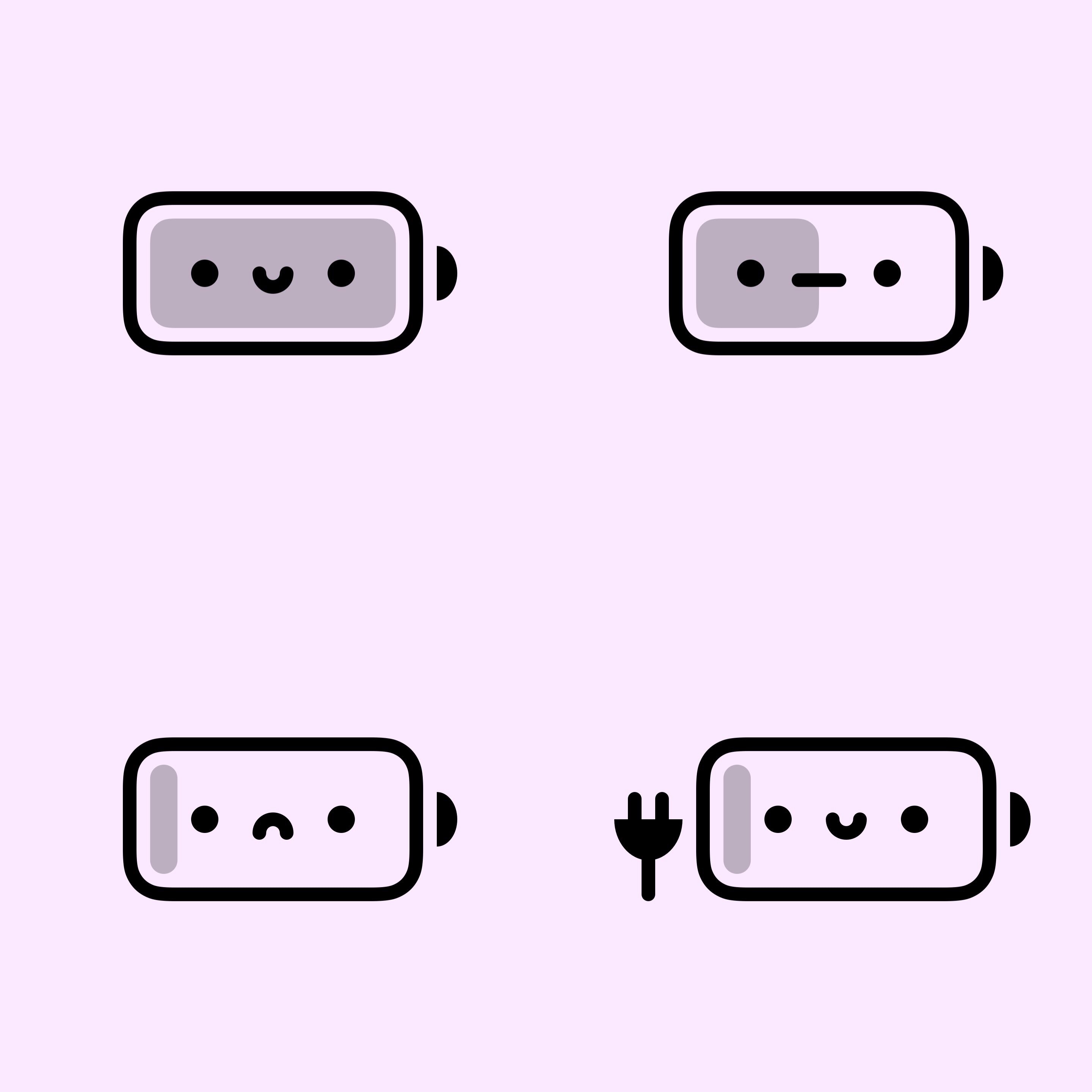
A newly released and free jailbreak tweak called BatteryBuddy by iOS developer Litten provides jailbreakers with a cute and quirky battery icon in the Status Bar.
glacial flax
Oh lmao Litten
native gale
imagine sacrificing precious battery life for cuteness
buoyant forge
1 sec
native gale
inb4 "nope, problem still there"
glacial flax
lmao
native gale
uhhh... bruh
 glacial flax
Why do you have two lol
sus
Right one is the 1.4.20 Beta4
The other one idk where you got it, but remove it
pearl trench
batterybuddy's code is also a little jank lol
making a var to store low power state when you can just query that directly
glacial flax
pearl trench
batterybuddy's code is also a little jank lol
Like all of Litten's code
native gale
pearl trench
batterybuddy's code is also a little jank lol
any battery tweaks are straight-up jank
native gale
the goal is to not reboot
buoyant forge
huh
native gale
but you've got tweaks that'll kill the battery faster than a kid can eat cake
pearl trench

glacial flax
native gale
but you've got tweaks that'll kill the battery faster than a kid can eat cake
I meant you eat cake very fast
pearl trench
if you want your phone to look pretty a lot of the time you can say bye bye to battery life
buoyant forge
native gale
but you've got tweaks that'll kill the battery faster than a kid can eat cake
other than mitsuha which ones r rly bad
pearl trench
battery buddy isn't gonna drain it'll just break the battery display occasionally when entering and exiting lpm
dra1n is actually kinda silly though
buoyant forge
yeah ur right abt both
ive only had it for like a day
so i was trying to see if it worked if i gave it more time to collect data
pearl trench
the only way to get dra1n to kinda work is to install a tweak, give it a few days, install another tweak, another few days etc etc
buoyant forge
yeah ig its just better to use common sense
well got it fixed
had some unnecesary sb extensions
native gale
no
pearl trench
restore otherwise you may have some leftover jb files and some apps get pissy about that
native gale
serial number leak @ember patrol
 oak kernel
lmao
 native gale
go to bed
ember patrol
pearl trench
restore otherwise you may have some leftover jb files and some apps get pissy ab...
i like don't have a good backup to go to tho...
ember patrol
native gale
go to bed
must have phone working 
pearl trench
photos, contacts, messages should be on icloud by default without the full backups
ember patrol
pearl trench
photos, contacts, messages should be on icloud by default without the full backu...
yeah no i disabled icloud backup everything bc i don't have enough space there
native gale
your phone can wait. your conscienceness to restore cannot
buoyant forge
yeah dont be stupid like me and do this shit late at night
i updated my iphone from ios 13 to 14.6
ember patrol
rippppp
buoyant forge
i was just trying to get the snowboard app off my phone lul
native gale
don't install snowboard, but skiis
ember patrol
buoyant forge
i updated my iphone from ios 13 to 14.6
well i mean i'm doing that on purpose, y'all haven't given me a choice
if you're wondering what i'm talking about, taurine 1.0.6 bootloop bug except it didn't start from a BSOD instead it started from a reboot itself
buoyant forge
@native gale unrelated question but if I were to jailbreak a device later than a11 do I have to permanently disable face id, apple pay etc?
or is it just before/during the jailbreaking process
native gale
buoyant forge
<@!492920183581835285> unrelated question but if I were to jailbreak a device la...
for checkra1n, you need to remove the passcode
buoyant forge
like permenently
ember patrol
checkra1n can't do later than a11 tho
native gale
if it's not checkra1n, no
ember patrol
right?
native gale
ember patrol
checkra1n can't do later than a11 tho
correct, just clearing confusion for anything above or below a11
buoyant forge
so i mean thats basically useless if u need to remove the passcode permenantly for the jailbreak to stay
like whats the use of a phone w/o a passcode
buoyant forge
still idk
native gale
or save blobs and wait for u0 or taurine to update
native gale
folks have bad experiences with it, but in the future it'll drastically improve
native gale
just one ad
native gale
if you can't handle one skippable ad..
pearl trench
just one ad that pops up every time you jailbreak, successful or not
buoyant forge
its not abt the ad itself
its just the whole experience feels sketchier than something like checkra1in
like checkra1n is harder and slower
native gale
u0 is the only sponsored jailbreak
pearl trench
80% of taurine is open source; pongoOS which is a big part of checkra1n is open source; unc0ver is ????
buoyant forge
yeah that too
native gale
checkra1n may be more difficult, but it's more stable than anything imo
buoyant forge
yeah it just feels more solid to me
finite void
Why I installed altstore and it keeps crashing?
finite void
I’m using Mac
finite void
13.3.1
Then I can’t fix it :/
Yea but I’m on macos
And I tried iOS app signer. But it said the Apple ID is not on team
It told me to use iOS app signer
I’ll read
iPad mini 5
Yea
Unlucky me
I don’t
It does but it said my Apple ID is not associated on team
I tried but it this thing happened
Finally

And it needs money to join
Ty for helping
vernal basinBOT
west prawn
!t altstorecrash
 whole lagoon
Im on airport wifi and my limit on their wifi was exceeded. Tell me someone that I can use macchanger on iphone
 silver forge
is it in normal mode plugged in?
 dry ivy
how do i know that? sorry im new to jb
silver forge
is your phone turned on?
silver forge
which phone?
dry ivy
iphone 7+
when im at the normal boot the trust thing pops up. but when i restart the pc to boot the thing it doesnt pop up
scenic night
!t checkra1ncli use cli and put the iphone into dfu mode
vernal basinBOT
scenic night
!t checkra1ncli use cli and put the iphone into dfu mode
checkra1ncli
To use checkra1n in CLI mode, type the following command into a Terminal window.
macOS:
/Applications/checkra1n.app/Contents/MacOS/checkra1n -c
Linux:
sudo checkra1n -c
checkn1x:
Press Alt-F3.
odysseyn1x:
Select “Shell” then type checkra1n -c.
Once checkra1n CLI is running, connect your phone to your computer and place your phone in DFU mode.
To enable safe mode, run checkra1n -cs.
Added by JTV#5846 | Used 184 times
·
dry ivy
okay ill try that, ty
scenic night
odysseyn1x:
Select “Shell” then type checkra1n -c.
dry ivy
but it is charging tho
 subtle vigil
I just upgraded from xs max to 12 pro max. On 14.6 rn. There’s no jailbreak yet right?
silver forge
yes, no jb
scenic night
dry ivy
but it is charging tho
Did you put the device into dfu mode
dry ivy
yes and it says the cord is not connected
i mean there’s a symbol that says its not connected
subtle vigil
silver forge
yes, no jb
Thanks
 dull canyon
Hi all best way to retore my x on 14.4.1 currently jb ...
Gotta wait for a proper jb ..... passcode is killing me here , bioprotect ain’t the best 😜
Don’t have the checkrain app only sileo
vernal basinBOT
rootfscli
If you're unable to restore rootfs the normal way, you can do it from a terminal (e.g. NewTerm or SSH).
unc0ver
Install Snappy from your package manager, and type snappy -o in a terminal.
If the above command didn't work, you can try snappy -f / -r orig-fs -x instead.
Odyssey/Taurine
Open a terminal and type sudo snaputil -r orig-fs /.
(This is not recommended as you may still have to restore rootfs from the app afterwards.)
checkra1n
Method 1: Install Snappy from your package manager, and type snappy -o in a terminal.
If the above command didn't work, you can try snappy -f / -r orig-fs -x instead.
Method 2: With checkra1n 0.12.3 or above, you can restore rootfs from your computer.
- macOS:
/Applications/checkra1n.app/Contents/MacOS/checkra1n --force-revert - Linux:
sudo checkra1n --force-revert
odysseyra1n
Method 1: Open a terminal and type sudo snaputil -r orig-fs /.
Method 2: See above.
Added by nyuszika7h#0001 | Used 135 times
·
silver forge
dull canyon
Hi all best way to retore my x on 14.4.1 currently jb ...
you can use also succession beta
dull canyon
Can’t find a working repo for it ..... anyone dm me it 😜
 dull canyon
Lol
dull canyon
14.4.2 did I see somewhere a JB maybe coming out ??? 🤨🤨
 graceful herald
no
tender goblet
The cringe streak continues
If there is a jb update it will be in #announcements not YouTube

 tepid delta
!t latest
vernal basinBOT
tepid delta
!t latest
latest
There is no jailbreak for A12+ devices on iOS 14.4+.
There is no iOS 15 jailbreak at all.
checkra1n supports A8-A11 devices on iOS 14. [Check if your device is compatible here](#nathanlr message).
Please disregard shady/unknown sources which state otherwise! Once a jailbreak is released it'll be in #announcements.
What you should do (other than wait) is save blobs.
Added by JTV#5846 | Used 49 times
·
finite void
Uh I just bought the dev account and still can't sideload unc0ver

I don't see any apps on my phone with the cloud symbol and offload apps is off
 cursive gust
Is there a way to bypass an update of an older version of an app?
I manually installed it with an IPA
 ornate rain
graceful herald
ornate rain
graceful herald
if u want a jb stay on 14.6
scenic night
finite void
Uh I just bought the dev account and still can't sideload unc0ver
if you have a paid dev account try using cydia impactor or xcode
finite void
Apparently I genuinely don’t have a paid account despite paying so thanks apple
My ID is no compatible even though I passed everyone
Everything
graceful herald
so u paid 99 and its not a dev acc?
finite void
Yep
graceful herald
then get a refund?
finite void
Went through apple everything
I’m trying but I have to wait a few business days
This whole thing is weird
graceful herald
for the money back or for them to process ur request?
finite void
Money back
graceful herald
then ur good just wait i guess
finite void
It’s weird though it let me get AltStore back
Can try seeing if I can side load Cydia impact or
finite void
Says I do in my subscription for the year which is odd
graceful herald
then try it?
finite void
I’ll see, also I didn’t get the refund yet as I didn’t cancel the subscription because I don’t want them saying my issue is because of that, sorry for the misconception there
finite void
Just curious if anyone else got this issue and if its normal

Wrong pic
Sorry for all this bs its hot out and im dumb

This was the pic I wanted
finite void
Hey anyone have the iOS 15 Beta 3 and have Airpod Pros? mine seem to automatically be setting to Transparency mode?
tender goblet
this is for jailbreak support
ember patrol
Alright aftermath of yesterday (if you know, you know) now I’m on 14.6 and I’m trying to update my watch os, but OTA updates are disabled (probably bc I couldn’t rootfs when i updated via restore), I can’t open the unc0ver/taurine app bc of this (see image), what should I do?
ios: 14.6
phone: iphone x
 scenic night
!t enableota if you want to keep your data then jb with checkra1n and install this
vernal basinBOT
scenic night
!t enableota if you want to keep your data then jb with checkra1n and install th...
enableota
To re-enable OTA updates, install OTAEnabler from https://repo.cadoth.net.
If you're on an unjailbreakable version, you'll have to erase your device and set up as new or use a backup that was taken before jailbreaking.
Added by nyuszika7h#0001 | Used 200 times
·
scenic night
Otherwise iTunes restore and don't use a backup
ember patrol
oh
 proud sparrow
New uncover 6.2.p can jb 14.4.2 xs max?
scenic night

ember patrol
and I’m assuming that making a backup in this state would keep the disabled ota correct?
ember patrol
scenic night
You'll need to re enable it before making the backup
i was about to say I’m screwed but then I remembered I have checkra1n
anyways thanks
 lucid lion
I downgraded from Taurine 1.0.6 to 1.0.4 after the information came out about /var corruptions. But after downgrading I no longer get message notifications while tweaks are enabled. I can turn all tweaks off via libhooker configurator, but it only gives me notifications if I turn off the tweaks Flipswitch (Terrible explanation). I fixed it by upgrading back to 1.0.6 now I am on 14.3 RC 1 and I know it’s a bug, but it doesn’t happen in stock or on 1.0.6
Anyone got any clue about why this is?
 lone condor
How can I jailbreak my ipad 2 running ios 9.3.6?
scenic night
!t chart
vernal basinBOT
scenic night
!t chart
chart
Added by eric#1997 | Used 1153 times
·
scenic night
hmm looks like its N/A for some of the ipad 2 models, if you have anymore questions i suggest asking #legacy
 sleek brook
Are any of y’all smart with Xbox controllers
 daring rapids
@scenic night That's because only cellular devices got iOS 9.3.6.
scenic night
ahh okay
 wheat wagon
!t support
vernal basinBOT
wheat wagon
!t support
support
Please keep jailbreak and support related questions in #jailbreak or #genius-bar, thank you.

Added by stkc#8018 | Used 611 times
·
wheat wagon
bro is this bot slow in the head?
tender goblet
wtf are you saying
 pallid steppe
iPhone 6 12.54 what should I use
tender goblet
odysseyra1n
pallid steppe
tender goblet
odysseyra1n
I got a windows
ember patrol
alright i'm wondering if legizmo is necessary or if there's something else I can do:
iphone x on 14.6
watch to update my apple watch from 7.3.3 to 7.6, but i'm getting aa message:
To update the software on your Apple Watch, you first need to update the software on your iPhone
with a button to go to the settings app and update
is there any way to bypass this or is legizmo necessary
scenic night
legizmo is needed yeah but imo if you can live without the update then id just keep it on the older version and have it be paired normally
ember patrol
scenic night
legizmo is needed yeah but imo if you can live without the update then id just k...
i'm only updated for the face id with mask since i use masks a lot lol, but thanks
it's a one time thing on lunotech11's patreon correct?
scenic night
you can pay for month to get the deb and then cancel but you wont receive anymore updates until you join their patreon again
ember patrol
ic
since i only need it once i'll probably do that (since i can't get a useful jailbreak on a11)
thanks for the help
finite void
SOS!
I installed legizmo last night and it would appear that its bricked my phone. I know this isnt legizmo support but at this point I just need my phone to turn on
Its jsut blank
No charge screen, nothing happens when i plug it in
Nothing happens when i do vol up vol down power
Doesnt recognise in a PC
Im freaking tehfuck out
<@&355177530061357057>
I really need my phone for work and yeah the boss has been calling me im out of ideas
finite void
Its like dead
scenic night
!t reboot
vernal basinBOT
scenic night
!t reboot
reboot
iPhone 8 or newer (including all notched devices and iPhone SE 2020):
- Press volume up
- Press volume down
- Press and hold the side button for 10-20 seconds until the Apple logo appears
iPhone 7:
- Press and hold the volume down and power buttons for 10-20 seconds until the Apple logo appears
Phone 6S/SE 2016/iPad 8th or older:
- Press and hold the home and power buttons for 10-20 seconds until the Apple logo appears
Apple TV 4/4K:
- Press and hold the Menu and TV buttons down on the remote for 5-7 seconds until the device rapidly flashes.
Apple TV 2 or 3:
- Press and hold Menu and Down for 5-7 seconds until the device rapidly flashes.
Added by JTV#5846 | Used 384 times
·
finite void
I did that
sick lynx
and you plugged it into a computer
 past venture
you're either doing it wrong or one of your buttons is broken
because rebooting it should always work
finite void
i doubt one of my buttons broke overnight
ember patrol
@finite void what jailbreak were you on
finite void
taurine
ember patrol
version?
finite void
not sure
scenic night
either way you might need to dfu restore
past venture
!t dfu try putting it into dfu mode, see if your computer recognizes it then
vernal basinBOT
past venture
!t dfu try putting it into dfu mode, see if your computer recognizes it then
dfu
DFU (Device Firmware Upgrade) mode is a mode which allows a device in any condition to be restored to a fresh version of iOS (not to be confused with Recovery Mode). You cannot keep data when restoring via DFU and you can only restore to a signed version.
To restore via DFU:
- Enter DFU Mode
- Once you enter DFU, the device should show a black screen.
- Connect the device to a Mac/PC and open Finder/iTunes.
- On the prompt that says "A device has been connected in recovery mode and needs to be restored" press "Restore iPhone" then "Restore and Update.”
Added by eric#1997 | Used 452 times
·
finite void
im gonna cry
 snow terrace
how to fix vnodebypass fail
finite void
actually nothing
 summer scroll
snow terrace
how to fix vnodebypass fail
summer scroll
snow terrace
how to fix vnodebypass fail
install libkrw if on unc0ver/libkernrw if on taurine
snow terrace
thx
finite void
past venture
!t dfu try putting it into dfu mode, see if your computer recognizes it then
still nothing
snow terrace
@summer scroll rip now its not disabling lmao
past venture
finite void
still nothing
could it be something wrong with your cable?
or your port?


 thorny scroll
Any tweak that shows volume sliders like the ones on android for multiple sounds? (Volume and notification/ringer)
past venture
or could the phone be out of battery rn?
finite void
past venture
could it be something wrong with your cable?
tried 5 cables now
and its been on charge all night
past venture
because if dfu mode won't work, it's probably something you have to take it to apple for
past venture
finite void
are they even gonna warrenty it if its jailbroken lmao
 i doubt they'll notice, or care, or they might have to restore it and never find out
finite void
i dont even have a local apple store
ill have to ship it away
im goign to fucking loose my shit
scenic night
Tis the reason why you don't jb a device that you need for work
finite void
bruh ive had a jailbroken phone for well over 5 years and never had a problem
this is just fucked
 fallen fjord
bro
my phone died
i plug it in to charge it
and its stuck in a fucking boot loop
and now i mange to get it to kinda turn on
except it just goes into the restore screen
so i plug it into my itunes
and try to update
but it says i cant update i can only factory reset
wtf
HOLY SHIT ITS A MIRACLE
its been in an boot loop for 2 hours
as soon as i write my problem here
no boot loop
🙏 🙏 🙏 🙏 🙏 🙏 🙏
thank you genius bar
finite void
i use download reprovision reborn from cydia to sign unc0ver. If i restart my phone, will unc0ver crash or unsigned?
scenic night
Its not supposed to
finite void
but it crashes for me