#installation-archived
1 messages · Page 67 of 1
 atomic umbra
 proven grove
docker > podman (imho)
atomic umbra
But the daemon and container processes don't run as root
proven grove
Sure, but you can also setup docker to run as a non-root user as well.
atomic umbra
Yup, rootless docker. That's what I use. The subuid/subgid bit still seems kinda pointless to me though
proven grove
But, for my use case, podman has no swarm mode. So, it's a non-starter for me.
 lofty crescent
I think my pi is now frozen
proven grove
lofty crescent
I think my pi is now frozen
Why do you say that?
atomic umbra
I just use a separate user for each deployment instead of trying to fuss with what seems like a needlessly complicated permission issue on the host machine
lofty crescent
BecuaeI nothing moves when I try and move my mouse or type
atomic umbra
proven grove
But, for my use case, podman has no swarm mode. So, it's a non-starter for me.
For like a web app or something? Or are you running something on your LAN that needs multiple instances or rolling deploys?
proven grove
atomic umbra
I just use a separate user for each deployment instead of trying to fuss with wh...
I have a base image with all my users and perms already set so that I don't have to deal with that.
proven grove
atomic umbra
For like a web app or something? Or are you running something on your LAN that n...
Yes 🙂 C: All of the above
atomic umbra
lofty crescent
BecuaeI nothing moves when I try and move my mouse or type
Have you tried unplugging it and plugging it back in again?
lofty crescent
Just did that to reset it
atomic umbra
BTW how are you powering it? Did you get a kit that included an adapter?
lofty crescent
No I just found a big plug
I can’t figure out how to post a second photo on imager
atomic umbra
There should be numbers on it, usually on the same side of the block as the prongs
Make sure the numbers work with the ones on this table: https://www.raspberrypi.com/documentation/computers/getting-started.html#power-supply
Okay, calling it a night. Fingers crossed that I don't get paged at 2 am again 🤞
But yeah @lofty crescent , I mention that because if the adapter doesn't provide enough power, it's not uncommon for single board computers to freeze like that
 sterile raft
(especially when they also power a screen)
lofty crescent
How do I actually install the docker I can’t find a specific link
lofty crescent
I’m on that on my raspberry pi but don’t understand how to install it
proven grove
lol I would go with option 2 here: https://docs.docker.com/engine/install/debian/#installation-methods
Use a terminal and follow the instructions.
lofty crescent
Why is this all so frustrating
proven grove
It's not... just a learning curve... if you're getting frustrated, take a break and come back to it. 🙂
sterile raft
i feel you, the result will be rewarding tho 🙂
lofty crescent
I have been trying to do this for 2 days
proven grove
Sure... but you have support now. 🙂
But seriously, if you are frustrated, take a 15 minute break, have some coffee or tea or energy drink and then come back. I'll be here most of the day.
(and/or others as well)
sterile raft
tbh i used option 1 here, https://docs.docker.com/engine/install/debian/#install-using-the-repository, which worked fine for me
lofty crescent
It’s 6pm for me I started today at 12
proven grove
lol dinner then?
lofty crescent
Yeah basically
sterile raft
ok archie, so where are you stuck now
lofty crescent
I put in sudo install -m 0755 -d /ect/apt/keyrings and it wasn’t doing anything just gave me a new line to type in
sterile raft
might be okay, not all commands give an answer
you can verify later with the helloworld example
lofty crescent
I’m going to take a break and come to this later
proven grove
Feel free to ping me when you're ready.
sterile raft
@proven grove guess i still want to have an onscreen keyboard which auto-hides when not in an input field
do you know by chance which does that?
proven grove
🤔
sterile raft
there apparently was florence, but its not even in apt sources
proven grove
Outside of wayfire, I don't know any way to do it off the top of my head.
sterile raft
@proven grove still around?
proven grove
sterile raft
<@534201530895564800> still around?
Ish… what’s up?
sterile raft
i am a bit confused about autologin, i just read that:
am i right that i could whitelist an IP there which bypasses the login?
says only works with 1 user tho
proven grove
Correct. You can whitelist an ip address and also provide a list of trusted users.
Not sure how that would work though with your setup since HA and the client are using the same IP address. since it's not a common configuration, im not entirely sure how HA will act.
sterile raft
true
and i think i just found the cause why it doesnt save the password between restarts
--incognito
😄
proven grove
Since the client and HA are the same box, I'd just use the remember me option. and yeah, incognito mode will dk that. lol
sterile raft
all working so far 🙂 also installed onboard keyboard which has some minimize button, which will do the trick whenever i need onscreen input
now i just need to learn how to do a good frontend
proven grove
Woot! Awesome. Glad to hear it... I'm the wrong person to ask about frontend (I rarely, if ever, use my dashboard).
sterile raft
and: i created an user for the raspberry, is there a way to "hide" the complete user from everything?
proven grove
You mean a HA user?
sterile raft
yea
proven grove
Kinda, but not exactly. You can hide dashboards from users, but in terms of actually locking down, no.
sterile raft
nah, rather the other way around - as me and my partner, i dont wanna see the raspberry user
and yeah sucks a bit not to have a proper role management too
proven grove
Like in the OS GUI?
sterile raft
yea
proven grove
Oh, I dunno. 😦
sterile raft
well guess i just hide all entities related to it then
sterile raft
is there any way i can tell my music-assistant container to start AFTER the home assistant container?
proven grove
depends_on:
  - [other container name]
must have overseen this
proven grove
So, in my compose.yaml, I have HA start after mariadb, etc.
sterile raft
i dont even have mariadb, guess its just ha having its own db
proven grove
lol I was just using it as an example.
But, use the depends_on: to have your containers start in the order you need them to.
sterile raft
if you not use the frontend too much, what do you mainly use HA for?
proven grove
lol oh, I use HA for EVERYTHING, but my goal is to have a house that reacts to me rather than me controlling it. So, LOTS of motion and contact sensors, presence sensors, etc. I don't think I've actually used a switch or anything on my dashboards for at least a week now.
sterile raft
oh wow, i wanna get there too 😄 but for me the problems occured fast...
in the bathroom i have a door switch plus a presence sensor and a temperature humidity one
so when i go to the shower in the morning, the light turns on, which is fine
however there are times where the presence detector falsely detects non-presence when i am still in, disabling its ability to switch the light off due to false positives
you could say you'd use that cat-in-the-box approach and dont change stuff while the door is closed
but what if my girlfriend comes in too and maybe leaves the door open then
proven grove
Yeah, those are things that have taken me a LONG time to perfect. The trick is making sure to have sensors that are adjustable. So, in my bathroom, I have an Apollo MSR-1 that has been tuned to detect in zones. So, if I'm in the shower, that's gate 7-8 and I have template sensors that look at the gate energy and then determines if the shower is occupied or not.
sterile raft
also i dont want to be forced to leave the door closed just for that
proven grove
But, I also have a door sensor that when closed, turns off the bathroom automations and timers until it's opened again.
That way, the lights, fan, etc all stay on regardless of if I'm curled up in a ball on the shower floor. 😉
sterile raft
mhm i'd rather would try to avoid mmwave myself, so thats no option for me :/
proven grove
Really? But why? mmWave is AWESOME.
And so much more reliable compared to PIR sensors.
sterile raft
health concerns basically
proven grove
??? I'm confued now... there's health concerns with mmWave? I mean, it's basically measuring energy.
proven grove
lol I'm concerned about you sir. 🙂
Well, yeah. It does send out waves, but not like how 5G does or whatever. Different (lower) frequencies.
sterile raft
mhm, couldnt hurt to try around right 😄
proven grove
Honestly, the low power doesn't seem to affect anything, but I'm not a doctor or anything. Compared to PIR sensors though, it's a game changer. Opens you up to all sorts of cool things like target tracking, range, etc. I have this one automation I've been playing with that increases a light's brightness the closer you get to the sensor. Can't do stuff like that with PIR.
Like, in my kitchen, the lights know if I'm at the sink, or at the stove, or just sitting at the breakfast bar and ONLY those lights come in.
proven grove
Ummm... I think I have 9 presence sensors now? 2 are zigbee, 2 are Aqara FP2s (highly do not recommend those) and the rest are Apollo MSR-1/MTR-1 sensors.
Pretty much replaced all of my PIR sensors except for a few.
sterile raft
why not the aqara? thats the round ones right
proven grove
Let me start a thread... we are WAY off topic.
 frozen lava
Too advanced for this crowd?
 raven forge
No, just not enough information but these would be the commands to do what you asked for. Whether this works you have to try.
umount /dev/sda8
fsck /dev/sda8
I'd recommend to do things like that with a live linux ISO of your preference.
Pretty sure HAOS also does this at boot on its own.
You can also try to spam E during boot and add fsck.XXX kernel parameters: https://www.freedesktop.org/software/systemd/man/latest/systemd-fsck@.service.html
sterile raft
what would be the best way to enable https for home assistant other than using duckdns or that other service?
 tender wren
The Home Assistant Cloud subscription.
sterile raft
yea, without that either
tender wren
Something else you don't want?
proven grove
Those are really the only ways to do it... DuckDNS, cloudflared or NC.
sterile raft
well, for my webhost i just have a script which renews the lets encrypt certificates for me, no external fuzz
wondered if something like that worked too for HA
tender wren
There is Lets Encrypt for HAOS.
You would still have to take care of the DNS and port forwardings.
sterile raft
so that wont work for HA on container?
proven grove
Sure it would.
You would just have to do the port forwarding to the container host machine.
tender wren
sterile raft
so that wont work for HA on container?
In that case HA is not responsible for managing the certificates, but your base system.
Use Certbot or whatever your distribution supports
proven grove
Ohhhh, let's encrypt for container? Also, sure it would. https://hub.docker.com/r/linuxserver/swag
sterile raft
yea thought so... next thing i'll break lol
 peak merlin
Hello,
I have just recently bought myself my very own raspberry pi 5 the idea to run raspberry pi os and use samba as a little portable nas using a NVME base but also want to run docker to run home assistant os so I can also use it for home assistant without having to run another pi just with home assistant which seems like a bit of a waste but am a bit lost there are lots of tutorials already out there and they all seem to be different just wondering if anyone has any good ones thanks!
peak merlin
I don’t understand the path to your config thing I’m new to this sort of stuff and that’s the thing that has me stumped
 grand pivot
Make a directory and specify the path to it
raven forge
Or use a relative path like this. This will use/create a directory in the same path where the compose file is.
volumes:
  - ./haconfig:/config
 weak sand
vbox.log : https://dpaste.org/VwqPi
raven forge
What am I supposed to do with this? I want the HAOS logs. You can get them with the commands and instructions I gave you.
I also wanted a picture of your "black screen": #installation-archived message
But what was so long ago I already forgot the context.
weak sand
Which command ?
I'll explain to you again when I'll have all the information you'are asking ! don't worry
this one ? journalctl -ru docker.service | less, journalctl -ru hassos-supervisor.service | less
raven forge
Yes but it's not one command. Hence the commas and separate code blocks for each.
weak sand
oh ok it's 2 commands ? journalctl -ru docker.service | less and then journalctl -ru hassos-supervisor.service | less
maybe that's one I had a black screen haha
weak sand
okay I've got it ! https://imgur.com/a/1wYeI9y
But for supervisor it doesn't show the log I don't know why but I've put "journalctl -ru hassos-supervisor.service | less"
for the context, I'me on a PC in mode administrator, I don't have internet on it so I used a USB key to download VirtualBox and the .vbi file. But When I've powerued my VM it's saying "Waiting for the Home Assistant CLI to be ready..." and then "[Warn] Home assistant CLI not starting ! Jump into emergency console..." so I don't really know to do now... The strange part is that when I try on my personal PC with internet and everything it works perfectly so I don't think I've failed the installation. I think the problem comes from the fact I'm on administrator...
raven forge
HAOS needs internet to finish the installation.
weak sand
ah
 humble mirage
Also to set up any integration
weak sand
double ah
I would assume I can't do everything on my personal PC and then transfer it on the administrator PC ?
humble mirage
Depends on what you mean
If you clone a VM then that'll work
Restoring a backup won't
frozen lava
How can I figure out what's behind a 400 Bad Request when uploading a backup on a fully clean new HAOS install?
weak sand
humble mirage
If you clone a VM then that'll work
How can I clone a VM ?
atomic umbra
frozen lava
How can I figure out what's behind a 400 Bad Request when uploading a backup on ...
Lagus are you accessing it directly or via a reverse proxy? Either way, check the HA logs (<config dir>/home-assistant.log on the HAOS filesystem). The access/error logs on the reverse proxy would also be a good idea
humble mirage
How can I clone a VM ?
frozen lava
atomic umbra
Lagus are you accessing it directly or via a reverse proxy? Either way, check th...
Direct on LAN.
I think I found the issue... 🙂
ha supervisor logs
That says:
Can't read backup tarfile ./backup.json not found
 humble scaffoldBOT
@frozen lava I converted your message into a file since it's above 15 lines :+1:
 quick ocean
Hi, i'm running a headless ubunto server 22.04.2 LTS on a PI 4 4GB.
Everything has been running fine but I have moved the Pi to a new site and I'm trying to get it to access the new wifi.
I have edited the network-config file on the sd card to the following below. Where [] brackets are part of the existing network name just didn't blank this out, in case this can cause issues. Also the text is ANSI and LF line ending. Don't know if this can cause issues.
I have rebooted the machine a couple of time as I read somewhere this was need to make the new changes take affect.
https://postimg.cc/mc02DPWr
but not able to get it to connect to my wifi
humble mirage
If that's running Ubuntu then why are you using the Home Assistant OS way of configuring WiFi?
quick ocean
Just tried to follow this advice here. https://askubuntu.com/questions/1374901/change-wifi-config-on-headless-ubuntu-server-pi-zero-2-via-sd-card
ANSI and LF idea was taken from HA OS way of configuring the wifi. Will this cause errors?
Still new to this
humble mirage
Well, the HAOS way will only work on HAOS
Also, I really hope that's not a Supervised install
Maybe try quoting the SSID? '[...]'
quick ocean
Tried quoting the SSID, no luck. Ended up setting it up to a screen and keyboard and went that way. It worked out.
No supervised, docker container.
 fierce hinge
Hi all i have a running system on raspberry pi3 b, now i want to update the hardware whit raspberry pi5. i have google assistant backup where i store my backups. if i make a clean install on pi5, can i then reuse the old pi3 backup?
humble mirage
Yes
humble scaffoldBOT
@peak merlin I converted your message into a file since it's above 15 lines :+1:
humble mirage
You should use a compose file anyway 😉
peak merlin
id love to know what that means first time using docker
humble mirage
Well, you've mixed compose file YAML and command line args, that's the problem
docker run -d \
  --name homeassistant \
  --privileged \
  --restart=unless-stopped \
  -e TZ=MY_TIME_ZONE \
  -v /PATH_TO_YOUR_CONFIG:/config \
  -v /run/dbus:/run/dbus:ro \
  --network=host \
  ghcr.io/home-assistant/home-assistant:stable
``` from the docsYou added a random /volumes and -
Use a compose file though, those are easy to edit to make changes
peak merlin
humble mirage
You added a random `/volumes` and `-`
yeah someone told me to do it although i just interpreted it differently probably since im new
peak merlin
will it just make the config file or do I need to physically make one?
humble mirage
You make one, somewhere you'll back up
I put all my Docker files in /data/docker and other /data/ folders for other software - eg /data/homeassistant
grand pivot
if configuration.yaml doesn't exist there, it will create a default one
humble mirage
(I was assuming we were still talking about Docker, not HA)
peak merlin
alright got it to work i was just being stupid pretty much
is there a way to import a backup into home assistant or are u supposed to do it when loading it up as i wasnt given the option
grand pivot
With a container installation, you just extract the contents of the backup into your config directory after deleting the contents
with HA not running
peak merlin
how do i get to the data I know whats its named but cant find it?
humble mirage
What do you mean "the data"?
peak merlin
sorry the config
peak merlin
Yeah ive got the tar file backup folder but how do i extract it to the config directory? sorry im painful and confused
grand pivot
you extracted it and you're asking how to extract it?
humble mirage
tar is the command to extract a tarball
tar tf petunia.tar to see the contents
tar xf petunia.tar to extract it
grand pivot
raven forge
That's a big link.
grand pivot
don't be jealous
peak merlin
So i have the .tar backup from ages ago when i use to use home assistant but i dont understand how to extract that file into the home assistant config
my reaction also
humble mirage
Did you ... read anything above?
I gave you the commands, and RobC gave you Google to help you learn more
Where exactly are you stuck?
You may want to run HAOS in a VM
peak merlin
thats what i want to do idealy since im used to running home assistant os through a raspberry pi but im using it now for octoprint and wanted to use my raspi 5 for a nas and haos
humble mirage
Right, so ... run HAOS in a VM on the Pi?
That would mean not using Docker for it
 median shale
don't use a raspi for a nas.
peak merlin
i mean its worked great for me for the past year
median shale
just because you CAN do something doesn't make it a good idea
humble mirage
Unusually ... I agree
grand pivot
remember the dinosaurs
median shale
I remember the day I learned that my favorite dinosaur wasn't actually a dinosaur
I was simultaneously crushed at the revelation and elated that I could lord that fact over others. sadly it hasn't actually come up that much
grand pivot
you should definitely bring that up unprompted at the next party you attend
median shale
everyone would be like, "we know, Tom. you told us at the last party"
"and the one before that"
grand pivot
eventually there are no parties to worry about
 fallen badger
how can I connect my pi wireless to wifi?
so I don't have to use lan
tender wren
Go to the network section in your settings. There should be options for wlan0.
But: don't do that. Keep it wired.
fallen badger
tender wren
Go to the network section in your settings. There should be options for wlan0.
B...
On the pi or on the website?
humble mirage
The HA UI
fallen badger
humble mirage
The HA UI
Thanks
 lyric palm
Hello guys I had this IR blaster for a while but I never actually used it
https://www.amazon.com/gp/product/B07QH1X7PX/ref=ppx_yo_dt_b_search_asin_title?ie=UTF8&psc=1
I want to use it to turn on and off a mini split ac unit but the problem is that it has to be connected to the internet and there is no internet connection in the room i want it.
Could I flash it with esphome and have it to work offline?
humble scaffoldBOT
ESPHome is a system to control your ESP8266/ESP32, with a native integration for Home Assistant.
You can find their documentation here, and get help with ESPHome itself here in the #diy-archived channel (#integrations-archived for the Home Assistant side integration with it). They also have their own Discord server too.
humble mirage
Not really related to installing Home Assistant 😉 Try the ESPHome Discord or the #diy-archived channel here
 zealous hawk
I currently run HAOS as VM through VMWare. I want to either use Proxmox or just go bare metal on my NUC. Are there any other benefits to Promox than easily restore snapshots when something breaks instead of restore from a normal backup? Maybe once the last two years I did a restore from backup. I have other systems I can use to run other stuff so I won't run anything else on that PC. I'm trying to simplify things so bare metal is tempting.
humble mirage
If the only thing there will be HAOS then go bare metal
lofty crescent
I am trying to set up my first HAOS, I have installed it on my raspberry pi and logged in and everything. I want to use the same Pi as a dashboard and the server. However when I try and do Sudo apt update it states that it does not recognise the command.
 tidal horizon
HAOS doesnt have a graphical interface on the server machine itself, you will need to access the dashboard by another device connecting to the IP:8123 of your server
 sonic flint
Hello! I have HAOS running as a vm on unraid since quite some time and without a problem. Lately I got three warnings:
- Unsupported system - CGroup version
- Unsupported system - Systemd issues
- Unsupported system - Operating System
I since then updated to 2024.6.1 and restarted the system but the repair notifications persist.
Since I'm using HAOS I thought the configurations should ne set correctly and I'm wondering how correct the warnings are? For example the suggested solution for the Operating System is to "install the host with one of the supported operating systems".
proven grove
lofty crescent
I am trying to set up my first HAOS, I have installed it on my raspberry pi and ...
You went with Docker, right?
humble mirage
They said HAOS... so ...
lofty crescent
Tbh I have no idea
humble mirage
If you flashed an image that included HA you used HAOS
proven grove
I was helping you the other day... you seemed to have a plan (and I gave you a set of instructions). What happened?
lofty crescent
I gave up and couldn’t remember what to do so I just tried to google it, can you find the instructions?
zealous hawk
Does HAOS support touch screen keyboard from monitors like "7 Inch Full View LCD IPS Press Screen 1024X600 HD HDMI Display Monitor for Raspberry Pi"?
lofty crescent
Let me see if I have this right, I need a basic RPI with the RPI dashboard. I then want to set up HA, then go onto chromium and put in the IP for the HA
proven grove
lofty crescent
I gave up and couldn’t remember what to do so I just tried to google it, can you...
No? They're somewhere around, but that was like 2 days ago.
humble mirage
lofty crescent
Let me see if I have this right, I need a basic RPI with the RPI dashboard. I th...
Or any browser
lofty crescent
How do I set up HA if it not the official one
sonic flint
sonic flint
Hello! I have HAOS running as a vm on unraid since quite some time and without a...
bump 🙈 😅 Anybody got an idea?
 empty bloom
are you sure you are using HAOS and not Supervised?
sonic flint
empty bloom
are you sure you are using HAOS and not Supervised?
I thought I was since I started the vm with an home assistant image... But you may be correct:
I checked and it's "Home Assistant Supervised" but the Operating System Version ist set to "6.6.29-haos" so I'm a little bit confused tbh. Also are the checks new or why did they just suddenly appear without me touching systemd etc.?
empty bloom
looks like your OS is haos, so you are running HAOS
 mint karma
hey guys, trying to install home assistant on a PC and getting this error:
[supervisor.docker.interface] Can't install ghcr.io/home-assistant/generic-x86-64-homeassistant:2024.6.2: 404 Client Error for http+docker://localhost/v1.44/images/ghcr.io/home-assistant/generic-x86-64-homeassistant:2024.6.2/json: Not Found ("No such image: ghcr.io/home-assistant/generic-x86-64-homeassistant:2024.6.2")
[supervisor.homeassistant.core] Error on Home Assistant installation. Retrying in 30sec
tried looking it up but any mentions of a similar error have no replies. I succesfully set it up on a rpi4 and was trying to set it up on a mini PC
HAOS that is
proven grove
Does the PC have internet access? Do you have IPV6 enabled or disabled?
mint karma
ipv6 disabled and yup has internet access
raven forge
Can you check ha host logs?
mint karma
all good after a few hours of troubleshooting I gave up and am going to stick with the rpi4 for now. thanks though!
raven forge
🤷
peak merlin
Trying to install HAOS on proxmox but everytime I launch the VM it just comes up with the UEFI interactive shell tried disabling secure boot which was already disabled which didnt work?
raven forge
What steps did you take? Did you add the disk to the boot order?
Please share the Hardware and Options tabs of the VM.
humble scaffoldBOT
Please use imgur or other image sharing web sites, and share the link here.
Image posting is blocked in most channels to discourage people from sharing text as images. Sharing text as images assumes that everybody sees the world as you do, which isn't the case. Some people are colour blind, or have visual impairment that means they can't make sense of an image of text.
peak merlin
raven forge
What steps did you take? Did you add the disk to the boot order?
https://www.youtube.com/watch?v=Bw6O4BNhmbY&t=315s used this video ill send the pics in just a min
peak merlin
I have changed the boot order and tried didnt work
raven forge
scsi0 is not in the boot order list. You should also enable the guest agent.
Any reason why you use local rather than local-lvm? You're not getting snapshots or thin allocation with your current setup either. Do not recommend.
peak merlin
A bit different a think? https://imgur.com/Mhx95Pm
just how it was when I set it up i think
 novel moon
What's the easiest way to upgrade to the previous month (2024.5.x) with HAOS? Normally I'd wait just before the next release to upgrade, but my update sensor is now showing 2024.6.2.
tender wren
novel moon
What's the easiest way to upgrade to the previous month (2024.5.x) with HAOS? No...
You can upgrade to a specific version with the CLI command ha core update --version 2024.6.2
 white mason
Having some trouble setting up home assistant, Not sure if i could borrow someone for a second
 fathom condor
So why is there no native Windows version of this software? Why is it always a Linux software where the windows installation always requires a virtual machine running Linux? I found a generic Zigbee USB dongle on Amazon for controlling any Zigbee device (not limited to a specific brand) and that Amazon item says it works with a variety of software including Home Assistant. So I was expecting this to be Windows software as Windows is the OS that 99% of the population uses.
I'm sad to see it appears to be only a Linux thing.
raven forge
Windows is the OS that 99% of the population uses
Not for servers. HAOS which most people use is a linux based OS.
humble mirage
Most servers run some version of Unix/Linux
humble mirage
If that's not what you're setting up then let us know so we can direct you to the right channel
 azure thicket
humble mirage
If that's not what you're setting up then let us know so we can direct you to th...
azure thicket
humble mirage
If that's not what you're setting up then let us know so we can direct you to th...
It is not neccessarily voice assistant what im trying to install, im trying to install Nest. But i guess the same configuration steps has to be walked through
humble mirage
Nest is a topic for #integrations-archived then
humble scaffoldBOT
The topic of this channel is:
@azure thicket Discussion about how to install Home Assistant (https://www.home-assistant.io/installation), and issues with the install itself. Make sure to mention which type of installation you have. If you're not sure of your installation method, check under Info in the System Health Card (https://my.home-assistant.io/redirect/info/)
azure thicket
Okay, i will post my question there. Thanks! 🙂
humble mirage
All channels have a topic that explains what's on-topic, your problem isn't installing HA or a broken HA install, so it's not this channel 😉
weak sand
Hi, When i do network info I see my Vm address, dns and gateway. Is there a way to change this info ? Because I dont have a DHCP server so I need to change everything manually but I don't know how to do it
humble scaffoldBOT
Open your Home Assistant instance and manage your systems network configuration
raven forge
Why don't you have a DHCP server?
weak sand
I'm in a company, we are in static IP... I'm in a labo of test
weak sand
humble scaffold
I can't go there because I can't power the VM because I don't have the IP of he Vm which i'm tring to put mannualy
raven forge
You can temporarily change your own ip to be able to reach it or update the ip via the CLI.
Something like this might do.
ha network update NIC_FROM_HA_NETWORK_INFO --ipv4-method static --ipv4-gateway xxx --ipv4-address yyy
See ha network update --help.
weak sand
amzing thx ! I'll try that
Do you happen to know how to change the keyboard ? to type all of that it will be hard in qwerty ...
raven forge
No. The devs seem to have no interest in supporting that: https://github.com/home-assistant/operating-system/issues/1775
weak sand
okay haha
raven forge
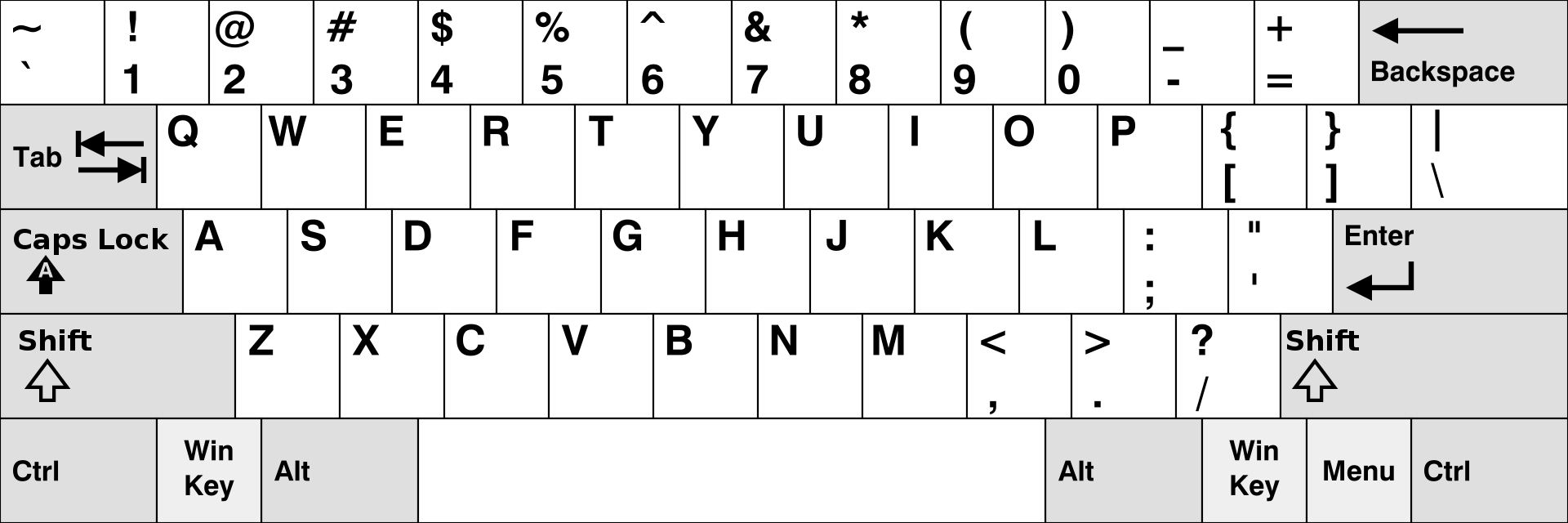
I often use this as reference for such cases: https://upload.wikimedia.org/wikipedia/commons/thumb/5/51/KB_United_States-NoAltGr.svg/1920px-KB_United_States-NoAltGr.svg.png
And the numpad for /,*,-, +.
weak sand
omgggggg it's finally workinnnnnngg thank you all, I hope I'll have no more problem now ^^
weak sand
Ofc it's still doesn't work 😩 after I have put my username/password, the browser tells me "http://IP:8123 is not responding" with a white window And if I wait a long time, then the HA logo shows up for a second and the link changes to http://IP:8123/lovelace but it's still doesn't work, still a white window... To explain the context, I'm working on a PC administrator without internet, the VM comes from a clone from a VM I downloaded on my personal PC. I had to change manually the IP of my VM becuase I dont have a DHCP server. If someone knows what can I do to find the problem, it would be perfect !
weak sand
humble mirage
Can you ping the IP?
Yes I can
weak sand
humble mirage
Did you set up SSH so you can SSH to it?
set up SSH ? on the vm ?
humble scaffoldBOT
@weak sand When using Discord's Reply feature it defaults to pinging the person you reply to, which can get frustrating for the target. Use Shift + click on the Reply option, or click @ ON to @ OFF to stop this - on the right side of the compose bar.
You have to change this every time (thank the Discord devs for that).
humble mirage
 rugged cairn
I just updated to Core 2024.6.2 and for some reasons Minimalist UI, ESPHome, Google Home? It will not allow me to reload them and nothing is showing up in my logs. I was told to check here that I might be in safe mode?
weak sand
humble mirage
SSH: <https://www.home-assistant.io/common-tasks/os/#installing-and-using-the-ss...
but since I can only put my usernam/password, I can't access to my profile and therefore can't do the few steps to get started with SSH
humble mirage
Set it up on your VM at home, before you clone it
weak sand
okay I thought I couldn't with the different I had with IP and everything, sorry ! thanks I'll try that
 marsh cedar
Hey Guys! I recenlty face a problem with my Home assistant.
If i try to open the app / login to the IP, the screen remains white (after a while it says connection time out). However, i still receive some notifications I set-up, so there is still contact/connection (i think).
In my router, i can see the homeassistant raspberry pi, but i can't connect the local IP. Anyone know what the issue could be??
Oh wow.... It seems to work again after many days. I think i fixed it by using a fixed local IP, not dynamic
 nova flame
weak sand
Ofc it's still doesn't work 😩 after I have put my username/password, the brows...
nova flame
weak sand
Ofc it's still doesn't work 😩 after I have put my username/password, the brows...
I've seen this sort of issue happen when two devices have the same IP address. You machine can get packets back from both of them mixed together and it causes all sorts of strange problems.
weak sand
I have 2 different IP... 200 and 201 😢 But I found another error of IP thanks to you !
 full apex
Hi folks, I recently migrated my HA installation from a VM on my NAS to a Pi. It seems to work fine from time to time, but it keeps disconnecting at random. I get the "DNS_PROBE_FINISHED_NXDOMAIN" error and after a while (might take 10minutes) it comes back.
What would be a good point to start troubleshooting?
proven grove
full apex
Hi folks, I recently migrated my HA installation from a VM on my NAS to a Pi. It...
What rPi are you running on?
full apex
A Pi 3B
 crude inlet
Are you reserving the IP address from your router for this instance? Is the previous instance running?
full apex
The previous instance has been turned off, the current one is getting it's IP from the DHCP
Automatically over Wlan
proven grove
full apex
A Pi 3B
Is it disconnected or rebooting? Depending on your addons and such, you might be exhausting the RAM and would cause reboots.
full apex
I have disabled an add-on now that was creating a-lot-of errors, seems to be more stable atm
proven grove
Anything in the logs when this happens?
full apex
I got so many warnings from the addon that there was nothing from the moment it was down. I can't really see if it was down or unreachable
crude inlet
what add-on is it?
or...an official add-on or some lesser known thing?
"just because it is available doesn't mean you should use it" applies to some add-ons out there. Oh, and Tuya 😄
full apex
It was the Buienradar addon https://www.home-assistant.io/integrations/buienradar
My guess is it was not configured correctly
This was the error it created
2024-06-12 20:10:33.765 WARNING (MainThread) [homeassistant.util.loop] Detected blocking call to open inside the event loop by integration 'buienradar' at homeassistant/components/buienradar/util.py, line 148: result = parse_data( (offender: /usr/local/lib/python3.12/site-packages/pytz/init.py, line 108: return open(filename, 'rb')), please create a bug report at https://github.com/home-assistant/core/issues?q=is%3Aopen+is%3Aissue+label%3A"integration%3A+buienradar"
HA still up and running btw
tidal horizon
That ain’t an addon but an integration. Addons have their own environment and are more or less a separate docker container
full apex
Sorry, I was mistaken in that
 upper talon
question about hardware. Currently I have a old install on a little NUC, I have an old laptop from work with basically the same hardware, but it has a keyboard battery trackpad and screen as well. From what I'm seeing Home Assistant OS is more of a VM than a whole OS.
What install path would I go down to best utilize the laptop aspects of the device? I would assume supervisor on debian, but want others opinions.
I would basically only pull it from being racked when I would be installing things around the house, but it would be nice to take it with me I'd think.
raven forge
Why supervised? You cannot run any other software on it or it will complain so there's very little point.
Installing a desktop linux OS and running HAOS in a VM might be a good option.
upper talon
you actually can run whatever you want with supervised, just turn off the job checks. I have a ton of other things running on the same system it's on now but for now I have spare equipment not doing anything so I was going to load it up with home assistant first and expand from there
But i just feel weird about running a vm only for home assistant when everything else is in docker now a days
unless i'm missing something obvious, I have in the past
humble mirage
If you want to "make the most" install Proxmox, rn HAOS in one VM and everything else in another
Or just use Debian + Docker and skip the Supervisor
(and no, HAOS is a whole OS)
upper talon
I mean they're just little 10th gen 4 core 8thread cpu's not a lot to split on them which is my main thing against virtulization, even though they support it
humble mirage
I ran Proxmox on an old i5 laptop for long enough
crude inlet
10th gen 4 core 8thread cpu
yeah but that's like 20 Rpis
upper talon
I guess I could silo things out a bit more with their own virtual macs and lock down specific apps at a network level if I did more virtualization
So say I did the proxmox thing, could I rip a backup of my current environment, and load the new VM with the same data? main concern is MariaDB and all the historical stats I have
crude inlet
You should make a full backup with MariaDB stopped, but yes.
crude inlet
upper talon
So say I did the proxmox thing, could I rip a backup of my current environment, ...
and I was joking with the 20 Rpis. A little exageration there. And there's RAM to allocate, but that is used as needed like CPU
10-12 Pis 😄
upper talon
crude inlet
You should make a full backup with MariaDB stopped, but yes.
Alright so sounds like the plan would be to get everything up and running on the new server, stop the old, take a backup, throw it on the share, move it from the share to the new server, restore the new db from backup, and start it up and see if I have any issues. Simple enough.
 dull summit
Hello, I got a 1 sec delay issue on one of my timer card
Any idea what I can do to fix the issue ?
I ve installed HAOS on proxmox using a script
https://pasteboard.co/HYQhLKE01tEL.png
 white bane
Hello,
https://www.home-assistant.io/docs/energy/faq/#troubleshooting-missing-entities
When I go to the 'Energy' tab I can't select my entity, I've followed this tutorial but the energy class is already set up, what can I do?
 tidal iris
Hello, is there a way to connect the HA to the Wifi before the installation starts?
like with the wpa_supplicant.conf file?
I'm installing it in a pi 4
humble mirage
dull summit
dull summit
Hello, I got a 1 sec delay issue on one of my timer card
Any idea what I can do ...
any Idea ?
humble mirage
The question is whether HAOS or the app is wrong I suppose
HAOS has built in time sync, as long as that's not blocked
Don't know how to check that on HAOS though
dull summit
don’t know either 😦
 granite salmon
Hi there, I'm trying to install HA on my NUC mini PC but after I followed the guides I'm having some troubles and searching around the internet I didn't find any help...
I'm dealing with this error:
[supervisor.docker.interface] Can't install ghcr.io/home-assistant/generic-x86-64-homeassistant:2024.6.2: 404 Client Error for http+docker://localhost/v1.44/images/ghcr.io/home-assistant/generic-x86-64-homeassistant:2024.6.2/json: Not Found ("No such image: ghcr.io/home-assistant/generic-x86-64-homeassistant:2024.6.2")
[supervisor.homeassistant.core] Error on Home Assistant installation. Retrying in 30sec
Anyone have ever seen this? how can I fix it?
 brazen herald
Which installation method are you using?
granite salmon
I've used the x86-64 generic's guide
brazen herald
Which method? There is more than one listed on the page.
granite salmon
The first one, the recovery from the live Ubuntu instance
It boots and give me the link to the default home assistant landing page but after that gives me that error
Now I'm watching the su logs and says error mainthread supervisor.homeassistant.core has crashed
anyway going to try tomorrow the other installation guides to see if it's related to the installation method
seems like it's in a loop crash anytime it start up the home assistant service
 flat ferry
Is there a good home assistant docker installation guide for UnRaid?
crude inlet
flat ferry
Is there a good home assistant docker installation guide for UnRaid?
You find it in the Apps. But do any apps in unraid have installation guides? The other choice is to run HAOS as a vm in unraid.
flat ferry
crude inlet
You find it in the Apps. But do any apps in unraid have installation guides? Th...
I can't afford the overhead of a full VM. I have found a guide but it is old and I'm unsure which on to install. There are two one called "Home-Assistant-Container" "Maintainer Balloob" with "OFFICIAL" on it and another called "homeassistant" "Maintainer
linuxserver" with lots of downloads but doesn't say official.
is there a way to post images?
proven grove
HA in a VM in Unraid is kinda hit or miss.
humble scaffoldBOT
@flat ferry Please use imgur or other image sharing web sites, and share the link here.
Image posting is blocked in most channels to discourage people from sharing text as images. Sharing text as images assumes that everybody sees the world as you do, which isn't the case. Some people are colour blind, or have visual impairment that means they can't make sense of an image of text.
proven grove
But, don't use the linuxserver image. There is an official image from Baloob there.
flat ferry
proven grove
Yup. That one.
flat ferry
why not use the linux one?
proven grove
Because we only support the official images 🙂
flat ferry
why does the linux one have loads of downloads. but the ballob one has none
proven grove
Because people just pick the first one and go with it.
And linuxserver is kind of prolific when it comes to app images. 🤷♂️
flat ferry
only support the official images
what is the difference, aren't they both "home assistant"?
proven grove
No. The offical image comes from the HA repo and is built and mainted by HA. The repackaged ones (there's more than just linuxserver) take the image and repackage it.
They are also usually a day or so behind with updates to the image.
There are risks when you use repackaged images.
flat ferry
who is Balloob... why isn't it "Maintainer
HomeAssistant"?
proven grove
Baloob is the founder of Home Assistant.
He's the one who started all this madness. 🤣
flat ferry
The repo link Repository ghcr.io/home-assistant/home in the description doesn't go anywhere...
proven grove
flat ferry
proven grove
https://ghcr.io/home-assistant/home-assistant:stable redirects to https://github...
proven grove
That's a problem in the community apps app then.
empty bloom
where is that screenshot from with the official banner?
flat ferry
proven grove
https://ghcr.io/home-assistant/home-assistant:stable redirects to https://github...
So is downloading from that community app just a button that run docker pull ghcr.io/home-assistant/home-assistant:sha256-033d869ed512cb10bb2eee04e9066289905a1b59d78bddf02b919c66ad8ee627.sig?
proven grove
It's out of the Unraid community apps store.
empty bloom
proven grove
It's out of the Unraid community apps store.
ah ok, so they set that up then
proven grove
flat ferry
So is downloading from that community app just a button that run `docker pull gh...
Kind of. When you click on install, it will take you to the docker settings page.
empty bloom
they, as in, the unraid community
flat ferry
proven grove
Kind of. When you click on install, it will take you to the docker settings page...
Ah, yes. I see. ghcr.io/home-assistant/home-assistant:stable
proven grove
Yeah, it's actually been there for almost a year now. I ran HA container on Unraid for a few months. It isn't bad or anything, I just didn't want IoT stuff on my NAS.
flat ferry
proven grove
Yeah, it's actually been there for almost a year now. I ran HA container on Unra...
Why? Is there a reason why I shouldn't have it on my nas?
 fleet hollow
Hi, I am trying to complete installation of HA. But unfortunately i am not able to complete it. Always it appear this message: "Home assistant CLI not starting! Jump into emergency console...". I know that there is problem with network because at the starting of virtual machine shows Failed network connection. Do you have any idea how to fix the network?
proven grove
flat ferry
Why? Is there a reason why I shouldn't have it on my nas?
It's personal preference. My NAS is strictly for media and nothing else. But, if it's what you have, then go with it.
@flat ferry Just one thing to note, since you are going with Container, many of the features in HAOS will not apply to you. That's why we recommend running HAOS in a VM, but if you don't have the resources for that, Container will do fine. This will show you the differences: https://www.home-assistant.io/installation#advanced-installation-methods
flat ferry
proven grove
<@411595460965433347> Just one thing to note, since you are going with Container...
Oh no. does this mean I won't be able to use ESPHOME? I just wan't to setup an esp as a temp sensor
empty bloom
you can use esphome
proven grove
flat ferry
Oh no. does this mean I won't be able to use ESPHOME? I just wan't to setup an e...
Yup. You can still use ESPHome as an integration. If you want to use the ESPHome dashboard for building and such, you'll need to add that as a separate container. Not hard by any means, just a slightly different approach. Addons are just docker containers with some extra magic (🪄) built into them to work with HA. But, most addons can be installed with docker anyhow.
empty bloom
esphome just builds esp devices
the esp devices use the integration to connect to HA, not the addon
addon -> make sensor
integration -> bring sensor into HA
proven grove
Yeah, the addon provides the dashboard though in HAOS.
flat ferry
proven grove
Yup. You can still use ESPHome as an integration. If you want to use the ESPHome...
Yes I want to use the dashboard to program the device... so do i install "ESPHome" through unraid "apps"?
empty bloom
yes, if it's an app
proven grove
flat ferry
Yes I want to use the dashboard to program the device... so do i install "ESPHom...
Yup. The one from digiblur (the official one) is the one you want.
empty bloom
I'd assume it is
flat ferry
Home Assistant -> "Create user" - is the user account the master account or is it just my account... should i put root or my name?
proven grove
You are creating a HA user. You can name it whatever you like. Most people go with their name (or other cool moniker).
flat ferry
What does the account do? just give access to the webui? are the access levels or are all accounts the same?
proven grove
All accounts have the same access.
flat ferry
proven grove
Yup. You can still use ESPHome as an integration. If you want to use the ESPHome...
So does HA need to "connect" to the unraid ESPHOME app? Or do i just use the standalone app to create the device
proven grove
flat ferry
So does HA need to "connect" to the unraid ESPHOME app? Or do i just use the sta...
The latter. The ESPHome dashboard gives you an easy way to create and manage devices. Then, you use the ESPHome integration to bring them into HA.
crude inlet
proven grove
HA in a VM in Unraid is kinda hit or miss.
Hit or miss? How so?
I ran it for years and it is still the fastest HA I’ve had, though it is not my production HA at the moment
So just wondering
proven grove
crude inlet
Hit or miss? How so?
Sometimes it gets wonky with USB passthru (because the USB drivers in Unraid are also kinda wonky sometimes). The OVMF BIOS option has also been reported to be weird at times and just flake out.
crude inlet
Oh yeah pass through can always be a potential sore point depending on the motherboard
And whatever hardware.
proven grove
There was one guy I was helping that had the auto turbo write mode installed and it was causing the VM to crash out.
Unraid is almost as bad as HA is sometimes just because of all the possible combinations of hardware and plugins and such.
I love it, but man is it a pain to support sometimes. 🤣
crude inlet
True. I made my first box out of random unused stuff and then this morphs into a much nicer one years later with more intention
proven grove
SAME... my first build was just a mishmash of everything. Then I started targeting it to just be a multimedia box and it got a lot better. But, I will say that the 6.12.x builds of Unraid have been really good.
flat ferry
@proven grove have you used tailscale with unraid?
proven grove
flat ferry
<@534201530895564800> have you used tailscale with unraid?
I have not.
flat ferry
ok. Ill carry on googling... I'm trying to setup this ESP32 from a different network so it is ready to deploy on the Unraid's LAN. I'm struggling to get windows to connect the hotspot via tailscaile so homeassistant can see the ESP32 🙄
 strange sage
Hi all,
I'm having some performance issue with HA. I run it through a VM (virtualbox) on a beefy CPU (i5 10400T); However I see the cpu is always 100% on the VM, and by installing glances I see this is due to HomeAssistant and python (I did disabled all addons/integrations beforhand without sucess).
I tried to troubleshoot with py-spy but seems its not compatible with Python 3.12
Is there anything else I can do?
I dont have loops in automations
I've just tried as well to boot in safe mode but I have same issue
raven forge
Can you share a picture of glances?
median shale
i'd be curious about the virtualbox settings too
 azure island
Hi, I'm struggling to install a yellow PoE with CM4 and no NVMe. Used the imager to create a USB drive. It is stuck flashing the yellow light suggesting no internet connectivity. After getting console access, Double checked the switch config and fixed the glitch.ifconfig agrees that there is no IP address configured but it is certainly on a network with DHCP and internet access. Any thoughts?
raven forge
median shale
i'd be curious about the virtualbox settings too
Maybe they have no virtualization enabled and it runs in turtle mode 👀
 hybrid bolt
does anyone running HA in docker have a nice way to initiate a container update from within HA? I was thinking a portainer API call or a bash script but interested what anyone else has done
proven grove
hybrid bolt
does anyone running HA in docker have a nice way to initiate a container update ...
I intentionally don't let HA update itself this way. But, if I were going to do it, I'd probably do a command-line to SSH to the host, nav to the place where I have my compose file and then run the docker commands.
hybrid bolt
I think without a script that is executed by the host, the commands would cease after the container is stopped
unless I'm misunderstanding what you're suggesting
proven grove
Actually, come to think of it, you're probably right. Ok, alternately, ssh to host, run a bash script on the host and background it. That should keep it running after HA stops. I think 🤔
Actually, yeah, that would work without backgrounding because HA won't stop until you do a docker up -d on it.
The pull won't do a down command first (unless you do a docker down obvs).
hybrid bolt
right, ok I think I'm on the page. However, I've been in the habit of issuing a homeassistant.stop service call before shutting down my container, just to avoid any issues with interrupting any writes to the recorder database. Though I don't know if this is truly needed or not
I was thinking to issue a sleep 5 && docker up -d and then issue the HA stop serivce immediately after
I'll play around with it
flat ferry
I now have HA setup... how do i create a second account so another person can see the sensors?
proven grove
flat ferry
I now have HA setup... how do i create a second account so another person can se...
Settings > People > Add Person
grand pivot
Persons are not users
proven grove
OMG... twice. WTH... 
Settings > People > USERS > Add User
Sorry about that @flat ferry
flat ferry
proven grove
Sorry about that <@411595460965433347>
The add person worked... I don't see "USERS"?
proven grove
flat ferry
The add person worked... I don't see "USERS"?
It's in the top bar in People.
grand pivot
you need "advanced mode" or to be an owner to see it
flat ferry
grand pivot
it's "advanced mode"
flat ferry
how?
proven grove
Click on your name in the bottom of the side bar, find Advanced Mode in the General User settings.
Set it to true.
I thought we set that up earlier... or I meant to mention it and got sidetracked 
flat ferry
Turns out "Allow person to login" and creating an accoutn when "ADD PEROSN" works to create an account too... but Users tab does allow me to edit the users thanks
🤔 but creating an account in the Users tab breaks that. Since toggling "Allow person to login" after creating the account means "Username already exists"
grand pivot
yes, it creates a user for that person
flat ferry
grand pivot
yes, it creates a user for that person
I don't see a way to assign an existing user to a person
flat ferry
Is Grafana just an IFrame within the home assistant dashboard? Is this possible within the home assistant android app?
flat ferry
?
 tacit glade
Hi all, I'm new into HA, and I'm migrating from Domoticz to HA. I'm building a test setup atm to see what works and what doesn't work. One of the issues that I have is that I cannot add an extra yaml file to the main config file. I want to add an extra file which contains the cfg data from my p1 meter. If I add the cfg data to the main cfg file it works, but I want to start with a neat main cfg file (a bit like nagios cfg files). How do I tell to HA that he needs to load the p1meter.yaml file without throwing "integration not found" or "required key 'platform' not provide".
grand pivot
I suggest reading this: https://www.home-assistant.io/docs/configuration/splitting_configuration/
You cannot just include a file without it being associated with a key
tacit glade
I did so, but i'm making a mistake somewhere, and I don't know where. Google also cannot provide me an answer (for now).
proven grove
flat ferry
Is Grafana just an IFrame within the home assistant dashboard? Is this possible ...
Only if you have Grafana setup with https
flat ferry
proven grove
Only if you have Grafana setup with https
How does grafana usually work with HA? (where does the grafana graph get rendered)
proven grove
flat ferry
How does grafana usually work with HA? (where does the grafana graph get rendere...
You can use non-https sites locally in the webpage card. So, you can share a Grafana panel or dashboard that way. But if you want to use it remotely, it needs to be over https.
flat ferry
proven grove
You can use non-https sites locally in the webpage card. So, you can share a Gra...
So if not an IFrame what is a "webpage card"? (are grafana and HA connected, or does HA just show the grafana webpage within it?)
proven grove
flat ferry
So if not an IFrame what is a "webpage card"? (are grafana and HA connected, or ...
The webpage card IS an iFrame. So, it follows the rules for iFrames.
Grafana and HA are not connected. HA will show the Grafana dashboard using an iFrame if it’s running as an addon. But otherwise, they are separate entities.
proven grove
flat ferry
So if not an IFrame what is a "webpage card"? (are grafana and HA connected, or ...
One more thing. You could use an InfluxDB sensor and then use HA’s graphing (or other custom chart cards) to display stats data.
humble scaffoldBOT

InfluxDB
Record events in InfluxDB.
Quality scale
IoT Class
Integration type
Documentation
Source
Issues
 hot laurel
I accidentally made the admin account local only, it won't let me access the ip address sense I am using a duck dns domain, I have access to the terminal through proxmox. is there anyway to edit the file and restore access?
hot laurel
Is anyone willing to help me please?
raven forge
Which file?
raven forge
hot laurel
I know the password and the username
the problem is it became a local only account
I am using a domain
median shale
just go to the IP address
hot laurel
it refuses to connect
median shale
ip:8123
hot laurel
yeah thats how I am trying
median shale
are you on the same network as it?
median shale
and it is also connected through ethernet, I hope
median shale
I hope you have a good backup from before you made this mistake
median shale
well, then it sounds like you've learned two really valuable lessons today
hot laurel
yes I did
median shale
and now you get to start over from scratch
hot laurel
damn
well I guess I know how to do everything already
shouldn't take me as long I guess
thank you
🙏
median shale
definitely set up automated backups
hot laurel
median shale
definitely set up automated backups
would there be an addon for that or, how would I go through doing that, I am new to HA, like 2 days old
hot laurel
dude I got back in
I forgot I added https yesterday
I added the s and it worked
wait how do I stop this from happening ever again
hot laurel
I mean the backup, should I setup a NAS?
median shale
do you have a gmail account?
hot laurel
yeah
median shale
just use that
hot laurel
how does that work?
median shale
hot laurel
I going to do that right now, thank you so much, I really didn't want to setup all 6 cameras on frigate back up again
 runic cipher
I just installed via docker, using my password manager to set up a password in the browser. Logged in fine, still have that session open. Then when I tried to open a second session, it says my password is incorrect. Tried my username, tried deleting characters from the end of the password in case I hit a silent truncation limit, nothing. So I'm unable to change my password. Is there something in particular I should do before nuking my config dir? I haven't really configured much yet
raven forge
runic cipher
Ah, I'm used to forgot password being worthless before I setup smtp or something
Thanks
But I just clicked that right before you posted that link
lofty crescent
I am trying to set up a raspberry pi 1 as a display for the HA system, I just want it as its own separate display
Does anyone have a video or tutorial on how to do this?
 distant mirage
 severe patrol
Hi! A really stupid question. I want to install Home Assistant on my Raspberry Pi 4 but can't find the image for the OS?
grand pivot
You don't need to find the image if you follow the installation instructions
severe patrol
I don't get it, I will use Balena Etcher to flash my SD-card but I do need the image for that



 severe patrol
So the image for Home Assistant is in the Rasoberry Pi Imager?
grand pivot
I'm saying follow the instructions
severe patrol
Yeah, I get it but I want to know but I'm doing and what's happening not just follow instructions and then it just works.
grand pivot
It knows where to get it from
severe patrol
Ok, so the Raspberry Pi imager downloads the OS from a repository?
 stoic perch
I think I am ready to punt on my Docker based HA install and go back to a dedicated pi with HasOS. Just too many new features are hard to do in Docker.... Is there a guide anywhere that can help me move all my data over so I don't have to totally start over?
brazen herald
Make a backup, put the backup somewhere you won't lose it. Install HAOS, set it up, and then restore the backup
stoic perch
brazen herald
Make a backup, put the backup somewhere you won't lose it. Install HAOS, set it ...
Thanks, I'll give that a shot
lofty crescent
Does anyone know how to troubleshoot a pi when it is not showing up on anything?
proven grove
lofty crescent
Does anyone know how to troubleshoot a pi when it is not showing up on anything?
What does "not showing up on anything" actually mean?
lofty crescent
So I have a HDMI plugged in and it has a single red light on it
But when I go onto the HDMI nothing shows
But it shows as the HDMI is active
proven grove
What kind of power supply are you using?
lofty crescent
A USB straight into the mains 5.0V 3.1A
humble mirage
Historically HAOS needed to be booted with the display already connected - don't know if that's changed
lofty crescent
I am on a pi 1 and am only using it as a display for HA I have the HAOS server set up on a second Pi
humble mirage
Which Pi is the problem?
weak sand
Hi ! I clone 2 different HA VM on a PC administrator that has no internet. Since my network has no DHCP, I had to update the ip address on those 2 VM. The first one works perfectly, but the second one doesn't work. Ofc, I didn't put the same address for both. I don't understand what can be the problem... The only difference between them are that one has the SSH option.
humble mirage
You can't have both VMs running at the same time
weak sand
one is shutdown and save but not erase. I need to erase it ?
weak sand
when I put the http://IP:8123 my navigator says that this link is unknown or not responding : "cannot reach this page"
humble mirage
Can the VM ping your gateway? Can it ping 8.8.8.8?
weak sand
How do I ping from my VM ? This OS doesn't let me use "ping"
median shale
Do you have a viable network route between your browser and the vm?
weak sand
humble mirage
Can the VM ping your gateway? Can it ping `8.8.8.8`?
No I can't ping my gateway
weak sand
median shale
Do you have a viable network route between your browser and the vm?
I don't really know, I would assume yes since they are on the same PC
sorry for pinging, this option is always enable 😠
median shale
does the PC have a network connection and no internet, or also no network?
weak sand
No my PC has no internet, but has a network connection
median shale
what are you using for the vm? virtualbox?
weak sand
yes
median shale
is the host windows?
weak sand
yes
 stuck stirrup
hello, i have a problem when i want install home assistant in my old computer whit a boot key, my pc doesn't detect home asistant, but when on my key there is ubuntu my pc detect and boot on. Anyone have any ideas
 balmy forum
Wanted to scratch everyones head...
I am running Home Assistant on an Ubuntu Server 24.04 in Portainer as a Docker
There is an addon that I want to run that requires the full install of home assistant.
Is there a way that the community has found to be able to run homeassistant as a app along side ubuntu server 24.04 or will I have to run something like KVM?
humble mirage
The only way to run HAOS is as a VM or to replace your existing OS
That said, that add-on probably has a non-add-on option
proven grove
What's the addon?
balmy forum
proven grove
What's the addon?
What do you think my options are? Or is a VM the only way to go?
I cant replace my OS as I am running dockers on Ubuntu
humble mirage
VM is the simplest, unless you can find a matching Docker container/persuade them to do one
Doesn't look like building one would be hard though
proven grove
I did find a bacnet to mqtt container that might work, but you'd have to translate the topiccs and messages into HA.
balmy forum
humm.. My main reason for this is to be able to provide bacnet data to voice assistants. Not really to control anything persay
proven grove
I found this one which runs in nodejs and does have a container availble: https://github.com/2pk03/bacnet-mqtt-gateway
balmy forum
THank youlet me see what I can do
Would something like this make sense? Or is it asking for problems?
median shale
what's bacnet?
balmy forum
median shale
what's bacnet?
A building automation protocol that is used mostly in buildings. But it allows for a large amount of devices to be integrated
median shale
i see
balmy forum
Think Power meters, Water Meters, Controllers, Equipment
median shale
so all the stuff home assistant does, really
balmy forum
My Power meter Supports it so I wanted to be able to bring that data in to HA
proven grove
balmy forum
Would something like this make sense? Or is it asking for problems?
https://pim...
One, that's a Core installation and two, it's a headache to maintain.
balmy forum
Yea but with devices that are already out in the world that have been out in the world for 10-15 years
median shale
yeah, cool. got it.
not a thing I need, but interesting to know about anyway. thanks 🙂
proven grove
balmy forum
Would something like this make sense? Or is it asking for problems?
https://pim...
Personally, if I were going to do this, I'd go with a VM. Take a backup of your current Container setup, setup the VM with HAOS and then restore the backup. Core doesn't support addons, so you're not going to get what you want that way.
balmy forum
proven grove
Personally, if I were going to do this, I'd go with a VM. Take a backup of your ...
Agreed looking at it now
thank you
 thorn tundra
Hello. I have a problem with my HA, yesterday it worked perfectly but today I can't connect to my home assistant in any way, from local network using internal URL or External, from other networks it is same. Did someone know what it can be and how to fix this problem?
 indigo slate
Hello all,
I'm new here, so sorry in advance 🙂
I was trying to install HA, and while doing the onboarding, I noticed that Kosovo (XK) is not listed there. My question is: how can we add Kosovo as a country in HA?
humble mirage
Looks lke XK isn't official: https://en.wikipedia.org/wiki/ISO_3166-1_alpha-2#Officially_assigned_code_elements
median shale
i think the answer is "to be added as a country in HA, Kosovo needs to be added as a country in ISO 3166-1, and in order to be added in that ISO, Kosovo needs to be officially recognized as a country by the United Nations"
and I understand why that's bullshit
tender wren
XK is a temporary assignment by some entities. It might be changed at any time.
indigo slate
actually here: https://en.wikipedia.org/wiki/Kosovo
we can see ISO 3166 code: XK and the Status
Recognised by 104 out of 193 member states of the United Nations[1]
tender wren
To the "how can we add it" - you can try it with a feature request (without any guarantees)
median shale
but not the UN as a whole. we're not here to debate the politics though, it's standard to use the ISO documents for standards and you need to convince them
humble scaffoldBOT
If you have a feature request for the frontend you can open one here, for Home Assistant itself please post on the forum. All other feature requests should be made to the developer of that custom card/component.
median shale
super weird
tender wren
I guess it depends on who you ask. It is one of the complicated cases.
indigo slate
I understand, thank you all
median shale
good luck for sure.
If it helps, I'm not sure that country code makes any difference anywhere for anything
yeah, https://www.home-assistant.io/integrations/homeassistant/ says that country is an optional setting
tender wren
But I get that it is also a psychological thing. Especially in places with such history.
median shale
sure. I'm going to go ahead and continue to not have that set in my system as a show of solidarity
tender wren
But @indigo slate, we don't want you to make too much hope, that it will be built in.
indigo slate
It's okay, we are used to it, and that's the reason why we are trying to put our name everywhere. Not an easy task 🙂
tender wren
Not a political, but more a standards thing. But a feature request doesn't hurt. And don't forget to vote for your own request,
indigo slate
tender wren
Not a political, but more a standards thing. But a feature request doesn't hurt....
I will do that
 astral shore
Has anyone ever installed HA and Gitlab on a Raspberry PI 5 with SSD and both are performing well?
humble mirage
HA will perform acceptably on a Pi3 (just), so a Pi5 will have no problems
 dawn ice
when you get locked out of the webgui and forgot the SSH login you setup 😵
raven forge
Keyboard and monitor time.
humble mirage
 clear ermine
Hey Guys, I'm hoping someone can help with an issue I've been having with updating the Home Assistant Core to the latest version. When I try and install the update, the system never comes back up and I'm forced to end task on the virtual machine. I can't even shut it down properly, and this system had been running flawlessly for several years.
- The last version I was able to successfully update was 2024.6.0.
- HA is running Linux on Virtual Box v7.0.18 r162988 (2 cores/Base memory = 4086 MB/Guest additions added)
- There doesn't appear to be anything useful in the system core or supervisor logs.
- Unfortunately I don't have a snapshot or system restore point to revert from before the issue started. There are plenty of HA backups I can use, but restoring those do not fix the issue.
- I've tried uninstalling all of my addons and integrations to see if that helps and it doesn't.
Do you think that something is corrupted and what is the best way to troubleshoot from this point? I am subscribed to nabu casa if it helps. Does that provide any additional support where someone could look at my setup?
Thanks for any help you can offer, I really appreciate it! 😀
median shale
are you using HAOS and it's just the core update that's a problem?
clear ermine
Yes. I can update addons or HACS integrations fine. Been messing with this trying to get it to work for a few weeks, and at first I thought it was something with core 6.1 but 6.2 and 6.3 are doing the same.
median shale
have you tried a fresh install and then restore?
clear ermine
No, would I do a fresh install and update to 6.3 and the latest of everything else and then restore? Does it matter if I restore from a backup where the issue is occuring or do you think it needs to be an older one? Thank you Tom btw.
median shale
yes, maybe, probably not
actually, i think you can just do a fresh install OF 6.3 and then you can skip the update
clear ermine
Ahh okay, I should have thought to try this. I would love to do a restore from a recent backup, think that will work?
 haughty dagger
Not totally sure if this is the right channel for this, but I am using control d for DNS services for my router (an eero that I want to eventually replace with an OpenWRT compatible one). I have nginix proxy manager installed, and I want it to just resolve my local web apps that I have no plans to expose to the internet locally. So home assistant would be something like homeassistant.example.com. I used to do this by using cloudflare to point *.example.com to my local 198.168.x.x ip which was hosting nginix proxy manager, but that is probably not a great practice.
I usually use tailscale if I want to access my network from outside.
clear ermine
@median shale I think that did the trick. Won't know until I get another core version, but everything is looking great. Thanks for the help!
median shale
haughty dagger
Not totally sure if this is the right channel for this, but I am using control d...
This isn't really a home assistant problem at all
I'm not sure where to send you though. Is there a ctrlD discord?
haughty dagger
hmmm
 jolly charm
hey everyone, I feel pretty silly about this - not sure if I'm missing something. I am new to HA and I'm trying a virtualbox install. I haven't been able to get the website to come up. no matter what, l'm consistently getting "error_connection_refused" when trying to access the home assistant port.
the Observer port works with no issue. I'm only using IP. any thoughts?
brazen herald
Does http://homeassistant.local:8123 work?
jolly charm
no
but http://homeassistant.local:4357 does. shows everything is connected and healthy
it looks like I can’t send a picture to the chat, but I ran network info and can answer any questions about what I see on the screen
median shale
Imgur
raven forge
jolly charm
but http://homeassistant.local:4357 does. shows everything is connected and heal...
Please check ha core logs via CLI.
 wheat walrus
having some shenanigans that I'm trying to sort out, and I'm not entirely sure if this is the right place or not.
I'm using the Docker version of HA, and trying to use Nginx Proxy Manager (another docker container). I told the proxy manager to point to https://127.0.0.1:8123 and use websocket support. My SSL cert appears to be working since I can get an HTTPS connection, but I'm getting a 502 gateway error. Neither Nginx or HA are giving me anything useful in the container logs to suggest the failure
humble mirage
Are both containers using host networking?
wheat walrus
hold on a moment. I found someone with a similar issue, and they had to add some custom code to the nginx config
that said, it appears HA is on the host network, but the proxy manager has a different network docker-nginxproxymanager_default
humble mirage
Then 127.0.0.1 means inside that network
wheat walrus
okay, so ... seeing as the default install for HA docker doesn't include port redirecting, that means it's using the bare metal ports/ip?
wheat walrus
give me a second
humble mirage
127.0.0.1 isn't always "this computer" once Docker is involved
wheat walrus
Here's my portainer config
or rather, the way the network is set up. Is the suggestion that I need to take HA off the host network so that nginx could interact with it?
wheat walrus
what would i be using in place of it? the lan ip of the machine?
humble mirage
Yes
wheat walrus
ok, let me poke at that then
wheat walrus
not familiar with traefik, but let me check this one other thing before i start looking at alternatives. In part because my dns is cloudflare, o i need to make sure that whatever I use works with them
wheat walrus
wheat walrus
https://imgur.com/a/zyITzik
same link has a pic of the config from the proxy manager. so it 'claims' it's using webhooks. But let me dig into stuff more and see how traefik handles certificates
humble mirage
What proxy you use is completely irrelevant to you using Cloudflare
wheat walrus
true, but that manager included LE certs, and certbot does need a particular plugin to work with cloudflare
humble mirage
Traefik handles LE and works with Cloudflare for certs
 ebon relic
Hello everyone, I am at wits end. Googled and came up nothing. I just bought a GMKtec K9 with ultra core 5, 64GB ram, 1TB nvme drive. Would like to install HAOS directly onto the NUC. Regardless of what I do, I get a SLOT A error at boot screen. Is there something in the bios that I need to tweak? (secure boot disabled, not sure how to enable UEFI with this BIOS, no field to change). Can someone please point me in the right direction? Spent 1 wk of hell trying to get this up and running. Would like to stay from having to install PROXMOX as I am a newby and do not know my way around linux coding. Thanks for any help being offered.
weak sand
Hi, I have powered up my HA VM and my link works on my navigator. But look at the window : https://imgur.com/a/9khtkSr "Error while loading page lovelace". Each time I power again my VM it says that. I even try to delete every file and create my VM again but it does it again. I downloaded this VM on my personal PC, I put the SSH option, and then I cloned it to an administrator PC that has no internet. If someone knows what I can do... Thanks a lot
humble mirage
Try incognito mode
weak sand
already am, There is no proxy
wheat walrus
still fighting with this. I brought NPM to the host network, so localhost/127.0.0.1 should work in there for the reverse proxy. If I tell it to use http I get a 400 error, and if I tell it to use https I get a 502 error. I have another container with normal port exposure working just fine, so NPM appears to be working. I thought maybe it was a proxy setting issue in my configuration.yaml file, but I'm not sure what I should be putting in since it's all on the same machine
  use_x_forwarded_for: true
  trusted_proxies:
    - 127.0.0.1
What's in the HA log file?
wheat walrus
It's yelling about a saturated zigbee channel
sighs it really seems like NPM isn't making it to talking to HA
humble mirage
Not about an untrusted proxy then?
wheat walrus
I did find a line from awhile ago 2024-06-18T10:12:47.957059359Z 2024-06-18 03:12:47.955 ERROR (MainThread) [homeassistant.components.http.forwarded] A request from a reverse proxy was received from 127.0.0.1, but your HTTP integration is not set-up for reverse proxies
let me try a full reboot of the container
humble mirage
A while ago is irrelevant
wheat walrus
I mean like 15 minutes ago when I'd tried fifteen seconds ago and had the same error
but I did a full restart of the container, and after the boot logs went, I got the saturated zigbee channel again and then nothing when I tried to open the site through the outside domain
and no logs in the npm container either
humble mirage
You can still connect to HA with http:// by going directly?
wheat walrus
https://dpaste.com/H6ADDMLL8 these are all the logs I've gotten since I restarted the container
I tend to agree that it's a proxy config issue, I just don't know where the problem is coming from. I'm still more used to apache from my home system, but I remoted in and looked at my config there and it just looks like a normal reverse proxy + webhook + https upgrade
and trying to go through NPM's forums and stuff isn't giving me much insight
humble mirage
Did you try connecting to HA over your proxy in the time window of those logs?
wheat walrus
yep, right before I pulled the logs
humble mirage
Then my previous advice still applies
wheat walrus
If you mean Traefik, not gonna lie ... my brain broke just trying to figure out how i was supposed to add a service to it, much less get the certs reassigned and stuff
 rare grove
Hi! I have HA OS installed on my Pi4. Now I have a better server (with Intel N100, SSD, 16 RAM and umbrelOS) and would prefer to run HA there and shut down Pi4. Can I migrate to the new HA server so all connected devices will continue working with the new one?
humble mirage
wheat walrus
If you mean Traefik, not gonna lie ... my brain broke just trying to figure out ...
#installation-archived message (third time lucky?)
humble mirage
rare grove
Hi! I have HA OS installed on my Pi4. Now I have a better server (with Intel N10...
Yes, take a backup, restore it on the new install
wheat walrus
oh, sorry, yeah, I tried that, tried localhost, tried home-assistant
humble mirage
Try the actual host ip
wheat walrus
I think I tried to bare metal IP
humble mirage
The same one that works in the browser?
wheat walrus
yeah. Same issue, 400 error with http, 502 with https
wait, wait
now i got log errors
seems like a formatting issue in configuration.yaml, since it's complaining about my host ip not being on the proxy list, but it is
https://dpaste.com/DE3QX4WCF my current config
humble mirage
Did you restart HA after changing the YAML?
wheat walrus
i had, but checking something else real quick
2024-06-18T10:49:07.582977692Z 2024-06-18 03:49:07.580 ERROR (MainThread) [homeassistant.components.http.forwarded] A request from a reverse proxy was received from 192.168.254.100, but your HTTP integration is not set-up for reverse proxies
still throwing that error, while the browser gives me a 400 error
humble mirage
Then you didn't restart HA, or that address isn't in the config
wheat walrus
just did a full shutdown of the container, then restart, checked log, then tried opening the page and got the same error. I linked the yaml up there, so I know the address is in there. I'm going to for instanity check do a full reboot of the server
still headdesks
weak sand
weak sand
Hi, I have powered up my HA VM and my link works on my navigator. But look at th...
what is the goal of SSH in this context ? because at first i couldn't see anything on my navigator so someones told me to add SSH but I don't see the goal, maybe it can help me for this problem also.
 lime gale
hey y'all.
if somebody is running supervised hassio. could someone please check if this is all containers that needs to be running? i feel like some container is missing. because I'm not able to reach webgui and setup HA
I have these containers active and running:
hassio: audio, cli, dns, multicast,observer, supervisior
humble mirage
Are you running Home Assistant OS (was called "hassio" many years ago) or Supervised (a .deb you install on Debian)
lime gale
supervised .deb install on debian
lime gale
cuz i already have stuff running on rpi4. i dont want ha os as a main os
median shale
That's a bit harsh, but the instructions do say not to do that
lime gale
well i've ran docker HA version but it wouldn't allow me to install addons so i wanted to switch to supervised
humble mirage
tender wren

humble mirage
median shale
That's a bit harsh, but the instructions do say not to do that
Harsh, maybe. But also true
Ignoring the requirements is a pretty certain way to get a broken setup
median shale
lime gale
well i've ran docker HA version but it wouldn't allow me to install addons so i ...
You just have to set them up manually in docker too
tender wren
So you break your system, to run the worst installation type.
Just to be able to install add-ons, you could have run as Docker containers anyway.
median shale
lime gale
cuz i already have stuff running on rpi4. i dont want ha os as a main os
Why not? Maybe those other things running could run as add ons
I too tried supervised first, because I'm a server admin with 10+ years of experience. It was the worst. I think they only have it as an option for masochists
lime gale
tender wren
So you break your system, to run the worst installation type.
Just to be able to...
i was not aware that you can install addons through docker. i found on HA website that docker version doesn't support addons
median shale
It doesn't support them as add ons through that interface
But that's all the add ons are
tender wren
lime gale
i was not aware that you can install addons through docker. i found on HA websit...
They don't. But add-ons are also containers under the hood. Instead of the Zigbee2MQTT add-on (for example), you can run the Zigbee2MQTT Docker container
Or run HAOS
lime gale
i just want to access my ESP cams from HA... 😄 but i couldn't find a way how to install esp addon
tidal horizon
ESP has a docker container https://hub.docker.com/r/esphome/esphome
lime gale
tidal horizon
ESP has a docker container https://hub.docker.com/r/esphome/esphome
that solves it. im switching back to docker ha and getting rid of that supervised bulls*** 😄
hopefully i won't be back anytime soon. thanks guys 🙂
rare grove
humble mirage
Yes, take a backup, restore it on the new install
Wow, just like that? Cool, thanks!
Is there a way to make things like Add-ons work in a container? I suppose Umbrel installs all the apps as containers.
tidal horizon
rare grove
Wow, just like that? Cool, thanks!
Is there a way to make things like Add-ons wo...
See the convo above. Addons are normally also available as containers outside HAOS
rare grove
Thanks! I guess I just need to try it out.
What if I'll have 2 HA running in my network with the same configurations? I better to shut down the old one before restoring config?
humble mirage
If they have the same IP then things will go badly - shut down the old one first
rare grove
No, they won't have the same IP
That's why I was asking — if it will maintain existing device connections properly
Because re-connect all of them will take a lot of time
humble mirage
As long as there's no static IP then you'll be ok
 lilac atlas
help i need help with restoring home assistant from backup on new install
i currently use a rasberry pi for my home assistant and recently installed on home assistant on my unraid server as a vm
when prompted to start the home assistant setup, there is no choice for restoring
may someone please help?
tidal horizon
You can just do the setup, after that you can also restore a backup
humble mirage
Make sure too that you're using the Home Assistant OS install, other methods don't have a restore option in the UI
weak sand
humble mirage
Did you set up SSH so you can SSH to it?
in this context, SSH would allow me to know if my HAVM is working ?
humble mirage
Allows you to test that things are alive, yes
lilac atlas
so basically I run a vm in unraid
does that mean I am using supervisor or os install
 north rampart
So, having some issues, thought maybe I can get some help here. Have HAos running on a CM4. For some wird reason I can't remember the password for my admin user. To reset it, I need to connect monitor and keyboard to the CM4 and use the CLI interface to run a command.
Here is my issue: for the life of me I can't make HA to detect my keyboard. I have a Zigbee dongle connected, so the usb ports are working. But keyboards, these do not work. Anyone got any ideas?
humble mirage
Power cycle the Pi with the keyboard connected?
north rampart
humble mirage
Power cycle the Pi with the keyboard connected?
Yep, did it. Doesn't seem to fix the issue
humble mirage
tried the port the zigbee stick is in?
north rampart
Yep, also did that. Also tried multiple wired keyboards and a wireless one
jolly charm
raven forge
Please check `ha core logs` via CLI.
https://imgur.com/EV70v8t core logs
clear ermine
Hey @median shale, or anyone else who could assist with this issue I mentioned yesterday, #installation-archived message. After creating a freshly installed 6.3 VPC and restoring a recent backup, the server will not restart and I have to end task on the virtual machine and start it up again. This also happens when I restart HA in safe mode. This leads me to believe it's something in my configuration and I'm not sure how to fix it. I've uninstalled every addon and integration, as well as removed everything from the configuration.yaml and it still happens. Anyone have any thoughts on what I can try next?
ebon relic
Hello everyone, I am at wits end.
raven forge
jolly charm
https://imgur.com/EV70v8t core logs
HA is stopping for some reason. Can you check ha supervisor logs too?
Last time this happened a downgrade of core. See here how to do that:
 edgy shadow
who speaks French and who can help me install the software with WINDOWS. On an apple device
humble mirage
edgy shadow
who speaks French and who can help me install the software with **WINDOWS**. On ...
This server is 100% English, and gibberish
 tulip mirage
anyone else seeing that?
humble mirage
#add-ons-archived can probably help there
 median forge
Anyone here have any ideas on how to solve this issue?
https://community.home-assistant.io/t/warn-home-assistant-cli-is-not-running-jump-into-emergency-console/303548
Apparently it
is really common
 tight pasture
Hello, i'm doing the system update via Home Assistant to 12.4 and it's been 33 minutes. Is it supposed to be this long ? Can i restart ?
 heavy gorge
It depends on the hardware, really.
If you're running this on 15+ years spinrust disks, maybe 33 minutes is normal.
Check if you can ping the IP, then http://homeassistant.local:4357
 sharp wave
How painless is it to transfer from a vm to another vm using the backup and restore function
raven forge
Very.
sharp wave
That's the motivation I needed
raven forge
Just remember to reboot after restoration.
sharp wave
Will do
 tender ether
tight pasture
Hello, i'm doing the system update via Home Assistant to 12.4 and it's been 33 m...
tender ether
tight pasture
Hello, i'm doing the system update via Home Assistant to 12.4 and it's been 33 m...
mine is also failing to boot after doing this update
it just beeps at me
 waxen mulch
Wondering if someone can help me with my new Pi 5 install. I've been running HA Core on Windows 11 VM for the last couple weeks and picked up my Pi 5 today. Installed HA on my SD Card and plug it in but can't go to http://homeassistant.local:8123/ because it's going to my VM install. When I shut down my VM and try it doesn't connect to anything. Verified the SD Card and Pi was operating properly by installing Pi OS and confirming it shows up on network properly. Not sure what I have to do to see new Pi install
raven forge
Visit it by ip instead. mDNS does not always work well.
waxen mulch
I can't find the IP. It's not popping up on my network
median shale
are you plugging it in via ethernet?
raven forge
Connect a keyboard and monitor to it and run ha network info.
waxen mulch
yes
median shale
but your router doesn't have it in the list of connected devices?
waxen mulch
raven forge
Connect a keyboard and monitor to it and run `ha network info`.
Unfortunately don't have a micro HDMI cord right now
raven forge
Not sure what to recommend then as we can't invesitgate what's happening. Perhaps a reboot and if that doesn't work a re-flash.
waxen mulch
raven forge
Not sure what to recommend then as we can't invesitgate what's happening. Perhap...
Thanks. Tried both those a few times and no luck. It's strange because when I tried installing Pi OS it booted up and connected to my network immediately but for some reason the HA install seems to not connect
median shale
you're going to need to get the microhdmi
waxen mulch
median shale
you're going to need to get the microhdmi
I have one at work. I'll have to bring it home tomorrow.
median shale
I'm excited that I don't have to work for the holiday tomorrow, so slack a little extra for me when you get there
 near loom
Howdy! I am stuck on the “Preparing Home Assistant” page with the last log item saying “Host information reload completed “ not sure how to continue
tight pasture
tender ether
mine is also failing to boot after doing this update
Mine apparently reverted back to the old version. I'll keep it like that for now
grand pivot
That's more for #developers
 pine rock
ok, thanks
north rampart
north rampart
So, having some issues, thought maybe I can get some help here. Have HAos runni...
Does anyone have any ideas what might be happening with this one ?
humble mirage
#yellow-archived may know more
 pastel crane
Hi i have home assistant running on virtual manager on a Synology and it was updating to new core update but it crashed
I connected with the CLI and typed backups to get the list but i cant scroll through the list
Tried page up and shift but no succes want to restore the last backup
Went wrong with the latest core update 12.4
raven forge
Try ha backups | less. You might have to enter login first.
You could also restore the whole VM.
pastel crane
raven forge
Try `ha backups | less`. You might have to enter `login` first.
You could also r...
tried that but get the same list
tried putty with SSH but cant connect
raven forge
Did you run login first?
It should give you a scrollable list when you pipe to less.
pastel crane
it now shows standard input and a list of ~ when I type backup |less
empty bloom
Sounds like synology isn't letting you scroll
pastel crane
looks like it wanted to post screenshot but not possible it seems
empty bloom
use imgur to post images
pastel crane
empty bloom
have you tried the up/down arrows?
on your keyboard
instead of scroll on the mouse
possibly shift + up/down
pastel crane
yes tried all those combos thet google gave me
empty bloom
well all those controls are controlled by the OS
your best option is to attempt to filter the list or sort the list so that the items you want are at the bottom. Not sure if that's possible.
pastel crane
backup --help did not give any suggestion
empty bloom
If you have SSH addon installed, you can use another OS + Putty (or terminal) to connect to HA to run the same commands. Both offer scrolls
Also, a word of advice for the future, a backup is not a backup if it resides on the device you're backing up.
Always move your backups to a second device
pastel crane
dont know what I did but somehow I saw the name of the last backup now restoring
raven forge
pastel crane
https://imgur.com/a/kW3tam7
I told you to enter login. The HA CLI has no idea what less is.
 autumn gale
Trying to reinstall a friende instance. Its on a rpi4b, previous install was on a rpi3b. When hitting onboard page I uploaded the last backup file. Now the observer states, connection, healhty and supported. But the main page returns ERR_EMPTY_RESPONSE. What to do?
proven grove
autumn gale
Trying to reinstall a friende instance. Its on a rpi4b, previous install was on ...
How long has it been like that? Depending on the size of the backup and such, it can take 30-45 minutes to restore. Also, after the restore completes, do a complete reboot of the hardware.
autumn gale
After I had waited for 2 hours, I turned off the power and then I got the observer up running and as I have a monitor on the pi I can see that the supervisor is up. Stating OS 12.4 and core 2024.6.0b4
raven forge
A beta version?
autumn gale
Yes, but started all over again with 12.4 and 2024.5.4 and still the same issue. Observer resorts everything fine, but cant access, just Get the empty response error.
 untold holly
my formerly working hass install on raspberry pi 4 will not start up properly. It boots and connects to the network, but then on screen it says failed to start home assistant cli. the web dashboard is not accessible. how do I fix this?
lofty crescent
Can someone please help me I am trying to configure a Pi 1 as a display for my Home Assistant, i got so far in the link below https://www.youtube.com/watch?v=4hN0_yGVdUQ&t=319s. Just as It goes to boot it comes up with more errors.
tender wren
lofty crescent
Can someone please help me I am trying to configure a Pi 1 as a display for my H...
That doesn't seem HA installation related. #diy-archived might be able to help
 heavy whale
hi everyone, I changed the password to my home assistant owner account some time ago but have lost the password login to it. So now I'm trying to setup ssh access to my home assistant OS 12.2, but I'm getting a public key denied message when I ssh into it.
my /root/.ssh/authorized_keys file is there with the public key I want to authenticate with. And I'm passing the private key from the command line.
I've already restarted home assistant
I also tried the official documentation way of adding a public key through a "CONFIG" usb key, which didn't work
do I really have to connect a keyboard mouse and display to the home assistant in order to recover my password otherwise :(?
tender wren
heavy whale
do I really have to connect a keyboard mouse and display to the home assistant i...
heavy whale
it says to use the serial console, I figured I could use ssh natively right?
I'm using a home assistant blue
oh well, I guess I'll connect a keyboard mouse and display then :/
I just find it weird it won't accept my private key file is all
even though there is clearly a /root/.ssh/authorized_keys file in there
tender wren
heavy whale
even though there is clearly a /root/.ssh/authorized_keys file in there
How do you know?
heavy whale
because ls shows me?
in /root/.ssh
and vim shows me it has the correct public key in there
or cat
humble mirage
That path only exists inside that container
tender wren
Via keyboard/monitor or SSH add-on?
humble mirage
Docker messes with your assumptions
heavy whale
apoligies you're right
I'm accessing it through a serial console right now, I'll check if I can set the ssh keys from there as well
it's not a typical bash shell but a ha shell
 vague canyon
waxen mulch
Thanks. Tried both those a few times and no luck. It's strange because when I tr...
vague canyon
waxen mulch
Thanks. Tried both those a few times and no luck. It's strange because when I tr...
Have you checked LEDs on your Pi5 ethernet port, are they active? I also installed today fresh HA on new Pi5 and can't connect. No lights on ethernet port
waxen mulch
vague canyon
Have you checked LEDs on your Pi5 ethernet port, are they active? I also install...
Thanks. Got it fixed. Was a bad SD card
heavy whale
are there instructions somewhere on adding a authorized_keys file from the serial console?
tender wren
If you are on the console, you don't need that. You can change the password there
heavy whale
I have, I just want ssh access from my desktop afterwards as well 😉
tender wren
Permanent debug SSH access to the OS is not recommended
heavy whale
alright, I'll refrain, probably a security recommendation?
proven grove
Just another attack vector that doesn't need to be opened all the time.
tender wren
Very few things, which really need OS access.
You often can do more damage than good.
heavy whale
also I think my instance got hacked after I put it on remote access from nabu casa cloud, because someone was putting my lights on and off in my house rapidly, does home assistant have something like fail2ban installed? or can people just brute force their way in when nabu casa cloud remote access is enabled?
my password might be on a leaked list somewhere
tender wren
You can use 2FA to prevent brute forcing password access
heavy whale
yeah that's true...
tender wren
And restrict users without 2FA to local login only
heavy whale
I guess that's secure enough then
thanks
I should be a bit more aware about these sort of things
proven grove
And if you got hacked via nabu casa, that'd be probably the first instance I've ever heard of that happening. I would bring up an issue with them and let them see if they can examine their logs to determine if it was an actual hack attempt.
heavy whale
that would be a good idea, I'll contact their support
or... I'm compromised elsewhere and it was a local attack... could also be the case lol
anyhow, I'm really not in the mood of playing police for all of my devices and infrastructure right now lol
proven grove
I mean, possible? But I would really suggest contacting NC sooner rather than later. I don't know what their log retention policy is, but I can't imagine it would be very long.
heavy whale
yeah point well taken
proven grove
Don't want to steer you wrong and say "eh, it's ok, let it go"... yannow? 🙂
heavy whale
I just send them a message, I think I'll try to start putting better passwords on my local devices too I guess... Is gonna be a hassle of logging in everytime, but it's better than getting compromised
and I might need to do some wiresharking soon as well
figure out if there is anyone doing something weird on my network
proven grove
Well, first I would determine what actually toggled the lights. Take a look at the logbook and see if it was a service or a user.
heavy whale
that's a good point
proven grove
I mean, it could have been an automation or a script or even an app that went a little nuts. 
heavy whale
the problem is that my lights toggle constantly because I have sensors. Could've also been something that triggered the sensor ofcourse, but since it happens so often it's hard to diagnose when exactly was the time... I didn't note it down
I am guessing it's just a sensor that was tripping out
where can I find the logbook again by the way?
proven grove
heavy whale
lol my bad I'm blind
proven grove
lol no worries. Thankfully I'm not. 😉
heavy whale
I didn't mean it literally
proven grove
lmao sorry... my poor attempt to be funny...
tender wren
proven grove
lmao sorry... my poor attempt to be funny...
Oh, you are German?
heavy whale
proven grove
lmao sorry... my poor attempt to be funny...
I thought you were serious
my autistic nature shows
proven grove
tender wren
Oh, you are German?
Psh... lol you WISH I was German. 😉
heavy whale
now I just need to set the x_forwarded allowed ip addresses so my nginx proxy manager can safely proxy my ssl cert for my local domains
proven grove
heavy whale
my autistic nature shows
Birds of a feather... I suck at context as well. 🙂
heavy whale
can't hit 2 birds with 1 paperclip
proven grove
Actually... you probably could... they make big paperclips. I've seen them! lol But the damn birds are too fast... unless we are talking about something like an Emu or an Ostrich... Might be able to hit two of them with a single paperclip
Autisim and over-engineering... what can go wrong?
heavy whale
you have to take the aerodynamics of the paperclip into account
and the trajectory
with some kind of divised cannon, it could be quite a easy task
proven grove
I like the way you think!
heavy whale
I am so new to home assistant that I can't find the logout button
where is it hidden?
ah
on my profile
tender wren
Well... it says 2 birds with 1 paperclip. Doesn't say you aren't allowed to fire a bunch of them like a shotgun - to get one of them hitting 2 birds. 🤔
heavy whale
aren't there ways to make the paperclip extremely bouncy, by utilising some form of different material, so that it's chances are increased to hit 2 birds?
anyhow, thank you everyone
problem diverted for the time being
tender wren
@proven grove and I will think about that on our bouncy castle
heavy whale
for the http: trusted_proxies, do I need to allow my entire subnet private 10 range in order to access home assistant?
I'll have to do some cidr notation stuff to see how to get the entire 10 range
should be: 10.0.0.0/10
tender wren
You don't. It can also be a specific IP address. Or if you are using HAOS and a proxy add-on the Docker network range
heavy whale
I want my entire private address range to be able to reach it
proven grove
tender wren
<@534201530895564800> and I will think about that on our bouncy castle
Yes, yes we will... 
tender wren
Trusted proxy defines, which proxy can reach HA
heavy whale
yes, and my proxy is on a 10 range address as well as all of my other networking equipment 🙂
tender wren
You don't have to trust all devices on your network to be proxies
tender wren
You are not using an add-on on HAOS?
heavy whale
I am using add-ons, which one specifically? I'm not using a proxy from HAOS itself if that is the question
I'm using one from another device
tender wren
In that case its IP address (hopefully static) should do the trick
heavy whale
yeah it is
ok, I'll give that a try
hmmm still 400 bad request....
do I have to restart home assistant entirely?
tender wren
You have to restart HA for the trusted proxies to take effect
heavy whale
cidr notation for a single ip is /32 right?
ok
/24 should be a single subnet
works!
thank you!
median shale
all of them are single subnets
even /1 which includes the whole internet
/24 is a full octet though
heavy whale

median shale