#installation-archived
1 messages · Page 21 of 1
 pulsar monolith
 manic bane
pulsar monolith
I was getting it on my older instance of HA and thought I just better start agai...
manic bane
pulsar monolith
I was getting it on my older instance of HA and thought I just better start agai...
Are you running on an SD card?
 low notch
whats the connector you are using? sata? virtio? ide? and also hypervisor
 raw axle
Ok, finally got my Pi 4 connected to a screen to diagnose what's going on; I've got a freshly-flashed SD card with the latest HA on it, and getting "Cannot connect to the Docker daemon - is the daemon running?". Going to jump into the emergency console mode as soon as I find a wire for my keyboard, but figured I'd ask in case anyone's seen this before and/or knows the likely cause (and fix) already!
So it looks it was this; pinging for my IP address on the Pi gives me an IPv6 address instead of an IPv4 one. Anyone know how I go about switching IPv4 back on?
raw axle
Unfortunately that's not working either, still need to work out why the docker daemon isn't running
 brisk willow
Oh I missed that part
raw axle
Error message (posting here for the same 'someone might know' reasons, just about to type it into google):
EXT4-fs (mmcblk0p8): VFS: Found ext4 filesystem with invalid superblock checksum. Run e2fsck? A dependency job for docker.service failed. See 'journalctl -xe' for details
low notch
Thats not a good start
You have datat corruption
Make sure you use a proper power supply and flash the card again, if it repeats use a new card
raw axle
Hmm ok, will give it another go.
Ok, first boot is starting up! Here goes nothing. I've got an old 16GB Class 1 card if it doesn't work, know it's not ideal but will give it a try using that if it does fail again!
Interesting, it's booted up and I've got the ha > prompt, but homeassistant.local:8123 (and :4357) gives me the "this site can't be reached" error. I think it's not got an IP address? sec, will take a photo because cba typing the current state of things out
Lemme check this cable haha
Ok, different network cable helped, just had to restart again afterward. No idea how I ended up with a corrupted card. Thanks all for your help 🙂
How long should a restore from backup take, OOI? Don't want to risk breaking things again by restarting the Pi, but I got no affirmative feedback about the restore process/progress bar it go by, and the page is now unresponsive again.
nevermind, we're back up and running. thanks again!
 sand sorrel
hi. Can I restore supervised on to hassOS?
brisk willow
yep
sand sorrel
everything except core obviously
just tried it, but dashboards and integrations are missing
looks like only addons went through
 fallen lichen
Core is where all of that stuff is
sand sorrel
m, k
 odd marlin
If you're moving to HAOS just take a full backup and it will restore everything
 cerulean carbon
Hi there! Maybe somebody know how to revert "move datadisk" action? Looks like "restore from backup" still uses new datadisk
sand sorrel
but can I restore a full x86 backup on a raspberry?
 neat hinge
odd marlin
cerulean carbon
Hi there! Maybe somebody know how to revert "move datadisk" action? Looks like "...
neat hinge
odd marlin
cerulean carbon
Hi there! Maybe somebody know how to revert "move datadisk" action? Looks like "...
As far as I know, there's no way to revert it other than reinstalling and restoring from a backup
 patent coyote
I'm working on getting HA installed fresh in a docker container on my CentOS machine. The container is running, but I can't connect to it using http://<ipaddress>:8123 (This site cannot be reached).
Here's what I'm using to create the container.
docker run -d \
--name homeassistant
--privileged
--restart=unless-stopped
-e TZ="Europe/London"
-v homeassistant_data:/config
-p 8123:8123
--network=host
homeassistant/home-assistant:latest
Any troubleshooting recommendations? Do I need to use --network=bridge?
 summer oracle
hi. if you aren't supporting python 3.11, it might be nice to note that in the release notes please? I now how to somehow figure out how to restore 3.10 on my venv setup, because distros are already moving to 3.11 as default py3... 😦
odd marlin
I'd recommend you just use a Container install instead, then you don't need to worry about Python versions
summer oracle
heh. no thanks.
 placid sage
why not?
summer oracle
i have a bunch of local only plugins that i really don't want to have to faff around trying to get working in a docker container.
also, docker conflicts with my virtual machine stack in all sorts of fun ways
 urban dock
Hi all. I am having an issue installing HAOS from scratch on my RPI using SSD. I get to the page saying it's being installed but it stays stuck there for days. I think it has to do with the date and time being wrong. The RPI is connected to the router with Ethernet. I'm not sure how to fix this since I don't seem to be able to SSH into the device (connection refused) and I can't get to the UI to install the SSH addon... what can I try ?
brisk willow
patent coyote
I'm working on getting HA installed fresh in a docker container on my CentOS mac...
Remove the -p 8123:8123 \ line. You can't have that and also --network=host
Also you should look into docker-compose 😄
brisk willow
summer oracle
i have a bunch of local only plugins that i really don't want to have to faff ar...
Host networking is your friend. But yes, I know docker creates some firewall rules by default that can create "fun" situations on the host (but there is a way to prevent that). You could also use a different container manager such as podman which doesn't do that
summer oracle
Fixing python 3.10 on debian bookworm:
- Add
deb [check-valid-until=no] https://snapshot.debian.org/archive/debian/20221228T092916Z/ bookworm mainto /etc/apt/sources.list - Run
apt install python3=3.10.6-3+b1 python3-minimal=3.10.6-3+b1 libpython3-stdlib=3.10.6-3+b1 python3-apt=2.5.0 python3-dbus=1.3.2-3 python3-dev=3.10.6-3+b1 libpython3.10-dev=3.10.9-1 libpython3.10=3.10.9-1 python3.10-dev=3.10.9-1 libpython3-dev=3.10.6-3+b1 python3-gi=3.42.2-3 python3-psutil=5.9.4-1 python3-psycopg2=2.9.4-2+b1 python3-venv=3.10.6-3+b1 python3.10-venv python3-yaml=6.0-3+b1 - Run
apt-mark hold python3 python3-minimal
This will restore working python 3.10 on your debian bookworm that probably recently received 3.11. Home assistant venv will then install correctly.
summer oracle
brisk willow
Host networking is your friend. But yes, I know docker creates some firewall rul...
I spent several months trying to get docker co-habiting with my existing virtual setup. I gave up when it seemed I had to completely rebuild every other VM on the host machine, even if I didn't dockerize all of them at the same time. This setup is pretty ancient, but also very flexible (minus docker) and easy for me to maintain. I run plenty of other docker stuff (for work, not home) so i'm not anti-docker at all, just, yeah, it's way more work than it's worth at present. maybe when I decide to dedicate a month to completely rebuilding my entire virtualization environment. Perhaps at the next server hardware acquisition.
it's just amusing. I moved from bullseye to bookworm because bookworm had more recent pythons than bullseye (bullseye is on 3.9!). but apparently you're now borked on latest python, so now i have to thread a very specific python version needle.
 copper steppe
Problem is hundreds of libs some of which don’t have good 3.11
manic bane
summer oracle
Fixing python 3.10 on debian bookworm:
1. Add `deb [check-valid-until=no] ht...
Theres also https://github.com/pyenv/pyenv which may help you out, though I don't use core but have seen it recommended
(Also weird seeing a MCer that I know of in the HA discord 😛 )
 quasi light
Hi! By chatting with chatGPT I just learned that Tensor Flow is only available for Home Assistant Core... Would it be possible to convert an installation of HA OS to Core?
quasi light
and if doing that, would my current config, scripts and automations continue to work?
brisk willow
Running a Core install isn't recommended unless you're very familiar with Linux
quasi light
Define very? It's my daily driver
brisk willow
But anyway, to "convert" you would just copy your config and point HA Core to it. Easiest way for HA OS is probably to take a backup and extract your HA config
Naturally you would lose the addon store and other Supervisor features and you'll also need to pay attention to python versions
quasi light
Ah, thanks. I like the convenience of Ha OS, so good advice regarding Python and addon-store... 🙂 Think I'll stick to HA OS for now then. Perhaps I will set up a small parallel test with core to get the feel of it
 wicked stratus
I'm running hass in a docker container.
I was wondering why the guides use the privileged flag set to true:
https://www.home-assistant.io/installation/linux#docker-compose
what would be the conequences of setting it to false?
 silk coyote
Hey, I just installed home assistant container on an Ubuntu Machine and it is up and running. My issue, is that I can't make this installation show up in portainer or in docker desktop. I can navigate through another computer on the same network using <IP_OF_UBUNTU_MACINE>:8123 . it is also not listed when I call "service --status --all". How can I make it show up in docker desktop and portainer?
I already tried to remove the files from the dir "/homeassistant/config" but upon restart it just reappears
 humble mirage
Well, yes, Docker will re-create the folder when the container starts - that's normal Docker behaviour
https://stackoverflow.com/questions/71926492/docker-desktop-not-showing-running-containers may be relevant for your Docker Desktop issue
silk coyote
Thanks for your quick response, I will look into that
 hybrid knot
silk coyote
Hey, I just installed home assistant container on an Ubuntu Machine and it is up...
hybrid knot
silk coyote
Hey, I just installed home assistant container on an Ubuntu Machine and it is up...
Yeah I had this issue recently too. See what 'context' the container was made in. Docker linux is a different 'context' than docker desktop
I'm not too familiar with the ins and outs but it's (almost certainly) that, since you can access it that means it is running
 wheat birch
i used balenaetcher and it said success for my pi3 and i put the sd card into the pi and ive been waiting about 10min but nothing shows on screen..... how long does initial boot normally take and should i see stuff on the screen
low notch
which url did you use in balenaetcher?
wheat birch
low notch
you should see text fly by in a few seconds after powering on so there is something preventing your pi from seeing the sd data
wheat birch
hmm ok, ya i was wanting to make new sd card with a fresh install to start mssing with and remove a lot of the "junk" mistakes i had the sd works in my pc but odd is there a size cap? it was a 128 i was using where as the working one is 32
 vagrant ember
wheat birch
hmm ok, ya i was wanting to make new sd card with a fresh install to start mssin...
vagrant ember
wheat birch
hmm ok, ya i was wanting to make new sd card with a fresh install to start mssin...
nope there isnt, i'd advise you to use raspberry pi imager to flash the card
wheat birch
vagrant ember
nope there isnt, i'd advise you to use raspberry pi imager to flash the card
ok ill try that thanks
wheat birch
not buying another lol ill stick to the 32 if thats the case this 128 is basically new
 crude inlet
wheat birch
i used balenaetcher and it said success for my pi3 and i put the sd card into th...
crude inlet
wheat birch
i used balenaetcher and it said success for my pi3 and i put the sd card into th...
If it's a black screen chances are very good that you have the wrong pi image for the wrong pi model.
vagrant ember
thats probably the issue
using raspberry pi imager will give you a clearer selection on what to choose
crude inlet
Many think they are using a 3 and it's something else
wheat birch
I’d agree but I used that same setup on the first card I don’t have a 4 I know that
Unless the fact it says 3 and not 3b? Since it’s a 3b
I’ll try the imager when home and see 🤷♂️ maybe that link is no good
 subtle gorge
Hey guys,
do you know of a way I can increase the size of the allocated space for HA more than 32GB? I am running Windows 10 with OracleVM.
Becuase the VDI file on www.home-assistant.io/installation/windows/ has the storage set to 32GB
copper steppe
Just google? Something like
`VBoxManage modifymedium disk "C:\Users\Blah\Something.vdi" --resize 81920
subtle gorge
Where would I do that? In the command prompt in windows, or in the Oracle VM itself? The prefix in the VM itself is ha > and both of them don't recognize such a command?
manic bane
subtle gorge
Where would I do that? In the command prompt in windows, or in the Oracle VM its...
It depends how Oracle handles the internal drive
Also why on earth would you put HA in a cloud VM
fallen lichen
Oracle is the current owner of VirtualBox
 pallid lake
manic bane
Also why on earth would you put HA in a cloud VM
pallid lake
manic bane
Also why on earth would you put HA in a cloud VM
Cloud fail over?
manic bane
fallen lichen
Oracle is the current owner of VirtualBox
Also the name of the free cloud VM suite
manic bane
pallid lake
Cloud fail over?
Defeats a purpose if it's all local though
Clouds not going to be accessing my ZigBee coordinator easily
subtle gorge
Its VirtualBox, is Oracle VM VirtualBox a cloud VM?
I'm open to installing it a different way if that way makes it easier to have HA use up the entirety of my SSD.
manic bane
subtle gorge
Its VirtualBox, is Oracle VM VirtualBox a cloud VM?
Just saying oracle VM is a cloud based VM
virtualbox is good
HA shouldn’t use up all of it, its only 32gb at base, and shouldn’t need too much more unless you have specific use cases
 slender olive
On both VirtualBox and Proxmox, I've had a problem with HAOS hanging (kinda). It becomes unresponsive, but spits out these errors on the console:
https://imgur.com/a/ZUN8Q6V
I do not have this problem with other vms, eg. Debian running supervisord.
copper steppe
slender olive
On both VirtualBox and Proxmox, I've had a problem with HAOS hanging (kinda). I...
seems to be a warning that the VM is not getting scheduled enough. have you got any funky addons/integations? I don't have that issue
 mossy light
Can anyone give me a hand walking me through MQTT setup on Home assistant? I keep trying to find guides on youtube, reading docuementation, but things are always out of date (even if they are a few months old), arent explained well, or flat out dont work. I am so frustrated and could really just use someone's help.
 viscid sigil
Make sure your Home Assistant server has a static IP address or a reserved IP address in your DHCP server so that the IP address does not change. Install the addon, add a HA user for use with mqtt, install the integration. https://github.com/home-assistant/addons/blob/master/mosquitto/DOCS.md#installation Use the HA user credentials in your devices for logging on to the broker.
mossy light
How do you make your home assistant on a static IP?
subtle gorge
manic bane
HA shouldn’t use up all of it, its only 32gb at base, and shouldn’t need too muc...
I want to use Samba NAS for my movies and family photos. I was only able to hold 4 movies until it was completely full. Is it even possible to increase the disk space allocation more than 32gb?
manic bane
subtle gorge
I want to use Samba NAS for my movies and family photos. I was only able to hold...
You can yes, I wouldn't recommend using HAOS as a Nas though, it's not designed for it
manic bane
mossy light
How do you make your home assistant on a static IP?
Set it in your router settings. Static IP or static lease are the two common terms
mossy light
I think I was able to figure it out from this old documentation: https://rapidlydigital.com/assign-a-static-ip-to-home-assistant/
I am so frustrated. I am past the Mosquitto broker add on, past the MQTT integration, now I am having issues getting zigbee2mqtt working.
brisk willow
Share the error you're getting?
slender olive
copper steppe
seems to be a warning that the VM is not getting scheduled enough. have you got...
Addons: ESPHome (beta), Mosquitto broker, Samba share, SSH & Web Terminal, Studio Code Server
Integrations: Alexa Media Player, Bluetooth, BTHome ESPHome, Google Calendar, HACS, Supervisor, iBeacon Tracker, Home (weather) Mobile App, Mosquitto broker, KCRQ (weather), OpenWeatherMap, Sun, TP-Link Kasa Smart, Uptime, WLED
mossy light
brisk willow
Share the error you're getting?
It wont let me upload a file on here. I tried opening a thread and it wont let me upload my log file there either.
 humble scaffoldBOT
Please use a code share site to share code or logs, for example:
- http://pastie.org/ (select YAML for the language)
- https://dpaste.org/ (select YAML for the language)
- https://paste.debian.net/ (you guessed it, select YAML as the language)
Please don't use Pastebin, since it can randomly add spaces to the main view. Please also don't share text as images since it makes it harder for people to help you. Remember that others may have colour blindness, impaired vision, etc.
mossy light
brisk willow
Lines 12-14 have an explanation
Looks like you tried changing the channel from 11 to 15 after starting up z2m at least once
mossy light
Not that I recall. I dont even know what that is
I tried installing this in the past and it never worked. So I uninstalled everything and started fresh. Maybe it didnt delete the old config before.
brisk willow
Well, follow what line 13 says then
mossy light
I went into file editor. Downloaded that file, and then deleted it
and restarted Zigbee2MQTT
Ok. I finally have the web ui opening.
it used to be a 502 bad gateway
I feel like I am always 1 step away from doing things right. Somtimes its as easy as needing to restart the addon/integration or a line of code that is just missing.
brisk willow
Or reading the error message 😄
mossy light
I read it. Just didnt understand it. Probably read it 10 times
 trail oriole
Is there an actual reason for HA not to like additional containers on same machine when running in supervised install?
humble mirage
To reduce the risks that you break it, as has happened
trail oriole
Do you have an example of how can it be broken?
Except for using the socks in conjunction with supervisor?
So I guess I can be a bad idea to run something like portainer because supervisor and portainer sort of have competition on what they do, but other than that, why not making it just a warning?
humble mirage
People ignore warnings and then come here all full of anger at us because it's clearly our fault they ignored the warnings
We're not even the damn developers
Portainer can easily break stuff, other containers can use a port that an add-on is expecting to use
If somebody wants to run any container they feel like it then the Container installation method is what they want
People that want the "best" of both worlds usually get the worst
manic bane
Docker-compose isn't even that hard either
humble mirage
If you can handle YAML then compose is easy
If you can't then HA is going to be painful for you
manic bane
humble mirage
If you can handle YAML then compose is easy
Just following indents is all you need
trail oriole
After 20+ years in software, I have the following philosophy:
"If you don't know why you shouldn't insert a fork into a working toaster, then the consequences are your problem"
Meaning do stuff when you know what you are doing, if you don't know what you are doing, so breaking stuff is your fault so deal with it...
humble mirage
Sadly... most HA users aren't IT folks. Hell, many of them struggle with the idea that the computer running HA has to be turned on and running for HA to work
Sadly there's a big overlap with the latter group and those that want to use VLANs because they've heard that IoT is dangerous
 frosty path
how would i proceed to find out what is using up my disk-space in a supervised install? (Please, no discussion why it is supervised. I have reasons)
the reason i am asking is that my HA install currently is eating 47GiB of disk space and I have issues understanding where this is coming from
manic bane
frosty path
how would i proceed to find out what is using up my disk-space in a supervised i...
Same as how you would check disk space in any normal debian based machine
Presuming you're actually using debian
frosty path
yes it is debian
manic bane
frosty path
yes it is debian
Then a quick google would've helped. Or should understand it since you need to be a linux expert to run supervised
https://www.tecmint.com/find-top-large-directories-and-files-sizes-in-linux/
frosty path
well if the devs would do a proper job i would not need a supervised install, rigt? 😉
frosty path
oh ok
so i assume the needed firmware files for my network hardware are flying into the os image by themselves
manic bane
either do HAOS and make do with the limitations that supervised also requires except without needing to know linux, or run a docker container, and enjoy the ease of use and spin up whatever else you want
frosty path
good to know
manic bane
frosty path
so i assume the needed firmware files for my network hardware are flying into th...
Thats you assuming that you need to use the OS
low notch
or run a docker container
manic bane
^^
Which is not HAOS, or supervised
Or if you really really want, core which is a pure python install
low notch
has the discussion started now?
frosty path
no
low notch
ok 😢
frosty path
there is no need for discussion
i understood what i am facing with a supervised install. more or less. But that is not the point. It looked like the best bet for me not having to face other issues I would have with a docker install
 shadow harbor
Theses day I get this error after rebooting HA because he get unresponding
Can't read Supervisor data: System is not ready with state: setup
I using hassos with a raspberry pi 4
The notification tab say :
Invalid config
The following integrations and platforms could not be set up:

hassio (Show logs)
raspberry_pi (Show logs)
Any idea what is happening here ?
frosty path
shadow harbor
Theses day I get this error after rebooting HA because he get unresponding
`Can...
samba-nas plugin?
or xiaomi-miflower integration?
shadow harbor
I think both
humble mirage
There's no plugins 😉
frosty path
disable both and restart
humble mirage
There's add-ons, sure, and integrations, but no plugins
Add-ons have no impact on HA's startup
frosty path
I had this issue with the samba-nas addon
manic bane
frosty path
i understood what i am facing with a supervised install. more or less. But that ...
There are few issues with a docker based install, only thing is figuring out the compose needed to spin up other containers that would be add-ons
shadow harbor
frosty path
disable both and restart
usualy after a restart of HA it's working fine
frosty path
manic bane
There are few issues with a docker based install, only thing is figuring out the...
hardware pass-through like bluetooth, wifi, zigbee?
frosty path
shadow harbor
usualy after a restart of HA it's working fine
in my case the addon was crashing on boot up preventing the startup going out of setup-phase
manic bane
frosty path
hardware pass-through like bluetooth, wifi, zigbee?
Just tell it devices to pass through, you would only need zigbee coordinators or bluetooth (though the latter can even be over esp bluetooth proxys)
humble mirage
There's zero issues with hardware pass through on Docker
Also... HAOS/Supervised use Docker
So... if there were issues with hardware pass-through all would have it
frosty path
humble mirage
Also... HAOS/Supervised use Docker
ok
trail oriole
shadow harbor
Theses day I get this error after rebooting HA because he get unresponding
`Can...
I would bet you have a corrupt file, try running log from cli, it will point you to the corrupt file, hopefully you can restore it from backup, without doing a full restore
shadow harbor
trail oriole
I would bet you have a corrupt file, try running log from cli, it will point you...
how can I do that ?
frosty path
shadow harbor
how can I do that ?
before you try that: i would suggest to disable the addons and reboot. Because: if it was an addon causing trouble you installed a backup without knowing
trail oriole
shadow harbor
how can I do that ?
connect to pi with a monitor and keyboard and type:
ha supervisor logs
shadow harbor
trail oriole
connect to pi with a monitor and keyboard and type:
ha supervisor logs
can I show older logs ?
shadow harbor
frosty path
before you try that: i would suggest to disable the addons and reboot. Because: ...
I did it and now HA is working but he may crash again
shadow harbor
frosty path
samba-nas plugin?
I using Samba share it's the same ?
trail oriole
shadow harbor
I using `Samba share` it's the same ?
If you're using an SD card, it might be the source of your troubles.
They just aren't build to handle all that IO.
shadow harbor
I have it but don't use it for now
 obsidian totem
hi guys, I using raspberry pi4 for HA,
recently, on and off I lost connection to my system. I restart the machine then everything back to normal.
checking the journal is the only way to identify the root cause ?
frosty path
manic bane
either do HAOS and make do with the limitations that supervised also requires ex...
btw, I found my space issue and fixed it successfully. It was a cache directory that exploded the disk space
manic bane
frosty path
btw, I found my space issue and fixed it successfully. It was a cache directory ...
Okie. Maybe investigate docker too, might save you a lot of hassle if things break
frosty path
true
but i know i would have had the same issue even with docker
turns out it was the jellyfin transcode cache
even as a normal docker install it would not have been obvious that the transcode cache floods the disk
i would have expected a cap on the usage but it seems jellyfin is not considering that. So: the disk gets full and the system becomes unresponsive
the only way to get around this would be to have the config directory of the plugin on a separate disk
manic bane
Looks to be a jellyfin bug https://github.com/jellyfin/jellyfin/issues/3929
manic bane
frosty path
the only way to get around this would be to have the config directory of the plu...
Which is quite easily done on docker
frosty path
manic bane
Which is quite easily done on docker
which also can be done from the UI in HA anyways. 🙂
so in the end it does not matter because in both ways it is a docker container
and yes, it seems to be exactly this bug
seems to be a good idea anyways to consider a separate partition for docker stuff
humble mirage
I usually have two, one for all the configs and one for the write heavy stuff (like caches)
frosty path
good idea
humble mirage
Stick the write heavy stuff on spinning rust and everything else on SSD
frosty path
in case of a transcode cache it would even be possible to leave it on an SSD. e.g. my ssd has a TBW of 4800 TB. To reach this i would need a really heavy usage
 hollow obsidian
Can I use Balena Etcher to flash a 250Gb SSD with Home Assistant OS ?
crude inlet
Yes
hollow obsidian
i am stuck at flashing 99% since a very long time ... and it tells 1m08 remaining ... since 30 min 😄
Will try to restart
Same thing 😦
really fast to get to 99%, then the ETA raise to 2min
and then stick to ... 1min16
hollow obsidian
still 1m16 ... minutes are really long today
I replaced the HDD enclosure and this time it worked ..
crude inlet
@hollow obsidian I was going to say, when I had similar issues in the past with SD card and USB adapter, it was a bad adapter
 azure radish
Hey! I am running home assistant in docker on my pi and I wonder why my configuration.yaml is almost empty.
I got my devices and all are saved, everything is stored in .storage.
Is this the "new" way? Because I always read about the configuration.yaml
 grand pivot
HA itself never modifies configuration.yaml
It's the 'new way' as of several years ago
azure radish
okay. everything over ui goes .storage and handmate stuff goes in configuration.yaml?
humble mirage
Yes
 gilded pewter
how can i install gcc on a supervised HA. apt install gcc on the host did not work. music assistant did not find gcc
humble mirage
It's been that way for ... a long long time
gilded pewter
tinker?
humble mirage
Hopefully you run HAOS, not Supervised
And why the hell are you trying to install gcc?
gilded pewter
music assistant requires it
humble mirage
Link?
gilded pewter
my main Home assistant cant mount my media files. so I thought i install it on my failover
humble mirage
If you want to go compiling stuff from source use HA Container
gilded pewter
I have to use supervised because its a failover for my sip addon. that answers the phone when im busy or something
I can setup an other HA
humble mirage
Look like they need to fix their shit so that wheels are available
Of course, if you search their issues for gcc they give you an ugly hack
gilded pewter
well as far i know the main developer is recruited into the home assistant organisation.
but if i install home assistant in a docker i would have gcc?
humble mirage
You need gcc inside the container, not on the host
gilded pewter
Yes inside the docker container
gilded pewter
I think i found it
apk add gcc inside the cli container
no that would be the wrong container
gilded pewter
yes a diffrent error
 fading condor
I've had HA running on a raspi4 for a few months but I think I want to play around with it on Docker. Is there an easy way to redeploy to Docker? Or would I need to back up HA, load raspian on the pi, then redeploy HA in Docker? If I have to go this route, I'm hoping I can backup HA and restore it once I have HA in Docker (I apologize if I'm using the wrong verbage, I only have a little experience in Docker).
humble mirage
Buy a second SSD (or SD card if you're feeling brave) and do a fresh install of Raspberry Pi OS + Docker there
Then extract the HA config from your backup and copy it to some suitable location (eg /docker/homeassistant) that you're using in your Docker Compose file
fading condor
humble mirage
Buy a second SSD (or SD card if you're feeling brave) and do a fresh install of ...
Good thinking, much harder to ruin everything 🙂
humble mirage
Keep in mind that this will only work for HA itself, not the add-ons
Those you have to handle manually
humble mirage
If you're using the default recorder
hollow obsidian
yes
fading condor
I actually don't know, but I would assume I am (I'm not intentionally running anything custom).
hollow obsidian
Hi there, is there any way to setup a virtual NIC to add VLan support on Home Assistant OS. All my local devices are on a separate IoT Vlan
gilded pewter
@humble mirage I got it working apk add build-base in the homeassistant container
humble mirage
Waits for the post about how it no longer works
gilded pewter
My hacker mentality never let me down.
 tepid shore
Hello! What is the best way to expand home assistant partitions?
I'm running Home Assistant OS on a vm, so resizing the drives are not a problem.
fallen lichen
That's it... HA OS will auto expand after you do that
tepid shore
Ah, perfect. 🙂 And it's real. Same for shrinking the drives?
fallen lichen
Ehhh... shrinking is usually more difficult, I'm not sure how HA OS reacts to that
tepid shore
well i dont want to do that, but will test in the future 🙂
fallen lichen
May be best to just take it in increments if that's a concern
Others may have more insight into shrinking, but there's always the last restore of backup, create new VM w/ desired storage and restore
 spare heron
How much storage is homeassistant gonna require as pi container?
tepid shore
fallen lichen
Others may have more insight into shrinking, but there's always the last restore...
indeed, thanks for advice 🙂
humble mirage
spare heron
How much storage is homeassistant gonna require as pi container?
32 GB is the recommended minimum
 barren hollow
i had my homeassistant working fine on a docker container for the last few months, afaik the only change was attempting to pull an updated image yesterday – but now im getting all of these errors on docker-compose up, and even downgrading back to the previous image doesnt work anymore...
awesomeversion.exceptions.AwesomeVersionCompareException: Can't compare <unknown > and <SimpleVer 0.50>
spare heron
humble mirage
32 GB is the recommended _minimum_
Okay, thanks
 atomic viper
Hi all, I'm running HA on a rpi4b with 4GB ram. It get's really slow and when monitoring ram usage it never goes above 14% or 0.5GB . Is there a way to configure how much ram is available for HA?
 calm gulch
Hello, my HA stopped showing addons and I saw a message before I rebooted that the supervisor couldn't start because I have no disk space. I try to goto the HA> console and anything I type coMEs oUT LIKe thIS with alternating caps and lowercase.
I tried "login" from the HA> console and ran df -h but it doesn't look like I'm out of disk space. Help?
Actually, at the very top of the df -h output it says "/dev/root size: 201.1M available: 0 used: 100% mounted on /" could that be the issue?
I'm going through the docker container folders one by one to see if one has a large log file in it
calm gulch
HASSIO on a VM on my proxmox server
manic bane
How much did you allocate in storage
calm gulch
for the total VM you mean? let me check
it says dev/root is only 201MB and has 0% free.
32GB for the HASSIO VM
I checked the root of each container folder and I didn't see any large files, I dont know if I did that right
Can I delete all files in the /mnt/data/logs folder?
I see that the /mnt/data/logs folder is full and the latest file is 128MB. There are a bunch of 8MB files in there
I deleted the first 20 or so oldest logs and rebooting
After rebooting, i can see the new log file it created is also 128MB in file size so now I have two 128mb log files.
There's a second 128MB file there after rebooting. there was only one before
 fluid seal
im trying to setup my zigbee tuya hub to ha but it says:
Multimode gateway (unsupported)
calm gulch
Supervisor creating massive logs, preventing HA from working correctly
humble mirage
im trying to setup my zigbee tuya hub to
 indigo prism
Hello, I have never used Home Assistant before, but I find it exciting with the amount of configuration and integrations it has.
My ultimate goal is to host both Home Assistant and NAS on one device, presumably an used laptop.
The NAS has to be reliable, and I cannot accept losing my files anyhow since those are used by me to get a living.
From my current knowledge I believe that it's best to install both on a Linux, since that's a blazing fast and stable operating system, and it has those things called containers that I should probably utilise?
I strive for the best performance and experience possible and since there are many ways to install Home Assistant: I wonder, if there is a guide, that will teach me on what is the ultimate Home Assistant setup?
I'm thinking about a setup that will provide me with the best experience, performance and the most possibilities.
If there is no such extensive guide, could you guys please tell me, what kind of installation is generally recommended and what kind of installation is the most supported and powerful?
odd marlin
indigo prism
Hello, I have **never used** Home Assistant before, but I find it exciting with ...
Every computer will lose data one day. The only way to ensure you don't lose data, you have to make backups on multiple different mediums including offsite backups
spare heron
What if both your house and the off-site backup datacenter burn down 
fallen lichen
Buy a lottery ticket ... profit
 tawdry glen
Put it in the cloud, the cloud can't catch fire since it's in the air
 boreal gyro
indigo prism
Hello, I have **never used** Home Assistant before, but I find it exciting with ...
boreal gyro
indigo prism
Hello, I have **never used** Home Assistant before, but I find it exciting with ...
To set secured NAS from a scratch will require a lot of knowledge. Mayby try to buy a Synology or Qnap with x86 CPU?
indigo prism
boreal gyro
To set secured NAS from a scratch will require a lot of knowledge. Mayby try to ...
It seems pretty easy though: https://www.newegg.com/insider/how-to-turn-an-old-pc-into-nas/
boreal gyro
indigo prism
It seems pretty easy though: https://www.newegg.com/insider/how-to-turn-an-old-p...
I will try with openmediavault or xpenology. Forget about TrueNAS - it's overkill. HA and other apps in containers.
placid sage
hi guys, asking for a friend in here.. he has HA on a raspberry pi 4 4gb and tries to update to v9.5, currently on 9.4
however after updating it became 9.3 instead of 9.5, updating it once more makes it stay at 9.3, its as if the updater confuses 9.5 with 9.3 or something 😦
current update levels: Home Assistant 2023.2.2
Supervisor 2023.01.1
Operating System 9.4
Frontend 20230202.0 - latest
anyone know how to fix? 🙂 thanks
already tried a clean install without restore btw, same story
placid sage
the image name is indeed 9.5 but it ends up with 9.4, you can also see it being downloaded at first startup
same happens on a different pi with different sd card
crude inlet
I just threw up a VM using the 9.5 image and it's 9.5 at the end
are you using the rpi imager or etcher?
the image you flash is the version the SD card would have. It doesn't download it again at boot. It downloads HA and other things, yes.
placid sage
both balena and rpi imager have been tried, both have the same results
wei used the url with 9.5 in the name in etcher, and the 9.5 release in pi imager, however in both cases 9.4 is what arrives
crude inlet
@placid sage try not using the URL and download the file yourself.
then flash that file image with etcher
placid sage
we shall try it tomorrow, thanks
crude inlet
You can grab the one for rpi4 here https://github.com/home-assistant/operating-system/releases
listed under assets
placid sage
thanks, guess we can flash it with etcher
placid sage
well, flashed it with etcher, hooked it up to a monitor aswell and it says OS Version: Home Assistant OS 9.3 straight after the first bootup on the HDMI output... and it was certainly haos_rpi4-64-9.5.img.xz
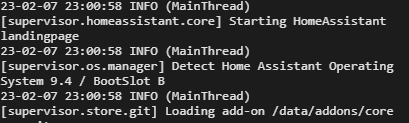
23-02-07 22:30:06 INFO (MainThread) [supervisor.os.manager] Detect Home Assistant Operating System 9.3 / BootSlot A
it says this in the logs at the first landing page aswell
so something is definitely off
fallen lichen
Is there possibly more than 1 disk device attached to the Pi? (are you certain you're booting off the media you just flashed)
placid sage
theres only 1
force wiped the disk now, flashed it again and it now is 9.4, but after another flash it's 9.3.... 9.4 is in Slot B, 9.3 in Slot A from what we see during bootup
very strange
crude inlet
placid sage
force wiped the disk now, flashed it again and it now is 9.4, but after another ...
windows?
placid sage
crude inlet
windows?
the flashing of the disk and the wiping is indeed done in windows
crude inlet
You might try to use diskpart and clean
placid sage
thats what we do every time
diskpart, list disk, sel disk #, clean, then proceed to flash
crude inlet
hmm
placid sage
even tried a different disk and rpi, still the same
it really feels like the wrong image is inside the 9.5 img
crude inlet
I set up the VM from scratch, and since then have updated a Yellow from 9.4 to 9.5 without an issue
placid sage
but does that include HA OS?
because that part is whats not updating/wrong (on the raspberry pi)
crude inlet
I don't understand the question. It is the OS that is at 9.4, and updated to 9.5
nothing else has that version number
For the VM it was created using the ova qcow2 image labeled 9.5
placid sage
well, long story short, i flash the 9.5 OS image, it shows up as either 9.3 or 9.4, the update for OS 9.5 pops up, click, its still 9.3 or 9.4
its like 9.3 and/or 9.4 is inside the 9.5 image for the rpi
crude inlet
on a pi4 right? I can see if I can find mine around here somewhere
placid sage
yes
this is on the first landing page when you click the glowy dot for more details
after a clean flash
oh hang on, image doesnt load
crude inlet
ooh i forgot i have some unopened pi4s here
crude inlet
it's disabled. too much pics of text spam
placid sage
understandable
crude inlet
ok will flash this sd and see how it goes
placid sage
we shall await your findings
crude inlet
@placid sage you're going through onboarding each time you flash this SD right?
placid sage
yes, every time it has the onboarding process
placid sage
you can already see it in the logs if you click the circle during onboarding
it says somewhere something about boot slot A or B with the version along of it
 placid sage
what the heck
slender olive
Does HAOS have the qemu-guest-agent? It seems like it might (https://github.com/home-assistant/operating-system/pull/1904), but I am trying to find more information ... like can I confirm it is running?
fallen lichen
 slender olive
fallen lichen
slender olive
fallen lichen
It is not showing as running for me.
fallen lichen
what platform are you running on
slender olive
HAOS 9.5 as a VM on Proxmox 7.3-4
How does it get started? Where do its errors go? Can it be restarted? (How?)
 neon karma
fallen lichen
neon karma
fallen lichen
Random question. I can see it says «waiting for home Assistant cli to be ready» in your terminal, mine does this too, and it is not going away, is this a problem ?
fallen lichen
slender olive
How does it get started? Where do its errors go? Can it be restarted? (How?)
Should start as long as there's virtualization detected and restart if it fails, what type of CPU do you have assigned
fallen lichen
neon karma
Random question. I can see it says «waiting for home Assistant cli to be ready»...
If it doesn't actually bring up a CLI... then that seems problematic
neon karma
fallen lichen
If it doesn't actually bring up a CLI... then that seems problematic
Mine looks the same as yours, but the terminal in the web ui is working
 upper stratus
Can anyone tell me if I'm running HA in a docker container and want to migrate to a RPi, can I just move over the config files? I don't want to lose my configs, but the container version isn't cutting it for the devices I need to use
fallen lichen
If it looks the same as mine, then you're good, it's just like a start up message
fallen lichen
upper stratus
Can anyone tell me if I'm running HA in a docker container and want to migrate t...
Sure, you need to copy all hidden files (in .storage), too
neon karma
Ah alright, easy to misunderstand if you ask me, mby its me thats stupid😂
slender olive
fallen lichen
Should start as long as there's virtualization detected and restart if it fails,...
3 x Default (kvm64)
fallen lichen
KVM virtualization turned on in Options?
upper stratus
fallen lichen
Sure, you need to copy all hidden files (in .storage), too
It's just that simple? Is there any issue with it being a container on the Mac migrating to the HA OS on a PI?
slender olive
fallen lichen
KVM virtualization turned on in Options?
yes
fallen lichen
upper stratus
It's just that simple? Is there any issue with it being a container on the Mac m...
Should be all you need... the majority of the configuration is just text files, so that stuff is mostly platform independent
upper stratus
Ok awesome, I was just curious to make sure I don't have to find/load in all the api keys I had to grab lol
fallen lichen
That's all in .storage
upper stratus
Ok last question, do I need to throw in the typical SSH file on the HA install once getting it on the microSD in order to SSH into it? Or is that enabled by default? Either that or is there an FTP/SSH option in HA OS?
fallen lichen
#add-ons-archived are your friend in HA OS. There are SSH addons that enable that
(Basically just Docker containers that run along side your install)
copper steppe
there's a terminal addon, but that's technically in a docker container. it's close-enough for 90% of things.
fallen lichen
slender olive
yes
You could try and see if there's anything in journalctl -t qemu-ga
upper stratus
Awesome, thank you. I appreciate the answers
Oh ok another dumb question, can I just use the backup option and restore from that backup?
Or can I not restore HA OS from HA Container?
copper steppe
the HA part should restore fine
but any containery stuff might not; no idea about that, never ran it
upper stratus
Alrighty, I guess I will give it a try
upper stratus
In case anyone was wondering, migrating from container to OS was as simple as backing up and restoring!
 wild monolith
yesterday while trying to access the settings using the iOS-app while being at work my Pi4 crashed. since then i can´t access HA anymore. remotly and in my homenetwork. i can ping it, as long as i don´t add 8123 as port. also i can´t ssh into it. problem is that i don´t have any internetconnection at all since adguard is running on HA ( guess that´s the problem). i can reach other devices within the homenetwork.
any ideas how to get it back to life?
humble mirage
Did you try power cycling it?
wild monolith
humble mirage
Did you try power cycling it?
what do you mean with powercycling?
wild monolith
oh yeye i did that. quite a few times
humble mirage
Did you connect a keyboard and monitor?
wild monolith
not yet, need to go to the store and get a micro-hdmi to hdmi cable, will do that now
humble mirage
That'll let you find out what's going on, but at this point it's 99% likely you'll need to flash HAOS to a fresh SD card and restore a backup
wild monolith
ye, also going to get a new SD card. i´m lucky that i used gdrive backup i guess 😄
manic bane
wild monolith
yesterday while trying to access the settings using the iOS-app while being at w...
If you want internet, change your routers DNS setting for DHCP to 8.8.8.8 or 1.1.1.1
Then that'll bypass adguare
 dim turret
Hi. I have just installed the nginx addon to sit in front of my HA installation. I have confirmed that the SSL certificates are fine, as I don't receive any errors in the browser. However, all I do get is "400: bad request". I have tried entering the docker container with a bash shell, and looking for log files, but all I see is the request from my browser, but no explanation for the 400. Any idea how I can try to debug this further?
manic bane
dim turret
Hi. I have just installed the nginx addon to sit in front of my HA installation....
Did you add the trusted proxy to HA config?
humble mirage

99% of the time people haven't done that because they skipped over that part of the docs
humble scaffoldBOT

HTTP
Offers a web framework to serve files.
Quality scale
IoT Class
Integration type
Documentation
Source
Issues
dim turret
manic bane
Did you add the trusted proxy to HA config?
I'm not using Cloudflare, I am testing initially on my home network
manic bane
dim turret
I'm not using Cloudflare, I am testing initially on my home network
That doesn't matter. You need to tell HA that there is a proxy taking the requests
Nginx is a proxy
 whole compass
Hi all,
I have installed the new Home assistant on Raspi4 with the new SDCard.
I used etcher application and when the starting the rasp
I am getting issue with kernel time synchronized issue
And when I go to the http://homeassistant.local:8123/ it is not working
I appreciate if anyone helps me with this problem
humble mirage
On the console, does it show an IP for the network interface?
whole compass
it is showing the IP addtess
humble mirage
And what if you use the IP instead of homeassistant.local?
whole compass
not showing anything
humble mirage
What if you try port 4357?
whole compass
Supervisor: Connected
Supported: Supported
Healthy: Unhealthy
whole compass
There is intenet
I cant change the timezone and system clock synchronised
It is saying read only
crude inlet
Enter su logs
whole compass
cant install ghcr.io/home-assistant/rasperrypi4-64-homeassistant:2023.2.3.: 500 server error for http+docker://localhost/v1.41/images/create?tag.........
any help?
manic bane
Do you have an active internet connection?
whole compass
Yes
Wait until Kernel Time Synchronized Error on first Installation
it seems many people have the same problem on google
No answer
Just a brand new installation
New rapi and new sd
manic bane
whole compass
it seems many people have the same problem on google
Its usually to do with your own network though
humble mirage
I just tried a fresh install in a VM and it installed without issue 
I then ||erased the VM to avoid the dirty taste it left in my mouth||
manic bane
humble mirage
I then ||erased the VM to avoid the dirty taste it left in my mouth||
What install type do you use
humble mirage
I've got decades of experience building and running software from source
Also, I have some funky stuff that I interface with, and until I learn enough Python Core is easier
wild monolith
humble mirage
That'll let you find out what's going on, but at this point it's 99% likely you'...
new SD card now, HA loaded on it, after preparing i get:
Something went wrong loading onboarding, try refreshing
wild monolith
any way to access them without connecting the pi to a display?
humble mirage
I'm guessing not, but somebody who runs HAOS may know more
wild monolith
seems to be an issue with chrome, works in edge...so guess some cache stuff.
wild monolith
so, now i got everything back up and running but addons from the addon store. i reinstalled HA on the SD card, booted it, installed sambashare to get the backup onto the pi. restored it. now all the addons from the addonstore (for example adguard, deconz, file editor) are installed, but i can´t start them. i reinstalled adguard, same problem.
humble mirage
Reboot?
manic bane
Reboot host that is
humble mirage
Well, you can't reboot a container, but ... we do see a lot of people confused about reboot vs restart
manic bane
The KISS method, keep it simple stupid
humble mirage
So ||don't use HAOS you say||
wild monolith
since its not installed in/as a container bit homeassistant os, just a regular restart i guess?
wild monolith
got u
manic bane
Turn off the VM or the device it's running on, then start it back up
Under the hardware menu 3 ...s, reboot
I think
But I don't use HAOS
 uncut wagon
trying to install HA on an old PC with AsRock B75M-ITX. I flashed the old web blue 2.5" hdd but boots and is seen as uefi:drive when hdd is inserted into an ext usb 3.0 caddy but not seen as uefi and not seen as bootable when connected using internal sata cables. Any idea why its seen by ext caddy and can boot but not via internal cables?
 sour condor
Petro the Magnificent sent me here, apparently im to stupid to be a HA user and cant tell him if im running Home Assistant OS, Home Assistant Core, Home Assistant Container, Home assistant Supervised. Im just a ordinary HA user that suddenly after the latest core update become more stupid.
humble mirage
Dude... park the attitude
humble mirage
Go there,  -> System Info -> Installation Type
Then, after you tell us that,
2023-02-08 15:36:29.473 ERROR (SyncWorker_0) [homeassistant.util.yaml.loader] mapping values are not allowed here
in "/config/configuration.yaml", line 8, column 10
``` tells us we need to see your `configuration.yaml`Attitude ? why are you hackers always see us users as completly fools just because we dont understand everything ?
humble mirage

If you don't understand... ask
Repeating yourself, in capitals, is like shouting at somebody that doesn't understand you ... totally unhelpful
Still... #installation-archived message
sour condor
i did ask, but did get just idiot answers.
humble mirage
sour condor
right now im going back using a backup.
humble mirage
You have at least one error in your YAML to fix
sour condor
humble mirage
You have _at least_ one error in your YAML to fix
yes i know that but in my yaml everything is just like it was yesterday when everything worked, today after the core update everything did get fucked up.
humble mirage
Right... well... if you updated then you may have missed a breaking change
 empty bloom
humble mirage
Repeating yourself, in capitals, is like shouting at somebody that doesn't under...
empty bloom
humble mirage
Repeating yourself, in capitals, is like shouting at somebody that doesn't under...
Exactly why I walked away. Attitude instead of just saying “I don’t know”. Remove the chip off your shoulder, no one cares that you don’t know something.
Of course I’m the problem there, not the guy using all caps and calling people nerds
 vague glacier
Hi, I managed to connect with keyboard and monitor
crude inlet
vague glacier
Hi, I managed to connect with keyboard and monitor
you'll need to enter "login" to get to the host console
with the # prompt
vague glacier
crude inlet
with the # prompt
Oke, I have looked into this and google'd youtube'd but i actually don't know how to proceed😬 . Could you please advise?
brisk willow
crude inlet
with the # prompt
The most dangerous prompt of all
crude inlet
@vague glacier what's the status now that you've removed it?
 brittle sail
vague glacier
I'm in again!
brittle sail
vague glacier
I'm in again!
i hardly felt a thing
crude inlet

 peak scroll
Guys roughly how long should a typical restore from backup take? And should there be any form of visual indication that it's completed? Been staring at an unchanging window and a constant ping for an hour now. Chromebook repurposed as the potential new HA server
humble mirage
There's no visual indicator
How long it takes depends on the size of the backup and the performance of your hardware
peak scroll
Yeah that'd be a good feature request I think, at least a "Do not reboot, restoring. This will take a long time", doesn't need a progress bar or anything. Then I guess I leave it to do it and check back in the morning, if there's no way to know if it's completed?
humble mirage
When it's done it restarts
peak scroll
Ah ty, patience grasshopper
crude inlet
the closest thing to watching progress is the supervisor logs
peak scroll
Supervisor: Connected
Supported: Supported
Healthy: Healthy
crude inlet
not the observer
peak scroll
No other means. Wish I could ssh in and run htop/atop just so I know the cpu is doing stuffs
I need to go play scrabble or something lol
crude inlet
did you lose connection yet?
it would be settings > system > logs
with advanced mode enabled
but even then, at some point it would restart and you'd lose the connection
peak scroll
Still showing the onboarding screen, after selecting to restore from backup, selecting the backup, and selecting 'full backup'. The dialog box went away then it sat there
crude inlet
oh you're at onboarding. It's the worst way to restore imo
better to set up and then restore
peak scroll
That's a fair point, at least that way I can go watch the logs, since I have absolutely no patience 😐
I'll give it 1 more hour, then if nothing changes I'll flatten it and do it that way
 fiery oak
Hi, so i just installed HASS to a touch panel PC by following the "Generic x86-64" installation guide. It works great to remote access from my ordinary PC but now i wonder, how do i display the dashboard on my touch panel PC (host)? Did i not think this thru, beacuse i need some kind of browser to show the dashboard on the host?
fiery oak
So basically i should just run HA from a raspberry and use my touch PC with ubuntu to reach the dashboard instead of running HA on my touch PC.. Correct?
 lunar shell
I'm getting dropped into the UEFI shell after the last update, anyone know how to go about troubleshooting from here? Running HAOS in proxmox
hollow obsidian
Hi there, i returned a SSD yesterday because the "burn" of HAss with Banana Etcher was stuck at 99% ...
Just received another one ... and same thing ...
I tried to change the HDD enclosure ... but the issue is still the same ...
brittle sail
with a pi4 or?
the flashing of the os from a pc or whatever should work regardless of if the enclosure will work with a pi
hollow obsidian
i am on a windows PC
brittle sail
is there some error etcher is giving you?
hollow obsidian
nope, stuck at 99% ... and ETA 1m12s
let try on another PC ..
ETA is going down to 1s ad once at 99%, jump back to 2min and going down slowly until it stops
manic bane
Sounds like something is wrong with how you're doing it
Either etcher isn't working
Or the image you downloaded is broke
hollow obsidian
finally it worked from the downloaded file but not by using the link
(in etcher)
hollow obsidian
in the fresh install I just did, I restored my backup that was working fine on USB key
my config is there, but none of the Addon are launching
manic bane
Restart the host
hollow obsidian
let's do that
i restored (again) the backup and did a reboot and it's fine ! thanks ! 🙂
 worn warren
so just recently setup TrueNAS Scale. decided to look at the officially curated install for Home Assistant in case I wanted to get off of my Raspberry Pi.
I noticed it didn't load the AddOns option in Settings.
Is there a fundamental reason it didn't and it will never show up or, can it be "turned on"?
grand pivot
If you used a container installation, you'll never have addons or any supervisor-specific features
worn warren
so then how is home assistant even useful?
like why would anyone supply that if you can't ever install addons.
grand pivot
Nobody needs addons for anything
worn warren
i guess not
manic bane
worn warren
like why would anyone supply that if you can't ever install addons.
Add ons are just other programs. If you can run other containers then you really don't need them
Integrations are the thing that HA uses to control stuff in the end
Add ons are things like Zigbee2MQTT or a MQTT broker. All can integrate with HA or be run standalone
worn warren
right. things just are more complicated since you need to tell it all how to talk to each other i guess?
manic bane
Barely
humble mirage
I do wonder how the world managed to cope with installing software before add-ons were invented
That shit must have been really hard
manic bane
trial and error is a great way to learn
humble mirage
Reading the docs works well about 80% of the time
The rest of the time it turns out they're outdated 😄
 bronze pike
hii
i am trying to run HA on virtual box on my win11
it been 1 hour stuck at preparing home assistant page
what can i do ?
humble mirage
Click the blue dot and you'll get more information
bronze pike
[supervisor.resolution.evaluate] System evaluation complet this is the last message
what that mean?
humble scaffoldBOT
Please use a code share site to share code or logs, for example:
- http://pastie.org/ (select YAML for the language)
- https://dpaste.org/ (select YAML for the language)
- https://paste.debian.net/ (you guessed it, select YAML as the language)
Please don't use Pastebin, since it can randomly add spaces to the main view. Please also don't share text as images since it makes it harder for people to help you. Remember that others may have colour blindness, impaired vision, etc.
humble mirage
There's a lot more than one line in that log, use one of those to share it ☝️
humble mirage
Save it and then share the link you get
bronze pike
humble mirage
I don't see any obvious problems, hopefully somebody else will be able to help
bronze pike
does this step need high internet speed
 raven forge
is it possible that you're running VirtualBox without virtualization enabled and it's just really slow?
bronze pike
yes it is very slow , and i don't lnow how to enable virtualization
raven forge
Can you screenshot the VirtualBox window? Also hover over the green turtle at the bottom of it and screenshot that. Virtualization is enabled in the Bios/UEFI. Usually called VT-X, AMD-V or SVM
 unique edge
Hmm I wanted to reinstall HA on my NUC by restoring from backup because its running from the usb instaed of the SSD. But when I try to reinstall it seems to automatically use the USB instead of prompting where to install or restore to? Anyone know?
raven forge
Restoring isn't installing. You have to install on the SSD and then restore
bronze pike
raven forge
Can you screenshot the VirtualBox window? Also hover over the green turtle at th...
i find the virtualization but the ckeck box is gray and i cannot enable it
raven forge
bronze pike
i find the virtualization but the ckeck box is gray and i cannot enable it
I'm not sure if I can help with that but I'd recommend taking and sharing a picture of it. Maybe someone can tell you why it's greyed out
fallen lichen
Well if the VM is running, you'll probably be unable to change that setting until it's off
bronze pike
fallen lichen
Well if the VM is running, you'll probably be unable to change that setting unti...
it is off
unique edge
What on earth do I have to do to install HA on the NUC SSD instead of the installation USB i created lol
Weird
fallen lichen
unique edge
It installs as soon as i boot the USB
You didn't create an installation USB... you installed HA on a USB
HA installation is the process of putting the HA image on the media
So, you either need some type of other live media if you don't take out the SSD to run the flashing process, or put the SSD into another device and flash it as you did the initial USB
unique edge
Oh wow ok thats news to me thank you
I guess not many people remove their ssd from their NUC so Ill try a live system
raven forge
fallen lichen
Well if the VM is running, you'll probably be unable to change that setting unti...
Kinda hard to enter the bios while simultaneously being in windows running apps :p
fallen lichen
True that
bronze pike
fallen lichen
What CPU do you use
intel core i7 11th gen
fallen lichen
In Task manager, click the Performance tab, what does it show for "Virtualization"
bronze pike
fallen lichen
In Task manager, click the Performance tab, what does it show for "Virtualizatio...
null everything is 0
bronze pike
how to post a pic
fallen lichen
post it to imgur or something then share the link
humble scaffoldBOT
Please use imgur or other image sharing web sites, and share the link here.
Image posting is blocked in most channels to discourage people from sharing text as images. Sharing text as images assumes that everybody sees the world as you do, which isn't the case. Some people are colour blind, or have visual impairment that means they can't make sense of an image of text.
bronze pike
 bronze pike
fallen lichen
In Task manager, click the Performance tab, what does it show for "Virtualizatio...
bronze pike
fallen lichen
In Task manager, click the Performance tab, what does it show for "Virtualizatio...
enabled
fallen lichen
Seems like you've got it enabled at the BIOS then
bronze pike
fallen lichen
Seems like you've got it enabled at the BIOS then
it was already enabled but i enabled in the virtualbox using cmd
bronze pike
any solution please
unique edge
Cheers NSX I was able to do it all with live iso, restoring from backup as we speak now.
bronze pike
Any help
humble mirage
Patience...
At some point somebody who thinks they can help you will come along... asking for help every few minutes isn't going to speed that up
bronze pike
humble mirage
At some point somebody who thinks they can help you will come along... asking fo...
ok
does this step need speed internet ?
humble mirage
What kind of bandwidth do you have?
It has to download a bunch of Docker images, and then some Python packages
If you're connected by wet string it'll take a while
If you've got really slow storage it'll take a while
bronze pike
humble mirage
What kind of bandwidth do you have?
how to know that ?
humble scaffoldBOT
@bronze pike When using Discord's Reply feature it defaults to pinging the person you reply to, which can get frustrating for the target. Use Shift + click on the Reply option, or click @ ON to @ OFF to stop this - on the right side of the compose bar.
You have to change this every time (thank the Discord devs for that).
humble mirage
You are buying a service from an ISP... you should know what you're paying for
bronze pike
the internet speed now 0.08 Mbps
humble mirage
That's ... I mean, that doesn't get up to slow
grand pivot
you could yell bit values faster than that
humble mirage
It is faster than dialup
But I think the first cable internet service I had was 0.5 Mb/s
bronze pike
how large are the files ?
humble mirage
You're at risk of the downloads timing out, but I'd guess they should finish
The HA (Core) image alone is about 450 MB
450 MB is about 3840 Mb, and you can download 0.08 Mb a second
So, 13 hours and change just for that one image, and there are many images
Assuming it actually works, you're looking at a few days
bronze pike
how many image😥
grand pivot
you could probably install somewhere with better Internet access and use it with your tiny soda straw
but then it would repeat with any update
bronze pike
this is the best internet in the city
due for the bad economics
and also bad weather
grand pivot
I think toml gets better than that at Davis Station
bronze pike
from where are you ?
grand pivot
US
 low shard
looking for some advice. I currently have my HA running on a docker (on synology) that seems to be performing poor. Also containers 2. docker-influx-grafana 3. esphome and 4. mqtt. I would like to move to a diff server with more power, so I have spun up on my proxmox server, a new instance of Home assistant OS (the linux VM). is this a simple backup and reload onto the new server. then activate the add-ons for mqtt , esphome etc. Are there any other issues I need to think about when moving from HA Core to HA OS?
humble mirage
That's pretty much it
Obviously you can only run things that are add-ons, but if you've got Proxmox you can spin up another VM for anything else
low shard
humble mirage
Obviously you can only run things that are add-ons, but if you've got Proxmox yo...
thanks!
 high peak
I just installed hassio to a laptop and am trying to get it on the wifi from the built in terminal i can get as far as scanning and seeing the wifi points around me but cant get it to connect “Net scan wlp1s0” shows the access points but “net up wlp1s0 —wifi-ssid ‘ssid of choice’” don’t work I get no password request or anything it takes abit the says “error: activating connection failed, check connection settings
Nvm I figured it out
high peak
New issue… I thought you could use a rpi backup to a non pi system
grand pivot
you can
high peak
When I tried it just does nothing
manic bane
How are you restoring it
The architecture doesn't matter for a backup, it's just a copy of files
high peak
Uploaded the backup then clicked to then chose restore
manic bane
Then it takes time to process. There's no indicator it's working
 daring shore
hey all, updated to the latest version and when loading the front end it loads all the components then says lost connection and restarts in a loop
wondering if "2023-02-10 04:00:42.934 WARNING (Recorder) [homeassistant.components.recorder.util] The system could not validate that the sqlite3 database at //config/home-assistant_v2.db was shutdown cleanly" is related
or if not, how i might find the cause
 surreal void
brand new set up, rpi 4 with sd card. i flash the OS on to the card, plug everything in to the pi including ethernet direct to the router and i cant get anything to connect to finish setting up
daring shore
deleted the database, but it creates a new one and i get the same error
daring shore
forced a new database in recorder config and now getting
2023-02-10 04:31:33.875 WARNING (Recorder) [homeassistant.components.recorder.util] The system could not validate that the sqlite3 database at //config/testnewdb was shutdown cleanly
daring shore
it's the presence of a specific automation in the config file that is causing the restart loop
humble mirage
daring shore
wondering if "2023-02-10 04:00:42.934 WARNING (Recorder) [homeassistant.componen...
That's basically the message you get from an unclean shutdown
wheat birch
23-02-10 00:22:34 INFO (MainThread) [supervisor.jobs] 'ResolutionFixup.run_autofix' blocked from execution, system is not healthy - supervisor
i keep getting this error and then it says error on HA installation retry in 30 sec
any ideas
i get that error for syncworker 0,1, and 2 and then it goes back to trying 0 again and its been like this almost an hour
 wintry flax
so some pages say i can't get addons in the docker version of Home Assistant and some pages say there is a docker version of Home Assistant with supervisor & addons, but i can't find the page for this docker image
humble mirage
That thing is called Supervised and ... just don't use it
wintry flax
i need addons
humble mirage
Then use HAOS
wintry flax
i can't
humble mirage
(not that you need add-ons, they're just convenient)
wintry flax
i want the whole google integration
humble mirage
Integrations aren't add-ons
wintry flax
video said to get an addon from github
humble mirage
Assistant Relay?
wintry flax
so i can make voice commands without needing to say "hey google" first
humble mirage
Assistant Relay is abandoned, but also available as other than an add-on
There is an alternative which is even better. Home Assistant supports broadcasting (and sending other commands) to Google Assistant as of 2023.1.0. Please use that instead.
Instructions can be found here: https://www.home-assistant.io/integrations/google_assistant_sdk/
TL/DR: The feature is part of HA now
wintry flax
i already have home assistant installed in a docker container
humble mirage
Enable the new integration and you get the same features Assistant Relay gave you
wintry flax
i don't want the one that was built into home assistant as that want a monthly fee for it

 wintry flax
that's what that addon is for (from the video)
wheat birch
im seeing people say netgear routers are the issue any clue if its still an issue?
humble mirage
wintry flax
that's what that addon is for (from the video)
That add-on has exactly nothing to do with that integration
If you follow the integration setup instructions you'll see no mention of any add-on
wintry flax
the addon said it makes adding google assistant to home assistant easy
humble mirage
- That add-on is abandoned, for a long time, nobody should use it
- The video either was written by somebody who hasn't got a clue, or you misunderstood
wintry flax
that looks to take hours to setup and not easy at all
humble mirage
It takes less than hours
Also, if that looks not easy then Supervised is going to be a disaster for you
Expert. Maintaining a Debian installation to a very specific set of requirements is hard
wheat birch
is there a way to connect to wifi from the command line on my pi running haos apparently netgear nighthawks block haos installation set up
so was going to hotspot my phone to do install and then see how it ran after
humble mirage
wintry flax
i have other stuff running on that server
Then you cannot use Supervised either
If you feel that you must have add-ons then run HAOS in a VM on your server
wintry flax
my server can't do VMs
wintry flax
sure, if i was running a hypervisor
humble mirage
You don't need to run a separate hypervisor
wintry flax
you install the hypervisor in place or the OS
humble mirage
Did you even bother to read the link I posted?
Hell Proxmox is Debian + a web based UI
If you're running Debian you can run VMs in it using KVM, Xen, or other things
wintry flax
proxmox is a hypervisor. it runs like an OS
wintry flax
i have and i'm not looking to rebuild my entire server for it
humble mirage
You've got three options here:
- Rebuild the server so you can run a VM for HAOS
- Don't use add-ons
- Run a VM on the existing server
wheat birch
so everythignis pointing tooo my router which is great cuz i picked it up to have more control then my isp router and now i cant even use HA with it without installing openwrt on it but apparently my router isnt supported
humble scaffoldBOT
@sand shuttle I converted your message into a file since it's above 15 lines :+1:
 sand shuttle
Can You help me with this?
As i can see, Rpi4 don't found SSD and trying boot from network
humble mirage
I'd say your problem is with the USB adapter
What is it, and are you using a powered USB hub?
humble mirage
Raspbian isn't HAOS - and HAOS has proven to be fussy about the USB SSD adapters it works with
humble mirage
Yes
sand shuttle
Is there any list of working adapters?
humble mirage
not that I know of, but somebody else will likely know more
sand shuttle
Thank You.
 rough jolt
I'm running HA supervised in a VM on my Synology NAS, and I'm wondering if I set up something incorrectly. Using the Terminal add-on (or SSHing into HA) I can ping devices on my local network just fine, but I cannot ping6 them. And similarly, ip route works fine, while ip -6 route responds with nothing. Is this expected? All of these work fine from my laptop on the same network, and also when SSHing into my NAS. Just not from HA
humble mirage
HA Supervised, or HAOS?
Supervised is quite different, and the thing you get layered on top of Debian (assuming you followed the requirements)
HAOS is the VM image you get
rough jolt
humble mirage
HA Supervised, or HAOS?
I thought it was Supervised, but I guess it is HAOS. The about page says
Supervisor 2023.01.1
Operating System 9.5
humble mirage
That's good
You really don't want Supervised, unless you enjoy causing yourself problems
 celest quartz
hello all, Im trying to install py-spy on my HAOS and following these instructions
https://community.home-assistant.io/t/instructions-to-install-py-spy-on-haos/480473
I've placed a key on usb named CONFIG
I'm stuck on this part here where it says "ha os import on an attached usb"
do I connect the USB to my HA instance and then run the command ha os import in SSH and terminal?
 dull hearth
I would like to install HASS OS on an older x64 system without UEFI. apparently thats not compatible. so I have to run it as VM or docker?
humble mirage
Yes
dull hearth
which one is the most common?
humble mirage
Either
If you want add-ons then you need to use the VM approach
If you're comfortable with Docker you don't
dull hearth
I've never used Docker before
humble mirage
Then if you don't want to learn Docker, go with a VM
dull hearth
ok. so I see you can use "VMDK, VHDX, VDI, QCOW2, OVA" hypervisors
should I install any Linux OS and run a virtualisation program, or do I install a bare metal hypervisor?
humble mirage
Up to you, installing Proxmox is probably the easy route
dull hearth
sounds good, thanks. I'm very new to HASS so I'm not very picky
crude inlet
celest quartz
do I connect the USB to my HA instance and then run the command `ha os import` ...
yes, you can do that or reboot the system (not a restart of HA) and the import will happen at boot
celest quartz
awesome! actualy in my attempt to install the USB, I bumped some wires and it lost connection to my data disk...so I had to shutdown by pressing the power button (so sad to do that)...anyways...i rebooted from no power as the USB stick was plugged in...guess that did it?
crude inlet
it should have, yes
 queen bronze
I've been running into issues with my system running out of swap space and the entire thing freezing and I have to reboot. It seems like there may be an issue with gcal having a memory leak. Whatever the root cause, until it's able to be fixed, how would you recommend I prevent my system from being completely unusable and requiring a manual restart?
I'd like to just disable swap, however, that was discouraged here because then some of my services may just get killed due to there not being memory left. I disagree that this is worse because a random service getting killed (which will likely just get restarted from watchdog/supervisor anyways) is better than essentially all of my services freezing anyways. But what about adding more swap? Or other suggestions?
wheat birch
Anyone got experience getting HA to work with a nighthawk router? Keeps getting an error while installing
fallen lichen
What issues are you seeing
wheat birch
23-02-10 00:22:34 INFO (MainThread) [supervisor.jobs] 'ResolutionFixup.run_autofix' blocked from execution, system is not healthy - supervisor
i keep getting this error and then it says error on HA installation retry in 30 sec
It runs through synchworker 0,1,2 and every time error 500 and then retries and retries I had it running for hours yesterday and it wouldn’t finish
fallen lichen
Could you paste your entire log and link to it
wheat birch
What do I use to link it never done that
fallen lichen
Go to like pastebin.com and paste it there
wheat birch
Maybe dns connectivity I don’t think so. I unplugged the Ethernet and plugged into computer works fine. Just not sure how to proceed.
fallen lichen
Are you able to get to a prompt on that device
wheat birch
I have on the pi it showing the command line HAOS page
fallen lichen
As in, you're at a ha > prompt?
wheat birch
yes
fallen lichen
Perhaps try enabling the fallback DNS option, https://www.home-assistant.io/more-info/unsupported/dns_server/ and then reboot
gilded pewter
How do i restore a backup on a supervised installation?
wheat birch
ok tried that will see thank you
humble scaffoldBOT
Open your Home Assistant instance and Backup your Home Assistant installation
fallen lichen
gilded pewter
How do i restore a backup on a supervised installation?
Through there ^
 grand pike
If I have an alexa and want to remove it from the loop what must be done to get HA to recognize the lights and switches i have in place already
fallen lichen
What lights and switches do you have
You'll need an #integrations-archived to take over for the devices you've got attached to Alexa
dull hearth
humble mirage
Up to you, installing Proxmox is probably the easy route
this article has a few scripts that make it really easy https://community.home-assistant.io/t/installing-home-assistant-os-using-proxmox-7/201835
grand pike
I believe most are just generic chineese bulbs and a few alexa outlers
fallen lichen
You'll need some more details than that in order to get them hookup up
If by Alexa Outlet you mean Amazon Smart Plug.... I'm not sure if that's able to be integrated w/ anything other than Alexa
grand pike
one of the lights says zigbee on it
fallen lichen
👍 That's a good one. You will need a Zigbee coordinator if you want to hook it right to your HA instance.... what was it connected to before?
grand pike
well zigbee certified and it has a little icon next to it that say home with a little house above it
fallen lichen
Probably Google Home
grand pike
all the lights here have been connected to the alexa device
fallen lichen
Gotcha, yeah looks like the newer Alexa devices do have a Zigbee hub built in
Hopefully all of your devices you've got so far are zigbee, that'd be great.... There's a #zigbee-archived channel specifically for those devices and integrations that you could check out if you've got questions on how to get started and what hardware you need to get connected
grand pike
not that i know of. I know at onepoint I had installed smartlife to connect a few bulbs to alexa
also HA is detecting a TCL tv but asks for a pairing code. I dont think this tv has one or atleast if it does I cant find it
fallen lichen
You might need to go into a menu and find something for Homekit
I imagine it's the HomeKit controller integration that found it
SmartLife = Tuya
humble scaffoldBOT

Tuya
Instructions on how to set up the Tuya hub within Home Assistant.
Quality scale
IoT Class
Integration type
Documentation
Source
Issues
wheat birch
fallen lichen
Perhaps try enabling the fallback DNS option, https://www.home-assistant.io/more...
no change thanks for ther suggestion tho
fallen lichen
Still seeing DNS resolution issues in the log?
wheat birch
Same thing
It was working before on my isp router but I couldn’t change dns and ports and what not. So I got this router put my isp into bridge mode and set this as my router and now issues lol. I could hook back up to the isp router but I wanna avoid doing that every month for updates
fallen lichen
Were you the guy w/ the Shaw gateway?
Or was that someone else
Try typing login
and execute these 3
dig ghcr.io A
dig _checkdns.home-assistant.io A
dig _checkdns.home-assistant.io AAAA
I did have the Shaw gateway ya, couldn’t do port forwarding so picked up a router and no new problem lol
fallen lichen
I feel like you could've got 443->443 working using NGINX
wheat birch
Says not found on all of those commands
Well for remote access I signed up for my mania case month to try it out. The router I wanted as well cuz my internet was weak in the bedroom. Now my signal@is great around the house….. but I can’t update my HA
fallen lichen
nslookup ghcr.io
nslookup _checkdns.home-assistant.io
nslookup -type=AAAA _checkdns.home-assistant.io
What info you need from that lol I dunno what I’m reading
fallen lichen
Copy/screen shot, upload it and paste a link
wheat birch
fallen lichen
seems good
wheat birch
The only thing I’ve seen on google is lots of people with problems with nighthawk routers. People install openwrt firmware and that’s helps….. of course not available for my router.
Thinking i may just have to disable bridge, update and then do that every 1-2 months and just not update at every minor patch
wheat birch
I’ll take a look when I get home have to run out the door. I disabled bridge mode and hooked up to the isp router to see if I can get it running and figure updates after
brittle sail
fuckin with MTU is a terrible idea dude
celest quartz
celest quartz
awesome! actualy in my attempt to install the USB, I bumped some wires and it lo...
still getting stuck on this first part, of using a key to install PySpy and copy files from my HAOS
https://community.home-assistant.io/t/instructions-to-install-py-spy-on-haos/480473
error message is root@hassio.local: permission denied (publickey)
Maybe something is up with the key, but I'm using Notepad++ and puttygen. Generating the key by moving my mouse randomly on puttygen. copied the generate key from the "Public key for pasting into OpenSSH authorized_keys file" text box, pasted into Notepad++ Its an RSA key with 2048 bits.
checked that is ANSI file
checked that is it LF EOL
save file as authorized_keys (no extension)
USB is NTFS 8GB and placed the usb into the RPi 4 port
in terminal addon from the UI (installed the community repo) I type:
ha os import
say it imports successfully,
but, when I try to root in, its denied with the message above
 terse crag
Hello, I have an old laptop with Debian Raspberry Pi Desktop installed. Can I follow the directions to install Home Assistant on a Raspberry Pi?
humble mirage
Yes, following the Container installation steps
I'd strongly advise you use Docker Compose
celest quartz
copper steppe
Check permissions of public keys file
Do you know if it'll be easier to SSH from a Ubuntu computer into my HAOS? That way I can copy the file to my Ubuntu machine which is actually a computer with a USB on it
boreal gyro
queen bronze
I'd like to just disable swap, however, that was discouraged here because then s...
Think about to switch to a container. When using a docker compose you can set memory/SWAP limit for the container. When limit reached = OOM kill = restart of the container.
placid sage
Hi, new here and planning to install HA. I have tested HA few years ago, but not used actively ever. What is recommended setup nowadays? I have RPI4, QNAP NAS (weak TS-120) and old laptop (from Win7 era) where I could install the system. Which one I should pick?
With RPI installation I have had issues with corrupted SD cards, but are there some easy backup-restore options to overcome that issue or can I run some container with RPI/laptop that is located in NAS? It would be nice to have some comments from someone who has already made the mistakes....
queen bronze
boreal gyro
Think about to switch to a container. When using a docker compose you can set me...
I mean I could probably do that configuration on HAOS too, it still uses containers
fallen lichen
Does the utilization go away w/ an integration reload?
queen bronze
fallen lichen
Does the utilization go away w/ an integration reload?
Haven't tried. Just was looking at an old .hpy file
fallen lichen
Gotcha, just wondering. I personally have an automation that resets the Nest integration as there's a long-standing issue that breaks it multiple times per day. If that could hold you out as the issue is investigated.... it's an option
 tall blaze
Does anyone know a way to set the output value of a python script (eg via the pyscript integration), into a HA text helper. I have pyscripts that can set my LG TVs brightness, but I don't want to keep running the script if the TV s already at the right brightness. So I have another script that can simply print out the current brightness. I can't seem to find a way to read that number into HA as a variable/helper that I can use to determine whether to run the setter script.
fallen lichen
Not familiar w/ it... but can't you just set the input_text value straight away in the python script?
tall blaze
oh maybe the ha variables are available just like that, ill test it, thank you.
fallen lichen
I assume you can call services through those scripts. You'd just call input_text.set_value
 iron hinge
Hello everyone,
I am looking to replace the SD card in my Raspberry Pi with an SSD. I need to backup Home Assistant and install it on the SSD.
If I am correct, on Docker installations only partial backups are supported. we rely on the history of the DSMR integration entities, and history of the Energy dashboard. What will happen to these in a partial backup, will they be there? If not, can I migrate this data in some other way?
copper steppe
they should be preserved in the backup. if you're worried, you could try restoring it in a VM on your desktop if you want.
everything in /config should be retained afaik
iron hinge
I ended up mounting both the sd card and the ssd to my laptop and manually copied the config folder, that worked
I read this too late sorry
iron hinge
copper steppe
everything in /config should be retained afaik
Thanks for your help though
copper steppe
nw
celest quartz
celest quartz
still getting stuck on this first part, of using a key to install PySpy and copy...
Hello all, making progress on installing py-spy in root of my HAOS installation!
I'm on the step here:
"There should be a py-spy binary once you call unzip in one of the directories it creates"
How do I call unzip?
iron hinge
I have no experience with home assistant os but unzip is a command
You would type unzip and then the zip file and it will extract
If you get "command not found" it is not installed, you can achieve the same outcome with the tar command, which is installed by default on most linux installs
tar -zxvf file.zip
Where file.zip is the name of the zip file you want to extract.
 ember bison
Hey guys, how long is the restore from a backup (HAOS) going to take? Something went wrong with my 9.5 upgrade (RPi with data partition moved to my SSD), so my HA started up clean after upgrade asking to start from fresh or restore a backup. That is alright, I chose to restore my most recent backup. However, I have not been able to connect to HA since, and it's been 15min. The connection to 8123 just times out. Should I be worried?
I don't know if this is related, but I moved from 32bit to 64bit recently by flashing the 64-bit image (9.4) to my SD drive. Not sure if I should have done something with the SSD partition back then, but things seemed to work without problems back then.
Heh, just got a notification from my Uptime Kuma from the HA instance that my HA install is down. So at least one of the add-ons is back up, it seems 🙂
ember bison
So... HA is finally up and running with the restored version, which is all fine. But the datadisk is basically being ignored, looking at the free storage I can determine that the SSD is not being used. Hardware list has my SDA and SDA1 drives, but when I try to do 'move datadisk' it says 'No suitable storage found'.
Is there a way to somehow "repartition" the SSD or something so that it qualifies as a target again?
Resolved by reformatting the datadrive on a PC and plugging it back in, it seems. As was stated in the instructions as well.
 shrewd mist
Hopefully someone can help, i'm moving my HA OS install from a Hyper-V VM to Synology VM and im having all sorts of issues after restoring the backup
After the backup completes i get 404: Not Found when trying to access the UI. I've logged into CLI and in supervisor logs it shows this error..
ERROR (MainThread) [supervisor.homeassistant.api] Can't update Home Assistant access token
celest quartz
iron hinge
You would type unzip and then the zip file and it will extract
thanks! I see 3 files in the directory
https://ibb.co/tC8QmgS
which one to I actually unzip? thanks
iron hinge
celest quartz
thanks! I see 3 files in the directory
https://ibb.co/tC8QmgS
which one to I act...
According to the guide you linked you should unzip the .whl file
shrewd mist
shrewd mist
ERROR (MainThread) [supervisor.homeassistant.api] Can't update Home Assistant a...
Don't worry think ive sorted it myself
celest quartz
iron hinge
According to the guide you linked you should unzip the .whl file
thanks, ok I ran this here
bash-5.1# unzip py_spy-0.3.12-py2.py3-none-manylinux_2_17_armv7l.manylinux2014_a                                                                              rmv7l.whl
Archive:  py_spy-0.3.12-py2.py3-none-manylinux_2_17_armv7l.manylinux2014_armv7l.                                                                              whl
replace py_spy-0.3.12.dist-info/METADATA? [y]es, [n]o, [A]ll, [N]one, [r]ename:y
  inflating: py_spy-0.3.12.dist-info/METADATA
replace py_spy-0.3.12.dist-info/WHEEL? [y]es, [n]o, [A]ll, [N]one, [r]ename: a
error: invalid response [a]
replace py_spy-0.3.12.dist-info/WHEEL? [y]es, [n]o, [A]ll, [N]one, [r]ename: A
  inflating: py_spy-0.3.12.dist-info/WHEEL
  inflating: py_spy-0.3.12.dist-info/license_files/LICENSE
  inflating: py_spy-0.3.12.data/scripts/py-spy
  inflating: py_spy-0.3.12.dist-info/RECORD
and I basically said yes to all
inflating i believe is unzipping, I think!
iron hinge
I think so
celest quartz
this is all new to me, too!
after proceeding with the instructions, there could still be an issue as I get these errors messages. I tried both PID 60 and 61....I think my PID is 61, but instructions say to use 60. Either way, both did not work.
/config/py_spy-0.3.12.data/scripts
bash-5.1# ./py-spy top --pid 61
thread '<unnamed>' panicked at 'called `Result::unwrap()` on an `Err` value: ParseIntError { kind: PosOverflow }', /root/.cargo/registry/src/github.com-1ecc62 99db9ec823/proc-maps-0.2.1/src/linux_maps.rs:81:65
note: run with `RUST_BACKTRACE=1` environment variable to display a backtrace
Error: receiving on a closed channel
bash-5.1# ./py-spy top --pid 60
thread '<unnamed>' panicked at 'called `Result::unwrap()` on an `Err` value: ParseIntError { kind: PosOverflow }', /root/.cargo/registry/src/github.com-1ecc62 99db9ec823/proc-maps-0.2.1/src/linux_maps.rs:81:65
note: run with `RUST_BACKTRACE=1` environment variable to display a backtrace
Error: receiving on a closed channel```
Baby steps! fringe karma
So I was stupid and thought HA was conducting regular full backups. My Linux VM crapped out and now I cannot boot. But I do have access to my hassio folder (in usr > share > hassio). Is there anyway to restore my full setup from this folder?
fallen lichen
What does it do when you try to boot it
crude inlet
fringe karma
So I was stupid and thought HA was conducting regular full backups. My Linux VM ...
You can copy the /hassio directory. Make sure you have all hidden directories and files within it
fringe karma
crude inlet
You can copy the /hassio directory. Make sure you have all hidden directories an...
Should I be concerned that when trying to copy, I get "Error while copying. The folder "storage" cannot be handled because you do not have permissions to read it."
crude inlet
Yes, that's one of the hidden directories.
boreal gyro
crude inlet
Yes, that's one of the hidden directories.
Use TAR to make an archive
 hasty oxide
So uh... Don't set hass to use a dns providing addon running in the hass install as its main dns. it gets cranky after a couple of days and refuses to connect to supervisor
Guess How I Know lol
 rain fox
Hiya. I have HA on a pi4. I have a block of static ips from my provider. Everytime I set up HA with one of my static ips it stop working for me unless I use my mobile device browser. And it still shows the wrong ip address inside of apps. Any ideas?
 fast snow
Hey there,
Anyone using HAOS as a VM on a Synology and not managing to ping the NAS IP from HA?
I can ping other hosts on the same network, but not the IP of the NAS interface.
copper steppe
That's probably to do with NAS not bridging the local devices to the LAN device. truenas has the same issue.
kindof a security issue - control plane vs data plan. I think you can add a bridge/loopback type device to fix
fringe karma
boreal gyro
Use TAR to make an archive
Can you elaborate? Is this like "zipping" the folder?
boreal gyro
fringe karma
Can you elaborate? Is this like "zipping" the folder?
TAR will preserve user/group, symlinks, and other Linux specific stuff. https://askubuntu.com/questions/7809/how-to-back-up-my-entire-system You don't need to backup entire system but this will help to get how it's working
fast snow
copper steppe
That's probably to do with NAS not bridging the local devices to the LAN device....
Thanks! That was what I assumed was happening, but I somehow failed to google the right keyword trying to solve it. I'm trying to attach the VM to two virtual switches (one private, one external), but I'm afraid I'm going to create some bad loop or other issue because the NAS and the HA VM are on the same network 😦
edit: spoiler alert, the HA VM is now unreachable.
 dry compass
Hey, I was recently setting up home assistant remote access and it comes out that I am behind CGNAT, talked to my ISP but they don't offer me static ip. I can use my router dynamic dns to take out my latest ip by setting a server name (subdomain one), but how should I configure it to Home assistant. (I dont want to use VPN, setting up aws console so need a domain which can be accessed public ally)
humble mirage
Are you still behind CGNAT?
dry compass
humble mirage
Are you still behind CGNAT?
yes 😭
humble mirage
Then... Dynamic DNS isn't going to do anything for you
You need something like Cloudflare Tunnels, the Nabu Casa Cloud service, or to build your own relay host in the cloud
manic bane
CGNAT means your device is not directly accessible on the internet
humble mirage
dry compass
manic bane
CGNAT means your device is not directly accessible on the internet
i can access my server if I put my router ip in duckdns ip section on its website
humble mirage
Then ... you're not behind CGNAT
What are the first two sets of numbers of your WAN IP?
dry compass
103.48
manic bane
CGNAT means your ISP owns the public IP, which is then forwarded to your router (aka no public routability)
If its just your IP address changes then thats a non static IP, which means you have a public routable address just it changes. Easily solved with a dynamic DNS service
humble mirage
That's not CGNAT
manic bane
dry compass
103.48
You may want to censor the last 2 dots, unless you want people on here trying to access your services lol
humble mirage
The allocated address block is 100.64.0.0/10, i.e. IP addresses from 100.64.0.0 to 100.127.255.255
dry compass
What I have done to access it:
Used no-ip, works when I am connected to my network but doesnt work with cellular data
DuckDNs - have to change my ip
humble mirage
Have you set up port forwarding?
manic bane
Then that sounds like your port forwarding is at fault
humble mirage
Do you only have a single router/firewall?
dry compass
I have multiple router but my ha is on my main router
manic bane
And your router is just using [whatever term it is for dns] to resolve your public IP as a local IP direclty, aka not needing port forwarding
manic bane
dry compass
I have multiple router but my ha is on my main router
EW why multiple routers....
humble mirage
You really should only have a single router... multiple routers is bad
dry compass
manic bane
And your router is just using [whatever term it is for dns] to resolve your publ...
It does need that
dry compass
manic bane
EW why multiple routers....
My house is big
humble mirage
That doesn't need multiple routers
manic bane
Then use some sort of range extender, like a mesh wifi system or powerlines
humble mirage
Or just access points
manic bane
Multiple Routers = Multiple Networks
Multiple Powerline/AP/Mesh System = Single Network
dry compass
I have configured those as access points
manic bane
So they're not routers, they're just APs
Does your entire network all use the same local IP address network?
Like everything on 192.168.0.x or whatever you chose
manic bane
Thats good then
dry compass
so whats the reason behind not able to access my ha
manic bane
Basically seems like your port forwarding is broken
manic bane
And are you trying with HTTPS? And does your HA have a SSL certificate
The other option is your ISP blocks the ports too
dry compass
dry compass
manic bane
And are you trying with HTTPS? And does your HA have a SSL certificate
My ha doesnt have that
I tried to set it up from open ssl but failed to do so
manic bane
Then HTTPS won't work without a cert
But given 443 doesn't seem to be open on your public IP, either your port forwarding is broken, or your ISP is blocking it
 dry compass
manic bane
But given 443 doesn't seem to be open on your public IP, either your port forwar...
dry compass
manic bane
But given 443 doesn't seem to be open on your public IP, either your port forwar...
So can i use a specific port for it?
manic bane
I don't know, depends whether a) you're port forwarding correctly or b) your ISP even allows port forwarding
dry compass
My isp does, i had a word with them about it
dry compass
manic bane
But given 443 doesn't seem to be open on your public IP, either your port forwar...
BTW what is this?
and what does it mean all scanned ports are filtered ?
humble mirage
It means they're closed/not responding/nothing is listening there
manic bane
The tool I used is called nmap, this is what a successful port scan looks like
