#hardware-archived
1 messages · Page 112 of 1
 feral river
 winged knoll
It's weird, and I can't duplicate it, but maybe it's a locale issue, or something weirder
feral river
fair nuff - i thought i was crazy
winged knoll
Well, we don't know you're not.... but I think most of us are
feral river
😄
 buoyant blade
Has anyone tried scripting an hp procurve switch? I've built automations to shut down the server when the UPS falls below a certain battery percentage, thinking I'd like to disable the poe cams also, to try to get a bit more life out of the battery.
Although I may be better off just cutting power to the switch completely at that point
 unique merlin
So hard to find for Canadians for $500 range right now
feral river
The govee 5075s appear to be wide open once you grab the MAC using any BT scanner. 2xAAA and i'm 2mos in and at 97% battery.
 drifting grove
Can I use Sonoff DW2 with hassio without internet?
 bright jacinthBOT
Hass.io was the old name for the appliance like install option, that uses Docker. It is now simply called Home Assistant OS (see #330990055533576204).
Command '~hassio' was invoked by: Tinkerer
winged knoll
Should work, even on the stock firmware. There's a few #integrations-archived options
drifting grove
Hassos?
drifting grove
Ok
winged knoll
There's at least one native integration, plus https://github.com/AlexxIT/SonoffLAN, and that's before you flash alternative firmware
drifting grove
What communication protocol should I choose for door sensor?
drifting grove
?
 mental patio
Then...rf or wifi
mental patio
Not sure they exists
But wifi is always power hungry
Maybe first try to decide what iot coordinator will suit you and after go for that side
winged knoll
Zigbee is cheaper
drifting grove
Okay, so i'll choose it 😅
winged knoll
It has it's own issues, it's not "better" or "worse" than Z-Wave
But, £10/sensor vs £35+/sensor ... it's not a hard choice
See the #zigbee-archived channel's pinned messages for more information about options
winged knoll
USB stick, 100%
drifting grove
Ok
I'll buy zigbee stick and then look around for door sensors
Thank u guys
😅
winged knoll
Pick your integration first, that determines your stick 😉
drifting grove
I want to use zha
winged knoll
Then see the pinned messages in #zigbee-archived for the recommend sticks 😉
winged knoll
Compatible != recommended 😉
winged knoll
Have you visited the #zigbee-archived channel yet?
Have you looked at the pinned messages there? Where it tells you 😉
If not, head over there and have a look, and if you're unsure ... ask in that channel 😉
winged knoll
Then head over there and ask 😉
 little sable
Hello friends.. Just got my HomeAssistant Blue box. Ran into an issues after a snapshot migration from my RPi4 installation. Is there a way to "factory reset" the odroid?
 coral rivet
You probably get best answered at #330990055533576204
little sable
OK thank you
 pure scroll
Hello! I'm new to HA, and I'm trying to get the groups feature going. I was able to get the code into the config file, but no matter how many groups I make, only one shows up. Below is my config file.
bright jacinthBOT
@pure scroll posted a code wall, it is moved here --> https://paste.ubuntu.com/p/X5bHcNMhJv/
 gloomy spoke
that's not how it works
you only use one group: section, and you add all your groups below it
you also need to indent the items under the group: heading. This is the example in the docs
it probably didn't pass the config check, either
pure scroll
gloomy spoke
you only use one `group:` section, and you add all your groups below it
I see. I fixed that, and am restarting now. I'll let you know if it's fixed!
Thanks!
gloomy spoke
np. you can just reload groups from  -> Server controls
pure scroll
gloomy spoke
np. you can just reload groups from <:configuration:637977187093577778> -> Serv...
Odd. My pendant group still isn't showing up. Let me double-check a few things.
gloomy spoke
there are other things wrong with that config now that I look at it closer
it looks like you're trying to create a light group, which has nothing to do with a "group"
bright jacinthBOT
Command '~light.group' was invoked by: RobC
gloomy spoke
again, one light: section, multiple - platform: group sections
I'll grant that it's kinda confusing
pure scroll
gloomy spoke
I'll grant that it's kinda confusing
Excellent News! I was finally able to get it working. I set it up as a device group (not a light group) and changed the icon to mdi:lightbulb in the entity customization menu. Thanks for all of your help!
Because I am a tinkerer, I will still try to set it up as a light group, but the important thing is that it works. (I will save the current code, though)
gloomy spoke
sure, np. the difference is that a light group lets you treat the group as a light for dimming purposes and probably color and such. A group is only on/off
I have lots of groups and no light groups, so it only matters if you care about the additional functionality
pure scroll
Actually, I'm able to dim, change color, and even set effects. It even properly uses my RGBWW devices.
gloomy spoke
targeting the group?
pure scroll
gloomy spoke
targeting the group?
Yep!
gloomy spoke
ok. I don't know what a "device group" is, but maybe it's a new animal that's more useful
pure scroll
All of the devices in the group are RGB capable, so that could be it too. In addition to your guidance, this was the guide that I followed: https://www.home-assistant.io/integrations/group/
gloomy spoke
groups like this are only on/off: https://www.home-assistant.io/integrations/group/
ok
 vast cliff
have people here had good/bad experiences with https://sense.com?
pure scroll
vast cliff
have people here had good/bad experiences with https://sense.com?
I've heard bad things. Let me try to find the video.
@vast cliff This is an excellent video, and even talks about HA integration.
https://youtu.be/5RyDxZLA8b8
vast cliff
awesome thank you
pure scroll
vast cliff
awesome thank you
No Problem!
 split kiln
Hey, i've recently installed a zenwifi mesh system and am using a powerline (🤮) to connect to one device in my house that i cannot run cables to atm. Usually this operates fine but occasionally the devices get an "Incorrect IP configuration" where it seems to be assigned an IP which is not in the DHCP range. Any suggestions on how to resolve?
 fringe moon
Well, that has nothing to do with HA
winged knoll
What's the IP range they get allocated?
fringe moon
I'll take a wild stab and say 169.x.x.x or something they use for first time joining of mesh network because it is not reaching the master
winged knoll
 split kiln
Correct, its 169. something
Sorry didnt mean it was part of HA but have discussed mesh etc here before so thought someone may be able to help
Any ideas on possible resolutions?
fringe moon
Which is probably because power line stuff is ..... Unreliable at best
winged knoll
Eh, I ran it for years with no issue, but my wiring was good, and the devices reliable
fringe moon
It is... Interesting in modern norwegian houses, because we do three phase in, and two sides of the house can use different phases
So it won't work at all
split kiln
I never had any issues with it until switching from my virgin router to asus zenwifi mesh. Now the DHCP issue seems to happy fairly frequently
 gleaming yew
Guys, is there a way that I can add a tasmotised sonoff ifan03 via mqtt discovery (like this article) https://community.home-assistant.io/t/mqtt-entities-in-areas/192886/4 so that I can set its area, but also include the fanspeed?
 gentle fossil
sounds like your powerline adapter loses connection - and doesn't contribute to the mesh anymore @split kiln
bright jacinthBOT
The topic of this channel is:
@gleaming yew Questions about a hardware device (not their #integrations-archived with HA, and not the thing that HA calls devices)? Someone might have the same device and be able to help you out! If you've got a Z-Wave or Zigbee devices, see #zwave-archived and #zigbee-archived, #cameras-archived for cameras, and #diy-archived for making your own stuff.
Problems with the Blue? See #330990055533576204
If you want to share images, use https://imgur.com/ or similar.
Please use https://www.hastebin.com/ or https://paste.ubuntu.com/ to share code or logs
Command '.topic' was invoked by: Tinkerer
gleaming yew
I see, so I should stroll on over to #integrations-archived?
winged knoll
Well, you're asking about the integration with HA... so ... yes 😉
gleaming yew
😛
 granite mist
hi you all, I've just installed the HA-os on an ODROID-N2+ and i was wondering if i could use the GPIO pins and how to use the fan pins??
drifting grove
Hi! What hardware would I need in order to use easywave devices (Niko)
 acoustic oxide
How would I set up a 110V LED strip to HA through a raspberry pi?
acoustic oxide
Or 24v led strip
 pseudo crater
Hi Guys, I am searching the web for two days and I have foudn some treads but no sulotion... I have added a Z-waze motion sensor (Fobaro) - and creatred an automation that when there is a motion it turns a light on (simple) - but it works only the for the first time and then the sensor states on state "on" until I restart the server.... anyone knows what do to?
 delicate crane
Anyone use HomePod mini as a speaker for HASS?
 strong coral
Afternoon all.. I'm looking at the ikea tradfri gu10's.. On ikea UK seems to be selling 2 types... 1 is £12 and the other £6 each... Does anyone know the difference between the two?
 next island
strong coral
Afternoon all.. I'm looking at the ikea tradfri gu10's.. On ikea UK seems to be ...
next island
strong coral
Afternoon all.. I'm looking at the ikea tradfri gu10's.. On ikea UK seems to be ...
£6 only do warm white, £12 are white spectrum which do warm to cool white
winged knoll
Their site does a pretty good job of explaining the features if you read through 😉
strong coral
next island
£6 only do warm white, £12 are white spectrum which do warm to cool white
Thank you for the info
 verbal magnet
Hoping some American's and possible Canadians here can help me, I'm trying to find a 120v wall mounted heater than can be integrated with home assistant. My desire is a device that is already "smart" compatible and won;t require an extra add on device to make is "smart" unless that device is directly compatible with the heater and attaches to it and is from the manufacturer of the heater
This is for a solution as a part of a professional install, nothing DIY/Jank
 cobalt scarab
Do I need to do something to get a RPI to detect CC26X2R1 ? I had it working on a VM moved to RPI yesterday and can't seem to get it to appear in hardware.
 humble idol
Has anybody configured WiFi in HA running on Odroid N2+ or HA Blue? I am tempted to go the Odroid route.
winged knoll
humble idol
Has anybody configured WiFi in HA running on Odroid N2+ or HA Blue? I am tempted...
Pretty sure there's no WiFi on it - #330990055533576204 can help with the Blue though
winged knoll
cobalt scarab
Do I need to do something to get a RPI to detect `CC26X2R1` ? I had it working o...
No magic. It's possibly a problem with your power supply, but your install method channel is (probably) the best place to troubleshoot that.
 cerulean inlet
Anyone know the gpio pinouts for the deta 6920HA wall outlet. It's similar to the 6922HA but also has 2 USB ports, not sure if the USB ports are on the GPIO's
cerulean inlet
cerulean inlet
Anyone know the gpio pinouts for the deta 6920HA wall outlet. It's similar to th...
hmm seems it may not have an esp board in it
 karmic crypt
Hey guys, I have set up and installed about 20meters(4x~5m strips) of 12v 5050 led strips. I have the power supply down and bought 2 cheap dmx controllers with presets to test it.
Can you guys recommend controllers to buy that'd be able to power the led strips at least in 5m strip segments and also make integrating with home assistant/ hyperion.ng easy? (https://github.com/hyperion-project/hyperion.ng)
split kiln
Any suggestions on doorbells. Im not particularly bothered about video or voice but would like the ability to automate based on the doorbell being pressed. Im based in the UK if that helps. Also needs to be battery operated.
fringe moon
I use a Xiaomi ZigBee single press button
Made for indoors, has been outdoor for over two years
 tribal estuary
Hi guys! I am planning a complete setup for a house and I want to use HA on a RPI to make it "smart" :). It is important to me that we still have light switches which work but also the possibility to switch via HA. what can i use? I use zigbee-bulbs right now but the problem with them is that i have to leave the switch at "on" to use them.
tribal estuary
I use a Pi right now and have no problems?! 😄 And the point is that the switches are "included" in the house price 😄 I thought of something like a shelly or so?!
winged knoll
Shelly works, as does any smart switch or smart module you can connect between a switch and the light
tribal estuary
so it would be possible that I use a shelly (1?) to make it work via HA and the hardware switch? do you have a shelly alternative?
fringe moon
Smart switches  smart bulbs
winged knoll
Your choices depend on the questions in the pinned messages 😉
Personally I'd be looking at Zigbee, not WiFi
Sure, I'll just stick another 100 devices on my WiFi network, that'll be fine
tribal estuary
Do you have a Zigbee recommondation?
bright jacinthBOT
See the pinned messages
Command '.pinned' was invoked by: Tinkerer
tribal estuary
the point is... making a switch smart is way easier in my opinion, because I can change the "lamp styles". I can use LED-strips, LED-spots, bulbs, lamps with Spots and so on
winged knoll
Oh, I agree
tribal estuary
winged knoll
I can suggest some UK options, but if you don't live in the UK...
yeah, ty, i will look it up. I think it would be better to use a zigbee too, i just didnt know that there is something like that
split kiln
winged knoll
I can suggest some UK options, but if you don't live in the UK...
I'd be interested to hear your UK recommendations. My main question is are any of the zigbee recommendations CE approved as I struggled to find any that I trusted
winged knoll
Well, #zigbee-archived is a good place to ask, but ... Xiaomi for all their issues are generally pretty good
 marsh jacinth
Hi! any people with a raspbee 2 module (no usb) , can't get it to work with ZHA already read the discussions on the forum without luck 😦
winged knoll
#zigbee-archived can help
 dreamy wharf
Is there a list of recommended devices? Like... the products that work great with HA?
winged knoll
No
The options are massive, vary according to where in the world you live, your requirements, and your budget
The best you'll get is recommended protocols
Which will generally be:
- Not cloud - local
- Not WiFi
dreamy wharf
yea i perfer zigbee to wifi
i had some wifi bulbs and they clutter the f--- out of my network
 flat nymph
not sure if this is the right place; but I've got a TV connected to a Raspberry PI 4 via HDMI. I would like to show some data like the current weather and play sound from this TV. Is that possible using home assistant?
gentle fossil
use kodi for media player on that pi. kodi can also display weather and you can control kodi with home assistant
flat nymph
it's the same raspberry pi, can I run both kodi for media player and home assistant?
gentle fossil
you sure can, depending on installation method and your experience in HA, docker and linux in general
flat nymph
I'm new to it, good to know it's possible 👍
gentle fossil
I'd strongly advise to keep it separate though!
flat nymph
what do you mean separate? 2 pi's?
gentle fossil
If you really need to go this route I'd recommend something like Libreelec with the docker addon - then install #449717345808547842 on that
gentle fossil
flat nymph
what do you mean separate? 2 pi's?
yes
flat nymph
okay thanks 🙂
 neon hemlock
anyone using a shelly and cutting the power to it on a regular basis?
coral rivet
Not really but some to my test shelly, what are your symptoms?
actually it seems to be offline now while its on, i think the issue is with the availability-topic (it only sends anything there when it boots up, a bit weird approach)
neon hemlock
i'm planning on installing one where the power will be cut daily. curious if anyone has had bad experiences with that kind of setup
 serene glacier
Hello everyone, why can't my Broadlink be added? ?
I have entered the correct IP address. But it prompts me "Unknown error occurred".
fringe moon
Probably because you completed the setup in the app @serene glacier then it is cloud only
You need to only set the ssid settings, then leave the app
Then local control is still available
serene glacier
I found the problem. . The custom plug-in of the boradlink cover must be deleted before the integration can be added. But I cannot use the curtains now. .
 dire gust
Hi, Can someone please advice me. I am looking for a Wi-Fi PIR that has a light sensor and runs on battery.
bright jacinthBOT
@clear plover posted a code wall, it is moved here --> https://paste.ubuntu.com/p/JWNvJCZvpP/
 clear plover
Hi, I am wanting to use pigpiod in node red. I have read all I can find however I still have issues of the deamon not starting on boot. I have modified rc.local and added the line as the instructions say and when I run the following command the out put can be seen
pi@RefluxStill:~ $ sudo ps aux | grep pigpiod
pi 1074 0.0 0.0 7348 544 pts/0 S+ 20:25 0:00 grep --color=auto pigpiod
so the rc.local file has run it up in user pi however node red PWM output GPIO does not work, if i then type sudo pigiod and then run the above command again I get the following
pi@RefluxStill:~ $ sudo ps aux | grep pigpiod
root 1084 16.5 0.1 13568 1644 ? SLsl 20:34 0:00 pigpiod
pi 1091 0.0 0.0 7348 524 pts/0 S+ 20:34 0:00 grep --color=auto pigpiod
so if I understand I now have pigpiod running in root and in pi and node red works fine.
How can I get it to run in root at boot up as the software in node red will not work until it is running in root?
bright jacinthBOT
:point_up: Let me Google that for you...
Here , try this:
http://letmegooglethat.com/?q=pigpiod+systemd
Command '~lmgtfy' was invoked by: Tinkerer
 stiff prawn
Have an Ecobee Thermostat specific question (unrelated to HA). Does anyone know if it's possible to use another Thermostat in-leu of a Remote/Smart Sensor?
stiff prawn
Dang, that's kinda a bummer. Know of any other thermostats where you could accomplish something like this?
Basically have an upstairs family room and a basement family room. Just looking for a lazy way to walk over to the wall and adjust the temp, understanding that it will make the other room uncomfortable since they aren't physically zoned (I'd do this anyways with just 1 thermostat, so I don't have an option).
gloomy spoke
It sounds like you just want to remotely control the thermostat? Your phone, or a wall mounted tablet with an HA dashboard could do that.
Otherwise, you’re in DIY territory to build a control that reports a new temp setting
stiff prawn
Yeah, basically. I'm curious how the smartsensors actually achieve anything as if the house isn't zoned it's not like it's going to do much, unless you have a way to close off vents as well
coral rivet
I would recommend you to check the specs of the device, for example the speed controllers technical specification is easily found and it states for example output voltage which you guessed wrong.
drifting grove
Hello everyone! not sure exactly where to place this, but I'm trying to figure out the following:
I have a cheap USB mic that I want to connect to the Raspberry Pi 4B+ that is running Home Assistant (2019.3.4)
I want to be able to use the audio it records for example for making lights react to sound, and I'd like to be able to stream the audio to my phone.
Can anyone point me in the right direction on how to achieve this?
I tried this: https://community.home-assistant.io/t/listen-to-audio-from-microphone-to-the-web-in-real-time-working/122470
But I don't know where and how to run the commands that are suggested. Thanks in advance!
 upper stream
Has anyone here used a HomePod for home assistant? I’m looking for a voice assistant that will work when the internet goes out
 wide sequoia
Does anyone have a good (cheap) alternative to wyze motion sensors?
fringe moon
Xiaomi >*
coral rivet
There are ready-made triac hats for raspi. Dimmers are not for ac motors. This might help forward https://circuitdigest.com/microcontroller-projects/arduino-ac-light-dimmer-using-triac - this starts to be #diy-archived channel stuff
drifting grove
Is it possible to connect a usb-mic to the RPi running home assistant?
winged knoll
Depends on your install method
drifting grove
installed home assistant os (flashed to sd)
winged knoll
Then #330990055533576204 can help you
drifting grove
Thank you!
 potent spruce
Hey, does anyone here recommend a good PoE PIR sensor?
I have the possibility to hardwire some sensors and I can't seem to find any good ones that are not WiFi or ZigBee connected
PoE would be the best fit for me as it would provide both power and connectivity at the same time
or if not poe, what is the standard connection technology used? my goal would be to use mqtt to integrate with HA
winged knoll
If you want "hard wired" then you could use the Aeotec (Z-Wave) multi-sensors. Their Multisensor 6 can be USB powered
potent spruce
thanks, will check it out
 wind torrent
hey! just bought 5 sensors with ADC output - 0 to 5 volts. any recommendations on the best board to use together with Home Assistant that can take 5V?
oh... arduino and firmata... right?
 fair ridge
Hi, I have succesfully ad my tasmota lamp to HA like disribed in https://www.home-assistant.io/integrations/tasmota/
But how with tasmota flashed plugs? In the guide is all listed but not plugs. 😦
winged knoll
Integrations would be a topic for #integrations-archived 😉
fair ridge
ok
 ebon salmon
quick question around the new Nest Hub 2nd gen.. it has a temp sensor, do we know if this will be accessible at all for HA?
 tropic dune
Does anyone know of a great rcbo that can be fully integrated with HA? Switching on/off and energy monitoring?
winged knoll
ebon salmon
quick question around the new Nest Hub 2nd gen.. it has a temp sensor, do we kno...
I'd expect not, they don't expose anything connected to them, to anything else connected to their services...
 velvet pivot
Hey all. New user here. I am transitioning away from Apple HomeKit. I have several baby crib cams (Aqara & Arlo). The quality of the video via HomeKit is what I would want in HA. But, when I use the HomeKit controller, the video goes to crap. So, I'm looking for a good quality wifi camera to monitor the kids' cribs 24/7. Anyone have a recommendation ?
winged knoll
See the #cameras-archived channel
There's a lot of history there, but folks can advise you better
velvet pivot
crap, didn't scroll down that far. Thanks
 worthy dirge
If I were to install Home Assistant Supervised on Debian 10, could it use a discreet GPU for security cameras?
**the video processing
winged knoll
Supervised:
This method is considered advanced and should only be used if one is an expert in managing a Linux operating system, Docker and networking.
worthy dirge
I understand. I've noticed there is a 5~7 second delay in transcoding IP camera streams to HLS, I'm looking to bring this down to ~2 seconds. ffmpeg and stream are already in configuration.yaml.
winged knoll
As far as I know that's the nature of HA's approach, regardless of processing capabilities
#cameras-archived can explain more, if you're lucky, but a GPU won't reduce that
worthy dirge
Okay. Thanks. 🙂
 true totem
...me so the signal is better
 solid grotto
I live in Sweden and have today Verisure as a home alarm system. A bit miss happy with them. So I’m looking for building a system of my own. Anyone have some tips for devices that can be integrated to home assistant that could replace my alarm system?
winged knoll
Have a search for Konnected
 summer oriole
Smart dimmers vs smart bulbs - Is it viable to use both together? I.e. control on/off/brightness through the smart dimmer and color via the (RGB) bulbs?
winged knoll
No
Not unless they're not connected
Putting a smart bulb on a dimmer... that's gonna end badly
 onyx chasm
Good evening people. Can you please help me to understand if I will be able to connect this hardware with home assistant:
https://www.amazon.it/gp/product/B07VFGCQDG/ref=ppx_yo_dt_b_asin_title_o00_s00?ie=UTF8&psc=1
It may be newbie question, I am just on start line with HA, but want to dive in it fully 🙂
winged knoll
WiFi and 433 RF.... the RF side maybe, but frankly that's the worst option 😄
onyx chasm
Did you had experience with pairing switchers? Just can not understand witch one will work properly with HA
winged knoll
Zigbee is the easy answer
 west cloak
onyx chasm
Good evening people. Can you please help me to understand if I will be able to c...
west cloak
onyx chasm
Good evening people. Can you please help me to understand if I will be able to c...
It's a Sonoff device, there is a integration with HA available. Works fine over WiFi. I'm using three of these with no problems.
onyx chasm
west cloak
It's a Sonoff device, there is a integration with HA available. Works fine over ...
Are your devices using original firmware? Or I’ll need to do some manipulations to pare them?
west cloak
no manipulation's made. Works with original firmware with: https://github.com/AlexxIT/SonoffLAN
You just need HACS installed in HA.
onyx chasm
west cloak
no manipulation's made. Works with original firmware with: https://github.com/Al...
Thank you very much for reply. Will try 🙂
drifting grove
Hi guys
I have my raspberry connected through an ethernet cable to my router.
Can the Wifi radio still intefere with my other devices?
 ripe pond
probably can unless you disable it.
Home Assistant Blue back in stock at Hard Kernel, got mine ordered!
 slate cipher
looking for recommendations on the best temperature sensor to get for HA integration
 cursive yoke
Is it most folks experience that a Raspberry Pis need some sort of external storage rather than SD card for good performance?
drifting grove
@slate cipher Xiaomi temp sensors work really well
coral rivet
its much related on how you prefer to communicate with the sensors (wifi, zigbee, zwave, bluetooth, etc.)
slate cipher
I have wifi, zigbee AND zwave in my home so not too concerned which protocol it runs on
ripe pond
@cursive yoke yes, you can make a bunch of config changes to make your sd card last longer but in the end I burned out 2 sd cards before upgrading. If you setup the google drive backup it's not a big deal to swap out to a new sd card, but the performance of an ssd or emmc in the case of the HA Blue is well worth it anyway
dreamy wharf
can you wire a sonoff as a 3-way?
like to a regular single pole light
but then have either the switch OR the sonoff control the lights?
im gonna guess the answer is yes but wanted to make sure
ripe pond
do you already own the sonoff switch?
dreamy wharf
nope i might buy the zigbee one off amazon
ripe pond
single pole and 3-way don't really go together, if it's a 3-way both ends are 3-way
dreamy wharf
well what i mean is..
the sonoff would act like a second switch in a 3 way normally does
ripe pond
I'm not sure. I know the inovelli dimmers do it. You replace the switch on the line side and the dumb switch can stay on the other side. They're z-wave though, not zigbee. But I can tell you they are awesome
dreamy wharf
if the light is off and you flick one, they turn on.. and if the light is on and you flick one, they turn off
yea?
lemme look them up
ripe pond
nearly everyone that has them highly recommends them. after the last 3-way switches I replaced where you had to replace the other switches with auxiliary switches, they are like magic.
dreamy wharf
i just ordered these
ripe pond
maybe they'll work fine, if it was me I'd cancel it and get the inovelli
dreamy wharf
little pricey
well the one i ordered is a 3-way
(for different switch than the one i was asking about)
dude this innoveli looks great though
ripe pond
you can configure like everything on the inovellis too. Ramp rate (local and zwave, min dim, max dim, you can use the leds for status notification, change the colors, all kinds of stuff
dreamy wharf
wow
ripe pond
plus they have a nice feel. A lot of zwave swithces feel kind of mushy since they don't actually toggle
dreamy wharf
lemme see if i can find a 3-way from them
ripe pond
that one I linked the red dimmer works as 3 way
single pole or 3-way (4/5/etc way works too)
I think they have like 13 scenes too. 2/3/4/5 tap top and bottom plus the little config button can be a scene button
dreamy wharf
hmmmm
ripe pond
I'm nothing but a customer for them but seriously I'm impressed with them. I've put 24 in and have another 9 waiting for install
dreamy wharf
yea they look great
but 3-way switches usually are wired differently
like they have 5 wires instead of 4
ripe pond
You have line, load, traveler, neutral and ground
so if you're doing a single-pole you don't have the traveler,
dreamy wharf
my 3 ways have live, travler1, travler2, neutral, and ground
ripe pond
yeah, one of the travelers is basically load
ripe pond
yeah, there are 2 config setting in the switch
dreamy wharf
do they have regular on/off non dimmers?
ripe pond
yeah, they're a bit cheaper too. You can configure the dimmers to just turn on/off as well so you can decide later if that's what you want. You save like $2 to get the on/off though
dreamy wharf
damn amazon akes a week to shit them
ripe pond
I've ordered 3 times in the last 2 weeks and they were delivered in 2 days every time
I ordered direct from inovelli
ripe pond
I don't even know why I'm trying to sell you on them, but I'm certain if you go with them you won't be disappointed
other than it seems like they're starting to run out of stock again and you might be sad you can't get more
dreamy wharf
you like the product
ripe pond
they just ran out of the 10-packs this week. No idea what kind of stock they have on the singles
dreamy wharf
i get it
i do the same thing
when i like something
try this site: lustre.ai .. it's AMAZING
it's like metacritic for product reviews
thats something i tell everyone like youre doing with these switches
ripe pond
plus, I had kind of a hodge-podge of zwave devices in my last house and I almost gave up on zwave because of that plus ozw.
dreamy wharf
whats the black series?
ripe pond
that site recommends lutron caseta smart switches which I've also heard great things about from everyone who has them. They're rock solid but expensive and a lot of people don't like how they look. I'll try it out again
dreamy wharf
i looooovvvvee lustre
like i buy so much dumb shit from thier articles
pencils lol.. pocket knives
ripe pond
red has energy monitoring, scene control, and you can control the leds for notifications and stuff
ripe pond
yeah, most people just recommend to go with the red. There are probably quite a few places I could have gotten by with the black because I doubt I'll use scene control or rgb notifications, but I like the energy monitoring everywhere
dreamy wharf
thing is.. most of my lights are smart bulbs and most of the time the dimmers dont work
what do the notifications do?
ripe pond
so the reds also have a smart bulb config, where it will keep the power to the bulb all the time
dreamy wharf
like what can they tell you
ripe pond
black probably do too
ripe pond
yeah
ripe pond
they're seriously the best
dreamy wharf
fuck man.. now im mad i bought all this other crap
ripe pond
haha, sorry
dreamy wharf
lol
yo but okay
one sec ima cancel amazon
so wait what do the RGB notifications tell you?
ripe pond
so if your smart bulbs are z-wave the reds can control them directly, if not they can still dim them through the hub
dreamy wharf
oh
ripe pond
rgb notifications are like if you left the garage door open and it's after 8:00pm you can configure home assistant to turn the led red instead of blue
dreamy wharf
you're sure they'll dim my smart bulbs?
cuz most of the ones i tried couldnt
even if i just do it through HA that's cool
ripe pond
yeah, do you have a zigbee stick or are you controlling them through the cloud with like hue or something?
ripe pond
read that. you can configure it so like a double tap on the bottom will dim the bulb by 5% or automatically dim it to 20% brightness, top can increase 5% or auto 80% brightness. you can have like 5 different scenes for each button.
it's better with zwave direct association but still a pretty solid option compared with taping over the switch
dreamy wharf
Amazon:
Ships from Inovelli
Sold by Inovelli
so its their store
so shipping should be same>
? probably
ripe pond
oh yeah, I'm sure that's by them and they'll ship them out just as quick. If you're spending less than $100 it's probably the way to go.
dreamy wharf
yea lemme try them out then maybe ill just redo the whole house if they're as good as they look lol
ripe pond
I started with 3, then bought 3 10-packs about 4 days apart for each
dreamy wharf
lmao
so you have any other gems?
this is my HA product i LOVE:
$5 zigbee smart bulbs from home depot
Ecosmart
they're great.. they don't do the gay RGB but they're tunable (temperature)
i cant think of any reason id ever want a red or green light in my home though... "Cool white" and "warm yellow" is great though
ripe pond
those are nice. I wish I could do those for the circadian lighting but most of my bulbs are those edison look led
dreamy wharf
oh i love those edison bulbs
you have any good edison smartbulbs?
and yea i do circadian lighting
you think i can configure the inovellis to change color temp?
ripe pond
yeah, with the scene control you could make it so the little button toggles the color
or a double tap, or triple tap, etc.
they seriously have so many config options
dreamy wharf
yea im already in love
ripe pond
https://www.amazon.com/gp/product/B07T4NPS1H/ref=ppx_yo_dt_b_asin_title_o06_s00?ie=UTF8&psc=1 These are the only edison LEDs I've had to buy. The standard base size ones were installed by our builder. They dim and don't have much of a hum. They're expensive though. $3 for a dumb bulb and I had to buy 60 of them.
dreamy wharf
ive been going crazy trying to find a dimmer to control my EcoSmarts
ripe pond
when I say don't much if they're low they hum for a second and then it stops
dreamy wharf
i just settled on a damn remote
ripe pond
yeah, I think you'll be really happy with the reds. like you can configure that double tap or triple tap however you want. If you want it to make it a bit dimmer each time you double tap it can do that, and you can have set ones for 3/4/5 taps or whatever
or you can do it where 5 taps down turns all of your smart lights out
ripe pond
I'm considering picking up a few hue bulbs even though all my lighting stuff is z-wave right now. I want to try the color functions for our shower light and my wife wants to have them change color in our exercise room. There are a couple other places I can see color like almost like a notification, but for the most part I think the rgb is kind of a gimmick
ripe pond
$5 for tunable white is a deal though for sure
dreamy wharf
you can do some cool accent lighting with RGB too
yea dude.. i got like 30 from Home Depot lol
i came out with a cart full
you have any other smart devices you like?
or recommend
ripe pond
smart locks if you don't have them are awesome. If you tinker esphome is pretty cool. I built a lock for my nightstand drawers using esphome that is awesome
dreamy wharf
ill use these inovellis as an excuse to chance out some of the Wifi (yuck) switches i have
yea i love ESPs
ripe pond
I feel like almost everyone who start with a wifi switch eventually comes around
ripe pond
local control and integrated is key. I have a few aqara contact sensors that automatically turn on lights when the door opens. a lot of wifi ones mean you can use the app or alexa but not do things like that
dreamy wharf
i wanna try this too:
esphomelib - A comprehensive solution for using ESPs with Home Assistant - Home Assistant
i think they have a zigbee type ESP now too
ripe pond
I don't have a lot of other unique devices yet either. I just move a couple months ago. I'm hoping to get motorized roller shades installed in the next couple weeks. I prewired for them so hoping it works out great.
dreamy wharf
yea im looking for stuff that integrates well into HA
gloomy spoke
That's ESPHome, which Nabu Casa just "acquired"
ripe pond
yeah, esphome is awesome. that's how I built my nightstand locks and it was super easy
I've coded them by hand before but it was stupid-easy to get the locks working using a relay
dreamy wharf
the Wyze cams are great... $20 security cams
and you can flash them to make them work w/ HA
ripe pond
yeah, they're a super good bargain when you use them with RTSP
dreamy wharf
ill order some aqara contact sensors too
ripe pond
I bought a ton of aqara devices when they were on sale for black friday. They're actually even a little cheaper than the sale price on ali-express if you're in no hurry at all. I bought the temp/humidy sensors, some vibration sensors, a ton of leak sensors, a couple cubes, some buttons. Pretty much everything
dreamy wharf
i have some z-wave contact sensors but theyre for 'secure' areas.. i dont have contact sensors on every door
i wanna make some ESP motion sensors too
ripe pond
similar, I did wired sensors on my exterior doors, but like my pantry door has the aqara sensor
you can do clever things with the vibration sensor. Like after my laundry machine finishes I can use it to tell if the door has been opened
dreamy wharf
i got these to play with - https://www.amazon.com/ELEGOO-Upgraded-Tutorial-Compatible-MEGA2560/dp/B01MG49ZQ5/
oh thats a good idea
ripe pond
wow, that's got 1 of everything huh. I might pick one of those up soon
dreamy wharf
i was thinking of wiring an ESP into the laundry buzzer and using the voltage signal to trigger an event
yea they're good to play with and prototype
then if you need a bunch order more
im making a SIRI-enabled coffe machine so i can tell SIRI to 'get me some coffee b---h'
ripe pond
oh, that's another one. I have a couple power monitoring outlets that let me monitor my dishwasher cycle
dreamy wharf
Sonoff makes really good basic cheap stuff
little zigbee controller - https://www.amazon.com/Compatible-SmartThings-Philips-ZBBridge-Required/dp/B08MJL8G3C/
oh yea the power monitoring is a good idea
the regular sonoff uses an ESP.. i wonder what the Zigbee sonoff uses.. i'd love to pick up a bunch of those chips off Ali
@ripe pond .. check it https://sonoff.tech/product/wifi-smart-lighting/b02-f
ripe pond
oh man, that's awesome. Not available in the US though
 fallow cape
Most of the full size Ikea tradfri zigbee bulbs are pretty decent, sure can't beat the price.. I would stay away from the GU10 bulbs though, they tend to break fairly quickly and will flash rapidly if powered on. Haven't tried the vintage looking ones that @fringe moon is referring to though: https://www.ikea.com/ca/en/p/tradfri-led-bulb-e26-250-lumen-wireless-dimmable-warm-glow-globe-brown-clear-glass-50455677/
appears to be discontinued in Canada, not sure if it's getting replaced?
fringe moon
I have...... 24 GU10 tradfri bulbs, 12 of them outdoors in -35c - +35c for almost 2 years
I'd call them stable
winged knoll
I've only got three Ikea bulbs so far, one GU10, and they're behaving fine
fringe moon
The only bulb out of my .. 70 or so bulbs that have broken so far
Is a hue bulb
After less than a year
winged knoll
The Osram I bought died, but it turned out they're known for being crap
fringe moon
They sold them out here in stores, because they all stopped selling them
For like $1 each
fallow cape
I've gone through more of the Ikea GU10 bulbs than I can count, really
Even swapped out the fixture, still the same problem
switching away from smart bulbs in favor of switches where I can though
the osram ones sold in the US are a real pain in the ass because they use ZHA and you basically can't connect them directly to any commercial hub sold in the US
not that osram's around anymore anyways
fringe moon
That sounds like a problem with your house \ power grid than anything else though
fringe moon
hue just isn't worth it for me
I just want CT
and I can buy 4x tradfri for the price of a hue
slate cipher
i don't think Ikea bulbs were around when i started building my hue collection
fringe moon
They've been around for.. atleast 3 years I think
slate cipher
been using hue since they came out, the missus purchased some for work for a media lab she set up, I liked the idea so went crazy, so technically its her fault!
 scarlet flume
New to Home Assistant, quick question. I'm getting my hardware now and wanted to see if anyone has any good recommendations for buttons that work good with Sengled products? 🤔
winged knoll
Well, what matters is what works with HA 😉
bright jacinthBOT
Looking for advice about a device to buy? Remember to provide guidance on:
- Which country you're in
- What your budget is
- What protocols you prefer (eg Zigbee, WiFi, Z-Wave)
- Any features you want (such as power monitoring, dimming, etc)
Command '.what' was invoked by: Tinkerer
humble idol
Hi
Just ordered an odroid N2+ and 3D print of the case. How do I add a wifi dongle? I have one with me. Do I put it into the USB port while installing hassio.?
fringe moon

 edgy fog
It's not that simple. If your server is serving only low-ish bandwidth stuff, wifi is fine. If you server is only serving to wifi clients, wifi is still probably fine. You only need hardwired Ethernet if you're streaming media or have other high-bandwith needs.
fringe moon
Since we are two people who work with systems that have 99.999% uptime, and are supposed to be reliable, we will never advise anyone to run a server on WiFi
Or even better uptime than that
edgy fog
Why is your wifi uptime lower than your Ethernet uptime?
My wifi isn't down unless my Ethernet is also down.
fringe moon
I never said my WiFi was down, but noone in their right mind would run a server on it
edgy fog
Because why?
fringe moon
Because it is generally more unstable, unpredictable and can easily be blocked or intercepted
gentle fossil
trust them. you don‘t put servers behind wireless links. you don‘t.
edgy fog
If by "server" you mean some rack-mounted monster in a a refrigerated server room, sure, put in on your Ethernet.
gentle fossil
there is no definitive description on how big a „server“ is.
edgy fog
WiFi ins't unstable. Mine works all the time, just like my Ethernet does.
gentle fossil
until it doesn‘t. because your neighbors crap isp router uses your channel
edgy fog
Until lightning fries my Ethernet cable.
gentle fossil
even when it rains heavy, wifi 2.4 is under stress
when a lightning hits your cables that‘s a different story. there‘s more damage than hitting a „server“
edgy fog
WiFi works as well and as reliably as Ethernet, for simple appliances. The only difference is bandwith. Or the extremely unlikely event that an intruder would try to hack your internet instead of breaking a window.
gentle fossil
you just never served critical infra, did you?
edgy fog
Yes I have. You're claiming that everything "served" is critical infra, and it isn't.
fringe moon
If your whole house depends on it
It should
If you are hosting game servers for teenagers, have fun with WiFi servers
edgy fog
And there's the difference. If you're going to die because a light didn't come on, then by all means armor your system.
gentle fossil
wifi is for clients. simple as that
edgy fog
If you're host high-bandwith, use ethernet.
gentle fossil
wificlients
edgy fog
Repeating something doesn't make it true.
gentle fossil
at that point he's just trolling
edgy fog
wifi make sense for people who aren't geeks or handy with tools.
fringe moon
Have fun with your easy WiFi, hope you never get a job in actual critical infrastructure it 
edgy fog
Have already had such. And, again, not every server is critical infrastructure.
 empty sandal
Does anyone know if there's an actual "official" Aqara store on aliexpress (or something like aliexpress)?
 worldly barn
what is the best USB Z wave dongle to get for my NUC. gonne be setting up HA here soon
fringe moon
#zwave-archived knows
coral rivet
empty sandal
Does anyone know if there's an actual "official" Aqara store on aliexpress (or s...
Not aware of such no, they pretty clearly point to purchase from your official retailer to avoid issues with warranty.
They probably want to keep it that way for many reasons (ie. western countries have a whole different selection of products than china markets) and rely on country-specific retailers.
 fierce badge
I have this Tuya Smart Video Doorbell that is a two piece device
The screen which I presume holds the system and firmware
And the camera that plugs into the screen , the camera is also wired to a gate; and there's a button in the tuya app that opens the gate .. I want to integrate this with home assistant but non of the methods discover my device (The Tuya CLI Method discovers it but doesn't connect to it)
I also tried to make an automation that activates the button but for some strange reason the switch to open the gate is not listed anywhere in the app i've tried every automation available 🙃
bright jacinthBOT
@fierce badge Your message has been deleted as it contains a link or a domain name 'pasteboard_dot_co' that is on the blocked list because of: 'Virus detected!'.
Please re-post by removing/changing the domain name/link. Your original message has been DM'ed to you.
cursive yoke
ripe pond
<@!774328752922296352> yes, you can make a bunch of config changes to make your ...
I am pretty sure this is what is causing my core/db reloads. Should have a m.2 SSD and an Argon case waiting for me when I get home
 brittle bolt
I'm planning on setting up home assistant on my home server to control some smart plugs and lights. I already have a wemo plug and GE RGB light. I hate them. I need to replace them ASAP, but I don't know where to look for hardware that doesn't run on a cloud.
I just want to be able to turn them on or off when I arrive or leave home
I saw something while I was googling about flashing devices, I'm definitely down to do that
gentle fossil
anything #zwave-archived or #zigbee-archived will do
drifting grove
I'm planning om setting up HA on My NUC. I will be using both zigbee and z-wave devices. Is Aeotec Z-Stick gen5 a good choice as z-wave controller/usb-stick?
fringe moon
Sure, but #zwave-archived might know more
 smoky moth
Heey guys, do you know a hub/bridge/adapter that I can hookup onto my HA server with a cable (I don't mind if it's USB, Ethernet or GPIO as long as it's wired) to control my Home theatre devices, my RF controlled ceiling fan and roller shutters? As an RM4 Pro still requires Wifi, this is not the solution I'm searching for.
fallow cape
I like my Samsung branded zigbee multisensors, but they've been discontinued as well. There may still be some out there in the channel..
but that's zigbee, so it'll need something
if you're intending upon continuing to build your smart home, though, don't shy away from a hub, it will greatly constrain your options
fallow cape
What I said?
Let me try again. :p 'If you restrict yourself to devices that require a hub to operate, you will greatly constrain your options'
 rare tulip
Hi. Having max speeds of only ~64mbps when uploading files to HA media via samba share.
Setup: hass os 64 bit on Rpi4 with connected kingston ssd via usb 3.1 enclosure. Rpi4 is wired to the network. SpeedTest.net integration reports ~300mbps to internet.
What can cause that local 64 mbps bottleneck?
Is there any recipe to measure io speed in HA?
winged knoll
I'd ask over in #330990055533576204 @rare tulip
smoky moth
Okay. Let me ask this differently, is there a way to do the same thing in the video below while only using the HA interface itself instead of using a program like PuTTY: https://youtu.be/5UUazFbK-Hg
Also, if I were to use a more powerfull PC that doesn't have GPIO pins, how would you achieve this? (That's unless you know a board that is both powerfull enough to handle 3 screens, with 3 different tasks of which 1 can be used for Netflix and YouTube etc)
And has GPIO pins))
winged knoll
Mobile chargers will rarely supply the required power, their above 1A output is often tied to thinks like QC. It won't kill anything, but things may not work as the Pi is underpowered
winged knoll
smoky moth
Okay. Let me ask this differently, is there a way to do the same thing in the vi...
#diy-archived would be a place to ask about building your own smart outlets - unless that's not really what you want (I'm going by the title, rather than wasting 8 minutes watching the video 😉 )
Yeah, but... under what conditions
Devices have to negotiate the power that can be supplied
https://en.wikipedia.org/wiki/Quick_Charge for example, for a non-standard way
But the Pi doesn't 😉
It may work, https://www.raspberrypi.org/documentation/raspbian/applications/vcgencmd.md is a useful command - get_throttled is the argument you need to find out if the Pi is suffering
smoky moth
winged knoll
<#444529271806099486> would be a place to ask about building your own smart outl...
Well, it's actually hooking up an RF module ti a Pi and controlling off the shelf RF outlets. As he uses Putty to configure that into his system, I wondered if it were possible to exactly that while only using the Lovelace interface
winged knoll
Maybe
It all depends on the commands used, and the setup, but ... I'd be doubtful
Of course, you don't need PuTTY - you just need an SSH client of your choice
Based on the Python code in the links, I'd be guessing no
gentle fossil
is it a 10 core system?
 indigo bramble
gentle fossil
is it a 10 core system?
indigo bramble
gentle fossil
is it a 10 core system?
its an rpi3b lool
winged knoll
Then ... 10 > 4 😉
indigo bramble
mhmm, i guess i should upgrade, any suggestions?
winged knoll
PC of some form
NUC, old laptop, anything from the last decade that's running something other than Atom, with at least 2 cores
winged knoll
eBay 😉
indigo bramble
yeah thats more of a hassle here
winged knoll
The channel history likely has quite a lot of suggestions, given how often people ask this
 hearty burrow
noob question, but will devices like Sonoff mini or Shelly 1 still work without wifi connection?
winged knoll
If they're WiFi based, no
smoky moth
winged knoll
Based on the Python code in the links, I'd be guessing _no_
Do I really need an SSH client or can I just do this in the interface of HA?
winged knoll

I refer you to my previous responses about not watching all 8 minutes of that video to see what's going on
fallow cape
@indigo bramble might be worth checking your thermals
 analog token
Hoping someone here has a product suggestion. I hope this is the right place for this question. I am building a new home and framing is about ready to start. I am trying to figure out what hard wired lighting control people are using. My goal is to keep as many devices controlled via a wire and limit my wireless devices. Any suggestions?
winged knoll
There's been a few forum threads on home kitout, but AFAIK there's a limited range of wired comms options, KNX is the only (modern) one I know off off the top of my head, but there's likely others
analog token
@winged knoll Thanks for the heads up on KNX. Reading up on it now. My local home automation guy suggested going with a Savant setup. Looks to me like all Bluetooth controlled. You have any experience or suggestion for that? If I were to go wireless what would be your suggestion on that? I have a lot of zigbee and zwave device now. They work fine, I just thought there might be a more polished package that people were putting in on new builds..
winged knoll
Bluetooth 
Zigbee and Z-Wave are generally pretty solid, if you get the mesh sorted
I think Zigbee 3.0 is generally a better choice, but https://sensative.com/sensors/strips-zwave/guard/ is why I have Z-Wave 😄
smoky moth
winged knoll
I refer you to my previous responses about not watching all 8 minutes of that vi...
Yeah, I see. So how would you control your RF devices?
bright jacinthBOT
@smoky moth When using Discord's new Reply feature it defaults to pinging the person you reply to, which can get frustrating for the target. Click @ ON to @ OFF to stop this - on the right side of the compose bar.
Command '~reply' was invoked by: Tinkerer
winged knoll
You really don't need to keep tagging me
I deliberately have zero RF devices, so I wouldn't
I'd buy something Zigbee, or Z-Wave
smoky moth
I see
smoky moth
So how do control them in HA?
fringe moon
Control what?
smoky moth
Your rf stuff
winged knoll

If only the pinned messages had some key questions that would be relevant to answer 🤔
smoky moth
Well, as I only own rf sockets, this question is relevant to me
fringe moon
Just buy a ups
I connected my edge switch and RPI running z2m to a shared ups, $60
People care what a pi looks like 
🤢
Nice, a generic settop box design for a subpar server platform
🤣
winged knoll
Well, most domestic UPS are battery backups 😛
I did find a few posts through Google, no idea how current/relevant they are
fringe moon
My ups is four times the size of a pi3 case, and is in the corner of a room behind a bookshelf 
Sounds like a perfect use for a Poe powered pi when you already have ups' available
 little sentinel
Does anyone know now many devices can connect to conbee 2?
winged knoll
little sentinel
Does anyone know now many devices can connect to conbee 2?
#zigbee-archived would, maybe
hearty burrow
are off the shelf PIR sensors any better than HC-SR501 + esp? Or is it just the same thing in a pretty box
 dawn fjord
For smart bulbs, is it okay to put adapters on them?
e.g. I have some E27 bulbs and this looks like it takes E14
winged knoll
Yeah, they'll be fine
dawn fjord
Cheers Tinkerer
 torn spoke
Looking for a recommendation. My very simple goal with HA right now is to replace this obnoxious physical outside light timer (it's like a 24h big clock with loud tick-tocks and physical levers you set to get tripped at certain times as the clock rotates) with one that will control the lights according to sunrise and sunset. I have HA up and running and so I think the next thing would be a physical switch that I can integrate with HA to replace the current timer contraption.
Any recommendations on an appropriate switch?
indigo bramble
hearty burrow
noob question, but will devices like Sonoff mini or Shelly 1 still work without ...
shelly 1 has a fallback
so yes
in detached mode
torn spoke
Any particular reason you like z-wave/zigbee vs wifi, or does the protocol essentially not matter. I don't have a z-wave or zigbee hub, if that matters.
winged knoll
Because Z-Wave and Zigbee just work
WiFi is a shit show...
The majority of those devices work only with the manufacturer's cloud service
torn spoke
Ah, so to use something like this https://www.amazon.com/dp/B00DGEGJ02?tag=khalilkk-20&linkCode=ogi&th=1&psc=1 I'd really be integrating HA into wemo's cloud service?
torn spoke
That's lame
winged knoll
That's closed ecosystems for you
winged knoll
No
torn spoke
Oh
winged knoll
You need a USB stick
winged knoll
Yes
torn spoke
Okay cool, thank you.
winged knoll
https://www.home-assistant.io/integrations/smartthings/
IoT class: Cloud Push
Cloud... for local devices...
indigo bramble
What is the biggest bottleneck about the rpi3, storage speed?
I might have an old laptop (I think a dell vostro I could use
coral rivet
with sd card its pretty slow yeah, it has been often recommended by other experienced users here to go with just about any laptop from the last decade and its much better
its not really that powerful either, mostly the slowness is when the reloads happen, otherwise it just runs fine and does the automation
if you have it already and the sd card, give it a go, you can easily migrate away to the laptop
indigo bramble
Well I’m running it but the zigbee commands latency is incredibly inconsistent
So I might just migrate onto that laptop
Sometimes just turning the lamps off is a 5 seconds job
torn spoke
oh boy i'm on a 1st gen pi, i'll set my expectations accordingly
 tulip wyvern
Hello 👋
 crisp mauve
Does anyone have experience with a Denon HEOS 1 speaker? I've been sorely disappointed by the Symfonisk, and it seems like the HEOS will integrate nicely with Chromecast/Spotify/Home Assistant, has aux, and is way cheaper than any other speaker I can find with these criteria.
fallow cape
That's a big issue with things leaning on wifi - they're talking to a server hosted by the manufacturer of the device, sometimes encrypted or otherwise proprietary, so whenever that goes down, so does your sensor/device/etc. Something like zigbee or zwave that's open, you don't have to worry about that, and zigbee and zwave have been around long enough that there's ample community support.
something like a smartthings multisensor - sure, it's samsung branded, and 'intended' for you to pair with a smartthings hub, but you can pair it to a conbee II stick or something running zigbee2mqtt
Not particularly as long as you have support for it with your hub/coordinator of choice. zigbee is more common and cheaper, z-wave is more expensive, harder to find, but some say that it's more reliable than zigbee. I don't have any z-wave devices myself so I can't speak to that aspect
I use a samsung multisensor as a contact sensor, I don't have any standalone ones
I have it mounted to my freezer door, and an automation fires in HA if it's open for more than x minutes
Around six months, I think? Not sure off the top of my head
depends on how often it senses movement, since zigbee 'sleepy' devices rarely talk on the mesh unless they have new information to report
The SmartThings Multipurpose Sensor uses a single CR-2450 battery. It needs to be replaced every 6-12 months, on average (mine died after 9 months).
depends a lot on the sensor type too - if it's only reporting as a contact sensor, it's going to update much less often than something like this sensor which does temperature, vibration, etc as well
fallow cape
Right. If you're dead set about not wanting a hub/coordinator, then you'll want to run something like zigbee2mqtt or deconz with the appropriate hardware, those run entirely on your own hardware
I have HA running on my unraid NAS in a server rack, and then a conbee II stick on a USB extension cable, just hanging loose in the air. Deconz runs as a separate docker machine on unraid, but it can run as a HA addon as well
If there's an appropriate integration for it, sure
HA doesn't exactly integrate with a zigbee or z-wave mesh network, it's more that it talks to the hub over your LAN via an API and commands it to do things
Wifi is probably least effort overall, but then you have reliance on the manufacturer's server and etc etc
gloomy spoke
there are local dongles for both #zwave-archived and #zigbee-archived
those channels have more
and for both, you can locate the dongle whereever you want and have it communicate back to a separate HA instance
if you want
fallow cape
I think there might be some confusion on what a wifi device is vs something with a local dongle/hub as RobC specified which would also have connectivity to the rest of your network
in the home automation space, a 'wifi device' is something like..
I can't think of a better example, but a Google Assistant speaker
it will always rely on google's servers for that and cannot connect directly to a local dongle/hub/coordinator for automation
dreamy wharf
looking for suggestiong on Zigbee Tunable White E12 bulbs
fallow cape
TP-link, Meeros, etc are some other brands that I can think of that do smart switches and etc but they use wifi as well rather than zigbee or z-wave, which makes sense in some regards since they're plugged into the wall anyways and don't care about battery life
fallow cape
dreamy wharf
looking for suggestiong on Zigbee Tunable White E12 bulbs
full spectrum, or just white/dimmable?
fallow cape
ikea might be a good bet if you have one nearby, they're fairly cheap. hue has some as well for something a little more spendy.
dreamy wharf
i mean i'll take RGB if the price is right but in general i'm not a fan
ive heard good things about ikea lighting
fallow cape
Not sure about US pricing or where you are, but the white spectrum goes for $15 CAD a bulb up here
$30 for the full color
make sure that you're looking at tradfri bulbs and not their much cheaper dumb bulbs, though, as they carry both
dreamy wharf
yea usually something like $10-$15 for the E12 Candelabra bulbs
TRÅDFRI is Ikeas only Smart line, right?
Hmmmmm
Now it's really easy for anyone to use smart lighting. This bulb allows you to choose between 3 colors and change from warm to cold light – and dim so you can adapt the light to different activities.
fallow cape
that's the one, though I was looking at round E12s in terms of pricing
fallow cape
something like a smartthings hub may work for that, but you lose features when it doesn't have an internet connection (assuming that you might block it at the firewall or something) such as access to the mobile app. You'd still be able to get at it via HA, but ST is kind of a messy platform - many automations rely on cloud services but some work locally. I've just moved off of it in favor of a conbee/deconz config
fallow cape
dreamy wharf
lol @ philips Hue 49.99 for one E12 bulb
might be able to find better pricing on that, I see those for $40 CAD at BB Canada.. but yeah, hue stuff isn't cheap. it's arguably the best you can buy, though.
dreamy wharf
fallow cape
something like a smartthings hub may work for that, but you lose features when i...
oh crap i forgot about the TRÅDFRI hub 😡
fallow cape
dreamy wharf
oh crap i forgot about the TRÅDFRI hub 😡
you don't need it if you have another zigbee hub already
fallow cape
I think you might be underestimating the range of a zigbee or z-wave dongle. What would the distance be between where your server is now running HA and the first device you want to monitor?
dreamy wharf
zigbee dongle == infinite range
because zigbee devices transmit
and boost the signal
zwave too
i believe
oh
well shove some zigbee lights in a few places
fallow cape
mm, that might be a little iffy. My NAS runs in a full height metal rack as well and my first sensor's through a wall but it's only about 15 feet
dreamy wharf
i wrote about $5 Ecosmart Tunable bulbs here https://community.home-assistant.io/t/what-are-your-absolute-favorite-home-assistant-compatible-smart-devices-the-ones-you-absolutely-love-and-cant-live-without/292286/5
fallow cape
keep in mind that it forms a mesh network as well, so it only has to get out of the rack to one device
dreamy wharf
i dunno man
you can use the Shelly WITH zigbee bulbs
then the bulbs will be tunable
fallow cape
right, that's correct, actually
The cost of a smartthings hub likely appears inflated because samsung has sold their hardware business for the platform off to aeotec.. there are 2nd gen smartthings hubs available on ebay used for less then $50
dreamy wharf
or there’s a Zigbee Sonoff now
 solid breach
I got my gen 3 ST hub for about 50 on ebay bc it was smudged on the outside lol
dreamy wharf
that should transmit
fallow cape
I don't know much about sonoff gear but I don't see a published integration for it for HA
dreamy wharf
lol
fallow cape
IMO your best bet with your limitations would be a USB dongle with an extension cord out of the rack. Hell, you could even mount it at the top of the rack somehow and escape most of the metal interference issues
gonna take a picture of mine though just to give you an example
dreamy wharf
i mean i think zigbee is crazy secure
it’s not like a zigbee device can beam messages to china
cuz it’s not on wifi
they just talk to light bulbs and stuff
ohhh i don’t run their software
i think you can just hook it right to HA and skip that crap
i never install the apps
fallow cape
zigbee itself is not terribly secure, but we're talking about needing to do a driveby on someone's wifi network rather than over the internet, doesn't quite compare
dreamy wharf
not if you’re using a Zigbee dingle right to HA
yea i mean secure in terms of being able to spy on you for the Chinese government
fallow cape
dreamy wharf
USB should work with a VM no?
fallow cape
as long as it's passed through properly
How are you running HA, in a Hyper-V machine?
dreamy wharf
well in that case you could just run HA off the pi itself
i mean unless you have a crazy complex setup
yea i dunno then
fallow cape
Are you particularly wedded to HA, btw? Hubitat might be interesting for you
Which isn't to say that you can't run both simultaneously, but it's more or less the gold standard in offline hubs
Ah. I haven't used Hubitat myself but might be worth exploring if you're considering that sort of pi+dongle situation anyways: https://hubitat.com/ about $130 with integrated zigbee and zwave
very privacy focused
Personally I use a 'dumb' door chime for my front door as a contact sensor using honeywell branded products - can't look at it in HA, but hard to ignore the sound from the speaker
seems like you'd need a deeper than usual hole in the doorframe to fit that in
that's true, you can run deconz directly on windows.. I used that on my desktop for initial setup and then moved it with a backup file to the server
I'm surprised that you're looking at wyze hardware though if you're concerned about privacy.. IMO it's all super cheap for a reason
wyze is a weird company but it's hard to beat their cameras for the price
Me too, reminds me that I've been meaning to block their servers in pi-hole just in case
Huh, didn't know that was a thing, will have to check it out
 broken flower
analog token
Hoping someone here has a product suggestion. I hope this is the right place for...
broken flower
analog token
Hoping someone here has a product suggestion. I hope this is the right place for...
If it is just lighting you may have a look at DALI. There are a lot of cheap and well made LED controllers / Dimmers for it and also Gateways to eg. KNX are available. It is also non-SELF so electrical installation is easy (can be ran next to mains - at least in German areas)
indigo bramble
So I have a Vostro with a 3rd gen i7, that'll probably do fine right, 3537u to be exact
analog token
broken flower
If it is just lighting you may have a look at DALI. There are a lot of cheap and...
Thanks man! This looks like what I had in mind!
 low patio
Hi, i'm looking for a motion sensor that works well with HA, currently using the IKEA motion sensor but it doesn't integrate well with HA.
- Price as low as possible for a well functioning sensor
- I currently don’t have a Zigbee bridge (only the IKEA bridge) so WiFi is preferred
- Powerd preferably via battery, I don’t have power to the location I want the sensor to be
- I live in the Netherlands but waiting a little for it to arrive isn’t a problem (e.g. AlieExpress Sonoff)
I also have a couple of bulbs on a different location outside of the LAN network my HA server is in, also have an option for this situation to toggle those lights on with a wifi switch or motion sensor? (like Tuya account which can be remote controlled)
Thanks for the help!
gentle fossil
wifi + battery is not good
wifi + low price is also not good
you either go with zigbee or zwave if low price + battery is your prio
a stick also doesn't cost as much as a full hub
low patio
And what would you recommend for the zigbee or zwave bridge?
For the different location there is an option to hard wire the switch but wifi is required there
fringe moon
Xiaomi aqara motion sensors, IKEA tradfri bulbs, zigbee2mqtt with a cc1352 or CC26XX usb stick
But #zigbee-archived has more
low patio
Thanks! And for the other location would something like this be any good or is it like burning your cash 😜
fringe moon
🤢
low patio
🤣
 jovial wasp
Raspberry Pi 3 Model A+ does this support HA??
winged knoll
HAOS supports it, yes
Other methods will also run just fine
Actuallly.... RAM is low
HAOS may not support it
jovial wasp
ohh


 jovial wasp
then how much it needed min?
winged knoll
1 GB is the minimum, more is good
indigo bramble
whats the recommended installation method for an older laptop without windows
@winged knoll
low patio
I use ubuntu 20.04 and virtualbox
indigo bramble
why so?
low patio
docker install method is just so much maintenance and set up whereas the vm method sets itsels up in minutes
and it's nearly plug and play
indigo bramble
cool
low patio
Sure there are also arguments for why to go with docker install but for me the vm installation was a much better experience
indigo bramble
low patio
Sure there are also arguments for why to go with docker install but for me the v...
Do you use ZigBee ?
indigo bramble
fair i had trouble with usb buit its fixed
torn spoke
is z-wave basically dead?
I was looking for bulbs but I'm getting the impression z-wave stuff is drying up
torn spoke
Found an opinion that seems to make sense with what I'm seeing. https://www.reddit.com/r/zwave/comments/l73xyj/is_zwave_dying/glvp3d1?utm_source=share&utm_medium=web2x&context=3
torn spoke
Funny enough Inovelli has Z-Wave bulbs but none available on their site or on Amazon, it appears to be discontinued.
The shop at z-wave.com has nothing at all
winged knoll
No issues buying Z-Wave bulbs in the UK...
 safe galleon
consider hue is zwave, monoprice has zwave stuff, there's zwave smoke alarms (but not zigbee) it's not dying
but an esp with a little cloud code is cheaper to make
the good and bad of zwave/zigbee is that you need a hub
zwave has the bonus of being a lower frequency than wifi/zigbee so it has a better range and can go through walls easier
winged knoll
Hue is mostly Zigbee 😉
tribal estuary
Hi! Do you have any recommendations regarding a tablet or a touchscreen to mount it on the wall for home automation?!
worldly barn
anyone in here using Kwikset z wave locks directly added into HA? im worried about adding those in and them working correctly. i googled it and found a bunch of issues with no real answer to them not working. i also need to be able to add in custom user codes and temporary user codes like i can with smartthings.,
winged knoll
#zwave-archived could help there
 slate basin
How do i get the sonoff s26 working with home assistent?
winged knoll
That'd be #integrations-archived - have a read of the channel topics 😉
bright jacinthBOT
The topic of this channel is:
Questions about a hardware device (not their #integrations-archived with HA, and not the thing that HA calls devices)? Someone might have the same device and be able to help you out! If you've got a Z-Wave or Zigbee devices, see #zwave-archived and #zigbee-archived, #cameras-archived for cameras, and #diy-archived for making your own stuff.
Problems with the Blue? See #330990055533576204
If you want to share images, use https://imgur.com/ or similar.
Please use https://paste.ubuntu.com/ to share code or logs
Command '.topic' was invoked by: Tinkerer
winged knoll
Top of the window 😉
If you're asking about integrating with HA then that's #integrations-archived
slate basin
But
winged knoll
🤨
slate basin
It needs to be flashed or something like that
winged knoll
If you were asking about flashing it then we'd direct you to #diy-archived 😉
If you're asking about connecting it to HA, that's #integrations-archived
slate basin
Ooh thanks
winged knoll
You don't have to flash them
drifting grove
Hi! This is my very first message on Discord 😀 I’am looking for a Zigbee pool (floating) temperature sensor... has anyone tips? They are hard to find online... I would like to monitor and control the heating system for the pool... 😌
winged knoll
Where in the world are you?
(You may also be better off asking in #zigbee-archived )
drifting grove
Hi Tinkerer! The Netherlands
drifting grove
Hi all! Really new to HA and I have 10 Kasa devices. I've added the TP link integration and 6 of them show up but not the other 4. Some are Hs110 plugs and others at KP105. Some of the ones that show up are the same models as that don't. Does anybody have any ideas of the reasons for this or can point me in right direction to find a solution? Thanks!
 floral sun
If you migrate your nest account to a google account can you still integrate with ha?
With a thermostat
 versed talon
I use HA on a rpi 4 with conbee 2 and aeotec z-wave. I have installed proxmox on a laptop. Can I use a snap-shot of the system or do I have to reconfigure everything ?
winged knoll
Snapshot will be fine, your install method channel can help more I'm sure
 serene plank
floral sun
If you migrate your nest account to a google account can you still integrate wit...
serene plank
floral sun
If you migrate your nest account to a google account can you still integrate wit...
Yes, sdm api requires it
 low dune
My SD card (almost) died, but it seems that I can still access it via OS X
Does someone know how to read the contents of a HA OS sd card?
I couldn't find any specific mount instructions..
winged knoll
You just need drivers for EXT2/3/4
There's a pinned message in #330990055533576204 about it
low dune
Thanks, I will have a look! I already have Fuse on macOS, so perhaps the drive is dead after all 😂
 sly owl
Anyone seen a cheap and smart (preferably ZigBee or 433 mhz but wifi works in worst case) monitor lamp? The Xiaomi Mijia Computer Monitor Light Bar has a 2,4 ghz remote but I don't think it's ZigBee.
low patio
Use a USB on/off switch which is zigbee?
there is one on banggood (for phone chargers so I dont know if it will work on a pc usb port)
sly owl
Hmm... Worst case I need to plug it into a zigbee/zwave/433mhz wall socket. It would be convenient with a usb switch on zigbee though.
low patio
 zealous dune
i never heard of a zigbee one
zealous dune
i never heard of a zigbee one
I think @zealous dune is right, also couldn't find a zigbee one
could be zigbee uses to much power?
sly owl
Hmm... maybe I should get a wall plug instead with usb output + normal 220V for monitor and speaker. Then I could have one switch turn on/off all those 3 devices. It's already annoying turning off and on monitor/speakers manually 😄
 velvet blade
Do you know if those new devices will work with the current HACS integrations? I like the prices of them! I have some of the old wyze sense sensors 2 died but a couple have revived upon battery replacement.
 gloomy sequoia
@velvet blade I don't know yet... I imagine they won't at the beginning
and have gotten this response from the wyzesense2mqtt dev: https://github.com/raetha/wyzesense2mqtt/issues/52#issuecomment-782936734
I haven't gotten mine yet, as they've been delayed until April according to wyze
whenever they come, I'm planning to handle them in HA via an input boolean that gets exposed to google home and flipped by a routine that pays attention to the sensors via the official wyze integration in GH (contingent on that integration supporting them, anyways 🙄)
velvet blade
gloomy sequoia
*whenever* they come, I'm planning to handle them in HA via an input boolean tha...
TY!
gloomy sequoia
that's my tentative plan for now anyways
really I have no idea when or if they'll be supported well enough to use without the wyze app, which is a bit frustrating
and also that they were advertised as to ship in February, and are now delayed until April 🤦🏼♀️
apparently manufacturer delays, according to the wyze rep I spoke with
a month ago now lol
 wooden mica
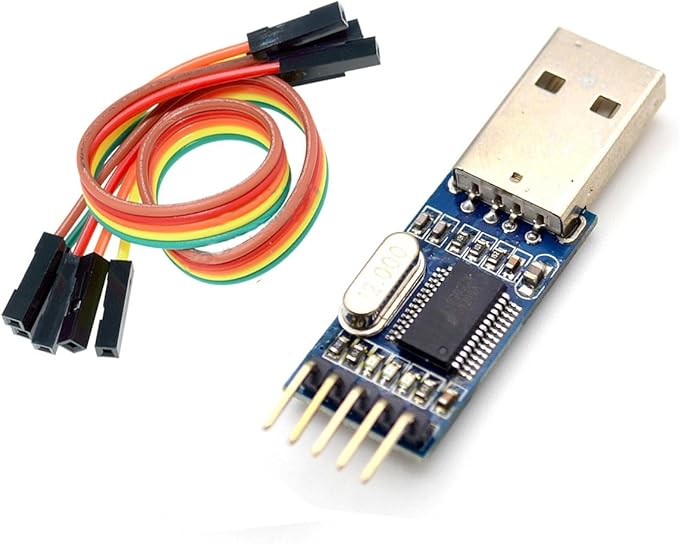
I've got a few of these generic USB to TTL sticks, are they hard-wired to 5v or do I use a jumper between the pins to set a voltage? I know some have separate pins for jumping for that purpose but these ones do not.
fallow cape
wooden mica
I've got a few of these generic USB to TTL sticks, are they hard-wired to 5v or ...
think all you get with those ones is 5v or 3.3v
wooden mica
I checked TXD with the jumper between 3v3 and VCC and it was a little above 3.3v. My current plan is to stick a wire into the jumper between 3v3 and VCC and connect that to the sonoff zbbridge 3v3 port.
I think that would work I am likely wrong
wooden mica
That wiring didn't break it but the USB to TTL stick was struggling to connect to it anyway. Used another one I had and it worked.
 small mural
Guys mind if I ask a potentially stupid question?
I'm new to HA & I see a lot of people on reddit doing a tuya convert on devices.
What is the point of doing this? Only thing I can find is it gets you off their cloud - but why is this necessary or wanted?
I have some smart plugs for example that are not tuya converted/flashed. I disconnected my ethernet from my router and I was still able to control my devices. So having a hard time figuring out the benefit
wooden mica
If your internet goes down, your devices still work (not the case for all). You can buy cheap products without worrying about analytics. You have more control over automations and you don't need to pray that there's an integration for that device.
small mural
hm, I was able to control my devices still without internet.
So seems like the main benefits would be more control/not worrying about crappy software updates
wooden mica
I'd say its mostly to take generic devices that all have their own badly designed apps and accounts, and to put them all on a simple software since they all use the same dozen chips anyway
And there is definitely some portion of users that just want new stuff to flash and modify for the sake of it (myself included...)
small mural
Got it - that makes sense. I appreciate the reply
Going to stick to non flashing for now but I could see myself becoming someone who wants to flash everything in the future. RIght now I'm just learning lol
winged knoll
See your install method channel
 tranquil nest
Anybody use HunterDouglas powerview blinds? There's a HA connection for it, but wondering about the technical details. I don't want anything that relies on a web service to operate (ie, local only). But I'm having a hard time figuring out if the blinds need a SaaS service to operate?
 worn oak
Hello all - just joined! I'm looking into a tablet for HA access around the house. Not wall mounted. Is a Fire tablet still one of the better options given the price point and limited horsepower?
tranquil nest
@worn oak I picked up a fire tablet over last black friday and it's a solid tablet for how cheap it was
I don't use it for HA, but it would do just fine
worn oak
Thanks! Ive used a few tablets in the past (not for HA)- but never the Fire tablet. Does it also enable for web surfing, or is it pretty scaled down?
tranquil nest
It seems like a perfectly fine tablet. Lemme go look up exactly which one I have. But it did web, and netflix well enough
Fire HD 10" 32gb - I paid $79 for it (black friday deal), is $150 at full price and I'd say it's worth that if you just want a general purpose tablet
USB-C charging is mildly annoying just because I don't have those cables in every drawer in the house. That's the only downside
 orchid escarp
anyone have recommendations for RGB Wifi lights that don't need internet (excluding lifx and yeelights) ?
 harsh hound
cant find much done on better BLE range on pi4.. using esp32 and built in BT both pretty avg range
fringe moon
for what purpose ?
harsh hound
easier for configs ect
fringe moon
no, what are you using BT for ? 😄
harsh hound
ahhh.. mijia and miflora
fringe moon
aha, same as me then
there might be options with external antennas for BT and ESP
but I haven't looked into it
harsh hound
yeah i cant find much info on it anywhere
ive got a mijia between 2 esp32's and unsure which one to have the config on
fringe moon
if you run tasmota you can go to configration -> ble config and see the signal strength
then select the strongest one
harsh hound
tasmota on the esp?
fringe moon
yes
harsh hound
whats the port to browse to esp32 via http
harsh hound
getting unable to connect
harsh hound
can ping
fringe moon
tasmota has web ui default on
harsh hound
maybe not tasmota.. just use the generic nodemcu esphome flash
fringe moon
yeah, esphome has no webui by default
Currently migrating all my esphome devices to tasmota
harsh hound
yeah maybe i should do the same
fringe moon
@zealous dune I want to control multiple strips of ws2812 from one esp, make it so in tasmota
the only thing I miss from esphome so far
zealous dune
forget it
fringe moon
💋
zealous dune
use wled
fringe moon
Aye, then I need to use 2 ESP devices, one for lights and one for buttons
fringe moon
I'M SENDING THE BILL TO YOU
harsh hound
what tasmota are u flashing your esp32's with ?
 earnest flame
Hi please I need assistance...
My zigbee device dongle is not working when I plug to a raspberry pi
fringe moon
You need to flash with tasmota-bluetooth.bin @harsh hound
@earnest flame #zigbee-archived
harsh hound
tasmota-bluetooth.bin not default within tasmotizer? cant see it listed
zealous dune
fringe moon
it is in the release files on github
harsh hound
boom might migrate one over play around with it
fringe moon
tasmota32-bluetooth.bin = The Bluetooth version adds BLE support.
tasmota32 of course 
harsh hound
tasmotizer supports esp32?
zealous dune
no
zealous dune
if only someone posted a link to everything
zealous dune
that works? didn't know that
harsh hound
yeah pyflasher is fine
zealous dune
well, not quite. there's different bootloader files and whatnot
fringe moon
esphomeflasher does it correctly atleast 
zealous dune
good to know
 frail kestrel
Hey, Just got my HA BLUE and i ave this problem on the prepreing stage:
[supervisor.docker.interface] Can't install homeassistant/odroid-n2-homeassistant:2021.3.4 -> 404 Client Error for http+docker://localhost/v1.40/images/homeassistant/odroid-n2-homeassistant:2021.3.4/json: Not Found ("no such image: homeassistant/odroid-n2-homeassistant:2021.3.4: No such image: homeassistant/odroid-n2-homeassistant:2021.3.4").
21-03-26 11:10:18 WARNING (MainThread) [supervisor.homeassistant.core] Error on Home Assistant installation. Retry in 30sec
21-03-26 11:10:48 INFO (SyncWorker_2) [supervisor.docker.interface] Updating image homeassistant/odroid-n2-homeassistant:landingpage to homeassistant/odroid-n2-homeassistant:2021.3.4
21-03-26 11:10:48 INFO (SyncWorker_2) [supervisor.docker.interface] Downloading docker image homeassistant/odroid-n2-homeassistant with tag 2021.3.4.
bright jacinthBOT
The topic of this channel is:
Questions about a hardware device (not their #integrations-archived with HA, and not the thing that HA calls devices)? Someone might have the same device and be able to help you out! If you've got a Z-Wave or Zigbee devices, see #zwave-archived and #zigbee-archived, #cameras-archived for cameras, and #diy-archived for making your own stuff.
Problems with the Blue? See #330990055533576204. If your install isn't responding then see your install method channel above.
If you want to share images, use https://imgur.com/ or similar.
Please use https://paste.ubuntu.com/ to share code or logs
Command '.topic' was invoked by: Tinkerer
winged knoll
From the topic ☝️
Problems with the Blue? See ...
worldly barn
anyone using ge z wave hinge pin sensors. i excluded them from smartthings, factory reset by pushing the button 10 times, ive held down the button till the green light flashes and tried to include and nothing