#hardware-archived
1 messages · Page 89 of 1
 gritty zinc
The Tapo range is quite new too. While the Kasa range is still available and known to integrate well, I imagine a lot of people will just keep buying those.
 brisk drum
That is what I thought. I will take a look and see what I can figure out. I guess this is the place to start ~~https://github.com/GadgetReactor/pyHS100~~ https://github.com/python-kasa/python-kasa
gritty zinc
Or the existing integration: https://github.com/home-assistant/core/tree/dev/homeassistant/components/tplink
Looks like it uses a similar library.
brisk drum
Yeah. It seems that has been abandoned with python-kasa being the new version. Any idea if (assuming I get it working in python-kasa) it would be a problem to upcate core to use this new module insteadn of pyHS100?
gritty zinc
I have no idea. That'd be a question for #devs_core-archived.
brisk drum
I will ask there
 twilit quartz
Does anyone know of a good replacement for the HS110 smart plug? They're becoming hard to find to purchase.
twilit quartz
or has a recommendation on which energy monitoring smart plug that works with HA?
 winged knoll
Any supported #zigbee-archived or any #zwave-archived plug will do
twilit quartz
Seemz like zigbee requires a hub?
winged knoll
Or a stick, same as Z-Wave
 undone haven
If you are going #zwave-archived I have heard good things about the Aeotec smart switch 7
gritty zinc
Are we forgetting something here?
 bright jacinthBOT
Looking for advice about a device to buy? Remember to provide guidance on:
- Which country you're in
- What your budget is
- What protocols you prefer (eg Zigbee, WiFi, Z-Wave)
- Any features you want (such as power monitoring, dimming, etc)
Command '.what' was invoked by: mono
winged knoll
I've got a few of the TKB sockets, they work fine
gritty zinc
Country and budget haven't been mentioned and will definitely matter for sockets.
twilit quartz
Country: USA
Budget: $20-30 a piece, but is flexible depending
Protocol: WiFi, I guess?
Features: Power monitoring, API access
Sorry for not realizing that
gritty zinc
Blame the mods for not prompting you 🤣
undone haven
Are you new to home automation? Do you already have a protocol/environment you use?
twilit quartz
Well yes, I plan on setting up HA. Just gathering the toys for it
winged knoll
IMO Z-Wave or Zigbee is a better choice than anything WiFi based
undone haven
Do some research on zwave and zigbeee before you jump in
winged knoll
WiFi has two problems:
- Battery life and WiFi ... not friends
- Lots of WiFi stuff is Works with Blah and has no API
undone haven
And both zigbee and zwave are local mesh ecosystems.
winged knoll
All Z-Wave Plus stuff works together.
All Zigbee 3.0 stuff works together.
Any other Zigbee or Z-Wave stuff requires research
twilit quartz
What do you consider the tplink HS110 as?
winged knoll
WiFi
twilit quartz
Oh wonderful.
winged knoll
It's not what anybody considers it as, it's what it is
Plenty of WiFi stuff will work with HA, but you need to do your research first
twilit quartz
I'm just trying to find a replacement for the hs110 one
winged knoll
Two options, browse the HA integration docs for one that's supported, or jump on the Z-Wave or Zigbee ecosystems
gritty zinc
WiFi isn't necessarily bad. And if you're only going to have a couple of devices, Z-Wave and ZigBee are less attractive.
twilit quartz
Because I need 15A and power monitoring capability
gritty zinc
If you're going to have many devices, Z-Wave and ZigBee are great. They create a self-reinforcing mesh network.
twilit quartz
Don't they require a hub to work with?
gritty zinc
Or a stick.
twilit quartz
Uh what do you mean a stick?
winged knoll
USB stick
gritty zinc
Like... a USB stick
twilit quartz
🤔
winged knoll
Basically, think of it like a bridge/hub
gritty zinc
Plug it into your HA host and you're good to go. No $100 hub involved.
winged knoll
But in USB form
twilit quartz
Well that's interesting
undone haven
I also agree, if you are only going to have a couple devices, stay away from zigbee and zwave. If this is just the beginning, as it usually is, go zigbee or zwave.
winged knoll
Or both 😄
twilit quartz
Recommendations for non zigbee/zwave ones?
undone haven
I think Tinkerer answered that 👆🏻
winged knoll
twilit quartz
Looks like I may go with sonoff and flash it with Tasmota
 drifting grove
Hi, can anybody please tell me if zoozee sockets are compatible with the home assistant server?
winged knoll
Have you searched the integrations list?
Google suggests you may be able to use TuyaConvert on them
drifting grove
by integration list you mean this one? https://www.home-assistant.io/integrations/
 weary spoke
Is the Yeelight module / platform not updated to the newest goodness? I'm trying to define an automation and the yeelights don't show up, but they do show up in lovelace / dashboard and I can see the entity Id
winged knoll
If you're looking for Device triggers/conditions/actions then probably not
weary spoke
ok cool
Everything is running a lot better, I've been on the same upgraded HA install since 2017.
Now I'm just reconfiguring everything in the more "modern" ways
Thanks!
 unborn wedge
what's the best way to take Hue bulbs that were previously on a Hue Bridge (gen1) and migrate to a ZHA compat stick?
i already have the gocontrol USB set up and functioning, but I can't seem to get the bulbs to show
gritty zinc
The best way is to ask in #zigbee-archived
 pallid thistle
Sorry I didnt see the camera tab. I'll remove and repost.
brisk drum
Further to my previous question about the TP Link Tapo P100 (which it seems uses a different protocol to the Kasa series), does anyone know of the Kasa KP105 socket works with homeassistant? It seems fairly likely as there are a few KPXXX multi-sockets that are on the confirmed list, but I thought I would ask in case anyone has confirmed otherwise.
 past sonnet
Hi, is anyone using a Sonos One SL to play audio? I see the One listed in a lot of places, but only one github comment that mentions the One SL.
I'm looking to get a good quality speaker with no mic built into it.
 pure solar
Has anyone used the Shelly door/window sensors? I've been really enjoying the reliability of WiFi as a protocol for my devices - i have yet to play around with my Zigbee though, so we shall see.
 queen vessel
@proper roost https://github.com/home-assistant/core/issues/37333
 steel flax
To set the color of a bulb- does this need to be done with an automation or script?
 glossy prism
@steel flax either one. A script and an automation action are basically the same thing
 haughty shuttle
automations have triggers, scripts get triggered, or something.
winged knoll
@past sonnet It's Sonos (https://home-assistant.io/integrations/sonos), it works with HA
 burnt trench
After upgrading to release 112, all my binary MQTT sensors are unavailable until an MQTT event is received. Is there any possibility to initialise each sensor to an initial state when HA starts(e.g. false/closed/off,...)
winged knoll
I think there's an issue about that
 woven bison
Good morning everyone :)
I want to get a smart plug but since I bricked a Sonoff S26 ( due to bad soldering and unplugged while uploading the firmware) I want to do it with Tuya convert.
I have two questions,
- Is it works with all ESP based Tuya application?
- How can I make sure a device has ESP chip when I see it on Aliexpress?
( I would like to have a recommendation if you have a Tastmota smart plug )
If they is better place to ask this question, kindly let me know 🙂
 zealous dune
- no, only with older firmware 2. you cannot, you can check https://templates.blakadder.com but there's always a chance they switched chips in the latest batch
your best bet is buying from f.e. blitzwolf or gosund for which we didn't have reports of nonesp chips being used
woven bison
That's very cool catalog!!!
zealous dune
its alright 😄
woven bison
Oh no, your catalog states there is almost no Israelis plugs XD
Oh you actually saved me man!
And your catalog stated it's not supported
Man, that's AWESOME!
zealous dune
that's why the page is there
woven bison
Thank you for your time. 🙂
 proud fjord
Hey there. I`ve a problem with my mqtt devices. I´ve been runnung the mqtt mosquitto addon. But a few of tasmota devices wouldn´t connect to the broker. Topic, fulltopic, user and pw is all ok. this device was with this config connected before yesterday.```angelscript
11:23:23 MQT: Verbindung fehlgeschlagen aufgrund von 192.168.178.23:1883, rc -2. Wiederversuch in 10 s
the mosquitto logs are empty for this device
the mqtt broker is reachable for a non tasmota device
 red sonnet
A question i think its the wrong channel but:
I'm having an Homeassistant with alot smart_life & tuya things
For example i use sonoff RF bridge to control sonoff dw1 window sensor & smoke detectors at my home its running all great.
But now it cames the question if my dad wanted an sonoff rf bridge with a smoke detector & window sensor.
Can my home assistant @ my home create send telegram messages for hes sonoff rf bridge at hes Internet ip?
if it worked do i have to add it on my account (tuya or smart_life) or do i create an account for him?
And is it possible to have 2 accounts in HA ?
many thanks on advance !
steel flax
You'd like to monitor some of your Father's Tuya devices into YOUR home assistant? I assume so you can be alerted if there's a problem at his house. That's a really good idea!!
red sonnet
yeah but i don't know if it works 🙂
steel flax
I guess it would all depend on if you can have multiple Tuya integrations in HA. Post in #integrations-archived .
red sonnet
yeah ok tx
steel flax
It would probably be better to post to the forum for this, as it may prompt the devs to implement this if its not possible - and i'm interested!
red sonnet
i will see if i get a reply i will let ya know 😉
steel flax
Cheers- tag me!
 vague galleon
anyone know where i can get an LED controller? I've ordered 3 magic home ones so far and all three have been ZJ-WFMN-E v1.1 which does not use the ESP
winged knoll
Sounds like you're after something specific
I mean "LED controller" is ten a penny on AliExpress, Amazon, etc 😉
vague galleon
winged knoll
(you only need the bit before the ? in the URL FYI)
vague galleon
ive ordered 3 from amazon and all 3 ended up not being the ESP models
bright jacinthBOT
Looking for advice about a device to buy? Remember to provide guidance on:
- Which country you're in
- What your budget is
- What protocols you prefer (eg Zigbee, WiFi, Z-Wave)
- Any features you want (such as power monitoring, dimming, etc)
Command '~what' was invoked by: Tinkerer
vague galleon
https://tasmota.github.io/docs/devices/MagicHome-LED-strip-controller/ is what i am after or an alternative that supports being flashed with tasmota
winged knoll
Have you tried asking on the Tasmota Discord?
vague galleon
not yet, thought i would ask here in case there was another controller type that supported HA. I only use tasmota because it integrates.
winged knoll
That's not what you've been asking though 😉
There's a load of options out there, but you've been asking about a specific one, that you can flash
Personally I use some #zigbee-archived ones
vague galleon
dont have a zigbee reciever.
winged knoll
Hence the bot message above
glossy prism
time to get one boiiiiiiiiiiiiiiiiiiiiiiiiiiiiiiiiiiiii
winged knoll
None of which you've answered 😉
vague galleon
I should have clarified, what i like is esp based is wifi so no extra hardware 🙂
Sorry working and typing
- UK
- Cheap
- Wifi preferred.
- To work 😛
vague galleon
i can hope and dream
winged knoll
My own experience of the MagicHome and FluxLED stuff is that "work" is optimistic
 mental cargo
Always using home brewed with d1 minis and WLED. Ticks all four boxes above
winged knoll
Heck, I've got a MiLight bridge and two LED controllers gathering dust because they're "not awesome"
I should pass those on to some poor unsuspecting soul 🤔
mental cargo
@vague galleon can u get shellies in the UK?
...Act fast, before we impose EU traffis to the UK 😝
 random scarab
I have given up on my non-flashable magic home bulbs. I have researched and zigbee bulbs look to be my path forward. Does anyone have any budget zigbee bulb recommendations? I was looking at IKEA since there's one down the road from me. I am in the US.
winged knoll
See the pinned messages in #zigbee-archived
vague galleon
@mental cargo it would seem so: https://www.amazon.co.uk/s?k=Shelly&i=diy&ref=nb_sb_noss_2
 torn escarp
Hey all, curious if anyone here has experience with Kwikset Convert locks, specifically the ones branded as requiring an "Amazon Key." Seems like people are just bypassing that, and using these as Zigbee devices. But wanted to see if I could get a confirm on that from anyone here, before grabbing one. Thanks!
 slender silo
Is there a sensor for temperature that you can use with home assistant. Like Xiaomi Aqara but cheaper?
winged knoll
Those are pretty cheap...
bright jacinthBOT
Looking for advice about a device to buy? Remember to provide guidance on:
- Which country you're in
- What your budget is
- What protocols you prefer (eg Zigbee, WiFi, Z-Wave)
- Any features you want (such as power monitoring, dimming, etc)
Command '~what' was invoked by: Tinkerer
slender silo
@winged knoll i see them for €16,50 at a shop
winged knoll
And half of that from AliExpress or similar
gritty zinc
You can't really get much cheaper than an Aqara unless you #diy-archived something with an ESP.
 dreamy timber
can anyone lend a hand identifying a mac address for BLE?
I tried running pybluez on win10 but the BLE service doesnt work on win10 os
 rigid dome
 toxic herald
I'm curious what led strips people are using with https://www.thesmartesthouse.com/products/zooz-z-wave-plus-s2-rgbw-dimmer-for-led-strips?variant=31310242840639
Also I'm a bit nervous about the exposed terminals, is there a way to cover the terminal ends?
 civic kraken
@last jackal instead of running another instance of HASS to receive the Bluetooth sensors I suggest you take a look at ESP32 and something like ESPHome
winged knoll
Any 12V or 24V analogue RGBW strip will work. As for the the terminals, it's at most 24V, nothing to worry about. @toxic herald
 sick forge
https://www.amazon.de/Steckdose-Fernbedienbar-Sprachsteuerung-Funktion-Kompatibel/dp/B07V47PJWX Are these compatible with HA?
winged knoll
See the #integrations-archived list - random WiFi devices are very hit and miss
sick forge
hmm.. These would've been excellent, because the TPlink hs1(1)0 i have now are taking up so much space xD
ah well, thanks 🙂
winged knoll
There's a stack of Zigbee and Z-Wave options 😉
 regal palm
Hi guys I just bought a Smartmi 2s fan and I want to hack it. The wifi MCU is a ESP32 running FreeRTOS, the motor is controlled by a STM32 and a toshiba driver chip. So seems at first glance it seems pretty straight forward. Are there any ressources on how to "attack" FreeRTOS devices? I guess I already found the TX and RX pins on the Board.
gritty zinc
You'll probably get better help in #diy-archived, @regal palm
Lots of ESP users there 🙂
regal palm
thank you will try it there 😄
 finite storm
Guys is it possible to use the CC2531 sniffer with a USB extension cord?
Because then i need to put the sniffer somwhere on the ceiling, maybe possible use the extension cord for the antenna?
winged knoll
Yes
gritty zinc
But in general, be careful about the length of any cable. You'll get voltage drop and poor signal.
1m or so is okay for a USB cable.
And the USB extension won't act as an antenna because science.
winged knoll
I've got one on a 2 meter cable, but I bought one that's not tiny thin 😄
finite storm
ahh thats fine. Maybe an extansion cable antenna als alternative indeed of the usb extansion cord?
winged knoll
No
finite storm
thanks
 halcyon kraken
Sorry if this is not the right place for this question I appreciate the help in advance. Does anyone know how to set a Tasmotized Sonoff TX (3 gang) so that one of the relays stays on all the time and the corresponding touch button can be used with other rules or automations. I’m familiar with PowerOnState 4 with single switches, but is it possible with the Sonoff TX?
 calm mural
Not sure if this is the right channel, but does anyone any resources on creating speaker groups for whole home audio?
gritty zinc
The guys over at the Tasmota discord can probably help you, @halcyon kraken : https://discord.gg/Ks2Kzd4
calm mural
I can’t really find any example YAML configs for grouping speakers specifically. Does anyone have any examples?
civic kraken
you can group media_players in hass if that's what you want but they will not be in sync
if you want multi-room audio you're better off going with some supported hardware made for it such as Chromecast devices
winged knoll
Or Sonos
civic kraken
Denon has something and I bet a ton of other manufacturers too. Those will allow you to adjust the delays to sync everything up properly
calm mural
Can I group different kinds of devices together without a lot of issues? I have 2 Google home minis, a Sonos beam, an echo dot, and my Ecobee also has Alexa that I’ve got as a media_player in HA. Is it ridiculous to try and group all these together?
civic kraken
No harm in trying
calm mural
That’s encouraging, thanks! I’ll probably share my config in a bit - I haven’t created any groups yet - this is my first
civic kraken
unless there's something specific about media players, you should be able to just list the entities under a group: https://www.home-assistant.io/integrations/group
calm mural
Yeah, I hopped on here to specifically see if media players had anything specific I was missing.
civic kraken
The order the devices are listed matters (or at least used to) so you might be able to tweak the delay a bit with that
calm mural
@civic kraken - son of a gun it worked, but yeah both the delay and the volume are issues.
Is this a good way to combat volume sync? https://jefflirion.github.io/home-assistant-info/chromecast-audio-synchronization.html
civic kraken
I don't know, I have a script set my volumes to the preferred level but I have a lot fewer devices than you and I don't change the volume almost ever
 raven coyote
Is there anything at a better ease/price point than the samsung smarthings button? They're like $13/ea. I wanted to use sonoff S1's, but they don't fit in my junction boxes.
bright jacinthBOT
Looking for advice about a device to buy? Remember to provide guidance on:
- Which country you're in
- What your budget is
- What protocols you prefer (eg Zigbee, WiFi, Z-Wave)
- Any features you want (such as power monitoring, dimming, etc)
Command '~what' was invoked by: Tinkerer
raven coyote
USA, open budget, but I need like 20 buttons. No real protocol preference - wifi/mqtt (i'm willing to flash firmware) I suppose, but I use literally all of them
I suppose for zwave/zigbee it needs to be compatible with the native HA integrations - I use it with a Nordic Controls USB bridge
in reference to the Sonoff S1's not fitting; my place was built in the late 60s, so has small-ish junction boxes. most decora things I've tried to stuff in have fit.
though, with aluminum wiring, it's a pain to stuff the pigtail in, so smaller is better if it's wired in
 stable hemlock
Any recommendations on a temp humidity sensor that plays nice with HA?
WiFi based would be better
winged knoll
The Xiaomi Aqara Zigbee ones work well
stable hemlock
Thanks
civic kraken
if you have to have wifi, you can #diy-archived some very easily too
 sterile sage
i got a question all, since Homeassistent 0.111.3 i'm unable to add my yeelights, someone got a idea?
winged knoll
🤔 What do you mean?
sterile sage
i transferred my homeassistant from a VM to a RPI 4
copied the config file, only the yeelights dont show up anymore
winged knoll
I have mine found through Discovery, though manual config works too
winged knoll
sterile sage
those instructions i followed to the letter, but still no step further
winged knoll
Weird
sterile sage
true, that's what i thought, and that's why im here
winged knoll
Nothing in the log file?
sterile sage
nothing relevant, no mention of yeelight
glossy prism
What is that, Zigbee?
 soft root
yes
glossy prism
Maybe then, if whatever Zigbee integration you're using has handlers for keypads
soft root
has anyone used it?
glossy prism
Might want to ask in #zigbee-archived
 alpine shale
I have an old iPhone showing up in HA, and I can't figure out how to remove it. If I go to Configuration->Devices, it shows up but there are no entities for it.
 mental venture
Is it due to the app being installed on your iphone?
alpine shale
Yea - I think it was the old version of the app. I just went through the .storage/core.device_registry file and removed them. About to reboot and see if that did it. (And, I did backup the file first!)
mental venture
I'm trying to install HACS and when I extract the HACS.zip file my translation file doesn't have the "." in front of the Translations folder. It is listed as "translations" and not ".translations". Does anybody know how to fix this? Using 7Z to extract zip file.
 gloomy spoke
This is the #hardware-archived channel
mental venture
Oh - sorry...I'm still figuring this out...
gloomy spoke
That would be #integrations-archived
mental venture
Let me jump over to the right channel. Thanks RobC!
gloomy spoke
Np, still, that’s not a problem
 dusty panther
Hi
I'm currently setting up Home Assistant on a raspberry pi. I have mixed devices working on Zigbee (Hue, Tradfri and various other devices). Would it be a good idea to get myself a Zigbee stick so it would work without the Hue Hub etc? Or how is this done correctly
winged knoll
See #zigbee-archived 😉
dusty panther
@winged knoll #zigbee-archived wasn't under support .. do I need to repost there?
winged knoll
Oddly enough, not everything is under support 😉
bright jacinthBOT
The topic of this channel is:
Questions about a device (not their #integrations-archived with HA)? Someone might have the same device and be able to help you out! If you've got a Z-Wave or Zigbee devices, see #zwave-archived and #zigbee-archived. Please use https://www.hastebin.com/ or https://paste.ubuntu.com/ to share code or logs
Command '.topic' was invoked by: Tinkerer
dusty panther
But the zigbee stick is also a device 🙂
 dusty panther
Certainly as a moderator you shouldn't talk like that and secondly, having such strict channel separations makes it confusing since it's mainly all about the same stuff. Too much channels here.
winged knoll
I will, if you're going to deliberately be an ass 😉
We have strict separation because it makes sense
It's that, or one channel for everything
So, you want to ask about Zigbee devices, go to #zigbee-archived
dusty panther
It doesn't. I had another question about add-ons which also could be posted under something in the installation method or devices or integrations.
Still, being a mod doesn't allow you to talk like a teenager to me.
winged knoll
#add-ons-archived for add-ons
and yes, it doesn't matter your age, or anything else. If you're going to argue the point with a mod you will lose
dusty panther
I came here to ask something on a respectful way, two sentences later I'm being called a troll, annoying and an ass. Surely you must be the most fun guy around.
winged knoll
I'd highly recommend you drop it here 😉
dusty panther
I do not care about winning or losing. It's about being mature
undone haven
Tinkerer is probably the most knowledgeable person on the HAss discord and he helps a lot of people all day, every day. Just a heads up, you will probably need him again 😉
gritty zinc
Yeah, of all the people to annoy, Tinkerer's the last one I'd pick 😄
glossy prism
@undone haven the wyze bridge only works with the sensors, it's a tiny li'l guy
it's designed to be plugged into the wyze cam, but someone reverse-engineered the communication protocol between the sensors and bridge
 gusty crow
Not sure if this is the right channel, but I have some Sengled Zigbee RGB bulbs connected to Deconz. I accidentally selected a color (Red for example) but now I can't for the life of me figure out how to get it back to regular soft white. All I see is brightness and the color wheel. Any ideas? I must be missing something obvious.
gritty zinc
Does it need to be a way in the UI or are you happy doing it via service calls (i.e. from buttons/automations/etc)?
This is the service for it: https://www.home-assistant.io/integrations/light/#service-lightturn_on
Where color_temp is an optional argument 🙂
glossy prism
strange though, if it supports color temp there should be a slider in the "more info" popup
gusty crow
@glossy prism I know...I have some tasmota bulbs that work like that, but not these
Let me try the color temp setting
glossy prism
but yeah, as mono said you could use that service call
gusty crow
Hmm..I'm getting errors when I try that.
bright jacinthBOT
Please use https://paste.ubuntu.com/ or https://www.hastebin.com/ to share code or logs.
Command '.share' was invoked by: Tediore
gusty crow
Hang on..now the light is unavailable lol
So any color temp I put in there, just turns the lamp off and then back on
Still keeping the RGB values
winged knoll
Try setting the colour to white?
If that fails, #zigbee-archived or the Deconz discord would be where to ask
gusty crow
pydeconz.errors.RequestError: /lights/2/state parameter, ct, not available
Using color_name: white ?
If I do that, it makes the bulb white...but a very blueish white
winged knoll
Sounds like a deCONZ problem
 static horizon
Anyone here using RTSP with Wyze cameras? Mine are working fine, but they seem to stutter or skip every couple of seconds. Curious if this is 'normal'. If I use the wyze app itself, the stream is perfectly fine.
glossy prism
@static horizon i am, and i don't believe i have this issue. i am using the custom dafang firmware, not the stock RTSP firmware though
i'll take a look at it tonight to see if i notice anything weird
static horizon
@glossy prism Thanks. I tried the dafang firmware before Wyze released their own RSTP, maybe I should give it another try.
glossy prism
i like it a lot. i was surprised how much stuff you can do with it
gloomy spoke
the official RTSP firmware was like a one-off that wasn't going to be maintained and lost all of the cloud features. Is that still true?
it was kinda "well, okay, fine, here"
gloomy spoke
"we don't have to like it"
static horizon
@gloomy spoke that's what it looks like. They originally said maybe on the updates, but it's been over a year I think and no firmware update
gloomy spoke
they claimed that it was a lack of firmware space
glossy prism
dafang dafang dafang dafang dafang
static horizon
downloading it now
static horizon
@glossy prism mind sharing some of your config settings? i.e., is HW or SW better for auto night mode?
 tropic sandal
Hey is there any zigbee activated T8 tube out there?
winged knoll
#zigbee-archived would know 😉
glossy prism
@static horizon sure thing, i don't think i changed a ton though. i'll take a look tonight. not sure about hardware vs software night mode tbh. i'd assume hardware
static horizon
gotcha. I'm going to play around with the bitrates and such and see what I can get
tropic sandal
Oh sorry @winged knoll 
 stable sonnet
Has anyone used a neo smart hub (for blinds) ?
 finite socket
Hello good folk. Anyone have a suggestion for an outdoor climate sensor? temp, RH and pressure of course.
bright jacinthBOT
Looking for advice about a device to buy? Remember to provide guidance on:
- Which country you're in
- What your budget is
- What protocols you prefer (eg Zigbee, WiFi, Z-Wave)
- Any features you want (such as power monitoring, dimming, etc)
Command '.what' was invoked by: mono
gritty zinc
Try to give as much detail as possible so other people can give the best suggestions.
finite socket
roger that. Looking for an outdoor climate sensor. I am in the U.S., budget can be flexible for the most part. I would like Zigbee, but would be open to WiFi. Zigbee would be nice cause of the low power consumption. Mostly looking for the outdoor sensor to provide Temp, RH and pressure. I don't need an entire weather station by any means. Thank you in advance all.
 daring shard
Not sure this is the right spot to ask, but I've got zero smart home items & a Unifi setup so I assume I should stick to wifi items over zwave/zigbee if I can help it right?
Actually, I would need zwave for sensor stuff right? I feel like wifi chips for sensors is overkill, no?
 jolly cloak
@atomic hearth, I'm looking at the Aqara Wireless Mini Switch. Have you tried or do you know if the door bell feature works with home assistant?
 ashen apex
I actually went with a combination @daring shard. Zigbee via Hue for all lights, buttons, and some motion sensors (in rooms where I need temp/lux monitoring). And went with Wyze Sense for contact sensors and PIR sensors.
Also have some dirt-cheap ESP-based power sockets for power monitoring/automation.
glossy prism
@daring shard nothing wrong with mixing protocols. I have smart home stuff that uses WiFi, Zigbee, Z-wave, and 915 MHz RF
daring shard
Aight, do ya'll have any tips for picking out smart items? Any up to date list of verified quality stuff?
I might just go Z-Wave for alot of stuff then, it's looked pretty easy to get into
ashen apex
Would be careful with Z-Wave. Will likely go the way of Betamax and HD-DVD.
jolly cloak
Zigbee for lights, zwave for door sensors, wifi for Shelly sensors.
ashen apex
They have different frequencies for each country, so hugely fragmented product base. And they used to require manufacturers of Z-wave devices to buy a license, so generally more expensive.
Zigbee is a more open platform that has its own quirks, but even Zigbee may not be the longest-lasting because Amazon + Google + Apple made a consortium to develop an open standard for IoT communication (likely to be based off Zigbee/Thread).
IoT is definitely in its infancy, so not a lot of stability whichever way you go 😛
 visual river
Anyone have any experience working with ecobee?
glossy prism
What's your question
visual river
I have register booster fans that I want to trigger any time the system is active, whether it's running hot or cold. I see a couple attributes that may help but they don't seem to change as I'm changing settings on the ecobee; namely:
current_temperature: 75
temperature: 72
target_temp_high: null
target_temp_low: null
target_temp_high/low always seem to be null, even when the system is running.
Trying to see if anyone's set up an automation similar to this where all I care to know is if the system is actively heating or cooling.
glossy prism
hvac_action attribute is probably the one you're looking for
visual river
Yup, that one seems static too. It usually is just stuck at 'cooling', but maybe there's a polling interval delay that I'm missing.
glossy prism
3 min
visual river
I know there's a new equipment_running comma separated string that will have the listed equipment active, but that's probably a pain to parse.
Thanks, I was wondering about that.
I'll change the state and let it run for 6 minutes to see what the state yaml output changes to.
visual river
Nice, think I have it figured out:
{{ if not is_state_attr('climate.living_room', 'hvac_action', 'fan') }} # For turning the booster fans off

{{ is_state_attr('climate.living_room', 'hvac_action', 'fan') }} # For turning the booster fans off
Thanks @glossy prism!
glossy prism
You can remove that if though
ashen apex
In fact, you can make that a single sensor which will result in a True/False, On/Off for your automations.
glossy prism
@static horizon video size is 1920 x 1080, bitrate 5000 kbps, format SMART, framerate 20fps
auto night mode is set to SW (i don't think the wyze cam has an ambient light sensor)
ashen apex
My Wyze cams automatically flick to IR lights. Though not sure if that's on their end, or mine.
glossy prism
right, so does mine--i just mean it appears it does so purely via software estimating light levels based on the camera feed, not via a reading from an ambient light sensor
ashen apex
Yeah, makes sense
glossy prism
can't expect everything from a $20 camera i guess 😛
ashen apex
Pretty bloody good for the price! I would detach from the app and just use my NVR, but I haven't found an NVR that supports 2-way communication like the app does. Has come in handy a few times when my dog has been barking. Easy enough to talk to him through the camera to calm him down.
glossy prism
Oh yeah, I'm not complaining! Ah interesting
pure solar
Any ShellyForHass users here? Trying to figure out how to configure a Shelly 1 as a garage door "cover" type in Home Assitant!
 bold lantern
@pure solar a cover template would be the best way
 hasty jasper
hello, i have sonoff mini, i want to flash esphome but i cannot found tutorial or firmware image. Where can i found this? I have only tutorial to flash tasmota: https://www.reddit.com/r/homeassistant/comments/di4mrk/guide_howto_flash_the_sonoff_mini_with_tasmota/
bright jacinthBOT
ESPHome is a system to control your ESP8266/ESP32. You can find their documentation here, and get help here in the #diy-archived channel. They have their own Discord server too.
Command '~esphome' was invoked by: Tinkerer
daring shard
Once again prolly weird spot to ask, but could someone tell me the name of the buttons? Having issues with keywords https://images-na.ssl-images-amazon.com/images/I/51lRNxBiusL._AC_SL1182_.jpg
Have 3 of the same fan on same frequency, so looking into managing all 3 with one transmitter, but keep them independent if I can
glossy prism
DIP switch
daring shard
I think I saw that somewhere and glossed over it, thank you!
glossy prism
We should have a #what_is_this_thing channel heh
daring shard
I managed to snag 3 transmitters/receivers on amazon prime for $7.5
Last one in stock too, lucky
slender silo
I just received my Nooie outdoor cam, was wondering if anyone know if this is compatible with HA?
gritty zinc
I just received my Nooie outdoor cam, was wondering if anyone know if this is compatible with HA?
@slender silo
 vernal vigil
Hi, is this the proper channel to ask about RFXtrx / rfxcom ?
I'd like to send a protocol, that is not learned, because rfxcom does not receive it.
I can switch it with RFXmngr, and now i'd like to switch it with home assistant
gloomy spoke
We should have a #what_is_this_thing channel heh
Oh great, now I'm wasting time here: https://www.reddit.com/r/whatisthisthing/
glossy prism
lol my 🇧
drifting grove
Has anyone experience with binary sensors not updating properly? I have some Sonoff window / door sensors, that show up ok in the entity list, and respond correctly in the sonoff app, but their status isn't updating within home assistant, they're constantly "Off" on the entity card. I've checked the update time in the config ( was 5 mins ), and reduced it, but it hasn't helped, and the status doesn't change from "Off"
Any tips or advice appreciated 🙂
winged knoll
Nearly always an #integrations-archived problem
drifting grove
...heading over to integrations 😉 You must hate us newbies!
 broken spoke
Any advise on best light switches that are Tasmota compatible?
I’m in the US, WiFi, and under $25 a switch, planning on buying a bunch.
Also looks like I can but has anyone used Tasmota to not turn the light on but send a command to HA to toggle the switch instead? I have a bunch of IKEA bulbs
pure solar
OK - who is a shelly expert / electritian. Trying to figure out why the wiring digrams on Shelly 1 PM are different than Shelly 1
1PM docs: https://shelly.cloud/documents/user_guide/shelly_1pm.pdf
1 docs: https://shelly.cloud/documents/user_guide/shelly_1.pdf
 crisp mauve
I think my brain is just fried from too much HA today, but is there a reason on/off smart switches are so popular when you could just put a smart light in an existing dumb switch and fire your scenes/scripts/whatever when that smartlight becomes (un) available?
winged knoll
Because humans can operate a smart switch just like the old dumb switch, and things "just work"
If humans turn off your smart bulb, it's not so smart any more
gloomy spoke
I always wondered why someone would want to use a smart bulb when a switch is a more ‘complete’ and elegant (imho) solution, so there 🙂
ashen apex
Mostly for retro-fitting without re-wiring.
winged knoll
It makes sense in places that aren't controlled by an existing wall switch
Well, you replace the existing switch with a smart one (or module)... job largely done
There's plenty of no-neutral solutions out there
ashen apex
Yeah, a lot of countries you can't do that - an electrician can, but you can't.
Very few no-neutral solutions in Australia either unfortunately 😦
winged knoll
🤷 Even in the UK I can do that 😄
gloomy spoke
I also prefer to separate the lightbulb tech from the smarthome tech so there’s not a single point of failure or the bulb becoming useless because the smarthome company went out of business
That, and the bulbs often focus on colors, which I have no interest in
ashen apex
Colours are less important to me (even though I have like 8 colour bulbs). White temperature is pretty great to be able to control though, instead of just brightness.
pure solar
I think cost is pretty important to me too, switches tend to be cheaper (but of course you pay for that in wiring and shennanigans). I like the idea of something having power to work reliably instead of coming "offline" and "online" again - just feels dirty.
Speaking of bulbs though, what are folk's go-to bulbs - i'm open to trying them
ashen apex
I went full Hue and have no regrets. Solid ecosystem, but definitely expensive. Always waited for a 40% off sale before even considering them.
winged knoll
I have one Osram bulb, and it's in a drawer never to see the light again
Next I'm going to try the Ikea ones, they get good feedback and are cheaper than Hue
pure solar
Yea, Ikea ones excite me. Gah, the other thing I forgot to mention is that this is powering a ceiling fan/light combo - so bulbs not the only things.
@ashen apex did you mean before that most points in Australia do not have neutral or they do have neutral?
ashen apex
Do not. Most smart switches require a neutral wire.
pure solar
yea - i heard there was a shelly that did not require one, looked into that one?
I'm assuming australia is 220?
ashen apex
240v. Shelly switches have only just started getting approved for use here.
So don't know if the neutral-less one is approved.
crisp mauve
Those reasons to my earlier question make sense. I guess I've got myself into a bit of a weird use case where my room has two smart bulbs, both in lamps. I'm not using the ceiling light (bayonet socket, my existing bulbs were edison) so I wanted to buy the cheapest possible bulb and use it as a switch only but not a source of light.
I'm a renter so I can't wire up proper switches.
winged knoll
There's plenty of stick on smart "switches"
crisp mauve
Yeah, this seems more elegant though (in my weird case)
winged knoll
Tape a cover over the physical switch, stick that on the wall next to it (or over it) and you're done
crisp mauve
And $15 for a bulb vs $20 for the Tradfri switch.
winged knoll
ashen apex
I have plonked a bunch of the Hue dimmer switches on the top of my existing light switch plates. As elegant a solution as I can get without getting the house re-wired.
crisp mauve
I'm in Australia, our switches are quite different. That does look good though.
ashen apex
The Hue dimmer switches fit perfectly over our switches @crisp mauve. Just need some double-sided tape on the edges to boost the height a little.
crisp mauve
Thumb for scale https://imgur.com/a/vYb1pMd
I can absolutely see myself using something like that (also didn't think the Hue dimmer would be as cheap as $35) if I wanted to spend a little more and get extra buttons.
But is it not-dumb to do the bulb thing for a cheap binary switch?
ashen apex
shrug Not sure. I'd personally just be saving my dollars to get out of such a crappy-looking rental 😛
crisp mauve
Big oof 😛
But I legit prefer to live somewhere cheap and spend money on consumer electronics and smashed avo instead 🤷♀️
 frigid shuttle
in sweden we can install smart lightswitches behind the physical switch... we are just not allowed to without beeing an electrician... but .. we can 😉
crisp mauve
Heh, in Australia (maybe just my state?) we're not allowed to change a lightbulb without being an electrician.
zealous dune
wow, you should move out immediately
crisp mauve
Of my house or country? 😛
zealous dune
at least to place where they don't treat you like a 5 year old child
crisp mauve
I don't think anyone's actually been arrested or fined for it, but yeah, we love our nanny state laws.
Just googled it and "It’s illegal to be in possession of more than 50kg of potatoes in Western Australia"
zealous dune
what they don't know they can't fine you for 😄
its hard to be irish in western australia #racistjokes
frigid shuttle
anyway, there are thease cover things you can put over your physical lightswitches to prevent people switching there... gonna look hell of a lot cleaner than tape... https://www.m.nu/vagghallare-for-fjarrkontroller-ikea-hue-xiaomi/tacklock-on-top?nosto=frontpage-nosto-5 (swedish site tho)
you can also flip them up if you need access to the switch behind
crisp mauve
I think they meant to use double-sided tape to mount those things and avoid drilling into rental walls.
frigid shuttle
personaly i install zwave switches behind the physical switch, so my dumb wallswitch becomes smart
i absolutly hate the remotes
crisp mauve
That sounds like the best solution, but I would electrocute myself.
zealous dune
best way to learn 😄
frigid shuttle
meh, theres guides for everything on youtube 😉
whats the line he say in breeders?.. its on youtube, thats how i learnd to replace the toilet
😄
zealous dune
its not that hard and once you flip the breaker you cannot electrocute yourself
frigid shuttle
can burn the house down when you flip it back but thats another issue
crisp mauve
But then I get a nice housefire once I switch it back on and my shoddy work causes ^ yeah that
frigid shuttle
well, tbh im kinda amazed that there are not more houses burning down in usa, watching videos on how they do their wiring when building houses there gives me the shivers
zealous dune
i can't change a tire on my car but i can do electricals for an entire room and i'm nowhere close to a sparky (as they say down unda)
frigid shuttle
they just blindly pull the mains cables in the damn walls without any plastic tubes or anything
crisp mauve
It's still legal to build houses with asbestos in the US, otherwise it'd be worse.
frigid shuttle
just pulling mains cables all over the place in the insulation without any kind of protection for it 😮
zealous dune
plastic tubes are bad for environment, they're just being green
crisp mauve
Ah see I can do an oil change or tyres (and not much else) but I'm never touching the mains power.
frigid shuttle
1 nail that sticks out is gonna burn the house down
zealous dune
i love their main junction boxes, one pin drop there and poof
frigid shuttle
and they seem to have no kind of electrical codes or anything just whoever wants to can do whatever they want and noone cares
frigid shuttle
i mean alot of people just make a hole in the drywall, put a wallsocket there without any kind of electrical box inside the wall or anything
just "hey, lets cut a hole here and throw stuff in, whats the worst that can happen)
zealous dune
air is insulation
the house would eventually be destroyed by a tornado or a hurricane so an electrical fire here and there doesn't matter
 lyric halo
Is there a consensus go to brand for a zigbee hub/dongle and sensors?
We're looking to add door and window sensors on my toddlers room and before I jumped down the rabbit hole too far I figured I should ask.
I have an aeotec zwave dongle but am not married to it if the best solution is still the husbzb-1
winged knoll
See #zigbee-archived
bright jacinthBOT
The topic of this channel is:
Questions about a device (not their #integrations-archived with HA)? Someone might have the same device and be able to help you out! If you've got a Z-Wave or Zigbee devices, see #zwave-archived and #zigbee-archived, #cameras-archived for cameras, and #diy-archived for making your own stuff.
Please use https://www.hastebin.com/ or https://paste.ubuntu.com/ to share code or logs
Command '.topic' was invoked by: Tinkerer
winged knoll
Just as well we don't mention it in the channel topic 🤔 😛
lyric halo
I'm a super novice discord user, I honestly didnt know there were channel topics. I'll keep an eye out in the future
winged knoll
Oh, don't worry, you're far from alone
Topics and pinned messages tend to whoosh past the majority of people, like the search feature 🤷
 fast bane
I need a light bulb that changes brightness when its turned on/off by switch and also controlled by Wifi
winged knoll
Good news, every lightbulb does the first 🎉
🤣
glossy prism
@fast bane I don't believe there are any smart bulbs that also allow dimming with a physical dimmer
Wouldn't really make sense even if it were possible
(maybe I misunderstood you though)
fast bane
I don't want a physical dimmer, in Australia we have dimmer bulbs that are triggered by the switching on/off of light switch in quick succession, this dims the light bulb between 3 modes on the forth trigger it returns to full brightness.
So I want that feature but I guess I would need to use a ZigBee switch to cover existing light switch and do it in software
glossy prism
Yeah, I'm guessing the switch you're talking about still cuts and returns power to the bulb in rapid succession
Like a dimmer
glossy prism
Oh nvm
I misread what you said
I'm familiar with those lamps
I thought you said the switch does that lol 
glossy prism
Yup
fast bane
Only next problem I need a smart led bulb which is no bigger than 3.5cm wide and 7cm long
E27
(installed in tiny glass Wall light)
glossy prism
Oh is that a candelabra bulb?
There's a Philips hue one, but you're not gonna like the price...
fast bane
$30!? 😵
glossy prism
Yeah, and all for 450lm of output 😒
I've almost always bought hue stuff on sale though
zealous dune
gotta pay the hue tax
glossy prism
I got a four color bulb starter kit for 80 USD once
zealous dune
there's random zigbee and wifi ones for a bit less
but don't expect more lumens, candle bulbs too tiny for more
fast bane
Hmmmm.... I might just install a PLC instead, thanks for the guidance
glossy prism
Hey Blakadder, I used one of your tasmota templates the other day for my first tasmota flash, thanks for that! Might have one to submit tonight...I bought an outdoor smart outlet that says it supports the Smart Life app so I'm hoping I can tuya-convert it. If I can I should have a tasmota template to submit
zealous dune
probably not mine but i know what you meant 😄
glossy prism
Heh, thanks for grouping them in one place rather
fast bane
Thanks for my curtain on that note
How well does hue work with zigbee2mqtt?
The hue remote has lots of lah
*lag
Curious of light
glossy prism
Lots of lag?
With the hue integration there will be up to a 5 second delay between button press and home assistant receiving the event since the integration polls the bridge every 5 sec
I'm glad Philips made a local API but why...why does it not have push capability...
fast bane
Read again
winged knoll
The Hue remote works nicely with Z2M
For everything else RTFM: https://www.zigbee2mqtt.io/information/supported_devices.html#philips
fast bane
Do you personally use hue with z2m?
I already have the hue remote btw
And posted bug report on github
The creater of that project worked with me but we could not get to root cause
winged knoll
Yes, I have one... right next to me
fast bane
Herman somewhat improved issue
Yeah it was specific change (older manufactured hue remotes worked fine)
I'll post link
2 hours please
glossy prism
Can I pay a fee for expedited?
glossy prism
sold
 opal ledge
Any recommendations for an exterior water sensor. Just had a leak due to some torrential rains in the Eastern US and a blocked down spout. Water got behind the stucco on the roof deck. Guess I’m looking for something battery powered and would catch rising water along a drain channel. And then alert me via Home Assistant. Protocol wouldn't really matter, I have Zigbee/Z-Wave/WiFi access. I also have a simplisafe security system but doubt their water sensor is rugged enough for external use.
bright jacinthBOT
Looking for advice about a device to buy? Remember to provide guidance on:
- Which country you're in
- What your budget is
- What protocols you prefer (eg Zigbee, WiFi, Z-Wave)
- Any features you want (such as power monitoring, dimming, etc)
Command '.what' was invoked by: mono
 ripe pond
Anyone running wired motorized blinds? I'm looking at something like this https://www.automatedshadestore.com/shop/product-info.php?20-Motor+24V+DC+x+40+Amp+Power+Panel-pid458.html which has an RS485 interface. I've never used one, and wondering if it would be possible to integrate it with HA
 quasi blade
I have Home Assistant running on a Raspberry Pi 4 in a server rack, positioned in the basement, in the corner of the house nearest the circuit breaker. https://i.imgur.com/cBAWqMJ.png I want to put temperature sensors in several rooms throughout the basement and ground floor and attic, as well as one in the garage and the patio by the garage. The two best options I've found are the Mijia line, but there are a couple hurdles to overcome:
- They're Celsius only: I am going to stick printouts of conversions nearby - every 10ºC from -10°C to 40°C, as well as every 1°C from 20°C to 25°C as that is the most comfortable temperature range
- I'm at a bit of a conundrum as to which one I want to get because:
a. The older circle ones are $14.99 each which isn't bad (BangGood promo) and work with ESPHome, which would make it super easy to set up. I have excellent WiFi coverage throughout both floors and the attic, as well as the garage, so I could stick an ESP32 downstairs, one upstairs, and one in the garage, and let them pass all the data to Home Assistant via ESPHome integration. Bonus is they use a single AAA battery with an openable battery cover, making it easy to swap after the 1 year battery life.
b. The new square ones are $5.59 each right now (BangGood flash sale) which is a killer deal, but don't work directly with ESPHome. There's a custom integration for Home Assistant though. Issue here is Bluetooth range from the corner of the basement to the ground floor and attic and garage/patio. They use CR2032 and don't have an easily openable battery area, but they last about a year too so I could live with that. With a finished basement I can't easily run wires (e.g. USB-CAT5 adapters to Bluetooth antenna or the likes), so I would need another way to get Bluetooth connectivity. I found a Bluetooth to MQTT gateway but I don't know if the 15 thermometers I'm wanting to use would overwhelm my Home Assistant's already busy MQTT broker with so many messages.
winged knoll
- Home Assistant should convert to F for you (in theory anyway)
- The Aqara range are Zigbee... any #zigbee-archived integration will work with them
Frankly 15 thermostats wouldn't be an issue in terms of traffic
Zigbee would be a bigger bottleneck (and it won't be either)
quasi blade
- I agree but the person standing at the device doesn't see that ;)
- Aqara and Zigbee is an untraveled avenue. Are they the same or similar price point? The $5.59/ea is a killer deal right now.
winged knoll
Ah, you're looking at the ones with displays 🙂
winged knoll
I was only looking at the non-display ones, but I also live in a metric country 😄
quasi blade
Ahh. I personally don't mind but it's a hurdle to teach others and it'd be an eyesore so in the end they'll probably be mounted relatively out of sight and not prominently on display. Mostly just as an input to collect into HA.
winged knoll
Well, the Zigbee sensors are tiny
quasi blade
the whole "double the C temperature, take 10% off of that, then add 32" thing got their heads spinning. So I tried to equate it to every 10 degrees Celsius, that worked better but then in the end it's like "well you really only need to know if it's cold (20C) or hot (25C) in the house 🙂
winged knoll
No display, sits well out of sight
The lack of a display means nobody has to worry about C or F
quasi blade
True. I don't mind the display thing, it's a decent thing to be able to look at regardless of one's ability to read it.
winged knoll
quasi blade
But connecting it... The newer square ones apparently use Bluetooth encryption and don't work directly like the circle ones do with ESPHome
winged knoll
This is why Zigbee is good 😛
quasi blade
But they're so much more expensive (about 2.5x) than the new generation ones.
hehe.
I use ZWave a bit for First Alert smoke alarms and tilt sensors on garage doors, so Zigbee is just the next logical addition.
winged knoll
Zigbee has the big advantage of being a lot cheaper
Ok, a bit more work is required for getting things to play nicely together, but still...
quasi blade
one could say the same with ZWave, healing and rebuilding and all.
winged knoll
Not as much, Z-Wave Plus devices will all work with each other
Zigbee 1.2 ... well... 🎲
quasi blade
true but not all devices are plus.
my alarms aren't. the tilt sensors aren't. but locks and stuff tend to be.
winged knoll
Even the non-Plus devices will work with each other (just maybe a little work on the controller side)
quasi blade
yeah exactly.
winged knoll
That said, mostly I've had no trouble. My Osram bulb was the biggest disaster
quasi blade
Why does China get all the good electronics? Good lord. Xiaomi announced a 1 ton (12k BTU) mini split style air conditioner for 2299 Yuan ($330), and 1.5 ton (18k BTU) for 2699 Yuan ($385)... And here I am, about to purchase a 9k BTU Mitsubishi for $1,600 so I can control it with a homemade controller...
zealous dune
just DHL one from China
gritty zinc
Well they don't have to pay for international shipping and import taxes, for starters.
quasi blade
Lol right
quasi blade
True. But service on Mitsubishi would still cost an arm and a leg regardless, outside of perhaps warranty covered stuff.
$1600 mini split, $1400 install costs.. 😐
Pays for itself in savings of not running the whole house full of force fed AC when you are in a single room most of the time.
Japan often use per-room mini splits, all the lines and coils running to one or two units outside. Super efficient.
quasi blade
@winged knoll - https://github.com/AnthonyKNorman/Xiaomi_LYWSD03MMC_for_HA May be a good way to do what I want, with an ESP32 being a "middle man" from Bluetooth to WiFi to Home Assistant.. I just can't get past how cheap these babies are, and I don't have to travel down the Zigbee rabbit hole (yet!!)
 heady sable
Hello all, just wondering if anybody knows of an off the shelf battery powered wireless temperature sensor? I just want to buy like 5 of them with 6monthish battery life. I really cbf'd to make them myself. Obviously home assist integration via mqtt or similar would be required..
bright jacinthBOT
Looking for advice about a device to buy? Remember to provide guidance on:
- Which country you're in
- What your budget is
- What protocols you prefer (eg Zigbee, WiFi, Z-Wave)
- Any features you want (such as power monitoring, dimming, etc)
Command '~what' was invoked by: Tinkerer
 bold portal
Hello all, just wondering if anybody knows of an off the shelf battery powered wireless temperature sensor? I just want to buy like 5 of them with 6monthish battery life. I really cbf'd to make them myself. Obviously home assist integration via mqtt or similar would be required..
@heady sable If you are willing to use Zigbee the Aqara Temperature & Humidity Sensors have what you need and are cheap (around $10)
Guys I have a bunch of smart light bulbs but normal dumb on/off switches and am trying to figure out the best approach to still have a physical switch - I tried using some Zwave switches behind the physical switch, however there is normally not enough room behind my light switches to fit them in...therefore I am looking into the idea of replacing the physical dumb switch with something smart...The only problem I have is that I have many switches which are connected with other switches or plugs etc...Is there any kind of modular light switch system which I could use?
winged knoll
Why not put the modules in the ceiling space by the light?
bold portal
Hmm
I have LEDs though...so normally one light switch connects to like 4-8 LEDs in each room
winged knoll
Yeah, but they'll not be wired individually to the switch
It's "just" a matter of finding the start of the chain 😬
winged knoll
It also solves the "multi-switch" problem
bold portal
I already bought 10x Zwave switches as well 😄
winged knoll
I got the idea from https://www.vesternet.com/pages/apnt-2-2-way-lighting-guide-with-fibaro-dimmers
(and their other guides)
bold portal
Cool thanks
 paper zealot
hello! since yesterday i am using the custom mini media player (https://github.com/kalkih/mini-media-player). I own 4 Sonos Speakers. I can group 3 of these speakers with the mini player but not the 4th one. This one gives the following error
Failed to call service sonos/join. must contain at least one of entity_id, area_id
but grouping this speaker with the official sonos application is no problem. any ideas?
gritty zinc
@bold portal Tinkerer's correct in the sense that it'll work but you should check whether this fits with your local regulations/codes. In the UK, it's against regulations to have high voltage connections in wall/ceiling cavities - they must all be done in junction boxes / ceiling roses.
The boxes are what protect you from fires in the case of shorts.
 woven vigil
Just put it in a junction box in the ceiling then ?
 ember path
Hey everyone, I'm planning to upgrade my home alarm system from old Optima mx.
I'd love to know if any of you have tried using good certified system that could be integrated with home assistant?
Device need to comply with European/UK standards for insurance purposes.
Cheers😃
woven vigil
Thats what i did, we have about 22cm of space above our ceiling to the outer insulation though 😛
gritty zinc
I'm no electrician but I wouldn't have thought 'hiding' junction boxes behind other surfaces is a good idea. You can't just terminate a cable drop and plaster over, for example - you have to have a blank face plate so anyone working on it in the future knows there's something there.
Otherwise, someone goes to drill new holes somewhere and ends up frying everything.
But as with all things... if no-one finds out... 😄
 rancid pelican
hi i need help i connect my tuya devices to my home assistante using my tuya account and all the vices show up so i create a button box to turn on and off the device but its not working
bright jacinthBOT
:point_up: Let me Google that for you...
Here , try this:
http://letmegooglethat.com/?q=Tasmota
Command '.lmgtfy' was invoked by: mono
rancid pelican
oh ok i need to buy that device but that is just for security ?
gritty zinc
Tasmota isn't a device. It's firmware.
rancid pelican
yes but i need a device to install the firmware
but any idea why my tuya account its not working
gritty zinc
You said you have Tuya devices.
rancid pelican
yes
i connect all devices on my home assistant create a litel panel with buttons but its not working
why @gritty zinc
bright jacinthBOT
Generally, don't tag people to ask for help - it comes across as bad manners, you’re demanding somebody answers you. It’s different if you’re thanking somebody, obviously. If you do tag somebody keep it polite and respectful. Remember that everybody is a volunteer, and nobody has to help you, and people may block you.
Similarly, please don’t DM (direct message) people asking for help. It also comes across as demanding, and means that others can’t learn from what you do.
Finally, please keep tagging people in replies to a minimum. That too can become annoying very quickly and should be used only when it's necessary (such as if it's been a long time, or there's multiple conversations going on).
Command '.tagging' was invoked by: mono
rancid pelican
my device are not working
paper zealot
he recommends to flash tasmota on your tuya devices
 bold roost
Hey guys im looking for a smart blinds device, i was looking at the hookup video as a reference
im looking for one works on solar
bright jacinthBOT
Looking for advice about a device to buy? Remember to provide guidance on:
- Which country you're in
- What your budget is
- What protocols you prefer (eg Zigbee, WiFi, Z-Wave)
- Any features you want (such as power monitoring, dimming, etc)
Command '~what' was invoked by: Tinkerer
bold roost
Looking for smart blinds (bead chain, not tube/roller type)
- country: canada
- budget: < $200
- protocols: wifi/zigbee/zwave/ir (no bluetooth, no rf with rolling code bs)
- features: solar + built in battery (if can get solar apart, also welcome)
 woeful steeple
Can someone help me understand how to make a contact sensor work with Tasmota on a Shelly 1?
zealous dune
how is the shelly 1 powered?
woeful steeple
12v DC power. Right now the contact sensor causes the relay to change on or off. My goal is to use this as a garage door device. So I want the contact sensor to tell if the door is open or not.
woeful steeple
So it sounds like I need to look into SwitchTopic 1, right?
zealous dune
if that's the version you've chosen
woeful steeple
Im just kinda winging things here to be honest haha. The tutorial i was following on this uses ESPHome but I would rather use Tasmota because all my Sonoff devices use them.
bright jacinthBOT
Ready to use custom firmware for ESP8266 devices (including Sonoff)
Docs:
https://tasmota.github.io/docs/
Discord:
https://discord.gg/Ks2Kzd4
Command '~tasmota' was invoked by: Tinkerer
winged knoll
You might get more luck on their Discord (but equally you may not... 🤷)
rancid pelican
hi i have my device connect to my home assistant to my tuya cloud but just work some time any idea ?
oh wait they work but they just can open the window not close any idea why ?
toxic herald
I just got a Gen 2 Aeotec Home energy monitor
I want to use it as a power monitor for a couple of appliances
I don't care about usage accuracy, I just want it as an on / off
There are two leads, and they are k -> l
I imagine I put it on the hot wire of the appliance with the L on the load side
or does it have to use both leads on the same appliance to work?
 dense star
hello
can anyone point me on how to mount external hdd on hassio running on raspberry pi b3+?
winged knoll
There is no hassio @dense star 😉
But if you mean #330990055533576204 ask over there
dense star
i mean the os image for raspberry pi
winged knoll
That would be #330990055533576204
bright jacinthBOT
Not sure which install you're using?
-
If you're using HassOS, flashed an image, or booted a VM with an image you're using #330990055533576204
-
If you installed Linux and then ran a script to install HA and have add-ons then you have #330944238910963714
-
If you're running
dockercommands or use a Docker manager and have no add-ons then you have #449717345808547842 -
Finally, if you use
pipto install or upgrade you have #551864459891703809
Having difficulty chosing an install method? See this blog post for guidance.
Command '~which' was invoked by: Tinkerer
 storm cipher
Hi, is it possible to manually delete a device? I removed a device from Mi Home (which in integrated to HA with Xiaomi Aqara integration) but entities and the device are still present. I removed manually the entities but can't do the same with the concerned devices
mental cargo
No there is no way without fiddling in the .storage folder. I would like to see this feature too
bold portal
@bold portal Tinkerer's correct in the sense that it'll work but you should check whether this fits with your local regulations/codes. In the UK, it's against regulations to have high voltage connections in wall/ceiling cavities - they must all be done in junction boxes / ceiling roses.
@gritty zinc Yes good point - I checked and this is not allowed in my country 😩
With that said - Anyone have any good ideas to handle my problem?
Guys I have a bunch of smart light bulbs but normal dumb on/off switches and am trying to figure out the best approach to still have a physical switch - I tried using some Zwave switches behind the physical switch, however there is normally not enough room behind my light switches to fit them in...therefore I am looking into the idea of replacing the physical dumb switch with something smart...The only problem I have is that I have many switches which are connected with other switches or plugs etc...Is there any kind of modular light switch system which I could use?
@bold portal
My problem ^^
gritty zinc
You're going to end up with more problems if you have both a smart switch and a smart bulb on the same circuit 🤷♂️
I stuck with smart switches so my wife wouldn't murder me. She doesn't want to use an app/remote just to turn lights on.
And you'll have the problem of the bulbs being always off if the switch is off.
Of course... since you're using HA, you could use remotes that look like switches and stick those on the wall.
mental cargo
Put a shelly1 behind any switch (should fit in there easily), open the app, there is a mode where only the switching event is transmitted to ha without really switching anything. Use this event (MQTT) to trigger your smart bulbs.
Like this u have full control via app to dimm, do whatever u want with the smart bulbs while ur wife can still fire a simple on/off using the existing switches. Should be fine with any code in EU and US at least
drifting grove
Hi please help. I'm still thinking about how to control the Concept VR3000 REAL FORCE 2 using Homeassistant. The Concept VR3000 can be controlled via GOOGLE Home or the WeBack mobile application. I still don't know how to "import" devices from GOOGLE HOME to HA or from WeBack to HA. please does anyone have an idea how to do this?
glossy prism
You can't import from Google Assistant to home assistant unfortunately
You'd need to look for a home assistant integration for whatever device that is, whether official or custom
glossy prism
Sorry to be the bearer of bad news 😄
drifting grove
It's okay just thinking for a long time 🙂
rancid pelican
My tuya device are connect to my home assistant but I only can open my windows not close !
 vernal pebble
Hi all! I've just gotten a Tellstick Net V2 trying to integrate it into Hassio. At first it discovered it - now it doesn't anymore and i cant find a way to get back into that configuration-part again. What can i do to access "Telldus Live" again?
bold portal
Put a shelly1 behind any switch (should fit in there easily), open the app, there is a mode where only the switching event is transmitted to ha without really switching anything. Use this event (MQTT) to trigger your smart bulbs.
@mental cargo I do not think a shelly will fit either - I already have a few of these and they do not fit: https://www.fibaro.com/de/products/switches/
Shelly's are ~3mm thinner...Which is not enough room
Unless I switch out my existing switches for some new slimmer ones
 abstract nest
Does anyone have experience with Schlage connect locks?
Trying to understand the best method of connecting it to HA: a hub of some kind or zwave stick into my Pi
I’m getting lost in all the different forum discussions, thought it’d be easier to chat with someone about it instead
winged knoll
I'd check in #zwave-archived @abstract nest - various folks there likely have
gritty zinc
Generally speaking, if something can be supported by HA without a hub, don't bother getting the hub. ZigBee and Z-Wave have a lot of options available.
Vendor lock-in is a bitch, especially when they can just decide to stop supporting a product.
winged knoll
Local > Cloud 100% of the time
gritty zinc
That too 😄
abstract nest
Gotcha. Cool. Thanks.
 sinful hollow
Hi. I'm planning to install Sonoff switches for each of my electric radiators so that I could turn them on only when electricity is cheap in Nord Pool. But I'm worried that any issue that brings my HA down will make my home cold. So I would need some way to bypass HA. If the switch would have an on/off button, it would be great.
https://www.itead.cc/smart-home/sonoff-wifi-wireless-switch.html This is what I have found. But is it the best (taking account the price) for electric radiators?
 mental remnant
Hi Everybody! It would seem that I have discovered tuya-convert about a year too late. I had great success with my first 4-pack of bulbs (http://amzn.com/B07LCB3HQJ), but all subsequent boxes i've received seem to have the new OTA-proof firmware (https://github.com/ct-Open-Source/tuya-convert/issues/483). Now, I really don't mind going in and manually flashing, but these bulbs have this perpendicular-board construction that makes getting to the ESP a seemingly destructive process (see https://fccid.io/2AI5T-SQPA6005-A/Internal-Photos/Internal-photos-3974077) I'm thinking I'm gonna return this pack (again) and try to find a new bulb (RGBCCT) that has the serial port accessible from the top board, or even better, somehow find equivalent bulbs that are still convertible.
Would anyone have any advice or suggestions for alternate bulbs or a course of action with these current ones?
@sinful hollow when flashed with Tasmota, the Sonoff basic's button, by default, will toggle the relay. Also if you are running an MQTT server independent of homeassistant, the sonoff can still receive commands from anything that can publish to an MQTT server (e.g. Tasker, nodeRed, etc.). Be careful of the relay rating though, Sonoff basic is rated at 7A IIRC, a good alternative for you might be the Shelly 1, the relay is rated at 16A and it has a switch input that will let you tie a normal wall switch into the Shelly to control the relay.
sinful hollow
@mental remnant Thanks. I like the idea of flashing Tasmota into the switches. I was anyways a bit alarmed about giving ewelink access to my house. 10A should be enough as my radiators are max 1000W units, roughly 5A in 230V system.
mental remnant
Yes definitely kill that chinese firmware, and take local control of your devices! Who wants switches that don't work when the internet is out? 😄 😄
sinful hollow
Exactly 😄
 sullen prairie
Hello. I am able to add switches to a area (Like living room). But not lights. The option does not show in the gui. Is this a bug I should report or am I doing it wrong?
gritty zinc
You can only add devices to areas, not entities. Which are the lights?
sullen prairie
The light shows under the Devices tab like the switch
They are all running tasmota
Oh nvm
I am dumb was just looking the wrong place
sorry
 tame ivy
I like the idea of flashing Tasmota into the switches. I was anyways a bit alarmed about giving ewelink access to my house. 10A should be enough as my radiators are max 1000W units, roughly 5A in 230V system.
@sinful hollow Sonoff Basic would be a good start point. If you are adventurous, you could add a Temp/Hum sensor to it.
A Sonoff TH10/16 has that as a built-in functionality.
You could use rules to start the heating in case HA ever went on a blink.
 stuck warren
Does anyone have a recommendation for a cheap tablet with a very slim bezels that is supported by custom ROMs like linage or carbonROM?
drifting grove
@stuck warren an Android tablet for general use, or as a control panel for HA? I was actually looking at a fire tablet rooted for that purpose. Or just getting one of the tft screens off Amazon
Integrating gesture control and proximity sensing, etc
sinful hollow
Thanks @tame ivy. I think for now, I'll keep the radiators internal thermostats in use and only use HA for choosing which hours are good for heating.
 frank mica
koneity: i use a samsung tab 10 but its not cheap
i have a fire hd 8 upstairs but the screen is really small, but i flashed it with lineageos and it works great
but the samsung tab 10 has small bezels and makes by mikes has a nice mount for it
unless you already have a mounting solution you might want to narrow down your options by seeing what tablets have mounts available
i have a couple old tablets i cant use because no one makes a mount for them and since its on the wall in my house i want it to look nice
stuck warren
I would not care to make myself a mount, I had trouble with old tablets before because I could use ha on them.
 lapis robin
Is there anyway i can change the device class of a device ? I have a hive heating reciever and getting it connected locally with deconz and doing away with hive hub/cloud. Its dual channel heating and water heater, water heater shows as climate with options for changing temps but the water heater channel doesnt respond to these as its just on / off / boost. I had a look in customise but couldnt see anything to change
mental cargo
Device class for entities or devices?
winged knoll
Some entities can have their device class changed, but only those documented to support that
You can't change the domain of any entity
lapis robin
I guess its for entity
Ahh ok, no big deal then ill just make a card with buttons as a workaround. Thanks :)
 snow pawn
Hey guys, I just moved into a house and the previous owners had a security alarm panel. I want to replace that panel with an Android tablet using Home Assistant. Would I be able to use these wires to power an android tablet? https://imgur.com/a/26Q3xmR
stuck warren
@frank mica May I ask how you flashed the hd 8 with lineage since it´s not in the supported devices list on lineage website
winged knoll
14V ... unlikely to play well directly with any tablet @snow pawn
snow pawn
I don't know much about voltage and what not. Is there no type of converter I could get? I don't even know if thats a thing for this lol
winged knoll
Voltages have to match
If your device needs 5V giving it 14V is smoke worthy
on the other hand, if the power supply can produce 100A and your device needs 0.5A, that's fine
mental cargo
Is this the plug which is connected to „the wires“
winged knoll
You probably can get an adapter, but given that it's getting mains to that power supply producing 14V, remove that and fit something for your tablet
snow pawn
Yeah, the wires coming out of the wall eventually lead to that plug in at the end of the gallery.
mental cargo
If so: why not simply use the plug of the tablet?
winged knoll
Apply the KISS principle 😉
snow pawn
The plug is halfway across the house in the basement. Plus there is no outlet near the security panel.
I could maybe see if I could fish a long USB cable down the wall or something
mental cargo
Why???
Just change the plug
Leave the cable
(By the way: such a long cable won’t cause problems?)
I guess there won’t be 5v left at the end (although I admit that I don’t know how long it really is)
snow pawn
Well I mean there is an outlet I can access near that wall in the basement. I could see if I could get a usb cable down the wall to the basement outlet. That'd be maybe 10 feet or so.
But yeah, the wiring that goes from the panel all the way to the plug in the gallery is about 50 feet or so I would say
stuck warren
Can´t you run an extension cord?
snow pawn
I'd rather have the wire in the wall if I could, just to make it look nicer. This panel is next to the front door.
mental cargo
Take a standard usb charger. Cut the cable. Connect the wall-plug-side to the cable at the 14v plug and the usb-plug-side to your tablet? Am I thinking to easy
?
Still, running usb 30feet could will be a problem most probably
(I am still waiting for someone to pull the „wrong channel go to diy“ command 😉)
snow pawn
Lol I was looking for a "hardware" channel or similar initially, but couldn't find one so I figured this would be the closet. But yeah, DIY would be the correct choice I suppose
I'll probably end up trying that USB cable idea. I don't know if the length would be a problem or not.
winged knoll
Eh, this kind of thing falls between the cracks 😄
frank mica
@stuck warren i will have to double check as its been a while
snow pawn
I also have USB to ethernet and then ethernet to USB adapters. I wonder if it'd be ok to charge the tablet through that.
winged knoll
A good USB cable can easily run 10 feet
PoE works well enough to power a Pi... should be fine with a tablet
mental cargo
The problem is, that he wants to reuse the cable which already is in the wall if I am not mistaken?
snow pawn
If I could I'd like to get away with that.
winged knoll
That I wouldn't recommend for PoE
Odds of magic smoke escaping, in the walls, are high
snow pawn
Then yeah, if it comes to it I can try to fish some ethernet cable down that wall for POE
frank mica
i do something similar with my tablets, i use thermostat wire and connect one end to a 110v to 5v converter and soldered a low profile micro usb on the other end
ive done up to 15ft w/o issue
i was thinking if i ran into issues maybe increasing the voltage to like 6 or 7v whatevfert it takes to get 5v at the end
alarm wire should be thick enough to handle USB
mental cargo
@winged knoll but then: the cable no deals with 14v and 1.7amps ? Usb is 5v and 0.5amps
mental cargo
Sry I should read carefully 😉
frank mica
why not just disconnect the wire from the alarm panel and connect to a 5v output and plug the tablet in the other end and test and see if it can stay on and hold a charge?
stuck warren
@frank mica I found out you just need an older version of lineage
frank mica
koniety: iirc i went to xda dev and the fire hd 8 forum and just found the latest stable one, iirc i had to go 1 version back to get it to be stable
i think i use 14 and work was being done on 15 but it wasnt stable enough
or maybe it was 15 and 16 its been a while, but if you have issues let me know and i can go up to the tablet and check the exact build i am using
as the build i am using is rock stable, more stable tham my samsung tablet that is using the stock image
stuck warren
okay thanks
snow pawn
So I just cut a USB charger in half. I'm seeing 2 red wires and 1 thinner yellow wire: https://i.imgur.com/5jRCa4f.jpg
If I try to plug this into my alarm panel wires, how would I know what goes to the panel's black wire and the panel's red wire?
snow pawn
I was just talking to a few guys in this channel a few minutes ago about this. I was hoping they'd be around yet to see.
gritty zinc
First step, buy a multi-meter. Second step, ask in #diy-archived.
winged knoll
Cheap multi-meters are good enough for this
gritty zinc
Are you even an adult if you don't own a multi-meter and a soldering iron?
winged knoll
The one I bought cost less than £10 at the time
It's no Fluke, but for messing about, it's fine
The soldering iron gets used as a blowtorch more though 😄
mental cargo
@gritty zinc I am laughing so hard over here. My wife is asking what geeky stuff could be so funny
winged knoll
Actually, mostly for cooking 😉
mental cargo
I am still thinking how to work around the „no multimeter“ problem ...
winged knoll
Well, licking wires is a traditional option
If you're lucky it's a survivable one too
mental cargo
Using a LED?
But would someone have a led and not a multimeter?
Man, @snow pawn really woke my inner Mac Gyver...
mental cargo
Two red wires, who does that ?
snow pawn
It can never be too easy I suppose
glossy prism
Are you even an adult if you don't own a multi-meter and a soldering iron?
Guess I'm only half an adult
rigid dome
By that measurement, I just recently grew up 😂
 narrow current
Hey, has anyone had luck with setting the colors of Hue lights parametrically? as in, in any way other than clicking on the default color wheel
glossy prism
Yeah
narrow current
I've got a sensor set up in home assistant that reads rgb values from node-red
Yeah
@glossy prism any idea how I'd go about routing those to control hue RGB values?
glossy prism
@narrow current what's the sensor's state?
oh and this is an #automations-archived question
 river rapids
got a light bulb that i flashed tasmota on. auto discovery (setoption19 1) works and i am able to see the device in HA. However i cannot get it to show up in HA when adding the light to my config.yaml. not sure what im doing wrong.
 past carbon
@river rapids what are you adding to the config? I have a similar issue. I added mysonoff's running tasmoto manually to the config. Now i tried the autodiscovery, but now my sonoff mini's show up with the power icon instead of a light bult...
My sonoff basic does show up as a light bulb, not sure why not for the mini's...
past carbon
got an answer on the tasmoto discord, setoption30 sets it at as a light...
dusty panther
Hi! is it possible to remove a device from the list? Sometimes I remove devices from my Conbee or Hue bridge and then it stays in the list, even after a reboot. I can only delete the entity but not the device.
mental cargo
@dusty panther no there isn't (yet?)
dusty panther
@mental cargo Too bad 🙂 thanks!
dusty panther
@mental cargo I'm still figuring out on how to use HA. I used it on a Docker on my Windows 10 and now did a clean install on a Raspberry Pi 4 and it looks different (eg Supervisor menu). Need to check out on how to get to the files 😄
mental cargo
be very careful. It is not adviced to mess with internal json files in .storage container
as I have the same issues with Deconz (devices deleted from deconz will always stay in HA device list) and sometimes with the ios app integration (somehow the iphone appears twice) I did manage to "delete" a device editing the files manually and reboot
u would need to delete the config entry from /config/.storage/core.config_entries
and /config/.storage/core.device_registry
 west pasture
I have a yeelight bulb and it's working pretty good, I was wondering if it's supposed to be an entity instead of a device in HA. (I've looked at the web but it's either not mentioned or it's about the bulb not showing at all)
winged knoll
Devices are collections of entities, and only some integrations support that
Yeelight is one of the many that doesn't
west pasture
okay thank you
dusty panther
u would need to delete the config entry from /config/.storage/core.config_entries
@mental cargo Thanks!
 hollow imp
Hello All
Could you please help me with next error? File "/srv/homeassistant/lib/python3.8/site-packages/homeassistant/components/zwave/init.py", line 367, in async_setup_entry
options = ZWaveOption(
File "/srv/homeassistant/lib/python3.8/site-packages/openzwave/option.py", line 81, in init
raise ZWaveException(u"Error when retrieving device %s : %s" % (device, traceback.format_exception(*sys.exc_info())))
openzwave.object.ZWaveException: 'Zwave Generic Exception : Error when retrieving device /dev/ttyACM0 : ['Traceback (most recent call last):\n', ' File "/srv/homeassistant/lib/python3.8/site-packages/openzwave/option.py", line 78, in init\n raise ZWaveException(u"Can\'t find device %s : %s" % (device, traceback.format_exception(*sys.exc_info())))\n', 'openzwave.object.ZWaveException: "Zwave Generic Exception : Can\'t find device /dev/ttyACM0 : [\'NoneType: None\\\\n\']"\n']'
I can not connect Z-Stick Gen5 to raspberry
winged knoll
That'd be a #zwave-archived question, but it tells you the problem in there 😉
 rare fox
Anyone else using an 433 doorbell and a sonoff bridge with Tasmota having issues with random notifications (says doorbell pressed when it hasn’t) and delays in notification?
 honest salmon
hey folks, did anyone already figure out the gpio for the inputs on the brand new shelly i3?
honest salmon
@rigid dome i meant the ones for the inputs to use with esphome binary_sensors
(the green cables in this picture)
 dusk trench
Hey guys, anyone here can answer me a quick question? I'm in search of a template integration for media_player. I found "universal", but its config requires children. I want to create a media_player entity with only my IR codes, currently represented by switches (and current_power sensor to check if tv is running)
winged knoll
You've searched the forum?
dusk trench
yeah, last hour or so. "dummy media player", "template media player" i already tried. what should i search for?
dusk trench
i don't want to believe it has to be that hard 😦 but thanks for the answer.
winged knoll
Well, it's not like your request is that common I'm afraid
dusk trench
Well, then i must be missing something. how do people integrate their old non-smart tv's in home assistant? IR has to be the only way, so people just use Switches or Buttons instead of bundling them together in a nice media_player entity?
 rotund oak
Anyone know of any really simple, do not call back to manufacturer, door/window sensors?
glossy prism
anything zigbee/z-wave/RF/magic
rotund oak
Magic? Is that a real thing or sarcasm?

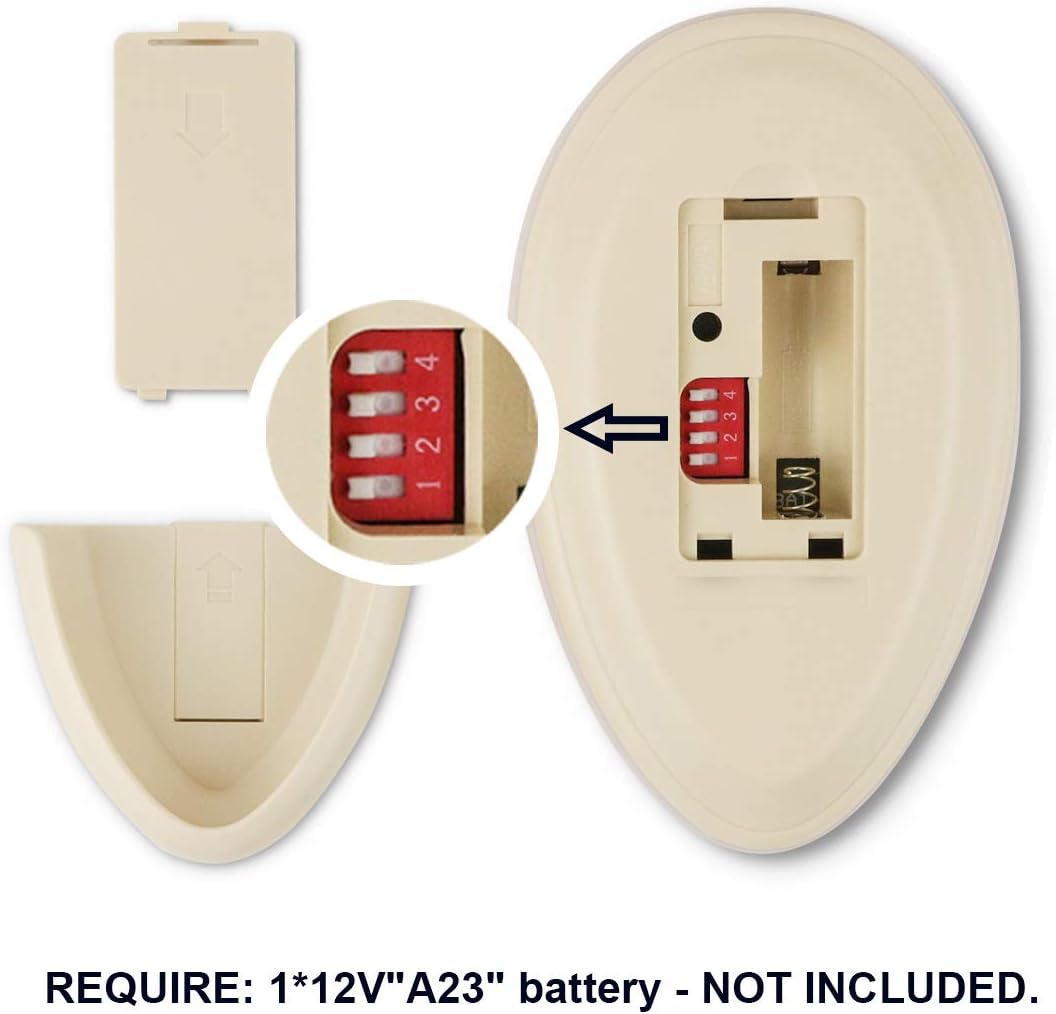

 rotund oak
Lol.. I forgot I have a zwave USB stick for my HA setup, maybe I'll look into that. TY
 lime acorn
Hi! I'm a rookie getting started with home automation and was going to start with lights. I was going to do some Smart Life switches over wifi and found some I like, but I CANNOT find any double-rocker smart switches (one gang that controls two different lights). Anyone know of any smart switch that does that other than this one?
 hushed aurora
what about this one: https://www.itead.cc/smart-home/sonoff-t1.html
lime acorn
oh man! That might just work!
hushed aurora
note UK and US versions
lime acorn
I'm in the US so I should be good to go. Thank you!
 unreal comet
hi. i dont know if the question is for integrations or for devices: somebody got a solution for the auto-toggle problem of tuya devices ?
drifting grove
@dusk trench an IR blaster and either a custom firmware or tuya cloud device will fix you up nicely I think
 stable rose
Anyone able to point me towards how I can troubleshoot adding some xaiomi zigbee door sensors to my Home Assistant? I have the HUSBZB-1 USB Hub.
I push the reset button on the sensor but nothing seems to show up in the pairing screen? Any thoughts?
winged knoll
Sounds like #zigbee-archived
stable rose
Yeah I just realized that was a channel. I'll post it there
 graceful star
hi, can anyone help me with xiaofang camera?
with cwf and firmware_mod ?
I saw that firmware is a mess...adaptation from dafang
when I open the webpage and digit the ip, it goes completly blank
nothing
river rapids
hoping someone can assist me with a tasmota device not showing up in HA.
ive disabled auto discovery (setoption19 0)
here's my light config in my configuration.yaml
  - platform: mqtt
    name: "Living Room Light 1"
    command_topic: "cmnd/lb_living1/POWER"
    state_topic: "tele/lb_living1/STATE"
    state_value_template: "{{value_json.POWER}}"
    availability_topic: "tele/lb_living1/LWT"
    brightness_command_topic: "cmnd/lb_living1/Dimmer"
    brightness_state_topic: "tele/lb_living1/STATE"
    brightness_scale: 100
    on_command_type: "last"
    brightness_value_template: "{{value_json.Dimmer}}"
    color_temp_command_topic: "cmnd/lb_living1/CT"
    color_temp_state_topic: "tele/lb_living1/STATE"
    color_temp_value_template: "{{value_json.CT}}"
    rgb_command_topic: "cmnd/lb_living1/Color2"
    rgb_state_topic: "tele/lb_living1/STATE"
    rgb_value_template: "{{value_json.Color.split(',')[0:3]|join(',')}}"
    effect_command_topic: "cmnd/lb_living1/Scheme"
    effect_state_topic: "tele/lb_living1/STATE"
    effect_value_template: "{{value_json.Scheme}}"
    effect_list:
      - 0
      - 1
      - 2
      - 3
      - 4
    payload_on: "ON"
    payload_off: "OFF"
    payload_available: "Online"
    payload_not_available: "Offline"
    qos: 1
    retain: false```
when i restart the light i see the device disconnect/connect to my mqtt broker in my docker logsi tested auto discovery on the device with setoption19 1, and i did see the device in HA, but would like to get it working through my config.yaml
undone haven
@river rapids , I am not sure why you didn’t get spanked by the bot but
Guess the bot is down
river rapids
oops did i do something wrong
undone haven
Yes, post with more than 15 lines need to use pastebin or hastebin to share
river rapids
i see
undone haven
As far as your code. I would start with the basic stuff. Get it working. Then add all the extras.
undone haven
Awesome, doesn’t change the fact that there is a lot going on
Start with on/off and slowly add stuff and see what breaks.
Keep the info, just # out lines
river rapids
ok thanks
will give it a shot
still no worky
wtf....my tasmota mqtt config Full topic was flipped...%topic%/%prefix%/
 willow kiln
Anyone from AU/NZ tried these with home assistant?
https://www.dicksmith.co.nz/dn/buy/kogan-smarterhome-smart-blinds-driver/
river rapids
is it normal for a device to be added via yaml to not show up in devices? i now see it in entities.
 twilit mica
Is there a device I can integrate with HA that tracks cycling distance? Preferably with more precision than GPS, like a bike pedometer.
glossy prism
@river rapids yeah, not all integrations support the Devices view
 hasty crest
Hello , I am having issues with RPC shutdown due to my windows firewall after PC reset. Can anyone help me with this?
hasty crest
Can anyone assist me ?
 terse laurel
any reason why this icon wont work?
#Mitsubishi HVAC
climate:
  - platform: mitsubishi
    ip_address: 192.168.1.76
    name: "Mitsubishi] HVAC"
    icon: mdi:fan
ignore the "]" I fixed it
gritty zinc
Which file is that config in?
gritty zinc
You don't customise in configuration.yaml, you customise in customize.yaml.
You can also do it via the UI if you prefer - the same page explains how.
hasty crest
nvm got it
terse laurel
I tried to do it in the UI and it says "This entity does not have a unique ID, therefore its settings cannot be managed from the UI."
gritty zinc
Then use the one I linked. Do it in customize.yaml.
Also... this conversation belongs over in #integrations-archived. If you're still stuck, move it over there.
winged knoll
~rule6 @river rapids (https://discordapp.com/channels/330944238910963714/672223433907765288/732390996339458120)
bright jacinthBOT
@river rapids Rule #6: Spam will not be tolerated, including but not limited to: self-promotion, flooding, text walls (longer than 15 lines) and unapproved bots.
Please take the time now to review all of the rules and references in #rules.
Command '~rule6' was invoked by: Tinkerer
 dapper hemlock
Hi i use an esp32 ttgo camera and i want using a function to clear screen . my code is
display:
- platform: ssd1306_i2c
model: "SSD1306 128x64"
rotation: 180
address: 0x3C
lambda: |-
it.strftime(64, 0, id(tnr1), TextAlign::TOP_CENTER,"%d-%m-%Y", id(homeassistant_time).now());
it.strftime(64, 64, id(tnr2), TextAlign::BASELINE_CENTER, "%H:%M", id(homeassistant_time).now());
it.printf(0, 32, id(emoticons), "%s", id(espcam01_pir).state ? ":)" : "");
regards
bright jacinthBOT
@storm peak posted a code wall, it is moved here --> https://paste.ubuntu.com/p/MqCTQrrshj/
 storm peak
Hello,
I'm a newbie in Home assistant.
I have a Sonoff T1 EU with tasmota, and it got detected by Home Assistant., But it only has two entities: switch and state.
But I have set the switch so that also accepts the double/tripple/hold taps. It sends this on a different MQTT topic. (this it didn't auto detect)
I want to add the events to the auto detected device. When I add the correct MQTT topics, it works, but they are just loose entities, I can't find a way to add them to the original device.
I can create a "fake" MQTT event to fake the entity, but this doesn't seem like the best way of doing stuff.
Is there a way to create devices in the yaml file and not just some loose entities? Because automation actions only work with devices
Thanks in advance (and sorry if this is a dumb question, I'm trying to learn, and tried to find it on my own, but couldn't find it)
zealous dune
first install latest tasmota, second activate SetOption73 1, now you have button presses as device triggers
storm peak
Ah, I thought that the double press/long press/... would show up like entities, but they show up like triggers. My bad
Thanks
zealous dune
you can't have that as entities... there is no button entity in home assistant
 sharp otter
I'm asking this here despite it doesn't seem the ideal channel, but I couldn't find a better one. I want to control a kitchen hood that has a remote with home assistant. The remote is not IR but RF at 433mhz. Does any RF transceiver works for that (the sonoff one for instance) or within the 433mhz frequency there are more parameters one should be wary of when choosing the transceiver to buy? I've seen some people recommend http://www.rfxcom.com/ transceivers like the most compatible ones
 autumn robin
I’m coming back to home automation after long break. In my previous home I had z-wave in-wall dimmer modules from Fibaro (“Dimmer 2”) that worked ok. I was hoping to start again with Zigbee but I’m having trouble finding a similar product in the Zigbee realm and for 220V? Any suggestions?
paper zealot
hello! since yesterday i am using the custom mini media player (https://github.com/kalkih/mini-media-player). I own 4 Sonos Speakers. I can group 3 of these speakers with the mini player but not the 4th one. This one gives the following error
Failed to call service sonos/join. must contain at least one of entity_id, area_id
but grouping this speaker with the official sonos application is no problem. any ideas?
lyric halo
@cibernox have you considered getting a second remote and wiring up an esp+relays to replace the buttons?
I'd imagine that the rf commands are at least somewhat proprietary
sharp otter
@lyric halo I was hoping to be able to record a replay commands
 tender aurora
i want to use the ipad 2 (A1395) as a display for lovelace.. will that work?
sharp otter
with IR remotes you can capture and replay signals, right?
lyric halo
@cibernox yes but you're dealing with RF
Some Googling shows me that it may be technically possible to copy and replay the rf command. But the stuff I'm finding is very involved
Here's an example
zealous dune
Sonoff RF Bridge
sharp otter
@lyric halo buying a second remote and doing some wiring is certainly a posibility, but I'm not sure it would be ideas, as I believe the hood also emits RF commands. I'm not sure if I really care about knowing the state tho
 peak talon
if you want to go a DIY route, just buy a ESP32 with a superheterodyne RF transreceivers and record and replay the RF frequency. You could flash it with Esphome and integrate with HA. The same setup could be used to control other RF devices as well - just have to watch out for the range though
sharp otter
so much to learn
peak talon
You just need to assemble the hardware, the firmware part is quite straightforward in esphome https://www.esphome.io/components/remote_transmitter.html
graceful star
what controller do you ppl recommended for strip led lis ws2811 without soldering tecnics 😛
?
winged knoll
For digital LED, WLED all the way
 cursive lodge
is there any connected privacy lock? my kids keep coming in the office
winged knoll
I've only seen smart locks for main doors
cursive lodge
hmm
graceful star
@winged knoll I don't feel confident soldering :S
winged knoll
You don't need to solder 😉
graceful star
?
winged knoll
Jumper wires, breadboard, etc
graceful star
any tuturial without solder?
winged knoll
If you go Google people's writeups you'll find many I'm sure
Including some linked from the WLED wiki
 tidal pollen
hi...any idea why my phone device shows as connected intermitentely? I figured it should be always connected.
winged knoll
Which #integrations-archived are you using for it?
tidal pollen
@winged knoll I'm new to this...so integration I think it would be the EdgeOS? not sure about that.
winged knoll
🤷
Well, for a start, #integrations-archived channel 😉
But, then it's a matter of what the device_tracker entity shows too
tidal pollen
lol all unknown to me...how do I check that? (still getting familiar with the terms :P)
winged knoll
tidal pollen
thanks
 smoky falcon
Is there a way to assign a unique idea to devices that appear like this in the frontend? "This entity does not have a unique ID, therefore its settings cannot be managed from the UI."
maybe this is the wrong channel to ask
winged knoll
No, it's not
smoky falcon
I'm using the Insteon-MQTT bridge Add-On, to handle all my Insteon devices
they each have entries in the Config yaml
mqtt platform
winged knoll
device
Information about the device this switch is a part of to tie it into the device registry. Only works through MQTT discovery and whenunique_idis set.
smoky falcon
can I set "unique_id" myself then?
smoky falcon
ok... I'm not sure what qualifies as "MQTT discovery"
winged knoll
gritty zinc
It's when your device supplies the necessary information via MQTT for HA to automatically 'see' it and add it.
smoky falcon
ok
winged knoll
Thankfully, the docs explain it 😉
smoky falcon
sorry, need to read faster
winged knoll
And if you'd clicked the first link you'd have seen the links 😉
 jolly jackal
hi all. i was wondering if its possible to set the area for entities & devices through the config. I have some climate entities for example which i want to assign to an area. Those climate entities are defined in YAML (theres no GUI for it), but afaik there is no way to set an area id. Does someone have a solution for this?
 tulip kraken
Has anyone tried precipitation? What sensors to use?
winged knoll
Assuming you're not referring to rain...?
tulip kraken
No. For that I habe a rain sensor. I'm willing to know % for chances of rain and maybe overcast as well.
winged knoll
So... what's the question?
tulip kraken
Asked twice above.
Anyway to predict precipitation.
winged knoll
Ah... that's not what you posted most recently 😉
Well, for that there's various weather #integrations-archived
tulip kraken
Has anyone tried precipitation? What sensors to use?
@tulip kraken
B pretty clear mate
No. For that I habe a rain sensor. I'm willing to know % for chances of rain and maybe overcast as well.
@tulip kraken
Here too 😬
Would you recommend any?
Can a BMP180 be of any use here?
winged knoll
Predicting weather is why we have large organisations that spend silly money
gritty zinc
Having sensors in your back yard don't give you forecasts. They give you current readings.
winged knoll
Indeed, that's the nature of any sensor, it tells you now (or at least last reading)
gritty zinc
Gotta install a server farm running crazy algorithms for good predictions. 😄
 steady plank
I run a large data science shop at a large multi-national. The former head of product for our DS team (an ex-agriculture business guy) said if anyone in the analytics/DS world tells you they can accurately predict the weather, especially further out than 5days - ignore everything else they say.
 past terrace
Could someone help answer an easy question for me? I'm trying to link a picture to a life360 tracker. I have the trackers listed in known_devices.yaml but I don't know where to save the picture. The guides I read said /local/ but I don't know why I can't find the local. When I open my samba share I've got addons backup config share ssl. Is local just the root directory? On a raspberry pi
past terrace
That makes sense! Thank you
 topaz leaf
Hi is there any may to change the max - min and step of the MQTT-light brightness ? In the configuration file
winged knoll
topaz leaf
I want to it be min 35 which is the min of the lights and the step 5
winged knoll
Anything about Integrations should be asked in the right channel 😉
topaz leaf
Thanks
tidal pollen
hi...I'm thinking on buying shellys for light switches. the thing is, I'd like to have something like a dumb touch panel to connect to the shelly. does anyone know such a dumb touch switch?
zealous dune
any dumb light touch switch should work
tidal pollen
yes I know...but a touch panel look a lot better
zealous dune
a touch panel is different than a touch switch?
tidal pollen
I'm figuring a touch panel as a smart touch switch...don't know how else to differenciate them