#hardware-archived
1 messages · Page 75 of 1
 formal fjord
 fringe crater
flip the breaker and flip it back and see if it turns on
fringe crater
flip the breaker and flip it back and see if it turns on
They do indeed. The compound is supplied with underground power wires straight from the nearby transformer station, using PEN (shared ground/neutral). Should I grab an oscope, differential probe and produce some results for my power company to fix?
No other devices in the household exhibit signs of unstable power, although all of my servers and 3d printers do have meanwells/seasonics so those should filter out even the trashiest inputs
 glacial oracle
it probably wouldnt just turn on a single bulb
like they shouldnt be that sensitive to it
formal fjord
Also yes, and curiously, not a random one of 5.
glacial oracle
i think to remember that bulbs/plugs turning on at random usually has been just a bug in whatever tuya based rebrand product people bought on #zigbee-archived
not sure if and how they resolved that
formal fjord
Well those are livarno LIDL branded bulbs. They're exquisitely cheap, barely more expensive than regular bulbs. Not apparent by the build quality either, surprisingly.
I hope it's not something retarded like a UINT16 counter rolling over in their crappy FW
Still, they do have a do-not-disturb mode. I believe this might fix the issue, but I need to hide this setting from the Overview page. How do I do that? I use Zigbee2Mqtt for binding my devices
 glacial oracle
the easiest would be to take control of the dashboard and modify it as you want
formal fjord
So basically write the YAML myself and exlicitly include elements?
 cold moon
formal fjord
So basically write the YAML myself and exlicitly include elements?
cold moon
formal fjord
So basically write the YAML myself and exlicitly include elements?
Whoa now no need for yaml plenty of fun stuff for ui can be setup in the gui these days
formal fjord
cold moon
Whoa now no need for yaml plenty of fun stuff for ui can be setup in the gui the...
That'd be preferable. How can I hide the slider controls indicated by the arrows, so that
- toggling the master bedroom slider does NOT affect the state of Do Not Disturb (Power State after Power Loss)
- Do not Disturb sliders are actually not visible in the default Overview UI, but the master Ceiling Lamp X control still is
- I can still control it through "low level" means, such as from the Zigbee2MQTT exposes page or elsewhere
cold moon
formal fjord
That'd be preferable. How can I hide the slider controls indicated by the arrows...
"hide them"?
you're thinking about it backwards
you just add whatever you want to your new dashboards once you "take control"
you dont have to hide anything just dont add it
as far as how to do all the things for frontend you gotta ask the nerds in #frontend-archived
formal fjord
Eck. So custom control panel it is
I'm guessing then that hiding bindings from overview would also hide them from the system for automations and stuff, and that's simply unadvisable as Overview is meant to list everything?
cold moon
formal fjord
Eck. So custom control panel it is
dashboard*
formal fjord
Overview is the default Dashboard, no?
cold moon
formal fjord
I'm guessing then that hiding bindings from overview would also hide them from t...
no overview is just a blank thing that everyone starts with and then once you add devices it "magically" adds stuff to it
but that clearly is a shit solution
so the alternative is to "take control" and just put what YOU want on YOUR dashboard
formal fjord
Yeah I've been putting off building a proper physical dashboard
guess might as well finally take the plunge
cold moon
please dont mince words, nothing physical about this lol
it's all just the yaml or gui setup
formal fjord
Alright. Skeumorphic.
fringe crater
formal fjord
I'm guessing then that hiding bindings from overview would also hide them from t...
Marking entities as Hidden does nothing but remove them from autogenerated dashboards. They will still work normally in every other way.
You can still find them, still toggle them, still add them to manual dashboards.
formal fjord
Interesting! This works also when entities are added through Zigbee2MQTT? At which level do I control their visibility?
And it does work for individual controllable properties within one zigbee entity rather than the whole device right?
 slim lagoon
formal fjord
Interesting! This works also when entities are added through Zigbee2MQTT? At whi...
slim lagoon
formal fjord
Interesting! This works also when entities are added through Zigbee2MQTT? At whi...
You can disable individual devices in Z2M ([device] > Settings > Disabled). This will disable the device in MQTT, but still allow it to work in the mesh. https://www.zigbee2mqtt.io/guide/configuration/devices-groups.html#common-device-options. Then you can disable the entities for it in HA as well.
formal fjord
The point is not to hide/disable the device entirely, but merely a specific exposed control (here, the power on start behavior). I was wondering whether that can be done through means other than a custom dashboard
slim lagoon
Oh, just disable the entity then. That prevents it from being used in HA.
formal fjord
not too good with the terminology. An entity is a one-of-many capability (ie. color) exposed by the device?
fringe crater
depends on the device
a light entity will wrap both the on/off and the color and brightness. some integrations expose switch entities for on/off, and other entities to control other settings
you just have to look at your device and see what it has
 cyan lichen
GU10 is a pretty terrible form factor for LED bulbs, not enough heat dissipation ability. So that limits the max brightness per bulb quite a bit :(
 latent sandal
Can anyone give me a recommendation which radiator thermostats to buy?
I'd like something without a cloud dependency, and not dependent on homekit, which I don't have.
formal fjord
latent sandal
Can anyone give me a recommendation which radiator thermostats to buy?
Second that
 golden thorn
Search for zigbee TRV 🙂
 sinful whale
Are there any smart "light barriers"? Motion Detector is too "wide". I am looking for something which has quite narrow "beam" and if that gets interrupted/crossed it triggers "something" ... think lasers in action movies which trips alarms ^^
I found only some large/huge ones (not "smart") for security, which is too overkill. I just want to turn the light on when someone enters a small room (no doors, so i can't use the "window open" sensor)
 patent river
sinful whale
Are there any smart "light barriers"? Motion Detector is too "wide". I am looki...
patent river
sinful whale
Are there any smart "light barriers"? Motion Detector is too "wide". I am looki...
Are you up for some DIY?
https://www.inspectmygadgets.com/ir-beam-break-sensors-with-tasmota-and-home-assistant/
sinful whale
patent river
Are you up for some DIY?
https://www.inspectmygadgets.com/ir-beam-break-sensors-...
Aha! I found these things on Amazon as well but that Article provides full "guide" as i can see, thanks! (My google-fu was apparently not strong enough ...)
patent river
All sorts of similar things out there that you could wire to an ESP32, or really anything with a digital input.
https://www.aliexpress.us/item/3256806075012770.html
"Beam break sensor" is the most generic name that'll find you what you want
cyan lichen
latent sandal
I'd like something without a cloud dependency, and not dependent on homekit, whi...
"homekit" is not necessarily a bad thing - if you have a bluetooth adapter, homeassistant can set up and use homekit devices locally without you needing to have any apple hardware - although if the device requires an ios app for configuration, that might be a problem. (and you want a thread border router for some devices)
sinful whale
patent river
Are you up for some DIY?
https://www.inspectmygadgets.com/ir-beam-break-sensors-...
Ideally you should mount this higher than the average cat with an erect tail.
This is the most valuable piece of the information in that article. I have cats and for sure I would not realize this and place them too low...
patent river
Hahaha, I missed that
I have a PIR sensor in our interior hallway (very dark at night, turns on the smart bulb in the ceiling fixture on 1%/1500K when triggered), had to make sure the sensor was high enough to not be triggered by the cats
I found an interesting looking option you could embed into the doorframe and make almost invisible, assuming you own the place or are allowed to make holes in it: https://www.aliexpress.us/item/3256804864882058.html
Or the not-door, but I assume there's an obvious threshold between rooms where you're planning to install this
sinful whale
patent river
I have a PIR sensor in our interior hallway (very dark at night, turns on the sm...
Okay that also looks very nice, i could "build it in" indeed. The place is under construction so I am making a list of all the things I'd like to have (one day) so i have the the cable paths (guards) ready.
patent river
I have noticed a few of the higher-end commercial products now have two sets of sensors, so they can distinguish between people entering and exiting based on which triggers first
sinful whale
patent river
I have noticed a few of the higher-end commercial products now have two sets of ...
That would be fun just to stalk my better half how much time she spends in the cloakroom 😄 Anyway that PIR sensor i will bookmark. That sounds like what i need.
 patent river
Well also it means you don't turn the lights on in the room when someone leaves
sinful whale
patent river
Well also it means you don't turn the lights on in the room when someone leaves
I was thinking about simple logic with light state check (I'll have smart relays). So if the light is off, turn it on. If it was on, then turn it off. Yes, if second person enters the first one will start screaming but that will be part of the fun ^^
There will be a classic switch nearby anyway for "permanent ON" (i might add some hard-timeout to force the light off just in case someone forgets). Its just the auto-light will be much better for quick "go in, grab socks, get out" scenario.
patent river
Indeed, tuning these things is part of the game 🙂
sinful whale
Thanks for very valuable inputs. This discord server is full of very nice and helpful people for sure...
 trim torrent
it has a 12VDC terminal its max 250mA tho
 tidal island
Has anybody come up with a way to tell the switchbot S10 how to run in HA
 serene falcon
Is there an official/professional cable for plugging into the Shelly proprietary serial interface?
I was maybe hoping to be able to use the one gpio pin... it seems tempting.
latent sandal
golden thorn
Search for `zigbee TRV` 🙂
Are you saying any zigbee trv will work equally well?
 modern wasp
Hey guys, I found a number a pretty cool ceiling lights on Aliexpress. by default they come with a white and yellow LED control that can be dimmed by an IR remote. I'm looking to replace the control/powersuppy with an something that could be controlled through wifi. Just checking to see if you guys would have any controller recommendations?
modern wasp
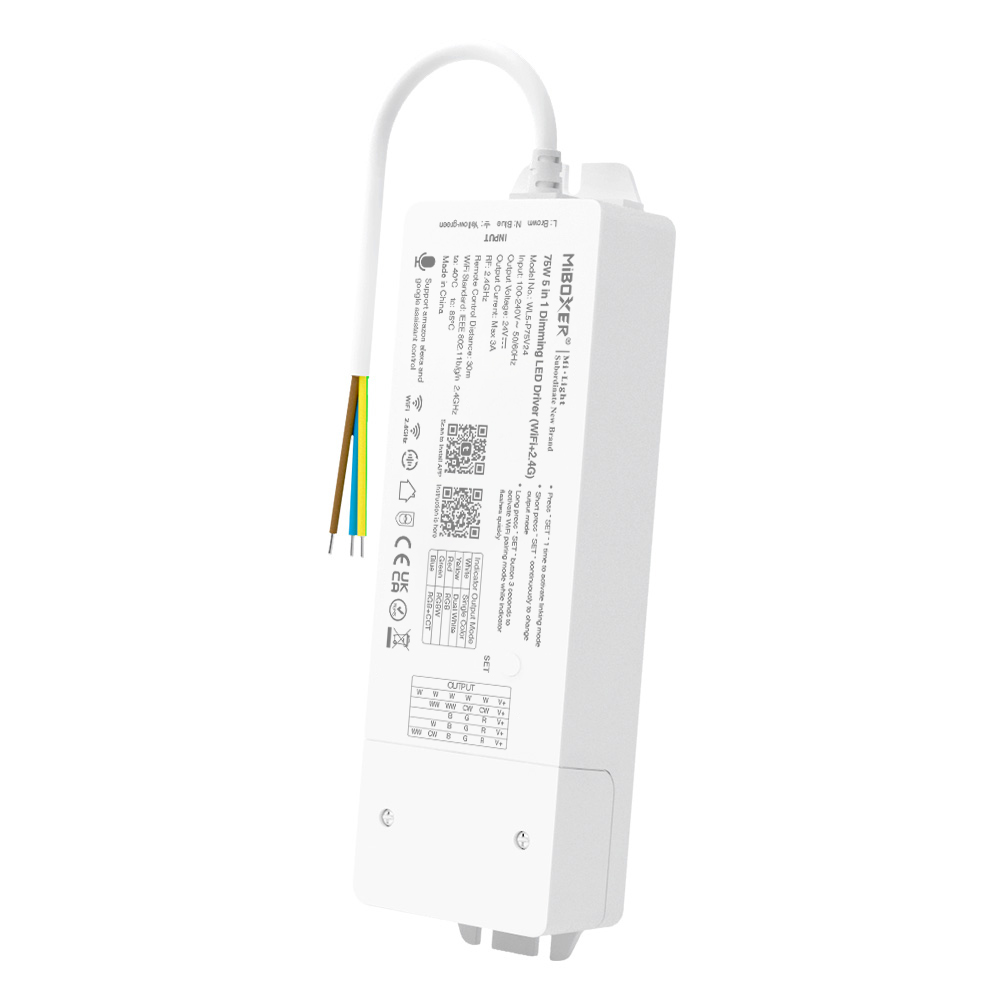
MiBoxer
• Built-in power adapter • Support “Tuya Smart” app control • Support music rhythm • Support third party voice control (Alexa, Google Assistant) • 2.4G RF Remote controllable • 16 Millions of colors to choose • Brightness and color temperature adjustable • Switching 5 output mode via one button (Single color / Dual white / RGB / RGBW / RGB+CCT) ...
slim lagoon
modern wasp
Is this any good?
https://miboxer.com/product/wl5-p75v24-75w-5-in-1-dimming-led-...
Meh… Tuya… might work, might not. 50/50 chance of it working and then dying. You just need a LED driver? Gledopto makes some good ones as does BTC lighting.
modern wasp
@slim lagoon Thanks. I'll give them a look.
cold moon
modern wasp
Is this any good?
https://miboxer.com/product/wl5-p75v24-75w-5-in-1-dimming-led-...
 modern wasp
@slim lagoon Do they do a 240v in option as I'm looking for single unit so I don't need to get a dedicated PSU?
slim lagoon
Oh, for like an in-wall kind of unit? Honestly, I’m not sure. I’m in the US, so it’s all 110v here.
 oak pawn
guys where should i host home assistant? (i'm from italy)
glacial oracle
At best you would host it at home
modern wasp
@slim lagoon Yeah an all in one. I have 6 lights with modern looks, but they have cheap drivers in them. Here is an example on the lights
 glacial oracle
As it's homeassistant and not remoteassistant
modern wasp
From what I can see, they run with a CW WW and +
oak pawn
Where should I host my Home Assistant?
- I'm from Italy
- I don't have a specific budget, but I would like it cheaper as possible.
- Ethernet or Wifi
- I don't have any additional features required, but I would like to do everything with Home Assistant for my home (homekit device, all integrations etc.)
-# Following [this](#hardware-archived message) format
modern wasp
@cold moon any suggestions?
glacial oracle
oak pawn
Where should I host my Home Assistant?
1. I'm from Italy
2. I don't have a speci...
Oh so you are looking for a device to host it on, as opposed to a location
Systems with an N100 processor are fairly popular, or any used sff pc that you can get your hands on for cheap money
oak pawn
glacial oracle
Systems with an N100 processor are fairly popular, or any used sff pc that you c...
i would like to host it on a raspberry pi or an orangepi
but which should i choose
glacial oracle
neither of those
unless you want it to be unreliable and a bad experience in general
oak pawn
glacial oracle
neither of those
can you send links of purchase for the hardwares you recommend
glacial oracle
i can send you some names of them you can check with your regional preferred stores
n100 options
- Beelink Mini S12 (Pro)
- Minisforum UN100L
and those that you can check out for used purchases with something thats a 6### cpu or newer - Dell Optiplex #### Micro
- Lenovo M###q Micro
there are various other ones with similar details, you may need to check for your local availability
 paper dove
I want to use one of those zigbee relay to press a keyboard button, is possible for it to just close a circuit bypassing the 220v? I would simply close the circuit of the keyboard switch to have the button press. there is a simple way to do this?

 heady relic
Hi,
would you be able to recommend me a good TRV zigbee with the display up, not from the side?
thx
 devout cairn
paper dove
I want to use one of those zigbee relay to press a keyboard button, is possible ...
devout cairn
paper dove
I want to use one of those zigbee relay to press a keyboard button, is possible ...
i think the term you want to look for is "dry contact relay"
paper dove
thanks i will look it up
golden thorn
latent sandal
Are you saying any zigbee trv will work equally well?
They all should work okay. I have a few different ones and the core functionality works fine for all of them.
Some are nicer to handle as they show more information on the display and provide all the features on the device itself, some are more robust, some provide more configuration features via zigbee that might not be able to be configured by hand. It's just compromises.
cold moon
aqara zigbee 3.0 ones are pretty highly suggested
 round horizon
🎉
 fringe moon
but quaff, what be-eth a device my sire ? 🤔
round horizon
wait till the channel descriptions are updated... 👍
fringe moon
🤣
round horizon
this channel is about devices in Home Assistant, this also covers hardware issues, questions about hooking up devices.
fringe moon
so a sweetspot between #diy-archived and #integrations-archived ?
round horizon
kinda sorta
fringe moon
yes, but not 🤣
 plush orbit
IMHO #diy-archived is more creating devices 😉
This channel also reflects the devices in Home Assistant itself
round horizon
#diy-archived still going to be there. It is about off the shelf devices you are thinking of using but want help... along those lines
plush orbit
What should I buy? Does this work?
round horizon
don't buy anything yet! it is not going to work 😛
 foggy pecan
You should buy a thing of the internet
fringe moon
That makes sense 😉
 glossy prism
How often and for how long?
Also I'm assuming they're connected via the hue integration?
 placid turtle
they are
anywhere from 1 or 2 minutes, to 45 minutes + at a time
but not with any discernible rhyme or reason on my part.
glossy prism
Oh wow
placid turtle
those are two lamps on opposite ends of a couch, the pendant lamp is closer to the wifi hub, and yet seems to be offline more often
glossy prism
It happens to me too, but for seconds and maybe only a few times a day. Usually with a "cannot reach the bridge" error
Well hue bulbs use Zigbee, not WiFi
placid turtle
sure; my hub and network are colocated
glossy prism
Honestly maybe try power cycling the hue bridge
placid turtle
I added a few more lights, thinking it might get better with a better mesh network
but those are having similar issues
 little sentinel
Any easy recommendation for door sensors? I'm in UK
Aliexpress seems to offer some but might be too big
 drifting grove
Looking to buy door sensors for Core but should also work on google home a y reccomandations?
 steady hearth
zigbee? zwave?
the xiaomi door sensors work well
those are zigbee
@drifting grove
drifting grove
Would they work on google home aswell? Or strictly zigbee/core
Alot of people are saying that the xiami ones are great
drifting grove
Amazing! Ill def get those then price is decent aswell, where do you useally get them? Or can you reccomend me website?
drifting grove
Yeh i saw these ones
steady hearth
those were the kind I got. And some leak, vibration, motion, and temp/humidity sensors too
they're all pretty small.
drifting grove
Aah cool good point probally gonna get those aswell i mean why not haha :)
steady hearth
got them last July and haven't changed a battery yet
drifting grove
Do they have a battery indicator by any chance ?
steady hearth
no indicator, but a battery level sensor will get pulled in to HA
drifting grove
Aah cool guess that works aswell
steady hearth
I mean, no physical indicator
drifting grove
Thanks for the hookup/info gonna order a couple for sure :D
steady hearth
I had some zwave door sensors and I had to change the batteries within 2 months. And a multisensor too. And those are more expensive.
drifting grove
Yeh 2 months is a bit short
drifting grove
So that means Xiaomi is like a really good choice to go with, where did you order yours ?
round horizon
You get best deals on gearbest.
fringe moon
AliExpress 4 lyfe 
I've heard of people who have had their sensors close to three years too
drifting grove
Any specific seller or just anyone with decent reviews and sales?
fringe moon
I just usually sort by number of orders
drifting grove
Fair fair
fringe moon
Then check price
 zealous dune
just lowest price an make sure the store didn't get created last week 😄
fringe moon

zealous dune
but gearbest or banggood tend to be the cheapest for xiaomi sensors when you hit a sale
fringe moon
I've only had 3 disputes on... 400 orders or something
Stuff that got lost in the mail
zealous dune
all my disputes were resolved favorably anyway when its clear stuff didn't arrive or they give false tracking numbers
zealous dune
i have links to all 3 (ali, bg and gb) on my zigbee site https://zigbee.blakadder.com/
 jade walrus
Is there a way to access a USB to RS232 device in HomeAssistant running on HassOS + HassIO? I saw a few ideas poking around in the forums, but nothing that appears tried and tested... My use case is connecting a device running HassOS to an existing RS485 modbus setup (that's already giving me a physical serial cable at the edge)
plush orbit
@jade walrus sure, go the the Hass.io panel -> System -> Hardware button
it shows the list of attached hardware including serial devices
round horizon
@fringe moon I have had xiaomi sensors for about 3 years, never changed batteries. I even had them outdoors (under shade) for about 2 years now, and the temperatures can go extreme. Gearbest took about 3 weeks, and they came from mainland China.
round horizon
Xiaomi square button?
glossy prism
i need to see it in person to understand, can you send me one?
fringe moon
SURE
glossy prism
thank
round horizon
Looks nice. I may order a few!
fringe moon
I use multiple
inside too
with zigbee2mqtt you can use seconds \ amounts of presses \ long press too
you cannot with the xiaomi hub
so I can do an automation with 16 clicks
I'll do that just to annoy the wife
🤣
 tacit plinth
@fringe moon Yes, I have them for a garage door button
I had to print instructions and put it next to the button because it could do so much
tacit plinth
1 click, toggle all doors, 2 open any shut door, 3 clicks shut any open door, etc, etc
glossy prism
999 clicks, tts: what the fuck are you doing
tacit plinth
Yes!
jade walrus
@plush orbit that will tell me where things are mapped and will allow me to mount in hass.io, but will that go through to homeassistant?
Ohhh... nm - looked up the supervisor code and saw it ran homeassistant in privileged mode. I'd wrongly assumed that it ran non-privileged. Thanks!
 peak talon
well I use a simple Bluetooth button which rings the bell and also opens the lock. for about 3 bucks quite a steal - it's been 4 months and battery shows no sign of dying. https://duckduckgo.com/?q=Bluetooth+Car+Driving+buttons&t=ffab&iax=images&ia=images&iai=http%3A%2F%2Fthmb.inkfrog.com%2Fthumbn%2Fcolorfulworld%2FE10520A1-11.jpg%3D450
 turbid canopy
Two questions... 1) I'm going to be installing floodlights, a PIR motion sensor, and an IP cam in roughly the same area. What's the ideal positioning for lights to PIR (do LED lights trigger PIR? don't want to create a feedback loop) and lights to camera?
 winged knoll
I'd ensure that the floods are forward/sideways of the camera, so that you don't get reflections or glare destroying the view
PIR and camera you really have to place where they're going to work best, you've got more freedom with the lights
 undone badger
Hi guys! I have four speakers mounted on my kitchen ceiling, but I don’t yet have an amplifier. Back in the day I would probably try hack something together with a raspberry pi and hifiberry hat, and try to get other speakers in the house play in sync etc... but I reckon there must be already existing solutions out there today. Are there any that play particularly well with Home Assistant? Sonos is pricey, but is it also good and hassle free?
turbid canopy
- I have a light that's controlled by a closed-loop switch (inline switch on the black line wire, no neutral), but the proper lines are run through another switchbox. I'm thinking of putting a Shelly in the other switchbox, and removing the switch at the control box. I still want local control, though. Is there some sort of battery-operated thing that I could put in the control switchbox that can communicate with HA as a "soft" switch?
winged knoll
Any reason you couldn't run cables from the switch to the Shelly?
Beyond that, any Zigbee or Z-Wave battery switch/remote will work
turbid canopy
So the main kitchen light switchbox has black/white/ground for both the kitchen lights and the dinette lights. But that switchbox only controls the dinette lights. I've already put a ZW dimmer in there.
I'd guess that at the light box, rather than running the black wire directly to the fan, runs to the dinette switch and back
also, my house was designed by designers, not engineers. There is absolutely no crawlspace access anywhere near the kitchen, so running cables = drywall work
The attic is exclusively over the garage. Kinda sucks
winged knoll
Then any Zigbee/Z-Wave battery powered switch/remote will work
I use that kind of setup in various places
turbid canopy
The plumbers who re-piped my entire house were...
winged knoll
Positive, negative... it's all the same if you squint
 quartz lodge
no he might end being thou 🤣 @fringe moon
turbid canopy
there was crawlspace over the den (adjacent to garage) that they couldn't crawl through, but were able to run PEX through. Then up and over the foyer, into the dining room, and over to the kitchen. I want to run Cat6 into that area, but there's just no way
I did manage to run fiber/cat6 from the den to the attic before the drywall guys came though, so at least I got that
glossy prism
🎉
turbid canopy
So, is there some sort of ZW/ZB switch/remote that resembles a decora rocker switch? I just want it to look like my other light switches lol
winged knoll
Probably, whatever decora means
turbid canopy
decorator plate
winged knoll
There will be various options in your part of the world
quartz lodge
@winged knoll you dont have decora .....stone age
winged knoll
We have square things
quartz lodge
so ya'll are square ...its official
turbid canopy
quartz lodge
rectangle .. != square like tink
winged knoll
I'm sure you'll have similar options
turbid canopy
toggle switches be like https://i.etsystatic.com/6083333/r/il/2c562e/1890209873/il_570xN.1890209873_d7ts.jpg
 runic drift
I could never use the old flip switch over a rocker again. the whole fumbling in the dark to turn on the light is so much nicer with a flat wider rocker lol
tacit plinth
@turbid canopy What are you looking for? SmartestHouse has their Zooz stuff on sale - https://www.thesmartesthouse.com/collections/zooz-smart-lighting-sale
And can you come over to my house next? I just did 3 switches last night and I was up till 2AM
turbid canopy
I just want a battery-operated switch, at the switchbox, to control a Shelly
tacit plinth
And you don't have a wire from the switch that you can tie into a GPIO?
turbid canopy
Nope. Shelly would be in another switchbox (that already has a dimmer for another light - just happens to be the box where I can access all the wires)
The control switch currently is just an inline switch on the black wire
So I'd remove the switch, tie the black wire together (always on), and let the Shelly control the power, and have a battery-powered thing at the switchbox to control the shelly (on/off/brightness)
tacit plinth
Gotcha -- I use the Hue dimmer switch for that personally
If you are in the USA, you can get a Zigbee bulb and wall plate wireless remote for $8 at HomeDepot
 fair owl
Ok if I get my phone to publish messages like this {"State": "Disabled", "SSID": null, "BSSID": null} is there some way I can import that as a sensor with attributes or something?
winged knoll
Publish to MQTT?
fair owl
Yep
 bright jacinthBOT
Command '~sensor.mqtt' was invoked by: Tinkerer
winged knoll
Like that then 😉
fair owl
Cool, was looking to find a way to make it able to tell the difference between my home wifi and the neighbors repeater when I go over there as they buy internet from me nothing else was working as it's all mac transparent so looks the same from the pi's perspective
 wooden fossil
So, I've got an mqtt sensor in HA receiving events from zmeventserver. I can retrieve the eventid from the json to build the URL to view the image from the event, but not sure what the best way to get this data to show up in the UI is.
is there a straightforward way or does this require building a custom card or something?
 tribal hawk
hey! anyone has any idea on how to setup a tv_
if i just use the sonoff to turn it on the tv wont turn on byitslef
by itself
i guess with a fireTv is not needed a sonoff
fair owl
Unless the TV has some option in settings to make it power on automatically best bet would probably be to get yourself an IR transmitter and have it send the command to bring the TV out of standby say 1 second after closing the relay
turbid canopy
How do I check if I have the sun integration enabled? Should it show up under devices/entities/something?
fair owl
@winged knoll Thanks for your help I got it working took a while as when I tested in template editor it complained if the BSSID was not single quoted when I did the same with the published message it didn't like that and wanted it double quoted lol
bright jacinthBOT
Tinkerer is away for 2h 12m 57s with a message :point_right: Playing hide and seek with the monsters under the bed
fair owl
@turbid canopy Look for the entity sun.sun
turbid canopy
My floodlights automation was set up for "before sunrise / after sunset" and wasn't triggering. Triggers just fine with the condition removed
ah, yep, I do not
turbid canopy
ah. Well I added sun: just in case
fair owl
Not sure if before sunset and after dark work as conditions though think they are momentary triggers try State, sun.sun, above_horizon or bellow_horizon for day or night respectively
turbid canopy
erg, I should be in #automations-archived
drifting grove
I’m just getting started with Home Assistant and I feel really dumb. How am I supposed to get a Flux_led bulb to show up? I’m trying to follow the information here https://www.home-assistant.io/integrations/flux_led/ but I don’t see my device anywhere.
glossy prism
@drifting grove should see it at developer tools > states
fringe moon
If you have restarted
drifting grove
Ahhh. I do see it there.
I wasn’t sure if I was supposed to be seeing it on the devices page or as a card on the dashboard
wooden fossil
Configure UI -> Unused entities is helpful too
just started playing with HA myself
drifting grove
Nice. Thanks!
 chilly pollen
Has anyone used these 433rf vibration sensors before? https://www.aliexpress.com/item/32960980079.html
 slim wren
I ended up building 10 prototype esp8266 boards with vibration sensors built to monitor washers & dryers last year. I ended up losing interest in the project and have been sitting on them for a year. Wondering if there is anyone out there that would want to pick up and run with the project
 tepid briar
Anyone using a danalockv3 with zigbee2mqtt? My state isn't being showed correctly, it always shows up as "Unlocked", but zigbee2mqtt sends another state (Locked)
It should be configured like this:
lock:
  - platform: "mqtt"
    state_topic: "zigbee2mqtt/<FRIENDLY_NAME>"
    availability_topic: "zigbee2mqtt/bridge/state"
    command_topic: "zigbee2mqtt/<FRIENDLY_NAME>/set"
    value_template: "{{ value_json.state }}"
But HA shows it like this:
The state_attr "state" is LOCK, but the state of the entity itself deosn't update to that state
 vagrant moss
@tepid briar I got alot of problems with the DanalockV3 aswell. I'm not using Zigbee2mqtt though. I use the zwave version.
Have you updated to latest danalock firmware? Have you re-calibrated the lock?
tepid briar
I’ve recalibrated the lock twice today, it looks fine both in the app and the log files of Zigbee2mqtt, I think it’s an issue related to HA
vagrant moss
Okay! I re-calibrate it once a week. Because of the states not showing.
tepid briar
That never happened to me before
vagrant moss
It works, it get locked but the state shows always unlocked.
Do you have twist assist enabled?
tepid briar
no
drifting grove
is someone here who use a tasmotized RGBW bulb?
zealous dune
yes
drifting grove
cool. @zealous dune how did u managed the RGB <> RGBW problem?
zealous dune
i wasn't aware there is a problem
drifting grove
problems find me, thats pretty normal 🙂 the light card just use RGB, the buld is RGBW. so, one channel missing, or in ohter words: no way to mix the W to the RGB
what i did is:
  rgb_value_template: "{% set red = (value_json.Color.split(',')[0] | round(0)) %}{% set green = (value_json.Color.split(',')[1] | round(0)) %}{% set blue = (value_json.Color.split(',')[2] | round(0)) %}{% set white = (value_json.Color.split(',')[3] | round(0)) %}{{ red + white }},{{ green + white }},{{ blue + white }}"
  rgb_command_template: "{% set white = ([red,green,blue]|min) %}{{ red - white }},{{ green - white }},{{ blue - white }},{{ white }}"
or you could've used rgbwwtable command in tasmota
drifting grove
yes!! thats what im looking for. how to?
drifting grove
let me see
ok, i didnt get it. does this set tasmota to handle the RGB RGBW thing, and HA than is just sending normal RGB or how does this work?
zealous dune
yes
White Blend Mode mixes in the white channel with RGB colors while controlling the RGB light
that's what you're after isn't it?
drifting grove
pretty much yes. of course who doesnt wanna have the feature to set color temp and such... but im pretty happy when this thing is out of HA cause it produces a lot of lines in the log...
zealous dune
that's how i use my lights and i really like the results
drifting grove
i'll try that now. gimme a sec ps
wait... in tasmota console i need to enter RGBWWTable 255,255,255,X,Y so, whats the correct values for X and Y?
zealous dune
read from the beginning again
drifting grove
just found out its a RGBWW bulb... i did read, but didnt understand. im not a native english speaker...
zealous dune
neither am i... but it works the same for rgbww
drifting grove
what does the X in RGBWWTable 255,255,255,X,Y mean? how bright the CW channel is turned up even if HA sends 255,255,255 ? is this how it works?
(4 channel is CW, 5th channel is WW
zealous dune
you adjust the brightness of x if your white overpowers the rgb
i don't really see where you're finding the Y
drifting grove
aaaaaaaaaaahh!!! ok, got it. Y is an placeholder for explaining to you wich value i mean.
drifting grove
häh? now im really lost... 255,255,255,0,0 then?
zealous dune
can you please just do what it says in the first paragraph, right after White Blend Mode title header
notice the (optional) in the Calibration title aka you don't have to do it
drifting grove
i can. but i wanna know what does this do. np, can try it out...
zealous dune
how do you intend to do that unless you know what the basic command does?
drifting grove
thats why im asking what this command can do, and what the values all about.
zealous dune
and its all written in the documentation
drifting grove
...in a way a dumb austrian like me dont get it. anyways: i know the way right now, and all other i can try out or test out. tnk you for helping and pointing me to the right way to handle this topic.
zealous dune
you'll get it once you start playing with it
drifting grove
im oretty sure it will be so. im always the experimenting type of guy. and right after running trough 3 walls with my head in front i learned it pretty good! 🙂
glossy prism
That's a good way to get a concussion
drifting grove
the austrian way 🙂
@zealous dune just typed all in as you said. just wanna let you know: im sooooooo lucky with it now!!! even have a colortempslider and such - never had before. best thing ever! thank you very much!!!
 graceful shard
does anyone know if you can use alarm.com sensors with HA? its from the previous owners and i dont have an account with them.
tepid briar
@drifting grove I’ve upgraded both HA and zugbee2mqtt, now it works 🤷🏼♂️
EDIT: Found out now: Was a breaking change in this release
 dusky ore
regarding command class version, what does it matter?
my wall switch's zwcfg entry lists a set of command class versions which are totally wrong (they are all version 1) when I look up the command classes in my device's manual where most classes are listed as V2 or V3
hmm ill ask in #zwave-archived instead
drifting grove
something really strange happend... the bulb i just set up worked fine, so i did same with my other lamp in office - this one is a rgbw. each time when i wanna turn it on in the card the light turns on but after few seconds the slider went back to off. what the hell did i do wrong? cant find the mistake..?
zealous dune
your template is probably off
drifting grove
i guessed also, checked it 1000x by now...
bright jacinthBOT
@stark talon posted a code wall, it is moved here --> https://paste.ubuntu.com/p/2CQsvZG5W9/
glossy prism
watch the line limit pls
drifting grove
sorry
what HA send and the bulb respond:
qos : 0, retain : false, cmd : publish, dup : false, topic : sonoff/office/stat/RESULT, messageId : , length : 125, Raw payload : 123348079876982345834797834443468105109109101114345849484844346711110811111434583450535344505353445053534448344434728366671111081111143458344844484449484834443467104971101101011083458914948484449484844494848444893125
100
qos : 0, retain : false, cmd : publish, dup : false, topic : sonoff/office/cmnd/Dimmer, messageId : , length : 30, Raw payload : 494848```(bottom to top)
 scarlet dragon
Hello here are people who have experience with p1 mqtt and home assistant?
and who want to help me on my way
 dusty cloak
@little sentinel yes they are
little sentinel
oh crumbs
dusty cloak
Ikea bulbs are fine but expect some annoying behavior from time to time
The hue firmware is really stable
 snow stream
@little sentinel I have used philips hue for multiple years and it has worked great. Hue has cheaper bulbs now (depending on the ones that you want). If I were to go over and re-do my system, I would probably have used more SonOff devices and used philips hue only in places where I wanted a dimmer capability. Or I would also explore other bulb brands (like TP link)
 stray yew
I need some advice on what Zigbee hub/stick/whatever to get.
Seems to me I have two good options. a Conbee II
or something that supports Z-Wave
glossy prism
i'm assuming you're talking about the HUSBZB-1 when you mention the zigbee/z-wave stick
i have one and like it
stray yew
I guess I know more about the lower level zigbee stuff than what is supported in Hass.io
I have a pi4 setup right now running everything.
glossy prism
#zigbee-archived has info on which sticks support which integration
glossy prism
indeed
stray yew
and my understanding is that they do similar things with different hubs.
and devices support one or the other, right?
glossy prism
yeah
winged knoll
There are a handful that support both, but it's rare
The TL/DR is that Z-Wave is expensive, but it all works together. Zigbee is cheap, and it might not, or might require some work/cursing/luck.
stray yew
I'm seeing this thing: HUSBZB-1 all over the place in suggestions, as well as a Conbee II
And there's also an Aeotec Z-Stick which some people seem to suggest
winged knoll
For Z-Wave, buy a stick for your region (see the Z-Wave docs)
For Zigbee, buy a stick that works with the integration you decide on (see the #zigbee-archived channel topic)
stray yew
Thanks man. Good advice
winged knoll
If you're in the US/Canada and wanting to use zha and Z-Wave, then the HUSBZB-1 is a reasonable choice, if you're living elsewhere, or want to use something else for Zigbee, it's a terrible choice 😉
 covert hawk
seems like the vibration sensor market is pretty bleak
 jagged oak
Gents and ladies, I'm trying to change the name of an entity and I keep getting errors/it isn't working
SwitchBot Registration
switch:
- platform: command_line
name: Living Room Light Switch
switches:
switch_bot:
command_on: curl -X POST https://maker.ifttt.com/trigger/living_room_lights_switch/with/key/k0Vrib2BQABHonFmjrqFCuQQtCtAZHKbKu3yFJi9MeJ
command_off: curl -X POST https://maker.ifttt.com/trigger/living_room_lights_switch/with/key/k0Vrib2BQABHonFmjrqFCuQQtCtAZHKbKu3yFJi9MeJ
It shows up as switch_bot I don't know how to change the name.
foggy pecan
change switch_bot to something else
and name should be down in the switch_bot block if it supports it
jagged oak
i tried changing switch_bot to something else but I keep getting errors.
 shrewd raven
try this:
switch:
 - platform: command_line
    switches:
      switch_bot:
        friendly_name: Living Room Light Switch
        command_on: curl -X POST https://maker.ifttt.com/trigger/living_room_lights_switch/with/key/k0Vrib2BQABHonFmjrqFCuQQtCtAZHKbKu3yFJi9MeJ
        command_off: curl -X POST https://maker.ifttt.com/trigger/living_room_lights_switch/with/key/k0Vrib2BQABHonFmjrqFCuQQtCtAZHKbKu3yFJi9MeJ
I also have a problem with the command line switch. this is my config:
switch
  - platform: command_line
    switches:
      tv_power:
        friendly_name: TV Power
        command_on: ... (redacted)
        command_off: ... (redacted)
        value_template: "{{ is_state('binary_sensor.lg_tv', 'on') }}"
unfortunately the switch doesn't update when the binary_sensor.lg_tv changes, I guess it only checks it during command execution. Is there a way to update the state of the switch whenever the binary sensor in the value template changes?
For the background: I can control my TV by sending IR signals using the command line. But to get the state, I use a binary sensor (Ping) to check if the TV is on (-> connected to wifi). Unfortunately this means that the binary_sensor doesn't change immediately, as the TV takes time to power on or off. Is there any way to fix this behavior?
quartz lodge
drop is state to just state
nvm ...i am wrong
i was thinking of something else ...you could add entity_id: binary_sensor.lg_tv for to it react with state changes according to docs
shrewd raven
I misunderstood how the command_line switch works. value_template is only used to parse the result of command_state. If command_state is not defined, value_template is never evaluated. From command_line/switch.py
    def update(self):
        """Update device state."""
        if self._command_state:
            payload = str(self._query_state())
            if self._value_template:
                payload = self._value_template.render_with_possible_json_value(payload)
            self._state = payload.lower() == "true"
Woudn't it make sense to be able to support a value_template independent of command_state to be able to bind a command line switch to an existing binary_sensor? Or is there another smarter way to do this that I'm not thinking of? Maybe @gray citrus @plush orbit can offer some advice here?
I now simply added a command_state: "echo 1" to the configuration which enables the value template and now it works. I think the correct behavior should be to execute a value template regardless of whether a command state exists or not
round horizon
What’s the best smart vacuum cleaner out there? Xiaomi, iRobot...?
 cerulean trail
wife 2.0
cerulean trail
with the jan 8 patch to 2.0 there is a mute function
round horizon
It is the wife that is asking. I am not looking for divorce 😜
round horizon
Hmm... integrates with HA I assume.
 empty nacelle
Roborock
round horizon
Well, if @empty nacelle says it must be good!
zealous dune
its linux it can do whatever you want
empty nacelle
I have s5 and s6.
zealous dune
is there a point in getting s6?
round horizon
Cool. Should I look for S6 then?
empty nacelle
Get the s6
Half the noise or S5 but as far as features, nothing to write home about but piece of mind. 😄
zealous dune
you sold me on half the noise 😄
my wife loves to turn the vacuum on while i'm in the room watching tv
i think she's trying to tell me something
round horizon
Awesome. I personally prefer quieter ones.
cerulean trail
empty nacelle
Although the current sensor in the s6 is little too sensitive than the s5 when it comes to motor driver. So if you have thick carperts s5 does a better job of not getting stuck.
round horizon
@cerulean trail if you are married, you would know that the wife gets to use the mute button on you than you get to use on her. So the mute button is a mute point at this time. 😛
empty nacelle
@round horizon s6 goes on sale at Amazon I got with $200 off. So keep an eye for deals
round horizon
S6 and S6 pure are different? What’s the best place to get them? Amazon or aliexpress?
Awesome!
empty nacelle
round horizon
Combine that with the most traffic areas, we’re good!
round horizon
Cool
empty nacelle
Only thing thats missing with roborock is an accurate bin sensor. When bin full is triggered it's too late. Lol
round horizon
Hmm..
empty nacelle
Accumulated run time to bin collection is not a great indicator as well
round horizon
Ok... we don’t have pets, so we’re looking for simple dust cleaning, we should be fine.
empty nacelle
Yes, you might be able to come up with something I've not explored to send go-to trash can 😜
@quartz lodge are you using bin full trigger ?
round horizon
I’m seeing good reviews with DeeBot too and integrates with HA
round horizon
Another buddy of mine uses DeeBot. Let me check with him on his experience... much cheaper compared to roborock...
Ok.. good to know!
zealous dune
does Roborock S6 run Valetudo? if not, how does it integrate into HA?
empty nacelle
Same as s5.
zealous dune
ok, didn't see s6 in valetudo supported list
empty nacelle
Memu to extract key, takes few mins
quartz lodge
@empty nacelle not currently ...wife has OCD about those kinda things ...so it was useless
 rotund dragon
What thermostats are you guys using that is easily integrated in HA?
empty nacelle
Nest and ecobee, ecobee would be better now unless you want to take the badnest route.
shrewd raven
homematic thermostats are pretty cool. their central control unit (CCU) can be directly integrated into homeassistant and doesn't rely on any cloud service. plus the control unit software is open source, so you can just run it on your pi (needs a cheap hardware add on)
 strange latch
So i'm about to start adding my harmony hub, but not shure if i wanna use discovery or the manual route. You got some pros and cons?
 bleak elm
@empty nacelle @quartz lodge I have a few scripts that are constantly looking for deals for many things, robovacs being one of them.. I often post deals in here, and have helped a few score a nice deal for themselves.
I want to do the dustcloud thing on my s5 to get the map in lovelace
err.. may have pinged the wrong person, sorry 😛
 tiny ferry
Hello guys, I have rgb light with limitlessled integration. I can control on/off/color and brightness as expected but I want to control on/off from another switch. How can I combine these 2 devices? Thank you
winged knoll
HA can detect that switch being controlled?
tiny ferry
Yes but when I do that and open both at same time, lights enters pairing mode and keeps flashing. So I need disable on/off from light integration
light bulb connected sonoff slampher
winged knoll
Not sure what you mean by the light entering pairing mode
Did you connect a smart light to a socket you're controlling with a smart switch?
tiny ferry
Yes I connected light to smart switch. Light controlled by milight bridge and home assistant connected to that bridge via limetless integration.
each bulb has pairing mode for first setup to connect the bridge.
winged knoll
Don't connect the smart light to the smart switch...
tiny ferry
I have to
winged knoll
Good luck then
tiny ferry
I thought somehow I can combine two devices
winged knoll
You're cutting power to the smart light, making it dumb, and apparently putting it into pairing mode
The easy answer is don't do that
tiny ferry
I have sonoff slampher connected to light and I can control it from home assistant or 433 Mhz buttons. I made it in case of home assistant not work. People wants to open lights when they push button 😄
I want to control them from HA so I find this solution
everthing works perfect except turning on from light component
winged knoll
You could use a template light #integrations-archived
But, that won't stop the problem of pairing mode
tiny ferry
thank you I will try 😉
 mighty socket
Problem:
One of my Sonoff basic had bad WiFi connections for almost 2 years and last weeks it lost all configurations twice. I planned to get ideas here, what could be the cause.
Investigation:
However, today I started to replace the sonoff with another Sonoff basic, but right away got the same bad WiFi connections. I had to investigate further and discovered a "just"-connected neutral wire in the main power connector. Now everything works fine.
Conclusion:
So a "just"-connected wire can trouble the power supply for the ESP8285 and wifi, while the main power does well.
 languid karma
Did anyone already configured a sonoff tasmota through mqtt within HA ?
I can achieve to nonfigure mine
languid karma
I am not sure if I should configure them as switch or binary_sensor
tiny ferry
@languid karma you can use SetOption19 for auto discovery in home assistant. It will automatically configure it. Just type SetOption19 1 in tasmota command line
languid karma
It does not seems to do anythin
what sohuld i see within ha ?
sonoff_xxx ?
@tiny ferry
tiny ferry
you should see switch.xxx on home assistant
just type SetOption19 on tasmota command line. what is response?
languid karma
says its turned on but i see noyhing within HA (looks like my HA autodiscovery never worked)
I did configured them as switch but nothing works neither status or toggle staut
# Lights out
- platform: "mqtt"
  name: Lumières extérieur
  state_topic: "stat/sonoff-lights-out/RESULT"
  command_topic: "cmnd/sonoff-lights-out/power"
  availability_topic: "tele/sonoff-lights-out/LWT"
  payload_on: "ON"
  payload_off: "OFF"
  payload_available: "Online"
  payload_not_available: "Offline"
  value_template: "{{ value_json.POWER }}"
  retain: false
I think you should turn on auto discovery on Ha side. Configuration -> Integrations -> Configured -> MQTT
languid karma
I don't do anything through UI
looking to do it through yaml files
found out, trying right now
languid karma
I still dont have anything, sadly :/
 void hollow
Is anyone familiar with looping audio on media players
I have a google home mini as a white noise machine for my daughter
And I'm using media_extractor to play the audio from a YouTube video
The video is 10 hours long but google home goes idle after 8 hours
I've tried an automation to run the media_extractor again when the state goes "Idle" but it doesn't seem to work.
languid karma
Does anyone have an idea for my tasmota switch ? :x
languid karma
yes but nope
:/
thing is everything is configured following HA doc but nothing happens and the switch is reported as unavailable
it does not send any mqtt message
zealous dune
then you have issues with your mqtt broker
languid karma
my mqtt broker is fine
I can manually send messages to it and read them also. It does also trigger the mqtt clients perfectly
only the tasmota integration is not working
assuming that definined states through the states page should works
zealous dune
can you control the tasmota device from the mqtt dev panel?
languid karma
well, after n reboot it finally works
i control it through manual mnessages sent to the topic
drifting grove
Anyone use those AliExpress mini pc nuc-type clones?
drifting grove
Can anyone recommend me a humidifier that would work on a smart plug?
drifting grove
Like, a bedroom one would work for now
runic drift
any should be fine for a smart plug. those bedside ones don't draw that much
drifting grove
Like, im currently looking for a good temp/hum sensor and humidifier itself and make it go on whenever its needed
“Cool mist” or “warm mist”
Cool mist i guess
Lol I only had a suggestion for a cool mist one, Vick’s brand
Issue with a lot of the ultrasonic cool mist ones is you can’t set them to go on w/ power
They have a button you have to press
Yeh thats what im afraid of, because ofcourse i want to have it automated :D
I’d just go to amazon and find any that has a turn knob for the on/off switch
Yeh i think thats the best option to be honest
 serene ivy
@empty nacelle Thanks! I did find the badnest info. Can't figure out how to get it installed on my system however.. tried to add the github link as a repository, but it didn't give me the add-on as far as I can tell..
empty nacelle
Sorry, I don't use badnest since I have an api enabled grandfathered nest account
serene ivy
i too had one of those, but in a moment of haste trying to get a new PIN i managed to mess it up good. no new pin generation and my integrations appear to be lost..
empty nacelle
That's a bummer.
serene ivy
indeed
empty nacelle
I use ecobee as well, so that's an alternative
serene ivy
does it work well with HA? the ecobee that is
empty nacelle
Yes indeed. The API goes down from time to time but works great.
Actually I prefer the ecobee temp sensor implementation over nest anyday.
serene ivy
i don't mind a few dips once in a while. heck the energy bridge I have refuses to provide data a few dozen times a day.. not a real issue to me.
glossy prism
You can also connect ecobee to home assistant via HomeKit controller and get local control, but with fewer features
As in, no access to comfort settings. But I built my tstat schedule in home assistant with automations, input_number sliders, etc. so it doesn't really affect me
serene ivy
Just trying to figure out how to explain a $160 charge for something that we already own to my wife.. 😦
glossy prism
Yeah...
Any utility rebates?
I ended up getting my ecobee3 lite for $38 or something silly with rebates
serene ivy
nope. used them with the original nest purchase
glossy prism
Ah
serene ivy
don't think the utility will let me double dip. although its a nice thought. I could frame the decision on getting our data off of google.. perhaps..
glossy prism
Lel
empty nacelle
You can actually get around $50 for additional units if you are zoned
serene ivy
humm. I'll have to chat with them then.
empty nacelle
I run 4 thermostats so got $50 for the additional 3 back in the day.
 mild pelican
hey there. has anyone ran into trouble resetting zigbee devices? I have a motion sensor and door sensor that I cannot reset for some reason
at least they won't connect to my zigbee hub (Raspbee) and my zigbee sniffer isn't seeing any traffic from them either
 sinful bear
can someone explain why some physical devices show up in the Devices UI while some do not? I thought initially that perhaps it was only Devices that were loaded as a result of an Integration, but that doesn't seem to be the case. For example: my GE/Jasco and Zooz switches show up as Devices, but my Inovelli switches do not. Is this something that the manufacturer has to implement in their firmware?
glossy prism
@sinful bear the integration has to support that page. It's relatively new
 twilit laurel
Are there any preferred brands of lighting control systems? Are there situations in which WLAN or proprietary radio controlled systems are preferred?
 past egret
hi how could i add a bulb from MagicHome to HA ??
plush orbit
@twilit laurel It is very much a personal question. You'll get different answers from different people.
@past egret MagicHome isn't supported yet, it is expected though: https://github.com/home-assistant/home-assistant/pull/28581
So most likely in a future Home Assistant version.
sinful bear
@glossy prism still a little confused why some devices show up without an official integration (e.g. Zooz & GE switches). They even state 'No Integration' in the UIs Integration column
 mild mica
Are there any washing machine that can be integrated into HA? There doesn't seem to be such a category on the website
glossy prism
@sinful bear same thing. Not all integrations can be configured in the UI. Most require a manual entry in configuration.yaml
Doesn't mean they're not official
twilit laurel
Thanks @plush orbit, I've done a bit of reading and can see some of the advantages of zigbee / z-wave now.
drifting grove
Hello every bodies!
What IS the best Xiaomi gateway device to be integreted to HA? Or compatible with HA?
Thx
twilit laurel
I want to add remote controllable LED dimmers to a pair of existing lamps and am happy to rewire them but have seen plug-in inline smart dimmers that would simplify things.
sinful bear
@glossy prism got it. So those Zooz switches and the GE/Jasco switches are showing up as Devices because the Vera integration I'm using (in configuration.yaml) supports showing them as Devices. The Inovelli switches are not, because Vera doesn't support them officially (although they work with Vera as a Default Z-wave device). Do I likely have this right?
and since the Vera integration in HA can't be configured in the UI, the Devices it supports show up in the Devices UI as having 'No Integration'.
winged knoll
Well, it's more that the Integration has to support the entity registry - if it doesn't, it won't show there
glossy prism
@winged knoll was this accurate? https://discordapp.com/channels/330944238910963714/672223433907765288/673563639143464971
Or is the entity registry a dependency of the devices page (for the integration)
winged knoll
I think it's all related
However, from a non dev view, it's unclear how much it's about the entity registry support, and how much depends on more
winged knoll
Yeah, I use them only if I want to add things to an Area
drifting grove
Is there a way I can add philips hue bluetooth to home assistant? The device I'm running HA on is bluetooth able.
winged knoll
Only if it's listed in https://www.home-assistant.io/integrations, unless somebody's created a custom component
drifting grove
I tried to extend Homekit Controller to be able to work with Leak Detector (Aqara Leak Detector in my case). The problem I experienced was even the detector was connected with Xiaomi Gateway 3, it's visible in Mi Home app and detected any water leakage correctly, it's not available on accessories list returned by the Gateway when Homekit Controller ask for accessories for a first time. I checked it on raw response from that device. Have anyone experienced similar problem with mentioned Gateway? It looks like a firmware issue 🤔
placid turtle
anyone got any recommendations for door sensors for pocket doors?
 daring oriole
Hopefully I'm in the right spot.
Trying to get my HUSBZB-1 to work
     # your usb device forwarding to the docker image
     - /dev/ttyUSB0:/dev/ttyUSB1```
relevant docker compose entrythose are the correct addresses for the two interfaces the device shows my host
bleak elm
not sure what the problem is? other than you're mapping to a weird path (ttyUSB1)
winged knoll
One will be for Z-Wave, the other for Zigbee
You'll need to map them individually AFAIK
bleak elm
also, as a protip, i'd use the id symlink that udev creates for you
example:
    devices:
      - /dev/serial/by-id/usb-0658_0200-if00:/zwaveusbstick
eventually your system will mount it to a different location (+1 of the last available ttyUSBx)
 ember pond
Someone here use reading smart meter with p1?
glossy prism
@daring oriole yeah you have to map them individually. Here's my docker-compose.yaml for the HUSBZB-1 and another device:
    devices:
      - /dev/ttyUSB0:/dev/ttyUSB0
      - /dev/ttyUSB1:/dev/ttyUSB1
      - /dev/hidraw0:/dev/hidraw0
That didn't seem to fix it. Still getting an "Unable to connect to ZHA device"
Is there something i need to set up with bellows?
glossy prism
Did you do docker-compose up again?
glossy prism
I don't think restarting the container will do it, I think you'll need to do docker-compose up again
glossy prism
Restarting or docker-compose up?
daring oriole
up, not restarting
glossy prism
Ah good, I was gonna be very confused if it was just from restarting
drifting grove
Look into persistent usb devices if you wanna give them unique names that won’t change on restarts and such
drifting grove
Hi guys. I'm very new to HA and need some help. I have tried to flash a Moes 1 gang no nutral switch with esphome using tuya convert. At the moment it is visible and online in HA but the switch itself is dead. I used the code for a sonoff T1 which I'm guessing was wrong, but I can't seem to find any info on what I should have used. Have I killed the switch or can it be saved?Hi guys. I'm very new to HA and need some help. I have tried to flash a Moes 1 gang no nutral switch with esphome using tuya convert. At the moment it is visible and online in HA but the switch itself is dead. I used the code for a sonoff T1 which I'm guessing was wrong, but I can't seem to find any info on what I should have used. Have I killed the switch or can it be saved?
 austere herald
For zigbee, how do I know whether to use ezsp, deconz or xbee?
I'm trying to setup a smartthings button, it seemed to work with ezsp but then it dropped and I haven't been able to get it to connect since
drifting grove
That depends on the hardware your using for your coordinator
 ebon siren
hello, I had integrated my vizio tv and it was working great, it now shows unavailable, I wanted to go through and reconnect
i just re installed windows and upgraded to windows 10, have python installed and got pyvizio installed but am getting this trying to run any commands
'pyvizio' is not recognized as an internal or external command,
operable program or batch file.
 thorny summit
Question: Where does Home Assistant store the configuration files for entities/devices added via auto discovery?
I added a HomeKit Switch to Home Assistant using auto discovery but I can’t seem to find any yaml file that contains the config.
 tawny umbra
hy! i need help with tasmota mini diy. i try to flash with tasmota, but bricked. how can i flash now? i try with nodemcuPyFlsher, but cant connect....just ...........___________........__________..... sollution??? 😦
 wooden wagon
@tawny umbra maybe you have issues w wires.. too long, bad usb cable, not good connection...
did you put ESP inot a programming mode?
tawny umbra
yes. i press the button, but do nothing
tawny umbra
ohhh. and where is gpio0? 😄
wooden wagon
you play with sonoff mini?
tawny umbra
thnx. this is my first sonoff mini. i dont know this feature. but other is worked with button 🙂
 merry fable
Trying to roll my own sensor thing with MQTT. It almost works, but HASS never seems to notice the changes coming from MQTT. If I use mosquitto_sub I can verify the sensor is publishing changes, and I can see with the HASS mqtt log set to debug that it did subscribe to the right topic ... so I'm not sure why HASS isn't updating the value ? I don't see HASS actually picking up any MQTT changes via the log but I'm not sure if it should appear there or not
sensor:
 - platform: mqtt
   state_topic: home/kitchen/scale1
   name: Scale 1
   unit_of_measurement: oz
   icon: mdi:scale
that's how the sensor is defined in configuration.yaml
the sensor is publishing just a single raw value string there, not a JSON array, if it matters. HASS did pick up the value once but I just have a flat graph with no changes reported when I change whats on the scale.
Let me know if I should be asking in integrations instead ... ?
tawny umbra
@wooden wagon still not working. i connect gpio0 to gnd but zero communication. led is not lit. i try this method on another sonoff mini and succed.
merry fable
nevermind, I think there's something going weird with loading my topic from a config file vs specifying a string, that is making it not publish under the same name as HASS is listening for ... (I replaced the config loaded one, which still comes out as 'home/kitchen/scale1', with setting it directly in my python code to 'home/kitchen/scale1' and now HASS is picking up changes)
wooden wagon
@tawny umbra while booting in the flashing mode the led must blink shortly, indicating ESP is in the flashing mode. if led is not shortly blinking -check power supply. it should be 3.3v or 3.2, actually it is blinking even 3.1v but i am not sure the flashing succeeds in this case. check the power level on the mini
tawny umbra
@wooden wagon the usb programmer is perfect. i try another sonoff mini and worked. but i checked and 0v on 3.3v pin. maybe the regulator is dead :/
merry fable
I had to convert the mqtt address/port from my config file for my sensor to utf-8 so getaddrbyhost or whatever it is wouldn't error, so I just did that to all my strings from my config file. but apparently HASS is not doing this on it's end so I had to not do this for the topic on the sensor end 🤦♂️
 pearl kestrel
Can someone help with this issue? I have a GoControl Z-Wave Dimmable LED Light Bulb, LB60Z-1, controlled by a HUSBZB-1. It appears there are 3 presets to the bulb when I tap the icon on the frontend, it goes to full bright, but the frontend dial shows half bright. I tap again and the bulb turns off, but the frontend dial shows full bright. I tap a 3rd time and the bulb stays off, but the dial goes back down sometimes not all the way to 0%, but I see no light. In the manual it states you can change Parameter 1: Dim Level Memory from 0 to 1, 0 is default and the bulb will be a full brightness when turned on. Parameter 9: Dim/Bright Step Level, from 1-99, how much the bulb brightness will change by the controller/gateway is set by this level. Do you think I should change that to remove the 3 steps, and how do you change parameters?
winged knoll
Try #zwave-archived 😉
pearl kestrel
ok thanks Tinkerer
 gleaming drift
Anyone able to advise if it is possible to have an auto discovery process run on a seperate IP subnet ? My haas.io box is in the office on 192.168.88.2 but all my devices are on my home lan which is 192.168.1.x
i saw a couple of posts that talked abut running a slave in that subnet, but if avoidable i much rather not !
tacit plinth
@gleaming drift You really need to be layer two adjacent (physically on the same subnet) for all discovery process to work correctly across the board
How are you running HA?
gleaming drift
its on an esxi host up in the office, i have a wireless link from there down to my house
tacit plinth
You're probably technical enough then to ditch discovery and setup everything manually?
Or failing that you could setup a tunnel between home and the office
 steady hazel
can someone tell me how to force the data update of an mqtt sensor on home assistant? , it updates all the data like every 5 minutes
i have an esp 8266 nodemcu with an bme280 sensor
tacit plinth
Data flows from the device to HA typically - have to check the documentation of the code you are running on the device
gleaming drift
yeh i can do it manually, just brand new to this today and clutching for any auto stuff i can 🙂
(or i think i can do it manually) 🙂
bright jacinthBOT
@torn finch posted a code wall, it is moved here --> https://paste.ubuntu.com/p/7SgX9Q42ZP/
 rustic elk
Hey All. New to HA, have it up and running with auto-discover/config with... Smartthings, TP-Link, Google home integrations all working fairly well (at least all the toggles work for individual devices), but I'm having a few issues I'm not sure where to look for solutions for.
The one that comes to mind at first, is I have two TP-Link smartbulbs, that don't make any sense to turn on and off individually, as they're tied to the same switch... I tried setting up a group for them, but couldn't get it to work, and I'm not sure where to go for more of a "tutorial" style documentation, instead of the simple docs on the HA site
I'm sure once I understand how it all ties together it'll be easier to troubleshoot these things myself, but I'm totally at a loss here. I THINK it's all auto-configuring and that's causing me issues, instead of individually setting up the devices, but even there, I'm not sure where to start
 terse lantern
anyone have an example automations for a zwave thermostat since the 0.103(?) update? mine haven't been working since then and it is throwing an error that I don't understand (error can be seen in #automations-archived )
 gentle marsh
are dimmers supposed to just work? I can see they have "dim up/down" events available in HA, but the lights don't have "dim up/down" actions. how do dimmers work in HA? 🤔
 viral ice
does somebody have a pre configured climate for tasmota mqtt "IrReceived" like this: sonoff/tele/RESULT = {"IrReceived":{"Protocol":"COOLIX","Bits":24,"Data":"0xB29FD0","DataLSB":"0x4DF90B","Repeat":0,"IRHVAC":{"Vendor":"COOLIX","Model":-1,"Power":"On","Mode":"Cool","Celsius":"On","Temp":26,"FanSpeed":"Min","SwingV":"Off","SwingH":"Off","Quiet":"Off","Turbo":"Off","Econo":"Off","Light":"Off","Filter":"Off","Clean":"Off","Beep":"Off","Sleep":-1}}}
not sure where to start really too much brackets and im new to this 😐
 full crypt
Hi im newbie on home assistant, i buy 2 enocean device and the profile doesn’t exist (D2-01-0C and D5-00-01). i want to know how to declare this new sensor correctly.
 hazy mural
Does anyone have a good suggestion for a zigbee or zwave door/window sensor that works on metal door
 still spade
Hey guys. Is anyone using the circuitsetup 6 channel home power monitor with home assistant? Everything is up and running but is there a way to splid solar back feed vs usage? It currently is showing my solar backfeed as power usage
 ripe portal
Does any one know how to delete auto found device in HA? It fould a polk mini soundar i do not know how to get rid of this.
rotund dragon
Any one else having Config issues with their LG WebOS TV all the suddenly. I have had the TV configured in HA for the last few months. I have made no changes the the config setup at all. this is the errors that I am getting The following integrations and platforms could not be set up: webostv webostv.notify webostv.media_player
bleak elm
@ripe portal you'd have to remove the integration that added it
Otherwise, you can customize it and hide it
 tender aurora
anyone using the shelly dimmer? does it support transition?
 neat notch
What I'd like to know about the shelly's is if they can be used with a rocker switch?
 rustic yoke
@rotund dragon just set my webostv up yesterday and had no issues. Can’t get it to turn on via wakeonlan but other than that it worked fine.
 lean grove
Hi all, I have two hdds in my server one located at /dev/sda and one at sdb the os (ubuntu server) and hassio docker are installed on sda any idea how I get hassio to recognise sdb? It doesnt pick it up in the system monitor if I use the location or the mountpoint
rotund dragon
@rustic yoke that is so weird because I have done nothing different since I set it up initially
 serene granite
: hey guys, what wifi smoke detector do you guys reccomend? with that i mean one that will beep real fucking loud . regardless of anything being online
turbid canopy
So I deleted all my mobile devices in HA because I switched phones, had duplicates, etc. How can I set them up again?
glossy prism
carefully
bleak elm
hehe, be sure to remove the integrations in the UI
turbid canopy
Do I need to uninstall/reinstall the app or something?
Because I can't get my phone to show up again
Logged into the app from the phone just fine. Killed the app and restarted, same.
Ah, had to do the reset option from App Settings in the iPhone app
glossy prism
Have you tried the reset option from App Settings in the iPhone app?
 alpine thorn
do all devices only receive commands? are there any that actually store commands/instructions on the device itself? couldnt find any info on google
foggy pecan
Not really sure what you're asking
alpine thorn
here's the example that prompted this:
someone asked about using some rando tp link smart plug to restart their router. it's not possible because it needs the router to send the 'on command'
is this how most or all smart plugs/devices work?
so what i'm asking is about a plug that can follow your programming even if the network is gone/down
drifting grove
@alpine thorn if it was a zigbee or zwave plug you wouldn’t need wifi
I haven’t heard of any wifi smart plugs with the functionality you’re describing
runic drift
you could do it if that particular wifi plug was on it's own network connected to the ha machine. dhcp via usb dongle ect
alpine thorn
i'm surprised. how difficult would it be to design a 'standalone' smart plug? like the old fashioned clicky timers.
Is this because the plugs themselves don't have enough or any processing power for this?
winged knoll
Probably more that nobody sees the need. Doing that takes more effort than one that can be remotely controlled.
The simple solution is to use something not WiFi based - Z-Wave, Zigbee, etc
neat notch
Will 10-15 shelly 1's reduce my wlan speed significantly?
zealous dune
yes if you have a crappy router
 main dune
Hey All - I have a noob question - I have a Xiaomi Philips Zhirui smart downlight and it has a ESP8266 WROOM series board.. I can see vcc/gnd/txd/rxd marked.. but any idea how I get it into flashing mode?
winged knoll
#diy-archived would be the better place to ask that - since this channel is more about getting devices working without modification
main dune
thx - will do
slim lagoon
@neat notch It's not the speed of the router that really matters. Most consumer routers can typically handle a maximum of 40-50 simultaneous clients (on paper) and can realistically handle about 30-40 before starting to have issues. If you're looking at having more than 50, you'll want to start looking at enterprise networking equipment (like Unifi, Cisco, etc).
neat notch
Thank you, I'll hope to cap at 20ish. The rest will be zigbee based
slim lagoon
Don't forget to include your other WiFi devices in your total device count (computers, TVs, speakers, phones, etc).
neat notch
yea, they're included 😄
 waxen zenith
Anyone know if the LSC Smart Home lights can still be flashed after being updated to the latest version?
turbid canopy
So it turns out my dead bulb in the kitchen is actually a dead (recessed) light socket.
There is a pass through black wire in the recessed hole, I'm thinking of splicing that to the socket and capping the existing black wire. Though it could be the neutral that's dead, in which case that would be a waste (and I'd have to call an electrician, and probably a drywall guy)
 unique goblet
hello, I need help with PING anyone?
bleak elm
got a buddy asking about the Smart Things hub.. i know nothing about it, anyone have any reasons to stay away from it?
glossy prism
Cloud based
I think some smartthings automations can run locally on the hub but I believe a lot of it is cloud based
slim lagoon
@bleak elm AS @glossy prism said, SmartThings is cloud-based, so on slow internet, it lags. A lot of devices are being made to run locally, but I think the last count was something like 10%-15% of the total devices supported. Their rules engine, for the most part (if you can really call it a rules engine) is woefully basic and cloud-based as well.
winged knoll
If you mean https://www.home-assistant.io/integrations/ping @unique goblet that's for #integrations-archived (and explain your problem)
glossy prism
carefully
bleak elm
thanks for the input @glossy prism and @slim lagoon, relayed that over
unique goblet
@winged knoll yep thanks
 lilac urchin
Hey guys, I just switched my RoborockS5 from my normal SSID to my IOT SSID (with vLAN).
Now Homeassistant Core is giving me error:
2020-02-05 21:22:45 ERROR (SyncWorker_3) [miio.device] Unable to discover a device at address 192.168.12.105
2020-02-05 21:22:45 WARNING (SyncWorker_3) [homeassistant.components.xiaomi_miio.vacuum] Got exception while fetching the state: Unable to discover the device 192.168.12.105
I did update the token with a new one (From android app) . Any one have a guess what this can be related to?
Ah, I think I got it... "If you want to keep your device out from the Internet, use REJECT instead of DROP in your firewall confinguration."
lilac urchin
Humm, there are something strange to it as HAC started working as soon as I gave the vacuum internet...
round horizon
@bleak elm please don't post affiliated links.
bleak elm
affiliated?
round horizon
these channels are for questions related to the devices, and we not recommend folks to use it for sharing links. hard to control what gets posted here.
bleak elm
er np, was just trying to share a deal since i know ppl had been talking about it lately, but i getcha
i'm a fan of saving 💲 😛
round horizon
that was S4 model, new model is S6 I think
round horizon
@winged knoll I’m pleased to announce that I’m going to be completely z-wave free soon 😊 putting all eggs in the zigbee basket now.
winged knoll
You crazy crazy person 😛
Nah, don't blame you. I've had no issues with my Zigbee mesh at all
round horizon
lol - I’m looking for opportunities to eliminate hard dependencies. I even moved out of gstreamer, mpd and custom multi room thing. Just bought a bunch of Sonos.
Xiaomi has been amazing so far. Haven’t even changed batteries for the past 3 years.
winged knoll
Yeah, for the price I'm very happy with my Xiaomi kit
Not quite as configurable/flexible as I'd like, but... I can pay more money and get that
round horizon
Yup. Kids love the cubes, and motion sensors are discreetly small compared to my home security motion sensors. So far I have z-wave door and window sensors, and replacing with xiaomi ones.
 heavy nebula
I have been happy with Xiomi as well.
BTW, Wyze sensors are even cheaper @round horizon
round horizon
too late, @heavy nebula already bought xiaomi sensors...
glad I am finally out of z-wave completely!
heavy nebula
I did too....but got the Wyze kit on Black Friday and I think I may add Wyze sensors in the future
Xiaomi has more sensors (leak, vibration, etc)
round horizon
are they good - form factor wise?
glossy prism
yeah the wyze sensors are nice
heavy nebula
oh yeah, same form factor as Xiaomi (may be even marginally better)
round horizon
yes - I don't have the leak or vibration sensors yet... I may reach the limit soon
heavy nebula
how many do you have?
round horizon
let me check the Mi App
27 so far
I think there is a 30 device limit with the aqara gateway. I probably have to buy another gateway for upstairs
glossy prism
i only have z-wave devices because i have the HUSBZB-1 stick, otherwise i would have gone full zigbee
and i only have 2 z-wave devices
round horizon
@glossy prism when was the last time you backed up your z-wave config from the stick?
glossy prism
and 10 or so zigbee devices
round horizon
ok..
heavy nebula
15 here
glossy prism
not counting philips hue since i'm using the bridge
heavy nebula
and about 6/7 that I have not set up yet
glossy prism
@round horizon the zwcfg_* file?
round horizon
ok... I still have hue. O may add a few bulbs there...
@glossy prism the actual config from the z-wave controller. if your z-wave controller dies, all the devices that are paired with the controller will not be able to pair with another controller. It is vendor specific. Aeotec has a software, where you can export config to a folder and load them back into a new stick
glossy prism
i thought the exclusion process works even if the devices are connected to another controller?
round horizon
If that is the case, folks will steal devices and run through the exclusion process and make it their own 😛
I don't think it is that straight forward... it is better to check and backup config
winged knoll
For Z-Wave you can exclude from any controller
glossy prism
which i think is by design for that exact reason
winged knoll
Yup
round horizon
as long as you have access to the controller, and the controller is in working condition
glossy prism
no like...you can exclude a device from any controller even if you don't have the one it was paired to
round horizon
how do you exclude from any controller if it was not paired to begin with? that's the part I don't understand. anyway, z-wave is a history for me 🙂
glossy prism
 i just know you can issue an exclusion command from any controller, and if you follow the exclusion steps on the device the controller will exclude it
insert shia labeouf magic meme here
foggy pecan
 glossy prism
we are ALL #the-water-cooler on this blessed day
foggy pecan
😛
bleak elm
s4 is newer than the s6, but doesn't mop
and thanks discord once again on the scroll up
alpine thorn
@winged knoll sorry for the ping, I think there is a need. To have a fallback (onboard storage) in case the entire system disappears for whatever reason. Lets say you have some of them in place controlling lights for elderly parents. They won't know how to troubleshoot any issues and the hub/wifi might go down by accident. Maybe it gets unplugged or just breaks.
At the minimum, this would cause down time for those "smart" plugs which can't do anything until the network is restored. Do you see how that doesn't sound very smart? In my opinion, it should have the ability to execute basic on/off functions on it's own.
runic drift
@alpine thorn they make systems like that.. but those don't cost under $100 a piece
alpine thorn
damn. do people DIY their own smart home plugs? is that a thing?
runic drift
sure thats possible. but I don't believe that is cost effective nor would it still give you quite the reliability an OS system would
alpine thorn
not counting design, i don't think it would be expensive to produce
am i correct in saying that the only way typical smart plugs get a command is when sent from the app/hub?
runic drift
I'm not aware of any that stores onboard memory of schedules ect, I could be wrong tho maybe some do but it's not typically advertised. and it certianly wouldn't include anything more advanced than a timer like a on at this time, off at that time
really all in all to achieve something your talking about you either would have to build it yourself or fork out for the commercial product that offers it
rustic yoke
Got around to finding my blid and password for my roomba today but all it ever says in home assistant is Unavailable
its definitely powered on and connected to the network
rustic yoke
nvmd....it was REALLY picky on the format of blid/pw
placid turtle
dunno if this should be in Devices or Integrations; having a lot of errors kicked up by ZHA
all the lights and things are working fine, but I'm getting a lot of 'Error while sending frame: 0xe9'
foggy pecan
probably more of a #zigbee-archived thing
placid turtle
thx
 dim notch
@runic drift maybe a sonoff or similar with esphome or tasmota. Failing that custom code could do pretty much anything. But I suppose we’re gearing into d-i-y territory now.
 whole pawn
Anyone know of anyone that has any experience with Hikvision doorbells/intercoms whatsoever?
Not necessarily in homeassistant context
I haz DS-KH8350-WTE1 monitor and two DS-KD8003-IME1 doorbells
Need to get doorbell events and the status of door shut magnet
 hushed moth
I've updated to HA Core 0.105.1 and wanted to add my samsung smart tv with the new method, it came up as discovered device on my network but when trying to connect I get "unknown error occurred" Anyone know why?
hushed moth
I've tried adding it manually to my config now. The device doesn't show up anywhere
whole pawn
@hushed moth anything good in the logs?
hushed moth
@whole pawn maybe stupid question... where do I see the logs
whole pawn
@hushed moth worst case scenario at http:// ЫЫЫЫЫЫЫ
:8123/developer-tools/logs
whole pawn
LOL UR A DUTCH ONE
Yeah it sounds like you can't make a websocket connection to the tv
Are you sure it's at the same IP(+port) it used to be at?
Did you previously connect with websocket? You mention "new method" maybe your (old) tv doesn't support the websocket connection which isn't just a different way of configuring the same connection but a new connection type?
hushed moth
yea i'm dutch 🙂 IP is correct, haven't set a port since it "auto detects" it. Would setting it at 8001 work?
whole pawn
Idk if it detekz anything, but 8001 is the default if unset:
https://github.com/Ape/samsungctl/blob/81cf14aa138c32ff10aaa424864d6fc92b987322/samsungctl/remote_websocket.py#L20
hushed moth
https://www.home-assistant.io/integrations/samsungtv/ here they say it detects automatically
whole pawn
Did you check the IP inside tv menu?
Do you use DHCP (and have it reserved by MAC) or set the IP from inside the TV?
hushed moth
I've used DHCP and it's still on the same IP
whole pawn
Is your model on the "tested working"
hushed moth
It's not on the list
but it worked with the previous system
a media player with platform samsungtv
idk if that's still possible
whole pawn
How is your homeassistant installed?
hushed moth
on an rpi3 with "hassio"
hushed moth
old setup had 8001
whole pawn
that does sound like websocket
but still try "method": "legacy"
As well as websocket with 55000
hushed moth
where do I have to add that method: legacy?
hushed moth
Well idk, the UI method doesn't work, gives an "unknown error"
whole pawn
The UI method is doing a test connection and not succeeding
hushed moth
I will try the port 55000 and method legacy
whole pawn
👍
hushed moth
when checking the config it gives "Invalid config for [samsungtv]: [method] is an invalid option" when adding method
also setting the port to only 55000 doesn't work, no error in log and no tv to be seen in entities
@whole pawn
empty nacelle
You can try https://github.com/roberodin/ha-samsungtv-custom @hushed moth
hushed moth
@empty nacelle It works! even better than the old method. Port needed to be on 8002
Sadly wake on lan doesn't work with that one
but everything else does
empty nacelle
Did you authorize the device? I did experience that issue on some models.
drifting grove
hello,
does anyone know if a secondary raspberry pi is mandatory for the ebus daemon integration?
I have the adapter with a wemosD1mini via Wlan and im looking for some guidelines how to install his daemon on the homeassistant rpi
drifting grove
no one can help me out?
 bitter nimbus
@drifting grove seems like it should be possible to install the Daemon on Home Assistant using the docker image, but I can't find anyone that has done that.
Just ordered a Xiaomi Mi Vacuum, what is the consensus on firmware and support in Home Assistant? Are you guys running them with the stock firmware and connecting them with the token, or rooting them for more control?
Are there any precautions as far as first time setup, will an update to the latest version make it impossible to retrieve the token or modify the firmware?
 sour fox
hi
anyone here in france / europe ?
[20:38]
i am looking for type f metered plugs
bought the unmetered osram ones, but they are type f only on one side :/
bitter nimbus
What type on the other side? Is the requirement to have earth on both sides?
 gaunt quarry
Cool, another really quick question. Any preferred outlet for zwave? Right now I just need one outlet so I saw the Gosund minis. Are those still recommended?
winged knoll
#zwave-archived would be a good place to ask - and mention which country 😉
 naive spade
I'm struggling understanding input_boolean. I was trying to create a flow in node red where I could tell Alexa to start an activity on my harmony hub but the Alexa pallette with Nobu-Casa doesn't work. I was told to create a dummy switch via an input_boolean and point that to the flow in node-red but I can't find a good source on how to do this at least to where I understand it. I've only been using home assistant for a few weeks and never had a need for an input_boolean. Any ideas how I would write a code to create a dummy switch called "watch apple tv" that Alexa would recognize in home assistant?
bright jacinthBOT
Command '.flippy_boi' was invoked by: Tediore
winged knoll
That'd also be a #integrations-archived thing 😉
glossy prism
i just wanted to use my special command
naive spade
@winged knoll sorry I actually sat there for a few minutes debating which category to list it under.
bright jacinthBOT
Tinkerer is away for 23m 12s with a message :point_right: Two possibilities exist: either we are alone in the Universe or we are not. Both are equally terrifying.
hushed moth
@empty nacelle I did, it asked like 3 times, still not working, mac address is correct. I also just noticed the tv doesnt update the state. When turning the tv on with the regular remote it's almost instant that HA knows its on. When turning it off, it doesn't. It keeps saying the TV is on, after pressing the off button in HA it turns off in HA.
slim lagoon
@naive spade Post in #node-red-archived and I can help you with that.
naive spade
@slim lagoon I just did
rustic elk
Heya, If I create a device/entity (Say switch, or media player) in my configuration.yaml, how do I get it to show up in my entities dialog in the settings menu? Sorry if this is a stupid question...
bright jacinthBOT
The Devices and Entities views under Configuration don't show every entity in your system. If you want to see everything, look under Developer Tools then States.
Command '.devices' was invoked by: Tediore
glossy prism
Not all integrations have been updated to support that page yet unfortunately
glossy prism
Yeah, it's relatively new
rustic elk
damn. That was killing me. I knew I could find them in the entities list in lovelace, but couldn't find info anywhere else
glossy prism
Yeah, you weren't doing anything wrong if that's what you were concerned about!
rustic elk
lol
glossy prism
Home Assistant is still very much in development so these things will happen
rustic elk
I've been battling my samsung TV. can't for my life get it to turn off. Tried samsungtv component, kodi, chromecast works IF the CC is the main source
Totally. Cool though, thanks for that
 fair stream
homekit is getting dupes and what not
how do I clean up entity names
so homekit and alexa have correct references.
austere herald
I got a smarthings button and I got it registered with zigbee. I can see the temperature, but for some reason button presses wont register.
AFAIK though this trigger is correct:
    - device_id: eee
      domain: zha
      platform: device
      subtype: remote_button_short_press
      type: remote_button_short_press
What's going on here?
 unborn mirage
Does someone make a in-line switch for lamps that is esp8266/esp32 enabled?
My desk lamp has a switch halfway up its cord. I have it plugged into a smart plug now, but it'd be neater to cut into the cable and replace it.
I know sonoff makes cheap switches, but it'd be cool to retain a phyical button and I don't think those have one
runic drift
@unborn mirage didn't you ask about something like this once before?
unborn mirage
Hm, not really, just thought of it. I had asked the other day if people had an in-wall light switch that they liked that didn't look/feel too cheap.
runic drift
if you have a smart bulb plugged into the lamp there is nothing that will allow it to continue to have power that will replace the cord switch. with that said there are all kinds of things you can use as a "switch" per say that will control the light via HA and evven in some cases through the smart plugs own interface
unborn mirage
?
I said it is already in a smart plug.
But a more ideal situation would be actually replacing the lamp's existing switch in its own cord.
runic drift
there is nothing that will be a direct replacement for the in-line cord switch that will operate the bulb. that much i know. your only real options would be to find the smallest type of RF or zigbee remote switch that would have no contact with the lamp but you could maybe stick on it or something
everything that would go "in-line" would be some type of relay and relays would only cut the power to the bulb, not control it
unborn mirage
I am lost. It's a plain old lamp, with a plain old bulb. I don't see how a relay (with a button) wouldn't perfectly replace a simple on/off toggle on the cord?
runic drift
I guess you could cobble something together using an esp32 or esp8266 that could do both in essence but you'd have to build it yourself and it would be bulky
ohh
you said SMART PLUG
I completely misreaad
unborn mirage
Yeah, I realize it would be bulky, possibly prohibitively so. But I've got some MH enclosure that are pretty tiny that could work.
runic drift
my bad haha
unborn mirage
🙂 I was starting to get worried that I was missing something basic.
main dune
you could do it pretty simply using a sonof mini...
runic drift
it's late and I just had similar convo with someone the other day about this lol
why dosen't the smart plug not work?
unborn mirage
ha, it works, but its in the power strip in the wire cable holder undre the desk. Very awkward to get to.
main dune
you link your switch but can also control via any other way you like...
unborn mirage
It results in ... other users... using the in-cord button and then the automation breaking, etc.
runic drift
anything you put on the cord will be bulky and generally unsafe since they don't make any commercial products that really fit that aside from the sonoff basic (still unsafe imo)
unborn mirage
nods
runic drift
does the lamp have room in its base?
unborn mirage
Yes, actually.
runic drift
like big enough for a mini or shelly?
unborn mirage
It's like cork too
runic drift
then that could work
runic drift
if you can get either of those hidden in it's base then that would be an ideal solution
waxen zenith
Anyone knows a way to implement/add BDR Thermea Group thermostats to HA?
I currently have it connected to IFTTT and with Google Assistant, but can't find/think of a good way to control it through HA.
Best case scenario is that I can read the current temp. setting, and control the temp.
waxen zenith
If anyone else is wondering, there are 2 possibilities, either with an OpenTherm gateway if it uses OpenTherm.
If you also have a Remeha boiler, it will use the R-Bus connection, and you would need 2 gateways, the OpenTherm Gateway and the Remeha GTW16 Gateway...
hushed moth
Does anyone know what's the issue? I've tried connecting my samsung tv with the new samsungtv integration, didn't work. I'm now using this: https://github.com/roberodin/ha-samsungtv-custom everything works, wake-on-lan, volume, sources etc. But when turning the TV off with the remote it doesn't update on HA. Waited for like 20 minutes but it still thinks it on.
 summer sapphire
why although i have configured it correctly it still doesn't work on my router
https://i.ibb.co/xGT3v92/ddddddddddd.png
 subtle goblet
Can I use roborock s502-00 with home assitent?
 hasty mason
What’s the best PIR sensor for d1 mini
 manic rampart
@vencat I've got 2 different types of pir connected as a test. One is the small while dome type, one is 'microwave' type. The microwave one is much more senstive and quicker to respond
 dusk ember

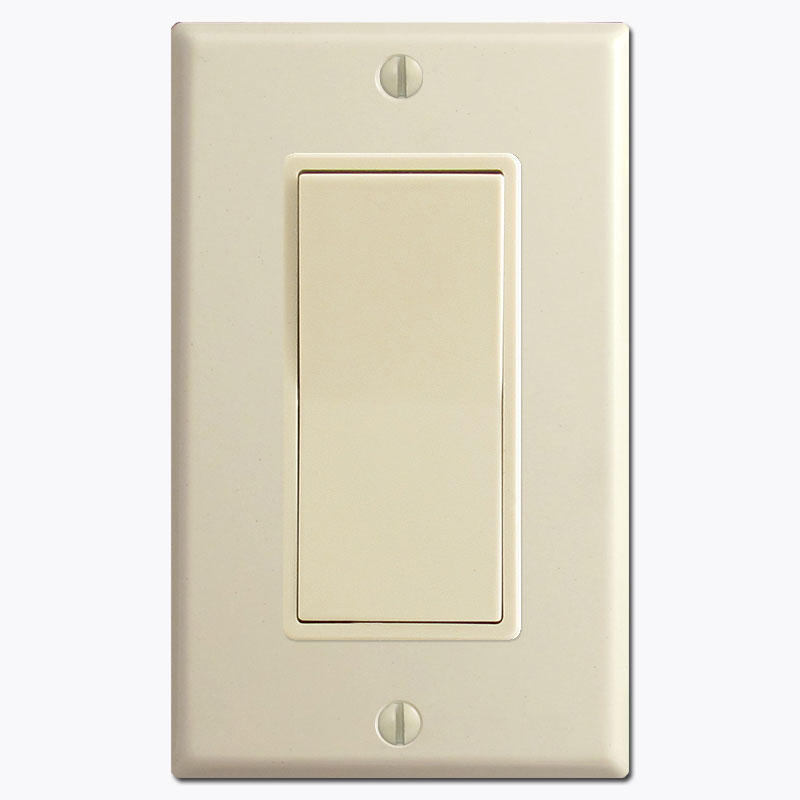
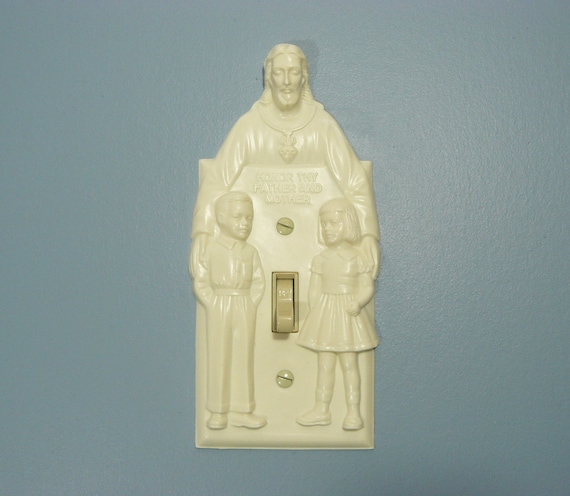
 waxen zenith
I'm stuck with a state: Unavailable for my Roborock S50, IP is correct as well as the token.
I think my token keeps resetting
bleak elm
are you sure you got the right log/token? When i first did it, i thought i did, but that token was unrelated and changed frequently (and never worked)
 strange bramble
I got some Shelly2.5s to install in my garage where I don't have 3 way switches. Question on what you guys think about using the native MQTT on the device vs flashing with Tasmota? I don't desire to use the company's cloud services, and I have HA up and running with some sonoffs with tasmota. What do you guys think?
runic drift
@strange bramble you don't need to use the cloud or MQTT or flash it if you don't want to. https://github.com/StyraHem/ShellyForHASS works like a charm
 pearl void
Apologies if this is the wrong section to ask - I am wanting to change the domain of my switch entities to light (without creating a copy of both switch and light entities)
The reason for this - all my light switches used to show up in HA as light; however, after the last update they now come through as switches which plays up with automations when turning all lights off as it will now turn all my smart switches off too which is less than ideal.
I thought I could possibly customize the entity; however, that doesn't seem to work.
steady hearth
@pearl void what are they?
pearl void
@steady hearth - They're Feibit light switches
integrated through deconz - pretty sure they run very similar to philips hue.
 inner tree
I have a Tasmota'd Sonoff iFan03 which is picked up in HA by a light.mqtt and fan.mqtt entry in my configuration file. They don't have areas associated, and I can't change the area through the UI it seems. Is there a good way to get this to work?
Here's the relevant portion of my config: https://hastebin.com/levidolesu.yaml
 twin zinc
Not sure this is the right channel, but does anyone know about an Android app that would just periodically send its sensors (camera, sound level, accelerometers even) to MQTT for use in HASS?
I just found an Huawei phone with its GSM broken so it's not much use even as a backup phone, so I'm considering just plugging it into a power outlet and having it be a remote webcam + more 🙂
shrewd raven
There's the IP webcam app and a corresponding integration in HA, but I find the integration lacking. No audio and low frame rate high latency image stream
 timid acorn
Is there a way to find my Nest token now that it's moved to Google? I have one created from an old install already
 mental forge
I want to return a boolean:
value_template: "{{ value_json.evses[0].status }}"
The status can be Available. how can i convert it to a boolean?
 ebon bison
I have a UZB1 device (firmware 5.27) plugged into a rPi 3b on home assistant that is running into checksum errors - would really appreciate if anybody here can help. It's a brand new setup that has no devices paired with the UZB1 controller yet
winged knoll
#zwave-archived would be where to ask, remember to mention how you installed Home Assistant
Ah, I see you've been crossposting 😉
ebon bison
thanks @winged knoll I had asked there earlier, but am still waiting for a response. Yes, sorry about the crosspost. I am stuck and out of options 🙂
winged knoll
Have a look at my answer 😉
ebon bison
HA was installed using the direct image on the site
winged knoll
That looks like a #zwave-archived topic
round horizon
@mental forge
value_template: "{{ value_json.evses[0].status == ‘Available’ }}"
Make sure the quotes are correct around Available. I’m on mobile, it inserted smart quotes.
winged knoll
value_template: "{{ value_json.evses[0].status == 'Available' }}"
``` for youI'm using this for integrating my samsung smart tv: https://github.com/roberodin/ha-samsungtv-custom it says that I can define a "protocol" but when adding that to the config HA gives an error while checking the config: Invalid config for [media_player.samsungtv_custom]: [protocol] is an invalid option for [media_player.samsungtv_custom] Does this matter?
winged knoll
Any errors are a bad thing 😉
hushed moth
Yea but I don't understand why, it clearly states that adding protocol is possible on the github page
 brazen sonnet
Did something change with the discovery: where you can no longer ignore samsung_tv?
empty nacelle
@hushed moth is HA the only method of control for the Samsung?
hushed moth
No it's not, why?
 hidden tide
Hi all - i'm working on a home made human-centered-lighting (HCL) system with WW/CW LED panels that are controlled via two KNX channels (0-100% for warm/cold white) .. i've been reading docs and partly sources of home-assistant and xknx to figure out how to integrate this with home-assistant (i'm a HA newbie, but have worked with KNX and am proficient in python) .. my knx-device (ABB Dali Gateway) does not support tune-able white directly, so i can't just send a brightness and color-temperature value. Do you have any suggestions on how to start ? do i need to write my own component (maybe even with a modified xknx light device) or is there a more straight forward solution?
 neon idol
Hello,
Changed my WiFi at home to put all IOT devices on a separate network.
When i did this, my xiaomi devices show up, but wont update.
Any one got any advice?
bright jacinthBOT
@obtuse cloak posted a code wall, it is moved here --> https://paste.ubuntu.com/p/wS96RjRqjj/
 obtuse cloak
☝️ I'm having trouble removing a failed z-wave node. I returned this device because it kept going unavailable. manually marked it as failed to remove it but it won't remove. any suggestions on an way to force remove it?
winged knoll
#zwave-archived would know, but this time please share correctly 😉
~share @obtuse cloak
bright jacinthBOT
@obtuse cloak Please use https://www.hastebin.com/ or https://paste.ubuntu.com/ to share code or logs.
Command '~share' was invoked by: Tinkerer
austere herald
Does anyone know if the first alert Z-Wave smoke detectors work well with Home Assistant?
glossy prism
The ZCOMBO? Yeah, I'm using it
austere herald
@glossy prism does it integrate with like the test button? So I could push the test button for testing?
glossy prism
What do you mean?
austere herald
Like could I set up an automation so that when you push the button something happens?
Probably not, but is it possible to trigger the alarm with home assistant?
glossy prism
Yeah it reports the test state. Not in plaintext though, it reports numbers for "alarm level" and "alarm type." There's a post about it on the forum with a template sensor to convert those values to a word (smoke, CO, test)
You can't trigger the alarm
Do note you need a Z-wave stick to use it
austere herald
Sure, thanks for the info
That's a shame you can't trigger it, it'd be nice to network them
waxen zenith
My Xiaomi Gateway won't get detected in my HA, I checked the password multiple times, restarted HA multiple times, it keeps telling me "No gateway discovered"
 stray nimbus
are they reachable from each other on the lan?
waxen zenith
Yes, can reach them
Fully updated, good network connection
I requested a new password, trying again
stray nimbus
in you config do you use ip or mac to set it up?
waxen zenith
only password, currently
Page says it just needs the password, I can try with the ip as well, only have 1 gateway
stray nimbus
yes it should work without, but it wont hurt to try with