#hardware-archived
1 messages · Page 73 of 1
 tender tulip
 golden thorn
I wouldn't recommend it without a SSD with PLP. ZVOLs are brutal. It's more about the memory usage of the ARC in this case. Check arcstat and arc_summary -s arc.

 wheat cave
Only HA-adjacent, but figured folks here might know - what's the correct way in Proxmox to prevent an LXC's USB device from changing every boot? I see in Datacenter I can map USB devices by vendor ID - which should work... BUT, I only find details on how to then use that for VMs, and not LXCs 😕
Under the LXCs Resources I can map a USB device, but, as far as I can tell, there I must use the /dev/bus/usb/X path that keeps changing, and don't see a way to map the named resource...
 glacial oracle
the reasonable thing would be to not use lxcs at all
generally you can configure any passthrough you want on those through the config file
you also see existing mappings there to check what they do
 drifting grove
Looking for recommendations for wall switches (as in, replacing existing 'dumb' switches, in the wall. Not just a relay, not a 'scene changer' or similar)
I'm in the US, would prefer zigbee if at all possible. Budget is around $30/switch, but there's a lot of switches to replace, so if there's a cheaper option that's preferred.
I do need dimmers on some circuits, but not on others. If there's some product line that has both dimmable and non-dimmable switches that look reasonable cohesive together, that would be great, otherwise I can always just... not use the dimmer.
I appreciate any recommendations!
 buoyant blade
drifting grove
Looking for recommendations for wall switches (as in, replacing existing 'dumb' ...
buoyant blade
drifting grove
Looking for recommendations for wall switches (as in, replacing existing 'dumb' ...
I went with Jasco, also sold as GE or Enbrighten. They are around $40 though, but the add on switches are less. I did buy some that were in not for resale packaging from eBay a couple years ago, that were more around the $20 price point. I think they are one of the few devices I have that have never fallen off the network. https://www.amazon.com/Enbrighten-QuickFit-SimpleWire-Directly-43080/dp/B08428GDS8/ They do require a neutral and on the three way and four-way installations, you have to ensure that the traveler doesn't accidently hit 120v or you will fry the switch, but they work very well.

Personalized lighting is at your fingertips with the Enbrighten Zigbee In-Wall Smart Dimmer with QuickFit and SimpleWire . Enjoy extensive control of permanently installed lights, fans and other fixtures when paired with a compatible gateway. For further convenience, the smart dimmer connects dir...
Has anyone experimented with the aliexpress ultrasonic flow meters? Would like to monitor water usage and that would be a very easy install assuming they actually work.
glacial oracle
considering they cost 2-500 bucks you can simply install a proper meter instead
or an addon to your existing one, like the homewizard one
buoyant blade
glacial oracle
or an addon to your existing one, like the homewizard one
In the US, meter is at the street, 75 yards or so from the house and not all that protected, so not all that easy to read the pickup on, I've used legit ultrasonic flow meters with success industrially, so the 50-75 dollar AliExpress option is suspect of course, but it would be a much easier install.
glacial oracle
i highly would suspect the cheaper ali solutions to have some reduced accuracy / pipe compatibility
buoyant blade
Yeah, likely will just break the line and install a more robust option, but everyonce in awhile you can get away with aliexpress stuff
Plus would be a good opportunity to install a powered shutoff valve
glacial oracle
its fairly non dangerous at least, a gamble you may want to afford if they offer some cloud/tuya free connectivity
buoyant blade
Looked like modbus, which is easy to work with
glacial oracle
thats nice
buoyant blade
I'm down to just the nest thermostat that's cloud based, so trying to avoid adding any more, modbus I can work with
 abstract epoch
I have a problem for a few days that my homeassistant OS on a raspi4 is restarting nearly every 5-10 minutes. (I only have a short time to figure out each time what the problem could be until it restarts again)
I already disabled possible Add-Ons and used a backup before this happened for reinstalling. There is also enough space and the internet connection should be fine.
Can anyone help?
Where should I look in the Logs to figure out the cause of the restarts?
 ashen sentinel
Is it hot?
abstract epoch
No i already started the cooler and its not hot since a few hours
ashen sentinel
SD card or SSD?
abstract epoch
SD, i already ordered a new one since mine got out of space after a lot of backups and integrations (but now has 40% free space again)
 winged knoll
The #installation-archived channel is the best place to get help with that
ashen sentinel
I'm not sure, but other than logs I would start with checking/changing that
abstract epoch
Thanks for the help. It was the vosk addon with a setup bigger model that seems to overload the RAM when starting up
 native pilot
drifting grove
Looking for recommendations for wall switches (as in, replacing existing 'dumb' ...
native pilot
drifting grove
Looking for recommendations for wall switches (as in, replacing existing 'dumb' ...
Zwave switches from zooz are really solid. Probably on sale this weekend too.
 cold moon
native pilot
Zwave switches from zooz are really solid. Probably on sale this weekend too.
cold moon
native pilot
Zwave switches from zooz are really solid. Probably on sale this weekend too.
Definitely *
Zooz email said next sale is Labor Day

Tbh bad marketing to admit when their next sale is I think
 patent river
Trying to cause FOMO.
"Better buy it now, or you won't get another deal like this for 2 months"
Don't think, just buy!
Sadly I suspect this works pretty well
cold moon
patent river
Sadly I suspect this works pretty well
no i mean they are training users to only buy the cheap prices by doing this so regularly
it's the subway $5 footlong all over again
im not buying a $28 switch from them or $35-40 on amazon when they are under $20 each on sale
especially not if im buying 10 of them lol
glacial oracle
This isn't actually bad
You create a sense of scarcity and make it look like a better value option which drives up sales
It's very likely priced in and the regular price just contains more profits
 sudden mango
Anyone have any experience with the SMLIGHT SLZB-06 Zigbee POE adapter? It's top rated on Amazon, is it my best choice for HA cluster so I don't need hardware on the HA server?
 tacit pilot
Any smart TV recommendations? I'll be running Google TV on it so maybe it doesn't matter, but not sure if Google TV can control everything
winged knoll
Roku
tacit pilot
lol I've sworn off Roku after doing some Roku development. That company is a joke
The integration is kinda meh too even. Like the commands you send to it seem like they can either fail without feedback or aren't synchronous. I tried to do some stuff with brightness and sending remote commands but they can run out of order
I just don't know what I can do through the Google TV because my current TV is really old and doesn't support HDMI-CEC
cold moon
tacit pilot
lol I've sworn off Roku after doing some Roku development. That company is a jok...
nvidia shield tv is the best option we have right now even tho it's not worth the $ due to age
newest apple tv supports hdr10+ and shield is just hdr10 i think
oh you want an actual tv.. look on RTings
cold moon
everything possible
tacit pilot
cold moon
nvidia shield tv is the best option we have right now even tho it's not worth th...
What software does the shield run? I was actually looking into it a bit
cold moon
it's android tv
tacit pilot
Ah ok cool
cold moon
i have 4 of them that i use with hdmi-cec to run scripts like turning tv on and playing a plex playlist etc
and i added a few checks to make sure tv is on, plex entities are updated, etc
some of them dont seem necessary until your scrip doesnt work at 6am cuz the shield was idle or some shit
tacit pilot
How much control do you usually get through hdmi cec? Is it just like turning the tv on and volume or more advanced stuff like menu controls over maybe brightness, etc?
cold moon
i only use it for on/off tv and use adb commands for everything else
which can do pretty much anything

Home Assistant
Instructions on how to integrate Android and Fire TV devices into Home Assistant.
tacit pilot
How does the shield interface with the TV though to control those things?
cold moon
huh
native pilot
tacit pilot
How much control do you usually get through hdmi cec? Is it just like turning th...
on my apple tv, I can turn on/off the TV, AVR, and aTV all with CEC. Then control volume etc. All with the aTV remote.
cold moon
you use it as the hdmi input instead of the tv's built in shitty apps
tacit pilot
Like the shield is basically just an external computer you plug into your TV right?
native pilot
tacit pilot
Like the shield is basically just an external computer you plug into your TV rig...
Yes
cold moon
more like the tv is a dumb monitor
tacit pilot
Right so all this is being controlled over hdmi then? So isn't that HDMI CEC?
cold moon
hdmi cec is just the shield telling the tv to turn on
or change volume
otherwise the tv is just displaying the shield doing some shit
tacit pilot
Right but that wouldn't be able to control like native TV functions like backlight brightness, no?
cold moon
if the tv is lg it probably has an integration
tacit pilot
lmao like using my hand? what is this caveman shit
native pilot
How often do you change the brightness of your TV?!
cold moon
some have like a night mode now i think
tacit pilot
Well maybe I won't need to as much on this new TV, but there's a lot of glare from windows and then at night I don't like my eyes getting blown out
I'd also think volume control would be something native
native pilot
CEC just lets you control power and volume via the connected device's remote
tacit pilot
Well even volume would be an upgrade. I have to go through roku right now to control volume and it's not reliable
native pilot
I missed the start of this conversation, are you using the TV speakers or a soundbar or an AVR
tacit pilot
TV speakers
Maybe we'll get nice speakers eventually
But yeah brightness would be nice. I'm actually able to control my monitors native brightness via display port and ddc
native pilot
Got it. You honestly might be able to use the TV remote (with CEC) to control the shield or apple tv too if you prefer that.
then you can change the tv settings from one place too.
cold moon
native pilot
Got it. You honestly *might* be able to use the TV remote (with CEC) to control ...
you can
native pilot
I just never touch the TV settings once I got them dialed in.
cold moon
depending on the shield used + remote it has IR and can be paired with the tv as well
err not paired but uhh configured
i use the shield remote as my only remote
unless i need to change brightness lol
tacit pilot
native pilot
I just never touch the TV settings once I got them dialed in.
Yeah same, but the brightness thing is really nice
cold moon
i leave tv in my room on "calibrated dark" setting so it's less bright at night
but sometimes during the day i might want to put some stream on the tv and it's too dim then. not sure i have any way to automate that on my old vizio tvs
for new tvs running webOS i think the LG integration works for that
native pilot
Can I interest you both in a foolproof solution?
cold moon
but i cannot confirm myself
 cold moon
live in a cave?
 jagged crypt
you can automate shades based on lux value of sensor for optimal tv contrast
native pilot
cold moon
live in a cave?
That's essentially my tv room haha
tacit pilot
native pilot
https://tenor.com/view/blinds-window-close-down-brico-hero-gif-17607472
lol actually I do have blind controls on the windows but there's still a bit of a glare
jagged crypt
not a hardware topic, but didn't get any love in the frontend channel. I setup the sonoff water-valves (just today, ask me again next month if they are leaking, etc). Looking for a template/blueprint/code to steal to allow my wife to change the programming from a controllable card. Yes I am probably going to have to build something specific, but just wondering if anyone's got something or point me to something already. (my first pass of googling for stuff failed). (I already have hardcoded automations, and i can obviously add an on/off to them)
tacit pilot
jagged crypt
not a hardware topic, but didn't get any love in the frontend channel. I setup...
You're gonna have to go back to the frontend channel man, sorry
jagged crypt
tacit pilot
lol actually I do have blind controls on the windows but there's still a bit of ...
you obviously need to add a second tier of diffusing blinds.... and automate those also
native pilot
jagged crypt
you obviously need to add a second tier of diffusing blinds.... and automate t...
This guy gets it, Scott.
tacit pilot
They're just blind tilts
jagged crypt
tacit pilot
You're gonna have to go back to the frontend channel man, sorry
yeah, I'm probably going to do some more googling, and then just code up something
tacit pilot
@cold moon Thanks for the tip about rtings though. Not sure I've come across this site before
cold moon
It’s what I was linked to when asking about TVs
Apparently you figure out what to buy there and what settings to color calibrate with
 static tusk
what usb device are a must have?
 oak scarab
My aqara door and window sensor is showing closed even though it’s open, showing 100% battery (I highly doubt it) and showing that it’s 99 degrees..
Ive already removed and readded in z2m
No change
Ong bro

This shits annoying
the "unavailable" is me resetting/repairing it
 south dock
Hi! I know to flash esp home on to the device
https://devices.esphome.io/devices/Tinxy-4N-Fan-Regulator
. Now how do I simulate this device in a small form factor. I can't remove the actual switches/socket covering to test this.
I want to test it first because this is my first esphome and home assistant setup.
I am planning to use a 120mm ac fan and b22 bulb. Now what about switches?
And how to do this safely?
Please tag me when you reply
devices.esphome.io
This website is a repository of device configuration templates and setup guides for devices running ESPHome firmware.
 gloomy mountain
What's everyones naming convention for door/window sensors? I am using M2Z and when I name it "Front Door", the final sensor in HA ends up as "Front Door Door". Do people just manually rename?
gloomy mountain
oak scarab
My aqara door and window sensor is showing closed even though it’s open, showing...
I was having the exact same issues with ZHA a few days ago. I tried all the tricks, battery swap, etc. I switched to Zigbee2MQTT and its all working fine. Is it your first device on Z2M?
oak scarab
no
i have multiple, the others are working fine
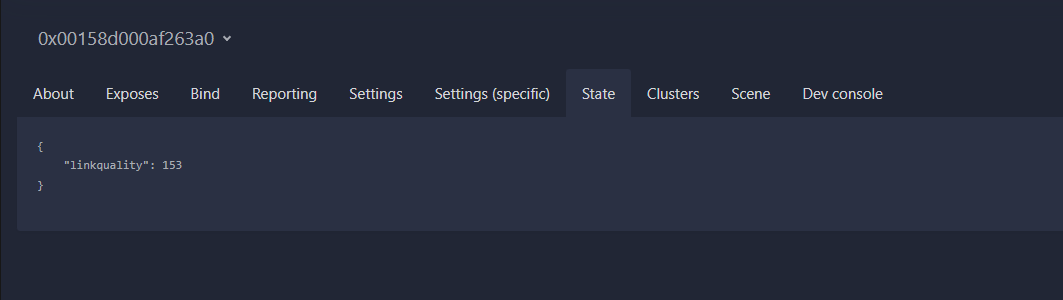
for some reason its only showing linkquality
if i press the button, it then updates and shows all states but they're all WRONG

 viscid coral
hello, I am looking at buying some smartwings blinds. However, there are multiple different connection types when buying. If I just want to run it over wifi to my home assistant running on a spare pc can i just use the standard motor?
gloomy mountain
oak scarab
if i press the button, it then updates and shows all states but they're all WRON...
What also worked for me with a temp sensor was do take battery out short the battery contacts together and then pop the battery back in. Ensured that it was fully drained.
oak scarab
gloomy mountain
What also worked for me with a temp sensor was do take battery out short the bat...
didnt work. so i had the contact up for a couple weeks, just got bulbs today for the automation and realized it had fell down so the contact was open for possibly weeks
would it being open that long massively kill the battery?
i ordered some new batteries
not sure where my dmm is so i cant check the voltage
maybe the batt is strong enough to connect but not enough to report a binary value?? idfk
gloomy mountain
Do you have another one you can grab the battery out of for testing?
Is it possible it might have liquid damage or something?
When you put the magnet near it and away from it does it make that super quiet tick noise? Maybe something is dislodged inside?
tbh, grasping at straws here haha
oak scarab
i only have one
oak scarab
gloomy mountain
Do you have another one you can grab the battery out of for testing?
Is it possi...
uh..if i shake it theres like a rattling noise
gloomy mountain
Is it a T1 sensor?
oak scarab
whats a t1 sensor

NOTES: This device requires the Aqara Smart Home Hub to Work. We don't guarantee that our devices can be used with other third party brand hubs. Requires a secured 2. 4 gigahertz Wi-Fi network connection. One Aqara Hub can connect up to 32 Aqara devices.Note: AqaraDirect sells all official US ver...
did it break when it fell :/
before i even got to use it
Fuck

Yep looks like a piece of this glass tube broke.
so im getting it replaced, i kinda feel bad but also not. the adhesive should've held better. i even prepped the surface with IPA
gloomy mountain
Yeah that's the T1 sensor (Aqara's friendly model name). I was gonna say, mine sitting in front of me (yet to put up) does not rattle. 😦
But this information does change where I was going to mount the sensor on the door...
native pilot
It’s a great question but I think it’s because feit bulbs are not typically dimmable.
native pilot
They have a chart to tell you.
Ok, why do they say not to use feit bulbs then?
Also, I’m correct: https://www.support.getzooz.com/kb/article/89-which-led-bulbs-can-i-use-with-my-zooz-switches-and-dimmers/
The Smartest House
 steep imp
Are there and aifryers that work good with homeassistant and where Hardware isn't faulty (I saw many complaints about the xiaomi where users couldn't even close their airfryer or it caught fire..).
I'm from germany and my budget would be 100€. If there is none I'd then buy one without wifi.
Ping me if you answer :)
native pilot
Zooz is good
 limpid gale
My apologies if this is the wrong channel:
I purchased a Sonoff Zigbee stick.
I'm running HAOS through Virtualbox on a headless Ubuntu server
Using VBoxManage I can get the zigbee to show up in HA, but once I attempt to configure it, HA becomes completely unresponsive and I'm forced to reboot the Ubuntu server
Has anyone seen this before? Or know of a way to get better logs to figure out what is happening before HA becomes unresponsive?
native pilot
limpid gale
My apologies if this is the wrong channel:
I purchased a Sonoff Zigbee stick.
I...
 finite narwhal
Are there any smart ceiling fan products out there that don't require a neutral wire?
(I do not currently have a fan in this room)
finite narwhal
Not even sure what I'm looking at in the ceiling here now

Old fixture had a ground wire and one wire to the bare black, one to the braided white. Then there's the other set with the nut on them.
Wall switch has ground and 2 wires
cold moon
finite narwhal
Not even sure what I'm looking at in the ceiling here now
this has a neutral wire
buy some wago connectors and some good klien wire strippers https://www.amazon.com/dp/B00080DPNQ

This compact, lightweight wire stripper and cutter cleanly cuts solid and stranded copper wire. Strong-gripping serrated nose for easy bending, shaping, and pulling of wire. Handles are double-dipped for comfortable grip. Curved handles help reach into confined areas. For more than 160 years, Kle...

Includes all 3 sizes of WAGO 221 LEVER-NUTS in a convenient plastic case. They are sorted into compartments by size. Use them to connect any combination of solid, stranded, and flexible copper wires faster and more reliably. Includes: 34x 221-412 (2 conductor), 26x 221-413 (3 conductor), 18x 221-...
finite narwhal
So, neutral in the ceiling, none at the wall switch -- sounds like a canopy module is what I want here
 charred marsh
Hello all 😃 ,
I'm the noob trying to start playing with Zigbee and HA 😄
I recently installed a SkyConnect USB stick on my Synology NAS and connected it to a VM running Home Assistant. It was working fine, but after a reboot (trying to migrate from ZHA to M2Q), the USB stick is no longer recognized by the NAS or by any computer. I've tried reconnecting it, but without success. Could you please help me troubleshoot this issue?
As it is no longer recognized I cannot try to flash it :/ and as it is not recognized in my NAS, it is not the USB VM passthrough the issue  @midnight salmon you had a "similar" issue, did you found something to fix it?
 agile cape
Hey all, idk if this is the right channel but can I buy an external LiDAR sensor to scan my house? My options (not options bc afaik none have a LiDAR sensor) are Samsung J7 A12 and S23
glacial oracle
I'm not sure what you try to do
You can buy a lidar sensor and diy anything you'd like
It will need a bit more than that as you would also need to track your own position in regards to the room
Or are you looking to buy some addon with an app?
agile cape
glacial oracle
I'm not sure what you try to do
I saw a video showing home a LiDAR sensor can easily make a digital copy of a room. Only issue is none of my device have a LiDAR sensor, so I thought I could use an external one, similar to how you can use a raspberry pi camera with a pi via a ribbon cable
glacial oracle
yes but no absolutely not
agile cape
???
Do u mean yes I can add an external one but no the options I listed don’t have one?
glacial oracle
there is no such thing as external lidar scanners which you just usbc plug in to my awareness
nothing about spatial tracking is trivial
agile cape
Ok I’ll try smth else, Ty for the help tho
glacial oracle
you could get a device that has such capabilities, like an iphone, ipad, vr/ar headsets (kinda) or you will need to fully diy something
if low fidelity is enough you may get away with a tof sensor
which if i recall is how most modernish smartphones do the autofocus already
 fluid garnet
Anybody familiar with zooz Zen32? Is it possible to disable the relay on the main button (5) and use it to control group lighting?
cold moon
fluid garnet
Anybody familiar with zooz Zen32? Is it possible to disable the relay on the mai...
yes it's a parameter listed in the docs
The Smartest House
 plucky narwhal
Hi ! I recently bought a Home Assistant Green with a ZBT-1 dongle. After a restart, the dongle disappeared, as both USB port from Home Assistant. If anyone has any solution to this, it's been 2 days and I can't find any...
 knotty belfry
Hello I have Marmitek doorbell can i use the tuya app because the smart me is the same and so integrated in home assistent.
cold moon
plucky narwhal
Hi ! I recently bought a Home Assistant Green with a ZBT-1 dongle. After a resta...
jump to #green-archived
plucky narwhal
@cold moon thanks !
 novel knot
Hello all. So I’ve been living with my roommates for about a year now. One is a little tech smart and has been setting up a home assistant for the house recently. He was able to see and add my 3 LIFX lights that I had out in my room without my knowledge which is whatever, they’re lights. But he mentioned that he saw my security camera show up on the wifi network and asked if it was okay if he could add that too. I said no.
My question is, could he add it without my knowledge? And could he view footage stored and then delete it afterwards?
native pilot
I mean, in seems highly unlikely that this has anything to do with Home Assistant. I don't know what kind of camera you have, but he'd need to have the login credentials for either it's app or home assistant (most likely).
In a perfect world, none of your smart home stuff would be on a wifi network he has access to.
What did he add the bulbs to? I know for me, LIFX bulbs were automatically added to my Apple ecosystem after being added to the Lifx app. No additional credentials needed because it's all on the same wifi network.
novel knot
It’s a Tapo camera and he runs and manages the home assistant himself.
So he has the login info for the home assistant.
 uncut ridge
novel knot
So he has the login info for the home assistant.
uncut ridge
novel knot
So he has the login info for the home assistant.
not unless he has the login info setup for them
Camera Settings > Advanced Settings > Camera Account
without that, no, not easily
fluid garnet
cold moon
yes it's a parameter listed in the docs
Thanks, I have 19 disabled and 20 enabled and its not working. Maybe an error in my blueprint.
 acoustic quest
Is there a super simple turn-key RGB indicator I can plug into a 120v outlet that the home assistant can control? I need a light to go by my back door that says that the driveway gate is open. Basically an esphome device with one LED and a 120v plug on the end
i know there are plenty of things that also have an RGB LED. those are cool too, as long as they are small and I can plug 'em in
I asked elsewhere and everyone was telling me "just make your own with esphome"
sure. but right now I want to spend $20 and have a thing that does a thing
patent river
Have you got Zigbee already? If so, this might work: https://www.amazon.com/dp/B0C9LNXYLL

Multi-Function Night Light
Actually looks like there is a WiFi/Matter version too: https://www.amazon.com/dp/B0CGQYQFNV

Enhance your smart home with the THIRDREALITY Matter Smart Color Night Light. Seamlessly integrate with platforms like Apple Home, Alexa, and Google Home for unified control. Its 3-in-1 design combines a motion sensor, illumination sensor, and customizable RGB color night light. Enjoy voice contr...
acoustic quest
patent river
Actually looks like there is a WiFi/Matter version too: https://www.amazon.com/d...
ooh that looks like it could work. thank you
my 3-4 matter devices have Just Worked so far...
patent river

This device is a neat little LED light from Thirdreality that you can use as a night light in your bedroom, installed directly on a wall outlet.
Review suggests it works just fine
acoustic quest
ordered it. if it doesn't work it has that amazon 30 day return policy
patent river
I'm totally with you on this one too.
Sometimes I don't want to assemble, program, debug, etc. Not to mention searching for, then waiting for a half dozen parts to show up in the first place.
Yes it might be half the price, but I have other things I need to do too. Just give me "good enough" and let me get on with things.
acoustic quest
exactly
 thin hollow
Anybody here run multiple Reolink TrackMix 4K cameras?
If so, what hardware and software do you use?
I need to be able to view 4 camera streams simultaneously, and want the footage storing at original quality
 slim lagoon
thin hollow
Anybody here run multiple Reolink TrackMix 4K cameras?
If so, what hardware and ...
slim lagoon
thin hollow
Anybody here run multiple Reolink TrackMix 4K cameras?
If so, what hardware and ...
You’ll want to ask in #cameras-archived (but chances are you’ll be told about either Frigate or Scrypted).
 left raft
Anyone had luck getting the spectrum xumo remote to program with broadlink?
 vestal lake
hey guys! is the sonoff zigbe dongle connect to home assistant via ZHA?
slim lagoon
vestal lake
hey guys! is the sonoff zigbe dongle connect to home assistant via ZHA?
Yes.
vestal lake
ty
 alpine saffron
Why would my virtual HAOS instance CPU usage jump when increasing memory from 4 to 6 GB?

Proxmox on a n5105 mini PC. 2 cores an 6 up from 4 MB memory.
Is there any way of seeing which process is taxing the CPU?
golden thorn
Yes. You can use the glances addon. Open it, then press z and c. Please share what you see, I'm curious.
Can you also share the node's Summary?
 mystic harbor
Anyone aware of a sensor type of device which can monitor for ground faults in mains voltage? So, 230VAC, IT, TT, TN systems. Bonus for SNMP support...
buoyant blade
Wouldn't that just be a monitoring the current on each leg and then alerting if you see an imbalance? What is the limit 10ma or something like that?
glacial oracle
The Shelly em3 comes with an addon fourth sensor to monitor currents on neutral
But reasonable you could just install that kind of protective gear instead as monitoring is rather useless on something that should lead to a shutdown
agile cape
Anyone know if I can use wake words on a watchy? I can’t tell from the docs if it’s got a mic or a speaker
native pilot
Nothing zigbee or zwave due to traffic. I've had good luck with the Aqara FP2 (though others haven't) and I've had overall good luck with the apollo msr2. You definitely don't need presence and PIR.
Both the fp2 and the apollo units are wifi.
Lol nope
mystic harbor
glacial oracle
But reasonable you could just install that kind of protective gear instead as mo...
Shutdowns may happen for many reasons. We would like to know the exact reason. I'll look into the em3
alpine saffron
golden thorn
Yes. You can use the `glances` addon. Open it, then press `z` and `c`. Please sh...
Is the screenshot what you mean by summary?
 cold moon
alpine saffron
Is the screenshot what you mean by summary?
cold moon
alpine saffron
Is the screenshot what you mean by summary?
-1 point for having tuya in the screenshot
alpine saffron
cold moon
-1 point for having tuya in the screenshot
Local tuya for what it's worth
 wicked moon
Hey folks, I am at my whits end here. I have these lights:
https://www.lumarysmart.com/products/lumary-smart-recessed-light-with-gradient-auxiliary-light?variant=41396371325133
I have configured them with Tuya, they show up as 5 devices, but 10 entities. (Picture 1) and picture two, you can see I tried to add them to groups (Picture 2)
I want to be able to as a group, control the main lights (labled kitchen lights) and as a group control the night lights.
I can do this in google home, by putting them in an area, but I can't change the area in home assistant.
I would like to eventually accomplish being able to have a button on my dashboard to control them - but in their current state I cannot.


Lumary
Elevate your lighting with Lumary Smart RGBAI Recessed Light. Versatile effects, customizable scenes, and app control for a personalized experience. Easy installation.


 gloomy burrow
You can just group them togehter
https://www.home-assistant.io/integrations/group/#sensor-groups
wicked moon
That unfortunately doesn't work, because it links the device as a group, and not the entity.
gloomy burrow
it should be an entity
cold moon
wicked moon
That unfortunately doesn't work, because it links the device as a group, and not...
are you trying to do this via yaml? the helpers in home assistant gui use the light. entity i believe and should be usable
granted you bought tuya so "at your wits end" this early isnt a great sign of future happiness
wicked moon
So, the main light shows as
light.lumary_6_smart_rgbai_ultra_thin_downlight_e1
whereas the "night light" shows as:
switch.lumary_6_smart_rgbai_ultra_thin_downlight_e1_2
I can't find a way to change it to a light, instead of a switch. GUI or yaml.
wicked moon
cold moon
granted you bought tuya so "at your wits end" this early isnt a great sign of fu...
While I appreciate your initial response, I have to say, your response felt more dismissive than helpful. I'm here looking for assistance with a specific problem, not to be judged for my choice of equipment, and then using that as a measure of my future happiness. I bought the devices before I jumped into this home assistant adventure, so take that for what its worth.
cold moon
wicked moon
While I appreciate your initial response, I have to say, your response felt more...
actually it's best as stewards of end-users to go out of our way to make sure they dont buy shit hardware to then make sure they dont have a shit time
wicked moon
Copy, appreciate the unhelpful response. Cheers
cold moon
your light should have multiple entities exposed
light_1 light_2 light_3 etc
you use those to create a "light group" via helpers in the ui
if those arent exposed to you then that's not ideal
are you unable to do this because it does not expose multiple light entities?
 wicked moon
Can only group these in the helpers, only these entities are exposed.
If I tried to group the secondary entity, I can't because only this appears (the main one)

 gloomy burrow
seems like your secondary light show up as switches.
so before you can use them you can convert them to lights.
https://www.home-assistant.io/integrations/switch_as_x/
Home Assistant
Instructions on how to convert any Home Assistant switch into something else.
wicked moon
So, that hides it as a switch, and doesn't make the light visible.

I tried that earlier, and it did the same thing
cold moon
wicked moon
So, that hides it as a switch, and doesn't make the light visible.
restart home assistant it should be giving you a new light.entity
 primal bison
I have two separate USB-to-serial devices connected my HAOS server (Raspberry Pi 5 8GB). One is an ESP32 and the other is a GPS receiver.
Both have worked fine for a while now.
Having an issue now where both are disconnecting and reconnecting constantly (as seen via gmesg). The result is that the GPS device is not getting a lock because it’s resetting so often.
I’ve tried a full reboot. Anyone have suggestions?
glacial oracle
Are those devices plugged into a powered USB hub
wicked moon
No change for me - still show as switches.
primal bison
glacial oracle
Are those devices plugged into a powered USB hub
No; but they’re incredibly low power devices that have been working fine up until this afternoon. Seems really unlikely to be a power issue.
vestal lake
Hey guys! Are there some cheap aliexpress smart lights that work locally with HA?
golden thorn
alpine saffron
Is the screenshot what you mean by summary?
Yes but that's from the VM. I wanted to see the node's.
I can't image why the guest agent would use so much CPU. Let's try to figure it out.
Try using the VNC shell (better xterm) and run and share these
systemctl status qemu-guest.service
journalctl -ru qemu-guest.service
You have to enter login first to get out of the HA CLI.
Here's how to enable xterm which allows copy & paste: #installation-archived message
Unfortunately HAOS doesn't ship with things like strace and you can't easily install it either. Might be needed though.
Here's some information on how to do it: https://github.com/home-assistant/operating-system/issues/2476#issuecomment-1748337263
You can find the agent's pid with pidof qemu-ga.
What you can try is to manually start it with verbosse logging and see if there's anything interesting logged.
systemctl stop qemu-guest
/usr/libexec/qemu-ga -m virtio-serial -p /dev/virtio-ports/org.qemu.guest_agent.0 --fsfreeze-hook=/usr/libexec/haos-freeze-hook --verbose
It's the same command from systemctl show qemu-guest | grep ExecStart just with --verbose.
novel knot
uncut ridge
not unless he has the login info setup for them
Camera Settings > Advanced Sett...
He was able to add 3 different LIFX lights to the assistant though? I know lights are different but I made an account and added all of the lights to it on the LIFX app yet he still added them.
 round wolf
Hi all :)!
I have an odroid N2 laying around doing nothing. Can I use this instead of the N2+?
 round cape
Hello! I'm running HA on a raspberry Pi 4 model b, but suddenly fan stopped working and HA went down. Upon inspection the red power light is on, but the green ACT light is either flickering or completely off.
slim lagoon
Broadlink RM4 Pro
charred marsh
Hello all,
I recently installed a SkyConnect (ZBT-1) USB stick on my Synology NAS and connected it to a VM running Home Assistant. It was working fine, but after a reboot (trying to migrate from ZHA to M2Q), the USB stick is no longer recognized by the NAS or by any computer (with the good drivers). I've tried reconnecting it, but without success. Could you please help me troubleshoot this issue?
As it is no longer recognized I cannot try to flash it :/ and as it is not recognized in my NAS, it is not the USB VM passthrough the issue.
Thanks in advance for your time and help 
cold moon
charred marsh
Hello all,
I recently installed a SkyConnect (ZBT-1) USB stick on my Synology ...
Jump to #zigbee-archived the devs are there to help with skyconnect
vestal lake
Anyone can send good local bulbs/LED strips and lights in general that works locally?
slim lagoon
vestal lake
Anyone can send good local bulbs/LED strips and lights in general that works loc...
WiFi? Zigbee? Zwave? Plus, IIRC, you’re outside the US, right?
vestal lake
I justed ordered the sonoff ZigBee dongle so if it will fit that it will be good
Can lights on wifi be controlled locally? Because I tried adding some tuya light to the local tuya and failed them all
And yes, outside the US
So something from AliExpress/amazon will be best 🤧
slim lagoon
Zigbee bulbs (Hue, innr, and IKEA) are good choices. If you can get them in your country, I like Wiz WiFi bulbs. They are local.
vestal lake
Hue innr Ikea also local?
slim lagoon
vestal lake
Hue innr Ikea also local?
Yup. Zigbee connected to HA is completely local.
vestal lake
I'm instrested in ordering from Amazon/Ali because the price is around 1/3 of the prices here
vestal lake
slim lagoon
Yup. Zigbee connected to HA is completely local.
Thanks!
Someone tried yeelight?
slim lagoon
vestal lake
Someone tried yeelight?
I did a long time ago. They weren’t too bad, tbh.
vestal lake
Nice to hear! Do you know by chance if they work with zha?
Also, did someone ever tried this product?
slim lagoon
vestal lake
Nice to hear! Do you know by chance if they work with zha?
IIRC, yeelights are all WiFi. But it’s been a long time since I’ve used them.
slim lagoon
vestal lake
https://a.aliexpress.com/_oE7R2KD
Eh, it’s a Tuya device. It might work?
vestal lake
Most of my smart home is tuya but now that I'm trying to move everything to local to take off the delay I'm having a hard time
The only thing I managed to get into the local tuya is the smart plug
Oh btw, I seen you mention the broadlink IR blaster. Is it local as well?
slim lagoon
vestal lake
Most of my smart home is tuya but now that I'm trying to move everything to loca...
You can get Tuya Zigbee devices (Moes, etc). Those don’t operate through any Tuya integration.
slim lagoon
vestal lake
Oh btw, I seen you mention the broadlink IR blaster. Is it local as well?
Yup. Completely local and works really well.
 boreal zealot
Hello! Random question to hopefully get pointed in the right direction.
Recently set up home assistant to help monitor my power usage with iotawatt.
Today, my kid (5) was fussing about wanting an Alexa in her room. They use Alexa to play music at daycare.
My thinking is, I could use home assistant to do similar, so we don't have an Alexa in her room.
The question: is there some simple (relatively) hardware I could buy to have a voice assistant microphone plus speaker?
slim lagoon
boreal zealot
Hello! Random question to hopefully get pointed in the right direction.
Recentl...
Yup. You can get recommendations for that in #voice-assistants-archived
 hollow pier
Maybe a bit unrelated but I'm looking to put a fan in my HP T520 thin client, you may think why isn't silent a pro and chill? I'd rather want it to cool a bit better and active cooling is better in the first place. It's going to be powered by usb 5v fan since it doesn't have a fan connector, what size in mm fan you think I should go with?
I was thinking 80mm
glacial oracle
it likely wont be worth spending the money
hollow pier
I think I kinda understand you but explain please?
glacial oracle
cooling it more wont yield any reasonable gains
golden thorn
hollow pier
Maybe a bit unrelated but I'm looking to put a fan in my HP T520 thin client, yo...
As big as you can go but what are the current temperatures?
hollow pier
glacial oracle
cooling it more wont yield any reasonable gains
Well let me tell you my use case
it's on top of my router and they're both laying horizontal, I know it should be vertical but I don't have room for that
they're both getting pretty hot
golden thorn
Get a big fan then and consider this when placing it: https://www.youtube.com/watch?v=XP6oqIic4lo

#science #fan #bernoulli #teachersofyoutube #cool
glacial oracle
40c is "pretty hot" to the human touch, but that doesnt make cooling it necessary
golden thorn
I'm still curious about the actual temperature(s) though. This might show it: https://www.home-assistant.io/integrations/systemmonitor/
hollow pier
golden thorn
As big as you can go but what are the current temperatures?
It's in Proxmox btw
glacial oracle
sensors and friends works there
golden thorn
Ah. Then run this on the node
apt install lm-sensors
watch -n1 sensors
You might want/have to run sensors-detect first after installing the package.
hollow pier
golden thorn
Ah. Then run this on the node
```
apt install lm-sensors
watch -n1 sensors
```
Y...
I did this before but then my Proxmox server would just crash and not work
we can try it out again.
so we will start in shell of pve?
glacial oracle
yes
golden thorn
hollow pier
I did this before but then my Proxmox server would just crash and not work
Try this ugly one-liner instead then
for i in /sys/class/thermal/thermal_zone*/; do echo "$i: $(($(cat $i/temp) / 1000)) ($(cat $i/type))" ; done
It doesn't provide the same detail but might be enough.

 golden thorn
🤷

Wait. Why am I sharing a screenshot.
# for i in /sys/class/thermal/thermal_zone*/; do echo "$i: $(($(cat $i/temp) / 1000)) ($(cat $i/type))" ; done
/sys/class/thermal/thermal_zone0/: 27 (acpitz)
/sys/class/thermal/thermal_zone1/: 29 (acpitz)
/sys/class/thermal/thermal_zone2/: 44 (x86_pkg_temp)
correction this is the post I followed: https://www.reddit.com/r/homelab/comments/rhq56e/displaying_cpu_temperature_in_proxmox_summery_in/

Reddit
Explore this post and more from the homelab community
I did the nano thing
golden thorn
That modifes system files which I don't recommend.
hollow pier
so just those 3 commands?
glacial oracle
and sensors doesnt work at all?
golden thorn
I'm not quite sure why my one-liner doesn't work for you. Maybe your /sys/class/thermal/thermal_zone*/ looks much different from mine.
hollow pier
I just did that one liner command
golden thorn
Try this then: #hardware-archived message
hollow pier
thats what i meant with 3 commands
golden thorn
Yup. What do they result in?
hollow pier
lets try it out
hollow pier
golden thorn
Yup. What do they result in?
one question
hollow pier
golden thorn
Ah. Then run this on the node
```
apt install lm-sensors
watch -n1 sensors
```
Y...
is this a entire command or just one after another
?
golden thorn
Each line is a separate command.
hollow pier
oki
glacial oracle
you could probably also see them with htop/btop
while they should show the same stuff as sensors, the output may not be the same
golden thorn
htop requires lm-sensors and confguration to do so. See suggested here: https://packages.debian.org/bookworm/htop
 glacial oracle
from my testing sensors doesnt necessarily show the stuff even tho htop/btop may
hollow pier
2nd one coming
hollow pier
golden thorn
Ah. Then run this on the node
```
apt install lm-sensors
watch -n1 sensors
```
Y...
which one should I run now? the 2nd line or 3rd line first?
golden thorn
In that order. Try without sensors-detect first.
As for HTOP it's here if you press F2
 glacial oracle
that does not include the cpu temp
golden thorn
 hollow pier
 golden thorn
The uppercase is the default if you press enter.
 hollow pier
glacial oracle
that does not include the cpu temp
hollow pier
glacial oracle
that does not include the cpu temp
What temp is that then?
golden thorn
Read the text and press enter if it feels safe to you. My response will likely not change.
hollow pier
 golden thorn
Seems like there was nothing to do and the output will be the same.
hollow pier
Well I just looked online for k10temp-pci-00c3
golden thorn
Looks like a CPU related sensor to me: #hardware-archived message
hollow pier
this thing has an AMD GX-212JC and when I looked that K10temp up this is indeed the cpu
for Amd.
golden thorn
That CPU can withstand 90°C
glacial oracle
(you could just open htop and see if values show up ;D)
hollow pier
 golden thorn
See here: #hardware-archived message
golden thorn
hollow pier
https://www.google.com/search?q=k10temp-pci-00c3&rlz=1C1CHZN_nlNL1030NL1030&oq=k...
Everything after the first & is superfluous.
hollow pier
golden thorn
If you're willing to try something I'd like to see how high the number goes.
okay
golden thorn
apt install stress-ng
stress-ng -c 2
Run watch -n1 sensors in another session while this runs.
hollow pier
can you do that in Proxmox?
golden thorn
I suppose you can use tmux but I want to keep this simple. I generally expect people to use a SSH client to manage their server.
You can also just press the Shell button at the top right twice.
hollow pier
ah yeah
it says this with apt install stress-ng

each line is a command I did that
but we'll see
golden thorn
By bad, edited.
hollow pier
try the command again?
golden thorn
Of course. This will answer if the sensor is the CPU and how high it will go under max utilization.
hollow pier
looks better

 vernal crest
Hi all, wondering if anyone here is using Mitsubuishi2MQTT successfully, and if so which boards are you using?
I've got some wemos D1 units programmed right now, but I can't seem to get them to make the serial connection
left raft
Is there better way to learn rf codes of the broadlink rm4 pro then the official ha way? trying to learn a fan remote and i can get the different fan speeds programmed but fan power will not. i can learn it through the broadlink app however.
not sure why this is so difficult tbh. been pulling my hair out with this
slim lagoon
left raft
Is there better way to learn rf codes of the broadlink rm4 pro then the official...
Is the fan power a single button? AFAIK, the HA action way is the only way to do it. There might be something on the forums.
left raft
single button basically just turns the fan off
slim lagoon
left raft
single button basically just turns the fan off
That’s weird that HA wouldn’t accept it then. I’ve not seen that behavior before except for my LG TV with a single power button. Took me about 6 or 7 tries to get the code recorded properly.
left raft
ironically my lg programmed first time
is there a trick to it? ir seems to be easier then rf from what im reading
slim lagoon
left raft
is there a trick to it? ir seems to be easier then rf from what im reading
Nope. Call the action, point the remote, and it’s supposed to record.
left raft
i heard there is a way to retrieve the codes from the app?
seems a pain in the ass to do though
ok...figured it out. i had to do it like a ir method and keep clicking the button
 rocky wyvern
Is all of the Switchbot Matter gear fully supported in HA?
 trim sierra
Hi everyone. I’m new to the community, joined because I have a problem with an ESP32-Update I can’t resolve. Am I in the right place?
native pilot
#diy-archived typically
trim sierra
Okay, thanks 🙏
native pilot
Or https://discord.gg/Se8QeJ25 the esp discord too!
trim sierra
I‘ll have a look over there too. Thanks a lot for the pointers!
rocky wyvern
I am trying to find a few stable indoor motion detectors to use with HA. Preferably cheap and using Thread + Matter and with a mature HA integration, but that might not exist. Any recommendations?
My Aquara FP2 is now refusing to work unless it can connect to the Internet so I would like to avoid a repeat
rocky wyvern
I don’t have any Zigbee or Z-wave devices yet but I know that I want the most stable experience possible even if I need to pay more up front
 tame current
Hi all,
very new to HA, discovered this recently. as of today i'm using Alexa with a few light bulbs in the living room automated but I want to add some sensors to have the air conditioning and temperature sensors, so i've been digging a little into HA but im kinda lost on what kind of setup I should start with as full beginner.
- Which country you're in: Portugal
- What your budget is: 100€ max
- What protocols you prefer (eg Zigbee, WiFi, Z-Wave): I have no idea or preference right now
- Any features you want (such as power monitoring, dimming, etc): it will be mainly for lights, temp sensors and air conditioning to start
 trail compass
I have no clue where to post this but:
Is there a way to send the datapoint time component with its value? Maybe through the REST api? I saw mqtt does not support time components but im really limited and need to bundle data for my sensors battery to not run out too soon.
The reason is:
I have an ESP8266 connect to wifi and upload sensor data, the esp reads this data from a sensor over I2C that stores its values in a FIFO buffer while the ESP is sleeping. I can calculate the time the values are generated but i can't send them real time or the battery will run out due to the wifi connection. I tried all sleeping modes but only deep sleep can stretch the battery enough... I understand why MQTT does not allow this, but since HA keeps a history it makes sense you would be able to append to this history through api from a sensor. I have seen similar questions on the internet but never a solution or a reason why this can't be added. I would love to use this sensor with HA, and maybe support its integration in the future, but if this is not possible it will be a dealbreaker. :/
 red locust
Hi guys, do you know how to detect if my shelly is connected or not within the shelly script? i want to disable the deatached switch mode if that is the case
i could've googled first... https://community.home-assistant.io/t/control-smart-lights-with-shelly-with-automated-detached-mode/576881

Home Assistant Community
Setup: Zigbee smart lights, Shelly 1 Plus relays in detached mode and Home Assistant automations. Problem: wall switches don’t work if Home Assistant or Wi-Fi is down. Solution: on-device script that checks if Home Assistant is available and changes the Shelly’s switch mode. The code: let outputId = 0; // For Shelly 1 Plus it's always 0. Cha...
slim lagoon
rocky wyvern
I don’t have any Zigbee or Z-wave devices yet but I know that I want the most st...
We all want the most stable experience 😉 With that said, Zigbee motion sensors by Hue, Aqara or IKEA are the most stable provided you have a stable Zigbee mesh setup (decent coordinator and at least a few routing devices). It’s not hard to setup, provided you follow some basic advice. #zigbee-archived can help there. #zwave-archived can also be very stable, but you usually end up spending a lot more on those sensors.
 slim folio
I am getting started and suppose I need a Zigbee hub that works with HA. Any suggestions on what to get?
slim lagoon
slim folio
I am getting started and suppose I need a Zigbee hub that works with HA. Any sug...
You’ll want to look/ask in #zigbee-archived for that. Generally, the Sonoff Dongle E is ok as is the HA ZBT-1. The best right now would be something like the SMLight SLZB06P7 or one of Tube’s coordinators (https://tubeszb.com).
slim folio
slim lagoon
You’ll want to look/ask in <#551843655682490399> for that. Generally, the Sonoff...
Thanks. will ask there.
 runic tinsel
trail compass
I have no clue where to post this but:
Is there a way to send the datapoint tim...
runic tinsel
trail compass
I have no clue where to post this but:
Is there a way to send the datapoint tim...
I think it’s against the HA design philosophy. But: the Spook hacs integration has an import statistics action. You supply a datastamp and value in an appropriate format and it will add it to the long-term statistics database to the entity you want. You can even have an entity just in LTS without the actual live sensor. You don’t get anything in the short-term history, but the history graph plot the LTS data if it has it, so this may be good enough. After the 10 days time of the short term history, it’s all that is left anyway.
glacial oracle
probably
zha may only use one tho, so you kinda would need to spin up two instances of z2m
slim folio
What pi should I get for Ha? Does it matter? I’m a computer engineer but have never used a pi before!
golden thorn
None: #general-archived message
I'd recommend a used (U)SFF PC or a Mini PC.
If it has to be a pi (why?) I'd pick a pi 5 with M.2 HAT.
slim folio
golden thorn
None: https://discord.com/channels/330944238910963714/332167321311510530/1168143...
Interesting. Thanks.
slim folio
slim folio
Interesting. Thanks.
Something like this? $119
https://www.amazon.com/UXX-Desktop-Computer-Expandable-Frame-Gold/dp/B0C9QMRCGR/
Since it has Win11 would it make sense to run HA virtualized within a Win11 host?

UXX 2023 Latest Mini PC, N5095 Desktop Computer, 8GB DDR4X RAM/256GB M.2 2280 SSD+Expandable M.2 2242 SSD+M.2 WiFi, 4K Triple Display with Mouse/USB/BT/LAN/HD/Type-C/Metal Frame-Gold
cold moon
slim folio
Something like this? $119
https://www.amazon.com/UXX-Desktop-Computer-Expandable...
cool kids buy an n100 or better 😛
cold moon

Beelink Mini S12 Pro Mini PC, Intel 12th Gen Alder Lake- N100(up to 3.4GHz), 16GB DDR4 RAM 500GB M.2 SSD, Desktop Computer Support 4K Dual Display/USB3.2/WiFi 6/BT5.2/Gigabit Ethernet for Home/Office
and yes it comes with win11 too you could save the key and virtualize win11 - most people here including me suggest running a hypervisor such as proxmox and then virtualizing w/e you want on it
https://www.derekseaman.com/2023/10/home-assistant-proxmox-ve-8-0-quick-start-guide-2.html this guide goes over setting up the n100 including changing a few bios settings for like power on after power loss and usb passthru for zigbee/zwave usb dongles etc
slim folio
Cool Thanks
vestal lake
slim lagoon
You can get Tuya Zigbee devices (Moes, etc). Those don’t operate through any Tuy...
Is it a good thing?
Athom tasmota bulbs, anyone heated of them? Are they good, local?
cold moon
vestal lake
Athom tasmota bulbs, anyone heated of them? Are they good, local?
athom is decent and tasmota should be fine on them but they are really sengled bulbs and not amazing colors or brightness
i have a couple gu10 and a few 15W and they are underwhelming. the gu10 i actually like but if you have the $ hue gu10 would be ideal
but ya if you want rgbw hue zigbee is ideal, cheaper similar colors are wiz wifi bulbs instead but i'm not a huge fan
slim lagoon
cold moon
i have a couple gu10 and a few 15W and they are underwhelming. the gu10 i actual...
Wiz has a GU10 now as well. I got 2 of them and love them.
slim lagoon
vestal lake
Is it a good thing?
Eh, not really Tuya Zigbee is pretty horrible.
cold moon
slim lagoon
Wiz has a GU10 now as well. I got 2 of them and love them.

i still like my athom ones tbh they just are low lumen
slim lagoon
Yeah, I thought about getting some athom bulbs to play with eventually.
cold moon
i have three 15w i dont want if you want to pay shipping. the athom cto said you can solder on an esp32 instead of the esp8285 and they work better (i dont wanna)
link to discussion with him^
slim lagoon
cold moon
i have three 15w i dont want if you want to pay shipping. the athom cto said you...
Huh, I might take you up on that. Which base are they?
cold moon
slim lagoon
Huh, I might take you up on that. Which base are they?
ur mom
uh idk whatever the us standard is called lol
slim lagoon
cold moon
ur mom
lmao ass.
slim lagoon
cold moon
uh idk whatever the us standard is called lol
Ok. I’ll ping you and we can work something out.
cold moon
 patent river
cold moon
uh idk whatever the us standard is called lol
patent river
cold moon
uh idk whatever the us standard is called lol
E26, presumably?


 patent river
It's a "don't talk to me or my son ever again" lightbulb 😄
cold moon
it's a hue and an athom which is kinda backwards
glacial oracle
you vs the bulb not to worry about
wonder why they only get 1400lm out of a 15w lamp
cold moon
glacial oracle
wonder why they only get 1400lm out of a 15w lamp
even worse, it overheats and goes non-responsive
i eventually gave up but my garage is also an oven
like at 30% brightness they were fine but 100% they got toasty and just.. stopped responding
cold moon

The Smartest House
Get great deals on the most innovative Z-Wave devices starting at $16.95! Shop switches and plugs under $25 plus hubs and radio controllers at super low prices. Ask us if you need help finding anything. Sale ends September 3, 11:59 PM ET. Most orders under $500 ship via USPS which is closed August 31 - September 2 this

 native pilot
cold moon
<@824423508934131712> https://www.thesmartesthouse.com/collections/labor-day-sal...
native pilot
cold moon
<@824423508934131712> https://www.thesmartesthouse.com/collections/labor-day-sal...
YES! Thanks!
 trim torrent
anyone use sonoff snzb-03p for motion activated lights
slim lagoon
trim torrent
anyone use sonoff snzb-03p for motion activated lights
I don’t, but what’s the question/issue?
trim torrent
ah just wondering if a human presence sensor is better as i saw a video of the SNBZ-03 the previous model and it didnt perform very well
slim lagoon
trim torrent
ah just wondering if a human presence sensor is better as i saw a video of the S...
Zigbee presence sensors are all pretty much subpar. They aren’t very configurable and they can spam the network. There are much better choices that aren’t Zigbee.
trim torrent
slim lagoon
Zigbee presence sensors are all pretty much subpar. They aren’t very configurabl...
what would you recommend
slim lagoon
trim torrent
what would you recommend
Personally I like Apollo Automation’s MSR-2. Well priced, WiFi, highly configurable, etc. https://apolloautomation.com/products/msr-2. There’s also the Everything One Lite, but I’ve not tested those. https://shop.everythingsmart.io/en-us/products/everything-presence-lite
trim torrent
i didnt want to go down the wall powered route for the sensors
slim lagoon
Fair, but in terms of presence sensors, battery just isn’t very good for what the sensors need to do. mmWave needs to scan often to determine micro movements. That would kill a battery quickly. So, they reduce the sensing time by a lot to make them work.
native pilot
cold moon
<@824423508934131712> https://www.thesmartesthouse.com/collections/labor-day-sal...
Lol I shopped from my "want to buy" list not my "really really need to buy" list...guess I'll get that replacement zwave stick next year 😂 nevermind, they modified my order! Sweet.
 mortal mica
Im trying to flash sonoff dongle e with ember and ive been hitting a wall for hours. I use the tool from Darkxst and it finds the ddongle, but then errors out when trying to connect
i saw some guides talk about having to take off the casing and press buttons, but then i dont see that mentioned in other guides
mortal mica
would anyone be able to help? im at like 6 hours now and no dice 😦
 wind vale
Any way to mod the xaiomi temperature humidity (with the lcd) to use an external probe?
Or recommendations for zigbee sensors with a probe (for monitoring fridge and freezer)?
 nova radish
I am at the beginning of „smartification“ for my flat and I started with a bunch of zigbee power plugs (one aqara, the rest nous a1z) and I like the concept.
Now I’m planning to put a shelly pro em into the breaker box and since I kinda don’t want to look at the power plugs sticking out of the wall I was wondering about those modules behind the outlet.
What makes more sense? Going with shelly and doing a wifi that collects all shelly and esphome devices? Or going with ZigBee and extending my mesh?
 pulsar plinth
what's the most recommended curtain that can be controlled by HA?
tame current
Hi all,
very new to HA, discovered this recently. as of today i'm using Alexa with a few light bulbs in the living room automated but I want to add some sensors to have the air conditioning and temperature sensors, so i've been digging a little into HA but im kinda lost on what kind of setup I should start with as full beginner.
Which country you're in: Portugal
What your budget is: 100€ max
What protocols you prefer (eg Zigbee, WiFi, Z-Wave): I have no idea or preference right now
Any features you want (such as power monitoring, dimming, etc): it will be mainly for lights, temp sensors and air conditioning to start
slim lagoon
wind vale
Any way to mod the xaiomi temperature humidity (with the lcd) to use an external...
Not Zigbee, but Apollo is coming out with an ESPHome based temp sensor with a probe “soon”. It’s in beta right now. Zigbee ones with an external probe are hard to find (if you can find them at all, I think Tuya is the only ones that make one).
slim lagoon
nova radish
I am at the beginning of „smartification“ for my flat and I started with a bunch...
Both, actually.
slim lagoon
pulsar plinth
what's the most recommended curtain that can be controlled by HA?
The Switchbot curtain motors are really good, provided you have BT setup on your instance. For Zigbee, Aqara E1 Curtain Rod motors all day long. I have 8 of them and love them. Long battery life and they don’t look horrible behind the curtains.
nova radish
slim lagoon
Both, actually.
So zigbee for everything battery powered and shelly for everything behind the wall?
winged knoll
No, because then you have no Zigbee mesh
WiFi for anything "chatty" (power monitoring, mmWave, air quality), Zigbee for everything else
nova radish
winged knoll
WiFi for anything "chatty" (power monitoring, mmWave, air quality), Zigbee for e...
So to get a zigbee mesh I want the light switches and dimmers as zigbee
winged knoll
See the third pin in #zigbee-archived - you need Zigbee routers
That's most (not all) mains powered devices - not Sengled, not 2-wire switches/dimmers, and some other stuff
wind vale
slim lagoon
Not Zigbee, but Apollo is coming out with an ESPHome based temp sensor with a pr...
Tyvm
slim lagoon
wind vale
Tyvm
If you poke around their discord, you can maybe sus out a release date. I have a beta unit and have to admit, I’m really liking it.
 cold moon
slim lagoon
If you poke around their discord, you can maybe sus out a release date. I have a...
cold moon
slim lagoon
If you poke around their discord, you can maybe sus out a release date. I have a...
It’s probably 1-2 months away no definitive date set
Yesterday Trevor said if we need to push off release to test more we will
wind vale
slim lagoon
If you poke around their discord, you can maybe sus out a release date. I have a...
Awesome, thank you.
What it is mainly is my parents travel from their home to my place for a couple months, once a year.
It wiuld be nice to be able to glance and see that the fridge/ freezers are working as they should.
I will keep an eye out 🙂
buoyant blade
slim lagoon
Not Zigbee, but Apollo is coming out with an ESPHome based temp sensor with a pr...
The lack of Zigbee thermometers with external probes is surprising to me, I ended up building one, but should be something you can just buy.
slim lagoon
buoyant blade
The lack of Zigbee thermometers with external probes is surprising to me, I ende...
Yup. Same. There’s some BT and zwave ones, but Zigbee is almost non-existent. I would love to see a mass produced one, but until then, I’m going to use the Apollo one.
cold moon
slim lagoon
Yup. Same. There’s some BT and zwave ones, but Zigbee is almost non-existent. I ...
btw the plant "watering" apollo device upcoming would be a neat option to "refill" things such as a fish tank, keurig, etc
slim lagoon
cold moon
btw the plant "watering" apollo device upcoming would be a neat option to "refil...
What’s interesting and stands out is the filling up of a fish tank. ATO (automatic top off) systems are pricey. AA providing a cheaper one that works well would be AWESOME.
cold moon
trevor said it would sell/be used with a small bottle (1liter iirc) but really any sized container could work for it to pull from
cold moon
glacial oracle
People just don't want the toilet floater solution
hard to beat the simplicity of a float switch but that would have to be plumbed in
glacial oracle
That's what home insurance wants you to believe! > With this simple tap screw on connector you can simply run tubes wherever you need

cold moon
tap screw on connector?
sudden mango
I got a few ESP32-POE-16MB-ND, I have to initially set it up with ESP Home via USB right?
cold moon
sudden mango
I got a few ESP32-POE-16MB-ND, I have to initially set it up with ESP Home via U...
pretty much
sudden mango
wow the esphome website wizard makes it so easy
cold moon
Did it do anything special for 16MB?
sudden mango
No, it set it up as a esp32-poe-iso which is 4mb, I can't find the 16mb changes, and the repo only has this specific model.

GitHub
This repo hosts known, tested devices that can serve as Bluetooth proxies for Home Assistant. - esphome/bluetooth-proxies
I assume I can just change the model
cold moon
sudden mango
I assume I can just change the model
i dont think that's how it works
for certain things like this it needs to be flashed with a certain bin file or proper yaml compiled for initial serial flash
i'd ask in esphome discord to be safe
let me know if i'm wrong 😛
sudden mango
I don't see 16mb in their list of supported boards

although it seems to work
I suspect I got to do some override for the memory
cold moon
https://esphome.io/components/esp32.html#configuration-variables here it says flash_size (Optional, string): The amount of flash memory available on the ESP32 board/module. One of 2MB, 4MB, 8MB, 16MB or 32MB. Defaults to 4MB. Warning: specifying a size larger than that available on your board will cause the ESP32 to fail to boot.

but idk if you can just jump up to higher without initially flashing.. or rather if that space is actually usable
i'd ask the turbonerds in esphome discord for sure
cold moon
my contact said it's most likely required to serial flash it with the correct MB
i keep suggesting mini pcs so now amazon is sending me ads for it like "it's on sale on labor day and you deserve it"
sudden mango
cold moon
my contact said it's most likely required to serial flash it with the correct MB
That's what I ended up doing,so it creates the correct partition
cold moon
kewl
sudden mango
I removed BT Proxy off my two Air-1 units, and it seems to all be working good, but I wish there was a way to visualize what proxy is being used and so on
cold moon
sudden mango
I removed BT Proxy off my two Air-1 units, and it seems to all be working good, ...
i havent played with it yet but this looks interesting https://github.com/agittins/bermuda

GitHub
Bermuda Bluetooth/BLE Triangulation / Trilateration for HomeAssistant - agittins/bermuda
sudden mango
I reflashed my two air-1 and confirmed it didn't compile in any bluetooth, so I am 99% sure it's off, but the one esp32-poe is picking up all my blue tooth devices on all floors, even from the 3rd floor, so either it is much stronger, or the air-1 are still doing it, before I needed btproxy on both air-1 one on 2nd floor and one in basement to pick up temp sensors in basement and 2nd floor, this one seems to be getting them all from my desk on 2nd floor
I was planning on putting it on the first floor in the direct middle of all devices and see how it would handle solo, but it's working from my desk already
cold moon
sudden mango
I reflashed my two air-1 and confirmed it didn't compile in any bluetooth, so I ...
did you update / install after removing the ble proxy code on the air-1 devices?
sudden mango
yes, and watched the build and bt module wasn't compiled in
cold moon
sudden mango
I reflashed my two air-1 and confirmed it didn't compile in any bluetooth, so I ...
you bought the external antenna models right?
sudden mango
I don't think so, I got the esp32-poe-16mb-nd
cold moon
i see
Olimex
ESP32-POE-ISO IoT development board with 100Mb Ethernet, Power over Ethernet, WiFi, BLE, programmer


that model has the external antenna

the 16mb EA one would've worked too. yours isnt that?
 cold moon
rip
sudden mango
Why?
cold moon
why would you want an external antenna?
sudden mango
it seems to be working great, but I can't really visualize it so I want to confirm it works.
sudden mango
cold moon
why would you want an external antenna?
didn't think I needed it, and not sure if digikey had that one in 16mb I didn't want to have the space issues I had on the air-1
cold moon
it's leagues better but still the onboard are better than they used to be on like old esp8266
sudden mango
it also does a crap job explaining what each model is
cold moon
the image on the olimex site changes for each product variant i select
sudden mango
I can't even find the ND version on their site, not sure the difference
cold moon
maybe they are the "IND" versions
pulsar plinth
slim lagoon
The Switchbot curtain motors are really good, provided you have BT setup on your...
Any z-wave compatible one?
slim lagoon
pulsar plinth
Any z-wave compatible one?
The only one I know of are the Zemismart curtain rods. But, they aren’t actual curtain motors that attach to rods. They are the entire rail system. There might be a couple of others, but generally the ones that are compatible with existing rods and such are either Zigbee or BT.
 trim torrent
anyone use bond bridges
slim lagoon
 untold latch
This update is trying to install for weeks ... any idea? Running HASS.IO on a NU...
untold latch
This update is trying to install for weeks ... any idea? Running HASS.IO on a NU...
That doesn’t look like any HA update I’ve seen. Is that an add on or something?
untold latch
slim lagoon
That doesn’t look like any HA update I’ve seen. Is that an add on or something?
really good hint .. my TP-Link smart socket got the same logo .. so I guess it's not an update for HA. Its the firmware of the device ... 😅 thanks
slim lagoon
untold latch
really good hint .. my TP-Link smart socket got the same logo .. so I guess it's...
lol np
 twin cape
Hello might not be related hardware not sure. But I am looking at some dimmers I can control via HA. The problems I see at the moment is just the Wattage. I found some Smart Dimmers but they are 5Watt + And I am unsure how low LEDs can dim and if the wattage during the dimming drops lower than that. Does anyone have any experience with this situation?
 fiery ibex
Hey I have an RPi 3b and I want to run home assist off of it, however I do want to use it for some minor tasks too like a pihole. Can I run home assist in docker and not have the rpi overloaded?
winged knoll
Largely yes
The 3b is pretty much the bottom of the barrel though, the CPU isn't awesome and 1 GB of RAM ain't much
fiery ibex
Largely yes? What are the caveats?
winged knoll
The lack of RAM and CPU power
HA will take over half that RAM
(how much depends on what you configure)
You'll probably be fine, depending on what else you run
fiery ibex
Pihole pretty much and nothing afaik
But no stutters or hitches due to lack of cpu power?
winged knoll
For just HA and PiHole it should be fine
Keep in mind that SD cards die, so ensure you have backups that aren't kept on the Pi
fiery ibex
To reiterate I want to run debian (headless mostly) with HA into docker and then a pihole package
So green lights
Network is small so pihole will not use much ram
winged knoll
As long as you don't go crazy on HA it'll be fine
fiery ibex
Na it's just some smart sensors (door, a touch knob) with TRÅDFRI lights
And some basic scenes for that
Alright thank you
 chilly sable
Does anyone know if there's a device or sensor that detects when a certain voltage is required and then send out that voltage? Example: A smart phone requires 3.7v-4.2v to power on, and when you go into certain apps it requires 4.8v. The phone does not have a battery, so it cannot use the bms to sense these things.
glacial oracle
this shouldnt be required at all
the voltage should not change at all besides the pd specified steps (for the charging side)
depending on the exact model, you may power it directly via usb, directly into the battery connector or utilize a dummy battery
 quasi bough
chilly sable
Does anyone know if there's a device or sensor that detects when a certain volta...
quasi bough
chilly sable
Does anyone know if there's a device or sensor that detects when a certain volta...
I monitor mains voltage (bluetooth) with HIOKI DT4261-90 for example but I think you require ONLINE-UPS which is the most expensive type. Sure you power requirements are low but...
 forest bay
Hey all. Thought I'd ping the brain trust on this because I can't really find anything. I'm looking for an HEM and I'm leaning toward Aeotec right now. Thing is there's a pretty substantial price difference between the likes of the gen 2 and gen 5 models but I can't for the life of me find any break down of performance/reliability/feature differences. Does anyone have some insight?
winged knoll
The folks in #energy-archived can probably give you chapter and verse
for Z-Wave stuff always buy Z-Wave Plus (500 series) or newer
quasi bough
forest bay
Hey all. Thought I'd ping the brain trust on this because I can't really find an...
Have you considered new Shelly Pro 3EM ? It can monitor and you control some output (I use it to triger ATS). It is costs little more because you need to get an Switch Add-on. I should mention that it is Wi-Fi/LAN only for now, idk why because Shelly also has Wave line of products.. missed opportunity.
forest bay
quasi bough
Have you considered new Shelly Pro 3EM ? It can monitor and you control some out...
Yeah I'm trying to reduce the amount of 2.4 that's zipping around so it'll be z-wave for me. I'd considered Shelly but as you mentioned - wifi only for some reason.
forest bay
winged knoll
for Z-Wave stuff always buy Z-Wave Plus (500 series) or newer
I assume gen 5 is Aeotec's branding language for 500 series Zwave then and gen 2 is too old? Are there issues with older zwave standards?
quasi bough
forest bay
I assume gen 5 is Aeotec's branding language for 500 series Zwave then and gen 2...
Pro line always has the ETH port and Wave line has Z-Wave support (Shelly bought Qubino), keep that in mind.
forest bay
Well there's this gen 2 on ebay for $25 but if it's going to be hot garbage I won't bother.

eBay
It will not work alone & must be connected to a hub.
it's obviously very old (~2015)
forest bay
quasi bough
Pro line always has the ETH port and Wave line has Z-Wave support (Shelly bought...
What is the ETH port exactly? That's new lingo for me.
quasi bough
forest bay
What is the ETH port exactly? That's new lingo for me.
Ethernet port aka "LAN"
forest bay
Ahh I just haven't seen it abbreviated that way. Gotcha.
winged knoll
forest bay
I assume gen 5 is Aeotec's branding language for 500 series Zwave then and gen 2...
No idea, and yes, older Z-Wave ain't great
If you already had it then use it, but don't buy old stuff
The listing makes it look like it's pre-Z-Wave Plus
Run away 😉
forest bay
Ehh I like to reuse old electronics for ewaste reasons. It just comes with needing to understand how things have progressed and whether or not they will meet my needs.
forest bay
winged knoll
The listing makes it look like it's pre-Z-Wave Plus
Yeah the photo of the label is missing zwave mention at all so far as I can tell
winged knoll
Well, there's a logo, and zero mention of Z-Wave Plus
forest bay
Yeah
forest bay
Well fair enough. I appreciate the intel on avoiding old zwave.
winged knoll
#cameras-archived can help there
 jolly prism
Im looking for setting up a wallmount for HA, which one is the best. I dont want an android tab where i have to select the app to run it. I want a fully integrated screen with HA only in it. Any suggestions?
 night steppe
As someone who knows zero command line stuff and hasn't worked with virtual machines before, how daunting is the task of getting a mini-pc set up with Proxmox and HA? The benefits to running it in a VM do look worth the hassle but I'm worried I'll be making it way more of a headache for myself
 quiet lodge

Hot off the press is Proxmox VE 8.2, which GA'd in late April, 2024. It is based on Debian Bookworm 12.2, and has a number of new features like defaulting to Linux Kernel 6.8. This post is a completely refreshed version of my popular Home Assistant: Proxmox VE 8.0 Quick Start Guide, but all new
haven't tried yet, waiting for my mini-pc in the mail to arrive
night steppe
Interesting. For my own sake, can I ask what PC you went with?
quiet lodge
i went a step up and got the bee link eq13 n200
but seems like n100 is the one recommended
night steppe
You slap a Z-wave USB onto something like that, right?
Sorry if that's a silly question, just trying to get an idea of what costs overall look like for the mini-pc route
quiet lodge
yes
no worries i'm still learning/researching as well, just sharing info i've gathered
then a poe zigbee gateway is recommended so that they could be placed away from each other so the signals won't interfere
night steppe
Something like this? https://www.amazon.com/SMLIGHT-SLZB-06-Ethernet-Zigbee2MQTT-Assistant/dp/B0BL6DQSB3

SMLIGHT SLZB-06 - Zigbee 3.0 to Ethernet,USB,and WiFi Gateway Coordinator with PoE, Works with Zigbee2MQTT, Home Assistant, ZHA
quiet lodge
yup
night steppe
What on earth are the differences between the models there?
quiet lodge
night steppe
What on earth are the differences between the models there?
that i'm not sure lol
night steppe
I guess the other main thing I see discussed a lot is adding a Coral TPU as part of camera integrations. Should I assume that's recommended as part of my budget for this, you think? I do aim to have a few cameras set up ultimately around the property
quiet lodge
interesting, havne' tcome across that yet. checking it out now. I use unifi protect for cams
night steppe
I haven't heard about that option so I guess I need to look at that. Most of what I was reading was describing Frigate and a coral tpu
I feel like I barely understand some of what I'm reading, to be fair
quiet lodge
yea unifi is just my existing camera system
quiet lodge
night steppe
I feel like I barely understand some of what I'm reading, to be fair
same lol
night steppe
The main thing I'm seeing about the Unifi stuff is the price is pretty cranked up vs some of the other options
quiet lodge
spent the last few nights skimming and searching through lot of the chats
jolly prism
Im looking for setting up a wallmount for HA, which one is the best.
I dont want an android tab where i have to select the app to run it. I want a fully integrated screen with HA only in it.
Any suggestions? Hows google nest?
 pastel moth
Any ESPHome people here? I'm looking at the website, but there's no obvious place that explains how to install ESPHome onto a microcontroller... Am I missing something?
glacial oracle
You best ask esphome related questions in their discord
They are usually more experienced in it than we here for general hardware stuff
pastel moth
Gotcha, thanks!
 cunning lotus
Hey guy, I'm looking for a high quality garage door opener that works well with home assistant. I am located in germany. Any recommendations? Is there anything else worth considering besides Hörmann?
 tepid loom
hi everyone, does anyone know a good hardware device that can help me open and close my blinds with automations? I have blinds that work with a small cord that needs to be pulled from either side to open and close. And I'm looking for a device that can pull those cords....
I would need something that works nicely with home assistant
 glass ridge
anyone here have the reolink doorbel and knows how one can run quickplay messages?
im on HAS 2024.4
and latest doorbell firmware yet i dont see the option to play a quickplay message
tepid loom
I need something that can pull these cords:
https://cdn.discordapp.com/attachments/696053163815338064/1278447849406726164/rn_image_picker_lib_temp_d0360c92-57bd-48c6-962b-2a1c848dae9b.jpg?ex=66d0d6d7&is=66cf8557&hm=2190fed5b14f35650cbedcf9bb369fad9695fe48660d90aecce6e2d7f86909b4&

 rose matrix
I am running HA in a docker container and today I purchased a skyconnect dongle but cannot get HA to recognise it. There is no autodetection as per the instructions. I even tried flashing the latest firmware but still will not work. Anyone had a similar issue and know what the problem might be?
winged knoll
The container is privileged or you passed the device in?
glass ridge
glass ridge
anyone here have the reolink doorbel and knows how one can run quickplay message...
for anyone else running into this issue, the "latest" firmware update in the app is not actually the latest for some weird reason...
rose matrix
winged knoll
The container is `privileged` or you passed the device in?
Sorry but I am very new to this, how do I know if the container is privileged?
And what do you mean by passing the device in?
jolly prism
Can anyone tell me about any good and cheap wall mount display for HA
 gloomy spoke
rose matrix
Sorry but I am very new to this, how do I know if the container is privileged?
gloomy spoke
rose matrix
Sorry but I am very new to this, how do I know if the container is privileged?
If you specified privileged: true in the docker-compose.yaml, then it's priviledged and has access to all devices on the host. If not, you can pass the device in directly
this shows it, although I don't know why they did both things: https://www.homeautomationguy.io/blog/docker-tips/accessing-usb-devices-from-docker-containers
Or why they used /dev/ttyUSB0. You should find the appropriate dev node from /dev/serial/by-id/xxxx
golden thorn
Seems this is very misunderstood. Even by the HA documentation authors: #installation-archived message
rose matrix
gloomy spoke
If you specified `privileged: true` in the `docker-compose.yaml`, then it's priv...
Perfect - thank you very much. Will give it a try.
 agile loom
Hello! What are your preferred solutions for making dumb light switches smart? I think I need a switch relay? Or a full replacement. It's a 2 gang that has the ceiling lights and also will have a fan controlled by a sonoff ifan. I have sonoff outlet controllers flashed with esphome and they work great.
just realized that the sonoff ifan doesn't seem to have a reverse sitch tho
 hoary relic
so im looking at these smart fan switch from innoveli, it says ac motors only, how do i know if my fan is ac or dc?
agile loom
most fans will be ac unless they specify DC. Do you have a manual for the fans?
hoary relic
uhhh, i think there was one floating around when i bought the house
agile loom
or the model
hoary relic
might be printed on the unit somewhere
cold moon
hoary relic
so im looking at these smart fan switch from innoveli, it says ac motors only, h...
If it’s dc the magic smoke will be released
cold moon
agile loom
Hello! What are your preferred solutions for making dumb light switches smart? I...
Zooz zwave or inovelli zigbee smart switches man
agile loom
cold moon
Zooz zwave or inovelli zigbee smart switches man
I have nothing on zigbee tho. At least not that I can think about. I think hue lights are but they also have their own thing going
cold moon
Cool kids move hue devices off the hue hub to a zigbee coordinator
Even cooler kids use a PoE based zigbee coordinator centrally located
agile loom
didn't know that was even possible
cold moon
I have 40 hue bulbs on my zigbee mesh
hoary relic
do you even need to buy the hue hub in that case?
agile loom
oofta
cold moon
One out front acts as a repeater for my mailbox 📫 so when it’s opened I get a notification
agile loom
but the problem that I am trying to solve right now is this switch situation lol
cold moon
Ok all the switches will act as repeaters for the mesh same as the bulbs
agile loom
and a fan controller since this the sonoff doesn't seem to do do it. May have to do the thing with a bond bridge remote thing and a normal remote ocntroller for the fan
blergh
 tacit burrow
Yeah, I deleted my hue hub. Want to buy it? 🙂
cold moon
However if you have zigbee bulbs such as hue plus zigbee switches that support binding such as inovelli then you can bind them
Aka make them talk together even if home assistant disappears
 cold moon
tacit burrow
Yeah, I deleted my hue hub. Want to buy it? 🙂
cold moon
tacit burrow
Yeah, I deleted my hue hub. Want to buy it? 🙂
Send it to the drawer
agile loom
what zigbee coordinator the cool kids use? I am ghessing sticking a zigbee usb dongle on my proxmox that is literally inside a box on the laundry won't cut it
hoary relic
shoot i just might, about to buy a set of recessed lights
tacit burrow
Yeah, I have no idea where it actually is. I've got a box full of ewaste in my garage, probably there.
I use tubez coordinator, it's great.
agile loom
hmm. There's Caseta too.
tacit burrow
I have an older non-poe one, but this looks like the current pick https://tubeszb.com/product/efr32-mgm24-poe-coordinator/
agile loom
I don't have any poe shit here either unfortunately
cold moon
agile loom
what zigbee coordinator the cool kids use? I am ghessing sticking a zigbee usb ...
It’s an option. It’s not the best option
agile loom
small apartment, can't have the same setuop I had on my twice the size of this apartment previous house
cold moon
But it works for most people
cold moon
agile loom
small apartment, can't have the same setuop I had on my twice the size of this a...
It will work fine
tacit burrow
I don't like dongles becase (a) rf interference and (b) lack of flexiblity about where to put it
My HA boxes are in my workshop, in a different building...
cold moon
Ya you have to buy a usb extender
New video from home assistant demonstrating USB zigbee interference with and without an extension
https://youtu.be/tHqZhNcFEvA

USB 3.0 can cause your Zigbee devices to fully stop functioning. In this video we show this by moving a Zigbee device and Zigbee adapter next to USB 3.0 port and cable.
The demo is done with a Home Assistant SkyConnect and IKEA Tradfri remote but this affects all Zigbee sticks and devices.
To avoid interference, use a shielded USB 2.0 extensio...
hoary relic
why do they use 2.4 if its so damn sensitive
agile loom
it's not the current it's the frequency. When you have power going ON/OFF on any kind of conductor you generate EM
hoary relic
i don't think zwave is affected like that
agile loom
having nightmares about a badly shielded VFD
cold moon
agile loom
it's not the current it's the frequency. When you have power going ON/OFF on any...
This is specifically about usb 3.x ports per spec being able to just shit out all kinds of interference
2.4GHz Interference Article
https://www.unit3compliance.co.uk/2-4ghz-intra-system-or-self-platform-interference-demonstration/

We explore noise and interference in the 2.4GHz band to a Zigbee controller caused by nearby USB3.0 devices and Wi-Fi sources.
agile loom
I just love electronics
cold moon
Also zooz is having a sale now
The Smartest House
Get great deals on the most innovative Z-Wave devices starting at $16.95! Shop switches and plugs under $25 plus hubs and radio controllers at super low prices. Ask us if you need help finding anything. Sale ends September 3, 11:59 PM ET. Most orders under $500 ship via USPS which is closed August 31 - September 2 this

Hard to beat their switch prices at less than half of inovelli
agile loom
zooz is zwave then
agile loom
wonder if I can have zwave/zigbee dongles mounted on a different server and have HA control it via network or mqtt or something like that
like a repeater
cold moon
agile loom
wonder if I can have zwave/zigbee dongles mounted on a different server and have...
mounted on a different server?
cold moon
agile loom
wonder if I can have zwave/zigbee dongles mounted on a different server and have...
this is what the PoE coordinators or controllers do
you can do the same with a pi or server or whatever too
agile loom
yeah, that makes sense
cold moon
like some guys will put a pi centrally located and put a zwave and zigbee dongle on it and home assistant still controls those sticks
agile loom
I think I will get the zooz switches. Hopefully they are sized in a way that I can put two on a box and the faceplate will match
cold moon
agile loom
I think I will get the zooz switches. Hopefully they are sized in a way that I c...
it's a bitch
they fit but they are thicc like all other smart switches
so you have to pre-bend your romex and say a little prayer
i have old 1980 texas build maybe you have deeper gang boxes
agile loom
as long as the faceplate matches I can just shove it there lol
yeah this is a new construction so hopefully not miserable
agile loom
one of the whom
cold moon
The Smartest House
Z-WAVE SWITCH REBORN PRODUCT HIGHLIGHTS On/off Z-Wave and manual control from the main button: use with 120 V lights or fans under 3 A 4 smart buttons for remote control* NEW 800 chip: more range, faster signal, SmartStart inclusion + S2 security Z-Wave Long Range ready: extend the wireless coverage up to 1 mile if you


top switch is a relay for fan <3amp inrush current or light
also has smart bulb mode so it can be not a relay if you have a hue bulb for example
other 4 are additional buttons for stuff and things
i use it for like.. double tap on one button = morning routine and double tap on the button below it = sleep routine
plus some other things like just toggling lights in adjacent rooms
agile loom
ah nice
I was thinking about assembling some kind of LCD display thingie to run a dashboard and control stuff
cold moon
otherwise go for zen76 or zen77 if you want dimmers
agile loom
but I am sure someone already did that
cold moon
agile loom
I was thinking about assembling some kind of LCD display thingie to run a dashbo...
just use fully kiosk browser app on a fire tablet or other android tablet
agile loom
nah, just need turn on and off (for the switches)
cold moon

Blog 👉 https://leonardosmarthomemakers.com/how-to-install-fully-kiosk-browser-on-fire-tablet-for-home-assistant/
★Smart Home Courses★: https://courses.leonardosmarthomemakers.com/collections
Today I'm going to show you how to use a fully kiosk browser to display a home assistant dashboard on a fire tablet.
★Buy Fire Tablet★ https://kit.co/smar...
agile loom
any good solution/suggestion for fan control?
I wish I could have that dashboard on the google home monitor devices that I already have everywhere in the house really
haven't got to the integration betwqeen google assistant and HA
cold moon
agile loom
any good solution/suggestion for fan control?
inovelli and spend money or sonoff ifan04 and flash to esphome and buy a smart switch to pair it with
cold moon
agile loom
haven't got to the integration betwqeen google assistant and HA
fuck google tho

agile loom
cold moon
inovelli and spend money or sonoff ifan04 and flash to esphome and buy a smart s...
I was going to do that with the sonoff but apparently they don't support reversing the fan
cold moon
i have one flashed but never installed it
it's on the list

Inovelli
It's back and better than ever. Inovelli's Fan/Light Canopy Module! This little module is 33% smaller than it's predecessor and is designed to fit perfectly in your fans canopy with room to spare. Enjoy individual control of your fan speed and light dim level from your favorite smart home app (see hub compatibility for
this plus a inovelli switch gives you full control
agile loom
it requires the specific switch tho right
agile loom
yeah that's what I want really. Just something that can control the fan, and using a switch on the gangbox to have at least a manner of shutting it off in case is needed
hoary relic
to think, before smart home stuff people just used their kids
agile loom
some smart home stuff is really useful, but sometimes it's just a nice to have lol
can I turn on and off the fan manually? yeah, but automating it is fun
it's fan you know
cold moon
agile loom
can I turn on and off the fan manually? yeah, but automating it is fun
what if your CO2 rises in your room by your desk and your fan helps lower the CO2 in your immediate vicinity while you are at your desk tho?
is that just for fun
agile loom
the light switch is 2 feet away from me 😄
hoary relic
just hold your breath until levels drop
agile loom
Found out that assembling a zwave remote thingie with zwavejs and a raspberry pi is very simple, now I am trying to find the same for zigbee
cold moon
zwave remote thingie
agile loom
don't know the terminology, basically a rpi with my zwave dongle somewhere on the house that my HA connects to control the zwave stuff
or just yolo and use some kind of serial over tcp
hoary relic
isnt that what the coordinator is
agile loom
yes but I want to assemble one instead of getting a coordinator, and also would like to have both zigbee and zwave on the same thing
hoary relic
if i had to guess i'd think it would be 2 different antennas?
agile loom
yep, two different dongles
hoary relic
i mean the antenna specifically, is a different design
cuz zwave is a lower frequency
so, the thing needs to be a different length?
agile loom
externally they will look the same really, but different metal curves for sure
hoary relic
ya
agile loom
actually this doesn't even look like has an antenna like the zigbee one
 cold moon
agile loom
or just yolo and use some kind of serial over tcp
cold moon
agile loom
or just yolo and use some kind of serial over tcp
there's no external antenna
hoary relic
it'd be in the housing
cold moon
but the zwave long range is crazy
hoary relic
of course, lower the better
cold moon
like 3 blocks you can click a battery powered remote and hass will respond in 1second
shit's cray
hoary relic
its 700mhz iirc?
cold moon
~900mhz
hoary relic
the broadcast band?
cold moon
but zwave long range is special
agile loom
All I want is to not have to put it on the laundry room, just assemble it on a pi or one of my other computers and expose it to HA
hoary relic
i mean, tv broadcast?
cold moon
it spikes power only when needed to go like 5x power of traditional zwave iirc
cold moon
i think using the words backhaul and wifi in the same sentence is a felony
agile loom
there's serial over tcp, or assembple a repeater with zigbee/zwave2mqtt
cold moon
uh
if you run zwave js ui it automatically supports remote connections
otherwise you can use either ser2net or the esphome variant
agile loom
yeah, I will probably use ser2net
cold moon
but if you are already using a pi then you dont need to use ser2net for zwave js ui
you just.. use it

GitHub
Full featured Z-Wave Control Panel UI and MQTT gateway. Built using Nodejs, and Vue/Vuetify - zwave-js/zwave-js-ui
agile loom
yeah, is there a zwave js ui for zigbee or nah
cold moon
there is zigbee2mqtt which i like and use
wind vale
What are the cool kids using to turn off 90* turn shutoff valves for water? Have zigbee (preferable) or wifi (less preferable).
Don't want to go the electromagnetic route really!
Thank you!
cold moon
wind vale
What are the cool kids using to turn off 90* turn shutoff valves for water? Have...
the zooz titan is the only one i know of but it's zwave
 serene falcon
Is anyone willing to speculate on what these remote controls are?
https://www.aliexpress.us/item/3256807183595145.html
Is this just some 400MHz radio protocol?
patent river
Says infrared in the picture of the remote. You can also see the receivers on the boards:
 serene falcon
Meh. Ok. Thanks, missed that.
wind vale
cold moon
the zooz titan is the only one i know of but it's zwave
Thank you anyway!
jolly prism
Hey
How do we know which retrofit smart module is compatible with HA?
Like if a module is compatible with alexa and google home? That way?
winged knoll
What do you mean by "smart module"?
Also, no, anything that's compatible with those means nothing in terms of HA
If you want compatible then buy something local (Zigbee, Z-Wave, Matter) or do your research (check for an integration)
jolly prism
winged knoll
What do you mean by "smart module"?
I mean the retrofit smart wifi modules
Which can be fitted behind your existing switches
winged knoll
If you want compatible then buy something local (Zigbee, Z-Wave, Matter) or do your research (check for an integration)
jolly prism
winged knoll
Don't buy WiFi
Is wifi module not recommended? According to you?
winged knoll
They're not, because they often don't work with HA, or are part of the Tuya ecosystem (which is crap)
WiPro looks to be Tuya based
If you're happy that you'll be reliant on the Tuya cloud platform (sometimes goes down, not all devices work, and Tuya often break the integration) then buy them
If you want something that works locally ***then buy something local (Zigbee, Z-Wave, Matter) ***
jolly prism
winged knoll
If you want something that works locally ***then buy something local (Zigbee, Z-...
By locally you mean only wired? Or home (local) wireless too
jolly prism
jolly prism
https://5.imimg.com/data5/SELLER/Doc/2021/11/JB/KR/XC/141918068/hogar-3-node-ret...
It says zwave and wifi. So in wifi it wont be compatible?
 winged knoll
jolly prism
By locally you mean only wired? Or home (local) wireless too
winged knoll
jolly prism
By locally you mean only wired? Or home (local) wireless too
Once more:
local (Zigbee, Z-Wave, Matter)
Those are local protocols
Those are good
 rustic musk
What is the cheapest hardware that can be HA installed on?
winged knoll
What defines cheap for you?
A #green-archived is probably the cheapest new device that's decent. A Pi4+SSD (on a powered USB hub) works. A second hand small factor PC will likely cost the same and perform better.
rustic musk
winged knoll
What defines cheap for you?
What is the cheapest device powered by usb?


 rustic musk
Ok thanks, is the pi3 B good enough
winged knoll
Assuming you're happy that SD cards will die on you
But hey, you'll get to test backups
rustic musk
Why they would die
winged knoll
Because they're not designed for this
rustic musk
What’s the solution
winged knoll
SSDs, on an externally powered USB hub
rustic musk
Ok
winged knoll
Or just buy something proper
 wild atlas
An old laptop will do well too
 runic rivet
Does anyone know what microcontroller the Home Assistant device uses?
glacial oracle
the homeassistant device?
runic rivet
nevermind, I am dumb
agile loom
I think a rm4 pro will be the only thing I can use to control a ceiling fan that will have a reverse.
All the ones that are directly controllable don’t support the reversing
And in the end having manual control is good too for emergencies
 torn cliff
Best ssd and case for rpi4 (8GB) Running home assistant ?😆
glacial oracle
The best case would be an sff
It even removes the need for a pi
Jokes aside, the fully enclosed passive cooled ones work reasonable good
And for the SSD it doesn't matter, you need a powered USB hub
round cape
Hey, since my pi 4 b died I'm looking for some advise on what hardware I should get.
 tame escarp
i want a position sensor for my garage door that reports back 0-100% open state of garage door
it's a roll-up so it's purely vertical
cold moon
round cape
Hey, since my pi 4 b died I'm looking for some advise on what hardware I should ...

Beelink Mini S12 Pro Mini PC, Intel 12th Gen Alder Lake- N100(up to 3.4GHz), 16GB DDR4 RAM 500GB M.2 SSD, Desktop Computer Support 4K Dual Display/USB3.2/WiFi 6/BT5.2/Gigabit Ethernet for Home/Office
round cape
cold moon
https://www.amazon.com/Beelink-Desktop-Computer-Support-Ethernet/dp/B0BVLS7ZHP
How does this compare to the HA Yellow?
cold moon
It’s better in every way
winged knoll
Yellow is still a Pi, an educational tool at heart
golden thorn
round cape
How does this compare to the HA Yellow?
#general-archived message
Also see the link in that message. You can properly virtualize with that.
tepid loom
a friend of mine is trying to setup the skyconnect usb stick with both zigbee and thread, is that possible? Currently it seems to use a firmware that supports multiprotocol. How is it possible to make use of this, we have thread installed, however zigbee integration says that it cannot connect with this firmware
winged knoll
Yes, but no, buy another stick
The multi-protocol firmware is buggy and not being worked on right now
tepid loom
so we have a stick that is made by the home assistant team, but it's buggy, and a other stick would work fine?
winged knoll
You will have stability/reliability problems is you use it
Nah, the stick is fine
The multi-protocol firmware isn't
tepid loom
aha
winged knoll
And that's reliant on Silicon Labs, who're not helping here
tepid loom
aha, makes sense
thank you
I also have another question but that's about an integration, I'll be hanging out in there
hollow pier
I think a thin client can be really cheap to run, I mean you can find those for pretty cheap online don't they?
or just hardware you already have laying around 😊
tepid loom
what about other usb sticks, are there multi protocol usb sticks that work well with the silicon labs multiprotocol firmware? Or do you just need different usb sticks for different protocols?
hollow pier
Oh yeah, and cheap can mean many things. Sometimes you can find something good on FB marketplace for cheap so it will always depend a little bit.
 gloomy elbow
tepid loom
what about other usb sticks, are there multi protocol usb sticks that work well ...
gloomy elbow
tepid loom
what about other usb sticks, are there multi protocol usb sticks that work well ...
In general, multi protocol sticks, be they #zigbee-archived and #thread-archived or #zigbee-archived and #zwave-archived are worse than having a dedicated one of each. The signals interfere with each other and you're making a lot of compromises for no gain
winged knoll
tepid loom
what about other usb sticks, are there multi protocol usb sticks that work well ...
No, the firmware is bad, not the sticks
(still)
gloomy elbow
(What Tinkerer said is more accurate!)
tepid loom
alright, makes sense, which usb sticks should I get to get support for both zigbee, zwave and matter?
and what would that cost?
winged knoll
Well, you don't for #matter-archived
gloomy elbow
Matter isn't a connectivity protocol, #thread-archived is
hollow pier
rustic musk
What is the cheapest hardware that can be HA installed on?
TBH, do you buy new hardware for a Home Assistant server, reuse your old hardware or just buy something used?
tepid loom
I meant thread
winged knoll
#zigbee-archived and #zwave-archived and #thread-archived can help with each of those
winged knoll
Thread probably doesn't want a stick - but they can explain
tepid loom
I'm trying to use the skyconnect with thread right now, so I can connect a device over matter. However it's giving me an error saying: can't connect to nest-pan-234F
he did have a nest previously that didn't work, so I'm guessing it was previously connected to that device
winged knoll
#thread-archived can help with thread stuff 😉
tepid loom
yeah sorry
round cape
golden thorn
https://discord.com/channels/330944238910963714/332167321311510530/1168143751227...
So, the same arguments apply to the HA yellow?
golden thorn
Most of them, yeah. It's just my opinion though.
 rugged cosmos
hi all, is a Samsung Galaxy Tab A (2019) good for Fully kiosk?
agile loom
welp the fan I want has a reverse switch so I guess I will justg do that twice an year
So, espresence, how far away it detects presence/people?
 violet hull
I'm not finding anything on how to integrate or re-flash a wifi thermostat - the T721 by Pro1/Vive.
Anyone have any pointers on whether this can be integrated?
It has wifi but requires a dedicated cloud-connected app to interface with it...🤮
 crystal oxide
My raspberry pi keeps disconnecting from network for like few minutes randomly but it's on a wired connection how is it loosing connection on a wired one
 slim lagoon
crystal oxide
My raspberry pi keeps disconnecting from network for like few minutes randomly b...
slim lagoon
crystal oxide
My raspberry pi keeps disconnecting from network for like few minutes randomly b...
Usually that’s because the pi is under powered or the Ethernet port could be having issues or the cable might be going bad. I’d start by replacing the Ethernet cable and see if it continues to do it. If it does, try replacing the power supply.
rustic musk
hollow pier
TBH, do you buy new hardware for a Home Assistant server, reuse your old hardwar...
I want to buy a new one but I dont have much money that’s why I want to buy the cheapest. Do you know what the cheapest is. I found a pi3 for 30€
winged knoll
Pi3 will work, but all the existing warnings apply
(at least, the 3b will, the 3a won't)
hollow pier
rustic musk
I want to buy a new one but I dont have much money that’s why I want to buy the ...
You don't have any existing hardware?
hollow pier
rustic musk
I want to buy a new one but I dont have much money that’s why I want to buy the ...
Yeah but do you mind buying on Ebay or a second hand site?
Then I would buy a Thin Client, Chromebox or mini pc if you can find that under €30
winged knoll
Second hand i5 laptop with a busted screen is likely to be cheap
mortal mica
ive been trying to get network storage to work for a while now and havent had much luck. I have 2 ways that I've been trying, first is via a USB drive thats connected to my PC and the other way is via my HTPC which houses Plex and my movies/tv/music. Im using HA green, i have samba share setup. I checked and both main pcs have SMB/CIFS enabled and running.
However every time I try and connect the drive, i get invalid permissions. I'm probably doing something very wrong so could use a little active guidance.
2024-08-30 13:28:34.656 homeassistant kernel: CIFS: Attempting to mount //192.168.1.2/Test
2024-08-30 13:28:34.662 homeassistant mount[13635]: mount error(13): Permission denied
2024-08-30 13:28:34.662 homeassistant mount[13635]: Refer to the mount.cifs(8) manual page (e.g. man mount.cifs) and kernel log messages (dmesg)
2024-08-30 13:28:34.666 homeassistant systemd[1]: mnt-data-supervisor-mounts-HA_Backups.mount: Mount process exited, code=exited, status=32/n/a
2024-08-30 13:28:34.666 homeassistant systemd[1]: mnt-data-supervisor-mounts-HA_Backups.mount: Failed with result 'exit-code'.
2024-08-30 13:28:34.666 homeassistant kernel: CIFS: VFS: cifs_mount failed w/return code = -13
2024-08-30 13:28:34.667 homeassistant systemd[1]: Failed to mount Supervisor cifs mount: HA_Backups.``` molten zodiac
Making progress with my setup. I have a mini PC shown here which is running Debian 12 as a host and I have virtual box running with HAOS and all seems to be working well so far.
Now I just need to get some more smart devices and sensors that work with this.
I have a zigbee dongle connected so I'm going to try and get devices which use that.
I have placed this under my computer desk next to my philips hue hub which I will probably stop using once I pair those devices with the zigbee dongle.
I might try and change out the ethernet cables with shorter ones as it is a bit of a mess currently.
They are connected to a tplink powerline adapter which provides ethernet access to my router at the other end of the building over the electrical system.
 crystal oxide
slim lagoon
Usually that’s because the pi is under powered or the Ethernet port could be hav...
crystal oxide
slim lagoon
Usually that’s because the pi is under powered or the Ethernet port could be hav...
It's an offical pi psu it's new and ethernet cable is new too
winged knoll
molten zodiac
Making progress with my setup. I have a mini PC shown here which is running Debi...
The dongle needs to be on an extension cable - watch the pinned video in #zigbee-archived
glacial oracle
crystal oxide
It's an offical pi psu it's new and ethernet cable is new too
That's potentially still not enough
The whole hub is rated like a single port
There isn't a whole lot of power budget left to power longish cable runs
molten zodiac
winged knoll
The dongle needs to be on an extension cable - watch the pinned video in <#55184...
Only for better signal and reduced interference.
It's working OK for now and I only have a couple devices to connect it to right now which will be expanded in the future.
I'll put an extension lead on my list of things to get though once I have everything else set up
winged knoll
"only"
molten zodiac
I will rephrase. Thank you for pointing it out and making me aware. I will put it into consideration to improve in the near future when I find I am not getting enough range out of it.
It will do for the time being though as I have a very small area to cover for now and it is positioned besides a door in the middle of the full area.
cold moon
fun analogy: someone just told you your bucket has a hole in it and water is spilling out and you said thx looks good to me while it was pouring onto your shoes
oh god tp link powerline plus hue bridge right next to it
all kinds of not-ideal going on for such a tidy picture
molten zodiac
cold moon
fun analogy: someone just told you your bucket has a hole in it and water is spi...
Okay maybe I will look a bit closer into it. I just remembered I had an old extension lead for a WiFi adapter I used to use some years ago sitting in a drawer. I'll try that and prop it up on my desk above. Although then it will be right next to my main PC wifi adapter so still not ideal.
Unfortunately my whole set up is not ideal because I don't own my router or have direct access to it. I can only use it. It was a struggle to get permission to run a powerline set up to it. I wouldn't be able to put all this equipment directly in the room with it.
I plan to move locations in a couple years so I will be redoing it all then anyway. This is working fine for now and I will probably get rid of the hue hub if this zigbee stick works for my hue lights
glacial oracle
If it works to operate it works.
molten zodiac
I'm learning. Only just started with all this. Moving away from alexa everything gradually
glacial oracle
It's not like any of this would be a time bomb failing in this regard. It doesn't include a raspberry pi XD
molten zodiac
Yeah exactly.
I've also disabled the wifi mode on the tplink and the minipc so both are only running via ethernet but the electrical system does add huge latency and signal loss. I get better over WiFi. But for me it's more about security, keeping it local and everything is responding more than fast enough with this set up.
molten zodiac
glacial oracle
It's not like any of this would be a time bomb failing in this regard. It doesn'...
I do eventually plan to add pi powered 'Echo dot' style custom voice assistant hubs but I think that can wait till I have a much more robust set up
glacial oracle
The power line ratings are usually full of lies in general
Anything that doesn't advertise multi gibt speed generally just comes with 100mbps ports
molten zodiac
glacial oracle
The power line ratings are usually full of lies in general
Yeah it is not good but literally my only option here. I was actually about to get rid of this thing. But I thought I could utilise it to set up a custom smart home system. It's what sparked the whole thing as without this I can't do that at all except over purely WiFi.
I originally got it for connecting a vr headset wirelessly to my main PC with a direct connection via ethernet but it was limiting my Internet speeds so hard.
glacial oracle
For that it works, but it's something in general to keep your eyes open for
Like this drawback happens even on three digit $ sets
molten zodiac
This is the best I can do. Still not amazing interference wise but surely better

Another messy cable to add to the mix now though. Definitely need to get shorter ones to tidy it up a little. Cable management is not my strong suit lol.

 outer stirrup
So I'm currently using Home Assistant Blue as my hardware but I'm increasingly relying on Frigate and quickly running out of CPU... Anyone have a really good experience with a pwoerful hardware platform they recommend?
outer stirrup
Thanks Tinkerer. So if I buy a PC like the one you linked to, what is the installation experience? Did you put Ubuntu on it or is there a supervised image I can install?
Like do I have to setup Docker myself?
outer stirrup
So overall same experience as using Home Assistant Blue?
native pilot
You have more options for install (bare metal or virtualized using something like proxmox), and way more power— otherwise yes.
mortal mica
anyone good with basic windows shared drives and setting up HA storage? i cannot figure out what im doing wrong lol
 drifting mulch
crystal oxide
My raspberry pi keeps disconnecting from network for like few minutes randomly b...
drifting mulch
crystal oxide
My raspberry pi keeps disconnecting from network for like few minutes randomly b...
If it's a Pi5 and you're not using the official power supply, that could be the cause.
hollow pier
glacial oracle
that does not include the cpu temp
I did it again on a HP Elitedesk 700 G1 SFF, is this right?
 golden thorn
It doesn't look not right. Very low temperature though.
glacial oracle
Yea that's more like how it should look
Not that it not looking like this would be bad, but that's what you should expect in terms of seeing stuff
crystal oxide
glacial oracle
That's potentially still not enough
It's about a 1ft patch cable from pi to the switch.....
crystal oxide
drifting mulch
If it's a Pi5 and you're not using the official power supply, that could be the ...
It is offical psu
glacial oracle
There is not a whole lot that we can guess
Check if the temps if that unit are within a recommended range
Those outages look like they last for minutes
 strong zenith
Hello folks! I've been working on a local integration for Carrier Infinity thermostats. I've got it mostly functioning, but I keep running into network issues on the thermostat. The device randomly stops being able to receive packets from anywhere and gets "stuck". It's still connected to wifi (see it on the access point status page) and is able to send packets (I see UDP requests coming in).
So far, I've twiddled some options on the Unifi AP to no avail. I'm attempting to slow down responses being sent back, but there's rarely anything being sent larger than 1 Ethernet packet (1500 bytes).
I'm looking for ways to debug/resolve these intermittent disconnections.
cold moon
strong zenith
Hello folks! I've been working on a local integration for Carrier Infinity therm...
i would ask in #1257019582112334014
 last bane
Guys . Who have raspberry pi 5 & ssd 2.5 .. I need your recommendation for ssd + sata to usb cable .. also I want to run it 24/7 without any issues like sd card getting baked after 4/5 months .
Please tag me for reply
round cape
What's better and why? Home Assistant SkyConnect or sonoff zigbee 3.0 usb dongle plus?
round cape
last bane
Guys . Who have raspberry pi 5 & ssd 2.5 .. I need your recommendation for ssd +...
Not a professional, since I'm new to this. But doesn't have the Pi a special HAT which allows you to put in an SSD?
SSD are quicker and more reliable than an SD card.
last bane
round cape
Not a professional, since I'm new to this. But doesn't have the Pi a special HAT...
Yes I want to hear from someone who can recommend an ssd + Hat or Sata they use with their HA
 sinful whale
Hey folks, I am in a situation where I found (and bought lol) a new home (small house) in "rough construction" state and I am about to meet the construction company on Monday to plan the next steps. Normally I would do my research but this happened so fast and there is no way I could "learn and understand" everything in less than 2 days (I am balls deep in all of the docs, howtos, videos, .. my head is about to explode).
Is there someone who could answer some questions, mostly regarding hardware for light switches, power plugs for HA integration and maybe few more things?
I am an IT guy with network background so network-related stuff is clear to me (i will handle the LAN/WLAN myself, i have home lab and TrueNAS server, where i plan to install HA once EletricEel is relased, ...). But the electric part is a bit confusing.
cold moon
sinful whale
Hey folks, I am in a situation where I found (and bought lol) a new home (small ...
basically some smart switches need special auxiliary switches and some dont (for three way or 4 way setups) so plan accordingly
https://www.support.getzooz.com/kb/article/1259-how-to-use-multiple-zooz-switches-in-3-way-and-4-way-set-ups/ example documentation for zooz zwave switches which i like and use
The Smartest House
you can also pretty much do anything under the sun since you're using home assistant. such as literally not connecting a traveler wire and instead using a smart bulb and switches in smart bulb mode. there's lots of ways to get around physical wiring limitations and still do what you want
i assume this house is in the usa?
sinful whale
cold moon
i assume this house is in the usa?
Europe 🙂
sinful whale
Yea, sorry, forgot to mention this little "fact"
cold moon
your only good options for smart light switches are made and designed in china (in my opinion much worse quality than designed in usa / eu and produced in china)
most likely you'll end up buying a lot of aqara zigbee 3.0 gear
sinful whale
cold moon
you guys get real weird with it over there
I read on multiple places that "Shelly" brand is designed to work with HA (It is Bulgarian company as i can see)
cold moon
people either love shelly or think they start fires
sinful whale
Zigbee is the second brand I saw as well, a bit pricey tbh