#hardware-archived
1 messages · Page 53 of 1
 dry fable
 eternal moss
I saw some Hue lights bulbs at Walmart that were Matter. I took a picture, but not sure if I deleted it
Well, now I'm questioning if it's actually Hue, since it doesn't say it on the box. I need to read up to see what Wiz is.

 glacial oracle
It's mostly just the wifi controlling that differs as opposed to hue which uses zigbee
This indeed is not a hue line product
eternal moss
yeah, that's what I'm reading too. Definitely not Hue.
not sure if I like that it uses WiFi
a good majority of my bulbs are Hue though
glacial oracle
They seem to at least also be a signify product
So you likely won't have a bad time with them either
eternal moss
Good thing I put them back on the shelf
glacial oracle
Even better ^^
eternal moss
I have been wanting to get a Hue ceiling light for my son's room, but man they are expensive. Nearly 300 bucks
 spring island
If i wanted to connect this (rechargable water spray gun) to zigbee,zwave,mayba tuya, or anything i can control via home assistant.... what would i buy?
I plan on destroying this to get to the actual battery-> switch and putting something inbetween it. Assuming the wiring is simple... is it possible or going to be a nightmare on the zigbee/zwave module side?
Alternatively, i will just convert it to DC and control it with a normal zwave wall switch. But wireless sounds so much more entertaining if it was easy and allow me to place it better

 safe vector
Hi there! I am trying to get a usb flatbed scanner (Canon Lide 110) to run. I have homeassistant running on a raspberry pi and so far I've managed to get it recognized by SANE and scan from the terminal. I also installed the python packages pillow (via apk) and python-sane (via pip, did not find an apk) and could scan from a python script. but this is where my success ends. I tried hacs-pyscript but in that environment is just refuses to load the python-sane module. the ones installed via apk work though. does anyone have an idea or a better way for me to use the scanner?
 golden thorn
You probably have to do the same things in the HA container as well. SSH and HA are separate containers.
safe vector
hmm yeah... I'm trying now with appdaemon instead of pyscript, I think I have more control over what is installed heree
golden thorn
Maybe. At the end of the day HAOS is still a purpose built OS.
safe vector
Installing collected packages: python-sane
Successfully installed python-sane-2.9.1``` ohhhh yeah 🥳 nimble token
Are there any pressure sensors on the market for beds that don't require a bunch of assembly and coding to be used for home assistant?
 tough frost
Hi! I was looking at eufy cameras but saw an argument on ozbargain for reolink cameras. I know someone will have an opinion hahaha, what are they compared like? I want wireless security camera in front entrance and back entrance, 4k in front, don't care in back, would like a spotlight feature too.
tough frost
nimble token
Are there any pressure sensors on the market for beds that don't require a bunch...
I asked this recently, best solution I saw was FSR using esphome
https://community.home-assistant.io/t/fsr-the-best-bed-occupancy-sensor/365795

Home Assistant Community
Once you have a sensor that can detect you are in bed you will wonder how you automated without it. I use it to turn everything off, turn on my bedside lamp, arm the alarm in perimeter mode, and put my announcements in “do not disturb mode”. When I get up it disarms the alarm and plays my morning announcements. Unfortunately finding a reliable ...
nimble token

 terse pebble
Pressure mats and an Aqara Zigbee waterleak sensor - just putting the right wires to the sensor's contacts
Like in this video: https://www.youtube.com/watch?v=2tL7n8RRLBc
🤔
nimble token
trying to avoid things that require a hub is enough of a problem, but I'm also not trying to change out batteries as much as possible
 tepid heart
Pressure mats eventually crush and false trigger. I know. I've tried.
nimble token
I assume that mostly depends on how you're using it
if it's constantly on something hard, I could see why it'd get crushed over time
soft layers in between would likely work for longer
tough frost
nimble token
trying to avoid things that require a hub is enough of a problem, but I'm also n...
link I sent is using FSR and esp32 powered from 5v
nimble token
I'm aware
tepid heart
I've blocked both of you BTW. Change your disgusting avatars.
 zinc bronze
Hey all, maybe my first post here.. I need to control Bluetooth (BLE) nearer the end-device than my HA box (or the Theengs decoder on a Pi the wrong end of home cos its wired up to another sensor, not that Theengs sends BT out to this thing either at present). I have an ESH EP1 probably located near enough currently, but I understand the originally-claimed BT proxy is not in place on that at present, and maybe also that it would only be for receiving BLE if it was (unsure)? Are most BT proxies just passive receivers/scanners or is it just the limited number I've looked at (that don't require much electronics work or altering mains 240v wiring here in the UK)?
I am sure the right ESP32 thing could do it from what I've been picking up (does everyone love them) but I'm a little anxious to dip into those given my clumsiness and propensity for breaking things when doing soldering/leaving or leaving bare circuit boards around a while until ready, and the adhd-style traits that means if it becomes non-trivial to fit a case round it or takes notable time waiting for things to do the next bit and my excitement/passion wanes it'll sit in a drawer/clutter a desk for up to 3 years (too many projects have gone that way). Can you suggest something or confirm any of my understandings about proxies on the market? Another small Pi might do it, but that feels OTT just for this + more connectivity needed.
Further context: i) have a zigbee network for a few days now ii) loving PoE stuff am starting to use where makes any kind of sense / can reduce mains plug usage and bonus that it avoids more wifi clogging and is generally reliable+remote power-switching comes for free iii) trying to minimise things on 2.4G wifi but could do it.
tepid heart
You don't need to solder anything. Buy an M5Stack and program it from a Chrome Web browser: https://esphome.io/projects/index.html
zinc bronze
tepid heart
You don't need to solder anything. Buy an M5Stack and program it from a Chrome W...
I mean I've done it (soldering) - that wired sensor is mostly crimped connectors but I did wire on a Pi header 😮 !... But it took several goes, cos its been forever since I last did any and its only ever a few things so I never get good enough to remember how to do it well and always rewatch tutorials and still screw up a bit... I since started trying conductive glue.
zinc bronze
tepid heart
<https://shop.m5stack.com/products/atom-lite-esp32-development-kit>
Thank you very much! +1 point helping me get over my "asking for help" barrier
 dire dust
hi there, im searching for a HA Computer. I'm currently running a Raspi4 8GB and am thinking about switching to a mini PC to benefit from SSD, higher computing power and upgradeability. What hardware can you recommend? Currently my favorites are a NiPoGi AK2 Plus Intel N100 (187€ new), Beelink Mini S12 Pro N100 (187€ new) or an Intel NUC5i5/NUC6i5 (~150€ used).
I don't want to buy from Ali, Geekbuy or similar
What do you think?
glacial oracle
tepid heart
Pressure mats eventually crush and false trigger. I know. I've tried.
I could imagine load sensors hidden under contact points of the frame would be a more durable solution
that would be a bit more diy ^^
zinc bronze
tough frost
Hi! I was looking at eufy cameras but saw an argument on ozbargain for reolink c...
I'm really liking our Reolink; had it running 2-3 months now. Lots of people have it stream the video to a server but I am happy with it just recording locally + grabbing any important ones ourselves. The intercom feature is way too quiet on some Samsung phones (older ones mostly) - hear its fine on an S23 and it works fine on our non-Samsung tablet, I think/hope they are working on that problem (they know about it), not sure what priority though. The Eufy (I understand its an Aqara brand/related to) was definitely a close 2nd choice, but the Reolink video quality is really rather good both at day and night. No 2nd camera looking downwards - does that matter to you? Day/night change between IR vision and regular (using the on-board processing) triggers an object event most days it seems, for our settings, but we know to ignore it.
Works great for triggering automations, e.g. letting us know if someone is nearing the doorbell (cos we have to go outside to answer it, which can take extra time if we're not ready, which means we have missed deliveries in the past just from not being able to get there fast enough - this gives us valuable extra seconds). Love that it doesn't require their cloud and the HA integration being pretty solid. The only gripe that others have (and I've bemoaned it a touch) is that the video feed format doesn't play quite as well with some other devices that would otherwise be able to read the stream, and took extra effort (via go2rtc) to make it more visible on actions. Got a good deal on it over Black Friday. They don't (Yet!) sell an extra chime but there's at least 2 other chime units you can buy that work with it (the one we got is a bit cheap and too many not great tunes alongside the typical chimes and the odd ok other one but it works).
Watched a few reviews on YT about it in comparative reviews versus the Eufy/others
 tame escarp
Moving house in a few months and what to smartify the house.
Looking for a smart thermostat, just a basic one that controls a boiler. Preferably local, but I'm okay with cloud. I don't want anything that is complex and custom like relays and stuff, just a basic one
In the UK
ZigBee
safe vector
I'm running home assistant directly on a raspberry 4. what is the best way to execute a python script that needs access to a usb device? I tried python_scripts (no custom libraries), pyscript (issues getting non-packaged (apk) libraries to work, also probably no usb because dockerized), appdaemon (no usb cause docker) and I believe I might run into issues using shell command because of the strict time limit..... so after using up today with the experimenting I'm getting frustrated
 quiet stratus
I'm running HA on odroid N2+ (HA Blue Hardkernel). I was planning to move my data disk to a new USB SSD, but when I plugged the SSD into the odroid, I don't see it in HA as an available disk. It's 1 TB, so not smaller than current EMMC. Plenty of power (6 amp). Thoughts?
 merry frigate
Is anybody interested in some martin jerry light switches? I rencently switched back to zwave, they are all flashed with tasmota. Switches and dimmers, total of about 30 of them. I had a lot of them in groups for 3 and 4 way situations, they did not work when wifi was out ssince they need to communicate to each other over wifi for the groups to work.
 tawny rover
tame escarp
Moving house in a few months and what to smartify the house.
Looking for a smart...
tawny rover
tame escarp
Moving house in a few months and what to smartify the house.
Looking for a smart...
Hive. Cloud is optional. Schedule runs without internet. Had mine for a year and been very happy.
tame escarp
oh that's awesome
so I'd assume you don't need a hive hub thing, and HA just picks it up with an integration?
tawny rover
It is apparently possible to tie the thermostat directly into HA via zigbee but I do not do that. Yet.
tame escarp
My understanding is that Hive devices use some bespoke subset of Zigbee such that a hub is required for full functionaliy.
If you are going into the weeds like this, it may be better just to get a zigbee thermostat and connect a RPi to the boiler demand
tawny rover
No idea. I’m using the hive integration but it works via the cloud AFAIK. It’s not ideal but I do not want to DIY something so critical nor do I want Google’s crap.
tame escarp
I already have a working nest integration so would that just be easier?
tawny rover
I was lead to believe you can plum the Zigbee thermostat directly in but haven’t tried it.
I know very little about Nest except your schedule (apparently) fails if your internet goes down. Put me off.
tame escarp
I'm not even sure how these thermostats work. You get a device on the boiler, then you typically have some kind of remote that you put on the wall?
So if I just get some sort of zigbee boiler connection, that's all I need?
tawny rover

Home Assistant Community
Does anyone know what protocol the following uses? I think it might be a mixture of Z Wave, Zigbee and bluetooth? Has anyone had any success in direct connection to HA, in which case what hardware did you use? Hive Bulbs Hive Heating Hive Sensors Hive TRV’s Hive Plugs
No answer to the last question, naturally. 😉
There is a receiver for the boiler that uses the standard pins you’d get on any old RF thermostat link. Then there is the thermostat which goes on the wall, then there is the hub which attaches ti the LAN via ethernet. It’s my understanding that bit can be replaced by HA.
There’s also hive branded TRVs.
The functionality you get through the HA hive integration, using the hive hub, is reasonable. But it’s tied to your cloud account. Without internet you’d have to use the thermostat on the wall.
 acoustic yoke
BENEXMART Zigbee Smart Electronic Biometric Door Lock - has anybody use this with home assistant? Or what does everyone have for smart door locks that work with Zigbee
 last creek
I have a question for the people who developed the home assistant dynalite integration (yes i know less than 40 installations use it). I understand that the integration doesn't communicate with DyNet directly but do you know of any documentation (public or otherwise) for integrating directly with the dynet bus?
i'm trying to find documentation for the protocol spec but it looks like all the official docs aren't publically accessible
if worst comes to worst i will probably just attach an rs485 probe to the cable and reverse engineer it from a packet capture :P
 winged knoll
BENEXMART Zigbee Smart Electronic
tough frost
zinc bronze
I'm really liking our Reolink; had it running 2-3 months now. Lots of people hav...
So do you have this setup streaming it to a local server storing motion recordings? Does it handle it or would you need some other server/system for recordings? I have one tapo one ATM and it has onboard storage I can access
 pliant forum
tough frost
So do you have this setup streaming it to a local server storing motion recordin...
pliant forum
tough frost
So do you have this setup streaming it to a local server storing motion recordin...
Typically these cameras require an NVR: Network Video Recorder. Any RTSP cam can connect to an NVR typically. Some examples of software NVRs you can run are Scrypted, Frigate and Blue Iris
there’s also physical dedicated NVRs you can buy.
 turbid river
Quick question. Is this kind of performance expected from a 4GB RPi 4? HW monitoring seems fine (CPU/MEM/NET doesn't seem to be a bottleneck)
 winged knoll
Depends on what you're doing on it
turbid river
winged knoll
Depends on what you're doing on it
Zigbee connection to 18 devices (via ZBDongle-E), IKEA integration with 20, a handful of automations. That's mostly it.
 vital anvil
Hey, is an Intel NUC5CPYH enough for home assistant?
winged knoll
Yes
terse pebble
Everything as or more powerful as/than a Raspberry Pi would be sufficient.
It depends on what you want to do additionally with it
winged knoll
As long as the CPUMark is above 900 it's better than a Pi4
golden thorn
For reference, this is the D34010WYK's CPU: https://www.cpubenchmark.net/cpu.php?cpu=Intel+Core+i3-4010U+%40+1.70GHz
This is the Pi 4's CPU: https://www.cpubenchmark.net/cpu.php?cpu=BCM2711
winged knoll
Twice as fast as a snail 
 delicate shell
Hello I am looking to buy the Home Assistant Yellow PoE but there doesn't seem to be any for sale in the UK. PiHut only have the standard. Anyone know where you can get the PoE model?
terse pebble
delicate shell
terse pebble
<https://www.home-assistant.io/yellow>
Thank you but no one is shipping from the UK - was wondering if there are any other outlets in the UK.
terse pebble
No
terse pebble
But maybe another seller ships DDP. Like CrowdSupply (even though I'm not a big fan of them)
 plucky quartz
Anyone have any recommendations for an outdoor wifi power switch that is all local? I've already used some Smart Life ones, but would prefer local. I know tuya-convert, but it seems like they patched the hole years ago, so unlikely to find new devices that'll work with it.
 patent river
Could you just install a Shelly Relay (either in the enclosure behind a normal dumb outlet, or back at the breaker)?
plucky quartz
patent river
Could you just install a Shelly Relay (either in the enclosure behind a normal d...
I hadn't seen those before... will definitely take a look. Thanks!
patent river
In the extremely unlikely event that you're in Australia or NZ, Schneider have a range of actually quite nice Zigbee outdoor outlets:
https://www.pdl.co.nz/iconic-outdoor
(Called "Iconic" in both countries, but branded "PDL" here in NZ and "Clipsal" in AU)
plucky quartz
bummer, no luck
have zwave, but some of the locations are outside of zwave range... but wifi have everywhere here
goal is to split my iot vlan into iot-internal and iot-external
 naive salmon
Could someone recommend me a battery powered doorbell camera? My apt building won’t let me run wires to power one
plucky quartz
naive salmon
Could someone recommend me a battery powered doorbell camera? My apt building wo...
I use a Ring Doorbell Plus. Its not in a spot where can easily run power for it, so its just battery powered. I have to swap the battery like every other month. Quick to do though.
naive salmon
Do you pay a monthly fee for that?
plucky quartz
Yeah, for their service. Unsure if they have a free tier, have been using Ring for years.
 fresh wyvern
Could Anyone recommend me the best mmwave Sensor for a small bathroom ?
Thank you very much in Advance!
 native pilot
does it have to be mmwave?
 cold moon
fresh wyvern
Could Anyone recommend me the best mmwave Sensor for a small bathroom ?
Thank...
cold moon
fresh wyvern
Could Anyone recommend me the best mmwave Sensor for a small bathroom ?
Thank...
How much money we talkin
native pilot
fresh wyvern
Could Anyone recommend me the best mmwave Sensor for a small bathroom ?
Thank...
like why not just a motion sensor? https://www.amazon.com/GE-Occupancy-Required-SmartThings-26931/dp/B07226MG2T

Put home automation into motion with the Enbrighten Z-Wave In-Wall Smart Motion Switch. When paired with a compatible hub, the hardwired smart switch operates ceiling lights, wall fixtures and more through individual commands and programmed settings. Wirelessly control and schedule indoor or outd...
Why
mmwave is overkill for small spaces
cold moon
It’s ideal for triggering through a shower curtain etc
And what you linked is junk no one really suggests getting/jasco/enbrighten zwave anymore due to shit hardware, not good fw, and the settings being generally shit
native pilot
shower in the dark like a normal person!
native pilot
cold moon
And what you linked is junk no one really suggests getting/jasco/enbrighten zwav...
It was just the first link that came up when googling, agree on the embrighten stuff generally.
cold moon
Imo it’s bad form to link things you wouldn’t yourself buy lol
native pilot
The aqara fp2 has been great for me (once disabling external communication) and I've heard great things about the EP1 BUT I don't know how well it would do in a semi wet environment.
 stone owl
Looks like this has come up a few times in the channel without any promising answers, but anyone know of any thin mortise locks that integrate well? I ideally want to be able to view and set lock/unlock state and set temporary pins. This is the door in question.

Don't super care which protocol but want local control.
patent river
I can point you to form factor appropriate electric mortise locks, but not smart ones
A lot of the doors at work that have skinny frames like that have locks like these:
https://www.assaabloy.com/nz/en/solutions/products/electromechanical-solutions/electric-mortice-locks/selector-series-electric-mortice-locks

Selector® Series Electric Mortice Locks
But they're on a centralised system, not standalone
You could also potentially keep the mortise but replace the cylinder with a smart version, the likes of this:
https://sylvan.co.nz/electronic-euro-cylinder/
(no endorsement, know nothing about this brand, just so you've got a picture)

Sylvan Architectural Hardware
Smart lock, electronic lock, card lock, door lock, , entry door lock, door lock, smart cylinder, euro cylinder, electronic cylinder
Might give you more things to search for, in any case
stone owl
appreciate it, thanks.
 rapid quiver
does anyone know how to wire my new MOEs Thermostat to my old RGBY? Instructions say diddly and dont help at all
Searching also has yielded nothing so far
 lyric mortar
Plugged SkyConnect into my Yellow with the provided USB extension. It's not showing up in Devices & Services, even after the suggested troubleshooting steps (tried both USB ports, waited a while). Any other suggestions?
 bitter heron
I'm not sure if such an animal exists but is there a chime that will fire when it receives a webhook? (without home assistant)
Figured if anyone knew it'd be known here lmao
terse pebble
lyric mortar
Plugged SkyConnect into my Yellow with the provided USB extension. It's not show...
Reboot the host. USB hardware detection sometimes is a bit flakey
 chilly heart
One of my IKEA Parasoll sensors can't see opened or closed anymore. I have them linked via Z2MQQT, should I reconfigure the device?
terse pebble
chilly heart
One of my IKEA Parasoll sensors can't see opened or closed anymore. I have them ...
#zigbee-archived might know
chilly heart
I'll take it there thank you
 earnest spoke
I'm planning on hooking our Steam deck up to the TV in the living room via a dock with a wireless keyboard and mouse for couch gaming. So far I have been using moonlight on the TV to stream games from my PC (completely different room), and I'd like to keep that functionality intact for whenever my SO has the Steam Deck.
A simple KVM Switch would perhaps be the easiest solution here, but I was wondering if there's any way to switch inputs wirelessly? Does anyone know if there's a way to trigger these common KVM switches with some kind of remote?
https://www.amazon.de/Monitors-Switches-Computers-Keyboard-Printer/dp/B0C5WMSRSC

USB 3.0 HDMI KVM Switch 2 PC 1 Monitore 4K@60Hz KVM-Switches für 2 Computer teilen sich 1 Satz Maus, Tastatur, U-Disk-Drucker, Unterstützung für bis zu 4 USB-Geräte
glacial oracle
There are kvm switches with a remote
earnest spoke
Huh. TIL 😕
Seems they aren't even that much more expensive.
I've been tinkering too much to think of the more straightforward solution 🙃
glacial oracle
Realistically the hardwired controls are also just single pulse over a 2.5mm aux cable
You could craft something up with that but buying one is easier ^^
earnest spoke
glacial oracle
Realistically the hardwired controls are also just single pulse over a 2.5mm aux...
This is what I was planning on doing. I saw the aux cable and my first thought was "how do I get home assistant to send an signal to that aux port" instead of being "I wonder if they make remotes for these things"
glacial oracle
esp32 and friends probably be a good fit for that
lyric mortar
If it’s going to be out of sight and you don’t mind a less elegant solution, maybe just a switchbot to press the KVM button?
 wild atlas
bitter heron
I'm not sure if such an animal exists but is there a chime that will fire when i...
wild atlas
bitter heron
I'm not sure if such an animal exists but is there a chime that will fire when i...
Sounds like a job for esphome and some custom circuit to hook it up to a chime
Maybe a little more diy than you're looking for though
 drifting grove
Has anybody had issues with Shelly sensors? I bought two Shelly sensors for the doors, and one of them I could just never get to work and never connect to anything... I returned that one the other one I got to turn on and connect and integrated it with everything.. but it never senses the door closing... I've literally got two sensors that I bought on Amazon that were like $15 for the two pack that work better than the Shelly door sensor..
glacial oracle
I would try making sure that you inserted a full battery and are running the latest firmware
lyric mortar
terse pebble
Reboot the host. USB hardware detection sometimes is a bit flakey
Thanks; rebooting the host just means rebooting the machine (in this case, a Yellow), right? Assuming so, that didn't work, and neither did trying a different USB extension and plugging the SkyConnect directly into the Yellow.
Is it possible I have a bad SkyConnect? (If so, that'll be bad NVME from Seeed and a bad SkyConnect, all within the first 24 hours of trying to set up my Yellow - so much for "it just works!" haha)
golden thorn
Perhaps. Plug it in a different device and see if it's detected there.
lyric mortar
golden thorn
Perhaps. Plug it in a different device and see if it's detected there.
Later when my Z-wave stick arrives I can try that; otherwise, I'm all out of Home Assistant USB devices to test with, I'm afraid.
golden thorn
I meant plug the presumably defective item into another PC. Not another device into the same port.
lyric mortar
Is there any possibility that the delivered 'Zigbee Home Automation' integration is preventing the 'SkyConnect version' (so to speak) from appearing as newly discovered? I just noticed that in Settings > System > Hardware, there's a 'Home Assistant SkyConnect' entry with configuration options to enable multiprotocol ... which wouldn't show up if the device wasn't recognized, I'm guessing?
And, sorry for misunderstanding your suggestion - will do that next, thanks.
terse pebble
Yes. ZHA can only use one radio, the Yellow's or the SkyConnect's
zinc bronze
naive salmon
Could someone recommend me a battery powered doorbell camera? My apt building wo...
If its just mains 120/240v wiring they won't allow (safety, fire-risk reasons) then PoE ones might be ok, though I suspect they just don't want you drilling holes or risking damage to existing other wiring (or maybe providing ingress points for bugs/vermin?). If so, do you have sneaky other ways of running (low-voltage) wires, maybe alongside another bunch of wires? Anyway, Reolink (which we have the PoE doorbell of) are just launching a battery powered version this year I heard from CES (show) review articles. I did the sneaky PoE cable run (run the outdoor weather-protected version of ethernet cable alongside existing satellite dish cables, you can't tell cos all same colour and clipped in the same way; and into the property in the same hole which was a challenge but I did it!). And if asked about it, I can say its just networking - and if pushed further/they have worries, can say its low voltage (its 48V for 802.3af/at iirc) and very low current, and the switch providing the power is properly protected for over-voltage/shorting, a business-level device.
naive salmon
zinc bronze
If its just mains 120/240v wiring they won't allow (safety, fire-risk reasons) t...
So I actually considered just poking a small hole opposite of my light switch and running the doorbell wire outside that with a transformer, but I’m only in this apt for 1 more year so I was just going to hold off and just use a crappy battery. I had no idea Reolink is making a battery one. I’m going to just get a cheap blink camera to hold me over
lyric mortar
terse pebble
Yes. ZHA can only use one radio, the Yellow's or the SkyConnect's
So there are steps missing from the sky connect setup doc, it sounds like 😕 Thanks, I’ll try to figure out what to do next. Thanks as always for your replies
lyric mortar
terse pebble
Yes. ZHA can only use one radio, the Yellow's or the SkyConnect's
Just to clarify, you're saying that in order to set up a SkyConnect on a Yellow, instead of following the setup instructions and looking for it to appear in the Integrations list, I should look for and follow instructions for doing something like changing the radio that the Zigbee Home Automation uses from the internal (Yellow) one, to the SkyConnect? Is that the general thrust of what I should be trying to do?
terse pebble
If you want to move the Zigbee radio, yes. If you want to use the SkyConnect for Thread, no. Use the OpenThread Border Router add-on instead in that case and select the SkyConnect there. The add-on will flash the Thread firmware.
 weary spoke
i don't know if this is the right spot, but i have a zigbee update thats been stuck for 2 days now. what is the best way to get it to restart the upgrade process?
 lyric mortar
terse pebble
If you want to move the Zigbee radio, yes. If you want to use the SkyConnect for...
lyric mortar
terse pebble
If you want to move the Zigbee radio, yes. If you want to use the SkyConnect for...
I want to use it just for Zigbee, at least for now, so I’ll look for instructions for doing that. And maybe I’ll suggest edits to the team that maintain the documentation for that and for yellow, as this process has suggested a lot of small edits to perfect both and save future folks some headaches. Thanks again.
 tight sorrel
which is the most economical hardware with the best power for Home Assistant my Rasberry 3 is too weak
golden thorn
A (U)SFF or Mini PC.
 delicate wigeon
Hi fellas, looking for a patch panel recommendation for a new network cabinet (not going to install proper network cabinet IMO) - the patch panel's main purpose would be organizing cables coming from mounted POE cameras to the NVR and possibly other routes inside the cabinet
pliant forum
golden thorn
A (U)SFF or Mini PC.
This.
pliant forum
delicate wigeon
Hi fellas, looking for a patch panel recommendation for a new network cabinet (n...
What kind of cabinet are we talking? Like a legrand network box in the wall?
delicate wigeon
Just a closet really containing all networking stuff
pliant forum
How do the cables come out of the wall? Just a wall plate or do you have some other system.
You just want like a wall mount one?

The 12-port high-density (HD) flush vertical (wall mount) blank patch panel is designed to be used with high-density (HD) modular connectors. It comes with 89U bracket offering deeper depth for better cable routing.FeaturesDesigned to support the distribution of voice, data, audio, video, and fib...
I’m using this in my network box.
 golden thorn
Why is that strip glued so poorly?
 outer knotBOT
@marsh parrot I converted your message into a file since it's above 15 lines :+1:
lyric mortar
Can anyone who's installed a ratgdo give me straight talk about how involved the wiring / installation is? I know it doesn't require soldering, but it still seems laborious / somewhat intimidating / potentially frustrating. Should I just get over my fears and spend $45 (and an afternoon, probably) trying it, would you say (without knowing me)?
delicate wigeon
pliant forum
You just want like a wall mount one?
Bare cables through a tunnel
 hexed skiff
Has anyone, installed Home Assistant on a MeLE Mini PC 3C?
 tidal island
I need to find either a z-wave or zigbee sensor that can turn on a sump pump if the water reaches it and then turn of the pump once the water has reseeded below where the sensor is. Is this possible?
 vague mantle
outer knot
<@767416385197965334> I converted your message into a file since it's above 15 l...
vague mantle
outer knot
<@767416385197965334> I converted your message into a file since it's above 15 l...
I have no idea, but if you find a nice solution, I'd also propose that to my parents 😄 so pls ping me if you find something 😉
@marsh parrot
 devout parrot
tidal island
I need to find either a z-wave or zigbee sensor that can turn on a sump pump if ...
devout parrot
tidal island
I need to find either a z-wave or zigbee sensor that can turn on a sump pump if ...
Sounds like you want a float switch + a relay of some kind. I'd look into building that with esphome or just buy dumb hardware myself.
 tired bridge
hexed skiff
Has anyone, installed Home Assistant on a MeLE Mini PC 3C?
tired bridge
hexed skiff
Has anyone, installed Home Assistant on a MeLE Mini PC 3C?
if it's a mini pc, just treat it as any other x86 box
 gloomy nacelle
is there a way to make old 6 gang light switches into smart one easily? Any suggestions what to get to do that? (zigbee and wifi preferable)
 high cobalt
Good evening, can you guys please recommend some Zigbee relay switches like the Aqara T1 that can work with a wall socket and not lights and dimmers. The Aqara one is only 10 Amps, I'd like one with 16 Amps
glacial oracle
i wouldnt trust those modules to switch anything close to what their rating is
especially in places where you run inductive loads they wont do any good
 vivid urchin
Are there any recommended pre-built satellite devices currently available? The ESP32-S3-BOX-3 and co appear to be defunct now (showing as no-longer available from manufacturer everywhere even the official seller's page) and the few places that still have some say they can't be sold in the UK for some reason. Looking for something to replace Amazon Echo devices basically.
Or is "Raspberry Pi DIY" the best option now?
 steel lion
asking in hardware but this is more of a software (OS) question. What would be the easiest OS to implement an automation in which a motion sensor informs HA of a motion event, and HA sends a wake screen command to a touchscreen computer? (This MIGHT be a hardware question if suggested OS doesnt support any of the monitor/touchscreens of the spare laptops i have laying about.)
pc to wake would be set in kiosk mode to simply display HA interface
wild atlas
Lol I have wall panel installed on an android tablet that does this all itself, wakes up the screen when the camera shows motion
Though I wonder if the home assistant desktop client can wake the screen
 tender spear
vivid urchin
Are there any recommended pre-built satellite devices currently available? The E...
tender spear
vivid urchin
Are there any recommended pre-built satellite devices currently available? The E...
Also very interested in basically the same question. I would like to get a small screen device in a room and a screenless device in an other.
gloomy nacelle
winged knoll
<https://sonoff.tech/product/diy-smart-switches/minir4m/>
I would need 6 of these for 6 gang switch ?
winged knoll
Well, yes... unless you buy ones that support two switches and loads, when you'd need 3 (6/2)
gloomy nacelle
yeah thats the problem. I can fit 1 maybe 2 atmost. I can find 2 switch relays but not 3,4 nor 6 😐
winged knoll
They don't have to fit in the switch box 😉
You could fit them by the bulbs, or anywhere between the switch and the bulb
vivid urchin
tender spear
Also very interested in basically the same question. I would like to get a small...
Looks like this is the go-to for now. I misread it originally and thought it was only Push-to-talk but it's not. https://www.home-assistant.io/voice_control/thirteen-usd-voice-remote/

Home Assistant
Open source home automation that puts local control and privacy first. Powered by a worldwide community of tinkerers and DIY enthusiasts. Perfect to run on a Raspberry Pi or a local server.
So that's fine for my use. Not the best, but should do for now.
 median notch
Hello im trying to find a 240 volt smart light swich that works with matter without a hub but im having a hard time can someone help
winged knoll
(already re-directed to #matter-archived)
glacial oracle
Thats more of an #installation-archived question
 sudden narwhal
What are people's favourite non-skyconnect USB Zigbee controller? And should I expect any issues with having both a controller and a hue hub (low device count, like 4 bulbs and 2 remotes)? I ahve my 2.4 wifi set to band 1 and 6, and my hue set to band 11 (25 in Zigbee channel number, I think). My HA is on a dedicated server box (old mediagate).
I just found the link in the #zigbee-archived channel: https://www.home-assistant.io/integrations/zha/#recommended-zigbee-radio-adapters-and-modules, cheers
cold moon
sudden narwhal
What are people's favourite non-skyconnect USB Zigbee controller? And should I e...
you really dont want multiple zigbee meshes like z2m + hue
you do want to do a zigbee energy scan prior to choosing your channel and adding devices to your zigbee mesh
 sudden narwhal
I was kinda thinking that. I might move the hue stuff into HA directly and ditch the hue hub
cold moon
and choose the channel with least interference
yea i have around 50 devices with mostly hue bulbs all on z2m
sudden narwhal
cold moon
you do want to do a zigbee energy scan prior to choosing your channel and adding...
is that relating to other interference? I live in the woods
cold moon
wifi, bluetooth, SSDs, all kinds of stuff
you're probably just gonna be fighting wifi only
sudden narwhal
Or is it just like a "dongle manufacturing is inconsistent" kinda thing
Yeah I already have my wifi and zigbee separated as mentioned, both wifi SSIDs on the band 1 and 6, and zigbee on band 11
so hue would be sharing with the controller until I decomission it on band 11
cold moon
ya i'd just replace hue bridge and take over channel 25 (we're talking about zigbee)
sudden narwhal
Makes sense
cold moon
i have and suggest a tube PoE coordinator
https://tubeszb.com/product/cc2652p7-zigbee-to-poe-coordinator-2023/ i use this one specifically
sudden narwhal
I'll add it to the research list!
sudden narwhal
cold moon
yea i have around 50 devices with mostly hue bulbs all on z2m
How do you find controlling them? I actually like the Hue app, surprisingly. Is it possible to interface with it at all, or will I just be relying on HA integrations?
cold moon
no hue app
i just have automations setup i dont try to control one light with my phone
if i do i do it via homekit on ios instead
sudden narwhal
Hm interesting
Yeah stuff is mostly automated here, but I have a wife so ... manual controls mandatory lmao.
cold moon
like i share all my hue bulbs and other light switches and sensors to homekit
so i have full siri control
sudden narwhal
And sometimes those premade hue scenes just hit right when you wanna take a bath or something lol
cold moon
sudden narwhal
Yeah stuff is mostly automated here, but I have a wife so ... manual controls ma...
then pair them with smart light swtiches
cold moon
sudden narwhal
And sometimes those premade hue scenes just hit right when you wanna take a bath...
you can duplicate a scene in home assistant
sudden narwhal
Yeah I have 2 hue remotes, mostly I think I would just miss the scene gallery from hue. But I suppose I could probably import that .. surely someone's duplicated most of them already
cold moon
not really import but recreate
i havent looked for scene recreation from hue i just use diy led strips for color stuff
sudden narwhal
(realistically, losing the scene gallery from hue being my biggest concern is a good thing)
cold moon
the biggest thing is that all your hue bulbs are now repeaters for your zigbee mesh
and the hue bridge falls on its face with around 40 hue devices added to it but with a decent zigbee coordinator you can go 200+ (possibly best to split into two depending on stuff and things)
sudden narwhal
I don't anticipate going that big, atleast not for awhile lol.
cold moon
they add up quick
sudden narwhal
I do a lot of zwave, but I want to start grabbing some cheap sensors and stuff.
Set aside some money for it finally, so just doing my zigbee research now
lyric mortar
Are there any particularly good wallplate keypads that can trigger different lighting scenes, preferably in a Decora format? I'm looking to emulate the Lutron RA keypads without investing in RA3, etc ...
cold moon
lyric mortar
Are there any particularly good wallplate keypads that can trigger different lig...
well with home assistant anything can trigger scenes.. i have one of these "scene controllers" with multiple buttons and like it https://www.thesmartesthouse.com/collections/light-switches/products/zooz-700-series-z-wave-plus-scene-controller-switch-zen32
The Smartest House
Z-WAVE SWITCH REBORN PRODUCT HIGHLIGHTS On/off Z-Wave and manual control from the main button: use with 120 V lights or fans under 3 A 4 smart buttons for remote control* NEW 800 chip: more range, faster signal, SmartStart inclusion + S2 security Z-Wave Long Range ready: extend the wireless coverage up to 1 mile if you


 lyric mortar
That's just the kind of thing I'm looking for, I think; thank you. Do you know if I could wire this as the 'accessory' switch in a 3-way switch setup, use the big button to turn the accessory on and off, and use the four smaller "smart" buttons to trigger scenes via HA, theoretically?
cold moon
you could pair it with another zooz switch at the other location capable of direct 3way
actually ```How many ZEN32's do I need for a multi-pole (3-way/4-way) installation? Do I need to buy some kind of add-on switch?
Zooz switches are designed to be used with regular 3-way on/off switches. This means for a 3-way (2 switches controlling the same light) or a 4-way (3 switches controlling the same light) you only need to buy 1 ZEN32.```
https://www.support.getzooz.com/kb/article/1418-zen32-scene-controller-faqs/ taken from their FAQ
https://my.home-assistant.io/redirect/blueprint_import/?blueprint_url=https%3A%2F%2Fcommunity.home-assistant.io%2Ft%2Fzen32-scene-controller-z-wave-js%2F292610 i use this blueprint to control it instead of manually with a bunch of automations

My Home Assistant
Show the blueprint import dialog with a specific blueprint pre-filled in Home Assistant.
Home Assistant Community
Just got one of these installed and couldn’t find a blueprint on the exchange. Hopefully this saves someone a little time. EDIT: Replaced with updates/improvements @blhoward2 made blueprint: name: ZEN32 (Z-Wave JS) description: Create automations for the Zooz ZEN32 switch using the Z-Wave JS integration. domain: automation input: ...
sudden narwhal
lyric mortar
That's just the kind of thing I'm looking for, I think; thank you. Do you know i...
I have 2 set up exactly like that.
One is paired with a dumb switch 3-way, the other is paired with a zooz dimmer 3-way (which switches the actual relay, the scene controller communicates with it when you push the big button).
The bottom 4 buttons, I use the LEDs in automations to represent the status of various things such as garage doors, security cameras, car remote start status, etc by changing the color of them. And then have some automations tied to them as well.
As an example, the one at my front door / entryway, I have a garage door automation button on my top right one. 1 click opens wifes door, 2 clicks opens my door, 3 clicks opens both, holding it closes both doors. Then it's blue if her door is open, red if mine is open, white if both open, no light if both closed.
They work really good, and very customizeable. Highly recommend the template linked above.
lyric mortar
Wow, very interesting (and exciting). Thank you both, @cold moon and @sudden narwhal ... !
lyric mortar
While people are being helpful ... does anyone have strong feelings (ideally backed up by experience) about Caseta vs another line of, maybe, z-wave or zigbee switches (without a hub)? I'm drawn to the Caseta because everyone says it's rock solid and will work even if my HA instance goes down, but should I rethink that for any reason (other than cost which is luckily not a big deal)?
 cobalt root
I'm working on replacing my Echo Show device with an Android Tablet + browser mod + assist . Testing on an ancient Fire HD 7 tablet. I'd like to also use this device as a media device connected to BT speakers or wired for playing music. Can someone suggest a budget friendly, barebones tablet that can do all of the above? It will only be showing clock and other display screens and the music playing. I'm cool with used gear too. Seven inch screen is target
The old Fire HD 7 works for the most part but I cannot get it to play media with browser mod. Not sure if there is a preferred browser or method to get that to work.
cold moon
lyric mortar
While people are being helpful ... does anyone have strong feelings (ideally bac...
People say zwave is rock solid too. Im very happy with my zwave zooz light switches and if you’re not using them in smart bulb mode then they’re gonna work regardless of home assistant being on
lyric mortar
Thanks again!
 tawny viper
lyric mortar
Thanks again!
tawny viper
lyric mortar
Thanks again!
Zooz is good, also this exists Minoston 800 Series Z-Wave Scene Controller, 4 ZWave Button, Zwave Plus Wall Switch Remote Control, Support Long Range, Work with Z Wave Hubs (MR40Z) https://a.co/d/cJxDn73

MR40Z Z-Wave remote switches are the most natural way to control a smart home. And remote controls are the most natural way to move that control around your home. This 4 button edition of from Minoston is a 2-in-1 wall switch and remote control for Z-Wave home automation. Powered by CR2030 batter...
Different use case, battery
lyric mortar
Thanks!
 spiral jewel
Is the Intel NUC Celeron J3455 too weak to run HASS?

 warped pasture
Is there any e-ink displays that work well with HA? I saw a video on some from china but required quite a bit of hacking to get working.
I really like the idea of having little displays around the house showing status or updates on things.
golden thorn
spiral jewel
Is the Intel NUC Celeron J3455 too weak to run HASS?
No. It's faster than a pi 4. Use glances to see what actually uses the CPU.
spiral jewel
golden thorn
No. It's faster than a pi 4. Use `glances` to see what actually uses the CPU.
i just found cause my hass auto rebooting when i open Home Assistant on my phone
golden thorn
And how is that related to my post?
spiral jewel
golden thorn
And how is that related to my post?
My hass keeps restarting on its own and I'm looking for the cause.
golden thorn
I know. You posted that like 8 times by now as well as on github.
spiral jewel
This morning I used the web browser and hass didn't restart.
It rebooted as soon as I opened the home assistant app on my phone
sorry for borthering
i just found cause my hass auto rebooting when i open Home Assistant on my phone.
This morning I used the web browser and hass didn't restart.
It rebooted as soon as I opened the home assistant app on my phone
24-02-16 09:25:02 WARNING (MainThread) [supervisor.homeassistant.websocket] Connection is closed
24-02-16 09:25:02 ERROR (MainThread) [supervisor.homeassistant.api] Error on call https://172.30.32.1:8123/api/core/state: Cannot connect to host 172.30.32.1:8123 ssl:False [Connection reset by peer]
24-02-16 09:25:02 ERROR (MainThread) [supervisor.homeassistant.api] Error on call https://172.30.32.1:8123/api/core/state: Cannot connect to host 172.30.32.1:8123 ssl:False [Connection reset by peer]
24-02-16 09:25:02 WARNING (MainThread) [supervisor.misc.tasks] Watchdog missed an Home Assistant Core API response.
24-02-16 09:25:06 WARNING (MainThread) [supervisor.homeassistant.core] Watchdog found Home Assistant failed, restarting...
 silk bobcat
can you recommend a good outdoor smart plug ? My Tuya one is apparently shitt not very good. I'm in France, idc about the budget nor the protocol as long as it's HA compatible (already have a configured Zigbee key)
outer knotBOT
Looking for advice about a device to buy? Remember to provide guidance on:
- Which country you're in
- What your budget is
- What protocols you prefer (eg Zigbee, WiFi, Z-Wave)
- Any features you want (such as power monitoring, dimming, etc)
 remote obsidian
Not really sure what the best place to ask is, so figured i'd just try here. Does anyone know if there are any door bells that can be connected to homeassistant, which doesn't have video feeds?
Everything i find that has wifi/app has video as well. Any specific brands or models that are just wifi/app and no video?
remote obsidian
I was rather looking for something to buy. I'm not good at diy stuff 😅
 steady blade
Just stick any ZigBee/ZWave/ble/WiFi smart button out there?
 drifting ember
remote obsidian
I was rather looking for something to buy. I'm not good at diy stuff 😅
drifting ember
remote obsidian
I was rather looking for something to buy. I'm not good at diy stuff 😅
did you even read the site? it boldy states no soldering needed
so "diy" is limited to turning about 4 screws
lyric mortar
I’m not OP, but I’ll just remark that stripping and crimping wires, flashing ESP boards, and such are often more than some folks want to or feel comfortable doing. I think that it’s okay to express interest in a delivered solution here without excessive criticism, personally.
sudden narwhal
cold moon
https://tubeszb.com/product/cc2652p7-zigbee-to-poe-coordinator-2023/ i use this ...
Narrowed my list down to sonoff, skyconnect, and this. Is the advantage of this one the PoE?
Or is it known to be better in other ways
cold moon
well sonoff is a company so you should clarify p or e dongle. also you should really confirm if you want zha or z2m then decide. there's zero reason to buy a skyconnect or "e" sonoff dongle if you plan to use z2m
delicate shell
Hello, I just upgraded from a Raspberry Pi 4 to a HA Yellow. Everything is working apart from my Aeotec Z-Stick 7 - I only have one other device for it, a current clamp on the mains. I can't get the supervisor to load - it comes back with en error "Failed to start the Z-Wave JS add-on" which isn't too useful. If I select not to install Supervios JS I get the option to specify a localhost:3000 but that does not connect. I restored from a backup so wonder if that has upset it. Does anyone have any clues or is it time to say goodbye to WaveShare and get a ZigBee Current Clamp?
cold moon
Idk if that’s an upgrade more like a sidegrade lol
you probably had the zwave dongle setup with like /dev/ttyUSB0 instead of the by-id method
sudden narwhal
cold moon
well sonoff is a company so you should clarify p or e dongle. also you should re...
Fair enough, I have been looking at the 2 versions and haven't yet decided. Do you know of any good videos / articles that lay out pretty plainly what the difference is?
I did a lot of googling but all I could really find was "zha simple, z2m more complex but more options", not much in the way of actual use cases / examples.
cold moon
honestly i've just had this convo too many times and dont feel like doing it again lol
a lot of info on z2m vs zha is outdated
i prefer z2m and cc2652p chipset
sudden narwhal
You don't need to explain, just if you knew off the top of your head any content creators or anything that have gone over it in detail that I could watch/read myself
cold moon
not that i've watched recently and could recommend for accurate info
there's plenty i could point to that say "buy skyconnect, zha good"
sudden narwhal
cold moon
a lot of info on z2m vs zha is outdated
Yeah I noticed a lot of the popular threads and articles were a couple years old, and I'm thinking "surely there's been improvements since then?"
cold moon
basically z2m has a dedicated product support page for literally every device they support and a more thorough dedicated gui for advanced control and management (including basic uses in my opinion)
sudden narwhal
Is the PoE adapter you linked z2m only?
vivid urchin
So I grabbed some of those Atom devices but they seem pretty useless. The wakeword doesn't work unless I hold it up to my mouth like those influencers who don't know how to use a lapel mic. Tried different wake words, didn't help matters. The room is completely silent so background noise isn't an issue either. Any tips?
cold moon
vivid urchin
cold moon
<#646814454063038466>
Thanks
terse pebble
delicate shell
Hello, I just upgraded from a Raspberry Pi 4 to a HA Yellow. Everything is work...
#zwave-archived can help with the Z-Wave JS setup
delicate shell
terse pebble
<#332357267364249621> can help with the Z-Wave JS setup
Thanks didn't see that right away
sudden narwhal
Has anyone had good (or bad) experience grabbing cheap zigbee stuff off AliExpress?
 ruby flare
Hi all
I am new user 
Could you provide me with the most suitable hardware solution for the Zigbee of RPI4?
glacial oracle
depending on wether you prefer zha or z2m, their respective documentations contains compatible and recommended gateway solutions
golden thorn
See pins in #zigbee-archived
 rich ruin
What's up guys I bought a curtain closer/opener. I thought it was smart but turns out it's just a remote control it works well but I really want to have it in HA. I know there are IR smart devices I don't know where to start. What is cheap hardware I can make my curtain controllers smart?
 cold moon
future you: please just buy stuff that is already known to work with home assistant
winged knoll
This though may be a good opportunity to learn about ESPs and soldering
||and then buy something known to work after you destroy that thing||
cold moon
ir tranceiver yea
idk
working with RF like 433mhz and IR just feels like going backwards in time not forwards
winged knoll
433 is great when you don't need two way communication and are happy to miss stuff
rich ruin
cold moon
future you: please just buy stuff that is already known to work with home assist...
The funny thing is I did read it right they are Zigbee and I got them paired. The only problem is there is no open and close it just gives the light levels in the room. So I can't open them. They were from ali didn't want to spend 300 for this functionality. Looking at managing the device it looks like I could maybe make my own commands and they could be set up to work I'm just externally confused how.


 rich ruin
winged knoll
This though may be a good opportunity to learn about ESPs and soldering
rich ruin
winged knoll
This though may be a good opportunity to learn about ESPs and soldering
I actually have a ton of said so many things I can do with them that I had no idea I'm planning on setting up a few Honey Pots that look like synology nas in case my network got Brecher. I had no idea I could do this when I bought like 10 of them wholesale
 winged knoll
#zigbee-archived can help with Zigbee stuff
cold moon
rich ruin
The funny thing is I did read it right they are Zigbee and I got them paired. Th...
Sounds like you paired the remote not the actual blinds?
 west island
Any recommendations for security alarm systems? Replacing nest secure. Wanted something that is compatible with HA but also has its own app.Preferably Matter (if there is any 😀)
rich ruin
cold moon
Sounds like you paired the remote not the actual blinds?
I didn't touch the remotes. I just used the pairing method on the blinds without Tuya. I'm thinking with some code or something I could make it work. I guess I'll post in Zigbee
cold moon
west island
Any recommendations for security alarm systems? Replacing nest secure. Wanted so...
So no wires in the wall?
rich ruin
Unifi
west island
cold moon
So no wires in the wall?
Yup no wires in wall. Does unifi has the base system
rich ruin
And just motion door sensors and sirens.
cold moon
No that’s crazy
cold moon
west island
Any recommendations for security alarm systems? Replacing nest secure. Wanted so...
Are you wanting a standalone system with hass integration but also remote monitoring or?
rich ruin
Unifi is usually POE stuff more for corporate but I love it
cold moon
UniFi access is an access control system he’s talking about a home security alarm system
west island
Yeah standalone system with integration to HA
rich ruin
Yeah and I have the cameras that sense motion could trigger just zigbee Sirens
cold moon
@pliant forum has some good suggestions for alarm systems with hass integration
rich ruin
Might be able to trigger the unifi cams to make sound too.
cold moon
Abode and simplisafe are high on the list I think
rich ruin
I mean basically just need door sensors and motion sensors of some kind then there's tons of awesome integrations for HA.
You just want the thing to call the police firemen?
west island
rich ruin
I mean basically just need door sensors and motion sensors of some kind then the...
Yeah true . Since this is security I need a backup app in case HA doesn’t respond(been pretty stable until now)
rich ruin
You could have any activity make noise easily and notify as many people as you want. I would never pay monthly for a security system. I have an awesome alarm.
west island
Thats awesome , a big no to subs
rich ruin
west island
Yeah true . Since this is security I need a backup app in case HA doesn’t respon...
Run a second server. I don't use two servers but I have a pretty advanced backup system just for my little HA Server for this reason.
cold moon
https://smarthomescene.com/guides/alarmo-make-your-own-alarm-system-in-home-assistant/ this is what I use

This tutorial is dedicated to Alarmo: A custom integration to make your own alarm system out of your existing sensors in Home Assistant.
rich ruin
If the power was cut by an intruder everything would still work.
cold moon
But people get discounts from insurance for monitoring
west island
cold moon
https://smarthomescene.com/guides/alarmo-make-your-own-alarm-system-in-home-assi...
Thanks for sharing
west island
rich ruin
Run a second server. I don't use two servers but I have a pretty advanced backup...
Sounds like an option
lyric mortar
I’m in awe of people who are willing to roll their own security system. No sarcasm, no shade; it’s impressive, but I know I could never.
rich ruin
Yeah does it pay for itself though? If I saved more than I paid I would obviously do it but I feel like they wouldn't do that.
lyric mortar
I think you’re right; they charge a premium on top of potential savings for “peace of mind”
pliant forum
west island
Yeah standalone system with integration to HA
If you don’t have an existing alarm I’d probably go with Abode or a Qolsys IQ4 panel from SuretyHome.
rich ruin
Hey subscriptions are a dime a dozen I know alarms can be super expensive but if someone breaks into my house there would be tons of alerts to family they can call the police or fire.
pliant forum
pliant forum
If you don’t have an existing alarm I’d probably go with Abode or a Qolsys IQ4 p...
Both can be locally integrated with HASS, if you don’t think you’ll ever need professional monitoring just roll your own alarm with some zigbee / zwave sensors.
west island
pliant forum
If you don’t have an existing alarm I’d probably go with Abode or a Qolsys IQ4 p...
Thanks , will check them. I currently have nest secure but its end of support soon
pliant forum
west island
Thanks , will check them. I currently have nest secure but its end of support so...
👍 I think both Abode and Alarm.com monitoring from SuretyHome are around $15-20/month.
If you get the qolsys panel you can self monitor for free though I think.
rich ruin
I've actually seen basically what I'm talking about but the control panel even has a SIM card and can all the authorities if no response. Would need to pay for a cheap data Sim though.
pliant forum
pliant forum
If you get the qolsys panel you can self monitor for free though I think.
Just use the QolsysGW integration from HACS
and that gives you the option for professional monitoring in the future from a company
rich ruin

eBay
But in my house and yes I do use this exact Alarm. This alarm system will keep your family safe it can call the police like a regular alarm system and can be connected to multiple smartphone applications.
Calls the police with battery backup unless they cut the internet which is rare. Then it can default to a sim card.
I mean my network has a large battery backup if power went out lots of people would need the Sim
west island
rich ruin
Calls the police with battery backup unless they cut the internet which is rare....
Wow did not even know that this thing existed. The SIM card feature is nice
pliant forum
Dunno if I would trust a Tuya system as an alarm 😛
Especially giving it wifi and cellular access
rich ruin
Yeah I'm sure you could integrate it with HA and use all your own stuff on top of it and still get the Sim backup to call authorities.
pliant forum
Yeah I’m sure it integrates fine, but it needs internet access to call authorities which also means it can talk to the Tuya servers which aren’t known for being very privacy friendly lol
rich ruin
Just block it from wifi and use sim only.
pliant forum
You could do that but it’ll still communicate with their stuff either way. Only thing I could think of is using it with Home Assistant and having Home Assistant call the alarm but then it’s mostly useless at that point.
at that point you should just get some sensors that connect via zigbee or zwave
rich ruin
Yup there might be a base system only that uses a sim
pliant forum
For the price of a cheap SIM card you could also just get a US based monitoring service and get a panel that has an API that’ll work with HASS 😛
rich ruin
I feel like just a 250-dollar battery to keep your HA is the best option like I have.
pliant forum
pliant forum
For the price of a cheap SIM card you could also just get a US based monitoring ...
And the US based service will likely be UL listed and give you an insurance discount
(Assuming you’re in the US)
rich ruin
Maybe check it out
I feel comfortable with my setup. But I have like a corporate setup. I'm trying to do it as a living and setting one up yourself is a good way to learn.
pliant forum
https://www.ebay.com/itm/386734196947 - IQ4 is about $250 for the touchscreen hub then maybe $100-200 extra if you want a couple of sensors. Also gives you the option to use the equipment to self monitor or eventually get a cellular/IP based monitoring service.

eBay
Qolsys iq4001 panel. Brand new ready to ship
And it all integrates with HASS locally
rich ruin
I even have a switch that turns on a generator. I don't care if the police are called I can call them if something happens. I would want to look at the cameras see it there is a real threat anyway. I turn my notifications off at night but if I'm out I have just HA on and if I'm there sirens will wake everyone up.
pliant forum
Yeah I’m sure your setup will work. I just don’t really trust HA as being my “only alarm system.” I’d rather have a ready made purpose built system for that and then if it can interface with HASS that’s a bonus
pliant forum
pliant forum
https://www.ebay.com/itm/386734196947 - IQ4 is about $250 for the touchscreen hu...
The sensor estimate is probably a bit exaggerated you can get 5 motion sensors for $70 about. https://www.ebay.com/itm/326012129530

 echo coral
pliant forum
Yeah I’m sure your setup will work. I just don’t really trust HA as being my “on...
echo coral
pliant forum
Yeah I’m sure your setup will work. I just don’t really trust HA as being my “on...
Ring key pad, sensors around my house. Free monitoring and done.
But I agree with you in sense of security
I wouldn't just trust ha
pliant forum
echo coral
Ring key pad, sensors around my house. Free monitoring and done.
Yeah that’s totally an option.
💯
One auto update or something could break the alarm the night a break in happens 😉
cold moon
On some level we have to trust home assistant whether it’s our alarm system or not
rich ruin
Yeah but unifi has it's own thing too that's free.
pliant forum
cold moon
On some level we have to trust home assistant whether it’s our alarm system or n...
Oh yeah 100%. I think personally for me though I care less about my lights automatically turning on than I do my alarm going off when it’s needed 🤣
echo coral
cold moon
On some level we have to trust home assistant whether it’s our alarm system or n...
Funny... We trust ha with pretty much everything lol
cold moon
For me I feel safe and confident in my hass and diy alarmo setup but I understand what you mean
echo coral
pliant forum
Oh yeah 100%. I think personally for me though I care less about my lights autom...
I tested this shit today unintentionally and the ring key pad scare the crap out of me.
cold moon
I split out all my other hardware like network, server, cameras, hvac all separated
cold moon
echo coral
I tested this shit today unintentionally and the ring key pad scare the crap out...
It’s great
apparently there are a shitload of ringtones you can use
Err siren tones?
echo coral
cold moon
It’s great
It works that's for sure. It will definitely do the job.
cold moon
Like sea shanties and shit @echo coral
pliant forum
I just really like that ready made systems have their own battery, cell solution and sensor solutions because it allows a ton of expandability and redundancy. And I don’t have to deal with tons of separate hardware, it’s all in one typically.
echo coral
cold moon
Err siren tones?
Yup
pliant forum
pliant forum
I just really like that ready made systems have their own battery, cell solution...
I have a Vista 20P in my house and I can buy probably hundreds of different modules for it (and sensors) I can also integrate it into HASS and use HASS sensors to trigger it if I want.
echo coral
I have a voip system with cell backup so the automation rule detects no internet but needs to send an event it routes an SMS msg through the voip and out the lte gateway
That's my alarm system m backup if it goes off and internet is cut off
Yes I host a asterisk pbx
cold moon
Weirdo
rich ruin
The cameras can make noise and has advanced AI and basically has an alarm kinda it will send me notifications. So that is two things and unifi is expensive but amazing. Got the doorbell. Now I don't pay a cent to ring which I did for year's. It just pisses me off making you pay a subscription to use something you bought which a us basically unifia mantra against Cisco that charges companies thousands a year. Unifi cameras are more than ring but I bet they outlast the rings and they're wired so no battery and no subscription. I have a vendetta against companies that after you buy something charge you to use it. Like fuck off.
echo coral
cold moon
Weirdo
I am. I some how like complex shit in my life except complex wife's 😂🤣😂
pliant forum
rich ruin
The cameras can make noise and has advanced AI and basically has an alarm kinda ...
Oh anything outlasts Ring basically.
Ring is like one of the worst of the worst.
cold moon
echo coral
I am. I some how like complex shit in my life except complex wife's 😂🤣😂
Buy her a cube
pliant forum
I have a family member that insists on Ring. He also ran CCA Ethernet around his house but that’s a whole other story 🤣
rich ruin
Ubiquiti UniFi Protect G4 Doorbell (UVC-G4-DoorBell) https://a.co/d/egE4MCw

UniFi Protect G4 Doorbell is a Wi-Fi video doorbell with a built-in display and real-time two-way audio communication. The camera features a high-quality 5MP sensor with enhanced night vision. Image streams can be viewed in up to 1600x1200 (2MP) HD at 30 FPS. UniFi Protect G4 Doorbell includes a ...
Looks better too and has two cameras.
pliant forum
rich ruin
Looks better too and has two cameras.
Doorbell Pro has two cams
lyric mortar
I have Ring, but I know enough to be ashamed
cold moon
That’s the non pro model and selling above actual price lol
echo coral
rich ruin
The cameras can make noise and has advanced AI and basically has an alarm kinda ...
This is my vendetta right now and many are helping me unglue from this shit. @cold moon to mention a few
rich ruin
pliant forum
Doorbell Pro has two cams
Yeah that's what I have.
pliant forum
Regular G4 Doorbell is discontinued afaik
cold moon
lyric mortar
I have Ring, but I know enough to be ashamed
The only thing acceptable with ring is if the device is zwave and can be directly connected
cold moon
pliant forum
Regular G4 Doorbell is discontinued afaik
I don’t think so
pliant forum
same family member that has ring also has a ton of Tuya light switches aswell so there’s that too 😂
lyric mortar
cold moon
The only thing acceptable with ring is if the device is zwave and can be directl...
That’s my plan … eventually
echo coral
I just bought the wifi one. It's here tomorrow
pliant forum
cold moon
I don’t think so
It’s not sold anymore at the very least
cold moon
pliant forum
It’s not sold anymore at the very least
Not sold or consistently out of stock
pliant forum
cold moon
Not sold or consistently out of stock
It hasn’t been in stock for over a year
rich ruin
I wasn't paying attention. I just set it all up. Had to borrow a hammer drill and buy a special bit to drill though the concrete but I never had a doorbell. And now it's connected right to my switch.
cold moon
I looked not too long ago
So their only option is a $300 doorbell or more for Poe kit?
pliant forum
Ok it’s on there but it’s sold out
pliant forum
cold moon
So their only option is a $300 doorbell or more for Poe kit?
As of now yeah
rich ruin
It was a little over 3 with the POE kit.
echo coral
Hu? I just bought one lol
cold moon
My doorbell non pro died and they rma’d it
pliant forum
I heard they were sending out pros for RMAed reg units
rich ruin
They have 250 regular ones on Amazon I just shared a link.
cold moon
They made me send the old one back first I was like sick I’ll just have a hold by my front door for a week
pliant forum
rich ruin
They have 250 regular ones on Amazon I just shared a link.
You shouldn’t buy Ubiquiti from Amazon
cold moon
pliant forum
I heard they were sending out pros for RMAed reg units
This was a while ago
pliant forum
they’re all overpriced and don’t have warranties
Amazon isn’t an official reseller of Ubiquiti
rich ruin
pliant forum
they’re all overpriced and don’t have warranties
Yeah, I bought directly from them. I'm just saying.
west island
pliant forum
You shouldn’t buy Ubiquiti from Amazon
Prime😀 ubiquiti has a shipping fee
pliant forum
west island
Prime😀 ubiquiti has a shipping fee
If something goes wrong with the product you’re SOL.
rich ruin
I got the completely unnecessary wifi 7 access point and their MIA
pliant forum
I love Amazon and quick shipping but I learned a while ago not to buy Ubiquiti gear from there
rich ruin
I only have one wifi 7 device and it's wired anyway.
pliant forum
Pays (quite literally) to wait a tad bit until they get stock on their website and pay less from Ubiquiti
rich ruin
Future proofing I guess.
pliant forum
Oh wow.. prices must have came down from scalped levels

Dunno if I would still buy though
pliant forum
In stock on Ubiquitis site it seems
 cold moon
pliant forum
I love Amazon and quick shipping but I learned a while ago not to buy Ubiquiti g...
cold moon
pliant forum
I love Amazon and quick shipping but I learned a while ago not to buy Ubiquiti g...
no one should love amazon they're a terrible company in every sense of the word
rich ruin
Oh it was sold out for a bit
pliant forum
cold moon
no one should love amazon they're a terrible company in every sense of the word
I agree with that, I just meant in terms of quick shipping
cold moon
i saw my shot and took it
pliant forum
Their practices are horrible
Apparently tons of people have started having issues with Amazon accepting returns
cold moon
i use it but only because i cant afford not to with certain items
pliant forum
pliant forum
Apparently tons of people have started having issues with Amazon accepting retur...
This was the main reason I used them for some stuff
They used to not care at all and just give you a return even years after purchase lol
cold moon
for me it's usually same price or cheaper off amazon than other retailers (stuff like 3d printer accessories for example)
the alternative is alie and wait a month
pliant forum
cold moon
for me it's usually same price or cheaper off amazon than other retailers (stuff...
Yeah that’s something too
echo coral
pliant forum
In stock on Ubiquitis site it seems
Yeah, I bought one, you scared me talking about all this outstock stuff LOL
rich ruin
Yeah cracked down on sending them broken shit back. Not gonna say I didn't do it once or twice.
rich ruin
echo coral
Yeah, I bought one, you scared me talking about all this outstock stuff LOL
What did you buy?
echo coral
rich ruin
Yeah cracked down on sending them broken shit back. Not gonna say I didn't do it...
The G4 Doorbell
echo coral
thats te one I bought
rich ruin
I assume you have a regular doorbell?
rich ruin
Don't need that but easier.
I have one too. You can run it on a computer server I found our later.
echo coral

Ubiquiti Store United States
Your premium UniFi doorbell with an enhanced package detection camera and integrated display.
Thats the one I bought
bought the key because I am switching all my cameras
so hey is easier I guess
echo coral
rich ruin
I have one too. You can run it on a computer server I found our later.
I am interested to know more though
rich ruin
Oh okay you have a doorbell or you doing POE? That's what I had to do.
echo coral
rich ruin
Oh okay you have a doorbell or you doing POE? That's what I had to do.
I have a doorbell
rich ruin
With the cloud key you can run like a bunch or locations.
That's good.
Next project is an esp32 🍯
I find that so fuckin cool.
cold moon
echo coral
https://store.ui.com/us/en/pro/collections/unifi-camera-security-special-wifi-do...
you got a unvr or something right?
cold moon
rich ruin
Next project is an esp32 🍯
it's a bottomless pit
rich ruin
It looks on the network like a synergy NAS. But it's a tiny chip and I can see if motherfuckers got into my network.
I got the NVR
cold moon
you buy one esp32 for an led strip project and next thing you know you're here
 echo coral
cold moon
you got a unvr or something right?
echo coral
cold moon
you got a unvr or something right?
yes
rich ruin
It all looks like shit now. Using pfSense as a firewall for extra security. But now I got all this server equipment and no actual rack. I didn't wanna pay 200 dollars for a shelf 😆
But I just found one for 25 bucks and the guy is throwing in 3 switches the one is like 40 ports. He said he doesn't know anything about them if they work if they're managed. Could really make out everything was 25 dollars.
It was 2 hours from me and 15 minutes from my uncle so he picked it up. I'm going tomorrow. There might be some crap old switches but who knows. 25 bucks for an 8U rack and 3 switches is unbeatable.
I'll find out tomorrow if the switches are worth something. I don't need ones that big I'm good with all my unifi stuff but might do well on eBay if their manager and have POE and stuff but I couldn't even tell the brands or model numbers in the pictures.
Managed
cold moon
it's hard for me to even think about anything non-unifi now
100% of my cameras and network are managed from one place and it's pretty nice
rich ruin
I've been getting super lucky met this guy that ran a computer store. Was super cool and gave me a retired 8-bay computer. Full server mountable. He said it's not worth that much because they are so heavy and cost so much to ship. But I looked them up on eBay and they looked like they were worth money. I'm just going to set it up for the experience.
cold moon
i still have old xeons going
for what i use them for it all works fine but still it's ancient shit
cold moon
all the cool kids say opnsense devs and the project is just better than pfsense
rich ruin
Well, they took away a free option which pissed off a ton of people. There's still a free edition. I use my own equipment.
Got this and its fast as fuck way faster than the official unless you wanted to spend a few grand.

I think the Community Edition is like a month behind in updates besides security updates.
cold moon
i've heard netgate machines are good so if i was deploying pfsense for a business i'd prob use them
rich ruin
Not that deep to me.
cold moon
but in general i'm never gonna touch router/switch CLI again
cuz life is too short and i paid my dues with ccna classes years ago
fuck all of that shit
rich ruin
Yeah they are but this is working great now. This range I couldn't get that power.
I heard the unifi routers sucked. But the new one is better. But can it run snort and let me block all advertisements in my network? So many free resources on Unifi. I don't like the pretty app missing some stats but pros and cons.
cold moon
unifi is for guys who dont want to fuck with shit lol
rich ruin
Weird pfSense is on FreeBSD like the only people supporting it are Netflix and Netgate. Some open people but the whole FreeBSD is mainly run by them I wonder why Netflix
cold moon
sounds like you enjoy tinkering which usually is not what sends people down the unifi path
like their ips/ids is some ancient version of suricata i think
if you're willing, you absolutely can do better DIY
me and a lot of others are not willing lol
rich ruin
Yeah I feel you
I'm trying to really learn. But I loves their switches and their pretty apps and stats.
I liked not having to pay fees on either!
cold moon
@neat gazelle re: #integrations-archived message are you familiar with zigbee and hue?
 neat gazelle
@cold moon I should have clarified...any st19 bulbs that change colors supported?
cold moon
rgbw*
neat gazelle
@cold moon I've used zigbee in the past...it's been a minute
i'm looking for a bulb I can set red when I'm in a meeting, green when I'm not 🙂
cold moon
neat gazelle
<@237771007228641292> I should have clarified...any st19 bulbs that change colo...
actually no i have no idea for rgb bulbs that are also that weird edison look
neat gazelle
yeah, I bought this (https://www.amazon.com/GE-Changing-Lights-Bluetooth-Google/dp/B09ZQ6DKPB) which changes colors exactly as I'd hoped, but it's Cync

Use Full Color Smart Bulbs to add smart control to any fixture. Use millions of colors to change a kids' room with their interests, to create a next level movie night, and support your team on game day. The tunable white spectrum supports your sleep/wake cycle and creates the perfect scene for wi...
cold moon
neat gazelle
i'm looking for a bulb I can set red when I'm in a meeting, green when I'm not �...
https://www.reddit.com/r/homeassistant/comments/r4cpp3/do_it_yourself_on_air_sign_for_zoom_with_home/ get creative noob
Reddit
Explore this post and more from the homeassistant community
rich ruin
Never even heard of that brand.
cold moon
https://www.thingiverse.com/thing:5264844 kinda cool
Man. I had so much fun with this. My family is USUALLY pretty sure about when I'm on a call or a video conference call, but, this just makes sure its nice and obvious. Here's some quickfire facts that should help you get started.
Summary: Printed pieces should friction fit after some minor tlc. Adhere LEDs inside on the edges (re-enforce with su...
neat gazelle
lol
rich ruin
I got a matter color bulb for free buying something else. Curious it HA will be able to run it.
cold moon
neat gazelle
i'm looking for a bulb I can set red when I'm in a meeting, green when I'm not �...
so want an rgbw bulb (ideally edison but let's ignore that for now) and you dont have zwave or zigbee, just wifi and home assistant, correct?
cold moon
rich ruin
I got a matter color bulb for free buying something else. Curious it HA will be ...
jump to #matter-archived also you are crazy matter and thread are beta at best
rich ruin
I know matter is in beta
cold moon
neat gazelle
<@237771007228641292> my wife will only allow the bulb
https://www.athom.tech/blank-1/wled-15w-color-bulb this is the easy answer

athom
Pre Flashed WLED WiFi Smart Bulb Pre configed IOs plug and playPre flashed before assemblingBuild in ESP8285 chip with 2M flash To reset the bulb please follow the instruction in picture Color: RGB+Warm+Cold White Color Temperature: 3000-6000K Brightness: 1400 lumens Voltage: 110V~250V Power: 15W Base: E27 Material: Aluminium+Plastic Working T...
 neat gazelle
@cold moon I'm just coming back to hass after a few years. I have a zigbee or zwave dongle somewhere around here
cold moon
they sell a 7w smaller bulb but the 15w one is apparently nice and bright (it's also physically a large bulb tho)
i'd want a "status light" to really be bright imo
neat gazelle
cold moon
https://www.athom.tech/blank-1/wled-15w-color-bulb this is the easy answer
Won't work...gotta be st19
cold moon
derp one min
neat gazelle
but if I can control cync with zigbee/zwave I'm cool with that. I'lld o some digging
just found my dongle....z-stick gen5 aeotec
rich ruin
I have 100 percent Hue literally everywhere and don't even know where it would go. Curious about matter though.
cold moon
rich ruin
I have 100 percent Hue literally everywhere and don't even know where it would g...
where it would go?
you move off the hue bridge to zigbee2mqtt or zha
rich ruin
Maybe like a spare room.
I actually have stayed on hue because I even have sync and it's super badass.
rich ruin
Yeah
cold moon
hyperion / hyperHDR open source projects blow the hue syncbox out of the water
rich ruin
And the strip around my tv 4 bars. Around my monitor that can sync with the monitor.
cold moon
it's not even close
rich ruin
Never heard of them ill definitely check it out I love all the color options.
Use ZHA for everything else.
rich ruin
Then I have the cheaper light strips behind my bar and behind my turntable and behind my massive record collection. And it all syncs perfectly with the TV.
cold moon
look how reactive they are and then go look at your hue thing
cold moon
i understand what you're saying
i'm saying the protocols and hardware you used cost more and are proprietary and the DIY FOSS versions are better
lol
for example, this doesnt go through hdmi passthru at all it's just sending the data over the network
so there's no distortion and can do 4k @ high fps
rich ruin
Honestly, the actual sync box was giving me a problem with my HDR10 with my receiver there is an android app that works super well .
Can this app sync all the light strips and overhead lights?
rich ruin
I'll definitely check it out.
cold moon
there's an intro video there for ledfx, a different project, but that's the same type of thing you could do basically
cold moon
rich ruin
Can this app sync all the light strips and overhead lights?
just to clarify, you literally would not be able to use the hue zigbee controllers you'd have to diy this whole thing
i think you can reuse the hue led strips but i have no experience with them myself
rich ruin
I would need to get all new bulbs?
Just hook it up directly to my sky right?
That's what you mean right?
tawny viper
cold moon
https://www.athom.tech/blank-1/wled-15w-color-bulb this is the easy answer
I have 3 if anyone wants them
cold moon
send em over
tawny viper
i lose money if i pay to ship
they were to big, and they didn't fit
and yes thats what she said
high cobalt
Hello, since we can flash the Atom Echo with the Media Player firmware and use it as a media player on HA, can I hook it to an external speaker to have a louder sound?
https://shop.m5stack.com/products/atom-echo-smart-speaker-dev-kit
 rich venture
https://www.aliexpress.com/item/1005005829920989.html
did anyone tried integrating this rgbw controller into HA (WIFI RGBW variant)
high cobalt
rich venture
https://www.aliexpress.com/item/1005005829920989.html
did anyone tried integrati...
I have the RGB WiFi, it works
According to the docs, the RGBW is also supported
 full dagger
This might be kind of niche, so I wonder if anyone has info on this. But I am looking to setup a saltwater fish tank, and I am wanting HA compatible sensors that can give me as much data as possible, such as water temperature, pH level, filter status, water level, etc. Does anyone know of such a suite of sensors or combination I could use to integrate all of this together in HA? Thanks!
rich venture
high cobalt
I have the RGB WiFi, it works
Nice nice, will order a couple of them then, thanks
 candid current
full dagger
This might be kind of niche, so I wonder if anyone has info on this. But I am lo...
candid current
full dagger
This might be kind of niche, so I wonder if anyone has info on this. But I am lo...
I know nothing about aquariums so pardon the naive question: what level of precision do you need for temp/pH/salinity/etc ?
full dagger
candid current
I know nothing about aquariums so pardon the naive question: what level of preci...
That a good question. I would assume any reasonable device would have decent enough precision. I don't need scientific levels of data, just enough to monitor when actions need to be taken.
candid current
This is almost a decade old, but maybe a decent starting point https://www.reef2reef.com/threads/guide-how-to-control-neptune-apex-using-google-home.319864/

REEF2REEF Saltwater and Reef Aquarium Forum
I am controlling my Reef Tank using an APEX and often have to turn off something when working on the tank.
This can be a pain as wet hands and touch screen phones don't work well together. I thought. Wouldn't it be awesome if you could use google home to control your tank? For example, when...
Or if you're more of a tinkerer, it can be done for very cheap (like $40) if you want to DIY with an ESP8266 and sensors.
I have an esp+TDS sensor setup, which is more or less the same idea
Saltwater adds a wrinkle to it though, electronics don't last long in it
pliant forum
rich venture
https://www.aliexpress.com/item/1005005829920989.html
did anyone tried integrati...
I have a very similar controller that uses Magic Home and I’ve had some issues with it disconnecting from WiFi and becoming unavailable in HA. It claims it has low signal strength in my UniFi app but everything else has excellent signal strength, so not sure if the wifi radio just sucks or if my wifi needs extending (doubt it)
sudden narwhal
Anyone know of a multi-directional zigbee IR blaster that lets you choose which directions a command goes? Do they all do this (or not do this)?
I have 2 LED ceiling lights that have a remote, I want to mount the blaster between them. But I also want to be able to send commands to only 1 of the lights sometimes, and they use the exact same remote, you just point it at the light you want.
patent river
No recommendations sorry, but I googled it and found these batteries that must be in witness protection:
https://m.media-amazon.com/images/I/61D7exiwzgL._AC_SL1500_.jpg


 silk locust
Hello !
Looking for random advice. NUC, Yellow or green? :x
sudden narwhal
Yeah I can't find anything that specifically confirms or denies if you can control the direction. :/
sudden narwhal
silk locust
Hello !
Looking for random advice. NUC, Yellow or green? :x
green obviously, since you're a monk.
patent river
If you're willing to go the DIY route it looks like esphome supports multiple transmitters on one device, so you could make something with the LEDs pointing in different directions
silk locust
sudden narwhal
green obviously, since you're a monk.
Haha yeah you got me here !
 sudden minnow
If you want a value option look for a 2nd hand Dell 3040 or similar rather than a NUC
sudden narwhal
I bought a used media server that had an SSD on my local FB marketplace for like $80CAD. Works fantastic, installed HAOS to the disk directly.
 fiery night
pliant forum
Oh wow.. prices must have came down from scalped levels
fiery night
pliant forum
Oh wow.. prices must have came down from scalped levels
If you’re still looking and looking for a deal, I switched from the white WiFi model there to the PoE one (because the mesh in my stucco wall killed reception outside the house), so I have one lying around.
$100 + shipping and it’s yours. I also have the AC adapter (if needed) and a passive PoE converter is you want power only over PoE. Those I can throw in for free.
pliant forum
fiery night
If you’re still looking and looking for a deal, I switched from the white WiFi m...
Oh wow, that’s a really good offer. I’ll think about it and get back to you. Does the doorbell have any issues or anything? (Button peeling off etc?)
fiery night
Nah. I used it for about 9 months.
Reception was bad, but that’s because the stucco is basically a faraday cage.
pliant forum
👍, just realized you were talking about the regular G4 doorbell. Still a really good deal.. I think I’m gonna hold off for the Pro though just because I want that package cam lol. Appreciate the offer though man
cold moon
It’s the non pro model?
fiery night
Yes. Non pro.
cold moon
My reception on mine isn’t great either but still works fine
pliant forum
It’ll probably sell fast if you list it on r/homelabsales @fiery night
fiery night
I got it because I planned to upgrade as soon as a PoE model came out, which I did. Unfortunately couldn’t wait because I had just remodeled and had the electrician remove the old doorbell and install Cat 6. Oops!
pliant forum
Can probably get more than $100 too lol
fiery night
Oh. Nice! I’ll try there.
Between the two I’m very hundreds of dollars long on doorbells. It would be great to recoup something. Hah
 outer steppe
what's your guys' preferred brands for HA, preferrably devices that don't have to connect to someone elses' servers to work with HA?
golden thorn
Everything #zigbee-archived.
fiery night
Yea. Z-Wave or Zigbee anything for me. Not only are they offline by default, their protocols demand that devices conform to generic device categories. This makes them pretty well supported by HA. WiFi is hit or miss.
patent river
fiery night
If you’re still looking and looking for a deal, I switched from the white WiFi m...
You were powering yours from 24VDC too? I've been extremely happy with how well that's worked.
fiery night
patent river
You were powering yours from 24VDC too? I've been extremely happy with how well...
Via a PoE, yea.
patent river
I notice the PoE one finally comes in white now, I was considering upgrading mine. Didn't want a black doorbell.
Weirdly only if you buy the one that comes with the chime
https://store.ui.com/us/en/pro/category/cameras-doorbells/products/uvc-g4-doorbell-pro-poe-kit?variant=uvc-g4-doorbell-pro-poe-kit-white

Ubiquiti Store United States
Your premium UniFi doorbell with integrated PoE and included PoE chime for plug-and-play installation.
fiery night
Oh, that’s cool. Is it only sold in a bundle with chime still? I had a WiFi chime already and had to buy a PoE one with my doorbell. Thankfully I found someone who would buy it off me.
Ah. Yea
I think it’s most likely because of either making it harder for people scalping or because it doesn’t support a mechanical chime and they don’t want people to complain.
patent river
Probably the latter
I've been perfectly happy with my Home Assistant based chime, that tells the Google Home speakers to play an MP3
I still think what Ubiquiti should be doing though is making a 1000Base-T1 (ethernet over single pair) version.
Even figure-eight bell wire - while far from ideal - should be fine to carry that for a few metres.
Compared to the ugly solution that was the USB-C PoE adapter and the giant hole you need to make to get that through the wall.
I mean strictly doesn't need to be gigabit either, could stick with 100M
Which would make the cabling even less of an issue
outer steppe
just picked up a google nest mini for $5. what tinkering can i do with it and HA?
 raw cosmos
I want to add 2, 5m led strips (Yellow color), one on the left and one on the right.
My power (Green color) is on the left side and I want to control both via Wi-Fi.
From what I understand I want
- 2 Led strips https://www.btf-lighting.com/collections/led-light-strip/products/5m-5050-rgbw-led-strip-lights-rgbww-led-strips-lighting-4-in-1-rgbww-led-strip-rgbw-5pin-60leds-m-12v-24v-waterproof-mixed-color?variant=44314601521378
- 2 WB5 https://www.btf-lighting.com/products/wifi-alexa-voice-5-in-1-google-assistance-controller-5ch-rgb-rgbw-cct-dimmer-bluetooth-led-light-strip-ios-android-tuya-12v-24v?variant=44100629496034
Is that correct?
Is there any possibility I can connect the 2 LED strips into 1 WB5? Both lights will be handled as 1.
Do I need anything more? Is the power going to be ok?

BTF-LIGHTING
Shipping Policy Notice: Customers should take care of the clearance and customs duties. RGB-CW = RGB+Cool White. RGB-WW = RGB+Warm White. RGBCW 4IN1 = RGB+Cool White, 4 colors in 1 LED. RGBWW 4IN1 = RGB+Warm White, 4 colors in 1 LED. RGBCCT 5IN1 = RGB+Cool White+Warm White, 5 colors in 1 LED. Description: 1. Light s


BTF-LIGHTING
Shipping Policy Notice: Customers should take care of the clearance and customs duties. Please Note: If your country's domain name does not end in .COM or .UK. This controller can NOT work with your Alexa. then maybe you could buy other Tuya wifi controller as its replacement, thank you. Features: The controller is


 dusky anchor
Hi quick question. new to home assistant and looking for a zigbee/thread/matter hub. I'm between the skyconnect usb and waiting for Aqara's new m3 hub. can someone help me weigh those two options?
glacial oracle
Best option would be to not use a hub at all
dusky anchor
and how would i pair home assistant to zigbee endpoints in that case?
glacial oracle
Rather check out the direct attached (or poe) gateway solutions recommended by either the zha or z2m page
Those hubs usually yield no additional value, may be more difficult to integrate or even be partially locked down
dusky anchor
is there one gateway solution you would recommend over others?
I'm currently running home assistant on a raspberry pi 4 if that makes any difference
glacial oracle
both the z2m and zha page list a couple of recommended devices. youd choose either solution after device compatibilits / your need.
sometimes availability for those matters but generally its open to your preference
dusky anchor
glacial oracle
yes
dusky anchor
skyconnect listed but not good? im confused
glacial oracle
only the multiprotocol support isnt as properly working as it needs to be
dusky anchor
ah i see. I was also previously looking at the Sonoff usb's but thought the skyconnect would be better at future proofing my setup
glacial oracle
its the same as usual, we wont actually know until we get there
dusky anchor
i may have misunderstood your original message, you don't reocmmend any hub but skyconnect isn't a hub
glacial oracle
yes
dusky anchor
my b
glacial oracle
only thing you may additionally want to invest in if you are using it on a rasberry pi would be a powered usb hub and a usb extension cable
usb power delivery is very limited on those boards and that can cause stability issues.
glacial oracle
i am not sure, the product page would specify
dusky anchor
can confirm it does
i think I'm leaning that route
even if it doesn't yield any benefits over the sonoff in the future
i can't help myself lol
glacial oracle
its fine to buy, i suppose they figure out what needs to be done on the thread end of things in the future
 tame magnet
I’m looking for an energy-monitoring smart plug:
- Zigbee, Matter/Thread, Matter/WiFi, or ESPHome/WiFi
- Works well with HA (obviously)
- Reputable manufacturer
- Rated for a full 15 amps continuous (one of them will be powering a space heater)
I tried some from thirdreality, but between my UPS triggering often when plugged in to one and a horror story I saw on reddit, I’m returning them and looking for something more trustworthy. Eve Energy is the current frontrunner… any other suggestions?
cold moon
tame magnet
I’m looking for an energy-monitoring smart plug:
- Zigbee, Matter/Thread, Matter...
i would expect none of them to sustain 15a continuous with something like a space heater https://www.youtube.com/watch?v=nIB3kWqqAzE

$2 for 2-4 Layer PCBs, free ENIG for 6Layer PCBs:https://jlcpcb.com/AAA
Get $54 New User Coupon &3D Coupon: https://bit.ly/3UlsFjE
Free Altium Designer Trial: https://altium.com/yt/greatscott!
Previous video: https://youtu.be/fUdlfc1nJcY
HomeAssistant Video: https://youtu.be/IvI1RqYPO24
Facebook: https://www.facebook.com/greatscottlab
Twitter: ...
even my philips hue one rated at 15a got hot and the relay would not engage even tho i was turning it off and on. it worked once it cooled down again
tame magnet
there are some out there that use the power sensor to switch the relay during the AC zero-crossing (though the only one i'm aware of that does that is the sonoff dualr3, which is only specced for 10A)
cold moon
i have heard to use contactors instead but i have no experience with them
tame magnet
contactors are very similar to relays (generally somewhat different internal construction, but the same principle of "applying voltage to the coil creates a magnetic field which pulls some contacts together")
anyway I won’t be turning it off and on very often… I was hoping for something off-the-shelf, “doesn’t get melty at 80% of rated current” seems like it shouldn’t be too much to ask
 sterile sapphire
I'm running HAOS on a mini Proxmox PC in my office. Still in the early stages of planning and testing. I'd like to get it out of the office eventually and while my original plan was to put it in a network closet that is central to my house, I'm starting to get concerned that it may get too hot in there. So, my backup plan is to locate it in the basement next to my NAS. However, if I move it to the basement, and it is no longer centrally located, I can't co-locate it with any zigbee/zwave/BT usb adapters and I'd have to do something like ethernet. Any thoughts on this? Should I try to make my network closet work? Or is using adapters via ethernet perfectly fine?
golden thorn
Depending on the size/ventilation of the closet and the hardware it might be okay. Network equipment can also be power hungry and get hot. I'd try that first before investing money. Otherwise PoE "adapters" might make sense. What's the reason for moving it somewhere else?
sterile sapphire
golden thorn
Depending on the size/ventilation of the closet and the hardware it might be oka...
I keep my house pretty cold in the winter time and I opened up the network closet where I have two routers, cable modem, and UPS and it felt warm in there. I'm just imagining now putting a PC in there and it being summer time when the house is much warmer.
 fringe crater
I use a cheap raspberry pi (old version ok) to host all my dongles, which is separate from my HA server.
golden thorn
Warm is relative/subjective. I'd put a thermometer in there and measure.
sterile sapphire
golden thorn
Warm is relative/subjective. I'd put a thermometer in there and measure.
Fair point. I could be overly worried.
sterile sapphire
fringe crater
I use a cheap raspberry pi (old version ok) to host all my dongles, which is sep...
I didn't realize something like that was an option. I thought it was usb dongle vs ethernet hub with the latter being less common.
fringe crater
Zigbee2MQTT and ZwaveJS can run as standalone software, and then the HA server just communicates to it, but doesn't run those addons itself.
Not saying it's the best option, but it's just one of many options.
 hardy drum
Hello, are there any good Multisensors that are recommended? (Temp, Humidity, Motion, Presence (?) LUX etc) I dont mind what protocol / way to connect they use as i just start out
winged knoll
Fibaro and Aeotec do #zwave-archived ones - they may or may not be available for your country since Z-Wave is regional
hardy drum
thank you they both are available, are they recommended and reliable?
winged knoll
Worked for me, but #zwave-archived can tell you more about them I'm sure
I've not seen any Zigbee options, but the #zigbee-archived channel has pinned lists of hardware you can search
Otherwise it's #diy-archived time with ESPs
hardy drum
DIY sounds fun atleast >D
 fallen nexus
Any recommendations on a thing I could use to open and close my vents?
The lever moves out in an arc, so a simple left-right movement wouldn't work.
At least the lever has that hole in it.
(This is an an apartment. So I want a non destructive solution)

I have a 3d printer. Is my best bet to print some gear mechanism that can just match that arc movement and work with any motor?
wild atlas
You could use a servo with enough torque to open and close that probably
Their general motion is in an arc
 gloomy spoke
I would be worried about the amount of torque required (mine are pretty stiff) and the mount point (those screws are usually not anchored very securely)
glacial oracle
if motorized vents exist i would just replace them, keep the old ones to restore the original state for when you move out
you could probably diy something here but it wont just look nice
 steel prairie
Hello everyone, I hope someone can help
 frozen rapids
Hi what’s your recommended zigbee motion sensors?
winged knoll
#zigbee-archived can better answer that
pliant forum
fallen nexus
Any recommendations on a thing I could use to open and close my vents?
The lever...
Only thing I know of is the Flair vents
gotta replace the vent cover though
 wind vale
Maybe not news to anyone, I have the bluetooth temperature humidity meters with display (xiaomi) and have updated them to work with zigbee.
1 of them bricked, display works but doesn't show up in zigbee list.
One has been stable for a month or so, there has been a firmware update via z2m, which has worked on 10 others.
This one wouldn't update, new battery and it wouldn't work at all (no display). Swapped to an old battery that measures under 3V, it now works and is updating the firmware.
What an odd thing!
cold moon
people said the battery life goes to shit if you flash them over to zigbee so i stayed on bthome
 sacred cobalt
Hi all, I am having a hard time finding an alarm siren that is on the HA compatibility list and still in production. Does anyone have a recommendation? I want to avoid wi-fi if possible
cold moon
sacred cobalt
Hi all, I am having a hard time finding an alarm siren that is on the HA compati...
the zwave aeotec one is apparently very loud
sacred cobalt
cold moon
the zwave aeotec one is apparently very loud
That was in my amazon cart, going to go for it.
cold moon
sacred cobalt
Hi all, I am having a hard time finding an alarm siren that is on the HA compati...
are you going to be using alarmo?
sacred cobalt
Yes I think so
cold moon
buy a ring keypad v2 as well. it is zwave and can be paired directly to a zwave controller just like that aeotec siren
i have one they're really neat
It doubles as a siren 🚨 as well
sacred cobalt
cold moon
buy a ring keypad v2 as well. it is zwave and can be paired directly to a zwave ...
That's a good idea. Might switch to Ring for doorbell camera too. Thieves in my area have learned how to zap the Nest doorbell cam.
cold moon
sacred cobalt
That's a good idea. Might switch to Ring for doorbell camera too. Thieves in m...
god no
fuck ring
i'm only suggesting this because it's actually a zwave product with no ring connection at all
if you want a fully local doorbell buy unifi or diy with frigate (too much work in my opinion)
sacred cobalt
I pretty much need an NVR unfortunately, high crime area
 lime raven
I wanna buy a buy a star projector with the following features:
- Integrates with HA ofcourse
- Is able to react to sound, so for example if I play music through my soundbar I want my star projector to reflect that with it's light somehow.
- Want to reiterarte this little thing, it's a star projector...of course I want stars and planets but if there're alternate but better projections, why not
- I want to eventually automate it with 2 modes, 1 with music and 1 before sleeping. Both includes my FP2 sensor, soundbar and just other factors like light level.
Anyone know how to achieve this through DIY or better yet with a star projector with this functionality already?
So to be clear, I just want the star projector for the light show. So the sound is solely for my soundbar
And there's no budget yet, but I'll see based on responses and recommendations
Mention, reply to me or PM me if possible. Really wanna know the anwser to this.
So far I've scoured the interwebs and no luck.
Aliexpress has a bunch of tuya star projectors, but from what I've seen those that work with reactive sound light, work through Bluetooth and I don't want that because the speaker in the star projectors are usually not good...and who wants the music just blasting out of a tiny star projector speaker when you have an amazing soundbar 😜
 merry trail
Does anyone know of a project that someone has done or a link where they have HA on a server and use a Raspberry Pi with a touchscreen to use as a client that can interact with it?
glacial oracle
i mean isnt that literally just adding a touchscreen to a raspberry pi and opening a web browser / some minor kiosk mode trickery
cold moon
ya but it's a bad idea over a tablet
glacial oracle
yes
cold moon
those pi TFT screens fuckin suck lol
glacial oracle
not just that
but i think there are ones that are hdmi on tn/ips
either way thats a hundred + bucks assembly, can get some very decent tabs for that
cold moon
ye
merry trail
ohhh got ya. That makes sense then. I was looking at some of the 10in touch screens for the pis for around $75, but sounds to not really be work that.
glacial oracle
Realistically the cheapest of the cheapest android tablets will do, or even better a display one without battery
Could also pick some up used or from Amazon during some sale
merry trail
guess I haven't seen a tablet without a battery. That would be ideal since those can get hot from the battery.
pliant forum
merry trail
guess I haven't seen a tablet without a battery. That would be ideal since those...
I just got a thinksmart view tablet for $30 from eBay brand new sealed in box. Works on DC power and can run full android 11 if you flash it with a rom. Only downside is you can’t wall mount it but it’s great for tabletop applications


eBay
• A collaborative smart device that works with your PC. • First-of-its-kind device to free up your PC’s resources. Product Details. SAFE & SECURE.
looks like it’s up to $40 now
merry trail
That's interesting. Deffently want something to wall mount I think for my house, but that is cool.
pliant forum
I’ve seen some wall mount PoE tablets but they’re all above like $200-300
patent river
Here's a PoE Android tablet that's meant to be a POS kiosk:
https://www.elotouch.com/touchscreen-computers-aaio4-22.html
But also $$$$$

Choose I-Series touchscreen tablet for all your commercial needs: from Android-powered open source digital signage to self-service and POS - Explore the Elo I-Series!
merry trail
LOL deffently more then what I want to spend haha.
cold moon
You can use a PoE splitter and a $75 fire tablet
pliant forum
You could probably power cycle the PoE on and off to prevent battery expansion
(Have Home Assistant report battery and when below a certain level, turn on the PoE for power.. vice versa when high battery)
If you integrate something like UniFi switches in HA you can just use an automation for that
 scarlet scroll
Told to ask in here from #general-archived I'm starting to look at HA but I want to make sure I get the right things. I want lighting that I can control the temperature on as well as dim up and down. I think that puts me in the realm of smart bulbs with a normal switch.. but I'm really not sure. Looks like mixing smart switches and smart bulbs isn't recommend. Any advice is welcome! Happy to read more, I just don't yet know the right words for searching
It's 8 spotlights and I'm having everything rewired so no need to worry about legacy
wind vale
cold moon
people said the battery life goes to shit if you flash them over to zigbee so i ...
I haven't seen much difference yet, many needed new batteries to actually pair though, originally.
I really want a better battery solution, or some other power solution for them, I wonder if something with 2xAA or AAA could be 3d printed, and replace the back cover?
Same thing with those round ikea contols tbh, as they die I will be moving to the ones that can use proper batteries
patent river
Does it help the battery life at all to turn their reporting interval down?
The sensors I'm using default to 10 minute updates, and I don't find it affects the usability at all. Temperature just doesn't move that quickly
winged knoll
It will, yes
patent river
Can you send it a command over the air to change the update rate?
Even if you just decreased it overnight and back up during the day
Not familiar with how Zigbee handles that stuff.
winged knoll
#zigbee-archived could answer that if you told them what zigbee integration you use and exactly what device you're talking about
The answer, unsurprisingly, really does depend on the device 😉
patent river
The battery powered LoRa stuff I use operates in what they call "Class A", where you can stage a "downlink" command on the gateway and it gets transmitted in a short window after the device sends a packet. Can configure some parameters that way, update interval is generally one of them.
Making MQTT discovery configuration for that was... fun
tight sorrel
what do you think an i3-3220 with 4 GB is enough for homeassistant with 120 GB ssd
 hasty ice
Is there any general guide about thinclients? I want to upgrade my HA to free up my RP3 for other projects but I don't want to spend much money. I see that there are a bunch of thin clients but they are also a lot and hard to navigate and I wonder if someone has already done this homework? A few references are a few years old and might not be up to date anymore.
winged knoll
tight sorrel
what do you think an i3-3220 with 4 GB is enough for homeassistant with 120 GB s...
Should be ok
winged knoll
hasty ice
Is there any general guide about thinclients? I want to upgrade my HA to free up...
Check the channel history
hasty ice
winged knoll
Check the channel history
I have, is quite a big history :D. Any special keywords to help with the search?
winged knoll
SFF, Dell, HP
tight sorrel
I got 2 Fujitsu ESPRIMO C910 L as a present without SSD / HDD but I think they will be better than the Rasberry 3 with 1 GB
glacial oracle
Anything that isn't a pi will be better than it
You are trying to beat mid range core2duo performance
winged knoll
tight sorrel
I got 2 Fujitsu ESPRIMO C910 L as a present without SSD / HDD but I think they w...
Quite a lot better
Your baseline is a CPUMark of 900 - anything from there up is faster than a Pi4 (I'm going to guess that the Pi5 scores about 1,800)
tight sorrel
now the question is do i order another ssd or do i take an old hdd and if so how big the ssd should be for HA only. Can I actually copy everything 1:1 from the Rasberry to the settings?
winged knoll
SSDs are good, more than 64 GB would be sensible, and you may as well go at least 256 GB
And yes, take the backup, download it, restore on the new install
winged knoll
Yes
golden thorn
winged knoll
Your baseline is a CPUMark of 900 - anything from there up is faster than a Pi4 ...
I think you've got a zero too many. 9000 is 6700K range. I think I left the ping on 😟
tight sorrel
power consumption is also an important aspect
and it was easy to install on rasberry
but i think its laggy
its only a Pi3
winged knoll
golden thorn
I think you've got a zero too many. 9000 is 6700K range. I think I left the ping...
900... 9000... who's counting?
wild atlas
winged knoll
900... 9000... who's counting?
¡it's OVER 9000!
 sacred dagger
Am I the only one who thinks that light bulbs would work really well as Zigbee repeaters?
gloomy spoke
Maybe? If they're regularly turned off by switches that cut power, they're the worst repeaters ever
If not, they're fine, but no better than any others
terse pebble
Except the Sengled bulbs
wild atlas
sacred dagger
Am I the only one who thinks that light bulbs would work really well as Zigbee r...
They're a common one people use as repeaters, light switches or smart plugs are also good
sacred dagger
Almost all bulbs require to be plugged in and powered on to still connect. So it would make sense use them as repeaters.
gloomy spoke
and almost all are
sacred dagger
What about Tradfri bulbs?
 jagged crypt
sacred dagger
Am I the only one who thinks that light bulbs would work really well as Zigbee r...
jagged crypt
sacred dagger
Am I the only one who thinks that light bulbs would work really well as Zigbee r...
All my hue bulbs are zigbee repeaters
cold moon
sacred dagger
What about Tradfri bulbs?
all mains zigbee devices are unless explicitly stated otherwise (sengled bulbs, aqara fp1) are the most notable exceptions
sacred dagger
That's neat!
glacial oracle
Stuff that has no neutral connection required also tends not to be a router
 dapper mauve
Hi all. Some of my wall switches (in the US) have no Neutral as it's an old house. Anyone got any recommends on a brand that integrates well with HA without hubs or cloud that does 2-wire models?
from what i can tell 2-wire seem to be much more expensive
I do have a z-wave USB dongle but is Z-wave even a thing any more? Seems very convoluted
glacial oracle
Yes zwave still is a thing
dapper mauve
the whole include/exclude thing drives me nuts. I was trying to disconnect 3 Z-Wave switches from Smartthings this weekend, managed to get 2 off and over to the HA z-Wave Hub but the third one wouldn't exclude no matter what I did with it, pain in the butt
I'm trying to reverse 5 years of multiple platforms so I can get back to 100% offline/local HA only
 tulip barn
Any idea why the Bluetooth is not showing up on my new HASS-OS build? I am building a new HA instance (as a VM under Proxmox). The new VM box has the very same WiFi/BT card that the existing ThinClient is using. A PCIe card and I am getting WiFi in BOTH systems - but the new VM does not see the Bluetooth. Again, they are both on the same card. Proxmox is setup and is passing the PCIe into the HA (x86_64) installation. WiFi is working and I am able to connect to my AP and get an IP From both systems.
Is there a way to see what Hardware the VM is seeing (like the 'dmidecode' or 'lspci' type commands - which do not work from the HomeAssistant terminal)? Meaning from the TERMINAL in HomeAssistant, at the CLI command prompt.
dapper mauve
are there any non-brainer reasons to pick Zigbee or Z-Wave over each other, or is that an age old argument that spans in to eternity?? 😂
cold moon
depending on hardware required there are certainly better options for one vs the other
dapper mauve
Currently I just have Z-wave and Caseta/Lutron switches, getting ready to buy about 10 more but I'd like to get rid of the Lutron hub (unless I can have it work full local on an isolated IOT network)
main focus is just lights, ceiling fans and their wall switches
wild atlas
dapper mauve
are there any non-brainer reasons to pick Zigbee or Z-Wave over each other, or i...
I roll more zwave than zigbee, and have no matter
I like it not being 2.4ghz and having things more standardized and less cowboy
Home assistant also just joined the zwave alliance
tulip barn
I started with SmartThings and everything I had back then (the Samsung smart-plugs are ZigBee). I moved to HomeSeer, and got a ZWave Dongle, and slowly migrated to ZWave as I was migrating. Now in HA, I have ZWave for almost everything, but I have some ZigBee temp/hum/pressure sensors, as I have found IMHO ZWave battery powered items are a little more $ and battery does not seem to last as long.
dapper mauve
I'm leaning toward Z-Wave as I have the ZooZ S2 already set up and working for some sensors and a few switches
tulip barn
I have the ZooZ 700 Series dongle
wild atlas
I've started adding some zigbee smart plugs as repeaters just in case I add more devices, otherwise I went 99% zwave
Inovelli and zooz are nice for zwave gear
dapper mauve
with my house being older, some switches dont have a neutral so they make things more limited, I think that's why I went Lutron on a few light switches as back then (5 years) they were one of the affordable and easily attainable options
can you run a lutron hub local without any web/cloud?
tulip barn
I personally cannot answer that - as I have never run anything Lutron - I tried to get away from anything which needed 'cloud' when I moved to HA. That included my Thermostat (which was Honeywell WiFi 9000 model) and is now ZWave (Honeywell TH6320ZW)
Have to read through this: https://www.home-assistant.io/integrations/lutron/
and some 'custom components' here: https://github.com/upsert/lutron-caseta-pro
GitHub
Custom Home Assistant Component for Lutron Caseta Smart Bridge PRO / RA2 Select - upsert/lutron-caseta-pro
and I see quite a few YOUTUBES out there - Google search "HomeAssistant & Lutron"
Brief serach on the technology used by Lutron - found this:
Lutron, including their Caséta products, use the Clear Connect RF protocol, which runs on the 434 MHz radio frequency band. They chose this band after investigating many different bands, and choosing one that is less-used and so should conflict less with other wireless technologies (like Wi-Fi).
dapper mauve
INteresting, thanks. Yes I need to dig deeper on those remaining pieces after getting most of the other work out of the way
tawny viper
caseta is flawless
 trail stone
hey, i found a strange behaviour with one my zigbee plugs.
the energy spikes every hour. normally it should raise slowly. with this, it messes up the whole energy dashboard data.
any idea what could be the reason? i cant find anything in the logs.
its a plug from ali express
 golden thorn
What plug?
glacial oracle
Sounds like it's defective
golden thorn
Try updating its firmware. These are very well known to need it.
trail stone
kk, thanks. will give it a try 😄
(or destroy it) 😄
well well. all these are from one ali express order and the same type of plug.
thank you for the hint

installed: 78
newest version: 192

trail stone
is it normal that a ota update takes ~30min?
golden thorn
Yeah zigbee is very low bandwidth.
trail stone
golden thorn
Yeah zigbee is very low bandwidth.
ok so no reason to worry. thank you
outer knotBOT
@sudden galleon Please do not cross post. Read the channel description, post it and wait for folks to respond. Crossposting wastes people's time as they're unaware of the help you're getting elsewhere.
If you don't get any responses after an hour or more, and your message is no longer on screen, it is fine to re-post or post a link to it.
golden thorn
According to my brief research a Zigbee network has a total bandwidth of up to 250 kbit/s. A 1MB firmware would take 32s~ with that speed.
I'm not quite sure slows it down that much but from what I heard and read and experienced myself everything from 20-50 minutes is "normal".
trail stone
yea the one plug needed like 25min
whats sad: you can't update multiple devices at the same time
if i try updating more than one, its cancels with "aborted by device"
golden thorn
It's recommended to only update one or two at a time. I think the max I did was 3.
winged knoll
golden thorn
According to my brief research a Zigbee network has a total bandwidth of up to 2...
You don't want to busy out the mesh with updates, that would make people sad
 rugged meadow
Has anyone here been able to integrate an ESP8266 D1 mini with the IR Transmit+Receive board into HA?
I'd like to use it to capture IR signals of physical remotes and later replay them using automations/ui buttons/etc.
 winged knoll
#diy-archived can probably better help there
 modern ocean
Hello! I posted my question here #energy-archived message and was also suggested to ask in this channel.
I read a little about OpenDTU, the Hoymiles inverters and how much I believe I need for a balcony solar panel.
This for me is only for a small help to keep the servers (~100W) on.
Due to the size of the balcony I can only put solar panels of roughly 400W.
My question is if there's simpler projects than OpenDTU. An inverter that "just" plugs in and HA can extract metrics from. Do these exist or is OpenDTU the only solution?
 lilac nova
If you just need the actual produced power an tasmota plug would fit your problem.
modern ocean
lilac nova
If you just need the actual produced power an tasmota plug would fit your proble...
true, but not for outdoor use
lilac nova

Entdecken Sie mit dem NOUS A4T, ausgestattet mit vorinstalliertem Tasmota, eine neue Ebene der Außenbeleuchtung und Gerätesteuerung. Dieses innovative Produkt revolutioniert die Art und Weise, wie Sie mit Außengeräten interagieren, und bietet eine Kombination aus fortschrittlicher Technologie und...
modern ocean
oh damn! and I even have got plenty of Nous plugs with PM. Totally missed it, so thanks for showing it!
And I just noticed that the enrgy dashboard now accepts these plugs! I recall time ago it wasn't. I just added a plug into the "solar production". There's zero data of course but looks promising!
 warm flume
Does anyone have a recommendation for Outdoor flood lights? Currently using Philips Hue Par38s with a Philips Hue Outdoor Motion Sensor but wondering I think the bulbs just went out and it is $53 on Amazon for a replacement 2-pack and i'm just wondering if there is a better solution out there
patent river
Hue have an unpleasantly expensive floodlight to sell you 😉 https://www.philips-hue.com/en-us/p/hue-white-and-color-ambiance-discover-outdoor-floodlight/1743530V7
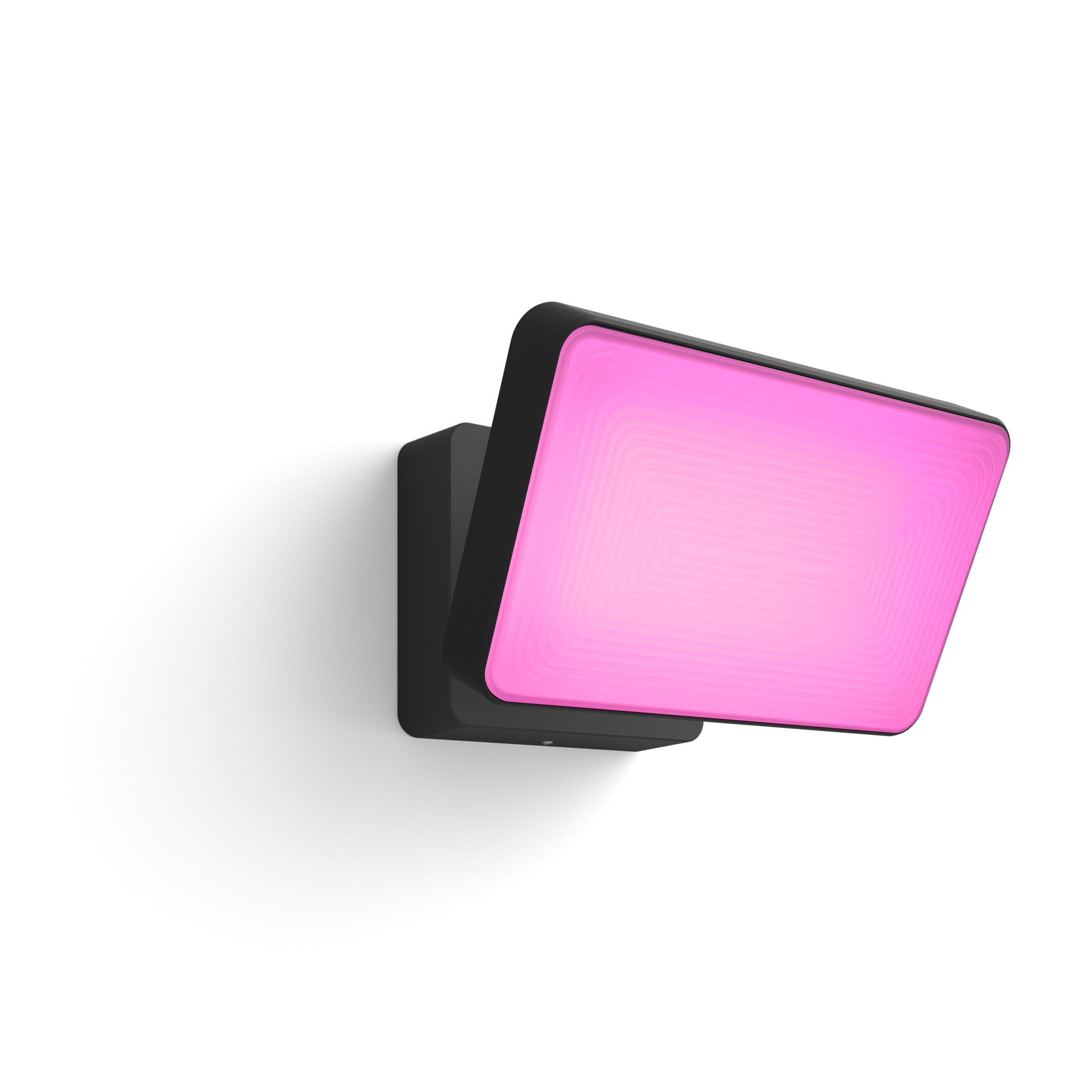
Philips Hue US
Brighten up your exterior with the Hue Discover Outdoor LED Floodlight for powerful white or coloured light you can control with your voice.
The warm white only one is on sale for $78 though https://www.philips-hue.com/en-us/p/hue-white-welcome-outdoor-floodlight/1743630V7
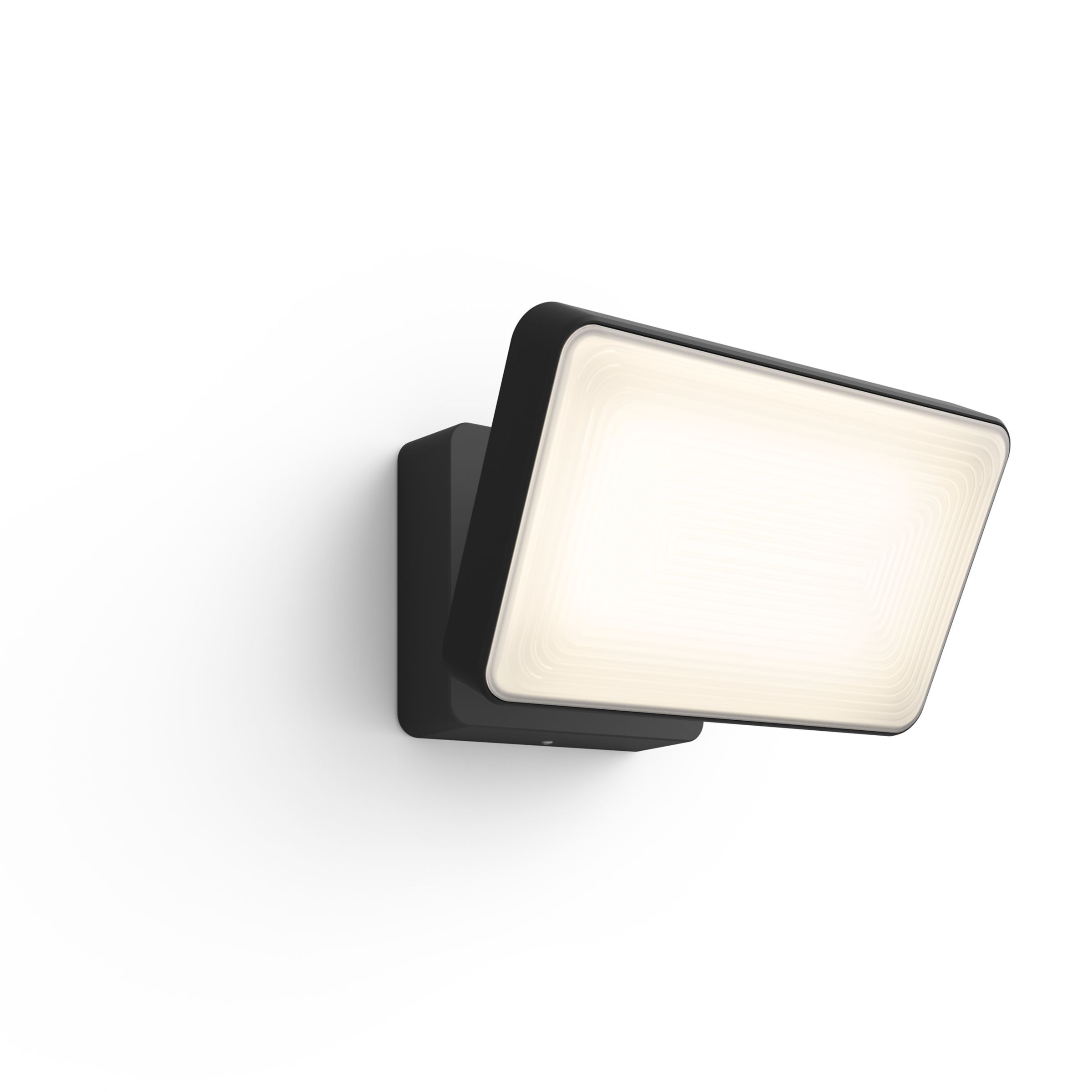
Philips Hue US
Welcome your guests with the Hue Welcome Outdoor LED Floodlight, providing bright white light you can adjust with your voice or the app.
If you don't care about RGB
jagged crypt
patent river
Hue have an unpleasantly expensive floodlight to sell you 😉 https://www.philips...
I managed to get 8 of those at homedepot on discount for ~$35/each
patent river
damn
 true raptor
An idea on what i could do with a shelly pro 4pm? Aka 4 relays on the same Phase, lights are out cause i want and have dimmers there.
Background, i can get the 4pm relatively cheap, and would like to have lan to my shellys and work from there with the internal ap or bt (will see then) to dont croud up my Main wifi ap.
But i think a pro 3em would be the smarter Option cause i want energy measuring of my whole sub distribution Box anyways...
glacial oracle
Personally I don't think the relay ones are that useful to control stuff. It depends a lot on your needs and wiring but just pulling power on devices seems a bit brutal to me for most cases I could think off ^^
The 3em is nice but generally intended for multi phase measures, you may or may not prefer buying multiple single ones
true raptor
glacial oracle
Personally I don't think the relay ones are that useful to control stuff. It dep...
Ill def use one 3em for my full distro Box, (german, so 3ph Power), but im thinking on what i could do with the relays, but yea makes sense you dont know my wiring .-.
The thing is just, it can do quite a lot of power but only across one Phase... And like you say - you cant really kill full circuits on demand.
Hence why i dont really know what to do.
Id use some pm mini gen3 (Power Monitoring only) for Monitoring ussage of full circuits, but yea. The 4pm is cool, but i dont know what to do with it...
glacial oracle
I could see this being useful for non smart outdoor lightings, some relay multi way switch, or something similar which is rather low load
But for that it's kinda expensive ^^
While they are rated for 10-16A, I wouldn't actually try switching that much
 pastel swallow
Trying to figure out how to connect a phillips heater to HA.
I've found (and installed) the HACS module. But something that's not clear to me is how to go from there. Should you first connect it to your phone (to get it on your network) or do you directly somehow connect to it?
winged knoll
What do the docs for that integration say?
 ebon cipher
I'm running haos the latest install under proxmox. I noticed something strange I wanted to ask about. when I look at the virtual machine overview in proxmox it says that 14G of 16G of memory are in use by the server. But when I look at the machine hardware stats through home assistant or glances, it says only 2G is in use. Is the OS grabbing all the memory and then managing parsing it out to homeassistant?
 worthy nimbus
I've seen it do things like that before -- I often check top on the server itself to compare
But It usually reports near full memory usage on the VM
So okay, I have to ask -- I'm using my Eero system as a border router, and I can add my Eve Energy switches no problem. But I can't add a TUO button at all using the companion app. Has anyone had any issues adding the TUOs?
pastel swallow
winged knoll
What do the docs for that integration say?
They don't really mention it I think. Unless I somehow missed it.
They just mention it in a very off-hand way
winged knoll

pastel swallow
Like "connect to the device by IP"
GitHub
💨 Philips AirPurifier custom component for Home Assistant. Supports local CoAP protocol. - kongo09/philips-airpurifier-coap
winged knoll
Sounds like you have to have the device connected to your network first
Enter the hostname / IP address of your device
TL/DR: Yes, you do
 shell leaf
I don't want to intrude, but would this be the right channel to get to the bottom of why my lamp is behaving like this, or should I move this to #zigbee-archived? I don't know what to do and haven't really been able to find anything here in the Discord or on the web.
 winged knoll
#zigbee-archived would be the place for #zigbee-archived devices
Do tell them more about it
pastel swallow
winged knoll
Sounds like you have to have the device connected to your network first
It is connected I think. I can see the MAC address in the Philips air app, and I can see that it's connected to my network
as well as its local IP
winged knoll
Great, so follow the steps in the docs you linked - and if you get stuck then #integrations-archived can help you
pastel swallow
winged knoll
Great, so follow the steps in the docs you linked - and if you get stuck then <#...
Well, that's immediately where I get stuck, haha
But I'll send a message to #integrations-archived
 regal gulch
Hi. I've installed home assistant os on an old laptop (bare metal). Is there a way to have the server keep running when the lid is closed? Also if the screen can be turned off?
fringe crater
regal gulch
Hi. I've installed home assistant os on an old laptop (bare metal). Is there a w...
Maybe better question for #installation-archived ? I did this with HAOS on Proxmox and I know that could turn off the screen and keep the lid closed, but I'm not sure about baremetal HAOS.
regal gulch
Okay, thanks! I'll ask there.
 loud oyster
Evening All, Looking into HA more and more i have set up my first automations and got things going but looking into issues with melcloud intergration it sounds better to not use the intergrated temp sensor (and it doesnt do humidty) i have a lot of seperated rooms so looking for a "cheap" device to check temp and humidty every 2-3mins in total i need 9 of them
glacial oracle
you could have a look at available zigbee temperature & humidity sensors, like the ones from aquara
loud oyster
Aquara came to mind but with the hub and the other components needed seems like it going to be costly
glacial oracle
you dont need their hub, you can alternatively use any* zigbee gateway with it
loud oyster
ahhh ok like the usb stick ones that work with HA
 sullen token
Getting an error for all custom cards on google nest hub. They show up fine in iPad and android phone. Error is “custom element doesn’t exist…”
outer knotBOT
@tawdry igloo I converted your message into a file since it's above 15 lines :+1:
 heady ingot
Anyone know of a good wall mount (preferably flush) for a raspberry pie 7” monitor?
Something like this https://gazouta.com/pi-wall-mount/

A flush mount solution to install your Raspberry Pi computer and touchscreen on any wall in your home. A professional solution for your IoT control.
 stable owl
how can i connect with sky connect support regarding the bad nov batch and either get a refund or a solution?
 brittle pelican
Hi there, not quite sure where to post this question. I'm fairly new to HA and I'm trying to get the Govee Air Quality Monitor to integrate into HA. I've read a post that Govee BLE stuff like the Air Quality Monitor only works with Theengs Gateway...so I'm looking to getting a bluetooth proxy for my HA Green.
From the looks of it, I'm going with getting some ATOM Lite ESP32 kits...was wondering what's the range on those ones? Like do they only cover a standard sized bedroom?
Oh oops, my bad. I didn't bother to scroll down the text chats! Apologies!
 eternal apex
Is it just me, or zigbee buttons are really overpriced in US? You can buy a zigbee outlet with power measurement for a price of a button....
 runic tinsel
loud oyster
Evening All, Looking into HA more and more i have set up my first automations an...
runic tinsel
loud oyster
Evening All, Looking into HA more and more i have set up my first automations an...
I use the Xiaomi Mijia ones. They are Bluetooth and only a few bucks. If your HA machine has BT then you can just pick them up. If not, they are supported out of the box by ESPHome.
 young socket
I have a super sketchy Chinese WiFi outlet that I haven't used as I'm scared to infect my phone with their APK, so I got the idea of trying to get it integrated into Home Assistant. How difficult would you say it would be to get a random WiFi device to work in HA?
I read about Tasmota but I have no clue what MCU it has inside of it and I don't have the device with me right now to check, but I'll open it up when I get back home in 3-4h
young socket
tuya?
glacial oracle
It's hit or miss to work at all if it's from their product line
winged knoll
how can i connect with sky connect
 boreal scaffold
I have a question, if I have a separate power supply for leds in the box behind switches, which sonoff smart switch should I buy? It should be one of those small ones which goes into the EU box. I don't need to see for how much amps it's rated?
 formal dagger
Question im looking for a zigbee or Zwave device that can DIM my lights, but can also be put behind a dimmer
formal dagger
young socket
I have a super sketchy Chinese WiFi outlet that I haven't used as I'm scared to ...
its still connected to your wifi so it can still do stuff
the APK is the least of your problems
young socket
formal dagger
its still connected to your wifi so it can still do stuff
I can block it to connect to any servers except HA
young socket
glacial oracle
It's hit or miss to work at all if it's from their product line
Ayyyy there's an ESP8266 inside
glacial oracle
That doesn't sound too bad of a start
 balmy crater
for everyone how runs haos under proxmox ve, here a short instruction to get audio work without PCIe passtrough:
install alsa-utils
edit /etc/asound.conf and make your desired sound card the default
change and run
I have this old thing I built a few years back
A non-touch laptop with all its internals on the back. Any ideas on what to do with it?
I was thinking of some sort of dashboard, but having no touchscreen means I wouldn't be able to interact with anything, just an overview screen would be useless with the small amount of smart tech outside my room
 winged knoll
Magic mirror?
 short trout
If you had to choose a television for HA, which one would you choose? (I'm looking for one with the best integration, preferably local.)
tired bridge
Android TV has great local connectivity via ADB
short trout
any android tv?
I have an LG at the moment but I'm very dissapointed with the limited cappabilities :/
tired bridge
short trout
any android tv?
Can't say a yes or no
But any decent one would work. I cheaped out and bought a Starlight one. It doesn't get updates past androids 10, and I cannot remotely start it 5+h after stoping, as it goes into a sleep that I can't disable
tired bridge
short trout
I have an LG at the moment but I'm very dissapointed with the limited cappabilit...
I have one too
Only added as a media player in HA. Saw people have full on remotes for them
tired bridge
short trout
I'm going mid-high end for this one as will be for my man cave
I'd honestly get a dumb tv(or use an old one) and get an nvidia sheild or chromecast
The experience is very smooth on those, and they run android(haven't tested with HA)
short trout
tired bridge
I have one too
Only added as a media player in HA. Saw people have full on remot...
I just use as notification center and (on/off) sensor for the lights but I have seen that with android tv you can trigger actions when you pause/stop/play
tired bridge
https://www.reddit.com/r/homeassistant/s/I1mBlsgh87
This is where I saw a remote for webos iirc

Reddit
Explore this post and more from the homeassistant community
short trout
tired bridge
I'd honestly get a dumb tv(or use an old one) and get an nvidia sheild or chrome...
Interesting, I want to get an apple TV just because I need a hub for my apartment
tired bridge
short trout
I just use as notification center and (on/off) sensor for the lights but I have ...
Oh yea
U get everything
I even connected it to alexa via HA
This is the remote i configured for it
 tired bridge
short trout
Interesting, I want to get an apple TV just because I need a hub for my apartmen...
tired bridge
short trout
Interesting, I want to get an apple TV just because I need a hub for my apartmen...
Hmm
I don't think you can control that by having it connected to an Android TV. Maybe through homekit protocol?
*i don't own any apple devices so dont take my word for it
short trout
My goal is to be able to dim the lights when playing and that kind of stuff that I can't do with the LG
tired bridge
I can do that with my LG. What year is yours from?
short trout
tired bridge
I can do that with my LG. What year is yours from?
2022 i think, I can dim the lights when the TV it's on or off but not when it's playing or paused
tired bridge
One sec
short trout
using the LG WebOS integration
tired bridge
Yea i thought i can see the 'currently playing' state, but i'm mistaken
That's on my android tv

Can only see the app it's in
Look up the Apple TV/homekit integration on yt and see if it's any good for your use case
short trout
tired bridge
Yea i thought i can see the 'currently playing' state, but i'm mistaken
That's ...
I have tried with these but for some reason It didn’t detect when the video is playing or paused (the changes I mean) but I’ll revisit this again some other day
short trout
tired bridge
Look up the Apple TV/homekit integration on yt and see if it's any good for your...
Sadly just on/off only and source switch if I’m not mistaken
cold moon
You can probably use the Plex integration with the Plex client on that lg smart tv and react to play state that way
But an nvidia shield tv is the way to go
Get a HomePod mini if you want an Apple hub for HomeKit
cold moon
Always has been 🔫
 covert steppe
Looking for a suggestion on a good, smart light switch to use with Hue bulbs.
Ideally they would have passthrough like the Inovelli Blue 2-1, but I'm ok with hardwiring the power to the fixtures, and direct pair the bulbs with a smart switch.
outer knotBOT
Looking for advice about a device to buy? Remember to provide guidance on:
- Which country you're in
- What your budget is
- What protocols you prefer (eg Zigbee, WiFi, Z-Wave)
- Any features you want (such as power monitoring, dimming, etc)
eternal apex
covert steppe
Looking for a suggestion on a good, smart light switch to use with Hue bulbs.
Id...
what's wrong with Inovelli Blue? 😉 In other words what boxes it doesn't check for you. For me it's the number #1 switch you can buy now for zigbee.
 fluid sigil
I guess you can use pretty much anything to host HA, but I have this old laptop without SSD, still works good in windows, but sometimes slow down with 100% disk usage. Would it be a bad idea with HA on it?
covert steppe
eternal apex
what's wrong with Inovelli Blue? 😉 In other words what boxes it doesn't check f...
It's good. I own a couple already. I've found the compatibility with dimmable lights a bit lower than other dimmers (Caseta) and personal preference, I wish they made a version without the led indicator bar.
covert steppe
fluid sigil
I guess you can use pretty much anything to host HA, but I have this old laptop ...
Worth a try. HA isn't resource demanding in my experience. Worst case, you get it all set up, and your laptop becomes an issue, you can backup your config and move it to a new device.
cold moon
i wouldnt run a toaster OS on an HDD much less HaOS
fluid sigil
Yea it's more the hassle then the money, would want to start setting it up this weekend 🙂
covert steppe
Go for it! iops for HaOS is low.
eternal apex
covert steppe
It's good. I own a couple already. I've found the compatibility with dimmable li...
As for dimmability you can often ask them if anything can be done. The compatbility is pretty universal if the bulb supports proper binding. Most do.... most... but this is sadly the ugly side of zigbee.
I personally used to use a lot of IKEA Tradfri bulbs, as they're pretty robust. However, recently I started switching to dumb philip ultra definition bulbs - they're cheap (like $3/pc?) and these have CRI of 95 iirc
steel lion
can anyone recommend a piece of equipment HA friendly that can monitor multiple reed switches (lets say 32 just for a good number) all coming into a central location? prefer wifi or zigbee
eternal apex
steel lion
can anyone recommend a piece of equipment HA friendly that can monitor multiple ...
you probably be best served with a DIY approach on ESP32 or multiple of them
you can add like CD74HC4067 to get 16 inputs per pin 😉
steel lion
whoa... 16 inoputs per pin? do i read that right as: 16 different reed sensors on a single GPIO?
do you happen to know... those 16 channels are individualized, correct? as in, the ESP (or whatever its hooked up to) will see it as 16 different sensors coming in, not just a single entity, right?
glacial oracle
That sounds a lot like a multiplexer
fringe crater
The ESP itself won't see 16 sensors input, but you can program the ESP to continually roll through each channel (maybe every ~10ms), and present it to HA as 16 unique binary sensors.
you'd probably want to be pretty comfortable with soldering/electrical DIY before attempting something like that though...
eternal apex
steel lion
do you happen to know... those 16 channels are individualized, correct? as in, t...
Yes, they're individualized. It's a port multiplexer. Technically these don't work 100% of the time as there's no buffering but if they're scanned quickly enough you get a nice multiplication. As @glacial oracle said it's a multiplexer: https://esphome.io/components/sensor/cd74hc4067.html
Alternatively if this isn't acceptable in your case, you can use individual pins on ESP32. IIRC the max sane limit for inputs will be 22 individual pins. Seeing as you can buy premade ESP32 breakout boards for like $3-4.... grabbing even 3 of them and having 20 channels on each will probably be the most cost effective solution 😄

ESPHome
Instructions for setting up cd74hc4067 Analog Multiplexer and sensors.
eternal apex
fringe crater
you'd probably want to be pretty comfortable with soldering/electrical DIY befor...
for such a usecase I would say the barrier of entry is pretty low - you're essentially connecting I/O pins and copy-pasting a simple binary sensor config 20x.That isn't much different from grabbing a premade GPIO "sensor" and screwing wires into terminals ;p
They also have these boards for cheap: https://www.aliexpress.us/item/3256805826515551.html
steel lion
fringe crater
you'd probably want to be pretty comfortable with soldering/electrical DIY befor...
soldering i got to make most jealous. i cant remeber the guys name, but, whjen i used to mod x boxes, i used to go to team xecuter for advice... and their main dev was a solder nazi. the mother of a puddlejumper used to just destroy me publicly for my solder work before hed get to the helping part...
steel lion
eternal apex
Yes, they're individualized. It's a port multiplexer. Technically these don't wo...
i already bought a bunch of stuff on slavazon.
got your multiplexer, a couple esp32s (though, im 99% sure ive got a bunch of vacpacks of them somewhere in my office... but even more importantly and ESP32 with POE (havent messed with one of those yet)...
oh, and a whole bunch of other things to tinker with! my wife is gone for the week, this is my vacation 🙂
steel lion
eternal apex
for such a usecase I would say the barrier of entry is pretty low - you're essen...
meh, ive seen people rip off quarter inch solder pads... people are dumb when it comes to soldering and more often than not cause themselves infinite missery from their improper approach, poor technical skills and a lack of attention to detail (go ahead... ask me how i know 🙂 )
 frosty spruce
I have a Google Coral TPU usb-stick, connected to my Intel Nuc via a powered Usb3-hub. The nuc runs proxmox, in a VM Homeassitant.
Proxmox recognizes the Google Coral TPU usb stick. The device is added as usb-device to the HA-VM. When i check lsusb inside Homeassitant advanced ssh, i see the Coral Usb device as:

In proxmox:

But when i check inside Homeassistant->system->hardware->all hardware I don’t see the Coral TPU usb-device.
Also tried several other usb-ports, powered usb-hub’s. Rebooted the Nuc, proxmox, Homeassitant many times. No good results..
glacial oracle
Is this an issue?
frosty spruce
Yes 😀