#zigbee-archived
1 messages · Page 186 of 1
 sour shadow
 olive remnant
can anyone point me in the right direction on how to debug this - Zigbee2MQTT -> homeassistant with Conbee2... Z2M works, I can add Zigbee devices with no issues, however they do not show up as devices in HA. "enable newly added entitites" is enabled. Dont see any errors in the logs, so im a bit stumped on how to debug it
 thorny crown
I've find that it seems like something with my server property
- mqtt must have required property 'server'
olive remnant
server is added, and MQTT explorer shows that topics are there
sour shadow
olive remnant
can anyone point me in the right direction on how to debug this - Zigbee2MQTT ->...
Did you enable Home Assistant support in Z2M?
olive remnant
homeassistant: true
sour shadow
thorny crown
I've find that it seems like something with my server property
Correct, you need to define an MQTT broker... all you've done is define the username and password
thorny crown
Ok so i've added the line server: mqtt://localhost:1883 and now i'm here
olive remnant
I had that issue, had to replace localhost with the actual IP
thorny crown
oh thanks, i'll try
@olive remnant should it be ipadress:port or http://ipadress : port ?
sour shadow
Replace localhost with the hosts's IP
thorny crown
Oh thanks @sour shadow i have something new ! now i can access the zigbee2mqtt pannel many thanks ! hope it work now
It feels a lot better in reactivity and reliability only while pairong devices, hope it will corect the problems i had with ZHA !
@sour shadow can you delete my code where my password is in ? sorry i've forgot to remove if
sour shadow
I can delete the post in the channel, I can't delete the paste itself
This is why sites like codepile are better 😄
You can edit your own messages FYI
thorny crown
yea sorry i'm a total noob and didnt know
yes but this is a message from the bot that i can't touch !
thanks for removing 🙂
sour shadow
Now you know to not paste walls into the channel too 😄
thorny crown
y, i've learned about pastebin !
 wintry oriole
If I get "[0x0000:zdo] No handler for ZDO request:ZDOCmd.Mgmt_Permit_Joining_rsp([<Status.SUCCESS: 0>])" does that mean that the zigbee stick found it, but it's not in the database eyt?
 austere patio
wintry oriole
If I get "[0x0000:zdo] No handler for ZDO request:ZDOCmd.Mgmt_Permit_Joining_rsp...
austere patio
wintry oriole
If I get "[0x0000:zdo] No handler for ZDO request:ZDOCmd.Mgmt_Permit_Joining_rsp...
It just means the coordinator has opened joins, nothing has tried to join its network
wintry oriole
austere patio
It just means the coordinator has opened joins, nothing has tried to join its ne...
This stupid knob doesn't work
austere patio
What stupid knob?
 fallen lagoon
Hey -- I'm new to HA, and I installed it on a Pi 3 along with a USB Zigbee Hub. Lots of success connecting to some Zigbee smart plugs and proprietary Lutron Caseta switches. Having a hard time getting a device working, though.
I purchased this guy: https://www.amazon.com/dp/B07ZQC29J9
Which claims to work with a "Zigbee Hub Bridge", but the instructions that come with it are specific to the Phillips Hue hub setup. I tried to add a zigbee device, and plug the thing in, and HA doesn't find it.
The Pi running HA is less than 2 feet from the device.
Not sure what to do.
 fair mountain
Which one?
 molten linden
tried to find the one I have in use but I got it in 2020, and the link in my ali orders doesn't work any more. I bought the moes one recently to put in for another hose outlet (under my kitchen sink) but haven't opened the box yet.
wintry oriole
austere patio
What stupid knob?
molten linden
I think a preliminary quirk for that tuya knob is in the latest quirks release which is in the beta and will be released tomorrow. I have one and haven't tested it yet
wintry oriole
molten linden
I think a preliminary quirk for that tuya knob is in the latest quirks release w...
We'll see. I spent like two weeks installing Z2MQTT to realize it wasn't compatible with my stick and then bought a new stick and then apparently the knob is compatible with zha but apparently not
Now I'm looking at using an ESP8266. I just want a knob
molten linden
as with all things tuya if the manufacturer id doesn't match the quirk since it may need to be added to work. tuya is a pain in the ass, just look at some of the PRs and all the testing to try and cast "magic spells" to the devices to get them to work.
fair mountain
molten linden
tried to find the one I have in use but I got it in 2020, and the link in my ali...
Ah, I wonder if Mose switched from ESP on those?
wintry oriole
molten linden
as with all things tuya if the manufacturer id doesn't match the quirk since it ...
It's pretty enticing to see how cheap allthe zigbee stuff is from china. Not too long ago I was paying $60 for a single zwave switch.
molten linden
in general I think tuya just swaps the esp for zigbee radio and uses the same mcu for device control
the original valve I got works with no quirk though, I'll have to pair the new one to see if they f'd that up.
thorny crown
I have an another question, now i have linked my dimmer switch, i see that there no way to select action of the dimmer switch on home assistant like ZHA, one the exposes, there is an action section that i see are triggered by the switch but i dont know how to use the actions ?
it's this switch
 jolly python
You can use a blueprint
thorny crown
Oh, it seems like when i trig the actions on the dimmer, the actions that i've triggered are available on the automation
i definitely miss something here
jolly python
thorny crown
Oh, it seems like when i trig the actions on the dimmer, the actions that i've t...
Seems to be normal, need to press all buttons one time long and short
But there are blueprints for this switch that are very helpful
thorny crown
@jolly python thanks for your reply ! about the blueprint i have tried but i'm new so i dont understand about the "dimmer mqtt topic" or sometimes they ask for a variable entry that i can't remember i search it now
Ah yes helpers !
i've tried it with ZHA maybe that don't work with zha ?
thorny crown
ah yes i had this one but can't make it to work
because of this i think : (Required) Helper - Last Controller Event
jolly python
Yes you need to create a helper (text)
jolly python
Yes
thorny crown
Oh it workd !! many thanks @jolly python , it wasnt working with zha but now with mqtt i had more luck
one weeks ago i was doing my automations without trigger and only with automations, it's a lot better with that and triggers
 marsh fossil
Hi, wanted to ask why installing zigbee device and then moving HA instance and devices to another house is a bad idea.?
austere patio
marsh fossil
Hi, wanted to ask why installing zigbee device and then moving HA instance and d...
It's not a bad idea, I just wouldn't do it intentionally
Child devices usually stick to one parent router. If that router moves but the connection is just strong enough for the device to sometimes communicate, you'll experience issues
marsh fossil
austere patio
Child devices usually stick to one parent router. If that router moves but the c...
so if using zigbee the pi should still find the devices using zigbee dongle as all moving as one package if that makes sense ?
sour shadow
Maybe, if the layout of the two houses are the same
 crimson dust
Hey I tried out an Aqara smart plug via my Conbee 2. on/off works without problem. But all other sensors stays "unavalible" and the energy metering says "Unknown" .. any tips to get this working?
 final pivot
Hello got this device on ZHA it works as aspected but it ''Randomly'' switches off, no idea why and making the device useless - https://www.aliexpress.com/item/1005002161733313.html?spm=a2g0o.order_list.0.0.21ef1802fxJyjg - Repaired and tried via deconz, didn't have full PM via that, tried Z2M but gave up setting up
Shame as I sent back my £35 ST plug because this was same thing for £9
crimson dust
Ah, seems ZHA doesnt support energy trough the smart plugs. So I guess Zigbee2MQTT is the way to go then
austere patio
crimson dust
Ah, seems ZHA doesnt support energy trough the smart plugs. So I guess Zigbee2MQ...
It does but the Aqara device likely requires a quirk to work properly
 mellow geode
crimson dust
Ah, seems ZHA doesnt support energy trough the smart plugs. So I guess Zigbee2MQ...
mellow geode
crimson dust
Ah, seems ZHA doesnt support energy trough the smart plugs. So I guess Zigbee2MQ...
 timber frigate
hey anyone here able to give some input on getting a sage doorbell sensor working with ZHA?
 hot tendon
wintry oriole
https://www.aliexpress.com/item/1005003467871812.html
hot tendon
wintry oriole
https://www.aliexpress.com/item/1005003467871812.html
Yes it does, https://zigbee.blakadder.com/Eardatek_ERS-10TZBVK-AA.html and I can confirm personally it works on z2m (I don't use ZHA)
timber frigate
hot tendon
https://zigbee.blakadder.com/Echostar_SAGE206612.html
that is good just wish I could get the sensors to register
 sinful fjord
Is there some way to use the smartthings multipurpose sensor's accelerometer as a three way axis? It seems possible, but I'm not experienced enough to figure it out. Right now it's labeled as only a binary sensor
 nova pewter
Hi there this is on the all 3 of my Ikea (5 button) E1810 remotes and both of my E1743 Ikea 2 button switches
hot tendon
timber frigate
that is good just wish I could get the sensors to register
Try a new battery, I recall now there was something on github about needing a new battery to pair. I assume they are a bit flat when they come out of the box.
hot tendon
nova pewter
Hi there this is on the all 3 of my Ikea (5 button) E1810 remotes and both of my...
Where are you expecting to see Action. In the Z2M gui? Or in the HA gui?
 lusty yew
https://www.amazon.com/gp/product/B08MJL8G3C
Just put one of these in a ceiling fan to control it, works well.
Going to set it to be controlled by a temperature sensor in my room so I don't wake up at 4 AM freezing.
Left the bulbs on it hooked directly up to mains so I can still control them too
 tall pike
marsh fossil
so if using zigbee the pi should still find the devices using zigbee dongle as ...
tall pike
marsh fossil
so if using zigbee the pi should still find the devices using zigbee dongle as ...
I just did this: had a ZigBee setup in one house and transplanted it all into a new house with the same layout. >90% of the ZigBee network came back online in the new house with no problem. It was an exercise in preplanning though!
crimson dust
austere patio
It does but the Aqara device likely requires a quirk to work properly
Whats a quirk? Why isnt it just plug and play? Is it better to just go with the Aqara hub? I guess then I wont need anything else?
jolly python
Aqara often does not comply with their products 100% to the zigbee protocol
In z2m it should work though
sour shadow
jolly python
Aqara often does not comply with their products 100% to the zigbee protocol
s/aqara/most brands/
 plain latch
morning folks
plain latch
Ah, nice
I thought my z2m integration had died in the 1.24 -> 1.25 update, but it just took a couple of extra minutes to come up
olive remnant
my z2m refuses to show my devices in HA, at this point im starting to wonder if I need to do a complete reinstall of HA
timber frigate
hot tendon
Try a new battery, I recall now there was something on github about needing a ne...
thanks i'll give that a shot
hot tendon
@nme a re-install won't fix a setup error.
olive remnant
hot tendon
@nme a re-install won't fix a setup error.
nah I get that, but im obviously missing something and im kinda stuck since nothing in the logs give me anything to go on
hot tendon
So is discovery enabled in both ha's mqtt setup and in z2m?
olive remnant
as far as I can tell, yes
I can see that z2m is connected to the MQTT broker and the topic (hue bulbs) is being broadcast
but HA isnt discovering the devices
hot tendon
In z2m's configuration.yaml do you have homeassistant: true?
olive remnant
homeassistant: true - yes
hot tendon
are there config topics in mqtt under the homeassistant/ topic?
olive remnant
no, the homeassistant topic only consists of status = online
hot tendon
And topics under the homeassistant folder?
olive remnant
none
hot tendon
Ok. When you look at ha, then configuratio, devices & services, mqtt can you check if discovery is enabled?
hot tendon
All very weird. I asume you see your devices in the z2m gui?
sour shadow
olive remnant
none
Then HA's Discovery messages aren't being published by Z2M
olive remnant
sour shadow
Then HA's Discovery messages aren't being published by Z2M
thanks, got it sorted now
crimson dust
austere patio
It does but the Aqara device likely requires a quirk to work properly
On this page: https://github.com/home-assistant/core/issues/67644?fbclid=IwAR0-rpDUwKleWeuIqvUFq20g88itkHaYHGZVKPXTnU8NEnVCF6n_mKdy8t0
There was some kind of solution downgrading the "quirk". Was that the soltion you had in mind?
timber frigate
hot tendon
Try a new battery, I recall now there was something on github about needing a ne...
Same results on new battery
crimson dust
I did the trick to my Aqara smart plug with the Downgrade of the quirk so now I can see the effect in W. But the "summation delivered" is still at 0 and the "identify" is "unknown". Is this how it should be? Or is this as good as I can get it? 😛
austere patio
crimson dust
I did the trick to my Aqara smart plug with the Downgrade of the quirk so now I ...
Can you upload the device signature?
crimson dust
austere patio
Can you upload the device signature?
Sure, here : https://www.codepile.net/pile/JBD1oy84
wait, now it says "0.002 kWh" 😛
austere patio
Is this before or after you downgraded packages?
crimson dust
after! Before I did anything all was unkown
only thing that worked before was on/off hehe
austere patio
"class": "zigpy.device.Device" says that no quirk is applied at all
Was this different before?
crimson dust
Sorry, I didnt notice this before :S
But I did according to Digipix guide in this forumpost: https://github.com/home-assistant/core/issues/67644?fbclid=IwAR0-rpDUwKleWeuIqvUFq20g88itkHaYHGZVKPXTnU8NEnVCF6n_mKdy8t0
checked the logs and it said installing python package
restarted my HA... added the plugg again.. did a reconfigure.. done
Should I try and redo it?
is "class": "zigpy.device.Device" wrong?
austere patio
It's not a matter of having the correct quirk applied, the device just doesn't have a fully functional quirk to begin with
crimson dust
well I did the thing again and it still "device.Device"
and Watt and Kwh seems to work now anyway so I guess it did something?
austere patio
It just removed the quirk. It would be interesting to see what happens if you completely remove the custom deps addon, delete /config/deps/, and restart HA so that it loads the quirk but for a device that has been "configured" too
crimson dust
But shouldnt the addon be downgrading the quirk?
Ok should I remove the plug to ZHA as well?
hm but the Custom deps addon seems to be off, dont it need to be running?
austere patio
The addon downgrades the quirks package to a version that just doesn't have a quirk written for that device
crimson dust
Ah ok!
austere patio
I think the quirk possibly works, the device may need to be configured and the quirk has SKIP_CONFIGURATION: True,
So setting it up before the quirk loads may get it functional, then letting the quirk get applied may get the rest working
crimson dust
Hm this a bit over what I understand lol but I did as you said
austere patio
To try that out, remove that custom addon and delete /config/deps/. Don't remove the device and the quirk should get applied again.
austere patio
The quirks repo has a good description: https://github.com/zigpy/zha-device-handlers/#zha-device-handlers-for-home-assistant=
crimson dust
Will check!
Cool, now it says:
"class": "zhaquirks.xiaomi.aqara.plug_mmeu01.Plug"
And now the identify show up as well in the entities of the plugg
and the rest as well , coool!
so you seems to have fixed it 😛 thx!
austere patio
Thanks, this should help fix it for others
crimson dust
Cool 🙂
Oh one last thing, I had a magnetic contact connected via the Smart Plug before I did all this removing.. and it looks a bit lonely now in the visualization with no connections. Do I need to remove it and re-bind it again or is there any other trick to again get it to connect trough the Smart Plug?
austere patio
I wouldn't worry about the visualization, it's an approximation of the network state
crimson dust
So it should still be working? Its out in the garage 😛
austere patio
You should be able to check via its "last seen" attribute, or if ZHA considers it "offline"
But if it's disconnected in the visualization, that doesn't mean it doesn't work
crimson dust
Aha! I though those lines where if they were connected and how strong the connection was? But yeha it actually seems to be working 🙂
hm, doesnt say offline, but doesnt react if I open the door
crimson dust
Did a reconfig and now it seems working again :)
 junior viper
Hi! Hue Motion Sensor and Z2MQTT, how do I setup so the sensor clears directly? For example: if I’m passing the sensor, it turns on the lights. If I manually turn them off (not in range of the motion sensor) and pass the sensor again arter 5-10 sec, the lights won’t turn on. My occupancy_timeout is set to 0
crimson dust
austere patio
You should be able to check via its "last seen" attribute, or if ZHA considers i...
btw, if I update HA Core, could then it change the quirk?
jolly python
junior viper
Hi! Hue Motion Sensor and Z2MQTT, how do I setup so the sensor clears directly? ...
The sensor only refreshes its value all 10 seconds circa as far as i know
junior viper
jolly python
The sensor only refreshes its value all 10 seconds circa as far as i know
Should be fair enough for me. Still won’t work. Used one Z-Wave sensor before, which works better. Just wanted to test the hue as it fits better inside and the Z-Wave one is a bit overkill 😅 the Hue sensor sits above my bedroom door, just outside one toilet door. If I pass the sensor, the light turns on for 5 mins (as intended). If I leave the bathroom after 5 minutes and 10 seconds, the sensor won’t turn lights on.
jolly python
The bathroom?
junior viper
Just as an example:)
jolly python
It should work like this: you run through the field of the motion sensor, the sensor turns on the light, then you leave the field, after circa 10secs the motion sensor changes its state to ‚no motion‘. If you now enter the field again it should instantly change its state to ,motion‘ again
junior viper
Hmm.. so, if I manually test it, it should work? Pass the sensor, lights goes on. In HA, turn lights off immediately after they’ve turned on. Then pass the sensor again - still no luck here
It’s like the sensor delays at the ’clear’ phase
jolly python
No, that does not interupt your automation, if you turn of the light manually
Look into the state of the motion sensor under development tools
junior viper
Ok, that’s different than my Z-Wave sensor. The exact same automation, but different device
@jolly python - check here: https://pastebin.com/G45cbMaT
jolly python
junior viper
Ok, that’s different than my Z-Wave sensor. The exact same automation, but diffe...
Have you looked on the state if its changing as intended, cause if its doing that, the problem is somewhere else
junior viper
Changes to true as soon as I pass it
That way it seems right. Could be the 5 min delay in my automation that mess things up?
Removed the delay off action, still delays 😦
jolly python
Dunno, could be, you probably should change the automation to restart
And look into debugging the automation
jolly python
Yeah does not look like it’s the problem, i have 6 of them all working wirhout a problem
jolly python
Especially if the change of the state is working properly
I‘ve made a blueprint for myself, this one is very similar i think: https://community.home-assistant.io/t/simple-motion-activation-blueprint-with-illuminance-taken-into-account/308735
 junior reef
Hi! I'm trying to solve the following problem: adapt my regular light switch to work with smart bulb. I got a sonof minizb switch. I was able to add it to home assistant via ZHA directly as a zigbee device via CC2531 USB dongle, no sonof hub involved. However I can't figure out how to configure it so it does not ever cut the power off. I'm able to create an automation that turns it on in case of toggle event however that leads to the light bulb blinking because the switch first turns the power off and the HA turns it back on. What's the right was to solve it? It was suggested that I may need to decouple it but I'm not sure how one does that.
timber frigate
I have a question and I hope someone here can awnser it I was looking at the quirk for the sage doorbell sensor and it has the buttons listed in it and according to HA it is uisng that quirk so I am wondering if there is away to see the raw data the zibeeadapter is seeing cause i am confused how the events can't be there if the config files has then in it
hot tendon
knob
hot tendon
timber frigate
I have a question and I hope someone here can awnser it I was looking at the qui...
So there are no events generated when you press the doorbell?
sage doorbell
timber frigate
hot tendon
So there are no events generated when you press the doorbell?
none at all
hot tendon
when you go to devices and bring up the device, you have a series of panels Device Info, Sensors etc and there is one called Automations. Click the little plus button, what do you see?
timber frigate
hot tendon
when you go to devices and bring up the device, you have a series of panels Devi...
only about the identify is there a way i can post screenshots?
timber frigate
hot tendon
when you go to devices and bring up the device, you have a series of panels Devi...
I hope it is ok i pmed you screenshots
hot tendon
That is fine, you have 2 event based automations available, as shown in your screenshots. One for "First button" button pressed and same for second button. How many were you expecting to see? It appears to be exactly what I'd expect. To test, choose one of those and automate, say, a persiatent notification from it. Then press the button and you should see a notification
Actually it is probably more correct to call them device based rather than event based.
hot tendon
hello @timber frigate ?
timber frigate
hot tendon
That is fine, you have 2 event based automations available, as shown in your scr...
Tbh i feel stupid cause i have looked at that screen multiple times and until you pointed it out i didn't notice the buttons there
hot tendon
Someone had to point it out to me too. The other way to get there is make an automation via the editor. Set the trigger as device, choose the device and the editor should populate the possible events for you.
timber frigate
hot tendon
Someone had to point it out to me too. The other way to get there is make an aut...
I was honestly expecting a sensor there that said open or closed lol
hot tendon
Pretty well all button devices in zigbee work this way, and zwave too I think, now did you get your smart knob paired? I suggested a new battery but we may have mixed up the two devices, ie the knob and the sage doorbell.
timber frigate
hot tendon
Pretty well all button devices in zigbee work this way, and zwave too I **think*...
The knob wasn't me
hot tendon
Ooops I think it is me who was confused, the knob was @wintry oriole .
timber frigate
hot tendon
Pretty well all button devices in zigbee work this way, and zwave too I **think*...
Thanks that worked perfectly thank you
hot tendon
Good to hear. Cheers.
tall pike
junior reef
Hi! I'm trying to solve the following problem: adapt my regular light switch to ...
Maybe not all smart relays are able to be decoupled. Check out the docs for your relay. But in this case, why do you want a smart switch controlling a smart bulb? I would suggest the easiest way is to control the switch and treat the bulb as if it were "dumb"!
 jovial aspen
the wind must be blowing in the wrong direction here for pairing new zigbee devices
hot tendon
tall pike
Maybe not all smart relays are able to be decoupled. Check out the docs for your...
The bulb may have features that a simple switch can't handle, like colour
tall pike
Yes, sure...so you could use the switch to toggle the on/off state of the bulb, but the bulb's native controls to change brightness, colour, temperature.
Best if you can decouple the switch so that mains power to the bulb is always on. But barring that, I think you would need a workaround like this.
lusty yew
Found out how to tell when a Lutron Aurora dimmer is pressed vs the dial turned. Turning the dial won't take the brightness below 2 so the button was pressed when either the old_state or new_state brightness is 0 and the action is 'brightness'.
hot tendon
I disagree with Bart.
thorny crown
Hi ! i have a weird behavior with a group of zigbee light that sometimes don't turn off, i use a group in zigbee2mqtt, i'm at 255lqi and if i use them manually i don't see any problem, they are linked to only one simple automation with a motion sensor and the others light in this automation are turned off normally but sometime not theses ones
Even in the history they are annouced off
junior reef
tall pike
Maybe not all smart relays are able to be decoupled. Check out the docs for your...
I already have a bunch of Philips Hue bulbs and want to avoid having the power being cut off when regular switch is used. I know that not everything can be controlled but it's still an improvement. I was also hoping that I could find a way to create events like "switch was toggled 2 or 3 times in a row" but that's for later. Given that the product claims to be compatible with Philips Hue I would expect that it is smart enough to be configured to keep the power on all the time. https://sonoff.tech/product/diy-smart-switch/zbmini/ Having done a bit of research it looks like I need to tinker manage clusters section but it's not clear what exactly needs to be done.
 edgy crescent
Anyone had broken Zigbee buttons since 2022.4 update? None of my button automations are triggering despite seeing the defined data when listening to that event.
edgy crescent
Nevermind - ZHA is partially broken since 2022.4 https://github.com/home-assistant/core/issues/69375
 bold bane
Hrm. I'm also having this issue, though I have this one rather than the 5 way. Same problem. On/off buttons work, but left/right don't.
https://www.ikea.com/gb/en/p/styrbar-remote-control-white-60488366/
 midnight widget
Has anyone used zigbee in-wall switch modules without wiring the consumer (light) leads? For example in a wall light switch: short the light so it's always on and leave the module powered but not wired to physically control the light.
Use case: Smart lights (zigbee routers). Switch would be used as a trigger in HA.
Is this even possible?
junior reef
I believe it is and that's the problem that I'm trying to solve to keep my smart light bulbs always powered on. One needs to re-configure the switch, decouple the switch function and then re-program it to do something else like send a signal somewhere. However I have not figured out how exactly to do it with my sonof zigbee switch
midnight widget
I was looking at sonoff myself
No neutral example: https://i.ibb.co/bgYQZdJ/IMG20220407120017.jpg
What do you think of this low tech solution @junior reef ? I'm not an electrician, mind you
junior reef
That's also a bit beyond my knowledge since I'm also just getting started. The switch that I have expects neutral wire, the wiring instruction can be seen on the product page: https://sonoff.tech/product/diy-smart-switch/zbmini/ So I'm unsure if it's possible to make it work without neutral. I heard that there are other switches that work without neutral but have not looked into it.
midnight widget
If the switch has a neutral connector, then it's almost guaranteed it needs the neutral connector. There is usually a separate model without the neutral, like the one i drew
 true vector
Hello anyone. I'm testing out a Zigbee Sengled smart plug with energy monitoring... the ZHA intigration picked up the plug fine... but isn't picking up any energy monitoring. Anyone have any suggestions?
junior reef
midnight widget
If the switch has a neutral connector, then it's almost guaranteed it needs the ...
Yes, I have actually stumbled upon it: https://zigbee.blakadder.com/Sonoff_ZBMINI-L.html
 jovial plume
Is anyone using the Lutron Aurora Light Dimmer that locks the light switch toggle? I can't seem to unlink any of the devices I've paired it with following the manufacturers instructions. Is there a way I can do it within HA?
 weak needle
Has anybody tried 2 zigbee2mqtt server to 1 MQTT server?
 near echo
you facing any issues? make sure you provide separate base topic names in each of your Z2m servies
crimson dust
Can I add the Aqara controller to my Zigbee Network just to use its features like voice, light, speaker etc? Or do it require you to use it as a hubb ?
 trail mantle
Hey, any recommendations for a Zigbee device to control a motor door unit?
 fossil crystal
Is there a replacement for the zigbee_network_map for newer HA?
sour shadow
Are you using ZHA?
fossil crystal
Ahh ya that's true. I suppose I can add embeed that UI into my HA iframe then?
sour shadow
No idea, it's not something I bother with since it has a heavy impact on the mesh
fossil crystal
Thanks. I got it integrated now via the panel. My mesh is pretty small (<20 devices)
sour shadow
Once I passed 30 devices the impact started to be quite obvious, past 50 devices and it's no longer a quick thing, and you can see the impact
I've got nearly 70 devices in the mesh now... I hate to think what'd happen if I graphed that
fossil crystal
Ok, but the map is ad-hoc and not running in the background so only impacting when I tell it to generate / refresh right?
sour shadow
Yes
fossil crystal
Thanks again. You're always so helpful.
I think I pop in here like once a year and ask a question and sure enough, you answer lol
 fossil crystal
haha how apropos.
 bold orchid
I have the Lidl Silvercrest Zigbee bridge. Does anyone know if this works to integrate with HA?
Or do I NEED to use one of the Zigbee Bridges mentioned on the HA website?
bold orchid
Thank you!
 fallow socket
Hi all I have a Tradfri open/close remote for the fyrtur blonds that I had reconfigured in HA to turn on and off my entry lights. I guess after an update the device signature might have changed and now I can't seem to get it to register with the lights. Has anyone done something similar or can advise on how I can get it to work? I ran ZHA event and listened and the remote shows up but I can't seem to get the automation to work
 verbal grove
hello. When I setup the deCONZ integration (Addon is running), what IP do I enter in the setup? the docker IP that is in the top right corner of phoscon? I also tried core-deconz, but I keep getting an "couldn't get API key" error
ohh it's the port I needed to change to 40850
 ocean karma
fallow socket
Hi all I have a Tradfri open/close remote for the fyrtur blonds that I had recon...
ocean karma
fallow socket
Hi all I have a Tradfri open/close remote for the fyrtur blonds that I had recon...
I'm in the same boat. All of my TRADFRI devices mostly can't trigger automations now, after updating to 2022.4.0. We're not alone—see @edgy crescent and @bold bane above, and this page: https://github.com/home-assistant/core/issues/69375#issuecomment-1092103981
I don't know what they're talking about but it seems like they're making progress. Hopefully they'll get the fix worked into the core ASAP—I imagine this was a pretty serious breaking change for lots of people. Our buttons don't work any more!!
austere patio
Should be fixed in HA dev once that pull request is merged (and one more is made)
ocean karma
austere patio
Should be fixed in HA `dev` once that pull request is merged (and one more is ma...
Woohoo, thanks!!
austere patio
And it has just been merged 😄
fallow socket
austere patio
And it has just been merged 😄
So what should I do to get the remote to work?
ocean karma
Presumably, join the dev channel per these instructions: https://www.home-assistant.io/common-tasks/os/
Unless there's still one PR left to seal the deal, @austere patio?
austere patio
Still one left for many IKEA remotes
ocean karma
We will wait patiently 🙂
fallow socket
Yep Ill just wait thanks. I was very close to throwing all the remotes away thinking it was hardware.
Luckily I thought to ping and listen in developer
ocean karma
Unrelated to our current software woes—I actually did just throw away a TRADFRI remote, mistakenly thinking it was broken hardware. My remote was pairing fine but then when I put the battery door back on, it would stop working. Turns out there's a known issue where when the battery door pops closed, the battery pops out. I threw it away but probably could have just stuffed something in there to hold the battery still. 😩
fallow socket
I've been trying to change the dashboard but fell down a rabbit hole and I thought I messed something up that screwed my tradfri remote automation so I deleted a bunch of stuff to retry
Should have looked here first lol
 split spade
I'm contemplating whether to fully replace my Tradfri Gateway with my Pi with HA on it, or keep both and use the Tradfri-Integration.
So far I'm using the later, and it works just fine. But it seems like a waste of energy to have two devices running. Is there any advantage to keeping the Gateway?
Only thing I could think of is Firmware Updates, but I'm finding some reports on Google that that's apparently also possible via HA? Couldn't find anything that looked recent and maintained on that though.
fallow socket
Not sure about firmware but I've never had an issue with running it directly through HA. I just have blinds though
austere patio
split spade
I'm contemplating whether to fully replace my Tradfri Gateway with my Pi with HA...
Updating IKEA Zigbee firmware is possible with ZHA and Z2M (and deCONZ)
split spade
Blinds is actually the reason I'm migrating away from just the Gateway :D
it hates half of my blind switches, only allowing me to raise them, but not lower.
fallow socket
Another question. I'm trying to perform OTA updates via ZHA for the blinds. when I hit manage cluster, OTA, image notify and then hit "issue zigbee command" I get an error that the value "payload_type" is required. Any idea what to do?
tall pike
Haha I got the Tradfri hub with the first batch of Tradfri stuff I bought, but decommissioned it after switching to HA one month later! Never looked back since. I don't think there is a benefit to keeping the Tradfri hub running. If all your Tradfri stuff is through the Tradfri hub, they actually constitute a separate ZigBee network with the hub as coordinator. And that hub is not a particularly good ZigBee coordinator. But if you merge all your ZigBee devices into one network by foregoing the Tradfri hub, the whole is stronger.
 fallow sphinx
austere patio
And it has just been merged 😄
fallow sphinx
austere patio
And it has just been merged 😄
is there a way to get this on a docker install? i cant find how to install dev builds. if not how long is it likely to take to get into stable?
 solemn token
odd, not allowed to upload pics. anyway, I got some "Smart Lighting Base", basically a light bulb base and socket so you can control (on/off) a regular light bulb over zigbee. AICase E0755
It identifies in zigbee2mqtt as an eWeLink ZB-SW01
It works .... kinda. Its a bit sparodic on the on/off, and pretty much never turns off when I do a big batch turn off. It reports wrong (or perhaps fails to report) a fair bit of the time. Its sort of a unique device I'd like to use ... any settings I might use to help sort it out?
ocean karma
split spade
I'm contemplating whether to fully replace my Tradfri Gateway with my Pi with HA...
I ran the Gateway alongside the Pi for a few months, but then I tried getting rid of it just to simplify, pairing all my bulbs and switches directly with HA. It was basically seamless, and made it easier to automate with buttons, etc. No regrets!
fallow socket
I can't seem to do any OTA updates though. Tried to OTA update my Fyrtur blinds and my repeater and can't seem to get it to work
 livid torrent
I can see and use all exposes for my devices in Zigbee2mqtt - But the entities in HA does not work
hot tendon
livid torrent
I can see and use all exposes for my devices in Zigbee2mqtt - But the entities i...
There is probably something wrong between z2M and HA. The link is mqtt, and it has to have discovery enabled in Z2M and HA. Also you need to have the MQTT username and passwrd in Z2M
 plush smelt
Opinion: Would you run HA on wifi to be able to place your zigbee dongle in the middle of your house? Or create a better mesh?
sour shadow
That sounds like a terrible idea
Now, buying an ethernet connected coordinator, so you can place that centrally, that's a good idea
plush smelt
True, but what if you have no ethernet available centrally?
sour shadow
WiFi + Zigbee is a terrible combination
 uneven ruin
plush smelt
Opinion: Would you run HA on wifi to be able to place your zigbee dongle in the ...
uneven ruin
plush smelt
Opinion: Would you run HA on wifi to be able to place your zigbee dongle in the ...
Mesh - I just bought a router from tube to ensure I get over the weak area of the mesh
livid torrent
I can't find the IP for my mqtt broker - Anyone know how to find this
sour shadow
Where did you install it?
plush smelt
uneven ruin
Mesh - I just bought a router from tube to ensure I get over the weak area of th...
As router or as repeater? ZHA, Z2M or deconz?
uneven ruin
a router/repeater z2m but it just joins the mesh like any other device
so the software shouldn't matter
livid torrent
sour shadow
Where did you install it?
just though HA - Made a stupid mistake again - Im good at having no patience sometimes - Sorry figured I used the wrong IP
sour shadow
If you're using the add-on it's core-mosquitto or the IP of the HA host
 grim ravine
So just received my Sonoff Zigbee 3.0
I've noticed there are different firwares out there
What's the general consencis?
sour shadow
Go for the most recent firmware
grim ravine
sour shadow
Go for the most recent firmware
Thanks Tinkerer, but I mean which repo. From what I can see there's at least jelmerT and also Loenkk?
sour shadow
https://github.com/Koenkk/Z-Stack-firmware/tree/master/coordinator is the only one I know of, never heard of jelmerT
 gleaming basin
i have up dated my home assistant and now my Ikea tradfri on/off switches have lost there long press function as anyone else have this problem
 shrewd crypt
are there any zigbee smart USB plugs eg for phone chargers out in the world for purchase? I have a charger connected to a smart plug and the whole thing sticks way too far out from the wall.
ocean karma
gleaming basin
i have up dated my home assistant and now my Ikea tradfri on/off switches have l...
Try updating to 2022.4.1.
molten linden
shrewd crypt
are there any zigbee smart USB plugs eg for phone chargers out in the world for ...
I"m not aware of any, standalone but have a power strip that also has usb outlets which I can toggle over zigbee..
shrewd crypt
got a link?
 graceful vapor
hmm, my Ikea GUNNAR LED is still not reacting to switch toggles after 2022.4.1
it shows the switch state change in ZHA interface but the lamp won't turn on
I don't think it's good practice that the beta and stable tags are pointing to the same release in the beginning of the month
ocean karma
Looks like work is continuing with the IKEA Zigbee devices: https://github.com/home-assistant/core/issues/69375#issuecomment-1092902844
2022.4.1 fixed some of my buttons, but not all
graceful vapor
phew, the zigbee.db backup I had from couple days ago fixed my devices
just reverting to 2022.3.8 was not enough
 tropic depot
ocean karma
Looks like work is continuing with the IKEA Zigbee devices: https://github.com/h...
tropic depot
ocean karma
Looks like work is continuing with the IKEA Zigbee devices: https://github.com/h...
we are working on it
jolly python
shrewd crypt
are there any zigbee smart USB plugs eg for phone chargers out in the world for ...
Maybe ikea åksväder is a possible solution
gleaming basin
ocean karma
Try updating to 2022.4.1.
hi i up dated to 2022.4.1 this lunch time and still no joy
molten linden
shrewd crypt
got a link?
US version - there are probably others too.
https://a.aliexpress.com/_mrcjJ4I
All 4 USB ports are controlled as one switch.
 surreal steeple
Anyone using a Digi XBee S2C? I bought an enclosure for a project and it had all of its previous guts in it to include an S2C SMA module. Out of curiosity I looked them up and it appears that they will work with ZHA. Anyone know how the signal strength is for these? Currently have a Nortek Combo.
 jolly narwhal
Isn't the xbee ancient?
austere patio
They're supported but I have never seen anyone use them so it may not be as bug-free as the HUSBZB-1 or the TI chips
surreal steeple
Possibly, but they still sell for between $70-100 at various places. I also like to tinker, so I thought I might give it a whirl.
austere patio
I actually have a little bit of untested code for the next version of zigpy-xbee that would love to be tested by someone with an XBee S2C :). If you want to give it a shot and help out development a little, send me a PM (https://github.com/zigpy/zigpy-xbee/pull/123)
true vector
Anyone have a alternative Zigbee Smartplug (USA) ($30 budget) that supports more than 10amps? The sengled smart plug doesn’t support more than 10a
lusty yew
Anyone know anything like a Zigbee RGB remote for setting the colors of lights in a room?
fallow socket
anyone know why when I try OTA Ikea updates via ZHA I keep getting: ValueError: Value for field 'payload_type' is required
tried to manual call service and it seems to clear but then when I check the logs I either don't see anything or that error
 lost patrol
Hi guys, I'm an 100% beginner in HA. Just got my self a zigbee 3.0 usb dongle plus, I'm running HA on W10 via Virtual Box and need some reading material on how to make HA recognize this dongle, so I could use it as a hub for other zigbee sensors to be integrated? Could please someone lead me to a link or some online docs? Much appreciate it! Kind regards, Adrian
near echo
lost patrol
Hi guys, I'm an 100% beginner in HA. Just got my self a zigbee 3.0 usb dongle pl...
You problem is most likely in getting USB devices to be recognized in VM. See this post to resolve https://community.home-assistant.io/t/usb-devices-not-showing-in-hardware-list-on-virtualbox-vm-install-of-home-assistant/223406/5 Also, how are you running the HA in the VM?
lost patrol
Many thanks, manju_rn did not knew that I had to add it in VM. Manage to do that, but now when I try to start ZHA in config -> integration its asking to choose radio type, mine being a EXSP silicon labs and after I select it is asking for serial device path... here is have a problem finding it... Now, i went to add-ons / system / hardware -> and i copied the USB1 device path from there without any luck. I'm sure I'm doing something wrong but my lack of experience doesn't help :)) Any ideas how can I find this SERIAL DEVICE PATH? "Also, how are you running the HA in the VM?" - I've downloaded a virtual image disk from here: https://www.home-assistant.io/installation/windows#download-the-appropriate-image and run the step by step config if that's what you've asked me..
lost patrol
Not sure, but I think I might have to flash it since in W10 management its shows as Silicone CP210x and not CC...
 bronze prism
can you try checking "/dev/serial/by-id" ?
near echo
The sonoff dongle 3.0 come preflashed but you can always flash it again.
graceful vapor
is there a zha command to force a device to restart?
edgy crescent
Depends on the device and if it supports a restart function
graceful vapor
If I try reconfiguration it just says "failed" on that device
my office LED GUNNARP has not been well since the 2022.4 upgrade and downgrade to 2022.3.8. should I just physically unplug the sonoff USB controller and hope it will sort itself out?
it works weirdly, like I can change brightness with a 5-sec delay
and when i turn it on in the GUI it will revert after 10 seconds back to off
crimson dust
Will the IKEA Trådfri Signal Repeater work as a Zigbee Repeater for ZHA?
jolly narwhal
Yes
crimson dust
Ok cool !
crimson dust
Cool, and quite cheap
crimson dust
Yeha I have one Aqara smart plug mostly to use it as a repeater to reach out in my garage. But they cost alot more than the Ikea repeaters
jolly narwhal
Aqara buttons, door sensors and motion sensors
Cheap
And great
Most of them are now on the third year of battery, and still going
Never fails to trigger
crimson dust
Cool ! But they wont act as repeaters right?
crimson dust
I have a goal to try reach my Greenhouse with my ZigBee network in order to automate it. But then I have to go trough my Garage 😄
jolly narwhal
I do that
crimson dust
So just put outlets all the way out?
jolly narwhal
Nope, all my outdoor fixtures have tradfri bulbs in them, so they reach 25m from the house to my mailbox, plus I picked up my neighbours zigbee lights too
I have a cc2531 with external antenna in my office that reaches my greenhouse 7-8m away
crimson dust
Ah ok, can you put that cc2531 in any power outlet with an USB connection?
I'm in the start of building my ZigBee network.. so wondering how I should think
I have a ConBee 2 .. one Aqara Smartplug, 2 aqra temps sensors and one door sensor
jolly narwhal
Yes
Can even be put in a TV with a usb port, or a computer, or anything
You are better off with bulbs or outlets for repeating
Function plus repeating
Not just repeating
crimson dust
Yes that's what I was thinking! Better to have a repeater that also give me something extra 🙂
jolly narwhal
Which is why I do the outdoor 14 bulbs
 worn zephyr
Is there a way to set how far window blinds should go down max? (Deconz)
So that I can control it via Alexa as example and it doesn’t go down all the way.
jolly narwhal
Probably via an attribute/ state percentage and ha automation
 thick plover
What’s the deal with routers? Can you plug something like a slaesh into usb power and it will work or does it have to go thru a Pi or something?
jolly narwhal
You have to flash it with router software
And pair it to your mesh
But it makes more sense to use bulbs and outlets
 sonic hare
Hi. I've just received 3 of these Samotech vibration sensors (https://www.samotech.co.uk/products/zigbee-vibration-sensor/). They work very well in HA with ZHA. The cooldown time is about 18 seconds between activations and I'm wondering if that can be reduced via the clusters. Screenshot of the Vibration Cluster Attributes is attached but I have no idea which settings might be relevant and what to change them to. Any ideas where to start please? https://imgur.com/a/whkwUwV #zigbee-archived
uneven ruin
jolly narwhal
But it makes more sense to use bulbs and outlets
Generally yes, but sometimes you just can
t get something where you need it
I threw 2 routers in my attic and bridged the two really poor areas, they seem to have more power than even my best outlets
jolly narwhal
Considering i get 25m range out of bulbs I'm hard to figure where I would need to place a router tbh
uneven ruin
thats great for your situation
all my bulbs are br30 and the can really dampens the ability to mesh
combined with the 18' ceiling in the master room signals just get lost occasionally without some help. Then the wall to the master bedroom has a ton of metal ducting which chokes down trying to get zigbee in there reliably
jolly narwhal
Never even heard of that socket
Never seen metal ducting either, our houses are 95% wood
 frigid nimbus
Is there any way to force an update from a zigbee sensor?
thick plover
jolly narwhal
But it makes more sense to use bulbs and outlets
I’m finding that things like Aqara sensors don’t want to park to a bulb as it’s router unfortunately
jolly narwhal
frigid nimbus
Is there any way to force an update from a zigbee sensor?
Aqara? It will update whenever there is a change, makes no sense to update the same value for a battery operated device
jolly narwhal
thick plover
I’m finding that things like Aqara sensors don’t want to park to a bulb as it’s ...
I run dozens of aqara sensors paired to bulbs
uneven ruin
depends on the bulb they really don't like some of them
uneven ruin
so the thing i just said
thick plover
jolly narwhal
I run dozens of aqara sensors paired to bulbs
Yeah doesn’t help I had a flat battery
jolly narwhal
So user error
thick plover
I prefer Layer 8
 mighty river
Motion sensors: which are realy well working over zigbee Hubs?
mighty river
Thanks. I toll wrong. I use zigbee2mqtt with coordinstor cc2652rb. I ment motion sensor over Routers. My xiaomi sometimes Lose connection.
jolly narwhal
I've used them for 4 years, never lost connection
So probably that is an issue with your router
Connect it to always powered on devices
And not Osram or other non good stuff
true vector
anyone know of a high amp (12A+) Zigbee smart plug? No limit on budget
sour shadow
Where in the world?
true vector
usa
Tried the sengled zigbee smart plug (with energy monitoring) and even though the specs say 15a, it craps out after 10am
bronze prism
true vector
Tried the sengled zigbee smart plug (with energy monitoring) and even though the...
i was about to say Sonoff S26 R2ZB, but they don't have a US plug, but they do have S55 or S31 at 15A.. not sure if it will crap out like your sengled one
may also be worth having a peak here: https://zigbee.blakadder.com/plugs.html
 glossy flint
So Zigbee stopped working completely. Every single device. ZHA used. Clicking ConBee II integration icon, the "Config" opens "update configuration" option, which does nothing
Log says [139670732462976] Received invalid command: zha/configuration [139670732462976] Received invalid command: zha/groups [139670732462976] Received invalid command: zha/devices [139670732462976] Received invalid command: zha/topology/update
austere patio
glossy flint
So Zigbee stopped working completely. Every single device. ZHA used. Clicking Co...
Did you just restart HA Core?
glossy flint
Yeah, like, 10min ago
austere patio
Since you're using a Conbee, wait a few minutes. It has trouble starting up sometimes (that I was hoping would be fixed with 2022.4.0 but I guess not).
If it still doesn't work, enable https://www.home-assistant.io/integrations/zha/#debug-logging and post the log
true vector
bronze prism
i was about to say Sonoff S26 R2ZB, but they don't have a US plug, but they do h...
the S31 with energy monitoring is wifi only. Same with the S55.
 karmic summit
I'm trying to get Zigbee2mqtt connected to my Sonoff Zigbee 3.0 usb but having issues getting it to connect and work. Brand new at this so I'm not sure what to try
bronze prism
karmic summit
I'm trying to get Zigbee2mqtt connected to my Sonoff Zigbee 3.0 usb but having i...
what do the zigbee2mqtt logs say
karmic summit
bronze prism
what do the zigbee2mqtt logs say
Here is what the log is saying:
karmic summit
bronze prism
what do the zigbee2mqtt logs say
[10:26:00] INFO: Handing over control to Zigbee2mqtt Core ...
zigbee2mqtt@1.25.0 start
node index.js
Zigbee2MQTT:info 2022-04-09 10:26:04: Logging to console and directory: '/config/zigbee2mqtt/log/2022-04-09.10-26-03' filename: log.txt
Zigbee2MQTT:info 2022-04-09 10:26:04: Starting Zigbee2MQTT version 1.25.0 (commit #unknown)
Zigbee2MQTT:info 2022-04-09 10:26:04: Starting zigbee-herdsman (0.14.20)
Zigbee2MQTT:error 2022-04-09 10:26:25: Error while starting zigbee-herdsman
Zigbee2MQTT:error 2022-04-09 10:26:25: Failed to start zigbee
Zigbee2MQTT:error 2022-04-09 10:26:25: Check https://www.zigbee2mqtt.io/guide/installation/20_zigbee2mqtt-fails-to-start.html for possible solutions
Zigbee2MQTT:error 2022-04-09 10:26:25: Exiting...
Zigbee2MQTT:error 2022-04-09 10:26:25: Error: SRSP - SYS - getExtAddr after 6000ms
at Timeout._onTimeout (/app/node_modules/zigbee-herdsman/src/utils/waitress.ts:64:35)
at listOnTimeout (internal/timers.js:557:17)
at processTimers (internal/timers.js:500:7)
true vector
bronze prism
this one https://zigbee.blakadder.com/Sonoff_S31ZB.html
or maybe https://zigbee....
SB31ZB is lite and doesn't support power monitoring. Which I need. The Hue LOM004 doesn't support energy monitor either... which is weird for a $30 plug.
bronze prism
true vector
SB31ZB is lite and doesn't support power monitoring. Which I need. The Hue LOM...
sorry didn't know you needed power monitoring.. your original post didn't mention that (maybe i missed an earlier one 🙂 )
Hue = expensive that's why its $30 🙂
true vector
bronze prism
sorry didn't know you needed power monitoring.. your original post didn't mentio...
its cool. I apprecieate any help that anyone ever provides
bronze prism
true vector
its cool. I apprecieate any help that anyone ever provides
I would go through this list (https://zigbee.blakadder.com/plugs.html) and this one (https://www.zigbee2mqtt.io/supported-devices/) and check for US power monitoring plugs.. (if you haven't already)
true vector
yep, going through the list now
bronze prism
karmic summit
[10:26:00] INFO: Handing over control to Zigbee2mqtt Core ...
> zigbee2mqtt@1.25...
looks like you may not have defined your sonoff usb dongle address correctly - do you know what it is set to currently? something like /dev/ttyACM0
true vector
Here's a question of the day... why do so many people prefer zigbee2mqtt vs ZHA?
bronze prism
true vector
Here's a question of the day... why do so many people prefer zigbee2mqtt vs ZHA?
have you tried zigbee2mqtt? i was having problems with ZHA (ikea remote battery drain) and switched to zigbee2mqtt and never went back - there's a lot more configuration options and logging, you can also easily push OTA firmware for some devices
karmic summit
bronze prism
looks like you may not have defined your sonoff usb dongle address correctly - d...
Yes its set to: /dev/ttyUSB0. I grabbed it from the System>Host>Hardware menu
true vector
ahh, makes sense. I haven't tried zigbee2mqtt. I wanted the ez button... ZHA has worked out decently for me
bronze prism
karmic summit
Yes its set to: /dev/ttyUSB0. I grabbed it from the System>Host>Hardware menu
if you go to a terminal and cd into /dev/serial/by-id/ and there should be the name of the sonoff dongle there.. copy that path and use that (see second/third paragraph of https://www.zigbee2mqtt.io/guide/installation/01_linux.html#determine-location-of-the-adapter-and-checking-user-permissions)
glossy flint
Hmm
bronze prism
true vector
ahh, makes sense. I haven't tried zigbee2mqtt. I wanted the ez button... ZHA...
if it ain't broke don't fix it 🤞
glossy flint
I can't even delete the ZHA automation
Integration*
Can't delete ZHA integration
Just, not responsive
austere patio
Removing it won't help with network-level problems, that's controlled entirely by the coordinator stick
Get some debug logs
glossy flint
It's not network level problems
It's literally not loading the config or anything
Pressing "Configure" just hangs
Configuring the integration is not supposed to have anything to do with network, yet it's borked too. Removing the integration is not supposed to have anything to do with the network, yet its borked too
bronze prism
what happens when you press three dots > delete.. i assume it hangs?
glossy flint
Literally removing the device from the system does nothing. I still can't remove the integration, configure it, or interact with it in any way
Nothing
Like, usually when it hangs the button clicked stays highlighted for ~2s, but since "delete" closes the window where the button is, I can't tell if it hangs similarly or not
But nothing happens when pressing "delete"
Hmm, disabling it worked!
karmic summit
bronze prism
if you go to a terminal and cd into /dev/serial/by-id/ and there should be the n...
I'll try that. How would I access a terminal? I'm using HA OS on an NUC.
bronze prism
karmic summit
I'll try that. How would I access a terminal? I'm using HA OS on an NUC.
oh dear I don't know how HA OS works .. are you able to ssh into your server
 winged granite
What's the best zigbee smart plug that works as a repeater? Any experiences? I need more reach 😄
winged granite
even when the light is off?
winged granite
ah, i understand. okay. so if the switch is on, but the light is off
jolly narwhal
Stop using wall buttons
winged granite
it still works
winged granite
so you are talking about this device: https://www.ikea.com/de/de/p/tradfri-steckdose-funkgesteuert-00377314/ ?
winged granite
nice, ty
jolly python
They‘re so ugly 😂
 jolly python
😅
 unborn orbit
With a two story home (plus attic on third floor), if I were looking to center my hub where should I put it?
Currently it's on second floor and oddly enough first floor devices are more responsive than second floor
jolly narwhal
I put mine in the attic
That covers the whole house with enough routers
120+ devices, 250m² 3 floors + outdoors
unborn orbit
Okay, I'll look to do that. Thanks!
split spade
How do I actually do Button Bindings? I see https://www.home-assistant.io/integrations/zha/#binding-and-unbinding talk about it, but I just can't find where and how to actually do it.
I have two Tradfri Remotes, and would like to bind various lights and light groups to their buttons
Ok, I think I found it. Config->Devices&Services->Devices->[My Remote]->Manage Clusters
There is zero feedback in the UI, and it seems to take a couple tries, but it actually does the binding.
Seems like I have no control over what goes on what button though
lusty yew
Anyone know if there's something like a Zigbee LCD I can send short messages to to display? Like one of those small 1" OLED screens or something.
jolly narwhal
ZigBee isn't made for that tbh
A 3d printed case, OLED screen and wemosd1 mini is a very small footprint
bronze prism
lusty yew
Anyone know if there's something like a Zigbee LCD I can send short messages to ...
but yeah what @jolly narwhal said
lusty yew
Didn't know this site existed, I checked z2m's compatibility list though.
plain latch
evening folks
lusty yew
I'm toying around with making my switches change which light they're controlling when double-pressed or something and was thinking an LCD to show which light was being controlled would be handy.
bronze prism
lusty yew
I'm toying around with making my switches change which light they're controlling...
is it a wall switch? or just something you put on a table
plain latch
I've got one of these IKEA trådfri LED drivers https://zigbee.blakadder.com/Ikea_ICPSHC24-30EU-IL-1.html and I can't seem to get it to pair with my z2m setup
jolly narwhal
lusty yew
I'm toying around with making my switches change which light they're controlling...
The showing device can be WiFi even if the buttons is zigbee
lusty yew
bronze prism
is it a wall switch? or just something you put on a table
They're Lutron Aurora switches, they clamp onto the front of a normal switch. https://www.lutron.com/en-US/Products/Pages/StandAloneControls/Dimmers-Switches/SmartBulbDimmer/overview.aspx
bronze prism
plain latch
I've got one of these IKEA trådfri LED drivers https://zigbee.blakadder.com/Ikea...
i assume you followed what was written here: https://www.zigbee2mqtt.io/devices/ICPSHC24-10EU-IL-1.html about putting them very close?
plain latch
I guess it's a timing issue for the "turn it off and on again six times" thing, but it seems to take a variable time for the LED strip light
uneven ruin
lusty yew
They're Lutron Aurora switches, they clamp onto the front of a normal switch. ht...
those work best when directly bound
running them through automations is laggy even with really good hardware
bronze prism
lusty yew
They're Lutron Aurora switches, they clamp onto the front of a normal switch. ht...
oh didn't know those existed.. not sure if it's overkill but maybe try getting a cheap tablet and mounting it above the switch?
plain latch
bronze prism
i assume you followed what was written here: https://www.zigbee2mqtt.io/devices/...
no, let me try that
bronze prism
i was thinking of something like this https://sonoff.tech/product/smart-wall-swtich/nspanel/ but it's not zigbee
bronze prism
plain latch
no, let me try that
yeah the official z2m docs usually provide quite good hints/tips on pairing..
plain latch
though I don't really want it connected to my zigbee controller directly, it'll be installed halfway across the house
and it's about half a meter away from the next light
bronze prism
plain latch
though I don't really want it connected to my zigbee controller directly, it'll ...
i wonder if you could put it to the nearest router instead?
either way you can test then unpair and try again
plain latch
bronze prism
i wonder if you could put it to the nearest router instead?
either way you can ...
true, that's worth a try
lusty yew
uneven ruin
running them through automations is laggy even with really good hardware
I haven't had much issue with routing them through HA. Having the dimmer directly control the lights was annoying, I kept having to double-press the button to get lights to turn on when HA's state and the Aurora's state got out of sync.
uneven ruin
if you have them bound right the state should update
lusty yew
Some of the stuff I have them controlling isn't even zigbee, so not really an option.
I also can't do stuff like make double or triple-tapping them change which light they control if I go that route.
plain latch
@bronze prism the reset button did the trick, I didn't even have to take it off the wall
thanks!
bronze prism
plain latch
<@188423098746404865> the reset button did the trick, I didn't even have to take...
you solved it yourself 😄 glad you got it working though
bronze prism
lusty yew
Some of the stuff I have them controlling isn't even zigbee, so not really an op...
but aren't you after a display to show the state? the switch will still do the controlling? or did I misread?
lusty yew
bronze prism
but aren't you after a display to show the state? the switch will still do the c...
Right now the aurora dimmers all report to HA then HA controls the bulbs based off what it gets, I don't have any of the dimmers directly controlling the bulbs.
I was thinking of making double-tapping the aurora dimmer cycle which light group it controls in HA. I've isolated click events from it by watching the brightness it reports already.
bronze prism
hmm yeah I suppose HA won't really show you which light is being controlled.. but can show you the state..
lusty yew
My current idea was to make it toggle whatever group of lights it was controlling for 250ms when changing control but an LCD showing which light was being controlled would be cooler.
If I could increase the reporting rate for the dial while it was rotating it'd be perfect.
mellow geode
Error calling listener.zha_send_event: Unexpected zha_send_event 'vibration_strength' argument: ({'strength': 3},)
It seems like the Aqara vibration/tilt sensor broke somewhat with 2022.4.x
tropic depot
i'll take a look in a couple
 pliant vortex
If I were to buy an adapter for zigbee to be used with zigbee2mqtt. Is the best in terms of compatability ? https://shop.electrolama.com/collections/usb-rf-sticks/products/zzh-multiprotocol-rf-stick
My conbee has just stopped working a 2nd time and i'm tired of troubleshooting. I want to throw money at the problem
sour shadow
That or Tube's devices, depending on where in the world you live
pliant vortex
Sweden
jolly narwhal
Loving my tube Poe coordinator
 obsidian sandalBOT
Buy something CC2652 based. This list is a good one, both Tube and Electrolama have been proven to have excellent customer service. The current generation of EZSP sticks (see here for some) are also a good choice for ZHA.
Anything CC2530 or CC2531 based should be avoided - they're old, slow, and only suitable for a dozen or so devices. The Sonoff ZBbridge isn't advised since it uses WiFi (built in interference causing stability/reliability issues), and the HUSBZB-1 uses an older chipset so should be avoided.
Finally, the ConBee range are fine with deCONZ, but experience with ZHA and Zigbee2MQTT appears to be mixed.
Command '~pickyourstick' was invoked by: Tinkerer
uneven ruin
pliant vortex
Sweden
slaesh might be easier for you to buy from, I have two of his
sour shadow
Just be aware, his communication skills are lacking...
pliant vortex
Whose?
sour shadow
Slaesh
pliant vortex
I'll go through electrolama. Looks decent enough
sour shadow

 carmine siren
Hey, Very new to home assistant and home automation here.
I currently have HIVE smart valves that say they are compatible with Zigbee2MQTT
How would I need to set them up to work with home assistant rather than using the awful hive system?
@sour shadow suggested a Zigbee coordinator.
Are there any particular coordinators anyone would recommend? I have a Ubiquiti network setup at home if that changes anything?
Thanks in advance!
obsidian sandalBOT
Buy something CC2652 based. This list is a good one, both Tube and Electrolama have been proven to have excellent customer service. The current generation of EZSP sticks (see here for some) are also a good choice for ZHA.
Anything CC2530 or CC2531 based should be avoided - they're old, slow, and only suitable for a dozen or so devices. The Sonoff ZBbridge isn't advised since it uses WiFi (built in interference causing stability/reliability issues), and the HUSBZB-1 uses an older chipset so should be avoided.
Finally, the ConBee range are fine with deCONZ, but experience with ZHA and Zigbee2MQTT appears to be mixed.
Command '~pickyourstick' was invoked by: Tinkerer
sour shadow
Zigbee has nothing to do with your WiFi network, other than you needing to keep them apart (see the pinned messages)
tropic depot
mellow geode
``Error calling listener.zha_send_event: Unexpected zha_send_event 'vibration_st...
I see the issue. We'll try to get it fixed soon
pliant vortex
Does changing the stick reset my network? I'll keep channel /network_key
uneven ruin
sour shadow
Just be aware, his communication skills are lacking...
I got automated updates both times in a timely manner. No one else had anything in stock either time.
carmine siren
sour shadow
Zigbee has nothing to do with your WiFi network, other than you needing to keep ...
Thanks thats just what I was looking for! I think I've found the correct pin: "zigbee-wifi-coexsistence" Makes sense to me if so 🙂
mellow geode
tropic depot
I see the issue. We'll try to get it fixed soon
Nice! It’s nothing important for me, but I just noticed it in the logs
bronze prism
not sure if i can help but what's the error?
mighty river
hi all, can anybody help me. I'm quite new to HA and already have been able to connect a cc2531 with zigbee2mqtt. Device are founded and online. unfortunately I'm not able to see those in HA within mosquitto, he is not seeing any devices or entities withinmosquitto.
hopefully anybody can help?
obsidian sandalBOT
@polar shore posted a code wall, it is moved here --> https://hastebin.com/delufifeta
mighty river
On TS0002 devices how can I define the startup behavior using zha?
tropic depot
@mellow geode https://github.com/zigpy/zha-device-handlers/pull/1483
the shape of the event will change a bit but this will correct the error
austere patio
pliant vortex
Does changing the stick reset my network? I'll keep channel /network_key
There are a few more settings you need to swap adapters. Check out https://github.com/zigpy/zigpy-cli/pull/2, it'll let you switch away from the Conbee
 frank marten
Hey everyone. I'm just reading the guides pinned here, had a question on interference. I have a Hue bridge already and looking at getting a USB ZigBee device so I can connect other devices.
Is running both the bridge plus a USB stick going to create significant problems? I have about a dozen hue lights working nicely now and looking for 5 or so ZigBee devices to add in addition.
If it matters, I don't have an enormous house, though it is long and narrow, 2 stories. I can keep the two things apart as well
fallow socket
Still can't figure out how to get ota updates over zha. I've read the guides and put in the text into my config, I tried entering it via manage cluster which gave me an error that I'm missing payload_type, which I don't know what that is. When I try manually calling the service, it clears but nothing happens and the log files dont show anything
austere patio
fallow socket
Still can't figure out how to get ota updates over zha. I've read the guides and...
What are you trying to update?
fallow socket
Tried various things. The tradfri signal repeater, the fyrtur blinds, the up down remote
austere patio
Just enable IKEA OTA in the config file and the devices will initiate the update after a device reboot or in 24 hours
fallow socket
Hmm I did but haven't noticed an update and it's been over 24 hours
And I tried manual upload as well and nothing
austere patio
If that's the case, then your devices are already running the latest firmware
There's no UI progress or reporting for OTA at the moment, it just happens in the background
fallow socket
Hmm
I checked the firmware and I don't think it's up to date. Last firmware is from 2019
austere patio
What did you enable in your YAML config?
fallow socket
zha:
zigpy_config:
ota:
ikea_provider: true
ikea_update_url: http://fw.test.ota.homesmart.ikea.net/feed/version_info.json
#otau_directory: /config/zigpy_ota
logger:
default: info
logs:
homeassistant.components.zha: debug
zigpy: debug
austere patio
Don't use the test feed
austere patio
There's one built in, you don't manually specify it
austere patio
You can manually initiate OTA updates for routers using zha.issue_zigbee_cluster_command:
service: zha.issue_zigbee_cluster_command
data:
  ieee: ec:1b:bd:ff:fe:2f:41:a4
  endpoint_id: 1
  cluster_type: out
  command_type: client
  cluster_id: 0x0019
  command: 0x00
  args: [0, 100]
The debug log will contain everything the device sends and whether or not an OTA update was initiated (and why)
If you've left it running for two days, every IKEA device capable of updates would have checked in and requested a new image multiple times
fallow socket
I don't see anything in my logs or any changes when I check the cllusster command and check the date and versions
will the above servce ieee apply to all my devices or should I change the ieee for each device
austere patio
One per device if you want to manually initiate OTA, though all it does is get the device to check in "right now"
fallow socket
yep. tried that for each device
I got the green check mark but then nothing shows in logs
and device doesn't seem to udpate
austere patio
Enable https://www.home-assistant.io/integrations/zha/#debug-logging and check out what's happening, it's fairly verbose
fallow socket
hmm I enabled just zha but these include more. I'll see if that shows me anything
karmic summit
Anyone have experience with this error in zigbee2mqt? - "MQTT failed to connect: connect ECONNREFUSED 127.0.0.1:1883"
 lilac wharf
Is your MQTT broker running on the same host that zigbee2mqtt is running on?
 solid inlet
Noticed a lot of warnings in the supervisor log for zigbee2mqtt, and have now pruned the config, but one remains I can't get rid of: [supervisor.addons.options] Unknown option 'base_topic' for Zigbee2mqtt If I remove that from the addon config it won't save. What would be the corrective action here? Thanks
 outer burrow
Hi,
I've been directed here from #general-archived ...
I’m a beginner with home assistant and hope you can help me.
I have a couple of different Zigbee plugs. One to turn lights on/off (https://www.amazon.co.uk/gp/product/B09N43BBC1/ref=ppx_yo_dt_b_asin_title_o00_s00?ie=UTF8&psc=1) and the other (https://www.amazon.co.uk/gp/product/B09N43BBC1/ref=ppx_yo_dt_b_asin_title_o00_s00?ie=UTF8&psc=1) to monitor the energy of a couple of devices.
Last night at 23:43 both of the energy monitoring smart plugs randomly turned off..
as suggested in #general-archived I checked the logbook.. from there it seems that the Washing Machine plug turned it's self off without a command from HA.. there is no log entery around the same time from the fridge saying it turned off. The only evidence that it turned off was the power graph hitting zero at the same time..
This morning after having turned on the washing machine plug again and running a washing cycle, the plug again turned off twice..
The only Automation i have is to turn lights on/off at dusk/dawn.
The only controller I have is HA via this USB dongle (https://www.amazon.co.uk/gp/product/B07PZ7ZHG5/ref=ppx_yo_dt_b_asin_title_o08_s01?ie=UTF8&psc=1)
My HA is running on a VMS on Unriad, using the KVM image (https://www.home-assistant.io/installation/alternative)
Can any one help?
uneven ruin
personally my goto when I get odd behavior like that is to re setup the device (pair it again)
bronze prism
outer burrow
Hi,
I've been directed here from <#332167321311510530> ...
I’m a beginner with h...
hi do you have your dusk and dawn conditions in your automations set separately?
 old kernel
Is the most recent release having more reliability issues with ZHA, or is it just me? I have a conbee stick with ZHA and it's always been a little fragile but now it seems like all ZigBee everything locks up when I turn on a light...
I guess I could try wiping out and re-pairing everything, the errors in the log are too numerous to be able to usefully pick apart.
bronze prism
if you say before dusk and after dawn in a single condition it wouldn't work
bronze prism
old kernel
Is the most recent release having more reliability issues with ZHA, or is it jus...
or try zigbee2mqtt? 🙂
old kernel
I've tried z2m a few times, it doesn't support half my devices
And was even less reliable
bronze prism
old kernel
I've tried z2m a few times, it doesn't support half my devices
fair enough
switching the zigbee channel?
old kernel
Could try that, though not sure if ZHA and conbee support that?
I ordered a sonoff stick from China, but now have to wait
bronze prism
which channel are you using at the moment - i assume the default? anyway google says here's the docs https://www.home-assistant.io/integrations/zha/#defining-zigbee-channel-to-use
old kernel
Yeah the default is likely. Checking that doc now
bronze prism
this is also relevant: https://community.home-assistant.io/t/changing-the-zigbee-channel/322789/5
before you do run a wifi analyser and have a quick look at where the congestions are
old kernel
I only use channel 11 wifi, and don't have any neighbors, so the default ZigBee channel 15 should be the most available
old kernel
ooh, worth checking
i ran them about a year ago and it didn't help much, but conbee is such a closed system you kinda never know what's going on in there
outer burrow
bronze prism
hi do you have your dusk and dawn conditions in your automations set separately?
Hi, the Dusk and Dawn are only linked to the light's not the fridge or the washing machine...
the fridge has been fine for 5 days and the washing machine fine for about 3 days.. both the fridge and the washing machine have be one and working fine ..
the logbook states that the washing machine was turned off .. but NOT commanded to do so by HA...
can't post a screen shot.. but the text in the log book is "turned off" NOT "turned off by ...."
split spade
Is it normal than when Binding a Tradfri Remote to some lights the left/right buttons (normally they switch colors/warmth) do nothing?
I'm not complaining, I like having them available to put other actions on :D
Just wondering if with the next Bugfix-Release (I read something about there being an issue with those buttons recently) they'll get back to their normal mode of operation again.
bronze prism
outer burrow
Hi, the Dusk and Dawn are only linked to the light's not the fridge or the washi...
I don't really know.. but could they have been disconnected? (did they still appear in the zigbee list?) have you checked that max Amp of the smart plug and that it can support the load from the fridge or washing machine? (but I assume they aren't functioning so maybe that's not it)
outer burrow
bronze prism
I don't really know.. but could they have been disconnected? (did they still app...
do you mean disconnected from HA? if so, no.. they where/are both still in HA and can be controlled...
They are both behind the appliance so a pain to get to manually.. but when i noticed both where off, I used HA app to turn them back on..
Not 100% sure about the power draw question .. the fridge is a tiny pull compared to the washing machine ... and that (the washing machine) was working fine for about 3 days with washing being done.. the same washing cycle has been used for all the washes so 🤷♂️
From the graphs the power used was the same.. but last night when it turned off the washing machine was not even in use.
grim ravine
I have an automation to turn on lights based on motion with the hue sesnor.
Included is a condition that a lux level is a certain threshold
Problem is that the sensor doesn't update that value frequently enough after the lights have turned off, so the next time the motion is triggered, the lux value is not low enough for the automation to trigger
Are there any hacks out there to get the sensor to update lux more frequently?
uneven ruin
I thought hue updated every 10 seconds?
grim ravine
uneven ruin
I thought hue updated every 10 seconds?
I wish, not that I can see tbh
bronze prism
outer burrow
do you mean disconnected from HA? if so, no.. they where/are both still in HA an...
disconnected from the zigbee network - but since you are able to turn them on that probably isn't it.
Yeah was just thinking out loud with the power draw question
old kernel
Looking at the logs on mine, zigpy_deconz just stops doing anything when the network locks up, logs just stop from it. maybe i'll try just removing devices i rarely use and see if i can get it stable enough until the sonoff stick arrives. already at the latest firmware.
austere patio
old kernel
Looking at the logs on mine, zigpy_deconz just stops doing anything when the net...
Can you post the log?
solid inlet
Anyone have an idea about this? #zigbee-archived message
mellow geode
outer burrow
Hi,
I've been directed here from <#332167321311510530> ...
I’m a beginner with h...
Do you have any remotes/Zigbee buttons?
Also, what happens if you turn on the plug for washing machine and let it sit that way for a day? (Not actually turning the washing machine on, just giving it power)
Does the plug also turn off then?
old kernel
logs
outer burrow
mellow geode
Do you have any remotes/Zigbee buttons?
Hi,
- nope no buttons or remotes only HA..
- in between washes it's been fine .. the time between washes as been from hours to a day.. during that time the washing machine has been either off or in standby.. during these times its seems to be fine...
 lean echo
I got recently this smart socket
https://www.zigbee2mqtt.io/devices/TS011F_plug_1.html#tuya-ts011f_plug_1
But I can't turn it on. I successfully paired it with Z2M, but when y tap on the on switch I can listen a click on the plug, but after a second it goes back to off
Could it be that is broken?
It shows as TS011F_plug_1, so I don't think I have the bad firmware
I can see the led remains blue (only after I change from Z2M to show always the led) and in the documentation says if its not red the pairing wasn't successful, but what else I can do?
 alpine cipher
Hello, I have a Tuya wifi boiler switch for the last few years. Now new Tuya integration is quite unstable and can't depend on it. I've tried TuyaLocal but I think the protocol isn't supported. So another dead end. I looked in the supported devices for Z2M but no boiler switch to be found. I found this device (https://nl.aliexpress.com/item/1005002878571524.html?spm=a2g0o.productlist.0.0.5f475a4bRaaEnb&algo_pvid=24bf02de-0691-4fe1-9cdb-5a6483e77b36&algo_exp_id=24bf02de-0691-4fe1-9cdb-5a6483e77b36-0&pdp_ext_f={"sku_id"%3A"12000022591529073"}&pdp_pi=-1%3B19.0%3B-1%3B-1%40salePrice%3BUSD%3Bsearch-mainSearch) but not sure if it will work. Any ideas ?
 surreal rune
Hi, anyone know how to fix this issue ? serial.serialutil.SerialException: [Errno 2] could not open port /dev/serial/by-id/usb-dresden_elektronik_ingenieurtechnik_GmbH_ConBee_II_DE2234384-if00: [Errno 2] No such file or directory: '/dev/serial/by-id/usb-dresden_elektronik_ingenieurtechnik_GmbH_ConBee_II_DE2234384-if00' , this happen after i'm rebooted my HA blue, I did restore old backup and downgrade the ha os also not help, need help on this.
sour shadow
Check the Supervisor's hardware menu to see if it can see the stick
sour shadow
Well, it should list all the connected devices
You should see the stick pretty clearly
surreal rune
hmm i dont see any attached usb from it
surreal rune
i did, but not working
removing and reconnecting , also change to another usb port also not working
i also noticed my usb wifi dongle also not bliking
now using ethernet connection (wired)
mellow geode
outer burrow
Hi,
1) nope no buttons or remotes only HA..
2) in between washes it's been fine...
Is it possible that the plug somehow turns off because it can’t handle that much current? (Maybe the 13A rating is inaccurate?)
I’d maybe try it with a different device to see if it also turns off there
 sinful swift
I have a dual dimmer that is discovered and almost works. On/off state reporting and control works and remote brightness control works. The only thing that does not work is reporting brightness if it is changed on the device. See https://github.com/Koenkk/zigbee2mqtt/issues/12037 What is the best way of fixing this? A new external converter file for the device or updating the exiting device it is discovered as (two of)?
unborn orbit
So I'm curious. I've got a reasonably large zigbee network with 150 devices or so on z2m. I've tried adding roughly 20 or so C2652 sonoff 3.0's flashed as routes and 4 or 5 TubeZB routers. Network is on channel 21 which was lowest traffic using sniffer. Interestingly most of the routers become offline over time. I also still deal with lots of delays on the network. Recently repositioned my coordinator to try and be more central without significant improvement. House is 2 stories and an attic at roughly 4700 square feet. Anything I can do to improve the stability of my network that anyone can think of?
Should I go with two networks?
I'm also getting some buffer full errors
Request 'zigbee2mqtt/bridge/request/permit_join' failed with error: 'SREQ '--> AF - dataRequestExt - {"dstaddrmode":2,"dstaddr":"0x000000000000fffd","destendpoint":242,"dstpanid":0,"srcendpoint":242,"clusterid":33,"transid":118,"options":0,"radius":30,"len":6,"data":{"type":"Buffer","data":[25,91,2,10,0,0]}}' failed with status '(0x11: BUFFER_FULL)' (expected '(0x00: SUCCESS)')'
What does that mean?
austere patio
Twenty Sonoff CC2652P sticks as routers??
What version of Z-Stack is your coordinator running?
surreal rune
@sour shadow figured it out, 4 port usb dead. This known issue for Odroid N2+ aka HA Blue , 😄
 minor stirrup
I want to get into Zigbee but don't know good hardware. Is the Sonoff Zigbee usb dongle gateway any good?
 short basalt
minor stirrup
I want to get into Zigbee but don't know good hardware. Is the Sonoff Zigbee usb...
short basalt
minor stirrup
I want to get into Zigbee but don't know good hardware. Is the Sonoff Zigbee usb...
it's what I am using right and I've never had much problem with it. pretty much plug and play.
minor stirrup
did you go thru amazon or thru itead to get one?
@short basalt
Also, did you go with one of those usb extensions for it? I saw in some pins that its good to move the device away from the router
unborn orbit
austere patio
*Twenty* Sonoff CC2652P sticks as routers??
updated to the latest february release
austere patio
Try downgrading to something earlier, like 20211217
unborn orbit
austere patio
Try downgrading to something earlier, like 20211217
Sure. Are there known issues with newer release?
austere patio
I believe I saw buffer size tweaks in the most recent Z2M Z-Stack patch
You shouldn't normally see BUFFER_FULL
Unless maybe you have a ton of offline devices and are trying to contact them all concurrently
unborn orbit
austere patio
I believe I saw buffer size tweaks in the most recent Z2M Z-Stack patch
Honestly I'm just surprised by the number of my routers that are "offline. Would it just be that the timeout is set too short and that these devices are actually still good but considered offline by the standard settings?
austere patio
I'm not sure what conditions Z2M requires to consider a router "offline" but if it's anything like ZHA, which waits for a router to send a message of some sort and then try contacting it as a last resort, the router would have to be completely unreachable and truly "offline"
Are you saying that the "offline" router devices are still reachable?
unborn orbit
They seem to go "offline" then online at a later bpoint in time though many remain offline indefinitely
austere patio
Debug logs would be useful. Did you pick channel 21 based off of an energy scan? If so, do you live in an area where WiFi networks won't commonly move channels and new networks won't show up?
unborn orbit
I mean 16 of my 2652 routers are offline which seems crazy to me
I did base channel 21 based off of energy scan
I've got two neighbors with channels that inferfere in channel 15 range
austere patio
As in non-standard 2.4GHz WiFi network channels (not on 1, 6, or 11)?
unborn orbit
min'es on 6, neighbor with largest signal is on 1 and another weak on 11
austere patio
Those should stay away from Zigbee channels 15, 20, and 25+26
unborn orbit
You think that could be part of the issue? I was wrestling with changing to channel 20
reincluding everything is a pain but if it'll fix issues i'm willing to do it
austere patio
I would run a second energy scan to confirm nothing has changed. Let me double check if it's possible but I think it should be possible to run an energy scan on a non-coordinator device, maybe network conditions are significantly different where the offline routers are
unborn orbit
i've done that in the past using one of the routers do it
i was wondering if a non standard channel was messing things up
austere patio
As in the router device itself, flashed with coordinator firmware? Or using the router on your current Zigbee network, plugged in exactly where it is?
short basalt
minor stirrup
Also, did you go with one of those usb extensions for it? I saw in some pins tha...
I got it from a local online shopping hub. My system is running on an rpi4 with ssd boot so usb3 interference with the dongle was a problem. So yeah I had to get a usb extension to move the dongle a bit farther from the rpi.
unborn orbit
if i need to switch channels, what is best way to do it? Can I now accomplish this in z2m or should I use cc2538 bsl tools?
austere patio
unborn orbit
taking the router, flashing coordinator with my linux lapto
I assume you used zigpy-znp to do the scan. Try out zigpy-cli: pip install git+https://github.com/zigpy/zigpy-cli, the project README (https://github.com/zigpy/zigpy-cli) contains an example of how to use the energy scan tool but by supplying a router device's NWK address instead, allowing for "remote" scans
Z2M will let you switch the channel in its config but it's probable that none of your devices will migrate. Does your network have many non-router devices (i.e. sensors)?
unborn orbit
decent amount but more routers than sensors
austere patio
I would first collect a days worth of debug logs and see what error codes your coordinator throws when you try to contact the offline devices and if there's some pattern to this. Changing channels is sort of a last resort and may not even help.
unborn orbit
thank you so much
 daring spear
Is it not possible to connect IKEA fyrtur to home Assistant while still having the included button connected directly to the blinds instead of via HA?
Do i also have to connect the blinds button to home Assistant to control the blinds with both home Assistant automations and the button?
I do not have the IKEA hub btw
jolly python
What do you use? Z2m zha deconz?
 ivory hound
all 3 🙂
 sacred bough
Hi. I followed Mark Watts guide to update a new Sonoff controller with Tasmota but failed to get ZigBee2mqtt running. I get the error "Error: SRSP - SYS - ping after 6000ms"
I later tried adding the Sonoff integration and that's working well.
 mellow pike
ZHA : Can any zigbee based switch be used with smart bulbs? ( Keeps the bulbs always powered on and switch buttons create events ) I know this can be done with tasmota . anything similar on the zigbee side ?
molten linden
mellow pike
ZHA : Can any zigbee based switch be used with smart bulbs? ( Keeps the bulbs al...
Not aware that any currenlt support a true decoupled load. the new innovelli blue which is due to come out "soon" will supports it.
grim ravine
Hi all,
Can I get some help with this please, everything worked fine and been using it for yrs, but now I'm getting the following when I try to update the device
found character '%' that cannot start any token
  in "/config/esphome/gate_sv.yaml", line 40, column 6:
        {% if is_state('binary_sensor.gar ...
         ^```

This is the code
https://www.toptal.com/developers/hastebin/okozohurip.lessIs that HA's GPIO integration (which was removed in 2022.4), or ESPHome, or ...?
grim ravine
sour shadow
Is that HA's GPIO integration (which was removed in 2022.4), or ESPHome, or ...?
Esphome
obsidian sandalBOT
ESPHome is a system to control your ESP8266/ESP32, with a native integration for Home Assistant.
You can find their documentation here, and get help with ESPHome itself here in the #diy-archived channel (#integrations-archived for the Home Assistant side integration with it). They also have their own Discord server too.
Command '~esphome' was invoked by: Tinkerer
sour shadow
You'd want to ask in #diy-archived or their Discord then, though it looks like for some reason you're loading ESPHome code in HA, which isn't going to work
grim ravine
sour shadow
You'd want to ask in <#444529271806099486> or their Discord then, though it look...
Sorry I should have explained that this is the actual Esphome config
But I'll ask in diy
Thanks mate
mellow pike
molten linden
Not aware that any currenlt support a true decoupled load. the new innovelli blu...
Thanks tube. I will look into tasmota for my switch needs for now.
mighty river
On TS0002 devices how can I define the startup behavior?
sour shadow
In ZHA? Zigbee2MQTT? deCONZ?
mighty river
ZHA
@sour shadow It looks like that is possible to change the behavior of the switch? is it possible?
sour shadow
I have not a damn clue @mighty river - and please don't tag people to demand help
If I had an answer, I'd have answered you. Not answering means that I don't have an answer.
That's kinda how the world works
mighty river
sour shadow
In ZHA? Zigbee2MQTT? deCONZ?
👌
 jade mirage
Zigbee integration is loosing connectivity with zigbee devices
they appear every few minutes, then are unavailable
then appear again
they did not do this with deconz, but I could not read energy usage data
crimson dust
I saw that Lidl is selling smart-stuff. Seems to be ZigBee.. guess they work with a Conbee2? Anyone have experience with their units? How is the quality?
https://www.lidl.se/c/styr-tekniken-hemma-direkt-fran-soffan/c2846
sour shadow
It's not the stick that matters, it's the integration you use
ZHA, Zigbee2MQTT, or deCONZ
crimson dust
Right! So will their stuff work with ZHA?
sour shadow
It should, yes
crimson dust
Cool
sour shadow
If it doesn't it'll just need a quirk
crimson dust
Ok cool. Seems cheap so might as well try :)
bronze prism
crimson dust
Ok cool. Seems cheap so might as well try :)
check out https://zigbee.blakadder.com/, it tells you if it works with ZHA, etc and also any gripes with the device itself... i found it useful anyway
crimson dust
Thanks!
surreal rune
Hi, how to improve ZHA speed ? "2022-04-12 06:03:05 WARNING (MainThread) [homeassistant.components.zha.core.channels.base] [0x5B6F:8:0x0006]: async_initialize: all attempts have failed: [DeliveryError('[0x5b6f:8:0x0006]: Message send failure'), DeliveryError('[0x5b6f:8:0x0006]: Message send failure'), DeliveryError('[0x5b6f:8:0x0006]: Message send failure'), DeliveryError('[0x5b6f:8:0x0006]: Message send failure')]" I'm getting this always after reboot the HA, sometime took more than 15-20 minutes to get its working.
how to switch ZHA to Z2M ? , do i need re-pair all the devices after change to Z2M ?
austere patio
surreal rune
Hi, how to improve ZHA speed ? "2022-04-12 06:03:05 WARNING (MainThread) [homeas...
What coordinator are you using?
surreal rune
austere patio
What coordinator are you using?
conbeeII
austere patio
When you say "always", did this happen before 2022.4.0?
surreal rune
austere patio
When you say "always", did this happen before 2022.4.0?
yes, but now i'm downgraded to 2022.3.7 , 22022.4.0 make more worst
austere patio
Do you have any Zigbee bulbs that you intentionally cut the power to?
Or is every single router device on your network always online, even when off?
surreal rune
oh now i'm on supervisor-2022.04.0 , demn, no wonder it's failed..
i've multiple routers at downstair and upstairs
austere patio
Are all of your Zigbee routers currently turned on?
surreal rune
yes, all zigbee routers are turned on
austere patio
When you say "speed", do you mean how long it takes for the network to start? Or are devices not responding to requests after everything has started up?
surreal rune
before this took around 5 minutes , now took more longer about 15 minutes +
do i need to update conbeeII ? , my last update since 2 years ago
austere patio
I would update the firmware
austere patio
No
surreal rune
it's different method right
btw, can i change conbeeII to another stick ? it's will detect all previous paired ?
austere patio
You can do it with deCONZ or with the gcfflasher utility: https://github.com/dresden-elektronik/gcfflasher
surreal rune
i've another conbeeII
austere patio
It's not a problem with your specific Conbee, swapping it with another Conbee won't help
And since network state is stored on the stick, your new stick won't be able to communicate with your old devices (unless you clone the network settings with https://github.com/zigpy/zigpy-cli/pull/2)
surreal rune
i see, noted on that
jovial plume
lusty yew
Found out how to tell when a Lutron Aurora dimmer is pressed vs the dial turned....
Are you using Z2M?
old kernel
At least for my network, I have a half dozen bulbs that are routers that are frequently turned off. Where SyamN keeps their routers all turned on, my problem is slightly different.
In a previous version, the powered off lights were not a problem, the network still came up after about 3 or 4 minutes. In 202204 it is much longer, once up to an hour.
My solution was to delete all my bulbs from zigbee, but that kinda sucks.
I have a new sonoff stick on order, but if this is caused by something in ZHA I guess it might not help
lusty yew
jovial plume
Are you using Z2M?
Yea
surreal rune
an hours ? wow
lusty yew
Lutron Aurora dimmer click
 storm palm
I add a zigbee bulb but it does not give me the option for on/off, only "identify"
 potent tangle
I have a bad zigbee network (Conbee2 + ZHA), and I'd just like to reset everything and start fresh. I plan to re-pair all 50+ devices this evening.
I think I like to switch to zigbee channel 25. Is this ok (supported)?
zha:
  zigpy_config:
    network:
      channel: 25              # What channel the radio should try to use.
      channels: [15, 20, 25]  # Channel mask
Do I need to factory reset the Conbee2 stick? Is this usefull? Does the stick forget the old network when I start a new one on a different channel?
 gusty heath
crimson dust
Thanks!
gusty heath
crimson dust
Thanks!
I've got several Lidl devices working with Zigbee2MQTT. So far they work quite well (Light Bar, Led Strip, Bulbs). I tried it out with Deconz and had a 3-4 second delay but don't know where it came from. Don't had other devices of other manufacturers to compare with. The Motion sensor seemed a bit slow so I sent it back. Will try Aqara here next. The lights do not support transition so if you'd like to do this you'll probably need to implement it manually with HA. The transition is shown in Zigbee2Mqtt as parameter but I found it doesn't make a difference if I change the value.
crimson dust
gusty heath
I've got several Lidl devices working with Zigbee2MQTT. So far they work quite w...
Thanks! How about ZHA?
gusty heath
I'm using the MQTT integration and not ZHA. Never touch a running system 🙂
So, sorry can't help with that
 mighty lion
 crude shell
I've tried both ZHA and MQTT, and both worked.. Started with ZHA and now I'm running MQTT because the selection of products and what else you can do with mqtt.


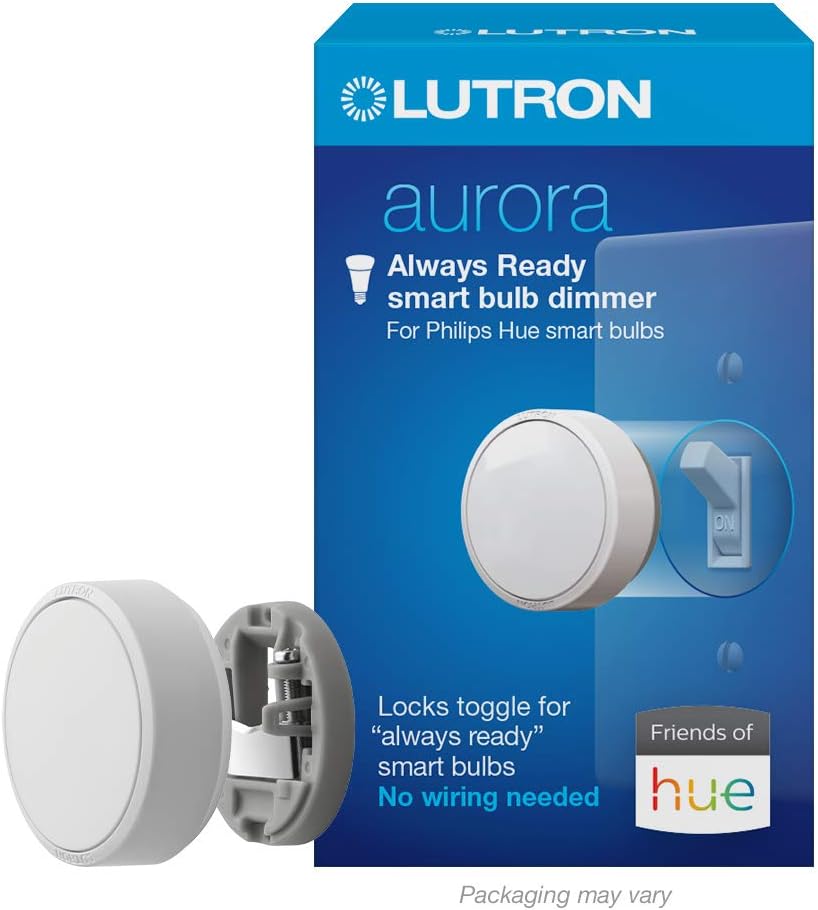 jovial plume
Z2M Lutron Dimmer Blueprint Troubleshooting
jade mirage
and the question of the day is mqtt
got zigbee2mqtt working, got mosquitto working, added mqtt integration
but not seeing devices....
jade mirage
ok, how do I get to the UI. port8585
sour shadow
Try setting it in the YAML instead?
jade mirage
my HA is at 192.168.12.175
sour shadow
You have enabled the UI in Z2M?
jade mirage
where?
crimson dust
Had some problem with IP number config with deConz and I guess you need to config that with 2MQTT? Why not just use ZHA plug and play? :)
crimson dust
crude shell
I've tried both ZHA and MQTT, and both worked.. Started with ZHA and now I'm run...
What more can you do with Mqtt? Explain to a Noob :)
sour shadow
https://www.zigbee2mqtt.io/ decouples Zigbee from HA
It documents all the supported devices (https://www.zigbee2mqtt.io/supported-devices/) so there's no guessing, and you can add your own support (https://www.zigbee2mqtt.io/advanced/support-new-devices/01_support_new_devices.html)
lusty yew
Anyone know a site that has reviews of the cheap Zigbee RGB bulbs available? Looking for something with user experiences, not just a compatibility list. Amazon reviews haven't been reliable for me so far.
I keep getting things like bulbs that aren't as bright as they should be or bulbs that are only on for a weird range of the brightness like 40-75% brightness.
Or bulbs where all three have radically different color temperatures
unborn orbit
lusty yew
Anyone know a site that has reviews of the cheap Zigbee RGB bulbs available? Loo...
I've tried a bunch of them including sengled. Honestly they are all pretty problematic in terms of dropping off the network. I had the most luck with hue bulbs though definitely not cheap. Hope this helps
I've been getting a lot of errors on my network showing the following: Failed to ping 'Upstairs Laundry Room Sonoff Dongle 17' (attempt 1/1, Read 0x00124b0024c3cca8/8 genBasic(["zclVersion"], {"sendWhen":"immediate","timeout":10000,"disableResponse":false,"disableRecovery":true,"disableDefaultResponse":true,"direction":0,"srcEndpoint":null,"reservedBits":0,"manufacturerCode":null,"transactionSequenceNumber":null,"writeUndiv":false}) failed (Data request failed with error: 'No network route' (205)))
Other issues I'm getting are {"sendWhen":"immediate","timeout":10000,"disableResponse":false,"disableRecovery":true,"disableDefaultResponse":true,"direction":0,"srcEndpoint":null,"reservedBits":0,"manufacturerCode":null,"transactionSequenceNumber":null,"writeUndiv":false}) failed (Data request failed with error: 'MAC channel access failure' (225)))
Any ideas on how I can correct these errors?
austere patio
MAC channel access failure is something you want to address
The coordinator is saying the request failed to send because there's too much noise
So it never even tried
unborn orbit
So weird. I've got everything on a channel that had low interference, over 20+ sonoff 3.0 routers (though they are the worst offenders for dropping off the network for some reason)
Wondering what to do to limit the noise
Coordinator is no where near my wifi router
austere patio
Is the coordinator itself near anything that can generate RF noise? Power supplies? Computers?
unborn orbit
No, I put in the attic to avoid anything that would generate noise
austere patio
Hmm, I'm not sure what to suggest then. Which coordinator is it?
jade mirage
working!
unborn orbit
TubeZB C2652
lusty yew
unborn orbit
I've tried a bunch of them including sengled. Honestly they are all pretty prob...
I have Hue bulbs for all of my normal bulbs right now, they seem to work well. I have WiZ bulbs for my RGB but would like something Zigbee. The Phillips WiZ color bulbs are cheap compared to the Hue color bulbs.
 languid swan
Hi, Ihave Conbee2 with ZHA, and I'm using Ikea TRADFRI on/off switch . I have automation for long press, it worked on previous version 2022.03 , but no in 2022.04.x. I can see events for long press, but I'm not sure if it changed or not. I've noticed, that there are new options in trigger for this device, but they don't work. Here are captured events https://www.codepile.net/pile/OQoxypYv
austere patio
languid swan
Hi, Ihave Conbee2 with ZHA, and I'm using Ikea TRADFRI on/off switch . I have au...
Will be fixed when 2022.4.3 is released: https://github.com/home-assistant/core/issues/69375#issuecomment-1097016034
languid swan
Thanks
old kernel
puddly: which log would be most useful for the zigpy-conbee issues? I initially turned on debug logging for zigpy and zha and it filled up my disk and crashed my server
austere patio
Those logs 😆
old kernel
lol
austere patio
"Fix" for that should make it into 2022.4.3
old kernel
are you going to roll back the acks/manual route change?
austere patio
For now. It improved request reliability on my own network but I don't have enough info yet to figure out why enabling ACKs causes requests to just outright fail for some people.
old kernel
my guess is that this is a firmware bug that we've inadvertantly revealed, and we'd have to somehow convince deconz to fix it...
it may be specific to networks that have a bunch of unreliable nodes/routes
on my network for example, i have a bunch of ledvance bulbs, which announce themselves as routers, but if you route too much through them they crash and restart (helpfully turning on the light on the restart)
I had hoped there would be a way to tell the coordinator to tell everything else that a router shouldn't be routed through because it's unreliable, but no dice so far!
Could you make it so that ACKs can be turned on and off by config/service command/etc?
austere patio
Routing can't really be controlled in zigbee with the exception of source routes for packets leaving the coordinator
old kernel
yeah... which is why the real solution is to not spend $3 per bulb on my 30-ish bulbs
austere patio
Under what conditions would you need to change whether or not ACKs are enabled?
old kernel
If you're on a network like yours, ACKs make it work better. On a network like mine, ACKs make it self-destruct
austere patio
Making it configurable I think is going to mask whatever underlying problem is causing this. Other radio libraries (e.g. ZNP for TI sticks) enable ACKs automatically for certain types of commands and I've not seen any problems yet.
When you say "self destruct", do you mean the increased startup time problem? Or the network doesn't work well even after ZHA is up and running?
old kernel
It took anywhere from 10 minutes to an hour to start up, and then I would send one command to a light and it would go unavailable for another 10 minutes
austere patio
That's not good 😆
austere patio
Is your Conbee running the latest firmware?
old kernel
it is
austere patio
And you're saying that toggling a single light caused the whole network to stop functioning for that long?
old kernel
It seemed to. I wasn't sitting poking it and hoping for the whole time.
austere patio
Hmm. Debug logs would be very useful here but your installation for some reason can't handle it being enabled.
old kernel
but like, i'd go down to the basement and hit the button to turn on the lights, they wouldn't turn on, then i'd walk through the dark to the apartment attached on the other side and none of the lights in there would work either, so I'd open the app on my phone and all the zigbee devices were grayed out. Checked 2 or 3 times over the next few minutes, nothing, then check 10-15 later and it's back.
austere patio
How long after ZHA startup was this?
austere patio
Hmm, that's plenty of time
old kernel
there's some WAF here too. If I add all the osram bulbs back in so i can turn logs back on and get it to fail, she's going to be pretty annoyed that the house is broken 🙂
Separately I feel like the deconz sticks and such should be a little further down the list on the HASS docs pages... They are the top recommended stick on the page, while if you come in here and say "Which stick should I get" the answer is invariably one of the TI2652's (zig-a-zig-ah, sonoff, slaesh, tube, etc) as a first choice, then "well conbee is good too"
austere patio
Docs PRs are definitely appreciated 😄. People seem buy the Conbee because it is readily available on Amazon, but I think Sonoff is now selling their CC2652 on there as well for significantly less.
old kernel
I can throw one in a bit later, sure
austere patio
I wouldn't go so far as saying that the device is fundamentally flawed and not recommended (since some people with massive networks seem to use it without issues), but it's just a significantly more restrictive platform than the other sticks and you're at the mercy of the firmware for a lot of things.
old kernel
I think I might just change the order so that the TI is first instead of third.
Conbee works, and is used with massive networks, though as a closed system it is more restrictive, yeah, and when there are problems it's a bit harder to figure them out as a result, we're dependent on a small only-somewhat-responsive company to fix firmware issues.
EmberZNet works in ZHA but zigbee2mqtt basically writes it off as don't buy that.
 civic quarry
Hi everyone , i have zigate+ with ZHA and i try to pair it with RAIL-DIN 32A RELAY AND ZIGBEE ENERGY METER. the product show up and they dial but nothings came after that
the led stay still like it's sync but it's not
civic quarry
i can give the logs if it matter
jade mirage
how do I debounce my ZtM notifications?
i have a WXKG11LM switch, and when I single click I get several activations of my automation
 calm turret
Has anyone found a fix for pairing new Aqara Smart switches?
I cant get the energy monitoring to work after this last update
the old ones seem just fine, but pairing new ones is a no go
uneven ruin
jade mirage
how do I debounce my ZtM notifications?
what are you triggering on?
unborn orbit
Also wondering, what does buffer full indicate?
Failed to ping 'Parents Bathroom TubesZB' (attempt 1/2, Read 0x00124b00237dfd35/8 genBasic(["zclVersion"], {"sendWhen":"immediate","timeout":10000,"disableResponse":false,"disableRecovery":true,"disableDefaultResponse":true,"direction":0,"srcEndpoint":null,"reservedBits":0,"manufacturerCode":null,"transactionSequenceNumber":null,"writeUndiv":false}) failed (SREQ '--> AF - dataRequest - {"dstaddr":40895,"destendpoint":8,"srcendpoint":1,"clusterid":0,"transid":66,"options":0,"radius":30,"len":5,"data":{"type":"Buffer","data":[16,232,0,0,0]}}' failed with status '(0x11: BUFFER_FULL)' (expected '(0x00: SUCCESS)')))
 glacial jackal
i have got a couple of general questions around samsung smarthings/zigbee integration
anybody out there? 🙂
and hi all btw of course
tropic depot
unborn orbit
Failed to ping 'Parents Bathroom TubesZB' (attempt 1/2, Read 0x00124b00237dfd35/...
Try .3 that just released
sinful fjord
Is there a way to turn a smartthings multipurpose sensor into a tilt sensor? I can't get access to the three axis readings. It seems to only show moving for the accelerometer.
edit: just learned that you can change the type of value for the accelerometer to "garage door" instead of moving so problem solved
 ebon thorn
I am running HA 2022.4.1. Trying to pair Fyrtur blinds via ZHA with Sonoff Zigbee 3.0 USB Dongle Plus. I cannot for the life of me get the blinds to pair. I held down the two buttons on the blind for 10 seconds but nothing happens. Does anyone know the exact steps? BTW the remote paired just fine.
ocean karma
I am still not able to use the up/down buttons on my 5 button TRADFRI remote, even after updating to 2022.4.3. Does it have to do with my blueprints or something now?
austere patio
ocean karma
I am still not able to use the up/down buttons on my 5 button TRADFRI remote, ev...
What blueprint are you using?
austere patio
Yeah, the blueprint will have to be updated
args == [0, 43, 5] is no longer valid for every single IKEA remote due to firmware differences exposed in the most recent ZHA update
Take a look at the params dictionary present in the event instead or maybe try using args[0:3] == [0, 43, 5] as a temporary fix
ocean karma
Sounds easy enough. Why will adding [0:3] only be a temporary fix? Is that getting deprecated?
austere patio
No, args will stick around. It's just better to use the new params key since it attaches a name to every one of those numbers and lets you filter only by what's really necessary (in this instance, probably only the first number indicating the direction)
ocean karma
Aha
Great, I'll take a look at the event. Thanks. I always thought it was a little weird.
austere patio
If you are going to be tweaking blueprints, make sure to always compare the values against numbers as opposed to relying on the string representation. Some blueprints were broken by 0 turning into an enum member like <Direction.Down: 0> that was equal to 0.
 faint quest
Will zigbee devices eventually change which router to link with if there's one with better signal strength nearby?
lilac wharf
depends on the end device
faint quest
Aqara motion sensor?
lilac wharf
xiaomi/aqara devices are known for being "sticky"
faint quest
Hmm. Should I just unlink it and re-pair it in zigbee2mqtt after putting it where I need it?
lilac wharf
generally, the best practice is to pair devices in their intended location
ocean karma
austere patio
If you are going to be tweaking blueprints, make sure to always compare the valu...
So I'm not sure what to do here. I'm loading some of the event data into variables. When I debug my automation I see that this is making it in. So far, so good.
command: step_with_on_off
cluster_id: 8
endpoint_id: 1
params: '{''step_mode'': <StepMode.Up: 0>, ''step_size'': 43, ''transition_time'': 5}'
Conditions for the blueprint include stuff like "{{ cluster_id == 8 }}"
What is the equivalent for params.step_mode ?
I tried "{{ params.step_mode == 0 }}" but it doesn't seem to work
austere patio
Try params["step_mode"] == 0
ocean karma
Okay, I'll try
params.step_mode seemed to work for this guy
Nope, doesn't work..
austere patio
I would ask in #blueprints-archived or #automations-archived then. The data in the params dictionary is correct and params["step_mode"] is equal to 0 so something somewhere isn't matching properly.
ocean karma
I tried using args[0:3]== [1, 43, 5] instead, but that doesn't work either. Somehow these <StepMode>s aren't evaluating to their value in the automations
command: step
cluster_id: 8
endpoint_id: 1
args: '[<StepMode.Down: 1>, 43, 5, <bitmap8.0: 0>, <bitmap8.0: 0>]'
params: >-
  {'step_mode': <StepMode.Down: 1>, 'step_size': 43, 'transition_time': 5,
  'options_mask': <bitmap8.0: 0>, 'options_override': <bitmap8.0: 0>}
Try with 1 instead of <StepMode.Down: 1> and 0 instead of <bitmap8.0: 0>. Are you providing both args and params? You only need params.
ocean karma
I've loaded them both in as variables but when I'm debugging I'm only testing for one or the other
I'm not sure what you mean. This is just what I see when I debug the automations, under "Changed Variables." But I've tried using "{{ args[0:3] == [1, 43, 5] }}" and "{{ params['step_mode'] == 1 }}" as conditions, and neither of them work
mellow geode
for some reason, firmware updates don't seem to work for me anymore: https://dpaste.org/mMdgB/raw
yeah, always getting back this when sending an image notify:
Failed to parse message (b'01d403020b101d01001f000100000000400000') on cluster 25, because Data is too short to contain 1 bytes
Seems to happen on all Hue devices I've tried it on so far
Yeah, I confirmed it happens on all of my Philips Hue devices that have an update available. Never had this happen before
If Philips/Signify broke it, they must have broken it in the last release already. That seems somewhat unlikely?
Could it be related to the recent zigpy ZCL v7 update perhaps?
mellow geode
mhm, can't find anything there at first glance
created https://github.com/zigpy/zigpy/issues/960 in case someone wants to take a look at it
some random Hue dimmer is also affected and since I don't think that Hue lights and dimmers are very similar, it looks to be some kind of regression in zigpy(?)
still didn't find what could cause it though
civic quarry
Is there a problem right now syncing product with ZHA , the product show up they synch but it won't go further and add it to HA
 glacial gyro
Can there be a bug in new core? I have few zha/zigbee lights on my zha and suddenly 3/10 devices are unresponsive (though, i havent been able to debug them yet since i'm at work but i'd like to them be off when i'm not at home 😂) but they're visible and on (not unavailable!) I have tried reconfiguring devices (seems like no communication at all, since reconfiguring is unable to receive any data from bulbs) and restarting HA with no luck. I even tried turn my pc on remotely and control pc to control HA locally but nope. Like the lights are frozen on
 gusty pumice
So I had a similar thing happen to me and I bought a Sonoff 3.0 dongle. Is there any simple way I can migrate all of my zha devices from a generic CC2531?
old kernel
@glacial gyro which coordinator do you have?
glacial gyro
old kernel
<@267077457826414593> which coordinator do you have?
Heyy, sonoff 3.0 stick and a plot twist... There was a handyman at my home while i was working (forgot that the day was today for some measurements etc small checkup on my rooms state) and he had turned the switch off 😂😂 the weird part is that some sort of last state was in homeassistant and it showed as lights were left on...
old kernel
lol well that will do it
how do you like the sonoff 3 stick? is it the TI version or the SiLabs one?
glacial gyro
old kernel
how do you like the sonoff 3 stick? is it the TI version or the SiLabs one?
it's been great, one device had some struggle out of nowhere; Hue motion sensor... didn't recognize movement/report it whereas one other hue motion sensor has worked 5/5... re-pairing did the job though, so overall great :D
tbh i don't know, i didn't even know they had with 2 different chips, i haven't opened mine...
My friend had some problems with the stick but he has HA in docker, i'm not sure did he get it to work or not. i have the HA OS in my Pi4 and no problems on adding stick to my system.
old kernel
the 3.0 stick uses the SiLabs chip, the 3.0 PLUS stick with an antenna uses the TI chip if I remember right
i ordered the plus one, just have to wait for the slow boat from aliexpress
glacial gyro
glacial gyro
My friend had some problems with the stick but he has HA in docker, i'm not sur...
@old kernel he got it to work but his light tend to go off-unavailable-on for no reason, but he said he figured out some flow modifications on nodered that got them to work properly from off to on with no unavailability
glacial gyro
old kernel
the 3.0 stick uses the SiLabs chip, the 3.0 PLUS stick with an antenna uses the ...
Ooh, ok i have the plus one :D so does the friend. We got 'em from amazon de with a deal :P
old kernel
nice
gusty pumice
gusty pumice
So I had a similar thing happen to me and I bought a Sonoff 3.0 dongle. Is there...
On the topic of a 3.0 sonoff stick 😄 ^
old kernel
I haven't come across any migration tools for the TI firmware
maybe there is something TI-specific though, and since you're going from TI25xx to TI26xx maybe doable?
(the only migration tooling i've come across is the backup/restore over in #zwave-archived)
austere patio
gusty pumice
So I had a similar thing happen to me and I bought a Sonoff 3.0 dongle. Is there...
You can use https://github.com/zigpy/zigpy-cli/pull/2
The radio type for both sticks is znp
gusty pumice
austere patio
You can use https://github.com/zigpy/zigpy-cli/pull/2
Thanks
mellow geode
https://i.imgur.com/5jMYwoL.png
for some reason, Zigbee lights that I've temporarily unplugged change their status between off and unavailable (ZHA)
 tropic depot
Does it correlate to restarts?
mellow geode
no, it seems to happen randomly. it's also not the same for different unplugged lights
it's nothing important, just found it a bit weird
The "last seen" device property is also set to a time where it definitely wasn’t online (not plugged in since yesterday)
austere patio
What is up with https://github.com/home-assistant/core/issues/69893, how is EmberStatus leaking into zigpy?
 minor shuttle
Do I need to re-pair all the devices if I move from RaspBee II to ConBee?
austere patio
What integration are you using?
minor shuttle
deCONZ
austere patio
It has a backup/restore feature implemented in Phoscon
mellow geode
mhm, looks like zigpy doesn't find the available update for the "LEDVANCE Flex RGBW Z3": https://dpaste.org/05bNt/raw
The two available images for that light: https://dpaste.org/EBPEm/raw (from https://api.update.ledvance.com/v1/zigbee/firmwares) (the one on the top is the newer one)
zigpy seems to load the older image on the bottom?
tropic depot
mellow geode
mhm, looks like zigpy doesn't find the available update for the "LEDVANCE Flex R...
can you raise an issue for this?
and we'll add it to the triage list 😄
mellow geode
sure -> see: https://github.com/zigpy/zigpy/issues/963
mellow geode
it happens on 4 different completely unplugged Philips Hue lights. "Last Seen" is seemingly randomly updated every couple of hours. it's also different between the devices
tropic depot
oh shit... I think I know what it is... what are the intervals per device
this is a really cool one... lol
mellow geode
tropic depot
oh shit... I think I know what it is... what are the intervals per device
not exactly sure, I'll monitor it. The four just updated a couple of minutes ago. Might have been over half an hour ago (or maybe even more IIRC)
tropic depot
mellow geode
it happens on 4 different completely unplugged Philips Hue lights. "Last Seen" i...
can you look at each device individually that is doing this and tell me if it is consistent PER DEVICE
mellow geode
will do
tropic depot
you should be able to get the times from the graph in logbook
I only need 2 devices
mellow geode
tropic depot
you should be able to get the times from the graph in logbook
I restarted Home Assistant due to OTA issues/testing, so they weren't marked as unavailable yet
tropic depot
what coordinator are you using?
the history should still be in HA no?
they are state changes so I would expect them to be there
mellow geode
tropic depot
what coordinator are you using?
a TI CC2652P2 based stick
mellow geode
tropic depot
the history should still be in HA no?
yeah, the ones from tonight are still there. the "unavailable" states doesn't seem to be consistent though: https://imgur.com/a/alwM2Ca
"night mehr verfügbar" -> turned unavilable
"ausgeschaltet" -> turned off
mellow geode
doesn't have to do with the refresh interval for polling of the light though?
tropic depot
no it's the unavailable check itself
1 sec i'll show you
in here we start polling the device to see if it is there if we haven't heard from it
and for mains devices
the default time is 2 hours
so the radio libs are not throwing exceptions when these requests fail
and as a result... Zigpy is updating the last_seen time
at least this is the running theory
tropic depot
yeah we are working together