#zigbee-archived
1 messages · Page 130 of 1
 trim ore
 sour shadow
I'd be tempted to suggest Pi Zero + https://www.tindie.com/products/gio_dot/z-bee-duo-hybrid-cc2652p-zigbee-30-adapter/
trim ore
That might well work
sour shadow
You would want to use a USB network adaptor, to avoid interference
 mighty river
I took the plunge and ordered a cc2652 from tube 🙂
These independent hardware initiatives are really cool
 amber gull
line of sight range on 2.4ghz is quite good
I saw a tube router in an IP66 enclosure with external antenna yesterday -- I really want a version of that with poe for the back of my house so I can bridge about 120' to garden beds
mighty river
You have ethernet in your garden but not power? Nerd 😛
amber gull
no, ethernet to the back of the house - already their for external cameras
mighty river
Ah of course
amber gull
but I want zigbee soil sensors in the garden
mighty river
Damnit don't give me ideas 😄
amber gull
unfortunately out of stock with world wide component shortage - https://spruceirrigation.com/order/
 forest cobalt
amber gull
I saw a tube router in an IP66 enclosure with external antenna yesterday -- I re...
forest cobalt
amber gull
I saw a tube router in an IP66 enclosure with external antenna yesterday -- I re...
You could do it with a usb poe adapter.
amber gull
I could -- or I could hassle Tube to make a pricey ESP32 version that he spends a lot of engineering time on and then only 3 people buy one. 
forest cobalt
Hahaha... I know he keeps avoiding that subject every time he's asked. 😉 Make that 4 people. I'd absolutely put good dollars down on a PoE version of both the router and coordinator.
amber gull
Though there is still some z-stack bug that breaks my network on the router
mighty river
I'd spend 10 bucks on that. Maybe even 12
forest cobalt
That's weird. Mine have been damn near perfect.
forest cobalt
mighty river
I'd spend 10 bucks on that. Maybe even 12
It'd be a bit more than that. PoE boards, for whatever stupid reason, are still way overpriced. I get the PoE is all the rage right now, but the pricing has gone nuts on them.
amber gull
Seems tech for passive poe would be just peanuts -- no handshake, just voltage on the wire
mighty river
Yeah was just kidding 🙂
Supply and demand, plus PoE being "professsional" tech
Mom and pops are starting to become aware of zigbee, PoE not so much.
Maybe I can sell them my cc2531 stick, else it's going straight to the bin
 azure tinsel
Well if you throw it away you can always send it to me 😅
mighty river
Meh, it's not that I'm greedy, they're like 3 bucks shipped from China nowadays, I can't even post it for that unless you're in NL 🙂
azure tinsel
I am 🤣
mighty river
It wasn't supposed to be like that!
 cerulean kindle
hello i have a strange issue.. i added zha with a flashed tasmota sonoff zigbee bridge and i see as a controller deconz ?
deconz bridge to be precised
i had to add a device through this bride ... very confusing as my conbee stick is not alttached
mighty river
I'm having trouble understanding what you're seeing and where
cerulean kindle
no problem 🙂 another issue some devices just become unavILABLE
THAT SUXKS AND MAKES ZHA REALLY UNRELIABLE .8
sorry keyboard lagged 😛
 violet dagger
ROFLMAODOGE
mighty river
I feel your pain, dealing with a sonoff zb bridge myself
sour shadow
Well, using a WiFi connected Zigbee bridge .... isn't the best choice
It is slightly better than learning to juggle with running chainsaws, but only slightly
cerulean kindle
i still have a deconz stick
violet dagger
i like it for testing devices on ZHA and thats it
cerulean kindle
well seems like the bridge is a bit ... buggy 😛
sour shadow
Your setup is likely the problem
cerulean kindle
have unifi 🙂
cerulean kindle
why devices become unavailable then ?
mighty river
Especially in combination with unifi, heh
sour shadow
violet dagger
i love the "my wifi is great" statement
It's about what I'd have expected 😉
cerulean kindle
well my whole setup of 40 devices has NO probs 😛
violet dagger
your wifi will never be great. period.
cerulean kindle
yeah ok .. then.. should i go with my deconz stick?
violet dagger
dealer's choice
cerulean kindle
can i add two zha instances? nope i don't think so right?
sour shadow
It's a better choice than a device that has a built in interference generator IMO
mighty river
Can still use the sonoff as a router and disable the wifi, in that sense it's great.
cerulean kindle
Device info
unk_model
by unk_manufacturer
(Device unavailable)
Firmware: 1.0
Zigbee info
IEEE: 00:21:2e:ff:ff:01:01:fa
Nwk: 0x0000
Device Type: Coordinator
LQI: 255
RSSI: Unknown
Last Seen: 2021-04-22T19:05:45
Power Source: Mains
my bridge? seems like it has a problem no?
sour shadow
No
cerulean kindle
@mighty river how?
mighty river
I was about to rip off the chip and connect it straight through USB-serial, but then I got bored and got a cc2652
sour shadow
Just buy one of Tube's network connected coordinators, and call it done 😛
mighty river
Can just flash a no-op arduino sketch pretty much. Not sure if you need a different firmware first, but even that is simple if it's running tasmota already.
Maybe tasmota can disable wifi, I don't know.
cerulean kindle
what firmware do u use forthe bridge= mine is 9.3.1
hanging here 😛
interviewing device.. after i restarted the bridge
mighty river
Tasmota? I don't know, I switched it to esphome just a couple of days ago. But zb firmware: EmberZNet version: 6.7.8.0 build 373
Latest one from the tasmota fw repo, AFAIK
[19:13:31][D][streamserver:050]: Client 172.16.0.5 disconnected woop caught one
esphome and remote logging is great for this
Great for telling you what you already know and need to fix... but still 🙂
cerulean kindle
esphome on tasmota zigbee bridge=
`?=
looks like i have two controllers 😛 i have ONE sonoff bridge but integration shows two..
EZSP = Silicon Labs EmberZNet protocol: Elelabs, HUSBZB-1, Telegesis
by ZHA
with this I cannot add devices .
try to add sonoff mini zigbee relay
some where added well another not .. same with xiaomi magnet sensors .. one changes status one not
by saying this .. it worked adding the mini sonoff z 😛
mighty river
zRST and bootloader pin as switches in esphome allows for tcp-serial updates, in tube's example.
By the way, apparently there's no ZB router firmware for either the new sonoff usb stick nor the zb bridge.
(yet)
cerulean kindle
ok.. good to know but it is really annoying how unstable this zha / zigbee is :
sour shadow
99.99999999999999999999999999999999999999999999999999999999999999999999999% likely to be a problem with your setup, not Zigbee in general, and not ZHA in general
cerulean kindle
@sour shadow why it is always MY fault ?
sour shadow
Because... that's your life?
cerulean kindle
i mean what can i do wrong to setup zha?
sour shadow
have a look through the pinned messages
There's a load of things you can screw up with Zigbee
cerulean kindle
for example?
sour shadow
Biggest one would be using a Zigbee coordinator that's WiFi connected 😉
cerulean kindle
lol
sour shadow
But there's channel choice/WiFi interference, brand choice, lack of routers, use of Zigbee 1.2 vs 3.0, and more more more
cerulean kindle
i have every 3 meters a router of zigbee (main source)
some devices just work fine some not
i doubt it's my wifi
cerulean kindle
because switching on one zigbee devie works .. another NOT
sour shadow
or are you just assuming that strong wifi != Zigbee interference
sour shadow
Right, and that doesn't rule out interference
cerulean kindle
but why then one zigbee device works while another not?
sour shadow
That's like saying because a bulb works in one room, the other bulb in another room can't possibly have failed
cerulean kindle
well as said i have plenty of zgbee rotrs n the house
sour shadow
Right, and if they're not in the right spot for that device they may not help
That device could be in a spot where there's too much interference, along with a weak Zigbee signal
Hell, it could even be faulty
 sterile sleet
I'd contact unifi support
cerulean kindle
lol
i need to find out how to change the channel of the zigbee bridge 😛
there it is
 austere patio
cerulean kindle
there it is
austere patio
cerulean kindle
there it is
Won't take effect since you've already formed a network
If you're specifically having problems with Aqara devices, move them to where they will end up sitting and permit joins only through the closest router
mighty river
Is that what "add devices via this device" in zha does?
austere patio
Yes
cerulean kindle
so changing the channel does not work at all? how can i delete this network?
mighty river
Cool, prolly gonna rebuild my network and do it like that.
austere patio
Connections change over time though so it's just a suggestion most of the time
cerulean kindle
well then i will also do that.. do i remove integration or how would that be ?
i will then all battery devices via main devices close to them 🙂 good point .
austere patio
Aqara specifically has issues picking good parent routers
Most other end devices do fine
Before changing the channel, I would really re-join your Aqara devices first. You likely don't need to change Zigbee channels as long as your WiFi is on one of 1/6/11
mighty river
Be aware of the neighbors too, though..
Best use one of them scanning apps on your phone if you live in a densely packed area.
cerulean kindle
rejoin = delete device and re add it ?
austere patio
Reset the device with its button, permit joins only through the closest router, and re-join it
cerulean kindle
but i must remove it from zha also no?
austere patio
Removing devices from a Zigbee network is really just a kind request. Once they have the network key they can keep joining the network all they want.
Yeah, it won't hurt
cerulean kindle
well.. ok .. wanna check if the network channel changed after having set it in the config.
it is written in the logs right?
austere patio
The settings are read only if you form a brand new network
cerulean kindle
and there's no way to purge the network at all ?
austere patio
Not through the web UI, no. You'd need to do it with the bellows command line utility
cerulean kindle
won't work as i am using wifi bridge sonoff
austere patio
It'll work
cerulean kindle
why it's not possible to rebuild the network via integration?
pip3 install bellows
export EZSP_DEVICE=/dev/ttyUSBX
bellows leave
bellows form -c X
well my device is wifi 😛
/dev/wifi/cxxx 😛 ok that was stupid 😛
austere patio
Yeah, just replace /dev/... with tcp://... and it'll work
 ivory hound
from what I've read in last half hour i can say, @cerulean kindle read some docs
austere patio
socket://, my bad
cerulean kindle
wow... i might stick to channel 15 ? 😛
austere patio
Did you run the scan to check channel interference?
ivory hound
also see that in pinned messages there is some post by me on how to change channel on elelabs zha
read also about wifi / zigbee / bluetooth interference
mighty river
Ok what am I looking at when doing bellows scan? Competing networks?
austere patio
If you do an -e scan, it just checks for 2.4GHz interference
mighty river
What's -e? Not a bellows option I think?
austere patio
bellows -d /dev/... scan --energy --duration 500 scans all of the 15 Zigbee channels for 500ms each
Without -e/--energy, it'll just tell you what Zigbee networks exist nearby
mighty river
Hm why do I not have that option?
I was assuming I had the latest version, but maybe not
0.23.1?
austere patio
Shows up in bellows -d /dev/null scan --help for me
And it's been around for a long time
 chilly inlet
Hello all, i'm new to the discord-server so please excuse me if i'm in the wrong channel or for under/over explaining my problem, or if i'm interrupting a ongoing thread.
I've been using HA for about three year now and its been an absolute amazing experience. Although i'm having some issues with some of my ikea trådfri devices which suddently became unavailable a couple of days ago. My HA install is running on the Home assistant blue, with ZHA connected to a Conbee2.
As said, a couple of days ago my Ikea Trådfri 30w Driver and Ikea Trådfri motion sensor suddently became unavailable in HA and haven't been responsive since. I've tried resetting the devices - no luck, restoring an older version of HA - no luck, power cycling the devices - no luck. All the other zigbee devices are working normally(also my second Trådfri 30w Driver daisychained to the problematic one). Has anyone else seen this problem and knows if there could be some known issues with these devices i might have missed?
mighty river
Ah ok, it's supposed to go after the scan command, not just anywhere in the command
Works now, tnx 🙂
austere patio
chilly inlet
Hello all, i'm new to the discord-server so please excuse me if i'm in the wrong...
Have you permitted joins on your network and re-joined the devices?
And the 30W driver: did you physically disconnect it from power when resetting it?
chilly inlet
austere patio
And the 30W driver: did you physically disconnect it from power when resetting i...
Yes, i've also tried physically disconnecting the 30w driver quicly 6 times as that seems to be the way to reset some of ikeas other trådfri router nodes
austere patio
If your network has been up for a long time, you may have just run into the Trådfri lockup bug, where the device itself freezes. If you haven't already tried it, you need to completely power it off for like 10s and then turn it back on
Quickly powering it on and off sometimes doesn't work because the device still stays "on" for a little bit after you disconnect it from power
mighty river
If it goes into pairing mode (i.e. pulsing), does that mean it's no longer locked up?
chilly inlet
austere patio
If your network has been up for a long time, you may have just run into the Tråd...
I'll try that right now thanks! Do you recommend trying to re-join the network right after this(putting ZHA into joinmode)?
austere patio
If you didn't factory reset it by accident, it should just re-join on its own without you having to do anything else
mighty river
..but rejoining rarely hurts
austere patio
I suspect it is the lockup bug though, since the motion sensor may have been a child device of the driver and since its parent never went offline, it will keep trying to route messages through it
mighty river
I've heard from others that the solution is to get a wife. She'll stubbornly power-cycle your zigbee devices randomly.
 mighty river
Wife is lower maintenance than a zigbee network, too.
sour shadow
 forest cobalt
Not my wife... she's actually REALLY good at not killing my mesh. Credit where credit's due.
ivory hound
chilly inlet
Hello all, i'm new to the discord-server so please excuse me if i'm in the wrong...
mate i have a bad news for you
and one good
ikea has a bug that does exactly wheta happen to you'
chilly inlet
Does not seem to have worked :/
mighty river
The good news is: your investment will only be about $50,000
ivory hound
the good news is if you dich them you wont have that issue anymore
mighty river
Nor will you have to worry about any other hobby expenses, as everything will be spent on lights
austere patio
I think there's a little hole on the driver that you use to enter joining mode?
mighty river
There isn't even bad news
austere patio
I don't believe the power cycling does anything
chilly inlet
austere patio
I think there's a little hole on the driver that you use to enter joining mode?
Ye, i tried that after confirmed the device still wasn't becoming available to HA. No juice tho
austere patio
You'd have to enable joins in ZHA first
ivory hound
trust in what I've said, ditch them
chilly inlet
ivory hound
the good news is if you dich them you wont have that issue anymore
Haha, maybe if i take it to ikea they'll replace the faulty device? 🙏
austere patio
How much is Philips paying you to rag on Trådfri?
sour shadow
There's no such firmware
austere patio
chilly inlet
Haha, maybe if i take it to ikea they'll replace the faulty device? 🙏
It's a software issue, not a hardware issue. The replacement would have the same problem. If you did power the driver off for like 10-20s, enable joins in ZHA and then press the tiny button or whatever you do to get the driver into joining mode
ivory hound
@chilly inlet trust me man I say for the last time, if you want a happy life and good ha experience, ditch them
mighty river
It'll be susceptible to the same issue, but if they trade you one that's currently not locked up, problem solved for now 😄
ivory hound
isa bug that Ikea did not fix for years now
chilly inlet
oh, okay. So that software issue is most probably bound to happen to my other 30w driver aswell?
mighty river
Disclaimer: possibly not the only thing you have to do to get a happy life and good ha experience.
ivory hound
yes
austere patio
It's not Ikea, it's any manufacturer using the slightly older Silicon Labs SDK. Once they migrate their code to the newer release it'll be fixed implicitly.
You get the same issues with Consciot/Ecosmart/probably other manufacturers
ivory hound
that did not happen in last 3 years
violet dagger
there's always next year 🤣
chilly inlet
wow, good to know. Thanks, i'll definitely look for replacement vendors for my kitchen lights from now on!
ivory hound
yeah in my opinion if a product is good, is good from the beginning
austere patio
ivory hound
that did not happen in last 3 years
It was fixed by Silicon Labs in March of 2020 so...
I lied, August
mighty river
That's like yesterday in the landscape of zigbee, give 'em some time!
sour shadow
Well, it's yesterday in most development, and Ikea's OTA server has been broken for a while now
ivory hound
let's be serious, i never show an update for my tradfri bulbs, they come with the latest firmware 3 years ago 😅
austere patio
That's Z2M's fault
ivory hound
from time to time i connect them to check for updates and ikea server say's NO NO
sour shadow
austere patio
But yes, their OTA containers are kinda screwed up. At least they didn't close off the API endpoint that we're all happening to use without issues for this long.
ivory hound
🤣
i am glad i steer in the right direction one person today, @chilly inlet
prowd
one more happy person that wont say zigbee suks becose of IKEA bug
ivory hound
manual?
mighty river
zigbee2mqtt/bridge/request/device/ota_update/check am reading that
chilly inlet
ivory hound
i am glad i steer in the right direction one person today, <@824787665819271178>
Haha, honestly i haven't had much issues with other Ikea devices, but i did return a control outlet some time ago, might have been the same problem actually.
mighty river
Wondering if I can do that with zha
mighty river
I've seen it happen automatically, but wanted to trigger it just to see what firmwares my stuff is on
And whether that's latest
ivory hound
you want to update from net or ota folder?
mighty river
It's not like Ikea publishes a changelog..
ivory hound
@chilly inlet only router devices have that bug
Ikea battery devices are not routers, so you wont have any issue with that
@mighty river you can trigger an update on ZHA by power cycle the device
mighty river
Ah ok.. but then I suppose I need to watch the log and possibly change the level as well to see it
ivory hound
if ota is set proper and you fallow the log you will see it
mighty river
The log thingy I see when scanning for new devices.. is that available stand-alone anywhere?
ivory hound
you will find this details in ha log
austere patio
mighty river
I've seen it happen automatically, but wanted to trigger it just to see what fir...
You can directly read those attributes from the OTA cluster
mighty river
Yeah but that's what I'm trying to circumvent 😔
@austere patio yeah that I found, for the current sw version anyhow.
austere patio
They publish some changes here: https://ww8.ikea.com/ikeahomesmart/releasenotes/releasenotes.html
chilly inlet
ivory hound
<@824787665819271178> only router devices have that bug
I thought this was a router device https://www.ikea.com/no/no/p/tradfri-adapter-90356166/ 😯
mighty river
I came across this json thing that had all the latest links, temporarily misplaced it though.
austere patio
It is
http://fw.ota.homesmart.ikea.net/feed/version_info.json?
That's where ZHA and Z2M pull the IKEA OTA files from
mighty river
Ah yes, thanks
ivory hound
chilly inlet
I thought this was a router device https://www.ikea.com/no/no/p/tradfri-adapter-...
it is, and yes is affected by the bug
 quick hare
Has anyone had this issue with one of their ZigBee device under ZHA? (Device ignore the Fast Poll Timeout parameter and just check-in eternally?) : https://github.com/home-assistant/core/issues/49355
ivory hound
quick hare
Has anyone had this issue with one of their ZigBee device under ZHA? (Device ig...
i sow that issue on some guys lock
some ppl seem to have this issue
quick hare
Oh is it the bug you are refering just earlier?
austere patio
I think there was a similar one with Trådfri remotes?
ivory hound
quick hare
Oh is it the bug you are refering just earlier?
nop
quick hare
Have you guys tried the Fast Poll Stop command with it?
austere patio
Let me try it out with an IKEA remote
quick hare
Because for my door lock, it ignores the fast poll timeout but according to ZigBee spec, the client should end the check-in session with a Fast Poll Stop. For the case of my door lock (Yale), it did it.
austere patio
That seems to match what I remember with an IKEA remote I joined to a test network and then left in a box for a month
Coordinator was unplugged and the remote's battery was completely flat
So it also seemed to never stop fast polling
quick hare
Mhh weird. If the remote does not have a client with who to check-in, why does it fast poll?
Ahhh omg I think I know what you are talking of.
I’ve shutted down my ZigBee coordinator for an hour and just of a sudden, my IKEA remote battery got flat.
austere patio
Hmm. It seems to stop fast polling for me after a bit but if I unplug the coordinator it sends beacon requests (and I assume scans for its parent network) every time it's moved
quick hare
After a bit is like hours? or Minutes? 😛
austere patio
Less than a minute
quick hare
Oh wow ok
austere patio
I'll try a few more times, maybe it's not consistent
quick hare
My lock just check-in for hours and hours.
ok
I should check my IKEA remote more often to understand what is happening but to be honest I just hate it so much..
austere patio
Yeah, the Sonoff/eWeLink temp sensor polls like every second for a few minutes after joining
But not for hours
mighty river
I remember seeing some chatter about this.. on zha community something. There were some cluster setting updates for the remotes, possibly made it into the current ha zha even, but I have yet to test.
But these ikea remotes go through batteries fast
 balmy ginkgo
Anyone here use SNZB03 (Sonoff) motion detector.. i have 8 and 1 was working ok, 7 not. And now 8th one is also in continues trigger mode. every 2 mins it triggers. Over and over and over.
Wondering if i can upgrade the firmware somehow or is there another action i can take? Here's example of last 6 hours. It's like they buggy and get in some error-loop triggering all the time. https://i.imgur.com/jJCrfA9.png (No i do not walk past it ever 2 minutes 😉 )
It is under SHA now but previously using zigbee2MQTT they displayedthe same behaviour.
mighty river
Possibly but I'm new to zb, still learning...
quick hare
Ahh no stress.
mighty river
Can try to find the post later
quick hare
Yeah that be nice!
sour shadow
balmy ginkgo
Anyone here use SNZB03 (Sonoff) motion detector.. i have 8 and 1 was working ok,...
They're known to be junk
Search for them, you'll cry 😄
mighty river
My experience with those: they work great until they suddenly don't anymore 😩
quick hare
mighty river
Can try to find the post later
austere patio
balmy ginkgo
Anyone here use SNZB03 (Sonoff) motion detector.. i have 8 and 1 was working ok,...
No, Sonoff (eWeLink) have written perfect firmware without OTA capabilities
balmy ginkgo
yeah.. i know that now. sadly S*** Youtubers dont seem to pick up on that in their reviews/ 😦
lol
mighty river
@quick hare tnx.. I wasn't planning to learn a lot about zb, but it seems to be inevitable
austere patio
quick hare
It’s my bible : https://zigbeealliance.org/wp-content/uploads/2019/12/07-5123-06...
quick hare
mighty river
<@379823966388355074> tnx.. I wasn't _planning_ to learn a lot about zb, but it ...
I’m sorry. 🥲
mighty river
Well in their defense, they worked flawlessly for months for me. But they could have posted followups
quick hare
austere patio
v7 can be found here: https://github.com/Koenkk/zigbee-herdsman/blob/master/docs...
Ohhh nice!!! Thanks!!
mighty river
I also have a hunch it can be battery-related. Reporting is wack and it does resemble blackouts
balmy ginkgo
thing is they DID work and then all one by one they have gon into this 2m trigger trigger trigger trigger trigger frenzy. This last one.. it was goodboy.. is what i called him. But now he too has the dissease :/
balmy ginkgo
i also have aqara, they better. even the product. case and stuff.. much better quality
Well i guess lesson learned
austere patio
Crap firmware but it's good crap
Somehow Aqara knew in advance how hard Zigbee is to get right so I guess they just decided not to bother
sour shadow
See the pinned messages
austere patio
Their devices implement basically a minimal subset of Zigbee. They don't do attribute reporting, they just send reports on their own. They don't have polling, they just receive stuff whenever they feel like it.
quick hare
They also never change parent so good luck when they get the slight chance to run away!
mighty river
So basically they're treating it as 433mhz or nrf fire and forget. Well, that stuff does always work
quick hare
(almost) actually.
mighty river
Phew, got an mg21 module out of a lidl gu10, only ripped one pad off and it's a spare pwm channel, luckily
If an Ikea coordinator is called Billy, what will we call Lidl?
quick hare
Is the Konke contact sensor as reactive as the Xiaomi one?
mighty river
I vote Parkside
balmy ginkgo
It must have heard me talking.. it suddenly started working again.
Lets see for how long
sour shadow
quick hare
They also never change parent so good luck when they get the slight chance to ru...
Except... they do
mighty river
Yeah it seems they are somewhat sensitive to physical threats
sour shadow
quick hare
Is the Konke contact sensor as reactive as the Xiaomi one?
I've found mine to be pretty responsive, maybe more responsive than the Xiaomi
balmy ginkgo
i read somewhere adding a (iirc) 300uF ceramic capacitor fixes it
quick hare
sour shadow
Except... they do
I’ve seen them go from their initial parent to the Coordinator but thats it.
quick hare
sour shadow
I've found mine to be pretty responsive, maybe more responsive than the Xiaomi
Woah nice!
mighty river
Ah yeah I saw the capacitor thing
quick hare
sour shadow
I've found mine to be pretty responsive, maybe more responsive than the Xiaomi
Love the Konke brand so far?
sour shadow
quick hare
I’ve seen them go from their initial parent to the Coordinator but thats it.
It seems more likely on a Zigbee 3.0 mesh with Zigbee 3.0 routers
 obsidian sandalBOT
@quick hare When using Discord's new Reply feature it defaults to pinging the person you reply to, which can get frustrating for the target. Click @ ON to @ OFF to stop this - on the right side of the compose bar.
Command '~reply' was invoked by: Tinkerer
sour shadow
quick hare
Love the Konke brand so far?
Eh, no, not really... 😄
They work, but they only work on three channels, and they're ugly things
austere patio
mighty river
Phew, got an mg21 module out of a lidl gu10, only ripped one pad off and it's a ...
I think some of those modules may have a locked down bootloader: https://github.com/MattWestb/IKEA-TRADFRI-ICC-A-1-Module/issues/3
sour shadow
I've got the Terncy contact and motion/light/temperature sensors on order, we'll see if they're better
quick hare
sour shadow
They work, but they only work on three channels, and they're ugly things
That’s all? That seem’s pretty good to me. 😅
sour shadow
@quick hare Please stop
mighty river
Is it ever really locked even for swd?
sour shadow
@quick hare tagging me
balmy ginkgo
@sour shadow are you referring to the zigbee device list? I knew about that.. i just thought moton works, switches work. why wouldnt lightbulbs work. 😦 snif
quick hare
Oh i’m sorry. Thank you for the reminder. I’m too much into slack.
mighty river
I'm about to build a bmp esp as mentioned there anyway
austere patio
Lmk how it goes. I have that same module sitting nearby just waiting to be flashed with coordinator firmware and then go straight into the Zigbee box
mighty river
It's a zslc5, the one I got from the lidl gu10, btw, not ikea
austere patio
I have one from a Leedarson bulb, like the red module in the GitHub issue
mighty river
I may rip one out of an Ikea at some point, but the Lidls give me an eye bulb rash
So easy choice to sacrifice
I started out with a non-destructive disassembly, but who am I kidding... it dead now
balmy ginkgo
1 minute in ... REEEEEEEEEEEEEEEEEEEEEEEEEEEEEEEEEE
quick hare
Is the IKEA Styrbar any better then the current IKEA remotes? Or does it suffer from the same issue?
mighty river
The sonoff sensors appear to be cc2530, booo. Still, that may just make it simpler to get replacement firmware at some point
balmy ginkgo
maybe when you have their hub it can upgrade
austere patio
mighty river
The sonoff sensors appear to be cc2530, booo. Still, that may just make it simpl...
You need a license for the architecture and the https://www.iar.com/products/ workbench thing to do that 😦
Only TI's newer chips have a free IDE
balmy ginkgo
lol i triggered the sensor.. now it;s in the loop again
mighty river
Oh.. then I suppose it'll go in the bin eventually
https://fccid.io/FHO-E2001/Internal-Photos/Internal-Photos-4917044 styrbar thing, I'm not in the loop but is that their regular module?
@balmy ginkgo are the batteries fresh?
balmy ginkgo
it says 100% tbh some had it from day 1. i had 8.
But when they start triggering every 2 mins the battery dains pretty fast
austere patio
mighty river
https://fccid.io/FHO-E2001/Internal-Photos/Internal-Photos-4917044 styrbar thing...
Yeah, looks like the one from a bulb: https://raw.githubusercontent.com/MattWestb/IKEA-TRADFRI-ICC-A-1-Module/master/teardowns/MGM210L022INF2.jpg
And it's the same one that I saw in the relay plug
mighty river
http://fw.ota.homesmart.ikea.net/global/GW1.0/01.13.025/bin/10078031-zingo_kt_styrbar_remote-1.0.024.ota.ota.signed I don't yet understand their numbering, but seems similar to their other fw?
austere patio
Similar?
mighty river
Is 01.13.025 their SDK or framework or something?
austere patio
Dunno, it's probably some sort of internal numbering
mighty river
Alright, but we don't know about these numbers? Like, if this or that changes, it's an entirely different series, or something? That's what I mean by "looks similar"
austere patio
The OTA files are mostly self-contained, everything you need to know about the image is in the image header
Like that specific image's header is OTAImageHeader(upgrade_file_id=200208670, header_version=256, header_length=56, field_control=<FieldControl.0: 0>, manufacturer_id=4476, image_type=4555, file_version=65572, stack_version=2, header_string='GBL SignedOTA', image_size=194002, *device_specific_file=False, *hardware_versions_present=False, *key=ImageKey(manufacturer_id=4476, image_type=4555), *security_credential_version_present=False), which tells you the file version, the manufacturer id, the image type, and optional hardware info
 orchid galleon
anyone switched from zigbee2mqtt to zigbee2mqtt edge? Wondering if it'll keep all my devices
quick hare
I am not sure where that goes but when adding ZigBee (ZHA) groups to a scene, I can’t add only one group, it forces me to add all my ZigBee groups in the scene UI. Is this known? I guess it’s not a ZigBee issue either?
mighty river
@austere patio https://pastebin.ubuntu.com/p/zQmCQXJgzj/ well this looks kinda good
This is a different module, a TYZS3, it has the same form factor as an esp8266 and I had adapter boards for those, so I figured I'd try that before trying it on the fingernail module.
Not that I have firmware ready for either of 'em, anyway..
mighty river
@quick hare only just fiddling around with this, rebuilding my ZB network, but.. if I add the group to the scene via entities, I get the group I selected (with my coordinator as the device).
quick hare
mighty river
<@!379823966388355074> only just fiddling around with this, rebuilding my ZB net...
Oh just the group (entity) you selected and not all the groups from your coordinator?
Are you using ZHA?
mighty river
Yes and yes 🙂
quick hare
Huh lucky you! I’ll try again with a new scene. Do you have more than one ZigBee group?
mighty river
Yeah, 3... though the other ones probably don't have devices yet
quick hare
Ahh that might help!
mighty river
They're not listed in the entities list and that's probably the reason
ivory hound
orchid galleon
anyone switched from zigbee2mqtt to zigbee2mqtt edge? Wondering if it'll keep a...
wtf is zigbee2mqtt edge?
😂
orchid galleon
ivory hound
wtf is zigbee2mqtt edge?
The edge version (development)
sour shadow
Certainly folks that run the dev Docker images
ivory hound
yep
orchid galleon
Yes, I just want to know if I switch to it tho, will I lose my dB of devices or will it use the same db
 jolly narwhal
Is that what add-ons 🤢 call latest-dev then?
sour shadow
AFAIK the add-ons use the same folder, you should be fine
jolly narwhal
I've run latest-dev for over a year, no issues have been had
orchid galleon
Guess I can just copy the folder from add-ons to be safe
orchid galleon
sour shadow
AFAIK the add-ons use the same folder, you should be fine
Easy switch, all just works. Shame it doesn't report battery on some of the ZigBee devices
sour shadow
Well, that's possibly a Z2M problem, possibly a device problem
I know some devices just report ok/not
orchid galleon
Yeah will need to take a look at what's getting logged in herdsman.
I suspect that all devices Koenkk added will support everything, but PRs might not
Just need to figure out how this radiator thermostat works now 😂
 onyx scroll
Hey, I'm running my zigbee network off of a cc2531 in zha and it got completely broken. I have a replacement cc2531 and have flashed it but how to I change the integration over to it?
sour shadow
Remove the old stick, insert the new one, check to see if the USB path changed
Oh, and plan on buying something that's not the worst possible choice 😉
onyx scroll
Thanks, thats what Ive done and it workrd, just checking there wasn't anything I missed
I know it's the worst option but that's why it's priced like it is
violet dagger
you know how they say: i'm not rich enough to buy cheapest stuff
 dry fossil
onyx scroll
I know it's the worst option but that's why it's priced like it is
dry fossil
onyx scroll
I know it's the worst option but that's why it's priced like it is
You're going to get sick of it, buy a better stick and end up putting the 2531 in a drawer, never to be seen again.
It's not good value when it's wasted money.
 compact plover
I got the llama thing and spent a bit of time setting up MQTT auto-discovery and I'm super happy with it
 near echo
onyx scroll
I know it's the worst option but that's why it's priced like it is
near echo
onyx scroll
I know it's the worst option but that's why it's priced like it is
if you have the one without antenna, then solder one on it. It is bearable that way
 gritty frigate
howdy
I ran into an issue with an Avatto button not being supported properly by ZHA (missing the quirks as it seems)
from a process perspective, is it OK if I just report it like https://github.com/zigpy/zha-device-handlers/issues/860 and leave it till someone looks at it?
forest cobalt
Yup. That's pretty much the process.
gritty frigate
great thanks - looks like an easy fix, any way to get some traction on it? 🙂
forest cobalt
Your other option would be to switch over to Z2M. 😉
forest cobalt
gritty frigate
great thanks - looks like an easy fix, any way to get some traction on it? 🙂
Not really. The ZHA guys are great, but because it's a built-in HA integration, it has to go through full testing and approvals and then will get released with the next version of HA.
gritty frigate
MQTT is not safe 😄
forest cobalt
The hell it isn't. lol I use MQTT for EVERYTHING.
gritty frigate
I mean: not safe as I am coming and will break it 😄
gritty frigate
one thing I learned in the community: there is no way to avoid MQTT
nonetheless, the first one will be a Tasmota device so I can start playing with mqtt on its own
and that I expect will drag z2m with it naturally
forest cobalt
Z2M has a big advantage over ZHA in that as it's a separate product, it can be developed and deployed faster. Plus, there's built-in support for adding your own devices that aren't already supported.
gritty frigate
I've got the hardware and the test bench setup, so all that takes now is finding the time (meaning: anything that frustrates me enough to start doing it lol)
forest cobalt
MQTT is easy once you understand the basics of it.
gritty frigate
yeah - I asked why would anyone use mqtt - and I started a room of sales pitches with that 😄
forest cobalt
LOL
gritty frigate
but hey - now I understand 🙂
forest cobalt
Not surprising. Hell, there isn't much in my house that doesn't go through my MQTT cluster at some point.
gritty frigate
yeah it leads there it seems - the fascinating thing about it is that you don't have to worry much about whether a device is zigbee, wifi or zwave, or whatever comes along - you can keep all nice and tidy
dry fossil
Using MQTT as an intermediary makes everything so much simple. Not just Zigbee... I made a little system tray app for Windows that hooks into HA via MQTT, it was a breeze to write.
gritty frigate
which is not an important point until you have 3 devices. I'm now close to 50, so yeah...
dry fossil
gritty frigate
yeah it leads there it seems - the fascinating thing about it is that you don't ...
Decoupling 🔥
gritty frigate
oh yeah - I've got this concept that every router in the house (which is ~4 at this point) can do much more, so I ended up running stuff like OpenVPN server nodes (off topic), and I realized a few days ago that there's mqtt available for openwrt (on topic)
that's opening up a few mqtt broker options for me for best covg
forest cobalt
All my linux boxes report to my MQTT cluster using this: https://github.com/bkbilly/lnxlink and then get consumed into HA.
gritty frigate
oh nice
forest cobalt
@dry fossil We need a #mqtt channel 😉 Just sayin... lol
gritty frigate
holy shit 😄
that's a treasure box!
omg... I can forget the commandline sensor for good as it seems
forest cobalt
Yup! He also wrote a network scanner that pushes discovered devices on a subnet to MQTT as well.
gritty frigate
does it run on arm?
forest cobalt
Yup. It's written in Python
gritty frigate
git/python/pip do
forest cobalt
Bingo
gritty frigate
oh man, I'm gonna miss this stupid lockdown lol
I've got to remember all the stupid excuses I used on "The Wife" explaining spending the weekend in a dark room in front of a monitor
forest cobalt
gritty frigate
I've got to remember all the stupid excuses I used on "The Wife" explaining spen...
I solved that by using my laptop. "Hey, we're sitting on the couch together, right?!" 😉
gritty frigate
I tried that at a restaurant. Pleasant is not the word I'd use to describe that experience 😄
vacation is the worst... like who on earth can expect anyone not to tinker with anything for a week...
crazy world
why doesn't mqtt have its own channel?
sour shadow
MQTT in general is #integrations-archived - except where it's #diy-archived or #zigbee-archived or even #zwave-archived 😂
gritty frigate
exactly 😄
quick hare
ivory hound
i sow that issue on some guys lock
Sorry to bother but was wondering where you saw it actually? 🙂 Like in general here?
forest cobalt
sour shadow
MQTT in general is <#672220541343760384> - except where it's <#44452927180609948...
No. I want a single #mqtt channel... damnit. LOL 😉 All MQTT, all the time. Because I'm an elitist like that...
dry fossil
MQTT has an overlap with plenty of existing channels. Sure, it's pervasive... but it doesn't need a dedicated channel.
forest cobalt
True, but I achieved my true goal of getting smacked by @sour shadow lol
orchid galleon
Anyone using the TuYa TRVs? Have you got a UI etc to control the schedules etc?
dry fossil
A Zigbee scheduling UI?
orchid galleon
Yea, you can set the schedules etc via mqtt, but just wondering if anyone has buit a specific UI for these TRVs
or if theres a UI to set a schedule for anything, and then do X at a certain time
sour shadow
This is HA... HA doesn't care how you integrate those
There is both a custom component and #frontend-archived card for scheduling
And of course there's Schedy
ivory hound
forest cobalt
No. I want a single #mqtt channel... damnit. LOL 😉 All MQTT, all the time. Beca...
aaaaa ... what is mqtt 😂
forest cobalt
ivory hound
aaaaa ... what is mqtt 😂
Only the best messaging broker/protocol on the planet... EVAH!!! 😉 LMAO
ivory hound
nee you are right i was joking
mighty river
It's not wrong, but who needs it?
mighty river
Why not MySQL?
dry fossil
Something to do with it not being a pub/sub model 🤷♂️
mighty river
I have some php code for that
dry fossil
The 80's called, they want their PHP back.
ivory hound
lol
jolly narwhal
Turbopascal you say
mighty river
I want the 80s back 😄
Offtopic: if I set 3 bulbs to pairing mode (tradfris in this case, 3 GU10s in the same fixture), can they inadvertently pair with each other, or will they want to pair to a coordinator?
forest cobalt
LOL @dry fossil The company I work for, we are a PHP/Python shop... all day, every day. 😉
forest cobalt
mighty river
Offtopic: if I set 3 bulbs to pairing mode (tradfris in this case, 3 GU10s in th...
They will always pair to a coordinator. They can use themselves as routing devices, but for pairing, only the coordinator can do that.
And technically, that's on-topic 😉 heh
mighty river
Alright, so no harm in that, cool tnx
 sand dew
dry fossil
The 80's called, they want their PHP back.
sand dew
dry fossil
The 80's called, they want their PHP back.
lol. Php wasn't even a thing in the 80s and is a much more robust language now especially in php8 than it ever was.
forest cobalt
I do love the new stuff in PHP8. Alright @dry fossil What's your language?
mighty river
I haven't looked at php for ages. I'll stick with my prejudice.
 thick plover
Anyone used the Aqara temp sensors inside their fridge? Will they handle the environment?
austere patio
Someone reported theirs working down to -25C so I think it'll be fine hardware wise. Signal quality may be bad though.
forest cobalt
thick plover
Anyone used the Aqara temp sensors inside their fridge? Will they handle the env...
From https://www.aqara.com/us/temperature_humidity_sensor.html, the temp range is -20C-50C. So, yeah, should be safe, but as @austere patio said, you're probably going to see signal issues unless you have a repeater really close to the fridge.
amber gull
I have them in all fridges and freezers. Works well. Replace batteries maybe once or twice a year on freezers
mighty river
All fridges and freezers, that doesn't sound serial killery at all
 mellow pike
https://imgur.com/8FRYOjR
The Porch Motion sensor is very close to the Bulb but it connects to the further away outlet
How do I force it to connect to the Bulb
ZHA
mighty river
Really forcing it isn't possible I think, but can try removing it, then going to the bulb device and select "add devices via this device"
Your bulb does seem to have a poor connection to.. well, anything, really.
 unborn compass
thick plover
Anyone used the Aqara temp sensors inside their fridge? Will they handle the env...
unborn compass
thick plover
Anyone used the Aqara temp sensors inside their fridge? Will they handle the env...
I use my Aqara temp sensor in the freezer, and it's been working fine for months. fridge should be easy peasy
ivory hound
mellow pike
How do I force it to connect to the Bulb
you don't
you just leave it be, zigbee mess networks heal themselfs if is needed
ivory hound
mighty river
Really forcing it isn't possible I think, but can try removing it, then going to...
that wont help, at one point device will still change parent
thick plover
austere patio
Someone reported theirs working down to -25C so I think it'll be fine hardware w...
Awesome - the coordinator and some routers are within 5m of the fridge so hopefully will be ok
 smoky marten
Hi, I'm using the Tuya integration to control all my Tuya devices but it seems that HA doesnt want to recognize my Tuya Zigbee hub. I'm using a couple of 3 Button remotes with it and I cant get them to show up in the device list. Does someone have a solution for that?
smoky marten
do you know if my remotes (the ones I currently own) would still work with another hub even though they are "Tuya certiefied"?
jolly narwhal
ZigBee will work with mostly any coordinator
For tuya WiFi devices I would recommend doing tasmota or esphome to get local control
smoky marten
Could you briefly explain what that is? sorry pretty new to this
jolly narwhal
Which part?
smoky marten
tasmota
jolly narwhal
Alternative firmware for esp based smart devices
That gives you full local control
Instead of cloud based
smoky marten
okay thank you so much I'm going to give it a try
dry fossil
smoky marten
do you know if my remotes (the ones I currently own) would still work with anoth...
A lot of brands will falsely claim that their stuff only works with their hub. You can almost guarantee that it'll work with the supported coordinators that us folk use here, though it might need a little work to support new devices if they're a little unusual and don't follow the standards.
smoky marten
yeah I was just about to ask. I'm guessing the devices on the zigbee2mqtt list are just tested devices right? so there might be a good chance I could get mine to work with a supported coordinator
dry fossil
And if atx can do it, anyone can.
jolly narwhal

 ocean timber
If something doesn't work, you can bet that someone is trying to fix it.
smoky marten
I am so glad I found this discord thank you guys so much
ocean timber
'Tuya' is an IoT platform that can use ZigBee - No guarantee of how the brands that use Tuya will implement ZigBee. Hopefully the Tuya 'No Code' and Low Code' framework does implement ZigBee correctly.
 tribal steeple
Hi all, I use ZHA and bought a TS130F. i cant find a way to calibrate it. there seems to be a fix for zigbee2mqtt. but i dont use it.
 livid abyss
Are there any known problems with ZHA in the latest HA version and the Sonoff bridge? Since I updated devices fall of the network and others respond with long delay, worked fine before. I tried to search the issue tracker but there's a lot of stuff on there...
mighty river
@tribal steeple I see an issue for it on zha github, but it may be a while before that gets fixed. In the meantime, you could temporarily set up zigbee2mqtt and do the calibration process there.. I imagine it's stored on the device so it should stick.
tribal steeple
@mighty river i can try, but i have to reset the device to join again.
mighty river
Hm crap
tribal steeple
livid abyss
Are there any known problems with ZHA in the latest HA version and the Sonoff br...
I use ZHA and flashed sonoff bridge. No Problems
tribal steeple
mighty river
Hm crap
Im not @ home now. But the down button keeps available even it at 0 or 100 %. Maybe an auto calibration. I will give it a try later
mighty river
@livid abyss it's been.. reasonable for me. Not without problems, but those seem mainly about range, not stability per se. I do have source_routing: true set, and I changed the channel. Is your ZB firmware up to date?
ncp-uart-sw-6.7.8_115200.ota
 woeful sentinel
My power just flicked off for a second and every z2m light in the house just turned itself on, waking up the kids. How to not? Haha
woeful sentinel
Most of my lights are Hue
tribal steeple
mighty river
Hm crap
No good result. When the position is 0. It always takes 10 seconds to 100. Even when i push down when the position is 0
mighty river
Gah, it'd just be a matter of translating the zigbee2mqtt profile to zhaquirks, but I don't know how yet, too new
mighty river
@tribal steeple https://github.com/Koenkk/zigbee-herdsman-converters/commit/ea8be28d5b2b53d316bd3d9f74a3bca9d920d222 this is the commit that enables it for zigbee2mqtt. Can post that to https://github.com/home-assistant/core/issues/46146 to help whoever is able to add it to zha (and it'll bump the post, hopefully raising some attention)
tribal steeple
@mighty river i found the quirk, and rule 38 says something about calibration. but i cant find anywhere how to do the calibration. https://github.com/zigpy/zha-device-handlers/pull/836/files/48e230b19402d144bfe08a607f69b39f768990b4#diff-8e2f1ded9de79cd701ae0732cf408a0b487f88cc1a36bebe17d585f0c3812991
mighty river
Ahh ok
It should show up in the cluster section if the quirk is added
https://community-assets.home-assistant.io/original/3X/8/3/8354e19731c6d487f95ed5cb121a1b7a19a1c5dd.png "manage clusters", barely visible because the cluster window is covering it, sorry, can't find a better image 🙂
Problem is, that commit isn't merged yet
If you're reasonably comfortable with linux/python, you could do a transplant from https://github.com/eyoz/zha-device-handlers/tree/add_ts130f
Otherwise you'd have to wait...
It's just the ts130f.py file you'd have to dump into zhaquirks/tuya/ (if you can find that dir on your HA install)
tribal steeple
mighty river
https://community-assets.home-assistant.io/original/3X/8/3/8354e19731c6d487f95ed...
forget to check if the commit is merged. and right. its nog merged yet. i will have a look for that dir
and copy the file 😛
tribal steeple
I copied the Files using winscp. HA is restarting now
austere patio
mighty river
Problem is, that commit isn't merged yet
You can use git+https://github.com/eyoz/zha-device-handlers.git@add_ts130f as the package with those same testing instructions to install it from git
The external quirks directory change is already in HA core dev so it should be available soon, allowing for quirks to be loaded from a more easily accessible path
mighty river
Ah that's good news
The bad news is: @tribal steeple 's device is yet another revision with slight differences
I've made an attempt to adapt it, but I've never done this before: https://gist.github.com/thegroove/54160c6b89af1d2db77fa1aec44e4fc5
It seems mostly the same as the "original" TS130F, just the Time cluster is in output vs. input, and there's no OnOff cluster
It actually has a clusterRevision: 2 vs : 1 in the original, but I'm not sure if and how that's handled in zha
austere patio
I believe that's ZCL v7?
mighty river
Ah ok, so I suppose that's handled elsewhere, and the changes are in a custom cluster anyhow.
mighty river
Just link-dumping
https://github.com/zigpy/zha-device-handlers/issues/744 another big fat dump, one of those PRs is bound to work, but I've lost track
You'd be looking for the one with 4 in_clusters and 2 out_clusters
 fading moth
does anyone know where are zigbee devices stored in home assistant (using zigbee2mqtt) ?
i reinstalled zigbee2mqtt and now all the devices are gone!
i do have a full snapshot so i should be able to restore it, i just need to know what to restore
nvm, found it in share/zigbe2mqtt/devices.yaml
actually something strange is going on with zegbee2mqtt configuration
changes don't get saved
looking at the old config, it has
data_path: /share/zigbee2mqtt
but the freshly installed zigbe2mqtt config has
data_path: /config/zigbee2mqtt
i don't know what's the deal between share vs config
dry fossil
They're just different folders in your HA instance.
fading moth
everything was working fine but then i had to power off the raspberry pi which runs home assistant with zigbee stick, and once i powered it back on again only few zigbee devices work
i don't know what's going on. i don't think anything updated in between but i am not 100% sure.
mighty river
Check your SD card file system
If writes are unexpectedly failing, it's often corruption
fading moth
i believe there is some issue with zigbee specifically, and not sd card corruption etc
it is unfortunate that zigbee-herdsman logs are only shown in web ui but don't get stored to log.txt
the rest of the Zigbee2MQTT logs are properly appended to log.txt, but no zigbee-herdsman logs end up there
sour shadow
The add-on has logs that should tell you about problems
austere patio
Are you using a Conbee?
fading moth
austere patio
Are you using a Conbee?
not sure
austere patio
What coordinator stick are you using?
fading moth
Here is a sample of zigbe2mqtt logs as shown on the web interface:
2021-04-24T18:37:53.852Z zigbee-herdsman:controller:log Received 'zcl' data '{"frame":{"Header":{"frameControl":{"frameType":0,"manufacturerSpecific":false,"direction":1,"disableDefaultResponse":true,"reservedBits":0},"transactionSequenceNumber":144,"manufacturerCode":null,"commandIdentifier":10},"Payload":[{"attrId":0,"dataType":33,"attrData":2312}],"Command":{"ID":10,"name":"report","parameters":[{"name":"attrId","type":33},{"name":"dataType","type":32},{"name":"attrData","type":1000}]}},"address":10923,"endpoint":1,"linkquality":115,"groupID":0}'
Zigbee2MQTT:debug 2021-04-24 19:37:53: Received Zigbee message from 'TempSensor7', type 'attributeReport', cluster 'msRelativeHumidity', data '{"measuredValue":2312}' from endpoint 1 with groupID 0
The issue i am tracking now is why the hack zigbee-herdsman:controller:log messages do not end up in the log.txt
but Zigbee2MQTT:debug messages do!
i think the plugin simply does not store zigbee-herdsman logs to a file which makes debugging hard as web-ui has a limited buffer and the messages just get lost
 heavy lance
Hey there! Ive installed the conbee 2 in my raspberry pi and installed it in the HA docker image.
installed the ZHA and paired with a Lidl doorbell
Unfortunately I can only see the ias_zone and the power consumption. And I can see the Last seen changing when I push the doorbell (button)
When listening to events in the developer area I don't see any thing popping op when listening to zha_events and even nothing on *
What can I do more to pair it correctly (so eventually I can use text to speach on my Google Home)
and send some push notifications on our phones
(if more information is needed just ask 🙂 )
austere patio
It's another (probably non-compliant) Tuya device and requires a quirk to work: https://github.com/zigpy/zha-device-handlers/issues/759
heavy lance
Is there a global explanation about using quirks?
mighty river
Step 1: find your receipt
Nah kidding, https://github.com/zigpy/zha-device-handlers
heavy lance
ah still waiting on the quirk I see
obsidian sandalBOT
There are three Zigbee options with Home Assistant (regardless of how you install it). These are:
deCONZ is relatively stable and mature with its own UI (and Discord server). It can run in an add-on, in a Docker container, or natively. Only the ConBee range of sticks and RaspBee GPIO boards are supported. Known working devices are documented, and how to request support for a new device is documented too (you can't add unsupported devices yourself).
zha is actively developed as part of Home Assistant Core, using the zigpy stack, the UI also being part of Home Assistant. The EmberZNet based sticks are recommended, but there are other options. There is no list of supported devices, as any standards compliant device should work. Devices that require extra support are listed, and adding unsupported devices is documented (you can't add unsupported devices yourself).
Zigbee2MQTT is very actively developed and can run in an add-on, in a Docker container, and natively. As of 1.15 has a native UI, and it also uses MQTT for control and configuration. It supports mostly TI based sticks, with the recommended options being the Zig-Ah-Zig-Ah!, Slaesh's stick (though be aware of the well documented communication problems with the seller), Tube's CC2652P2 based coordinators and the TI Launch-XL boards. The known working devices are well documented (which usually includes how to pair them so you don't have to find the manual), and adding unsupported devices is also documented.
Command '.zigbee' was invoked by: regulad
sour shadow
Yes it can
 vernal moth
neat
totally didnt just get it on sale at microcenter while looking for a gpu
$35 msrp, got it for $30
i mean if i wanted to spend $5 for a rpi4 2gb i couldve
but eh
mighty river
Ahh, buying a GPU in 2021
 ashen coral
Don't.
vernal moth
i was so damn lucky when i walked into that microcenter and bought my r5600x for msrp
god i forgot how slow these pis were
waiting 4 minutes to install neofetch
is it even worth setting up docker and attaching it to my portainer server
dry fossil
Portainer? 🤢
 molten linden
They get hot
They are from leedarson and very similar to the home-depot ecosmart bulbs
 tiny timber
Any quirks I should be aware of with Aqara contact sensor in ZHA with a Conbee II? Have heard they sometimes have trouble staying connected to a Zigbee mesh. Of course that was from a mate who uses SmartThings, so not sure how much I should trust him 😛
Or alternatively, any other contact sensor recommendations?
 sinful swift
Has anyone tried a kinetic zigbee switch (no battery)? Do they work reliably?
 fossil mountain
Hi, we are thinking about retrofitting a flat with 6-7 electric window blinds (the outside, metal slats kind) and I am researching how to best drive them via homeassistant. We have a ConBeeII (deconz) and I would be happy for any pointers towards good modules for controlling such things ... I am currently looking into ones with and without manual control buttons. (we also have z-wave but in recent years our zigbee devices are getting more and z-wave less ...)
tiny timber
jolly narwhal
<@200194237176741888> work perfectly fine with the superior zigbee2mqtt
I have previously used Z2M, but trying to move away from relying on multiple services.
jolly narwhal
From a distributed decoupled sensible system, I see

Single point of failure is a lot more enjoyable
tiny timber
sinful swift
Has anyone tried a kinetic zigbee switch (no battery)? Do they work reliably?
I have the Hue Tap Switch. It works well, but definitely slow. Must have a Hue bulb in the network.
 robust canyon
Hi all 👋 I recently bought some centralite 4200-c smart mini plugs and I'm using them with a GoControl HUSBZB-1. They joined the network okay but have registered as lights instead of switches. They "work" but this seems wrong. Am I doing something wrong? Does anyone have any recommendations?
 cerulean thorn
 alpine arrow
I have a good zigbee mesh with 28 devices (only 7 battery powered). Recently we had some power blips, (on/off/on/off) and then lost power for a few hours. I didn't realize it then (it was a week ago!) but four of my devices show "unavailable". Two of those are a ceiling fan/light controller, and it's VERY difficult to remove/reapply power/reset. The other two are wall plugs which have buttons. I suspect these two wall plugs are what routed the fans (the fans have terrible antennas, apparently). Can someone tell me how to make all four work again, and in what order may be best?
sour shadow
Well, start with the device nearest the coordinator...
And given the problems with access, try the wall plugs first
alpine arrow
Do I reset them, press a button - I'm not sure of what to do. I also wasn't prepared for you not to have a doc link ready, and I'm not sure how to react! 🙂
(my first zigbee issue!)
sour shadow
Well... ZHA? Zigbee2MQTT? deCONZ?
alpine arrow
blink
Whatever integration HA has that pops up for regular Integrations?
ZHA, I believe, per IT's doc.
sour shadow
Start by pushing the button on the plugs, see if anything happens
alpine arrow
Okies, I will (lol, wall plugs, have to hunt!)
Heh, one in the garage, one in the shed. Figures. I'll report back.
No joy. Pushed the button and waited - nope. Did it again. Nope. Tried Reconfigure Device. Nope.
sour shadow
Try re-pairing then
alpine arrow
Ok.
WELL - with a reset and THEN a button push, HA "remembered" what both plugs were and they're back and ZHA named them what they were already named. Yay! This, however, does NOT bode well for both fans...
Turning the fan off and on, and the fan light off/on, after I hit "add device" didn't help.
I'm going to have to open it all to get to the wiring (no, I don't know which breaker they're on) aren't I... Crap.
sour shadow
This is why it's really handy to have a switch to cut the power to the device 😄
alpine arrow
LOL it's a fan/light combo that, when I bought the place, doesn't have a neutral. I didn't want to open drywall to add another romex, so I got this thing for inside the fan canopies.
Had I known, I would have gotten a wifi controller, not this zigbee. I THINK at the time, they didn't HAVE a wifi one though.
Here's what I get when I hit "reconfigure" if that tells anyone anything for future reference: https://pastebin.com/e5iPn4Hn
quick hare
Is the firmware for the Philips Hue remote available to the public?
quick hare
Ah do I have any chance to upgrade it thru ZHA?
I am not 100% familiar with OTA yet.
jolly narwhal
No idea, zigbee2mqtt > zha 
quick hare
lol you naughty guys!
jolly narwhal

quick hare
Oh well, i’ve restarted HA and the remotes did not even wait for me to ping them, they went straight to seeking my firmware.
sterile sleet
zha can do upgrades too no problem
cerulean thorn
Will zha show when updates are available?
quick hare
cerulean thorn
Will zha show when updates are available?
You either need to seek it in the logs or sniff yuor network.
I wonder if that update will add the poll control.
 sour shadow
You forgot to update one
Not that I can say anything, my Salus refuses to upgrade...
jolly narwhal
Yeah the Philips remotes are shite to update
sour shadow
Mine finally did the other day
jolly narwhal
Thank goodness I only have two, and only use one
sour shadow
I put it next to the coordinator and the update worked
jolly narwhal
🤣
sour shadow
Yeah, OTA updates seem to be ... challenging 😄
quick hare
jolly narwhal
Damn that’s quite good.
sour shadow
Yeah, all the Ikea stuff has been fine
Only Hue and Salus have been problematic - and the Gledopto came with the most current firmware so I can't test that
jolly narwhal
The only device I've had that has died of over 100 is also a hue
So
More Money doesn't mean better
sour shadow
Don't let  hear you say that 😛

 quick hare
What is the best remote out there if you exclude Hue or IKEA? 😕
sour shadow
I've come to prefer my Konke, which makes me feel dirty...
jolly narwhal

quick hare
Isn’t Konke only one button?
sour shadow
Yes, but the usual single/double/etc
The downside is that it supports a whole three channels
jolly narwhal
The only active buttons I use are the bedside lamps anyway, other than that the buttons are only for guests
sour shadow
I use mine for media pause/play in the office 😄
jolly narwhal
Or for lulz
Yes, I was supposed to look at that too
To actually use one of my spare hue dimmers
quick hare
I’ll try the Konke one. Look good outside the 3 channels.
Why is that btw, is it because of the firmware?
sour shadow
No idea
I plan on picking up one of the Ikea "volume" controllers to play with to replace the button
sterile sleet
Some of my ikea bulbs refuse to turn off or turn off but then turn on a second after again
sour shadow
I've had mine report that they turned off, while still being on 
quick hare
sour shadow
I plan on picking up one of the Ikea "volume" controllers to play with to replac...
They’re garbage.
Ouups sorry for the ping.
sour shadow
The Terncy one won't even pair...
jolly narwhal
I have two of the IKEA volume things in boxes still
Bought them from the cheap corner for $4 each
Should use them for something
quick hare
The rotary sensor on the IKEA volume generate so much noise that it’s very random when you turn it.
sour shadow
Back to the drawing board then 😄
quick hare
tSSSSS
jolly narwhal
quick hare
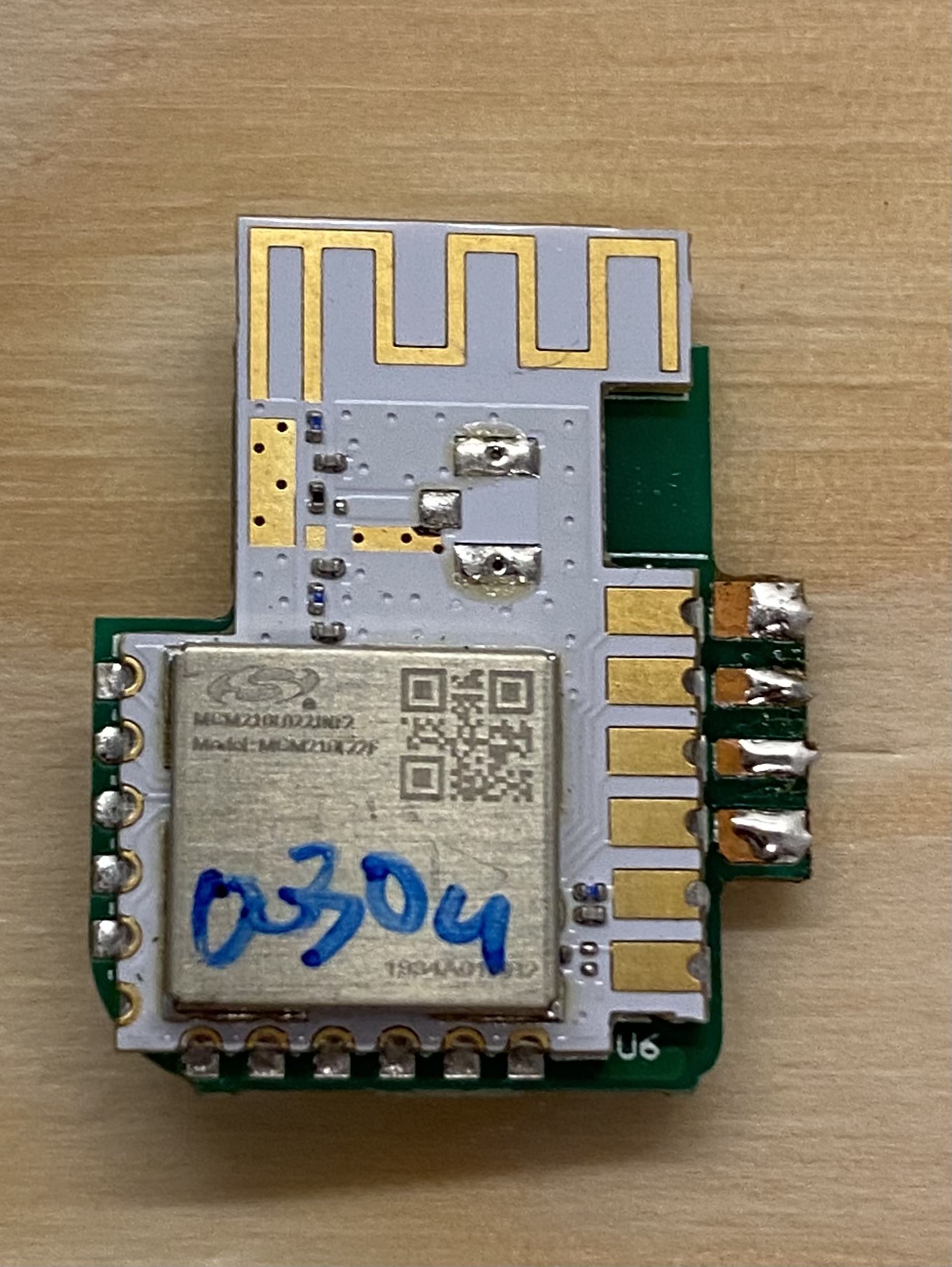
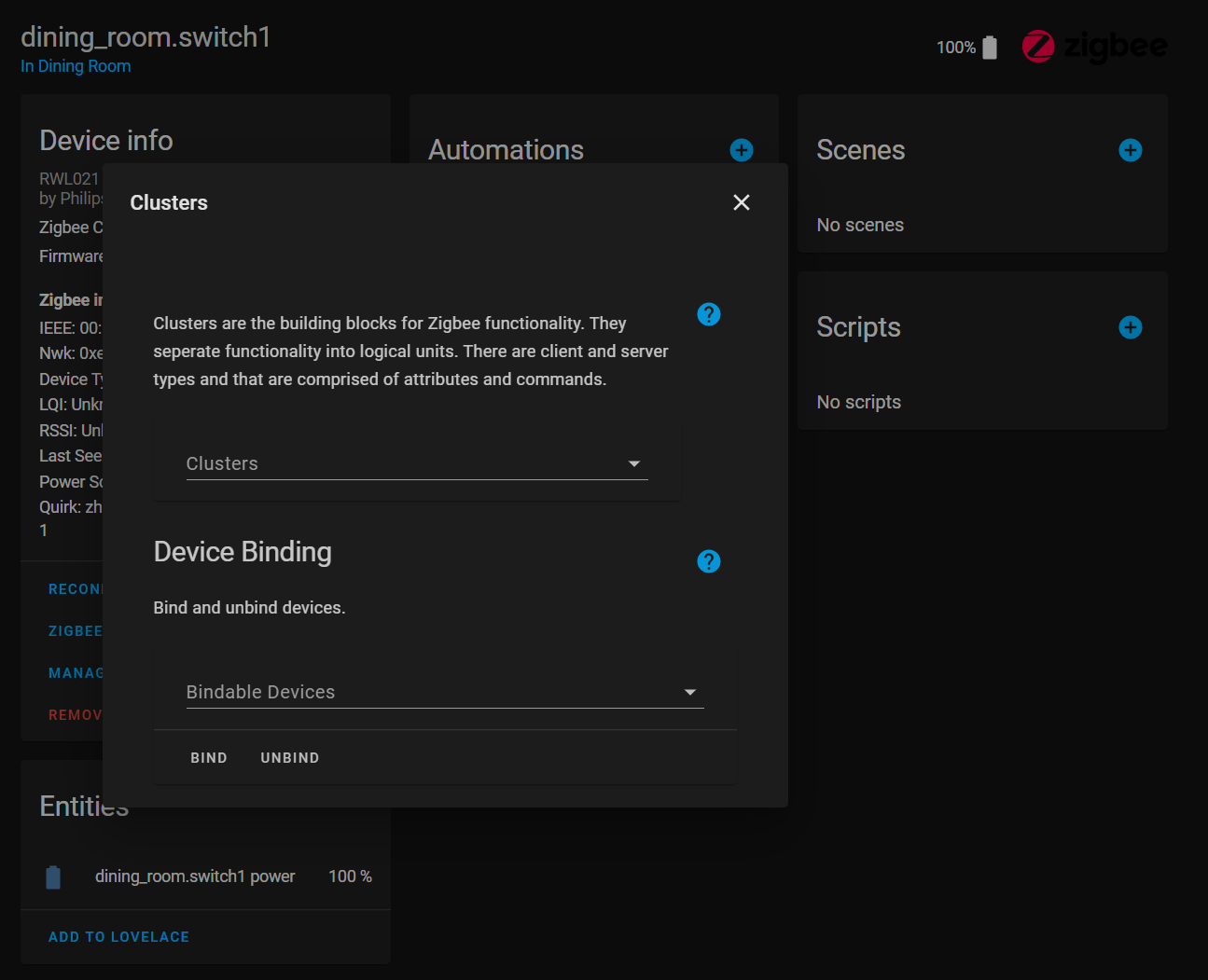
PROVE ME WRONG!


 quick hare
If that piece of trash works well with ZigBee 2 MQTT i’ll consider switching.
jolly narwhal

I'll get to it next week then
Catching a plane tomorrow morning and will be working out of town for a few days
quick hare
You really triggered me men.
jolly narwhal

alpine arrow
Can someone (there's always a doc!) link me a doc that will show me the steps (i'm a beginner!) to switch from ZHA to Zigbee2MQTT with ZIbgee2MQTT assistant (I think). From what I'm reading, it'll give me a bit more control and show status better.
sour shadow
No need for Zigbee2MQTT Assistant
Switching will (AFAIK) require you re-pair everything though
sour shadow
If somebody is ever interested enough they'll write a migration tool for the databases they use, but ... that requires somebody to care enough to develop it
jolly narwhal
How many devices @alpine arrow ?
alpine arrow
- 7 battery. Two up in my attic (bulbs).
dry fossil
Only sounds like an hour's work to re-pair them all after you switch to Z2M
jolly narwhal
Less than that
I'd say 30mins
With a proper coordinator
I spent 45 min to do 60+
dry fossil
I was including time for getting in/out of the attic 😄
jolly narwhal
🧗♂️
alpine arrow
Lol but I need time and my spouse to schlep the ladder from my garage (50ft away from the house) up 3 flights of stairs! I know, excuses...
alpine arrow
Sounds like it's worth it though. Maybe on a poor-weather Weekend when I have all day to make mistakes and then get help and correct them.
jolly narwhal
What coordinator do you have?
alpine arrow
The gocontrol.
jolly narwhal
Is that the huzb or something?
alpine arrow
Yep.
alpine arrow
Oh? Well that solves THAT, then. I wonder why - seems like a common stick.
jolly narwhal
Might be part of the lower experimental supported
No idea, I deal with Texas instruments ones, those are lightning fast
alpine arrow
Ah. Well thanks for the info! Helps my learning process.
alpine arrow
I'm pretty happy with the husbzb gocontrol. I can't complain about the speed. But I would like more status and stuff, so - future notes.
sour shadow
Experimental support for it is underway: https://github.com/Koenkk/zigbee-herdsman/issues/319
Nortek GoControl QuickStick Combo Model HUSBZB-1 (note that this is based on Silabs older EM3581 "Ember" family chip)
So, not a great choice anyway
alpine arrow
Noted - thanks!
 trim magnet
Hi, zigbee digital input module required. Are there any? If so, could you tell which ones?
sour shadow
Did you check the hardware lists in the pinned messages?
dry fossil
What do you mean by an input module?
 dire willow
anyone want to hold my hand to program this remote to control a zigbee bulb... i am lost
https://rgbgenie.com/?product=rgbgenie-rgbw-remote-zigbee
mighty river
Genie refuses to come out of the lamp? 🤭
Try pairing with whatever you're using, and share any info with us that your system spits out
 prisma shell
ugh even with the recent fixes it seems my ikea remote is still only getting about 5 days out of a battery
hard to tell because I dont use it every day but that's all it seems to be
mighty river
I'm out of cr2032s, well.. because of that.. but my experience was the same.
Someone did suggest a re-pair, as part of the new settings may not apply otherwise, did you try that?
jolly narwhal
So far I've replaced one battery in a ZigBee device in 2 years
I have a couple of dozen
dire willow
@mighty river OH YOU ARE FUNNY...
i was able to pair it and am able to get an output from the dev event listener, but from there... no idea what i do with it
mighty river
Thank you, thank you. People also say I lack a sense of irony.
Don't keep it a secret any longer, what are you using? ZHA? Z2M?
We need clusters
mighty river
@jolly narwhal there's definitely something funny with these Ikeas. At least with ZHA and possibly Z2M. I don't have any other switches, but other bat stuff like my PIRs work for months, at least.
dire willow
it has 4 'scene' options... but i dont care about which scene it is controlling, its just a remote i want to control a zigbee lightbulb in my kid's room
jolly narwhal
I have one IKEA button via z2m
dire willow
what i can see - endpoint_id= scene
command: move_to_color
args - the color?
 bronze apex
So I'm going to go down the ZigBee route, haven't quite decided on the stick/router yet but I'm wondering is doing this will make it mesh? I'll be using things such as sonoff, Aqara stuff and maybe others if I come across stuff. Is this possible all with using a zigbee stick? Going to setup ZigBee2mqtt if this plan works? It'll be all spread across my house so I'm wonder if it works mesh like of if I'm going to need a way to boost the signal or something?
jolly narwhal
If you pair them all to one coordinator
They will form one mesh
Place coordinator centrally, pair outwards with mains powered devices first, then pair battery devices
Always pair in final location
mighty river
@dire willow https://github.com/Koenkk/zigbee-herdsman/blob/f2d196ab3e2c32c802ec45afa4420ed55f304ff7/src/zcl/definition/cluster.ts#L2137 that's the gritty details.. wondering if ZHA makes entities out of some of your clusters, though, maybe check there as well. And maybe give us the zigbee device signature
dire willow
Oooo. I'll read up
bronze apex
jolly narwhal
If you pair them all to one coordinator
Sorry to seem dumb, but what you mean a coordinator? I understand what you mean by pairing them in their final location though,makes sense
dire willow
Where do I get the signature- this?
mighty river
@bronze apex you'll have one coordinator, e.g. the stick or some gateway. Then, most mains-powered devices are capable of routing, so basically you get free range extension
dire willow
Zigbee info
IEEE: 00:0d:6f:00:16:68:9d:8b
Nwk: 0x0fba
bronze apex
mighty river
<@!128902499514974208> you'll have one coordinator, e.g. the stick or some gatew...
I see, how would I know if the mains powered device is capable of routing?
mighty river
@dire willow just below that, bunch of links, zigbee device signature
@bronze apex a bit of googling or asking here, though I'd say the vast majority of stuff that plugs into mains can route
Some better than others, but basically if you plug stuff in, the network will start to form automatically.
If you have devices and got it set up, ZHA or Z2M or whatever you use will also tell you if it can route, and you can get fancy graphs that will show you, etc.
bronze apex
mighty river
<@!128902499514974208> a bit of googling or asking here, though I'd say the vast...
Cool, I've not got any plans for an mains powered devices yet, I'll keep that in mind though. I'm looking to go the z2m way. Back on what atxbyea said, if I pair it in its final position and then decide to move it should I repair?
jolly narwhal
Battery devices don't mesh
mighty river
Nah, it's paired to the network, so it will stick to that
jolly narwhal
And won't increase your range
sour shadow
If you have no mains powered devices, you have no mesh 😉
mighty river
ZB can be a bit temperamental as to what it decides to route through, but eventually devices should figure out a way to get back to the coordinator using routers on the same network.
bronze apex
Got it! Yeah sounds like working on a few mains devices is the best way to create a mesh
Or rather the only way 😂
mighty river
You can get actual routers, e.g. the Ikea range extender, it's not that expensive.
10 bucks or so
bronze apex
Are coordinators and routers different?
bronze apex
🤔
sour shadow
You can often flash a coordinator with router firmware
mighty river
But thing is, a 7 buck bulb has the same hardware inside, pretty much, so often it makes sense to get something that has actual functionality.
In network terms, you have a single coordinator in a zigbee network, and can have multiple routers.
The coordinator is what links your ZB network to the outside world
bronze apex
Ive a gledopto bulb lying around, are they capable of routing?
sour shadow
Almost certainly
https://www.zigbee2mqtt.io/information/supported_adapters.html lists which coordinators have router firmware, and that includes the dirt cheap CC2531, which makes a reasonable router
mighty river
Yes, though note that those things require tinkering and aren't necessarily cheaper than just getting a bulb or e.g. the Ikea range extender.
bronze apex
Single coordinators, multiple routers, got it! So going by that link, most are able to be flashed with either firmware, making them do the job I require
Ikea range extender is a good router then?
mighty river
The ones in the link are, but in general it's quite rare to find something that has multiple firmwares available.
It's fine for the money and considering its ease of use. You just plug it in and forget about it.
sour shadow
The Ikea has a low limit of how many devices can connect to it though, in the 5 to 10 device region
bronze apex
I'll worry about that when I get that far I think. Tinkerer sent me a link a few weeks back about setting up ZigBee2mqtt etc, it looks really useful so definitely going to get started with a coordinator and some sort of zigbee device like a Aqara button for example
mighty river
But that's extension... so stuff near the coordinator will just connect directly, stuff on some outer edge can connect to a router, so depending on your situation it should be fine.
It's not an exact science, basically you buy stuff, watch the fancy graphs and stats, see if you have stuff in weak spots, can then put some routing device inbetween.
bronze apex
Yep basically if it's close enough to the coordinator I'll be fine, but for when stuff gets further away from the coordinator I'm going to need a router. One more thing, is there a way to tell the signal strength of connected devices?
You basically just answered my question then since you see graphs
mighty river
Yeah it's all logged, ZHA has a graph built-in, not sure about z2m but I imagine it has something similar.
z2m definitely has the information, anyway
bronze apex
Epic! Going to see about getting some stuff ordered tomorrow! 😁
sour shadow
The LQI value tells you - high numbers are good (255 is the max), low numbers are worse
mighty river
https://www.zigbee2mqtt.io/images/frontend.png this thing is on the homepage, looks like that has everything you need

Says "map" too, dunno what's behind that but it's definitely a map 🙂
bronze apex
Class! It definitely sounds easier than I first expected
mighty river
Hah, the theory is, anyway. In my experience zigbee can be a bit temperamental. But knowing the basics, it's not too hard to figure out the weak spots in your network and fix that.
prisma shell
mighty river
Someone did suggest a re-pair, as part of the new settings may not apply otherwi...
yes i've been following the bug report. had many repairs and reconfigures
mighty river
That's been my main issue, anyway. Bad range in places I didn't expect.
bronze apex
Yep sounds like it's mostly about poor connections but that can be solved someway or another
prisma shell
i have a few bulbs in different rooms as routers as well
mighty river
Easily fixed, but you gotta find out first to fix it
bronze apex
Definitely going to bite the bullet and order some stuff tomorrow! Expect some questions when it arrives 😂
prisma shell
home depot has cheap decent bulbs
mighty river
@prisma shell I need to get some cr2032s, then set up a separate ZB thingy so I can look at what's going on without ruining my home... until then, they're sitting here dead
prisma shell
did you read/follow the bug report?
mighty river
Yeah
prisma shell
mighty river
Got the update, took my ZB offline for a bit for maintenance, drained my last cr2032 because apparently it kept polling when it found no network
So now I'm dead in the water
cerulean thorn
How is it to use a zzh! As a router? I got 2-3 of those and just need one coordinator (slaesh due to best serial chip)
jolly narwhal

mighty river
Ah, so you're the one hoarding all the good stuff
It's like the toilet paper of zigbee
bronze apex
One last thing actually, once all this is setup and paired for example is it easy enough to get into home assistant for some automations?
mighty river
How much
cerulean thorn
Got an unopened zzh I don’t need
bronze apex
I guess if differs if I use z2m?
mighty river
@bronze apex yeah, MQTT is.. MQTT as always, with autodiscovery it's quick. ZHA makes straight HA entities, even easier (though ZHA is a bit less mature)
cerulean thorn
Wish z2m could use websocket directly
bronze apex
Hmm not sure if I should use zha or z2m now haha
cerulean thorn
I tried all and fell on zha
mighty river
@bronze apex IMO it depends a bit on the hardware support. If all your devices are supported by ZHA, it's definitely an easier and more transparant experience. But it gives a lot less control if things need fiddling.
cerulean thorn
I don’t like z2m is so layered
mighty river
Can try both, of course, but expect to have to re-pair everything when switching, that can be a bit of a chore.
sour shadow
IMO separation is good - if HA is down I can still manually control everything through Z2M
austere patio
ZHA doesn't re-form the network if one already exists on the coordinator so if you try Z2M first, permit joins in ZHA, and reboot your routers, most should be re-discovered
sour shadow
Hell, I can spin up another HA instance and fully interact with all my Zigbee devices
cerulean thorn
I would say the most stable is deconz, best support z2m, best integration and speed zha
mighty river
@sour shadow well if you can spin up another HA instance, then you could also just spin up another HA instance with ZHA.
sour shadow
Well, that stability comes from a sloooooooow rate of change 😛
 dawn wagon
Snap. I just bought a house last month, and am taking the lunge into HA. The previous owner had some door sensors and items that I didn't recognize he left behind. I just got around to taking a look, and they're Swann One security sensors. Looking at the (now discontinued) hub, it says it's ZigBee protocol - in theory, I should be able to re-purpose these sensors and tie in with HA, right? Do I need one of these routers/conductors that someone mentioned earlier?
mighty river
@dawn wagon you need at least a coordinator of some sort, yes
cerulean thorn
I got a noticble speed on voice command on lights after going to zha
bronze apex
Hmmm basically it doesn't overly matter for actually ordering stuff, I can try both z2m and zha 😁
sour shadow
No reason not to
dawn wagon
is there a cheap local coordinator, or a good article for learning about what the heck a coordinator is? Trying to piece togethe rinformation without having a good starting point is hard 🙂
austere patio
That is the last thing I would trust my home security with
mighty river
Definitely wouldn't recommend CC2531, or if you insist, get one with a big antenna.
sour shadow
It's fine for testing
dawn wagon
ok, perhaps I should strike the word "cheap"
mighty river
dawn wagon
Great, thanks Tinkerer
cerulean thorn
Has someone ever tested antennas and suggested brand and size for optimal zigbee?
bronze apex
So avoid the cc2531 then?
sour shadow
Yes
mighty river
Yes
sour shadow
The CC2531 is fine for testing and experimentation, it's crap for production
Oh, and it makes an entirely reasonable router, when it has an antenna
cerulean thorn
Just go slaesh
sour shadow
You just like the idea of never knowing when it'll arrive
cerulean thorn
Imho the best one
jolly narwhal
Cc1352p2 > zzh > tube > slaesh
sour shadow

austere patio
cerulean thorn
Has someone ever tested antennas and suggested brand and size for optimal zigbee...
I think I got a 10% LQI drop when switching from the 90 degree to a swivel antenna on my ZZH but it really doesn't matter a whole lot, since you do have routers after all
cerulean thorn
Thats a global issue
dawn wagon
is "slaesh" the CC2652RB ?
mighty river
https://www.tubeszb.com/ tube has a small number in stock
cerulean thorn
@austere patio does size of the antenna really matter? I guess its a limit how the sticks can utilise an antenna
mighty river
Apart from that, you're mostly confined to Aliexpress dabbling or hacking an existing brandname gateway
sour shadow
dawn wagon
is "slaesh" the CC2652RB ?
One particular seller, who's got a track record of abysmal customer communication skills
I'd personally say don't buy
jolly narwhal
Can't be abysmal if it doesn't exist
sour shadow
(at least not until they learn how to actually communicate with customers)
jolly narwhal

cerulean thorn
I guess i was lucky to order early enough to not have the issues you guys had with the sellers
bronze apex
Any advice on what would be best then?
sour shadow
Did you look at the pinned message?
Any of those will be good. Pragmatically buy local to avoid customs fees
mighty river
@bronze apex if you want to go all-in with this and don't mind spending f-you money (relative, because they're still fairly affordable) get one from Tube
cerulean thorn
If you go texas instrument can you change to another ti of another type without re pair?
sour shadow
You can swap between any of those without a re-pair
dawn wagon
I admit that I looked through the pinned messages, but until I get a better baseline understanding, it all looks like trig or calculus, while I'm barely understanding pre-algebra.
sour shadow
#zigbee-archived message is your Zigbee primer
dawn wagon
and maybe I'm just still in over my head, which is OK. I'll try to find more basic information to get a good fundamental understanding before I get deeper.
cerulean thorn
Get one of the one suggested
bronze apex
mighty river
<@!128902499514974208> if you want to go all-in with this and don't mind spendin...
How much we talking in comparison to something else half decent?
sour shadow
$40 USD and up
mighty river
$38 for usb, $58 $54 for ethernet
dawn wagon
sour shadow
https://discord.com/channels/330944238910963714/551843655682490399/7979769225952...
Yep - that's the one I'm on right now.
sour shadow