#zigbee-archived
1 messages · Page 78 of 1
 grim igloo
 twilit tartan
I appreciate the help and will try watch some videos and then proberly i know the right questions. Its totaly new to me so beside HA and NAS bacis i need to learn
 tropic depot
We have a bunch in flux but we should be able to finish this up soon hopefully. Just lots going on
twilit tartan
So in the video the person say just plug a Zigbee in to your rasbary pi but i have a NAS running HA porainer so do i then just plug the usb in to my nas ?
Also he say Zigbee ZHA is more noob frendly and i like that bur also say Sigbee2MQTT is better for Philips Hue witch is somthing i have. So dont know what to get
 smoky anvil
twilit tartan
So in the video the person say just plug a Zigbee in to your rasbary pi but i ha...
smoky anvil
twilit tartan
So in the video the person say just plug a Zigbee in to your rasbary pi but i ha...
Yes, unless u have a tube.
smoky anvil
twilit tartan
Also he say Zigbee ZHA is more noob frendly and i like that bur also say Sigbee2...
I am a Z2M person my self. I have about 40 hue lights. Works very well.
twilit tartan
Ty, for feedback. So Z2M is a third option 😅
grim igloo
tropic depot
We have a bunch in flux but we should be able to finish this up soon hopefully. ...
wrong guy you meant to tag gmsoft no?
grim igloo
twilit tartan
Also he say Zigbee ZHA is more noob frendly and i like that bur also say Sigbee2...
yeah that's not really accurate with hue at all.. hue is great and works great on z2m and zha there is no difference
tropic depot
Nah, was treating it like a thread since u replied to him… that’s why I turned the ping off
grim igloo
i understand
 violet wave
You mean years 😅
 calm python
I have a ZbDongle-E (EFR32MG21) and read on zigbee2mqtt.io that i need to enable touchlink in the Zigbee Coordinator firmware. Could anyone guide me or know have a link to a guide how I am suppose to do this?
 minor hedge
Anyone familiar with this error? Suddenly I cant control my devices anymore in Z2M, seems like the connections are gone? Publish 'set' 'state' to 'Rolgordijn slaapkamer R' failed: 'Error: Write 0x54ef4410006b8c86/1 genAnalogOutput({"85":{"value":0,"type":57}}, {"timeout":10000,"disableResponse":false,"disableRecovery":false,"disableDefaultResponse":true,"direction":0,"srcEndpoint":null,"reservedBits":0,"manufacturerCode":null,"transactionSequenceNumber":null,"writeUndiv":false}) failed (Timeout - 49677 - 1 - 13 - 13 - 4 after 10000ms
 frigid quartz
I have a zigbee motion sensor which is binded to a zigbee light. But it does not trigger the light when detected people. Is this normal?
 fathom dune
Can someone recommend me an amazon available zigbee range extender?
Or a zigbee device that will act as a range extender that's not huge.
 languid sky
fathom dune
Can someone recommend me an amazon available zigbee range extender?
languid sky
fathom dune
Can someone recommend me an amazon available zigbee range extender?
With slight hesitation*, I can recommend this one: https://pl.aliexpress.com/item/1005005896691160.html
- It works with Zigbee2MQTT; I don't know if it works with ZHA
- Z2M shows higher LQIs with this repeater than with smart plugs put in the same location
*I hesitate, becase I've not been using it long -> about 2 weeks -> but it works, it is small and cheap.
grim igloo
fathom dune
Or a zigbee device that will act as a range extender that's not huge.
any zigbee mains device will be a repeater unless it breaks spec (sengled bulbs, aqara fp1 do not)
languid sky
grim igloo
any zigbee mains device will be a repeater unless it breaks spec (sengled bulbs,...
BTW, do they really "break spec"?
- I've downloaded the zigbee spec once, it was REAAAAAALY long -> maybe there are some exceptions, that they conform to, making it "legal", not "breaking"?
- If they actually do break the spec, how is that "allowed"? Nobody sue-ing them? Consumers, after buying item not conforming to the spec, while being sold the Zigbee logo, therefore being cheated on? The issuer of Zigbee spec?
grim igloo
I’m not the guy to ask
languid sky
grim igloo
I’m not the guy to ask
sure, just asking around, as i've seen the claim multiple times -> but haven't seen like "big" scandal topics on reddit/yt about this… maybe zigbee is a like niche within a niche, too smoll for "big scandals" 😄
 molten linden
Because there is no required certification process. The spec is treated as more like you should do this but we won’t hold you to it. Tuya just slaps a zigbee module in the same thing they make as WiFi the radio then just transmits the same type of data so tuya hub can send it to their cloud.
languid sky
molten linden
Because there is no required certification process. The spec is treated as more ...
Because there is no required certification process.
Conforming to a standard and being certified (by the standard owner or anybody else) are two distinct things for me.
- If Tuya (or any X company) puts a Zigbee logo and claims their product is "Zigbee 3.0" -> one can expect it conforming to the "Zigbee 3.0 Standard". Certified or not.
- If I as an independent researcher test their product, I can issue a certification claiming that "Product Y of X" conforms to Zigbee 3.0 Standard" –> same expectation, but "more trustworthy" (if somebody trusts me ;-))
- If "Zigbee Standard Committe" issues a certification claiming that "Product Y of X" conforms -> then this would be probably a great recommendation.
Tuya just slaps a zigbee module in the same thing they make as WiFi the radio then just transmits the same type of data so tuya hub can send it to their cloud.
My question to people claiming that this is "breaking the spec": is it really? Maybe it is NOT DISallowed to "tunnel" Tuya's commands over the Zigbee layer? That would explain why there is are no "big scandals" around that. Certified or not.
|| I know, I can read the spec myself… ain't nobody got time for that 😄 ||
 shell dawn
Anyone tested EVA Zigbee HAN Energy Meters and know if they work in ZHA? (Details: #energy-archived message)
EDIT, product link:
https://www.elektroimportoren.no/eva-zigbee-han-maaleravleser/94326/Product.html
 lunar willow
Hi guys I have a question. I have a fairly large area that I'm covering with my zigbee network and I'm having some issues. My current set up is composed of my warehouse and my house which is 240sqm each and there is another house in between which is not mine and its also 240 sqm.
Currently I ran an Ethernet cable to my house from my warehouse to cover it in one network. My z2m coordinator is in my warehouse where my server is. Then I have a zigbee router on the edge of my house to get a signal from my coordinator. The distance between my coordinator and router in the house is about 15m. Then I have lots of other router devices like smart plugs running in my house and warehouse. Also added 1 more zigbee router inside my house (this one have a very weak link to my coordinator but good link on my 1st router). My problem is sometimes the sensors inside my house are having issues like not responding or unavailable (specially my aqara door sensor on my bedroom where I also placed the other router since I thought it would fix my problem).
Now I'm thinking of getting the slzb-06 as from what I understand it can run from Ethernet and become a zigbee router.
My question is will it repeat my existing zigbee mesh thru ethernet? Sorry don't know how it works as a router because from my understanding repeaters need to get signal from other routers to repeat it but this one has zigbee thru ethernet. Can some explain to me before I buy the product? Thank you very much
Is it the same like a wifi mesh where I can extend the range coverage as long as I connect it within the limits of Ethernet cables?
 mighty river
Since deconz last addon update, crazy behaviour after pairing IKEA small white button E1743
twilit tartan
Have a question. Trying to decide what ZB Dongle to buy . I can see on amazon that SONOFF is the most popular one .. But there are two versions "ZBDongle-E" or "ZBDongle-P" and dont know what to get ? Also as i understand they can do both ZHA and 2MQTT so dont have to decide on that part right away correct
 tiny timber
Having some grief with my network after a reboot/upgrade of HA. Thinking about moving Zigbee to z2m so that it stays alive easier. What would I miss if I moved from ZHA to z2m? Just parent Zigbee devices?
 compact oak
Hi, I can no longer configure a zigbee device on z2m on home assistant.
This is the device, I had disconnected it manually for a test, but now it no longer appears
tropic depot
tiny timber
Having some grief with my network after a reboot/upgrade of HA. Thinking about m...
What’s the issue?
 knotty flint
I have two Centralite sensors that keep going unavailable though i swapped the batteries and have tried to reset them frequently. I'm using ZHA and I had enabled debug logging.
Where should I start to figure out why two sensors out of many keep cutting out?
 ivory shuttle
Quick one to rule anything else out. Good coverage of routers near the sensors and forming a path back?
 dusty stream
I have two seemingly identical Sonoff ZBMINIL2 relays, I have successfully updated the firmware on one of them to version 1.0.14 using zigbee2mqtt. The other however, likes pretending that version 1.0.10 is the latest version. Any clues?
knotty flint
ivory shuttle
Quick one to rule anything else out. Good coverage of routers near the sensors a...
Yeah. One sensor is near the Sonoff hub, the other is almost surrounded by ikea smart plugs that I believe are zigbee routers.
 rigid wagon
yet again trying to see if anyone wants to help me add a new device to zigbee2mqtt on home assistant.
It's a mmwave+pir+lumen sensor of just 20 euro that runs on batteries, and have already seen it doesn't spam the network! Can be a super promising device for home automation enthousiasts.
most of these tuya things spam the network like crazy, this one doesn't. Sad that i didn't receive help so far 😦
 sudden yarrow
rigid wagon
most of these tuya things spam the network like crazy, this one doesn't. Sad tha...
sudden yarrow
rigid wagon
most of these tuya things spam the network like crazy, this one doesn't. Sad tha...
Maybe the Zigbee2MQTT Discord can help
rigid wagon
sudden yarrow
Maybe the Zigbee2MQTT Discord can help
oh didnt know that existed, any link please? ^^
sudden yarrow
 hoary gulch
Hi all, I know it maybe a question for Z2m community but having asked on their discord, there was no answer of any kind.
Has anyone encountered this being printed recently in the Z2m logs:
Zigbee2MQTT:error 2024-03-10 15:28:47: Entity 'homeassistant/button' is unknown
Zigbee2MQTT:error 2024-03-10 15:28:48: Entity 'homeassistant/select' is unknown
Zigbee2MQTT:error 2024-03-10 15:28:48: Entity 'homeassistant/button' is unknown
Zigbee2MQTT:error 2024-03-10 15:28:48: Entity 'homeassistant/select' is unknown
Zigbee2MQTT:error 2024-03-10 15:28:48: Entity 'homeassistant/button' is unknown
 inland island
Hi all - I'm new to HA and just purchased a HA Green with a sky connect and a couple of Sonoff SNZB-03 motion sensors. I got HA up and running easily, updated it, and the netwok easily found the Skyconnect to add to integrations. However - when I go to add devices via this device, I can't get the Skyconnect to find the motion sensors. Any suggestions? Tried removing the batteries and reinstalling them on the sensors as well as re-installing the SkyConnect with no luck.
grim igloo
inland island
Hi all - I'm new to HA and just purchased a HA Green with a sky connect and a co...
Probably interference. How long is your usb extension cable to move skyconnect away from interference?
inland island
Just the one that came in the box - so not very long. I can definitely try to pick up a longer one
grim igloo
Check this 30 second video on why it’s so important: https://youtu.be/tHqZhNcFEvA
inland island
Thanks!
grim igloo
Get away from ssds, usb3.x ports, outside a rack or away from other metal, WiFi access points
Also generally speaking sonoff gear isn’t that great so your sensors might just not have a huge range on them. I’m assuming you are putting them into pairing mode per their documentation
Along with zha
 tepid gorge
About to setup a new HA green with Zigbee dongle. Going to use Zigbee2mqtt. Is there a good updated walkthrough that I can follow step by step?
 wheat portal
Hi, I'm having pretty big problems with my Zigbee network where all my lights freezes, I get error messages as "Network_busy: 161". I'm trouble shooting high and low and found I also get an error message saying "/addons/core_silabs_multiprotocol/start return code 400". So I'm trying to disable multiprotocol on my Skykonnect. However, I'm not able to. I follow the instructions on how to disable Multiprotocol only to end up with a message saying: "Multiprotocol support is already enabled for ..." (It seems like I cant attach screenshots). Im running the latest version of Skyconnect Firmware per of yesterday (2024-03-10) and Home assistant is updated. Does anyone know why I can't configure my Skyconnect?
tiny timber
tropic depot
What’s the issue?
Bunch of Ikea motion sensors that end up dropping off every time HA restarts.
 elder surge
Trying to flash my ZBDongle-E on https://darkxst.github.io/silabs-firmware-builder/ but I keep getting this. Any ideas?
Connection failed
The running firmware could not be detected.

Make sure the USB port works and if you are using a USB extension cable, make sure the cable can transfer data. Unplug the Sonoff ZBDongle-E and plug it back in to reset and try again.
does anyone know?
molten linden
what OS are you on? if windows be sure you have drivers. I think the sonoff uses cp210x
elder surge
It worked before. I did download them but nothing installed saying I had them already
molten linden
just make sure you see it in device manager, also what is the existing fw on the stick?
elder surge
Checking
elder surge
molten linden
just make sure you see it in device manager, also what is the existing fw on the...
https://i.imgur.com/yjSucKC.png - this is what i see
i can try to flash it through https://github.com/NabuCasa/universal-silabs-flasher - but i dont know how the commands work and the github page really lacks documentation for beginners
molten linden
Maybe try manually holding the button on the stick (may need to take it out of the case)
elder surge
what does that do?
molten linden
Hold when plugging it in and it will put it in bootloader mode
The web flasher uses the universal silabs flasher behind the scenes.
elder surge
is bootloader mode going to make it identifiable in the web flasher?
molten linden
Possibly. Unfortunately I’m not super familiar with the sonoff.
 sinful swift
Hey tube, I haven't updated my CC2652P2 Based Zigbee to Ethernet Serial Coordinator ever. I purchased it in 2021. Is there any point updating the firmware? It's working fine.
grim igloo
sinful swift
Hey tube, I haven't updated my CC2652P2 Based Zigbee to Ethernet Serial Coordina...
do you mean fw of esp or zigbee coordinator
esp, prob a good idea to update cuz it's super out of date on that front
no added functionality tho...
coordinator you prob want to be on dec 2022 iirc?
elder surge
molten linden
Possibly. Unfortunately I’m not super familiar with the sonoff.
took it off and tried bootloader mode. there are two buttons, but not sure what the other does. it didnt work anyway.
sinful swift
grim igloo
esp, prob a good idea to update cuz it's super out of date on that front
I've never used the ESP. It has always been disabled.
grim igloo
I don’t understand
molten linden
elder surge
took it off and tried bootloader mode. there are two buttons, but not sure what ...
🤷🏼♂️
grim igloo
The esp is what is actually sending the data to hass..
You just mean the update entity is disabled?
molten linden
if everything works let it be
some newer aqara devices may not join
if you get into that situation, then look to update, but avoid the 20230506 release.
sinful swift
Roger. Thanks Tube.
sinful swift
grim igloo
I don’t understand
I have set the ESP discovered by home assistant to be ignored.
grim igloo
Esphome has had a lot of bug fixes since 2021 lol
tiny timber
Anyone know what I'd miss (aside from device-level grouping) if I moved my Zigbee devices from ZHA to z2m?
grim igloo
tiny timber
Anyone know what I'd miss (aside from device-level grouping) if I moved my Zigbe...
device-level grouping?
tiny timber
ZHA creates devices with entities, z2m apparently only reports entities.
grim igloo
you never want to actually automate off a device anyways
what are you expecting to lose by this?
also each device i have in z2m shows me a device in hass
tiny timber
grim igloo
you never want to actually automate off a device anyways
That's a bold blanket statement.
grim igloo
okay
tiny timber
Maybe not as a trigger, but certainly as a target.
tiny timber
grim igloo
what are you expecting to lose by this?
I do not know, which is exactly why I asked the question.
languid sky
tiny timber
Anyone know what I'd miss (aside from device-level grouping) if I moved my Zigbe...
I can confirm what @grim igloo said: Z2M creates devices as well, not just entities.
BTW, personally, I haven't found any drawbacks of the switch from ZHA yet.
"It just works", 23 days and counting, 23 days of NO ISSUES (with ZHA 2 days would be a good strike :P).
tiny timber
Awesome, good to know. The info I saw about z2m not creating devices must be old. Thanks for confirming! It is a SkyConnect, but I don't use the Thread/Matter component yet. Has support for the SkyConnect improved on z2m? I still have an old Conbee II if necessary.
languid sky
tiny timber
That's a bold blanket statement.
Yep, some people (currently a good advice) recommend that for good reasons:
https://community.home-assistant.io/t/some-devices-cannot-be-selected-in-automations-in-device-action/593335/2
If I were living in a dream world, I'd like to forget about the global variables (entities) and get some more localized/namespaced utilization with devices:
https://community.home-assistant.io/t/rethink-the-relationship-between-devices-and-entities-in-lovelace/690779/7
languid sky
tiny timber
Awesome, good to know. The info I saw about z2m not creating devices must be old...
Has support for the SkyConnect improved on z2m? I still have an old Conbee II if necessary.
I don't know about that. I'm using Sonoff Dongle–P.
tiny timber
Great, thanks for the pointers!
elder surge
molten linden
🤷🏼♂️
had to use universal flash tool in linux becaues windows gave permission issues
then had to use network leave command under screen /dev/ttyACM0 115200 to clear network settings
 shy summit
I migrated my zigbee setup to a sonoff dongle with a Multiprotocol firmware to use thread & zigbee with one device. I now read somewhere that is approach is drop and not recommended to use. Is that correct? Should I migrate back to plain zigbee?
 sour shadow
That's correct, and yes you probably should
tropic depot
shy summit
I migrated my zigbee setup to a sonoff dongle with a Multiprotocol firmware to u...
I would
 smoky grove
sour shadow
smoky grove
sour shadow
More a question of whether you plan on using ZHA - HA's native Zigbee option - or Zigbee2MQTT
 rapid dawnBOT
There are three Zigbee options with Home Assistant (regardless of how you install it). These are:
zha is actively developed as part of Home Assistant Core, using the zigpy stack, the UI also being part of Home Assistant. The EmberZNet based sticks are recommended (though the HUSBZB-1 uses an older chipset), but there are other options including the CC2652 based sticks. There is no list of supported devices, as any standards compliant device should work. Devices that require extra support are listed, and adding unsupported devices is documented.
Zigbee2MQTT is very actively developed and can run in an add-on, in a Docker container, and natively. As of 1.15 has a native UI, and it also uses MQTT for control and configuration. It supports mostly TI based sticks, with the recommended option being the [CC2652 based sticks](#zigbee-archived message). If you want to use an EmberZNet stick see this issue. The known working devices are well documented (which usually includes how to pair them so you don't have to find the manual), and as of 1.35.0 now has opportunistic support similar to ZHA. This change has simplified adding support for new devices.
deCONZ is relatively stable and mature with its own UI (and Discord server). It can run in an add-on, in a Docker container, or natively. Only the ConBee range of sticks and RaspBee GPIO boards are supported. Known working devices are documented, and how to request support for a new device is documented too (you can't add unsupported devices yourself).
shy summit
sour shadow
That's correct, and yes you probably should
Do you know a guide how to restore a plain zigbee fw?
sour shadow
Just flash the stick - whatever it is - following the docs from the vendor
 fossil loom
Hey I just connected my zigbee vibration sensor, however I cannot see the action name; not in the device logbook and not in the z2m
Is there a way to know the action name? I want to know it to be able to use knock action as trigger for automation
Model -
lumi.vibration.aq1
grim igloo
fossil loom
Hey I just connected my zigbee vibration sensor, however I cannot see the `actio...
what about z2m products page?
or hass dev tools? (maybe this only shows current state i forget)
fossil loom
grim igloo
what about z2m products page?
Thanks!
 cerulean shoal
Hi, when i rename a device in z2m, HA stops receiving actions (logs stay empty) but the devices is renamed in HA.
 frigid mica
refresh the device page in HA
 last rain
Hi all. Currently on SkyConnect with multi protocol firmware. Looking to move away from that back to seperate zigbee and thread radios. Do I just get another SkyConnect?
cerulean shoal
frigid mica
refresh the device page in HA
Does work. Are there any characters no allow? Like spaces or anything?
cerulean shoal
frigid mica
or did you forget the `n't`
That one 😄 Just some devices seem to work. But ill start with just repairing them all to be sure. Now that atleast a few work, the solution cant be far.
sour shadow
I always use lower case letters, numbers, and the underscore ([a-z0-9_]) - that's HA slug safe and ensures that things will be consistent between Z2M and HA
fossil loom
Hi there, I'm trying to add support to unsupported device on z2m;
https://www.zigbee2mqtt.io/advanced/support-new-devices/01_support_new_devices.html#_2-creating-the-external-definition
Configuration warnings
Integration error: external_converters - Integration 'external_converters' not found.
Integration error: advanced - Integration 'advanced' not found.
I do get this error after doing step 2.1. Extending the external definition ;
also I did not got any exposes output from the generated_external_definition , is that normal?
 austere patio
last rain
Hi all. Currently on SkyConnect with multi protocol firmware. Looking to move aw...
austere patio
last rain
Hi all. Currently on SkyConnect with multi protocol firmware. Looking to move aw...
Do you have any Google Nest products or Apple HomePods in your home?
tepid gorge
I just got a Sonoff Zigbee 3.0 Dongle P version that I’m going to use with Z2M. Do I need to do anything about the firmware before installing it in HA? If yes, how do I do it on a Mac?
grim igloo
tepid gorge
I just got a Sonoff Zigbee 3.0 Dongle P version that I’m going to use with Z2M. ...
are you using haos?
#zigbee-archived message tube has addons to do it instead of manually doing it via python or other methods
tepid gorge
grim igloo
are you using haos?
I have a brand new HA Green that I am going to use it with
grim igloo
no idea if that's powerful enough but yolo
tepid gorge
For updating the firmware or running ha and z2m in general?
austere patio
HA Green is on par with the Yellow so it's fine
languid sky
tepid gorge
I just got a Sonoff Zigbee 3.0 Dongle P version that I’m going to use with Z2M. ...
i bought my dongle-p from amazon and it was originally flashed with 2021xxxxx firmware. there are a lot of people complaining about 2023 version, so i'm sticking to the most recommended 2022 firmware version.
i guess you can just try the whatever firmware it comes with, and flash a new firmware if you see any issues. that's what i did.
i flashed mine using Debian (Proxmox linux) and MacOS with the recommended CC2538-BSL script:
https://www.zigbee2mqtt.io/guide/adapters/#flashing-cc1352-cc2652-cc2538-based-adapters
ZigStar HA addon didn't work for me for some reason.
last rain
austere patio
Do you have any Google Nest products or Apple HomePods in your home?
Ive got ATV 4K and most of our client devices are Apple.
austere patio
I'm not 100% sure about the Apple TV but I think it may be a Thread border router
last rain
austere patio
I'm not 100% sure about the Apple TV but I think it may be a Thread border route...
yes it is. I have two nanoleaf lightstrips that are connected to Thread - Im giuessing you are suggesting connecting them via Apple Thread border router rather than HA's thread network?
Note i tried removing them from the HA thread network, reseting and adding via Apple thread - but they would not connect, something about being already paired? For reference: #thread-archived message
tepid gorge
languid sky
i bought my dongle-p from amazon and it was originally flashed with 2021xxxxx fi...
How do I check which fw the stick has now?
shy summit
I'm trying to migrate from multiPAN back to pure zigbee. I flashed the stick an plugged it into HA again. Now when I start the migrate step, the stick is detected, but I'm stuck on a screen where I need to input the serial port, speed and flow control variant. How do I find the correct settings for my stick (sonoff dongle e)?
sour shadow
The serial port is the /dev/serial/by-id/ path found in Hardware
sour shadow
The others you can probably leave at the defaults, but see https://www.home-assistant.io/integrations/zha#configuration---gui
shy summit
sour shadow
The serial port is the `/dev/serial/by-id/` path found in _Hardware_
Not the one detected by the flow? /dev/ttyACM0 - SONOFF Zigbee 3.0 USB Dongle Plus V2, s/n: xxx - ITEAD
sour shadow
The serial port is the
/dev/serial/by-id/path found in Hardware
Use /dev/ttyACM0 if you want, but there's a reason that all the advice is to use the path there 😉
||one is fixed and won't change, the other can refer to any serial device in your system||
austere patio
shy summit
Not the one detected by the flow? `/dev/ttyACM0 - SONOFF Zigbee 3.0 USB Dongle P...
It'll be converted to the unique path in the end so just pick your stick and you'll be fine
 junior viper
I was setting the ZigBee Channel to 25 in Z2M using my Sonoff ZBDongle-E, started pairing devices, and now I see the channel is 23? What teh heck..?
sour shadow
Then you didn't restart Z2M after setting that
 gray quartz
Hello everyone,
(Similar message in installation chat, got a hint, that this channel might be the better for my question.)
I was thinking of using a raspberry pi 5, a dongle for ZigBee and buy 4 sensor for humidity and temperature and add all of these (including hue lights I already own) to the HA.
Specifically I intend to buy.
- Raspberry Pi 5 / 8 GB RAM (with case and power adapter)
12864 GB SD Card- SONOFF ZigBee Gateway (ZBDongle-E 3.0), since the E is based on EmberZNet which is recommended for zha.
- Aqara sensor for temperature and humidity
The hue lights are mounted on the ceiling and are connected to the power, so they can act as ZigBee routers right?
Now to my actual question, am I missing something, or am I good to go?
austere patio
gray quartz
Hello everyone,
(Similar message in installation chat, got a hint, that this ch...
Definitely. You may want to start with start with adding enough Hue lights to build out a rudimentary mesh first, and then add sensors. If you add sensors first then they will always try to communicate with the coordinator directly, which will degrade their connection quality and reduce their battery life.
gray quartz
Great, thanks for the hint. 🙂
grim igloo
austere patio
Definitely. You may want to start with start with adding enough Hue lights to bu...
are you saying regardless of zigbee 3.0 or not, if an end device directly connects to the coordinator they will never migrate to better routes?
austere patio
It wastes battery power to scan for nearby parent routers so devices won't do it unless absolutely necessary. Much newer devices may do so if they're experiencing connectivity issues but even Zigbee 3.0 ones may not. Best to start off with them joined where they need to be.
grim igloo
good to know i thought we were safe with zigbee 3.0 devices (including end devices) to expect them to migrate to better routes
so say you add 20 new bulbs or switches to a mesh, would you agree it's smart to rejoin the end devices?
austere patio
If you want a 0.1% performance improvement, go for it
grim igloo
grim igloo
austere patio
It wastes battery power to scan for nearby parent routers so devices won't do it...
is there nowhere in the spec to send this info alongside other info? or does this not make sense cuz end devices are just pushing data to coordinator unless doing OTA update?
like extra space in headers unused to stash some info
austere patio
The coordinator doesn't know what the RF environment is like near the end device. It's up to the end device to check it out. This is sort of handled by the WWAH cluster on newer devices but I don't think many implement it.
grim igloo
interesting thanks for the additional info
 keen wedge
Hey all - I've been experiencing an issue with my Zigbee LED Strip lights in Z2M. Since installing them 2 days ago, each night (between 1-2am), they are turning on. I've looked through the logs in HA and do not see any automations or anything turnign them on, and actually don't have any log entries for them being turned on.
Anyone have any suggestions on how/where to be troubleshooting these?
fossil loom
Hi there, I'm trying to add support to unsupported device on z2m;
https://www.zigbee2mqtt.io/advanced/support-new-devices/01_support_new_devices.html#_2-creating-the-external-definition
Integration error: external_converters - Integration 'external_converters' not found.
Integration error: advanced - Integration 'advanced' not found.```
I do get this error after doing step 2.1. Extending the external definition ;
also I did not got any exposes output from the generated_external_definition , is that normal? carmine hamlet
Did you put that in the HA configuration.yaml?
fossil loom
yea
carmine hamlet
That's wrong
fossil loom
So where should I?
carmine hamlet
It goes in the Z2M config
fossil loom
How do I get there? via Z2M menu?
carmine hamlet
your Zigbee2MQTT configuration.yaml
It's in the data directory for Z2M. How you access it depends on how you're running Z2M
fossil loom
Thanks Rob
fossil loom
carmine hamlet
It's in the data directory for Z2M. How you access it depends on how you're runn...
Should it go to socat section? my configuration is at Add ons
carmine hamlet
It doesn't go in the addon configuration
It goes in the configuration.yaml that Z2M uses
fossil loom
where does it usually stored at? can't find it
carmine hamlet
I don't use addons, so I don't know how you get to it. Probably through SSH or SMB
grim igloo
fossil loom
where does it usually stored at? can't find it
install the studio code server addon or samba. code server will highlight incorrect syntax and autofill entities which is very very useful
fossil loom
grim igloo
install the studio code server addon or samba. code server will highlight incorr...
in the guide it says change log_level to debug, can I do info,debug or just debug?
 oak pecan
https://imgur.com/qgF26Gx sure hope my new zigbee network can figure itself out
 hazy vessel
Hi All, I'm trying to setup my philips wall switches with two switched for one module, I found this tutorial https://rudd-o.com/linux-and-free-software/how-to-use-the-philips-hue-wall-switch-module-with-push-button-wall-switches-in-home-assistant and I fail to write to my wall module. I try to change enum8.undefined_0x00 to enum8.undefined_0x02. and I get an error stating "failed to call service zha/set_zigbee_cluster_attribute"
I'm trying to do this in ZHA
 mellow geode
Try just writing 2
violet wave
@mellow geode can you please tell me if you need anything else for my TRV PRs to be merged ?
mellow geode
Time. Quirks v2 can now expose basic entities like this for example: https://github.com/zigpy/zha-device-handlers/pull/3031/files (only .enum part in quirks file is needed to create a select entity in HA).
Ideally, we can move all(?) of the stuff from your HA PR into quirks. It’s something I plan working on/finishing, as soon as I find more time.
(Translations/strings and icons are defined in HA still, would be added via the quirks bump PR)
If you already wanna have a go at it, there’s a WIP quirks v2 docs PR in the repo.
This comment on the quirk is also still valid: https://github.com/zigpy/zha-device-handlers/pull/1961/files#r1496748459
mellow geode
I know you’ve been waiting for this since quite some time now. Unfortunately, I have limited free time to work on this.
Again, I plan on finishing that PR with the new zigpy AttributeDefs and quirks v2 entities, but limited time is an issue
violet wave
yep I understand, that's the way free software works
not blaming or anything, just frustrated :p
I'll try to have a go at the v2 quirks
mellow geode
Quirks v2 was worked on for some time now, but should significantly improve stuff like this and make further contributions easier in the future.
Quirks v2 are already compatible with 2024.3.0, but more changes will come in 2024.4.0.
 fast cobalt
Hey all, so I have z2m running on a Sonoff dongle-e. I have 77 devices and my network has been solid for three years until last night it crashed and had to be restarted this morning. No biggie I thought until it just happened again about 30 min ago. All I could get from the logs when I went to restart z2m was "error while starting zigbee-herdsman: connection not initialized". Anyone else have similar issues? Any suggestions?
 paper gale
fast cobalt
Hey all, so I have z2m running on a Sonoff dongle-e. I have 77 devices and my ne...
paper gale
fast cobalt
Hey all, so I have z2m running on a Sonoff dongle-e. I have 77 devices and my ne...
Must have been a rough night ! Mine crash too this night but I don't get the same error. I get timeout error when trying to command and sometimes the command goes through.
 vocal nacelle
Innr SP242 (Zigbee smart plug) "Summation delivered" value in HA is 100 times what it should be. Will this be fixed or should I return the item?
sour shadow
You're using ZHA or Z2M?
vocal nacelle
ZHA
fast cobalt
I'm using Z2M
 tidal sparrow
I have some Hue Bulbs & Hue Play light but my Hub was stolen when I moved, Would I be able to integrate them directly to home assistant with zigbee?
grim igloo
tidal sparrow
I have some Hue Bulbs & Hue Play light but my Hub was stolen when I moved, Would...
yep
you'll need something to reset them so either hue app over bluetooth if supported or a hue dimmer to factory reset that way or on off multiple times but idk how well that works
 fair latch
Hello! Can anyone reccomend a zigbee siren to control with HA? I have a tasmota coordinator to connect it to.
sour shadow
Others have suggested https://www.zigbee2mqtt.io/devices/TS0216.html before
 hasty prairie
til the innr plugs do power monitoring 😆 I don't think that was listed on the amazon product page
oh, I'm just bad at reading 🙃
carmine hamlet
I don't know what their default reporting items and frequency are, but you may want to adjust them to prevent spamming the network. I did with my ThirdReality plugs
carmine hamlet
yes
hasty prairie
lol where'd my image go, imgur?!
carmine hamlet
works for me
hasty prairie
oh. weird. 404's for me 😆
alright, updated to once per hour since I don't really care that much about it but I guess it'd still be cool to have. idk. 🤷♂️
actions > disable on all the ha and se clusters would make it so it only reports on/off?
carmine hamlet
Yeah, I think it deletes that line
I have a bunch of plugs and they were reporting a bunch of stuff all the time
I don't need to monitor the voltage...
120...still 120....yep, still 120...119...back to 120
hasty prairie
haha that's a solid point 😆
ivory shuttle
Yeah I disabled a few fields on some of my energy meters
 lethal imp
Hey my skyconnect was working fine but since yesterday HA update, it stopped working. Here is the message i see
Zigbee radio with multiprotocol firmware detected
Your Zigbee radio was previously used with multiprotocol (Zigbee and Thread) and still has multiprotocol firmware installed: (CPC). To run your radio exclusively with ZHA, you need to install Zigbee firmware. Follow your Zigbee radio manufacturer's instructions for how to do this.
Any idea?
Should i change the firmware to Zigbee only?
lethal imp
I did a clean reboot and rebooted the Multiprotocol addon, it started working.
 balmy fossil
Hi. Today i will be getting a new Zigbee adapter - SLZB-06M and im planning to start from scratch (dumping the existing Zigbee mesh). Looking at the features the new coordinator/chip supports "automatic frequency finding", im assuming it works by going through the frequency range and choosing the best one? But is this feature supported by Z2M or ZHA, does it even need to be supported by the software?
 brisk fiber
Hi, I am helping my brother with his smarthome setup. He decided to buy Livolo Zigbee switches. The only way I found to make them work in HA is with Zigbee2Mqtt, I am using a Sonoff Zigbee stick, I got 2 out of 6 switches "working". 4 are getting detected, but the signal sometimes there and sometimes it isn't.
But now to my problem, even though they show up in zigbee2mqtt I an only switch them once until they dont work anymore. I am getting a timeout error: json Publish 'set' 'state' to 'Wohnzimmer' failed: 'Error: Command 0x00124b0022e1a62b/6 genOnOff.toggle({}, {"timeout":10000,"disableResponse":false,"disableRecovery":false,"disableDefaultResponse":false,"direction":0,"srcEndpoint":null,"reservedBits":0,"manufacturerCode":null,"transactionSequenceNumber":0,"writeUndiv":false}) failed (Data request failed with error: 'MAC transaction expired' (240))'
I don't know how to fix the error, because the lights work once or maybe twice
 supple roost
Anyone know how suceptable e.g. Zigbee buttons are for replay attacks? (Using e.g. a flipper zero)
 astral seal
Looks like it is and has been based on what I've read. Most of what someone could do with a replay attack is going to amount to a prank, ie toggling your lights. The worst thing I could think of someone actually doing would be replaying the "unlock" command for a door lock, but realistically someone who wants to rob you isn't going to hide in the bushes with a Flipper Zero and wait for you to unlock your door so they can replay the command later, they're just going to kick your door in when you're not home.
As far as concerns go, this is the higher tech version of people being worried that a criminal is going to pick their door lock.
 lime locust
Does anyone know of some good Zigbee string lights 5+ meters ?
ivory shuttle
astral seal
As far as concerns go, this is the higher tech version of people being worried t...
eh, theyre starting to have a go in the UK, albeit, theyre just going for bump keys and jigglers. No rakes or single pin picking. Just the very lowest of the low skill attack. But really if they want in, theyre shoving a brick through the window anyway.
I like a bit of locksport but the reality is single pin picking, besides being a practiced skill (albeit the bar to entry isnt high) just takes too long. Even if you're done in 30 seconds, who on earth squats infront of a lock for 30 seconds
Likewise we are seeing replay attacks for cars, but theyre not entirely effective and theyre usually darn targetted.
mate works in an LGS which was hit by someone using a bump key, an arrest was made as errm, yeah, muppet didnt wear a mask and they knew exactly who he was on the CCTV XD (a banned customer)
someone using a replay attack to get into your home, eh, theyre not doing so opportunisticly. Theyre doing it because you've made yourself an enemy. If thats a thing you're afraid of, eh, just dont use a smart door lock, and they'll have probably gone for the old crowbar or brick anyway
Also recommendation: Dont be in the habit of making enemies 😄
austere patio
supple roost
Anyone know how suceptable e.g. Zigbee buttons are for replay attacks? (Using e....
They're immune. Zigbee uses frame counters specifically to prevent replay attacks. That being said, it doesn't stop someone from sitting near your house, waiting until you join a new device to steal your network key, and then directly send a command that way.
carmine hamlet
Just don't leave 'permit join' perpetually enabled. Which isn't easy to do anyway
supple roost
it's not easy to enable 'permit join'? Or it's not easy to disable it?
carmine hamlet
It typically is enabled only for a small period of time when you choose to enable it and then turns off automatically
supple roost
during 'add new device' i assume
supple roost
yeah that's fine. i can live with that.
ivory shuttle
like again, someone that wants into your house is more likely to chuck a brick through a window or pry the door open with crowbars or sledgehammers or something rather than trying to attack your lock
supple roost
Maybe i have bulletproof windows.
ivory shuttle
First rule of any siege, if they have bulletproof windows, bring an rpg
HESH is BESH
ngl I kinda wanna see what hesh would do to a suitably thick bit of glass
supple roost
Or wall
ivory shuttle
nah already seen that footage
supple roost
could come in tough i bet
ivory shuttle
HESH was originally created for destroying concrete, a wall aint holding up long 😛
just happened to also be effective on (certain - particularly contemporary)armour, wasnt the original purpose
supple roost
doesnt matte rmuch if they wanna get ya. They do jogging now. That's when they follow you home or to wherever you go from the pin machine. And then rob you
ivory shuttle
yup
No reason to live in fear folks, but also never let your guard down. I consider it like a kitchen knife while you're cooking. You know that thing can take your fingers off, but its not like you're scared of it every time you cook a meal, and also not like you are totally oblivious of its danger while you use it
supple roost
A good knife is a sharp knife
balmy fossil
i thought Zigbee is very secure, but today i started to doubt it
i have replaced my coordinator with a completely different hardware (different ieee), changed the channel, changed the extended pan id, deleted Zigbee2MQTT databases... and my new coordinator is still getting my old devices trying to join it, not only that but in one case (and the only case i tried) i was able to control lights in such a device\
so does it mean that someone can just set up a completely new coordinator nearby and suddenly my devices will start joining it?
why not? i mean im just observing such behaviour
havent changed the security key so if Z2M havent regenerated it on device change it may still be same, but not even the channel matches and apparently devices shouldnt be able to change the channel on their own
austere patio
If the PAN ID and the network key are the same, devices may hop over. From the perspective of a device it's the same network.
grim igloo
austere patio
If the PAN ID and the network key are the same, devices may hop over. From the p...
Extended pan id also has to match right?
austere patio
Devices don't look for it unless they have a reason to, it's not present in most packets because the PAN ID is shorter
grim igloo
Good to know thx
I believe last time it was brought up was due to a guy in here saying his neighbor and him must both be using z2m because he was seeing his neighbors stuff. This was when z2m still defaulted to a specific network key, pan id, and ext pan id tho
Maybe it was on GitHub actually
mellow geode
Z2M should add some stats for how many people are using default creds lol
grim igloo
mellow geode
Z2M should add some stats for how many people are using default creds lol
I poked the bear until koenkk agreed to change them to randomize on first launch and even had to tell him puddly randomized ext pan too for him to agree to add that lol
mellow geode
It's great that Z2M randomizes them now. Unfortunately, defaults were used for way too long, so many networks are still running with the defaults
carmine hamlet
now Z2M just needs to choose a channel based on an energy scan, like ZHA, and not default to the worst channel (11)
 lyric juniper
hello there
lime locust
can i use one of these to make a smart socket ?
Sonoff Zigbee Extreme Switch Mini 2
https://video.aliexpress-media.com/play/u/ae_sg_item/2868933109/p/1/e/6/t/10301/1100213243616.mp4?from=chrome&definition=h265
lyric juniper
Should i use
sonoff zigbee dongle
or
zigbee bridge + home assistant ewelink integration
mellow geode
The ZBMINIL2 should work with both ZHA and Z2M. I'd use that, not the eWeLink integration.
fair latch
lyric juniper
Should i use
sonoff zigbee dongle
or
zigbee bridge + home assistant ewelink in...
All the integration I could find for eWeLink required cloud dependency to use zigbee devices.
In the end I used a sonoff zigbee bridge pro that I flashed with the tasmota firmware and then connected with ZHA.
 orchid mural
Hi i'm hoping to get some help here. I was running HA in a virtual box, using the Skyconnect for my Zigbee network, and having around 80 device connected from a assortment of manufactures, like Hue, xiaomi, ikea, Aqara. And it's being in the same location for a year and been running really stable, for the most part with only small errors like a button not working a couple of clicks and they would live again.
I updated to the newest version of HA 2024.03 and i started experiencing massive outages, device not responding at all, and the whole network locking up where nothing is responding, restarting HA would fix the lock up, but random device would still have problems, and the network would lock up again needing a restart.
I tried restoring from the HA backup rolling it back 2024.2.2 which would stabelising zigbee, only small delays on responses, but would get massive errors on other device in HA.
So i decided to reinstall everything, installing hassOS directly onto the mac mini and after getting everything back resetting every zigbee device getting them into the new system it seem stable late this night, but now i have devices again that aren't responding again.
Everytime a trying controlling a device i get this error:
https://hastebin.com/share/ifohofejoq.vbnet
more from the log containing zigbee
https://hastebin.com/share/zabowaqose.php
orchid mural
And the debug log from when trying to control a "dead" device with debug logging enabled on zigbee
sour shadow
Should i use
 hard swift
Sonoff Dongle-P can set Transmit power to 20 ?
FW 20230507
 ashen bluff
In theory but I don't expect this to help. The devices have to answer too, you know? ZHA or Z2M?
hard swift
ashen bluff
In theory but I don't expect this to help. The devices have to answer too, you k...
I use Z2M
ashen bluff
See transmit_power here: https://www.zigbee2mqtt.io/guide/configuration/adapter-settings.html#advanced-configuration
elder surge
Is there any damage caused if I screw on a larger antenna to my sonoff dongle? i have one laying around that is slightly bigger.
 misty dock
elder surge
Is there any damage caused if I screw on a larger antenna to my sonoff dongle? i...
misty dock
elder surge
Is there any damage caused if I screw on a larger antenna to my sonoff dongle? i...
No
sour shadow
As long as it's for the right frequency you'll be fine
misty dock
Hey folks: I'm running Sonoff USB 3.0 Plus dongle. I bought a POE SLZB-06 from Smlight. HA runs on its own hardware, the sonoff is plugged into that machine.
I read up, understand I can not have two coordinators for the same z2M instance.
For now, I've tried to replace the coordinator in place, by modifying the config, etc. While I was successful in doing so, now the zigbee network is rather fucked. Timeouts, a lot of "SRSP - AF - dataRequest after 6000ms"
I have not unplugged the USB Sonoff just yet - should I? As it's not referenced in any configuration anymore.
The SLZB-06 appears to function normally.
Any advice?
elder surge
sour shadow
As long as it's for the right frequency you'll be fine
It's an antenna from a USB wifi adapter. so i would assume its fine since its the 2.4G?
misty dock
misty dock
For now, I've tried to replace the coordinator in place, by modifying the config...
Full poweroff of the house sorted this.
 boreal crater
Hi, has anyone managed to update SONOFF Zigbee 3.0 Dongle P on Unraid? I am trying to use this: https://github.com/git-developer/ti-cc-tool
I'm running into an error:
ERROR: 'Namespace' object has no attribute 'force_speed'
Downloading firmware from https://github.com/Koenkk/Z-Stack-firmware/raw/master/coordinator/Z-Stack_3.x.0/bin/CC1352P2_CC2652P_launchpad_coordinator_20230507.zip
ERROR: Download of firmware was not successful.
 arctic igloo
Hey peeps. I am relatively new to using zigbee (used a lot of MQTT and Homekit before) and have a question about smart buttons, especially the ikea ones.
So I am currently setting up a smart home solution for a cafe/ club of a friend of mine. The main lights are controlled using DMX/ ArtNET and during the day they are controlled using home assistant. We also have other lights, e.g. the working lights behind the bar or the lights in the bathroom, etc. We want to save work for turning everything on/ off at opening/closing time and thus want to add them to our automation, preferably using zigbee bulbs or switches.
The question now is: is it possible to have some kind of local control with the buttons directly controlling the bulbs like in zwave, if the home assistant server would go down? We want to have a backup for at least the working lights behind the bar if there were to be problems in the network/ server.
orchid mural
orchid mural
Hi i'm hoping to get some help here. I was running HA in a virtual box, using th...
And now after a restart of HA it seems like all sensors have been thrown, everything is unavailable
grim igloo
boreal crater
Hi, has anyone managed to update SONOFF Zigbee 3.0 Dongle P on Unraid? I am tryi...
you dont want to use that firmware you want to stay on the december one prior to that release. also if you are using haos you can use tube's addons to do it (check pins in this channel for links)
boreal crater
I'm using HA Core in a docker container
grim igloo
ok
carmine hamlet
so... a container install
grim igloo
https://www.youtube.com/watch?v=4eYnURcDrWw i'd use this instead and connect to a pc
boreal crater
grim igloo
you dont want to use that firmware you want to stay on the december one prior to...
Is there an issue with the latest firmware?
boreal crater
I was probing for more info on the issue...
grim igloo
there are multiple issues that seem to stem from the 0507 firmware and i've been told by others who know more than me about zigbee related shit that it should be avoided unless required for a cc2652p7 chipset (you use cc2652p2 on p dongle)
i have a cc2652p7 PoE based coordinator that seems to work fine on 0507 (required for this chipset) but it also has more ram and idk what else that makes it possibly not have issues that the other p2 based coordinators have
boreal crater
Cheers, I was hoping to be able to update it in-situ, but I'll try from Windows
grim igloo
the video is pretty painless
just make sure you use the right numbers for the version you download
and download teh right fw per the guide
boreal crater
grim igloo
the video is pretty painless
Getting a similar error
cc2538-bsl.py: error: argument -p/--port: invalid int value: 'COM3'
You really should share your command and prompt.
boreal crater
python cc2538-bsl.py -p COM3 -e -v -w --bootloader-sonoff-usb CC1352P2_CC2652P_launchpad_coordinator_20221226.hex
No idea
Try another port
Reboot pc and try again
Dumb but it’s worked for me when flashing stuff
Try non usb 3.x port and in back of pc not front
boreal crater
-p seems to be expecting an int?
grim igloo
The guide shows proper syntax you can easily be mistyping
boreal crater
I'm copy pasting and only replacing relevent parts :/
It's the same error I got when doing it through the Linux terminal
ashen bluff
Copy pasting is one of the reasons why text guides are better: https://www.zigbee2mqtt.io/guide/adapters/flashing/flashing_via_cc2538-bsl.html
I used this in the past. Haven't updated in quite a while.
boreal crater
That's what I used initially
Just to check, I just plug the Sonoff device directly into the USB port, no serial converters needed since the usb version already has one?
sour shadow
You need to use a USB extension cable - see the pinned messages
gray quartz
Hey,
I just got started and installed HA on a Raspberry Pi 5 and plugged in the zigbee dongle. Not I am trying to connect my hue lamps without the bridge. While one Lamp got connected instantly, I just cant manage to add the other two lamps. Any tips? I tried reseting the lamps, but I cant connect to them via the bridge either, which is needed to reset them. I also have a hue smart plug, that has never been connected to anything and I can't manage to connect that either.
sour shadow
So... all the usual questions (do read the pinned messages for more):
- USB extension cable?
- Zigbee is clear of all WiFi?
- The devices are in range of another (Zigbee) router or the coordinator (less than 8 meters, no more than one wall)?
gray quartz
Will check the pinned messages, thanks. Does is make sense, it's zigbee? I thought it's more likely the hue devices are the problem. Even when I did not manage to connect a hue device, I effortlessly connected an Aqara sensor. But I'll check the pinned messages first. 🙂
sour shadow
There's a reason I asked those questions 😉
The devices may be fine, but your environment may not be
gray quartz
I will check, thanks. 🙂 3. is definitly fine, the 1 lamp that connect is in another room than the dongle, while 1 lamp not connecting is in the same room. But let me check 1. and 2. 🙂
grim igloo
gray quartz
Will check the pinned messages, thanks. Does is make sense, it's zigbee? I thoug...
Hue is the gold standard for zigbee devices they are not the problem
gray quartz
Glad to hear.
grim igloo
Watch the 30 second video in pinned messages here to see why you’re having issues
boreal crater
boreal crater
Hi, has anyone managed to update SONOFF Zigbee 3.0 Dongle P on Unraid? I am tryi...
For those looking for a solution in the future, I managed to update following this method. Unfortunately involves removing the tiny screws to put it in bootloader mode
https://youtu.be/KBAGWBWBATg
gray quartz
I did, very interesting.
So I read the metageek article, if I understand it correctly, I should define the channels my fritz.box is using e. g. 1 and 6 and should define channel 11 for zigbee, right? Looking at the fritz.box the channels 9 to 13 are used the less, but everything from 1 to 13 has at least one user.
grim igloo
gray quartz
I did, very interesting.
So I read the metageek article, if I understand it cor...
Nope
Look at the chart again they overlap differently even tho both have a channel 11
You’d put zigbee on 25 if you used 1 and 6 on 2.4ghz WiFi
But an energy scan will confirm your least interference channel after changing WiFi channels do that zigbee scan
This is why some of us like using a PoE coordinator where there is no usb interference and can be centrally located in the home
If you’re using zha it will do a scan for you and select best channel but this assumes you’ve already done your due diligence on limiting interference like WiFi
Also unplug the hue hub so it isn’t a form of interference
sour shadow
gray quartz
I did, very interesting.
So I read the metageek article, if I understand it cor...
You need to read the numbers ... WiFi and Zigbee use different numbers for the same frequencies
gray quartz
I did unplug the hue bridge. It looks like channels 1, 6 and 11 are used by the fritz box.
sour shadow
Then Zigbee 25 is probably your best bet
gray quartz
sour shadow
You need to read the numbers ... WiFi and Zigbee use different numbers for the s...
Oh, now I see what you meant, my bad, ofc. If 1 and 6 are most used wifi-channels, I should use 24, 25 or 26. If wifi-channels 1 and 11 are used the most I have nothing? And when wifi-channels 6 and 11 are used, zigbee channel 11 is the best.
gray quartz
I am looking to find a way for the energy scan. 🙂
sour shadow
15, 20, and 25 are the usually recommended ones
gray quartz
Why not? It looks like they are fine in the chart.
sour shadow
26 if you're not in the States
gray quartz
I am not, will check 26 then after doing the scan, thanks. 🙂
sour shadow
Not everything supports 26, the ZLL channels are "safe"
gray quartz
Is there a recommendation for the length of the cable? It only says "USB extension cable", but not how long. Just wondering if it may cause problems if its too long.
grim igloo
gray quartz
Is there a recommendation for the length of the cable? It only says "USB extensi...
i use 10ft without issue i wouldnt go longer due to voltage drop
gray quartz
Thanks 🙂
gray quartz
Ok, I'll just order the 3.0 cable tho, it's just 3 euros more.
 serene notch
any zigbee remotes/scene controllers people like that can do direct binding?
 balmy nebula
Hey has anybody found a solution to have a reliable zigbee Connection with the sky connect stick and Zha? For me it looks like it works fine with some entities available but nothing is reacting, I had the hue bridge and everything worked flawlessly but I could not use some sensors so I tried ditching the hub. Now I have to restart HA to get it working again.
balmy fossil
Im creating a new Zigbee mesh from scratch. I have created groups for each room with all the lights. But in one case a newly created group also controls lights which do not belong to this group (the "extra", not belonging lights belong to another group which works fine). What is wrong and how can i resolve it?
balmy fossil
and im not able to remove the offending group either...
debug 2024-03-16 12:32:16Received MQTT message on 'zigbee2mqtt/bridge/request/group/remove' with data '{"id":"private_office_light","transaction":"bja34-1"}'
info 2024-03-16 12:32:16Removing group 'private_office_light' (force: false)
molten linden
Try resetting the light/bulb and re-pairing it should clear its group membership.
austere patio
balmy nebula
Hey has anybody found a solution to have a reliable zigbee Connection with the s...
What sensors could you not use?
tropic depot
If that doesn’t work add them to the group then remove them
balmy fossil
hmm i will try
but now the group also became a problem, as its still in Z2M, i cannot delete it, cannot create a new one with same name, but is no longer showing up in HA (i mean its unavailable)
 lunar pecan
I just paired a bunch of Aqara devices to a new Sonoff Zigbee 3.0 dongle and after pairing everything seemed fine. Motion was detected, button clicks recorded. Then shortly after they stopped responding. In the logs I see LUMI Motion #4 Firmware became unknown. Is that normal?
ashen bluff
Which dongle model? Which software stack?
lunar pecan
ashen bluff
Which dongle model? Which software stack?
Dongle: SONOFF Zigbee 3.0 USB Dongle Plus, TI CC2652P + CP2102N Zigbee USB Stick voor ZHA in Home Assistant of Zigbee2MQTT, IoBroker etc
Motion Sensors: Xiaomi Aqara Smart Gateway Temperature Humidity Motion Door Sensor Socket Switch
Integration Zigbee Home Automation
I deleted and repaired 2 buttons and 2 sensors and the buttons are working again now but the motion sensors are not
Should I try using Zigbee2MQTT instead?
austere patio
lunar pecan
I just paired a bunch of Aqara devices to a new Sonoff Zigbee 3.0 dongle and aft...
How long is "shortly after"?
lunar pecan
minutes really
austere patio
Can you enable ZHA debug logging, rejoin them, and wait until it happens again?
lunar pecan
Yup, just reconnected 2 of them. Debug logging is on. Where can I see those logs?
Now I'm actually seeing connected lines on the Visualization graph
grim igloo
lunar pecan
I just paired a bunch of Aqara devices to a new Sonoff Zigbee 3.0 dongle and aft...
Can you explain what you’ve done to combat interference?
Do you also have zero mains devices to act as repeaters?
lunar pecan
I have no repeaters, just the dongle connected via usb to the NUC running HAOS. My sensors are currently on the main floor and the dongle in the basement. Is there a way I can check the signal strength?
grim igloo
Sounds like a great use case for a PoE zigbee coordinator
Centrally located not in the basement lol
You’re probably getting usb 3.x interference if you aren’t using a usb extender as well
lunar pecan
So adding a USB extension cord to the dongle to move it further away from the port will help with interference there?
grim igloo
It will
Watch the 30 second video in the pinned messages here
The basement is a fine place for a nuc (ignoring humidity) but the coordinator down there isn’t ideal
grim igloo
lunar pecan
Should I try using `Zigbee2MQTT` instead?
This makes no difference. I like and use z2m but there’s no performance boost on either side especially regarding signal strength and interference
lunar pecan
Okay I wasn't sure, I was searching the web and came across a lot of mixed messages. And even saw someone saying it's a known issue that some models of the aqara motion sensors are finnicky with zha. But not sure if there was any truth to it.
grim igloo
lunar pecan
Okay I wasn't sure, I was searching the web and came across a lot of mixed messa...
Ha lots of bs and outdated info about zha
Mostly by end users passing off their own uninformed experiences as fact
lunar pecan
pretty sure I have an extension cord kicking around so I'll look for that and look into the coordinators. Can that work with the sonoff dongle?
 lunar pecan
tbh I could probably move the HA NUC to my office on the main floor. I previously had the Xiaomi Gateway on the main floor and that was the hub connected to my old HA installation
everything worked flawlessly
grim igloo
That’s a good idea
lunar pecan
zigbee repeaters can just plug into wall sockets?
but ideally you have the coordinator centrally located rather than one one end
balmy fossil
arghhh, so i have re-paired the "extra" lights which were turning on incorrectly by a wrong remote. They are no longer bound to the correct remote as they were before, but they are still bound to the one which was incorrectly controlling them
and still cannot remove the "offending" group, but other groups can be removed:
debug 2024-03-16 18:42:31Received MQTT message on 'zigbee2mqtt/bridge/request/group/remove' with data '{"id":"master_bedroom_light","transaction":"jopmx-2"}' info 2024-03-16 18:42:31Removing group 'master_bedroom_light' (force: false) info 2024-03-16 18:42:31MQTT publish: topic 'zigbee2mqtt/master_bedroom_light', payload '' info 2024-03-16 18:42:31Successfully removed group 'master_bedroom_light' (force: false) info 2024-03-16 18:42:31MQTT publish: topic 'zigbee2mqtt/bridge/response/group/remove', payload '{"data":{"force":false,"id":"master_bedroom_light"},"status":"ok","transaction":"jopmx-2"}' debug 2024-03-16 18:42:34Received MQTT message on 'zigbee2mqtt/bridge/request/group/remove' with data '{"id":"private_office_light","transaction":"jopmx-3"}' info 2024-03-16 18:42:34Removing group 'private_office_light' (force: false) debug 2024-03-16 18:42:45Received MQTT message on 'zigbee2mqtt/Private office light 2/set' with data '{"state":"ON","transition":45.0,"brightness":203,"color_temp":454}' debug 2024-03-16 18:42:45Publishing 'set' 'brightness' to 'Private office light 2'
private_office_light is the one which is also controlling master bedroom lights
 robust tinsel
Is this the best place to get help with the Zigbee2MQTT addon?
lunar pecan
There is a Zigbee2MQTT Discord as well
robust tinsel
Different Discord server?
austere patio
lunar pecan
zigbee repeaters can just plug into wall sockets?
Repeaters aren't just dedicated devices. Bulbs, outlets, more or less anything that isn't a battery powered sensor
lunar pecan
austere patio
Repeaters aren't just dedicated devices. Bulbs, outlets, more or less anything t...
Any suggestions for useful plugin zigbee accesssories that can double as a repeater?
Different Discord server?
is there a way to alert me if my zigbee devices ae unresponsive? I have some water leak sensors in important areas and if the ZHA fails to communicate with it for some time i'd like to know
molten linden
lunar pecan
is there a way to alert me if my zigbee devices ae unresponsive? I have some wat...
You can try this: https://my.home-assistant.io/redirect/blueprint_import/?blueprint_url=https%3A%2F%2Fgist.github.com%2Fdmulcahey%2F6a231d57ba1335fe4cd12b35366fae84
You may want to adjust your the availability time outs too
 dire kernel
Hey all, has anyone experienced memory leak issues with this month's updates? Trying to figure this one out, but seemingly my zigbee2mqtt devices stop reponding spontaneuously, then suddently I go from 3GB to 6GB ram usage and the HAOS supervisor VM freezes up, eating CPU and disk reads (presumably from swap)?
it's kind of awkard to debug due to how quickly the ram spirals, by the time I notice my lights stop working, it's too late
 limpid bridge
Hi all, i need help with zigbee2mqtt.
So i got a new server and switched from HAOS to Homeassistant in docker.
Added all to a docker compose file, working like charm.
Now i tried to restore my backuped z2m data.
I can see all devices in z2m, but nothing is reachable.
Same Stick (Sonoff thing).
I already tried if the stick is working by reconnecting a philips hue dimmer switch. It works. But all my left 50 devices are not reachable.. Any ideas?
nvm just figured it out lol. spending 6 hours trying to figure it out and then 5mins after finally posting it here i came to the idea the check the network key in the coordinator_backup file. That was it. Now all my devices are connecting.
Anyway, thanks for reading 🙂
 storm ibex
Z2M
Does anyone know how i can reset the tamper setting on a door sensor?
I cannot seem to get it out of the tampered status.
Reconfigure doesnt change it
 fading briar
I'd asked about this about a week ago and was told I could ignore these Zigbee events. However, I've discovered that I cannot.
I'm getting a Zigbee Attribute Updated event was fired message for my livingroom light switch. I'm monitoring this event for a manual tap on my Zigbee light switch to disable auto lighting control. It's been working fine for a year or more, but now these have started happening in the last week or so and it's randomly disabling my lighting control. Any idea why these are happening and how can I stop it? https://imgur.com/a/AAD9CZY
Maybe I need to dig deeper and see if I can figure out which event is being fired and only respond to the switch up/down presses and not this one, but short term, I'd like to get rid of it responding to this. Open to any/all suggestions.
austere patio
fading briar
Maybe I need to dig deeper and see if I can figure out _which_ event is being fi...
If you react to any zha_event, you should fix your automation to filter them a little more. These are likely due to the new firmware update feature and your device is periodically sending a refreshed firmware version.
fading briar
Happy to take this to #automations-archived if necessary, but how do I determine what the different events are? I could never get that sorted when I first wrote the automation, and it's not been an issue untill the last week or so.
 distant flume
you can monitor events as they occur using the developer tools event tab, tell it to listen to zha_event; but you should probably use automation traces to figure out why the automation was activated (check the "changed variables" on the trigger to see the data of the event that activated the trigger)
ivory shuttle
lunar pecan
Any suggestions for useful plugin zigbee accesssories that can double as a repea...
As mentioned, ZigBee smart plugs and bulbs are pretty much universally routers and can be useful
IKEA also do sell a mains repeater that doubles as a 5V usb power supply
So if you really don't need a smart socket or bulb but need 5v to power something somewhere, that can be handy
There is no specific thing that says "hey zigbee devices arent allowed to be routers if they run on battery" or vice versa. But in general, if its powered from a mains socket or its a bulb, its a router, if its battery operated, its not. That already covers 90% of products on the market
ivory shuttle
Example of something that's a 10% exception. I have a ZigBee light switch, if it's just wired with live and load, it isn't a router, if it has mains, neutral and load, it is
 tall wyvern
Is there any way to test if a zigbee device is a repeater as well? I got some light switches with ZigBee built in but I'm not sure if they are routers/repeaters
 main ruin
They should specify that / show as device capability
It's unlikely to have that feature if it's either battery powered or has no neutral
 craggy isle
hello
Im quite struggling with getting my skyconnect up and running. I am using docker compose to run HA, but when approaching the hardware in HA and i click on configure skyconnect i get: The hardware options can only be configured on HassOS installations.
But i am sure people got it running through docker. The HA server does see the sky connect usb, hence the notification i cannot configure it..
Can somebody help me out?
main ruin
I think this is described in the docs, but you will need to find the hardware over the host (preferably by serial and not by port) and pass that through into the container
https://community.home-assistant.io/t/zigbee-config-docker-access-to-usb-stick/226567 might give you the hints needed
ivory shuttle
tall wyvern
Is there any way to test if a zigbee device is a repeater as well? I got some li...
the visualisations for both zigbee2mqtt and zha also show it
fading briar
In my Zigbee visualization, I've got devices that don't have connections to anything else. Does this mean that they're actually not connected and nothing is getting to/from the device to my coordinator?
If so, how do I get them to connect themselves?
grim igloo
fading briar
In my Zigbee visualization, I've got devices that don't have connections to anyt...
Or they were just asleep and didn’t respond iirc
fading briar
OK, I feel much better about that! 🙂
grim igloo
They’ve said in the past with stuff like battery powered sensors it’s on them to reach out. The coordinator is mostly just listening except for stuff like OTA. Don’t take that as gospel that’s just my basic understanding
fading briar
One other question. I've got a bulb (Sengled - they don't work as Routers) and it's always a little flakey. ATM, it's got one connection to the mesh - through a door and several walls. Since that was installed, I've installed another bulb (Innr - it does route), but the Sengled doesn't seem to be interested in connecting to it. Is there a way to force it to reanalyze the network of available devices and make a more reliable connection?
fading briar
grim igloo
They’ve said in the past with stuff like battery powered sensors it’s on them to...
That does mostly make sense. It appears that everything that's not connected is a battery powered (Aqara) device. Except one Sengled bulb that's in my office and about 6 feet (or less) from the coordinator. It does communicate, as it's currently turned on and functions regularly...
grim igloo
fading briar
One other question. I've got a bulb (Sengled - they don't work as Routers) and i...
I’d just not buy sengled bulbs dude
Their transitions flicker and apparently colors aren’t great
They’re not on my buy list ever
fading briar
Yeah, well, I didn't know that when I bought my first 4-pack of bulbs and my ConBee II. I've been mostly happy with them - these are dimmable white with adjustable color temp. Been good to me so far except for this one oddball... 🤷♂️
weird, I went to the Network tab, then back to Visualization, and a different bulb from the office appears to be disconnected from the mesh.
I'm going to take this whole thing with a small grain of salt...
craggy isle
main ruin
I think this is described in the docs, but you will need to find the hardware ov...
Cheers will have a look
craggy isle
main ruin
<https://community.home-assistant.io/t/zigbee-config-docker-access-to-usb-stick/...
unfortunately it did not
main ruin
Which part you be having trouble with?
rapid dawnBOT
@craggy isle I converted your message into a file since it's above 15 lines :+1:
craggy isle
this is my docker-compose part of home-assistant
it does recognize the skyconnect because in hardware of home assistant it shows the skyconnect
/dev/ttyUSB0 - Nabu_Casa_SkyConnect_v1.0_5879a733b(Privacy?)86162c613ac
this is the skyconnect that my ubuntu gives back
main ruin
That's not entirely recommended to pass it by port to the container as they may change as the host pleases
But if it links the right device it should work
balmy fossil
lunar pecan
Any suggestions for useful plugin zigbee accesssories that can double as a repea...
its an amateur advice, but i would suggest getting decent +20db coordinators with decent external antennas, flashing them with router firmware and building a "skeleton" of the mesh out of them, instead of relying on normal devices to work as routers
craggy isle
main ruin
But if it links the right device it should work
it does and home assistant does see the device
but when i click on configure i get back : The hardware options can only be configured on HassOS installations
balmy fossil
balmy fossil
its an amateur advice, but i would suggest getting decent +20db coordinators wit...
ironically those are not more expensive than regular repeaters on the market, but can communicate between themselves much better
main ruin
Could you attach an image of this? I might have understood you wrong in that regard
imgur or similar will do fine for this
craggy isle
main ruin
Try configuring it from the integrations page
balmy fossil
on another subject, is it possible that one malfunctioning device in the Zigbee mesh destroys reliability so much that its causing Z2M freezes and separately coordinator hardware freezes (EFR32MG21 need to be power cycled on hardware level + Z2M restarted to work again, with TI only Z2M needs to be restarted)
main ruin
Ie if you probably want zha, try configuring it over the integration itself
craggy isle
guess it is resolved when id use ZHA https://imgur.com/a/InekeFB
i thought there was such a thing as skyconnect ...
main ruin
Nice
main ruin
👍 happens
 versed ginkgo
Hi how can I have a Zigbee button trigger automations when it is pressed. I'm using Z2M.
carmine hamlet
you need to figure out how the button presses are reported
versed ginkgo
@carmine hamlet How can I find out.
carmine hamlet
go to the device in  -> Integrations -> MQTT and see what entities are exposed
see what happens when you press a button
versed ginkgo
@carmine hamlet there is a action sensor.
carmine hamlet
from the Z2M docs for one of my remotes:
Action (enum)
Triggered action (e.g. a button click). Value can be found in the published state on the action property. It's not possible to read (/get) or write (/set) this value. The possible values are: 1_single, 1_double, 1_hold, 2_single, 2_double, 2_hold, 3_single, 3_double, 3_hold, 4_single, 4_double, 4_hold.
so, use a state trigger and look for what you want
versed ginkgo
@carmine hamlet there is action under attributes but it doesn't give me any options for button presses
carmine hamlet
it's not an attribute
state trigger
And it has nothing to do with button presses, you're looking for a change in state
    trigger:
      - platform: state
        entity_id: sensor.fr_remote_action
        to: '1_single'
@carmine hamlet 1 single dosen't appear in the from or to list.
carmine hamlet
type it
I gave you an example
the UI doesn't know all the possible states
Z2M has a link to the possible options for your device if you view the device from the Z2M UI
or...you can just press buttons and see for yourself in HA
grim igloo
I’ve got buttons can you press me Greg
versed ginkgo
@carmine hamlet I pressed the button and Z2M said action' ' no information was presented.
fossil loom
Any recommeded Zigbee air purifer that is not expensive like the IKEA one? plan is to put it on top of the kitchen shelves and once the main door is open it will spray once.
 frank robin


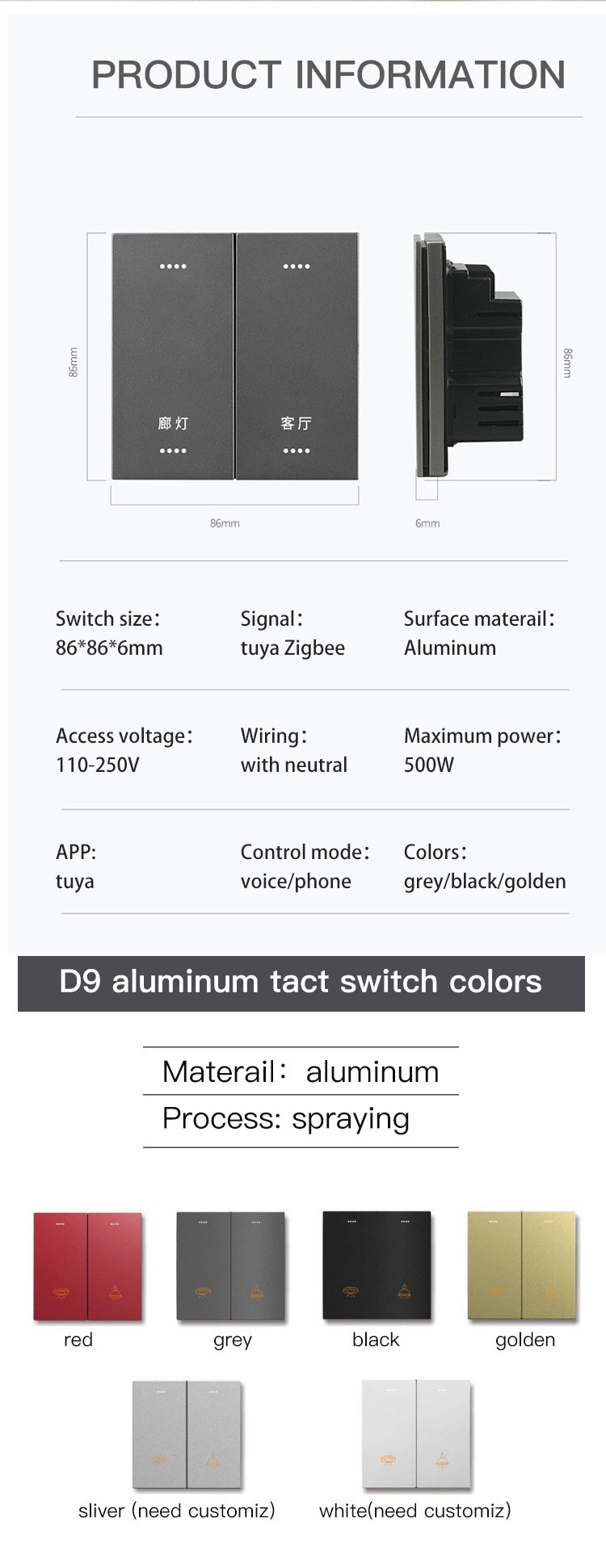
 dusk schooner
Can anybody tell me where I can download old version OTA files? I want to downgrade my Osram bulbs but the Zigbee-OTA only has the latest images?
 sonic delta
For some reason the hue dimmer light switches doesn't want to trigger the "turn off", as it tries to send a call with "turn off with special effect". It was previously paired with a hue bridge.
It is using zhaquirks.philips.rwl022.PhilipsRWL022
 sonic apex
Is there a Zigbee/zwave CCT controller for warm/neutral/cool CCT (non-addressable)? Seems like a lot of the CCT controllers only have 2 channels? Or can you use an RGB controller and tell it to act like CCT?
mellow geode
sonic delta
For some reason the hue dimmer light switches doesn't want to trigger the "turn ...
Might have changed because of a firmware update to the dimmer(?) Please create an issue here: https://github.com/zigpy/zha-device-handlers/issues
As a workaround, you can listen to zha_event in developer tools and use that YAML for the correct event in an automation.
balmy fossil
sonic apex
Is there a Zigbee/zwave CCT controller for warm/neutral/cool CCT (non-addressabl...
Im not sure but check out Gledapto products
sour shadow
sonic apex
Is there a Zigbee/zwave CCT controller for warm/neutral/cool CCT (non-addressabl...
Two channels is totally normal, HA just "blends" them to get the light you want
Heck, I've never even seen three channel (white) light strips
 wintry bramble
Anyone got the IKEA Tradfri BADRING water leak sensors yet? Picked one up yesterday.
It's successfully paired with a zigbee2mqtt setup, but doesn't seem to publish anything when the sensor is triggered.
 soft isle
Hmm, I might have made a big mistake. 😅
Migrated ZHA coordinator from Sonoff E to SLZB-06M, that all worked well. Then I flashed the Sonoff to a router firmware, and added it to ZHA.
But since it kept the same IEEE, ZHA now thinks it's also a coordinator. I've disconnected the Sonoff, and things work, but I can't seem to remove it from ZHA. :/ Not sure what to do.
 scenic vessel
hey all. I'm planning to buy smart zigbee power plug. So far I've stuck on Sonoff r26. Will that work with the sky connect zigbee hub, or it requires its own sonoff zigbee hub? I know that zigbee devices are supposed to be working with everything as its open standard, but Tuya fucked me over and I don't want to do expierence that again
sinful swift
Tuya zigbee isn't half as bad as Tuya wifi. Of the 20 or so of these https://www.aliexpress.com/item/1005004444661046.html that I have purchased only one had a bad power calibration (2.5x actual) but still worked fine as a switch.
tepid gorge
wintry bramble
Anyone got the IKEA Tradfri BADRING water leak sensors yet? Picked one up yester...
Someone told me in another forum that there has been a push request to add it to Z2M, so hopefully in the next release. In the same forum I was told it works with ZHA
sour shadow
tepid gorge
Someone told me in another forum that there has been a push request to add it to...
 glossy wyvern
Hello, somes of my ZHA devices are spamming "Updated event was fired", how can I fix it ?
My logs are full of this
wintry bramble
sour shadow
<https://github.com/Koenkk/zigbee-herdsman-converters/pull/7163>
Yeah I checked the converters list first and could see it was merged already a couple of weeks back, but I think that's just into the converters repo. It looks like maybe the last Z2M release was just before that so I'll probably have to redeploy a container after the next release. It does make an audible beep in the meantime, if it detects anything.
ashen bluff
There's also a dev version.
wintry bramble
yeah I'm just using portainer and pulling the latest image from docker.io I think. I try not to mess with it unless I have to 🙂
ashen bluff
The other way would be a external converter.
wintry bramble
I had a look at that in the past with the Rodret switches and wasn't really sure what I was doing. Looking at the release cadence for Z2M though, I don't mind waiting a few weeks if it's already on the way. I just hadn't worked out why it appeared to be a supported device but wasn't doing anything. Got my answer to that now.
 fluid sand
How do I get the great zigbee mesh diagrams in my dashboard that I see in examples using ZHA?
 spring zinc
I have a raspberry pi server that runs HA, so if I have a zigbee device, can I connect it to that server with the Zigbee integration? Or is there something else I need before I can do that? Sorry, I’m just not fully understanding Zigbee.
sour shadow
spring zinc
I have a raspberry pi server that runs HA, so if I have a zigbee device, can I c...
Check the pinned messages - the top one has some useful links to explain Zigbee
 shell frigate
Hello everyone! I’m new here. I recently set up the HA Green with a SkyConnect stick, but I’m having a ton of trouble with it.
I paired over 38 zigbee smart plugs to it, and it went totally fine for the first ~5 plugs. They were seen immediately, and when they were added they could be controlled with instantaneous response.
Then, about every 3-4 plugs started taking an extremely long time to pair. They would just sit at the early stages of initialization or configuration and take absolutely forever to set up, but would eventually.
After everything was installed…it just hasn’t worked well. Sometimes it’s slow, sometimes a few devices take a couple minutes to finally turn on/off, sometimes the entire zigbee network completely fails to respond to anything until I reload the integration.
None of the devices are outside the range of the SkyConnect. They’re all listed as repeaters for the network so there should be fantastic coverage for the mesh network. What can I do?
Right now I’m attempting a firmware update on one of the plugs after the integration was reloaded. It’s at 37% complete and I started it about 15 minutes ago. That’s way farther than I’ve gotten before, at least. Usually I tell it to update, it spins for 30 seconds and then fails with zero explanation for why.
ashen bluff
How is the SkyConnect connected?
shell frigate
With the USB extension cable as instructed.
ashen bluff
Great because that sounds a bit like interference or bad routers to me.
shell frigate
ashen bluff
Great because that sounds a bit like interference or bad routers to me.
I'm not doubting it but I'm not sure how to address it if so. And I'm not sure why it worked great initially and when the integration is reloaded
shell frigate
ashen bluff
Great because that sounds a bit like interference or bad routers to me.
Do I need to prompt it to remap the routes? I tried looking around the UI but couldn't see if there was a way to do that manually
spring zinc
sour shadow
Check the pinned messages - the top one has some useful links to explain Zigbee
I still don’t get it. Do I need to buy a zigbee coordinator? Do I just plug it into my raspberry pi?
sour shadow
Did you read the links in the top pinned message?
TL/DR: ||Yes, you need a coordinator, as was already said||
spring zinc
I read the one posted by yourself
sour shadow
Great, so you know you need a coordinator then
And yes, that plugs into the Pi, or your network, depending on what you buy
Amongst other things the coordinator has the Zigbee radio hardware, without which HA can't talk to Zigbee devices
spring zinc
And it connects to wifi or runs a program on the pi? When I install a zigbee device how do I connect it to the HA? Does it just magically know?
sour shadow
Not to your WiFi no
HA has ZHA which provides the Zigbee stack for the coordinator
Or you can run Zigbee2MQTT
The device connects via Zigbee, obviously 😉
spring zinc
So it would need to be relatively close to my zigbee devices then
sour shadow
Well, yes but no
spring zinc
I was hoping it could use my wifi network
sour shadow
You did read those articles? Because that's explained there
WiFi and Zigbee are unrelated
spring zinc
I swear I read it I just don’t really understand it
sour shadow
Ok... so ... you should say that 😉
Zigbee is a totally separate thing from WiFi
Just like Bluetooth is
Zigbee is a mesh - the mains powered devices extend the reach of the coordinator
spring zinc
Ah I see
sour shadow
Direct range between two devices is about 6 to 8 meters, depending on many things
(again, fine details in the articles)
spring zinc
This is not very ideal, the one place I want to install a zigbee outlet is quite far from where I’d have my HA server
sour shadow
"quite far"?
shell frigate
bricks are death to wireless
edit at least to WiFi it is, but in general masonry is a killer of wireless signals
sour shadow
Then maybe consider LoRa
Or #zwave-archived long range (aka 800 series)
Both of those are designed for distance
spring zinc
So there’s nothing that just uses your network?
At least, not many options that are well supported?
spring zinc
There’s these switches I want but they’re either wifi with an app that has no HA integration, or zigbee.
sour shadow
WiFi switches etc may be local, will probably be cloud, and even if they are local there's nothing stopping the manufacturer changging that
That's happened a few times already
spring zinc
Yeah, which I ofc want to avoid
Seems like I’ll just need to make zigbee work? Is it the most supported option?
sour shadow
One of them, yes
#matter-archived is another option, which is local... but also very new and manufactures need to support it
if your switches don't support it yet then that's not an option
spring zinc
So let’s say I buy a zigbee device, how do I connect it to my HA?
 upbeat junco
Hi All - Quick question. I have a Sonoff Zigbee 3.0 USB dongle running on my server (HA is in a docker container). I flashed it with the Z-stack firmware, got the ports mapped to the container, and everything downstream was working just fine. About a month ago, it stopped working - seems as if HA failed to connect to the dongle. I haven't changed anything, just updated Home Assistant. Double checked, and the server does see the dongle. Not sure what to try next, anyone have a similar issue?
sour shadow
spring zinc
So let’s say I buy a zigbee device, how do I connect it to my HA?
Plug in a coordinator, pair it to the coordinator. Optionally add some Zigbee routes to extend the range.
ivory shuttle
^Adding: Setup the coordinator, which isnt too hard but not automatic either
spring zinc
Do you mind explaining the pair process? If I get an outlet, how do I pair that to my, let’s say, usb coordinator plugged into my HA
ivory shuttle
Cant talk you through exact menu options here (though its documented in the links above) as they arent in front of me, but its basically settings, devices, zigbee, add. It'll start pairing process for ya
spring zinc
It’s that simple? Awesome
Also not super related but can you make any LED ceiling lights dimmable?
ashen bluff
The light has to support it.
ivory shuttle
Zigbee is a mesh based network, so unlike wifi where every single device has to be in signal range of your access point, a zigbee device only has to be able to draw a path to the coordinator, which can go through multiple other hops. Eg, if my coordinator and an outlet arent in range, but I put a zigbee bulb which supports routing (they basically all do) in between and that bulb is in range of the coordinator. If the outlet is in range of the bulb, it can connect to the bulb instead of the coordinator and still work
Not allowed to post images here, but it does mean getting good zigbee signal through a house is relatively easy just using zigbee smart bulbs
rapid dawnBOT
Please use imgur or other image sharing web sites, and share the link here.
Image posting is blocked in most channels to discourage people from sharing text as images. Sharing text as images assumes that everybody sees the world as you do, which isn't the case. Some people are colour blind, or have visual impairment that means they can't make sense of an image of text.
ivory shuttle
Yeah I know of imgur but I have no access to it at work
ashen bluff
They couldn't have possibly blocked every image hoster 😄
ivory shuttle
No, but how much effort am I going to put in 😛
ivory shuttle
nah imgur just gets flagged on the porn filter specifically
Shelly do a local only wifi plug fwiw thats pretty good if you dont wanna go the zigbee way
Shelly does have very good HA integration
spring zinc
I won’t be doing that, if anything I’ll just bring the HA closer / buy extenders
spring zinc
ivory shuttle
Shelly does have very good HA integration
Oh? Let me check out if I have local options that use this
ivory shuttle
Also ikea have some zigbee extenders that are also 5V 1A USB A power adapters
spring zinc
https://www.smarthome.com.au/product-category/shelly/?gad_source=1 stuff such as this
ivory shuttle
and you can buy other devices that are just zigbee extenders (technically speaking: router, sometimes referred to as repeated)
Ah aussie, dunno if they do the plug in aussie fitment
spring zinc
Yeah I’m not seeing any outlets
ivory shuttle
Looks like it might just be UK and EU they do it
yup, even the US doesnt get that option
spring zinc
That’s alright, I’ll go with the zigbee route, probably the more stable option in the long run
upbeat junco
upbeat junco
Hi All - Quick question. I have a Sonoff Zigbee 3.0 USB dongle running on my se...
Like many things in life, I can't figure it out until I ask then I find the solution haha.
ZHA and Zigbee2MQTT don't play nice together. I had to disable ZHA. A restart of HomeAssistant turned on ZHA. Kicked that out, and it worked. So, maybe this helps someone.
grim igloo
upbeat junco
Like many things in life, I can't figure it out until I ask then I find the solu...
Have you ever tried letting two people drive one car?
Also not advised
ivory shuttle
ivory shuttle
Also ikea have some zigbee extenders that are also 5V 1A USB A power adapters
What most folk do on this front though, the ikea repeater is £9. The ikea smart outlet is £10. Rather than having the repeater use up an entire outlet and prevent anything else plugging in, for the £1 extra, they just buy the outlet as its also a repeater, dont use its smart functions particularly (though they have the choice) but importantly can still use that outlet 😛
ikeas smart home stuff is zigbee
not all zigbee devices are extenders/repeaters/routers. Chances are if its mains powered, it is. So bulbs and smart outlets almost guaranteed yes. If it is battery powered its almost guaranteed not to be
And devices that are USB powered or mains powered but dont use a neutral (these are normally embedded inside walls for retrofitting an existing lighting circuit) can go either way, check documentation
ivory shuttle
Again its a UK type socket, dunno if they offer it down under
It doesnt do power monitoring or anything like that, just plain on/off
spring zinc
They do it for us too !
ivory shuttle
https://www.ikea.com/gb/en/p/tradfri-signal-repeater-80424255/ and this is their dedicated extender/repeater/router
Hogs an outlet, but might be handy if you already have an outlet hogged by a 5v usb adapter
spring zinc
They’re both the same price for us 😂
ivory shuttle
Yeah £9 and £10 for us
spring zinc
Alright well I’ll try the zigbee route, if I find myself running into stability issues I’ll grab one of these
upbeat junco
grim igloo
Have you ever tried letting two people drive one car?
well, it's more like you stop at a rest area, turn off the car, and say "Hey it was working a minunte ago" and then two people try to jump into the drivers seat at the same time
ivory shuttle
grim igloo
Have you ever tried letting two people drive one car?
Unironically: Yes. Yes I have. Definitely not advised.
I grew up on a farm, plenty of time and space for automotive shenanigans
grim igloo
So two people driving one car
ivory shuttle
Also driven a car with monocular military surplus NVG's
That is also extraordinarily inadvisable
Turns out lack of depth perception and the height of the helmet clobbering on the ceiling are both issues
spring zinc
ivory shuttle
It doesnt do power monitoring or anything like that, just plain on/off
Do you know if they do/ someone does something that’s basically this but would monitor power ?
sour shadow
Innr do
spring zinc
Philips hue comes up? I recall this being mentioned in the articles I read earlier
ivory shuttle
Hue do bulbs
sour shadow
https://www.amazon.co.uk/gp/product/B0CFVL1P1W for example
ivory shuttle
But not energy monitoring sockets
Hue products are all zigbee based though so are a good source of high quality (if pricy) zigbee bulbs
sour shadow
Hue's kind of the gold standard for bulbs, and you pay for that
spring zinc
And can also be used as routers ?
ivory shuttle
Yes
sour shadow
Innr are a very close second, and make awesome router devices
Almost any mains powered Zigbee device is a router
(not two-wire switches and dimmers, not Sengled bulbs)
ivory shuttle
I have 2 smaller ikea bulbs too, theyre fine. Nothing to rave about, but theyre fine, and are routers
https://frient.com/products/smart-cable-2/ <- I use 1 of these wired into an extension lead, so thats a globally compatible option
spring zinc
“Meross” is the only aus smart outlet I’m seeing that has energy monitoring
ivory shuttle
Ive only found 1 bulb so far that has better colour reproduction and is brighter than hue. Just 1. And its loaded with a massive downside of its own, well debatably 2 if you consider for this channel/topic its not zigbee
Meross is a brand I have heard of, theyre wifi devices right? I think some of them are ESPHome reflashable
spring zinc
I have no idea how I could flash them
ivory shuttle
Welcome to a subject I have touched on round these parts before. It can be really hard to build a smart home based entirely on 1 technology
All based on availability of devices regionally
languid sky
ivory shuttle
What most folk do on this front though, the ikea repeater is £9. The ikea smart ...
works for me with Z2M, ~£5: https://www.aliexpress.com/item/1005006272242794.html
ivory shuttle
Yeah and theres firmwares flashable to other devices etc too. I have plenty of nrf52840's kicking around I could use as custom routers if I needed. But I dont need thankfully
My home setup is a mix of wifi, ethernet, zigbee and thread
But I like fucking around and experimenting
shell frigate
shell frigate
Hello everyone! I’m new here. I recently set up the HA Green with a SkyConnect s...
I’m still dying here. My zigbee network is completely unreliable and inconsistent. I have devices that turn on instantly, devices that turn on after 5-30 seconds, and others that just never do. Reloading the integration sometimes helps but some devices simply refuse to respond.
And there’s absolutely no correlation to distance from the skyconnect controller either. This morning, the only two devices that turned on were one that was close to it and one that was among the farthest away. Everything else stayed off. I eventually got everything to turn on, but some still refused even though they were 6 inches away from a device that responded.
I’m going insane.
 real hornet
Can I use a Inovelli Blue 2-1 Switch to control a Blue Fan Canopy Controller?
I guess, I mean, should I be concerned that it isn't fan rated even though it's not dimming?
My thought is to have the switch on smart bulb mode and control the canopy with the switches.
austere patio
shell frigate
I’m still dying here. My zigbee network is completely unreliable and inconsisten...
Can you download diagnostics for the ZHA integration, enable debug logging, and let it run for a while (control some devices, etc.)?
 short sandal
shell frigate
I’m still dying here. My zigbee network is completely unreliable and inconsisten...
short sandal
shell frigate
I’m still dying here. My zigbee network is completely unreliable and inconsisten...
Sounds like you should build it up again from one device….
shell frigate
short sandal
Sounds like you should build it up again from one device….
Not sure how to do that. Do I have to manually reset all devices to factory and add them one at a time. For one thing, that sounds like a nightmare. And for another, that’s basically what I did in the first place so I’d rather not go to all that effort and end up in the exact same place.
short sandal
shell frigate
Not sure how to do that. Do I have to manually reset all devices to factory and ...
How did it get in this state? I assume it worked correctly at some point.
shell frigate
short sandal
How did it get in this state? I assume it worked correctly at some point.
Not really! And I have no idea. This is a 100% brand new setup. I have HA running fine, and it can control some other stuff I’ve paired to it with other standards.
Like I said, the first several zigbee devices were perfectly fine. I paused after the first ten or so and just played around turing things off and on. It was lightning fast with all of them. But for some reason once I hit something around 15 devices everything got wonky. Right now it’s completely unusable. The very first device that I was able to turn on with it this morning still shows that it’s turned off even though it’s on. Another device has not been able to be turned on all day long, even though the devices that the topology claims it’s connected to were able to turn on.
It’s a freaking disaster and I’m really disappointed after spending hundreds for the plugs.
Is there a way to force the zigbee network to remap its self? I’d like to move the entire controller to a different location to see if that helps.
grim igloo
You managed to ignore the developer of zha trying to help you above
I’d probably start by following his instructions
shell frigate
grim igloo
You managed to ignore the developer of zha trying to help you above
Oh dang lol. Totally missed that. It’s been a long day.
grim igloo
It’s all good
shell frigate
austere patio
Can you download diagnostics for the ZHA integration, enable debug logging, and ...
Ok I’ll try. I haven’t done any of that before but I’ll give it a shot
grim igloo
It just logs things for him to confirm it’s probably timeout errors
Which then will lead you down the ‘do I have interference’ path
Which is probably what’s going on
shell frigate
Probably. But now I’ve moved the entire setup closer to the first devices I added and it’s not responding AT ALL anymore. I purposefully tried to add devices in as much of an outward pattern as I could, assuming that it would help the network. But it’s just been awful.
shell frigate
austere patio
Can you download diagnostics for the ZHA integration, enable debug logging, and ...
I have what you asked for. Where should I send it?
grim igloo
shell frigate
Probably. But now I’ve moved the entire setup closer to the first devices I adde...
The coordinator should never be moved because it messes with routes. If you have no repeaters then it’s not a huge deal but devices that could reach it before may now not be able to
It’s a strong stable protocol until you start breaking thou shalt not rules
shell frigate
Dangit! I’m at my wits end with this thing. I don’t think I’ve been this frustrated with home automation stuff since I first started using X10 in 2000
grim igloo
It’s all self inflicted tho
This is important psychologically so you don’t write off zigbee. Just fix your issues and enjoy it
shell frigate
I’ll give you that on the last thing where I moved it. But for the rest I did nothing wrong and it worked horribly out of the box. I was trying to set this up carefully and in a way that would make the strongest network. If I did it incorrectly then I have no idea what I did wrong.
grim igloo
Zha automatically does a zigbee energy scan to choose least interference Channel but if it’s a congested network or you put the usb stick next to lots of things that cause interference then it doesn’t matter
That’s why it comes with the usb extender to escape stuff like a network rack and to move away from other forms of interference such as usb 3.x ports and SSDs and access points
This is also why some of us, me included, choose a PoE zigbee coordinator and place that centrally located in the house instead of the usb based ones
austere patio
shell frigate
I have what you asked for. Where should I send it?
You can DM it to me
shell frigate
austere patio
You can DM it to me
ok thanks
 ancient hare
Has anyone got MQTT2 Zigbee working using Home Assistant Yellow with a Sonoff E Dongle as I have followed video to a T and cannot get it to work!
ancient hare
grim igloo
That’s why it comes with the usb extender to escape stuff like a network rack an...
Using one of these would I have issues like I have now using a Sonoff E as I'm getting told not to use P rather than E when at the start I was getting told to use E not P with a Sonoff. either ways I'm struggling to get a Mqtt2zigbee working and also i have a hard setup to try to put them into place in my property due to lack of power sockets and no PoE Router though I do have a Mesh router any advice be great.
 jagged geyser
@ancient hare what is happening in the Z2M addon logs?
ancient hare
jagged geyser
<@944918227509723166> what is happening in the Z2M addon logs?
I started a thread here! https://discord.com/channels/330944238910963714/1214232482195574874
will show you my log file I have no clue how to move the thread to Zigbee so best you have a look there save me explaining it again here! thanks
shell frigate
grim igloo
This is also why some of us, me included, choose a PoE zigbee coordinator and pl...
What are you using
grim igloo
shell frigate
What are you using
I use a tube PoE one https://tubeszb.com/product/cc2652p7-zigbee-to-poe-coordinator-2023/
spring zinc
Hey all I’m having trouble here. This device says it works with zigbee, but the pairing spec mentions needing their app and making an account. I don’t want that, will this just work out the box and pair with my zigbee coordinator without need their app or making an account? Thanks!
https://www.ikuu.com.au/product/ac-fan-controller/
ashen bluff
Lots of zigbee devices say that.
grim igloo
Eek that looks like tuya junk
shell frigate
grim igloo
I use a tube PoE one https://tubeszb.com/product/cc2652p7-zigbee-to-poe-coordina...
Is the smlight decent? I need fast shipping 😅
grim igloo
@molten linden will do next day I think
But your coordinator isn’t really the problem
shell frigate
grim igloo
But your coordinator isn’t really the problem
I know but if I'm going to have to start over I want to do it right
molten linden
where are you?
grim igloo
Also you might prefer his efr32 based coordinator I like Zigbee2mqtt so I use the cc2652p7 one
molten linden
UPS ground is likely Next Day I ship out of Wilmington, DE
grim igloo
Been running smooth for over 6 months or so
shell frigate
Hmm. I'll give it serious thought. I'm going to see what that other guy has to say about my logs
grim igloo
Well you should chase it down without that
All he’s gonna be able to confirm is whether it’s timing out or some error but extremely unlikely it’s a bug and much more likely you have no mesh and or interference
Do you have any mains devices to act as repeaters? Are you using the usb extender it came with?
In your debug file it has an energy scan report. Can you look in it and see if it shows every channel extremely high?
Did you buy a new Wi-Fi mesh setup recently and plug it in or did your neighbors?
shell frigate
Yes I'm using the extender. Aside from two Aqara buttons every single one of the 38 devices is mains. They're all the same wall plug
grim igloo
You have 38 mains smart plugs? With energy monitoring?
shell frigate
Yes
molten linden
that could be it
grim igloo
Maybe they’re spamming your mesh and it’s falling over
What devices (model)?
I don’t like the idea of energy monitoring on zigbee or zwave but some do it
shell frigate
grim igloo
Ultimately it’s traffic on your mesh
I’m not sure if you can change how often those report but I believe so
molten linden
see what puddly finds.
grim igloo
But that assumes you can actually do anything if they’re not connected to the mesh you’re kinda SOL
Yea
molten linden
but zha_tookkit will let you unbind the coordinator from the clusters doing the heavy reporting. https://github.com/mdeweerd/zha-toolkit?tab=readme-ov-file#unbind_coordinator-remove-all-bindings-to-the-coordinator
shell frigate
Honestly I don't even want [most of] the monitoring. I'm fine with just watts and amps and even then just for a few of the things I'm plugged into.
shell frigate
molten linden
but zha_tookkit will let you unbind the coordinator from the clusters doing the ...
I'll read up. I'm very new to this stuff
Thanks though
short sandal
They are cheap. You can’t get a UK zigbee plug with or without monitoring anywhere near that price. Maybe cos the market is smalller hmm.
grim igloo
Eu and especially au market is jank
shell frigate
In case you're wondering, I have so many because this is an arcade. I'm trying to avoid using the breakers to turn the games on and off
grim igloo
I would’ve used a bunch of sonoff s31 Wi-Fi plugs with full control over the firmware with esphome
I have 8 and they do exactly what I want nothing less nothing more
also your arcade is basically a giant interference bomb with all the metal from each machine
so that's fun
gotta lead with the use case man
short sandal
I’d sure love to better understand how Zigbee works. I have close to 80 devices, a good spread of most types and manufacturers, and it just seems to work great without any real thought. Maybe I’m just lucky. Conbee 2 isn’t even in the middle of the house. It is on a nice extension lead though.
grim igloo
conbee (with deconz) is apparently decent but we see lots of issues with conbee sticks on zha/z2m
and conbee 2 is one of the worst in terms of susceptible to interference
altho i think the skyconnect is pretty high up there
short sandal
Had it a year now. No real complaints. Had a couple of cheap RGB bulbs go bad but that’s nothing to do with zigbee. 🙂
shell frigate
I started with wifi plugs from a different manufacturer and was having reliability problems even after extensive tweaking of my 2.4ghz bands. Someone suggested getting off wifi and going ZigBee so I went with these. Now it's way worse
grim igloo
well i wouldnt buy any wifi plugs, i'd buy the ones i suggest and know work well
i'm sure you need more than one AP regardless of size of the place due to interference
shell frigate
Tbh the games are mostly MDF. Less metal than you'd think 😂
grim igloo
they're guaranteed emitting a bunch of interference
shell frigate
grim igloo
they're guaranteed emitting a bunch of interference
Oh sure. Just there's less metal than you're thinking
ashen bluff
I had a zigbee plug near my TV's coax cable which messed up the signal to it. Took me way too long to figure out.
shell frigate
grim igloo
i'm sure you need more than one AP regardless of size of the place due to interf...
Yup. There's 5. The place is 26k sqft
grim igloo
one guy had a yamaha soundbar thing that talked over 2.4ghz to another yamaha device and it was fuckin up his zigbee hard
shell frigate
So ZigBee is 2.4ghz?
grim igloo
shell frigate
Yup. There's 5. The place is 26k sqft
try 25
ashen bluff
shell frigate
So ZigBee is 2.4ghz?
[...] operates in two separate frequency ranges: 868/915 MHz and 2.4 GHz
https://zigbeealliance.org/wp-content/uploads/2019/11/docs-05-3474-21-0csg-zigbee-specification.pdf
868.0–868.6 MHz: Europe [...]
902–928 MHz: North America [...]
2400–2483.5 MHz: worldwide use [...]
https://en.wikipedia.org/wiki/IEEE_802.15.4#The_physical_layer
grim igloo
in warehouses they put them like every 20 feet
spring zinc
ashen bluff
Lots of zigbee devices say that.
That doesn’t really answer my questions ☹️
spring zinc
grim igloo
Eek that looks like tuya junk
Got some better suggestions? ☺️
grim igloo
not really au is the worst region for buying stuff
ashen bluff
spring zinc
That doesn’t really answer my questions ☹️
Sorry 😄
Now what I can tell you is that it's supported by Z2M: https://www.zigbee2mqtt.io/devices/SSWF01G.html
There's no pairing information however.
spring zinc
Okay I’ll contact them directly and ask
spring zinc
grim igloo
not really au is the worst region for buying stuff
You’re a pessimistic one
astral seal
spring zinc
Okay I’ll contact them directly and ask
They'll probably give you some boilerplate answer and tell you it's only guaranteed to work with their hub.
spring zinc
That’s okay, I’ll keep looking
 forest arrow
Good evening folks, anyone here with experience with Aqara Motion Sensors in Home Assistant? I have tried to get 3 of them online and they stay connected for a few hours and then they show unavailable.
I am using the Sonoff Controller
spring zinc
https://www.philips-hue.com/en-au/p/hue-white-and-color-ambiance-akari-downlight/8719514344723#specifications Are these zigbee compatible without an app or any other thirdparties? Just will automatically connect to my zigbee coordinator?
grim igloo
spring zinc
<https://www.philips-hue.com/en-au/p/hue-white-and-color-ambiance-akari-downligh...
Hue is the gold standard for zigbee and is a great option for repeaters on your mesh and quality rgbw bulbs and other lights. They’re just very pricey
spring zinc
I love this one that I linked...
I might go with it. Assuming that I don't need to pair it with philips app or smth
grim igloo
Most people pair them with a zigbee light switch such as an inovelli blue but that’s 110 for us
The au and eu market for light switches are basically just china designed and produced
Like aqara
spring zinc
I don't think I'll bother changing my light switch
grim igloo
Well
spring zinc
I'll just use the Phillips LED
grim igloo
Don’t ever kill power to the smart lights
Other devices depend on them as next hop back to the coordinator
spring zinc
Does it matter if there are no other devices?
languid sky
spring zinc
Does it matter if there are no other devices?
u may not have them now, u will have them in the future [most likely ;p]
anyway: i bought cheap wifi wall switches from aliexpress -> it doesnt have to be zigbee -> home assistant is to marry them all
but yeah: don't switch off zigbee "routers*" (lightbulbs, plugs, etc).
|| *they should be called repeaters not routers - someone who came up with the confusing naming should burn in a zigbee controlled hell ||
spring zinc
What difference do wifi wall switches make??
It just turns power on and off to the light yes?
languid sky
spring zinc
What difference do wifi wall switches make??
u want something for the human to touch -> and send info to HA to do an action
just don't actually connect them to the zigbee/wifi lightbulb -> as those should be powered on 24/7 and controlled from HA
look: no matter zigbee or wifi: if you power off the lightbulb, u won't be able to turn it on from HA anymore -> therefore you should always have it powered on and controlled only using HA/app
languid sky
spring zinc
So what happens when I have a power outage
how do u make the lighbulb work when u have no power 😄
spring zinc
I am obviously talking about when the power comes back...
languid sky
spring zinc
It all unpairs and doesn't work anymore?
it will connect to the network as soon as the power (network) is up
spring zinc
just like how it would when I turn the light back on
languid sky
spring zinc
just like how it would when I turn the light back on
but why do u want a smart lightbulb? you want it controlled from HA, right?
u want to turn it on from your smartphone, or on a specific hour, or on a motion detection… etc. if you power it off -> u won't be able to do that -> u will have to move your ass to the wall and switch it back on manually. since my automation journey: im too lazy for that 😄
spring zinc
I don't think my ceiling lights can be powered 24/7 anyway? Not without having an electrician come set that up. It's set up to receive current when I turn the light switch on
languid sky
spring zinc
I don't think my ceiling lights can be powered 24/7 anyway? Not without having a...
my smart lightbulbs are powered on 24/7. they take very small amount of power – just enough to keep the wifi/zigbee connection. it's not like they emit light 24/7… and it's LED. even when light-emitting, they don't take much power (~10W?).
i don't see a reason why would that be a problem. but i'm not an electrician.
spring zinc
What I mean is, the switch cuts power to the bulb
so even if i install smart switch, it will need to always be on
grim igloo
Your smart home would control it…
It can be powered on and turned ‘off’ with zero brightness
spring zinc
You're not understanding, the plug that the LED goes into only gets power when I turn the switch
languid sky
spring zinc
What I mean is, the switch cuts power to the bulb
ah, yeah
- i have places with "normal" switches controlling smart lightbulbs -> i just don't use those switches anymore (so they don't cut power to the lightbulbs). i switch the lightbulbs with HA app/automations.
- i have places with "smart" switches that controll normal lightbulbs -> works great -> controllable by both the physical switch and HA
- if I wanted to use a smart switch with a smart lighbulb -> i'd just wire the lightbulb to be powered 24/7 (without the switch control) -> and treat the switch just like a "smart button", not really controlling the physical lighbulb, but sending signal to HA, and HA would control the lighbulb. BUT -> you are right in here -> i guess this may not be legal (in your country) without an electrician. personally, i don't care (that much - untill i burn my house i guess xd DONT RECOMMEND ;p).
grim igloo
spring zinc
You're not understanding, the plug that the LED goes into only gets power when I...
Yea I’m the one not understanding
forest arrow
Anyone using the aqara motion sensors with Sonoff Zigbee Controller?
trying to figure out why these specific devices keep going unavailable after only a couple of hours
I have a network with 37 zigbee devices, at least 8 of them are Sonoff Plugs that can act as routers and there is a plug near the rooms the motion sensors are in
languid sky
spring zinc
What I mean is, the switch cuts power to the bulb
if u're worried about removing the dumb switch, fitting a smart switch in, and rewiring the light -> don't do that.
- put a duct tape on the dumb switch to remind yourself and others not to use it
- buy a smart button and stick it next to the dumb switch -> to communicate via HA and switch the light on/off
spring zinc
That's a pretty good temporary solution, thanks! youve been super helpful
What smart button do you recommend btw?
languid sky
spring zinc
That's a pretty good temporary solution, thanks! youve been super helpful
i've also tried the #tags-archived to switch on/off light -> but that's "too slow" and cumbersome:
- u need to have your phone with u all the time to switch the freakin light
- u need to unlock it (at least an iphone) before scanning the tag
- u need to set it up FOR EVERYONE - your family, guests, etc -> not possible in real life
- smart switches / smart buttons work perfectly
- automation: i just don't turn them on/off manually anymore: i have motion sensors + schedules, etc to control the lightining
- next step: voice control - on my looooong todo list 😉
spring zinc
Yeah I wouldn't bother with the tags..
languid sky
spring zinc
What smart button do you recommend btw?
i don't. i have only tested one: the cheapest zigbee one i could find on aliexpress ;p
looks like this one: https://www.aliexpress.us/item/3256806333966532.html – but you can find it even cheaper
- cheap
- zigbee
- sometimes need to click it twice for it to recognize the click
- not "pleasant" click
i use it to turn on "tv mode" (makes ambient lights in the room, etc)
but if i needed to buy another one, i'd look for something with a more "pleasant click"
this one is cheap, and you can feel it 😛
spring zinc
oh is this like a battery powered button
languid sky
spring zinc
oh is this like a battery powered button
yep, glue/stick it next to the duck-taped "dumb" switch 😄
spring zinc
okay so lets say i do disconnect power from the philips hue light
if i switch it back on, will it turn on with full brightness by default
languid sky
spring zinc
if i switch it back on, will it turn on with full brightness by default
idk about hue lights -> i dont have them. depends on the software.
with my WiZ wifi lightbulbs i can set what should they do when they power on with the app.
plus with HA -> you can set anything with an automation, but they will go default/app-setting before they connect to HA (a few seconds)
astral seal
spring zinc
if i switch it back on, will it turn on with full brightness by default
That's user configurable. You set what you want it to do in that situation.
But also don't kill the power to the Hue light if you can help it. It's important not to for the stability of your Zigbee network.
spring zinc
I assume that only really affects your network if you've got some like 30+ devices, but I'd only have 2
Which would both be powered by the same switch
 vital ermine
HA says a INNR light bulb has a firmware upgrade but installing it gives me a service call error.
https://pasteboard.co/YH5ly74oKlv3.jpg
 shell frigate
grim igloo
Maybe they’re spamming your mesh and it’s falling over
shell frigate
grim igloo
Maybe they’re spamming your mesh and it’s falling over
I think this is at least a portion of my problem. I went through every single device and disabled all but the amperage reading (the one power spec I’m interested in), and things have…improved…somewhat.
I’m still getting zero response from some devices and instant responses from others. And there seems to be no rhyme or reason to which ones. I have plugs that respond right away and then others that are anywhere from 6 inches to 6 feet away from that plug that won’t respond. I thought that was the whole point of a mesh network, that it figures out the best routes and goes around if it can’t get there one way. I know this building is full of interference, but nearly every plug in here is within spitting distance of 1-6 other plugs, including ones that are currently responding. So I don’t know why the signals just stop at ones that respond and don’t keep going.
I’ve looked at the topology, and according to that, I can see plugs with a line directly to a responsive plug that aren’t responding. So I guess the topology is wrong?
grim igloo
The mesh should be built out starting at the closest
shell frigate
I did
grim igloo
I’ve asked lots of questions about the mesh routing and the answers are always disappointing
shell frigate
I said at least twice that I built it out from the closest device
shell frigate
So that doesn’t change anything?
main ruin
Have you tried picking a different radio channel (with less interference/utilization)?
 sudden crest
I hope this is the right place. Zigbee related but maybe still wrong place. Got a SkyConnect since Saturday. Conbee II before that. I just noticed my powerplugs report only back once a minute or so. Instead of every watt change. Using ZHA.
mellow geode
What smart plugs are you using? Some do not report changes, so they have to be polled by ZHA
sudden crest
Tuya TS011F. They did using Conbee II. Noticed every change when doing some CPU heavy stuff on my PC. Etc.
That is why I am searching for some interval setting/thing but no luck finding that yet. Probably wrong key words for searching.
mellow geode
Were you also using ZHA with the Conbee? Or deCONZ?
sudden crest
Also ZHA. Only migrated radios.
mellow geode
Can you reconfigure the affected plug? It can be done on the device page
Generally, you do not want all smart plugs to spam your Zigbee network. So, reporting every watt change (without a cooldown) wouldn't be ideal.
ZHA uses pre-set values by default and also polls power-monitoring plugs occasionally.
sudden crest
If I didn't know I wouldn't really care. I just noticed the difference. Its for all plugs but I will reconfigure one.
I noticed the lights in my office not turning on, but it now only detects power change once roughly every minute, instead of instantly.
mellow geode
By default, ZHA configures the active_power attribute to report every watt changes, but at most every 5 seconds.
The Tuya smart plugs (incuding TS011F) often tend to ignore reporting though. This might have been changed some time ago via quirks, as a special "Tuya spell" is now sent to the device which unlocks more functionality. This happens when reconfiguring (and restarting HA).
sudden crest
I'm fine with the longer interval for measuring stuff. I will find a different solution for turning on lights. But always like to understand what changed and what I can do about changing that interval to nearly real time.
Maybe that interval was changed between initial pairing and last Saturday.
"However, this configuration is only don when the device initially joins the network, or when you reconfigure it." .. stuff has been configured for 2 years.
(just thinking out loud)
rapid dawnBOT
@earnest scarab I converted your message into a file since it's above 15 lines :+1:
 earnest scarab
Hey everyone.
I have been running Home assistant for multiple years, and I am using a CC2531 dongle with zigbee2mqtt.
Today I started getting this error:
Zigbee2MQTT:info  2024-03-20 20:17:06: Logging to console and directory: '/config/zigbee2mqtt/log/2024-03-20.20-17-06' filename: log.txt
Zigbee2MQTT:info  2024-03-20 20:17:06: Starting Zigbee2MQTT version 1.36.0 (commit #unknown)
Zigbee2MQTT:info  2024-03-20 20:17:06: Starting zigbee-herdsman (0.35.1)
Zigbee2MQTT:error 2024-03-20 20:17:26: Error while starting zigbee-herdsman
Zigbee2MQTT:error 2024-03-20 20:17:26: Failed to start zigbee
Zigbee2MQTT:error 2024-03-20 20:17:26: Check https://www.zigbee2mqtt.io/guide/installation/20_zigbee2mqtt-fails-to-start.html for possible solutions
Zigbee2MQTT:error 2024-03-20 20:17:26: Exiting...
Zigbee2MQTT:error 2024-03-20 20:17:26: Error: Failed to connect to the adapter (Error: SRSP - SYS - ping after 6000ms)
    at ZStackAdapter.start (/app/node_modules/zigbee-herdsman/src/adapter/z-stack/adapter/zStackAdapter.ts:103:27)
    at Controller.start (/app/node_modules/zigbee-herdsman/src/controller/controller.ts:132:29)
    at Zigbee.start (/app/lib/zigbee.ts:62:27)
    at Controller.start (/app/lib/controller.ts:109:27)
    at start (/app/index.js:107:5)
Your CC2531 is probably busted. Either re-flash its firmware or upgrade to a stick that doesn't "go bad" and require firmware reflashing to work reliably
earnest scarab
Okay, that doesn't sound too good. It also lights red...
mighty river
can anyone help me configure z2m with a Sonoff ZBdongle-p no matter what I try i won't get it to talk to it it owrks with ZHA no problem and my nabucasa stick works fine with z2m only the sonoff stick wont work for me can anyone tell me what to change this is my config
enabled: false
master: pty,raw,echo=0,link=/tmp/ttyZ2M,mode=777
slave: tcp-listen:8485,keepalive,nodelay,reuseaddr,keepidle=1,keepintvl=1,keepcnt=5
options: "-d -d"
log: false

mqtt

serial
port: >-
/dev/serial/by-id/usb-ITead_Sonoff_Zigbee_3.0_USB_Dongle_Plus_8a0a44ceabdbed11be4ae72d62c613ac-if00-port0```So, "reconfiguration" through the UI didn't help?
mellow geode
sudden crest
Maybe that interval was changed between initial pairing and last Saturday.
On the HA side, nothing was changed since a very long time.
sudden crest
mellow geode
So, "reconfiguration" through the UI didn't help?
Not on my test plug. That is, not connected to anything serious.
But if you say, the not so real time update is the better default, that is fine too.
mellow geode
It should be somewhat real-time when there’s a big enough chance. At most, it should report every 5 seconds though.
There shouldn’t be a difference when migrating between coordinators.
Try the reconfiguration on the other plugs too
mellow geode
So it's back to before now?
sudden crest
Yes.
Maybe something happened, something I'm unaware of, whatever.
Always hard to trace back, though just followed the migration guide.
And yes, seems 5 seconds but that is enough for me to turn back on the lights when resuming work at my PC. Instead of waiting in the dark up to ~half a minute. 😉
Mille grazie.
 timber gust
grim igloo
I’ve asked lots of questions about the mesh routing and the answers are always d...
timber gust
grim igloo
I’ve asked lots of questions about the mesh routing and the answers are always d...
Having more routers really does help the health of the network
I have 2 or 3 end-devices that are misbehaving at present though, one is a Hue outdoor motion sensor that was running perfect, top notch, from new, until the hue plug it was connected to got unplugged by my spouse... never really been the same since even though it has been reset and plugged back in and left a while and reset again and ....etc.
timber gust
timber gust
Having more routers really does help the health of the network
Trying to improve its connectivity is leading down a rabbit hole of failed attempts to turn a ZBDongle-E into a router that I can stick an antenna on a cable from - hence why other normal-mains devices no good - no antenna cable option (no other option is suitable within about 3 x the budget, and even then I couldnt be sure spending 3x or 6x would fix it reliably for good)
 vague island
Anyone got a Aqara Temperature and Humidity Sensor T1? The CR2032 went flat (due to cold) so I've replaced the battery with a BR2032 but it won't connect back to HA. I've removed the T1 from the Zigbee integration and tried to pair it again but it's not being detected. Any ideas?
 hollow locust
Hi all, I have an existing Zigbee netowk (based on Silabs Multiprotocol) but want to reset/remove all devices - is there a simple method to reset the dongle to stock ?
vague island
vague island
Anyone got a Aqara Temperature and Humidity Sensor T1? The CR2032 went flat (du...
Just got off the phone with Aqara, they said frost has probably melted and effected the circuitry. Answered a landline near right away to speak to tech support, quite impressed with them.
vague island
With that said does anyone have an recommendations for remotely monitoring freezer temperature? Zigbee or WiFi devices preferred. Or maybe I'm best to use a remote probe with EspHome.
lime locust
This can also be wired up without a switch ?
austere patio
hollow locust
Hi all, I have an existing Zigbee netowk (based on Silabs Multiprotocol) but wan...
Do you want to reset to migrate off of multiprotocol?
hollow locust
austere patio
Do you want to reset to migrate off of multiprotocol?
not at all... I just want to restart from nothing again on the dongle. I deleted all the devices from Z2M, reset its configs, but all devices seem to be still on the dongle
I want to keep firmware, just reset so that there are no devices trying to connect
 half cradle
vague island
With that said does anyone have an recommendations for remotely monitoring freez...
half cradle
vague island
With that said does anyone have an recommendations for remotely monitoring freez...
Inkbird
Bluetooth I prefer here, since when power is out. That's when I want to know. And I have Bluetooth on my phone.
Takes AA BATTERY, love it
I say this with 70+ zigbee devices and 30+ zwave. Would never use anything else for my freezer
vague island
half cradle
Bluetooth I prefer here, since when power is out. That's when I want to know. An...
Nice one, ordered one which is coming tomorrow. Thanks.
austere patio
hollow locust
I want to keep firmware, just reset so that there are no devices trying to conne...
Change the network key, PAN ID, and extended PAN ID
grim igloo
And good time to do a channel scan @hollow locust
half cradle
vague island
Nice one, ordered one which is coming tomorrow. Thanks.
awesome! I use alert.yaml with it lets me know every hour (after the first) if its above 0
should probably make a blog post or something, but anyway, works fantastic
fading briar
I've got one bulb that is often not responsive - it won't turn on or off as requested. It's a Sengled bulb, and not far from some other Sengled bulbs, but Sengleds don't act as Routers, so it's stretching most of the way across my house to find something to talk to.
I recently installed an Innr bulb (that does Route) pretty close to the problem bulb, but the problem bulb is still connected to its original choice of routers.
To get it to reconnect to the router that's much closer (and hopefully fix the function issue), do I need to remove the bulb from HA and add it back in? If I do that, will all my automations on it continue to work so long as I give it the exact same name, or will I have to modify them all to pick up a new GUID that's used in the background?
molten linden
Just re-pair to the innr bulb do not remove from ha first. It will reset and keep its same setup
fading briar
molten linden
Just re-pair to the innr bulb do not remove from ha first. It will reset and kee...
How do I go about re-pairing it?
I hit the Reconfigure link, but it didn't connect to the Innr bulb. The visualization is still showing it paired to a switch across the house.
astral seal
fading briar
How do I go about re-pairing it?
Factory reset the problem bulb without removing it from HA.
Then "add device via this device" or enable pairing through the desired router and it'll pair through that router and keep the same configuration.
 trim falcon
Hi! I am completely new to HA but have lots of experience in software and networking. I do however not know anything about zigbee devices 🙃. After setting up my HA instance and starting the pairing with each device with 20 minutes in between and having the end-device start pairing in its final location, I find that I cannot read out any values from the sensors. All other search results of the same product show a list of "entities" but mine are always empty. It's been a while now and there has been no update on the zigbee network
The devices do say "Checkin event was fired"
Can anyone help me out to get these sensors working? Anything on Google results in different situations that do not help
I use the following sensor "frient Motion Sensor Pro"
Together with the "SONOFF ZigBee 3.0 USB Dongle Plus"
An hour later and I now see the "Sensors" filled of 2 of the devices, even though they are still "unknow"
I think it just takes a LONG time for it to register
trim falcon
I also fixed the missing luminance and temparature readouts by manually reading them out once
calm python
I have an Zigbee2MQTT integration with Home Assistant (12.1 2024.3.3) working. I have added a couple of devices with success.
However, today I added two bulbs. They got discovered and added to Z2M. I see them in the Z2M dashboard, I can control them and everything.
They are supported devices according to (https://www.zigbee2mqtt.io/devices/HG07834C.html#lidl-hg07834c). However, they do not appear in the MQTT integration (as all the other Z2M devices do). So I cannot add them to my overall HA dashboard.
Do anyone know what might cause this? Am I missing some steps to take?
grim igloo
calm python
I have an Zigbee2MQTT integration with Home Assistant (12.1 2024.3.3) working. I...
try reloading the mqtt integration
or rename the devices in mqtt and check off the box to update them in home assistant
calm python
grim igloo
try reloading the mqtt integration
I have tried to restart the whole RPI 4 , and also reloaded the MQTT without sucess. When you say to rename the devices in MQTT, you mean in Z2M right? Because the devices are not visible in the MQTT integration, only in the Zigbee2MQTT (Z2M@Homeassistnat).
grim igloo
calm python
I have tried to restart the whole RPI 4 , and also reloaded the MQTT without suc...
calm python
grim igloo
https://imgur.com/a/NGcsNyd this
I have renamed it but somehow I dont have the "update home assistant entity ID". I know I used to have it a month ago when i added other devices.
https://imgur.com/a/SBdqmNO
grim igloo
maybe you messed up your configuration.yaml for z2m
like maybe this is missing ```yaml
homeassistant: true
cant really help diagnose this tho good luck
calm python
grim igloo
like maybe this is missing ```yaml
homeassistant: true
```
Tnx for the input anyway mate, appreciate it.
It says "homeassistanthomeassistant: true" in the confiugration.yaml:
this might be the problem. That its stated double ?
grim igloo
sounds fucky to me
calm python
grim igloo
sounds fucky to me
Ill do some checking and testing. Have a nice evening! Tnx again!
calm python
grim igloo
sounds fucky to me
It worked by just removing those extra characters in the configuration-file. Got crazy trying to figure this out, such a simple thing but i failed to identify it. Tnx mate!
grim igloo
crazy we found it by my screenshot
 gusty yarrow
Is it possible to add multiple ZigBee controllers with zha?
I have a couple of hackable tuya-like hubs that can forward the serial port as a socket
I was thinking I could use them to expand my network
I get "Already configured. Only single configuration possible"
mellow geode
You cannot add multiple coordinators to a Zigbee network and you probably only want one Zigbee network in total.
ZHA does not support multiple instances per HA installation.
You should just add router devices (like powered bulbs, smart plugs, ...) to expand your Zigbee network. It's a mesh network after all.
gusty yarrow
mellow geode
You cannot add multiple coordinators to a Zigbee network and you probably only w...
why do I only want one?
gusty yarrow
mellow geode
You should just add router devices (like powered bulbs, smart plugs, ...) to exp...
yes, but I don't have the need for such devices right now, and these hubs are there being ewaste
grim igloo
Tell that to the manufacturers who should’ve never made them
gusty yarrow
I'd rather just use them
so it seems like z2m supports multiple coordinators by just running multiple instances
no need to throw away stuff that works or buy new stuff :p
for now at least
ivory shuttle
gusty yarrow
so it seems like z2m supports multiple coordinators by just running multiple ins...
But they can't be in the same network
ZigBee networks are strict. ONE coordinator only
If you have 2, those are 2 networks and 1 device cannot be part of 2 networks
So it doesn't really increase your coverage the way you want. There are reasons you might want to do it in limited environments, like a separate mesh for your garage/garden or something, but in general, the ewaste is ewaste
However, depending on how hackable they are, some of these coordinators do have alternative firmwares that allow them to just be a ZigBee repeater in a network, giving it an actual purpose to your existing mesh, but losing all coordinator functionality
gusty yarrow
ivory shuttle
If you have 2, those are 2 networks and 1 device cannot be part of 2 networks
Why would I want to pair a device to two networks?
I'm fine with having different devices on different zones paired to a specific coordinator
I don't need roaming
gusty yarrow
ivory shuttle
However, depending on how hackable they are, some of these coordinators do have ...
I was thinking about doing that, but it might be easier to just have several cordinators
The hubs use nxp jn5168a mcus
And rtl8196e SOCs
gusty yarrow
gusty yarrow
The hubs use nxp jn5168a mcus
NXP provides the development SDK with some example programs, they probably have one where it's acting as a repeater
ivory shuttle
Odd choice of chip for a ZigBee coordinator, that realtek chipsets a full 5 port ethernet chipset
The NXP chipset is more normal
Ultimately, if you really want per zone meshes, sure, it's possible
Just most folk prefer one mesh
You'd have an odd setup, but it can work
The only real limitation is one a lot of folk don't use (but more should). ZigBee binding.
Can be possible to do things like set a ZigBee dimmer switch to bind on mesh directly to a lamp without it having to go through HA. Unlikely to be a realistic issue, a lot of folk don't use that feature and just do everything HA side, and one assumes you'd also have the dimmer in the same zone anyway
gusty yarrow
Yeah I'm not using binding so it's not a concern, although if I wanted to use binding, the chances of the two devices being in two different zones wouldn't be that high I think
 viscid cloud
Hi, using Sky Connect Zigbee stick with ZHA integration. Anyone an idea how I can add my TRV 602 thermostat as thermostat? It is recognized but doesn’t work as thermostat.
vague island
half cradle
should probably make a blog post or something, but anyway, works fantastic
Hi @half cradle - I got the sensor you recommended and I also bought a JZK ESP-32S to use as a Bluetooth gateway. Got detected right away. All is working well on the test bench. Thank you so much.
 hollow robin
I got this temp/humidity sensor and it's not working. I have a conbee 2 zigbee USB stick and my HA can find the device but only shows whether the firmware is updated, it doesn't show and sensor information. One of the comments said it worked in HA out of the box 🤨 what do i need to do to get this to work? https://www.aliexpress.us/item/3256805048264309.html?spm=a2g0n.order_detail.order_detail_item.7.7e8af19cbdJSdG&gatewayAdapt=glo2usa
grim igloo
hollow robin
I got this temp/humidity sensor and it's not working. I have a conbee 2 zigbee U...
Re join it sounds like interview didn’t complete successfully
Check channel pins for things you should do to minimize interference
Such as a usb extender
hollow robin
I've done that a few times. You mean delete the device and re-search for it?
half cradle
vague island
Hi <@408501955116138496> - I got the sensor you recommended and I also bought a ...
Awesome! I like the tubez ethernet, because I hate wifi. 🙂
But yea, pretty seamless, I know it's a zigbee channel. Thanks for reporting back.
How much was it?
vague island
half cradle
How much was it?
It was £6.39 which is about $8 - I'm in the UK
half cradle
vague island
It was £6.39 which is about $8 - I'm in the UK
Nice! Half what I paid. At that price why get tuya crap. Let me know if you need my help with my automation if you use it. It already saved my food once. Although you guys like you beer warm anyway 😛
 rustic tundra
I don't have any Zigbee devices yet. Moving to a new home in a couple months. Will run HA on Proxmox and slowly start making everything smart. Sonoff Zigbee 3.0 USB Dongle looks highly rec'd. Any reason not to buy that in the next month or so before I move in? Looks like Skyconnect is also highly rec'd
Hmm. Now seeing I may want to buy a TubesZB PoE dongle to place centrally in my house. Probably a good idea, since my HA server will be in my basement (3000 sq ft house/unfinished basement)
grim igloo
rustic tundra
Hmm. Now seeing I may want to buy a TubesZB PoE dongle to place centrally in my ...

proud of you for getting there so quickly usually it takes some coaxing
rustic tundra
Ha! I'm starting from 0 knowledge, so I'm easily coaxable at this point. Saw it mentioned in a Reddit comment.