#frontend-archived
1 messages · Page 189 of 1
 meager cairn
 karmic tiger
As far as I know, you can only have one or the other.
Maybe it's possible with custom cards... but the old one that was used (custom header) is dead.
meager cairn
@karmic tiger Thanks, not what I wanted to hear but thanks none the less
 tranquil nacelle
Should I create an issue for that?
karmic tiger
I think it'd be a feature request rather than an issue. It's something that's missing rather than something that's broken. Of course, in GitHub parlance, everything's an 'issue'.
Just fill out the right bits in the template to make sure it's categorised as a request.
tranquil nacelle
K
 weak cove
Has anyone seen an addon to create a page with all the entities from a room?
well, all the entities from an area.
 maiden iris
how do I change the global color of an entity? I want to changethe colors that people have on the map card, so I can cleary distinguish which line belongs to which person
I looked up entity color but that only gives results for state-dependant colors, which is not what I want
 polar kelp
Another teaser for card-mod 3.0 ```yaml
- entity: light.kitchen_lights
card_mod: |
:host {
--icon: {%if is_state(config.entity, 'on') %}mdi:diamond{% else %}mdi:diamond-outline{%endif%};
}
 ornate grotto
Hi there, I use hass-dmx which manages my remote dmx software. One issue I have is that the remote software only toggle scene state when the input is switch to on. So basically, if i do turn_on on HA, dmx turns on, if I do turn_off, DMX does nothing, if I do turn_on again, it turns off, and if I do another turn_off it does nothing 🤷 So i would need to send a turn_on event even when i turn off from HA point of view
What would be best way for this ? (i post it here because there may be some lovelace / button card configuration for this, or maybe i just should go with some script ? )
polar kelp
A button with tap_action set to call the turn_on service should be enough.
ornate grotto
seems not, looks like home assistant (or hass-dmx plugin) is not sending anything when i call turn_on while it was on again (from HA point of view)
ornate grotto
ok, looking at hass-dmx integration it seems it does not send if the value did not change
so i guess i need to write a script which send turn_off+turn_on every time
 floral panther
Hi guys, I'm new here so I hope this time I'm in the right channel. 😄 If I understood the rules correctly, I can just ask here.
I'm somewhat new to HA and I have an entity card in lovelace, which displays the last_triggered state of an automation. This is formatted as a timestamp and hard to read. I want to format this timestamp, like it's possible in the automations. Can this be achieved simply in the entity card? I've googled a bit and didn't find a definite answer. Here's how I imagine it should be possible (but it isnt): https://hatebin.com/ityfgwjbny
 dim wagon
Hello, I tried to make a button navigate to another View but when I chose Navigation on the button card it says: Required key "tap_action.navigation_path" is missing. Anyone know how to fix it? Googling it gives me on two results.
dim wagon
type: button
tap_action:
action: navigate
navigation_path: /lovelace/Mobile-Dashboard/lights
I got it to work, kinda. now it's just redirecting to my normal dashboard lights and not my mobile dashboard
 feral rivet
hey guys how can I make this banner card smaller? https://imgur.com/Hl9rFEW I have tried to change the text size, but that has not affected the size of card at all. https://paste.ubuntu.com/p/QqH6wS4v36/
 abstract jetty
Hi i have a problem i add a zwave thermostat and it works but the frontend not right i show me no state when i turn it on or off an the set value too.I wanted to send a video but unfortunately it doesn't work
 plain onyx
in the custom:button-card , does anyone know how to turn entity_picture grey when toggled off ?
this thing is extensive , docs has styles states .... :S
karmic tiger
This thread might help: https://community.home-assistant.io/t/fun-with-cutom-button-card/238450/1
plain onyx
top thanks !!
plain onyx
karmic tiger
This thread might help: https://community.home-assistant.io/t/fun-with-cutom-but...
this guy uses only mdi:icons I'm using png icons
https://imgur.com/a/9rTxbZq
or would i have to make the same set of png's but then greyscaled
karmic tiger
That's how .png works... they can't change colours automatically 😉
The MDI ones can be changed because they're SVG's (basically bits of HTML that can be styled with CSS).
polar kelp
Anyone feel like testing this out for a bit? I would love to know what people think https://github.com/thomasloven/lovelace-card-mod/tree/beta3

 formal tide
that... looks effin sweet!
polar kelp
Not to be that guy... but IT TOTALLY IS!
I'm so excited for this release.
Everything should work so much better than before.
 twin tusk
oh..need docker to test 😦
polar kelp
You can just install the plugin as usual too.
twin tusk
not sure how to do it
 placid fossil
Hi everyone. I'm trying to utilize auto-entities and layout-card together but having trouble getting the layout part to work. I couldn't find any examples to go off of (started with the basic one in the layout-card readme). Here is what I got so far https://paste.ubuntu.com/p/7dDCyjyPgs/
I get everything vertically stacked but I want to lay it out horizontally (to start). Couldn't get any layout changes to take effect though. So I think I'm doing something wrong or missing something.
 coral thicket
The "Picture Elements" card has "state-label" with attribute support... but is there any way to get i to display nested attributes without having to make a new sensor out of them?
 shell island
Hi group! I have a bunch of data I would like to present in a spreadsheet-looking card. I've toyed around with doing it in a markdown table but it's not ending up all that great. Is there a good card for this?
twin tusk
i tried, but now i don't have anymore flex card
shell island
shell island
Hi group! I have a bunch of data I would like to present in a spreadsheet-lookin...
custom:flex-table-card ! what a find!!
So much better than earlier when I last looked at it!
twin tusk
🙂 hope u will like
feral rivet
hey guys does nesting a button-card within a stak-in-card change what css properties can be applied to the the button card?
 grand elm
thanks
shell island
twin tusk
🙂 hope u will like
Are you the author?
twin tusk
no
shell island
You're the one that recommended me it, right?
twin tusk
yes
shell island
thank you again 🙂 But you are not using it anymore?
twin tusk
no...i gave up at the scope ...so not using now
shell island
at the scope?
twin tusk
wanted to arrange some data in frontend , but now i don't want anymore
 raven pecan
Hi group! How could I overwrite the theme for a specific dashboard?
shell island
Is there no way to set a friendly name for Utility Sensors?
twin tusk
in config-customize
feral rivet
is there a alternative card to the stack-in-card that does not have margins and fully allows multiple buttons to sit side by side?
twin tusk
grid card
feral rivet
unfortunately the cards inside of the grid card have a space between them. I think I will go with the glance card.
one more question . Is there a way to change the size of icons within picture elements icon-state?
 near knot
Hi. I have an input_text on my front end and a button which publishes an MQTT message. How can I make it publish the contents of the input_text string as teh payload of the MQTT message, please? clearly payload: input_text.message will publish "input_text.message" as the payload. Thanks.
 split granite
You'd likely need to call a script that uses #templates-archived to publish the state of the entity
near knot
Script, like external Python?
split granite
No, like HA script 😉
 minor pelican
HI everyone. I recent setup the NUT integration (used to monitor UPS data). Everything works well except one sensor ("sensor.ups_battery_charge") will not display when added to a group in the UI. The sensor will display as a tag at the top when removed from the group. Is this something I should report somewhere or is it already known? I did a quick google without finding anything relevant. I am on HA version 2021.1.0.
 sharp juniper
Q: I want to use a custom lovelace card; seems I must go 'manual'. But... the card needs about 40 lines of yaml per card to get right. How can I template this so I prvide only the 2/3 changed things and import a yaml that uses variables?
 atomic turtle
Heya, okay i just noticed something strange. I need to click my power on button (for a Fritz!DECT 210) two times. The first activates the socket, the second tome changes the icon to a active state, and the same for turning it off. Is it a bug? Its a normal toggle
 next aurora
hey guys, I am trying to understand why certain links in my settings panel are hard to read - https://imgur.com/a/yIxHrCe ?
 winter hollow
@sharp juniper https://github.com/custom-cards/decluttering-card
polar kelp
next aurora
hey guys, I am trying to understand why certain links in my settings panel are h...
I'd guess your theme is doing something weird to them...
next aurora
polar kelp
I'd guess your theme is doing something weird to them...
I removed all my themes
polar kelp
Try a ctrl+f5 refresh then. You clearly have at least some lingering theme variables.
Could be a themeing plugin too, like Dwains theme or that soft-ui thing?
sharp juniper
@winter hollow - thankyou - will investigate
next aurora
polar kelp
Could be a themeing plugin too, like Dwains theme or that soft-ui thing?
yea, didnt help unfortunately ... I'll take a look at my plugins...
polar kelp
@sharp juniper yaml anchors actually work in the frontend too, but only until you save.
Then they are expanded
 ivory anvil
Anyone know why when I try to add a Windy webpage card to lovelace, it just shows a smaller version of my dashboard within the card instead of the URL?
winter hollow
What is your config? In particularly the url?
ivory anvil
Yeah URL was the problem, just had to cut out all the iframe stuff
 errant kraken
Anyone know how I can adjust this badge so that it doesn't display "package..." Just 1 UPS
EG: https://imgur.com/a/PSptaKU
Before anyone gets smart, I photoshopped the picture to look like I'm hoping it can 😛
karmic tiger
You want to add text?
 karmic tiger
I don't know of a way to customise the native badges. I seem to recall a custom card that can but I don't remember the name.
Ah, no. I was thinking of this but it just allows you to place them, not customise them: https://github.com/thomasloven/lovelace-badge-card
Though once you're using that card, other customisation tools may work, like card-mod.
feral rivet
Can I use an icon template as part of a picture elements card?
I am trying to get an Icon to change color based on the state of another entity. I am using picture elements Icon-state.
karmic tiger
Natively, no. With config-template-card, probably.
feral rivet
How else can I change the icon color based on the state different entity? I tried to play with the state-filter , but that was not working out.
errant kraken
karmic tiger
Natively, no. With config-template-card, probably.
I found the element,
<div class="label big">
<span><!---->package(s)<!----></span>
</div>
is there an easy way to hide/remove the element?
polar kelp
card-mod
karmic tiger
That's what I said 😂
feral rivet
Can anyone help me with this setup. I am trying to use a custom:config-template -card inside of a picture elements card to change colors based on the state of another entity. I am not sure where the issue lies https://paste.ubuntu.com/p/xKVcDcGMVH/. I am open to trying this in a different way just not sure what that looks like.
polar kelp
The icon parameter is which icon to display. Not its color.
feral rivet
ah ok
polar kelp
But you're in luck. card-mod 3.0.0 can do what you want
feral rivet
really🙂
weak cove
I asked a few days ago, but will try again. Is there a solution to create a dashboard or page with all the entities from a specific area?
polar kelp
type: picture-elements
image: /local/images/Rooms/Family-room.jpg
elements:
  - type: icon
    icon: mdi:power
    style:
      top:... left... etc
    card_mod:
      style: |
        :host {
          --icon-color: {% if is_state('script.1577302825981', 'on') %} green {% else %} red {% endif %}
}```Something along those lines
@weak cove No, not yet.
But you can use auto-entities to list all the entities of an area in a card.
feral rivet
wow thanks thomasloven. I will look into this. Given my slow learning curve i may be back with some more questions
weak cove
polar kelp
But you can use `auto-entities` to list all the entities of an area in a *card*.
Thanks.. I think this will meet my requirement.
feral rivet
can I use card mod 3.0 to change the size of an icons in picture element cards
polar kelp
You can do that without card-mod
I don't remember the variable name right now, but it's something like ```yaml
style:
--mdc-icon-size: 40px
you have no idea how long I have been searching for this.
 icy cradle
I am using the Kibibit theme. The theme is using custom fonts, that is added in Lovelace as resource that gets downloaded from Google. However it seems there is no way to set the font system wide using the theme mechanism?
Like HACS for example just doesnt use the font
No matter how I modify the theme. The CSS values are not directly applied to for example body.
basically the font never gets downloaded
 dark dirge
Is anyone else seeing card-mod 3.0 affecting custom button card colors? All my custom button card elements start white on page display or reload if I have card-mod 3.0 installed, even with no card-mod styling on them, and the colors display and function properly with card-mod 2.0.3
I don't understand the interaction between the two custom cards
I detailed my findings here: https://github.com/custom-cards/button-card/issues/440
(before I realized the relationship with card-mod 3.0)
 white ridge
Hi everyone, sorry if wrong chat, but im hosting my HA using nginx over sll to my domain. Is there any way to get an iframe of something i'm only hosting locally (like portainer)? Basically getting around the 'mixed content' browser errors. I understand the iframe wont work if im not on my LAN but would like it to if i'm home
feral rivet
hey guys I am not 100% sure of this, but I think there may be an issue with card mod 3.0 . Today i created a picture elements icon card with thomasloven's help #frontend-archived message. I setup the card like this https://paste.ubuntu.com/p/4pTJcFBrNM/, but that did not work. I then went over to #templates-archived to make sure that I had that part right and Phnx proposed that i change it to this instead https://paste.ubuntu.com/p/fQbN7b28jX/. In a last ditch effort I removed the template and just applied a card-mod from one of the examples in the guide https://paste.ubuntu.com/p/zKrY6WffVB/ and that too produced no change in the icon color. I could be wrong here, but given that I have tried it using the exact example in the guide, i think some with the mode may not be working properly. Can anyone else take a look at this and see if I may have missed something.
 frigid magnet
I noticed I can see temperatures within my climate entity that I'd love to isolate and display in a graph with other temperature sensors. what's the best way to go about that? Specifically I want to isolate the "heating temperature" since it shows a clear indication when the furnace is on
polar kelp
@feral rivet Why do you have card_mod twice? And the indentation is weird.
@dark dirge That's fixed in patch 3.0.1
 thorn ridge
Hi guys, im trying to make more lightgroups but only one of them (living room) shows up. I need a second pair of eyes, because i have no clue what im doing wrong here..
twin tusk
u reloaded groups?
twin tusk
i mean....u reloaded groups in configuration -server control ??
twin tusk
sure
thorn ridge
I do get this message in my file editor:
duplicated mapping key at line 110, column -196:
group:
^
twin tusk
sure
so...remove duplicated key
try to watch how to split configuration first before diving into yaml ....configuration.yaml should stay very simple
 buoyant furnace
Question please, i want to add a weather card to lovelace
from this website
https://windy.app/widgets
their code looks something like this
<div
data-windywidget="forecast"
data-thememode="white"
data-spotid="135"
data-appid="c0c8f2ca6977b84e625e3ebb603aea96">
</div>
<script async="true" data-cfasync="false" type="text/javascript" src="https://windy.app/widget/windy_forecast_async.js"></script>
how can i accomplish this ?
thorn ridge
Thanks Adrian, it works!
 rustic bobcat
Hello! Is there a global attribute for lovelace cards for read only? Either to disable interactions completely, or to ignore commands. I'm looking at the default thermostat card and realising it's far to easy to turn off the heating and not be able to get it back.
rustic bobcat
so create new entities that read from the real ones and display those values?
rustic bobcat
thank you
twin tusk
hope it helps
thorn ridge
Is it possible to 'title' a card without having that mandatory button on the rightside?
 quaint snow
got a question lads and ladettes, should groups go in the config.yaml or the groups.yaml?
in particular, light groups
twin tusk
@thorn ridge check show_header: flase
@quaint snow u can do wherever u want , but first check how splitting yaml works
polar kelp
Light groups are a light, so they won't work in groups.yaml if you use the default include config.
twin tusk
thomas...i can't even copy/paste your models to implement ...guess something is wrong
thorn ridge
Hmm, thats not what i meant @twin tusk see if i can reiterate that. Lets say i add a few entities to a card, i want to title the card aswell 'Living room' but i dont want that automatic button that comes along with the title (on the card). Because that very same button also turns off my smart sockets, which is undesirable
thorn ridge
Sometimes searching for such specific details can be a hassle. It works btw, thanks 🙂
twin tusk
not specific details..entities card is the most basic one...and u should learn what can be done with it before jumping to crazy ones
polar kelp
@twin tusk Did you check the Common Probles section of the installation guide?
twin tusk
sure
polar kelp
What does your browser console say about card-mod?
twin tusk
not done it
i wil try later
not finding $0._styleChildren
@polar kelp started with simplest example https://i.imgur.com/hvUMKJA.png https://i.imgur.com/AZBHpfz.png
polar kelp
And you see nothing else about "card-mod" in the console? No "CARD-MOD 3.0.1 IS INSTALLED"?
twin tusk
CARD-MOD 2.0.3 IS INSTALLED <empty string>
🙂
yupee
i have an advanced version
refreshed browser after install, but 😦
polar kelp
Yeah.. the latest features are only available in the latest version...
twin tusk
why is not loaded?
polar kelp
Can't say. Did you install it with HACS?
polar kelp
Nah, HACS is better. Check if there's any new updates, and if not try removing and reinstalling it.
But that's the readme for version 2...
twin tusk
https://pastebin.ubuntu.com/p/Jj96TvV2wK/ - what i miss here?
polar kelp
A card?
twin tusk
is not changing icon color 😦
feral rivet
Adrian_Ro, that is the same problem that I am having as well. @polar kelp not sure what you mean I have card-mod twice. What I have done is create a few instances tweaking both the template and the card to see if it would work.
polar kelp
 feral rivet
yea my bad that was just a typo. in the actual cards that I have tried do not have 2 card-mod.
feral rivet
@polar kelp I am a bit confused with this part; with your first example you shared with me you had card_mod: style: | :host { which is the same in the guide. Now in the test/views/templates you are using - type: picture-elements image: https://placekitten.com/g/600/400 elements: - type: state-icon entity: light.bed_light style: top: var(--top-pos) left: var(--left-pos) card_mod: style: | ha-card { for the same picture elements. Are they interchangeable. Could that be the cause our reason that icon are not changing colors?
polar kelp
Ok. Since both of you are making the same mistake, could you tell me if maybe the README.md file is not visible or something?
It's been known to happen. And it would be a shame, because I spent quite a bit of time on explaining the difference between styling cards and styling entities/elements.
twin tusk
readme is there
feral rivet
hey thomasloaven, I have read the doc a few times. I took the sample code you shared and placed it inside a card only changing the entities https://paste.ubuntu.com/p/5cDGNzYmCt/. here is what that looks like https://imgur.com/DQznUS3. Man I know you've put a ton of work into this, I am using the same code you seemed to used for the only visual on the new updated page and I am not getting the same results.
polar kelp
That should work, and does work when I copy paste it into my config. If it doesn't for you, it's most likely a caching issue.
feral rivet
okay I will clear my cache
fixed, the example is now working.
I can confirm that it works in the custom card that I was working on as well. TY.
I am now in love with this feature.
polar kelp
 buoyant furnace
question please, trying to follow these instructions and stuck at 3
3rd Step - Implementing the selector in your interface
Now just insert the selector code in your interface.
If you use the interface in YAML Mode, copy the code and insert it into your ui-lovelace.yaml
If you use the interface in automatic mode, go to the editing mode of your interface, choose the "manual" option at the end, then copy and paste the code below.
type: entities
show_header_toggle: false
entities:
- entity: input_select.themes
where do i put this code exactly ?
polar kelp
@buoyant furnace in a new card, probably. What instructions are you talking about?
buoyant furnace
polar kelp
Top right corner ( ) -> ⚙️ Edit Dashboard -> Bottom right corner ( + ADD CARD)
But if you don't already know that, chances are the input_select is already showing up somewhere on your lovelace dashboard anyway.
buoyant furnace
polar kelp
But if you don't already know that, chances are the input_select is already show...
where else can it be ?
i mean, on the main dash it just appeared after i added the card, any where else for it ? in settings or something ?
polar kelp
If you never changed anything in your dashboard before (if so you'd have gotten a popup about "Taking control" when you clicked the Edit Dashboard button), there should be a card with all your input_selects auto generated.
Developer Tools  -> States
buoyant furnace
i see, anyway its perfect now, thank you
buoyant furnace
polar kelp
If you never changed anything in your dashboard before (if so you'd have gotten ...
can i ask ? about this last stage
4th Step - Configuring the “Backend-selected” theme
Change the theme in the user’s profile to “Backend-selected”. This way, all connected devices with the theme “Backend-selected” will have their themes changed synchronously with the theme selector you just created.
where am i supposed to change the theme?
 atomic glacier
@polar kelp Clap - Clap - Clap 👏 Outdone yourself this time 😉 ,only one complaint 🧐 did you have to leave me all those messages in in console? Now I am gonna have to fix all those no-no's that have been there forever and a day now 🤣
polar kelp
Among all the new features, that’s my personal favorite.
atomic glacier
I knew you'd get me one day 🤓
sharp juniper
winter hollow
<@795568673930215434> <https://github.com/custom-cards/decluttering-card>
it's exactly what I was looking for - should be a default card in HA. Still some issues with respect to icons though. We'll google, but any advice appreciated (mini-climate is the card we're trying to template).
feral rivet
@atomic glacier wooow what are you doing in these parts. Thought you went to Mars🙂
sharp juniper
Q: in the 'edit configuration', can we include a yaml file? if so, how?
sharp juniper
😦
atomic glacier
@feral rivet I did 🚀 🪐 👾...we have satcom and 5g mobile service 🤣 ...actually, Thomas made me do it...he put hidden messages in my chrome console so I'd have to check out what he has been up to lately 🤨
errant kraken
karmic tiger
That's what I said 😂
@polar kelp I was able to remove it by going into /config/customize.yaml and setting
sensor.id:
unit_of_measurement:
twin tusk
how can it be setup to have 4 columns in lovelace like here https://blog.swakes.co.uk/home-assistant-media-dashboard-breakdown/ ?
polar kelp
horizontal-stack
 indigo fog
Is there any way to override the temperature unit used for a specific sensor entity? I'd like to use F for climate/weather, but C for 3d printer and CPU temps. It seems like all temperature values get converted into temperature_unit when displayed in the frontend.
twin tusk
perhaphs a template sensor in #templates-archived channel
indigo fog
I actually tried that, but even the template sensor value gets converted to F
I can ask over there about maybe tricking HA into not realizing the template sensor is a temperature?
twin tusk
indigo fog
twin tusk
https://github.com/skalavala/mysmarthome/tree/master/jinja_helpers#jinja-code-fo...
Thanks I'll check that out - it looks like a super handy reference!
twin tusk
i save it to favourites 🙂 🙂 i did humidex index after that doc
 urban lake
Hi everyone, I'm having difficulties using Home Assistant Cast (streaming lovelace with chromecast). How can I debug it?
I've added pychromecast: debug to logger and there are some debug messages that don't seem errors or warnings. Streaming from my chrome browser works fine but I'm unable to start streaming by cast.home-assistant.io
urban lake
Digging deeper, I found the following error: Received: Message urn:x-cast:com.google.cast.receiver from receiver-0 to sender-0: {'reason': 'NOT_FOUND', 'requestId': 28, 'type': 'LAUNCH_ERROR'}
 devout hatch
is there any card for home presence (tracking from ios) instead of ugly badges? 🙂
karmic tiger
Entity? Entities? Glance? Map? Take your pick.
Device trackers are just entities, like any other.
urban lake
I'm stuck with the HA Cast at the Home Assistant loves Nabu Casa "Not connected" screen. Trying to connect with Nabu Casa remote access.
I get "Error communicating with socket, resetting connection." and "Error reading from socket." error messages
I'd appreciate any help.
karmic tiger
#cloud-archived for help with Nabu Casa.
urban lake
thanks mono, just asked in that channel
buoyant furnace
Hi, can anyone help ? how can i add a widget from windy.app to my lovelace dashboard?
their code look like this
<div
data-windywidget="forecast"
data-thememode="white"
data-spotid="135"
data-appid="31403e8d55f34174623f7b3c9bd5c932">
</div>
<script async="true" data-cfasync="false" type="text/javascript" src="https://windy.app/widget/windy_forecast_async.js"></script>
karmic tiger
I think you'd have to make a custom card since you're not just embedding another site/page.
 prime dagger
Hi guys, How would I navigate to another page, without reloading the DOM? I've added a javascript file as a resource via /config/lovelace/resources, and based on a condition I wish to navigate to another view without reloading the DOM.
karmic tiger
The site uses a shadow DOM, so you're not going to prevent that from being 'reloaded'.
What are you currently doing to change pages?
prime dagger
Right now, I'm still trying to figure it out, running something like window.location.href would of course reload the page
With my limited Javascript experience I'm wondering if there is a navigator exposed with a method I could call
I took a look at src/panels/lovelace/common/handle-action.ts in the frontend repo
And it calls navigate, imported from src/common/navigate.ts
But, like I said, big JS/TS noob behind the keyboard I'm using 😅
If I add an <a> element to a markdown card, with an HREF, the actual browser navigate gets prevented, and whatever router is used loads the actual page. So as a quick fix I tried to create an <a> in the dom and .click() it, but that still triggered the browser to reload the whole dom
I can show you the code I've made so far, if you'd like: https://paste.ubuntu.com/p/Rvx9nRFxyx/
It reads this part from the root of the lovelace config
zone_redirect:
  - zones:
      - zone.coop_extra
      - zone.rema1000
    users:
      - person.rutger
    path: /lovelace-shoppinglist/shopping-list
  - zones:
      - zone.work
    users:
      - person.ingvild
      - person.rutger
    path: /lovelace-work/work
So what I'm trying to do it, based on the current users location, navigate to a lovelace dashboard/view based on the zone of the user 🙂
 raw finch
Hi all, I have noticed that in an entities card if I toggle an input boolean or switch that the icon colour changes with the state of the entity, however if I use a script as an entity the icon colour does not follow the entity state. Is this normal ?
polar kelp
@raw finch Yes. It has to do with whether devices are using power and/or being the sun.
prime dagger
polar kelp
<@!95526562417356800> <https://github.com/custom-cards/custom-card-helpers/blob/...
Awesome, thanks, bought you a couple cups of coffee ☕
 livid escarp
test
 pearl drift
How do I stop my wall mounted tablets, running fully kiosk, from ip banning themselves? I have trusted networks setup and I confirmed they were able to login without a password. Whenever home assistant restarts, they ban themselves.
polar kelp
Log in for real instead?
pearl drift
Even without trusted networks, they get banned. I was hoping the trusted networks would alleviate the problem
 vale oriole
Hey all - any tips on how to remove scrollbars from lovelace running in a chrome kiosk mode? I'm using the layout-card custom resource and have specified a column of 290px and one of 250px, but I still get a horizontal scrollbar on an 800px wide display: https://imgur.com/a/jvgJl6x
Weirdly, I don't see this if I run it in chrome on my laptop and simulate 800x480
 fair brook
I, I'm not sure this is the right channel for this, but I just updated the host OS from the supervisor UI on a pi3. After having waited for a while (a couple of hours), I see that the device is online (I can ping it) but the frontend fails to load. I also seem to have lost ssh access to it. Any ideas on how to approach this problem?
twin tusk
hass.os ...in #330990055533576204
fair brook
thanks
 vapid field
hey all. maybe a stupid question but anyway. I cant find a way to use the button cards such that it would have icon that changes color based on an entity status such as light and the button status text would be another entity such as room temperature sensor value. Is there an easy way with the stock setup or do i need to move on to HACS?
twin tusk
icon is related to entity..how to use icon from an entity and name from another entity?
vapid field
exactly. Icon can be selected from the button setup which i have done. Can i wrote something to the code editor to get the icon color to follow one entity such as light and still have the button text to show for example a sensor value such as room temperature
 untold siren
is there a way to display all entities based on area
twin tusk
@untold siren https://github.com/thomasloven/lovelace-auto-entities
vapid field
I have an issue where hovering over any card makes the vertical scroll bar appear. Any way to prevent this?
When the scroll bar appears it also moves all the cards to the left to make space for it. So the frontend becomes very hard to use with things moving all the time
twin tusk
decluttering card maybe
untold siren
@twin tusk thanks I'll look into it
vapid field
twin tusk
decluttering card maybe
https://github.com/home-assistant/frontend/issues/7342 it's exactly this. So it appears to be caused by lovelace layout card. I did not find a fix yet
 humble flame
Has anyone here done a front end i Svelte?
 warped quartz
Hey all! Having a bit of an issue for the past few weeks. The UI becomes unresponsive "waiting for ip....." message in browser and un reachable in APP. However all my automations still work, but only way for me to get frontend back is to restart the machine running HA (Intel Nuc i3 running latest Home Assistant OS) I know its a vague issue but logs don't seem to show anything that I can see. Anyone seen this issue? I can reboot and within a few minutes or an hour it'll start to hang again.
My DB is small and I just switched it over to my NAS to see if that helps but it is now un responsive again :/ so I will have to reboot (i've deleted DB and recreated etc)
warped quartz
I'm deleting add-ons etc that have warnings/errors trying to isolate what is causing the issue.
New boot after removing a few shows me these 2 errors now
"Setup timed out for bootstrap - moving forward"
Logger: homeassistant.core
Source: core.py:308
"Something is blocking Home Assistant from wrapping up the start up phase. We're going to continue anyway. Please report the following info at https://github.com/home-assistant/core/issues:"
That last one is followed by a lot of what looks like entities and sensors listed.
icy cradle
What would be a good option (card) to display a dropdown box (helper) on the dashboard. Using entities card there is an issue that the dropdown box remains within the card.
overflow: hidden; is applied to ha-card
 untold burrow
hi
so i just backed up/restored a HA....
and for some reason in my lovelace, I get "entity not available automation.kettle_on"
even tho i can see in "dev tools"->states
i restarted a fw times
and running latest version of HA in docker container
some automations show and others are "Entity not available"
(all show up fine in dev tools -> states)
 rich eagle
untold burrow
even tho i can see in "dev tools"->states
rich eagle
untold burrow
even tho i can see in "dev tools"->states
And what does the state say in the dev tools?
untold burrow
last_triggered: null
mode: single
current: 0
id: action_push_message_kettle_on
friendly_name: Kettle on
and State: on
is it case sensitive? in my yaml the automation has this:
- id: action_push_message_kettle_on
alias: "Kettle on"
initial_state: "on"
vapid field
Hi. Im getting a warning in my log that Lovelace is running i storage mode. What is this and how do i turn it off?
 forest coral
heyyy guys. Can i have a button and have two tap action. for example, call service and navigate?
rich eagle
forest coral
heyyy guys. Can i have a button and have two tap action. for example, call servi...
Currently no. But there is an open PR to introduce that feature: https://github.com/home-assistant/frontend/pull/8125
 bitter bolt
anyone have any examples of using a home picture like with sweet home 3d?
forest coral
rich eagle
Currently no. But there is an open PR to introduce that feature: https://github....
Good news... lets wait for it. There was multiple times I thought if that was possible
 north crag
Has anyone used the Purifier Card at https://github.com/denysdovhan/purifier-card ?
If so, do you know how to get relevant stats and controls for the Coway Airmega 400S? I check their github page and see an example, but it does not appear to be for the Airmega specifically. So the RPS and Filter Remaining items are not displaying any information. I was hoping to be able to display that data along with other controls possibly.
 rough vessel
small question regarding pic https://i.imgur.com/buFr8vY.png
both states are lowercase in the backend but on the frontend the capitalization is different. is there a reason for that and how can i fix that?
polar kelp
unavailable is a magic value that represents a concept rather than an actual value - it will be translated based on your language setting. available is an actual value and will be presented verbatim.
It sometimes raises problems that an entity cannot be available and have the value "unavailable", but it's a bit too deeply rooted in the state machine to be worth the trouble of fixing.
rough vessel
ahh interesting thanks. gotta find some other fancy words then. also another quick question regarding my pic. can i somehow color the state on the right, based on its value? so basically green or red is what i want
twin tusk
button card - state color
rough vessel
twin tusk
button card - state color
i don't need a button though :/
polar kelp
There's a third party addition called card-mod which can help with that.
rough vessel
polar kelp
There's a third party addition called card-mod which can help with that.
thanks, i'll look into that
twin tusk
https://i.imgur.com/nsPLXR3.png what i miss for special card-mod type ?
polar kelp
Just click save and it should be fine.
But you don't have any cards in that grid.
And cards: is not a parameter of card_mod:
polar kelp
Pro tip: If you wonder why something doesn't work; don't provide the code for something completely different which does.
twin tusk
i showed that i have cards in grid...i wil re-make with type: custom card-mod
polar kelp

Indentation and order is kind of a big deal with yaml http://thomasloven.com/blog/2018/08/YAML-For-Nonprogrammers/
twin tusk
i took your vertical stack example
https://pastebin.ubuntu.com/p/x23Bhq8xBz/ but still the border colour is default
indented style , but still no colour https://pastebin.ubuntu.com/p/rn3BHcp2ws/
got it. moved below all cards
vapid field
Hi. Im getting a warning in my log that Lovelace is running i storage mode. What is this and how do i turn it off?
and do i need to turn it off?
icy cradle
What is the correct way to change the fonts in home-assistant. It seems the custom fonts that I set-up to be loaded in 'resources' are for example not being loaded/used in HACS.
Same with HA settings page. Depending on what page I load first. The fonts are used or not.
 true jungle
How would I go about converting a sensor that outputs time elapsed (seconds) to a formatted time? Would I have to go into template sensors or is there something for that? Want to do this on a sensor card
 shell torrent
It seems it depends on the domain how the Info/History tabs are displayed.
I have a template sensor that shows my lock status. Can I somehow enable History in the more-info dialog for that?
It would make more sense to see the history in a list rather than a timeline (which is really hard to read)
 halcyon summit
So my SD card has given up the ghosts, thus I am starting with a clean install, which is overall good, allowing for overall cleanup. There are a few Lovelace dashboards that I would like to "migrate" from the old system (I can still read the config folder and some others). Where are the dashboards stored and any tricks on moving from system to system (beyond the device and entity names)?
twin tusk
storage folder inside config @halcyon summit
 torpid harbor
I've added a couple of bulbs that are dimmable and I can change the color temp. I created a group in configuration.yaml and I've added a card to my overview with a switch to turn them all on/off in one shot. How do I add a dimmer/color temp cotroler to that card so I can dim them on command and change the color?
I can go to each bulb individually, but it's tough to get them to all match, and it's a 1-by-1 process and not ideal.
Eventually, I'd like to automate the changes, but to start I want to just be able to change 'em from the phone.
twin tusk
slider entity row
torpid harbor
scurries off to investigate
thanks
Very helpful! thanks!!
What is the "Binary sensor" with an item that reads "updater" for? It's currently set to "Off". Is this a notification that there is an update that's been pushed and I should update?
 latent moss
@torpid harbor for the updater binary sensor "Off" means up to date, and "On" means there's an update available. So you're all good and up-to-date.
torpid harbor
Gotcha. Thanks. I think I'll probably remove this card since all my dockers are already monitored and auto-update.
General rule seems to be to not update within the docker, but to update the whole container, so I'll run with that route.
bitter bolt
how do i make a 3d floorplan image change in realtime upon certain events changing to certain values? i have automations that change input text values, could i somehow base the image changes on these changing values?
 finite heron
hey everyone... .where could I go to get some help on a custom type in lovelace (fold-entity-row)
namely "custom element doesn't exist: fold-entity-row".... but I'm pretty sure I have the resource installed correctly in lovelace dashboards->Resources
 fiery ledge
on mobile the space between title and button placement on confirmation dialog is maximal..... causing me to have missed it a few times because my hand was covering either of the 2.... is this really necessary, or could placement be more centralized
cant add an image here?
second issue: when in /configuration/integrations/ and going to an integrations entities or devices, the back button top left often doesn't respond, and needs to be clicked many times, or even re-start in the configuration menu to be quicker....
 stoic rain
Hi guys, I'm about to rewrite most of my Lovelace-config. I would love to get some ideas on the following from you:
- Preferred way to save styles (card size, font, color, graph style and color) for reuse on multiple cards?
- Related to the above, can you make templates where you only fill in entity (or entities) and select template to use (colors, shape etc)?
Also, I'm curious of anyone know of any sliders more suited for fat and clumsy fingers 🥞
 grim cairn
Does enabling https disable http?
rich eagle
fiery ledge
second issue: when in /configuration/integrations/ and going to an integrations ...
Cannot reproduce that on my end. Reg. the space topic: Probably best to create a ticket in the frontend repo with a screenshot, because I am not sure I get your point.
rich eagle
stoic rain
Also, I'm curious of anyone know of any sliders more suited for fat and clumsy f...
Never checked, but perhaps the size can be styled via a theme?
winter hollow
fiery ledge
second issue: when in /configuration/integrations/ and going to an integrations ...
Can you provide a reproducible example?
fiery ledge
rich eagle
Cannot reproduce that on my end. Reg. the space topic: Probably best to create a...
consider it done https://github.com/home-assistant/frontend/issues/8513
fiery ledge
winter hollow
Can you provide a reproducible example?
odd thing is it doesn't happen always. but this is what happens: on a device page, the entities are listed, I dis/enable a certain entity, click ok, and then are returned to the device page. top left icon which should take me back to all devices needs to be clicked multiple times (just tested and it took 3) before landing on the devices dashboard
winter hollow
ok, can you put that in an issue too?
fiery ledge
winter hollow
ok, can you put that in an issue too?
icy cradle
How to load custom fonts that can be used throughout HA. Just putting it in/config/lovelace/resources doesn't do the trick. On /config/dashboard nothing gets loaded.
polar kelp
A bit old, but here's... I almost said the gist of it... but I guess it is... https://gist.github.com/thomasloven/97c2a441abff7e735b77bc4aff5f7c5e

Gist
Use custom fonts in Home Assistant. GitHub Gist: instantly share code, notes, and snippets.
pun unintended, I guess, though I realized it in time.
vapid field
Hi, I switched from a SD card to SSD. I replaced my back up and everything worked fine. Except for the history graph, they are a flat line ( all at a different height). Those anyone knows what went wrong?
 remote sorrel
Probably a simple one, but I've got an attribute called 'days' and when I display the entity it shows just as '2' but I want to put '2 days' so it is more appealing to the human eye.
This is what I have right now:
https://stuarthaire.com/i/sbCbQ.png
This is what I've tried to get it to display (not sure why I'm getting an error:
https://stuarthaire.com/i/zMiC1.png
rich eagle
Use an attribute row. There you can fill in suffix.
https://www.home-assistant.io/lovelace/entities/#attribute
Also see example at the bottom of the page ("Sun elevation").
icy cradle
@polar kelp how would that work. In my configuration.yaml I already have: frontend: themes: !include_dir_merge_named themes meanwhile in your gist it states frontend: themes: change_font: paper-font-body1_-_font-family: myfont
polar kelp
Include the line from that theme in yours.
icy cradle
  themes:
    !include_dir_merge_named themes
    change_font:
paper-font-body1_-_font-family: myfont```like so?
polar kelp
No. In my example there is a theme called change_font which has a single theme variable. You need that theme variable in the theme you're using.
icy cradle
Oh! ok, yeah that makes it confusing. Well in my theme that I am using the following css/vars are set: # Fonts primary-font-family: 'Comfortaa' paper-font-common-base_-_font-family: "var(--primary-font-family)" paper-font-common-code_-_font-family: "var(--primary-font-family)" paper-font-body1_-_font-family: "var(--primary-font-family)" paper-font-subhead_-_font-family: "var(--primary-font-family)" paper-font-headline_-_font-family: "var(--primary-font-family)" paper-font-caption_-_font-family: "var(--primary-font-family)" paper-font-title_-_font-family: "var(--primary-font-family)"
However, the problem is. 1) HA only loads the custom resource/font on the dashboard. 2) it never gets loaded on any other page. 3) and for example within HACS it is totally ignored.
polar kelp
Yes. That is a problem with this approach.
icy cradle
What would be a solution for this. And why would the resource only be loaded on the dashboard.
I am unable to figure that one out
polar kelp
Well... Lovelace resources are only loaded in Lovelace.
There is a workaround, though.
icy cradle
Is that described somewhere? I would like to know it.
polar kelp
You'll need to make a javascript file which injects your CSS settings in the body tag of the document.
And then put that somewhere loadable and add it to extra_module_url in your frontend configuration https://www.home-assistant.io/integrations/frontend/#extra_module_url
Or wait.. no, not inject the CSS. Just load the font CSS.
This could give you a few pointers, perhaps: https://github.com/home-assistant/frontend/blob/f44d505b4196aef1a08b794afe05330726eb5de3/src/common/dom/load_resource.ts#L40
icy cradle
Won't modifying the CSS break the front-end to a certain extend. Remember the issue I have with the dropdown box. The root cause actually wasnt card-mod as the module I was using wasnt using it. But it was writing css to for example ha-card and then the cards got re-rendered or something
icy cradle
polar kelp
This could give you a few pointers, perhaps: <https://github.com/home-assistant/...
is this part of Lovelace? I am seeing export const loadCSS = (url: string) => _load("link", url); So this means in any JS file I create I can use the function loadCSS function? my browser console says its undefined
polar kelp
No. It's an internal function, so it's minimized, obfuscated ad scoped.
You can't use it. But you can copy the logic.
(Apache license)
icy cradle
Right, so if I follow what needs to be done. I need to have some javascript that sets a link (for css/stylesheets) element in to the main page.
@polar kelp, one question though. How would this be different compared to the setting up the stylesheet via 'manage resources' and having a theme using it. To setup this module I would also have to add it in 'manage resources'?
Which is also still lovelace.
polar kelp
No. Add it to extra_module_url in your frontend configuration https://www.home-assistant.io/integrations/frontend/#extra_module_url
Those are loaded everywhere except the auth page.
icy cradle
Right so. 'manage resource' adding module is only for lovelace. And then there is an additional adding 'extra' module that can be setup manually via configuration.yaml.
polar kelp
Correct
icy cradle
You really wont get this from reading the documentation or just by using HA btw.
polar kelp
It's not exactly a common use case.
For most of the few who even want to change the font, doing so in lovelace is enough.
And the frontend is just a minor part of Home Assistant anyway 🤷
icy cradle
Yeah, I Googled for it. But the only solution that came up was similar to the gist you shared. Nobody really had an answer. I think many would like to have a proper solution. However at some point they just simply give up.
It is also a bit counter intuitive. Thinking you loaded the font in 'manage resources' have a theme. And then even within HA own config page is never gets loaded.
But it will get used when it was pre-loaded. So you end up debugging the theme.
polar kelp
Another way to see is is that the things you put in Lovelace Dashboards -> Resources does not affect parts that are critical for the actual functionality of Home Assistant.
But yes. Some things are not very easy to find.
icy cradle
@polar kelp Thanks! using the original JS code. The font gets loaded throughout HA. Only still within HACS it is getting ignored. Any ideas.
 coarse wigeon
I have a button that runs or stops an Alexa routine which works fine but I would like to change the entity_picture based a a different entity, I've tried searching and have tried a few things but can't get my head around what it is exactly I need to do. I just need to be able to set the entity_picture based on whether entity switch.diffuser is on or off, this is not the entity that is being used by the button. Any advice appreciated 🙂
untold burrow
hi
can someone tell me whats wrong with this:
- title: Docker Containers
    id: dockerTab
    icon: mdi:docker
    type: grid
    columns: 2
    cards:
      - type: entities
        entities:
          - type: custom:slider-entity-row
            entity: light.living_room
icon: mdi:floor-lamp
hide_when_off: true
toggle: true
name: Living Main
keep getting:
unknown type encountered: grid
twin tusk
building lovelace in yaml ?
untold burrow
yes
twin tusk
and where u saw type: grid ?
twin tusk
why not build through ui ?
untold burrow
cuz i already have a huge yaml
dont feel like migrating now, this is older system
🙂
just wanted to add grid card to the mix
twin tusk
grid is a card 🙂
untold burrow
hmmm do i need to do something special to add it?
untold burrow
hmmmm what do u mean?
untold burrow
- title: Docker Containers
id: dockerTab
icon: mdi:docker
type: grid
columns: 2
cards:
- type: entities
entities:
- type: custom:slider-entity-row
entity: light.living_room
  - title: Docker Containers
    id: dockerTab
    icon: mdi:docker
    # type: grid
    # cards:
    #   entities:
    #     - entity: sensor.docker_mariadb_cpu
    #       name: TOTAL
    #   show:
    #     legend: true
    #     extrema: true
    #     average: true
    #     labels: true
    cards:
      - type: grid
        cards:
          - type: custom:slider-entity-row
            entity: light.living_room
            icon: mdi:floor-lamp
            hide_when_off: true
            toggle: true
            name: Living Main
ok this fixed it
thank u adrian
untold burrow
so i'm trying to make the column size bigger, i want column size to be 3 and not square, but this effect isnt working:
    cards:
      - type: grid
        columns: 3
        square: false
        cards:
          - type: custom:mini-graph-card
            name: MariaDB CPU
            icon: mdi:server
            line_color: green
            entities:
              - entity: sensor.docker_mariadb_cpu
                name: TOTAL
            show:
              legend: true
              extrema: true
              average: true
              labels: true
          - type: custom:mini-graph-card
            name: Adminer CPU
            icon: mdi:server
            line_color: green
            entities:
              - entity: sensor.docker_adminer_cpu
                name: TOTAL
            show:
              legend: true
              extrema: true
              average: true
              labels: true
they are too narrow and the "square" and "columns" has no effect
what am i doing wrong now lol
oh nevermind
so column = 3 is small, making it column = 2 is what i want
twin tusk
stop putting codes here
untold burrow
i was confusing , thought bigger meant it takes up more space
oh sorry, codes not allowed?
twin tusk
Please use https://www.hastebin.com/ or https://paste.ubuntu.com/ to share code or logs
vapid field
https://imgur.com/a/8yskuM3 anything I can do about this?
It seems to be caused by (a combination of) mini graph card and layout-card
 kind shellBOT
@thorn ridge posted a code wall, it is moved here --> https://paste.ubuntu.com/p/yN4SZMg3Tq/
 pure palm
I've got various zwave, light bulbs, zigbee, wled strips, and many more and trying to find a way to synchronize them a little easier, is there a particular card or component that would allow me to set all at once? Some have effects, some are static and all appear different.
 gloomy raven
is here the right channel to ask some configuration questions for Hass.io - Lovelace or should i ask in Homeassistant_os?
atomic turtle
hey guys, i have a strange issue where i need to press a toggle two times to update my dashboard. the first click activates my outlet and the second one updates the dashboard. why is that?
 torpid notch
atomic turtle
hey guys, i have a strange issue where i need to press a toggle two times to upd...
torpid notch
atomic turtle
hey guys, i have a strange issue where i need to press a toggle two times to upd...
Cache cleared? Does is happens in different browsers?
twin tusk
any idea for media player for playing local stored media ?
atomic turtle
torpid notch
Cache cleared? Does is happens in different browsers?
yep even in the app
android
remote sorrel
So am I being a derp? I've added a card to the same location as all the cards from hacs install: https://stuarthaire.com/i/HRO2v.png
Then I added it into my resources: https://stuarthaire.com/i/Ryz3U.png
But then when I try to use the card as per the example I get card type not found?
polar kelp
/local -> ~/home-assistant/www
And don't add stuff to www/community manually. That's for hacs only.
There's no knowing what might happen.
remote sorrel
So take it out of the community folder and put it in the www folder instead? Then reference the url as ~/home-assistant/www/clockwork-card/clockwork-card.js ?
Didn't work either, does HA need restarted?
polar kelp
No. What you put in ~/home-assistant/www/whatever/something is refered to as /local/whatever/something
remote sorrel
Sorry misunderstood. So now ~/home-assistant/www/clockwork-card/clockwork-card.js is refered to in resources as /local/clockwork-card/clockwork-card.js but still card type not found?
fiery ledge
coming from integration, via #551864459891703809 before creating an issue in core, please let me ask here if there has been previous decision making on strftime not being localized in HA, while https://strftime.org/ clearly states it should produce locale strings , see eg https://github.com/home-assistant/core/issues/47220
feral rivet
Looking for some help with some button cards. Issue: I have some button card in my UI that are used to control the speed setting on my fan, but in there current state I am not able to know what setting the fan is on if I am not in the same room. I know that I can you the state: - value: to add various css styles and feature such as a - box-shadow: that lights up on the appropriate state that the fan is on, but I have the state: - value: cause the card to react to the attributes of the entityspeed_list: off, low, medium, high, on, auto, smart speed: off?
Could I just place an attribute field in the state button card section like thisstate: - value: 'on' speed: low styles: card: - box-shadow: 0px 0px 9px 3px teal?
twin tusk
since yesterday map tab in sidebar opens with default focus in amsterdam, not on my device trackers, which are working. any idea how to return to see my mobile phones ?
 crystal rain
Yo! Im using the lovelace UI in yaml mode, and have imported all my resources into the configuration.yaml, but from HACS it still says theyre not loaded properly, any ideas?
 deft fulcrum
Anyone that has updated to latest 2021.3.0 that can try and create a normal Full snapshot with a Normal title text?
I want to know if I am alone with the problem I just posted where snapshots are displayed as 8 digit hex (the filename of the snap)
formal tide
you are not alone, a fix is on the way
 junior gulch
i feel like maybe fan % control should not have been made universal. fan service also controls stuff like air purifiers ans humidifiers and vast majority of them have 3-4 options at most, if not less, and as a result in 21.03 the UX for those devices became worse. allow me to demonstrate
ah shuck no embeds are allowed
basically, my xiaomi humidifier has 4 options - low, medium and high humidication, and auto. before the change, i could choose between those options in a drop box, but now there are no labels whatsoever, with 0 % meaning it's off, 25% it's on low, 50% it's on medium, high is 75 and auto is 100.
i am using a custom integration that is yet to be properly updated but i can't imagine all of the humidifiers out there could have been properly tested and adapted to the new UI before the release
and with my miio purifier it became even worse :( the silent mode is now 100% and is no longer listed as a preset, the only presets are now Auto and Favourite
i want to open a bug about this, should it be for core or lovelace?
formal tide
neither, they should update their custom components
 obtuse summit
hey guys i recently got to know about home assistant and would like to install it, however i wanna modify the front end according to the theme of my house, any idea how can i create a custom front-end. I really appreciate, that you.
grim cairn
I run my Home Assistant installation on an isolated network in a steel box and I like to be pwned; how can I mute the pwned secrets warnings added in 0.103?
 compact sail
Very simple. Change passwords 😋
buoyant furnace
can anyone assist please ?
im trying to access my HA from outside my network, i opened the 8123 port, tried accessing through the external ip, wont work
tried a ddns service tplink provides from within the router management , no help either, what else can i try ?
my setup is - optic modem > tplink deco router that PPPOE into the ISP
twin tusk
try in #add-ons-archived with duckdns let'sencrypt and nginx
 placid cobalt
Hi. Light groups. I have bunch of hue lights. Grouped both as hue groups and using hass-light groups. I would love to have a entitiy view where you click on a group, you can adjust the group, but ALSO adjust each light in the group? Is there such a entitiy view?
Similar to how the sonos app ajust volume for a group, but you can also individually adjust the volume for each speaker.
Without having to add all entities to the dashboard.
Just the group
quaint snow
twin tusk
since yesterday map tab in sidebar opens with default focus in amsterdam, not on...
That’s the default location for a fresh install, maybe check the settings for your location and reset it?
quaint snow
placid cobalt
Just the group
I have an entity panel with a master toggle and each individual group of lights within that master group if that makes sense
placid cobalt
@twin tusk That could work. But i would prefer it to be in the popup when you click on the group
To not take up space on the dashboard.
twin tusk
then...popup
placid cobalt
I would prefer to have the dashboard just a entry-point to save space
quaint snow
You could make a button to link to a different dashboard page, with a back button
That’s how I’ve set my mobile Lovelace page up
placid cobalt
quaint snow
You could make a button to link to a different dashboard page, with a back butto...
Yes. But it could have been better i would have though.
quaint snow
Sent you a PM with a video of what I mean
Of course you could design in a different way using the same principles
junior gulch
formal tide
neither, they should update their custom components
this happens with official integrations too tho
specifically xiaomi miio
formal tide
then report the issue on the official repo, yep
buoyant furnace
i know everyone using windy.com as embedded widget for weather but id really like to use windy.app instead, mainly their spot forecast, thing is their code isnt IFRAME , it looks this way
<div
data-windywidget="forecast"
data-thememode="white"
data-spotid="135"
data-appid="b7eab9dae64de6cc353862087275fc82">
</div>
<script async="true" data-cfasync="false" type="text/javascript" src="https://windy.app/widget/windy_forecast_async.js"></script>
is there anyone to get this on lovelace ?
formal tide
you can also just put a .html containing this in config/www and refernce that in a iframe with lovelace
buoyant furnace
formal tide
you can also just put a .html containing this in config/www and refernce that in...
so i just upload the html to that folder ?
and how do i do the reference ?
formal tide
you preferably nest it into a <html><body></body></html>
and reference it with https://yourdomain/local/yourhtml.html
buoyant furnace
my man! 🙂
it showed up
ugh, beet at this for days
just one matter , how do i play with the aspect ratio?
seems like its out of proportion
formal tide
you can add aspect_ratio: 67% as attribute to the iframe card
buoyant furnace
hmm yes it has that attribute already but having trouble fitting it
its like its modifying the height only, not the width
formal tide
is the html filling the card width-wise?
share a screenshot on imgur and paste the link
formal tide
sorry, I never had to deal with long content on lovelace. maybe someone else has a solution
buoyant furnace
in any case , thank you, at least its in there 🙂
 raven ether
Hey everyone! I hope this is the right place to start a convo but let me know where I should be if not 🙂
Recently my HA installation started running super slow, the app and browser take 10s or more to load and things are currently unusable. I have HA installed on a raspberry pi having flashed the image on with Etcher many months ago. It's always been kept up to date and recently it just seemed to hit this issue without explanation.
I've read many articles online, including browsing the FAQ, but truthfully I've not found anything that indicates what the problem is to investigate further.
Is this something anyone has heard of before or can anyone give me some first steps to reliably debug this?
 grand cosmos
Hi all, I'm newbie and I have a question about picture entity card configuration. I read on the HASS home page and I tried to use state_filter and state_image to change entity:sun.sun for 2 stages above horizon and below horizon but it's seem Visual editor is not supported ?! Can you help me ? thank in advance!
compact sail
was the lastest supervisor update supervisor-2021.03.4 meant to fix the lovelace card codemirror scroll issue ? does not seam to made any differance yet - reloaded home assistant and cleared the cache on chrome
just noticed a new behavour mouse wheel scrolls the codemirror popup cursor scroll goes off end of editbox and and then scrolls window background while focus is in popup
Anyone else having problems with front end page reload after partal freeze saying waiting for socket - it could just be may config as playing tying to get a layout card to work full screen on multiple devices
feral rivet
can the custom:button card state value be template?
 potent pecan
any idea why on custom (not the overview) lovelace dashboards some entities will get their area's name removed from the entity name in entities cards, and some won't? (i'd like them all removed)
(core-2021.2.3 if it matters)
(all entities have the area name in their entity name. some hide the area, some don't)
 opal jay
Hue groups were off for some reason after the new update for me -.- was kinda struggling to find the solution rofl
kind shellBOT
@silk canyon posted a code wall, it is moved here --> https://paste.ubuntu.com/p/VPRFd5hDJm/
vapid field
Hi every HA-lover-all-over-the-world,
I have a strange encounter with lovelace today. For some reason unknown to me,
the sensor internet_dl shows its value in developer tools but not in Lovelace (Unknown and then disappears).
The workaround with template works as expected.
https://paste.ubuntu.com/p/VPRFd5hDJm/
anybody any idea?
This is in the latest version on raspberry pi 4.
Mario
 queen sequoia
with the fancy new dev tool service caller, how do I target "all" ?
such as, previously I could test specific colors or effects with all lights at once by using target: all
ah there's yaml mode at the bottom
 amber jewel
does anyone use this lovelace layout card i am losing my mind over here lol
twin tusk
say what your problem is @amber jewel
amber jewel
trying to post to hastebin lol
both have an error at the break
well actually the first one isnt showing anything
no cards 😦
but the second was what i was really trying to do
i keep getting Config is not an object break
i think i need to do it the first way though
hmm
feral rivet
anyone able to point to the correct answer for this : can the custom:button card state value be a template?
twin tusk
u searched on gitub?
feral rivet
I did, but I have not found an answer
it would seem odd to me that the the button could not react to a state_attr?
twin tusk
put your code in a site and tell more about your scope
feral rivet
What code? the template?
I am just just trying the get the box-shadow: of a card to react to the state attribute of a fan.
fiery ledge
what do people do with the template editor in a darker theme mode?
I mean it is almost impossible to read anymore with all of these colors
feral rivet
here is my code {{state_attr('fan.king_of_fans_inc_hbuniversalcfremote_c04a2900_fan', 'low')}}
amber jewel
grrr
so there is no way to show badges in panel mode?
lol wish i knew this before i spent hours trying to figure out this lovelace-layout-card
polar kelp
"he"?
polar kelp
That break thing has never worked really well, actually.
I'm going through somewhat of a refreshing spree for my things, and layout-card is quite high on the list...
rich eagle
fiery ledge
what do people do with the template editor in a darker theme mode?
IMHO readability is good with the HA default dark theme.
 amber jewel
polar kelp
That `break` thing has never worked really well, actually.
I'm going through som...
amber jewel
polar kelp
That `break` thing has never worked really well, actually.
I'm going through som...
it wasn't actually that it was that, I had a dead card i copied over from my main view, had to go through one by one and figure out which one was causing the problem
 snow obsidian
My homeassistant is marked as suspicious by Google... now the companion app wont open... https://transparencyreport.google.com/safe-browsing/search?url=https:%2F%2Fhassio.skogshus.se%2F&hl=en
I'm lost in space. any idea what to do?
crystal rain
Im having trouble styling a hui-elements-markdown card. no styles I apply have any effect. Anyone have any ideas?
 olive siren
not 100% sure where to ask this, but I've looked online and couldn't find affirmation
I have a ton of raspberry pis and touchscreens, I'd like to integrate some of them into my walls so I can control my home assistant from wall panels
but I cannot find if there is a companion app for raspberry pi
formal tide
I guess the app you are searching for is a common browser
and then steer the ship to kiosk mode
 mild quest
@snow obsidian You can report an error. Unfortunately, in the meantime you should probably just change the URL.
https://skogshus.se/ is what is actually marked as malicious
You might have been hacked at some point and harboring malware, but also spam blacklists aren't fans of .se domains
snow obsidian
mild quest
https://skogshus.se/ is what is actually marked as malicious
Thank you. for your help. i followed this https://safebrowsing.google.com/safebrowsing/report_error/?hl=en link before bedtime and this morning all was ok
But out of curioucity how did you find that it was skogshus.se that was the problem? sorry this is probably way off topic...
Ok with pm if you like to answer.
fiery ledge
rich eagle
IMHO readability is good with the HA default dark theme.
the fact this is theme dependant is rather unexpected, and using several readily available themes for over years now, (darkred, darkblue) all of a sudden gives a hard time... I cant show you here, because it wont let me paste an image?
tbh, I dont even recognize the color scheme in my theme, so some indication as to which colors are used would be most welcome 😉
 stray folio
hi. i'm getting error (yellow triangle) on image card; state-label when value is 0, instead of showing 0... any other number > 0 is everything ok. is there any easy fix?
i need this for cover (blinds) 0-100%
rich eagle
fiery ledge
the fact this is theme dependant is rather unexpected, and using several readily...
There might have been some changes that crept in during the migration to the new editor. The related CSS can be found here. But I think overall the same theme vars as before are used.
https://github.com/home-assistant/frontend/blob/dev/src/resources/codemirror.ts
fiery ledge
hmm, this makes it really hard to see which colors are the offenders.... please let me link https://community.home-assistant.io/t/2021-3-my-oh-my/286346/206?u=mariusthvdb so you can see whats my issue..
rich eagle
fiery ledge
hmm, this makes it really hard to see which colors are the offenders.... please ...
I had seen that (also your raised ticket), but as we said there, that is something that relates to your custom theme. You could check if that sets any of those --codemirror- variables. If not, that would be the way to go.
fiery ledge
well, as Ive just added to that post, the offending colors (purple and pinkish for the code words) remain the same on changing themes, and depending on peoples themes, are very hard to discover..
rich eagle
Stay the same = setting in the theme has no visual effect?
fiery ledge
yes, for these colors they do. as you can see in the screenshots I added. they stay purple and pink (dont know the official color names used, sorry)
rich eagle
I made a quick test and you can control e.g. the keyword color (which is purple by default in dark mode) => codemirror-keyword
fiery ledge
a ok, and since none of my themes use any codemirror- variables (yet) they all default, and create problems (or not) 😉
which would be the variable for the brackets? --codemirror-operator? no, its not, of all 14 codemirror variables, none seems to color the brackets? Ive now set codemirror-keyword: white ,
codemirror-operator: yellow and
codemirror-property: green but cant find the brackets.
rich eagle
I think we do not yet have one for bracket, but we could easily add that
Although they seem to be colored already somehow...
fiery ledge
yeah, thats odd isnt it? It would help greatly if we could set that too. btw is it the correct way as I posted above? I ask because many of the variables dont have any effect at all. what would be the variable used for entities and values in a template? like 'binary_sensor.hallway_door','on'
rich eagle
The Ninja bracket interestingly are affected by codemirror-number. Not sure if that is by design.
 sacred quarry
Hi guys, not sure if this has been discussed at any point.. I have noticed that my thermostat card always have empty "goal temperature" on startup, it will start to appear only if I move the slider. this happen only after HA restart and only for the first thermostat card in the page. For my test there are multiple per-room thermostat, it doesn't matter which card is first (for which room I mean), the first one will always be affected apparently
This is a screenshot of the page I am talking about: https://raw.githubusercontent.com/SeLLeRoNe/HA-Config/master/Screenshots/thermostat.png Here you cannot see the problem, but on the first thermostat on the right, where the goal temp is "22.0 Idle", on startup that part is empty unless I force an update on that goal temp
Not sure if I am explaining myself correctly, I hope so ^^
 raw egret
hi, is the only way to display an input_boolean as a switch rather than a button in lovelace to manually create a switch template for it?
maiden iris
im trying to add another yaml dashboard, but Im getting the following error when I click "check configuration"
Invalid config for [lovelace]: Url path needs to contain a hyphen (-) for dictionary value @ data['lovelace']['dashboards']. Got OrderedDict([('testboard', OrderedDict([('mode', 'yaml'), ('filename', 'lovelace/testboard.yaml'), ('title', 'boardtest')]))]). (See /config/configuration.yaml, line 25).
My config looks like this:
  mode: yaml
  dashboards:
    testboard:
      mode: yaml
      filename: lovelace/testboard.yaml
      title: boardtest```
I have it fully as explained here: https://www.home-assistant.io/lovelace/dashboards-and-views/#adding-more-dashboards-with-yamlWhat could be wrong?
maiden iris
the docs arent very clear about it...
sacred quarry
They are, it just maybe I would change should with must 🙂 dashboards map (optional) Additional Lovelace YAML dashboards. The key is used for the URL and should contain a hyphen (-)
maiden iris
yeah I missed that part, its kinda tucked away for something that cannot be missed
sacred quarry
That's true
 rough coyote
https://i.imgur.com/lBTnPfg.png
I just wanted to point out this sub optimal colourscheme
I assume it's part of the frontend?
polar kelp
Where is that?
 last eagle
When I try to add an Area target for a service call action (in either Developer Tools or Automations) in "UI Mode", I get "No matching areas found". If I switch to YAML mode, enter the area_id there, and switch back to UI mode, the Area displays correctly.
sacred quarry
Anyone got any idea for what I pointed out above? Should I open an issue on github?
 gilded swallow
If I'm editing the lovelace through the UI, does it have any file in the /config folder which holds the UI code? As the "raw configuration editor" shows it?
 small eagle
rough coyote
https://i.imgur.com/lBTnPfg.png
I just wanted to point out this sub optimal colo...
small eagle
rough coyote
https://i.imgur.com/lBTnPfg.png
I just wanted to point out this sub optimal colo...
I have noticed the same issue here, it affects all dark themes, as they typically have the "primary-text-color" set to a variant of white
the CSS element for this is hard coded too
.ͼ2 .cm-activeLine {
background-color: #2c86df;
}
So you cannot change it via a theme -- we will need HA to expose this
icy cradle
Experiencing the same issue
 wanton river
Hello :D,
(Almost) every time when i flash my sd card or restart my raspberry i get this error message, ERR_CONNECTION_REFUSED.
Does anyone know why this is happening and how i can fix it?
 tight patrol
Hi community, please I need some help > since some days I got this error (at Supervisor) Unable to load the panel source: /api/hassio/app/entrypoint.js.
north crag
Has anyone used the Air Purifier card at the https://github.com/denysdovhan/purifier-card repo?
If so, does anyone know how to set up the AQI to correctly display the AQI for a Coway Airmega 400S?
rich eagle
icy cradle
Experiencing the same issue
@small eagle Issue is already fixed in frontend dev
north crag
Have there been any changes to allow easier organization of the lovelace dashboard panels. Other than clicking the up/down arrows and have it do nothing close to what I want.
I thought of using a different frontend like Home Panel or Grafana, but Im not sure if those function the same or have the features I want.
rich eagle
north crag
Have there been any changes to allow easier organization of the lovelace dashboa...
Drag and drop and card resize are being worked on. A Preview of how it might look like can be used via HACS: https://github.com/zsarnett/Custom-Grid-View
Zack also has a video on his YT channel showing his dev version.
north crag
Ok, I can take a look at it. I've never used HACS though
rich eagle
Or just wait until at some point in the future (TBD) it makes its way into the official frontend 😉 .
north crag
Gotcha, have you ever used the Home Panel addon?
rich eagle
Nope
north crag
Ok, having issues with that too, but I'll have to look into it more
 grim compass
What is the best way to make a picture element card take the full size of its page ?
rich eagle
Put the page/view into panel mode.
grim compass
perfect, thank you
fiery ledge
rich eagle
The Ninja bracket interestingly are affected by `codemirror-number`. Not sure if...
<strike>strange, nothing happening when I set that to silver or '#c0c0c0'</strike> forget what I typed there... its late and I edited the wrong theme. It does work, Thanks!
found the codemirror-string to set the string and state between the () of is_state('string','state') but also the parentheses themselves. Isnt that odd? marking these in a differnte color would have added value, as wit would facilitate checking for syntax errors/mirrored parentheses more easily. Why not color these with the same variable as the brackets for example.
 kindred plank
How do I get ride of the white background in the text
 buoyant dirge
https://www.reddit.com/r/homeassistant/new/
Hi all, I think this is the right place to ask. All I want is to have a button on my Home Assistant dash board that sends a MQTT message to my broker, how can I achieve this?
Thanks!
 flint geyser
I recently redid my set up and lost a few things. I previously had some way of being able to see the GUI card editor (but not actually save anything) while being in yaml mode. This was great for being able to quickly visualize things whilst still having the freedom of yaml mode. Does anybody know how I could have had this set up previously?
Nevermind! I believe I have found it, gui-sandbox in hacs for anyone curious
 storm ruin
I keep getting the same custom element does not exist from hacs cards. I have looked at every site on the front page of googling it and trying to watch a couple videos. Im having differnt issues than everybody.
It is not format error, there is not a - before type, my files are stored in www/community
formal tide
check your browser console for missing resources
storm ruin
what do I google to see how to do that?
I havnt touched home assistant in 2 years and Iv never seen lovelace.
lol
formal tide
you press ctrl+shift+i on win or cmd+alt+i on mac
storm ruin
ok. its all red so I figure a bad thing let me look further. not sure what Im looking for but I will find it
formal tide
check the network tab for missing resources
storm ruin
what the absolute Hell. iv been playing with this thing for over 2 hours now. i open up some drop downs and it pops up and works. I know that did not fix anything. any ideas? or just emese lag on my servers part
im trying to think what the lst thing I did that Would have made it work
formal tide
browser cache is a little b*
storm ruin
so that might have acutally did something?
formal tide
maybe, it usually clears some when you open dev tools
storm ruin
cool good to know.
thanks
its not the biggest ordeal but since you are around do you know how to get the pictures on the card? I got the roku remote to work but the netflix and hulu icon do not? if not i am googling it now
formal tide
which pictures? which card?
storm ruin
Failed to load resource: the server responded with a status of 404 (Not Found)
I think i figured it out
It didnt download with my install maybe
${this._renderImage(0)} ${this._renderButton("up","mdi:chevron-up","Up")} ${this._renderImage(1)} here is the issue 0 and 1. I know 0 and 1 are variables but I cannot fine the source
im used to 0 = file/netflixlogo.png or somthing like that
formal tide
I can't help you with that without seeing the actual code
kind shellBOT
Please use https://paste.ubuntu.com/ to share code or logs. Please don't use Pastebin, since it can randomly add spaces to the main view.
Command '.share' was invoked by: mstone
storm ruin
I think its just a game of hide and seek find the 0s and the 1s through ctrl F
but the line I found is 204
forget it I will just put my own picture in.
may not be that easy.... I cannot find the local file the picture is in haha
formal tide
I have no idea what that is 😄
storm ruin
do you know where to find image: /local/netflix.webp
dang have I went down a rabbit hole tonight. Im deep in the heart of this code and im about to break everythin!
formal tide
/local/ translates to /config/www
storm ruin
hahahahahhaha I hate you so much now jkjk
that doesnt help though 😦
man, I had gotten sambashare and went in and looked for anything netflix hulu and local related
devout hatch
I have a problem when I git 'announce it'
it tellse me that script send_announcement does not exist
when I got o services tab and try to call script directly it works
 fleet fractal
good morning/afternoon/evening
Hi guys, does anyone know how to change font size on lovelace cards?
I am adding a bunch of lights and the texts becomes truncated.
rough coyote
werkz. Used LAN ip instead of Wifi IP for PI.
phasing out PI wifi as it is unreliable. 😛
 dreamy tendon
I'm using a custom:auto-entities card to only display media_players when they are playing. However using Chromecast groups it shows up every device. What would be the easiest way to show the singular devices when the group is not playing? I have something in mind but it would not differentiate between the content of the devices..
 mossy pier
Why can't the Media browser show more than 1000 entries?
I have 9213 albums in my media library, but the HA media browser could never let me scroll passed the first 1000 albums:
https://i.imgur.com/Mmc2jnf.png
 obtuse sundial
I've been googling for a bit and still havent made progress, so I hope you don't mind me asking here. I am getting errors on cards like "Entity not available: light.master_bedroom" (it was a default grouping of all lights in that room.. maybe coming from hue?) which had worked before. Reboot didn't help. I suspect an update or something changed. Is this something that is no longer a thing?
twin tusk
check if u have this entity in dev tools
obtuse sundial
Yep.. I did. It's not there. Which makes sense for why it no longer works.
None of my "Toggle all lights" buttons (per room) work as a result of it, too.
Well, I don't mind re-doing it with however it is supposed to be done. I'm thinking it has to be related to the hue integration.
I'm guessing I have to create light groups in HA?
rough coyote
Is there a 'dial' card Like, with a needle that shows between 2 values?
e.g. in my case i have voltage, i wanna have it from min 210 to max250 and then the dial points what the current value is.
obtuse sundial
I do something similar but I use the gauge card.
rough coyote
yeah i have it in gauge card now. But i dont like that it showed the filledout part
obtuse sundial
Old, but maybe something like the following would work:
https://community.home-assistant.io/t/ui-lovelace-card-based-on-gauge-js/62786
rough coyote
that would work.. bottom right
obtuse sundial
Now you got me thinking I might want to try that gauge out for my solar.. lol
rough coyote
left
obtuse sundial
Anyone know if you can set up groups within the fontend, or is that a file-only configuration thing? Weird that areas seem to serve absolutely no purpose in the frontend (unless I am missing something).
rough coyote
meh manual setup, not done that in months
obtuse sundial
k.. thanks. I just re-did it all as groups.
Would be nice if the area definitions in the frontend meant something. Would be even nicer if there was a way to create groups in the UI vs writing the yaml (it's easy and tedious)
rough coyote
You mean so depending on area ppl woul have functionality available?
 frozen rapids
I am invoking a script from a button tap. The script performs a variety of actions (opening and closing valves, etc). I’d like to have a popup window which displays status messages such as “Valve x opened”, “Waiting 3 minutes”, etc. I tried using browser_mod.toast messages but only one is display at a time. Is there a way to popup a window and have messages written to it? How about writing to a tmp file and have the current file display?
 quasi flare
I just uploaded the 3rd in my 'Custom Button' Card tutorials.
I show Spin, Blink, Shadows, Glows.. for all elements (Icons, Labels, the whole Card). Then Borders, Backgrounds... EVEN VIDEO Backgrounds. Then in Part 3, Advanced animation(s) to make the 'ultimate' button for your LoveLace.
Check it out here:
https://www.youtube.com/playlist?list=PLWRTMby105bghMzvCYV5Y2v1_dAeqILIG


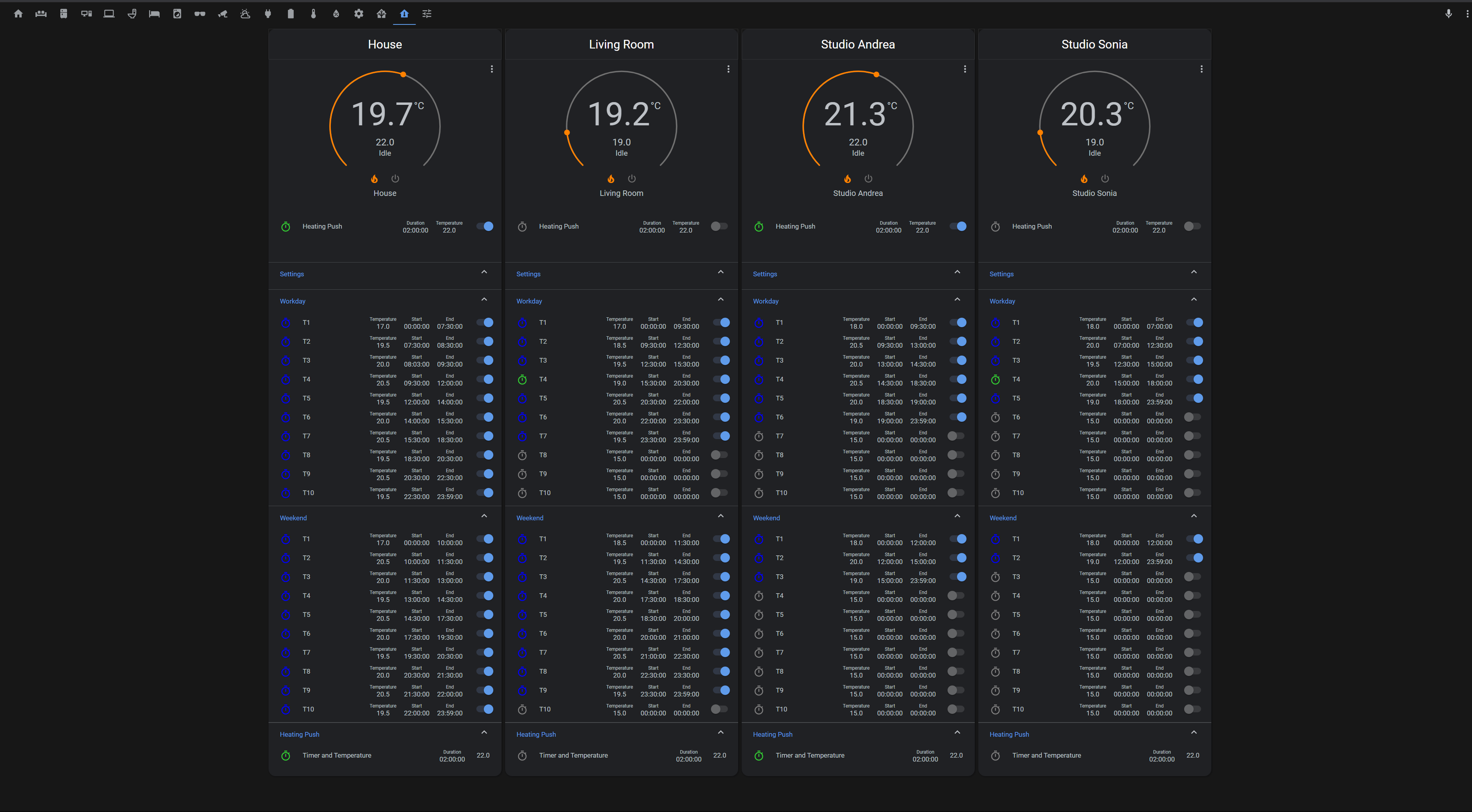

 white ridge
Is there any way to show iframes of locally hosted content (like a local portainer iframe) within a publicly available HA only while at home? I understand I wouldnt be able to see them while not on the home network, but theyre getting blocked for not being https
Could very well be impossible but I was thinking maybe some firewall rules or nginx magic could help here
polar kelp
No. Non-https content cannot be iframed into a https page. Your browser blocks that.
white ridge
Ok, i assume theres no way to host local applications with https? I assume it would need a public domain?
I can do some research for that myself, sorry to bother
obtuse sundial
rough coyote
You mean so depending on area ppl woul have functionality available?
Yeah.. Area as a form of grouping..
obtuse sundial
white ridge
I can do some research for that myself, sorry to bother
You could. It would be via a self signed cert (which would generate a warning), but it is just as secure.
white ridge
Awesome ill look into it
 sly hazel
is there any way to have the overview dashboard still available (not hidden) when it is not default on a device?
white ridge
Is there a way to see how a device was turned on? In logbook it just says 'turned on' and I would like to know if an integration turned it on or if it was though the UI
dark dirge
@sly hazel Additional dashboards show up as icons on the sidebar
sly hazel
@dark dirge yes, but if you make a secondary one default on a device, it automatically hides the original one. I want to prevent that from happening.
sly hazel
not a bug, at least, when you use the UI to make a dashboard default on a device, it tells you it will make the original hidden. Looks very intentional, not a bug.
dark dirge
I see. It doesn’t say anything when I select an alternate dashboard in the profile
Unfortunately I have no solution then
sly hazel
go to configuration -> lovelace Dashboards. Click on "show in sidebar" for the original dashboard
"You can hide it by setting another dashboard as default."
untold burrow
anyone here use this: https://github.com/kalkih/mini-graph-card
i'm trying to show a bar chart of a sensor that doesnt have state history, i just want to show the current fixed value in a bar chart format
its not showing anything even tho the sensor returns a fixed value (214.32)
but has no state history ( i dont care for history, just wanna show the bar chart for current state)
grim compass
Is it possible to change icon size in the picture-element using CSS ? I tried using width parameter but it doesn't seems to work for icons
transform: scale(2,2)
quasi flare
@white ridge What about this:
https://www.home-assistant.io/integrations/panel_iframe/
white ridge
quasi flare
<@!160119306418520064> What about this:
https://www.home-assistant.io/integratio...
Thats what I'm currently using, im having an issue with how iframes work in general, not getting them to show in HA. The iframe is there it just wont show because my HA is https and my iframe is http
quasi flare
AH. 😦
 cosmic lake
hey there! Am I the only one who gets messed up Automations and Script because of the GUI introduced on 2021.3.0? It seems that it wipes out the templates that doesn't recognise and if you want to change something in the Automation or Script and then save, you got a messed up one...
 velvet gyro
Is it possible to view the translation on lokalize without an account?
rich eagle
cosmic lake
hey there! Am I the only one who gets messed up Automations and Script because o...
Judging by the raised frontend tickets, you seem to not be the only one.
cosmic lake
@rich eagle good to know 🙂 thanks! I guess I should wait for a fix
rich eagle
@cosmic lake In what automation element did you have templates (to make sure the frontend issues cover those as well).
 wicked bone
Which is the current recommended way to change the default colours of button states?
there seems to be many different ways to do this, in my case it is a group, should i define it the group yml entry or in the code editor for ui?
cosmic lake
@rich eagle The ones that I have already in mind are:
climate.set_temperature
media_player.volume_set
rich eagle
cosmic lake
<@!415221262240186381> The ones that I have already in mind are:
climate.set_te...
Then please check if your use case is already covered by a bug ticket. The one I have in mind is for the "Delay" action.
cosmic lake
I just posted an issue about them
There should be more 😛 I have to look on my automations/scripts
urban lake
Hi everyone, is there a way to vertically place my single card in the middle of the view? Currently it's aligned to the top.
 novel finch
Hi, is there a way for button card to change the icon based on status ? Like one for on and one for off ?
novel finch
Thx, was hoping to get it with standard card but fine enough
twin tusk
well...standard is...for standard things..
shell torrent
And thomasloven covers all other scenarios 👍
 hearty epoch
Hello,
I have an issue with creating new lovelace dashboards via the ui. When I try to open a newly created dashboard all I can see is a loading screen. Creating a dashboard via yaml works.
fiery ledge
can we temporarily comment complete view/s in the UI editor? I know we can delete, but that would force us to rebuild the complete view/s if we later on need it again. (I've now disables the zwaveJS integration, so all entities show the yellow Unavailable). I'd like to hide that for now, but want to also be able to re-enable it later on
novel finch
twin tusk
<@!640857232853958676> https://github.com/thomasloven/lovelace-card-mod
Works like a charm. Great advice. Thx!
novel finch
My wife noticed it doesn't work from mobile app. Should I do something special ?
 tribal socket
Is there a way to link my.homeassistant to a specific entity? Users of my addon are having problems finding a stand-alone sensor since the switch from stand-alone badges. Is it possible to link to Developer Tools, or somehow bring up a sensor directly?
polar kelp
Auto-entities 1.8 has just been released.
It's hopefully much smoother and faster, and also has a GUI editor!
🎉
It could also possibly be much slower and jankier, but has a GUI editor.
21.3+ required for the editor to work well.
twin tusk
all praises to @polar kelp
torpid harbor
Are there some pointers/example how people organize their dashboards & panels? At the moment, I'm just starting out, so I don't need anything fancy like Floorplan, I'm just looking for some tips on useful ways to organize things in terms of dashboard views, how people group items there, etc.
twin tusk
lots of examples on github
polar kelp
Here’s something I and many others use: https://youtu.be/5y6rhwr5Y8c

Easy, Incredible Looking Lovelace Dashboard built using the Grid Card! Super EASY! No YAML files (4 small YAML edits in the editors). No Custom Cards. I call it the Tile Dashboard.
YAML (Though I do recommend using the UI editors to learn): https://pastebin.com/sGSWwtBU
Like what I do? Sponsor me: https://github.com/sponsors/zsarnett
▬▬▬▬▬▬▬▬...
torpid harbor
That's a pretty cool setup he's got. If only I had that many things to control!
If I've got some button cards already defined, can I add a grid card then move the buttons to it? Is it possible via UI or direct editing of YAML somewhere?
twin tusk
yaml
torpid harbor
Do I edit it within the UI by showing the code editor or is there a YAML file somewhere in config that I can just pull up in a text editor once I've got the grid added?
I ain't afraid of typing or copy/pasta a little bit of code 😉
twin tusk
what config? u are in lovelace. if u have yaml lovelace..then....yaml alltheway. if u have ui lovelace, then edit grid card and put your buttons there
torpid harbor
I was just hoping that I could move the existing cards into a grid card instead of recreating them from scratch within the grid. It's not hard to recreate, but if I can copy/paste or drag/drop, well, that's even easier.
twin tusk
sure...but is not windows
torpid harbor
I can access the yaml files in the docker container & edit them. No worries, I'll use the UI.
 pearl gull
Hi. Is there a way to increase the width of "entitiy" row when adding devices to cards?
shell torrent
Since my upgrade to 2021.3.x, I can't zoom in camera views in mobile view any more. I wonder if it is a coincident with some update on my phones or a change in HA.
Anyone else seen this?
Scenario: (1) Open a view with Picture Glance Card with camera_view: live (2) Click the picture to open the more-info view (3) Try to pinch-to-zoom.
This worked fine until a couple of days ago, but not anymore. If I long-click and choose "Open in Chrome", then I can zoom in the picture.
Same thing in Companion App and Chrome. Pixel 5 / Android 11 / Chrome 88.04324.181
twin tusk
@pearl gull layout card
rich eagle
shell torrent
Since my upgrade to 2021.3.x, I can't zoom in camera views in mobile view any mo...
That was reverted because it caused issue: https://github.com/home-assistant/frontend/pull/8353
shell torrent
Aha. Thanks.
pearl gull
@twin tusk I'm thinking about the "picker" field when adding entities to cards, but that layout card will be tested to get a cleaner look on some of my dashboards 🙂
twin tusk
picker field.... ??? what is that
formal tide
my HA login usually loads 2 times in a row (frontend wise) - anybody experiencing the same?
I haven't looked into it too much yet but problem is:
as I type my username / pw in it just reloads - I have to start again...
If the connection is awful slow I even come to 2FA Page and it throws me back to username/pw
Is there a loading animation needed? 😉
pearl gull
In entities card configuration and the entities drop down field for selecting what entity to add to the card
wicked bone
I'm trying to change the color of an active icon in the code editor of an entities card config, was hoping paper-item-icon-active-color: would work but was not valid syntax.
i found that here - https://github.com/chipriley/lovelace-css-values/blob/master/known_css_refs.md
do i need to create a theme with that single value and specify that theme for the button in the card?
twin tusk
u want to change only for an icon in entities card?
sacred quarry
Hi guys, not sure if this has been discussed at any point.. I have noticed that my thermostat card always have empty "goal temperature" on startup, it will start to appear only if I move the slider. this happen only after HA restart and only for the first thermostat card in the page. For my test there are multiple per-room thermostat, it doesn't matter which card is first (for which room I mean), the first one will always be affected apparently
This is a screenshot of the page I am talking about: https://raw.githubusercontent.com/SeLLeRoNe/HA-Config/master/Screenshots/thermostat.png Here you cannot see the problem, but on the first thermostat on the right, where the goal temp is "22.0 Idle", on startup that part is empty unless I force an update on that goal temp
Not sure if I am explaining myself correctly, I hope so ^^
wicked bone
twin tusk
u want to change only for an icon in entities card?
Yes. I want the active state to be red, not yellow (as is default)
twin tusk
then install card-mod and set -paper-item-icon-colour to red
wicked bone
Ah. So card-mod was the missing factor. Thanks!
twin tusk
is a must 🙂
quaint snow
Hi all, have just done a snapshot, last one was 4 days ago. Somehow my snapshot size has balooned from 11mb to 175mb... I added a few scripts, zones, and an integration, any idea why it may have got this big?
formal tide
database
rich eagle
twin tusk
then install card-mod and set -paper-item-icon-colour to red
@wicked bone Just changing the activate state color does not require card-mod. Can be solved with a simple standard theme.
    state_not_yellow:
        state-icon-active-color: "red"
 barren bolt
Is there a way to get a icon in a markdown card right aligned?
wicked bone
rich eagle
<@221645839368454145> Just changing the activate state color does not require ca...
Like this? # configuration.yaml entry for theme frontend: themes: state_red_not_yellow: state-icon-active-color: "red"
rich eagle
wicked bone
Like this? ```# configuration.yaml entry for theme
frontend:
themes:
state...
Yes
wicked bone
Thank you!
Hmm, # configuration.yaml entry for theme frontend: themes: state_red_not_yellow: state-icon-active-color: "red"
Does not show in the dropdown menu as a choosable theme when editing a card
do i need to restart HA to reload the config file?
or does a reload location & customization do the trick
twin tusk
always when modify config
 wicked bone
yeah
First time doing UI stuff, ive been stuck for months trouble shooting zwave stuff
twin tusk
i want to change font , but still have fear :)))
wicked bone
One can always roll back!
speaking of, i need to set up a git repo to hold all stuff HA.
 remote ocean
anyone here experience with auto-entities combined with template-entity-row? I'm using a bunch of shelly devices that all have an entity sensor.shelly*ip that holds the IP adress of the Shelly. I would like to autofill a card with all shellies and make them clickable. How could I get the entity name in the row? https://pastebin.com/ur60WAqk
feral rivet
is this the right place to ask for help with Javascript and a button card? I am trying to turn on box-shadow of a card based on the state and attributes of the fan entity. right the box-shadow is showing even if the device is off. sstate: - operator: template value: > return states['fan.king_of_fans_inc_hbuniversalcfremote_c04a2900_fan', 'on'].attributes.speed == 'low'
anyone able to help me sort this out?
 fossil dragon
Hi #frontend-archived, can someone help me create a switch/button that calls an url? I did find this post type: custom:button-card colortype: card name: aktie tap_action: action: url url_path: https://www.nu.nl and changing the path for my liking but this doesnt work
twin tusk
doesn't work....means?
fossil dragon
Custom element doesn't exist: button-card.
twin tusk
well..u checked how to install ?
 somber panther
First i was seeing bars in the History tab about all my entititys and what there state is. Now I only see graphs with states. But I liked those bars with information rather than only seeing graphs. Because those graphs where available when I scrolled down the page.
rich eagle
wicked bone
or does a reload location & customization do the trick
There is a theme reload service you can call from the HA dev-tools that will reload the themes.
rich eagle
fossil dragon
Custom element doesn't exist: button-card.
To call a URL you don't need a custom card. The HA standard card can do that.
 feral grotto
Hey guys, since core-2021.3.2, I cannot use the external url to connect to my HA, only internal works
I've check and I can access other devices through external url so it's not a url issue
feral grotto
Problem solved, it was a certificate expired which didn't renew automatically
 past falcon
Hey is anyone else having trouble with HACS loading on Firefox? Works fine in Chrome, but I just get a blank screen on Firefox
 ornate mason
For me it's not even loading in Chrome. Just infinitely spinning on "Loading data".
I'm getting errors from mini-media-player and kiosk-mode in the console. I've renamed their folders to stop them loading, and restartet the HA machine, as well as tried any method I know of clearing the cache in Firefox, but they keep loading and erroring.
past falcon
In the dev tools it does throw some errors, one with failing to load /hacsfiles/custom-sidebar/custom-sidebar.js which I removed a long time ago (and there aren't any files). But it also doesn't like /hacsfiles/frontend/e.652c5419.js
that is strange
ornate mason
I've been having persistent issues for a long time, with the frontend not updating, causing HACS to not work... It wouldn't surprise me if this is related. That some old something is causing the frontend to not load.
past falcon
So strange enough, firefox might have just updated or something and it's back 🥴
karmic tiger
It was a caching issue and something just cleared your cache 😉
ornate mason
Any clue on how to >actually< clear the cache though? I don't seem to be able to do it... I've done it both from the website-info menu in the navigation bar, and by going through and deleting everything in the storage tab in the dev tools...
dark dirge
When I want to make absolutely 100% sure, I open the browser dev tools, right click on refresh, and select empty cache. You can also disable cache there
ornate mason
Hmm, nope. Still picking up those files... Are the HACS frontend plugin files still in www/community/ ? Otherwise it might be that I've renamed the old folders.
dark dirge
Yes
remote ocean
anyone here experience with auto-entities combined with template-entity-row? I'm using a bunch of shelly devices that all have an entity sensor.shelly*ip that holds the IP adress of the Shelly. I would like to autofill a card with all shellies and make them clickable. How could I get the entity name in the row? https://pastebin.com/ur60WAqk
 old jackal
In Developer Tools > Templates, {{ state_attr('sensor.iphone_battery_level', 'icon') }} returns mdi:battery-70
I thought this would work but it didn't… any idea why? https://imgur.com/a/qKwZYVP
[[[
return `<ha-icon icon="${state_attr['sensor.iphone_battery_level', 'icon']}" style="width: 20px; height: 20px;"></ha-icon>`
]]]
Is there a way to display a badge (not card) based on a google calendar event ? I am using the gcal integration but can't fin a way to do so
 fierce haven
Hi everybody,
is there a way to swap the colour of a certain icon, e.g. "Internet status" has inactive colour when it is connected and has active colour when it not connected...
dark dirge
probably with card_mod. Or create a sensor that reports the inverse of your current entity. Or use a card (like custom button card) that lets you configure the colors to whatever you want
fierce haven
okay thanks I found the two mentioned custom cards...but thought there was maybe an easier way. I'll give it a try.
dark dirge
creating a template sensor that flips the polarity would be easiest and most standard (no custom stuff required)
at least I think that would pick up active/inaactive colors, but I don't know for sure
twin tusk
install a custom card is hard way?
fierce haven
no it's not hard at all.
dark dirge
there are more places to get stuck, but no, it's not "hard"
grim compass
Is it possible to use templating in the show_icon attribute of badges ?
Or any other way to use a conditional to display or not said badge
grim compass
yes but the filter is there to filter events from the calendar, I'd like to display or not badges based on these events
dark dirge
Events can set input_boolean.* entities, which could be used for filtering
I’m not saying it’s a complete solution, but you’ll need to be creative
grim compass
Found a way to do so, looks like the badge itself allow for it
badges:
  - type: entity-filter
    entities:
      - entity: calendar.jacuzzi
        icon: 'mdi:pool'
    state_filter:
      - "on"
But looks like the icon override does not works for some reason
dark dirge
weird
grim compass
Seems to be a bug, i will just file an issue on github. Thanks for your time
 alpine dagger
Has there been recently change in updates to disable the history on home assistant, not sure what it's called exactly
But previously I could open a motion sensor card and view all times an event occurred
twin tusk
check your recorder settings
ornate mason
So, I'm still having issues. I'm basically unable to load up the frontend. It's just stuck forever on "Loading data".
I'm seeing this in the console: https://imgur.com/a/CrOo41C
ornate mason
I found the cause. Disabling the Grocy custom component solved it...
buoyant furnace
a question please, HA is very new to me, im trying to build my dashboard but things gets a bit messy
how should i approach this ?
just add all the buttons i want and then worry about moving them around later ?
is it even possible to sort of drag and drop ?
 wet lance
Is there any body know how to remove the left and right space areas after i set the background image please help me out. (Safari safe area)
ios app and iphone safari is same.
https://cdn.discordapp.com/attachments/551871772484698112/818573766774620190/image0.jpg

Please help me out. Thank you so much.
alpine dagger
twin tusk
check your recorder settings
Thanks, how do I do that?
 simple grotto
any one know why I'd be getting this error when trying to update in UI:
Logger: homeassistant.components.hassio
Source: components/hassio/websocket_api.py:106
Integration: Hass.io (documentation, issues)
First occurred: 5:57:47 PM (1 occurrences)
Last logged: 5:57:47 PM

Failed to to call /core/update -
trying to upgrade to core-2021.3.3
twin tusk
try #330990055533576204 or what is your install method
alpine dagger
twin tusk
https://www.home-assistant.io/integrations/recorder/
Is that new? Pretty sure I could view history previously without doing anything
 ivory escarp
https://i.imgur.com/7QtVGam.png is there a way to remove the white background of specifically this card and this card only?
 twin tusk
and that card is ... ?
ivory escarp
previews of links dont show here for some reason, its in the imgur link but its a markdown card.
@twin tusk
twin tusk
and from where should i guess it a markdown card ? try to give all details if u want help
ivory escarp
twin tusk
and from where should i guess it a markdown card ? try to give all details if u...
sorry im not sure what else i can specify, i want to remove the background of a markdown card so only the text shows. you can see the image in the link in the original message if you would like to.
twin tusk
add style background-color: transparent !important;
 errant turret
Is this the right place to ask about cards?
Has anyone seen a wrapper card similar to the tabs interface? I want something to wrap 2 sets of 8+ climate controls and be able to switch between them
ivory escarp
i added that style and it doesnt seem to have changed anything.
style: |
  background-color: transparent !important;
i added that into the yaml is that correct?
twin tusk
style:
.: |
ha-card {
background-color: transparent !important;
ivory escarp
twin tusk
style:
.: |
ha-card {
background-color: transparent !important;
yeah still isnt working for some reason
i saw some had this
style: |
  ha-card {
    box-shadow: none;
    --card-background-color: none
  }
and i tried that too but also had no affect unfortunately
twin tusk
u have no error ?
ivory escarp
nope other then a warning telling me that the visual editor isnt supported for the key "style"
twin tusk
try to share code as topic says
ivory escarp
twin tusk
not quite what i gave to you
ivory escarp
didnt think it mattered, here's your version https://paste.ubuntu.com/p/9Xw7ydQfSm/
twin tusk
close }
ivory escarp
still changed nothing
twin tusk
this is whole card?
ivory escarp
yeah
twin tusk
wierd
twin tusk
afaik yes
ivory escarp
huh, well in default theme its also not transparent
twin tusk
bad luck
ivory escarp
dang
polar kelp
Does your browser console output say anything about card-mod?
twin tusk
maybe he doesn't have it
rich eagle
buoyant furnace
a question please, HA is very new to me, im trying to build my dashboard but thi...
Drag and drop is being developed, but not there yet.
buoyant furnace
rich eagle
Drag and drop is being developed, but not there yet.
great news
so i put a button activating a script on the dash, when i click it it opens up this rather than launching it right away
ivory escarp
polar kelp
Does your browser console output say anything about `card-mod`?
i dont believe so
twin tusk
u have it installed ?
ivory escarp
have what installed?
twin tusk
card mod 🙂
buoyant furnace
can anyone assist ?
i changed the height of the card and i want to raise the test so it will be centered
how do i move it upwards?
twin tusk
read channel topic
buoyant furnace
been through it, i cant find the solution mate
twin tusk
where u have been
Please use https://www.hastebin.com/ or https://paste.ubuntu.com/ to share code or logs
guess u skipped that
how u want to get advice if we don't know what u have, beside a picture
buoyant furnace
got ya
a moment
hmm, in hastbin how do i link you to it after i paste the code ?
twin tusk
i use paste ubuntu
buoyant furnace
 ivory quarry
Does someone know how to fix this? [Not all created areas are shown using Blueprints]
ivory quarry
all or just the ones not being shown?
twin tusk
u know better
ivory quarry
sry i don't get you, I even added a new test area and it wouldn't show up.
twin tusk
show where? what u want to do? what u mean by "fix" ?
ivory quarry
i'd like to use my areas for creating blueprints