#frontend-archived
1 messages · Page 26 of 1
 vast crane
I believe it maxes out at 3, and then if you close the sidebar you can get 4.
There are custom resources that will allow you to get more manual control of it if you want to go that way.
Or you can just layout everything manually with a 1-panel view, and place everything yourself inside of stacks/grids.
 frigid cairn
Just wondering why on the same type of device I sometimes get 3 and sometimes 4?
 dusky mist
how do i add a power distribution card in lovelace? looks like it should be trivial, but I cannot find it.
 dusky haven
Is there a way in the ui yaml to get the name of the current view? Similar to how you can get the state of a sensor using states['sensor.day_of_week'], is there someting like view['name'] etc.? I can't seem to find a way to do it.
 pine crypt
anyone know how to change the IP address in the HA Fully Kiosk Browser integration?
i static the IP of the tablet
is this question better in "integrations"?
 tribal galleon
Probably integrations but I don't think you can change the IP address of a FKB device (I just looked and didn't see a way). I think you have to remove it and re-add with the new IP.
pine crypt
ok fair enough
tribal galleon
I would remove first because if you just add a new device/IP and try to use the same name, you'll get entities with _2 on the end (or something like that)
pine crypt
took two seconds
yes
that is correct
actually it wouldnt let me add it at all
so i deleted it
and i re-added it and worked perfect
tribal galleon
Cool. I still have an old integration installed for two devices that I have not used in a while but may bring them back someday...
 pine crypt
do it
do u use anything else similar??
i wish they made a 19" tablet
i know i can get touch screens, but then im dealing with compute add-ons like pi's n shit
then again this sgin chinese tablet i got for $63 is perfect
like dfrobot has a dope 15.6" touch screen for $270
tribal galleon
That's from the old integration (for two Fire 8s that are sitting in a drawer); new integration running two Fire 10s.
Have an Echo Show 15 but it doesn't work with FKB (thanks to Amazon) but I can still interact with HA in Silk browser. (It is just not automatic and I have no sensors or switches.)
pine crypt
yeah i read fire tablets suck for fkb
and the show 15 isnt touch screen right?
and even fire toolbox has been handcuffed by new fire os
tribal galleon
No. They're actually great. That's their soul purpose that I have them. I've had two 7s, two 8s, and now three 10s.
pine crypt
the 11 looks good and has been on sale a few times
tribal galleon
I just set up a new Fire 10 HD Plus a few days ago. Worked fine.
pine crypt
ah ok, u know youtubers have opinions
but do u de-amazon it with fire toolbox?
i think the 11 with ads has been down to 140 or so, which is nice, especially if u de-crapify the amazon bloat
but like i said this sgin chinese piece of shit has been great
just gotta pull trigger on the fkb license
wish they had a site or house-wide license
tribal galleon
I bought a 10-device license a few years ago when they were on sale. I use the Fire HD 10 Plus because of the wireless charging (and I use the wireless charging docks. Expensive but useful since I cannot mount them.) Two 10s debloated a year or two ago. New one has a bit more work that I need to do to it.
pine crypt
FKB had 10-device license pack?
i dont think they do that anymore
oh they do
wonder what it costs
tribal galleon
No. The individual licenses were on sale and then discounted even more if purchasing for 10-devices.
pine crypt
damnnnnnn
i dont need ten anyway
and its like $1 off per
but i wonder if the regular licenses go on sale!
tribal galleon
I bought mine July 2020 for 59EUR. ($69.54)
 tribal galleon
Yeah. I needed four licenses at the time. Just went for the 10-license deal. It is a good "investment." Plus, FKB is cheap so if you need to get rid of the licensing watermark, it doesn't cost much. The license can easily be transferred to a new device in the future if needed. Just have to email them.
 rain tapir
Thanks a lot, this helped me :)
 tame jewel
Hello Guys,
Newbie here, so I'm working with Mushroom to create a mobile Dashboard and I really like it but I have a question now. I want to create a Button where I click and I call a service and open my Lock of the House. So my Idea is the Icon Color is red (as the Lock is closed) when I now make my primary Action which is calling my Service to Open my Lock I want to change the Icon Color to Green then wait 5 Seconds and make it switch back to red. I hope you know what I mean. My Code at the moment is this: https://dpaste.org/8Bo4Z
Is something like this even possible to make with mushroom and what would be the way to go? Much thanks in advance for your help!
tribal galleon
Probably not possible based strictly on the 5 seconds, but you could make it based on the state of the lock.yaml icon_color: |- {% if states(entity).lower() == "locked" %} green {% else %} red {% endif %} icon: |- {% if states(entity).lower() == "locked" %} mdi:lock {% else %} mdi:lock-open {% endif %}
Now, with that said, you could consider the Ripple animation that might work. It is towards the bottom of this post. Example shows 750ms. Maybe 5000ms would do what you want? 🤷♂️
tame jewel
The thing is that the lock has no state it's just a thing which closes the electricity loop and opens my door thats the reason I wanted to refer the card Press
tribal galleon
Perhaps an input_boolean (toggle) helper could be used along with a simple automation. Automation turns on helper, runs lock.open on lock.opener, waits 5 seconds, turns off helper. Set mushroom card to the entity of the helper and tap_action to call the automation. Then, the above yaml would work.
tame jewel
But how can I do that. I‘m a rookie with way too much goals 😂
 agile wagon
hi, how to use bubble card like input number on home assistant?
I have already created the input number in the helpers
The normal input, without Bubble card, works.
 hushed agate
is there a way to remove / hide the map and log entries from the sidebar
 agile wagon
hushed agate
is there a way to remove / hide the map and log entries from the sidebar
agile wagon
hushed agate
is there a way to remove / hide the map and log entries from the sidebar
Go on your Profile > "Change the order and hide items from the sidebar" > EDIT
hushed agate
👍 but that will only be for the current profile right?
agile wagon
you know I don't know
 fierce dagger
Is there a way to stretch this UI? I have to hover over the entities to get the names but in theory there is enough space
 vast crane
not really
 haughty pulsar
Hi! I'm using Custom Button Card and is trying to return an icon contained in a variable in the custom fields but I can't seem to get it right. Just returning an icon works fine but no matter what kind of ways I try and return the variable with the icon instead, it does not work. Any pointers?
custom_fields: icon: | [[[ if (entity.state == "on"){ return '<ha-icon icon="' variables.icon'"></ha-icon>'; } else { return '<ha-icon icon="hue:bulb-group-br30-off"></ha-icon>'; } ]]]
 dark dirge
try using backticks instead of single quotes around the HTML
this seems badly formatted in general
return '<ha-icon icon="' variables.icon'"></ha-icon>';
you have a bunch of single quotes that will cause problems with parsing
haughty pulsar
That gives me unexpected error.
Not my code originally, trying to modify it to suit my needs.
Excuses, excuses. 😄
Also tried this:
return '<ha-icon icon="${variables.light_icon}"></ha-icon>';
Which gives me no error, but also no icon.
I renamed the variable to not cause confusion.
Got it working, you were right, it's the wrong backticks in the original code. With ` instead of the ' it works.
 willow glen
Hey guys. I am trying to use Lovelace laycard by Thomas Loven but I do not see the "Layout" tab that is shown in this video. https://user-images.githubusercontent.com/1299821/111066590-11abef80-84c0-11eb-809b-2843fd8610d8.gif I added the following to the configuration.yaml. Do I need to do something else? frontend:
themes: !include_dir_merge_named themes
extra_module_url:
- /config/www/community/lovelace-layout-card/layout-card.js
willow glen
GRRR... I see now Please note that the "LAYOUT" tab in the animation below is now incorporated in the "SETTINGS" tab instead.
 delicate viper
can some one please help me setup this HACS integration for a fan card? https://github.com/finity69x2/fan-control-entity-row
I installed via HACS. And have tried to set it up in one of my dashboards, but I get "No card type configured error" .
cards:
- type: entities
title: Fan Control
show_header_toggle: false
entities:- entity: fan.master_ceiling_fan
type: custom:fan-mode-button-row
- entity: fan.master_ceiling_fan
I am not a programmer at all, so I am hoping for an easy explanation. thanks!
tribal galleon
delicate viper
can some one please help me setup this HACS integration for a fan card? https://...
If you're using the Add Card button and then adding the yaml, it should look like this: ```yaml
type: entities
title: Fan Control
show_header_toggle: false
entities:
- entity: fan.master_ceiling_fan
type: custom:fan-mode-button-rowThe beginning part of your code:yaml
cards: -
 delicate viper
tribal galleon
If you're using the Add Card button and then adding the yaml, it should look lik...
delicate viper
tribal galleon
If you're using the Add Card button and then adding the yaml, it should look lik...
@tribal galleon solves it for me! thanks!! wish that the author of this card had made it clear in the instructions. would have saved me hours...
tribal galleon
I just looked at the doc. I see where the confusion comes from. The configuration example shows the discrepancy that I mentioned between codes.
Just found your Github issue. Posting the fix there too.
 compact pebble
I am trying to configure the Minimalist Lovelace UI Adaptive dashboard and am having trouble seeing the main popup on the right side. My state machine is v1.9.3 and I see my view input select changing when I click the cards, I have my input select entity set correctly also.
delicate viper
tribal galleon
Just found your Github issue. Posting the fix there too.
I guess I spoke too soon, its not working, I get the card to display but get an error each time I click one of the settings, "failed to call service fan/set_preset_mode...:
 charred pecan
Hi, I am having an issue with adding a dashboard to my setup. I am using the container version of home assistant. When I use my normal ui-lovelace.yaml the ui shows up fine. When I try to use the example with multiple dashboards from the website, I change the name of the ui-lovelace.yaml and include it as in the example. The part for the second dashboard is commented out for now. When I load the ui, the page basically stays empty. When I check the yaml for errors using the developers tools, it says it is fine
 covert ivy
Playing with unifi protect and a camera. The integration exposes videos via the media browser. Is there a way to add for example the 5 newest clips from a folder in the media browser to the UI. Or a folder. And get the same behavior as in the media browser with the ability to click on the video and get it as a pop-up
covert ivy
covert ivy
Playing with unifi protect and a camera. The integration exposes videos via the ...
Current solution I am using is adding the enitre media browser as an iframe which is not a super nice solution since it also adds everything else
 plain storm
Is it possible to plot the state of a binary switch along with an analogue state on a graph card? I want to see the on/off state of a switch alongside a temperature value.
 sturdy wren
Hey all! New here so hope you don't mind the post. I've been trying to look about online and on the forums etc but can't see anything exactly like what I'm after so not sure if it's possible.
Is it possible to create a horizontal bar to graph current and target temperature like I've designed in the image attached? So basically like the whole bar is lets say from 10 on the left up to 25 on the right with the orange bar going up to 19.7 (current temp) and the red line being at 22.0 (target temp)?

 hidden needle
When using the entities card, how do I define the entity to toggle?
Actually the entity to control is a button. But toggle seems to the closes action to choose.
  - type: button
    name: Cancel overrides
    action_name: Reset
    icon: mdi:fire-off
    tap_action:
      action: toggle
oh I think I managed
vast crane
I think use an entity: to the definition?
hidden needle
yep, that easy
 trail iris
afternoon - I think I found a bug in the frontend, but I wanted to bounce it off folks here to see if it is just me
HA latest on ProxMox
The system is set to "Overview" as the default dashboard. If I change it to anything else in my profile, "Overview" disappears, not even visible in the sidebar reordering tool
when I change the default back, 'Overview" is available again, but at the bottom of the list of dashboards in the reorder tool.
This happens both in the desktop browser (Chrome latest/Windows 10) and on the companion app (2023.10.4-full)
 golden mistBOT
@knotty abyss I converted your message into a file since it's above 15 lines :+1:
 knotty abyss
Actually heres a different question that I think will just solve my problems. Within the lovelace view I would like to loop through the attributes of that sensor. I know I can create a template sensor that will do this. but in the loop I want to loop the user of a card where its fed the data.
 shell grove
I like the new thermostat popup (I'm running 2023.10.4 now), but I've noticed it's missing the aux option for secondary heat! Anyone know if there's some setting I haven't seen to get it back?
 finite copper
I like SweetHome 3D
 tacit cave
knotty abyss
Actually heres a different question that I think will just solve my problems. Wi...
tacit cave
knotty abyss
Actually heres a different question that I think will just solve my problems. Wi...
I still don't know what you're trying to do. When you say user, do you mean the user that's loggged in?
vast crane
shell grove
I like the new thermostat popup (I'm running 2023.10.4 now), but I've noticed i...
I believe Aux heat is being removed from climate entity. It will be a separate switch.
https://github.com/home-assistant/architecture/discussions/932
 vapid field
Hi. I wonder why some parts of the automation frontend aren't translated to Polish in my HA instance despite being translated in localize since 02.2022 For example: "triggered by" is still in english. Do you why?
vast crane
Not every word is always consistently passed through lokalise. We're always improving/adding more over time, but things sometimes get missed.
vapid field
Is there something I can do to pass it faster?
knotty abyss
tacit cave
I still don't know what you're trying to do. When you say user, do you mean the...
petro basically I'm trying to have cards dynamically create on a dashboard for the attributes of a rest sensor I have. So I actually got to the point last night where my custom card takes an entity and an index number so - type: custom:bettracker-card entity: sensor.bettracker index: 0 Gives me the card with the first set of attributes. Now I know I can create a template that loops through each of the items in my sensors attributes. What I'd like to do is loop through the creation of this card for each grouping of attributes and update index value. The end result would look like this.
 shell grove
vast crane
I believe Aux heat is being removed from climate entity. It will be a separate ...
shell grove
vast crane
I believe Aux heat is being removed from climate entity. It will be a separate ...
Ooh thanks for the link. Seems like a strange thing to do, but I'm happy to read that post!
tacit cave
knotty abyss
petro basically I'm trying to have cards dynamically create on a dashboard for t...
auto entities, a custom card allows you to do that
vast crane
vapid field
Is there something I can do to pass it faster?
You can contribute PRs to fix cases of words that got missed, or open issues in the frontend github repository.
knotty abyss
I've been trying to get the auto entities card to work but I seem to be having an issue
I have ``` - type: custom:auto-entities
card:
type: entities
filter:
template: |
{%- for bet in states.sensor.bettracker.attributes["bets"] -%}
{{{"type": "custom:bettracker-card",
"entity": sensor.bettracker,
"index": {{loop.index}} }}}
{%- endfor -%}
      - type: custom:auto-entities
        card:
          type: custom:bettracker-card
        filter:
          template: |
            {%- for bet in states.sensor.bettracker.attributes["bets"] -%}
              {"entity": sensor.bettracker, "index": {{loop.index}} },
            {%- endfor -%}
Tried that way to and it didn't work.
tacit cave
you sure you tried that way?
notice the comma?
just copy/paste what I wrote and see if it works
 tacit cave
put a [ before the first {%- and a ] after the last -%}
knotty abyss
nothing still
 tacit cave
that should be working
knotty abyss
Yea thats what I thought to but it isn't hence I was asking because I'm stumped
tacit cave
it's most likely a setting, IIRC there's another field where it's like "what are you repeating" and you want it to be 'card'
otherwise it defaults to entity IIRC
knotty abyss
hmmm ok
tacit cave
you may need to put the cards into a grid as well
wwhere the type is grid and then add 'type': 'custom:...' to the dict
knotty abyss
So I tried something like this https://github.com/kbrown01/SportStandingsScores/blob/main/dashboard.yaml#L343C5-L377 but didn't work either
tacit cave
card_params is what I was talking about
so...
      type: custom:auto-entities
      show_empty: false
      card:
        type: custom:layout-card
        layout_type: masonry
        max-columns: 5
      card_param: cards
      filter:
        template: |
          {%- set ns = namespace(items=[]) %}
          {%- for bet in states.sensor.bettracker.attributes["bets"] -%}
            {%- set ns.items = ns.items + [{"type": "custom:bettracker-card", "entity": 'sensor.bettracker', "index": loop.index}] %}
          {%- endfor -%}
          {{ ns.items }}
just gives me blank on the dash
 tacit cave
look again, edited it
and you have syntax errors taht are outside of this
view should be a list
view's cards I mean
you have a random ass card: in the middle
 knotty abyss
 tacit cave
yep that should work
knotty abyss
Got notta
knotty abyss
yea I've been able to get it to error making small changes.
 normal dirge
unfortunately i have not found a solution for taking notes directly on the frontend or creating multplr indepenent shopping lists
vast crane
I think multiple lists might be coming in 2023.11, there's a lot of PR activity there
tribal galleon
@knotty abyss does the layout-card support masonry? Try switching to grid and see what it does.
knotty abyss
Changing to grid still displays nothing.
 carmine briar
vast crane
I think multiple lists might be coming in 2023.11, there's a lot of PR activity ...
carmine briar
vast crane
I think multiple lists might be coming in 2023.11, there's a lot of PR activity ...
Awesome. Is it implemented in same json or different ones? Ie, just an added class on same list or completely independent lists?
vast crane
I'll have to wait for the beta release notes to see exactly what it is. Sounds like they renamed shopping list to a generic todo component, and I think you can have multiple.
Ah it's up: https://rc.home-assistant.io/blog/2023/10/25/release-202311/#there-is-a-lot-todo
 slow bison
I connected my old Buderus heating system to homeassistant with more than 50 Sensors for all the pumps, temperature sensors, valves...
is there something like the energy dashboard to visualize heating systems or have anyone examples how to make a nice looking visualisation for a heating system?
 compact hamlet
So I am playing with the climate tile card and noticed the little "timer/clock" icon next to the entity icon. What is this by chance? I can't find anything about it.
 vast crane
compact hamlet
So I am playing with the climate tile card and noticed the little "timer/clock" ...
vast crane
compact hamlet
So I am playing with the climate tile card and noticed the little "timer/clock" ...
So looks like that icon reflects the current hvac action, and for some reason the icon for idle is "mdiClockOutline". Not sure I quite get why idle is a clock... but I guess that just means it is idle.
compact hamlet
Ahh. So if Ecobee went to non-idle it would go away then right?
vast crane
it would go to an icon for whatever action it is running
export const CLIMATE_HVAC_ACTION_ICONS: Record<HvacAction, string> = {
  cooling: mdiSnowflake,
  drying: mdiWaterPercent,
  fan: mdiFan,
  heating: mdiFire,
  idle: mdiClockOutline,
  off: mdiPower,
  preheating: mdiHeatWave,
};
ahh ok
 floral iris
Alright, I'm trying to customise some custom UI lovelace minimalist cards, but I'm struggling to see where I can edit some things. For example, I want to change the background colour of the icon in the image (blue) to something else, but it is nowhere obvious in the code: https://mystb.in/HorribleHeatHusband. Any ideas?

I think its something to do with icon_more_info
tribal galleon
floral iris
Alright, I'm trying to customise some custom UI lovelace minimalist cards, but I...
Minimalist relies on the custom:button-card . If you want to make all the icons that use that template have a blue background, you only need add - background-color: blue at Line 31 (indented so it has the spacing as - color: > at Line 25.)
If you don't want to modify the template, you can add yaml styles: icon: - background-color: blueto the respective card.
You can check out Styling and Custom Fields for more information.
floral iris
tribal galleon
Minimalist relies on the [custom:button-card](https://github.com/custom-cards/bu...
Alright great, thanks. I think I understand the coding aspect but I'm just confused about where some of the code is, if you get me? Like where was the code for a blue background, I couldn't see it...
 gaunt torrent
Tough thing to google. Can anyone tell me what the .: functionally is doing.
 tacit cave
it's going down into a shadow root
 tropic hazel
is there a way to get a light entity that represents all lights in an area, without manually having to manage the entities?
tacit cave
make a template light
tropic hazel
does that work through the UI? or do I need to yaml that?
ui only seems to show me templates for sensors
tacit cave
YAML only
tribal galleon
floral iris
Alright great, thanks. I think I understand the coding aspect but I'm just confu...
That's the thing about Minimalist. The work is already done for you but when you want to deviate from what is made, it can be difficult. If you like how the cards look, consider Mushroom cards. Look over the doc and check out examples. There's 8000 posts there...
tropic hazel
"Why isn't this working, dammit!" because you were selecting the wrong area, dumdum...
🤦♂️
hushed agate
how would i go about creating a conditional card with or instead of and conditions
 vital burrow
A binary template sensor would be my go-to for more complex card conditions
vast crane
I believe that's a new feature in 2023.11, or conditions for conditional
if you can wait a week 😁
hushed agate
👀
floral iris
tribal galleon
That's the thing about Minimalist. The work is already done for you but when you...
Ah alright, that works. Thanks for your help.
vital burrow
vast crane
I believe that's a new feature in 2023.11, or conditions for conditional
But not or conditions, they are still processed as and conditions.
At least if I get the rc documentation right.
vast crane
ah wait that's still a PR:
https://github.com/home-assistant/frontend/pull/18409
guess it will probably be added
vital burrow

hushed agate
well i suppose i can just cheat it for this use case with a date n time sensor
tropic hazel
thanks @tacit cave , I got something nice working, I think... should i share it somewhere?
tacit cave
you can make a forum post
there's already examples out there though, up to you
there's a share your projects section
tropic hazel
https://hastebin.com/share/uxejatoviz.yaml not sure how useful it is then, i did integrate control of adaptive lighting
tacit cave
well, ya made it cshrap, probably should be listed as yaml
 ancient root
Looking for a good example of a light setup in a dashboard. Any examples or ideas would be greatly appreciated. I am dumping the philips hue app, bridge and going to use zigbee connected to the HA instead.
tacit cave
just use the tile card w/ a light
You can play w/ the demo dashboard to see if you like it

 pulsar schooner
input_select
 leaden bloom
Hello guys, wondering if anyone has built a esp8266 ultrasonic sensor, and relay broker box for a garage door opener, I have the whole thing wired and exposed in the backend of esphome
just wondering how to take my text_sensor as value template for the cover.
tacit cave
that would be #yellow-archived chanel
joking
can you elaborate on what you're talking about? value_template for the cover doesn't really make much sense
leaden bloom
haha petro, always love your sense of humor!
of course I can elaborate, the more info the better
 plain mural
can i turn a template url location if an image into a home assitant webcam?
leaden bloom
tacit cave
can you elaborate on what you're talking about? value_template for the cover do...
heres the paste bin
tacit cave
leaden bloom
heres the paste bin
LOL that would actually be #templates-archived
anyways, do you h ave something that determines the state of the garage door?
basically, you need something that tells the system that your garage is open or closed. If not, don't include the value_template and use the assumed state. IIRC it's called optimistic in the documentation
 ocean owl
Hello can somebody help me with custom-mini-graph-card?
I want to show the temperature value and graph and icon of battery status.Is it possible? I tried to play with parameters but unsuccessfully .
type: custom:mini-graph-card
detail: 1
entities:
- entity: sensor.sonoff_a48003f51c_temperature
name: Bat
show_state: false
show_graph: false
show_labels_secondary: true
show_icon: true - entity: sensor.sonoff_a48003f51c_battery
show_state: false
 grim frigate
is there a way in HA to create a dashboard per user, and make sure others can't access it? For instance, if I want to add my personal calendar which contains "buy present for wife", I don't want that my wife sees it 😉
leaden bloom
tacit cave
LOL that would actually be <#672223497736421388>
dude... I literally was just there is this a joke, is there premium support I can pay for :p
leaden bloom
tacit cave
basically, you need something that tells the system that your garage is open or ...
how do I do this, I already have a state sensor, based off a lamda for ultrasonic readings
tacit cave
leaden bloom
dude... I literally was just there is this a joke, is there premium support I ca...
Lol, not a joke
at this point, just tell me the entity that has the state and I'll help ya here 😉
tacit cave
which are?
leaden bloom
if ((0.21 <= id(ultrasonic_sensor1).state) <= 0.22) {
return {"Garage Open"};
} else if ((1.11 <= id(ultrasonic_sensor1).state) <= 1.19) {
return {"Car Present & Garage Closed"};
} else if ((2.61 <= id(ultrasonic_sensor1).state) <= 2.67) {
return {"Car Absent & Garage Closed"};
} else {
return {"Unknown"};
}
tacit cave
er, you should make a separate sensor
for the car present thing
and just make a binary_sensor that's open/close
er, on/off
for the state of the garage door
and then a separate car present sensor
preferably binary_sensor as well
leaden bloom
gotcha, that might be easier true
split them up
let me try that and get back to you
tacit cave
otherwise, your template could just be {{ 'Open' in states('sensor.esphome_relay_5678_garage_state') }}
 late bloom
I have a question. I have found a particular dashboard I like and want to add it, but it comes as a yaml. How do I add it?
golden mistBOT
@thorny orchid I converted your message into a file since it's above 15 lines :+1:
 thorny orchid
I can't get this to work in automation. It only works in Developer Tools. No logs or errors anywhere. Automation > Run says it's successful. Can anyone help me figure out what I've done wrong?
service: browser_mod.popup
data:
dismissable: true
autoclose: false
content:
show_state: false
show_name: false
camera_view: auto
type: picture-entity
camera_image: camera.kitchen_cam_cat
entity: camera.kitchen_cam_cat
target:
device_id: xxxx
tribal galleon
thorny orchid
I can't get this to work in automation. It only works in Developer Tools. No l...
Looking at the docs, I think device_id should be browser_id and it should be in the data: section. A note about targets
This worked for me (which is just a popup with a title and no content): ```yaml
alias: Browser Mod Pop-up
description: ""
trigger: []
condition: []
action:
- service: browser_mod.popup
data:
dismissable: true
autoclose: true
title: Test
timeout: 3000
browser_id: e5e6a798-b48cd1bd
mode: single```
thorny orchid
I'm trying. Adding a browser_id doesn't change anything. Still only works from developer tools. I think browser_id is just if I want to specify browser(s) and not send the popup to all browsers.
I tried adding yours to my automation and it says the same thing Automation Run Successful, but no popup. It must be something else.
It works now. Not sure what the heck
 ripe gazelle
can someone lend me a hand with this code? Long story short, I'm trying to create a button that will turn off all the downstairs lights (light group). The action used to be "call-service" but I changed it to turn.off -I'm not sure if this works, it doesn't look like it does. I also changed the part where it says entity currently, from service.
Is what I'm doing possible?
knotty abyss
Sage complete, I've been able to loop the cards and get it to do what I needed
 sinful lake
Anyone have any ideas why non-main dash lovelace yaml (eg !includes in the config/ui-lovelace.yaml file, or custom_cards with ULM) wouldn't update the ui immediately, or even after a cache clear, refresh, and finally a home assistant restart? It seems to just randomly pull in my updates after an unknown number of minutes. Happy to provide further details on my setup if that would help
dark dirge
That's the way it works
You can touch the main ui-lovelace.yaml to get it to update
Touch, add/remove a space, etc
sinful lake
:/ Do I need to restart after that? Just tried adding, save, remove, save reload all yaml, no change
dark dirge
No. That + clear cache
sinful lake
ah yep, thanks!
golden mistBOT
@ocean owl I converted your message into a file since it's above 15 lines :+1:
ocean owl
golden mist
<@790510068298022932> I converted your message into a file since it's above 15 l...
@thorny orchid this is working for me
 quick pumice
some fun this morning: with help from a handy forum post, I have discovered how to make an auto-entities filter feed into a mushroom chip card. This is going to be great for my plans for a sort of "glanceable notification" part of my dashboard, a "things you might need to know about right now" sort of thing
quick pumice
got it, so I'm thinking along these lines: I can make any sensor with a declaration like this:
attributes:
  rg-notification-level: "1"
and then my auto-entities looks something like
card:
  type: custom:mushroom-chips-card
card_param: chips
filter:
  - state: /.*/
      attributes:
        rg-notification-level: '1'
and then any sensor with a non-blank value shows up in the conditional chip rail in my dashboard
I can use level '1' for a chip with an accent colour, and level '2' for a chip with a warning colour
 placid temple
I want to do https://github.com/matt8707/hass-config but I am confused on how dashboards translate to phones
Do I have to make a different phone dashboard or how does this work?
 devout hatch
hello is there a nice button in mushroom theme? I cant find it..
devout hatch
how can I install custom:mini-graph-card? I downladed files, and add it in resource tab, but nothing happens
tribal galleon
placid temple
Do I have to make a different phone dashboard or how does this work?
I, personally, use separate dashboards for different devices. The dashboard I use for my 10" tablets does not translate well for use on my phone and I use a different one for the dashboard on the Echo Show 15.
With the custom:layout-card, you can set different layouts based upon mediaquery.
@devout hatch try refreshing your browser and/or clearing cache. You should find it when adding a new card (probably towards the bottom).
placid temple
tribal galleon
I, personally, use separate dashboards for different devices. The dashboard I us...
That makes sense thanks a ton
 jagged cove
Got a weird one…. Im guessing there is something in my wall tablet’s dashboard that is doing this? Any ideas on where to start? 😄

OK, so these are all the “lights” in the Lounge area.
 hidden grotto
is it possible, with an entities card on the dashboard, to hide the "run" button for a script and just have the whole thing behave like a toggle button?
tribal galleon
hidden grotto
is it possible, with an entities card on the dashboard, to hide the "run" button...
So... this works. All I did was make the RUN button transparent; not actually hidden.
Reference: @woven stirrup's post with a crazy amount of card_mod for the Entities card. ```yaml
type: entities
entities:
- entity: script.broadcast
name: Press to run script
card_mod:
style: |
:host {
--mdc-theme-primary: transparent;
}
tap_action:
action: call-service
service: script.broadcast```

 low swan
hello all
i want to add an include link in my config and direct that to a yaml with some templates. what do i classify it as? i tried template: !include etc etc
but it tossed me an error
 clear brook
Hi - hope someone can help me. I have a zigbee led controller. The controller can do RGBCCT, however the LED strip I've hooked up to it only has white LEDs, so it is connected only to the white channels. It works perfectly, but in HA the controller shows up as a full colour light. Is there a way of creating a light from this that only shows white options?
tribal galleon
Hi - hope someone can help me. I have a
 shut robin
hey guys, i've just made my air con smart with an esphome and have a bunch of helpers to control the speed, temp, power and mode, but i'd like it if there was some way to display all that nicely somehow on a dashboard? Everything in looking at, like the tile card, which looks nice, needs an entity, which I don't have - is there a way around this somehow?
 halcyon mantle
I'm stuck on this with card_mod. I get the icon to change color, but the animation does not want to work. I have no idea where to start digging why not. This is on a glance card using custom:hui-element. Any help/pointers will be appreciated.```
card_mod:
style:
'state-badge$': |
ha-state-icon {
{% if states('sensor.victron_cooling_fans_victron_left_fan') | int > 1200 %}
color: blue;
animation: rotation linear infinite;
{% elif states('sensor.victron_cooling_fans_victron_left_fan') | int <= 1200 %}
color: red;
animation: rotation 2s linear infinite;
{% endif %}
rotation is defined```
@keyframes rotation {
0% {
transform: rotate(0deg);
}
100% {
transform: rotate(360deg);
}
}
I'm stuck on this with card_mod. I get
 gaunt ingot
Anyone notice a bug with statistics sometimes where a percentage value is 100x what it should be after an HA reboot?
Notice the below graphs.
When HA was rebooted, the humidity value on the entity was 53%, but the statistics for that entity were logged as 5300 briefly after the reboot before returning to normal.


(posted here since the general/analytics channels don't allow images)
For more context, this entity is a group helper comprised of two other entities.
One was unavailable during the reboot before coming back (mqtt addon reloading), but the raw value of the group entity only jumped to 53%, not 5300. I don't know what would cause this.
Maybe the group entity did the conversion from float to percentage twice during the reboot? So 0.53 -> 53 -> 5300?
 vast crane
gaunt ingot
Anyone notice a bug with statistics sometimes where a percentage value is 100x w...
vast crane
gaunt ingot
Anyone notice a bug with statistics sometimes where a percentage value is 100x w...
Never noticed that, but if it's just a one-off glitch you can go fix it in developer-tools/statistics
 tired wedge
Hello,
picture entity "fit_mode" property doesn't seem to work. At least in Vertical stack card.
Here is the yaml:
show_state: false
show_name: false
type: picture-entity
entity: light.all_lights
image: https://demo.home-assistant.io/stub_config/bedroom.png
fit_mode: fill```

I have tried "cover" and "contain" too. Same effect.

How can I fix that? Or maybe I am doing something wrong?
 empty escarp
try writing show_state and show_name under the type
tribal galleon
The order shouldn't matter though it is more aesthetic.
tired wedge
No effect
empty escarp
You can also adjust it with the aspect ratio, but then something will be lost on the right and left
16:13 will work
tribal galleon
Do you have the card in some sort of layout-type card? It seems to work fine for me.
 empty escarp
he has an horizotal stack
tired wedge
In horizontal stack
tribal galleon
Not sure why it isn't working for you.
 tired wedge
Scale down (narrow) your browser window
empty escarp
tribal galleon
Not sure why it isn't working for you.
try to use buttons with the picture entity

 tired wedge
See fit_mode doesnt work
empty escarp
the problem is the name and/or status of the buttons next to it
tired wedge
empty escarp
the problem is the name and/or status of the buttons next to it
How is that?
empty escarp
when you toggle the name and/or status of the buttons to the left to off then the picture fills the area
tired wedge
I literally do not understand what you are trying to say
 tribal galleon
But that still doesn't fix the issue of the image not filling the space automatically.
tired wedge
exactly

 tired wedge
i disabled status for both first and second tile and still getting the issue
tired wedge
empty escarp
after
Scale down the window
tribal galleon
I think you're going the wrong way in your troubleshooting. You shouldn't have to make a different card conform to the way you want the current card to look.
@tired wedge Not sure if this is related be there is an issue opened two weeks ago related to fit_mode.
tired wedge
tribal galleon
<@525201453632192522> Not sure if this is related be there is an [issue](https:/...
I have seen it. I will follow the progress of it. Thanks
vast crane
It's nothing related to that, that's specifically for live cameras.
So I think the problem you're having is just that the fit mode isn't going to work the way you expect in a grid card.
Kind of hard to explain, and I'm not sure if I'm explaining this exactly correctly, but I think a card in a grid kind of has it's own internal size that it wants to be. And then if you put that in a grid, and there are other cards in the grid that are taller, padding gets added to the bottom to make all the grid cells the same size.
First your picture entity card kind of decides its own aspect ratio. Then the fit mode fits the picture as described into that aspect ratio. Then the card gets added to the grid, and if there are taller cards, it will get bottom padded.
Fit mode isn't designed to make the card fill out the grid cell, that's kind of the reverse of how the card layout process works.
Sorry I know that's not a satisfying explanation... just sort of how this all works.
vast crane
so I think you do need a manual aspect ratio if you want the picture card to be taller. I don't think any cards have a feature like "make the aspect ratio as big as everything else around it"
tribal galleon
I was kind of figuring something like that was going on which was why I asked about using a layout-type card.
 broken dust
Hello you all together
can I ask something about the thermostat card?
how to get this view permanently?

instead of this one?
 vast crane
🤷 improvements are incremental. the PR author made the update for the more-info card.
if/when someone makes a PR to do the same for climate card, it will be updated.
broken dust
PR ? Public Request ?
broken dust
ok I can do that, where and how ?
vast crane
oh and it has to be approved too. I don't know what the maintainers plans are for this card. so just be aware that there's always a possibility your work wouldn't be accepted. just something to be aware of before you spend your time.
broken dust
thansk for the headsup
vast crane
maybe this current card works better in small screens or something, I don't know
broken dust
I guess thats there are many alternatives of the card ?
vast crane
custom cards are alternatives
broken dust
yes
vast crane
there's also a tile card for climate
but as far as stock HA those are the only two "thermostat" cards.
broken dust
thanks again, later
 twin bronze
looking to build a dashboard for my homeassistant and would see what u guys usally prefere to use
especially for my phone
 foggy fox
OMG I have tried so many combinations in an effort to change the time format.
This works value_template: "{{states('sensor.fordpass_lastrefresh')}}"
to produce 2023-10-28T20:49:57+00:00 .
This doesn't work and produces unknown {{ as_timestamp(states.fordpass_lastrefresh.state) | timestamp_custom('%d %b, %Y') }}
tried so many ways to no evail any help would be greatly appreciated.
dark dirge
{{ ('2023-10-28T20:49:57+00:00'|as_datetime).strftime('%d %b, %Y') }}
-> 28 Oct, 2023
your problem is really that you didn't provide the entity_id
states.fordpass_lastrefresh.state is missing sensor.
I don't know why you started with states('xxx') and then switched to states.xxx.state anyway
foggy fox
someone said it on a formum tried both ways didn't work. missing sensor may be the issue
dark dirge
it is
read about the difference in the "warning" box here: https://www.home-assistant.io/docs/configuration/templating/#states
foggy fox
dark dirge
it is
Just looked at my yaml I actually hadvalue_template: "{{as_timestamp('states.sensor.fordpass_lastrefresh.state')| timestamp_custom('%d %b, %Y') }}"
dark dirge
that's still wrong
you turned it into a string
it's really hard to debug issues when you don't just copy/paste what you have
foggy fox
its a mess lol
dark dirge
we're just guessing randomly
foggy fox
dark dirge
we're just guessing randomly
sorry typo,
Thank you so much you fixed it!!
shut robin
hey guys, i'm trying to get my air con set up in HA and am looking for a good dashboard card - i've got a split system so would be looking for something that can handle temp, air con mode and fan speed
thanks in advanced!
 small loom
I use https://github.com/nervetattoo/simple-thermostat (with a side of https://github.com/thomasloven/lovelace-card-mod to further hide things).
The new built in one is actually starting to look quite nice, but doesn't support fan speed controls as far as I can tell.
Pictured is this much YAML: https://pastebin.com/63AeVZDp
 shut robin
that's not too bad! what's the 3rd row for with the arrows in different directions? the swing direction?
 dire prism
hi all :-). I'm hoping someone can help me. I made a custom theme. It works beautifully on my PC (browser) and on my mobile phone (app), but when I open it on the app on my Android tablet, it doesn't load all features (font, card-colors). Any idea what could be causing this?
golden mistBOT
@next sandal I converted your message into a file since it's above 15 lines :+1:
 iron urchin
Hey all - if i want to reset the Overview dashboard back to auto populating with new device, how would i do that? I think i made an edit a loooong time ago and that's stopped it
 tiny nova
small question, when using card_mod; how can i get a card to have a yellow border when the light is on?
I can get the border but then it's always there, i only want to see the border when the light is on 🙂
tribal galleon
tiny nova
small question, when using card_mod; how can i get a card to have a yellow borde...
Something like this should work (adjust as needed)yaml {% if is_state('light.living_room_lights', 'on') %} background-color: yellow; color: black; box-shadow: inset 0px 0px 5px 1px black; {% else %} background: transparent; color: yellow; box-shadow: inset 0px 0px 5px 1px black; {% endif %}
tiny nova
tribal galleon
Something like this should work (adjust as needed)```yaml
{% if is_state('...
thank you very much!
This was just the little bump i needed 🙂
 tribal galleon
tiny nova
thank you very much!
This was just the little bump i needed 🙂
tribal galleon
tiny nova
thank you very much!
This was just the little bump i needed 🙂
You might be able to replace the light entity with config.entity (no quotes) to inherit the entity from the card (and not have to repeat the entity)
 wraith yoke
How would I be able to create some card like a button. But adding some value and eventually a graph?
tribal galleon
wraith yoke
How would I be able to create some card like a button. But adding some value and...
Take a look at the custom:button-card. It is very customizable and with custom_fields, you can even embed other cards like for a graph card. Takes a bit of work but results could be what you're looking for.
A simpler approach might be to use a stack-in-card which can give multiple cards the appearance of a single card. (You may need to use some card_mod to hide some of the borders.)
Search through the channel; I've posted some examples of both.
wraith yoke
tribal galleon
Take a look at the [custom:button-card](https://github.com/custom-cards/button-c...
I'll give them a look! Thanks
 grave sphinx
When entering certain elements of my dashboards stuff like history is not working (anymore). Checking the browser log I see at lot of 404 requests. For example: /unknown/src/elements/element.point.ts
Any ideas where that /unknown is coming from?
i'm running the latest HA core version.
tacit cave
Please don't crosspost
dire prism
Is there a way to increase the size of the icons and text in the side-bar? 🙂
dark dirge
What dictates whether the "Adjust" button appears for an entity in  -> Statistics? Is it some allowlist of units? I have a bunch of entities with data for which no way to edit is offered
vast crane
dark dirge
What dictates whether the "Adjust" button appears for an entity in <:devtools:61...
It's only for sums, not measurements.
dark dirge
pfft. why?
vast crane
🤷
dark dirge
FR time
vast crane
the entire dialog is called "adjust sum". the backend function call is adjust sum.
dark dirge
pfft, again:
 tacit cave
I know how to fix it
dark dirge
in any case, thanks for the explanation
tacit cave
we will adjust the message to say "sum", bug avoided
vast crane
As for the why, seems this was initially conceived as just a way to fix the energy dashboard, which only uses sums.
Measurement adjustment would need a different dialog.
dark dirge
vapid field
Hi, can anyone help me concatenating a text string and an entity value as the name for a mushroom-template-card? This is how far I got:
- type: custom:mushroom-template-card variables: var_errorCode: states['sensor.alarm_45001'].state primary: $var_errorCode secondary: Press and hold to reset entity: sensor.alarm_45001 hold_action: action: call-service service: button.press target: entity_id: button.f1255_alarm_reset icon: mdi:alert
I want the primary text say "Alarm: 206" where 206 reflects the alarm code (a numeric value)
dark dirge
you don't need the variable
primary: "{{ 'Alarm: ' ~ states('sensor.alarm_45001') }}"
or even:
primary: "{{ 'Alarm: ' ~ states(entity) }}"
thank you, works like a charm
one more question if I may: In case the state of the entity is 0, can I replace that with "none" somehow?
dark dirge
yes, this is just a Jinja template
primary: "{{ 'Alarm: ' ~ iif(states(entity)|float == 0, 'none', states(entity)) }}"
I'm sure there's some fancy way to do that with defaults
vapid field
did it like this:
primary: | {% if states('sensor.alarm_45001') == '0' %} Alarm: None {% else %} Alarm: {{ states('sensor.alarm_45001') }} {% endif %}
had to ask chatGPT though 😛
your's looks cleaner
dark dirge
please avoid that. the docs are better
it will give you garbage, and folks here won't want to help debug it
got it
primary: "{{ 'Alarm: ' ~ state(entity)|float|default('none', True) }}
vapid field
Thank you!!
I have another entity that can go between -5 and +5, where the default is 0 (central heat pump control, setting used to change the overall temperature level in the house). Is there a knob or something that can be used for this? Like a gauge card but with a clear middle and steps instead of a smooth dial?
agile wagon
hi, how to use bubble card like input number on home assistant?
I have already created the input number in the helpers
The normal input, without Bubble card, works.

I use Bubble-Card
 jade tendon
Question i wanna have the function bron on my dashboard

how can i add it
im completly new to HASS
 gusty glen
Do you guys think there's any chance we could get "Last Hour", "Last 6h" and maybe even "Last 12h" or "Last 10 minutes" into the ui just above today? There's so much space available and I honestly mostly use anything that is significantly shorter than today, and I always need to use the time selects, which feels cumbersome. Maybe it would be best to be able to add my own time entries ... what do you guys think?

 boreal lintel
Is it possible (probably with card mod?) to extend the borders of a card? I would like a (slilly) snowfall on my cards on the dashboard to make it look more christmasy in the hollidays. But putting snow on the header of the card "cuts" the snow to follow the card border. Any ideas?
dire prism
hi all. My dashboard is ready, but I find it difficult to press the buttons on the left in the sidebar. Is there a way to increase the size of the icons and text in the side-bar? 🙂 I searched on github and hacs (and google) but can't find anything (other than the custom sidebar cards, which is not what i'm looking for). Thank you for any help or pointers in the right direction 🙂
tiny nova
does anyone know if it's possible to change the background of the Mushroom-Chips using cardmod?
I have my dashboard like this but it'd like to make the chips transparant...
 dire prism
tiny nova
does anyone know if it's possible to change the background of the Mushroom-Chips...
dire prism
tiny nova
does anyone know if it's possible to change the background of the Mushroom-Chips...
Just tried it, doesn't seem possible with card-mod unfortunately
tiny nova
yeah...was afraid of that 😦
dire prism
but I'm fairly new to HA so I might be wrong 😉
but other mushroom cards seem to work fine
tiny nova
not really new to HA...been doing all my automations in NodeRed...but dashboarding is my weakest side of HA 😉
dire prism
🙂
I only started a few weeks ago. I love it. Only the sidebar is giving me a headache. the rest I have it the way I want it, and I am now starting to work on the physical tablet on the wall
tacit cave
it's definitely possible, you just need to figure out the selector
I would assume it will require a few shadow roots
I'm not an expert though. There are forum posts about this, so I would check in the forums.
tiny nova
tacit cave
it's definitely possible, you just need to figure out the selector
yup, you're right.
found it in the forum:
card_mod:
style: |
ha-card {
--chip-background:: rgba(0, 0, 0, 0.0);
}
now my OCD can relax a little bit 🙂

 marble star
Good day, I'm trying to figure out a way to add a card to my dashboard in order to control the color of something that is not a light entity.
What I am looking for is a card that gives me a color picker which when changed calls a service with the new color value, I'm afraid that such a thing does not currently readily exists and manually making it is having me stumpted a little.
vast crane
marble star
Good day, I'm trying to figure out a way to add a card to my dashboard in order ...
you can make a template light
marble star
I'm not sure I follow
marble star
Aha
vast crane
Make a "fake" lightbulb. Add it to your dashboard. When you change the color of the entity, it calls the service you specify
marble star
That sounds deliciously hacky to make this work, I love it
vast crane
What is the "something", just out of curiousity?
marble star
The color of an LED strip that is being controlled by an arduino and is soon getting the ability to communicate with HA using ESPHome
vast crane
Ah, yeah that makes sense to me to be a light then.
things like wled expose their led strips as light entities.
marble star
Except this is entirely custom, it's not that HA will 'know' of this LED strip. The strip is a LED clock that has different colors along its length
This service call will simply tell the arduino what color to use for which part, in this case the hours or minutes
 sturdy matrix
is there a way for me to access card codes through studio code server? the editor from the overview is so cramped
marble star
vast crane
https://www.home-assistant.io/integrations/light.template/
This is not being as easy as I had hoped, I keep getting an error saying failed to call service light/turn_on. extra keys not allowed @data['value'] whenever I change the color of the 'light'. Turning it 'on' or 'off' works without any issue. I did cut dcown the example to the bare minimum, I think, that is still valid YAML
vast crane
you probably just have some syntax error, feel free to post to #integrations-archived for help
marble star
That is highly likely, I am not familiar with YAML at all and kinda winging it as I go
 trail cipher
Hello, I have the following card in lovelace:
entities:
  - entity: input_datetime.cambio_luz_numero
    name: Luz Número
    type: custom:secondaryinfo-entity-row
    secondary_info: >-
      <b style='color:red'>Cambio: [[ input_datetime.aviso_cambio_numero  ]]
      </b>```
But it gives me the date in "Aviso cambio numero" with a date format yyyy-mm-dd. Is there any way to make it be dd-mm-yyyy?Don't know how to modify the template to achive that
dire prism
trail cipher
Hello, I have the following card in lovelace:
```type: entities
entities:
- e...
I don't know if this helps you, but date display settings for all cards at once can be changed in the user profile.
vast crane
I'm not sure if custom elements are going to respect that.
trail cipher
Thanks but it doesn't, it's shown correctly in all places but here
dire prism
Ok sorry, can't help then 😊
tribal galleon
trail cipher
Hello, I have the following card in lovelace:
```type: entities
entities:
- e...
It is interesting the secondaryinfo-entity-row supports JavaScript and Jinja. Dealing with date/time in JavaScript is not fun so I went with Jinja to try to make this work. This is what I came up with. (Note: my entity shows mm-dd-yyyy because I'm set to en-US; I'm assuming yours already shows dd-mm-yyyy.)
type: entities
entities:
- entity: input_datetime.date
name: Luz Número
type: custom:secondaryinfo-entity-row
secondary_info: |
<b style='color:red'>Cambio:
{% set dt = states('input_datetime.date') | as_datetime %}
{{ dt.strftime("%d-%m-%Y") }}
</b>```*(I should also add that this does not work with a helper set to Date & Time as the entities card will show a field for the date and another for the time and make the secondaryinfo not available.)* vital burrow
I think I need this now
shut robin
Hey guys, does anyone have any cool looking cards for an air con? I've got a split system that I'm controlling with an ir blaster but I need something that can handle the air con's temperature, fan speed and fan mode, so I don't think I can use the mushroom/tile climate options since they don't do fan speed?
 static cloud
I just installed a zwave thermostat. All is working as expected except when i adjust the temperature on thermostat card. Set to 21 if i want to increase it to 22 it jumps to 30 and higher up to 90. Not sure what is causing this. Also, is there a way to set min and max on thermostat card and adjust between those parameters?
tribal galleon
static cloud
I just installed a zwave thermostat. All is working as expected except when i a...
What happens when you look at the more-info for your thermostat's climate entity? How does it react in there?
(I don't have a thermostat but I am running Demo Mode which has three climate entities. They all seem to work fine with the thermostat card.)
static cloud
The temperature on the attributes of the thermostat match the gauge
cannot bring it down to original temperature unless i specifically call service set temperature to value of 21
according to the guage it will only go down to about 32 degrees
tribal galleon
You might want to try asking in #zwave-archived to see if anyone can help there. I wonder if there is something going on with the entity that it created. (I think ZHA calls them quirks, but I don't know they're called for Zwave. Maybe something happened during the interview process.)
Perhaps checking out the Z-Wave JS Config DB Browser to see what it says about your device. This link goes to the First Alert Smoke Detector that I use. https://devices.zwave-js.io/?jumpTo=0x0138:0x0001:0x0003:0.0
static cloud
yea just waiting response. thanks
dire prism
hi everyone 🙂
I'm using layout-card (custom:grid-layout) for this dashboard, and I would like the blue clock card to be stretched automatically to match the (variable) height of the card on its left. is there any way to do this? I tried things like align-items: stretch, but it's not working or i'm using it wrong. Who can help? 🙂 Thank you in advance!
 dire prism
found it!
the trick was not to solve it via the grid, but as a property of the ha-card:
              ha-card {
                height:100%
              }
im really wondering
what does the oppas button do ?
nice dashboard tho
tiny nova
jade tendon
what does the oppas button do ?
hehe, when me and my GF are out of the house, all the motion sensors are ignored and lights go off.
So when i push the 'oppas' (babysitter) button the system assumes some1 is home and all sensors/timers keep working 😛
tiny nova
jade tendon
nice dashboard tho
Thanks 🙂 my only task now is to remove the icon-background but i havn't figured that 1 out yet
jade tendon
would love to help, but im pretty new to HASS
placid temple
Is there a good alternative to https://github.com/matt8707/hass-config ? I want something like this but setting this up is a bit too complex for me
jade tendon
its sick tho
trail cipher
tribal galleon
It is interesting the [secondaryinfo-entity-row](https://github.com/custom-cards...
It works perfectly:

Next would be making the right part narrower as it takes too much space leaving the other too much narrow on mobile phone:

Maybe dealing with css would do, but it is outside my knowings by far
 vale umbra
are scenes devices supposed to be in the order you added them and are how they are listed in the yaml file?
list first one in my list moved to the last one. not sure if it happened when i duplicated the scene 🤔 makes it confusing when you are trying to alternate the color of bulbs, for example.
looks like it just auto puts the first device to the last device after you save and open it again.
golden mistBOT
@near sapphire I converted your message into a file since it's above 15 lines :+1:
 near sapphire
Ok ok ignore that last one - here it is:
Anyone know how to sort in AutoEntities first by state (I have done this, with sort: state and reverse: true to get all “on” entities at the top), then alphabetically A-Z?
quick pumice
So err
these new conditional-on-user and conditional-on-form-factor cards in 2023.11...
...does anyone else now have the ability to rewrite their entire dashboards and make them much simpler and more streamlined now?! 😍
Huge thanks to everyone involved in the design & implementation of them. These are gonna make my life much easier.
 jagged elm
is it possible to change the icons size and font size in the "app-header" (top bar where you select layouts) ?
found ways to change colors with themes but nothing related to icons/fonts.
app-header-background-color: rgb(248, 248, 248)
app-header-text-color: var(--primary-text-color)
app-header-selection-bar-color: var(--primary-color)
app-header-edit-background-color: rgb(178, 183, 190)``` mellow schooner
Hello everyone, i'm trying to create a 3d visual of all the lights at home, and after I finished all the light work etc and doing the link beetwen the pictures and the light state I get a loading icon that never goes away. Anyone knows what it can be?
shut robin
hey guys, does anyone have a card for a climate entity that can handle fan speed, fan temp, power and mode?
i have a split system so i don't need things like room temp or auto heating/cooling changes
dark dirge
quick pumice
So err
these new conditional-on-user and conditional-on-form-factor cards in 20...
It's not a free-for-all. You can build completely different cards and decide to show them on specific types of devices, but it doesn't help with fine adjustments within cards and isn't necessarily better than just having a different dashboard
 shell kelp
Hey, I've just updated my HA (I was running on an oooold version) and I'm having issues with some of my cards
I'm was using some custom cards from ui lovelace minimalist, I've updated everything but I still encounter this issue for some of my cards

I guess I won't be able to use my lights for a few days 
vast crane
Looks like ui.duration.hour translation key was removed this cycle (https://github.com/home-assistant/frontend/pull/18067)
shell kelp
vast crane
Looks like ui.duration.hour translation key was removed this cycle (https://gith...
They mention that in their doc, does it have something to do with the pull you linked?
 vast crane
No I don't think that's the same thing. Looks like that custom resource was coded assuming that the key ui.duration.hour would always be available in the hass object translations, but it's no longer there.
 forest crown
is there any way to force the calendar card to display event text? there's definitely room for it but it just refuses to, instead displaying a dot or "+2 more" etc
also i'm having a hell of a hard time getting it to take up as much room as i'm giving it, is there any way to use the calendar that appears in my sidebar as a calendar card? it seems more useable.
 sudden pasture
Where does the implementation of dashboard cards generally live? E.g. I'm curious about the implementation of the Todo List card, but I don't see it near the component package...
shut robin
hey guys, does anyone have a card for a climate entity that can handle fan speed, fan temp, power and mode?
vast crane
sudden pasture
Where does the implementation of dashboard cards generally live? E.g. I'm curiou...
sudden pasture
thanks!
 next sandal
      icon: mdi:netflix
      tap_action:
        action: call-service
        service: remote.turn_on
        data:
          activity: https://www.netflix.com/title
        target:
          entity_id: remote.living_room_tv
      hold_action:
        action: none
Is there a way i can call Emby for a remote control card like this ?
 simple grotto
does the new conditional card work within the entities card?
I cant seem to do numeric_state - I was using:
conditions:
- entity: binary_sensor.washer_dryer_status
state_not: 'off'
row:
entity: sensor.washer_dryer_smartplug_watts``` random root
hi all... I have some sensors like this:
command_line:
  - sensor:
      name: Docker Updates
      command: "cat /config/docker_updates.out"
      scan_interval: 300
is it possible to change the icon color based on the state of the sensor?
docs is not really clear to me...
random root
there are so many posts on the internet
but very few gives a solution to the problem... probably things changed in HA in the mean time...
simple grotto
random root
but very few gives a solution to the problem... probably things changed in HA in...
I currently have:- binary_sensor: - name: "Washer/Dryer Status (delayed)" availability: "{{ states('sensor.washer_dryer_smartplug_watts') | is_number }}" delay_on: minutes: 10 delay_off: minutes: 1 icon: > {% if is_state('binary_sensor.washer_dryer_status_delayed','on') %} mdi:washing-machine-alert {% else %} mdi:washing-machine-off {% endif %} state: "{{ states('sensor.washer_dryer_smartplug_watts')|float > 5 }}"
random root
simple grotto
I currently have:```- binary_sensor:
- name: "Washer/Dryer Status (delayed)"...
thank you that works well... is there something similar for the icon color?
golden mistBOT
@flint depot I converted your message into a file since it's above 15 lines :+1:
 flint depot
the yt tutorial im watching has a lot more spaces, tabs and dashes but thats it.
nevermind.... adding tabs and spaces worked lol
quick pumice
dark dirge
It's not a free-for-all. You can build completely different cards and decide to...
Sure, but for me, I’ve always built my different dashboards around same core piece of UI: a vertical stack of custom mini area cards. Then add or subtract extra elements based on whether the dashboard is for mobile or one of my two wall-mounted tablets. I don’t particularly want subtle variance in UI across devices; I think that gets confusing. Adding/removing whole cards at a time is a fine level of granularity for me. With these new features, I can collapse my three different dashboard “home” screens to one. That’s a big win.
golden mistBOT
@flint depot I converted your message into a file since it's above 15 lines :+1:
 queen ocean
Anyone know if there's a way to set up pre-determined history graphs? For example, I'd like to have one dashboard that shows a 7-day history graph of temperatures in my house that I can see with one click, instead of adding each point individually.
vast crane
Isn't that just a history graph card?
 split remnant
Hide Todo-Do Lists from side menu to all users
queen ocean
vast crane
Isn't that just a history graph card?
looks like it is. that was easy. thanks
Do you know of any custom cards that look pretty and have the same functionality
tacit cave
mini graph card, apex charts, history explorer
plain mural
Can I display a input_boolean readonly?
tacit cave
no, but you can make a template binary sensor from the state of the input boolean, which would be read only.
plain mural
a K
tacit cave
47
vital burrow
You can to hide the toggle on an entities card (but it will still be accessible on its details page)
golden mistBOT
@agile wagon I converted your message into a file since it's above 15 lines :+1:
tacit cave
tacit cave
47
yay, someone got my joke
vital burrow
tacit cave
yay, someone got my joke
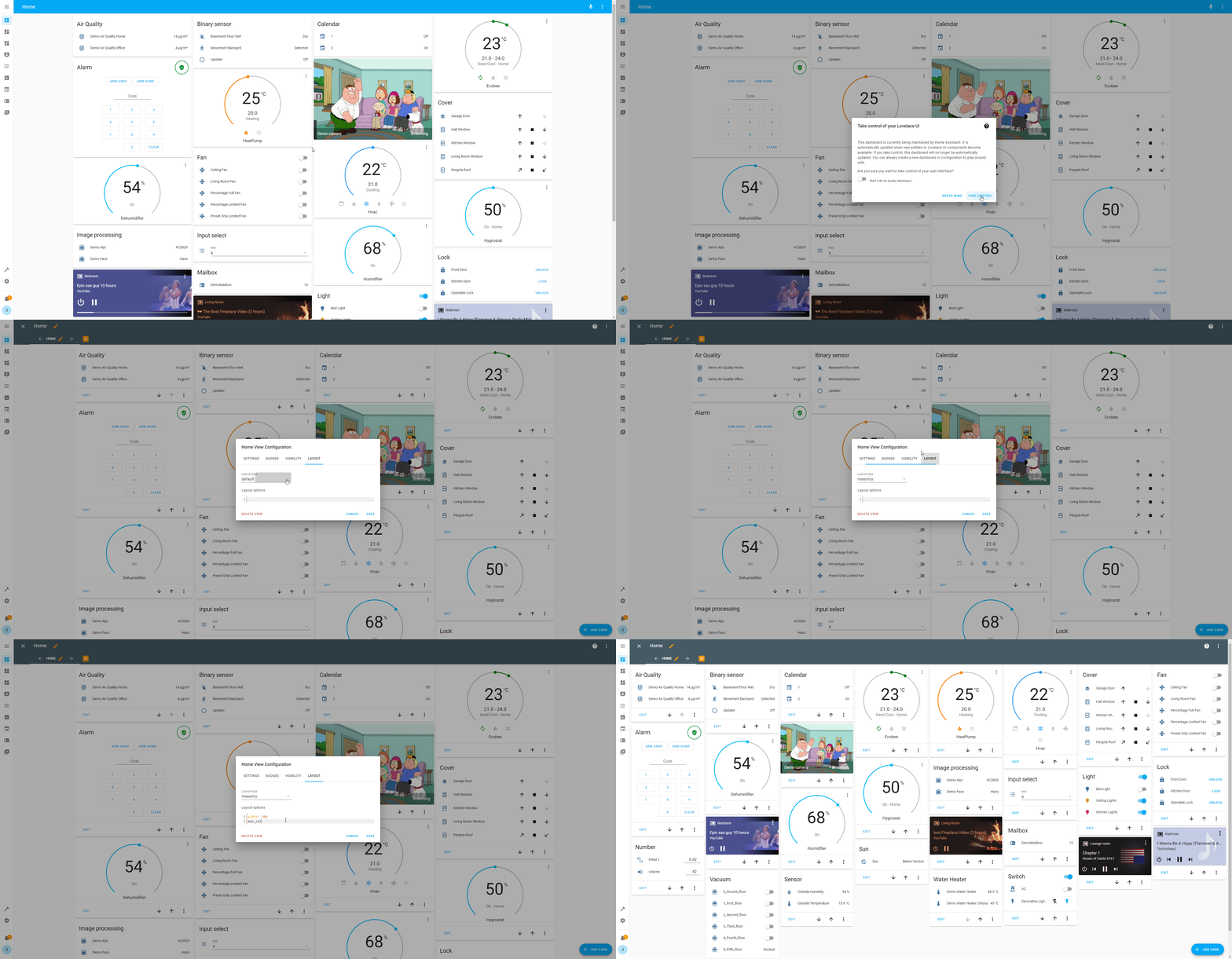
Hot Shots

 winter jackal
how do you edit the left side menu links?
vital burrow
Do you mean hiding some or change their order? Or add websites as such?
winter jackal
ideally both
vital burrow
For the first one:
Click on your user's profile to get to your settings. There you can find "Change the order and hide items from the sidebar"
golden mistBOT

iframe Panel
Instructions on how to add iFrames in the frontend of Home Assistant.
Quality scale
IoT Class
Integration type
Documentation
Source
Issues
vital burrow
For the second ^
 ember sand
Hey everyone. Does someone has multiple minimalist dashboards and can help me with my navigation issue? I have posted here already. https://community.home-assistant.io/t/lovelace-ui-minimalist/322687/3533?u=0la1
tacit cave
ember sand
Hey everyone. Does someone has multiple minimalist dashboards and can help me wi...
the navigation path is the path in your URL not the folder structure
ember sand
tacit cave
the navigation path is the path in your URL not the folder structure
I have copied this from the first dashboard. So I need to put in there the path from the url field in the browser?
tacit cave
whats the url on your first dashboard?
look at that url, copy everything after the dashboard name
ember sand
tacit cave
whats the url on your first dashboard?
/ui-lovelace-minimalist/wohnzimmer
tacit cave
alright, that's what you'll use
if going from another dashboard, you may need the dashboards name in it as well
again, pulled from the url, not your files
 hard blaze
Hi 🙂 I`m trying to get a custom icon for my weather, but for some reason home assistant cant display my icons.
I have checked that the icon matches the states.
[[[
var weather = states['weather.home'].state;
return '<img src = "/local/icon/' + weather + '.svg" width="50" height="50" />'
]]]
Any idea on where im failing?
ember sand
tacit cave
again, pulled from the url, not your files
Finally. The url in the browser was indeed another one than the file path would suggest. Thanks very much @tacit cave 😎
 novel mica
I have a completly transparent image, but when I click or hold on that image, I get this weird dropshadow/highlight and I can't find where it comes from. any ideas?
in this image you can see it on top of the room, it's completely round, the cutoff is just because of some other css.

it's just a small transparent pixel normally
tribal galleon
hard blaze
Hi 🙂 I`m trying to get a custom icon for my weather, but for some reason home a...
What card are you trying to get the custom icon? You're using JavaScript there and not many cards use JavaScript. Most use Jinja. But if you're trying to modify a HA stock card, you might not be able to without using card_mod.
hard blaze
tribal galleon
What card are you trying to get the custom icon? You're using JavaScript there a...
Hi. Im using the custom button-card. I got other information's out with java code, but it refuses to find the pictures
Its like.. the pathway to the pictures are closed if that makes sense
tribal galleon
Okay. The custom:button-card does use JavaScript so that's a start. Lemme see what I can figure out. My guess is your files are in the wrong folder in order to work. Paths can be "touchy" sometimes, too.
try moving the icon folder into the www folder. The path you've defined should work at that point.
hard blaze
i made a folder inside www/local that is named icons. /local/icons/cloudy.svg as an example
tribal galleon
Is the folder icon or icons?
hard blaze
i typed it wrongly, i already checked that one hehe. icon in both places
tribal galleon
okay. you don't need the local folder inside the www folder. basically, local kinda equals www. So your path to the SVG will technically be /www/icon/sunny.svg but you will define it in the yaml for the card as /local/icon/sunny.svg.
But, I'm curious how the rest of the card is set up. Start a thread and post the card's yaml in there. (You're not limited to 15 lines in a thread.)
 toxic axle
Anyone else having problems with the energy dashboard not being 100% width in desktop in 2023.11?
vital burrow
Are you using card mod from HACS?
vital burrow
And refresh the browser cache after the update
toxic axle
Hm, still getting it though
golden mistBOT
@drowsy light I converted your message into a file since it's above 15 lines :+1:
 drowsy light
how do I condition it so that the "ringbeat" animation starts when the entity state is "on"
tribal galleon
drowsy light
how do I condition it so that the "ringbeat" animation starts when the entity st...
    card_mod:
      style: |
        ha-state-icon {
          {% if states(config.entity) == 'on' %}
            animation: ringbeat 1s linear infinite;
            transform-origin: center;
            color: yellow;
          {% else %}
            color: #7a7a7a;
          {%- endif %}
        }
        @keyframes ringbeat {  // Changed the animation name to ringbeat
        0% { transform: scale(1); }
        50% { transform: scale(1.2); }
100% { transform: scale(1);}```This can also replace the icon_color:.
drowsy light
tribal galleon
```yaml
card_mod:
style: |
ha-state-icon {
{% if sta...
Holy shit that is sick!
Thats dude
I would have never come to that lmao
nvm no embed xD

 naive seal
Hey, is there a way to create one card per element in a list and template that element into the card?
I've already tried auto-entities, but that only gives multiple entities to a singular card
tribal galleon
Hey, is there a way to create one card
 quasi willow
Hi all, I am try to use a frigate card to display a doorbell camera on a tablet after the button is pressed. The "panel" view cuts off some of the view and I have to scroll around to see everything. Any other view and the camera card is too small. Any options to resize the card?
golden mistBOT
@next sandal I converted your message into a file since it's above 15 lines :+1:
next sandal
Hi there, im trying to change the color ont the % of the value..
What are im missing?
 torn sail
Hello I'm using the tile card for an ecobee thermostat. I had 4 comfort settings that I could choose from on the tile card dropdown. I added 2 more comfort settings but they aren't showing in the card. I can go to the ecobee integration and see the new options there but they refuse to show up in the tile card
 buoyant nova
Is there any way to have a button have "two tap actions"?
I would like to have a button that sets an input boolean to On and opens a URL.
The idea is to create single button that triggers my heating at home and opens Waze with target destination home.
Well, not trigger my heating straight away, but this input boolean acts as a condition in an automation that also monitors my travel time home.
So if the input boolean is On and my travel time is less than 20mins => Activate heating.
 finite panther
This markdown appears to be working correctly, however the logs are now full of errors:
type: markdown
content: >
<p><font size="3">Trash<br>Day</font></p> {% set midnight = today_at() %}
{% set event = state_attr('calendar.trash', 'start_time') | as_datetime |
as_local %} {% set delta = event - midnight %} {% if delta.days == 0 %}
Bring trash in!
{% elif delta.days == 1 %}
Put trash out!
{% elif delta.days <= 5 %}
Friday
{% elif delta.days > 5 %}
Next Week
{% endif %}
File "/usr/src/homeassistant/homeassistant/helpers/template.py", line 570, in async_render
raise TemplateError(err) from err
homeassistant.exceptions.TemplateError: TypeError: float() argument must be a string or a real number, not 'NoneType'
is the issue related to delta.days?
tacit cave
your error is unrelated to that template
finite panther
@petro I don't know what happened but the system seems very unstable right now. Even loading the error logs from HA freezes up chrome
tacit cave
🤷♂️
error is pointing to this template
{% set midnight = today_at() %}
{% set event = state_attr('calendar.trash','start_time') | as_datetime | as_local %}
{% set delta = event - midnight %}
{% if delta.days == 0 %}
Today
{% elif delta.days == 1 %}
Tomorrow
{% elif delta.days >= 2 %}
{{delta.days}} days
{% endif %}
seem's like you don't have a calendar event
finite panther
when i put the template in developer tools it resolved correctly to Today
and on my Trash Calendar, I have an all day event today called Trash
it's been working fine for months... not sure what is going on now 😦
doesn't help that I don't understand those errors
tacit cave
they are python errors
finite panther
as_datetime timestamp = float(value) appears quite a lot in those errors and since I often get casting wrong I wonder if that is my issue again
tacit cave
those errors are most certainly coming from your calendar not haveing an event
I can replicate it on my end
and it's because the calendar doesn't exist or the event start_time doesn't exist.
so, look at your calendar.
errors are coming from either of these filters
 tribal galleon
buoyant nova
Is there any way to have a button have "two tap actions"?
I would like to have a...
tribal galleon
buoyant nova
Is there any way to have a button have "two tap actions"?
I would like to have a...
The short answer is "No." The technically answer is ”maybe" but probably not to accomplish what you're trying to do.
I had never considered having HA open an app on a phone before but after scanning over this thread it looks to be possible but still handled via an automation. Perhaps when the input_boolean's state changes would do what you want.
finite panther
tacit cave
I am looking at the calendars and they are there (Trash and Recycling). And the events are there too. Could any of the 2023.11 changes (new calendar etc stuff) have introduced some issue?
tacit cave
nothing was changed in calendar
finite panther
calendar.trash is there, and opening it, it says "On" as of midnight (I guess my "Trash" event)
tacit cave
right but does it have a start_time?
again, this is related to the calendar or the attribute start_time
finite panther
ah... do all day events have a start time?
tacit cave
no idea, look in at your entity
finite panther
editing the Trash event I see it has no times as "All Day" is turned on
message: Trash
all_day: true
start_time: "2023-11-03 00:00:00"
end_time: "2023-11-04 00:00:00"
location: ""
description: ""
friendly_name: Trash
supported_features: 7
hard blaze
Hi 🙂 I manage to fix my missing icon yesterday, but now i have a wierd problem with styling my card.
I have some issues with aligning my results.
I want the text to be fixed to the right side and the icon just to its left, just like the screenshot with white background. Any ideas?

 tacit cave
finite panther
message: Trash
all_day: true
start_time: "2023-11-03 00:00:00"
end_time: "2023-1...
tacit cave
finite panther
message: Trash
all_day: true
start_time: "2023-11-03 00:00:00"
end_time: "2023-1...
is the error only at startup?
 opal jay
Does anyone why this happens? This is my 2nd home assistant.. I’m migrating everything and I copied paste it exactly. Sometimes it does show the picture.. but 95% it doesn’t. https://community.home-assistant.io/t/tautulli-rest-end-point-and-custom-button-card/559371 this is what I’m using
 tacit cave
it can't find the image
opal jay
I reinstalled most hacs integrations & cleared cache multiple times
tacit cave
it's most likely an issue w/ the custom card
opal jay
It’s not a card
tacit cave
what do you mean, if you're using that, there's a whole rest sensor you copied
opal jay
But for some odd reason when I make a new card it shows the picture. After refreshing it’s an error
tacit cave
do you understand what the stuff you copied/pasted is doing?
finite panther
tacit cave
is the error only at startup?
All 399 occurences appear to have happened right after a reboot... but I am not certain 100%
opal jay
Well it’s working 100% on my “main” ha. And I copied everything
tacit cave
Well, you need to figure out why it isn't working on your new system, and it most likely requires configuration changes for something along the way. Recreate it step by step using that guys guide
opal jay
But yea I know what’s everything
I did 🙈
But there’s one different aspect though
Do t know if this causes the error
My new system translate all entities to Dutch
While the old one is English
But still it shows the card sometimes 🙃
tacit cave
well, without the actual error in red, not much I can do to help you.
tacit cave
finite panther
All 399 occurences appear to have happened right after a reboot... but I am not ...
do you have any errors well after startup? If no, they come during startup most likely and it's probably due to the attribute having a value of None
You'll have to account for that in your templates
finite panther
Is there a guide on how to do that somewhere?
the erors do also mention "NoneType"
tacit cave
are these template entities or tempaltes in the frontend?
finite panther
while I have a couple templates assisting with this function, the ones that are causing trouble are directly in the frontend
 tacit cave
Change your event lines to
{% set event = state_attr('calendar.x', 'start_time')  %}
{% set event = event | as_datetime | as_local if event is not none else now() %}
I replace as_local withas_local if event is not none else now() in all templates related to this?
tacit cave
no
literally copy/paste the 2 lines and replace your set event line with those 2 lines
then rename the calendar entity to whatever yours is
finite panther
ugh, front end has become so sluggish I can't get to the yaml
tacit cave
reload your page
 barren mulch
Does anyone know a way I can display a graph that maps out state changes regardless of how long they're held, as opposed to showing state changes with their sustained values?
tacit cave
what's it for?
barren mulch
Tracking motion during presence detection. I have a setup where a given room has sensors like: presence start, presence end, longest idle time during presence.
And want to display those in a step format rather than, say, if a visit lasts for 30 seconds and then no one enters the room again for an hour, as a single value and not visually last visit = 30 seconds for the next hour.
finite panther
tacit cave
reload your page
I made the dire mistake of leaving one or more systems logs tabs open. Once I found and killed them, it stopped being sluggish (I couldn't do anything with it)
tacit cave
barren mulch
Tracking motion during presence detection. I have a setup where a given room has...
You want a line graph of your presence?
0 = off 1 = on?
I'm just trying to understand what you're asking and I'm having trouble following your explanations
Pretty sure you’re asking for a line graph w/ the values assigned to a number
barren mulch
tacit cave
You want a line graph of your presence?
For presence on/off and motion on/off I have a timeline graph with history explorer, that works fine for me.
I'm trying to create a graph with the X plot as being the last ___ state changes (for previous presence durations and maximum idle durations) in a given period of time, regardless of how long those values are sustained.
tacit cave
Apex charts may be able to do that but you still need to come up with a way to make the last change persist forever
Still not sure what you’d expect that chart to look like
A bar graph with the bars coming from the right y axis?
barren mulch
I have a template for sensor.current_idle_time and sensor.maximum_idle_time. Maximum changes only if current exceeds it.
And so if sensor.maximum_idle_time changes over an hour to 30, 40, 20, 60, 5, 90, I'd like these displayed as bars with equal width.
tacit cave
Apex charts is the only card that can handle graphs like that
barren mulch
OK, thanks
tribal galleon
hard blaze
Hi 🙂 I manage to fix my missing icon yesterday, but now i have a wierd problem ...
I think you have a typo on line 30 of your code in the screenshot. Might not be the fix but maybe a start. Line 29 might not like the semi-colon. Line 25 should be custom_fields:.
opal jay
@tacit caveFINALY FIXED IT
Apparaently my hacs card were bugged like hell
when i removed them from hacs they were still available
 stable bridge
Hi, does anyone know an easy way to change fan mode in air conditioner through? I'm using thermostat lovelace but i need to click onto device to change fan speed and i cant find any "thermostat" card that would support fan speed controll.
tribal galleon
stable bridge
Hi, does anyone know an easy way to change fan mode in air conditioner through? ...
Take a look at this message. #frontend-archived message @small loom is using simple-thermostat which includes fan control. He also provides link to his yaml.
small loom
It also support filtering out modes you don't care about 🙂 My (Mitsubishi, using EchoNET Lite integration) offers the automatic heat/cool, fan-only, and dry modes, but I never use any of them. So I just turned the buttons off 🙂
tribal galleon
It is a shame that it looks like the project might be abandoned. No updates in since last year... 😦 Which is weird because the Dev has lots of recent contributions, but they are almost all in private repositories.
small loom
Yeah, I did notice that. I made a bit of a boo-boo in my frontend configuration and was going through every custom component I had installed to see whether it was them, or me.
(Turned out it was me, was doing something hacky and broke it horribly, caused a massive memory leak)
Fortunately - for now at least - it works fine, and the few minor graphical things I don't like can be easily fixed with card-mod, but I am always conscious with such things that "working" may not be an "in perpetuity" deal.
Upside is the inbuilt one looks pretty swish, just needs a couple of extra features
hard blaze
tribal galleon
I think you have a typo on line 30 of your code in the screenshot. Might not be ...
Yeah that helped with the text, only thing missing now.. is to get the icon to the right position. but its not reacting to following:
grid:
- grid-tamplate-areas: ' "icon n" "icon 1" '
 tribal galleon
hard blaze
Yeah that helped with the text, only thing missing now.. is to get the icon to t...
tribal galleon
hard blaze
Yeah that helped with the text, only thing missing now.. is to get the icon to t...
Look closer to Line 16... (I basically recreated your yaml, except mine is kind of working.)

- grid-template-areas: '"icon n" "icon l"'
tribal galleon
you had it right in your first screenshot. Almost didn't notice it this time.
hard blaze
tribal galleon
you had it right in your first screenshot. Almost didn't notice it this time.
Thank you! You are a kind sole to help! 🙂
tribal galleon
I tried working with the variable icon last night but couldn't get it. I see, from using your code, my problem was improper use of single and double quotation marks.
 polar radish
I am having a problem with the new/upgraded to-do list feature. I upgraded a couple days ago and made a second list. I don't know how this is related but my first to-do list no longer shows up on my screen reliably. My main screen has the to-do list on it and when I refresh the screen, chances are that the list is missing. Surprisingly, the second list seems to always be present. If I edit the screen I see that the list is still there (but empty) and when I save that part (no changes made) then the list shows up on the screen again (fully populated).
Just wondering if this is a known bug since the to-do system was just changed/upgraded to allow multiple to-do lists.
 earnest elk
I have a light strip using WLED that is being powered by a sonoff zigbee plug. I have converted the plug to a light, but what I'm seeing is a card that will act like a light card including color, temp and brightness, but have the power be the smart plug and the led settings be from wled. Would like this as a single row if at all possible
any idaes?
I tried stack-in-card, but I can't get it to work for some reason
tribal galleon
earnest elk
I have a light strip using WLED that is being powered by a sonoff zigbee plug. I...
Similar question asked a couple of days ago. You were on the right track by converting the smart plug to a light entity but it may not be needed. Take a look at Nensec and karwosts' conversation. #frontend-archived message
Basically, using a light template, you can define the colors and whatnot to correlate with the WLED entity but the power is associated with the smart plug entity.
earnest elk
tribal galleon
Similar question asked a couple of days ago. You were on the right track by conv...
Appreciate the reply, I ended up converting to a light and then grouping the wled strip and the smart plug so now the color picker and brightness work and so does turning it off.
tribal galleon
grouping the wled strip and the smart plug
I'm curious what you mean by this.
EDIT: I think I know what you said. You made a light group for both smart plug and WLED light entities so, technically, the service calls for changing the colors and power go to each entity even if it doesn't support it. That makes sense.
hard blaze
Hi guys. Does anyone know if I can get the upper right menu button inside the horizontal bubble card? I tried to google it, but no joy

 civic yarrow
Hey guys, how can I implement such a floorplan with real-time dynamic elements (fluid flow, energy flow..ect)?

 copper pebble
Hello, I'm trying to monitor current_heating_setpoint in my dashboard for my thermostatic valve. I see and I can set this value in zigbee2mqtt, but I don't see this value as entity. It's possible to read this value somehow?
I want to see it same as my temperature and humidity value:
{{ states('sensor.0xa4c138ce9ba9d4ce_temperature') }}°C / {{ states('sensor.0xa4c138ce9ba9d4ce_humidity') }}%
 languid arrow
I'd like to trigger the rgb-chooser dialog on "hold" aciton for a custom-button. What action need to b choosed for this?
ah, I've found it. Have to remove the
hold_action:
  action: more-info
Part. Seems to be an default-fallback in that case.
tribal galleon
@languid arrow That hold_action should have worked for the custom:button-card. I just tried on one of my test templates (where the template sets the hold_action to none). I overrode the template with the same code you posted and the more-info popped up.
languid arrow
Ok, I'm happy got my first little modification with those custom-buttons work as expected 🙂
Now I have to figure out my "door-sensor, temparature, sommer/winter season, heat-valve) workflow for living room and kittchen
languid arrow
Is there a nice visual card to show battery-state?
tribal galleon
golden mistBOT
@abstract steppe I converted your message into a file since it's above 15 lines :+1:
tribal galleon
@abstract steppe Do you actually have a binary_sensor.charging entity? The fill_entity wants the entity associated with the charging entity of your phone. Perhaps binary_sensor.sm_f711b_is_charging.
 abstract steppe
tribal galleon
<@109041403648036864> Do you actually have a `binary_sensor.charging` entity? Th...
abstract steppe
tribal galleon
<@109041403648036864> Do you actually have a `binary_sensor.charging` entity? Th...
Think that might have been something I forgot to remove, I do not have that.
copper pebble
Hello, is here someone with this thermostatic valve: _TZE200_hue3yfsn?
tribal galleon
abstract steppe
tribal galleon
<@109041403648036864> Looks like there are two open issues for that card regardi...
Damm, okay most likely that then that is making it not work. :/ You got any suggestions on a nice looking card for battery state that fills up according to the percentage of my phone?
tribal galleon
abstract steppe
Damm, okay most likely that then that is making it not work. :/ You got any sugg...
That card you tried is only the second one that I've seen that does anything like that. The first one kinda worked but it had not been updated in years and had some issues. It was the bignumber-card. I talked about it here #frontend-archived message and here #1145204191745278062 message
(I had to go looking through my screenshots because I knew I had taken some of it but couldn't remember when and then had to go look at my browser history to figure out the name...)
vapid field
Can you pause animation in button card, or go to specific keyframe % ?
 blissful cipher
Hello. I have possibly a weird question. Is it possible to physically flip a card? Not at state, but flip it over the y-axis if you will. If you look at the picture, I want Josiah to be on the right side and home to be on the left side.
 abstract steppe
tribal galleon
That card you tried is only the second one that I've seen that does anything lik...
abstract steppe
tribal galleon
That card you tried is only the second one that I've seen that does anything lik...
That one is perfect actually, however. It is also not filling up like in what you showed (unless that part didn't exist in the code snippet you provided)
golden mistBOT
@abstract steppe I converted your message into a file since it's above 15 lines :+1:
 orchid raptor
blissful cipher
Hello. I have possibly a weird question. Is it possible to physically flip a car...
orchid raptor
blissful cipher
Hello. I have possibly a weird question. Is it possible to physically flip a car...
maybe try a horizontal-stack card with the two inside?
or potentially a grid
broken dust
Hello you all, does anybody do use lovelace UI ?
orchid raptor
might be quicker to ask your question than to ask if people use it
people using lovelace UI: more likely than you think
 vague vortex
Hello! Having an issue where about 6 months ago (I forget exactly when) an update to HA changed frontend graphs (the small tiles that appear when you click on an entity) such that they don't display the most recent handful of values. I have to click on "show more" to see current values.
broken dust
@vague vortex sorry don't know
copper pebble
Hi, I'm trying to edit Caule theme and add background image. I tried various ways according to what I found on forums, but none of them works. What could be wrong?
Caule Dark Green:
Change the value below 8px to 0px to remove the rounded corners
ha-card-border-radius: 8px
Main colors
primary-color: "#6ca049"
light-primary-color: "#a1d77b"
graph-color: var(--primary-color)
#primary-background-color: "#1D1B1E"
#secondary-background-color: var(--primary-background-color)
background-image: center / cover repeat url("/hacsfiles/themes/caule-themes-pack-1/mainbg.png")
vapid field
Can I do that in keyframe: @keyframes d1 {
0% {transform: translate(0px, [[[ return variables.pos ]]]px);}
100% {transform: translate(0px, -100px);}
Anyone got any ideas for what to add to my mobile dashboard?
I've got some mushroom chips at the top that tell us the status of the home mode, alarm, doors/windows, and where both of us are
And I really like the bubbie cards at the bottom because they reorder based on presence sensors so the room you're in is always at the start of the list. And clicking it opens a popup for that room with the info we need
But the main part of the dashboard is so empty currently!


I also have tabs for security (status of smoke alarms and motion sensors and my camera feeds, a robot vacuum page with a map and commands to go to each room, and a basic tab just to check on all the temp sensors in one place
 worthy tapir
vapid field
Anyone got any ideas for what to add to my mobile dashboard?
I've got some mus...
worthy tapir
vapid field
Anyone got any ideas for what to add to my mobile dashboard?
I've got some mus...
What graph card is that?
That’s my main page

I try to add as much info about each room into the template card as possible. The aim is to leave the main page the least amount as possible
But if I click on any of those rooms it opens up a full detailed tab for that room
golden mistBOT
@ripe grove I converted your message into a file since it's above 15 lines :+1:
 calm barn
Is there a way to have the To-Do lists as a dashboard page? There's a dashboard card, but I'd have to add them each individually. Would also have to go to the sidebar to make a new list, and then add another entity to the dashboard. Fairly cumbersome. I can add it as a web page but then I have a double left hand menu.
 broken oak
I've got a floorplan 'picture-elements' setup with lights etc. All the elements are available. Why would I be getting the 'loading circle' in the centre constantly?
 potent fjord
How do i remove view tab from lovelace dashboard when i cant select it ? I messed it up somehow .. If i try to select it, it just jumps to first tab
potent fjord
well, luckily i had 3h old backup ..
vital burrow

hard blaze
Hi. I woke up today, wanted to check the electrizity prices... but for some reason the chart is stuck in loading.
Any idea on what can solve this? the problem is on all devices i have tested on.

 ripe grove
Does anyone have idea hom can i remove title "operation" Or even transfer it above the button "auto" and allign this on the middle?
I used this custom thermostat card
and thats my code:
golden mistBOT
@ripe grove I converted your message into a file since it's above 15 lines :+1:
 modest matrix
Maybe someone, could recommend something for making a card "template" for which I could pass a list of entities and it would use my "row" template for each entity? Instead of doing each entities card manually copy pasting rows for each entity?
I am currently looking into auto entities, but it looks its only used for card level
hard blaze
hard blaze
Hi. I woke up today, wanted to check the electrizity prices... but for some reas...
This solved itself after an hour
tribal galleon
modest matrix
Maybe someone, could recommend something for making a card "template" for which ...
Take a look at the Decluttering card.
modest matrix
tribal galleon
Take a look at the [Decluttering card](https://github.com/custom-cards/declutter...
Thanks, I have looked into it, but I dont think it has, forEach / map style for the list of entities
 placid pivot
is there an easy way to have 1 card on the front end that displays a date/time entity and then clicking on it toggles a boolean entity?
want to be able to toggle an alarm on/off without multiple cards
modest matrix
You can use tap_action I guess
 unborn venture
Hello can someone please explain to me, why with version of home assistant all the showing states in minimalist doesnt appear anymore?
tribal galleon
placid pivot
is there an easy way to have 1 card on the front end that displays a date/time e...
This example doesn't rely on a date/time entity but formats the current date/time. Tap_action toggle the input_boolean. Card_mod can be added to style as you see fit including custom colors based on the state of the input_boolean, if you want.
EDIT: Use %-d instead of %d if you don't want the preceding zero in the date. I forgot to add that before taking the screenshot.yaml type: markdown content: '{{ now().strftime("%A, %b %d, %Y %H:%M") }}' tap_action: action: call-service service: input_boolean.toggle data: entity_id: input_boolean.tester card_mod: style: | ha-markdown { text-align: center; font-size: 18px !important; )Python strftime cheatsheet for more info on the syntax.
 placid pivot
Thanks I'll check it out
 jade widget
Did something change in the last version or so that broke slider inputs? I used to get a preview when dragging the slider but now it's blind
ah just finally found the right search terms to fit the github for this, already a known issue. Man google is awful nowadays.
unborn venture
Hi guys, with who do I have to speak to talk about minimalist? There is an error in their code, I think.
With the new version of Hassio, the "ulm_show_last_changed" does not work...
tribal galleon
unborn venture
Hi guys, with who do I have to speak to talk about minimalist? There is an error...
https://github.com/UI-Lovelace-Minimalist/UI/issues
Take a look at issue 1398 which might be the same thing that you're noticing.
But it's not working as it is supposed, to cause ulm_show_last_alert_changed does not exist in the source code. So it shows the normal state
unborn venture
Okay, thanks @tribal galleon. So no solution yet...
 sick phoenix
Anyone have any idea why iframe isnt working for sabnzbd through nginx reverse proxy? It works for everything else and it works within the browser
is there an alternative to iframe?
vital burrow
sick phoenix
Anyone have any idea why iframe isnt working for sabnzbd through nginx reverse p...
Maybe your issue is related to the following warning in the documentation:
If you are accessing Home Assistant over HTTPS using SSL, you cannot access HTTP sites through an iframe panel.
sick phoenix
vital burrow
Maybe your issue is related to the following warning in the documentation:
> If ...
its https via the reverse proxy
copper pebble
Good evening. On my TRV is boost function where I can set seconds. I'm looking for a way how to add for example button to my dashboard where would be preset with seconds and on click it will send it to TRV. Is jt possible?
vague vortex
Hi all - all my popup graphs in the web UI are not loading the most recent handful of values. If I click through via 'show more' I see all the values, and any text #s in the UI are correct. Any idea what would be causing this?
simple grotto
how come when I restore from back up - my server never comes back online? I have to manually restart it for it to boot up again. I normally wait 30 minutes before doing so in case the back up is still going
 brisk pelican
I recently did an update on my pi home assistant running the home assistant OS, but ever since the update the web frontend appears non functional. The software is clearly still running as I can control my lights with Google assistant still, is this just a case of rebooting my pi and hoping it fixes it, or are there any other debug steps I might need to do?
vague vortex
brisk pelican
I recently did an update on my pi home assistant running the home assistant OS, ...
non-functional how? What troubleshooting have you done so far?
brisk pelican
Well it doesn't load
vague vortex
What troubleshooting have you done so far?
brisk pelican
Well I'm about to go turn it off and on again now I don't need it overnight
Other than that I'm not sure what I can do without web UI access
Hence why I asked here
brisk pelican
well turning it off and on again didn't work
 raw stream
Hi. I am thinking of using the new conditional card. I have quite expensive apex-chart graphs for the weather. IIs it the case that if a condition card is not displayed that it is actually not drawn somewhere by the browser and then hidden, i.e. that it is nearly free in terms of CPU use? In particular, I would like the dashboard to display one of four cards depending on the state of some select entity -- rendering one would be fast enough, but all four would be very slow.
 fiery ledge
you might be best served with custom:state-switch in that case. its still way more powerful than core conditional. as it happens I posted this a few hours ago: https://community.home-assistant.io/t/2023-11-to-do-add-release-title/634647/256?u=mariusthvdb
vast crane
vague vortex
Hi all - all my popup graphs in the web UI are not loading the most recent handf...
The more info graphs are short term statistics, which only show a data point every 5 minutes. This behavior is by design.
At least they show statistics when available, and fall back to history otherwise.
 broken marsh
Are there good alternatives to Scheduler Card to schedule heaters or is SC the way to go?
Or perhaps just create automations?
fiery ledge
because of https://github.com/thomasloven/hass-browser_mod/issues/652 I am trying to change the sidebar menu title manually.. cant make it happen yet though, would anyone here know a way to do so?
figured the system/general/name would set that, but it doesnt... not even sure what that sets btw. Is it only the name of the zone.home?
fiery ledge
see:https://community.home-assistant.io/t/card-mod-super-charge-your-themes/212176/1490?u=mariusthvdb for my ramblings in the community on this matter and some working code in an older card, not yet found the fastest new code in card_mod yet...
 misty mango
Is there a way for a button to show the state/info of another entity.
Like button.XXXX presses
but state from Counter.xxxxx
fiery ledge
'a' button like custom:button-card can do that yes.
misty mango
I know that but I can't really figure out on how to get it working
fiery ledge
what do you want to show on the button, and what to do upon clicking, the options are endless, so describe your requirements
misty mango
All it needs to do is show the state of a counter helper.
And the button should increase either the state or act like a button.
if its possible to increase the counter by 1 with a press that is fine as well.
currently have:
type: custom:button-card
entity: counter.ir_panel
show_state: true
show_icon: true
tap_action:
  action: toggle
styles:
  card:
    - height: 90px
    - width: 70px
What I want the button to do as well is increase the counter by 1.
fiery ledge
then use the available services for that domain:

toggle a counter wont do that 😉
you could tap to increase, hold to decrease if youd like
misty mango
That is fine with me.
fiery ledge
or more-info on hold, so you get the core HA interface in that entity
so try the documented services:```
tap_action:
action: call-service
service: counter.increment
  hold_action:
    action: more-info
or the decrement, what ever you like
UI or yaml
misty mango
type: custom:button-card
entity: counter.ir_panel
show_state: true
show_icon: true
tap_action:
  action: call-service
  service: counter.increment
hold_action:
  action: more-info
styles:
  card:
    - height: 90px
    - width: 70px
bingo
fiery ledge
whats the error?
misty mango
Failed to call service counter/increment. must contain at least one of entity_ID, device_ID, area_ID
fiery ledge
add ```
data:
entity_id: entity
Does the spacing matter?
fiery ledge
yes...
  tap_action:
    action: call-service
    service: script.toggle
    data:
      entity_id: entity
Its working now. thank you
fiery ledge
suppose if this is all, you could also use a core button
misty mango
For the front end this is all, The counter is to increase/delay the automatic timed OFF for a IR heating panel.
I currently have it set so it turns off every hour, with the counter being to increase a delay of X hours depending on the counter value.
 late bloom
Anyone ever see an issue where the websocket API doesn't respond? I'm using a dashboard strategy to auto generate a dashboard but when it queries config/device_registry/list during initialization, I frequently don't get a response. Seems to reproduce more reliably on mobile but I do rarely get the same issue on PC browser
late bloom
Could there be an issue with rapid firing multiple requests before a response is ready? The strategy will query device, area, and entity registries immediately on initialization. The problem reproduces frequently on my local network but now that I'm testing over VPN I'm not seeing it reproduce
vague vortex
late bloom
Anyone ever see an issue where the websocket API doesn't respond? I'm using a d...
I'm seeing issues where the page stops responding so badly I have to close the tab and re-open it; a reload does nothing. Not sure if that's related, but frontend issues are definitely worse of late
late bloom
Yeah the page fully stops responding and switching dashboards will not fully work (I think the websocket) is in a bad state or something. Not sure if this is frontend or backend that's at fault though.
 kindred anchor
Why are all my contact sensors that are set to show as a Window, showing as Doors?

 tacit cave
it's showing as a window
you named it door
don't name it door
@kindred anchor ^
 kindred anchor
tacit cave
you named it door
kindred anchor
tacit cave
you named it door
I sure did not
kindred anchor
 kindred anchor
 tacit cave
dude
vital burrow
tacit cave
dude

tacit cave
 tacit cave
if you didn't name it, it came from Z2M's discovery
click the entity, change the name like you would any entity
kindred anchor
yea i never have, these have all been windows since I installed them
dark dirge
Some people enter and exit via windows. Mainly teenagers and burglars
tacit cave
tacit cave
if you didn't name it, it came from Z2M's discovery
see this
Show as only changes the icon and the translated state
you still have to name entities if you don't like the auto-generated names
kindred anchor
got it. How do people typically name these? Dining Room Window 1 Window seems pretty redundant
tacit cave
Personally, I keep the device name as-is
and name my entities
e.g. LKJ34989 Opening Sensor is the device name. I just asign that to an area, then I"ll go in and name the only entity I care about "Dining Room Window 1"
but it purely depends on how you use the system
kindred anchor
Got it. Thank you for clarifying this for me
 hollow tartan
Is it possible to update some sort of local variable in a lovelace card?
I am now using input_booleans for state changes, but this does changes to the card for everyone. Is there anything that can be done to update device locally?
tacit cave
which mobile app
and which sliders? there's like 4 styles
the regular slider row works fine on iOS
and the tile one works as expected too
 exotic stirrup
Does anyone else have the problem where sometimes when you reload the dashboard, all of the cards are stacked vertically instead of nicely ordered like I programmed it.
 tribal galleon
tacit cave
and which sliders? there's like 4 styles
tribal galleon
tacit cave
and which sliders? there's like 4 styles
I'm not sure if the two are associated but a couple of days ago someone in the forum asked me about card_modded silder colors not working; confirmed it still worked for me. Link Noticed today mine weren't working. They were running 2023.11b1; I'm now on 2023.11.1.
Something in the slider changed. Inspecting I notice some differences in the CSS (but I don't really know what I'm doing there so I'm still trying to understand it.)
tacit cave
I don’t really use sliders, I was just checking to see if they still worked
tribal galleon
It looks like there are a lot of references to variables that are not defined (which is what broke my card mod).
Yeah. Not sure what the complaint above is. I still see them working properly (sliding, updating, etc.) in Firefox, FKB, and Android HA app but maybe they have something else going on.
tacit cave
Yeah, I was just providing a datapoint
I don’t heavily card mod, which could be the source of the issues
I let themes do everything
tribal galleon
Interestingly enough, these new variables are actually making it easier to card_mod (and potentially theme) the colors.
 glossy shoal
Hi, and apologies if this is in the wrong channel, wasn't sure which to use.. but its Dashboard related, so perhaps frontend is good?
Anyone familiar with using the "card_mod" to add in custom styling that HA Dashboard is lacking?
I'm trying to target the areas boxed in Red, and reduce the size of the space.
I tried using "padding" & "margin" but that is not working.. Any help is greatly appreciated.

If there is another way to do it, instead of card_mod, I'd really like to know.. I've tried a few things through HACS but none seem to be working.. layout-card was another one I tried.
tribal galleon
glossy shoal
Hi, and apologies if this is in the wrong channel, wasn't sure which to use.. bu...
You have to inspect the card to figure out the syntax the CSS is using. Working on doing that with a custom:slider-entity-row card at the moment.
 glossy shoal
Does card_mod permit pointing to div #id and .class ?
I couldn't find any real "documentation" on card_mod, asside from its main page on github.
glossy shoal
tribal galleon
You have to inspect the card to figure out the syntax the CSS is using. Working ...
do you have an example of the syntax used in the editor for the card?
tribal galleon
In Firefox, I use the "select tool" to get me in the right area. As far as "getting into" a div, this is what I'm currently working with yaml card_mod: style: ha-slider: $: | div.container {
But I'm also trying to mod two "elements" at the same time. ha-slider and ha-entity-toggle.
(I don't know the proper terms because I don't really know what I'm doing... I just kinda make it work.)


Generally, you should be able to use something like yaml card_mod: style: | ha-card { margin-left: auto; margin-right: auto; margin-top: 4px; margin-bottom: 4px; padding-top: 15px; padding-right: 15px; padding-left: 15px; padding-bottom: 15px; padding: 15px; }
You can define individual values to each side for margins or padding, if you want or just use margin: or padding: for all.
glossy shoal
tribal galleon
Generally, you should be able to use something like ```yaml
card_mod:
...
I tied just using "padding" targeting "ha-card" but it seems to be adding additional padding, instead of replacing (resizing) it to the provided px amount..
Default is 16 (Per Web Inspector) .. so inputted 10 into the card_mod..
 tribal galleon
Might need to also adjust the margin or see what happens when you use a negative number.
glossy shoal
Tried negative number as well -10, -20, -100 (use high numbers to exagerate changes to seem them more clearly) .. but negative numbers don't seem to impact it..
tribal galleon
padding: 0px !important;
broken oak
I'm looking to rebuild my HA OS instance (VM on Unraid) as it's become cluttered and sluggish. How can I best do this to retain sensor history for example?
glossy shoal
tribal galleon
`padding: 0px !important;`
Didnt work, unfortunatly 😦 Thank you for the assistance 🙏🏼
 grizzled talon
is there a way to define the value-to-color mapping in the history graph?
 tame oriole
i have this camera entity card here. wondering if theres a way to automatically play it when the you visit that dashboard instead of clicking on it to activate it.

and i dont want to preload the camera. just have the card "activate" once its loaded on the system. meaning someone visited that webpage.
vapid field
Hi,
I have an issue with variables not showing.
Followed the instructions, but unfortunately no success.
Any obvious errors?
type: custom:button-card
entity: input_select.bs9000
show_name: true
show_icon: true
variables:
  - var_disc: input_select.bs9000
  - var_pos: input_number.bs9000_sled
name: [[[ return variable.var_disc; ]]]
``` It returns "undefined 6" & "undefined 61" accordingly. both input number and input select are defined and have valid statesyes, your template is not wrapped in quotes
use multi-line yaml notation or wrap your template in quotes.
vapid field
tacit cave
use multi-line yaml notation or wrap your template in quotes.
I have tried that too... variables:
- disc: entity.state
- pos: media_player.av_lounge_pj
name: |
[[[
return variables.disc +' 6';
]]]
label: |
[[[
return variables.pos + ' 61';
]]]
tacit cave
you still didn't wrap your template in quotes
that edit is using multi-line notation and it should work assuming that the variable is a string.
vapid field
tacit cave
that edit is using multi-line notation and it should work assuming that the vari...
Thanks, It should, but it doesn't. It is an output of input select.
tacit cave
what errors are you getting?
vapid field
tacit cave
what errors are you getting?
 vapid field
tacit cave
what errors are you getting?
vapid field
tacit cave
what errors are you getting?
 vapid field
tacit cave
The template works fine
vapid field
tacit cave
The template works fine
Yes, that's why I've added 6 & 61 to test. It does not generate variable.
tacit cave
Your variable and temlates should be:
type: custom:button-card
entity: input_select.bs9000
show_name: true
show_icon: true
variables:
  - var_pos: input_number.bs9000_sled
name: >
   [[[ return states[entity.state].state + ' 6'; ]]]
label: >
   [[[ return states[variable.var_disc].state + ' 61'; ]]]
@vapid field ^
and if name is still undefined, that means you'd need to use this template instead for the name
[[[ return states['sensor.' + entity.state].state + ' 6'; ]]]
Thanks Petro!
tribal galleon
@vapid field custom: button-card variables do not use the dash in front of them in the variables: section.
vapid field
tribal galleon
<@456226577798135808> custom: button-card variables do not use the dash in front...
Thank you!
vapid field
tribal galleon
<@456226577798135808> custom: button-card variables do not use the dash in front...
still not rendering.
 ionic anchor

Can someone tell me the YAML line I need to make the Temp show up as "74" instead of 73.6? I am having trouble finding it
This is the mini-graph-card from HACS
 ocean skiff
Hello! Anyone knows maybe why slider is invisible? Just from nowhere?

 lean spruce
Hey,
Im trying to change the button background color when the state is "On" using a custom theme but I have no luck.
Instead of using an icon that changes color depending on state I want the buttons background to show the state with a color.
Just trying to figure out which of the custom css variables is in charge is so confusing.
Could someone point me in the right direction.
I have a custom theme setup and it is honored but I cant find the right state/domain/-color combination.
ocean skiff
iOS app
ocean skiff
Anything to do with that? 🙏🏼
golden mistBOT
@unreal ermine I converted your message into a file since it's above 15 lines :+1:
 torpid harbor
Using a basic, default Light Card, can I capture when someone changes the light level using the slider? What trigger would I look for ?
 acoustic wraith
Is there an easy way to colorize icons?
 vapid blaze
Has anyone got any experience applying css rules to themes using lovelace-card-mod? I'm following this wiki page and my card-mod-related changes to the theme aren't taking effect. https://github.com/thomasloven/lovelace-card-mod/wiki/Card-mod-Themes
it does work for an "entities" card, using the "ha-card" selector, but it doesn't work for "entity" cards.
 potent nova
Hi, i want to know every available Theme variable there is in Home Assistant, somebody has a link for me?
vapid blaze
@potent nova I don't know if it's comprehensive, but there's quite a few here: https://community.home-assistant.io/t/full-list-of-theme-yaml-lines/162199/9
I just read them out of the CSS inspector, unfortunately font size is not a parameterised theme variable
potent nova
thank you!
 olive rock
Hey all, I recently migrated from HASS core to a Yellow (RPi finally came in) and I'm noticing a peculiar behavior. I have my default homepage set to Organizr and it often times just automatically opens Home Assistant in a new window immediately on loading. If the browser has just been opened, the page fails to load. Waiting for it to retry or manually refreshing works fine. I can also close the window and open it from Organizr again without any problem. It's literally specific to Organizr opening Home Assistant as a new window immediately on browser launch.
 olive rock
Hey all, I recently migrated from HASS core to a Yellow (RPi finally came in) an...
olive rock
olive rock
Hey all, I recently migrated from HASS core to a Yellow (RPi finally came in) an...
I pulled the console logs and got this
u @ socket.js:34
The FetchEvent for "https://<removed>/manifest.json" resulted in a network error response: the promise was resolved with an error response object.
manifest.json:1


       Failed to load resource: net::ERR_FAILED
lovelace:1 Uncaught (in promise) 1```Not a big deal at all because it only fails the one time during start and works fine immediately after. Just more curious than anything.
 devout socket
Is there a way to conditionally show something if you are accessing HA via the local network
tacit cave
You can do that with card-mod. I'm sure someone has an example of it somewhere
You can also do that with themes
tacit cave
if definitely works w/ mushroom card
go on the forums to the card-mod thread and look up examples
tacit cave
You have to specifically search for card-mod and mushroom card
I’m 99.999% sure it’s possible as I remember seeing people do it.
 sturdy venture
ionic anchor
sturdy venture
ionic anchor
I wish there was a simple way to specify precision per sensor in HA. Stuff like this should be easy to configure?
 vast crane
sturdy venture
I wish there was a simple way to specify precision per sensor in HA. Stuff like ...
vast crane
sturdy venture
I wish there was a simple way to specify precision per sensor in HA. Stuff like ...
You can configure display precision in the entity settings.
sturdy venture
vast crane
You can configure display precision in the entity settings.
Well, that was embarrassing! Thanks!

 timber flint
Hey. Can I somehow add this look like to the dashboard? I does not want always click on the entity.
 vast crane
timber flint
Hey. Can I somehow add this look like to the dashboard? I does not want always c...
vast crane
timber flint
Hey. Can I somehow add this look like to the dashboard? I does not want always c...
No, that's not currently an option.
Maybe in the future.
timber flint
Thanks. I found the solution now.
Of course not an official solution. https://community.home-assistant.io/t/display-more-info-of-an-entity-in-a-card/319995
I have another question if its not a problem. Older times I used pictures in entity headers, I wanted to use in the new versions new and i placed the picture as picture.jpg into /config/www/picture.jpg and I link it as /local/picture.jpg - Whats wrong with it? Its not working like this as I see.
Sorry. A full restart was needed! got it.
plain storm
Is it possible to create a card with +/- to change a number helper like the one you get for setting temperature?
tribal galleon
Is it possible to create a card with
ionic anchor
sturdy venture
I wish there was a simple way to specify precision per sensor in HA. Stuff like ...
I think it works like that in the Entities card (built into home assistant)
 timid beacon
Is there a way to "zoom" an entire dashboard? Perhaps with card mod?
vapid blaze
Relatedly: I'm trying to change the font size in entity cards and having trouble.
"entities" cards work, but individual entity cards don't.
timid beacon
You're using card mod?
tame oriole
is there any way to make this card bigger?

 errant plover
Set the view to panel mode.
vapid blaze
@timid beacon yep
tame oriole
errant plover
Set the view to panel mode.
what if i have more than 1 card
errant plover
You can put them in a horizontal or vertical stack. That outer stack card will be seen as one card by panel mode.
tame oriole
besides that, thats the only ways? no way to make the card custom dimensions?
timid beacon
tame oriole
besides that, thats the only ways? no way to make the card custom dimensions?
Card mod
If you don't know what that is, get ready for a lot of documentation reading 🙂
tame oriole
not as easy as it sounds?
timid beacon
It's one of the more advanced custom cards. I even still have issues figuring out how to set properties on deeply nested elements
tame oriole
how do you add / install it?
timid beacon
You'll have to google that
But if you're going from a place of not knowing how to install custom cards to using card mod, you're going advanced pretty quick
So just get ready for a lot of learning
errant plover
Lunch time!