#help-with-git
1 messages · Page 2 of 1
 flat trail
 echo cradle
A friend of mine just published a YouTube playlist with 45 very short youtube video each being a chapter to learn GIT: https://www.youtube.com/playlist?list=PL1gv5yv3DoZNIPVAlZRGPEB0fBvflO-xN
This might be useful for this audience an beginner. (and for me).

YouTube
These are git training materials for people who would like to understand how git works rather than try to memorize all of its commands without knowing what t...
 robust gale
i just noticed some weirdness happens on GitHub when using #numbers, because i originally forked Micro- but im now working with Circuit- Python, how would you guys tackle this?
- let it be
- nuke GitHub and re-push local -> i guess it wouldnt show as forked from anything, but perhaps breaks something
- nuke, fork Circuit, add my (so far, very few) branches onto it
- anything else?
 wise panther
if the plan is to use the CP code base instead of MP, then I'd go with nuke, fork CP, add your stuff
 night reef
robust gale
i just noticed some weirdness happens on GitHub when using #numbers, because i o...
night reef
robust gale
i just noticed some weirdness happens on GitHub when using #numbers, because i o...
My fork is still based on MP. The main thing I have to do is use the PR prompts from the adafruit/cp repo page, not the tannewt/cp one.
robust gale
i already nuked it.. made a couple pushes with commit messages containing #X which cluttered my GitHub as if i had recently referenced MP issues/PRs lol
hopefully that wont happen now that GH recognizes it as forked from CP
 still iron
I added a pull request 2 weeks ago to the repo. Today I added another example, and it merged them. Thought it would create 2 separate pulls requests but it put both into 1 pull request automatically.
Creating them as separate pull requests seems like a better idea but GIT desktop just merged them.
Should I create a new working branch for every requests example? Will that separate them? Not sure if I'm explaining this correctly.
 fierce field
still iron
https://github.com/adafruit/Adafruit_CircuitPython_Requests/pull/140
fierce field
still iron
https://github.com/adafruit/Adafruit_CircuitPython_Requests/pull/140
in general, create a new branch for each PR, so they can live separately and be merged separately, in any order. You don't want just a single "dev" branch. If they are related, sure you can use one PR: you mentioned this is all requests examples, which sound related
still iron
Yes they're all examples for the requests library but I'd rather not overload a reviewer with multiple examples because each API example might require a different developer login, token, etc..
Because the original PR happened weeks ago didn't even occur to me the PR's might merge into 1 PR. Will create separate branches for each example submission from now on. Thank you.
 civic bronze
Hey folks, does anybody know a good workflow for using KiCad with Git? I know that you can't merge KiCad files because it's a structured file, so merging two versions can really mess it up. Is there a way to tell Git to keep incremental, diffable versions, but when someone attempts to merge, do not allow this? Instead keep the entire file of what is being merged?
 undone light
https://cadlab.io/. Connects to git and has free personal accounts
Better PCB design process – faster time to market and lower development costs. Put your project under version control, see how your design evolves, control quality and streamline communication.
I haven't had time to try it yet though, seems to tick all the boxes.
civic bronze
Huh, looks promising, but I'm kind of confused what it actually does. It just configures your git for you?
night reef
civic bronze
Hey folks, does anybody know a good workflow for using KiCad with Git? I know th...
I commit kicad files in git all the time and don't have an issue
civic bronze
night reef
I commit kicad files in git all the time and don't have an issue
I have no issues commiting kicad files, but if you do a merge it breaks the file. I was hoping there was a way to force git to always pick the merged copy over the current copy, while merging branches.
night reef
I'm the only one working on the files so I haven't had to deal with merges
 weak sun
@civic bronze https://nitaym.github.io/ourstheirs/
Ours/their is the search term you are looking for
 wild glacier
civic bronze
I have no issues commiting kicad files, but if you do a merge it breaks the file...
wild glacier
civic bronze
I have no issues commiting kicad files, but if you do a merge it breaks the file...
This will likely work better with a rebase. You can use the --ours and --theirs flags to specify which option to pick in a conflict (read the git-merge and git-rebase man pages, the meanings can sometimes be the opposite of what you think). Also be aware that git can still potentially corrupt the files this way by causing parentheses to mismatch.
 desert quartz
Wondering if anyone knows how to convince GitHub to allow me to fork both MicroPython and Circuitpython. Attempts to fork MicroPython once I've already forked Circuitpython wind up with this message: "No available destinations to fork this repository."
fierce field
desert quartz
Wondering if anyone knows how to convince GitHub to allow me to fork both MicroP...
because CIrcuitPython is forked from Micropython, you can't fork MicroPython again. However, you can make micropython be yet another remote in the local clone of your fork. Are you trying to PR something to MicroPython, or just browse it?
desert quartz
fierce field
because CIrcuitPython is forked from Micropython, you can't fork MicroPython aga...
I'm on the browse now PR later plan. _thread on MP needs some love.
RP2040 port especially!
fierce field
suggestion that you might make another clone and set it to the micropython remote and just leave it alone (assuming you have the disk space), so you don't have to switch back and forth. Or just browse and play with a direct clone of the upstream repo
 rough turtle
I have a github branch (rimwolf-redux/circuitpython) of adafruit/circuitpython which I haven't touched since March 2022, except that today I sync'd it (via web site) and it now says that it's up to date with adafruit/circuitpython:main. I want to work on a PR for 8.2.x -- how should I proceed?
robust gale
pedantic note: that's not a "branch" but a "fork"
you would want to (on the CLI, nothing to do with the GitHub GUI), run something like: ```
assuming you have circuitpython as a remote, otherwise run git remote add <name> https://github.com/adafruit/circuitpython to do so before the next command
git fetch <name> # update the info on your computer about circuitpython's repo
git checkout <name>/8.2.x # move into the branch you want to work from
git checkout -b <name_of_pr_branch> # create a new branch based on that one, from where you will open the PR
do your changes
git add ...
git commit ...
git push # you will probably receive something like "hey, this doesnt exist on your github", and you will be given a suggestion with command to fix it
there may be some shorcut to run 2 (or more) of those commands at once... but that's how i usually do it
also, you probably want to run make fetch-port-submodules and/or make fetch-all-modules to get all submodules up to date
rough turtle
robust gale
pedantic note: that's not a "branch" but a "fork"
you would want to (on the CLI...
I tried git remote add acp82x https://github.com/adafruit/circuitpython on a fresh volume (mounted disk image on Mac OS) and got this error:
Stopping at filesystem boundary (GIT_DISCOVERY_ACROSS_FILESYSTEM not set).
Do I need to clone or fetch it first?
robust gale
Running a git command (other than clone) has to be done inside a repo (aka a folder which contains a .git subfolder)
If you havent cloned yet, you definitely want to do it, of course (clone your fork)
Also, i would add the remote as adafruit or circuitpython or the like
Im assuming acp82x is somehow related with the PR you wanna open
The name would also work just fine, yeah... But is not descriptive of what that remote is (the main circuitpy repo)
rough turtle
It was to stand for (Adafruit CircuitPython 8.2.x)
robust gale
rough turtle
It was to stand for (Adafruit CircuitPython 8.2.x)
Well, it wouldnt be 8.2
As the versions are branches on the repo (remote)
But again, whatever works for you, any name should work
rough turtle
so git clone https://github.com/rimwolf-redux/circuitpython first? (Thanks for bearing with me -- it's been 1.5 years since I've tried to do any of this)
robust gale
Yeah, no repo locally == no git fun
rough turtle
OK, I think I'm in business now. Thanks!
fierce field
rough turtle
so `git clone https://github.com/rimwolf-redux/circuitpython` first? (Thanks for...
also you'll need to check out 8.2.x after you clone if that's the branch you want to work on
don't fetch submodules until you check out 8.2.x
 stoic birch
if I want to work on two different changes (circuitpython), targeted to two different submodule versions (esp-idf), I can either have isolated environments and separate clones, or... some complicated git dance to switch back and forth?
 daring gorge
Is your goal two different PRs? And do they touch the same code?
stoic birch
yes, two PRs, no overlapping code
daring gorge
Do you need to work on them at the same time? Or totally isolated?
stoic birch
I probably need to go back and forth, but they are otherwise independent of each other
daring gorge
So for this, I typically work on them together, and then when done, create a branch, commit the first, then create the second branch (from main) and commit.
Many editors will let you have change lists so you don't commit the wrong files (personally a huge pycharm fan)
Once you have your 2 branches, you'll just need to switch back and forth.
When working on large projects that the checkout takes a long time (like doing a security patch for two major versions), I usually have multiple clones (and name the base directory accordingly)
fierce field
stoic birch
if I want to work on two different changes (circuitpython), targeted to two diff...
I often use two different clones, as it's easier than switching contexts in a single clone. Create a branch early so you can commit to it while the work is in progress. git stash can be handy sometimes.
Since PR's may be merged in an unknown order, I create branches off of main, and don't try to do two PR's simultaneously in the same branch
daring gorge
Yes, always create from main, and make sure it's current before you start (to limit possible conflicts)
stoic birch
Thanks. I've only used git once, a couple of years ago, so simplicity is key for me... I'll probably stick with two isolated clones (or just wait until the open release branch pr is resolved before moving on to the change on main)
fierce field
stoic birch
Thanks. I've only used git once, a couple of years ago, so simplicity is key for...
have you seen the advice in https://learn.adafruit.com/contribute-to-circuitpython-with-git-and-github
kattni revised it a bunch recently to bring it up to date
stoic birch
thanks, I haven't seen the update, I followed along once with the original guide
night reef
@stoic birch there is a concept of worktrees I think too. which is two separate file structures that are back by the same git data
I have a circuitpython8 work tree now
daring gorge
I've only used that for doing a hot fix, haven't tried to do it for multiple branches... interesting idea...
 fallen canopy
I have forked a git and made some changes to a submodule.
I needed to change the pins because the project is expecting a Pi Pico and I got a clone that does not have Pins GPIO18/19 acessible (they are tiny surface pads instead of header pins)
I am struggling to figure out how to compile this to an exe.
I tried using Github > Actions to compile it but it fails. I am very new at this, and I'm stuck
This is the build.yml from the original project,
https://github.com/sanjay900/guitar-configurator/blob/qt/.github/workflows/build.yml
I have tried copying this information into the Actions tab but it does not work

GitHub
Contribute to sanjay900/guitar-configurator development by creating an account on GitHub.
fierce field
@ornate ridge is trying to figure out why the mu-editor organization has been flagged in GitHub. See #help-with-circuitpython message
fierce field
^^ this is resolved
 static kestrel
 waxen hill
Who I need to contact for delete my issue on Adafruit Neotrellis M4 on Github since it has not answered for 4 years? I feel that is important to have clutter-free on issues and close issues that is already solved. Thanks
fierce field
waxen hill
Who I need to contact for delete my issue on Adafruit Neotrellis M4 on Github s...
could you give me a link?
fierce field
waxen hill
Who I need to contact for delete my issue on Adafruit Neotrellis M4 on Github s...
waxen hill
That is correct. Yes, I did read the audio input for Neotrellis M4 board, It took me a while to figure how to make it work using a microphone amplifier breakout. It turned out that I need to write "AudioInputAnalongStereo audioInput (PIN_LINE_LEFT, PIN_LINE_RIGHT) not (MIC_PIN, 0) to use the breakout connect STEMMA port. I realized like you said "An audio input library would be a separate library, so that it could be used on other SAMD51 boards as well." My thought is harder than it should be. I will sign in later on Github to close the issue that is actually solved. ☺️ By the way, Adafruit microphone amplifier breakout coming out really great sound than headphone with microphone built-in.
fierce field
waxen hill
That is correct. Yes, I did read the audio input for Neotrellis M4 board, It to...
Glad you got it working. Yes, different pins would be needed, and maybe there should be an example.
flat trail
Need a little git help from all the gurus here. I just created this fork https://github.com/dgnuff/Adafruit_VS1053_Library and I'd like to merge this PR https://github.com/adafruit/Adafruit_VS1053_Library/pull/87 into my fork.
How exactly can I do that?
 plush horizon
you can add that contributor's forked repo as another remote on your local repo, then fetch and merge from that remote into your branch.
for example, if you have your fork cloned locally and you're on the branch you want to merge into, you could run:
git remote add mkende https://github.com/mkende/Adafruit_VS1053_Library_SdFat.git
git fetch mkende
git merge mkende/patch-2
you may need git merge --no-ff mkende/patch-2 if it complains about not being able to fast-forward.
flat trail
plush horizon
you can add that contributor's forked repo as another remote on your local repo,...
@fierce field Results don't look promising. At least they're beyond my ability to debug.
Thanks to mildmojo I was able to get those changes integrated into my project, and this was the result of trying to play a song:
2024/02/12 22:17:40 -08:00 Playing /Supertramp_-_Goodbye_Stranger.ogg
Disconnected (ClearCommError failed (PermissionError(13, 'The device does not recognize the command.', None, 22)))
with the second line in red, and the Microcontroller rebooting immediately afterwards.
It should be noted that I've switched wholesale from the Arduino IDE to PlatformIO, but I don't think that's the cause of the problem.
desert quartz
Is there a simple way to turn off CI for a fork?
Specifically, this is with a fork of TinyUSB.
fierce field
desert quartz
Is there a simple way to turn off CI for a fork?
Go to settings in the repo, Left sidebar, choose Actions -> General. Disable Actions
night reef
This has some interesting tips: https://blog.gitbutler.com/fosdem-git-talk/

GitButler
The GitButler crew is at FOSDEM this weekend and I'm giving a talk on Git titled "So You Think You Know Git?". Here are the slides.
desert quartz
Anyone working with GitButler? The virtual branch feature looks like it could be, wait for it, awesome.
fierce field
no, but it looks interesting
plush horizon
GitButler's auto branch creation/deletion looks really cool. I'm comfy doing branch/commit surgery and PR management at the CLI, but sometimes there's friction turning the operations in your head into correct syntax. looking forward to trying it out.
desert quartz
I tried out GitButler. Unfortunately, it refuses to open CP because it contains submodules. It is early in its development, so hopefully it will someday.
night reef
desert quartz
I tried out GitButler. Unfortunately, it refuses to open CP because it contains ...
Yup, that's my exact experience too. Was interested and then couldn't use it on the CP repo yet.
fierce field
@night reef ping on this pr too if you don't already have it open in a tab: https://github.com/adafruit/circuitpython/pull/9041
plush horizon
I don't think any repo I touch has submodules anymore, they're way more trouble than they're worth.
absolute footguns.
plush horizon
though maybe a tool like GitButler could fill in some of the missing stairs
wild glacier
Honestly I really like submodules. They can solve a lot of problems that would otherwise require manual changes.
plush horizon
I'd prefer package managers or symlinks to do what submodules do.
they should've been designed to be as hands-off as LFS.
wild glacier
plush horizon
I'd prefer package managers or symlinks to do what submodules do.
The trouble with both of those is that they don't track with repository versions.
plush horizon
what do you mean? the last few package managers I've used, in particular, support installing packages from git repos at a particular branch head, commit, or tag. symlinks outside the working copy wouldn't be tracked, but I'd expect you'd do a similar one-time init to add them a la git submodule init.
if I were being cheeky, I'd argue submodules don't track with repository versions, either, as far as your user experience goes. 😉
wild glacier
plush horizon
what do you mean? the last few package managers I've used, in particular, suppor...
If you're working in a repository and checkout an old version, the submodule can automatically the commit that was used when the old version was committed.
Regardless, I never found submodules to be particularly confusing or unintuitive. They serve their purpose well.
plush horizon
wouldn't that require a git submodule update?
I've found submodules to be a source of endless confusion and mistaken commits where submodules hide bad local repo state, resulting in "works on my machine" because the developer committed to the submodule but forgot to push/merge the submodule, or committed and pushed the submodule but forgot to commit/push a mirror commit in the parent repo, or the tester pulled latest changes and forgot to git submodule update, or the dev merged upstream changes and proceeded to dev against an old submodule because they forgot git submodule update, or combinations of all of the above that need a) identification, and b) untangling. IME they encourage simultaneous development of a project and its dependencies, which is best avoided if possible.
developing solo does reduce a lot of those pain points.
plush horizon
thinking some more, a pull request workflow with a CI pipeline would at least catch parent repo commits that reference a submodule commit that doesn't exist before it affects other devs. I don't think it could catch missing parent repo commits when you update a submodule, tho.
 mellow sandal
Is there a way to provide users with a checkbox system for picking which things get included in a build-matrix for GH:Actions. Like so I can build a selection of port/board combos for circuitpython without permanently altering the repo
plush horizon
mellow sandal
Is there a way to provide users with a checkbox system for picking which things ...
the workflow_dispatch trigger lets you run a workflow manually, and it can accept inputs. or you could get fancy and have a workflow that runs when people create issues or PRs, parse the body for options, and have the action close it with a comment and maybe a link to the produced artifact when finished.
fierce field
mellow sandal
Is there a way to provide users with a checkbox system for picking which things ...
https://github.com/adafruit/circuitpython/pull/7594 might be of interest. But I don't know anyone who uses it.
mellow sandal
fierce field
<https://github.com/adafruit/circuitpython/pull/7594> might be of interest. But ...
Thanks Dan, I tried that for debug build (appeared to work), and then for dual displays but couldn't work out the correct flags to overload the display limit. Fork was easiest
 severe cipher
@fierce field What can I do about these current merge conflicts that you noted?
I already did git fetch; git rebase and it doesn't seem to show any problems locally.
I can't see anyway to take action to resolve these so I haven't done so so far.
https://github.com/adafruit/circuitpython/pull/9145
fierce field
severe cipher
<@329766224093249548> What can I do about these current merge conflicts that you...
does it work otherwise/
severe cipher
Building it working fine.
fierce field
This is what you want, right? I'm just fixing them from the web editor:
    #if CIRCUITPY_USB
    count += tud_cdc_available();
    #endif

    // Board-specific serial input.
    count += board_serial_bytes_available();

    // Port-specific serial input.
    count += port_serial_bytes_available();

    return count;
Yeah, that's it.
fierce field
I see you submitted these changes on your own main branch. It is much better to create a branch for the PR, so that your own main does not get out of sync with the usptream main. See https://learn.adafruit.com/contribute-to-circuitpython-with-git-and-github/always-work-on-a-branch
that may be part of the problem
severe cipher
Yeah, no problem. I'll keep that in mind.
 safe cloud
 shell escarp
https://github.com/hak5darren/USB-Rubber-Ducky/wiki/Payload---rickroll not worki...
shell escarp
https://github.com/hak5darren/USB-Rubber-Ducky/wiki/Payload---rickroll not worki...
Adafruit discord is not the best place to come and demand access to a github repo that does not belong to Adafruit.
 reef flame
Hi All, would this be the place to ask about running pre-commit?

Adafruit Learning System
Syntax done right with CircuitPython, Pylint and Black!
fierce field
reef flame
Hi All, would this be the place to ask about running pre-commit?
here or #circuitpython-dev or #help-with-circuitpython
reef flame
ok, I think I sorta figured out my problem
I was getting this error
AttributeError: module 'pkgutil' has no attribute 'ImpImporter'. Did you mean: 'zipimporter'?
when running pre-commit
I think it had something to do with upgrading to python 3.12
I think I fixed it by manually copying some files it wanted into the cache directory
hopefully it is just a one-off problem
(I can provide the full error message if anyone is interested, but it is quite long)
fierce field
reef flame
`AttributeError: module 'pkgutil' has no attribute 'ImpImporter'. Did you mean: ...
this has to do with setuptools versions. I fixed this a couple of weeks ago but I don't remember what I did. II am setting up a 24.04 build machine right now and will see if i am running into this.
reef flame
yeah, that is what I read online
but the normal ways to update setuptools seemed to indicate I was on the latest version
fierce field
reef flame
but the normal ways to update setuptools seemed to indicate I was on the latest ...
if you search for pkgutil in this discord, you'll find some previous mentions of this. You can try running the whole thing in a venv. This is going to be necessary in 24.04 anyway.
fierce field
reef flame
20.04 🤨
then I'd say roll back to 3.11, which has fewer of these issues and is still fine for most purposes.
reef flame
😀
reef flame
Etiquette question when making changes to Adafruit libraries: Should I add my name to the list of authors?
 fierce field
reef flame
Etiquette question when making changes to Adafruit libraries: Should I add my na...
fierce field
reef flame
Etiquette question when making changes to Adafruit libraries: Should I add my na...
you can if you want. If it's a bug fix people usually don't bother
reef flame
ok, thanks for the clarification
fierce field
hi, #help-with-git is not the right place for this, since this is not an issue with git per se. #help-with-projects would be better
 strong linden
Apologies, thanks I'll move it
 ancient path
Good evening everyone, I am searching for help with a certeain problem installing the adafruit-io python library
fierce field
ancient path
Good evening everyone, I am searching for help with a certeain problem installin...
Suggest you ask in #help-with-wippersnapper-and-adafruitio
 drifting dust
Where do I look up what functions are possible and what they do when using an adafruit library?
For example: I am using a library from Adafruit to control the featherwing OLED
https://github.com/adafruit/Adafruit_SH110x
An example program has
display.setTextSize(2);
Where do I look up what functions are possible and what they do. I looked through the cpp and the .h files and the readme and did not see any reference.
fierce field
drifting dust
Where do I look up what functions are possible and what they do when using an ad...
This is best asked in #help-with-arduino . But I think you want to look at the GFX library. See the last paragraph in the README for the library above. https://github.com/adafruit/Adafruit-GFX-Library
wise panther
what's the process for getting a bug fix PR looked at? i realize y'all at adafruit have a gazillion and 3 libraries to maintain and i noted that there are no notifications setup for the particular repo. i'm certainly not in a hurry myself, but someone else might be, so .... knock knock? 😀
i thought it would be rather rude to just "at" someone out of the blue
 cloud hound
wise panther
what's the process for getting a bug fix PR looked at? i realize y'all at adafru...
cloud hound
wise panther
what's the process for getting a bug fix PR looked at? i realize y'all at adafru...
you can mention it (without highlighting anyone) on #circuitpython-dev, and you could bring it to the weeds discussion in the Monday meeting
 glad jasper
when i try to commit (with gpg key signing by default), i get:
$ git commit -am "the usual update"
error: gpg failed to sign the data:
[GNUPG:] KEY_CONSIDERED *secret hash* 2
[GNUPG:] BEGIN_SIGNING H10
gpg: signing failed: No pinentry
[GNUPG:] FAILURE sign *secret number*
gpg: signing failed: No pinentry

fatal: failed to write commit object
tried updating everything, didnt change
 karmic idol
glad jasper
when i try to commit (with gpg key signing by default), i get:
```bash
$ git c...
karmic idol
glad jasper
when i try to commit (with gpg key signing by default), i get:
```bash
$ git c...
Do you have a pinentry program installed? It's required for GPG to ask you for your private key's password. Depending on whether you're console only or in some kind of desktop, there are a couple different implementations that all do the same thing...
karmic idol
karmic idol
Do you have a `pinentry` program installed? It's required for GPG to ask you fo...
https://www.gnupg.org/related_software/pinentry/index.html is a console one; your distro probably has a build of it.
glad jasper
karmic idol
Do you have a `pinentry` program installed? It's required for GPG to ask you fo...
already have several implementations, gui and console, they all work
karmic idol
glad jasper
already have several implementations, gui and console, they all work
What OS and/or distro?
glad jasper
i use arch btw
bruh
this was fixed by force defining the pinentry bin in ~/.gnupg/gpg-agent.conf:
pinentry-program /usr/bin/pinentry-tty
 ebon moat
Hello! I'm making a circuitpython library following this guide and I've uploaded the repo to github. However, it doesn't properly render the usage example in readme file. Sphinx generates the documentation properly though, so I don't know if I should change it so that it looks nice on GitHub or simply expect users to check ReadTheDocs. Thanks for the help!


Share your code with the world
fierce field
ebon moat
Hello! I'm making a circuitpython library following [this guide](https://learn.a...
I think .rst formatter that github uses doesn't handle fancier stuff like literalinclude. Here's a simple one that works: https://github.com/adafruit/Adafruit_CircuitPython_ImageLoad/blob/main/README.rst.
ebon moat
fierce field
I think .rst formatter that github uses doesn't handle fancier stuff like `liter...
Should I change the literalinclude for the codeblock then? That literalinclude was generated by the cookiecutter template, that's why I want to make sure.
fierce field
ebon moat
Should I change the `literalinclude` for the `codeblock` then? That `literalincl...
you could just paste in the code. I looked in the current CircuitPython bundle and could not find any current libraries that use literalinclude in README.rst. But most libraries use it in docs/examples.rst.
fierce field
ebon moat
Should I change the `literalinclude` for the `codeblock` then? That `literalincl...
I don't see literalinclude here: https://github.com/adafruit/cookiecutter-adafruit-circuitpython/blob/main/{{ cookiecutter.__dirname }}/README.rst
where are you seeing it in cookiecutter?
ebon moat
So sorry, just generated a new project from the template and realised that the literalinclude was not originally generated by the template. It states to add an example and since it uses a literalinclude in the examples.rst I copied it over. Thank you very much for your help, I'll change it to a codeblock.
ebon moat
Hello again! I'm getting this error in the test job in the Run Build CI workflow of my pull request. Any help is appreciated, thanks!
Warning, treated as error:
autodoc: failed to import module 'button_handler'; the following exception was raised:
cannot import name 'EventQueue' from 'keypad' (/opt/hostedtoolcache/Python/3.11.9/x64/lib/python3.11/site-packages/keypad.py)
Error: Process completed with exit code 2.
GitHub
GitHub is where people build software. More than 100 million people use GitHub to discover, fork, and contribute to over 420 million projects.


 robust gale
ebon moat
Hello again! I'm getting this error in the `test` job in the `Run Build CI workf...
robust gale
ebon moat
Hello again! I'm getting this error in the `test` job in the `Run Build CI workf...
well, the error is quite obvious, when you did the import, the CI found a file (or perhaps module) which matched the "keypad" name but doesnt contain anything named "EventQueue"
as per the cause of the issue... diving deeper just now, but before doing so im going to assume this is a difference between "builtin" CircuitPython's keypad module, and the "backport" one in CPython provided by Blinka
ebon moat
Yeah, I assumed it had to be something like that because I already tested the library on my board and it works perfectly.
What I have no idea of is how I could fix this; if maybe it was some config file I hadn't set up properly or something - but even that would be a bit odd going by the error message.
robust gale
on blinka there is this: https://github.com/adafruit/Adafruit_Blinka/blob/main/src/keypad.py#L70 (note the leading underscore in the name)
however i have no clue whether it will provide the same things (methods/attributes) as the one on circuitpython
if you wanted to test against that class, you could do something like:
try:
    from keypad import EventQueue
except ImportError: # blinka uses a different name
    from keymap import _EventQueue as EventQueue
```which will at least get you an step further in the test(or a conditional import by checking sys.platform or some other Python-interpreter-metadata within sys)
ebon moat
That's interesting, because at one point while using the library I saw it with a leading underscore somewhere in the IDE but then I didn't see it again. The documentation of the core module doesn't feature the version with the leading underscore.
ebon moat
robust gale
(or a conditional import by checking `sys.platform` or some other Python-interpr...
Cool, I'll give it a look, thanks.
ebon moat
ebon moat
That's interesting, because at one point while using the library I saw it with a...
It might have had something to do with installing the stubs you sent me, because I believe it happened around that time.
robust gale
ebon moat
That's interesting, because at one point while using the library I saw it with a...
you first had only blinka (underscore in its keypad.py) but later installed the circuitpython-stubs, providing keypad.pyi (which the IDE preferes over the .py counterpart) -- just an educated guess
ebon moat
robust gale
you first had only blinka (underscore in its `keypad.py`) but later installed th...
Yeah, must have been that then.
robust gale
also, by taking a very quick look at your branch's diff (just the filenames) i dont think it makes much sense to run those as tests
apparently they are examples showing how the library is run... not behavioral tests confirming that a function does something in particular given some specific input (or the like)
an actual test would be (over-simplified)```py
def main():
some_setup()
res = function_being_tested(controlled_input)
assert res == expected_res, "Oops"
as in... making sure changes dont break the previous behavior and whatnot
ebon moat
The library itself does import EventQueue as well. Plus, I believe the same workflows are run by the CircuitPython-Community-Bundle, so I'd need to fix the code to get the library there.
ebon moat
robust gale
as in... making sure changes dont break the previous behavior and whatnot
I'd have to take a good look at that, because I haven't touched the workflows at all. The learn guide doesn't talk much about having to change anything there, so I left them the way cookiecutter created them.
robust gale
ebon moat
The library itself does import EventQueue as well. Plus, I believe the same work...
importing has nothing to do with it being/not being a test
and to be clear, im not arguing against tests, they are a great thing... im only saying that examples arent (at least on my concept of the word) tests
sure, running your examples on the CI confirms the code "works"(with caveats)
- under Blinka, not actual CircuitPy, as the code will be run on a PC, not a board
if you have aforget this brain fart, i should get some sleep lolif __name__ == "__main__"kind of check, test running would pretty much only be a coupleimport's as main logic isnt getting run- when you run the whole program, you dont know if the code is behaving as expected (and/or, potentially, documented), just that it hasn't crashed
so yeah, running a test is better than nothing, but only slightly in my opinion :p
ebon moat
Well, I wasn't purposely running my examples in the CI. It's just that the template sets it up in a way that the CI is run automatically on every push and pull request, and I believe nowhere in the learn guide nor in the TODOs creating test scripts is recommended.
To be honest, I'm not really sure what CI does, all I knew until now was that it checks that the code passes the same tests that pre-commit does locally. I guessed it also did some other tests, but I wasn't sure exactly what they where.
So basically it also tries to execute my code? That makes way more sense now.
Knowing that, it does make a lot of sense to set up some scripts as tests to ensure the library works properly.
I'll have to take a look into test keywords and how to make good tests, because I've never seen assert before.
robust gale
pre-commit is usually used for formatting and linting (aka: "code looks reasonable/good"), then the CI executes, lets call it "post-commit", running some tests against it
but yeah, makes sense that as a bare minimum, a template for repos/libraries has a "hey, lets see if your examples run"
i thought you had added that testing on a from-scratch repository setup, my bad 🙂
ebon moat
The four workflows are created by the template, and since the learn guide says they do stuff like adding a .mpy file to every release or building sphinx docs and uploading them to readthedocs, I guessed most processes were to ensure all of that is possible.
It probably wouldn't be a bad idea to create a blank test folder by default as well, because the examples folder is created by default.
Well, thanks for all the help, I'll add some test scripts tomorrow, as well as the code to import _EventQueue when testing. I probably should open an issue mentioning the EventQueue and _EventQueue disparity too. 🙂
ebon moat
ebon moat
Hello again! I'm getting this error in the `test` job in the `Run Build CI workf...
If Autodoc generates documentation from tests, will that documentation be built through Sphinx and upload automatically to ReadTheDocs as well?
Is the template set up to use any specific testing framework (doctest, pytest...) or will any suffice (thinking about doing some basic stuff with unittest, unless basic testing can be done with assert)?
ebon moat
robust gale
if you wanted to test against that class, you could do something like:
```py
try...
I'm now having the same issue with the supervisor library, which is not included in Blinka. Any ideas for that? Thanks!
ebon moat
The main library is also run by the test workflow, and since keypad works with supervisor I thought it would be best to also use it.
I'm not sure how I could even try to replace it in my library, since I need to compare the timestamps keypad generates using supervisor with the current time tracked by supervisor.
fierce field
If you are using the github cli (gh) on Linux, and you see a message about an expired key when trying to update, see this: https://github.com/cli/cli/issues/9569
 hearty scaffold
im installing tinyuf2 and this is happening when making it

idk what other channel to put this in
night reef
hearty scaffold
idk what other channel to put this in
There is #tinyuf2 . what happens without the all?
hearty scaffold
night reef
There is <#807372144631742484> . what happens without the `all`?
i did and up finding a pre made file
on the github for the we act blackpill
i just need to figure out how to flash it now
 jaunty pulsar
how would i take multiple commands from a branch, turn them into one, then apply that commit to main
fierce field
jaunty pulsar
how would i take multiple commands from a branch, turn them into one, then apply...
"multiple commands" do you mean multiple commits? You use git squash to mash commits into a single commit.
fierce field
you then merge that branch into the main branch. Is this plain git or github?
jaunty pulsar
Github but i prefer the git CLI
fierce field
well, in github you would make a pull request. if you want to bypass that you just do a merge:
git checkout main
git merge my-other-branch
then you get a merge commit
 light crater
Hello, please help.
I am trying to install the demo of the project “https://learn.adafruit.com/rgb-led-matrix-cube-for-pi/software-part-1”. After the make I get the error “globe.cc:66:10: fatal error: led-matrix.h: No such file or directory
66 | #include <led-matrix.h>”. Is the library “led_matrix.h” outdated and if so, how can I proceed?
fierce field
light crater
Hello, please help.
I am trying to install the demo of the project “https://lear...
You have to do this first: https://learn.adafruit.com/rgb-led-matrix-cube-for-pi/initial-software-setup. Did you do those steps also?
That installs the library that includes led-matrix.h
light crater
yes i have done every step
fierce field
light crater
yes i have done every step
did you get any errors when runnng the shell script there? There should be an rpi-rgb-led-matrix directory just above the Pi_Matrix_Cube directory.
in the Makefile, there's this:
RGB_LIB_DISTRIBUTION=../rpi-rgb-led-matrix
so that directory is up one level from where the Makefile is. If it's not there, it needs to be mvd there
or, change that line to point to where it is
light crater
rpi-rgb-led-matrix dirctory is not above it's one more above
like "Adafruit_Learning_System_Guides"
fierce field
if it's one more above, you can change the makefile to ../../rpi-rgb-led-matrix. Or you could mv it directly into the Pi_Matrix_Cube directory and change it to rpi-rgb-led-matrix.
i have to leave in five minutes, sorry
each ../ goes up one level
light crater
fierce field
if it's one more above, you can change the makefile to `../../rpi-rgb-led-matrix...
thank you it's working now
tomorrow i have to check the soldering from the RGB Matrix Bonnet "E-8" and jumper from "4 to 18" , because single panels worked in the test with the first test. in the test with several panels, one half of the displays is always strangely colored
 eager violet
I'm working on an open source project and forked their project on Gitlab. It said my main branch was both ahead and behind upstream, so I tried to merge upstream into my fork, but now it's telling me I'm 32 commits ahead of upstream. Is there an easy way to get my fork back in sync with upstream? And do I want to revert my merge first?
cloud hound
eager violet
I'm working on an open source project and forked their project on Gitlab. It sa...
I would revert it and do a rebase
eager violet
Thanks, trying that now
 spice elk
urm, not related to adafruit in any way, but... how do I change the parent + rebase a branch in github? if anyone knows? I know how to do it in a local git repo, but not in the github UI...
robust gale
for me, that begs the question: if you know how to do it on command line, why bother learning the GUI way? (assuming the way even exists, that is)
like, once you do it locally, you just push the changes to github and call it a day (?)
spice elk
Sure, but github still thinks the branch is tracking the wrong branch from where I forked it off from. So the branch is now correct with only my one change on top of the remote branch, but the github UI goes "your branch is X behind and Y ahead of <some other branch>". There must be a way to tell github to target some other branch from the fork...
fierce field
spice elk
Sure, but github still thinks the branch is tracking the wrong branch from where...
you did git push -f?
I think github is mostly just checking the default branch
for those behind/ahead messages
spice elk
fierce field
you did `git push -f`?
yep. I rebased to the right branch and 'git push --force`.
fierce field
This might be a place to ask: https://github.com/orgs/community/discussions/
spice elk
it also makes the "contribute" and "sync changes" button do the wrong things. but oh well, I managed to make my pull request, so no biggie (:
thanks though!
robust gale
fierce field
I think github is mostly just checking the default branch
yeah, i think so to
i was recently targetting a commit on one of my repos (which existed on 2 branches because of a rebase) and it did target the default branch when doing github/myself/repo#hash
after updating what the default branch should be, the same link went into the branch i wanted (:
spice elk
aha, I found the default branch config in the repo settings, and it does exactly what you said. thanks!

 night pilot
@fierce field Quick question about closing issues. If an issue has been resolved by a PR that hasn't yet been merged (ie: https://github.com/adafruit/circuitpython/issues/9874 and https://github.com/adafruit/circuitpython/pull/9876), should I go ahead and close the issue or should I wait until the PR is merged into the core? Also, if I have problem that I'd like to address, should I create the issue and then resolve it within a PR, or should I just create the PR? Thanks!
GitHub
CircuitPython version Adafruit CircuitPython 9.2.1-22-gb481f1fa8e on 2024-12-05; Pimoroni Pico Plus 2 with rp2350b Code/REPL import audiobusio import audiodelays import board, time import synthio a...
fierce field
night pilot
<@329766224093249548> Quick question about closing issues. If an issue has been ...
Don't close an issue until the merge has happened. You can connect an issue with a PR, to make the close happen automatically: https://docs.github.com/en/issues/tracking-your-work-with-issues/using-issues/linking-a-pull-request-to-an-issue
It's not a necessity to have an issue for a PR in our workflow. We ourselves submit plenty of PR's for things we spot that we just fix right away.
night pilot
fierce field
Don't close an issue until the merge has happened. You can connect an issue with...
Awesome. I'll take that approach in the future if another situation like that crops up.
night pilot
fierce field
Don't close an issue until the merge has happened. You can connect an issue with...
Just tried to manually link the issue on #9876, but it didn't seem to work. My best guess is that is that you also need to be a member of the GH adafruit organization to link PRs and issues. No worries then.
fierce field
night pilot
Just tried to manually link the issue on #9876, but it didn't seem to work. My b...
Try putting Fixes #9874. in the original post.
night pilot
fierce field
Try putting `Fixes #9874.` in the original post.
Original post being the PR? (#9876) I have already given that an attempt with Resolves #9874 which was listed as one of the acceptable keywords within the documentation you shared. (I'd rather not trigger any more unnecessary notifications)
fierce field
night pilot
Original post being the PR? (#9876) I have already given that an attempt with `R...
I don't see that you did that edit in the original post.
night pilot
@fierce field I've already removed this comment, but I believe it was set up properly.
fierce field
you can leave the comment there. Don't worry a lot about notifications. We get so many already.
Could you make that edit again? I want to see what happens.
night pilot
Okay, I'll give it a shot
fierce field
edit the first post, don't add a new comment
night pilot
fierce field
edit the first post, don't add a new comment
Oh! I see the misunderstanding
night pilot
fierce field
bingo, it linked it!
That did the trick! Thank you for the support
I'll make sure to include that in future PRs.
 brazen crag
I recently cloned a repo from remote to my local machine and got the "main" branch. I now need a branch. How is that properly performed?
eager violet
brazen crag
I recently cloned a repo from remote to my local machine and got the "main" bran...
git checkout -b "nameofyournew branch"
without the quotes
brazen crag
eager violet
git checkout -b "nameofyournew branch"
Now the files i missed earlier show up... !!! Thanks!
desert quartz
I've been having difficulties cloning large repositories, probably due to reliability problems with my craptastic AT&T ADSL service. Here's a typical failure while attempting a make fetch-all-submodules:
remote: Enumerating objects: 29223, done.
remote: Counting objects: 100% (10544/10544), done.
remote: Compressing objects: 100% (3739/3739), done.
error: RPC failed; curl 92 HTTP/2 stream 5 was not closed cleanly: CANCEL (err 8)
error: 913 bytes of body are still expected
fetch-pack: unexpected disconnect while reading sideband packet
fatal: early EOF
fatal: fetch-pack: invalid index-pack output
fatal: could not fetch 9bb67d8daf9298a995c41c8bb57014daadd0828f from promisor remote
fatal: Unable to checkout '3fbadf9fb4e904fd8ed087642a41762b833ae0fe' in submodule path 'ports/silabs/gecko_sdk'
::endgroup::
Duration: 1713.6452243749518
Scouring the web for solutions I've found that switching from https to ssh for git transport is the most frequently recommended solution. My question is: Is there a way that I can make git rewrite clone or checkout operations so that ssh is used for operations embedded in someone else's scripts?
 valid peak
desert quartz
I've been having difficulties cloning large repositories, probably due to reliab...
valid peak
desert quartz
I've been having difficulties cloning large repositories, probably due to reliab...
If there's something closing your connections early, switching transports might not help you. If you have a cloud server, you could combine git's socks proxy support with ssh's built in socks proxy. Either that or try a VPN
fierce field
desert quartz
I've been having difficulties cloning large repositories, probably due to reliab...
This is interesting (insteadOf) feature
https://stackoverflow.com/a/62615597/142996
desert quartz
fierce field
This is interesting (`insteadOf`) feature
<https://stackoverflow.com/a/62615597/...
Thanks Dan! That's exactly what I was looking for.
fierce field
let us know if ssh actually helps you
desert quartz
I will. Is this a common problem?
fierce field
desert quartz
I will. Is this a common problem?
Not that I know of. But fetch-port-submodules will save time if you are only building a few ports. The broadcom firmware repo is terrible: it's a bunch of binary blobs, and it takes forever, even with partial clones. It should use git-lfs but doesn't.
desert quartz
fierce field
Not that I know of. But `fetch-port-submodules` will save time if you are only b...
Yes agreed re: fetch-port, I was referencing a case that almost always fails for me. I used the insteadOf in the link you provided and it worked as advertised. Using SSH changed the symptoms from the error messages above to a hang running git submodule update... inside ci_fetch_deps.py.
Knowing that it's not otherwise reported points to a problem on my end. I'm running an up to date Debian Bookworm. I've containerized the build with no change to the symptoms. It could be my NIC card, my MB had a dodgy NIC so I used an ancient card I had in a junk box.
fierce field
desert quartz
Yes agreed re: fetch-port, I was referencing a case that almost always fails for...
https://superuser.com/questions/32098/how-to-diagnose-local-nic-wired-losing-packets may be of some interest. I have had NIC's go bad a couple of times.
desert quartz
fierce field
<https://superuser.com/questions/32098/how-to-diagnose-local-nic-wired-losing-pa...
Bullseye! The NIC was retransmitting 1 out of 30 TCP packets, just for instance. Tried a different machine on the same network and no failures with git using curl. TCP retransmissions are now a sane 1 in 50,000. It's amazing how large a fault in a network component can be tolerated by the hardware/software stack. I've been limping along for a few years on that bad NIC thinking AT&T was to blame Sorry AT&T. I appreciate the help, Dan.
fierce field
desert quartz
Bullseye! The NIC was retransmitting 1 out of 30 TCP packets, just for instance....
Could also be a cable, but glad you've tracked it down!
brazen crag
I made changes to my local without a "git commit". Now the repo has changes. I used "git pull" sucessfully but with the message that a "git merge" will wipeout my changes. I then performed a "git commit" and git indicated "my changed files" are not staged..... Can someone point me in the right direction?
fierce field
brazen crag
I made changes to my local without a "git commit". Now the repo has changes. I u...
is the repo on github your repo. Is this a fork?
brazen crag
Its a remote github of a collaborator, of which I cloned.
fierce field
In this guide: https://learn.adafruit.com/contribute-to-circuitpython-with-git-and-github, read the first four pages to get an idea of a good workflow: fork, make a branch. Also read "Staying Up to Date"
don't work on main or master, make a branch
brazen crag
Yes ... I did make a branch off of his Master. Thanks I'll read the review... I don't use Git enough to keep it in my head... Thanks!
 acoustic chasm
brazen crag
I made changes to my local without a "git commit". Now the repo has changes. I u...
acoustic chasm
brazen crag
I made changes to my local without a "git commit". Now the repo has changes. I u...
From that brief information, it looks like you did not do the "git add" for your changed files.
brazen crag
acoustic chasm
From that brief information, it looks like you did not do the "git add" for your...
Yes... I did figure that our this AM. Thanks for the confirmation... I think its balanced now with the repo and with my local changes. !
 summer merlin
Where do I post asking for a review of an open PR request against an Adafruit repository?
U2IF PR that adds 4 of the Adafruit boards to the CI to create the U2IF images. Adafruit says the boards are supported but the board u2f files were never pushed to a release.
https://github.com/adafruit/u2if/pull/18
fierce field
summer merlin
Where do I post asking for a review of an open PR request against an Adafruit re...
I have added a reviewer.
summer merlin
fierce field
I have added a reviewer.
Thanks for pushing the KB2040 U2IF images to GitHub. Here is a KB2040 as a breakout board for a Jupyter Notebook and an APDS9960 derived from some of the Adafruit examples https://youtube.com/shorts/e96QuuncwUQ?feature=share
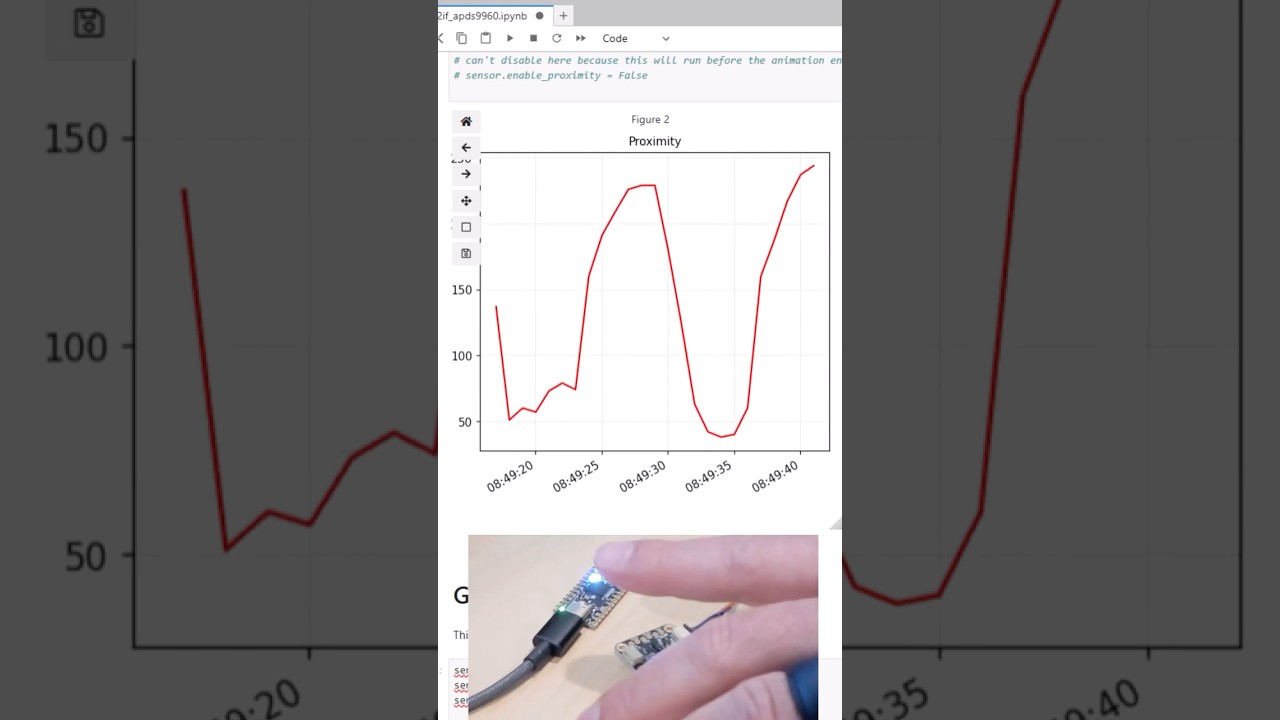
A 4th example of using an RP2040-based board as a sensor and peripheral dongle for your PC/Mac. In this case, we're reading sensor and gesture data from an APDS9960 proximity sensor using Desktop Python in a Jupyter Notebook. The sensor is connected to the PC via an RP2040-based board, the Adafruit KB2040. I love this board because it comes wi...
night pilot
In an effort to rebase one of my PR branches (currently on main) on my fork of CircuitPython to 9.2.x, I've run into this error. There are 11 commits to pull and 46 to push. I don't know which path to take... I'm scared 😨

Here's the fork/branch in question https://github.com/relic-se/circuitpython/tree/audiodelays_stereo_freq_shift_fix

GitHub
CircuitPython - a Python implementation for teaching coding with microcontrollers - GitHub - relic-se/circuitpython at audiodelays_stereo_freq_shift_fix
I think it's because I rebased my local git repo to 9.2.x, but not the origin (still on main)? Seems like I'm missing a step...
night pilot
Is rebase even the right thing to do here?
fierce field
I would suggest cherry-picking the commits into a new branch and then hard-resetting 9.2.x and main to match adafruit.
Did you make a new branch for the PR?
night pilot
fierce field
I would suggest cherry-picking the commits into a new branch and then hard-reset...
I ended up creating a new branch off of 9.2.x and using Github Desktop to help me cherry-pick the commits. Should I create new PR or is it possible to change the branch to merge within the PR?
fierce field
night pilot
I ended up creating a new branch off of 9.2.x and using Github Desktop to help m...
you can use the Edit button to the right of the PR title to change the base, but since you changed the branch, just open a new PR and close the old one.
night pilot
fierce field
you can use the Edit button to the right of the PR title to change the base, but...
🤦 ...I didn't know that.
I think I made it worse, so I'll stick with the new PR idea. I'll leave the old one up until I have it ready. I'm working through some issues right now merging with other related changes.
fierce field
night pilot
I think I made it worse, so I'll stick with the new PR idea. I'll leave the old ...
Often changing the base doesn't really work. I haven't investigated why.
ebon moat
Hello! I started working on a new project yesterday, which I created using the cookiecutter template. The Build CI action is failing, and I'm not sure how to fix it. I've tried removing "License :: OSI Approved :: MIT License", from my pyproject.toml, but that didn't work. Could this be an issue with pyaudio? Thanks for the help in advance! This is the output:
  × Building wheel for pyaudio (pyproject.toml) did not run successfully.
  │ exit code: 1
  ╰─> [27 lines of output]
      /tmp/pip-build-env-zb52518d/overlay/lib/python3.12/site-packages/setuptools/dist.py:759: SetuptoolsDeprecationWarning: License classifiers are deprecated.
      !!

              ********************************************************************************
              Please consider removing the following classifiers in favor of a SPDX license expression:

              License :: OSI Approved :: MIT License

              See https://packaging.python.org/en/latest/guides/writing-pyproject-toml/#license for details.
              ********************************************************************************

      !!
        self._finalize_license_expression()
      running bdist_wheel
      running build
      running build_py
      creating build/lib.linux-x86_64-cpython-312/pyaudio
      copying src/pyaudio/__init__.py -> build/lib.linux-x86_64-cpython-312/pyaudio
      running build_ext
      building 'pyaudio._portaudio' extension
      creating build/temp.linux-x86_64-cpython-312/src/pyaudio
      gcc -fno-strict-overflow -Wsign-compare -DNDEBUG -g -O3 -Wall -fPIC -I/usr/local/include -I/usr/include -I/opt/hostedtoolcache/Python/3.12.11/x64/include/python3.12 -c src/pyaudio/device_api.c -o build/temp.linux-x86_64-cpython-312/src/pyaudio/device_api.o
      src/pyaudio/device_api.c:9:10: fatal error: portaudio.h: No such file or directory
          9 | #include "portaudio.h"
            |          ^~~~~~~~~~~~~
      compilation terminated.
      error: command '/usr/bin/gcc' failed with exit code 1
      [end of output]

  note: This error originates from a subprocess, and is likely not a problem with pip.
  ERROR: Failed building wheel for pyaudio
I think the license thing is just a warning. There is a real error further down:
      src/pyaudio/device_api.c:9:10: fatal error: portaudio.h: No such file or directory
          9 | #include "portaudio.h"
            |          ^~~~~~~~~~~~~
      compilation terminated.
Thanks! I fixed it now. I had neopixel instead of adafruit-circuitpython-neopixel on my requirements.txt.
ebon moat
My workflow now fails with this error, since the workflow runner isn't a supported blinka board. How should I work around this? Should I manually declare board constants for the runner, or should I somehow ignore these errors when running the workflow?
    led = DigitalInOut(board.LED)
                       ^^^^^^^^^
AttributeError: module 'board' has no attribute 'LED'
what code are you running that is invoking board.LED, and what is the workflow runner in particular?
ebon moat
fierce field
what code are you running that is invoking board.LED, and what is the workflow r...
My main code.py file is invoking it. I know that the cookiecutter template is meant for libraries and not for regular projects, but since I want to make this project public when I develop it further, I wanted to use it to create a more organised repo. The workflows I'm using are those created by the cookiecutter template, the runner being a ubuntu machine. I'm not sure if I've fully answered your question, sorry if I haven't.
fierce field
there are code.py files in a few examples in libraries, but cookiecutter was very much designed for libraries, as you note. do you plan to publish on pypi?
ebon moat
No, I don't plan on doing so.
What I'm doing is a more developed version of the firmware for this project.
The idea is to end up with releases similar to those "Project Bundles" found on the learn guides (such as the one on the "Software" part of this one ), so the releases will be something like a code.py, a lib folder and an assets folder, which is why I didn't think uploading to pypi was a good idea.
fierce field
we could probably use a "project cookiecutter", that has pre-commit and similar, maybe even optinal testing running. You could prune what you have currently to remove the pypi stuff, which I think is what is causing your issues
ebon moat
I did delete the release-pypi workflow, in case that's what you're talking about.
fierce field
but what is running now that is trying to run the code under blinka?
ebon moat
The Build CI workflow, which runs pytest.
fierce field
do you want to run pytest?
ebon moat
I don't need it right now, but I was considering using it in the future.
Is there a way to run the rest of the workflow but skip pytest, though?
fierce field
you could get pytest to just run specified tests against your code base. But you'd need to structure your code into separate files, or not have top-level code that always runs
I think it might be just running https://github.com/adafruit/cookiecutter-adafruit-circuitpython/blob/main/tests/test_make_cookies.py, but if your code.py is not importable without running code, then it will try to run the ref to board.LED, etc.
ebon moat
fierce field
you could get pytest to just run specified tests against your code base. But you...
How could I specify which files to run against? If I add my code.py to the ignore-bundles input of the workflow, won't pre-commit also skip that file?
fierce field
in other words, make a main() or run() function in code.py, and then use if __name__ == "__main__" to only run that when it's the main program
this sounds like an "in the weeds topic" for the meeting today. Or ask for some advice about this in #help-with-circuitpython ; the people who develop CPy code regularly may have some ideas and examples of how they use CI for their projects.
There is a little bit of project CI in https://github.com/adafruit/cookiecutter-adafruit-circuitpython/blob/main/tests/test_make_cookies.py, but it's only running a relaxed pylint check, not tests.
(there's a lot more arduino testing)
attendance is very thin for the CPy meetings in the summer, so I'm not sure there would be a through discussion
ebon moat
fierce field
this sounds like an "in the weeds topic" for the meeting today. Or ask for some ...
Is that meeting open? I hadn't heard about it. I might ask in the circuitpython help channel in a bit as well then, after I look a bit more into all you just said.
I asked a similar question there last year, where I needed a function from the supervisor module, and this is what they proposed, which is why I considered assigning values to board manually when run by the workflow.
try:
    from supervisor import ticks_ms  # type: ignore
except ImportError:
    from time import time

    start_time = time()

    def ticks_ms() -> int:
        return int((time() - start_time + 536805.912) * 1000) & _TICKS_MAX
yes, but if you want to speak, we need to give you the @circuitpythonistas role. It's at 2pm US Eastern time today
ebon moat
fierce field
yes, but if you want to speak, we need to give you the `@circuitpythonistas` rol...
That's in an hour and 18' from now, right?
fierce field
ebon moat
That's in an hour and 18' from now, right?
right
ebon moat
Ok. Is there anything I have to do to join then?
fierce field
ebon moat
Ok. Is there anything I have to do to join then?
Just click on the "CircuitPython" voice channel and join. See this pinned message in the #circuitpython-dev : #circuitpython-dev message. Write a few sentences in the "In the Weeds" section in the notes doc linked there.
If you want to talk I have to give you the role, and then you'll get pings about upcoming meetings (which you could silence). If you don't walk to talk or can't, then we can still discuss what you wrote. Here are the notes docs for previous meetings: https://github.com/adafruit/adafruit-circuitpython-weekly-meeting/tree/main/2025
ebon moat
Ok, sounds good 👍 . The message you sent says the next meeting is next Monday though.
ebon moat
No worries! I might add some notes then.
fierce field
normally it's weekly, but not July/August this year
ebon moat
ebon moat
The `Build CI` workflow, which runs `pytest`.
Also, I noticed that it was actually sphinx outputting that error, sorry.
fierce field
i have an internal meeting right now, can ttyl
ebon moat
ebon moat
Also, I noticed that it was actually `sphinx` outputting that error, sorry.
I'd suspect the underlying issue is the same though.
ebon moat
fierce field
i have an internal meeting right now, can ttyl
Ok, thanks for the help!
ebon moat
Hello! Does anyone know whether the Project Bundler mentioned on this learn guide is available on GitHub?
fierce field
ebon moat
Hello! Does anyone know whether the [Project Bundler mentioned on this learn gui...
This code is part of the web code that runs learn.adafruit.com, and is not public.
ebon moat
fierce field
This code is part of the web code that runs learn.adafruit.com, and is not publi...
Ah ok, thanks 👍
 silent fog
I'm curious if there's another way to do this:
If someone rebases my branch to a newer commit on the main branch, is there a way to update my local branch without deleting the local branch and checking out the new branch from the remote?
fierce field
silent fog
I'm curious if there's another way to do this:
If someone rebases my branch to a...
There are a number of discussions of this. I websearch for git update local branch from diverged remote
silent fog
So a diverged remote is one thing. Rebasing or merging is the process for that. The issue is when it's my own commits that someone else rebased. I've taken a screenshot of the situation I'm describing.
 fierce field
silent fog
So a diverged remote is one thing. Rebasing or merging is the process for that....
fierce field
silent fog
So a diverged remote is one thing. Rebasing or merging is the process for that....
rebases my branch to a newer commit on the main branch
I'm not sure what you mean. so your branch hasn't changed in the remote, butmainhas? Would you just want to merge frommainto your branch
Ideally, what would you like to happen?
silent fog
So main has had some new commits since I started the branch. The library maintainer (KiCAD footprint library in this case) has rebased the branch on the remote to the new commit that main points to. If I try rebasing my local branch onto the new main, the two branches stay diverged because while the changes of each commit are the same, there is something in the metadata of the commits that are different. (see screenshot)

What I'd like is a "smarter" way to bring my local repo into alignment with the remote. At the moment, the process is:
git checkout main
git branch -D sk/add_TI_VQFN-29
git checkout sk/add_TI-VQFN-29
The force deletion of the branch doesn't sit great with me. In case I accidentally click on the wrong branch or tab-complete the wrong one, it can result in disaster. Also, it's 3 steps when it feels like it should be a single step of "update branch" or something.
fierce field
silent fog
So `main` has had some new commits since I started the branch. The library main...
Is your local repo a fork or just a clone of upstream?
You could rename the branch so it's not in conflict.
You could merge from upstream instead of trying to rebase. Then force-push to your fork (if it's a fork).
silent fog
My local repo is a fork.
I'll try the merge from upstream to see if that changes things. Thanks
plush horizon
two bits that might help: one, if your local branch was in sync with the remote when the remote was rebased, and you don't have any new commits you need, you can force-update your local branch with e.g. git fetch && git switch my-cool-branch && git reset --hard origin/my-cool-branch which is functionally the same as deleting your local branch and checking it out again from the remote (assuming your remote is named origin). you have to be careful to do the reset while you've checked out the branch you want to wipe, which is why I added the switch to my example.
second, even if you delete a local branch by accident, you may still be able to find it in git reflog. there's probably a reflog entry from the last thing you did on the branch (say, switching to it or committing), and you can grab that commit hash and e.g. git checkout -b my-cool-branch e0bcdef to get the branch back.
the reflog may not work if the repo was garbage-collected automatically or manually, I haven't tested it. best to do it right after you make a mistake. it can help recover from bad rebases, too.
 long sequoia
What workflow do you use for git + circuitpython?
Currently I copy the files from the Circuitpy drive into my git repo, which has the unfortunate side effect of triggering the autoreload in the circuitpython vm
git-worktree might allow me to skip the copying step, but I’m not sure it would avoid the auto reload
fierce field
long sequoia
Currently I copy the files from the Circuitpy drive into my git repo, which has ...
I am surprised that copying from CIRCUITPYT triggers an auto-reload. I just tried copying code.py from CIRCUITPY to my homedir while it was running (it's a blink program), and the program continued running undisturbed. This is on Linux.
... hmm, it did happen, but tens of seconds later
copying again to see if it's reproducible. I guess it's updating the access time
could mount it no-access or whatever.
I have looked for a vscode extension that writes a file both locally and to a second location. So you would edit the file on the host computer, and any saves would be written both there and to CIRCUITPY.
it wouldn't be hard to write such an extension, but I haven't gotten into that ecosystem. This was quite simple (Atom, not vscode): https://github.com/adafruit/Atom-fsync-on-save. Not the same thing, but similar. I wrote it years ago to fix Atom not doing a flush.
you can turn off auto-reload
... a second copy to the host didn't trigger a reload
night reef
at @stable chasm's request
 velvet crag
Git as in GitHub?
 oblique vortex
@velvet crag Yep! Although git can be used on other sites or people can set up their own git servers so that's been left open too.
velvet crag
Ah, got it
 gritty mural
Like BitBucket
waxen hill
Heh.
You can use git locally, if for some reason you don't want to, or don't need to, use github.
 $ git clone thisrepo/.git thisrepocopy
 $ cd thisrepocopy
 $ git remote -v
origin /home/nis/repositories/thisrepo/.git (fetch)
origin /home/nis/repositories/thisrepo/.git (push)
I think there's a predefined Digital Ocean droplet just for running a github like server.
 stable chasm
Thanks @night reef !
 proper garden
Here's a good beginner's how-to guide for GitHub, by our own Kattni:
https://learn.adafruit.com/contribute-to-circuitpython-with-git-and-github
Here's an excellent & free in-depth ebook + website "Pro Git" by Scott Chacon and Ben Straub and published by Apress:
https://git-scm.com/book/en/v2

Adafruit Learning System
From fork to merge, this guide covers all the steps necessary for a successful Git and GitHub workflow.
proper garden
proper garden
Here's a good beginner's how-to guide for GitHub, by our own Kattni:
https://lea...
 solemn flower
Using github Desktop, when I create repos, rather than showing up under the account I am signed in as, they show up under "Other". Has anyone seen this before?
I'm a doofus, I did a couple of commits but never actually published!
 wide gate
What command are you using to create your repos?
waxen hill
@solemn flower Just login to github.com using a regular web browser - that's reliable. There's many routine tasks that don't require a browser, and can (instead) be done on the command line. So, daily login (via web browser) isn't necessary.
Repositories > New in the webbed version is how I create new repositories (on github.com).
Locally:
 $ mkdir thisgit
 $ cd thisgit
 $ date > README.md
 $ git init
 $ git add README.md
 $ git commit -m 'initial - by nis'
Followed (optionally) by:
 $ git branch -avv # not required
 $ gitk # not required
Use File > Quit from within gitk to exit that program.
Just using gitk to take a quick look at things; not required.
$ git remote -v
That returns nothing, on a new repository.
Creating (in parallel) a new repository on github.com generates what's needed for 'git remote ..' locally, to complete it (to give it a remote repository to function with).
If lost, download a reputable github repository, by using 'git clone ..'.
And examine it. For example, 'git remote -v' will return something meaningful.
 acoustic reef
ooh is this a new channel
cloud hound
anybody has the command I can use to pull changes from a pull request to my local repo to test them?
github shows it only to the owners of the repo...
 sturdy talon
@cloud hound Give me a minute. I have them.
cloud hound
much appreciated
sturdy talon
Wait, the GitHub commands didn't work for you?
Looking at my history, that's what I used.
Link me to the PR
maybe what they're offering has changed
Ooooh I misread.
cloud hound

GitHub
Fixes #3504 hopefully.
cc @deshipu and @cwalther
it doesn't show any commands
cloud hound
because I don't have write access to the repo
sturdy talon
OK I tested it
git fetch adafruit refs/pull/3546/head
git checkout -b tannewt/rtc_irq FETCH_HEAD```I don't see it anywhere on the PR, but that's what I did in the past to get a PR pulled locally.
Let me know if it works @cloud hound
The PR only shows me how to open it using GItHub CLI or GitHub Desktop.
oh
wait
@waxen hill I added Scott's fork as a remote too
I forgot to add that
Fixed.
Not sure it's necessary, but I feel like it might have been. Though I was pushing changes to the PR, which might be what that was needed for, not checking out a PR.
Not certain.
cloud hound
perfect, thank you
sturdy talon
You're welcome!
gritty mural
Realized I haven’t set upstream branch for my local repo of circuitpython
Probably should do that today
 vernal olive
Multiple fork multiple fetch is definitely a supported use of git.
🙂
It makes your merge more challenging, potentially.
cloud hound
I thought the supposed use of git was sending patch bombs via e-mail
solemn flower
or to cause Dev-Ops teams to age quickly
 topaz falcon

to the tune of Fish Heads by Barnes & Barnes
🎶set HEAD, set HEAD
repo pull-y set HEAD
set HEAD, set HEAD
push it up
wrong!🎶
Likes
114
 Twitter
 inner pond
I’d like to contribute to https://github.com/adafruit/Adafruit_VS1053_Library. Are there any guidelines how to do that so the likelihood of a pull request being merged is maximized and the delay minimized?
 lean sparrow
@inner pond Take a look at this guide https://learn.adafruit.com/contribute-to-circuitpython-with-git-and-github
Adafruit Learning System
From fork to merge, this guide covers all the steps necessary for a successful Git and GitHub workflow.
inner pond
@lean sparrow thanks
night reef
lean sparrow
<@!681590758205161584> Take a look at this guide https://learn.adafruit.com/cont...
gritty mural
herro
so I'm having an issue
and I need to see the file size of a compressed folder as is reflected on a git repo because the size given in with ls -l is not accurate, causing the CRC to fail when I import a board definition from my package index.
online the estimated size of the compressed folder is 276kB
anyone know a solid git command (other than ls-tree) for seeing accurate sizes for compressed folders?
maybe you know @night reef ?
waxen hill
@gritty mural Can you rephrase all that by only showing what was typed to a computer and how a computer responded? I can't follow your (human authored) narrative. ;)
gritty mural
using ls -l in my local git repo returns a compressed file size of 282677 which is the value I used in the package-index.json file for my arduino board definitions
waxen hill
okay I think I follow that.
gritty mural
I can't seem to get git ls-tree -r -l ... to work in displaying anything (I need to read more about it to be honest)
waxen hill
I don't get why you think you 'get' to say 'compressed' however.
gritty mural
Anyway, when I import the package-index.json into arduino, the CRC function that runs against the checksum value generated shows that the value returned isn't accurate for the actual compressed file size.
waxen hill
Doesn't a board support package download as a gzipped tarball into a packages directory?
gritty mural
 CRC doesn't match, file is corrupted. It may be a temporary problem, please retry later.
java.lang.RuntimeException: java.lang.Exception: CRC doesn't match, file is corrupted. It may be a temporary problem, please retry later.
    at cc.arduino.contributions.packages.ui.ContributionManagerUI.lambda$onInstallPressed$2(ContributionManagerUI.java:175)
    at java.lang.Thread.run(Thread.java:748)
Caused by: java.lang.Exception: CRC doesn't match, file is corrupted. It may be a temporary problem, please retry later.
    at cc.arduino.contributions.DownloadableContributionsDownloader.download(DownloadableContributionsDownloader.java:105)
    at cc.arduino.contributions.DownloadableContributionsDownloader.download(DownloadableContributionsDownloader.java:60)
    at cc.arduino.contributions.packages.ContributionInstaller.install(ContributionInstaller.java:105)
    at cc.arduino.contributions.packages.ui.ContributionManagerUI.lambda$onInstallPressed$2(ContributionManagerUI.java:172)
    ... 1 more
this means that the checksum value doesn't return the proper corresponding compressed file size for the board definitions.
waxen hill
github.com probably creates the needed archive (gzipped tarball) on demand.
gritty mural
so there is a difference between the size of the zip file size on github and my local repo
and that is indeed the case.
276KB vs 282KB
waxen hill
I think I'm wrong; looking at the Adafruit .json file used by Arduino IDE.
gritty mural
but here's the kicker...
waxen hill
Why and how are you calculating locally? Using what software?
waxen hill
ls -l is available in the shell in Linux. Directly, no git software installed.
gritty mural
the issue is ls -l file size is apparently not correct
waxen hill
Um it's going to be accurate, down to the byte. An exact count of bytes in that file.
You can prove it to yourself pretty easily.
gritty mural
or at least to the CRC when it checks against what it pulls from github
waxen hill
 $ echo -n '12345678' > eight
 $ ls -l eight
The 276KB vs 282KiB difference is real. I can't remember which is which though. ;)
It's the matter of rounding or not; one system uses exact multiples of two. The other doesn't seem to.
1,000 kilobytes == 1,024 kibibytes
(1,000 kilobytes is 1 megabyte)
I still don't see this as a git question. ;)
I also don't know how board support packages are prepared by vendors such as Adafruit. ;)
gritty mural
Well, I was asking if there was a git command for seeing git calculated file size 😛
waxen hill
I think git is roughly based on rsync at the transport layer.
It behaves suspiciously similar to rsync.
Still don't know the problem you're trying to solve, as you keep suggesting its solution but not the problem itself. I think. I'm confused. ;)
gritty mural
i'm saying there's an issue between the file size I see locally and what git uses.. that's the problem
waxen hill
Can you just show everything you are typing and what the response is?
lean sparrow
When referring to computer information (file sizes, memory) I treat K as 2^10 M as 2^20 -- decimal numbers are just too confusing 😉
Until now I had never heard of a kibibyte
waxen hill
It looks like there's something to this:
Looks like somebody wrote something in ruby that addresses this issue.
Which implies git itself is not willing/able to provide it. ;)
I have to admit I don't see the point as I still don't know what is being typed at the command line, what its response is, and what the hoped-for response, is.
This vendor put their .json into an exposed context:
https://github.com/stm32duino/BoardManagerFiles/tree/master/STM32
Their .jsonfile for their board support package is presented in the usual git repository context.
Perhaps a generation script is in there somewhere.
This Makefile may have some answers:
https://github.com/stm32duino/BoardManagerFiles/blob/master/STM32/src/Makefile
night reef
maybe you know @night reef ?
@gritty mural Nope. No idea
waxen hill
@gritty mural Still looks primarily like an Arduini IDE issue (with some git knowledge thrown in, but nothing very command-line-ish) .. to me.
Use of .zip where .bz2 seems standard, is a question I had.
The Arduino IDE log file contains the string,
DownloadableContributionsDownloader
Checksum lines in the foo_index.json file are in SHA-256.
(whoops, not true - saw an MD5 as well)
gritty mural
Yeah, I did shasum -a 256 zipfile.zip
Added that to the JSON object
I followed the robohat guide for adding custom libraries so 🤷♂️
waxen hill
I can't find the Adafruit model, but the stm32duino model is here:
https://github.com/stm32duino/BoardManagerFiles
It's probably all there - the actual files needed to use these methods. ;)
I think 'size' will end up being the exact size of the .zip file (whatever is specified in the index json file)
I'm fairly confident the system would be compression-method agnostic, as the gcc compiler is downloaded as .zip not (say) .bz2 (which most downloads are rendered in).
stm32duino uses the 'release' mechanism of github.
Adafruit has stuff I don't know how to find.
The Makefile they used, just uses wc -c to get the file size:
https://github.com/stm32duino/BoardManagerFiles/blob/master/STM32/src/Makefile#L16
This line is fairly strong evidence that this (very) Makefile is used to create the required .json for the index:
https://github.com/stm32duino/BoardManagerFiles/blob/master/STM32/src/Makefile#L127
Interpreting Makefiles is a non-trivial exercise ;)
 pallid thicket
is there a way to do what the --recursive flag on a git clone would do but after I've already cloned it and forgot to use that flag? So instructions were git clone --recursive [repo url] but I actually ran git clone [repo url]
I'm sure I could delete and re-clone, but I'm thinking there must be a way to do it after the fact as well. Maybe it's those two commands that have to be run before building Circuit Python?
waxen hill
I was thinking the same thing. ;) @pallid thicket
The CircuitPython source is the only time I've done something like that.
pallid thicket
I'll give those a try
pallid thicket
Yep, that appears to be doing the trick.
waxen hill
git clone https://github.com/adafruit/circuitpython.git
cd circuitpython
git submodule sync --quiet --recursive
git submodule update --init
Thank you😄
waxen hill
;)
waxen hill
I'm trying to develop a new git mojo, where it's easier to obfuscate histories I don't want to share.
So if I do a public and a private version of a database (geneology here) ..
I'm trying to get it more sanitized for publication (when and where) without resorting to separate repositories.
So far I have a orphan checkout going (to create a new unrelated branch in an existing repository).
That looks interesting, but I haven't seen the weak points of using that idea, just yet.
I had pretty good luck the other day, making copies of repositories, removing all but one branch in the copy, and then bringing that one branch into another repository.
At some point --allow-unrelated-histories is used, which may break something I'm not schooled in.
solemn flower
I am using github desktop. I have two github accounts that both use the "same" email, except my person one uses myemail@domain and my public uses myemail+1@domain. When I make commits sometimes the first commit will be by my personal account and sometimes it won't be. I have checked the options before making the commits I am signed in under my public github account with my name as my public name. Is something deeper wrong?
 random copper
To deal with stuff like that, I use separate personæ in my ssh config.
random copper
Kinda-sorta. I use a stand-in host name to refer to the different account. Here's one stanza from my ~/.ssh/config file illustrating my work account github login: ```
Host github-tst
HostName github.com
User git
IdentityFile ~/.ssh/id_rsa_tst
IdentitiesOnly yes
So I'll do something @github-tst then it gets matched to the actual host of github.com but with a different ssh key to authenticate.
random copper
As mentioned above, ~/.ssh/config
solemn flower
what path is ~?
random copper
~ refers to your home directory on Unix-like systems
solemn flower
probably a hidden file?
random copper
.ssh is a hidden directory, yes.
solemn flower
merf can't seem to find it
random copper
If you're using ssh (which you are presumably if you're using github), the .ssh directory should exist (if you're using a Unix-ish OS). However, the config file may not if you haven't done any ssh customizations.
solemn flower
I'm using win10
random copper
Ah, that will likely be completely different
solemn flower
I did find a .gitconfig file
well I may have to live with my personal github being attached to stuff on my public one thus nullifying them
random copper
I suspect there's a way to do it on windows, but I don't know how.
random copper
Hmm, looks like you can do it that way if you use Git Bash: https://gist.github.com/bsara/5c4d90db3016814a3d2fe38d314f9c23
solemn flower
bookmarked!
random copper
A little more poking around yields other possibilities such as "Git For Windows" and "ssh-agent-helper"
solemn flower
I'm gonna reach out to their support and see if it's any good
There's gotta be a global setting I am missing
gah git is complex
random copper
Truth.
solemn flower
how do I clone my fork of a repo onto another machine? Is it the same process?
E.G
pallid thicket
is there a way I can set up my local copy of a repo not to allow me to push anything?
pallid thicket
https://stackoverflow.com/a/8376674/507810 maybe like this.

Stack Overflow
I have a repository with some core code in it, and for each client I wish to clone it so I can do git pull everytime a client wants to upgrade to the newest functionality.
In the interest of not
 fair turret
clone it 'anonymously' ?
or better, after you clone it locally, remove the remote (how ? good question)
@pallid thicket git remote rm as seen in https://docs.github.com/en/free-pro-team@latest/github/using-git/removing-a-remote
Use the git remote rm command to remove a remote URL from your repository.
pallid thicket
I want to keep the remote if possible though I think becasue I do still periodically want to pull from the remote to update my local copy to get any changes that have been pushed in that repo.
fair turret
ok ...
@pallid thicket so it's a little trickier, but it seems feasible : https://stackoverflow.com/questions/7556155/git-set-up-a-fetch-only-remote : set a bogus URL to push to, because it will default to use the pull URL if the push URL is missing
Stack Overflow
When I run git remote -v in one of my Git repositories that has a remote(s) configured, I see that each remote has both fetch and push specs:
$ git remote -v
<remote-name> ssh://host/path/to...
pallid thicket
Nice! thank you
Got my push url set to something fake now. I'm too afraid to try it with a real push command just incase it does somehow go through. But I think this should give me another extra layer of safeguard
fair turret
tested now : git remote set-url --push origin no-pushing give an error when I try to push
pallid thicket
that is perfect. Thank you.
 sand swift
That is the concept of git, vscode just gives you a interface for using the command line git tool
fair turret
I really like the github desktop front-end... usually I'm more a CLI guy... but for my use, it's perfect.
cloud hound
I miss the tortoisehg
sand swift
GitKraken used to be my go to
 storm oriole
lately i just handle most of my git needs from within Atom
any other case, i just use raw git bash
 night lintel
Good morning. Is it poor form to publish the lib files that go with an adafruit project (circuit python)? My gut is saying not to checkin the libs. However, I want to make sure the current version of libs stay with the current code. Or is it better to just do very good documentation of what versions were used? Thank you
 dusk jungle
Does it make sense to have a git submodule pointing to a particular commit of the Adafruit repo?
night lintel
That sounds like a good solution. I haven't used git in a couple of years, trying to wrap my brain around it again so I can deliver a project. 🙂
night lintel
Actually. I think I'm going with just lots of documentation, and linking to the official Adafruit tutorial. This is just in case the blue smoke comes out and someone else has to re-create the project. Which hopefully won't happen until there have been many hardware/software updates.
pallid thicket
@night lintel I would recomend leaving a link in the repo readme that specifies which libraries are required, but not actually checking in the library file to the repo.
Lots of the libraries get pretty frequent updates. So I think it's best to try to point users toward the bundle to download the current versions when they are working on a project.
pallid thicket
In the github web interface when merging a PR one of the options is "Rebase and Merge". Do I understand correctly that if I choose that option then the repo accepting the PR will get all of the commits from the PR (4 in this case) and it won't have a merge commit like it would if I chose the default option for merging the PR?
So it will end up even with the branch the PR was coming from, rather than 1 commit ahead like it does with that default option "Create a merge commit"?
 tawdry anvil
yes, and most importantly they well be "on top", as new commits, and not directly merged as they are
this also means that conflicts might arise while rebasing, but this is good because then conflicts can be resolved within the context of the commit that generates the conflict, rather than all together at merge time
rebase is a good thing
pallid thicket
I gave it a try but it didn't seem to have that effect for me.
instead of ending up with the two branches being even, the one that accepted the PR ended up some commits ahead and some commits behind.
waxen hill
I would like to clone releases from Github to my server for some automation. I know how to automate git clone, but it does not seem to work on releases like https://github.com/adafruit/Adafruit_CircuitPython_Bundle/releases Is there a suggested way to clone just the releases?
pallid thicket
do you mean clone a specific release?
waxen hill
just the latest, I figured it out
 candid iris
I attempted to push a change to a circuitpython file back to the adafruit repo, and it failed validation. @amber abyss suggested that I probably needed to
pip3 install pre-commit
which I did, but I don't know how to make it go 🙂
What do I need to do in my local repo to make this change do its magic before pushing it to adafruit's repo?
 amber abyss
Try running it again and if it passes all the checks, just add, commit, push to your repo and the PR will update automatically.
candid iris
(I presume there's a guide I should be following on how to contribute)
amber abyss
Adafruit Learning System
From fork to merge, this guide covers all the steps necessary for a successful Git and GitHub workflow.
candid iris
I'm only "running" it on my matrixportal board. What do you mean by "running" in this case.
thanks for the link. I'll start there, and hopefully not have to ask more questions.
amber abyss
Oh, I meant to run pre-commit. No problem..
 winter basin
Anyone working on hardware in loop using raspberry Pi
cloud hound
wrong channel
pallid thicket
TIL about the helpful flag --no-track. It can be used to make a new local branch starting from a branch in a remote. But it will be ready to push into your own fork instead of trying to push to the remote one. i.e.
git checkout -b awesome_feature adafruit/master --no-track
now we have a new branch to work on that is starting from adafruit/master but will push to origin (our own repo) instead of adafruit.
 fresh quest
how do i make a shortcut to a file buried deep within the repository that appears on the front page?
sand swift
Front page? Do you mean the README in github?
If so, say I wanted to display link text My Link Test, which links to a protocol.md file inside a docs folder- [My Link Test](/docs/protocol.md)
 fierce gate
I'd love some help with a Git pickle
So, I'm helping a friend with his project. I forked it
I branched out from the latest safe spot, made my changes, and made my Pull Request
He rejected some of my changes
I added more changes, but on top of the branch with the rejections
Instead of branching from the safe spot again
gritty mural
Here’s my suggestion
Copy the files you changed to an area outside of the git directory
Delete the repo locally, clone it again, create a new branch and add back those files
Then push
fierce gate
Why delete the repo
Couldn't I just delete the naughty branch?
And branch again, adding the files
 blissful laurel
@fierce gate you can git cherry-pick
if the commits are useful (for example, because of explanation provided in the commit messages), then you can save the commits that you want and skip commits that your reviewer does not want by successively git cherry-pick onto a new branch
you can also git rebase -i to select which commits to save and which to delete, but that is more difficult if you are not familiar with git rebase
gritty mural
@blissful laurel those are great tips! I’ll have to pocket those for the future 💪🏻
 wheat perch
When you already have a MicroPython fork on GitHub and you try to create a CircuitPython fork, but GitHub says You've already forked circuitpython 😢
(GitHub wont let you fork a repo (MP), then fork a fork of the repo (CP))
You can clone and push, but then you cant make pull requests :flip-desk:
cloud hound
I keep them in different orgs
wheat perch
a) make a GitHub org, fork CP there instead?
b) create a circuitpython branch on my micropython repo, pull circuitpython/main?
c) something more exotic and hacky?
cloud hound
since I have orgs for my larger projects anyways
wheat perch
You're back on GitHub now that bitbucket has dropped support for all of your repos?
cloud hound
not really, I didn't do anything with my repositories yet
I need to setup a hg repository on my domain
just no spoons for it
it's a bit ironic that I put my stuff on bitbucket because I thought it will survive longer that way than it would on my personal server
night reef
@wheat perch I renamed my micropython fork to circuitpython. you can push code to it
the annoying bit is that PRs default to micropython
 frank moon
does anyone knows a multi usb power bloc allowing 3 to 5A per port ?
cloud hound
probably this is not the best place to ask, you might get better results in #help-with-projects perhaps
 agile hinge
I might submit one CircuitPython PR every 4 or 5 months, so the build process is always new to me. My most recent PR (https://github.com/adafruit/Adafruit_CircuitPython_MotorKit/pull/34) is failing from a black error during the build (see image below). Ladyada said to disable --check but I have no idea how to do that inside of the default PR submittal process. Help!
sturdy talon
@agile hinge I suggest running black on the code locally and then committing it. We don't have it running black automatically remotely yet. So run black --target-version py35 . in the working directory, then commit/push.
agile hinge
@sturdy talon Thanks!
 terse herald
I want to change my github username and email, what would be needed to be changed in git on my local machine in order to ensure everything is still synced properly?
plz ping with any answers, thanks
wide gate
I think you should be able to just clear your credential cache and do a new pull
 rustic crow
terse herald
I want to change my github username and email, what would be needed to be change...
rustic crow
terse herald
I want to change my github username and email, what would be needed to be change...
in your local repos, use git remote -v to list and check remote names & urls. you may want to save the original url as another remote (git remote rename origin newname) and set the new url as the new origin (git remote add origin newurl).
random copper
@terse herald If I'm understanding your question correctly, you just need ```
git config --global user.name "John Doe"
git config --global user.email johndoe@example.com
not git per se, but is there a way in Github to find all Issues or PRs on which I have commented?
wide gate
This might give you what you want: https://docs.github.com/en/free-pro-team@latest/github/searching-for-information-on-github/searching-discussions#search-by-commenter
You can search for discussions on GitHub and narrow the results using search qualifiers.
stoic birch
@wide gate perfect, thank you!
terse herald
is it a common issue to had a readme file made in a local file, then once pushed to a repo the message at the bottom remains that asks you to make a readme file even though there is already one? if so, is there a way to get github to recognize the existing file?
rustic crow
terse herald
is it a common issue to had a readme file made in a local file, then once pushe...
did you commit it to the repo before pushing up to github? if you can't see it in the file listing on the repo's github page, you probably forgot to commit it and it's still in the local file. just git add <READMEfile.whatever>, then git commit -m "adding readme", then git push.
if it's commited, did you name it README (all caps) or README.txt or README.md? if it's commited but some other filename or format github may not recognize it as the readme. your choice whether to fix it so github does or leave it and let users figure it out for themselves. (i'd fix it, for them and for my own sanity.)
terse herald
it called README.md
thats copied and pasted directly from the repo
@rustic crow any other ideas?
rustic crow
is it possible it's a generic nagscreen about making a user profile README rather than the repo's? i haven't actually logged into github in a while, so can only speculate if the obvious troubleshooting steps aren't applicable.
terse herald
no, its specifically that repo. Add a README with an overview of your project. its not a huge deal, just a little annoying
 spiral epoch
@terse herald Are you working off the same branch locally, where you added your README.md file as you're looking at remotely?
terse herald
yes, i only have one branch main
ok nvm, i figured it out. didn't realize that I needed something in the readme file in order for it to show.
 vivid ledge
I keep trying to get started with Git and Github and giving up cause all fhe introductory resources I’ve found are so complex.
Can anyone suggest how i might learn the bare, bare basics to use git and github to:
- Set up a repo on github,
- Easily copy it to different raspberrry pis and a PC, edit, and re-upload,
- Roll back any changes if necessary
All the theory and diagrams and everything are putting me off - I really dont need to know all that to just get started.
(Please tag me in any replies.)
random copper
@vivid ledge To set up a repository, log into Github, click on the "+" pulldown on the top bar near the right, and select "New repository".
It will let you set the name of your repository, optionally supply a description, set whether it's a public or private repository, and optionally create a README file for you.
To copy your repository to new machines, navigate to the repository on github.com, click the "code" pulldown and click the clipboard icon to copy the repository path to your clipboard. Then, on the machine where you want to make a copy (called "clone" in git parlance), go to the directory where you want to put it, type git clone and paste the path. Press return, and it will clone the repository (assuming your repository is public or you have set up your machine with the credentials to access your repository)
vivid ledge
random copper
To copy your repository to new machines, navigate to the repository on github.co...
Thank you
 lone cradle
over the course of time... in my fork of CircuitPython I have been using git pull adafruit main to update my fork. I am doing a PR today and I see all those pulls in my changes which doesn't seem right... I could re-fork but I'm wondering where I went wrong.
The commits on the 31st are the only ones that should be in my PR
wide gate
Seeing those entries in the log seems normal. You shouldn't see them in the list of changes for your PR.
lone cradle
Thanks @wide gate let me know if this looks off... but I think it confirms what you're saying. the log has my pulls but my changed files only reflects my new updates.
wide gate
LGTM. As long as the changes tab doesn't show anything you didn't intend to change, it should be fine.
night reef
@lone cradle I usually just start a new branch from adafruit/main when I start new work. (This is why tannewt/circuitpython looks really old. My main branch isn't kept up to date.)
lone cradle
night reef
<@!624005998696333331> I usually just start a new branch from adafruit/main when...
That’s a much better idea. Thanks!
 azure bear
how should i handle tokens with github? im making a discord bot and posting it on github but i obviously don't want people to have the token so they can change the bots code for themselves
night reef
@azure bear access tokens are usually read from an environment variable
for github actions you can set repository and org level "secrets"
azure bear
night reef
<@!207248742892568586> access tokens are usually read from an environment variab...
how do i make environment variables on a rasberry pi?
random copper
They're stored by the shell, so you can set them in .bash_profile or similar
azure bear
should i make it permanent or temporary for this kind of thing?
random copper
I don't really have a feel for that. For temporary ones, just set the environment variables manually (no need to modify .bash_profile). But if you want a persistent change, you could set them there.
azure bear
thanks
fierce gate
I pushed a group of commits that ended up causing breaking changes
I wish the check out an older commit that I know is stable, and stage all the changes after it so I can review them carefully
I wanted to push to master while checked out to the past stable version, but I was rejected, and was given the option to merge or rebase
I'm a little confused
Oh, wait, I just had to force push. But now my history is very weeeirddd. I suppose this is what I wanted though
spiral epoch
I've found that there are a few ways to deal with those circumstances, depending on what's happened (assuming those changes have been pushed to a central repo/store)
- If it's on a main branch (from where you branch, versions, etc), then use a revert commit. Yeah, it might look "dirty", but most web-based Git systems will show that it's a revert, such as being in strikethrough and/or being in red, etc. You can also add a comment as to the reason of the revert
- If it's on a feature branch that you're working on, use the
--force-with-leaseoption to make sure your changes won't stomp on other changes - If it's on a feature branch, and you're the only one working on it, I've found it's often easier to delete the branch, or create a new one, and either cherry-pick the correct changes in, or apply them in a more manual manner
- Interactive rebases, again on feature branches, can help you correct any "bloops" before they're pushed to the central repo
azure bear
whats the difference between git add and git commit?
spiral epoch
git add adds a change (or multiple changes) that need to be saved. That's called "staging" changes, which is basically putting them in a "get ready" area. When you're ready to save those staged changes, you use git commit, which writes all those changes into git in one "bundle", along with a message. That "bundle" is a commit
There's a great Adafruit Learn guide on Version Control and git here: https://learn.adafruit.com/an-introduction-to-collaborating-with-version-control/
There's even a specific page about the process of working with git, which covers staging, commits, etc.: https://learn.adafruit.com/an-introduction-to-collaborating-with-version-control/initializing-a-repository-and-making-commits
azure bear
spiral epoch
`git add` adds a change (or multiple changes) that need to be saved. That's call...
o wait so if a random person wants to contribute to my repo, do they have to make a new branch, and then i would have to merge that branch with the actual repo if i wanted their changes to be added?
spiral epoch
That's correct @azure bear. Depending on the platform, they may need to "fork" your repository (make their own copy), and work there. When they're ready for you to include their changes, the would open a "pull request", which is a request to you to pull their changes into your repository
sand swift
Which is considered best practice regardless of platform and is a really good workflow once you get used to it
azure bear
so the entire point of a branch is kind of just to make changes to ur code without actually changing the repo. kind of just to save ur history and whatnot
spiral epoch
The point of the branches is more to keep changes that are related together, until they're ready to be added into the main program. It's got huge benefits as a single person working on a project, but the benefits become enormous as soon as you have 2 or more people.
My half-completed changes saved to the same repository and branch as where you're working, would lead to problems combining all our overlapping changes ("merge conflicts" in git terms) together with each commit. Instead, a pull request turns all those separate commits into a single change set for the target branch. It makes resolving any possible merge conflicts a one-time operation for that entire change (branch).
It's also easy to make any corrections in that separate branch, based on feedback (reviewing the pull-request), test and run the changes in a test environment without affecting the current known-good code, etc.
Another use for branches in some places is to track different versions of a released product or code base. It makes going back to fix a bug in an old version easier, simply by checking out the branch representing that version, and making the change there.
azure bear
so if i make a fork on my local machine, will that automatically update with the original repo? or would i have to pull from the repo every time there is a change?
also, is it better to use git or github?
spiral epoch
I assume that your repository is hosted on a platform somewhere, like GitHub, GitLab, etc. So what happens is, you clone that repository to your local computer. That's where you would create a branch and make your changes. You would then send your new branch and changes ("push" in git terms) back to the hosted version, and create a pull request from there.
azure bear
if im logged into the same account as the repo, i wouldnt have to do a pull request thing tho right? thats only if another user wants to add stuff
spiral epoch
azure bear
also, is it better to use git or github?
Git is the underlying "guts" of the system. Command line utility, storage, etc. GitHub is a service that provides git repository hosting
That's correct, if it's your own repository, in a simple configuration, you can push to whatever branch you want without issue
azure bear
yeah that was a problem my friend ran into, he was trying to push something, but it said access denied. i think that is because he made a clone instead of a fork
spiral epoch
Because git has so much flexibility built into it, he could still create a fork now, and tie his local clone to his fork. From there he could then go through the pull request process
If you or he wants to look into how to do that, the key terms would be "remotes" (different copies/forks of a repository), typically called "origin", which each person's fork, and "upstream", which is the "real" repository, or the source of truth.
As an example, I forked the adafruit/circuitpython repository on GitHub. We'll refer to this one as "upstream". That created hugodahl/circuitpython, also on GitHub. We'll refer to this as "origin". This is the one that I would then clone to my local computer.
When I make a change, I start a new branch on the clone which is on my computer. So let's call that branch "do-the-thing". When I'm done with my changes, I will push my "do-the-thing" branch to "origin", which would then create a branch on GitHub, under hugodahl/circuitpython called "do-the-thing".
To get those changes included in the next build or release of CircuitPython, I would create a pull-request, taking the changes from hugodahl/circuitpython:do-the-thing and merge them into adafruit/circuitpython:main
spiral epoch
At its core, it is a fairly simple workflow. It can get more complex, but for the vast majority of small projects, that covers probably 98% of the situations
But no need to worry about that 🙂
azure bear
thank you for explaining it to me
azure bear
👍
fierce gate
So
I'm using IntelliJ IDEA, and I accidentally committed folders that should be ignored in my initial commit
Even if they're in the gitignore file now, they're pushed in the remote repository, so they're tracked, and my commit list gets clogged by useless changes
fierce gate
I tried git rm -rf --cached (the directory names)
But it didn't really seem to work. It's acting very strangely
In fact, doing that just filled the commit list with many more files somehow
lone cradle
I'm jumping in on a PR someone else started and I have a merge conflict.
https://github.com/adafruit/cookiecutter-adafruit-circuitpython/pull/84
It appears as though I'm actually submitting to the original person's branch.
Can I easily undo that with git magic or should I start a new PR from my fork?
waxen hill
I usually try any git command I don't understand on a copy and try to learn a better way to have done it.
lone cradle
Sometimes, the right answer is brute force. 🔨
I'll probably just make my own branch and redo the changes.
waxen hill
git diff file
git checkout -- file
git show
checkout will remove changes to a file.
So I make a copy of the file then do the checkout with the -- there as shown, to remove the changes.
Then if I concatenate the changed file onto the original, git diff will show all the changes between the two.
 $ cp -p ./thisfile ./copy_of_thisfile
 $ git checkout -- thisfile
 $ cat ./copy_of_thisfile > ./thisfile
 $ git diff thisfile
When I'm editing I try to take a diff quite frequently; when it gets complex enough it's time to commit what I've done so far.
If I know it's gonna be ugly, I first make a new branch.
Then the above shell commands apply, where ./thisfile has been edited extensively.
The cat operation there essentially combines all the many commits into a single monolithic commit.
git branch -avv quite helpful - lists highwater marks (shreds) for every branch including the remotes.
lone cradle
@waxen hill Thanks for the tips !
spiral epoch
While @pallid thicket was streaming today, we discussed a few issues with and around git, particularly naming remotes. Thought I'd share was we found and managed to do with the world...
https://dev.to/hugodahl/some-helpful-git-commands-2kn6

DEV Community
(Re)naming Things is Hard! What's the deal? Working through a few things while...
pallid thicket
@spiral epoch Awesome! thanks for putting that together
spiral epoch
Sure thing!
azure bear
how come even when im signed into the right account i get permission denied?
this is after i pushed a small edit
waxen hill
When I push to a local directory on the same disk, I routinely git checkout _not_main first, in the repository, since if I push to it while it's checked out, I get something similar.
But on github that's not been an issue.
I can push to every single branch.
I use an ssh base credential though; not a password.
 $ git remote -v
origin  git@github.com:wa1tnr/camelforth-rp2040-aU.git (push)
Versus:
 $ git remote -v
origin    https://github.com/wa1tnr/tkm0_7seg-a.git (push)
localorigin  /some/path/to/tkm0_7seg-a-rmt.d/.git (push)
The https method requires a password.
 sharp pollen
azure bear
how come even when im signed into the right account i get permission denied?
sharp pollen
azure bear
how come even when im signed into the right account i get permission denied?
it might be that the main branch is protected
you could check the section labeled "branch protection rules" here https://github.com/FrankezSchool/CompSciClub/settings/branches
github allows you to set it up so that nobody can make pushes to the main branch, so that all changes must go through PRs
lone cradle
Is it possible to let someone pickup a PR to CP you started?
see discussion: https://github.com/adafruit/circuitpython/pull/4195
cloud hound
@lone cradle they should be able to fork the branch from your repo
lone cradle
cloud hound
<@!624005998696333331> they should be able to fork the branch from your repo
Thanks!
I think we'll end up with them submitting their own PR since they were further along, but that's good to know. I think the other way would have let them be collaborators on my fork. But my changes were small enough its not worth it this time.
 regal oxide
@granite veldt for creating a new branch upstream
https://docs.github.com/en/github/collaborating-with-issues-and-pull-requests/creating-and-deleting-branches-within-your-repository
You can create or delete branches directly on GitHub.
 granite veldt
Ah, I cannot create a branch on the website. Maybe I was wrong about my access rights. Let me check
Okay, have access now and created a branch via the website (command line from before still complained)
@regal oxide So now I need to do similar to before, with that branch number. Or does doing it this way cause issues?
regal oxide
git clone https://github.com/pimoroni/micropython.git circuitpython
cd circuitpython
git checkout circuitpython-dev
git reset --soft a081b49d
git pull https://github.com/adafruit/circuitpython.git
git push -f
a little different this time...
granite veldt
Well, some progress. Got to the pull line, but seems to have aborted because error: Your local changes to the following files would be overwritten by merge:
regal oxide
just do
git restore --staged .
git restore .
And then try the pull again?
regal oxide
yes
granite veldt
error: The following untracked working tree files would be overwritten by merge:
Maybe they're left over and I need to manually delete?
regal oxide
oh I messed up... can you do another try with git reset --hard a081b49d
granite veldt
Fully fresh try?
regal oxide
yep
granite veldt
okay
Failed at the last stage again
fatal: unable to access 'https://github.com/pimoroni/micropython.git/': The requested URL returned error: 403
are you able to push any other changes?
granite veldt
Let me checkout again and see
I cannot, and by all rights from what my colleague has checked, I have the right permissions on their side
regal oxide
ok so your local branch is all setup for circuitpython...
the permissions thing might be a bug since you are unable to push any changes
granite veldt
That first part's positive at least.
 sacred lake
I have a CP project on github and I'm about to start using some new CP features so I want to make it so that in the future I can check out the tree the way it is right now, before all the big changes. Is it possible to check out by date? Should I create a tag? I see that github has a 'Create a new release' link. Does that just create a new tag?
cloud hound
you can check out by hash
just check what the hash is right now, with git log
you can also create a branch in your own repo
as long as you don't pull/rebase it, it will stay at when you created it
sacred lake
I want others to be able to check it out from github too
cloud hound
they can, from your repository
sacred lake
thanks
 raven glacier
I ran 'git checkout master' and then 'git merge mybranch' when I realized it had way more changes than I wanted, so I wanted to abandon that merge. How do I 'revert' that so I can continue pushing to that branch, but not complete the merge itself?
regal oxide
@raven glacier try git merge --abort
raven glacier
I did try that and got "fatal: There is no merge to abort (MERGE_HEAD missing)."
Looking at my repo history, my last change was hours before I ran that merge command, and of course I didn't run any kind of push, so that makes sense.
regal oxide
seems like the merge is already cancelled... what do you want to revert then?
spiral epoch
If you want to reset to what's on your remote, you can do something like git reset --hard origin/master
raven glacier
that makes sense, it'll just clobber any changes I made locally.
@regal oxide the only thing I wanted to revert was the attempted merge I started, but didn't complete, to make sure when I run 'git push' later, it's not trying to complete that merge. Doing a hard reset sounds like it'll accomplish that.
regal oxide
is git status still showing merge in progress?
raven glacier
It doesn't snow anything in there, just says my branch is ahead of 'origin/master' by 17 commits.
regal oxide
are those commits introduced by the merge
raven glacier
I'm not sure, is there a way to check?
regal oxide
just wanted to know if you want those commits or not
raven glacier
oh I'm fine copying my changes out and starting over completely
I'm mostly paranoid about accidentally pushing these changes to the master branch. I don't mind re-doing the few small changes in the right branch.
regal oxide
ok then you can just pull out your changes and do a reset as @spiral epoch suggests to start from a clean state
 shut solstice
hi so i'm trying to make a github repository for code of my macropad.
I have uploaded the files for circuitpython, autohotkey and deej non of which are owned by me but are all open source. is there anything wrong with it/anything i should not do?
https://github.com/kavinplays/picopad

GitHub
This is a repository where i store files for my macropad made using Raspberry Pi Pico - kavinplays/picopad
spiral epoch
One thing I would suggest is to not host or store the installer files, but rather, use the README.md to point folks to where they can be downloaded
That way, you'll avoid the pain of needed to update your stored version, and if there are any updates or bug fixes, there are no worries about making sure you have those too
What you might want to do, along with the link to the projects & their download pages, would be to mention which version you were using when you created or updated the relevant files.
shut solstice
thats what i intend to do
i am going to be linking the websites and downloads but am keeping the files i used as a reliable backup incase if some site goes down
what i meant is if i am allowed to keep installers not owned by me on my rep
spiral epoch
shut solstice
what i meant is if i am allowed to keep installers not owned by me on my rep
Ah, that I don't know and couldn't give a valid answer. Might want to check with the project maintainers, just to be safe.
shut solstice
ok thanks
 tender kayak
is there something i can enter from the command line to disable all background activities?
 faint echo
waxen hill
faint echo
waxen hill
I put in a lot of effort yesterday to get it right, this time: copy a repository and repost it to github, with specific goals.
s/tth
I wound up with just two branchs, main and develop, and I had all my tags.
One mistake path led me to lose several tags.
This why I cp -pR the entire repository, and work on the copy, and only when I find no errors will I commit the changes where github is aware of any of the changes made. ;)
I don't do it enough to have it memorized, so it's a bit of a process each time I want to do this.
But this way, I essentially freeze progress at a given level of development, and then continue on in a new version of the repository.
I always disliked trying to undo large parts of other people's work, to get at the core of it.
So this is my way of providing the people who use my code, the earliest working versions (which generally have the least features; the original ones).
Another way to do it would be to push to a local (on disk) repository.
I do some of that as well. I have origin and localorigin.
 $ git remote -v
localorigin     /some/path/to/camelforth-rp2040-b-MS-U-rmt.d/.git (fetch)
localorigin     /some/path/to/camelforth-rp2040-b-MS-U-rmt.d/.git (push)
origin  git@github.com:wa1tnr/camelforth-rp2040-b-MS-U.git (fetch)
origin  git@github.com:wa1tnr/camelforth-rp2040-b-MS-U.git (push)
If a merge doesn't lead to a Fast-forward, I consider it an error and try again on a new copy of the repository.
If I want to archive some branch but don't want that clutter on the github repository, I checkout -b to a new name for it, and push it to localorigin.
That way if localorgin also has its original named branch there's no overwrite.
Clones of clones generally subtract unwanted branches that were never accessed with git checkout <branch>.
It's a simple way to prune stale branches with a high fidelity to the upstream version of the repository.
Even so, somehow yesterday I saw I'd lost some tags by 'doing it one way' so I 'did it another way' and got my tags back.
They're not quite as global as I thought.
I think I failed to push tags to 'localorigin' but must have done so, at least twice, on the earliest tags.
This tutorial is super helpful to me; I still load it every time I do a release:
http://www.inanzzz.com/index.php/post/cs32/working-with-git-release-branches
 $ git push origin --tags
 $ git push localorigin --tags
I think I've rarely done that second line. ;)
I just tried it - used the second line (to localorigin). It's beneficial; I see no reason not to use it regularly.
lone cradle
CP PR Merge conflict question
If my ~30 day old PR to CP has merge conflicts reported in the PR, should I run git fetch upstream and then git merger upstream/master pr-branch ?
Or should I target the specific files mentioned on the PR with conflicts ?
spiral epoch
lone cradle
CP PR Merge conflict question
If my ~30 day old PR to CP has merge conflicts rep...
What I typically do is this sequence of calls:
git fetch upstream # Make sure we have the latest refs from upstream
git checkout my/pr/branch # Make sure we're in the right branch
git pull upstream main # Pull in the changes from the main branch of the upstream repository
IF there are merge conflicts, you'll need to resolve them, calling git add <filename> on the files that had conflicts, then finally git merge --continue. Git should show you this information, but adding it for completeness and in case it scrolls out of the buffer.
lone cradle
spiral epoch
What I typically do is this sequence of calls:
```bash
git fetch upstream # Make...
Thanks Hugo! I'm giving it a go !
uh oh..
fatal: Not possible to fast-forward, aborting.
removed ff = only from my ~/.gitconfig and we're back on track !
spiral epoch
I think you can also set the flag --no-ff on the git pull to override the config
Glad you're back on track! 🙂
lone cradle
Thanks @Hugo!
spiral epoch
Any time!
waxen hill
Oh I didn't know you could enforce Fast forward (which I do manually already).
 carmine wedge
@spiral epoch are you around?
spiral epoch
*whew* tant mieux!
carmine wedge
I was working in the display_text library, I have many commits already, like 20
compared to the Main..., however then the main changed, so all my comits needs to be changed
I try to rebase and merge using a pull request on my side in my repo, however then I need to verify all the changes and approve them
Is there a better way insted of deleting my Github repo, and re-start from scratch?
spiral epoch
Sure
spiral epoch
First step is, update your main branch, to match the one in upstream
carmine wedge
in my ide of choice?
spiral epoch
Yeah, IDE, git GUI, command line, whichever
carmine wedge
👍
spiral epoch
Next, there are 2 options. I'll pitch both, and we can talk over pros and cons
carmine wedge
ok lets see
spiral epoch
- Rebase your existing branch, with the changes and all, onto the current head of "main"
- Create a new branch, off of "main", and cherry-pick your commits, one at a time, from the branch you'd been working from
carmine wedge
ahhhhhhh, I saw cherry pick in my pycharm, I did not know what was that
spiral epoch
ACtually, there's also a 3rd option, like earlier with Askpatrickw
Where you pull the remote "main" branch into your working branch
carmine wedge
with gh?
carmine wedge
ok got ya
spiral epoch
In the end, regardless of the method you choose, if there are any conflicts which git can't automatically resolve, you'll have to deal with manually
carmine wedge
ok I see.
I tried option 1, it was the more logical to find in pycharm
then I put nuke.uf2 and delete my fork in github 🙂
spiral epoch
With #1, you may have to do that with each commit you've previously made, as the rebase process does it work
With #2, same as #1, but with every commit you cherry-pick, if there's a conflict
With #3, it's a 1-time operation and fix, but there may be many conflicts to deal with
The difference is pretty much how many, and in what order, you have to deal with them
carmine wedge
In my case, option 2 was the best option, however I did not know that existed until this minute
Thanks Hugo!!!
carmine wedge
in another topic, I tought they were joking for the french translations until yesterday I was reviewing the Relases notes for CP, and you were there
I said to myself oh oh
spiral epoch
lol
Nope, I'm in there, with DavidG. I think there may be others, but that's the only other name I remember seeing
spiral epoch
My pleasure! 🙂
carmine wedge
@spiral epoch 🙂
 shadow prawn
newbie github question: in a pull request once I've finished adding requested changes to my pull request and updated with my own review comment, is there anything else I need to do?
wide gate
Not usually. Some projects request that the commits be squashed into a single one.
shadow prawn
@wide gate ok super, thanks!
night reef
@shadow prawn generally it's good to post a message on the PR saying it's ready for re-review
shadow prawn
night reef
<@!248264531606765568> generally it's good to post a message on the PR saying it...
Oh ok, thanks for letting me know!
 plush vessel
I'm just starting to use git. It seems cumbersome & error prone to try to keep a code.py in sync between a repository and CIRCUITPY on a device. Best practice?
cloud hound
yes
plush vessel
Oops, I should have asked more explicitly, what is the best practice? Create a repository on the device? Or is there a recommended mechanism to make sure that changes get copied back & forth between the (local) repository & the device?
Should I use something other than Mu for editing?
 serene river
Argh! I just messed up a pull request because I think I rebased my local branch (I forgot it was connected to an open PR). https://github.com/adafruit/Adafruit_CircuitPython_DisplayIO_Layout/pull/16 What can I do to get this local branch and PR back to where it was?
spiral epoch
Is this the commit you wanted to have?
There are a few commits referenced in that PR, such as 198e6b6, 38df429, fd67e17.
Your best bet may be to checkout that commit, create a branch from there, and then use that new branch for the PR
You'd end up with
git checkout <commit ID>
git checkout -b <branch name>
git push --set-upstream origin <branch name>
Then follow link to create the new PR
serene river
Wow, that's a great help. My main branch is still all messed up but I can deal with that later. Many thanks Hugo. I think it will be easier to start a new PR rather than trying and figure out how to connect it.
spiral epoch
No problem. That's usually my recourse after a branch/PR gets too out of sorts. Start at main, checkout what I can get to (or cherry-pick if it's REALLY bad), and "move along, nothing to see here" crime-scene type attitude to the old branch/PR!
Glad it got you out of a jam without losing your work
serene river
Thanks Hugo!
gritty mural
Also do sh git push origin branch-name
Which the one I shared is actually preferred for git 2.0
 stoic kayak
plush vessel
Oops, I should have asked more explicitly, what is the best practice? Create a r...
stoic kayak
plush vessel
Oops, I should have asked more explicitly, what is the best practice? Create a r...
Would love to know the best practice for this, too. It's a pain to have to copy back and forth just to commit.
 pine zodiac
@plush vessel maybe you could write a script that copies the code to the device. I have a similar issue and I normally just manually copy the file if it’s a large change or make many smaller changes when I am testing stuff on the local drive then copy those changes to the file in the git repo. Neither is a good option though.
waxen hill
I usually 'cp -pR ../this .' and confirm on the copy. If I don't get a Fast Forward I reexamine and try again with the new perspective. No PR tho .. just merge locally (I push both to github and to a local repo, routinely).
Often I'll bother to 'git checkout -b testbranch' before a merge and try to merge into the copied branch.
'git reset --hard cefba94721' something like that is my only tool to prune off bad commits.
There's one other I occasionally use to start a subset of the current repo as a new one.
I don't remember what it is. ;)
I'm also getting better at saving good early stuff .. early .. so I can base another set of commits on it. Especially if a project seems likely to lead to two or more applications, from its rudaments.
'git branch -avv' helps a lot to keep track of what's going on.
I try to include the branch name when I commit especially at turning points.
Rather than 'git commit -m 'foobar' I'll leave off the -m switch and use an editor.
spiral epoch
plush vessel
Oops, I should have asked more explicitly, what is the best practice? Create a r...
Creating a git repo on the device is likely a bad idea for a number of reason - auto-reset when saving a file is a particularly good reason to NOT do that. Also, space is often constrained, and if you do something that borks the storage for any reason, your codebase is also gone.
What you can do is create a repo on your computer, which you can then sync with GitHub, BitBucket, GitLab or some other git service (or a different folder on your computer even). You can then create a script, as part of your repo, which will copy the file(s) from your device that you're editing in Mu, to the local directory, create a commit, and save it that way.
 compact finch
plush vessel
Oops, I should have asked more explicitly, what is the best practice? Create a r...
compact finch
plush vessel
Oops, I should have asked more explicitly, what is the best practice? Create a r...
Another option that I use on Windows with VS Code is to work out of a local git repo on my hard drive and use a utility that runs in the background like Bvckup2 (what I am using now) to automagically copy files you specify to the D: drive whenever they are updated. Once you specify which files to copy, it does it completely transparently any time the files change, is very slick. Bvckup2 costs a few bucks, but I don't mind supporting small software developers for slick products.
I have it update my code.py and contents of the /lib folder automatically.
plush vessel
So I gather you'd have all the libraries for the project under source control as well? Git handles a directory tree? Do you do this for CircuitPython itself (obviously not automatically updated by a copy)?
waxen hill
The filesystem seems to agree with the state of all files in a git repository, in a shell-agnostic way (no particular instance of any shell sees a second view).
So that makes me think git does in fact change every file every time a branch is checked out, that needs changing to 'agree' with what that branch has recorded in it.
I presume it's smart enough to restore date/time stamps and the rest of a file's non-content attributes, indefinitely.
The main database appears to be stored in ./repository/.git/*.
If you remove that database, you still have your project, just no way to change anything 'back' to 'what it once was'.
Instead you have a static copy of every file in every directory of that repository, exactly as it was before you decided to erase the '.git' subdirectory and contents.
I imagine the internals that control what's stored in '.git' would be strongly reminiscent of what rsync is and does.
Feels very rsync-y to me. ;)
serene river
Yikes, just messed up again. I had a branch where I edited a bunch of things displayio_area_expand. I was having trouble with pre-commit passing, so I thought I would do some other work. I thought I did a git stash and then created a new branch and rebased to upstream/main.
Now I went back to my displayio_area_expand and can't find my changes. I think the rebase did something to all my branches. How do I go back to where I was running pre-commit?
regal oxide
@serene river can you try git stash pop in your displayio_area_expand branch
spiral epoch
serene river
Now I went back to my `displayio_area_expand` and can't find my changes. I thin...
Did @regal oxide's solution work out for you? If not, there are other options and places your previous changes might be hiding
serene river
Sorry, had to step away.
I tried the git stash pop to no effect. I think something else is strange.
There's a lot of stuff in git reflog.
spiral epoch
Yeah, reflog will show any change from a git command - that includes stashing, popping from the stash, reset, checkout, etc.
Do you have any entries if you run git stash list?
serene river
It doesn't look relevant, seems like old stuff from way back.
Maybe I didn't stash. (?)
I tried doing git reset --hard HEAD@{2} and other things but didn't seem to find my file changes.
Maybe I need to go further back.
spiral epoch
Were you on a different branch when you made those cchanges?
serene river
Hmm.. I don't think so. Let me check.
spiral epoch
You can try git log --oneline --graph -n [x] (change [x] for a number of commits back to look) and see if there's anything there. "20" should be plenty for "x"
serene river
Looks like it's just the stuff from upstream/main.
I dunno. I'm going to call this is a lost cause, will probably take me less time to redo than figure this out right now.
spiral epoch
Hmmmm, so where did those changes go?
Ok. Sorry I couldn't help more. It's really peculiar that it "lost" those, even though they were stashed
serene river
I did a rebase on my local main branch so maybe that killed off everything on this branch. I thought it wouldn't touch my other branches.
spiral epoch
It shouldn't have. but depending on how much from the remote main branch got pulled in, your changes might be "further" back somewhere
serene river
Thanks for the help. This wasn't a huge change, so I retreated this git-battle and redid the changes. But I will live to fight git another day.
carmine wedge
spiral epoch
It shouldn't have. but depending on how much from the remote `main` branch got p...
Hugo what is exactly rebasing, and why people always has nightmare stories about that?
🙂
waxen hill
With the rebase command, you can take all the changes that were committed on one branch and replay them on a different branch.
from
stackexchange sometimes has git recipes to do difficult things.
So long as you make a (complete, recursive) copy of your local repository (on your hard disk) and remove any 'remote' that points to a public resource, you can experiment freely without (public) consequences.
$ git remote -v
$ git remote remove origin
That usually does it. Don't remove the origin (or any remote) without understanding how to restore it. :)
Example:
spiral epoch
carmine wedge
Hugo what is exactly rebasing, and why people always has nightmare stories about...
My answer got a bit long. So I created a GIST
https://gist.github.com/hugodahl/b1adc686540451cd95b345d111cb70c3

Gist
Why folks fear the git rebase or git merge --rebase - The-fear-of-git-rebase.md
I can go over the other definitions/uses of "rebase" that are less scary(ish) later on if necessary or wanted. However, I need to head out to pick up kids from school
waxen hill
@spiral epoch The part of your gist I read sounds great! Easier to follow than a lot of things I have read about this.
I had a need to do this:
  * start a new repository with intent to graft old stuff into it

  * make sure I had a good 'pruning base' to work from (2 commits unrelated to the project as its new Initial Commit and one child)

  * bring in the old project as a child of that second commit
translate(hugo's answer) = Long -> self
carmine wedge
spiral epoch
My answer got a _bit_ long. So I created a GIST
https://gist.github.com/hugodahl...
Thanks for this 🙂
waxen hill
With better git-hygiene I'm able to avoid the need for most of that stuff.
I still resort to $ cp -pR ../oldtree ./newtree at times which floods the repository commit records with copies of old files that don't expose their edit history.
That's within the same repository.
 grand oracle
whats git?
cloud hound

Git () is software for tracking changes in any set of files, usually used for coordinating work among programmers collaboratively developing source code during software development. Its goals include speed, data integrity, and support for distributed, non-linear workflows (thousands of parallel branches running on different systems).Git was crea...
cloud hound
let's just say it's specialized software that you don't have to worry about
grand oracle
ok. the word git sounds like it would be some type of glue or a special type of the stuff that secures bricks together or some type of adhesive... LOL
 snow zephyr
grand oracle
ok. the word git sounds like it would be some type of glue or a special type of ...
snow zephyr
grand oracle
ok. the word git sounds like it would be some type of glue or a special type of ...
A good introduction here:
https://www.freecodecamp.org/news/learn-the-basics-of-git-in-under-10-minutes-da548267cc91/

freeCodeCamp.org
by Gowtham Venkatesan Learn the Basics of Git in Under 10 MinutesYes, the title is a clickbait. There is no way you can understand the basics of git technology in just 10 minutes. But you can get pretty close in about 25 minutes. And that is the purpose of this
grand oracle
WAIT A MINUET IS GIT WHERE GITHUB GOT ITS NAME FROM!??!?!
snow zephyr
Yep!
grand oracle
cause now im more interested
 fair ingot
 topaz whale