#help-with-wippersnapper-and-adafruitio
100 messages · Page 9 of 1
 hard pelican
 ornate pagoda
Yes! I have an example, give me a moment.
This example uses the built-in battery monitor on the Feather ESP32-S2 (this example was for TFT Feather, but they are functionally the same w/r/t the battery monitor). You can change out what the actual data is, and the rest of the sleep code is what will help you. https://github.com/adafruit/Adafruit_Learning_System_Guides/blob/main/Adafruit_Feather_TFT_ESP32-S2/LC709203_Adafruit_IO/code.py
The try/excepts are in there because networking can be flaky, and you want your code to continue running.
The sleep code is unrelated to the networking code, so it should be drop-in to your code as well.
hard pelican
Thankyou so much!
 frank gazelle
so I got a pro trinket 5v and I put some code onto it, then realized some code was wrong, fixed it, and reuploaded it, will the original code mess with it, if so how would I fix that?
 fervent socket
frank gazelle
so I got a pro trinket 5v and I put some code onto it, then realized some code w...
fervent socket
frank gazelle
so I got a pro trinket 5v and I put some code onto it, then realized some code w...
I think you're in the wrong channel 🙂 This channel is for help with the adafruit IoT service AdafruitIO. Where to go depends on which language you're using, but you can always also go to #general-tech. Best of luck!
frank gazelle
oh, your right, haha
fervent socket
Don't worry about it, it happens a LOT
fervent socket
See my original message to Valorous Rush above :)
 ancient jay
Ah. Oops!
 austere haven
does anyone know the max retries exceeded with url error?
i am trying to send temp, humidity and pressure from sensehat raspberry pi to adafruit io
 buoyant prism
austere haven
i am trying to send temp, humidity and pressure from sensehat raspberry pi to ad...
buoyant prism
austere haven
i am trying to send temp, humidity and pressure from sensehat raspberry pi to ad...
Make sure you are providing a username and access key. If you are, and you are sending a lot of data as part of tests, you may have been rate-limited.
For instance, as a paying user your max requests are 60/minute.
I think it's 10/min for free accounts If you have a free Adafruit IO Account, the rate limit is 30 data points per minute.
so, if you have a lot of data you need to send, I would recommend buffering as much as you can and transferring in batches
or perhaps even consider using something else as a collector... like InfluxDB, and you could then send rolled up metrics to Adafruit IO or whatever.
 royal rapids
^ agree with Mr T., and also Adafruit IO+ Accounts can add boosts (https://io.adafruit.com/blog/notebook/2019/04/17/io-plus-plan-upgrades/#:~:text=The new IO%2B subscription upgrades,month or %2460 per year.) to increase their data-rate.
One of the most consistent requests we’ve had since we launched IO Plus (IO+) was for a way to raise the IO+ account limits even further. We’re happy to anno...
You should be able to send temp, humid, and pressure though at a slower data rate. Make sure your code is adhering to 30 data-points-per-minute. To do this, add some time.sleep(seconds_to_sleep) calls if you're programming the Pi using Python
royal rapids
https://forums.adafruit.com/viewtopic.php?f=66&t=189433 < For those using Huzzah ESP8266, Huzzah ESP32 with WipperSnapper Beta, you'll need to update your firmware. We have instructions on how to do this here:
 slate rose
Is there any documentation available on the adafruit io image converter?
 young kayak
How simple is a dashboard made with io?
royal rapids
young kayak
How simple is a dashboard made with io?
I'm not sure what you mean - you may configure a dashboard to be as complex (or simple) as you'd like. There's a lot of blocks (widgets) available for configuration.
We have a guide on dashboards here - https://learn.adafruit.com/adafruit-io-basics-dashboards

Adafruit Learning System
Monitor and control your projects using Adafruit IO dashboards.
royal rapids
slate rose
Is there any documentation available on the adafruit io image converter?
There is not - the PyPortal CircuitPython library may be the best "documentation" as it's not an official service we offer in IO, it's an service we built for CircuitPython displays.
young kayak
I need it to be K.I.S.S.
royal rapids
young kayak
I need it to be K.I.S.S.
What data are you looking to display on the dashboard?
royal rapids
You may be able to display both of those values by adding two gauge blocks to a dashboard (https://learn.adafruit.com/adafruit-io-basics-dashboards/adding-blocks#gauge-2231717-5).
It'd be a pretty simple dashboard to both build, and look at.
slate rose
Right ok thanks
 hollow meteor
Hi everyone, I'm trying to figure out which object to pass in the body of this request: https://io.adafruit.com/api/docs/#replace-action. The docs mention the "trigger" object but I can't find it's definition, so I don't know which values and keys I need to pass in i.e. a Postman request. Anyone an idea? Thanks!
royal rapids
hollow meteor
Hi everyone, I'm trying to figure out which object to pass in the body of this r...
This is a specific API question, so, if nobody responds and you're still stuck, please feel free to post up on our support forums (https://forums.adafruit.com/viewforum.php?f=56) and I'll have someone from the IO team take a look.
hollow meteor
royal rapids
This is a specific API question, so, if nobody responds and you're still stuck, ...
Thankyou for your answer!
young kayak
royal rapids
You may be able to display both of those values by adding two gauge blocks to a ...
I want to make a dashboard for the device. That is unique to each device used.
 violet fractal
hey all. i am looking at an arduino kit that comes with an ultrasonic sensor what i am wondering is what is the accuracy of it as far as a level plane would be? ive looked and googles a bit but all that i can seem to find is stuff regarding accuracy of distance as opposed to a pin point. (for example if i were to throw one on a level and have it 4 inches off the ground would it detect stuff at 3 inches off the ground?)
 neat charm
violet fractal
hey all. i am looking at an arduino kit that comes with an ultrasonic sensor wha...
neat charm
violet fractal
hey all. i am looking at an arduino kit that comes with an ultrasonic sensor wha...
The sensor will generally measure the distance to any echo-producing thing in front of it, so it's not really a pin-point sensor, if I'm understanding you correctly.
violet fractal
yeah thats what i was wondering
trying to make a height adjustment based on the distance from an object so a laser and return sensor would probably be my best bet right?
neat charm
Most precise would be something like a linear encoder, but if you need to go non-contact, then optical is a decent option. ST has a line of time-of-flight sensors which are pretty good at modest ranges. A bit of retroreflective tape would probably help to pinpoint the part of the object you want to measure, if that's an option.
violet fractal
I mean these are logs that i am trying to get a height on for a mill. At first i asked in general cause I wassnt sure which channel would apply best. I am only looking for a short distance like max 15 feet or so. Typically probably only 6 feet tho. I was thinking initially to use a laser to bounce it off the log end and once its sensor catches it then it can stop the motors that adjust the height
violet fractal
neat charm
Most precise would be something like a linear encoder, but if you need to go non...
TOF10120 Laser. this one seems like it should do the trick. just watched a tutorial on how i could make it work too unless you have something else that you might be able to reccomend with better range abilities
violet fractal
looking at the cost of that sensor and a cheap measuring laser i think i might go that way and then disassemble that to make things hapen that way i can actually see the laser on the log and adjust accordingly
young kayak
Is there any templates or code generator for IO?
buoyant prism
young kayak
Is there any templates or code generator for IO?
What do you want to do? Some context would make it easier to recommend something.
young kayak
buoyant prism
What do you want to do? Some context would make it easier to recommend something...
A dashboard that is liked to a specific device on a local server, so that the user of the device can see the data of the device.
 honest whale
hello! So I've managed to get a board all hooked up to adafruit io, but the person i'm building this for doesn't really like using the dashboard as a primary interface. I was hoping to be able to send data from adafruit io to a simple application hosted on a webpage. I think I can do this with javascript fetch and a webhook, but adafruit io seems only capable of taking info via webhook, not sending data. Am I missing something?
young kayak
Is there a way to force a setup page when the user plugs in the device?
royal rapids
young kayak
Is there a way to force a setup page when the user plugs in the device?
No, AIO doesn;t presently provide this functionality
 grave mist
I am looking for a cheap and easy way to collect temperature data with several DS18B20 waterproof temperature sensors and send that to Adafruit IO. There are a lot of board choices and I am looking for some advice which rabbit hole to go down first. 😂 My last programming project was 20 years ago, so might as well call me a beginner. Would you pick a QT-py ESP 32 s2? or a Huzzah32 ESP 32 Feather, or something else?
royal rapids
grave mist
I am looking for a cheap and easy way to collect temperature data with several D...
QTPY has significantly less input pins than the Huzzah32
I'd go with the ESP32v2 Feather

One of our star Feathers is the Adafruit HUZZAH32 ESP32 Feather - with the fabulous ESP32 WROOM module on there, it makes quick work of WiFi and Bluetooth projects that take advantage of ...
S2 feather is also a good choice

What's Feather-shaped and has an ESP32-S2 WiFi module? What has a STEMMA QT connector for I2C devices and a built in ambient sensor? What has your favorite Espressif WiFi microcontroller ...
Keep in mind - the ESP32 Feather can't run CircuitPython, the ESP32-S2 Feather can run CircuitPython. These are two separate chipsets.
grave mist
royal rapids
Keep in mind - the ESP32 Feather can't run CircuitPython, the ESP32-**S2** Feath...
Thanks for the advice. I might have grabbed one of those originals without realizing the difference. 🙇♂️
Now we play the "which one gets back in stock first" game. 😂
 supple pebble
Howdy folks! I'd like to use my ESP8266Huzzah with whippersnapper so I went through the tutorial. I did the install steps but when I look at the wipperSnapper tab there is nothing in the list.
This Huzzah was just working with Arduino, so it's probably not the hardware.
Tried the "update credentials" screen, still nothing on the wipperSnapper tab
oh, when I tried the "connect" button on the "Install Adafruit.io WipperSnapper for ESP32/ESP8266" page it has an error: A buffer overrun has been detected.
supple pebble
Going through install steps again, It installs without error. But still nothing listed on the wipperSnapper tab.
I'm using a chrome browser, so that's not the problem.
Am I using a "charge only" USB cable? no, I can see in device manager that it's on COM14.
What else could it be?
supple pebble
My router doesn't see the Huzzah on the wifi, so that isn't working.
Wait, this forum post https://forums.adafruit.com/viewtopic.php?f=66&t=188529 has the exact same problem.... processing... processing...
royal rapids
Please ask this in #help-with-circuitpython
royal rapids
supple pebble
My router doesn't see the Huzzah on the wifi, so that isn't working.
Does your wifi network have a space in it?
Do you know if the network is 2.4GHz or 5GHz?
young kayak
can we make forms in mqtt ?
 spark fjord
Hi, I'm pretty new here. If I'm wrong here please sent me the right way 🙂
I plan to use the Circuit Playground wand want to write data on a sd card via sd card reader. Is that even possible? I couln't find anything close to that via the search. Anybody has an idea where to start?
royal rapids
spark fjord
Hi, I'm pretty new here. If I'm wrong here please sent me the right way 🙂
I pla...
please ask this in #help-with-circuitpython. this is the wrong channel for this question, you'll get the best help for this question over there.
young kayak
Can I send multiple tread with one publish ?
young kayak
Can adafruit io have an sql database along with it?
 loud gyro
young kayak
Can adafruit io have an sql database along with it?
loud gyro
young kayak
Can adafruit io have an sql database along with it?
You could use something like IFTTT to push data from IO into a database
young kayak
The thing is that I have to calibrate my sensor before they do the task they have to do. I want that data to be used while the task is going (up to 30 days) after that I have to charge and re calibrate.
Thanks btw
loud gyro
I'm not sure I understand your use case - but you can use IO to store and read feed data, I haven't tried to read historical data from IO with a device, but 30 days is there. https://io.adafruit.com/api/docs/#get-feed-data
young kayak
loud gyro
I'm not sure I understand your use case - but you can use IO to store and read f...
The feed for calibration would be only updated once by calibration.
So the feed would be only modified if calibration is done.
Can io ask a device to go out of sleep to do a scan and go back to sleep?
Also I have value that are user added after a specific gravity test of water and sugar mix???
While writing this I thought of a way to do it with feeds lol
young kayak
How can I make it more "Object" like
  try:
      io.loop()
  except (ValueError, RuntimeError) as e:
      print("Failed to get data, retrying\n", e)
      wifi.reset()
      io.reconnect()
      continue
  if (time.monotonic() - prv_refresh_time) > 30:
    tilt = calcTilt(mpu6050)
    print("{:6.2f}deg".format(tilt))
    gravity = Get_Poly(tilt) #Calibration Settings
    print("{:6.4f} {}".format(gravity, gravity_scale))
    print("{:2.2f} Celcius".format(Get_Temp()))
    io.publish("brewmate-hydrometer.bmh-temperature", Get_Temp())
    io.publish("brewmate-hydrometer.bmh-gravity", gravity)


    prv_refresh_time = time.monotonic()
I want to add something that if io send a calibration command it will get the offset of X Y Z , and add other input from IO to gather the Tilt value in a liquid
 eternal cosmos
anyone know if it's possible to set up a dashboard block based on time? I want to show the last date/time that a feed was updated.
young kayak
how can I send an external command from Dashboard to Device ?
young kayak
is it me or MQTT is nice to make graphs but when you want to deal with user input and non-fluctuating data, it's meh.
or is it just adafruit io ?

 random galleon
Have a look at https://github.com/adafruit/Adafruit_CircuitPython_MiniMQTT/blob/main/examples/native_networking/minimqtt_adafruitio_native_networking.py -- the message function in particular.
random galleon
Instead of just printing the message from the server you would act on it.
young kayak
can I act with a match var : case ...
random galleon
That's not supported in circuitpython.
young kayak

All those are inputs from the user
so I have to use if elif and else
or do I have an alternative ?
@random galleon do you know if I can use text field to do those input ?
young kayak
@random galleon Can I send a dict to a feed ?
random galleon
for what purpose?
young kayak
my mpu6050 offset calibration is X Y Z
I don't want to use 3 feeds for that
just like the polynominal calculation of the liquid density is 4 numbers would be simpler to have them in tuple or dict
random galleon
Yeah, you can do that.
Seems like you would want a 'radio button' input for your temperature scale. Does adafruit.io have radio button inputs?
young kayak
not that I know of
I'll have to work with slide and if selection
do I have to subscribe to the feed for it to go in message or it's going to enter the message queue anyway ?
random galleon
You could add an enhancement request. "Hey, we want radio buttons in adafruit.io!"
You do have to subscribe to each feed you want to process.
young kayak
Thanks !
Hey we want FORMS input in Adafruit IO
lol
can we subscribe to a whole group one shot and call each of them ?
random galleon
I don't think so.
young kayak
ok
New message on topic brewmate-hydro-conf.bmhc-calibration: 1
New message on topic brewmate-hydro-conf.bmhc-calibration: 0
this is great
@random galleon if I want to receive the last entered data from a feed that has not been updated resently ?
random galleon
This is where you would use io.get(feed).
Calling this method will make Adafruit IO publish the most recent value on feed_key.
Just call io.get and the latest value should show up in your message function.
random galleon
Happy to help!
young kayak
OffsetXYZ = message
this will put the dict in my var ?
invalid message datatype
argh
random galleon
You may need to parse the json.
young kayak
str and eval seem to work
young kayak
I think I don't import all the adafruit io lib
from adafruit_io.adafruit_io import IO_MQTT
so I don't have acces to the client where .receive is
it's in http
so it may not be ok
 hidden zodiac
Has anyone ever used an inertial memory unit before?
neat charm
Yep, a number of folks have. (The M in IMU stands for Measurement, by the way.) This channel is for the "adafruit.io" web service, though, so sensor questions might be better asked elsewhere.
young kayak
Fixed my problem by removing the global var from ouside the message fonction and globalized the var inside of it.
Function
 robust topaz
Hi all - I'm looking for help with implementing a second i2c bus on a feather m4 express so I can use a two identical i2c boards. When I try to use general purpose ID pins, I get an invalid pins error:
i2cL.try_lock()
print(">>> Left:", i2cL.scan())
i2cL.unlock()
i2cB=busio.I2C(board.D6, board.D5)
any ideas?
fervent socket
robust topaz
Hi all - I'm looking for help with implementing a second i2c bus on a feather m4...
Heya, this channel is for the adafruit IoT service Adafruit IO. I think you want either #help-with-projects or #help-with-circuitpython (but not both!)
 wanton dragon
Hello!
I just bought a Feather ESP32-S2 with onboard BME280.
I tested the board with Circuit Python and Arduino IDE. The sensor is located at address 0x77.
When I am trying to start the I2C scanner on WipperSnipper, the scanner can not find anything.
I tried to initialize VSENS pin on D7 in WipperSnipper, and start the WiFi scan with toggled D7 pin ON and OFF.
It will be awesome if you can help me with this problem.
Thanks! Forum Topic: https://forums.adafruit.com/viewtopic.php?f=56&t=189907
fervent socket
Hey, this is a channel for Adafruit IO, a channel for adafruit's IoT service. You should either go to the channel for the language you're using or either #general-tech or #help-with-projects
 willow umbra
Oh ok sorry
fervent socket
Not to worry, it happens
 dry cape
Hey everyone, Since 4 days i’m having an issue while connecting an adafruit feather sense to raspberry pi 4 through BLE using Blinka Library and the raspberry pi to adafruit io through wifi , i followed all the description of the tutorial online uploaded by adafruit but at the end the pi scan and don’t receive the data from the feather sense , tried more than 5 times but no solution, can someone help please 🙏

This is what it should show
 dry cape
 mental vigil
It could be your windows defender firewalls blocking your WiFi signal
mental vigil
It could be your windows defender firewalls blocking your WiFi signal
But until this point is the Ble communication between the feather and rpi

 tidal socket
Hi! I'm having trouble getting the adafruit samd boards installed in my arduino ide. It makes it most of the way until suddenly it says that the crc doesn't match. Any ideas on how to fix this?
young kayak
#Feed call back :: Config Calls
io.on_message = message
io.get("brewmate-hydro-conf.bhmc-offsetxyz")
io.on_message = message
io.get("brewmate-hydro-conf.bmhc-calibration")
io.on_message = message
io.get("brewmate-hydro-conf.bmhc-gravscale")
io.on_message = message
io.get("brewmate-hydro-conf.bmhc-tempscale")
io.on_message = message
io.get("brewmate-hydro-conf.bmhc-polynominal")
io.on_message = message
io.get("brewmate-hydro-conf.bmhc-timepublish")
io.on_message = message
How can I optimize this ? looks ugly
should I make a dict of all the feeds ?
 whole plaza
Hello! I am at the moment setting a Python Edge Speech Recognition with Voice2JSON following this tutorial https://learn.adafruit.com/edge-speech-recognition-with-voice2json/configuring-custom-commands
When I get to demo.py it takes really long to give me back a command and I receive "overrun!!! (at least 0.047 ms long)
WARNING:rhasspysilence:Voice command timeout" in the terminal. Any suggestions on how to train it to be more efficient? Any leads highly appreciate it!

Adafruit Learning System
Making your own Voice Assistant that runs right on the Raspberry Pi
 sacred depot
What is the range of this sensor Adafruit Sensirion SCD-30 - NDIR CO2, Speaking of coverage area.
neat charm
sacred depot
What is the range of this sensor Adafruit Sensirion SCD-30 - NDIR CO2, Speaking ...
Its range is zero... it reads the CO2 concentration in the air that enters a hole in the sensor.
sacred depot
So If I wanna measure co2 level in 100m of area, How could that be?
neat charm
Heh heh. Walk around with the sensor and take readings throughout the area?
It's very difficult to measure the air in a place where there is no sensor.
young kayak
in dashboard, can I create a multi toggle for a dict variable ?
{"temp":"C","grav":"SG","wait_time":30}
Running WipperSnapper v1.0.0-beta.29 on the Funhouse. Managed to connect to io.adafruit.com exactly once. Now the lights cycle through to yellow and stay there until it does a timeout and reboot.
Is there a newer firmware I could try?
royal rapids
random galleon
Running WipperSnapper v1.0.0-beta.29 on the Funhouse. Managed to connect to io.a...
Did you update the secrets.json with the correct adafruit IO and wifi credentials?
Does the wipper_boot_out.txt file on the WIPPER drive show anything?
random galleon
wipper_boot_out.txt: 1.0.0-beta.29
royal rapids
Hm, I am currently waiting on beta.30 to produce artifacts. I just made the release...
royal rapids
Could you try deleting the board on IO, and holding tight for a second?
random galleon
sure
random galleon
Adafruit.io WipperSnapper
Firmware Version: 1.0.0-beta.30
Board ID: adafruit-funhouse-esp32s2
MAC Address: 7C:DF:A1:16:C6:04
Adafruit.io Username: dexters
WiFi Network: XXXXXX
Adafruit.io WipperSnapper
Firmware Version: 1.0.0-beta.30
Board ID: adafruit-funhouse-esp32s2
MAC Address: 7C:DF:A1:16:C6:04
Adafruit.io Username: dexters
WiFi Network: XXXXXX```
got that. Then the filesystem got corrupted. Flashing again. royal rapids
@random galleon Could you file an issue here (https://forums.adafruit.com/viewforum.php?f=66), the LED colors, your operating system, and include the complete debug log (if you're able to open a serial monitor using Arduino, that'd be super helpful).
 pure geyser
I am working on my project with the adafruit-clue sensor. But the data collection is too late. Is there anyone who know the solution?
 sharp wolf
i want to take the output from https://www.adafruit.com/product/705 and directly use it as a decimal in a microcontroller, how should i do this

Put a voltage meter anywhere with this very handy display. These are often used by RC hobbyists for keeping track of batteries but we thought it would be great on a breadboard or enclosure. ...
https://www.adafruit.com/product/1164 something like this but not going thru the board's power and measuring voltage instead

This breakout board will solve all your current-monitoring problems. Instead of struggling with a multimeter, you can just use the handy INA169 chip on this breakout to both measure both the ...
 strange cliff
anyone know if I can drive 12v PC fans with this?

Adafruit Learning System
Temperature based air circulation? I'm a fan!
 restive vine
strange cliff
https://learn.adafruit.com/emc2101-fan-controller-and-temperature-sensor
restive vine
strange cliff
https://learn.adafruit.com/emc2101-fan-controller-and-temperature-sensor
I don’t think so
 worthy turret
hi i just bought a powerboost 1000c. it turns out my li-ion batteries which i have salvaged from a powerbank do not have a jst connection. is it possible to solder the batteries directly onto the board instead?
neat charm
worthy turret
hi i just bought a powerboost 1000c. it turns out my li-ion batteries which i ha...
Yes, you can solder wires to the BAT and GND header pins. They should be the same as the JST connections.
 unkempt topaz
Can I get an invite to WhippersnapperIO?
 unborn quartz
Hi I am using an adafruit winc1500 shield on arduino Uno and is connecting to my WiFi in a stand alone sketch but won’t connect in a sketch to also connect to adafruit io . I’m using an MQTT example sketch
worthy turret
neat charm
Yes, you can solder wires to the BAT and GND header pins. They should be the sam...
how would i add a switch as both gnd pins woulf be used up.
could i solder onto the vst pins instead

 graceful sluice
worthy turret
how would i add a switch as both gnd pins woulf be used up.
graceful sluice
worthy turret
how would i add a switch as both gnd pins woulf be used up.
You're in the wrong channel. This one's for AIO, the IoT service. Try taking this to #help-with-projects
royal rapids
unkempt topaz
Can I get an invite to WhippersnapperIO?
You do not need an invite anymore, just visit https://learn.adafruit.com/quickstart-adafruit-io-wippersnapper to get started!

Adafruit Learning System
New to Adafruit IO WipperSnapper? Start here.
 iron peak
Good morning! Hope everyone had a great weekend 🙂
I am trying to power up a USB Breakout, I have ground and power working, but when I try to plug a Barcode Scanner into the USB it does not power on.
There are Green and White wires I need to plug into the board, but I am not sure if these are powered? As far as I understand they are Data In and Data Out?
Would these go into the Analog (A0/A1) or Digital side? Using an M4 Metro Express.
Thanks for the help!
Just read I may need some inline resistors for the device to accept the power. At least a phone would need that.
neat charm
iron peak
Good morning! Hope everyone had a great weekend 🙂
I am trying to power up a U...
This channel is for the adafruit.io web service, so you probably should move this question to another more general channel like #help-with-projects.
iron peak
Oh sorry, thank you @neat charm!
neat charm
iron peak
Oh sorry, thank you <@382380426628562955>!
No worries, it happens a lot, heh heh.
 tawny flame
Hi
I have a circuit playground classic. Was wondering if there is a way to make the playground work without connecting it with the wire.
I run the code via code.org
 latent saddle
I'm logging numerical data and I'd like to add a timestamped string label to a feed as event markers. I know I can add a string value to the feed, but it doesn't get displayed on the chart. I could use another feed to display binary data about state (rain/shine) or I could use numerical codes to show ordinal data {"mild":1,"mod":2,"severe":3} but wouldn't it be nice to be able to display a timestamp/label pair on the dashboard?
Is there a mechanism for displaying event markers with string labels on a dashboard.
 fervent socket
tawny flame
Hi
fervent socket
tawny flame
Hi
Hey, I think you're in the wrong spot, this channel is for help with the adafruit IOT service Adafruit IO. I'd recommend #help-with-projects or the help-with channel for the language you're using.
 outer tinsel
Dumb question but just want to make sure before I order if I get a memory error on the pyportal is that as simple of a fix as adding an SD card?
neat charm
outer tinsel
Dumb question but just want to make sure before I order if I get a memory error ...
This is probably the wrong channel for this question, but you'd want to paste the full error message for people to understand what's wrong. If you're out of RAM, an SD Card won't help, for example.
ornate pagoda
outer tinsel
Dumb question but just want to make sure before I order if I get a memory error ...
This is not a dumb question. What language are you using to program it? I would suggest posting in #help-with-circuitpython if using CircuitPython, or #help-with-projects if using Arduino, though I suspect if you're mentioning a "memory error", that you're running CircuitPython.
outer tinsel
ornate pagoda
This is not a dumb question. What language are you using to program it? I would ...
I am using circuit python. Will move there!
royal rapids
latent saddle
I'm logging numerical data and I'd like to add a timestamped string label to a f...
You can't currently do that. It is neat though!
We have a thread of feature suggestions over on https://forums.adafruit.com/viewtopic.php?f=56&t=139746&start=105, that would be a great place for this suggestion.
Maybe useful for when a person moves a logger, etc.
 urban sigil
hello Adafruit! qq regarding feed-id+groups using mqtt: https://github.com/adafruit/Adafruit_IO_Python/blob/06df42d534fe452d35deffaadd6c200419c1d26f/Adafruit_IO/mqtt_client.py#L301-L303
I seem to be getting a feed like "flaviof/feeds/evcharger-status-dot-westford-1" when I really expected the dot to be a ... well.... dot! 🙂 flaviof/feeds/evcharger-status.westford-1
did anything change recently that could explain this behavior?
@royal rapids may know... ^ 🙂
this is where I'm calling that: https://github.com/flavio-fernandes/adaio/blob/9dfccb65c74bc21fdbdb147d8b2997dbb939d5c3/ada/mqttadaio.py#L236
 split ocean
Possibly one of those questions that may have been asked before, but here goes nothing.... Is it possible to change the colour of the "ink' used on io dashboards? Mine are drawn using green, for the most part, and I'm wondering if this can be changed to something else?
urban sigil
urban sigil
this is where I'm calling that: https://github.com/flavio-fernandes/adaio/blob/...
heh, sorry for the noise, folks. I was able to answer my own question after all. It turns out I was using a Capital letter in the feed_id and that somehow does not go well with the group-id. All good now! My next step is to build a little led display and maybe present it to y'all in an upcoming show-and-tell.
royal rapids
split ocean
Possibly one of those questions that may have been asked before, but here goes n...
Could you provide a screenshot?
royal rapids
urban sigil
heh, sorry for the noise, folks. I was able to answer my own question after all....
not a problem - would love to see it on S&T!
split ocean
royal rapids
Could you provide a screenshot?
Firstly, thank for your response. Hopefully this illustrates what my question concerns. The "meters" are all green. I'd quite like a lovely blue, for example. 🙂
 royal rapids
split ocean
Firstly, thank for your response. Hopefully this illustrates what my question co...
royal rapids
split ocean
Firstly, thank for your response. Hopefully this illustrates what my question co...
Not currently possible and I haven't seen that request before. We do use colors in the meters if they go past a certain threshold (red, for example).
We have a massive thread on ongoing feature suggestions and read it weekly, I'd suggest it there to have the development team take a look at it: https://forums.adafruit.com/viewtopic.php?f=56&t=139746&start=105
split ocean
royal rapids
Not currently possible and I haven't seen that request before. We do use colors ...
Thanks again for your response. Of course, it's not important, but it might be nice, so lets make it a low priority feature request. 😀
random galleon
Is there a wippersnapper firmware for ESP-WROOM-32? Which pins are the I2C port?
Looks like D21=SDA and D22=SCL based on
https://content.instructables.com/ORIG/FCL/YADL/KN0BGKVM/FCLYADLKN0BGKVM.png?auto=webp&frame=1&width=1024&fit=bounds&md=39bbe345dcb624a68abc473a3c4cb54c
 naive ledge
I'm having an issue with TinyUSB, where can i ask for help?
ornate pagoda
naive ledge
I'm having an issue with TinyUSB, where can i ask for help?
I think #circuitpython-dev might work, if it's CircuitPython related. It sort of depends on the issue you're having. #help-with-projects is a good place to start as well, if it's not CircuitPython related.
naive ledge
i'm using earlephilhower's toolchain under platformIO
I don't think its an issue with my code as any basic example wouldn't work
ornate pagoda
Ah ok. I would ask in #help-with-projects then, as a place to start.
A lot of folks keep track of that channel, and you'll get more eyes on it that way.
It doesn't really fit any one channel perfectly. 😄
 placid belfry
Quick question. Does Adafruit blinka support Raspberry OS in 64 bit yet? (It actually works for me, but I made random changes to get all my sensors to work and I didn't write down what I did...)
Whoops wrong "help with"
urban sigil
hi folks. I'm trying to add a simple action based on a feed I have and I get a weird-looking error back. Has anyone experienced something similar? I went to my email settings from the link and everything looks fine.

oh... nvm... looks like it worked now. weird indeed!
 next pebble
with python I can get the list of feeds but anything else ends up in Adafruit_IO.errors.RequestError: Adafruit IO request failed: 404 Not Found - not found - API documentation can be found at https://io.adafruit.com/api/docs
I used the same import and User/Key combination. Code was straight from here https://adafruit-io-python-client.readthedocs.io/en/latest/data.html
any idea what could be the issue ?
next pebble
anyways python request does the job fine however
 dim path
Hi All, I was hoping someone could help me, I picked up the Ano Directional Navigation and scroll wheel, and am trying to get the wheel/rotary encoder working with the Raspberry Pi Pico
The excellent tutorial: https://blog.adafruit.com/2021/10/06/new-guide-ano-directional-navigation-and-scroll-wheel-rotary-encoder-and-breakout-adafruitlearningsystem-adafruit-adafruit/
Explains that the ENCA and ENCB needs to go to d13 and d12 on the adafruit feather 2040, which I assumed is just a regular GPIO pin

Adafruit Industries - Makers, hackers, artists, designers and engineers!
A nifty, little directional rotary encoder kit! This funky user interface element is reminiscent of the original clicking scroll wheel interface on the first iPods. It’s a fancy mechanical ki…
So I've flashed circuit python on my pico, soldered the ano scroll wheel to my pico, on GPIO 6 and GPIO 5, and updated the circuitpython to reflect that:
`# SPDX-FileCopyrightText: 2021 Kattni Rembor for Adafruit Industries
SPDX-License-Identifier: MIT
"""
CircuitPython ANO Rotary Encoder and NeoPixel Ring example.
"""
import board
import digitalio
import rotaryio
import time
The pin assignments for the breakout pins. Update this is you are not using a Feather.
ENCA = board.GP6
ENCB = board.GP5
#COMA = board.D11
SW1 = board.GP4
SW2 = board.GP3
SW3 = board.GP1
SW4 = board.GP2
SW5 = board.GP0
#COMB = board.SDA
Rotary encoder setup
encoder = rotaryio.IncrementalEncoder(ENCA, ENCB)
last_position = None
Button pin setup
button_pins = (SW1, SW2, SW3, SW4, SW5)
buttons = []
for button_pin in button_pins:
pin = digitalio.DigitalInOut(button_pin)
pin.switch_to_input(digitalio.Pull.UP)
buttons.append(pin)
while True:
position = encoder.position
if last_position is None or position != last_position:
print("Position: {}".format(position))
last_position = position
time.sleep(0.5)
if not buttons[0].value:
    print("Center button!")
    time.sleep(0.5)

if not buttons[1].value:
    print("Up button!")
    time.sleep(0.5)


if not buttons[2].value:
    print("Left button!")
    time.sleep(0.5)


if not buttons[3].value:
    print("Down button!")
    time.sleep(0.5)


if not buttons[4].value:
    print("Right button!")
    time.sleep(0.5)
time.sleep(0.5)`
`
although the other buttons work, the rotary encoder doesn't work
next pebble
there is no network how do you want to connect ?
dim path
I'm quite new here, so please forgive me I'm not following "protocol"
next pebble
that's fine we are all new at something here otherwise we wouldn't ask right ? anyways I don't see how you connect to the outside would from your device
you want to connect to adafruit.io right ?
if you just want to make the encode run ask in projekts maybe, sorry no clue what the problem is
dim path
ahh sorry, didn't realise your question was for me, I can see in Thonny that when I press a button, it prints the button/direction that's pressed
but I assumed adafruit.io was for bits&bobs created by adafruit
let me ask in projects
thank you
random galleon
Today I deployed my Funhouse-based greenhouse monitor. It reports the temperature to adafruit.io every two minutes. Sleeping between reports brought the temperature down by about 7 C. I had to catch exceptions from the WiFi connection and from the MQTT client, so it wouldn't go into an error condition and just sit there.
 zinc ice
hello, how can i emulate matrix on rp2040 macropad? i need row and col pins to use KMK firmware. Any help?
graceful sluice
zinc ice
hello, how can i emulate matrix on rp2040 macropad? i need row and col pins to u...
You'll want to ask that question in another channel. This one's for the IoT service.
neat charm
This channel is for the adafruit.io web data service, so you probably should repost this question in #help-with-arduino or #help-with-projects.
next pebble
how/where would I post some request about adafruit io ? e.g. location allows only coordinates not things like room:kitchen !?
 robust panther
next pebble
how/where would I post some request about adafruit io ? e.g. location allows onl...
robust panther
next pebble
how/where would I post some request about adafruit io ? e.g. location allows onl...
you can ask here or in the forums: https://forums.adafruit.com/viewforum.php?f=56
But for location like that, it sounds like you want to use a "Text" block, since it's arbitrary text
next pebble
robust panther
you can ask here or in the forums: <https://forums.adafruit.com/viewforum.php?f=...
thanks for the forum hint. didn't know there is a Text block feature and can't find it in the docs, do you hav an additional hint before starting in the forum ?
robust panther
Here are all the kinds of blocks: https://learn.adafruit.com/adafruit-io-basics-dashboards/adding-blocks, including Text Blocks
next pebble
looks like Text Blocks are part of dashboard features which doesn't fit for my current usecase (running through the house meaturing temp). I'll try the forum. Would prefere github / discord but let's see..thanks danh
robust panther
next pebble
looks like Text Blocks are part of dashboard features which doesn't fit for my c...
you can send numbers coordinates, etc., and you can send text, so in this case you would send text. The dashboard is just how to display it
next pebble
so you have a sensor called temp with two dynamic values like temprature and comment. Thought this is not possible
as in data = {'value': 46 , 'comment': 'something meaningful'}
robust panther
there's id and value. you could encode the text location in the id
no, wait, I'm looking at the wrong thing... hold on
i am not very familiar with adafruit.io, only used it a few times
you could create a "room" feed, etc, and just send text
next pebble
you basically have a feed which is the id and a value...and for some strange reasons a location which only accepts lat, lat, elv ....in my scenario the sensors move arround on a bot
robust panther
it's all about geolocation, so instead you could send a complex value that can be parsed on the other side
also you could overload lat,lon, you don't have to make it actual lat/long, you could encode locations: lat 1=living room, lat 2= kitchen, etc
Today the regular io people are not around, but the forum would be good
next pebble
thought an additional comment would be handy for many uses cases...but yes I did got the way you meantioned as I use leafnet which also has only geo coordinates...posted in the forum corrently only a comment as something like that has been posted 2019
robust panther
sorry I could not be of more help
next pebble
fine thanks a lot as always danh !
sacred depot
Hello everyone 😃 I'm trying to read MSA301 accelerometer data using a Raspberry Pi Pico and CircuitPython. How can I set up the sampling rate for the accelerometer board? I read the documentation about the enum type class but I honestly don't know how it works https://docs.circuitpython.org/projects/msa301/en/latest/api.html#implementation-notes
neat charm
sacred depot
Hello everyone 😃 I'm trying to read MSA301 accelerometer data using a Raspberr...
The API documentation is not great, but with a glance at the source code, it looks like you'd do it by setting the data_rate property of the sensor object, like:python msa = adafruit_msa301.MSA301(i2c) msa.data_rate = adafruit_msa301.DataRate.RATE_1000_HZ
sacred depot
neat charm
The API documentation is not great, but with a glance at the source code, it loo...
It worked! Thank you very much @neat charm
 vital kraken
 mossy hollyBOT
Desk of Ladyada - Random hacker times
JP's Product Pick of the Week - 4pm ET Tuesdays
3D Hangouts - 11am ET Wednesdays
Show & Tell - 7:30pm ET Wednesdays
Ask an Engineer - 8pm ET Wednesdays
John Park's Workshop - 4pm ET Thursdays
Deep Dive w/ Foamyguy - 5pm ET Fridays
FoamyGuy's CircuitPython Stream - 11am ET Saturdays
 pseudo obsidian
I posted this on the forum if anyone can help:
Advice on setting up a sensor network with Xbee and ESP32s
https://forums.adafruit.com/viewtopic.php?f=56&t=191247&p=925385#p925385
 golden stump
I have a very odd problem. I am using the ESP32-S2 Metro and the Arudino IDE with the AdafruitIO_WiFi library. I am always able to connect at the beginning but after about 15-20 minutes it disconnects. Inside the loop I have tried to detect a disconnected state and reconnect but when I do so, it does not ever reconnect and stays in the state AIO_DISCONNECTED.
I have looked on the monitor and it shows the client disconnecting and no attempt to reconnect.
What am I missing?
(Sorry, I hit enter accidentally) If I hit the reset button on the board, it reconnects right away and starts saving data to the IO feeds correctly.
 bitter parrot
Hi all, someone can help me with this issue ? I already added an issue on github because I think is a bug (https://github.com/adafruit/Adafruit_IO_Python/issues/142), however the main problem as I research is not in Adafruit_io, instead is in MQTT, or maybe in both... The problem is that the feed just works for three or four days, then I an unexpected disconnection from the feed... Previously it works without interruptions. Any idea or helps will be appreciated!!!
split ocean
Hi, all. Hopefully not a stupid question... (Circuitpython) Using MQTT connection. How often should "io.loop()" be called? I'm using an UnexpectedMaker Feather ESP32 S3 board, running things from a lipo battery and want to go into light sleep for 30s on each loop using time.sleep(30). Is 30s too much? Ideally, I'd like this to be 3 minutes, but 30s seems fine for now. Any advice? Thanks. 🙂
 muted yacht
Hi, i got this button, but I'm a little bit confused as to why it has three prongs instead of just two.
Edit: Is it correct that one is ground, one sends signall when closed and the other one when open?
 neat charm
muted yacht
Hi, i got this button, but I'm a little bit confused as to why it has three pron...
neat charm
muted yacht
Hi, i got this button, but I'm a little bit confused as to why it has three pron...
This channel is for the adafruit.io web data service, so you probably should move this question elsewhere. When you do, it would be helpful to link to the product page so people can have a quick look at the datasheet to see what the pins do.
muted yacht
Ah sorry, I read it as adafruit input output. Not a webservice
neat charm
muted yacht
Ah sorry, I read it as adafruit input output. Not a webservice
No worries, it happens a lot. 😅
golden stump
golden stump
I have a very odd problem. I am using the ESP32-S2 Metro and the Arudino IDE wit...
I was hoping someone could give me some advice on how I can trouble shoot what is wrong or what more information would be helpful.
 errant lance
golden stump
I was hoping someone could give me some advice on how I can trouble shoot what i...
errant lance
golden stump
I was hoping someone could give me some advice on how I can trouble shoot what i...
Do you see anything in the system logs in Linux? Do you have a stable and steady power source for the Raspberry Pi? What kind of sensors are you reading? How are you reading them? You're not showing your code for us to help figure it out. You're not giving details of the code patch. Is something changing in your WiFi environment? I'm not seeing enough information to make anything other than wild random guesses. "Something works for a few days then stops working"
robust panther
golden stump
I was hoping someone could give me some advice on how I can trouble shoot what i...
There are a number of reasons why you might get a disconnect, including how your local network works, running of of storage for wifi purposes on the ESP32-S2, and some other possibilities. Make sure the board support package for Espressif Arduino is up to date.
If you can detect the stuck state, you can force the board to reset. It looks like you can call ESP.retart();.
neat charm
This channel is for the adafruit.io web data service, so you probably want to be asking in #help-with-arduino. Chances are you just need to install / enable the graphics library.
royal rapids
@tropic sail Which datapoints?
 tropic sail
Like the max amount you can send things to the feed per minute etc
royal rapids
For Adafruit IO Free
30 data points per minute
30 days of data storage
Actions every 15 minutes
5 dashboard limit
2 WipperSnapper device limit
5 group limit
10 feed limit
For Adafruit IO Plus ($10/mo or $99/yr):
60 data points per minute
60 days of data storage
Actions every 5 seconds
Unlimited dashboards
Unlimited WipperSnapper devices
Unlimited groups
Unlimited feeds
tropic sail
So i can send things to my feed every 2 seconds
royal rapids
Note that the data points per minute is across your entire account, for all your feeds.. not on a per-feed basis
just about!
tropic sail
Does pulling data from the api do something?
royal rapids
yep, API actions must adhere to the limits above
tropic sail
So every request is a datapoint?
royal rapids
All data modifications/requests are rate limited to prevent excessive load
We have some info about this over here: https://io.adafruit.com/api/docs/#rate-limiting
tropic sail
Im prob not spamming the api bc im only getting data at begin of program
Then im updating it with the info from the subscription to the feeds
royal rapids
As long as it adheres to the limits on the page above, that should be fine
tropic sail
Subscription to the feed doesnt do anything with datapoint right
royal rapids
Subscribing to a feed using a MQTT client would not, no
sacred depot
offf first time I hear about this, didn't know what it was. Seems VERY interesting especially the dashboards
That was a problem with my Pi project that Id have to build some web services for it/host it myself etc...
royal rapids
It's free to try out!
 rotund ruin
ive been having a lot of success getting python up, and ive been reverse engineering the CiPy Lucio Blaster Tutorial for most of my needs
i am however, having what i believe is pull up interference for my selector switch, which is making it tough for it to recognize the code i placed for an "OFF" state. it thinks that a switch is still high when it is not
not sure if this is the right area to discuss, but heres the schematic with a resistor to deal with the signal interference. least, i think this is how it works https://puu.sh/J3zC8/6ce1a0dd1e.png

also im told to get LEDS and Sound to work, D10 needs to be set HIGH, does that mean i cannot use the pin for other work?
im using the M4 express along with a propmaker feather
graceful sluice
rotund ruin
ive been having a lot of success getting python up, and ive been reverse enginee...
You're correct that this is the wrong channel. You could try #help-with-circuitpython or #help-with-projects
 fast trail
Hi all, I'm trying to connect to IO using arduino on a Feather M0 WiFi board.
I manage to connect to WiFi, but can't manage to connect to the server.
AdafruitIO_Feed.status() returns 2, which is commented as "Client Rejected". What does this mean ? --> Just if anyone ever has this problem, I hadn't uploaded the SSL certificate to the WINC1500 module.
It works now.
 pulsar gust
Can anyone please help me to get the SHT40 working on wippersnapper I just uploaded my best attempt at drivers and all required files. It would mean the world SHT4x driver for wipperSnapper #266 pull request
fast trail
Ok, I'm back (no idea if there'll be any help here though).
Using python to connect to adafruit-io, I'm getting an error when calling "aio.feeds()"
Adafruit_IO.errors.RequestError: Adafruit IO request failed: 404 Not Found - not found - that is an invalid URL, please check the API documentation at https://io.adafruit.com/api/docs to make sure your URL is correct
This works fine when working locally, but fails when trying to run the python app on heroku.
Any idea why?
UPDATE: OK, my mistake.
404: This error is when the username is wrong (I was using the e-mail instead of the username).
401: This error is when using the wrong Key (when I tested I was using the account password instead of IO Key).
 gusty lodge
With IO reactive actions is there a way to do an action one time and not repeat with limit every?
I am uploading to io from circuitpython, my work around to get a notification once will be to toggle the feed to 1 for a few seconds then back to zero.
 mellow birch
@gusty lodge Your work around seems similar to how I'd do it. Another way would be uploading the same data to two feeds, one a few seconds later than the other and then comparing the two of them in your reactive action
That being said, there may be better ways to do this which I am not aware of, I haven't done much with Adafruit IO since a project I did around a year ago
 shell shore
Hi All, my first posting here. Have been programming with CircuitPython for a few weeks now, using both the Adafruit RP2040 and ESP32-S2 TFT Feather boards, using Mu and of course the latest versions of CircuitPython and associated libraries. I've noticed that sometimes "digitalio.DigitalIO" issues an error and "digitalio.DigitalInOut" is expected instead. Does anyone have a suggestion as to why that happens?
ornate pagoda
shell shore
Hi All, my first posting here. Have been programming with CircuitPython for a f...
Welcome to the server! There is no digitalio.DigitalIO. Two things. One, I think you'll get better help in #help-with-circuitpython, so please post there instead. Two, please post your code so folks can see the whole situation and provide better assistance.
We do discourage cross posting, so keep that in mind in general, but this is ok because I'm suggesting it. 🙂
ornate pagoda
shell shore
Hi All, my first posting here. Have been programming with CircuitPython for a f...
It might also help to post the entire error, if you still have it. Hopefully other folks can help you get things sorted out!
shell shore
Thanks for the direction.
From the example code I'm using, the code snippet below shows a DigitalIO.DigitalIO class in the "digitalio" imported from adafruit_seesaw. This executes with no errors.
from adafruit_seesaw import seesaw, digitalio
Turn on I2C power pin
i2c_power = digitalio.DigitalIO(board.TFT_I2C_POWER, 0x36)
ornate pagoda
Oh inside seesaw. Ok, apologies.
I assumed basic CircuitPython digitalio which doesn't have that.
shell shore
Thanks. By researching this based on your take, I think I solved my own issue 😉
ornate pagoda
Hey, bonus!
ornate pagoda
shell shore
Thanks. By researching this based on your take, I think I solved my own issue �...
Well, glad to have you here. For the future, if you have similar questions, post to the #help-with-circuitpython channel. Less folks watch this channel, and it's meant for AdafruitIO-specific questions, so the folks who do watch it are poised to answer those, not Python-specific questions. Again, welcome to the server!
shell shore
OK, sure. My first time posting and since I had a "digitalio" issue, I posted to help-with-adafruit-io. Now I know. Thanks.
ornate pagoda
Adafruit IO is a web service Adafruit provides. Separate concept.
 pastel harness
Hello, I am aware that i can access the json data from my adafruit account using:
https://io.adafruit.com/api/v2/test_username/feeds?x-aio-key=b780002b85d6411ca0ad9f9c60195f72
where the username and aio key should be changed to match my account.
However, is there a api that i can call to update feed values or receive feed values?
next pebble
You could look for the curl examples here https://io.adafruit.com/api/docs
 storm turtle
Hey I’ve bought a raspberry pi and it got voided? Why is that? Am I doing something wrong on the website?
restive vine
storm turtle
Hey I’ve bought a raspberry pi and it got voided? Why is that? Am I doing someth...
Probably need to email support@adafruit.com
pastel harness
next pebble
You could look for the curl examples here https://io.adafruit.com/api/docs
Hi, Im aware of the curl commands, however as I'm using an esp8266 AT commands, im not sure how to do curl for it
mellow birch
pastel harness
Hello, I am aware that i can access the json data from my adafruit account using...
Maybe take a look at the MQTT API. You could put arduino on the ESP8266 or an alternate firmware that has good built-in mqtt support https://io.adafruit.com/api/docs/mqtt.html#adafruit-io-mqtt-api
pastel harness
Hello thanks for the suggestion, I was actually intending to use a microbit connected to an esp01 and writing custom blocks to send AT commands over serial to write and read channels
mellow birch
Oh I see. Yeah tbh I'm not very well versed with all that. Good luck tho!
 subtle obsidian
Just got my first wiresnapper device setup with adafruitio. It's a MagTag 2.9". I have the adafruit htu31d on I2C but don't see it in the component list. Am I missing something or are there only a few I2C sensors on adafruit io?
oh it's connected via stemmaqt if that matters?
i can see I2C addresses for pins D10 and A1 for 3 pin jst but nothing showing up for stemmaqt pin
hmm looks like i should be reading up on feeds and dashboard instead. seems like wiresnapper still in its infancy, has amazing potential though.
subtle obsidian
well now i'm having a really hard time trying to remove wipper and get my circuitpy usb back. no matter what i do i can't get rid of wippersnapper. i've removed the device from adafruit io, changed the credentials, it won't connect through chrome. 😦
error in esp web flasher
Connecting...
Connected successfully.
Try hard reset.
[Object.debug:187] Finished read loop
Error: Couldn't sync to ESP. Try resetting.```ok after 2 hours i finally got it figured out. it was locked to COM6 and wouldn't let go, like a pitbull. holding down reset and catching it just at the right time so it would release and go to another COM port. attempted it about 50 times and eventually like magic it just worked once.
had to use python esptool to get it done, kind of a nightmare. easy to install wippersnapper but it's seriously hard to remove it.
esptool.py v4.1
Found 2 serial ports
Serial port COM6
Connecting........................
COM6 failed to connect: Write timeout
Serial port COM1
Connecting......................................
COM1 failed to connect: Failed to connect to ESP32-S2: No serial data received.
For troubleshooting steps visit: https://docs.espressif.com/projects/esptool/en/latest/troubleshooting.html```that was a typical failure where it refused to let go of the com port.
esptool.py v4.1
Found 2 serial ports
Serial port COM5
Connecting...
Chip is ESP32-S2
Features: WiFi, No Embedded Flash, No Embedded PSRAM, ADC and temperature sensor calibration in BLK2 of efuse V1
Crystal is 40MHz
MAC: 7c:df:a1:16:ca:f4
Uploading stub...
Running stub...
Stub running...
Erasing flash (this may take a while)...
Chip erase completed successfully in 18.8s
WARNING: ESP32-S2 chip was placed into download mode using GPIO0.
esptool.py can not exit the download mode over USB. To run the app, reset the chip manually.
To suppress this note, set --after option to 'no_reset'.```successful flash erase after 2 hours of trying. downloaded the bin to /downloads and ran esptool flash from there
esptool.py v4.1
Serial port COM5
Connecting....
Detecting chip type... Unsupported detection protocol, switching and trying again...
Detecting chip type... ESP32-S2
Chip is ESP32-S2
Features: WiFi, No Embedded Flash, No Embedded PSRAM, ADC and temperature sensor calibration in BLK2 of efuse V1
Crystal is 40MHz
MAC: 7c:df:a1:16:ca:f4
Uploading stub...
Running stub...
Stub running...
Configuring flash size...
Flash will be erased from 0x00000000 to 0x00167fff...
Compressed 1471376 bytes to 958056...
Wrote 1471376 bytes (958056 compressed) at 0x00000000 in 31.5 seconds (effective 374.0 kbit/s)...
Hash of data verified.```i feel like for wippersnapper trying to make life easier... trying to remove it was far harder than it should have been.
have CIRCUITPY back on USB with code.py again and all is right with the world
it was like a weird race condition where esptool had to fight wippersnapper to get first dibs on the com port, and wippersnapper won like 20:1 over the span of 2 hours. i came pretty close to opening up a support post and/bug report.
you'll definitely see this one again the more people get interested in wippersnapper
mellow birch
subtle obsidian
Just got my first wiresnapper device setup with adafruitio. It's a MagTag 2.9". ...
Yeah I don't think it's currently supported on WipperSnapper
 warped lance
Does anyone have experience connecting helium network devices to adafruit.io? I run most of my home monitoring just fine directly into adafruit.io but I'm trying to get a helium device connected. the helium console gives me a success message on the integration but nothing is really posting. a link to a good article might be enough. my google skills are lacking on this one
 viscid iris
Hello! I bought Adafruit MacroPad RP2040 and was wondering how I can program it so the rotary knob controls volume? Thanks!
subtle obsidian
@viscid iris post that question in the circuit python topic. AdafruitIO topic is for online datalogging.
royal rapids
subtle obsidian
Just got my first wiresnapper device setup with adafruitio. It's a MagTag 2.9". ...
Hi - only the sensors listed on Adafruit IO are currently supported by WipperSnapper. The htu31d is not yet supported (no ETA as we're working on core functionality right now but will wrap around by end of summer), but, we do have a guide (located here: https://learn.adafruit.com/how-to-add-a-new-component-to-adafruit-io-wippersnapper) for adding a new component and accept PRs if you'd like to hack this sensor into WipperSnapper.
WipperSnapper is still in beta. thank you though
royal rapids
subtle obsidian
well now i'm having a really hard time trying to remove wipper and get my circui...
Could you file this as an issue on https://github.com/adafruit/Adafruit_Wippersnapper_Arduino/issues ? We (adafruit) wrote the ESP web flasher as well, and I would like to take a look into this issue. Please include reproducible instructions incl. your OS and the order in which you installed the firmwares, how you installed, the names of the firmware you installed.
royal rapids
viscid iris
Hello! I bought Adafruit MacroPad RP2040 and was wondering how I can program it ...
Please post this in #help-with-circuitpython
royal rapids
warped lance
Does anyone have experience connecting helium network devices to adafruit.io? I...
The Helium integration was developed by Helium, not Adafruit. Please contact Helium for assistance via their Forums or their Discord channel (I believe they have an Adafruit IO channel)
warped lance
royal rapids
The Helium integration was developed by Helium, not Adafruit. Please contact Hel...
Thanks for the hot tip.
royal rapids
Both are pretty active.
discord.com/invite/helium < this is their Discord, community.helium.com < forum
subtle obsidian
@royal rapids bug report submitted.
During the process I kept wishing there was a file I could edit to bypass/override it. After reading my own submission I'm guessing that attempting to load UF2 first was a mistake.
royal rapids
@subtle obsidian what do you mean by file you could bypass?
subtle obsidian
Just some way to bypass it locking onto a com port then I realized that was a stupid idea because it needs the com port to communicate in the first place. :/
robust panther
subtle obsidian
ok after 2 hours i finally got it figured out. it was locked to COM6 and wouldn'...
You might try Uwe Sieber's Device Cleanup Tool, described here: https://learn.adafruit.com/welcome-to-circuitpython/troubleshooting#device-errors-or-problems-on-windows-3094694-11. I have found it useful for getting Windows back to a cleaner start w/r/t USB devices.
subtle obsidian
It's possible I accidentally enabled safe mode somehow which is what ultimately allowed the ESPTool to connect first. With WipperSnapper in particular due to its fast and automatic loading the learn guide for it should have very specific instructions on how to enable safe mode if you ever desire to remove it. It's honestly going to be the only way for people to remove WipperSnapper as all other methods failed for me. I haven't tried it but I believe Uwe Siebers Device Cleanup Tool would have also failed in that condition. While Device Cleanup Tool can reset or move the COM port, in my experience WipperSnapper will just find it and connect again before you'd have a chance to use ESPTool or WebFlasher again.
The thing about safe mode is it's dependent on the user getting the correct button press timing which is a frustration inducing nuanced procedure to rely on.
 boreal wolf
Hi, hope I'm in the right place. I could use some help following this tutorial.
https://learn.adafruit.com/pi-hole-ad-blocker-with-pi-zero-w/install-pioled
Specifically, I've created the file ~/pi/stats.py, but I don't know what to do after that. There are code blocks, but it doesn't say where to enter the code.

Adafruit Learning System
Zap away ads using an ad-blocking custom DNS mini server
boreal wolf
well I realized it was just going over the code in the script, but when I run the script it fails with this error
Traceback (most recent call last):
  File "/usr/local/lib/python3.9/dist-packages/adafruit_bus_device/i2c_device.py", line 174, in __probe_for_device
    self.i2c.writeto(self.device_address, b"")
  File "/usr/local/lib/python3.9/dist-packages/busio.py", line 169, in writeto
    return self._i2c.writeto(address, buffer, stop=stop)
  File "/usr/local/lib/python3.9/dist-packages/adafruit_blinka/microcontroller/generic_linux/i2c.py", line 52, in writeto
    self._i2c_bus.write_bytes(address, buffer[start:end])
  File "/usr/local/lib/python3.9/dist-packages/Adafruit_PureIO/smbus.py", line 314, in write_bytes
    self._device.write(buf)
OSError: [Errno 121] Remote I/O error```That's an error in the I2C connection, so you might need to double-check the wiring there.
boreal wolf
It appears to be firmly mounted from the factory and I don't see any issues. I guess I could power down and try reconnecting it.
That display was pushed onto the header pins tight. I removed and re-seated and have the same results. I suppose i received a faulty unit.
boreal wolf
Seems this isn't uncommon at least.
https://github.com/adafruit/Adafruit_CircuitPython_VEML6075/issues/4
GitHub
Hi guys, I followed this tutorial https://learn.adafruit.com/adafruit-veml6075-uva-uvb-uv-index-sensor/python-circuitpython but when I'm trying to use the code I got the following error: Tr...
The clear cover for the kit they sent didn't fit either and was designed to be used when no display is present. Looks like bad QC all around. :/
boreal wolf
Following this guide works and displays my console messages just fine. This would imply that the hardware is ok. Are there any other ideas?
https://learn.adafruit.com/adafruit-mini-pitft-135x240-color-tft-add-on-for-raspberry-pi/kernel-module-install

Adafruit Learning System
The most compact li'l color display for a Raspberry Pi
robust panther
@boreal wolf #help-with-wippersnapper-and-adafruitio is not really the right channel for this. Since this is somewhat complicated, I'd suggest you open a thread in https://forums.adafruit.com/viewforum.php?f=50 and describe the problem(s)
#help-with-linux-sbcs would also be a place to ask - maybe re-summarize. But if you think there's a hw problem, then the forums are best, because that's the official support mechanism
boreal wolf
@robust panther Thanks a lot for pointing me in the right direction. Will give it a shot.
subtle obsidian
I'm currently using demo code with adafruit_esp32spi_wifimanager to connect and post a value to adafruitio. If I intend to send and receive should I be using MQTT instead?
ah nvm, because i'm using airlift there's a different helper library
 versed pelican
Hey does anybody know any Documentation for the DRV2605 Haptic motor controller? Currently I am looking through everything and I havent found anything about a Documentation, except Adafruits but its just written “Use this Example Sketch” and thats it
Or atleast know how it works cause the drv commands are very confusing
subtle obsidian
weird link throttling, discord says i'm posting links too fast. 🙂
i found the link to the datasheet from this learn guide about the DRV2605 https://learn.adafruit.com/adafruit-drv2605-haptic-controller-breakout/python-circuitpython

Can anyone help me figure out how to break out a value from an io get request? I'm unsure how to do it.
yeah now it told me to stop spamming... i understand the need but when it affects regular users it's too tight.
ok i guess i'm just not getting any help today. it won't let me post my code quote, says i'm spamming.
it's now 10am so over the course of 10 minutes it wouldn't let me post a code quote
versed pelican
rip
mellow birch
subtle obsidian
Can anyone help me figure out how to break out a value from an io get request? I...
Oh from an MQTT io get request?
subtle obsidian
don't think i'm using mqtt, i'm using adafruit_esp32spi helper library. tried using mqtt but it wasn't working right so i gave up and went back to esp32spi :/
i posted on the forums in adafruitio because it won't let me post code quotes here
robust panther
subtle obsidian
i posted on the forums in adafruitio because it won't let me post code quotes he...
there was something about repeated words in the code you posted. You can use the file upload instead ( + on the left)
subtle obsidian
my first day plotting temperature of my workshop. adafruitio is super cool.
 royal rapids
nice!
 cold wedge
I'm having trouble getting two micros communicating with AdafruitIO. One is connecting and one(the newer one) is failing to connect (dots forever) I had one connecting with the adafruitIO arduino sketch and the other with mqtt but am trying to use the adafruitIO_00_publish template. No idea what I'm doing wrong and could use some direction to look. Thanks.
subtle obsidian
post your code and use three backticks ` before and after, for code quoting in discord.
 wide bronze
Quick question(s) from someone looking to start using Adafruit IO but I don’t think I’ve got the right hardware for it. Does anyone know how up to date the compatible hardware in the welcome to Adafruit IO guide is (https://learn.adafruit.com/welcome-to-adafruit-io/compatible-hardware)? I’m trying to understand if the hardware I have would work to connect to Adafruit IO, using the QT Py ESP32-C3 WiDi Dev Board (https://www.adafruit.com/product/5405). My current thought is no, but I’d love input if not. Follow up question(s) is then, what hardware would work? I know the classic Adafruit HUZZAH32 - ESP32 Feather Board (https://www.adafruit.com/product/3405) and Adafruit Feather HUZZAH with ESP8266 (https://www.adafruit.com/product/2821) should both work with Adafruit IO. But what about the Adafruit QT Py ESP32 Pico WiFi dev board (https://www.adafruit.com/product/5395) or the Adafruit ESP32 Feather V2 - 8MB Flash+2MB PSRAM (https://www.adafruit.com/product/5400)? Disregarding availability, would those board work with Adafruit IO? Like I said, I’m new to this and would love some input before I purchase parts that won’t talk with Adafruit IO. (Edits for link and text clarification)

Aww yeah, it's the Feather you have been waiting for! The HUZZAH32 is our ESP32-based Feather, made with the official WROOM32 module. We packed everything you love about Feathers: built ...

Feather is the new development board from Adafruit, and like its namesake, it is thin, light, and lets you fly! We designed Feather to be a new standard for portable microcontroller ...

This dev board is like when you're watching a super-hero movie and the protagonist shows up in a totally amazing costume in the third act and you're like 'OMG! That's the ...
If this stuff is better asked somewhere else or anyone has other resources I should look at, that would be greatly appreciated! Thanks in advance for the help!!
royal rapids
@wide bronze Are you using Arduino, CircuitPython or WipperSnapper to communicate with Adafruit IO? All of the options above are able to communicate with Adafruit IO.
wide bronze
Strong preference to Arduino, it’s what I’m most familiar with. Used circuitpython before and liked it but still prefer Arduino. Curious about trying WipperSnapper at some point
royal rapids
All of the boards you listed above will work with Arduino and the Adafruit IO Arduino library
wide bronze
Awesome thank you! I’d test out the ESP32-C3 that I own right now, I just don’t have the hardware on me
royal rapids
Def. try Adafruit IO Arduino for that board.
The ESP32-C3 doesn't work with WipperSnapper yet, but will soon (see: https://github.com/adafruit/Adafruit_Wippersnapper_Arduino/issues/244)
wide bronze
Definitely will check out WipperSnapper on some hardware that is compatible, I really like the idea
Thanks again for the input!
royal rapids
no problem, if you experience more involved issues, the forum (https://forums.adafruit.com/viewforum.php?f=56) is the right place to post-up
wide bronze
Definitely will do. I just posted on here first cause I thought it was a pretty high level question
royal rapids
👍
subtle obsidian
@royal rapids Can you add part of the example for retrieving a single value to the airlift featherwing learn guide. I'm sure that'll help get airlift users onto IO more easily.
Most of the examples for adafruitIO on other boards have a way to easily retrieve a single value but the airlift doesn't. I had to jump through hoops to figure out how to do it.
subtle obsidian


i'm super happy I can do some cool stuff in adafruitio now. happy, happy, dance.
royal rapids
@subtle obsidian I can, but do not currently have time to do that.
btw
GitHub
Add support for Adafruit QT Py ESP32-C3
Requires adafruit/ci-arduino#141 first
Resolves #244
👀
subtle obsidian
👍
The c3 confuses me. It’s got i2s but no dac. 😢 no native usb and doesn’t show up as a drive but can still run circuit python? It’s a good candidate to enhance its features with wippersnapper tho.
 shell star
@subtle obsidian The C3 was planned to have the CP BLE workflow but it hit a snag. I'm actively working on a web workflow that should work well on the C3
subtle obsidian
Ahh web flow could make the legacy esp’s easier to work with too. Very cool.
@shell star will web flow have drag and drop capability someday for file transfers? Maybe even for legacy esp’s? That would be awesome.
shell star
not drag and drop through a file explorer. I do have it serve a webpage you can upload from
and yes, we've started working on ESP32 support to go with it
subtle obsidian
Yep that’s what I meant. Web flow is going to be awesome.
 odd patrol
What’s the best way to clear all data from a feed? I’ve tried to delete the feed, but my device doesn’t seem to create it again (it is created the first time by the device, after I change the name in the Arduino sketch). I’ve tried to create same feed name manually, and device doesn’t seem to add data to it.
mellow birch
odd patrol
What’s the best way to clear all data from a feed? I’ve tried to delete the feed...
If you turn the feed history off on io.adafruit.com it only stores the last value, but idk if that's what you're looking for
Also are you trying to reset the feed in the middle of the code running or are you deleting the feed, and then starting the code over again
odd patrol
I’m collecting a bunch of readings, then restarting and collecting others. I like that I can view the graph on a feed with new data only and it “makes sense”
pastel harness
hello, does anyone knows how to make io.run() faster on ESP32, currently that command takes ~500ms to complete
 quartz obsidian
Hi guys,i would like to ask you about Adafruit PN532.I want to create a project,in which i want to send NDEF message with my android phone via NFC tools directly to the reader,can i achieve this with Adafruit PN532?
Thanks in advance!
royal rapids
We’re back with new WipperSnapper features, exciting open source integrations, and a fresh design language for all of IO!New! Built-in Firmware Installer for...
Changelog - updated design for IO & more!
 feral sundial
WipperSnapper Firmware Installer and Des...
subtle obsidian
@royal rapids i'm not doing anything with my esp32 v2. hooked it back up to wipper snapper. i'd like to have the bmp390 added so i can log some environment data. i'm available any time if you need a beta tester for simple things.
it's much easier to install wippersnapper now vs 2 weeks ago. though i had to use chrome to do it. will there ever be firefox compatibility?
 shell star
subtle obsidian
it's much easier to install wippersnapper now vs 2 weeks ago. though i had to us...
shell star
subtle obsidian
it's much easier to install wippersnapper now vs 2 weeks ago. though i had to us...
That depends on firefox adding WebSerial support. I think they've been resisting it
subtle obsidian
Kattni's been on a learn guide binge with new or updated guides for the ESP32-V2, ESP32-S2, and ESP32-S2 feather all released in one day. WipperSnapper starting to make a splash in learn guides now. WipperSnapper needs a method of uninstalling from AdafruitIO and setting a board back to default. Right now if you install WipperSnapper it appears as if there's no way out from AdafruitIO.
Hmm, I will send Mozilla an email then.
 thorn hatch
subtle obsidian
Kattni's been on a learn guide binge with new or updated guides for the ESP32-V2...
thorn hatch
subtle obsidian
Kattni's been on a learn guide binge with new or updated guides for the ESP32-V2...
Isn't the way to do it just reinstalling CP? That's what I did
subtle obsidian
yeah it was easier said than done for me. i had to do it in python.
subtle obsidian
yeah that didn't happen for me
took me 2 hours
though, i am not a smart man. so take my inability to press a couple buttons in sequence with a grain of salt.
 errant quartz
Is Ther any one how knows how to turn of the purple indicator light?

It indicates a "Value Error"
I use a ItsyBitsy M0 Express
 charred pendant
@errant quartz Are you using CircuitPython? It might be better to ask in #help-with-circuitpython - this channel is dedicated to Adafruit IO, their IoT service
 fleet peak
Guys how do i connect the USB Micro-B Breakout Board with the adafruit trinket ?

 radiant arch
Hi Adafruit.io friends!
Is there any documentation available for the "image converter service" used by the adafruit_pyportal.network module?
# you'll need to pass in an io username, width, height, format (bit depth), io key, and then url!
IMAGE_CONVERTER_SERVICE = (
    "https://io.adafruit.com/api/v2/%s/integrations/image-formatter?"
    "x-aio-key=%s&width=%d&height=%d&output=BMP%d&url=%s"
)```

https://github.com/adafruit/Adafruit_CircuitPython_PyPortal/blob/de0b0082e3bca027aeab391d9d96bcb74068b7dd/adafruit_pyportal/network.py#L43

The only place I've seen this endpoint used so far is in the "PyPortal NASA Image of the Day" learn guide:

https://learn.adafruit.com/pyportal-nasa-image-of-the-day-viewer/install-circuitpython

For broader conext, I'm making a PyPortal based dashboard in CircuitPython and trying to work with small JPG/PNG images from a REST API, which is kinda complicated. So this image converter endpoint may be just what I need, at least for my prototype. But I can't find any documentation on it, assuming it even still exists.

I spent a lot of time with the API doc but haven't found anything yet, aside from some references to various dashboarding stuff relating to images, which doesn't look related.You should be able to just drag CircuitPython's UF2 onto the boardBOOT volume
royal rapids
radiant arch
Hi Adafruit.io friends!
Is there any documentation available for the "image con...
Hi - there's no documentation (past code) as this is a service used by our libraries and not an official Adafruit IO "Power-Up"
royal rapids
fleet peak
Guys how do i connect the USB Micro-B Breakout Board with the adafruit trinket ?
Please ask this in #help-with-projects
radiant arch
royal rapids
Hi - there's no documentation (past code) as this is a service used by our libra...
Thanks for the info and the quick reply, saved me from spending more time diving into the wrong rabbit hole. I figured that might be the case but wanted to make sure. 🙂
charred pendant
@radiant arch I spent a lot of time messing with the PyPortal and the image converter service hacking on JP's code on that NASA project. In the end, I put a JSON endpoint on a webserver, and I was able to use the image service by passing different JSON
radiant arch
That’s the rabbit hole I was about to dive into, which I may some day, but for my current project it’s probably not the droid I’m looking for. For this use case I’m trying to take a PNG gcode thumbnail from a local Octoprint server and get a fixed-palette 159x90 BMP back. The mock-up just looks so cool with it that I’m probably gonna spend as much time on the thumbnail image as I have on the whole project so far.
Was hoping for a shortcut (at least for prototyping) but I guess I’m writing an Octoprint plugin now. 😅
Here’s what the thing looks like so far.
 royal rapids
You should be able to just drag CircuitPython's UF2 onto the boardBOOT volume
royal rapids
royal rapids
You should be able to just drag CircuitPython's UF2 onto the boardBOOT volume
I'm going to work on a "Uninstalling WipperSnapper" page that covers migration from WipperSnapper to Arduino or CircuitPython
royal rapids
radiant arch
That’s the rabbit hole I was about to dive into, which I may some day, but for m...
this is pretty sweet
radiant arch
Might be fun to write an Octoprint plugin to talk to adafruit.io though, and use that as an intermediary broker... Been looking for an excuse to dive into aio for awhile
radiant arch
royal rapids
this is pretty sweet
Its been a fun challenge fitting all these displayio elements and fonts and images into available memory 😄
with an aio dashboard maybe I could just generate the image on the aio side or something. Might end up doing that in an Octoprint plugin -just generate a 320x220 (minus tab bar) all in one dashboard image. But its so much more fun to have the CircuitPython generate it all
royal rapids
radiant arch
with an aio dashboard maybe I could just generate the image on the aio side or s...
radiant arch
thanks!
charred pendant
radiant arch
That’s the rabbit hole I was about to dive into, which I may some day, but for m...
that's really cool!
radiant arch
charred pendant
that's really cool!
Thanks! Its been my "couch project" for the week, something to play with while watching tv or youtube stuff. 😂
charred pendant
I use Klipper and now you have me wondering if I could do something similar with Moonraker. Like I need another project. 😉
 honest crypt
Does anybody know if the Feather ESP32-S2 TFT (part 5300) charges the battery connected or if I need to connect it to a dedicated charging board?
ornate pagoda
honest crypt
Does anybody know if the Feather ESP32-S2 TFT (part 5300) charges the battery co...
It has charging circuitry. All Feathers do, iirc.
honest crypt
ornate pagoda
It has charging circuitry. All Feathers do, iirc.
Thank you, I was concerned because it seems to be charging slowly. Now I realize it's a BIG 2500mAh battery so it will take a while. Also good to know all Feathers charge 🙂
ornate pagoda
honest crypt
Thank you, I was concerned because it seems to be charging slowly. Now I realiz...
Ah yeah, it does take a bit of time when they get on the larger side. You're welcome!
subtle obsidian
ohh i could use bitmapsaver to screenshot my weatherstation tft and just send that? 😛
split ocean
Hi, all. Using PlatformIO to build AIO things... All worked just fine until a few days ago. Now none of my projects that use AIO/Arduino under PIO will compile. Projects not using the 'adafruit io arduino' library compile just fine. I'm now getting the 'problems' illustrated in the screenshot attached. ProjectsAny ideas? I've come here first because of better help for beginners (which I am), but I suspect this may need to go to the PIO folks. Thanks.
 split ocean
Hi, all. Using PlatformIO to build AIO things... All worked just fine until a fe...
split ocean
split ocean
Hi, all. Using PlatformIO to build AIO things... All worked just fine until a fe...
Riight... This has been resolved. A recent update somewhere seems to have decided to force the WiFi101 library into the build. The fix is to add lib_ignore = WiFi101 into your platformio.ini file after your [env:ESP32BOARDINUSE] line.
slate rose
royal rapids
Hi - there's no documentation (past code) as this is a service used by our libra...
Could someone just point me to how the pyportal image conversion service works because Id like to do it on my own so I don't need to rely on the Adafruit image converter.
charred pendant
slate rose
Could someone just point me to how the pyportal image conversion service works b...
When I was looking for it late last year, I was told there isn't any docs unfortunately. Todbot's tricks repo has some examples of using Pillow to resize an image or convert an image using Python, if that's helpful. https://learn.adafruit.com/todbot-circuitpython-tricks/host-side-tasks
slate rose
I just wonder if that does the 'indexing' for the bitmap
slate rose
Oh it does thanks
charred pendant
Todbot is pretty active in Discord if you have any questions on image conversion
slate rose
The image converter service is completely broken for me now
i get this regardless of the input
{"error":"request failed - failed to load and process image"}
slate rose
the one at this endpoint https://io.adafruit.com/api/v2/username/integrations/image-formatter
 compact flume
Hello, i just bought a macropad and the spacer behind the lcd has no thread. Obviously being unable to put the last screw it is unstable now, so i was wondering if anyone knew where to source the same spacer.

 royal rapids
@compact flume Please ask this in #help-with-projects
compact flume
will do, thank you.
fervent socket
I'd post this in general xor help with projects. This channel is for AdafruitIO, the IoT service adafruit hosts/develops
 steep quarry
Does the value property of a DigitalInOut object refer to it's ground status?
Like
switch = DigitalInOut(board.D2)
switch.value
fervent socket
steep quarry
Does the value property of a DigitalInOut object refer to it's ground status?
Li...
I'd stop by #help-with-circuitpython for this question. This channel is for the adafruit service AdafruitIO.
subtle obsidian
@royal rapids updated esp32-v2 from beta 38 to 40 using only adafruit.github.io, worked flawlessly. forked wippersnapper_components, will attempt to make some contributions.
subtle obsidian
is there a fusion 360 tutorial for going from an adafruit .brd file to 3D with all components? when i try to create a 3D brd file it's missing all the components.
think i found one that'll work. https://www.youtube.com/watch?v=uygVegKuBdw recommend adding that to the wippersnapper_component contribution learn guide.
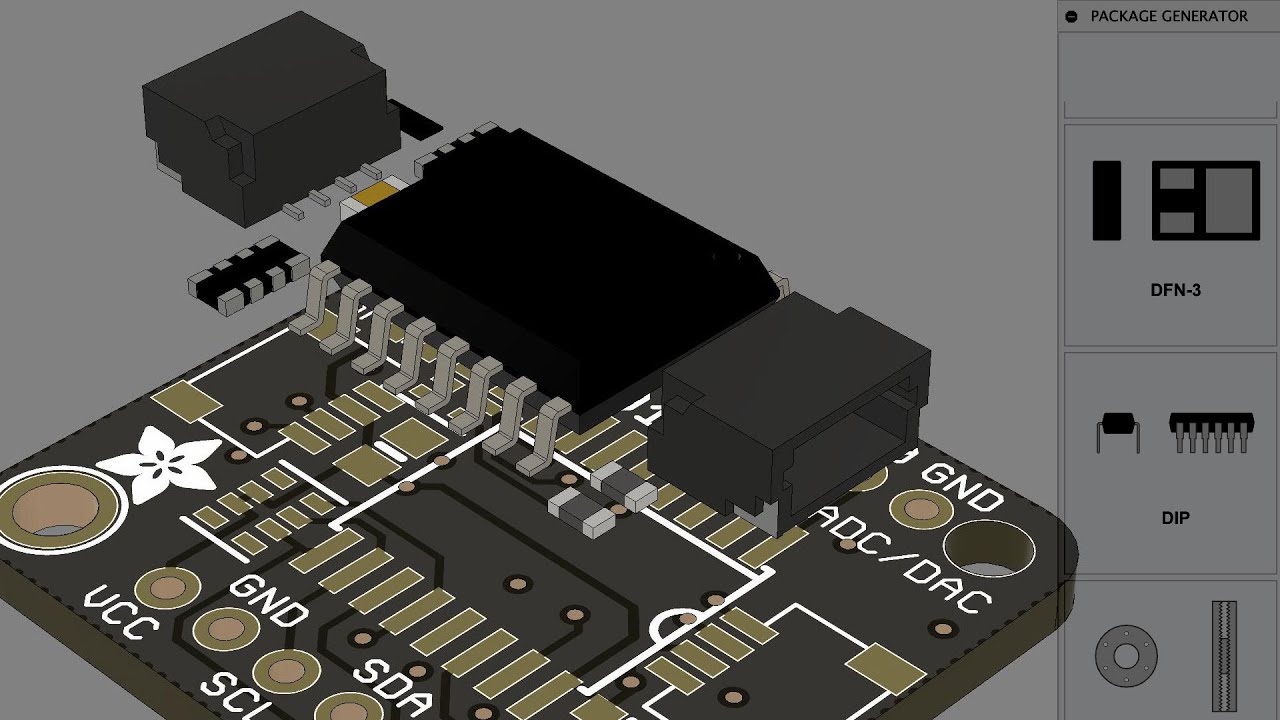
In this video we’re taking a look at the 3D package generator. We’ll walk through the process of exporting a pcb from eagle to fusion 360 and map 3d models to it. We’ll also generator an IC and bring it into the pcb.
Adafruit PCF8591 Breakout
https://learn.adafruit.com/adafruit-pcf8591-adc-dac
3D Parts on GitHub
https://github.com/adafruit/Ad...
yeah there's a LOT that has to be done in fusion 360 before you can animate it loaded up with components.
this video should be placed prior to the how to animate the pcb video.
royal rapids
subtle obsidian
<@311339734339289090> updated esp32-v2 from beta 38 to 40 using only adafruit.gi...
sweet!
royal rapids
subtle obsidian
think i found one that'll work. https://www.youtube.com/watch?v=uygVegKuBdw reco...
It takes a while to get it fully animated, we'll accept static images as well
subtle obsidian
yup i have a static transparent png in there and the json. just have to work on the arduino and cp code. working on the bmp390.
unless there's a list of stuff currently being worked on? i don't want to duplicate someone else work in progress.
also learned the free edition of fusion 360 does not have add-in capability and therefore no option for 3d generator package. there's no way i can do the 3d animation, will leave that up to someone else.
thorn hatch
Am I right to assume there's no way to make a gauge that's smaller than it'll let me compact it down to when editing the layout?
I can use the text thing instead which lets me display the same value in less space, but it gets rid of all the handy options from gauges like min/max and being able to show text after the values themselves.
Also, I was today years old when I realised that dashboards have 3 view sizes you can edit independently..
royal rapids
subtle obsidian
unless there's a list of stuff currently being worked on? i don't want to duplic...
https://github.com/adafruit/Wippersnapper_Components/issues < all the components

GitHub
Component Description Models for Adafruit IO Wippersnapper Beta. - Issues · adafruit/Wippersnapper_Components
I don't think the bmp390 was being worked on

GitHub
Arduino Application for Adafruit.io WipperSnapper Beta - Pull requests · adafruit/Adafruit_Wippersnapper_Arduino
royal rapids
thorn hatch
Am I right to assume there's no way to make a gauge that's smaller than it'll le...
Nope, no smaller than the minimum compact size when viewed on one of the videw sizes
subtle obsidian
at first i didn't understand all the hoops for wipper_snapper arduino then i got to the part where the sketch compiled all the drivers and the lightbulb turned on in my head. thanks for making an easy way to develop this stuff. i haven't touched arduino in years, that definitely made it easier.
royal rapids
np! All the drivers get compiled, with WS Arduino itself, at compile-time
 civic heath
Did something change on adafruit io in the last few days? I have a long-running project that just started failing: ```Traceback (most recent call last):
File "code.py", line 1, in <module>
File "code_romansolar.py", line 17, in <module>
File "code_romansolar.py", line 16, in <module>
File "adafruit_portalbase/network.py", line 231, in get_local_time
File "adafruit_portalbase/network.py", line 214, in get_strftime
File "adafruit_portalbase/network.py", line 207, in get_strftime
RuntimeError: Error connecting to Adafruit IO. The response was: {"error":"not found - API documentation can be found at https://io.adafruit.com/api/docs"}
same failure with updated libs (per circup)
OK the problem was actually with my IO credentials, so that's an unfortunate error message. It's working again now.