#help-with-wippersnapper-and-adafruitio
100 messages · Page 6 of 1
 lunar pelican
 iron viper
Yup. You need to decide where the rendering will happen. Most of the rendering with JDango will happen server side and just HTML sent to the browser. I was trying to avoid the server component. But if you do this you won’t have the exposing the AOI key issue like I have.
 restive granite
Good evening! Looking for help on a Feather Huzzah ESP8266 WIFI. Had it for a week now and have not been able to connect to Adafruit IO. Connected it to a Max31856 and collect data successfully. Tried Arduino IDE for the ADA io but I get message that does not connect. All passwords are correct. Tried to go to Circuit Python and I get message that it does not find the board. Hmn...! Anyone can direct me to the proper forum? I get a msg 403 Forbidden every time I try to go to a forum from the Adafruit page???
 royal rapids
@restive granite the IO Forum is at https://forums.adafruit.com/viewforum.php?f=56
. Tried to go to Circuit Python and I get message that it does not find the board.
CircuitPython isnt supported on the ESP8266
Tried Arduino IDE for the ADA io but I get message that does not connect. All passwords are correct.
Could you please post up on the forum? Include the code you're using along with the error(s) you're getting on the serial monitor
@vagrant locust This looks like a bug. Could you file feedback about it over on io.adafruit.com/feedback
restive granite
Thanks for the reply! I did try that site but I get: 403 Forbidden ???
 vagrant locust
Will do, thanks for the response.
restive granite
The site that I said I tried is the forum https://forums.adafruit.com/viewforum.php?f=56. Any of the other Feather boards support Circuit Python? I will now look for Ada Io feedback site
Weird. I get the same message 403 Forbidden no matter were I try from.
royal rapids
@restive granite are you logged into an Adafruit Account?
 cyan ivy
@royal rapids I am trying to connect to adafruit io using mqtt dashboard app on play store , I am unable to connect to the broker.. what am I supposed to do???
@royal rapids I am using this https://play.google.com/store/apps/details?id=com.app.vetru.mqttdashboard
Mqtt Dashboard is a simple and beautiful tool to control your MQTT-enabled devices and manage your home automation system. It’s compatible with Node-RED, Tasmota Sonoff, all internet enabled Arduino board and much more…
If it has MQTT, it works with this app.
Features:
👉🏼 Cr...
restive granite
Interesting, just to share. I finally got rid of the "403 Forbidden ginxn" message by removing Microsoft edge and using Microsoft explorer
royal rapids
@restive granite Interesting, I'll fwd. it to the team. Thanks!
restive granite
You mean logged to adafruit io when I run the program? Is there a difference?
iron viper
Anyone try saving Json data to AIO? Right now I have multiple sensors with multiple data points (temp & humidity) and I make an http request for each value on each sensor and have a feed for each value. So 2 sensors = 4 feeds. Because the data from each sensor belongs together, I was thinking of sending JSON. I see in the docs it is possible. What I don’t see is how I could display the data in a dashboard as a graph. It looks like a graph block can just pick a feed, and it assumes value, and updated_at. I don’t see a way to specify say “sensor.temperature” or something. Is this a current limitation?
 shell star
@iron viper I used groups in AIO to group sensors from one device
iron viper
Yes, I have a group right now. This allows me to pull Data for the group, and in my app I can display the last temp/humidity for each feed. Right now I put the two feeds from each sensor, so 4 feeds right now, but I will have 5 sensors eventually. I would like to reduce the number of feeds, but that might not be possible. I also need a way to associate each temp/humidity together. I guess I could use more groups, and have a group for each sensor. I would just have to make more calls to pull the data. I was thinking about prefixing the feeds, or the Id for them with an ID. So 1-Temp, 1-humidity. Then my code would have to find the matching ones. Maybe going to more groups is better.
royal rapids
@iron viper I usually create a group to hold each device's sensors
iron viper
Hmmm. I guess maybe I should try this approach then.
 tawdry solar
Good morning- I could use a little hand-holding with Adafruit.io
My immediate task is to test our an MQTT library for an industrial PLC
Totally new to MQTT here. I need help from a patient soul who will answer newbie questions
For starts, what is the Server Port number?
tawdry solar
OK, looks like it works on Port 1883. Right now, I am able to connect to and ping the server.
royal rapids
@tawdry solar https://io.adafruit.com/api/docs/mqtt.html#adafruit-io-mqtt-api < is the mqtt broker documentation
Connection info is here: https://io.adafruit.com/api/docs/mqtt.html#mqtt-connection-details
tawdry solar
Thank you
tawdry solar
Hello?
Anyon home?
I need some help with terminology
This is what I have setup on Adafruit.io:
I am configuring a host PLC to send JSON io-format data
and I'd like it to land in dhw, as shown above. In this context, would dhw be considered a topic?
This is from the documentation from my PLC Function Block that publishes data:
This is from the documentation for the client connect function block:
My main question is what do I use for the topic name?
tawdry solar
Please disregard the above
I have another question. I was able to successfully send a JSON packet as follows:
This is how the packet was received:
How do I send one of the data points to a block? For example, can I direct all the content to four gauges and two ON/OFF indicators?
Or must I create 6 topics and send them one at a time?
royal rapids
@tawdry solar You must correlate each value with a topic
however, you could use groups
which is a group of topics
tawdry solar
So, you store JSON records so a subscriber can grab them, but dashboard instruments cannot use JSON io-format data, is that coorect?
May I explain what my ultimate goal is, please?
I manage a multi-unit HOA with a central Boiler house. I collect certain critical information with a PLC. I want to display them in a dashboard and link it to our community's web-page so residents can see what the boilers are doing.
Is it possible to embed a dashboard into another web-page?
royal rapids
@tawdry solar Not currently, you can have a public dashboard
You store JSON records so a subscriber can grab them, but dashboard instruments cannot use JSON io-format data, is that coorect?
I don't entirely understand what you mean here, could you clarify?
tawdry solar
Sorry- please let me clarify. This is how my packets are received:
I'd like to create a public dashboard with 4 gauges for each of the DegLoop, DegNorth, DegCentral,DegSouth values, as well as two on/off indicators for Demand_North and Demand_South. How do I link those six instruments to the individual data points in the above JSON packet?
...or must I create 6 different topics and just send the values individually?
I thought perhaps that I'd send the data all at once in JSON io-format as described in your tutorial
but I don't have to do it that way
I don't intend to have anyone subscribe to my data. It ends on the dashboard here.
royal rapids
@tawdry solar Each of those data points, degloop, degnorth, etc, should be sent to Adafruit IO Feeds
You could group the feeds into a BoilerNorth or BoulderSouth group.
You WILL need to have some time of "middleman" software which takes the JSON packet you have, strips the values from it, and sends data to Adafruit IO.
tawdry solar
OK. Working on that now. Thanks!
royal rapids
The packet you have, as-is, is not compatible with what Adafruit IO expects
tawdry solar
This is all very new
FWIW, I am an engineer for Omron corporation. Testing out some new libraries for our industrial PLC
royal rapids
https://github.com/adafruit/Adafruit_IO_Python < I suggest using the Adafruit IO Python library and creating a Python script to intake the JSON data from the boiler, strip the values out, and send to Adafruit IO via the IO MQTT Python

GitHub
Adafruit IO Python Client Library. Contribute to adafruit/Adafruit_IO_Python development by creating an account on GitHub.
I have omron switches in my mouse 🙂
tawdry solar
I can just reformat what I send. It's all text-based
Thanks for your help. Much obliged
iron viper
I was just trying to do the very same thin the other day - send json. The docs do have a section describing ways how it can be done, but if you send anything other than one “value” you can’t use the pretty graphs.
 proud basin
Hello can Circuit Playground Express connect to Adafruit IO?
 keen dirge
@proud basin I responded in #help-with-circuitpython -- please only post questions to one channel at a time. You can follow up there or here -- whichever you prefer.
cyan ivy
Hey can anyone respond to my queries???
I don't know who to ask for mqtt problems
Who ever I asked doesn't respond
😩 😩
 eternal cliff
I haven't used MQTT in several years and I've never used node red.
 robust panther
@cyan ivy I saw your previous query and some more information could be provided. Could you post in the appropriate https://forums.adafruit.com with more details? THanks.
tawdry solar
Has anyone here ever attempted to use IoT-OnOff with io.adafruit?
I can connect to the broker, but that's it. Generating MQTT errors. Can use a hand here. Thanks!
I posted to the IoT forum, also
 lucid snow
Hi everyone, I had problem with adafruit io. I want to send multi data to io but I tried and I saw we can't send. So, could someone help me how can I send multi feed to io
 remote mantle
I'm using the Arduino client with a HUZZAH32 to send data. All works fine, but I'd like to buffer multiple data points and send them later to save battery on wifi connectivity. It doesn't look like the Arduino client library provides a way to send data with the created_at set?
proud basin
Can I have a physical Cutton and a Button on AdafruitIO both toggle the same LED and keep in sync?
*button
 peak quail
soo, i am trying to show the data from my arduino (outside) on my mirror (inside)
on the mirror i am trying to use this :
https://github.com/Snille/MMM-Chart
but i don't know how to get the data from adafruit io to the code...
(not much experience using APIs...)

GitHub
Create a Chart from JSON URL source. (Not working, please fork!) - Snille/MMM-Chart
royal rapids
@peak quail You may want to take a look at the Adafruit IO HTTP library (https://io.adafruit.com/api/docs/#adafruit-io-http-api)
peak quail
ok thanks ^^
 limpid ice
Hi everyone, I am very much a NOOB and trying to get my Feather Hazzah to work let alone do anything. Ha ha. After searching the internet on how to connect my Hazzar to the Arduino IDE I found I needed to download a driver which I did from Adafruit. Problem is no matter how I try, I can not get my desk top or my laptop to recognise the drive to show up in Device Manager. So consequently Arduino IDE doesn't allow PORT to work!!! Can anyone HELP !!!!!
royal rapids
Hi @limpid ice , could you post this problem in the #help-with-arduino channel?
limpid ice
OK sorry thought this was.
royal rapids
no problem, this channel is for adafruit io.
limpid ice
Thanks. 🙂
cyan ivy
@tawdry solar no, I haven't been able to make it work with adafruit io
But i was successful with other apps
tawdry solar
Which app do you recommend for the iOS platform?
 celest trail
This the good spot to ask Beaglebone questions?
royal rapids
@celest trail #help-with-projects <<
proud basin
"you can configure what values are sent on press and release"
^^ WHERE can you config these options?
I made a TOGGLE button
In the Adafruit IO Dashboard
Where can I set what values are sent for ON and OFF?
proud basin
Also if(data->value() == 10)
Is complaining that you can't compare a pointer to an int. How do I fix this?
 fallow narwhal
For dashboards is there a way to format the values? I have a feed with temperature data and I would like to display it in a text block as "21.6 C", but I don't see a way to stick the "C" on there
proud basin
Ah so it turns out that "Button On Text" is not just the text but the value that gets sent. That's not obvious for a beginner like myself!
royal rapids
@proud basin Would renaming it to "value" be more obvious?
@fallow narwhal Adafruit IO's API currently does not append to data values you send it, you'd need to send it a string which concatenates the 21.6 and C.
fallow narwhal
ah, I had assumed I wouldn't be able to graph it if it wasnt numeric, but it appears to deal with that just fine
proud basin
@proud basin Would renaming it to "value" be more obvious?
@royal rapids Yes I believe so. Or the ability to set different TEXT and VALUES
Because you might want the button to say ON/OFF but pass the values 1/0, for example.
lucid snow
Hi dear
I need help for coding json
I want to send data to freeboard via Mqtt or json with circuit python.
I have GPS and I want to send lat and long.
 valid carbon
Hi! I'm having an issue where I'm not always getting a response to a .get() from a AdafruitIO_Feed type. If I push the value by setting it in a dashboard, I am receiving it in the handler function. But if I try to ask for the value from the server by doing a .get() I don't always get a response.. is there a way I can tell if the server is getting my .get() request? Thanks!
 violet coyote
hi there, i have one problem with 4ch board relays and adafruit.io...well, when i press trigger on adafruit account and shows green (ON) relays turns OFF, how to change this to get normal work, when press ON to turn ON the relay? thanks
royal rapids
@valid carbon I answered this question over on the forums, let's continue there https://forums.adafruit.com/viewtopic.php?f=56&t=165468&p=812124#p812124
@violet coyote Check out the code in the Adafruit IO Basics: Digital Output guide since it should be similar to what you're attempting to do https://learn.adafruit.com/adafruit-io-basics-digital-output

 quaint swift
Hello. I'm trying the adafruit-io python library, but i have this error:
ImportError: No module named adafruit_io. I install it with pip3 install adafruit-io in my computer
What can i do? 😦
thank u
 true lagoon
Are you sure you are running python3, not python2? Many computers still default to python2 if you just type "python"
 sharp wolf
I can actually confirm what evelstevel said, I had the exact problem that you did and this was the issue
 cedar otter
Hi I'm trying Adafruit_SSD1306 with a wemos d1 mini and my lcd just froze; nothing is shown but a half version of a previous build; i tried previous builds that had some sort of output on the lcd, arduino uploads succesfully; the serial monitor shows that the code is executed and i see the input and outputs being interpreted in the messages on serial monitor; but the lcd is just frozen, doesnt do anything
any ideas ? is it done? did i break it? or am i stupid and missing something ?
 raw condor
ESP8266WiFi's WiFi class has a function .enableInsecureWEP that I need to call to use my arduino on my wifi for some reason, how would I enable this when using adafruit's library?
royal rapids
@raw condor Which ESP8266 board are you using?
I can show you how to add this 🙂
Do you have any examples of this function being used in a sketch or code?
 humble girder
Hello everyone, I'm having issues trying to display data from my Dashboard on mobile devices. It's weird 'cause when I'm on Desktop, everything appears to be fine. My data feed comes from a DHT11 sensor connected to a Raspberry Pi 3 Model B. What could possibly be wrong or how do I fix this issue? 😢
 forest depot
I have IO+ ... is it possible to create a trigger that emails when a stream hasn't reported in, say, an hour?
royal rapids
@forest depot Yep!
Check this guide: https://learn.adafruit.com/adafruit-io-basics-feeds?view=all#notification-settings-2227506-18
 forest depot
@royal rapids Thank you! Now the food in my deep freeze is safe from a fuse going out in the garage. Wish I had had this in place a few months ago!
royal rapids
@forest depot Neat application of the feed notification feature. you're welcome!
 ionic sage
Is it now possible to display an adafruit-IO Dashboard on my website using an iframe?
 zinc forum
Hi; I deleted some old data from one of my feeds by clicking the 'x' next to the values, but one old data point still shows up in the line graph for that feed. (And it is the actual old value I deleted.) The values don't show up anymore in the table but they seem to be hanging around somewhere to show up on the graph? I do not have IO+.
https://io.adafruit.com/dlizotte/feeds/garden-vbat
Adafruit IO is the easiest way to get your projects onto the Internet of Things!
zinc forum
Update: effect goes away if I make a dashboard line graph that is "raw data only." Anyway none of this is urgent or distressing.
 sacred depot
Hello! Could someone tell me which one is the most complete Adafruit board? or the top 3? I would like to make projects in MakeCode. Thanks!
 graceful sluice
You would have to define "complete". But there's no definition that can be applied to every possible project.
 ashen oasis
I'm hoping this is a really easy noob question. I'm making my first try at Adafruit IO, but keep getting an error with my data on the Adafruit IO site. I'm using the example sketch and get this error: 'MQTT ERROR: unexpected error saving data on fraktal/feeds/counter2, Validation failed: Name has already been taken, Key has already been taken' I'm sure it must be something silly that I am missing on my end but could you some help getting started.
<< in this example I had changed the feed to 'counter2' to see if the default just had a bad name
ashen oasis
is it talking about my user name and authentication key, or my feed name and key?
ashen oasis
okay, I think I figured this out. The example sketch publishes to a feed called 'counter' but if you just create a feed called counter, it goes into a default group called 'default'. So the key to this feed is actually 'default.counter' .
royal rapids
@ionic sage Displaying an AIO Dash on a website using an iframe is not currently possible.
@zinc forum This may be a result of how Adafruit IO's graphs aggregate data. Could you file a bug report on https://io.adafruit.com/feedback so we can take a look at this from your account?
@ashen oasis Which example sketch are you using, could you provide me a link?
zinc forum
@royal rapids OK done thanks.
 fringe raptor
Hi, i have a problem:
I want to update data on my Io Feed via my eso8266 and an api request.
I think i already found the right point in the api documentation Update Data Point.
But I can't get a valid request an am confused by the Body Parameter datum.
Has anyone a complete example request?
Thanks in advance.
graceful sluice
Looks to me like the 'datum' parameter should probably look just like what's received in the Get Data Point call.
ionic sage
@ionic sage Displaying an AIO Dash on a website using an iframe is not currently possible.
@royal rapids Thank you for your reply. I'm now just linking to my AIO Dashboard from my website. Which looks like it will do as a temp step to enable the work on the rest of the system. 🙂
royal rapids
@fringe raptor Where in the API docs are you seeing this?
@ionic sage sounds good, it's a feature we're looking at but haven't had a solution for (do we link the whole dashboard? embed specific blocks instead of iframing the site)
ionic sage
@ionic sage sounds good, it's a feature we're looking at but haven't had a solution for (do we link the whole dashboard? embed specific blocks instead of iframing the site)
@royal rapids I'm happy with linking the whole dashboard as a first step. Latter I plan to run a local MQTT server and use php and the D3 JS lib to get and display the data on my hosted website. It's a lot more work but it's fun learning new stuff. 🙂
eg <a href="https://www.w3schools.com">W3Schools</a>
royal rapids
neat!
 valid dome
hello..
 eager kite
Dearly missing feature from AIO - delete all data from a feed or from a certain date range instead of deleting and then recreating a feed. Thanks!
Anyone having IFTTT picking up an AIO feed to trigger a tweet, only to see that IFTTT takes 6 to 37 minutes to actually tweet to one's Twitter feed? Zapier does not tweet an alert more than once even with a current time-stamp. Are there IFTTT alternatives that can tweet a potentially repeating alert much faster? Thanks!
royal rapids
@eager kite Deleting all data points is expensive on our end, we're looking into other ways of doing this type of action. Haven't found a good IFTTT alt yet, was looking at Huginn (https://github.com/huginn/huginn) which is self-hosted the other day.
 kind hinge
!?
 tidal skiff
No.
 opaque gulch
?
 sterile ether
That was a ping bot guys, don't worry
 random forge
Urr should that be allowed to do that?
sacred depot
huh
 charred ore
@shell star siad Everyone was turned off...
 turbid solstice
😑
 lament burrow
wow again? impressive
 short cobalt
random forge
short cobalt
random forge
May we get a ban up in here?
 wise obsidian

lament burrow
the everone @ was disabled, its not highlighted, they were individual pings i think. or role pings maybe
wise obsidian
@short cobalt I'm guessing it tagged everyone individually
lament burrow
ye
 shell star
Sorry everyone! Please ping community moderators when it happens. I’ve banned the offender
random forge
Thank you @shell star !
charred ore
I thought you said that you made sure access to @ Everyone was limited?
 snow cypress
Was it the same guy?
shell star
Here is an example of what was deleted by the bot:
wise obsidian
If it did anything it would have a yellow highlight
sacred depot
thats happening in quite a few servers right now
wise obsidian
It has been happening for years
 zealous tendon
Can you put like a timed role on who can ping people or something?
Is that possible?
random forge
Discord should really cap it at like 3 pings per message and no ping only messages
wise obsidian
3 pings per message would be dumb af
zealous tendon
I think they should add a server setting, to control how many people someone can ping at once
kind hinge
a per server setting where you can input a number of maximum pings would be more useful
yes
shell star
I’ll look into instaban now. It only automuted
random forge
Really? I admin a server of 8k people and I can't recall every needing to ping more than 3 folk at a time
shell star
If it is a discord setting let me know
wise obsidian
The amount of pings per message doesn't matter the bots will just set it to whatever amount they can
random forge
True
 forest plank
is this conversation revolving creeperbot
[2:39 PM]
???
shell star
Because dyno can’t unping you
random forge
Pings per timeframe then maybe
forest plank
what did i do wrong?😫
zealous tendon
Doesn't stop the ping though
 stable vessel
did the same guy ping
shell star
@forest plank nothing
stable vessel
😩
zealous tendon
I think it was a different guy, probably just an alt account or something
wise obsidian
@random forge Some of these bot farms have thousands of accounts I had a friend who was involved with stuff like that a while back
forest plank
@shell star what do you mean 😫
shell star
Spammers mentioned a bunch of people
 median fjord
under role setting you can restrics who can use "here everybody roles"
zealous tendon
They are pinging everyone individually, not using everyone or here
kind hinge
^
stable vessel
haha ik a guy that did that
wise obsidian
@shell star Have a look into Dynobot I think it might be able to help
kind hinge
they added in a message saying at everyone afterward, to look like the real thing
because... that's funny, i guess

 livid oriole
Who pinged me
zealous tendon
See if you can get in contact with discord through Twitter or something, it's happening on multiple servers
 cosmic topaz

zealous tendon
They are pretty good at responding
random forge
Oh hey! So many friends I didn't know were on this server
cosmic topaz
Heh, hey Billie
random forge
💗💗
 broken mulch
Oh hi @random forge! I also see geekmom is here
Dang
Ive been on this discord a few weeks and never noticed
random forge
Oh hey! So many cool peeps!
We must all be lurkers. 😅
Did we just find the silver linings of mass tags? Haha
wise obsidian
Nah I'm leaving again now xd
shell star
@shell star Have a look into Dynobot I think it might be able to help
@wise obsidian we have dyno setup and it did automute after a few messages. I'll tighten it down now
broken mulch
Haha, guess so. I follow you on twitter and enjoy your 3D printer projects. Im headed to bed so night all ✌🏻 You nerds get to bed before 4
wise obsidian
@shell star With such a big discord it might be in your best interest to get a self hosted bot that has a similar feature so it responds faster... Dyno is really inconsistent sometimes
shell star
kk, good idea
wise obsidian
Anywho wish you the best of luck will skidoodle again
 loud lion
Hi guys, my metro m4 express airlift isn’t detecting the pn532 shield
Can someone help?
random forge
@broken mulch sleep well!! See you on twitter! :) Sorry I've been a bit quiet lately. Been working on a big open source series of 3d printing workshops
loud lion
It works because it runs fine with the same code on a metro m0 express
 primal lion
Hey guys, was wondering if someone could help me with the integration of a dashboard into a website?
eager kite
@eager kite Deleting all data points is expensive on our end, we're looking into other ways of doing this type of action. Haven't found a good IFTTT alt yet, was looking at Huginn (https://github.com/huginn/huginn) which is self-hosted the other day.
@royal rapids Thanks, thought deleting data from a feed is a piece of cake, but then I don't know the inner workings of how it's to be done. Still, an incredibly useful thing for the future or at least for paying users.
royal rapids
@eager kite Yeah, there's been discussions around it. The mechanics of what happens behind the scenes makes this particular action difficult.
eager kite
@eager kite Yeah, there's been discussions around it. The mechanics of what happens behind the scenes makes this particular action difficult.
@royal rapids All right. Then other users and I are waiting and hoping ; )
 opal root
Hi all,
Just purchased my first Feather (nrf52840 Express) as a complete newbie and I’m excited to get started. I’m working on a project to convert a USB HID keyboard to Bluetooth. I understand this is very much in the wheelhouse of the board and I have a decent idea of how I’d implement it. My question right now, though, involves adding an additional USB out port such that if I plug the keyboard into the Feather I can also plug the Feather into a USB port and receive keyboard events normally. This way I can use Bluetooth to connect to a phone/tablet but also leverage a wired connection to a non-Bluetooth device. I’m hoping I can take native USB data (+D/-D) and pass it simultaneously to BLE and GPIO pins (or something similar, like TX/RX for example). Then I can programmatically disable the passthrough as necessary. Does this seem like a possibility given that the board has native USB support?
 neat charm
Unfortunately that's difficult to do with USB. It's a point-to-point connection, so if you need to daisy-chain ports like that, you need a USB hub chip, or an MCU with multiple ports.
opal root
@neat charm Interesting! Thanks. As I mentioned, I’m a novice when it comes to this stuff so feel free to point me in the direction of docs or something if this is a trivial question, but what about USB being “point-to-point” makes it unable to have an MCU interface somewhere in the middle? For instance, if I read the two data pins of a USB as input and then output an identical signal on two other pins on the other end of the MCU, what breaks? Is the message being transferred encoded with an awareness of the sending/receiving hardware or something like that?
neat charm
The catch is the "identical signal" part. The USB D+ and USB D- pins are electrically different from regular GPIO signals, hooked to specialized circuitry in the processor that operates with different voltages, etc. So to replicate them, you'd need a second copy of that circuitry, i.e. another USB port on the CPU.
They're also bidirectional, with data flowing in both directions on the same pins, following the USB protocol. So if you don't understand the protocol, it can't even switch between "send" and "receive" correctly and will clobber the connection.
opal root
Fascinating! Thanks. If I were to hook the keyboard into a usb hub chip then, with one output going into the Feather and one going to a PC, could I program the hub to stop routing data to the PC based on some keyboard input and achieve the desired result that way?
neat charm
I think you should be able to. The way to conceptualize it is that you have a three-port USB hub: keyboard, PC, and Feather. Then you could tell the hub to turn off one of its ports, so either you have a keyboard-PC connection with the PC as the host, or you have a keyboard-Feather connection with the Feather as the host.
However, you may want to double-check that the nRF52840 can act as a USB host, i.e. a master. A lot of microcontrollers are device-only, i.e. slaves.
If it has USB "On the Go" functionality, it can do both.
opal root
Wow okay that’s pretty key to know. I see a bunch of examples on how to use the Feather as a HID Bluetooth interface but looking up the nRF52840 says it’s slave only. Does this mean I’m misinterpreting the BLE keyboard examples? I assumed the native USB port would take input from a wired keyboard but do they mean for it to take input from a keyboard attached to a computer?
neat charm
Often what they mean is that it's acting as a Bluetooth HID device from the point of view of the PC, but the input into the Feather is coming from some other sensor like buttons, joysticks, accelerometers, touchpads etc. rather than from a USB keyboard.
If you have a link to a BLE keyboard example, I can have a look and see what they're doing.
opal root
Gotcha. Yes here is what confused me. This is on the adafruit website:
hid_keyboard: This example will simulate an HID keyboard, waiting for data to arrive via the nRF52's serial port (via USB serial), and send that data over the air to the bonded Central device.
And here is the link to the sketch: https://github.com/adafruit/Adafruit_nRF52_Arduino/blob/master/libraries/Bluefruit52Lib/examples/Peripheral/hid_keyboard/hid_keyboard.ino

GitHub
Adafruit code for the Nordic nRF52 BLE SoC on Arduino - adafruit/Adafruit_nRF52_Arduino
My confusion is because of the “waiting for data to arrive via the nRF52 serial port (via USB Serial)” bit
neat charm
Yep, I agree that's confusing. It's acting as a Bluetooth keyboard, but the keypresses it's getting are coming over a USB serial-port connection from a PC.
opal root
Ahhh wow thank you so much!
Would not have thought that at all.
By chance do you know any boards similar to the Feather that have an on the go functionality?
(Preferably with a second usb 🙂)
I can also wire together a couple boards of course
neat charm
That's a good question, and I don't have a suggestion off the top of my head. As you say, you might need to piece together a USB-host capable MCU with a separate Bluetooth transceiver.
opal root
Great, thank you for all the help. Definitely saved me a major headache when it would end up not working and I’d spend hours looking for a nonexistent bug in my code.
sacred depot
hello folks. I feel like I am overlooking somewhere obvious but I haven't been able to locate documentation on how to connect a node red mqtt flow to my io.adafruit account. Is anyone able to point me in the right direction to locate this information?
royal rapids
@primal lion Heya, dashboard integrations aren't currently supported by Adafruit IO
 hardy pewter
Hello, I am looking to see if anyone has experience with Mongoose OS and the ESP8266
 orchid rampart
Is this correct room for question about problems with tutorials for CPB?
circuitpython errors specifically
keen dirge
@orchid rampart #help-with-circuitpython would be a better place
orchid rampart
kk thx just posted there
forest plank
can you code a normal microchip you find from a toy car using python
keen dirge
@forest plank that's a pretty broad question -- but in general, i would say no but of course, it depends on the chip. If you have a specific example in mind it would be easier to examine. It is not always simple to reprogram the microcontroller in a toy. -- if you have followup question on this, i think they would be best posted in #general-tech or #help-with-projects
forest plank
thx jerryn
 gleaming crystal
Hey how long are folks able to keep their adafruit io devices connected? I'm losing the connection and needing to manually reset about every 3-7 days. Is this typical?
broken mulch
Nope. Try printing out when you loose a network or MQTT connection and see which one is the issue
gleaming crystal
I've been watching what io.run returns when this happens. It always navigates through the reconnection and eventually returns 21 (AIO CONNECTED) even when I'm no longer receiving data.
gleaming crystal
From looking at the libraries, I think that means MQTT and network are both good?
royal rapids
@gleaming crystal Yes. AIO Connected means it's connected to both the Adafruit IO MQTT server and your wireless network.
gleaming crystal
Right, so the issue I'm having is that after temporarily losing the connection, io.run() seems to reestablish the network connection and connect to the MQTT server, but the feeds do not receive new data until I do a manual reset. What else can I do?
To give a little more info, I was only able to recognize that this was happening by watching the monitor on Adafruit.io, because io.run() thinks everything is fine. When I have this issue, I can see that the previous connection (from before the outage) is being used. When the system makes a successful reconnect, it seems to be accompanied by a disconnect event in the monitor, and a new connection.
This is reproducible on my phone's wifi hotspot and my router, using the adafruit_00_publish example with just a few extra prints to show what io.run() returns.
 narrow quiver
If I want to retrieve my IO data from Arduino (different device then is logging it) is it best just to use the HTTP REST API and parse the JSON? Didn't see any libraries that did this so just checking I'm not doing something the hard way
 left dragon
@narrow quiver this works well for JSON https://arduinojson.org/

ArduinoJson
ArduinoJson is a JSON library for Arduino, IoT, and any embedded C++ project. It supports JSON serialization, JSON deserialization, MessagePack, streams, and fixed memory allocation. It has a simple API, it’s easy to use, and it’s trusted by thousands of developpers all over t...
narrow quiver
This may be just me not understanding something about REST but is there a reason in CURL/Chrome I just see the JSON returned from a GET call. But if I use the sample SSL Client from Arduino I see in the message body the length (in hex) followed by the JSON?
This is what I see back:
`Starting connection to server...
connected to server
HTTP/1.1 200 OK
Server: nginx
Date: Tue, 16 Jun 2020 04:19:08 GMT
Content-Type: application/json; charset=utf-8
Transfer-Encoding: chunked
Connection: close
... (More headers here) ....
Strict-Transport-Security: max-age=31536000
28d
[{"id":"0EFD8QVH5ZRMP8....(data trimmed out)
0
`
It is the 28d (which is the correct length of what follows) and the 0 at the end that are confusing me
eager kite
Hey how long are folks able to keep their adafruit io devices connected? I'm losing the connection and needing to manually reset about every 3-7 days. Is this typical?
@gleaming crystal That very much depends on your (re)connection code and where the connection fails exactly. It can fail between your ESP and router (WiFi problem) and it can fail between your router and ISP (router/ISP problem). Some routers go offline on a regular schedule and obtain a new IP from the ISP. Some routers are affected by a powerline extender or other auxiliary gear. The latter happened to me, a neighbour's TP-Link powerline extender made my router drop WiFi (not Internet) connection every night at 03:00. If you have a good state machine (re)connection function in your code, both WiFi or Internet can't stop your ESP from picking itself up again.
gleaming crystal
Hey @eager kite ! I saw your response to my forum post this morning too, I'm going to be working on this issue tonight after work. Thank you so much for the example code! Fingers crossed that dropping the IO Arduino library fixes whatever is funky in my setup, have just been confused since the library seems to have similar reconnect logic to what you suggest...
eager kite
@gleaming crystal Yeah, try a simple solution first so the networking stuff is always connected, only then start adding to it. Hope it works out...
gleaming crystal
https://forums.adafruit.com/viewtopic.php?f=56&t=165754&p=816088#p816088 if anyone is curious 🙂
eager kite
@gleaming crystal Try the other option, the "two functions called from loop()" approach. That reconnects well with either a power outage or WiFi outage. At least with a Metro Mini plus AirLift FeatherWing.
gleaming crystal
I think I'm getting good results with the addition of WiFi.end(), will test more and report back!
 raven bloom
anyone familiar with
aio.send_data(power.key,total) ?
?
royal rapids
@raven bloom I'm familiar with Adafruit IO Python, what is this code snippet from?
raven bloom
nvm Im al gud now
just figured the code can be directed as
aio.send_data('energyconsumption', power)
with no need of (power.key)
because earlier on I have error of attributeError: 'float'
royal rapids
@raven bloom Ah, yeah. values sent to Adafruit IO should be in utf-8 string format. But the libraries should convert it for you...
orchid rampart
anybody here an expert on external buttons and the CPB?
royal rapids
@orchid rampart you may want to ask this in #help-with-projects instead of here.
This channel is for io.adafruit.com
gleaming crystal
I am receiving the error :MQTT ERROR: error saving data on jdamelio/feeds/test-feed, data missing required value. I'm trying to publish a float to adafruit IO with this line: mytestfeed1.publish(y);, where y is a float. This same approach works for ints, what am I doing wrong?
I've been here: https://learn.adafruit.com/mqtt-adafruit-io-and-you/intro-to-adafruit-mqtt, but the example suggests the different data types are handled similarly?
graceful sluice
@gleaming crystal are you using one of the pre-built clients (https://io.adafruit.com/api/docs/mqtt.html#adafruit-io-mqtt-api), or rolling your own?
gleaming crystal
just using the adafruit mqtt library
eager kite
@gleaming crystal To publish different data-types to various feeds, one can store sensor output in a struct
{
  bool momentaryswitch; // values 0 or 1 (false or true)
  int photoresistor; // values 0 - 1023 (1023 maximum brightness)
  long particledensitysensor; // values 0 - 115200 (particles per minute)
  // Add more variables for more feeds
} node;```
Then one writes a template function
```template<typename T> void publishData(unsigned long &now, const int interval, Adafruit_MQTT_Publish &feed, T data)
{
  // Check if it is time to publish to the feed stored at &feed
  if (millis() - now >= interval)
  {
    // Update the timestamp at &now for the next loop() execution
    now = millis();

    // Publish T data to the MQTT broker feed
    feed.publish(data);
  }
}```
And then simply publish each struct member like below, casting a bool, byte or int into a long. Simply use a separate template for floating point numbers as they can obviously not be cast into a long.

```publishData(timeNowPublish, intervalPublish, particledensitysensorfeed, (long) node.particledensitysensor);```@royal rapids I should have been more specific, I wanted assistance with the code for buttons. When to pull up or down, when to use digital vs analog vs touch etc. I have gone through the tutorials that I have found, but they are a little vague.
royal rapids
@orchid rampart Ok! could you give me a better idea of what you're trying to accomplish?
orchid rampart
I am using some code from https://learn.adafruit.com/circuit-playground-bluefruit-neopixel-animation-and-color-remote-control

Adafruit Learning System
Control NeoPixel colors and animation remotely over Bluetooth with the Circuit Playground Bluefruit!
specifically I am trying to have the same switch behavior as the internal slide switch where the value is checked on initialization and then when the switch position is changed
is there a corect way to paste code here?
@royal rapids Just got accused of spamming when I posted code not sure what I did wrong. Sorry I am new to Discord
royal rapids
@orchid rampart could you post to https://gist.github.com instead of embedding code here
 royal rapids
@orchid rampart please share it here, thanks
orchid rampart

Gist
Adafruit external witch issue. GitHub Gist: instantly share code, notes, and snippets.
sorry @royal rapids
orchid rampart
nm @royal rapidsu I got it working, not sure why though. I will add comments to the Gist post if you don't mind telling me why it works now but didn't.
royal rapids
@orchid rampart you may want to try the debounce library
https://learn.adafruit.com/debouncer-library-python-circuitpython-buttons-sensors
 orchid rampart
@royal rapids I will check that out, thanks!
royal rapids
It may make handling button debouncing easier
 ornate pagoda
@orchid rampart There are more bugs in that code. I'm trying to sort them out now.
Specifically with the way blink is working, and the slide switch. I have a simple fix for the slide switch, but blink is acting up and I'm fighting with that.
@orchid rampart My point is, if it's not working for you as you're expecting, unless you heavily modified it, you're working with buggy code to start with. Bugs were likely introduced when we updated the LED animations library. There's a GitHub issue in for updating this code, and I'll notify you here when I have something working submitted to GitHub.
orchid rampart
ok thank you @ornate pagoda
@ornate pagoda I am going to post in help-with-projects regarding this. I think I just need to fundamentally understand a couple things regarding external buttons and the code needed
ornate pagoda
@orchid rampart Sounds good. I simply wanted to make sure you knew that there were some issues with the code in the Circuit Playground Bluefruit NeoPixel Animator guide, beyond the imports. 🙂
orchid rampart
@royal rapids how do I use the debouncer library if there is no .mpy file on git?
keen dirge
@orchid rampart the .mpy is in the 5.x "bundle" https://circuitpython.org/libraries
@orchid rampart you can also download "mpy-cross" here to convert .py files to .mpy https://learn.adafruit.com/creating-and-sharing-a-circuitpython-library/creating-a-library#mpy-2982472-11
you can build it or download the .zip file for a prebuilt executable.
Ah -- I see this was already answered in #circuitpython-dev -- glad it is working.
orchid rampart
ty!
 meager fiber
I trying to connect to broker there's someone to help me?
Just send a number o something like this
or*
 forest nebula
Hi Guys! Anyone know how to create a feed on a specific group using python?
In the docs*
https://adafruit-io-python-client.readthedocs.io/en/latest/feeds.html
Create Feed object with name 'Foo'.
feed = Feed(name='Foo')
Send the Feed to IO to create.
The returned object will contain all the details about the created feed.
result = aio.create_feed(feed)
This code will create a feed under the default group. It never mentions how to create on a different group though.
royal rapids
Hi @forest nebula
forest nebula
Hi @royal rapids
royal rapids
I don't believe there is a way to programmatically add a feed to a group in IO Python, checking
GitHub
Adafruit IO Python Client Library. Contribute to adafruit/Adafruit_IO_Python development by creating an account on GitHub.
royal rapids
Yeah, the group functionality in Adafruit IO Python is limited to reading, writing, creating, and deleting
royal rapids
This would be the corresponding API action: https://io.adafruit.com/api/docs/#create-feed-in-a-group
@forest nebula Could you file an issue in the Adafruit IO Python repository for this? Someone will likely pick it up.
forest nebula
@royal rapids I never filed an issue on a repo before. I will try. Hopefully this can be implemented soon!
royal rapids
Thank you.
forest nebula
Hi @royal rapids! Submitted the issue! Thanks!
royal rapids
yep, just saw it. np!
eager kite
@orchid rampart You can post code here with three backticks = "`" before a code snippet and after, just like on stackoverflow or GitHub.
void loop()
{
  if (driver.available())
  {
    uint8_t buf[RH_E32_MAX_MESSAGE_LEN];
    uint8_t len = sizeof(buf);
    if (driver.recv(buf, &len))
    {
      RH_E32::printBuffer("request: ", buf, len);
      Serial.print("got request: ");
      Serial.println((char*)buf);
      uint8_t data[] = "Reply message text";
      driver.send(data, sizeof(data));
      driver.waitPacketSent();
      Serial.println("TX reply");
    }
    else
    {
      Serial.println("RX failed");
    }
  }
}
More commenting here.
@royal rapids Debouncing code... one could also just slap a 1uF capacitor across the switch. Bit like some RC-circuit for a sensor output instead of fiddling with median/mean/average libraries. Sometimes good ol' hardware is easier than software ; )
 violet mason
Hi I have been trying to use a M5 stick C that I got through Adafruit to send environment data to IO, and I am currently stuck. I have it send to IO using MQTT, but I am getting and error I haven't been able to find in the tutorials or docs. To Quote "MQTT ERROR: mrwomack 63.248.53.105 PUBLISH to topic mrwomack/feeds/m5-data.m5-temp rejected, failed to authorize publish"
What have I gotten wrong?
graceful sluice
"failed to authorize" seems pretty clear. Have you rechecked your credentials?
violet mason
I did, and I found the problem. When I copied the MQTT key, it added a space before the mrwomack. That was enough to mess it up.
sacred depot
Hi any idea how to get Adafruit IO to compile for a Heltec Wifi Lora board using Platformio? I'm getting "#error Unsupported platform for the Adafruit Watchdog library!" which, it seems, I don't even need.
Which references 'Adafruit SleepyDog Library_ID401'. I have config.h setup properly, and in platformio.ini have lib_deps=Adafruit IO Arduino.
sacred depot
hi i am going to make a project which is when i press one of my buttons my led will turn up but when i press another button its going to close my led what ohm resistors should i use
 azure matrix
Hi it could be nice to have another Adafruit IO action linked with IFTTT, this action would be used to get data from a feed and not only sending data to it.
royal rapids
@sacred depot you may need to add the Adafruit Watchdog library as a dependency in platformio. I don't have much experience with PIO, maybe someone else here does.
@sacred depot You may want to ask this in #help-with-projects
@azure matrix Could you suggest this on the Adafruit IO feature suggestions thread? https://forums.adafruit.com/viewtopic.php?f=56&t=139746
 elfin lava
Hi, I am working on building an IoT and clap controlled light switch with my students. We have the light switch working with a toggle block and Adafruit IO as well as the clap control working in our loop functions. Where we are running into issues is figuring out how to create a Toggle Button in Adafruit IO that turns on or off the clap control in the loop function. Are there any project examples that does something similar? I can link our software if need be. Thanks for all the help!
eager kite
@elfin lava Use the Adafruit tutorial example https://learn.adafruit.com/adafruit-io-basics-digital-output/code and instead of printing HIGH and LOW, set a flag to true or false to enable or disable your clap function with your AIO dashboard's toggle button.
// this function is called whenever an 'digital' feed message
// is received from Adafruit IO. it was attached to
// the 'digital' feed in the setup() function above

void handleMessage(AdafruitIO_Data *data) {

  Serial.print("received <- ");

  if(data->toPinLevel() == HIGH)
    Serial.println("HIGH");
  else
    Serial.println("LOW");

  // write the current state to the led
  digitalWrite(LED_PIN, data->toPinLevel());

}
In case anyone else runs into this... my Adafruit IO weather station project(Arduino written for Feather M0 WIFI) stopped responding but at the same a second Arduino project also stopped connecting to Adafruit IO as well.
Just realized there is a new SSL certificate and the old one that you have to transfer to the Wifi chip via serial had expired.
So if your Arduino based Adafruit IO project suddenly stops working check that the certificate is up to date if it is saved on the Wifi chip
 sterile basalt
OMG thank you.... literally just ran into this problem @narrow quiver
@narrow quiver How do i reupload the SSL cert
i am on a nodeMCU
narrow quiver
It seems to have occured about 15:30 Central time
sterile basalt
yep
narrow quiver
I used the Arduino IDE and the FirmwareUpdater sketch
sterile basalt
Yeah i dont have a firware updater sketch. I did a full flash chip erase and that did nothing
anyone know how to fix this on an esp8266?
is there any admins that specialize in io?
There is no SSL certificate update option for ESP. Any other ideas?
narrow quiver
@sterile basalt I am not sure as I have never used that before, the Adafruit forums may be a good place to look/post about it as well
sterile basalt
How did you narrow it down to the ssl certificate
narrow quiver
two devices stopped working and the cert on the site was issued in June so assumed the previous one expired. And I uploaded the new cert and it worked
sterile basalt
Hmmm. Is there a reason adafruit did not notify anyone of this?
 turbid robin
Hey guys, I just got my M4 Metro Airlift board and I can't get to the boot drive
I can see the circuity python drive but the double click doesn't show the boot drive and I want to update everything
on macos
 coarse vault
I seem to have a strange connection issue...
my ESP8266 was pumping temp and humidity perfectly all day yesterday
but stopped at 6am this morning...
I changed the wait for a connection line to reflect the status as pictured
and the first 5-6 loops show "Network disconnected." as it joins my wifi... it then successfully joins and just spams "Disconnected from Adafruit IO."... doesn't ever connect suddenly :/
I even tried punting it onto my mobile hotspot to see if it was a issue with my home network... same result though :/
 red hamlet
Did it stop at exactly 6am?
If so, there might be some event happening at 6am that triggered it (heating turning on, sunrise, whatever).
sterile basalt
No this is due to the SSL cert change that happened yesterday. I ran into this as well
Literally no help from adafruit as there is no section esp8266 in teir forums OR adafruit.io
Im kinda mad because I just spent the last 3 days putting all of their code into my project just to have it not work, thus I am switching to thingspeak
Not cool adafruit
@coarse vault have you figured it out yet? As far as im concerned we are SOL because esp is not an adafruit product
sterile basalt
yeah it went down yesterday around 6:30 my time so
if you have adafruits SPECIAL arduino, there is a script that you upload and it fixes it but nooooooooo
adafruit doesnt notify anyone of this change
and TBH this should have been tested before they rolled out the new cert
coarse vault
If so, there might be some event happening at 6am that triggered it (heating turning on, sunrise, whatever).
@red hamlet This project is my only one on adafruit io to test out the waters of data logging
sterile basalt
i am making a support ticket undr website error
coarse vault
always the way I guess :/
I didn't think about SSL being the issue yet, but it makes sense
kinda looking to see if there's any better web based data logging solutions at the same time 😅
sterile basalt
yeah thingspeak is leaps and bounds ahead with their dashboard customization. I am switching over regardless due to the lack of feature on adafruit (clear all data on feed, ability to do averages of data points in graphs, ability to set colors....)
Here is what I have sent to adafruit customer support:
`I have an esp8266 project that refuses to connect to adafruit.io staring yesterday at 6:30. This is consistent with other users on your Discord. From what we have found out, a new SSL certificate had been issued yesterday causing many devices to not connect. One can fix this with the FirmwareUpdate sketch in the Wifi101 library but, that is only for special adafruit boards. I am trying to figure out why no one was notified of this change and/or why this new certificate was not tested before being put in a production environment where many projects are dependant on it. I now do not feel that adafruit.io is a good platform to use if it becomes unreliable with no fix for a supported use case and/or a notification that there are issues with this new certificate. If you have any news on the situation and /or a possible fix, I would love to know.
Thanks`
That request was also posted in the forum ^
coarse vault
keep us posted with their response, I will look into thingspeak in the meantime :)
sterile basalt
Im not going back to adafruit but i want to have this fixed because I may use it as a backup
yeah thingspeak allows you to create cusom graphs with matlab
coarse vault
I notice that there is apps for it on Google Play too 😁
sterile basalt
I originally wanted to switch to adafruit for their dashboard customization features such as the different sized tiles and the clean UI
but if the core part of the service doesnt work, that raises alarm
@coarse vault just looked at their github and it looks like they just did an update
try installing the update in arduino
looks to be version 3.7.0
coarse vault
Ah, ok :)
sterile basalt
narrow quiver
Just be aware any service using SSL has certificates that expire, that is perfectly normal for any SSL site. The WINC1500 chipset needs the certs pre-loaded. I am unsure on the esp8266. Changing a SSL certificate is perfectly normal and I'd be more worried if it never expired.
As an example FBs cert expires every 4 months
sterile basalt
from what I can tell that should fix the problem if they are including it in the library
Ive already stripped adafruit.io from my code and its too much work to put it all back
did it work?
coarse vault
I've just updated the library and pushing it to my ESP now :)
sterile basalt
ok
royal rapids
We've updated the Adafruit IO Arduino library to use the new SSL Certificate yesterday, https://github.com/adafruit/Adafruit_IO_Arduino/releases/tag/3.7.0
GitHub
#130 This release updates the Adafruit IO SSL fingerprint to the latest version.
sterile basalt
@royal rapids can we have a little bit more notice when this stuff happens?
royal rapids
@sterile basalt I need to read up in the chat log to see exactly what happened, we did update the certificate but the main arduino library which relies on it was updated at the time, too. Please give me a second. to read the chat logs...
sterile basalt
👍
royal rapids
@sterile basalt What hardware are you using with IO? Which libraries?
sterile basalt
Esp8266 NodeMCU with your Adafruit.IO arduino lib
I checked updates yesterday but there were none to be had until today
royal rapids
We released the update around 6pm yesterday, sometimes the Arduino library manager takes some time to propagate with the latest release from github.
It shouldn't have taken that long though..I'm going to check my library manager to ensure the update is there.
sterile basalt
Ok. That makes sense, what I am asking is when stuff like this happens, we have notice so we arent running around trying random stuff. A notice on the forums, Adafruit.IO page, or even here would have been nice because I garuntee you there are people that arent in this discord that are having this issue right now that would love to know the solution. All I am asking is for a notice on the adafruit.io page to help people
royal rapids
@sterile basalt We're adding notices to the forum and blog right now regarding the updated SSL certificate for ESP8266/ATWINC1500 users. Going to pin to this channel as well.
sterile basalt
Ok cool. Nothing on the adafruit.io page?
Not to sound picky but I think that’s the first place people are going to go to.
royal rapids
It's a good suggestion and I suggested it, I'm currently discussing placement with the IO web devs.
sterile basalt
👍
royal rapids
thank you for the suggestion
sterile basalt
No problem. I hope to come back to adafruit once there are a few more features that I need
royal rapids
We've added a link to the forum post on Adafruit IO's system pages.
The Adafruit IO SSL/TLS Certificate was updated. More details can be found here: https://forums.adafruit.com/viewtopic.php?f=56&t=167114
narrow quiver
@royal rapids Thanks for the update! I'm glad I had two devices failed - at least led me to a cert error fast. Time to set a calendar reminder for 2 years !
royal rapids
@narrow quiver thank you for diagnosing it quickly, I was offline. We'll have more visible messaging prior to the next cert. update.
@sterile basalt Out of curiosity - which features are you looking for from IO?
sterile basalt
@royal rapids I have some noisy data that comes in and I would like to show a graph that takes the average of X amount of datapoints. Throughout testing, I am putting a ton of data into the feeds and when I actually deploy it, i would like to clear the data in the field without having to hit the X for each entry, I would love to have control of the color of the graphs and gagues, more graph types (spline specifically). There is a weird bug where when making a graph, if you drag to select the text and your cursor goes outside of the box, it closes the box and you loose whatever you were entering.
And when you resize tiles, if you drag into the space of another box, it will get sent to the very bottom of the dashboard, often messing up other tiles. Also, if I set the graph y min and max, I expect it to go to that scale and not one that fits the data and then it goes to that scale whenever the data gets too big
Ability to set different scales for different feeds when making a graph (I have a pump feed that switches between 0 and 1 (off and on) and when I put it with other data that is at a different scale (ex. soil moisture is between 0-100), you cant see the change)
This what I mean by the scales
royal rapids
Yeah, clearing all the data is kinda tough for us ATM due to the db we use.
Graphs autoscale in IO, it handles averaging for you
narrow quiver
It would be nice to set some scales that hold their min/max and don't autoscale. For example I'm showing humidity and having it show 0-100 and never change would be useful. If the daily range was only 40-60 it will look like a lot larger changes then occurred
turbid robin
Anyone have any idea why I might not be able to see the boot drive of the m4 metro airlift on mac?
Works ok on windows but can't see it on the mac
@sterile basalt What produces that chart? just curious.
narrow quiver
@turbid robin You may have more luck in the #general-tech channel. This one is more specifically about Adafruit IO
turbid robin
Ooooooohh... disregard my stupidity, I didn't even realize what the io was, I thought io meant like the io controllers
narrow quiver
Don't worry about it! People here are helpful, I just don't know the answer so that channel will get more visibility and hopefully someone can help you
sterile basalt
@turbid robin what do you men? sensor wise?
turbid robin
@sterile basalt no nevermind, I answered my own question by actually realizing what adafruit io is 🙂
sterile basalt
oh
sterile basalt
@royal rapids I would like to set the # of points for averaging
royal rapids
@sterile basalt Might be a good solution if we can do it from the back-end. Could you post up in the Feature Suggestion thread with a detailed request? (https://forums.adafruit.com/viewtopic.php?f=56&t=139746&start=45)
sterile basalt
sure!
sterile basalt
@royal rapids would you recommend seperate posts for each feature request?
royal rapids
@sterile basalt hi - no, the requests should be in the same reply to that thread so we dont bump it twice
sterile basalt
@royal rapids ok thanks!
royal rapids
np!
 tough sorrel
Hi! I have a bgs96 and I need to send AT commands to the chip to connect to an IOT server, does anyone know the AT commands to connect to adafruit?
royal rapids
@tough sorrel You'll need to consult your datasheet for commands regarding connecting to a server over TCP
The Adafruit IO HTTP API is hosted here (https://io.adafruit.com/api/docs/#adafruit-io-http-api) and may be good reference in conjunction with the datasheet
tough sorrel
@royal rapids thank you for helping, I was hoping that there was a simple way 🙃
royal rapids
@tough sorrel If you can find a library which implements the AT commands for your module, it'll be much easier.
tough sorrel
That is the big problem, I'm not working with an arduino, it is a custom board
custom board with bgs96
 strong idol
can any one help me from where can i purchase new product listed in this video at 5:12 --> https://www.youtube.com/watch?time_continue=232&v=_3ImTLRkEJs&feature=emb_title

Adafruit PyBadge Starter Kit (0:09) https://www.adafruit.com/product/4623?utm_source=youtube&utm_medium=videodescrip&utm_campaign=newproducts
Adafruit PyBadge Low Cost Starter Kit (0:09)
https://www.adafruit.com/product/4624?utm_source=youtube&utm_medium=videodescrip&utm_camp...
Looking for FPC breakout board that says pin# 1 is connected with pin# 40 of other connector.
eager kite
@strong idol Purchase links are all in the description below the video ; )
 meager fiber
Hi there - having some issues using the Python library with the basic "Quickstart" example from the documentation has anyone seen this before?
Adafruit_IO.errors.RequestError: Adafruit IO request failed: 404 Not Found - not found - API documentation can be found at https://io.adafruit.com/api/docs
[Finished in 0.6s with exit code 1]
 abstract wedge
I am having an issue where I followed the pip3 install instructions and run into this error
ModuleNotFoundError: No module named 'Adafruit_IO'
is there a specific directory or location I need to import as I don't think it's in the standard python libs folder from what I can tell?
sacred depot
Hello, I am looking for an easy way to connect a 32x32 rgb matrix using an rgb matrix hat that fits into an arduino uno board
Does anyone know an adafruit item number
abstract wedge
I think this channel is largely ignored
neat charm
Sorry about that. A lot of people haven't used Adafruit_IO, myself included.
abstract wedge
no worries, I self solved
 limber ivy
How do I connect my ESP32 v1 board using WPA2 Enterprise to Adafruit.io?
sterile basalt
@sacred depot I think you have the wrong channel, this is for Adafruit.io IoT service
 vagrant fossil
My device was connect to adafruit io but so reason it lost connection and i cant seem to reconnect it
I am running the no paid version
sterile basalt
@vagrant fossil https://forums.adafruit.com/viewtopic.php?f=56&t=167114
vagrant fossil
Ok i try that thanks
royal rapids
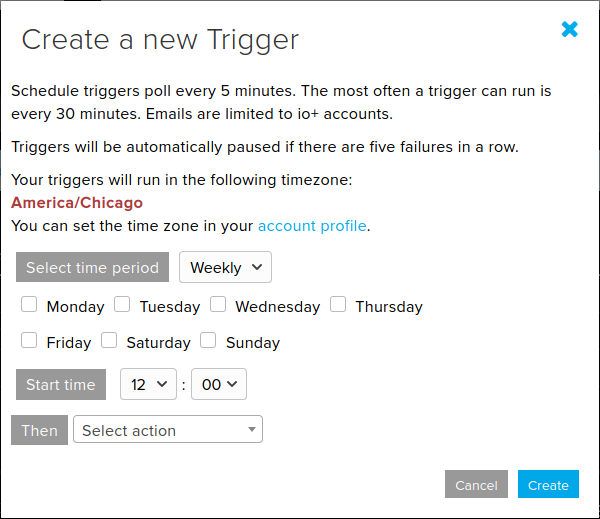
Some new Adafruit IO Features were released today
Adafruit Industries - Makers, hackers, artists, designers and engineers!
Over the last few weeks we’ve released some changes to Adafruit IO, our easy-to-use Internet of Things platform that should be useful to everyone using the platform. Scheduled Triggers Update…
As always, let us know either here (by mentioning me) or on the Adafruit IO forums if you come across a bug or are having issues with the platform.
 topaz viper
How do I get the data from Adafruit IO "data" to work with this code?
const char *msg = "seven";
rf_driver.send((uint8_t *)msg, strlen(msg));
rf_driver.waitPacketSent();
delay(200);
Adafruit IO gives a int .. looks like I need a different type
I am looking to replace "seven" with anything I tpye in the feed
topaz viper
I was able to find an example code that allowed me to get it working
@royal rapids having an issue with a feed
topaz viper
I am getting off of here for the night --But my problem is with a dashboard, I created a button that sends data to a ESP8266 I have connected to Adafruit IO. The button does not update -- However, if I go directly to the feed and do "add data" it does update the feed and the ESP8266 does receive that
royal rapids
@topaz viper Does the example Pub/Sub work for you?
topaz viper
Yes
It's just odd, on the Adafruit IO page from the feed view I can go in and add data, but if I take the feed I am working with on the dashboard it does not send the 4 digits I have set in the button. *I am a + Member and about 2 years of experiance on the stie.
Not sure if it help you understand my issue by including the following -- but the very top of my AIO page that shows the "data pipe" is moving very very slow
topaz viper
@royal rapids might be fixed now (got a few of them to work in a row) Prior there where a lot of IFTTT connected Adafruit IOs that came in all at once // maybe something in that connection with IFTTT got stuck?
royal rapids
@topaz viper its possible that something was in their queue
it shouldnt have affected your IO feeds, though. IFTTT is independent
meager fiber
@royal rapids Having some issues following one of the examples for the Python API, I keep getting
Adafruit_IO.errors.RequestError: Adafruit IO request failed: 404 Not Found - not found - that is an invalid URL, please check the API documentation at https://io.adafruit.com/api/docs to make sure your URL is correct
Any ideas? I could be missing something silly from my example, but I'm not seeing it.
Oh, I actually just figured it out - the key for the feed was wrong. 🙃
 little barn
(cross posted from circuitpython channel): I have a suggestion of change for https://io.adafruit.com/ when you ask to see your "Adafruit IO Key", it show you code sample for Arduino, Linux Shell and Scripting. But maybe it should show the syntax for CircuitPython secret.py file.
Adafruit IO is the easiest way to get your projects onto the Internet of Things!
royal rapids
@little barn I've suggested this, thanks for the +1! I'm waiting on any changes Scott may make to the configuration file on the CircuitPython FS.
But ideally we'd have a "download "config".py" button there once we're set 🙂
little barn
@royal rapids The tricky part is that secret.py also contain Wifi credential. So having a single file could be problematic. Having a "adafruit.io" file would maybe break the current documentation. I don't have a solution in mind. The problem was obvious, and since I was trying this on the Pi Bridge (Broadcastnet) I only had adafruit io credential in my file. But the general solution might be more complex.
 timid frost
Hey all, Adafruit IO noob here: I'm testing out some ideas with building robot that anyone with feed read/write permission can control.
I have two accounts and have been testing. I can write with the Remote block but I can't get the Slider or Text blocks to work on the shared dashboard. When I grab the handle I just get a "no" symbol.
Any help appreciated.
https://io.adafruit.com/jostburger/dashboards/new-project-dashboard
Adafruit IO is the easiest way to get your projects onto the Internet of Things!
abstract wedge
Hey guys, quick question. I have an Enviro Phat for the RPi and I get this error after a few hours of collection
File "/usr/lib/python3/dist-packages/urllib3/connection.py", line 168, in _new_conn
self, "Failed to establish a new connection: %s" % e)
urllib3.exceptions.NewConnectionError: <urllib3.connection.VerifiedHTTPSConnection object at 0x75cbb170>: Failed to establish a new connection: [Errno -3] Temporary failure in name resolution
Is this because of a connection error on my part or is there an expiration happening on IO side?
 eager prawn
@abstract wedge Could it be due to the new SSL cert? https://forums.adafruit.com/viewtopic.php?f=56&t=167114
abstract wedge
I don't think so, it appears to happen after a few hours of data collection
eager prawn
I can't seem to figure out why my ESP8266 will work if I tether it to my phone, but not on my home wifi. I thought it was getting blocked by the wifi, but then a linux system on the same wifi can connect to IO using python. My brain is dying
meager fiber
@royal rapids any thoughts on on @abstract wedge 's post above? Having the same issue.
keen dirge
I have seen that as well -- sometimes hours sometimes days.
royal rapids
@meager fiber @abstract wedge Yeah, it's a thing with URLLib. Usually it's a network configuration (vpn, proxy) issue
Does it ever disconnect from IO after a few hours? And then attempt to re-connect..?
meager fiber
Right now, it just dies.
Granted, the code is pretty basic right now.
As its a problem with URLLib, should we just account for it by allowing the code to more gracefully restart?
keen dirge
I have assumed it is some funky thing with my Xfinity router... usually I can reconnect, sometimes I have to turn WiFi off then back on on the Pi.
"have to" may be too strong -- that works...
royal rapids
is this in AIO Python's MQTT or HTTP client?
meager fiber
HTTP
royal rapids
@meager fiber I just spun up a new Jupyter binder with a fresh copy of AIO Python and didn't repro. this error.
Are you able to access io.adafruit.com from your browser on the same network?
meager fiber
Yep. Been working great (aside from the intermittent crashes.)
royal rapids
@meager fiber re: gracefully allowing it to restart, you may want to wrap the io_client.publish/subscribe call in a try/except loop
if it's occurring intermittently, it should be able to try requesting the URL a second time and maybe resolving it
if it keeps failing to resolve, there's either an issue with your network or possibly an error with the library (it might be the case but would require a deep dive)
meager fiber
That's sort of what I was considering - I'll give that a try thank you
royal rapids
@meager fiber Please do let me know if it resolves it, these types of issues are extremely hard to track down and they sometimes happen
meager fiber
Absolutely will - thank you! Loving IO in general
royal rapids
@meager fiber thanks, and glad to hear it, feel free to ping me 🙂
meager fiber
@royal rapids is send_batch_data only able to send multiple data-points to one feed at a time?
abstract wedge
Thanks @royal rapids
royal rapids
@meager fiber yep!
 velvet crystal
hi
 earnest geyser
With the SSL/TLS update, does anyone have connection to adafruit.io working? Updated the libraries, however can't seem to connect
earnest geyser
Oops - forgot to do this in addition to update libraries: https://learn.adafruit.com/adafruit-feather-m0-wifi-atwinc1500/updating-ssl-certificates
It works now ☺️
velvet crystal
hi
 hi
velvet crystal
hi
velvet crystal
hi
 vagrant fossil
mqtt tasmota work with adafruit io
 modern widget
hey, I'm trying to send JSON data to an aIO feed with nodejs/javascript. I can't seem to get the nomenclature right.... does anyone have an example?
 jovial palm
hi everyone, I'm new with all this development can anyone please help me with an issue I have with my program, you'll see I'm trying to work with a nodeMCU and a dashboard with adafruit what I'm trying to do is to obtain the value from a feed and compare it with arduino in order to move a servo from 0 to 90 degrees, can anyone help me please!
shell star
@modern widget I don't have an example but you'll likely be making a "post request" to a "rest" api. in javascript that is an XHR at the lowest level but I doubt you need to do that directly
modern widget
yeah... that's what I'm trying.... getting a weird error message. No worries, I'm sure it's user error.... I'll play around with it tonight
 glacial mauve
I'd like to get a notification (SMS or native iOS notification) on my iPhone when a feed matches a certain value. My first attempt worked by way of IFTTT<->Adafruit integration, where the IFTTT native iOS App notification gets triggered when IFTTT sees the trigger condition achieved. The problem is I've seen long delays between the event and the notification (30mins+) on occasion and the IFTTT website says this is typical for this Applet (up to 1hr). Can anyone recommend another way to do this that is near instant (< 10sec typically), perhaps using the Adafruit IO "Triggers" with a Webhook that goes to some other service that would do this faster? I've used Twilio before and could probably setup a Webhook with that to send an SMS. But I'm curious about the other ways people have solved this problem?
glacial mauve
Just tried Zapier (Adafruit IO<->SMS by Zapeir). For some reason even though the setup process goes great and the test SMS goes through, it never sends an SMS when new data comes into the feed.
Oh, it looks like the Free & Starter ($20/mo) Zapier tiers only update every 15mins. Wow, even the highest tier plans only update every 1min. So much for <10sec response time I was hoping for
glacial mauve
With IFTTT, they make it sound like it's up to the provider of data to determine how often the Applet is run. https://help.ifttt.com/hc/en-us/articles/115010194247-Can-I-make-Applets-work-faster-
If the point of Adafruit<->IFTTT is to set up automations that happen in a timely way (at least within a minute?) I would think this would be working faster. But after several minutes, I have to click on Zapier's "Check Now" to check for the latest data from IO, and only after that manual fetch are the notifications generated. Is there any way to speed up the connection between Adafruit IO and IFTTT? Or maybe I still just don't have it all setup right.
glacial mauve
(I've noticed the IFTTT notifications all get bundled and generated almost exactly every 1hr)
modern widget
@glacial mauve - have you looked into Twilio? That might do it (though there some cost to using it). Another option is to build a API using AWS (which I've done for a number of interactions when I want a real-time SMS to my phone). There's probably a version for Google Cloud and Azure cloud as well....
royal rapids
@modern widget What's the error message you're getting while trying to send JSON data to AIO?
@jovial palm hi - have you read the Adafruit IO Basics: Servo tutorial yet? https://learn.adafruit.com/adafruit-io-basics-servo
@glacial mauve IFTTT and zapier are not fast (they poll the application every ~15-30mins). You might want to try using an Adafruit IO Email Trigger (and possibly fwd'ing the email to a mobile device)
glacial mauve
Thanks @royal rapids . It seems weird that those services would have examples like using Alexa to turn on lights or open garage doors by voice command. Do they really expect people to wait 15-30mins to see their requests carried out? It just makes me wonder if there might still be ways to improve the speed of those integrations. In the meantime I’ll try other methods, probably Webhooks and Twilio or similar like @modern widget suggests
royal rapids
@glacial mauve Unfortunately the delay on the integrations are on the IFTTT/Zapier-side, not the Adafruit IO side of things.
glacial mauve
Ok thanks for the insights
 upper hare
I'm looking at reading a value of a feed, changing it, and then publishing it. is only the publish rate limited or does both the read/publish count?
Nevermind.
One data record modification is any action that creates, updates, or deletes a single Data record.
from https://io.adafruit.com/api/docs/#rate-limiting answers that
glacial mauve
@royal rapids btw, using IFTTT to setup an Adafruit<->Slack notification seems to be nearly instant. I can't imageine why IFTTT's own Notifications Applet only delivers messages in batch every hour while the Slack Applet integration runs instantly on the event. Anyway, this is a quick/easy workaround to having an instant iOS message appear when something happens on IO.
royal rapids
@glacial mauve Is there a URL for the slack applet integration? That's really good to know - thanks for sharing
glacial mauve
@royal rapids I don't quite get the published Applets on IFTTT (e.g. I can't seem to publish the one I just made for myself), and there isn't an existing public Adafruit<->Slack Applet that I can see. I just created a new one on my own dashboard and typed in Slack when it came time for the action, which then seems to use the official Slack provided integration (https://ifttt.com/slack).
oh... I guess they stopped allowing users to publish Applets a few years ago, unless they're special(paid?) partners: https://www.reddit.com/r/ifttt/comments/5b7h7x/is_it_possible_to_publish_an_applet/
royal rapids
Yep - Adafruit (https://ifttt.com/adafruit) has an Applet page. but I'm not sure how Slack's partnership is set up.
 limber socket
Hi there! Is anyone here using the Adafruit IO library with Arduino FreeRTOS or another task scheduler? I've been having tasks hang and unfortunately the usb serial dies first so I lose debugging visibility. Processor is SAMD21 family...
 inner marsh
hi
royal rapids
@limber socket I answered this on the forum - but someone else here may have experience with AIO_Arduino and FreeRTOS
sacred depot
Hello, need some help getting connected to IO.
I'm working the adafruitio_15_temp_humidity sketch.
I'm working on modifying it to work with my Feather M0 Wifi board and a BME280 temp/humidity/pressure sensor.
I got the code to a point where it will compile but once it gets to "Connecting to Adafruit IO" it never connects. I let it run for +5min.
My credentials are good for both my wifi and Adafruit IO account so I think its the configuration for the pins in this block of code:
#if !defined(SPIWIFI_SS) // if the wifi definition isnt in the board variant
// Don't change the names of these #define's! they match the variant ones
#define SPIWIFI SPI
#define SPIWIFI_SS 10 // Chip select pin
#define NINA_ACK 9    // a.k.a BUSY or READY pin
#define NINA_RESETN 6 // Reset pin
#define NINA_GPIO0 -1 // Not connected
#endif
In the sketch WiFiWebClient I can get the wifi connecting and reading a webpage. My pins in that are:
 //Configure pins for Adafruit ATWINC1500 Feather
  WiFi.setPins(8,7,4,2);
But I dont know how to translate those to what the IO sketch wants to know.
graceful sluice
In the call to WiFi.setPins(), the arguments are, in order: Chip Select, IRQ, Reset, and Enable. Your new defines appear to have 2 of those.
royal rapids
@sacred depot ^ @graceful sluice is correct, please follow their advice and ping me if you're still stuck/have any qs.
 trim spindle
@graceful sluice Thank you for the help
@royal rapids I think I've got the chip select and reset pin's thanks to @graceful sluice but I don't understand how to figure out the ACK/"busy or ready pin" or the GPIO0/"not connected"
#define IO_USERNAME "myAdafruitUserName"
#define IO_KEY "MyKey"

/******************************* WIFI **************************************/


#define WIFI_SSID "WifiName"
#define WIFI_PASS "BestPWEver"

// uncomment the following line if you are using airlift
// #define USE_AIRLIFT

// uncomment the following line if you are using winc1500
#define USE_WINC1500

// comment out the following lines if you are using fona or ethernet
#include "AdafruitIO_WiFi.h"

#if defined(USE_AIRLIFT) || defined(ADAFRUIT_METRO_M4_AIRLIFT_LITE) ||         \
    defined(ADAFRUIT_PYPORTAL)
// Configure the pins used for the ESP32 connection
#if !defined(SPIWIFI_SS) // if the wifi definition isnt in the board variant
// Don't change the names of these #define's! they match the variant ones
#define SPIWIFI SPI
#define SPIWIFI_SS 8 // Chip select pin
#define NINA_ACK 7   // a.k.a BUSY or READY pin
#define NINA_RESETN 4 // Reset pin
#define NINA_GPIO0  2 // Not connected
#endif*

AdafruitIO_WiFi io(IO_USERNAME, IO_KEY, WIFI_SSID, WIFI_PASS, SPIWIFI_SS,
                   NINA_ACK, NINA_RESETN, NINA_GPIO0, &SPIWIFI);
#else
AdafruitIO_WiFi io(IO_USERNAME, IO_KEY, WIFI_SSID, WIFI_PASS);
#endif
Thats my config file. Maybe my pins are okay and I'm messing something else up? I don't know, I'll keep digging.
I was using the wrong pinout... Sorry I'm a noob in this world still.
#2 - used as the ENable pin for the WiFi module, by default pulled down low, set HIGH to enable WiFi

#4 - used as the Reset pin for the WiFi module, controlled by the library

#7 - used as the IRQ interrupt request pin for the WiFi module, controlled by the library

#8 - used as the Chip Select pin for the WiFi module, used to select it for SPI data transfer

MOSI / MISO /SCK - the SPI pins are also used for WiFi module communication

Green LED - the top LED, in green, will light when the module has connected to an SSID

Yellow LED - the bottom LED, in yellow, will blink during data transfer```It appears to me that none of those "#define"s are getting processed, and the io() method that gets called is the last one, that passes none of those properties. What do you have in your sketch?
trim spindle
#include "config.h"

/************************ Example Starts Here *******************************/


#include <Adafruit_Sensor.h>

//BME sensor libraries
#include <Adafruit_BME280.h>

//I2C BME pin definitions
#define BME_SCK 21
#define BME_MOSI 20

//BME Pressure sensor info
#define SEALEVELPRESSURE_HPA (1013.25)

Adafruit_BME280 bme;

// set up the 'temperature' and 'humidity' feeds
AdafruitIO_Feed *temperature = io.feed("temperature");
AdafruitIO_Feed *humidity = io.feed("humidity");


void setup() {

Serial.begin(9600);

    // wait for serial monitor to open
    while(!Serial);


    unsigned status;

    status = bme.begin();
    // You can also pass in a Wire library object like &Wire2
    // status = bme.begin(0x76, &Wire2)
    if (!status) {
        Serial.println("Could not find a valid BME280 sensor, check wiring, address, sensor ID!");
        Serial.print("SensorID was: 0x"); Serial.println(bme.sensorID(),16);
        Serial.print("        ID of 0xFF probably means a bad address, a BMP 180 or BMP 085\n");
        Serial.print("   ID of 0x56-0x58 represents a BMP 280,\n");
        Serial.print("        ID of 0x60 represents a BME 280.\n");
        Serial.print("        ID of 0x61 represents a BME 680.\n");
        while (1) delay(10);
    }

   // connect to io.adafruit.com
  Serial.print("Connecting to Adafruit IO");
  io.connect();

  // wait for a connection
  while(io.status() < AIO_CONNECTED) {
    Serial.print(".");
    delay(10000);
  }

  // we are connected
  Serial.println();
  Serial.println(io.statusText());

}
@graceful sluice its making it to the io.status while loop
it just keeps printing the period
and the config.h call is the code I posted yesterday
Also, the green light (connected to SSID) on the board is coming on and the yellow light (tx) blinks every time it runs the while loop.
trim spindle
@graceful sluice @royal rapids I GOT IT!!!! I was missing the certificate for the WiFi.

Adafruit Learning System
ARM Cortex M0+ with fast & fun wireless built in
this fixed it
royal rapids
@sacred depot Great!
 frail sonnet
I am trying to compile one of the examples ("adafruitio_06_digital_in") and getting this error during compilation:
'AdafruitIO_WiFi' does not name a type
The board target is AdaFruit Feather M0 (the board is a Adafruit Feather M0 WiFi - ATSAMD21 + ATWINC1500 https://www.adafruit.com/product/3010)
I have tried uninstalling and reinstalling the "Adafruit IO Arduino" library and restarting the IDE (v1.8.13).
neat charm
Did you make this edit to config.h?
// #define USE_WINC1500```No, my eyes skipped right over that looking for ATWINC :p
That worked perfectly. Thank you @neat charm !
I was following this and it looked like it would work out of the box https://learn.adafruit.com/adafruit-io-basics-digital-input/arduino-network-config
neat charm
BTW, you could give a class on "how to ask a good question", heh heh. Perfect amount of information.
frail sonnet
I write and support software for a living, so I tried to formulate it in the way I'd like users to ask questions.
Good to know it worked. 😄
neat charm
Agree that the guide there is a bit misleading... 😅
 sinful gazelle
Hello everyone! I'm having trouble with connecting Adafruit IO to IFTTT.
The project goal is to transmit data from an Adafruit IO feed to IFTTT and finally to Google Sheets. Upon trying to create a trigger in IFTTT, I couldn't find any of my Adafruit feeds in the selection menu. I instead got an "Options Unavailable Error" My Adafruit IO account is verified, my feed has live data and everything's running smoothly on that end.
How do I bypass this error? Are there any other methods to getting feed data from IO to Google Sheets?
Thanks in Advance : )
 hoary meadow
Can anyone help with adrafruit Wireshark... willing to pay for the time
Installation issue
hoary meadow
Anybody home ??👍
graceful sluice
What are you installing Wireshark on? It's not an adafruit product.
hoary meadow
I try to capture Bluetooth Low Energy protocol using Wireshark & Adrafruit usb
 crimson arrow
anyone able to hep me figure out displaying bitmaps on my TFT display?
graceful sluice
Google can. Here's just one: https://learn.adafruit.com/circuitpython-display-support-using-displayio/external-display

Adafruit Learning System
User friendly guide to CircuitPython's native display library - displayio.
sacred depot
Hi guys! I am both new to discord but also to (happily) struggling with a project where I am trying to get my Circuit Bluefruit plus TFT Gizmo to show images that would come from kind of any online generated feed. Lite the idea of the Christmas ornament feed but with 240x240 images instead. I've tried it all, but I guess I have no clue... 🙂 I tried IFTTT, Adafruit IO dashboards/feeds, Integromat, CodeRED you name it. Hope someone could help? The idea in the end is to get images from anyone that would like to join and from various triggers on Twitter, Patreon and more.... Best wishes! /Åsa Maria, artist in Sweden
graceful sluice
Probably should narrow that down a bit, @sacred depot . what exactly are you having trouble with?
sacred depot
Yes, I'm sorry, I got so excited to find a forum for possible help. Anyway, I'll try to explain, I have a couple of questions/problems;
- I get the TFT working alright from my Android, and I am able to upload images correctly. The problem is to get a dashboard/proper set feed/feeds so that it would upload an image. Is it even possible or am I misthinking stuff?
- In other words perhaps; can I set up an IO feed for image interaction to post images to my TFT via my phone? I struggle to get that project together. I see that my io gets a 'hello' from my MTTQ on my phone but that's not exactly what I want. I want images to run the other way, IN.
I could also add that my first shoutout might have sounded more off that I am. I have a scenario set up in Integromat that somewhat says it is working when I run it, but maybe something is failing with the code for that module as it doesn't interact with the TFT. The TFT is online and all that so it really should work.
sacred depot
A couple of images to explain:
Many companies have there own triggers and such on Integromat but I couldn't find any for Adafruit. However, I was guided that it should still work if I connect this http-module with my Adafruit IO. I just struggle to get it together.
Oh my, I am logging off for a while hoping that someone out there has any kind of ideas how a proper IO-dashboard-feed would look like to let people interact by sending images to a certain feed. (I know that in my Integromat I used my phone camera to test the process, I guess it should look different later, perhaps I only need my IO-feed even?)
Ps. I do have a last question as I am here... (sorry) but if using an IO for the TFT attached to the CPB, are all the other functions for the card locked in so to say? OR, could I simultanously use it as a watch with an LED-ring? OK, I'm out for now. Best wishes for everyone! /ÅMH
graceful sluice
So since you're already using MQTT, perhaps this tutorial on adafruits MQTT library can help you: https://learn.adafruit.com/mqtt-adafruit-io-and-you

Adafruit Learning System
Learn to love the stateful, low-bandwidth pubsub protocol.
as far as uploading images, I'm not aware of a library for that, but there could be one out there somewhere. There are probably alternative approaches you can try instead. For 1 example, you could set up a feed and subscribe your CPB to it. You could then publish image URLs to the feed and program your CPB to load the URLs as the updates roll in...
sacred depot
Thanks, this is very informative! A bit more complicated than I thought then... I will check out the link. Writing a library of my own is more than I can figure out right now (I am really just a beginner) but it helps to understand what I might need. Your last sentence above also gives a hint about a process that maybe needs to work outside the Adafruit Bluefruit Connect app, am I thinking right? As the app and the TFT really seem to focus on transferring images from one (my) mobile phone only to the TFT with a certain local button to 'upload'?
Is there a way then to connect via MQTT to my CPB outside that Bluefruit Connect app? it seems to be a hindrance in the process as it looks as if 'locking in' the TFT to that specific process? Or perhaps it doesn't matter if having another library uploaded to the card. Just thinking... Again, thanks for now, I'll try some more things! IF anyone would stumble upon a library for transferring images to a TFT via MTTQ that I could use with my CPB I sure would be happy to hear about it! Have a happy Monday you all! /Åsa Maria
 fierce depot
Im very new to Adafruit IO and im trying to use the MQTT client with python... much of what I can find on the internet is specific for arduino and micropython - would anyone know where I should look for a goldmine of information? ((:
royal rapids
@fierce depot I'd suggest starting at the Adafruit IO Python libraries' examples folder https://github.com/adafruit/Adafruit_IO_Python/tree/master/examples
GitHub
Adafruit IO Python Client Library. Contribute to adafruit/Adafruit_IO_Python development by creating an account on GitHub.
@sacred depot re: "Is there a way then to connect via MQTT to my CPB outside that Bluefruit Connect app?"
You could use a Raspberry Pi BTLE<->WiFi bridge, we have a tutorial about using a specailized library called BroadcastNet here https://learn.adafruit.com/bluetooth-le-broadcastnet-sensor-node-raspberry-pi-wifi-bridge/broadcastnet-on-aio

Adafruit Learning System
Send data from Bluetooth LE sensors to Adafruit IO with a Raspberry Pi bridge
sacred depot
Tänka @royal rapids but does that mean to skip the CPB? (Sorry to ask before checking the tutorial. But I'll check it your now!)
Thanks that is @royal rapids! My Swedish autocorr gives me so much trouble...
royal rapids
@sacred depot You should be able to do the tutorial with the CPB instead of the SENSE, code may need to be modified though.
sacred depot
Oki cool. Will try!
eager kite
Thanks @royal rapids . It seems weird that those services would have examples like using Alexa to turn on lights or open garage doors by voice command. Do they really expect people to wait 15-30mins to see their requests carried out? It just makes me wonder if there might still be ways to improve the speed of those integrations.
@glacial mauve
When making a power outage/battery swap/router down/WiFi down automatic reconnect tutorial for our students this spring, I tried both IFTTT and Zapier with AIO and came to the exact same conclusions. Even when you pay a fair amount per month, you can expect a lag of 6 - 47 minutes. So, IFTTT and Zapier are no-gos for any demonstration or application with low latency. At least the reconnect part worked, lol.
royal rapids
@eager kite What does the project do? Could you accomplish the notification with IO triggers?
When making a power outage/battery swap/router down/WiFi down automatic reconnect tutorial
trim spindle
I'm seeing "dropped a packet" in the serial monitor (Arduino) but no error messages in my data feed (Adafruit IO site).
I'm pushing 3-7 readings once a minute so I'm not exceeding the 30/min limit for Adafruit IO.
Any ideas?
graceful sluice
Unless I've missed something, an occasional dropped packet is not important
trim spindle
@graceful sluice generally, its not. But i just wanted to make sure something wasnt wrong
eager kite
@eager kite What does the project do? Could you accomplish the notification with IO triggers?
@royal rapids Nothing in particular. It was primarily about demonstrating reliable automatic reconnection which many seem to have issues with, and of course showing students how they can leverage AIO to trigger tweets, only that I found out that even the paid tier at Zapier, for example, has 15 minutes latency.
Do you have suggestions for lower-latency alert messages based on AIO data changes? Like plain old email, or whatever else? Primarily concerned with failsafe connection code, I have not looked at AIO triggers yet.
 tall blade
i have my dash public but nobody can can see values but me
tall blade
😩 maybe i should actually read some of the "learn" ??? does anyone else have this issue?
what people see
what they should see
royal rapids
@tall blade Heya, did you share the feeds with the first dashboard's user?
You need to be logged into an account to view a public dashboard
tall blade
if you dont have an account you cant see public feeds? that sounds broken
technical that would be private to adafruit users right?
all my feeds are public
graceful sluice
From the Adafruit IO Basics guide: This means that when you publicize your dashboard, you are publicizing it to everybody with both the link and an Adafruit IO account. (https://learn.adafruit.com/adafruit-io-basics-dashboards/sharing-a-dashboard)
tall blade
that states need to make a free account in order to view 😫.... atleast i know i didnt do anything wrong
"without an Adafruit IO Account, the dashboard will not display streaming data"
royal rapids
@tall blade Are you able to view the dashboard streaming data while logged in with another Adafruit IO account?
sacred depot
I have 30+ feeds and I'd like to delete all the data in them while retaining the actual feed itself. I don't see a way to do this in the web UI- is there something available to do this?
tall blade
@royal rapids yes other accounts can see.... i wish public was open to none adafruit users
sacred depot
@tall blade can you see this dashboard when viewing logged out/incognito? https://io.adafruit.com/jdoscher/dashboards/test-dashboard
Adafruit IO is the easiest way to get your projects onto the Internet of Things!
tall blade
i can see the dasboard but the stuff is missing data... scroll up for pics
@sacred depot i see yours while not logged in
sacred depot
both the dashboard and the feeds are all public
tall blade
all my feeds are public, is there a way inside dashboard editor to make the public or not?
tall blade
dashboard is public says
sacred depot
frankly I would toggle it
sacred depot
my motto should be "turn it off and turn it back on again"
I literally am using dashboards with non IO users and it's one of the things that makes it so easy to use
 formal sky
I'm fairly new to using adafruit.io and still have some questions. Is it possible to get a input from one device like a pushbutton and use it as an output for another device such as an LED?
sacred depot
You can both read and write to Adafruit IO
The question is more of a speed/timing issue
So one app could read switch status and post to AIO, another app could read AIO status and turn the LED on/off
formal sky
Thanks, that's what I thought just wasn't completely sure if it would work or not. Currently I only have one adafruit.io compatible board so I wasn't able to test it out.
sacred depot
you can easily install the libraries on a PC too if you have Python3 and pip
pip3 install adafruit-io
there are a number of examples on the AIO page too, they run in a bunch of different platforms not just embedded
formal sky
I've actually been using the Arduino IDE. The libraries are very helpful. I tend to read through the code, find what I need, and combine it with others to make my own projects. Would using Python3 or pip be more efficient?
sacred depot
pip is just the installer for python
You can have your Arduino talk to AIO on one side and python talk to AIO on the other
that's part of what is so cool about AIO is you can have all kinds of stuff reading and writing Adafruit IO
formal sky
Ah yea, that's really cool. Thanks for all the help 😃
 stark shore
Hey there, not sure if this is the right place, i need help with my project. I am using multiple PZEM004Tv3 power meters to watch over energy. As they are too many i am running out of heap due to global variables amount. I could save the variables in progmem but i dotn know the right syntax. Can anyone help me create working example? thank you; here my current simplified code https://pastebin.com/raw/r0JChZZe
 ornate cradle
Hey guys, Question for you all.I am having issues with the pyportal pet planter project that is listed on adafruit website. I does seem to want to connect to Adafruit.IO.
that is the error i get when i try to run the code. I'm trying to figure out whats is causing this. ffor the file Adafrui_IO/adafruit_io.py I assume this it is the library file called Adafruit.IO when i go into the folder its lists come file under a .MPY file. How to i open that? sorry i'm a newb here so bear with me. I guess that its a micropython file. when I try to open that up in MU it can't access it.
graceful sluice
The error is in code.py, which I assume is yours, since it's not part of the library.
ornate cradle
well in line 218 of code.py is "io.connect()" is there supposed to be some thing in the ()?
graceful sluice
did you get your secrets written correctly in secrets.py? (https://learn.adafruit.com/pyportal-pet-planter-with-adafruit-io/code-setup#secrets-file-setup-3053281-12)

 mystic bluff
Hey guys.
Noobie here.
I am trying to connect my Node MCU ESP 8266 to adafruit.io.
After several hours of tinkering, I've got it working (kind of) with adafruit.io.
My MQTT publish was detected and feeds were automatically generated by adafruit.io.
However, some feeds were created repetitively with the same name and data and I've quickly reached my feed number limits.
So, i tried to delete the extra feeds, but it didn't work. The redundant feeds were not deleted no matter what i did.
So, i decided to remove all the feeds and start over again.
But this time, the feeds were not generated automatically. I then tried to manually add each feed and tried again with no luck.
The interesting thing is that the published data is displayed in the monitor webpage of adafruit.io, but not on the feeds.
Any help would be appreciated.
I am using Tasmota as the firmware.
TL;DR: Deleted autogenerated feeds in adafruit.io. Now feeds won't generate automatically, but publisbed data can be viewed in monitor webpage of adafruit.io.
ornate cradle
did you get your secrets written correctly in secrets.py? (https://learn.adafruit.com/pyportal-pet-planter-with-adafruit-io/code-setup#secrets-file-setup-3053281-12)
@graceful sluice Yeah I got that working. in the guide there is a section where you test connecting to adafruit to a test feed. I did that part it and it connects just fine to adafruit IO. But then when i put the pet planter code on the board it gives me that error. do you think it has anything to do with that new SSL/TLS certificate? I know in the code it looks like that the project uses the minimqtt libary as the MQTT not really sure what that means exactly but I thought maybe that has something to do with it. Sorry I'm kinda learning on the spot lol.
graceful sluice
My only remaining idea is to verify that uploading the planter code didn't wipe out the secrets file. I don't enough about certificates to help with that...
royal rapids
@graceful sluice @ornate cradle I tested out this code on hardware today and submitted a pull request to fix it https://forums.adafruit.com/viewtopic.php?f=56&t=168461&p=825675#p825675
@mystic bluff is this issue still occurring?
mystic bluff
@mystic bluff is this issue still occurring?
@royal rapids thanks for the reply.
Yes, this is still occurring.
topaz viper
Is it possible to go to “void handleMessage(AdafruitIO_Data *data) {“” regardless if new data has been generated in that feed ?
GitHub
Arduino library to access Adafruit IO from WiFi, cellular, and ethernet modules. - adafruit/Adafruit_IO_Arduino
Project.. I have a display and I want to post temperatures from a few readings... basically 1 second intervals Temp1 then Temp2 then Temp 3
There is an example code that shows multiple feeds .. but it has it set up for when each feed gets new data .. these feeds are each on different ESP32 and I can’t control the upload timing .. to be as precise as being neatly in 1 second intervals * and kept in order
My approach is to create several void handleMessage(AdafruitIO_Data *data) { And coding in the loop section of Arduino to tell it to go them in a set order... but I can’t get the “call function “ to work
topaz viper
moved to help with Arduino & Got an answer ^^^
sacred depot
hello, I have a public dashboard I thought you all would find interesting- it's reporting on a number of Raspberry Pis: https://io.adafruit.com/jdoscher/dashboards/test-dashboard
Adafruit IO is the easiest way to get your projects onto the Internet of Things!
 obtuse marsh
Hello... I'm a bit confused about the Adafruit IO and the BlueFruit Connect App (Android). I set up the MQTT info in the Connect app and I have my ItsyBitsy Express sending gas data (SGP30 gas sensor) to the Connect App via UART. I'm getting the data in a stream, but the data is not making it to the IO feed. My question is: do I need to have the Adafruit IO code running on the ItsyBitsy as well?
obtuse marsh
Nevermind.... I figured it out.
sacred depot
Is there a way to compute the sum of numeric IO feed values on the site?
topaz viper
You have a few feeds and you just want to get a tottal of all of them?
I don't know of a way to do it within the site, I think you would just have to add them in Arduino or CP and put the result into a new feed
sacred depot
thanks @topaz viper that's my next path, but I was hoping to do it in IO without another job. Thank you all the same!
 woven fox
Can anyone help with adafruit io? I have a momentary switch which when pressed sends "1" and when released sends "0". On the adafruit webpage on my pc, the switch works perfectly, but when using the same switch, on the same webpage, on my phone pressing it will send "1" and will not send "0" when released. Do you know why this would be?
or rather when using my phone it will sporadically send either 1 then 0, 0 then 1, and sometimes just 1
graceful sluice
That's not really an AIO question. You need a phone forum.
 oblique quartz
Hello,
Noob Question here. The board I am using is the following (HiLetgo ESP32 OLED WiFi Kit ESP-32):
https://www.amazon.com/dp/B07DKD79Y9/ref=cm_sw_em_r_mt_dp_lmduFb6MHDD1J
The relevant code:
// set up the 'analog' feed
AdafruitIO_Feed *analog = io.feed("analog");
void loop() {
io.run();
analog->save(current);
}
I’ve verified I can connect to Adafruit io using another example sketch “17_time_subscribe”. Everything works there. Now I’m trying to push data to a feed using the above example but I receive a compile error.
The error pertains specifically to the “analog->save(current);” row of code per the compiler. I believe it was “analog not declared in scope” or something similar.
In all the examples, I don’t see any explicit declarations in this or the config file other than that shown above. Has anyone encountered this before?
oblique quartz
Okay I found my mistake. "AdafruitIO_Feed *analog = io.feed("analog");" was in the setup function. Moving it to the variables above setup resolved the compile error. In case this helps anyone else.
 unborn barn
I have a bluetooth module: https://www.amazon.com/gp/product/B0762FF6MS/ref=ppx_yo_dt_b_search_asin_title?ie=UTF8&psc=1: that I would like to connect to an iphone, what is the best library/resources to learn how to connect them? The ones I've found are kind of vague
graceful sluice
I hear glue works well
 willow cradle
I issued a new I/O Key to an existing device and it quit working. A device that I added later does work with the new I/O key. They both have different Client ID as directed. Nothing is different in the setup of the existing device except the I/O key change but it still does not work. Do I have to rename the feed ID because of the change. Thoughts?
Greetings, team I would like to add to my last statement. I have to change the IP address on my device because of field/plant setup, so could it be that ADA-IO quit working because it thinks there are two devices(IP Change) on the same device ID? , Sorry for the second entry.
 orchid finch
Hey guys I am new here an am starting a project where I am required to send a picture of the landscape long range (a mile and half at max) I was trying to look at my different option. I researching as much as I can about radio modules and whether I can send a picture and other data from sensors through a radio module to my laptop with the receiver radio and opening the picture on my laptop. From friends I had learned that a picture in its raw format can be either analog or digital and then is made smaller such as like a JSON file? So, I came here from documentation on the RFM9X module and I wanted to know if using this radio was an option I could be considering, or if anyone knew of another way. I was going to be using a rasberry Pi in this project along with servos, a gps, and a gyroscope and send data from those as well. I have not found anyone online ever using a radio to send pictures, so I was wondering if it was even possible.
sacred depot
@orchid finch You want high bandwidth transmission.
Ham packet radio is standard at 1200 bps. I seem to recall 300 bps was 230 characters per second, and it scales, directly.
(I remember the 230 but not the speed that comes from)
I think Hams do 9600 bps on the 440 MHz band, packet, but I don't quite remember.
Slow Scan Television (SSTV) was painfully slow, about the same rate as a traditional SEM (Scanning Electron Microscope).
The SEM uses a special phosphor (iirc) that persists the image for a very long time (several seconds of wall-clock time).
Similarly, early video telephones (operating on the standard, POTS (Plain Old Telephone System) were much like SSTV, accumulating single frames slowly. Not really sure on that one.
The amount of detail in a photo determines how fast it can be transmitted over a communications channel.
Obviously, a 9x9 pixel image (81 pixels) is going to take less time than a 12x12 pixel image (144 pixels).
To really appreciate uncompressed graphics, compare a .TIFF to the equivalent when rendered as .JPG - use a graphics conversion program you trust and understand (to avoid false comparisons wrt size of the stored file).
I think (I don't know this) some modern cameras are capable of both storing the raw image (closer to .TIFF) and converting 'down' to something more easily transmitted (as with .JPG).
Pretty sure there's a computer in there that does the conversion for you, and may be essential to get enough photographs stored in the camera, in a reasonable storage space (SD card).
The .TIFF output would be a newer feature, if I have this right .. meant for professionals who want the unadulterated original (for some reason).
Everyone else (with budget cameras) probably don't have access to the raw .TIFF-like original, and have to be contented with the compressed version, only. Just a guess.
In general, the hobby radios for microelectronics are meant for very light duty with regard to data (bandwidth) and would be wholly unsuitable for image transfer (If I have things right).
@keen dirge does a lot of radio work here, so he'd know.
You might get more traction with this question with #help-with-radio as it's essentially a data radio problem to solve.
keen dirge
@orchid finch How large are the image files? If they are several Megabytes, then I don;t think the RFM9x will be suitable. The transmission rates are way too low for such large files especially if the transmissions have to be error free. I also think you will find it challenging to get 1.5 mile range with simple antennae unless you have direct line of site with no obstructions (trees, buildings,walls,windows).
As @sacred depot suggested, any followup questions would be best in #help-with-radio.
 torpid dew
hELLO, Im new here, anyone can help me sort out what is hapening to m FONA SIM 808 3G +GPS board??
In terms of Wiring and Li-po battery
sacred depot
See #help-with-projects for the follow up on @torpid dew 's question.
topaz viper
Any outages going on with AIO? Have several ESP32s that all stopped around 630pm ET
And having trouble getting a new board online . Have reset my network
graceful sluice
All my feeds in AIO are running fine, @topaz viper . No interruptions all day...
topaz viper
@graceful sluice TY.. have a few back up after resets ... wonder if it was just the storms that rolled in earlier
Just odd it was at 630 pretty much on the penny
 acoustic igloo
Is there a way to have more than one IO_KEY, say one per feed or device? My concern with one master key that gives access to all my feeds and must be added in the code in all devices is that changing it if and when its leaked is high cost
I would be willing to pay a bit more for a feature like this. maybe its in the pro version?
royal rapids
@topaz viper We aren't seeing any other reports or alerts of an outage from yesterday
@acoustic igloo stay tuned 😉
topaz viper
@royal rapids Good morning, Thanks for the follow up... yeah seems to be something on my end
royal rapids
no problem!
acoustic igloo
@royal rapids Thanks I am so happy with Adafruit.io vs others that I would love that feature so that this IOT thing is super easy! Adafruit = Super Easy!
royal rapids
@acoustic igloo Thanks for the feedback - I'm glad you're enjoying it
acoustic igloo
I seem to be hitting rate limiting when pushing messages to a feed. I was just testing with a button. Do the limits go up on the payed account?
 hazy lark
Hi all, I want to use an i2c expander for 10k potentiometers. The i2c pins on my microcontroller are on the same pins as the analog pins. Will I need an additional ADC, or does the ADC and i2c work 'at the same time' on the same pins? Please let me know if i need to clarify anything about the question.
for reference, I'm using Teensy 4.1 to receive i2c
royal rapids
@hazy lark Please ask this question in #help-with-projects
@acoustic igloo The data rate for Adafruit IO Plus is 60 data points/min, increased from 30 data points/min
hazy lark
thank you
acoustic igloo
I am trying to publish json to a feed using the MQTT Arduino API. I can send simple strings but not escaped json as a string. I have looked at the max message size and I am under that. but it seems to do nothing. any ideas?
command->save("test");
command->save("{"command":{"id":301,"code":0},"device":"d1"}");
The first line above works fine. The second I get nothing. (I am escaping the strings but discord is removing them as I paste)
graceful sluice
acoustic igloo
know of a way to do that with ArduinoJson6?
royal rapids
@acoustic igloo could you link to the library? There's a lot of Arduino JSON libs
acoustic igloo
ArduinoJson
ArduinoJson is a JSON library for Arduino, IoT, and any embedded C++ project. It supports JSON serialization, JSON deserialization, MessagePack, streams, and fixed memory allocation. It has a simple API, it’s easy to use, and it’s trusted by thousands of developpers all over t...
ArduinoJson
This page teaches how to serialize a JSON document using the library ArduinoJson.
 tiny helm
Hello,
I've been trying to set up Adafruit IO time service subscription using the adafruitio_17_time_subscribe example file to display time in ISO format with particular time zone as the automatic detection doesn't seem to work.
I can't figure out how to pass optional "tz" parameter in the Arduino code.
What's the proper way to do this?
graceful sluice
What are you reading that indicates there's automatic time zone detection?
tiny helm
https://io.adafruit.com/potokslow/services/time
The "/integrations HTTP API" paragraph
Adafruit IO is the easiest way to get your projects onto the Internet of Things!
May be my misunderstanding as the query method is different though
graceful sluice
Based on that, I'm guessing something like /api/v2/:username/integrations/time?tz=desiredtz
tiny helm
Possibly, but that would be in HTTP format, while the Arduino code itself doesn't have anything similar so I have no idea how to put those two together 😅
Arduino piece looks like this:
void handleISO(char *data, uint16_t len) {
Serial.print("ISO Feed: ");
Serial.println(data);
It doesn't quite mesh with the HTTP call format
graceful sluice
That code is just querying the MQTT feed. As far as I can see, it doesn't accept a timezone parameter.
tiny helm
That's also my impression
I just don't know it the time zone can be define somehow while still using the AdafruitIO_Time example, or do I need to somehow apply the time zone manually to to query output / switch to using Adafruit_MQTT_Subscribe
graceful sluice
You would have to take the output from one of the MQTT topics (e.g. time/millis) and convert it yourself from UTC to your desired zone
tiny helm
I was afraid you'd say that😅
It would be so nice to have a time zone parameter to handle the conversion automatically
Either way, thank you for all the help
I'll look into the manual conversion
royal rapids
@tiny helm @graceful sluice Yeah, the Arduino code doesn't implement the tz parameter, it is provided by the service though. If you'd like, submit an issue on the Adafruit IO Arduino github repository to add an argument to the method in the Arduino library.
tiny helm
Thank you for the confirmation @royal rapids
royal rapids
np!
 raven ridge
Hello, I'm trying to connect my app to Adafruit io using PAHO. It does connect with the server but every time when I try to subscribe, adafruit io shows an error that is "MQTT ERROR: paho1014700107263649 202.5.36.164 SUBSCRIBE to topic /feeds/temperature/ rejected, resource not available or not authorized"...My token is correct as well as the topic. What should I do now ?
graceful sluice
The docs at io.adafruit say: Resource not available
On {username}/errors:
When you don't have permission to access a shared resource: io-badstuff-29349 172.18.0.1 SUBSCRIBE other_username/feeds/something.fake-11 rejected, resource not available or not authorized
royal rapids
@raven ridge Your topic should include your username such as: YourAIOUsername/feeds/temperature, not the standard MQTT /feeds/temperature
 versed drum
Hi. I need help on adafruit IO using ESP8266 which only subscribe to a feed.
So my problem is that it successfully subscribe to the feed for about a time. I don't know how long. After some time, it does not subscribe anymore. I can see in the adafruit feed that data updates but the ESP8266 does not subscribe anymore.
topaz viper
@versed drum Others might offer different advice.. but curious, if you do a Post feed does it stay connected? Maybe just a loop with it sending “1234” every few seconds and watch the feed to see if and when it drops ? Also any ESP8266 should work just fine - but could be helpful if we try to help.
Wouldn’t hurt to list: is it battery power? USB? Ardunio or Circuit Python? Mac or PC?
royal rapids
@versed drum Is the ESP8266 device disconnecting from Adafruit IO? You should be able to see the device under Connections on http://io.adafruit.com/monitor
royal rapids
oh, tagged the wrong person, sorry!
topaz viper
No worries
 slender wedge
Is it possible to detect swipes on something attached to a capacitive pin (touchio)
shell star
@slender wedge not with a single pin. usually capacitive swipes are detected across multiple cap areas
slender wedge
ok. i had just noticed that movement across a single pin tended to shift the value towards maximum, didnt know if i could use that to detect swipes
slender wedge
thanks
 dense quail
does anyone know how to default the adafurit GEMMA M0?
dense quail
when i connect my GEMMA MO i get the GEMMABOOT and not they CircuityPY...
 turbid lichen
Good Morning... Can someone help me. I'm trying to find the code JP used in the video on AHT20. Thanks
royal rapids
@turbid lichen The one that @acoustic void used may have been specific for a demo, but the base code for the AHT20 is here (https://learn.adafruit.com/adafruit-aht20/python-circuitpython)
shell star
@dense quail looks like you need to copy the circuitpython uf2 to the BOOT drive
to install circuitpython
dense quail
@shell star how do i do that and put it on the GEMMA im still new at this.
keen dirge
@dense quail go to this page https://circuitpython.org/board/gemma_m0/ and download the 5.3.1 version. Then drag the adafruit-circuitpython-gemma_m0-en_US-5.3.1.uf2 file to the GEMMABOOT drive.
It should then reboot and you should see a CIRCUITPY drive.
dense quail
@keen dirge THANK YOU!!!
dense quail
hello all. i am trying to make a simple rainbow LED strip and am having issue with makecode. i seem to not be able to download the code to my board an not sure if i am doing it wrong.
 frail ridge
Regarding Metro m4 grand central board, i can see GCM4BOOT drive but when copying the metro m4 grand central UF2 file (of any version) the 'CIRCUITPY' drive doesn't appear, however when i copy the uf2 of the metro m4 express the CIRCUITPY drive appears
followed https://learn.adafruit.com/how-to-program-samd-bootloaders/programming-the-bootloader-with-atmel-studio to get GCM4Boot drive in new ATSAMD51P20A as well as METRO M4 Grand Central board.
please help.....
Used this Bin file https://github.com/adafruit/uf2-samdx1/releases/download/v3.9.0/bootloader-grandcentral_m4-v3.9.0.bin
royal rapids
@frail ridge Please ask this in #help-with-circuitpython instead, this channel is for the adafruit.io platform
Thanks!
 acoustic void
@dense quail please ask on #help-with-makecode channel -- you may need to look at webusb browser support.
dense quail
@acoustic void thank you will check there
acoustic igloo
Hi, I am trying to get a feather m0 wifi to connect to adafruit.io but after I call connect() the status is "Network disconnected" or 20 however the wifi is connected and I have an IP. I am able to connect with my user and key using python on my mac. This code used to work a week ago but now wont connect. As a troubleshooting step I also updated the adafruit.io libs and adafruit boards. This did not help.
acoustic igloo
This line https://github.com/adafruit/Adafruit_MQTT_Library/blob/master/Adafruit_MQTT_Client.cpp#L31 returns 0 (zero) not sure if thats a good thing or bad. So far that is as far as I have traced the call stack. I assume the "client" is the webclient?
GitHub
Arduino library for MQTT support. Contribute to adafruit/Adafruit_MQTT_Library development by creating an account on GitHub.
acoustic igloo
If I use the Adafruit_MQTT lib directly and not the AdafruitIO lib it works. I ran the mqtt_winc1500 example with no issues. but if I use the adafruit_00_publish example it fails.
acoustic igloo
I tried with older versions of Adafruit IO for Android and that did not help. I also nuked both the Adafruit IO Android and Adafruit MQTT lib folders and re-installing. I am still unable to use Adafruit IO Android but I can use Adafruit MQTT. So I have a solution. Can someone verify my problem? If you have a feather wifi M0 use the adafruit_00_publish example that comes with Adafruit_IO_Arduino. Just add #define USE_WINC1500 to the config.h then update your ssid, wifi password, user and key. Then run it. I am using Adafruit_IO_Arduino version 3.9.1 and Adafruit MQTT Library 1.3.0
graceful sluice
Which feather m0 are you using?
 silver hull
Hello everyone! I've got a weather station sending data to adafruit io, but I would like to see the values on my phone without going to the dashboard everytime. I can't find any mqtt app that can show me the values. Anyone know how to do it?
graceful sluice
Never heard of google, I guess? https://play.google.com/store/apps/details?id=net.routix.mqttdash&hl=en_US

Warning: This app is for nerds only :) If you don't know what MQTT is, this app is likely not for you.
- User forum: https://groups.google.com/forum/#!forum/routix
- With the app you can create dashboards for your MQTT enabled IoT Smart Home devices, applications and Home au...
silver hull
I've tried that app and a 5 others
Most of them couldn't even connect, and none managed to recieve data
 kindred viper
Trying to run adafruit_io_weather.py example app on original PyPortal. Runs to getting weather record from IO, but draws 404 error line 497 in adafruit_io.py. I think the location_id passed from line 64 of adafruit_io_weather.py is wrong. Comment says to obtain code from io.adafruit.com/services/waether. There it says the locationValue is a string (lattitude,longitude) but the library is looking for location_id as an int. So where do I get the int location_id?? (yes, I have the Adafruit IO Plus subscription.) Thanks!
royal rapids
@kindred viper This question was answered here (https://forums.adafruit.com/viewtopic.php?f=56&t=169959). Are you still having issues?
acoustic igloo
@graceful sluice I am using the Feather WIFI M0
Adafruit Learning System
ARM Cortex M0+ with fast & fun wireless built in
 fickle summit
Hello everyone. I have been successfully using Adafruit IO and IFTTT to trigger some fans to turn on and off with my A/C. Then yesterday the webhook triggers I set up such a long time ago I don't remember how to do it are saying they are paused. When I look at the webhook status, under the Response section they say "internal error" and "failed to make request". I don't really use IFTTT for anything but this, which as I mentioned previously, I set it up a while ago and haven't messed with it. It seems as though IFTTT is currently making some changes. I'm hoping one of them isn't killing this webhook trigger ability. For whatever reason if I use the Adafruit ability in IFTTT directly, the trigger is usually delayed and hit or miss. Setting up the webhook triggers was what finally got things working correctly. I hope this functionality hasn't been disabled.
royal rapids
@fickle summit It's possible that IFTTT archived your applets, please see https://help.ifttt.com/hc/en-us/articles/360055682873-What-happens-if-I-do-not-upgrade-to-IFTTT-Pro

IFTTT Help Center
What is IFTTT Pro?
On September 10th, 2020, we launched IFTTT Pro as a new plan for creators who want the best tools IFTTT has to offer, including:
Unlimited Applet creation
Multi-step Applets wit...
fickle summit
Thanks for the reply, I saw they were going to do that, and disabled a bunch of applets I didn't use anyway so only the two applets , fan on and fan off, were active applets. So I was only using 2 of 3 free applets. I tried switching activating IFTTT Pro just to see if it would help, and it didn't seem to do anything.
royal rapids
I'm looking at the changes they made, it doesn't seem like your applet should have been impacted
@fickle summit did you try deleting/re-creating the applet? Possibly their archiving de-activated the applet
fickle summit
Yes, I tried recreating. Though I'm not sure I'm doing it right. At some point there was a URL with "maker.ittt dot com" that I entered into Adafruit. I can't figure out where those URLs came from. The webhook trigger on IFTTT only asks for the "Event Name". I'm not sure how that links to anything without a URL. I found some old tutorials and the IFTTT links don't seem to work any longer...
royal rapids
@fickle summit Are these tutorials on the Adafruit Learning System? What's the URLs of them. I'll take a look
fickle summit
Sorry, I got flipped around. Was on a page about sending a trigger from IFTTT. I eventually found where i get the maker dot ifttt URL to input in the Adafruit IO Triggers. For whatever reason, my IFTTT key was different. Not sure why that changed, I'm assuming that's why my old triggers wouldn't work, they had the wrong key in the URL. Seems to be working now. Even though I still have no idea why it stopped working in the first place, haha.
Thank you for the help!
royal rapids
@fickle summit alright, thanks for the update!
dense quail
hello all. i bought the Simple RF M4 Receiver - 315MHz momentary type and a keyfob single button RF remote control - 315MHz for a wireless doorbell. the issue i am having is i cant go more then 5 feet away or anything pass 5 feet does not trigger the board.
how can i extend the range?
do i need to get something else?
nm i figure it out. the was only give out 3.3v vs 5v on my setup..
hello all, can Adafruit Micro-Lipo Charger for LiPoly Batt with USB Type C push out 5v if i connect the 500mA connection?
ello all. i am running a project that has Simple RF M4 Receiver - 315MHz momentary type with an Adafruit Audio FX Sound Board + 2x2W Amp - WAV/OGG Trigger -16MB. i bought the Micro-Lipo Charger for LiPoly Batt and was wondering if it can support 5v out put. the reason is that the Simple RF M4 receiver needs 5v and i want to make sure i can add this to make 5v or do i need to get a converter or something? if so, can someone tell me what i need. attach is my test setup.
eager kite
I tried with older versions of Adafruit IO for Android and that did not help. I also nuked both the Adafruit IO Android and Adafruit MQTT lib folders and re-installing. I am still unable to use Adafruit IO Android but I can use Adafruit MQTT. So I have a solution. Can someone verify my problem? If you have a feather wifi M0 use the adafruit_00_publish example that comes with Adafruit_IO_Arduino. Just add
#define USE_WINC1500to the config.h then update your ssid, wifi password, user and key. Then run it. I am using Adafruit_IO_Arduino version 3.9.1 and Adafruit MQTT Library 1.3.0
@acoustic igloo Same thing. Since spring, I gave up and am using Adafruit MQTT after countless wasted days with partially working and then later breaking solutions.
acoustic igloo
@eager kite thanks for testing. I think we found a bug. Anyone know where we can file it?
royal rapids
@acoustic igloo https://github.com/adafruit/Adafruit_IO_Arduino/issues
GitHub
Arduino library to access Adafruit IO from WiFi, cellular, and ethernet modules. - adafruit/Adafruit_IO_Arduino
 minor flower
Error for setting up feather sense "Target not in DFU mode". ANY HELP with this???
sacred depot
Good morning, is there a way to post multiple feed values with one post? I am looking at the examples here and not seeing any examples: https://github.com/adafruit/Adafruit_CircuitPython_AdafruitIO/blob/master/examples/
GitHub
Adafruit IO for CircuitPython. Contribute to adafruit/Adafruit_CircuitPython_AdafruitIO development by creating an account on GitHub.
royal rapids
@sacred depot I'm not sure if it's implemented in AIO_Python (feel free to add it though!) but the corresponding API page is https://io.adafruit.com/api/docs/#create-multiple-data-records
 proven dragon
can facial rec an plate reader be added to th adafruit io
royal rapids
@proven dragon Could you provide a link? I'm not sure which reader you're talking about
proven dragon
any of them or one that is written for it
 carmine depot
Hi I need help with an LED project using an Adafruit Trinket 5V as the microcontroller.
Can you provide power to a circuit with neopixels via the MicroUSB port?
left dragon
Neopixels can draw 50-60 mA max each so since the Trinket USB 5v is rated at 500mA max no more than 10
 restive vine
Though it’s recommended to have a separate supply for the neopixels
carmine depot
I found out what was wrong. My soldering was dodgy.
I now need some code. I need my LED strip to run a modified version of colorWipe. My strip is 30 LEDs long. I want the LEDs to pulse slowly on and off while travelling the length of the strip
 dark acorn
Hello. I am trying to meassure the windspeed of a vehicle. Could this sensor (Adafruit MPRLS https://www.adafruit.com/product/3965) actually work for this project? it meassures PSI and i think is possible to convert PSI to any speed unit.
neat charm
A good term to search is "pitot tube". You'll generally want a differential pressure sensor with a fairly low range for that kind of measurement.
dark acorn
Yes, i already tried to buy one from amazon, the delivery process took 2 months and finally it faild and send a refund
those "pitot tube" are normally located in china, so delivery sometimes fails
So that is why i wanted to try the adafruit sensor
neat charm
Well, it's a generic term for the type of sensor, not a particular vendor trade name or anything. The main thing you'll probably want to figure out is the magnitude of the pressure measurement you'll need... a quick back-of-the-envelope calculation indicates that 55 mph would correspond to about 0.06 psi, so a sensor with a full-scale range of 25 psi probably won't give a very good reading.
dark acorn
i will need for 80 mph. Why it wont give a very ood reading?
neat charm
A typical error on a pressure sensor might be 1% of its range, so 1% of 25 psi is 0.25 psi, versus 0.06 psi that you want to measure, and distinguish from 0.05 or 0.07 psi.
You can get pressure sensors that can do that, but they'll be designed for those kind of low-pressure readings.
dark acorn
aah ok ok roger that. Do you have any clues about a sensor that could work for my case?
neat charm
I know that Honeywell has a wide variety in their HSC / SSC / RSC series, though I don't know whether anyone makes breakout boards for them.
left dragon
@dark acorn I used an MPXV5004DP sensor (3.92 kPa / ~0.5 psi full scale) along with https://www.amainhobbies.com/eagle-tree-systems-prandtl-pitotstatic-tube-kit-etrpitot-kit-v3/p377400, it was surprisingly linear when I tested it out a car window from 0 to 55 mph, I assume it'll go to 80 mph no problem
dark acorn
That's the one that i tried to buy from china
left dragon
Yeah, they may be on the way to EoL, Farnell will be in stock in January... https://uk.farnell.com/nxp/mpxv5004dp/ic-sensor-pressure/dp/1457165
The MPXV5004DP is a dual-port Integrated Pressure Sensor. The MPxx5004 series piezoresistive transducer is a state-of-the-art monolithic silicon pressure sensor designed for a wide range of applications, but particularly those employing a microcontroller or microprocessor with...
dark acorn
you used that sensor? without the breakout board?
the one i ordered was like this one
left dragon
I made my own breakout but the part looks like that
dark acorn
and how did you make it?
left dragon
just a piece of perf board cut to size with an smd resistor and a filter cap tacked on, some header pins for a breadboard
The test code if you're interested https://pastebin.com/Bv4qLD5x
Pastebin
Pastebin.com is the number one paste tool since 2002. Pastebin is a website where you can store text online for a set period of time.
dark acorn
Thanks that is very helpful. One last question, do you have the electronic diagram or sketch of the connections? i dont understand very well how to connect this sensor
left dragon
Been awhile, looks like not an smd resistor, rather a small cap and an electrolytic across Vcc (pin 2) and ground (pin 3), then feed the output (pin 4) to an ADC input pin, do not connect any other pins.
the tubing that fits the sensor chip is too big for the linked pitot, i put some shrink tubing on the pitot to increase the size
OK, back to yard work 😦 ping me if you'd like
topaz viper
Long time Adafruit IO user, before now have only experience with Ardunio. Trying to expand into Raspberry Pi .. and doing this example
GitHub
Adafruit IO Python Client Library. Contribute to adafruit/Adafruit_IO_Python development by creating an account on GitHub.
I got it to work .. but after a while I get errors
I’m using it on a Raspberry Pi A+
Only code modification is the camera capture
topaz viper
When doing Adafruit IO on a Raspberry Pi does anything need to be done so it does not sleep? // Monitor go black
I think It’s doing the above errors at this time
topaz viper
@royal rapids thank you .. for troubleshooting I am trying a different WiFi today ( I have an AT&T hotspot )
Did have a question— is there a few lines of code one could add that would ask if it is still connected and if not join back on?
royal rapids
@topaz viper Depends! Are you using the HTTP or the MQTT client
topaz viper
I can do either,,, but so far the HTTP
Also the example is running much better on the other WiFi network ... no stops so far
royal rapids
@topaz viper nice!
@topaz viper If you are able to capture the error type, you could try adding a try/except catch in your code (https://docs.python.org/3/tutorial/errors.html#handling-exceptions)
royal rapids
Sneak Peek


Make your next IoT project a snap with @adafruitio #wippersnapper.
#itsnotoutyet .@adafruit https://t.co/4MCs90DHW2
 Twitter
 native hemlock
Howdy! I'm new here, been an observer for a while but haven't really engaged yet. I'm wondering if anyone has any experience with the piTFT+ touchscreens. I've been working on getting my 2.8 resistive working for about a month now and I'm curious if I can really be that daft or if there is an overarching problem with the software that ada is providing, or if my screen is faulty, or some combination of all three of them.
I'm able to get a picture to the screen, no problem, using both the (now, i guess as of recently) outdated pitft-helper.sh script, and the new python based script, on both a pi 3b+ and a zero w, but no matter what i do, no matter what I try, I'm unable to get the touchscreen to function at all.
I've been working with a nice enough person on the adafruit form, but we have made absolutely zero progress, and it feels like they are grasping at straws for some kind of solution, just hunting and pecking. I'm reaching out here in hopes that someone can either confirm the software is bunk, maybe they have one of these screens and can point me in the right direction so I can move on from this project.
royal rapids
@native hemlock Please post this in #help-with-projects
 shy imp
i managed to connect the airlift to the adafruit io site
but the rate is so slow
is there anyway to improve it/some alternative?
 dusk wagon
@shy imp I had a similar problem with my pyportal board, take a look at this forum post - https://forums.adafruit.com/viewtopic.php?f=56&t=170835&p=835266#p835266 at least for me it is working and it is much faster
 past sorrel
can anyone help me with a simple neopixel project?
shy imp
@dusk wagon Ty for the help!
 zenith temple
Looking at the Adafruit IO API, there appears to be support for working with blocks and dashboards via HTTP (https://io.adafruit.com/api/docs/#dashboards) , but I am having trouble using this. I have a project that requires 6 iterations of the same 30 feeds. I was able to use the HTTP tools in the API to duplicate the grouped feeds from the first iteration into five new groups, which saved a ton of clicking and typing on the AIO website. I would like to do something similar to set up the 30-block dashboard for each iteration. Is this possible? If so, could you provide some sample code for CircuitPython? Thanks!
royal rapids
@zenith temple The dashboard block API endpoints are currently not as robust as the Data API for IO, I don't think something like this would be possible.
@past sorrel Please ask this in #help-with-projects
zenith temple
@royal rapids Thanks for the fast response with this info. That is disappointing to hear though, on two fronts. I truly dread building out an extra 150 blocks and 5 dashboard layouts manually on the AIO website. Secondly, I wasted an embarrassing amount of time trying to use a feature that is not actually real. It appears to me that here is no way for a user to know that the "Create a Dashboard" feature in the documentation is not actually part of the service, but merely someone's aspiration. The lack of such delineation undermines a user's confidence in the API documentation and the service itself. Do you know if there are other areas of the documentation that are not actually implemented?
royal rapids
@zenith temple I might've not been clear - this API is implemented (it's actually used by the Adafruit IO website, as are most of the API actions!) but its not documented very well. I'm going to dig more.
I do not currently have the time available to add this to the Adafruit IO API documentation. However, the documentation is open source and you could contribute to it as you go https://io.adafruit.com/api/docs/#about-the-api-docs
I'm asking our web dev. team about this question and will get back to you when I have a conclusive answer if what you want is possible.
on a technical note - I am concerned about this account going over the data rate limit and hitting the throttle. That's a lot of blocks. I don't know what you're using our service for, but have you tested your project with just feeds, prior to the dashboard configuration?
@zenith temple Our dev tested the all dashboards request via CURL and told me it should be possible (https://io.adafruit.com/api/docs/#blocks) but it "may not be easy to lay it out though"
One thing you may need to be careful on is the dashboard API is looking for the key and not the id. Whereas the blocks API is looking for the id (https://io.adafruit.com/api/v2/user/dashboards/lights/blocks/1188327)
zenith temple
@royal rapids Thanks for the clarification. I have been able to get info on existing blocks, using the id. How is the id used for creating a new block though?
Regarding the number of feeds, most of these are just setup parameters for a device operation. These will be configured on the AIO website then the device will pull these once to setup a multi-day operation. So there shouldn't be a ton of traffic despite the somewhat large number of feeds.
royal rapids
I'll ask him w.r.t how the ID is used
zenith temple
Thanks! If I can get this working, I'd be happy to contribute this info, (and some other AIO stuff I've written) to the doc and/or the library and example code.
royal rapids
sweet
@zenith temple So to create a new block, you'd POST to https://io.adafruit.com/api/v2/USER/dashboards/ID/blocks
block is assigned an ID once created
zenith temple
Ahhh. I'll give that a shot, and let you know how it goes. Thanks!
royal rapids
np! Good luck.
zenith temple
@royal rapids So, no luck so far. I am not sure if the error is in my URL or the content of what I am posting. I decided to take a few steps back and just do some simple GET requests for dashboards and blocks. For a GET, I have found that I do need to use the dashboard key not the dashboard ID.
works: https://io.adafruit.com/api/v2/USERNAME/dashboards/DASHBOARD_KEY/blocks/BLOCK_ID
doesn't: https://io.adafruit.com/api/v2/USERNAME/dashboards/DASHBOARD_ID/blocks/BLOCK_ID
Is POST different from GET in this regard?
Secondly, how should I format the block I am posting? I tried posting a copy of a JSON string that I received from my block GET, but with the block id removed. I got an AIO 400 error.
royal rapids
@zenith temple Since this type of question is outside my knowledge scope, could you please submit a ticket with all of your API questions by clicking the "Contact Adafruit IO Support" button on https://io.adafruit.com/feedback. I'll watch for an email from you and forward it to the IO web development team so you can have a direct dialogue with the devs there.
Adafruit IO is the easiest way to get your projects onto the Internet of Things!
It'll get you a more detailed answer from the person who wrote the API. I haven't worked with this specific portion of the Adafruit API, unfortunately.
zenith temple
@royal rapids Will do. Thanks for the help.
royal rapids
no problem!