#help-with-wippersnapper-and-adafruitio
100 messages · Page 2 of 1
 mighty fossil
 viral stratus
Recently I found another option, not a drop-in replacement but another tool to use, one sec
 torn moss
So far, and it could be a function of how the MQTT broker is configured. Don't know, never done that.
viral stratus
This is one of a number of sites that does small webapp hosting with a python console
mighty fossil
That's frustrating. I've got a trophy I made that has a neopixel ring in it that I want the whole group to be able to control
viral stratus
In theory, you could import MQTT stuff and connect it to AIO that way, and create a webapp frontend
The free tier is enough to fool around with and run one project
mighty fossil
Oops, I forgot, cursing isn't allowed.
torn moss
well, dinners ready!
mighty fossil
@viral stratus I know I was using a node app I made to push to AIO
I wonder how hard it would be to duplicate and pass the color info to the feeds
Can Color Pickers "recieve" data?
 stray delta
jumping in late. i believe with MQTT + REST API, you can include your AIO key in the urls which will feed data. not secure obviously, but gets around passing out credentials and all that business.
mighty fossil
I mean I could technically do that in a node backend that would obscure the AIO key
Still at that point seems easier to try and interface directly with the feeds. I'm not familiar with MQTT setup.
@stray delta you always seem to be helping me on my projects 😛
stray delta
haha. we just swim in similar lanes, i guess.
mighty fossil
(The good news is, my current project is almost done)
Looks like I can indeed write this using node. This might be the better option.
mighty fossil
@stray delta do you know if you can use REST POST to button feeds?
mighty fossil
Anyone possibly able to help me with AIO and REST issue
mighty fossil
Nevermind, was a node issue. Thanks!
 woeful tinsel
Anyone have experience using the Adafruit_MQTT library with the Wifi101 library on the FeatherM0 ATWinc1500 board?
It used WiFi101 just fine until I add in MQTT. Then nothing wifi works 😦 I haven't been able to find information on that combination.
stray delta
@woeful tinsel this forum thread reports it working (related to the example using the deprecated Winc1500 library vs the WiFi101 library)
https://forums.adafruit.com/viewtopic.php?f=56&t=109292
woeful tinsel
@stray delta Thanks. Between that and brushing up on group/feed names/keys it's all workign now.
stray delta
np. glad its working! 👍
woeful tinsel
@stray delta Yeah. My S&T project is now functionally complete.
Beyond S&T it's a prototype of part of my next generation smarthome edgenode
mighty fossil
Is using REST in 3rd party apps (Node app in my case) the best way to expose feeds to be influenced outside a dashboard (ie: publically?)
torn moss
Not sure, and not investigating since my ousidr feeds where the controld to a gas burner, so there needed to be a bunch of 'security' around that anyway. Sorry.
FYI, issues around data rate, groups, 'ghost feeds' , etc have been fixed, and there may be a possible adafruit blog post coming out about it.
mighty fossil
@torn moss no worries, its basically the only thing I've been using for outside input. I just wanted to make sure I wasn't missing something wildly
 novel ember
@mighty fossil real short answer is: yes, the HTTP API is the easiest way to expose your feeds to the public. It's worth noting that data usage is accounted to your account, since it'll use your API keys.
I published a demo app awhile ago and just updated it with caching to account for data usage: https://github.com/abachman/adafruit-io-shared-client

GitHub
Contribute to adafruit-io-shared-client development by creating an account on GitHub.
it's live on Heroku at https://desolate-peak-89727.herokuapp.com/
and the public dashboard is at: https://io.adafruit.com/abachman/dashboards/io-shared-client-demo

Adafruit IO is the easiest way to get your projects onto the Internet of Things!
the tricky part of cross-account publishing is accounting for rate limits
if we count it against the feed owner, that allows for denial-of-service style attacks
if we count it against the publisher that allows for the possibility of opening a large number of extra accounts (which isn't something we police heavily) to push data to a single feed
and if we allowed anonymous publishing then the rate limits are kind of meaningless since it would mean you only need an account to create the feeds but nothing to interact with them
the solution is probably in the balance of those three scenarios
 crude perch
Is anyone else having trouble with their adafruit.io feeds? Mine don't seem to be updating.
 graceful sluice
seems normal here, atm
crude perch
thanks @graceful sluice
 rugged wave
has anyone got any good recomendations for apps for android?
 haughty mortar
blynk
 steady rapids
I'm thinking about making a fork/PR for the IO & MQTT libraries to give it an option to block less. Trying to reduce how much time is spent in io.run(busywait_ms), since I need to do other stuff frequently in the loop(). Tried passing in 0, but that blocks for 100ms, value of 1ms is better, but still not ideal. Also the part that blocks until connected basically means my whole program is dead when the internet blips. Anyone else run in to this and have workarounds?
stray delta
@steady rapids I ran into something similar when I needed to keep cycle time short and predictable. Here is how I worked around it:
 /* io.run() was causing the loop to take 100+ms per cycle, since its timeout defaults to 100ms.
   * this loop needs a higher cycle rate (lower cycle time) to reach an acceptable fidelity of
   * sensor readings. io.run() does allow the timeout to be set during the function call, which
   * can really reduce the cycle time. however, io.run() calls for subscription updates every
   * time it is run. in an effort to both reduce cycle time by using a shorter timeout and practice
   * good AIO etiquitte, I decided to reduce the amount of times io.run() is called while using the
   * shorter timeout. A 15ms timeout works well enough for my datapoints, but obviously won't work for
   * every situation (pings worked at 5ms, but feeds got chopped sometimes).
   */
  if (currMillis - iorunMillis >= 5000) {
    io.run(15);
    iorunMillis = currMillis;
  }
@stray delta , thanks, thats a good idea.
 spring bolt
I'm curious. Why does the Adafruit IO python library take so long to load in a Python program on my Pi? Is there a way to alleviate this?
 tired marsh
@spring bolt How long does it take?
Mine only takes a couple seconds, and I'm just using the original Pi. Could it be your internet ping?
spring bolt
It's the import statement, Pi Zero W. Takes about 30 seconds to a minute
Connecting to AIO is fairly quick
stray delta
@spring bolt I briefly looked at it the other day when you asked. the init.py imports every file in the library, and the others import some more. MQTT library is like 24/34 KB, so shouldn't be a transfer issue on a Pi. although, it could depend on how your directories are linked and ordered. Is the long load inside a project with other stuff, or also when just by itself in a script (deductive reasoning...)?
spring bolt
It's when importing the library at all.
Can go into the python REPL and type "Import Adafruit_IO" and it takes a while
stray delta
hmm... remove and re-pip?
spring bolt
@stray delta I've had to reinstall it (And the OS...) a handful of times while working on the project.
It's not a huge bother, but it does take a while
stray delta
is the card on the fritz?
spring bolt
I've used several
 keen dirge
How do I get the "last Value" to be populated on my Feeds page?
stray delta
@keen dirge I never remember seeing any values in that column. But, went and checked and it looks like only text/string values will show up on the feeds page... All the empty ones are number based.
keen dirge
@stray delta Thanks - I thought I recalled seeing it filled in sometime in tha past, but it was quite a long time ago. It's not big deal, but would ne nice to have them visable at a glance.
novel ember
ahhhhhh, yeah, super been bugging me too. We changed/restyled the way the feed list worked when we launched IO+ and haven't been back to it, but we've fixed it finally.
(thanks for the nudge @keen dirge & @stray delta)
you should see live "Last Value" data for all feeds in the main group+feed list and on each groups' respective pages
keen dirge
@novel ember Woohoo! It works. Thanks!
 inland canyon
im so dumb
i was about to sign up for PubNub to create an alexa skill to get the current temperature in my kids room, when i remembered that no only does Adafriuit IO have MQTT, it has storage (original usage!)!!!
🙇 Adafruit IO
loving it
 meager hound
 ivory wraith
Had an issue today that made me delay adding IO to the door opener project we just published. Perhaps I missed something
 shut kiln
that was a fantastic video
ivory wraith
Thank @shut kiln
I need to respond to local http calls (from the users devices) and I’d also like to be connected to IO
But if I setup with the WIFI101 library I can’t also connect via IO
Is there a way to tell IO to use the existing WiFi connection?
stray delta
@ivory wraith are you using the AIO library, or the MQTT?
ivory wraith
I was trying the aio. But I’m flexible
stray delta
just making sure how to respond. replace while(io.status() < AIO_CONNECTED) with while(io.status() < AIO_NET_CONNECTED). a couple of us discovered this "flaw" (hardly a flaw really) a little while ago.
there is an open issue for it: https://github.com/adafruit/Adafruit_IO_Arduino/pull/19
ivory wraith
The connection stuff asks for a SSID/pwd
Is there a constructor that takes a WiFi connection?
I might have missed it
Or can I get the WiFi connection from it?
stray delta
ohhhh...hmm. i'd have to look into that scenario. should be surmountable. but, the MQTT might actually be easier. the AIO library is just an all-in-one sort of wrapper.
ivory wraith
Ideally I can use the atmel provisioning
I could make straight test calls right?
Let’s jump to my end goal
stray delta
well, you can use the existing. just don't call the io.connect() and start with while(io.status() < AIO_NET_CONNECTED)
but, if the wifi goes down, then io.run is going to try and reconnect...
ivory wraith
I want WiFi provisioning that remembers SSID and pwd the wifi101 has that (kinda buggy)
And I want to be able to listen to port 80 directlu
stray delta
port 80 for incoming, yes?
ivory wraith
So right now I use the WiFi beginProvisioning() call
And it kinda works
I have a connection that I can use
Yes
I want to receive calls from adafruit io
stray delta
honestly, using the MQTT library would be better for you talks to AIO. you don't need the additional wifi stuff...
ivory wraith
I am behind a firewall so aio seemed to be the right choice
stray delta
the additional stuff in the AIO library, i mean
stray delta
there may be an MQTT app. I know there is one for android...
let me make sure i understand the goal: Kyliegh's iPad talks to Feather, Feather moves motor, Feather updates AIO with current position/last movement, Feather also listens to AIO for commands. I think that's what you said in the video last night.
or wait. was it Kyliegh's iPad talks to AIO?
ivory wraith
The first one
Feather has to take local http calls
From the same (private) IO neteork
That works great
I’d like commands from IO as ell
Well
Monitoring is strictly a nice to have
IO commands allows Alexa/iftt commands
stray delta
@ivory wraith I would definitely use the MQTT library instead of the AIO library. That way you have control over the wifi. Here is the WINC1500 example (but looks to be written for the shield...says it works on the feather though)
https://github.com/adafruit/Adafruit_MQTT_Library/tree/master/examples/mqtt_winc1500
ivory wraith
Fabulous. Thanks. I’ll check back in with an update
 vagrant swift
First post: I have a bunch of Raspberry Pis and a Feathe ESP32 using MQTT to send messages to a Mosquitto MQTT broker. The Mosquitto broker is the bridge to Adafruit.io. Works great for data recording and graphs of temperature, etc. I've also implemented a iPhone app using HTTPS and the API to read the data in Adafruit.io and send controls. I have a problem which I've posted. For some reason a switch (ON/OFF) has different information in FEED than in the API data.
 cosmic canyon
Hello all ! I learn Python on Raspberry, and i 'm testing the OLED 128x64 with this git https://github.com/adafruit/Adafruit_Python_SSD1306 . Someone can say me chere i can find all parameters for this library ? Like changing font, drawing circle etc ..

GitHub
Adafruit_Python_SSD1306 - Python library to use SSD1306-based 128x64 or 128x32 pixel OLED displays with a Raspberry Pi or Beaglebone Black.
keen dirge
@cosmic canyon have you looked at the examples in https://github.com/adafruit/Adafruit_Python_SSD1306/tree/master/examples or in the guide https://learn.adafruit.com/2-7-monochrome-128x64-oled-display-module
GitHub
Adafruit_Python_SSD1306 - Python library to use SSD1306-based 128x64 or 128x32 pixel OLED displays with a Raspberry Pi or Beaglebone Black.

Lovely large OLED pixels
cosmic canyon
i will check that ! thanks
cosmic canyon
Another questions : Is it possible to plug the NEOPIXEL ring 12 led on the 5v Output of the raspberry ( https://www.adafruit.com/product/1643) ? What the maximum mA can you have on the 5v ?
keen dirge
@cosmic canyon take a look at https://learn.adafruit.com/adafruit-neopixel-uberguide?view=all#driving-5v-neopixels-from-3-dot-3v-microcontrollers. If you power the NeoPixels with 5v then you should also use 5v control signals. For a raspberry pi you should add a “level shifter”. Not a problem, just extra parts. As the guide notes, it may work without it , but it may not. You do not want to allow any device to send 5v signals back to the pi. That could damage it.

Everything you always wanted to know about Adafruit NeoPixels but were afraid to ask
@cosmic canyon this also has more info on using NeoPixels with a raspberry pi. https://learn.adafruit.com/neopixels-on-raspberry-pi/overview

How to control NeoPixel LEDs with Python on a Raspberry Pi!
@cosmic canyon you probably should move more questions like these to the #help-with-projects channel since they are not related to adafruit.io. You may also find more people with suggestions ( and correction to my responses 😉 ) there.
 keen shale
I'm having trouble getting started with my IOT project. I have a Feather M0 +ATWINC1500 and I'm trying to get the mqtt_winc1500 example going, but it won't compile
stray delta
@keen shale what compile error do you get?
keen shale
fatal error: Adafruit_WINC1500.h: No such file or directory
#include <Adafruit_WINC1500.h>
stray delta
They dropped use of the WINC1500 header file, and went to Arduino's WiFi101 library. I think it's a direct replacement, but let me check real quick.
keen shale
Aha! Thanks for checking
stray delta
This page should get you through it: https://learn.adafruit.com/adafruit-feather-m0-wifi-atwinc1500/using-the-wifi-module#install-the-library
keen shale
I have actually done all of that, and it works. I wanted to use the Adafruit MQTT library, though
I tried just including the wifi101 library in place of the Adafruit_winc1500.h in the example code, but it's not quite drop-in-replacement
Thanks anyways, @stray delta!
 tribal temple
hello Mastersi need u r help
i am building a 8x8 pixel led matrix
which is arrange in vertical serpentine led
i want to show any shape or logo
like
int logo[8][8] = {
{0, 0, 0, 0, 0, 0, 0, 0},
{0, 1, 1, 0, 0, 1, 1, 0},
{0, 1, 1, 0, 0, 1, 1, 0},
{0, 0, 0, 0, 0, 0, 0, 0},
{0, 0, 0, 0, 0, 0, 0, 0},
{0, 1, 1, 0, 0, 1, 1, 0},
{0, 1, 1, 0, 0, 1, 1, 0},
{0, 0, 0, 0, 0, 0, 0, 0}
};
and i want to scroll it horizontally and vertically. and also want to choose colors of led as per logo design
can u plz give me any code example in which i can scroll any shape or logo.
plz help me
stray delta
@Pankaj#0732 I would ask this question in #help-with-projects. this channel is specific to the AdafruitIO service... n/m..you already did.
keen shale
@stray delta Thanks for the help... eventually I was able to get the mqtt
_esp8266 example running by adding the pin assignments for the WINC1500 to its setup section:
//Configure pins for Adafruit ATWINC1500 Feather
WiFi.setPins(8,7,4,2);
I never got the actual mqtt_winc1500 example to work, but who needs it, eh? Thanks again!
stray delta
@keen shale glad you got it working! sorry I dropped off yesterday...i was out running errands and was waiting on my kid's haircut to finish when I originally answered.
keen shale
Ok, I'm stuck on something embarrasingly simple... The adafruit IO color picker returns hex values in a "char *" type with a leading "#". In arduino, how do I interpret that as an unsingned long int so I can set my dotstar's colors? The example code uses values that start with "0x"
 robust panther
@keen shale 0x... designates a hexadecimal constant, and so does the # in the color picker, so just substitute one for the other.
0xffab12 is the same as #ffab12
keen shale
But if I cast "0xffab12" and "#ffab12" as uint32_t I get different results. Specifically the ones starting with a "#" are wrong
Even more specifically, this is what doesn't work: color = (uint32_t)setcolor.lastread;
strip.setPixelColor(10, color); // 'On' pixel
strip.show();
robust panther
@keen shale Don't cast the string, cast the value. Could you show your code or point to the example you're using.
keen shale
In my arduino sketch, if I assign the hex value like this: uint32_t color = 0x001111; and then
Serial.println((uint32_t)color); I get 4369 in the serial console, which is correct. However if I select # 0011111 in the color picker in my AIO dashboard and serial print the resulting feed value like this: Serial.println((uint32_t)setcolor.lastread); I get 536871305 in the serial console, which is very wrong. If I instead do: Serial.println((char *)setcolor.lastread); I get # 001111, which is right. Does that make sense? I want to get the correct integer value from the feed so I can set my dotstar led's color with it.
robust panther
@keen shale I assume setcolor.lastread is returning a string, not an int. you need to parse it as an int, and just casting won't do that. Could you point to the API definition? I don't have it handy.
keen shale
https://io.adafruit.com/api/docs ... is this what you mean?
robust panther
@keen shale sorry, I'm in multiple chats at once. Yes, that's what I mean. So the color is returned as a string "#ff0033" or whatever. Need to convert to an int. Hold on and I will look...
stray delta
color = setcolor.lastread
int_color = int(color.substring(1))
@keen shale I think @stray delta's version doesn't do hex. This prob will work.
string hexstring = "#FF3Fa0";

// Get rid of '#' and convert it to integer
long number = strtol( &hexstring[1], NULL, 16);
yeah, int would take the long way round...
robust panther
dont' think int() is a function. It's a reserved word naming a type.
stray delta
oh yeah...too much python lately. 😄
keen shale
Ding! Ding! Ding! @robust panther We have a winner!!! Works like a charm, thanks so much for the patience and help!
robust panther
np! you understand the [1] starts at the "FF" so it skips the "# and converts the rest of the string to an int base 16
keen shale
Ah, the # would be [0] then. Makes sense to me... I was just getting fouled up on the data types in C++. This ain't my native language. char, char *, string what the what? Back in my day we had strings and we had numbers, and we were happy with it, dagnabbit
 proper orbit
robust panther
proper orbit
robust panther
@proper orbit tryign to write code? use backticks code
 crystal loom
Hey guys I am developing a product that will be powering 4 oled displays. I started with an rpi zero w but moved towards esp8266 and now I am using a esp32. It seems able to handle the task for 1/3 of the RPI price but the question is how to update this device? how to offer updates as easily as possible for the end user? running micropython
stray delta
@crystal loom you're wanting the OTA feature, but I'm not sure that it has made it into micropython for esp8266/esp32. I'll keep poking at it for a few to see if I can get a diffinitive answer.
stray delta
there definitely isn't OTA support yet. But, there is an open pull request on GitHub to add it to the ESP32: https://github.com/micropython/micropython/pull/3576
crystal loom
hm interesting
I was actually thinking that otherwise I could pack my own fw with preloaded scripts and provide a easy tool for upgrading the device and backing up the settings
but this would be really good if it would work
crystal loom
but how would this work with settings stored on the device, they would get deleted too. I would need to keep a backup on a server
stray delta
the Arduino firmware (esp8266 at least) has OTA implemented. I haven't used it, so I can't speak to it much. But, the way I understand it is that OTA only touches the firmware section of the flash; the remaining flash is untouched. so, if you keep static stuff there (like a .ini in windows) it should survive OTA updates. as for the board storing previous WiFi connection information...that I'm not sure of.
i would verify all of that though if you go the Arduino route. that is just how i understand it; which could be wrong.
crystal loom
worst case I could use some kind of hardware id for registration and tie it to an account
after fw update the device would just look for the settings on the server and it would only access its own settings
for example mac address
stray delta
well, the esp8266 (not sure on esp32) has a "unique" id. it's not all that unique though. it is the last 24 bits of the MAC address. use import machine and machine.unique_id in mircropython
crystal loom
that could work. I am not at that stage of the development yet but it seems that I dont need to switch back to the rpi zero w
as the problem there was the price, size and the 1 piece / order limit
stray delta
i love RPi, but for embedded it is usually overkill. I have one project that uses an A+, but the real driver behind that was NTSC video...otherwise I would use something else (and tried on the first couple rounds: arduino and parallax propeller).
crystal loom
for sure it is a overkill but on the other side there is no fear of running out of memory or processing power. Developing for the esp8266 or esp32 can sometimes mean cutting edges.
for example one of these things is using an IMU for determining the orientation for the screens. This is one of the tasks that I MIGHT be skipping because of the 2 core and memory limitations of the esp32 and the fact that getting it to work is really hard.
stray delta
could you offload the IMU processing with a middle-man? say a trinket (Pro or M0)?
crystal loom
yes probably but the price is just too high and it needs its own library to function
at this point I am considering just adding a button which would enable changing portrait-landscape mode
ivory wraith
Was there a significant change yesterday on the MQTT lib for Arduino?
I need to have it run over an existing WiFi101 connection, and it looks from the GitHub example that it should work...
But it's not compiling
I see a commit by @vocal berry, but it doesn't look like it's changed since 0.20.1 which is what I have from the library manager
UGH! It had cached the library. Saving the sketch with another name forced a rebuild.... Nevermind 😃
stray delta
Hehe. Was just about to post that the winc1500 references were changed to wifi101. Glad you got working.
ivory wraith
Yeah... I'm connected - not getting subscriptions when I change data on the dashboard...
Frustrated
stray delta
@ivory wraith you still around? more than willing to troubleshoot with ya.
ivory wraith
Thanks @stray delta I figured it out. And it’s a Bug(!)
stray delta
looks for bug squashing boots 😄
ivory wraith
I’m in that you must call subscribe() before you connect().... but a) it should be better documented and b) if you call after connecting you should get an error of some sort!
Silently swallowing call and then just not getting requests was painful
I’m ok, not in in
Stupid autocorrect is killing mr
Me
stray delta
i want to see i've seen that somewhere. may have been with the AIO library...
and i am well versed in autocorrect. understood every bit of it.
ivory wraith
It’s in the .cpp file as a comment
stray delta
that's probably where i seent it.
stray delta
YAY!
stray delta
hehe
ivory wraith
Getting Io, local buttons, local http requests and responses to pushing all in the same sketch was a challenge
stray delta
yeah, that's a lot to squeeze on there. congrats on making it fit.
stray delta
alrighty. have a good trip! keep doing the amazing things you're doing!
 royal rapids
Has anyone with the WINC1500 feather tried Alexa control, or is everyone just using the ESP
 frail citrus
Anyone know a way to change the wifi on an esp8266 directly through a web browser? I'm looking for a solution where you press a button, connect to a hotspot, and set the ssid.
Sort of like http://www.instructables.com/id/ESP8266-based-web-configurable-wifi-general-purpos-1/ but in arduino

Instructables.com
NOTE: A ready to go board can be purchased hereOn Part II I will go over how to program the ESP8266 so a USB to serial module and a terminal is not necessary: it...
 storm kernel
@frail citrus https://github.com/tzapu/WiFiManager
 frail citrus
@storm kernel Any idea how that would work with Adafruit IO, which has its own wifi setup function?
storm kernel
@frail citrus you may need to use the standard MQTT library or the adafruit MQTT library separately vs. the adafruit io lib -- depends on how much work you want to put into this
frail citrus
Ok, thanks! I am willing to do whatever I need to do to make this work.
stray delta
yeah, if you're handling the wifi on your own, then you'll want to go with the MQTT library. the AIO library just wraps the two (wifi, MQTT) together for ease of use.
 upper hare
any suggestions on how to post data using a FONA? I've tried setting the X-AIO-KEY header (to my id) and using the same JSON string as the API example, but I always get back server errors
Is there any reason the X-AIO-KEY header is missing from all documentation on the REST api?
 fickle marsh
what charger works for li th 402025 battery
spring bolt
@fickle marsh This channel is intended for the Adafruit IO web service. Questions not about Adafruit IO should be put in #help-with-projects or #general-tech - The same concept applies to the #live-broadcast-chat where you also asked this question, as that's intended for commentary on the broadcasts that Adafruit does throughout the week. To answer your question, though, I would recommend this charger: https://www.adafruit.com/product/1304

Oh so adorable, this is the tiniest little lipo charger, so handy you can keep it any project box! Its also easy to use. Simply plug in the gold plated contacts into any USB port and a ...
Provided this is the 402025 battery you have: http://uk.farnell.com/bak/lp-402025-is-3/battery-lithium-pol-3-7v-165-mah/dp/2077885
upper hare
one more plea for help
what is the magic header that the REST API expects?
The curl examples I found on the web suggest "X-AIO-KEY", but when I add that, I get a 606 error
and nothing in the REST API documentation mentions HOW to send the AIO Key
why doesn't the REST API documentation / tester site show the HTTP headers? just knowing the URL and the request body returns errors
other than send.json, which apparently only works on "groups" and not feeds
(also seemingly undocumented)
stray delta
@upper hare rando question/shot in the dark: are you using SSL port + http://, or non-SSL port + https://? the 606 error isn't documented anywhere that i could find (API ref or the AIO blog).
upper hare
@stray delta I've varied the URL with both and enabling/disabling SSL on the SIM808
I can POST fine to other services that have custom headers for their id
I just can't POST to adafruit.io
(and I can't find ANY official documentation that states what the adafruit.io headers are expected to be)
stray delta
the blog is the only place i've seen "official" header spec.. oh, just remembered. are the messages chunked? i know the arduino http functions ensure that they aren't...
upper hare
I don't know what that means
upper hare
hell, I have no idea
nothing in the SIM808 documentation mentions TE or the word "chunk". If its chunking the encode, there's no way to turn it off
stray delta
googling is showing 606 is a sim808 SSL error.
i can't get the docs. well, i don't feel like another account somewhere. 😄
upper hare
I only saw the one StackOverflow reference which wasn't backed up by any documentation
stray delta
is it in the SSL appnotes?
upper hare
now i'm trying to think if I ever tried without SSL enabled
stray delta
were you using the SSL fingerprint? found here: https://github.com/adafruit/Adafruit_IO_Arduino/blob/8ccd24687fc1edc0415d26cf05ac0dc930983332/src/AdafruitIO_Definitions.h#L64
upper hare
i know I had the URL set with and without, but I might have had the SIM808's SSL flag on both times
that's interesting, but I have no idea how to use it
and that #define statement isn't used anywhere in that code
stray delta
yeah, i was trying to find it too. been a while since i dug around in AIO/MQTT
upper hare
MQTT isn't part of the equation
I'm trying to use the REST API
the goal was to show how to use the Adafruit FONA module, using Adafruit CircuitPython, to connect to Adafruit.io
(and, currently, there isn't a MQTT library for circuit python)
the rabbit hole I fell into is that the adafruit API isn't actually all that well documented
@stray delta thanks for the suggestions. i appreciate you trying
stray delta
no worries! i'm falling down the rabbit hole with you now...must. find. answers. 😄
upper hare
normally you'd think setting up a POST request would be the easy thing to do
anyway, i'm done for the night. time for the bitbucket
stray delta
night
stray delta
@upper hare verified that 606 is SSL error. From the SSL appnotes: 606 SSL alert message with a level of fatal result in the immediate termination of the connection
Also, looks like you can import a cert, from a file, using AT+SSLSETCERT. Here is the SSL appnotes: http://simcom.ee/documents/SIM800x/SIM800 Series_SSL_Application Note_V1.02.pdf
keen dirge
@upper hare I don't know if it will help, but I managed to get this to work using the X-AIO-KEY header: payload={'value':'2000'} response=urequests.post("https://io.adafruit.com/api/v2/<yourusername>/feeds/<yourfeed>/data",json=payload,headers={"X-AIO-KEY”:”YOURKEYHERE”})
took a lot of trial/error!
@upper hare also found this to be a useful way to test my access - using GET : response=urequests.get("https://io.adafruit.com/api/v2/user",headers={"X-AIO-KEY":"YOURKEYHERE"}) print(response.json()) this returns some informaion about you account. see: https://io.adafruit.com/api/docs/#!/v2
upper hare
@keen dirge that looks promising. will give it a try tonight. thank you.
keen dirge
@upper hare this site helped: http://docs.python-requests.org/en/master/user/quickstart/
upper hare
@keen dirge well thanks for the help. disabling SSL, I'm able to update. but with SSL, I'm still getting 606
I did learn how to install a self-signed client certiifcate to the SIM808, but that doesn't help
a workaround i started down the other night is where I'll go next. send the SSL POST request to IFTTT and let it notify AIO
or just move on to something else 😉
frail citrus
I'm having troubles connecting to Adafruit IO with pubsubclient.
I think I am connecting correctly, but nothing ever prints out to the serial monitor like I configured it to when I press the button in the adafruit io dashboard.
I'm using wifiManager, I am not sure where it is putting the WiFiClient object. I assumed it just saved it to a variable I already created called espClient, but I am not sure now.
I tried changing espClient's name to wifiClient, but it didn't work.
Maybe PubSubClient can't access the callback function? The code doesn't compile if I put the PubSubClient mqttclient line before the callback function definition, I thought it should work if the function was later in the code.
frail citrus
Now I'm trying adafruit_mqtt library, but I need to subscribe and publish to the same feed, is this possible?
It seems to compile, but will it work?
Never mind, it works
Sorry for cluttering the channel
Adafruit's MQTT client is better than PubSub
 short valve
Quick question - I'm using both a Feather M0 and an Feather ESP32 to log data to IO. When I use the basic "counter" example both boards lock after a certain time. It's definitely repeatable with the M0 board locking after roughly 330 counts. I got around the problem by using watchdog timers, but it bugs me that the boards would just lock up, expecially using and IO demo sketch. Is this typical behavour? Thanks!
storm kernel
@short valve when you say 'lock', you mean they just stop working? or --
short valve
@storm kernel Good question - what I mean is that all transmssion to IO ends. In the case of the ESP32 this is what I see through the debug log -19:21:47.957 -> [V][ssl_client.cpp:240] send_ssl_data(): Writing HTTP request...
19:21:47.957 -> [D][WiFiGeneric.cpp:265] _eventCallback(): Event: 5 - STA_DISCONNECTED
19:21:47.957 -> [W][WiFiGeneric.cpp:270] _eventCallback(): Reason: 200 - NO_AP_FOUND
19:21:51.796 -> [V][ssl_client.cpp:240] send_ssl_data(): Writing HTTP request...
19:21:51.797 -> [E][ssl_client.cpp:28] handle_error(): UNKNOWN ERROR CODE (004E)
19:21:51.797 -> [E][ssl_client.cpp:30] handle_error(): MbedTLS message code: -78
19:21:51.797 -> [V][ssl_client.cpp:209] stop_ssl_socket(): Cleaning SSL connection.
19:21:51.797 -> [V][ssl_client.cpp:48] start_ssl_client(): Free heap before TLS 43796
19:21:51.797 -> [V][ssl_client.cpp:50] start_ssl_client(): Starting socket
19:21:59.848 -> [E][ssl_client.cpp:62] start_ssl_client(): gethostbyname failed
@storm kernel The last four lines then repeat....
storm kernel
@short valve never had this issue, mind posting it on the adafruit forums?
short valve
@storm kernel Will do - thanks!
storm kernel
@short valve sorry couldn't help
 fleet orchid
Hi Team ....i am using RPI with Adafruit-io. If i delete the existing feed in the dashboard... Then i am not able to reuse the same feed name again ...
Is this normal?
storm kernel
@fleet orchid Refresh the page and retry adding a new feed
fleet orchid
hi cascade adding new feed with different name is working fine. But the same feed name is not working.
storm kernel
@fleet orchid Just tried making a feed called "Feed A" in "Default", deleted it and refreshed the page, and added a new "Feed A" and it worked.
Can you try deleting that new feed with a different name, then try re-adding it.. both with "refreshing the page" before adding a new feed and another where you skip the refreshing?
 nocturne coral
hej hej. A short question. I have a website and want to display data from my adafruit.io feeds. Right now I've tried to display the informations via a get function in a setInterval function. But this doesn't seem to be the right way to do this (I'm getting way to many 429 (Too Many Requests) alerts 😉 ) What would be the best way to achieve this?
storm kernel
how often are you updating the info? @nocturne coral
nocturne coral
Every two seconds. I'm working on a foosball table and want to display the results on a screen. Therefore, I want to be as "real-time" as possible :)
stray delta
@dennhaDaReal#3797 if you're only using one feed, that should be within limits. however, if using two feeds, you'll only be able to get a max of four second interval updates. and so on as the feed count grows. I suggest reading the latest throttle update post to get an idea of how you can keep from hitting the 429. https://io.adafruit.com/blog/changelog/2017/12/18/more-throttle-updates/
nocturne coral
@stray delta thanks for the link. If I send smth from my arduino to the adafruit.io server, will this also count to this?
stray delta
i believe gets and puts both count. @novel ember, is that accurate?
novel ember
ehhhhhh, only pushing data counts against the data rate mentioned in that throttling post
we have a higher level throttle / denial of service protection on all of IO that cuts off API requests at 60 / min right now
could probably bump that up
stray delta
ok. so pushes = 30/min, and gets = 60/min? just trying to avoid giving inaccurate info out...
novel ember
data added to a feed or modified counts against the data rate shown on the left hand side of the pages on io.adafruit.com
I'm bumping the overall HTTP request rate limit to 120 / min, will take a minute or two to deploy
that covers any GET, POST, DELETE, etc.
thanks for your help @stray delta!
HTTP overall limit has been bumped
can't promise we'll keep it at 120 forever, general rule is that if you're getting 429's, you should slow whatever you're doing
especially if you have multiple windows open on io.adafruit.com, since they'll all be making multiple API requests
 edgy karma
Can anyone help me out to take audio output with Raspberry Pi Zero....?? I was trying to use espeak with it... But as there is no audio jack how we can connect it to a speaker or how we can take Audio out?
 gloomy copper
USB audio device, or there is this learning guide. https://learn.adafruit.com/adding-basic-audio-ouput-to-raspberry-pi-zero/overview

Get your Pi Zero singing
 rapid fox
Hey, I was wondering if the 50 data points per min mean that it updates all my feeds 50 times per min?
So like if I had 60 feeds, and it updates 60 times per min, does it update one feed every min, or every feed 60 times a min
novel ember
hey @rapid fox, the data rate is global / across the whole account
and the free plan is (eventually going to be) 30 / min
rapid fox
Still dont know what you mean by that
So would all the feeds refresh 60 times a min or each feed once per min (Assuming I have 60 feeds, and a refresh rate of 60 per min)
@novel ember
novel ember
You can push 60 data points to IO per minute
1 per second to a single feed,
or to 60 feeds all at once, once per minute
rapid fox
So if I have 60 feeds, they would refresh 60 times per min, or once per min
novel ember
it depends on how often you push data to them
the feeds don't refresh on their own
the data rate is only concerned with inbound data,
rapid fox
Oh, so I could push data only once per min
novel ember
once per second
rapid fox
Or I mean 60 times per min
novel ember
it's probably not a good fit for tracking things that change very quickly or loooots of things that change slowly
not yet
dot dot dot
it's definitely not out of the question
one thing we probably won't be a good fit for is as a platform for building a consumer oriented product
rapid fox
We have an IoT cloud device that we are going to sell, we were gonna have an account and then for each device, assign it an ID so that
it could be pulled up on our website, and linked to there account on our website
novel ember
yeah
rapid fox
There isnt a way to create accounts with the API so thats really frustrating
novel ember
yeah, accounts are still tied to Adafruit accounts
rapid fox
and these other programs are just a pain, and way to much
novel ember
word, the middle kind of dropped out for maker types when Xively shut down
rapid fox
mhm
novel ember
we've seen a lot of services come and go, which is a big reason why IO exists
rapid fox
Do you think I could contact someone about a custom plan?
Or do you have any ideas for us?
Also, what programming langs do you know?
novel ember
just speaking as a web developer, when my question is "where should I put this web service so that I don't have to mess with servers too much", Amazon AWS is usually the answer
 meager flint
Is anyone working on connecting any of the Adafruit microprocessors to functional fabrics as advocated by AFFOA http://go.affoa.org/news-and-events/ and developed at MIT?

 crystal topaz
Hi, I'm try to control a NeoPixel ring with pushbuttons via a Raspberry Pi, where 4 buttons would change part of the rings colors, but not all, could anyone please help me?
 clever notch
I have two different devices sending feeds to io.adafruit.com. Sometime this afternoon both feeds stopped displaying data and the Adafruit site Monitor is showing these errors for all incoming data: "2018-03-30 15:36:33 error saving data on packetbob/feeds/Freezer_Out, invalid byte sequence in UTF-8" I have reset the devices sending the data (both ESP-8266 based) but still get the error?
 fleet geyser
@crystal topaz , Which part are you having trouble with? (reading pushbuttons, making the pixels change color)
And how "responsive" do you want/expect the button-press detection to be?
I have plenty of neopixel experience on the Arduino side, but haven't done much with RPi devices (tho' I do tinker in Python at work).
graceful sluice
Hey @clever notch . Still getting those "invalid byte sequence" errors? Have you tried looking at the data you're sending?
clever notch
Haven't been able to actually look at the data yet as of yet.. Both sending devices are hundreds of miles apart sending the data via different ISPs.. Both have been running fine for about a week.. Data from both failed at the same time.. My thought was that it might be on the Adafruit side... I have reset them and that doesn't make any difference.. Could easily be my code that was cobbled together from the Adafruit examples but I wouldn't have expected it to have run at all then.... I will try deleting the feeds and starting over.... If that doesn't work I will start with a working Adafruit example and then try to see where I went off the rails...
clever notch
Update - Several people have reported the same issue in the support forum...
 molten summit
Hi, I have question on adafruit io dashboard. I want to use map block. But is there any format for the feeds can use for map dashboard. Example, if gauge, normal number is enough. Please help.
stray delta
@molten summit there is no need to spam in multiple channels. things can slow down here on the weekends, so it may take some time to get questions answered.
if i am reading your question correctly, then yes there is a format. each aio feed contains a latitude & longitude field for location data. see this guide for using the map block: https://learn.adafruit.com/geofencing-with-the-fona-808-and-adafruit-io/integration-with-adafruit-io
molten summit
@stray delta Thank you. I will check the link.
stray delta
yw!
 ember owl
Hi
molten summit
@stray delta Additional question.. the publish mqtt topic >> “username/feeds/location/csv”?
stray delta
@molten summit that guide is using the MQTT library. The AIO library extends that library and should handle a large part of the backend stuff. Which board are you [wanting]/using?
molten summit
@stray delta esp8266 or espressolite
stray delta
@molten summit the AIO library can be used with the esp8266. espressolite...no guarantees I can make there. the library wraps all of the connection and MQTT stuff into a single library: https://github.com/adafruit/Adafruit_IO_Arduino
Also, if you haven't read through the AIO overview guide, I suggest reading that too: https://learn.adafruit.com/adafruit-io/overview
molten summit
@stray delta thanks again. I will check.
stray delta
@molten summit again, yw. iot and the aio worlds are large, and can be difficult to navigate. 😄
molten summit
@stray delta THANK YOU VERY MUCH!! My problem already solved.
stray delta
woohoo!! glad to hear it! 🎉
 cyan needle
Hello all, I'm trying to get IFTTT to push a number to my feed in Adafruit IO,. Not sure if it's on IFTTT's end or Adafruit's. My ESP8266's set up and reads AIO fine. The thing is, I want to use Google Assistant -> IFTTT -> AIO -> ESP8266. I've already mailed IFTTT but given that it's Easter and a weekend this might be quicker.
I've gone through the overview, API, etc. but can anyone help me figuring out what data I need to send from IFTTT to AIO?
Its giving me the option to send the NumberField (the number I require)and a CreatedData to my data. Is there a specific order to those? The CreatedData value (seems?) sends null to AIO whether I choose to send it or not.
 fickle wave
Does anyone have experience with thinger.io?
I see that Adafruit has there own io cloud! I'll check it out
 torn stump
Does anyone have a good link to a build that includes some version of "wireless neopixels"... This is for syncing the LEDs on more than one person? I was thinking of using a wifi feather that looks to io.adafruit for the trigger...? maybe even sync it to music.
 full wren
I opened adafruit.io today, and it automatically registered an account, I'm assuming a cookie transfer from adafruit.com...?
Ah, _accounts_session and _adafruit_account both aren't restricted to a single domain...
 loud gyro
I have a few pi zeroes and blinkt led strips to go with them. I had been subscribing them adafruit.io to control their state with a bit of node.js. This worked for several months, but it was pretty rough and not ideal. I thought I'd flip to python, just to learn with the kids, which was a breeze! The thing is, the client now disconnects from adafruit.io after a few minutes of inactivity. Which got me thinking maybe this use case is more of a nuisance to the network and I should be polling versus subscribing. The lights get pushed new state updates a few times a day, but can go several hours without an update. What're the thoughts on this? I'm hoping to get some suggestions/thoughts!
 shell lantern
So, I think I need a little help with my IO setup.....
What I'm doing is I'm using an esp8266 to listen to a relay on a CNC machine. In the program of the cnc machine I toggle the relay once for each cycle the machine does. But I think I'm getting some interference somewhere or something, and I'm not sure how I should test and adjust to make the setup work....
 winged flint
You might need to debounce the relay
ie. wait for 200ms after you first detect it closing, then check if its still closed and then finally do what's supposed to be done when the relay closes
shell lantern
I think the problem lies in the relay of the machine because I tested it offline with a cheap 5v relay and got accurate results, but now that I'm using the relay on the machine, I get false readings.
I haven't had debounce issues, I have the esp dwell for 1s after the sensor reading
let me link the data and it'll make more sense
the actual cycle time is 1:41
and some of the data points add up to 1:41....
and the actual uninterrupted cycles happen after 10
I guess I can link to the actual feed
Adafruit IO is the easiest way to get your projects onto the Internet of Things!
I've tried using different relays on the machine (I have 4 different onces to test with), and have had similar results
My other thought for a solution, would be to simply have the relay from the machine power on the relay, then in the code for the esp have it send a signal, but I don't know how I would create a counter on the IO side, or how I can store a variable from a previous power cycle of the ESP
winged flint
so the relay is closing when it shouldn't or the noise is so bad that its able to drive the sense line high for >1 s?
shell lantern
I think it might be the noise
I don't have an oscilloscope to test with.... so....
winged flint
motors, motordrivers and stuff, its a very noisy environment
shell lantern
yeah, the motors and drivers are far away (more than 1 ft.)
winged flint
what value pull-up or pull-down resistor are you using?
winged flint
I think that should be fine, a stronger pullup would lessen the effect of noise
shell lantern
what would you recommend?
winged flint
I'd go down to 1k or s-t, that's only 3.3mA at 3.3V
shell lantern
hmmm.... 1k and I'm still getting similar results
you think shielded wiring would make a difference?
winged flint
not sure
you can use an arduino as a makeshift oscilloscope
while(1) {
Serial.println(analogRead(0));
}
and plot the data it sends back
shell lantern
I may have to end up doing that
I just hooked up another esp8266 to the same circuit, and the weird thing is, it's returning similarly inconsistent data, but totally different data points....
¯_(ツ)_/¯
This may take more than a quick fix....
winged flint
hehe, yeah.. maybe shielding is the solution
 fringe rapids
@cyan needle
shell lantern
Incase you were wondering, I figured it out 😃
Finally getting accurate data bie
Now*
 oak yoke
I’m having a hard time running ajax GET requests against Adafruit REST api on a browser, starting like 10 am CST today. Cors headers must have been changed somehow. The test software was running without any problem upto this morning, now it throws cors header errors. Anyone has a similar issue ?
Also trying to reach adafruit-io admin A.Bachman on forums. Is he here in this channel somehow?
 shell star
@novel ember is A. Bachman from the forums. I'm not sure how often they check here though
 azure roost
Does anyone know, if I'm trapped behind a http proxy, how to use the send command in python for adafruit io ? I've set the http(s)_proxy vars and it's still failing.. tried to search the API docs and struggled to find something. Maybe I'm missing something obvious?
 sacred depot
Hello all. Newbie to IoT, so need some code help here...
Sorry, that enter just went staright upload . CODE in use For Adafruit_IO >>> // attach message handler for the counter feed.
counter->onMessage(handleCount);
I cannot understand the arrow function here, neither was I able to figure out the corresponding documentation. Any help much appreaciated!
 raven ore
trying to explain the -> operator can get a little technical, just think of it as calling the onMessage member function of the class that counter is a pointer to
 gusty lodge
is there a way I can add 2 location feeds to one map with different marker icons?
 lean raft
I’m looking to log the amount of button presses per hour to adafruit io
How would that be possible; I want to have a bar graph that shows how many times it was pressed(y axis) per hour(x axis), not time on x and 1 for pressed and 0 for released on the y axis
 weary fable
Help !!!
Well any one who is capable of helping me
Here is my problem the program get uploaded on adafriut HUZZAH32-ESP32 but it comes with warning that
"The architect of esp (32) may not compatible with architect of ESP (32)"
ALSO
after that programme was uploaded I tried to start the camera but the screen turn to only blue colour nothing else .
After that I even tried uploading simple led blink program but it failed . Since then it's not accepting any program.
I've followed each and every step as instructed on Adafriut website
This is regarding adafruits thermal camera
robust panther
(same q asked in #circuitpython-dev - directed @weary fable to #help-with-projects)
 zenith berry
I noticed the dashboard hover feature is no longer showing the timestamp associated with the data point... for line charts. hopefully the screencap shows this issue.
the most current data point shows a timestamp of the local time.
moving in each direction along the line adds a second or two to the local time
this behavior seems to be new in the last day or so
novel ember
Thanks for the heads up @zenith berry! Turns out there was a bug in single-line charts that caused the hover legend text to end up showing the current time rather than the data point time. It wasn't affecting multi-line charts which is probably how it was missed initially.
I've fixed the glitch and updated IO, you should see proper timestamps on all charts now. Feel free to ping me with any bugs or q's in the future if I'm not around.
zenith berry
just tested it. timestamps fixed. thanks!
 light laurel
Does this item:
https://www.adafruit.com/product/1090
come with the new version of the FLORA, or is it still V2 as it's stated there? It appears that the GPU unit can't be bought separately.

Get started with the fabulous Adafruit Flora platform with this lovely starter kit. Included are plenty of parts to make a few different fun projects! There's a Flora motherboard, a GPS ...
nvm, looks like the GPS unit is back in stock
though still curious as to why that pack has the older FLORA and not the newer one.
spring bolt
@dogedogego#0001 I'd bet that it's the V3, as the V3 is the only one available.
The only difference between the V2 and V3 is the silkscreen, and the V3's pads are larger to be aligator-clip friendly. Otherwise, it's identical
@light laurel The Adafruit Flora page shows the changelog under technical details.

FLORA is Adafruit's fully-featured wearable electronics platform. It's a round, sewable, Arduino-compatible microcontroller designed to empower amazing wearables projects.FLORA comes ...
 noble linden
hey anyone know how to code this? https://youtu.be/KaClIgAVuI8

Our project for CST 337 Code: http://learn.adafruit.com/adafruit-neopixel-uberguide/arduino-library https://github.com/adafruit/Adafruit_NeoPixel Info: http:...
i got the led rgb stripe, still have to buy the arduino controller at the end of the month but im a total arduino code noob
keen dirge
@mellow birch try this link https://learn.adafruit.com/adafruit-feather-m0-express-designed-for-circuit-python-circuitpython/circuitpython-libraries

Get running faster than ever with the first Adafruit Express board
 mellow birch
Thanks! That is the circuit python library though, so I don't think it will work natively. I think what I'll do is run something to convert a ttk to c and then modify the c to be circuit python
@noble linden I have a friend who might be able to help with that. I'll see if he can come to the sprint tomorrow and help.
mellow birch
@keen dirge Sorry. Thought you were referring to something else. That is the link that I needed.
noble linden
Cool buuuut
Im broke atm, have to wait 2 weeks until i get paid to get an arduino first 😂
 lethal sparrow
Hi. Can someone explain to me why an example code from the liquidcrystal gets uploaded without any problem but does not show anything on screen. I am quite new at this and have no idea why it doesnt work
 topaz flint
Hello iot-ers! I have a feather huzzah esp8266 that I’ve gotten to work with Adafruit io and Arduino, but does anyone know if you can use the Adafruit MQTT library to make it work with hass.io/home assistant’s MQTT broker? Any pointers/ advice/links on how to do this would be appreciated!
 stuck hazel
Does anyone know of any issues running a Feather M0 express with a Nextion TFT? I am using the basic 2.8" screen and have loaded the dual state button sketch from ITEAD github (https://github.com/itead/ITEADLIB_Arduino_Nextion/tree/master/examples/CompDualStateButton), but it will not work. The hookup is simple - two wires RX and TX. Works great on an Arduino nano. Reaching out to ITEAD is pretty futile.
Text should toggle as button is pushed but instead nothing happens
 lime belfry
@raven ore Thanks for the pointer to the elinux.org RPI video config stuff. Unfortunately, when I edited /boot/config.txt, and rebooted with these values: hdmi_group=1 and hdmi_mode=8, the main display (monitor) went black and displayed an error message, and the 2.8" display changed, only slightly. I guess that the doc is just wrong, or the author knows some other magical incantation that I have yet to trip over. OBTW, there is a line near the bottom inserted by NOOBS that set the display to 480x640. Changing that to 240x320 was also for naught. Also, I read somewhere that Linux doesn't really like the small resolutions... if so, than maybe I'll step up to a higher res/larger model monitor for my project.
keen dirge
The "recored time" on my feeds recently started showing up as "in 4 hours" I suspect this is a GMT thing - I am in TZ UTC-4. If I open the feed it shows the current time in my local time. Is there a setting to correct this?
royal rapids
@keen dirge that's strange. mine don't show that behavior. possibly @novel ember might know more about this
keen dirge
@royal rapids thanks - not sure when it started. some time in last few weeks.
strangest thing is when I look at the feed it shows local time! but the summary pages says "in 4 hours"
graceful sluice
Seeing the "in 4 hours" behaviour here also
keen dirge
@graceful sluice Are you also in the EDT Time Zone (UTC-4)? Just curious if the "4 hours" is related to that?
keen dirge
I posted this to the Forum - see if we get any information there. https://forums.adafruit.com/viewtopic.php?f=56&t=135951
novel ember
FOUND THE BUG!
We replaced the backend code that did feed loading and got a big speed boost, especially for folks with more feeds (cut loading time > 50% in most cases) BUUUT the time formatting changed just slightly, but enough that our frontend time rendering library (moment.js) started interpreting the times as local to your browser instead of as UTC, which they actually are.
before: "2018-05-22T12:13:14.123Z"
after (w.bug): "2018-05-22 12:13:14.123"
reverted the time formatting coming from IO and your Feeds page should now show the correct time
 outer jetty
nice
novel ember
so.... kind of a timezone bug
I haven't met a programmer who loves writing timezone related code
too many ways to blow it :P
keen dirge
@novel ember Thank you! Much better!
novel ember
you're welcome!
keen dirge
looks like https://io.adafruit.com is down ```503 Service Unavailable
No server is available to handle this request.```
keen dirge
it's back - thanks!
 bronze lark
can some one help me with my code pls:
Arduino: 1.8.5 (Mac OS X), Board: "Arduino/Genuino Uno"
/Users/oliverwen/Downloads/Orologi/Clock_Set_Date_Time/Clock_Set_Date_Time.ino:5:54: fatal error: Arduino-LiquidCrystal-I2C-library-master.h: No such file or directory
#include <Arduino-LiquidCrystal-I2C-library-master.h>
^
compilation terminated.
Multiple libraries were found for "RTClib.h"
Used: /Users/oliverwen/Documents/Arduino/libraries/RTClib
Not used: /Users/oliverwen/Documents/Arduino/libraries/RTClib-master
exit status 1
Error compiling for board Arduino/Genuino Uno.
This report would have more information with
"Show verbose output during compilation"
option enabled in File -> Preferences.
how do i solve this problem
raven ore
you have two copies of RTC lib installed:
/Users/oliverwen/Documents/Arduino/libraries/RTClib
/Users/oliverwen/Documents/Arduino/libraries/RTClib-master
remove one of them
royal rapids
Do you have an idea for a new block to add to your IO Dashboard? Submit it to the Dashboard Block Suggestions thread over on the forums at: https://forums.adafruit.com/viewtopic.php?f=56&t=130408
royal rapids
https://i.imgur.com/nDp00qM.mp4 Made a little mailbox to sit on my desk and let IFTTT + Adafruit.IO let me know about emails

(it's animated, gotta click on it 😦 )
 indigo pendant
Nice
royal rapids
@hollow path Not yet, but that's a great idea for me to add tomorrow!
https://www.adafruit.com/product/3357 < I'll probably tack on one of these for audio and use a thin plastic speaker (barring height, gotta check that still) for output https://www.adafruit.com/product/1891

Bend all audio files to your will with the Adafruit Music Maker FeatherWing! It's a fun-size version of our Music Maker shield for Arduino! This powerful wing features the ...

Listen up! This 1.5" diameter speaker cone is the perfect addition to any audio project where you need an 8Ω impedance and are using 0.25W of power. The speakers are rated at ...
sacred depot
@here
 topaz holly
Where is the best place to note a need for documentation updates? On this page the curl example has io.adafruit.vm which doesn't work and I'm pretty sure should be io.adafruit.com which does work. https://io.adafruit.com/api/docs/#operation/createData
raven ore
@topaz holly this channel is a good place. but i'm not seeing that?
topaz holly
@raven ore Under 'request samples' did you click on 'curl'?
(on the right hand column)
raven ore
ah. now i see it. was looking in the main page part.
royal rapids
@topaz holly post it here and I'll send it it to the IO team. If it's a larger issue, could you post it on the Adafruit IO Forum with more detail? https://forums.adafruit.com/viewforum.php?f=56
Thanks!
raven ore
@royal rapids it's in the right hand nav(?) of that link FerriteGiant posted, it's a dynamic element, so not sure it can be directly referenced with a more specific URL
raven ore
^^ nice! 😃
novel ember
updated the TLD on that curl example, thanks for the heads-up, @topaz holly. .vm is our development environment, so it can sometimes slip through when we're editing documentation and example code.
topaz holly
Glad to help 😃
Now if I can just figure out why I keep getting 400 errors when trying to access webpages from my esp
novel ember
probably JSON formatting errors,
just about the only place we return 400s is when we get bad JSON.
topaz holly
It's not just from adafruit, I seem to only be able to get 400 or nothing
I'm not even using JSON, just manually sending AT commands over serial with the GET/POST and header data
novel ember
could be similar errors elsewhere, 400 is (supposed to be) a syntax error. Are you using a library to compose HTTP requests?
ah
yeah, that's pretty low level
topaz holly
yeah, I've been having a hard time finding examples of doing things at that low of a level
novel ember
so, not sure if this is you, but I see an error in our error reporting system for a group publish to "smart-wifi"
there's a trailing % in the query string
topaz holly
Doesn't sound like mine
topaz holly
Do you know if the "Accept: */*" is required ?
novel ember
for example, IO should respond as long as there's a GET line and a Host header. This is the most minimal HTTP request I can get:
( printf "GET /api/v2/abachman/public_profile HTTP/1.1\r\nHost: io.adafruit.com\r\n\r\n"; sleep 1 ) | openssl s_client -connect io.adafruit.com:443
that's using the openssl command to open a secure connection to IO and then the printf command just spits out those bytes
the sleep 1 is in there to make sure the connection stays open long enough for the server to respond
that'd be a heck of a way to build an HTTP client, though :P
royal rapids
Starting off #iotuesday again, this week is a fleet monitoring system which uses IO https://blog.adafruit.com/2018/06/05/vehicle-fleet-monitoring-with-adafruitio-iotuesday/

Adafruit Industries - Makers, hackers, artists, designers and engineers!
Moheeb Zara on Hackster is tracking fleets of vehicles in real-time using maker-friendly hardware and powering it using an Adafruit IO dashboard: But why would you want to track a fleet of vehicles…
royal rapids
btw if you're working on an adafruit io project, post it here, on twitter (#adafruitio #iotuesday hashtags), or over #show-and-tell
 narrow socket
What exactly is adafruit io?
 unborn token
@narrow socket In general, when you make IoT - internet of things devices, you want a central decision maker in the process. So say a bunch of sensors in the field transmit wirelessly back to the central server to datalog all the sensor readings. The data can be stored and analyzed and depending on the readings, maybe issue out a command back to other units to turn the sprinklers on. If this, then that -IFFT. Adafruit has its own IoT server/service which is adafruit.io
narrow socket
@unborn token thank you for clearing that up
unborn token
It gets a little more involved than that but the other acronym you will hear is broker services - MQTT - pronounced mosquito - another protocol to add to your vocabulary
there's some guides in the Adafruit learn
unborn token
yup - midnight snack for me. NYC - where the city never sleeps.
narrow socket
Lol
gusty lodge
I was wondering if it would be possible to have multiple feeds in one map and color code by feed
 hollow path
That confuzzled me, question about Map in this server
gusty lodge
Adafruit IO is the easiest way to get your projects onto the Internet of Things!
royal rapids
@gusty lodge you can currently have one feed per map object. You can create multiple maps on a dashboard as a workaround.
 boreal cargo
Adafruit.io connected project questions. I want to use 2 Huzzah ESP8266 Feathers each with a neopixel ring and an accelerometer attached and connect them through the adafruit.io site. When I shake unit 1, I want the Neopixel ring on unit 2 to light red, and if I shake unit 2, I want the ring on unit 1 to light up green. Two questions, in setting up the Adafruit.io feed, is the accelerometer input considered digital or analog? And, any suggestion which accelerometer board I should use? Any advice is appreciated.
stray delta
@boreal cargo if you're only reporting shaking or not shaking to adafruitio (AIO), then i would consider that digital ON/OFF. If you'll be using the actual acceleration values as a range, then i guess more "analog".
boreal cargo
@stray delta - Thank you. Follow-up, could I tell the difference between a left/right vs an up/down movement?
stray delta
yes. depends on the mounting orientation, but you compare the specific plane's value. assuming "standard" where x = horizontal, y = vertical, and z = roll/pitch: (psuedocode alert; this is generalized Arduino)
int x_last_read;
int x_current_read;
int y_last_read;
int y_current_read;

// |-------- 0 ----------|
//           ^starting point

void determine_direction {
    if (x_last_read < x_current_read) {
        // moving right
    } elif (x_last_read > x_current_read {
        // moving left
    }

    if (y_last_read < y_current_read) {
        // moving up
    } elif (y_last_read > y_current_read) {
        // moving down
    }
}
in actual implementation, you might want to buffer the readings a little more than at a depth of one. most accelerometers have pretty fine measurements. think of it as similar to debouncing a button....
boreal cargo
@stray delta - Got it. Thank you.
 worn pawn
The LIS3DH modules look very simple, and they're cheaper than most and do some cool stuff like tap detection. If all you really want is shake detection, there's little springy "vibration sensor switches" too, which you could wire straight to a digital input.
 woven raptor
hrm...might need some help and very new to programming....I just got a adafruit feather M0 express with the DC Motor + Stepper FeatherWing to control a nema 17 motor for a filament rewinder project. Thinking of using some switches for power, forward and reverse and potentiometer for speed.....how would I do this in circuitpython or would arduino be better?
or should i ask this under a different topic sub channel?
keen dirge
best to ask in #circuitpython-dev
 vale dune
Can someone help me publish GPS info to a adafruit IO feed? I can publish a value, but when I tried to push lat and lon it gives an error
sendBuffer = Data(lat = str(Lat))
aio.send('fleet',sendBuffer)
 dusk wagon
Hey everyone, is there something wrong with adafruit io? Today I have been having issues connecting to io using my Feather HUZZAH ESP32, I am using code from https://learn.adafruit.com/adafruit-io-basics-temperature-and-humidity?view=all#arduino-code without any problems until today ? my serial monitor screen will fill up with ..........

Monitor temperature & humidity from anywhere!
dusk wagon
never mind, whatever it was things just started working again...
royal rapids
hi @dusk wagon ! that error occurs when either your SSID, Password for your router are incorrect. Or, if your adafruitio credentials are incorrect
glad you got it working!
@vale dune the aio python library does not presently support lat and lon values like the arduino one
vale dune
Brentr, thanks for that help. Can you provide me a simple example using a method that is compatible with python?
@royal rapids
royal rapids
@vale dune I'm planning on adding that functionality to the python lib later this week/next week, but maybe just client.send('lat-feed', lat_value)
vale dune
@royal rapids PERFECT! no huge hurry here I can just wait until its updated, can you let me know when its updated?
I'll try the client.send if I get the chance
royal rapids
I'll ping ya once it's updated, but you can also watch the library on github to get notifications
vale dune
perfect! thanks again
royal rapids
np!
vale dune
I just looked at the client.send() method and it looks like it would only allow a single value to be sent, is that correct? Say I wanted to send Lat, Lon, altitude and feed it to a map on the io dashboard, how would I accomplish that?
royal rapids
@vale dune correct.
presently, you wouldn't be able to send those to a dashboard map from the python library (I'm going to start working on that today, I made a few changes to it yesterday)
vale dune
@royal rapids got it, I spent about 3 hours trying to make it work, glad It wasnt something I was missing
royal rapids
nope. you're not missing anything
royal rapids
@vale dune I actually just got location workin whoo, going to do some more testing and push an experimental branch for ya by 5:30
worst case - monday by noon
OK - example (work in progress) working with batch data, I'm going to fully implement a send_location() method on monday into the client
you'll want to uninstall the library 'pip uninstall adafruit-io' and reinstall the location branch for testing: https://github.com/adafruit/io-client-python/tree/latlon
 alpine yacht
Does anyone know of an image recognition solution for arduino. I want to detect the colour of a box on a conveyor belt.
 eternal cliff
Depends on how much work you want to do. If you want a quick and easy solution, maybe Pixy 2?
alpine yacht
@eternal cliff thanks for the info I will check it out
sacred depot
@here
 lament burrow

spring bolt
@sacred depot One, "Here" and "everyone" tags are disabled for anyone that's not an admin. Two, you should really have a reason for using it even if it did work. Tagging an entire server for no reason isn't the best form.
vale dune
@royal rapids Thanks! I haven't had any time to mess with it so no hurry
royal rapids

GitHub
Addresses issue: #9
Adafruit Forums Discussion: https://forums.adafruit.com/viewtopic.php?f=56&t=82937
Scope:
Added method send_location_data in client.py, supported by api-v2 branch
Modified ...
sacred depot
how can i contact LadyAda?
royal rapids
@sacred depot
if there's an issue, we suggest filing it on the forums, or the feedback button on that guide.
royal rapids
Adafruit IO Arduino can now retrieve time too!
Adafruit_IO_Arduino client library updated to support three types of time helpers: time/seconds, time/milliseconds, and time/ISO-8601
New, new, new release over at: https://github.com/adafruit/Adafruit_IO_Arduino/releases/tag/2.7.6
GitHub
Adafruit_IO_Arduino - Arduino library to access Adafruit IO from WiFi, cellular, and ethernet modules.
Whoo, the Python Adafruit IO Client can now also retrieve time (examples in folder for API calls and MQTT subscriptions):
royal rapids
RELEASE: The Adafruit IO Python Library has been updated with a LOT of new features, updates, and changes. We recommend upgrading to it: https://github.com/adafruit/io-client-python/releases/tag/v2.0.0
royal rapids
@keen dirge I'm working today to fix that issue with pypi, I'll let you know when it's done if you want to test?
keen dirge
@royal rapids be happy to test when it is ready - I installed it via setup.py with no problem.
royal rapids
thanks!
royal rapids
CircuitPython running on a Raspberry Pi, using busio with the ADS1015 (i2c), sending analog data to Adafruit IO.
royal rapids

PHEW, that was a rough time
lmk if you can install it and run the newer examples (time, etc)
you should be able to do a pip3 install adafruit-io and it'll grab v2.0.9
keen dirge
@royal rapids pip3 does install 2.0.9 - yay1 it'll be awhile before I can do any testing of features.
royal rapids
np! glad it installs. was a difficult ride getting it to that point
keen dirge
Thanks for being persistent!
royal rapids
no problem, note that it;s on 0.9, one more and I might not have been as persistent
keen dirge
@royal rapids the mqtt_time example worked fine ```* Subscribing to /time/seconds
Connected to Adafruit IO!
Feed time received new value: 1531568494
Feed time received new value: 1531568495
- Subscribing to /time/millis
Feed time received new value: 1531568496104
Feed time received new value: 1531568496
Feed time received new value: 1531568497104
Feed time received new value: 1531568497 - Subscribing to iso-8601
Feed time received new value: 2018-07-14T11:41:38.105Z
Feed time received new value: 1531568498105
Feed time received new value: 1531568498
Feed time received new value: 2018-07-14T11:41:39.105Z
Feed time received new value: 1531568499105
Feed time received new value: 1531568499 - Subscribing to /time/seconds
Feed time received new value: 2018-07-14T11:41:40.106Z
Feed time received new value: 1531568500106
Feed time received new value: 1531568500
Feed time received new value: 2018-07-14T11:41:41.106Z
Feed time received new value: 1531568501106
Feed time received new value: 1531568501
What's the best shorthand way to refer to Adafruit IO? AIO? IO? The context is a guide focused on Adafruit IO, so ambiguity around "IO" isn't really an issue.
robust panther
@woeful tinsel Brent's brand new guide https://learn.adafruit.com/welcome-to-adafruit-io almost always says "Adafruit IO" and very occasionally just "IO". That just got reviewed, so I guess I'd go with that.
woeful tinsel
Now for the hardest part of guide writing... coming up with a couple images.
keen dirge
@royal rapids It looks like adafruit-io really does need Python3.6 - posted a few issues with the examples to github -- all resolved when I updated the Raspberry Pi to 3.6.5 -- Mac was already at 3.6.5 and it all works fine there.
royal rapids
@keen dirge will look at tomorrow, it shouldn't be requiring that. I must've screwed something up
@woeful tinsel @robust panther I like using Adafruit IO, and for writing out the url it's IO.Adafruit.com
keen dirge
@royal rapids or - just as likely, I have 😉 been having fun with it -- slowly upgrading pis to 3.6.5 -- its working well with them.
woeful tinsel
@royal rapids I changed it to "Adafruit IO" throughout.
royal rapids
😄
@keen dirge I'm glad! That release was a lot of moving parts coming together, and IO is only going to keep getting better.
 dawn nacelle
I'm not familiar with adafruit IO, I'm still a infant maker lol. What is it used for?
royal rapids
@dawn nacelle It's Adafruit's service for connecting your projects to the internet

Want to connect your project to the Internet? Start Here!
dawn nacelle
Thanks @royal rapids
woeful tinsel
@dawn nacelle Magic!
😃
Oh... I just had an idea for a robot project.
(triggered by thinking about Adafruit IO)
I'll need a few more Featherwing Crickits....
dawn nacelle
You can Never have too many parts!
woeful tinsel
Well.. when you're out of places to put them 😃
So... myou can never have too many parts cabinets, I guess
keen dirge
Does this look familiar 😉
woeful tinsel
Pretty much
keen dirge
my @woeful tinsel feather_m0_supersized is just outside the picture 😉 working well!
and to be "on-topic" it is communicating continuously to adafruit-io - via an esp8266
keen dirge
Yes 3.0 - no problems with current master
woeful tinsel
@keen dirge I'm curious, what's your usecase for the larger flash?
keen dirge
@woeful tinsel just to be cool 😎
woeful tinsel
OK, so 100% in line with my motivation to try it in the first place.
keen dirge
I have not had any problems overfilling the 2Mbyte flash in general. with the full lib installed I am usually at about 60%
royal rapids
@keen dirge looking into the 3.5 issue today, flashed py3.5 on a pi to do some tests with it
which lib are you running on the m0 supersized?
keen dirge
@royal rapids 3.5 was thed default for 3 on mine --upgrating to 3.6.5 fixed my issues
3.x lib on m0 supersized
royal rapids
huh, nice.
yeah, i wanna get it down to 3.5 (default) so that people don't need to bump up their versions
keen dirge
@royal rapids the main problem was the error returned was not "RequestError" but "TypeError" for the examples I tried. If the feed existed, it worked OK since there was no error.
but it did not like the way string arguments were being passed in 3.5
woeful tinsel
Since it's relevant here: I need a learning guide repo review of my adafruitIO/Crickit guide code PR. It's C so my usual reviewer aren't as applicable.
(as they are CP focused)
keen dirge
@woeful tinsel I'll be happy to look at it. I speak "C"
woeful tinsel
Do you have PR access and/or merge permissions?
The former being most important.
It's PR 249
keen dirge
in adafruitio ? looking
woeful tinsel
no
keen dirge
i n learn guide>
woeful tinsel
Adafruit Learning System Guides
keen dirge
got it -- looking now
woeful tinsel
Thanks
keen dirge
@woeful tinsel has the guide been writen or are you just trying to get the code in place so you can reference it?
woeful tinsel
Guide is in review, references are in place... but nothing to reference yet.
keen dirge
I was going to try compiling, but it does not look like the adafruit_crickit library is out yet, Is tat correct?
royal rapids
@woeful tinsel I'll review as well, @royal rapidsu on git
keen dirge
compile fails becasue "Adafruit_Crickit.h" does not exist.
woeful tinsel
You need to install the Adafruit Seesaw lib
I need to add notes about the libs to the guide...
And also Adafruit IO Arduino
keen dirge
I did install seesaw, but compile still fails
woeful tinsel
hmm
keen dirge
ah -- will add IO
woeful tinsel
latest with crickit support?
keen dirge
just whatever the library mnager gives me
woeful tinsel
That should be good.
keen dirge
1.0.1
woeful tinsel
that's the one'
keen dirge
i have adafrut io arduino installed
still can't compile
ah -- crickit stuff is in 1.1.0 --- I have 1.0.1
keen dirge
I can't access the guide
woeful tinsel
i know'
keen dirge
but I copied config.h to the sketch folder...
woeful tinsel
config.h at the top level has to have your wifi and io creds added and copied into each project directory
well hmm
paste your compile trace in as a review comment?
keen dirge
yup --- but the library manger is only providing 1.0.1 not 1.1.0 -- that is the problem
woeful tinsel
ohhh.... that's right
wait.. according to the library.properties file I'm running 1.0.1
of seesaw
ok.. that wasn't updated
keen dirge
no Adafruit_Crickit.h in my library
Adafruit_seesaw.cpp  Adafruit_seesaw.h  examples  library.properties  seesaw_neopixel.cpp  seesaw_neopixel.h
jerryneedell@Ubuntu-Macmini:~/Arduino/libraries/Adafruit_seesaw_Library$
Yeah.. you need to manually install release 1.1.0
https://github.com/adafruit/Adafruit_Seesaw/archive/master.zip
I added an issue
keen dirge
I have not tried running the code -- will try on a the feather since it fits in the crickit
actually - I think I'll try it on the M0 WINC
woeful tinsel
From what I see it should just work.
keen dirge
are you sure you want servo_1.attach(CRICKIT_SERVO1, 600, 2400); I had one servo break at those limits
woeful tinsel
I should add a note about that as well. That was after a series of tweaking the bound to get 180 out of the servo I had.
without it grinding.
keen dirge
My SG5010 did not like the 2400 limit
woeful tinsel
Actually, I'll just set it back to defaults.
I'm having trouble with mine connecting to IO
woeful tinsel
the error I'm getting is Disconnected from Adafruit IO.
keen dirge
I'm using M0 Winc and it just keeps scrolling ...... no error
my other feeds are still working
woeful tinsel
add in the loop that prints the dot: Serial.println(io.statusText());
woeful tinsel
mine's trying to connect to 52.2.238.97:8883
keen dirge
now getting Disconnected from Adafruit IO -- I had teh wrong example loaded
woeful tinsel
If I sawp the huzzah back in it works fine
keen dirge
I'll try updating cert.
woeful tinsel
oh... right
woeful tinsel
And I'm getting an error reading flash while trying to update teh certs
keen dirge
getting nowhere with the WINC certs
royal rapids
@keen dirge could you shoot that issue to adafruitio@adafruit.com for the devteam to look at?
keen dirge
@royal rapids ok - will do
I get teh same error if I try to update teh arduino.cc certificate
woeful tinsel
What OS?
I'm on the latest ubuntu.. I might have used MacOS the last time I did this.
keen dirge
I'm on Ubunto as well
will try on Mac
same error on mac tryin to update cert.
I have to go for awhile -- back for CP meeting
keen dirge
ok - It just updeted the cert and connected!!! @royal rapids did you fix something
@woeful tinsel the crickit_io demo is running, but I htink I need the guide to figure out what to do with it....
woeful tinsel
analog input on signal 1. I use a CdS photocell to 3.3v and a 10K to ground.
servo on servo 1
neopixels hooked up (edit to reflect the number)
touch 1 switches the servo between 0 & 180. strong light turns the neopixels red, lower light turns them green.
Everything goes through AIO
keen dirge
hmm -- touch does not seem to be responding ---- need to hook up CdS - not seeing anythin at AIO yet -- but I am connected!
AdafruitIO::connect()

Adafruit IO connected.
Crickit started
Neopixels started
"crickit" grounp, with the appropriate feeds in it. setup_feeds will show you want
royal rapids
@keen dirge I didn't, I don't work on the server-side of the service
keen dirge
@woeful tinsel I just plugged the WINC into the Feather crickit -- anyhting else I need to do -- CdS is not connected yet, but servo is.
I set up feeds
woeful tinsel
You can set up a dashboard to inject values to test it without the light sensor. The joy of Adafruit IO (any pup/sub system actually)
keen dirge
but touch should work, no?
woeful tinsel
should
you have the feed/group structure/naming right?
feeds don't have the 'crickit.' prefix in thgeir names
their external names do
keen dirge
i created group crickit - feed touch_0,neopixel-control,servo1-control
woeful tinsel
ok, ya
keen dirge
looks like AIO calls it touch-0
royal rapids
@woeful tinsel you can also change the feed by adding directly to /feed
royal rapids
@keen dirge ok, it's not what I thought at all. It's due to the feed not having been created on your aio feed list
so it tries to send, but nothing is there. I'm going to add feed creation checks to those examples
keen dirge
@royal rapids I think the location example in api -- did check, but the returned roor message is what failed since it was looking for RequestError and it got TypeError
royal rapids
I have location working on 3.5.0 without tweaking the script
weeeeird
like, I have it working with AIO_Python on a RasPi running 2.x, if the feed is created
keen dirge
it works if the feed exists
keen dirge
this is what was failing ```# Create a location feed
try:
location = aio.feeds('location')
except RequestError:
feed = Feed(name="location")
location = aio.create_feed(feed)
in 3.5.3 but worked in 3.6.5
royal rapids
Python 3.5.3
~/D/a/t/io-client-python master ± python examples/basics/location.py
Sending Values to location feed...
Value: 0
Lat: 40.72619
Lon: -74.005334
Ele: 6
Weird....
keen dirge
does the feed exist?
royal rapids
yeah
keen dirge
delete it then try again
royal rapids
ah, there it is, ok. let me check a fix I was toying with
seems ok with ditching the RequestError
that might have been there since v1 api...
# Create a location feed
try:
    location = aio.feeds('location')
except:
    feed = Feed(name="location")
    location = aio.create_feed(feed)
That works, but may mask real errors
I thought I had run into that error somwhere else - not just crating a feed. I'll see if I can find it.
royal rapids
creating a feed and sending data both invoke _post
_get, _delete, all have the same error handling with the json response which is what you're seeing
keen dirge
ok - but it works in 3.6.3
keen dirge
ah.
royal rapids
notsure how 3.6 fixes it (shrug)
keen dirge
Sorry - I have to head out for awhile..I'll try to look at it more this evening. Thanks for digging into it!
royal rapids
😃 enjoy the day, thanks for the help!
woeful tinsel
@keen dirge OK the pulsewidth changes are pushed.
royal rapids
GitHub
Issue:
When a feed is called which doesn't exist, a 404 is not returned. Instead the following is returned:
TypeError: the JSON object must be str, not 'bytes'
Platforms Effected by I...
let me know if this works out for you
keen dirge
@royal rapids nice! the fix_typerror branch works for both python3.5.3 and 3.6.5 -- you have saved me hours of updates!
woeful tinsel
@keen dirge @royal rapids Can either of you approve my PR?
keen dirge
@woeful tinsel see note in PR -- I still can't get it to work with the WINC... ESP8266 is fine.
woeful tinsel
ok. I’ll dig back into that this morning.
royal rapids
@woeful tinsel I didn't get a GH notification
woeful tinsel
@royal rapids I didn't see how to tag you. I assume you can jut go look at it
royal rapids
can you shoot me a link?
keen dirge
@woeful tinsel It WINCs!!! I had to update the adafruit-io-arduino lib !! WINC is now working
woeful tinsel
Excellent
 leaden zenith
So, I'm new to python, new as in I just started today. I have 5 years experience with C though. I'm just trying to get some DHT22 data into Adafruit-IO, with a Raspberry PI. But, the DHT library only works on python 2.7, and the IO library only works on python 3. I have gotten both working separately, but of course merging won't work because of the different python versions
So, is there an alternative? I just need to get my DHT22 data into Adafruit IO, but the only internet device I have with GPIO is my Pi3
I do have an ESP8266 running the same thing I'm trying to do, but it's outside
royal rapids
@leaden zenith The DHT-circuitpython library will be moved to a raspberry-pi-3.x-compatible lib within the next three-ish weeks.

Make hardware and interface with sensors super easy using CircuitPython
leaden zenith
Oh sick! Thanks dude!
royal rapids
to prepare for it, install circuitpython on your raspberry pi
leaden zenith
Will do!
royal rapids
I'm moving over a MCP library this week as well, to get you some analog pins for analog input for IO
GitHub
Adafruit_CircuitPython_MCP3xxx - CircuitPython library for MCP300x SPI ADC's, may later support MCP320x as well
works with https://www.adafruit.com/product/856, eight extra analog io pins for your pi. DHT is on my shortlist
leaden zenith
Oh cool! I've actually just been using a teensy, talking through SPI or Serial
Does a C library for the MCP3008 exist? I barely know any python whatsoever, I kinda don't like it, but I know C very well
If not I could just make one, shouldn't be hard at all
eternal cliff
@leaden zenith There's an Arduino library here, which is C-like, if not pure C: https://github.com/nodesign/MCP3008
 royal rapids
@leaden zenith the Adafruit_MCP3008 library supports most arduino boards: https://github.com/adafruit/Adafruit_MCP3008/
dunno why the guy on the link @eternal cliff sent ported it over from our python library when we had an arduino one
leaden zenith
Oh huh
 valid surge
Pardon the stoopid question, I tried researching but am hitting a wall. I've got a solution that uses the ArduinoOTA on my ESP32 platform that I've spent a good amount of time getting to reliably reconnect on WiFi disruptions. As I understand it, the Adafruit IO_WiFi replaces the standard WiFi.h and thus I can't use the OTA components. Can someone just point me in the right direction? I'm happy to research myself with pointers. Thanks!
royal rapids
@valid surge yep, it replaces wifi.h
valid surge
@royal rapids thx. Do you guys have a net list of functionality deltas between the ESP32 code and yours? I am also using some auto reconnect code (in the event a WiFi AP bounces), want to make sure I can covert the Adafruit flavor. I could live without the OTA for now but it sure would be nice to leverage the std wifi.h includes where possible for cases like this...
dusk wagon
@valid surge I ended up using both at the same time, and it's been working for weeks now without any issue, I can upload new code, and I haven't run into any issues, but I am going to be cleaning up my code at some point...
valid surge
@dusk wagon Ooooh - yes - please do, that would help me from denting my desk with my forehead and would be MUCH appreciated!
dusk wagon
I meant you can upload code without any problems using both libraries , it will be a bit before I can post anything, simply because I am working atm
royal rapids
:leeeks: Adafruit  (blinka) on a Raspberry Pi reading analog values from a MCP3008 ADC, and reporting data to AIO
royal rapids
Hello Adafruit IO Community,We have a lot to talk about this week. We’ve been focusing development on our Arduino and Python Adafruit IO client libaries in t...
royal rapids

Adafruit Industries - Makers, hackers, artists, designers and engineers!
Hi Adafruit IO Community, A brand new feature has been added to Adafruit IO: Feed Sharing! What is feed sharing? Adam writes… You’ve always been able to make your feeds completely publi…
You can start using the new feed sharing feature on Adafruit IO right now! Head over to the Adafruit IO blog post and follow the quick-start. Friends! Feeds!
royal rapids

Adafruit Industries - Makers, hackers, artists, designers and engineers!
UPDATED GUIDE: Adafruit IO Basics: Feeds Feeds are the core of Adafruit IO – they hold the data which feeds into Adafruit IO. Yesterday, we launched Feed Sharing – a new feature in Adaf…
royal rapids
@daring stone You're talking about the input/output pins?
This channel is about https://io.adafruit.com, Adafruit's Internet-of-Things platform
 tall yew
I have a project that stores some simple information on Adafruit.io. But I have a problem: when a controller starts up, it wants to get the data that is on the server. But the server doesn't push data back until someone publishes new data, or I manually manipulate my dashboard. I want to query the data, essentially saying, "I just joined this group, please fill me in on the current status". Otherwise, the units don't know the definite state. It is tracking who is in and out, with a wifi box at each of several doors. I'm using the HUZZAH32 processor and the 2.4" TFT screen in each unit I would appreciate if someone who knows how to do this can tell me what methods to use.
I am using a group feed, with three feeds, one for each person. The important thing to know at each box who is in and who is out (the last person to leave has to set the alarm). It worked fine in a smaller context where there was only one door, but now there are three. We used to use one simple magnetic board; the person moved a magnet from IN to OUT. So in the event of a power failure or similar interruption, the units need to resynchronize with the master data at adafruit.io.
stray delta
@tall yew what language/platform are you using (Arduino, CircuitPython, etc)? The only way I've seen to successfully poll for current data is to use the REST API (http calls) and filter out the JSON data for last value. If I could access my desktop, I would put up an Arduino example of what i've used in the past.
oh wait...i think i actually have it up on github.
@tall yew here is an example (as noted in the file, it was borrowed from an Adafruit forum post): https://github.com/sommersoft/DrumTime/blob/master/RESTfunc.ino
tall yew
The answer is that I have to use C++, and I'm using it in the context of the Arduino IDE, because CircuitPython has no support for the TFT or touchscreen (I was disappointed because this project was going to be my excuse to learn Python). Thanks for the example, I will try to integrate it into my current code.
keen dirge
@tall yew there is support for the 2.4 inch TFT in CP. via the RGB display library and the STMPE610 library .
tall yew
Yes, I know. After I fixed numerous bugs in the Adafruit.io library, I have a working touchscreen interface that directly interfaces to Adafruit.io. As soon as I get another HUZZAH32, I will have a complete working system. Which is why I had to write it in C++. The graphics worked immediately. Took some time to deal with touchscreen, since it has weird behavior.
royal rapids
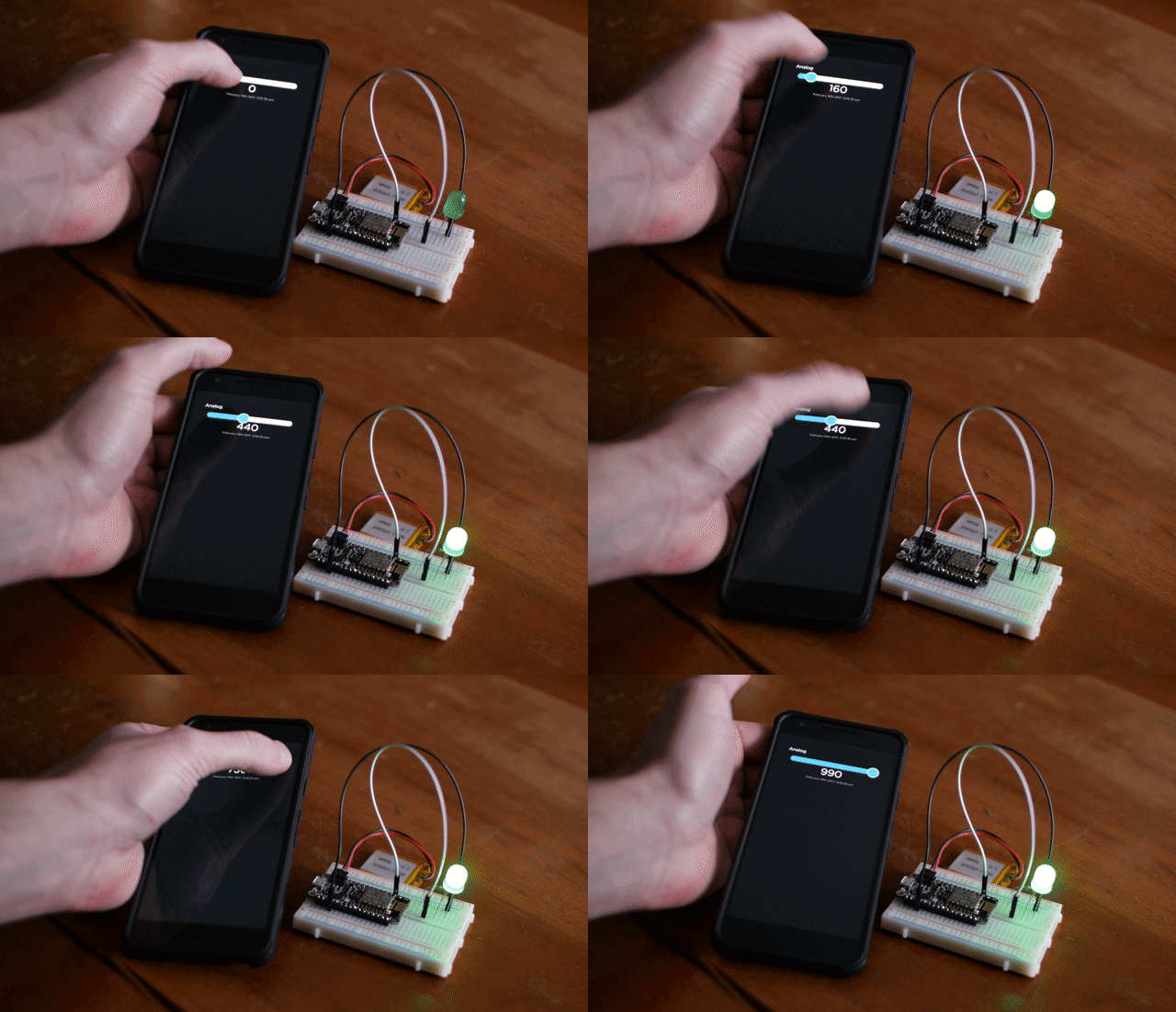
Adafruit Industries - Makers, hackers, artists, designers and engineers!
An update has been made to the popular Adafruit IO Basics Series’ Analog Output guide to add code for CircuitPython. Learn how to install CircuitPython on a Raspberry Pi, install CircuitPytho…
royal rapids
The new icon blocks are live. Here's an example of them (on the left) on a new dashboard.
royal rapids

Adafruit Industries - Makers, hackers, artists, designers and engineers!
Hi Adafruit IO Community, We’re excited to tell you about two new blocks we’ve added to Adafruit IO dashboards this week to help you build richer interfaces. Icons and Indicators, two features that…
woeful tinsel
@royal rapids I just saw this... AWESOME!
My smarthome system does weather reports on demand (jason data -> text -> speech) and it'd be cool to build a dashboard to visualize it.
Now I need a "magic mirror"
Hmm.. or just a Pi+displayhat wall mounted by the front door.
royal rapids
@woeful tinsel sweet! AIO's dashboards are super nice, and the new blocks (like the indicator lights) are configurable.
royal rapids
@keen dirge I'm adding group functionality to AIO Python in a bit
 true fossil
Hello I am looking for a code example that reliably keeps the connection to adafruit IO open.
I want to send an impulse via IFTTT to an ESP8266 Feather Huzzah with a non-latching relay featherWing.
The Digital Output example code already works great (https://learn.adafruit.com/adafruit-io-basics-digital-output)
But it loses connection after the MQTT times out. I need it to stay alive forever as I want to use it for my garage opener.
I read about the ping() command but need to see a piece of code that works fine in order to understand and implement it into the other bit.
This: does not seem to work anymore?. https://learn.adafruit.com/mqtt-adafruit-io-and-you/intro-to-adafruit-mqtt#pinging-the-server-5-39
Thanks...

Learn to love the stateful, low-bandwidth pubsub protocol.
true fossil
@true fossil: If I use the Adafruit sample directly from the Arduino software it works all right.
"io.run()" in the loop function takes care of keeping the connection alive.
Ping is only used with the MQTT library.
royal rapids
@true fossil We advise using the Adafruit IO Arduino Library, instead of the older Adafruit MQTT library.
`io.run() will keep the connection to IO alive. If you want to use the MQTT features (such as pubsub), some examples for that are included in the library. You can mix/match MQTT and the API.
GitHub
Arduino library to access Adafruit IO from WiFi, cellular, and ethernet modules. - adafruit/Adafruit_IO_Arduino
 short wind
royal rapids
short wind
royal rapids
@short wind sure!
 weak elbow
Hey guys, I'm having a small issue which has me a bit confused. I keep getting this error: "...Exceeded the limit of Adafruit IO requests in a short period of time." - How exactly is that calculated (what is considered a short period of time)? I'm also assuming that "aio.receive(my_feed.key)" counts as one request, currently, if I run that at 0.5 seconds, I get this error. Should I adjust my timing?
O_O - Even is I send a request once every 5 seconds I get that error...
if*
Oops... I figured out my problem.
I had a continue statement where I shouldn't have; Which was causing a flood in requests, my bad lol
I need more coffee, noticed it just reviewing my code over and over and over
royal rapids
@weak elbow heya!
any call to aio.receive counts as a request
glad you fixed the issue. if any other problems crop up - just ask away!
weak elbow
@royal rapids heya! Thank you very much, I appreciated that. This community is awesome.
 mighty ridge
Hello. I can't get map block to work with dedicated coords feed.
mighty ridge
nevermind, i got it to work with a line like this in the perl script $curl_command = "curl -F 'value=$temp' -F 'lon=$lon' -F 'lat=$lat' -H 'X-AIO-Key: ------------------------' https://io.adafruit.com/api/v2/tavdog/feeds/wally-temperature/data";
 exotic pawn
setting up on new feather ... connected to wifi ok .. keep getting 'disconnected from Adafruit io.' ... any ideas why?
keen dirge
@exotic pawn what type of feather -- if it is the M0 WINC, you may have to update the certificates.
gusty lodge
Is there a way to alert when a device stops transmitting to IO?
It normally uploads every minute
royal rapids
@gusty lodge If it's a changing value, you can check against the feed's last value
gusty lodge
I made a power outage monitor to go with my freezer alarms, it will ping a separate pi at food pantry, alert me if it's down for 5 min, then tally up the downtime and send total when it's back online. I want to confirm it's an real outage by making sure the freezer alarms aren't still transmitting. Maybe I can access the feeds with the outage monitor to confirm based on last timestamp?
unborn token
@gusty lodge Just some interesting stuff I ran across on temp probes related to what you are doing. http://www.accucold.com/glycolbasedprobes
Why do the CDC and other medical refrigeration experts recommend using glycol-encased temperature probes when monitoring the temperature of a refrigerator? An experiment was conducted in Accucold's laboratory facility to find out the answer.
gusty lodge
i could definitely try that @unborn token
these values seem to be 10min off. Data(created_epoch=1537676464, created_at='2018-09-23T04:21:04Z'
It seems like I can only access data 10min or older
royal rapids
@gusty lodge are you using the get() function added to adafruit io recently?
gusty lodge
no
    for d in data:
    print('Data value: {0}'.format(d.value))
print(d)```i searched and i dont see much about it do you have a link to an example?
royal rapids
yep
Hello IO community! Over the last few weeks we’ve released some changes to Adafruit IO that should be useful to everyone using the platform.IO+ Yearly Billin...
gusty lodge
is the feature live in python client?
royal rapids
@gusty lodge no, but I can add it to my todo if you'd like to use it?
GitHub
Adafruit IO Python Client Library. Contribute to adafruit/io-client-python development by creating an account on GitHub.
gusty lodge
That would be awesome @royal rapids
royal rapids
could you file an issue on that repo so I can track it?
gusty lodge
Yes I will
royal rapids
Thanks!
gusty lodge
@royal rapids I did it, im not the best explainer of things so i hope i did ok
royal rapids
😄 I'll close it
*comment and I'll close it out
glad that's what the issue was, the data object has a lot of good stuff in it
gusty lodge
that was what i need to be able to do so i can double check my power outage monitor
so now if someone unplugs the machine im pinging there wont be an outage alert sent, unless all 6 freezers stop uploading to IO as well
gusty lodge
i added the new feature to my outageReport program.
https://gist.github.com/matt-desmarais/ca55211925e3e408720d2a5010739fd0
for feed in iofeed:
    print(feed)
    print(aio.receive(str(feed)))
    currentfeed = aio.receive(str(feed))
    time = str(currentfeed.created_at)
    time = time.replace("T"," ")
    time = time.replace("Z","")
    timedifference = datetime.strptime(time, '%Y-%m-%d %H:%M:%S') - (datetime.now()  + timedelta(hours=4)) + timedelta(seconds=60)
    if (timedifference > timedelta(minutes=3)):
        print("OVER 3 MIN")
        feedsFailed = True
    if (timedifference < timedelta(minutes=3)):
         print("UNDER 3 MIN")
@gusty lodge yes! If you have an ongoing build log somewhere, please link me so I can post it up on the blog
gusty lodge
I'm working on a guide for the freezer project, I just need to get some more pictures of it installed next time I'm there. I'm gonna make a 2nd power outage program that just uses IO instead of pinging a separate device first to include in the guide
gusty lodge
The io program will only alert when all feeds are down, then after the all down alert another alert will happen when they are all back up.
gusty lodge
https://gist.github.com/matt-desmarais/b911abecf37e51de23add2a43d786a19
I upload the number of devices online to a new feed so I can have a gauge showing how many devices are online
 somber knot
Quick question: Is it possible to have a line graph of binary values that doesn't average them out?
I have a motion sensor feed, and I wanted a graph where I can see when there were motion "events", but the line graph seems to be averaging all the 1's and zeros to various fractions...
Adafruit IO is the easiest way to get your projects onto the Internet of Things!
 ripe light
I'm having a heck of a time finding CircuitPython tutorials that work with AIO. Does anyone know of a good tutorial on that?
shell star
@ripe light Brent has some for Raspberry Pi. We don't really support AIO from microcontrollers yet though
ripe light
oh, darn. Is that something thats on the roadmap for CP and AIO?
ripe light
@shell star also, do you think it can be done in an unsupported way? From say the Feather HUZZAH 8266 with CP
royal rapids
Almost every guide for the Adafruit IO Basics Series has been updated to work with both Arduino Adafruit IO and Adafruit IO CircuitPython (on Raspberry Pi, Pi W)
ripe light
@royal rapids awesome, thanks. I'll check that out
royal rapids
Check those first, then come back to the more advanced guides like the Air Quality Logger (https://learn.adafruit.com/adafruit-io-air-quality-monitor/overview) and the ongoing IO Home Series (https://learn.adafruit.com/adafruit-io-house-lights-and-temperature/overview)
If you have any questions or encounter issues, post up here or in the forums and I'll help out. I've done most of my development on a Pi Zero W, for the price it can't be beat.
ripe light
thanks!
royal rapids
np!
shell star
@ripe light we definitely want to do it at some point but its not soon. It has been done unofficially I think with an esp8266
royal rapids

GitHub
Using MQTT to Publish/Subscribe to adafruit io. MicroPython/CircuitPython implementation on ESP8266/ESP32 - MikeTeachman/micropython-adafruit-mqtt-esp8266
^unsure of the current state, but this has been an unofficial esp8266 implementation
ripe light
heheh, I just started reading that post
mighty ridge
@somber knot maybe add a data stream display to the dashboard to make sure the info really is just binary and not getting fractioned before transmission
royal rapids
@somber knot Thanks for the suggestion - I've passed it on to the IO Dev team 😄
somber knot
@mighty ridge Thanks for the suggestion. I confirmed already the feed is nothing but 1's and 0's. That's why it was confusing me!
 terse bobcat
Hello, I'm fairly new to adafruit and have been trying to code my own app to connect over bluetooth and send UART to Serial messages that can turn on and off the LED on the BluefruitLE 32u4. I've been successful with the adafruit app, but while making my own, I discovered I've been creating the socket incorrectly.
I'm digging into the code for the adafruit app, and I'm trying to find exactly where the "socket" is created. In my app, I use <code> (BluetoothSocket) btsocket = (BluetoothDevice) btdevice.createRfcommSocketToServiceRecord((UUID) uuid) <code/> but in the adafruit app, theres a bunch of internal methods that get called
This is the repo I'm looking at currently 😄 https://github.com/adafruit/Bluefruit_LE_Connect_Android_v2
GitHub
Bluefruit LE Connect Android source code (V2). Contribute to adafruit/Bluefruit_LE_Connect_Android_V2 development by creating an account on GitHub.
mighty ridge
@terse bobcat maybe search for an open source bluetooth terminal app with simpler code
terse bobcat
That's actually what I decided to do!
 candid rapids
Anyone have any recos for something that works similar to these? https://www.adafruit.com/product/1558

So, you want lots and lots of NeoPixels? And you want them for less? Not a problem! Here's a sheet of Breadboard-Friendly NeoPixel breakouts fresh from the (reflow) oven. Snap them off ...
I would prefer something with 0.1 rows of three on each side like this rather than the Flora single Neopixels, as I need to daisy chain single Neopixels every 15" or so in an enclosure, but it doesn't look like these are being sold any longer
Otherwise, considering making my own little breakout boards that work with the through-hole Neopixels
eternal cliff
Here's one possibility: https://www.adafruit.com/product/1938
candid rapids
yeah, those are the through-holes I was mentioning. Looks like its probably the easiest option, but I'll have to fab some boards myself. Thanks
 flint violet
Just going to throw this out there and see if anyone has any thoughts. I have a feather huzzah ESP8266 and I wanted to hook it up to a few meters of LED strips (either Neopixel or Dotstar) so that I could connect to my phone and change the colors and brightness through the color picker. Can I not do this because of power restrictions or for some other reason? Any thoughts would be helpful. Thanks!
unborn token
@flint violet I'm just gonna ramble on some things since I have not worked with ESP stuff - The color picker is a bluetooth app, other projects I've seen go the IoT wifi route to get the commands to the board. If you are talking long strands of neopixels/dotstars, external power requirements are a concern, and then you probably want to level-shift the 3.3v board logic to 5v for the neopixels. Also, depending on what coding you are doing, neopixels take up a lot of memory for basic data (RGB values, etc) and then if the processor can handle manipulating it if you have fancy animations. Others will pipe in for advice. Good luck.
flint violet
thank you so much @unborn token
unborn token
@flint violet Not really sure what you had in mind "a few meters" of neopixels but say max 200 neopixels to use would be a good working estimate and meters of neopixels come in 30/60/144 neopixels per meter strips. Start out small and see what you would really need. Neopixels are really bright. Dense matrixes are difficult to do without additional hardware and more advanced programming. Look up the FastLED google+ discussion group where they show off the more "art installation" or more complex displays and you might find they have done what you were planning to do or get an idea from their projects.
 scarlet pendant
On the Feather nRF52 I have about 30 Neopixels connected and I had it working with the Neopixels powered by the BATT pin. I am using a 2500mAh Lipo, plugged into the onboard JST. I ran the battery dead overnight too see how long it would last. After having it powered via USB for over an hour, when I pulled the USB cable, the whole thing went dead, the initial script is no LEDs on, so It's not a power drain, its like the feather isnt charging the battery. Am I missing something simple?
sacred depot
That charges at 100 mA which takes a long (long!) time to charge (it's inappropriately small).
It is possible to change out the resistor to alter the charge rate (this information is in the product schematic)
See A4 thru A6:
https://learn.adafruit.com/assets/52793
 ember fox
I want to directly program my code into a Bluefruit M0 Feather and remove the bootloader. What hardware do i need for this ? I already have the Atmel Studio 7 .
Will the Atmel ICE as found here do the job ? https://www.microchip.com/DevelopmentTools/ProductDetails/ATATMEL-ICE
ember fox
Oh Ok ... I am lucky. Found what I wanted here : https://learn.adafruit.com/proper-step-debugging-atsamd21-arduino-zero-m0/lets-go
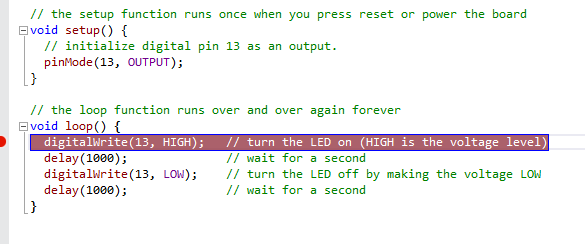
Step in, step out, step over and repeat!
sacred depot
help please! My project is controlling an LED matrix by artnet wifi. It is made up of 6 neopixel strips using the Huzzah Esp8266 Feather. My problem is every time I turn off or dissconect a strip and board from power, I need to upload my .ino program onto the board all over again in order for them to work. How can I fix that? I am using the artnetwifi example in the artnetwifi library by rstephan. Should I post my code here?
 sudden fiber
@sacred depot is it like, not reconnecting automaticly?
sacred depot
right
it's not just that it doesn't talk to the computer over wifi, it also doesn't run the inittest
sudden fiber
Oh :o
sacred depot
it doesn't do anything at all. After I disconnect power, I have to start over again and reload the board and then everything works fine. Why is that?
ember fox
I do suppose that when the program downloads to the ESP8266 flash you get a OK message to say all went well. If that happens and yet the program does not stay when you power down ... well it can only mean one thing : The flash on the ESP is behaving like a RAM. One more Feather to check ??
sacred depot
yes I can check it on another board
sacred depot
@ember fox I checked and the other board ran the inittest after being powered down but I wasn't able to connect to it wirelessly
 lusty cloak
Maybe anyone at Adafruit know, when will the TV-B-Gone be restocked? I need to buy it for a christmas gift and send it over to Lithuania.
storm kernel
add your email to the notifications list @lusty cloak , and you'd be one of the first to know
lusty cloak
@storm kernel did it already
candid rapids
anyone know (generally speaking) how quickly these spring terminals get back in stock?

Spring terminal blocks will simplify your wiring and make your project more rugged. Instead of soldering wires to your perf board, solder in these 0.1" pitch terminal blocks. ...
(was just about to make a rather large order of them, didn't realize they appear to be proprietary Adafruit connectors)
stray delta
@candid rapids after some digging, it appears these are actually made by "4UCON". Sparkfun has various configurations in stock, and in reading the comments, they seem to be configurable as well. https://www.sparkfun.com/products/8075