#tech-support
1 messages · Page 435 of 1
 verbal timber
 chilly onyx
I was- and setting the engine fixed it
verbal timber
then your device isn't compatible with the game
chilly onyx
It's not? But i could have sworn it was listed in the compatible devices....
verbal timber
chilly onyx
It's not? But i could have sworn it was listed in the compatible devices....
its possible either 6.2.4 or the new download which has [some] sprites in it is breaking it
nothing can be done to fix that until 6.3 is out where you'd be able to check again
chilly onyx
I did notice something odd- at first download it put like 200k images into my gallery app, but then i checked today and those are just gone for some reason
 loud sigil
chilly onyx
It's not? But i could have sworn it was listed in the compatible devices....
loud sigil
chilly onyx
It's not? But i could have sworn it was listed in the compatible devices....
lots of compatible devices have been becoming incompatible as of late
verbal timber
that's normal
 main carbon
Hello, I have a problem with the trainer sprite when I updated my game from 6.0.4 to 6.2.4, I tried to change my clothes but anything works
 chilly onyx
ahh, gotcha
verbal timber
main carbon
Hello, I have a problem with the trainer sprite when I updated my game from 6.0....
run
chilly onyx
dang. alright I'll check back with 6.3 then, thank you
main carbon
verbal timber
run
I run and it don't fix
verbal timber
holding sprint doesn't fix it?
odd
you'll need to visit the help man and have him fix the game
main carbon
Oh I forgot him, where it was? 😅
verbal timber
if that doesn't resolve it, then you've got some serious shenanigans going on
verbal timber
main carbon
Oh I forgot him, where it was? 😅
pokemon center
main carbon
Thanks
verbal timber

 gleaming pendant
whats the difference if i turn off download sprites, and when i turn it off on mobile? and is that so important to turn off it on mobile?
 turbid terraceBOT
Hey @gleaming pendant! Sprite Server is Down but the guide below has the Semi-Working version for Android. YOU WILL STILL HAVE MISSING SPRITES, but the best we can do until the Sprite Server is back up.
Check our Official Android guide HERE. If you didn't follow this guide, DELETE and UNINSTALL everything.
All Android bugs/workarounds are in the guide. If your issue isn't listed, there's no fix. No dedicated mobile version of IF will be developed in the future.
main carbon
OH
verbal timber
the repo we used to use isn't accessible anymore, so sprite downloads won't work
main carbon
I ran a little more and it fixed XDDD
verbal timber
main carbon
I ran a little more and it fixed XDDD
haza
gleaming pendant
thanks
 weak rampart
we ran out of ladybas

im scared that its a shiny or sumn and it just failed to load the sprite
 pearl magnetBOT
The Sprite Server is currently down for everyone.
- This means you will have question mark sprites or invisible sprites for Pokemon until it is back up.
- We don't have an ETA on a fix, but we currently have a beta out to try and test the new server.
How to Fix Manually
Lightweight Installer with ALL Sprites + Guide
- Download, Extract to a new folder, Open Game.exe. Nothing else needs to be done.
- Don't merge or copy anything into it, this zip has everything setup and ready to play for you with ALL sprites.
- This carries over your save file, you don't need to move or download anything else.
verbal timber
^you'll need these files and to follow that guide
weak rampart
all of the other sprites are present its just that ledyba that decided to not come to the party
gleaming pendant
sorry, is there any guides what are the functions of each button (keyboard character) on joiplay ?
verbal timber
gleaming pendant
sorry, is there any guides what are the functions of each button (keyboard chara...
not really no
the only keybind thing we have is for pc
gleaming pendant
aight, thanks
 north pasture
hello does someone know why i don't have any sprite available on my game ?
loud sigil
north pasture
hello does someone know why i don't have any sprite available on my game ?
?tag spriterepo
pearl magnetBOT
The Sprite Server is currently down for everyone.
- This means you will have question mark sprites or invisible sprites for Pokemon until it is back up.
- We don't have an ETA on a fix, but we currently have a beta out to try and test the new server.
How to Fix Manually
Lightweight Installer with ALL Sprites + Guide
- Download, Extract to a new folder, Open Game.exe. Nothing else needs to be done.
- Don't merge or copy anything into it, this zip has everything setup and ready to play for you with ALL sprites.
- This carries over your save file, you don't need to move or download anything else.
north pasture
so we can't play with sprites for the moment ?
loud sigil
you can fix it by downloading what the bot linked and following the guide
but download sprites in game no longer works due to the repo being taken down
north pasture
ok thx
 drowsy fossil
Will the server get fixed for the sprites or is downloading all of them the only way?
 harsh epoch
It will get fixed eventually.
As for when eventually is, it is not likely to be soon (within 3 days)
 loud sigil
 zealous totem
hey huuuu
zealous totem
hey huuuu
hold shift and run around or exit and leave the building
zealous totem
 zealous totem
loud sigil
hold shift and run around or exit and leave the building
zealous totem
loud sigil
hold shift and run around or exit and leave the building
ho okay
loud sigil
?tag spriterepo || will fix ur parties sprites
pearl magnetBOT
The Sprite Server is currently down for everyone.
- This means you will have question mark sprites or invisible sprites for Pokemon until it is back up.
- We don't have an ETA on a fix, but we currently have a beta out to try and test the new server.
How to Fix Manually
Lightweight Installer with ALL Sprites + Guide
- Download, Extract to a new folder, Open Game.exe. Nothing else needs to be done.
- Don't merge or copy anything into it, this zip has everything setup and ready to play for you with ALL sprites.
- This carries over your save file, you don't need to move or download anything else.
 zealous totem
loud sigil
?tag spriterepo || will fix ur parties sprites
zealous totem
loud sigil
?tag spriterepo || will fix ur parties sprites
ho thank you
 quasi gull
image located at graphic/battlers was not found is that the sprite server
verbal timber
quasi gull
image located at graphic/battlers was not found is that the sprite server
screenshot the entire error
and post it
verbal timber
zealous totem
that's a game-preloaded issue only
restart the game, or use the normal game application
zealous totem
i did just that thanks
 stark sluice
Hey 'yall. Been gone for a good while, but decided to try and get back into the game. Can't seem to get the sprites working in the game? I download the files and do everything correct to my understanding, but the sprite files just delete themselves after I open the game. Sprites are just invisible or questionmarks.
turbid terraceBOT
Hey @stark sluice! You can download the game from: [#downloads](#downloads message)
If you need a guide, they are located: [HERE](#tech-support message)
stark sluice
CustomBattlers just adds some new files too

 frozen grove
?tag spriterepo
pearl magnetBOT
The Sprite Server is currently down for everyone.
- This means you will have question mark sprites or invisible sprites for Pokemon until it is back up.
- We don't have an ETA on a fix, but we currently have a beta out to try and test the new server.
How to Fix Manually
Lightweight Installer with ALL Sprites + Guide
- Download, Extract to a new folder, Open Game.exe. Nothing else needs to be done.
- Don't merge or copy anything into it, this zip has everything setup and ready to play for you with ALL sprites.
- This carries over your save file, you don't need to move or download anything else.
loud sigil
stark sluice
Hey 'yall. Been gone for a good while, but decided to try and get back into the...
?tag spriterepo || did you follow this? (or the one in downloads)
pearl magnetBOT
The Sprite Server is currently down for everyone.
- This means you will have question mark sprites or invisible sprites for Pokemon until it is back up.
- We don't have an ETA on a fix, but we currently have a beta out to try and test the new server.
How to Fix Manually
Lightweight Installer with ALL Sprites + Guide
- Download, Extract to a new folder, Open Game.exe. Nothing else needs to be done.
- Don't merge or copy anything into it, this zip has everything setup and ready to play for you with ALL sprites.
- This carries over your save file, you don't need to move or download anything else.
stark sluice
pearl magnet
# The Sprite Server is currently down for everyone.
- This means you will have ...
It was this one yes. Also tried the one in downloads. The files just delete themselves when I open the game.
loud sigil
did you follow the guide entirely?
stark sluice
Yes, I now realized it might have been something stupid I did, trying it out now. Unrelated to the guide.
 proper fossil
Hello, very good, could someone give me a hand, since I downloaded the pokemon infit fusion today and I was going to download the complete sprite pack but it won't let me enter the page to download, could someone give me a solution?
verbal timber
proper fossil
Hello, very good, could someone give me a hand, since I downloaded the pokemon i...
did you read the message that said to not do that
the sprite pack part

?tag spriterepo
pearl magnetBOT
The Sprite Server is currently down for everyone.
- This means you will have question mark sprites or invisible sprites for Pokemon until it is back up.
- We don't have an ETA on a fix, but we currently have a beta out to try and test the new server.
How to Fix Manually
Lightweight Installer with ALL Sprites + Guide
- Download, Extract to a new folder, Open Game.exe. Nothing else needs to be done.
- Don't merge or copy anything into it, this zip has everything setup and ready to play for you with ALL sprites.
- This carries over your save file, you don't need to move or download anything else.
verbal timber
^download this instead
 blazing python

 summer rivet
What is the recommended android emulator?
turbid terraceBOT
Hey @summer rivet! Sprite Server is Down but the guide below has the Semi-Working version for Android. YOU WILL STILL HAVE MISSING SPRITES, but the best we can do until the Sprite Server is back up.
Check our Official Android guide HERE. If you didn't follow this guide, DELETE and UNINSTALL everything.
All Android bugs/workarounds are in the guide. If your issue isn't listed, there's no fix. No dedicated mobile version of IF will be developed in the future.
blazing python
summer rivet
What is the recommended android emulator?
none this game is not a rom
Read the guide below your message for a guide on Android
proper fossil
verbal timber
did you read the message that said to not do that
And what do you recommend I do, because in the same way I have not been able to add anything so far and there are many sprites that do not load
blazing python
proper fossil
And what do you recommend I do, because in the same way I have not been able to ...
The only download that works is the one he linked from the bot response or my post in #downloads
Just follow our guides
verbal timber
proper fossil
And what do you recommend I do, because in the same way I have not been able to ...
you download the file from the repo thing i tagged and follow that guide
exactly
proper fossil
bruh
 inner knot
Where do the auto - generated sprites come from? are they included in the lighweight version? That is the one i downloaded but it seems there still are some question mark sprites, i also tried to add the last full pack, which seemengly solved some but not all (e.g. murby -> murkrow + magby)
turbid terraceBOT
Hey @inner knot!
The Sprite Server is currently down for everyone.
- This means you will have question mark sprites or invisible sprites for Pokemon until it is back up.
- We don't have an ETA on a fix, but we currently have a beta out to try and test the new server.
How to Fix Manually
Lightweight Installer with ALL Sprites + Guide
- Download, Extract to a new folder, Open Game.exe. Nothing else needs to be done.
- Don't merge or copy anything into it, this zip has everything setup and ready to play for you with ALL sprites.
- This carries over your save file, you don't need to move or download anything else.
verbal timber
inner knot
Where do the auto - generated sprites come from? are they included in the lighwe...
if you downloaded the above files, yes the autogens are preincluded
as to where they come from
technically they come from japeal
inner knot
verbal timber
if you downloaded the above files, yes the autogens are preincluded
so i am supposed to not have the question mark sprite right? what could i do to fix?
loud sigil
inner knot
so i am supposed to not have the question mark sprite right? what could i do to ...
?tag fix
pearl magnetBOT
If you are having issues with sprites after using our new zip, this means you did not set it up correctly. Reasons it didn't work:
- You didn't use our 2.57gb zip download from megaman's post in #downloads
- You forgot to turn off download sprites and restart your game
- You extracted it on top of an existing InfiniteFusion folder so it is conflicting
- You are opening it from your old game files or shortcut. You need to open it within the new folder that was extracted with the 2.57gb zip
If you did ALL above, share a screenshot of you doing step 5 of the guide to show us your game files.
proper fossil
verbal timber
you download the file from the repo thing i tagged and follow that guide
Ok, I already did what appeared in the guide but the problem has not worked out, there are still pokemons that do not appear, how do I solve that, and if it already appeared that the new sprites have been integrated
verbal timber
see the fix message right above yours
there are some occasions where sprites won't load correctly even if you do everything correctly, and that is just more of a "your pc" thing
we can't help with that sadly
 desert vapor
proper fossil
Ok, I already did what appeared in the guide but the problem has not worked out,...
desert vapor
proper fossil
Ok, I already did what appeared in the guide but the problem has not worked out,...
when you say that don't appear, is it the big ? symbol, or just invisible?
proper fossil
look, I better manage it and that's it
proper fossil
desert vapor
when you say that don't appear, is it the big ? symbol, or just invisible?
the game show me a, ?
Let's see, from the beginning I said that I was trying to download the package of all the sprites because I didn't have them, and that it won't let me download it because the drive file doesn't appear
loud sigil
and we told you to download the thing from the bot
proper fossil
What thing? because if it is the small pack I already have it downloaded and installed so to speak
loud sigil
proper fossil
What thing? because if it is the small pack I already have it downloaded and ins...
?tag spriterepo || this
pearl magnetBOT
The Sprite Server is currently down for everyone.
- This means you will have question mark sprites or invisible sprites for Pokemon until it is back up.
- We don't have an ETA on a fix, but we currently have a beta out to try and test the new server.
How to Fix Manually
Lightweight Installer with ALL Sprites + Guide
- Download, Extract to a new folder, Open Game.exe. Nothing else needs to be done.
- Don't merge or copy anything into it, this zip has everything setup and ready to play for you with ALL sprites.
- This carries over your save file, you don't need to move or download anything else.
loud sigil
and if you already downloaded that mordrid told you to look at the fix tag above your message
verbal timber
and if you didn't download that
delete what you downloaded and then download the above, following the guide
this only applies to windows pcs
macs, linux, chromebook and steamdeck should follow their guides [those have all sprites as well]
android is the only one that is SoL
inner knot
loud sigil
?tag fix
Apparently it was point 1. i downloaded it again and it works now, thx very much
stark sluice
Yeah no, does not work. I followed the guide as closely as possibly, but does not work. Downloading the link provided does not include the sprites, and I cannot insert the files without them disappearing after I open the game.
only thing i can think of is that .git file there. It is not in the google docs pictures, could it be the reason?
 verbal timber
stark sluice
Yeah no, does not work. I followed the guide as closely as possibly, but does no...
verbal timber
stark sluice
Yeah no, does not work. I followed the guide as closely as possibly, but does no...
it does though
are you sure you didn't merge files?
cause that can sometimes cause issues
stark sluice
Merge? As in extract to the game folder merging stuff. I think I did that first but realized my mistake, I suppose I will try it now again. Gotta do this step by step.
verbal timber
yeah'
if you have an infinite fusion folder in downloads, delete it
this is also why we have the one tag
?tag fix
pearl magnetBOT
If you are having issues with sprites after using our new zip, this means you did not set it up correctly. Reasons it didn't work:
- You didn't use our 2.57gb zip download from megaman's post in #downloads
- You forgot to turn off download sprites and restart your game
- You extracted it on top of an existing InfiniteFusion folder so it is conflicting
- You are opening it from your old game files or shortcut. You need to open it within the new folder that was extracted with the 2.57gb zip
If you did ALL above, share a screenshot of you doing step 5 of the guide to show us your game files.
verbal timber
^
the guide is pretty much just:
download file
extract file into a folder via winrar [or 7zip if it gives you that option]
check the properties of the folder to make sure it matches up with the picture in step 5 [there can be a margin of error, but if it is missing a lot of files, then something borked]
launch game from that new folder assuming it does match up correctly
stark sluice
If I have another infinite fusion folder in my downloads, does it cause issues? Because I found one downloaded two years ago...
harsh epoch
it shouldnt as long as they are in separate
some advice though, i wouldn't make folders for installs in your downloads
makes it messy
 sterile pivot
How do i get unlimited rare candys
turbid terraceBOT
Hey @sterile pivot! Are you looking for Rare Candies? You can buy them at the Battle Tower on Kindle Road for 3 tokens. They are also a potential prize at the Triple Battle Lounge on Knot Island. You can also get them from Resort Gorgeous by completing Selphy's request. All of these are repeatable.
sterile pivot
How do get unlimited rare candys in mobile
turbid terraceBOT
Hey @sterile pivot! Are you looking for Rare Candies? You can buy them at the Battle Tower on Kindle Road for 3 tokens. They are also a potential prize at the Triple Battle Lounge on Knot Island. You can also get them from Resort Gorgeous by completing Selphy's request. All of these are repeatable.
Hey @sterile pivot! Sprite Server is Down but the guide below has the Semi-Working version for Android. YOU WILL STILL HAVE MISSING SPRITES, but the best we can do until the Sprite Server is back up.
Check our Official Android guide HERE. If you didn't follow this guide, DELETE and UNINSTALL everything.
All Android bugs/workarounds are in the guide. If your issue isn't listed, there's no fix. No dedicated mobile version of IF will be developed in the future.
harsh epoch
sterile pivot
How do get unlimited rare candys in mobile
You are lookin for cheats, but the only legit way of getting this is with magic boots.
How to get magic boots VV read
turbid terraceBOT
Hey @harsh epoch! Magic Boots are an IN GAME reward for catching all unfused 470 Pokemon in a non-randomized file (Dex number 1-470). After doing so, the Developer in Celadon will reward you with them. Putting them on will unlock DEBUG options that you can play with.
Use ?tag proof to see how you get the Dex Completionist Role for earning the Magic Boots in Discord.
sterile pivot
harsh epoch
You are lookin for cheats, but the only legit way of getting this is with magic ...
Thx dude
sterile pivot
harsh epoch
You are lookin for cheats, but the only legit way of getting this is with magic ...
Can you also get it in mobile?
turbid terraceBOT
Hey @sterile pivot! Sprite Server is Down but the guide below has the Semi-Working version for Android. YOU WILL STILL HAVE MISSING SPRITES, but the best we can do until the Sprite Server is back up.
Check our Official Android guide HERE. If you didn't follow this guide, DELETE and UNINSTALL everything.
All Android bugs/workarounds are in the guide. If your issue isn't listed, there's no fix. No dedicated mobile version of IF will be developed in the future.
 fallen summit
sterile pivot
Can you also get it in mobile?
fallen summit
sterile pivot
Can you also get it in mobile?
yup, complete the (non-fused) dex in standard or remix mode, not randomised
sterile pivot
Thank you so much
 scenic sierra
So yeah... I have a bit of the "storage" problem, with a ton of sprite stuck on download because somehow it move to my mircosoft drive
so I am just... kinda stuck, with still a lot of mon missing texture
fallen summit
either wait for your msdrive to finish or reinstall the game in a place not being messed with by your msdrive i guess, not really a game issue
 vague scarab
Question. Would it be possible to modify the encounters.dat file in order to create your own unique mix of encounters? I would love to mess with it if so.
 tough hound
vague scarab
Question. Would it be possible to modify the encounters.dat file in order to cre...
tough hound
vague scarab
Question. Would it be possible to modify the encounters.dat file in order to cre...
nope, also we dont help with file changes
vague scarab
damn. fair enough.
sterile pivot
How do i use magic boots in mobile I'm so confused
turbid terraceBOT
Hey @sterile pivot! Magic Boots are an IN GAME reward for catching all unfused 470 Pokemon in a non-randomized file (Dex number 1-470). After doing so, the Developer in Celadon will reward you with them. Putting them on will unlock DEBUG options that you can play with.
Use ?tag proof to see how you get the Dex Completionist Role for earning the Magic Boots in Discord.
Hey @sterile pivot! Sprite Server is Down but the guide below has the Semi-Working version for Android. YOU WILL STILL HAVE MISSING SPRITES, but the best we can do until the Sprite Server is back up.
Check our Official Android guide HERE. If you didn't follow this guide, DELETE and UNINSTALL everything.
All Android bugs/workarounds are in the guide. If your issue isn't listed, there's no fix. No dedicated mobile version of IF will be developed in the future.
tough hound
sterile pivot
How do i use magic boots in mobile I'm so confused
well first you earn it
sterile pivot
Then what do you do after that
turbid terraceBOT
Hey @harsh epoch! Magic Boots are an IN GAME reward for catching all unfused 470 Pokemon in a non-randomized file (Dex number 1-470). After doing so, the Developer in Celadon will reward you with them. Putting them on will unlock DEBUG options that you can play with.
Use ?tag proof to see how you get the Dex Completionist Role for earning the Magic Boots in Discord.
harsh epoch
So first you need to catch all 470 base mons.
Then go to Celadon and get the Item Magic boots.
This unlocks debug mode.
Using debug mode allows you to get your candies or do a lot of stuff.
So basically, until you catch all the mons, you don't get magic boots
without magic boots, there is no debug mode
with no debug mode, no cheats
sterile pivot
That's a lot of stuff, but no choice i guess. Thanks a lot dude!
 surreal slate
I need help. All my sprites are question marks
harsh epoch
?tag spriterepo
pearl magnetBOT
The Sprite Server is currently down for everyone.
- This means you will have question mark sprites or invisible sprites for Pokemon until it is back up.
- We don't have an ETA on a fix, but we currently have a beta out to try and test the new server.
How to Fix Manually
Lightweight Installer with ALL Sprites + Guide
- Download, Extract to a new folder, Open Game.exe. Nothing else needs to be done.
- Don't merge or copy anything into it, this zip has everything setup and ready to play for you with ALL sprites.
- This carries over your save file, you don't need to move or download anything else.
surreal slate
where do I extract it to? Like, where do i put the folder?
surreal slate
okay
verbal timber
harsh epoch
make a new folder on your desktop
actually
it does matter
preferably extract it to the download folder
as that is not touched by onedrive or any other cloudsync
obviously if you have onedrive already disabled, then yeah, desktop will work fine
harsh epoch
9 times out of 10 if you tell someone to extract it to the dl folder
they will extract it to the dl folder
sterile pivot
i need help i did everything right but it wont open the game
harsh epoch
and will have all the loose files in there
verbal timber
sterile pivot
i need help i did everything right but it wont open the game
?tag moreinfo
pearl magnetBOT
When reporting an issue, please provide as much info as you can so we can accurately help you.
Info we need:
- Where did you get the game files? Did you use our [Installation Guides?](#tech-support message)
- What version are you on?
- Send a screenshot. Often times, it is hard to describe your issue. Send a screenshot so we can see what you are seeing. Especially if you are getting an error.
 fading igloo
harsh epoch
9 times out of 10 if you tell someone to extract it to the dl folder
fading igloo
harsh epoch
9 times out of 10 if you tell someone to extract it to the dl folder
99.7 times out of 100 people dont follow the guide and cry because it doesnt work
sterile pivot
verbal timber
?tag moreinfo
what do you mean?
verbal timber
sterile pivot
what do you mean?
i mean just that, you saying you did everything right is vague, we don't know where you got the files, what guide you are using
 noble spruce
Question: loadings take like forever (like when loading over world when exiting homes or ending random encounter), is there something I can do?
harsh epoch
reading is difficult nowadays 
verbal timber
noble spruce
Question: loadings take like forever (like when loading over world when exiting ...
?tag performance
pearl magnetBOT
Performance Issues - Freezing? Lag? Long Black/Loading Screens? [More Info](#tech-support message)
noble spruce
Thx
sterile pivot
verbal timber
i mean just that, you saying you did everything right is vague, we don't know wh...
the one i got from the discord in the downloads channel
fading igloo
harsh epoch
reading is difficult nowadays <:pensive_cowboy:733549496017092679>
yeah, if reading is difficult people should go back to preschool and learn how to read
verbal timber
sterile pivot
the one i got from the discord in the downloads channel
ok, there are 3 different things in that channel to download
did you download the zip frog put up, did you download the file megaman linked, or did you download a spritepack
sterile pivot
no i followed the manual but when i look at game it is not a exe and it just shows a picture
verbal timber
that didn't answer the question
so i have no idea what you downloaded
this is what i'd recommend, if you are on a windows pc, delete what you downloaded
?tag spriterepo
pearl magnetBOT
The Sprite Server is currently down for everyone.
- This means you will have question mark sprites or invisible sprites for Pokemon until it is back up.
- We don't have an ETA on a fix, but we currently have a beta out to try and test the new server.
How to Fix Manually
Lightweight Installer with ALL Sprites + Guide
- Download, Extract to a new folder, Open Game.exe. Nothing else needs to be done.
- Don't merge or copy anything into it, this zip has everything setup and ready to play for you with ALL sprites.
- This carries over your save file, you don't need to move or download anything else.
verbal timber
^use the game files for pc from the above guide and follow that guide exactly
sterile pivot
oh ok
sterile pivot
verbal timber
^use the game files for pc from the above guide and follow that guide exactly
i know what i wrong i click the completed zip file
 manic shell
My game looks like this new beta
 fading igloo
manic shell
My game looks like this new beta
fading igloo
manic shell
My game looks like this new beta
because the beta files arent made for mobile yet, youre not meant to play it on mobile
you would have to import the "patch" folder from the android guide and hope it works better
manic shell
I cant see to find rhat Patch
fading igloo
?tag android
pearl magnetBOT
Sprite Server is Down but the guide below has the Semi-Working version for Android. YOU WILL STILL HAVE MISSING SPRITES, but the best we can do until the Sprite Server is back up.
Check our Official Android guide HERE. If you didn't follow this guide, DELETE and UNINSTALL everything.
All Android bugs/workarounds are in the guide. If your issue isn't listed, there's no fix. No dedicated mobile version of IF will be developed in the future.
fading igloo
from that guide, the "patch"folder is in the zip
manic shell
H okay thanks you but still no sprites 😔😔
fading igloo
manic shell
H okay thanks you but still no sprites 😔😔
turn "download data" on in the settings and hope it downloads the sprites ... just mind the beta only downloads a few sprites every 60 seconds
 vapid seal
the instruion said that if the properties dont match i did something wrong but the "contains" are only up by 5, did i do somthing wrong ?
 tough hound
vapid seal
the instruion said that if the properties dont match i did something wrong but t...
tough hound
vapid seal
the instruion said that if the properties dont match i did something wrong but t...
you good, thats fine
fading igloo
vapid seal
the instruion said that if the properties dont match i did something wrong but t...
ignorable, youre good to go
vapid seal
bet you guys are the best
 normal badge
i keep getting crashed at this trainer? anyway to fix this? never had a problem until now
 fading igloo
?tag randerror
pearl magnetBOT
When randomizing the game, you can only randomize Trainers and Gym leaders if you are playing Classic or Randomized Mode.
Randomizing trainers on Remix and Expert Mode will crash trainer battlers.
Steps:
- Go to a Pokemon Center and talk to Help Man (guy in black suit)
- Select Advanced Settings -> Randomizer Settings -> Turn Trainers/Gyms OFF
 normal badge
awesome thanks
 rustic stirrup
how do i downloud the game because the sprite severs are down

 heady glade
when ever i try to extract the game it gets stuck at this point, any solutions?
 tough hound
rustic stirrup
how do i downloud the game because the sprite severs are down
tough hound
rustic stirrup
how do i downloud the game because the sprite severs are down
click "ok" for the guide
tough hound
heady glade
when ever i try to extract the game it gets stuck at this point, any solutions?
make sure your antivirus isnt trying to scan each file
as long as you got it from here, its safe
heady glade
oh, good call, thanks
actually i cant find a way to make them stop scanning every file, is there an easy way to make them all stop scanning at the same time? i have a lot of anti virus apps so i am having trouble figuring out which one is the problem
verbal timber
ok well that's your first problem
if you are on windows all you really need is defender
an occasional spot check with something like malware bytes is fine, but you install it, do that then uninstall
so i'd start just yeeting your anti virus stuff that isn't whatever your OS has for its default anti-virus tool
and then just temp disable the main anti-virus
heady glade
verbal timber
so i'd start just yeeting your anti virus stuff that isn't whatever your OS has ...
so is windows defender just fine? i can throw out all my other stuff?
verbal timber
yep
verbal timber
heady glade
so is windows defender just fine? i can throw out all my other stuff?
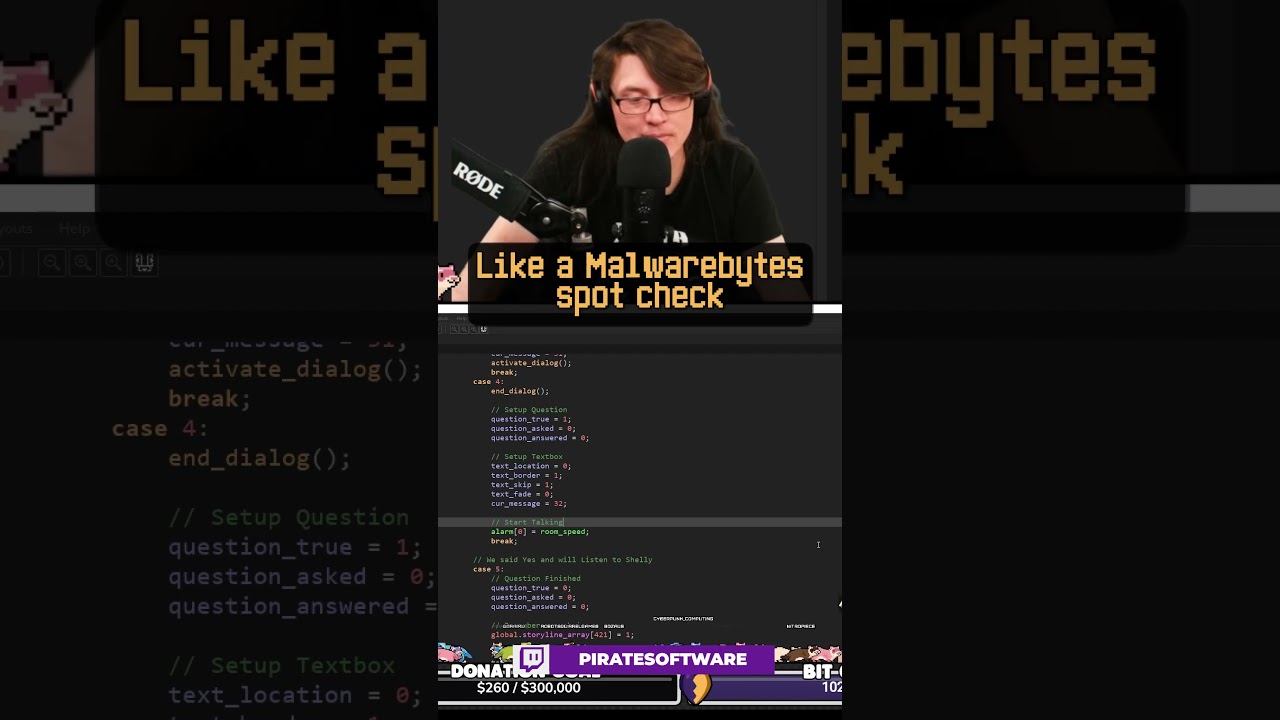
Watch the stream here:
https://piratesoftware.live
#Shorts #Twitch #Antivirus
heady glade
alright thanks! 👍
normal badge
is there anyway to fix question marks? i manually installed the sprites but some still dont work
verbal timber
normal badge
is there anyway to fix question marks? i manually installed the sprites but some...
?tag fix
pearl magnetBOT
If you are having issues with sprites after using our new zip, this means you did not set it up correctly. Reasons it didn't work:
- You didn't use our 2.57gb zip download from megaman's post in #downloads
- You forgot to turn off download sprites and restart your game
- You extracted it on top of an existing InfiniteFusion folder so it is conflicting
- You are opening it from your old game files or shortcut. You need to open it within the new folder that was extracted with the 2.57gb zip
If you did ALL above, share a screenshot of you doing step 5 of the guide to show us your game files.
 glossy zephyr
is there a way to edit the save file?
tough hound
glossy zephyr
is there a way to edit the save file?
nope. also we dont help with file changes
?tag rule23
pearl magnetBOT
Rule 23. Any modifications to the game (that includes mods, edited gamefiles and "cheats") void your support ( #tech-support / #gameplay-help )
glossy zephyr
what if the save is corrupted or something and would need practical fixing
tough hound
corrupted saves cant be fixed
glossy zephyr

 shell horizon
i have the same bug as him but i dont understand what doc they xhere talking about
tough hound
tough hound
corrupted saves cant be fixed
it becomes unreadable
tough hound
shell horizon
i have the same bug as him but i dont understand what doc they xhere talking abo...
?tag spriterepo
pearl magnetBOT
The Sprite Server is currently down for everyone.
- This means you will have question mark sprites or invisible sprites for Pokemon until it is back up.
- We don't have an ETA on a fix, but we currently have a beta out to try and test the new server.
How to Fix Manually
Lightweight Installer with ALL Sprites + Guide
- Download, Extract to a new folder, Open Game.exe. Nothing else needs to be done.
- Don't merge or copy anything into it, this zip has everything setup and ready to play for you with ALL sprites.
- This carries over your save file, you don't need to move or download anything else.
shell horizon
yes i dont see some pokémon and see the wuite question marque for some all fusion
tough hound
you were given the same thing earlier
tough hound
shell horizon
yes i dont see some pokémon and see the wuite question marque for some all fusio...
read the bot
 wise jungle
Yo anyone know how long it takes to fully unzip the game on mobile, I've been trying since yesterday and just reached 75% lol
turbid terraceBOT
Hey @wise jungle! Sprite Server is Down but the guide below has the Semi-Working version for Android. YOU WILL STILL HAVE MISSING SPRITES, but the best we can do until the Sprite Server is back up.
Check our Official Android guide HERE. If you didn't follow this guide, DELETE and UNINSTALL everything.
All Android bugs/workarounds are in the guide. If your issue isn't listed, there's no fix. No dedicated mobile version of IF will be developed in the future.
shell horizon
...sorry i dont understante what means read the bot
tough hound
wise jungle
Yo anyone know how long it takes to fully unzip the game on mobile, I've been tr...
the time depends on your phone, just gonna have to wait it out
wise jungle
tough hound
the time depends on your phone, just gonna have to wait it out
Kk ty
tough hound
shell horizon
...sorry i dont understante what means read the bot
read the deino message

 flint sandal
When I first download the game, do the custom sprites already load in, or are they just the deafault ones people have made when the game first released?
 keen cape
Hi hi! I have a black screen and i tried most methods but how does one fix it?
turbid terraceBOT
Hey @keen cape! If your screen is stuck on black at startup, don't worry, it's normal. The duration of the black screen depends on YOUR computer. Especially if you just imported sprites. The game needs time to process the hundred of thousands of sprites you imported.
Performance Issues - If you want to improve your performance, read the information in our guides: [More Info](#tech-support message)
Do not click on the window during this, otherwise you'll get the error below and the game will close.
https://cdn.discordapp.com/attachments/308392115338084360/994274889055875142/Capture.PNG
 verbal timber
flint sandal
When I first download the game, do the custom sprites already load in, or are th...
verbal timber
flint sandal
When I first download the game, do the custom sprites already load in, or are th...
no and no
?tag spriterepo
pearl magnetBOT
The Sprite Server is currently down for everyone.
- This means you will have question mark sprites or invisible sprites for Pokemon until it is back up.
- We don't have an ETA on a fix, but we currently have a beta out to try and test the new server.
How to Fix Manually
Lightweight Installer with ALL Sprites + Guide
- Download, Extract to a new folder, Open Game.exe. Nothing else needs to be done.
- Don't merge or copy anything into it, this zip has everything setup and ready to play for you with ALL sprites.
- This carries over your save file, you don't need to move or download anything else.
verbal timber
if you don't have the files from this, delete what you downloaded
flint sandal
Aight then, thanks
 fathom snow
One of my people, I was about to pull my hair out...
Flipped the switch from PC to Switch and the game starts...
game.exe error 0x0000 memory flash blink mayflash (for people searching)
 silent mango
?tag spriterepo
pearl magnetBOT
The Sprite Server is currently down for everyone.
- This means you will have question mark sprites or invisible sprites for Pokemon until it is back up.
- We don't have an ETA on a fix, but we currently have a beta out to try and test the new server.
How to Fix Manually
Lightweight Installer with ALL Sprites + Guide
- Download, Extract to a new folder, Open Game.exe. Nothing else needs to be done.
- Don't merge or copy anything into it, this zip has everything setup and ready to play for you with ALL sprites.
- This carries over your save file, you don't need to move or download anything else.
 blazing python
 quasi crypt
Hi im trying to download the game i think i did everything wrong
quasi crypt
Hi im trying to download the game i think i did everything wrong
Why aren’t you using the files in my post in #downloads
It has everything setup for you. Just download, extract and play
quasi crypt
I did the Infinite fusion zip
 wooden flame
hello i can't pass because the the board is shifted anyone know how to solve this ?
 blazing python
wooden flame
hello i can't pass because the the board is shifted anyone know how to solve thi...
blazing python
wooden flame
hello i can't pass because the the board is shifted anyone know how to solve thi...
Use #gameplay-help
blazing python
quasi crypt
I did the Infinite fusion zip
If you use the guide in my post in #downloads , it doesn’t tell you to run any files. So just follow the info in my post
wooden flame
blazing python
Use <#1056705898669682718>
okay sry
wooden flame
blazing python
If you use the guide in my post in <#926866111948001341> , it doesn’t tell you t...
i did
blazing python
My response was for God of Peace 1795, not your issue
 hazy trout
Tried installing the latest version + run time package on android

 flat lava
so when i try to open the zip file my file manager freezes (still closeable) and just hogs up all of my cpu
like it dosen't load anything, when hovering above it the blue circle appears but you can still close it like nothing happened
tough hound
flat lava
so when i try to open the zip file my file manager freezes (still closeable) and...
the guide says to not open it
extract using winrar
flat lava
oh yea i didn't install winrar on this yet
tough hound
hazy trout
Tried installing the latest version + run time package on android
make sure to follow the mobile guide
?tag android
pearl magnetBOT
Sprite Server is Down but the guide below has the Semi-Working version for Android. YOU WILL STILL HAVE MISSING SPRITES, but the best we can do until the Sprite Server is back up.
Check our Official Android guide HERE. If you didn't follow this guide, DELETE and UNINSTALL everything.
All Android bugs/workarounds are in the guide. If your issue isn't listed, there's no fix. No dedicated mobile version of IF will be developed in the future.
 tidal leaf
um, my Pokemon Infinite Fusion App only has Installation Menu, Extras, and Settings, no Sprite menu...
 fervent juniper
Hey just wondering what does 6.2.4 actually change and have thats new?
 tacit kiln
tidal leaf
um, my Pokemon Infinite Fusion App only has Installation Menu, Extras, and Setti...
tacit kiln
tidal leaf
um, my Pokemon Infinite Fusion App only has Installation Menu, Extras, and Setti...
Same problem
 spring crow
how do i import the september pack
blazing python
tidal leaf
um, my Pokemon Infinite Fusion App only has Installation Menu, Extras, and Setti...
correct
blazing python
fervent juniper
Hey just wondering what does 6.2.4 actually change and have thats new?
bug fixes
 exotic sparrow
Then shouldn't this part be crossed out as well in the recently announced pack?
"Preloaded version:
🔵 Use the Pokémon Infinite Fusion Installer to download sprites directly! Just hit "Install Custom Sprites"!  "
"
Its presented as a viable option.
blazing python
spring crow
how do i import the september pack
Drag CustomBattlers from the sprite pack into your InfiniteFusion/Graphics folder to merge them
blazing python
exotic sparrow
Then shouldn't this part be crossed out as well in the recently announced pack?
...
yup
tacit kiln
exotic sparrow
Then shouldn't this part be crossed out as well in the recently announced pack?
...
That's what was confusing me
tidal leaf
blazing python
correct
then how do I 'hit' Install custom sprites?
blazing python
tidal leaf
then how do I 'hit' Install custom sprites?
you dont
sprite server is down, so not possible
tidal leaf
the announcement said too...
blazing python
tidal leaf
the announcement said too...
ppl make mistakes
fervent juniper
blazing python
bug fixes
Is that literally it so no new fusions or Pokemon?
blazing python
fervent juniper
Is that literally it so no new fusions or Pokemon?
not until 6.3
fervent juniper
blazing python
not until 6.3
Gotcha thank u
spring crow
so how do i insert the september files?
blazing python
spring crow
so how do i insert the september files?
I already mentioned it.
Download the sprite pack
extract it
Drag CustomBattlers from the sprite pack into your InfiniteFusion/Graphics folder to merge them
fervent juniper
Do u know when 6.3 will be out?
blazing python
nope
fervent juniper
Lol fair enough if I dont update my game until 6.3 will the game tell me the latest one is out?
blazing python
Yeah when you open it, it should say an update is out.
fervent juniper
Nice thank u
 minor rock
I don't have a sprite menu on my app like it says here? #tech-support message
loud sigil
minor rock
I don't have a sprite menu on my app like it says here? https://discord.com/chan...
its currently removed
minor rock
but it was in the #announcements tho
 covert spoke
I don't know which folder to link (if I use the folder I put it in, it just says there's no game file)
blazing python
spring crow
how can i be sure i did it?
if you did it right, it will say thousands of sprites were imported after you open the game
covert spoke
If I click install it just tells me to download the installer?
blazing python
covert spoke
I don't know which folder to link (if I use the folder I put it in, it just says...
the app and game are not the same thing
clicking install takes you to the google doc for the game itself
spring crow
its says there are 4 already in game sprites what do i click: do not import the new ones or replace the old sprites?
blazing python
replace
spring crow
4672 new sprites imported
covert spoke
blazing python
clicking install takes you to the google doc for the game itself
Thank you, it's been a long day and I didn't realize.
blazing python
spring crow
4672 new sprites imported
Yup, that sounds good!
spring crow
yay
 wary elk
blazing python
I already mentioned it.
Download the sprite pack
extract it
Drag CustomBattler...
wary elk
blazing python
I already mentioned it.
Download the sprite pack
extract it
Drag CustomBattler...
the rest of the stuff in the full sprite pack - do i need to drag it into a folder or what?
second part - it won't overwrite any custom sprites i added to CustomBattlers, will it?
 ornate vessel
Just downloaded the new sprite pack on android, is this right? The guide says the two custom battlers should combine, but it only gave me the option to either replace the old folder or rename the new one, not combine them. Should I move the new folder into the old folder or what?

 storm bramble
sorry to ask this
but if i download/install "Sprite Pack 106 (September 2024).zip" do i have all custom spirit up to date ? or just new add form sep 2024?
blazing python
wary elk
the rest of the stuff in the full sprite pack - do i need to drag it into a fold...
The Other folder is just extras
Yes, it will override sprites if one exists for a sprite that is in the pack
wary elk
blazing python
The `Other` folder is just extras
Yes, it will override sprites if one exists f...
so only if the sprite exists in the pack. it won't replace my, frex, metagross/clefable which doesn't have a gallery entry yet?
blazing python
ornate vessel
Just downloaded the new sprite pack on android, is this right? The guide says th...
Instructions are for Windows. Android doesn't copy/paste the same so you have a dupe folder in there that isnt supposed to be there
ornate vessel
blazing python
Instructions are for Windows. Android doesn't copy/paste the same so you have a ...
Ah ok. What do I need to do then?
blazing python
storm bramble
sorry to ask this
but if i download/install "Sprite Pack 106 (September 2024).z...
Preloaded link already came with EVERYTHING. you just need to download the small 22mb and follow the guide and you are up to date
ornate vessel
Move all the sprites separately into the old folder?
blazing python
ornate vessel
Ah ok. What do I need to do then?
not do it to be honest.
storm bramble
A thank you 😄
ornate vessel
Oh
blazing python
You can copy and paste them into CustomBattlers yourself, just harder to do on Android
ornate vessel
But once the sprite problem is fixed, the game should add those new sprites automatically right?
blazing python
Correct
ornate vessel
blazing python
You can copy and paste them into CustomBattlers yourself, just harder to do on A...
Oh ok I'll try that
And hopefully not mess anything up in the meantime
blazing python
wary elk
so only if the sprite exists in the pack. it won't replace my, frex, metagross/c...
If the sprite pack has for example a new sprite for 1.2.png, it will replace the sprite you had existing named 1.2.png
so just depends if it exists in the sprite pack and if it exists in your game already
ornate vessel
Ah I see...this may take a while
 blazing python
ornate vessel
And hopefully not mess anything up in the meantime
blazing python
ornate vessel
And hopefully not mess anything up in the meantime
Yeah on Android you have a way HIGHER risk to mess up the game files
and if you mess up your files on Android, you have to delete everything and start over
so up to you
ornate vessel
blazing python
Yeah on Android you have a way HIGHER risk to mess up the game files
Hmm yea I'll probably not try it
Thanks for the help tho
I just delete this new custom battlers folder then?
 tawny turtle
so we just drag custombattlers folder into the graphics ones and done right?
blazing python
tawny turtle
so we just drag custombattlers folder into the graphics ones and done right?
yup
blazing python
ornate vessel
I just delete this new custom battlers folder then?
Delete CustomBattlers (1)
tawny turtle
blazing python
yup
kk thank you
ornate vessel
blazing python
Delete `CustomBattlers (1)`
Got it, thanks
 last lance
My game keeps crashing any time I try and fuse two pokemon together
loud sigil
last lance
My game keeps crashing any time I try and fuse two pokemon together
where did you download your game from? And does it give you an error or just flat out crash?
last lance
THe error log says this (I can't find the one from today)
[2024-10-29 22:37:38 -0500]
[Infinite Fusion version 6.3.0-beta2]
Exception: SystemStackError
Message: stack level too deep
Backtrace:
004_Validation.rb:18:in block (2 levels) in validate' 004_Validation.rb:18:in any?'
004_Validation.rb:18:in block in validate' 004_Validation.rb:16:in each'
004_Validation.rb:16:in map' 004_Validation.rb:16:in validate'
001_GameData.rb:31:in get' 001_GameData.rb:52:in get'
001_GameData.rb:52:in get' 001_GameData.rb:52:in get'
loud sigil
alright where did you download from? Here, the reddit, or pokecommunity?
turbid terraceBOT
@last lance
Automoderator:
Please be aware you have linked a fake website for downloading Pokémon Infinite Fusion. Please check out the pinned guides in #tech-support for downloading the game safely and malware free!
loud sigil
yup okay that explains it
last lance
Yeah~ I see the problem now
loud sigil
Delete what you have and redownload from here
i also recommened running a virus scan just in case
last lance
I just ran one a few hours ago as routine and nothing came up, so I should be good in that department
loud sigil
yup so just delete and redownload from here (i also recommed wiping the save as it will always have bugs normal saves wont have)
 polar apex
Ok
Android pokemon infinite fusion download
How to download pokemon infinite fusion again?
loud sigil
polar apex
Android pokemon infinite fusion download
?tag android
pearl magnetBOT
Sprite Server is Down but the guide below has the Semi-Working version for Android. YOU WILL STILL HAVE MISSING SPRITES, but the best we can do until the Sprite Server is back up.
Check our Official Android guide HERE. If you didn't follow this guide, DELETE and UNINSTALL everything.
All Android bugs/workarounds are in the guide. If your issue isn't listed, there's no fix. No dedicated mobile version of IF will be developed in the future.
 ivory yarrow
so is there a way to reset my characters sprite, as its invisible/has their hat floating infront of it
tough hound
ivory yarrow
so is there a way to reset my characters sprite, as its invisible/has their hat ...
hold shift and move
 fresh tusk
I downloaded the full sprite pack and I wanted to double check. do I need to extract the zip before moving it to the Graphics folder?
tough hound
fresh tusk
I downloaded the full sprite pack and I wanted to double check. do I need to ext...
you do
ivory yarrow
tough hound
hold shift and move
that dosent do anything
tough hound
ivory yarrow
that dosent do anything
then youll have to go the suit man and ask him to fix the game
fresh tusk
tough hound
you do
Thank you@
ivory yarrow
tough hound
then youll have to go the suit man and ask him to fix the game
got it, thanks
normal badge
i followed the sprite download perfectly, got every prompt it said i would and im still getting question marks for fusions
tough hound
normal badge
i followed the sprite download perfectly, got every prompt it said i would and i...
?tag spriterepo you followed this?
pearl magnetBOT
The Sprite Server is currently down for everyone.
- This means you will have question mark sprites or invisible sprites for Pokemon until it is back up.
- We don't have an ETA on a fix, but we currently have a beta out to try and test the new server.
How to Fix Manually
Lightweight Installer with ALL Sprites + Guide
- Download, Extract to a new folder, Open Game.exe. Nothing else needs to be done.
- Don't merge or copy anything into it, this zip has everything setup and ready to play for you with ALL sprites.
- This carries over your save file, you don't need to move or download anything else.
normal badge
no i followed the guide that came out at 9 today but ill try this one
 jovial halo
Hi guys, I have a problem that's kinda bothering me enough in my play-through as to make me join the discord server.
Sometimes when I get a screen transition, almost all the map tiles don't load, and I get a black void. Water tiles, characters and obstacles like pushable tiles are visible, but all the others go black. This is specially bad in Seafoam Islands and Victory Road (Where I'm right now, and the reason why I'm even here).
I go back to reality when I get a battle, either with a Wild Pokémon or an NPC Trainer, or I reload the map by saving and going to the title screen.
How can I stop this from happening?
 timid fjord
Hello, my alternate launcher doesnt work it keeps saying rgss script is stck. Any idea on how to fix it?
turbid terraceBOT
Hey @timid fjord! If your screen is stuck on black at startup, don't worry, it's normal. The duration of the black screen depends on YOUR computer. Especially if you just imported sprites. The game needs time to process the hundred of thousands of sprites you imported.
Performance Issues - If you want to improve your performance, read the information in our guides: [More Info](#tech-support message)
Do not click on the window during this, otherwise you'll get the error below and the game will close.
https://cdn.discordapp.com/attachments/308392115338084360/994274889055875142/Capture.PNG
tough hound
jovial halo
Hi guys, I have a problem that's kinda bothering me enough in my play-through as...
where did you download from?
jovial halo
tough hound
where did you download from?
Megaman's doc? I'm using the app on PC
tough hound
jovial halo
Megaman's doc? I'm using the app on PC
?tag performance
pearl magnetBOT
Performance Issues - Freezing? Lag? Long Black/Loading Screens? [More Info](#tech-support message)
 wicked sapphire
question because I had to do that whole new download of this game when the sprite website went down, do I now download the sprite packs into custom battlers?
tough hound
wicked sapphire
question because I had to do that whole new download of this game when the sprit...
ya
 mint epoch
This happens to me everytime i try to beat the 3rd trainer on nugget bridge and it just crashes my game afterwards, didnt have it prior to this run i'm on
 tough hound
mint epoch
This happens to me everytime i try to beat the 3rd trainer on nugget bridge and ...
tough hound
mint epoch
This happens to me everytime i try to beat the 3rd trainer on nugget bridge and ...
?tag randerror
pearl magnetBOT
When randomizing the game, you can only randomize Trainers and Gym leaders if you are playing Classic or Randomized Mode.
Randomizing trainers on Remix and Expert Mode will crash trainer battlers.
Steps:
- Go to a Pokemon Center and talk to Help Man (guy in black suit)
- Select Advanced Settings -> Randomizer Settings -> Turn Trainers/Gyms OFF
mint epoch
ty it helped :3
 valid briar
I don't quite know if this is the right chat but I unfused my machop in my new game and now it has guts instead of no guard is there a way to get no guard back? 😭
tough hound
valid briar
I don't quite know if this is the right chat but I unfused my machop in my new g...
the head gets rerolled when unfusing
valid briar
That's so weird cause it was pikachu head machop body.
tough hound
oh weird then
valid briar
Is the ultimate answer just to slap it on something over and over until it rerolls into no guard again?
valid briar
All my hard earned money down the drain...
valid briar
tough hound
and just to make sure, what version are you on?
I'll check in a moment sorry.
6.2.4.
tough hound
ya, weird then
valid briar
Reverting to my auto save to see if it happens consistently.
 late bane
just to check you did get the game from here or the reddit or pokecommunity rignt? i like to check as some weird bugs our verions doesnt have is becuase you got a fake version of the files
valid briar
late bane
just to check you did get the game from here or the reddit or pokecommunity rign...
Oh it's from here.
late bane
ok just makin sure cause non indorced fake versions sometimes have bugs official versions dont
valid briar
Oh yeah I get it.
 sharp grove
Im having sprite issues a lot of sprites are the question marks how do i fix that?
late bane
sharp grove
Im having sprite issues a lot of sprites are the question marks how do i fix tha...
?Tag spriterepo
pearl magnetBOT
The Sprite Server is currently down for everyone.
- This means you will have question mark sprites or invisible sprites for Pokemon until it is back up.
- We don't have an ETA on a fix, but we currently have a beta out to try and test the new server.
How to Fix Manually
Lightweight Installer with ALL Sprites + Guide
- Download, Extract to a new folder, Open Game.exe. Nothing else needs to be done.
- Don't merge or copy anything into it, this zip has everything setup and ready to play for you with ALL sprites.
- This carries over your save file, you don't need to move or download anything else.
sharp grove
thank you
late bane
also when you do follow the guide make sure you do exactly what it says. if you dont it wont work
sharp grove
thanks a lot i really appreciate it
valid briar
valid briar
Reverting to my auto save to see if it happens consistently.
Okay I think it might be because I had a full party and sent my machop to the box? Unsure though. It did not replicate when I kept him in the party though.
tough hound
oh ya, if the body gets sent to the box
then it gets rerolled and the head keeps everything
valid briar
GOTCHA.
late bane
i feel like this was a classic case of people just have a brain fart when giving info so they accidently leave some out then remember it later and that helps everyone fix the issue
more common then you would think
wary elk
i assume this screen not changing for ages is because it's taking time to replace all the old sprites with new ones?
i don't suppose there's a progress bar somewhere so i can see how long it might take?
 late bane
nope
wary elk
bah
you don't happen to know the average time it'll be?
 nevermind, it just gave the confirmation notification!
 lean smelt
How do I get the game for my laptop? I don't see a link for my pc?
late bane
lean smelt
How do I get the game for my laptop? I don't see a link for my pc?
download the spriterepo version from here
 bronze stump
I can't get the game to update to 6.3
tough hound
bronze stump
I can't get the game to update to 6.3
cause thats a beta version
you need the #roles
bronze stump
Oh, that makes sense
 hard escarp
How do I get this fixed?
 tough hound
hard escarp
How do I get this fixed?
tough hound
hard escarp
How do I get this fixed?
?tag spriterepo
pearl magnetBOT
The Sprite Server is currently down for everyone.
- This means you will have question mark sprites or invisible sprites for Pokemon until it is back up.
- We don't have an ETA on a fix, but we currently have a beta out to try and test the new server.
How to Fix Manually
Lightweight Installer with ALL Sprites + Guide
- Download, Extract to a new folder, Open Game.exe. Nothing else needs to be done.
- Don't merge or copy anything into it, this zip has everything setup and ready to play for you with ALL sprites.
- This carries over your save file, you don't need to move or download anything else.
hard escarp
thank you!
 ionic bison
 tough hound
ionic bison
tough hound
ionic bison
skip the intro, when using custom starters
bronze stump
What is going on with this first battle?
 tough hound
bronze stump
What is going on with this first battle?
tough hound
bronze stump
What is going on with this first battle?
?tag spriterepo
pearl magnetBOT
The Sprite Server is currently down for everyone.
- This means you will have question mark sprites or invisible sprites for Pokemon until it is back up.
- We don't have an ETA on a fix, but we currently have a beta out to try and test the new server.
How to Fix Manually
Lightweight Installer with ALL Sprites + Guide
- Download, Extract to a new folder, Open Game.exe. Nothing else needs to be done.
- Don't merge or copy anything into it, this zip has everything setup and ready to play for you with ALL sprites.
- This carries over your save file, you don't need to move or download anything else.
bronze stump
So this is normal?
tough hound
ya, but you can use the manual fix
bronze stump
I'll just wait. I'm lazy
 fast totem
Hello! I'm going to install for the first time and I have a doubt: It's mandatory to use winrar? Normaly I use 7zip, so I just want to check if is ok to use it
tough hound
fast totem
Hello! I'm going to install for the first time and I have a doubt: It's mandator...
7zip is fine to use
fast totem
Nice, thanks
 strange pulsar
The September sprite is out, is the manual download the same process for android or different?
tough hound
strange pulsar
The September sprite is out, is the manual download the same process for android...
ya, just know that we dont recommend downloading all the sprite on mobile
strange pulsar
tough hound
ya, just know that we dont recommend downloading all the sprite on mobile
Why? Will it mess everything up?
tough hound
strange pulsar
Why? Will it mess everything up?
phones arent meant to handle over 400k files
strange pulsar
tough hound
phones arent meant to handle over 400k files
Ah, gotcha
strange pulsar
How do I transfer this custom battles into the one in infinite fusion?

 upbeat sigil
For some reason, my game keeps crashing when I fuse. Is it because of debug?
turbid terraceBOT
Hey @upbeat sigil! Magic Boots are an IN GAME reward for catching all unfused 470 Pokemon in a non-randomized file (Dex number 1-470). After doing so, the Developer in Celadon will reward you with them. Putting them on will unlock DEBUG options that you can play with.
Use ?tag proof to see how you get the Dex Completionist Role for earning the Magic Boots in Discord.
tough hound
upbeat sigil
For some reason, my game keeps crashing when I fuse. Is it because of debug?
does it give an error?
upbeat sigil
Yeah but it's a bunch of stuff, something about too few arguments
fading igloo
upbeat sigil
Yeah but it's a bunch of stuff, something about too few arguments
we would need a screenshot
upbeat sigil
ok
strange pulsar
strange pulsar
How do I transfer this custom battles into the one in infinite fusion?
I extracted it into the graphics file, do I need to delete the game in Joiplay and put it back in for the new sprites to be added?
tough hound
strange pulsar
I extracted it into the graphics file, do I need to delete the game in Joiplay a...
no, just open the game and let it index
 pale crescent
I just did the initial set up of Infinite Fusion on my phone, the Z Fold 6, but the buttons are massive, and isn't going into flex mode, any help on this would be appreciated
tough hound
pale crescent
I just did the initial set up of Infinite Fusion on my phone, the Z Fold 6, but ...
thats a joiplay thing
i would ask in their discord
you'll have to look it up
pale crescent
Ok
upbeat sigil
Whenever I fuse, this pops up. Is it the debug mode?
 tough hound
upbeat sigil
Whenever I fuse, this pops up. Is it the debug mode?
tough hound
upbeat sigil
Whenever I fuse, this pops up. Is it the debug mode?
?tag cheater
pearl magnetBOT
Per this server's #rules, we will not help you with **ANY **code changes or cheats. Game files with any modifications void any tech or game support from us.
Trying to edit code to enable cheats will **NOT **work. Magic boots are only available from in game rewards by catching the 470 Base Pokemon.
The only help we will provide to "fix" your issue is to give you the information to delete your game folder and reinstall using the files in #downloads message. This does not affect your save files.
upbeat sigil
tough hound
?tag cheater
I only used the boots
fading igloo
tough hound
?tag cheater
yeah thats not a cheater issue actually ...
@upbeat sigil you fused while having debug on ... and youre on an outdated version
the issue is - due to debug mode the game pulls a sprite which isnt in the repo anymore, so it crashes
easiest solution is disable debug mode
upbeat sigil
fading igloo
yeah thats not a cheater issue actually ...
<@363862815817334784> you fused whi...
So I can't use it until the next game update?
fading igloo
the game update is already out, so it should have been fixed
you still can use debug mode ... tho, as long as youre on that version, avoid the pokedex
upbeat sigil
thanks
turbid terraceBOT
Hey @sterile pivot! Sprite Server is Down but the guide below has the Semi-Working version for Android. YOU WILL STILL HAVE MISSING SPRITES, but the best we can do until the Sprite Server is back up.
Check our Official Android guide HERE. If you didn't follow this guide, DELETE and UNINSTALL everything.
All Android bugs/workarounds are in the guide. If your issue isn't listed, there's no fix. No dedicated mobile version of IF will be developed in the future.
Hey @sterile pivot! If your screen is stuck on black at startup, don't worry, it's normal. The duration of the black screen depends on YOUR computer. Especially if you just imported sprites. The game needs time to process the hundred of thousands of sprites you imported.
Performance Issues - If you want to improve your performance, read the information in our guides: [More Info](#tech-support message)
Do not click on the window during this, otherwise you'll get the error below and the game will close.
https://cdn.discordapp.com/attachments/308392115338084360/994274889055875142/Capture.PNG
 nova saffron
Hey, may i ask, if i can play the beta offline? Is there a way to test the beta fully preloaded?
frozen grove
nova saffron
Hey, may i ask, if i can play the beta offline? Is there a way to test the beta ...
I think (I could be wrong) you’d have to manually import all of the sprites if you wanted to play offline since the main reason for the beta is to test the new repo
Or just have missing sprites lmao
nova saffron
Ohh okay thank you. Ill try to find a turorial for that. My Laptop is struggling a lot with loading maps when I dont play preloaded
frozen grove
nova saffron
Ohh okay thank you. Ill try to find a turorial for that. My Laptop is struggling...
I mean there should still be a preloaded.exe in the beta folder that should help with that. The online is really just for sprites and that shouldnt affect your performance too much due to the download limits
nova saffron
I know, but when i play online it takes the game at least 15 seconds to load the map after entering doors or exiting battles 😩
I dont know why. Otherwise it's not lagging or Anything. Just the loadingscreens are horrendous
frozen grove
That’s interesting since it doesn’t load tilesets or anything from online
?tag performance || check those tips if you haven’t already. Might help
pearl magnetBOT
Performance Issues - Freezing? Lag? Long Black/Loading Screens? [More Info](#tech-support message)
nova saffron
Yea, it just says i should play preloaded. It works fine when I do, too. I just dont understand the issue either 😄
frozen grove
Then yea, my only other thought would be to manually try and download sprites (if you can find them) or if you have 6.2.4 preloaded then you could theoretically copy the sprites from that to the beta folder.
But again, the main purpose of having a big open beta was to test the new repo 
 grave loom
Is it important to turn of download spirit I am on Android and new
frozen grove
Yes because the sprite repo is down so there’s nowhere to download from
 inner flint
for some reason some of my sprites are just a white circle with a question mark. how do i fix this?
turbid terraceBOT
Hey @inner flint!
The Sprite Server is currently down for everyone.
- This means you will have question mark sprites or invisible sprites for Pokemon until it is back up.
- We don't have an ETA on a fix, but we currently have a beta out to try and test the new server.
How to Fix Manually
Lightweight Installer with ALL Sprites + Guide
- Download, Extract to a new folder, Open Game.exe. Nothing else needs to be done.
- Don't merge or copy anything into it, this zip has everything setup and ready to play for you with ALL sprites.
- This carries over your save file, you don't need to move or download anything else.
gleaming pendant
what should i do with this "credit" file?? theres nothing say about it on the guides

 rigid silo
There also isnt anything about using sprite packs on mobile
rigid silo
@pale crescent
- simply copy this button setup in joiplay. that will have all the buttons you need to play covered
escape = back
enter = confirm
Z = run
X = back
C = confirm
D = Key item

- for typing stuff, go into the in game options
and change the text entry option. then you will get an on-screen keyboard you need to navigate with the arrow keys and C (confirm) to type letters or use backspace
pale crescent
 rigid silo
pale crescent
rigid silo
pale crescent
yeah so just tap on currently registered key to remap them.
and then preferably do it on the left column
and then copy the keys from the img above
- left and right button already look good
- so next press the "page_up" next to left mini button -> remap it to F1
- right mini button already looks good
- first button already looks good
- next click the "ctrl_right" next to second button -> remap to X
- etc etc just keep following the img above until it matches
turbid terraceBOT
Edit this to change the output of the custom command 75!
pale crescent
How do I move those buttons that are covering some of the screen?

Ok, this app is nowhere near optimized for foldables XD
rigid silo
pale crescent
Ok, this app is nowhere near optimized for foldables XD
Yeah nah, thats why they extend into your screen
dont think there is anything to do about it
rigid silo
You have all the custom models already
There are problems with the sprite server - so everything was already added by tech-support for people.
the only thing missing from the android download are auto-gens (which look ugly af anyway), and some extra base sprites.
both of which were left out to stop phones from imploding
pale crescent
 rigid silo
the sprite is for sure in there.
you could go into options and turn off auto-download, that might fix it.
otherwise - its an issue of it not being able to properly load everything in time (another lovely mobile issue )
pale crescent
How do I do that
rigid silo
in game options
pale crescent
Found it
rigid silo
should be an option
 pale crescent
Still invisible
fading igloo
pale crescent
Still invisible
you can also choose the displayed sprite for bulbasaur, the game might have pulled a sprite you dont have
pale crescent
I noticed there is a sprite pack, how do I add that?
rigid silo
pale crescent
Still invisible
so now go into the pokedex, and set it to one of the 2 included sprites.
the game selected one of the 15 something bulbasaur sprites at random, tried to download it from the internet, couldnt - so displayed an empty one
rigid silo
pale crescent
I noticed there is a sprite pack, how do I add that?
you dont
fading igloo
pale crescent
I noticed there is a sprite pack, how do I add that?
you dont
pale crescent
Ah
fading igloo
?tag alts
in case oyu need a video guide to select sprite
pearl magnetBOT
To change a Pokemon's sprite to an alternative one, go to their Pokedex entry (this can be done from their summary screen) and go to the "Sprites" tab. Here you can scroll through the different available sprites.
https://www.youtube.com/watch?v=VOY_mxJ-Bx8
 pale crescent
I'll try it later, gotta get back to work
 swift ginkgo
Does Android still not work?
pale crescent
It's very broken
fading igloo
android does work, just the sprites dont as we dont provide a full preloaded game for android
swift ginkgo
Any way to get all the sprites onto android?
fading igloo
if you ewant to overheat your phone ... sure .. grab the patches folder from the android guide and put it in the preloaded PC version on your android
pale crescent
I think my phone can handle it, Snapdragon 8 Gen 3, 12 GB of ram, 512 GB of storage
rigid silo
pale crescent
I think my phone can handle it, Snapdragon 8 Gen 3, 12 GB of ram, 512 GB of stor...
I think you dont understand how this works
fading igloo
the storage isnt the issue .. the extraction is for one, and the fact that phones arent made to handle 400k+ files
pale crescent
Ah
fading igloo
while 300k+ are images
rigid silo
newer android phones are constantly scanning every single user-added file on your phone.
if it finds an img - display it in gallery and make a symlink
if it finds a document - display it in there and make a symlink
on top of scanning everything for viruses (which on new android you cannot simply turn off)
now do this with 400.000 files and it becomes a problem real quick
the file management system is a mess - yes it is safer - but magnitudes slower than old android
fading igloo
if the only issue was just a storage .. with phones nowadays it wouldnt be an issue anymore
pale crescent
Oh, so the issue lies in how Android processes the files
turbid terraceBOT
Hey @pale crescent! Sprite Server is Down but the guide below has the Semi-Working version for Android. YOU WILL STILL HAVE MISSING SPRITES, but the best we can do until the Sprite Server is back up.
Check our Official Android guide HERE. If you didn't follow this guide, DELETE and UNINSTALL everything.
All Android bugs/workarounds are in the guide. If your issue isn't listed, there's no fix. No dedicated mobile version of IF will be developed in the future.
 warm tangle
I was looking through the other folder from the sprite pack and I saw sprites for triple fusions but I can't find where to put them.
fading igloo
warm tangle
I was looking through the other folder from the sprite pack and I saw sprites fo...
you need to replace the originals in graphics/battlers/special
https://discord.com/channels/302153478556352513/1195043740855832586 just in case you need help
warm tangle
thank you
 languid pilot
Does anybody play this on steamdeck and if so can you help me get it on mine?
fading igloo
?tag guides
theres also for steamdeck
pearl magnetBOT
All of our Official Guides to install the game are located here: [CLICK HERE FOR GUIDES](#tech-support message)
wise jungle
How do I get the bot to send me the android google docs?
turbid terraceBOT
Hey @wise jungle! Sprite Server is Down but the guide below has the Semi-Working version for Android. YOU WILL STILL HAVE MISSING SPRITES, but the best we can do until the Sprite Server is back up.
Check our Official Android guide HERE. If you didn't follow this guide, DELETE and UNINSTALL everything.
All Android bugs/workarounds are in the guide. If your issue isn't listed, there's no fix. No dedicated mobile version of IF will be developed in the future.
wise jungle
Ty
wise jungle
When will the server be up?
 zealous pebble
i am in necrozma quest but oak keeps telling me to go to professor elm but i already did that very long ago
so what can i do about this?
fading igloo
you talk to the other professor oak at the docks
zealous pebble
Ooooh okay
 analog cedar
How do I download the game on mobile
turbid terraceBOT
Hey @analog cedar! You can download the game from: [#downloads](#downloads message)
If you need a guide, they are located: [HERE](#tech-support message)
Hey @analog cedar! Sprite Server is Down but the guide below has the Semi-Working version for Android. YOU WILL STILL HAVE MISSING SPRITES, but the best we can do until the Sprite Server is back up.
Check our Official Android guide HERE. If you didn't follow this guide, DELETE and UNINSTALL everything.
All Android bugs/workarounds are in the guide. If your issue isn't listed, there's no fix. No dedicated mobile version of IF will be developed in the future.
ornate vessel
from what I've heard, its a lot more complicated trying to get the new sprite pack on mobile, and theres a much bigger risk of messing up the files, so if you don't know what you're doing it might be a better idea not to try to get the new sprites
turbid terraceBOT
Hey @ornate vessel! Sprite Server is Down but the guide below has the Semi-Working version for Android. YOU WILL STILL HAVE MISSING SPRITES, but the best we can do until the Sprite Server is back up.
Check our Official Android guide HERE. If you didn't follow this guide, DELETE and UNINSTALL everything.
All Android bugs/workarounds are in the guide. If your issue isn't listed, there's no fix. No dedicated mobile version of IF will be developed in the future.
ornate vessel
I'm assuming thats what you were talking about?
rigid silo
it says to rename the folder, not a file
but looks like you did it fine, just follow the rest of the guide
ornate vessel
nvm are you just trying to update the game, not add the new sprites? Cos in that case you should be fine, just follow the guide in #downloads
 gloomy cradle
i get a error message (error creating openAL context)
rigid silo
plug in some headphones
gloomy cradle
my headphone is plug
fading igloo
gloomy cradle
my headphone is plug
replug
rigid silo
then replug them, make sure the game uses them
fading igloo
turn windows volume on (to the headphones)
gloomy cradle
well i have replug and its working...its a weird bug
rigid silo
not a bug, the engine just requires an audio endpoint.
some headphones just dont play nice with windows in general - causing it to not get recognized. thats not something on the games end
fading igloo
well, its bug, but thats on windows, not on the game 😄
gloomy cradle
my headphone is bluethoot,sometime they dont work properly like i have no sound i need to unplug it and replug
fading igloo
ah, bluetooth is even worse
ignore the sprie packs .. you already have all the sprites and dont need to add the sprite packs
rigid silo
its the time of a sprite drop so everyone is gonna mindlessly try to add sprites on mobile.
time for tech support hell
 gloomy cradle
i know but the way my setup is done my headphone wire go right on my mouse lol so its why i have buy it
fading igloo
the only thing i trust in wireless headphones if i listen to musik on my phone .. cause wires would be annoying
on pc, i only trust wired headphones
gloomy cradle
its work fine all the time except when they dont make any sound and you unplug and replug and he work again
i can walk away from my pc with my headphone
ornate vessel
rigid silo
its the time of a sprite drop so everyone is gonna mindlessly try to add sprites...
oops
speaking of which tho, if I've already downloaded the new sprites and theres a couple I really want, can I safely add them seperately into the right folders without messing anything up?
verbal timber
if they are customs just shove them into the custom battler folder
next time you load up the game, it'll index them on its own
 dim badge
when i load it up it says i need to update launcher how do i do that because i click the install or update button and load it back up but that doesnt efect anything
 hushed pasture
My game froze during the fusion quiz with music playing, any chance I won't have to hard quit and go back to my last save?
rigid silo
hushed pasture
My game froze during the fusion quiz with music playing, any chance I won't have...
nahh, gotta hard reset - sadly a known point of failure to happen once in a while.
to be safe - save before doing the quiz next time
hushed pasture
Oof. Hopefully I didn't lose too much
 grand kindle
Why do my fusion sprites not appear when I use the launcher but they work when I open the game without the launcher
ornate vessel
verbal timber
if they are customs just shove them into the custom battler folder
oh cool, could I do that with anything?
like, any image?
asking for a friend
 brittle wraith
Yo, i might be dumb but what did i do wrong?
 ornate vessel
hushed pasture
My game froze during the fusion quiz with music playing, any chance I won't have...
ornate vessel
hushed pasture
My game froze during the fusion quiz with music playing, any chance I won't have...
might be worth waiting a couple minutes, it often takes a minute or 2 for me
rigid silo
grand kindle
Why do my fusion sprites not appear when I use the launcher but they work when I...
because you probably have 2 different installs.
one you properly installed with our guide. And then you installed another one again with the app (which wont have access to sprites) - instead of linking the already installed one to the app as is mentioned in the guide
grand kindle
rigid silo
because you probably have 2 different installs.
one you properly installed with ...
Ohhh
Ill see if it fixes it now thanks
fading igloo
the guide also mentions to delete the old game folder .....
ornate vessel
verbal timber
if they are customs just shove them into the custom battler folder
I'm on mobile btw, does it work the same there?
lean smelt
Getting this when I try to download lightweight installer with all sprites
 rigid silo
lean smelt
Getting this when I try to download lightweight installer with all sprites
rigid silo
lean smelt
Getting this when I try to download lightweight installer with all sprites
this is a problem on your end - I just checked and the doc is working properly.
you either have a country-restriction or parental controls on your google account.
fading igloo
under normal circumstands - yes
grand kindle
rigid silo
because you probably have 2 different installs.
one you properly installed with ...
It worked thank you
lean smelt
@rigid silo just checked my settings thr parental controls are off
verbal timber
ornate vessel
oh cool, could I do that with anything?
no
verbal timber
ornate vessel
I'm on mobile btw, does it work the same there?
logic pretty much is the same across all devices, if it is a custom fusion sprite, drop it in the custom battler folder, game will index it [if possible] next time you run it
rigid silo
lean smelt
<@102165742836797440> just checked my settings thr parental controls are off
Make sure you are using this link -> https://docs.google.com/document/d/1CzIZSZC3g3PYytpOjX237DiVETD7Iflqfq9G8Rm-ylw/edit#heading=h.b67hha4nbt5i
then see if it works
if it doesnt:
copy the link - make an incognito tab so you arent logged in to your google acc - paste the link in the adress bar - try it that way
ornate vessel
verbal timber
logic pretty much is the same across all devices, if it is a custom fusion sprit...
oh cool, thanks
ornate vessel
verbal timber
no
aww
 spring latch
some of the fusions show a question mark how do i fix that?
loud sigil
spring latch
some of the fusions show a question mark how do i fix that?
?tag spriterepo
pearl magnetBOT
The Sprite Server is currently down for everyone.
- This means you will have question mark sprites or invisible sprites for Pokemon until it is back up.
- We don't have an ETA on a fix, but we currently have a beta out to try and test the new server.
How to Fix Manually
Lightweight Installer with ALL Sprites + Guide
- Download, Extract to a new folder, Open Game.exe. Nothing else needs to be done.
- Don't merge or copy anything into it, this zip has everything setup and ready to play for you with ALL sprites.
- This carries over your save file, you don't need to move or download anything else.
nova saffron
heya, can i install the newest sprite pack on the beta like i would do it with the normal game?
turbid terraceBOT
Hey @sterile pivot! If your screen is stuck on black at startup, don't worry, it's normal. The duration of the black screen depends on YOUR computer. Especially if you just imported sprites. The game needs time to process the hundred of thousands of sprites you imported.
Performance Issues - If you want to improve your performance, read the information in our guides: [More Info](#tech-support message)
Do not click on the window during this, otherwise you'll get the error below and the game will close.
https://cdn.discordapp.com/attachments/308392115338084360/994274889055875142/Capture.PNG
verbal timber
why did you do that?
verbal timber
nova saffron
heya, can i install the newest sprite pack on the beta like i would do it with t...
yep
no
only way to update is to reinstall
and you likely have the latest version
which is 6.2.4
blazing python
you rename the folder so it doesn't conflict with the new files you download
then once you move your save from the old folder to the new one, delete the old folder completely. not needed anymore after
 granite fox
Question: Just downloaded the game is this normal?
 blazing python
granite fox
Question: Just downloaded the game is this normal?
blazing python
granite fox
Question: Just downloaded the game is this normal?
download from where? This npc was later removed
blazing python
granite fox
Dont remeber
you seem to got it from the fake website. only way to see that npc was from an old beta version and you dont have the beta role
delete the files you have and run a virus scan
granite fox
oh ok
blazing python
Only download from #downloads
granite fox
ok and should i play 6.2.4 or 6.3
blazing python
exactly my point, the current game is 6.2.4. That is available in #downloads
6.3 is only available if you have the beta role
granite fox
oh ok thanks so much

 subtle vine
would there be a reason why status effects are chopped in half?
 blazing python
subtle vine
would there be a reason why status effects are chopped in half?
blazing python
subtle vine
would there be a reason why status effects are chopped in half?
bug in the game
blazing python
 quartz hemlock
Guess i did something wrong while dowloading
quartz hemlock
Guess i did something wrong while dowloading
hold shift and go downstairs
quartz hemlock
Thank you so much, works correctly now
 wide moat
To update/install the new sprites for Mobile, is there a link to that? Or not yet?
fading igloo
@blazing python are the game files updated in your guide(s)?
with the current sprite pack
verbal timber
unless he updated it last night or this morn, it doesn't contain the sept sprites
 pale bronze
guys i need help
rigid silo
speak for yourself; I can feel its missing sprites 
/j
pale bronze
rigid silo
speak for yourself; I can feel its missing sprites <:9head:760424714387587072>
...
sry and yeay u right lol
rigid silo
?tag spriterepo
pearl magnetBOT
The Sprite Server is currently down for everyone.
- This means you will have question mark sprites or invisible sprites for Pokemon until it is back up.
- We don't have an ETA on a fix, but we currently have a beta out to try and test the new server.
How to Fix Manually
Lightweight Installer with ALL Sprites + Guide
- Download, Extract to a new folder, Open Game.exe. Nothing else needs to be done.
- Don't merge or copy anything into it, this zip has everything setup and ready to play for you with ALL sprites.
- This carries over your save file, you don't need to move or download anything else.
pale bronze
i got the light weight installer thingy but spirtes arent included
rigid silo
did you follow that guide?
or did you just grab the loose file in downloads?
pale bronze
yup
i mean i delted the olde verion and draged it into that folder
but no meging or anying
mergin*
rigid silo
you shouldnt be dragging anything into anything
the guide states to get rid of any old install I believe
pale bronze
so get rid of game files and play new one
rigid silo
 pale bronze
no i didnt drag it into old one
harsh epoch
Think he means he deleted everything in the old folder, and used that same fresh folder
pale bronze
yeay
pale bronze
harsh epoch
Think he means he deleted everything in the old folder, and used that same fresh...
thanks'
 magic ether
Question
Is it possible to put, for example, Di/Pe/Pl music as default music?
rigid silo
pale bronze
thanks'
then you went wrong somewhere else in the guide
make sure to follow every single step of the guide
?tag fix
pearl magnetBOT
If you are having issues with sprites after using our new zip, this means you did not set it up correctly. Reasons it didn't work:
- You didn't use our 2.57gb zip download from megaman's post in #downloads
- You forgot to turn off download sprites and restart your game
- You extracted it on top of an existing InfiniteFusion folder so it is conflicting
- You are opening it from your old game files or shortcut. You need to open it within the new folder that was extracted with the 2.57gb zip
If you did ALL above, share a screenshot of you doing step 5 of the guide to show us your game files.
pale bronze
rigid silo
then you went wrong somewhere else in the guide
make sure to follow **every sing...
okie ill ty again and let u know
rigid silo
magic ether
Question
Is it possible to put, for example, Di/Pe/Pl music as default music?
nope
harsh epoch
No loose music files 
magic ether
💔
 tardy tapir
Random question: is there any way I can install this or configure it to run portably? Everything except for the save files and keybinds are all stored in their own folder and I was wondering if there was any way to make it so it can all stay contained within my thumb drive. I tried looking it up, but all the answers were about making it run on a portable device, not necessarily a usb drive
turbid terraceBOT
Hey @tardy tapir! You can press F1 (FN + F1 on laptops) to change your keybindings!
Be aware, remapping controllers does not work outside of Xbox Controllers. You need to use a 3rd party app like Steam or JoyToKey to remap your controller to keyboard presses.
How to setup Controllers via Steam: [Guide](#tech-support message)
 harsh epoch
Pretty sure your save is saved elsewhere, so it might not work?
tardy tapir
I saw the save files and keybinds in Roaming, but I was just curious if there was a way I could make it portable or install it that way
rigid silo
Not easilly
while technically possible - it would be quite some command line work
 high saffron
Pokemon fusion icons not showing up. This happens when I get a new fusion.
They show up when I log back into the game, but it's still annoying.
 tardy tapir
rigid silo
Not easilly
while technically possible - it would be quite some command line wor...
tardy tapir
rigid silo
Not easilly
while technically possible - it would be quite some command line wor...
I'm not opposed to command line work, but man I was hoping it would be something easier like "move file, change thing to reference new file location, done"
verbal timber
nope
rigid silo
tardy tapir
I'm not opposed to command line work, but man I was hoping it would be something...
not sure how tech savvy you are;
but a simple (but manual) way could be to store a shell script on the usb that runs a command something like this:
if save in roaming is newer than save on drive:
copy save from roaming to usb
else:
copy save from usb to roaming
then you'd just need to run that once per transfer of device
verbal timber
high saffron
Pokemon fusion icons not showing up. This happens when I get a new fusion.
They ...
that is a game-preloaded issue
either restart the game, or use the normal game application
 tardy tapir
rigid silo
not sure how tech savvy you are;
but a simple (but manual) way could be to store...
tardy tapir
rigid silo
not sure how tech savvy you are;
but a simple (but manual) way could be to store...
I don't think I'm tech savvy enough to set that up myself, but I think I know some people that could help with that. Thank you :)
rigid silo
pale bronze
so this is wht i got
delete it
pale bronze
but this is new one
rigid silo
pale bronze
so this is wht i got
you have downloaded from a fake website. instead of the guide I linked you
rigid silo
pale bronze
so the one in <#926866111948001341> channel should work?
or if you want the beta, head to #roles and then register for the beta
harsh epoch
I was wondering why that was the wrong one, but no beta role
pale bronze
rigid silo
or if you want the beta, head to <#902244072318705704> and then register for the...
i dont need beta so i gues il go with the one in downloads
 ripe summit
harsh epoch
I was wondering why that was the wrong one, but no beta role
ripe summit
harsh epoch
I was wondering why that was the wrong one, but no beta role
It has made it more obvious if someone downloaded from the fake site
pale bronze
just to make sure its called pokemon infinte fusion 6.2.4 preloaded right?
rigid silo
#downloads message
if you go to the message from megaman, the link will bring you to a guide.
anything from that google doc is fine
pale bronze
great thanks for the help
 fleet igloo
I'm getting an "Error creating Open AL context" when I try to open IF. Anyone know how to fix that?
rigid silo
fleet igloo
I'm getting an "Error creating Open AL context" when I try to open IF. Anyone kn...
plug in some headphones
fleet igloo
I did that and it didn't fix
rigid silo
replug them
fleet igloo
still triggering error
rigid silo
check the windows settings and make PIF use the right audio device
fleet igloo
it is so I have no idea
rigid silo
system > sound > volume mixer
then make sure the game is not set to default - but to the actual device
then restart
if that doesnt fix it - nothing more we can do
fleet igloo
restart the file or the pc
fleet igloo
yeah, I haven't had this issue before so I am willing to guess a restart may fix it
 sacred gorge
Hey I’m playing on Wine Stable and started the lunar wing quest. I was able to get the first 3 wing but the one in cinnebar island seems to be bugged. It’s not appearing even though the shadows say it should be there.
 gleaming flower
is the sprite pack for both beta an non beta
rigid silo
gleaming flower
is the sprite pack for both beta an non beta
one of the main things in the beta is that the sprite repo is back.
meaning that you do not have to do anything to have all the updated sprites
 dire osprey
i'm sorry if this is a silly question but im really not good at this stuff lol some sprites come up as question marks. is there a way to fix that?
loud sigil
dire osprey
i'm sorry if this is a silly question but im really not good at this stuff lol s...
?tag spriterepo
pearl magnetBOT
The Sprite Server is currently down for everyone.
- This means you will have question mark sprites or invisible sprites for Pokemon until it is back up.
- We don't have an ETA on a fix, but we currently have a beta out to try and test the new server.
How to Fix Manually
Lightweight Installer with ALL Sprites + Guide
- Download, Extract to a new folder, Open Game.exe. Nothing else needs to be done.
- Don't merge or copy anything into it, this zip has everything setup and ready to play for you with ALL sprites.
- This carries over your save file, you don't need to move or download anything else.
fading igloo
sacred gorge
Hey I’m playing on Wine Stable and started the lunar wing quest. I was able to g...
there is no feather on cinnabar?
dire osprey
loud sigil
?tag spriterepo
thank you very much
sacred gorge
fading igloo
there is no feather on cinnabar?


 fading igloo
yeah, this is crimson, and not cinnabar
harsh epoch
double checking you went at night?
sacred gorge
Yes
sacred gorge
fading igloo
yeah, this is crimson, and not cinnabar
Sorry got confused
 nocturne zealot
how to fix?
 fleet igloo
rigid silo
you could also give a pc restart a go (using the actual restart option)
fleet igloo
rigid silo
you could also give a pc restart a go (using the actual restart option)
I just needed to update my computer since it needed that
fading igloo
sacred gorge
Sorry got confused
but yeah, thats a known bug https://discord.com/channels/302153478556352513/1230782039356342313
loud sigil
nocturne zealot
how to fix?
?tag spriterepo
pearl magnetBOT
The Sprite Server is currently down for everyone.
- This means you will have question mark sprites or invisible sprites for Pokemon until it is back up.
- We don't have an ETA on a fix, but we currently have a beta out to try and test the new server.
How to Fix Manually
Lightweight Installer with ALL Sprites + Guide
- Download, Extract to a new folder, Open Game.exe. Nothing else needs to be done.
- Don't merge or copy anything into it, this zip has everything setup and ready to play for you with ALL sprites.
- This carries over your save file, you don't need to move or download anything else.
nocturne zealot
ah ok
magic ether
Can you change pokemon sprite right after you challenge your rival after taking the first pokemon from oak?
fading igloo
magic ether
Can you change pokemon sprite right after you challenge your rival after taking ...
no, since you dont have the pokedex yet
magic ether
So after receiving the pokedex, thanks m8
fading igloo
 abstract hinge
How do I get on 6.3 beta? I went to <#902244072318705704> but it won't let me co...
abstract hinge
How do I get on 6.3 beta? I went to <#902244072318705704> but it won't let me co...
no need to comment, react with the beta role
sacred gorge
fading igloo
no, since you dont have the pokedex yet
There’s no way to fix it yet
fading igloo
sacred gorge
There’s no way to fix it yet
nope
abstract hinge
fading igloo
no need to comment, react with the beta role
Shoot thanks. Im not discord savvy lol
sacred gorge
Damn I was hoping to get some darkrai fusions
gleaming flower
rigid silo
one of the main things in the beta is that the sprite repo is back.
meaning that...
Ahhh ok ok so the sprite pack is already packed into the beta version?
loud sigil
gleaming flower
Ahhh ok ok so the sprite pack is already packed into the beta version?
the repo has everything (its like a giant archive of all the sprites so you dont have to manually download them)
gleaming flower
Alright sounds good, what if I'm missing some sprites from main game cause there was a fusion sprite I don't have anymore
late bane
gleaming flower
Alright sounds good, what if I'm missing some sprites from main game cause there...
?tag spriterepo
pearl magnetBOT
The Sprite Server is currently down for everyone.
- This means you will have question mark sprites or invisible sprites for Pokemon until it is back up.
- We don't have an ETA on a fix, but we currently have a beta out to try and test the new server.
How to Fix Manually
Lightweight Installer with ALL Sprites + Guide
- Download, Extract to a new folder, Open Game.exe. Nothing else needs to be done.
- Don't merge or copy anything into it, this zip has everything setup and ready to play for you with ALL sprites.
- This carries over your save file, you don't need to move or download anything else.
gleaming flower
loud sigil
the repo has everything (its like a giant archive of all the sprites so you dont...
Even the ones I'm missing from the main game will be transferred to it or do I have to move those ones
loud sigil
gleaming flower
Even the ones I'm missing from the main game will be transferred to it or do I h...
if ur missing one from the main game currently that means you didnt download the work around
as the repo is not in the main game yet since its being tested in beta
gleaming flower
Ohhhh ok ok how do I get the one with the repo
late bane
use the bot i sent you like 2 minutes ago
 broken bison
are we allowed to ask questions about download sources ?
fading igloo
if you download from the official website, pokemoninfinitefusion.net you can also download any malware from any site, there would be no difference
if you want to download malware free files, download from our discord
strange pulsar
Is the beta download a separate apk for Joiplay? And is it the same process as downloading the regular version?
fading igloo
strange pulsar
Is the beta download a separate apk for Joiplay? And is it the same process as d...
the beta download is not made for mobile yet ...
verbal timber
strange pulsar
Is the beta download a separate apk for Joiplay? And is it the same process as d...
beta files aren't made for android
strange pulsar
Oh okay, didn't know that
broken bison
fading igloo
if you download from the official website, pokemoninfinitefusion.net you can als...
asking more precisely about the file hosters
verbal timber
broken bison
asking more precisely about the file hosters
if the link came from here, the subreddit, or pokecommunity, it is fine
outside that, nope
fading igloo
broken bison
asking more precisely about the file hosters
any hosters, that are not our subreddit, our pokecommunity post or this discord is NOT OFFICIAL
 velvet wigeon
hei
broken bison
so there are no other links beside the one in the googledoc, asking because that hosting service has not the best download speed for free users
fading igloo
velvet wigeon
with sprites
?tag spriterepo
pearl magnetBOT
The Sprite Server is currently down for everyone.
- This means you will have question mark sprites or invisible sprites for Pokemon until it is back up.
- We don't have an ETA on a fix, but we currently have a beta out to try and test the new server.
How to Fix Manually
Lightweight Installer with ALL Sprites + Guide
- Download, Extract to a new folder, Open Game.exe. Nothing else needs to be done.
- Don't merge or copy anything into it, this zip has everything setup and ready to play for you with ALL sprites.
- This carries over your save file, you don't need to move or download anything else.
verbal timber
ex: ^the above link, perfectly fine
fading igloo
broken bison
so there are no other links beside the one in the googledoc, asking because that...
that is the mediafire download, which was uploaded by our tech support manager .. those files are fine
verbal timber
am a free user on google doc and have no issue with download speeds
that sounds more like your internet is just gonked
broken bison
se we can openly talk about mediafire
fading igloo
yes .. as said above, those files are fine as long as theyre linked in our google doc
 gleaming bolt
How would I be able to play the infinite fusion on a Chromebook on Linux?
fading igloo
?tag guides
theres a chromebook guide
pearl magnetBOT
All of our Official Guides to install the game are located here: [CLICK HERE FOR GUIDES](#tech-support message)
 rain kiln
Are there all sprites in the pack on #downloads ?
pearl magnetBOT
The Sprite Server is currently down for everyone.
- This means you will have question mark sprites or invisible sprites for Pokemon until it is back up.
- We don't have an ETA on a fix, but we currently have a beta out to try and test the new server.
How to Fix Manually
Lightweight Installer with ALL Sprites + Guide
- Download, Extract to a new folder, Open Game.exe. Nothing else needs to be done.
- Don't merge or copy anything into it, this zip has everything setup and ready to play for you with ALL sprites.
- This carries over your save file, you don't need to move or download anything else.
rain kiln
Thank ya
gleaming flower
I downloaded the 6.2.4 for the repo for the beta version to have all the sprites I'm missing from the main game but it's not showing the outfit option to know i did it right
gleaming bolt
When keep tring to download the file it adds a (1) next to the file, how can I download just the file?
loud sigil
gleaming flower
I downloaded the 6.2.4 for the repo for the beta version to have all the sprites...
The beta has the repo and clothes 6.2.4 is current version (ie not the beta so no repo or clothes)
gleaming flower
Ohhhh ok
loud sigil
gleaming bolt
When keep tring to download the file it adds a (1) next to the file, how can I d...
what are you trying to download? And for what device? (As it sometimes works differently on others)
gleaming bolt
the InfiniteFusion zip
I already downloaded it the first time and deleted it by mistake
now when I redownload it adds the 1
 cunning pagoda
apologies for the stupid question, but the key bindings menu doesn't seem to recognize all of my controller inputs. only the sticks and shoulder buttons are able to be set as new/changed keybinds. any idea why this might be? (pc)
loud sigil
gleaming bolt
now when I redownload it adds the 1
theres probably a left over file from IF which is creating the (1) so the computer can differentiate from the other
loud sigil
cunning pagoda
apologies for the stupid question, but the key bindings menu doesn't seem to rec...
?tag controller
pearl magnetBOT
You can press F1 (FN + F1 on laptops) to change your keybindings!
Be aware, remapping controllers does not work outside of Xbox Controllers. You need to use a 3rd party app like Steam or JoyToKey to remap your controller to keyboard presses.
How to setup Controllers via Steam: [Guide](#tech-support message)
cunning pagoda
ah thank you!
gleaming bolt
but I deleted the file
loud sigil
did you full delete it from your trash can too?
gleaming bolt
yes
loud sigil
huh odd i would look up infinite fusion in your files and check it out, other than thats its probabky fine just your computer being weird
gleaming bolt
if I have an older version of infinite fusion should I try and delete that too?
loud sigil
gleaming bolt
if I have an older version of infinite fusion should I try and delete that too?
yes any main game folders should be deleted if you redownloading otherwise they will merge (do be carful and make sure you dont mess with your seperate save files though if you are searching through)
gleaming bolt
no cause I have the old version from a year and half ago, should I delete all the files for the infinite fusion or would you recommend me restarting my laptop first?
loud sigil
yes delete the old file cause currently you have to download the workaround files and if it merges it will not work
gleaming flower
Last question, I don't need to install the new sprite pack in the beta version to have the new sprites right?
loud sigil
gleaming flower
Last question, I don't need to install the new sprite pack in the beta version t...
nope as stated before repo is a big archive and should already have all sprites (sprite packs are really only for people who need to use pre-loaded aka offline)
gleaming bolt
might seem like an obvious question, but if I can't move a file over to Linux, is simply copying and pasting it have the same outcome?
gleaming flower
loud sigil
nope as stated before repo is a big archive and should already have all sprites ...
Alright sounds good
 lapis elk
Got a small, tiny display issue
 loud sigil
gleaming bolt
might seem like an obvious question, but if I can't move a file over to Linux, i...
loud sigil
gleaming bolt
might seem like an obvious question, but if I can't move a file over to Linux, i...
you are downloading for linux? if so follow the linux guide
lapis elk
Anybody has a lead on how to fix that and keep my run ?
tough hound
lapis elk
Got a small, tiny display issue
check your graphics drivers
gleaming bolt
yes it says to move it, but I only have the option to copy it from my files and paste it onto the Linux's files
lapis elk
tough hound
check your graphics drivers
Will do, but that is more if its on the whole screen, not just the game, no ?
 edgy bramble
?tag sprite repo
pearl magnetBOT
 No tag
 sprite found.
fading igloo
lapis elk
Got a small, tiny display issue
update your graphic card if possible
lapis elk
Surprisingly already updated
rigid silo
make some room
gleaming bolt
well how can I undo the zipping process
rigid silo
by deleting whatever was unzipped
gleaming bolt
so should I close the terminal and delete the zip folder from Linux folder?
also how much storage would you recommend if I were to unzip the folder?
rigid silo
I'd say at leat 10gb for everything combined (before deleting the zip after unzipping
gleaming bolt
okay I just resized the storage for Linux, do I need to delete the zip from linux's files and move it back or can I just try unzipping the folder from the terminal again?
rigid silo
depends on the kind of unzipping you did on linux. linux can do destructive unzipping or nondestructive unzipping
gleaming bolt
I just typed unzip infinite fusion in the terminal
rigid silo
probably nondestructive then, yiou should be fine to unzip again. if it is still 2.56gb
 hoary stream
I would like some help please because most of the sprites of the merged Pokemon have turned into question marks and this since the last update I think, how can I fix this?
rigid silo
hoary stream
I would like some help please because most of the sprites of the merged Pokemon ...
?tag spriterepo
pearl magnetBOT
The Sprite Server is currently down for everyone.
- This means you will have question mark sprites or invisible sprites for Pokemon until it is back up.
- We don't have an ETA on a fix, but we currently have a beta out to try and test the new server.
How to Fix Manually
Lightweight Installer with ALL Sprites + Guide
- Download, Extract to a new folder, Open Game.exe. Nothing else needs to be done.
- Don't merge or copy anything into it, this zip has everything setup and ready to play for you with ALL sprites.
- This carries over your save file, you don't need to move or download anything else.
gleaming bolt
ist asking me if I should replace should I hit yas or all?
pale bronze
guys i foun another problem
so i manged to fix the sprite issues
but the randomiser mode doesnt work
it just keeps making a random sound continuosly
after i make my prefered randomiser settings and press yes to the setting id like to play with it say "wild pokemon has been shuffled " with a sound
then when i press space bar it keeps making that sound continuosly wihtout progressing
loud sigil
its most likely your computer having trouble loading
but also have tried just press C?
thats the basic continue key for the game unless you changed it
 gleaming bolt
well I deleted the file and then moved it back into linux
rigid silo
but you didnt delete the partially unzipped folder, clearly
gleaming bolt
so is it fine then to hit all or I have to do something else?
rigid silo
that is indeed what I said to do
gleaming bolt
okay I'll hit all and see how it goes
lapis elk
lapis elk
Got a small, tiny display issue
Still the same problem, and cant update drivers for some reasons. Anybody has an idea ?
 pale bronze
loud sigil
thats the basic continue key for the game unless you changed it
pale bronze
loud sigil
thats the basic continue key for the game unless you changed it
well i changed my keybinds back to c and tried but it just plays he wild pokemon have been shuffled sound continuosly i didnt have this rpoblem in oldeer version so im curious
gleaming bolt
how can I fix that issue I'm having
ornate vessel
gleaming bolt
just do "wine Game.exe" now
it says the same thing for me when I try to do it twice but it works just fine
 ornate vessel
this is what normally comes up for me after I do wine Game.exe
 ornate vessel
gleaming bolt
is there a way to uninstall the zipped file
ornate vessel
gleaming bolt
is there a way to uninstall the zipped file
idk can't you just delete everything from files and try again from scratch?
ornate vessel
ornate vessel
this is what normally comes up for me after I do wine Game.exe
and then the game opens in a seperate window
verbal timber
gleaming bolt
is there a way to uninstall the zipped file
yeah, just delete it
gleaming bolt
well originally I tried unzipping the file but there wasn't enough space, I uninstalled the file made the Linux have more space then this popped up, I hit all and then followed the steps to download it

 coarse cloak
is anyone else finding some pokemon sprites to be blank or missing?
I added the recent sprite pack too and it's still "borked"
frozen grove
coarse cloak
is anyone else finding some pokemon sprites to be blank or missing?
I added the ...
?tag spriterepo || sprite packs won’t fix that
pearl magnetBOT
The Sprite Server is currently down for everyone.
- This means you will have question mark sprites or invisible sprites for Pokemon until it is back up.
- We don't have an ETA on a fix, but we currently have a beta out to try and test the new server.
How to Fix Manually
Lightweight Installer with ALL Sprites + Guide
- Download, Extract to a new folder, Open Game.exe. Nothing else needs to be done.
- Don't merge or copy anything into it, this zip has everything setup and ready to play for you with ALL sprites.
- This carries over your save file, you don't need to move or download anything else.
gleaming bolt
now I'm confused on if there's anything I can do to fix it or do it all over from scratch
verbal timber
gleaming bolt
now I'm confused on if there's anything I can do to fix it or do it all over fro...
just try from scratch
but make 100% sure there is enough space on everything you would need to use so you can install it correctly
this is why chromebook has so few users
frozen grove
coarse cloak
is anyone else finding some pokemon sprites to be blank or missing?
I added the ...
It also specifically says at the top of the sprite pack download: “This will NOT fix missing sprites”
gleaming bolt
okay is there a way to delete it from the terminal or just delete everything from my computers files about it, reinstall it and go though the process again?
verbal timber
gleaming bolt
okay is there a way to delete it from the terminal or just delete everything fro...
the latter
that's just the easier process
ornate vessel
verbal timber
*this is why chromebook has so few users*
idk what you're talking about, downloading it wasn't a pain at all for me 🫠
gleaming bolt
the latter?
verbal timber
gleaming bolt
the latter?
delete all the files
ornate vessel
gleaming bolt
the latter?
delete everything and reinstall
verbal timber
ornate vessel
idk what you're talking about, downloading it wasn't a pain at all for me 🫠
you merely added a single number to the already low chromebook player base
it currently sits at i think more than 10 but less than 20
ornate vessel
dang, that is low
ornate vessel
ornate vessel
idk what you're talking about, downloading it wasn't a pain at all for me 🫠
also this was a joke, it took hours of my life away from me
gleaming bolt
yeah I'm reinstalling the zip again and put about 120 gigs for storage on linux
 hybrid wren
Hey gang, just updated to 6.2.4 from 6.1.4 and I'm getting this every time the rival tries to challenge me after getting the starter. Hoenn starters, remix mode on hard difficulty if any of that's important
 fading igloo
hybrid wren
Hey gang, just updated to 6.2.4 from 6.1.4 and I'm getting this every time the r...
fading igloo
hybrid wren
Hey gang, just updated to 6.2.4 from 6.1.4 and I'm getting this every time the r...
you need to skip the intro
hybrid wren
Ahh
fading igloo
the game uses an unused map if you select any other starter than the gen1 ones
which is why the game crashes
skipping the intro avoids that
hybrid wren
Yup that worked, thanks!
 shadow quartz
hey pls dont tell me guys the sprite repo is still down
late bane
it is for the non beta version
hybrid wren
Now to figure out why the fusion sprite for the rival's starter isn't appearing 😭
blazing python
gleaming bolt
well originally I tried unzipping the file but there wasn't enough space, I unin...
that means you never deleted the files and you are unzipping on top of an existing one
shadow quartz
blazing python
that means you never deleted the files and you are unzipping on top of an existi...
wasup megaman
is the sprite repo still down
blazing python
yup
shadow quartz
...
late bane
shadow quartz
is the sprite repo still down
i already told you it was
shadow quartz
i dont even know what to say
shadow quartz
late bane
it is for the non beta version
ohh i tughtt u were talking to someone else
sorry for making u mad
late bane
if i was taking to someone else i would have pinged them or atted them
shadow quartz
again sorry for upsetting u and making u mad at god for making me not reading ur message
shadow quartz
blazing python
nothing to say, just wait lol
Thx bro wish u a good night and a lot of help
late bane
no im mad at people who ask ask questions then ignore the answer they are given then ask the same question to someone else
shadow quartz
bruh chill bro isnt that literally ur job? i didnt even know u were talking to me there are cases were supports answer a guy without pinging them but they solve the issue without getting freaking mad
blazing python
No point in trying to escalate it further
It isn't something worth arguing over or trying to push buttons of someone who was trying to help you in the first place
shadow quartz
ik sorry for that but just to let him know its not my fault and not his either its just a misunderstood
blazing python
yeah its all good
frozen grove
Keep in mind, the porys aren’t getting paid for helping here. They’re literally just doing it to be helpful but the amount of people who just ignore answers because they don’t like the answer (not you specifically, just generally) can get exhausting
shadow quartz
frozen grove
Keep in mind, the porys aren’t getting paid for helping here. They’re literally ...
yeah ik its frustrating but i just didnt know he was talking to me thats it anyway have all a good night
frozen grove
All good, it happens
gleaming bolt
@blazing python but I deleted the files completely from my computers files and redid everything and I got the same problem when trying to start the game
blazing python
gleaming bolt
<@124730219339710466> but I deleted the files completely from my computers file...
that isn't possible with the error you got
gleaming bolt
can I delete from the terminal
blazing python
are you trying to download for the first time or updating?
gleaming bolt
download
blazing python
then it doesn't matter. If it is asking you to replace files, just select All
gleaming bolt
I hit all and this popped up again
blazing python
what popped up?
gleaming bolt
 blazing python
can you type ls and hit enter and show a screenshot
gleaming bolt
is that the letters l and s?
blazing python
yup


 blazing python
where did you get the zip from?
gleaming bolt
from the Google doc on here on how to download on a chromebook

Google Docs
Official Guide: Pokemon Infinite Fusion Linux Guide Written by: megaman - Pokemon Infinite Fusion Tech Manager Credits to: 27masonp - Chromebook Steam Deck - Video Guide Linux (Ubuntu) Download the game from this link: MediaFire Link Extract this zip into a location you can easily find. Use this ...
that one
 umbral sinew
i downloaded the pre loaded one and now all the fusion sprites are just gone
fading igloo
umbral sinew
i downloaded the pre loaded one and now all the fusion sprites are just gone
?tag spriterepo
this one?
pearl magnetBOT
The Sprite Server is currently down for everyone.
- This means you will have question mark sprites or invisible sprites for Pokemon until it is back up.
- We don't have an ETA on a fix, but we currently have a beta out to try and test the new server.
How to Fix Manually
Lightweight Installer with ALL Sprites + Guide
- Download, Extract to a new folder, Open Game.exe. Nothing else needs to be done.
- Don't merge or copy anything into it, this zip has everything setup and ready to play for you with ALL sprites.
- This carries over your save file, you don't need to move or download anything else.
umbral sinew
fading igloo
?tag spriterepo
this one?
ya
blazing python
umbral sinew
ya
?tag fix
pearl magnetBOT
If you are having issues with sprites after using our new zip, this means you did not set it up correctly. Reasons it didn't work:
- You didn't use our 2.57gb zip download from megaman's post in #downloads
- You forgot to turn off download sprites and restart your game
- You extracted it on top of an existing InfiniteFusion folder so it is conflicting
- You are opening it from your old game files or shortcut. You need to open it within the new folder that was extracted with the 2.57gb zip
If you did ALL above, share a screenshot of you doing step 5 of the guide to show us your game files.
fading igloo
umbral sinew
ya
then you didnt follow the guide exactly