#archived-modding-help
1 messages · Page 225 of 1
 wide glade
 dense shuttleBOT
Saves
Windows File Paths: (Assumes Default Steam Install Path, Adjust accordingly for DRM Free or Non-Standard Steam Path)
Game Files: C:\Program Files (x86)\Steam\steamapps\common\Hollow Knight\```
** **
Mac File Paths:
```Save Files: ~/Library/Application Support/unity.Team Cherry.Hollow Knight/
Game Files: ~/Library/Application Support/Steam/steamapps/common/Hollow Knight/hollow_knight.app/```
** **
Linux File Paths:
```Save Files: ~/.config/unity3d/Team Cherry/Hollow Knight/
Game Files: ~/.local/share/Steam/steamapps/common/Hollow Knight/```
 jaunty bobcat
 carmine forum
If I chose the wrong file path for the mods how do I change it?
wide glade
.
 mint yarrow
HollowPoint mod by TTacco is broken. Gun doesn't work and there's strange 99999 number on screen. Is this a known issue?
wide glade
did you try it on a new save
mint yarrow
yes
wide glade
did you read the readme
specifically the section headed Known Issues Extremely Important To Read
mint yarrow
I just installed HK from scratch and started new save. No other mods enabled.
yes, I checked readme
oh, sorry, found in readme
This mod doesnt work on a new save, To fix this you must first create the new save, quit to main menu, and load the save again
solved
 stark topaz
 velvet forum
 placid badger
i have seen someone else who had this problem, but it didn't have a response so i will try asking again
 dense shuttleBOT
Saves
Windows File Paths: (Assumes Default Steam Install Path, Adjust accordingly for DRM Free or Non-Standard Steam Path)
Game Files: C:\Program Files (x86)\Steam\steamapps\common\Hollow Knight\```
** **
Mac File Paths:
```Save Files: ~/Library/Application Support/unity.Team Cherry.Hollow Knight/
Game Files: ~/Library/Application Support/Steam/steamapps/common/Hollow Knight/hollow_knight.app/```
** **
Linux File Paths:
```Save Files: ~/.config/unity3d/Team Cherry/Hollow Knight/
Game Files: ~/.local/share/Steam/steamapps/common/Hollow Knight/```
 novel bronze
hello! i have a question, it is possible to mod hollow knight on windows 10? since i i tried to install the modloader from 3 different sites (discord,modloader and nexusmod) and all 3 of them just don't open i click, try to run as an administrator but nothing.
wide glade
what platform do you own hollow knight on
(also only download modinstaller from the discord, nexus and modloader are severely outdated)
placid badger
wide glade
in save files, delete all files w/ `moddingapi.globalsettings` in their name
thank you, it worked
 last arrow
How do I make a skin for custom knight using krita?
novel bronze
wide glade
what platform do you own hollow knight on
steam
 gloomy coral
?i download the modinstaller from link below
dense shuttleBOT
Reminder: The mod installer (https://radiance.host/mods/ModInstaller.exe) and other modding resources can be found from the pinned messages.
gloomy coral
and screenshot what happens when you open it
 novel bronze
gloomy coral
and screenshot what happens when you open it
novel bronze
gloomy coral
and screenshot what happens when you open it
is working ty
last arrow
How do I make a skin for custom knight using krita?
wide glade
 mental scroll
How do you reset keybinds on debug mod?
wide glade
delete debugmod.globalsettings.json and debugmod.globalsettings.json.bak from your save files
dense shuttleBOT
Saves
Windows File Paths: (Assumes Default Steam Install Path, Adjust accordingly for DRM Free or Non-Standard Steam Path)
Game Files: C:\Program Files (x86)\Steam\steamapps\common\Hollow Knight\```
** **
Mac File Paths:
```Save Files: ~/Library/Application Support/unity.Team Cherry.Hollow Knight/
Game Files: ~/Library/Application Support/Steam/steamapps/common/Hollow Knight/hollow_knight.app/```
** **
Linux File Paths:
```Save Files: ~/.config/unity3d/Team Cherry/Hollow Knight/
Game Files: ~/.local/share/Steam/steamapps/common/Hollow Knight/```
wide glade
?saves
wide glade
no
mental scroll
ok
carmine forum
“If I chose the wrong file path for the mods how do I change it?” I asked this earlier but forgot to mention that I am using ModInstaller2 (I tried what was recommended and it didn’t work).
wide glade
iirc modinstaller2 just has a button no?
carmine forum
What was recommended before was what is in the pins, and I don’t think there is a button
wide glade
modinstaller2 setting should be in AppData
HKInstallerSettings.json in %APPDATA%
delete that
carmine forum
That worked, thank you!
last arrow
Can I use krita and sprite packer to make my sprites for my skin and then move the sprite sheet into the custom knight mod folder?
wide glade
yes that is how custom knight works
last arrow
How do I use sprite packer in krita?
 winged wyvern
so i was installing modinstaller and planning on using it on the xbox gamepass version (on pc) however that ended up not working, (something to do with not being able to access the files)and i decided to properly buy hk on steam, which i did and now i cant change the folder onto the hollow_knight_data folder
 trail lichen
I'm on mac and when I try to open the new mod installer it doesn't, the mod installer one can't be opened because it is damaged or incomplete, the mod installer 2 terminal file comes up with a long error message
last arrow
How do I use sprite packer with krita?
winged wyvern
winged wyvern
so i was installing modinstaller and planning on using it on the xbox gamepass v...
this is what appears when i try to open it up
 trail lichen
Thats the same error that pops up for me
 quick blade
i open modinstaller 2 and it said this

 cosmic slate
Is the modinstaller having problems RN? I'm having an uncommon error of "unable to download mod list", and I don't know why this pops up
 normal canopy
Me and my friend are also having this problem
 carmine pike
I was just about to say that
cosmic slate
If this is happeing to all of us I guess it's something with the server of the application? I dont know
trail lichen
I think it might be bugged or down(?) right now, seeing as everyone is having this problem
normal canopy
Yea probably
cosmic slate
Yeah I guess they will fix it ASAP
quick blade
between modinstaller and modinstaller 2 which one should i use
trail lichen
modinstaller2
last arrow
How do I use sprite packer with krita? pls help ;-;
quick blade
the mod is down ? i cant access it
gloomy coral
quick blade
i open modinstaller 2 and it said this
Move the mod installer from the downloads folder
gloomy coral
trail lichen
I'm on mac and when I try to open the new mod installer it doesn't, the mod inst...
Make sure your downloading the one for mac (the second pin)
quick blade
gloomy coral
Move the mod installer from the downloads folder
it already in download folder :v
quick blade
gloomy coral
Move the mod installer from the downloads folder
and tried to move to other folder
last arrow
How do I use sprite packer with krita?
 gloomy coral
winged wyvern
so i was installing modinstaller and planning on using it on the xbox gamepass v...
gloomy coral
winged wyvern
so i was installing modinstaller and planning on using it on the xbox gamepass v...
Reset the installer instructions are in the pins
dense shuttleBOT
Reminder: The mod installer (https://radiance.host/mods/ModInstaller.exe) and other modding resources can be found from the pinned messages.
 last arrow
How do I use sprite packer with krita? someone pls help ;-;
 sonic moth
quick blade
sonic moth
quick blade
The same thing appears to me
 drifting kraken
Ah good to see I'm not the only one who's isn't working right now. I thought I had broken something
sonic moth
Jesus, every time a press to close the message it multiplies
wide glade
ok since everyone is having trouble w/ modinstaller rn:
temporary fix build for windows 7 users, use if the modinstaller fails to grab the download list (note updates are disabled on this version): #archived-modding-development message
might work, might not 
sonic moth
hell
 drifting kraken
Yeah that new link gives me this
 wide glade
incredible
give me like 10 minutes and i'll see if i can fix the issues and make a non-updating version
 final sparrow
When I was trying to install this earlier through Nexus and I clicked on the mod list, it sent me to a google doc where I got an error saying it was in the owners trash
quick blade

final sparrow
could that be causing all of this?
wide glade
final sparrow
When I was trying to install this earlier through Nexus and I clicked on the mod...
don't use nexus
sonic moth
wide glade
ok since everyone is having trouble w/ modinstaller rn:
temporary fix build for ...
K, will try it later, thks. Now I will see if a can close this shit ton of windows
wide glade
use the version from pins
winged wyvern
gloomy coral
Reset the installer instructions are in the pins
there is no modinstaller file in the local part of appdata
final sparrow
Yea, I tried that version in the pins both installer and installer2 and installer gives me the can't find error and 2 just doesn't open
drifting kraken
^Same
quick blade
final sparrow
Yea, I tried that version in the pins both installer and installer2 and installe...
all installer is broken now
u at least know since we are talking about it
 glass meteor
fixed
wide glade
oh it was modlinks borked
quick blade
yub it worked thanks
drifting kraken
Awesome, thank you for fixing it so quickly! 
 runic oriole
wide glade
incredible <:zote:562358113374568477>
runic oriole
wide glade
incredible <:zote:562358113374568477>
so good to hear it's not my fault
 royal delta
Joined the server to thank you for fixing it so quickly, excited to try this
last arrow
How do I use sprite packer with krita? someone pls help ;-;
 vernal shore
can I mod hollow knight if i bought it on the microsoft store or does it have to be steam?
winged wyvern
I still cant choose my hollow_knight_data file for modinstaller
runic oriole
wdym scar
winged wyvern
so i was installing modinstaller and planning on using it on the xbox gamepass version (on pc) however that ended up not working, (something to do with not being able to access the files)and i decided to properly buy hk on steam, which i did and now i cant change the folder onto the hollow_knight_data folder
 solid flume
ight so i am new to hk modding (and modding in general that is) but i am here asking a very obvious question
is the hk code open source?
runic oriole
nope
 real jacinth
No
winged wyvern
2
winged wyvern
im using modinstaller 2
vernal shore
winged wyvern
so i was installing modinstaller and planning on using it on the xbox gamepass v...
so the xbox gamepass version doesn't work for modding then
wide glade
reset modinstaller
 dreamy hamlet
Hello, I have a problem, my attack slash doesn't appear and it happens randomly. I'm using debug mod
wide glade
instructions in pins
winged wyvern
i did
wide glade
dreamy hamlet
Hello, I have a problem, my attack slash doesn't appear and it happens randomly....
is your nail damage set to 0?
dreamy hamlet
No
last arrow
How do I use sprite packer with krita? someone pls help ;-;
winged wyvern
i deleted all folders and files related to modinstaller
i wish it let me set the filepath again
dreamy hamlet
I'm using pure nail with 21 damage
winged wyvern
are there any solutions to my problem?
wide glade
which modinstaller are you using
winged wyvern
modinstaller 2
winged wyvern
thank you so much!
runic oriole
amazing
wide glade
i had to look at source code to find that 
runic oriole
oml
real jacinth
nice false dichotomy
 wheat orchid
dreamy hamlet
Hello, I have a problem, my attack slash doesn't appear and it happens randomly....
wheat orchid
dreamy hamlet
Hello, I have a problem, my attack slash doesn't appear and it happens randomly....
Probably have a bind set to the attack key
wide glade
mick can you add this to the reset modinstaller pin btw;
Windows Modinstaller2
Go to %APPDATA% and delete HKInstallerSettings.json
real jacinth
I changed it, but I'll ad the json part
novel bronze
where do i get modinstaller
real jacinth
eh.... I'll just copy what you made
 slate fossil
where is the impossible any%
 valid iris
Is there a way to find the game's path if it is not install at the default location?
wide glade
valid iris
Is there a way to find the game's path if it is not install at the default locat...
if through steam, right click > properties > local files > browse local files...
i think it's similar on gog galaxy but not sure
valid iris
I mean in a c# script
dreamy hamlet
@wheat orchid it's true, it's my bind set, can I fix it or I need to play with another one?
wheat orchid
Go to your save files path and delete all files with debug in their name to reset the binds
?saves
dense shuttleBOT
Saves
Windows File Paths: (Assumes Default Steam Install Path, Adjust accordingly for DRM Free or Non-Standard Steam Path)
Game Files: C:\Program Files (x86)\Steam\steamapps\common\Hollow Knight\```
** **
Mac File Paths:
```Save Files: ~/Library/Application Support/unity.Team Cherry.Hollow Knight/
Game Files: ~/Library/Application Support/Steam/steamapps/common/Hollow Knight/hollow_knight.app/```
** **
Linux File Paths:
```Save Files: ~/.config/unity3d/Team Cherry/Hollow Knight/
Game Files: ~/.local/share/Steam/steamapps/common/Hollow Knight/```
dreamy hamlet
Thanks
runic oriole
valid iris
I mean in a c# script
I mean, on the installer what I do is check all drives for the default locations
real jacinth
Checking every drive in every location, aka.... search, would take too long to be reasonable
a targeted check is way faster
runic oriole
Yes
real jacinth
and will catch the vast majority of cases
in other cases, people can select where the game is at
runic oriole
That's why there's a manual selection button too
real jacinth
novel bronze
i installed modinstaller 2 but its not showing in-game
click the box for modding api
valid iris
since the mod installer actually asked the player for the game's path, can i somehow "ask" the installer for that?
runic oriole
Wdym
real jacinth
 valid iris
check all paths for the correct one will obviously take a long time
so I wondered can I find it somewhere
last arrow
I can’t open my sprite packer anymore it just happened out of random
real jacinth
yes, through the method jamie told you
wide glade
eli we can't help you if you don't know where your game is installed and it's not at a default location, other than tell you to find where it's installed
real jacinth
steam and GOG can lead you right to where the game install is through properties
last arrow
I can’t open my sprite packer anymore it just happened out of random
valid iris
well I do know where my game is installed, but i'm not going to hardcode the path in my script
valid iris
yes
wide glade
wrong channel, #archived-modding-development
read the documentation https://radiance.host/apidocs/ModdingAPI.html
last arrow
I can’t open my sprite packer anymore it just happened out of random
When ever I try opening it nothing happens
valid iris
oh sure, i confused what's this channel is for
wide glade
 last arrow
I can’t open my sprite packer anymore it just happened out of random
wide glade
we've seen the message
valid iris
I must admit I didn't see the description
real jacinth
pls stop spamming. If your question isn't being answered, it's most likely because of how it is framed
last arrow
Sorry won’t do it again
 pliant lantern
Ah, yeah that'd do it lol. IIRC, clicking "start" is what actually sets the group's seed, so if multiple people click it at the same time, then it's going to try generating different group seeds for each person. Glad you fixed it
 jagged tinsel
I installed the Hollow Point mod but Focus does not seem to work, neither the gun
wide glade
did you read the readme
 copper python
I tried to use the mod installer but it won't open- it opened before but it won't now
jagged tinsel
ok I'll check that
 spring bane
copper python
I tried to use the mod installer but it won't open- it opened before but it won'...
spring bane
copper python
I tried to use the mod installer but it won't open- it opened before but it won'...
if modinstaller 1, deleting & redownloading it worked for me
novel bronze
Hello! I'm trying to use Mod Installer 1 (the one with the Zote icon) and it's asking for my Hollow Knight installation folder. Which folder is it referring to?
wide glade
?saves
dense shuttleBOT
Saves
Windows File Paths: (Assumes Default Steam Install Path, Adjust accordingly for DRM Free or Non-Standard Steam Path)
Game Files: C:\Program Files (x86)\Steam\steamapps\common\Hollow Knight\```
** **
Mac File Paths:
```Save Files: ~/Library/Application Support/unity.Team Cherry.Hollow Knight/
Game Files: ~/Library/Application Support/Steam/steamapps/common/Hollow Knight/hollow_knight.app/```
** **
Linux File Paths:
```Save Files: ~/.config/unity3d/Team Cherry/Hollow Knight/
Game Files: ~/.local/share/Steam/steamapps/common/Hollow Knight/```
wide glade
game files folder
novel bronze
Alright, I'll try it
wide glade
(assuming default install path, you can also reach it by right clicking HK in steam > properties > local files > browse local files)
 kind nova
is it possible to mod an old version of the game (especially the 1.2.2.1) ?
wide glade
yes, but not through modinstaller
kind nova
yep i saw this :/
wide glade
and there are very few mods available, specifically debugmod and timermod are the only ones maintained
novel bronze
hmm, now it wants access to the folder
How do I give the installer access to the folder?
wide glade
move the installer onto your desktop, and try running with administrator priveleges
copper python
I can't get the mod installer to work- well it opens but it only shows manual download
kind nova
okay thanks ! where could I find how to mod older versions ?
novel bronze
Alright, that worked. Thank you!
wide glade
kind nova
okay thanks ! where could I find how to mod older versions ?
https://www.youtube.com/watch?v=J0dDvM3zSyQ don't use the links in the descriptions, instead search for modding api / debugmod in #resources for the most up to date versions
copper python
uh
pliant lantern
copper python
I can't get the mod installer to work- well it opens but it only shows manual do...
What OS are you on?
What version of Hollow Knight (where did you get it from).
Did you just the mod Installer in the pins here?
dense shuttleBOT
Reminder: The mod installer (https://radiance.host/mods/ModInstaller.exe) and other modding resources can be found from the pinned messages.
pliant lantern
?i
 steep radish
hey, I'm trying to use the ModInstaller, but it no longer works properly for me
whenever i run it it tells me it "requires the most recent stable version to run", but I have verified game integrity and it still gives me this error?
omg nevermind it all suddenly magically worked
 rotund tiger
so, after my friend installed the mods and create a new game, he got black screen in the end of the intro cutscene
then, he closed the game and tried to open modinstaller
he got blue screened
and this happens everytime he try to open again
any tips?
pliant lantern
rotund tiger
so, after my friend installed the mods and create a new game, he got black scree...
Mods remove the Intro cutscene afaik. If they had that scene, then they didn't have mods installed correctly.
Edit: I didn't see the "new game" part. I was thinking the normal game-loading scene.
Make sure that they have the correct mod installer from here
?i
dense shuttleBOT
Reminder: The mod installer (https://radiance.host/mods/ModInstaller.exe) and other modding resources can be found from the pinned messages.
pliant lantern
That being said, mods still shouldn't be causing a BSoD.
wide glade
pliant lantern
~~Mods remove the Intro cutscene afaik. If they had that scene, then they didn't...
qol removes intro cutscene, modding api itself does not
pliant lantern
Which version of HK do they have (IE: Where did they get it from)?
OS are they on?
Which installer are they using?
What mods are they using?
Can they send a screenshot of their main menu?
pliant lantern
wide glade
qol removes intro cutscene, modding api itself does not
Yeah, I crossed out my text because I realized I mixed up what they were talking about. API removes the Team Cherry logo when starting the game, and replaces it with the loading bar. That's what I was originally thinking they meant.
Everyone knows that the  is a cutscene.. right?
wide glade
Where did they get it from
rotund tiger
steam?
the installer is that i got in the steam guides
radiance.host or something like that
mods: multiplayer client, custom knight and mod common
he's taking the screenshot now
 worldly kindle
is there any infinite geo mod? i'm a bit lazy for grinding, and i need some geo to buy unbreakable strength
pliant lantern
You can either edit your save file (there's an online editor, or you can generate a writable save using QoL), or you can use debug to give yourself lots of geo
 queen trail
Does anyone know where I can get the custom gentleman mask from this video? https://www.youtube.com/watch?v=7SlwcLtntGs&t=22s Sorry for my shitty English, it's not my native language 😦
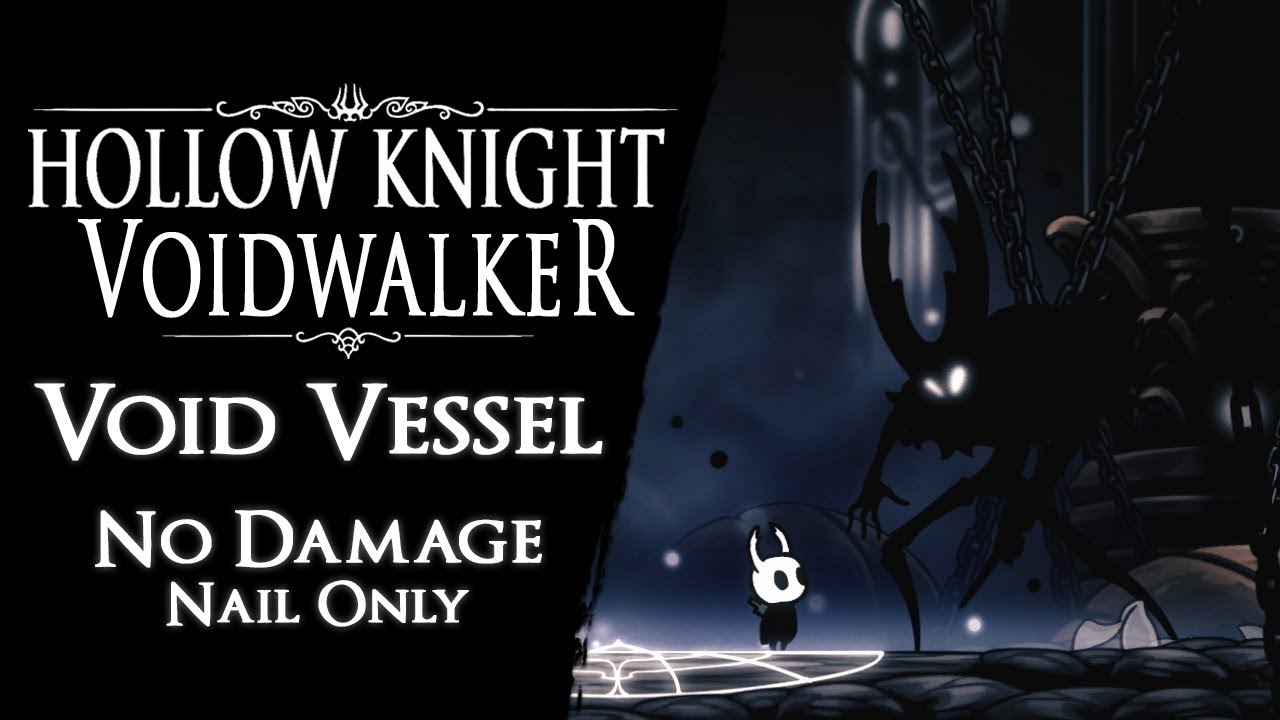
Void Vessel defeated without taking any damage and using magic. It's one of the bosses (Pure Vessel) i have modified for my mod in progress "Voidwalker".
❖ Support the Channel: https://paypal.me/Aeraloth
❖ Changes to Game & Boss:
◆ Game is faster by 25% (Voidwalker setting),
◆ Soul i...
 jovial heron
The mod installer seems to be creating a file called AU and not starting. My friend has the same problem. Anyone else having issues too, or know how to fix this?
spring bane
Deleting the modinstaller + AU file and redownloading the installer worked for me.
?i
dense shuttleBOT
Reminder: The mod installer (https://radiance.host/mods/ModInstaller.exe) and other modding resources can be found from the pinned messages.
spring bane
nice
 sand tide
hi folks. playing on CP and for some reason modinstaller isn't working & mods aren't showing up in game. tried resetting it and confirmed that the installation path is correct but none of my mods are showing up
anyone have any idea for what's going on?
sand tide
ah, oops. okay. thank you!
OS is windows 10, game is on steam.
modlog, output log, and screenie of main menu:
 wheat orchid
Go to your save files path and delete all files with global settings in their name
?saves
dense shuttleBOT
Saves
Windows File Paths: (Assumes Default Steam Install Path, Adjust accordingly for DRM Free or Non-Standard Steam Path)
Game Files: C:\Program Files (x86)\Steam\steamapps\common\Hollow Knight\```
** **
Mac File Paths:
```Save Files: ~/Library/Application Support/unity.Team Cherry.Hollow Knight/
Game Files: ~/Library/Application Support/Steam/steamapps/common/Hollow Knight/hollow_knight.app/```
** **
Linux File Paths:
```Save Files: ~/.config/unity3d/Team Cherry/Hollow Knight/
Game Files: ~/.local/share/Steam/steamapps/common/Hollow Knight/```
 wheat orchid
Is a controller plugged in
sand tide
nope
wheat orchid
Hmm
wheat orchid
If it’s not currently connected it should be fine
sand tide
hmm
wheat orchid
When did this start happening?
sand tide
i'm not sure. i mostly play on my switch tbh, or use debug 1.2.2.1. i remember first noticing this today
i think it was all working somewhat recently
wheat orchid
Is a 1.2.2.1 ver of debug installed in this instance of the game?
sand tide
i don't believe so
wheat orchid
Does the installer ask you to update it
sand tide
no
wheat orchid
Ok
real jacinth
Which installer are you using
wheat orchid
That’s old
real jacinth
That's old
sand tide
oh 🤔
wheat orchid
Got it from nexus?
real jacinth
Check the pins
sand tide
i dont remember where i got it, might've been messed up when i was playing with fire lmfao
with all of his mod stuff
ty mickely!
wheat orchid
I don’t think fire gives out old installers
sand tide
nah, i don't mean that. i just mean a lot of stuff got turned around when we were doing mod stuff lol
now its working

wonder why outdated mod installer worked so long before breaking
runic oriole
it's just that well-coded I guess
 lunar copper
Do mods work on older versions added by downpatching?
lunar copper
Can I just use normal mod installer or no
 keen mason
Is there a any way for me to plau mulitplayer with Randomizer 3? Because when I tried it, we coudnt see eachother...
real jacinth
check the pins
real jacinth
lunar copper
Can I just use normal mod installer or no
no
 plush flower
do you have to install your own custom skins for the Custom knight mod or do they get installed with the mod, if you have to install them by themselves, how do you install them?
keen mason
plush flower
do you have to install your own custom skins for the Custom knight mod or do the...
You have to install them yourselves. Go here for skins ||https://drive.google.com/drive/folders/172QgIw4oS64IjVdjpjX2xhKzO4BYC5TG||
To install them, download the zip and unzip in your HK mod path (You should place the unzipped folder in a folder named "CustomKnight")
^^^^
Remember to unzip the folder containing all image files
plush flower
Do i relaunch the game and launcher after it?
keen mason
plush flower
Do i relaunch the game and launcher after it?
You only need to relaunch the game
plush flower
kk, thanks a lot :D
keen mason
np
Is it possible to multiplayer with Randomizer 3 using the multiplayer mod and Hamachi?
plush flower
What do i do if this happens

 tribal stump
is that possible to recolor the skin mods ?
im going to try it hahaaa
hahaahahha it works
hahaahhaahahhaha
pliant lantern
plush flower
What do i do if this happens
You may have installed the skins wrong.
Go to your mods folder, go to CustomKnight, and look at how the Default skin is setup
Any skins you install need to be setup the same way
plush flower
i got another one working, just not that one, but ty
 iron wyvern
help me intall mod installer pls idk the file location
which folder should i put it in?
real jacinth
desktop
pliant lantern
iron wyvern
help me intall mod installer pls idk the file location
ModInstaller doesn't install anything. It's just a program that runs when you click it. You can put it just about anywhere, but it works best for most people when you run it from your Desktop
(And it has a habit of not working correctly if run from the Downloads folder)
 uncut hound
DwarfWoot earlier you said that there was a readme that had instructions on how to use GODump on github, but it only has sample code in it
pliant lantern
uncut hound
DwarfWoot earlier you said that there was a readme that had instructions on how ...

GitHub
Dump GameObject into single sprite.png. Contribute to magegihk/HollowKnight.GODump development by creating an account on GitHub.
 unkempt void
Hey I tried to install hollow point and it started glitching so I uninstalled it,
but now I can't heal does anyone know if there's a way to fix this?
gloomy coral
if you had the QoL Mod already installed:
- go to save files
- locate
userX.json(with X being the save slot number from 1 - 4) - ctrl+f "focusMP_amount"
- set the value to 33
if you don't have the QoL Mod: - https://bloodorca.github.io/hollow/
- go to save files
- locate
userX.dat(with X being the save slot number from 1 - 4) - upload that to the website
- ctrl+f "focusMP_amount"
- set the value to 33
- download encrypted (PC)
- rename it to the original name (will be downloaded as
user1.dat, rename if you want slot 2, 3 or 4 to be edited) - put it back to the save file folder"
gloomy coral
unkempt void
Hey I tried to install hollow point and it started glitching so I uninstalled it...
Wdym by glitching?
unkempt void
gun just wouldn't fire but now I kinda dont wanna get the mod anymore
but thank you so much for your help
pliant lantern
Next time, read the ReadMe when the title of the mod literally tells you to :P
unkempt void
I mean I tried but I couldn't find the thing
gloomy coral
unkempt void
gun just wouldn't fire but now I kinda dont wanna get the mod anymore
You got to reload the save
gloomy coral
unkempt void
I mean I tried but I couldn't find the thing
In the modinstaller there's a button to read the readme
unkempt void
oh I thought it would be a file my bad
gloomy coral
It is a file
 rustic lintel
How do you use debug mod?
 ivory aurora
read the readme
rustic lintel
I used a mod installer
rustic lintel
there isnt a readme?
ivory aurora
In the modinstaller?
rustic lintel
Where is the readme
ivory aurora
Next to 'install'
ivory aurora
Wait which modinstaller is this
rustic lintel
modinstaller2
ivory aurora
Hm
rustic lintel
I was using the other opne but it randomly stopped working
ivory aurora
Yeah that happened recently
rustic lintel
flashes up for a second then closes
rotund tiger
F
 gloomy coral
rotund tiger
F
gloomy coral
rotund tiger
F
use modinstaller 2
 wise basalt
how do you remove the modding api?
gloomy coral
in steam right click hollow knight -> properties -> local files -> verify integrity of game files
wise basalt
k
rotund tiger
gloomy coral
use modinstaller 2
thank you
 rose dew
hi guys, me and my friend wanted to play multiplayer toghether.
I already know the mods and how to install them, but he has a mac, so the modInstaller in .exe format is not working. Is there a ModInstaller in .app format?
Ps: excuse me for grammatical errors, im an italian guy.
rose dew
thx
 torpid harbor
I get that error
 gloomy coral
Use modinstaller 2
gloomy coral
Yea
dense shuttleBOT
Reminder: The mod installer (https://radiance.host/mods/ModInstaller.exe) and other modding resources can be found from the pinned messages.
torpid harbor
oh ty
torpid harbor
Lready got that one dowlaoded ty
 rapid remnant
mod launcher doesn't open up
idk what made it stop working suddenly but yeah
does someone know about this problem?
rapid remnant
will it save my mods or do i need to reinstall everything?
wide glade
mods that are "activated" are just in a certain folder
the new install will detect them in this folder and display them as activated
 unreal scaffold
hello how do i install mods
 limber egret

unreal scaffold
should install modinstaller 1 or 2
limber egret
wide glade
an auto-update broke auto-updating <:zote:562358113374568477>
Oh. Is the one in the pins fixed or still broken. Also is yours finished yet? 👀
If you're on windows, use ModInstaller 1. If you're on Mac, use ModInstaller 2
wide glade
one in pins is fixed, essentially an auto-update was made that broke the startup sequence, preventing further auto-updates
mine will not be finished for a long while considering the uk government has just decided to screw me over in yet another way
unreal scaffold
windows shows that modinstaller 1 is not safe
Microsoft Defender SmartScreen prevented an unrecognized app from starting. Running this app might put your PC at risk.
limber egret
It hasn't got a license, but it is fine
Assuming you clicked the one in the channel topic/pins
limber egret
wide glade
mine will not be finished for a long while considering the uk government has jus...
💜
Bastards
wide glade
yeah that's just what happens to open source applications that haven't gone out of their way to get certificates, the source code is all public in case you really want to check: https://github.com/Ayugradow/ModInstaller
we're a partnered discord server with over 100k members and a connection to the devs, i don't think we could get away with spreading malware
unreal scaffold
dense shuttle
**Reminder:** The mod installer (<https://radiance.host/mods/ModInstaller.exe>) ...
got it from here
limber egret
Excuse me why was this removed from my PC? 😠
 limber egret
unreal scaffold
got it from here
limber egret
unreal scaffold
got it from here
Yep, that's the right one, then
unreal scaffold
thanks
lunar copper
How do you manually install mods for versions other then 1.4.3?
limber egret
What version of the game do you have?
wide glade
most mods are made only compatible for 1.4.3.2
lunar copper
I have cp, 1.0 from steam downpatcher, and I am rn downloading 1.18 with steam downpatcher
unreal scaffold
is the debug mod good
limber egret
?mods This will tell you what all the mods do.
dense shuttleBOT
Mods
Google Drive with Mods - https://drive.google.com/drive/u/0/folders/1lnjtSYMfRe1LyA_qSq2CoXKI6NRm_I-e
Installer - https://radiance.host/mods/ModInstaller.exe
Mod Summaries - https://docs.google.com/document/d/1cz5tcggpGofrBcM90XyTkMWjMelDHzugvQM6HpB13Ew
limber egret
lunar copper
I have cp, 1.0 from steam downpatcher, and I am rn downloading 1.18 with steam d...
If you've downpatched and need specific mods for those patches, you can find a lot of them on speerun.com/hollowknight
unreal scaffold
do i need to downpatch to use mods?
limber egret
No
unreal scaffold
ok
wide glade
lunar copper
I have cp, 1.0 from steam downpatcher, and I am rn downloading 1.18 with steam d...
1.0.2.8 has its own kind of specific mods that can be found in either #resources or #any-percent
1.1.1.8 might have a modding api?
1.2.2.1 has modding api, debugmod and timermod, all found in #resources
generally you should only really be downpatching if you specifically want to run speedrun categories that require those patches
even if you want 1.2.2.1 speed tech you can mod it in using QoL for cp
unreal scaffold
why did a lot of things download when i downloaded roomrandomizer 3
 fair briar
Cuz theire needed for it
unreal scaffold
oh thanks
lunar copper
wide glade
1.0.2.8 has its own kind of specific mods that can be found in either <#29879882...
Cheers
rose dew
hey its still me. My friend has the mod multiplayer client installed and i have that and the multiplayer server too.
we connected with hamachi and put the ip in the box, then we pressed connect but nothing happened  . we really want to play toghether, but we donìt know how to fix this
wide glade
this, and just keep retrying and restarting your games in different orders until it works tbh
 vernal rain
No front to anyone, but i really dont like the current patch abreviation
 shy elk
hi jw if anyone can help me with my debug menu, im trying to make a save state so i can prac bosses/rooms for a speedrun but every time i set a spawn and then try to respawn it basically just freezes my game, debug menu still registers input and i hear sound but cant unpause or anything, if anyone can help ty ❤️
tribal stump
grimchild mod always on out of date how to fix that?
 fluid plover
what language is used to mod in hollow knight?
worldly kindle
how can i edit my save at hk?
vernal rain
fluid plover
what language is used to mod in hollow knight?
c#, and #archived-modding-development is the goto channel for development of mods
vernal rain
worldly kindle
how can i edit my save at hk?
either with a .json generated by the QOL mod or with an online solution (https://bloodorca.github.io/hollow/)
worldly kindle
which file should i select?
vernal rain
?saves
dense shuttleBOT
Saves
Windows File Paths: (Assumes Default Steam Install Path, Adjust accordingly for DRM Free or Non-Standard Steam Path)
Game Files: C:\Program Files (x86)\Steam\steamapps\common\Hollow Knight\```
** **
Mac File Paths:
```Save Files: ~/Library/Application Support/unity.Team Cherry.Hollow Knight/
Game Files: ~/Library/Application Support/Steam/steamapps/common/Hollow Knight/hollow_knight.app/```
** **
Linux File Paths:
```Save Files: ~/.config/unity3d/Team Cherry/Hollow Knight/
Game Files: ~/.local/share/Steam/steamapps/common/Hollow Knight/```
worldly kindle
k, thanks
sand tide
is anyone able to help me confirm one way or the other if deeplings spawn from the eggs in deepnest on CP? i'm checking FSM viewer and it seems to imply they can, but i'm not having any luck with actually getting them to spawn
(sorry, idk if this is the right channel, but idk what the right channel would be 🥴)
vernal rain
resolved
 sinful zealot
are you allowed to use enemyHPbar in a p5 hitless run?
gloomy coral
 steep fox
I have a problem... I have installed the modinstaller, and I installed something too, 2 weeks ago. Now I have the problem, that when I try to open the modinstaller again, to install other mods, it wont let me. I restarted my pc multiple times, it didnt change a thing. Please help
It wont let me to open the program its self
fair briar
steep fox
I have a problem... I have installed the modinstaller, and I installed something...
use modinstaller 2
1 is broken
fair briar
pins -_-
steep fox
kk
 ruby dawn
I have a problem, i installed some mods and unstalled them after, and now in my first game created i have a ''glich'' my knight heals so fking fast and i don't consume any soul. Itryed to install uninstall and many other things but... anything works. I want my vanilla game 😦
fair briar
yea wait a sec
if you had the QoL Mod already installed:
- go to save files
- locate userX.json (with X being the save slot number from 1 - 4)
- ctrl+f "focusMP_amount"
- set the value to 33
if you don't have the QoL Mod: - https://bloodorca.github.io/hollow/
- go to save files
- locate userX.dat (with X being the save slot number from 1 - 4)
- upload that to the website
- ctrl+f "focusMP_amount"
- set the value to 33
- download encrypted (PC)
- rename it to the original name (will be downloaded as user1.dat, rename if you want slot 2, 3 or 4 to be edited)
- put it back to the save file folder"
@ruby dawn
ruby dawn
THANKS
runic oriole
fair briar
1 is broken
1 is not broken. The older versions broke because of some changes we did, but the newest version works just fine
tribal stump
is there a mod that can auto charge the nail art?
 solemn jasper
Hello! im just wondering about how the skins like the fool skin work, what do i have to do to get one? im not sure if i understand correctly, so im just asking now. and also, i have never imported a different session in my computer - how do i do that?
fair briar
runic oriole
1 is not broken. The older versions broke because of some changes we did, but th...
Oh ok
tribal stump
@solemn jasper you mean skin for your knight ?
fair briar
tribal stump
is there a mod that can auto charge the nail art?
Afaik not
solemn jasper
tribal stump
<@!544608025537675285> you mean skin for your knight ?
yes
tribal stump
@fair briar i hope we have option like in megaman games that have option for auto charge
fair briar
solemn jasper
Hello! im just wondering about how the skins like the fool skin work, what do i ...
You have the customknight mod?
solemn jasper
yes
fair briar
tribal stump
<@!628857080693915649> i hope we have option like in megaman games that have opt...
You can make one
gloomy coral
tribal stump
<@!628857080693915649> i hope we have option like in megaman games that have opt...
How would that work
tribal stump
@solemn jasper 1st download mod installer 2 download costume knight and enable it then find a skin you like
fair briar
solemn jasper
yes
Go to your games path and place the folder with the png's in the customknight folder
solemn jasper
Yeah but its a thing where you have to do a colloseum 1 run
tribal stump
 tribal stump
paste the skin mod you like inside that folder
fair briar
You want to know where to get it?
solemn jasper
Ye
fair briar

Google Docs
The White Palace (TWP) Skin Challenge List How to Submit For all challenges listed below once you believe you’ve finished a challenge upload a video of you completing it to a streaming service (i.e Youtube) and submit the clip directly to Benji#0790 ENSURE TO ALWAYS SHOW CHARM SETUPS ...
You have done that
solemn jasper
Yrah i got tgat far
fair briar
And you ask how to import a save
tribal stump
@gloomy coral cuz nail art dont use so much in game hahahah about 5% only i think
solemn jasper
I dont know how to put in a save
tribal stump
but if we have auto charhe well that story will change
fair briar
solemn jasper
I dont know how to put in a save
Ah ok
solemn jasper
I ment that far as in download the file
dense shuttleBOT
Saves
Windows File Paths: (Assumes Default Steam Install Path, Adjust accordingly for DRM Free or Non-Standard Steam Path)
Game Files: C:\Program Files (x86)\Steam\steamapps\common\Hollow Knight\```
** **
Mac File Paths:
```Save Files: ~/Library/Application Support/unity.Team Cherry.Hollow Knight/
Game Files: ~/Library/Application Support/Steam/steamapps/common/Hollow Knight/hollow_knight.app/```
** **
Linux File Paths:
```Save Files: ~/.config/unity3d/Team Cherry/Hollow Knight/
Game Files: ~/.local/share/Steam/steamapps/common/Hollow Knight/```
solemn jasper
Ah thanks
fair briar
If you want it to be for example slot 3 you can change the name to user3
solemn jasper
And do i put the file under save files or game files?
fair briar
You put it where the other files are
 rustic hatch
how do I uninstall modinstaller
fair briar
In appdata
solemn jasper
Aight, fair
tribal stump
i think just delete the mod folder in game
all mods wll be gone in your game instantly
fair briar
First go to steam, properties, vertify intergrety
Then you delete the mods folder in the game files
tribal stump
but dont listen to my opinion i dont want your game break sorry hahaha
fair briar
No
rustic hatch
yeah I did that
tribal stump
or maybe just uncheck every mod you install on ur mod installer
rustic hatch
its in the common folder
fair briar
Then delete the folder called 'mods'
fair briar
Only the folder called mods right
rustic hatch
the hollow knight folder in common was the one they said to delete on reddit
fair briar
And then you can just dele the modinstaller
rustic hatch
ok
fair briar
rustic hatch
the hollow knight folder in common was the one they said to delete on reddit
NO
Why would someone say that
Then you delete the game
Only the folder called 'Mods'
In the game files
Not the game files themselfs
rustic hatch
wait how can I trust you
wide glade

fair briar
Nvm then
wide glade
what is even happening rn
to uninstall modding api, verify game files in steam/gog
to get rid of modinstaller you can just delete the executable
rustic hatch
damn why does it say error now
fair briar
rustic hatch
I deleted the folder
Cuz you did this
rustic hatch
they said to delete the mods folder
tribal stump
i dont know maybe that guy dont really need help he just trolling
rustic hatch
bruh
gloomy coral
Yea I don't think he's trolling
rustic hatch
is it supposed to have a slider at the start?
gloomy coral
rustic hatch
damn why does it say error now
What says error
rustic hatch
when you boot the game?
rustic hatch
ok
fair briar
fair briar
First go to steam, properties, vertify intergrety
Thats not normal if you did this
But i give up
gloomy coral
rustic hatch
ok
Screenshot your hollow knight title screen
rustic hatch
wait I need to bench first
gloomy coral
For?
rustic hatch
because I dont want to save and quit without saving
bruh
I think I got it fixed
the game works
gloomy coral
rustic hatch
because I dont want to save and quit without saving
The game saves progress if you quit but when you open the game it will place you at your last bench
rustic hatch
ok
 fair briar
Do you have wifi on xD
fair briar
What does offline mode do anyways?
 sinful lance
it only load installed mod
 marble pecan
sinful lance
marble pecan
sinful lance
 fair briar
Uh oh
gloomy coral
sinful lance
Use modinstaller 2
fair briar
Multiple people have this problem?
marble pecan
mmm
 sinful lance
gloomy coral
Use modinstaller 2
sinful lance
gloomy coral
Use modinstaller 2
what
gloomy coral
Download link is the first pin
 gloomy coral
sinful lance
it just do this and crash
gloomy coral
sinful lance
it just do this and crash
Which mod do you want?
sinful lance
debug mod
gloomy coral
Current patch right?
sinful lance
yeah
gloomy coral
sinful lance
yeah
Download this file
https://drive.google.com/file/d/1XmmomyluehEi5xot91SKQ7Vzl6cVst3u/view?usp=drivesdk
Google Docs
sinful lance
but i dont need the modding api?
gloomy coral
First time using mods?
sinful lance
no, but yesterday i uninstall modding api for speedrun
marble pecan
:0
 sinful lance
oh the mod installer now worked thx anyway
marble pecan
 wide glade
download modinstaller again from the pins, the version you're using is broken 
marble pecan
;-;
 late remnant
i downloaded modinstaller 2 and deleted all the old modded stuff and it worked
 magic quest

marble pecan
wide glade
download modinstaller again from the pins, the version you're using is broken <:...
this?
or this
 wide glade
either should work
marble pecan
marble pecan
this?


 magic quest
what version you installed ?
wide glade
that's modinstaller2
marble pecan
magic quest
but i say if mac or windows
windows
magic quest
ok
 twilit crescent
How do I use the modinstaller 2 to revert to modded?
and why does modinstaller 1 borken
pliant lantern
Mod Installer 1 just needs redownloaded
Delete the current one, and re-install it
?i
dense shuttleBOT
Reminder: The mod installer (https://radiance.host/mods/ModInstaller.exe) and other modding resources can be found from the pinned messages.
pliant lantern
If you have the new 2 though, you revert by unchecking Modding Api
which you can just search for now 
twilit crescent
(I wanted to go to modded, not go to unmodded lmao)
pliant lantern
Well, otherway around then lol
twilit crescent
I'll just stick to 1 lmao
 jade sundial
I remember there being a photoshop/gimp file with all the rooms and stuff separated out into their own layers for the randomized rooms mod, anyone know where that is?
gloomy coral
jade sundial
I remember there being a photoshop/gimp file with all the rooms and stuff separa...
probs ask in #modding-discussion or #randomizer cuz this channel is for asking questions about installing mods
 idle hawk
So before i get the multiplayer mod can i use it with two controllers on the same pc or no? -Thanks 🙂
pliant lantern
@idle hawk I have seen that someone has created a method of playing splitscreen co-op, using Multiplayer mod and another program.
That being said, it's not something I'm familiar with, and I haven't seen it really talked about here
idle hawk
Oh ok thanks ill look into it more that i know its a thing
last arrow
Can some one give me the link for the sprites to download because when I try to click on the google drive folder it won’t let me so I’m using an alternative one and I think that’s messing with my sprite packer
 analog fog
Is mod installer not working for anyone else
sonic moth
Try the 2 version
analog fog
I try to open it but all it will let me do is manually import mods
analog fog
sonic moth
Try the 2 version
Link?
sonic moth
It's the first pin
analog fog
K
real jacinth
if you want to use 1, delete what you have, and redownload it
make sure to clear browser cache before redownloading
 sage canopy
someone help me pls
wide glade
give information and someone might
sage canopy
i cant kill anything
novel bronze
He means that me makes no damage with his nail, he attacks something and it just doesn't register it as a hit. Dream nail and spells work just fine tho(Tested on the bowing dudes in White Palace)
pliant lantern
novel bronze
He means that me makes no damage with his nail, he attacks something and it just...
novel bronze
Don't ping me, I cant do these things, I was just trying to clarify what Gado Holmes meant
pliant lantern
I figured you were helping them personally, since I didn't see them mention any of that
¯_(ツ)_/¯
pliant lantern
sage canopy
i cant kill anything
 sweet sierra
how do I change the hollow knight location in mod installer?
novel bronze
I took a look at his problem, never saw it before and thought it would be a good idea to let the People of this server handle it
pliant lantern
Mickely, would it be possible to get a pin for like the next week, letting people know to delete and redownload ModInstaller 1?
real jacinth
Yeah probably
real jacinth
sweet sierra
how do I change the hollow knight location in mod installer?
reset it
instructions in pins

 frigid sky
Hey Modding Staff.
I am going to update the links/ description in the couple of 'how to mod' videos that I made. I have seen a couple comments saying some things have changed.
Is there anything beyond the pinned comments that I should include that would be helpful and make your life easier?
real jacinth
Important ModInstaller 1 Information
If you were using Installer 1 and it is no longer working, it is because an important update happened that messed up auto updates.
To address this:
- Delete your current installer exe and any AU.exe file that is next to it.
- Clear all installer memory files/reset it #archived-modding-help message
- Clear your browser file cache (https://bit.ly/3kll8Rp)
- Redownload the Installer (https://radiance.host/mods/ModInstaller.exe). Move installer to desktop
This should update your installer version to v8.7.1 and it should work again.
real jacinth
real jacinth
**__Important ModInstaller 1 Information__**
If you were using Installer 1 and i...
real jacinth
frigid sky
Hey Modding Staff.
I am going to update the links/ description in the couple of...
Just tell them to come here and leave it at that. Links and info will change over time. so better to just direct to the source
frigid sky
Good to know. I wasn't sure if it was annoying to have to answer the same questions over and over
 plush thicket
help pls

I have downloaded the mod for the skins and now I get this error every time I enter
novel bronze
How many skins do you have installed, also, is your graphics card driver up to date?
pliant lantern
frigid sky
Good to know. I wasn't sure if it was annoying to have to answer the same questi...
I think specifically like, link the server, mention the channel, and ask people to check out the pinned messages in it.
The biggest issue is that hard-linked stuff can change at any point, and the updated versions are always put into the pins. People just have to look 👀
novel bronze
Mmh, then I'll give it to the other People, that were all the things that helped me and since its none of that I have no idea
real jacinth
plush thicket
I have not put any
you're going to have to give more information to get a good solution
plush thicket
okey
limber egret
What OS are you using
What mod installer are you using
Where did you get your mod installer
Where did you buy hollow knight
plush thicket
I installed the mod that allows you to change your skins. I tried to open it to see if it was installed correctly and I skip that error
limber egret
Plz answer questions and I will do my best to help you
plush thicket
ok
pliant lantern
Disabling debug mod doesn't undo the changes
sage canopy
oh
pliant lantern
It modifies your save file
 pliant lantern
?mods
dense shuttleBOT
Mods
Google Drive with Mods - https://drive.google.com/drive/u/0/folders/1lnjtSYMfRe1LyA_qSq2CoXKI6NRm_I-e
Installer - https://radiance.host/mods/ModInstaller.exe
Mod Summaries - https://docs.google.com/document/d/1cz5tcggpGofrBcM90XyTkMWjMelDHzugvQM6HpB13Ew
sage canopy
thanks you
plush thicket
64 bits, the one that changes the skins (I don't know the name), the installer I got it from here, unfortunately I don't have the hollow knight, mine is pirate
sage canopy
plush thicket
64 bits, the one that changes the skins (I don't know the name), the installer I...
i understand you, buy the game its better for you
plush thicket
eh seen that they worked the same
pliant lantern
plush thicket
eh seen that they worked the same
Mods don't work on pirate copies, as you've clearly experienced lol. So, they do not work the same
wide glade
sorry, but out of principle we won't offer our free content to people who did not already support the devs
plush thicket
And how do I copy the data of my game so I don't lose it?
wide glade
people put a lot of hard work and love into modding out of passion for this game and community, and expect you to have at least the base respect for the people who made the game for you to spend money to play
save files are stored separately
sage canopy
Yeah my nail damage its 0
plush thicket
wide glade
people put a lot of hard work and love into modding out of passion for this game...
I am a person with little money
wide glade
that changes nothing
 silent haven
Yeah :(
wide glade
content took time and effort for other people to make
novel bronze
Also, hk is on sale for 6.19 on GoG rn
sage canopy
thanks Mickely and Dwarf
wide glade
that's worth money
silent haven
Bye
sage canopy
good night
pliant lantern
As a reminder, HK is half-off on GOG right now:
https://www.gog.com/game/hollow_knight
 vapid flicker
I keep getting this message whenever I try to load the game with the debug mod stuff in the folder
 wide glade
are you on Windows?
vapid flicker
yea
wide glade
why is it running though Mono 
vapid flicker
I have no idea what mono is
limber egret
What mod installer are you using
Where did you get your mod installer
Where did you buy hollow knight
vapid flicker
I'm using steam
wide glade
thanks tami I didn't want to type that out
limber egret
Can we just have a !modddinghelp command or something that just asks 6 questions?
But anyway. Plz answer and I'll try to help
vapid flicker
I used this vid

!!! THIS GUIDE IS ONLY FOR HOLLOW KNIGHT VERSION 1.2.2.1 (the speedrunning patch) !!!
If you're on current patch, please find and use the modinstaller instead.
Modding API: https://drive.google.com/file/d/1PUulDJDeHEfIEl1hAithE1XLT8AXqOZ4/view
Debug Mod dll: https://cdn.discordapp.com/attachments/298798821402607618/779878771233914930/DebugMod....
Pest recommended it
wide glade
are you on 1221
vapid flicker
yes
limber egret
Are you certain your down patch worked?
real jacinth
and you got the right API version
if it's trying to load mono, you probably got the mac one
wide glade
(note the links in the desc are outdated)
get modding api and debug mod from #resources
vapid flicker
thank you
 quiet socket
Where can I find HK mods? I was following Reylea's video to install randomizer but the drive folder apparently has been deleted that had the mods
real jacinth
check the pins
frigid sky
I literally just updated that link now and left a message to check the pins here
quiet socket
haha, guess I opened the video just before you did
the new link works now in the description
also I don't think it's pinned in here, I didn't see it
frigid sky
ok sweet!
quiet socket
there's links to a copule of google docs and the custom sprite drive
limber egret
I don't want to be rude, Relyea, but we're also not going to be entirely surprised if people just come here and ask without looking
It happens like once an hour
Thinking they would is foolish
quiet socket
in my defense, I did read description, I just got in right before he updated it
limber egret
Yeah, np
frigid sky
I am certain people will com here without looking but I wanted to help out as best as I can.
limber egret
No, that's definitely good
At least just going "Go to discord" doesn't link them to something that doesn't work, which is a big improvement to what I see some people starting with
frigid sky
I do my best to read all comments so if someone says links are outdated I can get it fixed when I get a chance
limber egret
Then we have to tell them to delete everything and start again. 🙃
wide glade
the real benefit would be an ASMR video of relyea reading the readme for hollow point
real jacinth
spin-off video of reading the important to read section 5 times
vapid flicker
does anyone know where I can get the updated debugmod file?
wide glade
for 1221?
vapid flicker
ye
vapid flicker
oh ok
wide glade
quiet socket
is it a safe assumption that 1.4.x would be the most current version of the game for downloading randomizer?
real jacinth
what is the x
quiet socket
that's kinda what im trying to figure out - where to find my game version
i have the most current update
real jacinth
it's on the title screen
quiet socket
1.4.3.2-60
quiet socket
1.4.3.2
 signal niche
does anyone know why whenever i try to launch hk with the QoL mod it just shows the title but not the actual menu?
real jacinth
not without more info
signal niche
what do you need?
real jacinth
quiet socket
1.4.3.2
Yes, randomizer will work with this
quiet socket
ok, thanks
real jacinth
signal niche
what do you need?
game version number, where you bought it, what mods you installed, what OS you're on, what installer you used, a screenshot of your installer, and anything else you deem relevant information
signal niche
aight gimme a sec
 pine arch
anyone know why modinstaller wont open?
real jacinth
check the pins
pine arch
ah, ok thx
signal niche
real jacinth
game version number, where you bought it, what mods you installed, what OS you'r...
hk version 1.3.4.2 on steam, Windows 10, mods installed are modCommon, Modding Api, and QoL
 real jacinth
no vasi?
real jacinth
install vasi
real jacinth
and I'm guessing your version is a typo
cuz 1342 isn't a thing
but glad it's working
signal niche
yeah thanks
quiet socket
I'm getting this error while launching the mod installer, txt file with error trace following in a second
 limber egret
What os are you on
Which mod installer did you download
Where did you get Hollow Knight?
quiet socket
when I click continue it's an extremely oversized, and mostly blank, window with just "Manually" in the top left
Windows 10, Mod Installer from the channel decsription in top, I own on Steam
it was working fine a few minutes ago
limber egret
Did you move the mod installer out of the downloads folder?
Oh, did you change anything at all?
 quiet socket
it was still in downloads, but I also think I know what I did wrong
I was manually installing the mods via dragging the .dlls into the mod path directly
which I take it is incorrect since that caused issues when trying to launch mod manager
 nimble fiber
hello, is the benchwarpmod completely safe to use in multiplayer?
nimble fiber
why is that?
pliant lantern
Sometimes when people try to resume a game after quitting on a fake bench, it bugs out. I think this might only happen if you forget to renable the mod and come back to the save. But either way, better to just quit from real benches.
nimble fiber
alright, does the randomizer also work? custom knight?
pliant lantern
Multiplayer mod essentially just lets you see eachother, while being in your own worlds
So, most things will "work"
depending on how you're defining "work"
pliant lantern
Like, Custom Knight works. It works in that all instances of the knight (as in all players) will be seen wearing whatever skin you choose).
nimble fiber
pliant lantern
Like, Custom Knight works. It works in that all instances of the knight (as in a...
they'll be able to see my skin? or did I get that wrong
pliant lantern
nimble fiber
they'll be able to see my skin? or did I get that wrong
No. Only you will see skins you pick. And if they pick skins, they'll see only that skin.
 wet kraken
Where can I find the Lost Kin skin for Customknight? I'm not seeing it in the usual drives
nimble fiber
pliant lantern
No. Only you will see skins you pick. And if they pick skins, they'll see only t...
okay, thanks a lot, you helped us a ton
 mental schooner
so, i dont think this is the first time i've asked this, however i'm reinstalling the mod installer, and i'm not able to find the right folder. It tells me to find the Hollow Knight folder containing hollow_knight_Data, but i can't find that file anywhere
wet kraken
Oop, I take that back, it's just called "uninfected vessel"
pliant lantern
nimble fiber
randomizer will work then if you use the same seed?
You can both play randomizer, and both use the same seed. You won't affect the other in terms of pickups though. You can play a MultiWorld randomizer at the same time, and then the pickups will mixed between you both
pliant lantern
mental schooner
so, i dont think this is the first time i've asked this, however i'm reinstallin...
?saves
dense shuttleBOT
Saves
Windows File Paths: (Assumes Default Steam Install Path, Adjust accordingly for DRM Free or Non-Standard Steam Path)
Game Files: C:\Program Files (x86)\Steam\steamapps\common\Hollow Knight\```
** **
Mac File Paths:
```Save Files: ~/Library/Application Support/unity.Team Cherry.Hollow Knight/
Game Files: ~/Library/Application Support/Steam/steamapps/common/Hollow Knight/hollow_knight.app/```
** **
Linux File Paths:
```Save Files: ~/.config/unity3d/Team Cherry/Hollow Knight/
Game Files: ~/.local/share/Steam/steamapps/common/Hollow Knight/```
mental schooner
oh, shit, i was doing the Locallow Team Cherry path
pliant lantern
You can also get there by right-clicking HollowKnight in Steam, clicking Properties, and clicking "view local files" iirc
mental schooner
ah, tysm!! ❤️
hey, its all downloaded and good, but my friend and i have the same address and port, but arent playing together
pliant lantern
Multiplayer Troubleshooting:
#archived-modding-help message
mental schooner
ah, ty
so, the Hachi IP is the one that it made for me when i started a hachi server?
wheat orchid
mental schooner
so, the Hachi IP is the one that it made for me when i started a hachi server?
Hamachi ips are generated different for each device when you log in/create an account tmk
wheat orchid
mental schooner
is that the one that i put into the pause menu?\
Yes
mental schooner
alright!!
alright, he's part of the same Hamachi server, and he's entered the Address in, and still nothing. Is there a comprehensive guide somewhere?
pliant lantern
Fireb0rn has a guide video
There's also a link in it to a dedicated Multiplayer server, that probably has more dedicated info
mental schooner
where would one go for that multiplayer server
real jacinth
Did you enter your own ip and connect to yourself?
Do you have the right mods, like the pin says?
mental schooner
yes, i have the mods, yes i'm connected to that IP!
what IP does my friend connect to?
real jacinth
The same one
Whoever the host is
All players connect to the host ip
Including the host
mental schooner
to clarify, the Host IP meaning my home IP address? and not the hamachi address?
mental schooner
yep.
but the thing is, it didnt work when i tried that. So i figured you meant the other option!
My bad
hey, are any of the IP's here incredibly personal? is there anything stopping me from showing screenshots, to make things more clear?
because Hamachi is showing me two IP's, and neither of them are mine, so I figure that i'd be alright to show the exact situation
real jacinth
Hamachi ips are vpn ips
And you can only connect to them if you're in the same hamachi server
mental schooner
yup, we are!!
real jacinth
So sharing that ip here doesn't matter. Cuz nobody can connect to it without being in your hamachi server
mental schooner
It's telling me two IP's, though. Its showing me two different Hamachi IP's in the window, one large and at the top of the screen, and one under the other
one second!
 real jacinth
25.5.121.32 is yours. The one below is whoever connected to your server
mental schooner
so, in hollow knight, the address that we both connect to should be 25.5.121.32?
real jacinth
If you have the server mod. Yes
mental schooner
alright. the issue must be somewhere else then, because we've been on there. i must have done something else wrong
real jacinth
Screenshot your title screen

 nocturne vapor
I have a friend who cant find their saves after reinstalling mods. they are using
ModCommon
Custom Knight
Multiplayer Client (and the regular since they are hosting)
Any fix to this?
pliant lantern
By "can't find saves" do you mean that they just say "loading" all the time?
nocturne vapor
pliant lantern
By "can't find saves" do you mean that they just say "loading" all the time?
No the saves do not appear at all in their menu when they start a game
pliant lantern
nocturne vapor
thanks ill check back if it doesnt work
 thick gorge
How do you turn off the modding API
I uninstalled it in the mod menu but the modding api is still on
wheat orchid
@mental schooner screenshot your pause menu
wheat orchid
thick gorge
I uninstalled it in the mod menu but the modding api is still on
Mod installer 1 or 2?

 wheat orchid
Did you uninstall it when the game was on
thick gorge
Yes but I have restarted the game since then
wheat orchid
Well
Ofc it won’t work while it’s on
It’s replacing the file with all the game’s code
While the game is running
Gonna be a couple problems with that
Such as it won’t work
thick gorge
So is there a way to fix that
wheat orchid
So just do it again with the game off
thick gorge
ok ill try that
So i uninstalled the Modding API but when I restarted Modinstaller 2 again it was redownloaded and active
And when I just unactivate the mod it closes modinstaller 2 and stays on
real jacinth
Verify game file integrity through steam
 jovial hatch
uh can someone help me when i updated my modinstaller and enabled QoL or QtL the mod, when i launched hollow knight it was really weird and just showed the title Hollow Knight but it never actually showed the start option or anything but the title
real jacinth
You need vasi
jovial hatch
oh ty
thick gorge
How do you check file integrity
real jacinth
Through steam
thick gorge
I found it
It said 1 file wasn't verified do I have to do something about it or does it fix itseld
itself
thick gorge
Thank you for the help
vernal rain
?i
dense shuttleBOT
Reminder: The mod installer (https://radiance.host/mods/ModInstaller.exe) and other modding resources can be found from the pinned messages.
 silver oasis
thx
 latent silo
Hello, I am trying to use the Radomiozer 3 mod on windows, and every time i try to launch the game when I install it the game immediately crashes. I'm not sure if it is because my computer is not great or if there is another reason. Any help would be greatly appreciated.
dense shuttleBOT
Saves
Windows File Paths: (Assumes Default Steam Install Path, Adjust accordingly for DRM Free or Non-Standard Steam Path)
Game Files: C:\Program Files (x86)\Steam\steamapps\common\Hollow Knight\```
** **
Mac File Paths:
```Save Files: ~/Library/Application Support/unity.Team Cherry.Hollow Knight/
Game Files: ~/Library/Application Support/Steam/steamapps/common/Hollow Knight/hollow_knight.app/```
** **
Linux File Paths:
```Save Files: ~/.config/unity3d/Team Cherry/Hollow Knight/
Game Files: ~/.local/share/Steam/steamapps/common/Hollow Knight/```
spring bane
latent silo
Hello, I am trying to use the Radomiozer 3 mod on windows, and every time i try ...
if you have a controller, dont start the game w/ it plugged in