#unix
1 messages · Page 58 of 1
 forest furnace
 main olive
oh i see, stdin includes a new line
.rstrip() seems to work thank you
forest furnace
sometimes its a good idea to try things out in the REPL and use repr(by just entering "line" at the prompt) to see how variables actually look like, in which case you'll notice there's a \n at the end ;)
 formal schooner
you can also .rstrip('\n') if you only want to remove newlines but not other whitespace
!e ```python
import io
for line in io.StringIO(' a \n b \n\tc\t'):
print(repr(line.rstrip('\n')))
 shy yokeBOT
@formal schooner :white_check_mark: Your eval job has completed with return code 0.
001 | '  a  '
002 | '  b    '
003 | '\tc\t'
!e
print(repr("\n\ncontent\n\n".rstrip("\n")))
@forest furnace :white_check_mark: Your eval job has completed with return code 0.
'\n\ncontent'
!d str.rstrip
shy yokeBOT
str.rstrip([chars])```
Return a copy of the string with trailing characters removed. The *chars* argument is a string specifying the set of characters to be removed. If omitted or `None`, the *chars* argument defaults to removing whitespace. The *chars* argument is not a suffix; rather, all combinations of its values are stripped:

```py
>>> '   spacious   '.rstrip()
'   spacious'
>>> 'mississippi'.rstrip('ipz')
'mississ'
``` See [`str.removesuffix()`](https://docs.python.org/3/library/stdtypes.html#str.removesuffix "str.removesuffix") for a method that will remove a single suffix string rather than all of a set of characters. For example...oh yeah speaking of which, did we add a strip tag recently? So stripping out multiple characters wouldn't work like one would expect, .removesuffix would work for that (unless one specifically want to strip any of the multiple characters provided)
formal schooner
!strip
shy yokeBOT
Did you mean ...
string-formatting
f-strings
formal schooner
hm
yeah that's a common "oops i didn't read the docs" trap
probably happens to everyone at least once
i know i did it
main olive
using repr is a good point too it makes it really obvious what's happening
 unique tundra
I just installed pymouse through pip
when I try to import it I get
import pymouse
Traceback (most recent call last):
  File "<stdin>", line 1, in <module>
  File "/home/phzoz/.local/lib/python3.9/site-packages/pymouse/__init__.py", line 95, in <module>
    from unix import PyMouse, PyMouseEvent
ModuleNotFoundError: No module named 'unix'
but like, import pandas works just fine
main olive
we dont write the code for you
but we can point you in the right direction
commands you need are
find, grep and xargs
or you could use for bash syntax
to iterate over the results of first command (the one that actually finds the files) and then javac for each
 unreal sinew
@red prawn that is quite simple. Also see kinguard's responses to you
 red prawn
And anyone else who feels like helping also is welcome to
red prawn
main olive
or you could use `for` bash syntax
Can i use kali to type these commands into the terminal if i dont have mac, or will this not work? Just to know i have the correct answer?
/what would you use if you were on windows
and i dont want you to write the code for me, its an activity so its important i understand each line im writing and be able to know what each one is for
Nevermind, i found a free online linux terminal
This is an optional activity, i want to try and do atleast these two examples
unreal sinew
@red prawn like Kin said …
we dont write the code for you
but we can point you in the right direction
red prawn
do you guys have other interesting unix commands that come to mind, that are 1 line but incorporating different components that i could go off and study different from this so i can kind of get a grasp of the thing? Im tying to make my learning funner. Thanks.
or links/resources which discuss interesting ones
 warped nimbus
red prawn
do you guys have other interesting unix commands that come to mind, that are 1 l...
warped nimbus
red prawn
do you guys have other interesting unix commands that come to mind, that are 1 l...
If you're writing any shell script, I suggest you start with set -euo pipefail at the top. If you use bash (a modern-ish version, like 4.4 and higher or something), also add shopt -s inherit_errexit as another line. Not sure which other shells support inherit_errexit.
-e make the script exit when a command fails. -o pipefail makes this also apply to any command along a chain of a piped commands, rather than only checking the command at the end of the chain. -u makes it error out if an unset variable is used. inherit_errexit makes -e also apply to command substitutions.
Basically, these options make error handling more sane and avoids scenarios where your script has an error but keeps trying to run regardless.
If that's confusing, maybe the examples in here will help https://coderwall.com/p/fkfaqq/safer-bash-scripts-with-set-euxo-pipefail

Coderwall
A protip by vaneyckt about linux and bash.
This tool is also very useful for improving your shell scripts https://www.shellcheck.net/ You can learn a lot from your own mistakes with it, since it has detailed explanations of many errors (examples, justifications for them being considered errors, and solutions)
ShellCheck finds bugs in your shell scripts
red prawn
i thought this would be a good way to move forward but i think im getting more confused 😆
warped nimbus
I know it didn't directly address your question but I figured these are good tips for anyone writing shell scripts.
And well, I would consider more sane error handling as something that makes your learning more fun
 lilac hill
hello, i'm trying to run this repo: https://github.com/dsys/match#development locally, but i can't seem to run it with docker. when i try docker run -e ELASTICSEARCH_URL=http://localhost:9200 -it dsys/match it's just stuck and doesn't do anything

GitHub
:crystal_ball: Scalable reverse image search built on Kubernetes and Elasticsearch - GitHub - dsys/match: Scalable reverse image search built on Kubernetes and Elasticsearch
 ember quiver
lilac hill
hello, i'm trying to run this repo: https://github.com/dsys/match#development lo...
ember quiver
lilac hill
hello, i'm trying to run this repo: https://github.com/dsys/match#development lo...
Did you run the make command and did it show any errors?
lilac hill
ember quiver
Did you run the `make` command and did it show any errors?
i managed to run it with make. but the url is not accessable it doesn't load http://0.0.0.0:8888
 ember quiver
lilac hill
i managed to run it with make. but the url is not accessable it doesn't load ``h...
ember quiver
lilac hill
i managed to run it with make. but the url is not accessable it doesn't load ``h...
That's not a valid IP. If you're trying to reach a local instance try 127.0.0.1 instead of 0.0.0.0
lilac hill
ember quiver
That's not a valid IP. If you're trying to reach a local instance try 127.0.0.1 ...
i tried running it with make dev so elasticsearch started inside docker and i can access it now
but i can't make post requests for some reason
r = requests.post(f'http://0.0.0.0:8888/add?url={image_url}')
print(r.json())
this gives response: {'status': 'fail', 'error': ['bad request'], 'method': '', 'result': []}
ember quiver
lilac hill
but i can't make post requests for some reason
See my previous comment about 127.0.0.1
lilac hill
ember quiver
See my previous comment about 127.0.0.1
so change 0.0.0.0 to 127.0.0.1?
ember quiver
lilac hill
so change ``0.0.0.0`` to ``127.0.0.1``?
Yes.
0.0.0.0 typically means "any IP" so it's used in config files but it's not valid to post a request to
lilac hill
it still gives me {'status': 'fail', 'error': ['bad request'], 'method': '', 'result': []}. i think i'm making the request in a wrong way

this is how they explained it in docs
get requests work so i'm making the post request in a wrong way
ember quiver
lilac hill
get requests work so i'm making the post request in a wrong way
Yeah, makes sense. See if this helps: https://www.geeksforgeeks.org/get-post-requests-using-python/
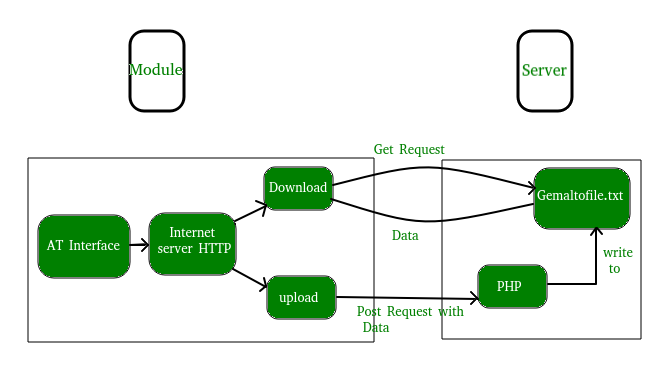
GeeksforGeeks
A Computer Science portal for geeks. It contains well written, well thought and well explained computer science and programming articles, quizzes and practice/competitive programming/company interview Questions.
lilac hill
ember quiver
Yeah, makes sense. See if this helps: https://www.geeksforgeeks.org/get-post-req...

what do they mean in filepath?
i think skipping it is the reason it fails
 shrewd stratus
ember quiver
Yes.
0.0.0.0 typically means "any IP" so it's used in config files but it's no...
shrewd stratus
ember quiver
Yes.
0.0.0.0 typically means "any IP" so it's used in config files but it's no...
it also means all interfaces in some contexts (e.g. address binding in a container)
ember quiver
lilac hill
what do they mean in filepath?
The link I shared shows you how to post parameters, I think it goes there
lilac hill
ember quiver
The link I shared shows you how to post parameters, I think it goes there
i followed some functions and path is the same as url
but it still gives me the same error
ember quiver
lilac hill
but it still gives me the same error
Show your code?
lilac hill
params = {'url' : image_url, 'filepath' : image_url}

r = requests.post(f'http://127.0.0.1:8888/add', params=params)
print(r.json())
this is the response: {'status': 'fail', 'error': ['bad request'], 'method': '', 'result': []}
this is the function that handles /add request

path is the same as the url but why isn't it working then
main olive
red prawn
Can i use kali to type these commands into the terminal if i dont have mac, or w...
of course, those commands are for any UNIX based system including any linux distribution or MacOS
main olive
update: i think rebooting fixed it
main olive
@main olive i believe .profile doesn't always activate
use .bashrc
the latter is guaranteed to be source'd when you open a new terminal
 tough sky
Hello i am a little confused with pip, where is it meant to install packages? on **/usr/lib/python3.9/site-packages **or in **~/.local/lib/python3.9/site-packages **? Both of these directories are populated with packages.
i install packages like that python -m pip install <package>
warped nimbus
tough sky
Hello i am a little confused with pip, where is it meant to install packages? on...
The first directory is the global site. The second directory is the user site. If you run python -m site it will show these directories.
tough sky
i did something bad
warped nimbus
pip install ... corresponds to the global site. pip install --user ... corresponds to the user site
tough sky
i read a post that global packages should be install with a package manager and user with pip preferable
so i delete both of them : D
to set it up right
warped nimbus
Yes, I was just about to mention that
tough sky
and now almost everything is not working
warped nimbus
I'm not sure why you decided to do that
tough sky
"to set it up right" idk im dump
warped nimbus
The system's package manager also installs packages to the global site.
warped nimbus
Is your package manager working?
warped nimbus
Use it to list your installed packages, and look for ones that have python in their name
Those will be the ones you're missing
If your package manager is working, maybe you can just ask it to reinstall those packages
tough sky
im just not sure what packages i should install with the package manager and what with pip
packages that are required from tools like ranger, should be install with pip or pacman for example ?
warped nimbus
I use the package manager for most tools, but I have a few things installed with pip install --user like poetry. One advantage is that pip gets the new updates for packages sooner. However, it seems to mostly be a "philosophical" distinction, since you're probably the only user of your system. The distinction is whether you want the installed Python package to be available to all users or only to your user.
As for any libraries I need, I always create a new virtual environment specific to the project I am working on.
tough sky
ok thanks ill look more into it later i gtg now
 tiny lava
@heavy cloud Not super familiar with the specific technologies are using, but have you tried manually editing your .xinitrc to start mate rather than gnome?
err wait this is ubuntu
As far as I know mate and gnome shouldn't conflict so you probably have both of them installed, are you not seeing mate in lightdm?
as for the audio issue, does this help?

Ask Ubuntu
I am running a Mac OS X 10.11.6 with a VirtualBox 5.1.2. I installed Ubuntu (and Lubuntu) and both have had no sound after "successful" installs, only problem being Ubuntu is slow and, Ubuntu and L...
tiny lava
For the audio, it's worth checking that it isn't muted somewhere. I remember having an issue a while back where the output I wanted to use was muted in ALSA and I had to install alsamixer to unmute it
 granite whale
import subprocess
AGE = 30
subprocess.run(
                ['notify-send', '-t', '30000', '"He is $AGE"'])
Any idea to make the notification "He is 30"?
At the moment $AGE can not call the value of the variable "AGE". Guess coz it can not know a variable defined in python
 wise forge
granite whale
```
import subprocess
AGE = 30
subprocess.run(
['notify-send', '...
wise forge
granite whale
```
import subprocess
AGE = 30
subprocess.run(
['notify-send', '...
import subprocess
AGE = 30
subprocess.run(
                ['notify-send', '-t', '30000', f"He is {AGE}"])
A bit of string interpolation
granite whale
wise forge
```py
import subprocess
AGE = 30
subprocess.run(
['notify-send',...
Wow, this really works. I thought about f string then I thought that wouldn't work at all since it's a python thing. Strange
Thanks
formal schooner
granite whale
Wow, this really works. I thought about f string then I thought that wouldn't wo...
the f string is processed by python before sending it to the subprocess. so the subprocess just sees He is 30
 left dirge
I've recently dual booted and installed ubuntu 20.04.3 LTS on my computer. Now for some reason my amd gpu is not showing on the plaidml-setup which means when i do machine learning stuff it won't use my gpu which will slow down the process so can anyone tell me as to how i can make plaidml-setup see my amd gpu in ubuntu as it works fine when im using windows 10
 queen merlin
left dirge
I've recently dual booted and installed ubuntu 20.04.3 LTS on my computer. Now f...
queen merlin
left dirge
I've recently dual booted and installed ubuntu 20.04.3 LTS on my computer. Now f...
You probably need to install the official amdgpu driver.
For instance run this lshw -c video to see what video driver is currently being used. Probably a generic one that doesn't support the gpu itself and is basically just providing basic video card support.
left dirge
does anyone know how i can fix E: Malformed entry 1 in list file /etc/apt/sources.list.d/rocm.list (Suite) E: The list of sources could not be read.
formal schooner
left dirge
does anyone know how i can fix ```
E: Malformed entry 1 in list file /etc/apt/so...
Post the contents of that file
!paste
shy yokeBOT
Pasting large amounts of code
If your code is too long to fit in a codeblock in discord, you can paste your code here:
https://paste.pythondiscord.com/
After pasting your code, save it by clicking the floppy disk icon in the top right, or by typing ctrl + S. After doing that, the URL should change. Copy the URL and post it here so others can see it.
left dirge
oh i was jsut trying to do sudo apt install gpart and it gives me that
 lavish storm
be sure to # apt update before installing
left dirge
when i do that it gives me the same error
lavish storm
could you cat the file of interest/
left dirge
how do i do that?
 ruby spire
does anyone have a good book/web/video source thats an introduction to mpi and parallel computing? im second year cs student and my school just got new hardware they are going to use for parallel computing I have an option of getting it set up as my final in my class. I know they want to use cuda with the gpu and ive never touched that before so any tips and direction would be helpful!
lavish storm
left dirge
how do i do that?
$ cat /etc/apt/sources.list.d/rocm.list
 austere sail
so i'm trying to uninstall and then install again ubuntu on my pc as it was getting some errors and i thought that the only way to fix it was to uninstall and reinstall it, i followed this video:https://www.youtube.com/watch?v=KwcfzCfkQgc which was basically free up the partitions where ubuntu was located and then do some commands in the command prompt. for some reason after doing all this i can still see the option to use another os when i do shift+restart and when im booting up my pc. i also tried using f10 and then installing ubuntu again using my usb but the only options i see is [noexecute=optin] also if i do bootrec /scanos i get 0 in the no. of windows installations
 main spear
Hi, I have two fundamental questions:
-
Do I understand "hostname" correctly? It is a string that is supposed to uniquely specify each of the nodes in a network? If yes, then what happens if two hostnames are the same? And also how can it be useful in the network? Nodes use IPs or Domains to communicate, right?
-
How could nodes know their FQDN? E.g., socket.getfqdn() in Python gives the FQDN of the node it's running on. But FQDN is specified by a domain name server, right? The machine itself must be unaware of it... (maybe it sends a DNS query to find out its own FQDN and then returns it to us?)
tiny lava
main spear
Hi, I have two fundamental questions:
1. Do I understand "hostname" correctly? ...
-
yes. If two hostnames are the same DNS won't give out the IP addresses for one of the hosts. It is mainly useful so you don't have to memorize IP addresses. DNS translates these hostnames to IP addresses so all you have to remember is a hostname.
-
generally for them to be aware of their FQDN, the DNS suffix for their network needs to be configured on the device. Then all the host has to do is append that to their hostname
 green gale
 queen merlin
Yes. Don't do it that way.
Install homebrew.
Use homebrew to install nvm.
Rejoice.
or just use homebrew to install node, but you'll be happy you got nvm as it hellps you keep node up to date, install different concurrent versions, etc
wait, is it nvm or n ... hmm, I'd have to go look.
So at least use homebrew to install node (and you should use homebrew in general, it'll make your life easier)
Okay, I double checked, n and nvm can be used for managing node versions on your computer. I've only ever used n but both seem to do the same job.

 olive jungle
In [1]: import pyttsx3
In [2]: engine = pyttsx3.init()
In [3]: engine.setProperty('rate', 600)
In [4]: rate = engine.getProperty('rate')
In [5]: print(rate)                         # printing current voice rate
200
```anyone know why it would print 200 instead of 600 here? silver sentinel
what is unix
ember quiver
lmgtfy: https://en.wikipedia.org/wiki/Unix
But this channel is generally more about Linux really

Unix (; trademarked as UNIX) is a family of multitasking, multiuser computer operating systems that derive from the original AT&T Unix, whose development started in 1969 at the Bell Labs research center by Ken Thompson, Dennis Ritchie, and others.Initially intended for use inside the Bell System, AT&T licensed Unix to outside parties in the late...
 manic oriole
found this article on how to inject events into rooted android phone, only problem is its for java, anyone know equivalence for python for libraries such as discovering the files (ScanFiles), opening them (OpenDev), Closing/Removing allocated memory (RemoveDev)
?
 edgy minnow
!pypi pyjnius
shy yokeBOT

A Python module to access Java classes as Python classes using JNI.
main olive
wow
formal schooner
queen merlin
Yes. Don't do it that way.
Install homebrew.
Use homebrew to install nvm.
Rej...
better yet, don't use slow-ass nvm. use fnm, volta, or n
i'm actually astounded at how slow nvm manages to be
you could also use asdf-vm
or even homebrew, macports, nix, or pkgsrc
 stable yew
import curses


class FileList:
    def __init__(self, screen):
        curses.use_default_colors()

        window = curses.newwin(2, 50, 3, 3)

        window.clear()

        screen.addstr("test")

        window.addstr("Lorem Ipsum\n")
        window.addstr("A terminal file manager powered by Nerd Fonts")

        window.refresh()
        screen.refresh()

        screen.getkey()


curses.wrapper(FileList)
im trying out curses, the test displays but my window doesnt
queen merlin
formal schooner
better yet, don't use slow-ass nvm. use fnm, volta, or n
Yeah I personally use n but my brain always wants to call it nvm.
Then again thankfully I haven’t had to mess with node in a while.
 gleaming wadi
i made a bunch of nifty aliases and functions for the unix shell
the top two are Preocts' lines of code, the rest is mostly mine
export PIP_REQUIRE_VIRTUALENV=true

gpip() {PIP_REQUIRE_VIRTUALENV=false && pip "$@"}

pip-all() {pip install -U $(pip freeze | awk '{split($0, a, "=="); print a[1]}')}

gpip-all() {gpip install -U $(gpip freeze | awk '{split($0, a, "=="); print a[1]}')}

venv-gen-3.9() {mkdir ./venv && python3.9 -m venv ./venv}

venv-gen-3.10() {mkdir ./venv && python3.10 -m venv ./venv}

alias venv-gen=venv-gen-3.9

venv-src() {source ./venv/bin/activate; echo "virtual enironment activated"}

venv-whi() {which python && python --version && which pip && pip --version}

venv-rmv() {rm -r ./venv}

function venv-nfo() {
    if [[ -n "$VIRTUAL_ENV" ]]; then
        venv="venv: ${VIRTUAL_ENV}"
    else
        venv="no virtual environment detected"
    fi
    echo "$venv"
}
@eternal falcon how do i add arguments to a function in shell script? cause now i have two separate functions to install a venv for 3.9 and 3.10 yet they do the exact same thing, and i want to combine the two
 eternal falcon
My bash-fu is not the greatest. $1 $2 $3 pull each argument by space. $0 is the name of the script. $* will be all the arguments.
gleaming wadi
got it, thanks!
formal schooner
eternal falcon
My bash-fu is not the greatest. `$1 $2 $3` pull each argument by space. $0 is t...
there is also $@ which behaves differently from $* but i can never remember the difference
$0 can also be the name of the current function if it is a function and not a script

Stack Overflow
I reckon that the handle $@ in a shell script is an array of all arguments given to the script. Is this true?
I ask because I normally use search engines to gather information, but I can't google f...
i almost always use "$@" (but i also use zsh where the parameter expansion logic is generally a lot less chaotic)
eternal falcon
Good to know. I need to brush up my knowledge a bit. I only knew $* because of my todo alias I use at work
touch /mnt/c/Users/-----/Desktop/"$*"
 shut tusk
why is Gnome shell called Gnome Shell ? Its not like bash or zsh
gleaming wadi
@eternal falcon i was up until 2 in the morning last night improving the function I sent here yesterday, here it is below:
venvo() {
    # config
    preferred_version="3.9" # preferred version number for creating new venvs

    venv_help() {
        echo "made by * \e[32mgithub.com/maallaard\e[39m *"
        echo "--build|-c)"
        echo "    build a python venv in the current directory"
        echo "    specify a version by adding the desired version number,"
        echo "    or press enter to use system version of python"
        echo "--activate|-a)"
        echo "    activate venv in the current directory if found"
        echo "--info|-i)"
        echo "    display python and pip info for the current interpreter,"
        echo "    as well as path to current venv if active"
        echo "--deactivate|-d)"
        echo "    deactivate venv in the current directory if active"
        echo "--remove|-r)"
        echo "    delete venv in the current directory,"
        echo "    use with extreme caution"
        echo "--help|-h)"
        echo "    display this message"
    }

    if [[ -n "$1" ]]; then
        case $1 in
            --build|-b)
                shift
                printf "specify a version, or press enter to use default (%s): " "$preferred_version"
                read -r
                if [[ -n "$REPLY" ]]; then
                    version="$REPLY"
                else
                    version="$preferred_version"
                fi
                python${version} -m venv ./venv && printf "venv built with python %s\n" "$version" || echo "venv already exists"
                ;;
            --activate|-a)
                shift
                source ./venv/bin/activate && echo "venv activated" || echo "venv not found"
                ;;
            --info|-i)
                shift
                if [[ -n "$VIRTUAL_ENV" ]]; then
                    thenprintf "path to venv: %s\n" "$VIRTUAL_ENV"
                else
                    echo "path to venv: venv not active"
                fi
                python --version && which python && which python3
                ;;
            --deactivate|-d)
                shift
                if [[ -n "$VIRTUAL_ENV" ]]; then
                    deactivate && echo "venv deactivated"
                else
                    echo "venv not active"
                fi
                ;;
            --remove|-r)
                shift
                rm -r ./venv && echo "venv deleted" || echo "venv not found"
                ;;
            --help|-h)
                shift
                venv_help
                ;;
            *)
                echo "invalid input, try: venv -h"
                ;;
        esac
    else
        venv_help
    fi

    return 0
}
i should probably comment a bit on it to make it more readable
formal schooner
shut tusk
why is Gnome shell called Gnome *Shell* ? Its not like bash or zsh
a "shell" can be broadly defined as "a program that lets you interact with your operating system" - so it's a graphical shell. windows uses the same terminology, explorer.exe is the "windows shell"
 wet nest
Hey, I'm looking forward to use rev in a shell to rev a string/number, but its not working for some reason, I've looked over the internet as I'm fairly new to Bash Scripting, but couldn't find an example of a bash script with rev. Helps appreciated.

 summer trail
Try:
#!/bin/bash
inp=$1
reverse=$(rev <<<"$inp")
echo "$reverse"
Or alternatively, you could do:
reverse=$(echo "$inp" | rev)
@wet nest
summer trail
👍
wet nest
summer trail
👍
btw can I ask what resources have you used to learn bash scripting?
Like books or online video contents(udemy, YT etc)?
formal schooner
practice + reading the man page
summer trail
wet nest
btw can I ask what resources have you used to learn bash scripting?
Like books ...
I learned so long ago I'm not sure I can say. The Advanced Bash Scripting Guide was a major resource for me, I remember.
And yeah, I've definitely read the entire bash man page repeatedly. And the opengroup sh standard.
wet nest
Thanks a lot for the help.
 patent osprey
hello can someone explain me how i can change the taskbar in ubuntu
patent osprey
the applications button is at the right
patent osprey
 livid scroll
which has all the icons of apps
livid scroll
which has all the icons of apps
yeah
patent osprey
i removed the top one by an extension
patent osprey
livid scroll
so what do you need to do
to move the show applications button from right to left
livid scroll
well i tried to do that before
livid scroll
i don't know how to move the button
livid scroll
patent osprey
like ctrl v for paste
isn't it already ctrl v by default
patent osprey
livid scroll
i don't know how to move the button
so you are just used to that button on right?
patent osprey
livid scroll
isn't it already ctrl v by default
no ctrl v does nothing
 celest salmon
It is CTRL + SHIFT + C for copying from terminal, and CTRL + SHIFT + V for pasting to terminal
livid scroll
^^^
patent osprey
celest salmon
It is CTRL + SHIFT + C for copying from terminal, and CTRL + SHIFT + V for pasti...
oh ok thx
celest salmon
CTRL + C and CTRL + V for everything else
livid scroll
terminal shortcuts are very different from windows
patent osprey
it didn't work terminal not other apps
how can i take a screenshot and use snipping tool
celest salmon
It's quite limited
patent osprey
is there a shortcut?
 paper moon
patent osprey
hello can someone explain me how i can change the taskbar in ubuntu
paper moon
patent osprey
hello can someone explain me how i can change the taskbar in ubuntu
I think Ubuntu uses GNOME. So you should try this extention https://extensions.gnome.org/extension/1160/dash-to-panel/
celest salmon
patent osprey
is there a shortcut?
CTRL + SHIFT + PrtSc
patent osprey
paper moon
I think Ubuntu uses GNOME. So you should try this extention https://extensions.g...
omg tysm it looks so much better now
patent osprey
celest salmon
CTRL + SHIFT + PrtSc
is there a way to change the shortcuts?
paper moon
patent osprey
is there a way to change the shortcuts?
Yeah theres a "Customize Shortcuts" in the settings app, under Keyboard.
patent osprey
btw the super button means the windows button right?
celest salmon
patent osprey
btw the super button means the windows button right?
Yes
patent osprey
ok thx
patent osprey
hello can someone tell me how can i turn on the setting which would enable to keep scrolling down after u scroll down once for some time
i think u guys understand what i mean
like imagine i scroll up once by swiping with both my fingers in a laptop touchpad then it will scroll up for some time until it stops but in ubuntu that doesn't happen
can someone tell me how can i enable that again
 south yoke
Hi guys, I tried install python3 and it is showing me this : python3: symbol lookup error: python3: undefined symbol: _Py_LegacyLocaleDetected
what can be the issue ? I tried googling it but couldnt find anything
*not installing , just the command
ember quiver
south yoke
Hi guys, I tried install python3 and it is showing me this : python3: symbol loo...
This came right up for me... How are you trying to install and on what OS? https://stackoverflow.com/questions/47462386/symbol-lookup-error-in-usr-bin-python3-py-coercelegacylocale-in-new-fedora-2
Stack Overflow
Thanks for your patience, this question has not been answered anywhere on the internet and I am unable to find any clues on how to fix it.
The problem is:
[jv@xp ~]$ /usr/bin/python3
/usr/bin/pyth...
south yoke
yes , but it is coerce
and i am not using conda
It is strange coz when i an my venv, python3 command is running, but not when i deactive my venv
*deactivate
left dirge
i did sudo apt install linux-image-5.4.0-54-generic linux-headers-5.4.0-54-generic linux-modules-extra-5.4.0-54-generic so and booted in to ubuntu 20.04 with 5.4.0-54 and now when i boot ubuntu it is just a blinking white line on the top left corner on a black screen and then just a black screen
 runic quarry
left dirge
i did sudo apt install linux-image-5.4.0-54-generic linux-headers-5.4.0-54-gener...
runic quarry
left dirge
i did sudo apt install linux-image-5.4.0-54-generic linux-headers-5.4.0-54-gener...
Any reason you needed to install those specific packages?
If you spam the escape key while it boots that might get you to a boot menu as well
 gloomy junco
Hi, I have a NFS which I can mount to a directory. Is there a way to limit the size of that dir where i have mounted it?
 sudden moon
left dirge
i did sudo apt install linux-image-5.4.0-54-generic linux-headers-5.4.0-54-gener...
sudden moon
left dirge
i did sudo apt install linux-image-5.4.0-54-generic linux-headers-5.4.0-54-gener...
worth trying ctrl-alt-f2 through f7
could be that your DE is messed up and punting you to a black screen
ctrl-alt-f2 will switch you to a different virtual terminal
 river apex
I am creating a map API on RHEL with wsgi and httpd service
The function save map images in backend on one of the node
but now I have trouble returning the image to user as they can only access the API via the loadbalancer
 vagrant fern
@river apex do you want to replicate the disk across multiple hosts? use something like drbd to sync changes around - https://linbit.com/drbd/ / https://www.golinuxcloud.com/drbd-tutorial-linux-disk-replication-centos-8/
river apex
We have very limited resource in current phase so replicate data may not be our first option
vagrant fern
then you will probably want to just proxy any file requests to a single host, right?
river apex
Yes, its the best scenario, but we dont have proxy control either
vagrant fern
which proxy are you using?
river apex
Is there anything we can do on the httpd service level
If network team is involved in the change, we would properly just add an individual junction for node1 and route the url path to the new junction
main olive
can u make a request via python using sockets but with a proxy?
main olive
hey everyone, I have a question related to the environment for programming. Im a python dev and as my main IDE I use pycharm, I feel myself very fast and confident in it. BUT I want to switch to either vim or emacs because want something new. But I know that to be productive for example in VIm as I am in charm I have to spend a lot of time. Do you think it's the right choice and time investment to switch? Did anyone have such kind of experience and how much time did u spend on all of the configurations, learning hotkeys and other stuff?
vagrant fern
main olive
can u make a request via python using sockets but with a proxy?
no, proxies (assuming you're talking about http proxying) are usually implemented in a HTTP client library
main olive
No just a raw socket
formal schooner
main olive
hey everyone, I have a question related to the environment for programming. Im a...
it took me years of using vim to get effective with it. i started with small things and gradually started using more and learning it more
i switched to neovim several years ago, i think it's much easier to get started with than it was in the past, because the plugins are so much more powerful than the old vim plugins
however neovim is still vim, and yes it will take a long time to get used to
emacs is similar in the amount of time you will need to get "good" at it
both programs are good for people who don't mind a very long learning curve (on the scale of years) and don't mind constantly tinkering with and configuring things
normally i am not much of a tinkerer, but i am now so used to vim/neovim that the tinkering doesn't bother me
once you have the muscle memory and a comfortable setup of plugins/tools, the text editor will start to feel like an extension of your brain
this is true for any highly-configurable text editor: vim/neovim, emacs, kakoune, sublime, etc.
there are lots and lots of other text editors too
you can look into kakoune, micro, joe, acme, or sam
or if you want other ides, check out jedit or wing
some people are highly productive in notepad++ or kate or geany
sublime can be a great platform too (and worth the license fee if you have a job and can afford it)
stable yew
i use neovim and using the inbuilt tutor, it took a couple minutes to learn how to write and save files
in an hour and a half or so I finished the entire tutor and am somewhat proficient with it
there is a learning curve to it but it isnt that bad
but yea you tinker a lot with the config
https://github.com/nvchad/nvchad/ you could also use a pre configured setup like this if you wanted

GitHub
An attempt to make neovim cli as functional as an IDE while being very beautiful, blazing fast. - GitHub - NvChad/NvChad: An attempt to make neovim cli as functional as an IDE while being very beau...
 frigid solar
Would XDG_DATA_HOME always be writable by a user?
 blissful fog
Name a command for Case insensitive search : The -i option enables to search for a string case insensitively in the give file. It matches the words like “UNIX”, “Unix”, “unix”
what can be the possible answer for this?
lavish storm
None other than good old grep
 north bronze
readlink
lavish storm
 stoic saddle
Anyone know command in bash to find à way of à file
stoic saddle
Anyone know command in bash to find à way of à file
what do you mean by "find a way of a file"
 ionic goblet
stoic saddle
Anyone know command in bash to find à way of à file
ionic goblet
stoic saddle
Anyone know command in bash to find à way of à file
find /directory/to/search | grep filename
like do you not know what a search engine is
why do people keep asking questions that can be answered easily with a search
lavish storm
please respect the coc
formal schooner
frigid solar
Would `XDG_DATA_HOME` always be writable by a user?
imo it should be yes
it's the user's own data, usually in their home directory
XDG_DATA_DIRS might or might not be writable because those might be system-wide directories
formal schooner
ionic goblet
why do people keep asking questions that can be answered easily with a search
the charitable explanation is that they don't know what to search for. occasionally some users do become "help vampires", in which case the best thing to do is ignore them, or perhaps contact a moderator if they are spamming or disruptive
frigid solar
formal schooner
imo it should be yes
k thanks 👍
sudden moon
is there a way to reliably get the PID of the process that spawned an X window?
I know about _NET_WM_PID but iirc that's only a standard and could potentially not be there
 livid falcon
Hi, so i just hosted my Flask website on my VPS, and it runs just fine. But when there is any write operation to the database,
(sqlite3.OperationalError) attempt to write a readonly database This error shows up.
What i do know is that this is something related to permissions, so I just used chown 777 on that database.db file, however, it still gives the same error

How do i fix this error?
 opaque ginkgo
livid falcon
Hi, so i just hosted my Flask website on my VPS, and it runs just fine. But when...
opaque ginkgo
livid falcon
Hi, so i just hosted my Flask website on my VPS, and it runs just fine. But when...
chown back to root (so you don't break anything) and chmod 777
livid falcon
how do i do that?
Im already in root user
and i did give chmod 777
oh, to the entire folder?
opaque ginkgo
tldr
chown root database.db
chmod 777 database.db
what does ls -la display
livid falcon
 opaque ginkgo
alright it's not a file permission error
oh
the directory needs write perms too
just do chmod +w PersonalWebsite from the parent dir
@livid falcon

 livid falcon
I used ps aux but its really confusing for me
It gave a really really long list of stuff
there is no database.db here

 lyric umbra
Hey guys, every time I try run dpkg --configure -a, my ubuntu container closes and doen't resolves my problems. Can someone help me?
 livid falcon
lyric umbra
Hey guys, every time I try run `dpkg --configure -a`, my ubuntu container closes...
livid falcon
lyric umbra
Hey guys, every time I try run `dpkg --configure -a`, my ubuntu container closes...
I had the same issue, never found a fix
lyric umbra
livid falcon
I had the same issue, never found a fix
Aaaaaaaaaaaaaaaaaaaaaaaaa.
livid falcon
had to reset the new vps lol
lyric umbra
livid falcon
had to reset the new vps lol
I think doing this. Oh, shift!
livid falcon
lyric umbra
I think doing this. Oh, shift!
if you don't have anything set up on it, maybe thats the way to go (I AM NOT AT ALL A LINUX EXPERT)
lyric umbra
livid falcon
if you don't have anything set up on it, maybe thats the way to go (I AM NOT AT ...
That's the problem. I have a lot of thing. Too much work.
lavish storm
lyric umbra
Hey guys, every time I try run `dpkg --configure -a`, my ubuntu container closes...
which version of ubuntu are you using?
lyric umbra
lavish storm
which version of ubuntu are you using?
16:04
 radiant rock
Hello guys!
#!/usr/bin/bash

lxterminal -e "/home/pi/project/prog.py"
I made shell script file with contents above on Raspberry OS desktop (lets call it START) and ran chmod +x START in terminal. If i doubleclick START, terminal closed instantly. If I run prog.py via termianl it works in terminal (which is fine, no GUI)
Any ideas why terminal window is collapsing after doubleclicking START?
I also tried adding -i after -e, but it opens hull terminal window, not prog.py
 inland gulch
Are you expecting 'prog.py' to keep a shell open or 'Start' to keep 'lxterminal' open?
formal schooner
you might want to exec lxterminal too, instead of just lxterminal
I also tried adding -i after -e, but it opens hull terminal window, not prog.py
what do you expectprog.pyto "be" exactly?
you are invoking the terminal
of course that's what's going to happen
lxterm might have some trickery to prevent it from opening another copy of itself
 desert ocean
Need to know the best parameter i could use with xargs, I need to search a million records
Currently piping find to xargs
Can’t figure out the best flags though
wise forge
is it possible to use subprocess, so it could remain outputing stdout in realtime to where it is usually outputed, but at the same time to capture stdout result?
 storm rain
wise forge
is it possible to use subprocess, so it could remain outputing stdout in realtim...
storm rain
wise forge
is it possible to use subprocess, so it could remain outputing stdout in realtim...
    blockr_process = subprocess.Popen([prog_args.executable, "--dev", prog_args.interface,
                                      "-A", "-F"], stdout=subprocess.PIPE, stderr=subprocess.PIPE, text=True)
    try:
        for line in iter(blockr_process.stdout.readline, ""):
            print(line.strip())
            parse(blockr, line.strip())
you can iter over the stdout and print + process
(edit for your own codebase)
 past phoenix
hey can smb help me? i want to create a image file from a partition on my hard drive without having a file that has 2T if there is only 10Gb used on that partition
and i know i could compress the iso but that would take a while
and is not what i want
i am on a arch linux disto (garuda) btw
 silver copper
Okay, I know It really doesn't matter. I'm just coming back to linux again. I happen to be a guy that likes to rice loool. just want opinions. KDE or Gnome flavor rice?
ember quiver
silver copper
Okay, I know It really doesn't matter. I'm just coming back to linux again. I ha...
r/unixporn on Reddit is where you want to be

 empty path
i have unix time stamp
 leaden lodge
silver copper
Okay, I know It really doesn't matter. I'm just coming back to linux again. I ha...
leaden lodge
silver copper
Okay, I know It really doesn't matter. I'm just coming back to linux again. I ha...
none.
use window managers, not desktop environments if u really want a good rice

 ripe pilot
Pretty sure it's changing the theme, fonts, etc. Pretty much changing the aesthethic
main olive
i did
yet its still not fixing it
its like called global app menu
idk how to disable it
oh
cd ~/.config sed -i 's/MenuBar=Disabled/MenuBar=Enabled/' *rc
i did that command
and after that
it happend
i tried removing enable to disable
didnt help much
i fixed it
i removed the panel
and it worked
aight
silver copper
^^
yeah, its just configuration. make your stuff look cool i suppose or just more pleasant to the eye.
also @leaden lodge yeah I agree, I just wanted to see or hear everyone opinion. I was messing is i3. fun stuff. just need more practice.
yeah the unixporn is just /.config files. shows what they have for an envirmennt
just dont nord on November 😉
leaden lodge
silver copper
also <@!716323270982631476> yeah I agree, I just wanted to see or hear everyone...
I too use i3. Its my favourite wm
Ricing is just making your desktop look more pleasant to the eye by configuring it yourself. Applications such as your wm, polybar or any bar, terminals such as kitty and alacirtty, editors such as vim, neovim and emacs etc can be configured and riced so as to look good. This is how i have riced my i3wm
 silver copper
Yeah you can switch between the two, just depends on how you set it up. some ppl just run WM, right now Im running both. You can change between the two at the login screen/manager
idk about multiple DE, but you can have DE/WM switch between them
main olive
sudo apt install python3-pip
  [...]
  E: Unmet dependencies. Try 'apt --fix-broken install' with no packages (or specify a solution).

apt --fix-broken install
  Setting up python3-minimal (3.7.3-1) ...
  /var/lib/dpkg/info/python3-minimal.postinst: 5: /var/lib/dpkg/info/python3-minimal.posti
  nst: py3compile: not found
  dpkg: error processing package python3-minimal (--configure):
   installed python3-minimal package post-installation script subprocess returned error ex
  it status 127
  Errors were encountered while processing:
   python3-minimal
  E: Sub-process /usr/bin/dpkg returned an error code (1)
what can I do?
leaden lodge
main olive
```
sudo apt install python3-pip
[...]
E: Unmet dependencies. Try 'apt --fix...
What distro are you running?
main olive
Debian 10
leaden lodge
Ig its a new installation right?
main olive
You can also help me in #help-chili
main olive
leaden lodge
Ig its a new installation right?
yup
leaden lodge
main olive
yup
Ok so, have you tried running sudo apt update and sudo apt upgrade?
leaden lodge
Mhm
Have you added the repository to your ppa thing. Sometimes it doesnt get updated for some reason
main olive
leaden lodge
Ok so, have you tried running sudo apt update and sudo apt upgrade?
The problem is:
root@onlixme:~# sudo apt update
Hit:1 http://asi-fs-n.contabo.net/debian buster InRelease
Hit:2 http://asi-fs-n.contabo.net/debian buster-updates InRelease
Hit:3 http://security.debian.org/debian-security buster/updates InRelease
Ign:4 http://ppa.launchpad.net/deadsnakes/ppa/ubuntu jammy InRelease
Ign:5 http://ppa.launchpad.net/fkrull/deadsnakes/ubuntu jammy InRelease
Ign:6 http://ppa.launchpad.net/webupd8team/java/ubuntu jammy InRelease
Err:7 http://ppa.launchpad.net/deadsnakes/ppa/ubuntu jammy Release
  404  Not Found [IP: 91.189.95.85 80]
Err:8 http://ppa.launchpad.net/fkrull/deadsnakes/ubuntu jammy Release
  404  Not Found [IP: 91.189.95.85 80]
Err:9 http://ppa.launchpad.net/webupd8team/java/ubuntu jammy Release
  404  Not Found [IP: 91.189.95.85 80]
Hit:10 https://adoptopenjdk.jfrog.io/adoptopenjdk/deb buster InRelease
Hit:11 https://packagecloud.io/ookla/speedtest-cli/debian buster InRelease
Reading package lists... Done
E: The repository 'http://ppa.launchpad.net/deadsnakes/ppa/ubuntu jammy Release' does not have a Release file.
N: Updating from such a repository can't be done securely, and is therefore disabled by default.
N: See apt-secure(8) manpage for repository creation and user configuration details.
E: The repository 'http://ppa.launchpad.net/fkrull/deadsnakes/ubuntu jammy Release' does not have a Release file.
N: Updating from such a repository can't be done securely, and is therefore disabled by default.
N: See apt-secure(8) manpage for repository creation and user configuration details.
E: The repository 'http://ppa.launchpad.net/webupd8team/java/ubuntu jammy Release' does not have a Release file.
N: Updating from such a repository can't be done securely, and is therefore disabled by default.
N: See apt-secure(8) manpage for repository creation and user configuration details.
Have you tried a system restart?
main olive
hmm I could do this
main olive
main olive
hmm I could do this
but it's a server
leaden lodge
Yeah ig try killing apt
main olive
I just rebooted
leaden lodge
main olive
but it's a server
Tbh, never worked with a server before...
main olive
I just rebooted my server
I thought I broke my server (because it didn't respond), luckily it's still working :o
leaden lodge
main olive
I thought I broke my server (because it didn't respond), luckily it's still work...
So does apt work now?
leaden lodge
Oo
main olive
hmm
leaden lodge
main olive
still same error
Why dont i send you a link to a linux discord community server... They will be able to help out surely. They are too experienced with stuff like this
main olive
the internet says I should run
deb [...]
But
 main olive
leaden lodge
Why dont i send you a link to a linux discord community server... They will be a...
main olive
leaden lodge
Why dont i send you a link to a linux discord community server... They will be a...
Thanks! :)
wet nest
Hey can someone recommend me some online tutorial, books for AWK scripting.
main olive
hello yes
there is washing place for car near me
it is called unix
how much it cost there
leaden lodge
main olive
how much it cost there
Well, unix stuff is foss so... Free ig
shy yokeBOT
Off-topic channels
There are three off-topic channels:
• #ot2-never-nester’s-nightmare
• #ot1-perplexing-regexing
• #ot0-psvm’s-eternal-disapproval
Their names change randomly every 24 hours, but you can always find them under the OFF-TOPIC/GENERAL category in the channel list.
Please read our off-topic etiquette before participating in conversations.
shut tusk
wet nest
Hey can someone recommend me some online tutorial, books for AWK scripting.
man awk
 remote current
!ot
shy yokeBOT
Off-topic channels
There are three off-topic channels:
• #ot2-never-nester’s-nightmare
• #ot1-perplexing-regexing
• #ot0-psvm’s-eternal-disapproval
Their names change randomly every 24 hours, but you can always find them under the OFF-TOPIC/GENERAL category in the channel list.
Please read our off-topic etiquette before participating in conversations.
 placid sparrow
Linux & Python can be a little annoying, but its fine if you know what to install.
Remember to install python3.10, instead of something like python or python3, as both of them are going to install outdated python versions.
so to install python you would do sudo apt install python3.10
This also means you should always use python3.10 instead of python and python3 when running code or just in general using python.
I am talking from personal experience, because me being the idiot I am installed python3.10 not using apt, and then tried to delete system python 
No problem! :D
ripe pilot
How can i ignore every special character in a echo to a file?
I am trying to write a variable from my program to a linux server, but since it's a router config there is a lot of special characters like "" '' % $ () etc
and i need to treat everything as string
 visual walrus
placid sparrow
Linux & Python can be a little annoying, but its fine if you know what to instal...
visual walrus
placid sparrow
Linux & Python can be a little annoying, but its fine if you know what to instal...
don't need to remove any system python, just go to the official python website. Download the sources and build with,
./configure --prefix=<custom_folder> --enable-optimizations
make
make test
make altinstall
You have to edit the links though too
or maybe you don't? im not really sure
I prefer installing with apt, but you can also do that. Its up to personal prefrence
visual walrus
placid sparrow
I prefer installing with apt, but you can also do that. Its up to personal prefr...
apt doesn't let you customize your installation as you do in windows.
visual walrus
placid sparrow
When I tried installing it from source pip kind of broke
yes, that pip thing is very annoying, for that you need to create aliases for different pip for different python versions, but prior to that including python paths to environment variables is necessary on ~/.bashrc or ~/.zshrc for mac
main olive
i installed KALI today the newest version but the touchpad wasn't working and i wasn't able to reach it through the settings
any idea how to fix it?
placid sparrow
Pretty sure everything is accessible with only a keyboard, so try using arrow keys and tab
Try googling how to get to settings with only a keyboard
main olive
i know but i still need the touchpad sometimes for a few things
placid sparrow
such as?
main olive
placid sparrow
Try googling how to get to settings with only a keyboard
i know how to do it
main olive
placid sparrow
such as?
i'm not that fast in scrolling with just the keyboard so when i'm in a hurry that will be a problem
i'm good but not that fast
placid sparrow
You can take your time, are you in a position where you need it to work?
main olive
so that will make some kind of an issue for me
main olive
placid sparrow
You can take your time, are you in a position where you need it to work?
yeah
placid sparrow
hmm
placid sparrow
do you have a mouse on you?
main olive
not always
placid sparrow
but now
main olive
i don't
placid sparrow
does your laptop have touchscreen?
main olive
i wish
it's a lenovo ideapad
nothing in this case is being helpful except the touchpad
and it's not working 😂
i found thousands of solutions for ubuntu but nothing for KALI
placid sparrow
Kali is based on debian, maybe try looking for that?
placid sparrow
what desktop environment are you using?
main olive
Xfce
 wary mango
Anyone know how common it is for unix/linux distros to have a Music directory under the user?
A lot of times people have used my program they ended up having no idea where files ended up (though there is an option to set a path) and it defaults to os.path.expanduser('~') when unset.
Figured if an actual Music directory was common enough it might be worth simply creating it on those systems where it does not exist.
runic quarry
wary mango
A lot of times people have used my program they ended up having no idea where fi...
Every GUI Linux system I've seen has all those standard directories
Things like Ubuntu server don't appear to have any (Downloads, Documents, etc etc.) though
What kind of files does your program save?
 dusty pike
Can anyone here who knows bash help me with something?
main olive
main olive
i found thousands of solutions for ubuntu but nothing for KALI
try linux mint forums, might find a touchpad driver
main olive
main olive
try linux mint forums, might find a touchpad driver
okay thank you
 paper mango
dusty pike
Can anyone here who knows bash help me with something?
paper mango
dusty pike
Can anyone here who knows bash help me with something?
@dusty pike What's your question? Tag me directly in reply or I won't see it. I've got experience in bash and shell scripting but you never know if you can help an individual until after you've seen the question.
dusty pike
@paper mango I found help somewhere else thank you though!
paper mango
dusty pike
<@648187811870277632> I found help somewhere else thank you though!
You're welcome.
 low halo
Is webkit for gtk available on Kali Linux?
ripe pilot
bash: syntax error near unexpected token `)', how can i ignore this?
Doing echo of a large text to a file
with large ammount of symbols
 covert pebble
low halo
Is **webkit** for **gtk** available **on Kali Linux**?
covert pebble
low halo
Is **webkit** for **gtk** available **on Kali Linux**?
Unknown, isn' t there a problem in your ABOUT ME ? XD
im just asking 😄
runic quarry
ripe pilot
bash: syntax error near unexpected token `)', how can i ignore this?
What command are you running?
main olive
Hallo everyone :)
My name is Ahil I'm completely new an a Linux learner as well as new member.
Can someone tell me please where to start to learn Linux. Thanks alot :)
ember quiver
main olive
Can someone tell me please where to start to learn Linux. Thanks alot :)
Just do stuff, whatever you normally do on your computer, but do it in Linux. Use the command line as much as possible. If you feel ready for it, this is a great course: https://www.reddit.com/r/linuxupskillchallenge/comments/qeymzb/please_read_this_first_how_this_works_faq/
reddit
48 votes and 15 comments so far on Reddit
main olive
Do I need 2 usbs to create a persistent usb with linux ios?
low halo
covert pebble
Unknown, isn' t there a problem in your ABOUT ME ? XD
the void about() { return "A 1337 Hacker"; }
right?
adding string instead of void makes my about me look a little weird and less interesting
sometimes a problem looks good
covert pebble
oh, ok ok. thought you were not aware of that spare void
all good ❤️
covert pebble
low halo
the `void about() { return "A 1337 Hacker"; }`
.
 jagged creek
Idk if this belongs here but I tried installing both elementary/pop OS and both refused after applying every fix I could find on the internet to connect to any ipv4 website like reddit.com, websites that support ipv6 like google.com worke fine. I tried multiple browsers, diffrent DNS and network settings etc. When I used with the exact same network on the exact same device windows, it allowed me to connect to any site. Any ideas on how to fix this?
ember quiver
jagged creek
Idk if this belongs here but I tried installing both elementary/pop OS and both ...
Are you getting a valid non-APIPA ipv4 address from your router? I'm not too familiar with those distros but this sounds like a DHCP problem. If you're not sure share the output of ip a.
 rugged ledge
in honor of club penguin dying how hard would it be to make an interactive club penguin igloo as your linux background image, and have all the club penguin igloo customization features?
main olive
ember quiver
Just do stuff, whatever you normally do on your computer, but do it in Linux. Us...
Thank you overmuch:)
 cinder crystal
I'm curious
would using bash on OSX work for ethical hacking instead of downloading a linux OS?
it seems more convenient as well
opaque ginkgo
strictly speaking, bash is not necessary at all for ethical hacking
neither is linux
most tools work cross-platform
cinder crystal
I see
 lucid ridge
definitely would, nothing magical about linux in that regard
unless they're telling you to use some distro that's got a bunch of security tools preinstalled
opaque ginkgo
you can always install those tools manually
most can be found in your distro package manager, or a language specific one like pip
lucid ridge
opaque ginkgo
you can always install those tools manually
for sure
main olive
main olive
Can someone tell me please where to start to learn Linux. Thanks alot :)
Read the book called: how Linux works 2nd version
main olive
main olive
Read the book called: how Linux works 2nd version
Alright thank u :)
ionic goblet
https://tails.boum.org/
Can someone explain to me how this OS add on to anything, afaik, it just comes with some preinstalled software that can be installed on any system in under a minute, whats the point of it?
You can litterally install TOR on any other distro by one command in under aminute
I dont understand the point of this OS
vagrant fern
https://tails.boum.org/about/index.en.html should explain in a bit more detail what it's doing
ionic goblet
Thanks!
 lunar torrent
Has anyone ever seen a 14-digit epoch time? I'm wiresharking a HTTP POST request and such a number appears.
opaque ginkgo
lunar torrent
Has anyone ever seen a 14-digit epoch time? I'm wiresharking a HTTP POST request...
can you provide an example?
 ionic goblet
Sorry, I am familiar with curses but I would prefer using a wrapper of curses like blessings, I am pretty sure it can move to the bottom of the screen in one command
stable yew
yea same i like blessings
but i need curses window abstractions
and it would be nicer to be dependency free
what would be the best way to accept userformatting for colors?
{red}{blue_bg}mystring
something like this
ionic goblet
@stable yew Try the coloroma pypi package
stable yew
hmm alright
is there any non dependency reliant method?
is it viable to just write escape codes lol
ionic goblet
Yeah it is if you dont want dependancies, just make a class that replaces something like bg_yellow with its respective escape code @stable yew
so like a Color class with an inner class called Background
main olive
what are curses and blessing
lavish storm
TUI modules
main olive
lavish storm
TUI modules
what is that?
lavish storm
beyond the scope of this channel
but feel free to check out this article: https://en.wikipedia.org/wiki/Text-based_user_interface
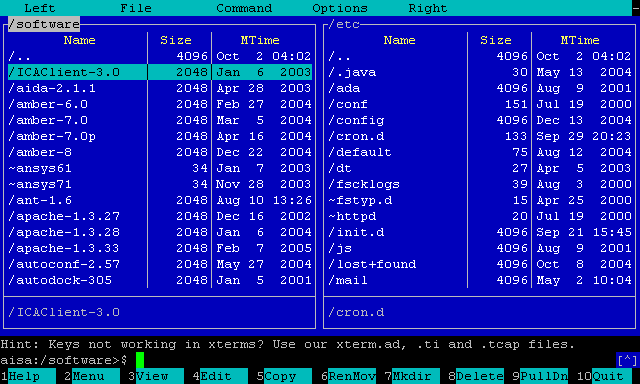
In computing, text-based user interfaces (TUI) (alternately terminal user interfaces, to reflect a dependence upon the properties of computer terminals and not just text), is a retronym describing a type of user interface (UI) common as an early form of human–computer interaction, before the advent of graphical user interfaces (GUIs). Like GUIs,...

 modern kestrel
Does anyone known why this error might occur
/bin/sh: None: command not found
Can't seem to find a single answer it's really frustrating
ember quiver
modern kestrel
Does anyone known why this error might occur
/bin/sh: None: command not found
More context would be useful... What OS, what command did you enter, etc.? But you might try something like which sh or which bash
modern kestrel
ember quiver
More context would be useful... What OS, what command did you enter, etc.? But y...
Hey got to the bottom of this, the python cli i was trying to run was itself calling shell to check wether or not a package kustomize was installed, it wasn't on my workstation which was resulting in a None return which wouldn't evaluate
 lethal sapphire
hey folks
shy yokeBOT
Hey @lethal sapphire!
It looks like you tried to attach file type(s) that we do not allow (.jfif). We currently allow the following file types: .gif, .jpg, .jpeg, .mov, .mp4, .mpg, .png, .mp3, .wav, .ogg, .webm, .webp, .flac, .m4a, .csv, .json.
Feel free to ask in #community-meta if you think this is a mistake.
 ember quiver
lethal sapphire
ember quiver
lethal sapphire
That's a funky partition table you have going on there
shy yokeBOT
:incoming_envelope: :ok_hand: applied mute to @main olive until <t:1639777286:f> (9 minutes and 59 seconds) (reason: duplicates rule: sent 4 duplicated messages in 10s).
 crisp moon
 crisp moon
I will save it somewhere and send you later if you want
stable yew
Why is this blocking:
with open("/tmp/qcd_session", "w") as session:
    session.write("hi")
But this isnt:
with open("qcd_session", "w") as session:
    session.write("hi")
i can write stuff successfully to /tmp without root

and yes i know the tempfile library exists but still curios
ooh i just realised
qcd_session is a fifo

 hollow fulcrum
does fedora break for everyone else when it's updated or am i just dumb
crisp moon
Typescript.
I just choose a random programming language to the print :p
main olive
why isn't flatpak working
when i try to install pycharm it just freezes
now linux isnt even working
bruh
main olive
debian 10
 granite snow
main olive
when i try to install pycharm it just freezes
granite snow
main olive
when i try to install pycharm it just freezes
check the installation manual at the pycharm community
 signal ibex

 eager bloom
hollow fulcrum
eager bloom
hollow fulcrum
yep

 candid dove
How do I determine how much memory a certain program uses? In my case I want to know how much space PyCharm occupies, however using htop i get an output like this

so a lot of single pycharm processes, which take all the same amount of memory (10,4%). Is that the real number?
problem is, that I have some kind of memory leak. Some process is taking more and more memory over several hours until memory and swap are used up and my ubuntu just freezes. Im trying to find the cause, but these numbers dont help me or are not accurate
tiny lava
I'm not very sure on this but I believe that is indicating they are all using the same memory
like they are all sharing the same region in memory for all their data
warped nimbus
candid dove
How do I determine how much memory a certain program uses? In my case I want to ...
By default, htop shows individual threads of a process. To hide them press H.
candid dove
warped nimbus
By default, htop shows individual threads of a process. To hide them press `H`.
yep, but i doubt there are 50+ processes each taking 10% of available memory
warped nimbus
So those are actual processes, not threads?
candid dove
standard output of htop just cut out the left side
each one got a PID
so yeah i guess
warped nimbus
Did you hide threads like I said?
candid dove
with H?
warped nimbus
Yes
candid dove
then 1 process remains
warped nimbus
Right, so it's just 1 process taking up 10%
candid dove
with the same amount of memory
warped nimbus
Everything else were just the threads of that process. It just shows the process's total memory usage for each thread I suppose.
candid dove
seems so. A bit confusing though
I'll probably should set up prometheus to monitor the usage
warped nimbus
Yeah that's why i always leave threads off in htop. It's there if you really need it, but I've never had a case where I cared about individual threads.
visual walrus
candid dove
I'll probably should set up `prometheus` to monitor the usage
Which things can be monitored using prometheus?
wise forge
visual walrus
Which things can be monitored using prometheus?
CPU, HDD, ram and fifty other parameters
Data would be recorded in time series database
So u could see how situation is changed in time
In week, in month and etc
wise forge
visual walrus
Which things can be monitored using prometheus?
Plus technically there is an option for customisation that allows to track literally everything that fits the Rest API interface
Someone made for Django module
That exposes statistics happened in Django orm. Like how many times which model object was used
Prometheus has a lot of different data extractors
Compatible with different stuff
Linux OS, web servers like nginx, Frameworks like Django, databases like postgresql and etc
Full list is long
visual walrus
wise forge
Plus technically there is an option for customisation that allows to track liter...
That means prometheus is used for way more stuffs.
candid dove
visual walrus
Which things can be monitored using prometheus?
its more a tool to aggregate time series data
visual walrus
wise forge
CPU, HDD, ram and fifty other parameters
Htop can do this job probably.
wise forge
visual walrus
Htop can do this job probably.
that was mentioned for Linux OS extractor
the difference in time series database to track it in time
and easy aggregation of data from multiple servers
candid dove
the data is provided by so called exporters
visual walrus
Can we also monitor website traffic with it?
wise forge
and later the data can be chained into other tools, like AlertManager, which would notify you automatically during some trigger, for example running out of space or high CPU load
candid dove
Graphana is often used to build graphical dashboards from prometheus data
wise forge
visual walrus
Can we also monitor website traffic with it?
sure. You can monitor network traffic of the server
or you can monitor all actions of your web server
visual walrus
wise forge
sure. You can monitor network traffic of the server
or you can monitor all actio...
Okay.
I like to code in bash but is there any way, if there's any library we can do bash scripting in Python?
I mean I want to do that in Python what we do with bash, is there any way we can do that?
candid dove
I'd say yes
but we don't know what it is what you do
and how easy it is to do in Python
but most likely its much easier ...
visual walrus
Any third party library is needed or we can do without 3rd party libraries?
Any specific library is out there for this?
candid dove
I have absolutely no idea, what it is what you want to do
and even less, why you even think about doing it in Python
you would usually do it in python, because its much easier to do and better to mantain
If you just call a few shell commands, better keep it in bash
formal schooner
visual walrus
I mean I want to do that in Python what we do with bash, is there any way we can...
bash is a programming language unto itself
anything you can do in bash, you can do in python
however, they are two different programming languages and they have different strengths
for example, it's trivially easy to "pipe" programs together in bash, directly connecting the stdout of one program to the stdin of another, with minimal syntax (the | operator)
in python, it's not quite as simple to do with subprocess
also bash has some other builtins that might wrap syscalls and other libc functionality that python doesn't have a direct equivalent for
on the flipside, python is generally much much easier to build "sophisticated" applications with
 dense laurel
Are there any packages that allow you to import terminal commands and run them as python objects? I have a terminal command nordvpn that has commands like nordvpn connect are there any python packages that would let me import nordvpn and then run commands on it like an object? like nordvpn.connect()
I could always make some kind of wrapper with subprocess or os.system and make an object that behaves that way but seeing if there was anything made already that could save me some time
formal schooner
dense laurel
Are there any packages that allow you to import terminal commands and run them a...
probably not, because every program is a bit different in this respect
the pattern of command [options] subcommand [options] is pretty common but not at all standardized
dense laurel
Thanks, yeah just gonna build out an system call wrapper object then.
main olive
.topic
 junior fjord
opaque ginkgo
junior fjord
opaque ginkgo
python3
formal schooner
if anyone is interested, i cooked up a script that (heuristically) derives a python module name from a file name: https://gist.github.com/gwerbin/7d5705b5605c5b60a3c157efd0d19d26.
note: assumes you have zsh installed
example usage:
$ python-module-name -t ./tests ./tests/test_myapp/test*.py
test_myapp.test_healthcheck
test_myapp.test_interface
test_myapp.test_rules
i guess i could have written it in python, but zsh is too tempting
warped nimbus
Why did you need this
formal schooner
warped nimbus
Why did you need this
making it easier to invoke specific modules using unittest, so i can tab-complete them
could use this to write a custom completion function for unittest without having to actually invoke python (which would be slow)
warped nimbus
Oh, neat!
 burnt flax
formal schooner
could use this to write a custom completion function for unittest without having...
burnt flax
formal schooner
could use this to write a custom completion function for unittest without having...
other step is writing a completion function which sends the thing and the thing
 weary atlas
I'm not really sure that's the place for my question but.. let's try !
I'm currently struggling with CPU usage on a server - I'm wondering if there is any solution using Python to have a graph of the CPU usage for each hour, and if the % is higher than X, it would create a file with the list of the programs running with their % of cpu usage.. I'm probably searching in the wrong way and that's something doable with only Bash scripts.. Would love to get your opinion on this, thanks in advance 🙂
warped nimbus
weary atlas
I'm not really sure that's the place for my question but.. let's try !
I'm curre...
I'm pretty sure psutil can provide you with CPU stats. Check that out
Seems doable with Python..You could use psutil and create an hourly cron job, or handle the scheduling all in Python if you really want to
weary atlas
Well I made some research for existing packages, it looks like a few things are already existing, I'll just need to make some python to list the programs running when the CPU usage is higher than X%
i'll check psutil then, thanks a lot 🙂
 astral cedar
I feel like an idiot for not installing oh-my-zsh until now... I've been using zsh for over a year now and I just now got it installed yesterday  . lmk if anyone has any suggested plugins
 warped nimbus
astral cedar
I feel like an idiot for not installing oh-my-zsh until now... I've been using z...
warped nimbus
astral cedar
I feel like an idiot for not installing oh-my-zsh until now... I've been using z...
These are the ones I have
aplugins=(
    autojump
    colored-man-pages
    colorize
    common-aliases
    django
    docker
    docker-compose
    dotenv
    # dotnet
    # nvm # it's slow
    pip
    # pipenv # fuck you for automatically making venvs
    # rust
    # ssh-agent
    sublime
    # zsh-autosuggestions
    zsh-syntax-highlighting # must be last!
)
I try not to have too many cause I want the shell to be fast
So don't get carried away with adding plugins
I wanted to look into not even using oh my zsh at one point for even more speed but I couldn't be bothered. My shell feels okay where's it at currently.
formal schooner
astral cedar
I feel like an idiot for not installing oh-my-zsh until now... I've been using z...
you will feel even better when you realize you don't need it and uninstall it 😉
@warped nimbus I recommend Volta or FNM instead of NVM, much faster
N is also an option if you like more "interactive" TUI type applications
also check out fast-syntax-highlighting, much faster than zsh-syntax-highlighting https://github.com/zdharma-continuum/fast-syntax-highlighting

GitHub
Feature-rich syntax highlighting for ZSH. Contribute to zdharma-continuum/fast-syntax-highlighting development by creating an account on GitHub.
warped nimbus
Thanks I'll try to keep those in mind. I don't do much JS dev currently though.
astral cedar
I use p10k theme too, I quite like it
astral cedar
warped nimbus
These are the ones I have
```zsh
aplugins=(
autojump
colored-man-pages
...
thanks, I'll check these out
astral cedar
formal schooner
you will feel even better when you realize you don't need it and uninstall it 😉
if the time comes... I suppose that would be ultimate
 night maple
what would be useful is what distro you're using
I am usingLinux pop-os 5.15.8-76051508-generic #202112141040~1639505278~21.10~0ede46a
how you've installed it (your native package manager vs flatpak/snapd vs compiling from scratch)
what do you mean?
 proven trellis
What was the process you followed to install PyCharm?
night maple
proven trellis
What was the process you followed to install PyCharm?
I tried the popshop,manually (following this instructions: https://www.jetbrains.com/pycharm/download/#section=linux), and then I tried through snap

JetBrains
Download the latest version of PyCharm for Windows, macOS or Linux.
yeah
Yeah that is correct.
night maple
then when I tried to run pycharm.sh
then the console outputted: bash: pycharm.sh permission denied
proven trellis
So thats the script I mentioned. What is the output of ls -l pycharm.sh
night maple
hold on let me reinstall it
through that method so I can see that the output of that command
like I said I tried three ways
Yeah sorry for not being descriptive enough.
night maple
proven trellis
So thats the script I mentioned. What is the output of `ls -l pycharm.sh`
-r-----r-- 1 megaknight456 megaknight456 5751 Nov 30 03:16 pycharm.sh
proven trellis
Yeah, so the executable bit is not set. chmod 744 pycharm.sh
That will let you run the script
night maple
proven trellis
Yeah, so the executable bit is not set. `chmod 744 pycharm.sh`
Thanks! that helped me
but now the second problem
when I try to configure the base interpreter as 3.10 in my project directory and try to pip install some packages. when I try to import the package I installed this error gets outputted```
Error processing line 1 of /usr/lib/python3.10/dist-packages/distutils-precedence.pth:
Traceback (most recent call last):
File "/usr/lib/python3.10/site.py", line 192, in addpackage
exec(line)
File "<string>", line 1, in <module>
AttributeError: module '_distutils_hack' has no attribute 'ensure_shim'
Remainder of file ignored
If this gets answered can you send me the message link to your answer as it is very late for me.
 pale tusk
hiiii
i need help
i am using kali linux terminal in windows 10 how to give root perm
ember quiver
pale tusk
i am using kali linux terminal in windows 10 how to give root perm
Try sudo su. If that works you can probably add it to your .bashrc file or whatever
 stray prism
He is probably using windows subsystem for linux

Windows Subsystem for Linux (WSL) is a compatibility layer for running Linux binary executables (in ELF format) natively on Windows 10, Windows 11, and Windows Server 2019.
In May 2019, WSL 2 was announced, introducing important changes such as a real Linux kernel, through a subset of Hyper-V features. Since June 2019, WSL 2 is available to Wind...
If it is then try wsl sudo su in windows command prompt ..played around with WSL but with ubuntu on win 10
shy yokeBOT
Hey @heavy mirage!
Uh-oh! It looks like your message got zapped by our spam filter. We currently don't allow .txt attachments, so here are some tips to help you travel safely:
• If you attempted to send a message longer than 2000 characters, try shortening your message to fit within the character limit or use a pasting service (see below)
• If you tried to show someone your code, you can use codeblocks
(run !code-blocks in #bot-commands for more information) or use a pasting service like:
 heavy mirage
hey guys can anyone pls help me out with this problem. pip is installing multiple versions of packages

i found an issue on it but im not able to understand how to fix it. https://github.com/pypa/pip/issues/9284#issuecomment-800843707
 shrewd thicket
how I change owner of a symlink?
ember quiver
shrewd thicket
how I change owner of a symlink?
That's a simple Google question, but the answer is chown -h
ember quiver
heavy mirage
i found an issue on it but im not able to understand how to fix it. <https://git...
That link is saying that the package you are trying to install conflicts with a specific package/version that you have installed. So you might to to research and/or experiment to find out what other package is causing the problem.
Are you using a virtual environment? If not start there
heavy mirage
ember quiver
That link is saying that the package you are trying to install conflicts with a ...
I'm not using a virtual environment yet
Just directly installing it under user
heavy mirage
ember quiver
That link is saying that the package you are trying to install conflicts with a ...
It's happening for every package💀
Weird it works fine under sudo
heavy mirage
heavy mirage
I'm not using a virtual environment yet
it seems to work fine tho ig il just use that
ember quiver
heavy mirage
Just directly installing it under user
This should be avoided. Installing packages with pip in your main environment can cause conflicts. glad you found a workaround anyway though
heavy mirage
:p thanks
 silent imp
do it in virtual enviroments
main olive
hhi
lilac hill
i'm trying to install elasticsearch using this: wget https://artifacts.elastic.co/downloads/elasticsearch/elasticsearch-7.16.2-amd64.deb wget https://artifacts.elastic.co/downloads/elasticsearch/elasticsearch-7.16.2-amd64.deb.sha512 shasum -a 512 -c elasticsearch-7.16.2-amd64.deb.sha512 sudo dpkg -i elasticsearch-7.16.2-amd64.deb but it gives me error: ERROR 403: Forbidden. any ideas why? it's ubuntu 20.04
ember quiver
lilac hill
i'm trying to install elasticsearch using this: ```wget https://artifacts.elasti...
Where did you get the URLs from? Most likely either you missed something in their instructions or there is a problem on their end
main olive
how do I save the spacing format of a programs output text?
$ foo=$(mypy --pretty test-bad.py)
$ echo $foo
test-bad.py:1: error: Incompatible types in assignment (expression has type "str", variable has type "int") a: int = "a" ^ Found 1 error in 1 file (checked 1 source file)
$ cat test-bad.py
a: int = "a"
the mypy output should look like this, pretty:
test-bad.py:1: error: Incompatible types in assignment (expression has type
"str", variable has type "int")
    a: int = "a"
             ^
Found 1 error in 1 file (checked 1 source file)
(QUOTES)
warped nimbus
Echo tends to have some confusing behaviour; I don't remember specifics. If you can assume printf is available on the system, try printf '%s' "$foo"
Or '%s\n' might be nicer in case you can't expect $foo to already have a trailing newline
Oh you wrote quotes. Yeah, that works too 🙃 Still IIRC echo does some weird shit sometimes
This is what i was thinking of https://unix.stackexchange.com/a/65819/

Unix & Linux Stack Exchange
I have heard that printf is better than echo. I can recall only one instance from my experience where I had to use printf because echo didn't work for feeding some text into some program on RHEL 5....
formal schooner
if you're using zsh, you can use the print builtin 🙂
also the main issue here is probably not issues with the echo command itself, but with forgetting to quote $foo
formal schooner
main olive
how do I save the spacing format of a programs output text?
```
$ foo=$(mypy --p...
did you try quoting?
echo "$foo"
incidentally, in zsh you also don't need to defensively quote everything 😉
warped nimbus
Yes they did that's why they typed it caps afterwards
formal schooner
hm, i didn't understand that
warped nimbus
formal schooner
incidentally, in zsh you also don't need to defensively quote everything 😉
But... Posix compliance!
warped nimbus
formal schooner
hm, i didn't understand that
Nor did I at first
Anyway as what I linked points out, posix echo shouldn't be used unless you know the string won't have escaped chars or dashes
granite snow
hello guys who's familiar with xfce customization ?
main olive
Thank you for the help, printf is much nicer I'll be using that a lot. Sorry about the not making the quotes comment clearer
 strange phoenix

 strange pagoda
Is there any Linux community servers people know of/recommend?
 brave bone
m
opaque ginkgo
strange pagoda
Is there any Linux community servers people know of/recommend?

GitHub
A curated list of awesome Discord communities for programmers - GitHub - mhxion/awesome-discord-communities: A curated list of awesome Discord communities for programmers
wise forge
opaque ginkgo
https://github.com/mhxion/awesome-discord-communities#linux
You rock! Woohoo!
formal schooner
strange pagoda
Is there any Linux community servers people know of/recommend?
I recommend Matrix and Libera IRC instead of Discord 😉
Several good chatrooms on both platforms
strange pagoda
Thanks guys
 muted pollen
sudo apt update && sudo apt upgrade -y
Ign:1 http://http.kali.org/kali kali-rolling InRelease
Ign:1 http://http.kali.org/kali kali-rolling InRelease
Ign:1 http://http.kali.org/kali kali-rolling InRelease
Err:1 http://http.kali.org/kali kali-rolling InRelease
Could not connect to http.kali.org:80 (192.99.200.113), connection timed out
Reading package lists... Done
Building dependency tree... Done
Reading state information... Done
All packages are up to date.
W: Failed to fetch http://http.kali.org/kali/dists/kali-rolling/InRelease Could not connect to http.kali.org:80 (192.99.200.113), connection timed out
W: Some index files failed to download. They have been ignored, or old ones used instead.
Reading package lists... Done
Building dependency tree... Done
Reading state information... Done
Calculating upgrade... Done
0 upgraded, 0 newly installed, 0 to remove and 0 not upgraded.
help
opaque ginkgo
muted pollen
sudo apt update && sudo apt upgrade -y
Ign:1 http://http.kali.org/kali kali-roll...
check your internet
main olive
 long wedge
Does anyone happen to have a suggestion on the "best" or most appropriate way to go about reading memory address values in unix based systems?
 viscid jungle
Does anyone have any tricks or mnemonics for remembering where everything lives on Linux?
viscid jungle
long wedge
Does anyone happen to have a suggestion on the "best" or most appropriate way to...
Could you elaborate?
 south arrow
hey guys, can somone explain this command? bash $ sudo netstat -tlpn | grep nginx
whats the | character, ive never understood it, is it and? or is it or
wise forge
south arrow
hey guys, can somone explain this command? ```bash
$ sudo netstat -tlpn | grep n...
| is syntax for command chaining / linux pipeline to redirect data flow
basically it means next thing...
perform sudo netstat -tlpm command, and data result out of it redirect into grep nginx
so basically we make a search, which strings contain nginx word in the output from netstat -tlpn
command chaining in linux allows also... to run commands in sequence
to run next command only if previous one succeded
to run commands in parallel / in background
probably something else
notably for data flow also used > to redirect output into always newly created file
echo 123 > 123.txt
creates file if it did not exist, and writes to the end of the file if it is already there
so...
echo "var1=123" >> build.env
echo "var2=456" >> build.env
could be useful to know for gitlab CI in order to transfer variables between jobs 😉
south arrow
wise forge
| is syntax for command chaining / linux pipeline to redirect data flow
thanks mate, yeah its fricking beautiful. the scripting ability is amazing
wise forge
south arrow
thanks mate, yeah its fricking beautiful. the scripting ability is amazing
it is good to be used for small stuff at least / as a glue
for a more complex thing there are better instruments ;b
 formal cypress
south arrow
hey guys, can somone explain this command? ```bash
$ sudo netstat -tlpn | grep n...
formal cypress
south arrow
hey guys, can somone explain this command? ```bash
$ sudo netstat -tlpn | grep n...
hi , the "|" is a pipeline , you redirect the output from previous command to next command
south arrow
formal cypress
hi , the "|" is a pipeline , you redirect the output from previous command to ne...
did you not see the chat above?
formal cypress
south arrow
did you not see the chat above?
sorry I just saw the question
 pine osprey
(i have a suspicion that what's going on for me is unix-based, forgive me if i'm in the wrong channel)
i've got a python script running on a raspberry pi that periodically writes data to a sqlite3 database. due to the purpose of this program, it'll stop when i unplug the pi from power, and i think i corrupted something in the database. i've screenshotted a ls of the database directory, and one of the db files has another one called -journal.
i guess i'm wondering what happened here?
 tulip dock
@pine osprey: that's normal, it doesn't mean the database is corrupted
in fact if you delete it you might cause corruption
river apex
if i add a watch to a log file with auditctl -w, will i receive audit log when the application is writing log
pine osprey
tulip dock
See https://sqlite.org/howtocorrupt.html#_deleting_a_hot_journal
thanks for the info on this! i'm reading thru the documentation, but i'm still a little confused: how do i use the journal to get that transaction into my database?
tulip dock
pine osprey
thanks for the info on this! i'm reading thru the documentation, but i'm still ...
SQLite will recover automatically from the journal when you open the database
If the transaction didn't commit it will not be recovered though, it will be discarded
pine osprey
so what's specifically in the -journal file, then? i thought that was an unprocessed transaction (from what i read in the documentation)
tulip dock
yep
pine osprey
and it makes the -journal file so that the .db file is uncorrupted, correct?
tulip dock
Yes but the way it recovers is by removing the part of the transaction that was applied
remember, SQLite is ACID: the A is for atomic, either a transaction commits in full, or it doesn't apply at all
Are you trying to recover part of a transaction that didn't commit?
pine osprey
i'm fairly new to sqlite and have some linux experience. at the moment, i'm trying to learn what's going on.
the second thing you said makes sense (per ACID), but then i'm left with one question:
it recovers is by removing the part of the transaction that was applied
if you said it's either committed in full, how can part of it be applied and that need to be fixed?
tulip dock
Well it's atomic thanks to the journal
pine osprey
oooooooooh
tulip dock
you never observe the partially-applied transaction, because SQLite will fix it before you can see it
pine osprey
gotcha, i get what you're saying now. thanks for the help with this!
tulip dock
https://sqlite.org/atomiccommit.html has all the low-level details
pine osprey
thanks again for all the info here, this helps me understand what's going on
livid falcon
Hi, how do I fix this error?
PermissionError: [Errno 13] Permission denied: 'temp_image.png', referer: ...
 cold yarrow
Can I set up that the python command uses Python 3.10 instead of Python 2.7?
cold yarrow
I'm using a WSL Ubuntu but even for python3 it's version 3.8.10 and apt upgrade says it's the newest version, is there a reason for 3.10 or at least 3.9 not being the newest version?
cold yarrow
thanks!
otherwise it's only until I close the shell I assume?
yeah
bash
Yeah I opened it, but do I just put in anywhere?
yup it worked, thanks a lot
yup I set it to python3.10 which I installed earlier
and that's really good to know
don't think I'll remember it when I ever need it but still haha
main olive
how to ubuntu without breaking it
i'm a beginner by all means and when i boot i'm stuck at the `/dev/sdx clean, ... files, ... blocks message
ik that it's not an error but the issue is that it doesn't continue booting after that message
i'm fed up with searching on google and trying the various "solutions"
so i'm installing it again
it's frustrating, this has happened to be before and it's happened this time because i restarted the computer (i couldn't bloody find the Terminal in my apps)
i don't know if i'm doing something wrong and if i am, i don't know what it is
after installing i did literally nothing but modify the gui a bit and install some utilities (was about to install redis server when this all broke down)
i am by no means a slow learner, i catch onto stuff pretty quick and am able to make accurate educated guesses. but there's not much i can do with my knowledge when the whole thing shits on me with no discernible reason
thank you for coming to my ted talk, here's hoping that my 5th installation of ubuntu 20.04 lts doesn't fail me.
 gilded valve
main olive
it's frustrating, this has happened to be before and it's happened this time bec...
gilded valve
main olive
it's frustrating, this has happened to be before and it's happened this time bec...
Ah I also experienced this earlier on in my UNIX usage. The terminal wouldn't appear because I setup the locale incorrectly. Once I fixed locale it appeared. Maybe that would help out?
main olive
gilded valve
Ah I also experienced this earlier on in my UNIX usage. The terminal wouldn't ap...
my locale was set to English US
now i'm sad that amazon music is not supported on linux
main olive
gilded valve
Amazon music? Ehhh not one to judge though
eh im broke and i have prime so yeah
gilded valve
Haha, good luck on your ubuntu. I do know how it feels to reinstall your OS a lot and oh my god is it such a bore
Did a lot of distrohopping but I did start off at ubuntu
main olive
thanks, i'm still relatively new and am learning my way around things.
dual booting windows and ubuntu rn :)
finally got that working properly
grub was being a bitch at first
ember quiver
main olive
dual booting windows and ubuntu rn :)
I generally recommend running Linux in VMs nstead of dual booting. You're way less prone to these frustrating problems and it's much easier to recover when it does happen. WSL is also useful. Anything but dual boot, as it is usually a nightmare in my experience, and even just Linux on bare metal can be rough without the right hardware
If you've never done it before VirtualBox is probably easiest to start
main olive
thanks for the info, i’ll keep it in mind
main olive
main olive
dual booting windows and ubuntu rn :)
install arch or Gentoo if you really wanna learn something about linux, it may or may not go well though
ionic goblet
Hi how do I allow ssh connections from 192.168.ANYNUMBER.ANYNUMBER?
would iptables -A INPUT -p tcp --dport 22 -s 192.168.*/24 -j ACCEPT work?
stray prism
ember quiver
If you've never done it before VirtualBox is probably easiest to start
Yeah Virtual box is easy to use..I moved away from dual boot too
But linux on bare metal also fine if you have a dedicated machine with supported hardware....Dual boot has complications
stray prism
main olive
finally got that working properly
Yeah grub can be a pain
 keen needle
yeah
the easiest way to run on bare metal is to use a external hard drive
and just boot from it
stray prism
I tried small distros on live CD or usb too ... like Puppy Linux for bare metal boot and browse there rather than Win
It supports older hardware ...not for server use it is a desktop linux
 exotic sonnet
hello
can i ask question rel;ated to some problem that has appeared while udating conda ?
ember quiver
ionic goblet
Hi how do I allow ssh connections from 192.168.ANYNUMBER.ANYNUMBER?
would `iptab...
I think it uses standard CIDR notation which I'm not great with but I think you want 192.168.0.0/16
ember quiver
exotic sonnet
can i ask question rel;ated to some problem that has appeared while udating cond...
That's fine if you think it's Linux related, otherwise #tools-and-devops might be better, or even #data-science-and-ml depending on the issue
exotic sonnet
i am trying to update anaconda using conda update anaconda command but it shows environment is incosistent
i run macos whch is simmilar to unix so i thought i should post here
 gusty bramble
hi, what are the best drivers for nvidia gtx 770 on ubuntu 20.04?
 carmine meadow
gusty bramble
hi, what are the best drivers for nvidia gtx 770 on ubuntu 20.04?
carmine meadow
gusty bramble
hi, what are the best drivers for nvidia gtx 770 on ubuntu 20.04?
sudo add-apt-repository ppa:graphics-drivers/ppa
sudo apt update
sudo apt install nvidia-375 ```
try thisthese might be outdated. Not sure. All I know is that 700 series cards are now unsupported by nvidia
gusty bramble
carmine meadow
these might be outdated. Not sure. All I know is that 700 series cards are now u...
Package 'nvidia-375' has no installation candidate
carmine meadow
weird
try sudo apt install nvidia-390
I used to use that driver
when using ubuntu
(i had old gpu)
lavish storm
gusty bramble
hi, what are the best drivers for nvidia gtx 770 on ubuntu 20.04?
https://download.nvidia.com/XFree86/Linux-x86_64/495.46/README/supportedchips.html
470.xx supports your card
gusty bramble
lol, my ubuntu had a problem with resolution when I installed cuda and rebooted the pc
just for no reason
main olive
every os has its downsides, one isn't inherently better than the other. the choice one makes also comes down to personal preference and various other factors
lavish storm
linux isn't a single OS lol it's not really comparable that way Parid
main olive
silent imp
LINUX IS BETTER THAN WINDOWS
Depends on what you want to do
 slate crypt
Windows is the best at giving your data to Microsoft 😉
It's also the best at running Nvidia drivers
lavish storm
i've never had a problem with nvidia drivers whether in Windows or in linux
same for CUDA and CUDNN thereof
 twin moat
It's crazy how some people apparently don't experience any issues with some things that simply won't work for me. I get NVIDIA drivers to work under Linux but it's a pain each time. I hate it.
wise forge
twin moat
It's crazy how some people apparently don't experience any issues with some thin...
i heard my friend mentioning recently that Pop OS (Ubuntu's fork) is having the least amount of problems to work with Nvidia drivers
twin moat
I've taken a look into PopOS a few months back, didn't try anything with ML though. Might try it out next time I have to set something up though.
wise forge
twin moat
I've taken a look into PopOS a few months back, didn't try anything with ML thou...
It could be working good for Nvidia probably because...
I heard that Pop OS is like distro intended for gaming.
And which gaming can be done without Nvidia?
formal schooner
twin moat
It's crazy how some people apparently don't experience any issues with some thin...
i think it's very os-dependent and hardware-dependent
for example i have had exactly 0 issues with fedora 35 and the latest nvidia drivers, but i have an oem 1060
for all i know, a 1060 made by a different manufacturer might have a harder time
 weary orchid
Does anybody have any experience with SCHED for unix/linux?
formal schooner
wise forge
It could be working good for Nvidia probably because...
I heard that Pop OS is l...
games run fine on amd. it's machine learning that really needs nvidia, because of cuda
wise forge
perhaps Pop OS has just drivers for all common providers, which would be more logical thing to have. ¯_(ツ)_/¯, i am not a Pop OS user though
strange pagoda
idk i have screen tearing with nvidia drivers rn
 fathom vale
keep getting ModuleNotFoundError: No module named 'six'
for any apt command in ubunutu 20.04
six has been installed
 tall mason
fathom vale
keep getting `ModuleNotFoundError: No module named 'six'`
for any apt command i...
tall mason
fathom vale
keep getting `ModuleNotFoundError: No module named 'six'`
for any apt command i...
Did you pip install it?
fathom vale
yeah
fathom vale
yeah
fathom vale
lol nw
 lapis comet
Hey, anyone feel like helping me de-break Python on Arch?
I messed up by updating all packages via pip . Now, even though I can, for instance, open the interpreter and import sys, my code that does the same can't find it
I've tried reinstalling the python package but it didn't fix anything... I'm at the point of trying a reinstall 😐
formal schooner
lapis comet
Hey, anyone feel like helping me de-break Python on Arch?
I messed up by updati...
can you be more specific about what you did that broke everything?
it's possible that uninstalling python didn't uninstall the messed up packages fully. does pacman have an equivalent to the apt "purge" operation?
you might want to make sure you don't have any user-local packages, rm -rf ~/.local/lib/python*
i would try fully uninstalling python and python3, as well as any other python-related tools on your system like pyenv. then checking to make sure that all python-related stuff is gone, especially /usr/lib/python*
lapis comet
formal schooner
it's possible that uninstalling python didn't uninstall the messed up packages f...
afaik it does, but I don't think that's a good idea because system dependencies
lapis comet
formal schooner
can you be more specific about what you did that broke everything?
Simply updating all packages via pip
formal schooner
i see
note that this is why you should never use the system pip or python!
at least on linux you are usually prevented from messing anything up by requiring sudo
lapis comet
That's definitely a lesson learned, hahah 😔
formal schooner
did you do sudo pip install -U?
i am pretty sure pip explicitly yells at you if you run it as root
if you didn't do sudo then it's possible that this was a user install, which might mean that you can rm -rf ~/.local/lib/python* and be saved
lapis comet
I probably did, because there isn't even a python3.10 folder in ~/.local/lib/
formal schooner
lapis comet
I probably did, because there isn't even a python3.10 folder in `~/.local/lib/`
you are in a bad spot here. did you ctrl+c in the middle or something?
can you tell pacman to uninstall a package without removing its dependents?
basically you have modified files that were supposed to be managed by your system's package manager (pacman), and now they are out of sync w/ pacman
when you said you reinstalled, how did you do it?
 thin berry
why are people arguing that linux isnt an OS?
formal schooner
thin berry
why are people arguing that linux isnt an OS?
because the definition of an "operating system" is fuzzy
it's definitely a kernel. does a kernel constitute a complete operating system? the GNU project says no, it's not an operating system if you don't also have some kind of user-facing programs to interact with. so they like to call it "GNU/Linux" because it's "the GNU suite of user-space applications + the Linux kernel"
it's fuzzy because pretty much every other OS only exists as a "complete OS" and you can't really run the kernel separately
windows, mac, the various bsd's, even more obscure stuff like haiku
so arguably it's weird to call linux and OS because it is not a complete OS, but a core that you can build an OS on top of
the counter-argument is that no, a kernel is enough to be an OS on its own, because that is the part that "operates" the computer; everything else is just a program running on top
thin berry
so basically if anyone asks a linux-user what his OS is, he should say GNU?
thin berry
yeah, thats meh 100% 😄
formal schooner
but really it's just a suite of applications
i think most linux "distros" are OSes
so debian is an operating system
fedora is an operating system
they are both built on the GNU suite of applications and the Linux kernel
so i tend to say "linux-based OS"
or "gnu/linux-family of OSes"
nowadays gnu is probably less important than it used to be, but a lot of the core utilities on your computer are still literally GNU Coreutils
plus Gnu Compiler Collection (GCC) and GNU's implementation of libC are also pretty much standard everywhere
so i think it's fair that GNU at least gets some special shoutout
thin berry
like there is a thing i dont understand, so i have bootable PC, windows and linux on it. The boot-loader picks one of those two kernels in order to start the OS right?
like, when i turn on pc and when bios chip starts the boot-loader
so, if linux is a kernel, why wouldnt windows also be a kernel?
formal schooner
thin berry
so, if linux is a kernel, why wouldnt windows also be a kernel?
windows is a kernel, plus a bunch of other stuff
you can't run the windows kernel as a standalone thing, but it still exists, even if only as a concept
thin berry
right
soo, this looks like that the opinions are splitted if linux actually is or isnt OS, kinda looks like there are arguments for both things no?
formal schooner
right
thin berry
interesting tho, thx for the infos
lapis comet
formal schooner
when you said you reinstalled, how did you do it?
just plain pacman -S
at this point, I'd be happy with a non-permanent solution such as pointing my scripts to the sys that can actually be imported, but I don't know how to do that
formal schooner
i'm not sure if there is even a sys.py, it might be a C module
lapis comet
it is a sys module hahah
tried printing a bunch of stuff verbose to see if I could understand how the import calls were made but I guess I'm too newbie for that
formal schooner
i'm a bit surprised that reinstalling didn't work
can you dump a list of packages that depend on python and reinstall them after?
even if you have chroot in through a live usb, you still don't have to repartition your drives, redo fstab, etc.
maybe just re-run pacstrap? i don't know the ins and outs of the arch system
lapis comet
thin berry
so basically if anyone asks a linux-user what his OS is, he should say GNU?
No, IMO, because there are even Linux distros that aren't based on the GNU toolset (e.g. Void, Alpine)
formal schooner
(void still uses gnu programs all over the place 😉 )
there is a musl version of void though i think
lapis comet
I thought the musl version was the default nowadays?
formal schooner
i'm not sure. i recently installed void on my thinkpad and i am pretty sure i chose the glibc version because i was scared of musl being incompatible with everything
lapis comet
formal schooner
can you dump a list of packages that depend on python and reinstall them after?
I thought of doing that... but I'm afraid that'll break more things XD
formal schooner
well this is why pip now warns you loudly about not using sudo 😛
lapis comet
Yeah, that was the first time I went trigger happy with my commands 😦
disclaimer: been using Linux only since last April
formal schooner
one reason why you can't just rm -rf /usr/lib/python* and reinstall is that this will also remove any other python-based deps that were installed
oh.. do you have both python2 and python3 on your system?
formal schooner
lapis comet
Yeah, that was the first time I went trigger happy with my commands 😦
disclaime...
been using Linux only since last April
good, you made it a whole year without breaking your system!
the nice thing about arch is that it's actually a relatively "thin" system - few layers of configuration and packages that are mostly the same as the "stock"/upstream versions means it's easier to un-fuck than some other systems
that's really the main appeal of arch. rolling release is bleh, but if you want a system that is highly configurable and mostly gets out of your way while also providing good defaults, arch is great
lapis comet
formal schooner
oh.. do you have both python2 and python3 on your system?
yep, though python2 is only there by dependency
formal schooner
lapis comet
yep, though python2 is only there by dependency
is it possible that you ran pip install with pip2?
thin berry
why would you use pip when you have sudo?
lapis comet
Nah, pip2 isn't even installed
formal schooner
thin berry
why would you use pip when you have sudo?
sudo and pip are entirely different things. pip is a package manager for python. sudo is a program that lets you run a command as another user
"su" is the "switch user" program, "sudo" is the "switch user and do something as that user" program
the usual usage of sudo is to run as root
thin berry
ah yeah, pip can be used in python terminal
lapis comet
what's funnier is that I tried upgrading stuff via pip due to the muscle memory from doing that in Windows