#unix
1 messages · Page 57 of 1
 opaque ginkgo
 plush vigil
@opaque ginkgo it still defaults to 3.8.8 64-bit
I tested it out in PyCharms and I got the correct version. I don't know what's specifically going on with VSCode, but even though I couldn't get it to work, I appreciate the time you took to try and help
 amber garnet
You can switch it by using update-alternatives
plush vigil
amber garnet
You can switch it by using `update-alternatives`
sorry for the newbie question, but where would I enter that
amber garnet
plush vigil
sorry for the newbie question, but where would I enter that
In terminal 🙂 Which distro are you using?
 amber garnet
plush vigil
amber garnet
plush vigil
sudo update-alternatives --config python3

Stack Overflow
The other day I decided that I wanted the command python to default to firing up python3 instead of python2.
So I did this:
$ sudo update-alternatives --install /usr/bin/python python /usr/bin/py...
plush vigil
I'm getting a error: no alternatives for python3
 wise forge
plush vigil
I tested it out in PyCharms and I got the correct version. I don't know what's s...
wise forge
plush vigil
I tested it out in PyCharms and I got the correct version. I don't know what's s...
which python3.9 ?
/bin or /usr/local/bin is probably having it
plush vigil
wise forge
`which python3.9` ?
I tried that but it still wouldn't let me select it.
when I type in ```/usr/bin/python3.9
it tells me to select an interpreter (vscode)
I tried to manually look for it too, through the interpreter browser on vscode, and I can't find python3.9 in /usr/bin/
outside of vscode I can find it

but when I'm searching for it in vscode, this is what I see

 dense perch
Hey Everyone,
I am trying to use sh file . Each row has different progress and sometimes that process is failing and I am getting syntax error,when I try again it works so whats whats solution for it
 olive ice
Well I’m very smart running everything as root and saying I run everything as root safe
olive ice
I’m too lazy to make another usr
 formal schooner
dense perch
Hey Everyone,
I am trying to use sh file . Each row has different progress and ...
formal schooner
dense perch
Hey Everyone,
I am trying to use sh file . Each row has different progress and ...
!past show the file and the errors
 shy yokeBOT
Pasting large amounts of code
If your code is too long to fit in a codeblock in discord, you can paste your code here:
https://paste.pydis.com/
After pasting your code, save it by clicking the floppy disk icon in the top right, or by typing ctrl + S. After doing that, the URL should change. Copy the URL and post it here so others can see it.
 main olive
ayo anyone here know how to unzip a whole directory of zips using 7z cli
 barren temple
Something like find path/to/your/zips -name \*.7z -exec command_to_unpack_an_archive {} \; # {} gets replaced by file name.
olive ice
Anyone know how to loop in a video in mpv yes you do —loop
main olive
Sorry i dont know
 tiny lava
 spiral pecan
how do I edit a shell script using python ?
I only want to add something in my shell script but I need to use python to automate it
opaque ginkgo
why do you need to automate that?
this sounds like an xy problem
what's your actual issue?
@spiral pecan
spiral pecan
opaque ginkgo
why do you need to automate that?
I need to make some discord bots at the same time with the same code. So, with gnome terminal, I wanted to make a bash script that launch the same file with different arguments (the bots tokens) in differents gnome terminal tab
spiral pecan
how ? because if I don't use a bash script, I will must to simulate that I am a human
like pressing Maj + Ctrl + T to open a tab
opaque ginkgo
or just pass it as an arg/env var to your bash script
spiral pecan
I already have this script. But my editing python would be to add something new after (a new --tab.....)```
gnome-terminal --tab --title="tab title" -e "bash -c 'a command; $SHELL'"
Use jinja2 templating library, it is the best painless way for file forming
Or yeah, just pass arguments to shell script. It should be better if u can
If you need to just launch script command directly from python...
os.system(f"Your command {your_additions}")
something like this?
while read -r bot_name bot_token; do
  gnome-terminal --tab --title="$bot_name" -e "./run-bot $bot_name $bot_token"
done < ./bot-tokens.txt
@wise forge use subprocess.run, os.system is effectively deprecated
wise forge
formal schooner
<@!370435997974134785> use `subprocess.run`, `os.system` is effectively deprecat...
Isn't it not showing output by default? 🤔
formal schooner
by default the output it sent to stdout and not captured in python
with open("./bot-tokens.txt") as fh:
    for line in fh:
        bot_name, bot_token = line.strip().split()
        subprocess.run([
            "gnome-terminal",
            "--tab",
            f"--title={bot_name}",
            "-e",
            f"./run-bot {bot_name} {$bot_token}"
        ])
how can I close a gnome-terminal opened with python ?
I tried this but it didn't work :
import subprocess, time, os, signal
process = subprocess.Popen(["gnome-terminal -e bash"],
                           stdout=subprocess.PIPE,
                           shell=True,
                           preexec_fn=os.setpgrp)
time.sleep(2)
os.killpg(os.getpgid(process.pid), signal.SIGTERM)
it works for terminator and other programs, but not gnome-terminal
 fallen flint
if [ python3 manage.py showmigrations | grep '\[ \]' ]; then
Anyone know why this is wrong syntax?
Is bash help allowed on this channel? Couldn't tell from the description
formal schooner
fallen flint
```bash
if [ python3 manage.py showmigrations | grep '\[ \]' ]; then
```
Anyone ...
Remove the outer []s
[] and [[]] is used for doing certain kinds of comparison operations and returning 0 or 1, it's not part of if syntax itself
if python3 manage.py showmigrations | grep -q '\[ \]'
then
  ...
fi
ohh that makes sense, ty!
formal schooner
if python3 manage.py showmigrations | grep -Fq '[ ]'
then
  ...
fi
what is -F for?, I searched up in the man page and i didn't understand what interpreting a pattern as a fixed set of strings would do in this case
formal schooner
fallen flint
what is -F for?, I searched up in the man page and i didn't understand what inte...
It looks like you're searching for the fixed string [ ], no?
"Fixed string" as in "not regex, just a string"
dense perch
do
    if [${i} -gt 9]
    then
        echo 0000$i
    else
        echo 00000$i
    fi
done
Why its not working?
amber garnet
dense perch
```for i in $(seq 0 33);
do
if [${i} -gt 9]
then
echo 0000$i
...
I always put a space after [ and before ]
amber garnet
Yeah 😂
dense perch
How to do it in syntax then ;
'/home/bulute/2021-07-20_07-05-01-50FOPvIEWVpD53ri-00000i.mp4'
i will change here
$i will change
0000i.mp4 as you see
how to do it in shell
amber garnet
dense perch
How to do it in syntax then ;
'/home/bulute/2021-07-20_07-05-01-50FOPvIEWVpD53r...
"/home/bulute/2021-07-20_07-05-01-50FOPvIEWVpD53ri-00000${i}.mp4"
I like to write it in this way
dense perch
Thanks !
amber garnet
dense perch
Thanks !
You're welcome!
formal schooner
note that in bash you might want to use [[ instead of [ . the [ command is a separate program (alias for test), whereas [[ is a builtin that has more features. maybe bash offers [ as a builtin to shadow [[, but it's usually good practice to distinguish between the two
seq 0 33 | while read -r i
do
  printf '%05d\n' $i
done
@dense perch ☝️
that's how i'd do it
dense perch
ty
btw why I can not have any local variable?
./main.sh: line 1: file_path: command not found
did I do something wrong here?
Sorry I am quite rookie about shell scripting but its really cool !
 queen lance
For Linux systems, are there some that use file extensions like windows. I.e. if opening .txt file use default text editor to open.
queen lance
dense perch
./main.sh: line 1: file_path: command not found
What is your code and what are you trying to do?
dense perch
I am just automate stuff with copy file from remote server
for example I want set a variable for my path
whenever I set a variable its not workign
queen lance
Why don't you show your code? Kind of hard to guess what your code/problem is.
dense perch
I can show but its not point here even when I do for example;
a = test
echo $a
its not working even 😄
queen lance
?? It depends on your code...
Your first line of code should be #!/bin/sh
If you don't already know this
queen lance
This is called a shebang and let's Linux know what interpreter to use to run your scripts. You choose /bin/sh since it's a generic shell script.
dense perch
ty
wise forge
queen lance
For Linux systems, are there some that use file extensions like windows. I.e. ...
yes.
txt is opened with default notepad, i have Kate for example ;b
it depends on used GUI though
and default application settings in it
even one linux, like Ubuntu, has 4 GUI types to choose and each one is quite different from others
Gnome, XFCE, KDE for example
you can choose which file manager opens folders (in windows you had only explorer.exe)
what is your video program for different extensions
default web browser, default terminal emulator and email client and e.t.c. 😉
partially extension endings are just an agreement though
like shell script should be .sh
anyway, I like KDE Plasma

it is super comfortable
and having as default terminal multiplexor is quite good
 queen lance
Oh cool. So if a .txt file is an executable on the command line, then will it execute or open a text editor for it?
wise forge
queen lance
Oh cool. So if a .txt file is an executable on the command line, then will it e...
🤔 good question
lets test it
wise forge
queen lance
Oh cool. So if a .txt file is an executable on the command line, then will it e...
yes, if you use KDE and having file manager Dolphin, then .txt file is opened with your default notepad even if it has executable permissions
but if we rename to .sh, it is offered for executing
there is no ambiguity in console linux though, because we are always explicit in how we open file 🤔 so we could execute even .txt file
./123.txt executed shell script in console, and nano filename will open as text even executable files
queen lance
Thanks for checking
wise forge
queen lance
Thanks for checking
u a welcome
anyway, the rules of opening are highly likely defined by file manager btw, since it is providing GUI for the folders
formal schooner
dense perch
I can show but its not point here even when I do for example;
a = test
echo $a ...
Variable assignment cannot have spaces around = in a shell script, maybe that is your problem
queen lance
What does "work" mean?
You may want to convert to simpler data format like csv if you want to compare text
 quasi warren
God why didnt I think of it lol. Yeah I think diff would perform diff on two csv files. Thanks
By work, I meant if it would perform diff on excel. but it didnt.
csv works!!
queen lance
Great 👍
formal schooner
@quasi warren there are standalone tools that can diff xlsx files, but not the standard diff utility
if you're asking about git, you can configure git to use an external tool to diff certain kinds of files
main olive
yo
quasi warren
I think I came across an implementation that was done in Java that performs diff on excel files. Converting the xlsx to csv worked because I just wanted to see if the excel files looked the same before and after I refactored code.
 left olive
Hi guys, we have a "-x" debug option for bash do we have similar option in python?
 warped nimbus
No but you can run with a debugger and step through each line which is basically the same thing but with some extra manual effort
 untold abyss
snipper copied of SE
%%bash
paste <(printf "%s\n" *) <(printf "%s\n" * | shuf) |
  while IFS=$'\t' read -r from to; do mv -- "$from" "$to.new"; done

for f in *.new; do mv -- "$f" "${f%.new}"; done
apparently, it shuffles files in a folder
*folder
my question is where the hell is the path lol
 lavish storm
!rule 7
shy yokeBOT
7. Keep discussions relevant to the channel topic. Each channel's description tells you the topic.
main olive
!rule 7
shy yokeBOT
7. Keep discussions relevant to the channel topic. Each channel's description tells you the topic.
amber garnet
main olive
!rule 7
You can use #bot-commands channel to deal with those commands
 finite crater
So... I would like to ask a question related to unix system permission configurations, and if what I have done is very bad. It has nothing to do with Python.
The reason I have done this (look at the permissions and owners of the shown directories) is the difficulty of needing elevated permissions to call npm but having to avoid that at the same time.
... node is irrelevant. I want to know if this is dangerous. is /usr and /usr/local a safe place for this config. I just noticed that

What makes me concerned is I thought it was a safe spot for that config, but then i saw this
lrwxrwxrwx    7 root 15 Sep 16:41 bin -> usr/bin
lrwxrwxrwx    7 root 15 Sep 16:41 lib -> usr/lib
lrwxrwxrwx    9 root 15 Sep 16:41 lib32 -> usr/lib32
lrwxrwxrwx    9 root 15 Sep 16:41 lib64 -> usr/lib64
lrwxrwxrwx   10 root 15 Sep 16:41 libx32 -> usr/libx32
lrwxrwxrwx    8 root 15 Sep 16:41 sbin -> usr/sbin
and not sure
 queen merlin
for which config?
And you probably don't want to be putting apps and their configs into /usr or /usr/local unless you want them to be there for the whole server.
But I'm not exactly sure what you're asking tbh
 cinder crystal
anybody good with kali linux
i'm trying to download kali linux
and i got this error
it says "An installation step failed. You can try running the failing item again from the menu, or skip it and choose something else. The failing step is: select and choose software
man i've tried running the code again and again
but it isn't working
even when i skip
like man this is really annoying
it took long enough to actually download the right kali linux file
if somebody could help me troubleshoot this, i would gladly appreciate it
olive ice
Yes because kail Linux is for pen testing
cinder crystal
i am trying to do pentesting
olive ice
It should be run in vm
olive ice
Oh
cinder crystal
I'm using virtual box
olive ice
Oh ok I thought you were doing real hardware
Well you still got the iso
Go checksum the iso
lavish storm
pentesters should know what checksum is
cinder crystal
i did everything correct
lavish storm
😉
cinder crystal
i just started doing this stuff, I haven't even learned how to use the bash terminal
that's why i'm installing a kali linux vm
lavish storm
i love linking the documentation but alas
mods did not appreciate that when i did it last time
called it against CoC
lavish storm
cinder crystal
i just started doing this stuff, I haven't even learned how to use the bash term...
it's in the documentation but i will paste it here
$ shasum -a 256 kali-linux-2021.3-live-amd64.iso
assuming kali-linux-2021.3-live-amd64.iso is what you downloaded
cinder crystal
i see
lavish storm
and see to it that it matches the signature displayed in the sha256sum column on the official download page
lavish storm
since 2021.2 is outdated you're going to have to do a bit more digging to look for the correct sum
cinder crystal
holy 😔
i see
man
thanks
i'll work more on this tommorow
i spent wayy to long on this
lavish storm
is there a reason you're using 2021.2 and not 2021.3?
cinder crystal

How to Install Kali Linux 2021.1 on VirtualBox On Windows 10
🔴 Subscribe to my YouTube Channel: https://bit.ly/35Hi5vU
In this video, I am going to show you how to install Kali Linux 2020.4 On VirtualBox on Windows, Step By Step. This is a complete Guide for Kali Linux absolute beginners.
This video will guide you to install Kali Linux 2021....
i used the download link from the description of this vid
but i guess it was outdated
lavish storm
the official documentation is rarely outdated 😉
cinder crystal
i see
this is pretty tough man UGHHHHHH 😂
i did exactly everything that video told me to do
lavish storm
yes, especially if you're "pentesting" with no prior knowledge let alone the basics of using linux systems
cinder crystal
every single bit
i mean, all i'm trying to do is get used to using a linux
this is my first time
lavish storm
kali is an awful choice for a first timer distro
lavish storm
anyways that video is almost 11 months old
cinder crystal
it uses kali
lavish storm
the official documentation was updated 8 days ago
cinder crystal
dng
dang*
wait i'm curious
do all distros use the same bash commands?
@lavish storm
lavish storm
no
cinder crystal
i see
lavish storm
i mean if you install bash in your distro then sure
but not all distros use bash as default
cinder crystal
i see
lavish storm
i'm afraid there's no "the best distro"
you have the freedom to choose which distro you like
many start with pop os!, ubuntu, manjaro, or fedora
they are all easy to use and extremely beginner friendly, the key difference lies in their package managers and dwm etc
all except manjaro use GNOME as default
whereas manjaro offers XFCE, GNOME etc
pop os! and ubuntu use apt as their key package managers, where pop os! also uses flatpak and ubuntu uses snap
fedora uses dnf
and manjaro uses pacman
lavish storm
sure
cinder crystal
I watched this video on bash and it didn't seem too bad, there was even a popular tutorial on youtube about how to properly use the bash terminal
cinder crystal
I'll do some more troubleshooting tommorow and hopefully I'll successfully work it out
cinder crystal
lavish storm
if you like videos, check out learnlinuxtv
thanks for the recommendation!
lavish storm
cinder crystal
thanks for the recommendation!
https://www.youtube.com/watch?v=lvSoxOMg5_c&list=PLT98CRl2KxKHaKA9-4_I38sLzK134p4GJ this entire playlist is a gem

In my Linux Commands for Beginners series, we'll explore everything you need to know in order to be productive on the Linux Command Line. You'll learn basic commands, input/output redirection, package management, resource monitoring, troubleshooting, and more. This video serves as an introduction.
If you enjoyed this video, please click the lik...
lavish storm
have fun and enjoy linux
 ionic goblet
Hello, running htop gives several results, the top result is taking around 150% cpu usage, how is that even possible for it to exceed 100%? its per-cent after all? By researching it, I didint understand much, how do i view true cpu usage of a process like it displays in windows in the task manager?
lavish storm
ionic goblet
Hello, running htop gives several results, the top result is taking around 150% ...
100% usage equals to a thread being used to full
i.e. 8 threads being used to full would equate to about 800%
ionic goblet
Thanks
wise forge
how to have systemd daemon with default environment variables of a user?
by default its having almost zero environment variables
amber garnet
wise forge
how to have systemd daemon with default environment variables of a user?
Afaik systemd daemon is using different user than yours
 vagrant fern
if you are using the systemctl --user user-specific daemon instead of the system one (pid 1), you may be able to get away with running your app through an instance of /bin/bash or whatever your login shell is, as it should read out its startup files and your variables from in there
 worn tiger
Anyone around that can give me a hand with a WSL2 / netowrking issue?
Im just attempting to get a desktop environment operational via Vcxsrv X server(windows side) and xfce4 on the linux side
i know its not necessarily python related, but this would be a big help !
 mortal jasper
it's definitely unix-related 😄
olive ice
No point using whatever it name is you are better off installing a random distro and running it
main olive
cinder crystal
what is the best distro for a beginner using linux?
start off with ubuntu, its nearly impossible to break
opaque ginkgo
inb4 they rimraf root
opaque ginkgo
by root, i mean "/"
wise forge
cinder crystal
what is the best distro for a beginner using linux?
I would highly recommend Kubuntu
same official ubuntu, but with much more friendly graphical interface KDE
even my non programming colleague (designer) is happy to use it
 green gulch
Pop OS is also very popular as a beginner Linux distro
 kind coral
main olive
start off with ubuntu, its nearly impossible to break
kind coral
main olive
start off with ubuntu, its nearly impossible to break
unless you uninstall python, learnt that one the hard way
main olive
kind coral
unless you uninstall python, learnt that one the hard way
Who uninstalls python? It's an important programming language in package managers, most apps
amber garnet
The unix time stamp is a way to track time as a running total of seconds. This count starts at the Unix Epoch on January 1st, 1970 at UTC.
https://www.unixtimestamp.com/
Epoch and unix timestamp converter for developers. Date and time function syntax reference for various programming languages.
 sonic sable
backup.sh file:
sudo touch mine.txt
crontab:
48 4 * * * sudo bash /home/backup.sh
i dont know what i am doing wrong. crontab is not working. tested manually, .sh script is generating text file but crontab fails....
opaque ginkgo
doesnt sudo require user input
if you're already running as root, you dont need sudo
formal schooner
i don't think it requires user input if you configure the sudoers file in a particular way, with NOPASSWD
olive ice
formal schooner
i don't think it requires user input if you configure the sudoers file in a part...
NOSECURITY
 oblique pulsar
Hello, I am getting an SSL error on my Django logs...which room should I go for help?
vagrant fern
oblique pulsar
Hello, I am getting an SSL error on my Django logs...which room should I go for ...
#web-development is a good idea
oblique pulsar
thanks @vagrant fern
main olive
How do i take a screenshot of a window on xorg in python 3
i have scrot installed
i been trying every method
but i couldn't find a single one that can grab a whole window
debian bullseye
olive ice
main olive
How do i take a screenshot of a window on xorg in python 3
Well xfce4-screenshot application exists I think what else exists that lets you take screenshots
 tough sky
hello i got into linux recently and im trying to set up vscode and some stuff
when i try to run a python script with the module keyboard
even tho i did pip install keyboard i get an error
this is the error: Traceback (most recent call last): File "/home/me/Desktop/scripts/key.py", line 1, in <module> import keyboard # using module keyboard ModuleNotFoundError: No module named 'keyboard'
 dark rivet
did you install it
tough sky
yes i did pip install keyboard
and im not getting a underline on code it self or smth
also i need to run it as sudo for some reason else im getting more errors
olive ice
tough sky
hello i got into linux recently and im trying to set up vscode and some stuff
Recommend you learn vim or emacs or both
dark rivet
or...vscode? lol
olive ice
That doesn’t exist
opaque ginkgo
tough sky
also i need to run it as sudo for some reason else im getting more errors
dont
amber garnet
olive ice
Run everything as root is totally very safe
Nope, it isn't
olive ice
amber garnet
Nope, it isn't
Ok well I can rm -rf /* my system without Sudo so running everything as root safe
dark rivet
amber garnet
Nope, it isn't
pfft wdym, i don't make errors, so it's safe /s
 fallen panther
i'd advise caution throwing around advice like that. you may be able to navigate being a root user safely, but it's objectively not good advice in general
so just for the sake of others reading this conversation, perhaps clarify or add suitable disclaimers at least
ionic goblet
main olive
Who uninstalls python? It's an important programming language in package manager...
Ubuntu comes default python 2. uninstalling it will break the system and people do it because they want the newest, latest and greatest cutting bleeding edge version
dark rivet
3.8 now
olive ice
Well good I uninstalled python
 solemn snow
Umm, what does this mean?
 formal schooner
solemn snow
Umm, what does this mean?
formal schooner
solemn snow
Umm, what does this mean?
which part?
solemn snow
The last one
formal schooner
@solemn snow it's saying "the file has unsaved changes, so i won't let you exit unless you use ! in the command"
e.g. you can do q! to quit without saving, or similar commands like bd!, close!
 lucid ridge
gotta type : to get that prompt too
 cerulean wolf
looking to figure out how I could check if a specific process id is active, and if it isn't, to execute the command afterwards in a linux terminal. having trouble chaining multiple background commands. i'd rather just start one and check for it's activity every few minutes. would this be possible?
formal schooner
cerulean wolf
looking to figure out how I could check if a specific process id is active, and ...
ps accepts pids as arguments
Maybe it returns nonzero if one of them doesn't exist? Not sure. If not, you can parse the output with awk, cut, or the read builtin
formal schooner
cerulean wolf
looking to figure out how I could check if a specific process id is active, and ...
Wdym "chaining background commands"?
cerulean wolf
well it seemed like && is used to queue commands, and singular & is used to make it run in the background. maybe i just mistyped at the time
 runic quarry
@cerulean wolf If you want to get the PID of the last ran command you could use something like this:
command &
pid="$$"
Why not just wait for it to finish normally and then run another command though?
cerulean wolf
stuff such as video conversions. i could handle a few more during sleep
runic quarry
Why can't that be handled via normal commands?
cerulean wolf
i used ffmpeg often for a vps i use
runic quarry
It sounds like it would
Would something like this not work?
ffmpeg blah blah blah
blah blah more commands
&& runs commands sequentially only if the first one succeeds. & starts a background process
cerulean wolf
i have much to learn 😭
formal schooner
Read the man pages, one section at a time
cerulean wolf
there's a man page for &?
formal schooner
Patience above all else
No, but your shell has a man page
You have a lot to learn, but so does everyone, and a long life to learn it
Keep a notebook too
Less trivia in brain = more room in brain for actual thinking
Eventually the trivia becomes second nature, then you start building new knowledge on the old stuff
Etc
cerulean wolf
runic quarry
Would something like this not work?
```sh
ffmpeg blah blah blah
blah blah more ...
is there a way to access all of the man pages?
i can't even quote correctly 😂
man basically asks me what i'm looking for and doesn't give anything by default it seems
cerulean wolf
runic quarry
Would something like this not work?
```sh
ffmpeg blah blah blah
blah blah more ...
i'm not sure, because i have to surppress the messages just so it can run in the background. or else it autoscrolls
info bash 🤔
thanks! 🙇
formal schooner
cerulean wolf
`info bash` 🤔
Yeah GNU projects sometimes use the "info" system which is their weird man alternative
cerulean wolf
i notice it seems to work different between os as well
formal schooner
More emacs-ey idk
cerulean wolf
in this situation if i'm looking to queue video conversions overnight, would a bash script be better for a set number of conversions?
 past phoenix
hey i am stuck with this buggy background and all desktop icons disappeared to
 past phoenix
My Hardware is
CPU: AMD Ryzen 5 2600 Six-Core Processor
RAM: 16GB Running at 3400Mhz
GPU: GeForce GTX 750 Ti (Nvidia Driver: 470.57.02-2) (nvidia-cuda-toolkit: 11.2.2-3)

I am dualbooting with Windows 10.

The Problem did ocurr as i put my pc on Hibernation
After it wake up, i was glitchy like this and all programs (FileExplorer) where still open

What i already tried:

    Rebooting                                      | Nothing Changed (FileExplorer still open).
    Hibernate again                                | Nothing Changed.
    Disabled "Save sessions for Future Logins"     | Problem still ocurrs but the FileExplorer closed.
    Logged out and in again                        | Nothing Changed.
    Created a new user and logged into it          | Background behaved as normal nothing whierd.
    Logged back into the old user                  | Problem was gone for 2 mins and the normal
                                                   | Background Image where also back but after the 2mins the
                                                   | background became unresponsive and all icons didnt work.
the official explanation is that you probably shouldn't use kali if you don't know how to fix this sort of problem

since i'm nice, i'm going to ask anyways - what de/wm are you using
if there's any errors then usually your de/wm will leave an error log
past phoenix
sry what do you mean with de/wm
lavish storm
desktop environment/window manager
lavish storm
try ls /usr/bin/*session
past phoenix
 lavish storm
xfce gotcha
and again, despite how cool it seems using Kali on a bare metal as a daily driver like that is not recommended according to Kali devs
opaque ginkgo
lavish storm
and again, despite how cool it seems using Kali on a bare metal as a daily drive...
hm, dont a lot of people dualboot kali?
obviously using kali only is a bad idea
but dualboot should be fine as long as you only use it for kali-specific tasks
though installing tools manually on a different distro is always an option
lavish storm
opaque ginkgo
hm, dont a lot of people dualboot kali?
Not my words.
formal schooner
cerulean wolf
in this situation if i'm looking to queue video conversions overnight, would a b...
can you be a bit more specific about the logic you need to implement? use bullet points or psuedo-code
cerulean wolf
formal schooner
can you be a bit more specific about the logic you need to implement? use bullet...
maybe something like this?
run script
check for ffmpeg process
if exist
wait x minutes
if don't exist
do new ffmpeg commands (possibly from a txt file with multiple )
test.txt
ffmpeg -commands...
ffmpeg -commands...
i see. do you have to have this kind of "polling" logic? what if you had a script that just waited for the job to be done?
you can use the wait and jobs builtins to manage this kind of thing
cerulean wolf
i don't know what i need to have tbh. i'm just trying to figure out what i could need to get the most out of containing the process while unattended for hours since there's no gui i can use to queue. if jobs is the way then i will look more into it. i have very little knowledge of linux stuff
formal schooner
so what do you actually need to do? just run a process, and then run other processes when it's done?
cerulean wolf
i've been trying to figure out how to queue ffmpeg commands after the one before it has finished converting the video
that's why i thought to include all of the needed commands in a list and figure out how to execute them one by one until the last line is reached as long if there's no ffmpeg process available.
formal schooner
you could just run it all in a script, no?
#!/bin/sh

ffmpeg -command 1 && \
  ffmpeg -command 2 ... && \
  ffmpeg -command 3 ...
then run the script in the background
you could also use a makefile if the process involves creating new files
for example, this Makefile converts a directory full of .mkv files into .mp4 files and then concatenates them all into one big .mp4 - silly, but hopefully illustrative
mkv_files := $(wildcard *.mkv)
mp4_files := $(patsubst %.mkv,%.mp4,${mkv_files})

.PHONY: all
all: _all.mp4

# Convert each file MKV -> MP4
%.mp4: %.mkv
    ffmpeg -i $@ -c copy $<

# List all the MP4 filenames in a file
_mp4s.txt: $(mp4_files)
    echo $^ | xargs -n1 > $@

# Concantenate together every file named in the file
_all.mp4: _mp4s.txt
    ffmpeg -f concat -safe 0 -i $< -c copy $@
so you would run make all and it would create the _all.mp4 file, without you needing to explicitly invoke the intermediate steps
(note: the above Makefile only works with GNU Make, not BSD make)
or i guess -i accepts a glob, so
mkv_files := $(wildcard *.mkv)
mp4_files := $(patsubst %.mkv,%.mp4,${mkv_files})

.PHONY: all
all: _all.mp4

# Convert each file MKV -> MP4
%.mp4: %.mkv
    ffmpeg -i $@ -c copy $<

# Concantenate together every file named in the file
_all.mp4: $(mp4_files)
    ffmpeg -f concat -pattern_type glob -i './*.mp4' -c copy $@
that's a lot 👀
my knowledge of scripting in general is even lower than python so i find it even more confusing at times
ffmpeg -nostdin -loglevel error -i input.mp4 -vf scale=-1:540 -c:v libx265 -crf 18 -preset fast -c:a copy input.540p.mp4 &
is my command so new files are definitely created. could the make be ran in the background as well?
all the files are in one directory though so that seems like an even greater benefit
thank you. i must study this more as i don't understand much of it yet
formal schooner
cerulean wolf
that's a lot 👀
my knowledge of scripting in general is even lower than python ...
it already is running in the background if you use &
let's say you wanted to run cmd1 and, on completion, run cmd2a and cmd2b in parallel, then run cmd3 when both of those are completed
with bash job control, you can do this
#!/usr/bin/env bash

# Exit the entire script if one command fails
set -e -o pipefail

# Run cmd1 in the foreground
cmd1

# Run cmd2a and cmd2b in the background, then wait for them both
cmd2a & pid2a=$?
cmd2b & pid2b=$?
wait $pid2a $pid2b

# Run cmd3 in the foreground
cmd3
if you also do set -x then bash will echo each command before it's run
so if you needed to do this as a nightly process on a linux machine, you could put it in ~/bin/video.sh and mkdir ~/bin/logs to hold the output logs.
then you can set up a cron job, with logging:
59 23 * * * /home/<username>/bin/video.sh >/home/<username>/logs/backup.log 2>&1
but if you're on linux with systemd you would probably want to use a systemd timer + service instead
 river topaz
I tried doing brew install python@3.10 and brew upgrade python, neither of which worked. I'm fine with that fact and am fine waiting/installing from python.org but I was wondering why it's the case.
In particular this message which has peculiar indentation and hints to it existing, while not giving any directions on what's wrong or what I might want to do like homebrew usually does.

Maybe servers are just down and I'm thinking too much.
I have no idea how any of this works.
 weary blade
hello
formal schooner
river topaz
In particular this message which has peculiar indentation and hints to it existi...
brew install python@3.10 worked for me, and now python3 is linked to 3.10 - try brew update, maybe something was wrong w/ the formula when they first published it
cerulean wolf
thank you @formal schooner
i'm looking to use this for my mentioned command before to convert all the files in a folder, but i can't figure out what to change yet while i'm still trying to get a hang of bash command stuff
running Debian GNU/Linux 9.13 (stretch)
formal schooner
cerulean wolf
i'm looking to use this for my mentioned command before to convert all the files...
so you want to run this whole multi-command process on each file?
put it into a script and then use the standard Find program to run it on every file in a given directory:
find ~/movies/unprocessed \
  -type f -name '*.mkv' \
  -exec ~/bin/process-video.sh {} \;
note the \; at the end - you need the ; to tell Find where the command ends, but you don't want your shell to think you're ending the command there, so you have to "escape" it with \ to tell the shell to ignore it, so that it can be sent to find as ;. kind of annoying syntax, but that's the way it is.
river topaz
formal schooner
`brew install python@3.10` worked for me, and now `python3` is linked to 3.10 -...
It worked first try this time, I guess it just hadn't been updated or the servers were down from overloading or something like that.
 autumn lynx
if my cronjob reads like so:
45 19 * * * . venv-shreddit/bin/activate && shreddit -c venv-shreddit/Shreddit/shreddit.yml what do I need to add to it for it write to a logfile with a date/time stamp?
formal schooner
autumn lynx
if my cronjob reads like so:
`45 19 * * * . venv-shreddit/bin/activate && shre...
you can do this with the ts tool from Moreutils:
#!/bin/sh

venv-shreddit/bin/shreddit \
  -c venv-shreddit/Shreddit/shreddit.yml \
  1> >(ts '%Y-%m-%d %H:%M:%S%z' >> shreddit.log) \
  2>&1
i recommend putting that into its own script instead of putting a big one-liner in cron
autumn lynx
thanks for the suggestion. turns out my script doesn't run properly anyway so think it's best I sort that out first 😩
formal schooner
you can also DIY that ts command with another script:
#!/bin/sh

current_timestamp="$( date +'%Y-%m-%d %H:%M:%S%z' )"

while read -r line
do
  printf '%s %s\n' "$current_timestamp" "$line"
done
note that you usually don't need to activate a venv, you just need to invoke the executable by its absolute path
autumn lynx
hmm so maybe my command is totally incorrect to begin with? im seriously losing it here haha
formal schooner
your command should work, i have no idea what shreddit is though
usually with cron don't you have to specify an absolute path?
cerulean wolf
formal schooner
so you want to run this whole multi-command process on each file?
not exactly. i was trying to figure out how to run ffmpeg -nostdin -loglevel error -i input.mp4 -vf scale=-1:540 -c:v libx265 -crf 18 -preset fast -c:a copy input.540p.mp4 & for every file in a directory. i won't be needing to join them together
#unix message is what i'm looking to modify but i'm not sure what exactly it is i need to modify according to my needed command
formal schooner
cerulean wolf
not exactly. i was trying to figure out how to run `ffmpeg -nostdin -loglevel er...
you don't need Make just to run one command on every file
i recommend GNU Parallel for this
first, put your command in a script, to make it easier to work with, e.g. something like convert-mp4.sh:
#!/bin/sh

# Save the first script argument to a variable
input="$1"

# Remove the ".mp4" suffix, then add ".540p.mp4"
output="${input%.mp4}.540p.mp4"

ffmpeg -nostdin -loglevel error \
  -vf scale=-1:540 -c:v libx265 -crf 18 -preset fast -c:a copy \
  -i "$input" "$output"
then you can run this script with parallel:
find ./stuff/videos -name '*.mp4' -print0 | parallel -0 sh ./convert-mp4.sh '{}'
parallel has good docs https://www.gnu.org/software/parallel/man.html
cerulean wolf
parallel seems very useful 👀
first time hearing about it. thanks for your recommendation
formal schooner
note -print0 and -0 to protect against malformed filenames
(it uses a special "null byte" to separate filenames instead of a line break)
and of course you could do this all without the script, but it's uglier
find ./stuff/videos -name '*.mp4' -print0 | \
  parallel \
    ffmpeg -nostdin -loglevel error \
    -vf scale=-1:540 -c:v libx265 -crf 18 -preset fast -c:a copy \
    -i '{}' '{.}.540.mp4'
hard to break this up so that it looks nice in discord
note the use of the {} and {.} placeholders as defined in the parallel manual
the find manual is quite extensive too https://www.gnu.org/software/findutils/manual/html_node/find_html/index.html
Top (GNU Findutils 4.8.0)
shy yokeBOT
:incoming_envelope: :ok_hand: applied mute to @main olive until <t:1633496995:f> (9 minutes and 59 seconds) (reason: duplicates rule: sent 4 duplicated messages in 10s).
main olive
grub-efi-amd64-bin : Depends: grub-common (= 2.04-1ubuntu26)
yet the current installed version is
grub-common/focal,now 2.04-1ubuntu26 amd64 [installed,upgradable to: 2.04-20kali1]
 shut tartan
i cant figure out this problem on my hw
i have to take the input of a file and output it to the console and also output the number of words right below it
i tried
input command | tee | wc -l
but its not working
main olive
wc -l prints the number of lines not words
also tee is mostly used for writing to files
formal schooner
shut tartan
but its not working
"it's not working" is meaningless. you should explain what exactly is going wrong
 shut tartan
okay
i need it to output the text from the find command and then pass it to wc in the same line
 umbral vault
shut tartan
i need it to output the text from the find command and then pass it to wc in the...
umbral vault
shut tartan
i need it to output the text from the find command and then pass it to wc in the...
I'm not sure if you can do that
afaik, the whole purpose of the pipe character, it to redirect ALL output from the left operand, into input for the right operand...
even if you tried to put echo in front of the find, the output from that will still get redirected
 bronze jackal
What Linux distribution do you recommend for a beginner?
amber garnet
bronze jackal
What Linux distribution do you recommend for a beginner?
Ubuntu
 untold rain
a
main olive
anyone know how to get unicurses on linux?
 swift pond

I'm looking for some sort of terminal like this
I'm looking for a terminal like tillux that can run on a server with no GUI
Anyone have any suggestions?
I want to run python programs in like...different windows
Right now, if I start a python program, I can't switch views to start another python program, if that makes sense.
swift pond

Become a master of tmux in a few minutes
tmux is the solution, for anyone who looks this up
formal schooner
i was just going to say, tmux
@swift pond https://cdn.discordapp.com/attachments/635625917623828520/772079549210951690/fbgrab_2020-10-31_084424.png i was using this setup for a while. linux framebuffer console only, no x11 or wayland

got kinda sick of it eventually but it was really nice and responsive
solemn snow
I just made changes, but why is it saying no write made since last change?
 lavish storm
solemn snow
I just made changes, but why is it saying no write made since last change?
lavish storm
solemn snow
I just made changes, but why is it saying no write made since last change?

You are here : Home / LINUX Tutorials In this linux tutorial we will learn how to solve vi error - E37: No write since last change (...
lavish storm
👍
 median zenith
So I had to go yo school at the middle of a software update and had no choice but to stop it and broke the system
I don't want to restore the old os but the whole pc is not booting, when I press the button it just keeps beeping in this loop
___ . _________ .
---.---------.
Feels like the pc is crying
It's an older pc
swift pond
formal schooner
<@!321025125698895874> https://cdn.discordapp.com/attachments/635625917623828520...
linux framebuffer console only, no x11 or wayland
all this is new to me, but yes, tmux is very powerful. It's nuts how much more efficient I can be now
swift pond
formal schooner
got kinda sick of it eventually but it was really nice and responsive
What are you on now, for your servers?
formal schooner
swift pond
What are you on now, for your servers?
Oh i still use tmux on servers. That screenshot was from my personal laptop
 latent lintel
Hey, someone here knows how can I clean pip of python? I made a mistake of use python without virtualenv. I'm use Ubuntu.
formal schooner
latent lintel
Hey, someone here knows how can I clean pip of python? I made a mistake of use p...
apt purge and reinstall
 ancient quail
When creating programs for Python for school, should I save them in usr/local/lib, usr/local/src, or somewhere else? I don't really want to make a custom home directory for my own programs, feels like there should be a recommended area.
latent lintel
formal schooner
`apt purge` and reinstall
Thanks 👍
formal schooner
ancient quail
When creating programs for Python for school, should I save them in `usr/local/l...
A custom home location is perfectly reasonable. /usr is for the sysadmin, which might be you, but not you "all the time"
I use ~/projects for most of my stuff, so a i might save a project called Great Stuff in ~/projects/great-stuff
For things I install for general purpose use, i put them in ~/.local
So ~/.local/bin, ~/.local/lib, etc
 copper tangle
I have written a Python program and want to now "install" it on my laptop. I usually start it from the console with (from venv) python main.py. But I want to add it to the start menu shortcuts(im using LXQt as a desktop enviroment).
Any best practices to follow or a point where I can start to learn how to do this?
(I do not want to bother with PyInstaller for various issues that causes with my Program)
formal schooner
copper tangle
I have written a Python program and want to now "install" it on my laptop. I usu...
You can make a desktop entry file to run it
 tardy furnace
copper tangle
I have written a Python program and want to now "install" it on my laptop. I usu...
tardy furnace
copper tangle
I have written a Python program and want to now "install" it on my laptop. I usu...
If your program is for command line, just giving execute mode bit (using chmod +x) and adding #! will be enough.
of course you will have to put the script in /usr/local/bin or somewhere to use like other commands
copper tangle
Thanks for the help, I solved it earlier today using a desktop file
 jovial hill
idk where the best place to ask is, does anybody know how to unpack a .pak file? i'm trying to find discord assets lol
 primal sierra
apparently to google PAK files are usually renamed ZIP files
primal sierra
jovial hill
idk where the best place to ask is, does anybody know how to unpack a .pak file?...
soo... in unix fashion you could do something like
cd dir/to/unzip/the/pak/file
unzip path/to/file.pak
If you're on Windows, renaming the file to use a .zip extension instead of a .pak extension should work well enough to convince Windows to unzip it
jovial hill
but in this case it isn't
jovial hill
primal sierra
If you're on Windows, renaming the file to use a .zip extension instead of a .pa...
hmm
primal sierra
oh
umbral vault
Question...
How can I get the last 4 files returned from ls without using head or tail?
Nvm... I think I made a solution 
ls -r {[a-Z],[0-9]}{[a-Z],[0-9]}{[a-Z],[0-9]} | more -4
Seems like more effort
umbral vault
opaque ginkgo
use less
less was retuning all 8 🤷♂️
regardless of what options I passed it
lavish storm
your code didn't work on my system
umbral vault
?
lavish storm
better yet, why not just use pipe tail -n 4
umbral vault
Question said couldn't use head or tail
umbral vault
 umbral vault
lavish storm
oh so it was for homework
umbral vault
lavish storm
oh so it was for homework
yea
I was wondering if anyone here understood what this question was asking 😅
 lavish storm
can't say i've been asked homework questions on this channel before
umbral vault
😅 Sorry
lavish storm
no it's all good
just a bit surprised
for i. u could get away with using grep
$ ls | grep -E "^[a-zA-Z0-9]{3}$"
or something of that nature if you only want files that have three chars which are a-z, A-Z and 0-9
and also for showing the last four, you can do:
ls | grep -E "^[a-zA-Z0-9]{3}$" | sort -r | awk 'FNR < 5'
sort -r reverse sorts, then awk 'FNR < 5' to view the first four
as for the following questions, not sure what it means by "set on and off" but you can escape metacharacters with a backslash \
as for 2 ii) I presume it means %? the questions are poorly worded I must say
Hope that helps @umbral vault
umbral vault
lavish storm
Hope that helps <@!493839592835907594>
Hey... Thanks alot 🙏
I hadn't seen the -E option before 🤔
umbral vault
lavish storm
as for 2 ii) I presume it means `%`? the questions are poorly worded I must say
for this, I got filec, which when used with the set and unset commands, toggles file completion
lavish storm
-E for extended so that you don't have to backslash every single bracket and symbol 😄
lavish storm
umbral vault
for this, I got `filec`, which when used with the `set` and `unset` commands, to...
interesting, i would've thought it'd be shell dependent
umbral vault
We're using csh
lavish storm
can't say i've ever used csh
umbral vault
Ah... understood
umbral vault
lavish storm
```sh
$ ls | grep -E "^[a-zA-Z0-9]{3}$"
```
or something of that nature if you o...
this is givin me variable syntax 
Guess it doesn't work in csh?
lavish storm
umbral vault
this is givin me variable syntax <:lemon_raised_eyebrow:780477670483165244>
damn it works on both bash and zsh

i guess not

lavish storm
same in every other shell, except the -E allows it without the backslash
umbral vault
and if I take it out, it says that -E is an illegal option 😔
umbral vault
🙏
sunray% ls | grep "\^[a-Z0-9]\$"
Variable syntax
Dang...
Well, thank you... csh just strange
I'll call it a night 😅
lavish storm
or it just could be outdated, you could check the version with grep --version
good night!
umbral vault
Good night!
formal schooner
it might be quoting issues in csh, but it has nothing to do with grep
also keep in mind the usual admonitions against reading file lists with ls | grep
wise forge
@formal schooner I remember you adviced me to use apt install expect i think?
or well, someone from this chat at least
we have found pure python solution without third party packages ;b
formal schooner
wise forge
<@!389497659087650836> I remember you adviced me to use `apt install expect` i t...
i meant the python interface 🙂 https://pypi.org/project/pexpect/
 wise forge
erm. well, still without third party packages solution ;b
formal schooner
but yes i see, if you just need to send something on stdin, input= is fine. expect/pexpect is good for when you need back-and-forth interaction, like testing a flow through some y/n confirmation prompts
lavish storm
formal schooner
it might be quoting issues in csh, but it has nothing to do with `grep`
indeed, csh seems to change the final " into a \" which is strange
no other shell does this
 spare junco
@hearty field
 carmine aurora
Hello, I'm looking for some pointers to writing a custom Gstreamer plugin, I currently have a program that I can print h264 encoded frames, I'm currently using fprint to write them to stdout and fdsrc to receive them in gst, but I feel like this is not performant and definitely not a clean solution, does anyone know where I can find some help with my project?
formal schooner
Are there other open source gstreamer plugins you can look at?
carmine aurora
There are, but since they're so complex I'm having issues wrapping my head around them
They're also very focused on the things they're trying to achieve so it's difficult to decouple the actual gst part from the plugins.
carmine aurora
New question, could someone help me migrate an old build script from a makefile to an existing meson.build?
I need to combine two projects together and I have little experience in meson and ninja
 obsidian yoke
Hi
I am using cx_freeze to compile my python gui to exe. I have successfully done in windows 10, but when I tried to do that in ubuntu, I can't install cx-freeze. Please help
when I do pip install cx-freeze it gives me error
I am using Python 3.8 *, I want to update but reasons . . .
 dull vigil
Hi there, I'm using ubuntu 18.04, how can I make virtualenv depend on Python 3.9, actually I installed Python 3.9 but the problem is ubuntu 18.04 uses Python 3.6 by default and if I change it to 3.9, the system will give me an error, so what I supposed to do?
obsidian yoke
oh then
you should install a python venv library by : sudo apt-get install python3-venv
then make your venv
by : virtualenv --python=python3.6 myvenv
 elder adder
Hello everyone
I am converting deb to rpm and I want to know how well the conversion going to be.
I have in my deb package commands that I run after install and uninstall in postinst and postrm files and I want to know if theses commands will work when installing from rpm package and if will create desktop entry as well.
elder adder
yeah, in linux mint
obsidian yoke
k
just a quick small file use this (not recommended but want to get the work done) :

Easy to use archive file converter that will help you convert any document from DEB to RPM in a few seconds. Your files are safe with this free online converter, and every conversion is with the best possible quality.
see this to do properly . . . :

In this article we will introduce you to alien, a tool that converts between different Linux package formats, with .rpm to .deb (and vice versa) being the most common usage.
elder adder
@obsidian yoke thank you for the links. I forgot to mention that I using alien to convert and I want to know if the resulting rpm package will work the same the deb package works
dull vigil
obsidian yoke
by : `virtualenv --python=python3.6 myvenv`
Thanks for helping
obsidian yoke
Your welcome
autumn lynx
how can I add a date/timestamp to my cronlog?
currently got it set to 2>&1;echo Logged time = $(date -Ins)) but it looks messy af
formal schooner
@obsidian yoke you probably don't need the standalone virtualenv program - you should just invoke -m venv with the python 3.9 executable. /path/to/python3.9 -m venv
 unborn rune
what is the Python equivalent of bash's set +h?
 haughty mortar
Hi, Just a basic shell question .
I have a shell script that does aws sso login of multiple account and save that as a profile.. In shell script it does export AWS_PROFILE A1 or B1 etc.and but as it is in only in that shell. This script is saved in /usr/local/bin/awssso let's say .
if user execute- awssso
that AWS_PROFILE will not be set in the calling session .. as it was just temporary in awssso script .
how to make it available in calling session .. I know can be done using
. ./awssso or source awssso
but I want user just to run awssso command ..
is it to do in bash_proilfile .. if so how to overwrite the same env variable A1 first then B1 etc
formal schooner
@haughty mortar you can have the awssso command generate a shell script which the user evals. For example with Pyenv, you add this to your bashrc: eval "$(pyenv init -)"
unborn rune
I'm trying to extract an archive using
fileArchive = tarfile.open(fileItem, 'r:gz')
fileArchive.extractall(package_extraction_dir)
fileArchive.close()
and got this error: Permission denied: '/lfs/sources/extracted/bash-5.1.8/po/boldquot.sed'. I know it is an issue with permission but I can't figure out how to solve it. How can I solve this?
 unique condor
Hello everyone,
I'm a python beginner and i'm actually working on python script on Linux that permit to obtain folders names and folders sizes in order to plot them into a pie i have already make a script that permit to do it with one level (ex : /home/user) but how can i make it recursively with class and inheritance in order to plot data for every level of my linux tree ? (ex: 1 plot for /home/user ; 1 plot for /home/user/test1 ; 1 plot for /home/user/test1/test1a ; ...)
there is the begin of the code that i am making :
https://paste.pythondiscord.com/tewuxezaci.rb
shy yokeBOT
Hey @unique condor!
Uh-oh! It looks like your message got zapped by our spam filter. We currently don't allow .txt attachments, so here are some tips to help you travel safely:
• If you attempted to send a message longer than 2000 characters, try shortening your message to fit within the character limit or use a pasting service (see below)
• If you tried to show someone your code, you can use codeblocks
(run !code-blocks in #bot-commands for more information) or use a pasting service like:
haughty mortar
formal schooner
<@730645301030944768> you can have the `awssso` command generate a shell script ...
Thanks for replaying @formal schooner
e.g
let's say my awssso is
awssso
export AWS_PROFILE=A1
if I user run this locally awssso when you say generate a shell script when user execute this..
means adding eval in bashrc for awssso. .
what is the change in my awssso script
will try adding eval in bashrc and try
 steel grove
Another og os
I only know a few things like it was made by at & t,
And Mac os runs off Unix I think
Not sure really pos or neg to each or the big differences
I'm just getting into comp science
lavish storm
sharing UNIX commands in terminal doesn't mean macOS was built on linux
that is misinformation
 nova viper
ok thanks
lavish storm
here's a diagram of macOS's architecture

a lot of linux distros are a combination of the linux kernel + GNU which stands for GNU is Not Unix
so that being said, UNIX isn't a single OS, rather it's a collection of OS's that follow its principles
namely BSD distros
linux is called unix-like because it does not fully adhere to the Unix principles
steel grove
Thanks for sharing!
 haughty mortar
Hi, Just a basic shell question .
I have a shell script that does aws sso logi...
haughty mortar
haughty mortar
Hi, Just a basic shell question .
I have a shell script that does aws sso logi...
@lavish storm Any thoughts on this also please
lavish storm
can't say I'm familiar with the process, sorry mate
haughty mortar
Nws thanks
cerulean wolf
can anyone help me understand why stuff like aria 2 can do realtime updates in the terminal without clearing the screen, but running basic python programs seem to not be able to?
primal sierra
They probably use a lot of fancy modern terminal control codes.
Rich is an excellent library to implement fancy output
 vague shell
Hello guys I have this line of code in shell script (grep application/pdf /usr/share/applications/mimeinfo.cache ). I need to list all possible programs that can open PDF files. is there a way to do it in python without subprocess?
 spark mulch
You mean if there's an equivalent of using grep? Sure, just open the file and look for lines containing application/pdf
vague shell
spark mulch
You mean if there's an equivalent of using `grep`? Sure, just open the file and ...
Thank you!! thanks to your suggestion I used configparser and as far as now it works, do you think there is a better way?
spark mulch
Configparser for what?
(I have no idea what mimeinfo.cache looks like; doesn't exist on my OS)
vague shell
spark mulch
Configparser for what?
[MIME Cache]
application/mxf=mpv.desktop;org.kde.haruna.desktop;
application/ogg=mpv.desktop;org.kde.haruna.desktop;
application/oxps=org.pwmt.zathura-pdf-mupdf.desktop;
application/pdf=firefox.desktop;gimp.desktop;org.pwmt.zathura-pdf-mupdf.desktop;
it looks like this so I am parsing and finding application/pdf and saving all after the "=", the problem is that now I need to save the values singularly, firefox.desktop gimp.desktop
spark mulch
Ah, okay. I guess you can use ConfigParser for that, yes. (I probably would have just iterated over the lines and split it myself)
So you have "firefox.desktop;gimp.desktop;org.pwmt.zathura-pdf-mupdf.desktop;" but want a list of strings?
vague shell
yeah separately
I could take a list, iterate on the string find the ; and do list.append?
spark mulch
Yes, but there's also a builtin: str.split
the_list = the_string.split(";")
(looks like you also want to .strip(";") first to avoid getting an empty string in your list at the end)
vague shell
thank you a lot
 stark parcel
Might be in the wrong section, apologize if I am, just had a question about Docker. Do docker containers have their own linux file structure? Because when you are in the docker container shell, and you go back a few directories, you can see a linux file structure -- but is that the one for the main machine, or did the docker container create it?
 harsh owl
@Riley - that is the container filesystem, not the actually root system
you could test it by doing like touch /foobar.txt in the root OS, then do an ls in the container
stark parcel
harsh owl
@Riley - that is the container filesystem, not the actually root system
Gotcha, so each docker container would have it's own...?
stark parcel
harsh owl
yea
But it's not necessarily a VM...? Seems like a VM to me.
harsh owl
nah, it's a different technology. but similar in some ways.
you share a lot of elements of the host OS, whereas in a vm there is more isolation
also a lot more lightweight because of that
stark parcel
Alr, ill read up on the differences, thanks for ur help.
lavish storm
stark parcel
Might be in the wrong section, apologize if I am, just had a question about **Do...
https://www.reddit.com/r/homelab/comments/q9izuq/i_still_dont_really_understand_the_point_of/
This may be of relevance to you
reddit
26 votes and 49 comments so far on Reddit
though more of a discussion on what containers do better than say bare metal VMs running *nix OSs
stark parcel
lavish storm
though more of a discussion on what containers do better than say bare metal VMs...
thanks
 rugged ledge
where would you go to learn how to setup a network like this?
 lavish storm
draw.io usually
it's what a lot of homelabbers use for network diagrams
oh you deleted it
lavish storm
rugged ledge
where would you go to learn how to setup a network like this?
check out r/homelab in reddit
there's also public discord server for it
which i am in
rugged ledge
thats where i found thi diagram im just new to computer sciencei dont know much about networking
what does it mean by homelab i thought a lab was like where a chemist does experiements?
lavish storm
rugged ledge
what does it mean by homelab i thought a lab was like where a chemist does exper...
Homelabbing is a practice of messing around with enterprise equipment and software at home. Primarily it's for experimentation before rolling stuff into a production environment, learning and/or practice etc
in practice it could be as simple as running an old computer as a home server to host services or do jobs
one of my clusters is loaded with GPUs which I can remote into and do most of my pytorch jobs, at the comfort of being snuggled in bed with an old Dell latitude
worn tiger
@rugged ledge What is the point of a Thin Client ?
like, what is it
oh
nvm
lab = where stuff is done
Programming, hosting of virtual machines, web hosting, home automation, game servers, you name it
 ember quiver
worn tiger
<@!745521562613972992> What is the point of a Thin Client ?
ember quiver
worn tiger
<@!745521562613972992> What is the point of a Thin Client ?
Cheaper than a fat client if all you're doing is accessing a shared VM or server
 echo agate
stark parcel
But it's not necessarily a VM...? Seems like a VM to me.
echo agate
stark parcel
But it's not necessarily a VM...? Seems like a VM to me.
Not a vm. Beware lack of isolation. Also, it can bypass firewalls so make sure you know how to deal with the host ip tables
stark parcel
echo agate
Not a vm. Beware lack of isolation. Also, it can bypass firewalls so make sure y...
It can open ports on the main host if you tell it to though, right?
So in what situation would it “bypass” in a bad way
echo agate
if you used something like ubuntu fire wall and thought you were blocking traffic
im trying to think of when bypassing a firewall without you knowing would be a good thing
echo agate
stark parcel
It can open ports on the main host if you tell it to though, right?
dont get me wrong, its a good to learn, great for production
 static zinc
Hi guys , I had a question regarding my VM workstation player, which is the right channel to ask so?
wise forge
static zinc
Hi guys , I had a question regarding my VM workstation player, which is the righ...
#tools-and-devops sounds good enough to use. if you use VM in linux, asking the question is here would be all right too
static zinc
wise forge
<#463035462760792066> sounds good enough to use. if you use VM in linux, asking ...
alright
I had an issue of getting my VM workstation player to resize to fullscreen, any workabouts?
wise forge
static zinc
I had an issue of getting my VM workstation player to resize to fullscreen, any ...
I am using virt-manager (GUI wrapper to QEMU) and having no problem to resize. Quite recommending this VM tool, it is quite powerful and comfortable
static zinc
wise forge
I am using virt-manager (GUI wrapper to QEMU) and having no problem to resize. Q...
do send link on how to install it
wise forge
static zinc
do send link on how to install it
what's your OS
static zinc
wise forge
what's your OS
win 10
wise forge
static zinc
win 10
I think I told you to use this channel only if u a using linux
windows 10 is not linux
virt-manager is only for linux
u could still have it in WSL though, but I am not sure how well virtualization will work from it

Follow the steps to install Virt-Manager GUI on Windows 10 WSL to manage remote KVM server running Linux Virtual Machines graphically.
static zinc
wise forge
I think I told you to use this channel only if u a using linux
so basically im using linux in vm on my win 10 os yea
static zinc
wise forge
virt-manager is only for linux
alright
wise forge
static zinc
so basically im using linux in vm on my win 10 os yea
mm essentially u a using VM in windows. as a first layer, that's more important than what you are virtualizing there
the order and priority matter
ember quiver
static zinc
i cant resize the screen
Short of migrating to something else (virtual box, hyper-v, etc.) you might try installing x-rdp inside your Linux VM and then connecting from Windows that way (from the default RDP client built in to Windows)
 quaint sedge
good evening, i am trying to right a python script in linux called target.py that has root owner and a setuid bit. Here is my code:
import os
myfile = open("/etc/shadow", "r")
original = myfile.read()
new = original
myfile.close()
while new == original:
os.system("./vulp < specialuser2")
myfile = open("/etc/shadow", "r")
new = myfile.read()
myfile.close()
print("The shadow file has been changed.")
I am trying to open the shadow file, change it, and close it. however, I am getting a permission error on the "myfile = open" line. any ideas how to get around this?
formal schooner
side note, you should use with for files, especially important files like this
!with
shy yokeBOT
The with keyword triggers a context manager. Context managers automatically set up and take down data connections, or any other kind of object that implements the magic methods __enter__ and __exit__.
with open("test.txt", "r") as file:
    do_things(file)
The above code automatically closes file when the with block exits, so you never have to manually do a file.close(). Most connection types, including file readers and database connections, support this.
For more information, read the official docs, watch Corey Schafer's context manager video, or see PEP 343.
 sage pewter
Hello! I'm trying to create a pip-installable package. I managed to add python scripts to PATH like this:
setup(
    ...
    entry_points={
        'console_scripts': [
            'myscript1=package.file1:main',
            'myscript2=package.file2:main',
        ]
    },
)
My code uses an external binary located at lib/mybinary. I would like to add it to PATH, too. Is that possible?
formal schooner
sage pewter
Hello! I'm trying to create a pip-installable package. I managed to add python s...
not with the entry points system as far as I know. do you want to distribute this via pypi? or some other way, like a traditional windows installer?
sage pewter
i suspected that was the case... thanks!
the goal was to install it like this pip install git+https://github.com/MrTomRod/gendiscalpy
it only has to work on unix systems.
instead, I just wrote a workaround installer script: https://github.com/MrTomRod/gendiscalpy#install_gendiscal
 dim elk
Hi I wanted to delete the snapshots all here at once can someone please help me with the command?
 formal schooner
sage pewter
i suspected that was the case... thanks!
the goal was to install it like this `...
formal schooner
sage pewter
i suspected that was the case... thanks!
the goal was to install it like this `...
maybe you can have a python script that execs the binary... kind of evil but also kind of not
sage pewter
formal schooner
maybe you can have a python script that `exec`s the binary... kind of evil but a...
I'll think about it, thanks!
 jolly kite
There was this website that I once ran across and failed to bookmark that would let you enter bash scripts and it would break them down in plain english, anyone know what I'm talking about?
formal schooner
jolly kite
There was this website that I once ran across and failed to bookmark that would ...
match command-line arguments to their help text
jolly kite
That is exactly what I was looking for, thank you!
 wooden fjord
whats the equivanent of task manager in ubuntu where i can see which processes use how many resources
my cpu is up to 85% with nothing running
found it nevermind
ember quiver
wooden fjord
whats the equivanent of task manager in ubuntu where i can see which processes u...
There is the GUI similar to Windows but command line top is worth getting to know
primal sierra
How is this relevant to Python or Unix?
primal sierra
it's just a link to a youtube video about printers ...
the print function doesn't interact with the household printer you might have, no?
!eval
print("is this a (paper) printer? I don't think so")
@primal sierra :white_check_mark: Your eval job has completed with return code 0.
is this a (paper) printer? I don't think so
print(*objects, sep=' ', end='\n', file=sys.stdout, flush=False)```
Print *objects* to the text stream *file*, separated by *sep* and followed by *end*. *sep*, *end*, *file*, and *flush*, if present, must be given as keyword arguments.

All non-keyword arguments are converted to strings like [`str()`](https://docs.python.org/3/library/stdtypes.html#str "str") does and written to the stream, separated by *sep* and followed by *end*. Both *sep* and *end* must be strings; they can also be `None`, which means to use the default values. If no *objects* are given, [`print()`](https://docs.python.org/3/library/functions.html#print "print") will just write *end*.

The *file* argument must be an object with a `write(string)` method; if it is not present or `None`, [`sys.stdout`](https://docs.python.org/3/library/sys.html#sys.stdout "sys.stdout") will be used. Since printed arguments are converted to text strings, [`print()`](https://docs.python.org/3/library/functions.html#print "print") cannot be used with binary mode file objects. For these, use `file.write(...)` instead.
Similar names: 2to3fixer.print
primal sierra
I don't know, maybe that's how your Python runner is setup but by default Python does not interact one bit with your household printer.
I'm still confused honestly, but I'm going to disengage as I don't have anything to contribute~
 stable hound
If you have questions, please open a @tight thorn
static zinc
ember quiver
Short of migrating to something else (virtual box, hyper-v, etc.) you might try ...
in lame man terms please 😩
ember quiver
static zinc
in lame man terms please 😩
See if this helps: https://itsfoss.com/xrdp-ubuntu/

Learn the steps for setting up XRDP on Ubuntu-based Linux distributions. With this, you can access your Ubuntu system from a different computer.
 pliant gulch
don't know of this is the right place to ask but is it possible to specify multiple directories with a shebang line?
formal schooner
pliant gulch
don't know of this is the right place to ask but is it possible to specify multi...
directories?
pliant gulch
formal schooner
directories?
like /usr/bin/env python3 and /usr/bin/env <something else>
formal schooner
No, and what would you want to achieve by that?
pliant gulch
well i'm programming something that i need two libraries for, i cannot access the files on it directly, and the libraries aren't in path
formal schooner
pliant gulch
well i'm programming something that i need two libraries for, i cannot access th...
The shebang does not add anything to your PATH variable
It tells the operating system what program should be used to run the current file
pliant gulch
oh
formal schooner
Write a shell script that sets PATH accordingly and then exec's python
pliant gulch
okay i guess that works
formal schooner
That said, what libraries?
Normally "libraries" aren't in PATH anyway
If this is within your own python project, there are better solutions
 violet junco
anyone use arch? i need some help
violet junco
kernel says that wired gamepads should work out of the box but mine arent
they're detected just not working
[~]$ lsusb
Bus 001 Device 115: ID 20d6:2009 BDA Xbox Series X EnWired Controller Red inline
thats the gamepad being detected but it doesnt work with any software im trying to use it on
shy yokeBOT
7. Keep discussions relevant to the channel topic. Each channel's description tells you the topic.
formal schooner
pliant gulch
i have close to no idea what i'm doing
Well what are you doing?
ember quiver
violet junco
[~]$ lsusb
Bus 001 Device 115: ID 20d6:2009 BDA Xbox Series X EnWired Controller...
Have you looked at this? https://www.reddit.com/r/linux_gaming/comments/l1ty23/getting_a_generic_xboxone_gamepad_to_work_on_linux/
reddit
22 votes and 16 comments so far on Reddit
violet junco
i found a github released driver that supports the newer versions of the xbox controllers so i managed to fix it but thank you
 topaz topaz
I want to make a Deb bag.
Suppose the name of the Deb package I made is qiu_deb.
qiu_deb depends on other Deb packages (like libssl-dev...)
I think when users install qiu_deb, if "libssl dev" is not installed, install "libssl dev" first and then qiu_deb.
What should I do ?
 forest furnace
take a look at how you can do package metadata https://debian-handbook.info/browse/stable/sect.package-meta-information.html -- you can specify your project dependencies in there. Or if you want a simple example: https://ubuntuforums.org/showthread.php?t=910717
 vestal seal
Afternoon all,
I'm a hobbyist programmer who is using Pycharm on Ubuntu 20.04. I'm absolutely green when it comes to Linux.
I've been supplied with the following line of code from a Jupyter Notebook, and I am wondering how I can execute it in Pycharm?
My understanding of the line is that it is changing from the current directory to Tensorflow/models/research directory. Then the line will install protoc and tf2 at the new location.
cd Tensorflow/models/research && protoc object_detection/protos/*.proto --python_out=. && cp object_detection/packages/tf2/setup.py . && python -m pip installYeah, that looks right. If your question is how to run Jupyter notebooks in PyCharm it should be pretty straightforward but I've not done it. Maybe ask in #editors-ides
vestal seal
ember quiver
Yeah, that looks right. If your question is how to run Jupyter notebooks in PyCh...
Thank you. I will ask there.
 orchid thorn
I'm trying to get py2app and py2exe working, but even though py2app installs properly, it won't recognize py2applet as a command, and py2exe doesn't seem to install properly.
any advice?
I'm on macOS 10.14.6
never mind, I figured it out. I have to put 'python' before every command.
 amber anvil
Can someone help me with unix problem pls
forest furnace
@amber anvil what's the problem?
amber anvil
and so for some nnumer of records
@forest furnace I need unix command to print Unnique IFSC code numers (first 8 digits of accounnt nnumber) in sorted order
my resultant should be unique 8character ones like SBIN0001 etc.,
forest furnace
you could use awk(1) to get the second column and then use something like regex to get the first 8 digits
amber anvil
forest furnace
you could use awk(1) to get the second column and then use something like regex ...
how to get. unique ones
forest furnace
one solution is to pipe it into uniq after getting all the values
Does the left (first) column has anything to do with uniqueness by the way?
amber anvil
forest furnace
one solution is to pipe it into `uniq` after getting all the values
nooo
amber anvil
we need to have only unique account numbers
forest furnace
@amber anvil if you still want help, please take a clearer screenshot than the one you had or paste the question text in it
 normal plaza
If user01 wants to have access to a linux instance what are the steps to getting them onto the machine? Do i generate a new key pair as admin then give them the key pair? I'm assuming I'd have to bind those keys to that user
forest furnace
normal plaza
If user01 wants to have access to a linux instance what are the steps to getting...
If you're talking about ssh: if the user has an account on the machine, they would have to generate a new key pair (this can be done elsewhere). the user then sends the public key of that key pair to the admin and that would be added to ~user01/.ssh/authorized_keys file. Then the user can login with their private key. If the admin is generating the keys, the admin has to send the private key to the user and similarly, add the public of that to the same authorized_keys file.
 modern kestrel
is this right channell to ask a bash question?
 frigid solar
because its a special place
It is basically a temporary directory, where apps put stuff which is required only for a certain amount of time
and then remove it once it isn't needed
ember quiver
modern kestrel
is this right channell to ask a bash question?
Sure
amber garnet
chmod is 777 so everyone is able to read and modify inside this directory iirc
main olive
amber garnet
chmod is 777 so everyone is able to read and modify inside this directory iirc
ah that makes sense thank you
drwxrwxrwt 21 root root 4096 Oct 27 11:31 tmp
dull vigil
Why I'm getting an error when trying to install any package using pip? I'm using Ubuntu 20.04 and Python 3.9
 main olive
dull vigil
Why I'm getting an error when trying to install any package using pip? I'm using...
main olive
dull vigil
Why I'm getting an error when trying to install any package using pip? I'm using...
first link on google
Stack Overflow
I have a Docker file with the following:
FROM ubuntu:18.04
RUN apt-get update --fix-missing
RUN apt-get install -y software-properties-common
RUN add-apt-repository -y ppa:deadsnakes/ppa
RUN apt-get
worth the try, just replace the python version number in the fix to 3.9 since thats what you use
main olive
planning to install Windows Server 2016 VM inside of my arch
does anyone run windows VM inside of their linux machines by any chance, wondering how much RAM will it eat up
even after all the debloating
ember quiver
main olive
does anyone run windows VM inside of their linux machines by any chance, wonderi...
Have had a horrible experience with windows swerver running on qemu, but it's hit or miss from what I've read, is not supposed to be that bad
Cpu cycles were the issue I ran into actually, not so much RAM. But two light instances of windows server doubled the power consumption of my host server
It wasn't slow, ran ok, just hogged CPU / power. It was weird
If I ever try it again, will try it with Proxmox
main olive
ember quiver
Have had a horrible experience with windows swerver running on qemu, but it's hi...
isnt it just qemu though
isnt qemu mostly for really really lightweight images
i know a lot of people in OS development use qemu when testing their own kernels
why did you go with qemu and not the usual suspects vmware or virtual box
ember quiver
main olive
isnt it just qemu though
Maybe, but it's supposed to be closer to bare metal then virtual box is... VMware is probably better but costs money
My linux VMs run pretty well
amber anvil
I need help with this unix problem,
How to find the total price of assets belonging to Finance department with some statement like
Total Asset price = <total price calculated>
My file is , separated like this one,
lap1,laptop,finance,50000
des1,desktop,Finance,4000
lap2,laptop,IT,80000
prn1,printer,Finance,10000
prn2,printer,HR,20000
and so on for some number of records
Just in case if the file hasn't got finance records we have
to print "No asset found"
My thought is to use awk to search for finance with case in-sensitive search on field 3 and
accumulate a variable using 4th column,How to implement it?
Also how do we handle else statements End section of awk.
How can I check for "No asset found" condition

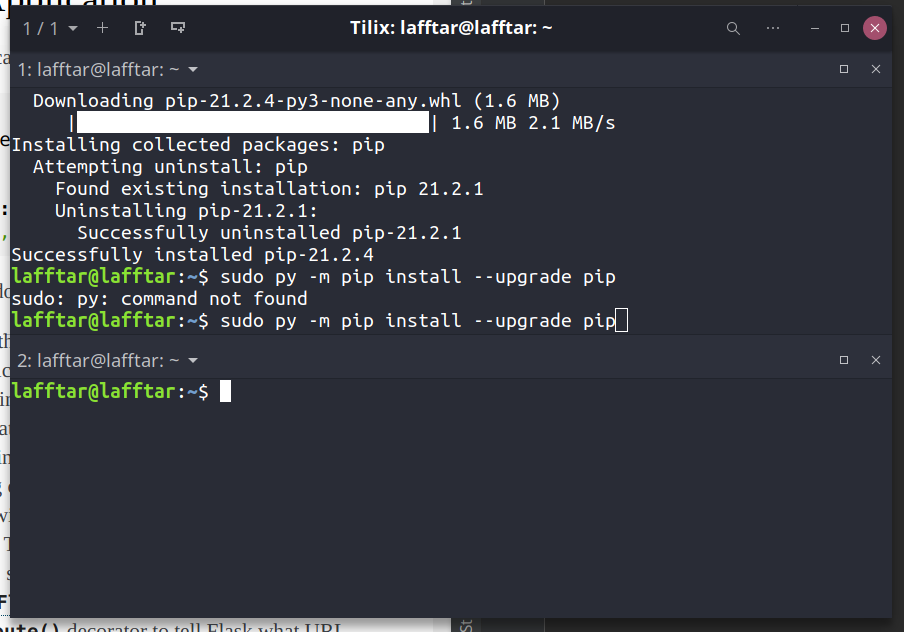
 amber anvil
Noo not really, to get myself familiar with awk
 eager quail
you can specify the delimiter for each column with the -F option i believe.
yup
cat <file> | awk -F ',' '{ print $4 }'
should print the fourth column in each line.
assuming the fourth column is the price.
amber anvil
yes yes so can i use .tolower($3) == 'finance' to search for finance records
eager quail
i suppose yeah.
eager quail
eager quail
```sh
cat <file> | awk -F ',' '{ print $4 }'
```
from here you can convert each new line from awk into a + with tr, then pipe it into bc.
amber anvil
eager quail
assuming the fourth column is the price.
yes thats right $4 is price, so something like count += $4
amber anvil
I initialize count in Begin section and then for each record if match i do something like count = count + $4
eager quail
ah, you are using awk as the scripting language for this context.
amber anvil
How to check for else condition in end section if my count variable not incremented I need to print No asset found
amber anvil
eager quail
ah, you are using awk as the scripting language for this context.
yess just for scripting for now
eager quail
i have never used awk passed that honestly.
 north bronze
amber anvil
I need help with this unix problem,
How to find the total price of assets belon...
north bronze
amber anvil
I need help with this unix problem,
How to find the total price of assets belon...
Use other forma example sed o find
amber anvil
north bronze
Use other forma example sed o find
like sed 's/finance' ?
north bronze
Sed is Best for search matches any time. ..but you have more options. ...sed awk egrep find. ..
Just you need search any example in any website. ..sorry guys my english is when say....basic haha xD
amber anvil
yes sed sometimes searches fastly with regex but sometimes we need some conditional statements so we're trying to approach awk
amber anvil
yes but as u said we're learning awk only after sed and grep..they do well with regular expressions
formal schooner
@amber anvil i recommend experimenting with writing awk "programs" and not focusing too much on writing "one-liners". you'll find that it's actually quite a nice little scripting language
and fairly fast too
 latent salmon
I'm running the following command to copy a directory recursively to another location, but only the csv files
rsync -avzPu --include='*.csv' --include='*/' --exclude='*' source dest
what's strange is that the permissions of the files don't seem to match
neither the original permissions, nor the default permissions of a new file
okay, the answer is that the permissions are just funky while the copying is still happening, even for files that are individually complete... TIL 🙂
warped nimbus
Does that mean that if the process is killed, permissions for complete copies will be wrong?
forest furnace
latent salmon
```
rsync -avzPu --include='*.csv' --include='*/' --exclude='*' source dest
```
possibly due to -P which is --partial and --progress:
--partial Keep partially transferred files
it probably does some clean up when getting stuff like sigint, but no idea what would happen if the process was forcibly killed
 prime magnet
latent salmon
warped nimbus
Does that mean that if the process is killed, permissions for complete copies wi...
prime magnet
latent salmon
warped nimbus
Does that mean that if the process is killed, permissions for complete copies wi...
I don't think so. But yeah it is odd.
 dire holly
Hi, I've been struggling a while with my rpi0, I'm trying to ssh to it through usb with my chromebook and im trying to ping my rpi but it doesnt respond. any help?
lavish storm
what would you like us to do with the information you've provided?
wise forge
🤔 best path/folder to keep temporal files from program results
/var/lib/app_name as a choice perhaps
lavish storm
/tmp ?
wise forge
lavish storm
/tmp ?
it sounds good too
what would be difference between /tmp and /var/tmp though
/tmp is often cleaned up between reboots, and /var/tmp is preserved between boots apperently
in my case /tmp looks like enough
dire holly
lavish storm
what would you like us to do with the information you've provided?
Basically i want to ssh to my rpi through usb with chromebook
forest furnace
your rpi has to have the SSH server set up and your chromebook (either through linux beta or a client) have to have the keys set up
 fresh saddle
wise forge
/tmp is often cleaned up between reboots, and /var/tmp is preserved between boot...
fresh saddle
wise forge
/tmp is often cleaned up between reboots, and /var/tmp is preserved between boot...
/tmp is also usually faster because it is stored into memory and not on the disk
wise forge
fresh saddle
`/tmp` is also usually faster because it is stored into memory and not on the di...
👍
 hard smelt
Hit:1 http://archive.raspberrypi.org/debian buster InRelease
Hit:2 http://apt.postgresql.org/pub/repos/apt buster-pgdg InRelease
Hit:3 http://raspbian.raspberrypi.org/raspbian buster InRelease
Reading package lists... Done
N: Skipping acquire of configured file 'main/binary-armhf/Packages' as repository 'http://apt.postgresql.org/pub/repos/apt buster-pgdg InRelease' doesn't support architecture 'armhf'
does anyone know how to fix this issue on linux?
I was following this https://www.postgresql.org/download/linux/ubuntu/
wise forge
hard smelt
```pi@raspberrypi:~ $ sudo apt-get update
Hit:1 http://archive.raspberrypi.org/...
architecture armhf is not available
apt supports only common architectures
in your case it is highly likely that you just need to install postgresql from source code / to build binaries on your own

PostgreSQL Documentation
Chapter 17. Installation from Source Code Table of Contents 17.1. Short Version 17.2. Requirements 17.3. Getting the Source 17.4. Installation Procedure 17.4.1. …

wikiHow
Ever wanted to install the PostgreSql server with some custom options? Need to install the PostgreSQL server from source code instead of pre-configured packages? This article guides you through a short installation procedure to get the...
use official docs for the last PSQL versions
if you want friendler docs, then feel free to use outdated tutorials, or perhaps you can find up to date tutorial not for an old postgresql version
wise forge
hard smelt
I was following this https://www.postgresql.org/download/linux/ubuntu/
basically your OS is Other Linux ;b
https://www.postgresql.org/download/linux/#generic
hard smelt
Weird, idk I’m new to Linux
Ik I had it on my pi before but it may have been a different OS but Idk
How can I remove what I installed? Because I can’t update anything with it installed @wise forge
wise forge
hard smelt
How can I remove what I installed? Because I can’t update anything with it insta...
if you can, just reinstall OS
it is easier to start from fresh system
than trying to fix already messed up things
but I am speaking from the point of view of web dev, that how we usually have it.
hard smelt
took a break to watch some movies xd
yeah honestly reinstalling will only take a few mins, might as well. I haven't done much on there anyways
dire holly
forest furnace
your rpi has to have the SSH server set up and your chromebook (either through l...
I think I have rpi ssh server set up, but anyways how do i do that on Chromebook? Is there any tutorial or something
 vestal flare
Why I have to write something if just want to speak in vc
Do you guys use remote access desktop?
warped nimbus
Try putting "set -e" at the top of the hook script so the script stops when any command fails rather than continuing. "set -eo pipefail" would usually be even better but you're not using pipes currently so it won't matter
I don't think the nano issue is related to your hook. It's just the default editor git opens when a commit message isn't given with -m
You can change the editor in your git config. I don't remember the exact setting name but it's all documented and shouldn't be hard to find
warped nimbus
vestal flare
Why I have to write something if just want to speak in vc
If you have questions about voice verification please ask them in #community-meta
main olive
the -e did it thank you, it also fixes the nano problem it just doesnt open if there's an error!
warped nimbus
If you're writing any shell script I suggest you default to starting with "set -euo pipefail". Makes the language's behaviour more sane.
Another good one is "shopt -s inherit_errexit"
Which makes command substitutions also get affected by set -e
I don't remember if that one is posix or a bash thing though
olive ice
main olive
the `-e` did it thank you, it also fixes the nano problem it just doesnt open if...
How you fix nano is you delete it and install vim
rugged ledge
what makes apt-cache a cache if its on the hardrive and not memory or cpu cache? and whats the point of having this cache?
rugged ledge
what does it mean by debian mirrors?
lavish storm
servers that contain packages, isos etc for Debian
lavish storm
no problem 
rugged ledge
why ubuntu and other debian based distros so popular but i hardly hear of anyone using debian
lavish storm
i think debian is more popular in the server space than desktops
whereas ubuntu has its own desktop-oriented flavour separate to that for the server
 deep lava
rugged ledge
why ubuntu and other debian based distros so popular but i hardly hear of anyone...
deep lava
rugged ledge
why ubuntu and other debian based distros so popular but i hardly hear of anyone...
less software and packages. is great for server implementations.
 deep talon
Debian is popular for the server because it is quite stable
Debian based distros such as Ubuntu are usually used with repos other than the official debian repo so they have access to more/current packages but are less stable
 cobalt path
rugged ledge
why ubuntu and other debian based distros so popular but i hardly hear of anyone...
cobalt path
rugged ledge
why ubuntu and other debian based distros so popular but i hardly hear of anyone...
a big part of it is that debian's repos get new packages pretty slowly, which does mean stability but a lot of people don't want that for desktop use
also the release cycle for the distro itself is pretty slow, about every 2 years iirc
prime magnet
it depends on the distribution you want to install
follow official guides, if you have any question feel free to ask
 ornate ibex
where is distribution
prime magnet
ornate ibex
where is distribution
not sure if I'm understanding your question. Here's Ubuntu's guide - https://help.ubuntu.com/community/Installation/FromUSBStick
ornate ibex
thanks but i can install only netinstall version of dbian
my problem is i install linux in usb and i boot usb in system now i click which to go to install menu
prime magnet
you should be presented with a graphical boot menu (on hardware that supports it). Here you can select various installer options, or just hit Enter.
ornate ibex
thanks man
ornate ibex
prime magnet
according - https://www.debian.org/releases/stable/amd64/ch05s01.en.html#usb-boo...
hey man you think linux is better or windows is better for programing
lavish storm
linux
 dusty spindle
When I run ssh-keygen in Ubuntu, no known_hosts file is created along with my public and private keys... what's the deal?
prime magnet
ornate ibex
hey man you think linux is better or windows is better for programing
linux, definitely
it also might depend on the purpose. Developing Windows applications would be better on Windows
wise forge
prime magnet
linux, definitely
Of course Linux.
Two exceptions..
If u a developing for MacOS and IOS, better to have macos
And if developing windows app, better having windows
wise forge
Dev prod parity rule ;b (rule #10 from twelfth factor app)
Keep your Dev env as much close to prod env as possible
A methodology for building modern, scalable, maintainable software-as-a-service apps.
 robust spindle
what is the equivalent of a batch script in linux?
main olive
robust spindle
what is the equivalent of a batch script in linux?
a Makefile? or just have some commands in a file.sh and call bash -x file.sh
main olive
robust spindle
what is the equivalent of a batch script in linux?
I like Makefiles as you can just do make deploy etc
ornate ibex
guys i want install linux butt which app is bettr for install linux on usb
main olive
unetbootin
ornate ibex
hey how can i reset usb
main olive
just format it
ornate ibex
oo becuse i format it my usb Can't reset Space is occupied
main olive
you format as FAT32?
ornate ibex
yes
 tidal wing
Hi all,
May I know how can I achieve the following linux command in Python 3?
$ openssl enc -base64 -in encryptedpassword -out binarytext -d -A
$ openssl rsautl -decrypt -in binarytext -out plaintext -inkey private.pem
I'm trying the following
import base64
from Crypto.Cipher import PKCS1_OAEP
from Crypto.PublicKey import RSA
ciphertext = base64.b64decode("text")
rsa_key = RSA.importKey(open('private.pem', "rb").read())
cipher = PKCS1_OAEP.new(rsa_key)
cipher.decrypt(ciphertext)
Which results in ValueError: Incorrect decryption Error
main olive
tidal wing
Hi all,
May I know how can I achieve the following linux command in Python 3?
`...
couldn't you just call that exact command
from within python
like start another subprocess
tidal wing
main olive
like start another subprocess
I'm trying to implement this for doing at scale. I'm afraid it is going to be a mess if I do so. Correct me if I'm wrong
wise forge
robust spindle
what is the equivalent of a batch script in linux?
direct equvalent: shell scripts http://www.macs.hw.ac.uk/~hwloidl/Courses/LinuxIntro/x864.html
#!/bin/bash

# example of using arguments to a script
echo "My first name is $1"
echo "My surname is $2"
echo "Total number of arguments is $#"
execute script with: ./example.sh (if it is not working, grant executing param to the file chmod 777 example.sh
possible to use functions, variable,, parameters from execution like ./example.sh mystuff anothersutff (script above uses those params as $1 and $2)
parallel execution and e.t.c. a lot of stuff.
makefile is a different story. it is using shell scripting language too, but their purpose is for easy menu-grouping subcommands.
like...
make onething # does one thing
make secondthing #does another thing
it has a bit of additions to regular syntax
robust spindle
Thanks for sharing
cobalt path
anyone here know of a way to get tableau working on linux? maybe Wine?
or is my best bet just gonna be using a vm
ember quiver
cobalt path
anyone here know of a way to get tableau working on linux? maybe Wine?
There's some ratings on wine HQ but most are "garbage" so give it a shot maybe but you're probably going to end up on a VM
 hardy mesa
Hello
 twin moat
Hello
main olive
ask away fellas
 warm trout
i have a disc withe 400 go what s the size of FAT if adrs blocs need 4 bit and the size of 1 bloc is 1 ko
thanks
forest furnace
I think it's because when using for line in sys.stdin the newlines are also included in line, and since print always appends a newline, there are double newlines in the result (one from the loop, one from print)
it's worth noting that even if you used sys.stdin.readlines(), the newlines (\n) would still be included. It's possible to workaround this by calling str.rstrip() on each loop to remove the newlines manually
formal schooner
it's pretty typical to write
for line in sys.stdin:
    line = line.strip()
    ...