#unix
1 messages · Page 65 of 1
 upper prairie
 olive jungle
i wonder if i could use xrdp or something as a workaround
upper prairie
it used to be available to Windows 10 insiders, but not anymore
 somber ermine
 olive jungle
upper prairie
it used to be available to Windows 10 insiders, but not anymore
olive jungle
upper prairie
it used to be available to Windows 10 insiders, but not anymore
you probably don't know how to fix this but for some reason bet works inside of a WSL 2 terminal but it wont' work inside of an xrdp session
 upper prairie
olive jungle
you probably don't know how to fix this but for some reason bet works inside of ...
upper prairie
olive jungle
you probably don't know how to fix this but for some reason bet works inside of ...
what does where bet output from WSL 2?
upper prairie
Why don't you have where? O.o it's a bash built-in I thought
olive jungle
¯_(ツ)_/¯
upper prairie
You really don't have where?
olive jungle
@upper prairie
 olive jungle
 upper prairie
how weird
but if you look at $PATH on your xrdp session, you probably won't see /usr/local/fsl/bin/ in there
also if you're using zsh, then editing .bashrc won't do much for you
I don't think so, anyways
you'd use .zshrc
olive jungle
I thought about amending .zshrc and I may still try that to get my prior problem solved - i mean attempt to
olive jungle
but currently i'm more confused why the terminal emulator in the locally hosted xrdp session is different
upper prairie
see if bet works
olive jungle
bet works in zsh and bash inside of a wsl2 window inside of windows 10, however where it don't work is inside the xrdp session
upper prairie
no clue, then, honestly
olive jungle
what a funny little thing
just for the sake of trying I'll add those lines to my zshrc and see what happens 🙃

 upper prairie
I've only ever had a problem like that when messing with NVIDIA drivers
olive jungle
new error is good error
time to investigate 🧐
so I see the gears
but they're frozen T-T
olive jungle
upper prairie
I've only ever had a problem like that when messing with NVIDIA drivers
in order to get fsleyes to run (it still crashes) I have to run this export . . . command first.
 upper prairie
olive jungle
in order to get fsleyes to run (it still crashes) I have to run this ``export . ...
upper prairie
olive jungle
in order to get fsleyes to run (it still crashes) I have to run this ``export . ...
Is it not in your zshrc?
olive jungle
upper prairie
Is it not in your zshrc?
even after adding it, the behavior is the same
upper prairie
Well the GL error is going to be more involved
if I had to guess, maybe it's something driver related
olive jungle
upper prairie
if I had to guess, maybe it's something driver related
yeah that has to be correct because fsl starts the application but once the graphical load gets up there something wonky happens and it produces that GLXBadContext error or GL error. maybe in the process of learning what fsleyes depends on I can get the right nvidia driver...
@upper prairie great news, it wasn't driver related.
 upper prairie
What was it?
olive jungle
@upper prairie I was starting xterm with a .bat script that was crap. if i did it manually it worked out okay.
olive jungle
upper prairie
What was it?
tbh I doubt my troubles are over considering glxgears still won't show turning gears
upper prairie
Sounds painful
 lofty sorrel
any ubuntu user can tell me why this alias doesnt work, but when i run the command directly it works? the other aliases in bashrc work fine

 lofty sorrel
any ubuntu user can tell me why this alias doesnt work, but when i run the comma...
lofty sorrel
lofty sorrel
any ubuntu user can tell me why this alias doesnt work, but when i run the comma...
its because i forgot the quotes around the alias. duh
 sleek remnant
It’s only needed because of the space. So the other alias for python3 is fine
Also, you can install a package called python-is-python3 to make that idea system wide
 opaque ginkgo
lofty sorrel
any ubuntu user can tell me why this alias doesnt work, but when i run the comma...
opaque ginkgo
lofty sorrel
any ubuntu user can tell me why this alias doesnt work, but when i run the comma...
why do you have an alias to sudo python
unless you're binding to a port <1000 you don't need root for a web serve
but idk why you would run the dev server if so
lofty sorrel
opaque ginkgo
why do you have an alias to sudo python
i only aliased python to python3, and i am binding to port 80 :P
 trail sapphire
lofty sorrel
i only aliased python to python3, and i am binding to port 80 :P
trail sapphire
lofty sorrel
i only aliased python to python3, and i am binding to port 80 :P
for development purposes (as you are using the flask development server anyways) you could just as well bind to 8080 or any other port that is > 1023, which is outside of the reserved range
it's also more secure to not run your server using superuser privileges
lofty sorrel
ah yea, i just didnt want to change my AWS ports because its a hassle for me as i cant do it myself
 silent hare
Im using the recommended propriatary driver v515.48.07
 feral mirage
trail sapphire
feral mirage
<#828685652542750800>
feral mirage
trail sapphire
feral mirage
<#828685652542750800>
i was just responding to you in #help-potato when it timed out
it wasn't clear if you required it to work directly in a python script without calling for a shell command
but i just verified that xclip works with images, the key is to both set -t to the correct mime type and set -selection clipboard
at least all of these variations works independently of each other after setting the bash variable FILENAME to what ever filename you would like to operate on:
MIMETYPE=$(file -b --mime-type "$FILENAME")
xclip -t "$MIMETYPE" -selection clipboard -i "$FILENAME"

MIMETYPE=$(file -b --mime-type - < "$FILENAME")
xclip -t "$MIMETYPE" -selection clipboard -i < "$FILENAME"

MIMETYPE=$(cat "$FILENAME" | file -b --mime-type -)
cat "$FILENAME" | xclip -t "$MIMETYPE" -selection clipboard -i
```but that last one is not recommended as using pipes creates sub shells that redirection doesn't
`$()` used to find the mime type of the file with the `file` command and assigning it to `MIMETYPE` does create one sub shell for a short while
but at least the other two solutions doesn't require two more sub shells each for the two pipes that is present in that last one

i verified by pasting the image into a blank gimp canvas using either `ctrl-v` or the `edit` > `paste` menu option in gimpI needed it to work directly yes
feral mirage
trail sapphire
i was just responding to you in <#828685652542750800> when it timed out
it wasn'...
As a semi-newbie to Linux, the usages you gave were kinda hard to understand, I think I got it, but just to be sure, could you give an example?
Sorry in advance if I'm causing trouble and thanks for the help
trail sapphire
feral mirage
Sorry in advance if I'm causing trouble and thanks for the help
no worries, i just don't have a python solution for you yet
but a bash shell script that might be named add-to-clipboard.sh could look something like:
#!/usr/bin/bash

FILENAME="$1"
MIMETYPE=$(file -b --mime-type "$FILENAME")
xclip -t "$MIMETYPE" -selection clipboard -i "$FILENAME"
```and after running `chmod 0755 add-to-clipboard.sh` you could run it like `./add-to-clipboard.sh screenshot.png`

or manually without the bash shell script, if you don't know the mime type of the file you could just run:
```bash
file -b --mime-type screenshot.png
```and then take the output (which in this case is `image/png`) and use that for the `-t` option of the next `xclip` command, like:
```bash
xclip -t image/png -selection clipboard -i screenshot.png
```now i can paste the image in to gimpHmmm, alright, will take a look
My main problem tho, is that I've already tried solutions that say they work, but in the end they do nothing
trail sapphire
feral mirage
My main problem tho, is that I've already tried solutions that say they work, bu...
i've verified this on my linux system using the command line and gimp less then two hours ago
feral mirage
trail sapphire
i've verified this on my linux system using the command line and gimp less then ...
Did the python gtk extension work for you?
trail sapphire
feral mirage
Did the python gtk extension work for you?
i haven't gotten that far yet, the above was just a non python solution
feral mirage
Oh ok
trail sapphire
so, that was just on the command line in a bash shell
trail sapphire
feral mirage
Oh ok
somethings strange is going on
if i take an image from the clipboard
store it in my program in a pixbuf
clear the clipboard with my normal clipboard manager
verify in gimp that i can't paste anything
with my program put the pixbuf back on the clipboard
everything works and i can paste it again in gimp
if i instead load a png file from disk and try to put it on the clipboard, nothing happens 🤔
trail sapphire
feral mirage
That's weird
yeah, that's what i think as well, can't really explain it, i'm going to dig a bit deeper
 molten wedge
Is there a way I can pipe the stdout from one program into stdin of another AND also to stdout. Usecase is like so:
I have an application thats logs to stdout and I want to collect the logs using vector (https://vector.dev/). But when I do node application.js | vector, I can not see the logs anymore (because they are being redirected to the vector instance). Is there a way I can redirect the logs to both stdout (so that i can see them) and stdin of vector (for log aggregation)?
 shrewd stratus
molten wedge
Is there a way I can pipe the stdout from one program into stdin of another **AN...
shrewd stratus
molten wedge
Is there a way I can pipe the stdout from one program into stdin of another **AN...
use the tee command
molten wedge
shrewd stratus
use the `tee` command
can you give a small example?
molten wedge
nope its not working
shrewd stratus
node application.js | tee >(vector)
wow that works
what is >() though?
i noticed it is not working on the fish shell only bash
shrewd stratus
() creates a subshell
() redirects stdout to a subshell
dunno if/how fish does subshells
molten wedge
ehh its fine
i will write a bash script anyway
thanks again for your help! @shrewd stratus
 leaden venture
hello everyone! i just wanted to see that what happens if i delete the partition i use for linux ?
cuz i need space for my windows. and will it harm my windows?
upper prairie
leaden venture
hello everyone! i just wanted to see that what happens if i delete the partition...
Close to nothing, but you'll wanna get rid of GRUB first if it's installed
I honestly don't remember how you're supposed to do that, though
 vital bay
you can use a windows recovery disk to "fix" the windows install so that it uses the windows bootloader instead of grub
 vocal wasp
are you booting via legacy BIOS or UEFI? I'd wager it's the latter... I don't think windows allows booting via legacy BIOS these days..
But if that's the case, all you have to do is set the windows bootloader in your UEFI firmware options as the primary boot method. Bootloaders these days are just specially named files located in FAT32 partitions (no more crazy stuff in the first sector of the disk). So most UEFI firmware is able to scan your disks for FAT32 partitions and find the bootloaders there. You'd just have to tell it to use the windows one
 wheat grove
Hello I am trying to uninstall ubuntu from my dual boot but I am having this problem

 fickle granite
well if you want to remove the "boot" folder, you'd type "rd /s /q boot"
I don't know if that's the right folder, or if that will work (you might not have the necessary permission) but "rd ubuntu" won't work if there's no folder named "ubuntu"
 wraith gate
you have EFI
just go to the BIOS settings and remove the Ubuntu boot menu entry
if you don't have the option to delete entries
boot from a Linux USB stick
in EFI mode
open a terminal,
determine the number of the ubuntu entry using the efibootmgr command
and then
remove it using efibootmgr -b 1111 -B (place the number of the entry instead of the 1111)
 near ravine
I have a weird idea of piping in my mind but never read the actual term. Anyone knkws it
 fickle granite
depends on the context
near ravine
💀💀💀💀
fickle granite
in Unix, a "pipe" is a thing that lets one process send bytes to another
near ravine
Yeah thx
fickle granite
Pipes and FIFOs (The GNU C Library)
near ravine
Thx
 main olive
it's only me or this website is broken?
as soon it opens the arguments for like less than a second, it closes it and gets back to the index
https://developer.apple.com/library/archive/documentation/OpenSource/Conceptual/ShellScripting/ForMoreInformation/ForMoreInformation.html#//apple_ref/doc/uid/TP40004268-TP40003514-SW1
does anyone has any other source, so I can take a look at how does the mac terminal work?
Provides a guided tour of (Bourne) shell scripting, including control structures, numerical computation, regular expressions, subroutines, and error handling.
leaden venture
can any1 recommend a good vpn for ubuntu?
i tried everything but nohting works
trail sapphire
main olive
it's only me or this website is broken?
as soon it opens the arguments for like ...
if it's bash you want to learn about there is other sources then apple for that, not much should be apple specific other then file system locations of stuff
that said, apple has moved to using zsh as the main shell on mac a while ago, they are very similar but if you want your shells to be portable you probably should stick with writing them for bash
leaden venture
leaden venture
can any1 recommend a good vpn for ubuntu?
i tried everything but nohting works
and how to download it?
trail sapphire
leaden venture
can any1 recommend a good vpn for ubuntu?
i tried everything but nohting works
what kind of vpn are you looking for?
and what is your particular use case?
leaden venture
im in a country that a lot of websites and apps are banned so im looking for a vpn so i can visit those websites and launch those apps
i mean i downloaded rise vpn and it works but it takes mor than 10 minutes to connect
main olive
trail sapphire
if it's `bash` you want to learn about there is other sources then apple for tha...
ok thanks
just one last question, is zsh the same in every their machines and macos versions?
trail sapphire
leaden venture
im in a country that a lot of websites and apps are banned so im looking for a v...
i was asking since nowadays vpns are mostly used for anonymity or being able to reach sites or content that is geo blocked or something similar as in your situation
but traditionally it has been about being able to reach the inside of a network from outside, like the home lan or remote work which has been really big ever since corona hit and the work from home ways of working
opaque ginkgo
leaden venture
i mean i downloaded rise vpn and it works but it takes mor than 10 minutes to co...
almost all free VPNs are shit
except like protonvpn and some others I can't remember the name of rn
if you want paid, I hear mullavad is good
trail sapphire
leaden venture
i mean i downloaded rise vpn and it works but it takes mor than 10 minutes to co...
have you tried https://1.1.1.1/?
 kind coral
Do they offer a VPN?
opaque ginkgo
that only affects dns though
won't help if it's an ip block
trail sapphire
opaque ginkgo
that only affects dns though
won't help if it's an ip block
no, not only the dns service, they have "warp" as well which is their free vpn service
opaque ginkgo
oh is that an actual VPN? I'll have to try it out sometime
trail sapphire
yeah, they use the wireguard protocol in the warp app
trail sapphire
leaden venture
i mean i downloaded rise vpn and it works but it takes mor than 10 minutes to co...
if you try it please report back if it works good for you or not
trail sapphire
kind coral
Do they offer a VPN?
yeah, see above
kind coral
trail sapphire
yeah, see above
Thought they were just a DNS
fickle granite
1.1.1.1 is a free Domain Name System (DNS) service by American company Cloudflare in partnership with APNIC. The service functions as a recursive name server providing domain name resolution for any host on the Internet. The service was announced on April 1, 2018. On November 11, 2018, Cloudflare announced a mobile application of their 1.1.1.1 s...
trail sapphire
kind coral
Thought they were just a DNS
that's how cloudflare started the service, but after a little while they expanded the service to include a wireguard based vpn
 tawdry pilot
@soft dirge
 soft dirge
yes, i though we concluded the talk, u can daily drive kali
tawdry pilot
u can daily drive kali
YOU CAN, you can but it will only make it worse
Too much bloat and you won't use all the tools
soft dirge
it did not for me
soft dirge
tawdry pilot
Too much bloat and you won't use all the tools
u use everything on your arch ?
tawdry pilot
soft dirge
u use everything on your arch ?
Yes.
Xfce
Picom
Lightdm
Discord
VSCode and intellij
soft dirge
ok good for you ¯_(ツ)_/¯
tawdry pilot
I use almost everything i've installed because i know what i needed
soft dirge
i can say xfce is also bloat as i use dwm
soft dirge
naa i meant DE
tawdry pilot
Compared to KDE and GNOME i would say no
soft dirge
compared to dwm yes
tawdry pilot
And how is it "bloat"?
soft dirge
cuz its a DE
tawdry pilot
You know what discord is bloat because it has too many channels in it
It has only the essential stuff to run it
I mean adding new features that makes you like it more is not bloat
Bloat is something that you don't even need and no application uses it but the bloat is hogging up space
soft dirge
ok broo.. i was pulling your leg...
tawdry pilot
Makes me wonder if you have used manjaro instead of arch
tawdry pilot
soft dirge
ok broo.. i was pulling your leg...
Bruh
soft dirge
yes i did, i have used gentoo too 😄
tawdry pilot
Same had to get my laptop runnin for 3 days for that to compile
My first install took me 4 due to the errors
soft dirge
i am still building my LFS build, idk when that will finish 
tawdry pilot
MAKE FLAGS did you use em?
soft dirge
u mean make.conf ?
tawdry pilot
I don't know about LFS
soft dirge
ahh in LFS
tawdry pilot
But -j4 stuff
soft dirge
i though u meant gentoo
soft dirge
yh i use those
soft dirge
12
tawdry pilot
How many total threads and how many ram ?
If my guess is right you have 24 GB ram ?? judging by the amount of threads you got
I use 3 ;-;
Got only 6 Gb ram
And 4 total threads
soft dirge
tawdry pilot
If my guess is right you have 24 GB ram ?? judging by the amount of threads you ...
i have 32 but i think i only used 16 at that time, cant remember the reason
 deep talon
If you want to create IMG files of a certain size try truncate instead.
truncate -s 4k ext4.img
With these sizes it doesn't really matter, but for bigger files it would make a big difference.
 wet folio
deep talon
If you want to create IMG files of a certain size try truncate instead.
```sh
tr...
wet folio
deep talon
If you want to create IMG files of a certain size try truncate instead.
```sh
tr...
Thanks for your reply. Actually each mkfs contains different config param, so I was thinking how can assign certain config for certain number of img files specifically, also what if I wanna modify the bs or count as well, so is there any way to put those variable at the begining of for loop to use and modoify accordingly
deep talon
Since the params for mkfs are so different and you only do 3 images, you should probably just not use a loop.
wet folio
For examples, suppose I keep dd one a single one, which will be same for those 3 differnet mkfs. how i can improve code structure of mkfs part to make it short or assign particular config param sperately
just trying to create a script to do it automatically rather doing it manually, as it take some time:)
trail sapphire
what tools or environment are we talking about here, python or just the shell, what's the constrains if any?
wet folio
Guys, my bash script does not work:( anyone would like to help me a bit to fix it, Thanks:)
 prime hawk
wet folio
Guys, my bash script does not work:( anyone would like to help me a bit to fix i...
prime hawk
wet folio
Guys, my bash script does not work:( anyone would like to help me a bit to fix i...
hey what did you get so far?
prime hawk
main olive
ok thanks
just one last question, is zsh the same in every their machines and m...
no, they upgrade its version here and there with macOS versions
 shy yokeBOT
:incoming_envelope: :ok_hand: applied mute to @prime hawk until <t:1657618102:f> (9 minutes and 59 seconds) (reason: duplicates rule: sent 4 duplicated messages in 10s).
 thorn shale
xd
wet folio
prime hawk
hey what did you get so far?
Thank you for your response. I did 2 small bash/shell script but none of them working when run it. Would you like to see if I wrote it wrongly or something need to add in proper way:)
trail sapphire
main olive
ok thanks
just one last question, is zsh the same in every their machines and m...
one more note about zsh on mac, it was set as the default shell for all new user accounts created with macos catalina (released during the autumn 2019) and onward
this is because apple will not update the bundled bash version to version 4.0 or above due to the change of licensing of bash from GPL 2.0 or above to GPL 3.0 or above, which is not a license apple seem to agree or want to comply with
wet folio
I am quite new. Trying to read online resources to get some idea before I wrote it. Manually it works but I was trying to make a small script so I can use it anytime whenever I need to do that. But it's throwing error:)
fickle granite
well if it's really small, post it as text (not a screenshot)
wet folio
Ok
wet folio
fickle granite
well if it's really small, post it as text (not a screenshot)
Gimme a moment please
wet folio
fickle granite
well if it's really small, post it as text (not a screenshot)
So, here I was trying to achieve: Use a DD command to create multiple images, and then use mkfs command to create ext4 file system.. So for 1 DD syntax will generate 4 ext4 files for this case, where on mkfs I used different configuration parameter with different properties.
But when I run it, it shows invalid block, does create ext4 images but its still throws error that mkfs invalid block. While I did it manually it created ext4 successfully, without such error message
fickle granite
lemme try it
@wet folio here's what I see https://paste.pythondiscord.com/manixidofe
is that what you're seeing?
wet folio
fickle granite
is that what you're seeing?
Yes
It Generate the .img file but it didn't do it properly, like the inavlid message. It usually print differently when I did it manually
fickle granite
this is your real problem ```
- mkfs -t ext4 -c -F extent,dir_nlink -b 1024 -O ext4-1.img
mke2fs 1.45.5 (07-Jan-2020)
The file extent,dir_nlink does not exist and no size was specified.
I think you've got the arguments to mke2fs wrong
wet folio
:) I see. Let me modify it a bit again then. But mkfs also create ext4, right
fickle granite
why are you running mkfs four times on the same file?
wet folio
I wanna keep same block size and count from DD command. But I wanna change it tho, but didn't able to do it:) lack of knowledge on it
fickle granite
no idea what you're talking about
wet folio
I wrote like 4 times DD command for mkfs one.
fickle granite
I'm not an expert but I'd imagine you'd run mkfs exactly once per file, not four times
yes, and I think that's a mistake.
wet folio
So I need to wrote as many of it based in mkfs. Right
fickle granite
I'm also having a terrible time understanding you
wet folio
:)
wet folio
fickle granite
I'm also having a terrible time understanding you
Is it ok now, if I modify like this?
fickle granite
I dunno, try it and see. I expect it's wrong, since (as I've said three times before) I think it's wrong to run mke2fs more than once on the same file
but you do you
wet folio
fickle granite
I dunno, try it and see. I *expect* it's wrong, since (as I've said three times...
:/
fickle granite
 wet folio
If I forget about DD command syntax, I actually wanna create multiple ext4 file system using mke2fs. Does this make sense if I able to explain now:)
fickle granite
do you want those four file systems to all live in the same file?
I'm not sure that's possible; I've certainly never heard of it being done
and I can't imagine how you'd mount any but the first
wet folio
fickle granite
and I can't imagine how you'd mount any but the first
Yes, mounting not possible. I didn't see anything that can help tho, I guess it need to do manually, mounting part.
fickle granite
er
why would you make a filesystem that you don't intend to mount?
I personally have never made a filesystem for any other reason
wet folio
fickle granite
why would you make a filesystem that you don't intend to mount?
I want to mount it, but the things I was trying to it's not working. Like mount multiple file in a single mounting point at same time.
wet folio
I also, didn't see anything can help tho. I give up:)
fickle granite
are you trying to "layer" file systems, the way docker does it?
if so, maybe https://en.wikipedia.org/wiki/UnionFS will help
Unionfs is a filesystem service for Linux, FreeBSD and NetBSD which implements a union mount for other file systems. It allows files and directories of separate file systems, known as branches, to be transparently overlaid, forming a single coherent file system. Contents of directories which have the same path within the merged branches will be ...
wet folio
fickle granite
if so, maybe https://en.wikipedia.org/wiki/UnionFS will help
I guess yes. looks pretty much same as what I want
fickle granite
🎉
disclaimer: I have no idea how that works; I just dimly recalled that it did something like what you want
wet folio
Sure, no problem
prime hawk
wet folio
Thank you for your response. I did 2 small bash/shell script but none of them wo...
yea sure go ahead share them here <3
wet folio
prime hawk
yea sure go ahead share them here <3
Just a question, is it possible to mount multiple file system in a single mount point at same time?
prime hawk
I don't think so, no, even if it is possible it's not very advisable
wet folio
I see.
Another question about ext4 file system creation
For say you use DD command first to create a empty file. Then you use mke2fs to create ext4 file system.
So, if I use a single DD command syntax for creating multiple for say 3 or 4 ext4 file system using mke2fs, is it possible to do it with script
I wrote one small script with my understanding but it's not working actually.
prime hawk
@wet folio apparently you can use LVM to mount multiple fs on a single mount point

Unix & Linux Stack Exchange
Is there a way to mount multiple hard drives to a single mount point? Let's say I run out of space on /home and decide to add an extra hard drive to the computer. How do I scale the space on a mount
there's also UnionFS and mhddfs
but I've personally never tried to do this
prime hawk
wet folio
So, if I use a single DD command syntax for creating multiple for say 3 or 4 ext...
from what you are describing it seems to me it should yea
prime hawk
wet folio
I wrote one small script with my understanding but it's not working actually.
can you share it?
wet folio
Sure
trail sapphire
wet folio
Just a question, is it possible to mount multiple file system in a single mount ...
didn't you ask this question to @fickle granite whom also answered that question?
trail sapphire
wet folio
Never mind, Leave it:)
i mean, seeing the script was good, then it's easier to help you, but now it's gone again
prime hawk
yea I couldn't even check it
prime hawk
@wet folio if you're worried someone may steal what you're working on, can I suggest sending versions that are just boilerplate 💗
wet folio
prime hawk
<@823185438637686827> if you're worried someone may steal what you're working on...
#!/bin/bash

mke2fs_cmd="mke2fs -t ext4 -c -F"
for i in $(seq 1 5)
do
    time dd if=/dev/zero of=ext4-${i}.img bs=4k count=2048

    ${mke2fs_cmd} "extent,dir_nlink" -b 1024 -O ext4-${i}.img
    ${mke2fs_cmd} "bigalloc,extent" -C 16364 ext4-${i}.img
    ${mke2fs_cmd} "flex_bg" -G 16 -O ext4-${i}.img
    ${mke2fs_cmd} -C 16K -i 16 ext4-${i}.img
    ${mke2fs_cmd} -I 128 -r 0 ext4-${i}.img
done
I was trying to use DD command to create image file. Then I tried create multiple ext4 using mke2fs command while I try to use different configuration state to see the information of a ext4 file
manually can do it, but I wanna write a script to do it automatically for me. But I am not able to do it so far:)
wet folio
prime hawk
the manual ones work but not the script?
yes
trail sapphire
you are creating 5 different files with dd but you are trying to create 5 different filesystems that will just replace each other on every one of those files
isn't the intention to create the different filesystems one in each of the files you create with dd?
wet folio
trail sapphire
isn't the intention to create the different filesystems one in each of the files...
yes
wet folio
trail sapphire
you are creating 5 different files with `dd` but you are trying to create 5 diff...
thing is i am trying to use different configuration parameter for each file system, not keeping the same. So, I am not sure what better way I can write it except the one I write with my understanding:) although its not correct i guess
Keeping Same DD to create file, but changing different fs by adding different parameters for each.
trail sapphire
then something like:
#!/bin/bash

mke2fs_cmd="mke2fs -t ext4 -F"
for i in $(seq 1 5)

    time dd if=/dev/zero of=ext4-${i}.img bs=4k count=2048
done

${mke2fs_cmd} -O "extent,dir_nlink" -b 1024 ext4-1.img
${mke2fs_cmd} -O "bigalloc,extent" -C 16364 ext4-2.img
${mke2fs_cmd} -O "flex_bg" -G 16 ext4-3.img
${mke2fs_cmd} -C 16K -i 16 ext4-4.img
${mke2fs_cmd} -I 128 -r 0 ext4-5.img

```might work betterI can not find any better way to represent it within my search online
wet folio
trail sapphire
then something like:
```bash
#!/bin/bash
mke2fs_cmd="mke2fs -t ext4 -F"
for i i...
Thank you let me try it
trail sapphire
if you run the script by running it like bash -x script_name_here.sh you can see all the full commands as they are being executed by the script
wet folio
trail sapphire
if you run the script by running it like `bash -x script_name_here.sh` you can s...
ok, let me run it like this way
prime hawk
yea -x will print each shell command that will be run by the shell
wet folio
it gives me such error, i give file name like filesys.sh
+ mke2fs_cmd='mke2fs -t ext4 -F'
filesys.sh: line 7: syntax error near unexpected token `time'
filesys.sh: line 7: `    time dd if=/dev/zero of=ext4-${i}.img bs=4k count=2048'
where did you write the time command
wet folio
$ bash -x filesys.sh
-rwxrwxr-x permission level
I typed chmod +x to make it executable
I guess i did wrong
 dapper musk
trail sapphire
then something like:
```bash
#!/bin/bash
mke2fs_cmd="mke2fs -t ext4 -F"
for i i...
dapper musk
trail sapphire
then something like:
```bash
#!/bin/bash
mke2fs_cmd="mke2fs -t ext4 -F"
for i i...
do not use dd to create files with given sizes use truncate it will be way faster + it wont generate a lot of unnesecary writes to disk. dd is only needed for creating swap disks
wet folio
I got this kind of result

 wet folio
dapper musk
do not use dd to create files with given sizes use truncate it will be way faste...
wet folio
dapper musk
do not use dd to create files with given sizes use truncate it will be way faste...
you mean replace dd with truncate command?
trail sapphire
trail sapphire
then something like:
```bash
#!/bin/bash
mke2fs_cmd="mke2fs -t ext4 -F"
for i i...
@wet folio i see what the errors are from, it was an extra -O in the wrong place just before the filename, i've edited the code i posted that i also link to here as a reply
should take care of those errors you saw
dapper musk
wet folio
you mean replace dd with `truncate` command?
yes truncate -s filesize yourFile
wet folio
trail sapphire
<@823185438637686827> i see what the errors are from, it was an extra `-O` in th...
`mke2fs -t ext4 -F -C 16K -i 16 ext4-4.img
mke2fs: invalid inode ratio 16 (min 1024/max 67108864)
- mke2fs -t ext4 -F -I 128 -r 0 ext4-5.img
mke2fs 1.44.1 (24-Mar-2018)`
one shows such things
wet folio
dapper musk
yes truncate -s filesize yourFile
like on dd I use bs and count, can I use such parameter on it or only filesize, no need count param
dapper musk
bs is unessecary with turncate since it infacts does not copy anything
wet folio
For example truncate -s 2k ext4-1.img ext4-2.img ext4-3.img
wet folio
wet folio
For example `truncate -s 2k ext4-1.img ext4-2.img ext4-3.img`
is it a correct way to write it
wet folio
dapper musk
also if you have program that does not accept multiple arguments use xargs tool
never used it:) i can take a look but i was thinking to script to work
trail sapphire
wet folio
`mke2fs -t ext4 -F -C 16K -i 16 ext4-4.img
mke2fs: invalid inode ratio 16 (min 1...
yeah, saw that too now, but that's the parameters you gave, i don't know what you want instead
wet folio
may be i used those param wrong way
Based on this ext4 i was thinking to do the mounting of multiple files in a single mount point
trail sapphire
wet folio
may be i used those param wrong way
i even says that you try to set inode ratio (the -i option) to 16 but it says in the error that minimum is 1024 and maximum is 67108864
wet folio
at same time*
wet folio
trail sapphire
i even says that you try to set inode ratio (the `-i` option) to `16` but it say...
I see, I need to set it correctly then
trail sapphire
wet folio
at same time*
do you need to mount all of the images at the same time or are you processing them one after another?
wet folio
I actually have a ext4 default image fs which contains many files and folders once I mount it, I can see those tree structure
wet folio
trail sapphire
do you need to mount all of the images at the same time or are you processing th...
So the 5 new image I created, I want to store all the files and folders of that default image at once, and then wanna unmount it
Usually I use for single file, but for multiple file i can not do it
trail sapphire
or you can process them in a loop one after the other
wet folio
$sudo mount default.image ex

$sudo mount ext4-1.image ext

$sudo cp ex/foo ext -a

$sudo umount ext
Like I did it for one file like this manually one by one.
On second line I wanna add multiple files that I create, like shared mount point for all of it
I wrote such way:
#!/bin/bash

set -x
mkdir ex
mkdir ext
sudo mount -t ext4 default.image ex

for f in ext4-{1, 2, 3, 4, 5}.img
    sudo mount -t ext4 $f ext
    sudo cp ex/foo ext
    sudo umount ext
done
default image contain all files and dir, and I just wanna copy its all files and folders to new multiple 5 images mount point, so it can help me to keep same structure
trail sapphire
or do:
#!/bin/bash

set -x
mkdir -p ex
mkdir -p ext
sudo mount -t ext4 default.image ex

for i in $(seq 1 5)
do
    sudo mount -t ext4 "ext4-${i}.img" ext
    sudo cp -a ex/foo ext
    sudo umount ext
done

sudo umount ex
```and you could put that at the end of the other script instead of making a new script if you just omit the shebang lineI was making two separate one, silly me:)
#!/bin/bash

mke2fs_cmd="mke2fs -t ext4 -F"
for i in $(seq 1 5)
do
    time dd if=/dev/zero of=ext4-${i}.img bs=4k count=2048
done

${mke2fs_cmd} -O "extent,dir_nlink" -b 1024 ext4-1.img
${mke2fs_cmd} -O "bigalloc,extent" -C 16364 ext4-2.img
${mke2fs_cmd} -O "flex_bg" -G 16 ext4-3.img
${mke2fs_cmd} -C 16K -i 16 ext4-4.img
${mke2fs_cmd} -I 128 -r 0 ext4-5.img


set -x
mkdir -p ex
mkdir -p ext
sudo mount -t ext4 default.image ex

for i in $(seq 1 5)
do
    sudo mount -t ext4 "ext4-${i}.img" ext
    sudo cp -a ex/foo ext
    sudo umount ext
done

sudo umount ex
Like this, right
trail sapphire
yeah, but you have an error in the first for loop, you need a do after the for as well, just like in the last loop
trail sapphire
just don't know what you want there instead of 16
wet folio
Thank yo so much for helping me. Just some random parameter, but I did not follow their specific range size
Now I understand from your explanation
trail sapphire
you can either skip the set -x line or set it higher up in the script, it does the same thing as running the script like bash -x script_name.sh but then you can run it with just ./script_name.sh and still have the same effect
wet folio
trail sapphire
you can either skip the `set -x` line or set it higher up in the script, it does...
sure, I will do that and test it.
trail sapphire
and the -p option for mkdir is for allowing the creation of several levels of directories at once like one/two/three without any of them existing before hand
but in your case i added it to suppress warnings about directories that already exist if the directories ex and ext already exist when you run the script the second time and so on
wet folio
trail sapphire
and the `-p` option for `mkdir` is for allowing the creation of several levels o...
Thank you so much for the explanation, it makes sense. I will give it a try now
trail sapphire
and you can make it into on command like mkdir -p ex ext to create them both with just one command
wet folio
trail sapphire
and you can make it into on command like `mkdir -p ex ext` to create them both w...
then I can delete this line from script, pre created dir to mount it
trail sapphire
or you'll just have it in the script if you start it when the directories doesn't exist already
it doesn't hurt to have it here as insurance and as a guard against the script erroring out instead
as -p will make it just skip any directories that already exist and without complaining about it
wet folio
trail sapphire
or you'll just have it in the script if you start it when the directories doesn'...
got it, it works now but but ext4-4.img shows error i guess mount: wrong fs type, bad option, bad superblock on /dev/loop27, missing codepage or helper program, or other error.
seems like syntax is not right, I will take a look at manpage and see what parameter needed, i might add wrong number
trail sapphire
yeah, you probably still have an error when you call mke2fs for that file
trail sapphire
wet folio
got it, it works now but but ext4-4.img shows error i guess `mount: wrong fs typ...
-i 1024 works for that file, it's the smallest number you can use there
wet folio
trail sapphire
`-i 1024` works for that file, it's the smallest number you can use there
sure, I guess I do not need it. but yeah I will change all i to 1024 if I use it otherwise I will leave it.
trail sapphire
or whatever number you want that is valid
wet folio
trail sapphire
or whatever number you want that is valid
got it. kinda random pick within that range
trail sapphire
hmm, something else is wrong with that file
mke2fs: specifying a cluster size requires the bigalloc feature
wet folio
one thing, like I mount multiple filesys using the script at same time on a single mounting point, does that mean all new file system have same dir and folders that I copied from Default filesys image file
trail sapphire
okay, you need to set the -C to something else as well
wet folio
trail sapphire
okay, you need to set the `-C` to something else as well
sure, I will again read man page and put the value accordingly
trail sapphire
wet folio
one thing, like I mount multiple filesys using the script at same time on a sing...
i don't really understand why you would do that
wet folio
trail sapphire
i don't really understand why you would do that
I am actually running those all image on a afl-fuzz tool, just keeping their original image file structure, so I copy the mounted files and folders of default image one to new file sys
trail sapphire
either you would mount them on different directories or do it sequentially like you do with the loop in the script where you mount and then unmount the file
the copying has already been done
do you want to run the fuzz tool on all the images in parallel or one after another?
wet folio
trail sapphire
either you would mount them on different directories or do it sequentially like ...
but the way I wrote works same, sequentially process may be lengthy one?
wet folio
trail sapphire
do you want to run the fuzz tool on all the images in parallel or one after anot...
one after another, last time you fixed the code a bit for me. subprocess code
trail sapphire
if you want to run it in parallel you should mount them on different dirs
wet folio
trail sapphire
if you want to run it in parallel you should mount them on different dirs
I see, what if i run one after another, do you think the process i was trying to automate wont work in such situation
trail sapphire
with serial work (sequentially) it would be fine to reuse the same dir for all of them
wet folio
trail sapphire
with serial work (sequentially) it would be fine to reuse the same dir for all o...
got it. means all new fs mounted successfully at once rather replacing the previous mounting point, right
trail sapphire
wet folio
got it. means all new fs mounted successfully at once rather replacing the previ...
yeah, like:
for i in $(seq 1 5)
do
    sudo mount -t ext4 "ext4-${i}.img" ext
    fuzzer ext
    sudo umount ext
done
```if fuzzer was the name of the fuzz toolfuzzer ext in this place we copied the file to default images mount point to our desired one which is ext
trail sapphire
either directly after you have copied the files in the same loop or you can make a new loop that looks like that after
wet folio
trail sapphire
either directly after you have copied the files in the same loop or you can make...
you mean create multiple loops?
trail sapphire
if you want to, or you can put it in the same loop by running the fuzzer directly after the line that copies the files
it will all just run one after another then
wet folio
Like what i was doing with afl-fuzz is that, once I create the new image as you did on script, and finish mount process. Next step, I was using that py code last time you fixed to take those images as input and run on fuzzer gui
trail sapphire
if you want to run them in parallel you would need different directories, one for each image that you want to mount and then run the fuzzer as a background job
wet folio
trail sapphire
if you want to run them in parallel you would need different directories, one fo...
right, as I am not doing it parallely, then I guess for now it will work fine
trail sapphire
ah yes, i don't remember all the details of that python script
wet folio
if parallel, then require more complicated code may be, which is difficult for me to organize
trail sapphire
yeah, and it will probably just run slower if it's a io bound workload as it sound like it would be, then all the processes would be competing for the disk io all at once
if it's benchmarks it would only give you bad data that way
wet folio
trail sapphire
yeah, and it will probably just run slower if it's a io bound workload as it sou...
i see, then its better one after another, easier for me
trail sapphire
as it would take longer to run due to the disk having to try to service all the instances at once
wet folio
trail sapphire
as it would take longer to run due to the disk having to try to service all the ...
right, I will follow the easiest step to do it rather go more complicated one then.
near ravine
Hello, does anyone know if folder creation leaves any hidden "fingerprints" in Unix based systems
near ravine
We had a small excersise from school more like a ctf, and after we get access to the machine we need to "clear" it from proof. I am sure he doesnt man to go burn the pc itself
near ravine
Maybe our teacher meant to clear the history or something
But yean if it does i want to know
fickle granite
e.g. if you simply log in and type "mkdir /tmp/whatever", that command will probably be saved in your shell's history file.
depends on the shell and how it's configured.
fickle granite
apart from that, it's possible that the system as a whole "audits" stuff, which means something might get written to some centralized audit log
near ravine
Yeah
fickle granite
near ravine
Only fingerprint that i leaves
er, no, I'm not saying that at all
I'm saying almost the opposite: there is an infinite number of ways the machine might be logging what you're doing; I'm only listing the ones I can think of
near ravine
Yeah
Alrigt thanks
I have a ssh session with the victims machine so i will just try and dig into and find what i can
fickle granite
basically, it's not your machine, so you don't know what software it's running.
so: that software could do absolutely anything in response to your typing.
it could send an email to the NSA.
fickle granite
and if it were doing something weird like that, it's very unlikely you'd know.
on the other hand, part of your assignment might be to assume that it's an ordinary (say) RedHat box, configured in the usual way; in that case, you can study that setup and see what it does
near ravine
If someone cared that much bout his machine would make sure not to output anything so yep i wouldnt know
The machine run Ubuntu
fickle granite
the Big Boys run "honeypots" precisely to sucker bad guys
near ravine
Yeah
trail sapphire
near ravine
Only fingerprint that i leaves
there will usually be leftover traces in the filesystem table even after it's deleted and modern filesystems also many times have a journal of some sort that can have old traces left
near ravine
Any resources about that
trail sapphire
near ravine
Any resources about that
lots and lots, and it's very dependent on OS and filesystem in use too, but look up documentation for specialized file deletion software (shred and scrub being just two very basic examples for gnu/linux) as well as file and filesystem recovery software (photorec/testdisk is just one such software suite that happens to be free/oss)
also remember that ssd drives and the like has wear leveling (which is totally separate from the filesystem and os in use) can also retain information after it should have been deleted from a device
you might read up on data recovery and digital forensics in general to learn more on these subjects
 fast viper
is windows not a type of unix?
shrewd stratus
nope. it has a different lineage
trail sapphire
fast viper
is windows not a type of unix?
no, not even a little bit
prime hawk
fast viper
is windows not a type of unix?
sadly no
 digital remnant

Can someone explain what the tilda and the single quote does?
I know cp means copy, so we are copying the css534/hadoop... file
But what is the use of ~, and the '
fickle granite
~ means "my home directory"
~css534 means "the home directory of the user whose name is css534
digital remnant
fickle granite
`~css534` means "the home directory of the user whose name is `css534`
ohhhhh
trail sapphire
single quote there doesn't make sense
digital remnant
and then the ~ at the end means MY home directory?
digital remnant
trail sapphire
single quote there doesn't make sense
hmmm
fickle granite
ya
digital remnant
should I remove it?
The single quote was given for us to "type"
like we have to copy and paste it
but imma try to understand what the symbols mean
should I try doing it without the single quote?
😭
 knotty igloo
digital remnant
knotty igloo
digital remnant
that's an actual single quote, too - the keyboard key produces ' , and the screenshot has a different version, an actual apostrophe. methinks that was prepared in ms word or such, as actual apostrophes are usually invalid in terminals
digital remnant
okay I deleted it, and now there is the file in my home directory, so that is good!
digital remnant
knotty igloo
that's an *actual* single quote, too - the keyboard key produces `'` , and the s...
yahhhh it was prepared in ms word and then I copy pasted it
All right all right, I have another question
So these were the three instructions given:

So far, we have solved the first one... but the second one gives me an "error"
is it because it is -d, should it instead by ~d? (tilda d)
Because I noticed step 1 has tilda, but not step two, and I assume step two wants to gzip the hadoop file into the home directory?
and to do that, wouldn't you need a tilda?
trail sapphire
unnecessary steps
you could just do tar xzvf hadoop_0.20.2.tar.gz which merges 2 and 3
digital remnant
All right - could you explain to me what that is doing? I'm tryna understand, conceptually, what is happening
so what does the "tar xzvf" mean?
why are we able to combine it?
(also what does the (-d) mean)
sorry for the many questions!
fickle granite
tar zxvf is basically unzip
trail sapphire
tar is a archive format, short for "Tape ARchive", but it's general purpose
x is for eXtract, z is for gZip, v for Verbose and f for file and then you give it the filename
it's what is commonly used in linux, bsd and other unix and gnu systems instead of zip, even if you can handle zip as well on linux
digital remnant
trail sapphire
`tar` is a archive format, short for "Tape ARchive", but it's general purpose
`x...
ohhhh gotchya
thanks!
digital remnant

What does this mean? Does the "export" essentially say, Run:[this]?
and what about the dollar sign?
fickle granite
"export" means: here comes a variable assignment; please put that variable into "the environment" (as opposed to just this shell) so that child processes can see it
the dollar sign means "here comes a variable name; please give me the value of that variable"
fast viper
are unix systems better for programming?
 mortal knoll
There’s a certain amount Linux can do that’s better than windows, and some things windows can do better than Linux.
Things like c# would be best to do on windows because of .net stuff and whatever other cool things there’s to do. Many libs are supported mainly on windows but there’s a chance you can throw something together and it still work running it through wine on Linux
 summer surge
hi, is there way to exclude some modules that can be used by unix users in shared environment ?
fickle granite
fast viper
are unix systems better for programming?
If you aren't doing GUIs, then yes, Unix is far better. cloud computing is probably 98% unix
fickle granite
Is there some reason you don't want to use the built-in TimeMachine app?
Not certain that'll back up to a network drive, but still, portable SSD drives are pretty cheap
in any case, if you don't insist on rolling your own, https://en.wikipedia.org/wiki/Network-attached_storage might be a good place to start. I've heard good things about Synology's NAS product, but tbh the one version I saw gave me the creeps
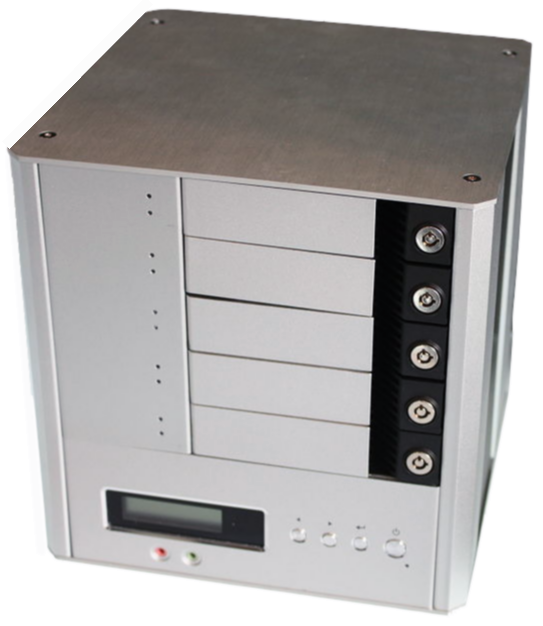
Network-attached storage (NAS) is a file-level (as opposed to block-level storage) computer data storage server connected to a computer network providing data access to a heterogeneous group of clients. The term "NAS" can refer to both the technology and systems involved, or a specialized device built for such functionality (as unlike tangential...
I'd expect dd to fail on all the interesting files, but then I'm a pessimist
I'm reasonably sure you can run an ssh daemon on your mac
ugh
well you could try rsync
but like I say: I'd expect that to either fail on lots of files, or to capture files in an inconsistent state, or similar
of course there's a chance it won't work. These are computers we're talking about 🤣
it's free though and you either already have it, or can get it via homebrew
it copies files
It will not copy the file system, and you probably wouldn't want it to anyway
every byte of what?
almost certainly not
but then why would you want to? Many file systems have large areas of unused space, that are filled with essentially random bytes; would you really want to copy those?
some of your hard drive isn't even part of any file system
some of it is part of some file system you're not supposed to look at, and is likely encrypted, etc etc
if you have 300gb of data to back up, then yes, you'll need to shove 300gb of data over the wire. Compression will help, but only so far.
definitely worth a look
it wins on "not bothering to copy stuff that hasn't changed since you last backed up"
digital remnant
I have this error:

This is the core-site.xml file:

I am really confused what the error means, and how to resolve it... anyone have any idea?
 fallow tusk
dd will create a byte-for-byte copy of whatever you want. You can use it to image the disc (or possibly partition), and transfer that, then mount it from the image…probably more trouble than it's worth, though.
dapper musk
basically any *nix tool will create byte-for-byte copy of data using dd instead of cp or even cat for this purpose is just waste of time
trail sapphire
summer surge
hi, is there way to exclude some modules that can be used by unix users in share...
what do you even mean with "modules" in this context?
 steep sequoia
I think they mean unix only modules such as termios
summer surge
trail sapphire
what do you even mean with "modules" in this context?
If I have a small hosting server for few people I want to give them possibility to run python apps but without modules like os or subprocess
 summer coral
summer surge
If I have a small hosting server for few people I want to give them possibility ...
summer coral
summer surge
If I have a small hosting server for few people I want to give them possibility ...
hi, instead of removing - essential - modules, just run python in a sandbox eg WebAssembly
trail sapphire
summer surge
If I have a small hosting server for few people I want to give them possibility ...
i'm 100% with @summer coral on this, run it in a container or other kind of sandbox
summer surge
this is something new to me, I will of course read about this option
but maybe close user in some chroot/jail/cage is safe too ?
trail sapphire
summer surge
this is something new to me, I will of course read about this option
but maybe c...
you could go that route, are you running linux or bsd or something else?
trail sapphire
summer surge
linux machines with Debian
for linux it's chroot rather then jail, but then you would need to look into cgroups, selinux, namespaces and seccomp if you want to have make it secure and properly sandboxed
or just use docker or some other container engine, i think it will be less complexity and much easier for you
summer surge
ok I know cgroups more than seccomp, maybe this is the way
trail sapphire
i would say you need all of those combined to make it safe
summer surge
I know docker a little bit and it's not so secure as it should be for this project 🙂
oh all of this, ok I understand
trail sapphire
they are for different things, so you'll combine them to get all the way
summer surge
sure, this is good answer I must know better seccomp but now it is only thing I haven't use in prod environment
thx @trail sapphire
trail sapphire
summer surge
sure, this is good answer I must know better seccomp but now it is only thing I ...
docker should also be able to be just as secure, as you would use all of those technologies (selinux, seccomp, cgroups and namespaces; that is: all of those four, not just one or a few of them) together to secure that as well
it makes docker a chroot on steroids, and BSDs jails are something much better then chroot
summer surge
I had bad expirience with docker and firewall, there was problem in one project to secure incoming connections
it was few years ago when docker was new project, maybe it has no place now, no idea
trail sapphire
summer surge
it was few years ago when docker was new project, maybe it has no place now, no ...
i think a lot has gotten better during the years, among other things they haven't always used all those technologies mentioned above to secure things properly
and you wouldn't give the end user control of the host or docker itself, only the container and some control panel kind of portal where they have some very limited control over how docker provisions the container for them
firewalling would be mainly done either on the docker host system or with an external firewall
summer surge
propably I will decide on something other than docker but good to know
 fickle granite
"file system"
digital remnant
I know that ls means list files
digital remnant
fickle granite
"file system"
yeah when I searched it up I got that it means file systems but for me that is like a word, I don't understand what the word means 😦
digital remnant
fickle granite
I have only a dim idea what hadoop is
alr alr
digital remnant
fickle granite
I have only a dim idea what hadoop is
and do uk why they do ls /user/css534/output? That lists all of the files in the output directory correct? So are they doing something to those files?
 high sparrow
digital remnant
in the context of this command:
high sparrow
digital remnant
in the context of this command:
I think that’s to access remote file servers
You can type in fs by itself and it’ll give an explanation
 serene arch

 fickle granite
 wet folio
Hi guys I have one question to ask, for say I have to run a program for few hours to train on linux server. So, here I first have to connect with a vpn to ssh to that server. Then on server I have to run the code for couple of hours.
So thing is, is there any way to run that code for few hours in the background without being vpn get disconnected to sign out from that ssh server. Is there any way to keep my macbook screen awake?
Even screen shuts in few minutes* like that but code still run in the background without the interruption of beging vpn get disconnected.
 tulip dock
You don't need to keep your laptop on to have the Linux server keep running
you can use GNU screen or nohup
wet folio
how about the vpn too keep the ssh server keep running
vpn got disconnected if screen closed or off, and the program disconnected from being running
tulip dock
you don't need the SSH connection to stay on for the server to keep doing its thing
use GNU screen or nohup
wet folio
vpn one?
tulip dock
you don't need any sort of connection at all
wet folio
because i always vpn to ssh to the server, otherwise I can not login
fickle granite
tulip dock
you can use GNU screen or nohup
or tmux; tmux is like screen, but it's actually maintained 😐
tulip dock
I don't care how you connect, I'm telling you that you don't need to stay connected for a program to keep running
fickle granite
@wet folio example https://asciinema.org/a/DNGyG2rjgS8zKC5LVbtwrDkMF
 wet folio
fickle granite
<@823185438637686827> example https://asciinema.org/a/DNGyG2rjgS8zKC5LVbtwrDkMF
wet folio
fickle granite
<@823185438637686827> example https://asciinema.org/a/DNGyG2rjgS8zKC5LVbtwrDkMF
Difficult to understand:/
trail sapphire
wet folio
Difficult to understand:/
if you don't need to reconnect and continue the session you can just use nohup as @tulip dock talked about, it's the easiest option for you and you only need to type the nohup command in front of the command you would otherwise run on the server
it will create a file named nohup.out in the current folder where you run the command if that folder is writable by your user, otherwise the nohup.out file will end up in your users home directory or if you redirect your output to a file it will end up in that file instead and you can put it where ever you need to with a better name as well
if you instead need to be able to continue the shell session as it was you would need to use either screen or tmux on the server before you run your fuzzer
for screen you start a new shell with screen -S fuzzer where fuzzer is the session name and could be something else and run your script in that shell
you can detach from the screen session when ever you like using ctrl-a and then type d
regardless if you disconnect from the session or if you get disconnected from the server the shell and commands it is executing inside the screen session will just continue to run
you can list all the screen session you have using screen -ls
reattach to a screen session with screen -dr fuzzer whenever you like, as long as you have not exited the shell inside screen
for tmux you can use tmux new -s fuzzer to start a new session named fuzzer use it as you would use screen, but to detach from the session you instead use ctrl-b and then type d
to get a list of all tmux sessions you run tmux ls, and to reattach to a tmux session you run tmux attach -t fuzzer
screen and tmux are very alike for basic usage, tmux just offers more features for advanced users and is more modern
wet folio
trail sapphire
if you don't need to reconnect and continue the session you can just use `nohup`...
Thanks for the detailed explanation. That make sense. But I have one problem with the vpn, it last 12 hours to stay login to my ssh server. So once 12 hours done, ssh server got stuck or doesn't work. In such case, does this really helps. Or it's something like I can exit from the ssh server and then disconnect the vpn and the code may run without an interruption using screen or tmux>. Is it the case.
I understand tmux and screen using technique now.
fickle granite
yes, this really helps.
you should try it out.
this is exactly what screen and tmux are for.
trail sapphire
wet folio
Thanks for the detailed explanation. That make sense. But I have one problem wit...
no matter if you use nohup, screen or tmux the command will continue to run on the server even if your ssh and/or vpn connection gets disconnected
but you have to start the screen or tmux session on the server and not your computer, or else it won't work when disconnected
wet folio
trail sapphire
no matter if you use `nohup`, `screen` or `tmux` the command will continue to ru...
thanks a lot, not it makes sense to me. i will follow this
 azure plinth
What is unix
trail sapphire
azure plinth
What is unix
a grandfather of a operating system to most operating systems in use today which is "unix-like" (linux, macOS and other bsd variants among others)
except the Windows and DOS families which are of separate lineages
fallow tusk
Even Android is a unix variant :)
trail sapphire
fallow tusk
Even Android is a unix variant :)
as they run linux under the hood
fallow tusk
Is it actually based around the same kernel? Or is the kernel itself tweaked?
trail sapphire
fallow tusk
Is it actually based around the same kernel? Or is the kernel itself tweaked?
same kernel, do you mean the unmodified stock linux kernel?
more or less all linux distributions patch the stock kernel one way or the other
android is a linux distribution that runs a patched linux kernel, just like most others
fallow tusk
I wasn't sure how heavily modified it was. I knew it was "based on" but had made an assumption it was less like a regular distro. I thought most distros used the same kernel, just with settings tweaked to favour some use case or other.
trail sapphire
fallow tusk
I wasn't sure how heavily modified it was. I knew it was "based on" but had made...
most distros patch their kernels pretty heavily
to the point that redhat and some others commercial distros now merge all patchen into one giant patch that they release as open-source (baked) and apply to the kernel to obfuscate exactly which patchen and in what order they apply them to throw a wrench to competitors like oracle that has based their distro upon redhats and sells support for it
fickle granite
that's mostly it
some other smallish differences:
- licensing
- choice of kernel
support, &c
personally I use the most popular one, because it's the most popular (ubuntu)
 prime magnet
there are also licenses preferences. Debian is more strict than Ubuntu e.g. I recalled years ago there was something Debian didn't like about Firefox logo license and they decided to fork it and start weasel something
not meaning that you couldn't install Firefox. Just it was not included in default repositories

In 2006, a branding issue developed when Mike Connor, representing the Mozilla Corporation, requested that the Debian Project comply with Mozilla standards for use of the Thunderbird trademark when redistributing the Thunderbird software. At issue were modifications not approved by the Mozilla Foundation, when the name for the software remained ...
trail sapphire
also some of the file structure, scripts and configuration file formats
have you compared a redhat based system and a debian based system?
check the network configuration files for example
before systemd was used in any of the two there was a lot of differences among files due to the different startup scripts in the system v style init scripts
prime magnet
isn't that related to systemv vs systemd?
trail sapphire
prime magnet
isn't that related to systemv vs systemd?
they both run systemd now but still have the old network configuration file formats as far as i have seen, i guess it's kind of a backward compatibility thing and to not alienate it's current user-base 🤷
but sure, if you use networkmanager on both systems that will be another story, then it will be the same on both systems 🙂
yay, standardization 🎉
 flat echo
My pip seems to be associated with python 2.7. How can I change it to one of the more recent python versions I have installed (CentOS)?```
[adankert@ppdo-dev-app-1 ~]$ pip -V
pip 8.1.2 from /usr/lib/python2.7/site-packages (python 2.7)
 ember quiver
flat echo
My pip seems to be associated with python 2.7. How can I change it to one of the...
ember quiver
flat echo
My pip seems to be associated with python 2.7. How can I change it to one of the...
that might be required by the OS, I would use pip3 instead
trail sapphire
flat echo
My pip seems to be associated with python 2.7. How can I change it to one of the...
what @ember quiver said, or use something like pyenv (as a user, not as root) and set the local (for a directory and all its sub directories) or the global (for that user account) python version that is going to be used by default
flat echo
Back with a new question... Thank you @ember quiver and @trail sapphire
My new issue is that when I run gunicorn it fails saying it cannot find flask: ```ModuleNotFoundError: No module named 'flask'
 summer wasp
It's better if you start gunicorn from inside that venv
are you creating a service that calls gunicorn ?
trail sapphire
flat echo
My new issue is that when I run gunicorn it fails saying it cannot find flask: `...
a few different options, maybe you can find the answer there: https://stackoverflow.com/questions/48567245/pipenv-deployment-workflow
flat echo
summer wasp
are you creating a service that calls `gunicorn` ?
I guess I'm not sure how to start gunicorn within the venv when using pipenv. End result is flask app using nginx and gunicorn. I am planning to use supervisor to run gunicorn. Hope that helps.
summer wasp
What I do is that I create a local service sock and then from nginx I call that service on whatever domain/port I want.
For the service itself, you can specify where does it start (which would be from inside the venv)
I'll try to share the code for my service
[Unit]
Description=Gunicorn instance to serve SI-CT
After=network.target

[Service]
User=si-panel
Group=www-data
WorkingDirectory=%s
Environment=\"PATH=%s/bin\"
EnvironmentFile=%s/local.env
ExecStart=%s/bin/gunicorn --workers 1 --bind unix:si-ct.sock -m 007 wsgi:app --log-level debug --error-logfile - --access-logfile - --capture-output --reload

[Install]
WantedBy=multi-user.target
The four %s are place holders for the following variables
$localFolder $localPipVenv $localFolder $localPipVenv
flat echo
I'm still struggling with this. I would prefer to avoid added complications of a sock (though I sure @summer wasp solution would work.) ...but would just like to get everything installed in the correct location with executables in the correct in directories.
my gunicorn executable is in /home/<user>/.local/bin
 lapis tundra
Guys. I'm starting with python, I don't understand much about this language, and I'm doing my first project with it: https://github.com/pandasoli/cat-code, but he's giving an error on line 47, some error with regex that I don't understanding
flat echo
I removed pipenv as even with @trail sapphire suggestion, that was just additional complications and used venv to finally get gunicorn to run without claiming a library is missing
...but it just crashes? I don't know where my bash terminal went:
 summer wasp
flat echo
...but it just crashes? I don't know where my bash terminal went:
summer wasp
flat echo
...but it just crashes? I don't know where my bash terminal went:
It has to be something inside the venv, can you access the logs?
fickle granite
that doesn't look like a crash to me. In fact, I'm not convinced there's anything wrong.
Maybe it's just sitting there, happily waiting for a request?
[it looks like your cat walked on the keyboard, but that's something else 🤣 ]
 waxen tangle
flat echo
...but it just crashes? I don't know where my bash terminal went:
waxen tangle
flat echo
...but it just crashes? I don't know where my bash terminal went:
Hi Svengoolie, you're not in an interactive shell, so exit / exit() and any arrow keys won't work, you need to run CTRL-C to stop gunicorn
That is, if pipenv forwards signals properly Just saw you removed that 🙂
 fallen rampart
is there a way to turn MinGW into a suitable environment for running bash commands (even the most basic like man, sudo, apt, etc.)?
i'm on windows 10 home right now and found a way to use WSL, but it can't connect to the internet for some unknown reason (i've been researching for 3 days and have come up with no solution or reason why it doesn't work). anyway, i turned to MinGW, which connects to the internet just fine by using ping but it doesn't have the basic functionality of most shells.
what packages do i need to install from the manager to make it (almost) indistinguishable from bash?
fickle granite
there's a "git bash"
trail sapphire
fallen rampart
is there a way to turn MinGW into a suitable environment for running bash comman...
"git bash" that comes with "git for windows" that @fickle granite suggested is probably the easiest to get a basic environment
or maybe cygwin which is pretty easy to get going with as well and is a bit more complete (this is my go-to solution if i'm stuck on windows)
or you have msys2 which is kind of similar but might not be as easy to get working right but has three different repositories to install software from
cygwin has one large repository with most software that you'll need precompiled and compilers for most other things
it's a decent posix emulation layer, but everything for linux won't run in that environment, but hopefully enough for your needs
WSL will be a much more complete experience, or a linux VM under something like VirtualBox
molten wedge
is it possible to get values of environment variables dynamically?
for project in ${affected_projects}
do
    echo "$project"
done
I have this script and I get this output.

Now in each loop I want the value of ${TOKEN_<git branch>_branch}
I have env variables stored like TOKEN_main_branch=kjhkj, TOKEN_dev_branch=kjhkhjbcb etc
How can I do so?

Stack Overflow
I am confused about a bash script.
I have the following code:
function grep_search() {
magic_way_to_define_magic_variable_$1=ls | tail -1
echo $magic_variable_$1
}
I want to be able to