#technical-chat
4 messages · Page 68 of 1
 inner basin
 quartz harness
Hey fellas I got a voice chat issue
All my audio of ingame is fine, I can talk fine
But I just can’t hear people
Never mind fixed it
 queen gale
quartz harness
Never mind fixed it
queen gale
quartz harness
Never mind fixed it

 undone bloom
Was it hitting "u"?
So there are two wars on different shards atm. Each region transit requires loading, so I imagine that occurs on different instances.
The whole world plays on the same servers, so my superlate night US play time is mostly with aussies.
I havent noticed ping issues, but I have a 1 gb up and down hard line connection to my router/modem.
quartz harness
It was an issue where it was that my voice chat output was going to a different mic then the one I was using
 random spade
@haughty kindle So, 2 things, first and the only important one is that this player basically started floating towards our side on the Live 2, and wouldn't die after emptying a mag on him, and other people also shooting him. He was floating like a meter above everyone else and also moved faster.
Second "issue" is that I would like a faction change because my 2 friends went to wardens even though I mentioned colonials, I didn't want to bother important people with it but my friends told me at least try.

 foggy sky
im pretty sure floating ghost people are some sort of connection error
random spade
It happened like 3 times, the connection error still makes sense but that's something at least something to take into account.
 spare tide
Is there anyway to improve mic quality? My mic sounds fine on discord but trash in game
 pearl kayak
random spade
<@!575252669443211264> So, 2 things, first and the only important one is that th...
pearl kayak
random spade
<@!575252669443211264> So, 2 things, first and the only important one is that th...
first one is a bug
the guy is a tank commander
the bug has been around for ages
dont worry about it
random spade
Alright, I'll rest easy then
inner basin
@random spade See this message regarding faction changes.
random spade
Right, thanks for the answer.
 old ore
umm i get disconnected when i join the moors region

 sly mortar
?ban 523573152870170638 Scammer
 languid thistleBOT
 I can't ban Зод#5756
 tribal ruin
Should I be concerned if I watched a corpse run at us while T-Posing and then despawned?
 graceful parcel
same thing, can somebody help?
 terse flume

 silent lodge
Hi i need help, my foxhole is unable to connect to the servers it says "War service connection failed error: conectionfailed-Unable to connect" when i get to the home region, my map is completely blank with no intel and everyone voices (when the voice chat connects) is robotic. I hardly think the problem is my internet connection since i can talk on discord with my friends and play other games just fine. i got screenshots of all the errors if needed
 lethal cradle
Make sure to changw all your other passwords 👍
Dont want your other accounts to get compromised
 glass dock
This is good advice
 desert cypress
how do i fix that?
 sly mortar
@desert cypress what's the issue?
desert cypress
the game isn't in full screen
 desert cypress
thx
i don't remember changing it tho
oh maybe it changed when i put graphics low
 trail plover
Is there a a dev representative I can talk to?
Every time an artillery shell hits near me my computer hard crashes computer turns off
But everything else handles fine
 viscid pollen
Hi, everytime i travel through zones i load but the loading screen gets frozen for me even tho my squamates tell me i have loaded, and i can hear and walk but can't see because of the loading screen
 lost forge
@trail plover I'm not a dev, but it's unlikely (but not impossible) the game causes your PC to hard crash, usually that's a hardware issue, are you overclocking or anything? If not, you should check the windows logs to see if there were any logs before the hard power off.
trail plover
It’s definitely foxhole, it never does this when I play rust, Apex legends or halo
 ruby island

Steam Status
Displays status of Steam client, Steam store, Steam community, Dota 2, TF2 and CSGO
sly mortar
Do you get a bluescreen message? Is your graphics card overclocked? What graphics card do you have?
Ah
 rose hearth
Why is my game saying "failed to get player data(0)?"
sly mortar
Steam is offline. We'll let you know when it's back up. https://steamstat.us/ <t:1628637041>
Steam is now back online as of <t:1628637326>
lost forge
@trail plover This game may use your hardware in a way that other games don't. Normally the crash would get caught in the game or the OS (windows), the hard crash tells me it's something with the hardware, again, was there any messages in the OS logs when the PC started back up? (Check event viewer after the crash) if you see a particular message, I would start your search there.
trail plover
No messages whole system just shuts off
I noticed it’s only when a shells lands near me
But not every time
sly mortar
What graphics card do you have?
ruby island
@trail plover try running DISM /Online /Cleanup-Image /RestoreHealth then sfc /scannow in a admin command prompt then restart
trail plover
I’m computer stupid I’ll have my buddy help me
sly mortar
Yeah, if it's not just a reaaally old graphics card being weird, it's something with your OS installation being corrupted most likely.
Those commands will test that
viscid pollen
viscid pollen
Hi, everytime i travel through zones i load but the loading screen gets frozen f...
. help please
sly mortar
viscid pollen
. ~~help please~~
Have you verified your game files?
viscid pollen
Ye
sly mortar
Weird, do you have connection issues?
 placid obsidian
Hi, I am experiencing a lot of issues with connection at the moment. Logging in almost never works, and when it works I get booted out within 30 seconds
Is there some issue with the servers at the moment or could it be something on my end? I played without issues yesterday and the day before
desert cypress
So I got a very potatoe laptop. Ik. But it works. It does.
So I launched war1. On warden.
It's showing the message that it's the multiplayer game early version blablabla. Clicking does nothing. Alt f4 does nothing. I can alt tab but it doesn't do anything. I can't use task manager. I tried to lock the pc let it closed 1 min. Does nothing
 magic flower
What exactly is the issue?
 frigid horizon
they reeally need to add more unstucks or something for naval cause i got stuck in the middle of the sea on one tiny rock
and now all my shits lost because of it
desert cypress
magic flower
What exactly is the issue?
Game doesn't load. And while the game is opened. My whole laptop becomes unusable
And I can't close the gamr
I restarted my laptop. It obviously closed the game. I tried again and same problem
The game always appears on top of all other apps, so I can't use anything on my laptop
oh and ofc my phone can't fuking send videos properly
anyway, i pluged in a second monitor screen
now i can alt tab out of the game, but idk if that means the game will even work now
cause i was just stuck at the deployment lodaing screen
 woven cedar
Is there a grace period at the start of a new war
 vestal mirage
desert cypress
Game doesn't load. And while the game is opened. My whole laptop becomes unusabl...
vestal mirage
desert cypress
Game doesn't load. And while the game is opened. My whole laptop becomes unusabl...
wait for it to load, thats why its not there, takes a while
 sullen folio
Hey I have a bug where Im permanently stuck in a squad and cant leave it. It says I left in the window, but eventually it cuts out my squad VC to any new squad I join and says I am still in the bugged squad in the F1 menu. Is there a way to fix this?
 main condor
Hello! I've been having an issue with my sound in my experience of foxhole. This issue arose yesterday when I was playing after football practice and suddenly I was not able to hear anyone talking in the proximity chat. I can hear the game just fine, tanks rolling by, incoming artillery fire, but I cannot hear anyone talking. I know for a fact I cannot hear them since I've tried multiple times with trial an error to communicate with someone. I've gotten recommendations such as "Press u twice and reset your game" which would disable the voice chat, then turn it back on. I've tried this by just logging out and entering back in the game, but I still cannot hear anyone. I need some help with this issue, I just want to have some fun and sit back and relax with some foxhole after a days hard work. If anyone knows how to fix this issue, please help me through whatever may be starting this problem.
terse flume
main condor
Hello! I've been having an issue with my sound in my experience of foxhole. This...
Try checking your output device on voice settings. I find that sometimes after I disconnect and reconnect my headphones the output will be set to my speakers, which I keep muted.
 old sable
i can't deploy

 dense tusk
(restarted game already)

same on shard 2
(relogging into steam rn)
yeah that fixed it
 red geyser
I cant seem to get voice chat to work
 chrome turret
Foxhole deleted itself
When I opened the game today, steam required a reinstall, I checked the install location and the files were there. But when steam verified the files it delted the whole game. Is this Steam's fault?
 potent smelt
@chrome turret thianhappened to me on steam to but other games like dayz
terse flume
anytime I click play it says im playing with an alternate account when im not?
 lean wagon
For some reason I cant enter either shard because this greets me when I open the game, ive tried restarting and verifying game cache but nothing seems to work in getting rid of it

 quick lotus
Can anyone help me understand the region populations? I'm guessing the limits are split 50/50 between the factions to stop one faction having a larger population than the other. I had a weird experience last night and some of my friends are experiencing an issue today with Loch Mor. I queued for 1 hour last night and was 'you're next in line' for the entire time, once I finally got in there was barely anyone of my faction in the region? I understand people get prio when leaving and coming back but seemed really strange? I wonder if they reduce some regions pop caps when others get really busy to try and spread the load but it got me thinking on how this all works. If anyone could enlighten me that would be great
 pallid wolf
quick lotus
Can anyone help me understand the region populations? I'm guessing the limits ar...
pallid wolf
quick lotus
Can anyone help me understand the region populations? I'm guessing the limits ar...
there is a possibility the server reset at the same time a bunch of people quit, or that there was just a mass exodus at once
quick lotus
Hmmm, I'm not too sure it was that as a friend of mine I was going to join was in the region during the period I was queued. That same friend actually spend 2 1/2 hours in a queue to the same region today and so have a couple more friends. Not sure what is going on or if the population really is that packed it doesnt seem they're under any watch towers 😦
 balmy parrot
red geyser
I cant seem to get voice chat to work
balmy parrot
red geyser
I cant seem to get voice chat to work
Try going into your settings and go into the thing that says voice. After that look at the top and check to make sure the drop-down menu at the very top of the screen says on. If not, switch it to on. It seems stupid, but it will also randomly turn off for me also.
 twilit locust
quick lotus
Hmmm, I'm not too sure it was that as a friend of mine I was going to join was i...
twilit locust
quick lotus
Hmmm, I'm not too sure it was that as a friend of mine I was going to join was i...
Same issue here, Loch Mor seems to be almost desert but the queue to get there usually takes more than 30min, sometimes >1h
It's barely playable at this point, people are about to abandon the zone bc of that 😞
quick lotus
twilit locust
Same issue here, Loch Mor seems to be almost desert but the queue to get there u...
So I've been discussing this with a friend of mine and has said the limit for an area is 150 for each faction. The issue with Loch Mor is because there is both Warden and Collie control there the limit is reduced, so at the moment there is a limit of 50 collies and 50 wardens. If the amount of wardens and collies both reaches 50 the limit is then changed to 100 each side but as theres not enough Wardens the limit for collies is 50. Unilke a home region where it's controlled entirely by one faction the limit is automatically up at 150.
 modest cipher
I'm waiting for more than 2 hours for entering in LOCK MOR
I'm gonna leave this game, never seen that
quick lotus
Apparently it's so in disputed territories one faction cant just pile in 150 people and swamp the other faction. It's to attempt to balance the amount of people from either faction.
twilit locust
Thanks for the explanation, it's a noble intention from the devs and understandable but quite unbalanced in this situation, we can't defend while farming the whole region with just as many men as they need to hold one bridge 🤔
quick lotus
All the more reason to take Mercy’s wish. Then that will allow us all in 😄
 atomic iron
Could someone please explain what happened to my voice chat? It was working fine for the first day of play and now it doesn't seem to register at all in game and I get a weird message in the all chat box saying "voice chat is disabled" ... "Connected to local voice channel" . I know for sure it isn't the mic or steam as they are both registering sound. Anyone have a similar issue or know a solution, quite frustrating.
terse flume
atomic iron
Could someone please explain what happened to my voice chat? It was working fine...
Go into your voice settings and check your devices. Sometimes my vc disconnects from my headset and switches to my speakers.
foggy sky
atomic iron
Could someone please explain what happened to my voice chat? It was working fine...
Have you tried pressing U
 chrome coyote
Just downloaded the game on steam. Getting a “Failed to initialize audio. This may be an issue with your installation on g XAudio 2.7.XAudio2 is available in the DirectX End-User Runtime (June 2010).” message.
According to the DirectX diagnostic tool I have DirectX 12. I already tried reinstalling the game. Windows is updated and so are my sound and graphics drivers.
Any idea how to fix?
foggy sky
how do you have audio plugged into your PC?
chrome coyote
Usb headset razer nari ultimate. Also updated the drivers for that.
foggy sky
do you have anything you can plug into a 3.5mm headset jack? I know some games don't like not having anything plugged in sometimes
alternatively, you can try downloading VB Virtual Audio Cable, see if having that helps the game somehow.
Also does the game run on DX12?
could try reinstalling the game if you haven't already tried that
 solemn coral
hello im a returning player and i wanted to join a spanish clan and im stuck with warden, is there anyone that could change my team?
 winter walrus
lethal cradle
atomic iron
Could someone please explain what happened to my voice chat? It was working fine...
winter walrus
lethal cradle
atomic iron
Could someone please explain what happened to my voice chat? It was working fine...
pressing U you can enable or disable voice chat. perhaps you pressed it by accident?
 sinful orchid
I have not been able to figure out how to bandage myself. I equip bandage to 3rd slot, press 3, and then LMB but it does nothing. Am I doing it wrong?
inner basin
@solemn coral see this message regarding faction switches
lethal cradle
inner basin
<@301086847931645953> see this message regarding faction switches
how much time into a new war do i have to switch factions?
are the levels reset with a new war?
 nocturne kelp
lethal cradle
how much time into a new war do i have to switch factions?
nocturne kelp
lethal cradle
how much time into a new war do i have to switch factions?
You have 6 mins after joining a faction to chamge it else you'll be with that faction until war's done
And no, levels/ranks do not reset every new war least to my knowledge
 past oracle
How do I remove motion blur when rotating camera? Got new monitor and now that the screen is wider I notice it a lot more.
and not only motion blur, but also the screen has distorted line across the entire screen every time I rotate the camera. That also didn't happen before. It disappears when I set graphics to Ultra, but it does appear on lower quality.
 brisk edge
past oracle
and not only motion blur, but also the screen has distorted line across the enti...
brisk edge
past oracle
and not only motion blur, but also the screen has distorted line across the enti...
this sounds like tearing, try turning on vsync in settings
terse flume
So I just open up foxhole and before I join I got hit with a alternative alt account,but the thing is I’m playing with my main account that I start the war a day ago.kinda my only account as well that I use.
I log off and rejoin and didnt get this message this time.
 normal onyx
What message @terse flume
terse flume
you are using a alternative account follow the rules by not joining a Opposing force…..There some more.
inner basin
past oracle
and not only motion blur, but also the screen has distorted line across the enti...
distorted line could be screen tearing. Look it up. This is easily solved by turning on VSync in graphics settings.
inner basin
past oracle
How do I remove motion blur when rotating camera? Got new monitor and now that t...
Turn Post-Processing down to Low I think.
inner basin
terse flume
So I just open up foxhole and before I join I got hit with a alternative alt acc...
Sometimes this message pops up erroneously. If you truly aren't playing on a second account you should be fine.
inner basin
 jolly notch
where can i edit my foxhole character again
jolly notch
where can i edit my foxhole character again
Go to one of the barracks looking structures in the Home Region
jolly notch
oh
inner basin
Then press E on it
jolly notch
thanks
 hoary ice
Î have a problem with Voice Chat and i'm not sure where the issue lies.
Apparently my microphone quality gets downgraded to tin can tier ingame compared to out of the game, and it only happened today. Restarts haven't helped.
Not broken or anything because it works fine in Discord, no settings have been changed as far as i'm aware.
 sterile valley
anything i can do to fix this?
happens multiple times everyday
 foggy sky
sterile valley
anything i can do to fix this?
happens multiple times everyday
foggy sky
sterile valley
anything i can do to fix this?
happens multiple times everyday
Windowed, Fullscreen, or Windowed Borderless
sterile valley
Windowed fullscreen
past oracle
inner basin
distorted line could be screen tearing. Look it up. This is easily solved by tur...
thanks, yeah I had VSync off, I somewhere heard it's better but honestly have no idea what am I even changing.
 magic halo
past oracle
thanks, yeah I had VSync off, I somewhere heard it's better but honestly have no...
magic halo
past oracle
thanks, yeah I had VSync off, I somewhere heard it's better but honestly have no...
Depends on your refresh rate.
foggy sky
vsync off is sometimes better at reducing input lag and frame latency. In this game it should be negligible
 wraith pelican


Watch Invisible Warden? and millions of other Foxhole videos on Medal, the #1 Game Clip Platform.
 sand cosmos
More of a bug report
 cosmic valley
I think it's broken collision and this bug can sometimes crash the game

 tepid path
when shard 2 next war starts?
terse flume
can someone help me i try to quit and restart the game my it still doesn't work

 frozen lagoon
I’ve been trying to get Foxhole to run on Linux. I know it isn’t officially supported but I had heard it runs well via Proton. When I try to run the game it will start, then freeze up at the loading screen, before crashing
 unreal lark
I got the "lost connection to server" error when waiting I queue to one of the region's in home island. Didn't keep me from the server, but from the queue only, no lag. Any idea what's wrong?
chrome coyote
foggy sky
do you have anything you can plug into a 3.5mm headset jack? I know some games d...
I don’t completely understand what happened but I downloaded Fallout New Vegas and it had me install .NET 2.5 and 2.0 or something which resolved my sound issues for foxhole. Thanks for trying to help I hate software issues but I’m glad it’s resolved.
 next valley
depends on what driver you're using. the older amd drivers have control software written in those two
chrome coyote
If you’re talking to me I’m using Nvidia
next valley
hm. it does do version checking when it runs the fullfile update they pack with 2.x. could have ended up with a poor man's sfc /scannow and it repaired a damaged prerequeisite.
 uneven surge
Why can't I hear voice chat in game? Foxhole is the only game with this issue and it wasn't like this when I last played.
lethal cradle
uneven surge
Why can't I hear voice chat in game? Foxhole is the only game with this issue an...
have you pressed U by accident?
it disables voice chat until you press it again
uneven surge
lethal cradle
have you pressed U by accident?
it disables voice chat until you press it again
I checked that as well
magic halo
frozen lagoon
I’ve been trying to get Foxhole to run on Linux. I know it isn’t officially supp...
Hey, I don't know if there is anyone here who could help you out with that, I don't personally know any Linux player right now.
You should check ProtonDB for this bug and see if anyone found a solution or a simple fix.
I can help you out with it but you will have to wait for that for good 10 hours until I come back from work
frozen lagoon
magic halo
Hey, I don't know if there is anyone here who could help you out with that, I do...
Hey! Thanks for the reply and I really appreciate the offer. After some digging I am realizing that my graphics card is dying and that’s probably the root cause
 loud oyster
<@&374193809174822912>
 unborn zephyr
Is there a way to refine rmats faster aside from spreading across numerous refiberys ?
 quartz ocean
My camera keeps centering on my character whenever I rotate it while running, causing a constant camera jump effect. Anyone else having that?
 rancid island
Hi having some issues with my mic being having a lot of static, my mic has no issues with other applications eg. discord, streamlabs and other games yet I'm having issues here.
I have already tried setting the DNS to 8.8.8.8 and 8.8.4.4 as well as regaining the third party files via deletion and re-verification.
Ping me with any ideas / fixes that may help as I would like to keep the third party software as a last resort.
 wanton crystal
does my sgt rank get reset at start of next war?
 haughty wasp
wanton crystal
does my sgt rank get reset at start of next war?
haughty wasp
wanton crystal
does my sgt rank get reset at start of next war?
No it does not
wanton crystal
pog
 fierce hearth
Is foxhole a GPU or cpu heavy game
rancid island
fierce hearth
Is foxhole a GPU or cpu heavy game
More GPU
 lethal osprey
It makes my older GTX 1060 chug a bit
But other than that no
I think its just not well optimized, I can play much more intensive games without the GPU fans turning on
fierce hearth
Oh rip
Eh I'm probably not gonna be able to run this at all until I can find a reasonable gpu
I have a powerful cpu but like a 10 years old graphics card for it as I upgrade everything minus my gpu
rancid island
fierce hearth
Eh I'm probably not gonna be able to run this at all until I can find a reasonab...
I'm running medium graphics fine on a GTX 970? what ever your running can probs do low graphics at least
@fierce hearth Minimum requirements "Graphics: 1 GB DirectX 11 compatible video card"
fierce hearth
rancid island
I'm running medium graphics fine on a GTX 970? what ever your running can probs ...
I'm using a radeon hd 6770
That's like 1/10 of the performance
rancid island
Correct me if I'm wrong but that card is a 1024 mb which is 1gb and it has directx 11 support so it should meet the bare minimum. At least from what I'm looking at here: https://www.techpowerup.com/gpu-specs/radeon-hd-6770.c280
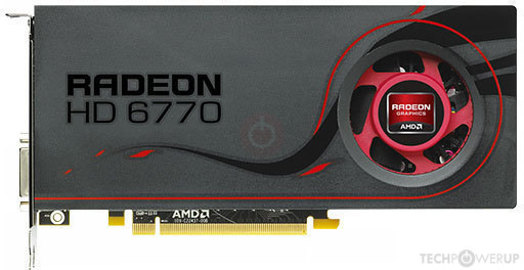
TechPowerUp
AMD Juniper, 850 MHz, 800 Cores, 40 TMUs, 16 ROPs, 1024 MB GDDR5, 1200 MHz, 128 bit
 minor stream
GTX 1650 Super
Max settings 60+ fps
chrome coyote
next valley
hm. it does do version checking when it runs the fullfile update they pack with ...
I did sfc/scannow and it didn’t detect anything wrong prior.
fierce hearth
rancid island
Correct me if I'm wrong but that card is a 1024 mb which is 1gb and it has direc...
hmm
 lost jacinth
Is it considered exploiting to withdraw and turn in items in order to bait people into giving you commends?
I wanna know before I report someone
this person has been withdrawing random garbage from the seaport and putting it in the logi town for the past 2 days
nonstop, PoR is constantly filled with (asshole) has deposted 900 SMG rounds to town hall
 kindred ore
@haughty kindle i want to join this war on the warden side with my friend but have a clan on the colonial side from a previous war so it will not let me join warden
 oak brook
lost jacinth
Is it considered exploiting to withdraw and turn in items in order to bait peopl...
oak brook
lost jacinth
Is it considered exploiting to withdraw and turn in items in order to bait peopl...
no, i don't think so
inner basin
kindred ore
<@!575252669443211264> i want to join this war on the warden side with my friend...
Join colonial side.
Disband or leave the Regiment. Do this within 6 minutes.
Go back to main menu and choose Wardens.
inner basin
lost jacinth
Is it considered exploiting to withdraw and turn in items in order to bait peopl...
this is not exploiting, however I would just announce in region chat that this guy is contributing nothing to the team
 lapis merlin
@inner basin I want bayoet
inner basin
lapis merlin
<@!203891952687513600> I want bayoet
Why me ;--;
lapis merlin
only staff member who bothers to interact with the wider community 

 stone oracle
@haughty kindle joined collies thinking my regiment was switching to losing side, but they stayed warden, anyway to change this?
 summer bloom
I can't type anymore in the in-game chat, except whisper. When I press "enter", it doesn't send my message. It's been 2 days and I've restarted my computer and my game several time, does anyone know how to fix that ? I can send a video if necessary
 limpid pelican
hey guys im having an issue on steam launching the game it launches for a sec then closes and enables me to click play game again im not sure whats going on never had a provlem before 300+ hours @haughty kindle
lethal cradle
summer bloom
I can't type anymore in the in-game chat, except whisper. When I press "enter", ...
hello grand sage of aoe3.
you might have been mass reported and recieved a chat ban?
otherwise i have no clue
summer bloom
Wouldn't I be noticed if I received a chat ban ? I know for sure that I wasn't mass reported
 lunar wasp
@haughty kindle i accidentally chose the warden faction while my regiment is colonial. Can you help me? my ingame name is Manda.
sterile valley
whats going wrong?
keeps happening
 sterile valley
idk if this helps
in the crash folder:
LogConsoleResponse: Display: Failed to find resolution value strings in scalability ini. Falling back to default.
<@&213133977681264640>
next valley
Does your video card support dx 12?
sterile valley
next valley
Does your video card support dx 12?
dont know
how would i check it?
looked it up
said no
next valley
Hmm. You may need to try setting the engine parameters in the unreal configs to use the dx11 set
sterile valley
how would i do that?
next valley
Look for DefaultGraphicsRHI=DefaultGraphicsRHI_DX12
sterile valley
uh
which folder n stuff
next valley
It's usually in your my documents folder or the foxhole local files
sterile valley
config?
 next valley
Defaultengine.ini shouldn't be too far from it. I'm on my phone and can't look up the location right now
sterile valley
closest thing i could find
 ruby island
frozen lagoon
I’ve been trying to get Foxhole to run on Linux. I know it isn’t officially supp...
ruby island
frozen lagoon
I’ve been trying to get Foxhole to run on Linux. I know it isn’t officially supp...
add WINEDEBUG=+msgbox,+relay to your launch options then start the game and once it crashes send the log generated in your home folder
next valley
sterile valley
closest thing i could find
Yeah, that should be the current engine settings. Edit it in notepad to look for the string
 next valley
Search the game folder for *.ini
ruby island
@sterile valleytry running DISM /Online /Cleanup-Image /RestoreHealth then sfc /scannow in a admin command prompt then restart
sterile valley
next valley
Search the game folder for *.ini
 sterile valley
ruby island
<@!526173267401244708>try running `DISM /Online /Cleanup-Image /RestoreHealth` t...
sterile valley
ruby island
<@!526173267401244708>try running `DISM /Online /Cleanup-Image /RestoreHealth` t...
k
sterile valley
ruby island
<@!526173267401244708>try running `DISM /Online /Cleanup-Image /RestoreHealth` t...
is it still running or something?
cant type yet
 next valley
Might help. That kind of error message means it's not addressing the display right.
sterile valley
next valley
Might help. That kind of error message means it's not addressing the display rig...
said somthing about that in the crash folder
give me a sec
ruby island
there is very little information you can extract from that error message
sterile valley
LogConsoleResponse: Display: Failed to find resolution value strings in scalability ini. Falling back to default.
nothing in it

dont know if its suppose to be like that
ruby island
its supposed to be empty
sterile valley
ruby island
<@!526173267401244708>try running `DISM /Online /Cleanup-Image /RestoreHealth` t...
how long does this usualy take?
at 37% rn
ruby island
its depends on your disk speed
sterile valley
got a hard drive
so slow
ruby island
it will take some time then
next valley
sterile valley
dont know if its suppose to be like that
Ahh, foxhole is built with a pak the ini is in there. can't change the setting simply. try a command line option of -d3d11 -vulkan or -opengl3
next valley
can't change the RHI via editing a config file because it's inside another file. you'll have to try the unreal engine command line augs to try and force a different renderer to see if that works
 ruby island
the game is not built with vulkan or opengl so options like that will not work
did those previous command finish?@sterile valley
sterile valley
ruby island
did those previous command finish?<@!526173267401244708>
yeah
about to restart my computer
ruby island
alright
ruby island
try the game now and see if it still crashes
sterile valley
it happens randomly
like 30 minutes in
so i cant rly test it rn
ruby island
well once you do test it and if it still crashes you can try reinstalling your graphics drivers
sterile valley
ok
thanks for the help
 tough creek
hello, I've been playing for sometime so I don't have a new account persay. Yet when I went to hit play, instead of taking me to my already used account, its asking me to choose a faction again.
@haughty kindle
 regal jolt
When was the last time you were on? There was a new war that started recently…
regal jolt
New war on Live-2 started 7 hours ago.
tough creek
it says that the Warden faction is at capacity too, maybe that had something to do with it
ah I wasnt aware
tough creek
I just joined this server because I had this problem
is it disconnected from my steam account somehow?
regal jolt
Is what? Each new war that starts, you are given the opportunity to pick your faction. So you can faction swap when a new war starts
Like it did today
tough creek
I didn't know about that. Does it keep your account level and such though?
regal jolt
Yes.
tough creek
ok thank you, that is alot less worrying.
terse flume
Hi there. I logged in today and no longer had access to Shard 1. It just puts me into shard 2. Is there any way to reset my account so I can join shard 1?
ruby island
top right of main menu
lethal cradle
Tried the top right corner?
Should be able to switch there.
fierce hearth
sterile valley
nothing
You didn't do the command correct
sterile valley
its fixed now anyway
fierce hearth
Oh ok
sterile valley
thanks for the help @ruby island and @next valley
i think the re install did the trick
went 3 hours with no crashes
jolly notch
how do i make the chat more brigther
 jade dirge
Hey so inside of Coaldrifter stead at drowned vale the sulfur mine and the salvage mine are swapped names and produce the wrong material
also fueling one refuels the other
so if i want to fuel the "salvage mine" for sulfur i have to put the gas in the sulfur mine which makes salvage
 inner lynx
<@&213133977681264640> so I've been given poor comms. I have no idea why, my messages during a 9hr QM session were strictly Tech based. To my knowledge I didnt offend anyone. Use any sort of profanity, or vulgarity during said 9hrs. Can I please get some assistance with this at anyone earliest point please
 coral vale
inner basin
inner lynx
<@&213133977681264640> so I've been given poor comms. I have no idea why, my me...
coral vale
inner basin
inner lynx
<@&213133977681264640> so I've been given poor comms. I have no idea why, my me...
?modmail
languid thistleBOT
Contacting Developers via Mod Mail
:arrow_right: For issues involving other players, such as griefing, votekick abuse, spying, alt accounts, or ban appeals please report the player using the external tool. You can find it by pressing Esc, and then Report Player. Alternatively you can find it by going to this link:
https://clapfootgames.freshdesk.com/support/tickets/new
The developers are trying to move away from Discord-based moderation, and this tool is just the first step. It will help them to track the kinds of issues players are having in-game, so that they may address them in a more permanent way.
Note that if you do not wish to provide an email, please use report@clapfootgames.com
:arrow_right: If you require urgent response, such as servers are down, or a game-breaking bug, please ping @moderators.
:arrow_right: If you would like to make a report to the developers directly, you can send a direct-message to the modmail bot named "Dev Support" at the top of the member list. Response times may vary.
 inner basin
Please send a ticket using the link provided: https://clapfootgames.freshdesk.com/support/tickets/new
 flint lagoon
Hey is it possible to get my team swapped? wanted to try playing warden, but my heart just cant get with this team. sorry to pester anyone
inner basin
@flint lagoon See this message regarding faction swithces.
lethal cradle
flint lagoon
Hey is it possible to get my team swapped? wanted to try playing warden, but my ...
Just play for 2-3 weeks, you'll be fine.
magic halo
flint lagoon
Hey is it possible to get my team swapped? wanted to try playing warden, but my ...
You can be a warden on Shard-1 and collie on Shard-2
 eager solstice
Hey so i was traveling between zones while using an armored amphibious Vehicle and got a connection issue and when i relogged my player data was lost
i relogged multiple times and it seems to have fixed itself
 unreal trench
Verified game files and restarted pc, but the game won't let me reconnect to shard 1, just asks me to choose a faction for shard 2
reinstalling the game did nothing for me either 
 fluid dock
You’re going to shard 2
Please don’t resist 
unreal trench
Figured it out, am dumbass
limpid pelican
anybody have any idea why when i open the game on steam it says playing for 2 seconds no window or error pop up.....in other words the game won't open ive tried verifying the files and following the tech support still nothing and no i dont use AMD
ruby island
@limpid pelican you can try:
- reinstalling the game
- running
DISM /Online /Cleanup-Image /ScanHealthandsfc /scannowin a admin command prompt and restart - reinstalling gpu drivers
ruby island
hmm what about reinstalling steam
@limpid pelican actually try downloading vc_redist.x64.exe under Visual Studio 2015, 2017 and 2019 here https://support.microsoft.com/en-gb/topic/the-latest-supported-visual-c-downloads-2647da03-1eea-4433-9aff-95f26a218cc0
This article lists the download links for the latest versions of Visual C++.
ruby island
have fun
 real hollow
im going to my aunts house to watch her dogs for a weekend, i dont want to bring my desktop, how well with foxhole run on Vega 8 laptop graphics, i just plan on doing logi. should i be fine?
fierce hearth
real hollow
im going to my aunts house to watch her dogs for a weekend, i dont want to bring...
you could try streaming the game from your pc to your laptop if thats a option you can go for
real hollow
I'm not sure how good the internet will be, wifi is slow at my aunt's, I actually did think of that.
 swift canopy
I still can't deploy to any region on shard 1 and 2
- Tried restarting the game
- Tried restarting steam
- Tried Uninstalling and Reinstalling
- Tried Restarting the computer
I am completely locked out of the other servers as if I was banned from playing this game entirely XD
 prisma plinth

how do i fix this?
wait
im in offline mode for fuck sake lol

ok how do i fix this lol
 main sorrel
prisma plinth
ok how do i fix this lol
main sorrel
prisma plinth
ok how do i fix this lol
Refresh and reconnect devices from settings
If it doesn't work restart ur game
prisma plinth
i've done that all
ruby island
prisma plinth
i've done that all
have you tried changing your dns server? #technical-read-first⚠ message
 compact vapor
has anyone been getting this?

23MB update to the game queued up, went to 100%, didn't finish. Please @me if you have an answer, thanks
ruby island
@compact vaportry deleting the specified file while steam is closed
compact vapor
oop a computer restart apparently did fix it despite initial impressions. thank you though
 torpid dew
hello, i built bunkers on a new base and my bunkers got destroyed automatically, no enemy destroyed it and got third parties 1
ruby island
@torpid dew it likely decayed
prisma plinth
ruby island
have you tried changing your dns server? https://discord.com/channels/2035126365...
I'll try this, thanks.
 magic terrace
I get a war-win64-shipping.exe error,computer fullfils all the necessary hardware but I cant open foxhole
 quick wyvern
Foxhole does not run with Stock Proton 5.0-10 nor the Custom Protons
Both tried Custom Proton 6.12 and 6.15
 lone fox
Hello lads, where can I find the notes on todays patch?
quick wyvern
with custom Proton I indeed mean Proton GE
I tried Proton-6.12-GE-1 and proton-6.15-GE-2
quick wyvern
?
ruby island
https://www.youtube.com/watch?v=uxWJ1xvowMk ge explains it here
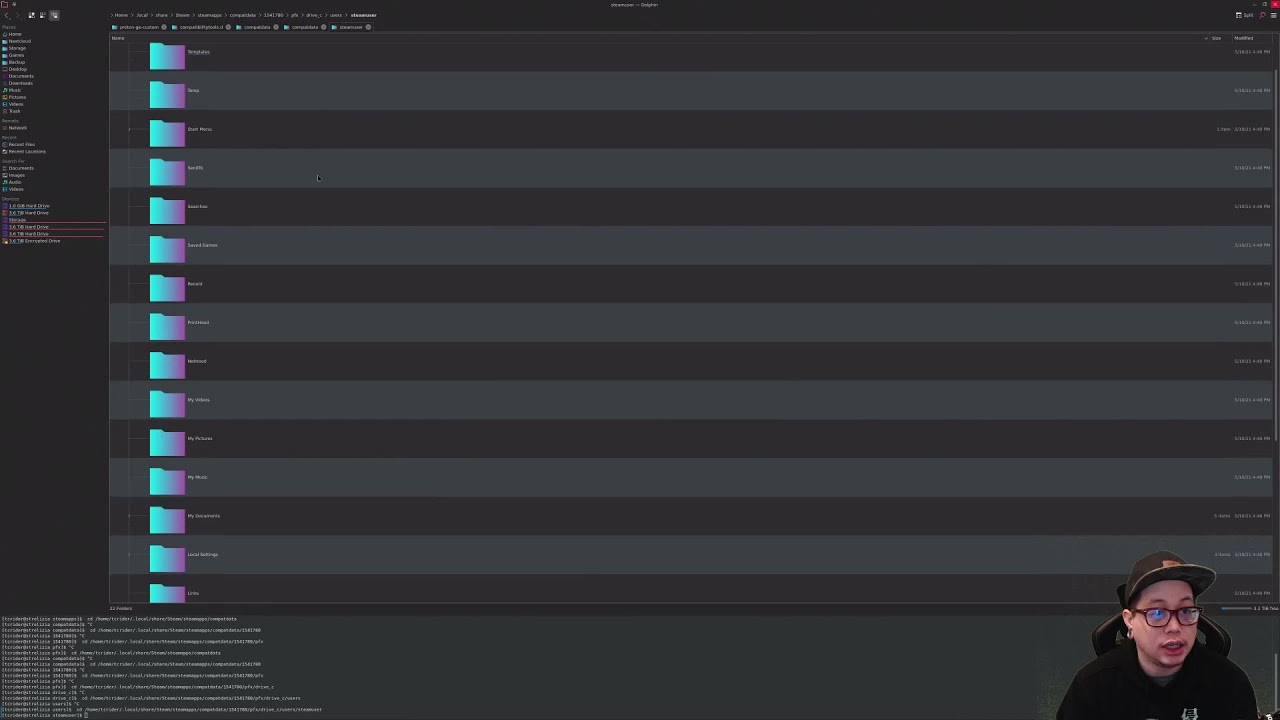
Basic information on locating and removing proton prefixes for steam games and a few game launch troubleshooting tips.
killwine.sh script:
kill -9 $(ps -ef | grep -E -i '(wine|processid|.exe)' | awk '{print $2}')
killall -9 pressure-vessel-adverb
 lilac lynx
Im also one of those having trouble with today's Steam update
ruby island
what specifically?
lilac lynx
Seems to fetch the 25mb of download but then a forever of processing it
ruby island
is there disk activity?
lilac lynx
doesnt appear to be, the green line for disk trails down to the bottom then sits. The time needed goes up and up, passing 1 year. Just tried restarting computer
Brief grab of internet then the disk activity sitting flat
ruby island
what about task manager?
lilac lynx
Steam chugging on disk activity
In the task masker it shows Steam disk activity but not within the steam download view
lilac lynx
mmmkay, now steam download showing some disc activity, guess I should go eat dinner
 stray grove
anyone managed to install foxhole on mac m1 ?
ruby island
in theory it might be possible if you get MoltenVK and proton working somehow
but good luck
 pulsar pollen
hay i keep getting error code one i dont know why
sly mortar
Options -> Text Chat SFX @terse flume
terse flume
it appears im retarded im sorry
 quartz holly
You aren’t alone
 soft saffron
keep getting "lost connection to server" when trying to load into either of the shards, its not my internet any ideas?
pulsar pollen
@soft saffron dude same
connecting to shards when i press play
then error code 1
terse flume
 autumn kindle
<@456226577798135808> your pfp is disturbing
autumn kindle
<@456226577798135808> your pfp is disturbing
me and my girlfriend were bored so we picked matching pfps and im to lazy to pick a new one
autumn kindle
oh ok
sly mortar
@jolly cypress Means you're unable to connect to war services for some reason, I recommend restarting your PC and if that doesn't work your router
 jolly cypress
Thanks, will try @sly mortar
 sullen viper
Hello I need help with fixing voice chat. I cannot hear anyone speaking. Volume is at 100% and using "default system devices" but it doesnt matter whta I do I cant hear. I can hear the ingame effects so I know its not an issue with my computer. Not really sure what to do
sullen viper
also I read through the "technical read first" section and im not sure who exactly im supposed to @ about this. Not exactly the best at reading. Can anyone help?
sly mortar
Did you accidentally press "U"? That disables voice chat
sly mortar
Do you have your steam device settings set correctly?
It's under the friend's list settings
sullen viper
Im unsure. I saw something about that but im really not sure how to set it up
sly mortar
Open the friend's list menu (It opens easily fromk the in-game menu)
Then click that little gear and go to the "voice" tab and make sure those are set to the same devices as your in-game devices
 sullen viper
They are
sly mortar
Hmm, when you try to use the voice chat do you get an error message in chat
sullen viper
I cant use voice chat
No microphone
I jsut wanna be able to hear the other players
 old wagon
 frosty cliff
Having issues deploying, whenever I join in the maps are grayed out, there's no spawn points, it was running just fine 2 days ago, I've tried resetting my PC, my router, disabling my firewall, no luck, when I do get the spawn points it always loses connection to host
 rose knoll
^same thing for me now
magic flower
When I aim the aiming occasionally just stops and it's quite frustrating for sniping
 worthy cloak
why doesnt it give me a warning when i join the opposing faction of the majority of my regiment
 fallen pelican
thats sucks, just run for resources to another hex and now im in menu without possibility of loging in
3 hours of preparing operation and now without possibility of participate
Lost connection to the server. Please try again later.
Deadlands server dead
 wanton bronze
fallen pelican
Deadlands server dead
wanton bronze
fallen pelican
Deadlands server dead
same problem
wanton bronze
i managed to get in by region travelling but the lag was too much, every other server is fine though
 deft shuttle
why does my game have so much delay
when i reload a gun it takes 10 seconds after reloading for the game to say that i have reloaded
its not my internet cus i have 900mbps with an ethernet cable
 azure ivy
the lag is just unberable at deadlands
 vast cape
unable to hear or say anything
previously i was able to hear and speak to other people but it was suddenly disabled
looks like i am also unable to reload too?
hm, looks like i am only unable to reload my rifle
 toxic trail
repair this ffffffffffffff Deadlands!!!
vast cape
fixed reloading
terse flume
fix deadlands ffs
 sour burrow
anyone else getting yeeted?
 lofty flint
<@&213133977681264640> When I use my headphones I have no sound in game. I'll have sound in the menu and for the first 5 seconds in game but then it cuts out. I searched google but was unable to find an answer. If I join with my speakers it seems to work fine. Thanks for any help.
 tall sand
ur headphones have this issue anywhere else
lofty flint
No..
They work fine with other games and apps
Strangely when this occurs if I Alt Tab out of the game the sound doesn't work in other apps either
I went to options ->Voice selected my device again -> Refresh and it seems to have started working. Guess it's fixed for now
terse flume
i have a pretty meh pc, but it can run the game on ultra graphics without a problem in the world
but my friend with a more powerful pc constantly lags despite the game being on the lowest settings
any idea why this may be?
 floral seal
Sometimes you get worse performance on lower settings so try going to ultra
For me I noticed chugging after I installed the latest nvidia driver so I rolled back and got the performance I want
terse flume
I need with fatal error ue4
 still anvil
is it possible to link the ingame chat to a discord channel ? seen it done with games like Empyrion with HWS server, just curious 🤷♂️
helped for alerts when we weren't at our pc
 pure bluff
game need actualisation but writte pproblem on harddisc my H-D all games wor right and foxhole make troubles anny chance fix it?
 stone sundial
Hi everyone,
Me and my gf are playing the game together in our office room, each on their own PC. It happens really often that one of us experiences desyncs with the game. For example, seeing the other player just driving in a straight line regardless of obstacles ahead and then simply disappears. Or having significant delays when gathering resources or moving materials between inventories. Usually it's just one of us - that means that while one player experiences frequent desyncs, the other one has a smooth experience and the game works just fine. It happens more during the noon-afternoon hours (GMT +2), and less frequently in the evening/night.
What can we do?
 craggy path
Hey I keep on crashing whenever I try to load into a region. I can deploy into the game and at get to the home island just fine but when I try to deploy to an actual region I can hear my audio glitch and the game will just freeze. If I alt-tab away from the game it won't let me open it back up and doesn't close. Any help would be appreciated asap.
 lime vortex
I'm having an issue where I can't hear any sound in the game. I've been able to hear the game before and I verified my files. I also checked my input and output devices ingame. When I mess with the mixamp and switch to console mode instead of PC mode I can hear the game but its really distorted and it then crashes if I alt tab.
lime vortex
<@&213133977681264640>
 frank zealot
lime vortex
<@&213133977681264640>
frank zealot
lime vortex
<@&213133977681264640>
Make sure you update your audio drivers
stone sundial
stone sundial
Hi everyone,
Me and my gf are playing the game together in our office room, eac...
<@&213133977681264640>
lime vortex
I updated my drivers and still no luck
I got it working. It was just my volume mixer not syncing properly.
terse flume
cant play, says this when trying to deploy
 terse flume
i play in windowed mode but every time i load into a new region my resolution resets to 1024 x 768(from the original 1440 x 1080) it does not make the game unplayable but making it stop would make the experience much better, since i wouldn't have to change it every time.
i don't know if this is part of the game or an issue that only occurs to me
 jagged lodge
i cant load the game. I click play on steam and then it will say running for a bout 3 seconds before stopping
and ive restarted my pc and verified the files
 gleaming finch
Whenever I aim my weapon, it always starts going haywire. I point it North East, and it aims my avatar and gun South West. Can anyone help. I can give more details
terse flume
gleaming finch
Whenever I aim my weapon, it always starts going haywire. I point it North East,...
I’ve had that happen with extreme lag. Turning down graphics settings helped immensely for me.
gleaming finch
Thanks a lot. Gameplay comes before graphics for me.
terse flume
terse flume
cant play, says this when trying to deploy
<@&213133977681264640> is there any fix for this?
next valley
make sure the windows firewall isn't blocking foxhole
jagged lodge
it is allowing it
next valley
jagged lodge
it is allowing it
Hm. could try changing your dns to google's, 8.8.8.8 or 8.8.4.4
jagged lodge
nope
 safe panther
Not sure if I can run foxhole. I'm getting terrible fps even though I'm setting it to the lowest resolution. I can play other games like subnautica and space engineers but not foxhole
foggy sky
terse flume
i play in windowed mode but every time i load into a new region my resolution re...
In my experience, setting the resolution in the options should fix it resizing itself. Try setting the display resolution in the game options, closing the game, restarting the game, and then see if the bug persists.
 young barn
What is this, cant spawn at all Seems need minute or two to load in. Get your servers upgraded I guess

 wicked mantle
terse flume
foggy sky
In my experience, setting the resolution in the options should fix it resizing i...
wicked mantle
terse flume
foggy sky
In my experience, setting the resolution in the options should fix it resizing i...
I will try thanks
 charred pecan
hi, i just bought the game and i have a querty keyboard, what key should i use for what
pulsar pollen
@dry rain
terse flume
is there an official foxhole technical support adress?
because my game gets more broken everyday
 dry rain
Tf you want?
I ain't tech support for this game
I'm just a dude with a rocket launcher
craggy path
craggy path
Hey I keep on crashing whenever I try to load into a region. I can deploy into t...
Still having this problem restricts me from doing any sort of logi
pulsar pollen
dude i cant play i keep getting error code 1 i reinstall and my internet is fine so what fk happen
next valley
pulsar pollen
dude i cant play i keep getting error code 1 i reinstall and my internet is fine...
error code 1 usually is an inability to connect to the servers. make sure port 443 is open on your router/firewall.
pulsar pollen
i was playing it and then next day it didnt work
ruby island
@pulsar pollentry restarting steam
pulsar pollen
i did that and i redownload steam i think it my internet
ruby island
try a vpn
pulsar pollen
ok ithink my router is fuck
 wanton whale
Anyone know how to fix the voice chat, I have been searching the internet and so far non of the options have worked, I have also tried restarting, reconnecting and re-installing, been doing this for a few days now.
ruby island
pulsar pollen
ok ithink my router is fuck
does the vpn work?
pulsar pollen
nope
ruby island
then its likely a issue with the game itself or windows
pulsar pollen
i reinstall window of a usb brand new
ruby island
try running DISM /Online /Cleanup-Image /RestoreHealth and sfc /scannow in a admin command prompt then restart
that will make sure windows doesnt have corrupt files
which seems to be common with updates
pulsar pollen
ok buddy thank u for all the help
 errant rampart
Whenever i try to start the game it takes ages to load into the main screen, but whenever i try to load into a live server my screen freezes. In the task manager it says it's not responding but i never get a crash error
pulsar pollen
it working weeeeeeeeeeeeeeeeeeeee
 lyric musk
Anyone know how to fix the bug where you can hear audio but other players voice can’t be heard?
lyric musk
Does it change anything if I didn’t have discord downloaded?
ruby island
lyric musk
Anyone know how to fix the bug where you can hear audio but other players voice ...
try pressing u
lyric musk
What is U default bound to?
ruby island
enable/disable voice chat
lyric musk
Yeah that didn't work unfortunatle, I'm going to restart my computer to see if that fixes anything
ruby island
does it give any sort of error when you reconnect
lyric musk
ruby island
does it give any sort of error when you reconnect
No it doesn’t have an error message. I can see the voice icons of the other players and mine, but I can’t hear them
ruby island
make sure your default device is set in windows
both communication and default device
lyric musk
As in setting my out put and until to my head set?
ruby island
yes
but there is 2 different default devices for output make sure your headset it set on both
also is it a bluetooth headset
lyric musk
No it’s wired, I’m not seeing the option to make it the default.
My two options for devices for output are my headset and my computer speakers
@ruby island
ruby island
do you see a green check mark by your headset
and do you see any icon by your speakers
ruby island
it would be under the sound control panel
but windows tends to hide it so you will probably have to do some digging around
lyric musk
Okay I found it and yes there is a nice green checkmark
ruby island
is there a headphone icon by any other output device
lyric musk
No just a speaker
Unless that’s what you meant, the only other option are the speakers and they don’t have a headphone icon. The headphones don’t either, but I assume that’s normal
Could it have to do with my vivox files?
ruby island
if a output device is set to both default communication device and default device then the headphone icon does not show
considering that you can see the icon when someone speaks its unlikely
but you can try fixing them
also make sure in steam your communication device is set correctly
you can find it in your friends menu then the settings cog in the top right
lyric musk
That seems to be in order
I can hear myself at least and I set my headphone input and output as the proper ones
I think my output is coming through but I’m not getting any input from the game itself
ruby island
now look in game and make sure the options are set to default and not specified the specific device
lyric musk
It’s working!! Thanks man you made my day!
ruby island
have fun
 nova crystal
Hello. It's more of a technical & safety request than for troubleshooting. I've heard of some sound pack mod, is it authorized to use and is it safe to use as well ?
ruby island
nova crystal
Hello. It's more of a technical & safety request than for troubleshooting. I've ...
the devs have officially said that mods are fine as long as it doesnt gave players an advantage and the sound mod doesnt give you one so its fine
have been using it for a least a year as well
nova crystal
ruby island
the devs have officially said that mods are fine as long as it doesnt gave playe...
Oh great ! Thank you very much 🙂
 patent sail
yo im getting really bad screen stutter in game, character jumping all over the place on my screen, very jarring, anyone know a fix?\
its especially apparant when rotating the camera when running
 loud herald
check your connection
 steel current
What is a good app for temp monitoring I cant figure out wtf is overheating or malfunctioning
 tall sinew

 steady wadi
any idea why i dont see any deployment points
 ruby island
steel current
What is a good app for temp monitoring I cant figure out wtf is overheating or m...
ruby island
steel current
What is a good app for temp monitoring I cant figure out wtf is overheating or m...
or if you dont trust that use msi afterburner
steel current
thanks I already downloaded hwinfo64
terse flume
How do I make a ticket to report a mass griefer?
 gusty jasper
Have you tried pressing 'U'
 still stone
yea
gusty jasper
Hm. Is the circle above the chat window green or red?
still stone
green
gusty jasper
And If you try to speak does anything happen or does an error appear In the chat In orange?
patent sail
loud herald
check your connection
connection is stable (6mbps)
still stone
I fixed it, for some reason if you have a mic input that doesn’t work than the output just doesn’t work either
 coarse bane
i cant connect to foxhole server when i use my wifi, but tethering with my phone works
 pearl brook
hi, i would like to change faction from colonial to warden, because all my friends are warden, i played for a short time as colonial and only in the home region
 native geode
looks like your friends made the wrong choice. get them here instead.
or don't, more blueberries for me to pop.
(sorry)
 surreal horizon
pearl brook
hi, i would like to change faction from colonial to warden, because all my frien...
surreal horizon
pearl brook
hi, i would like to change faction from colonial to warden, because all my frien...
before you click "deploy", on the screen with the colonial symbol, there should be a "change faction" button in the top right
although the colonials could use your help....
however, if you have changed faction before or are above level 5, you will not be able to do this
pearl brook
i'am level 8
surreal horizon
i don't think you can do that, unfortunately. you'll have to wait till the next war
pearl brook
Yes
foggy sky
6 minute grace period when you join to switch factions

 latent narwhal
Can someone explain how to set up my regiment discord to be linked in game..?
 languid stratus
For some reason my mic was working several days ago, but now it sounds really quiet to people.
languid stratus
Nvm figured it out
 lean quest
@haughty kindle i had an inquiry about changing my faction. My internet was down last week and when i was able to get online today i logged into shard 2 colonials because the regiment i was in was previously on shard 2 collies. I played for 14 mins in an attempt to locate and begin this new war with my friends. I then learned that they all moved over to play wardens. We have spent alot of time working on a team speak, discord, and officer roles for our regiment so we can all better enjoy this amazing game. I am currently the infantry commander. if there is any way to switch my factions i would greatly appreciate the help.
patent sail
patent sail
yo im getting really bad screen stutter in game, character jumping all over the ...
reposting this because i got ignored, im having very bad screen stutter in game, especially when rotating the camera while running, any idea for a fix? this is ruining the game for me
sly mortar
@patent sail Is your GPU maxing out?
That seems like a likely cause as it's happening while you're loading the most new pixels possible
patent sail
yeah, ive tried all the obvious things
even went as far as tweaking setting through AMD
no dice
sad face
sly mortar
Wait AMD?
sly mortar
Toss your driver back a bunch of versions and see if it works then, AMD drivers have issues with foxhole for some reason
Some of their drivers out of 2020 would just black screen the game on startup
19.12.2 - 20.1.1 are known as broken with foxhole
sly mortar
AMD's drivers are the only reason I still use NVIDIA cards
They've gotten better in recent years but they're still waaay more buggy
patent sail
its a shame, so much potential
 unique lotus
latent narwhal
Can someone explain how to set up my regiment discord to be linked in game..?
unique lotus
latent narwhal
Can someone explain how to set up my regiment discord to be linked in game..?
This is for technical problems
 meager rivet
restarted steam and computer still cant play

Did nothing but keep trying to deploy and now im in
thanks tod
sly mortar
https://help.steampowered.com/en/faqs/view/22C0-03D0-AE4B-04E8 try this @meager rivet

 shell rock
@frozen belfry 4.24
summer bloom
I've had a chat bug for several weeks now. When I type and press "enter", it just doesn't do anything unless it's a "whisper" message.
I tried to uninstall and reinstall the game, I also verified my game files but it didn't solve the issue. Does anyone know how this can be fixed ?

 glossy sequoia
the game says it failed to download player data, what does that mean?

it also said something that I was using an alternative account even though I wasn't
 dusk ether
Brown Map, War Service keeps turning Green and Red. Help

and no clan tag as seen in the Squad Chat Box
 next vortex
meager rivet
restarted steam and computer still cant play
next vortex
meager rivet
restarted steam and computer still cant play
i get this error sometimes. what works for me: got to steam, Manage > Properties >s elect the Local files tab and click the Verify integrity of game files button.
@pulsar pollen
 gaunt moon
Hello, are someone having issues of disconnection on server 1? Server 2 is totally fine for me (i hope this is a technical problem for this chat XD)
 formal mason
hello i just bought the game today and when i run it it gives me this error message and no im not running on AMD

 nocturne dawn
 frozen belfry
nevermind found it
frozen belfry
nevermind found it
Which one?
 plucky sorrel
Hey i just go the game and i keep getting this error, when i google i dont really find anything for it. Someone help plz!! Either I get this message or just freeze the whole game
Fatal error: [File:Unknown] [Line: 198] Unreal Engine is exiting due to D3D device being lost. (Error: 0x887A0006 - 'HUNG')
 fringe apex
plucky sorrel
Hey i just go the game and i keep getting this error, when i google i dont reall...
fringe apex
plucky sorrel
Hey i just go the game and i keep getting this error, when i google i dont reall...
Antivirus or Graphic card drivers ?
plucky sorrel
fringe apex
Antivirus or Graphic card drivers ?
Did turn off the antivirus just to try and see and still happens and have all the drivers updated :/
fringe apex
got a nvidia card or amd?
plucky sorrel
fringe apex
got a nvidia card or amd?
nvidia 1070 8 gb
fringe apex
is it a laptop then?
plucky sorrel
fringe apex
is it a laptop then?
no
fringe apex
so you updated to the 471 version of the driver? i bet there is a loose screw in there :/
plucky sorrel
fringe apex
so you updated to the 471 version of the driver? i bet there is a loose screw in...
Yeah but i did update the driver after the problem come up, so i did update the card just for the reason to fix the game but it didnt help
fringe apex
the nvidia forums are on fire about the latest drivers.. any chance you remember your previous version? i'm running with version 457.30 from end of last year
 tired frigate
I need help,, my connection is absolute garbage rn
i keep getting rubber banded and i cant leave the relic base
terse flume
Does FPS in options affect truck speed? When I drive a flatbed i'm slower than others but I have FPS set to 144.
tired frigate
the games just not fun to play and this always kills my interest in games
like wtf do i do this isnt fun and i wanna puntch someone
please help
gaunt moon
tired frigate
I need help,, my connection is absolute garbage rn
me too, i get disconnected all the time, but only on server 1
tired frigate
gaunt moon
me too, i get disconnected all the time, but only on server 1
i get kicked from both instances
im going tofucking killmyself when i rubberband
lethal cradle
Thats griefing, dont do that
tired frigate
 sly mortar
Devbranch is not currently online
The only shards currently available are Shard 1 and Shard 2
 open current
when will it be online?
sly mortar
When devbranch is released for the next update
That release will be announced in #updates
 somber quail
I have a problem speaking inside the game
Everytime i press to talk i dont talk instead this shows up
How do i fix it?


 deep pollen
craggy path
Trying to deploy and the screen looks like this
deep pollen
craggy path
Trying to deploy and the screen looks like this
Same here. I've tried to everything and can't figure it out

 distant yew
trying to start foxhole and it keeps telling me im using an alternate account and I got no idea what is going on
lethal cradle
Does anyone in your house play on the same internet or computer? @distant yew
 errant mesa
hey, i noticed on this server in #updates when there's a date and time posted, it tells you what day/time that is at your personal location. does anyone know what command/bot that is? cheers
sly mortar
How it's done:
<t:1627920000:F>
This is the format for it, it takes the unix epoch timestamp for the time (I used this website for that: https://www.epochconverter.com/) and then shows it in whatever timezone the client looks at it in. You can apend a list of different letters at the end, a list of what each of them does is below:
F - Day of Week, Date & Time
d - Numerical Date (08/02/2021)
D - Written Date
t - Time of day
T - Time of day including seconds
R - Countdown to when it is!```@errant mesa
errant mesa
hot damn. thanks a lot
lethal cradle
thats cool as heck
distant yew
lethal cradle
Does anyone in your house play on the same internet or computer? <@4262832206284...
Nope
 magic prawn
distant yew
Nope
magic prawn
distant yew
Nope
Do you have a Steam Family Account where other people can play your games?
 quasi stratus
Hello could you help me when I run Foxhole there is write dx11 feature level 10.0 is required to run the engine I installed all my updates, driver driver
sly mortar
Could you type dxdiag in your windows search bar and send a screenshot of the "Display" tab once it runs @quasi stratus
lethal cradle
your cpu is too old, the 3000 series intel doesnt support dx11
also playing games without a dedicated graphics card will be a rough experience
distant yew
magic prawn
Do you have a Steam Family Account where other people can play your games?
Nope got it working by itself anyway I just did the alternate account thing and it put me back on my regular account
 tight cargo
im getting an error every time ive tried to join a war that looks like this

can anyone tell me whats wrong <@&213133977681264640>
sly mortar
Fully restart steam
sly mortar
Check antivirus / firewall and that your ISP does not block foxhole

 karmic whale
Which DNS do you use?
ruby island
@tight cargotry a vpn
 earnest marlin

 cunning bronze
oh ye, I would report that in snow weather, when I get on bridge on my logi run, something would cause the screen to artifact, flashing brief black segment on the screen, very brief btw, so it's like the screen stutters that all
Happens only o bridge and only in winter so ye
 hard echo
log in - get truck - go gather salvage - load across border - experience connection issues and be uncertain for a moment whether it is going to load - get into the next region but spawn wrong being stuck away from the road behind a stone fence the only quick way out and back to the road being to load back across the border - load back across the border - lose connection and get kicked to main menu - load back in and end up in home region the half full truck somewhere at the border of great march => log out and do anything else but this game.
 orchid zealot
i've been getting this message for 30 mins can anyone help

then i get into the main menu and same thing happens
 ruby island
@orchid zealottry restarting steam
 analog crypt
I already asked it in the Ask the community channel, but i think it might be more appropriate in here. Does anyone know a fix for fps stuttering? my fps seem to be consistent, but i still get severe stuttering on the front. I already limited my fps to 60 in the game, but that either didnt help or maybe even made it worse. turned on vsync in hopes that will solve it, but it still stutters noticably, despite stable fps according to MSI afterburners RTSS overlay.
and it only seems to happen when having m3 pressed to rotate the camera.
 plucky meadow
analog crypt
I already asked it in the Ask the community channel, but i think it might be mor...
plucky meadow
analog crypt
I already asked it in the Ask the community channel, but i think it might be mor...
check your cpu usage, what cpu do you have?
before my upgrade I got something similar, cpu would spike and I would lag out
analog crypt
plucky meadow
check your cpu usage, what cpu do you have?
I have a ryzen 5 3600, overclocked to 4.2GHz at 1.35Volts (would boost to only 4GHz at 1.45V stock).
plucky meadow
analog crypt
I have a ryzen 5 3600, overclocked to 4.2GHz at 1.35Volts (would boost to only 4...
hmm, then I dunno
 hallow coral
tight cargo
hallow coral
tight cargo
Try going into steam and verify files via the game Option
 heavy kernel
how do i download and use skin mods?
orchid zealot
ruby island
<@469882368623378435>try restarting steam
i tried that like 5 times and it still didn't work, im also getting the same issue right now
 near surge
Looks like the speech icon appears only when you are talking in the mic, not just holding the voice button
 modest ginkgo
I'm getting consistently disconnected about 10-15 seconds after deploying tonight, any ideas? Have been having problems with disconnects in general. Sometimes fine, but other times if I go into a town it will disconnect me until I manage to leave the town.
Thought it could be some problem with wifi dropping packets or w/e. Switched to ethernet but not seeing much difference.
I'm in New Zealand so I'm wondering if its a combination of bad ping and being on at a busy time or something like that
Have tried both shards, haven't noticed a difference
Ignore me sorry haven't read the section in #technical-read-first⚠
 rapid rock
So guys hello, i have a Laptop
Specs as follows;
-i7-7700HQ CPU @ 2.80GHz
- 16 GB Ram
-Nvidia 1050 4gb dedicated , 8gb shared
and i have fps issues/drops during the big fights(low settings) is it because my specs are sort of low for the game, or something else?
ruby island
@orchid zealot try a vpn
next valley
make sure you didn't press the voice cut-off button. I think it's H but I'm not at my pc.
 ornate meadow
analog crypt
I already asked it in the Ask the community channel, but i think it might be mor...
ornate meadow
analog crypt
I already asked it in the Ask the community channel, but i think it might be mor...
RAM?
 crimson sparrow
does anyone have a link to a large size map for foxhole? one you can draw on?
 green mantle
rapid rock
and i have fps issues/drops during the big fights(low settings) is it because my...
green mantle
rapid rock
and i have fps issues/drops during the big fights(low settings) is it because my...
make sure you are using your gpu and not the integrated intel chip.
also try lowering "resolution scale" (not screen res)
ornate meadow
Have you turned off the shader cache?
 bold shuttle
Why is my LMB click suddenly drop things on the ground instead of equipping them?
lmao i tabbed back into the game after sending this message and its back to normal, weird
lethal osprey
GTX 1050 GPU will choke in high pop/action areas, the game is very GPU heavy
And that's like 7 years old
My 1060 chugs a bit sometimes enough that its fans turn on which on many games it doesnt have to do
ruby island
bold shuttle
Why is my LMB click suddenly drop things on the ground instead of equipping them...
happens to me the game thinks you are holding alt
you just have to press alt and its fixed
likely because of alt tabbing
 restive arrow
so i lost connection to host but my internet is fine
unreal lark
I keep getting "Lost connection to server please try again" when I try to join any region.
 limber glacier
^
unreal lark
My internet is fine, discord VC has no lags, but I can't join any region still. Only home
I can also type reload etc
limber glacier
I just can't rejoin at all. Pretty annoying.
restive arrow
think server kinda fucked rn bc i cant join either and im typing here just fine
 random lily
yh dudes cant join either
unreal lark
Servers are dying i guess
 lofty gate
random lily
yh dudes cant join either
lofty gate
random lily
yh dudes cant join either
same
 polar barn
did the server just died?
 prime estuary
had it happen got back into game crossed another border and it died again
random lily
polar barn
did the server just died?
looks like it, or atleast once you leave you cant join back
polar barn
while i am in my tank
random lily
ouch
restive arrow
imma ping a dev
polar barn
i read in the chat ingame in that brief 10 sc0 second
that 1/4 of the population is experiencing this
lofty gate
i think they probably see wth is happening
restive arrow
kinda fucky that it happened some time after the wardens got their shit beat in
random lily
yeh no maybe its irl region based - I'm EU/UK
prime estuary
same
 fiery cedar
hey devs, why are you nuking the Colonial back line?
we need to keep this machine moving
lofty gate
restive arrow
kinda fucky that it happened some time after the wardens got their shit beat in
ye
fiery cedar
FACTION BIAS!
 neat vigil
unreal lark
I keep getting "Lost connection to server please try again" when I try to join a...
neat vigil
unreal lark
I keep getting "Lost connection to server please try again" when I try to join a...
same... can't rejoin, got booted
polar barn
It kinda happened when we were kicking you back! #again
neat vigil
Restarted game, checked cache
fiery cedar
@polar barn so what you're saying is that there is no faction bias
prime estuary
its on travel, got back to home region and when i deploy it dcs
neat vigil
Well its obviously happening on both sides, I was way back in our backlines in Umbral
 waxen wasp
Hey guys, I keep getting this when trying to join into any zone. Anyone know of a fix?
I have tried restarting everything and verifying game integrity and google for common fixes. Don't know what I can do.
 neat vigil
prime estuary
its on travel, got back to home region and when i deploy it dcs
neat vigil
prime estuary
its on travel, got back to home region and when i deploy it dcs
My friend DC'd during travel but I DC'd whilst in region
random lily
waxen wasp
it happenin for everyone dude, gotta wait for devs to fix it
fiery cedar
many are experiencing this problem
unreal lark
neat vigil
Well its obviously happening on both sides, I was way back in our backlines in U...
For us it happened in Marban, Kirknel, etc. Everywhere.
unreal lark
waxen wasp
Hey guys, I keep getting this when trying to join into any zone. Anyone know of ...
I ton of people are experiencing same thing. I think it's the servers that are dying right now for no reason.
neat vigil
Could be many reasons, I guess make a bug report so they have a record of it
they may already know what the issue is but having a detailed report always helps avoid these things for next time!
polar barn
i apparently only have it in certain regions ..?
prime estuary
ive tried all on the better side and cant join any 😛
modest ginkgo
Yeah I was having this problem 12 hours ago.
neat vigil
Yup same, can't join any region now, after being back in the home region
 umbral sun
i cant join the server
 chrome sable
is shard 2 down?
 noble fiber
RIP server
chrome sable
has it gone full rippity?
 woven marsh
Rip servers. fix servers please
 quaint sparrow
RIP server
 polar barn
servers fucking died
restive arrow
with is wrong with the game chirst it was doing fine and i could get back to what i was doing out the blue lost connection again wtf
 limber orbit
I keep being unable to connect to the game
 leaden jacinth
Me too.
limber orbit
Restarted steam and that still hasn't changed a thing
leaden jacinth
Restarted PC and can't connect.
 signal ridge
Guess I will wait to join for the first time
limber orbit
I see other peeps in this chat saying the same thing
umbral sun
but i have people in my regiment still on, playing fine
 vale oracle
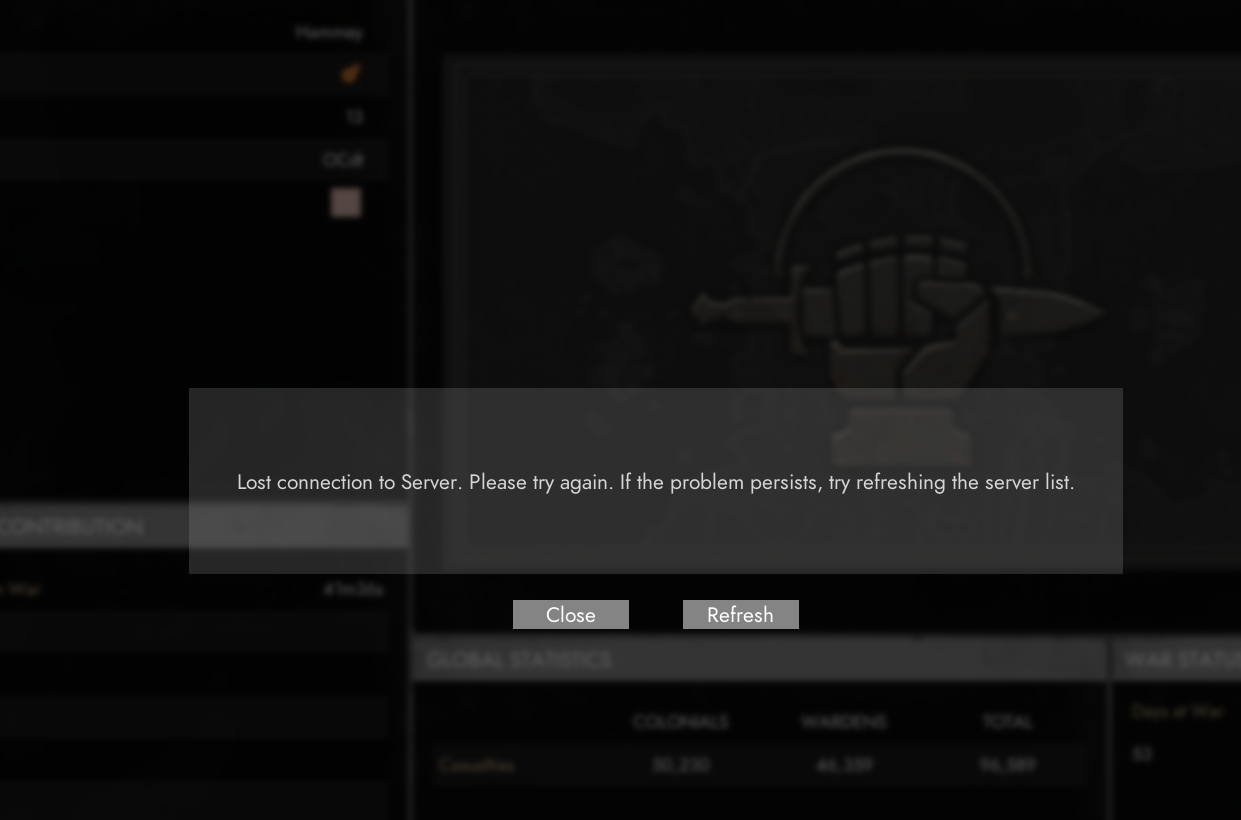 signal ridge
managed to load
restive arrow
still fucked for me
game restart nothing verify files nothing restart steam nothing pc restart nothing
 sterile halo
As much as I can say about the incredible gameplay, and amazing fun that is to be had on this game.
In the current state I can't recommend to buy it for 1 very simple reason. The banning system is broken.
You come across 1 member of a huge clan that doesn't like you, welcome to constant false bans and inability to play the game, due to them mass reporting you.
This in itself can make the game unplayable for an entire war.
 versed ermine
Anyone have any leads on voice error 2-5031? reconnect, game restrat, re-log have had no effect
modest ginkgo
Has anyone had better luck with deploying and disconnects? Still deploy from home region and disconnected within 30 seconds
 summer dew
I cant hear the sound in game after I connected to Local Voice Channel with my headphones on, anyway to fix it?
and my game frozen after I turned off my headphones…
terse flume
press u
 livid steeple
hope this is okay to ask, but how long does it usually take for tickets to be seen?
unreal lark
Anyone has any idea why one of my husks has "Health unavailable" and I can't remove it even after 3-4 satchels? It's tier 2
restive arrow
and the lost connection to host shit is back
modest ginkgo
yep started having it again last night
 keen pumice
game severs run like dogpoop
 storm raven
keep losing connection

 half sedge
Voice Chat is disabled whats up with that?
 arctic talon
half sedge
Voice Chat is disabled whats up with that?
arctic talon
half sedge
Voice Chat is disabled whats up with that?
u can press "U" key to disable or enable voice chat in game
limber glacier
sterile halo
As much as I can say about the incredible gameplay, and amazing fun that is to b...
I've seen people say this a lot & it feels like such horse shit. My playtime is 'only' ~150hrs and I've never been reported by any clans or seen it happening to anyone while I was online. If you don't act like a twat then you won't have any issues 🤷♂️


 devout sapphire
As a member of a Clan, me and none of my clan mates have ever done something like that. I have never personally seen people join on large massive organized groups to have a disruptive behaviour.
Can you say the name of the clans and players doing that?
 subtle folio
sterile halo
subtle folio
sterile halo
First problem he joined colonials 💁♂️
Jkjk but yeah idk about colonial factions but there are toxic players on both sides best thing you can do is spread awareness to other new players on who to avoid
 haughty thistle

 wintry token
why was i banned
 regal helm
can anyone tell me it says i do not have access to my personal stockpile?
regal helm

 rigid maple
I'm in a collation ( Bunch of small clans mushed together ), I swap to different squads a lot. I have had this bug/connection issue. Being the last one in a squad I was made the leader so I left as well, however despite not seeing the "squad" itself I see the entire list of join able ones, but I'm the squad leader? I can't leave nor does making a squad remove me from the other clans squad, and being a clan/freind only deal it's locked.😑 pls help
 kind bridge
regal helm
kind bridge
regal helm
That looks like someone else’s. They could have named it “MyPersonal”. Is your in game name Grave? That name, under “MyPersonal” below the stockpile shows the owner of that stockpile. You can make your own if you want, press the + button.
regal helm
@kind bridge username is kellowyo05. i can start a reserve and that is what im using atm. but that is the menu and pop up i get when i pull down personal option.
 frigid laurel
Any idea how to fix the "Vac Check Failed" error (I have no VAC bans or anything)
I've Task Manager killed steam several times
Verified game files... the normal Steam stuff
sly mortar
frigid laurel
Restarting PC fixed it (I normally try to avoid because my boot drive is a little janky) but all good, thanks!
unique lotus
subtle folio
First problem he joined colonials 💁♂️
I mean youre not wrong
Jokes aside clans and regiments are sometimes assholes on both sides
They can be a prick and stack report you for something you didnt do
subtle folio
It be like that sometimes
Best tip: if you see a toxic clan just go to another front and try and get other players who are being picked on to go with you
 mystic halo
how does deployment point upgrade in BBs work? sometimes it shows in the map but sometimes it isnt there
tall sand
region activity
terse flume
what does this mean?

 nimble geyser
Not sure
 midnight copper
terse flume
what does this mean?
midnight copper
terse flume
what does this mean?
Which gpu do you have
If you have an old/ low end GPU, it is running out VRAM/memory space, try lowering resolution+Graphics
Lower both, and foxhole will work fine
terse flume
midnight copper
Which gpu do you have
is this it?

 thick geode
anyone else have their pc crash during foxhole? cant seem to play for more than 30 mins at a time
windows 10, hardware runs other games fine
thick geode
gpu overheats and causes computer to turn off
terse flume
oh yeah that happened to me too
got the blue screen of death earlier today
there was an error message about running out of video memory or something
terse flume
I have a friend who keeps getting an error "lost connection to host" - any hotfixes we could try?
terse flume
How do we fix "Lost connection to Host"
 crystal birch
Hey technical chat experts, im having very bad connection (lagging back when I walk, ect) despite good internet and a very good computer. I'd assume its foxhole servers for my region but my friends who are on are not having the same problem. This has been going on for two nights now. Any ideas?
 crystal edge
I cant deploy anymore, the deploy map is empty when I try to do so, anyone know why ?
 crystal edge
I tried reinstalling the game, verify the files integrity and waiting around for spawning points to pop up but it still doesnt work
works fine last night too, but when I log in today its just like this
midnight copper
terse flume
is this it?
Oh you have integrated gpu, so you will have to run the game at lower resolution and graphics settings. This is common in laptops and some computer processors, if you have a computer, you can easily upgrade your graphics capability by adding a Graphics Card. But for now, play on lower graphics settings, game will work fine.
terse flume
I put it on the lowest possible settings and it didn't help much
game keeps lagging and freezing for a few seconds at a time, especially when I use vehicles
midnight copper
terse flume
I put it on the lowest possible settings and it didn't help much
Oh rip, seems like your gpu isnt sufficient, you might need to lower resolution too
Lower it to 1024x768
Or maybe 800x600 if game allows
 knotty geyser
help, i misclicked on "abandon war" and now foxhole never finishes loading
terse flume
I thought lowering resolution just makes the game window smaller?
sly mortar
It also means your PC doesn't have to calculate as many pixels @terse flume
@knotty geyser Restart your PC
knotty geyser
no no, it's ok i fixed it
apparently i had to click to open the menu
idky
but thanks
 timid tartan
My laptop overheats when I play foxhole, this is not the case in other games and programs. I cleaned culver from dust, changed thermal paste few months ago. Laptop has not strongest hardware (pentium 3 1.9 Ghz, nvidia 940m 2gm, 4gm ram). What can I do to stop overheat?
lethal osprey
#ask-the-community is the best place for that, but: gather enough refined materials (usually thru component fields + sledgehammer, bring components to refinery), go to a garage and select the APC, hit it with a hammer until its done. Congrats, you have your own APC
 deep thunder
cant deploy
 crystal edge
deep thunder
cant deploy
crystal edge
deep thunder
cant deploy
same problem happened to me today
 edgy folio
@haughty kindle
 velvet dagger
if you get glitched under grown in a collapsed trench is there a way to free yourself?
velvet dagger
I'm not under water but stuck in the grown so I'm not tacking damage?
 halcyon yacht
edgy folio
hey im having trouble with my VC
halcyon yacht
edgy folio
hey im having trouble with my VC
What's the problem with your vc?
edgy folio
@halcyon yacht whenever I press t or g no one can hear me
 feral cave
Hi everyone! My laptop has r7 4800h CPU and 1660ti GPU. Normally fps is fine but when I get to the crowded place with some vehicle around, it drops to about 30 and sometimes even less. I found that 1 of the CPU core is running at 100%. But then I use binocular and look to the enemy side with pretty the same infantry and vehicle, and fps is quite good. Is there anyway to optimize things to have a better fps at crowded frontline?
halcyon yacht
edgy folio
<@552488833002897448> whenever I press t or g no one can hear me
You did try reconnecting vc?
If that didn't work, check your audio sources in-game and if that fails go check Steam's audio sources for voice chat
 stiff pelican
has anyone had an issue where steam says your always in foxhole, even after i close the game? Foxhole also isn't showing up in task manager so I am not sure why this is happening.
 upbeat atlas
Been having this weird bug on my laptop. Looks like the textures underneath the roads seem to pop out and flash a bit. Yes I am on the lowest settings. But I can't seem to figure out which video setting would stop the textures from popping up from underneath the road and keep flashing fast. Anyone got any ideas? Or is it a combination of settings that would fix that? I can afford to put some settings higher up and still get good frames. Really appreciate your help.
UPDATE: Tried high video quality and still getting the same issue. So I'm not sure what this is.
upbeat atlas
Hope this image helps explain the issue I am having. These black textures would appear and flash around the roads, if I avoid the roads there is no such issue.

 eternal barn
Kinda upset since I tried traveling to endless shore from allods bight with a truck full of supplies and when I couldn't connect to the server it kicked me off the server and I lost all the supplies I made
terse flume
Anyway to check latency and jitters to foxhole server?
sly mortar
https://proof.ovh.net/ and select the Canadian server
Test your connection bandwith with OVHCloud Infrastructure
 tawdry lark
feral cave
Hi everyone! My laptop has r7 4800h CPU and 1660ti GPU. Normally fps is fine but...
tawdry lark
feral cave
Hi everyone! My laptop has r7 4800h CPU and 1660ti GPU. Normally fps is fine but...
Just get a better computer. In all seriousness you should try to update your driver or lower your game settings
 humble lava
Hello my name is Joe-LTF in play I have a lot of registration or a team like the Ducks report me for no reason or have sent the registrations?
 fresh vale
Does anyone know the update frequency of the API, and the allowable number of calls per hour?
tawdry lark
My friend correcting me and then saying the same thing isn’t helpful
Let him figure it out I was just making the funny
 coral ermine
upbeat atlas
Hope this image helps explain the issue I am having. These black textures would ...
coral ermine
upbeat atlas
Hope this image helps explain the issue I am having. These black textures would ...
maybe an outdated video driver?
next valley
also, if you have an integrated GPU they can have that problem. If you have an integrated GPU but also a GPU card in the same system you may need to turn the IGP off if it's picking the wrong adapter.
 jovial vector
It appears that my connenction to the server is stable according to the ovh tool, however im getting constant disconnects like ever couple minutes
My nPerf speed test result
 grand silo
@gray crystal here is a good place to ask
 willow sluice
so i just saw the last announcement and noticed that it automatically converted time to my local time
im assuming it showed a version of the time converted for everyones local time
i would really like to know how to do this, could somebody explain?

 fleet girder
Dev magic
 steep pasture
Wish I knew how to do the same, but it is neat
 willow sluice
so fare i have figured out that it is something like this
<t:1631271600> which becomes this <t:1631271600>
depending on the code will change the time or something liek that
they are something called time stamps
@steep pasture i figured it out they are unix time stamps, you can get the code from a converter like this https://www.unixtimestamp.com/index.php
Epoch and unix timestamp converter for developers. Date and time function syntax reference for various programming languages.
steep pasture
Unix timestamps I am familiar with, neat discord now supports them
So in theory if I just type <t:1631386800> discord replaces?
Oh wow it does
willow sluice
thats so cool
thisl be great for planning events


 gray crystal
 small echo
hey could i get help with this
small echo
hey could i get help with this
shame me, even reinstall
 left mural
can't seem to get voice to work in game
it works on discord steam and everywhere else but not game
ruby island
@steep pasture https://pastebin.com/rJFE9yxq
Pastebin
Pastebin.com is the number one paste tool since 2002. Pastebin is a website where you can store text online for a set period of time.
steep pasture
ruby island
<@126393678502559744> https://pastebin.com/rJFE9yxq
Ah sweet, that's great 👍
upbeat atlas
coral ermine
maybe an outdated video driver?
Seems so. Problem is, my laptop's video drivers are locked to the manufacturer. I've tried updating them, but each time I get an error saying I must use my manufacturer's website to get the latest drivers (which they stopped updating in 2017). I just decided that I'll have to live with these issues. Unless I decide to make a clean installation of updated drivers. Thank you for your help.
coral ermine
upbeat atlas
Seems so. Problem is, my laptop's video drivers are locked to the manufacturer. ...
Always welcome
terse flume
left mural
it works on discord steam and everywhere else but not game
Make sure your mic is connected with steam voice then go into the voice options in foxhole and click reconnect or whatever the button is called
 ember bluff
hey i cant talk or hear anyone in game
 edgy spire
ember bluff
hey i cant talk or hear anyone in game
edgy spire
ember bluff
hey i cant talk or hear anyone in game
Make sure voice chat is enabled press "U" (look in options I forgot the default button)
 hard yarrow
There are time when I in the game but my screen doesn’t load
Also time when my cursor doesn’t allow to shoot my weapon or anything else
left mural
terse flume
Make sure your mic is connected with steam voice then go into the voice options ...
already done this. The settings for steam didn't match up so i corrected them still nothing
terse flume
left mural
already done this. The settings for steam didn't match up so i corrected them st...
Did you reconnect foxhole after fixing steam? (Note you should close foxhole and open it again)
 thin cloud
got banned for no reason
sly mortar
Please send in a ticket: https://clapfootgames.freshdesk.com/support/tickets/new
Clapfoot Inc.
thin cloud
how long does it normally take for a ticket to be processed
terse flume
The game looks like it isn’t loading but if I close the game and then try again there isn’t a problem
knotty geyser
hey im having trouble with voice chat
a couple days ago it started to not work at all, even when it's on, i can't hear other people use voice chat and when I press T nothing happens either
any ideas what it could be?
 scarlet dagger
how do you join the devbranch?
 hallow oasis
knotty geyser
a couple days ago it started to not work at all, even when it's on, i can't hear...
hallow oasis
knotty geyser
a couple days ago it started to not work at all, even when it's on, i can't hear...
Same
It’s lasted for weeks
 marsh meadow
What time does the dev branch start
sly mortar
Unknown, it will be announced when it starts
 nocturne yacht
 left mural
terse flume
Did you reconnect foxhole after fixing steam? (Note you should close foxhole and...
left mural
terse flume
Did you reconnect foxhole after fixing steam? (Note you should close foxhole and...
yes i've tried numerous times
left mural
terse flume
Did you reconnect foxhole after fixing steam? (Note you should close foxhole and...
should i be able to select reconnect every time i open the menu?
left mural
terse flume
Did you reconnect foxhole after fixing steam? (Note you should close foxhole and...
This really is annoying. It has to be something with the game. Why else would it work everywhere else but the game? even on other games I can use it fine. It is just this game.
 bold forum
left mural
This really is annoying. It has to be something with the game. Why else would it...
bold forum
left mural
This really is annoying. It has to be something with the game. Why else would it...
You double checked voice chat was enabled in options? Also hi Harry
 thorn lion
click exit game, now program no longer responds, illuminati confirmed
 wide briar
Someone got the same problem connecting in Devbranch?

 ocean hare
Im having the same problems and I know dont how to fix it
ocean hare
No im colonial
 daring trellis
Is the dev branch up?
ocean hare
Yeah but some people are having issues connecting to it
 unkempt saffron
same issue
 terse flume
can't join devbranch

 prime spruce
Voice chat errors B 5-0 B 6-0 2-5006 I have restarted the game and it has not helped
sly mortar
How to join Devbranch
To join devbranch follow these steps.
Step 1: Right Click on Foxhole in your Steam Library
Step 2: Select Properties (https://imgur.com/Mj3Nveh)
Step 3: Go to the "Betas" tab in Properties (https://imgur.com/1Nit8Hm)
Step 4: Select the "devbranch" beta in the dropdown menu. (https://imgur.com/TZKqqyl)
Step 5: Close the Properties tab, and if Steam isn't already initiated the download, tell it to do so and wait for the download to complete.
Step 6: Have fun in Devbranch!
sly mortar
sly mortar
__**How to join Devbranch**__
To join devbranch follow these steps.
**Step 1:**...
left mural
bold forum
You double checked voice chat was enabled in options? Also hi Harry
hey how are you?
 stone mason
Anyone know what to do?
 left mural
stone mason
Anyone know what to do?
left mural
stone mason
Anyone know what to do?
just off the top of my head, I wonder if its a cache issue?
left mural
just did a complete reinstall, nothing
 idle hearth
anyone knows how you get out from a clan aka take away the clantag in game ?
unique lotus
You leave the regiment, also this is technical chat...
 unique isle
Whenever I try to join a shard it says "Failed to download Player data." What am I supposed to do?
terse flume
Devbrach update won't resume in steam. Update paused and don't go any further. (I tried clearing cache, Verifying integrity of files but none helped. Yes I have enough space in the disk - 42GB)
Anyone can hekp me..??
sly mortar
@terse flume Did you restart your PC and try again
terse flume
sly mortar
<@456226577798135808> Did you restart your PC and try again
Well I restarted Steam.Still issue persists
sly mortar
I don't know then
Try uninstalling foxhole and reinstalling fully
This is a steam issue, not something we really control
 meager hearth
if the game just stops downloading near the end, its decompressing the files
 charred birch
I was in the middle of playing a game for like 2 hours. Now I keep getting failed to authenticate. I just bought the game today and have been playing for hours
any idea why im getting this message?
 eternal pier
where do I find help if the internal branch wont start?
sly mortar
@eternal pier Make sure to select the Devbranch beta, and then select the "Devbranch" shard
open current
@sly mortar is there a way to change faction in devbranch?
sly mortar
send me your Steam64 ID
eternal pier
I dont want the dev branch I want the internal branch