#technical-chat
4 messages · Page 53 of 1
 blissful sequoia
 ruby island
with vsync off
blissful sequoia
is it possible your monitor is at like 59hz or something?
ruby island
in any mode
blissful sequoia
still confused then - was there ever a time for you without tearing?
ruby island
even if the hz and fps is exactly the same you still doesnt eliminate screen tearing
blissful sequoia
so 121 fps was less tearing? hmm 🤔 im thinking it was actually more tearing but looked like less
imagine its tearing twice as much because its twice as fast
but each frame increments in a smaller step, so you dont see big tears
interesting... so higher hz is lower perceived tearing
ruby island
no there is a difference between visual screen tearing and screen tearing
visual is what you actually notice
just screen tearing is not something you notice
blissful sequoia
i consider it a tear to change frames in between vertical retrace
you notice them more when you move left and right more than looking up and down
ruby island
if you double your monitors refresh rate +1 it will minimalize the visual screen tearing
blissful sequoia
but its still drawing the frame between refreshes just as much or more
ruby island
assuming your gpu can push that many frames
blissful sequoia
but you see my point? its still calling frame update in the middle of a retrace
its doing it even more than 60 hz
ruby island
you are still screen tearing but its not notable
blissful sequoia
the tears are just smaller, but more of them
this blows my mind
i have never thought of tearing in this way
i mean particularly because my eyes are like 40-50hz anyway
blissful sequoia
i understand vsync well
ruby island
here is a in depth explanation of it
blissful sequoia
the tearing phenomenon i realized less
ruby island
i think its less visual tearing because the frames have less differences so your brain sort of combines the images together
and makes it seem like you dont have any screen tearing
 fathom hamlet
waaait a sec. they really force locked fps ??
ruby island
yes to 60
really sucks
i hate full screen because of the amount of tabbing i do and vsync only works in full screen
fathom hamlet
what the hell ,?????
yep. the devs tried to lock out the FOVers and this is what happened, evidently
@blissful sequoia FOVers? what dou you mean? thats 2 different things... that resolution not the f ps
blissful sequoia
i think they locked up that settings file FOVers were using and frame rate lock changers both shared
or maybe they didnt put that in the list of changeable settings...
just guesses
fathom hamlet
i dont really get what are you talking about, but i tried with vsync and not working... so they made it unplayable .. good (y)
ruby island
basically they fixed the FOV exploit by locking down a bunch of settings
and in doing that they probably locked the fps
being paranoid
blissful sequoia
vsync in fullscreen, right?
ruby island
vsync can only be used in fullscreen yes
 livid surge
hi my problem is i cant change resolution and i cant play fullscreen this issue happened after the last update please help me have good day : )
 trim atlas
has Intel I5 graphics problems solved yet?
 weary pine
Can not join any front line and pass home region
i constantly have connection to the server lost
even though internet connection was fine
 terse flume
Were you able to join before
weary pine
i was able to join and i was actively playing
but after trench warfare update i am not able to join it
terse flume
Did you do anything prior to problem that may affect it
Also were you not able to join fronts in trench warfate at all?
weary pine
i was able to join some times but it was very short lived
game crashed to main menu and thats it
terse flume
Did you verify your game files from steam.
weary pine
i reinstalled foxhole today still the problem stayed
terse flume
How long has this been going on?
weary pine
basically since the release of trench warfare update
terse flume
Did you try disabling your firewall
weary pine
intel core i3?
weary pine
it is old but capable potato of a pc
weary pine
its like a crash to the main menu
terse flume
I see
Can you tell me what happens before you crash
Like going to X place
Also does area around you load before you crash?
weary pine
Also does area around you load before you crash?
the only place that loads is home island
terse flume
can you go to a trench or something spesic that came with the trench update at the home island
In training grounds.
weary pine
yes i was able to do everything in home island
terse flume
Try using a VPN?
weary pine
i dont have one
terse flume
Just download a free one somewhere
Dont get viruses be careful though
Its a far shot but it may help.
There probably would be a tech god that sees this conversation at later date date can fix your problem.
But this is all i can do really. Sorry.
terse flume
I know
I had a similar problem in another game
Turns out i got region locked
VPN solved it.
weary pine
there was one steam post with same problem as i had

This game has been one of the most fun experiences I have had with a game recently and I would so love to continue playing it and recommend it to my friends for purchase, but this game is just unplayable. I regularly can not play because of the issues connecting with the serve...
there are 3 possible solutions
i've tried 2 of them
didnt help
third solution requires command prompt
half of the commands didnt work
weary pine
still the description fits my problem
ruby island
@weary pine can you delete this folder C:\Users\%username%\AppData\Local\Foxhole and try
weary pine
delete it after i uninstall foxhole or right now?
ruby island
right now is fine
also do you loose connection randomly or when travelling between borders
weary pine
also do you loose connection randomly or when travelling between borders
you know? actually both
i loose it if i try to join any region
and if i manage to get in
and i try to do logi for example
i lose connection too
ruby island
hmm are you or anyone on your network saturating your speeds by downloading or anything like that
weary pine
hmm are you or anyone on your network saturating your speeds by downloading or anything like that
its like everybody's network
but rn
its night
and i still loose connection
and no i do not download anything
ruby island
has deleting that folder fixed the issue or is it still happening
weary pine
after deleting should i verify files?
ruby island
no you dont need to
livid surge
@terse flume bizim soruna bi baksana kanka
ruby island
also do you have any sort of anti virus that could be interfering with the connection
ruby island
so deleting that did nothing?
weary pine
idk firing foxhole rn
idk if it worth mentioning but while joining the region foxhole does not respond in task manager
nope it kicked me to the main menu
weary pine
there was a suggestion that this is DNS related problem
welp i changed it as was said in pinned comment
ruby island
potentially depending on the error message received
if this problem happens after already in the server dns would not be your issue
as well as if you get to the loading phase where you see the foxhole logo then it wouldnt be dns
weary pine
hmm i dont even know what to do
ruby island
you have tried restarting steam correct
ruby island
have you gotten kicked out at all
weary pine
i just joined deadlands without problem
ill try to hop into other regions and see if problem persist
whatever i did i am able to join regions for the first time since damn trench wafare update
it seems that DNS change helped
but still idrk if i got rid of the problem or its just working for today
ruby island
well if you have any other just ping
weary pine
ill ping if the problem will return
but for now foxhole runs even smoother than before
And also there is weird graphics bug in home island
But thats not too much of an issue
weary pine
Fatal error: [File:Unknown] [Line: 193]
A FRenderResource was deleted without being released first!
Happened on travel
 white cipher
@ruby island @sly mortar @blissful sequoia It was my processor
Getting my computer back up sometime after work
 nova veldt
Hello I've got a problem with squad.
When I'm connected in game and in a squad with friends
Other squad teamates see that I'm in the squad ( in this case as a squad leader)
but I see that i'm not in any squad = I see the list of all the squad.
( in this case I see squad mates in Green ; I can't acces my squad claim trucks but can still talk and interact with them trough squad voice )
I think I need mods to eject me from the squad to solve this.
blissful sequoia
@white cipher i didnt know your computer was broken. the processor died? i have literally never seen that happen
blissful sequoia
never ... ever seen a processor die
its basically the toughest part of the computer
 sly mortar
Did you light it on fire?
blissful sequoia
it would have shut off before overheating
unless the motherboard fries CPUs... somehow
sly mortar
some shitty mobos do
blissful sequoia
its just ... such a rare thing in my experience to have CPU problems, unless you bend a pin or it short circuits right away, they never just decay into a broken state
white cipher
The computers cooling died
so it was just a matter of time until it just had enough
I have a new computer now because all the parts in that machine are old so its just cheaper this way
I just need to transfer my data and the move is complete
ruby island
its probably not the processer but some other component
i have never seen a processer die
could have been your hard drive ram motherboard or gpu
or just corrupted windows files
but i highly doubt it was the cpu
terse flume
How did you fix it
ruby island
well he changed his dns and i told him to delete the foxhole folder under localappdata
i didnt know the exact problem they were having so no idea if dns did anything
it was unclear if they could get into the game or not
terse flume
Since he doesnt respond anymore i think he solved it
He seem to be happy that he can get in
Anyways he told that he deleted foxhole already
ruby island
under localappdata?
terse flume
If deleting a folder was the fix why did it not get fixed when he deleted the whole game
No he deleted all
Like from steam
ruby island
when you remove the game through steam it will not touch the localappdata directory
you have to manually find that and delete it
and the only reason you would know about that folder would be if you went looking for it
as appdata is hidden
ruby island
thats correct
and the appdata folder stores options, configs and logs for the game
there could have potentially been a conflict during the update
as they mentioned after the update they were having issues
ruby island
yeet
 vivid coral
@ruby island reason u know is to edit it to make it run at 144 fps. Disabled now
ruby island
ya they disabled allowing you to edit the fps cap
terse flume
Thecuz
What could be the reason of this
Resolution doesnt show up and can only play with windowed mod on
Broken after update 0.36
@ruby island
ruby island
did you validate as well
ruby island
they might have to do a complete reinstall of the game
ruby island
does manually settings the values in the settings ini work
terse flume
Where is the settings ini?
ruby island
C:\Users\%username%\AppData\Local\Foxhole\Saved\Config\WindowsNoEditor\GameUserSettings.ini
there you can set all the settings you can in game
ruby island
also what gpu does your friend have
could have some kind of effect
seems strange tho
ruby island
ok
terse flume
bb
 warped mantle
People have been asking for two years if chat font can be adjusted. Has it been implemented yet?
 lofty marlin
Was there some update i missed over last 2 days? Steam showed me a window saying "processing vulkan shaders" when launching the game
 smoky grotto
if you had any updates they were maybe some of the fixes, that devs did
since this update had lots of problems
 edgy dune
My game seems to randomly freeze for two minutes then auto close on itself and it's been doing it only this update. I tabbed out and noticed the error box that normally goes away too fast and copied what it said.
Fatal error: [File:Unknown] [Line: 1155]
GameThread timed out waiting for RenderThread after 120.00 seconds
Yesterday I only had one of these freezes and other days way more, not sure what's triggering it but it's super annoying, im still able to hear in game audio but everything else is frozen
terse flume
@ruby island it didnt work
the problem that i told you yesterday
the solution didnt fix it 😦
ruby island
@terse flume what gpu does your friend have and are they up to date on both windows updates and driver updates
 half dragon
I was sent here from mod mail...
"Failed to download profile [1]. Please try again. If the issue persists, visit our support page."
I have restarted the game, restarted steam, restarted the computer, updated steam, waited a week, reinstalled the game, and consulted the support page.
I'm not sure what else to do.
Please Help.
ruby island
@half dragon try changing your dns servers and deleting this folder C:\Users\%username%\AppData\Local\Foxhole
 night coral
sly mortar
night coral
sly mortar
@edgy dune Can you DM me your latest War-Backup from Appdata/Local/Foxhole/Saved/Logs
edgy dune
@sly mortar there's lots
sly mortar
Latest one
 magic mauve
how do i fix?
sly mortar
@magic mauve Restart steam fully
sly mortar
Try that
 sage mantle
Does anyone have a solution to "error 1 can not download shard file" issue?
sly mortar
@sage mantle try restarting steam
 eternal thunder
Hey so I play this game on Fullscreen since it doesn’t work on the others. I tried to change it today but changed it back and now my screen looks like it’s enlarged and such how do I fix that? I tried uninstalling
 wind siren
I FIXED MY VOICE CHAT THAT CONFUSED ME FOR 3 YEARS
I CAN HEAR PEOPLE NOW
TWO TIPS: IF UR WINDOWS ISNT ENGLISH U MAY HAVE ENCOUNTERED THE SAME PROBLEM I FACED AND SECOND U HAVE TO CHANGE WINDOWS DEFAULT DNS SERVER
 celest copper
I need help! The shoreline animation seems to grind my client to a halt, to the point that my aim line points inversely to where I place my cursor. Is there anyway for me to disable the shoreline animation, even if I need to edit the game files directly?
ruby island
does the shorelines happen to be near the border and does your game freeze for 5 or so seconds @celest copper
if so everyone has that issue
@eternal thunder what aspect ratio are you playing on
if its something other then 16:9 then it could be zoomed in dues to the latest update when they fixed the fov exploit
terse flume
Does anyone know when the foxhole hq map used for Storm cannons will be updated for deadlands?
ruby island
@terse flume it is updated https://foxholeglobal.com/map
The Foxhole War Map is a community project developed by Sethfire and Kastow that displays a live map of the game Foxhole.
pretty sure they pull those maps directly from the api so they should be updated as soon as there is a change in the map
or the github page for the api
terse flume
ya its not updated at all lol
ruby island
oh i see
the actual locations of the buildings are accurate
so you shouldnt have any issues using storm cannons unless you are attacking something thats not a major town
sage mantle
I tried to restart steam and nothing works. Ive unblocked all ports, ive verified the files. I cant find a solution to shard info download problem:(
sly mortar
@sage mantle In the top right hand corner which shard do you have selected?
On the main menu, you should have "Live" selected
Also please make sure that you do not have any betas for the game selected
blissful sequoia
somebody should ping them, then. i sent them the new map already, re: foxholeglobal
 buoyant vessel
I'm getting this error and followed a small guide on how to fix it involving excluding the game folder in my AV but to no avail
reinstalled, verified game cache, the works I'm not surw what the issue is
im assuming it's the recent updatr just being weird
smoky grotto
you mean the profile error?
there's no real fix for it
you need to wait
¯_(ツ)_/¯
bigsad
buoyant vessel
rip no possible fix whatsoever?
smoky grotto
i had it once and reinstalled foxhole too
didn't help
it lets you log in after around 1-3 hours
it's not common tho
buoyant vessel
the game doesn't even launch :/ just says it's running in the library for a few seconds then stops
smoky grotto
oh
that's diffrent
i though it was the profile bug
well that sound more like a problem with steam
buoyant vessel
I don't get rhw error unless I try launching it from the folder and it says it has something to do with a Shipping.exe file?
buoyant vessel
done it a few times now with no success
terse flume
@buoyant vessel have you tried reinstalling VCRedist pack?
error code points to missing dll from this library
buoyant vessel
Oh no I hadn't
haven't*
so would I just have to dl it from a third party site or could in just delete it then verify my game cache?
buoyant vessel
it's just weird bc it was working fine just before the last update
ruby island
look in pins
they updated vsruntime in the latest update
always check pins before posting as usually most common issues will be there
blissful sequoia
i hope nobody downloaded all of visual studio and installed it because thats kind of confusing if you dont click the link
"hmm do I need F# for foxhole?"
sly mortar
Yes
You do
Definitely
Disclaimer: this was sarcasm for the next person who runs into this issue and who may find this message. Don't actually download all of visual studio. You will be confused out of your mind
sly mortar
@bright geyser What graphics card do you have?
buoyant vessel
Oh sweet I'll look into it and also if that's supposed to be in the read-first section it doesn't show?
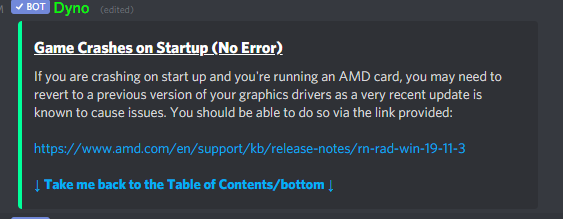
this be the only related solution that comes up for me
sly mortar
#technical-read-first⚠ contains some stuff, but a lot of the other fixes are pinned in this channel @buoyant vessel

buoyant vessel
Oh oka good to know tyty
 dense sundial
hi
hi guys my mic not working in foxholes and i also cant hear other people taking on mic while normal game voice are working fine
 bright geyser
@sly mortar I have a NVIDIA GeForce GTX 1050
sly mortar
Laptop or PC?
 polar marlin
any tech wizards knowledgable in ethernet
I think my ethernet ports are fried after the storm
wifi is working perfectly, that's how I'm typing atm
but the ethernet port is a constant red light, even without a connected cable
resets don't work, still keeps glowing red on the same ass port
blissful sequoia
red... usually they dont even have red lights
orange usually means like 100mbps and green is gbps
try connecting the cable to a different router/switch
but yah onboard ports do get fried sometimes, is it a pc or a laptop?
blissful sequoia
oh on the ... router itself its red, wow
i mean cant you just swap which port its plugged into?
or have your cable company swap it out?
polar marlin
well I suppose I should just contact the guys tbh
blissful sequoia
but it seems like you have 3 other ports you could use, no?
also nobody can see your mac address outside your network
i mean if they knew it, it wouldnt reveal anything secret
thats OSI layer 2 stuff..
polar marlin
ah, but you can see the cable in the other port right
it doesn't work.
at all.
tried a backup cable, doesn't work either
right now I'm using USB tethering to use WiFi on the pc through phone
it's actually quite good tbh
called tech support, they're also like "wat" when I told them the router light is a frozen red
blissful sequoia
but is it the cable or the port you think doesnt work? because you can plug into any of those ports
sly mortar
Red means Gigabit
blissful sequoia
really??
blissful sequoia
since when is red... ive never seen a red light on any of my network devices
also why is it lit up when nothing is plugged into it?
sly mortar
Yeah wait
The colors are kind of fucked
Different sites are giving me different answers for colors
Ignore above
blissful sequoia
@polar marlin youve tried plugging into all of them?
polar marlin
y
sly mortar
Try it
blissful sequoia
so the whole wired network bridge isnt working
blissful sequoia
sounds like that part of the router got fried. youve already tried depowering it?
sly mortar
Isolation?
blissful sequoia
yah, what?
sly mortar
Xfinity?
@blissful sequoia If he's talking about Xfinity --
Each router produces 2 networks by default
polar marlin
Isolation transformer
blissful sequoia
isolation transformer? like ... a surge protector for ethernet?
sly mortar
Have you had a thunderstorm lately
blissful sequoia
i mean ... bypass it
polar marlin
2 extremely close lighting strikes
sly mortar
Okay yeah you're probably fucked
blissful sequoia
my guess is that red light indicates the bridge is broken
polar marlin
I heard 2 "explosions"
sly mortar
@blissful sequoia It's a transformer for an AC power adapter which isolates the device from the power source
blissful sequoia
you want that to blow first, right? so then couldnt you bypass it? i never use those
ok ok we need ... another wired network device to test
polar marlin
I expected for the safety fuse to be broken but apparently all the circuitry in the home is still active
sly mortar
guessing you're going to need a new router
blissful sequoia
to determine if its your computer with the dead port or the router
sly mortar
My guess is the overload wasn't enough to trigger the fuse but that this had a lower fuse
blissful sequoia
hopefully its the router, and then your cable company will replace it probably for free
blissful sequoia
but his network port on his computer could be dead, and that would lead to the unlit ports on the router, because it doesnt know its plugged into anything
sly mortar
Ethernet cables don't carry overload shocks too well
And as of.. 2015ish nearly all motherboards ground the ethernet ports
blissful sequoia
oh?
sly mortar
Yeah
blissful sequoia
well that kind of explains why i havent had one die lately then
polar marlin
mine is alive for 7 years now
blissful sequoia
hmm so yah i would think cable company would be familiar with one red light problem
sly mortar
The newer ethernet standards are much better protected against surges
@polar marlin is that a red light or an amber light
polar marlin
would have to give them the router which is honestly not something I feel like doing atm, considering I'm staying in this apartment for like only 2 more weeks
sly mortar
It's hard to tell in the picture
polar marlin
red aff
blissful sequoia
theres like no problem using wifi if youre cool with it
sly mortar
^
blissful sequoia
unless you had to have a wired network for local data transfer
polar marlin
nah, I'm using my phone as wifi card for pc now
polar marlin
usb tether
blissful sequoia
are you using the phone's internet or the router?
sly mortar
If it's a comcast router wifi is not anywhere near internet speed
polar marlin
router wifi
blissful sequoia
are you sure of this? i didnt think a phone woudl do that well
sly mortar
@blissful sequoia He's using the phone as a wifi card
polar marlin
it actually gives me good speeds tbh
blissful sequoia
yah i dont ... thats not a thing
sly mortar
Some phones can do it
blissful sequoia
what phones?!
sly mortar
Apparently his
blissful sequoia
i think hes using mobile data
sly mortar
Doubt it
polar marlin
the router is ubee evw32c
I have my mobile data disabled
since I'm not on a flat internet on phone
sly mortar
Nvm manual is just as useless as expected
polar marlin
they always are
sly mortar
Apparently all the LEDs on your ethernet area should be blue
So I don't know what to tell you
polar marlin
hmmm yes
blue
like hell I saw a blue light in my life
blissful sequoia
no...maybe darius is colorblind?
polar marlin
no, I see my name as green and yours as blue derp.
blissful sequoia
but there should be no lights on an empty port, either way
polar marlin
certainly
at first I thought a piece of the cable is stuck or the router thinks it's stuck there
nothing is missing on the cable tho
blissful sequoia
you dont have any other wired network devices you coudl test with? an xbox or playstation or uhhh ... a network printer or something?
sly mortar
I think your router is drunk
blissful sequoia
also ive never tried, but im relatively sure my android phone wont tether and use wifi as the internet source
tv might have an ethernet port too
just want to see if any other device will light up a port
old router even...
sly mortar
Sidenote, why are printers shit
blissful sequoia
damn my printer kicks total ass
darius also check http://ifconfig.me and see if its your cable IP address, I am very skeptical
Get my IP Address
if you are using mobile data, its possible the router is just unable to connect to ISP at all
sly mortar

blissful sequoia
ive just never ever seen a smart phone set up to route/masquerade through wifi
i know its possible but they just never make it easily accessible
polar marlin
third thing after booting up the pc I've tried to do the 192.168.0.1 right
but if your ethernet isn't even connected, you get nothing
blissful sequoia
this is more evidence you arent using the router
its possible its disabled over wifi, but not likely
blissful sequoia
if you unplug the router, i bet your internet keeps working 
sly mortar
@blissful sequoia Why are things so expensive
blissful sequoia
what things?
sly mortar
Drill bits
blissful sequoia
hmm i watch slickdeals every day and buy things i dont need because theyre cheap
ive got some nice drill bits i got cheap
sly mortar
It's a pretty specialized and weird drill bit though
blissful sequoia
i mean if you need diamond tipped or masonry bits, well ... thats gonna be pricey i guess
sly mortar
It's $65 for this http://drillamerica.net/1-1-16-carbide-tipped-hole-cutter/

Drill America
1-1/16" Carbide Tipped Hole Cutter, 3/16" Depth of Cut is availble from Drill America.
blissful sequoia
hmm well its carbide tipped
sly mortar
Actually nvm it's only $40 at home depot
blissful sequoia
also the source is drillamerica.net so ...
not what i would have expected to find at that domain, but reasonable
sly mortar
Pff
They're an industrial supply company
Not what your disgusting mind is coming up with
polar marlin
am back
blissful sequoia
would have really expected something about oil or fracking
sly mortar
welcome back
polar marlin
nothing changed
polar marlin
nope, discord went poof
blissful sequoia
oh good. i wonder wtf you cant connect to 192.168.0.1 then
sly mortar
...
blissful sequoia
maybe thats the ip address of the LAN adapter, which is dead
sly mortar
Do you mean 10.0.0.0.1
blissful sequoia
youd probably have to run a traceroute to get the ip address of the wifi adapter then
sly mortar
Because I can't even connect to 192.168.0.1
polar marlin
I can get to the router using wifi and doing the 192.168.0.1
polar marlin
I've tried telling it to do a factory reset
0 changes in the end
blissful sequoia
kinda cool using your phone as the wifi adapter... hmm
sly mortar
Weird
polar marlin
my phone internet is Tele 2 , not A1
blissful sequoia
yah it sounds fried. i mean you could buy yourself a very cheap wifi adapter for your PC, make sure it works with your windows
polar marlin
and I actually have a decent speed lmao
sly mortar
Yeah I'd say buy a wifi adapter I guess?
blissful sequoia
think this is any good? https://www.ebay.com/itm/PCI-PCIe-WiFi-Network-Card-2-4G-5GHz-Bluetooth-4-0-Support-windows-7-8-8-1-10/254564556825

eBay
Network Standard: Compliant with IEEE 802.11n, 802.11g, 802.11b, 802.11d, 802.11e, 802.11j and 802.11i Supported Data Rates: IEEE 802.11a 6 - 54 Mbps / IEEE 802.11b 1 - 11 Mbps / IEEE 802.11g 6 - 54 Mbps / IEEE 802.11n 6.5 - 300 Mbps Work with N router like D-Link, NETGEAR, TP...
like 16 bucks and you get bluetooth also with it
ive bought some cheap ass cards before that dont have a windows 10 driver, but this supposedly does
polar marlin
10-20€ for one atm
sly mortar
They look legit
polar marlin
in local shops
sly mortar
Probably just buy it local then
More trustworthy than that, even if I do think they're legit
blissful sequoia
yah id just get the cheapest one and make sure it has windows 10 support if youre on 10
sly mortar
Who isn't these days @blissful sequoia
blissful sequoia
oh youd be surprised
polar marlin
now here's the big catch
I'm moving out for 2 months so I can just give them the old ass router for fixing
I won't be using it anyways
blissful sequoia
theres some tp-link stuff..
polar marlin
brah, the tp-link is still on win 7
blissful sequoia
your cable company will probably send out a tech and replace it on the spot, i dont think youd be offline
sly mortar
^
blissful sequoia
or they will send you one, and wait for you to send yours back
polar marlin
or even better
I once got one that could work on win xp
blissful sequoia
i really like a lot of tp-link stuff, but some of it is crap
blissful sequoia
are you gonna drill holes in walls, icanari?
polar marlin
and people always went "wat" when I told them I'm using a 64 bit windows xp
or are you gonna drill holes into wood
I found a "cheap" wall drill
blissful sequoia
ooooh new windows version available, im scared to install a big windows update cause it could go wrong, but omg omg this one should have WSL2
sly mortar
19041 is the earliest that has it @blissful sequoia
blissful sequoia
version 2004 waitin for install on my machine
no idea what build that corresponds to
sly mortar
that's the right one
blissful sequoia
i heard the build should be out in late may tho, so...
sly mortar
V2004 is build 19041
blissful sequoia
ive been waiting like ... at least a year for this
sly mortar
make sure to backup everything
sly mortar
Yeah those can go
ruby island
ewww WSL2
they are just giving you more of a reason to stay on windows
its their way of destroying competitors
you wonder why windows has been pushing "we love linux" so much
they are porting everything over
microsoft defender, edge
microsofts 3 main stages to kill competitors is to "embrace, extend, extinguish"
there is a whole wiki page on this
dense sundial
hi guys
my mic not working in game and i also can not hear other people talking on mic too any fix?
ruby island
have you tried the fix for vivox files
ruby island
change your dns server
 south spire
@dense sundial your caps is on
dense sundial
voice chat error {8} 6.0
blissful sequoia
microsoft makes a lot of money on linux, look into how much their cloud service makes. thats why theyre becoming supportive of it
as cool as its been over the decades to make fun of microsoft but then cling to their products for everyday use, i say microsoft is unparalleled in their support of developers
theyre just simply the best
 cunning sapphire
Is WSL2 a full VM?
blissful sequoia
yes, for better or worse ...
sly mortar
Yeah, it's a full VM which is running the linux kernel
So it's effectively a kernel level VM
blissful sequoia
woo this new windows update is pretty damn fast startup
ruby island
na i see microsoft as complete opposite

https://devblogs.microsoft.com/directx/directx-heart-linux/
You can find me on these socials:
- LBRY: https://lbry.tv/$/invite/@TheLinuxGamer:f
- I am an LBRY partner
- Twitter: https://twitter.com/thelinuxgamer
- Forums: https://forum.heavyelement.io/
- Twitch: h...
here is a video
basically they are adding proprietary stuff to WSL to make devs that need linux and hardware acceleration so they get keep people on windows
you watch in the coming years they will be done with the extend stage
they will move on the the extinguish stage
@dense sundial and yes follow this https://discordapp.com/channels/203512636556574720/551236268004999168/551238446379696130
 wild shell
anyone knows why this happens and how to fix it (sorry for the dirt my camera is broken)
sly mortar
@wild shell Try restarting steam
wild shell
I kind of already tried everything listed in network issues
And it still does not work
ruby island
are you on the live branch @wild shell
blissful sequoia
i think they rolled out a new update, no?
yes, a new update with steam sockets, so a network change
it is likely your router or a software firewall or antivirus you have blocking you
thats ma guess...
blissful sequoia
man my computer is running hella smooth after that last windows update (2004)
wild shell
Last i checked my firewall was fine
sly mortar
Did you check after the latest round of windows updates and foxhole update?
blissful sequoia
do you have a firewall besides the default windows one?
 mystic star
i'm getting some pretty heavy screen tearing ingame for some reason
ruby island
vsync is not enabled and cannot be enabled unless you are in fullscreen mode
 thorny copper
so I think using EST (UTC-05:00) as the time zone in the war start time is incorrect, I think it should be EDT (UTC-04:00)
EDT stands for “Eastern Daylight Time” and it's the time that is used in some parts of North America during the spring and the summer . In contrast, EST is the abbreviation of “Eastern Standard Time”, and North Americans live in accordance with it in the fall and the winter.
Medium
EDT vs EST! Timezone abbreviations are short but usually differ only by one letter, so it’s no wonder that they are causing a lot of confusion. What’s the difference between EDT and EST, for example…
not sure how widely this system is used outside of the US, but we are currently observing EDT in the Eastern Time Zone (currently 9:12 AM). EST would actually be the same time we are currently observing in the Central Time Zone (CDT, which is currently 8:12 AM).
most in chat think we are starting at 12 PM EDT, not 12 PM EST
terse flume
I'd rather the developers use a universal time zone like GMT as to prevent confusion
aka UTC standard
thorny copper
Yes, the daylight savings time system in North America is very confusing at the least. UTC would be good. So war start time would be today at 4:00 PM UTC.
terse flume
hopefully KFC sees this, it's a lot easier to go from UTC to EST than EST to UTC
 inner basin
@thorny copper @terse flume I've passed on your suggestions to the devs 🙂
🤔
Is this squarely a linux problem?
lofty marlin
not sure, but it got fixed after last client update
there was some small update, 1.22MB
inner basin
There was a widespread "Failed to download profile[1]" error that was fixed by the recent patch, perhaps that was it
lofty marlin
Well it seems that rollback of steam sockets fixed it again
That thing is still too buggy for production
blissful sequoia
they rolled back steam sockets again??
blissful sequoia
not really making much forward progress
lofty marlin
Is there backward progress?
 coral zinc
Wtf this I NEED HELP
sly mortar

coral zinc
I don't want die...
 main sorrel
Wtf this I NEED HELP
It's Callahan
coral zinc
Sorry but it это комар-долгоножка или же карамора. Этот чилипиздрик знает что такое фриендли фаер, и вы входите в его список тиммейтов. Он абсолютно безвреден для человека. Они по сути своей девки все и насколько я знаю нектар пьют, а мужикам тупа поебатi, самцы-оплодотворители
еще характерный для карморы цвет - коричневый
 timid perch
is anyone else getting mouse lag when move your mouse around in game. it seams the fps drops or something and feels slugish
like if im driveing or just standing i get 60fps. but when i move my mouse the game drops fps in half as per the amd fps thing. normaly its solid.
 formal lance
@coral zinc post that in #bug-reports
timid perch
ill try to find that setting
timid perch
maybe its a bug in this driver
like if im aiming right click and move around no issue moving. but if i stop right click and just mouse it lags out. i checked vsinc is off.
timid perch
14% for the game
sly mortar
It's probably the driver if you're on AMD
sly mortar
Okay so if you ever see the words "new", "amd", and "driver" in the same sentence, do not download whatever it's referring to
It generally takes AMD about 2 weeks to make their drivers functional and not buggy pieces of crap
timid perch
😄 lol oh ive had a few bad ones in january
ruby island
i am on the same exact driver will test out probably soon
ya there was some pretty bad ones back then
timid perch
also if i move my mouse slowly it seams smooth its only when i move fast across the screen it jerks
choppy like
sly mortar
Do you have mouse smoothing on
ruby island
you dont want that thing on
trust me in games it screws you up
tho does this effect apply to windows as well
like moving around a window fast
does it lag behind
timid perch
not that i noticed only in the game
ruby island
hmm because i have had strange effects where everything on my screen gets delayed by close to a second
timid perch
like when i right click its smooth on aiming its odd
ruby island
a reboot usually fixed it
ruby island
well i am about to launch the game
timid perch
maybe a full pull the power cord out just in case
ruby island
na reboot is fine
no need to do that
well i see they still havent fixed you being able to enable vsync in windowed mode
annoying
ruby island
i got slight stutters when i move my camery
but seems to be fine now
wish there is a hud for windows that showed frame timings like linux
timid perch
timid perch
odd the game was running solid at 75% when im playing no issue on gpu. the moment i move my mouse the gpu dropped that big drop showen there
ruby island
you also have a more powerful gpu then me
ruby island
can you show me what you have enabled for the graphics tab of redeon settings
clicking the settings button in the top left
the only thing i have enabled is anti lag
timid perch
ive tried deissabling that all
ruby island
try disabling game mode for windows that is known to cause stutters in games
with specific gpus
timid perch
kk i did double check its not recording in the background ill try to find that setting
timid perch
ill try that too
had to leave blemish im honking to much
ide say it seams smoother now might have been that
ruby island
most likely
you can download msi after burner and enable the frame timing overlay to verify if there is any dips
timid perch
thanks
timid perch
btw. i just did a reinstall of the game and its smooth pefect now
gpu is no longer dropping when i move my mouse in game. could have been the windows thing could have been a patch bug but when in doubt reinstall software should have tried that first lol
ruby island
its probably the windows game mode
blissful sequoia
game does indeed feel .. glitchy with the mouse, something has changed
ruby island
its actually fine for me
felt the same
only one little dip when i first loaded in when moving my camera around
maybe its something to do with that may 2020 update
i am still on 1903 as i dont trust microsoft enough to update yet
polar marlin
no changes for me so far
south spire
Is Dx10 already fixs yet ?
ruby island
nope
 limber roost
Im not getting any VC in only foxhole
I changed settings reconnected to vc and even uninstalled and reinstalled
But still cant hear my teamates
sly mortar
@celest willow what's your budget?
 celest willow
Hmm. I'm looking to spend R$5000 in everything. Including Windows, monitors and shit.
So about 1k USD.
celest willow
The prices in brazilian sites already include these taxes.
sly mortar
Ah
Getting everything, including monitors and stuff for below 1K is hard
Mostly because monitors are expensive
celest willow
I guess I could go cheap in them at least. I want at least a good PC box. I can tolerate a TV monitor and a 2 dollars mouse. Haha
That being said, let's focus this 1k in the PC only.
sly mortar
yeaah
Okay
Are you willing to buy a suspiciously cheap copy of windows
or do you have a PC with windows 10 which you can move over to the new one
celest willow
Original Windows. Multilanguage. I plan into upgrading.
sly mortar

celest willow
Also I deal with other languages so...
So far I have this list here:
CPU - AMD Ryzen 5 2600 3.4GHz 6-Core
GPU - Gigabyte GeForce GTX 1650 4GB OC
Motherboard - Gigabyte GA-AB350-GAMING 3 ATX AM4
sly mortar
Change the Ryzen to a Ryzen 5 3600 3.6GHz 6-Core
~$15 more, but way higher performance
celest willow
Alright.
sly mortar
How much does the Gigabyte GeForce GRX 1650 SUPER 4 GB OC Video Card cost in Brazil compared to the non SUPER version
sly mortar
Additonally, that's a pretty expensive Motherboard
celest willow
People told me that at least the motherboard needs to be decent.
sly mortar
This one is good and about half the price: https://pcpartpicker.com/product/jcYQzy/msi-b450-tomahawk-max-atx-am4-motherboard-b450-tomahawk-max
celest willow
Still compatible?
sly mortar
Yee
Actually more compatible than the one you posted
Since the one you posted would need a special BIOS update (which I'm not sure exists) to be compatible with a 3rd gen Ryzen
Hard Drive or SSD
celest willow
Let's go with SSD.
celest willow
What's your recommendation? I don't have much knowledge
celest willow
Sure. Let's go with that.
celest willow
More than enough honestly.
celest willow
Does the price range much?
celest willow
Funnily enough my laptop has 6GB of RAM.
celest willow
Well that explains how I was able to open Rust.
 sly mortar
Yeah, but you'll use it for games
16GB is kind of becoming the norm lately for playing most games
celest willow
Eh. I guess I don't want to fall behind.
ruby island
16 is the norm
trust me you want 16
my friend has 8gb in his laptop and cannot even load modded minecraft as it dips into pagefile and uses all disk
sly mortar
^
celest willow
16GB it is then.
sly mortar
@celest willow Do you need a disk drive?
celest willow
It can be bought later right? Disk drives are meh.
ruby island
every single disk drive i have owned has started to scratch disks
celest willow
So for now, no.
celest willow
I didn't even consider that. Also never knew I could install Windows with an USB.
sly mortar
It's pretty easy
celest willow
Well if it's possible, I'll do it.
ruby island
you can install linux too
sly mortar
You just need a win10 laptop / computer
celest willow
Yeah mine right now is using Win10. I'll use it.
sly mortar
Cool cool
Then.. here's a list..
If you can get Win10 for cheaper (99% chance you can somewhere, may be a bit shady though), it'll be even less
@celest willow
sly mortar

celest willow
Say, what do you think this PC can run?
sly mortar
A lot
celest willow
Like, do you have a rough idea of games and their graphics that it can run smoothly?
blissful sequoia
@sly mortar 4GB + 2GB chips
sly mortar
Yeah still weird @blissful sequoia
sly mortar
@celest willow Pretty much anything I can run that will be able to run
celest willow
That's good to hear!
sly mortar
I can run ARK at near max settings, Witcher 3 at max
Foxhole at max
Space engineers
blissful sequoia
8gb is enough for like ... any application, i cant imagine running out of ram with that unless youve got something else open, even then it will swap
sly mortar
Most newer games these days are recommending 16GB
With 8 as the necessary amount
You'll be able to play foxhole at max settings if you want @celest willow
Easily
blissful sequoia
that doesnt make sense to me, i would guess a modern good video card is 4G ram, so what is the point of all that other ram
game requirements are so unscientific
blissful sequoia
so i would say everything in video ram has a shadow in system ram
except dynamically created things... terrain and stuff
but all the textures and models, its probably doubled in system ram
but even in that case its just swapped out to hard drive because its not used often
celest willow
I guess you could say 8GB is the minimum in a perfect scenario?
sly mortar
Yes
celest willow
16GB would guarantee a smooth expereince even when the PC gags or you decide to open something else while you play.
 dull vigil
Anyone know what this PHYSX - CPU on Foxhole player screen is all about please?
dull vigil
dull vigil
Yes nVidia
sly mortar
Right click on your desktop and open the NVIDIA Control Panel
Go to "Configure Surround, PhysX"
Where it says PhysX Settings, select your GPU as the processor instead of Auto-Select
dull vigil
ok done
sly mortar
Now restart your PC and then open Foxhole
dull vigil
ok
blissful sequoia
make sure you have the physx drivers installed
theyre default, but optional
also ... does physx work on amd?
blissful sequoia
nvidia has all the good APIs... its just not enough to compare performance only these days
ya know theres a lot more support for CUDA than opencl
blissful sequoia
eek on linux ... oof
sly mortar
Linux is a different story
blissful sequoia
but yah witnessing that UE4 update months ago and the AMD problems it caused, yah sure thats not a great example of good drivers huh
blissful sequoia
i wonder how much value there was in amd buying radeon
sly mortar
Their drivers are what doesn't fall off the wall after they pour shit on it
sly mortar
yeah
ruby island
not really
actually the software front end to the driver is much much better
at least i dont have to sign in to update through my drivers gui front end
then you have 2 separate control panels with each different settings
its kind of a cluster fuck with nvidias user experience
and the only issues i have has was when they released the 2020 update to the drivers
after they fixed the issues caused by that update havent had any more issues since
blissful sequoia
the geforce experience isnt a requirement for the driver, i refuse to sign in
sly mortar
^
ruby island
well then as far as i know you have to manually download from the site every time there is a update
ruby island
last time i used it you had to be
couldnt even get into the application without signing in
i used it last year pretty sure it would say you have a update click on then brings up the sign in page
sly mortar
It just updates for me
ruby island
so literally you have to got to nvidias site and punch in your card every time there is a update
well thats my experience with nvidia and it was pretty trash
blissful sequoia
you maybe do have to make an account for legacy drivers and stuff
ruby island
idk thats what it bugged me about constantly
do as a result i just stopped updating the drivers
because nvidia push out so many updates it was every week "hey look there is a update login to install it automatically"
terse flume
My main reason for not getting an Nvidia card was their driver software
 formal tundra
 limber roost
Still unable to hear team and squad voice chat, anyone able to help? Ive tried to fix it a few different ways and none have worked
ruby island
so you have tried fixing vivox files as well as changing dns servers
 hazy gulch
how come it only gives you three options on your input/output device list
ruby island
because thats what enabled in your windows sound control panel
but you shouldnt touch the ones in game it will mess some stuff up
you should just leave it at system default then set your system default to desired input and output
 junior pivot
Is there a way to request getting a vehicle unstuck or is it just chalked up to my fault for getting it stuck? Np either way
sly mortar
@junior pivot Try the !unstuck command in-game
junior pivot
ah thanks, it says it'll execute in 119s so should I just stay in the vehicle until it's counted down?
sly mortar
yes
junior pivot
Cool thanks
I'll screenshot anyway so I can ask you guys don't put two buildings exactly 1 truck's length apart! 😄
Woo it worked, thanks @sly mortar!
sly mortar
 hidden trench
I have a weird issue with the game. When I change my name on steam, my foxhole voice chat stops working. When I change it back it works again. Any idea what might be happening? I can replicate the issue 100% of the time with the same results
blissful sequoia
i have a guess.
vivox stores some file somewhere that isnt compatible with the exotic unicode characters youre using
any of that possible?
terse flume
Vivox supports only some characters. I remember some games using Vivox having issues with Asian languages like Chinese and Japanese
hidden trench
Not using any exotic characters. It’s a clan tag that I’m trying to put in my name. No one else with the same tag is having any issues
terse flume
wow, game must hate you
hidden trench
fixed the issue. for some reason pressing reconnect didn't work and not sure why it was and wasn't working when switching steam names but switching my input device to something else then back worked.
 broken zephyr
ruby island
broken zephyr
ruby island
due to the maintenance that steam has every tuesday
 idle mural
I see it when i start the game, i tried to reinstall but it didn't work
 meager crystal
Apparently my fire mode key (default F key) doesn't want to work, reloading doesn't work
blissful sequoia
reset your key bindings
meager crystal
That worked, despite changing the key previously
blissful sequoia
yah its known bug
 blissful aurora
people's mic icons aren't appearing when they talk, I have no idea who's talking
what do
terse flume
same
blissful aurora
😢
 median shale
hello, game does not start from steam, if i open it says playing and then nothing.
ruby island
@median shale have you followed the pins
 tacit sundial
has anyone else had the problem where sometimes the game just maximizes gpu/memory usage since bicycle update? I have dealt with heavy fronts before and my game ran just fine at 60fps but now its just dying even on little stuff
I'm not familiar with how it works but I meet spec requirements and try to close other applications and yet it still has the same effect with the same amount of fps drop
smoky grotto
idk for me it runs as poorly as allways and i didn't see big change in tearms of fps
blissful sequoia
yes other people reporting that too
terse flume
Yes. It kills my GPU a more than RDR2
south spire
well right now i cant play because the bicycle update because DX10 thingy
 olive shadow
I see it when i start the game, i tried to reinstall but it didn't work
@idle mural Are you running any mods like skaj's sound mod?
if so, try getting the latest version
idle mural
thanks for the help but I have already dealt with it, i just reinstall the game again and it worked.
olive shadow
kk
polar marlin
that's usually dealt with restarting steam.
idle mural
thanks
 ocean silo
People losing salvage in refineries yet?
terse flume
Is dead-lands updated yet on Foxhole HQ?
terse flume
@hot oak
 plucky stirrup
Any way to change in-game name without changing steam name?
polar marlin
n
terse flume
no
 languid flint
In-game voice chat keeps cutting off. Anyone experiencing this issue? I need help.
 lost jungle
Happened for me too. If you reconnect it works again but it was annoying
 random tree
Can't hear voices of other players, tried reinstalling the game, checking my settings and all that
the only thing I can think of is some kind of voice reception setting in steam but I can't find such a setting
 drifting ocean
all voice chat is through VIVOX, Steam has pretty much nothing to do with voice
there are a few things you can try in the channel pinned msgs.
sly mortar
@random tree Go to settings > Voice and press "reconnect"
random tree
Ive done that a few times now