#technical-chat
4 messages · Page 52 of 1
 fallow crag
 ruby island
if anything it will be to do with steam
fallow crag
I don't have any other games that do this man. Like, if I even close my occulus hub it'll crash foxhole
 sly mortar
Steam thinks Foxhole is a VR game for some reason sometimes
fallow crag
Is there a way to fix it?
sly mortar
I think @gusty jasper has some experience with Foxhole VR shenanigans
ruby island
Check if the 'SteamVR' application is installed on steam under Library>VR. if so, there is a setting in SteamVR. Uncheck the box: "Start SteamVR when an application starts".
fallow crag
its not installed under VR, I don't even have a folder for that in this drive
and its not even running steam VR, its running Oculus lol
Alright, for anyone who might have the same issue with Oculus and Foxhole, the easiest solution without unplugging it is to go into your services and manually stop the OVRservice. Not sure if it turns itself back on without manual intervention or restart but you can just re-enable it again. Cheers
ruby island
avg out of all things
sly mortar
AVG and bitdefender
 olive shadow
Only because Bitdefender wasn't working
ruby island
why do you have bit defender and avg
olive shadow
It wouldn't install correctly
sly mortar
AVG is honestly worse than bitdefender
olive shadow
so lord help me I had to install AVG
ruby island
there is honestly no need for a external anti virus
olive shadow
yes trust me i know, I have no idea how many BSOD it has caused me on old installs
there is honestly no need for a external anti virus
@ruby island I want one
ruby island
olive shadow
who uses norton?
ruby island
windows defender is the lightest anti virus out there
sly mortar
Windows defender is good
ruby island
and does a decent job
olive shadow
yeah it does the job, but i don't like it
 olive shadow
I actually use norton sometimes
@sly mortar ...
sly mortar
Set it and forget it
ruby island
norton is the worst lol
sly mortar
It's not light weight at all
But it covers so much that I don't need to worry much
If I'm doing dumb things I'll be doing it in a VM anyway so ¯_(ツ)_/¯
ruby island
norton actually has pretty bad signatures
olive shadow
That's what i haven't installed!!!
ruby island

Norton Security subscription is the new Norton Internet Security, how does it stack up against a full onslaught of malware. Check out the results at: https://www.thepcsecuritychannel.com
Want to join the TPSC community? Join our Di...
olive shadow
thank you Icanari, I need to get my VM sorted
sly mortar
If you're running dedicated malware of that level at it you're kind of fucked already
and my entire PC runs on m.2s so speed isn't really a concern
ruby island
never mind norton has great detection with horrible removal and extremely high resource usage
 south spire
whats the gpu they use
@ruby island me is Geforce GTX 220
ruby island
@south spire https://www.nvidia.com/en-us/drivers/results/112596/ download and clean install this version of the driver

 austere zinc
@sly mortar my friend said his GPU is ATI Radeon HD 4250-
south spire
@ruby island i already download that and still doesn't works
sly mortar
Okay here's the page for the latest drivers for that card @austere zinc https://www.amd.com/en/support/graphics/amd-radeon-hd/ati-radeon-hd-4000-series/ati-radeon-hd-4250
That should have the right DirectX compat
That card is only physically capable of hitting DX10.1, so this may not work
south spire
i have Geforce GTX 220 @sly mortar
sly mortar
@south spire That stuff was to Wolfhunter, what's the errors your getting?
sly mortar
could you run the dxdiag command, go to the Display Tab, then go to the Drivers area and tell me what the Feature Levels area shows?
ruby island
thing is that card has feature level 10_0 with directx level 11.1 so that card has the capability to run the game
sly mortar
Yeah I just want to make sure
Did the devs just update from DX10 to DX11 or something
They were on DX11 previously right
ruby island
na this was a engine update
sly mortar
Yeah was just making sure
ruby island
there we already on directx 11
i bet you either its a reporting issue with the engine or we are not seeing some compatibility issue behind the scenes
sly mortar
My guess is they updated to UE4.25
south spire
Here @sly mortar feature level 10_1,10_0,9_3,9_2,9_1
ruby island
you need feature level 11 now
sly mortar
well that's interesting
south spire
feature level 10_1,10_0,9_3,9_2,9_1 this happen when devbranch
sly mortar
Okay you're fucked @south spire
south spire
So not the Microsoft
sly mortar
@austere zinc Sorry about this -- new information just came up, the card needs 11_0 feature level compatability, which the card your friend is using is not capable of achieving in any way.
south spire
Well rip me @sly mortar
sly mortar
@south spire TL:DR On all the technical stuff is that your card can no longer run the game.
Though
Hey @ruby island, which file is that that's giving the min allowable feature level? Is that a settings file or an output file
ruby island
look in the war.log under the logs folder in appdata
ruby island
what
sly mortar
if it had been a config edit it to allow lower feature levels but then I realized how dumb that was
ruby island
ya they wouldnt let you customize the feature level
south spire
well looks like i will stuck at capt rank
btw @sly mortar how many people that have same issue like me ?
sly mortar
2, 3 so far?
ruby island
i guess we will have lots of people with old gpus come in this chat over time
south spire
ping me if theres a good news
ruby island
ahhh they updated from 4.20 to 4.24
ruby island
did you check the change log for 4.21,22 and 23
sly mortar
no
ruby island
well those are added on
sly mortar
the site took too long to load so I got bored and left
ruby island
as well as 24
austere zinc
so basically the devs screwed players with not so great graphic cards overnight without letting us know
really not happy about this guys
ruby island
i dont think it was the devs that did this
most likely the engine update
and well the gpus that it effects are very old
austere zinc
😦 so all i see is I will lose an active clan member
 tall pendant
i checked integrity files, and uninstalled and installed again the game. Still this message pops up on launch. Any idea?
 smoky grotto
@tall pendant did you install the sound mod from skaj?
tall pendant
uuh ya
smoky grotto
if yes, you need to instal a newer version
tall pendant
ah there is goes thanks!
 tired tulip
Hello
we created a squad, locked truck, and accidentaly leave the squad, so we loose 3 full trucks
do you have an idea ?
 fluid flame
You have to wait an hour/30 minutes for them to unsquad claim
 hallow pecan
WHy the fuck foxhole is using 99.9 % of my processor ????
 edgy dune
My game just froze while at home island when moving my mouse around about to deploy somewhere, I can still hear squad but everything on screen is frozen ;-;
Oh and now my game crashed after about two minutes
I go to the files thing to try and find my crash dump thingy but there's none From today's date
Nvm found it
hallow pecan
How foxhole can use that much ???I don't think the problem come form my graphic card because i can play GTA5 by only using about 60% ...
 wraith coyote
This update has broke my game. My drivers are updated, changing settings wont fix it. Rip me
some more broken stuff
austere zinc
FIX GAME! 2 friends cant play that have been playing for ages and this update caused them issues that apparently cannot be fixed... Please roll back to DX10 this is really not good 😦 or somehow give the option to play on dx10
someone paid for this game and played it for a long time now unable to play unless they buy new graphics card and it wasn't even said in the update or devlog that you going to need to upgrade hardware to be able to play
 blissful sequoia
this game has been on dx11 for a while i think
 ionic crown
i literally cant even spawn in a map
im on the loading screen that shows before you spawn in for ages, but i can hear all the fighting and such going on around me.
blissful sequoia
just an FYI the developers dont really look here, you need to file bug reports in #bug-reports if you ever hope to get their attention on a problem
austere zinc
this game has been on dx11 for a while i think
@blissful sequoia then why cant my friend play while he gets this error DX11 feature level 10 is required
blissful sequoia
i know they send you here with the discord link, but there is little actual tech support
i dont know wolf. i just think its been on directx 11 for over a year
must be some new feature they werent using before
austere zinc
must be some new feature they werent using before
@blissful sequoia then who can we ask for help? I am really losing hope with this 😦
blissful sequoia
file a bug report, potentially you can contact Max, he's the contact point for developers
really recommended you file a bug report, theyre going to ask you to do it anyway
its a huge pain in the ass, but i dont know another way to get help
when i had trouble with an engine update they did manage to fix it in 24 hours, and youre not the only one experiencing it
austere zinc
as he had his game running before the patch i dont see how that can be an issue then.. anyway he has his dxdiag here also
right side 2nd from bottom is the levels of features
sly mortar
@austere zinc He cannot play because UE4 (The engine the devs use) upped the required DirectX Feature Levels for the latest updates to 11_0, which his graphics card is completely incapable of running due to it being over 11 years old.
@blissful sequoia They just updated to UE4.24 from UE4.20 and one of the intervening versions upped the required DirectX Feature Level to 11_0, which many cards 5+ years old aren't capable of running,
blissful sequoia
i find it surprising a 4.20->4.24 would introduce a breaking change like that, guess its not semver
sly mortar
I think it was 4.22 which upped the feature level
blissful sequoia
when i have the wrong drivers on linux it would demand dx 11 support, this is why i believed it to be already using dx11 a while ago
sly mortar
Foxhole has always been DX11
sly mortar
Okay so
blissful sequoia
i mean i just figured theyre using some new shader that requires some feature not being used before
and its just lumped together as "dx11" features
blissful sequoia
right
sly mortar
What it seems is that before UE4.22 the engine still allowed for people with the feature level 10_1 (DX10.1) to run the DX11 shaders and such, possibly not as well though
However that update seems to have changed that minimum requirement to be 11_0, which is DX11
blissful sequoia
theres a disconnect between the directx version and shader support
sly mortar
The DX Feature Levels your card supports is the important thing
blissful sequoia
this stuff was always more obvious in opengl, like boom you lack this extension
sly mortar
It only really affects windows when your card was made for the last operating system version
hallow pecan
I have a true problem with the using of my GPU on foxhole.
My GPU is literally DYING with this game (GTX960 i think).
Power consumption is at 100%
Fan are at 60%
Temp is at 55%
HOW ? Is it normal ? Game lie, GTA or TheWitcher can't even do this to my GPU xD
blissful sequoia
like the dx 9 vs 10 thing? that was a big jump
south spire
i know you feel mate @austere zinc i cant play the game too because this directx 11 thingy
sly mortar
@hallow pecan uhm, reinstall and verify
hallow pecan
I will try
south spire
but the wierd things is i can play arma 3 ,GTA 5 and squad XD
blissful sequoia
i mean if thats the deal, it sounds like theyre just flushing players
i cant imagine them just rolling back the engine and staying there
hallow pecan
So we are ok to say that this GPU usage is abnormal ?
blissful sequoia
nuke your settings directory for foxhole, it might help
you might be pegged to some high frame rate or something
sly mortar
@hallow pecan So it should stop having bad frames a little while after you get in
But other than that there doesn't seem to be a solution
It's maxing my 1070 even after a hard reinstall
hallow pecan
Bad optimization also ?
blissful sequoia
🤔 odd i had no differences
hallow pecan
It's even more weird because about 1 week ago i had no such problem ?
Yeah because before my gpu's fans were not making 120 Decibels of noises
Graphic set on low
sly mortar
Something changed this patch that is using too much GPU
Separate from the Feature Level change
blissful sequoia
you deleted settings directory too, icanari?
hallow pecan
In fact my main issue i have is the amount of NOISE a GPU can make when used at 100%
sly mortar
@hallow pecan Take that up with GPU manufacturors for using shitty fans
@blissful sequoia ye
hallow pecan
Yeah but i never had this amount of noise while playing foxhole
sly mortar
Well it's using more of your GPU
So creating more heat
So the shitty fans have to work harder
hallow pecan
ofc
blissful sequoia
have you tried with vsync on?
blissful sequoia
switch to fullscreen
blissful sequoia
not windowed fullscreen
actual fullscreen
i suggest trying the vsync because it'll pin you to like 60 fps likely
you might be running higher, like unconstrained - which will use 100% gpu
hallow pecan
OH SHIT i manged to activate vsync
sly mortar
vsync only works while fullscreen I believe
hallow pecan
and i have -30% of GPU usage xd
sly mortar
oooh
blissful sequoia
ok so thats the deal - they removed the FPS lock
sly mortar
Getting 90ish FPS without Vsync 100% usage
blissful sequoia
well maybe its not the problem then
sly mortar
85-90% usage with Vsync 60fps
Dropping to 70%
Okay that seems to be part of the issue
blissful sequoia
it cant be all of it
its just lowering fps by 30%, so you get 30% less gpu use, expected
sly mortar
yeah
hallow pecan
Mb my GPU is now at 92% on Max settings
but the noise of my GPU is much more acceptable (for foxhole)
 terse flume
Ahh
terse flume
@sly mortar dude ! Thats hella cheap
sly mortar
Yeah it's about the cost of the cheapest one you showed me and about 30% better
sly mortar
Recommend saving this one: https://pcpartpicker.com/list/QC9KQq
blissful sequoia
you can get your windows for $12 usd
sly mortar
Only change is to add a 1TB HDD to it
blissful sequoia
dont blow 100 on it oof, i like the rest tho.
terse flume
Gonna give it one more glance
sly mortar
@blissful sequoia Yeah I just choose that as the price so that I overbudget
blissful sequoia
sure wonder how easy is to get those parts tho in romania
sly mortar
^ That could be an issue
blissful sequoia
good stuff in that. i might get a cooler case tho
sly mortar
oh shit forgot case fans, one sec
blissful sequoia
but yah thats quality parts, sico, not just scrap put together by computer sites
terse flume
It shouldnt be that hard
blissful sequoia
case fans?? what. why.
sly mortar
Need at least 2
blissful sequoia
psh.
terse flume
Im thinking to speak with a company here to buy me the stuff and build them
sly mortar
Sorry I don't like cooking on my GPU backplate
blissful sequoia
case fans so overrated
blissful sequoia
gold rated power supply, nice nvme chip, that kind of stuff is ... good quality of life
terse flume
Might be only here in Romania
sly mortar
Actually nevermind the case comes with fans @blissful sequoia
blissful sequoia
theyre gonna be loud
sly mortar
@terse flume There's some stuff like that over here
blissful sequoia
i might swap out the cooler master fan with noctua fans (still get the evo heat sink tho), and at most 140mm case fan
terse flume
The only concern will be installing all the stuff :(
sly mortar
They're Fractal Design fans @blissful sequoia
@terse flume Putting together PCs is really pretty easy, and there's tons of tutorials on line
blissful sequoia
its easy when it works, lol
sly mortar
The default fans max at 19.4dBA
terse flume
I mean, installing all the games and such
blissful sequoia
you have the advantage of a bunch of people here to ask for help
sly mortar
Mhm
blissful sequoia
not bad noise level
terse flume
PC
blissful sequoia
i couldnt tolerate it, but other people could easily
sly mortar
Alright, I'm guessing you're using a Hard drive in it?
 sly mortar
If you want to you can just move that hard drive over to your new PC
And then use a program which will transfer everything on that hard drive to the SSD
blissful sequoia
...
blissful sequoia
just clean install
sly mortar
That's how to bypass that pain, but I recommend a clean install
blissful sequoia
yah ive done my fair share of drive copies, windows 10 makes it much easier to do, but then youre on a magnetic drive running your OS
terse flume
All my meme folders..
sly mortar
No you just copy it over to the SSD @blissful sequoia
blissful sequoia
nah, start it clean, and turn on bitlocker
sly mortar
But yes that is my suggestion ^
blissful sequoia
i imagine his hard drive is bigger than 500gb
would have to shrink it first, but yah its do-able
sly mortar
it's nice
@blissful sequoia Btw that case is one of the top rated currently on the market
terse flume
I did play once at my cousin's PC and it felt like seeing in the future
sly mortar
Okay so to compare this to the PCs you showed me (Not the one 3 times this price the other 2)
- It has a better CPU
- It has a better GPU
- It's cheaper
blissful sequoia
is that desirable?
terse flume
I'll gift you a hoodie when I buy all this
blissful sequoia
jeez wifi on a pc, wuuut. im rollin on 10gbps
sly mortar
@blissful sequoia I honestly prefer Mobo integrated wifi over expansion cards
I prefer Ethernet, but if I need wifi the mobo integrated has worked better for me in the past
blissful sequoia
i suppose... ive had so many built-in NICs die over the years, but i guess this way you at least have space to add an expansion wh en that happens
gonna have to wire an antenna tho
sly mortar
Nope
terse flume
Im confused
sly mortar
On the back of the case there are 2 screw on points for wifi antenna
@terse flume Do you use wifi or ethernet?
@blissful sequoia
terse flume
Ethernet
sly mortar
Okay then you can pretty much ignore all of this
blissful sequoia
oh thats nice
terse flume
I can use the wifi if needed
terse flume
Though I got two TVs and 2 phones connected to it
sly mortar
Ethernet is pretty much always better
blissful sequoia
you get a better price buying your own parts - but more important you get better parts
theyre not going to give you a quality drive or a good power supply with a pre-built machine
sly mortar
Or even a good Mobo
blissful sequoia
people only look at the ram number and the CPU type and maybe the video card
sly mortar
Or RAM
terse flume
Will I have to install the windows though
sly mortar
yes
blissful sequoia
yah but thats so easy
sly mortar
but that's pretty damn easy and I can walk you through the entire thing
terse flume
It takes a bit, right ?
blissful sequoia
i mean you can copy your drive instead
sly mortar
Like an hour maybe @terse flume
blissful sequoia
windwos install takes like ... 10-15 minutes?
sly mortar
At max
blissful sequoia
on that nvme its probably 5-10 minutes
sly mortar
^
blissful sequoia
then another 5 minutes to activate it
sly mortar
System builders like to make it seem like windows is VERY hard to install so that people keep coming to them
terse flume
Thing is, I'll be to excited about it and I might lose my temper installing it
blissful sequoia
probably 10 minutes making the USB installer
terse flume
I might do the USB thingy
sly mortar
@terse flume The install process you literally click like 5 buttons
And then it just does everything
blissful sequoia
well you shoulud have patience when you build your own machine
terse flume
I wasted 17 years on swimming, Derp. I have no patience left in me. Also, the drivers
I gotta update everything right away, right ?
sly mortar
Drivers will auto install
Windows is very good at that now
Also updated version of the build with better thermal paste: https://pcpartpicker.com/list/DNFPdm
terse flume
So how do I use that thermal paste
ruby island
most poeple use a dot of thermal paste
sly mortar
You uncap the tube and apply a small amount to the CPU before you put the cooler on
terse flume
I'll take care of this PC more than I take care of myself
ruby island
doesnt sound healthy
sly mortar
Okay this is a decent video guide to making a PC. It's for intel but pretty much everything is transferable to AMD: https://www.youtube.com/watch?v=v7MYOpFONCU
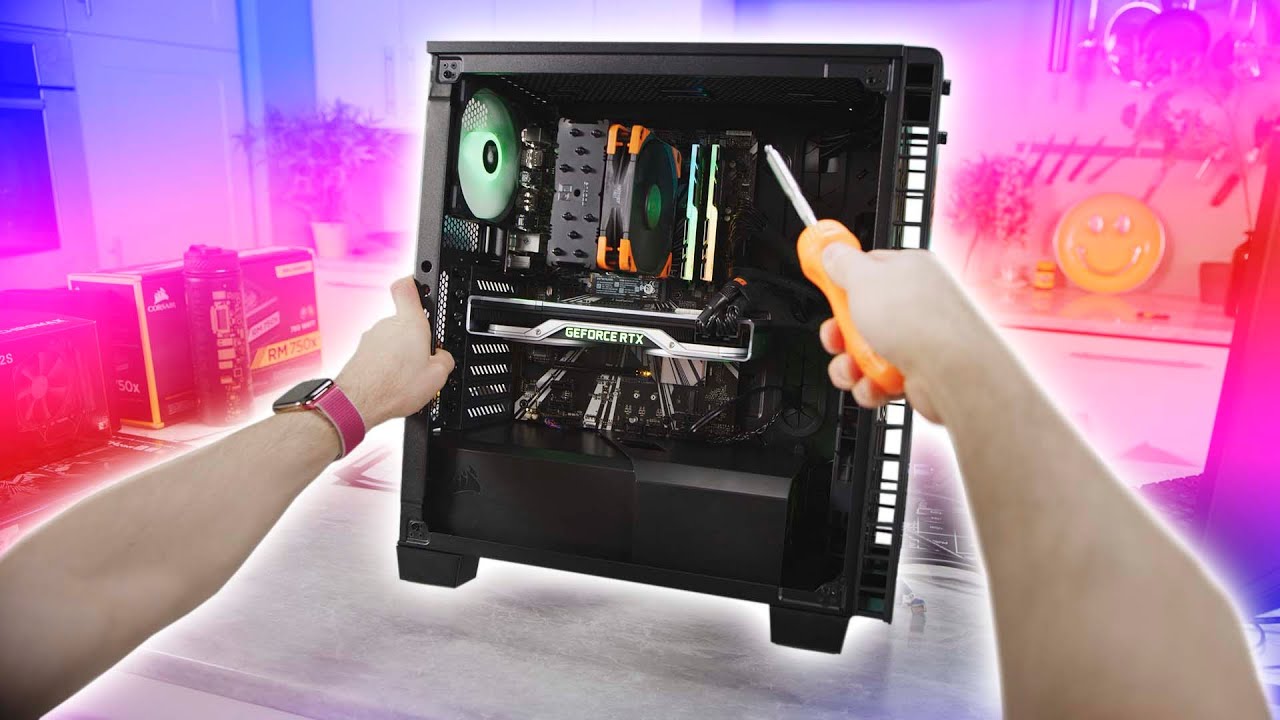
Thanks Intel for sponsoring this video! Learn more about how to build your own gaming PC at https://lmg.gg/edWob
Linus is taking the reins away from our film team and giving you his own view of building a gaming PC. This is a first person build guide featuring Intel's 9700K C...
ruby island
one thing to make sure before starting is to GROUND yourself
i cant tell you how many components i have killed
just a little install of a hard drivee BAM motherboard and power supply gonw
i was not happy
terse flume
Thanks Icanari
ruby island
no it was just static charge
terse flume
Gonna go tomorrow and show the dudes at PCgarage all this stuff
ruby island
all i heard was a spark and i didnt thing nothing of it then when i turned the pc on sounded like a nuke then never saw the light again
blissful sequoia
i never ground myself. i have never fried a single component
and ive built hundreds of pcs and servers
sly mortar
I'll always touch like a door handle before starting but never hve had an issue
blissful sequoia
if you really care you just plug in the power supply and install that component first, it grounds the whole case, then you touch the case
sly mortar
^
blissful sequoia
by all means ground yourself if youre working with $50,000 cards
blissful sequoia
some people seem to
ruby island
i mean everytime i ground myself for the fun of it there is usually a large shock
sly mortar
jeez
ruby island
lol i am just a walking static energy machine
want your pc components dead today then give me your address and they will be dead in no time
 native birch
Update 36
Hey guys, if you're running into an error on start up that shows DX11 feature level 10.0 is required to run the engine, please make sure Windows and your Graphics Drivers are up to date, restart your computer, and then try running the game again.
If issues continue to persist, please send me a message along with your DxDiag and I'll assist you.
native birch
native birch
`Update 36`
Hey guys, if you're running into an error on start up that shows `D...
ruby island
but within the logs the game reports a minimum feature level of 11_0
ruby island
meaning any GPU that does not have that will fail to launch
sly mortar
And the only issues that have been had are on old GPUs which are incapable of supporting 11_0
Hey @south spire, could you DM your DxDiag report to Phil? He might be able to do more than we could
Same for @austere zinc, could you have your friend DM the .txt output of the DxDiag to Phil up there? He might be able to help further
 frank zealot
To fix the Corrupt data found/Serialization error, update your Microsoft Visual C++ and update the sound mod, if you have it installed.
Visual Studio 2015, 2017 and 2019 (only x64)
https://support.microsoft.com/en-gb/help/2977003/the-latest-supported-visual-c-downloads
frank zealot
frank zealot
To fix the `Corrupt data found/Serialization` error, update your Microsoft Visua...
ruby island
usually thats caused by the sound mod
if the game launches and closes with no error then its visual c++
frank zealot
Forgot to add that, thanks
ruby island
All known issues and fixes for update 36:
Game Fails to Start With No Error/An Error About VCRUNTIME
Most likely downloading and installing x64 Visual Studio 2015, 2017 and 2019 will fix this issue.
https://support.microsoft.com/en-gb/help/2977003/the-latest-supported-visual-c-downloads
An Error About Corrupt Data
You must update the sound mod if installed. If that does not apply try validating/reinstalling foxhole and removing this folder C:\Users\%username%\AppData\Local\Foxhole.
DX11 feature level 10.0 is required to run the engine
This is a deceiving message as the game in its current state requires your GPU to support feature level 11_0, but if your GPU does support this then try a reinstall of your drivers directly from the GPU's site. Best advice would be to DM Phil on discord with the .txt generated from dxdiag when you click Save All Information, they can potentially push an update allowing a lower feature level like the previous version.
there all in one place
frank zealot
ruby island
All known issues and fixes for update 36:
**Game Fails to Start With No Error/A...
terse flume

Every time I've tried to log into foxhole I keep getting a crash issue. Not only this, but the hot keys that are usually applied in this engine are not present. Is it due to the update or for some other apparent reason?
blissful sequoia
check pinned messages please
sly mortar
why the fuck is it calling Oculus VR
ruby island
ya uhh thats apart of the engine update
if the engine sees an Oculus VR headset it will launch into vr mode
terse flume
I deleted the local file of Foxhole as suggested and I'm reinstalling so we'll see I suppose
sly mortar
The Engine.ini shouldn't apply any hotkeys
ruby island
when you say "I've tried to log into foxhole I keep getting a crash" do you mean when you start foxhole or when you actually hit play and deploy
terse flume
Initially it just zoomed in on my character to a far extent. I don't have any screenshots. When I added on the ratio view glitch it did get corrupted. It jumped around errors mostly that I didn't recognize. It was odd because I could still run the game.
sly mortar
This update messed with some stuff to make it harder to do the view range increase I believe
So try a full clean reinstall
terse flume
What I'm doing currently ig
ruby island
if its just settings then get rid of the foxhole directory under local
sly mortar
Did you delete everything in Appdata/Local before reinstalling?
terse flume
During the process of reinstalling, but yes
sly mortar
no no no
ruby island
that would essentially "reset" your settings and other stored data about the game to new
sly mortar
Before you installed it again did you delete everything in appdata/local
Foxhole doesn't clear your settings when you uninstall it
terse flume
Yes I deleted it.
sly mortar
Okay cool
ruby island
i guess the next thing they need to patch is getting rid of the vr stuff
as now that can be another exploit
sly mortar
I mean, does it actually work with VR?
ruby island
yup
sly mortar
hahaha
ruby island

Commander Rod of Outer Heaven accidentally figures out he can use his VR headset in Foxhole
sly mortar
@terse flume What do you mean by "the hot keys that are usually applied in this engine are not present."?
terse flume
https://cdn.discordapp.com/attachments/700864375539499052/700864447845105714/unknown.png Verti had this basically. The 2nd section.

[WindowsApplication.Accessibility]
terse flume
I don't know I didn't ask it was just an exploit Siege used for tanking.
terse flume
Expand view distance
sly mortar
hmm okay
terse flume
The view issue is still persisting for me.
sly mortar
What does it look like
ruby island
a quote from the vr video "I cant believe it clapfoot added the UAV"
sly mortar
kek
ruby island
that could be worse then the fov exploit
sly mortar
I already tossed it over to KFC
ruby island
well thats good this war probably going to be hell tho
sly mortar
@terse flume What's it look like ingame, and what does your GameUserSettings file look like
terse flume
One moment.
ruby island
why exactly are you putting this into the game files
sly mortar
Putting what, AspectRatioAxisConstraint?
ruby island
ya
sly mortar
I don't know I didn't ask it was just an exploit Siege used for tanking.
https://canary.discordapp.com/channels/203512636556574720/374272127953666048/713244250472710146
Increased view distance apparently
ruby island
sounds like an exploit to me
ruby island
ummm i would just delete the entire foxhole directory and everything should just reset
sly mortar
He already did that
ruby island
really
terse flume
Well I don't have many alternatives rn lol
sly mortar
What does it look like in-game
terse flume
I have issues with uploading steam screenshots. So I can't really show you exactly.
Everything is on ultra in the in-game settings btw.
sly mortar
On steam go to View -> Screenshots -> Show On Disc
ruby island
you have reinstalled the game or no
sly mortar
What does the game look like when you are having issues
terse flume
Also this is odd because it was way more up close for me in-game.
But it looks completely normal.
ruby island
thats normal ya
ruby island
so when you deploy?
terse flume
Yes but not in-world but I don't think that would affect much
As in not in any one the regions
*of
sly mortar
Were you using the code to change view distance last update?
terse flume
Yes
sly mortar
So does it just look very zoomed in compared to what you had last update?
terse flume
Yes, not normal, almost subnormal.
sly mortar
So it's smaller than what you showed in the image
terse flume
Yes.
sly mortar
Or is it what you showed in the image but it just looks small because you've gotten used to the view distance exploit
terse flume
Nope. Smaller than showed in the image.
sly mortar
Is that image from this update?
terse flume
Yes.
sly mortar
So you managed to take a screencap of stuff which is not being shown on your screen
terse flume
Ok well I talked with a player in game and he told me the only way to change this issue is to change the view distance to 1280x1024 and to make it Windowed
sly mortar
yes this lets you see further
The devs changed the FOV slightly this update as well I believe
terse flume
Slightly seems to be an understatement. With the exploit that we had it let us see using the standard full resolution, 1920x1080
sly mortar
No, the exploit let you see nearly 2x further than intended.
terse flume
Well I mean we could use the exploit with that resolution.
sly mortar
Yes because it was an exploit
terse flume
Ok well anyhow the new view distance he recommended helped. Do you think changing the computers resolution would help as well?
sly mortar
No 1280x1024 can see further because of how stuff works
terse flume
Well apparently I'm not the only one having this issue. I talked to Tzar bomba and he said that even when reinstalling and deleting the local foxhole file nothing changed.
blissful sequoia
man this game is taxing my gpu now too
sly mortar
It's taxing everyone's
blissful sequoia
unit test [ ❌ passed ]
ruby island
maybe the engine update utilizes more of the gpu
also the game refuses to turn on vsync because there is a fps limit that you cannot set to unlimited or disable
south spire
ok but not now @sly mortar
sly mortar
huh
blissful sequoia
i was able to change some settings and its more or less as quiet/cool as usual, i never looked before to see how much GPU was utilized ont his game, but im rollin at like 40-50% now
changed too many variables, but i suspect anti aliasing compounds it
also im able to turn on vsync in full screen
ruby island
ah vsync doesnt work in windowed or windowed fullscreen
 drifting ocean
my 1080 class card is running at 85%

but I'm playing at 1920x1080 with everything turned up to max
blissful sequoia
oh mp4, cant embed. forget it.
sly mortar
mp4 can be embed
sly mortar
Verify files @mortal stratus
sly mortar
Do you use the sound mod
 unique spear
sly mortar
unique spear
sly mortar
update gpu drivers
ruby island
enable vsync
you must be in full screen to enable vsync tho
updating gpu drivers wouldnt fix it that happens to me as well without vsync enabled
 mortal stratus
Do you use the sound mod
@sly mortar I already removed the soundmod
frank zealot
@mortal stratus try updating your visual studio
Visual Studio 2015, 2017 and 2019 (only x64)
https://support.microsoft.com/en-gb/help/2977003/the-latest-supported-visual-c-downloads
blissful sequoia
do you have multiple monitors?
 keen berry
FRAPS doesnt work on the new UE4 update
 sly anvil
I have already been made interested in this actually
My long experience with taking apart broken laptops has intrigued me in this
Because A: desktop > laptop, B: desktop easier to replace parts, C: I work at home, and D: I hear it's cheaper
sly mortar
Building a desktop (especially for gaming) is DEFINITELY cheaper
sly anvil
That's what I've heard! Almost too good to be true.
I've been holding off though, kinda don't want to start until I have a plan, but securing my income has made me want to get it going sooner-than-later
sly mortar
What's your price range do you think?
sly anvil
Well previously I had a laptop that cost $600 (and was reimbursed for that amount when it failed), so I'd want to say between that and $800-900. Could stretch a bit farther as needed but that's the preferred range.
sly mortar
Do you have peripherals already? Screen etc?
sly anvil
I have a screen, mouse, kinda want to replace keyboard as it's on the older side but it's not a priority
I also have a not-insignificant number of screwdrivers from my laptop repair triage kit
sly mortar
Asus right?
blissful sequoia
hmm i cant find it now
blissful sequoia
it was lenovo
https://slickdeals.net/f/14066273-28-lenovo-l28u-30-4k-uhd-ips-monitor-249?attrsrc=Test%3AElasticsearchIntegration%3AElasticsearch_rev1&src=SiteSearchV2_SearchBarV2Algo1 sale over i think tho

Slickdeals
Microsoft Store has 28" Lenovo L28U-30 4K UHD IPS Monitor (65FAGCC2US) on sale for $249. Shipping is free. Thanks smartin2kg
Specs:Resolution: 3840x2160Contrast Ratio: 1,000:1Panel Type: I ...
kind of a weak-ass contrast ratio, i dunno fefresh rates or anything
so much variability with monitors
oh still on sale - just out of stock
om nom nom
sly anvil
Interesting suggestion. 🤔 I'll look into it more closely
blissful sequoia
4k is really beautiful for text
sly mortar
4ms response, doesn't say refresh rate
blissful sequoia
will assume 60 hz then
ive never owned a monitor over 60hz, so i dunno what thats like
sly mortar
144hz is amazing
sly anvil
I think derp just set me loose on that site and I was like "cool but also ahh choices"
blissful sequoia
but i imagine 4k 28 inch @ 144 hz would be expensive
sly mortar
heh
blissful sequoia
which site? slickdeals?
sly mortar
@blissful sequoia The $250 asus I posted is that I think
sly anvil
No PCpartpicker
blissful sequoia
i think icanari's part list is pretty good, id make personal changes to the case and fans but its good
yah pcpartpicker is really great
sly mortar
Yeah I was just going with pretty cheap fans to keep cost down
But I would die over that level of sound

blissful sequoia
yah i gotta have dead silent computer
its only about $50-$90 more for what i would buy
but all the core parts he picked out are good
sly anvil
When it came to buy my first laptop I delayed for six months picking shit out.
How upgradable would it be? As in relative ease of upgrading, say, said fans
sly mortar
Easy
blissful sequoia
yep easy
sly mortar
4 screws and a single plugin cord
blissful sequoia
sometimes you have to fish a wire somewhere but thats no big deal
the real sexy stuff is a gold rated power supply, samsung memory, etc
sly anvil
That's good to hear. I'm sick of the open heart surgery of laptops
It's all too compact and fragile
blissful sequoia
sly mortar
ewww
blissful sequoia
i cant recommend it for air flow (as there is almost none) but it sure looks sexy
sly mortar
Looks shitty
blissful sequoia
naaah its nice
sly mortar
the first issue is it's not black @blissful sequoia, the second issue is where the fuck are my filters, and the third issue is that it's not black
blissful sequoia
oh i have the black one
sly mortar
that's fucking light grey
sly anvil
Show us a damn black one
sly mortar
But yes @sly anvil, cases are a matter of do you like how they look for the most part. Generally $90-100 is about the pricerange to be in as this is where the good quality materials and easy to use ones are
blissful sequoia
well i got the case on sale for $75
sly mortar
Fractal Design and NZXT are the big good manufacturers
Yeah I still hate it @blissful sequoia
The 2 compartment cases are just bad
sly mortar
heh I have an old Cooler Master MakerCase
blissful sequoia
i like not having wires, but closed cases are better for air circulation, if that matters to you
sly mortar
Steel frame and everything else is aluminum
blissful sequoia
i dont have any heat problems, i got that cooler master heat sink and 2 noctua fans on it
one case fan inside, nothign else needed, never goes over say 40C
sly anvil
Air circulation?  whatcha mean @blissful sequoia
sly mortar
Closed cases air goes in one place and comes out another
blissful sequoia
case fan sucks air in - it circulates through the case and blows out the power supply fan (I think i have that direction right)
sly mortar
Yeah
blissful sequoia
if the case is open, air just blows over, no circulation
sly mortar
Or the fan on the back behind the CPU
blissful sequoia
its not like a wind tunnel
sly anvil
I understand that, I don't understand why I'd care
blissful sequoia
so potentially components on the motherboard are not getting air blown over them - they are just passively cooling
sly mortar
Generally the cooler your machine is the quieter and better it runs
So if you have a closed case your M.2 is getting some air blown over it, which is good
blissful sequoia
so i pointed a case fan on it
but the hottest component in my computer is not the nvme, or even the video card. its the god damned 10gb network port
sly anvil
Long as it runs! (And doesn't wake the family)
sly mortar
heh
blissful sequoia
i cannot hear my computer, and i have good hearing
sly mortar
The fans that come with that case sound a bit like a jet engine at full speed
blissful sequoia
most important part of a computer fan - 4 pin PWM
blissful sequoia
it can adjust fan speed based on heat, much better than 3 pin resistance fan
these noctua fans can spin as low as 600 rpm
you just cant hear something that slow
blissful sequoia
for silent cooling you want big slow fans with no resistance on the bearings
sly anvil
Noted
blissful sequoia
noctua brand is awesome, but their fans are ugly as hell
sly mortar
bequiet! is pretty much Noctua quality but good looking and really quiet
blissful sequoia
ironic they call it chromax but its black
and ya know gold rated power supplies are nice and quiet usually. that only leaves the video card, you can get aftermarket fans that are nearly silent even at max, or you can just live with stock fan
but nothing you do on a pc will compare to a laptop. they have tiny little fans that spin hella fast, its the worst combination for perceived loudness
sly mortar
^ Higher pitched sounds louder
blissful sequoia
i see the value of having a chromebook type portable computer
something inexpensive and light, but not as a main computer
sly mortar
Cheap surfaces are nice for that
blissful sequoia
like actual surface? think im done with them.
sly mortar
Yeah I have one for school stuff and it works pretty well
blissful sequoia
my last one the keyboard stopped working and its basically a full replacement to fix it
sly mortar
Can even run Fusion and stuff
blissful sequoia
even tho everything else is working fine! frustrating
sly mortar
Surface laptop?
blissful sequoia
i think its a surface pro 3 or 4
sly mortar
Or the surface with a cloth keyboard thing
blissful sequoia
yah with detachable keyboard, but its not cloth, its regular
got myself a dell foldable, like silenus', but with 4k screen
and its got an nvidia graphics card which has been wonderful, not great for games but i do GPU work so its just awesome
 ionic hemlock
after installing the latest update, I'm having an issue where whenever I try to launch foxhole through steam, the game immediately crashes before the game window even opens. I've already verified local files, reinstalled, and reinstalled again after deleting all my local files, but all to no avail. I tried running war.exe as administrator and then the attached error message popped up. Anybody have any idea how to fix this?
sly mortar
@ionic hemlock Download the latest patch of Visual Studio 2015, 2017, and 2019 https://support.microsoft.com/en-gb/help/2977003/the-latest-supported-visual-c-downloads
ionic hemlock
alright ill give that a shot
ruby island
i should add that to the post i made
also i see foxhole pushed a update does anyone know exactly what that did
i hear it broke the game
ionic hemlock
@sly mortar that seemed to do the trick, tysm for the help man, +rep
sly mortar
@ruby island Guessing it's a potential fix for the lag
ruby island
i mean its a 18 MB update
ruby island
maybe they re added that network framework they were working on
wonder if they now allow a lower feature level
sly mortar
nope
ruby island
still reports 11_0 in logs
sly mortar
asked about it, current priority is to fix the lag, once that's fixed they'll look into feature levels
ruby island
ah ok
terse flume
does anyone know if the game staff is solving the error of direct x, game only 1 month and the game doesn’t want to open anymore, I didn’t want to but I won’t keep a recent game that doesn’t open anymore
blissful sequoia
i am assuming vc++ 14 runtime is the 2017 version
ruby island
@terse flume its not the priority right now but they will get to it
 rain charm
So, i already reinstalled Foxhole but today after a small Update where it didnt download the last bit it says "Disc write error" does someone have an idea how to quickly fix this problem?
ruby island
check the disk space on your storage device
rain charm
100Gigs or so left.
ruby island
hmm restart steam
rain charm
Already restarted hole PC.
ruby island
you are certain there is space
rain charm
I guess so.
ruby island
i have ever only seen that error in the case of no space left
and that is the drive the game is stored on
ruby island
hmmm maybe permissions get screwed up
can you ss the security tab of your common folder for steam with your user selected
rain charm
ss?
ruby island
screen shot
actually try running steam in admin mode
that would overwrite and permission issues
if that doesnt work then its not related to permissions
rain charm
I started Steam as Admin but still looks like this:
ruby island
and uhh where does it say disk write error
rain charm
Here when i launch Foxhole
I runned another game thats saved on that Drive so i think the Drive is fine.
ruby island
right click foxhole on steam and click properties then go to the local files tab and click browse local files then delete war.exe and go into war/binaries/win64 and delete War-Win64-Shipping.exe then validate the game
rain charm
This War.exe doesnt even exist as far as i can see.
ruby island
oh well thats your problem just validate the game
rain charm
already tryed
ruby island
there is also the possibility your disk may have bad sectors
problem is to scan your disk would take quite a while
rain charm
I already scanned it, took like 10 seconds
ruby island
well thats not a disk scan then
is foxhole installed on your c drive
or some other drive
rain charm
G
My second one
I cleared my Download Cage and changed Download Region, didnt work aswell.
ruby island
well if you want to run a disk scan and check for bad sectors you will have to run chkdsk G: /f /r /x in a admin command prompt but this will take the drive offline so you will be unable to access files on that drive until the scan is complete
if any fixable errors are detected they will be fixed
it will also take a while
rain charm
Its running now. Lets hope it works than 😄
ruby island
if it reports errors unresolved you have got some problems with your drive and is most likely dying
rain charm
oof
That thing was expensive.
@ruby island Yo so it took 8 mins and it says 0 bad sectors
ruby island
any errors
rain charm
nope
ruby island
hmmm
rain charm
I think its something real stupid, but idk what it could be since it occured over night.
ruby island
well for some reason the war.exe doesnt exist which is what steam launches when you start the game
and validation isnt seeing that its gone
ruby island
ummm dont know if i want to do that
rain charm
Does that contain personal informaitions or?
ruby island
no it doesnt
try creating a txt document or something where the war.exe is supposed to be as i just simulated the war.exe not being there for me and it said missing executable so its gt to be some sort of permissions
ruby island
ya try that
rain charm
If that doesnt work i will try to defragment my drive 😦
@ruby island Wow
It worked
Thanks for your time ^^
 meager yew
I've been working for the past hour to get voice chat working in this game
This worked when I played years ago. Now it doesn't and I'm pretty damn annoyed at having spent an hour on this.
I've:
- Uninstalled and reinstalled the game.
- Removed the local app data folder.
- Disabled all soundcards for playing and recording but the ones in use.
- Disabled the SIP ALG function on my router
- Tested that things worked in steam.
None of this has managed to get the mic working.
What gives?
<@&205052410224181249>
meager yew
And yes, I've done that
There aren't any others to select but the mic I'm actually using. A NI Komplete Audio 6. @terse flume
terse flume
hm
whenever i launch the game it ruins my inputs (though my mic is broken so it doesn't matter)
meager yew
Look at that. Now I get an actual error before it connects to the voice chatt
Voice Chat Error [6] 3-5025
I have again checked that my audio settings are correct as well
@hot oak Multiple people are having issues with this. What is the fix?
ruby island
make sure you have your default mic set in windows sound control panel and have the game set to default system device
ruby island
have you tried changing your dns servers
meager yew
I'm already using Google DNS servers as mentioned in the #technical-read-first⚠ section @ruby island
 wind siren
Same thing happening to me
I’ve spent 3 years on this but no solutions
Maybe just give up @meager yew
 hot oak
@meager yew Use the tester in the steam settings. Does it work in steam?
meager yew
@hot oak As mentioned above, things work fine in Steam (Tested via the test mic voice menu), Discord, and everything else
hot oak
@meager yew have you tried the stuff in pins?
meager yew
As mentioned above, yes, I've tried everything mentioned in the pins
@hot oak
That includes disabling the SIP ALG stuff in my router
 barren onyx
Yay got it to run on debian 9 with proton 4.something, so happy, no voice yet but hopefully I'll work it out, using pulseaudio
terse flume
I'm having the same problem
terse flume
okay so it updated then I tabbed out to discord when I was playing and it did it again so cool
 inner basin
@terse flume show me your graphical settings?
 summer saffron
entire hex in game, players cant move, chat doesnt work
refineries arent showing valid resources
 vagrant vine
also I got out of my truck to try and package it. I'm now stuck doing it infinitely
vagrant vine
We might need a restart on the region at this rate
 solid birch
Heartlands still completely MIA, this has been what 20 minutes now?
at least shut down Viper's Pit for 20 minutes so playing field is even
nobody's in here, huh?
 karmic whale
Are there still problems?
 static warren

 austere zinc
COMPLETE REGION DOWN FOR MORE THAN 3 HOURS WTF
Biggest colonial logistic center offline
meager yew
Is there any fix for the audio issues I'm facing @hot oak ?
hot oak
@meager yew Have you tried the pins?
 gentle otter
is it normal for getting small updates everyday ?
cause im always geeting small updates everyday, the size is usually 15MB>20MB and the unpacking tooks forever
meager yew
@hot oak for the, now third time, yes.
I hate to be short here but are you reading what I'm sending you?
ruby island
@gentle otter yes they are pushing small update to most likely solve all the issues they have been experiencing with the lag
@meager yew can you send your war.log contained within C:\Users\%username%\AppData\Local\Foxhole\Saved\Logs
if the file is too large for discord you can use pastebin
sly mortar
The issue you're having is Voice Chat Error [6] 3-5025 correct @meager yew?
meager yew
The issue I'm having is that outgoing voice does not work at all. The above error only appears intermentitly and may be completely unrelated @sly mortar
sly mortar
No that error is directly related to it
That error code means that your capture device is non-functional.
Is your default device your microphone or something else?
meager yew
Default device is a Native Instruments Komplete Audio 6 MK2
sly mortar
What is that
meager yew
Both for input and output
sly mortar
Is that a microphone?
meager yew
It's a USB soundcard
sly mortar
Could you please switch your default device to your microphone, even if it means plugging it into a different port on your PC
meager yew
That IS my microphone
meager yew
I can attempt to use my inbuilt microphone again but I believe I tested that and found it did not work
sly mortar
That's an audio control interface
Which as far as I can tell does not have an integrated microphone
So are you able to plug in the microphone which you have plugged into that into your PC?
brb like 15 minutes
meager yew
@sly mortar my computer does not have a XLR port and phantom power, so that's a negative
sly mortar
Do you have a microphone which does not need to plug into an XLR port that you can use
meager yew
Yeh, it's about 4 AM here ATM though (I'm in CET). Will hop on and test tomorrow (Though I'm relatively certain I tried another mic as well)
There is the war.log. From looking at that, it definitely does not appear to be picking up my soundcard.
ruby island
you can blame vivox for not picking it up
gentle otter
@ruby island ah, i see, thanks !
austere zinc
Yesterday the biggest logi center for colonials was down for 5 hours, now Loch Mór is down 😦 I dont understand why this happens there isnt even a lot of people online
 pearl bear
Hi (idk if this is the right chat) but I've got technical issues.
Basically the new patch (at the begining of this war) was amazing : I had like 120fps & almost no lags in AW for the begining of the war. While I usually only get about 60fps in-game & smalls screen freezes about 1seconds at random times.
But with the change to the old uptdates I now have again 60 fps : which is an issue for me because for a reason I don't understand the lower ammount of fps I got, the slower my camera rotates (I mostly use click and rotate in combat, and not click and drag). This is an issue in combat, because the slower your camera rotates, the harder it is for you to change your angle of view, and therefore get a better aim on the opponent.
Also, I am now having small "screen freezes" of about 1 second during combat.
I would really like to fix those issues, and I'm wondering if it could be due to my computer or the game (since with the new update at the begining of this new war, I no longer had those issues and the game really felt amazing and damn fluid).
I'm also wondering if the devs are willing to put the update that we had at the begining of the war back. And if they do, in about how long would that be?
 cunning fog
Whenever anybody says something ingame it cuts out every half word or so I have tried everything people have told me to do, Uninstall and Reinstall, Switch DNS, Delete the VFX file, and verify that the output and input arent switched. I have done all of these. I know its a Foxhole issue as in other games like War of Rights and Holdfast I can understand people perfectly. I have had this problem every since I got Foxhole in mid 2019. Any help would be appreciated as this bug ruins the game for me.
inner basin
@pearl bear You may have had increased performance due to a bug with the shadows. Shadows wouldn't render even when turned on. People had to reset their shadow settings.
@austere zinc The lag issue is a top priority for the devs at the moment, they understand how serious it is
@cunning fog do War of Rights and Holdfast use Vivox for voice comms?
Vivox is... kind of a pain in the butt for us when diagnosing
inner basin
it's probably vivox lmao
cunning fog
Any tips on how to fix it?
inner basin
@cunning fog have you seen this page? https://www.vivox.com/gamers/help/19

The voice & text chat platform that's trusted by the world's biggest gaming brands - now available for free.
honestly thats the only thing I can come up with
 arctic talon
ik the voicemeeter software used to fix the issue with cutting mic
cunning fog
Its not my mic that cuts its everybody elses
arctic talon
yeah, it used to help with that too
arctic talon
voicemeeter, u can find the link in pinned messages in this channel
 copper magnet
What is the key to press to save exact position and screenshot in order to report bugs?
copper magnet
Thank you !
 gray prism
I keep getting failed to download profile?
ruby island
restart steam
 fluid viper
How to fix 60fps cap? Changing config file doesn't help anymore
 stone cape
Hey folks, there is no way I can equip a bayonet, did anyone encounter that?
rifle on, bayonet in correct place I suppose, I press F (in keybindings it's "fire mode") and nothing
terse flume
reset keybinds
terse flume
@stone cape tip. Submit your starter kit when you go into battle as infantry
You dont need that weight
blissful sequoia
oooh wal mart has a ryzen 5 3600 for $163. when are you guys upgrading your machines?!
thats an excellent price..
 sudden crane
A small update came to the game two days ago, and after this update, my computer's FPS value was fixed at 60. I tried the methods written on the internet but I could not find a solution. Any solution?
fluid viper
I have the same problem, I guess everybody does who has over 60hz monitor and notices that. Haven't found solution yet. Changing config file doens't help anymore, game overrides it or something.
ruby island
ya game is now locked to 60 no way of changing it
even changing the config and making it read only doesnt work
south spire
so any good news about DX10 ?
south spire
D:
sly mortar
Low priority compared to the lag issues*
 white cipher
@sly mortar What kind of fucked is this
I already did a check disk and then blue screen 10 minutes later
sly mortar
What version of windows are you running
white cipher
7
sly mortar
Did you restart your computer like it tells you?
white cipher
yeah
sly mortar
So congrats you just fucked your disc
If you have a Win7 installation disc you can maybe repair it
white cipher
My windows corrupted?
Because this is what I had before
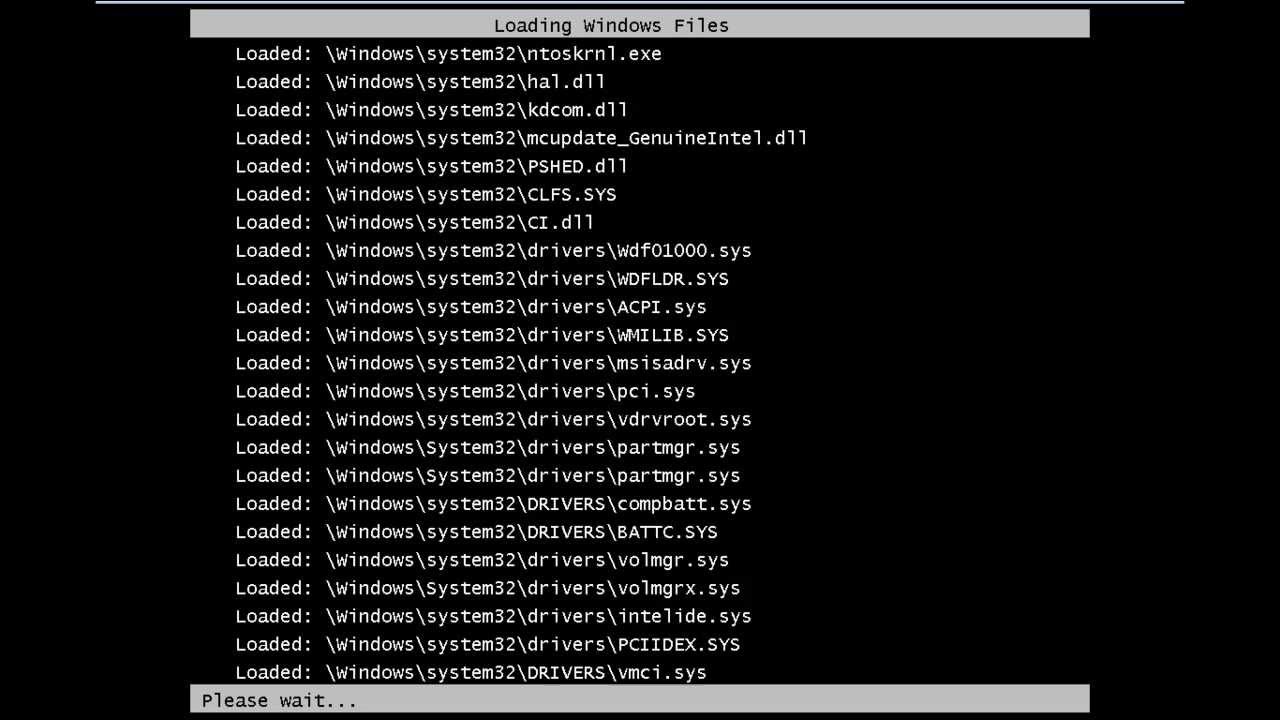
Learn how to resolve the bsod error 0X00000024. Get an insight about the error and find out why it is caused in the first place.
Don't forget to check out our site http://howtech.tv/ for more free how-to videos!
http://youtube.com/ithowtovids - our feed
http://www.facebook.co...
Did this, and when it was done did a reboot and it booted up fine. 10 minutes later blue screen but differnt error
ruby island
does it stay on stable in safe mode
white cipher
Yeah
sly mortar
So you can load it in safe mode?
ruby island
well then its a driver or anti virus problem
white cipher
I think apart of my harddrive is corrupted
Because thats what the error origonally was
ruby island
if thats the case run the chkdsk utility
white cipher
Did that
sly mortar
what did it say?
white cipher
it took 6 to 7 hours
sly mortar
yeah that's relatively normal
white cipher
When it was done it simply rebooted
logged in normal desktop
all my programs turning on, I open a youtube video and start watching something. mid video blue screen but differnt error
white cipher
just /f and /r
not the /x
I basically unplugged the thing and im just waiting for a ride and im going to hand the machine off to somebody who does this for a living
ruby island
check event viewer that will show the results of the scan
white cipher
Hes been fixing my shit for years for free
I figure I could help him if I could figure out what the fuck is wrong
ruby island
you can try validating windows diles
white cipher
hm
blissful sequoia
if your windows is fixed, then BSOD in 10 minutes, its because its downloading a driver and installing it automatically causing the BSOD
white cipher
Could my windows try updating itself while I was a sleep but fucked up
blissful sequoia
i would start unhooking things until i determine which device is the cause.
it could also be ram that has gone bad...
white cipher
thats interesting
sly mortar
How old of a PC is it?
white cipher
you ever heard of velocity micro
blissful sequoia
i have
white cipher

Affordability and PC gaming go hand in hand with the Velocity Micro Edge Z5. Attack of the Show's Kevin Pereira and Chris Hardwick review the gaming rig with its Intel Core i5 processor, NVIDIA GT 240 video card and 4 GB of RAM, available starting at $750
For more from Gadg...
blissful sequoia
i dont know ... where but i have.
blissful sequoia
do you have multiple ram chips? its worth trying running with half at a time
ruby island
ya probably hardware then
white cipher
I bought it in highschool because im computer babby and bought a premade
and gradually updated it
sly mortar
When was the last time you upgraded the harddrive
white cipher
but yeah this thing is prone to issues, last year I had the power supply die on me
twice
ruby island
doubt this has anything to do with the harddrive
white cipher
I have two computers so im not affected so much but it was my work computer/media computer
and now I cant multi task

ruby island
pull out one stick of ram and test
if it still blue screens then put the other stick back in then pull out the other
white cipher
My computer has old school clamps so I don't have the tools to undo them
ruby island
if it still blue screens its not your ram
blissful sequoia
can also run memtest
ruby island
or very very unlikely your ram
sly mortar
Try running memtest
 uncut turtle
@terse flume there are problems with spacial characters with the last update
blissful sequoia
mmm now amazon has that ryzen 5 3600 for 167 USD also... if i were gonna be building a machine and it was gonna be AMD i would grab that processor now
 fierce sigil
hello, are nukes enabled this war?
terse flume
Yes.
 fathom hamlet
anyone know what the hell happened to the game? something messed up my settings, and unlocking fps is not working anymore, and my game screen tearing like hell ...
blissful sequoia
yep. the devs tried to lock out the FOVers and this is what happened, evidently
some people say full screen is related to the tearing
vsync only works in fullscreen not windowed full screen...
ruby island
its kind of retarded they locked the fps to 60
i get screen tearing as well and dont like full screen mode so i just live with it
blissful sequoia
i think maybe the issue more that they locked a ton of settings
im curious tho, if you hate screen tearing you need vsync right?
ruby island
well they didnt have to lock the fps
blissful sequoia
if you use vsync you get locked to your set refresh rate, which is probably 60?
ruby island
yes
blissful sequoia
if you monitor can go higher then if you set it higher, vsync should lock to the same
if i have 144hz then i go full screen and vsync will also be 144hz, right?
ruby island
thats assuming you turn on vsync
blissful sequoia
im trying to determine who is having problems
is it people with high frequency monitors in windowed mode?
or high frequency monitors in full screen?
60 hz people? im so confused
ruby island
i mean all vsync does is sync the timings up with your monitor so technically if in full screen the game can decide to lock your monitors refresh rate to 60
blissful sequoia
but when they initialize direct3d or opengl or vulkan or whatever, they probably specify 0 refresh rate, so default
default is determined by window's last frequency used on that resolution
ruby island
well i have a 60 Hz monitor and i still get screen tearing like hell