#avatar-dynamics
1 messages · Page 10 of 1
 calm owl
 brisk cloak
calm owl
the gesture layer should have masks for the bones the layer affects. And if the ...
brisk cloak
calm owl
the gesture layer should have masks for the bones the layer affects. And if the ...
Animation clip was set up directly in unity. For the layer mask...only the animated bones should have check marks?
brisk cloak
If sooo....that is also configured correctly
And no dice...
Is it anything to do with the Animator component on the avatar?

 stiff glen
that's useful for when you're working with that animator in the editor but otherwise not relevant
 stuck bane
the easiest way to do this is probably to use a position constraint on the sender with the z axis unchecked, that way you don't have to deal with converting the inward rotation if all you need is x and y coords
i've done this before without the position constraint but that was because it was before they were quest compatible
 paper vale
stuck bane
the easiest way to do this is probably to use a position constraint on the sende...
paper vale
stuck bane
the easiest way to do this is probably to use a position constraint on the sende...
i would but i havent updated my sdk cause ive procrastinated for like ever
n i intend to make it quest compatible
 turbid ridge
Is it possible to detect physbone collision via a contact receiver
stuck bane
turbid ridge
Is it possible to detect physbone collision via a contact receiver
not sure why it wouldn't be, just put a receiver on the physbone and a sender on the collider (if you're not detecting hand collision)
turbid ridge
stuck bane
not sure why it wouldn't be, just put a receiver on the physbone and a sender on...
I meant like have a contact receiver detect when it collides with a physbone, like the controllers do
 dark drift
no
turbid ridge
dark drift
no
So it's not possible?
stiff glen
No, you can't detect physbone collision, you only get grabbed, posed, angle, stretch, squish
and contact receivers only receive contact senders.
turbid ridge
Ah
I've heard that there was a way to do this using particles, but I'd rather create a workaround using dummy controllers than adding 50 particle emitters to my avi XD
stiff glen
I'm not sure how, you can't really do anything based on particle collision except spawn more particles. on an avatar, anyway
turbid ridge
It's this one: https://github.com/VRLabs/Collision-Detection

GitHub
VRChat avatar package for detecting player or world collision - VRLabs/Collision-Detection
A particle dies on collision with colliders, causing contacts to stop contacting each other, causing a boolean to enable.
stiff glen
Ah yes, that'd work. Technically it uses contacts though since you can't use the particle collision itself directly. Clever.
Hmm this actually gives me a few clever ideas.
 hidden thicket
I have a contact reciever set to "handL" do I need a contact sender on the left hand with handL on it or does vrchat do that automatically
because when I tried it, It didnt work
nevermind, something reset the size
stiff glen
yep that's automatic 🙂
dark drift
turbid ridge
I've heard that there was a way to do this using particles, but I'd rather creat...
no, particles do not collide with physbones as well, nothing collides with them but palm/fingers assigned by vrc
there are methods/tools (like in vrcfury) to sacrifice some fingers to make pb collide with it (tail) but overall its meant to be very limited by design
particles collide only with walking/capluse selector colliders - theres se are both local - and in avatars you cannot grab any data out from it, so if particle itself is not enough its useless
 keen sluice
turbid ridge
> A particle dies on collision with colliders, causing contacts to stop contacti...
keen sluice
turbid ridge
> A particle dies on collision with colliders, causing contacts to stop contacti...
thats world collision only
(technically other funky collisions like your camera if you dont set up the particle layers correctly)
turbid ridge
Oh
 bitter python
I can't seem to grab anything on any avatars. I think it may be because of input 2.0? Did the grab mechanism change? I can still take and move my camera, so if the "grab" functionality didn't change, I should also be able to grab peoples hair and such
stuck bane
bitter python
I can't seem to grab anything on any avatars. I think it may be because of input...
Check your interaction settings. First make sure the other person has interactions on with you (they will have a yellow hand if you can interact with them and a gray hand with a red line over it if you cant, underneath their nameplate). Then go to your small settings and make sure that you have avatar interactions either on friends or everybody, that you don't have avatar interactions paused, and that you have self interaction on. Also you're having an issue with a specific person, click on them and make sure you didn't force interactions off (in the same menu where you mute/block/show avis etc)
bitter python
Thank you! I think I've checked these settings already, though, and that I'm still unable. It could be that I'm grabbing the wrong place every time or something, but this issue started around the controls update so I think it's related
 lament ember
Is there any way to have an avatar with a spherical body roll like a ball?
I can think of one or two ways to do it myself, but I don't want them to be scuffed
stiff glen
lament ember
Is there any way to have an avatar with a spherical body roll like a ball?
Yeah - make an animation that goes through one complete rotation and loop it, using the VelocityZ parameter as the speed multiplier
lament ember
I see. This shouldn't mess with the default humanoid animations if I do that right?
stiff glen
kinda depends on your avatar. If you have no legs then it doesn't matter what the humanoid leg IK does
lament ember
Yeah the lower body is just a sphere, I was more asking about upper body stuff since I've had avatars break when proportioned in different ways
stiff glen
I mean, you could just add this in a single layer in FX and have a sphere as the body and use all the default layers for everything else and it'll work just fine
or do like BB8 and make the upper body just the top of the robot, using maybe the spine or chest bone to get rotation. Maybe even head if you weight paint things right (i.e. ball on hips, top on head)
lament ember
So can I just get away with assigning the sphere to a single bone?
lament ember
Alr
Just in case it makes it easier to understand, the avatar is BigWeld from robots, and this is what I have so far

 stiff glen
ah neat, yeah this should work pretty well, the ball should be attached to hips, and the rest of the body could just be spine or chest and up
if you use FBT, you might have to make the ball large enough so the pivot is roughly at your hips
lament ember
I don't use FBT, so I think I'll only have to make it work with 3 point tracking
stiff glen
yep, won't matter as much then
lament ember
Alright, thanks for the help!
 cinder sphinx
Hi hi so I wanted to know if I have a hair mesh would I be able to use multiple textures on it and delegate specific textures to certain areas or would that call for a single kind of jumbled texture file? And if I did use multiple textures would that lower my avatars performance? Sorry if I’m using the wrong wording. I’m planning to make hair similar to dreads but I’m confused about how I’d isolate each strand to give it its own texture profile. The goal is to have like a rainbow glitter effect
stiff glen
not really dynamics, but yes, you can do this in a few ways, but it's always best to use a single main color texture if possible. But you can certainly use others to layer stuff on with effects, like decals or emissions
if you use multiple materials definitely worse performance
A 3D texture editing program like Substance Painter is really good for this
brisk cloak
Oooooh myyyy gaaaawd that's Big Weld. What's he doing here?
Uuuh, besides that distraction, any insights for some contacts/physbone hybrid prop? I have a prop I'm working on that needs a two-handed grip, and the aim constraint is doing very strange things with the roll axis of the prop.
I need it to hold the roll constant against one hand, but aim at the opposing hand with the other two axes.
Kinda like how a physbone does when grabbed....but I guess they can only be grabbed by one hand at a time?
brisk cloak
So I'm kinda stuck now! I need the handle to react like a phys bone when I grab it with one hand. But also act like a phys bone that's anchored to the hand so that the other one can also grab it.
stuck bane
brisk cloak
Uuuh, besides that distraction, any insights for some contacts/physbone hybrid p...
set the world up to "object rotation up" then select the hand you want the roll locked to as the object. Now find which axis is the roll axis and set the up vector and world up vector to have 0 in each axis except the roll axis, which should be 1.
Then ofc set the aim vector to the axis you would like the prop to aim with
brisk cloak
stuck bane
set the world up to "object rotation up" then select the hand you want the roll ...
Oh. That seems to have done it.
brisk cloak
Will have to hop into VRC to test it after the research group meeting.
bitter python
Can you make an object grabbable without rigging it?
I want other people to be able to grab an object that I have on my avatar. The tutorials on Youtube show how to transfer it to your hand by grabbing it, but that does not allow others to grab it
stuck bane
bitter python
Can you make an object grabbable without rigging it?
Yeah if it's a separate gameobject you just need a mesh renderer
Although there's not a huge difference between that and rigging it, you can easily avoid weight painting by just assigning to vertex groups
bitter python
I'm not sure what you mean. The mesh renderer just makes a mesh visible, right?
I just added a single bone in Blender, and weight painted it to 100%. It added three bones in Unity (Armature, bone, and bone_end), but when I grab it in play mode, I can only rotate it, I can't move it around
stuck bane
bitter python
I'm not sure what you mean. The mesh renderer just makes a mesh visible, right?
...
Okay so you put it on the wrong bone
If you're talking about physbones
Otherwise tou should be able to move it around fine with the transform tools
bitter python
Does the phys bone component go on the armature, bone, bone_end, or on the mesh itself?
bitter python
I can only make the object move by stretching bones, and only up to a multiple of 5 times the length of the bone. So I need to make a long chain of bones and place it near the object? But the star position of this bone chain will be in the wrong position. But if I put it in the same position then the chain isn't long enough. I feel like I'm doing something wrong
brisk cloak
Interesting...the Parent Constraint isn't wanting to play nice.
The parent constraint for a grabbable prop.
Element 0 cannot be zeroed if Element 1 is zeroed, and vice versa.
stuck bane
bitter python
Does the phys bone component go on the armature, bone, bone_end, or on the mesh ...
The physbone component would go on bone. If you want to make a grabbable prop via physbone stretch then you need to put the object on the 2nd bone. Just add another bone in blender. Also when you're exporting your fbx you can go to the armature tab in the settings and disable "add leaf bones"
Sorry for late reply I got distracted 😅
stuck bane
bitter python
I can only make the object move by stretching bones, and only up to a multiple o...
What you need to do is have 2 bones. Place the 2nd bone where you want the object to be, then put the physbone component on the first bone. You also can set the max stretch value WAY above 5. Actually you can set it to infinity if you type "inf" into the max stretch box
stuck bane
brisk cloak
Element 0 cannot be zeroed if Element 1 is zeroed, and vice versa.
Try setting the source weights to zero before locking
You also can manually edit the values after locking by using the inspector debug mode
brisk cloak
Huh, that did it.
bitter python
stuck bane
What you need to do is have 2 bones. Place the 2nd bone where you want the objec...
Changing the max stretch makes unity change it back immediately. I think it's something that the VRCSDK does in the (old) version I have.
Parenting bones and setting the origin point the right place is oddly hard for me. I managed to get something working now, but I can't make the bone bigger without also making the mesh bigger for now, so the max stretch is rather limited
I'll put max stretch at 50 in debug mode and upload it, might work. I tried changing the camera near-clip-plane to 0.001 like this in the past but it didn't work (also, freezing the value with cheat engine would crash my unity when entering playmode)
Edit: Debug mode worked ^^
In any case, thank you for your time! I will remember this information for the future
brisk cloak
Hm...really does not like my pulling the controller trigger either.
Also doesn't seem to actually be responding to input from the physbone, but is actually responding to a contact receiver.
brisk cloak
Alright, I'm just going to contact receivers. Seems to be the simplest way to do it...but now I'm kinda scared of the aim constraint. Its gonna mess up the Parent Constraint zeroing ;_;
stuck bane
bitter python
Changing the max stretch makes unity change it back immediately. I think it's so...
I would definitely update your sdk because it must be very old 😅
You'll have access to lots of newer features like headchop, animator play audio, and VRC Constraints (which work on quest)
brisk cloak
@stuck bane do aim constraints always nuke parent constraints from orbit?
brisk cloak
Okay, so I got close by using a phys bone to aim one of the Empties that the prop was set to aim at. The problem is I need to offset the collider from the hand, but not its pivot. That way it can only be grabbed by the other hand.
Any way to offset it without offsetting the pivot?
 dusky crest

If you put a VRC Parent Constraint on an object that is also controlled by a VRC Head Chop component, any children of that object that have avatar dynamics
brisk cloak
dusky crest
https://feedback.vrchat.com/sdk-bug-reports/p/vrc-parent-constraint-vrc-headchop...
Tsk, damn, I've been having this issue actually. With contact receivers.
 void pollen
i am having a problem where my contact sender isn't seeing more than 1 reciever.
I don't know what is causing this, but i used clickable contacts to check and they CAN work and be seen in the fx, but for some reason the sender will only pick up the very first reciever i have labeled.
It has collision tags for 3 contacts, and even when it is literally GOING inside of the other contacts, it gets stuck in the first one and the values of the other contacts do not change.
i have an older version of the project where they all worked fine
but i am unsure now what the issue is as to why it will not pick them up


whenever i hide the first contact reciever, the 2nd one will then work
so it CAN pick them u
p
it's just not for some reason
 sly kindle
is this the right channel to ask for animation help in unity?
stiff glen
maybe, if it's dealing with VRChat dynamics, otherwise there's #animation too
 earnest walrus
dm me if you can make me a avi i will pay
 fair sundial
earnest walrus
dm me if you can make me a avi i will pay
fair sundial
earnest walrus
dm me if you can make me a avi i will pay
ask here instead #1204506421631393913 message
 shadow sleet
dusky crest
https://feedback.vrchat.com/sdk-bug-reports/p/vrc-parent-constraint-vrc-headchop...
shadow sleet
dusky crest
https://feedback.vrchat.com/sdk-bug-reports/p/vrc-parent-constraint-vrc-headchop...
I reported the same issue with an example as well:
https://feedback.vrchat.com/feature-requests/p/1512-headchop-doesnt-allow-constraints-to-move-contacts-attached-to-a-mesh

I added a sphere at the root of the avatar, and gave it a Heachop component, that chops the sphere itself. The sphere has 2 contacts on it.
This is also an issue with Unity Constraints as well, not only with VRC Constraints
Though I think I might have put it into the wrong category, as it seems, which is pain
How did I not notice that? Lol
But in any case, the issue still stands
dusky crest
ah yeah you did a much better job of explaining it
shadow sleet
dusky crest
ah yeah you did a much better job of explaining it
Thanks. Hopefully it will get fixed soon ^^
 woeful forum
im having massive issues with the vrc physbone script
im trying to animate the spring and puill values but nothing happens when i change them
isAnimated is on and reset When disabled is on too
pull and spring are set to 0 by default then and animation changes them to 0.2 and then bacck to 0
now the they are displayed as 0 but as can been seen in the video they still pull and spring
when i manually toggle the bone off and on in the editor it work again but i can hardly do that in game
woeful forum
pls help
stiff glen
woeful forum
pls help
Yeah you can't animate those without toggling the physbone off and on
woeful forum
stiff glen
Yeah you can't animate those without toggling the physbone off and on
i am toggeling it off and on
stiff glen
not sure I understand the problem then?
woeful forum
the spring and pull is at 0
but the bone dosent behave like its at 0
it should not move after i let go
stiff glen
if you want those to be 0 just toggle off the physbone component
woeful forum
i need them to be 0 so if somone lets go of the bone it dosent snap back but then after that i need to reset the bone to go back to its og state
stiff glen
right so you can't animate those values without turning the physbone component off and on. I might be misunderstanding your goal.
woeful forum
ok i can explain in detail 1 sec
i have a object that is attached to the end of the physbone
now if you grab the physbone its like grabing the object and you can wave it around
then when you let go the objects constraint swaps to a rigid body
the rigidbody then drops to the ground and the physbone is suposed to go back to its origin
after the dropp part happens i turn the physbone off and back on and set all the values how they are suposed to be
but it wont change
im gona try seperate animations maybe that works
stiff glen
hmm I'd probably consider using two different physbone components here, and activate one at a time.
woeful forum
if i do the toggle off and on slow / in multiple animations it seems to work...
this is not ideal
brisk cloak
Question for the dynamics peeps. Uuuuh, how do I...animate or...activate a particle emitter? Is there any way for me to rig it to an animation to get it to work? Or do I gotta dig into udon coding?
stiff glen
put it on a game object, set it to play on awake, then toggle that game object on.
no Udon on avatars.
brisk cloak
I tried it, but I couldn't verify that it worked in the unity editor.
brisk cloak
stiff glen
works for me
Doesn't wanna do it in play mode. Displays a pyramid of shurikens and that's about it.
stiff glen
works for me, using Lyuma's emulator, not sure why not for you
sure you have play on awake on?
brisk cloak
Lyuma's emulator?
brisk cloak
stiff glen
sure you have play on awake on?
Yeh
brisk cloak
Oh, yeah, doesn't wanna work for me. Its kinda late though, I'll have to work on it tomorrow after work hours.
 jagged nacelle
Hi, I'm stuck with this weird problem. Maybe I'm missing something.
I have my Hair PhysBone Parameter Set, but when I move, stretch, grab it etc the Parameters wont change. Same with the tail etc.
What do I do wrong?


 upper hazel
Lol
My Avatar do not include any of dynamic bones components
What he want to fix?

 eager saffron
i added phys bones to this certain asset its a shark onsie for my otter avi and i put it on the fin yet when i go in gesture manger and turn it on and move the avi around the fin doesn’t move at all it did 1 time yet it randomly stopped
 rapid goblet
Do Contact Sender/receivers work in playmode in unity for testing?
 simple elk
yep
use av3 emulator  if you want it to do anything , otherwise it just shows parameter change in controller
rapid goblet
ohhhh let me try that
stiff glen
You can also make a "poking tool" kind of game object - a little sphere with a contact sender on it, that you poke contact receivers with
rapid goblet
that's how I was trying to test it yeah. I'll give it a shot with the av3 emu
Hmm, the parameter is changing but the animation doesn't trigger so must be something weird with how I set up the animation I guess

🤔
This is like as basic of a transition as I can make but idk why I can't get it to trigger. I've checked the capitalization and spelling on the parameter as well
 noble pollen
i'm trying to publish a car avatar but i had to stick the car to an armature just to make the expressions work but now i need it to make it stop swaying, how do i make it stop? please someone help, i had found a tutorial to set avatars in t pose but it did not work, go go loco has the t pose animation but i have no idea how to set it default on
noble pollen
simple elk
put mesh on root of avatar, not under any bone
i did it, it still sways, the body is the car
 noble pollen
simple elk
use a empty skeleton <:ratl:1090025945081065493>
noble pollen
simple elk
use a empty skeleton <:ratl:1090025945081065493>
meaning, without armature?
noble pollen
simple elk
use a empty skeleton <:ratl:1090025945081065493>
oh no, without armature it breaks
 simple elk
 casual 1 million vertices, it need to be seperated from anything and just showed into an empty skeleton (one way of doing it)
noble pollen
simple elk
<:vrcAevSip:567580842822467585> casual 1 million vertices, it need to be seperat...
but if there is no skeleton it doesn't count as humanoid and so it doesn't let me use the expressions😭
previous versions had no skeleton and they were not humanoid, then i went on vrcfury's discord and there i was told that it needed to be humanoid but now it sways, it didn't sway with the generic one
also thanks for suggesting going to vrcfury's discord, me and another person there could not find a way until another came and wrote that it was all about the avatar not being humanoid, which blocked the expressions
simple elk
can try setting base to 'none' - will act like its in T pose since nothing controlling you , not tested whenever i dont need a locomotion its a generic instead (those are annoying to test in unity , av3 emulator dont like em - have to change values manually )
 noble pollen
simple elk
can try setting base to 'none' - will act like its in T pose since nothing cont...
noble pollen
simple elk
can try setting base to 'none' - will act like its in T pose since nothing cont...
i tried, didn't work, still sways, is there no way to set a gogo loco option to be default on? so i could set the t posing that is inside gogo loco to T pose
oh actually i think i know---
nvm...
if i only could set that gogo loco t pose option on it would allow me to bypas removing parts
noble pollen
simple elk
can try setting base to 'none' - will act like its in T pose since nothing cont...
thank you, i found out how thanks to your suggestion to change this part, i broke all with gogo loco t pose controllers and it worked

 tranquil tinsel
i think this may be the place to ask but how do i make these parts have physics in vrchat? i know its a weight paint thing but im not sure how to do it and apply it in unity/vrchat

 stuck bane
tranquil tinsel
i think this may be the place to ask but how do i make these parts have physics ...
stuck bane
tranquil tinsel
i think this may be the place to ask but how do i make these parts have physics ...
After you weight paint it, once in unity, you need to select the first bone in the chain and add a phsybone component.
tranquil tinsel
stuck bane
After you weight paint it, once in unity, you need to select the first bone in t...
is there a video tut for this kinda thing? : o
nvm i figured it out ^^
yippeee
 hearty compass
Is there a way to adjust phys bone properties with an animation + radial wheel?
I want to change the gravity of a phys bone but it doesn't work, it does update it when I toggle off and on the object the mesh and bone are on
Is there a way to do this more fluidly with an animation?
 versed adder
would there be a way to disable a bone's parent influencing the bone with a toggle in the animator?
i'm trying to give an avatar tools that they wear on their belt but can move into their hands.
i know i could do this with a separate skinned mesh but i'm trying to keep the avatar optimized for Quest visibility
could there be a way to set a bone to another bone's (offset) location and rotation and change it to another location and rotation without having to parent it to anything if that's not a possibility?
 brave echo
Hi could someone please help me with the VR Base Egirl phys bones? I want the boobs and butt to have a nice jiggle and not look super stiff :BongoWave:
 jaunty ice
is it possible for two physbone chains to collide with eachother?
keen sluice
jaunty ice
is it possible for two physbone chains to collide with eachother?
If you add physbone colliders
jaunty ice
keen sluice
If you add physbone colliders
thanks
 noble jolt
Why doesn't avatar dynamics automatically create contacts for lower/upper arms and legs? Or thumbs? Hell, why doesn't it let you check for collision with any bone of an avatar rather than just the 14 default contacts? It feels weird to need a world prefab in order to detect a remote player's entire armature.
I don't even want a full contact on every bone, I just wanna know if a bone is there
keen sluice
the default contacts are already iffy when it comes to if they are scaled or positioned correctly
adding onto the amount we already have would be hell to work with depending on the avatar
noble jolt
That wouldn't be as much of a problem for a "check if there's any sort of bone there" type thing though, would it? All you'd really need is the origin of the bone, the length of the bone, and the rotation of the bone. Wouldn't have to be as thick as contacts are.
keen sluice
youd say that but currently the head contact on quite a few models likes to just become a massive sphere above the avatar
noble jolt
I mean yes, that's a result of trying to assume a shape and width. If you simply concern yourself only with the length, position, and orientation of the bones and not with making a perfect representation of the avatar, that no longer presents as an issue.
Not like, as a replacement to what we have, but as an additional thing for people who wanna make systems that need the increased flexibility of finding any bone.
Like I want to make a system where I can spawn a camera and a clone of my avatar, attach it to my friends, and use that to simulate actually having a chair on their avatar. It would be cool if I could attach to any bone rather than just the contact points I know about!
it is also kind of annoying that I can't tell who a contact or physbone belongs to. creating a whitelist or a blacklist for certain systems would be nice.
Or even just differentiating between multiple people in a small area
 main sail
Not too knowledgeable on particle systems... Picked up an asset on Booth today that includes an arrow that can be shot. SDK is saying hundreds of thousands of mesh particles, but the max particles is set to 1000.


Is this mis-reporting by SDK? Or is there something I could change here? I've verified that this single game object is triggering the SDK message.
dark drift
its poly count
ie polygons per used mesh particle times max particles
if its an arrow i doubt you need more than 10, not a 1000
main sail
Awesome, thank you for the explanation!
 sharp creek
dark drift
if its an arrow i doubt you need more than 10, not a 1000
sharp creek
dark drift
if its an arrow i doubt you need more than 10, not a 1000
Depends what the arrow does, there's that popular prefab that spawns a decaying magic circle on the sky when shot which I could see using that many
dark drift
well ofc you can make a very poor garbage that actually needs 1000 mesh particles, just usually default unity value of 1000 is way more than actually used so it can pointlessly bloat your ranking
 edgy jolt
How might one activate an animation for an upright object on an avatar that activates when it tilts at a certain angle?
dark drift
proximity contact?
calm owl
ive been using physbones constrained to stuff for _angle data
just a 0 length with an end length set works
stiff glen
edgy jolt
How might one activate an animation for an upright object on an avatar that acti...
There's an Upright parameter that may work, though it won't do an exact angle. Possibly use a physbone with gravity and check the _Angle parameter
brisk cloak
I come with new questions.
Question 1: Do phys bones react to world geometry at all? Like will something squish against the floor?
keen sluice
literally just put a physbone collider at the feet of your avatar
brisk cloak
I know where to put it, I'm just noticing it'll be obvious its not reacting to the ground whenever the player-character jumps or is in mid-air
keen sluice
 brisk cloak

Thank you
My second question is more of a rendering question. Like a reverse head-chop. Can I make something render only for myself but not for others?
stiff glen
IsLocal = true

 drowsy sandal
on my avatar, the little hair poofs are parented to a single root bone, and on that root bone I have two phys bone components, one that controls the three on the right and one that controls the one on the left. for some reason, the one that controls the poof on the left starts at the root bone, while the one that controls the three on the right starts at each hair poofs origin. why is that, and how doI fix it?

here's a fuller picture

 past plover
drowsy sandal
on my avatar, the little hair poofs are parented to a single root bone, and on t...
past plover
drowsy sandal
on my avatar, the little hair poofs are parented to a single root bone, and on t...
Do you have the transform slot filled in for the component controlling the right single hair?
past plover
Anyone have issues animating a gameobject's transform while also having a constraint?
I have a (vrc) aim constraint on a gameobject which I animate to move forward/back, but it is not working at runtime.
A friend of mine say that the constraint script might be ran after animations are applied, blocking it.
Which could be a bug...
calm owl
In situations like that you can constrain it to itsself
past plover
calm owl
In situations like that you can constrain it to itsself
so a constraint to created the transform instead of animating?
calm owl
past plover
so a constraint to created the transform instead of animating?
like this, im not sure if it will work in a look at constraint but it does with rotation constraints
 past plover
calm owl
like this, im not sure if it will work in a look at constraint but it does with ...
past plover
calm owl
like this, im not sure if it will work in a look at constraint but it does with ...
Yeah, I tried your suggestion and it works nicely. I set a pos constraint to shift it when animating the weight. thank you
stuck bane
edgy jolt
How might one activate an animation for an upright object on an avatar that acti...
physbones and either angle parameter or stretch parameter. Angle parameter can be annoying to use sometimes, I'd lock the angle of it so it can't tilt and then have gravity set to 1 and stretch motion set to 1, then it will stretch/squish based on the angle and you can use that parameter instead
like for example i used this for a groan tube, as you tilt the tube it stays inside the tube, but stretches or squishes depending on the angle
 jaunty cove
So, I did an experiment to see if a rotation constraint can follow a physbone. It did but it also copied the bone roll of the physbone.
Has anyone tried this?
stiff glen
ooh bone roll
I think that explains a thing I couldn't explain, I didn't realize that would get copied too
jaunty cove
I am not entirely clear what the other settings do, but I am hoping there is something that copies the motion of the physbone but keeps the bone roll of the constrained bone
stiff glen
you could try the local checkbox
jaunty cove
Tried it. Seems to be something else according to the video
like how much a constraint moves compared to the position of the physbone? Its not very clear to me
 trim osprey
Hello, is it possible to reverse the Headchop effect on like for example a Hair piece on the head?
stiff glen
trim osprey
Hello, is it possible to reverse the Headchop effect on like for example a Hair ...
VRC Head Chop component
stuck bane
jaunty cove
I am not entirely clear what the other settings do, but I am hoping there is som...
you can do that with aim constraints
it has to be in the same location though
but you could use a rotation constraint with another gameobject as the source, then have that gameobject at the same place as the physbone using an aim constraint
@jaunty cove
this is a quick example i made
this will keep the roll relative to the transform in the "world up" transform slot in the aim constraint
if you move the source then the aim constraint copies the rotation this way, but must maintain the same position as the source
then any rotation constraints can use the aim constrained transform as their source
 ripe perch
Hi, I would like to ask, is it possible to make a prop of an avatar throwable? Like, I could grab a knife on my avatar's body and then throw it away?
stiff glen
ripe perch
Hi, I would like to ask, is it possible to make a prop of an avatar throwable? L...
yes
ripe perch
stiff glen
yes
How?? I've been searching on the internet and I don't fully understand how to make it :c
stiff glen
ripe perch
How?? I've been searching on the internet and I don't fully understand how to ma...
here's one way: https://github.com/VRLabs/Rigidbody-Throw
GitHub
System for letting you throw physics objects. Contribute to VRLabs/Rigidbody-Throw development by creating an account on GitHub.
ripe perch
stiff glen
here's one way: https://github.com/VRLabs/Rigidbody-Throw
And this should work with props attached to my character? Like. Something attached to the arnature could be throwable with this?
stiff glen
ripe perch
And this should work with props attached to my character? Like. Something attach...
I haven't used this, I just know it exists.
ripe perch
stiff glen
I haven't used this, I just know it exists.
Oki, thanks ❤️
ripe perch
stiff glen
I haven't used this, I just know it exists.
Hi, this worked! Just, the object, when I throw it, it can only be seen on mirrors, don't know why
But it works :3
stiff glen
oh weird - maybe shader settings?
ripe perch
stiff glen
oh weird - maybe shader settings?
Dunno, only happens when it's throwable. In other cases the prop is visible. I think it might be something related to particles as this system uses particle emisors to create the effect of throwing
But I'm not sure
I must investigate. At least my client has tested the avatar and can see the effects on mirrors, they say it looks so cool
stiff glen
huh I didn't actually look into how it works
 cobalt pike
Hm, anyone have any possible idea why my contact receivers always seem to set the parameter to false. It recognizes the parameter since when ever I bring a sender next to it, it will update, but it will only update to false.
stiff glen
cobalt pike
Hm, anyone have any possible idea why my contact receivers always seem to set th...
Can you show the receiver in the inspector window?
cobalt pike
stiff glen
Can you show the receiver in the inspector window?

TR is for Test Receiver
stiff glen
where's the prefix on that variable come from?
stiff glen
the variable you're watching seems to be VF95_HandleReceiver - yes
cobalt pike
thats from VRCFury.
stiff glen
ahhh
cobalt pike
I'm using armature linking and combining the whole controller using that.
Because I would prefer to keep it non destructive & as a prefab. Think it might be because of VRCFury?
stiff glen
it's a bit of a black box, I prefer to get my stuff working without it, then convert it to a Fury package if that's what's needed. I'm not sure if it's part of the problem here though.
cobalt pike
Right. I will disable it and try debug without it and let you know if there's the issue.
stiff glen
I hope so, 'cause I don't know what else would cause that 🙂
cobalt pike
Well, the thing that makes it even more odd here is though, I can press the buttons no problem but it seem to be only with the handle to always reseting for some reason.
Infact, I'm going to test it in game first. Seems like I can click on the receiver using Gesture Manager and it outputs True while holding down and clicking. I don't know though why it only goes to true when when clicking it on the Game viewport but not when adding a contact next to it 
stiff glen
Fascinating!
cobalt pike
OK it seem to be working perfectly fine in game. 😅
brisk cloak
Question: what would cause contact sender/receiver pairs to only update parameters when senders exit the receiver.
Never when the sender enters the receiver, only when it exits.
brisk cloak
Seems completely counter to what it should do
If Kazin sees this: yeh, its still going on. But also I haven't had a chance to fix it because I gave a practice run of my thesis defense and I'm fried
stiff glen
snickers
brisk cloak
I get busy! But also this makes no goddamn sense.
Shit should just work, and it doesn't
stiff glen
if I had a dollar for every time I said that, etc, etc.
brisk cloak
stiff glen
if I had a dollar for every time I said that, etc, etc.
Since reality has broken...any alternatives to contact sending/receiving?
stiff glen
er.... read the docs on avatar dynamics on the vrchat site?
brisk cloak
I have been
stiff glen
ok, that's all I could suggest
brisk cloak
I have the contact sender/receiver, they both have the same custom collider tag, receiver toggles a boolean.
Its to do with the size of the sender????
brisk cloak
stiff glen
ok, that's all I could suggest
I figured it out. Unity doesn't like point-like contact senders.
stiff glen
you really don't need to keep pinging me on this - it's interesting but I'm working on other things at the moment
brisk cloak
Alright alright, just...being generally social. I can handle the rest of it from here.
stiff glen
non-pinging is fine, I'll probably see it eventually
brisk cloak
Its a habit from faster-paced conversations.
 flint tendon
Hey everyone! I have no idea why but my hat is moving abnormally (isnt staying on place in the head)
removing the physbone component solves this but also makes the back of the hat stiff

only looks abnormal in motion, immediattly returns to rest on the head after
 frozen breach
what if you move the root of the physbone one bone along the chain of the hat?
brisk cloak
Question about position constraints, when it says "freeze position axes" what orientation is it using to determine the axes?
A. The world axes
B. The object's axes ( XYZ rotated to the object orientation)
C. The source's axes ( XYZ rotated to the source's orientation)
brisk cloak
The documentation doesn't specify
Also what is with contact senders/receivers and misbehaving if one is very small?
You'd think it'd be mathematically easier to ask if a point is within a 3D volume, rather than solve for whether any points in 3D volume intersect another 3D volume.
 frozen coral
brisk cloak
Question about position constraints, when it says "freeze position axes" what or...
frozen coral
brisk cloak
Question about position constraints, when it says "freeze position axes" what or...
It should behave the same way as a Unity position constraint - if an axis is unticked, the constraint should no longer update the position of the target transform in that axis in local space. Option B from your list is the closest I think?
frozen coral
brisk cloak
Also what is with contact senders/receivers and misbehaving if one is very small...
Please open a report on Canny if you think you've found a bug, since issues only mentioned through Discord aren't tracked. https://feedback.vrchat.com/
brisk cloak
frozen coral
It should behave the same way as a Unity position constraint - if an axis is unt...
I ended up figuring it out through trial and error, but its weird to try and anticipate ahead of time.
brisk cloak
frozen coral
Please open a report on Canny if you think you've found a bug, since issues only...
I'n fixing to head off to bed, but I'll have to put that on my TODO list.
void pollen
So I have a system i am tryna set up that might be too complex for the knowledge I have on constraints. I am trying to basically make an openable trenchcoat that changes all the constraints whenever it is trying to be opened, like a switch whenever it touches the grab bone that that has a contact receiver on it, then it turns all the constraints to the 2 grab bones I have made, and the main grab bone constrains to the hand. Local space always gives me problems, but this would be something solved in local spaces instead. since it's a piece of clothing and they're referencing other bones for parent stuff ye.
I'm trying to find a good video or anything that can help break down them and all their quirks, I know they're basically unity constriants witha few extra thing. Maybe though if there is anyone who understands them well, i'd appreciate any source to explain the nitty gritties or maybe even be shown what's going wrong type deal.
Blue in this means whenever it touches the contact, the arrows point to what to constrain to, red arrows mean what they will be constrained to at rest when the coat is not being grabbed.

There's a lot of bones I don't have parented to anything, and i was going to parent constrain them inside of unity instead so i can switch what they parent to
and yes i am still working on this damn coat but it's literally the last thing I gotta do is set it up in unity now
this would also probably be more helpful lol cause naming

maybe a better explnation on the system using the actual bone names in this image.
So, the CoatGrabMain bones are parented to the chest already, the Coatgrab bones are parented to the spine. this might cause issues, but i decided to have them both still parented, BUT in unity I was going to try and parent constrain the CoatGrab bones to the CoatGrabMain bones, so they follow them to a T inside of unity.
The CoatCollar1 bones have no parents, they are just there. Inside unity, I was going to parent constrain them to the chest bone, and whenever the coat is grabbed, parent constrain them toe CoatGrabMain bones.
The CoatLegRoot also have no parents, they were were going to be constrained in unity to the hip bone, that way they don't just uhhh well sit there lol. Whenever the coat is grabbed, I was going to then constrain them to either the CoatGrabMain or CoatGrab bones.
 karmic phoenix
Hello do someone have a solution to fix this issue I don’t know how that happens I was just putting some new pants to my avatar it will be really nice if someone can help me thank you so much


 sharp rover
how do people do that thing with their couples avis where they both glow when they get close to each other?
stiff glen
sharp rover
how do people do that thing with their couples avis where they both glow when th...
proximity contact senders/receivers which run an animation to do whatever glowing you want
sharp rover
stiff glen
proximity contact senders/receivers which run an animation to do whatever glowin...
okay thanks man
 upper holly
Is there a way, using VRC Parent Constraints, to still have the constrained item move with a physbone, or does the object need to directly be on that bone to be affected?
sharp rover
how do i make it so me or someone else can grab spring joints?
stiff glen
sharp rover
how do i make it so me or someone else can grab spring joints?
you can't grab those. you'd have to do something with a contact or physbone
A friend of mine has a springjoint ball that she's got a parent constraint on, when she closes her fist it snaps to her hand by activating the constraint
sharp rover
Damn 😩 thought so I don't wanna ad a bone
stiff glen
iirc JustSleighty has a (non-free) springjoint ball asset that can be grabbed and shared, you might look into that
sharp rover
stiff glen
A friend of mine has a springjoint ball that she's got a parent constraint on, w...
Wait can I use just contacts or do I need a bone?
stiff glen
Yes... kinda. You can't detect someone else is making gestures though, just you, so the "grab" action only works on physbones
sharp rover
stiff glen
iirc JustSleighty has a (non-free) springjoint ball asset that can be grabbed an...
I kinda wanna make it myself just for fun kinda thing
stiff glen
I bet his has a physbone on the ball
sharp rover
stiff glen
Yes... kinda. You can't detect someone *else* is making gestures though, just y...
Oof I guess I might do it in the future idk
sharp rover
stiff glen
I bet his has a physbone on the ball
Probably
stiff glen
technically you don't need an actual bone for a physbone component....
sharp rover
And it will still grab?
stiff glen
ought to
 ember hull
I once saw a video of an avatar dancing and it had a mirage toggle where two of them appeared... how do you put that on an avatar?
stiff glen
either a shader, or a full duplicate of the mesh with lots of constraints. I've seen this a few times too
ember hull
stiff glen
either a shader, or a full duplicate of the mesh with lots of constraints. I've...
Do you know how to do it?
stiff glen
probably
dark drift
@ember hull https://github.com/SleightlyDreadful/Carbon-Copy most popular one afaik. its a paid asset

GitHub
Contribute to SleightlyDreadful/Carbon-Copy development by creating an account on GitHub.
stiff glen
there's a clone option in this too: https://vrlabs.gumroad.com/l/ragdoll-system

Gumroad
Turn yourself into a floppy ragdoll or falling statue in VRChat. README: https://github.com/VRLabs/Ragdoll-System If you need help, our support channel is on Discord. https://discord.gg/THCRsJc
stuck bane
stiff glen
either a shader, or a full duplicate of the mesh with lots of constraints. I've...
hmm i actually was wondering how it was done, i saw someone yesterday wearing an avatar called "skeleton army" that had a bunch of clones that moved the same. Interestingly this was done on quest without any constraints or avatar dynamics, and it didn't appear that any of the clones had their own bones, since the bone count was pretty low (44 total bones). I did notice that the total polygon count was pretty high though, like 14k polys for a. very low poly model. It also only had one skinned mesh renderer (no mesh renderers) and one material slot
i've also seen these on quest before VRC constraints were a thing
i'm really not sure how they're doing it 🤷
i paid attention to the stats to see if i could figure it out but it just left me more confused lol
oh also it didn't have any particle systems
dark drift
was bout to ask of particles
stiff glen
on quest? Huh
 remote gazelle
There was once an avatar that had this special toggle where:
- If the avatar is shown: your voice comes off as gibberish (Doesn't work if avatar not shown, of course)
- Anyone else with this avatar will be able to hear your voice as is
How was this achieved, and how could I replicate it?
stiff glen
contact sender/receiver for picking who gets which experience, but I'm not sure how the voice part works
stuck bane
remote gazelle
There was once an avatar that had this special toggle where:
1) If the avatar is...
it might be abusing a bug that i believe uses the height of skinned mesh renderers to make you seem silent (i've done this on accident before when making a toggle that hides your body 100m under the ground), from there it's a matter of using voice and/or viseme parameters to control the audio in an audio source
idk exactly how the bug works and there's no guarantee it'll work forever (i know vrchat has been trying to fix it in normal cases)
stiff glen
oh, now I remember someone mentioning that
sharp rover
so im trying to make it so you can grab my halo spring joint over my head but it doesnt grab and also it has drag in the world i think adding immobile to 1 might have fixed it but idk i want it to drag behind me but spring joints dont work like that i think or at least i cant get them too and when i tried to do it with a physbone comp it just turns sideways

im trying to do it without a bone btw
so that might be why you cant grab it
 rich tulip
remote gazelle
There was once an avatar that had this special toggle where:
1) If the avatar is...
rich tulip
remote gazelle
There was once an avatar that had this special toggle where:
1) If the avatar is...
if you're talking about the durpoi model (little white dude with stick figure legs) you can purchase the model and likely pull it apart to see how they've got it setup
remote gazelle

 cyan lotus
remote gazelle
There was once an avatar that had this special toggle where:
1) If the avatar is...
cyan lotus
remote gazelle
There was once an avatar that had this special toggle where:
1) If the avatar is...
the author of durpoi made a tutorial on this
 cyan lotus
sharp rover
so im trying to make it so you can grab my halo spring joint over my head but it...
cyan lotus
sharp rover
so im trying to make it so you can grab my halo spring joint over my head but it...
the collision radius needs to be greater than zero for a physbone to be grabbable
 fallow nacelle
would it be possible to add gravity to the tail in the correct direction? in-game the tail is sloping down because it assumes that the rotation in the scene is the default rotation
 stiff glen
yes but probably it's better to fix the rotation first
 mossy sparrow
i have to convert the dynamicbones to physbones but they dont work how they should, can someone help me with the settings im not sure what i have to change
fallow nacelle
stiff glen
yes but probably it's better to fix the rotation first
i can't, that is a hand puppet
if i rotate it, it will be the wrong way when people try to use it
stiff glen
ohhhh
edgy jolt
@fallow nacelle Go to armature and add a physbone component. there is a gravity setting
edgy jolt
mossy sparrow
i have to convert the dynamicbones to physbones but they dont work how they shou...
What are you trying to do exactly? Remove dynamic bones completely, go to the armature and add physbone component
fallow nacelle
edgy jolt
<@284701430072475649> Go to armature and add a physbone component. there is a gr...
yes, i did
but
it assumes that the rotation in the scene is the default one
edgy jolt
Explain in more detail what is going wrong, I understand its a hand puppet, what is happening that shouldnt be
@fallow nacelle Also send a screenshot of the gizmo toggled on in the top right please
fallow nacelle
edgy jolt
Explain in more detail what is going wrong, I understand its a hand puppet, what...
i don't know how to explain it
basically
i had to turn the hand puppet sideways so it works properly in-game
but when it's flipped over to it's correct side, the gravity assumes that it's sideways
how do i change that?
stiff glen
really hard to say without seeing it
from here, I'd assume the orientation isn't right and you'd have to fix that in Blender
edgy jolt
@fallow nacelle Is the gravity in the wrong direction?
fallow nacelle
edgy jolt
<@284701430072475649> Is the gravity in the wrong direction?
yes, how do i fix it?
edgy jolt
Can you turn on the gizmo in the top right, and send a picture of your model with the physbone component settings
fallow nacelle
edgy jolt
Can you turn on the gizmo in the top right, and send a picture of your model wit...
how is that supposed to fix it?
edgy jolt
Kind of hard to help you without info, it will give me information, just tested to see if there were any changes in unity. Here's my fish in blender, here's it in unity. Sounds like you don't understand the concept of troubleshooting, and don't actually want help though.


 little thunder
Does anyone know if theres a way to animate attaching the end of a physbone chain of bones to another point on your avatar. I tried using constraints but it only moved the last bone and didnt update the rest of the bones.
stiff glen
probably disable the physbone component first
little thunder
i would like them both running at the same time so it makes it drape from one point to the other
 maiden tusk
How would one go about making an avatar draggable by a physbone? I made a balloon avatar and I think it would be very funny to have a toggle where people can drag it around by the string.
stiff glen
put a physbone on your root bone and make a toggle to enable it. Note that you can't move while that's enabled.
though you probably want one bone below the root with infinite stretch, now that I think of it
maiden tusk
I understand now, didn't at first! Thank you for the reply!
stiff glen
oh good 🙂
 proven scaffold
little thunder
i would like them both running at the same time so it makes it drape from one po...
proven scaffold
little thunder
i would like them both running at the same time so it makes it drape from one po...
I was attempting this exact same thing, the closest I got was by making a dummy chain of bones going the opposite direction that have a physbone component, and then using parent constraints to apply those to the last 3 of the chain, while a separate physbone component applied to the first 2
But it twitches a lot, even with their new fixes. They are using normal parent constraints, not VRC parent constraints, so I'll need to try those
little thunder
proven scaffold
I was attempting this exact same thing, the closest I got was by making a dummy ...
I considered such an approach but I suspected that might happen. i did try the new VRC parent constraint too, no luck :/
proven scaffold
Unfortunate
sharp creek
remote gazelle
There was once an avatar that had this special toggle where:
1) If the avatar is...
It basically yeets your head bone up by 100/1000 or something like that
void pollen
What's the reason that constraints can't actually have multiple sources weights changed?? It says technical limitations in the vrchat docs about constraints, but what exactly makes it not be able to do so?
It would allow for way less empty objects this way
Also understanding calculations of source offsets is a pain in the ASS, I know it's just typical offset stuff like unity constraints. But someone has helped me find a method to basically use empty objects to deal with constraint offsets, though I will have to add even more empty objects since constraints can't use multiple sources period and switch between the weights of those.
stuck bane
void pollen
Also understanding calculations of source offsets is a pain in the ASS, I know i...
You can have multiple sources and animate their weights to change, idk what you mean?
Also the offset stuff is certainly annoying, but you don't need to use empties. If you'd rather directly target a bone, but give it a specific offset, try setting all your source weights to 0, positioning your object where it should be, then lock it. Now duplicate this object, unlock it, and set the weight of source 1 to 1. Now move your object to where you want it to be and lock it. Repeat for every source you have. Now put the inspector into debug mode and copy + paste the values from the offsets in each duplicate to the respective source on the original. Then once you're done you can delete the duplicates
 glossy niche
Is there a way to activate an avatar animation, items, or whatever by pressing a specific keyboard key like F5 or CTRL+F? I'm using a public avatar with a sniper, but reloading and shooting the gun are two separate avatar dynamics, I can't just press the Vive controller trigger to activate the gun toggle, reload, nor shoot animation/toggle. I'm trying to find the most efficient play to use specific avatar actions.
dark drift
nah, without osc (so running custom software+custom avatar built for it) youre bound to a radial menu and gestures (ctrl+F2 etc)
void pollen
stuck bane
You can have multiple sources and animate their weights to change, idk what you ...
Ohhhh, I read the docs wrong. That's my fault yo.
The biggest thing is I'm not working with individual object meshes, I'm working with bones themselves on a trenchcoat to change how it works whenever it is opened. I think my stuff may just be being weird then, because the phys bone chains on the constraints aren't colliding with some colliders, probably due to phys bones still having issues with constraints??
stuck bane
void pollen
Ohhhh, I read the docs wrong. That's my fault yo.
The biggest thing is I'm not w...
Oh that would make sense, physbones and constraints seem to hate each other
Especially if physbones are a child of constraints. I try my best to keep them separate in the hierarchy (don't have either be a child of another, and especially not nested one after another, like constraint>physbone>constraint
void pollen
stuck bane
Oh that would make sense, physbones and constraints seem to hate each other
They do seem to, which is unfortunate.
void pollen
stuck bane
Especially if physbones are a child of constraints. I try my best to keep them s...
That is my big issue, but I don't think I have a simple way to get around it really, because I pretty much either need to have phys bones on a root bone along with a constraint for this. Technically, I could go into blender and ad an extra bone that uses the constraint, and just have a root that uses phys bones. Where the phys bone is parented to the root meant for the constraint.
I had a thought as well, isn't it the main issue of which way they run in order??
What if we had a checkbox to choose to run phys bones or constraints first option depending on if both are used on the same object in the hierarchy?
That way we can make it suit our needs which needs to run first instead of having to change everything
And by default, have phys bones run first, but the option to have constraints run first as that checkbox
void pollen
does this also cause colliders to not evaluate either lol
because the phys bone colliders don't seem to be doing anything now lol cause of the constraints
stuck bane
void pollen
does this also cause colliders to not evaluate either lol
do you have constraints on the colliders? I've had issues with this happening in that scenario
dusky crest
gosh the physbone physics settings are just the absolute worst. I've been doing avatars for years now and the sliders still make no sense and they all behave completely differently depending on the combination. And 1.1 only made it so much worse because now gravity has to be balanced with pull. Having gravity up makes all the sliders behave completely differently. It feels like playing one of those "lights out" puzzles.
dusky crest
like for instance in advanced mode, momentum is inverse air resistance, and stiffness is damping. But if you have gravity up then momentum is inverse damping and stiffness is like pull but towards gravity. it's just madness, there is no strategy progress is only made through trial and error
stuck bane
dusky crest
gosh the physbone physics settings are just the absolute worst. I've been doing ...
honestly most of the sliders are reasonable, it's just gravity that irks me
it behaves really strangely by itself and affects the other forces is strange ways
but if you leave it alone the rest are really intuitve imo
 tawdry gale
I made a feature request for what i think is missing with contact receivers: a way to detect Velocity! i keep having cool ideas i end up not being able to realise because this is missing, feel free to upvote if you would like to see it happen: https://feedback.vrchat.com/feature-requests/p/add-a-velocity-contact-receiver-type

while we can do something "similar" with multiple proximity contacts and copious amount of animator Jank, which isn't very accurate or reliable, and very not
stuck bane
tawdry gale
I made a feature request for what i think is missing with contact receivers: a w...
you can detect velocity via proximity contacts btw
tawdry gale
stuck bane
you can detect velocity via proximity contacts btw
ik, but it's a pain to set up
and still quite limited
stuck bane
tawdry gale
ik, but it's a pain to set up
i'm curious, how do you set it up?
stuck bane
tawdry gale
ik, but it's a pain to set up
oh your post says multiple? i did it with one proxmity contact
i'm just curious what setup you use
ig you can't get direction, but i've used this for an avatar to multiply the weight of a rotation constraint by the velocity, the transform was constrained to a physbone with collision in the same place as the contact, so it was used for a punching effect that gets stronger the harder you punch
it's a punch doll avatar so if you hit hard enough you can knock it to the floor
tawdry gale
stuck bane
oh your post says multiple? i did it with one proxmity contact
if yu use only one contact you are only sensing the radial velocity to the contact's centre, so tangential motion is undershot qute a bit
stuck bane
tawdry gale
if yu use only one contact you are only sensing the radial velocity to the conta...
ohh okay, the only context i had used it in only needed the radial velocity, i see the use for this contact type now
brisk cloak
Question;...physbone chains. How do they faire when both ends are fixed to some position?
I'm a little worried they'll become subject to phantom forces and start spazzing out.
Before I try and invest the effort...I wanna know how they faire for others.
stuck bane
brisk cloak
Question;...physbone chains. How do they faire when both ends are fixed to some ...
you can't do that
i mean if you managed to somehow accomplish that i'd love to know how
but it's not a feature of physbones
i did create this earlier today #avatar-general message
brisk cloak

stuck bane
stuck bane
i did create this earlier today https://discord.com/channels/189511567539306508/...
you can probably use constraints to get that effect, something like this combined with physbones, but physbones don't really do that unless you push them really hard
brisk cloak
Arms+tentacles don't mix in a nice and neat way for tentacle pathing.
stuck bane
brisk cloak
Arms+tentacles don't mix in a nice and neat way for tentacle pathing.
i mean if you want tentacles that follow the arm IK but still look smooth rather than having an elbow, wrist, etc you can use rotation constraints
brisk cloak
Right now its just bound to the arm bones full stop. But I was wondering if I could have physbones to calculate pathing where one end is fixed to the body and the other end is fixed to hand IK
stuck bane
brisk cloak
Right now its just bound to the arm bones full stop. But I was wondering if I co...
rotation or aim constraints could work
try this, you rig your tentacle with as many bones as you see necessary, attached at the same place as the shoulder, but not parented to the shoulder itself
then in unity you add an aim constraint to each bone in the chain
select the first half of constraints (to the elbow) and set the elbow bone (or forearm bone) as the target
then set each bone to n/x, n starting at 1, and x being the number of bones in the chain between the shoulder and elbow
repeat with the other half of the chain, instead targeting the wrist/hand bone and n starting at the first bonea after the elbow and x being the number of bones in the chain between the elbow and wrist
 nova forge
Got some glasses on my av, I can grab/lift them on one side, now I'm trying to add symmetry to that, but I'm a bit stuck on how to best do that. It's a simple physbone on a hinge, but not sure how to build it in a way that'll make sense yet
actually, might be on to something. wrap the bone chain around the front and onto the other side, testing that
calm owl
Bone CHAIN? Uh constraints are basically Replace weight painting with x. Maybe just have an empty at each arm and constrain to those based on if its lifted on the other side
dusky crest
My new hair-brained solution to fix the physbone jitter is to just make a completely immobile physbone and then measure the angle. If the angle ever changes then I know my physbones are jittering and I shouldn't trust the values coming off any of the other physbones lol
 frosty oriole
Do we have any information on how "constraint loops" will behave? I'm trying to express something that, while not fundamentally problematic (the ~only thing i care about for correct behavior are the positions before any constraints run), I can't figure out how to express that in a way that doesn't introduce constraints that depend on each other.
i.e. I have two objects A and B. I can compute the desired next position of A as an offset from the current position of B, and visa versa. If either constraint runs "before" the other, then one of the objects will be placed at an offset from the new position, rather than the old position.
one idea i've had for breaking the loop is using an animation to drive the target position of a child of A/B, those children having their own constraints with "freeze to world" enabled. idea here is that animating the child position will snap it to the right place relative to its parent, the constraints run in any order, the children will not move when their parents update, and therefore the behavior is correct. it feels... not ideal, somehow.
Any thoughts?
stuck bane
frosty oriole
Do we have any information on how "constraint loops" will behave? I'm trying to ...
i sometimes struggle with more abstract ideas, if you could explain what exactly your goal is here (what are you making?) i might be able to help
frosty oriole
stuck bane
i sometimes struggle with more abstract ideas, if you could explain what exactly...
The idea is that I have two non-iterative contact trackers. One is setup to track the head, and the other is setup to track (the top of) the torso contact.
I want to locate the head tracker at the top of the chest (computed as a relative offset from the current position of the chest tracker), and the chest tracker at the head (computed as a relative offset from the current position of the head tracker)
The reasoning behind the positioning of the trackers is that I can mathematically track spheres all I want -- but there's a break down for capsules. So, instead, I'm deciding to track the cap of the capsule for the chest, and do that from the direction of the head.
Simultaneously, while a lot of head contact senders are spheres, there are avatars out in the wild with capsule shaped head contacts. So I want to detect from the direction of the chest, to catch the "bottom" of the head for avatars setup like that.
stuck bane
frosty oriole
The idea is that I have two non-iterative contact trackers. One is setup to trac...
okay, so if i'm understanding correctly, you want the head and chest contact trackers to be positioned at the bottom and top of their tracked contacts respectively, and you can find these locations as an offset from the opposite tracker. Once this offset is established, as long as the trackers remain calculating their positions based off the positions of their respective contacts, shouldn't they continue tracking as desired? In that case would there be a need to constantly calculate their positions relative to each other, or would it only be necessary to establish that at the beginning of tracking?
I'm thinking that if you first track the position of one contact (say the chest), then establish the head position as an offset of the chest tracker before switching it to position itself off of the head contact, you could then do the inverse and establish the position of the chest tracker as an offset of the head tracker before switching back to tracking the chest contact independently.
I'm sorry if there's anything i may have misunderstood, I had a hard time grasping the concept you explained at first, so if i'm offering information that is more of a hinderance than a help feel free to let me know.
frosty oriole
head tracker should be positioned in the chest, chest tracker should be positioned in the head. The head and chest move relative to eachother (and the whole system moves relative to the world) so I'd prefer to update this at every timestep.
The chest tracker (tracking the top of the capsule) can never track the chest independently, because there are regions where it will give incorrect results. (If contacts obtain distances from the cylindrical walls instead of the spherical top caps, then the math breaks down, because i don't have math for that case)
I could assume that the head contact is always spherical, and always locate the head contact at the head as well. That breaks the loop between the chest and head.
Is there another way I could formulate what I want and what I'm concerned will happen in a way that would be easier to understand? i.e. writing out some pseudocode?
stuck bane
@frosty oriole if you are able to calculate where the head and chest contact should be by the head and chest trackers before they are aligned, do you need to actually offset the trackers? I'm not 100% sure how you are measuring this information, but you can't guarantee that the tracker will be in the right location when first placed, so you're able to get the location of the top of the chest tracker from the head tracker (and vice versa) to then place them. If you can always get that data even when the head and chest trackers are not placed at the top and bottom of their respective trackers, can you just offset a child of each of them and use that as a target for whatever you want to attach to the tracker? The child of the head tracker would be constantly offset to the top of the chest tracker and the child of the chest contact would be constantly offset to the bottom of the head contact, but since these offsets are calculated based off of the trackers which move independently rather than basing them off each other it would break the loop
frosty oriole
stuck bane
<@102192337135886336> if you are able to calculate where the head and chest cont...
There are regions that work and do not work for my tracking when capsules are involved, and player movement means that I can't just let them track independently as I would with spherical contacts. Any fixed offset (for example, positioning the chest tracker above the current position of the chest) can and will be invalidated by player movement. (the player jumps, tracker gets placed in an invalid region. the player lays down, rotating the invalid region into the tracker)
Secondly, I don't know the offset between the head tracker and the top of the chest, so I cannot create a child of the head tracker that is positioned there, without constraining it to something of the chest tracker. I only ever know the offset from the head tracker to the head tracker to the head.
My desire here, is not necessarily to break the loop between the head and chest completely, but to break the loop within any given frame. If it needs to be broken, which I don't know, because I don't know how vrchat handles constraint loops.
 tribal moon
That's a lot of text.
brisk cloak
Question for the dynamics peeps:...can I tell a phys bone to ignore specific colliders? I'm having an issue with self-collisions. I have two armatures within the same model (one's humanoid, the other has constraints to map movements from the humanoid model) non-humanoid avatar has some phys bones! Some of which occupy the same space as automatic colliders. Aaaand it seems that because its two armatures, unity doesn't consider it to be self-collision....
stiff glen
Hmm you might get close if you set collision to "Other" and turn off self and others, then you can add specific colliders into the list. There's no exclusion list though.
you can also move the automatic colliders to the other skeleton
...kinda
brisk cloak
stiff glen
you can also move the automatic colliders to the other skeleton
Moving the colliders might be the best bet.
brisk cloak
stiff glen
Hmm you might get close if you set collision to "Other" and turn *off* self and ...
Wait a minute, I see what's happening instead. Its full on ignoring the immobile slider?
 queen temple
for physbones, if I give it a parameter name to drive animations, can I back-drive that animation? AKA change that parameter externally and have it apply to the physbone?
dark drift
no
brisk cloak
brisk cloak
Wait a minute, I see what's happening instead. Its full on ignoring the immobile...
Nvm, giga brain move; its a weird interaction with physbones and constraints. Phys bone on one bone, constraints on a parent bone, completely remedies the problem.
 north acorn
Does anybody know how to do the motion controls for props using avatar dynamics?
stuck bane
north acorn
Does anybody know how to do the motion controls for props using avatar dynamics?
wdym? what is your goal specifically?
north acorn
stuck bane
wdym? what is your goal specifically?
My goal is when I apply a rotating motion while holding an item it opens
And vice versa
I've seen a few props and emotes tied to hand poses with hand movement
brisk cloak
Now here's another question: where would questions of avi particle systems go?
stuck bane
brisk cloak
Now here's another question: where would questions of avi particle systems go?
avatar dynamics isn't the right channel but general questions can go in #avatar-help or #avatar-general
you're better off asking in the help channel if you have something you'd rather be answered immediately rather than a longer discussion
for more complicated topics where you want to wait for thoughtful responses, it's usually better to use #avatar-general or the dedicated topic channel if it exists
stuck bane
north acorn
My goal is when I apply a rotating motion while holding an item it opens
you can use physbones or contacts tbh, physbones can be used if you want to have a specific amount of force required to rotate it (or not), physbone angle is likely what you're looking for. You can attach a physbone to your hand bone with a hinge limter set to 180º. then use the physbone_angle parameter to find the angle of the physbone
if you want to detect a significant change in the rotation from default, then you can use this by itself, or you can use animation controller systems to record the physbone angle at intervals and compare it to the last measurement to get rotation/time
if you want to know how to do basic math within animation controllers between parameters, here is good documentation on it: https://vrc.school/docs/Other/Advanced-BlendTrees/#cb451b2bd3ee47b9bd5fd8fe66ba55a2
for contacts, you can add an empty to your hand bone that is offset in a way that it when the hand bone is rotated along the axis you want to measure, it will cause translation of the empty as well
north acorn
Can I apply rotation to play an animation.? Like isgrabbed and rotation <30° then animation is played?
stuck bane
stuck bane
for contacts, you can add an empty to your hand bone that is offset in a way tha...
you can position constrain another empty to that so it doesn't move on unwanted axes, then add a contact sender to this empty and contact receivers on the hand placed wherever you want to measure
this is best for if you're looking for the hand to be rotated at a specific angle
stuck bane
north acorn
Can I apply rotation to play an animation.? Like isgrabbed and rotation <30° the...
yes ofc, you will get a parameter that can be used for transitions
or blendtrees
either physbone_angle or the delta parameter used in your subtraction blendtree if you go that route
north acorn
Ok well I am gonna have to do my homework then haha. Time to deep dive into how to do this and then off to building the fx file with both local and global registration.
Last time I somehow derped it and if I get both hands too close it likes to bounce really fast between them it was entertaining.
brisk cloak
stuck bane
avatar dynamics isn't the right channel but general questions can go in <#730948...
Yeh, was generally asking where to put it. Caaaause I dunno. Also yeh; I could use a thoughtful response. Its a problem where the solution isn't very clear to me.
 stray sequoia
I have a phys bones question, I am trying to grab something and swing it around, but when I grab the physbone, the segment I grab doesn’t rotate with my hand, which is what I want. It’s a really short phys bone, just a root and a child; you grab the child, it has stretch, so you can pull it with your hand. It translates fine, but it doesn’t rotate with my hand… do I just need more segments? How many?
(the phys bones I’m trying to swing around are vrc parent constrained to the end of this grabTarget I’m grabbing, I just want the grabTarget phys bone segment to rotate with my hand…)
I guess someone else concluded it wasn’t possible…? This is really too bad :/
My use case is I make quadrupedal avatars, I have it all set up so you can grab me by my tail and swing me. But because the grabTarget doesn’t rotate with the user’s hand, it doesn’t “feel” right or even good/fun to do.
A big bummer tbh.
stuck bane
stray sequoia
I guess someone else concluded it wasn’t possible…? This is really too bad :/
not possible via that method, if it's your own hand then rotation constraints may work, otherwise a potential option is contacts to measure rotation, though this would only really work if the avatar has fingers. You could maybe try world motion of the physbone as a means to measure rotation?
stray sequoia
Hmmm! So hinge-limited physbones that start out at 90 degrees, plus gravity?
It’s not my own hand, yeah. ):
brisk cloak
Question: if I attach a phys bone collider component to a bone with a phys bone...I can I make the physbone use that custom collider in combination with its existing collider? Or replace that collider entirely?
Like for phys-bone based cloaks.
stiff glen
Physbone colliders are for colliding with other physbone components. Physbones themselves with collision enabled don't do that
so.... maybe? depends on what you're trying to do I guess
 somber reef
Hi! I made a Gun Sword that has animations, and I wish to give it to people.
However, it has parameters, A menu item, and an entry into the FX.
I have no clue how to make this transferable so that it will add it's self to their project's Params, Menu, and FX. How do I do that?
calm owl
The most popular way is to look into vrcfury and its merge prefab into avatar scripts
somber reef
OK, my question was kinda how do I do all of that.
 delicate summit
somber reef
OK, my question was kinda how do I do all of that.
delicate summit
somber reef
OK, my question was kinda how do I do all of that.
drag and drop ur sword into project window, it will create a prefab of it, create a new folder move prefab ,fx,menu,param and all in this folder
right clic folder, export package
somber reef
delicate summit
drag and drop ur sword into project window, it will create a prefab of it, creat...
ok, Thankyou.
so to be clear, I need to make a separate Menu, params, and FX just for the object?
delicate summit
not necassary need to make separates, u could use the one from ur avi
but to make things easier for ur friends
its better if u remove all useless stuff
somber reef
delicate summit
not necassary need to make separates, u could use the one from ur avi
but to mak...
Awesomesauce, thank you
 woven pagoda
Probably an incredibly odd question but is there any way to detect when an avatar is being looked at/viewed?
cyan lotus
woven pagoda
Probably an incredibly odd question but is there any way to detect when an avata...
https://vrc.school/docs/Other/Sub-Animator/
https://github.com/VRLabs/IsRendering-Detection these might help
Everything you need to know to make VRChat Avatar Systems

GitHub
Be able to trigger things when players look at something - VRLabs/IsRendering-Detection
woven pagoda
oo, thanks!
 pearl ingot
How do you make a contact receiver only trigger for both me and the person triggering it, not all observers?
dark drift

GitHub
System for playing animations for only a single player in an instance - VRLabs/Selective-Animation
(overall you dont, stuff is meant to be the same for everyone with exception of avatar's user)
stuck bane
wish there was a way to do this on quest
pearl ingot
dark drift
https://github.com/VRLabs/Selective-Animation
Oof, I need one that doesn't depend on player positioning, like those avatars that have secret speech that only recognize one of their own
 sinful sandal
HandL collision + Gesture Left = 1 + MagGrabEmpty_Sup OR MagGrabEmpty_UnSup + Zero Ammo for Unsuppressed or Suppressed
these conditions are met but when I touch the contact with HandL
In Gesture Manager it does not change MagGrabEmpty_UnSup or MagGrabEmpty_Sup to true
its always false on contact. Does anyone know why this might be happening?


In the video I show how all the conditions are met and yet it still does not fire to the next animation state.
If you need more images of another transition, state or parameters just let me know.
As it says in the documentation and on the component. Upon contact the bool turns from false to true.
How come it proceeds to stay false on contact?
sinful sandal
omg I am so dumb
The item was hidden
💀
It was hidden so the parameter never fired
PAINNN
PAIN
stuck bane
pearl ingot
Oof, I need one that doesn't depend on player positioning, like those avatars th...
oh that's avatar based
it's just local contacts
if you want your avatar to only do something for someone wearing a specific avatar, you need your avatar to have a remote receiver, and their avatar to have a local sender. Then set up the animation to only toggle when the contact parameter is true (which will only happen locally for people near you with the correct contact)
you can easily target a specific individual this way provided you are both wearing the correct avatars (ones which you set up the logic for)
you could pretty much set it up however you want, make it so different avatars that others wear will play different animations on your avatar, or maybe that they have to do specific actions to make the animation play, or you have to point at them for it to work, whatever you want really
 real mango
weird question but is there a way to turn off dynamic bones/physbones in game?
stiff glen
real mango
weird question but is there a way to turn off dynamic bones/physbones in game?
Disable the object they're on, or the component itself
real mango
i meant like inside of vrchat in the menu
stiff glen
oh I see - not that I know of.
you could make toggles for your own, but can't affect others. Unless this is in the shield settings? I haven't looked there
 hidden meadow
theres no way to
stiff glen
there used to be a way to limit dynamic bones
hidden meadow
yeah, but more and more avatars use physbones which are different either way
stiff glen
yep
hidden meadow
since physbones are getting cooler less people need to make use of dynamic bones, cool for people who want to use physbones, not as cool for people who already limited dynamic bones and cant limit physbones lmao
 near fossil
hidden meadow
since physbones are getting cooler less people need to make use of dynamic bones...
near fossil
hidden meadow
since physbones are getting cooler less people need to make use of dynamic bones...
Physbones are practically free performance wise, what sort of monstrosities do you encounter?
hidden meadow
real mango
weird question but is there a way to turn off dynamic bones/physbones in game?
^
but ive honestly seen avatars that have more physbones than rigid bones lmao
stuck bane
hidden meadow
since physbones are getting cooler less people need to make use of dynamic bones...
You can't use dynamic bones anyways. In game they get auto converted to physbones even if you were able to upload with them (which I don't think you can anymore)
hidden meadow
now-a-days they are, i remember not thaaat long ago there was a setting in VRChat itself to convert dynamic bones to physbones
stuck bane
hidden meadow
now-a-days they are, i remember not thaaat long ago there was a setting in VRCha...
Yes they removed the setting a few months ago
dark drift
its was enabled by default the moment physbones were a thing anyway so noone seen actual dynamic bones for years
hidden meadow
i distinctly remember turning the setting off bc i like living on the edge lmao
stuck bane
Yeah only people who intentionally disabled it would use dynamic bones
But the are not interactive iirc?
Physbones have many more features and are more performant
They are very performant though, not sure why you'd need to limit these
The setting likely does not exist because vrchat devs have determined they perform well enough for it to not be necessary or useful
dark drift
Everything you need to know to make VRChat Avatar Systems
 ashen patio
is there any tool to automate using rotation constraints to pair mesh deform bones to tracking/rig bones?
I just did it manually for 53 bones and never want to do that again lmao
stiff glen
Save your constraints into a prefab now 🙂
though you'd still have to drag bones into the right slots if you use it again.
somber reef
I have a particle emitter that sprays a particle when I turn it on. But the particles disappear when I turn it off. is there a setting that would allow the particle to persist until it's time runs out after I turn the emitter off?
stiff glen
you want to use a "buffer particle" - I bet there's a tutorial
basically spawn an invisible particle that then spawns the real particle system, which is not a child system
keen sluice
somber reef
I have a particle emitter that sprays a particle when I turn it on. But the part...
toggle it via emission not the entire object
stiff glen
oh, or that 🙂
somber reef
keen sluice
toggle it via emission not the entire object
Awesome, thank you! that works!
 torn tendon
Would there be any ways to make contacts update at a faster rate, or ensure that contacts always properly detect the sender? i have a system that uses a contact receiver and a contact sender, the sender however, moves fast, which results in the receiver not detecting the sender 2/3 of the time, is there any way to mitigate this?
torn tendon
torn tendon
Would there be any ways to make contacts update at a faster rate, or ensure that...
Nevermind figured it out
 halcyon vault
torn tendon
Nevermind figured it out
halcyon vault
torn tendon
Nevermind figured it out
what'd you do to get around the issue?
 meager breach
torn tendon
Would there be any ways to make contacts update at a faster rate, or ensure that...
meager breach
torn tendon
Would there be any ways to make contacts update at a faster rate, or ensure that...
Its likely an update order thing
torn tendon
halcyon vault
what'd you do to get around the issue?
Eh just make the receiver longer like a pill and make it face the sender all the time so it goes through all the way so it always gets detected no matter what
Next time ping when replying i only say this cuz smash-ter pinged me lol
torn tendon
meager breach
Its likely an update order thing
Wdym
meager breach
torn tendon
Wdym
Its more that contacts aren't "network" synced likely because of the update order. With Physbones you don't need to worry too much about it, but Contacts need work arounds to be synced with other people, like using the IsLocal parameter to drive a contact parameter to make it work with a synced parameter
torn tendon
meager breach
Its more that contacts aren't "network" synced likely because of the update orde...
This isn't about networking, i know how to properly sync contacts
The contact wasnt triggering locally
meager breach
torn tendon
The contact wasnt triggering *locally*
My apologies, i was thinking of the old issues with contacts
torn tendon
meager breach
My apologies, i was thinking of the old issues with contacts
That's alright, basically the issue is that contacts don't "tick/update" fast enough to handle fast contact collisions
So my work around was just to make the contact larger and make it point to the receiver all the time
stuck bane
halcyon vault
what'd you do to get around the issue?
Sacrificing delay for accuracy, you can always fork your animator controllers for remote vs local players. Then run the logic on the local side and use parameter drivers to drive a synced parameter which is used to determine the animations on the remote side. That way instead of everyone running the same logic and risking desyncing, everything is figured out in your side first before being sent to remote players
 solemn mulch
if i have a receiver and sender on the same object, and they overlap, will that receiver constantly be set-off?


 tepid fiber
If allow self is ticked, yes
solemn mulch
got it
 fluid ridge
What do I tinker with an fbx to have it only render in every sense besides through my own player's camera?
dark drift
with fbx you do nothing, you use vrc headchop component
stiff glen
headchop is for showing stuff to you, not hiding it. Just use an animation that disables the thing when IsLocal is true.
keen sluice
stiff glen
headchop is for *showing* stuff to you, not hiding it. Just use an animation th...
headchop can do both
stiff glen
oh I guess you could use it with the scale factor at zero
keen sluice
headchop is meant to be a controlled auto scaling that vrc does with your head bone
stuck bane
You can isolate a few different areas to show/hide things. Some interesting way i know of:
Hide/show for local player POV
Hide/show in local player mirror
Hide/show for only remote/local player
Hide/show for friends only
Hide/show for only people with matching/compatible avatar
How to do each respectively:
- headchop component
- fork animation based on parameter, change parameter to new value after fork (causing mirror clone to go to other side for fork)
- use IsLocal parameter
- use IsOnFriendsList parameter
- use a remote receiver on your avatar and local sender on any avatar you want to be able to see it
stiff glen
worked fine for me last night
 halcyon cosmos
Is there a way to animate the attributes of phys bones? Say I wanted to make an animation that changed the gravity value on a phys bone. Is there a way to do that?
simple elk
turn physbone off , change values , turn it back on
stiff glen
you'd need to either make a separate physbone component and swap them, or - what thulen said
 unique spruce
in the collision section for Physbones, The Allow Collision option allows collision with colliders other than specified ones on the avatar, Is there a way to add more than just the hands to that list of colliders? My friends got a physbone on their avatar i want to be able to have collisions with both my hands and feet
halcyon cosmos
I've tried have two physbone components on the same bone, attempting to animate one turning off and the other turning on, but it only animates the top most physbone component.
stiff glen
unique spruce
in the collision section for Physbones, The Allow Collision option allows collis...
Your physbones can only be affected by your friends hand/finger colliders, unfortunately.
unique spruce
stiff glen
Your physbones can only be affected by your friends hand/finger colliders, unfor...
darn, my dreams of soccer are over
XD
stiff glen
unique spruce
darn, my dreams of soccer are over
well......... it just happens you can move some of those, like say, your ring finger
stiff glen
yep
there are tools for it, such as https://vrcfury.com/components/global-collider
Add a global Physbone collider and Contact sender anywhere on the avatar
stiff glen
I've been using a thing like this for a while now, it's fun to kick someone's giant tail that's in your way
simple elk
component steals colliders from your fingers , was thinking of a way of doing it using a custom setting for a finger bone and they are doing that
stiff glen
yep, a friend of mine wrote a thing like this and then about a week later we discovered Fury has it
unique spruce
if a object in the ignore transforms has a collider on it, will it be ignored by the physbone?
 orchid garden
Hi
Trying to setup a nose boop.
Rather than being a binary, wanted it to deform as the finger presses.
Somewhat successful, however when the contact penetrates past a certain point, the animation seems to be reverting to frame 0 instantly 🤔
I made the proximity contact receiver really long to try and avoid this, and adjusted the animation to complete at 20% of the way in.
Idea being that the boop animates gradually for the first little bit of the cylinder, and then holds at the fully animated state as/when the finger carries on into the face.

 sullen ledge
orchid garden
Hi
Trying to setup a nose boop.
Rather than being a binary, wanted it to deform ...
sullen ledge
orchid garden
Hi
Trying to setup a nose boop.
Rather than being a binary, wanted it to deform ...
Disable "Loop time" on the animation clip
oh you mean going past it
orchid garden
sullen ledge
Disable "Loop time" on the animation clip
That solved it - thanks!
orchid garden
It's not perfect - it does depend on where they press - but I'm pretty happy with the result 😁
I eventually settled on it being fully animated at 90/100 frames.
This is despite something like 80% of the proximity contact being inside the face.
I am thinking that what is considered the "centre" of the contact, i.e. proximity of 1, is based on it being a sphere?
Making it a capsule has increased the total area, but didn't actually move the centre point 🤔
Proximity of 1 is achieved far before what a human would consider the centre of the capsule.
 agile mural
I'm exploring official unity example avatar but can't find what animates it face on ear touch. I'm looking for help with finding it.


 agile mural
orchid garden
It's not perfect - it does depend on where they press - but I'm pretty happy wit...
agile mural
orchid garden
It's not perfect - it does depend on where they press - but I'm pretty happy wit...
Nice, I've not seen chai goat in a wild ever
 orchid garden
agile mural
Nice, I've not seen chai goat in a wild ever
orchid garden
agile mural
Nice, I've not seen chai goat in a wild ever
The avatar base is LeafyGote by Azmidi
stiff glen
agile mural
I'm exploring official unity example avatar but can't find what animates it face...
click on the avatar root, then in the VRC Avatar Descriptor in the inspector, you'll find "Playable layers" - probably it's in one of those animators. Probably FX.
agile mural
orchid garden
The avatar base is LeafyGote by Azmidi
Ah sorry, I'm mistaken between those two avatars
agile mural
stiff glen
click on the avatar root, then in the VRC Avatar Descriptor in the inspector, yo...
Oh thanks!
stiff glen
you can learn about playable layers here: https://creators.vrchat.com/avatars/playable-layers
When you create animations for your VRChat avatar, you'll utilize VRChat's 'Playable Layers.' They allow you to cleanly separate some things you might want to do with your avatar into their own animations - such as running, jumping, giving a thumbs-up, smiling, wagging your tail, and combinations of these.
agile mural
Thanks, I've already read through those docs
stiff glen
cool
 stiff glen
it's a step!
agile mural
How do I emulate squishing in Avatars 3.0 Emulator Control?
stiff glen
like when a collider pushes on a physbone?
agile mural
Yes
stiff glen
you should be able to push them with the mouse in the Game view
agile mural
For some reason all my keys have same value
 stiff glen
so change some
 true raven
having some trouble recording animations and hoping its an easy fix- tried googling but didnt really come up with much.
whenever I hit record the mesh sinks into the floor -.-
stiff glen
it goes into the default animation pose, that's normal
true raven
ooo gotcha
that prevents me from doing any facial animations, as the model is just one mesh- is there a way to solve this? or do I need to drag the model to the 'desired' pose before I change the facial expressons while recording the animation?
stiff glen
how does the position of the avatar affect doing facial animations?
true raven
because when I play the facial animation I sink into the floor
am I missing a fundamental step here?
stiff glen
in unity right? why does it matter if you're sunk? I may be missing a thing
true raven
in unity yeah- so when I start recording the mesh sinks and the arms and legs move to like a 'falling' in midair, i tried just doing the blendshape tweaks, saving the animation, then playing it with gesture manager and not only did the facial expression work(this is good) but i also took on the 'default animation pose' of me being halfway in the floor 'falling'
stiff glen
Right but if you're only animating the face, you can ignore the body position, as that's totally expected
Including when playing the animation that way
If you have that happening in play mode with gesture manager, it sounds like some other issue
(the pose is usually called "bike pose" as it looks like the avatar is riding a bike)
true raven
gotcha, yeah in play mode with gesture manager when i test the saved animation the body takes the same pose as in the recorded animation rather than just changing the face like intended
stiff glen
I'd try reverting the playable layers to default and see what happens, it may be an issue with your locomotion or something
true raven
okiedoke, ill check it out ty
stiff glen
er, hang on - do you mean when going into play mode, or specifically when you trigger that one animation?
true raven
when i trigger that animation, the only one ive attempted to make
stiff glen
huh, now I'm wondering how you got the body position stuff into that animation
true raven
i have others that i didnt make that work fine, and im making it by hiding my main model, duplicating it, going to mesh, and recording it there, but it just enters bike pose as soon as i hit record
stiff glen
yes, going into bike pose is normal when recording an animation
true raven
so i have to unpose is to my desired position before making changing the blendshapes?
stiff glen
it's not when playing one that doesn't specifically include posing the avatar, that's where I'm confused
true raven
im just assuming its recording the position the avatar moves to, since it goes to that position when i hit play
stiff glen
no you ignore the pose unless you're purposely posing, you just add keyframes for the specific properties you want to anymate and nothing more
right, it shouldn't be doing that, and you'd see keyframes in the animation for those added if it did
... and then if you didn't purposely put the animation in the right playable layer and disable IK, well, IK should pose the body.
so I'm not sure I understand what's going on here
true raven
since i made this avatar i assumed i just had one playable layer and ik was enabled. its okay i might not be explaining it well.
i havent done this in a while so im kinda relearning, first time doing animations
stiff glen
you'd know if you setup playable layers, they're in the avatar descriptor
true raven
shrug, ill keep trying ^^ im sure its something simple
it seems this usually happens when trying to apply a generic animation to a humanoid one? what a weird rabbit hole.. i just wanted to smile when i throw a peace sign lmao
stiff glen
oh - is your avatar not a humanoid rig?
stiff glen
if you mean in the Animator component, no, you don't need that for vrchat
true raven
ahh
stiff glen
you generally want one there for making/editing animations, but runtime it's ignored
 olive tapir
Is there a way to use aim constraints to make physbones point towards an object?
I want to set up tendrils that follow people eerily around the room. I was planning to use vrlabs contact-tracker to stick invisible objects to friends and then see if I can't make phys bones follow them.
agile mural
Is there any good way to make easier debugging anims assembled in vrcfury avatar?
I'm having issues with unity animator
I've been avoiding making shaders and animation in unity for years. And I see why now
stiff glen
agile mural
Is there any good way to make easier debugging anims assembled in vrcfury avatar...
is there something specific you're having issues with?
agile mural
stiff glen
is there something specific you're having issues with?
My file structure is mess, because I use tutorial avatar to learn combined with gogo loco. Something to find active animation layers in debug will be great
stiff glen
"in debug" - while in play mode?
agile mural
If there is something to show what exactly changed in state machine, similar to redux - great
 stiff glen
or you want like, code
agile mural
stiff glen
"in debug" - while in play mode?
Play mode
stiff glen
I use Lyuma's AV3 emulator, and simply watch the animator window when in play mode
agile mural
I don't have code on my avis. And I'm really not sure I will need it, except probably building custom tools for own convinience
stiff glen
(you can't have scripts on avatars)
agile mural
stiff glen
I use Lyuma's AV3 emulator, and simply watch the animator window when in play mo...
Oh, I was testing example project hairs with it but wasn't been able to emulate push. Only drag. Could you tell me where do I find other interctions other than drag?
stiff glen
what are you trying to test, physbones?
agile mural
Yes
stiff glen
hmm I thought you could do that, interesting
agile mural
I'm not found yet how
sharp rover
Is it possible to attach things to other people's heads or arms or hands?
keen sluice
sharp rover
Is it possible to attach things to other people's heads or arms or hands?
no but you can fake it using a contact tracker

GitHub
Tracks the position of a Contact Sender. Contribute to VRLabs/Contact-Tracker development by creating an account on GitHub.
 finite plume
I haven't been looking at the updates but did they ever fix the issue with Phybones and vrc Parent constraints? I have a weapon in mind with phybones but I don't think vrc contraints likes them.
sharp rover
keen sluice
no but you can fake it using a contact tracker
Sorry for replying to this so late but thanks I'm gonna have to try this
 flat sun
 misty verge
how do i turn a contact receiver into a toggle
like
the On_enter
projects 1 when interacted
but 0 every frame it isnt
stiff glen
that's right. use an Int variable and check if it's 0 or 1
misty verge
misty verge
but 0 every frame it isnt
i dont want this
stiff glen
Or, just use a bool and it ought to convert it properly.
not sure what you mean by that then?
misty verge
i onlt want it to change my bool when i actually interact with it
stiff glen
So you want the contact to set another variable, inverting it whenever the contact is entered
you can do this with VRC Avatar Parameter Driver and a bit of animator logic
stiff glen
yep, this is basically how I do it
misty verge
but its not working :(
stiff glen
if contact entered and var = false, then make var = true. Otherwise make var = false.
maybe show a pic of your animator layer?
stiff glen
yeah you have two variables, one that the contact drives, and the other is the real one you use as the toggle, driven by the avatar parameter driver
misty verge
stiff glen
yeah you have two variables, one that the contact drives, and the other is the r...
theres a MASSIVE delay
stiff glen
look at the animation transition times
misty verge
their all 0

(this is the same for the orher 3)
ah
i used a blendtree
now theyre all instant
 tough sphinx
I'm not sure if this is the channel for this or rather the help one but I wanna ask if something I'm considering trying is possible to do.
I'm thinking of trying my first bigger project where I'd make a working Ultrakill shotgun prop for my avatar, I know people ported the Revolver already so I'm curious if the Shotgun's projectile boost would be possible
This is gonna be a gross oversimplification but: Gesture to shoot --> hand collider + shotgun projectile = projectile boost animation??
I hope I'm not just typing nonsense haha, I'm really just wondering if this sounds possible, thanks in advance!
misty verge
tough sphinx
I'm not sure if this is the channel for this or rather the help one but I wanna ...
So when you have your shotgun prop active, you activate the shoot gesture. Then it checks if a contact (hand) is in a receiver, if so, you fire boosted projectiles. Otherwise fire normal ones...
Correct me if I missed something
If I am on spot with my observations, it's definitely possible
And rather easy
tough sphinx
Almost, yes, Ultrakill is weird lmao, the idea is that you punch the shotgun projectile itself the moment it gets fired, so my idea was to spawn a projectile upon firing that stays there for a moment, which if then receives contact with the hand would turn into the boosted projectiles, otherwise fire off as normal
Of course that window of the projectile getting "punched" may be much bigger than the actual game to actually make it less clunky inside of VR
misty verge
I get what you mean, but you really can't change projectiles once fired.
I suggest you have it like this:
1: play muzzle flash
2: check if a hand is in a contact receiver in front of the gun
3: if its true -> fire boosted projectiles
Else -> fire normal
tough sphinx
Yeah that sounds like a perfectly fine compromise
misty verge
You can use on-enter in a receiver to have it true at a certain velocity
So if you actually want to shoot a boosted projectile when you slap the gun, you can tweak the minimum velocity accordingly
tough sphinx
Yeah that sounds pretty cool, this would be a long term project with lots of learning in the process but this is infinitely helpful
misty verge
In summary
- empty gameobject with a receiver component (set to on-enter) set in front of the gun. Have it update bool (is_slap or something). This does mean time needs to be frame perfect. I suggest sticking to first detection option for now
- create an new anim layer in the controller.
Have a empty state that acts as an idle state.
-> next state: muzzle flash (activates on gesture)
-> next state (option 1): if is_slap = true, fire projectile boosted
÷> (option 2): if is_slap = false, fire normal proj
tough sphinx
This is great, thank you so much for explaining it with such depth, it's ambitious for my current skill level but I feel like with such good help and enough time put into it, I could make it work
misty verge
tough sphinx
This is great, thank you so much for explaining it with such depth, it's ambitio...
Oh yeah definitely
If you need anything I'm online alot since college gave me a month off (European timezone) just ping me and I'll try to help
tough sphinx
Thank you so much, that's super nice of you, might take me a bit to get started but this is very encouraging for me to start gathering the stuff I need
misty verge
I'm praying for you 👍👍
tough sphinx
misty verge
I'm praying for you 👍👍
Well, I've got some basics done :D never done anything like this before so it's a good start
https://i.gyazo.com/3cd4e5a38e274bc5cdd4159d66570258.gif
 misty verge
tough sphinx
Well, I've got some basics done :D never done anything like this before so it's ...
misty verge
tough sphinx
Well, I've got some basics done :D never done anything like this before so it's ...
exactly! nice work!
tough sphinx
Thank you! I'm gonna have to figure out the particle effects for basic shooting, I was able to get the model, no idea about the particles, though Ultrakill is a Unity game so I hope they're not hard to translate, worst case scenario I could use different already existing shotgun particles
misty verge
tough sphinx
Thank you! I'm gonna have to figure out the particle effects for basic shooting,...
just try to get ahang of the particle system first, so just poop out a cube to begin with
tough sphinx
Of course, yeah, likely finished for today but I'm very excited about this project and I super appreciate the encouragement and confirming my idea to be a possibility
misty verge
💪
 glad birch
does anyone know if avatar contact receivers are processed locally or not? I want to put 32 contacts on my avi (for haptics) but thats more than is allowed on the quest version of my avi. if my quest friend touches a contact that exists on my side (pc) but doesnt exist on their side (quest version of my avi), will it still fire OSC on my computer?
misty verge
glad birch
does anyone know if avatar contact receivers are processed locally or not? I wan...
you can set them to local only
glad birch
misty verge
you can set them to local only
ooo if i do that, do they not count against performance rank then?
i couldnt see that in the docs sorry :((
misty verge
uhhhhhhhhhhhhhhhhh
dark drift
@glad birch and all contacts run locally for observer, ie if youre on pc - contacts on avi do exist, someone touches them, theres reaction.
no need to add them to quest, since youre not wearing quest and only you need feedback from contacts
glad birch
ooo thats awesome news, between that and the local only option i should be able to make pretty precise haptics :D
fallow nacelle
here's a bit of an interesting question
so let's say i wanted to add an animation to an avatar where a player pokes its eye it makes the avatar flinch, how would i go on about doing that?
rich tulip
like a full body flinch or just a change in facial expression?
misty verge
fallow nacelle
here's a bit of an interesting question
so let's say i wanted to add an animatio...
Place a contact receiver on the eye.
I suggest you look up a basic guide for dynamics

With the avatar dynamics system of features, Contacts allow you to drive animations on your avatar when you or other players interact with them! This allows many features like grabbable objects, or having your avatar's face react when headpatted! This tutorial will show you how Contacts work, and also show you how to s...
fallow nacelle
rich tulip
like a full body flinch or just a change in facial expression?
full body, using an animated avatar (generic rig)
misty verge
fallow nacelle
full body, using an animated avatar (generic rig)
Again, look up how contacts work (the video)
And have a flinch Animation ready.
Or did you mean you want to flinch using only physic components? If so, I suggest you don't. Physics should be kept very local on the avatar, not driving the whole thing.
misty verge
how do seamlessly move constraints, i have a parentconstraint and its very snappy
but iwant it to like... no snap but stay the exact pos and rotation but moved to a different parent
stiff glen
add both objects as source and play with the weights of each source
misty verge
mkay
 royal sentinel
saw this avatar on jinxxy and ive seen other avatars that have similar things, how do people make interactable stuff like this?
 sullen ledge
royal sentinel
saw this avatar on jinxxy and ive seen other avatars that have similar things, h...
sullen ledge
royal sentinel
saw this avatar on jinxxy and ive seen other avatars that have similar things, h...
most likely a blendshape being driven by a physbone's stretch parameter
royal sentinel
okok
rich tulip
Liindy has a pretty good video on how to set that up:
im personally wondering how that creator got the crown to move so nicely with the hoodie unless that's also just blendshapes 
 rare sun
royal sentinel
saw this avatar on jinxxy and ive seen other avatars that have similar things, h...
rare sun
royal sentinel
saw this avatar on jinxxy and ive seen other avatars that have similar things, h...
physbones, contacts and animations
royal sentinel
rich tulip
im personally wondering how that creator got the crown to move so nicely with th...
probably, its a nice detail
royal sentinel
rich tulip
Liindy has a pretty good video on how to set that up:
ohh thanks!
simple elk
old physbone hoodie some clipping if its too far ahead
misty verge
how do i parent to a different player?
like, if i had a gun, what do i need to make it grabbable by other players
stuck bane
misty verge
how do i parent to a different player?
you can't parent to another player
if you want to attach something, use contact tracker (PC only)
if you want players to grab something use physbones
shadow sleet
stuck bane
if you want to attach something, use contact tracker (PC only)
Technically you can also do contact tracking on Quest as well now
Contacts are not as jittery anymore luckily, since fixes arrived for this
So the physics components could be removed from the contact tracker
stuck bane
shadow sleet
Technically you can also do contact tracking on Quest as well now
Contacts are n...
oh huh, i thought it relied on the physics components
shadow sleet
stuck bane
oh huh, i thought it relied on the physics components
It used to, to fix the jitter with contacts, yeah
But that's not needed for contacts anymore luckily
 shell jay
so im making a tank and want to make the turret and the cannon of the tank to rotate with the world rotation of the right and left hands how would i do this?

And im trying to get them to only rotate around these axis


 dark drift
rotation constraint 🤷♂️
cobalt pike
Anyone know if its somehow possible to remap the output range of PhysBone _Angle parameter to become full intensity after it reaches say for example 45 degrees and just clamps to a value of 1 if the angle goes over 45 degrees?
stiff glen
it's not, but you might try using a blendtree in the animator to handle that case
cobalt pike
stiff glen
it's not, but you might try using a blendtree in the animator to handle that cas...
Thanks for the reply. Yes, thats what I actually ended up doing. Didn't realize you could change the range in a blend tree from 0-1 to any number. 
 turbid ice
question since the physbones page doesnt go over this scenario and i just noticed something in a video. i have a model here with long ears that are able to be grabbed and pulled independently from each other. now, what ive seen before is that if you have the ear bones parented to a ear root bone and you put a physbone component on the ear root bone, you could only grab one ear or the other, not both. you could still move them with your hand but they could never be grabbed at the same time. however, in the video i just saw, they had placed a physbone component on their avatars ear root bone and were able to grab both ears at the same time, pull them around and whatnot.
is having multiple points of grabbing from one root bone possible now?
stiff glen
No, make two physbone components
turbid ice
shame that hasnt changed still, then. thanks for the quick reply
stiff glen
yeah it'd be pretty nice, though I'm not sure how they'd do that
you'd have to have some way to clearly define grab points
I was just testing a thing last night that I'd love to be able to grab at two points
turbid ice
hopefully its something that could be possible in the future, though im no dev, i know nothing about how components are built, i just make stuff with the end results haha
stiff glen
If you find (or create) a feature request post on Canny, I'd definitely +1 it
turbid ice
https://feedback.vrchat.com/feature-requests/p/optimized-symmetric-physbone-grabbing-allow-grabbing-two-physbone-siblings-in-tw found this posted back in 2023 that describes what we're thinking of

Just to be clear up front: this is NOT requesting to grab a single handful of successively descending children (like multiple links of a long tail).
stiff glen
that'll work
 harsh copper
Not exactly dynamics but theres no IK channel lol.
I am trying to make a rope that connects on both ends, Currently Ive got it working with the FABRIK component from FinalIK, But I dont like how the bend point isnt in the center, does anyone know another IK component or solution for what I am trying to do here?
 stiff glen
ooh I didn't think to try that
 static widget
@hardy pine hey bro I want to talk to you can we talk for a min?
stiff glen
sus
harsh copper
welp. fabrik just straight up doesnt work in vrc. great.
stiff glen
Huh, it's documented as being whitelisted
harsh copper
its also documented as untested and heavily modified. So it likely just doesnt work anymore
FinalIK hasnt changed in many years, meanwhile VRCs version of FinalIK is probably completely different now
so that was a nice waste of time
brisk cloak
Grrrr...prop project is now refusing to export with any of the components...
brisk cloak
Nvm, figured it out.
sinful sandal
I might as well ask here since its a more appropiate channel.
So VRC has said the following in #announcements message
- Fixed parent constraints not responding to avatar scaling, which could cause constrained objects on avatars to become misaligned when they were scaled up or down.
in the recent patch update but when I use VRC Parent Constraint and parent it to my LowerArm_R and LowerArm_L bone to ring band it still does not scale uniformly with the avatar when you adjust the avatar height ingame. Does anyone know what can be the problem still?
Yes I also reset VRChat client to get the update.

Also the senti wristband is also a particle system.
frozen coral
sinful sandal
Also the senti wristband is also a particle system.
In Unity, particles are only affected by the local scale of the game object emitting them, which doesn't change when you scale your avatar in VRChat. You could try replacing your particle system with a standard mesh renderer, or using an avatar scaling parameter to scale the particle manually if you need to keep using a particle system.
The patch note from the recent update refers to the position offset of parent constraints not being adjusted to match the scale of the avatar, which could lead to odd effects like objects sinking into or floating away from the avatar as it was scaled up and down.
Feel free to open a report on Canny with the ID of your uploaded avatar if you still feel this needs looking at
sinful sandal
frozen coral
In Unity, particles are only affected by the local scale of the game object emit...
Thanks for a fast response!
I will try out the avatar scaling parameter see if it works well. Thank you for your time.
 tranquil peak
Anyone have an up-to-date grabbable prop tutorial? All the ones I can find are from two years ago. Sippbox's, Airbee's, and Lorelia De Mildiane's. I've built everything like how each one describes. Double-, triple-, quadruple-, and quintuple- checked everything. None of them work.
I'm guessing something's changed and whatever they did nolonger works
stiff glen
swap unity constraints for VRC constraints and those ought to be pretty much the same
stuck bane
sinful sandal
I might as well ask here since its a more appropiate channel.
So VRC has said t...
solution might be to set particle system scaling to "hierarchy"

this should solve your issue
olive tapir
I am helping a friend set up her avatar and we want certain emotes to pose her tail in a heart shape. I have made an animation for it in blender but I'm unsure how to keep it working with physbones.
Trying to animation pull to 1 and spring or momentum to 0 didn't pose the bones into the right shape.
I have something that works partially: I disable the physbone component, position the transforms, then re-enable the physbones. This works but it has a 'snap' behavior when the physbones come back on:
https://cdn.discordapp.com/attachments/1334054886588813414/1334827696638922782/Unity_Dmgyv3YiyH.mp4?ex=67a5dbaa&is=67a48a2a&hm=fe5e62bb730515ce9682dee3ff16f04b548531c72d5648b19bd62bddfbe94a06&
Hence the janky reset + move again effect.
Anyone have advice on animating something with physbones like this?
I've also been thinking of adding another set of bones and animating constraints to them instead which I think would work, but I wanted to check for an easy fix before editing the armature again.
shadow sleet
olive tapir
I am helping a friend set up her avatar and we want certain emotes to pose her t...
Physbones just work like this
Once you change a property, you have to disable the physbone, and then enable it again, at least after 12 frames, to make sure it doesn't break on remote
But also.. wouldn't it look weird with a pull of 1? Like.. it would be quite stiff
olive tapir
So I did eventually figure this out. Pull was too low:
shadow sleet
One thing that you could try in theory is to have 2 physbone components
You could try switching between those 2 in theory.. it might or might not look better
olive tapir
shadow sleet
olive tapir
So I did eventually figure this out. Pull was too low:
Oh.. glad you got it ^^
olive tapir
Weirdly it's not that pull has to be >= Momentum nor that it has to be higher than 50%.
But yeah anything above .6 or so works okay.
shadow sleet
Yeah.. it's all about fine tuning for your needs
It can take a while, but the results are worth it
olive tapir
olive tapir
shadow sleet
Yeah.. it's all about fine tuning for your needs
I'm used to that with physbones but this was a little new.
And yeah the other option was to have two chains of physbones with nothing weight painted to them, and then animate constraints on the actual tail deforming bones to swap between them.
shadow sleet
Yeah.. that isn't as great as the solution you have come to
This is more clean and simple
 hybrid patrol
parenting to duplicate rigs is fun 
 mild monolith
I have a friend who is trying to do some really advanced dissolve animations on their avatar. they have a dissolve function set up with a radial toggle to control it manually, but they want to also create set-point buttons to make it dissolve to set points (25%, 50%, 75%, 100%) but have it do an animated dissolve from whatever point the dissolve is currently at to the new set-point. Usually I see people accept it hard cutting to the new value and just manually control radial if they want it animated. Currently i am watching them do it in the most crazy web of animator I've ever seen to accomplish this by stepping the value up and down using an Avatar Parameter Driver, but there has to be some drastically simpler way.
for example, they want to be able to have dissolve parameter set to 83%, hit the 25% button, and have the dissolve animate over a second down to 25%, or start from 0% and animate up to 75% over a second. All while not affecting the radial control.
 stiff glen
haha every time I think I want to do cool dissolve effects, I get halfway to this ^ mess and I stop
hybrid patrol
mild monolith
I have a friend who is trying to do some really advanced dissolve animations on ...
u can do this several ways, u could split it into 2 layers and have an int toggles or bool params (the preset toggles) be on one layer. soley for driver logic, while another layer has its conditions based on floats, that controls the actual dissolves
i do a similar thing, not exactly the same use case but its the same principle basically
but with skintones where it can be toggled with presets, and when a radial is used, it fine tune controls it from the current float value
ill see if i can find my avi file for it to show it rq
stuck bane
mild monolith
I have a friend who is trying to do some really advanced dissolve animations on ...
blendtrees sounds like an easy way to accomplish this
you could use animated parameters to save the state the parameter is at to a specific parameter
 azure viper
I need help with this smoke particles , They do not move with my avatar! I have them parented to the object i want it to mode with but it stays in on place when i enter play mode.
 stiff glen
azure viper
I need help with this smoke particles , They do not move with my avatar! I have ...
stiff glen
azure viper
I need help with this smoke particles , They do not move with my avatar! I have ...
show the particle system component
 dusky meadow
Is there some way to use constraints or other components to rotate an object farther than what it’s constrained to? For example, bending the arm 90 degrees would rotate something else 180?
stiff glen
you could try to set the weight to > 1
dusky meadow
Wait, that’s a thing? Oh, is that possible in debug mode?
stiff glen
dusky meadow
Wait, that’s a thing? Oh, is that possible in debug mode?
should be possible in normal mode, just type it, don't rely on the slider
kudos for knowing about debug mode though, you can do some fun stuff there
dusky meadow
I’ll give it a shot! And yeah, debug is crazy. Someone gave me some tips about relocating finger contacts and giving them a negative radius to do some wild stuff. They taught me about debug.
stiff glen
yeah oddly that was my introduction to it also
fallow nacelle
hey, i tried adding physbones onto an object that uses vrc rotation constraints, and it's acting weird, what should i do to fix this?
stiff glen
fallow nacelle
hey, i tried adding physbones onto an object that uses vrc rotation constraints,...
a possible fix for this was mentioned in the notes about the current open beta, perhaps try that and see if it solves the issue?
fallow nacelle
stiff glen
a possible fix for this was mentioned in the notes about the current open beta, ...
i fixed it, had to uncheck the "freeze rotation axes" boxes xD
stiff glen
oh nice
fallow nacelle
fallow nacelle
hey, i tried adding physbones onto an object that uses vrc rotation constraints,...
okaaaay ran into another problem (it's related to the previous one i had)
sooo uhh the physbones will randomly snap in place sometimes, and i'm not sure why (yes i have "is animated" box checked)
 wanton ether
Can I use one set of physbones as colliders for another set of physbones?
fallow nacelle
wanton ether
Can I use one set of physbones as colliders for another set of physbones?
that sounds like a really interesting idea, but as far as i'm aware it isn't possible
wanton ether
Hmm thats rather unfortunate
wanton ether
Is there a canny for that?
stiff glen
Haven't looked, but if you find or make one, I'll +1 it
void pollen
Does anyone have an idea about settings up proper necklace physics? I am tryna think of a way to allow for this to be a chain, but to follow of a movement of like maybe two bones that somehow they are constrained to with the red lines here

 cedar river
Do contact receivers have a predefined update rate or do they update every frame?
Having an issue where I'm trying to track the position of a contact sender on my avatar with a few receivers and constraints but the motion seems to be hitching / update less than my framerate
stuck bane
cedar river
Do contact receivers have a predefined update rate or do they update every frame...
afaik it should update every second, maybe it's an execution order issue with constraints
 onyx vapor
Is there a way to test the grabbing of physbones for an avatar in-game without being in vr?
(I suppose the question is really - is it possible to grab a physbone while in desktop mode?)
keen sluice
onyx vapor
Is there a way to test the grabbing of physbones for an avatar in-game without b...
You can just enter game mode in unity and then on the game view you can just click
onyx vapor
keen sluice
You can just enter game mode in unity and then on the game view you can just cli...
I am lookng for a way to test it in-game (play mode is causing the physbones to behaviour differently than inside the actual game client, and I need to troubleshoot)
keen sluice
onyx vapor
I am lookng for a way to test it in-game (play mode is causing the physbones to ...
You cant grab physbones at all in desktop mode so its either vr or unity
dark drift
technically you grab them the same way as in vr, by making fist gesture near them. lifting your hand is a hard part tho, like holding a world pickup.
 little abyss
Is using VRC builtin phys bones recommended over dynamic bones from the asset store?
dark drift
you cannot use dynamic bones anymore
for couple years you still were able to upload them but 99% of users would see them autoconverted to physbones in client anyway
and physbones are better in every way possible
little abyss
thank yoiu
fallow nacelle
yeah plus physbones are free xD
little abyss
ive had the dynamic bones asset since 2021 but was unsure of recent VRChat advancements
 trim geyser
anybody know how to prevent the hairroot bone from moving when using a phys bone script that needs the Multi Child Type option enabled?
a workaround ive considered is a phys bone script for the start of each hair strand but that seems inefficient and im assuming might cause performance issues.
sullen ledge
trim geyser
anybody know how to prevent the hairroot bone from moving when using a phys bone...
You can exclude objects in physbone components
exclude the hair root bone
does that kill off the whole chain? screenshot where your dynamics are set in the hierarchy instead
trim geyser
i have tried this option but it has no effect, if it did work properly i think it would have disabled the whole hierarchy
 sullen ledge
what's this hair look like in the hierarchy
trim geyser
i have a bunch of strands of hair that split into multiple strands so without Multi Child Type enabled it doesnt move properly.

and with the hair root still moving, it looks like the whole scalp shifts forward and is rather jarring. so the hair root is the only bone i need to "mute"
hidden meadow
leans in
did you try opening up the prefab, creating an empty parent for the hair but making it a child of HairRoot, and putting the physbone on that?
 mint osprey
so I'm looking at this model and I'm trying to understand how to make dynamic bones, why is there a bone at the end of this belt string that isn't weighted to anything?

and why are several of these bones not painted with 100% weight?
 stiff glen
those end bones (leaf bones) are often because in Unity "bones" are really just points
as for the weight painting.... 🤷
mint osprey
i want to try mimicking the weight painting to my main model so i'm wondering if going full send with 100 weight per point is going to be harmful
mint osprey
stiff glen
those end bones (leaf bones) are often because in Unity "bones" are really just ...
so should i keep these in when i'm re-rigging? what benefit does having that end bone provide?
stiff glen
they're not of much use these days, we have ways to not need them with Physbones. Really depends on your use, if it's specifically VRChat, I wouldn't bother with end bones
mint osprey
it's primarily going to be VRC and vtubing
stiff glen
I can't comment on vtubing, no experience at all
mint osprey
i can't imagine leaf bones having any use; normally the model can't be interacted with
lol
it's usually just swaying around, making faces
lol
stiff glen
makes sense
mint osprey
all righty then, wish me luck rigging this baby...
stuck bane
mint osprey
i can't imagine leaf bones having any use; normally the model can't be interacte...
only thing i've found them useful for is having endpoints of different lengths on multi-child physbones
 plush badger
todays update busted my avatars that use physbones + constraints
gotta turn em all off now
 elder prairie
mint osprey
and why are several of these bones not painted with 100% weight?
elder prairie
mint osprey
and why are several of these bones not painted with 100% weight?
to give it a smoother bend
main sail
tranquil peak
Anyone have an up-to-date grabbable prop tutorial? All the ones I can find are f...
Hey! I'm friends with Lorelia De Mildiane and showed them your message here name dropping them. They went ahead and made a brand new video. Enjoy! https://www.youtube.com/watch?v=GjXnXWDnH4A
This is a tutorial showing you how to grab your avatar props in a more natural way, updated for the VRChat Constraints.
It shows 3 ways of grabbing:
- toggles
- gestures
- physbones
Timecodes:
00:00 Intro
01:49 Disclaimer
02:35 Setting up the constraints
19:55 Toggles
23:31 Setting up the ba...
 frigid plover
Does an object need to have a bone if my goal is not for it to move on it's own but instead to be grabbed by other players as a prop?
stiff glen
other players can't really grab anything else
though I'm not entirely sure, VRLabs has some pretty complicated grab stuff, I just thought they all used a bone
frigid plover
Idk, I was trying to search for the answer on google and someone said it could be placed on an object instead of the bone, but maybe I'm misinterpreting that.
frigid plover
Well now I have bones in the objects and I know they are parented properly from blender. I just don't know why the physbone script isn't working. Probably one of my settings is disabling it from being grabbed and moved, but I'm not sure what I'm doing wrong.
This is the opposite of what i want D:


 cloud silo
frigid plover
This is the opposite of what i want D:
cloud silo
frigid plover
This is the opposite of what i want D:
wat da hek happened
frigid plover
physbones happened
cloud silo
is the hat supposed to bendy
frigid plover
no, i just want to grab it
cloud silo
try putting the physbone component on just the end of the hat then
assuming it uses more than one bone
you could just make it grabable but completely immobile, that might work if you want no physics besides the grabbing
frigid plover
i tried that and nothing happened. then i added colliders and this is the result
cloud silo
what colliders did you add
frigid plover
physbone colliders
frigid plover
they are all along the rim
 cloud silo
so those are the settings it had when it went all kablooey
frigid plover
Yes
cloud silo
was it kaboom without being touched
frigid plover
I touch it and it moves the bones and I can't grab it like I want
cloud silo
was it freaking out before you touched it or nah
frigid plover
No, only when it collides with my hand.
cloud silo
ok
so set the immobile to smth like .1
and the pull/spring to .2
test that in play mode to see if it moves back, as if you were pulling it
bc it wont move back at all when grabbed bc it has no way to go back with no movement setting active


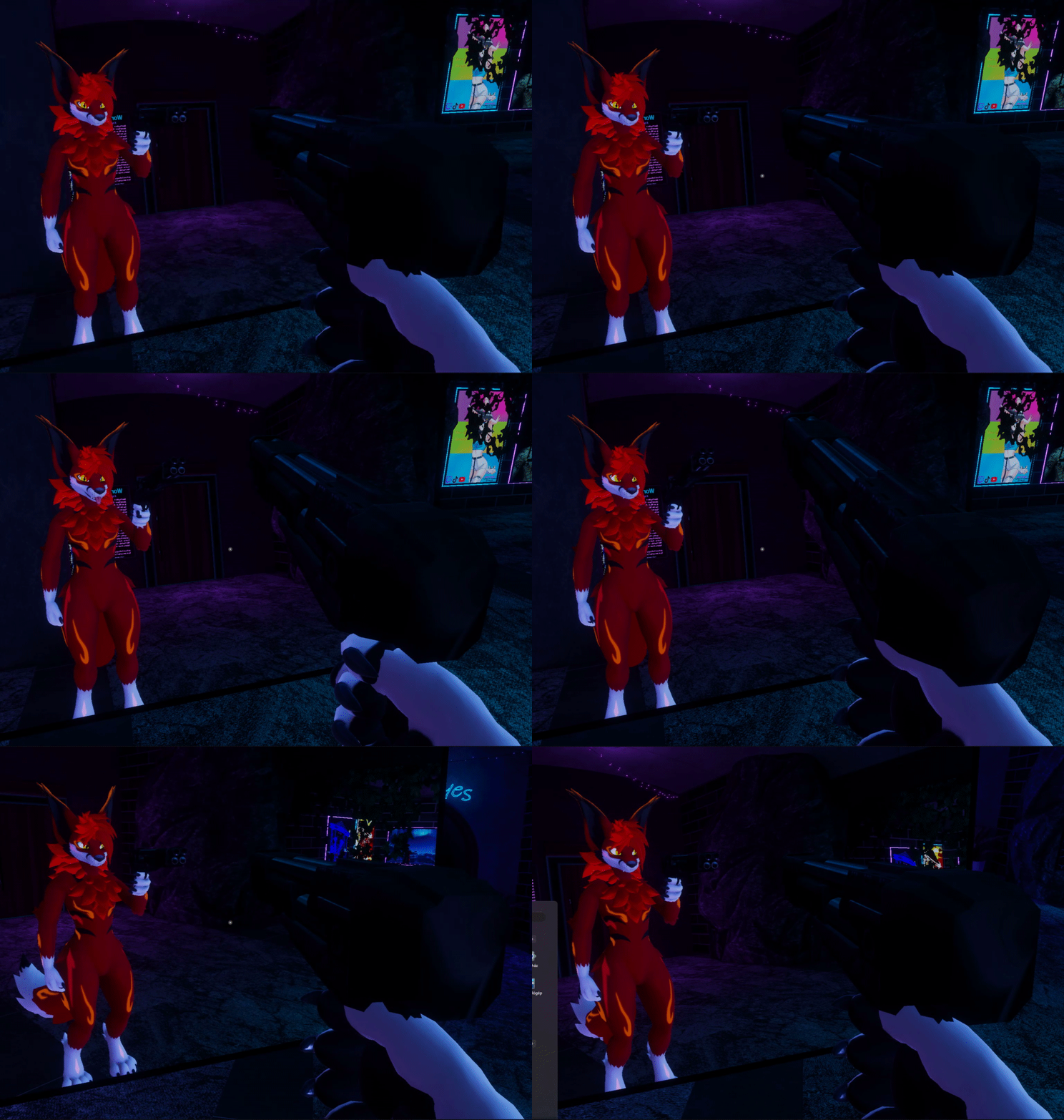 frigid plover
Okay, so these settings are a lot closer to what I'm looking for, but it's still funky. Part of the problem is probably that the two sides of the hat are not linked properly and so grabbing the right side will not move the left and vice versa. But another problem that I'm not entirely understanding is that the center of the object does not want to move away from the start position. So the hat isn't coming off the head at all, it's just being stretched. I have another object I'm trying to achieve the same effect with - an apple prop that I hold in my hand. I want it to be grabbed and moved around by myself or other players, but right now with these same settings it is still stuck to the hand and it only gets angled toward the grabbing hand. It is just one bone so I think it might be easier to fix but I just don't understand how to do it.
Sorry for the rant. I'm going to bed now and don't know when I'll be able to work on this again, but if anyone has any ideas feel free to ping me and I'll try again at a later date.
 dark drift
@frigid plover to move around solid prop like an apple:
a. object itself should be 100% weightpainted to one bone (at least as far as grabbable chain conserned, it may be a sub physbone component to have jiggly/gravity physics or smth).
b. movement itself created by long extra bones before used ones, for example, apple in hand, empty bone goes from palm to say ground, then goes back, then 3rd bone is apple itself. thus first two long bones can freely stretch.
c. it still would be meh and have no controllable rotation. proper prop grabbing done locally via constraints and for remotes via prefabs like https://github.com/ThatFatKidsMom/Avatar-Prop
GitHub
Prefab to spawn in props that can be moved and rotated by other players - ThatFatKidsMom/Avatar-Prop
 dark trellis
trying to make 3-segmented legs rn, and the result in the editor doesn't seem to match the in-game. Did this ever happen to yall?
hybrid patrol
i wouldnt doubt if it was a bug tbh
theyve been having alot of bugs with vrc constraints lately
frozen breach
does the behaviour change when you rotate the avatar in its entirety?
 loud garnet
Question: I've seen avatars with seats attached. Is it possible to create an avatar that has a seat that the avatar itself can sit in?