#ik-2
1 messages · Page 17 of 1
 lusty kindle
 prisma jackal
how normal is that the hip tracker stop traking and the solution is to reset vrchat?
 elfin bone
prisma jackal
how normal is that the hip tracker stop traking and the solution is to reset vrc...
elfin bone
prisma jackal
how normal is that the hip tracker stop traking and the solution is to reset vrc...
sometimes my hip tracker gets crazy, and i do prefer to restart steamVR
 prisma meadow
Is there a good avatar example with a rigged upper chest I could take a look at?
 quasi sable
IK beta is still inaccurate when it comes to Elbow tracking when it comes to 3 or 6 point tracking. It is an accurate assumption to say or think that and IK system can't figure out where your elbows are without elbow trackers. I've been playing around with vrik, in my Unity projects, which is another ik system that is compatible with the unity that can accurately calculate out where your elbows are without the need for elbow trackers. Obviously it's not perfect but it doesn't much much better job than vrchat beta ik system currently does. I'm very disappointed that VR chats new system was unable to do this properly. My understanding is that they are currently using a modified version of final ik for vrchat ik beta. They should really be using a system that was intended for VR use like vrik. VRIK is free to use for anyone. I don't understand why they didn't use this system instead of final ik.
For example, When my forearm is straight up and down vrchat kk a system when the beta calculates it at a forty-five degree angle. In testing with my Unity project, VRIK on the other hand they will calculate and figure out that my forearm actually just straight up and down
 copper trench
wym? finalIK doesn't have VRIK?
quasi sable
copper trench
wym? finalIK doesn't have VRIK?
Vrik is a different ik engine than final ik
That's the actual name of the system
That's much more Superior system than what's being used in the ik battle right now
copper trench
so there's some generic "VRIK" that has branded itself "VRIK?" i'm confused, because root motion's product has VRIK
quasi sable
Also liv's ik system is able to do this as well. When I place my Forearms vertical next to my chest, It shows them accurately unlike vrchat which shows him at an angle
This proves it is possible for an IK system to correctly figure out where elbows are most of the time without elbow trackers being necessary.
And also LIV's system isn't the only system that I've seen accurately be able to do this
I've seen my VR motion capture system also be able to do this properly with its ik system
Chillout and NEOS are also capable of this.
quasi sable
copper trench
so there's some generic "VRIK" that has branded itself "VRIK?" i'm confused, be...
Yes there's a system that generically brand itself as "vrik".
My point is that there is a way to improve vrchat ik system the they can have this feature as well
copper trench
that doesn't seem very smart of them...can't find it in search results
quasi sable
copper trench
that doesn't seem very smart of them...can't find it in search results
Again not the point. The point is that VRChat's ik can be improved
I have added this to the feedback canny as well
I would really like to see vrchat's ik system improved to the point where it's the best system that is currently available for vr
But that would not be possible unless we are critical of it
Everything always has room for improvement
prisma meadow
another thing is that they dont actually use the steamvr skeletal input system
they did at one point, but then removed it
 devout current
I actually really like the new arm ik a lot tbh
 grand lynx
was there a change for full lock today? head is not spinning on older avatars that had neck fix
 final sphinx
 frigid crescent
in a smaller log file I got from last night, one I can actually open up, I do have a bunch of those. the huge one I wasn't able to open in anything I had.
 icy ferry
i liked the arm ik before the shoulder issues started popping up
that's the only issue i've been having though
 dusk anvil
hehe BEEG log
 fiery barn
Can I go to a older version of IK?
 tame pewter
fiery barn
Can I go to a older version of IK?
tame pewter
fiery barn
Can I go to a older version of IK?
explain why
as it may be valuable input for a canny
 clever gorge
What's the maximum number of trackers that we can use with the new IK system?
I'm writing a SteamVR driver to get my XSens mocap suit into VRChat and I'm working on what bones to match to VRChat right now
 ionic heron
11
Headset, elbow left, elbow right, controller left, controller right, chest, hip, knee left, knee right, ankle left, ankle right
devout current
I already see my bank account getting emptyer
 vital inlet
Does anyone know how to get the physic bones to work on the live? I got them to work on beta but now they won't work.
The physic bones wont move at all in game for me now on my avatars I uploaded
ionic heron
vital inlet
Does anyone know how to get the physic bones to work on the live? I got them to ...
This is the channel for the IK beta - see #avatar-dynamics, and keep the new standalone Quest limits in mind o:
 soft glacier
do I need a special SDK avatar version to upload avatars if im using ik-2-beta?
nvm
 harsh lagoon
no you dont need anything extra for this one
clever gorge
ionic heron
Headset, elbow left, elbow right, controller left, controller right, chest, hip,...
Shoulders not required?
 stiff surge
Has anyone had the issue since the latest update, where legs suddenly decide they don't want to bend? Everything will be working fine, and then sometimes either when someone leaves, or when changing to an avatar with the same armature, legs don't bend anymore. Almost like the knee tracker is now the foot tracker.
Recalibration shows all trackers fine, but doesn't fix it. Sometimes it will go after changing avatars back and forth a few times, and changing the IK tracking. Other times it needs a restart of VRC.
clever gorge
Is the order that trackers are added important or is it based on the device id? If a tracker is set to disabled in SteamVR, will VRChat happily ignore it?
grand lynx
I have trackers that are not far away getting ignored.
Makes locking in a bit of a struggle.
Stuck at work, can do a video later
seems to be mostly feet
(No, i dont have stilts for legs lol)
 lethal bridge
You can adjust the binding distance with a launch option for now
grand lynx
Ah good
 oak pendant
clever gorge
Is the order that trackers are added important or is it based on the device id? ...
oak pendant
clever gorge
Is the order that trackers are added important or is it based on the device id? ...
It depends on the order in which VRChat sees them, which I think is the device ID for the initial set of them. And then subsequently depending on the order of connection. It makes sense for us to probably allow more trackers to be recognized so that unused ones don't push out the ones worn on the body. Tracker Role: Unused isn't currently taken into account.
Also to answer your other question, the tracker for elbow is actually representing the upper arm. So although we support tracked shoulders, the info for both the shoulders and elbow is obtained from the upper arm tracker
clever gorge
oak pendant
Also to answer your other question, the tracker for elbow is actually representi...
Ah right, thanks.
oak pendant
If you're writing your own steamvr driver for emulating trackers, the most important thing I think would be to ensure they all return unique serial numbers when queried.
clever gorge
oak pendant
If you're writing your own steamvr driver for emulating trackers, the most impor...
At the moment each tracker uses the segment name from the source skeleton. I'll probably add a prefix too
Just got the first proof of concept working today! https://youtu.be/g-FF_llsy6s
 oak pendant
clever gorge
At the moment each tracker uses the segment name from the source skeleton. I'll ...
oak pendant
clever gorge
At the moment each tracker uses the segment name from the source skeleton. I'll ...
Yeah that would work, as long as two don't share the same name during the same session there will be no problems
oak pendant
clever gorge
Just got the first proof of concept working today! https://youtu.be/g-FF_llsy6s
Nice!
clever gorge
Trying to figure out how to set the hints for different bones to map to tracker types now and match the ground planes. I had to manually shift everything down 2.5m so the origins dont match right now. Literally only just got something moving in SteamVR this evening so baby steps
I do want to add finger tracking eventually, I think that emulating an index controller is the way to go?
grand lynx
Kung, was something changed recently in the new release? Previously all my avatars with neck fix had a wicked spin if the head got too close to the chest tracker. I logged in yesterday afternoon and they were no longer spinning
My older avatars before I stopped using neck fix anyway
oak pendant
clever gorge
I do want to add finger tracking eventually, I think that emulating an index con...
Depends on if this is just for VRC or other things too. Emulating index controller would allow wide compatibility with many apps
oak pendant
grand lynx
Kung, was something changed recently in the new release? Previously all my avata...
it depends on how long ago you mean by previously
The patch that added calibration saving and chest trackers was the most recent big change that would have introduced fixes and/or bugs
grand lynx
Saturday, head would flip and freak out on neck fix avatars when using 11 point if head got too close. Sunday latest in the evening I would say for US time, they no longer reflected that behavior.
(If head got too close to chest)
clever gorge
Eventually I'd want to pass this through the SteamVRs OpenXR hand tracking extension implementation, but index controller emulation is somewhere to start. I'm using Manus VR gloves integrated into MVN right now.
oak pendant
grand lynx
Saturday, head would flip and freak out on neck fix avatars when using 11 point ...
You might be affected by the current tall-person bug too
oak pendant
Do you happen to be much taller than average?
grand lynx
not really
oak pendant
(you mentioned that some of your trackers were being ignored by calibration) currently the ignore-based on distance from body feature isn't accounting for user real height as intended
grand lynx
Ah
oak pendant
so far I've only seen it affecting people near 2m tall
oak pendant
clever gorge
Eventually I'd want to pass this through the SteamVRs OpenXR hand tracking exten...
If you're targeting just VRC you could look at sending info in via OSC as well, but that might eat up too many AV3 parameters
 high nest
Was there an ik beta update a half hour ago? I don't see the change log but it looks like depots updated
oak pendant
grand lynx
Saturday, head would flip and freak out on neck fix avatars when using 11 point ...
I don't think there was a change between those times
grand lynx
Interesting. The behavior was radically different.
maybe have just been play space issues
I will test again today and see if I am having issues again
oak pendant
high nest
Was there an ik beta update a half hour ago? I don't see the change log but it l...
Ah yeah, no changes to ik2.0 but a merge of the 2022.1.2p2 in #announcements
grand lynx
Thank you for being such a boss in looking at all the feedback kung.
oak pendant
I'm aware that some of the same tall people having issues are also having issues with lock-hip and neck behavior, so maybe when I can address that if there is an existing issues that you're just at the threshold of having or not it would hopefully be improved there
grand lynx
One thing I did change is, I had my chest tracker Much higher on the first day, second day I had it lower
oak pendant
grand lynx
Thank you for being such a boss in looking at all the feedback kung.
No no thank you for the feedback, if I was trying to work on this with zero feedback it would be so much harder
oak pendant
grand lynx
One thing I did change is, I had my chest tracker Much higher on the first day, ...
Higher is probably better, but yeah the neck fix is kind of bound to produce unpredictable behavior. If you're using lock-all with chest tracking there's only a small segment of the IK chain trying to make up the difference between two tracked points (even shorter if you don't use an upper-chest bone)
grand lynx
Yeah im reweight painting some of the older avatars I still use. Fun times.
I will test higher and lower later
 strange marlin
Hey, I have an issue with the arms of my avatar.
My left arm is always shorter than my right arm. When I stand in a T pose, my right arm matches my real arm, but the left one still bends.
It happens with every avatar I tested.
I can make the bend less when I tilt my hip during the calibration.
It feels like it got worse since the last update, but I can't tell for sure because I can't compare them side by side.
I'm also not sure if it is an IK problem or maybe steam vr messing up?
Does someone else have that problem too?
oak pendant
strange marlin
Hey, I have an issue with the arms of my avatar.
My left arm is always shorter ...
There was some discussion of this on Canny before: https://feedback.vrchat.com/vrchat-ik-20/p/elbow-tracking-assymetric although it was elbow trackers in that case
 lethal bridge
clever gorge
Eventually I'd want to pass this through the SteamVRs OpenXR hand tracking exten...
lethal bridge
clever gorge
Eventually I'd want to pass this through the SteamVRs OpenXR hand tracking exten...
may I interest you in the Opengloves driver 😮
oak pendant
strange marlin
Hey, I have an issue with the arms of my avatar.
My left arm is always shorter ...
it appears to be an issue with relative offset between devices in SteamVR, you can test this by rotating in real space and checking if the shorter/longer sides swap at some point
This is also an issue on live, but the torso-leaning in legacy IK masks it
If it bothers you I'd recommend adjusting your avatar so that the arms are both short enough such even with asymmetric extension from tracking data you're able to lock the elbows on both. (And use the measure by height mode so that changes to arm length on the avatar are simpler to deal with)
strange marlin
I did test it yesterday and did the calibration while looking in different directions but I could not see any differences. Would it be okay to have the length of the arms asymetrical in the measure by height mode?
oak pendant
vital inlet
Why is this dev only active in here?🤨
Me? I'm working on IK2.0 so I'm active in here to collect feedback and find issues etc. I might chat in the other channels from time to time though
oak pendant
strange marlin
I did test it yesterday and did the calibration while looking in different direc...
You could try that, but I wouldn't recommend it. Also, this can't be fixed with calibration because whatever you lock in can't compensate for the shifting offset due to the way the tracked objects will orbit around each other slightly as you move them around your playspace
vital inlet
oak pendant
Me? I'm working on IK2.0 so I'm active in here to collect feedback and find issu...
Ah. Makes sense i guess
oak pendant
Actually come to think of it, if you'd like to fix this for all avatars, then measure by arms + the --custom-arm-ratio="0.4537" launch argument might work better for you
strange marlin
Okay then I will try to work around it. Thanks for the help!
oak pendant
The value there is the default though, you'd want to decrease it to tighten the arms
so something like"0.415" might be good to try to get them tighter
strange marlin
Okay I will try that when I'm back home later today! Thanks again for the help. I really like the new Ik!
 honest apex
 vivid plank
Lmao happens to me alot
grand lynx
the 0.415 works wonders for me
vital inlet
So ik-beta is the open beta?
 keen verge
Is the ik beta broken? I have a few friends who were having this issue, my neck is like very long and my shoulders drop down a lot and it doesn't look right
here is one example

when I hit calibrate in the menu it reloads my avatar after positioning the trackers and it just gets really goofy
 empty solar
oak pendant
There was some discussion of this on Canny before: https://feedback.vrchat.com/v...
empty solar
oak pendant
There was some discussion of this on Canny before: https://feedback.vrchat.com/v...
This happens even without the elbow trackers
oak pendant
empty solar
This happens even without the elbow trackers
Yeah, it can happen with any tracked device. That canny was just an example
oak pendant
keen verge
Is the ik beta broken? I have a few friends who were having this issue, my neck ...
There's currently an issue for very tall users where the calibration doesn't work as intended. Do you happen to be pretty tall?
(So far I've heard confirmed reports from people around the 2m tall range) I believe this is why it's a rare-ish issue. I'm aware of it and it's high priority to fix
prisma meadow
ahhh so thats what was going on
I was wondering why my elbows seemed to be a bit asymetric
empty solar
oak pendant
There's currently an issue for very tall users where the calibration doesn't wor...
My IRL height is 5' 11". I view it as average but others may say otherwise
oak pendant
Ah, yeah my message after the one replying to you was in reply to the issue CaydeVR was talking about
As far as I know 5'11" should not be in range to experience that neck issue (in lock hip mode)
It's known and somewhat expected that lock-all on the other hand can cause issues with the neck or other parts of the spine depending on avatar. There may or may not be further improvements to lock-all before release, but the lock hip issue with tall people is different.
keen verge
oak pendant
There's currently an issue for very tall users where the calibration doesn't wor...
im not tall lol
 weary coyote
Yeah the chest tracking works amazing with my slime vr setup however I need to look down at like a 45 degree angle to prevent neck scrunching with all lock
Is that a viewpoint issue?
Cause all the joints match up with my irl preportions
 cloud pilot
weary coyote
Yeah the chest tracking works amazing with my slime vr setup however I need to l...
cloud pilot
weary coyote
Yeah the chest tracking works amazing with my slime vr setup however I need to l...
What I noticed when doing the looking down hack is that when I wiggle my hip, my feet won't be correctly locked in place and they'll float up and down
^both in headlock and all lock
weary coyote
My in-game hips were actually above my hips before doing the head hack
empty solar
oak pendant
It's known and somewhat expected that lock-all on the other hand can cause issue...
could we guarantee that the arm drag with forced locomotion be fixed up before release again?
vital inlet
Did you find out what the issue was with the height kung?
Like, the neck hunching n stuff?
 robust tangle
My friend is having an issue, he can't use fullbody on IK beta at all it totally ignores his trackers. i can use the same avatars and they work fine. his fullbody works on live
i told him he needs to calibrate and i see him doing it, but it's just regular 3 point afterward
nevermind i just read the above, my friend is 6'4"
devout current
well yeah that's the "Tall People Bug"
robust tangle
isn't there a number you can change in a config file or something
devout current
there is a launch option yes
--calibration-range="0.3"
that's the default
tall people should higher that one
devout current
No need to put one in
 astral shell
Oh ok.
devout current
just select the IK beta and done
the access code is for private / internal version of the game
devout current
astral shell
What’s the beta access code
it's separate from that selector
 ripe oriole
Team what are we using to affix trackers to our chests? I’m using an extra trackbelt rn but it doesn’t seem super secure.
 tiny perch
ripe oriole
Team what are we using to affix trackers to our chests? I’m using an extra track...
tiny perch
ripe oriole
Team what are we using to affix trackers to our chests? I’m using an extra track...
I use a trackstrap+
robust tangle
The fact that the steam overlay no longer stops trackers is exasterbating the bug where Root.T does not animate correctly when all tracked points are set to animation + index controllers are being used. there used to be a workaround where you could leave one bone on tracking to get Root.T working but that will mess up AFK animations now
 carmine gate
I made this one as well https://feedback.vrchat.com/vrchat-ik-20/p/11748-locomotion-transitions-are-broken-again
I wasn't able to reproduce it myself, it's interesting to see you got it to happen
 marsh elm
Gamers we need to invest in tigh tracker->waist tracker garter belts and chest tracker suspenders for maximum anti slippage peak performance during intense enterprise resource planning sessions
Only then will we truly ascend
 lethal light
marsh elm
Gamers we need to invest in tigh tracker->waist tracker garter belts and chest t...
lethal light
marsh elm
Gamers we need to invest in tigh tracker->waist tracker garter belts and chest t...
not gonna lie, it works wonders
prisma meadow
ill test it out soon. But i bought a gopro chest mount for chest tracking
lethal light
prisma meadow
ill test it out soon. But i bought a gopro chest mount for chest tracking
did you find one that had a camera mount? or how are you attaching the tracker to it?
prisma meadow

Forevercam Aluminum Buckle Clip Basic Base Mount with 1/4-20 Lock Protector, Perfect for GoPro Clip mounts & Replace The Plastic Part
 icy ferry
so we know height bug is in the list of planned fixes right now which should be good. i'm curious what else is in the list right now. beta testing all of this has been pretty cool ngl so i'm excited to see stuff get more ironed out before full release. i think people outside of beta will like it a lot once it gets all fixed up and good to go.
vital inlet
weary coyote
Yeah the chest tracking works amazing with my slime vr setup however I need to l...
they still haven't fixed crunchy gamer neck?
weary coyote
vital inlet
they still haven't fixed crunchy gamer neck?
idts
vital inlet
what is idts
carmine gate
I don't think so
 maiden rock
Using a GoPro/action camera chest mount, cheap and does the job
 vital inlet
honestly, i don't even know how i am supposed to put on my chest tracker, it is almost in my throat
maiden rock
As long as your chin clears it when looking down
 limber steeple
maiden rock
Using a GoPro/action camera chest mount, cheap and does the job
limber steeple
maiden rock
Using a GoPro/action camera chest mount, cheap and does the job
So the chest tracker is a way to tell if an egirl has reallife big boobas or not? Lmao
maiden rock
I suppose it could sit a little higher than in my picture and clear the boobs :P
 timber grove
You could probably also wear it on the side of your chest as well no no booba occlusion.
limber steeple
Masterplan
 maiden rock
HTC had it right all along
marsh elm
limber steeple
Masterplan
LOL
 pulsar fox
got another instance of "tall person tracking issues". I have my calibration range set to 1, and my feet won't be tracked (6'4' height). Related feedback and video:
https://feedback.vrchat.com/vrchat-ik-20/p/feet-trackers-not-tracked-if-knee-trackers-are-used
In 10 point, the knees don't allow me to track feet. When I turn off my knee trackers I can track with my feet again. Enabling the knees once more prevents feet tracking.
empty solar
Since the IK beta came out I'm surprised no one asked for this honestly https://feedback.vrchat.com/feature-requests/p/add-debug-option-for-full-body-trackers
 dull dew
clever gorge
I'm writing a SteamVR driver to get my XSens mocap suit into VRChat and I'm work...
dull dew
clever gorge
I'm writing a SteamVR driver to get my XSens mocap suit into VRChat and I'm work...
Wait what u have a mocap suit bruh
grand lynx
Though neck fix is of course no longer ideal, many avatars still have it If you are using 11 point tracker, wearing the chest tracker below the breast line on your chest will reduce/eliminate any strange behavior such as head flipping. Wearing it higher up seems to cause odd behavior to happen more frequently.
Also tested with avatars from a few different creators, including my self and noticed a few bits of weird bending in the neck or jittering issues even without neck fix. Trying to reproduce it more.
Been a little under the weather so I havent been able to test as much as I'd like, and a lot of the behavior can't be seen locally.
grand lynx
pulsar fox
got another instance of "tall person tracking issues". I have my calibration ran...
This sounds like the tall person bug Kung mentioned before.
Nevermind you mentioned it. Im going to go rest off this real life bug I caught.
 burnt wagon
empty solar
Since the IK beta came out I'm surprised no one asked for this honestly https://...
burnt wagon
empty solar
Since the IK beta came out I'm surprised no one asked for this honestly https://...
I aggree

Scratching my head on why it doesn't already exist. Sure you can go to the avatar testing world but some world creators have moved on and have stopped updating their worlds. As avatar creators we need tools to debug our creations. It would be helpful if they were baked into VRC.
I feel like @oak pendant might be interested in this idea.
clever gorge
dull dew
Wait what u have a mocap suit bruh
Yeah I have some that I manage at work and I thought it would be fun to use them in VRChat.
weary coyote
empty solar
Since the IK beta came out I'm surprised no one asked for this honestly https://...
+1 on this
 loud sky
I'm late to this conversation but I definitely still want to find time to redo all of the default animations.
In fact, I think it would be great to actually include the entire animation set in the SDK rather than just one still frame -- it would give more of a chance for people to preview their avatars with a given default animation set without having to build / test or build / upload.
Granted, the IK would end up changing the animations slight in game, but it would still be good overall.
loud sky
(Don't get too excited, I don't have time at the moment to do it, even if I really really want to :P)
marsh elm
empty solar
Since the IK beta came out I'm surprised no one asked for this honestly https://...
I wish i could take a freeze-frame of my trackers/controlers in a 3d space as an fbx file to bring it over to blender 😆
Blender vr when
 trim fox
it is actually possible but complicated
you gonna need use 3rrd party software for unity
timber grove
What build is the ik beta currently on? I saw a security update yesterday, and I just now updated the ik beta. I got in-game and it says it's on build 11911. Does this version include the other update in announcements?
devout current
yup
timber grove
Ok
I was a little confused when I saw the open beta announcement had build 11902
lol
robust tangle
loud sky
I'm late to this conversation but I definitely still want to find time to redo a...
On one hand you can update it for all previous uploads and have people scream at you saying “hey you changed this thing extremely slightly and I’m angry about it”
or you can only change the animations for newly uploaded content and have people scream at you saying “ you’re making me re-upload all of my stuff and I’m angry about it”
Good luck XD
 fleet loom
pulsar fox
got another instance of "tall person tracking issues". I have my calibration ran...
fleet loom
pulsar fox
got another instance of "tall person tracking issues". I have my calibration ran...
I have the same issue, but with a humanoid avatar. 5 trackers (hip,knees,feet). It doesnt matter what avatar i use, feet will never be detected. Even if i set the calibration range to 9999
pulsar fox
My avatar uses a humanoid rig
fleet loom
I mean non-furry
devout current
It's still a humanoid Avatar lol
Humanoid Avatars are all Avatars which are build on a human bone skeleton
fleet loom
Yes i know
oak pendant
loud sky
I'm late to this conversation but I definitely still want to find time to redo a...
Nice!
loud sky
robust tangle
On one hand you can update it for all previous uploads and have people scream at...
Ideally it would be just a part of the SDK. In my mind, we wouldn't remove the current animations entirely. They'd still exist if you deleted the SDK controllers from your avatar descriptor. The old anims would be fallbacks in that case, and would also maybe still be included in the sdk too for people who wanted them.
There are considerations to be made, and none of what I just said is a final decision, just what I would like to do with it personally.
robust tangle
Yeah I’m all for including the actual animations in the SDK!
 hot fulcrum
ok, live patched, so ik branch to be patched later on.
 solid moth
where in https://www.oculus.com/experiences/quest/1856672347794301/ is details?
ive already logged in
 karmic schooner
So I have fbt 3.0 trackers.. and idk if that’s why I can’t use beta version, but when I try to get on it my vrchat loads like normal and than closes… dose anyone how to fix it or
devout current
solid moth
where in <https://www.oculus.com/experiences/quest/1856672347794301/> is details...
Waht are you trying to do?
 devout current
If you are trying to get the IK beta I have to disappoint you, it's only available on Steam for the moment
solid moth
ok
 jolly matrix
are the old style locomotion animations still disabled in FBT for ik2beta?
 silent surge
- Fixed an issue preventing users from adding more Favorite worlds if they had more than 192 world favorites
oh no ! I don't like this fix...
also at when more favourites world / category ? for people who paid 99/y
karmic schooner
I guess im the only one with the problem 😂
 oblique marsh
Is there a proposed or existing variable I could look at to determine if a user is in T-Pose for calibration?
grand lynx
wrong video
silent surge
@karmic schooner it's often a problem cache, then the best way, erase the content of %APPDATA%\..\LocalLow\VRChat and restart VRChat
 karmic schooner
silent surge
<@436638682926284802> it's often a problem cache, then the best way, erase the c...
karmic schooner
silent surge
<@436638682926284802> it's often a problem cache, then the best way, erase the c...
I’ll try that ❤️
 lean badger
still borked here
 lusty sierra
silent surge
```
- Fixed an issue preventing users from adding more Favorite worlds if they h...
lusty sierra
silent surge
```
- Fixed an issue preventing users from adding more Favorite worlds if they h...
The maximum number of world favorites is still the same (256), there was just a problem in the last major patch where people couldn't add more if they had 192 or more, instead of being able to go up to the intended maximum (256).
silent surge
oh ! ok ! I thought this update downgrade the number of favourites world
lean badger
@oak pendant have you had any time to look at the neck bending issue mentioned in this reply thread and in this canny https://vrchat.canny.io/vrchat-ik-20/p/1174-8-neck-bending-strangely-in-lock-hip-mode
if you need any additional screenshots with the arrows or so I can produce them
oak pendant
lean badger
<@153868400282566656> have you had any time to look at the neck bending issue me...
This should be fixed momentarily in a patch
ionic heron
pog
 old mulch
this update also get the patch from main branch?
oak pendant
old mulch
this update also get the patch from main branch?
Yeah it also includes all the fixes in 2022.1.2p3
old mulch
👍
oak pendant
In general I've been appending incrementing numbers to the live build number for ik beta, so because 2022.1.2p3 is build 1192, ik beta is 11921 (1192-1)
icy ferry
oh nice i'll have to test at some point!! i'm hoping for less of the funky shoulder clipping issues. i have a condition that causes my shoulders to dislocate irl, i was kind of shocked to see it spread to vr too. lmfao.
oak pendant
so checking the build numbers will show what live build it's based on
icy ferry
i'll test it out tonight or tomorrow and let you know if i'm experiencing any more issues.
old mulch
ah okay good to know, ill be sure to check that!
icy ferry
thank you for the hard work kung!!
oak pendant
icy ferry
i'll test it out tonight or tomorrow and let you know if i'm experiencing any mo...
Thanks, careful not to hurt your shoulder testing 😁
icy ferry
i'll be careful!! thank you so much
jolly matrix
are the old style locomotion animations still disabled in FBT for ik2beta?
oak pendant
Do you mean having head-bob in FBT?
lean badger
oak pendant
This should be fixed momentarily in a patch
seems to work better, thanks
jolly matrix
oak pendant
Do you mean having head-bob in FBT?
Yeah
oak pendant
lean badger
seems to work better, thanks
nice! thanks for checking
oak pendant
jolly matrix
Yeah
Yeah, that's gone back and forth a few times. It was at one time made to be like legacy (with headbob) but this killed a certain user case: some users enjoy attaching their hair using a parent constraint so their own hair is visible in first person as it moves around with physbones. Having forced headbob via the IK system itself, made this use case unavailable.
The proper solution, if headbob locomotion is desired, is to change the default animator, not the ik system. This would allow users to control when they have headbob or not
So for now larger default animator changes are out of scope for ik2, and the ik system respects whether animate hip tracking control is applied or not
jolly matrix
does replacing my Base layer with a different locomotion blendtree work to achieve that as of now?
robust tangle
If the IK Beta has made a pre-existing bug even worse / more annoying, should it be re-filed on IK beta category?
oak pendant
jolly matrix
does replacing my Base layer with a different locomotion blendtree work to achie...
You should be able to get headbob back if you have tracking control apply animate hip to your locomotion state in your animator
Just using a different blend tree isn't enough
oak pendant
robust tangle
If the IK Beta has made a pre-existing bug even worse / more annoying, should it...
What bug are you referring to?
In general if it relates to a difference in behavior between ik beta and live though, it can go as a second canny in the ik beta canny
robust tangle
oak pendant
What bug are you referring to?
The Steam overlay no longer stopping trackers has removed the workaround for getting by this one https://vrchat.canny.io/avatar-30/p/bugbuild-1004-avatars-30-emotes-on-index-do-not-have-root-transform-applied-prop
lean badger
there seem to be some interesting difference with locomotion on SDK2 avatars, where it takes really long to blend into the locomotion anim
edit: reupping files
oak pendant
Yeah, locomotion blending is still an outstanding issue. The per-tracker-ik system touched all blending
oak pendant
robust tangle
The Steam overlay no longer stopping trackers has removed the workaround for get...
Ah yeah, good question in that case. This is more of an issue with an unrelated workaround affecting things. Is the root motion animation issue still present in live builds or is the issue solved there but reintroduced in ik beta?
If it's still present in live builds then the canny should stay there only probably.
 queen solar
I am unable to get my feet to track no matter what I do (3 trackers being used currently, can test with 7 shortly)
robust tangle
It’s present in live builds there’s just a work around that IK beta has… removed lol
oak pendant
queen solar
I am unable to get my feet to track no matter what I do (3 trackers being used c...
Can you confirm that your quickmenu displays you're on build 11921?
queen solar
oak pendant
Can you confirm that your quickmenu displays you're on build 11921?
Yes I am
oak pendant
queen solar
Yes I am
Are you in beta-ik mode on the beta-legacy toggle?
queen solar
Steamvr is tracking perfectly, vrc balls are even tracking but it is refusing to give me feet when I calibrate dbt
queen solar
oak pendant
Are you in beta-ik mode on the beta-legacy toggle?
Yea
lean badger
video files upload of the sdk2 locomotion blending
first is live, second is ik beta
notably when running the ik beta build it's slow both in beta ik mode and in legacy ik mode
oak pendant
queen solar
Yea
Do you have your user real height set accurate for your IRL body?
queen solar
oak pendant
Do you have your user real height set accurate for your IRL body?
Never have before as if I do all of my trackers become 3 ft+ away from my actual body, and I've never had a problem with my feet not tracking like this before, my hip locks and calibrates correctly though
This is a new issue as of the latest patch for me
Oddly adding my elbow trackers now my feet are tracking perfectly
That is quite odd
 upbeat vault
lean badger
video files upload of the sdk2 locomotion blending
first is live, second is ik b...
upbeat vault
lean badger
video files upload of the sdk2 locomotion blending
first is live, second is ik b...
I think the transition should be slower
the amount of times I've been snap kicked in the face by fbt users is uncountable
marsh elm
upbeat vault
I think the transition should be slower
the amount of times I've been snap kicke...
some people pay extra for that
lean badger
upbeat vault
I think the transition should be slower
the amount of times I've been snap kicke...
sure, but this is too slow
upbeat vault
haha
and yeah, faster, just not instant
lean badger
it looks bad when standing up normally. i was sitting for the video to illustrate the blending more clearly
also seems to mainly affect sdk2 avatars. although we have this blending thing on sdk3 avatars as well after you switch avatars and similar
oak pendant
queen solar
Never have before as if I do all of my trackers become 3 ft+ away from my actual...
I'd recommend using your actual height for your user heal height and using other available options such as the --custom-arm-ratio="0.4537" (reduce number to shrink avatar) or probably better is using the measure by height mode. Using inaccurate user real height isn't supported, and with the new system of excluding trackers that are far from your body, the user real height is used to determine your body size
queen solar
I am able to reproduce the problem of feet not tracking as long as I am using 3 trackers, if I add a right knee, my right foot tracks, if I add a left knee, my left foot tracks, if I add both elbows, both feet track
oak pendant
Could you try toggling into legacy mode and back into beta-ik mode and seeing if this behavior persists?
There's an issue with the legacy button where it doesn't always update and display the correct state
queen solar
oak pendant
I'd recommend using your actual height for your user heal height and using other...
Excluding trackers that are far from the body... Should not be an issue as the settings I have for height are the ONLY way to get my feet to line up correctly, if I use my real height or do any other settings as you suggested, my feet trackers become multiple feet out from my VR feet and would then be untracked due to the new system
oak pendant
queen solar
Excluding trackers that are far from the body... Should not be an issue as the s...
That's not how it works, the exclusion distance is based on your real body, not the avatar
oak pendant
lean badger
video files upload of the sdk2 locomotion blending
first is live, second is ik b...
Thanks for those videos. I may be able to look into it, but SDK2 issues are much lower on the list of priority compared to other things
queen solar
Ok so it IS a problem with my "user real height" but I cannot use fbt like this... My feet are in my knees
Which is just unusable
oak pendant
queen solar
Ok so it IS a problem with my "user real height" but I cannot use fbt like this....
Have you tried the scale by height option while using your accurate height set in user real height?
lean badger
oak pendant
Thanks for those videos. I may be able to look into it, but SDK2 issues are much...
understandable. i really should get around to converting that avatar to sdk3 :p
queen solar
How exactly do I do that and what setting should I use?
oak pendant
queen solar
How exactly do I do that and what setting should I use?
Toggle this so the one on the left is highlighted like in this screenshot

(The one that looks like it's measuring the height)
queen solar
wow... that just...
oak pendant
And be sure to have your IRL height set in your user real height while using it, or it can't match to your height
queen solar
did a perfect map to my feet
this is the first time that has ever happened since 2018
lean badger
upbeat vault
haha
and yeah, faster, just not instant
it's already a pretty good blending speed on sdk3 avatars
(SDK3 avatar on IK beta build 1192-1)
oak pendant
queen solar
did a perfect map to my feet
Awesome! yeah that's the intended function of that option
queen solar
I was worried that using those settings would make my avatar appear GIGANTIC in my eyes like is always has anytime I set my height accurately
oak pendant
queen solar
this is the first time that has ever happened since 2018
And something you'll like, it'll make all avatars match your feet now. Have fun trying out some avatars that normally wouldn't work in FBT, it can make them work better than expected
 tiny token
Is a straight hip->spine->chest->neck->head still recommended for IK2?
 modern crater
Calibration in Ik-beta will forcefully terminate. Also, pressing iklegacy will force the shutdown and this happens repeatedly. Is there a solution?i am using 3 trackers...
grand lynx
as good as the scaling is, I hate how tiny scale by by height makes the world scale and my avatar feel
queen solar
oak pendant
And something you'll like, it'll make all avatars match your feet now. Have fun ...
I only use my own avatar 😉 but thank you for the help! And to whoever implemented these new features I want to hug you
 digital ivy
So exactly how does one download the beta? It says I need a code😅 idk if I’m just stupid of what
queen solar
Too bad my elbows are still all out of wack, they are a tiny bit closer than before though XD
oak pendant
tiny token
Is a straight hip->spine->chest->neck->head still recommended for IK2?
It doesn't have to be perfectly straight, but it's still recommended to avoid very non-straight angles
grand lynx
So, I was getting the same issue with the head being crimped down with full lock, even when using 11 point tracking and a head tracker. But by lowering my head a bit and locking in, when I stood up straight, it fixed the issue and full lock seems to work perfectly fine now.
oak pendant
grand lynx
as good as the scaling is, I hate how tiny scale by by height makes the world sc...
I found similar issues when I got into scaling my avatar proportionally a long time ago. Being used to one scale then switching takes a few days to get used to in my experience
queen solar
I also dislike how when using knee trackers (Mine are placed slightly below my knees because too small of straps to go above) if I roll my ankle around, my VR knee rocks around even though my IRL knee is not moving at all. I would normally expect the knee to have a higher tracking precision than my foot, like each point farther from the "locked" items (hip and head for me) would have a higher value than any farther away.
oak pendant
grand lynx
So, I was getting the same issue with the head being crimped down with full lock...
Yeah this is a valid workaround, it trades accuracy at the feet for a bit of leeway in the spine
grand lynx
Yeah notice feet weren't perfect, but I was able to get nice hip snaps I wasn't able to achieve before when testing today:
tiny token
oak pendant
It doesn't have to be perfectly straight, but it's still recommended to avoid ve...
What about the slightly tilted back chest? Many of the avatar bases I’ve come across are rigged this way
oak pendant
queen solar
I also dislike how when using knee trackers (Mine are placed slightly below my k...
Does it also roll around if you try mounting on the thigh? I think the calf muscle flexing might be causing the tracker to move a bit when you roll your ankle around
grand lynx
Also, highly reccomend finding a way to get it above your knee, much better movement all around
same with elbow trackers, need to be above the elbow
oak pendant
tiny token
What about the slightly tilted back chest? Many of the avatar bases I’ve come ac...
In my opinion up to around 5 degrees should be ok. The way it will work in any case is the angle will be viewed as available slack in the spine solver
So if there's a large angle and the spine solves it straight, then the avatar will end up in pose pretty different from how it looked in blender
oak pendant
queen solar
I also dislike how when using knee trackers (Mine are placed slightly below my k...
Also now that you're using your IRL height, you might want to try the knee trackers again. Using an inaccurate height might have caused issues with the knee trackers being correctly bound to your body as well, so you could have possibly just been running on untracked knees
queen solar
oak pendant
Also now that you're using your IRL height, you might want to try the knee track...
I am trying them with the new settings and real height and still experiencing the same problem, I'll have to get creative to test on thigh instead of calf 1 min
oak pendant
queen solar
I am trying them with the new settings and real height and still experiencing th...
I find that if you have any kind of elastic thing, it's very helpful for mounting to the thighs
wide elastic is best so that it doesn't dig in
queen solar
oak pendant
I find that if you have any kind of elastic thing, it's very helpful for mountin...
Still getting the same rolling effect causing my knees to bounce with the movement of my feet
But it is less drastic on thighs
Still get ~2 inches of knee movement when only moving foot
Was getting close to 6 before
oak pendant
The knee tracker itself is lower priority than the foot and hip tracker. So it won't be a positionally precise as the other two
it has to be that way because the avatar's relative thigh-to-shin length might not be the same as your body
so for example if the avatar's shin was tool long it would have to push the foot away out of position and pull hip in out of position
queen solar
That kind of sucks, wish the foot would take more priority when being rotated but oh well
The knee should really only need positional tracking and not rotational
 proud burrow
wait there was a issue that prevented some taller users from calibrating their feet due to their height. that explains my issue i had lol
😅
queen solar
proud burrow
wait there was a issue that prevented some taller users from calibrating their f...
I just went through that problem lmao
oak pendant
queen solar
The knee should really only need positional tracking and not rotational
In terms of what the IK sees it only needs positional, to point the knee joint towards the correct position. But in tracking terms that correct position is a calibrated offset from your actual tracker, the position of which depends on the tracker's rotation as well
queen solar
Blegh, oh well... I'll just deal with this till I can get a better strap for my knees
oak pendant
proud burrow
wait there was a issue that prevented some taller users from calibrating their f...
Yeah, so far I've only seen reports of it from people near or above around 2m tall. Hopefully your issue is solved now
 regal pier
i use my own tracking system to work with the ik beta. am i allowed to share it here for people to test on the beta?
oak pendant
regal pier
i use my own tracking system to work with the ik beta. am i allowed to share it ...
By tracking system do you mean some custom steamvr drivers emulating tracked devices or something like that?
regal pier
oak pendant
By tracking system do you mean some custom steamvr drivers emulating tracked dev...
yes
me and a friend are working on it actively. during the summer will make more progress. have had some good results on the beta including decent shoulder movement
oak pendant
In general users are allowed to share SteamVR tools with each other with the understanding that people downloading things from discord are doing it at their own risk
regal pier
alright. it is only me working on this project but i do accept community contributions after manually checking through them
oak pendant
I'm sure you understand, but just in case someone else is reading, this is very different from something that modifies the VRChat client itself, and things like that aren't allowed.
proud burrow
i am like 1.9 meters and my feet were not going right place. will need to test it next time i get in vr.
regal pier
oak pendant
I'm sure you understand, but just in case someone else is reading, this is very ...
should i share the discord or the github links
oak pendant
proud burrow
i am like 1.9 meters and my feet were not going right place. will need to test i...
Yeah you likely in range to be affected by the bug
oak pendant
regal pier
should i share the discord or the github links
I think github is more in line with what I see usually shared.
regal pier
GitHub
A full body tracking system using machine learning, an RTX GPU, and a camera - GitHub - Wunder-Wulfe/NVIDIA-BodyTracking: A full body tracking system using machine learning, an RTX GPU, and a camera
oak pendant
(discord servers would be through the #community-servers-old )
regal pier
i still need to find people who are more adept with overlays
oak pendant
by the way cool looking project!
regal pier
thanks! i am very new to whole steamvr driver stuff so i am mostly learning from other people, although i am a long time programmer
but yes this system supports all 11 pts of tracking for this beta
and you can enable and disable which points youd like in case you want to mix and match tracking types, or would rather not track elbows/knees
 muted yarrow
Having this issue with FBT with the lock all option, if i bend my spine too much it ignores the hip lock and moves my pelvis up for some reason
oak pendant
regal pier
and you can enable and disable which points youd like in case you want to mix an...
Awesome! Yeah as long as the same trackers end up with the same serial numbers when they're reenabled (and no two trackers have the same serial number) it should all work.
oak pendant
muted yarrow
Having this issue with FBT with the lock all option, if i bend my spine too much...
Are you using a chest tracker?
muted yarrow
No i only have 3
regal pier
oak pendant
Awesome! Yeah as long as the same trackers end up with the same serial numbers w...
you cant toggle them without restarting steamvr at the moment. i plan on adding ways to turn them “off”, but steamvr has no method of completely removing a tracker that was previously active
muted yarrow
this problem showed up just now after the mini patch
regal pier
so it would cause issues if you run out of tracker slots (since vrc only supports the first 11 tracker devices)
oak pendant
muted yarrow
No i only have 3
Are you referring to a positional shift or the hip slightly rotating back?
muted yarrow
no its positional
oak pendant
regal pier
so it would cause issues if you run out of tracker slots (since vrc only support...
Ah yeah, that could be an issue
muted yarrow
if i ben my head down my hips move up
regal pier
i also had this issue on robot avatars with reduced limbs where if i crouch down too far in FBT mode, my avatars limbs kinda “explode” and the avatar teleports to the spawn point
when i un-crouch the avatar goes back to normal
oak pendant
muted yarrow
no its positional
Ok, if you're able to provide a video of the issue recorded in this world and post in canny I can take a look at it https://vrchat.com/home/world/wrld_01025423-c339-4735-8af9-ba45cc9e46f2

アバターのボーンの位置角度をチェックするワールド。This is the world that checks the position angle of the avatar's bones
regal pier
i can send the id of the avatar for anyone to clone since its my avatar and public, or privately, for debugging
muted yarrow
How should i go about recording it ?
muted yarrow
I mean i could hop in a call a sec and show ya in stream since i'm in game
regal pier
dusk anvil
<:real:956707098014675105>
yea. plan on adding support for multiple cameras also. although i need to make an overlay first so its easy to work with
oak pendant
muted yarrow
How should i go about recording it ?
You'd want to use OBS probably, here's a relevant youtube search: https://www.youtube.com/results?search_query=recording+vrchat+with+obs
muted yarrow
oki
oak pendant
muted yarrow
I mean i could hop in a call a sec and show ya in stream since i'm in game
The problem with a call is it doesn't leave a record on canny for other people to collaboratively comment/vote on to better understand issues
dusk anvil
regal pier
yea. plan on adding support for multiple cameras also. although i need to make a...
combining the skeletons for multiple cameras is going to be a great feat
muted yarrow
Got it
oak pendant
If your video file is short you can drop it in this channel here too, and then get the link to the file on discord and share that in the canny as well
regal pier
dusk anvil
combining the skeletons for multiple cameras is going to be a great feat
not exactly. as long as you are in VR, I know where your head is
dusk anvil
hands too if you can get the controllers
regal pier
and if you have controllers enabled then yea also hands
dusk anvil
yea
regal pier
from there I can automatically calibrate (eventually)
angles, scales, and offsets
and from there I will enable two options, weighted average or winner takes all
the algorithm I use computes confidence levels for each tracking point
so i can use the confidence to determine which point is more accurately described
 trail junco
I might have missed it but were there setting for metric user height when in FBT cal mode
empty solar
marsh elm
Blender vr when
exists already
muted yarrow
@oak pendant I recorded the video, the issue only happens wen both head and hips are locked and only wile i'm laying down. There is no such issue wile standing up right
My hips as well as the tracker do not move, its the models hips that disobey the hip lock and move up
oak pendant
muted yarrow
My hips as well as the tracker do not move, its the models hips that disobey the...
Thanks! That illustrates the issue clearly enough that I should be able to replicate it if it happens on my end too
modern crater
Hello, When calibration is performed on the Ik-beta server, vrchat is forced to terminate. The same goes for pressing the Iklegacy button. Has anyone experienced this before?
oak pendant
muted yarrow
<@153868400282566656> I recorded the video, the issue only happens wen both hea...
if you haven't already getting a post on canny would be good (https://feedback.vrchat.com/vrchat-ik-20)
muted yarrow
I use height prioritisation instead of wingspan and as previously mentioned i have both head and hips locked
Hope the information helps
Oh yeah the issue persist with all my avatars so it is not a rig issue
oak pendant
muted yarrow
Hope the information helps
Ok, yeah that's all useful info. So yeah make sure to record it in a canny post too if you can or I might forget it while I'm working through other issues
oak pendant
muted yarrow
Thank you for your time
Thank you too
oak pendant
modern crater
Hello, When calibration is performed on the Ik-beta server, vrchat is forced to ...
Clicking the legacy button will also cause start a calibration, so that makes sense if calibration is crashing you.
If possible could you reproduce the crash again on the latest version and submit your log file to your canny post? Or if you're uncomfortable sharing logs publicly you could DM it to me
modern crater
Ok i see it...thank you
oak pendant
If you're going to DM me let me know here so I can allow it, I block DMs in general
modern crater
Ah...But how is Log file created?
oak pendant
It's located at C:\Users\YOU\AppData\LocalLow\VRChat\VRChat\output_log_xxxxxx.txt
the xxxxx changes with the time it was created
modern crater
Ok...i'll try it and submit it..
oak pendant
Thanks!
muted yarrow
I have made a canny post about the issue
oak pendant
muted yarrow
I have made a canny post about the issue
Awesome, thanks!
 rustic berry
is the issue where your neck is heavily bent forward known? the current fix for it is to calibrate while looking down ~20 degrees, but it would be nice if we didn't need to do that
oak pendant
If you're talking about lock-all, yeah it's known and somewhat unavoidable by the nature of what lock-all represents
I'm considering baking in what happens when you look down without needing to look down, because it's probably a better experience for more users... but it does sacrifice accuracy at the feet
rustic berry
I see... yea I kinda need to use Lock all if I want my chest tracker to be utilized to its full potential
is it something that could be fixed via rig tweaks/viewpoint tweaks?
oak pendant
rustic berry
is it something that could be fixed via rig tweaks/viewpoint tweaks?
At least improved, but perfection here will be hard to chase
So having it "give" elsewhere (at the lower body) is probably the only way to make people feel like it's "fixed"
rustic berry
I see, this is quite a complicated issue then
muted yarrow
Best fix i have found for the neck issue is to position you hip tracker slightly higher than the nature resting position so wen you stand normally your spine will be slightly stretched and the neck will be straight
rustic berry
it's like, you change one thing, but at the same time you cause something else to behave differently
oak pendant
I think it might also just be ideal for people to adjust how much additional spine tightening they get by how much they look down, and let the super enthusiasts trade tips for best experience like that
 ancient geode
ya like having more sttings is always nice given the only people who tend to have full body especally past 6pt are enthusiasts
 wise dew
rustic berry
I see... yea I kinda need to use Lock all if I want my chest tracker to be utili...
wise dew
rustic berry
I see... yea I kinda need to use Lock all if I want my chest tracker to be utili...
Did chest tracking get added to the beta?
 wheat relic
Ye
wise dew
Oh nice, so full 11 point is a thing now?
ancient geode
ya
wheat relic
Also, big agree with having more settings for us nerds
ancient geode
or have a option to enable advanced settings with alot of aditional settings for enthusiasts. so its all neat for basic users but people still have the ability to tweek it to perfection for there given avatar
rustic berry
wise dew
Oh nice, so full 11 point is a thing now?
yep, and it also tracks position if you're in the Lock all mode
wise dew
I haven't been following this beta as much. What is lock all mode? lol
rustic berry
you can choose between "Lock hip" (keeps hip tracking 1:1, allows viewpoint drift), "Lock Head" (keeps head 1:1, prevents viewpoint drift, but allows lower body drifting), and "Lock all" (tries to keep both the head and hips locked, but can cause odd bending in the spine depending on the rig)
wise dew
Ah fair enough
 alpine kraken
is ik beta live still
 tight hemlock
What's a ik
wheat relic
👀
regal pier
tight hemlock
What's a ik
idk but i like fk
rustic berry
Inverse kinematics, the process of figuring out where joints in a bone chain end up given a start and end. for example, figuring out where the elbow is, knowing the shoulder position and wrist
in this case though, it refers to the full system that controls how the avatar moves based on the tracking points you have
wise dew
Well now i need to add another tracker to my list of things to buy lol
 final raven
@oak pendant shoulders are looking much better after tweaks in the latest update. ^^
prisma meadow
so would shrinking the torso help with the lock all neck issue?
 flint bison
I’ve had this issue for a while but forgot to mention it
While clicking on the scaling mode does change it, the icon stays the same
No change on it, I can’t tell which scaling mode I’m using based on the menu
modern crater
@oak pendant The log file is ready. Where should I send it?
oak pendant
I'll message you so you can dm it to me
modern crater
ok thank you..
empty solar
Glad ppl are upvoting my canny post because I know I'd take advantage of the tracker debug
 fringe scaffold
Hello o/ quick question. can i use 6 trackers now ? feet,knee waist and chest ?
 dapper dune
fringe scaffold
Hello o/ quick question. can i use 6 trackers now ? feet,knee waist and chest ?
dapper dune
fringe scaffold
Hello o/ quick question. can i use 6 trackers now ? feet,knee waist and chest ?
and elbows too, so 8
quasi sable
https://feedback.vrchat.com/vrchat-ik-20/p/forearm-and-elbow-tracking-is-still-inaccurate-in-11902
@oak pendant I responded to your post
This post should accurately reflect the problem that I'm experiencing
And show you the behavior of an ik system that can correctly replicate the behavior that should be happening
Sorry for the ping, I don't know if you saw this message before or not.
oak pendant
Thanks for providing the screenshots, yeah I was imagining a different pose. The one you're showing might get some changes if I can get to some of the issues that arise when the hand is near its same-side shoulder.
solid moth
is ik beta not open for everyone? https://a.bunch-of-weebs.club/

 midnight herald
solid moth
is ik beta not open for everyone? https://a.bunch-of-weebs.club/...
midnight herald
solid moth
is ik beta not open for everyone? https://a.bunch-of-weebs.club/...
It is open for everyone, once you've selected it, it'll download automatically, no need to enter a code.
solid moth
oh i thought it asked for a code
midnight herald
Oh yeah no, Codes are used to unlock access to new Betas in the dropdown menu
high nest
It is and you're in it it looks like. That password box is how you add secret betas to the list
wise dew
Codes are only for closed betas.
 rain grotto
can somebody tell me if the ik beta is working with phys bones now?
looked through the search and couldn't find any information
trim fox
yes it does
rain grotto
thank you ♥
 eternal musk
Anyone else can confirm after the latest update today FBT is weird? My waist bones are tilted backwards more where if i sit the back isn't straight anymore but the avi has its back a bit hollow bend. changing to locking hips or head does not change anything it stays the same.
Also my legs aren't straight anymore does not matter what i do, Calibrating 100 times or chaning real height measurement or turning it off. The only fix right now is manually set the height of the avi higher so the leg's aren't bend anymore. It's not a massive bend but its like you squad a few centimeters
jolly matrix
oak pendant
You should be able to get headbob back if you have tracking control apply animat...
I could not get this to work, btw, unless I was doing it wrong; I changed this state behavior for the locomotion animator and put it in my base layer.. there was no change in-game
 ancient geode
https://feedback.vrchat.com/vrchat-ik-20/p/11921-hip-breaks-in-lock-both-when-sitting-and-leaning-hip-back
new issue i found https://youtu.be/S5IQItT0GEI
when sitting with lock both my hip goes sideways this wasent a issue before

 hazy sleet
So I was sitting on the ground and randomly decided to use play space mover to fly in the air. Seems the IK in the recent update did not like this. For whatever reason deviating from the calibrated standing position (both up and down) causes the IK to thrust the hip forward or backward, respectively. This is in head + hip lock mode, and I'm using 6-point tracking..
Has anyone else experienced and reported this?
 oak crow
I'm having some strange behavior where standing the double lock is... okay, but sitting the back straightens out in a way where it's 100% not locked to the hip
I also realized that when sitting, now the head lock with avatars I've proportion fixed is PERFECT, while the hip lock messes up. But when standing, hip lock is perfect  thank heck there are options lol
I'm guessing most issues now are related to the exact locations of bones rather than model proportions
lethal light
oak crow
I'm having some strange behavior where standing the double lock is... okay, but ...
I think I am getting this too
eternal musk
ancient geode
https://feedback.vrchat.com/vrchat-ik-20/p/11921-hip-breaks-in-lock-both-when-si...
That's excactly what i have #ik-2 message
 keen osprey
guys you can use phybones option with ik beta now?
timber grove
keen osprey
guys you can use phybones option with ik beta now?
Yep
Latest IK beta has the physbones capability
keen osprey
thanks!
 livid skiff
i love it... and works super well for me too. i'm just not too sure how to have the chest tracker attached the best without it getting lose over time. currently i just use a tracks trap around my neck/shoulder and underneath my arm. when standing, the chest tracker doesnt make much of a difference but it gets completely rid of all weird roations etc when laying down. together with knees and elbows i finally dont have to worry about anything being angled weird and everything looks much more natural. so far no issues, just need to get used to having so many extra trackers on me xD

 celest yoke
my vrc wont load on pc unless i press ik 2 beta but when i do its rlly laggy
lethal bridge
Has anyone else experienced extreme neck/head flipping with the chest tracker? My friend using 9pnt (everything but knees, vive trackers) on latest beta has this consistently happen if they go upside-down with the chest tracker on:
 prisma meadow
livid skiff
i love it... and works super well for me too. i'm just not too sure how to have ...
prisma meadow
livid skiff
i love it... and works super well for me too. i'm just not too sure how to have ...
I reccomend getting a gopro chest strap and getting a 1/4" adaptor
thats what I personally use and I havent noticed any issues
 serene ermine
prisma meadow
thats what I personally use and I havent noticed any issues
serene ermine
prisma meadow
thats what I personally use and I havent noticed any issues
Do you have URLs to the specific strap and adapter?
I've just been crushing my chest by making a strap super tight. Alternatives are greatly appreciated
serene ermine
lethal bridge
Has anyone else experienced extreme neck/head flipping with the chest tracker? M...
What trackers? A friend with Slime has similar issues, I haven't noticed any with vive 3.0s
prisma meadow
ive only used them for a couple hours so i cant give a review on long term comfortability.
https://www.amazon.com/dp/B01D3I8A7A?psc=1&ref=ppx_yo2ov_dt_b_product_details
https://www.amazon.com/dp/B09B1K3TQX?ref=ppx_yo2ov_dt_b_product_details&th=1

Amazon Basics Adjustable Chest Mount Harness for GoPro Camera (Compatible with GoPro Hero Series), Black

Forevercam Aluminum Buckle Clip Basic Base Mount with 1/4-20 Lock Protector, Perfect for GoPro Clip mounts & Replace The Plastic Part
serene ermine
prisma meadow
ive only used them for a couple hours so i cant give a review on long term comfo...
Perfect, thank you!
prisma meadow
np
lethal bridge
serene ermine
What trackers? A friend with Slime has similar issues, I haven't noticed any wit...
Vive trackers
livid skiff
that looks perfect. thank you!
final raven
hazy sleet
So I was sitting on the ground and randomly decided to use play space mover to f...
Ah you mean this?
https://streamable.com/omifm8

Also not sure why my footage keeps corrupting for a bit in the beginning. 🤔
devout current
final raven
Also not sure why my footage keeps corrupting for a bit in the beginning. 🤔
ah okay, I thought that was just my internet being funky again xD
hazy sleet
final raven
Ah you mean this?
https://streamable.com/omifm8
Yes, that. I was laying down at the time but I think it's related
final raven
dusk anvil
final raven
Also not sure why my footage keeps corrupting for a bit in the beginning. 🤔
skill issue
hazy sleet
final raven
https://vrchat.canny.io/vrchat-ik-20/p/11921-playspacing-far-away-can-cause-hips...
Heck, I really hope custom locomotion isn't messed up again by this.
devout current
I haven't tested it in the normal Live version of VRC, but for some reason my arms are effected by my locomotion animation in VR, so as soon as I enable locomotion my arms aren't really stuck to my controllers anymore but are drifting away from them while walking. (using WetCat's Locomotion Fix Lite)
 zenith glacier
any of you ever noticed that?
(the shifting of the avatar when using the stick to move? i hold my right hand still, but my avatar gets offset a bit during movements). force 6p animations turned off, hip lock mode
eternal musk
waist bones being tilted known issue? it happened since last 48 hrs on alot of avi's

 final raven
 gleaming imp
zenith glacier
https://i.gyazo.com/def719c40d9884fb9bc60e555fd803ec.mp4
gleaming imp
zenith glacier
https://i.gyazo.com/def719c40d9884fb9bc60e555fd803ec.mp4
yes same this only happen in IK 2.0 mode
devout current
zenith glacier
https://i.gyazo.com/def719c40d9884fb9bc60e555fd803ec.mp4
I have that in lock hip, but not in lock head
tame pewter
zenith glacier
any of you ever noticed that?
i’ve noticed it and assumed it’s because the hips locked to the animated hip with hip lock mode 
robust tangle
tame pewter
i’ve noticed it and assumed it’s because the hips locked to the animated hip wit...
They should lock 1:1 with the hip tracker in hip lock mode; Along with their position+rotation offset of wherever they were when you t-posed
zenith glacier
tame pewter
i’ve noticed it and assumed it’s because the hips locked to the animated hip wit...
my avi wasnt playing movement animations and trackingcontrol has everything set to animate there
i notice that if im sitting its getting stronger, maybe some offset stuff @oak pendant?
devout current
for me it's weaker when I sit down
tame pewter
zenith glacier
my avi wasnt playing movement animations and trackingcontrol has everything set ...
mine was too 
oak pendant
zenith glacier
any of you ever noticed that?
This is due to the way we handle locomotion and also how lock hip allows the head to drift. When you locomote you actually end up centered on the head.
We can keep the height offset and also the same relative horizontal offset of the head to the body, but instead of centered on the body it'll be centered on the head causing the body to pop over slightly.
There are a few ways I've been thinking of addressing this, but it's low-ish on the list of things I'm working through
 loud patio
While on the topic of locomotion, I've noticed an odd issue where my avatar would sink all the way into the ground as soon as I move and then float back up during the next second. I have to do a bit more testing to see if this an IK2-specific issue or not but I don't remember it being an issue before the beta
oak pendant
loud patio
While on the topic of locomotion, I've noticed an odd issue where my avatar woul...
For that kind of thing I'd need to see a video I think, to understand what's blending with what and when
loud patio
oak pendant
For that kind of thing I'd need to see a video I think, to understand what's ble...
I will attempt to record a video in a few hours here as well as test if it's IK2 only
oak pendant
Thanks! Also whether you're AV2, AV3-default, or AV3-custom with your locomotion animation would be useful to know
If you can get it in canny I'll be sure to see it in case I miss on discord
loud patio
AV3-custom is what I use. I use the proxy anims for idle and movement and set tracking control to animation for Hips and Legs only
oak pendant
Ah, ok yeah maybe some screenshots of your animator would be good to throw in the Canny as well
marsh elm
oak pendant
This is due to the way we handle locomotion and also how lock hip allows the hea...
Is that why i climb up stuff when i try to lean a little over chairs or whatever?
oak pendant
marsh elm
Is that why i climb up stuff when i try to lean a little over chairs or whatever...
Probably. In general the root is at your head.
Someone once demonstrated to me how funny it looks if you lie down with your head at the edge of a cliff and your body extending over. You'll be safe until your head goes over the cliff
Reworking the root to swap around depending on if you have a hip tracker is probably out of scope for IK2.0 (at least at initial release)
marsh elm
oak pendant
Reworking the root to swap around depending on if you have a hip tracker is prob...
I see, yeah, it doesn't come up often but a hip tracker root would be nice
lethal bridge
@oak pendant Sorry for the ping, just wondering if you saw this: #ik-2 message
And have any thoughts on what the source of the issue could be
oak pendant
I haven't investigated that yet but I did see. Does that avatar happen to have a zero-length neck?
In general seeing the same thing again in the bone checking world would be the most useful
lethal bridge
oak pendant
I haven't investigated that yet but I did see. Does that avatar happen to have a...
It doesn't have a zero-length neck. I'll try to test more in the bone checking world when I have the chance to, this was captured in the middle of a stream
oak pendant
lethal bridge
It doesn't have a zero-length neck. I'll try to test more in the bone checking w...
Thanks for helping out when you have time
tame pewter
kung does handstand to test ik 
oak pendant
Wouldn't be the first time 🙃
tame pewter
oak pendant
Wouldn't be the first time 🙃
 don’t fall over
this ik stuff probably makes you the most likely to get hurt on the job as a vrchat dev 
hot fulcrum
Is there any canny for following case?
"When enable 11pt on SteamVR launch, SteamVR tells you default controller changed to Vive Tracker instead Index Controller"?
I got these popup shown everytime when I try to use 11pt recently.
oak pendant
I don't see a canny up for that at the moment. I think I remember hearing about it in discord only
I'm able to start up fine in 11pt so I'd need steps to reproduce the issue
Hopefully it's something on our end we can fix and not a general SteamVR issue
hot fulcrum
oak pendant
Hopefully it's something on our end we can fix and not a general SteamVR issue
usually, I start VRChat in 11pt in this workflow.
(to show correct app on "Playing VRChat" on Steam Friend status)
- Turn on trackers 1 by 1 while wearing it.
- (Wait for all auto start app to get initialized for status matter but usually done by finish wearing all trackers.)
- Start VRChat normally from SteamVR Library in VR
Nothing special but hope this help.
(Basically not directly launch VRChat, instead launch VRChat after start SteamVR)
oak pendant
hot fulcrum
usually, I start VRChat in 11pt in this workflow.
(to show correct app on "Playi...
Do you turn on your controllers first or the trackers?
hot fulcrum
oak pendant
Do you turn on your controllers first or the trackers?
ahh, good point, often turn on controller first but maybe at last.
Is it may matter?
oak pendant
Maybe it matters. I think people talking about it before in discord mentioned that it matters if you turn on controllers first or not
Either way it would be an important detail for me to follow the same steps to reproduce the issue
hot fulcrum
interesting.
As it was ok with 10pt so only on 11pt be like this.
oak pendant
Ah that's also good info to know
hot fulcrum
will see it makes difference tomorrow for sure. thanks for tips.
loud patio
oak pendant
For that kind of thing I'd need to see a video I think, to understand what's ble...
So I found out the bug is super inconsistent. It is not an IK2 specific bug but it only happens in more than 3pt tracking. I'll open a canny for it when I get more time to
oak pendant
hot fulcrum
will see it makes difference tomorrow for sure. thanks for tips.
No problem, if you find out more specifically how to cause it I'd like to know
ancient geode
loud patio
So I found out the bug is super inconsistent. It is not an IK2 specific bug but ...
does it do that on all avatars
loud patio
ancient geode
does it do that on all avatars
I'll have to check. I only use this avatar so I don't know off the top of my head
zenith glacier
loud patio
So I found out the bug is super inconsistent. It is not an IK2 specific bug but ...
looks for me like there is an animation not being loaded correctly and it defaults to the "0 everything" pose
loud patio
zenith glacier
looks for me like there is an animation not being loaded correctly and it defaul...
Me too but everything is set. I'm using proxy anims for it all
ancient geode
loud patio
I'll have to check. I only use this avatar so I don't know off the top of my hea...
i had something similar happen to me before but it was my fault as i mesed up something in unity
oak pendant
loud patio
So I found out the bug is super inconsistent. It is not an IK2 specific bug but ...
Some screenshots of the animator would be helpful
zenith glacier
a couple of screenshots would be nice, and if we dont see anything quickly, i can offer to send you the "locomotionfix" controller a lot of avatars use. (i didnt see any issue there today during playing)
oak pendant
zenith glacier
Are you successfully able to have headbob during locomotion while using animate hips in your locomotion controller?
zenith glacier
oak pendant
Are you successfully able to have headbob during locomotion while using animate ...
you mean moving my head and see it rotating during moving? i looked at it today and it seemed i can move my head
loud patio
oak pendant
Some screenshots of the animator would be helpful


Sorry for the image spam
oak pendant
zenith glacier
you mean moving my head and see it rotating during moving? i looked at it today ...
I mean setting animate hips to have the hips height from the animation pull the head up and down getting head bob. It should be working now as far as I know, but a few people have had trouble it seems. Though it's hard to troubleshoot if it's an app issue or user animator setup issue
zenith glacier
oak pendant
I mean setting animate hips to have the hips height from the animation pull the ...
pretty sure i had that
im hopping quickly in to test it, gimme a minute
oak pendant
loud patio
What does the Running state look like?

 zenith glacier
oak pendant
I mean setting animate hips to have the hips height from the animation pull the ...
zenith glacier
oak pendant
I mean setting animate hips to have the hips height from the animation pull the ...
works fine on my end
oak pendant
loud patio
Hmm, yeah looking through it I can't see why it would behave inconsistently. In general the tracking control fires on the first frame of the transition. Do the transitions look like they're getting stuck someplace maybe?
oak pendant
zenith glacier
https://i.gyazo.com/1f39a491932ca8db8ace5ad015a6a775.mp4
Awesome! Thanks for helping to confirm this
loud patio
oak pendant
Hmm, yeah looking through it I can't see why it would behave inconsistently. In ...
The transitions work perfectly fine in Unity
zenith glacier
oak pendant
Awesome! Thanks for helping to confirm this
https://i.gyazo.com/374145db7c143b747ceec692df74546f.mp4 one can even move the head around and it works as you wished it to
oak pendant
loud patio
Transition from idle to run
Hmm, yeah it could be a bug. If any of the other locomotion animator creators have time to look through it in more detail that might be good too. I have to be careful about spending too much time on discord with animator issues if it turns out to not be a bug. But I'll keep an eye out for if I see this occurring with other people.
If you'd like to make a Canny about it even if it's not a confirmed bug, that might be a good idea too because maybe others who experience the issue can add more details
oak pendant
zenith glacier
https://i.gyazo.com/374145db7c143b747ceec692df74546f.mp4 one can even move the h...
Nice, yeah that looks like it's working as intended 👍
zenith glacier
loud patio
might be a long shot, but try instead of "proxy_idle" "proxy_stand_still" for your idle state. proxy_idle (~6s long) is used in the additive layer to create some "idle movements" on your arms and legs. Proxy_stand_still however should only be two frames long if i remember correctly. Maybe the issue comes from there
also @oak pendant if you guys ever happen to rework the standard controller, you might wanna put additional blendvalues into your blendtrees, so if you walk slow, the avatar walks slow instead of tippy toeing:

 raw wadi
zenith glacier
https://i.gyazo.com/def719c40d9884fb9bc60e555fd803ec.mp4
raw wadi
zenith glacier
https://i.gyazo.com/def719c40d9884fb9bc60e555fd803ec.mp4
maybe because the animation pose is a little behind or something. You could try different Z offset idle
zenith glacier
raw wadi
maybe because the animation pose is a little behind or something. You could try ...
kung explained it already. that would explain why me sitting on my couch leaning forward increases the offset a fton xD
#ik-2 message
loud patio
zenith glacier
might be a long shot, but try instead of "proxy_idle" "proxy_stand_still" for yo...
I will try that, however previously I had it set to a 1-frame copy of the proxy_stand_still and the issue still existed
zenith glacier
loud patio
I will try that, however previously I had it set to a 1-frame copy of the proxy_...
weird 😕
loud patio
Yeah it's strange. I have no idea what could possibly cause it at the moment. I'll have to test with it a bit more to find a possible cause
tame pewter
on desktop, the body reacts to looking past the clamped head rotation
looks uh
something
dusk anvil
tame pewter
on desktop, the body reacts to looking past the clamped head rotation
 rather odd movements
harsh lagoon
That's pretty funny lol
maiden rock
for @hot fulcrum 's chest tracker error in the steamvr overlay I get this myself every time
I always start controllers first, then vive 3.0s, then tundra;s in that order, chest tracker is a tundra and is often last
rustic berry
talking about the "no bindings" thing for the chest tracker?

I've seen that many many times, not sure if there's a fix for it, besides just turning on your controllers first. would be nice if there was one though
maiden rock
I reduced the size of the upper chest compared to the chest and the IK looks better
and it doesn't need to be a straight line either
rustic berry
can you show your spine rig?
maiden rock

dancing and posing last night looks really natural in lock both mode
I did have to look down though to fix the neck
rustic berry
yea I have to do that aswell
oak crow
wow, most of my avatars now look good with double lock 👀
the neck makes weird movements occasionally but this is nothing compared to earlier hunch back stuff
 whole glacier
rustic berry
I've seen that many many times, not sure if there's a fix for it, besides just t...
whole glacier
rustic berry
I've seen that many many times, not sure if there's a fix for it, besides just t...
I turn on my controllers first and still get it.
robust tangle
tame pewter
on desktop, the body reacts to looking past the clamped head rotation
yeah I'd canny that one
link me and I'll vote for it too
tame pewter
robust tangle
yeah I'd canny that one
serene ermine
So, anyone got any idea why the neck tilts on the non-link avatar?
I've fixed the spine being so bent, but I can't figure out why the neck behaves like this. This is on IK 2 with a chest tracker btw.
I've posted the rig of both avatars.


 final raven
A friend wanted me to try bringing this up and I noticed it as well so figured I'd get Kung's input on this, but I'm highly assuming it's just the IK over-guessing or something so they can only do so much there. Seems the arms really like to twist if you bring your hands up close to their respective shoulders (very noticeable when lying on your side.)
https://streamable.com/plv1a7

 obsidian ice
YES I get that same issue all the time, I brought it up in a comment on a related canny but I didnt make a new post idk if we should?
it's really annoying though and probably the only think with the new IK that bothers me
devout current
final raven
A friend wanted me to try bringing this up and I noticed it as well so figured I...
There is already a canny about this :p
https://feedback.vrchat.com/vrchat-ik-20/p/elbow-behavior-while-hand-is-near-or-on-the-shoulder
obsidian ice
Oh cool thanks!
I looked last time I was on like 3 days ago so right before this post was made lol
livid skiff
can i somehow prevent my knees from going crazy during walking/crouch walk etc. when moving with the controller as soon as i use knee trackers? doesnt matter which avatar i use and i dont want to just disable locomotion for fbt and only glide through the worlds. oh and i just use the default locomotion stuff
empty solar
the thing thats weird atm is swapping the hip tracker to a chest tracker doesnt show the arm drift im experiencing
 shy berry
I've been having this crazy issue where if I'm sitting/laying down with head+hip lock (lock both), and I move my head forwards, the hip will thrust up/foreword(hip not locked) and very obviously drift and it's been driving me nuts. Keep in mind this wasn't an issue in the last I.K 2.0 beta but with the recent update to the beta it just broke my hip. anyone else been having this issue?
lethal light
oak crow
I'm having some strange behavior where standing the double lock is... okay, but ...
Pretty sure this is referring to your issue @shy berry . For reference, I am having similar issues
lethal bridge
oak pendant
In general seeing the same thing again in the bone checking world would be the m...
Did some testing:
- it doesn't really happen locally (it can happen, but like a single flip instead of the head going insane)
- it only happens in lock all mode with the chest tracker. Don't happen otherwise
- it affects only some avatars (seems related to the setup of the neck in the armature?)
- the neck of the avatar with the issue seems to like to tilt forwards in lock-all mode
I put a bunch of videos under difference scenarios in a public folder here: https://drive.google.com/drive/folders/1aHaEAph-F7_QnbwhAshHjdUY5D7Jw4pE?usp=sharing
If not specified in the video title, the setup in the video is 9 trackers (all but knees) and lock all
 runic cipher
@oak pendant This issue has returned after the Physbone update, and my hands drift when moving and aren't where they should be. It was fixed before but is back. Just making sure it's been noted. https://vrchat.canny.io/vrchat-ik-20/p/location-of-handsarms-arent-correct-when-moving
devout current
runic cipher
<@153868400282566656> This issue has returned after the Physbone update, and my ...
I have that exact same problem
devout current
devout current
I haven't tested it in the normal Live version of VRC, but for some reason my ar...
So annoying whrn walking around
 real trellis
Was a change made since yesterday? I'm getting a really strange bug with tracking set to all that I didnt have last night
silent surge
😆
 lethal falcon
yeah i just noticed i got the hand drift again on my avatars that use gogo loco
livid skiff
is there a way to fix the legs moving weird when using locomotion + knee trackers or should i put this on the canny? i just use the default locomotion sdk stuff and it happens with all 2.0 and 3.0 avatars i tried.
https://youtu.be/5thggNASMVo
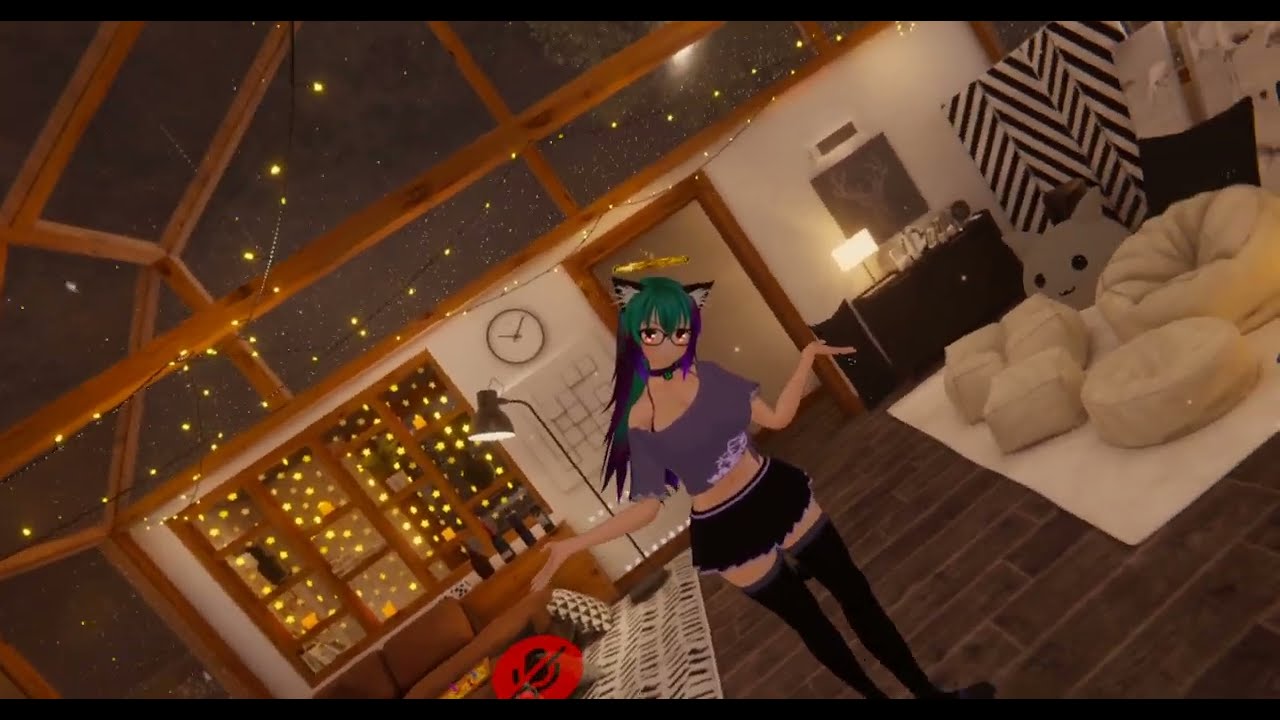
 fair cove
livid skiff
is there a way to fix the legs moving weird when using locomotion + knee tracker...
fair cove
livid skiff
is there a way to fix the legs moving weird when using locomotion + knee tracker...
Also happened in the same way to mine. I assume i messed up in the sdk somewhere, but not exactly sure where Xd
livid skiff
fair cove
Also happened in the same way to mine. I assume i messed up in the sdk somewhere...
imo this feels more like something the game itself should handle. the sdk option only say's forcing locomotion for 6pt tracking and not for more. maybe it just doesnt look for any more than that and then it gets messed up. i tried it with lots of different avatars, mine, from others, vrc default ones... happens to all.
was just wondering i didnt see anyone talk about it yet
 ebon rune
The ik2 branch keep crashing my game. I have been trying it for like 3 hrs but I have no luck. Most of the time it crash launching, sometimes it crash while I am doing calibration. Sometimes it crash 2 seconds into the game.
Is it a reported issue?
I already did reset avatar, clean install, remove cache and such
Also, I have restarted my computer
timber grove
ebon rune
The ik2 branch keep crashing my game. I have been trying it for like 3 hrs but I...
If there are mods installed, remove them.
 unborn whale
Ive been having an issue where if I look down too much while calibrating my avatar will kinda of snap-rotate to the side a little bit. There is a specific point where this happens and I can look slightly up and slightly down to have it jump between front-facing and slightly-rotated. And when I finalize the calibration it seems a bit off, like my hip is twisted a little.
This seems to be happening to all avatars for me (and it wasnt like this previously). I think maybe it started happening a week or so ago.
I need to look down quite a bit to fix the neck/chest bending issue with head+hip lock and this gets in the way of that.
Is this a known issue with the ik beta?
 hollow cargo
I seem to have an issue in ik beta that shows my waist tracker in game but refuses to track it. Any ideas on this one? Tested multiple avatars but nothing works other then switching back to the old version of vrc. Note I did not have this issue on the first pass of the ik beta.
loud patio
hollow cargo
I seem to have an issue in ik beta that shows my waist tracker in game but refu...
You might need to increase the --calibration-range launch option
 limpid vessel
E
marsh elm
E
prisma meadow
I cant seem to get the weight painting right for my chest tracking. anyone know of somewhere where I could find an example of it working well?
copper trench
what's wrong with it? i just eyeballed it and basically split the previous chest weight section in half
seems ok so far
prisma meadow
It's not really gradual/smooth enough
ebon rune
timber grove
If there are mods installed, remove them.
I don't have mods
prisma meadow
There are like steps to it
ebon rune
timber grove
If there are mods installed, remove them.
I did a fresh install, everything removed. Still crashing
ionic heron
go around the transition between both vertex groups with the blur tool, in weight paint mode
lethal light
@prisma meadow I based mine off of this and I feel it works quite well
prisma meadow
Cool alright
 placid crown
Is there any plans to enforce viewpoint regardless of calibration?
lethal light
placid crown
Is there any plans to enforce viewpoint regardless of calibration?
That is called head lock and lock all.
final raven
placid crown
Is there any plans to enforce viewpoint regardless of calibration?
As was already mentioned, “lock head” and “lock all” mode will ensure your viewpoint does not drift.
placid crown
Does that include animations to move viewpoint or if you placespace while calibrating?
If so ill have to test it when I'm off work
final raven
placid crown
Does that include animations to move viewpoint or if you placespace while calibr...
@raw wadi's gogo loco controller can scale your avatar, and move viewpoint as well, but it only works in 3pt as far as I'm aware (so can't really comment further then that) and only adjusts your avatar scale and not world scale. And playspacing while calibrating is still fine.
 worthy pawn
i dont have the open-beta tab
devout current
Update let's goooo
hot fulcrum
ok, let's go
limpid vessel
E
 zinc plank
E
limpid vessel
Yes
devout current
A
oak pendant
There are a few other smaller edge case fixes in there too that were too small to make it into the patch notes
limpid vessel
Sports
dusk anvil
open beta announcement jumpscare
 knotty acorn
oak pendant
knotty acorn
oak pendant
@runic cipher's issue with hand drift should be fixed again
 hot galleon
now time to update toes 😄
oak pendant
Also the hip shifting in lock-all should be fixed
devout current
Yay
devout current
oak pendant
<@121380656558112769>'s issue with hand drift should be fixed again
Thanks, that was really annoying 😅
oak pendant
but there's still a case where extreme crimping with the chest tracker can cause it to fold over (that's an issue of 3 points being tracked and chest getting priority over hip)
 finite basin
oak pendant
There are a few other smaller edge case fixes in there too that were too small t...
finite basin
oak pendant
There are a few other smaller edge case fixes in there too that were too small t...
Any changes to mitigate this that we should test? https://feedback.vrchat.com/vrchat-ik-20/p/elbow-behavior-while-hand-is-near-or-on-the-shoulder
oak pendant
Hand near shoulder changes aren't in this patch, but it's on my radar still
 jovial shadow
finite basin
Any changes to mitigate this that we should test? https://feedback.vrchat.com/vr...
jovial shadow
finite basin
Any changes to mitigate this that we should test? https://feedback.vrchat.com/vr...

grand lynx
Are there notes somewhere I am missing? After the new patch my spine on all my avatars is crooked in All lock mode.
oak pendant
grand lynx
Are there notes somewhere I am missing? After the new patch my spine on all my a...
Can you double check that the build is 11922? and post a screenshot from bone checking world, and also check if it affects other avatars?
 coral cairn
Are the first two points actually separate things? A welcome change either way 💚
grand lynx
yeah give me a minute, i think i got the new build when I got crashed earlier, was wondering why I was so broken
oak pendant
new build wasn't available until about 4 minutes ago
grand lynx
nevermind I was just having issues, forget what I mentioned
Definitely going to hop back on and test though, sorry for confusion
oak pendant
no problem, if you do end up having issues though feel free to share later
worthy pawn
Why dont i have the open beta thing?
final raven
- Avatars are no longer forced to reload right after calibration
- Speedier initiation of tracking after calibration
Nice! Thanks Kung ^^
fair cove
final raven
> - Avatars are no longer forced to reload right after calibration
> - Speedier...
Biggest win imo XD
oak pendant
coral cairn
Are the first two points actually separate things? A welcome change either way �...
Yeah, the reloaded was needed before because of how feet were handled with per-tracker-ik. Requiring a reinitialization if we wanted to use toes or not. Reworked that so it can activate or deactivate toes on the fly
The other change was that it was using the after-animation tween speed after calibrating
So made that instant
coral cairn
gotcha, that's really neat.
oak pendant
final raven
> - Avatars are no longer forced to reload right after calibration
> - Speedier...
Yeah it's specifically the thing in your Canny. check it out and let me know if it's how you expected
worthy pawn
vrchat is brokent for me
oak pendant
Double check that your build number is 11922 and possibly verify integrity of game files if it is
worthy pawn
how do i find the build number?
 empty solar
I wanna test it out later because I notice interesting behavior when I have the tracker on my chest vs my hips
oak pendant
In general if you're using it for one or the other, using on hips is recommended, its only "technically supported" to use the chest without hips but IK will behave better with tracked hips
worthy pawn
oak pendant
ok thanks
vital inlet
Hey Kung :3 Im glad stuff no longer reloads, you think the "closing leg issue" is gonna be the next thing?
final raven
oak pendant
Yeah it's specifically the thing in your Canny. check it out and let me know if ...
I'll let you know later tonight ^^
worthy pawn
its that build
oak pendant
worthy pawn
its that build
Under steam properties > local files for VRChat click on:
 worthy pawn
its validated
oak pendant
vital inlet
Hey Kung :3 Im glad stuff no longer reloads, you think the "closing leg issue" i...
This far into the beta I'm working through the list toward things that were lower priority. That counts as one (and I've been specifically thinking about it) but can't make solid promises about what will be in for initial release of ik2.0
But informally I'd like to get to that before the beta is over (hard for statements like that to not be taken as a promise, but that's not a promise 😉 )
 oak pendant
worthy pawn
its still broken
oak pendant
worthy pawn
its still broken
Ok, after it successfully validated try starting VRChat again and describe what happens
Or I guess I shoudl ask, broken in what way? because you were able to get far enough to see the build number in settings right?
grand lynx
what was the bone test world?, having weird lock in issues
oak pendant
grand lynx
what was the bone test world?, having weird lock in issues
アバターのボーンの位置角度をチェックするワールド。This is the world that checks the position angle of the avatar's bones
grand lynx
thanks
oak pendant
worthy pawn
yea. i dont habe openbeta thing
If you're trying to start up ik-beta click on this:

And that should be good enough, there isn't an open beta build right now, only ik-beta
oak pendant
ok if it's selected you can just start vrchat and you'll be in ik-beta
worthy pawn
ok thanks
hot fulcrum
Still trying out and find 11pt matter. (try again on Wednesday night)
1 more curious coming out on my head recently.
https://feedback.vrchat.com/avatar-dynamics-reports-and-feedback/p/feedbackbug-collision-between-head-and-torso-is-missing
grand lynx
its popping my chest forward and putting it at a weird angle
oak pendant
grand lynx
its popping my chest forward and putting it at a weird angle
Does there happen to be a public avatar with that same base armature available?
oak pendant
Yeah it would be good to see if this is avatar specific or not for you
grand lynx
public did same
oak pendant
hot fulcrum
Still trying out and find 11pt matter. (try again on Wednesday night)
1 more cu...
Thanks for testing 11pt when you have time, as for Avatar Dynamics you'd have to discuss that in #avatar-dynamics
hot fulcrum
oh true. wrong place. xD
(my brain got mixed)
jovial shadow
grand lynx
same crook in spine from another creator
But with hip and head lock, the spine was hard to get properly straight, only with really good scaling to your irl body it looks ok
grand lynx
jovial shadow
But with hip and head lock, the spine was hard to get properly straight, only wi...
this was earlier, did not have issue
same base
oak pendant
Lock-all isn't guaranteed to work on all avatars. It's mostly there as an "well you asked for it, but it might break things being this strict with tracking" However, what you're posting looks like a possible bug, so feel free to make a canny for it
grand lynx
yeah just trying to see if something changed
oak pendant
There's a fix to the hip drift issue reported earlier but it appears to be causing other issues. I still intend to do a more careful pass on chest + lock-all so this info is helpful
I didn't see this issue yet on any of the avatars I tested with though, I'll carefully check again though next time I'm in 11pt
empty solar
oak pendant
In general if you're using it for one or the other, using on hips is recommended...
When I swapped from hip to chest my arms didn't "drag" with forced locomotion. And oddly, with chest tracker with no hips I did the half body walking animation
grand lynx
regardless of what avatar im in, spine is doing this

 oak pendant
grand lynx
https://cdn.discordapp.com/attachments/604116097880555521/970798081769619496/ans...
oak pendant
grand lynx
https://cdn.discordapp.com/attachments/604116097880555521/970798081769619496/ans...
Was this video recorded in lock-all mode as well?

 empty solar
I still would want a good reference so that there wouldn't be any problems when lock all is active
oak pendant
ok thanks for the screenshots. that's pretty clear what the issue looks like if it occurs. I think getting a canny up would be good to see if more people have that issue
grand lynx
will do
oak pendant
empty solar
I still would want a good reference so that there wouldn't be any problems when ...
"wouldn't be any problems when lock all is active" may not be possible no matter what reference is used. Tracking that strictly will never totally match the human body because our real joints don't rotate around single 3d points in space the way it's simplified in the Unity humanoid rig. I still want to try a few more things to improve the spine behavior there though but it's limited on what's possible when being strict on both ends of the spine (and even harder when being strict in the middle too with the chest)
grand lynx
wow, putting tracker on front of my body fixed it... i
it breaks when tracker is on side
empty solar
I've tweaked my IK a lot during this beta, and I honestly would like to prep up a new base to coincide with the release
oak pendant
grand lynx
it breaks when tracker is on side
it's possible that occlusion was causing it to shift maybe? I'll check tracker on the side myself later to see if something odd is going on. Thanks for poking around more at the issue
grand lynx
side is better for dancing, but yeah, this is super repeatable
oak pendant
grand lynx
side is better for dancing, but yeah, this is super repeatable
Ok, I'll give it a look later. If possible could you get a canny up along the lines of "using a chest tracker on the side of the body causes issues" or something like that?
It would help me to not forget about checking later and let others add any details they find
empty solar
I have my hip tracker on the front
oak pendant
Interesting, that's how I do my own setup, (hip on side, chest in front)
I haven't done chest on side though because it'd be inside my armpit
grand lynx
never had chest on side, sorry for misunderstanding
oak pendant
ah ok, then scratch that on the canny post title
grand lynx
will get on canny
oak pendant
in any case, this is useful info
 teal halo
has something changed with legs as of the most recent update? noticing a large issue thats affected every avatar i use that has gogoloco on, regardless of leg rigging.
the prone override's legs attempt to go backwards when looking past a certain angle, they stay stuck behind until you prone and un-prone again. tested to confirm its an ik beta issue only.

 oak pendant
tame pewter
https://feedback.vrchat.com/vrchat-ik-20/p/desktop-ik-reacts-past-clamped-head-r...
oak pendant
tame pewter
https://feedback.vrchat.com/vrchat-ik-20/p/desktop-ik-reacts-past-clamped-head-r...
Thanks for testing this again. I still haven't been able to reproduce this issue myself. Does this occur on all avatars for you? Also do you happen to have a physbone directly attached to your head as its root?
grand lynx
Sorry Kung, ive only ever voted/commented on Canny, do I just post right to the main page or do is there a category for ik I can post to?
oak pendant
grand lynx
Sorry Kung, ive only ever voted/commented on Canny, do I just post right to the ...
Please post to this board: https://feedback.vrchat.com/vrchat-ik-20
grand lynx
thank you
oak pendant
teal halo
has something changed with legs as of the most recent update? noticing a large i...
There was a change to how "animate hips" is handled, so it's possible this is a new issue related to that
tame pewter
oak pendant
Thanks for testing this again. I still haven't been able to reproduce this issue...
no physbones on head, all avatars (havent tried public row ones)
grand lynx
"In 11 Point tracking, when hip tracker is on the side, spine comes out of alignment"
oak pendant
teal halo
has something changed with legs as of the most recent update? noticing a large i...
I have a few avatars with custom locomotion and custom sit anims for testing so I'll try what you mentioned. Though as usual making a canny will help it not be lost in the flow of discord messages later
oak pendant
grand lynx
"In 11 Point tracking, when hip tracker is on the side, spine comes out of align...
Yeah, that sounds good. Probably good to mention in the post (not title is ok) that it only happens in lock-all
empty solar
Gonna repost this since this is happening again https://feedback.vrchat.com/vrchat-ik-20/p/location-of-handsarms-arent-correct-when-moving
teal halo
ill test in vr then make a canny
oak pendant
empty solar
Gonna repost this since this is happening again https://feedback.vrchat.com/vrch...
Interesting, I specifically attempted to address that one. Are you sure you're on build 11922
(it was an issue in build 11921)
empty solar
I'll hop on really quick because that update went live when I got off
I also didn't know that was fixed since I didn't see it in the patch notss
oak pendant
Yeah, that and the lock-all hip shift aren't in there because they're somewhat edge case (the hand shift only happens with animate-hip custom locomotion) and because it's hard to write a patch note that would be accurate
Because "fixed hand drift" or "fixed hip shift" won't mean there's zero drift or shift in all cases ever
in particular the hip may need to have some amount of drift if chest is given priority when hip chest and head are all locked in
empty solar
This was with hip locked and head locked
dusk anvil
good afternoon open beta
oak pendant
and the hand drift is due to the hip being allowed to pull the avatar around... but in any case the drift is reduced
oak pendant
empty solar
This was with hip locked and head locked
Yeah, I meant two separate issues that are fixed but not in the patch notes
the hand drift (in all the lock options) and some hip shift (in lock all mode)
For those I was making my way through the canny posts and requesting people check again, rather than put in patch notes
grand lynx
Okay Canny is up for the weird hip tracker in 11 point lock all as requested
oak pendant
thanks!
empty solar
But I'm hoping you'd consider this potentially in the future because I think It'd help with bug reports too https://feedback.vrchat.com/feature-requests/p/add-debug-option-for-full-body-trackers
oak pendant
tame pewter
no physbones on head, all avatars (havent tried public row ones)
I just checked on a bunch of avatars and still couldn't replicate the issue. Could you check on a variety of avatars to see if it's just your base or some other issue? (still unable to reproduce this at all)
teal halo
teal halo
has something changed with legs as of the most recent update? noticing a large i...
 oak pendant
teal halo
https://vrchat.canny.io/vrchat-ik-20/p/11922-hip-breaks-during-custom-prone-anim...
oak pendant
teal halo
https://vrchat.canny.io/vrchat-ik-20/p/11922-hip-breaks-during-custom-prone-anim...
you mentioned that this depended on the head's looking angle is that right?
teal halo
actually i dont think it does, atleast after testing more
oak pendant
dusk anvil
Haha yeah, no more bug reports unless they're easy to fix ok? 🙏 (j/k)
dusk anvil

 mild nimbus
also I realized you ended up fixing a bug without directly fixing it https://feedback.vrchat.com/vrchat-ik-20/p/1171-2-bug-tracker-balls-do-not-go-away-after-swapping-back-from-selecting-an-av :v
empty solar
Besides bug reports I'm just feature requesting
dusk anvil
is it just me or do the way the legs snap into place feel weird
oak pendant
teal halo
actually i dont think it does, atleast after testing more
If you find an edge case or some specific way to make it happen (that shouldn't cause it) feel free to get it in a canny later on. In any case thanks for checking more on it
dusk anvil
dusk anvil
is it just me or do the way the legs snap into place feel weird
was this intentional or nah
oak pendant
mild nimbus
also I realized you ended up fixing a bug without directly fixing it https://fee...
Nice! two for one! 🎟️
teal halo
oak pendant
If you find an edge case or some specific way to make it happen (that shouldn't ...
shouldnt cause it? i mean any situation it happens in though isnt one it should be, its unintended behavior.
oak pendant
dusk anvil
was this intentional or nah
Intentional, alternative is this: https://feedback.vrchat.com/vrchat-ik-20/p/11748-locomotion-transitions-are-broken-again or legacy behavior which has the avatar sort of hover-sliding for a good 2 seconds after walking
dusk anvil
yaay i dont have to make a canny post myself
oak pendant
teal halo
shouldnt cause it? i mean any situation it happens in though isnt one it should ...
Users could set up something crazy in the animator that could cause it is what I meant. So if it makes sense that it happens with what's going on in AV3 then not a bug, but if it shouldn't happen then maybe a bug
empty solar
oak pendant
Interesting, I specifically attempted to address that one. Are you sure you're o...
Good news the arms don't "drift" anymore. Only thing is when the arms are angled straight while walking side to side upper arm acts up
oak pendant
empty solar
Good news the arms don't "drift" anymore. Only thing is when the arms are angled...
The body is following the animated hip direction of the locomotion animation, while the hands are following you standing straight, so not a whole lot that can be done there specifically. But possibly later work if I'm able to get to it on the hand-near-shoulder stuff might improve that a bit
Side-note, hand-near shoulder will always have tradeoffs and it behaves strangely in different ways on live too. But I think it can be better than it currently is in ik beta
 halcyon forge
teal halo
https://vrchat.canny.io/vrchat-ik-20/p/11922-hip-breaks-during-custom-prone-anim...
halcyon forge
teal halo
https://vrchat.canny.io/vrchat-ik-20/p/11922-hip-breaks-during-custom-prone-anim...
Found this to be an issue even if you have not customized the locomotion layer, it affects all av3 avatars

The feet are being forced to follow the footstep IK at all times. Whereas previously they would only do that when standing still and upright.
Really easy to repro, just put on any AV3 avatar on desktop and lie down. The feet will continue to run footstep IK and the avatar will double over and/or crunch up. Even visible with the default lying animation.
oak pendant
Yeah, was able to repro just now, this is totally a new bug (I think I know what's causing it too). Thanks for the report. I've updated that canny as "planned"
 foggy mauve
My custom sitting pose is busted (edit: its the above issue)
foggy mauve
oak pendant
Yeah, was able to repro just now, this is totally a new bug (I think I know what...
just a note, switching to legacy while on the ik beta doesn't fix it, it makes it worse
 trim cradle

 lyric cape
halcyon forge
Really easy to repro, just put on any AV3 avatar on desktop and lie down. The fe...
lyric cape
halcyon forge
Really easy to repro, just put on any AV3 avatar on desktop and lie down. The fe...
https://www.youtube.com/watch?v=_FNHIXpaYG8 video of this
 final raven
I wonder if this issue has been noted, as it still seems to be occurring. Same for the 'Disable FBT' button.
https://feedback.vrchat.com/vrchat-ik-20/p/11731-avatar-measurement-button-doesnt-properly-update-initially-upon-fresh-star
final raven
oak pendant
Yeah it's specifically the thing in your Canny. check it out and let me know if ...
Basically instantaneous btw! Much better! 
harsh lagoon
lyric cape
https://www.youtube.com/watch?v=_FNHIXpaYG8 video of this
my avi too
all my prone anims are broken xD
oh my crouches too
i'll be crouching/laying and the animation will display fine for one second then my feet will go WEEEEE
tame pewter
oak pendant
I just checked on a bunch of avatars and still couldn't replicate the issue. Cou...
all avatars are doing it for me
 limpid ruin
harsh lagoon
all my prone anims are broken xD
limpid ruin
harsh lagoon
all my prone anims are broken xD
same here
setting the feet tracking to Animation no longer overrides (and disable) auto footsteps in the new ik beta update
breaking prone animations on avatars that have auto footsteps enabled
tame pewter
and crouch
i always missed how 2.0 had feet ik when crouched when 3.0 hit, but if this was what it fixed then i see why it was removed
limpid ruin
it would be nice to have a manual toggle for auto footsteps as an animator behavior
tame pewter
oo
harsh lagoon
harsh lagoon
i'll be crouching/laying and the animation will display fine for one second then...
switching to legacy in ik beta does not fix
lyric cape
limpid ruin
breaking prone animations on avatars that have auto footsteps enabled
it even does it to ones with it disabled
my avatar in the video i linked has auto footsteps disabled
final raven
@oak pendant So I'm not sure if the ik-beta could be related to this, but this bug with avatar dynamics appears to be going around, and I hadn't noticed it at all until after the latest ik-beta update. Figured I'd let you be aware of this just in case.
https://vrchat.canny.io/avatar-dynamics-reports-and-feedback/p/11922-bug-physbones-interactivity-seemingly-disabled-until-allowpause-interactio
tame pewter
oak pendant
I just checked on a bunch of avatars and still couldn't replicate the issue. Cou...
Does the IK settings set in VR still affect Desktop? Could be why you cant replicate like last time with the feet ik issue.
 vital inlet
crab
lyric cape
we crabbin baby
muted yarrow
@oak pendant https://feedback.vrchat.com/vrchat-ik-20/p/wile-laying-down-the-hip-moves-up-if-the-head-bends-down From what i tested today, the issue mentioned in the Canny post seems to be resolved. Kip up the good work <3
 past spruce
final raven
<@153868400282566656> So I'm not sure if the ik-beta could be related to this, b...
past spruce
final raven
<@153868400282566656> So I'm not sure if the ik-beta could be related to this, b...
Replied to your issue on Canny. Most likely not IK-beta related.
 mellow lichen
 gleaming vale
tame pewter
gleaming vale
tame pewter
made new canny for feet ik landing issue as similar but different one was fixed
https://feedback.vrchat.com/vrchat-ik-20/p/11922-betaik-feet-ik-targets-previous-still-position-for-a-second-after-jump
devout current
That was fast for an update 😅
zenith glacier
oak pendant
Yeah, was able to repro just now, this is totally a new bug (I think I know what...
i made a suggestion under your "marked as planned" post in the canny
oak pendant
This is a quick fix to the regression when crouching and prone (build 11923)
zenith glacier
please consider giving us that possibility (i do not know that thing would fall within your responsibility, but if not, please talk to the dev team about it 🙂 )
oak pendant
The comms team is asleep so there may not be an announcement right away, but that issue was annoying so I wanted to push something out quick
tame pewter

devout current
👍
oak pendant
zenith glacier
please consider giving us that possibility (i do not know that thing would fall ...
Does setting feet to animated in tracking control not work for what you're requesting there?
 clever thicket
7AM beta updates lets goooo
zenith glacier
oak pendant
Does setting feet to animated in tracking control not work for what you're reque...
i can test it real quick, but i think i did not do it for reasons
devout current
clever thicket
7AM beta updates lets goooo
1 pm for me lmao
rustic berry
8am for me, I haven't slept and I've been in bed for 4 hours lol
tame pewter
i havent slept in 18 :>
oak pendant
zenith glacier
i can test it real quick, but i think i did not do it for reasons
Yeah, if you've got a use case that's not working with what's already available, should detail it probably in a new canny post, because that other one won't be looked at as much now that the reported issue in it is resolved.
zenith glacier
oak pendant
Yeah, if you've got a use case that's not working with what's already available,...
oh, i remember why i did not do it
oak pendant
tame pewter
made new canny for feet ik landing issue as similar but different one was fixed
...
Interesting, I had tested this as a known issue only in legacy IK in AV3, but it appears to be affecting non-legacy IK in AV2.
This last patch was just a quick fix but I'm probably gonna do some slightly stronger reworking to this auto step stuff because it's causing issues all over
zenith glacier
oak pendant
Yeah, if you've got a use case that's not working with what's already available,...
oak pendant
zenith glacier
https://i.gyazo.com/60bccdfeeb82e1fdec21b76fd487a5d5.mp4
It forces your hand animated as well?
zenith glacier
oak pendant
It forces your hand animated as well?
hands is fine if they are getting set by animations (thats the desired result), auto footstep just has a lot of problems in this case that i take control of hip&feet
tame pewter
oak pendant
It forces your hand animated as well?
thats normal for desktop, nothing to track i guess
oak pendant
zenith glacier
hands is fine if they are getting set by animations (thats the desired result), ...
How would you use a bool that enables auto footstep? switch it on/off depending on your velocity?
You could enable/disable tracking control on feet depending on velocity as well though
zenith glacier

that happens if i disable auto-footsteps for 3 point i just noticed
(auto footsteps on), if i only animate the feet, the rest of the pose is still getting adjusted by ik
comparing it to laying, it seems like the standing ik is constantly trying to mess with the pose. It would be amazing if one could stop that (used different avatar on purpose, since the testing avi did not set the feet back to tracking)
 oak pendant
zenith glacier
(auto footsteps on), if i only animate the feet, the rest of the pose is still g...
oak pendant
zenith glacier
(auto footsteps on), if i only animate the feet, the rest of the pose is still g...
I think that would be expected behavior though. If you wanted to toggle autofootstep, you'd have it on in the descriptor, then override it with tracking control-animate on your feet when you want to toggle. How would the suggested bool function differently than that?
zenith glacier
oak pendant
I think that would be expected behavior though. If you wanted to toggle autofoot...
thats actually a tough one to answer. I mainly noticed it during pose & logic creation, that if i animate hips and/or feet, that certain parts start to misfunction. Thats why i though toggling it on/off would work better
as example first movements are with trackingcontrol = tracking, the second pose is feet set to animate. you can see that after moving left/right, that the hips stay in the direction they were moving during movement
while having everything set to tracking as in pose 1 resets the hip always to match the viewing direction of the avatar
oak pendant
Ah yeah auto footstep will allow it to take steps to turn to face the view direction, but without it you'd only be clamped by the max angular offset from the view direction
To simply implement the bool you requested though it'd be basically doing the same thing there, so if you want different behavior you'd need to try what you can with animate foot tracking control and then detail where that method fails and precisely what new behavior you'd want from AV3.
New AV3 features are probably out of scope for IK2.0 at least for initial release though, but still good to get those kind of requests up on canny
zenith glacier
maybe its just a bit of confusion on my part. I thought pretty much that if i turn off auto footsteps i would get this sort of behaviour: https://i.gyazo.com/69c5c71b8fbe9b9eb5cf0c114f8511d0.mp4
like always does what the animations want and avatar simply gets turned without any rotations within the pose
and i shouldnt have done that messing around in the locomotion layer in the project where i share it to the community from 😅 time to... undo things
oak pendant
zenith glacier
and i shouldnt have done that messing around in the locomotion layer in the proj...
haha "We'll do it live!"
oak pendant
zenith glacier
like always does what the animations want and avatar simply gets turned without ...
But yeah, if you set head to animate it will prevent it from rotating against the body. But if head is set to tracking you can get up to a max angle difference between the head and hip, or at least that should be the intended behavior there
zenith glacier
oak pendant
But yeah, if you set head to animate it will prevent it from rotating against th...
but setting head to animate locks the head itself from even rotating up down, unlike the crouching does: https://i.gyazo.com/977a7ce928019c35f46c6a00ae230f73.mp4
kinda curious why the behaviour between crouch and standing is so much different 😅
oak pendant
In general crouch needs special handling because of issues like the bug that crept into the last patch. But so it sounds like the feature you're missing is the ability to lock avatar rotation to the exact forward view direction while still allowing looking up and down?
zenith glacier
i wouldnt say lack per se, more like nice to have. Desktop is pretty limited in terms of what they can do and how they can express their avatars with poses, so i sometimes get requests for "more poses please?", but until now if its about standing i sort of limited myself to upper body stuff, since lower body behaviour was a bit of a black box.
unlike crouch/prone, which is pretty much "eat this animation and just do it"
oak pendant
Yeah, I think what crouch has that is lacking elsewhere is the ability to still have headlook but have the avatar always facing exactly towards the view direction as far as the animation is concerned
So this is more of a request to modify the head turn clamping distance it appears. That could be useful. Though I think most animations would just look good in general by allowing a bit of motion at the head when the user looks around
zenith glacier
that would probably get closer to what people would expect i guess? do not get me wrong, i am still an amateur regarding unity, posing, animations etc and i do not know what is right. I can basically only provide the view of a user who (as you certainly could read xD ) has issues of setting something up correctly xD
and maybe i am just missing the old days where people had the most amazing standing idle anims back in 2018 in desktop xD
oak pendant
Some people are making some pretty cool idle animations these days too. You could look into a solution to record animation and make your own too. This is pretty cool: https://gitlab.com/lox9973/ShaderMotion
Ruuubick made a cool guide for setting it up: https://youtu.be/r8YpXP0RlZc

IF YOU DO NOT USE THE PACKAGE BELOW, THIS SYSTEM WILL NOT WORK DUE TO AN UPDATE TO SHADER MOTION !
Additionally, it's not longer possible to shift click the .exe, so you will have to make a shortcut of the vrchat .exe, go to its properties and under "Target:" and add "-width 1600 -height 900", you will need to record the window opened by double...
raw wadi
I think if the foot are are set to animation the IK should behave like we are crouch/prone. No weird hip offset.
 tidal trellis
is shoulder tracker support a possibility in the future
tame pewter
tidal trellis
is shoulder tracker support a possibility in the future
it already does that if you set up elbow trackers
tidal trellis
i didnt notice vertical shoulder movement in any avatar i used
 tame pewter
tidal trellis
i didnt notice vertical shoulder movement in any avatar i used
tame pewter
tidal trellis
i didnt notice vertical shoulder movement in any avatar i used


In order to support shoulder tracking in today's VRChat beta update, I have roughly edited my Misty-Myyrylainen shoulder bone structure and weight paint.
Turns out many avatars do not support shoulder tracking because the shoulder bones are either too short or not painted.
Likes
250
 Twitter
·
Twitter
·
it’s there
zenith glacier
raw wadi
I think if the foot are are set to animation the IK should behave like we are cr...
i think having this would be beneficial.
quasi sable
How's the IK beta coming along, @oak pendant?
😁
I'm about to go in to test it after updating some content
Excited for 12 point tracking!
oak pendant
Haha 12 point? What else needs to be tracked?
quasi sable
I'm gonna need to buy tundras wearing 8 or more 2.0 or 3.0 vive pucks isn't comfortable
oak pendant
(11pt is what we're at with the chest tracking)
quasi sable
oak pendant
(11pt is what we're at with the chest tracking)
Lol sorry my math was off
oak pendant
quasi sable
I'm gonna need to buy tundras wearing 8 or more 2.0 or 3.0 vive pucks isn't comf...
And yeah I can see that, the tundra trackers are very light and nice to move with
quasi sable
If you ever go shoulders someone is gonna need to build a suit with lighthouse sensors, that many trackers isn't comfortable.
quasi sable
oak pendant
And yeah I can see that, the tundra trackers are very light and nice to move wit...
I have three 2.0s and three 3.0s, but putting trackers on elbows or knees is uncomfortable, and I hate it
I lounge around in vrc, and dance. and I could see myself hitting something with my elbows or knees and cracking a tracker, lol
I usually just stick to 6 point.
I can't go back to 3 though unless testing an avi for 5 minutes
oak pendant
quasi sable
Lol sorry my math was off
Ah no worries, I was thinking it was a feature request for more tracking 😁
quasi sable
oak pendant
Ah no worries, I was thinking it was a feature request for more tracking 😁
The 6 point tracking you guys have in 2.0 is still some of the best I've seen except for my motion capture software
I don't use it for 3 point and I'm pretty sure the elbow clipping is an issue with 3 point in that software
But it's 6 point and above is amazing
Also your calibration system is much better than any I've tried.
Most just put feet on the floor and it's difficult to tell if everything is lined up
Most mocap software has an adjustment feature, showing where the trackers are on the virtual body, but it takes too much tweaking to fix.
Neos has this feature as well, but their IK is permanently in head and hip lock and you look like you're leaning forward when your spine is straight.
Not a fan of that
I prefer head lock
oak pendant
The issue you noted with the arms is being caused by some handling of the hand-near-shoulder pose
quasi sable
oak pendant
The issue you noted with the arms is being caused by some handling of the hand-n...
Interesting... Has it been fixed?
oak pendant
That's a complex issue, especially in a system like ours because people can easily upload an avatar where they can for example reach their wrist behind the avatar's shoulder with the hand pointed forward (something pretty painful to do with your IRL body)
zenith glacier
oak pendant
Haha 12 point? What else needs to be tracked?
thats a question noone should answer kung 😨
oak pendant
So currently there's some elbow vector bias and other things coming in to play when in that zone. Just pointing the arm back along the reverse of the palm to fingertip vector won't work because fundamentally a triangle needs to be solved between the wrist and shoulder with an elbow at a far point
quasi sable
oak pendant
That's a complex issue, especially in a system like ours because people can easi...
A bit confused. Is this a physical body pose or a virtual body pose? Is this caused by the solver? Is this an issue with armature?
oak pendant
I'll change how it's being handled though because people don't like it, but I'd be surprised to see any IK solver with untracked elbows have 100% stable behavior when the wrist goes near the same shoulder on all different sides of the shoulder joint
quasi sable
oak pendant
So currently there's some elbow vector bias and other things coming in to play w...
I'm so bad with words I can't turn them into pictures, lol sorry
oak pendant
It's being caused by people getting the avatar into physically unlikely or impossible poses because of relative differences in proportions and shoulder placements
quasi sable
oak pendant
I'll change how it's being handled though because people don't like it, but I'd ...
I was too, I was surprised how accurately it was able to be in the correct elbow position
quasi sable
oak pendant
It's being caused by people getting the avatar into physically unlikely or impos...
I do want to mention my avatar uses twist bones
That may have something to do with it
I should attempt it with another avi (without twist bones). I don't have any VRMs that don't have them though.
Its possible the twist bones help achieve this behavior but I am not certain of that.
Is it possible to have the solver implement twist bone behavior without avatars needing them?
oak pendant
It's not a twist bone issue, the fundamental problem is what's the expected elbow direction in situations like this:


now imagine the hand moves in a straight line forward a bit, even closer to the shoulder. Remember we aren't changing bone lengths. What's the expected elbow orientation?
You can solve that triangle but near the shoulder it causes a bunch of numerical instability