#ik-2
1 messages · Page 1 of 1 (latest)
 woven gulch
 tame pewter
 ima just go back to bed, too much chaos to read it
 rustic berry
woven gulch
Actually this question probably belongs better here.
Have we figured out the dis...
rustic berry
woven gulch
Actually this question probably belongs better here.
Have we figured out the dis...
for now, just tilt your head down like 15 degrees when calibrating
 unborn whale
The side effect is that the head-tilting effectively makes my hands rest on my legs higher than they should (equal to the amount I look down).
Do hope we get some kind of fix or avatar setup guidance to resolve or better mitigate the issue (I don't know how it would work, though)
 raw wadi
Yes this work for both lock
 chrome niche
Is there a reference avatar for what Lock both is looking for in skeleton shaping/proportions?
Most of what I've seen tends to pull the head forward in a hunch like position, based on the neck
 jovial shadow
Any good news for a new ik2 update soon?
 timber grove
jovial shadow
Any good news for a new ik2 update soon?
timber grove
jovial shadow
Any good news for a new ik2 update soon?
Kung mentioned he has stuff in the works.
 devout current
Yup Kung still want's to improve things, especially the spin behaviour
 floral trout
Yes
 oak pendant
Yeah, both spine and arms were at around the "80/20 rule" where the last 20% of improvement takes like 80% of the time at initial IK2.0 release. Getting the breadth rather than depth of features was priority for release. After that I've had time to circle back and work on the arms (that was version 2022.2.1 p5 and p6) I'm in the middle of that 80/20 work on the spine, but last few weeks my work priority has been shifted a few other unannounced things. One of which is an accessibility related thing I've been working on since awhile back. Due to recent feedback my priorities have been reshuffled and the accessibility related one is at the top now. I don't think I'm free to announce specifics, but people should be hearing about it very soon.
Current status for spine is getting back to work on that is around 3rd / 4th from top of my stack.
jovial shadow

 granite lark
can we get som work on the legs whenever im sitting on my knees they bend inwards at impossible angles, and whenever im bending forward my legs with bend even though im only bending at my hip
oak pendant
Knees bending inward would be avatar specific and should work alright on well proportioned avatars. There was a change during ik-beta to how the knee bend was calculated but feedback was that the knees didn't go in enough compared to legacy so right now the knee bend method is the same there. It's possible though to use the AV3 IKPose animator controller to change the bend direction per avatar for avatars with off proportions.
IKPose locks in a forward bend direction in avatar-space relative to the foot in that pose
So if you rotate the avatar's feet inward in IKPose, the forward direction will be relatively outside the feet, making the knee bend default to be more open
As for knees bending when you bend over at the hip that can currently be solved by not using "lock-head" mode under the IK options. Lock head allows the hip to drift downward when you bend because it prioritizes keeping the view aligned. That's what causes the knees to bend a bit
if you use lock-hip or lock-all that won't happen. But lock-all can be a bit prone to jank, so that's why revisiting spine behavior is still on the list of things to do.
 shadow aspen
question is there gonna be or could be a menu like what we had when mods were around and we could change the numbers of the ik settings itself i.e. spine angle and stuff like that
 marsh elm
Neat
oak pendant
shadow aspen
question is there gonna be or could be a menu like what we had when mods were ar...
I'd like to add more options to customize IK behavior when there's more UI space after the main menu update is released. Though these options would* probably not coincide with the main menu release but come after. The options however would necessarily be different because the actual IK solver calculations are different.
So there should be more customization coming but it'll be different. Just like IK2.0 is different from modified client behavior.
 tidal trellis
oh i see i had that knee bending issue, i hope lock all will work better in the future because it feels more accurate but its so janky at the same time
oak pendant
For now you can use the trick mentioned above about looking down slightly when you bind in. This achieves something like a middle ground between lock-all and lock-head because you're binding the hip to a slightly lower position so it will try to pull the hip down to the extent* you were looking down and then stop there.
But that's not the most ideal of all possible solutions, so yeah will need some more work later on
tidal trellis
i will try, keep up the great work
shadow aspen
thank you for answering. I was just curious because obviously avatars are different heights and stuff like that. So I would find myself in the settings changing the ik for each avi so it would be nice to be able to tweak like that again.
granite lark
basically forced to use thigh trackers now i kinda hate all these trackers getting really hard to sit down and relax
oak pendant
shadow aspen
thank you for answering. I was just curious because obviously avatars are differ...
You might want to try changing the "Avatar Measurement" option if you haven't tried that yet. Setting it to measure by height tends to adjust avatars of varying height to work pretty will with FBT. That in combination with the different lock options (which kind of prioritize different use cases like sitting or standing) might get a decent amount of customization if you hadn't tried combining them. But yeah, would like to add more options in the future too.
oak pendant
granite lark
basically forced to use thigh trackers now i kinda hate all these trackers getti...
Yeah, will be interesting to see how tracking tech progresses. Tundra trackers are pretty lightweight, I wonder what we'll have years from now
granite lark
i have been fooling aronde with it for awhile the avatar i use just fits me for the best
oak pendant
The IMU based things like SlimeVR and HaritoraX can be pretty nice for not having occlusion issues
shadow aspen
ya i’ve done all that for now and kinda got a feel for it for the time being. But also being someone that dances in VRC it was nice to get everything just right. With that being said i’m excited to see what you have in store for us.
oak pendant
I recommend lock hip for dancing (unless you're both using a chest tracker and have a very carefully proportioned avatar, then maybe lock all)
granite lark
i locked head
oak pendant
shadow aspen
ya i’ve done all that for now and kinda got a feel for it for the time being. Bu...
I'm excited to bring more to you! Including the other unannounced things I can't talk about quite yet
oak pendant
granite lark
i locked head
lock head is probably best for sitting, but maybe not reclining or laying down if you have a sharp chin-down angle when you look at people
Right now the priority to unstretch the spine is a bit too strong in lock-head so it can too aggressively pull the neck straight in those cases, I want to improve that too
granite lark
i used hips then switched to head for hip movement then somtimes lock all but rarly since janky belly
shadow aspen
but ya lock hip gets the job done for now. I switch between both because every now and then i’ll use 6 trackers and then switch to 3. Which lock hip works pretty well i’d say but for club dancing I like to use head as well.
oak pendant
granite lark
i used hips then switched to head for hip movement then somtimes lock all but ra...
Ah, are you using a chest tracker?
granite lark
i have it but i find its the least useful one
oak pendant
Yeah the chest tracking in lock-all is positional so it can really make some odd angles through the belly and kind of depends on reasonable bone lengths there to work well. When the avatar is set up well though it can do some pretty cool things. I've seen some examples of bellydancing on twitter
oak pendant
shadow aspen
chest tracking isn’t the best for some avis
Lock Hip mode will still get the upper torso twist correction from the chest tracker so your shoulders will be aligned in the right direction, while not strictly following the position so it can avoid jank, but as you say it's a minimal difference in that mode
Oh wait, that was Zerokekk who was mentioning that chest was the least useful one 😅 but yeah I agree. I'm still glad we could get support for it in though
granite lark
its just been head for me since when i dance my hips like rotate constent
shadow aspen
are you doing a lot of power moves that can move your tracker in some way?
cause personally when i dance i’ll do handstands and stuff and every now and then my tracker will twist a little but it’s a pretty easy fix once you get used to it
oak pendant
granite lark
its just been head for me since when i dance my hips like rotate constent
Ah I see, so because it's less strictly tracking the hip that helps reduce unwanted motion there?
granite lark
more flourite movement
oak pendant
granite lark
more flourite movement
Ah I see. I haven't tried this yet myself but you might want to give this a try too: It appears to be an OpenVR tool. I don't know how much latency it might add, but the video looks good: https://booth.pm/ja/items/4018006

激しい動きする時に起こるトラッカーなどの揺れを少し改善できるツールです 原理はsteamvrの移動予測機能に干渉をかけたものです プルプルになる一番の要因がそれ故に ベースステイションを使用したデバイスは効果的です ※既知の問題: pimaxの場合「PiTool」と相性が悪いみたい ツールのドライバが機能しなくなる This tool smoothes the jittering of VR trackers when moving intensely while FBT. This tool works by limiting steamVR’s movement prediction
oak pendant
Oh haha, how's the latency impact?
shadow aspen
ya I’m curious as well cause i’ve been debating on getting it
granite lark
it smoothes it for but for other wont see the janky anyway do to network ik is what i think we got out of it maybe
oak pendant
This is something that's been on the list for awhile for us to explore first-party in VRC as well but latency concerns have to be handled carefully.
Yeah NetIK update rate is usually just below the threshold to see super high frequency motion like rattling of trackers
But meant locally for you, if you use that tool do you feel like your leg movement is dragging behind your real legs?
granite lark
hard to notice unless you use the head smoothing they warn you that it give you motion sickness
oak pendant
OH wow yeah I can imagine that would need a warning
oak pendant
Nice, good to hear that it's hard to notice (in the legs I mean) I should really test it out myself.
granite lark
had to hammer my foot into the ground full speed to test out the jittery i think my neighbor noticed
shadow aspen
lol
oak pendant
Hahaha, ugh the pains of explaining what you were doing to non vr users.
I hate it when the doorbell rings with a delivery and I answer with the slight red-ring face gasket after-mark
And hair all messed up around the strap area
I know I look like a psycho but there's no non awkward way to be like "listen, I can explain!"
shadow aspen
oh i just say screw it and leave my trackers on
oak pendant
Hmm, actually yeah, seeing the hardware on you might be the least awkward way to explain
granite lark
easy fix wont open
oak pendant
I'll do this from now on!
shadow aspen
just looked at that smooth tracking
and i’m def gonna get it since i’m always sliding around and stuff while dancing
 rugged trench
oak pendant
Hmm, actually yeah, seeing the hardware on you might be the least awkward way to...
rugged trench
oak pendant
Hmm, actually yeah, seeing the hardware on you might be the least awkward way to...
just say that you do motion tracking for animations used in ads ;)
a bit of a stretch, but could be true
marsh elm
Hi uhh I've been motion tracking since earlier, that's why i am so disheveled
Delivery guy: "mmmhmm 🤨 "
rugged trench
- motion capture
oak pendant
Hehe I guess it's true, I appear in the old IK2 feature demo video. My problem is the kind of Seinfeld / Curb Your Enthusiasm moment where they wouldn't ask and if I mention it's just weird. So just having the hardware on might work (or maybe makes it worse? 😖 )
oak pendant
marsh elm
Delivery: 🧐
Yeah exactly this face
rugged trench
but yeah, I wouldn't stress out about it, the things delivery guys see, and also others like plumbers, electricians etc, you wouldn't believe...
oak pendant
Hmm good point
rugged trench
when I was working as an electrician I've seen things I will never unsee
rugged trench
and I've smelled things that I can still smell, 10 years later
marsh elm
Besides, your HMD strap might be on too tight if you get vrface too often kung 😂
oak pendant
rugged trench
and I've smelled things that I can still smell, 10 years later
For some reason phrasing gives me Blade Runner vibes. "All these smells will be lost in time, like farts in wind"
marsh elm
Might want to relax on it a little
rugged trench
^^
btw. Kung? are you going to do an updated blender/IK tutorial after most™️ of IK 2.0 is done?
oak pendant
marsh elm
Besides, your HMD strap might be on too tight if you get vrface too often kung �...
It's not so strong, just visible enough that it's like... "Hmm I wonder what's with that?"
oak pendant
rugged trench
btw. Kung? are you going to do an updated blender/IK tutorial after most™️ of IK...
I may get back into doing more tutorials. Ideally I'm not the only one making videos on the VRC Learning Channel though. Engineering is my main duty though.
I do enjoy making tutorials though
marsh elm
Zoop
 fervent aspen
I'd love to see a tutorial on a rig that makes IK 2.0 happy. I rock lock head basically all the time and it works well enough. Lock All breaks my avatar's neck, though
fervent aspen
oak pendant
I hate it when the doorbell rings with a delivery and I answer with the slight r...
I've answered the door with trackers and a woojer on - i haven't had anyone ask about it yet, haha
marsh elm
I mean, what are they gonna ask lol
rugged trench
marsh elm
I mean, what are they gonna ask lol
"What are you doing in your own Apartment in privacy?!"
marsh elm
Unfathomably based
If children didnt want to get kicked then they shouldn't have been so small
devout current
Btw @oak pendant I've noticed that my hands have a bit of smoothing applied, at least when I open my Main Menu they are always a bit behind my actually controller position. Is that unintentional or is there some sort of smoothing going on?
marsh elm
How would i go about changing controller position relative to my hands?
Couldn't really figure that out without destroying my char's wrist
marsh elm
Its something i could customize position+rotation with he who shall not be mentioned, but good thing there's a canny i suppose
oak pendant
oak pendant
Yeah, both spine and arms were at around the "80/20 rule" where the last 20% of ...
Woo! it's public now, yeah so the accessiblity thing I couldn't mention there was "Horizon Adjust" which is now in the blog post
Horizon Adjust is a feature that we developed during a recent internal feature jam that was already on the way. It allows a user to change their “horizon” however they want to orient it, which allows controller movement and menu usage as if the user was standing even if they are lying down.
when you say horizon here
just UI or straight up whole ass environment turnin?
very cool either way 😄
oak pendant
marsh elm
just UI or straight up whole ass environment turnin?
Everything. So you can lay flat in a bed, relax and look at the ceiling, hit the horizon adjust button, and now the VR world will adjust around you so that you're standing. It's not just rotating your view, your controllers (including trackers) will stay in sync as well, so if you lay flat in bend you'll "stand flat" up.
marsh elm
actual holy shit
oak pendant
Of course you'll need your "vr sea legs" to do that, but in our* internal testing a lot of the team has been able to use it without feeling sick. So we don't want to hold back something this enabling just because of concerns that some people might feel sim sickness
oak pendant
Heh, yeah, it'll allow some new cheesy ways to mess around too. But main focus on it is enabling bedridden / limited mobility to play as much as possible
marsh elm
is it handy like OVRAS or more of a menu setting?
oak pendant
Currently it's an auto alignment to your view direction
oak pendant
So if you lay flat and toggle it, it'll simply make your view now level with the horizon
oak pendant
marsh elm
a "reset horizon" kinda button?
Yeah, that's a good way to think of it
 digital grove
or reset it in a weird ass position and then stand up for extra fun
marsh elm
me gaming upside down:
digital grove
like a champ
marsh elm
oak pendant
Yeah, that's a good way to think of it
does it have limits? you mentioned motion sickness
 marsh elm
can i reset horizon upside down, right myself up to meme upside down
oak pendant
marsh elm
does it have limits? you mentioned motion sickness
I mean the limit is if you get a sick feeling now that "down" isn't the real down
oak pendant
marsh elm
can i reset horizon upside down, right myself up to meme upside down
Oh I see what you mean, yeah no limit there
 strong sundial
I can't wait to be able to lay down in FBT while looking like I'm standing and being active
But jokes aside, this feature looks great for accessibility
marsh elm
does it mess with gravity any way? i still fall word-relative down right?
 young lodge
oak pendant
I mean the limit is if you get a sick feeling now that "down" isn't the real dow...
young lodge
oak pendant
I mean the limit is if you get a sick feeling now that "down" isn't the real dow...
gonna be very trippy
digital grove
oak pendant
Oh I see what you mean, yeah no limit there
 oak pendant
This very work-in-progress, it still needs a function to reset the head to standing height after rotating from laying down
But looks like this:
So yeah at the end when I look like I'm taking a bow, I'm actually "sitting up"
marsh elm
inb4 button glitches out and permanent upsides you down
oak pendant
Haha, yeah it'll reset every play session for this reason
marsh elm
😄
oak pendant
Not that the button expected to glitch, but for some people the rotated world might feel bad enough they don't even want to open their eyes to look at the menu
for me and a bunch of the team though, feels just fine and relaxing actually
marsh elm
mmm never knew the world looking wrong without you moving could induce vertigo
maybe have safe mode reset it? so people can zero it out without looking? :P
digital grove
probably don't try while drunk
oak pendant
marsh elm
maybe have safe mode reset it? so people can zero it out without looking? :P
There's a readily accessible reset* button
digital grove
this is great tho I can't wait for upsie down rolling around
oak pendant
But as is always the case with any VR app, if you feel sick just quit right away, when you restart VRC the reorientation will be gone
digital grove
oak pendant
There's a readily accessible reset* button
for when you're tired. just click the "rest" button.
I love it
marsh elm
digital grove
for when you're tired. just click the "rest" button.
I love it
the rest button is the reset horizon button 😂
digital grove
I need a rest button irl
oak pendant
But for non-disabled people, I guess you could think* of the horizon adjust as a "rest" button, it lets you play while reclining or in bed
marsh elm
you have it
marsh elm
digital grove
I need a rest button irl
its on the back of your head, you gotta reach it with a little bonk from a brick
go night night button
digital grove
lmao wake up 6 hours later (if you're lucky) well rested
oak pendant
There was some joking that with this now instead of seeing people passed out on the floor in VR you might see zombie people sleeping "standing up"
marsh elm
oak pendant
There was some joking that with this now instead of seeing people passed out on ...
so quest players on the bed 😏
oak pendant
It'll be available on Quest too yeah
marsh elm
marsh elm
so quest players on the bed 😏
like:
 digital grove
oak pendant
There was some joking that with this now instead of seeing people passed out on ...
digital grove
oak pendant
There was some joking that with this now instead of seeing people passed out on ...
Damn that's some creepy scenery
 oak pendant
But yeah, this is now slotted at the top of my priority stack, so gonna go afk from discord to get back to work on it now actually.
marsh elm
go go super kung
 minor rampart
oak pendant
But yeah, this is now slotted at the top of my priority stack, so gonna go afk f...
minor rampart
oak pendant
But yeah, this is now slotted at the top of my priority stack, so gonna go afk f...
Question for ya, Kung; will we be able to have the menu face us, while lying down, without adjusting the entire horizon?
digital grove
minor rampart
Question for ya, Kung; will we be able to have the menu face us, while lying dow...
Check #announcements
minor rampart
this feature is cool, but a lot of the time I wouldn't want to adjust the horizon; I'd just like to be able to browse worlds, my friends list, and people's profiles while I'm lying down, instead of sitting up---likewise, I wouldn't really want to suddenly appear like I'm standing up---just want to be able to read the menu.
Yeah--I read that, but it's a bit unclear--just that ou can manually move the menu.
digital grove
minor rampart
Yeah--I read that, but it's a bit unclear--just that ou can manually move the me...
What's unclear? The answer is yes.
But that's probably not Kung's area as that's UI (not sure how things are internally tho)
oak pendant
minor rampart
Question for ya, Kung; will we be able to have the menu face us, while lying dow...
That's in the blog post yeah:

But maybe at the heart of your question, a moveable main menu is a separate thing from the horizon adjust feature, and both are planned
minor rampart
gotcha; thanks for the clarity.
Still think it's crazy how quickly you guys iterate---menu overhaul back in October '21 and here we are with another iteration less than a year later. I'm guessing this is also easier for you guys to adjust things on---more modular?
if you can speak to the nature of that, that is---anyway, probably a bit off topic.
oak pendant
Yeah as testdostres mentioned UI isn't really my area. So can't speak so directly about it
minor rampart
not a problem.
digital grove
Tbh I'm gonna disagree with you there about iteration. They announced avatar dynamics for summer 2021 and it was released like 8 months after that...
It does seem lately they are picking up traction and I really hope so
minor rampart
semi related to horizons: what would be the feasibility of flipping/mirroring the world, itself? Would be a bit strange, but could be useful for oriented out of world aspects (such as a wall or table or something) better with in world ones. Sometimes oriented your left wall to a left wall, in-game isn't doable, but if you could mirror the entire world, you could, in essence, fake it, but wind up with visually correct effects.
oak pendant
minor rampart
semi related to horizons: what would be the feasibility of flipping/mirroring th...
Not impossible but to the point of feasibility, probably not really feasible.
The best solution for IRL alignment type projects is always gonna be to custom make a world to fit you. Something like mirroring the entire world and then syncing with that would of course need forward support through future updates, Udon behaviors, stations, etc. so when thinking feasibility that would need to be considered.
And while it's true that Horizon Adjust will let you manipulate your tracking space relative to the VR world in a new way, the main focus for the feature has always been accessibility. Mirroring the whole world is way out of scope for something like that.
oak pendant
minor rampart
thanks, once again, as always!
Thanks for the feedback too. I've been working on this accessibility thing for awhile and thanks to the community feedback, I can have it slotted at top priority now. Can't wait to get it out to you all.
minor rampart
I'm going to presume that, if you can somehow manage it, and orient yourself completely upside down/hanging from the ceiling or something of that nature, this would still work?
oak pendant
Yeah, not putting any arbitrary limitation in related to that. I suspect most people using the system entirely upside down will just be playing around, but there are cases where people need to have elevated legs because of injury etc
Can't really put an arbitrary limit anyway because if you're slightly past such a limit, it'll feel bad that the horizon won't align with your view.
But short answer, yeah it'll work upside down
minor rampart
right! Yeah, I...can't really think of a use case where someone would need to be completely upside down for a long time---maybe angled down, but not...upside down. Still, neat to hear that'll work.
 icy ferry
I'm really curious how I'm gonna feel with the horizon adjust stuff. It's honestly really cool for game worlds and stuff when I'm struggling with sitting up, but I am extremely prone to vertigo so I wonder how I'll feel when I'm actually trying the horizon adjust. Hopefully I can get used to it because it's a pretty amazing idea for us disabled folk and I'll gladly test it when it's released.
 harsh lagoon
Kung I have a question, I think you're the appropriate person to ask since you work on the IK and armature stuff. Now that the mods wont work that means we once again cant change avatar size in game properly again. Are you the one to ask about this? I'd like to talk about and suggest ideas for that if possible, the previous mod worked fantastically, just how it used to work in the av 3.0 beta before the feature suddenly stopped working at all
Guess im just hoping you'd know something about that since you work in that department
oak pendant
harsh lagoon
Guess im just hoping you'd know something about that since you work in that depa...
The call on free form avatar scaling (like what was in AV3 beta) was a platform wide design level one that's above my head. It's still under active consideration and I'd like to see it return in some form as well. There's some overlap with what I do but actually I likely wouldn't be the one working on it if it were to return.
oak pendant
icy ferry
I'm really curious how I'm gonna feel with the horizon adjust stuff. It's honest...
If you're prone to vertigo, be very careful when you try it out. Best advice I can give is use it for the intended purpose (so lying down, not playing around shifting the horizon while you stand) and then at first avoid head motion or any motion really until you slowly get used to it. Keep your menu open and be ready to reset the horizon the instant you feel icky (or maybe even try it for like 3 seconds and reset before you feel icky, and repeat longer until you can work up to it)
If you have trouble with the jetpacks found in some worlds, you may have trouble with the horizon adjust though...
harsh lagoon
icy ferry
I'm really curious how I'm gonna feel with the horizon adjust stuff. It's honest...
I'd like to just throw a little tip from a fellow dizzy person, turning the brightness down in your headset helps me a bunch, as well as using larger avatars. I tend to find that the feel of fast movement you get with small avatars makes me sick and dizzy very fast, hence why i've been using a larger than normal avatar, it makes everything feel like it moves a bit slower and helps me not puke at the end of the day
icy ferry
oak pendant
If you're prone to vertigo, be very careful when you try it out. Best advice I c...
Thank you for the info. I'll definitely be down to try it out and see how I feel. I can handle a lot more than most people in regards to weird movement in VR simply because I have pretty much constant nausea and frequent vertigo so I've gotten used to it for the most part, so I'm sure I could work up to it with time if I'm careful. This really does help mitigate a massive hurdle for a lot of us, so I'm appreciative that this is being added.
harsh lagoon
oak pendant
The call on free form avatar scaling (like what was in AV3 beta) was a platform ...
ah thanks for the reply and thats good to know, i'd love to see it back in the game someday too!
oak pendant
icy ferry
Thank you for the info. I'll definitely be down to try it out and see how I feel...
Oh yeah, another tip like Tacos' close one eye and squint the other. That lets you slowly open one eye and then close it again if you feel icky. That's what I did when I first got used to jetpacks. Now I'm totally acclimated and can fly around upside down all day
icy ferry
harsh lagoon
I'd like to just throw a little tip from a fellow dizzy person, turning the brig...
I struggle with low brightness or else I would. Lmao. And I tend to feel pretty off balance when I use avatars that don't fit the general size of the main ones I use, but I'll definitely try out my options and see what works for me in regards to the horizon adjustment. Thank you! I'm very used to my nausea and vertigo as I've experienced it since I was a kid, so hopefully I can power through the horizon adjustments and get my sea legs. I got my initial VR legs quickly enough, at least.
icy ferry
oak pendant
Oh yeah, another tip like Tacos' close one eye and squint the other. That lets y...
Ah, good idea. Thank you again! Should be helpful to know just in case.
harsh lagoon
yeah same here, my labyrinth in my right ear is all messed up so dizzyness is like an everyday thing for me, i just try to take it slow
icy ferry
Yeah, having ear issues makes it rough to experience VR in general at times, so adding new feelings to it takes time. I feel like I'm going through astronaut training with some of the stuff people do in VR. But I'm also the person that can handle spinning in place in VR like it's nothing, I just can't get on a swing or anything like that or I'll vomit.
harsh lagoon
yep first time i used a jetpack i was reeling over lol
icy ferry
Same. Took awhile to get used to it. That feeling of falling in VR is so dizziness inducing that anytime I'd drift downwards I'd feel like death.
harsh lagoon
hope our little tips can help you!
 midnight parrot
@oak pendant ooo oo idea why not make the ik2.0 leg calculations a launch option
like for the people who want it
 digital grove
If you don't have elbow tracking or knee tracking for example, it's clearly not going to reflect the real position of your body but just an approximation
 grand field
I'm aware. The current solution is just not very good or customisable
All you have is a choice between 2 evils
Lock head and get weird knee bend. Lock all and experience the same thing +overly strict hip rotation matching
grand field
digital grove
If you don't have elbow tracking or knee tracking for example, it's clearly not ...
But strapping an extra 500 euros worth of gear you have to charge every 3 hours is not an ideal fix to something that "forbidden words" allowed you to customize
digital grove
grand field
But strapping an extra 500 euros worth of gear you have to charge every 3 hours...
If you say so
midnight parrot
grand field
Lock head and get weird knee bend. Lock all and experience the same thing +overl...
for what i can tell its not a hip issue its a spine i have been testing for a little now, but there was never an issue in the beta branch
raw wadi
Would it be possible to be able to use fbt with only on hand controller. Currently you need both or no other tracker get use.
You can lose the tracking of one hands no issue so might be a fast patch ?
oak pendant
midnight parrot
<@153868400282566656> ooo oo idea why not make the ik2.0 leg calculations a laun...
A launch option for something like that is unlikely because that's what IKPose is intended for.
oak pendant
grand field
I recommend lock hip if knee bending is your priority. If you still want the viewpoint to align, you can get a middle ground between lock-head and lock-all by looking down slightly when you calibrate with lock-all (this is because the hip point will bind slightly lower and cause the hip to be pulled down similar to lock-head, but not as strongly) there are plans to further improve spine behavior in the future, but right Horizon Adjust is at the top of my priority stack. As for future IK customization options, yeah that's planned after there's more UI space available following the release of the new main menu. I think a toggle for elbow avoidance is pretty likely.
oak pendant
raw wadi
Would it be possible to be able to use fbt with only on hand controller. Current...
Yeah, it's not really intended that one-handed mode causes FBT to fail. I'd like to get to fixing this at some point.
grand field
oak pendant
I recommend lock hip if knee bending is your priority. If you still want the vie...
Yes please, could I DM you with a video of the current issue? I dont know if your DM's are open
oak pendant
It would be better to put it in the canny, however, it will always be the case that with some amount of an unlocked hip, the hip may be allowed to go lower causing the knees to bend
(My DM's aren't open unfortunately) you could also post in here, but I think I have an idea already of what you're referring to
If you've got a video already recorded though that you'd like to share I'd want to take a look to confirm it is what I think it is
grand field
I'll record tonight and ping you + make a canny post and link it here so it's very clear with audio and stuff
oak pendant
grand field
I'll record tonight and ping you + make a canny post and link it here so it's ve...
Cool, thanks for taking the time 👍 You can reply to this message with @ ON so you don't have to skirt the rule about pinging devs (because this message contains permission)
oh no I just pinged "ON" sorry!!
oak pendant
it didn't auto complete in the textbox thought it was safe... I'll leave evidence of my mistake for when ON finds it 😖
tidal trellis
oak pendant
Ah I see. I haven't tried this yet myself but you might want to give this a try ...
just tried this out, everything is so much smoother specially when stomping
grand field
tidal trellis
just tried this out, everything is so much smoother specially when stomping
It's so good but adds a bit of delay but even putting it on 10-15 helps so much
 vital inlet
What is the difference between IK 1-2
 mortal herald
Someone know how to make the ik stop blocking your head rotation to a certain point when you are laying down ?
timber grove
vital inlet
What is the difference between IK 1-2
- You can more than 3 trackers, up to 8
- No more arm clipping into your body
- Calibration saving
- Locking settings for better accuracy on different parts of your body
- More accurate height scaling
- Option to disable movement animations inside the menu, no longer Unity required
grand field
gonna slow dump so i dont get tagged as spam
my friend who uses "ankle tracking" instead of foot tracking having similar knee bending issues
with "lock all" the knees still are overenthusiastic on bending even when the distance and rotation remains the same.
it doesnt let me tag the @slender pulsar role so ima prob face some wrath and tag @oak pendant . ima get bonked but yknow (THEY GAVE ME PERMISSION I SWEAR)
in pretty much all these clips I keep my legs straight/hyperextended
marsh elm
grand field
it doesnt let me tag the <@436904907887607808> role so ima prob face some wrath ...
you tagged some poor dude called on
lol
grand field
"hip rotation match + lock head" was the ideal solution for me at the time before you all purged customization
idk if that information is of any use to you kung but yknow. I figured i'd mention
have a gud night you all i go sleep 💤
harsh lagoon
poor ON ;-; getting tagged in the crossfire
marsh elm
kung tagged him b4 too lol
digital grove
Maybe he chose that name on purpose to get these pings who knows
oak pendant
grand field
in pretty much all these clips I keep my legs straight/hyperextended
It appears you use lock-head and lock-all when recording. Does the same thing occur if you use lock-hip mode?
If that still doesn't work for you, and you want a step to take right now you can slightly bend your knees when you bind in. When you relax and straighten your legs after binding, it'll pull your legs extra tight on the avatar and you don't need to change your User Real Height
Lock-all has a very small amount of extra hip roll allowed to help the spine curl to reduce the burden on the neck, so I'll need to investigate this later in lock-hip mode and with the hip tracker actually disconnected from my body so I can be sure that I'm not unintentionally moving it slightly in the direction of the foot. If I'm able to reproduce the issue in that case then I'll see what can be done to mitigate when I'm able to get working on spine behavior again.
 vapid geyser
Anyone else having issues where their legs twitch out and/or cross inwards when bending their knees fully?
 mystic basalt
grand field
mystic basalt
grand field
I mean lock hip is completely unusable the weird disjoint from your viewpoint not being your head. I don't think I've ever met any dancer who feels comfortable using lock hip
 autumn chasm
vapid geyser
Anyone else having issues where their legs twitch out and/or cross inwards when ...
autumn chasm
vapid geyser
Anyone else having issues where their legs twitch out and/or cross inwards when ...
Yes its horrible I wish they would look into fixing this too. Since it wasn't a problem with IKT.
oak pendant
Make sure that you've set your User Real Height to your actual height, and if that's the case if you can provide a video of your knees issue that would help. This hasn't been a reported problem since the release of IK2.0 so there might be something I can see in your setup that could be causing it
 hollow loom
vapid geyser
Anyone else having issues where their legs twitch out and/or cross inwards when ...
hollow loom
vapid geyser
Anyone else having issues where their legs twitch out and/or cross inwards when ...
yeah huge! as a dancer its def impacted me a bit
but its affected a lot of people! you can really tell how many trackers someone has now
before floor work came out pretty well but now when i get closer to the floor it just dies
severe miss match and what not
like for the most part its fine but when you get lower to the floor the ik just cant keep up
have tried different heights, calibrations, and tracker positions and all of them look super wonky the lower you are
was hoping somthing would be mentioned in the blogpost because i knows its affecting so many people, mainly dancers
vapid geyser
hollow loom
but its affected a lot of people! you can really tell how many trackers someone ...
I can only imagine! Any chance someone could get a recording of this issue? I'm unable to do so myself.
 fiery plinth
win+alt+r is built into windows 10 to start recording a focused game window (via xbox game bar), than open with the video with Pictures to trim it
oak pendant
Oh, another thought for people with knee issues. It might just be as simple as your avatar's base layer playing the crouch animation if you haven't customized your locomotion layer not to do that. Toggling locomotion animation off will disable the base layer animation. Please check if that fixes the issue for you.

(screenshot is in on state, but toggle it to the X and see how it goes)
vapid geyser
I have locomotion turned off by default. Issue persists with and without.
Thanks for the suggestion though!
hollow loom
vapid geyser
I have locomotion turned off by default. Issue persists with and without.
yeah same
 narrow trellis
my avatar's stomach curls in with locking all and I have the knee issue as well. I have switched to lock hip but now whenever I move myself around it shifts my avatar strangely. It is really frustrating when I cannot even sit in a chair properly without it looking awkward...
digital grove
narrow trellis
my avatar's stomach curls in with locking all and I have the knee issue as well....
lock all only works fine if your avatar's proportions are perfectly equal to yours
narrow trellis
so i cant properly move my hips otherwise? kinda seems like ik needs more work...
digital grove
narrow trellis
so i cant properly move my hips otherwise? kinda seems like ik needs more work.....
the more perfectly your avatar matches your real proportions, the better the tracking will work
narrow trellis
i feel like only a small percentage of people actually match proportions of avatars
kinda seems like vrc ik and ik2 are just not up to standard
rustic berry
narrow trellis
so i cant properly move my hips otherwise? kinda seems like ik needs more work.....
use lock hips in that case. your viewpoint accuracy will be sacrificed
like test said, lock all only works well if your avatar proportions are very close to your real ones
this is not as much of an issue with IK2 as it is an issue with how the world works
there are some things which could be done IK wise to improve things somewhat, but it will never be perfect
vapid geyser
I'll get some footage tomorrow, but this is what I meant by the legs crossing inwards in a weird way when the knees are fully bent.


It does this with every avi, so it's likely an issue with the IK.
Note that I have my avi scaling set to my real height, hip lock is on, and avi movement animations is disabled. Adjusting any of these toggles doesn't fix the issue.
And shifting my feet any while it's like this can cause the legs to twitch out and clip through the avi. The blue arrow in the following pic is pointing to my right foot. The leg has completely clipped backwards through the avi.
 oak pendant
vapid geyser
I'll get some footage tomorrow, but this is what I meant by the legs crossing in...
oak pendant
vapid geyser
I'll get some footage tomorrow, but this is what I meant by the legs crossing in...
Thanks for the screenshots I haven't seen stuff behave like that before. If you're able to use this world when you record video that would be helpful https://vrchat.com/home/world/wrld_01025423-c339-4735-8af9-ba45cc9e46f2 it will display your bones

アバターのボーンの位置角度をチェックするワールド。This is the world that checks the position angle of the avatar's bones
vapid geyser
Thanks! I'll see if I can get that to you tomorrow. Always happy to help!
raw wadi
vapid geyser
It does this with every avi, so it's likely an issue with the IK.
Are they all the same or drastically different.
 arctic shell
So when are we getting support for auto immobilization? There was an addon you could get prior to EAC that would auto immobilize you if no joystick input was detected. This meant people wouldn't see your IK jitter anymore over the network.
IK jitter is pretty bad, I notice it so much and it's always been a problem. I'm very surprised it still hasn't been addressed yet since it's pretty much always been in the game.
For example if someone is sitting down and they shake their head side to side, their whole body literally turns side to side with it. And of course that isn't happening locally for them.
oak pendant
arctic shell
So when are we getting support for auto immobilization? There was an *addon* you...
Please request this on the IK2.0 Canny: https://feedback.vrchat.com/vrchat-ik-20
 arctic shell
Also another thing to note. Most genshin avatars and other similarly rigged models (booth etc) have this issue where the chest pokes out a ton with IK 2.0. Seems to affect almost all of them. Granted the rigging isnt the best on them, but with Knah's 'addon' all these avatars worked great.
Seems to be an issue specifically with the neck. It barely moves. Its mostly only the head bone rotating. The neck bone is very stiff causing the upper chest to always stick out. Seems like the shoulders are too far back (directionally towards my back) as well. I am using 11 point tracking in the video. Should I put this on canny too?
im using lock head, calibrated to height ^
its a bit better with hip lock instead, but the head goes way off the viewpoint so it isnt ideal. and lock both just detroys the upper body completely lol.
i would love to see less shoulder sag with shoulder tracking. they go pretty far off the original stance so shoulders arent broad anymore. again, knah's 'addon' fixed this. and then more neck movement which should fix the issue with the neck poking out a ton.
My friend also noticed avatars with collars etc. will have the collar clip into the jaw/mouth when looking down since the neck barely moves.
Thank you 🙂
raw wadi
Most avatar are setup like this
vapid geyser
oak pendant
Thanks for the screenshots I haven't seen stuff behave like that before. If you'...
Hope this is helpful! Please let me know if you need more footage; I could try more avis with different proportions if needed. As far as I've tested, it does this with every avi regardless of proportions and fbt settings.
 zinc hull
vapid geyser
Hope this is helpful! Please let me know if you need more footage; I could try m...
zinc hull
vapid geyser
Hope this is helpful! Please let me know if you need more footage; I could try m...
I second this ^ its a very annoying issue
vapid geyser
zinc hull
I second this ^ its a very annoying issue
Ikr? Hopefully the devs can sort it out soon. 
devout current
vapid geyser
Hope this is helpful! Please let me know if you need more footage; I could try m...
Yeah I have that happening on my Avatar as well when I have my feet to close to my butt.
 knotty acorn
yeah I've had this too, I just thought it was something wrong with my avatars or tracker placements
I see that's probably not the case now
jovial shadow
vapid geyser
Hope this is helpful! Please let me know if you need more footage; I could try m...
similar issue, like when you put your hand close to your shoulder in the past, only with feet near your ass
jovial shadow
jovial shadow
why are stickers working here from other sever`??????
vapid geyser
jovial shadow
similar issue, like when you put your hand close to your shoulder in the past, o...
Hopefully the devs will be able to fix these issues soon.
@oak pendant Please let me know if you need any more footage or information. I'll help anyway I can.
jovial shadow
vapid geyser
Hopefully the devs will be able to fix these issues soon.
he fixed it mostly for the elbows
grand field
I took some more footage after your squat trick to hyperextend a bit. It minimizes the issues and the issue doesnt'happen with lock hip only but that mode feels really disassociative if you can see yourself in a mirror due to the viewpoint disjointing :[
so it feels like chosing between 2 evils currently
(oops let me up the quality a bit it's kinda hard to see)
grand field
marsh elm
apparently my height was wrong all this time
according to ik2 im 10cm taller than i thought lol
harsh lagoon
thats fair, the last few years i thought i was 5'8 cus i havent measured myself in years, turns out i'm actually 5'10
marsh elm
harsh lagoon
thats fair, the last few years i thought i was 5'8 cus i havent measured myself ...
basically it lol
hollow loom
vapid geyser
Ikr? Hopefully the devs can sort it out soon. <:iris:364843341679951872>
same
vital inlet
Possible suggestion for VRC. Im a disabled veteran and its very hard for me to stand. Was wondering if something could be looked into to help those who cant stand alot to be able to calibrate FBT while lying down. Just a suggestion but wanted to ask since to be able to calibrate for me I have to try to stand with everything on while juggling either a cane/walker and having to then calibrate with both hands up and supporting myself on nothing but my feet is really difficult.
 high nest
vital inlet
Possible suggestion for VRC. Im a disabled veteran and its very hard for me to s...
high nest
vital inlet
Possible suggestion for VRC. Im a disabled veteran and its very hard for me to s...
does horizon adjust (in open beta) help?
try lying flat on your back, setting horizon adjust snap on, and adjusting horizon before calibrating
digital grove
oak pendant
vital inlet
Possible suggestion for VRC. Im a disabled veteran and its very hard for me to s...
Oh, I put a reply over in open beta but I'll answer here too. You can calibrate FBT while lying down flat if you use the Horizon Adjust feature (now in open beta). If you want to stand up (IRL) after you calibrate, you can reset the horizon adjustment and your calibration (that you locked in while lying down)* should still work. Or you can stay lying down if that's more comfortable
oak pendant
vapid geyser
Hope this is helpful! Please let me know if you need more footage; I could try m...
This is helpful stuff. I think there's two things that are going on, and one is more solvable than the other (but both to some extent*). There's an issue where the foot rotation is affected by the leg IK when it shouldn't be but only in extreme cases such as the poses that you demonstrated. Which causes the knee prediction to become incorrect. There's a Canny for this (and I'm aware of the issue) but I can't seem to find the Canny link at the moment. The other problem is that when you try to solve a triangle that keeps the root at the hip and end at the foot and another point at the knee, when you bring the foot closer and closer to the hip, the triangle starts to become a line instead and it causes instability. There was a similar issue with the arms and elbow and I had to implement special handling to improve it. There may be some things that can be done for that issue for the legs but the same techniques won't work there.
Anyway, it should be largely improved by addressing the first issue.
vapid geyser
oak pendant
Anyway, it should be largely improved by addressing the first issue.
Glad I could help! Hopefully the team can get this sorted. 🤞
 umbral forge
Hello! I got this new avatar recently and tested it on Sunday without apparent issues (at least that I remember) but today and yesterday this weird spine flex appeared on it only when I'm using a chest tracker. Without a chest tracker or setting "Lock Both" the spine flex does not appear

Compared to a previously working avatar, the bones seem to be oriented differently

Same chest tracker setup
vital inlet
oak pendant
Oh, I put a reply over in open beta but I'll answer here too. You can calibrate ...
Ok I had made a comment in general and they said you couldnt calibrate lying down using horizon adjust and to make a post here.
oak pendant
vital inlet
Ok I had made a comment in general and they said you couldnt calibrate lying dow...
Yeah, some people have misunderstood it because they use Horizon Adjust as a rotation toy (that's fine and they can have fun) instead of its intended accessibility function
What they've done is stay standing as normal but rotate their head and adjust the horizon so that they'll do things like appear upside down in the VR world. Then they try to calibrate in that state and it doesn't work
But for it to work the calibration would have to always remain relative to the standing floor of their real playspace regardless of the horizon adjustment. (Which is the opposite of what you need)
vital inlet
That makes me really happy. This has been an issue for me and a couple of my friends for a while and when you have to fight things like canes/walkers or oxygen tanks with everything else this will be an amazing addition
oak pendant
vital inlet
That makes me really happy. This has been an issue for me and a couple of my fri...
Yeah, it's specifically designed for your exact use case. If you have any trouble using it please let me know!
vital inlet
oak pendant
Yeah, it's specifically designed for your exact use case. If you have any troubl...
Thank you for the explanation. I certainly will!
oak pendant
By the way, if you're not using arm trackers, it's OK to calibrate without your arms extended as long as the feet and hips line up
vital inlet
oak pendant
By the way, if you're not using arm trackers, it's OK to calibrate without your ...
yeah I'm using a 3 tracker setup. but thats really good to know
oak pendant
But yeah the calibration will always be aligned with the VR world's up-down rather than your playspace, so if you use horizon adjust to make your IRL lying down position align with the VR world's standing up position, you can calibrate while lying down.
The only issue I could imagine would be if you aren't lying very flat, like in a reclining chair, in which case it would be equivalent to not standing straight but bending over.
So for best calibration you'd wanna lie flat like on a bed
vital inlet
oak pendant
But yeah the calibration will always be aligned with the VR world's up-down rath...
Yeah, I am always in my bed since that is within arms reach of what I need medication/walking aids/tens unit kind of things. Hopefully this will be an amazing quality of life adjustment and It wont be as draining to play vr as much. Trying to stand up multiple times in a couple hour session can be very draining and I have hurt myself on a couple of occasions due to vertigo and losing balance. This is going to be amazing.
oak pendant
vital inlet
Yeah, I am always in my bed since that is within arms reach of what I need medic...
Watch out for possible vertigo when using it lying down too because the rotated reference frame can do a number on your inner ear. But yeah your use case is the exact reason for its implementation. We have a general rule in this discord not to @ the developers, but if you have any comments later on good or bad for how it's working for you, I'd love to hear about too*. So feel free to @ me about it (you can link this message if anyone gives you trouble about breaking the pinging the devs rule)
@vital inlet can @ me about Horizon Adjust <- to anyone concerned about the @ -ing the devs rule.
There that one is more compact, link that one if you have issues ^
oak pendant
umbral forge
Hello! I got this new avatar recently and tested it on Sunday without apparent i...
In lock-all mode the chest tracker goes into positional tracking mode, in lock head or lock hips it only corrects for the twist at the upper spine. Getting the positional tracking to behave is pretty finicky. You might have to recalibrate a few times if you have an occlusion issue with your tracker when you bind. Also you can try to look down slightly when you bind to tighten the spine a bit
umbral forge
oak pendant
In lock-all mode the chest tracker goes into positional tracking mode, in lock h...
I don't plan on using lock-all, rather I'm trying to look for the reason the spine contorts under the other locking modes
vital inlet
oak pendant
Watch out for possible vertigo when using it lying down too because the rotated ...
thank you very much. I will certainly give it a shot. And will try to be careful for vertigo. Luckily should be pretty easy to remove the headset and take a breather since I will already be lying down. I'll see if I can test and see how it works.^^
oak pendant
vital inlet
thank you very much. I will certainly give it a shot. And will try to be careful...
The future is now! 😁
 oak pendant
umbral forge
I don't plan on using lock-all, rather I'm trying to look for the reason the spi...
oak pendant
umbral forge
I don't plan on using lock-all, rather I'm trying to look for the reason the spi...
Ah yeah the reason for the contortion in lock all is because to honor the rigid constraint on both ends of the spine it must flex if they become nearer than the distance during calibration (which is why looking down during calibration can improve, you look down with a shorter distance during binding). That combined with following the position of the chest tracker and not just the rotation means that in lock all there are many more things that can possibly go wrong resulting in a contorted look. I've still got plans to improve it further but I think it will always necessarily be the most finicky. The other two modes (lock head / lock hip) are intended to use a bit of sliding in the alignment to prioritize a better looking pose result
umbral forge
Sorry Kung, I think I worded the issue incorrectly 😅 The spine contortion appears when not using Lock-All
oak pendant
Ah yeah, I was going off in your post above "Without a chest tracker or setting "Lock Both" the spine flex does not appear" Are you having some other issue?
umbral forge
Either turning off the chest tracker or just using Lock-All seem to correct the spine curve, but as you said, Lock-All is more finnicky so I would favour the other locking modes
umbral forge
oak pendant
Ah yeah, I was going off in your post above "Without a chest tracker or setting ...
The spine contortion while using a chest tracker is the main issue
I've seen your video on FBT fixes, but I was wondering if it was something you had seen before
oak pendant
I see, so you meant the combination of lock-both and the chest tracker is your issue, and disabling one or the other fixes it?
umbral forge
Locking both fixes the spine
Also just not using the tracker fixes the spine
But the Lock Head and Lock hips make the spine have that curve
oak pendant
What mode was active in this screenshot?

(it appears like lock-both + chest tracker to me)
It sounds to me like it's the positional tracking on the chest becoming active that's causing your issue. That's a tough problem because the chest tracker tends to be in a position weak against occlusion (similar with the hip)
in which case maybe getting more lighthouses if you have 2.0 based systems could improve it. Would be good to try to judge if it's an occlusion thing though
umbral forge
oak pendant
What mode was active in this screenshot?
This was on Lock Hips
oak pendant
umbral forge
This was on Lock Hips
Interesting, it really looks like it's behaving like lock-both + chest tracking. If you can double check that you didn't mistakenly have that mode active (and try again on that avatar) next time you're in VR that would help. Not saying that it isn't a possible bug, just that it looks exactly like that case
umbral forge
Getting into VR right now, I will take new screenshots again
oak pendant
I can see that the bones are aligned along the X axis instead of Y, so if there is an issue that might be the cause
umbral forge
Yeah, I did see that compared to working avatars
oak pendant
it's intended that the bone axis shouldn't matter, though the majority of avatars orient the bones along Y
so if that's the cause I'd want to address it
oak pendant
umbral forge
Getting into VR right now, I will take new screenshots again
Thanks for checking


 umbral forge
Using Lock Hip and manually turning off the chest tracker fixes it. Clearly it has to be with the IK of the Chest, but at the same time, the rig is not working on my favor


the hip bone is overlapping the spine one
oak pendant
umbral forge
Using Lock Hip and manually turning off the chest tracker fixes it. Clearly it h...
Yeah that does appear to be an issue with non-standard bone axis when combined with a chest tracker in lock hip mode. If possible could you put your screenshots and your issue description in a canny post? I have some non-standard axis avatars that I check with and I'll see if I can reproduce the issue
umbral forge
Alright! Will do. I haven't ever done a Canny post, should I be tagging it with IK2 or something like that?
Nvm, I see the structure now. Thanks for taking a look! I will make the post tonight
digital grove
oak pendant
What mode was active in this screenshot?
Scoliosis mode
marsh elm
lmao
vital inlet

 tulip ledge
Would mapping the upper chest bone in unity improve performance with the lock both mode using 3 point tracking? or is there no need to map upper chest?
wait nvm my rig dont have one anyway lmfao derp moment
 native holly
We need IK 2.0 to have Knee Angle Features like IKTweaks had. The IKT Natural would make my knees actually be where my knees are. IK 2.0 doesn't do that.
hollow loom
native holly
We need IK 2.0 to have Knee Angle Features like IKTweaks had. The IKT Natural wo...
^^^ totally agree with this. cuz i could fix the problem by getting knee trackers but 300$ solution vs the free thing
vital inlet
How do I calibrate my trackers if I can't see them in mirrors anymore
digital grove
hollow loom
^^^ totally agree with this. cuz i could fix the problem by getting knee tracker...
"the free thing" doesn't do magic, if you want actual accurate tracking, you're going to need trackers.
adjustments may help to get close to your own "default" position, but that's it
hollow loom
digital grove
"the free thing" doesn't do magic, if you want actual accurate tracking, you're ...
doesnt do magic lol but it does give better tracking from the waist down
scroll up people have already said the same thing
digital grove
it was probably me responding to a similar text
vital inlet
vital inlet
How do I calibrate my trackers if I can't see them in mirrors anymore
I have this problem too ;-;
arctic shell
I'm currently trying to rig my avatar to work with lock all. I've made good progress however one issue it has is the neck caves inwards (towards my chest) after calibrating. proportion wise its seemingly identical to my own proportions so im not sure why it does it. anyone have any ideas?
looking down while calibrating seems to almost completely fix the neck issue, but then my hip gets pulled up so standing straight will make my avatars hip cave inwards a bit
and pulls up my feet with it too
would i need to extend my torso to fix this or?
i am using full 11 point tracking so it accounts for my chest and all
 iron hamlet
anyone else did notice IK-differences between current live aka "old" open-beta and current open beta [1220]?
live/old beta is perfectly working for me.
new open-beta, using exactly the same IK & height settings feels off...
had to look down to "kinda" get near the used calibration-result, but still not 100% the same
also my open-beta IK menu didnt show the toggle for "by arm-lenght/height" and "legacy/IK2" initially, had to edit the registry to get it back in the open-beta
tulip ledge
just want the tweakable options like IK tweekz had
vapid geyser
native holly
We need IK 2.0 to have Knee Angle Features like IKTweaks had. The IKT Natural wo...
I'm hoping the devs will implement something similar. Should fix the weird knee issues demonstrated in my above vid.
 tidal lichen
ayy does anyone know why i can’t see my gray dots in the mirror when calibrating my fbt, is it something to do with the update? @everyone
 pulsar pelican
tidal lichen
ayy does anyone know why i can’t see my gray dots in the mirror when calibrating...
pulsar pelican
tidal lichen
ayy does anyone know why i can’t see my gray dots in the mirror when calibrating...
That everyone tho 🙃
Most probably. Go into beta and use calibration mirror when in doubt.
grand field
The "bug" is back when flexing your toe over the 180 degree angle fully inverting your knees/legs backwards btw. I swear it was gone 1.5 updates ago. Super noticeable on rigs that have heels and tilting your foot downward.
(What is the world you guys are using to show the tracker/bone angles btw?)
timber grove
grand field
The "bug" is back when flexing your toe over the 180 degree angle fully invertin...
Read the 2nd to last pinned message.
grand field
I don't fully understand what you mean by that. I don't see anything relevant in the pings.
timber grove
grand field
I don't fully understand what you mean by that. I don't see anything relevant in...
this
 grand field
Ahhh I thought 2nd latest not last from the top
thank you I'll record some footage there when I have some time
❤️
timber grove
grand field
Ahhh I thought 2nd latest not last from the top
Sorry for the confusion!
vapid geyser
grand field
The "bug" is back when flexing your toe over the 180 degree angle fully invertin...
I posted a vid a few days ago demonstrating this issue.
 faint isle
I’m getting kinda pissed off this weird glitch. Everytime I change my skin it makes me go too a like pc mode where I can’t see my body in cameras or mirrors, every time it happens I have too go to my launch pad and reset my IK. If it’s on 2.0 I have too put it on legacy and if it’s on legacy I have too put it on 2.0. Sane thing every time I change my skin or load into a world with a skin. (sometimes the world thingy changes) I noticed this doesn’t happen too anyone else I play with so why? It all started happening when the like personal mirror and stuff came out.
 lunar compass
Where are my tracking points when i calibrate in front of a mirror??
timber grove
lunar compass
Where are my tracking points when i calibrate in front of a mirror??
They moved the tracker balls to a new unity layer so it might not appear in certain mirrors. Pull out a personal mirror and enable the "calibration mirror" setting
lunar compass
timber grove
They moved the tracker balls to a new unity layer so it might not appear in cert...
Oh okay tysm!
faint isle
I’m getting kinda pissed off this weird glitch. Everytime I change my skin it makes me go too a like pc mode where I can’t see my body in cameras or mirrors, every time it happens I have too go to my launch pad and reset my IK. If it’s on 2.0 I have too put it on legacy and if it’s on legacy I have too put it on 2.0. Sane thing every time I change my skin or load into a world with a skin. (sometimes the world thingy changes) I noticed this doesn’t happen too anyone else I play with so why? It all started happening when the like personal mirror and stuff came out.
 dusky robin
That sounds like the same bug I've run to, which has something to do with OSC being enabled. A developer said that a fix was ready to be released so hopefully that'll fix it for you too
tidal trellis
will vrchat support trackers set up on objects somehow? like for example put a tracker on a baseball bat
that would be so cool for avatar props
arctic shell
tidal trellis
will vrchat support trackers set up on objects somehow? like for example put a t...
GitHub
A system to read tracking data and feed it into VRChat via OSC - GitHub - jangxx/VRC-Tracked-Objects: A system to read tracking data and feed it into VRChat via OSC
tidal trellis
oh thats interesting, are there use examples?
 prisma meadow
I saw a person using it to track a mug. The main issue is that the network rate is so limited so it didnt look that good
 final moss
Anyone have experience with immersive scaler? I wanna know the best way to get the values for it
raw wadi
What is that
final moss
A blender addon for easier proportioning
Found some issues with it so I dont think I can even use it as its very inconsistent
jovial shadow
Since the size scaling is so extremely thrown off by high heels in vrchat, wouldn't it be fixed by simply measuring high of the avatar to the ankle joints and not till the ending of the toe bones?
 teal ocean
Probably not the right chat but does anyone know what base stations work with vive tracker 3.0's?
I'm trying to budget and do full body with only 1 base station
devout current
teal ocean
Probably not the right chat but does anyone know what base stations work with vi...
LH 1.0 and 2.0 both work with them.
All of the new stuff also works with the older base stations, but not the other way around. So a old OG HTC Vive wouldn't work with LH 2.0 and only with LH 1.0. But things like the Index, or the 2.0 or 3.0 Tracker work with both the LH 1.0 and LH 2.0.
teal ocean
Ugh, I live in a barracks, I just ordered a base station 1.0, I hope I don't move rooms anytime soon so I don't have to set this up and tear it down from the wall later
 nova scroll
teal ocean
Ugh, I live in a barracks, I just ordered a base station 1.0, I hope I don't mov...
nova scroll
teal ocean
Ugh, I live in a barracks, I just ordered a base station 1.0, I hope I don't mov...
try tripods? unless you just don't have the space for that
teal ocean
Yeah or I’ll probably just duct tape a shelf onto the wall
 vestal oriole
I've got 3 support thingies for my lighthouses (not these but similar)

 oak crow
I increased my ingame height to be 6 cm taller than my actual height and the height calibration started to work 
 grim haven
Is there any way to fix the broken hip and hand positioning(index)? It doesn't reflect irl at all and it's very irritating.
digital grove
What the hellio are you talking about?
arctic shell
We need a lock all mode that allows for a certain specified degree of hip drift. Its almost impossible to rig an avatar that works with lock all and looks good in all positions at the moment :/
digital grove
arctic shell
We need a lock all mode that allows for a certain specified degree of hip drift....
Lock head is exactly that
arctic shell
digital grove
Lock head is exactly that
it is yes, i should have been more specific. It would be nice if the amount of drift could be changed by the user 🙂 I know this has been asked a million times already but the IK should be a huge priority considering how many people use FBT, and how many have complained about the loss of Knah's additions to it.
marsh elm
arctic shell
it is yes, i should have been more specific. It would be nice if the amount of d...
"considering how many people use FBT"
Yes, a very small fraction of the playerbase
arctic shell
marsh elm
> "considering how many people use FBT"
Yes, a very small fraction of the player...
I really doubt that. Its rare to find a lobby that doesnt have at least one FBT player in it, most of the time so much more than that. Yes, its probably a small amount of players in comparison to all the quest players etc. but its still a ton of people. And what I'm asking for is something that would take no time at all for the devs to implement. In fact its already implemented, they just have no UI for it. All of these things would be a part of FinalIK.
marsh elm
remember that most FBT solutions that arent jank (the ones where such fine control over the IK starts mattering) are still expensive and very much enthusiast equipment
digital grove
marsh elm
> "considering how many people use FBT"
Yes, a very small fraction of the player...
About 4 people probably
arctic shell
digital grove
About 4 people probably
Lmao
arctic shell
It just doesnt make sense to me that VRChat added enthusiast level tracking support, but limited it so hard with 3 lock modes.
digital grove
:trollface.jpg:
arctic shell
I can use 11 point tracking but cant even set any offsets for anything
it doesnt make sense to me
and Kung is very aware of how bad lock all is at the moment, why release it like that, especially when a free mod was able to offer better results prior. It isnt a good image in my opinion.
digital grove
Because the mod is not official
marsh elm
you dont understand why rare equipment might not have as much time spent in development compared to.... the rest of the game?
eh
digital grove
I am certainly happy it was released as I was pushing for 8 point tracking for a long time
arctic shell
marsh elm
you dont understand why rare equipment might not have as much time spent in deve...
it requires almost no time spent. its a case of allowing us to access hidden options that already exist in the game. The IK system already has these offsets available, they just need to create a UI for it.
It would take the devs an hour to implement it if they wanted to, knah proved that
digital grove
arctic shell
it requires almost no time spent. its a case of allowing us to access hidden opt...
Dude no, you're going with the classic "it's done with 3 lines in 5 minutes"
That is cring
arctic shell
digital grove
Dude no, you're going with the classic "it's done with 3 lines in 5 minutes"
Tha...
How is that cringe? Its true
digital grove
I am out of this conversation, good night
marsh elm
arctic shell
It would take the devs an hour to implement it if they wanted to, knah proved th...
lol jesus christ
go apply for their positions, vrchat is hiring and a god tier lv100 developer such as yourself would be very welcome
arctic shell
marsh elm
go apply for their positions, vrchat is hiring and a god tier lv100 developer su...
It isnt about being god tier, its about vrchat giving up more enthusiast features for a less cluttered UI and so on. Which I understand to a certain extent, but there are so many ways they can work around that while still keeping things user friendly. They have shown that in the open beta with some certain 'advanced' features theyve added.
VRChat has the most advanced IK as it stands in comparison to any other social VR game. But it lacks customisability. All these other platforms offer it. Everyone is built different physically, and the avatars we use will almost certainly not match our body proportions either. We also use different types of tracking, and amounts of track points. There is way too much variance, and some more control over the IK would be a simple fix for this.
And to my knowledge, though I'd love to be corrected since it is me mostly assuming, it would be very easy for them to implement this extra control.
 robust magnet
I feel like you're not understanding the scale and difficulty of implementing something like that
marsh elm
arctic shell
And to my knowledge, though I'd love to be corrected since it is me mostly assum...
yea, we are aware you are assuming a lot
lol
robust magnet
Like sure, they could add it in in an hour, but then spend weeks going through QA, testing, revisions, rewrites, and then chuck the whole thing away because someone was working on another feature that stops this from working right, forcing them to start from scratch
knotty acorn
modding is far from the same as implementing natively into the base game lmao
robust magnet
It's NEVER as simple as 'just write the code and put it in!!!!'
marsh elm
j-jam it in 😳 👉 👈 the codebase
robust magnet
It's not like they're sitting there doing nothing, if it was possible for them to add it in that quick, we'd already see it.
arctic shell
robust magnet
Like sure, they could add it in in an hour, but then spend weeks going through Q...
Which is why we have open beta. I'm not suggesting they add it to live immediately. But something for open beta users at least would be nice!
knotty acorn
.. do you think the stuff in the beta doesn't go through QA?
robust magnet
arctic shell
Which is why we have open beta. I'm not suggesting they add it to live immediate...
Features in the beta are essentially feature complete with multiple rounds of QA
arctic shell
knotty acorn
.. do you think the stuff in the beta doesn't go through QA?
Oh of course it does, I know that. But considering how many people used that one addon by Knah, its surprising they didn't have their own alternative in the works way before the EAC update and so on. They should have already had plenty of time to work on it.
robust magnet
marsh elm
j-jam it in 😳 👉 👈 ~~the codebase~~
I'd hate to be the one to solve that git merge conflict
knotty acorn
arctic shell
Oh of course it does, I know that. But considering how many people used that one...
it's almost like people werent supposed to have these functions 
arctic shell
knotty acorn
it's almost like people werent supposed to have these functions <a:EyebrowsWink:...
Unofficially of course, but considering they copied many of the mods and put them into the base game, I just wonder why they didnt copy that, especially when Knah advocated it so much. He essentially wanted them to.
knotty acorn
VRChat can't and hasn't taken any code, that would be a legal can of worms. Having features requested and implemented doesn't mean copied 😉
These are all native reimplementations of the mod functions, without any hacky overlaid on top functions
see it as you want, but that's the reality of it
¯_(ツ)_/¯
arctic shell
robust magnet
> copied
I didnt say they copied code, they dont need to. But the features are clearly 1:1 inspirations of features mod brang to the community. Nobody can deny that. Many even sharing identical names which the entire VRCMG thought was pretty sus.
AskToPortal being one of them
knotty acorn
also - we really don't need MORE options in the current menu. It's crowded right now. Be patient.
arctic shell
They could have called it anything, but they specifically called it Ask To Portal in the update log
same name as the mod
knotty acorn
arctic shell
AskToPortal being one of them
.. and? It's likely that was the internal name for it being what it was inspired by, and what it does.
Once again, legal can of worms. VRChat can't just take code, even if it's open source.
Commercial projects can't do that.
robust magnet
arctic shell
I didnt say they copied code, they dont need to. But the features are clearly 1:...
they're inspirations from the feedback board where they were requested
arctic shell
knotty acorn
.. and? It's likely that was the internal name for it being what it was _inspire...
So copied isnt exactly wrong terminology here. And again im not saying they copied code, I know they didnt copy any code. Why would they need to.
knotty acorn
Copied is absolutely the wrong word here. Nothing's copied, these were functions requested by users, that they'd implemented. ¯_(ツ)_/¯
arctic shell
But yes, they have taken heavy inspiration from many mods. And I'm just hoping they do the same for IKT. This isnt meant to be a huge argument, I would just like to see more in depth tuning of the IK available to the user. Thats all 🙂
knotty acorn
You really just gotta be patient for stuff. Nothing will come in an instant, because that's not how anything works. It's gotta go through QA pass because if they let a broken function go into even a beta, people will find a way to complain, even though they know they're running technically unfinished code.
Yeah yeah it sucks, but so be it.
arctic shell
knotty acorn
You really just gotta be patient for stuff. Nothing will come in an instant, bec...
Kinda defeats the purpose of an open beta dont you think?
knotty acorn
not really
arctic shell
But fair enough
knotty acorn
the idea of an open beta is to pre-test QA passed functions
before release
to find any bugs that QA didn't find
not to release shoddy broken code
robust magnet
especially with the fact that most content is user generated - hard to test with the same range that users can
knotty acorn
yea
arctic shell
That I understand, though I do question what could break about adding some local only sliders that change the thresholds of already existing bend goals in IK2.0
doesnt seem like much could break, and thats where I question things
robust magnet
arctic shell
That I understand, though I do question what could break about adding some local...
spaghetti code
pushing a hack on top of a hack ontop of a pile of shit
knotty acorn
that and you've gotta remember changing anything in runtime can break anything lol
robust magnet
much easier to just re-write the entire thing
knotty acorn
unexpected behaviour happens lmfao
robust magnet
like we saw with IK2.0
arctic shell
robust magnet
pushing a hack on top of a hack ontop of a pile of shit
lmao i cant argue with that
robust magnet
and the new main menu that's gonna release soon
I remember modders saying how much better the current quick menu is over the old one
knotty acorn
is definitely annoying, i would like more granular control of things but I'd rather wait for proper implementation than ask for a quicker hacky implementation
robust magnet
even as a modder, how much more clean it was to add new stuff
knotty acorn
building things onto hacky implementations is asking for breakage
robust magnet
when you have to re-write the entire code for the main menu to add a single button, screw that
knotty acorn
(seriously, see any of my prior projects, those are full of shoddy workarounds haha)
robust magnet
knotty acorn
(seriously, see any of my prior projects, those are full of shoddy workarounds h...
ahahahaha :'(
knotty acorn
it's much easier to wait for proper implementation even if it's annoying 🙃
better for both sides
robust magnet
that said, I miss the hand angles, and I hope we either get to set offsets for it, or have decent poses set in the SDK before upload
arctic shell
Yeah, I completely understand that. I had it in mind that they would add these things to the quick menu, but I guess it makes more sense for them to add it to the larger menu. And that can only happen after the update.
knotty acorn
see this is why i like civil discussion, a productive outcome :D
robust magnet
everyone gets so riled up they just ignore whateveryone else is saying half the time
arctic shell
knotty acorn
see this is why i like civil discussion, a productive outcome :D
That's all I wanted. People are very quick to call others stupid. Usually because they cant actually answer the question.
knotty acorn
robust magnet
everyone gets so riled up they just ignore whateveryone else is saying half the ...
it really be like that lol
tho thats mostly general-1 lmao
pretty fine in most other places
robust magnet
thank god gen-1 has calmed down a lot since eac crap
arctic shell
One other thing I noticed about IK2, I dont know if its just me and my avatar, but the neck doesnt bend at all pretty much. Do you guys have that issue too?
knotty acorn
my avatars feel pretty fine in IK2
robust magnet
I've noticed it on one avatar I have, but not any others
probably some way the thing is rigged up I'd imagine
arctic shell
tilting my head is pretty much just the joint between the neck and head pivoting. there is almost zero pivot between the neck and chest bone.
robust magnet
probably best to go into that world that shows the positions of the bones, take a screenshot/video and post it here for kung to check
marsh elm
I think its related to a tilted chest bone that limits the range of motion on the neck
arctic shell
I have, I hope he has taken a look at it since I personally see zero issue with the rigging on my chest/neck/head, the entire upper body is rigged correctly
marsh elm
marsh elm
I think its related to a tilted chest bone that limits the range of motion on th...
Most people have the spine go towards the front of the avatar a little, then the chest bone tilts back into the neck, new ik2 armatures seem to like the whole thing straight
robust magnet
hmm, mine tilts back
arctic shell
i think this issue affects everyone, but its more prominent on avatars that have thicker necks/objects on the neck such as a collar
because if i e.g. look down, by avatars collar will phase through my chin
since the neck doesnt bend down at all
robust magnet
hmm looking at it, it might be just my neck bone positioning
arctic shell
and weirdly enough, with IK1.0 its fine, though of course EVERYTHING else is worse lol
arctic shell
robust magnet
hmm looking at it, it might be just my neck bone positioning
possibly
robust magnet
marsh elm
Aaa i was checking the embeds
robust magnet
lul sorry
marsh elm
😤
robust magnet
seemed like a waste of space.... i'm too used to IRC
marsh elm
Its free real estate
arctic shell
this isnt my avatar but you can see what I mean here. I wouldnt pay attention to the rest of the IK since the rigging isnt ideal, but the chest-neck-head is fine. And as you can see the neck bone pretty much has no movement. All head movement is purely head rotation only.
the neck stays almost straight the entire time
definitely an IK2 issue, not the avatar
that is with 11 point but it does this with all setups
marsh elm
The way the chest puffs out makes me think that it's armature is bent up and the thing i said before about it hitting the max neck angle is happening
arctic shell
this behaviour causes the chest to stick out more than it should, was the first thing i noticed when using vanilla IK2 after eac dropped
marsh elm
I'll try straightening out my armature later to see what happens
robust magnet
I'm sorta dreading fixing my one - I've got 6 different variations of it now :/
marsh elm
Lol
arctic shell
marsh elm
The way the chest puffs out makes me think that it's armature is bent up and the...
it does this with my own avatar too, and the armature is perfectly straight so im not completely sure. the chest doesnt poke out as much on mine so that isnt so much of an issue, but the neck still doesnt bend regardless. im yet to find any avatar where the neck bends. It doesnt even bend on vrchats own default avatars.
marsh elm
I have about a dozen avatars I'd have to fix... Ah well
They're all on the chopping board for feature updates anyways
arctic shell
which means anything that has e.g collars around the neck, necklaces etc will clip through the avatars chin if you look down
arctic shell
marsh elm
I have about a dozen avatars I'd have to fix... Ah well
good luck 🙂
oak pendant
@arctic shell You're correct in observing that the neck doesn't bend very much when using lock-head mode. If you want a more appealing curve to the spine (including more bend at the neck), lock hip is best for this.
arctic shell
oak pendant
<@327513810841763841> You're correct in observing that the neck doesn't bend ver...
Thank you for replying Kung - Lock hip is unfortunately not something I'm willing to use because of how immersion breaking it can be sometimes. So it seems lock-all is the only way I'll be able to get everything looking right I assume?
oak pendant
It's true that UI space limits were one of the concerns during development of options available with release of IK2.0 which is why we have the 3 way lock options right now as they are. During development (still ongoing) there were cycles of adding features and polishing, at a rate that prioritized getting stuff in that was highly rated on the Canny. Some of the more time consuming polish passes were deprioritized in favor of getting more features in (such as calibration saving and positional shoulder and chest tracking)
arctic shell
oak pendant
It's true that UI space limits were one of the concerns during development of op...
Thank you for clarifying that 👍🏽
oak pendant
On initial release, the time consuming polish passes remaining were arm and spine behavior. I was able to take time for arms, but spine still remains (As you rightfully notice that it could use improvement)
oak pendant
arctic shell
Thank you for replying Kung - Lock hip is unfortunately not something I'm willin...
The closest thing to what you want right now is the "look down at an angle while calibrating" trick while using lock-all
This will keep the head aligned and let the hip slide out of place relative to how far you were looking down
arctic shell
I have tried this trick, and while it almost works, it causes my hip to visibly lift up when looking forward. Nodding will make my hips tilt forwards/back and feet visibly lift up and down on the floor. I couldn't really find a sweet spot for this. And I have adjusted my armature many, many times to try and get it working to my liking but it always has issues in certain positions. It's a balancing act I can't get right unfortunately.
I went as far as measuring my entire body proportions and using this to model my armature in blender, so it's as close as it'll ever be
oak pendant
arctic shell
I have tried this trick, and while it almost works, it causes my hip to visibly ...
Yeah, this method avoids the erroneous knee bending that would happen if the distance between hips and feet could change, by allowing the feet to slide slightly as well. It's the whole lower body that slides.
Do you turn off locomotion with that new option?
arctic shell
If I do calibrate normally with lock all, then it'll have the neck issue where the neck caves inwards when looking straight
arctic shell
oak pendant
Do you turn off locomotion with that new option?
I do yes, and I have it disabled on my avatar descriptor too. I have also experimented with using locomotionfixes dislocomotion mode
oak pendant
Ok, yeah the base layer crouch animation can do things to the hip if it plays under the IK but sounds like that's not happening for you
Does the hip lifting happen on all avatars (when using lock-all with the look down binding technique)?
I've noticed that your armature seems to have a very long chest bone and short hip and spine
arctic shell
Pretty much yes. The amount varies, but it almost always makes the hip tilt based on how my head is moving. Depending on how much influence the hip has on the avatar it'll change how 'bad' it looks
With some avatars it can look like the stomach is caving in and out based on me just nodding
While standing still in all other areas
I do have my height set correctly too of course, and I have tried making small adjustments to height taller/shorter in case there were discrepancies
I calibrate based on height, not wingspan, but it doesn't really make a difference since the proportions are very close to my own
oak pendant
Oh this might also be the positional chest tracking in lock-all. It might be worth a shot to see if this happens still with your chest tracker turned off
arctic shell
oak pendant
Oh this might also be the positional chest tracking in lock-all. It might be wor...
I will give this a shot. In the case it doesn't, would this mean I need to make adjustments to the chest bone on my rig?
oak pendant
Possibly, it's pretty long. But before taking on that effort I'd recommend looking at other avatars and seeing if any work for you, and then trying for similar relative bone lengths
Spine behavior hasn't had its post-release longer polish pass like the arms have gotten. It's true that lock-all is the most jank prone at the moment.
arctic shell
That I understand. The arms work wonderfully even without elbow tracking. Of course the degree of movement is no longer the same, but the prediction and stability is really good compared to how it used to be. So I'm really looking forward to the spine behaviour improvements.
You've done a really good job so far!
I will send videos of my avatar in lock all mode shortly in the bone testing world. Hopefully it'll aid with your work and maybe I can get some pointers on how to fix things.
oak pendant
Thanks! The arm behavior range of motion is less than legacy, but that was based on feedback during ik-beta that stability around and propensity for certain pose results was requested. So the elbows tend to not chicken wing quite as much, but priority was given to still enable hand-on-hips hero pose stance.
arctic shell
oak pendant
Thanks! The arm behavior range of motion is less than legacy, but that was based...
Makes sense, and it was definitely the right direction. I noticed huge improvements when e.g scratching the back of my head without elbow tracking. With the old IK that would cause a lot of avatars elbows to freak out and invert etc. That's a thing of the past now though :)
oak pendant
By the way for spine behavior, or anything else for that matter, it's not as simple as just exposing FinalIK config variables in UI. FinalIK doesn't natively support positional shoulder or positional chest tracking as well as a bunch of other stuff. IK2.0 behavior isn't just a tweaking of FinalIK variables but rather coding new solving methods. It's possible to add customizability to these new methods but it isn't as simple as exposing existing stuff. Though, while I was developing some of it I did build in some constants with an eye towards exposing for customization at some point down the line.
oak pendant
arctic shell
Makes sense, and it was definitely the right direction. I noticed huge improveme...
Yeah that reaching behind head pose was one that got a lot of feedback and iteration during ik-beta
arctic shell
oak pendant
By the way for spine behavior, or anything else for that matter, it's not as sim...
Thank you for clarifying, I shouldn't have assumed this but I had no information at hand. Now I do, I appreciate it 😊
oak pendant
arctic shell
Thank you for clarifying, I shouldn't have assumed this but I had no information...
No problem, it's an understandable assumption 👍
We've restructured our communication policies a bit due to recent feedback, so I think I can do a bit more than before to talk about what's likely coming up but the risk is always that sharing likely paths of progress are taken as a promise.
arctic shell
I get that. Especially with people like me haha. It's best to only announce things when they are 100% confirmed to avoid any community backlash, I understand that.
I will try to be more patient 
oak pendant
So yeah, not a promise but rather kind of the general direction things are looking towards (subject to change, disclaimer, 😅 blah blah, fine print, ask your doctor if IK2.0 is right for you, etc etc) So yeah, likely a longer polish pass on spine behavior will take a medium bit of time to get to but when I can get to it, it would entail making lock-head's spine bend behave closer to the more aesthetically pleasing lock-hip. So a better curve (and more neck involvement), while still keeping the head aligned in that mode. Lock-hip isn't really planned to have any changes and is working well now. Lock-all will likely have some amount of dynamic bone length contraction (probably at the spine bone, so the bone usually mapped near the belly area) that can take the extreme bending pressure off the neck while still letting the hip and head stay aligned. As for UI options, I'd like to add the wrist rotation offset config that people have brought up often in feedback. I also want to get more of the launch options into the UI as toggle buttons. These especially are lower hanging fruits to implement and would likely come sooner than things like a full spine rework. I'm aware that people want a swivel option for knee bend direction and am on the fence about that one because it's already very customizable via the IKPose and kind of seems like an avatar dependent thing, but I get that people use public avatars they don't have control over and still want to fix up behavior, so I'm considering it, but it's lower priority than wrist orientation offset.
I've been most recently busy with adding Horizon Adjust and the calibration visualizer. And beyond that I'm working on some other general tracking related things that I can't go into detail on yet. So that's the reason it could be a bit of time until the spine polish pass. The UI config options discussed above are likely to come sooner than other things.
arctic shell
oak pendant
I've been most recently busy with adding Horizon Adjust and the calibration visu...
I really appreciate the update, this all sounds very exciting! I like the sound of this a lot, the right direction for sure :)
oak pendant
Oh yeah, I'd like to add a toggle to disable elbow clip avoidance for people that are having issues with that as well. But yeah, that's a general sense of where IK2.0 is at them moment and where it's likely to go near-ish term.
arctic shell
I'm looking forward to the calibration lines visualiser too. It will help with some of my rig issues.
arctic shell
oak pendant
Oh yeah, I'd like to add a toggle to disable elbow clip avoidance for people tha...
Awesome!
I always wondered, does elbow avoidance rely on the default colliders set on an avatar (the ones that can be customised via the VRC SDK)?
oak pendant
arctic shell
I'm looking forward to the calibration lines visualiser too. It will help with s...
Yeah hopefully that'll help people better see why accurate User Real Height matters, and in general make troubleshooting calibration easier
arctic shell
arctic shell
I always wondered, does elbow avoidance rely on the default colliders set on an ...
Or is it nothing to do with that at all?
arctic shell
oak pendant
Yeah hopefully that'll help people better see why accurate User Real Height matt...
For sure :)
oak pendant
arctic shell
I always wondered, does elbow avoidance rely on the default colliders set on an ...
It doesn't, it's largely determined by the shoulder width of the avatar. But I had considered using the defined AvD torso. The problem being that the shoulder position is what actually determines the arm motion and there's more potential for odd behavior when that isn't what directly used.
arctic shell
Makes sense, gotcha!
oak crow
I'm going to guess that this height calibration issue I'm having is caused by SteamVR, not VRChat. I don't get why the game would think I'm 6cm taller than I actually am otherwise.
no amount of recalibrating my playspace changes anything, too. it just always stays at the same point
oak pendant
The elbow motion isn't as simple as just a capsule collision though, otherwise they might get stuck on the wrong side of the body etc. But yeah using the AvD definition would allow customizing it via the SDK so it's a possibility
arctic shell
oak pendant
The elbow motion isn't as simple as just a capsule collision though, otherwise t...
Yeah I didn't think of that. And yeah, some customisation would be nice though the current system works well enough.
oak pendant
oak crow
I'm going to guess that this height calibration issue I'm having is caused by St...
If you touch your floor in SteamVR home (or the SteamVR loading dash environment if you don't use home) does the floor align with your physical floor?
oak crow
yes, it does
oak pendant
Are you using the Avatar Measurement "by height" option in the IK settings?
oak crow
currently, yes
I finally decided to see what my issue with it was, and I kept adjusting my height until it worked
it started to work when I was at 6cm taller than I actually am
I'm pretty sure I haven't had a growth spurt in my thirties lol
oak pendant
Do your avatar's feet have anything that would make them hard to align with your real feet? For example high heels or digitigrade legs?
oak crow
nope, it's the same with all avatars
all avatars have the exact same issue, heels, no heels, the distance was always the same
avatars I had for sure fixed the legs to match mine
oak pendant
So if you set your User Real Height accurately, and use the measure by height option. If you touch the floor in VRC it's higher up than your IRL floor (you're able to pass your hand through and under the VRC floor?)
oak crow
pretty sure when I touch the floor in VRC, the floor is exactly where it's supposed to be
however, I've noticed something strange in my playspace
when I look where my basestations are, I'm pretty sure they're... not exactly where they are in real space
but the floor is where it should be
SteamVR is acting strange is what I've gathered
no amount of recalibrating my playspace has changed that, they stay off their position the same amount through playspace recalibrations
oak pendant
Yeah that could be the case. When you FBT calibrate with your User Real Height set accurately and in measure by height mode, (and with the VRC floor matching IRL as you mentioned) does the avatar itself lift off or sink into the floor?
oak crow
no, the avatar looks exactly as it should, just that my height was off
oak pendant
Do you use the legacy calibration launch option?
oak crow
nope, all I use is the calibration freeze when tracking disconnects
oak pendant
Hmm, so if the avatar is correct, and the floor is correct, and the avatar is positioned based on your IRL headset during calibration, what about the height is off?
oak crow
the fact that I need to add just over 2 inches to the height in VRC over my actual height
for my feet to match the feet of avatars
oak pendant
oak pendant
So if you set your User Real Height accurately, and use the measure by height op...
Ah by "accurately" here I meant using your physical height and not adjusting by 2 inches or something
oak crow
my actual height is 5'11", but in VRC for height calibration, I need to set it at 6'2"
oak pendant
If you set User Real Height to 5'11", does the VRC floor align with your physical floor?
oak crow
I should test that. let me get on VR
oak pendant
using measure by height mode is important there
it would look like this (left one on the toggle highlighted)
 oak crow
oh yes, I know
I keep it in arm calibration usually, but I wanted to figure out what was my issue with height calibration
oak pendant
Yeah, arm calibration will have the floor height become arbitrary and instead it just trying to match up arm length.
If you're getting in VR and testing around and nothing works for you, or you determine that it is a SteamVR thing and you need a work around, there's actually a new function introduced with Horizon Adjust that might help
As you pivot location with Horizon Adjust you might need to reset your standing height based on current headset height (if you were lying down or something) so there's a new button in that row:

Using this while standing normally might help to set your standing height to where you need it
oak crow
okay, my hand does not reach the floor on 5'11"
oh yes it does, it was just acting funny
arms feel mega short
oak pendant
Yeah that's down to the height vs arm-span proportions on the avatar
If you're able to get used to the shorter arms, or find another avatar, or edit yours, so that it's more proportional, it sounds like the scale by height mode might work for you then. But if you'd prefer it to try and match the arm length but want to customize how the arm length relates to the user real height setting, there's an advanced launch option for that actually.
Info in docs here: https://docs.vrchat.com/docs/ik-20-features-and-options#new-launch-options
VRChat
IK 2.0 is a complete revamp of every aspect of tracking in VRChat. This includes support for more tracking points, calibration saving, new IK settings, and more. It's important to note that these changes aren't just for full-body users — they'll also improve behavior for users utilizing 3-point trac...
--custom-arm-ratio="0.4537" is the one
oak pendant
decreasing that number slightly will act like you had decreased your User Real Height setting, increasing slightly will increase
This only affects measure by arm mode though
oak pendant
oak crow
every avatar has the same issue
What's the issue though, it seems like the floor matches up when using 5'11"?
Is the issue that the arms are too short?
oak crow
no, the issue is that, when I place my hand at the bottom of my foot
every avatar is always around 2 inches "too short"
then when I set my ingame height to 6'2", my hand touches the foot and the arm length feels just right
every avatar I've tested is the same
I have bought... a lot of different avatars, so it's not just an issue with 1 or 2 avatars
it's 40+ avatars
oak pendant
Hmm, if the floor matches though, and the avatar's feet don't sink into the floor when you stand, then there's correct alignment in that sense it sounds like. Of course if you're touching the bottom of the avatar's foot and you want it to match it would require the thickness of the avatar's foot to match your own / match your situation if you wear shoes during VR etc
oak crow
ofc, since it works at this height, it's more a huh, what might cause this kind of issue rather than mega pressing
since my basestations are misaligned height wise, but the floor matches, it feels like steamvr having a moment
oak pendant
For all sides of the foot to match (so like top and bottom, font back etc) the avatar's foot needs to be the same shape as whatever you're touching IRL be it your shoe or your foot etc
But it does sound like you prefer using the 6'2" height in measure by arms mode
oak crow
oh, I know, I only check the soles
with this height, there's no weird gap between my hand and the foot at the bottom of my foot
with arm calibration, the legs are usually a bit too long (so to touch the soles of my feet, I often have my hand enter the foot) thanks to anime proportions, but with height, I had the opposite issue
at just a bit too tall real height, it matches 👀
oak pendant
Do you wear shoes while in VR?
oak crow
indoors ones that have barely any thickness to them, yup
they add at most a cm to my height
so 6' should be perfect
but isn't
oak pendant
And by "off" you mean when your real hand touches the bottom of your real shoe, it doesn't reach far enough to touch the bottom of the avatar's foot?
oak crow
like, doesn't come even close to touching the avatar's foot, yup
I'm not wearing pumps in vr
oak pendant
Yeah, like this would make sense if you had really tall shoes or something but you said it only adds max 1cm
Once the calibration visualizer is out, you'll be able to see if changing the User Real Height is pushing it too far to the point that it disrupts calibration
going from 5'11" to 6'2" to compensate for shoes or something is just on the edge of too far if you were using shoulder tracking as well (height matters a bit for that too)
oak crow
I only use 6pt
oak pendant
but if you're not using shoulder tracking, you could maybe push it that far if it's not causing issues where your feet fail to calibrate at all
Tradeoff being that the floor might be slightly off then
oak crow
the floor is pretty much where it should be at 6'2". but hey, at least it works fine with this instead of always feeling really off
oak pendant
Yeah if it works for you I won't stop you. Just can't recommend because using inaccurate User Real Height has been one of the main causes of user issues with IK2.0
The alternative is to use the --custom-arm-ratio="0.4537" option and dial in the number, but it would be a different number for different avatar proportions if you're trying to get a precise foot alignment
oak crow
I'll try that too, but for the time being I'm just happy that this... kind of works, too. 😂
it's funny how I never adjusted my real height with ik1.0, and only tried it this time around
oak pendant
Yeah sounds like you were mostly curious. I think the answer to your initial question (given that the floor itself is matching at 5'11") is that it's likely a combination of avatar foot shape, that you use shoes, and maybe that your controller itself is colliding with your shoe before the avatar's hand is able to touch, or something like that.
Yeah legacy IK didn't have the option to measure by height. It was only arms back then
(so a lot of people got used to faking user real height to get the arm scale ratio they wanted, and then it causes issues with the new way of doing things in IK2.0 😅 )
oak crow
the thing I hated especially about the real height adjusting was how it made the hands feel weird
like super small or super large
I tried it once and never again
oak pendant
It's all a method for mapping the VR world scale to the IRL world, whether trying to match arm length or height and what it's trying to match up to (the user real height you set)
so yeah it'll change how big or small everything in VR feels
I've found though, if you're used to a certain scale and you change what you're used to, it feels off for like a day, then you get used to it again
though if it's extreme then maybe not, like if you're going with T-rex arms 😂
oak crow
ohhh! I think I got it.
you made me think of the whole controller coming in the way so I decided to try with my fingers only
the gap is not there at 6' feet either that way, it just felt too large to be just the controller
but when I look at the distance between my hand and the shoe, it's actually not
oak pendant
Ah sounds like mystery solved then 🎉 That likely the base of your shoe + width of controller in your palm was enough to need the bump to 6'2"
oak crow
and you reminded me that the shoe adds height lol
I'm at the high end of 5'11", the shoe bumps me up to 6'
marsh elm
5'11" vs 6' be like:
oak pendant
It could also be the case that the ideal setting is 6'1.xx" too so yeah sounds like enough to account for the discrepancy you noticed
oak crow
with height calibration, discrepancies with thigh/calf lengths are a lot more obvious 👀
oak pendant
Oh yeah, for sure. Getting that knee joint aligned with IRL takes some iteration in blender usually
oak crow
issue I seem to be finding a lot is, the thigh is too short, the calf/foot too long
oak pendant
Yeah I think that's common with the anime aesthetic in particular.
marsh elm
My kingdom for ingame bone adjustments, i know it would look extremely jank on most models but by god form fitting any avatar would be awesome
Haha
oak pendant
It's a real challenge to customize models to match everything that you care about but not look like uncanny human proportioned anime costumes instead of anime characters
oak crow
and of course dual lock causes gamer back and neck, which looks like the torso is too long lol
marsh elm
Sometimes a leg is just a little bit too big, sometimes that elbow could've been just a little bit longer
oak pendant
I got into some detail on lock-all here actually: https://ask.vrchat.com/t/developer-update-5-august-2022/11836/35

VRChat Ask
As far as rig requirements, IK2.0 should generally work on a wide variety of rigs. It doesn’t require you to be a pro rigger, however there were some ways of operating that people got used to from mods that aren’t the same because IK2.0 is not the same as those mods. If you’d like things to just work simply I’d recommend following these steps w...
oak crow
oak pendant
It's a real challenge to customize models to match everything that you care abou...
oh yes I remember people turning their avatars into weird short legged goblins
oak pendant
oak crow
oh yes I remember people turning their avatars into weird short legged goblins
There are some extra pitfalls though that tend to make it worse. Like shortening the calf so that a high heeled avatar matches a sock-footed IRL human, and matching the shoulder height to crotch distance to IRL human wearing baggy pants with lower crotch. And then doing vertical only scaling so that things look extra stubby
All those combined can lead to long torso, short stubby legs look, beyond what's necessary for a fit
rustic berry
next thing you know you look like wide putin
devout current
I'm happy with my rig now, I fixed the upside down hip and legs and I made the spine more straight. Was the first time I really touched stuff like that in blender and it worked great :p
Now it behaves so much better
oak crow
I've become too lazy to usually work too much on the rigs. too many avatars to go through lol
devout current
devout current
I'm happy with my rig now, I fixed the upside down hip and legs and I made the s...
No more need to support higher angles on the spine and chest now from my side xD
oak crow
thankfully usually anime grill avatars are close enough in proportion
just no double lock
oak pendant
devout current
No more need to support higher angles on the spine and chest now from my side xD
I still have that in mind for spine polish pass though
devout current
Yeah ik, it was more meant as a joke ^^
Just happy I could fix my own rig for now as I've never done stuff like this before
A slight angle on the spine / chest is recommended / fine though right?
oak crow
I fixed things for ik1.0, which in ik2... well, legs are great, but the torso is ded
oak pendant
devout current
A slight angle on the spine / chest is recommended / fine though right?
It's fine yeah, it's a question of how much available slack you want the IK solver to have. It'll try to pull tight what it has available
marsh elm
Sorry, but how does spine angle translate to slack? I cant really visualize it
oak pendant
oak crow
I fixed things for ik1.0, which in ik2... well, legs are great, but the torso is...
IK1.0 didn't really do much rotation at all between spine and chest bone, it was mostly between hip and spine. So the view drift is even more severe in IK1.0 than in IK2.0 even in hip lock mode
marsh elm
You mean slack for when the spine/chest bends or "gives in" easier when you look down?
oak crow
oak pendant
IK1.0 didn't really do much rotation at all between spine and chest bone, it was...
oh, the thing was, I got an avatar to work nigh perfectly in ik1, but... in ik2 it acts up. not surprising since different quirks and all that
oak pendant
marsh elm
Sorry, but how does spine angle translate to slack? I cant really visualize it
Think of it like a string that you put a bend in. Then you tell the string to match a target at either end. The bend will be pulled out. When translated to spine angles, this means if you have for example a hero posed puffed out chest bone, it'll be pulled in more straight. If this was really extreme it might make some avatars appear to have the chest area caving in.
oak crow
hmm, now that I look at it, the gamer back seems to only happen while sitting since the hip tracker doesn't move enough ...
marsh elm
So the ik2 tries to straighten out the spine->chest angles ingame?
oak pendant
oak crow
oh, the thing was, I got an avatar to work nigh perfectly in ik1, but... in ik2 ...
With really careful adjustment and setting of the viewball etc you could get that pivot at the hip-spine interface to mostly work with IRL spine bend and get less view drift. Though this should translate to even less view drift in IK2 hip lock mode in theory
oak crow
if I sit up, it's fine, when lounging with my back still straight but at an angle gamer back
oak pendant
marsh elm
So the ik2 tries to straighten out the spine->chest angles ingame?
It ignores the angles that are baked in. It'll still bend to match the needed goals but it doesn't factor in what your rest pose was.
marsh elm
Aaaaaaaaah okay
devout current
devout current
I'm happy with my rig now, I fixed the upside down hip and legs and I made the s...
This is my version of the rig, I suppose / hope this looks okay?
https://media.discordapp.net/attachments/974971174494801960/1009254729592864828/unknown.png?width=570&height=624
 marsh elm
oak pendant
It ignores the angles that are baked in. It'll still bend to match the needed go...
marsh elm
oak pendant
It ignores the angles that are baked in. It'll still bend to match the needed go...
So if i want to best match my rest pose I'd have to make it easier for ik2 to match its targets i suppose
oak crow
oh, another avatar I fixed for fbt works fine in dual lock
oak pendant
devout current
This is my version of the rig, I suppose / hope this looks okay?
https://media.d...
Yeah that looks just fine
oak crow
I did the thing you suggested in the dev blog comment, it just works
oak pendant
marsh elm
So if i want to best match my rest pose I'd have to make it easier for ik2 to ma...
If you want the IK2 behavior when you stand relaxed after calibration to look like your avatar does in blender. Then the spine in blender should be mostly straight.
devout current
Why did you decided to to it that way btw?
I mean IRL spines aren't really completely straight 😅
 vagrant vector
Yeah Kung I want an avatar to function with bones for every single vertebrae /s
oak pendant
devout current
I mean IRL spines aren't really completely straight 😅
Neither are the spine solving results in lock-hip and lock-all (lock head is too straight though, feedback received there) It's not a question of straightening it's a question of degree of freedom of the solver. How much does it try to stick to the angle in the rest pose. Currently the solver is free to do whatever to reach the goal
oak crow
damn, "just look down lmao" had incredible results
devout current
oak pendant
Neither are the spine solving results in lock-hip and lock-all (lock head is too...
Ahhh
arctic shell
do you guys see any issues here that could negatively affect lock-all performance?

 oak crow
I even tested some avatars I haven't FBT fixed, and the back +neck was fine. not perfect, but fine
oak pendant
arctic shell
do you guys see any issues here that could negatively affect lock-all performanc...
The downward sloped shoulders might cause a bit of issue when that pose is retargeted to the Tpose on humanoid rig config on avatar import. But that would be a shoulder slump issue, not spine
oak pendant
arctic shell
do you guys see any issues here that could negatively affect lock-all performanc...
The spine itself looks like it should work ok, granted if you want pretty results you'll probably need to do the look-down trick
arctic shell
ill definitely get those straightened out since i have noticed the shoulders being a bit slumped
surprisingly it doesnt throw any errors though
oak pendant
oak crow
I even tested some avatars I haven't FBT fixed, and the back +neck was *fine*. n...
The tradeoff is that you'll notice a slight bit of sliding of the foot position. For now I think it's a better tradeoff than making the knees bend. But in the future I'd like that discrepancy to be absorbed by length contraction of the spine bone itself
oak pendant
arctic shell
surprisingly it doesnt throw any errors though
Yeah it tends to straighten just the upper arm and forearms on rig import and then doesn't complain about shoulder slump. If you want to work on your avatar in A-pose it's ok to keep it that way, just have the shoulder bones themselves posed to point out flat to the sides
marsh elm
i dislike look down because it makes my knees snap straight too easily
it makes me walking around irl look a bit stiff/awkward
oak crow
oak pendant
The tradeoff is that you'll notice a slight bit of sliding of the foot position....
well, seems a less of a tradeoff than either having your head be off (so if someone tries to head pat you, they're always head patting just a little bit off) or having your lower body be off and it causing an immersion break 😂
of course, will have to see which of the myriad of avatars I have actually work okay with it if I just look down a little bit and which don't
arctic shell
oak pendant
Yeah it tends to straighten just the upper arm and forearms on rig import and th...
By posed, do you mean pose them in unity itself in the IK configure screen? or in the FBX itself?
oak pendant
marsh elm
i dislike look down because it makes my knees snap straight too easily
You might be able to tune that with how much you look down, but yeah I've often heard that that behavior itself is more desired and people are put off by legs bending when IRL they don't. But yeah it would make the legs tighter (the looking down trick)
marsh elm
arctic shell
By posed, do you mean pose them in unity itself in the IK configure screen? or i...
you can change the tpose shape in one of the layers
i forgor which
oak pendant
arctic shell
By posed, do you mean pose them in unity itself in the IK configure screen? or i...
I mean in the FBX, so in your 3d modeling software like Blender or Maya etc.
arctic shell
marsh elm
you can change the tpose shape in one of the layers
TPose layer
arctic shell
oak pendant
I mean in the FBX, so in your 3d modeling software like Blender or Maya etc.
Gotcha, thank you!
oak pendant
oak pendant
I mean in the FBX, so in your 3d modeling software like Blender or Maya etc.
It'll behave nicely on rig import as long as the shoulders are straight out to the side in the FBX, you can have the upper-arms and below in A-pose
marsh elm
honestly i'd love to have some sort of indicator of the angle im looking down at lol, its kind of picky depending on the avatar 😆
my ocd ass wants to hit that perfect angle every time
oak pendant
marsh elm
my ocd ass wants to hit that perfect angle every time
For now it's a workaround so probably wouldn't build something like that in, but maybe you can look straight at a certain part of your avatar in the reflection of the calibration mirror that spawns at its fixed distance every time
So like if you look straight with your head at your avatar's ribcage in the reflection, or belly button or whatever, that could get a consistent result
oak pendant
marsh elm
gib crosshair hud element 😤
 marsh elm
oak pendant
IK3.0? https://tenor.com/view/anime-dragon-ball-vegeta-scouter-on-shades-gif-151...
marsh elm
oak pendant
IK3.0? https://tenor.com/view/anime-dragon-ball-vegeta-scouter-on-shades-gif-151...
me rating everyone's power level:
"this avatar's materials are over 9000!"
ooh, i can reposition the expressions menu to the center, make it transparent then use that
target aquired
oak pendant
Ah yeah I guess that'd work
I think the new face cam feature coming too might work for that as well
marsh elm
oh true, the face cam
devout current
IK 3.0 made by Kung 2.0
oak pendant
The secret is out, recent increase in VRC employee count is actually just Tupper spinning up more cloud hosted instances of AGI. I can't wait until they upgrade me to 2.0. The singularity is nigh!
tulip ledge
oak pendant
The secret is out, recent increase in VRC employee count is actually just Tupper...
Does my spine need to be perfectly straight to use lock both? Cus it bends slightly backward in blender
oak pendant
tulip ledge
Does my spine need to be perfectly straight to use lock both? Cus it bends sligh...
It doesn't need to be perfectly straight
tulip ledge
currently looks like this
 oak pendant
Yeah that should be fine, though if you're using lock-all I recommend reading this post. Particularly the last paragraph has info on if you want to use it. But also details on maybe why not to use it: https://ask.vrchat.com/t/developer-update-5-august-2022/11836/35
VRChat Ask
As far as rig requirements, IK2.0 should generally work on a wide variety of rigs. It doesn’t require you to be a pro rigger, however there were some ways of operating that people got used to from mods that aren’t the same because IK2.0 is not the same as those mods. If you’d like things to just work simply I’d recommend following these steps w...
tulip ledge
Oki
Are there any plans to add tweakable settings? Like, setting an angle limit that the spine may bend to etc? (similar to an old modification that was around pre EAC)
oak pendant
Here's some info on upcoming plans: #ik-2 message
oak pendant
tulip ledge
Are there any plans to add tweakable settings? Like, setting an angle limit that...
But specifically, even if a limit angle was introduced it wouldn't behave the same as any mods you may have been used to. The spine solving algorithm is different (and different from stock FinalIK as well) I think most likely after a polish pass on spine behavior we'd need to see what kind of feedback people have after that and if something needs overall improvement still or if it's something that needs a setting
tulip ledge
I see, last thing, so ultimately with the planned improvements to lock head, hip rotation will be more similar to that of lock hips and thus more aesthetically pleasing, am I getting that right?
oak pendant
Spine curve overall. Right now lock-hip does a better job of making an arch to the spine depending on the tracking data from head and hip (while letting the head positionally slide out). Lock-head does a worse job and targets more straightly towards the direction of the hip tracker, letting it also slide away to keep the spine straight, while having the head remain locked in
Ideally lock-head would have a pretty similar curve to what lock-hip produces, but instead of aligning at the hip it would align at the head
tulip ledge
I see, cus for me, lock hips means that when I move my hips too much my head bops up and down and it looks kinda funny haha
Oh, also how much roughly should I look down when calibrating with lock both? since that one feels more in tune with what I was used to before the big update
oak pendant
I'd just say keep doing more until you're satisfied with the neck behavior, but that tends to end up around 20 degrees
tulip ledge
oki, ty. Also, if I grab a chest tracker will it be worth it for better tracking results?
oak pendant
tulip ledge
Oh, also how much roughly should I look down when calibrating with lock both? si...
And yeah, that behavior would be the most similar to what people used to mods are probably thinking of
oak pendant
tulip ledge
oki, ty. Also, if I grab a chest tracker will it be worth it for better tracking...
If using lock-all you can get positional tracking, but it's a bit finicky right now. It can enable some pretty amazing things too though. As far as I know VRC is the only platform to support positionally tracked chest
devout current
I'm honestly surprised how much a Chest Tracker makes the spine etc look better, it allowed for so much more movement when I tried it
oak pendant
But because there's no spine length contraction, depending on your rig it can have a hard time trying to match up with the position
This should get better in future updates
tulip ledge
devout current
I'm honestly surprised how much a Chest Tracker makes the spine etc look better,...
How do you attach your chest tracker?
Cus I've always found it got in the way sometimes
devout current
tulip ledge
How do you attach your chest tracker?
Tundra sells a special chest strap :p
oak pendant
If you're using lock head or lock hip, the chest tracker's effect is very minor, btw it's only a twist correction that'll help keep the front facing direction for where your shoulders are more correctly mapped with your body
tulip ledge
oak pendant
This should get better in future updates
When roughly will said future updates come to pass? a few months?
devout current
When I just tired it out I just used the belt strap of a friend of mine it was a bit floppy but it worked.
marsh elm
Honestly, chest tracker was the best result when it came to stop with the looking down trick while keeping both my chest and knees from snapping wrong
oak pendant
tulip ledge
When roughly will said future updates come to pass? a few months?
Trying to be open talking about not-set-in-stone plans already, but setting a date is even beyond that. Already the phrasing has changed to "will" etc in your reply right there.
marsh elm
marsh elm
Honestly, chest tracker was the best result when it came to stop with the lookin...
But im kinda lazy and dont use mine all the time 😬
oak pendant
There's a whole bag of worms trying to be open about directionality and plans etc. So yeah, I guess short answer, is can't really say. But I'm not satisfied with it and want to improve when I can.
It's influenced mainly by other stuff on my stack of things to do, not all of which I can go into detail on yet
I'd recommend waiting on buying a chest tracker if you're unsure, and not just buying based on the plans discussed above, because that's all subject to change
tulip ledge
Okay, well I think all my questions are answered more or less. I originally only came to see if my rig was good enough with the spine positioning, since in lock both my avatar had a tendency to origami itself when I was dancing
oak pendant
tulip ledge
Okay, well I think all my questions are answered more or less. I originally only...
👍 Cool, and yeah sorry about being cagey about setting a date for when an update might be. I'm passionate about improving it. It's just a balance between grinding out features, implementing new bigger things, and circling back to spend longer polishing older things.
tulip ledge
But I'm glad to see vrc implementing all the things so quickly, but are the tracking balls not being visible in all mirrors fixed in the beta?
oak pendant
I'm not sure if that's in current open beta, but that's fixed in the calibration visualizer build I have going. So fix to that should be coming soon if not already
New model btw, more of an axis indicator instead of balls so you can see how they rotate too
tulip ledge
cus might switch over to that version of the game. And yeah that's completely understandable, just happy you guys are following through with your word cus I love this game and got fbt specifically for it. And that's good to hear, cus it took me forever to figure out how to make em visible again lol
Any chance of a sneak peak at said indicators? >.>
marsh elm
I think they posted a picture in one of their community updates
oak pendant
tulip ledge
Any chance of a sneak peak at said indicators? >.>
🕵️
 tulip ledge
hmm
devout current
spikey
tulip ledge
Very
oak pendant
The colors indicate XYZ axis, and the length is so it's easier to see when embedded in avatar geometry like clothes
devout current
why not round it
marsh elm
oak pendant
🕵️
Calibration caltrops lets go
oak pendant
There's actually a video of them in action, lemme find
devout current
oak pendant
The colors indicate XYZ axis, and the length is so it's easier to see when embed...
Surprised you aren't using the Red, Green and Blue Unity uses
Would make the most sense tbh
oak pendant
devout current
Would make the most sense tbh
There's a darker and lighter color depending on positive and negative
devout current
ahhh
oak pendant
unity only shows positive side
devout current
makes sense
tulip ledge
did ya find that video?
oak pendant
Here's darker color side
 oak pendant
tulip ledge
did ya find that video?
oak pendant
tulip ledge
did ya find that video?
it's in one of the dev updates, still looking for it
devout current
God so many dev updates to look through xD
 clever thicket
chest tracker users, how do you attach the tracker to yourself? i have a spare trackbelt, but its a bit wobbly
oak pendant
devout current
Why are you using yellow instead of green btw?
For colorblind friendliness against red-green but could do a yellow-green probably. That's good feedback
marsh elm
clever thicket
chest tracker users, how do you attach the tracker to yourself? i have a spare t...
Kiwi waist strap... Onto my chest 😆
devout current
clever thicket
chest tracker users, how do you attach the tracker to yourself? i have a spare t...
Tundra has a chest strap
marsh elm
Its elastic so i can tighten it so it doesnt fall while not being strangled, but i want something better
oak pendant
marsh elm
Some people use gopro chest mounts, ima look into thise later
tulip ledge
I expected em to be much smaller omg XD
from balls to full blown murder spikes lolol
oak pendant
Yeah, idea is to stick through avatar geometry. Now it's too easy for a tracker ball to get lost
We could have them render on top, but that's what the calibration visualizer does anyway.
tulip ledge
I see
oak pendant
The calibration visualizer is in that dev update too. The opacity has already been tuned to be more transparent. But this old video is actually clearer to see with the too high opacity:
tulip ledge
Ah
Ayo, why is it that when I do a split, one of my legs is always ever so slightly bent?
oak pendant
tulip ledge
Ayo, why is it that when I do a split, one of my legs is always ever so slightly...
Do you turn off locomotion animations?
clever thicket
devout current
Tundra has a chest strap
by that do you mean the belt?
oak pendant
clever thicket
by that do you mean the belt?
They're working on a chest strap too, I don't think it's available to buy yet though
oak pendant
tulip ledge
But it's the same with or without em
It would depend on the tightness of your leg binding then, you could very slightly bend your knees when you calibrate, when you straighten your legs afterwards they'd be pulled tighter
devout current
oak pendant
They're working on a chest strap too, I don't think it's available to buy yet th...
Oh it isn't? I though it was :/
tulip ledge
I do that a bit anyway
oak pendant
As to specifically why it happens, could be any number of things that cause that distance between hip and feet to change
clever thicket
oak pendant
They're working on a chest strap too, I don't think it's available to buy yet th...
will it be available in vrchat purple :D
oak pendant
tulip ledge
I do that a bit anyway
I had heard reports of that issue, and I can confirm that foot rotation mapping is not always correct under extreme angles, and is something that I need to fix. But couldn't replicate arbitrary leg bend. (unless in lock head mode, that'll make your knees bend arbitrarily sometimes)
tulip ledge
I see
oak pendant
devout current
Oh it isn't? I though it was :/
looks like it's not for sale yet
devout current
Sad
oak pendant

Testing + Filming in progress...
Test subject:
- EOZ Chest Strap Mark I
- Vive Tracker 3.0
- Tundra Tracker 2022
Model: wanxi
Height: ~1.75m
Body type: Thin
Likes
202
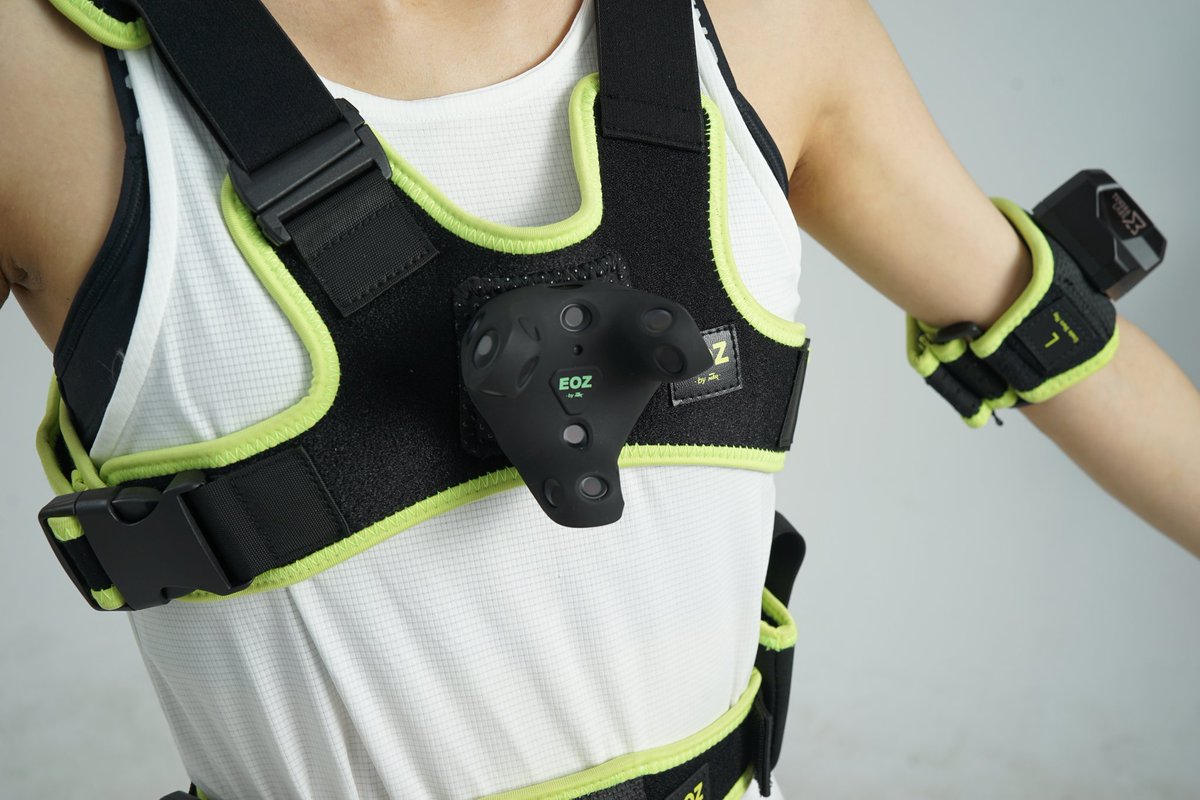
 Twitter
·
Twitter
·
 tulip ledge
Poggers
oak pendant
clever thicket
will it be available in vrchat purple :D
I think so, I hope so!
devout current
I want it
clever thicket
ooooooh that looks solid
devout current
I'm honestly surprised the VRChat Straps are purple, I don't really connect VRChat with purple other than the marketing images / banners xD
clever thicket
they colored them after us chat mods
oak pendant
I have a 10pt set of the VRChat purple ones now, and I think they're very nice. More elastic than the normal EOZ ones. But I mean VRChat's name is on it and I'm an employee so you should find an impartial review
oak pendant
chest one not available yet
clever thicket
oak pendant
I have a 10pt set of the VRChat purple ones now, and I think they're very nice. ...
do you use battery banks with them? i'm trying to find a solution to getting some form of battery banks on my EOZ feet straps
devout current
oak pendant
chest one not available yet
Oh yeah true xD
devout current
clever thicket
do you use battery banks with them? i'm trying to find a solution to getting som...
Hm I mean the Tundra are holding as long as the Index Controllers, so I wouldn't really say there is a need for it
clever thicket
rebuff reality used to sell these battery banks you could just screw onto a strap, but they seem to have stopped selling em
i have 3.0's now
devout current
clever thicket
rebuff reality used to sell these battery banks you could just screw onto a stra...
Probably because people were buying them to put them on things like Tundras xD
oak pendant
clever thicket
do you use battery banks with them? i'm trying to find a solution to getting som...
I didn't use battery banks. In that case the trackstrap plus might be best. I made some battery mount tracker slippers that I used to use myself
devout current
clever thicket
i have 3.0's now
Ah makes sense
oak pendant
Oh they stopped selling them?
devout current
They still sell the whole strap but not the separate batteries


 devout current
oak pendant
I didn't use battery banks. In that case the trackstrap plus might be best. I ma...
devout current
oak pendant
I didn't use battery banks. In that case the trackstrap plus might be best. I ma...
I have the TrackStrap+ and they are a bit meh, the Quality isn't that good sadly. my Velcro is already falling apart.
clever thicket
devout current
I have the TrackStrap+ and they are a bit meh, the Quality isn't that good sadly...
yeah same
oak pendant
clever thicket
Oh yeah, that would be perfect paired with the EOZ straps then too bad
devout current
Idk Rebuff is going a bit down hill atm I feel like
 coral cairn
There's another vendor selling those things iirc
clever thicket
coral cairn
There's another vendor selling those things iirc
i've looked everywhere 
oak pendant
Could try Ykeara's design but I think it doesn't have a tripod mount in the bottom: https://github.com/ykeara/hardware_vivetrackerbattery
coral cairn
clever thicket
i've looked everywhere <:umarucryjpg:736558489064833085>
Those open source 3d printed ones. I'll see if I can find a link in a bit
clever thicket
i dont have a 3d printer
oak pendant
Yeah Ykeara's is great because it charges through the pogo pins instead of plugging in to the usb port
coral cairn

Midnighttech
patent pending: 63/108,484 Handmade battery packs for the HTC VIVE and Index full body trackers. These batteries allow for a cable-free charging...
clever thicket
ooooh, kinda bulky but that could work
coral cairn
for full diy ykera's looks better tbh
clever thicket
yeah but i dont have the majority of the required parts/tools
 river storm
I can speak for the Midnight Tech pucks, Matt does good work on those and provides excellent customer support if you have issues. The key thing with the Midnight pucks is you /cannot/ use a fast charger cable with them.
river storm
He's got a patent on his pin implementation, it's pretty good stuff.
oak pendant
coral cairn
https://www.midnighttech.dev/product/htc-tracker-batteries-1000mah
Looks like those have pass through of the bolt though so you can mount them on other supporting strap mounts
river storm
Yes, bolt on top and screw in bottom.
I don't know the specifics, but i believe he's been working on battery extenders for Index Knuckles as well.
devout current
Poor person spending over 8h in VR xD
oak pendant
Personally I attached small Anker lipstick size 3350mAh batteries under the little recess where my ankle bone is, using safety pins on the strap and the little carry bag that the batteries come with. But that was attaching to tracker slippers I made so was more stable