#avatar-showcase
15 messages · Page 1 of 1 (latest)
 restive pike
 pallid fulcrum
restive pike
wait theres an easier way??? have i been doing it wrong for 6 years??? 😭
pallid fulcrum
restive pike
wait theres an easier way??? have i been doing it wrong for 6 years??? 😭
Well theres keybinds yeah lmao
Like shift+middlemouse-button to pan
restive pike
pallid fulcrum
Well theres keybinds yeah lmao
😐
well thats awkward
pallid fulcrum
Middlemouse-button to rotate view
restive pike
awkward as in ive been doing it wrong
pallid fulcrum
Surprised you never found out from any video
restive pike
pallid fulcrum
Surprised you never found out from any video
i dont watch many videos as they never seem to help (i'm dumb)
pallid fulcrum
restive pike
i dont watch many videos as they never seem to help (i'm dumb)
I cant even imagine how painfully slow moving around like that would be 💀
 coarse kestrel
My Furality Ultra fit. We going kidcore for this one

 waxen forge
avatars im working on


 latent warren
people's been loving this new avatar I made recently that I'm selling on my gumroad


 brazen meadow
👀

 shut torrent
Some Pics of my TADC avatars!
https://vrchat.com/home/avatar/avtr_a851103c-11c5-4080-8e92-1fa2f43706ff
https://vrchat.com/home/avatar/avtr_f1b8eaef-d5aa-4904-8149-348feface4ed
https://vrchat.com/home/avatar/avtr_f5351b91-e540-4a67-8176-d077f0d50f8f


This fella or fellarem is sure to knock your socks straight offǃǃ They'll sock ya‚ play ya a toon‚ or give you a joke that'll even make your uncle laughǃ Gnarlyǃ

The Creative Artificial Intelligence Networking Entity‚ THE REAL ONE․․․․․

山積みのリボンまさに、取り組むのが至福のひとときとなる「黄金の体験」でした。
 lime creek
Cube Slasher just dropped🔥
It's a block slicing rhythm game
Features songs from @Remzcore and @riot_kyoto
Thank you so much for allowing me to use your awesome tracks on the asset!
Check it out here👇
https://t.co/dd8ZGB9iwG
https://t.co/Bw9pCLbWZE
#vrchat

 X
·
X
·
 glass stream
ive been interested in replicating doom eternals shading for vrc for years including dark ages and i think im happy with my final version of it theres some things i would love to fix but it looks perfect to me
 latent warren
glass stream
ive been interested in replicating doom eternals shading for vrc for years inclu...
latent warren
glass stream
ive been interested in replicating doom eternals shading for vrc for years inclu...
amazing!
 blissful wolf
my furality avi my partner and i kitbashed :)

 red steeple
In the retopology phase now , will update later

 unkempt geode

 short scarab


 white pendant
EEEndicator, it detects when you say EEEEEEEE :D
https://vrchat.com/home/avatar/avtr_c36dd011-9f2a-4bed-a0c3-9aa2010c36a9
https://fixupx.com/TheZiver/status/2058738929583399414
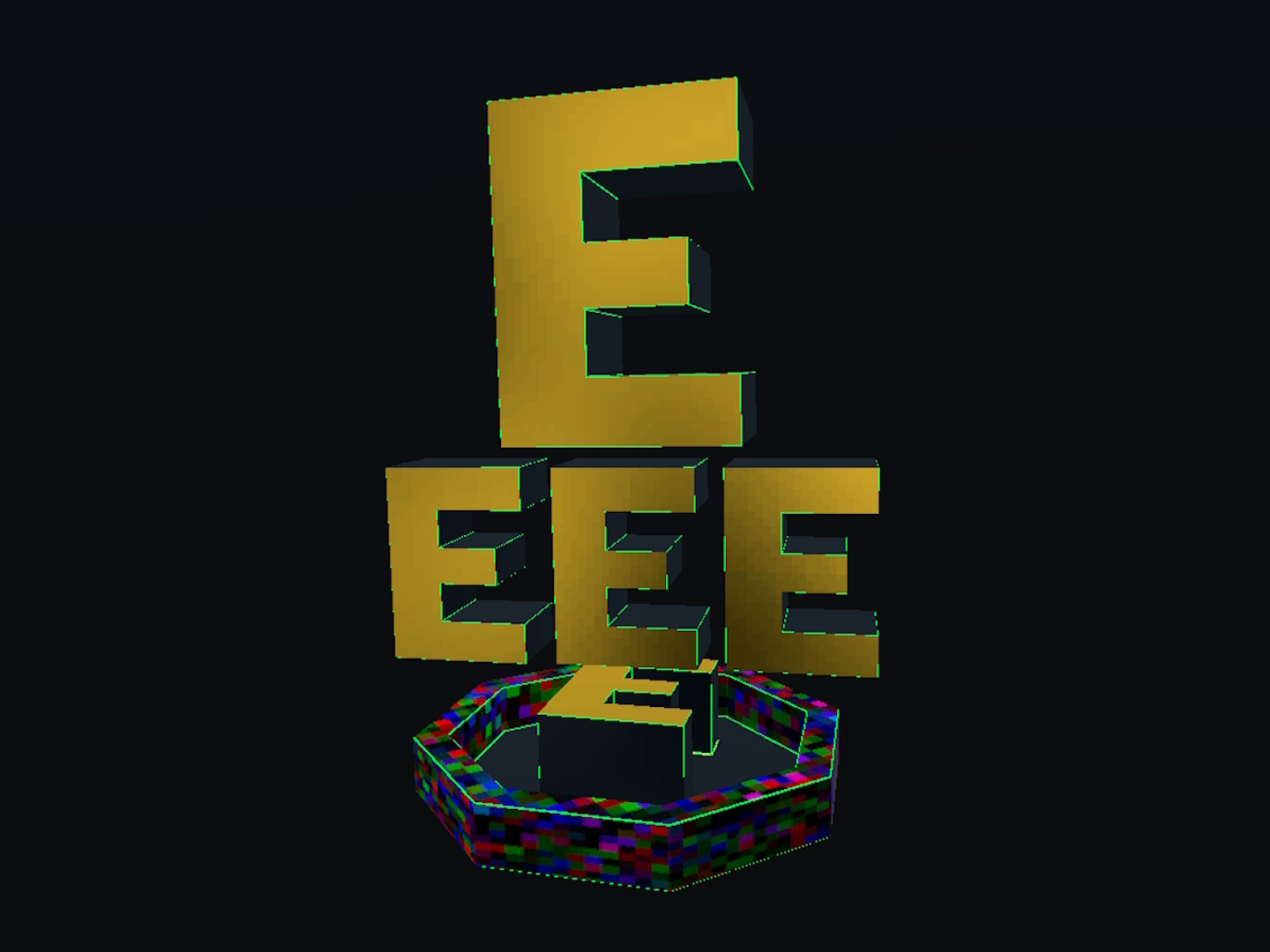
EEEEEEEEE


 sly jolt
Funny fake player


 lime creek
in the process of doing a certain viltrumite suit for the nardo and novabeast :p

 proper warren
sly jolt
Funny fake player
proper warren
sly jolt
Funny fake player
That's low key sick if you could like change its name and like like a certain select amount of like simple avatars like fall backs and such
brazen meadow
My first paid avatar <3


 past kayak
not at showing anything off you're not lol
 woeful brook
crying bc im third
 lean pagoda
first showoff, inventory generator editor script
 wintry lion
nani

 full pendant
woeful brook
full pendant
woeful brook
hope its okay for me to post reactions in here amidst all the videos
all this shit is super cool already, also great to see everyone doing the headset shuffle after they start recording LOL


 autumn tartan
oh boy a new way to make giants
 finite spoke
 final yoke
 obtuse gulch
Voice Command???
 covert blaze
O w O
obtuse gulch
thats legit possible now?
 cedar bear
avatars have udon now???
covert blaze
okay ima need a tutorial on that one chief
 scarlet olive
@cedar bear no, no Udon in Avatars
 lyric vessel
tl;dr on Hai's video: They're monitoring a sequence of viseme parameters hard-coded to detect that phrase
very VERY much an advanced use-case
woeful brook
ok this is cool and all. but idk wut it is but for like 2 months now, someone simply changing avatars lags me completly or even loading. fix that then ill care about all of this
past kayak
Ok. I'll get right on that.
past kayak
lol
 twilit spire
I wonder how perfectly I could tune voice commands with TTS
final yoke
 dense raven
Wow this all looks incredible. So excited for the future here.
I haven’t even been in VRChat since the Knuckles days but i’ve been keeping tabs. I just finally upgraded my PC and am looking forward to seeing everything new in the game
 hasty jasper
that inventory generator script seems nice
 keen sundial
you can also make your own AFK animations:
https://i.gyazo.com/dc9a9b2b6fac681a390b00ed9f580874.mp4
 oak wind
https://gyazo.com/faf3d2ade60e7dfd7d6c39c9bde2215c afk animations are great ❤️
 worn arrow
i just hope that my old toggle emotes are still working with this
keen sundial
old avatar stuff remains working but AV3 avatars are basically to be build from the ground up
hasty jasper
i think you should transfer it to AV3
keen sundial
you can reuse the animations and blendshapes but the avatar setup is fully different
worn arrow
i dont rly wanna cuz i have like 40 avatars
keen sundial
yeah just treat it as the "only for new avatars" way
worn arrow
so the old ones still works? like changing clothes?
keen sundial
i got about 250 avatars in my backlog, im not intending to upgrade them
oak wind
@worn arrow my old inventory emotes toggles work just fine still in 3.0 don't know your specifically but they should still work
worn arrow
ok, and even the handgestures that turn things on or of or do animations?
oak wind
but with old av2 inventory emotes you still gotta deal with desync where with avatar 3.0 you don't have to worry about that
keen sundial
indeed and its super simple, no more needing weird scripts and anim hacks to get a toggle prop to work
worn arrow
yeah but some avatars i cant update cuz files lost cuz off my old hdd died
keen sundial
you can even have one parameter change the way your avatar behaves completely, like upbeat/sad changing walkcycles and emotes and spawning extra elements like a raincloud or sunshine etc.
the sky's the limit
worn arrow
i just hope that i dont have to update my avatars, cuz i cant update em all
keen sundial
you can make a parameter move a texture UV around so you can do a 2x2 shirt design texture that animates to each different design based on a parameter
old stuff stays working like the old stuff
but you wont get new features
worn arrow
okay
keen sundial
out of the 250 avatars i have i probably have like 3 to 4 being my "main" avatars, and even then i usually tweak/reskin new iterations
so all i do is make one good "av3" base of my main and when i wanna make a new... halloween version, i just swap textures, or i just tag on a "halloween" state that adds a spooky hat and some ghost particles
obtuse gulch
Pretty much ending the neverending variation new avatar creations
keen sundial
indeed
my demo avatar in the demo world has a nanachi with a body configurator
so you can go thin/thicc for instance
obtuse gulch
I really hope the optimization would prevent the avatars from becoming 100MB+ sized
keen sundial
it used to be that i would make a new avatar for each occasion/party/style but now you can make this part of just 1 master avatar
hasty jasper
this is gonna be annoying to update for, it would be nice to try out but it seems slightly annoying
keen sundial
but yeah size/perf is gonna be a bigger issue if you make a "god" avatar that has a whole shopping mall's worth of clothing on it
hasty jasper
i have 100 avatars, and now i gotta mess with them
 bold kernel
the world wont load the avatars for ,e
bold kernel
oh ok
keen sundial
just start with one, avatar, you can usually carry over elements to other avatars once you got a base
note that you cant see non-beta players while in beta, so its mostly to load into the beta and test/try out the demo avatars and start work on your won before it goes live later on
vrc version mismatch = invisible players (no nametags/models/voices, only "player is in same world" listed when looking in the social menu)
17 emotes spread over 2 variables
 dreamy sand
Showoff more cool stuff :D
keen sundial
there's more but i haven't recorded much however if you load the beta there's a avatar i made
obtuse gulch
bruh we can finally capitalize the unity's animator system without constraints
keen sundial
indeed, native animator support is sooo nice, no longer you have to fumble with hacky anim exploting scripts to make inventories
the complexity is about the same (but different) as AV2 as a start, but it blows the roof of what you can do as the upper limit
 twilit shadow
Woah ^
obtuse gulch
Is it possible to like assign the writing onto objects like a post
for people to see?
oak wind
@sudden trout https://gyazo.com/a4e809ca3c2df97a8a6422ba0037b448 hand puppets can be a thing
 shrewd condor
You’re telling me I can have a tiny Sans Undertale floss in the very palm of my hand without even using extra animators or worrying about hand gesture space?
Truly an amazing time for this community.
oak wind
yep if you wanted to take the time to setup the animator for them. In my example i had to covert my standard dance animations from a humanoid animation to generic animations so that i could make the root to the puppet in my hand and change only its transforms not my own avatars.
shrewd condor
Huh, more complicated than just attaching essentially a second avatar on your hand, but much more effective!
lean pagoda
https://github.com/Merlin-san/VRC-Inventory the inventory generator script, it's very basic at the moment
shrewd condor
Jesus that was fast-
covert blaze
Is the inventory making different things on your avatar enable/disable? (Like having different weapons, or say different hats) @lean pagoda
lean pagoda
yes
covert blaze
oh sweet! thank you~!
lean pagoda
👍
 regal quiver
Its not much, but i guess it shows how straightforward it is to set up a toggle that animates a material param now. Love it!
 hasty sand
What shader is that orels
regal quiver
the blue thing?
just a custom shader i made
and the toggle animates a mask over specificly setup uvs
hasty sand
aa i need a shdaer just like it for my outfit
 sudden trout
@oak wind thats not what i men't by hand puppeting but thanks for bringing joy into my life
 twin quiver
That makes life so much easier!
 austere crest
lol bai
 silk sundial
 livid ridge
how dose it work?
 kind quest
Anyone got a video of the directional stuff you can do?
final yoke
For those who are confused about what the LookUp/LookDown blendshapes do on Eyelids:
On the left is a classic avatar | On the right is an Avatar 3.0
If you look carefully on the right, the area around the eye will slightly move depending on the direction where the eyes are looking. These are what LookUp/LookDown blendshapes are for
 formal fractal
final yoke
formal fractal
final yoke
you might need some modeling skills to accomplish this, or maybe the blender plugin has support for that, I don't know
 cloud nymph
More natural looking
 somber rain
@final yoke holy shit that voice commands based on vismes is such a cool idea
 indigo yarrow
ooooh, amazing stuff!
@oak wind about the desync, does this mean that if a new player joins the instance, the existing player won't have to reapply anything for the newly joined player to see any old changes?
final yoke
@indigo yarrow it's going to be synced without doing anything for late joiners
there are some very rare cases where sync is not going to work, examples:
- very long animations, you play a 1 minute long animation with music, and someone joins after 30 seconds, they are going to see the animation and music beginning from the start rather than resume from the middle
- you start to make really really complex animators, a bit like this, then syncing needs to be thought of carefully:
indigo yarrow
ah, that's understandable, probably not an easy feat to get that synced up properly
but for stuff that's toggled including things like weapons, outfits, expressions it's potentially synced up?
final yoke
yes
indigo yarrow
nice!
oak wind
yep what Hai said!
 ancient karma
some simple/obvious things that can be accomplished with av3 https://www.youtube.com/watch?v=faUKwseT81M
most notably toggling between two sets of hand gestures on each hand for double the hand gestures
and sitting on the floor without FBT
oak wind
nice work!
final yoke
This is extremely good
 random ibex
Yash, you're doing the persistent letter thing with the keyboard!
oak wind
Its just my standard particle keyboard but setup using a toggle control in the expression menu. The letters stay until either the keyboard is toggled off or they are erased or timeout
 ashen prairie
It all just looks like air traffic to me 
random ibex
@final yoke Animations triggered by speech patterns is a feature I occasionally requested, thanks for this!
 pearl mauve
nice
 scarlet moss
Very Nice
 torpid frigate
wait , what the hell is this
full pendant
A nanachi
ashen prairie
👀
torpid frigate
i mean like this menu
full pendant
Avatars 3
torpid frigate
this is awesome
 icy vessel
you probably know already but the ears don't change color as you change the body's color
torpid frigate
i need this
ashen prairie
more stuff to learn
torpid frigate
yeah but first i need to fix the 14664 problems that i had on unity + blender
full pendant
thanks for catching that
icy vessel
👍
 gaunt sun
@full pendant Wait I though toggle expressions didnt appear on your mirror clone?
full pendant
I didnt use toggle I just used a few buttons and an integer value
the clothes are toggle though
gaunt sun
 I'll understand eventually
 proven girder
This looks cool, but because my joystick is broken and makes me spin without touching it, it will be really annoying for me to use this thing
 hallow belfry
Now I don't need 4 versions of my model that have different heights XD. Thank you to those in #avatar-help who helped me with some of the problems I had when making this.
proven girder
That’s cool
scarlet moss
I want to do something like that, but with power armor.
Right now I'm just trying to understand the document.
 rancid plover
figured out how to do this finally thanks to orels
ashen prairie
could you go W I D E mode using this?
random ibex
I don't see why not. Joshuarox100 just posted a height change demonstration
ashen prairie
nice, I can se this system being the gauntlet of memes.
hallow belfry
I uh, also may have found out how to increase scale at an infinite rate as well by accident in the process. So yes, you can definitely go wide mode.
pearl mauve
lol
ashen prairie
sick
hallow belfry
Although be aware that doing what I just said will cause your avatar to implode into a mass of vertices.
ashen prairie
good
random ibex
I see this as an absolute win
lyric vessel
@full pendant Your avatar is now in the Hub world 🙂
 mystic owl
@hallow belfry How'd you do that? I have 5 Ant-Man avatars at different scales, so I'm sure this'd help a lot!
full pendant
Yeah Stabby just dropped down a portal haha
 chilly wedge
How O.O i been trying to do it for a while if we could talk in #avatar-help
@shrewd condor
 vivid vale
@hallow belfry make your avatars skin turn green when you get bigger (and increase muscle mass) 😄
hallow belfry
@mystic owl The basic idea is that you scale your avatar in an animation, and once you finish adjusting the scale you use the VRC Animator Set View script to update your viewpoint to the location of your head bone.
 prisma crown
oh, huh, the scale thing is nice, does it update ipd to match the new scale too with the vrc animator set view
hallow belfry
Unfortunately it doesn't currently. This is still beta so that could change though.
For smaller changes in scale, you can kinda get away with just adjusting the User Real Height ingame.
It would still be cool if they made an option to also adjust the IPD scale when the viewpoint is set though.
 lofty violet
quickish question. can the viewpoint be updated continuously? it would be sickening, but I wanna try putting the camera on something like a giraffe =p
hallow belfry
You'd have to first reset the viewpoint everytime you wanna change it, but if you can reduce state switch delays then maybe?
That'd be interesting for sure though.
lofty violet
yeah, i like to try n mess with things in a weird way. already got a quadruped with 6 legs (hexaruped? think a 6 legged triceratops) that blends between having the front 2 legs switch to IK when standing still (toggling a rotation constraint to copy invisible humanoid's arms, neck, and head) and it works great! mostly... (toggling rotation constraints dont really like mirrors the current system lol)
prisma crown
hopefully the ipd adjustment is somethin they can do
 cedar widget
Wait so are you saying the scaling thing isn't very useful in practice because not everything scales properly? Dang that was the first thing I wanted to try and do
 crystal torrent
hey, did avatar 3.0 fix that generic avatar problem that made the animations play only on my screen?
 drowsy topaz
You can do generic things on a humanoid transform
 keen basalt
wassup
drowsy topaz
I had a friend test it so I only know its possible
crystal torrent
nope it's free
scarlet moss
Only your time and your undying passion.
 crude snow
@crystal torrent I’d also like to know if it’s fixed
Can someone explain what 3.0 means for non humanoids
scarlet moss
I think it mostly means more freedom on animations mostly.
woeful brook
only for vr
 bleak cave
you can still access the new menus in desktop mode
scarlet moss
This is probably better posted in #avatar-help than in showoff.
woeful brook
ok
shrewd condor
made Icons for all the vanilla animations
also decided to give the mask ireses to try out the eye tracking 👀
 lime prairie
Question: with AV3, are we still limited to 70K-poly models?
I've been working with Daz Studio as my modeling engine, and have gotten pretty good at optimizing my avatars as much as possible without loss, but its been a game of trade-offs to keep my avatars under the 70K limit. Atlasing works out fine for keeping draw calls down to a minimum while maintaining high detail, but my best works ring in at anywhere from 120K-polys to 470K-polys.
 brittle path
You might have better luck asking around in #avatar-help or #avatar-general , but I haven't seen anything in the documentation about a change in that area.
 vapid summit
i don't think so
 royal pine
There isn't any limit, however you obviously will be marked as very poor with such an avatar.
random ibex
@shrewd condor Cool! But sad kick looks like dashing, and I think backflip needs to be, uh, flipped.
shrewd condor
Yup, still messing around with them
random ibex
All the others are great
lime prairie
Right. Thanks everyone. :)
royal pine
Also, you should look into baking high poly meshes into low poly ones if you're not already doing that. Needing to go above 70k tri for a single character is a bit overkill for any characters for multiplayer games
 crude shell
How do you guys make multiple expressions work? I'm only able to get one at a time working.
full pendant
Use blend tree
random ibex
Overwatch characters are around 80--100k
 torn meteor
yea believe it or not a lot of characters in big games are fairly optimized (by vrchat standards)
the industry uses a LOT of crazy techniques and overall great skill to make things look fantastic
crude shell
So just put it on a blend tree instead of directly attached to entry?
bleak cave
well a lot of sources of too many polygons are pretty much eliminated on properly optimized game characters like there is nothing under any characters clothing
random ibex
Note these are rough, they were collected through ripped models hence some pieces are missing
bleak cave
yes but still they're not going to double the number
random ibex
royal pine
Overwatch has 12 player characters per session, VRchat has up to 50-60 if not more.
random ibex
But hey, maybe these are just the character select and Play-of the-Game models
random ibex
Or maybe the ripped ones are LOD's
 sacred maple
probably a mix of player model and weapon, for fps games they go wild with the weapon since that is pretty much all you see
random ibex
I think they have an entirely seperate view model for that
bleak cave
crude shell
@full pendant How do I set the blend tree up? Do I just branch the gestures off of it? Is there any other transitions I need to make?
sacred maple
looking at a mei blaster from one of her skins rn, its like 17k by itself
bleak cave
anywho considering how many people we typically want in a vrchat map you would be targeting the more lower end numbers because you need a lot more of them on screen
random ibex
That's true, but the exact phrase I was contesting was Needing to go above 70k tri for a single character is a bit overkill for any characters for multiplayer games
But it looks like the models used during game are much lower than that to run on consoles. The models I'm looking at are surely for the character select and end-of-game animations
crude shell
Can anyone show me how to set up a blend tree? I'm experimenting with everything but I think I'm missing something. :L
cedar widget
 mystic prawn
@hallow belfry have you tried your scaling avatar in VR, per chance?
hallow belfry
I have
It sets the height of the viewpoint correctly, but since the Animator Set View doesn't recalculate the IPD Scale your body grows but 'you' don't. Easiest way to describe it is like having your User Real Height either set way too high or way too low.
mystic prawn
hmmm, then I'm doing something wrong with my animations, because I just tried scaling myself in VR and it still does the typical 2.0 thing that consists of either being crampled inside a box with your hands next to your head, or hanging around midair like a puppet
do you mind if I bring your wisdom to #avatar-help for a moment?
hallow belfry
Sure
mystic prawn
thanks!
rancid plover
its so damn snappy, i love AV3 so much already. very friendly to use in vr aswell
rancid plover
i don't wanna go back to live. just push the update aaaa
cedar widget
this^
 acoustic viper
I'm so excited for this, all the stuff I see here blows my mind
 noble sun
This stuff seems neat. Will it be on quest?
drowsy topaz
Dont push the update all my stuff is broke lol
 lilac kindle
That's what you get for not just using a TDA scion
drowsy topaz
Yeah the syncing for inventory systems seems real nice
 worldly lily
Glad I have a ton of experience in animators from on-step swapping. Knowing how to actually do things with parameters is a godsend
I'll have some stuff to show off soon 👍
sacred maple
You're the real godsend 🙏 👼
worldly lily

lyric vessel
@rancid plover That looks great! We can't wait either but we've got some more stuff to fix up first so the launch goes nice and super smooth 🙏
 serene scroll
the god has spoken
rancid plover
:) thanks tuptup. Hope all goes smooth, i love it so so much already
 ember dock
fine lol
 fierce scaffold
i like that it had the sword icon
 quartz owl
lol nice
 copper dirge
The detail in those textures tho.
 timber bay
I managed to get it working finally! I'm surprised how easy it is to do when you learn the basic bits.
It's pretty sloppy but I'm content.
 atomic coral
Nice
 upper field
Yay!
I know it's not much but i finally managed to figure out how to blend masked animation on top of other locomotion animations
 honest kindle
Weapon attachments inventory system
ember dock
nice and something you can also do is equip weapons by opening their submenu
and then dequip when closing
honest kindle
i was thinking of doing 3 weapons which you can choose from and in sub menus you could further change out the weapon attachments on each of those guns
honest kindle
hmm interesting ill have to test this
ember dock
if u re open menu keeps u in the submenu
 pure flame
Finally made a ground slam animation when going passed a certain speed (VelocityY)
 whole karma
that's some very smooth flying too
pure flame
lol thanks
but yea, i'm so glad that these parameters exist
this is my first successful thing i've done in av3
 real pivot
When you don't have a VR set, xd
 hardy star
This would be useful for allowing hand rotation on the desktop client
shrewd condor
Managed to make a functional water sprayer... Ok I know it's not impressive but I made extra sure the animations blend seamlessly when I press the trigger button
I'm starting to figure out that toggling items can be much more impressive with an entry, hold and exit animation
Finally managed to make the hammer summon to my hand smoothly
Darn, can't show off that well cause I'm away from my headset XD
But basically, turn on the hammer, then fist to summon it. It stays in my hand until I use the open hand animation
4 anims
Ready: Hammer on Hip
Summon Hammer: Transitional animation with the parent constraint weight going from 0 to 1
Holding Hammer: Hold animation
Return Hammer: Transitional with weight going from 1 to 0
 proper trail
Interesting, can you explain how exactly you use parent constraints?
drowsy topaz
Usually you have the hammer be a child of the hips, then parent constraint it to the hand. Or have 2 parent constraints, 1 to hips and 1 to hands. Then swap the weights between the two in the animation.
For the latter the hammer would just be a child of the gameobject
proper trail
Ah I see
Yeah I've never messed with parent constraints before
drowsy topaz
Parent constraints are the optimized way of doing it, in this situation you can just have the hammer be a bone so your model could still just be 1 skinned mesh and 1 armature
proper trail
So parent constraints can also change the position of something instead of it just making something move along with something else? Interesting
drowsy topaz
It depends on your offset, define your parent constraint to have an offset of 0 and when its weighted it will drag the object from where ever it is to where it needs to be
 limpid lake
@real pivot Wow that's pretty dang cool! that's the stuff I was waiting for people to do 👍
shrewd condor
There we go. I'm only using the point emote to display it better from desktop, the hammer follows your hand
sacred maple
UwU detected 👀
whole karma
Very nice
 sacred field
I managed to get this viseme word detector working: https://youtu.be/O3qKMjtw56U
controller looks like this
proper trail
Ohwow
rancid plover
@timber bay that looks real nice, did you model your avatar? its real pretty
woeful brook
is this finger tracking via a normal controller?
proper trail
Just a lot of animations
woeful brook
Oh! even mire clever!
 livid light
thats so cool ✨
proper trail
Yeah that's really nice
Very much going to look forward to what the sign language community will do with this
ember dock
as of right now its a bit too difficult to use
and the SDK also limits how many controls you can have per menu
which kinda stinks
proper trail
Hmm I see
shrewd condor
Considering you can add different hand animations to each hand gesture you get 18 basic hand gestures, and that's without combining them
ember dock
theres only 9 per hand
but the issue is that this is for sign language
plenty of signs will mix and match hand shapes
shrewd condor
That's not a problem anymore! You can have hands play a ton of different animations
Wait, I don't really know h l so I may be wrong
 sand karma
ASL would be difficult to implement without heavy use of menus
sacred field
Maybe add a transparent one?
sacred field
Ah...
Could maybe try a funky aspect ratio or something if that would work to keep the text from sinking 🤷
ember dock
hm
sacred field
@limpid lake Yeah it doesn't work 100% of the time though if I add enough other ones the idea is to make my face sort of expressive matching what I'm talking about
I can adjust the sensitivity with the transitions back to the check viseme state. Basically if it finds anything wrong it starts going back but it keep current state on interrupt
so if the right viseme comes through fast enough it'll still take it
It's loosely based/inspired on the detector @final yoke made
timber bay
@rancid plover
This is a really late response… but yes! It's of one of my OCs.
limpid lake
Yeah thats what I was thinking
Having a more expressive face based off what it is you saying aka the visemes
Neat idea
ember dock
"jenny"
 sacred burrow
using custom guestures layer to make gestures have alternates if performed in certain ways.
On vive.
is a bit finickey.
prisma crown
||t pose at the end.....||
pearl mauve
opening steamvr will activate the afk state, might have something to do with that
sacred maple
damn, lookin gud hito
sacred burrow
i think i know why
thanks nate
i still need to get moving while keeping legs on fbt working
full pendant
hittin the blendtrees
you can have all of your blendtrees share a layer if they dont interfere with eachother by passing them all through a direct blendtree with a blank paramater set to 1
final yoke
I am currently working on a project to generate animator layers which detects hand gesture combos and trigger face expressions.
This is what I used to create the Vket-chan avatar in the official world, so you can have multiple sets of gestures in a single avatar, and combine it with the new Avatar 3.0 features such as blend trees, and disabling eyes blinking when the face expression has eyes closed.
Still a work in progress but the project is at https://github.com/hai-vr/combo-gesture-expressions-av3
 fast rivet
how you get that amount of slot. @ember dock
mystic owl
@mystic owl The basic idea is that you scale your avatar in an animation, and once you finish adjusting the scale you use the VRC Animator Set View script to update your viewpoint to the location of your head bone.
@hallow belfry I have NO idea how to do that. I haven't messed around with it at all yet. Is there a way to take a file and just add it to mine? Like a prefab?
hallow belfry
Uh I can try to make a prefab, give me a couple minutes
 lean torrent
I'd love that prefab too if you get around to making it
hallow belfry
In the middle of creating a README for it to explain how to set it up or incorporate it into your own stuff.
lean torrent
Bet
crude shell
I need to figure out blend trees too.
mystic prawn
Can I get that prefab as well? 
hallow belfry
Of course. I'll let you all know when I'm done with it.
mystic prawn
Thank you 
ashen prairie
Crazy looking stuff. Loads to just disable something while another becomes active.
worldly lily
Driving a stage parameter to 4 different values/states with 1 particle, 1 collider, and 1 animator.
Driver parameter can access as many states are there are floats(to precision) from 0-1
Doesn't confirm a value to drive until the logic is sound and will prevent the wrong thing from enabling.
hallow belfry
Very interesting
worldly lily
Proof of concept. More of an experiment than anything I'll make something with.
Still neat imo ^^
ember dock
 earnest vector
I'd love if you could take screenshots that way.
ik we have the default camera, but this way feels more real
ember dock
u can if u make a custom shader
i was gonna add a screenspace shader that if u put camera close to phone it will snap pic of the render texture but i didnt finish it
upper field
Yes! Finally! It took me forever to get that to work but i really wanted to make this, haha
torn meteor
awww lil pocket pal!
pearl mauve
https://www.youtube.com/playlist?list=PLYeEcl-XxYVmXyXtQ0c33jXB54nklug2n
Started making tutorials on the new 3.0 system, part 2 (changing facial expressions w/2-axis) is currently uploading
 sullen raven
@upper field That made my morning, I actually do a decent nep impression as its pretty close to my voice and the first thing I see when I join this server is that adorable creation it mustve been fate. ❤️
crude shell
@upper field I love the animation! :) I'm about to dive into complex animations as well. :D
 supple silo
voice recognition by Lip Sync. When I say "Lightning bolt!", then emit particle.
https://twitter.com/crowley_youtube/status/1282342606039511042 <Twitter varsion
Controller
 acoustic steppe
... now i wanne see someone do the really old "magic missile" meme with this.
whole karma
or fireball
copper dirge
Inb4 someone makes a Mega Man X avatar where you say the names of his weapons to use them, just like how X (and all the other characters) shout the weapons names every time they use them in the later games.
pearl mauve
Naruto characters...
finite spoke
 iron gate
I wrote an editor script to emulate Avatars 3.0 in the editor. This can be useful for debugging state machine issues, though be aware that is only an emulator, and will not replicate all behavior precisely.
I'm still bugtesting, so not quite ready to distribute the script, but let me know if you'd like to test it.
noble sun
Voice sync with commands?
I wanna see a Tachanka skin with LMG amounted and loaded
That would be amazing
prisma crown
oo, that's really friggin cool, lyuma
noble sun
I don’t know anything about avatar making so I can’t figure out stuff and I’m a quest player so
lyric vessel
@iron gate What's that display in the top right?
iron gate
That's an asset from Package Manager (show preview packages) called PlayableGraph Visualizer. It's kind of shit actually because there's no zoom but it gets the job done I guess
 tidal lagoon
Bru.. voice sync with commands is like.. Holy you can do a whole mage cast system and summon a hyper kitty cannon on activation owo
I just realized that all dragon ball fans will be trying to get Kama hama hama ha working with that system...
oh no..
 mint tartan
witness my gremlin
List off things I did in this tweet: https://twitter.com/CompatibleVRC/status/1282472148062306304?s=20
tidal lagoon
OML on that dance
supple silo
I need spell cast system's editor. (Just planning now)
 dire anvil
prisma crown
dire anvil
prisma crown
oh, that's pretty damn cool
tidal lagoon
yass
rancid plover
most of my heads and outfits i set as toggles for fun
timber bay
On the way to making this work
rancid plover
love your model once again. also nice job on the gestures
 strange otter
@rancid plover are all of your heads separate meshes? could you do something like this for, say, face morphs? i've been working with some of the ARMS models and i'm struggling to get the morphs into blendshapes, but if i could toggle them with 3.0 that would make my life 300x easier
ember dock
i made an avatar yall will love
head over to the avatar 3.0 hub bc its public right now and u can clone it off me in a couple of hours
also @lyric vessel u can put it in ur world if u wish
ill record videos later
ember dock
what? and wrong channel
 silent seal
Sorry, is the SDK for The 3.0 avatars out yet?
royal pine
#avatar-development-links yes, at the top.
silent seal
Nice, it looks like it's still in beta
pure flame
it's still not perfect but i am able to do a chain combo animation
acoustic steppe
how are you triggering the thing going off. is that a gesture or momentum based?
 green seal
oh i saw you on avatar 3.0 that was really nice! 👏
acoustic steppe
Yeah they where in the demo world a little bit ago just after i recorded this :P https://streamable.com/max8yz
iron gate
FYI: Uploaded a version of my avatar 3.0 emulator in #help : https://discordapp.com/channels/189511567539306508/730948173379535022/732241440402440243
Now supports updating parameters from the Unity animator controller window.
 tropic raptor
I love AV3 so much
 north tapir
Heh. I'm still trying to wrap my head around it.
Yeah, still trying to figure out how to assign shape keys to a hand gesture. >.>
Let's take this into help.
oak wind
https://gyazo.com/eadc8e0d871ed42086657e15d910a9de Add some more gesture Sequences 😄
 halcyon cove
Made this to showcase Avatar 3.0's ability to activate animations using Viseme Int Values.
More detailed explanation in description of the video. Will release a step by step guide in the upcoming future.
austere crest
nice, thats exactly what i was wanting to add to this avatar im working on, however im kinda new to this stuff and dont really know what im doing
 rotund viper
started on a generic avatar.
halcyon cove
@austere crest will be making a step by step tutorial in the near future.
austere crest
ok, just got the avatar into unity so maybe ill just mess around and see if i can get something going
halcyon cove
if you understand the parameters its decently simple to work with.
austere crest
unfortunately i dont, but im sure there are plenty of people to help here
 calm linden
A good tutorial would be someone converting the gesture emotes from the old system to this new one. Lot of people like myself trying to prepare and the documentation and current videos dont really provide that atm.
hallow belfry
I know quite a few people have been waiting on me for this, so here it is!
https://github.com/Joshuarox100/VRC-Avatar-Scaling
There are a couple things you have to do in order to get working, but nothing too complicated.
prisma crown
Neat, it will be fun to see what other prefabs people come up with
lyric vessel
Please try to keep this channel for showing stuff off you're working on, keep help and discussion to the appropriate channels-- let people show off the cool stuff they've made 🙂
past kayak
+1
worldly lily
why do you see your own nose
pearl mauve
viewpoint set behind it
ember dock
bc vrchat dumb and need to fix
sacred maple
We all always see our own noses
finite spoke
@ember dock i have the same problem with my anu. i am having to fix it in shader. my anu is also a tiny avatar.
maybe there is correlation there
 boreal idol
if the nose is weighted to the head it should be shrunken. Is it on a bone that's constrainted to the head or something instead of being directly on the head?
atomic coral
it just shows the head completely and it only happens on beta branch
i have noticed it myself. for some reason in the beta it does not seem to shrink your head
austere crest
yeah ive had problems where i can see my hat if i crouch on my inspector gadget
 ebon verge
Oddly head still shrinks in holoport, but yeah it either doesn’t in regular locomotion or the trigger distance was reduced
woeful brook
was that avatar using the inventory system?
ember dock
is it just me or do people just not read what av3 is
woeful brook
^
drowsy topaz
Its the same with Udon
ebon verge
Maybe hide it with a avatar 3.0 tag like Open Beta does
ember dock
final yoke
I am releasing the tool I've been working on to attach face expressions to gestures and generate an animator ( https://twitter.com/vr_hai/status/1283170387631669248 ), but also switch between multiple sets of face expressions using the Action menu. The Vket-chan showcase avatar was generated using this tool.
I'm hoping this may be useful to some. It's on GitHub: https://github.com/hai-vr/combo-gesture-expressions-av3
limpid lake

worldly lily
If you'd rather use 2.0 overrides just use 2.0 🤷♀️
austere crest
yeah better make good use of it since after this comes out im honestly not sure how long they will choose to support it
ember dock
no as in it automatically converts all the 2.0 overrides into custom animators
so u can slap sdk3 stuff on top of it
sacred maple
that would be neat, i think thats a big reason why a lot of world creators didnt just switch to udon, they cant just ez port it over
ember dock
makes it a billion times easier to change gestures and locomotion animations
slight performance drop from using gesture and fx layer simultaneously for hand gestures but
ebon verge
It's sort of a upgrade or die thing. They don't need to update worlds - new content will come in to replace it
Old stuff breaks, no one can really fault VRC for that
sacred maple
yea thats what i was gonna say too, if something breaks on sdk2 in the future, its no longer the top priority for them to fix it completely
ebon verge
Being asked to update one of your older versions of something because they don't want to use your current version is just one of those moments where you ponder your how to properly respond
ember dock
an example is when shaders and tranforms became bugged on all older avatars
but that required less effort than when converting sdk2 to sdk3
was just reupload
lyric vessel
New update available for avatars3-beta! We're now on 94305. Please see #730973243904753705 for info.
final yoke
I intentionally do not make override conversion because most of the generated animations would not make sense, the main point of the tool is to leverage on AV3 features to fix unsolvable issues on SDK2 avatars such as incompatible combined face expressions and make them coexist with AV3 features such as blend trees; also this tool is exclusively for face expressions, not hand positions, not ear/tail/wings positions, so there's some effort needed to convert avatars
mystic prawn
the flickering thingy can be fixed by not having to constantly update the viewpoint in a constant loop. otherwise, thanks vrchat devs ❤️
obtuse gulch
Is it possible to just scale individual bones say the arm with this method?
whole karma
yup, but you will have to use constrains as proxys if you want to affect humanoid bones
thanks
what i do is rescale an empty object and the hand bones have scale constrains on them, seems to work pretty well @obtuse gulch
obtuse gulch
ah I see
 chrome kayak
big feet
halcyon cove
Update on my Viseme Logic System.
Virtually no delay!
No more unintentional activation. It's able to be listening in the background until you say the activation word in a very specific manner. So technically it doesn't even need a toggle button!
https://twitter.com/IamSoggyBurrito/status/1283429161063919622
ember dock
u can just set the transitions to 0-0 and make sure that the sequence is followed perfectly, and also can listen for silence at the beginning
halcyon cove
well its more about if you say one of the values by mistake. Which with a 3 variable word, it will happen a lot.
Didnt realize I could just post the video here
ember dock
oh then just use multiple states instead of one
ember dock
use it more to prevent accidental triggers in words like
"oof" where you might say "poof" and accidentally trigger it
unless thats what you want lol
halcyon cove
well mainly I dont want to have to make a weird pause to set up the system. I want to fit the word into idk like an RP thing for example.
ember dock
sil doesnt mean huge pause
halcyon cove
I know 🙂
ember dock
in normal speech it shows up between words if speaking normal speed
halcyon cove
👍
atomic coral
Once you do a tutorial on this im definitely gonna test it out
halcyon cove
😄
lean torrent
https://i.gyazo.com/2ff69559814f395a4a4f8f3ec9ea7236.mp4
Got my avatar resizer working 
Though now my default size is big...
 sinful flare
My most recent avatar for Streamer Gap Gap for Rolfgator’s Golden Gator Girls
https://twitter.com/vrreagan/status/1280327540943523845?s=21
random ibex
Very late but @austere crest my inspector gadget Where'd you get that?
austere crest
oh it was a sketchfab model, just had to do some re-rigging and add the helicopter hat and it was gtg. everything is set up except for the viseme trigger.
random ibex
Oh I see
calm linden
Got tail wags
bleak cave
good tail wags
fast rivet
if you go fast enough it create a tornado
bleak cave
now I'm curious if you could actually do that with the 3.0
fast rivet
velocity yes
 storm grotto
 lilac trout
Managed to develop a reasonably responsive, gesture set inventory system.
ember dock
u can use sub-state machines for gestures too
u can make each sub-state handle the set of gestures u want
 north steeple
fake dynamic bones for quest
https://puu.sh/G7Blt/60b4c39442.webm
floppy ear radials with real dynamic bones
https://puu.sh/G7BkW/65e2ba84d0.webm
desktop headpats
https://puu.sh/G7Bki/cdae1c507c.webm
(ps: thank you cookie!!!!!)
iron gate
Quest! Nice
fast rivet
Interesting. Using velosity to play an animation faking dyna
pure flame
Didn't realize that preview wasn't shown from my last post.
deleted my last post
woeful brook
I wish I can do something with the avatar 3.0 like this video, unfortunately, my brain explode when I saw how making avatars 3.0 on Unity working : , )
Everybody showing off their cool Avatar 3.0 stuff and i'm just wondering from where you get the time? I get only like 2 hours of free time after work every day
finite spoke
@fast rivet thats normal station behavior
woeful brook
It's cool to show their coolest avatar, but If you want to use avatars 3.0 system for example... a public avatar world, what we suppose to do ? x,D
More like, How I adapt my oldest avatars to this? x) (no need to respond)
finite spoke
@woeful brook personally, i lost my job from the pandemic. makes it a bit easier
@woeful brook they will exist as they are i guess. you do not necessarily need to do anything for your oldest avatars
sdk 2 avatars will still work
woeful brook
ok, then
but if I need for example, to know where case I put this animation (anger face for example), I think I still be lost of this ^^'
but anyway
finite spoke
there are some tools made by community members to help things along, notably merlin and hai
pearl mauve
There are also multiple people putting out tutorials for the new stuff in unity
woeful brook
I'm not sure if these links will help me, but I will try it ^^'
woeful brook
a nice lil fun avatar i fixed
 uncut ermine
nice world 
 noble prism
rebuilding menu taking some time. braking from time to time.
timber bay
I hilariously messed up this avatar
At the end you can see the hand tracking having an absolute mental breakdown
 half mural
I am creating Converter from Avatars2.0 to Avatars3.0.
The main function is the modification of the VRCAvatarDescripter.
 ivory maple
lmao good one
woeful brook
I’m scared
 real cliff
😐
woeful brook
real cliff
😳
real cliff
W
 foggy vortex
ty for remove
woeful brook
@neon marten it legit only takes 1 sec of your time.
Just read it
Don’t make trouble for others
 stiff lagoon
um hello
 blazing niche
hello
hallow belfry
I've went ahead and released a new version of my Avatar Scaling setup on GitHub that works with the latest version of the beta.
https://github.com/Joshuarox100/VRC-Avatar-Scaling/
woeful brook
Thanks Josh. I was waiting for this!
 upbeat thicket
I wish that was fullbody compatible
hallow belfry
It is now!
hallow belfry
Additionally I fixed many of the other issues that were wrong with it before, so it should be a lot less buggy.
upbeat thicket
yay no constraint required
sacred maple
do you have a new preview vid?
hallow belfry
I can make one real quick if you want
sacred maple
yes pls, thank you
upbeat thicket
did you test if it syncs?
prisma crown
have you noticed if the fbt calibration drifts? i noticed it did with my take on it but maybe i did something wrong
guess i can test it myself too
hallow belfry
I didn't notice any in my testing but I'll have a close look while I record to see if that's the case.
prisma crown
when scaling to a larger size i notice my feet rise up and my eye gets lower down. it feels like the fbt calibration isn't completely keeping up with the scale
had mine with an upper limit of 5.00 scale though, so its probably easier to notice with a dramatic change if it is a bug
prisma crown
Ye, still notice it with yours, weird issue
 torpid sierra
What scale is your avatar set to in Unity?
prisma crown
.9. Think I should try uploading it at 1.00 and see if I get the same issue?
hallow belfry
Yeah try that
upbeat thicket
Sooo does it cause issues in fbt or not?
hallow belfry
With the new version of my setup, if you don't use 1.0 you need to modify the included Default animation.
We'll see in a moment.
upbeat thicket
kk
hallow belfry
It definitely works more though XD
prisma crown
Oh, yep, I did modify the default to .9 when I uploaded it
hallow belfry
Here's an example of using it in full body for those curious what that looks like. Thank you @torpid sierra for recording what it looks like to others.
torpid sierra
❤️
upbeat thicket
time to somehow integrate that into my avatar
prisma crown
hm, still happens even at 1.00 scale. maybe it is a weird avatar specific issue related to something like hip bone placement or something? ill test it with a few others
hallow belfry
It could be honestly. I'm currently getting ready to test your exact setup to see if it happens for me (start at 0.9, go to 5.0).
prisma crown
another thing that may be different with my avatars is i have the hip placement changed in the rig editor to affect how far they sink into the ground
sand karma
honestly scaling should be on every avatar once SDK3 is public. Seems like its super handy and works flawlessly
hallow belfry
Ok I found out what causes the floating
It seems to be caused by using Animator Remeasure Avatar itself and has nothing to do with the animations used for scaling.
I'm gonna move channels since this talk doesn't really belong here.
 unborn turtle
if anyone here makes a tutorial on adding a scale slider, that would be dope
oh, I scrolled up
thank you
lean torrent
Haha good timing
proper trail
Is it just me or is the video just a single frame?
noble prism
it not just you. what a waste of data
proper trail
@gilded isle Fix your videos
 sleek yacht
Is there anyone here that can make me a avatar cause I’ve been looking and it’s not in the game
finite spoke
The videos working for me
sleek yacht
Hey @finite spoke do u know anyone that could make me an avatar
proper trail
This is the wrong channel to be asking for stuff like that
finite spoke
Not offhand. Also ^
sleek yacht
What channel is the right when then
woeful brook
Ah yes, Mentor. bow
sleek yacht
@proper trail what is the right channel then?
proper trail
Well, definitely not the one that is to show off stuff
finite spoke
You can try this server
sleek yacht
I just got here jeez
finite spoke
Ah no invite links
proper trail
Soooo? You can still read right?
 gilded isle
I don't know why there's only one frame playing online at discord
sleek yacht
Yeah but I didn’t know if ur aloud to ask or not
gilded isle
The downloaded files can be played normally
proper trail
Find the right channel and ask there
finite spoke
Uh, try #community-servers-old @sleek yacht
proper trail
Or ask in a general channel where you could be asking something like that
finite spoke
The first one, vrc traders
sleek yacht
@finite spoke u could just dm me the sever if u want
finite spoke
Just click the link is ez
sleek yacht
Ok
finite spoke
Vrc traders. They do commissions
sleek yacht
Ok
finite spoke
@gilded isle it's just the discord client. I occasionally have the same problem. Not this time though, your vids work fine for me
gilded isle
ok
 shut burrow
this has alot of potential im enjoying the new toys were given ^^
 obtuse falcon
@Bubblegum#0637 DM me
shut burrow
Dm u? for what?
 lyric shuttle
I've just been checking out what other people have made and it's made me realize that a project of mine that I gave up on is now much more possible
I'll wait for full release of 3.0 but hot-damn...
 tawdry pecan
just synced music player 🎵
and other experiments...
https://youtu.be/UROECshvudM
calm linden
just synced music player 🎵
and other experiments...
https://youtu.be/UROECshvudM
@tawdry pecan
That's sick, would love to see how that was done
tawdry pecan
easy :D
 tight pivot
simple, yet repetitious
noble prism
wow
crude shell
oooh, a music player. Nice! 😄
random ibex
Neat
 humble parrot
shut burrow
humble parrot
shut burrow
the possibilities are adding up im expecting more when future updates are released
 vapid shard
do particle systems scale with the scaling stuff?
finite spoke
I think it depends on your particle settings
There are scaling options to determine if the particle gets scaled with a parent
Idk if it scales it only for the next emission though
ember dock
also world space particle systems still broke
need to use parent constraints and put them in the armature
finite spoke
Yeah, I think that's probably going to be permanent unless final ik isn't used in a future version
It's okay imo. I think people should try to keep things out of their Armature in general, except for headgear
It's not a good workflow to animate through your Armature, while having to separate related things because of execution order bugs within the Armature
mystic prawn
Probably not @vapid shard, judging from my experience with scaling and particle systems
 lost slate
Particle systems have their own scaling options. In my experience, if you set your particle's scaling mode to heirarchy, it basically always works if you scale the root of the avatar up and down.
Also, I did a quick test, and at least through heirarchy, it scales already existing particles too, no need to wait for the next emission
@vapid shard
storm grotto
mystic prawn
@lost slate thanks a lot you actually made my life easier with that setting
 weary loom
hi everyone
lean torrent
@storm grotto thanks I hate it 😂
supple silo
Voice recognition, 2nd works.
I made "Semi automated Viseme animator controller Generator".
This tool is making Animation transition.
lost slate
Out of curiosity, what is the second command saying in the video?
I hear
"Once Upon a time"
"???"
"Happy ever after"
fast rivet
mighty grand sword
 sour star
Likely intended to say "mightier than the sword" (because he's holding a pen)
Could someone explain to me what is going on in that video? Was the goal to make the coat change colours in time with the voice? I looked up "viseme animation" and that seems like the most likely thing to me. Maybe it's obvious to others but all VR stuff and animation is new to me.
 stiff prairie
how do i do that desktop arm movement think ?
lost slate
I think the coat changing colors was just an animator visualizer.
Basically, what's happening is that you can check for a 'parameter' and trigger animations based off of it.
Visemes are a parameter as well, so speaking causes certain visemes to activate, and speaking the right combination of them will play the animation.
@stiff prairie https://www.youtube.com/watch?v=VX-BoYUrUjM
stiff prairie
thanks
lost slate
Back to splinter's question, each visemes is probably triggering one animation, the coat color change, and then when he says the full phrase, provided his voice was recognized correctly, it triggers the pen staff to animate a certain way.
 supple portal
with the help of everyone here i managed to create an avatar i really like a lot :3 thx guys
this all the same avatar, used AFK mode to let me move faster since the app i was using to record just record 10 seconds LOL
 marsh thorn
whats the file size of something like that? 😬
supple portal
24mb 😛
sour star
@lost slate wow I get it, now that I see it, I can't believe I missed it. But who would have thought you could pull out a pen with nothing more than words. Like having a Google assistant but it actually does physical things for you. Well, physical things but in a digital way. Hmm. Thank you for explaining.
lost slate
I've not yet messed with Visemes as a parameter, but on my next project, I wanna make an almost Kamen-Rider like transformation sequence using voice commands to activate a certain part of the animation.
sour star
<had to google Kamen-Rider first> yeah I can see how that could work. Or a viseme that brings your menu up or changes to another avatar altogether. Or a future SDK that allows generic world triggers that turn mirrors on or turn the music up, or more advanced, world-specific triggers that respond to words like bank left, full thrust, flaps up and climb. Easy for someone like me to imagine possible outcomes when I 'm not familiar with the programming challenges. Thanks again.
limpid lake
Thats why too much
Thats the kind of stuff I'm afraid of to come with av3 tbh (Edit I'm talking about the videos btw)
lost slate
The problem is, you don't want any of those things to come up by accident, especially in common conversation.
Visemes animation as is should only be used in specific circumstances. On my avatar, I'd specifically make it to where I have to manually trigger an animation first, THEN use Viseme tracking for further parts of it.
As someone who has a Google home, take it from me that voice activating everything sounds great until you actually try it and it starts mishearing other things as commands.
So honestly, driving animations with Visemes is more so something you do either if you wanna trigger multiple blendshapes with one Viseme, or in very specific circumstances during an animation you're already in control of.
Worth mentioning since you brought up pulling menus or changing avatars, neither of those are possible. The only thing you can do with parameters is trigger animations. These animations can do all sorts of cool things to your avatar, but it can't directly interact with the world or vrchat UI in any way.
(Although, if you made the avatar and world as a pair, I think there's wizardry with particle death you could use to drive world animators, but that's something you have to specifically and intentionally make compatibility for.)
sour star
Good point - I didn't think of that. I can relate to the google issue, some times I ask mine the time & you'd think I had asked her for the American nuclear launch codes. I should go silent now and let some people post some of their work here instead!
torn meteor
so then all in one avatar you got outfit changes outfit color changes, hair color changes, hair changes, togglable ears and tail, size changing, and you can move arms in desktop mode, that's impressive!
 gentle harbor
 raw stone
Nice
pure flame
good one man
rancid plover
@supple silo thats real cool, also i love your avatar
supple silo
@lost slate Thanks you watching the video.
The second command is
"Mightier than sword"
This is reference to an adage;"The pen is mightier than the sword"
But, My pronunciation is terrible.
@rancid plover thanks a lot!
I agree to YandeRainy.
This animation gimmick to activated accidentally in sometimes.
It need the safety device.
Like, "Only actevate animation with other paramater(called by menu or hand sign)" or "Long spell"
 nova mirage
Does ANYONE have a giagantic anime girl with chairs on her hands that I can clone?
real cliff
bro what
 paper belfry
@gentle harbor Just wondering, so I can get the hang of the different layers, what action layer did you do that in?
@storm grotto how do you control the speed of an animation with a parameter?
gentle harbor
I used the locomotion layer to go into the combat movement state, and the FX layer for enabling/disabling the weapon, shooting and managing sounds.
paper belfry
Did you create separate animations for walking with the gun, or just override the upper body?
gentle harbor
I got another set of animations which it will switch to when I equip the gun. It has its own blendtree etc
acoustic viper
First attempt at 3.0 avatars! I love this so much
storm grotto
@paper belfry I just set the animation's speed high and then control the multiplier with a float parameter
hallow belfry
I've just released a new version of my Avatar Scaling tool!
Scaling now takes place in the Gestures layer, so it shouldn't cause problems from being in the Action layer anymore.
https://github.com/Joshuarox100/VRC-Avatar-Scaling/releases
mystic prawn
uhm... but what problems were caused by being there?
real pivot

 plush tiger
Why do I feel like this would be implemented in a mobile version lmao
hallow belfry
@mystic prawn The main issue with it being in the Action layer was that the layer's weight had to always be at 1 and would break whenever it wasn't. So if you had also added an emote or tool someone else made for the Action layer that set it to 0 after it finished playing, it caused problems. The move to Gesture was mainly to be more compatible with other things people will eventually put out for download.
 solemn jungle
Mobile version
when most VR controllers come with touchpads.
Hmmm.... i wonder what could possibly make it seem similar....
bleak cave
and if they don't have trackpad they have joysticks
random ibex
What if I were to show off someone else's avatar?
prisma crown
oh, huh, didn't know that. i guess its probably a good idea to put other toggles on gesture/fx layers too then
 spiral lake
Yo JC glad to see your avatar is coming along nicely
gentle harbor
Thanks :) Added a suit for her too:
spiral lake
I'll make sure to swing by and try to catch you one of these timed
XD
Prob swing by sometime tmr I enjoy watching ppl make avatars live its interesting
gentle harbor
I usually hang out in the av 3.0 hub, unfortunately it is kinda dead now
paper belfry
Where else do people go?
 warm scroll
I haven't posted this here yet but i should
The fact that I can continue animations in stages without using multiple gestures (prone to mistakes) and it syncs is extremely helpful
 green stone
wow, when I see all that good stuff that's already been created here, I really get an urge to put my hands on it too, yet I'm intimidated xD
lost slate
Dude, Kamen Rider avatars are conceptually perfect for 3.0. Especially since they're usually a linear sequence of animations that need to be separate for theatrics.
Using animators to add logic even works too, such as if you wanted to do a Build transformation and want different animations based on whether or not the Hazard Trigger is on. I've considered commissioning a Kamen Rider avatar, but the clunkiness of the gesture override system meant a lot of accidents were likely to happen and I'd always held off.
warm scroll
Yeah, you can have alternate paths just on one avatar (though it'd be hell to optimize)
You can also even use particle death systems to insert things into the belt slots
And feel like you're actually doing it (instead of manually triggering the animation)
Lots more immersive and flexible
lost slate
I imagine the easiest to optimize would probably be W if you just split it into two materials and animated color changes, but yeah, it could get complicated fast. Many riders have a ton of variations, so it's unlikely to have one avatar with all the collectable gimmicks.
warm scroll
Now if unity would fix/acknowledge their bug with material swapping in a mesh with 5+ materials
Ah yeah that's true
lost slate
How does that bug work? I'm not familiar with it.
mystic prawn
@hallow belfry oh, i see
warm scroll
Kind of unrelated but related, but if you change more than 5 material slots in an animation and material slot 5 is included (element 4) it will apply all the changes of the latest frame to all frames of animation as well as change material slot 3 (element 2) to be the same as slot 5 in that frame
It's hard to explain but its consistently reproduced
lost slate
That's oddly specific. Wonder how that happens.
Does sound like a pain though. Normally I keep my material counts extremely simplified, so I never encountered that.
warm scroll
So the only way to get over it is either by having entire separate body meshes or leaving element 4 a blank dummy unchanged material
Theoretically
There comes a point where you need the extra material slots otherwise youd be forced into a 4k/8k texture
Also uh shader setting differences
lost slate
I imagine that becomes more of an issue when you get to custom shaders. Thankfully, my main shader works with masks, so I've never needed to worry too hard about it. But I know that more specific use cases can justify the need for extra materials.
warm scroll
Mmhm
lost slate
Also, I was rewatching the video, did you say 'henshin' to flip the key over before inserting it?
warm scroll
Ah that was an animation but it was to that effect yeah
I had to put in lip movement manually because back in 2.0 i had to use a separate mesh (which visemes didnt work on) so if i do say "henshin" my mouth wouldnt move
So it's an artifact from that time
lost slate
Ah, interesting. I just know a few people have been using visemes to drive animations, so I didn't know if that was the case here or not.
warm scroll
I might do that for a build one if i eventually go back to that
I know its possible since ive seen people do it
For other things
lost slate
Yeah. Nicer thing about a Build transformation would be the fact that you could use states to make the voice recognition a little better. Instead of fumbling with viseme orders, you could just set it to anything above 0 once you get to the right point in the animator.
warm scroll
Yeah
||dekiteruyo....||
One obvious usage would be delta gear
The actual toy has a voice activation module too
upbeat thicket
Oooh I saw that on twitter~
lost slate
Interesting, I'm not familiar with 555, so that's new to me. I'm making a slightly Kamen Rider inspired transformation sequence for a friend, and voice activation is gonna be the final component of it. So I'm excited to eventually get it working.
warm scroll
Good luck!
lost slate
Thanks, it's cool to see the upgrades to the system you've made. Come to think of it, now that gesture slots aren't a limitation, do you have any interest in adding final attacks to your models? I mean, assuming they don't already have them, I just think it'd be a cool addition that wouldn't be too much more of an optimization hit compared to adding in more meshes for alternate forms.
warm scroll
Yeah, eventually
It's been on my mind since i dont need to separate my rider models anymore
Weapons, finishers, the such
But maybe once i'm done with more henshins i wanna do haha
Looks at metal cluster abandoned for months
lost slate
Funny you mention Metal Cluster Hopper, I was just typing out how I didn't even think about the Rider weapons and I'm wondering the viability of having the Metal Cluster blade hook onto the Attatche Calibur.
woeful brook
A kinda cool Windows 95 holographic simulator, The Mouse is movable, and reacts to objects (via a threshold), funny errors, and more. I will post a vid soon
This is attached to the Animation Menu of a AV3 avatar
lost slate
Cool looking shader, curious to see what it does.
woeful brook
Thank you, I will try to get to doing a vid soon, kind of arguing about keeping it as a in front display, or attaching it to my hands
 spark fern
Thank you, I will try to get to doing a vid soon, kind of arguing about keeping it as a in front display, or attaching it to my hands
@woeful brook
Why not both XD
Have it so u can switch
woeful brook
Because I would have to set anims for both
Which would mean a whole new tree
Making my avatar that much bigger
 drowsy star
@woeful brook Parent constraints are too powerful for you anyway. 😤
woeful brook
Eh?
I am guessing you mean for me to enable and disable a parent constraint on the object?
Can those even be enabled and disabled via an animation @drowsy star
drowsy star
Yes, they can. You can snap it from you hips to either of your wrists or even drop it in space with a single parent constraint component. @woeful brook
You would probably have it outside of your armature and Patent Constrained to wherever you wanted it by default. Then on a toggle you could animate it to another position.
Much more optimized than multiple objects. Very good for props too.
woeful brook
If I have Zero Snap for its location, will it always go back to my wrists?
drowsy star
Zero Snap? If that's an AV3 term, I don't know. I just watch people play while I wait for Live release.
Think constraints solve later?
Wasn't sure if before or after animations but definitely after IK.
woeful brook
Mmm, I see how it works, still only a good month into Unity, and when you said Parent Constraints, my mind jumped to Maya
drowsy star
Ohhh.
woeful brook
I mainly do Smash Modding, so this is more or less a What if hobby
drowsy star
Good hobby.
woeful brook
Yee
 modest mural
write less! more showoff? Oo
woeful brook
Mouth movent avatar <-> pupet :3
acoustic viper
This is so cool! If only you could alter your voice while using the puppet
woeful brook
Im not a good voice actor :(
hallow belfry
https://github.com/Joshuarox100/VRC-Avatar-Scaling/releases
Just finished a new version of the scaling tool which I've dubbed the Normalization Update!
The two biggest changes in this version are that it now uses normalized time for controlling the avatar scale and only two synced variables are needed now instead of three.
Also as a side note, there probably won't be any more updates to the tool until the next version of the beta is out, mostly because the plans I have for improving it further would likely be affected by how things end up changing.
acoustic viper
I gotta try this out 👀

 ember dock
sacred maple
dont ask questions you dont want answers to
copper dirge
If they had to block it out, i think it's pretty obvious what that button does considering the other options on that menu...
sacred maple
😳
calm linden
Will trade Photoshop/cropping skills for av3 skills
 hasty canopy
no
acoustic viper
I used to have a portal animation and I faked the teleport with the respawn button. Thanks to av3, I no longer need to do this
The hardest part probably was making the portal object animation trigger in time cause of the different animators for different parts lmao
ember dock
@acoustic viper a cheat u can do is that u can just copy over the same animation onto both layers
it shouldnt cause any issues since theyre both in sync and one takes priority for some actions
i do this a lot for things like finger gestures
acoustic viper
Oh yeah I was about to do that but I thought using the same portal animation twice would make my files more organized
woeful brook
https://youtu.be/z-l9gLWoo5k
Not sure why it isn't embedded but oh well
iron gate
@acoustic viper (unity tip: you can use negative speed to play an animation clip backwards)
woeful brook
Very cool demonstrations guys! Love it !
hallow belfry
https://github.com/Joshuarox100/VRC-Avatar-Scaling/releases/tag/v0.4.1
Here's a new version of the Avatar Scaling tool for you all. This one makes the tool compatible with the new Open Beta. Unfortunately a couple quality of life changes were lost in the process due to how some stuff has changed.
- Remote clients will now see you at your default size while you make adjustments.
- Locomotion is now left enabled while your size is being adjusted.
For those curious on how the Safety System affects scaling, if someone has custom animations turned off, you'll appear to either be floating or partially in the floor at your default size. Your IK will still work correctly, so don't worry about your arms flying into space or crushing your internal organs when you change size, it won't do that.
Lastly, expect another version to be released some point tomorrow. I managed to resolve a couple of the issues I was having that are worthy enough for another hot-fix to be released.
ebon verge
hallow belfry
Nice icons!
 lofty nexus
hey
final yoke
quick demo of how networked ik works when animations are disabled by safety settings
hallow belfry
This is art.
random ibex
science
acoustic viper
Does it just smooth them?
drowsy topaz
Looks interpolated to save networking time
acoustic viper
Weird behaviour but it may be helpful in some occasions
lost slate
Yeah. That dance has been shown before when all animations were sent over networked IK instead of being played remotely.
fast rivet
Animation overall is not block anymore? like blendshape
hallow belfry
https://github.com/Joshuarox100/VRC-Avatar-Scaling/releases/tag/v0.4.2
As promised, here is the newest hot-fix I have for the scaling tool. This should hopefully be the last hot-fix I do before I get back to work on v0.5.0. Also, in order to make these update posts not as long, I'll only be posting the update summaries for now on rather than just highlighting a few changes. With that said...
A hot-fix for a hot-fix... Firstly, this version fixes a bug I failed to patch in the last hot-fix where the viewpoint would get incorrectly set if you were either crouched or prone before changing your size. Additionally, allowing locomotion to remain enabled was a BAD IDEA so movement while resizing is no longer possible. Lastly, another Animator has been included that will fix issues with resizing in chairs if you use it.
solemn jungle
Also to whoever was saying that we still need the FBT fix, just to point out this is in CATS:
(which oddly i'm only using to fix up an avatar for a VRM system i'm going to use)
sacred maple
this is the showoff channel
acoustic viper
Really cute avatar! Even though this is not a 3.0 avatar, it should go somewhere else
paper belfry
Mods really need to move avatars 3.0 below developement
Way too many people are posting the wrong stuff
acoustic viper
Yeah if we get less than 5 a day we're lucky
 jaunty pasture
It's not a 3.0? @acoustic viper? I'm pretty sure I made it with the 3.0 sdk
 civic lodge
I think this is for showing off 3.0 capabilities in particular, not the avatars themselves just to explain!
jaunty pasture
Oh, alright. I was going off the channel topic message and thought it was okay
jaunty pasture
And it is, I don't know what the problem is
proper trail
That no one sees how it is 3.0 related
jaunty pasture
Got it, I'll take it down
acoustic viper
It was a nice avatar but when we post avatars here we show off our menus and stuff we've come up with
 silver mesa
!play micheal jackson carosel
hasty canopy
no
 brisk portal
silver mesa
brisk portal
silver mesa
Heres my TAIL movement menu, uses 2d axis blend tree menu. i have a bit of tweaking to do to it but i really like this system!
U0 That looks awesome! i almost thought it was real life for a second XD
how did you get live Fps readings and locations as such? that looks so complicated
brisk portal
The FPS counter uses a ShaderLab variable called unity_DeltaTime. This allows you to get the elapsed time from the previous frame. Location uses _WorldSpaceCameraPos(ShaderLab variable).
silver mesa
Very impressive
bleak cave
hopefully when 3.0 comes out folks make nice tail wagging prefabs like what if you could just parent a tail to a hip and have it have all the wagging setup
 faint creek
oh does mine look bad?
bleak cave
no I would say it's a good Tail Wag
calm linden
@faint creek how many seconds/frames is ur tail wag, it looks pretty smooth
 urban tinsel
does anyone know a good retexturing sofware
silver mesa
@faint creek yeah I also have a tail toggle for regular movement , my tail mover menu is for situations where I would like to brush people with my tail lol
urban tinsel
do you know a good retuxturing software
acoustic viper
Don't spam a question in the wrong place please
bleak cave
brushing people with tails is very nice
ember dock
@final yoke ik this is old but turn off looping on your animations so that normalized time doesnt return to the starting position at 0 when the value is 1.0
final yoke
oh cool thanks for the tip @ember dock
although I don't know which normalized time animation you may be referring to
ember dock
the one responsible for changing speed
final yoke
uhhh sorry I'm drawing a blank here
final yoke
If you're talking about the action layer animation, there's no faster and slower in this animation, it's a blend tree blending between the Club Penguin dance and the Geddan meme
silver mesa
@ember dock if I remove looping animation checkbox for example if I have a eyes closed animation, it won’t show the eyes open again for a second?
faint creek
@calm linden I believe its one second
ember dock
oh i see
also you use it when u have an animation that has Normalized Time
it behaves the same way except it won't have the issue where it wraps back to 0
silver mesa
I Changed the Dynamic bones a bit and also refined the animations for a bit more funny expression of the tail
 rapid tulip
XD
faint creek
damn you could kill someone with that tail flick
silver mesa
Yes indeed , when I’m in full body I’ll just lay down and attack people with my tail 😂
brisk portal
https://twitter.com/X303_/status/1288036220065337346?s=20
Changed to puppet
silver mesa
U0 that’s amazing , you literally have tons of menus to control everything , very impressive and thanks for showing how it basically works too 🥰