#avatar-help
1 messages · Page 208 of 1
 onyx owl

 vivid owl
thsank u i just dont see a section for like emotes/animations
 tender zodiac
Having some goofy issues with my fbx, Im getting the error An error occured: Hips bone could not be found because avatar's rig is not set to humanoid. I have no issues when I open the rig tab. Its a base Im working on so Im very confused
 somber sequoia
vivid owl
thsank u i just dont see a section for like emotes/animations
somber sequoia
vivid owl
thsank u i just dont see a section for like emotes/animations
here or #animation depending on what it is
somber sequoia
tender zodiac
Having some goofy issues with my fbx, Im getting the error `An error occured: Hi...
in the rig tab, there's no error message, is there?
Maybe show the armature hierarchy from the root bone down to the head bone

 somber sequoia
tender zodiac
heres the hierarchy
somber sequoia
tender zodiac
heres the hierarchy
doesn't show what I was asking for
tender zodiac
down to head bone... my fault
somber sequoia
yep
tender zodiac

 somber sequoia
VRC Traders discord, not here. Link is in #1204490664637890580
tender zodiac
Yeah it works now, I dont know what I did but its working now..... normal unity experience ig
somber sequoia
or generally the avatar creator's discord can be useful too, if there is one
somber sequoia
tender zodiac
Yeah it works now, I dont know what I did but its working now..... normal unity ...
yeah sounds about right 🙂
tender zodiac
Thanks!
 formal jasper
somber sequoia
VRC Traders discord, not here. Link is in <#1204490664637890580>
formal jasper
somber sequoia
VRC Traders discord, not here. Link is in <#1204490664637890580>
thank you ^^
 quasi folio
Is it possible to make a small homing projectile for both pc and quest?
 thorny tartan
does anyone know any way for me to fix my mesh in blender? for some reason all of the faces are separate parts and I am NOT manually cleaning that up
somber sequoia
thorny tartan
does anyone know any way for me to fix my mesh in blender? for some reason all o...
if you want to join them you'd have to do that in Blender
somber sequoia
quasi folio
Is it possible to make a small homing projectile for both pc and quest?
you might try using VRLabs' follower system
quasi folio
somber sequoia
you might try using VRLabs' follower system
Probably wouldnt home onto others, but I could use that for something else
thorny tartan
somber sequoia
if you want to join them you'd have to do that in Blender
yeah I figured, but I'm trying to avoid doing it manually, hoping there's some modifier I'm unaware of
somber sequoia
quasi folio
Probably wouldnt home onto others, but I could use that for something else
no, but it could home onto a target, and you can move the target
 round comet
thorny tartan
yeah I figured, but I'm trying to avoid doing it manually, hoping there's some m...
round comet
thorny tartan
yeah I figured, but I'm trying to avoid doing it manually, hoping there's some m...
You just select them all and do ctrl + j I thought
Or like shift + j. Its one of those two
somber sequoia
thorny tartan
yeah I figured, but I'm trying to avoid doing it manually, hoping there's some m...
select parts, ctrl+j. done
thorny tartan
round comet
You just select them all and do ctrl + j I thought
Or like shift + j. Its one ...
yeah but then it'll be all spikey and odd
somber sequoia
yeah no idea what that might mean
 somber sequoia
joining mesh objects won't merge vertices, you'd still need to do that if you want.
There's a useful tool for this: mesh -> clean up -> merge by distance
(in mesh edit mode)
thorny tartan
that is so useful thank you
tender zodiac
Hi hi, Im back with another super weird issues.
The head on my avatar rotates -90 on x when I open gesture manager or the animator itself. I have everything vrcf disabled.
How would I fix this?
somber sequoia
check the bone roll for that bone, in blender. it should be 0 for most of the main humanoid bones
somber sequoia
is the head mesh a separate object?
tender zodiac
It is
somber sequoia
unapplied transform on that?
I'd just join it to the body anyway, no real need to split that these days
tender zodiac
I dont follow
somber sequoia
in object mode, in the "item" tab of the "n" popup, make sure the rotation values are 0
if they are not, that's an un-applied rotation transform
(non-applied?)
tender zodiac
Everything is zero
somber sequoia
well those are my first few ideas 🙂
tender zodiac
Noted
xD
I just dont know where I would start to bug fix this
I do have an error on the fbx but its related to some blendshapes not having a smoothing group
somber sequoia
yeah that's a warning
tender zodiac
Would that cause the head bone to rotate?
somber sequoia
I can't imagine how
tender zodiac
Ikr
somber sequoia
is it actually the bone rotating?
did you check roll on all the spine bones up to that point?
 somber sequoia
this what?
 wooden dew
Hi, I’m new to Unity and VRChat. I’m trying to make a simple toggle for my character. Nothing complicated but its not working in game, If anyone here is willing to help me i would apprciate it, it wont take long just teach me how to make the toggels {change 2d charcter or just spawn an object} I know abt the animator ,menu and parameter etc
somber sequoia
have you watched tutorials about toggles? Such as this one?
https://www.youtube.com/watch?v=XqtSg6_W07Y
tender zodiac
Found a fix, I regenerated my rig... bruh
 night hemlock
Thank you for translating that for me. I thought I did that already but it's still happening. It at least gives me a direction to work in.
 timid kite
can somebody share glitter settings for metals?
 undone meadow
i was told not to use upper chest for IK reasons and fbt, i'm not sure how i'd fix this error though,i was thinking of moving spine 3 to the chest but it'd leave spine 2 empty and im not sure if this would cause issues [3rd screenshot is the spine three on chest], do i need to fix this or can i just leave it alone?


 somber sequoia
if your upper chest is weight painted, you probably want to use it
if you want to actually get rid of it, probably you'd merge that into the chest in Blender
undone meadow
ah okay, thank you!
 rocky tiger
can any one help me set up a blander avatar for vrc is there any one who would help and take this modal i have and set it up for vrc? cus i don't have the space to download the needed things for blender to mess with 3d blander modals
somber sequoia
You should head over to the VRC Traders discord to commission people, you'll just find scammers around here.
Link is in #1204490664637890580
rocky tiger
i can't pay anyone that's another problem
somber sequoia
oh. That's going to be quite limiting then.
 wraith flicker
hello! so for a couple days now I've been struggling to get phys bone working, is there a vrc vet that can help me out? i can screen share too if that helps out
somber sequoia
paste an image of your settings and explain what it's doing vs. what you want it to do.
wraith flicker
im not sure where to add phys bones at, most tutorials say its located in armature but when I add phys nothing changes even when pressing play to check.
somber sequoia
You need to put them on the root of the tree of bones you want to be affected by physics, or on a game object anywhere but then drag that root bone into the "root transform" slot on the physbone component.
so for example, for a tail you would use the very first tail bone as the "root bone" for this chain.
wraith flicker
hmm for this case my root bone for the tail is Hips so I'd add phys bone to hips? I apologize, first time using unity
wraith flicker
okay think I understand
after adding phys bone to what I think is the correct spot, do I change root transform or keep as nothing?
somber sequoia
If you put the physbone component on the target bone, no need to put anything in that slot.
that's for if you need to put the component somewhere else, such as in a prop prefab
wraith flicker
gotcha!
somber sequoia
(I do this for all of my physbones, so it's easy to share them between variants of the same avatar)
 pliant pewter
idk if this is the best place to ask this but for some reason VCC wont let me make a new package and this keeps popping up "Failed creating Project from template because: An item with the same key has already been added. Key: dev.vrlabs.repos.by-ids" I did try uninstalling and reinstalling VCC but it didnt fix it.
wraith flicker
somber sequoia
(I do this for all of my physbones, so it's easy to share them between variants ...
thank you so much T-T its the first time I've seen my phys bone work
somber sequoia
pliant pewter
idk if this is the best place to ask this but for some reason VCC wont let me ma...
excellent!
somber sequoia
pliant pewter
idk if this is the best place to ask this but for some reason VCC wont let me ma...
possibly #creator-companion
wraith flicker
so tail is working perfect but when I apply the same to the ears nothing moves, not sure where I'm going wrong here.
somber sequoia
show what you have so far
pliant pewter
somber sequoia
possibly <#976175762476519464>
thank you
wraith flicker
I added the phys bone to (jum_ear_L) like I did with the tail (jum_tail_01)

but the ear isnt moving at all unlike the tail
 jagged jolt
having an issue with the vrchat imposter model, i have 0 clue as to what can be causing this 😭
somber sequoia
wraith flicker
I added the phys bone to (jum_ear_L) like I did with the tail (jum_tail_01)
Physbones require two or more bones, you have one. You can fake this by increasing the value of the Y component of "endpoint position" - try about .1 and see what the gizmo looks like for length.
 night ember
jagged jolt
having an issue with the vrchat imposter model, i have 0 clue as to what can be ...
night ember
jagged jolt
having an issue with the vrchat imposter model, i have 0 clue as to what can be ...
whys the mesh inside out normally
somber sequoia
(I suggest enabling the collision radius too, so you can poke them)
jagged jolt
night ember
whys the mesh inside out normally
could that be the issue? one of my modeler buds did the head for me
the mesh looks fine in unity even with regular shaders that dont alter the culling type
wraith flicker
somber sequoia
(I suggest enabling the collision radius too, so you can poke them)
you giga chad it worked! as for allowing collision, what number would work for that?
wraith flicker
wraith flicker
you giga chad it worked! as for allowing collision, what number would work for t...
0.1?
somber sequoia
entirely up to you - whatever looks right.
night ember
jagged jolt
the mesh looks fine in unity even with regular shaders that dont alter the culli...
constraints?
jagged jolt
night ember
constraints?
no constraints on the avatar at all except for GoGo Loco
wraith flicker
somber sequoia
entirely up to you - whatever looks right.
thank you so much for the help! I'll be working on hair phys next but I think you just made this smooth sailing, you'll probably see me ask for help again 😅
jagged jolt
jagged jolt
no constraints on the avatar at all except for GoGo Loco
ima try removing gogo loco, reuploading the avatar, and regenerating an imposter model real quick
jagged jolt
night ember
constraints?
ok yeah gogo lcoo had nothin to do with it 
 crisp willow
Anyone know where to find a nice furry avatar?
somber sequoia
gumroad, jinxxy, etc?
wraith flicker
does armature have everything phys based or do I need to check other spots?
somber sequoia
physbones act on bones (ok transforms), which are part of the armature.
 slender vigil
 somber sequoia
you rig the coat to the arm bones, in Blender or similar. Unless it's already rigged to its own armature?
 somber sequoia
ah your armature is A pose but the coat is T pose, fun. I'd make a copy of the armature, pose it to T pose, set that as the default pose, connect the coat to it, re-pose to A pose, and apply the armature modifier on the coat.
 frail vessel
how does one fix this?
 somber sequoia
frail vessel
how does one fix this?
somber sequoia
frail vessel
how does one fix this?
make sure you have all of those bones and they are mapped correctly in the rig setup
frail vessel
somber sequoia
make sure you have all of those bones and they are mapped correctly in the rig s...
how do i do that
somber sequoia
most of the basic avatar setup tutorials show you how to set this part up.
find your model file, click it, look in the inspector, in the rig tab, click "configure" and make sure the right bones are in the right places.
If you don't have the right bones, you'll need to go back to blender and build the armature properly
 ancient grotto
Basically, I'm trying to add a hair model to my avatar, but for some reason it just becomes nonexistant as I try to attach a root bone to it
 ancient grotto
somber sequoia
oh that slot, you don't want to be changing that
ancient grotto
somber sequoia
oh that slot, you don't want to be changing that
Isn't that how it'll be able to along with the head?
somber sequoia
no
That is basically telling you what that mesh's root bone is already, assuming it's already rigged. But without knowing anything about the asset it's hard to suggest what to do with it
ancient grotto
It isn't rigged onto the model. I was assuming you were able to do that in unity, but it seems like I might have to do that in blender
somber sequoia
yeah if it's not rigged, the best you could do is drop it onto a bone or constrain it to one
ancient grotto
Alright
undone meadow
I'm having issues with my view point on my avatar, I have it in the recommended spot with the grey ball but whenever I go into vrchat it's wonky like, things are closer than they should be whenever I look around

if i move it foward its worse
i see their shoulder right in my face


 wide crater
hey guys, I'm pulling my hair out here, trying to find any answer I can.
I'm at an unlit shader testing world, and as you can see, my face, hair, and clothes are glowing - but my body is not. As far as I can tell, my body and head shader setups are identical, so I'm nt really sure what more t check.


other outfits I have are similarly borked
 heavy violet
Having a problem with upload where it says that it is missing a thumbnail but it has one.
using 3.9 SDK and when i try to update to 10.1 it says "failed to check for Package changes"
 keen nexus
Is there anyone good with particles ive been trying to find someone who can do some?
 ionic rain
So I followed a tutorial on using blendshapes to make 2d visemes by dragging the visemes on different planes and using blend shapes to bring them foward but for some reason even though it shows the blendshapes working and the animation controller shows that its doing something it won't actually animate when I hit play and change the visceme int in the controller


 viscid temple
hey! im not sure where to put this, but im unable to add any of my projects. i have reinstalled unity hub/unity and cc without if fixing the problem.
somber sequoia
viscid temple
hey! im not sure where to put this, but im unable to add any of my projects. i h...
seems to be lots of reports of this in #creator-companion
viscid temple
ah, i see. thank you! il be sure to look at the channel
wooden dew
Hi, I’m new to Unity and VRChat. I’m trying to make a simple male avatar (around age 20–25) and I just need a basic male model. Nothing complicated or perfect.
And I mainly want someone to teach me how to make toggles. I only need help with one toggle so I can learn the process, after that I can do the rest myself. The toggles are simple, like an object toggle and a suit toggle.
I’ve already tried creating toggles, and they show up in Gesture Mode in Unity, but they don’t appear in game. Can someone help me understand what I’m doing wrong?
I’m sorry, but I’m not willing to pay anything. I just need help learning, not a paid commission
 mild comet
Hey i would need some help please I just bought this avi called Emiru and idk who to upload the quest version can anyone help me?
 vivid roost
I need help setting up facetracking😭VRChat & VRCFT are not communicating
somber sequoia
wooden dew
Hi, I’m new to Unity and VRChat. I’m trying to make a simple male avatar (around...
re: toggles: #avatar-help message
wooden dew
somber sequoia
re: toggles: https://discord.com/channels/189511567539306508/730948173379535022/...
nvm forget toggels i did it 5m ago sm1 helped me
somber sequoia
nice
wooden dew
Yep i have been trying for it more than a month idk how but now it works
frail vessel
does anybody know why my hands and feet aren't visible in game but show in unity :"/

 somber sequoia
possibly flipped mesh faces
frail vessel
somber sequoia
possibly flipped mesh faces
How's that work?
somber sequoia
mesh faces have sides, generally shaders don't render the back side since you usually don't see it. Perhaps those faces are backwards.
frail vessel
somber sequoia
mesh faces have sides, generally shaders don't render the back side since you us...
how do i flip themm
somber sequoia
blender (read the manual)
select face, and in the normals menu (alt-n or mesh->normals) , flip.
frail vessel
somber sequoia
blender (read the manual)
select face, and in the normals menu (alt-n or mesh->n...
the hands were visible in game before tho
somber sequoia
I said "possibly"
And if you had that detail before, why did you not say so up front?
frail vessel
somber sequoia
And if you had that detail before, why did you not say so up front?
idk i havent done any bledner work with the avi tho
so idk what to do
 grim tusk
Is there a common type of male and/or androgynous base for an avatar on booth that gets used a lot? I want to look at my options so I can look at outfit options for when I commission someone to put all the booth assets together for me.
mild comet
mild comet
Hey i would need some help please I just bought this avi called Emiru and idk wh...
A hand anyone please? ♡♡
somber sequoia
you want help or someone to do it for you?
 queen trail
does anyone know what this means in vcc?
 somber sequoia
some context might help - what program is that?
queen trail
VCC
somber sequoia
oh. check #creator-companion
queen trail
oki thx
 viscid wigeon
Does the size of an avatar include the icons used in the ExMenu?
 ornate stump
viscid wigeon
Does the size of an avatar include the icons used in the ExMenu?
ornate stump
viscid wigeon
Does the size of an avatar include the icons used in the ExMenu?
The question is confusing. What the avatar size has anything to do with menu icons?
viscid wigeon
ornate stump
The question is confusing. What the avatar size has anything to do with menu ico...
Thank you for your reply.
And I’m sorry for not explaining myself clearly earlier.
What I wanted to know is whether custom ExMenu icons are included in an avatar’s download size. I assume they are, but I’ve never actually tested it.
ornate stump
viscid wigeon
Thank you for your reply.
And I’m sorry for not explaining myself clearly earlie...
The size is measured from package which includes the menu icons. The menu icon resolution is limited to 256px which take only a few KB which is very negligible.
viscid wigeon
ornate stump
The size is measured from package which includes the menu icons. The menu icon r...
Thank you!
So custom menu icons are included after all. Well, that does make sense, since they’re part of the build.
I knew the size was negligible, but I was curious purely for the sake of understanding.
Thank you for the detailed explanation — it was very helpful.
 static crown
hello! is this the right place to ask for help with like adding stuff to an avatar?
 light charm
anyone?
ornate stump
static crown
hello! is this the right place to ask for help with like adding stuff to an avat...
Help as in asking for specific question or having a person do the job?
ornate stump
static crown
asking for help. not getting someone to do it for me
It's written in the channel description:
Need help with developing avatars? This is the place!
static crown
im trying to add vphone to my avi. but im not having the best time with it atm. new to unity lol
so far i've followed the creator's tutorial but
i think im missing something
ornate stump
static crown
i think im missing something
You should explain the exact problem you're having.
static crown
my sincerest apologies
the issue im having is the thing doesnt work. my gestures have broken which means the program the creator asked to use when installing their little thing did its job. but i might've done something wrong? they created their own FX and gesture stuff but. my avatar already has gogoloco and opensyncdance. so i just used the animationcontrollers built into my avi. The avatar was made in Vroid studio because modelling in unity imo would take me literal weeks to learn. which i dont fancy at the moment.
ornate stump
static crown
the issue im having is the thing doesnt work. my gestures have broken which mean...
The hand gesture is only the problem? Any other thing that doesn't work?
static crown
gogoloco and opensyncdance work fine. gestures are broken and the vphone doesnt work
ornate stump
static crown
gogoloco and opensyncdance work fine. gestures are broken and the vphone doesnt ...
Can you link the asset webpage?
ornate stump
static crown
https://booth.pm/en/items/3931017
It requires the use of VRC Asset Merger which is uncommon way to put asset into the avatar nowadays.
static crown
i have used that yeah.
i mean unfortunate though. do you perchance know of any other method then?
imma rebuild my avatar btw. i think it broke actually. besides i didnt add much that wouldnt take me long to add back on.
ornate stump
static crown
i mean unfortunate though. do you perchance know of any other method then?
Other common way is using either VRCFury or Modular Avatar to incorporate asset into avatar. But I can't take time to look on how this specific asset can be used with either tools.
static crown
im using VRCFury. modular avatar was a bit annoying to do with opensyncdance
it didnt work exactly as intended
ornate stump
Mostly it's just merging animators and parameters which vrcfury has Full Controller component for that.
static crown
so i could drop em in and upon upload VRCFury would just do it for me?
ornate stump
static crown
so i could drop em in and upon upload VRCFury would just do it for me?
No. It wasn't preconfigured with vrcfury. So you have to setup vrcfury component for it.
static crown
oofus. thats gonna be difficult no?
ornate stump
static crown
oofus. thats gonna be difficult no?
Can't say. Depend on how much you know and complexity of the asset itself.
static crown
im like very very new to unity and making VRchat models.
ornate stump
static crown
im like very very new to unity and making VRchat models.
https://vrcfury.com/components/full-controller if you read this you might get some idea.
ornate stump
static crown
so maybe that will do it?
The asset last update was even before vrcfury was a thing.
static crown
yeowch
i'll let the phone for now
i think i'll never understand how unity works lol
alright. so i just found a santa hat. how do i exactly make it a toggle?
like toggle on or off
just like some avatars got the ability to change like hair types
ornate stump
static crown
alright. so i just found a santa hat. how do i exactly make it a toggle?
If you want to make use of vrcfury https://vrcfury.com/components/toggle
 spark walrus
light charm
anyone?
spark walrus
light charm
anyone?
Assuming lipsync means the visemes that move the avi's mouth blendshapes (not actual mouth tracking), using blendshapes instead of flap bone/etc, and you don't know if others see it break too
*a face expression layer in FX controller is misconfigured, triggering accidentally when you use some hand gesture. You think it happens in large worlds because spent more time there
*A blendshape that locks the others (any expression one might do that) accidentally triggering from somewhere in the FX layer. You notice it in large worlds because you talk more there
*mixing write defaults. use write defaults off, and add an empty animation clip in states that are suppose to play no animation.
*your animator is performance-heavy, causing it to give out. If it has 20+ layers, you should optimize it. https://vrc.school/docs/Other/Benchmarks/#53522b80ca174b369736ba6ef73f63dd
test for the first one by dragging the viseme blendshapes to max, two at at a time (sil pp ff etc). if one happens to reset the other, it's the bad one.
test for the rest by removing removing stuff from the FX layer.
if none are conclusive then setup this avi up exactly like the others, one part at a time while testing, to narrow the problem.
static crown
ornate stump
If you want to make use of vrcfury https://vrcfury.com/components/toggle
its not really clear
apologies
ornate stump
static crown
its not really clear
It starts with adding a component called VRCFury Toggle to some of your object.
static crown
ornate stump
It starts with adding a component called VRCFury Toggle to some of your object.
to the hat in this instance?
ornate stump
static crown
to the hat in this instance?
Yes.
static crown
 light charm
spark walrus
Assuming lipsync means the visemes that move the avi's mouth blendshapes (not ac...
light charm
spark walrus
Assuming lipsync means the visemes that move the avi's mouth blendshapes (not ac...
no its only on my side
 west magnet
idk where to ask this, but how could i change my controller bindings back to holding down the grip to pick stuff up rather than it being a toggle?
ornate stump
static crown
The "Add Component" button in the inspector when you selected the object.
ornate stump
west magnet
idk where to ask this, but how could i change my controller bindings back to hol...
This is on the world creation, not on avatar.
west magnet
ohh its per object? i thought it was a steam keybind thing
ornate stump
west magnet
ohh its per object? i thought it was a steam keybind thing
It's on world object.
west magnet
ah alright then
static crown
ornate stump
The "Add Component" button in the inspector when you selected the object.

interesting. oh i selected the santa hat
ornate stump
static crown
interesting. oh i selected the santa hat
Because you didn't put the hat in your avatar object hierarchy.

 ornate stump
static crown
<@805875523602481172> alrighty. which one do i use?
ornate stump
static crown
<@805875523602481172> alrighty. which one do i use?
That's where you have to read https://vrcfury.com/components/toggle
ornate stump
static crown
Why does it have avatar descriptor in the same object as the toggle?
static crown
idk but gogoloco and opensyncdance work fine so i didnt look at it
ornate stump
static crown
idk but gogoloco and opensyncdance work fine so i didnt look at it
Did you put the toggle on the avatar object itself? Or did you added new avatar descriptor to the hat?
static crown
no those likely came from opensyncdance
ornate stump
static crown
no those likely came from opensyncdance
The syncdance object itself also shouldn't have avatar descriptor on it so that doesn't make sense.
 ornate stump
static crown
syncdance is an animation
ornate stump
static crown
syncdance is an animation
That still didn't answer the question why the toggle object has avatar descriptor on it.
 ornate stump
static crown
the VRCFury is alone on the bottom?
ornate stump
static crown
the VRCFury is alone on the bottom?
It isn't alone when it's right beside the avatar descriptor.
 static crown
ornate stump
Test it to find out.
static crown
ornate stump
Test it to find out.
i mean you have more experience on this field then me
ornate stump
static crown
i mean you have more experience on this field then me
Sure I am. But that doesn't mean the answer from me is always correct, mostly due to limited information I don't know on your part that may hinder what you're working with.
static crown
would screen sharing assist you in this matter?
ornate stump
static crown
would screen sharing assist you in this matter?
I don't do private assistant.
static crown
ornate stump
I don't do private assistant.

i think i am missing a part
where i've got to bind it to one of those
ornate stump
static crown
where i've got to bind it to one of those
The Menu Path that is.
 junior void
It works like a path on your PC with slashes
static crown
so menu path to what precisely? if i may be so rude to ask
junior void
You wanna give your toggle a name

 junior void
For example
static crown
i plan to add a lot of toggles so
junior void
It will spawn one
static crown
im like two days old at using unity please cut me some slack

so now we just build and test?
ornate stump
Test like you did before.
junior void
All your questions can be answered by reading the documentation of the pieces/scripts you're using
I see how coming here seems convenient don't get me wrong
static crown
thing is
i read em
but its gibberish
no clear step by step instructions
ayyyyyyy

its not locked to my avatar properly though
it moves off when my character moves
junior void
That to me is an indicator that you're missing game dev and unity basics
Add vrcfury armature link component
static crown
 junior void
Set linkage to head
static crown
?
 junior void
Test
static crown
and i can keep adding armature links and toggles for different stuff right?
because i think this works the same for clothing. like a santa suit or smthing
junior void
Yes BUT
Armature link merges bones by name
So if your avatar has 'Arm L' bone name and a jacket has 'LeftArm' it won't link them
Doesn't mean you can't edit it
But this is common
static crown
junior void
So if your avatar has 'Arm L' bone name and a jacket has 'LeftArm' it won't lin...
?
so names need to match?
junior void
You're kidding right
ornate stump
static crown
because i think this works the same for clothing. like a santa suit or smthing
If the hat is just a simple mesh object, you could simply put the hat object under the avatar head bone.

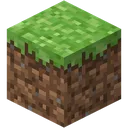 static crown
round comet
Minecraft grass block
static crown
round comet
Minecraft grass block
tis rather more of a meme item
round comet
You can build a dirt house now
round comet

static crown

currently on desktop to ease testing
but we got it working lezz go


glad i can make a quest variant
i try to make a quest variant. where idc bout the toggles as much
not that i'll use it on quest but so that poeple from quest can see it in decent details
round comet
Yeah you should be fine
static crown

just sad my 3d avatar looks a bit rough
i see some really smooth avatars but thats what you get for using vroid studio
 round comet
Nawh looks fine
static crown
why is it purpl though
static crown

this one might need more stuff to be done to it to make it fit to my avi... looking at the shape
 round comet
Nawh dw
Ok click on the asset in the screen. Could be in your hierarchy or the scene itself
static crown
 round comet
Is there anything in the inspector
static crown
 round comet
Ok imma just make this easier HAHA
When you imported that did it come with a folder
If it did just open the folder and look for the material in there instead
 round comet
In unity

Like after you imported the package
Your project has folders for all the stuff you import
static crown
 round comet
in unity itself
static crown
i am omegastoopid
round comet
Its fine HAHA
It seems like it has an fbx and audio file so it must have some materials

 round comet
Click all materials in that sidebar there
That’ll work instead of just looking for the folder
static crown
 round comet
Aye cool you found it
Ok so click where it says “hidden/internalerrorshader” and change it to a valid one. Whichever you’re using
static crown
where is it
vroid importer wanted me to use a specific shader
OH WAIT

there is a funny file here
 round comet
It seems like you imported that according to your earlier screencaps I think
Yeah ok
So click on one of these
 static crown
 round comet
And look for the shader you need
static crown
ah m yes im very brain't

 static crown
round comet
Hold on
static crown
round comet
Hold on
i'll drop in the shader and just reimport the entire thing
round comet
Yeah probably. Github is confusing to look at lol
Do you know how to add it to your repository in vcc?
static crown
yes
round comet
Alrighty cool
 round comet
Ye

 static crown

appearantly?!

not that its that difficult to redo it. its just a massive headache
round comet
I don’t know why importing a shader would delete your model
round comet
Ah alrighty
static crown
round comet
Ah alrighty

besides
good practice to help me remember how to do stuff
thanks VRCFury
static crown
round comet
Ah alrighty
might be better to start from scratch. but this time i've got a lot.
putting the stuff isnt that difficult in my opinion. its actually easy
and i think i can use VRCFury toggles for this aswell
@round comet do you think i need to put any special VRCFury toggles to play the anim? or should it do it by itself
wait stupid question
gogoloco etc doesnt need that
round comet
Oh huh. Not sure
 round comet
ayee noice
static crown
round comet
Oh huh. Not sure
do you know if i can make a toggle where. for example. i've got a handgun sitting on my hip. and i deploy it to my hand
that one button controls both?
so that the one on the hip dissapears and the one in my hand appears and vice versa
round comet
Huh, I’ve never done a toggle like that
I’m sure someone else would know
Its probably something with contacts
In theory I’ve seen it done with swords and staffs
static crown
@round comet how easy is it to add like a holdeable PNG
because i have a "funny" idea
round comet
You just create a plane or a block then you can slap a png on it and apply a material
So fairly easy
Then you’d need to drag it under your hand bone in unity if you wanna be able to hold it
 round comet
You can also just do it without armature link if its under your hand
round comet
You just need to drag whatever prop it is under the hand. Works for small stuff
Ahh yeah LMAO
Das fun
 static crown
yeah by using armature link
round comet
Alrighty kewl
static crown
round comet
Alrighty kewl
cant wait to pull up to lobbies with a minecraft block
 static crown
my 7800X3D putting in overtime
static crown
round comet
Pulling up w the grass block for the homeboys
just need job application papers
and then the funnies are complete
round comet
Yeeehhh dew it
 round comet

static crown
round comet
<:MNgenshin_cry:1053290867454128148>
i'll make a quest version. where likely most of the stuff will be disabled automatically
static crown
@round comet how do i go about adding the PNG?

 balmy barn
expand >materials add one, then change that material texture

( can drag texture on mesh then it makes one, super rare i do that )
static crown
i need the cube to be essentially invisible
i just want a PNG of job application papers
 balmy barn
just use a gameobject if you dont want it to do anything
 ornate stump
static crown
ornate stump
static crown

 uncut pulsar
can someone help with this pls?
 static crown
i got told not to use that @ornate stump
ornate stump
static crown
i got told not to use that <@805875523602481172>
You definitely misunderstood what you had been told or the person who told you know nothing about unity.
ornate stump
uncut pulsar
can someone help with this pls?
Your avatar model got exported from blender with different scaling settings.
uncut pulsar
ornate stump
Your avatar model got exported from blender with different scaling settings.
wdym
what i gonna to do tho?\
ornate stump
uncut pulsar
wdym
Did you edit and export the model from blender?
ornate stump
uncut pulsar
yes
Set Scalings to FBX All in the exporting window.
uncut pulsar
ornate stump
Set Scalings to FBX All in the exporting window.
where is this

 uncut pulsar
ornate stump
Apply Scalings
uncut pulsar
ornate stump
Apply Scalings
ok tysm
 ornate stump
static crown
so how do we get it transparent
ornate stump
static crown
so how do we get it transparent
You put the image that's transparent in the albedo slot.
ornate stump
static crown
do i put an image in it
Drag the image file into that slot.
ornate stump
static crown
jpg doesnt work huh
jpg doesn't support transparency to begin with.
static crown
cant even get the god damn image in anyway
i keep dragging it INTO that folder
;-;
let me try something

imported it and i cant add it
ornate stump
static crown
imported it and i cant add it
Did you drag into the small square to the left side of the Albedo label?

 ornate stump
static crown
ornate stump
static crown
What Tiling value you set in the material?
static crown
1?
i didnt change it
my guy im NEW to unity
please dont expect me to be some knowledge wizard
ornate stump
static crown
please dont expect me to be some knowledge wizard
That's why I have to ask because I don't know what else you could do.
ornate stump
static crown
please dont expect me to be some knowledge wizard
What kind of mesh you put in here?


 vagrant crown
What to do if i imported the poiyomi shaders but the model is still pink?

nvm
i figured it out
 fiery vessel
does anyone know a possible fix for my broken arms? the avatar was working fine while doing bunch of exports from blender and after two days it just suddenly does this after exporting the fbx. I have already checked bunch stuff on google and was not able to find help. Re-importing fresh fbx and not overwriting it does the same btw. The armature is fine in blender and was not adjusted or modified during that period (i was just doing weightpainting fixes)

 somber sequoia
what about this is broken?
fiery vessel
the arms should not be like this if you look at the blender screenshot 😄
 somber sequoia
the texture? position?
fiery vessel
i assume bone rotations or something wrong is exporting to unity, idk honestly as i never had this issue and it was working fine as long as i remember
somber sequoia
okay assuming you mean the position then - looks like you have multiple arm bones, are you sure the right one got mapped in the rig setup in Unity?
are those twist bones perhaps?
fiery vessel
everything is mapped correctly i double checked, but yeah those are twist bones
static crown
welp my avi works. now i did want to add more clothing styles but i absolutely cannot find any ones i want and i'd likely need to change model
 civic cliff
dress is supposed to be like the left, look like the right in play mode, somebody told me yesterday it has to do with it being attatched to the hips but im not quite sure how to fix that with vrcfury armature link

 junior void
You could untick the position setting in advanced options or otherwise look for a 'keep bone offset' option
I don't remember all settings rn
 queen elbow
How to synchronize eyelid movements when using eye tracking? It would look better when they move similarly and not like a broken doll. I'm using EchoTheNeko's eye tracking addon in Rindo. Tracker software is EyeTrackVR + VRCFT
static crown
alright. so how do i add clothes to my avi? i gotta switch to another model. because the hoodie is so thick. unless i can like change between avi stuff

i wanna dress into like a santa outfit or smthing. but since the hoodie is so big i dont think i can exactly put it over the hoodie
 merry coyote
Im having an issue with some vrc avatars where they are floating a few inches above the ground and I have no clue how to fix them. This is only on my recent uploads NOT all avatars and I have no clue what I have done wrong.
in unity they are "on the ground" but when in vrc they are floating
 calm umbra
Would anyone know of a shader that hides another mesh behind it while still using a diffuse texture?
 zenith star
can someone help me rq? i changed the texture on an avatars jeans recently, but the legs get scrunched, and you can see it through the tears in the jeans, and was wondering how to make it so the legs don't scrunch
somber sequoia
zenith star
can someone help me rq? i changed the texture on an avatars jeans recently, but ...
can you show this?
 desert hull
Is there anyone here who could help me with VRCBreeze prefab setup?
spark walrus
How do people make their avatars so tall im kinda new to this game still
somber sequoia
scale the model to the size you want
spark walrus
somber sequoia
scale the model to the size you want
Okay mb dumb question lol
somber sequoia
nah, perfectly reasonable question

 somber sequoia
not sure I know what "scrunched" means here
zenith star
like, it's made smaller to mitigate clipping
take when arms are turned into thin lines, so they don't clip
somber sequoia
oh that'd be due to an animation activating a blendshape which does that
zenith star
how do i turn that o f f
somber sequoia
find the animation that does it and remove that action from it
without having the same project/assets, it'd be really hard to guess where that is
maybe it's an animation by itself, maybe it's part of the "enable pants" animation
zenith star
i can call
 misty mango
Anyone by any chance knows how I can make/put those idle flicker animations for the tail and the ears?
somber sequoia
misty mango
Anyone by any chance knows how I can make/put those idle flicker animations for ...
record an animation, stick it in its own layer in the FX controller as the only state there, with looping enabled
misty mango
thank you
zenith star
:D
calm umbra
Like a cutout shader of sorts?
Ive been looking for on for a while now to use on an avatar.
So when you look through the lens of this device it hides the mesh/shader behind it
somber sequoia
probably you can achieve that by playing with the render queue values for the materials. Or stencils.
calm umbra
Tried that with poiyomi, didn't work
somber sequoia
poi does support these features
 pearl wolf
It never moves from this. Even if everything on the avatar is fine 🤔

 split flame
enlo, is anyone able to help me? when trying to upload my avatar (the created released a patch for cliping issues), i get a error "Failed to upload" and thats it....

normaly it tells me what the issues is, like Avatar, or some script missing.... but not i just get "failed to upload" 
wraith flicker
what does it mean when this is greyed out and nothing can be selected, trying to use poiyomi shaders and also can't place any textures in.
 round comet
You need to make a material
wraith flicker
the avatar comes with a bunch of material, sorry still really new to unity
static crown
i think i want to edit one of the free models i downloaded

i want to add this to a gun my avi has
 somber sequoia
wraith flicker
the avatar comes with a bunch of material, sorry still really new to unity
somber sequoia
wraith flicker
the avatar comes with a bunch of material, sorry still really new to unity
that one is embedded in the .fbx and can't be edited, so you'll need to drag a new one into the slot in the mesh renderer.
 wraith flicker
somber sequoia
that one is embedded in the .fbx and can't be edited, so you'll need to drag a n...
wraith flicker
somber sequoia
that one is embedded in the .fbx and can't be edited, so you'll need to drag a n...
thank you!! Got it working 😄

 cunning scroll
Im trying to fix an avatars gestures and stuff, i have been working on it for 3 hours and cannot for the life of me figure out whats wrong and its my first time trying this, if anyone feels like they have the time to hop on a call and help me id be very grateful
What I've currently done: In animator ive set up Any state-> 0-7 (i.e neutral, fist, hand open ect) with the condition GestureLeft/GestureRight
Neutral if GestureLeft = 0
Fist if GestureLeft = 1
ect ect
The hands do their gestures but the expressions dont do anything
cunning scroll
😔 I am losing my mind
 pale bloom
Got a slight issue: I made an animation that triggers from a contact sender/receiver, and with a custom tag to use across my own avatars. It works, but seems like the animation only plays on the receiver side. I can see it if I trigger it myself on my own avatar, but don't see it on another player, even though they are seeing it play out. Any idea what I'm missing?
civic cliff
junior void
You could untick the position setting in advanced options or otherwise look for ...
sorry for late response, will try when im home, thanks
 stiff wadi
Hey so I'm new here and I'm working on my first every avatar but it Doesn't let me put it in the game so I can have it, and there is a thing called "new user" what do I have to do to get this? Just wondering.
somber sequoia
?upload
 flat muskBOT
You must obtain at least "New User" Trust Rank in our Trust and Safety system in order to upload content. You can get this by just spending a few hours in VRChat, hop some worlds, and make some friends. Give it some time and you'll be able to upload content in no time.
As an aside, you must have a VRChat account to upload content. That means you can't use a Steam account, Oculus account, or Viveport account to upload content like worlds or avatars.
Source: https://docs.vrchat.com/docs/frequently-asked-questions
stiff wadi
Ah thanks so much!
ionic rain
So I followed a tutorial on using blendshapes to make 2d visemes by dragging the visemes on different planes and using blend shapes to bring them forward but for some reason even though it shows the blendshapes working and the animation controller shows that its doing something it won't actually animate when I hit play and change the viseme int in the controller.


 proper orbit
has anybody ever seen this before? im substance painter (newest version) iv been getting these black glitchy spots while texturing its related to the normals tho as in base color mode it doesn't show but shows when rendered and when just showing normals anybody know how to fix it?


its also happened throughout multiple projects
 static perch
What version of blender do yall suggest? And what do you think would be the easiest way to make or kitbash an avi?
 half solstice
static perch
What version of blender do yall suggest? And what do you think would be the easi...
half solstice
static perch
What version of blender do yall suggest? And what do you think would be the easi...
Version doesn’t matter, also shift L is your friend!
static perch
What’s shift L-? Also what apps n shi do I need?
 lilac musk
static perch
What’s shift L-? Also what apps n shi do I need?
lilac musk
static perch
What’s shift L-? Also what apps n shi do I need?
Blender and Unity
 rocky bay
https://x.com/misettei/status/1997954541363540437
bought this asset but have no clue how to remove original avatar legs without blender work
vivid roost
Anyone know how to setup VRCFT properly for VRChat using the Meta Quest Pro via Quest Link Cable to PC
 indigo compass
vivid roost
Anyone know how to setup VRCFT properly for VRChat using the Meta Quest Pro via ...
indigo compass
vivid roost
Anyone know how to setup VRCFT properly for VRChat using the Meta Quest Pro via ...
https://docs.vrcft.io/docs/hardware/vr/meta/quest-pro
Scroll down and pick Quest Link.
But really, use anything else, Steam Link is great with the Quest Pro.
 surreal marlin
I just reuploaded an avi, all i did was change one texture, but now suddenly all my toggles are broken... was there some unity update or something that broke it? clothing is like missing textures, stuff isnt popping up when i activate the toggle etc.
vivid roost
indigo compass
https://docs.vrcft.io/docs/hardware/vr/meta/quest-pro
Scroll down and pick Quest...
Ok I am using Steam Link and still no communication between VRChat & VRCFT should I use other modules? I tried the Meta Quest Module one but it doesn’t install😵💫
static perch
Anyone have a reference image to add armature to a furry base? Specifically the legs but everything helps tbh
somber sequoia
static perch
Anyone have a reference image to add armature to a furry base? Specifically the ...
some stuff pinned in #avatar-rigging
calm umbra
So If I had an avatar riding a horse, and wanted the horse's legs to be controlled using the user's legs, how could I set the vrc view up to seem to scale, so the horse doesn't look like a toy horse, and rather a life size horse?
static perch
somber sequoia
some stuff pinned in <#390924372782612480>
I see the humanoid rig but how would that work with digitigrade legs?
somber sequoia
digitgrade is way harder, I would suggest just making a plantigrade rig unless you really know rigging and rotation constraints very well
Like, I've done it a few times, and each one took about a month of fiddling with it
static perch
Not me trying to make a shitty avatar with no knowledge <3
This is my first time lol
YES YES I know kitbashinf is easier and this is hard and will take awhile!
I can’t kitbash cuz my brains stuck on this
And I have all the time in the world to learn. No where to go nothing to do. lol
indigo compass
vivid roost
Ok I am using Steam Link and still no communication between VRChat & VRCFT shoul...
Did you follow the instructions that VRCFT has for SteamLink?
https://docs.vrcft.io/docs/hardware/vr/meta/quest-pro/steamlink
vivid roost
indigo compass
Did you follow the instructions that VRCFT has for SteamLink?
https://docs.vrcft...
Nvm i followed the instructions properly on that first link and it worked! You are MEGA CLUTCH! Appreciate u for coming thru frfr🤧👍
 viral elbow
so i made a texture in belnder and i have no clue how to get the texture of blender and in to unity?
somber sequoia
viral elbow
so i made a texture in belnder and i have no clue how to get the texture of blen...
bake it to an image or set of images. There are tutorials
I personally use a non-free plugin called SimpleBake for this, it makes the process really easy.
viral elbow
ive been looking on yt but i havent found any good
somber sequoia
did you use the term "bake" when searching?
somber sequoia
try this then, it's the proper term for this
somber sequoia
that's fine, the process hasn't changed in years
I'd probably search for "blender bake procedural material"
 jaunty spear
When trying to add a new animation, like a running/walking cycle, to your avatar, does it restrict your hand and head movements when you do so? Because I want to add one to my avatar, and I don't want it to restrict them. Just the body.
 icy peak
need some quick help doing animation toggles for two items. now how do i add those animations to the menu?
somber sequoia
menu toggles a variable, use the variable in transitions in the animation controller
 unborn mirage
Is there a specific requirement for physbone squish to work? When squishing the bone bends instead of squishing. Is it because of colliders bending the bone before it can squish?
icy peak
somber sequoia
menu toggles a variable, use the variable in transitions in the animation contro...
do you potentially have a short video example because i dont know how to do that
somber sequoia
I'm sure there are lots of tutorials for making toggles. I usually link this one: https://www.youtube.com/watch?v=XqtSg6_W07Y
 olive schooner
i have this bought avatar that i added a hair toggle to, the toggle works fine but i want the toggle to automatically turn off when i swap to a different hairstyle. how do i do that?
somber sequoia
you could use VRC Avatar Parameter Driver to toggle the parameter off
icy peak
just to make sure i delete the duplicate model right?
somber sequoia
duplicate model?
 quartz bone
Are there any systems for making an avatar’s clothes rustle? I think that’d be a neat detail
As in audio, not movement
somber sequoia
quartz bone
Are there any systems for making an avatar’s clothes rustle? I think that’d be a...
physbones have a parameters you can use to trigger sounds, it'd totally be doable
icy peak
somber sequoia
duplicate model?
the video you sent the dude said to make a duplicate model for the animations
somber sequoia
oh okay, I haven't actually watched the full video, and never do that
icy peak
alright, should hopefully be fine
quartz bone
somber sequoia
physbones have a parameters you can use to trigger sounds, it'd totally be doabl...
Can you adjust the volume of an audio source based on the speed a bone moves at?
somber sequoia
can't say I've tried
 ocean roost


 heavy zephyr
 tribal shard
Sounds like there's a material swap happening
tribal shard
heavy zephyr
Sounds like there's a material swap happening
any easy ways to go about fixing this issue?
heavy zephyr
tribal shard
any easy ways to go about fixing this issue?
Look at your FX layer, anything that animates the eye material?
tribal shard
Yeah there are a few effects that are in regard to the eyes, things that add sparkles and what not
heavy zephyr
tribal shard
Yeah there are a few effects that are in regard to the eyes, things that add spa...
Check that you don't have an animation that changes the material to another one. Also make sure you use the latest SDK
 warm phoenix
so. I was testing out a new avatar and then logged onto vrchat for the first time in a while. I can't get onto the homeworld now
 heavy zephyr
Does this happen regardless of avatar?
warm phoenix
heavy zephyr
Does this happen regardless of avatar?
yes
heavy zephyr
Then it's not linked to any avatar you're using/testing. Update game, try another world, reinstall...
warm phoenix
the reinstall worked!
 paper prism
I need help creating my very first avatar, and I'm going to try it on mobile..
Please help.
paper prism
Well I do have a PC
lilac musk
paper prism
Well I do have a PC
You have to have a PC to upload
Phones aren't powerful enough to do so
 wide bay
i thought so
paper prism
But I am hoping if someone can either help make a commissioned avatar, or help me learn the basics on this kind of stuff.
Cuz uh..
If imma have to pay well.. I kinda don't got anything.
 wide bay
well dont ask here because you'd get alot of scammers trying to scam you in your dms
paper prism
Spotify chewed me up and spit me out.
lilac musk
wide bay
well dont ask here because you'd get alot of scammers trying to scam you in your...
They have no money to get scammed with, so...
wide bay
well yeah fair point
paper prism
Yeah tbh, scammers rlly don't got anything to work with when it comes to me.
Sooo.....
lilac musk
paper prism
Spotify chewed me up and spit me out.
If you have no money, and don't have a computer to make it yourself, don't know what to tell ya
paper prism
Can someone please help me 💔
lilac musk
Help how?
wide bay
they said they have a computer
paper prism
Please Teach me how to make a avatar
wide bay
theres videos online im sure
lilac musk
oh DO have a pc. My brain read it as dont lol
paper prism
I already know I ain't getting a commissioned one, I need to pay for stuff like that and my financial situation is hell.
lilac musk
Yea, look up the basics and start from there
VRoid is a good way to get free stuff to start, here's a good video: https://youtu.be/vWr4diTDqJM?si=zRlkiTOtFAB01coa
lilac musk
paper prism
I already know I ain't getting a commissioned one, I need to pay for stuff like ...
Once you have watched a few videos, go ahead and start the process. If you have any specific issues, ask for help here and someone might be able to help
paper prism
lilac musk
Once you have watched a few videos, go ahead and start the process. If you have ...
Ty.. my goat....
 lean wolf
having this weird issue where my knees will bend inwards when looking up to far, if anyone can help with solutions itd be appreciated!!!!
 lilac musk
Might be that the rig's tpose has too much forward bend in the knees. So when it fully straightens out, it looks like that
lean wolf
heres how that looks
 lilac musk
Yea, that might be the culprit
lean wolf
still is kind ba lowkey
 lilac musk
What did you do to try to fix it?
lean wolf
straightening the knees and stuff
 lilac musk
Interesting. Not sure then
 marsh yacht
have you looked at the weight painting? kind of a shot in the dark but never know
could also be that the bones arent in the center of the model
static crown
question. since i cant get it out with copilot
sooo im adding a beam to my big gun. i want to make it toggleable aswell. as gesture animated.

gesture is fist.
how do i set it up? (it is already considered a child of the gun
i thinkl i can use VCRFury to make it a toggle. but then activating the beam
i want the toggle so i dont activate it in unwanted places on accident
night ember
static crown
sooo im adding a beam to my big gun. i want to make it toggleable aswell. as ges...
Just make it a child of the gun
Then have the gestureright parameter toggle it
Whenever the gun object is disabled it literally wont show cause its a child of the disabled object

 spark walrus
or perhaps the fx layer. or via vrcfury. who knows. I sentence you to learn instead of being spoonfed: https://www.youtube.com/watch?v=xOGc8CetyXs
https://docs.vrchat.com/docs/animator-parameters#gestureleft-and-gestureright-values
https://vrc.school/docs/Avatars/Toggles/
night ember
static crown
or here
Put it where if you disable the gun the beam disables
Also holy hell the amount of meshes
spark walrus
night ember
Also holy hell the amount of meshes
It will also be uploaded to quest~
night hemlock
So I've managed to fix the eyeball deformation that was happening to my Avi's eyeballs when rotating them in Unity/Blender (Solution: Selecting Avatar Mesh, selecting the eyeball with L, then going through each Vertex group and removing all besides the respective eyeball, repeated with other Eye)
If anyone can point me in the right direction with how to adjust the amount that the Avi's eyeballs rotate when looking around with HMD Eyetracking hardware, I'd greatly appreciate it. I spent hours with GROK.ai trying to make sense of it and all it accomplished was making the eyes swing like a pendulum. Such a terrible waste of time.

 spark walrus
Eye Movement Range? else I don't understand, because that adjusts the amount they move (rotation)
night hemlock
I'm guessing the avi isn't set up correctly because that adjustment makes the eyeballs pivot really strangely outside of the head
static crown
spark walrus
or perhaps the fx layer. or via vrcfury. who knows. I sentence you to learn inst...
it isnt spoonfeeding? if it was you'd do all the work for me. if you consider explaining someone over text how to do something. then watching videos is also being spoonfed?
i am learning bro. yesterday i asked how to do toggles for stuff and after learning how to once i managed to remember
its honestly that simple
spark walrus
Right, but do you see anyone else here learning the way you do? You ask for guidance and post a screenshot every other sentence. most don't do that, because they read the docs or watch videos. you can find the vids via google too, you cant find one-on-one per-each-step guidance via google (difference between spoonfeeding).
static crown
so it offends you that i post an image when i do something you've told me to do? it is because i want to be sure i did it right. as i've PERSONALLY encountered often that if i dont check in to make sure like in this instance. its in the right location. its usually not in the proper location. because honestly i am very new to unity. and besides. whats bad about having a different method of learning? we arent machines my guy
spark walrus
This chat isn't for you alone, most people work on their own until they get stuck. you lack the basics so you get stuck on everything. that's resolved by exploring unity. take some time, learn it
static crown
who said its for me alone? i dont think i ever mentioned that
now you're just trying to put stuff in my words that i havent typed yet
spark walrus
It's an observation, when you post screenshots and ask for guidance every time someone just answered your past question.
static crown
i just want to make sure i didnt mess it up
is it that big of a deal that im the type to reconfirm? sometimes poeple use acronyms for stuff in Unity which i dont know of
spark walrus
But had you read the docs, watched videos, you would have gotten the basic knowledge already and been well on your way.
static crown
oh fine
night ember
spark walrus
It will also be uploaded to quest~
That doesnt make it better
static crown
you're right im wrong. I am sorry for wasting your time and everyone else's chat.
I deeply and sincerely apologise
apology isnt enough? very well. i will remove myself from the server if that works for you
it seems i have offended you and your actual amazing intellect regarding Unity. and that wasnt my intention.
night ember
Jeez
night ember
static crown
it seems i have offended you and your actual amazing intellect regarding Unity. ...
You arent exactly in the wrong like at all
static crown
But i am.
i am wasting everyone's time when i should've just been like everyone else and learn like everyone else.
it is that simple Diven.
static crown
the fact that i am unable to follow video guides because it takes so long. Is a personal issue and i shouldnt make up for it by bothering the community here for avatar help.
night ember
The whole point of this chat is to get help
static crown
Yes. and i have asked questions that any idiot should've known.
if they bothered to read a tiny bit upon Unity
therefore i am in the wrong by being an absolute moron because i could not be bothered to be like everyone else.
doesnt take a genius to understand that
Let me rephrase my question so i do not need to be spoonfed.
The issue at the moment is i have attached the beam child which has all the effects under it already. All the animations. to the gun. The gun still obviously deploys no problem because of VRCFury being set up correctly. However. i want the beam to start up by making a fist gesture. So if the gun is deployed. and i make a fist gesture. The animation starts. (the image above is everything the beam has. animations are already under it.
I want the beam to replay the animation if i make a fist gesture again. So the next time i pull out the thing. It doesnt start blasting the second i toggle it on.
Does anyone have any ideas as to which specific guides would assist me with this? I have personally tried copilot but. Copilot at the moment is not helping at all.

 ornate stump
static crown
why is it transparent i wonder. is it because it hasnt been enabled?
ornate stump
static crown
why is it transparent i wonder. is it because it hasnt been enabled?
What is transparent?
static crown
the gun itself but anyway. i have to FaFo this one
as much as i'd like not to.
but the guides are a bit unclear for me to be frank. the assistance is vague and it isnt related directly to what im trying to do
ornate stump
static crown
the gun itself but anyway. i have to FaFo this one
The gun is already visible in the scene.
static crown
dw bout that. im just trying to figure out how i can get the beam to fire with a gesture.
the beam itself already has all the animations built in so i think i just got to toggle it with a gesture when the gun is enabled and then it should work
imma try something. hope it works
huh. now the gun isnt appearing
ornate stump
static crown
the beam itself already has all the animations built in so i think i just got to...
What had you tried so far?
ornate stump
I don't even know what you did.
static crown
what i've tried is the animator
so i've been using copilot mostly because the guides are lacking in my opinion
before i continue. arent you essentially spoonfeeding me information?
ornate stump
Asking AI might be an even worse idea.
static crown
ornate stump
Asking AI might be an even worse idea.
worked for some games. but for unity yeah it seems to be a bit lacking
ornate stump
static crown
worked for some games. but for unity yeah it seems to be a bit lacking
Exactly what I meant.
ornate stump
static crown
what i've tried is the animator
This, how did you do it?

 ornate stump
static crown
ornate stump
static crown
If you had transition from AnyState to a state then continue to another state, you might did something wrong here.
static crown
i have only been messing with the gun so far regarding copilot's instructions. but we're not getting anywhere lmao.

even with this the beam still doesnt fire when i use the gesture
i've added it to the main FX controller on my avatar with little success
ornate stump
What state that used for firing?
 ornate stump
static crown
state?
ornate stump
static crown
state?
The rectangle things are called "animator state".
ornate stump
Because it dictate the current state of animation and object.
static crown
used for firing? i believe entry? that goes onto beam03_master
looking at the beam animator editor itself
 ornate stump
static crown
looking at the beam animator editor itself
ornate stump
static crown
looking at the beam animator editor itself
If you put the animator on the object itself, it will play the firing animation by default then?
static crown
looking at the transition state on the quasar
this is what i've got
the beam got all of its effects already built into it. charge anim etc
ornate stump
static crown
So this animator controller is put on the gun animator itself?
static crown
thats for the gun yes. removing the link between anystate and quasar on still makes then gun deploy as intended
ornate stump
static crown
thats for the gun yes. removing the link between anystate and quasar on still ma...
One thing to take note that each animator layer must controls different aspect of an object. If one layer control object toggle state, then you must have another layer that controls its firing state.
static crown
?
im very sorry. im trying to make sense of it and i think i've got a gist of it but could you explain what you mean precisely? if thats alright with you
ornate stump
static crown
im very sorry. im trying to make sense of it and i think i've got a gist of it b...
You better ask for explaination on a specific part that you don't understand. Otherwise I wouldn't know what actually need to be explained.
static crown
so i have to make another layer thats active when the gun is deployed thats linked to a gesture to activate the beam?
ornate stump
static crown
so i have to make another layer thats active when the gun is deployed thats link...
When the gun is deploy, active, and gun toggle have the same meaning, so that's one layer.
And another layer that control the gun idle and shooting.
static crown
i see
i've merged the beam as achild under the gun. do i go from the gun's layers? or from th ebeam itself

like this right? how would i make it toggle the beam
 static crown
ornate stump
When the gun is deploy, active, and gun toggle have the same meaning, so that's ...
static crown
ornate stump
When the gun is deploy, active, and gun toggle have the same meaning, so that's ...
so i have to essentially do this. do i copy the stuff from the beam onto this layer? so how the beam part is configured
ornate stump
static crown
so i have to essentially do this. do i copy the stuff from the beam onto this la...
You also have to beware of where you put the animator component on and recording animation from. Reusing animation clip that's record from another object animator may not work because the object hierarchy is changed.
static crown
i see.

from the beam itself it has that motion
i put the same motion on the quasar's lasyer
 ornate stump
static crown
ornate stump
static crown
You definitely shouldn't have same animation clip in multiple animator layer.


 ornate stump
static crown
ornate stump
static crown
One of those two aren't going to work because animation clip only works from the animator it's recorded from.
static crown
would i need to use that motion?
turn on beam04alt
i think that will toggle on beam04alt object etc
ornate stump
static crown
turn on beam04alt
What it actually does?
static crown
ornate stump
What it actually does?
i think i've set a thing wrong? maybe now i need to add a VRCFury toggle gesture under my avi
ornate stump
static crown
i think i've set a thing wrong? maybe now i need to add a VRCFury toggle gesture...
I had no idea if vrcfury toggle can utilize gesture parameter to toggle.
static crown
ornate stump
I had no idea if vrcfury toggle can utilize gesture parameter to toggle.
but do you think the configuration is properly set now? where in theory it should work?
 mossy ibex
ornate stump
One of those two aren't going to work because animation clip only works from the...
mossy ibex
ornate stump
One of those two aren't going to work because animation clip only works from the...
If the target Animator doesn’t have those exact paths the clip won’t animate it If you need the clip to work on another animator you have these options
use a humanoid rig retargeting If both models are humanoid Unity automatically retargets the animation allowing clips to work across different skeletons
ornate stump
static crown
but do you think the configuration is properly set now? where in theory it shoul...
It only creates a menu item to use as a toggle.
mossy ibex
static crown
i think i've set a thing wrong? maybe now i need to add a VRCFury toggle gesture...
It’s okay this usually means one parameter or toggle isn’t wired up correctly in VRCFury so your animation or prop isn’t triggering
ornate stump
mossy ibex
If the target Animator doesn’t have those exact paths the clip won’t animate it ...
You see the animators have been put onto the objects one nested into one another, so that definitely has a different path.
static crown
 mossy ibex
ornate stump
You see the animators have been put onto the objects one nested into one another...
mossy ibex
ornate stump
You see the animators have been put onto the objects one nested into one another...
Ahhhh yep that will break the animation paths 100%.
If the objects got nested differently then every animation clip made before that has the wrong binding paths
static crown
so i have to disable the animator on the beam part

so in this case i delete beam03_master?
mossy ibex
static crown
so in this case i delete beam03_master?
delete the broken animation recreate record the animation with the objects in their current nested positions
mossy ibex
static crown
got it thanks for the screenshot i can clearly see the issue now your hierarchy has absolutely changed compared to the original animation source your animation was almost definitely recorded when the beam04mt object and its children like beam02 beam Spike beam sonic were not nested under quasar or were in a different location
static crown
mossy ibex
got it thanks for the screenshot i can clearly see the issue now your hierarchy...
it came that way.
beam02 etc
beam02 etc came under beam04alt
mossy ibex
static crown
beam02 etc came under beam04alt
Ahhh okay that changes the situation a lot
If the hierarchy came that way by default then
your animation was not recorded before the objects moved
the real issue is that your animations don’t match the prefab’s original hierarchy likely because the animation you’re trying to use came from another version of the prefab or it came from an export with a different structure or someone renamed/reparented things inside the prefab before you got it or the animation was made for Beam04mt instead of Beam04alt very common
mossy ibex
Let me restate your situation in simple terms
you have
beam04alt
beam02
beam_Spike
beam_Sonic
beam03_sub
static crown
alright
theres also Beam_UVQ_End on beam03_sub
but anyway. since i've put it as a child on the gun. the animation doesnt play correctly? once i load the avi and use double fist gesture the beam fires for like a split second. then it wont activate anymore until i reload the avi
mossy ibex
static crown
https://booth.pm/en/items/1469232
got it thank you this helps a lot
I recognize this beam it’s the “Simple Beam for VRChat Avatar the Japanese one
and yes that prefab always comes with the objects named like this
Beam04alt
Beam02
Beam_Spike
Beam_Sonic
Beam03_sub
mossy ibex
static crown
but anyway. since i've put it as a child on the gun. the animation doesnt play c...
ah okay thanks for the extra details this kind of issue is pretty common when toggling animations or effects attached as children on an avatar especially in VRChat
why your beam fires briefly and then stops until reload animation plays once and finishes the animation clip likely plays through the fire sequence quickly then stops without a reset or loop it stays off
static crown
from what i know beam4alt has multiple sequences
theres a charge anim. then a converge anim. and then its supposed to go into a beam
beam4alt includes em all in. but i only see the beam for a split second. so i dont think the animations are being properly played as you've mentioned
mossy ibex
static crown
beam4alt includes em all in. but i only see the beam for a split second. so i do...
the current setup likely needs to be rebuilt so that the animation controller properly plays each sequence in the correct order with appropriate timing and parameter control without this the beam fires only for a split second and then stops recreating or carefully fixing the animation state machine and gesture triggers should solve the issue and restore smooth beam activation
static crown
so its just reconfiguring a sequence? or is it making the entire animation over from scratch
mossy ibex
static crown
theres a charge anim. then a converge anim. and then its supposed to go into a b...
It sounds like the animation sequences charge converge then beam aren't properly chained or triggered causing only the beam to flash briefly this usually means the animation states or transitions in the fx controller aren’t set up correctly to play the full sequence in order
mossy ibex
static crown
so its just reconfiguring a sequence? or is it making the entire animation over ...
It’s usually reconfiguring the animation sequence and state machine not remaking the entire animation from scratch
static crown
i've never done this before
mossy ibex
here’s why the animation clips themselves charge converge beam probably already exist and look fine the issue is often that the Animator Controller or FX Controller isn’t set up to play those clips in the right order with correct transitions and parameter triggers fixing this means setting up animation states for charge converge beam adding proper transitions between those states controlling those transitions via parameters that your gesture or script sets making sure parameters reset or move forward properly so the whole sequence plays smoothly
static crown
so i have to add some states and layers to my character's FX controller?
mossy ibex
no worries I’ve got your back setting up animation sequences and transitions can feel tricky at first but I’ll walk you through it step by step with clear simple instructions
mossy ibex
static crown
so i have to add some states and layers to my character's FX controller?
exactly that’s the core of it 😄
 feral abyss
does somebody know how to fix this?
 static crown
might be something thats not configured properly
static crown
mossy ibex
exactly that’s the core of it 😄
alright. i think the order is pretty much there? i think it first does beam2 then beam_spike then beam_sonic?

oh theres more under beam02
mossy ibex
static crown
might be something thats not configured properly
Yep that’s exactly what it sounds like 😅 from what you’ve described, the beam firing for a split second and then stopping usually points to a misconfiguration in the FX controller or animator setup not the animation clips themselves
most likely issues
transitions between states aren’t set up correctly
the charge converge beam sequence might not be linked in order
or exit time transition conditions are missing so the animation ends immediately
static crown
mossy ibex
Yep that’s exactly what it sounds like 😅 from what you’ve described, the beam ...
thats gonna be fun then. alright. if you're fine with it. can you give me a bit of guidance on what to do?

and do i have to build this from one of the hands to trigger the beam as a gesture? seeing as its bound as a child to the gun it shouldnt be able to do stuff before the gun pops into existance. atleast i think
mossy ibex
static crown
thats gonna be fun then. alright. if you're fine with it. can you give me a bit ...
can you paid for the guidance you menitoned
static crown
mossy ibex
can you paid for the guidance you menitoned
awkward
welp imma get hated by the community here lmao
but i understand why you ask poeple to pay you dw
mossy ibex
static crown
Here’s what I can see in the screenshot you shared
It looks like a game-engine or VFX graph editor likely Unity’s VFX Graph Shader Graph or a custom state machine editor
On the left panel there’s a hierarchical list of assets or nodes. I can see entries such as beam2, beam spike, beam sonic, and under beam02 there are indeed more sub-items as your message notes
In the graph area there are a few logic state nodes
a green node labeled beam 02
an orange yellow node labeled beam 2 expand
a red node labeled end beam2
the layout looks like a sequence or state flow possibly representing the order of visual or logic events
mossy ibex
heh no secret extra AI behind the scenes it’s just me 😄
I generate the responses myself based on what you write your context and the style you're using If something feels oddly accurate or oddly off that’s simply me trying to interpret your message and fill in the gaps as best as I can If you were asking whether I'm using a different AI to figure out your meaning nope all the reasoning happens inside one model me
 still shuttle
Bruh who calls themselves an ai model LMAO
Definitely ai and if not, definitely hella weird
mossy ibex
how
give me your provide me your reasons
 grizzled crow
?
timid kite
what am i doing wrong? i assigned the collider to the hair and turned it on when the hair toggles on.
 somber sequoia
you didn't say what about this is not working
light charm
lean wolf
having this weird issue where my knees will bend inwards when looking up to far,...
hi mothman, we meet again xD!
anyways, this could be caused by the idle animation
are you using vrchat's default idle? i've always had problems with that animation so i always replace it with another idle animation
 placid mica
I have an object that goes on the mouth with matching visemes (so that when I talk, the object moves around too)
How can I link the objects viseme blendshapes to the avatar?
 winter totem
hello how do i mirror transforms in blender? i want to move the right ear up the same way the left is https://cz0.au/SWMk-I.png
somber sequoia
placid mica
I have an object that goes on the mouth with matching visemes (so that when I ta...
couple of ways. could join it to the body mesh in blender. could use vrcfury or modular avatar's tools to link blenshapes
placid mica
I tried using MA's Blendshape Sync and it didnt work
What would the tool be called in VRCFury? I'll give that a shot
somber sequoia
uhh... I don't really use fury, blendshape link?
 balmy gyro
i tried to restart unity and looked up if there's some update on the project but no idk why is it stuck

 shut sentinel
Is it possible to customise the IK system for VRChat avatars? Say for a robot avatar you can lock the Z and Y joints on a joint so it can only rotate one direction so you can have multi-joint setups
placid mica
somber sequoia
uhh... I don't really use fury, blendshape link?
I tried it and it still doesnt work. I'm not sure what I'm doing wrong. I've seen it done many, many times using either MA or VRCFury
Thank you for the help, though.
shut sentinel
I could give my robot models much more intricate joints if its possible
Since right now the joints have to be vague black parts or just cylinders that are capable of clipping through other stuff.
 somber sequoia
placid mica
I tried it and it still doesnt work. I'm not sure what I'm doing wrong. I've see...
somber sequoia
placid mica
I tried it and it still doesnt work. I'm not sure what I'm doing wrong. I've see...
if you want help on this you'd probably have to explain "doesn't work" in some detail.


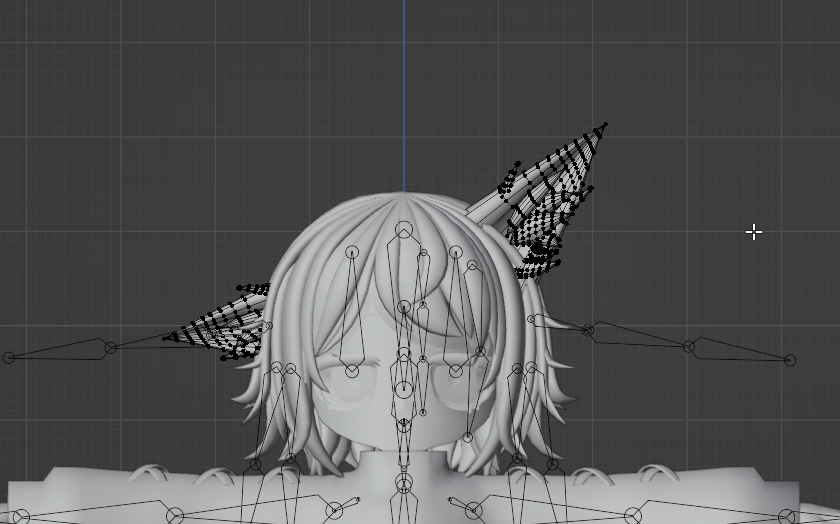 placid mica
somber sequoia
if you want help on this you'd probably have to explain "doesn't work" in some d...
placid mica
somber sequoia
if you want help on this you'd probably have to explain "doesn't work" in some d...
Well, I've tried both Blendshape Sync and Blendshape Link. Here's photos of them set up (and I have tried switching the base mesh/target mesh slots with eachother, and still nothing.)
I then test in gesture manager and use both the Viseme slider in Gesture Manager and in the Debug menu (1st video). It doesnt work either way (2nd video shows me using the blendshapes ON the candy object, showing how it should be moving with the visemes.)

 calm umbra
so when setting up an avatar, does the rig have to be perfectly humanoid or can like the arms and legs be a big longer?
somber sequoia
bone length isn't really a requirement, though the closer it is to matching you, the better for FBT.
at least, I don't think so, within some sort of "reasonable" range
calm umbra
alright, thanks
 sleek pebble
when kit bashing, how simple is it to add/remove toggles from the original body
 sly night
im having an issue with poiyomi where i cant animate the hue shift
ive tried following a few videos and nothing is working for me
if anyone can help it will be greatly appreciated
sleek pebble
im trying to make a tactical oc and i've found a bunch of assets and some body bases im planning to use and im wondering what guidance there is for the unity and blender workflow
winter totem
hey guy, im trying to fix eye movement in unity but im getting this error:
MissingReferenceException: The object of type 'SkinnedMeshRenderer' has been destroyed but you are still trying to access it.
Your script should either check if it is null or you should not destroy the object.
can someone explain what is happening and what can i do to fix it?
somber sequoia
sly night
im having an issue with poiyomi where i cant animate the hue shift
ive tried fol...
show that section of your material
sly night
i ended up figuring it out
its because the textures were colorless
somber sequoia
oh yes, can't hue shift something without hue 🙂
 rough moat
hey does somebody know how to fix the artifacts?

 foggy tiger
Actually nvm
I just realized that's the default material that came with the base
I just gotta make a new one and it'll fix my issue
balmy gyro
when i attach my avatar the builder just frozes what do ii dooooo

 sage garnet
could i ask for some help i cant figure out how to connect this flashlight from pointless creations to my avatar so i can have a flashlight when i need one
 somber sequoia
you can't put lights on quest avatars.
sage garnet
somber sequoia
you can't put lights on quest avatars.
wait really?
sage garnet
somber sequoia
realtime lights are hugely expensive to render
it still isnt working the flash light doesnt get sent to the hand
 somber sequoia
I know absolutely nothing about this asset, so probably can't help you with it
 long kraken
I have a glitter maks but idk where to put it


 night ember
long kraken
I have a glitter maks but idk where to put it
night ember
long kraken
I have a glitter maks but idk where to put it
It literally says masking
long kraken
night ember
It literally says masking
im blind as shi, gimme a second. i haven't slept in hours
night ember
Mood
sage garnet
somber sequoia
I know absolutely nothing about this asset, so probably can't help you with it
i got it working i had to update some stuff
 novel elm
Is this worth 300 dallors I just commissioned this avatar and I'm not exactly happy with the results is that beacuse the amount I paid was to little or I just got a subpar avatar delivered
 left gull
if thats all its got id say you got a subpar avatar but if they sent you like update pictures/videos during the making of it then its a bit on you for accepting how it turned out 
but for 300$ even with updates that seems pretty not great icl
 lilac wigeon
I’m trying to upload my character to quest but apparently I just can’t use the android module at all


If anyone has any help that would be greatly appreciated
 cerulean flax
Can anyone with sculpting/modelling experience help give me a sense of direction? This is my first time ever doing sculpting and I've been slugging away at this avatar for awhile now. I know there's lots more work to do, but I'm having trouble seeing a vision of what I should do next.

It's supposed to be a canid/dragon anthro hybrid avatar
 limber bison
I'm updating an old avi of mine and I want to separate these two objects so this bit on the hat moves with the rest of the hat when the head moves, but I don't know how to separate it from the medal. Is there a simple way of doing this?


