#udon-general
59 messages · Page 99 of 1
 formal ledge
 arctic scarab
how i edit variable of other script
 valid oar
Well, if you can manage to phrase that as a question related to Unity or the VRChat SDK, then maybe we can assist but I don't know what to do about general confusion.
 chrome mural
if need anyhelp ill ask okies?
formal ledge
im getting this error on every udonsharp script i have, including udonsharp scripts that i didn't write
 valid oar
That will happen if UdonSharp is messed up. I would just get rid of creator companion and install Udon Sharp the normal way if you can but I don't know if there is a way of fully excising the creator companion once it's there. Maybe ask about that in #creator-companion
 valid oar
formal ledge
oh okay
valid oar
formal ledge
oh okay
I meant asking if it was possible to remove the creator companion but I guess if you can find a fix for the Udon Sharp stuff without doing that, then that's ideal.
valid oar
 lament valve
It's not mentioned anywhere in the api documentation so I assume it is not. https://github-wiki-see.page/m/MerlinVR/UdonSharp/wiki/vrchat-api
 scarlet lake
Is there any quest/pc video please that I can use for like music that don’t have a lot big memory
For a world
formal ledge
valid oar
I meant asking if it was possible to remove the creator companion but I guess if...
oh okay
 fossil moss
@wind atlas here's the final result, many thanks
formal ledge
yeah i just don't know how it's breaking on line 1
 wind atlas
fossil moss
<@106513983044898816> here's the final result, many thanks
wind atlas
fossil moss
<@106513983044898816> here's the final result, many thanks
Nice. So the slider affects everything inside?
fossil moss
yea
wind atlas
Looks pretty good.
fossil moss
its as basic as it gets
 valid oar
formal ledge
yeah i just don't know how it's breaking on line 1
valid oar
formal ledge
yeah i just don't know how it's breaking on line 1
If the compiler isn't working properly, it's not going to be able to compile the first character.
formal ledge
hm..
Okay, so... it somehow started working
I didn't change anything
I did have to remake the project though
but nothing in it changed
valid oar
🙌 Sometimes it just works out that way.
 hollow folio
Is there any reliable way to detect when a video player starts playing and stops playing?
Looks like I can query "isReady" and "isPlaying" but I'm not seeing any push style functions for them to trigger scripts elsewhere on end.
 valid oar
Did you delete your Scene Descriptor and replace it with VRCWorld?
valid oar
Post an image of your hierarchy
chrome mural
 valid oar
I don't know what VRCSDK is but its isn't VRCWorld as far as I know.
chrome mural
how do i get it back
valid oar
How do you get what back? You just drag it in. Do you even know what VRCSDK is and why it's in your scene?
chrome mural
its what i used to use with my first world
lament valve
How can I get SendCustomEventDelayedSeconds() to work properly? It just executes once
 arctic scarab
anyoneee
valid oar
chrome mural
its what i used to use with my first world
Okay, well, I don't know what it is, can you open it in the inspector? I'd just get rid of it if you don't know what it's doing or why it's there.
arctic scarab
how i edit other script variable
valid oar
Have you tried this? I don't know but it looks relevant. https://www.youtube.com/watch?v=n7Y4Bn1UZ2w

Here's a simple tutorial showing how to get a bool and string from a different udon sharp script! The process is fairly straight forward if you call it by the class name, but the little detail of defining the variable type for an undefined udon script can throw people off (it sure did for me!).
Something to note: In general, it's recommended th...
chrome mural
valid oar
Okay, well, I don't know what it is, can you open it in the inspector? I'd just ...
should i start fresh
valid oar
chrome mural
should i start fresh
Well, you still haven't done what I told you to do as far as I can tell but if you want to start from scratch and likely run into the same issue, then that's your call.
arctic scarab
does it require this weird custom string
also it requires pre defined right
drag dropped reference
chrome mural
its jjust acting like its not there
arctic scarab
its not exactly example i wanted
valid oar
chrome mural
its jjust acting like its not there
So you're telling me you brought VRCWorld into your scene and it's there but the inspector is just hiding it?
arctic scarab
how i change this string from other script
 valid oar
I don't really know, sometimes one tutorial won't be exactly what you need so you need to pull knowledge from multiple sources but I haven't done what you're trying to do so you've got me.
 outer gazelle
hollow folio
Is there any reliable way to detect when a video player starts playing and stops...
outer gazelle
hollow folio
Is there any reliable way to detect when a video player starts playing and stops...
As I had to figure out on my own (no clue if it is documented anywhere), the End, IsReady, isPlaying only work if the Udon script is set underneath the the videoplayer component.
So the gameobject has to be both videoplayer and main script, if you aren't doing something like I am and purely using it for music then using custom events would be your only way.
I don't understand why you can't specify which videoplayer you want to detect events from, but you can't.
hollow folio
More sad limitations. Alright, cheers @outer gazelle
arctic scarab
arctic scarab
how i change this string from other script
i just use find for this how to do it easy way
chrome mural
chuff it im gonna make a party train
outer gazelle
hollow folio
More sad limitations. Alright, cheers <@212336574321524736>
Yeah, at least it could have had a tooltip explaining it.
arctic scarab
lament valve
How can I get `SendCustomEventDelayedSeconds()` to work properly? It just execut...
name in ""
chrome mural
Where is vrcworld?
 chrome mural
ffs it didnt save
 tepid salmon
maybe sobody know how to get the curent pick up to drop? it work only for the 1 pick up not for the rest.
 chrome mural
 arctic scarab
tepid salmon
maybe sobody know how to get the curent pick up to drop? it work only for the 1 ...
arctic scarab
tepid salmon
maybe sobody know how to get the curent pick up to drop? it work only for the 1 ...
if works just for 1 it either loops over the same object or loop lenght is 1 for some reason
valid oar
chrome mural
Where is vrcworld?
I thought you said you already brought VRCWorld in but now you say you don't even know where it is. You'll figure it out.
 tribal meadow
I'm still a bit confused on how I should link up these two items...Trying to make a slider that adjust the hue of a particle effect
 lament valve
arctic scarab
name in ""
lament valve
arctic scarab
name in ""
Doesn't change anything :/
 lament valve

 lament valve
Just once
 arctic scarab
yes because you dont made any filter for that
if you dont have any specific function you want to put sendcustomeventdelayedseconds in you can just make own timer
float a = 0f;
void Update()
{
a += Time.deltaTime;
if (a >= 1f)
{
a -= 1f;
Debug.Log("second passed");
}
}
would this be correct?
 lament valve
arctic scarab
```
float a = 0f;
void Update()
{
a += Time.deltaTime;
if (a >= 1f)
{
a -= 1f;
D...
lament valve
arctic scarab
```
float a = 0f;
void Update()
{
a += Time.deltaTime;
if (a >= 1f)
{
a -= 1f;
D...
Worked; thanks!
chrome mural
ok its uploaded but when i launch the world i get sent to home
arctic scarab
if you have something heavily unoptimized it will kick you out
chrome mural
how do i deal with optimize things
 hybrid nacelle

Hmm, I'm mega confused, in this screenshot at left is Sublime Text , at right is Visual Studio 2019 (16.11.16).
But everytime when i typped GameObject in VS... whole script was broken but when i did exact same thing in Sublime Text... everything was working correctly in Unity.
That was tomorrow but ....Today... it just works in both.. im confused. I did zero changes in VisualStudio and it fixed itself.
Still somehow VisualStudio see everything but not that from where is GameObject... it still stays white. Should be cyan, i really dont know why VS cant see reference for that.
But for now it looks that instaling UdonSharp not trough Vrchat Creator Companion, gives stable project. Creating project trough companion, gives kinda weird behavior.
 indigo finch
tribal meadow
would this be correct?
indigo finch
tribal meadow
would this be correct?
believe so. you just need to have an event that determines when this part of the script will play. perhaps add a custom event, that gets called when the slider moves
 hollow folio
Is this normal in test mode, or are these actual breakages?
 indigo finch
chrome mural
how do i deal with optimize things
indigo finch
chrome mural
how do i deal with optimize things
or broken. try playtesting in cyanemu or clientsim, and see if it says anything. also see if your computer is chugging like crazy
indigo finch
hollow folio
Is this normal in test mode, or are these actual breakages?
nope, not normal. if it all playtests fine though, then you can just ignore them. might come back to bite you later though
indigo finch
hybrid nacelle
Hmm, I'm mega confused, in this screenshot at left is Sublime Text , at right is...
had this issue earlier this week rebuilding my computer. Can't quite remember the fix, but I believe I had to link VS to unity or something like that..
indigo finch
chrome mural
Where is vrcworld?
VRChat Examples, Prefabs, though you probably already found it.
btw, windows key + Shift + s is your friend for screenshotting only part of the screen
hollow folio
indigo finch
nope, not normal. if it all playtests fine though, then you can just ignore them...
Works fine in CyanEmu (the errors don't pop up at that point) but doesn't work properly in Local Test mode. Can't understand how it's breaking on the proper build unless it's wrongly stripping them out for some reason?
indigo finch
hollow folio
Works fine in CyanEmu (the errors don't pop up at that point) but doesn't work p...
so it's just not building properly or something... The error message you shared doesn't really say much, other than something it relies on failed. scroll up and look at either the start or end of the long string on error messages to see what truly broke
hollow folio
indigo finch
so it's just not building properly or something... The error message you shared ...
So this is from the top, none of these really look like they'd be responsible for the U# cascade of failures from my limited understanding.
 indigo finch
hollow folio
So this is from the top, none of these really look like they'd be responsible fo...
indigo finch
hollow folio
So this is from the top, none of these really look like they'd be responsible fo...
honestly, assuming your not using the companion app, I would uninstall your sdk and udon#, and reinstall them both (sdk first). also, just checking, but you are using cyan emu and not client sim right?
hollow folio
Sorry, ClientSim, the new one. I keep confusing which is the new one and which is the old one.
indigo finch
hollow folio
Sorry, ClientSim, the new one. I keep confusing which is the new one and which i...
Client sim is the new one. Wouldn't recommend using it without the companion app
hollow folio
I'm loading the SDK and everything via GIT so I'm basically doing it that way anyway.
It was fine until a day or two ago, I'm not sure what's triggered this.
indigo finch
an update to one of the components perhaps? Pretty typical unity problems if so
hollow folio
Nope, I've not updated anything otherwise it would make sense. Not sure how I'd trigger something like this without either something corrupting, or throwing something else into the mix though.
 vapid whale
Hi! I'm currently trying to make a VRChat world for fun but i end up with some problems! I already tried asking for help, and nothing really worked! This problem has been happening the past 2 days now, and i dont know why... Anyone might know why this would be happening?
Someone assumed i didn't had Udon, which i'm pretty sure i did! It happens when i press "Build & Test" Any help is appreciated:) Sry if im at the wrong place!

 coarse parrot
vapid whale
Hi! I'm currently trying to make a VRChat world for fun but i end up with some p...
coarse parrot
vapid whale
Hi! I'm currently trying to make a VRChat world for fun but i end up with some p...
Does it show any error in the console?
vapid whale
@coarse parrot Having some problems with it atm
But yes, this is what popped up every time i tried
 coarse parrot
vapid whale
<@805875523602481172> Having some problems with it atm
But yes, this is what pop...
coarse parrot
vapid whale
<@805875523602481172> Having some problems with it atm
But yes, this is what pop...
Find your object Cube (6). You haven't assigned source code to it.
vapid whale
@coarse parrot Aight, let me try and do smth real quick!
I will quickly make another project, seeing that, that one got completely destroyed! Sry for wasting your time!
vapid whale
@coarse parrot Doesnt seem im running into the problem atm, created a new project and got no problems so far!
I can tell it started happening after i tried making a mirror that could be turned on/off... If i do happen to get the problem again, what should i do? If you know ofc:)
Appreciate the help doe!
coarse parrot
vapid whale
<@805875523602481172> Doesnt seem im running into the problem atm, created a new...
Always read error in the console. It won't be the same every time. Different errors require different solutions.
vapid whale
Aight, ill assume its smth ill get used to, seeing that i just started on unity n all!
Thanks doe, much appreciated!
 cosmic cradle
Does anyone have udon code for a dance floor?
arctic scarab
how to detect if player is on vr or not
 sweet star
Hey! I'm having an issue with UdonSharp. I'm using the Creator Companion, and have added U# to my project. However, when adding any prefabs that require U#, I get errors implying U# is not in the project. How would I go about solving this?
arctic scarab
remove/reimport all unitypackages
indigo finch
sweet star
Hey! I'm having an issue with UdonSharp. I'm using the Creator Companion, and ha...
I would ask in #creator-companion. As the sdk is in a different location, you can't just drag and drop them in anymore afaik
indigo finch
cosmic cradle
Does anyone have udon code for a dance floor?
probably a lot easier to do this as an advance shader, or an animation. Udon would have too much processing overhead anyways. Regardless of the method, it would be very different depending on your model and whatnot
indigo finch
arctic scarab
how to detect if player is on vr or not
PlayerApi.isUserInVR()
arctic scarab

 grand temple
Make sure you're calling that on a playerAPI that exists like networking.localplayer, not just the raw VRCPlayerApi class
chrome mural
indigo finch
VRChat Examples, Prefabs, though you probably already found it.
btw, `windows k...
i was its only cuz my screenshots dont like to work
arctic scarab
grand temple
Make sure you're calling that on a playerAPI that exists like networking.localpl...
like what
indigo finch
Networking.LocalPlayer.IsUserInVR()
 wicked forum
given that "static fields are not yet supported on user defined types", is there another way I could implement a singleton?
I tried using Camera.main but that seems to also be missing
grand temple
wicked forum
given that "static fields are not yet supported on user defined types", is there...
Have an udonbehaviour somewhere with a unique name, and have your other scripts find it on start with Gameobject.Find
wicked forum
that sounds inefficient
grand temple
only if you don't cache it
grand temple
wicked forum
I tried using `Camera.main` but that seems to also be missing
Use Networking.LocalPlayer to get information about the localplayer. You can do things like get the trackingdata of the head if you want where the camera is
wicked forum
I don't really care about the camera, I was just trying to use it to reference an arbitrary object
 plucky kelp
anyone know if there's a way to have https://1029chris.gumroad.com/l/vrchat-rc-car not parent itself to world root? It's causing object desync between platforms. I parent the prefabs under an object, when I build and publish, they re-parent under world root.
Gumroad
This is a working remote control car for VRChat using Udon! It drives around, and feels like a proper toy. This package is for world creators who would like to have the RC cars in their world. It comes with 7 different colours (RGB & CYMK) and an example race track. Wow, this one's blue!You simply pick up a controller, and away it goes! The cars...
plucky kelp
plucky kelp
anyone know if there's a way to have https://1029chris.gumroad.com/l/vrchat-rc-c...
If you don't know what I mean about object desync.
Quest picks up a ball... PC people see them pick up a tedy bear thats on the other side of the couch
PC person pickups a pen, Quest sees them pickup all of America :kek:
 hybrid canyon
your object hierarchy needs to be identical between both platforms
tribal meadow
indigo finch
believe so. you just need to have an event that determines when this part of the...
Thanks, still figuring where to attach that to, but hopefully close now
 whole garnet
Hi, is there anyone knows how to change a parameter from another script in Udonsharp? Because I am looking to make an elevator, the interactOverride is on the button of the control panel to call the elevator coming , however it seems the static bool isn't support in udonsharp and method initialisation isn't support as well.....

 deep silo
were you able to resolve your issue? as some suggested putting it the right layer is important, and adding a UIShape component is also important, I've worked with UI in unity quite a bit so let me know if you have any more issues.
lament valve
Yeah, everything's been sorted
 tacit harness
Is there a way in udon graph to stop/interupt a udon script from running at any point
Like i send a interupt even and it just stops the previous flow progress ?
 fiery yoke
tacit harness
Is there a way in udon graph to stop/interupt a udon script from running at any ...
fiery yoke
tacit harness
Is there a way in udon graph to stop/interupt a udon script from running at any ...
Theres a little technicality with that. You can disable the UdonBehaviour component, however that only removes it from Unitys event loop. It will still receive and execute custom events.
tacit harness
fiery yoke
Theres a little technicality with that. You can disable the UdonBehaviour compon...
So there is no way basically to interupt a ongoing even
Like it is running and i wanna stop it in the middle of the code , that isnt possible im guessing then right ?
fiery yoke
tacit harness
So there is no way basically to interupt a ongoing even
Like it is running and...
That depends what you want exactly...can you like show what you currently have?
tacit harness
I dont have anything specific rn
But lets say i send a delayed even with a 5 second delay
But now something happens and i want the even to restart and the even not fireing anymor after those 5 second but i want it to restart and run down the 5 seconds again
 fast heath
i am having issue with this error
 scarlet lake
can somebody tell me how to properly make music in a world? I made a monster for my world and it has a sound on it but the voice is hearable from everywhere in the world in unity and in game when testing it KINDA works but its waaay too quiet even at full volume.
 hollow folio
scarlet lake
can somebody tell me how to properly make music in a world? I made a monster for...
hollow folio
scarlet lake
can somebody tell me how to properly make music in a world? I made a monster for...
Make sure it's set to 3D and spatialised, otherwise it'll just be stereo in your head
scarlet lake
Ill try it. thank you
 limber solstice
Is there any way to get the scale of player avatar?
 scarlet lake
@hollow folioI turned on spatialize but I still hear the sound from everywhere
hollow folio
scarlet lake
<@294944043211685890>I turned on spatialize but I still hear the sound from ever...
Did you also slide the bar over to 3d from 2d?
 hollow folio
Discord doesn't let me zoom in enough on mobile to see. You need to make sure spatial blend is 3d.
 candid hill
As someone who has never made an avatar but would like to, how would you go about making an avatar and porting it onto the quest? Would you just upload the avatar to a linked PC account and it’ll be there on the quest version?
scarlet lake
how can i make my world super optimized
outer gazelle
scarlet lake
how can i make my world super optimized
Most important part, bake the lighting, real time lighting is really performance intensive.
Can be good to know that if you intend to port it over to Quest, then you should try to keep transparency to a minimum and even though it is allowed on PC, if you want to something to be super optimized then you won't want to use transparency even on PC.
And if the world is high poly then you will definitely want to create a separate mesh to work as its colliders, basically the same mesh, but heavily decimated, the greybox mesh can work well, assuming you didn't change anything major.
And then it is the same stuff that applies to avatars, few meshes and materials, and no poorly optimized shaders.
outer gazelle
candid hill
As someone who has never made an avatar but would like to, how would you go abou...
Wrong channel for this #avatar-help.
But basically, the versions (Quest, PC) are treated as almost separate thing, you can have a completely different avatar for your Quest version, all that joins them together to be treated as a single avatar is a thing called blueprint ID, which gets assigned to an avatar when it has been uploaded once, you then take that and paste it onto the Quest or PC version, depending which version you uploaded first.
wicked forum
What does "Could not load the program" mean? Suddenly none of my scripts are working
I'm also seeing a bunch of "Empty UdonBehaviour found" warnings
lament valve
Is there a certain terminology for these things?
 lament valve
wicked forum
I'm also seeing a bunch of "Empty UdonBehaviour found" warnings
lament valve
wicked forum
I'm also seeing a bunch of "Empty UdonBehaviour found" warnings
Ouchie, last time that happened to me my project was corrupted. Unpopular solution: Delete the Library folder with Unity closed and relaunch
valid oar
lament valve
Is there a certain terminology for these things?
Udon Sharp scripts?
 mighty fjord
I believe those assets are ScriptableObjects
lament valve
So basically, creating a U# script creates these. You aren't really supposed to touch the left one from what I'm told and the one on the right is the raw script itself.

I like to stash all the ones that look like the left in a separate folder
mighty fjord
You can call them the UdonSharpProgramAssets if you want a more specific term I guess
lament valve
Sounds good, I'm always afraid of missing out on a ton of essential knowledge
valid oar
Yeah, the one on the left is the compiled script that Unity can work with, the one on the right is the code you edit which is then compiled to get the thing you can just drag into your Udon Behaviour component.
lament valve
Thanks! 
wicked forum
lament valve
Ouchie, last time that happened to me my project was corrupted. Unpopular soluti...
I ended up reverting all my scene/prefab changes and redoing them, which seemed to resolve the issue
didn't think about Library so I don't know if that would have helped
 vapid badger
so UsharpVideo didn't work? I tried just using the normal soundcloud url for a track in VideoTXL and it also didn't work...
outer gazelle
vapid badger
so UsharpVideo didn't work? I tried just using the normal soundcloud url for a t...
Nope, only the standard default one worked for me.
Doesn't make any sense to me why seemingly every non-default player has this problem, if it was getting caught by the filtering system then it should be displaying a specific error message, but it instead just gives a general error.
vapid badger
outer gazelle
Nope, only the standard default one worked for me.
Doesn't make any sense to me ...
Yeah, I get "Source Invalid or Offline" message.
valid oar
That's where the Get IsLocal branch comes into play https://www.youtube.com/watch?v=1QSbuwij_Xc

Here's how you handle player triggers, or areas that a player can step into, have a thing happen, and step out of to have something else happen. We're using this to showcase an object toggle, toggling UI controls whenever the player is near them.
As always, any examples and assets made during the tutorial are available to Patreon supporters. Th...
valid oar
Creator Companion in general is a problem right now, not recommended.
valid oar
Isn't ClientSim basically just CyanEmu?
indigo finch
Yes, but CyanEmu hasn't been updated for a while now, and is missing functions like playerApi, respawn, as well as some other bugs that never got ironed out beforehand. Also gives you a humanoid model instead of just a capsule
 torn shuttle
I'm making a flying / acrobatic race world- when players pick up a lot of speed and glide downwards their avatars play the falling animation. Is there a way to turn off the falling animations for all players in my world or set the speed threshold higher?
(here's the test world if you guys wanna play around in it, https://vrchat.com/home/launch?worldId=wrld_67b746a7-8100-4fd2-8294-864cb8594a1b )
OOooOOOoo never mind- I found VRC Station script and I may be able to do what I want with that
//edit! I did it! VRC Station worked for me!!
I first changed the velocity to -99 and it worked out and cancelled the falling animations,
but then i had an idea to replace falling animations with flying animations. It doesn't seem to play my custom animations so I'm back to disabling the falling animation
 primal bone
What is the difference between udon and unity and which one is easier to use
lament valve
Everyone starts somewhere!
#udon-general message
 midnight beacon
primal bone
What is the difference between udon and unity and which one is easier to use
midnight beacon
primal bone
What is the difference between udon and unity and which one is easier to use
You can't use Udon alone, Udon is a scripting system inside Unity that you use to add interactivity to your world
Does anyone know what the best way to attach something to a player is? (found CyanLazer's cool package for assigning objects to players, solved 👍 )
 proud cradle
It seems that there is big difference between player collider for desktop and VR. Is this pointed out anywhere in docs? Can't seem to find accurate description of this but from testing it does seem different, like it's either just bigger or is anchored to headset+ground position
 light bobcat
How can I attach an udon behavior to players?
 ebon dragon
I am pretty positive that's not something you can do-- You can, however, create a new empty object that does things with the player
there is a piece of code that lets you get the local player and such
light bobcat
oh so I can’t just give players a behavior with some variables and functions and then when I need to get something just get it from the player?
ebon dragon
not the player game objects, but a single dedicated object can pretty much handle this for you yeah
check the docs I linked ^^' it'll explain
light bobcat
thank you
 eternal hare
what defines the player and how do i lock an object to players?
 cosmic seal
i want an object in my world to slowly rotate so i made this graph but no dice, what might I be missing?
 outer gazelle
cosmic seal
i want an object in my world to slowly rotate so i made this graph but no dice, ...
outer gazelle
cosmic seal
i want an object in my world to slowly rotate so i made this graph but no dice, ...
Purely guessing, but you sure the rotate is done relative and not absolute?
Right now I think all it does is rotate to the position you set in "RotateSpd".
Try doing Vector3 addition with your rotate, that might work, assuming Vector3 has an addition.
cosmic seal
oh yeah it does, i'll give that a try
cosmic seal
this is my first time using udon and i've been able to do other simple stuff just fine, like object toggles and a scrolling texture, but i just can't figure this out
scarlet lake
Does anybody know how to hide a GameObject at first?

This is a very simple trigger system using Udon and it works but with the object already spawned , and I want to make the object appear at first click rather already spawned and triggering to disappear
I'd probably do something like lolicol.SetActive(false) but I've got no idea how to do with Udon graph
cosmic seal
wouldn't you just untick the active checkbox?

so it's inactive when the scene starts and can be activated by the toggle
cosmic seal
glad i could help
meanwhile i'm still bashing my head in trying to figure out object rotation lol
scarlet lake
That solved my problem 🤦♂️ thanks a lot..
scarlet lake
cosmic seal
i want an object in my world to slowly rotate so i made this graph but no dice, ...
I may not be skilled enough to answer this but this just seems to be increasing the speed parameter itself rather than actually spinning. Probably set the angle to something else than 0?
cosmic seal
tried that awhile ago and nothing changed
scarlet lake
Oof
outer gazelle
scarlet lake
That solved my problem 🤦♂️ thanks a lot..
One thing to keep in mind, that while I do not know the full effects of it, when having something off by default, it seems to be less optimized, than if it was on. At the very least it would cause a jump in frame time.
I did a similar thing with my map, I wanted a baked day and night so to make one "off" I used animations (default instantly turning it off when it loaded) instead and made the udon script change the parameter I made for the animation.
I followed this guys tutorial to get my head around it and at 11:55 forward he starts talking about how you can lower batches (think are the same as draw calls) by not default hiding it https://youtu.be/VLU6A4JWsWk?t=791
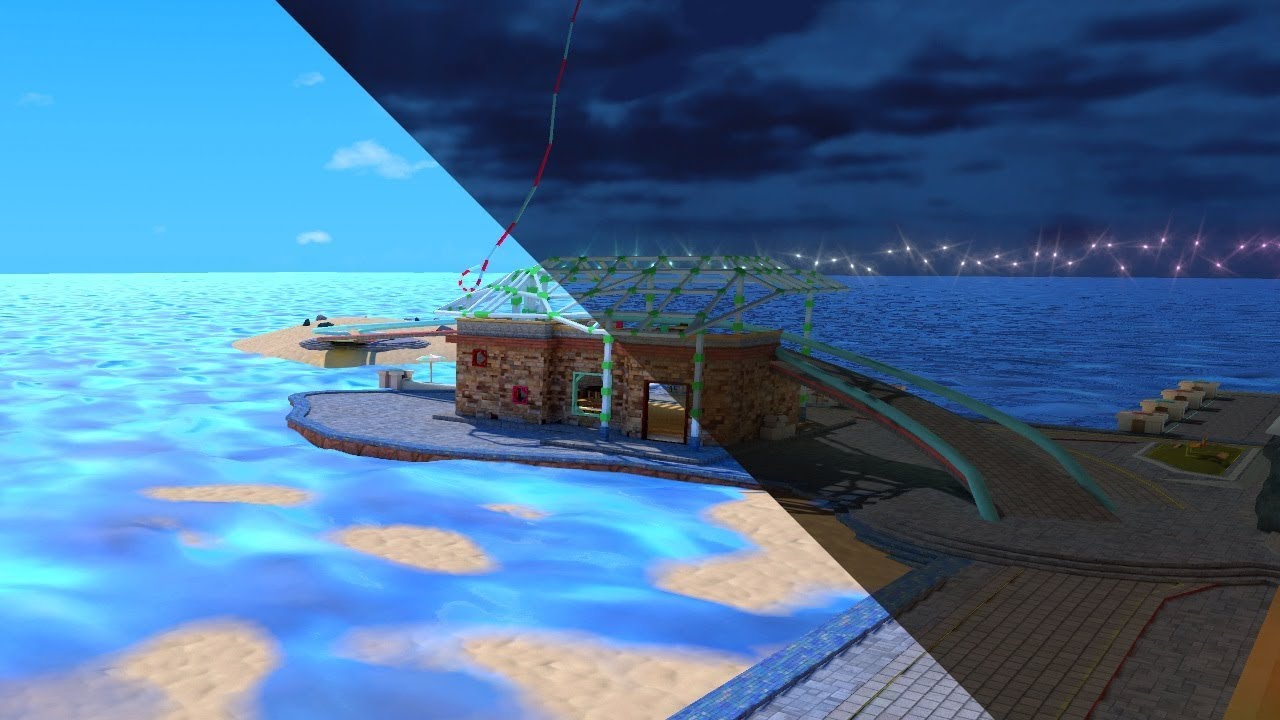
See it in action in Atoll of Ether: https://vrchat.com/home/launch?worldId=wrld_7644eab0-6408-42ab-8088-454c32c08768
The simple solution yet painfully long way around to swap Lightmaps in VRChat. At the cost of your sanity you too can offer this experience to everyone.
thx to Lyuma, the absolute legend for creating the skybox shader:
Skybox Sh...
scarlet lake
outer gazelle
I followed this guys tutorial to get my head around it and at 11:55 forward he s...
This tip is very informative for what I'm trying to figure out! Thank you for suggesting such method since it could save my badly optimized maps lol.
outer gazelle
scarlet lake
This tip is very informative for what I'm trying to figure out! Thank you for su...
Had to rewatch that part to get the gist of it again and going from 16 to 400 draw calls would probably be a large problem for any Quest user since they are apparently especially susceptible to high draw calls.
So yeah, this guy got some really good optimization tips
scarlet lake
I can definitely tell. Draw calls always become a big barrier when making any worlds for Quest since it's just Android with fairly good GPU 
scarlet lake
cosmic seal
i want an object in my world to slowly rotate so i made this graph but no dice, ...
I don't know about optimization but this worked for me
 outer gazelle
Honestly, what could you even optimize on something this simple.
Only thing I could think of is updating at a slower rate.
scarlet lake
Yeah, 10 deg was actually pretty fast so probably adjusting the angle value lower would help
outer gazelle
Maybe an animation would be more optimized.
cosmic seal
scarlet lake
I don't know about optimization but this worked for me
i'll give this a try
omg finally
thanks a ton
cosmic seal
still have a problem
no matter which Vector3 value I set to 1 (and the others 0) it always rotates on the same axis
they actually don't seem to be having any influence at all, even if all 3 values are set to 0 it's the same
outer gazelle
cosmic seal
no matter which Vector3 value I set to 1 (and the others 0) it always rotates on...
That shouldn't be I literally just had fun having it rotate

Also, not entirely sure one should be using update for this, the variable speed could get noticeable.
scarlet lake
I'm trying to think of how to compensate the angle value getting overly larger by checking if the angle is over 360, but I'm not sure if it'll be really healthy for the performance
cosmic seal
it only rotates on my end if it's a v3 float space type

without it it doesn't rotate at all, and with it it ignores all axis input
scarlet lake
Just to make sure; is the Dice you're trying to spin an ordinary GameObject?
I've tested with a 1x1x1 cube and it seems to be working for both Mackandelius and mine so I wonder
cosmic seal
is an imported mesh not a gameobject?
scarlet lake
I believe mesh is just a property of a gameobject rather than not being itself
cosmic seal
well now i feel dumb because that was the solution lol
i just made an empty and put the model in it and set the empty as the gameobject
cosmic seal
idk but it does lol
scarlet lake
It's called programming
We don't know why but if it works it works
Sadly I'm not familiar with whole mesh and stuff but I wonder how that'd make the object stuck unless attaching to an empty gameobject
 manic yarrow
Really dumb question, how do I set a boolean?
scarlet lake
Hey all, I'm curious how the VRCPlayerAPI functions. How do playerIDs look like? Do they range from 0 to the maximum world capacity?
grand temple
the first player gets ID 1 and everybody who joins adds 1 to that number. Numbers are never repeated so even if the same person leaves and rejoins they will get a new number. Numbers can go up infinitely
grand temple
manic yarrow
Really dumb question, how do I set a boolean?
if you're talking about udon graph, you can hold ctrl while dragging and dropping a variable into the graph
scarlet lake
grand temple
the first player gets ID 1 and everybody who joins adds 1 to that number. Number...
Thank you!!
 thin kernel
any idea how to make a local box toggle only able to be toggled by the local player instance and not by other players?
grand temple
thin kernel
any idea how to make a local box toggle only able to be toggled by the local pla...
Depends on the event that you're using to trigger this. If it's an interact, then that's already local. Most things are
scarlet lake
thin kernel
any idea how to make a local box toggle only able to be toggled by the local pla...
Isn't this just a local sync thing? Disable any network sync and the cube should be locally toggleable
grand temple
you don't need to disable something that isn't happening from the beginning
scarlet lake
Some prefabs have some sort of sync script attached, so always good to check
grand temple
if it's a pickup sure
that would be the objectsync script
but again, it won't be there unless you add it
thin kernel
well perhaps i should explain. i have a local toggle script on a box collider. but for some reason other players can walk into it and activate it foe other players despite it not being designed to do that.
how would i set up the script to not behave like that?
i want the toggle and the collider truly local
grand temple
there are some events that trigger for all players but they are not technically networked, like onplayertriggerenter. Because you see the player enter the collider, that gives you the event
so if you're using an event that gives you a playerapi, all you need to do is check if the playerapi islocal
arctic scarab
how would i make player trigger oncollisionenter when walking into wall
grand temple
oncollisionenter does not happen when a player touches a wall, it's a bit niche since it only happens when a rigidbody flies into and touches the player
instead, I would just recommend putting a trigger collider slightly offset from the wall and then using ontriggerenter
scarlet lake
Can somebody help me setting the Y position of the GameObject to player's head with Udon graph? This is what I could do and nothing is happening right now.
 grand temple
scarlet lake
Can somebody help me setting the Y position of the GameObject to player's head w...
grand temple
scarlet lake
Can somebody help me setting the Y position of the GameObject to player's head w...
you cannot control the player's avatar, that's protected and read-only
grand temple
you're looking for the transform set position node then
scarlet lake
Wouldnt that require me to set the value for all x y z?
grand temple
yes
you can separate them out and construct a new vector to do what you want
or you could copy the position into a new variable with get position, set the y of that variable, then apply that variable back with set position
scarlet lake
I'll probably try that. Thanks a ton!!
manic yarrow
grand temple
yes
is there a way to set a boolean without unary negation? I asked about it the other day but it turns out I can't just invert the bool because it's ontriggerstay and it'll just flip back and forth constantly
I tried leaving the input blank and using the checkbox but it didn't seem to work
ebon dragon
unary negation really just flips it from true to false or from false to true
manic yarrow
grand temple
really depends on what you want to happen
It's for an automatic door system
Triggerenter opens the door, triggerexit closes the door, but I want to make it so that if there's anyone in the trigger the door will stay open no matter what
to do that, I've been using a synced boolean that's true if anyone is in the trigger
and that's where we are now
 gentle imp
Would it work to make a variable for storing how many people are inside the area (and close it when it's at 0) ?
(enter -> +1, exit -> -1)
grand temple
that's definitely not something that should be synced, all the clients should have the information they need to handle it independently. Adding sync jut adds latency and room for things to get out of order and break
counting the number of people in the collider is a good way, but be aware that when someone leaves the instance or enters a station while in the collider they won't trigger exit, so it would get stuck open permanently. but that can be fixed by just resetting it back to 0 occasionally
manic yarrow
could the boolean idea work in theory?
Right now it's set up so that on trigger exit, it checks if that boolean is false
if it's false the door closes, otherwise it just does nothing
grand temple
could work but would need to see your code to see what's not working


 grand temple
you're using unarynegation but with a constant value, which flips it, so onplayertriggerstay you're just always setting keepopen to false
instead, use a bool const node
manic yarrow
grand temple
instead, use a bool const node
Just tested it, now the doors stay open when I exit the trigger
Is it possible that the ontriggerstay is firing after the exit?
I added a debug log just to check, and for some reason it's behaving weirdly
keepOpen is true once every few frames but false most of the time
and despite that, the doors now stay open even if nobody is inside the trigger
 slim hound
@manic yarrow I would recommend doing this instead
 manic yarrow
slim hound
<@177883653894832128> I would recommend doing this instead
manic yarrow
slim hound
<@177883653894832128> I would recommend doing this instead
Does it account for people leaving?
slim hound
Ah, no.
But easily added

Has to be delayed by a frame as the player still exists when OnPlayerLeft runs
scarlet lake
Just a stupid random question - Is it possible to add multiple Udon Graph tabs?

I want to compare with other Udon Graph files and I need to switch between the files since it seems to be impossible to open multiple Udon Graph tabs. I wonder if this is just how it is or I just can't find out
hollow folio
I'm feeling like a dumbass. How would I define an array of VRCUrls and then set them? I was thinking private VRCUrl[] _blah; and then setting them via _blah[] = "myurl" (optionally with an int in the [] to specify the array key) but I assume I'm getting this all wrong as I'm not familiar with C#.
Ok, I've actually got that, I just had an error. The issue is setting a URL, as it complains that it's a string, but that's... what a URL is, lol.
Specifically Cannot implicitly convert type 'string' to 'VRC.SDKBase.VRCUrl' Assembly-CSharp
chrome mural
can someone give me a hand animation doors to open and close

 tropic canyon
hollow folio
I'm feeling like a dumbass. How would I define an array of VRCUrls and then set ...
tropic canyon
hollow folio
I'm feeling like a dumbass. How would I define an array of VRCUrls and then set ...
You can't construct vrcurl's
at runtime
just do a public vrcurl[]
hollow folio
This is in the editor, not at runtime.
hollow folio
Hmmm, how do other playlist systems work then, where they appear to have hundreds of thousands of things preconfigured?
tropic canyon
they might use editor scripting to set them in the editor
reading in a text file and setting the serialized field
or you can do it manually
ebon dragon
if I change some values in an udon script, will the world still be crossplay?
valid oar
Yes but then that would be different in the 2 builds. You should publish to both platforms after making changes for them to be the same.
Once you publish it for both platforms, it will stay available for both platforms regardless of what you do but if you start making to changes to one and not the other, it might be hard for people on either platform to interact with the other.
 solar crater
im really confused on how SendCustomEvent works. when calling in another script a function i just end up with errors.

 wind atlas
solar crater
im really confused on how SendCustomEvent works. when calling in another script ...
wind atlas
solar crater
im really confused on how SendCustomEvent works. when calling in another script ...
What is the error?
Btw, in U#, your line of code is the same as: objectGen.RandomizeObjectPositions()
solar crater


tried these aswell
i think it just cant find the function because its in another script
wind atlas
solar crater
i think it just cant find the function because its in another script
What type is objectGen?
I'm assuming objectGen was also defined in U#, which means you can just press dot and intellisense should show you RandomizeObjectPositions.
wind atlas
solar crater
its a script
Yeah, so does it appear in intellisense?
wind atlas
I guess I should've asked for you to open the error details. It should've shown you that the object instance is null.
solar crater
yhe idk why, unity just yeeted it so it was null
wind atlas
ebon dragon
if I change some values in an udon script, will the world still be crossplay?
Yes, you can change it. As far as I know, only the hierarchy structure matters. However, as the other person noted, if that value has high impact on the scene, then people will start to see different things.
wind atlas
chrome mural
can someone give me a hand animation doors to open and close
Have you tried using the animator for that? In the script, you can have a reference to the animator and just call "SetTrigger" or one of the other methods to interact with the animation variables.
tropic canyon
solar crater
the function is only "RandomizeObjectPositions"
which you can also access by doing a
nameof(YOURCLASS.RandomizeObjectPositions)
probably
if you work with u# just call the function and u# will translate it to sendcustomevent and set the variables for the arguments if it has any
solar crater
yhe the issue was that unity threw out the refrence so it didnt work.
chrome mural
wind atlas
Have you tried using the animator for that? In the script, you can have a refere...
where do i find it iim not used to animating
hollow folio
How do you convert a string to an int? (given that it says it can't cast on it's own)
valid oar
Are you getting some sort of string input from the player? In C#, you would need a parse method but I'm not sure if that exists in Udon.
hollow folio
int.Parse(_buffer); seemed to work?
(with "_buffer" being the string)
And yeah, it's input from the player but it's a string and I need an int for an array.
valid oar
If it worked, cool. That's not included anywhere in the api documentation but maybe it's incomplete or the existence of certain functions is just assumed to exist.
wicked forum
are pickup objects implicitly synced or do I need to add the other component?
also is deactivating GameObjects synced?
valid oar
wicked forum
are pickup objects implicitly synced or do I need to add the other component?
You need to add the ObjectSync script to an Udon Behaviour component, it's included in the SDK. It really depends on how you handle your deactivation as to whether it will be synced. If you just have an interact and a set active node, it won't even be global.
This method should be synced. https://www.youtube.com/watch?v=19HMJaHGtqw

Here's a tutorial about toggling either one or multiple gameObjects via a button in udon. Something I forgot to mention in the video, is if you to toggle multiple gameObjects without alternate toggle a second list of gameObjects; either make a random empty gameObject for it to toggle, or remove the second for loop from the script.
Cycling thou...
arctic scarab
i want on join copy object names from host and paste for joiners how i do it
valid oar
On join copy object names? What sort of object are you copying? And where is this being pasted? I doubt I'll know the answer but I don't understand the question.
arctic scarab
because i dont know how to pass them through network event
i have object that holds player slots
and i want it to update whenever somebody joins or leaves
so any example of synced name change
indigo finch
Players name's don't normally change though...
indigo finch
hollow folio
How do you convert a string to an int? (given that it says it can't cast on it's...
int, ToString node for graph; or 123.ToString() for sharp
hollow folio
indigo finch
`int, ToString` node for graph; or `123.ToString()` for sharp
Wrong way, but it was parse i needed.
wicked forum
Is there a way to change interaction priority or something? I have a button that's really hard to press because it keeps trying to pick up pickup items instead
valid oar
You can change proximity on interaction but it seems to have a lower limit that is still pretty far away. I would recommend either adjusting the placement of your button or pickups or adding some sort of toggle to the colliders so you can alternate between them.
arctic scarab
wicked forum
Is there a way to change interaction priority or something? I have a button that...
or do raycast yourself
arctic scarab
arctic scarab
so any example of synced name change
anyoneee
scarlet lake
how do i get the "new user" rank, how many hours do I need in the game or how many friends do I need to add, I need help
valid oar
It varies but not many. If you hop in occasionally, you'll probably get there in a day or two.
scarlet lake
i got like 7 hours tho... is that not enough?
tropic canyon
This is not the channel to ask such questions
valid oar
Over what span of time? I don't think you can just play a bunch all in one session and get there. They don't make the requirements public.
tropic canyon

scarlet lake
tropic canyon
This is not the channel to ask such questions
which channel is it?
valid oar
Also true, you could ask in one of the general chats but no one can give you a firm answer, really.
tropic canyon
#user-support-old probably
wind atlas
chrome mural
where do i find it iim not used to animating
You can probably find plenty of tutorials as it's an essential Unity feature. You can even animate in blender if you are more comfortable with that. Once you have the animations, you can do something like this: https://www.youtube.com/watch?v=M7pN8QYTGBQ
Here's a tutorial on how to make an animation play when you click an object. This particular example covers firing a trigger on an animator, but hopefully this covers enough to help those wanting to change a int/ float/ bool on an animator as well.
So hopefully this is helpful. As always, if you have any questions, feel free to ask in the comme...
 twin lake
Is there a way for udon to generate a 50/50% chance to spawn an object in the world when a player joins but its only visable for that player?
fiery yoke
twin lake
Is there a way for udon to generate a 50/50% chance to spawn an object in the w...
Yes using Random.Range
twin lake
that looks massively complicated lol but thanks that gives me something to work with
 fast oracle
I don't know if this question belongs here (new to the discord, Hello 🙂 ) but I'm having some troubles with fps problems in vrchat through the desktop. Is there anyway for me to configure this, even in game?
chrome mural
how can i make a simple toggle switch form a model
lament valve
fast oracle
I don't know if this question belongs here (new to the discord, Hello 🙂 ) but I...
A question like this is best asked in #user-support-old (for future reference: this chatroom is for world building with udon)
There are multiple things you can do to increase fps, such as strengthening your safety settings, performance options, and limiting bones in advanced safety.
indigo finch
chrome mural
how can i make a simple toggle switch form a model
I did it as a short, but basically this: https://youtube.com/shorts/JLepggh5B1U?feature=share

For the event interact to work, you need to make sure you have a collider for the VRChat laser to collide with. If you don't want it to be something that the player's hitbox collides with, simply make it a trigger, but selecting the tickbox 'isTrigger'
So hopefully this is helpful. As always, if you have any questions, feel free to ask in the c...
chrome mural
thanks brudda
arctic scarab
anyoneee
 dawn forge
Anyone know where the UdonSharp examples are located if the Unity project was generated by the VRC Companion app?
arctic scarab
what kind of examples
chrome mural
is there a way of how i can put the train on sliders and make it move as an entity
valid oar
Just parent all the stuff you want to move to the main structure or even an empty game object and then move that and everything should come with it.
solar crater
Idk if anyone else has had this happen to them but suddenly my unity is executing code in a wrong order.
I have 2 scripts
Script A and Script B
A runs start > then a function > another function > and finnally a function that calls another function in script B
B runs important stuff in start > gets activated by function in script A
however rn the last function in script A is being called BEFORE the start function of script B.
im not sure how to fix this, anyone got any idea's why my start function isnt running before anything else?
NOTE, the correct order does work in game but only cocks up in editor runtime
'proof'

both these debugs are on the same script
 eager fulcrum
How to deal with this udon problem?

 pallid roost
Did an update change the way OnPlayerJoined works in the last month or so?
I have a list of objects that are VRCInstantiate and each of them listen for a username OnPlayerJoined to trigger a behaviour.
It used to work perfectly and then after an update i believe it just stopped working
i remember reading about some changes to the VRCInstantiate call but it didnt mention anything about breaking registered events on the objects
indigo finch
chrome mural
is there a way of how i can put the train on sliders and make it move as an enti...
You could do it as an animation. but it sounds like using Cinemachine dolly track, that can be used to make an object follow a set path, would be more appropriate here:
arctic scarab
why this doesnt run
    public override void InputMoveHorizontal(float value, UdonInputEventArgs args)
    {
        Debug.Log("walking");
}```Have you put in a game object?
chrome mural
indigo finch
You could do it as an animation. but it sounds like using Cinemachine dolly trac...
ok ill test with that thx
ok so how do i attach my train to the dolly and then how do i edit the line
 topaz jetty
hollow folio
Specifically ```Cannot implicitly convert type 'string' to 'VRC.SDKBase.VRCUrl' ...
topaz jetty
hollow folio
Specifically ```Cannot implicitly convert type 'string' to 'VRC.SDKBase.VRCUrl' ...
you need to use new VRCURL("youtube.com/watch?v=videohere"), and vrchat doesn't allow you to create URLs at runtime so you can't put a string variable in the place of the string
which also means you have to put your URL in a variable, and the value can't be assigned in a function/method/event
it must be inside the class
so then it's constructed at compile time
hollow folio
topaz jetty
you need to use `new VRCURL("youtube.com/watch?v=videohere")`, and vrchat doesn'...
Thanks, someone else replied in a different server but yeah, this was what I was looking for.
indigo finch
chrome mural
ok so how do i attach my train to the dolly and then how do i edit the line
First you need to make a dolly track (cinemachine Smooth Path) for it to follow:

and then you need to make a dolly cart to follow that track:
 indigo finch
networking.setOwner
tribal meadow
something just wigged out with udon, not sure what happened but I'm getting this error and Unity wont' display the graph of what I'm working on anymore. Other scripts are fine. Completely rebooted, still happening
 arctic scarab
usharp better lol
tribal meadow
I'm not a programmer
arctic scarab
not either
tribal meadow
I've been struggling to get this stupid thing to work for over a week
arctic scarab
but graphical programming kills even more
tribal meadow
wish there were more prefabs available for udon
arctic scarab
magic of programming is copy pasting everything
tribal meadow
I have no idea what this crap means...

Looks like I've lost all my work on this anyway
tribal meadow
USharp should just be part of the SDK IMHO, not an add on. Everything uses it.
ebon dragon
with physics.raycast, how do I make it only check specific layers?
because when I do this it for some reason starts to exclusively check the IGNORE RAYCAST layer

same if I use layermask.nametolayer
I am going insane over this
indigo finch
ebon dragon
because when I do this it for some reason starts to exclusively check the IGNORE...
22 in binary = 10110, so a layer mask of 22 will check layer 1, 2 and 4
 ebon dragon
indigo finch
22 in binary = 10110, so a layer mask of 22 will check layer 1, 2 and 4
ebon dragon
indigo finch
22 in binary = 10110, so a layer mask of 22 will check layer 1, 2 and 4
omg you have no idea how much this clears up for me
<3
arctic scarab
indigo finch
networking.setOwner
any example of thiiis
indigo finch
ebon dragon
omg you have no idea how much this clears up for me
was ages till I found out about this ^^
arctic scarab
also what is requestserialization

 arctic scarab
i mean it doesnt tells me what it is
indigo finch
arctic scarab
i mean it doesnt tells me what it is
if you can't read scripting tool tips, I recommend using graph, as it shows/ names the required inputs on each node
arctic scarab
indigo finch
this
indigo finch
arctic scarab
this
is the function you want
arctic scarab
it was mentioned often when talking about transfering ownership
indigo finch
arctic scarab
it was mentioned often when talking about transfering ownership
has nothing to do with transferring ownership. it is used to tell the script to sync all the variables, when using manual sync instead of continuous
 signal yarrow
you were probably miss-understanding how the owner ship works
arctic scarab
ah great i hold all of the sync in object not variables
ebon dragon
indigo finch
was ages till I found out about this ^^
So how do I actually bitshift inside udon? I can't manage to get it done ^^'
indigo finch
ebon dragon
So how do I actually bitshift inside udon? I can't manage to get it done ^^'
never had success myself. at this point i just use a binary lookup
signal yarrow
How could I sort objects, because anything like Array.Sort or List.Sort were not able to use
I rather not to write a sort method by myself 😅
chrome mural
ok not going ok anymore it just killed my world
wind atlas
ebon dragon
So how do I actually bitshift inside udon? I can't manage to get it done ^^'
I don't know if that helps, but I've used this thread multiple times now for figuring out layer masks: https://answers.unity.com/questions/8715/how-do-i-use-layermasks.html
Unity is the ultimate game development platform. Use Unity to build high-quality 3D and 2D games, deploy them across mobile, desktop, VR/AR, consoles or the Web, and connect with loyal and enthusiastic players and customers.
Scroll down for some really nice images.
topaz jetty
signal yarrow
I rather not to write a sort method by myself 😅
I think you pretty much have to
hollow folio
I'm probably doing something stupid, but this doesn't seem to fire (for anyone, even the person triggering it). It works fine locally if I use a SendCustomEvent instead of the Networked version... but it doesn't even fire locally as-is.

(the bool value doesn't need to be synced as users set it locally when the process runs, I just need the whole thing to trigger on everyone)
topaz jetty
do you have the udon behaviour's networking mode set to either manual (reccomended) or continues? I'm pretty sure networked events won't work if it's set to none
also check if you're not mixing any networking modes on the same object
topaz jetty
why do you have the door open variable in your udon graph? you're setting the variable in your animator, not in udon
make sure you have a parameter called DoorOpen (with capitalization) in your animator which should be on the same object as the udon behaviour
arctic scarab
does transform always uses same path even if different players have different object names
grand temple
arctic scarab
does transform always uses same path even if different players have different ob...
Not quite sure what you're asking, but if you mean storing a variable "Transform" then it doesn't go by path, it's just a direct reference to an object. And you can't sync a Transform variable so other players are irrelevant, they'll all find their own references however you choose
arctic scarab
what if i pass transform through synced function then
grand temple
You can't
arctic scarab
i mean its saved locally
grand temple
yeah
arctic scarab
from variable
and i can use any variable inside
so i wonder what will other players have in global
grand temple
but you can't set a Transform variable to be synced
arctic scarab
yes so i want every player load it locally
grand temple
right, so if you do that by making it a public variable and dropping it into the inspector before you upload the world, then everybody will have that reference and it'll just work
you could also use Gameobject.Find or Transform.Find or Transform.GetChild to navigate to a specific transform, however you want to do that. You can totally sync a string that represents a path and then make your own code that navigates that path to find a specific transform, however you want to do that is up to you
but you cannot sync a raw transform, because it is not serializable. It is a reference
arctic scarab
so lets say
Transform a;
SendCustomNetworkEvent(NetworkEventTarget.All, "test");

void test()
{
a.GetChild(0)...
}
will every player have same a
grand temple
well that code wouldn't be assigning anything to a, so no. But if it did assign something to a then yes
grand temple
yeah, however you want to do it
arctic scarab
i was 90% sure dynamic variables arent passed by udon
so had get static ones somehow
grand temple
what?
arctic scarab
wait so even if object has different name it will still point to same transform
grand temple
uhhhh I have no idea what you're getting at
if it has a different name then it's a different transform
arctic scarab
no
grand temple
unless you renamed the object at runtime
grand temple
well transform is effectively just a component on a gameobject
arctic scarab
i store hp in names
grand temple
why?
arctic scarab
because yes
grand temple
what
arctic scarab
udon is shitty so i prefer names
arctic scarab
also i effectively removed as many scripts possible from my map which improved loading time by 2500%
hollow folio
topaz jetty
make sure you have a parameter called DoorOpen (with capitalization) in your ani...
I do. As I said, the whole thing works if I do a local custom event call, it just doesn't work when it's set to custom network event. That variable is there because I was doing it a different way in the distant past and never got rid of it.
arctic scarab
meanwhile another thing can i make vrc synced object sync only position and not rotation
because i have spinning animation and it lags out
grand temple
no
arctic scarab
then local spinning maybe
grand temple
yeah
I would recommend using manual sync to just sync the animator variables instead of trying to sync the position of the object
arctic scarab
oh fuck no animator
grand temple
well whatever you're using to animate it
arctic scarab
then i can make just another object inside object and spin the child
then it wont be synced
hollow folio
topaz jetty
make sure you have a parameter called DoorOpen (with capitalization) in your ani...
The collider and animator are both on the door which is the same object as the script itself is on (hence the self references in the graph).
 topaz jetty
hollow folio
I do. As I said, the whole thing works if I do a local custom event call, it jus...
topaz jetty
hollow folio
I do. As I said, the whole thing works if I do a local custom event call, it jus...
I have no clue then, it should work fine
scarlet lake
does anyone know any quest/pc video players
hollow folio
topaz jetty
I have no clue then, it should work fine
I'll mess with the prefabs in case it's lying to me and something's being silly. Thanks for confirming though.
arctic scarab
something not right

it dont seem be synced properly
or to detect transform at all
ah i was making 2 separate variables
how i check if im the sender of the network event
to put line of code in remote event that runs only for the sender
 ancient mountain
Can anyone help please, I have two Udon Behaviours (Graph), one has an interact event with gameobject, and I'd like to send and receive that interact event on another udon graph. No delayed event, no networked event, just a straight custom event for now.
I've followed bush's tutorial that I believe is exactly what I want from the first minute, but I think I'm missing something: https://www.youtube.com/watch?v=0yMwbl25k3c
Attached is the two pictures of the graph of both scripts


Here's a tutorial explaining how to call an event, a delayed event, a networked event and a delayed networked event on another script!
This tutorial is for udon graph, though I do have another tutorial covering this for udon# too. So if your after that, be sure to check that out
Hopefully this helps, and if you have any questions, feel free to ...
grand temple
that looks like it should work, what's happening?
ancient mountain
Nothing at all, I'm trying to log the interact event from the other udon graph just to see if I'm getting it across.
The interact event send graph only has an UdonBehaviour variable assigned as public, and I'm gussing the variable name doesn't matter.
The event receive graph just references the name of the event being sent from the other script, there's no variables defined there.
the only link between the scripts is the name of the event itself, so it feels like it's missing something
grand temple
Are you getting any errors in your debug log?
ancient mountain
Naww, nothing at all unfortunately, it's as if there's no link at all between the graphs
grand temple
Well if there's no link then it should crash the script and you'd see that in your log
arctic scarab
arctic scarab
so lets say
```
Transform a;
SendCustomNetworkEvent(NetworkEventTarget.All, "tes...
it doesnt work when outside of function? only inside?
hollow folio
I have a "VRC Unity Video Player" in the scene with a URL in it, but I see this in the log:
[USharpVideo YTDL] Attempting to resolve URL
... now this isn't a USharpVideo player, it's literally just the raw component for the Unity Video Player. Why is USharpVideo trying to resolve the URL? (does USharpVideo handle the VRC Unity Video Player internally?)
ancient mountain
grand temple
Well if there's no link then it should crash the script and you'd see that in yo...
I see. I'm not winning with this. Do you perhaps know of a different way to send events between graphs?
arctic scarab
ancient mountain
I see. I'm not winning with this. Do you perhaps know of a different way to send...
send info to object and read from other script
that how i do
grand temple
ancient mountain
I see. I'm not winning with this. Do you perhaps know of a different way to send...
No, that's exactly how you do it. You have something set up wrong. I see that the debug log is set to the version that takes a context, that's a little unusual. Try setting it back to the default version.
also make sure you have an udonbehaviour set in the inspector's public variable
ancient mountain
Yeah, I'll show you some pics now.
arctic scarab
do i have to define transform locally and cant use earlier variables?
how do i sync string for network function
ancient mountain
grand temple
No, that's exactly how you do it. You have something set up wrong. I see that th...
Your last point about the inspector public variable is what make's me believe there's no link, or instance reference. Because the sending graph only references itself as you see in this pic (it would make sense to link the receiving script there like you would with anything else, but there's no option for that, unless i misunderstand):

And this is all there is in the receiving script.
 grand temple
Oh, yeah, you see where it says public variables: discholder2_operation?
ancient mountain
Ye
grand temple
That's the target where you're sending the event to
ancient mountain
yeah, the other script
grand temple
But you left it blank so it self references
ancient mountain
that makes 100% sense buuuut...
grand temple
So it's just sending it back to itself, not to the other script
ancient mountain
I can't put the link to the second script there
like, the graph it self
I can't attach it
normally you push the button and it brings up the menu to select something
grand temple
You're not supposed to, you put in the object that has that script on it
arctic scarab
do i need just make regular udonsynced variable
tribal meadow
I think I found a bug... If I try to set 'instance' off of the Particles, Set Start Color, it breaks Udon. All the nodes dissappear, and an error comes up in the console. It's unrecoverable as you can no longer see what you are doing in the graph window in Unity

 grand temple
tribal meadow
I think I found a bug... If I try to set 'instance' off of the Particles, Set ...
grand temple
tribal meadow
I think I found a bug... If I try to set 'instance' off of the Particles, Set ...
"particle" is not exposed to udon fully. I think you can kinda do some weird things with them but not much. Given that you're accessing and iterating through a particle system array I think you should be looking for a "particlesystem" node, which is different from "particle"
tribal meadow
hmm ok. The slider is functioning, but it doesn't seem to be passing the colorstart value to the actual array or particles, so I'm trying to add that to the instance output to tell it, but not sure what node I would use to do that (that doesn't cause it to crash)
grand temple
Have you replaced it with a particlesystem node?
tribal meadow
I'm a little lost
As it is right now the slider doesn't do anything, so I'm assuming I have to tell it which particles (particle array) to send the value to, but if I add the particle array to the instance, it crashes
 grand temple
A particle system is a component that emits many particles
Udon can totally interact with particle systems, but it cannot interact with individual particles
tribal meadow
right, what I'm trying to get it to do is change the particle systems startcolor
grand temple
Right, so you need a node that affects a particle system not a particle
tribal meadow
but there are several of them (an effect) so I want to change them all at once when the sliders hue value is adjusted
I guess I chose a confusing name as the variable, but I thought that's what I was doing
arctic scarab
is variable guaranted to sync before running remote function if its before in script
grand temple
arctic scarab
is variable guaranted to sync before running remote function if its before in sc...
No, it can go either way. You should never rely on using synced variables in a network event for that reason.
tribal meadow
so if I do this it kills the graph window
 grand temple
Right, because you have the wrong node
arctic scarab
how im supposed to send stuff from other player then
grand temple
So look for a particlesystem set startcolor node
tribal meadow
ok
grand temple
arctic scarab
how im supposed to send stuff from other player then
Include some synced variables that indicate what action you want to perform and then use ondeserialization to perform that action
tribal meadow
I guess what I'm trying to do doesn't exist
I'm trying to get a slider to change this value
 grand temple
tribal meadow
I'm trying to get a slider to change this value
grand temple
tribal meadow
I'm trying to get a slider to change this value
well it's not particlesystem.startcolor, it's particlesystem.mainmodule.startcolor
 scarlet lake
does anyone know any quest/pc video players
tribal meadow
grand temple
well it's not particlesystem.startcolor, it's particlesystem.mainmodule.startcol...
OK I think I see...but now I'm not understanding what I use to get the color value into that....
 grand temple
tribal meadow
OK I think I see...but now I'm not understanding what I use to get the color val...
grand temple
tribal meadow
OK I think I see...but now I'm not understanding what I use to get the color val...
get rid of the mainmodule get color, you don't need that. Just plug in the color you're creating with hsvtorgb
tribal meadow
It seems to want something in between...but not sure what...
 grand temple
ah, sorry I told you the wrong thing, you need this

startColor isn't just a regular color that can be plugged in, it's a whole special gradient thing with it's own functions so you need to get the startcolor and then change the colors inside of startcolor
so much stuff to deal with
 grand temple
oh yeah that might work too
tribal meadow
hmm, it didn't crash but no effect change
tribal meadow
 light bobcat
GitHub
My personal collection of general VRChat Udon Projects - GitHub - TheHelpfulHelper/UDON-Collection: My personal collection of general VRChat Udon Projects
Does this still work? It's from 2 years ago
fiery yoke
light bobcat
https://github.com/TheHelpfulHelper/UDON-Collection
Not really lol sorry
a lot of things have changed since. I should probably take it down at some point
tribal meadow
grand temple
what particle system are you setting
I think this is a step closer at least, thanks for helping. Going to give it a break. Maybe something will come to me
wicked forum
Is it possible to restrict who can pick up a pickup object?
light bobcat
you could check if the player who held it is someone specifically, and if not, execute the drop function
unless https://docs.vrchat.com/docs/vrc_pickup is outdated
VRChat
Used to allow objects to be picked up and held Requires: RigidbodyCollider RPC's are available via the SendRPC action
oh sendrpc is deprecated
valid oar
Yeah, there are a few ways but if you want to disable all pickups for people not whitelisted, you could check the name and if it isn't in the array of whitelisted names, set EnablePickups to false https://docs.vrchat.com/docs/players
VRChat
You can interact with Players in your world through the VRCPlayerApi. Each Player has a VRCPlayerApi Object, and your world fires the OnPlayerJoined / OnPlayerLeft events on any UdonBehaviours that listen for them when a player joins or leaves. This page includes info on using some general nodes. Si...
You could also have the collider off by default and then have a hidden button to turn it on if you wanted to do it for specific objects and not worry about a whitelist, lots of different ways depending on how complicated you're willing to make the program and what you want it to do.
wicked forum
can I disable the collider for all the other users or will it try to sync that?
I can't disable all pickups since each object will have its own owner
valid oar
You can have a whitelist that turns colliders on that are disabled by default for people on the whitelist or one that turns off colliders that are enabled by default for everyone not on the whitelist, those are both options.
arctic scarab
okay how i use requestserialization
i have script with synced variables that crashes but after i rejoin it works
so the script runs before variables sync up
lament valve
There are rare chances when this will teleport everyone in the instance. Is there a way around that?
 arctic scarab
maybe add bool if player already got teleported
grand temple
lament valve
There are rare chances when this will teleport everyone in the instance. Is ther...
if you're properly checking local player then there is nothing about that that would cause all players to be teleported, it should be safe.
Unless you have some other logic that is actually moving this collider to touch all players or something, are you sure that's not happening?
grand temple
lament valve
There are rare chances when this will teleport everyone in the instance. Is ther...
wait no I totally missed it lol, yeah of course that's going to teleport them all because all you're doing is checking if the localplayer is local, that's always going to be true. You need to check if the player given by onplayertriggerenter is local
valid oar
This channel is for Udon programming questions but I would look here https://help.vrchat.com/hc/en-us/articles/360062658553-I-want-to-report-someone

VRChat
If you've had a bad experience in VRChat due to another user acting maliciously, report them to the Trust & Safety Team. This includes any violations of the Community Guidelines or the Terms of...
hollow folio
I'll ask this here before trying it in case someone has already made it in some way and it'll save me a lot of effort. But (using graph) is there any simple way to have say, an array of 10 objects. Each time there's an interaction, one of those objects is picked and removed. Each time it's interacted with, this process will repeat with one of the remaining objects being picked and then removed. Finally when the last one is picked and removed, the array resets back to the original set so that the process can be repeated?
indigo finch
hollow folio
I'll ask this here before trying it in case someone has already made it in some ...
sounds like a classic object pool. well, if you want it to be synced anyways. just need a check to see if the pool is empty before resetting everything
hollow folio
It wouldn't be actual objects, but references to components. Is an object pool still usable in that way?
indigo finch
not really, it more of a way of spawning in objects without using instantiate. well, at least I wouldn't recommend using it. as for what your after, it's been done a number of different ways, but I would have to know what exactly your after to give an actual example.
wind atlas
hollow folio
I'll ask this here before trying it in case someone has already made it in some ...
Your last sentence makes me think you don't need an object pool. Isn't that just an array where you go back to 0 once you reach the last item?
But yeah, knowing what your goal is might be helpful.
hollow folio
wind atlas
Your last sentence makes me think you don't need an object pool. Isn't that just...
Yes, but I want to pick from the array randomly, not incrementally, which increases the complexity a lot as I can't just use a counter.
indigo finch
wind atlas
Your last sentence makes me think you don't need an object pool. Isn't that just...
actually, now that you say that, they could totally just randomise the array and cycle through it, and then randomise it again when returning to 0
hollow folio
indigo finch
actually, now that you say that, they could totally just randomise the array and...
That'd work. I didn't realise I could just randomise the array.
So I could just use a counter after randomising it.
wind atlas
It really depends on what you are doing. If you are fine with duplicate items, then you can just do Utilities.Shuffle -> get the item each time.
indigo finch
hollow folio
That'd work. I didn't realise I could just randomise the array.
don't believe there is a node for it, but a simple shuffle in coding would be:
int n = list.Count; while (n > 1) { n--; int k = rng.Next(n + 1); T value = list[k]; list[k] = list[n]; list[n] = value; }
would have to convert that...
wind atlas
indigo finch
don't believe there is a node for it, but a simple shuffle in coding would be:
`...
I think that's pretty much what Utilities.Shuffle does, but not sure if it's just in U# or also in graph
indigo finch
perhaps I'm just referencing old code...
indigo finch
wind atlas
I think that's pretty much what Utilities.Shuffle does, but not sure if it's jus...
seems like it's a thing. should remember that one..
 wind atlas
indigo finch
seems like it's a thing. should remember that one..
wind atlas
indigo finch
seems like it's a thing. should remember that one..
That's good. This is literally the source code by the way:

Same algorithm
indigo finch
wind atlas
Same algorithm
ah, neat. thanks for looking that up ^^
hollow folio
Ace, so I can just shuffle and increment through the array. Wonderful. Thanks guys 🙂
hollow folio
Hmmm, actually that creates a new issue, because then everyone will have a different "shuffled" version of the array where as I need everyone's "shuffled" array to be the same.
indigo finch
hollow folio
Hmmm, actually that creates a new issue, because then everyone will have a diffe...
you could just sync the array. you will need to tell it to sync though, as I don't believe changing or moving variables inside an array tells everyone to resync
hollow folio
Oh, duh. Yeah, because I was thinking this was running on each person. Just run a requestserialization after shuffling it?
indigo finch
hollow folio
Oh, duh. Yeah, because I was thinking this was running on each person. Just run ...
yea. will have to switch from continuous to manual sync too
hollow folio
Yeah, I'm on manual anyway
Hmm, how/when is the best way to do the randomisation? As I don't need it ransomised more than once per session. Just store a variable which is checked before doing the randomisation? Any better option?
So "Start" would end up with it getting randomised every time someone joined. I guess a "has been randomised" variable makes the most sense.
Look sufficient?

Ah, I need to set the owner first don't I.
 wind atlas
hollow folio
wind atlas
hollow folio
What you want is let the first person who enters randomize the array and then propagate that to everyone else who joins. You seem to be on the right track, the only issue I see is that an AudioClip array might not be sync'able.
Instead, create an int array with the same values as indeces, and then shuffle and RequestSerialization it.
hollow folio
wind atlas
What you want is let the first person who enters randomize the array and then pr...
Ah...
 wind atlas
At the start, you also might want to check if you are the owner of the object. Only sync if you are.
Also, the "randomDone" bool should be set to synced as well.
Although if we are testing for the owner, that bool might not even be necessary.
Since if someone joins an already existing world, there will always be an owner of that object and the array is initialized.
hollow folio
As different areas of the map are turned off until you go there, is it possible that someone in the session before you wouldn't necessarily be the owner?
scarlet lake
sorry for this random question but why is my object not interact-able and how do I make it be
wind atlas
hollow folio
As different areas of the map are turned off until you go there, is it possible ...
From my experiences, whoever joins the instance first receives all the ownerships. But what you are saying is that some objects are turned off at the beginning? I'm actually not 100% confident if they receive ownership since they are not really activated. I think they do, but better test it.
hollow folio
wind atlas
From my experiences, whoever joins the instance first receives all the ownership...
Yeah, basically the map is in 12 sections, all but one are disabled at world start and they turn on/off as you move between them. Is there any downside to just switching ownership and setting the value?
valid oar
scarlet lake
sorry for this random question but why is my object not interact-able and how do...
You need to add a pickup component (just add a component and search for pickup) and make sure there is a collider. Then you'll want to add an udon behaviour and drag in the ObjectSync script included in the SDK for the pickup to be synced.
scarlet lake
oh, I meant like that on Interact event in udon
how would I make it work
I don't know anything about this
valid oar
scarlet lake
oh, I meant like that on Interact event in udon
Do you have a script that works on interact? All you need is the script and a collider on the object.
scarlet lake
I have but in game I can't interact with the object
Like there's no floating text or outline
wind atlas
hollow folio
As different areas of the map are turned off until you go there, is it possible ...
Hmm, I don't have any downsides right now. I'm just not sure what will happen if you use the very same state you want to sync in order to determine if you want to sync.
valid oar
scarlet lake
I have but in game I can't interact with the object
Like there's no floating tex...
Have you checked the bounds of your collider to make sure it's the right size and location?
scarlet lake
Yes
I followed a tutorial and did the exact same things
heres how the script looks like
 wind atlas
hollow folio
Yeah, basically the map is in 12 sections, all but one are disabled at world sta...
wind atlas
hollow folio
Yeah, basically the map is in 12 sections, all but one are disabled at world sta...
The way I'd do it, is to separate your visuals and the data you have. Just randomize at the very beginning when someone joins. This way, you know that person always randomized that data already and everyone else will receive it. When you enable/disable areas on any client, the scripts inside just use the data you already synced as soon as they joined.
valid oar
The script itself won't effect whether you can interact with the collider, though the main issue with scripts like this is that the reference in the inspector for the button isn't set right. But if you can't interact with the button at all, you can't execute the script. Can you post the inspector of the button?
hollow folio
wind atlas
The way I'd do it, is to separate your visuals and the data you have. Just rando...
What's the easiest way to create an array the same size an existing array in the graph?
wind atlas
hollow folio
What's the easiest way to create an array the same size an existing array in the...
I don't really use graph so not sure. Surely there is some way to create a new array instance. If you can find that, just plug in the length of the current array.
hollow folio
I'd need to loop through the new array to set each value to 0-X to match the length of the existing array, for the purposes of the randomisation wouldn't I? Else it couldn't really act a proxy for the real array.
wind atlas
hollow folio
I'd need to loop through the new array to set each value to 0-X to match the len...
Yes.
indigo finch
I've got a bit of an advanced question, but I'm just checking some code, and I can't seem to find the reason as to why the first code doesn't work, but the second does. Anyone know the particular reason behind it?
 hollow folio
Am I being dumb? This seems like it should work? (it should set blah[0] = 0, blah[1] = 1, etc)

It throws...
  An exception occurred during EXTERN to 'SystemInt32Array.__Set__SystemInt32_SystemInt32__SystemVoid'.
      Parameter Addresses: 0x0000002B, 0x0000002C, 0x0000002D

Object reference not set to an instance of an object```Oh wait, that loop isn't the issue at all, ignore me.
indigo finch
hollow folio
Am I being dumb? This seems like it should work? (it should set blah[0] = 0, bla...
you need to set the size of the array first, and then use int[], set value to set each value
 hollow folio
Ahh, I thought it would just grow as needed. I'll try that.
indigo finch
hollow folio
Ahh, I thought it would just grow as needed. I'll try that.
that only works with lists, and they are not currently supported with udon
hollow folio
I'm not used to C# hence my bad choices 😉
grand temple
That's because triggering a change in udonsharp is kinda split between two different things.
FieldChangeCallback is triggered by Udon itself. This is what allows it to respond to SetProgramVariable and receiving synced variables from other players.
But the thing is that when you set a variable directly, by just saying x = y then that bypasses the change check because it stays internal to the VM. There is no way for it to detect that there has been a change. In udon graph, there is a checkbox where you can say "trigger change" but literally all that does is change it to compile as setprogramvariable.
Instead, the intended way to do this in udonsharp is to use properties. Properties mean that you have a backing variable, let's say private int _clickCount that stores the value. Then you have a property, typically the same word but with different capitalization to differentiate, like public int ClickCount except instead of storing a variable, ClickCount has both a getter and a setter that works with and exposes _clickCount. Inside the setter of ClickCount is where you will detect changes.
If you use properties, then it will cover the raw method where you do x = y and then if you have a fieldchangecallback going from the backing variable to the property, it will cover SetProgramVariable and synced variables

oh yeah and btw, what this means is that you shouldn't ever do _clickCount = x because that bypasses the property. You should do ClickCount = x
indigo finch
grand temple
oh yeah and btw, what this means is that you shouldn't ever do `_clickCount = x`...
thanks for the explanation, though tbh I'm a little lost as to it exactly. if you don't mind, mind adding some random context to the script so I can see it in use?
grand temple
I'm not quite sure what you're asking, is there something you're confused about?
so in your situation, you already have ChangeClickCount which is a property, and that will work, but I think you're misunderstanding what the property actually is. The property doesn't detect changes to the backing variable, it is supposed to be the interface to the backing variable. Which means you should never touch the backing variable directly. Which means that "ChangeClickCount" isn't an accurate thing to call it
indigo finch
grand temple
I'm not quite sure what you're asking, is there something you're confused about?
you mentioned using properties, but I'm not familar with that term when it comes to coding (probably should be though...). Looking at your script you posted, the only difference i can tell is with the get part, but is that everything?
grand temple
bwah
indigo finch
so instead something like this?
 grand temple
return clickcount and => clickcount is the same thing, just without using lambdas. Since this is the one weird unique case where udonsharp supports lambdas, I chose to write the example without them to avoid being confusing
but using => is totally valid and you do not need to change anything about it
indigo finch
grand temple
but using => is totally valid and you do not need to change anything about it
I didn't really understand it, so I'm fine getting rid of it
grand temple
the only thing you need to change is that you need to set the property instead of the backing variable. Right now you are bypassing the property so it's not able to do it's job
 crimson thistle
is it possible to swap the player's viewpoint into a camera in the world?
so for example i can make an intro sequence?
or something like that?
grand temple
crimson thistle
is it possible to swap the player's viewpoint into a camera in the world?
Sounds like what would be appropriate is to just put them in a station
indigo finch
grand temple
the only thing you need to change is that you need to set the property instead o...
crimson thistle
yeah but i want the player to stay in place
grand temple
stations lock you in place
grand temple
yes but that's not what you want
crimson thistle
i was just wondering if its possible
cuz i wanna like
make a button in my world
grand temple
you can override the view with a camera, but it has many problems. The audio listener doesn't follow, you get double the rendering cost, and it's based on your playspace so if they're turned around in their playspace they'll be facing away from where you want
arctic scarab
why only host can run synced function and not othere players
crimson thistle
grand temple
you can override the view with a camera, but it has many problems. The audio lis...
i dont need the audio listener of the camera, id like to still hear stuff around my actual body
down there
crimson thistle
grand temple
you can override the view with a camera, but it has many problems. The audio lis...
so the view of the camera can move around or not?
cuz i dont want it to move at all
grand temple
well you can do that with other ways but that would be terrible in VR
indigo finch
arctic scarab
why only host can run synced function and not othere players
only the owner of an object (default is the host) can change a synced variable, as the syncing is done master-slave type relationship. change the owner of the object if you want someone else to change it
crimson thistle
id love to attach a camera to the players back so i can get 3rd person
but also biggest motion sickness known to mankind
nah jk
indigo finch
does vowgans 3rd person prefab support vr? might be worth a look
crimson thistle
well either way how do i code up the thing that swaps my viewpoint to a camera?
or node up
grand temple
just enable a camera with depth 100 and no render texture
crimson thistle
and if its on depth 100 its gonna replace my eyes?
grand temple
well the depth 100 is just to prevent it from breaking stuff
enabling without a render texture is what really does it
crimson thistle
like this?
 arctic scarab
indigo finch
only the owner of an object (default is the host) can change a synced variable, ...
arctic scarab
indigo finch
only the owner of an object (default is the host) can change a synced variable, ...
object script is ran from or?
grand temple
yep
crimson thistle
and thats it?
arctic scarab
so the gui not the object i interact with
grand temple
cameras like this will be disabled by vrchat on start so you need to make something, either a script or animation, to re-enable both the component and the gameobject
indigo finch
arctic scarab
so the gui not the object i interact with
where ever the variable (the actual information) is stored
crimson thistle
grand temple
cameras like this will be disabled by vrchat on start so you need to make someth...
so if its on 100, it replaces my eyes? so if i wanna have my viewpoint as the camera i just set it to 100 for that moment?
crimson thistle
so itll work?
grand temple
try it
indigo finch
grand temple
That's because triggering a change in udonsharp is kinda split between two diffe...
Thank you very much for your explanation! Took me a while understand what you were getting at, but I got it now ^^
hollow folio
@wind atlas @indigo finch Awesome, it works great. Thanks guys.
One last question on how VRC works. Do I need to "Set blah" again after changing the data, or will request serialization do that anyway? As currently that array has a "set blah" set after the constructor, but not after the data is written to it (but there is a serialization later).
wind atlas
hollow folio
One last question on how VRC works. Do I need to "Set blah" again after changing...
I'm not sure if I understand the question. If you mean the syncing, once you call RequestSerialization, the array will be sent to everyone else and is available the same way you send it.
hollow folio
RequestSerialization pushes the changed variables out over the network if they're set to sync, right?
Yeah, cool.
So I'm just writing something to itself by adding another Set (blah) in there. I thought that was part of the network events but no, ok that makes sense, thanks.
wind atlas
hollow folio
So I'm just writing something to itself by adding another Set (blah) in there. I...
Not sure if you have already, but the docs describes the whole process too: https://docs.vrchat.com/docs/udon-networking
hollow folio
Yeah I just started reading through them again after realising I've got some serious holes in what does what 😛
 dreamy talon
not sure how to do this, but I want to isolate audio in one specific room. Like, when you walk in all the outside audio is cancelled and only the people in the room can hear eachother.
arctic scarab
when i rejoin world while game already started world seem to instantly crash out scripts
probably tries to sync up something
thin kernel
how do i make it so that a on player trigger enter only works locally
so far when any player trigger enters the collider i have it activates
ah i discovred that it can have a is local script
where would i plug that bool value into
would i use a is valid true to make it so only the local player can affect the local player api and not others?
 indigo finch
np ^^
 hallow sable
Any public scripts that would display a name from a button press interact and display it for all?
indigo finch
as in the player that hit the button?
hallow sable
so if a player touches a button, it takes that players name and displays it to all
indigo finch
hallow sable
so if a player touches a button, it takes that players name and displays it to a...
so as in onPlayerTriggerEnter -->> display name?
hallow sable
uh no OnInteract to display name
and then that display name syncs so all players see who pushed it
indigo finch
hallow sable
and then that display name syncs so all players see who pushed it
if you don't mind the ownership being transferred:
 hallow sable
indigo finch
if you don't mind the ownership being transferred:
hallow sable
indigo finch
if you don't mind the ownership being transferred:
what about doing it script wise?
 trail palm
i want to do something where i dont even know if and how it is possible. i want to add a pickup object to my world that acts as a comic/ manga book. so its basically a cube that has some ui elements around it. i plan to host my own server and upload the comics/manga (mostly selfmade or CC) there under folders. so it would be www.domain.com/manganame/file0.jpg or something. i want to make a script that has a string for manga names and a string for the images. so the manga name string should be added to the corresponding part of the url and the same for the image string. meaning that the player should be able to select the manga and then it auto starts from image 0 all the way up to the last page when clicking a button. then ofc the script should also download said image and put it in the object material.
is that even possible?
if so, what would be a good start to make it?
indigo finch
hallow sable
what about doing it script wise?
 indigo finch
trail palm
i want to do something where i dont even know if and how it is possible. i want ...
indigo finch
trail palm
i want to do something where i dont even know if and how it is possible. i want ...
unfortunately, any url modification, or getting information from a website that isn't strictly a video is against TOS, so I can't recommend it, and you won't hear about it here. That being said, there is a pretty advanced/ technical prefab out there to get data from avatar icons on avatar pedestals, but that would be pretty painful to setup; if it would work at all.
Have seen some create use of video streams though, so perhaps have a page every second of video, and have a script scrub through the video? that would be my best bet if I were to try
trail palm
indigo finch
unfortunately, any url modification, or getting information from a website that ...
hmm
the video idea doesnt sound that stupid
hallow sable
indigo finch
and that would sync it to others too?
indigo finch
hallow sable
and that would sync it to others too?
whoops... forgot to add the udonsynced

 indigo finch
hallow sable
udon doesn't sync text tho
indigo finch
hallow sable
udon doesn't sync text tho
late night coding... Ignore that last change lol
hallow sable
indigo finch
late night coding... Ignore that last change lol
Won't I have to sync a string or no?
also uh
 indigo finch
hallow sable
Won't I have to sync a string or no?
indigo finch
hallow sable
Won't I have to sync a string or no?
I'm making the player that hit the interact, the owner of the object. that makes them responsible for all synced variables, and is often done when making a script networked. I'm then getting everyone to run the function OnOwnershipTransferred that runs whenever the ownership changes. Also, since the owner is stored as a VRCPlayerApi, we can get their name from that
indigo finch
hallow sable
huh...
hallow sable
indigo finch
huh...
nvm fixed
indigo finch
cool ^^
 cedar iron
Please help, this is breaking my mind. I dont know why this is happening. All I did was add a Graph Udon Behavoir to a pickup object.

for context
 hallow sable
indigo finch
I'm making the player that hit the interact, the owner of the object. that makes...
hallow sable
indigo finch
I'm making the player that hit the interact, the owner of the object. that makes...
it's not working? unless it doesn't work in cyanemu?
trail palm
hallow sable
it's not working? unless it doesn't work in cyanemu?
not too sure, but i dont think that the cyanemu instance has a name so it has nothing to display
arctic scarab
does vrchat have limitations to object position
indigo finch
hallow sable
it's not working? unless it doesn't work in cyanemu?
Cyanemu's great for testing, but it should never be relied upon. Always build and test if something isn't working, to make sure it isn't a cyanemu problem (especially with cyanemu, as it's getting a little dated at this point)
hallow sable
indigo finch
Cyanemu's great for testing, but it should never be relied upon. Always build an...
ill try that bc normally it works but building and testing rn to see
 quartz meadow
deosnt look like HumanBodyBone arrays are exposed in udon?
quartz meadow
indigo finch
Cyanemu's great for testing, but it should never be relied upon. Always build an...
The new built in VRC emulator is leagues better (it is essentially the new version of CyanEMU)
Its good for rough checking, but always check in VRC occaisonally just to be sure everything is good
trail palm
does anyone know how to use terrain layers in the udon graph? i cant find anything that works with them
 dense birch
scene descrtiptor is empty
valid oar
dense birch
scene descrtiptor is empty
Don't make your own descriptor, just drag in VRCWorld
trail palm
is there any way i can manipulate these terrain layers with udon? i am making a rain system and want to bump up the smoothness value when its raining, but otherwise i want it to not change
 arctic scarab
is gameobject toggling synced by default?
coarse parrot
arctic scarab
is gameobject toggling synced by default?
It isn't
arctic scarab
somehow it does
coarse parrot
arctic scarab
somehow it does
There probably is a script that get triggered on both side to toggle the object.
But game object activeness doesn't sync, unless managed by object pool or other scripts
arctic scarab
i have script for local toggling object on exact time on timer
and i see it getting toggled before it hits the time for me
so somebody else loads it faster on desynced time and i somehow see it
wind atlas
trail palm
is there any way i can manipulate these terrain layers with udon? i am making a ...
The methods for that are not exposed in udon.
 wind atlas
trail palm
is there any way i can manipulate these terrain layers with udon? i am making a ...
wind atlas
trail palm
is there any way i can manipulate these terrain layers with udon? i am making a ...
Can you use animations on the terrain? That might work if you can.
cedar iron
I was using the USharp Video Player, and there's a script missing. Can someone help?
 coarse parrot
cedar iron
I was using the USharp Video Player, and there's a script missing. Can someone h...
coarse parrot
cedar iron
I was using the USharp Video Player, and there's a script missing. Can someone h...
Have you installed world sdk?
cedar iron
coarse parrot
Have you installed world sdk?
yes, this is 95% through the dev process. I am using the creatorcompanion, which i think uses packages instead of assets for the vrcsdk
coarse parrot
cedar iron
yes, this is 95% through the dev process. I *am* using the creatorcompanion, whi...
The script is VrcUrlInputField. It comes with world sdk though. Not sure what changed in CC version
cedar iron
coarse parrot
The script is VrcUrlInputField. It comes with world sdk though. Not sure what ch...
thanks for the name, i'll search and reload the sdk to see if I missed something
cedar iron
How do you setup a button that if you press multiple times, it cycles through different positions of an object?
It may be a possibility with a counter, but i'm not really sure how to set that up
scarlet lake
How would I do this? (Image)
I'm completely new in Udon and couldn't find anything online

And please ping or DM me for replies
coarse parrot
scarlet lake
How would I do this? (Image)
I'm completely new in Udon and couldn't find anythi...
I don't think you can change that via udon
scarlet lake
So it's not possible to create a "customizable" mirror like this?
I wanna avoid creating multiple mirrors and enabling/disabling them
scarlet lake
coarse parrot
I don't think you can change that via udon
Okay, and how would I make the udon script notice a button click at all?
Do I just add a udonbehaviour into the button, and add a Interact event ?
coarse parrot
scarlet lake
Okay, and how would I make the udon script notice a button click at all?
Do I ju...
Yes. Add Interact node event
scarlet lake
Okay thank u
midnight beacon
Are there any advancements on getting the camera object VRC creates? I need to set the main camera to not cull something but VRC doesn't respect the culling mask settings when creating it's own camera for the local player. Anyone know of any workarounds?
trail palm
midnight beacon
Are there any advancements on getting the camera object VRC creates? I need to ...
is it objects that should not cull for everybody ? wouldnt it work to simply slap the editor tag on them?
midnight beacon
trail palm
is it objects that should not cull for everybody ? wouldnt it work to simply sla...
They need to render in a separate camera to the main camera
Using EditorOnly would cause them to disappear from both
trail palm
does anyone have an idea how to make a timer in u#? i want that after about one hour, a gameobject is activated for 5 minutes and then deactivates itself again and waits till the next hour passes to activate again etc. how would i approach that
midnight beacon
trail palm
does anyone have an idea how to make a timer in u#? i want that after about one ...
I dont have the exact APIs in my brain but the way ive used it before is the Time property in Unity, specifically one where you can get the UNIX time. When the world starts record this time, the measure the difference between this time and the time on the update
slim hound
trail palm
does anyone have an idea how to make a timer in u#? i want that after about one ...
Assuming you don't want it tied to system time you could just use SendCustomEventDelayedSeconds
slim hound
midnight beacon
Are there any advancements on getting the camera object VRC creates? I need to ...
If you need to render something only on a specific camera you can add an udon behavior with this to the camera object
 midnight beacon
slim hound
If you need to render something only on a specific camera you can add an udon be...
midnight beacon
slim hound
If you need to render something only on a specific camera you can add an udon be...
Interesting, thanks for the tip!
trail palm
slim hound
Assuming you don't want it tied to system time you could just use SendCustomEven...
but then i dont get how its supposed to loop
 trail palm
slim hound
trail palm
slim hound
that does make sense, but i still dont quite get how to translate this into code
slim hound
trail palm
that does make sense, but i still dont quite get how to translate this into code
        SendCustomEventDelayedSeconds("_OneHour", 3600F);
    }

    public void _OneHour() {
        SendCustomEventDelayedSeconds("_FiveMinutes", 300F);
        gameObject.SetActive(true);
    }

    public void _FiveMinutes() {
        SendCustomEventDelayedSeconds("_OneHour", 3600F);
        gameObject.SetActive(false);
}```Can someone please help me with this? I was trying to build a system where if a button is pressed repeatedly, the USharp Video Player's screen & audio would move to predetermined spots (pos0, pos1, pos2) in the world.
Here's what should happen:
-
Player presses the
cyclebutton -
Counter increments to 1
-
Video & Audio move to
pos1frompos0. -
Player presses the
cyclebutton -
Counter increments to 2
-
Video & Audio move to
pos2frompos1. -
Player presses the
cyclebutton -
Counter increments to 3
-
System reads Counter as 3, resets it to 0.
-
Video & Audio move to
pos0frompos2.
Issue is, that's not what happens ingame.
Here's what happens at the moment:
-
Player presses the
cyclebutton -
Counter increments to 1
-
Video player does not move
-
Audio moves to
pos2 -
Player presses the
cyclebutton -
Counter increments to...
0? -
Video player still doesnt move
-
Audio moves to
pos1??
I've tested the increment using a visual integer on a canvas text that I also use to save the integer between cycles.
Can someone please read over my code to figure out why this is happening?


Better quality graph


 trail palm
slim hound
``` public void Start() {
SendCustomEventDelayedSeconds("_OneHour", 3...
trail palm
slim hound
``` public void Start() {
SendCustomEventDelayedSeconds("_OneHour", 3...
ok, but i also have a toggle that if its on, the game object is on the entire time, only when its off it goes through that cycle. so i have code like this. would this work?
 slim hound
trail palm
ok, but i also have a toggle that if its on, the game object is on the entire ti...
slim hound
trail palm
ok, but i also have a toggle that if its on, the game object is on the entire ti...
Not sure I understand, if its on it stays on forever?
trail palm
slim hound
Not sure I understand, if its on it stays on forever?
yes. its a rain system. if a player click the local rain ui toggle, it stays on forever, however if it isnt clicked, it should cycle through the loop if that makes sense
slim hound
Ah right


 slim hound
Yeah you shouldn't have an update event
slim hound
trail palm
but my code doesnt work
This is all you would need
 hollow folio
Is it possible to have an onChange node fire if a value is changed to the same value it was before?
I was using an onChange node to fire when an int was changed, but I realised in some scenarios that the list only contains one item, then when it's fired, it just gets set to the same value, which in turn doesn't trigger the onChange so I'm not sure of a good way to handle that.
trail palm
slim hound
This is all you would need
i will try your method, what i found in the mean time probably isnt as optimized lmao
 trail palm
slim hound
This is all you would need
trail palm
slim hound
This is all you would need
when i use your method, i wont need to have the marked part anymore right? since the script will now activate it and not the toggle
 slim hound
No you would still need that
trail palm
slim hound
No you would still need that
something doesnt quite work. if i set the toggle to on, the rain will kick in imediately, but after a while it will disappear
to test it, i have made the _OneHour event 50 seconds long and the 5 minutes event 10 seconds long. now if i click the toggle, the rain comes down for 50 seconds, but as soon as the next event comes in, it disappears again and reverts back to normal even tho the toggle is still on
slim hound
trail palm
something doesnt quite work. if i set the toggle to on, the rain will kick in im...
Are you still using an update event or did you change to using my example completely?
trail palm
slim hound
Are you still using an update event or did you change to using my example comple...
i am using OnDisable now
 slim hound
trail palm
i am using OnDisable now
slim hound
trail palm
i am using OnDisable now
Okay so TIL you can't use OnDisable to SetActive the same GameObject
So this instead
 trail palm
ill try
scarlet lake
Hi, can i set position of an gameobject trough udon?
valid oar
scarlet lake
Hi, can i set position of an gameobject trough udon?
Yeah, I think the node is just called set position
Or location, one of those
scarlet lake
I searched for position and nothing appeared
I'll try with location when I get back
slim hound
scarlet lake
I searched for position and nothing appeared
You would search for transform and then under transform search for position you should find it then
scarlet lake
Okay thanks
indigo finch
cedar iron
Can someone please help me with this? I was trying to build a system where if a ...
Ill be honest, I don't entirely know what went wrong, but one thing I would definitely point out is that you shouldn't share nodes with other events, as in this case I believe the temp int is being discarded after it tells the other event to play, so these branch nodes won't work (or may be buggy). I would change that before I would look into the specifics with your video player models.

This is how it would look if separated out, though I did change the int 'resetInt' variable at the bottom to a int,const, as it always should set it to 0. So, here's a similar script using your method, that I've confirmed does work with regular objects; though I would need to install the asset to check for the video player:

that being said, your using a convert on the text string from the uiText, but that is not 100% reliable, and is generally really bad practice. I would create a private int, that keeps track of what the text number should be (also would make it much easier to sync with other players if you wanted that). I also removed the extra custom events 'pos1' and 'pos2', because they wouldn't really do anything, and you would be better off calling 'pos0'

That being said, another problem with this, is that your using 3 different transforms for the positions. This is fine and all, but what if you decided that you actually wanted more or less? You would have to edit the code again, and it's already getting pretty laggy with just these 3 positions. So, in this case, an array (essentially a defined list) would be much more suitable. It would also significantly reduce the amount of duplicate nodes, and allow for you to add or remove positions as you see fit. (do note I made a slight change to the int counter part):

And lastly, you had the events 'pos1' and 'pos2', and I assume they were meant to be an override to the increment counter, as a way of having a button that tells it to move to that particular position. To do so (without having a small script on each button), here's a small little addition, that should allow for that to happen. It isn't scalable though, so you would have to add a new event for each button/ position:

and if you wanted to instead make it scalable you would add this small script to each button instead of those extra events, and get the button to call this custom event 'OnButtonClick'

Hope you don't mind me heavily critiquing your code, especially as some of what I said wasn't 100% relatable, but sometimes when something only 'sometimes' works, the problem could be a lot greater, and therefore the code should never have worked in the first place. This also kinda caught my interest, as it was a weird and wonderful way of doing it, and I was interested to see if it worked ^^
indigo finch
hollow folio
Is it possible to have an onChange node fire if a value is changed to the same v...
Don't believe so. Normally I would do a check to see if they are the same, and fire a networked event if they are. You can just plug the custom event into the same arrow slot as your onChange event. If you are doing this, don't use the variables on the onChange event, as they won't be accessible from the custom event
hollow folio
Yeah, that's what I ended up doing. There's no worry about the var changing fast enough if it's not changing in the first place.
light bobcat
how can i make the screen fade to black in udonsharp?
valid oar
I don't think you can do that directly with Udon, you'd need to either use post-processing (which would only work on PC), a screen space shader (not sure on how that might work), or you'd need you put something in front of their face that would fade to black. You can also use a technique where you scale all of the objects up and use a black material where you animate the alpha but that requires a bunch of work with duplicating models and animating materials.
You can also use a realtime light but then the angry mob will come and try to capture you and take you to optimization jail.
lament valve
light bobcat
how can i make the screen fade to black in udonsharp?
I would just animate a screen space shader like VRC Cancerspace
 desert apex
Does anyone know why my avatar goes into pc mode every other avatar I use when I'm on quest?
valid oar
I don't know what PC mode is it this context. It displays the PC version? Is the PC version different from the Quest version?
desert apex
valid oar
I don't know what PC mode is it this context. It displays the PC version? Is the...
No just I can't move my arms and I walk like a PC user.
indigo finch
desert apex
No just I can't move my arms and I walk like a PC user.
this is better asked in #avatar-help or #user-support-old
desert apex
indigo finch
this is better asked in <#730948173379535022> or <#337672341041446912>
ok
 broken gale
Hey. I'm trying to have a plane always face the player, giving the illusion of a sprite. What is the best way to do this? I've been tinkering with it all day to no avail.
valid oar
broken gale
Hey. I'm trying to have a plane always face the player, giving the illusion of a...
I don't know if it's the best method but you can use a particle system. You just create a standard material with your texture on it, create a particle system, apply the material in the renderer tab of the particle system, set "rate over time" to 1 in emission, and then at the top set "start speed" to 0 and "start lifetime" to something ridiculously high like 999999.
I'm sure there are other methods but I think a particle system with 1 particle should be a fairly minimal performance hit.
formal ledge
I have a world with a moving platform. I have VRC Object Sync on the platform, but it is not synced when my friends join
Am I missing something?
i have the udon sharp script set to continuously sync
 broken gale
valid oar
I don't know if it's the best method but you can use a particle system. You jus...
broken gale
valid oar
I don't know if it's the best method but you can use a particle system. You jus...
I just tried it, and while cool it's a little unruly. Was hoping to do this in Udon.
valid oar
I don't think billboards are usually created with Udon, you'd need to get the location relative to the object and the rotation of the head every frame which seems inefficient though probably possible. You might want to look into the billboard renderer component. https://docs.unity3d.com/Manual/class-BillboardRenderer.html

 rancid parcel
how flexible is game-making within VRChat? what are the limitations? and what are some of the worlds that best represent VRChat game making to its fullest potential? thanks in advance
valid oar
rancid parcel
how flexible is game-making within VRChat? what are the limitations? and what ar...
With enough time and cleverness, I don't think there is much you can't do in VRChat aside from being able to send and retrieve data and maintain persistence between sessions, though I think even that is doable to some degree. You're probably not going to make a functional MMO in a VRChat world but aside from that, you could probably replicate most genres to some degree. Many of the most impressive games inside of VRChat are PC-only due to world size and performance constraints but if you have access to a PC that can handle it, I would check out Noir: Nocturne and The Devouring. For Quest-friendly worlds, Super VR Ball is a lot of fun.
rancid parcel
valid oar
With enough time and cleverness, I don't think there is much you can't do in VRC...
that is exactly the answer I was looking for. thank you
 queen panther
rancid parcel
how flexible is game-making within VRChat? what are the limitations? and what ar...
queen panther
rancid parcel
how flexible is game-making within VRChat? what are the limitations? and what ar...
You're going to be looking at mainly minigame style worlds. Some larger adventures are possible, but "saving" any progress requires something like giving players codes after they complete a section to enter when they rejoin the world. The code would then take them to the last "save" spot. Persistence for vrchat is planned to be added in the future, but it's unknown when.
valid oar
Yeah, the bigger experiences like The Devouring are generally a multi-hour time investment because you have to get through them in one session whereas Noir: Nocturne using a code system.
rancid parcel
so to my understanding the only limitation is saving progress on the experience (meaning there is no player specific database) which means most games should be designed as an "arcade" type of experience. but outside of that all functionalities are possible as long as its not too out of this world? (no pun intended)
to clarify, im more or less talking about pc side of things
valid oar
Unless it's a video, you generally can't pull anything from a source outside of what's in your scene, aside from that Udon does lack certain functions available in native C# and VRChat is still using Unity 2019 so you won't have direct access to anything introduced since then (yet) but the people that really know what they're doing tend to find workarounds for most limitations. That's not to say it will be easy if you're trying to do something that has never been done before and it's kind of hard to answer the hypothetical of what might be impossible without omnipotence but sufficed to say, you can do a lot.
broken gale
valid oar
I don't think billboards are usually created with Udon, you'd need to get the lo...
At the risk of maybe asking a stupid question, how is that different from billboarding scripts?
hallow sable
indigo finch
this is better asked in <#730948173379535022> or <#337672341041446912>
so sadly it didn't work no matter how I messed around with it
lament valve
I have a toggle in my world that is supposed to toggle things locally but ends up toggling for everyone locally. How can I change that?
 obsidian hinge
so this is the channel where I ask questions about vrchat?
valid oar
broken gale
At the risk of maybe asking a stupid question, how is that different from billbo...
Seems like it would allow Unity to do the calculations for you rather than you having to do that yourself. How it works or whether it would be more efficient, I don't know, it just seems to be how Unity handles billboards for things like Speedtree. I also found some billboard shaders but none that seem to be compatible with Unity 2019.
valid oar
obsidian hinge
so this is the channel where I ask questions about vrchat?
If they're about programming in Udon. If they're general VRChat questions, maybe try #user-support-old ?
obsidian hinge
alr
 coarse fern
desert apex
Does anyone know why my avatar goes into pc mode every other avatar I use when I...
coarse fern
desert apex
Does anyone know why my avatar goes into pc mode every other avatar I use when I...
Hello, what I do in this cases is just go to the settings and you will see a person standings with a circle on them I think, click it
And that’s it
valid oar
scarlet lake
hello?
You're not always going to get a response right away. Check #community-servers-old , if you scroll up you can find a link to the VRC Traders Discord server.
scarlet lake
ok
scarlet lake
valid oar
You're not always going to get a response right away. Check <#407970838294560769...
it says invalid invite
valid oar
scarlet lake
it says invalid invite
Google it
scarlet lake
?
valid oar
Google the name of the Discord server
scarlet lake
oh
vapid badger
Hello, I was told I could ask this question here also: #world-development message
 shy osprey
how do i transform a single object in an array? the game object output from the Get node doesnt connect to the transform set position node
are these the right nodes? or do i have to use a different transform node
 tropic canyon
you need to get the object from the array
it's a Transform[] and a Transform node and those can't connect
shy osprey
does the get node not do that?
shy osprey
this one?
 tropic canyon
yes
arctic scarab
how i make dictionary
tropic canyon
Good luck. It's not a supported type
vapid badger
Are spatial audio sources generally much quieter than 2d ones? There's a "gain" parameter on VRC Spatial Audio Source, but it doesn't do much. (World building, not avatar)
 vagrant pendant
Is OSC support going to exist in the future?
ebon dragon
vapid badger
Are spatial audio sources generally much quieter than 2d ones? There's a "gain" ...
try checking what it sounds like when you put your head exactly where the audio emitter is; the default falloff curve is quite steep
hollow folio
I'm not at a pc right now so sorry for the vagueness but can you enable or disable objects globally in a scene by tag?
wind atlas
hollow folio
I'm not at a pc right now so sorry for the vagueness but can you enable or disab...
I don't think that that method is available, but might be wrong.
At least this one isn't:
