#udon-general
59 messages · Page 79 of 1
 indigo wagon
List to array function can be coded tho
I've made one in bace c# before and it should be similar
 quartz meadow
I would actually need the other way around, an array to list (even temp) for the uiity dropdown thing to work
its just a matter of udonsharp not supporting lists
cause udon itself doesnt support lists (yet, they said they are working on it)
indigo wagon
quartz meadow
its just a matter of udonsharp not supporting lists
Excuse me what
quartz meadow
but hey, the udonsharp guy just got hired onto the team, so fingers crossed
quartz meadow
indigo wagon
Excuse me what
yes, you heard me

 quaint kernel
Hello! Udon keeps crashing and burning on me when i attempt to add a simple button, i've tried deleting and reimporting but to avail. i get this error. (i'm using a freshly downloaded sdk from today and 2019.4.31.f1)
NullReferenceException: Object reference not set to an instance of an object
VRC.Udon.Editor.ProgramSources.UdonGraphProgram.UI.GraphView.UdonGraph+<>c__DisplayClass87_0.<LinkAfterCompile>b__0 (System.Boolean success, System.String assembly) (at Assets/Udon/Editor/ProgramSources/UdonGraphProgram/UI/GraphView/UdonGraph.cs:1343)
VRC.Udon.Editor.ProgramSources.UdonAssemblyProgramAsset.AssembleProgram () (at Assets/Udon/Editor/ProgramSources/UdonAssemblyProgram/UdonAssemblyProgramAsset.cs:84)
UnityEngine.Debug:LogException(Exception)
VRC.Udon.Editor.ProgramSources.UdonAssemblyProgramAsset:AssembleProgram() (at Assets/Udon/Editor/ProgramSources/UdonAssemblyProgram/UdonAssemblyProgramAsset.cs:90)
VRC.Udon.Editor.ProgramSources.UdonAssemblyProgramAsset:RefreshProgramImpl() (at Assets/Udon/Editor/ProgramSources/UdonAssemblyProgram/UdonAssemblyProgramAsset.cs:36)
VRC.Udon.Editor.ProgramSources.UdonGraphProgram.UdonGraphProgramAsset:RefreshProgramImpl() (at Assets/Udon/Editor/ProgramSources/UdonGraphProgram/UdonGraphProgramAsset.cs:62)
VRC.Udon.Editor.ProgramSources.UdonProgramAsset:RefreshProgram() (at Assets/Udon/Editor/ProgramSources/UdonProgram/UdonProgramAsset.cs:106)
VRC.Udon.Editor.ProgramSources.UdonProgramAsset:RunEditorUpdate(UdonBehaviour, Boolean&) (at Assets/Udon/Editor/ProgramSources/UdonProgram/UdonProgramAsset.cs:82)
VRC.Udon.Editor.ProgramSources.UdonProgramAssetEditor:OnInspectorGUI() (at Assets/Udon/Editor/ProgramSources/UdonProgram/UdonProgramAssetEditor.cs:12)
VRC.Udon.Editor.ProgramSources.UdonGraphProgram.UdonGraphProgramAssetEditor:OnInspectorGUI() (at Assets/Udon/Editor/ProgramSources/UdonGraphProgram/UdonGraphProgramAssetEditor.cs:10)
UnityEngine.GUIUtility:ProcessEvent(Int32, IntPtr)
and the udon graph program asset is broken like thus

 night viper
quaint kernel
and the udon graph program asset is broken like thus
night viper
quaint kernel
and the udon graph program asset is broken like thus
you have to add it to a game object first. Also "not set to an instance of an object" means a program has empty (none) variables like on this pic. If they are public you need to put an instance there (on my pic i need an AudioSource instance)
 quaint kernel
okay, sure but this is what i get then
 night viper
what does the code looks like? When you open it
quaint kernel
when i took that picture, i had nothing in there
yeah i can't change the gameobject, something's broken for me
okay so, solution: just drag'n'drop thing into the gameobject bit
then it works
night viper
yes, that is how public variables work. You cant leave them empty (none) or you will have the error of "not set to an instance of an object" (you can only drag objects there when the script is on an object, not from the folder)
quaint kernel
yeah but there should be the option of adding the thing to the box (the little circle) but that wasn't present here. drag'n'drop worked tho
 valid totem
I have this group of rigidbodies that I want to constrain their position to another object on an event, or at least give the appearance of it.
I've tried using spring joints, configurable joints, rb.moveposition, transform.position, position constraints, clipping with a collider, and I'm sure some other not-best-practice thing to do to try and make it work
Does anyone have suggestions for how to move a rigidbody with another object as if it were attached with a position constraint or fixed joint?
with AddComponent not exposed I can't create/destroy joints via udon
 agile reef
Does anyone know how to make a food item thats edible with udon sharp?
 grizzled trout
hi. how do you detect when two spesific objects collide? like say key a with lock a.
 wind atlas
grizzled trout
hi. how do you detect when two spesific objects collide? like say key a with loc...
wind atlas
grizzled trout
hi. how do you detect when two spesific objects collide? like say key a with loc...
I assume the key is a VRC Prefab Pickup. Give the lock a trigger collider, then in the script use the OnTriggerEnter event to detect the key. That's pretty much it.
wind atlas
agile reef
Does anyone know how to make a food item thats edible with udon sharp?
Honestly, you would do that almost identical to the key/lock problem. You would just have a trigger collider that's on the players head.
grizzled trout
wind atlas
I assume the key is a VRC ~~Prefab~~ Pickup. Give the lock a trigger collider, t...
actualy i was trying to make it all from scratch
wind atlas
grizzled trout
actualy i was trying to make it all from scratch
I meant to say VRC Pickup. What do you mean from scratch?
wind atlas
grizzled trout
i thought you ment prefab like the things you can download
Nah, just brain pooped.
grizzled trout
understandable
we all have our moments
well you see, i have it set so the key sticks to the hand when you get close to it , that way you dont have to hold grip the whole time
agile reef
wind atlas
Honestly, you would do that almost identical to the key/lock problem. You would ...
Well I was more so referring to creating an item that is triggered to reset its position and play a sound when the player lets it go
grizzled trout
agile reef
Well I was more so referring to creating an item that is triggered to reset its ...
i might be wrong but i think this is the kind of node structur you would need . the "spawn" is an empty that you would add to it and set where you want your food to reset . you will need to add an audio sorce to your world with said sound

basikly the "on grip" is going"when let go" with the false
agile reef
oh alright thank you
grizzled trout
np good luck.
 waxen kiln
someone explain to me why udon gives an error trying to get something as simple as wether or not an object is enabled or disabled?


all this is supposed to do is check if a game object is enabled or disabled, then save that value for later use
wind atlas
waxen kiln
someone explain to me why udon gives an error trying to get something as simple ...
Looks like CourseBool1 is a GameObject and not a bool.
waxen kiln

if CourseBool1 was a GameObject, the line connecting it to activeSelf would be blue
but it is definitely a bool
there is also nothing special about the GameObject assigned to Course1

all the parent objects are the same
so yeah, its not anything to do with the GameObject itself
grizzled trout
waxen kiln
so yeah, its not anything to do with the GameObject itself
i mostlikely am wrong but anrt bool are more like is it true or false and anything with a value asking for an actual number?
waxen kiln
yeah thats not it
i'm trying to get a bool, then save it as a bool
its not being converted to an int (number) at any point
grizzled trout
ooh
just figerd the "value" part was asking for a number but yeah i am not vary knoalgable
wind atlas
waxen kiln
You are hovering over sendChange, of course it shows you it's a bool. Look at the variable window, what does it say?
waxen kiln
i'm actually hovering over value, not sendChange
 wind atlas
waxen kiln
i'm actually hovering over value, not sendChange
wind atlas
waxen kiln
i'm actually hovering over value, not sendChange
What type is Course1? Maybe you could try posting the whole graph.
waxen kiln

 mighty fjord
Could the graph might be having issues compiling, does it say OK in the top right when you try to compile it?
waxen kiln
yeah it say ok
wind atlas
Yeah, my other guess is that another part of the code is causing the issue. Otherwise it's some sort of bug.
waxen kiln
i know for a fact its not something else giving the error, because this debug will run first, then the error happens


so i've narrowed it down to just this part
but whats weird is that, this same code in CyanTrigger instead of Udon Graph gives the intended results

i tested it in CyanTrigger instead and it works, so is this just a bug with Udon Graph?
 grand temple
have you specified a gameobject in the inspector for Course1?
waxen kiln
yep
grand temple
may I see it?
waxen kiln

the sensoring is just because i'd prefer to not show the name of the object, it kinda reveals a lot about my project
and heres an image from up in this channel a bit, the game object itself

is just a transform
grand temple
if you click on the error it should give more information
waxen kiln
thats also up in the channel a bit, here it is again
 grand temple
Are you using SetProgramVariable anywhere?
waxen kiln
nope
grand temple
Seems like you're storing a bool in the Course1 variable somehow. Can only do that if you're really manhandling something
do you set Course1 anywere?
waxen kiln
the only other time Course1 is ever used is way after this error

this is to run later, to change the object back to the state it was saved in
but since it runs later, actually on a different event entirely, this wouldn't be the problem
grand temple
somehow a bool is getting into your gameobject and I've never heard of that being a bug before 🤔
wind atlas
Very weird.
waxen kiln
thats also what i thought the error message said, but still makes no sense
wind atlas
Try making a new scene and rebuild step by step, if the project isn't too big.
waxen kiln
i really can't afford to do that
if the issue really is a gameobject having a bool stored in it, thats impossible
at no other point, ever, is Course1 referenced, not in this entire Udon Behavior referenced or called upon from another behavior
grand temple
try renaming the variable
grand temple
either the inspector is serializing wrong or you've got some other program doing SetProgramVariable
waxen kiln
i'm testing it one more time
well whatever it was, it works now, so i'm just not gonna touch it again
 sand basalt
When user interacts with slider using vive sticks, touch pads keep changing value even when not pointing at the slider. Any suggestions? Can i turn touchpad control entirely off?
 dreamy gorge
can someone show me a tutorial on how to make objects synced and pickup-able?
sand basalt
dreamy gorge
can someone show me a tutorial on how to make objects synced and pickup-able?
just add VRC pickup, VRC Object sync, and Box collider components on model.
dreamy gorge
sand basalt
just add VRC pickup, VRC Object sync, and Box collider components on model.
by chance do you know what makes a pickup object super laggy when holding it? it teleports around and only smooths out when you hold it and start walking
sand basalt
should be fine locally, remotely it will always be laggy
grizzled trout
hi, i am trying to make a "clapping" thing where say if a player puts there hands together it makes a clap sound , i got a graph to track where the players hands are but not sure how to get when the hand boxes are touching.
sand basalt
grizzled trout
hi, i am trying to make a "clapping" thing where say if a player puts there hand...
Vector3 distance node, measures distance between 2 objects in float, then use lessthenorequal to check for bool
 unborn hornet
We are able to have a None sync script on the same object as a Manual or Continuous without issue, right?
sand basalt
unborn hornet
We are able to have a None sync script on the same object as a Manual or Continu...
Well manual or nonr doesnt work with object sync script on the same object, so can be a problem.
Anon, can you help me with slider problem?
sand basalt
sand basalt
When user interacts with slider using vive sticks, touch pads keep changing valu...
this
grizzled trout
sand basalt
Vector3 distance node, measures distance between 2 objects in float, then use le...
somthing like this you mean?
 sand basalt
grizzled trout
somthing like this you mean?
sand basalt
grizzled trout
somthing like this you mean?
Yeah, its in meters though
grizzled trout
Ooh thanks for the heads up, !
unborn hornet
sand basalt
Well manual or nonr doesnt work with object sync script on the same object, so c...
Not worried about objectsync. Just straight custom scripts only.
grizzled trout
sand basalt
Yeah, its in meters though
Thank you! got it working, hope you get the help you need, wish i knew bit more about stuff to return the favor
sand basalt
❤️
wind atlas
sand basalt
When user interacts with slider using vive sticks, touch pads keep changing valu...
You have to turn off navigation to stop that I think.
Not sure if you can do it in the event system and it gets carried over into vrc.
wind atlas
sand basalt
When user interacts with slider using vive sticks, touch pads keep changing valu...
Otherwise you have to turn off these individually:
 grizzled trout
hi again, anyone know how to set a sort of timmer? like i want to set it up so if a player stands on a board for to long it moves out from under them
 paper plinth
grizzled trout
hi again, anyone know how to set a sort of timmer? like i want to set it up so i...
paper plinth
grizzled trout
hi again, anyone know how to set a sort of timmer? like i want to set it up so i...
When the player enters the trigger zone capture datetime.now in a variable. Then gate the payload with datetime.now geq your variable
grizzled trout
paper plinth
When the player enters the trigger zone capture datetime.now in a variable. Then...
thanks, i think i understand, i will try that
paper plinth
grizzled trout
thanks, i think i understand, i will try that
Ask again in about 8 hours if you don't get it and I'll do the nodes and screenshot it for you. That's also not the only way to do it. Also don't forget to use time.addseconds (or is it datetime.addseconds) to get your "timer done" value. Then when the current time meets or exceeds your timer done value, execute the true branch.
grizzled trout
alright, thanks ^w^
 vague mantle
does anyone know to set up buttons that you can physically push to toggle? or where to get them?
 tough finch
vague mantle
does anyone know to set up buttons that you can physically push to toggle? or wh...
tough finch
vague mantle
does anyone know to set up buttons that you can physically push to toggle? or wh...
on https://vrcprefabs.com/browse > SDK3 prefabs > physical interaction
grizzled trout
paper plinth
Ask again in about 8 hours if you don't get it and I'll do the nodes and screens...
sorry to bother you but i been trying my best and still cant figure it out
grizzled trout
ooh thanks!
paper plinth

That's one way
and with fCoutnerSpeed at 1, a timer value of 5 is like 5 seconds

here's another way
coincidentally that is also a 5 second times
grizzled trout
wow, thanks .that looks a bit more complex then i thought lmao,i will give it a go
grizzled trout
paper plinth
and with fCoutnerSpeed at 1, a timer value of 5 is like 5 seconds
just making sure , you mean setting the FTimeRemaining in the first screnshot value to 5 right?
grizzled trout
thanks, i will work on it.
paper plinth
wait
there's prefabs here somewhere for timers
huh can't find them
maybe they're on the prefabs spreadsheet
https://docs.google.com/spreadsheets/d/e/2PACX-1vTP-eIkYLZh7pDhpO-untxy1zbuoiqdzVP2z5-vg_9ijBW7k8ZC9VP6cVL-ct5yKrySPBPJ6V2ymlWS/pubhtml#
@grizzled trout if you're more comfortable with prefabs you might try the timer queue prefam from cyanlaser here
grizzled trout
might do that, i was hopeing to try and do it myself hehe but if i cant figure it out i will do what i got to do. thanks for the help
grizzled trout
ooh i figured out what i did wrong, i forgot to set it to change time remaning . its working now lmao.
paper plinth
eyy good job
paper plinth

isn't this how you get an array element? This keeps crashign the program
I loaded an array of transforms Waypoint[] with items from the inspector...
wind atlas
paper plinth
How many elements are in the Waypoint array? Aside from that, seeing the error would be useful.
paper plinth
there are 19 elements
Object reference not set is the error
I see some other objects here that aren't set up the same way and I think those are the ones crashign the program
wind atlas
paper plinth
I see some other objects here that aren't set up the same way and I think those ...
The error should show you which instruction is causing it.
paper plinth
yup that was it
what confused me was that I had 10 of the same gameobject and modified one of them and was testing off that
but I didn't realize it had broken the other 9 gameobjects
I like object pools and trytospawn
this is good stuff
good show devs
 fading cipher
Ay yo momo if you're lookin here
are we gonna get leaf bone support anytime soon
😢
 fiery yoke
fading cipher
are we gonna get leaf bone support anytime soon
fiery yoke
fading cipher
are we gonna get leaf bone support anytime soon
For what? Humanoids?
fading cipher
Yeah!
Being able to attach things to finger leaf bones that are meant to follow fingertips would be nice 👀
fiery yoke
Unity does not even support that lul
For some reason they thought leaf bones on armatures are unessecary
fiery yoke
Indeed. For normal games it's usually not that important, but for VR it's incredibly important. So maybe at some point...
mighty fjord
Would be nice if we could atleast have Udon be able to retrieve the position and rotation of the first child of the distal bones
 fallen chasm
I'm trying to set up an axe that sticks to trees (triggers), but falls with gravity otherwise...

this works in unity
but in game, it's stuck in kinematic
any advice is much appreciated
now that I'm thinking about it... this is probably more of a physics issue than an udon issue
grand temple
if you have objectsync on it, it will control kinematic and gravity so you can't set it through the rigidbody. You need to set kinematic and gravity through the objectsync
fallen chasm
oh... that might be over my head then
grand temple
it's nothing complicated, just use objectsync set kinematic instead of rigidbody
fallen chasm
!
didn't know I could just grab it like that
lemme test it out

nice
doin' a quick build and test to verify but... does this method not work in unity?
scratch that... still floating :/
aha!
grand temple
can you add a debug log to make sure it's getting to this point?
fallen chasm
I can, but I just found the problemo
when I added the new variable, it came in empty on the triggers
I just needed to set it
eeexcellent
it's working in unity -- gonna try in game


awesome
 tawdry gorge
Anyone able to help commission for a home I’d like to have?
 weary scroll
So I bought vr chat plus and it keeps expiring like every 20min and idk why
valid totem
tawdry gorge
Anyone able to help commission for a home I’d like to have?

VRChat Ask
Post about commissions for worlds in this category. Requests are not permitted, we only permit posts from those providing services.
 bold marlin
Is there anyway to turn off Sync of a object and then it back on later?
Got an object people can pickup and it gets addforce from a collision event to fly off, but the sync screws with the addforce making the object bug out.
quartz meadow
bold marlin
Is there anyway to turn off Sync of a object and then it back on later?
--
Got a...
use an empty gameobject with a syncing script as a proxy
ive been having an issue where my UI canvas keeps adding a box collider way bigger than the canvas, physically blocking me from reaching the buttons or my cursor from reaching it. Changing it to "istrigger" does allow me to walk through it, but not my cursor. No matter what I set the boundries to in the editor, they always revert when playing. anyone know a way to fix it?
quartz meadow
fixed it by setting my game object z scale to 0.0001
 magic drift
Hey, is there anyway to enable or use old locomotion in Udon?
I prefer how it handled falling/jumping/"climbing" etc
mighty fjord
There's a node called 'UseLegacyLocomotion' under VRCPlayerApi which is used to bring back SDK 2's movement system
 hollow widget
Did you know how to script to return object pool that we spawn one by one to object pool that we don't spawn?
 hushed gazelle
If I remotely change an udon behaviour value from another script, will that trigger OnValueChange?
Eg; from Script A I tell Script B to set ThisBool to False, will that trigger ThisBool Change on Script B?
mighty fjord
That's how I'd expect it to work
hushed gazelle
I ask because it's something you have toggle when setting the value in the local script, remember.
mighty fjord
Oooh, right, not used to the recent features in the Graph I guess x)
wind atlas
Anyone figured out how to use the VRCObjectPool for player management properly?
I noticed that spawning of objects and manual syncing them doesn't work as expected. I think it's because the children only OnDeserialize and OnOwnerTransfer when the object is enabled? I get super inconsistent results in Build and Test mode. Sometimes it works, sometimes it doesn't. It makes it super annoying to work with.
I'm currently just doing my own pool for player management.
 storm ore
are there text based compilers from traditional languages like c++ to generate udon bytecode?
grand temple
there is one for C# called Udonsharp. That is the biggest and most well maintained alternative to graphs
there is another one for python but it hasn't been maintained in a long time
nothing for C++ that I'm aware
storm ore
i appreciate the nod to newbies with graphical programming languages. but it can feel cramped compared to the power of text languages
both are welcome for different reasons
grand temple
yes, catering to every level is the whole point of allowing custom compilers 😄
 obtuse agate
storm ore
are there text based compilers from traditional languages like c++ to generate u...
obtuse agate
storm ore
are there text based compilers from traditional languages like c++ to generate u...
There is another C# to Udon compiler https://github.com/Xytabich/Katsudon. Since it’s based on IL, it might be able to compile from other languages as well
wind atlas
wind atlas
I'm currently just doing my own pool for player management.
Yep, did my own pool and stuff actually works now.
 manic yarrow
@grand temple How would I go about changing a bool on interact, but nothing else?
grand temple
interact > set bool
manic yarrow
All I can find is Boolean[].Set
manic yarrow
I assume I just need a unary negation if I want it to toggle
manic yarrow
Right
I haven't touched Udon stuff in a while so I've forgotten a bunch of basic stuff
grand temple
GetProgramVariable
 wind wedge
Alrighty everyone, Its me again 😭
Just a simple question this time around, and its for everyone.
What are your favorite / Must-Have Udon features in public worlds?
unborn hornet
Depends on the type of world and its intention.
wind wedge
just a basic social world
 lavish summit
manic yarrow
Right
lavish summit
manic yarrow
Right
I prefer Dasani instead XD
 indigo finch
wind wedge
just a basic social world
indigo finch
wind wedge
just a basic social world
The general ones I like to add to a more social world are a volume slider for any music or sounds, a 'seat toggle' to turn off any stations in a world, a world darkness slider for those that like to sleep. Other than that, sometimes I like having a mirror toggle at the menu itself, as well as some toggles for a more efficient experience for those with lower-end pc's (particle toggles, low detailed water, etc). That being said, anything goes; it entirely depends on what's in your world. The best features are usually world specific (rain, game toggles, etc)
 chilly crater
Are VRCStation animations local or synced? I was thinking of making a local unsynced VRCstation event to call whenever the localplayer dies.
 topaz jetty
obtuse agate
There is another C# to Udon compiler <https://github.com/Xytabich/Katsudon>. Sin...
topaz jetty
obtuse agate
There is another C# to Udon compiler <https://github.com/Xytabich/Katsudon>. Sin...
never seen that one before, are there any advantages over udonsharp?
quartz meadow
topaz jetty
never seen that one before, are there any advantages over udonsharp?

GitHub
IL to VRChat Udon compiler. Contribute to Xytabich/Katsudon development by creating an account on GitHub.
id imagine not right now unless there are some specifics you need, but in the end, no matter what you do, you will be limited by what udon whitelists
 paper shell
/clear
 hazy shore
Yo, I didnt know where else to ask this question, But i have uploaded an avatar, It shows up on VRchat.com But not in game. Where do i look.
 eager olive
Not really #udon-general , #avatar-help might be a better place!
But it should show up your avatars menu, at the very top.
 cunning basin
wind wedge
What are your favorite / Must-Have Udon features in public worlds?
cunning basin
wind wedge
What are your favorite / Must-Have Udon features in public worlds?
disable grabbables
wind atlas
quartz meadow
https://github.com/Xytabich/Katsudon/wiki/Difference-from-regular-use-of-C%23
Delegates and events? Interfaces? These would make life so much easier. Although interfaces aren't supported for custom types it seems. I guess you would still mainly work with monobehaviors, which isn't that big of an issue.
Looks great though. Wonder if there is any catch to it, aside from it being alpha.
 edgy ingot
is there any particular reason we don't have List<> yet? if its a technical limitation i'm just curious
U#'s been a powerful asset and i feel like not having List<> is holding us back ❤️
fiery yoke
edgy ingot
is there any particular reason we don't have List<> yet? if its a technical limi...
Generics are...weird. And Udon is not designed to handle them. Currently Udon generates a "string" for every "operation" that you can do in the VM. With generics you would currently have to generate all of the possible operations for all of the possible types. (Or something like that).
Thats why Generics are currently not a thing. Udon is not designed to handle those easily.
edgy ingot
ah ok
do you know any workarounds for GetCustomParticleData() by chance?
that's literally the only reason im asking about list lmao
fiery yoke
edgy ingot
do you know any workarounds for GetCustomParticleData() by chance?
that's litera...
What? You cant set the customer particle data in the first place, so why would you want to get it?
edgy ingot
set needs a list aswell
fiery yoke
Yeah. No workaround. Unless you manage to get a list, which looks exactly like the one you need from another function :P
edgy ingot
and its not like i can MAKE my own List<> either, i'd imagine it has to be the EXACT type
(System.Collections.Generic.List)
im trying to convert this for use in udon
https://assetstore.unity.com/packages/vfx/particles/spells/living-particles-105817

Add depth to your project with Living Particles asset from SineVFX. Find this & more VFX options on the Unity Asset Store.
i can use the particle "fog" ones since that's just this

welp, i shall wait or think harder, thanks for the quick response :)
fiery yoke
Yeah no, custom particle data is not supported in Udon afaik.
edgy ingot
fiery yoke
Yeah no, custom particle data is not supported in Udon afaik.
also just curious, what's the best way to get player position? i'm doing it based on the hip bone... is there an easier/more optimized method?
fiery yoke
edgy ingot
also just curious, what's the best way to get player position? i'm doing it base...
VRCPlayerApi.GetPosition :P
edgy ingot
ok now im just confused
my C# is a bit rusty as are my debugging
this issue is in CyanEmu so idk if its just related to that

OG source is this
wait...
edgy ingot
update, now it's saying something about a zero-sized array
fiery yoke
It said that before as well
And I suspect that youre accidentally creating a zero sized array, which is not allowed.
edgy ingot
actually the only error seems to be this now
 fiery yoke
make sure worldCapacity isnt 0
edgy ingot
i specifically changed that in the declaration
fiery yoke
Your errors look very weird. I suspect you have some plugin installed. That error does not happen on a correctly installed and used Udon SDK
edgy ingot
its ConsolePro from uhhhh lemme look at my assets real quick
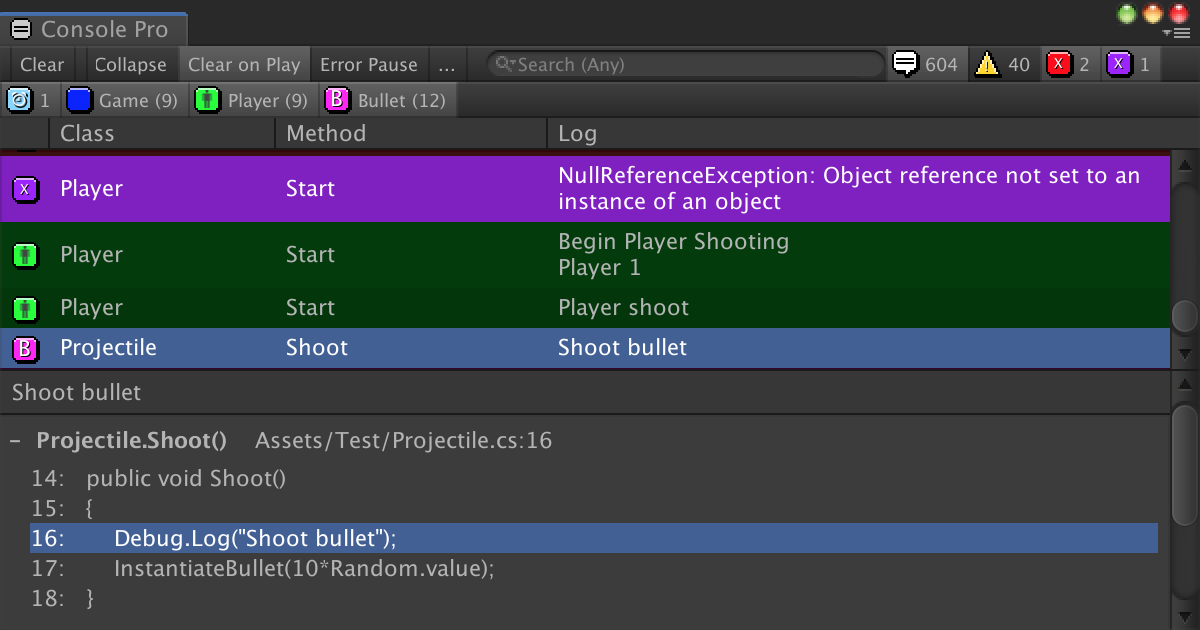
Use the Editor Console Pro from FlyingWorm on your next project. Find this utility tool & more on the Unity Asset Store.
this is what vanilla console says

ok there was a removed script on the main prefab, i removed that and that error went away for a little bit
gonna reimport the sdk just in case something got borked
 blissful void
Hey guys.
Little question. I´m making Worlds with SDK 2 and wanted to shift to SDK 3.
Many people say, do it, its so much easier, etc.
So i did...and i don´t get it. It seems i miss something.
I watched tutorials and what not but all of them are MUCH more complicated then SDK 2.
If you want to open a door in SDK 2 pick a trigger component and put the values in.
In SDK 3 you have to WRITE the code first with Udon# or Notes??
Oh and most Tutorials say the buffering system of Udon is completely broken. You have to work with, Variables?
Do i miss something?
I don´t want to talk Udon down, i really just think i miss something here O.o
blissful void
"In SDK2, every operation that worked with bools had the ability to toggle the value. This does not exist in SDK3. The proper way to toggle an object requires 4 actions. See the mirror toggle guide on details for how to toggle an object."
Is this really the case? O.o
If yes, how is this "more user friendly"?
night viper
blissful void
"In SDK2, every operation that worked with bools had the ability to toggle the v...
CyanLaser made a tool called CyanTriggers that lets you use Udon as if it was the SDK2 interface. You could try that to make your own scripts with Udon. https://github.com/CyanLaser/CyanTrigger

GitHub
CyanTrigger is a new compiler for Udon with focus on in-scene editing. The interface resembles the old SDK2 VRC Trigger interface, but has more functionality. CyanTrigger has full access to all of ...
fading cipher
Is there something about Udon that keeps from interacting with a BoxCollider's bounds.size?
fading cipher
apparently you're just not supposed to touch BoxColliders' bounds at all doesn't work on a collider if its gameobject is disabled
 craggy ingot
Hey how do I open a door with a key placed on the lock?
I am using Udon Node Graph with animation
Thank
 vestal mesa
Hey guys sorry noob here - but would this pack work in VRChat - https://assetstore.unity.com/packages/3d/environments/terrace-pack-38323

Elevate your workflow with the Terrace Pack asset from POLYBOX. Find this & other Environments options on the Unity Asset Store.
edgy ingot
yeah why wouldn't it? it's just 3D assets
 cunning mist
The only thing that will not work is the included script for the Animated Birds, though theoretically that's a quick reproduction inside of Udon. Outside of that, you should be good to go!
edgy ingot
^^
i've been trying to re-create something from a pack and it's been a nightmare to get working
 broken bear
Silly question, but is there any way to compress the serialized udon asset? trying to shave off 100k here or there
edgy ingot
other than optimizing the code, no
the amount you'd shave is negligible 99% of the time
there's a thing called PNG Gauntlet, you can mass compress textures, then crunch from there if you want
 scarlet lake
I gotta log in for the update and forgot my goddamn password 🤦♀️
edgy ingot
cunning mist
The only thing that will not work is the included script for the Animated Birds,...
mind if i ask a couple things? having some debugging issues rn lol
cunning mist
I'm presently at a gas station on a three hour car ride, so unfortunately you've got me at a bad time
edgy ingot
gotcha gotcha no problem
obtuse agate
broken bear
Silly question, but is there any way to compress the serialized udon asset? try...
When you build a world, the assetbundle will compress all assets with LZMA. Text assets like serialized udon compress really well, so world size won’t reduce much even if you somehow manage to compress the udon asset
broken bear
Ah good to know
 tired fractal
Is there any person that can help me making an avatar?
 stone kelp
edgy ingot
stone kelp
edgy ingot
anyone have any experience with Material.SetVectorArray()?
is it able to dynamically add to the list the material works with or is it something i set BEFORE running?
source for context
and yes i'm the same person as last night/earlier i just got the single player version working :P
also ignore the foreach being scuffed i know i was just testing stuff
 ionic jackal
Where StringBuilder()?
Why no StringBuilder!!!
magic drift
Hey, I wanna make it so when I click the mirror it turns off and turns on a more optimized one
then when you click that one it turns off completely and enables a cube/button to turn the mirror back on
How might I go about that?
 west mural
edgy ingot
anyone have any experience with Material.SetVectorArray()?
is it able to dynamic...
west mural
edgy ingot
anyone have any experience with Material.SetVectorArray()?
is it able to dynamic...
you can set Vector Array during runtime. However that wont resize the array in your shader. In your shader you need to define the array with it's maximum size.
Probably want a second property to pass the length of the array to your shader too because of that.
 topaz sorrel
Trying to make it so that when you interact with a button, a random object from a certain object pool will spawn.
This is the simple script I'm using, but I keep getting this error every time I trigger the button to spawn an object


sned hlep
grand temple
did you assign the "Deck" object to the inspector?
topaz sorrel
Assign it to inspector?
grand temple
you need to tell it what object "deck" is
to do that, you need to make deck be a public variable
then it will show up as a slot in the inspector
and you can drop in your object pool to that slot
topaz sorrel
Oooh yeah. Yes the code knows what Deck is, I dragged it in from inspector and it's a public variable
ye it's a public variable

Still doesn't work though, not sure why
topaz sorrel
I put this script on a different object, do I have to make sure that's a public variable, too?
grand temple
that's not what I mean
I mean, you put this script on an object
that object has an inspector
what does that look like
topaz sorrel
OOOOOH okay got it yeah I didn't set the public variable down in the udon script.
Thanks, wouldn't have realised that without your help
grand temple
also in order to spawn from an object pool, you need to be the owner of it. If you don't transfer ownership, the only person who will be able to spawn from it will be the person who's been in the instance the longest
so you just need to add a Networking Set owner node. Plug in Networking Local Player and the gameobject of the object pool
topaz sorrel
Where do I attach the set owner node?
grand temple
after interact, before shuffle
topaz sorrel
Like this?
 grand temple
yes
topaz sorrel
Pog, thanks
Do I have to add anything else to the script or should it work fine just like that
grand temple
plug in the player and the object
topaz sorrel
Plug them in to what?
grand temple
the setowner
you need to tell it who should be the owner and what object is changing ownership
topaz sorrel
Alright, I set the object but how do I set it so that whoever presses the button is the player who gets ownership
grand temple
networking local player
interact only happens for the person who clicked the button so you can just assume local player
topaz sorrel
So something like this? DeckOBJ is the object that has the pool assigned to it
 grand temple
yes, that could work but you don't need to have a separate public variable. You can get the gameobject from the Deck itself
topaz sorrel
Oh alright, and how would I do that?
grand temple
vrcobjectpool get gameobject
topaz sorrel
Like this?
 grand temple
yep
topaz sorrel
Alright. Thanks for your help!
 left fulcrum
ok so, completely new to world creation, literally the only thing i need to do is toggle an object and multiple tutorials later none of them work, what do you reccomend?
left fulcrum
I follow 8 VIDEOS and NONE worked out
wind atlas
left fulcrum
ok so, completely new to world creation, literally the only thing i need to do i...
I recommend patience. Chances are, you don't understand some basic concept enough yet to see what's going wrong. Take your time to get to know them. If you feel like you are stuck, post whatever error you are getting, people will generally help if you make it easy for them.
 stable glen
From the beginning, really. Do multiple iterations of projects and test to see what works out better.
wind atlas
left fulcrum
how do you think i should start
We don't know what you know, or don't know. There are enough tutorials that teach that, knowing some programming fundamentals helps.
First sentence got out weird, what I mean is, tell us what you tried, what doesn't work, etc
left fulcrum
im just tryna make a simple object on-off switch for an animation world, that is it, im not tryna learn code, im not trying to learn all of udon, i just wanna do a toggle, but of course unity & udon doesnt wanna go my way
left fulcrum
still unsuccessful, all tutorials not working as shown
wind atlas
left fulcrum
im just tryna make a simple object on-off switch for an animation world, that is...
It doesn't sound like you want udon related help since you are not posting your actual udon problems.
Maybe you want to use a solution like CyanTriggers? It's supposed to work like the SDK2, if you are familiar with that. I am not and I've never touched it, but it's supposed to help people who don't code from what I know.
Have a look at their setup video, in the first 3 minutes they show you what I think you want:
https://www.youtube.com/watch?v=RLJorzZGy-U&list=PLIoLQ-8wanr9oC3SK-2SAZ0JPXEwwljNv&index=1

This tutorial teaches you how to create a synced toggle using CyanTriggers for VRChat's SDK3.
Download Tutorial Resources:
https://patreon.com/posts/54682376
This tutorial uses Unity 2019.4.29f1 and VRCSDK3 2021.08.04.15.07
Check the current version of Unity:
https://docs.vrchat.com/docs/current-unity-version
Download the latest VRChat SDK:...
left fulcrum
i found a working one now! ;D
edgy ingot
west mural
you can set Vector Array during runtime. However that wont resize the array in y...
aighty, tyty
 craggy harbor
Is there a minimum value for this that if this value is set lower than that it will reset to one? I did some test and notice these objects are still very easily accessible from a relatively far distance no matter how small the proximity value is.

 unborn hornet
Help with what?
 prime glacier
Error message when I upload the world
This error stops me from uploading
【Always】Fetching fresh local config
grand temple
prime glacier
【Always】Fetching fresh local config
That's not an error message, it's not even a warning. It's just a log saying that it's communicating with the API
 final sedge
grand temple
That's not an error message, it's not even a warning. It's just a log saying tha...
final sedge
grand temple
That's not an error message, it's not even a warning. It's just a log saying tha...
o,wow
final sedge
grand temple
That's not an error message, it's not even a warning. It's just a log saying tha...
I just have to wait all the time?
 sage ledge
Is there a decent tutorial how to toggle a global respawn of objects? (Udon)
grizzled trout
hi, need some help with somthing. i am trying to make it so when someone presses a button everyone close to that player gets tellaported . i tried making a box with a colider that basikly would tellaport anyone who enters then sets its self to despawn but it would only send one randomplyer .how can i fix this?
grizzled trout
also kinda dump question but is there away to set a vareable like global? like so codes intoract with eachother?
wind atlas
grizzled trout
hi, need some help with somthing. i am trying to make it so when someone presses...
SendNetworkCustomEvent when the button is pressed. Then in the called event, you teleport the local user.
wind atlas
grizzled trout
also kinda dump question but is there away to set a vareable like global? like s...
Sorry, I kinda answered without thinking. You'd also need to test if that local player is in the trigger too.
grizzled trout
wind atlas
SendNetworkCustomEvent when the button is pressed. Then in the called event, you...
i do have it set that way, the problem is i need to disable it after people get sent so that if somone walks in to the area after the fact they wont get telaported with out someone having to push the button again
OOh wait ! no i think i relized i am dum!
i sware i chaged that
think i fixed it
wind atlas
grizzled trout
i do have it set that way, the problem is i need to disable it after people get ...
If you've fixed it then that's good. It shouldn't be possible for a SendCustomNetworkEvent to trigger multiple times.
wind atlas
grizzled trout
also kinda dump question but is there away to set a vareable like global? like s...
Also, not sure what you mean by global, but if you set a variable to synced on a Continuous script, then everyone will receive the value from it.
grizzled trout
wind atlas
Also, not sure what you mean by global, but if you set a variable to synced on a...
like say for exsample to open a door you press a one button twice , and then another button 3 tmes and then a door opens
if that makes sense
grizzled trout
wind atlas
If you've fixed it then that's good. It shouldn't be possible for a SendCustomNe...
here is the graph for the telaporter btw
 wind atlas
grizzled trout
like say for exsample to open a door you press a one button twice , and then ano...
wind atlas
grizzled trout
like say for exsample to open a door you press a one button twice , and then ano...
Your example can be done purely with local state. However, if you want people who join to also know about those 3 button presses, then that's what synced variables are for.
grizzled trout
wind atlas
Your example can be done purely with local state. However, if you want people wh...
can you show me an excample of how to do it ? i dont mind if people joining late dont get the changes
wind atlas
grizzled trout
can you show me an excample of how to do it ? i dont mind if people joining late...
With local state? It honestly boils down to using SendCustomNetworkEvent when someone presses the button. Every client gets that event and increases their own counter by one.
grizzled trout
i mean how do you get the value from one script for another?
wind atlas
grizzled trout
can you show me an excample of how to do it ? i dont mind if people joining late...
However, being able to handle late joiners is nice, so I'd recommend to check out the documentation for synced variables if you haven't already.
wind atlas
grizzled trout
i mean how do you get the value from one script for another?
You can reference scripts in scripts.
grizzled trout
how? sorry if i seem kinda dence, just been spending a while trying to understand it on my own and a little fryied
wind atlas
grizzled trout
how? sorry if i seem kinda dence, just been spending a while trying to understan...
Not sure about the best way in graph since I don't use it that much. Try dragging a script into another graph?
Otherwise, create a UdonBehavior variable.
Pretty sure there are some basic tutorials that show that.
grizzled trout
i tried the draging one on to the other and that dint work but i will look in to the UdonBehavior variable, thanks for your help
https://www.youtube.com/watch?v=HERcbs636Xo ok , slightly depressing how easy it is

Here's a short tutorial covering how to get a program variable from another script. Something to note, is that the variable you wish to get needs to be a public variable for other scripts to be able to see it. Also, I didn't show it as I never put my script on a game object, but you would have to fill out the public udon variable when you go and...
 kind nexus
Hello, everytime i import the latest SDK i get this errors any ideas

 dawn forge
Are you updating the existing version?
kind nexus
i made a new project
dawn forge
It's having trouble updating/replacing a file within the sdk you're importing into Unity. Do you have enough disk space?
kind nexus
I should have, Ill End up deleting some files and try that out
dawn forge
Check these paths and delete them if they exist then try again.

The files, not paths*
scarlet lake
I have a problem with my world where my file seem to not let me test it but i logged in and out
and i got a new pc but i transferred my data from my old pc to my new pc, and now my sdk is not aloud to build or test
magic drift
If I just want to load and play an mp4 what video player should I use?
Please only suggest ones that work with the Quest
 rotund night
scarlet lake
I have a problem with my world where my file seem to not let me test it but i lo...
rotund night
scarlet lake
I have a problem with my world where my file seem to not let me test it but i lo...
What packages have you got imported? Do you happen to have the simple light node generator?

 echo steeple
 deep vessel
how do i fix this in blender
deep vessel
how do i fix this in blender
#avatar-help #avatar-general wrong section. You'll want to elaborate further as well once you're there
deep vessel
t.
broken bear
Is there a graph equivilent of a #If UNITY_EDITOR ?
mighty fjord
broken bear
Is there a graph equivilent of a #If UNITY_EDITOR ?
Nope
You could just do a Networking.LocalPlayer null check if you're not using CyanEMU I guess
wind wedge
Does anyone have experience with the Udon-Dynamic-Soundtrack-Contoller?
Ive renamed all the tracks in the array to add _Transition so it loops through but it only plays one song
magic drift
I have added an grabble object with gravity to my world
And it works perfectly fine aside from how if I try to grab a part of it outside a certain range it snaps to a different part
How do I get it to not
??
 gentle summit
how could i make a ai follow a nearby player based on chance?
or just wander the nav?
 undone rock
Hello, does someone know how to make a point light that follows the player around? I think I could do this using c#
wind atlas
undone rock
Hello, does someone know how to make a point light that follows the player aroun...
You can do stuff like Networking.LocalPlayer.GetPosition()
wind atlas
gentle summit
how could i make a ai follow a nearby player based on chance?
Something like this:
int num = Random.Range(0, VRCPlayerApi.GetPlayerCount());
MoveMyAI(PlayerList[num].GetPosition());
You need to obviously save the PlayerList in OnPlayerJoined/Left
wind atlas
gentle summit
how could i make a ai follow a nearby player based on chance?
Have you used the NavMesh components before? I assumed you do since you mentioned it.
Instead of a random num, you can also just get the closest player to the AI.
dawn forge
Has anyone tried different sorting algorithms to see which one works best on par with the Unity frame rate and how Udon manages memory heap for this?
fiery yoke
dawn forge
Has anyone tried different sorting algorithms to see which one works best on par...
When implementing algorithms in Udon the number 1 way to improve performance is to reduce the amount of Extern calls. Anything else doesnt really matter, since they are unproportionally expensive.
 unreal grail
I love working with Udon. I have just one request...can you all please fix this typo in the Networking documentation? It's under RequestSerialization:
This node works will with the OnPreSerialization Event node.
I believe it is supposed to be "works well".
 twilit breach
Does anyone have experience getting video players to work on Quest?
 dapper lion
twilit breach
Does anyone have experience getting video players to work on Quest?
dapper lion
twilit breach
Does anyone have experience getting video players to work on Quest?
yes, what you need?
twilit breach
Does Quest use AVPro or Unity player? Also if you could just sort of go over any details of what you found works and what doesn't. I've heard things like it needs to be a direct link to an mp4 but not sure what else is important
dapper lion
twilit breach
Does Quest use AVPro or Unity player? Also if you could just sort of go over any...
avpro and unity both work, avpro is generally the recommended one, if you need rendertextures then use unity. but it depends on what you are trying to load, you could load mp3 files as music in a world via videoplayers, mp4 h.264 is usually what plays nice on quest. mpeg2 (.ts) works on quest. The main concern you should have is syncing the videoplayer too agreessively
but ofc, theres specific applications that can be done for the videoplayer for quest support so its optimally played in game
twilit breach
So the only syncing I do is with the initial URL and play. Basically I try to have a PC user type a URL into the input field, then when they enter it, it syncs that URL to other users and has them play the same URL locally. Works fine for other PC users but Quest users have reported issues (with the Allow Untrusted URLs checked)
Need to double check that the mp4 is h.264 but do you know of any issues syncing a URL from input field over to a Quest user? or is that something that should work
dapper lion
theres some slight annomallies but nothing too big other than the afk quest glitch
i would double check that the hierarchies are both the same on android and pc
twilit breach
I'll check that out but it is reassuring to know that its possible to enter and play URLs at runtime for Quest users. Read a forum that was mentioning it only working with links you preset in the project and got nervous
This is a good start point. Will double check hierarchy, mp4 and if it is h.264. Oh is there like a specific link that works for direct mp4s? or pretty much Google drive or VRCDN links should just work (I suppose I mean if there's some sort of special shortened version or modified version of the URLs that is needed or even causes issues if used instead)
dapper lion
i have yet to fully test out vrcdn, but google drive media def work
twilit breach
just curious, yours must have a PC user enter the URL in an input field and then it syncs that URL for Quest users? Or did you find a way for Quest users so somehow copy/paste (since they don't have keyboards xD)
dapper lion
twilit breach
just curious, yours must have a PC user enter the URL in an input field and then...
vrcurlinputfields are super limiting but, my crack team of quest development figured out that you can type stuff in on the quest side via "sidequest" on their secondary devices
theres a canny about a year ago addressing this issue, but it was never fixed
 twilit breach
Is SideQuest like a mobile phone or PC app that lets users do things for their Quest? I think I see it on Google but just want to confirm
dapper lion
twilit breach
Is SideQuest like a mobile phone or PC app that lets users do things for their Q...
should be both
twilit breach
cool cool. Thanks a lot. This has been super helpful. Going to try all this stuff out. Again thank you very much! 😁
 wide radish
Does anyone know how to make an object follow you in your world?
 pearl tiger
This is definitely a question for a team member, but I accidentally did a no-no and told unity to update some out-of-date dependencies. Luckily, everything seems fine minus this one error
''' Assets\Udon\EventProxies\OnAudioFilterReadProxy.cs(10,27): error CS1061: 'UdonBehaviour' does not contain a definition for 'ProxyOnAudioFilterRead' and no accessible extension method 'ProxyOnAudioFilterRead' accepting a first argument of type 'UdonBehaviour' could be found '''
I'm comfortable with editing the code, so does anybody happen to know what I'd have to fix in there?
 bleak echo
Does udon sharp support string.Split()?
grand temple
yes
 simple shell
Hey there! Is there a Graph for "OnKeyDown use container"? Like if you press the "I" Key it causes a button to get pressed in world?
topaz sorrel
I have a VRC pickup and I want to make it so every time you press trigger while holding it, it switches between two materials. How would I code an UDON script to do that?
hushed gazelle
@simple shell Check for Input GetKeyDown with a Branch on the fixed update loop (ie; GetkeyDown I == True, Set MenuBool to True/False)
If you do it on a pickup, make sure to check the Pickup is being held as well, just as an FYI.
On a different topic, is there a way to force a pickup into a player's hand? Eg; Click on Pile of Things, put A Thing in player's hand that interacted with it?
fiery yoke
hushed gazelle
If you do it on a pickup, make sure to check the Pickup is being held as well, j...
Nope. Sad, I know.
hushed gazelle
Dangit, ah well.
topaz sorrel
I've got an UdonSharp script and I want to make it so when you use the held item it'll change materials to another material.
The material change works, only if I force OnPickupUseUp, but if I'm in game and actually use the item it doesn't change
fiery yoke
topaz sorrel
I've got an UdonSharp script and I want to make it so when you use the held item...
Make sure "Auto Hold" is set to "Yes" on the pickup
fiery yoke
Yeah VRChat goofed on that one
 bitter silo
yo guys i know i am dumb but how can i get my world to be in my bio like this

 cold raft
if you upload a world as public yourself through unity it will show up there
(it might be hidden when the world is still in labs state)
 slow delta
bitter silo
yo guys i know i am dumb but how can i get my world to be in my bio like this
slow delta
bitter silo
yo guys i know i am dumb but how can i get my world to be in my bio like this
your world has to be out of the community labs to show up there
topaz sorrel
I've got some pickups which I need to be globally synced, except every time I add the global object sync component, I get an error in builder telling me object sync cannot share an object with manually synced Udon behaviour.
I do have a U# script attached to it which syncs the object changing material at the press of a button, but it doesn't sync the object's location
hushed gazelle
Set the udon behaviour to sync Continuously.
topaz sorrel
howwwww do I do that
because the drop-down box I'd normally press to do that is un-openable
cold raft
then its an attribute insie the udon# sharp script at the top of the file
an other solution, is to create an empty game object as its parent, put the object sync and pickups scripts on there, and keep the udon# script and the model or whatever it is as a child
that way the pickups and object sync will sync the position of the empty game object while the child object can still work as it always did using the attached udon# scripts
final sedge
Udon Behaviour(Script)➡Continuous.Entering the game is still locally visible,I do not know why
bitter silo
slow delta
your world has to be out of the community labs to show up there
how can i do that
indigo finch
bitter silo
how can i do that
cold raft
basicly it goes out of labs on its own, if its popular like you invite a lot of friends there it can take a few days, otherwise maybe a few weeks
bitter silo
oh so i have to publish the world in the community labs and wait for it to just get out of it?
 gilded shore
i am wondering what the udon events
UdonSyncRunProgramAsRPC ObjectName :player node (6)
UdonSyncRunProgramAsRPC ObjectName :frag (0)
UdonSyncRunProgramAsRPC ObjectName :smoke (0)
do in the context of murder 4
cold raft
that is not something for you to know unless your trying to hack it
gilded shore
cold raft
that is not something for you to know unless your trying to hack it
I had a rpc sniffer on and some guy was spamming it a lot
fiery yoke
Im pretty sure the console tells you that as well...

 fiery yoke
You probably did not assign anything to uiTextInput in the Inspector.
bleak echo
I did, I'll confirm
fiery yoke
An exception also says what went wrong, you cut it off to early to be helpful
bleak echo
oh wait a second it got unset!
I'll try again, sry for bothering over something so silly.
actually no, still getting the same error


calling .ToString() also didn't help:
 bleak echo
So, is it possible to read and manipulate ui text fields? I assume i should be...
bleak echo
Alright, so the issue was calling the method on Start().
Calling it at a later time works fine.
For my purposes this is perfectly fine. So my problem is solved.
mighty fjord
Strange
bleak echo
Yes it is.
I have a techanon pro video player in the world, which runs before anything else. I don't know if that's somehow interfering.
fiery yoke
Could very well be something related to the Execution Order
bleak echo
I know the video player has this line on it:
[DefaultExecutionOrder(-9999)] // needs to initialize before anything else if possible
It's outside of the scope of what I'm doing, but I suppose I could do the inverse on my script:
[DefaultExecutionOrder(9999)] // needs to initialize AFTER anything else if possible
well, now it's working regardless of what I do. I honestly don't know why the behavior is being inconsistent.
I'm using cyanemu, to test things, so maybe it's just acting up for some arbitrary reason
Anyway, problem solved. 😅
scarlet lake
Newbie question. Is Udon only programmable via the node graph interface? Can Udon be manipulated as raw text like an ordinary language? Can I separately call Udon routines in C#?
grand temple
sorta, you're on the right track. You can use udon with C# but it's not because udon is being called by C#, instead it's because you can compile C# into udon code
the tool to do this is UdonSharp https://github.com/MerlinVR/UdonSharp

GitHub
An experimental compiler for compiling C# to Udon assembly - GitHub - MerlinVR/UdonSharp: An experimental compiler for compiling C# to Udon assembly
TL;DR the graph is just the default compiler. It creates assembly code, and that's what actually runs in your vrc world. But that assembly code can be created by anything, including custom compilers created by the community
scarlet lake
Oh nice. So I could just write my own language ontop of the Udon VM ?
grand temple
if you are intimately familiar with compilers, yes
you can also just write the assembly by hand if you really wanted to 😅
scarlet lake
It just seems strange to ship an interface like this, and go right to visual programming, without writing some kind of language. Visual languages start looking like circuit diagrams, and become extremely complex, unwieldy, brittle, etc. very quickly.
Udon is still in Alpha though right? I guess if you've just focused your effort on designing a VM, you can delay your language implementations until later.
grand temple
The graph is built to be user friendly for beginners. The community-built compilers fill the needs of advanced users
scarlet lake
Oh I see. Maybe I'll get started with the assembly code then. Might be a fun project to roll my own compiler later
grand temple
I'm not sure if there's any kind of code assistance for assembly, it will be pretty painful. I really recommend udonsharp, it is the best udon programming experience right now
even if you want to move towards your own thing eventually, you should get a feel for what the current landscape looks like
scarlet lake
Okay will do. Thanks for the recommend @grand temple
 naive lagoon
How would I emulate or simulate a laser light show?
 ebon lantern
I am new to udon graph and need help creating a ontriggerenter with multiple game objects. where all the gameobjects are needed to toggle on a seperate game object. please?:)
night viper
ebon lantern
I am new to udon graph and need help creating a ontriggerenter with multiple gam...
I would do it with a private int. OnTriggerEnter, add 1 to the Int. On TriggerExit subtract 1 to the int. If 3 objects enter the trigger, the Int will be 3 (since each object added 1) Then you just have an event that detects when Int equals X number, then the flow continues using a branch (if) that toggle a separate object.
ebon lantern
night viper
I would do it with a private int. OnTriggerEnter, add 1 to the Int. On TriggerEx...
Okay that makes sense. i will give it a try!
night viper
ebon lantern
Okay that makes sense. i will give it a try!
Here is in case you need a visual representation of what i meant.
 ebon lantern
night viper
Here is in case you need a visual representation of what i meant.
ebon lantern
night viper
Here is in case you need a visual representation of what i meant.
omg you are a blessing
ebon lantern
night viper
Here is in case you need a visual representation of what i meant.
im sorry for the dumb question. but i really cange find the change even
nvm
i did it
 scarlet lake

 elder peak
your disk space is too low
fading cipher
Pretty advanced question but asking for a friend... has anybody found a way to successfully keep the player from moving their avatar at all when in Full Body calibration mode when they T-Pose?
magic drift
Hey, I'm using the "canvas" prefab/script to make info boards but I've noticed they are always visible
How can I make the environment block them?
or if it's easier make it so when you go a outside a certain range they disable?
night viper
magic drift
Hey, I'm using the "canvas" prefab/script to make info boards but I've noticed t...
Did you test it on game/play mode? I remember a bug where UI canvas/text would be visible through walls, but pressing PLAY then exiting would fix it.
magic drift
I have looked at it in game but I didn't test for if it was visible through walls
I'll give it a test now (in play mode)
Always forget how misleading the Unity editor can be
magic drift
fading cipher
Pretty advanced question but asking for a friend... has anybody found a way to s...
Shouldn't this be in #full-body-tracking not #udon-general ?
fading cipher
No because it’s an udon question 🤔
magic drift
Apologies it seemed more like a FBT, avatar, or just game related question than Udon
I think I saw a head tracking prefab I can check if it tracks based of off bone or what
because maybe you could use that to move the avatar based on how the player is actually moving?
fading cipher
The issue is more specifically that when a player is in full body and goes into calibration mode, even stations that keep the player still don’t keep them still
They can move their avatar around outside of the station and break things
magic drift
I meant move the avatar inverse to how the person is moving when calibrating
Because I presume the way they're moving their avatar/capsule is by physically moving
magic drift
night viper
Did you test it on game/play mode? I remember a bug where UI canvas/text would b...
Thank you
fading cipher
magic drift
Because I presume the way they're moving their avatar/capsule is by physically m...
I have just received news from said friends that the issue is specifically that we need to keep them in their playspace origin, and moving around irl then teleporting them back to the station wouldn’t magically tell the game that their irl position is now the center of their playspace
hushed gazelle
Just a quick sanity-check; If I turn on a collider with a trigger area in it, it should immediately detect the players standing in its area correct? (Assuming correct Layer, OnPlayerTriggerEnter, etc)
wind atlas
fading cipher
I have just received news from said friends that the issue is specifically that ...
Could you use the head tracking position to teleport the player to the right location?
fading cipher
Teleporting the player doesn’t change the distance from their tracking data to their playspace’s origin
wind atlas
fading cipher
Teleporting the player doesn’t change the distance from their tracking data to t...
The idea I had is to fixate the players position to a specific point in the world by using the head. Hope that makes sense. But yeah, I don't know your issue, just throwing out ideas.
 torn pendant
How do you make custom delayed play Local ONLY.
 hushed gazelle
Set the recipient to the local player.
torn pendant
How?
hushed gazelle
Wait, sorry ,that should be local by default. Thought it said Network event.
 flint urchin
Yeah, that in itself is local only.
 meager herald
Does anyone have a recommendation for a video tutorial series for a new world creator to go through that will help with essential udon things such as toggles for items, lightings, mirrors, PP settings, etc?
indigo finch
meager herald
Does anyone have a recommendation for a video tutorial series for a new world cr...
The most common thing in vrchat worlds is toggling on and off something, to which Vowgan's tutorial has helped many: https://www.youtube.com/watch?v=ibDu0dCeUE8.
That being said, if your really trying to learn udon to make a full on game (not just sdk2 game), then you'll have a hard time going off vrchat tutorials alone. In that case, I would recommend playing around a bit in standard unity for that, and bringing your knowledge over to vrchat udon. A basic knowledge from something like the 'c# survival guide' should get you to the stage of being able to read the documentation and understand what they're saying
With the recent Udon updates, some of the basics have changed, so here's my most basic tutorial redone with the new editor, and not recorded at 2am! If I get enough requests, I'll redo my "Contextual Buttons" video as well, which will give me an excuse to just rename them "Event Buttons" which actually makes sense.
00:00 - Intro
00:20 - Udon Gr...
also, feel free to ask here if you get stuck ^^
meager herald
indigo finch
The most common thing in vrchat worlds is toggling on and off something, to whic...
Awesome, I'll check this out! I'm mostly just planning on making simpler worlds that are to hang out in and might have some prefab games in them. No plans at the moment to make any custom games from scratch. I just want to make sure I can quickly and correctly make toggles, menus, video players and such that people can use in the worlds.
indigo finch
meager herald
Awesome, I'll check this out! I'm mostly just planning on making simpler worlds ...
luckily, for most of that you just need toggles. I think he also did a tutorial on ui's so check that out if your after that.
Something to note with prefabs is that many need udonsharp to run, so be sure to import that as well ^^
 copper mortar
So, I haven't made worlds in a long time...
How do I make triggers again?
copper mortar
https://www.youtube.com/watch?v=ibDu0dCeUE8&ab_channel=VowganVR
I followed this tutorial, but I want it to turn itself off after it's done. Basically I want the trigger to activate a sound, turn off, and activate a sound again.
With the recent Udon updates, some of the basics have changed, so here's my most basic tutorial redone with the new editor, and not recorded at 2am! If I get enough requests, I'll redo my "Contextual Buttons" video as well, which will give me an excuse to just rename them "Event Buttons" which actually makes sense.
00:00 - Intro
00:20 - Udon Gr...
meager herald
indigo finch
luckily, for most of that you just need toggles. I think he also did a tutorial ...
Thank ya a ton!
copper mortar
https://gyazo.com/4fbdf730647c6d93074e7cf29cdc9efe
Basically I want to create a trigger that will turn on an audio source for a bit before turning it back off. The trigger is what causes it to turn both on and off. How do I do this?

https://gyazo.com/16ad51f9dcec1faa7602c701b3beafc3
This is what I have for the Udon Graph. How do I make it to where the trigger will turn the object off afterwards???

I want it to play the audio source fully before turning it off. Again, how do I accomplish this?
scarlet lake
how would i make a toggle button where i can turn off a collider
indigo finch
copper mortar
I want it to play the audio source fully before turning it off. Again, how do I ...
Your probably better off just playing the audio sound: https://youtu.be/cQ3hWKY-NiA
As for your question, there is a 'send delayed in seconds custom event' node (or something along those lines). Just send a delayed event that turns it off afterwards

A simple tutorial, covering how to make a button that plays a sound in udon. I've seen a couple of post asking about how to play a sound in udon, so hopefully this will give a good foothold to bounce off from.
If there is anything I missed, please leave a comment bellow!
indigo finch
scarlet lake
how would i make a toggle button where i can turn off a collider
If you know how to toggle a gameobject, it's exactly the same, just instead of a gameobject.setactive node its a collider.Enabled (or set enabled...) node instead
 junior coral
Does Someone have a Script oder asset that can Toggle an Object on and off and also can Move same Obejct only on the Y Coords from 1 to 100 in 0.5steps. Prefered a Slider or an + - Toggle
Or a scipt i can put in Object X and it Scan the User for his Viewpoint Position then Adds 0.5 and Moves Object X only on the Y Coords.
 valid basin
Does anyone know how to to add multiple UdonSharp Video Player screens/UIs to the same system? Basically i want the video player system to display on multiple monitors, and have multiple input UI's too. I realize it can only play one video at the time, that's as it should be.
 indigo finch
valid basin
indigo finch
valid basin
Im not that familiar, so take this with a large grain of salt, but I think one of the video players can output to a rendered texture. If so, you could put that rendered texture on a material, and that material could be placed on many screens. The buttons could be done by firing events to a script that manages the video, and for ui input... dunno. you cant have it change a 'master text' box for the url afaik, as vrchat's superprotective of making it user input only for urls, but perhaps you could send an event to say 'hey, grab from this text box' instead.
hope that helps. if not, hopefully someone else can ^^
junior coral
valid basin
Does anyone know how to to add multiple UdonSharp Video Player screens/UIs to th...
the Wolfe Video player should be able to do that if u just Copy the Screen Layer on Other Monitors
or copy only The TV, speaker and controller.
if everything is still in the same roots TV tree they should be linked.
wind atlas
indigo finch
Im not that familiar, so take this with a large grain of salt, but I think one o...
I'm not that familiar with it either, but I'm pretty sure you can turn any video player into a render texture by putting the output screen somewhere else in the world and point a camera at it. Theoretically that might work too.
meager herald
I'm trying to toggle off particles in my world with a simple button and it works for all of my particles except for one system that I have set up. The others don't have and children objects and work fine, but the one that has a few children particles under it does not toggle off with my "gameobject" toggle.
Using "target.SetActive(!target.activeInHierarchy);" for my toggle for the particles. Is this even the proper way to do so, or is there a better way for me to toggle these particles?
valid basin
with the latest version of USharp Video Player it was a breeze
other than the audio sources, i had to make a trigger that teleports those along with the player
broken bear
Is Ondeserialization event ignored if there are no synched paramaters on an udon behavior?
fiery yoke
broken bear
Is Ondeserialization event ignored if there are no synched paramaters on an udon...
If there is nothing to be deserialized, OnDeserialization will not be called :P
broken bear
got ya, I as using it as a bypass to avoid sendcustomnetwork event, I'll stick a random variable as synched
copper mortar
I have a complicated task I want to do
Basically, I want to trigger a button that will make the animator of an object become active and play the animation that’s on it. That part is simple. The next part isn’t. After the animation is over I want it to enable an object and not turn it off. I also want some music to play and then turn off. How the heckie do I this this?
Also, is it possible for this music to override all other music in the game until it’s over?
grand temple
if you have an animator on the same object as an udonbehaviour, the animator can send an event to the udonbehaviour with animation events
copper mortar
I know very little about Udon, but I’ll try
 copper thicket
how does one Set the VRCUrl with a specific string as aparently new VRCUrl(string url) is not exposed to U# nor there's Set method
grand temple
copper thicket
how does one `Set` the `VRCUrl` with a specific `string` as aparently `new VRCUr...
Udon is not able to create VRCURLs at runtime. You can create VRCURLs in editor with a public VRCURL or you can get them from user input with a VRCURLInputField
copper thicket
hold on, then VRCUrl is syncable then?
grand temple
yes
copper thicket
aight
indigo finch
copper mortar
I have a complicated task I want to do
Basically, I want to trigger a button th...
Here's my two cents. I think you need to break up the problem into different parts. First, you want to play an animation, which could be done by a 'animator.setTrigger', or in your case, just toggling it on. Provided the animation file is set to not loop, it will stay at whatever the last frame had and you can just ignore it from then on. Then also on the script that toggles on the object, you want to tell an audio source to play a sound. there is no need for it to be toggled on or off to do this. A simple 'AudioSource.play' is enough. I made a tutorial on how to play a sound a month ago, so go see that if you need help. If you want the audio to be delayed, you could always use a 'send custom delayed by seconds event' node to delay it.
As for the music overriding all other music, it depends on what you mean. If you just want it to play the audio regardless of where or how far away the object it, then simply disable specialization on the audio Source. However, if you were instead wanting to mute all other sounds in the world, then I only have a painful solution. There might be a better way of doing this, but you could have a public variable 'audioSource[]' array with all the other sounds in the world. Then you could use an 'AudioSource.pause' node, do a 'send custom delayed by seconds event' node (set to how long the sound file is), and after the delay it does an 'AudioSource.UnPause' node to resume the music.
copper mortar
Nope. Not even gonna attempt it.
 feral merlin
Quick question
Is there a function to check the avatar id of someones avatar?
I have a very cool feature in mind
scarlet lake
my mirror button isn't toggling in game

i have 3 different meshes, i have my udon graph linked to my hq mirror which is off by default

ive read and watched different videos and im just getting confused and frustrated on why my toggles arent working
grand temple
what does the inspector where you've added the udonbehaviour look like?
scarlet lake
 grand temple
you need to give it a collider
 grand temple
no, box collider should be plenty
scarlet lake
does the size matter
grand temple
yes, that's how big the interactable will be
but it should automatically fit around the mesh
scarlet lake

so is that graph fine to use on my low quality button as well and just add the collider to the text?
grand temple
yeah it would work
though as it's set up now, you can turn on both high and low at the same time. Ideally you'd want to add another part that disables the opposite mirror so only one can be enabled at a time
scarlet lake
oh how would i do that?
grand temple
add another public gameobject variable and always setactive false
that way the HQ button always disables the LQ mirror and the LQ button always disables the HQ mirror
 grand temple
you want to always set it to false so there is no reason to provide anything else
also you can reuse this same graph on both buttons so I would not recommend naming the variables LQ and HQ.
you can call them primary and secondary or something
that way on the LQ button, the primary is the LQ mirror and on the HQ button, the primary is the HQ mirror
scarlet lake
im sorry im new to udon and the words arent helping me @.@ im better with viusals
grand temple
doesn't matter, just semantics
 vivid eagle
I think this is the channel to ask this... I'm having a problem in Unity that's not letting me Build&Test my world. When I Test it, it loads normally and for a split second I hear the audio of the world play but it reloads and then I'm sent to the VRChat Home. It doesn't show there are any errors, except when I try to Build & Publish with the error being this:
"NullReferenceException: Object reference not set to an instance of an object
VRCSDK2.RuntimeWorldCreation.Start () (at Assets/VRCSDK/Dependencies/VRChat/Scripts/RuntimeWorldCreation.cs:82)"
I tried searching online for answers but couldn't find anything or anything that I recognized as an solution. I'm pretty new to all of this kind of stuff.
 autumn oriole
is there a way to play a video which I put in the project? Not with url
junior coral
i still search an Slider that can move an Set object on the Y Axis.
indigo finch
vivid eagle
I think this is the channel to ask this... I'm having a problem in Unity that's ...
Are you trying to upload an sdk3/ udon world? perhaps one of your prefabs was made for sdk2 and not sdk3. sdk2 is completely incompatible
indigo finch
junior coral
i still search an Slider that can move an Set object on the Y Axis.
Here's my rough explanation on how to do it. Have an udon script with a Vector3 variable of its original location. Also create a float variable for the slider to change, and a public uiSlider variable for the slider itself.
In the graph itself, create a custom event that when called, grabs the public uiSlider into a 'uiSlider.getvalue' node, and make the float value equal it. Then you want to grab your Vector3 and then grab the y value, and then add the y value to the public float value (that now equals your uiSlider). Then you remake it into a vector3, and that is now the new location for your object. You then want to put the modified vector3 into a transform.position node to change your gameobject's position to the new location.
Afterwards, you will also need to, in unity and on the slider itself, hit the little + on the slider component, and drag and drop the script gameobject into the new slot. Then with the dropdown, select udonbehaviour and select send custom event. Then you give it the name of the custom event (Case sensitive) on your script that updates the float variable
So yea, not the easiest to explain in text, though its a lot easier in practice
vivid eagle
indigo finch
Are you trying to upload an sdk3/ udon world? perhaps one of your prefabs was ma...
That would make sense. Wish it said which asset it was, but thank you. I'll make sure to double check my pieces.
vivid eagle
indigo finch
Are you trying to upload an sdk3/ udon world? perhaps one of your prefabs was ma...
Doesn't seem to be the problem. I deleted prefabs that I assumed was causing the issue and it doesnt change anything. I added Christmas lights into my project after having a successful play test, and after adding a few I was having issues with the SDK and Udon Sharp. I saved assets and the scene of parts I knew for sure werent the problem. I also realized, I think this builder screen is a little messed up. It used to show a lot more information...
 vivid eagle
Idk if that would be related to my problem, but its something I noticed after I could no longer Build&Test
unborn hornet
Calling RequestSerialization as a non-owner is treated as a NOOP correct?
unborn hornet
Alright then.
 distant prairie
I'm a beginner at udon and programming at a hole but there is this one thing I really want to make (a card game, both as a world and on an avatar) but I can't figure out how to spawn/set active a random object. i tried pure c# couldn't interact with the button I tried both udon and cyantrigger can't figure out how to tell it to give me a random object just the one specific object. and I couldn't find any tutorials on it on the web
grand temple
You can use a vrcobjectpool and shuffle it before trying to spawn
distant prairie
for the pool do I just put an array into it or do I have to put in every single object
and where do I find the shuffle node
grand temple
You can put in all the objects at once if you select the object with the pool, then click the lock button top right. Then select all your objects and drag them into the array all at once
And the shuffle node can be found if you search for vrcobjectpool first
Or if you don't know what category something is in you can always press tab to do a full search
meager herald
How exactly would one make a toggle for particles in a world? I can't get my button toggle to toggle off all of the particles in my world and I'm using the button to toggle off/on the game object in the hierarchy.
Actually nevermind I figured it out.
 carmine fiber
is there a good udon tutorial playlist anyone can recommend? something that covers the basics but doesn't just cover the basics
hushed gazelle
grand temple
you want to always set it to false so there is no reason to provide anything els...
The better way would be to do this through an animator and put each Mirror option on a different int value. Eg; Off == 0, Avatar-only Mirror == 1, HQ Mirror == 2. That way you can scale it and they can never overlap.
grand temple
if you want to have multiple mirrors you can just have an array of objects to disable
adding an animator to this significantly increases the number of moving parts
 vapid bough
So, Im in sdk3 with udon sharp uploaded and my shit just freaks out

More errors include Udon behavior and Networking
 vernal maple
Quick VRC Pickup question. Trying to discover a quick and easy way to detect which hand the item is in, and what that item is. So far I've got GetPickupInHand() for both left and right and two separate if statements. Is there something quicker?
 brazen epoch
Is there a standard way to check if 2 players equal each other? I'm comparing VRCPlayerApi.playerId, but I'm not sure how that works in local test envs
wind atlas
vernal maple
Quick VRC Pickup question. Trying to discover a quick and easy way to detect wh...
What are you trying to achieve? If you have the pickup instance already, you can call "currentHand" and it will return an enum which can be None, Left or Right.
wind atlas
vapid bough
Looks like you are missing some files. Try making a fresh install.
wind atlas
brazen epoch
Is there a standard way to check if 2 players equal each other? I'm comparing VR...
You can compare the player instances themselves, or you can compare the playerId, both should work if you want to find the same player.
scarlet lake
how do you teleport 2 friends lmfao
indigo finch
brazen epoch
Is there a standard way to check if 2 players equal each other? I'm comparing VR...
Unless your using cyanemu to play it in the editor, player id should work
vapid bough
Has anyone used Toly's combat system before?
fallen chasm
This might be a stretch given possible exploits and what not, but can Udon manipulate the VRC Scene Descriptor? -- I'm experimenting with something and I'd like to adjust the reference camera settings.
fiery yoke
fallen chasm
This might be a stretch given possible exploits and what not, but can Udon manip...
No you cant access/modify the player camera.
(sorry wrong reply)
fallen chasm
m'kay -- I figured that was the case. Something like that could be abused pretty easily.
vapid bough
wind atlas
Looks like you are missing some files. Try making a fresh install.
I fixed this already mb
fiery yoke
fallen chasm
m'kay -- I figured that was the case. Something like that could be abused pretty...
Not in terms of security. Only stability (or more "playability"), which isnt really a super valid argument, since there is enough other ways to ruin that.
Im not sure why you cant do it. But you cant.
fallen chasm
hmm... perhaps I should extend my question to include my goal. Maybe there's a better way to handle it.
I'm experimenting with a concept where players (non local) are only visible in a mirror. Haven't had much luck with baked occlusion. Figured I'd turn towards udon to see if I there was a more reliable way, but without access to the camera I'm not sure.
(hiding the local player from the mirror is as easy as editing the culling layers, so that half is solved)
 rain furnace
anyone know where/how to get this

 trail mesa
So I made a Tv and got buttons for url, play, and a slider for volume. its all works fine but when me and my friend went to watch something and it was only locally changing. Now I need to figure out how to make it global for the TV, Url and play buttons while keeping the volume slider local. does anyone have a good video/resource to help me out? (preferably a video)
carmine fiber
anyone know a good udon playlist that covers the basics and goes into some more advanced stuff?
or a beginner one and a more advanced one that can follow from it
either way
obtuse agate
fallen chasm
hmm... perhaps I should extend my question to include my goal. Maybe there's a b...
You might attach an extra camera to player head which doesn’t render Player layer, and overwrites the default camera view
vapid bough
Does anyone know a working combat udon system for sale or public?
 low bear
I haven’t seen any free ones, but most of em aren’t too expensive. Plus there’s tutorials on YouTube
vivid eagle
How do I make it so that the mirrors in my world or turned off until triggered by the button?
wait
nvm
vapid bough
low bear
I haven’t seen any free ones, but most of em aren’t too expensive. Plus there’s ...
Mind linking me to some? Paid or tutorial?
west mural
rain furnace
anyone know where/how to get this
Do you mean a button that opens web pages ? For security reasons that's one of the features only available to VRChat partners.
autumn oriole
Is there a method to get the height of the viewpoint or avatar itself? I know I can get a position of the bones but what I want to is get exact size of the avatar.
 zenith scarab
low bear
I haven’t seen any free ones, but most of em aren’t too expensive. Plus there’s ...
zenith scarab
low bear
I haven’t seen any free ones, but most of em aren’t too expensive. Plus there’s ...
Could you please link a few of them? I can’t find any to buy to use in my avatar
 quasi harness
im getting this errors on 2 imported udon assets.. am i missing something?
 indigo finch
quasi harness
im getting this errors on 2 imported udon assets.. am i missing something?
indigo finch
quasi harness
im getting this errors on 2 imported udon assets.. am i missing something?
Have you installed udon#?
 lean carbon
How much hours do you need to upload a avatar to vrchat?
west mural
lean carbon
How much hours do you need to upload a avatar to vrchat?
Wrong channel. Around 24, depends on other metrics like Friends etc. as well
quasi harness
indigo finch
Have you installed udon#?
yeah i have it now, it works ty
indigo wagon
 pearl mantle
I tried rtmp:// but i get video error
pearl mantle
I tried rtmp:// but i get video error
http/https
and it ither needs to work with YTDL or be mp4
and if its not an officially supported source you need unknown sources on
pearl mantle
indigo wagon
http/https
and it ither needs to work with YTDL or be mp4
reddit says DASH is supported by avpro https://www.reddit.com/r/VRchat/comments/kw4dci/showing_hlsrtmp_stream_in_world/
indigo wagon
pearl mantle
reddit says DASH is supported by avpro https://www.reddit.com/r/VRchat/comments/...
try just enableing unkown sources then see if that helps
also cyanemu is buggy with video players
also IDK how it works but i belive it would need to be acsessed from external servers/clients and that says you need to make it into a HLS stream
 candid frigate
How do I multiply two Vector3's together?
I'm trying to move a object randomly around the map but locking it on the Y axis.
fiery yoke
candid frigate
How do I multiply two Vector3's together?
Should be Vector3.op_Multiply
candid frigate
fiery yoke
Should be Vector3.op_Multiply
This?
 fiery yoke
candid frigate
This?
fiery yoke
candid frigate
This?
Yeah. you cannot multiply two vectors together. You can multiply them component wise though, which is called Scale. so I guess you mean that
candid frigate
fiery yoke
Yeah. you cannot multiply two vectors together. You can multiply them component ...
Ah, that's what I was looking for, every game engine I've used just bundled that in with the vector multiply operator. Thank you!
vapid bough
Anyone know where I could find a udon pvp and or combat system?
 scarlet wigeon
I just started getting into Udon# and before I waste even more time in searching for the impossible: Is it possible to fetch api data over https with udon# or over some script for vrc worlds, or does everything has to be available in the code already?
fiery yoke
scarlet wigeon
I just started getting into Udon# and before I waste even more time in searching...
Short answer: No.
wind atlas
scarlet wigeon
I just started getting into Udon# and before I waste even more time in searching...
Only http requests possible are from the video player. It's very limited though as it's not intended for that.
scarlet wigeon
Oh okay. So that means, when building an UI you would have to pre-load in an hardcoded way the data you need
valid basin
I want to change a player's SetVoiceDistanceFar and so on by interacting with a button. so far it seems like all the examples use a box trigger for area, but i cant find how to use a button interaction instead.
i have a script for the button working, but i am not sure how to apply the effect on the player. Anywhere i put VRCPlayerApi player seems wrong
does anyone know how to do this?
wind atlas
vapid bough
Anyone know where I could find a udon pvp and or combat system?
Your question is a bit vague, pvp can mean many things. Imo you'd want to make one yourself to make it unique. If you really want a prefab, there is this: https://github.com/Toly65/UdonCombatSystem

GitHub
A simple combat system designed for VRchat. Contribute to Toly65/UdonCombatSystem development by creating an account on GitHub.
vapid bough
So I tried setting up this system and could not get it to work
scarlet lake
Sometimes at night When I join it stops me from joining VR chat and Take me back to the main screen do you have an explanation why?
vapid bough
wind atlas
Your question is a bit vague, pvp can mean many things. Imo you'd want to make o...
Do you have any pointers to get this to work? I would follow the instructions and no damage would happen.
wind atlas
vapid bough
Do you have any pointers to get this to work? I would follow the instructions an...
Haven't tried it myself. See if there is an example scene, ideally it works and shows you how to set it up.
vapid bough
I set up the basic scene and the damage refuses to work
 forest harness

wind atlas
That is unfortunate. You need to debug it yourself then.
valid basin
valid basin
I want to change a player's SetVoiceDistanceFar and so on by interacting with a ...
any thoughts about this?
btw im trying to apply the effect to the person using the button
wind atlas
valid basin
any thoughts about this?
Afaik Interact only fires locally, so you can use Networkin.localPlayer
scarlet wigeon
Is everything supposed to be in the same class/file in Udon# or is it possible to split code to multiple classes?

(Accessing a class of another file, am I doing it wrong or is it indeed not possible to "import" stuff?)
grand temple
scarlet wigeon
(Accessing a class of another file, am I doing it wrong or is it indeed not poss...
Not in the main release at the moment. U# 1.0 beta allows for inheritance and static methods however
grand temple
valid basin
I want to change a player's SetVoiceDistanceFar and so on by interacting with a ...
The tricky thing is that you could easily just set the local players voice distance but that's not going to do anything because voice is all about how it's received, not how it's sent. So you need to instead communicate with all the other players and tell them to set your voice instead. To do that, the easiest way would be to take ownership and set a synced bool. Then ondeserialization (this is an event that happens when other people receive synced data) you get the owner of the object and set their voice settings appropriately.
The only problem with that is only one person can be the owner at a time, so you need to make sure you clean up and reset the voice of the previous person when you detect onownershiptransferred
scarlet wigeon
grand temple
Not in the main release at the moment. U# 1.0 beta allows for inheritance and st...
Okay, thanks for that info
 viral frigate
Oh almighty masters of Udon/U#. ^^
I'm in search for answers to a pretty trivial question which I can't find an answer to.
How can we alter the parameters of the Player Camera?
Whatever I try the values from the MainCamera passed into the VRC_Scene_Descriptor gets reset to standard values in CyanEmu.
I'm trying to change culling mask parameters, FoV... on the active Player Camera.
Any Udon Script or Animator/Animation I put into the Main Camera just gets ignored.
What piece of the puzzle am I not seeing here? 😄
And the culling mask node in Udon just takes an Integer as Input. I couldnt find any information on what that integer does. Is it the array order of the layers? How can I assign a toggle to it? D:
fiery yoke
viral frigate
Oh almighty masters of Udon/U#. ^^
--
I'm in search for answers to a pretty triv...
You cant.
Me and a few others usually use a technique we call "Player Camera Override" where you renderer a Camera after the actual Camera renders, but there is a lot of gotchas regarding this and its not officially supported.
viral frigate
Ahhh I see thank you 🙂
indigo finch
viral frigate
Oh almighty masters of Udon/U#. ^^
--
I'm in search for answers to a pretty triv...
Depending on what your doing though, there are some shaders that seriously mess with the camera, used on vrchat avatars. A bit of a longshot perhaps, but maybe worth a look
viral frigate
indigo finch
Depending on what your doing though, there are some shaders that seriously mess ...
Thank you for the suggestion. Unfortunately I really need those juicy culling masks accessed on the Player Camera 😄
Or my custom camera as the player camera. All I can do is activate the custom camera in Unity/CyanEmu. But that doesn't help since I dont even know the Player Cameras name or anything that is created on spawn :/
 smoky saffron
What void do I use if I want a U# program to run every time I click a toggle?
grand temple
Interact
smoky saffron
grand temple
Interact
Thanks, I got it to do what I needed!
candid frigate
 glacial sun
I need help
glacial sun
I need help
Don't ask to ask, just ask.
scarlet lake
How can I get to do the charecter expression but it just show the regular ones
brazen epoch
How can I get the Network owner of this GameObject?
this.GetComponent<GameObject>(); throws The given key was not present in the dictionary.
and My editor says this is not a valid option to pass into Networking.isOwner
grand temple
just use gameObject
 round abyss
How do you get a Kermit avatar
fading cipher
what a great place to ask this question
valid basin
grand temple
The tricky thing is that you could easily just set the local players voice dista...
thanks, for some reason i assumed that it was networked i'm not sure why
valid basin
@grand temple do you have another moment to think along?
its been some months since i did udon stuff, i kinda forgot how to do the network syncing properly
valid basin
is it possible to put an audio effect on a player's voice with udon?
 native rampart
Is it normal that the VRCPlayerApi object passed to OnPlayerLeft always has a playerId of -1?
 ionic pike
Can't use VRCSDK in any fresh project. It's broke; missing semicolon in one of the scripts, fixed it myself (how they overlooked this idk), now getting another compile error. I don't have the time or patience for this stuff.
Assets\Udon\Editor\ProgramSources\UdonGraphProgram\UI\GraphView\UdonGraphWindow.cs(4,30): error CS0234: The type or namespace name 'StyleEnums' does not exist in the namespace 'UnityEngine.UIElements' (are you missing an assembly reference?)
Fresh project. Nothing in it. Unity 2019.4.31f1. Imported latest World SDK3.
ionic pike
ionic pike
Can't use VRCSDK in any fresh project. It's broke; missing semicolon in one of t...
Think I figured it out; apparently I imported an old version of the SDK from earlier this year and didn't realize it.
wind atlas
native rampart
Is it normal that the `VRCPlayerApi` object passed to `OnPlayerLeft` always has ...
Apparently it's known bug. And you have to call playerId ~~in OnPlayerJoined ~~ anywhere on that player so it keeps the right value in OnPlayerLeft. Only found out recently while checking out the code in https://github.com/CyanLaser/CyanPlayerObjectPool
native rampart
what do you mean by "call playerId", just getting the value?
 native isle
I have a question
In vrchat, what is the normal way of starting a conversation
Like do you join in on random conversations or do you go around with a friend
 hybrid canyon
that would depend on one's mood which of the two and like how many friends you have to Join one of their conversations instead of random folks
viral frigate
native isle
I have a question
The only thing an actor owes his public is not to bore them
~ Marlon Brando
native isle
I don't get it
viral frigate
You can start listening and chime in in what people might be interested in if you can contribute to the topic.
Has anybody figured out on how to render your custom camera over the player camera?
If I enable the custom camera in Udon and set its Depth above 0 it works in CyanEmu/Unity but not in VRChat.
How can I set its priority above the player camera? :>
native isle
viral frigate
You can start listening and chime in in what people might be interested in if yo...
Oh
hybrid canyon
native isle
I have a question
and also I would note this is the channel for talking Udon General Channel might be a better spot for a conversation tips
candid frigate
I think I'm missing something pretty basic here, but I'm trying to make grenades that when held, light their fuse when you down-press the trigger, then are automatically thrown when you release.
But I think I'm using the wrong events for to detect trigger down and trigger up. I think the game usually calls the binding "Use"
 native isle
hybrid canyon
and also I would note this is the channel for talking Udon General Channel mig...
native isle
hybrid canyon
and also I would note this is the channel for talking Udon General Channel mig...
Idk what udon means I just thought this channel is just a general questions chamnel
candid frigate
Udon is VRChat's visual scripting language, this channel is for asking for programming help.
Also, does Debug.Log work for the log in game that you have to use press Shift+`+3 to open?
candid frigate
Also, is there a way to debug a running game instance in the editor? It would be great to be able to step through and set breakpoints? Or at least be able to trigger player controlled events in the editor
 glass shoal
real question here: how the hell am i supposed to approach making a world with udon?
indigo finch
candid frigate
I think I'm missing something pretty basic here, but I'm trying to make grenades...
if the interaction text is null, then vrchat will display a placeholder 'use' in it's place. I saw in Vowgan's latest video, stating that they added the ability to change the interaction text via udon, but I haven't had any luck getting it to work. Might only be on the beta version right now
as for what the script, I'm a little lost as to the use of 'OnPickupUseUp' going to a pickup.drop node. An 'OnDrop' event node may be more appropriate in your use case
grand temple
glass shoal
real question here: how the hell am i supposed to approach making a world with u...
could you clarify where you're at? Like have you installed unity, have you installed the SDK, etc?
glass shoal
i have unity, and i have the SDK
ive made a few worlds previously with SDK2 but udon seems very daunting
mighty fjord
indigo finch
if the interaction text is null, then vrchat will display a placeholder 'use' in...
Interaction text isnt implemented in U# yet as it needs to update to account for this Udon change iirc
indigo finch
mighty fjord
Interaction text isnt implemented in U# yet as it needs to update to account for...
interesting... I haven't gotten it to work for udon graph either
grand temple
glass shoal
i have unity, and i have the SDK
ive made a few worlds previously with SDK2 but ...
have you tried watching some tutorials like this? https://www.youtube.com/watch?v=8gXzBTqlP6I

Learn how to get set up to create Udon-powered Worlds in VRChat.
- Visit https://vrchat.com/home/download.
- Create a VRChat Account if you don't have one yet.
- Download SDK.
- Install Unity Hub and current VRChat-compatible version if you don't have them yet. Check the Android Support box when installing Unity so you can make Quest-compat...
glass shoal
grand temple
have you tried watching some tutorials like this? https://www.youtube.com/watch?...
thanks, that was a tutorial on how to drag a unity package into unity, very helpful (it wasnt)
sorry, im very frustrated
grand temple
that's just the start of a whole playlist
 vague radish
glass shoal
sorry, im very frustrated
vague radish
glass shoal
sorry, im very frustrated
What do you want made then?
grand temple
there are also plenty of other tutorials
vague radish
There are tons of tutorials for buttons mirrors and other basics
glass shoal
I dont wany to do basic things though, i knew how to do more advanced things in SDK2. but were not supposed to be using that anymore.
but im not a script genius with programmer socks. so how would you suggest i jump back into things, i heard there was a add on package that made it more like the flow of SDK2? do you guys know what thats called?
grand temple
that's called CyanTriggers
glass shoal
ok thanks... i will look into tutorials and i will checkout that
grand temple
if you ask some actual questions we can give you answers, but I really don't know what you're looking for or what would help you
 gray lagoon
I can't join my OWN world
I made it super simple for a test world and it shoves me back home WTF???
grand temple
could be one of several things.
Do you have a spawn location defined properly in the VRCWorld?
Is the spawn location above the respawn height?
Are you using the correct version of unity? (2019.4.31f1)
If those are all good, taking a look at your log would help
gray lagoon
grand temple
could be one of several things.
Do you have a spawn location defined properly i...
Ok, so I have spawn point yes, but can't load into the world
Also I have the correct version
gray lagoon
grand temple
could be one of several things.
Do you have a spawn location defined properly i...
Also I don't know about coding so the log is chinese for me///don't know what it means.
gray lagoon
grand temple
could be one of several things.
Do you have a spawn location defined properly i...
Not really chinese
candid frigate
indigo finch
if the interaction text is null, then vrchat will display a placeholder 'use' in...
I was trying to make sure the grenade gets dropped when the controller trigger gets released, but you're right, I have autohold off, so I can just use OnDrop. What about the console, is there any way to see that ingame?
candid frigate
gray lagoon
Also I don't know about coding so the log is chinese for me///don't know what it...
Are there any errors in the log?
gray lagoon
candid frigate
Are there any errors in the log?
Lemme c
gray lagoon
candid frigate
Are there any errors in the log?
I really wanna make my own world, this is pathetic!
gray lagoon
candid frigate
Are there any errors in the log?
No errors, just respawns back home
candid frigate
How are you launching into your world? By pressing Build & Test?
gray lagoon
candid frigate
How are you launching into your world? By pressing Build & Test?
Or by the game itself
candid frigate
And you've set your spawn point in the scene descriptor?
Is there a collider underneath your spawn? Double check the transforms?
gray lagoon
candid frigate
And you've set your spawn point in the scene descriptor?
Actually I added a Cube as the Spawn point
candid frigate
And set it as the spawn point in the scene descriptor?
gray lagoon
candid frigate
And you've set your spawn point in the scene descriptor?
I have a Plane + a cube that I make the scene discriptor
grand temple
it can definitely cause problems if your spawn point is inside a collider
candid frigate
Try removing the cube's collider
gray lagoon
candid frigate
Try removing the cube's collider
ok
gray lagoon
candid frigate
Try removing the cube's collider
How do I remove a collider?
gray lagoon
candid frigate
Try removing the cube's collider
Is it box collider?
candid frigate
Yes
gray lagoon
candid frigate
Try removing the cube's collider
@candid frigate I've only made avatars.
@candid frigate ok
candid frigate
It's okay, I'm new to making Worlds too, but I been doing game dev for years and I'm on the struggle bus too. Everyone starts somewhere.
gray lagoon
@candid frigate OK,,,,Saw 1Milisecond of the map then spawned RIGHT back to my home
gray lagoon
candid frigate
It's okay, I'm new to making Worlds too, but I been doing game dev for years and...
👍
@candid frigate It's still not working.
candid frigate
gray lagoon
<@178281289995124739> OK,,,,Saw 1Milisecond of the map then spawned RIGHT back t...
Maybe move the plane further below the cube? I have no idea
gray lagoon
candid frigate
Maybe move the plane further below the cube? I have no idea
I'm just gonna use Udon default
pearl tiger
Anyone know where I could find some info how how to make a 'trigger' for items being held like a gun or flashlight? I'm using U#
OnPickupUseDown?
candid frigate
pearl tiger
Anyone know where I could find some info how how to make a 'trigger' for items b...
If you have object with the pickup component, there's an even called "OnPickupUseDown".
This is partly from the BattleShootingVRC world's source
    public override void OnPickupUseDown() {
        /* Fire Messeage*/
     SendCustomNetworkEvent(VRC.Udon.Common.Interfaces.NetworkEventTarget.All, nameof(WorldFire));
    }
public void WorldFire() {
// Handles raycast and hp
}

VRChat Ask
ShootingBattleVRC by K1911jp [World Image] In this world, you can do shooting battle. Collision detection and damage management are finely controlled by UDON. So, you will fell none stress. Please try it ! [World Link] I will publish to Community Labs at December 18, 2020 Japan time 0:00 There are several game modes and ...
indigo finch
candid frigate
I was trying to make sure the grenade gets dropped when the controller trigger g...
Not that I'm aware of, though I believe vareon's UdonEssentials had a in-world menu prefab that shows console, never tried it myself though. Would love to know if it works or if you find a better one. That being said, you could always dump debg.log messages into a text object instead
candid frigate
indigo finch
Not that I'm aware of, though I believe vareon's UdonEssentials had a in-world m...
Thanks, I'll look into it!
The RShift+`+3 menu does show the Debug log output. There was something else wrong with my object so my script wasn't working
vivid eagle
How would I make a single button cycle using Udon Graph? I have a button that I want to cycle from Full, to Moody, and then No light, back to Full
candid frigate
vivid eagle
How would I make a single button cycle using Udon Graph? I have a button that I ...
You could use an array a of strings (or an enum if Udon supports that) and keep track of which index you're on, and set the button text and lighting by watching the onChange event for the index.
distant prairie
can anyone tell me how to fix this
UdonSharp] Assets/scripts/Testanor.cs(49,38): Udon runtime exception detected!
An exception occurred during EXTERN to 'SystemInt32Array.__Set__SystemInt32_SystemInt32__SystemVoid'.
Parameter Addresses: 0x00000005, 0x0000000D, 0x0000000D
Index was outside the bounds of the array.
grand temple
distant prairie
can anyone tell me how to fix this
The error is pretty straightforward, you're accessing the array at an index that is out of bounds. Like if your array is length 5 and you try to set a value at index 10, you'll get this error
distant prairie
ok
grand temple
you'd have to share a bit of the code if you want more help. Notably, how is the array created and how are you accessing it?
distant prairie

Google Docs
public GameObject[] Cards; public GameObject Card; public int[] CardID; public int[] StateOfCard; private int counter; private bool First = true; private bool cardsActive; private int DeckSize; private int DeckNumber; private int CardsNotInDeck; ...
heres a bit of the code
I also marked the line
grand temple
ah, you're iterating through it with while (counter != decksize). That means when it gets to the decksize, it will be out of bounds because the last index is always 1 less than the length
you should use counter < decksize instead
distant prairie
aha ok
grand temple
also, a for loop is more appropriate than a while for this situation. You would create it with for (int i = 0; i < cards.length; i++)
distant prairie
is i a generic term you used or is it a offical c# term?
...
never mind
just figured it out
grand temple
It's just a variable that is being defined
you could also do for (int counter = 0; counter < cards.length; counter++)
the first is a space for you to declare a variable, the second is a condition where it will keep looping as long as it's true, and the third is an operation that happens every loop.
distant prairie
still not working
unity says it's the line beneth it
CardsOrder[counter] = counter;
grand temple
it's weird for counter to be a global variable, are you sure that's necessary?
are you sure it's not getting set to something like -1?
distant prairie
the counter is private
grand temple
ok that's fair but it's still very weird
I guess you could try debug logging counter and decksize at the beginning of the loop
see what their values are right before it crashes
oh also, are you sure that stateofcard is the exact same length as cards?
that could break it if they're not
scarlet lake
quick question whats the difference between release and dev for sdk sign
 keen bison
hi guys is it here to message if we have problem with vrchat launcher ??
dreamy gorge
Is there any way to stream audio from the web? If i can just upload my files somewhere and have the world stream them that would be better

these sounds are taking up lots of space
fiery yoke
scarlet lake
quick question whats the difference between release and dev for sdk sign
Can you show what you mean? I dont understand what youre talking about
fiery yoke
keen bison
hi guys is it here to message if we have problem with vrchat launcher ??
No. You can try #user-support-old or https://help.vrchat.com/hc/en-us
fiery yoke
dreamy gorge
Is there any way to stream audio from the web? If i can just upload my files som...
You can upload them to a CDN and then use the Video Player.
keen bison
thank you i did and i'm waiting a response @fiery yoke
dreamy gorge
fiery yoke
You can upload them to a CDN and then use the Video Player.
sounds about right, thanks
scarlet lake

 fiery yoke
scarlet lake
fiery yoke
scarlet lake
I've never seen/noticed that before. What SDK version are you on?
scarlet lake
newest one
fiery yoke
Hmm...interesting. Not sure if that was there before. Might have been a change, or a mishap. ¯_(ツ)_/¯
scarlet lake
who knows
fallen chasm
I'm not sure how to go about asking this, but I've got a UI slider ... and I want to use it to control a specific property in a material.


these don't work, but that's where I'm at with it
Is it possible to target/change the value of a property in a custom made shader?
or should I put together a blend tree animation and adjust that instead?
obtuse agate
scarlet lake
It’s been there for years. Just use Release. Dev option is for internal testing
scarlet lake
havent really been playing for that long so
obtuse agate
fallen chasm
these don't work, but that's where I'm at with it
You are using “get material” instead of “get sharedMaterial”. The former will instantiate the material and change float properly on that instead. It might be the cause of your issue
fallen chasm
obtuse agate
You are using “get material” instead of “get sharedMaterial”. The former will in...
swapped it out -- no apparent change in behavior
Oh, I've also got a problem where the slider just snaps between 0 and 1 in playback... but I figure that's unrelated to udon... Still, if anyone knows why that might happen I'd love to get it fixed. 😛
wind atlas
fallen chasm
Oh, I've also got a problem where the slider just snaps between 0 and 1 in playb...
How are you testing if the change gets applied? Maybe you could expose the float on the shader and see if it changes?
wind atlas
fallen chasm
Oh, I've also got a problem where the slider just snaps between 0 and 1 in playb...
Also, disable whole numbers so it doesn't snap.
fallen chasm
whole numbers is disabled :/

and here's my shader

trying to manipulate the Hue value there
which is "_Hue" in the shader code
do I target it by the visible name instead?
hmm
mighty fjord
You should just use the internal name in the shader
wind atlas
fallen chasm
whole numbers _is_ disabled :/
That's odd then.
fallen chasm
degrees of rotation /shrug
I'll adjust my max
dang... still just snaps to either end
I wonder if the issue is the slider and not the graph
yea, something's up with it... I removed the udon behavior and it still just snaps to either end. It'll be hard to properly test until I solve that.
ah yiss
got it working (by deleting and remaking the slider)
but only if the target object has one material
alrighty, so... this works:


but only when the object has a single material
don't suppose anyone knows how I might target a second material?
 fallen chasm
 wind atlas
Yep, gotta iterate over it using a for loop
fallen chasm
yea, setting it up now
👍

feels like I'm missing something
yea... gotta get the instance into the set float
wind atlas
fallen chasm
yea... gotta get the instance into the set float
You get the index, use that to get the value from the array
 wind atlas
This is the point where I'd switch to U# btw, I don't think you can even do advanced things like break a for loop
fallen chasm

it's probably gonna sound crazy, but I do front-end web stuff for a living, but have a more visual brain... so I kinda prefer nodes when doing hobby stuff
wind atlas
Looks about right. Btw, did you mean earlier that the shader value snaps to whole numbers or the slider number? It could be that the shader value is an int. Then it would make sense.
fallen chasm
dang... still not working, gonna retrace my steps here and see if something isn't named right
_Hue ("Hue", Range(0,360)) = 0
suppose that's an int
but the slider was just snapping between 0 and 360 and nothing in between
I ended up duplicating a working slider and deleting the one I had -- somewhere along the way I must not have checked a box /shrug
perhaps I should switch this back to 'get sharedmaterials' ?
wind atlas
fallen chasm
but the slider was just snapping between 0 and 360 and nothing in between
Now that's odd, but I'm glad it works now.
I think shared material won't work because at runtime, your meshes get an instanced version of it.
wind atlas
fallen chasm
yep, it just errored XD
It should still work, the difference is that you are affecting EVERY mesh using that material in the scene. Maybe you didn't get the array version?
fallen chasm
so... I just swapped my object for a single-material test cube
and it works

shouldn't this only be targeting my "Near" mesh object?

maybe... it's because it's static?
for the sake of info, this object works:
 fallen chasm
wind atlas
It should still work, the difference is that you are affecting EVERY mesh using ...
fallen chasm
wind atlas
It should still work, the difference is that you are affecting EVERY mesh using ...
only one mesh in the scene uses the material -- it just happens to also have three other materials
unborn hornet
If you only want to update the property on the first just one mat, you shouldn't need the for loop.
fallen chasm
technically second, but it's index 1 😛
wind atlas
fallen chasm
only one mesh in the scene uses the material -- it just happens to also have thr...
Yeah, just in case you decide to reuse that material. About the static batching, I have no idea.
unborn hornet
It'd be MeshRenderer-> get materials -> Get (target index) -> SetFloat (desired value)
fallen chasm
back to what I originally had
broken bear
Do we have access to scaling humanoid bones directly or do we need to use station animation overrides
broken bear
fallen chasm
back to what I originally had
Can you feed in the material as a public variable and just access its properties that way directly
fallen chasm
I think it's working... I'm watching the value change in the inspector, but it doesn't appear to effect the contents in the viewport. This might be a shader issue rather than a graph problem
so confusing
fallen chasm
broken bear
Can you feed in the material as a public variable and just access its properties...
I don't have an answer for you, but I just imagined touching a candy like button and suddenly having a tiny hand...
!!!
it works!
in game
the hue thing

doesn't look like bone scale is exposed
but hey, you could maybe make someones head spin around
broken bear
Set Transform?
fallen chasm
I'm having trouble finding any 'set bone' options -- just the 'get' options
unborn hornet
Player object is protected, you can only retrieve the position and rotation. Cannot set them.
 zinc robin
How do I make it so when i add vrc pickup (script) that in the word I can see what people are picking up, seems like its on local now and no one can see what someone is holding, how can i fix this
fallen chasm
zinc robin
How do I make it so when i add vrc pickup (script) that in the word I can see wh...
add the 'vrc object sync' component
fallen chasm
anything you want to be visibly synced, yep
zinc robin
Thanks 😄
Also like is there a easy way to just make a quick toggle on and off, first time using udon and its not like before
fallen chasm
toggling objects? like a mirror toggle for example?
zinc robin
mhm
 zinc robin
ohh so its not as quick to make as before xD
fallen chasm
well... you could also use a UI and toggle button
it's pretty easy to just target a gameobject with those and 'setActive'
fallen chasm
Plenty of tutorials out there now

YouTube
Environment and Interaction Developer for Social VR | Udon Tutorial Series Creator
Vowgan does really good ones^
zinc robin
fallen chasm
Plenty of tutorials out there now
Ohh sorry xD 1 more quick thing
So i have some particles in my world
But in the mirror they dont show up
its just default particles