#udon-general
59 messages · Page 57 of 1
 fiery yoke
I actually have no idea how coroutines work. I think they are done in a different thread, but for Unity to execute any UnityEngine stuff it has to go back to the main thread. And I dont know how scene unloading is handled, but I would imagine that it would stop coroutines by default. But yeah thats implementation details.
 fiery yoke
Yeah lol
if you know what the methods are called in there you can make them execute
without even modifying the client kek
 fading cipher
bruh
Well you're welcome everybody, we just found a huge security flaw
But uh, can my code work now please? xD
fading cipher
I'd still consider that huge because it ruins the experience of my players :P
 wanton oxide
i don't know if its a huge security flaw
but def still a problem
let me change my bug report actually to more properly describe this issue
Its worse actually
fiery yoke
Well Im not sure what exactly happens, but I would imagine that the VM just doesnt stop current delayed events when you change instance / unload the scene
wanton oxide
This proves that the udon vm stuff doesn't get cleared at all between instances
How is it running bytecode that should not even be in memory
fiery yoke
Would be interesting to see what happens when you go to a SDK2 world while delayed events are active
Well the Udon VM stuff is in a sepcial DontDestroyOnLoad scene
wanton oxide
yeah so uh
it runs in vrchat home now

srry for the crappy screenshot
but yeah there you go 🤔
fiery yoke
Wait a second
youre saying its not just trying to call the event
but actually running code?!
fiery yoke
Well now thats an actual issue lol
fading cipher
It's debugging, and it's only debugging if it's reading the code in the method
wanton oxide
Yeah the debug.log keeps being executed
fading cipher
every 20 frames, on repeat :P
fiery yoke
That means that you can potentially carry Udon code into any world you want. Thats a pretty bad exploit. Its still mostly harmless, but its an attack vector that you can potentially abuse if you find worse loop holes.
wanton oxide
yes
you can carry any udon code you want into any other world
as long as it can stay within one behaviour
you can just keep sending more sendcustomevents every frame to get an update loop going
fiery yoke
I actually have no idea how that happens then lol
wanton oxide
yeah well we have reproduced this many times now
fiery yoke
Even in none-Udon worlds?
fading cipher
If you want to see it firsthand, I can inv you to my test world rn

 haughty nacelle
How can I reduce vrc crashing and freezing when I am in a world?
 dapper lion
make things togglible. and have them disabled by default
haughty nacelle
Where would that be in the settings?
dapper lion
your world
haughty nacelle
My hub world?
dapper lion
wait, are you talking about udoning?
haughty nacelle
?
dapper lion
i think your asking about vrc in general. you should try asking in #user-support-old
haughty nacelle
Oh OK ty
 young swan
Sorry if this is the wrong place, anyone have any tutorials on ai/npcs? New to udon. Wanting to make a fairly static npc that users can interact with (talking and ordering items) and can do some idle animations (walking in a small space, generating prop items). Please let me know if this is the wrong place to ask!
 torn grove
Is there a supported quick way to append an item to the end of an array in UdonSharp?
torn grove
young swan
Sorry if this is the wrong place, anyone have any tutorials on ai/npcs? New to u...
All of this works pretty much the same in UdonSharp as it would in normal unity, the stuff you would utilize like Animator.SetTrigger(...) works in UdonSharp
So basically any unity tutorial on the topic of animating an NPC, using an Animator controller, firing Triggers for animations, etc, works the same as usual as any game you'd make in unity
 floral dove
torn grove
Is there a supported quick way to append an item to the end of an array in UdonS...
floral dove
torn grove
Is there a supported quick way to append an item to the end of an array in UdonS...
I think you'll need to make a new array with a larger size, copy the contents over, then update the last item, just like in C#. If there's a special UdonSharp shortcut to do this, maybe someone on the UdonSharp Discord would know better than someone here.
fading cipher
Has there been any news or any talk about VRChat giving creators more custom layers to work with?
 grand temple
that's kind of a fundamental unity limitation, not sure what vrchat can do
unless unity 2019 has anything?
fading cipher
Ah, well TIL, thanks lol
I think I can be smarter with my layer stuff to reduce my customs. I definitely have enough room currently but I’m not sure what future layers I may have to implement and given how many I’ve already used, it’s fearful 😧
grand temple
try to avoid using layers just for stuff that will be a trigger collider. There's no need to do that as you can instead just detect something like the name of the object if you want something to happen when it touches something
Layers are only really necessary if you need to use the collision matrix for actual collisions, not triggers
 cunning mist
Layer collision was absolutely essential in SDK2, so I fully understand why we see a lot of people overusing the layers for more complex Udon stuff. I really need to do an object detection video here soon.
I'm planning to do a new video every two weeks, someone hold me to that.
torn grove
In UdonSharp, is there a way I can get the sender/trigger or pass args or something into custom events I trigger? I want to wire up multiple UI Buttons to the same event, and do logic based on properties of which button triggered the event.
Is there a way to do this without having to make a custom distinct event for each button?
grand temple
The way I like to do it is to have a text component sitting somewhere disabled. The UI button sets that text component's text, then sends an event to the udonbehaviour. The udonbehaviour reads the contents of the text and parses it out into whatever I want to do
torn grove
I could theoretically set the button to be inactive or something like that to make it distinct first, then fire off the event and snag the button that is different from the rest yeh?
grand temple
that might work. That would require the udonbehaviour to scan every button though
torn grove
Youd have to do that with any other approach no?
grand temple
no, the strategy of setting a text component only requires the udonbehaviour to look for that one text
then after that it's basically just passing a string as an argument
torn grove
Right but then scan each of the buttons via some manner to identify it based on that text
grand temple
no
torn grove
Like I still need to get the button that was clicked
The property I specifically need is the buttons transform position
grand temple
oh, well then sure in that specific case I suppose
torn grove
So no matter what I have to loop through all the buttons (and short circuit out when I find the right one)
grand temple
technically you could use the string to pass in a vector3 but that would be inefficient
torn grove
Id need to fetch the vector 3, is there a way I can "copy" out the real time x and/or y position of the button as a variable?
grand temple
if you specifically need some property of the button itself, yes I think your plan of disabling the button then scanning all the buttons for the disabled one would work great
you'd have to make an editor script to do that
torn grove
Like what I basically need is simply this, but as a prefab so its automatic as I paste copies of it, each one just uses its value

Is there not a way to be like "Use my transform as a passed in var to something else" in Unity?
grand temple
not really
torn grove
Cause then I could just set the x/y values to be the x/y values of an empty dummy game object
Or even just the entire transform as a whole
Bleh, yeah I guess Ill just need to basically enable a dummy component on the button
grand temple
you can use events to set variables on scripts, but the problem is that when you make a variable on an udonbehaviour it's not a real variable on the monobehaviour so the unity event system doesn't know what to do with it. You could use setprogramvariable but that requires 2 arguments: the name of the variable and then the value. But unity events only support sending events with one argument
torn grove
Is there an "empty" component I can put on game objects? What is the best way to be like "This is a dummy component that doesnt actually do anything"
grand temple
just disable the button itself, you had the right idea
that shouldn't interrupt the flow of the event and that includes re-enabling the component after
torn grove
Aight, Ill have to try that out
basically the button when clicked teleports the player, its on a map UI, and Ive scaled the map logic to be at a ratio to the actual world. So theoretically the x/y pos of the buttons I put on the map can inherently reference a real world x/z position. So rather than manually programming "this button teleports them there" I can just slap the button on the map and its x/y pos on the map... automatically logics out to where it teleports em to
Also lets me have a nice little map icon for where the player is on the map, and where they are facing
Basically waypoints to fast travel around the map is the goal.
 grand temple
that's a great idea
torn grove
You can see bottom left of the map there the player icon. My maps are extremely large so, having fast travel and an actual map is pretty necessary. It takes awhile to get around haha
Im nearly done uploading them all and can move onto the next phase, putting the portals down all over them to link them together.
Then I can just focus on detailing each map 1 at a time, they all need a lot of fixing up and had some bugs on their export, and I wanna dig deeper into adding better ambience. Rain to some worlds, mist on others, perhaps some particle wind/leaves/dust effects, stuff like that.
 mighty fjord
How about creating an udon behaviour for the buttons which contain a reference to the main behaviour and the buttons ID, which would then be used to determine its position in someonething like an array?
 oblique crypt
Thanks so much for sharing this. I've tried doing this with autoplay on and using a timer to setActive the gameobject with the video player script on, but it doesn't work. Do you think I need to turn autoplay off and use "loadURL" and "play URL"? Or just "play"/or just PLayUrl, since the URL is already entered in the inspector? Also I used start rather than OnPlayerJoined, which did you use? I'm not sure if Start will work for new players, but worried OnPlayerJoined will reset the video player every time someone joins...

ignore "target object on (change to off)", has been changed to off, was from following tutorial that did opposite

or does anyone else see a problem here?
cunning mist
grand temple
The way I like to do it is to have a text component sitting somewhere disabled. ...
I hate this
It's beautiful
fading cipher
gonna shift this to #world-development
 scarlet lake
ok I am absolutely hitting a wall with trying to sync a variable. I got a world where you press a button and it activates an object and deactivates the rest. pressing the button increases the "index" variable. if someone presses it locally it increments but a late joiner doesn't get the same number and they end up de synced even after pressing the button. Any help?
 torn grove
scarlet lake
ok I am absolutely hitting a wall with trying to sync a variable. I got a world...
torn grove
scarlet lake
ok I am absolutely hitting a wall with trying to sync a variable. I got a world...
You need to hook into the on player joined event and re-broadcast the variable no?
Query: Is there any way to tweak the physics for the maximum threshold of a slope players can run up? My imported worlds heavily rely on players only being able to traverse up a moderately shallow incline, but VRChats physics engine allows a much steeper incline. Is there a quick and easy way to lower the threshold of an incline a player can get up?
 dire trellis
Hey guys, I'm having a problem with my world atm.
It works great whenever I create an instance of the world on VRChat, but as soon as another player joins, the "owner/host" of the world starts lagging super hard (10-20 fps).
More players can join and it works fine for everyone except for the world "owner/host".
However, if the owner/host leaves, I'm guessing the world ownership gets transferred to the player who joined first, because the lag then gets transferred to that player.
Any of you know what could be happening here?
torn grove
Do you have scripts running that interact with the host?
dire trellis
What could be an example of that?
torn grove
A script? Well you wouldve placed the script and made it I presume
torn grove
Well any code you have that specifically finds the host player and only does stuff if it is the host
dire trellis
Hmm I don't think so
torn grove
IE:
If (!player.isHost)
   return;
// Now a bunch of logic down here that only runs for the host
I'll double check my scripts to see, but I don't think I have any of that
torn grove
That or any loops or something you have that may actually only be running for the host
dire trellis
Does is mean anything that this only happens if there are multiple players in the world?
torn grove
I would start by disabling all your scripts, see if that fixes it. If it does you know its one of the scripts running wild eating up processing power
dire trellis
Example, I can run the world just fine until someone joins
torn grove
They dont lag if alone in the world?
dire trellis
Nope
torn grove
Do you do stuff based on like, on join or on leave events?
and do you broadcast item positions, variables, etc?
Id start by disabling all scripts, see if lag goes away
torn grove
For the record you can test locally via Build and Test and just set clients to 2
torn grove
Then just enable your scripts one at a time til suddenly it starts lagging
That will quickly isolate the problem script that likely has something funky its doing thats messing with stuff. Likely some kind of loop or whatever thats failing to complete and is just looping infinitely
dire trellis
Yeah I'll give that a try, luckily I dont have that many scripts
 unreal grail
Question for you. Does the VRC Pickup component currentLocalPlayer return the VRCPlayerApi of the person holding the pickup, or the owner of the pickup?
(in the event that those are not the same)
torn grove
It returns the local player I believe, the player that is the active real player, vs all the other players which are other folks networked in
basically "Local Player" is <player who is controlled by the actual person running this instance on the local client>
torn grove
@grand temple It worked! Teleporting automatically via the placed buttons position is functional and pretty accurate :3
grand temple
nice!
torn grove
I decided to also put some letters on the teleports to make it easier for players to communicate
Im pretty happy with how it looks in game, the buttons are kinda small but can still be hit reliably

 dark gale
Is there a way to change jump strength with a button in udon? Any scripts/resources out there?
floral dove
dark gale
Is there a way to change jump strength with a button in udon? Any scripts/resou...
the VRCWorld prefab shows how to set jump strength on Start. You can look at this to see the nodes that control strength, and instead use a UIButton or Interactable item to change the strength.
If you want to learn the basics of triggering things in Udon using UI, you can read about some of the UI examples from the UdonExampleScene here: https://docs.vrchat.com/v2021.2.2/docs/udon-example-scene#udon-variable-sync
unreal grail
Trying to find out: does VRC_Pickup isHeld node return true if anyone is holding it, or only if the localplayer is holding it?
 shut kelp
i have a question. is vr chat just not working for any one else? When I try to make special effects or move my triggers or fingers, it just stay still. please help
grand temple
Sounds like you have gestures disabled. You can toggle that in the action menu
shut kelp
grand temple
Sounds like you have gestures disabled. You can toggle that in the action menu
Thank you, I was really puzzling over the problem.
 solid sluice
Someone knows unity Shader coding? i want to change a _Color to a texture and change the color of the shader like that
 cold raft
i never did shader coding, something i still want to learn someday but nowdays if i want something special i just get poiyomi shader it does pretty much anything id want
scarlet lake
@solid sluice maybe this can be helpful? https://docs.unity3d.com/Manual/SL-VertexFragmentShaderExamples.html
 solid sluice
scarlet lake
<@!455323624216461315> maybe this can be helpful? https://docs.unity3d.com/Manua...
solid sluice
scarlet lake
<@!455323624216461315> maybe this can be helpful? https://docs.unity3d.com/Manua...
i was checking it and i see that they use _MainTex for the color
but my thing has 2 textures, 1 for the color, 2 for the actual texture
maybe i can something like joining 2 textures on coding...
 acoustic vale
Would "custom packages" be the right thing I should use to make reusable Udon components? https://docs.unity3d.com/Manual/CustomPackages.html
scarlet lake
@solid sluice if you never have written a shader in Unity, try make a small shader as a proof of concept. It is probably easier than trying to figure out an entire shader and alter the code ^^
and then you just add the bits from the other shader you liked and slowly build it up to the thing you want. When it works you can just replace the other shader with the code you wrote if needed
solid sluice
scarlet lake
<@!455323624216461315> if you never have written a shader in Unity, try make a s...
i have the actual thing working with one texture but not with 2
it's a prefab of a fog

i want to change the _Color
scarlet lake
I am at work so can't write & test things myself right now, but maybe this can show you how to use multiple textures: https://answers.unity.com/questions/1325494/how-to-make-a-shader-with-multiple-textures-and-an.html
Unity is the ultimate game development platform. Use Unity to build high-quality 3D and 2D games, deploy them across mobile, desktop, VR/AR, consoles or the Web, and connect with loyal and enthusiastic players and customers.
oblique crypt
Does anyone know how I can set an object as hidden (but still active) by default? I need to have a videoplayer UI hidden by default (while the video loads on start), and I have this basic toggle button, but if I disable it in the inspector, then when it toggles on, the duration counter isn't synced to the video, as it needs to load at the same time as the video player (start).

 void ridge
oblique crypt
Does anyone know how I can set an object as hidden (but still active) by default...
void ridge
oblique crypt
Does anyone know how I can set an object as hidden (but still active) by default...
You could separate the program that you want to be running (the one with the counter) onto a different empty object and leave that active
torn grove
Anyone know if theres an Udon supported way I can approach needing what amounts to a Dictionary<AudioSource, Texture[]> passed into my script in some way?
The goal is to achieve dynamic footprint sound effects that play as the player walks around, based on the texture of the ground they run on. Each of my worlds has a variable amount of footprint sounds supported, and each footprint sound would have a different list of textures mapped to it.
Then during runtime all I have to do is periodically (Im thinking once a second) raytrace from head straight down (environment only bitmask'd), take first hit mesh, get that mesh's texture, then look it up against the list of meshes and find the mapped audio source, and then enable/disable the associated one and disable the rest.
Then I will have a seperate script actually handling playing the footprint sound effects, scaling it to player move speed (so it only plays when they walk around)
So thoughts on how to actually pass this data into my prefab? Is there a way I can make a subscript that has an AudioSource serialized field + a Texture[] serialized field, and then I can attach n of those scripts to the parent object, and that forms my "dictionary"?
grand temple
There is no way to have that as an actual data type, but if all you want is a nice inspector that displays two arrays together as one, you can use UdonToolkit
torn grove
grand temple
There is no way to have that as an actual data type, but if all you want is a ni...
I need a dictionary, not two arrays, ideally
grand temple
an actual dictionary is not an option
torn grove
Its a one to many relation, effectively
Can I achieve this by having multiple scripts? Like can udon fetch fields from another script?
grand temple
you can have an array coupled with a jagged array
but you'd have to make your own custom inspector for that
yes you can do it with multiple scripts but I think that's a dead end that would be more work than it's worth
torn grove
IE:
WalkBehavior script
- WalkEntry[] Entries
WalkEntry script
- AudioSource Audio
- Texture[] Textures
- bool IsDefault
I can have these built all as prefabs and just drag and drop em on
My main thing is I am just trying to avoid loading all of the footprint audio and scripts for them for every map, some maps might only use 2/14 of them
So to kind of optimize, trying to figure out a way to easily have a prefab I can just drag and drop "these are the supported ones for this map", I can have a library of WalkEntries I drag and drop onto the maps WalkBehavior to "enable" them
grand temple
yeah that's a noble goal. It certainly could work but that's not how I'd do it
just remember that with U# you can make completely custom inspectors. In editor, out of play mode, it is running a "proxy" that has real C# code. That C# code can access real custom classes, run real unity guilayout code, everything
torn grove
The main thing is trying to avoid the gotcha of needing two seperate arrays to happen to have the same length. Two seperate arrays would put me into having to rely on a runtime error, whereas a dictionary logically cant have that problem
Im not sure what a "custom inspector" is
grand temple
You can make an inspector that always ties your two arrays together so they are the exact same length no matter what
torn grove
Ah sick so, I could implement the dictionary logic in the custom editor, then convert that into arrays (that I can rely on being same length) in the actual udon code?
grand temple
exactly
torn grove
That probably will have an even smaller footprint, I imagine loading all those values out of those scripts would have a fair bit of overhead, vs baking the values directly in via editor
Perfect, that should get the job done, thanks!
Do you know offhand of a good "Dictionary<T1, T2[]>" custom editor scripts by chance?
grand temple
not really, but theoretically if you find a good one for base unity you can steal 95% of it
torn grove
And the custom editor code I can just use vanilla C# code, converting from Dictionary<T1, T2[]> to a T1[] + T2[][] Is pretty easy I think
What I like about the Texture[][] approach is I can pretty easily do a breadth first search rather than depth first, I think? That way rather than "try all textures for sound 1, then sound 2, then sound 3..." I can instead do "Check all of entry 1s for each sound, then entry 2s (if they exist), then third, then fourth..."
Letting me imply that the first texture for each sound is the more common one, basically Id want to order the more commonly occuring textures first, and put the rarest least likely ones last on the list.
 clever olive
So, does every gameobject/rigidbody have an owner? Or does it only apply to synced physics objects/udon behaviors?
I have a rigidbody with some joints attached to it, and i was wondering if i'd need to set the owner of every rigid body in order for something like "Allow Ownership Transfer on Collision" to work (with the beta).
fiery yoke
It only applies to objects with a NetworkView. Which are generally all objects that send synced data over the network.
clever olive
So I assume the joints on a non-synced rigidbody (attached to a synced rigidbody) wouldn't have an owner then
fiery yoke
Yes. Well. Technically every object has an owner. Which by default is the instance master. But thats a technicallity.
clever olive
Would the fact that everything has an owner affect "Allow Ownership Transfer on Collision"?
fiery yoke
I dont think so. But Im not 100% sure. That feature has been broken for a while
clever olive
I guess that's more of a beta question.
Well, I assume it doesn't hurt to just set the owner of those joints. Might as well give it a go.
fiery yoke
Im not even sure if setting owner would work at all like you want it to.
That feature is exclusively meant for synced objects I think. Anything else might cause weird behaviour.
But give it a try...I guess
clever olive
I was having issues with that feature just straight up not working in the beta with this car I'm making.
But the wheels for it, which are attached by joints, are at the front/back of the car. If the car is colliding with anything, I'd assume most of the time itll be the wheels.
I just wonder if setting the owner of the wheels would make the functionality work properly. I'll do some testing in the beta.
Doesn't seem to make a difference. Oh well.
oblique crypt
void ridge
You could separate the program that you want to be running (the one with the cou...
Thanks very much for the suggestion, I'm not sure if I can though, cause it's an Udon# video player and it needs a quite specific configuration I think. I'll see if I can though, thanks. I wish there were a hide function or something...
void ridge
oblique crypt
Thanks very much for the suggestion, I'm not sure if I can though, cause it's an...
You can always disable the specific components that you don't want people to be interacting with
if it's a UI canvas, you can disable the collider that catches the UI laser
other than that, you can always disable whatever renderer you have that's rendering the thing. for a UI canvas I assume disabling the Canvas Renderer component temporarily would do that
torn grove
oblique crypt
Does anyone know how I can set an object as hidden (but still active) by default...
Can you just physically hide it? Slide it backwards behind the wall, or down through the floor, and mute it?
What do you need specifically disabled? Do you just need it to be hidden from player sight while you load it up, and then when they trigger something the video player gets shown (but outright setting its active flag to false wont work cause it kills scripts?"
Im pretty sure you can specifically disable the renderer itself to make it invisible, and the collider to make it so it cant be clicked, without interfering with the rest of the stuff (so its still technically there, it just cannot be seen or touched)
 sharp briar
I'm using an udon behaviour that resets pickups and one that turns the pickups game object off at the same time on use and only the turning off seems to work
sharp briar
objects that are sync toggled off dont move while turned off so
i need the toggle to happen a moment after the reset i guess?
floral dove
I highly recommend reading through the new Networking docs to learn how things work in the Udon Networking Update!
https://docs.vrchat.com/docs/udon-networking
VRChat
The three main concepts used for networking in Udon are Variables, Events and Ownership. Variables are containers for values - like a number, a set of colors or a 3D position.Events are things that happen at a moment in time.Ownership is the system that decides which user can update a variable, whi...
floral dove
floral dove
I highly recommend reading through the new Networking docs to learn how things w...
^not directed at anyone in particular, just wanted to say it so I could pin it
sharp briar
does this mean you dont need to add empty udon behaviours anymore when youre making normal pickups?
grand temple
correct, instead you can add an objectsync component
sharp briar
cool
 shut patrol
Is there a byte array sync overhead? (for example, not synchronizing directly, but by converting to another type)
torn grove
For those of us depending on UdonSharp, do we have to wait for an update from UdonSharp before our worlds built with older version of it to work with the new update?
 paper gate
v0.19.10 is compatible
paper gate
yeah
floral dove
 civic shard
i cant join my friends and it says there's no updates
civic shard
i cant join my friends and it says there's no updates
we just pushed an update, try restarting steam. Also FYI - #user-support-old is for general questions, this channel is for questions about Udon
torn grove
Whats the best avenue by which to poke VRChat devs for feature requests in a casual way, like, "Do yall have any future plans for <feature>?"
A big feature I would love to see is a way to pass off data in some capacity through world portals, even something as simple as just a single int you can utilize or whatever, and then a world designer can then add logic to consume the passed in variable if they care (So something simple like being able to specify which spawnpoint to use when the user uses the portal, or a way to say "they came from here")
Would be extremely handy in my case for my project which spans many worlds linked together by portals, would be cool to implicitly "know" where the user came from via the opted in value or something when they arrive in a given world
Right now my solution is just uploading a copy of the world for each "entrance" into the world, and thats how I pass the data along. But if there was something simple like an int I could just pass "into" the portal, it would not only reduce the amount of stuff I have to upload to the server down to like 1/4, but also reduce my effort and workload to like 1/4 haha
Also a bit of an awkward bug in that the VRC world SDK is counting World descriptor scripts on disabled objects for uploading, so if I have 4 descriptors, but 3 of them disabled, it still complains about how there should only be 1 of them. Would be nice if it only counted ones on Enabled objects. Right now my workaround is I have to not only disable the object, but delete the script temporarily off it (then revert the delete when I want to enable it), which works fine but its just a bit of an annoying bug to work around haha
floral dove
torn grove
A big feature I would love to see is a way to pass off data in some capacity thr...
We read through all feedback on Canny: https://feedback.vrchat.com/vrchat-udon-closed-alpha-feedback
torn grove
Thanks! Ill post it over there
Oh sick theres literally a post on there right now requesting this sort of feature too, well alright then Ill add my 2 cents to that!
 broken bear
If I wanted to change a Detail Density of a Terrain, is that possible in graph (or even U#?) I can't seem to get it to recognize a terrain component. I guess I can just stick to an animator
broken bear
hmm I can animate it the value and it shows in the inspector, but the detail doesn't update. it does if I manually touch it in the inspector, interesting. Just running a simple animator 0 to 1. I guess the inspector is calling a terrain update ? This is all in unity, I'll test in vrc. Edit: Well doesn't update in vrc. not sure how to change the Detail Density of a terrain in runtime then hmm
cunning mist
Terrain settings are for generating the terrain, once terrain is generated there's no editing the settings in a build, as far as I understand.
 chilly crater
Did I approach this right for spawning and assigning ownership from objectpool on player join and return on playerleft?

Or would I be better off having the return in the script of the object itself. IF OnPlayerLeft = Owner : return to objectpool
 karmic ingot
Is anyone else Object sync not working in the new SDK? (I have tested in 2 worlds)
I have added the new Object Sync, but when in game it is not syncing with other players. Am I missing a step?

 tranquil summit
so i tried to figure it out for myself but i just don't know enough about udon right now- how would i got about syncing an animation of something that just constantly plays in the bkg (in this case a train that continuously rolls by)?
cunning mist
karmic ingot
Is anyone else Object sync not working in the new SDK? (I have tested in 2 world...
Since the update is still quite new, are you sure they had the most recent build of VRC?
karmic ingot
I downloaded it from the vrchat site once the announcement went live, I guess I may have done it to soon 🤔 I will take a look again! Thanks!
Version: VRCSDK3-WORLD-2021.05.17.12.52_Public
cunning mist
Sorry, I meant to ask if they were on the same game version, meaning they had the most recent one on Steam.
karmic ingot
Oh, Yeah my Vrchat is updating now, Looks like I got to excited for the update and missed one of the most important steps!
Thanks haha
grand temple
if you want to make sure you get the update in the future you can always restart steam and it will kick it into gear
karmic ingot
Yeah I was running Vrchat through the Unity test mode, so I had not logged into Steam yet. but its downloading now! 😄
 last swift
so I have a wall setup with an animation that makes it come up out of the floor with a tv on it and so far the code I have seems to work as far as getting the animation to play but the wall never comes up out of the floor. anyone know what could be the issue?
 grand temple
animator.play is probably not what you're looking for. I would recommend instead making a trigger parameter on the animator, using that trigger as a condition in the transition, and then calling animator.SetTrigger when you want it to happen
oh wait sorry you already have a bool, that can work too. But are you sure you're using it right in the animator?
last swift
honestly I'm not sure but it stays in the start state waiting for the bool to be true and when it does turn true the animation should play
grand temple
can you take a picture of the transition settings?
last swift
this is the transition between start state and tvHolderUp
 grand temple
for anything that has a dynamic condition you probably want "has exit time" false
does this work if you enable the bool in play mode
in editor
last swift
it transitions to the tvHolderUp state but the wall doesn't come up
grand temple
so the animator is all good, are you sure the animation is correct?
last swift
when I play the animation in the animation window it seems to work fine. I see the wall come up and then it just loops over and over
last swift
no it's not set to static. and what do you mean by wrong path?
grand temple
if you select the animator's gameobject and then go to the animation tab, then in the dropdown there select the tvholderup from the dropdown, do you see yellow text?
 twin drift
A replacement for VRC Panorama was discussed during the last stream right? Or am I crazy
last swift
I don't see any yellow text but I'm kind of confused on what you mean. here is the wall working in the animation tab
 last swift
i don't have any colliders on the wall but it seems like maybe when I put it under the floor it messes it up or something. I tried doing the same thing with a cube and it worked. Then I put the cube under the floor and it still worked so I used that as the wall instead and then it stopped working again
torn grove
Jesus this project got pretty big pretty fast lol. Glad Im finally done the long boring part and can focus on the more fun part of it now
 last swift
So my issue was when I added my script to the wall with the Animator it would change a setting in the Animator to receive Root Motion from the script and the script didn't have anything but a way to transition between animation states. So I put the script on an empty game object and used that to control animation changes. so then the Animator component on the wall had a field for "Apply Root Motion" that I left off and that is what fixed it for me
 proud scroll
yo im from neos with knowledge for coding and world building, is there something like give me a pulse on true/false or change in udon? as well as a way to multiplex multiple audio objects and have them run by a single index ?
floral dove
proud scroll
yo im from neos with knowledge for coding and world building, is there something...
Welcome, Gabriel! You can learn about how Udon works starting here: https://docs.vrchat.com/docs/what-is-udon
VRChat
What’s this Udon thing anyways? VRChat Udon is a programming language built completely in-house by the VRChat Development Team. It is designed to be secure, performant, and easy to use via the VRChat Udon Node Graph, a built-in visual programming interface that uses nodes and wires (we call them “no...
proud scroll
thank you but that doesent do anything for me since it doesent tell me what i asked, i asked if specific nodes exist like a give me a pulse on true or false as well as arraying something like audio clips
floral dove
Yes, you can do all those things once you understand how Udon works. If you have coding experience, you might like to try UdonSharp, which uses a C# style syntax.
proud scroll
dont tell me that it is possible, tell me how theese things are called or how i do them since that is what im asking, and i do have coding experience but not in c# only in c++
thats why im trying to use the graph
 coarse parrot
The specific node you asked for doesn't exist. That's why you need to construct it yourself using knowledge on how udon work.
floral dove
You can use the AudioClip[].get node
coarse parrot
Oh I mean the one that gives you pulsing true/false
proud scroll
ok i see, udon is kinda useless then for what i wanna do, time to learn c# then
coarse parrot
It's mostly based on C# for unity. If you learned about unity you will get to understand udon very quick
proud scroll
yea, not gonna meddle with udon, seems to much like ooga booga, might as well code it myself from scratch then
could also be that im waay to used to neos LogiX coding but eh fuck it
coarse parrot
You still need udon in order to do scripting in vrc. But that's a matter of your choice of using udon graph, or udon sharp to do the scripting.
Or if you like it hardcore, do it in udon assembly.
 unborn hornet
(Official tools)
Udon = protected VM layer between VRC/Unity and user code
UdonAssembly = low-level language for laying out logic flow and managing variable data
UdonGraph = Visual "noodle" style scripting for designing logic flow with a node graph, compiles into UdonAssembly
(Community tools)
UdonSharp = C# style scripting for writing logic in a more programmatic way, compiles into UdonAssembly
CyanTriggers (currently in closed beta) = An SDK2-style scripting for composing logic in a way that is more familiar to those coming from SDK2 (though it's not a 1 to 1), compiles into UdonAssembly
Basically everything has to compile down into UASM, then UASM interacts with the Udon VM in the game. Normal monobehaviors that aren't whitelisted by the UdonVM are completely disallowed and won't work.
There are a couple other ones out there for different languages, but I'm not sure if they are actively maintained or used.
oblique crypt
Any idea why my reflections are only working in Unity? They sort of work in the editor and in Game Mode, but not in VRC? The reflection probe covers the whole area, and is enabled in the object, but even though the mask is set to everything, in the Editor and Game Mode, all I see is the AO, and none of the plants or anything else. Baked and realtime. Also nothing else seems to reflect in even Unity, like the glass itself is completely invisible, and metals don't seem to shine. When I put metallic up to max on the glass, I only see a too close reflection with no plants, and moving the probe changes nothing.
 oblique crypt
Ok so if I bump up the intensity I can see the AO reflections but they're all broken up and specular in little clumps. If I turn up the intensity any more I'm just going to get reflections that are too bright. They are about the right strength here, only all blotchy and only for the AO objects. Even at max resolution, it's still really crap.
 floral dove
oblique crypt
Ok so if I bump up the intensity I can see the AO reflections but they're all br...
floral dove
oblique crypt
Ok so if I bump up the intensity I can see the AO reflections but they're all br...
This channel is for discussing Udon, you might try #world-development or #world-lighting for your reflection and lighting issues.
oblique crypt
Ooops sorry, I didn't realise. Thanks for letting me know 🙂
scarlet lake
Is anyone familiar on how to use object pooling with Udon#?
floral dove
scarlet lake
Is anyone familiar on how to use object pooling with Udon#?
The Object Pool docs are here, just call the TryToSpawn and Return functions on VRCObjectPool: https://docs.vrchat.com/docs/network-components#vrc-object-pool
VRChat
This doc covers Networking Components, Properties and Events you can use in your Udon Programs.Special properties you can get from Networking: IsClogged - returns true if there is too much data trying to get out. You can use this to hold off some operations or adjust your logic. IsInstanceOwner - re...
scarlet lake
Do people use C# to make things in Udon?
tranquil summit
you can
dapper lion
people use “udon#” to make things work on udon
scarlet lake
What is Udon# compared to C#? Are they very different?
dapper lion
um. well you have less things exposed like statics and i think certain arrays also dont work
but in practice. it is basically a more locked down version of c#
scarlet lake
Ahh, I see
Thank you QwQ
 static root
floral dove
Welcome, Gabriel! You can learn about how Udon works starting here: https://docs...
static root
floral dove
Welcome, Gabriel! You can learn about how Udon works starting here: https://docs...
does the vrchat team plan on fixing the massive udon vulnerability with the newest udon update?
since the update to udon floor colliders are removable by users with a certain client, they can change peoples avatars again, spam respawn users, etc.
 opal dew
Um.. that sounds like a modded client issue, not an udon issue
static root
well the newest update to udon by vrchat opened up a number of vulnerabilities to be manipulated
prior to the update there were purchasable scripts to counter udon manipulation, all which have been made useless since the new update
dapper lion
thats been an issue forever and isnt technically an udon issue unless theyre somehow editing udon behaviours in realtime
opal dew
(also, seems kind of scummy to charge people for protective scripts...)
dapper lion
id like to say that udon manipulation would be a weird thing to advertise since... well.... you wouldnt need to to do stupid things like collider switches
static root
most of the protective scripts are decently straight forward C# coding and should be implemented by vrchat it's self to prevent or help counter these issues
imo at least
opal dew
I mean, have you raised any issues you've found formally on the bug report thing?
dapper lion
an exploit like that wouldve worked on both sdk2 and 3
static root
i've created more vrchat tickets then i know what to do with
most of the responses are just a professional version of 🤷♂️
static root
dapper lion
an exploit like that wouldve worked on both sdk2 and 3
from my understanding it doesn't work on SDK 2
there aren't the same type of networking or scripts to call on via a client
opal dew
They have been quite a small team in the past and it can take time to get through everything.
static root
i can understand that to an extent, but i also know that it's not that difficult to counter it
get ahold of the client people keep using to manipulate udon with, create a test world implementing the new updates, attempt to manipulate the test and patch the problems you encounter
i mean most base level C# scripters have taken to places like booth or github and selling their own versions of counters, surprisingly effective counters for being entry level coders
broken bear
Sad if those countermeasures don’t work even on an un-updated world with legacy networking. Is this instead the delayed event issue?
static root
i don't even know anymore tbh
my question was if there were any intentions of attempting to patch this in the coming future
opal dew
I thought the whole point of Udon was that it was to prevent regular scripts from running / being included at all
broken bear
Or the pickup floating point issue
opal dew
I figured anything containing something that wasn't one of the few white-listed scripts would be automatically stripped out or blocked
static root
opal dew
I thought the whole point of Udon was that it was to prevent regular scripts fro...
it's the networking which makes them accessible via a client and manipulable
broken bear
Bandit can we dm a sec?
tranquil summit
sorry to drop this question again, but does anyone know how to sync animations in UNU? im trying to sync an animation that plays in the world constantly (a train that passes by in the bkg) and don't really understand how i should go about it. i know i should sync the animation time, but im a bit over my head tbh
opal dew
I've not done something like this myself yet, but if I did I feel it wouldn't need anything new to do it. I'd go with something like, have a management object that records the initial boot time for the world by the first visitor. When a new player joins, they query the value of the first boot time and use that to calculate the time since the start and use it to work out the frame the animation should be on.
So if your animation is 1 minute (60f time units) long, and a player joins 10:30 (630f time units) later. 630f / 60f. Remainder of 30f. Set animation start frame to 30 and play.
I've possibly missed something obvious here and there's probably lots more maths involved.
tranquil summit
i... think this may be too beyond what im capable of at the moment lmfao
i appreciate the help regardless though
probably should've stated that im basically brand new to udon
opal dew
Do you have much programming familiarity outside of Udon? 😅
My day job is (web) dev code so... one kind of programming is a lot like other stuff...
tranquil summit
i dabble in it, but im more of a modeler than a coder lmao
 drifting sage
static root
well the newest update to udon by vrchat opened up a number of vulnerabilities t...
drifting sage
static root
well the newest update to udon by vrchat opened up a number of vulnerabilities t...
Here, have some copypasta I've been holding onto for a while: If you have an exploit you wish to report to VRChat, please do so to our Moderation ticket inbox at http://help.vrchat.com/hc/en-us/requests/new. We take all exploit, security, and similar reports via that inbox. Prepend your subject line with the phrase "Exploit Report".
Assuming that the exploit has not been used by you in a harmful manner and that you are respecting our Terms of Service, moderations are not issued for exploit reports.
Your report should include:
- A meaningful and descriptive title that immediately gives an idea of what it is that you are reporting and its potential criticality
- A short summary that includes any additional details that you weren't able to include in the title
- Clear steps to reproduce, including any example code required
- A proof of concept, which might be video/image "proof" of the vulnerability, crafted URLs, scripts, files, code, etc
- Impact and attack scenarios describing a plausible manner of how the vulnerability would be exploited
- Recommend possible mitigations, if you can (if you have a very good understanding of the exploit at hand)
We take information regarding security seriously, and investigate reports when we receive them. That being said, we do not guarantee a response other than the automated "ticket received" notification.
That being said, I haven't seen any valid, credible, reproducible reports along the lines of what you're stating yet, so
opal dew
@tranquil summit There might be easier or pre-made scripts out there to help with animation syncing to help you get started.
tranquil summit
yeah, i might just be better off looking for people who've stubbed their toes before me lmao
thank you though
static root
drifting sage
That being said, I haven't seen any valid, credible, reproducible reports along ...
then your welcome to send me a message, i have a video for you ready to go with usernames
drifting sage
I cut off the first part of the copypasta: we don't take exploit reports via Discord. Please send it per the instructions in the message. :S
drifting sage
What email did you send them from? I can check to ensure they're being received. You can DM me the address.
opal dew
@tranquil summit Its something I certainly want for some places I hope to make. If I do I'll see if I can have it added to the big VRChat Prefabs list.
That's here BTW if you're looking for useful tools and widgets: https://vrcprefabs.com/
tranquil summit
that'd be super awesome man, as much as i'd love to just power through and learn udon to solve this, my main issue is i always kinda feel totally lost on how to even start writing codes. at least with udon there's the visual flow aspect to help out, i just don't know how/when to use things 😛
opal dew
I'm yet to actually get any custom animation stuff that wasn't just like, moving water textures and clouds and wind in my builds so far. Which surprisingly can get you pretty far without anyone noticing there isn't anything 'hand made'... 😅
tranquil summit
probably yeah, the most udon i've really had to touch so far was to sync whether or not you can use teleporters, but i should've known better than to take on such a large project as my first world lmao
not to say i shouldn'tve, but obviously there's just so much to learn
if i hadn't made that dumb train lmao
opal dew
Hey, everyone likes riding trains. :D I'll try and remember to ping you if I work something out.
tranquil summit
yeah, thanks man
floral dove
static root
since the update to udon floor colliders are removable by users with a certain c...
just FYI for anyone else reading through - there has been no specific update to Udon floor colliders, and we haven't received any credible reports of new vulnerabilities in this release.
static root
your about to, creating the ticket now.
dapper lion
technically the collider issue was a thing forever now. i think what happened was whatever source people were getting that exploiter from became more popular/public
broken bear
Yhea don’t want to talk specifics in an open channel, the reporting route has been given
 fallen chasm
don't suppose it's possible to re-arrange public variables in an udon graph?
scarlet lake
Could I mixed Udon noodles and Ramen noodles. I was talking to my friend about it and he said it was a disgrace. I’ve tried it and the different noodles have a nice feel goin in your mouth. Thoughts?
floral dove
fallen chasm
don't suppose it's possible to re-arrange public variables in an udon graph?
No, this is not something we have UI for at the moment. The variables are presented in the order they were created.
 last geyser
I got a question, With the new version of Udon, How do you make something not sync for everybody, Before it had the option to uncheck it from syncing with everybody but now the only options I see is Continuous and Manuel, I was looking for something Local
floral dove
last geyser
I got a question, With the new version of Udon, How do you make something not sy...
Objects in a world are local by default. Those options are just for how sync will work for variables within your Udon program.
https://docs.vrchat.com/docs/udon-networking#ownership
VRChat
[Video Coming SOON for those who like to watch] The three main concepts used for networking in Udon are Variables, Events and Ownership. Variables are containers for values - like a number, a set of colors or a 3D position.Events are things that happen at a moment in time.Ownership is the system th...
torn grove
So I am still having issues with getting the hitbox for my canvas to work right. Is the fact its tilted potentially whats up? (One sec Ill post pics of my configuration inside of unity)

At the moment across the entire surface of the canvas, the hit point for raycasting seems to float several inches off of the surface
Ive manually defined a Box Collider that hugs the surface of the canvas extremely tight. This also has been done with the second canvas object, MapCanvas

The MapCanvas can be enabled/disabled. To note, the distance the MapCanvas floats in front of the MenuCanvas is I would estimate about 1/20th the distance of the invisible hitbox that seems to be generated overtop
Ah okay so, I swore I modified my Z values to be lower but somehow they got set back to 1. Setting them to 0.01 fixed it
Is Box Collider the wrong collider to use to prevent an auto generated one?
floral dove
No, a box collider will do the trick. Yep - the issue is to make sure the z scale matches the x and y.
Otherwise you're ray casting to a much thicker box.
torn grove
Ah I see whats up, so that object is a prefab and I had the values set correct on the prefab but I guess they didnt propogate up to the main object for some reason. I think I forgot to save it or something
Went and re-edited it and now its propogated to all the scene objects
Is there a more user friendly way someone has made to teleport players without just instantly just... changing their position? Like a Fade In / Fade Out logic or something?
Its my understanding that straight up teleporting them without doing a fade in/out can be quite disorienting for some folks and can induce motion sickness right?
floral dove
Certainly, you can write some logic to fade out their view, teleport and then fade the view back in. I've done this before with an animated canvas.
However, that's mostly for aesthetics. A direct teleport doesn't often induce sim sickness, that's more commonly caused by movement that includes a player's peripheral vision and is not directly connected to their own movement.
torn grove
Interesting, Ill have to keep it in mind and ask for feedback from players using the teleport system, on how they feel it is
floral dove
torn grove
Interesting, Ill have to keep it in mind and ask for feedback from players using...
Good idea!
torn grove
Also I just tried out this plugin, "Turbo Switch Pro" and man I really wish I had found out about it sooner. This thing is sick. Switching between PC<->Android only takes a couple seconds now :3
last geyser
floral dove
Objects in a world are local by default. Those options are just for how sync wil...
Hmm perhaps I am missing something that I ain't aware of, I been trying to make this animation so only certain ones that go through a trigger or press a button only they will see it, but still cant seem to figure it out
torn grove
I believe theres a script you have to attach to make it become a network synched object. If you dont attach that script, it is local only by default
last geyser
So far the only scrips Ik is Udon Behaviour and Object Sync but atm they are Syncing with everybody by the looks of it
torn grove
yeh the object sync script I think is the one
if you dont want your object to synch, it should just have udon behavior on it
last geyser
Though with the new one it automatically has sync
 torn grove
Oh. Hm. Interesting
last geyser
while the old one didn't have it
 torn grove
Wait but is there the object synch script as well?
last geyser
It contains it but by using that I can't tell the script to act as a trigger without behaviour
torn grove
No, like, a totally seperate script
It would be a seperate component below or above it
"Script" refers to one of those entire sections, like the whole square you capped there is 1 script on its own
last geyser
so with this one it can still work like that?
 torn grove
Thats the script that makes your object have synch behavior
if you dont want the object to be a synched one, you want to delete that component
if you do want it to be a synched object, keep it
thats basically all it serves as a role, enabling the synched behavior
last geyser
Alright so like, The trigger has the behaviour, but the object that will be animated doesn't have anything
torn grove
You want a synched trigger to fire, on a non synched object then?
last geyser
But it still contains a global sync to it
torn grove
Like the trigger fires for everyone but manipulates a non synched object?
last geyser
More like only certain individuals that trigger it will see it animated while everybody else wont see it unless they do so as well
For now if someone triggers it then everybody sees it
I need it so only the 1 that triggered it will see it while everybody else can't
torn grove
I need it so only the 1 that triggered it will see it while everybody else can't
That just sounds like unsynched behavior then?
last geyser
Yeah, I need it to be unsync but idk how to do so atm
torn grove
What do you need to be synched vs not synched?
last geyser
The things that I don't want sync is what certain individuals will be using to see where certain things are at and to disable certain map effects, While sync everybody will see the things only that trigger will provide
torn grove
Er... hmm.
Anyone know why my camera preview doesnt match my upload icon? Is that just a graphical glitch and it will actually work? O_o
 last geyser
I was getting the same error on my end, Dunno what the cause is
torn grove
ah okay so not just me, aight
Well lets see how it actually looks
Well it looks right so I guess its just a glitch, the actual uploaded image is correct
https://vrchat.com/home/world/wrld_13d7ad7f-2a01-4267-96db-af11455aeab8
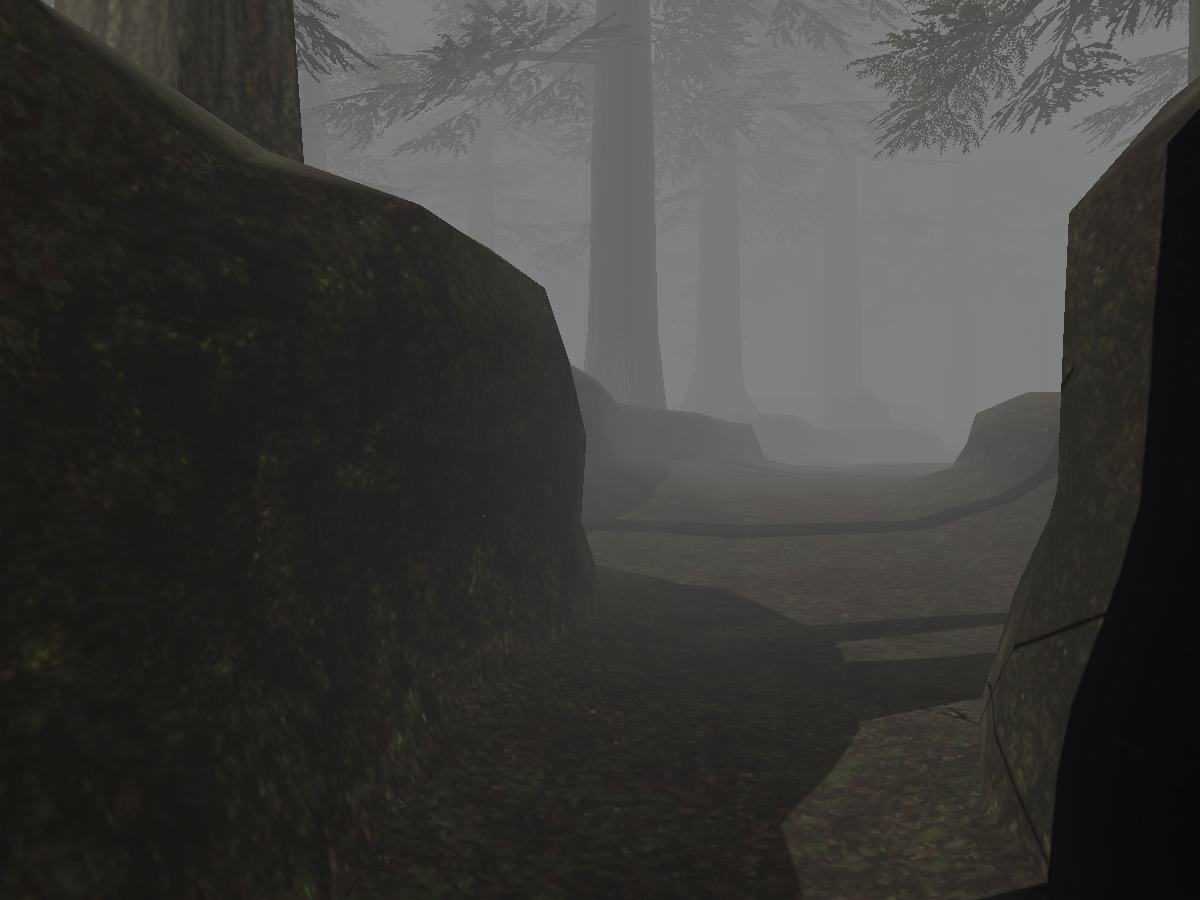
(VRXI) The Sanctuary of Zi'Tah (Meriph)
 viscid reef
yeah that happens if you have fog in the scene, just affects the preview but not the actual image
torn grove
nuuu
 cold raft
Oof, i gues quest? as my world is 69Mb
i think it somehow posable to see how the 50mb is used like if its mostly textures or shaders or other things, but i have no idea how to open that overview
viscid reef
you can check the unity editor log to see the breakdown of asset file sizes of your world build
but its easier to use something like vrworldtoolkit which has a display for that among other things
torn grove
Deleted a couple things, lets see if that fixes it...
Honestly I have like zero clue why this world is so much larger than the rest
Usually my other worlds I have ripped were like... 7 to 8 mb
viscid reef
now would be a good time to see that asset break down lol
torn grove
It did get it under the mark though!
The .fbx file is just monstrously larger than the other zones. Hm.
265mb, whereas other zones are like, 30~40mb
Thats really odd, why is this fbx file so much larger...
Ill have to dig into that tomorrow I suppose, I was able to just barely edge it under 50mb so it works for quest and thats what matters for now
but definitely is sus, I wonder if it has much higher poly counts...
 ashen birch
Any1 know a good tut for making a music visualizer that works with like a video player
 steep haven
Hi just wanted to ask which channel is the vrchat updates?
steep haven
didn't find it sorry and ty
coarse parrot
steep haven
didn't find it sorry and ty
What kind of update you're looking for?
steep haven
that happens in vrchat
coarse parrot
steep haven
that happens in vrchat
Like, client update? SDK update? General news? Or something else?
steep haven
SDK
coarse parrot
steep haven
SDK
That should already be in #announcements. It also includes a link to full change logs.
steep haven
oke appreciate it !
 opal summit
is there a way to get the player's position ignoring the play space moving?
With GetLocalPlayer -> GetPosition / GetTrackingData it returns position with playspace, which can be inside the walls etc.
dapper lion
you could possibly lock the players Y value, but if the playspace mover is beening used on the x or y. there may need to be some work around so it gets the center of the player area
opal summit
i basically want the position of player selection bulb, i believe it should be possible with some simple nodes
dapper lion
i think so too, but ive never really had people with playspace mover move so much that itd effect you. but obviously it did so possibly make a parented tracker to remember the users "bulb" position?
 severe veldt
can you use custom avatars on quest 2 WITHOUT a pc
 shadow idol
how i can make light adjust slider?
dapper lion
you can set a slider float to multiply the light.intensity
shadow idol
is there video bout that? idk anything bout unity
dapper lion
uuumm. possibly vowgan has a UI tutorial. i think i saw a slider demo in there
to be honest 🤔 this shouldve been a basic prefab already lol
scarlet lake
so I'm trying to login to vrchat on SDK3 on Unity but my login isn't working and I've reboot unity about 3 times and I got the correct user/pass
dapper lion
are you using a vrchat account?
scarlet lake
yes
dapper lion
what dors it say exact
scarlet lake
it says nothing, though it loads then it does nothing
dapper lion
are you highlighting something in assets/heirarchy? ive had trouble logging in when im highlightings something
scarlet lake
nope
dapper lion
check console errors
and youre solid that youre using a brchat account and not oculus or steam
scarlet lake
I am using vrchat account and I just reset my vrc account pass so I could get back into it
nvm got it it's not your username it's you e-mail
 queen wind
how i add a mirror trigger in sdk3 vr chat ?
queen wind
done xP ty
ashen birch
any 1 know how to make a audio visualizer in udon
dapper lion
from scratch or find audiolink?
ashen birch
dapper lion
from scratch or find audiolink?
either 1 tryna make like a world
dapper lion
id check out audiolink as it is the easiest to set up
dapper lion
lemme find
GitHub
New in this version
ColorChord support by @cnlohr
Auto correlator backend by lox9973 and adapted by @cnlohr
Updates
Increased reactivity responsiveness with lower fade length setting
Performance...
ashen birch
Thanks
shadow idol
i still dont get it the slider light can you send pic of the graph?
dapper lion
um. im not sure how youd do it in graph but i do know of a way you might go about doing it in udonsharp
scarlet lake
ok simple question, if i want to sync a button bress via some UI with the whole world how would i do this
dapper lion
https://youtu.be/O3VeBzV9HgI <— this

So this took me longer than it should have.
Time to toggle objects again, but this time, for everyone! You'll see that syncing is a little bit more complicated than it was in SDK2, so to set everything up we have to tell every player to toggle that object, but also catch up anyone who joins in after the button was pressed!
All assets are availab...
 timid fox
I'm assuming there is no way to randomize an ObjectPool's TryToSpawn?
cunning mist
timid fox
I'm assuming there is no way to randomize an ObjectPool's TryToSpawn?
None built in unfortunately, though could be a good feature request.
timid fox
planned to, just wanted to make sure. Would it go in Network Update or Udon Feedback?
cunning mist
If it's directly related to features of the networking update that would probably be correct, though it will probably be phased out as the update is no longer fancy and new.
timid fox
I just stuck it in Udon Feedback.
 pallid mango
queen wind
how i add a mirror trigger in sdk3 vr chat ?
pallid mango
queen wind
how i add a mirror trigger in sdk3 vr chat ?
I believe there is an example script in the example folder
 pliant sluice
supid question but can udon be used on avatars?
 dim horizon
Sdk3 yes but Udon no. I think they're even separate versions for avatars and worlds(?)
grand temple
SDK3 avatar isn't udon at all, it is it's own system
shadow idol
dapper lion
um. im not sure how youd do it in graph but i do know of a way you might go abou...
sure
pliant sluice
ah ty
floral dove
timid fox
planned to, just wanted to make sure. Would it go in Network Update or Udon Feed...
It's planned FYI - I'll connect that Canny up to our internal system so you get a ping when it goes in.
scarlet lake
Making a few changes to a world and instead of stairs I i'm trying to figure out how to teleport the player there. Is there a built in script, or a script I can download for that, or would I have to make my own?
dapper lion
i have a teleport prefab you can use
scarlet lake
I'd love that
fading cipher
So what’s this whole reliable sync thing I’m hearing about from UNU?
cold raft
It's the future!
scarlet lake
whats a udon is that like a noodle?
 tacit harness
So for my question i need to toggle something if a player crossed a specific spot in the map
how would i track that ?
Im pretty new to making stuff in udon so yeah
tacit harness
if you can help me pls dm me or ping me in here ^^
fiery yoke
@tacit harness In VRChat specifically you should use the event "OnPlayerTriggerEnter" on an object that has a box collider marked as isTrigger.
This event will trigger, when a player enters the collider. You can then execute your other logic from there.
tacit harness
let me try that real quick ^^
 spare flame
Also after importing the SDK into your project you can find UdonExampleScene in your assets, highly recommend you check it out for a bunch of common Udon interactions
tacit harness
worked perfectly thanks for the help ^^
unborn hornet
scarlet lake
whats a udon is that like a noodle?
?whatisudon
 hidden martenBOT
VRChat Udon is a programming language built by the VRChat Development Team for use in VRChat worlds! It enables complex behaviors and logic in VRChat worlds. Read more about Udon in our documentation: https://docs.vrchat.com/docs/what-is-udon
VRChat
What’s this Udon thing anyways? VRChat Udon is a programming language built completely in-house by the VRChat Development Team. It is designed to be secure, performant, and easy to use via the VRChat Udon Node Graph, a built-in visual programming interface that uses nodes and wires (we call them “no...
 pallid remnant
is it possible to have the same global toggle in udon that sdk2 uses? the one that says "AlwaysBufferOne"
fiery yoke
The concept of a buffer does not exist in Udon, as it is inherently a bad concept.
pallid remnant
i see
so it's not possible to have late joiners sync to the most recent events then?
i would like to make a global toggle for a piano
dapper lion
i think there is a global toggle example in the examples scene for udon that should automatically sync up wIth late joins
dapper lion
i believe so. remember to use the latest sdk
if all else fails. get udonsharp and use their globbal toggle example
i always trust that toggle
pallid remnant
i think i already have that because i'm using the pooltable prefab
maybe that is the best choice then
oh i found it!
i cant seem to drag and drop the script
dapper lion
you add an udon behave first. then drag the script
pallid remnant
i did add one, but when i try to drop the script in "program source" it doesnt accept it
grand temple
pallid remnant
so it's not possible to have late joiners sync to the most recent events then?
Udon is not meant to sync with late joiners by events. Instead you would use synced variables for that
dapper lion
i think youre attempting to add a cs script and not u#
pallid remnant
oh!
i just noticed the green ones with the u
works!
awesome, thanks guys
i was looking for this for a while
 fierce verge
Can I make the color of a material change using udon?
fiery yoke
Yes. You can.
fiery yoke
the name of the shaderlab parameter, that defines your color in the shader of the material.
fierce verge
uhmmm I don't get it ':D
fiery yoke
Yeah materials are complicated. Essentially the material that you define in Unity is a "shared material", every renderer that uses the material gets an instance of the material. Modifying the instance will only change it for that one renderer, changing the shared material will change all instances as well. Thats how I understand it at least.
A material is a shader, with a bunch of serialized settings that configure the shader to run in a specific way. every "parameter" of a shader has a name in the shader like "_MainTex" which is usually the main texture. You need to tell the shader/material which color you want to change since a shader could have multiple color parameters.
 fiery yoke
I think you can right click on the material and click on "Edit Shader"
it will then tell you what the color parameter is called
 feral valve
So I'm completely new and the video I tried to follow was outdated.
How can I do mirror quality toggles with 2 buttons. And only have 1 or none on at a time. Ping me
 twilit breach
Anyone know what determines the VRC pickup highlight? Sometimes it feels like it surrounds the collider, other times the mesh, and sometimes if the parent doesn't have the right stuff it finds the childs mesh and sometimes it finds nothing in children and has no highlight
 dusk lance
Copying from the wiki I helped write years ago:
You'll notice that when you go to Interact with something, a highlight will appear around the object. The shape of this highlight will follow these rules:

- All enabled Mesh Renderers on the object or on children of the object will be used to make the Highlight. If any of them are marked as batching static, they will be ignored.
- Skinned Mesh Renderers cannot be used for Highlights. If your object is a Skinned Mesh, either switch to using a Mesh Filter with a Mesh Renderer or use a Mesh Collider to fake the Highlight instead. Note that when using a Mesh Collider, you cannot use the Is Trigger option unless it is set to Convex, which will ruin your shape. For these cases you can set the Layer to Player or Walkthrough in order to make it non-solid.
- If no Mesh Renderers are found, any colliders on the same object will be used instead. If there are multiple colliders on the same object as the Interact, whichever one is higher up on the inspector list will be used for the highlight. However, all of them can still be used to activate the Interact even if they don't highlight. Conversely, any colliders on children of the Interact object are completely ignored when it comes to both highlighting and interacting.
 trail hazel
as far as udon goes, is there any consensus on method for desktop-exclusive UI (that is, UI that appears on the vrchat window, but not in a headset)?
i want to create UI that is diegetic (like how in half life alyx, your hand is where you check your health), but that has screen-bound UI both for actual desktop users and for third party watchers (e.g. on a stream)
the main thing i can think of as far as unity-pure methods is to tie the desktop UI to a rendertexture and render a plane with a shader that maps it to the screen with that texture but that feels like a very roundabout way of doing it
dusk lance
trail hazel
i want to create UI that is diegetic (like how in half life alyx, your hand is w...
If you create a canvas and keep it on screen space, it will only show up on your desktop screen and not in vr. Add the vrc Ui shape to ensure the correct camera.
floral dove
you can also check IsUserInVR to hide/show it so it's not trying to render at all for VR users
trail hazel
dusk lance
If you create a canvas and keep it on screen space, it will only show up on your...
man that feels a lot more obvious now that you say it
trail hazel
floral dove
you can also check IsUserInVR to hide/show it so it's not trying to render at al...
also yeah, but the idea is that it continues displaying when users are in VR, it just doesn't display for the actual VR user (only whoever might be watching them, or on recordings)
floral dove
trail hazel
also yeah, but the idea is that it continues displaying when users are in VR, it...
ohhh, yeah I get it. Yep - screen space will work. That's how I show the virtual camera view for recording / streaming in this world while the VR user sees the world normally: https://vrchat.com/home/world/wrld_37caf537-8d92-4d8a-8d40-407d60ecb143

Music Video World - press play to make a short videoǃ Uses Cinemachine and Timeline to animate cameras around you to the music․
 feral elk
Quick question, seems like it should be simple, but I can't figure it out
What node do I use to set an int variable in the graph?
feral elk
feral elk
Quick question, seems like it should be simple, but I can't figure it out
What ...
Oh nvm figured it out
For others in the same situation: Hold control when dragging the variable out
feral valve
feral valve
So I'm completely new and the video I tried to follow was outdated.
How can I do...
If it a too much to explain. I can learn off a prefab.
feral valve
Or if someone has a video that isn't outdated, that would help too.
floral dove
feral valve
If it a too much to explain. I can learn off a prefab.
Check out the mirror toggle in the UdonExampleScene for a working prefab with one mirror. You could easily duplicate the mirror with different settings to control that one separately.
https://docs.vrchat.com/docs/udon-example-scene#mirrorsystem
VRChat
This scene is ready to Build & Test or Publish, and it demonstrates many common interactive items. Prefabs These objects show off some of the Prefabs included with the SDK which demonstrate default interactions with the VRChat components for Avatar Pedestals, Stations and Mirrors. AvatarPedestal...
feral valve
I did make a upon graph to toggle objects. I'm just trying to make sure only 1 can be on at a time
feral elk
Add a node after toggling your object to disable the other object
So for the high quality mirror: ```
On interact --> [Toggle stuff goes here] --> Gameobject.setactive
[ ] bool
[ Low quality mirror ] - o gameobject```
feral elk
Having a new issue: I've got a node graph that waits for an audio source to start, sets a variable to true, waits for the audio source to stop, sets that variable to false, and does some other things unrelated to that variable
The basic idea is If audio source isplaying is false, set var to false and do other stuff Update --> Branch if var is true < If audio source isplaying is true, set var to true
This works well the first time, it sets the variable to true and then waits for the audio to stop, but after it does the other tasks, there's a brief period of time where the variable changes from true/false to the string "d4ca6c53-e9ea-415a-abdd-190f1410d54c", which causes a "Cannot retrieve heap variable of type 'String' as type 'Boolean'" error and stops the program. Any idea what might be going on?
floral dove
Hm, sounds like maybe something is miswired in your graph? It looks like the value is changing to the internal id of the variable instead of the proper Boolean value. It also could be a compiler bug - we'd need to see the graph and the assembly to know.
feral elk
It seems to work if I use a const bool wired in to it instead of using the checkbox on the set variable node. I do have an older version of udon in the project, so i'll upgrade tomorrow and then go through the proper bug report channels if it still doesn't work unless I use a seperate const bool. Thanks!
floral dove
Ah yes - it does sound like an issue we fixed a few versions ago. Upgrading to the latest SDK will likely fix it, there was a flaw in the compiler logic for the set variable nodes.
feral elk
Ahhh Ok, I'll try that soon, thanks for your help!
tacit harness
so hello to everyone
I have this udon programm i made its supposed to turna collider on when the object is beeing picked up and off when it gets dropped
This programm works but only once in each direction it turns the collider on once and turns it off once after that nothing happens

 strange shale
tacit harness
so hello to everyone
I have this udon programm i made its supposed to turna co...
strange shale
tacit harness
so hello to everyone
I have this udon programm i made its supposed to turna co...
errors like this are usually because of an error on the end of the function like OnDrop
errors like that usually turn off the component which would prevent it from playing after the first loop
you can check your logs for errors or get CyanEmu for testing features like this in unity so you can check the console for the error as it happens
im not an expert by any means but i hope that helps
cunning mist
I don't think you can set the owner of an object to be null... I haven't tried, but I can't imagine that being good...
You also don't need to set yourself to be the owner of the object you just picked up, VRChat does that automatically.
fading cipher
So this is only gonna be my second time updating the SDK. Do I still have to delete the same folders as usual before updating the SDK?
tacit harness
strange shale
errors like this are usually because of an error on the end of the function like...
I remade the entire controller and now it works
tacit harness
cunning mist
I don't *think* you can set the owner of an object to be null... I haven't tried...
I have never tried but a owner check does show that it is null
cunning mist
fading cipher
So this is only gonna be my second time updating the SDK. Do I still have to del...
Depending on how old it is, maybe. If your last update was recently than there's probably no issue.
fading cipher
vowgan is gud for beginners, we all love him
😬 I'm not sure if my sdk is new enough ;-; My current version if the input events ver I believe
tacit harness
fading cipher
vowgan is gud for beginners, we all love him
Legit i searched for tutorials so long and they either outdated or not really good
But his tutorials 🤌 very good xD
cunning mist
If you import the new SDK and clear the console and don't have any errors, you're fine. Otherwise you'll have to.
And happy to help haha
fading cipher
thanks vow, here's goes e.e
uhhh, quick other question
do you always force to import all, or does it automatically import only diff? https://i.imgur.com/m9oRLAZ.png
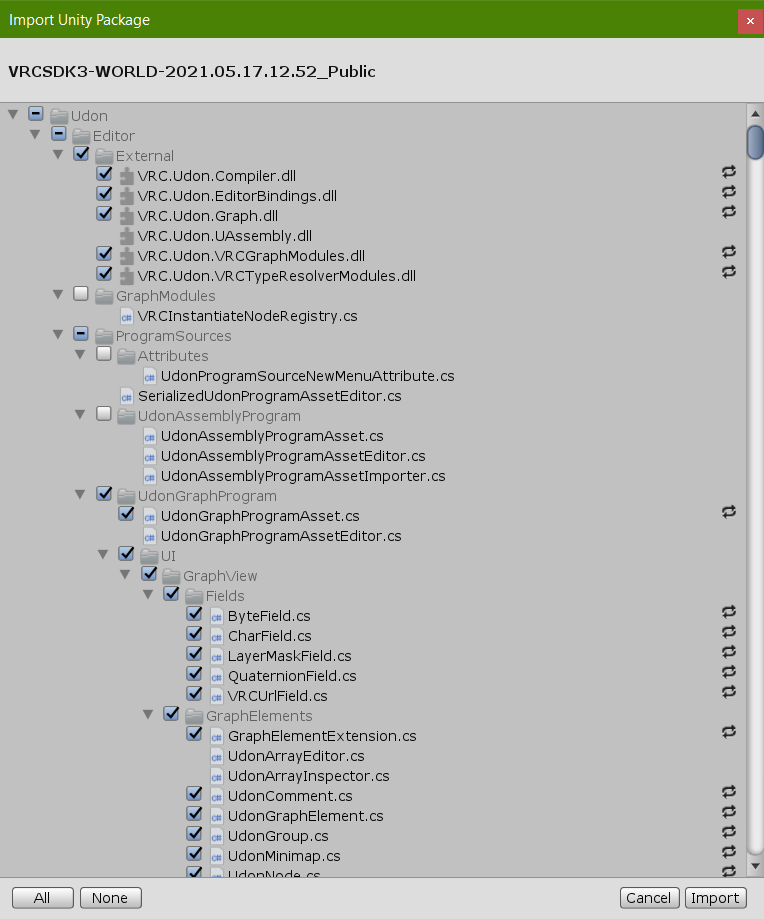 tacit harness
When you just do it like this it overrides all the old ones with the new ones
fading cipher
awesome ok
tacit harness
The weird arrows on the right mean reimport/override if it says new its something thats isnt in there yet if there is nothing next to it it means it already has the exact same thing in there ^^
fading cipher
ohhh, that's good to know, thanks
floral dove
If you're just getting started with Networking, we've got two new Tutorials covering the concepts and some step-by-step instructions:
https://www.youtube.com/watch?v=Mb6ZYBEhxiI&list=PLe9XHNvXcouQjg5GULWGLj1tMzeythnQi&index=4
https://www.youtube.com/watch?v=ecu9oaUxClI&list=PLe9XHNvXcouQjg5GULWGLj1tMzeythnQi&index=5

Multiplayer experiences are the heart of VRChat, so creating a world that reacts to players and synchronizes the data between them is key.
This video introduces the concepts that power our networking system.
0:00 Introduction
0:22 Overview
0:42 Ownership
1:46 Variables
2:55 Events
3:23 Late Joiners
3:58 Recap
Once you've understood the...

Learn how to use Udon to make a slider that shows its value and syncs to everyone else in the world.
0:00 Building a Slider
2:54 Adding a Text Field to the Slider
5:02 Showing Slider Value in Text Field Using Udon
9:52 Syncing the Slider Value over the Network
13:42 Restricting Variable Updates to Owner
14:46 Switching to Manual Sync
16:26 Re...
floral dove
floral dove
If you're just getting started with Networking, we've got two new Tutorials cove...
 rough beacon
this work great. but for weird reason only the master can click on it. how do i fix that?
 floral dove
rough beacon
this work great. but for weird reason only the master can click on it. how do i ...
floral dove
rough beacon
this work great. but for weird reason only the master can click on it. how do i ...
https://docs.vrchat.com/docs/network-components#vrc-object-pool
To make an object active, the Owner of the pool triggers the TryToSpawn node, which will return the object that was made active, or a null object if none are available. Objects may be returned to the pool by the pool's owner, and automatically disabled, via the Return node.
that's how it works
feral elk
Yooo upgrading my SDK fixed my issue last night! But now I have a new one! 😅
Arrays don't appear to be returning the correct things. I have an array with 3 items (photo attached) that I iterate through with a variable. For some reason trying to get the second object returns the object that the udonbehavior is on and not the object that's second in the array. Even stranger, I made a quick graph to try to see what the array is seeing (photo also attached) and it prints the 1st object then the 2nd object twice instead of printing the first, second, and third object.

(Node graph for the program mentioned above)^^
 rough beacon
hmm. not sure why it was made like that but oh well. so there no real fix for it.
 magic kiln
Hey Fam! total noob here, building my first world pretty happy with it so far, my question: I am using the PBR stage equitment prefab models for my stage and dj lights. I want the color of the lighting to match the colors being played on the video player. IS there a video and tutorial someone can point me to that shows how to do this?
rough beacon
i not sure if this to much to ask for. can i request TryToSpawn work for all player. not just owner. if i want to limited just owner. i can just add this.
 floral dove
rough beacon
i not sure if this to much to ask for. can i request TryToSpawn work for all pla...
floral dove
rough beacon
i not sure if this to much to ask for. can i request TryToSpawn work for all pla...
you can make a Canny for it, yes
floral dove
rough beacon
you can just pm me
https://feedback.vrchat.com/vrchat-udon-closed-alpha-feedback
If you ever need it again, it's the info in #657398370377269249
rough beacon
thank you
magic kiln
Is there a way to get an undon trigger/toggle that can reverse a pre-fab objects animation?
for example, if a ball is spinning to the left is there a way to righter it to spin to the right?
rough beacon
not sure if this help you.
 feral elk
magic kiln
for example, if a ball is spinning to the left is there a way to righter it to s...
feral elk
magic kiln
for example, if a ball is spinning to the left is there a way to righter it to s...
I would recommend checking out the automatic door tutorial (https://www.youtube.com/watch?v=95jRByYHE4Y) to get an idea of how to work with animator states in udon. I think at some point it also tells you how to reverse an animation.
Essentially, what you're going to want to do is create an animator parameter that switches between the spinning forwards animation and the spinning backwards animation, and control that animator parameter using udon.
^^If that paragraph makes no sense to you, it should make more sense after watching the video.
floral dove
Introducing our first-ever World Jam! Download a starter project and make some Drawing Tools: https://itch.io/jam/vrchat-sketchbook-jam

itch.io
A game jam from 2021-05-22 to 2021-05-29 hosted by VRChat. Welcome to the first VRChat World Jam! We want to inspire you to explore our latest features, try out new ideas, and get feedback from people playing...
floral dove
floral dove
Introducing our first-ever World Jam! Download a starter project and make some D...
 stark adder
😄 interesting Wish I had time for that.. Still fixing bugs that I created while switching over to UNU 😄
wanton oxide
i am updating my world right now to take full advantage of UnU
once i'm done with that tho
count me in
hell ye
fading cipher
Did VRC change input events when they updated? I updated my SDK and now one of my scripts is broken and I have no clue what could be different- nothing in that script is networked
floral dove
fading cipher
Did VRC change input events when they updated? I updated my SDK and now one of m...
we added some Input Events a while back, but didn't remove old ones
fading cipher
I've been using the new input events system and it worked fine a week ago, and I'm not getting any errors in any of my broken scripts; they just don't do what they used to :p
wanton oxide
floral dove
Introducing our first-ever World Jam! Download a starter project and make some D...
I have two questions:
- Can we collaborate on this (for example, me and a friend)
- How lenient is the "drawing tools" requirement (can we make a game where you draw a path for something, or does it have to be a drawing?)
floral dove
wanton oxide
I have two questions:
- Can we collaborate on this (for example, me and a friend...
Yes, collaborations are great!
Drawing a path for a game sounds like an excellent use of the theme.
wanton oxide
Awesome
fading cipher
Hey momo, quick update that I think I created a nullref by deleting old (disabled) objects I don't need anymore
 ivory panther
Do we have an eta for synced animations? A lot of my world designs really relied on it in sdk2.
wanton oxide
you can write your own system to replace synced animations already
automatically synced animations would be nice but its not needed if you just use the new tools :P
 atomic sinew
Is udon sharp scripts already network synced ?
fading cipher
Yeah I fixed my issue o/ working on my next bug now
 lofty pewter
udon ppl what do i use for world building
floral dove
lofty pewter
udon ppl what do i use for world building
Udon
tacit harness
lofty pewter
udon ppl what do i use for world building
You download yourself the udon sdk 3 for world building
 regal swift
anyone able to help explain to me or show me a video/page link on how to make a udon passcode in world?
fiery yoke
regal swift
anyone able to help explain to me or show me a video/page link on how to make a ...
Do you mean something like a keypad to unlock a certain area?
regal swift
yes
fiery yoke
It depends on how exactly you want it to work. Usually its best to do that with UI Buttons and Input Fields, however then you need to know how to use Unitys UI system in VRChat and how it works in Unity in the first place ofcourse. The simpler method is to use VRChats "Interact" thing, but when you put a lot of Interact boxes next to each other it gets really difficult and annoying to select a specific one.
ashen birch
if any1 would like to help setup a few things feel free to dm
 hushed silo
Is there a good non-video documentation for Udon? I don't learn very well from Video tutorials. I'm mostly looking for like a rundown of some of the udon graph basics, for example what some of the node commands do. That seems to be my biggest hiccup currently.
I tried the VRChat Documentation and found it a bit lacking in clarity
unreal grail
is OnPickup a networked event or a local event?
floral dove
hushed silo
Is there a good non-video documentation for Udon? I don't learn very well from V...
Have you read through these pages?
https://docs.vrchat.com/docs/udon-node-graph-upgrade
VRChat
Interface The Udon Node Graph is the default interface for creation of Udon programs. This section goes over how to use it. If you want to dive right into examples, take a look at the Readme file in the VRChat Examples folder that comes with the SDK. You can open up the Udon Graph window using the M...
floral dove
hushed silo
Is there a good non-video documentation for Udon? I don't learn very well from V...
This might help, too - shows a lot of the common nodes in the context of working programs: https://docs.vrchat.com/docs/udon-example-scene
VRChat
This scene is ready to Build & Test or Publish, and it demonstrates many common interactive items. Prefabs These objects show off some of the Prefabs included with the SDK which demonstrate default interactions with the VRChat components for Avatar Pedestals, Stations and Mirrors. AvatarPedestal...
hushed silo
floral dove
Have you read through these pages?
https://docs.vrchat.com/docs/udon-node-graph-...
I have indeed, its still not quite what I'm looking for.
floral dove
hushed silo
I have indeed, its still not quite what I'm looking for.
Are there any particular nodes about which you are curious? Or something specific you're trying to do?
hushed silo
floral dove
Are there any particular nodes about which you are curious? Or something specifi...
I'm more of looking for an overview of like what some 'nodes' do, what the colors mean exactly. Are the nodes something that translate to something else in unity?
floral dove
unreal grail
is OnPickup a networked event or a local event?
OnPickup is a local event for the player who picked up the object.
floral dove
hushed silo
I'm more of looking for an overview of like what some 'nodes' do, what the color...
The colors of nodes differentiate Event nodes vs value nodes and the port and noodle colors are different between some classes. You're right that those should be documented somewhere.
The nodes themselves generate Udon Assembly, and reflect many Classes, Methods and Properties which would normally be available in C# in Unity.
https://docs.vrchat.com/docs/what-is-udon#whats-this-udon-thing-anyways
VRChat
What’s this Udon thing anyways? VRChat Udon is a programming language built completely in-house by the VRChat Development Team. It is designed to be secure, performant, and easy to use via the VRChat Udon Node Graph, a built-in visual programming interface that uses nodes and wires (we call them “no...
 raven wadi
Hey does anyone know a good tut for adding visemes and blinking to an avatar?
floral dove
raven wadi
Hey does anyone know a good tut for adding visemes and blinking to an avatar?
This channel is for Udon, our World Scripting language. Check out #avatar-help for questions about avatars
raven wadi
kk thanks
dapper lion
unreal grail
is OnPickup a networked event or a local event?
local
or i have been networking them for no reason lol
chilly crater
You can't raycast players, right?
dapper lion
@chilly crater you cant sadly. i think (ive tried like 5 times, but i couldve missed something)
chilly crater
Meh, I guess I'll have to puzzle out a way to assign from objectpool on join and position sync that on a layer.
This will work, right?

That should give one to everybody when they join, and when someone leaves, it should find the one with the invalid owner and return it.
 cerulean linden
Wow, there’s an objectpool type now? When was that added? [sorry if derailing your discussion]
chilly crater
The last update.
cerulean linden
Wow, that’s a game changer
chilly crater
So was that udongraph basically what I want?
If that works, I just have to figure out layermasks for the raycast.
dapper lion
is this supposed to support on facd?
chilly crater
facd?
dapper lion
what was "get length" for?
chilly crater
and just check for owner instead of VRCAPI
cerulean linden
I have an idea for a hack if your solution doesn’t work
dapper lion
capsule idea i think is clever and much nicer than the overcomplicated solutions i was thinking tbh lol (bolt an invis basic avatar to all 82 basic bone positions)
chilly crater
oof
dapper lion
ok that makes more sence
(im also going off of more U# logic, so get length right there looks weird to me)
chilly crater
lol, right?
I usually do a Vowgan and do it in graph then plot out in U#
Except for raycasts, they don't make any sense in graph form
Lately I've been checking collider names for contains on raycast hit.
dapper lion
raycasts are very interestings. you can get what i call "fake raycasts" with scripting and idk why but it perplexes my basic logic sometimes lol
chilly crater
then throw a bunch of tags in names. [Shoot] [NoDecal] [Player]
dapper lion
thats smart
chilly crater
so you have one script do different events per tag
dapper lion
ah ic
chilly crater
I threw together a ghetto gun that had a decal objectpool that threw them at impact. or killed an NPC, or changed colors of a target.
This graph should let me do enemy vision raycasts. Well, spherecasts
cerulean linden
Can I ask you about how the new objectpool feature works?
Can it be used for objects with udon scripts that have position syncing behavior?
What’s the advantage of using it over older methods?
chilly crater
Someone above said that it reduced a ~400 line script they had before to ~60 lines.
It streamlines the process.
Originally, you had to to a foreach loop with an object pool to spawn from it. Now you just do trytospawn and it will do all that for you. Despawn sends it back to the object pool and disables it.
floral dove
cerulean linden
Can I ask you about how the new objectpool feature works?
Can it be used for obj...
https://docs.vrchat.com/docs/network-components#vrc-object-pool
https://docs.vrchat.com/docs/udon-example-scene#objectpool
VRChat
This doc covers Networking Components, Properties and Events you can use in your Udon Programs.Special properties you can get from Networking: IsClogged - returns true if there is too much data trying to get out. You can use this to hold off some operations or adjust your logic. IsInstanceOwner - re...
VRChat
This scene is ready to Build & Test or Publish, and it demonstrates many common interactive items. Prefabs These objects show off some of the Prefabs included with the SDK which demonstrate default interactions with the VRChat components for Avatar Pedestals, Stations and Mirrors. AvatarPedestal...
chilly crater
it just ocurred to me that doing an isvalid check on an object after a player leaves is not a good idea. the itemdefaults back to the networkmaster
I think I smoothed out that issue.

Just have to throw in a customnetworkevent on on playerjoin to have everybody set the text object based on owner name
Or would that be better as a synced variable
That could get pricey on the upkeep.
 chilly aspen
Hi, I have a question. In my world I have about 100 game objects all with a synced integer.
When I Build & Test the world with 2 clients, 90% of the time the synced integers works fine. The other 10% of the time the synced integers refuse to sync. This is probably because a death-run was fired due to exceeding limits when all 100 game objects were active at the same time.
Does anyone have any tips to prevent a death run? These seem to be happening randomly.
floral dove
chilly aspen
Hi, I have a question. In my world I have about 100 game objects all with a sync...
Are you using the latest SDK? Can you try switching to Manual sync? You'll have to add a RequestSerialization after you change the value, but it should reduce the network load.
https://docs.vrchat.com/docs/udon-networking#2-manual-variable
VRChat
The three main concepts used for networking in Udon are Variables, Events and Ownership. Variables are containers for values - like a number, a set of colors or a 3D position.Events are things that happen at a moment in time.Ownership is the system that decides which user can update a variable, wh...
chilly aspen
Oh I'm behind an SDK, I'll upgrade and try seeing if that fixes it.
chilly aspen
Ok things are good now, I also had a few game objects accidentally set to manual.
chilly crater
Is it a weird thing of cyanemu or did I do somethign wrong with my objectpool, it's assigning the second item to me whenever I test.
magic kiln
Are there any audiolink pros who has the time to help me through it! I can really only get the prefab cubes to work, I am trying to figure out how to make audio reactive light beams for a club totally lost
 woeful glade
ok lemme start with i am very new to vr chat world development so idk much and ive just gotten started.
The first thing I wanted to try and do was to change the text of a text ui object when a user clicks a button to their name and ive got all of it setup in an udon graph except getting the actual player's name to assign. I would love help to get the player's name cause i cant find out how (i assume its something in playerapi)

i know this is simpler than other people's questions but any help is welcomed so i can get to know udon
fiery yoke
woeful glade
ok lemme start with i am very new to vr chat world development so idk much and i...
To get the name of a player you need to get the players api and then from the api get the displayName. To get the local player you can use Networking.get_LocalPlayer.
woeful glade
what the difference between playerapi[] and playerapi
fiery yoke
the [] indicates an array in most programming languages
fiery yoke
Its not different at all. Udon is still built on top of C# .NET and therefor works very much the same way.
 light nova
hey there, got a question regarding the ownership of networked objects.
so if i understand correctly, some time ago when i wasn't the owner of an object and wanted to change something about it, i needed to request ownership, wait for approval, and only then was able to do what i wanted to.
now, to reduce latency, if i request ownership i pretty much assume that it was approved, and i can do whatever i want immediately.
so why won't Udon go a step further and simply allow objects to be public (i.e. "without an owner"/"everyone is an owner"), so anyone can broadcast new values for them without effing around with current pretended ownership?
woeful glade
i can't get the text object to change text and im really not sure why, if anyone can help itd be appreciated, I keep getting an error

An exception occurred during EXTERN to 'UnityEngineUIText.__set_text__SystemString__SystemVoid'.
this is my scene layout (its only setup for testing)
 light nova
you sure that your UIText variable is public and has an appropriate gameobject assigned, and also that GetComponent does not return null?
have you tried making UIText of type Text so you don't need to use GetComponent?
woeful glade
lemme give those things a check
woeful glade
light nova
you sure that your UIText variable is public and has an appropriate gameobject a...
got the same error even when i make it directly the text component
 light nova
both work for me
 woeful glade
light nova
both work for me
woeful glade
light nova
both work for me
how difficult would it be for u to dm me the unity scene so i can disect it and see where ive gone wrong
if thats not too hard
 signal kestrel
A scene doesn't include the scripts, they'd have to send the scripts too
light nova
yeah, just packed it with dependencies, ignoring the udon stuff
fading cipher
If a player blocks another and they can no longer see each other, then they try to get that player’s HumanBodyBones.LeftHand for instance, does that error out?
 flint urchin
Yes
fading cipher
Does blocking a player preserve their rig for Udon purposes and just make them invisible?
Ah so I need to make an edge case for that 🤔
flint urchin
So always check if it's valid
fading cipher
Ohhh IsValid, perfect I have yet to need that
lofty pewter
so is this what i use to world build in vrchat
 fiery yoke
fading cipher
If a player blocks another and they can no longer see each other, then they try ...
fiery yoke
fading cipher
If a player blocks another and they can no longer see each other, then they try ...
You can however still get any players api and call get position and get a valid and correct position.
fading cipher
fiery yoke
You can however still get any players api and call get position and get a valid ...
Wait, so playerapi.getboneposition() still works if you're getting the pos of a blocked player's bones?
fiery yoke
no playerapi.GetPosition() definitely works. I dont know about tracking data or bone positions
 shut lodge
In the VRCPlayerAPI is the GetPlayerId returning the unique int code for the player in all of vrchat? I had thought that was the case but when I ran locally I got a 0 or a 1 but now I'm thinking that was just a quirk of running the client locally etc
fiery yoke
shut lodge
In the VRCPlayerAPI is the GetPlayerId returning the unique int code for the pla...
the "player id" is more like a session-wise id
shut lodge
dang
fiery yoke
VRChat is notoriously not the best at naming their stuff lol
shut lodge
I had tried to use displayname to identify players returning to my world to do diff things for them. But I'm having trouble encoding some display names and I know they change too so not ideal
fiery yoke
It starts at 0 and everytime a player joins the id is incremented by 1
There is no UUID for players in VRChat which might be a design philosophy so you cannot directly target a player. So yeah displayName is the next best thing, as most players tend not to change that too often
shut lodge
ok thanks
 eager olive
floral dove
OnPickup is a local event for the player who picked up the object.
eager olive
floral dove
OnPickup is a local event for the player who picked up the object.
That's good info, thank you! Would be nice to have that on the wiki page at https://docs.vrchat.com/docs/onpickup
floral dove
eager olive
That's good info, thank you! Would be nice to have that on the wiki page at http...
Good point. Here is the section for Udon specifically: https://docs.vrchat.com/docs/event-nodes#onpickup
Maybe it would be helpful to give info for each event on whether it only triggers locally or for everyone.
VRChat
This is a list of Udon Nodes that are considered "Events". Events are used to detect actions and set off chains of action or logic. Input Events have their own special page. All below nodes have flow nodes where logic requires it. Interact Fired when a VRChat player interacts with this object. OnDr...
feral elk
Alright, so I've rewritten the program I was having trouble with last time and definitely am having some odd behavior with arrays.
Here's my node graph to initialize a couple variables, then set the first gameobject in an array to active while deactivating the rest. It does not work and at first appeared to do the opposite, leaving everything but the first active. After logging the int index and gameobject, it appears that while the int index iterates correctly, the gameobject get node always returns the first object. Any ideas why?
 light nova
feral elk
Alright, so I've rewritten the program I was having trouble with last time and d...
light nova
feral elk
Alright, so I've rewritten the program I was having trouble with last time and d...
It does not work and at first appeared to do the opposite, leaving everything but the first active.
well yeah, if index == 0 you're setting active to false, and true otherwise
also you can simplify it by just doing SetActive(index == 0)
magic kiln
is there an audiolink expert out therE?
feral elk
light nova
> It does not work and at first appeared to do the opposite, leaving everything ...
Oops, yea, posted a screenshot of my testing code where I crossed the true and false, but I've tried it both ways. The underlying issue is that using a food loop input to get something out of an array always results in the first item.
light nova
feral elk
Oops, yea, posted a screenshot of my testing code where I crossed the true and f...
oh, i'm pretty sure it's the bug in Udon that it doesn't copy the get-element-from-array assembly code if you reuse Get blocks. use separate Gets, or - better - simplify it as i've said by connecting the result of Equality to SetActive's value, removing the Branch and the other SetActive
feral elk
light nova
oh, i'm pretty sure it's the bug in Udon that it doesn't copy the get-element-fr...
Ah that makes sense, thanks for the suggestion, I'll try soon!
chilly crater
Is there a faster way to populate the list of an Objectpool instead of dragging and dropping?
 ivory steppe
Hey everyone, I wan't to add a card game into my 3.0 udon world however I've looked far and wide for tutorials/prefabs without success 😦
Can anyone point me in the right direction?
grand temple
chilly crater
Is there a faster way to populate the list of an Objectpool instead of dragging ...
If you click the little lock on the top right of the inspector that locks you to the object pool, then you can select all your objects at once without the inspector switching to them. Then you can drag all your objects into the pool at once
cunning mist
chilly crater
Is there a faster way to populate the list of an Objectpool instead of dragging ...
You can lock the inspector and drag as many objects as you'd like into the Pool name. Here's the process used for Udon, you don't need to make a second inspector though since it's just for gameobjects.
https://youtu.be/y-YSWkJtutI?t=1048

- Check out https://tryuniverse.com/ and use the code VOWGAN to get $50 off when you enroll. *
Enabling and disabling large numbers of objects all at once is pretty easy, and here I do so using Colliders for a set of couches. All assets are available on my Patreon if you'd like to have access to anything I made during or before the video.
00:0...
Oh
chilly crater
thanks much
Wish I knew that before I did 40 items separately
I should probably watch the rest of your videos
ivory steppe
your videos helped me out a ton @cunning mist ! thanks for the help 😄
cunning mist
There's easily millions of things that make everyone's life easier and they always make you reconsider possibly weeks of your life spent not knowing them. It's practically a daily occurrence these days for me...
Happy to help!
chilly crater
back to playing with raycasts
ivory steppe
ivory steppe
Hey everyone, I wan't to add a card game into my 3.0 udon world however I've loo...
Any ideas for this Vowgan? I can't seem to find any prefabs like there are for pooltables, beerpong & wheel spins
I have a set of cards that I still need to network however I can't figure out how to reset their position after they've been moved
floral dove
ivory steppe
I have a set of cards that I still need to network however I can't figure out ho...
you can use an Object Pool, which has a Return function which will reset an object
cunning mist
I actually just had a question on this today. My plan is to use Object Pools as well, though since Momo hinted we will be getting a TrySpawnRandom or whatever at some point, that will make things much easier.
chilly crater
Objectpool seems pretty appealing there. Trytospawn > getcomponent VRCPickup and force that player to hold it.
Go a little snazzy and put a blank card on top of the deck, and on pickup have it try to spawn, drop that card and force you to hold the spawned card, return the blank card to previous position.
cunning mist
Since you can't force a player to pick something up, my implementation has a fake deck of cards with a single card on top, then as soon as that card is picked up, it spawns the next card at the top of the deck.
 untold echo
floral dove
you can use an Object Pool, which has a Return function which will reset an obje...
untold echo
floral dove
you can use an Object Pool, which has a Return function which will reset an obje...
Could you (or anyone here) elaborate on this? I hate asking something that is seemingly really simple but I am an Udon noob (like explain like I'm 5 kinda noob) and I'm just trying to make a button to reset all the pickups in my world. I've been having a hard time finding recent instructions for SDK3 and the new Udon update(s).
I first tried using your package from last month and it works, but the button only resets the pickups once then doesn't work after that. (I'm probably doing something wrong) (#udon-general message)
Should I be using Object Pools instead now? I just don't know what the graph should look like.
I'm new to world building and Udon is hard 
coarse parrot
untold echo
Could you (or anyone here) elaborate on this? I hate asking something that is se...
Take a look in an example for the latest sdk. There's an object pool example included.
ivory steppe
Thanks for all the tips guys, I hadn't heard of object pool yet so that should be helpful!
dapper lion
does constraining multiple objects onto peoples avatars cause any huge network performance issues? i want to constraine at least 160 spheres onto 10 players, mainly just for fun, but also as like a proof of concept to possibly put world data access onto people easily
ivory steppe
Been following the Toggle Colliders video from Vowgan to the letter (I think) and it does exactly what it is supposed to do minus that when I try to turn the colliders back on it simply doesn't turn them back on... so they are there to begin with but once its toggled it can't be toggled back on... what am I doing wrong here?
void ridge
ivory steppe
Been following the Toggle Colliders video from Vowgan to the letter (I think) an...
Post a picture of your graph

 void ridge
Looks right to me
Do some debugging, maybe? Add a Debug.Log node after the Exit flow of the for loop, and try to get a log message after the loop completes
ivory steppe
so just the debug.log node after the set enabled node and it'll give me a log message?
void ridge
ehhh probably don't do that, because that will log a message for each element of your array, which would be 56 messages hah
No, put it after the Exit arrow on your For node
ivory steppe
Ah xD gotcha
void ridge
You also need to add a string that Debug.Log should output. You can use a Const string node, or if you want to be fancy (you should), figure out String.Format so you can include the boolean value of Get isOn in your log message
ivory steppe
I decided to start over but do a button this time instead of toggle
would I have to change a lot in the graph for it to work as a button?
ivory steppe
Re-did the whole thing and its still doing the same issue
dapper lion
whatre you attempting to do?
ivory steppe
This is how the colliders are setup and it only toggles them off once I click the toggle button but then if I toggle again it doesn't go back on

I got an idea! I'll just make a button that works the same as a mirror toggle but instead it'll toggle the collider game objects
dapper lion
ah. what does graph look like know? also double checking! are you using a vruishape on your ui button?
ivory steppe
ivory steppe
Still looks like this
dapper lion
also i think default unity UI has a bool for colliders. so no scripting is required (iirc)
ok. loading image
ivory steppe
and yeah the vrc ui is working because it toggles it once but not again after
dapper lion
so i think what you need to do is make it so it can tell if the collider it gets is either “isenabled” or “isdisabled” because i think what its doing is making sure that all colliders are on. right?
dapper lion
ok. so i think you need to make the graph do a toggle rather than a state check
idk if thats how vowgan did it. but thats my best guess as to what the issue is
shadow idol
question bout how i can toggle pickups?
shadow idol
ivory steppe
Its making sure they're off
not sure try to use this
https://i.imgur.com/xMS2qcN.png
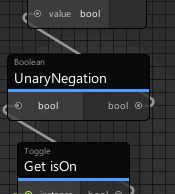 dapper lion
um lol, follow what the person above is doing but attempt toggling the vrcpickup bool
oh there we go
thats the thingy lmao
shadow idol
dapper lion
um lol, follow what the person above is doing but attempt toggling the vrcpickup...
tried it before was working
but now doesnt work idk why
dapper lion
were you testing it with more than 1 client?
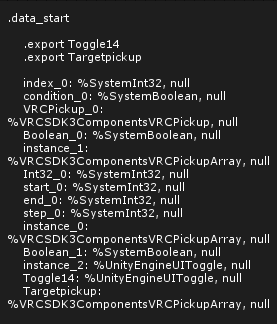 dapper lion
what does your console say?
shadow idol
i was getting udonsharp error but i cleared fq
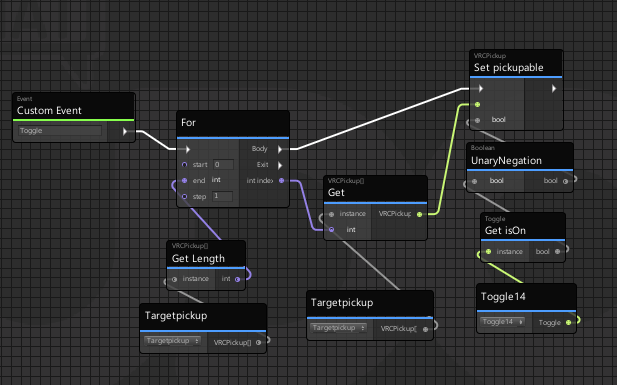 dapper lion
ok. is the vrcsdk panel present anymore?
shadow idol
wdym
shadow idol
yes
dapper lion
did yiu update the sdk?
shadow idol
how i can reinstall udonsharp?
shadow idol
dapper lion
did yiu update the sdk?
no
dapper lion
you need to install udonsharp?
dapper lion
ok. then i honestly dk whats the matter. does the button youre using have a collider? lol
shadow idol
yes box
 summer lion
where is transform get position in the new udon?
ivory steppe
is there a way to toggle multiple game objects with 1 button?
shadow idol
yes
ivory steppe
got a graph example?
shadow idol
https://i.imgur.com/JJfrpkj.png thats works for me
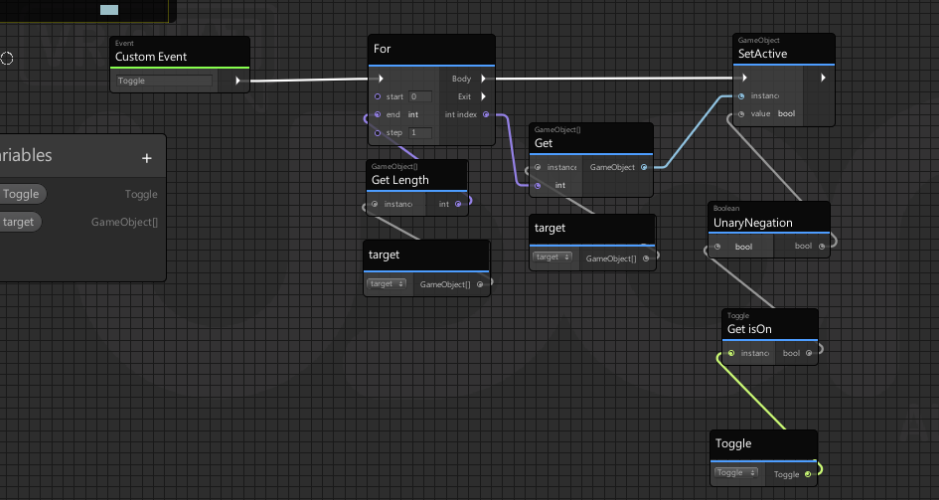 ivory steppe
Wonder if it'll work with a button if you use Button.IsActive instead of "Toggle.GetIsOn"
dapper lion
is there a way to change your avatar while the vrc menu is open?
via pedestal or any other method?
magic kiln
Has anyone found a way to get light beams to sync to AudioLink? I've just about given up...
my latest attempt is using the reactive surface alpha smooth shader...
magic kiln
just trying to get the lightbeam to match the color effects of the lights attached to flash change colors etc.
dapper lion
what light beam? is this a shader? if youre using projectors, it will not work because it is not exposed
magic kiln


so my test lights in the scene work perfect. and the spotlight attached to this projector is synced up so on the walls I can see the color turn on and off. but the beams nothing
also I am a total noob
dapper lion
ah yes. so you will need to use “audioreactivesurface” and edit the material variables a little. as the beams are their own shader. and audiolink does not know what colors it needs to change
you may need to do some script editing
can you find where the .shader for the light beam shader is?
are you wanting to edit intensity or color?
magic kiln
the shader is the AudioReactiveSurface_SmoothAlpah
I just want so users can see the light beams as they move around the space, and the beams match the color movement and plus as the spotlights
dapper lion
oh so you want the colors be synced with everyone? so like me and you both see red when a loud bass hits?
magic kiln
correct. So if I change the shader to the base audioreactivesurface and not the audioreactivesurface_SmoothAlpha it makes an ugly ass cone and I lose the nice particle effect it currently has
dapper lion
but that should also have this same issue? may i suggest going to the discord server linked in the audiolink page. the people there may be able to help with light colors not lining up properly
magic kiln
i've been hunting for it do you have a link?
dapper lion
um. it should be on the github. if it isnt ill totally send link
ok, its not there. standby lol
magic kiln
ty
tacit harness
If i would like to make something random for example the spawn of a few object so for example either a ball or a cube or something else spawns how exactly would i randomize that ?
I just need something to trigger a random effect/object
If you can help pls dm or ping me ^^
tacit harness
Or if thats easier if i use a random range node can i somehow convert that to a bool on or off value
i tried doing that but the problem with that is that it removes the randomosation in my case for whatever reason

Thats what i tried
broken bear
Is there a turning-of-a-dial prefab out there? I recall seeing one I think from the development video but not sure if it was otherwise available
tacit harness
Or is there a way to instantly generate a random bool value
broken bear
Likely collider-spokes of the dial hitting a trigger area but I would love the example of the rotation interact (especially desktop), single direction rotation is fine for my use case. Desktop may be animate the rotation slowly while on interact. I guess I can do that for vr but would love a direct rotation , maybe using constraints
dapper lion
i think constraints would be the most efficient way
ivory steppe
Is there a way to randomize objectpools?
 queen crow
in which way?
when you TrytoSpawn() it spawns a random one and not the next one. not whit the opject pool from vrc then you need to make your own
so far as i know
ivory steppe
Yeah TrytoSpawn so it spawns a random object from my pool of 52 (card game)
This just spawns them in order
 tacit harness
Why is randomisation so hard qwq why cant udon just have a random bool option that would make my life rn so much easier cuz i cant figure it out how to get that
a random bool state is all i need
but i cant find anything
qwq
queen crow
It's not hard
For my game i use a int array each. Length 40 and each card has a id
I get whit random range a random int. When. It's -1 it's already in game and get a new one until i have that is not -1
ivory steppe
Could you show the graph for it? 😳
queen crow
i use udonsharp. find that easier for me.
 granite ravine
is there a way to load an image from the internet with udon?
ashen birch
any 1 wana help me figure sum stoofs out
feral elk
granite ravine
is there a way to load an image from the internet with udon?
As far as I know, not directly. You can, however, load a video from the internet using the unity video player component. If you're able to host a 1-frame video instead of an image, that'll work instead.
Here's some documentation on using video players with udon: https://docs.vrchat.com/docs/video-players
granite ravine
because I wanted to create an ui like a gallery with a slider at the bottom
feral elk
granite ravine
because I wanted to create an ui like a gallery with a slider at the bottom
The video thing should work with you then, but keep in mind that vrchat has a rate limit for video players where you can only load a URL every 5 seconds. Additionally, they suggest to not have more than 2 players in the world. You should use a single video player and use udon the change out the URL every 5 seconds.
granite ravine
hmm okay, thanks
feral elk
Question:
I solved the array problem I was having yesterday (thanks Shingen!) but now have a new one 🙂 . Using the two log blocks here, I have confirmed that the value of CurrentObject is 1, but the GameObject[] Get node returns the object that the udonbehavior is on instead of the second item in the array. I have tried to remove and recreate the gameobject[] get and gameobject[] Songs variable get block and tried duplicating and deleting the program, which did not change the output. How do I get the CurrentObject'th item of the Songs array?

 long stream
I am completely new to making a VRChat world and using SDK 3 for making a VRChat world. I am familor with blender, and some stuff with unity.
I am really confused on how SDK 3 works when making a world - I have heard it's too complex compared to SDK 2, but then I don't know ether for making worlds so shrug. I would prefer to use SDK 3, install Udon, but I don't know anything of coding. I would prefer to just use prefabs and with as little coding as possible. Please help me by recommending me some videos that can help me get started on using SDK 3 world to VRChat. Thank you
light nova
long stream
I am completely new to making a VRChat world and using SDK 3 for making a VRChat...
idk prefabs of what you're talking about, but models alone are fine and all that, but they just, well, are. period.
if all you want is a bunch of decorations on your map then you don't really need any any code. for synchronization of those decorations you may need to use some components that have code underneath, but you won't be playing with it yourself.
if you want some kind of interactivity, though, well... how do you expect to do it without code?
ivory steppe
There's some pretty accessible prefabs out there for stuff like pool tables, spin the wheel and beer pong
Also other fun stuff like jetpacks
long stream
How does one integrate udon prefabs (like the pool table, etc.) into the unity project? I don't mean the part where you drag and drop them in, I mean isn't there still some setup to be done to those objects or something needing to be done to the project so it can be uploaded to VRChat? Like something with adding components and settings. I'm so new when it comes to world creation. I have never touched VRChat world creation. :< I'm really familor with avatar creation though.
I know I can't escape not using code fully, but I mean trying to find a route where there is as little of it as possible in order to use Udon prefabs and upload a SDK3 world. I guess I am just worried about trying to comprehend the complexity.
Thank you guys for your help. It's really appreciated.
light nova
if anything is required to integrate an item into a world, then it should have that somewhere in its manual/readme/description/info/whatever.
long stream
hmm okay, that is a good point. I hope that is the case. I know sometimes the prefabs on booth are hard to understand or don't come with info, but I haven't really downloaded and played with them quite yet. What about how to just setting up a SDK3 and Udon world from the start? I have seen some videos on just what to install for a world but nothing about how to setup the SDK and how to upload the world when ready from unity.
light nova
just create an empty project, import World SDK3, open up the Udon example scene, and play around with it. uploading is basically the same as in the case of avatars.
long stream
hmm okay! That is helpful. Is there any settings I should make sure to be enabled? I know you need to have like mouth blend shapes, and eyes, height setup at least for avatars... is there something of that equivalent for worlds? Anything that explains theses: video, blog post, etc? :S Thank you again for your help. 🙂
light nova
the example world is an example of a working world, so no, nothing more should be needed there.
 dreamy sentinel
I could use some help with updating Udon Sdk for the first time in a while, I believe everything is imported correctly, but no matter how many times I do clean imports i'm left with these 5 errors

From what I've been able to glean from other comments it might have something to do with vrchat being in a different drive?
dreamy sentinel
fixed it
floral dove
dreamy sentinel
fixed it
What was the issue?
dreamy sentinel
Found someone else with the problem by searching up some keywords in discord, they solved it by starting up vrchat and downloading something it prompts you too (it didn't appear for me until closing out of vrchat and vrchat ran fine without it, I was joining worlds fine)
that little standard windows vrchat prompt, i forget what the download was called (i remember it's descriptor was about joining worlds off of links or something)
now to work on my old ass project and try to understand wth it was doing and how to make it work
and how to modernize it with all the new udon updates
Oh I also updated cinemachine through the package manager
 bleak echo
Trying to take an array of game objects and toggle them all off. How do I change their states all at once?
 grand temple
make a for loop to go through the array one at a time
bleak echo
thought there might be a shortcut, ok, I'm attempting that.
I think this should be it...

I suppose that with UNU this is the sort of thing that should be updated manually.
grand temple
yeah you've got all the variables plugged in but you're missing the white line flow to the gameobject setactive
bleak echo
I should connect it to the for loop, correct?
grand temple
yeah, the "body" output
 grand temple
yep
bleak echo
thank you so much!
tacit harness
I need to get a random bool value can someone tell me how to do that ?
or get that
if yes pls dm or ping me
ivory steppe
Can we make it so an object pool spawns every object in the pool straight away?
ivory steppe
tacit harness
I need to get a random bool value can someone tell me how to do that ?
I'm looking for the same thing but I'm not sure it exists...
tacit harness
ivory steppe
I'm looking for the same thing but I'm not sure it exists...
It is probably possible somehow as you can definitely get a random number but i just dont know how to conver that to bool
I have been googling for so long but nothing
ivory steppe
Yeah I'm trying to add a randomized element to my object pool (a deck of cards) however I'm just simply not able to find anything on how to do it
So I feel your pain
tacit harness
qwq
dreamy sentinel
ugh, this slider just won't sync, and I don't see how it is functionally different from the one in the example

 limpid trout
Well I don't know anything about udon, but in the above example the value of uislider is transferred over a getfunction to the setfunction.
In the bottom example the instance of the slider is transferred directly to the setvalue function.
Only visual this seems to be the difference
dreamy sentinel
That's how they have it on their youtube example
cold raft
It seems fine to me at first glance. but i have to admit i also got some weird sync problems myzelf that "should work"
one thing you can try is adding Debug.Log to the OnDeserialisation and then check in the console log to see if the deserialisation took place, this is atleast what i notice on my problem that the serialisation never seems to happen
dreamy sentinel
ill try that
hmmm serialization failed for slider
caught argumentexception: don't know how to encode slider
dreamy sentinel
hmm still giving me the same error
grand temple
what variables are you trying to sync?
the only thing that should matter is slidervalue
dreamy sentinel
actually it might be slightly different, it's now saying serialization failed for slidersync
also the only variable synced in the graph is the value
now at least
slidersync is the name of the udon graph
and the slider itself
cold raft
and i assume its a float value?


