#udon-general
59 messages · Page 54 of 1
 hasty kraken
 grand temple
Something broke when importing. Best to just clean everything and try again. Follow these steps:
Close unity
Navigate to the unity project in your windows explorer
Delete all folders in the project that have anything to do with VRCSDK or UdonSharp
Open unity
Import VRCSDK
Import UdonSharp
hasty kraken
grand temple
Something broke when importing. Best to just clean everything and try again. Fol...
I tried starting fresh with a new project, importing the VRCSDK first then UdonSharp, but as soon as UdonSharp is added, then I get the error.
grand temple
Do you have unity 2018.4.20f1 and the latest VRCSDK and latest Udonsharp?
hasty kraken
grand temple
Do you have unity 2018.4.20f1 and the latest VRCSDK and latest Udonsharp?
Yea
 serene moat
make sure you installed the unitypackage from the releases page
hasty kraken
serene moat
make sure you installed the unitypackage from the releases page
Trying that right now.
 ancient spindle
hey guys, i dunno where to even start with this graph. still having the same problem as earlier, i have a list of materials and i want to change the values based on 2 buttons being clicked (forward/backward) and im wanting to display those materials (not all at once) with the buttons. i looked here https://docs.vrchat.com/docs/networking# to kinda get started with the value being synced, but im stuck. there are so many different nodes, its just, ugh.
is there maybe a list of ALL the nodes somewhere followed by details on what they all do specifically? might help me out a lot. lol

VRChat
There are three ways you can synchronize data and events in your world: 1. Variable Use this when you have a value that you want to synchronize across all players in your world. You will update the value on one player who 'owns' the object with the variable, and listen for the updates on all other ...
the part im stuck on is determining which material is currently being displayed, and reacting to a button push accordingly.
 floral dove
ancient spindle
hey guys, i dunno where to even start with this graph. still having the same pro...
floral dove
ancient spindle
hey guys, i dunno where to even start with this graph. still having the same pro...
there are Thousands of nodes! But you can find info about many of them in your project under Assets/Udon/ReferenceDocs/index.html - open that up in a web browser. You can get more info about any node by clicking on the question-mark in the upper-right corner of most nodes. In your case, you want to make a synced variable that you can use as an index to your array - it will hook up to the slot that currently has a '0' in it on your Material[].Get node
It may also help to learn about how Arrays work - here's one from the inimitable Daniel Schiff: https://www.youtube.com/watch?v=NptnmWvkbTw

This covers looks at the concept of an array and why we need them.
Book: Learning Processing A Beginner's Guide to Programming, Images,Animation, and Interaction
Chapter: 9
Official book website: http://learningprocessing.com/
Twitter: https://twitter.com/shiffman
Help us caption & translate this video!
📄 Code of ...
ancient spindle
after some googling, i came across vowgan's little material swap demo here https://github.com/Vowgan/MaterialSwapper and this is essentially what i am looking for, however making an interact to send a custom network event doesn't seem to swap the materials even when the sender/receiver both identify under the same event name.

GitHub
This allows you to cycle through a specific material on models that have more than one. In the demo, it cycles between three materials used for a picture frame. Best used for multi-page instruction...
ancient spindle
floral dove
It may also help to learn about how Arrays work - here's one from the inimitable...
ill give it a look
ancient spindle
does the custom network event have to be triggered on the same gameobject as the receiver for it to work?
 rough beacon
how long this file been missing? it like that on my other world and it seem to work right. i was looking for bug problem that seem to be hidden.
ok, that out of way, how can i find a bug problem that upload world but stop player from joining the world?
 ancient spindle
rough beacon
how long this file been missing? it like that on my other world and it seem to w...
ancient spindle
rough beacon
how long this file been missing? it like that on my other world and it seem to w...
are you able to run a test instance within unity? (Build & Test) ive had a problem like that before and it was because of an animator/collider issue lagging people out of the instance.
rough beacon
i can run test without any problem. but when i upload to world. it push player to home world
i think i found my bug. some odd reason my cam img end up in skybox material. but only 1 way to be sure if that the problem
rough beacon
fix.
 sleek grotto
Can you give an example (for Vimeo)?
 toxic arch
Does anyone know how to change your avatar's size?
floral dove
sleek grotto
Can you give an example (for Vimeo)?
I don't have Vimeo Pro to get a working example, but you need a direct link as they describe here: https://vimeo.zendesk.com/hc/en-us/articles/224823567-Direct-links-to-video-files

Vimeo Help Center
Vimeo Pro members and higher have access to the direct links to their converted video files, which can be used to download or play videos hosted on Vimeo through a third-party player or web page.
...
 crude escarp
Hey, I hope someone can help me on this one. How do you react to the main menu opening? I made a Udon Sharp script that moves my world menu in front of me on double jump. But I'd rather have it appearing when I open the menu like the VKet worlds do. I just really can't figure out how.
 fickle stirrup
@crude escarp since new vrc's InputSystem does not have an action subscription for the controllers menu button, you need to use if (Input.GetButtonUp("CodeName")) { } inside Update function, you can check their codes here https://docs.google.com/spreadsheets/d/1_iF0NjJniTnQn-knCjb5nLh6rlLfW_QKM19wtSW_S9w/edit#gid=1150012376 so for the left controller Oculus_CrossPlatform_Button4 and for the right Oculus_CrossPlatform_Button2
(I think this is how it's done)
floral dove
crude escarp
Hey, I hope someone can help me on this one. How do you react to the main menu o...
FYI we block most inputs while the VRChat menu is open so this isn't a great way to go. We'll have more info on a better way to do this in the dev stream next Tuesday.
crude escarp
@fickle stirrup Thanks for the quick response. That explains why I can't find the event to do it. But on update sounds rather costly as it is run every frame if I am correct. Will think about it. And thanks for the link!
@floral dove Sounds reasonable. Looking forward to Tuesday then 👍
 fiery yoke
crude escarp
<@!144120908615778304> Thanks for the quick response. That explains why I can't ...
fiery yoke
crude escarp
<@!144120908615778304> Thanks for the quick response. That explains why I can't ...
Its all relative. If you do a single instruction in Update, nobody will ever notice that. But if you do that a few hundred times then obviously it accumulates.
Its mostly about how much do you do it, and could you avoid it. If you cant avoid it then there is no harm (unless it completely cripples the framerate lol)
crude escarp
It should only be two ifs and sending an event if the button is pressed down I guess. Shouldn't be too bad but I'd still like to avoid it if there is a better method. I'll wait for the stream and decide what to do then.
Also I don't mind the menu blocking inputs. I just want an unintrusive way to summon it. I'm used to having to open the menu and closing it again to use the VKet menu. It's not too bad and doesn't interfere with other actions like double jump.
 copper crater
hi, i know this was answered before, but the solutions arent really working for me. i have a group of objects and a button that i want to reset all of the objects positions
its a chess set, so i want it to not be local

i did this
i'm really new to udon, so please answer in a way that's a bit easier to understand 😅
 void ridge
It looks like this graph will work for one chess piece
But you need to tell every chess piece to return to its starting point. There are probably a few ways to do that
I'd make a single script, a lot like what you have, that runs on each chess piece, and then one central button with an array of all those chess piece UdonBehaviours
then on button press go through all the elements of the array and send a custom event which then sent a custom network event to the Owner, who would tell the object to reset to start position
I wouldn't do what you're doing with SetOwner--I don't have a great reason other than, I don't trust networking that much
void ridge
Yeah, that may sound complicated but I promise it's not bad
You can learn about arrays and executing something for each element in the Udon Example Scene
SendCustomNetworkEvent with the target as Owner is a single concept, but it's part of Udon Networking, which as a whole is tough to understand, but if you focus on that single concept, it's not too hard
You're on the right track, though. Like I said that script is the kind of logic you need for a single chess piece. You just need to execute it over the network for every piece.
void ridge
copper crater
uhhh what
I sketched this together as a starting point for a button. Beware that I could easily have made mistakes in here, because I don't have a quick way to test this.

I really recommend checking out the graphs in the Udon Example Scene to get yourself more comfortable
copper crater
thanks
i'll try that

@void ridge i cant connect the get and the chess

this part
oh wait
i realise why now
void ridge
Yeah you're using an array of Transforms, which will work, since Transform.GetComponent is another path to getting the UdonBehaviour
But if you do that, you need to Get the right type from an array. You were trying to get a GameObject from a list of Transforms
void ridge
This sends an event to the owner of each chess piece. Now on each chess piece, pretend you're the owner, receive that event execution, and use it to reset the piece back to its start position
Also, it looks like you left the target of SendCustomNetworkEvent as "All" rather than "Owner." Better to set that to Owner.
Since the Owner is the only one allowed to update and synchronize the position of their pieces.
void ridge
void ridge
This sends an event to the owner of each chess piece. Now on each chess piece, p...
And you should be able to do this with a single Udon Program. Just attach the same one to every piece.
They're all run independently of each other. They follow the same program, but the variables will be independent for each.
copper crater
😅
thanks.
i still don't know how to do that but thank you for the explanation
i've spent hours trying to figure this out and it just isn't working so i'll just give up for now
 tribal meadow
What would the udon graph node equivalent to SetParticlePlaying be? Currently I have a switch that hides and unhides a particle effect but it's really jarring to look at when you turn it off before the sequence is finished... I want a way for it to stop playing the particle effect 'cleanly' and not just forcing it to dissappear
grand temple
That would be particlesystem.Play
tribal meadow
Thankyou
sleek grotto
floral dove
I don't have Vimeo Pro to get a working example, but you need a direct link as t...
Thanks a million!
 native rampart
what are the GetServerTimeInSeconds values based on?
the values that I'm getting come out to only around 21 days worth of seconds...
grand temple
I assume it's something like how long the server you're connected to has been running. The exact time doesn't matter. What matters is that it's a number that is synced between everyone.
native rampart
for my purposes, it matters if the number will ever roll over back to zero while there are still people in the room
for the record, I was getting the 21 days number on a room that I was just testing locally from Build & Test in Unity
grand temple
it's a float, isn't it? So in theory it shouldn't ever roll back. At most it will just lose precision
servers get restarted occasionally so I don't think that's going to be an issue
native rampart
just, the fact that a room that has only existed for a few minutes was giving a value that only went back 21 days made me wonder if the value rolled over every so often
anyway, I don't like having to wonder, I'll just use GetNetworkDateTime instead I guess
grand temple
because "server" in this case refers to the one server that handles many instances. There isn't a whole server per instance
native rampart
so you mean there's a new server that they just installed 21 days ago?
grand temple
no, I mean whatever server it's referring to probably got restarted 21 days ago
native rampart
ahh, OK, that makes sense too yeah
grand temple
there are probably many such servers
native rampart
what shader pragma targets are supported on VRchat?
or is it entirely down to individual users' GPUs?
actually I guess that's not an Udon question is it
grand temple
Shaders have to work with the Built in render pipeline in forward rendering, you can find documentation here https://docs.unity3d.com/Manual/built-in-render-pipeline.html

 fair terrace
Has anyone found a normal chess game for a SDK3 Udon world? All I can find is 4d chess...
 dapper lion
theres a $15 version on booth by ahwkidz (i think im spelling it wrong) but other than that. normal udon chess does not publicly exist yet
native rampart
Is there any way to set global shader properties in Udon?
yeah come to think of it, that would risk messing things up for other worlds and avatars, wouldn't it
anyway, per-material works as a workaround
 quick junco
Hey does anyone know how to fix it not wanting to Build n Test NOR publish?
Nevermind! I found the issue
 sand berry
hey uh I can't hear any voices
I checked all my settings and stuff and voices are maxed with worlds at 0
grand temple
yes that's a known issue with vrchat right now. You have to restart vrchat to get audio back
sand berry
can I join friends tho
grand temple
however there's also an open beta that fixes one of the causes of this bug, you can switch to that so it won't happen again
yeah of course you can join friends
grand temple
right click on vrchat in steam, go to properties, go to betas, and select open beta
 restive dust
I must be missing something here because it seems like Input.GetKeyDown() is suddenly not working, in graph and U#. I'm doing it in Update(). Anyone know what's going on?
grand temple
maybe the script crashed
restive dust
Oh I should have been a bit more clear. My confusion was caused because when I tried a newer version of the SDK, Input.GetKeyDown() wasn't firing. So I was wondering if there was a change that I missed. But I must be doing something wrong. Will carry on trying different stuff. Thanks!
grand temple
if something broke during an sdk upgrade, then likely a lot more is broken that just one event. A common example is your log getting filled with hundreds of errors and nothing will work
if it's something like that, then just cleaning up the project outside of unity and reimporting everything from scratch will fix it
restive dust
Ok update, restarting the editor fixed it. Somehow that didn't occur to me earlier.
 grand locust
Very stupid question:
"How i set a Object on [OFF] ?"
I won't start with all my Lights, Mirrors and Players on. I didnt find any Video or a other sort of tut for that.
restive dust
The SDK comes with an examples scene (VRChat Examples > UdonExampleScene). Take a look at the Udon graph in MirrorSystem's Udon Behaviour. That shows you how to toggle a gamebject on/off. If you only want to set it off, don't plug anything into GameObject.SetActive()'s value port.
grand locust
restive dust
The SDK comes with an examples scene (VRChat Examples > UdonExampleScene). Take ...
How to toggle a Object with a "Button" i figured out, thats not the Problem.
But i think the Information:
If you only want to set it off, don't plug anything into GameObject.SetActive()'s value port.
Is that what i searched. I will test it later if it do what i want - but thanks for the information anyways !
 fast prairie
Is the hand data in GetTrackingData different from GetBonePosition and GetBoneRotation? Having problems with different avatars in the world due to funky bone rotations or something similar
fiery yoke
Its the same for remote players. For the local player Tracking data actually gives you the position of the hardware devices (sort of)
fast prairie
neat. probably just what I wanted to hear. I'll give it a go thanks
 hushed gazelle
if I want something in a world to respond to particles on a player's avatar (eg; shoot a target with a gun on an avatar), will OnPlayerParticleCollision do what I want?
 past sand
Anyone know how to make a world quest compatible and can assist me?
grand temple
hushed gazelle
if I want something in a world to respond to particles on a player's avatar (eg;...
No, it's the opposite. Onplayerparticlecollision refers to when a particle from the world hits a player. You need normal onparticlecollision. Just make sure to enable "send collision messages" on the particle system
 dawn plover
Hello! So, I'm trying to make a script and I need to check if the player is in VR or not, so I'm using IsUserInVR at onStart, which I'm guessing is too soon because I always get an inconsistent result, so when I need to check if the user is in VR? Or is it possible to do this on the start? I've seen a node called IsNetworkSettled, but I'm guessing it will work only on events like onUpdate or something that's continuously checking 🤔
void ridge
dawn plover
Hello! So, I'm trying to make a script and I need to check if the player is in V...
You're correct, it's inconsistent. If I remember right, IsNetworkSettled won't guarantee it.
I don't know of a clean solve for this. I've heard theories about using OnPlayerJoined with Local Player.
I usually just delay the check by 2-5 seconds and hope for the best.
Would love to have a solution I can trust for this.
hushed gazelle
@grand temple ta, I wondered if that was the case.
dawn plover
void ridge
Would love to have a solution I can trust for this.
Yeah, same, maybe having an event like OnNetworkReady would be nice, like VRCSDK2, so we know when the player is fully loaded, even if I'm pretty sure that maybe you can have the same result with onDeserialization, you just need to make it run once with a boolean check lol
void ridge
dawn plover
Yeah, same, maybe having an event like OnNetworkReady would be nice, like VRCSDK...
OnDeserialization will also only fire if you don't own the gameobject, so woulsn't work for first join.
fiery yoke
Start. Start runs after the network has settled. (Not after you received all network data, thats a different concept) And it only runs once.
void ridge
But Start still fires too early for IsUserInVR
fiery yoke
Ahh yeah true. Wonkyness. Guess you can use Late Update with a boolean check as a workaround?
grand temple
Sendcustomeventdelayed is a thing now 🤷♂️
fiery yoke
Right. But sometimes frame "perfect" execution is important.
grand temple
You can adjust which update it happens on. Update, late update, fixedupdate. And you can define it by number of frames
fiery yoke
Like I mean maybe you need to setup stuff in the same frame as something else, but in a particular oder. But yeah if you dont need that fine control then delayed events should work.
void ridge
grand temple
Sendcustomeventdelayed is a thing now 🤷♂️
Right, but that's an uncomfortable solution. How do we know how long is long enough? Is it static? Can it deped on network? On hardware?
dawn plover
I mean, yeah, I'll probably just use Sendcustomeventdelayed, I just wanted to know if there's some "official" way to do it, because for me it's weird that it doesn't work at Start
void ridge
And playing it safe with a long delay is annoying to user experience
grand temple
So try it out and see what it takes. It might be as simple as the very next frame
void ridge
2 seconds has worked for me. If it's known that the amount of time will never significantly vary, then that's an answer
But I have no idea what determining IsUserInVR depends on
 willow tartan
I generally wait for OnPlayerJoined before doing anything with the network apis
Though I haven't been using IsUserInVR
 tranquil thicket
Hi! Can someone please tell me where can I set skybox material ? I feel blind.... I CAN'T find it no matter what
dapper lion
@tranquil thicket you have to set the materials shader to skybox
tranquil thicket
But where in the world... ? (I am newb to unity but still heh)

nwm... its hidden in "lightning settings" ... who would have thought....
 mild fern
what video player works with quest? i know on karaoke the quest users can sing along now :o!
dapper lion
@mild fern architectTV and the revised version of U#sharp. those are the most public quest friendly videoplayers
mild fern
thank you!
 scarlet lake
Just curious really, whats the maximum cap of Sync's udon can handle until it finally says i cant take life anymore and decides to stall or give up on an object completely? I ask because my new park is 100% udon and i tested it out yesterday with testers.. everything ran beautiful and overall shocked alot of people based on how great it ran.. but randomly one of my rides went berserk, checked out the compiled data and everything is perfectly fine.. it just acted oddly..
Basically the script is on the parent and the child follows as per usual.. i have.. alot of objects under udon nothing in the scene is animated now.. so i knew this would be an experiment really.. i suppose when we get the network update this may improve things some, but yes.. on the live version does anyone know the max capacity before Udon decides to say no more sync i cant take it anymore?
scarlet lake
oh jeez..
scarlet lake
I need some way of splitting it then
 stark adder
Or just wait for sync update
scarlet lake
Yeah i suppose i can wait.
stark adder
You can sync upto kilobytes
scarlet lake
Still waiting for Cyans Alpha triggers as well.. its all a waiting game this heh.
stark adder
I'd say the safe amount would be like 20KB but their documented is like 47?
So that's quite a lot lot of data
scarlet lake
will need a calculator.. based on what i have done my brain cannot handle that amount with maxmum compression of textures.. each texture to considered weight plus format and crunched..
should be good but.. i wanted 100% and yeah.. lol i knew this would happen but just need to not overdo it till the update i guess.
stark adder
👍
I just stopped working on Live for my world.. just updating with new people on board but no features.. :)
On live I am hitting so many limits in my world so.. F live.. I am just hoping that sync update comes soon as sure people don't mind now but if it takes another month for the sync update 
scarlet lake
UdonSharp has been remarkable during this, i have converted my old parks rides into fully scripted with a lightshow, every ride is lit with a script that changes between 20 materials/sec to simulate light.. from dark to light.. it runs maxed out fps on runtime too.. no lighting but them in the scene, yet you wouldnt know.. it confuses some people.. lols
 Nice
scarlet lake
Nice
scarlet lake
Yeah you and me both there.. actually i have @wanton bluff i was hanging with the other day.. he has.. a graph that needs some work but i think it may be due to networking again what we seem to be having.. i want to help him out because he's godlike when it comes to stage productions.. its his job and his passion.. but yeah i dont think the current version of Udon is up to the task so we will wait and see if the new sync can handle it i guess.
I made a vrc trigger system with Get.Component because a toggle will not work for what i have planned.. and everything graph related doesnt seem to act the way i wanted.. did something extremely basic and it worked so cant complain. lol
stark adder
One thing I am bit worried about in my case is that I am promising my players that once sync update is out everything will be much better and many new features but I am starting to get worried I won't be able to fit all of the things I want into the initial release..
stark adder
scarlet lake
I made a vrc trigger system with Get.Component because a toggle will not work fo...
Graphs never acr how you want them :)
scarlet lake
Yeah.. i know that feeling all to well..
but at the end of the day Udon's not sdk2 im sure they will understand.
Yeah i stick to C and convert over to U# who needs graphs.. i sure dont. lol
stark adder
Yes lol
stark adder
scarlet lake
but at the end of the day Udon's not sdk2 im sure they will understand.
And yes our community is very friendly and understanding but still I am that kind of person who will just feel bad if I am not able to deliver all features I said I want to..
scarlet lake
One of my friends mentioned something but i dont think Udon is anywhere near the level they believe it to be so.. although it might work.. with unity's terrible physics i do question just what would happen.. i will experiment with it still but overall its abit overkill.. my rides usually just start up and thats it on timer then end waits for input and thats settled..
But i was asked to make a ride slow down and act like a real ride like climbing up in scaled rpm.. and i see one way of doing this.. but it uses a weight system with rigidbody.. but then i went abit over the top and thought.. what if we created a weight system of each user depending on size of avatar.. that could dramatically alter a physical object as it shifts up or down in speed due to gravity.
basically im going over the top but the graph would be utter hell i would imagine.
stark adder
It would def be possible lol
scarlet lake
stark adder
And yes our community is very friendly and understanding but still I am that kin...
Well.. all i make is Theme parks on vrchat.. me and Wodan are the only one's that compete tbh.. and he refuses to learn udon.. so i decided to go one up and release for both platforms and with a much smaller download size.. so far.. 20mb every action on script, over 600 vrc chairs all synced too.. and all lights coming from material renders 20/sec everything max crunched 1024 max res.. no shadows no reflections.. and it came out absolutely perfect.. minus that one ride that seems to have an issue..
Still if its acting up i can just mess around with its Update some.. im sure its related..
stark adder
600 VRC Chairs 
scarlet lake
Yes.. and i have to position those individually believe it or not.
stark adder

scarlet lake
due to a rides default position copy/paste is not as easy as i would like.. manual adjustment every single time.
 unborn hornet
dapper lion
<@!95688178211491840> architectTV and the revised version of U#sharp. those are ...
unborn hornet
dapper lion
<@!95688178211491840> architectTV and the revised version of U#sharp. those are ...
*architechTV
dapper lion
oop
 outer warren
Are there any recent tutorials on how to make automatic doors? The video on the official vrc youtube isn't working for me.
floral dove
outer warren
Are there any recent tutorials on how to make automatic doors? The video on the ...
What's not working?
outer warren
I don't know I think it's the OnPlayerTriggerEnter node.
Cause this isn't the first time it hasn't worked for me
@floral dove
floral dove
I guarantee that graph and setup works. What happens vs what you expect to happen?
outer warren
floral dove
I guarantee that graph and setup works. What happens vs what you expect to happe...
nothing happens when I enter the trigger but I expect a block to move from one spot to the next.
floral dove
Take a look at the Player Detection graphs in the UdonExampleScene if you want to play with some working trigger zones.
 rough geyser
How would one go about turning a post processing stack exposure setting “down” when using a baked lighting system through buttons with Udon graphs?
 balmy fiber
Is there any way to change a Videoplayer's url using a button? (Like a Jukebox)
LoadURL() doesn't work when it doesn't get it's input from a textbox
 somber hawk
balmy fiber
Is there any way to change a Videoplayer's url using a button? (Like a Jukebox)
...
somber hawk
balmy fiber
Is there any way to change a Videoplayer's url using a button? (Like a Jukebox)
...
You can but you have to use static URLs you include in the world, it can’t be dynamic unless you use the VRCUrlInputField for it since that’s the only way to initialize a VRCUrl at runtime.
So if you want buttons that play predefined songs you can do that. Add a component with a VRCUrl property and you can set it in the editor. In your code or graph you can get that value and give it to LoadURL
balmy fiber
somber hawk
You can but you have to use static URLs you include in the world, it can’t be dy...
This is what i did, but for some reason it isn't working
 somber hawk
Yeah that looks right to me, maybe the musicChange method isn’t being called when you click the button?
You could also look at the console logs and if the video player is doing anything or erroring it’ll tell you
balmy fiber
somber hawk
Yeah that looks right to me, maybe the musicChange method isn’t being called whe...
I doublechecked and the button is indeed calling the method as the player stops when I press it, I'll check again for errors in the logs
somber hawk
balmy fiber
I doublechecked and the button is indeed calling the method as the player stops ...
It could be the format of the URL, iirc it’s strict and requires the https:// prefix for example. But logs should tell you if it’s failing to download it
mild fern
has any one done any work on true randomness with udon? Random.range be killing the flow in my world
i need the power of TRUEEE random
 native estuary
Not really possible to make true randomness just inside unity
Guess you could run a webserver using random.org feeding the data into vrchat using a video player that's about the only way for true randomness in vrchat I can think of on the fly
Doubt you would need true randomness anyway just throw in some wildcards to how the numbers are generated to better suit your needs
balmy fiber
somber hawk
It could be the format of the URL, iirc it’s strict and requires the https:// pr...
mm

I'm not sure about what I'm doing wrong
 mild fern
dapper lion
<@!95688178211491840> architectTV and the revised version of U#sharp. those are ...
mild fern
dapper lion
<@!95688178211491840> architectTV and the revised version of U#sharp. those are ...
is the U# one just the U# video player? what do you mean by revised?
 lavish rune
Is there no way to make the wheels actually spin/turn using jetdog's udon car prefab? They seemed to in the sdk2 one, but in the udon prefab, there doesnt seem to be anywhere to specify this.
For that matter, is there any way to make the acceleration less sluggish? or change the controls?
 normal yarrow
Hey so, I'm trying to get a global synced toggle, and I tried doing so with this Udon graph, does it look like it would work correctly?

Sorry for the not so great text quality, I tried to fit all of it in the viewable space I had.
Actually now that I think about it, this wouldn't account for late joiners, oof.
somber hawk
balmy fiber
mm
Glad you're able to see the error though, but that seems above my pay grade and the URL looks well formed to me. I'd be sure to try other URLs in case there's something particularly weird about that video (like video permissions blocking it), but otherwise I haven't seen that error before
balmy fiber
somber hawk
Glad you're able to see the error though, but that seems above my pay grade and ...
Hey, thanks anyway for helping me debugging it, I really appreciate it. I tried several videos but still, no dice.
The problems persists even when using AVPro instead of the Unity one, and autoplay also works fine, so I'm really at loss for ideas right now after tryng everything for two days :/
I'll try reporting this issue
 steel nova
is there an udon function to manually transfer instance owner?
IE on interact > get localPlayer > SetInstanceOwner???
floral dove
steel nova
is there an udon function to manually transfer instance owner?
Networking.SetOwner
oh instance owner
steel nova
er not per object but rather master
yah
having issues with synced variables if not instance master
floral dove
unfortunately, no. That's set when the room is created and not modifiable
steel nova
hmm
okay; so I have synced var bools that get changed on network events
however
if i join an instance late, for some reason, it sends the event but never changes the bool
floral dove
synced bools should be automatically sent from the owner of a given object to the rest of the players. When this happens, the OnDeserialization event will be triggered on all players who have received updated data.
You're kinda crossing the streams by mixing Network Events and Synced Vars. Events are ephemeral - they're sent and then they're gone.
steel nova
so if I set the local player as owner of the gameobject with the network script on interact it should fix this?
floral dove
Synced Vars are sent to people joining an instance
steel nova
the issue i have is I need persistence that can be toggled :p
floral dove
if you set the local player as the owner of the networked object then they will be in charge of the variables on that object moving forward, and their updates will be sent to everyone else
somber hawk
balmy fiber
Hey, thanks anyway for helping me debugging it, I really appreciate it. I tried ...
one more comment, are you testing this in game too or just in the editor? Make sure to test in-game to ensure it's not some editor issue. You can still see logs in-game too
 cinder marten
How do I increase jump height?
balmy fiber
somber hawk
one more comment, are you testing this in game too or just in the editor? Make s...
I've tested ingame too, no luck
 chilly crater
If I dynamic bone a synced object, and have two local DynBone Colliders that gets updated to each hand. How crazy will it get if I get multiple people working at it? (manipulating the hamster)

This, but for each person adding to it.
I'm talking about the networking side of thigns.
I think i was smart about it, and have the collider update to tracking only happen inside of a player trigger stay.
 coarse crane
Hi, I have been trying out instantiating prefabs in udon, but am struggling to find how to destroy them via the graph view. Is this possible? thanks
coarse crane
trigger I think, I basically want to have boxes that can be spawned and carried to a trigger elsewhere, but I need to be able to remove them once that has been done. I got the collision stuff working but am really struggling on this bit. thanks
chilly crater
IIRC, you want to hit tab to search instead of space for the correct node.
Destroy. Should be the second one down.
coarse crane
oh nice, I was struggling with the search, that explains it. checking now
yea that's working, cheers
chilly crater
tab searching helps sometimes.
Especially if you know it is a unity/C# ability and it isn't showing up in spaceebar search. If it isn't there, it is either blacklisted or wrong terminology.
coarse crane
yea, that's super useful
 tame ruin
so is their any tutorials on creating a ui menu? cause i would love to do a ui menu for toggles e.g mirror's ? or if someone could point me in the direction of a pre made one for udon would be greatly appreciated.
dapper lion
theres a premade mirror system by the Udonvr group. have you tried that out yet?
tame ruin
nope can you link me to it =p
scarlet lake
do i need to do somthing whit udon for the object to be able to pick it up
 dapper lion
needs collider
 dapper lion
you sure? try setting it to convex. and also add an empty udon behavior and set “sync position” on so it moves globally
scarlet lake
im gona try do it convex maybe that will work
floral dove
tame ruin
so is their any tutorials on creating a ui menu? cause i would love to do a ui ...
PS the UdonExampleScene included with the SDK has working UI menu examples, including sync.
scarlet lake
i can grab it but its flyng away xdddf
 dapper lion
set rigid body drag to 1
actually wait, i think its “is kinetic” that stops it from floating away
tame ruin
so what do i set in the function box? to make it work? https://gyazo.com/85c6f1223e4448a38e31a27ceb7c8e54

 cunning mist
tame ruin
so what do i set in the function box? to make it work? https://gyazo.com/85c6f12...
cunning mist
tame ruin
so what do i set in the function box? to make it work? https://gyazo.com/85c6f12...
The first half of this video covers using UI Toggles and might be what you're looking for.
https://youtu.be/y-YSWkJtutI

- Check out https://tryuniverse.com/ and use the code VOWGAN to get $50 off when you enroll. *
Enabling and disabling large numbers of objects all at once is pretty easy, and here I do so using Colliders for a set of couches. All assets are available on my Patreon if you'd like to have access to anything I made during or before the video.
00:0...
tame ruin
Thank you kind sir!
ok so for some reason i can only input UdonSharpProgramAsset into the box next to where i place my script. https://gyazo.com/ebe5131a8756d6a374f6219d9cce57db bah im derping out over here.. is that correct or ?

dw got it
XD
 stoic mountain
Quick check : iirc its not possible de Instantiate usable pickups at runtime. Is there a limit to the number of pickups in a world (to have a storage of inactive pickups available to spawn), and guidelines for maximum number of active (held or not) pickups ?
 brittle pebble
I'm looking for Udon video player that works for live streams. Does anyone have any recommendations?
tame ruin
so after looking at the video posted above and following it bit by bit "excluding creaitng the collider udon script" i can say im officially stumped as it just does not work at all. heres my hierarchy if someone could graciously help me out of this tiny little issue. https://gyazo.com/33e726fe4e5f9a9b735a5bac1231cee2

 night viper
tame ruin
so after looking at the video posted above and following it bit by bit "excludin...
night viper
tame ruin
so after looking at the video posted above and following it bit by bit "excludin...
Looks like you are not sending any custom event (string) to the behavior
 tame ruin
what exactly do i put their?
if im using a graph i made myself ? and not one he made in the video?
night viper
Depends how the graph looks like. If you created a Custom Event, you use the exact name you used in the graph. The button will then tell the graph to execute that event (strings are case sensitive)
 night viper
ah, is an interact. Then you would select this on your button (instead of "send custom event (string) )
 tame ruin
bro. just wanna say i love you. been puzzled trying different things for hours..
tame ruin
new problem has arrised i got a friend to test my world out in vr and they are unable to press any of the buttons. "they cant see the lazer to press any of the ui. E.g the usharp video player / the ui menus ive been working on for the past few hours.
grand temple
@tame ruin do you have a trigger collider that surrounds the area?
tame ruin
so i have it on the parent but not the actual button with the script. do i need to add it to the button ? https://gyazo.com/05828b98d6255ec7369b8c9e96e408ed tho i do have a big box that triggers the mirror off when leaving it .. would that be the cause? https://gyazo.com/7da11b3a22004577c4ab4fa3a8324960


 hollow seal
are web requests possible with udon?
floral dove
You cannot make generic web requests with Udon. You can use the Video Player to load videos from external sites, and we'll release a Dynamic Image loader to load in images, but we currently have no plans to allow reading/writing from arbitrary web servers.
floral dove
floral dove
You cannot make generic web requests with Udon. You can use the Video Player to ...
willow tartan
floral dove
You cannot make generic web requests with Udon. You can use the Video Player to ...
still no news on when the dynamic image loader is coming, I suppose?
stark adder
🤔 Well we made our own image loader 😄 can load any size theoretically.. But don't recommend 😄 Works both PC and Quest no need for any kind of untrusted URLs or whatever
Currently we're using it to transfer data into Client from outside
Safe limit is 90000 characters 🙂
Though one problem is it takes about 35 seconds to load all those 90000 characters 😄
floral dove
oof ouch owie
scarlet lake
stark adder
Though one problem is it takes about 35 seconds to load all those 90000 characte...
Why does this sound exactly like how GPU used to work in gmod wire? lols
stark adder
🤔 Never played Gmod so 
scarlet lake
it was runontick back then.. it was not fast enough to keep up with the client request.. we used to use GPU and do exactly what your doing there 🙂
stark adder
😄
scarlet lake
some sort of compression is required maybe? some way to speed up the process
normal yarrow
I'm trying to make a synced WWE entrance mixboard, but the sync isn't working right at the moment (not using any of the Network Beta stuff yet).
I can imagine if I did use it, it'll probably make things a lot easier.
scarlet lake
Yeah.. i imagine it would work a ton better.. i have already advised a friend of mine who is doing what your doing to get beta.. his dreams are way to advanced for me honestly and the graph alone is all midi synth with inputs he plugs in.. way over my head.. but he's using live right now and is not getting anywhere.
normal yarrow
I would get it but then I'll be separated from everyone else, lol.
scarlet lake
Yeah i understand.. its not been easy for me.. but i have built my world soly on C thanks to sharp which i then converted over to U# and its worked flawlessly but i see occasionally all these updates beta is getting and i must say.. im kinda jelly.. but to use it means separation and i cant do that with the people i ask for assistance when i release a test.. they are all live so im kinda stuck.. but all good.. i guess we just have to wait for a release.
 full ginkgo
does anyone have an Udon prefab that moves multiple gameobjects to a location/resets position?
floral dove
full ginkgo
does anyone have an Udon prefab that moves multiple gameobjects to a location/re...
I can make one for you real quick
full ginkgo
I've tried messing with some of Jetdogs graphs but something isn't lining up.
full ginkgo
floral dove
I can make one for you real quick
bet ❤️
floral dove
@full ginkgo - here you go! You should be able to import this into a project with the latest SDK, open the scene, and Build & Test with at least 2 players. The only thing that's a little funky is the angularVelocity doesn't totally zero out, but it does most of what you'd want.
The ResetCube object has an UdonBehaviour with a 'targets' variable - you can add/remove GameObjects here to have them reset when this object is Interacted with

each target object should have the "ResettableObject" UdonBehaviour on it, this will reset the Rigidbody, which is what you want if they're physics objects.
 full ginkgo
adding it to my objects right now. I don't see the Public Variables on my end? @floral dove
floral dove
hm - do you have any errors in your console that might be keeping the program from compiling?
the variables should show up as soon as the program compiles for the first time and learns that is has them
full ginkgo
getting the following in my world and a fresh project importing the scene you sent:https://gyazo.com/4266fe07e0311a328d8a90b3c6756442
along with attached.
 floral dove
ooh- you've probably got an old SDK, that was added somewhat recently. Grab the newest version and import.
I've gotta run to get ready for our VRChat Dev Stream, but I wish you the best of luck!
chilly crater
Is there a way to approach Finite State Machines with udon graphs?
full ginkgo
floral dove
I've gotta run to get ready for our VRChat Dev Stream, but I wish you the best o...
worked with new SDK, but 'tis a laggy way. got a lot of objects I'm resetting
stark adder
Ok WorldPersistance Now you got me hooked up on good cocaine
stark adder
Welp I must say I loved the all the Udon Parts the most from the Dev Stream 🙂
normal yarrow
I'm pretty hyped for the new Udon stuff, and also Unity 2019.
stark adder
Yea Unity 2019.. Gimme Gimme
floral dove
Yeah, Unity 2019 is so close. We've been running a beta of the client for months and it's super smooth.
 sweet sluice
How do I determine what platform the script is running on, e.g. if (Application.platform == RuntimePlatform.Android)?
Please ping
grand temple
@sweet sluice simplest way is to make a public bool and just manually set it to true when you are uploading the android build. Automated way to do it is if you are using udonsharp, you can surround your code in #if UNITY_ANDROID and #endif
normal yarrow
||HDRP (and maybe raytracing) support in 2019?||
grand temple
Unfortunately HDRP requires completely redoing all your shaders, which is doable in a game where you author all the content, but not really feasible in vrchat where everyone uploads their own shaders. Doing so would require wiping pre-existing content, which isn't gonna happen
normal yarrow
This is a sadge moment.
night viper
Are you trying to toggle the "Vrc Seat Folder" gameobject with everything inside? Or toggle single gameobjects inside "vrc seat folder"? If it is the first one, you can use the same graph as the first picture you showed and plug the vrc seat folder on the public variable instead of the mirror (on "target")
 terse sun
So are we at a point where we dont have to use a massive state machine just to get simple locks?
 smoky tinsel
I'm having a bit of a weird issue with using random number in Udon and syncing it. The random number gets passed to a text object and displayed.
But for some reason, the number lags behind by one instance for everyone who's not the owner. So if Player A presses the button, they see 8. Player B and C still see the default uninitialized number. Player A presses again, they see 6. B and C now see 8. Player A presses again, sees 9. B and C see 6, and so on.
The variable is synced, the text objects aren't (and don't work if they are, either.) Here's the graph that I use.

 fallow cradle
@short sluice usage of udon is not required to reach stable lobbies of 80 people. (It requires hiding a large majority of avatars or enforcing avatar stats however)
 fierce pond
Good morning! Question regarding the media players, specifically AVPro, what is the best stream rate (bitrate, resolution, etc) to host a stream in an Udon world?
I'd like to avoid the issue where the player will not work for some people in the world. This seems to happen when the world reaches a certain number of people.
 slate mesa
smoky tinsel
I'm having a bit of a weird issue with using random number in Udon and syncing i...
slate mesa
smoky tinsel
I'm having a bit of a weird issue with using random number in Udon and syncing i...
This is because everyone runs the event at once, and after that has happened the owner will send out synced variable values. You should have any non-owner code run on an "ondeserialization" event, which is the event that occurs when values are received for everyone except the owner
smoky tinsel
Ahh. So the part of the graph from the Owner stays the same, but the latter part where the game objects are being set active should be handled through a ondeserialization instead of an event that is run?
 fading cipher
Is there anywhere I can find descriptions and documentation about the new gesture input reading system they implemented a month or so ago?
grand temple
do you mean input events? https://docs.vrchat.com/docs/input-events
VRChat
You can read the input of a Player's controller in a unified way across all platforms by using Udon Input Events. These events will work correctly even when the player has remapped their controls. There are currently two types of events - Button and Axis, which include boolean and float values. Eac...
fading cipher
Yeah, taht
Thansk!
bruh I can't type
Ah, that's looking like a bit less support than I thought. With the way everyone described it, it sounded like it was supposed to support all the gesture-like buttons as well 🤔
I was hoping to be able to see if your finger is in a "pointing" position, but I think I was thinking about this wrong. VRChat probably has never had the ability to see if an Oculus controller's button sensor for a finger is being triggered, has it?
I was thinking I could check to see if a person was pointing by checking for grip clenched, thumb "down" (not necessarily pressed, but the thumb sensor reading the thumb is on it), and finger "up" (the opposite of thumb)
But I guess I can just check for inputGrip true and inputUse false
scarlet lake
So ive been gettins some errors but have no idea how to fix them. Ive reimported the udon sharp as well as the vrc sdk a few times to no avail.
Error Codes:
Assembly 'Assets/VRCSDK/Dependencies/Managed/Microsoft.CodeAnalysis.CSharp.dll' will not be loaded due to errors:
Unable to resolve reference 'System.Collections.Immutable'. Is the assembly missing or incompatible with the current platform?
Reference validation can be disabled in the Plugin Inspector.
Assets\UdonSharp\Scripts\UdonSharpBehaviour.cs(164,67): error CS0234: The type or namespace name 'UdonInputEventArgs' does not exist in the namespace 'VRC.Udon.Common' (are you missing an assembly reference?)
Assembly 'Assets/Udon/Editor/External/VRC.Udon.EditorBindings.dll' will not be loaded due to errors:
Unable to resolve reference 'Cinemachine'. Is the assembly missing or incompatible with the current platform?
Reference validation can be disabled in the Plugin Inspector.
Unable to resolve reference 'Unity.TextMeshPro'. Is the assembly missing or incompatible with the current platform?
Reference validation can be disabled in the Plugin Inspector.
Assembly 'Assets/Udon/Editor/External/VRC.Udon.Compiler.dll' will not be loaded due to errors:
Reference has errors 'VRC.Udon.Graph'.
chilly crater
How would one go about formulating a state machine in UdonGraph. Or is this something that can only be approached in U#?
fading cipher
@chilly crater I'd recommend using Unity's animator, since that basically is a state machine
Animations support variables of type float, bool, int, etc.
So you can very easily set up complex states and connect the animations' variables to an udon script
chilly crater
That is super helpful
fading cipher
Used the animation system for a state machine once, it was great until my own lack of skill made it a bit spaghet 😅
chilly crater
See, I got stuck in the box. That is outside the box thinking. And now that it was pointed out I can see how easy it is now...
Animator Layers
|> State Graph
|> State1
|> State2
|> ETC
then you have a script on the object for each state.
floral dove
scarlet lake
So ive been gettins some errors but have no idea how to fix them. Ive reimported...
First - restart the editor, some or those errors are just auto-importing stuff happening out of order (TMPro and Cinemachine). If that doesn't resolve all, try updating to the latest non-beta releases of both the VRCSDK and U#, looks like U# is referencing types in a later version of the SDK than you have loaded.
scarlet lake
okay ill give it a shot
 sharp briar
So, I've made pickups before and i struggled but they work fine. I'm working on a new world and for some reason I can't get pickups working? I'm pretty sure I did everything the same. The point I'm at is I have a collider that is able to be picked up but the mesh stays behind.
floral dove
make sure the pickup and collider are on the root of the object - you can check out the example scene to see many examples of working pickups, like on Cubes > PickupCube
sharp briar
Turns out I had it set to static
floral dove
err - static is for objects which you don't want to move...
 restive veldt
Hey, is there a way to get a list of all players in a trigger?
grand temple
yes, just run the getplayers function on an array of vrcplayerapi
make sure you set the playerapi array to be a length like 82 so it never runs out of space
that's just your max player count * 2 + 2
this is the udon questions channel, it is about world development
floral dove
?upload
 hidden martenBOT
You must obtain at least "New User" Trust Rank in our Trust and Safety system in order to upload content. You can get this by just spending a few hours in VRChat, hop some worlds, and make some friends. Give it some time and you'll be able to upload content in no time.
As an aside, you must have a VRChat account to upload content. That means you can't use a Steam account, Oculus account, or Viveport account to upload content like worlds or avatars.
Source: https://docs.vrchat.com/docs/frequently-asked-questions
fair terrace
So, I found a free chess game, but it's for SDK2... Would it be possible for a Unity noob like me to convert it to a SDK3 compatible thing?
floral dove
fair terrace
So, I found a free chess game, but it's for SDK2... Would it be possible for a U...
That's likely a quite advanced project to tackle for your first go with Udon. I recommend you start here if you want to make things with Udon (SDK3): https://docs.vrchat.com/docs/getting-started-with-udon
fair terrace
dang, why does the only normal SDK3 chess game have to be paid?
fair terrace
How do I make a thing stop moving when I let go of it? Closest I can get is turning "Use Gravity" to off, but if my arm is moving while dropping it, it floats across the room.
grand temple
turn on "iskinematic"
fair terrace
I kinda thought that's what that was for, but when googling "is kinematic unity" all I got were references to skeletal structure things
grand temple
Really? First thing that comes up is https://docs.unity3d.com/ScriptReference/Rigidbody-isKinematic.html
scarlet lake
I use iskinematic on all my rides all runs beautifully.
fair terrace
Re-reading that, I guess it makes more sense now that I know it's what I was looking for, but my derped brain warped the info into relating to avatars and skeletal connections
scarlet lake
Well.. to me it just looks like it says parent and children.. which it does apply on.. but some on my children on said parent with it I seperate for other functions.. don't need them. All kinematic after all.
grand temple
yeah, it is a weird term. Should be something like "physics enabled"
but unity is old and that's something that has been around for a looooonng time
fair terrace
I'm 40, a high school drop out, and everything I know (computer related) is self taught... I'm amazed I've gotten as far with my world as I have... 🙂
scarlet lake
fair terrace
I'm 40, a high school drop out, and everything I know (computer related) is self...
We are very much alike there, I'm self taught too and I'm. 37 coming 38 and yeah a drop out also..
grand temple
to be fair, there is a very big difference between a kinematic rigidbody and not having a rigidbody at all
fair terrace
but yeah, I needed a new thing to poke at an old SDK2 chess set I found...
It's the "board poking object" that is tied to the SDK2
scarlet lake
Chess is a game I have never fully understood unfortunately lol
fair terrace
I remember all (most?) of the basics, but suck at the overall game
I'm working on building a "mega entertainment complex" kinda world...
grand temple
I'm kinda confused... what part is complicated about making a chess board? Literally all you need is a button to reset the positions of all the objects
fair terrace
Rooms with games, probably a bar/chatting room, and a stack of "event stage" floors
scarlet lake
I see.. well that goes hand in hand then as I create theme parks so naturally im Building casino related games such as slots etc in mine, despite the rides, all under udon.
fair terrace
It's a chess board with an optional AI (for those loners)
grand temple
how is that SDK2 though?
fair terrace
the "piece to use if not in VR" was tied to the SDK 2, because of the syncing or something?
I'm not really sure
scarlet lake
If it has scripts you could just convert them over to U# with sharp.
fair terrace
But i believe most of the stuff is automagically snapping to grids and not allowing illegal moves
 broken bear
what swim system allows bouyancy that I see in some worlds?
grand temple
broken bear
what swim system allows bouyancy that I see in some worlds?
The one by Hirabiki, search for them on twitter
broken bear
ah, didn't realize it was the same, thanks
fair terrace
my next big hurdle with my world is gonna be lighting and stuff that's "synced" to what's playing on the stage's video screen...
I've seen it done, and from what I can tell is that it's using a tiny (single pixel?) camera and using that color info for laser beams and stuff...
grand temple
You can make laser beams that just access the same texture as the video, and set up the uvs so they're only using a specific portion
fair terrace
Yeah, I have access to someone who's done it already, but I wanna wait till I'm closer to the "decorating" phase of "construction"
grand temple
the reason I propose that solution is because cameras are expensive
fair terrace
anyone know if there's "VRChat ready" stage lighting things in the unity asset store (hopefully also in the free category)?
or can anyone vouch for one of the paid ones?
Like this (https://assetstore.unity.com/packages/3d/props/electronics/pbr-stage-equipment-84617) does anyone know if the animations and stuff will work in VRChat?

Elevate your workflow with the PBR Stage Equipment asset from Tirgames assets. Find this & other Electronics options on the Unity Asset Store.
grand temple
You can pretty much always use the shaders and models, but some assets will over-use scripting for even the most basic things when they totally could've used animations
You can look at the package contents and see what scripts they use

Animated texture is something that should be done in shader, periodparam sounds like something that should be done in an animation, not sure what materialinstance is
fair terrace
But I'm trying to set this place up for DJ streamers, would animations be flexible enough and not look "faked"?
grand temple
if the colors pulse to the music, it doesn't matter what direction the lights are pointing in
fair terrace
I disagree, but I do see your point, at some point, I'm gonna have to sacrifice realism for performance
grand temple
sure, there's an advantage to syncing the movement of lights as well. But at that point you'll have to create the performance inside the world rather than just putting together a youtube playlist
fair terrace
Again, this world is for DJ streamers, mostly friends of mine on twitch, the intended audience is already decently versed in setting up stuff to music that looks good
grand temple
but do you want to provide a world for them to use, or do you want to constantly collaborate and add stuff to the world
there is no wrong answer, it's just up to you
fair terrace
I'm fine with doing custom sections, or adding "prefab" layers for more people.
I'm not too "artsy fartsy" but I can assemble things pretty well...
If someone gets on board that is artsy fartsy, I'm not opposed to collaborating...
Right now, it's a "see how much I can get done myself" thing, so I have something to show people to get them interested
how many video players can I get away with having, if they're sectioned off and separate from each other, in one world?
also, can I turn a sound bubble into a sound cube?
grand temple
if by sound bubble you mean a normal audio source, then you can if you make an udon script to automatically change the volume based on position
No idea how many video players is too many, but I'd recommend if you have one playing in another room, just have it entirely disabled for the players that aren't in that room
You'll have to have some way of making sure the owner of it always has it on, though. Or transfer ownership to someone else when the owner wants to disable
fair terrace
That might have to wait till I get closer to finished with the "get to a point that's worth showing off" phase... 🙂
right now it has a "could be either a subnautica base (if you could see water somewhere) or a space station (if you could see space), etc" feel
or maybe a hospital...
 fading cipher
Is there any way to check if a desktop player is scrolling their mouse?
fading cipher
I'm thinking there isn't, so I'll do some raycasts instead for that.
fickle stirrup
@fading cipher
// Mouse
if (Input.GetAxis("Mouse ScrollWheel") > 0)
    Debug.Log("Up")
else if (Input.GetAxis("Mouse ScrollWheel") < 0)
    Debug.Log("Down")
(but not remember, which one up and which down)
fading cipher
Oh shoot that’s awesome!
Will test in 5 minutes lol
Yay, literally was a 5 minute fix https://streamable.com/jwv60a

Thanks so much!
 grim sapphire
Hello!
I am a Japanese user!
I'm using a translation tool, so I'm sorry if this is not the correct language.
I have a question about a serious problem.
I'm building a UDON world using the latest SDK3.
This world is compatible with Quest users.
However, I'm having a problem.
From the Quest user's point of view, the avatar and world textures or meshes seem to be doing something weird.
It's hard to explain in English, but... Flicker? Jaggy?
In the room with VRCWORLD (*respawn), there is no such problem.
There is no problem from PC users.
This is only happening to Quest.
Do you have any further information about this?
Any suggestions on how to remedy this would be appreciated!

 obtuse agate
grim sapphire
Hello!
I am a Japanese user!
I'm using a translation tool, so I'm sorry if this ...
grim sapphire
obtuse agate
https://discord.com/channels/189511567539306508/565256275647004687/8073291282483...
obtuse agate
grim sapphire
Hello!
I am a Japanese user!
I'm using a translation tool, so I'm sorry if this ...
grim sapphire
obtuse agate
https://discord.com/channels/189511567539306508/565256275647004687/8073291282483...
Thx a million!
 strange shale
heya so i've been messing a bit with the haptic feedback options in the udon pickup script
(specifically these two nodes)

cant find any documentation on them so i thought i'd ask some questions here
basically i've been testing them to see if i could make some custom haptics occur
made this system to hook them up to some UI sliders for testing ingame

seems the generate and the play nodes do bascally the exact same thing when triggered no matter how i change the values on the generate node
was wondering if this is how its meant to be or perhaps im just not doing it right?
either way so far all i've managed is generating the same very short simple haptic response
void ridge
strange shale
heya so i've been messing a bit with the haptic feedback options in the udon pic...
It looks like these nodes are dependent upon pickup objects. Interesting, I didn't know those existed. When I do haptics, I've been using VRCPlayerApi.PlayHapticEventInHand
https://docs.vrchat.com/docs/players#playhapticeventinhand
If you're specifically looking to do haptic stuff with this pickup, probably continue using those, though I don't know how they work, only guesses
GenerateHapticEvent makes sense to me and looks very similar to PlayHapticEventInHand, and my guess is that it just determines the hand based on which hand is holding the pickup
PlayHaptics, I have no idea why something like that needs to exist
But anyway, for duration, frequency, and amplitude: duration is in seconds, so a value of 0.1 would be a very quick click, and 1.0 would be a full second of brrrr
for frequency, I find that stuff between 50Hz and maybe like 200Hz is most reasonable. I think the VRC client's haptic event when you interact with stuff is in that range
amplitude has a big weirdness: it's extremely different between SteamVR and Oculus. On Steam hardware a value of 1 (full) gives you butterfly kisses, and on Oculus a value of 0.5 is like holding an exploding firecracker in a coffee mug
strange shale
void ridge
It looks like these nodes are dependent upon pickup objects. Interesting, I didn...
hey thanks for the reply :3
this is indeed helpful info
there's at least a bit of documentation info and i now know that you can do haptics through the player API too
did not know the haptics range only used a value of 0-1 so i will tweak my testing setup to give it another try i think x)
also good to know it gives different results for steam controllers... may have to enlist the aid of a buddy with steam controllers at some point to make sure they can actually feel anything
fading cipher
@strange shale I’m in the same boat rn figuring out what values to use for UI interaction. Here’s hoping 0.1 amplitude and frequency are good.
But side note, does anybody know if there’s any Udon exposed methods I could use to check if a person’s thumb or finger is resting on a button with a sensor, since most VR controllers these days have those sensors?
Like testing if a person’s thumb is down without actually checking if they’re pressing the button, since button press input events are only bools
strange shale
well something definitely works now
anything below 0.2 on the amplitude i can notice after that the difference between around 0.2 and 1 is honestly difficult to tell.
and this is only the amp slider
neither duration nor Frequency seems to do anything at all
even at 0 the feeling seems about the same... strangely
im going to try a couple of things to see if maybe its my setup being funky
strange shale
welp... starting to think maybe vrchat just can only interact with the amp for my specific controllers (oculus rift controllers)
oh well... guess i will have to make due for now
not much more i can test anyway >__>
fading cipher
Am I still supposed to completely remove the SDK from my project before I update it with a new version?
And if so, am I just deleting a folder...?
floral dove
fading cipher
Am I still supposed to completely remove the SDK from my project before I update...
it's not always necessary, just recommended if your'e having issues. If you want to do a clean install, delete:
- Assets/Udon
- Assets/VRCSDK
- Assets/VRChat Examples
chilly crater
Which one of these is valid. I can't remember which one doesn't work. I'm planning to set it to Null once I'm done with it.
 fading cipher
floral dove
it's not always necessary, just recommended if your'e having issues. If you want...
fading cipher
floral dove
it's not always necessary, just recommended if your'e having issues. If you want...
So if I'm updating, can I just drop the unitypackage in and it'll automatically overwrite and everything will be fine?
floral dove
make sure to import it and not just copy it in, but yes
fading cipher
There's a specific way to import a unity package? I mean usually dragging/dropping or double clicking is enough, unless there's a special set of steps you're referencing e.e
chilly crater
If the import window opens, you are importing.
I think Momo means if you copy the SDK from another project or just a folder into your assets folder.
fading cipher
Ohhh yeah no I'm not doing that, thanks!
 flint urchin
chilly crater
Which one of these is valid. I can't remember which one doesn't work. I'm planni...
flint urchin
chilly crater
Which one of these is valid. I can't remember which one doesn't work. I'm planni...
Both are valid
chilly crater
Thanks
floral dove
chilly crater
Which one of these is valid. I can't remember which one doesn't work. I'm planni...
One only works with VRCPlayerApi and is autogenerated, the other one can be used for everything including VRCPlayerApi and has easy-access True/False flows built-in.
fading cipher
So how does this Input Events system work? Can I not just check if (inputJump == true)?
grand temple
no, the whole point is it's event based, not polling based
here's an example that uses it
fading cipher
Alright 🤔 so I just need to have a set of bools that are triggered by those grab events instead of checking them by themselves
 fallen chasm
ey, I'm trying to make a simple udon graph to toggle a parameter on, then off after a set amount of time...
I've got this, but it only enables the parameter... so I'm missing something in the delay... Don't suppose someone can help me figure this out?
 night viper
fallen chasm
ey, I'm trying to make a simple udon graph to toggle a parameter on, then off af...
night viper
fallen chasm
ey, I'm trying to make a simple udon graph to toggle a parameter on, then off af...
You can do timed events by using "Send Custom Event Delayed Seconds"
fallen chasm

I'm not entirely sure how this plugs into anything
(but maybe if I learn it, I can solve another issue where I'd like to make something send a network event)
night viper
fallen chasm
I'm not entirely sure how this plugs into anything
This will turn the animator bool "name" to true on interact and after 20 seconds, it will turn it off.
 fallen chasm
that's much easier than what I was trying to build

(didn't work)
I'll give yours a go @night viper
thanks
night viper
Hope it works, also I am not sure if each time you interact with it the timer will reset, or it will fire after every 20 seconds of every Interact event sent
fallen chasm
working out that bit now -- it seems to get stuck in the event, even though the bool is indeed set to false in the params -- but that could just be my condition setup
(or a unity bug that will behave fine in game?)
anywhoo... Thanks a bunch... I feel like I just leveled up with that bit of custom event knowledge
oh... I can get rid of two nodes if I noodle up the green and yellow to that last setbool

a fine nugget indeed
night viper
So it does not fire the "_setBool" event? Could it be the way the event is called? I know that you cant name variables with a number at the beginning, but im not sure if you can use any letter at the beginning of any custom event
fallen chasm
nah, it fires -- the udon stuff is working great now
it's my animator


the exit arrow from FS-Electrify is supposed to trigger when that param is false
and it does... if I don't use exit time
but I kind of need that to last 25s...
which, I suppose I can do with the udon timer
derp

problem solved XD
night viper
oh nice!
fallen chasm
well... better test first O.o
awesome!
all working now
oh man... I'm excited to get the network stuff working now
not even kidding, @night viper, you just unlocked a door for me here

I haven't tested this yet... but... does that make sense?
seems a bit excessive, but without a network event that can also have a custom delay, I'm not sure how else to go about it
local test didn't work... but maybe that's not testable using two local instances of vrchat?
I'll have to pester some friends for a little playtesting
scarlet lake
🍜 that's a lot
fallen chasm
I wonder... is it necessary to set the bool up front? Shouldn't the network event affect everyone /and/ the person who triggered it?
this probably isn't the best example, since it's timed
but a regular "set bool" that is meant to happen immediately... I would think you would only need it to happen in the Custom Event, and the interact event would just be the sender
cunning mist
fallen chasm
I wonder... is it necessary to set the bool up front? Shouldn't the network even...
VRChat uses underscores to denote it's internal calls, so to keep clients from tossing everyone into a single chair or something, Networked calls on events that start with an underscore just become a local call.
fallen chasm
@cunning mist Thanks! you probably just saved me from a ton of confused testing...
fallen chasm

would this send the custom delay over the network?
I initially assumed that only "SendCustomNetworkEvent" was global, but are all of these Send nodes meant for network tasks?
chilly crater
With an UdonGraph, how do you check if the triggerenter has a specific component?
I don't care what enters that trigger, it has to have an animator to mean anything.

Like this?
Or is this an isValid check?
fallen chasm
isValid just makes sure the thing isn't null
I'm getting mixed messages -- so do you need to know what specific component, or not?
I put this together earlier to detect when one thing enters the proximity of another

maybe that's what you're after?
chilly crater
I'm getting an error on my trigger enter, because it is trying to grab a component that doesn't exist.
fallen chasm
my graph didn't use triggers -- just a bool that tested against their positions
chilly crater
That wouldn't work for me. Both of these objects are actually too close to each other to matter.
nevermind, that would work...
Just seems so... inelegant.
That, and if I put in more of the AI, it would just bloat the script more.
fallen chasm
so... I've set up a bunch of netwok stuff
but now my world drops frames pretty hard every 10 seconds or so
kinda wondering if there's a thing to prevent the network calls when they aren't in use
(cause I'm pretty sure that's the only factor that's changed)
ah, I think I see the culprit -- which, ironically, is related to this proximity stuff
 chilly crater
There's probably some trigger component check we aren't finding.
fallen chasm
I'm attempting to make that graph into a networkable thing, but on update... that likely means it's firing until it overloads, then has to catch up with some frame drops
(totally guessing here)
well... I think my solution is gonna be to switch this back to a local event, and trigger a second one that only fires once
or at the very least... not fire this network event off of the update
something like this, perhaps...

aww yiss, that solved the frame dropping
note to self: do less stuff on update XD
fair terrace
VRC_Trigger is missing/not working for me, did I do something wrong, or is it an SDK2 thing?
OMG, I need to learn how to build a node graph to make a mirror toggle button in udon?
fiery yoke
Udon replaces Triggers yes. But there should be simple prefabs provided with the SDK. Not sure if there is a "Mirror Toggle" but there is a lot of people who already made those. You dont need to learn it yourself, if you dont want to, but then you need to know where to find the thing you need.
fair terrace
The only place I have found so far for VRChat things is this: https://docs.google.com/spreadsheets/d/e/2PACX-1vTP-eIkYLZh7pDhpO-untxy1zbuoiqdzVP2z5-vg_9ijBW7k8ZC9VP6cVL-ct5yKrySPBPJ6V2ymlWS/pubhtml#
fair terrace
I feel like I should be able to make this happen with any object that has "Udon Behavior" on it, "ToggleGameObject" as the program source, and the targetGameObject set to the VRCMirror
fair terrace
Nevermind, stopped trying to use the VRChat SDK udon scripts and followed a video guide on how to set up a toggle.
 paper plinth
Or u can use a prefab
coarse crane
Hi, I also had a question about timers, and the above is really useful, but when I check the graph, I don't have an option for the udoncustomeventdelayedseconds
do I need to update my sdk?
dapper lion
how old is it?
coarse crane
2021 01 28
dapper lion
i think timers and delays were a thing back then. but it might be in the new sdk. i started working on a sleep system alarm clock and ive been only half successful lol
like a week ago so im not sure if its new or old
coarse crane
cool thank you. yea Im working on some little ftl/ sid meier's pirates in space kind of thing. Hop between sectors, upgrade ship, put together rockets and then fire them etc, but I need timers for the weapon recharges, and for triggering the enemy firing etc, and the graph with it checking on every frame for every timer forever just seemed wrong
yep, perfect, update solved that
thank you
dapper lion
you can set a timer event via firing a normal custom event, but ig youd also want to stop it which would be a bit weird in graph
the way i did my alarm was “onawake” basically. and you move the sliders and hope the counter updates and it just slowly counts down until it plays a really annoying sound
so its pretty inefficient but in theory: it should work fine since its designed for sleeping lol
coarse crane
yea for my progress bar I might just make it an animation - if I know its gonna be 5 seconds then just play the animation while it does the delay in the background
dapper lion
you could do transforms/change the slider value over time
coarse crane
oh cool, yea that sounds good then
dapper lion
idk whatd be more performant tho. i feel like value changing would be most performant if its all locally done
animator might do the same thing
coarse crane
heh, most performant is probably just putting "loading" on some text and letting them work it out, so thats gonna be my first step I think
I havent even looked at getting this stuff working for multi user yet, and I fear that is going to be pretty horrible
dapper lion
it shouldnt be too bad when the UNU happens
coarse crane
what's that sorry?
dapper lion
“udon network update”
it should make it easier to get stuff in between players. especially for graph
coarse crane
oh great thanks, I'll just get it sorted for one player now then and save some pain trying to get mp working until then
 true ocean
Hi, was wondering if there was a combat system for udon or if anyone has a combat system prefab?
fiery yoke
lol I actually just talked about that in a different server. The problem currently is that VRChats ping is usually quite high, especially for non-americans. So its not really "meant to be". Maybe that will change if Regional Servers are deployed at some point.
And its high for a competitive combat situation. Its still low enough to work with it, but its not "great"
chilly crater
Is there an easier way to differentiate collision/trigger events on udongraph?
My current case is that I only want trigger events from objects WITH animator components
Well, any way to differentiate them.
floral dove
Trigger events will only happen for objects with colliders that have isTrigger checked
chilly crater
Yes, but I'm getting an error when something goes into the trigger and doesn't have an animator
 chilly crater
floral dove
Trigger events will only happen for objects with colliders that have isTrigger c...
chilly crater
floral dove
Trigger events will only happen for objects with colliders that have isTrigger c...
 floral dove
chilly crater
https://puu.sh/HySgW/ffc7ab9d05.png
floral dove
chilly crater
https://puu.sh/HySgW/ffc7ab9d05.png
right - so either check that the Animator component you've got IsValid, or use layers to limit which objects trigger collisions
the former will be an easier fix, the latter is ultimately more performant.
chilly crater
Does default automatically check all layers? Because said object erroring is on the player layer, since it only interacts with players.
floral dove
I believe default interacts with all/most layers (don't have the matrix up at the moment)
chilly crater
Okay, that sould fix my issue.
Thanks
I'm still gonna make the trigger less tall.
Weird, the isvalid check isn't working,
I'll just try a valid avatar check
 steel plover
Problem: I've got an udon script that is meant to instantiate a pickup-able object when fired. The object spawns fine, and I use a custom event to spawn it on all clients. However, The object seems to not sync correctly between clients, as when one player picks it up, nothing changes on the client's end. To check where the problem was, I placed the physics object in the world directly, and that seemed to work fine pickup-wise. How does one cause an instantiated object to sync between clients? Is it possible yet?
floral dove
steel plover
Problem: I've got an udon script that is meant to instantiate a pickup-able obje...
Instantiated objects cannot be synced, sorry: https://docs.vrchat.com/docs/networking#vrcinstantiate
chilly crater
ObjectPooling is what you want to go with there.
fading cipher
So when posting an SDK3 world for android, are there any specific Udon methods or something that I may have programmed that would make it not work for android?
Also, just in general, when building for android is the workflow that I'm supposed to duplicate my project as a second project, switch to building for android, then upload to the same world ID and VRChat will automatically make it all work?
floral dove
fading cipher
Also, just in general, when building for android is the workflow that I'm suppos...
You don't have to use a separate project or even a separate world, you can use the same world and just swap it over, though you'll have to wait as all your assets are recompressed. This makes the process easier: https://github.com/JordoVR/EasyQuestSwitch

GitHub
EasyQuestSwitch is a Unity editor tool developed for VRChat world creators, it can automate changes to components within a scene as soon as the build platform is changed from PC to Android (for Ocu...
fading cipher
Thanks! Will check it out
Should I expect any of my existing code to break in any way when switching to android building?
floral dove
No - input fields are not usable on Quest but most everything else should work. Quest Video players can only play direct links to .mp4 files, not YouTube/Vimeo links, but the code won't break, they just won't load those videos.
fading cipher
Awesome, good to know too, thanks! My world is more likely to be an adventure game than it is a "watch videos and stare at a mirror" world, so I don't think I need to worry about that
 dawn forge
Has anyone ever came to a single gameObject to manage all data? Since I can't really instantiate classes(Of players/their values) I was going to just instantiate Gameobjects that holds my scripts and their variables, then have these Datasources network to each Datasource objects of each person across the network.
grand temple
instantiated objects won't sync
if you want to hand out a unique script and object to each player and sync those values, you can use a pool of objects. "Simple object pool" on VRCPrefabs.com/browse is built for that exact purpose
dawn forge
That sounds promising! I will check that out. Thank you!
 last swift
I'm trying to setup a OnTriggerEnter on a gameObject that has a tag of "catcher" but it doesn't seem to like how I'm coding it. Is there another way to do trigger collisions? Error message - Method UnityEngineGameObject.__get_tag__SystemString is not exposed in Udon

I'm using U# btw
grand temple
you can check the name or layer of the object instead
last swift
I changed the code in my if statement to target.gameObject.name == "catcher" and that fixed the error I was having so that it will run, but the objects didn't Destroy when hitting the catcher game object
I double checked the name and it is spelled correct
grand temple
I wouldn't be surprised if your script is crashing. There is such a thing in udon as "protected objects" and that includes players, VRC UI, and anything else that you don't have access to. OnEnterTrigger will hit one of those objects and then if your script tries to do anything with them, it will crash the script
all you need to do is if (!utilities.isvalid(target)) return;
last swift
so that line of code would be the first line nested in my if statement?
grand temple
it would be the first line after OnEnterTrigger
you want to check if it's valid, and if not return immediately without doing anything
last swift
i see. It's giving me another error error CS0103: The name 'utilities' does not exist in the current context I got the same thing with spelling it as Utilities
grand temple
you might need to upgrade your SDK, this is a relatively new feature
last swift
i have version v0.19.8, I believe that is the latest version. I will check real quick though
it appears to be the latest version
I just realized you were probably referring to the VRCSDK right?
I got the VRCSDK3 about a week or two ago so I'm not sure if anything has changed
grand temple
probably missing a using then, idk which one and I can't check right now
last swift
alright no problem, thanks for the help. Maybe when you get a chance you can message me about that. I would appreciate it
floral dove
last swift
alright no problem, thanks for the help. Maybe when you get a chance you can mes...
a couple of things:
- the Utilities class is in
VRC.SDKBaseso you need to import that or fully qualify its name: VRC.SDKBase.Utilities - The method is
IsValid, check your capitalization. - If you're going to use U#, you will make your life a lot easier by setting it up so you get intellisense / autocomplete etc depending on your IDE. I can't help you set that up but you can find the UdonSharp wiki in the pins on this channel where you can learn more.
broken bear
if a gameobject with an udon script is disabled in the hierarchy when upload, but is toggled on while live, does the udon behavior get ignored? for instance a simple station that starts disabled
floral dove
broken bear
if a gameobject with an udon script is disabled in the hierarchy when upload, bu...
No, the UdonBehaviour should work once its GameObject is set to active
last swift
@floral dove thanks a lot, the capitalization seems to have been the issue. I'm still lost with my code though because the collision between my asteroids and the catcher isn't firing or something. The asteroids should Destroy but they pass right through.
Here is my code on collision. The asteroids box collider is set to Is Trigger as well
 grand temple
no, the isvalid check needs to be the very first thing
because if it hits an object that is not valid, and you try to check the name, it will crash immediately
so you need to check isvalid first before ever doing anything with the object
last swift
If this code looks correct now then it still hasn't fixed my issue, the asteroids still proceed through the asteroidCatcher like before

I don't think the script crashing was ever an issue, it's just not working when they collide. Not sure what's going on with it
grand temple
use Debug.Log(target.gameObject.name); to see what is happening
last swift
I did something similar Debug.Log("collision detected") when the trigger should go off and I'm not getting a message so it's just not picking up the collision. I look at the asteroid prefabs when they instantiate into the game and they all have the right script on them with a box collider that is set to Is Trigger. I'm not sure why the collision is not being detected
grand temple
does the moving object have a rigidbody on it?
floral dove
last swift
I did something similar `Debug.Log("collision detected")` when the trigger shoul...
sounds like your scene and object setup is not quite right. Make sure at least one of your objects has a rigidbody on it
in this case, probably not your Trigger object
grand temple
but does the asteroid catcher have a rigidbody?
last swift
no it didn't but I just put a rigidbody on it and the same thing happens
grand temple
is asteroidcatcher an istrigger collider?
last swift
no the asteroids are set to Is Trigger collider
I have Is trigger set on the asteroidCatcher collider now too and the same thing happens
collision detection on all objects are set to Discrete, maybe I should try Continuous or something?
that didn't work either
grand temple
you're checking rather quickly... what exactly are you doing? Are you staying in play mode this whole time?
last swift
yeah, I'm using the CyanEmu.v0.3.5 unity package that allows you to run unity and test out features like being in VrChat
flint urchin
Be aware that CyanEmu is not meant to be used as a replacement for in game testing. It’s a prototype usage tool.
What you see happen with CyanEmu might not be the same as in game
last swift
alright thanks, but I feel like the collision detection should still be working for me. Should I upload the world to find out for sure?
flint urchin
You can do a test build yeah.
But if collision/trigger doesn’t happen with normal unity stuff (that doesn’t involve the player itself) then the setup/script has errors
grand temple
if you change a script and then test it without getting back out of play mode and coming back in, it's not gonna work
you need to start fresh whenever a script compiles
last swift
@flint urchin yeah that's what I'm thinking too. I just can't figure out what the issue is. Everything seems to be setup correct, but apparently not
 fickle bison
hi, i wanted to ask you if you know how to solve the error that comes out of disconnection seconds after entering vrchat, it is not a Wi-Fi issue I'm sure but it still keeps me going I hope I can play it, it's nice (i start today)
last swift
@grand temple yeah I've been stopping it to make changes and then running the test mode again
floral dove
fickle bison
hi, i wanted to ask you if you know how to solve the error that comes out of dis...
this channel is for questions about our programming language Udon - check #faq to learn where to ask different questions in this Discord. Cheers!
fickle bison
sorry
 limber jackal
On the VRChat docs, I found this for the way to transfer ownership. Does anybody know how this is done in UdonSharp or if the feature is supported? It doesn't appear to be an available override.

And is there any difference about the behaviour of Network.SetOwner(...) and VRCPlayerAPI.TakeOwnership(...) ?
stark adder
@limber jackal you are reading Beta Networking

But anyway yes there is a way and I don't think there is a difference
Also SetOwner works on Live ofc..
limber jackal
gotchya. thanks that's very helpful
last swift
So in Unity play my asteroids spawn in but on VrChat the asteroids don't spawn in. I wrote the logic in U# so I have no idea why it's not working
limber jackal
Its been a while since I checked, but last time I checked, objects spawned during networked events had strange issues. An alternative might be to use object pools, or have all asteroids spawned in to begin with and they teleport to the spawn position as needed
last swift
I'm starting to wonder if maybe I'm using a few methods not supported by udon, I'm not sure though. For example, I'm using Random.Range to generate a random number, is that how you would do it in U#?
could someone check out my code and see if it conforms?
these are the scripts I'm using for the asteroids to spawn and move respectively. I'm wondering if I'm doing something not supported by Udon or something. btw I couldn't really figure out the object pooling functionality yet so I'm putting that on hold for now. I just want it to work on a basic level first
last swift
There's not much code between those two scripts and they're laid out pretty simple so it won't take up much of your time if you decide to take a peek
floral dove
last swift
There's not much code between those two scripts and they're laid out pretty simp...
You might try the U# resources, there's a Discord from the wiki
last swift
@floral dove I'm sorry but I'm not sure I understand you. I can't find a wiki for U#
floral dove
last swift
<@!98313818857275392> I'm sorry but I'm not sure I understand you. I can't find ...
Check the pinned messages in this channel
last swift
@floral dove thanks I appreciate the info. Those resources should be a lot of help in the future, however I still feel like I'm not seeing documentation or examples for some of the code I'm writing and to know if it's compatible or not. I will spend more time going through it though and maybe something will help, thanks again
floral dove
There's a Discord where people discuss U# code, you might have better luck getting eyes on it there.
last swift
Alright thanks, would you happen to know the name of the server?
last swift
Nevermind I think I found it on the wiki. Thanks for your help Momo
last swift
does U# have issues with Vector3 positions? Instead of setting up a new Vector3 as (spawnPoint.x, spawnPoint.y, spawnPoint.z) I hard coded the coordinates and the asteroids still spawn in the wrong location, probably at 0, 0, 0.
I have the asteroids spawning in but they aren't at the gameObject I set as the spawnPoint, however when testing in unity it works fine
chilly crater
Are you not supposed to move all of the SDK stuff into a different folder?
cunning mist
chilly crater
Are you not supposed to move all of the SDK stuff into a different folder?
nope
chilly crater
That's where all my issues came from.
Yerp, I did that and immediately thought afterwards "I wasn't supposed to do that..."
last swift
hey @cunning mist I've seen some of your videos and found them very helpful, keep up the good work. I was just wondering if you might do one on object pooling in U# at some point
cunning mist
last swift
hey <@!131785662318903296> I've seen some of your videos and found them very hel...
Thanks, and certainly. Object pools are natively supported with a provided component in the UnU patch, so I will be going over that system when released rather than showing off how to develop one from scratch. So basically, pray that UnU comes soon haha
last swift
I'm praying lol, thanks
true ocean
hi, does anyone know how I can set an object's owner when it is picked up to the person that picked it up?
hushed gazelle
Does anyone know what causes the audio glitch that makes sound seem like it's all coming out of one ear, or a person's talking right next to you even when they're across the room?
dapper lion
that doesnt sound like a glitch but a weirdly set audio source or someone made a walkie talkie
hushed gazelle
No, it's very much a thing with Udon worlds.
hushed gazelle
Except it happens with player audio, not sounds.
dapper lion
correct
hushed gazelle
It's very much a glitch though, as it just leaves the player audio perpetually broken until you reload the world.
dapper lion
ohhh the weird lapse thing. thats a layering screw up that can be done via avatars actually. im not sure why people perform this but its technically I guess 🤔 a glitch
but its also a normal behavior if the layer of an audio matrix is disturbed in a awkward way
cancels the mixed channels and requires a reset since nothing is updating the lost channel
hushed gazelle
What exactly would disturb that layer?
dapper lion
freaking siren in my left ear
im not exactly sure. could be a fire limit on left or right ear. could b a sound file that just doesnt play correctly like an ogg. or its a rapid fire audio source
you can technically perform this glitch on a world too by having 8 audio sources and have them play 8 different files, and replay them every second
but at the same time— its not technically a glitch since this is supposed to happen for hardware reason
hushed gazelle
Is there a format less likely to cause it than .ogg? mp3, wav, etc?
dapper lion
unity will default any audio file as ogg. so technically no. the practice is: just be careful
hushed gazelle
Does the VRC Spatial Audio Source component help mitigate it at all?
dapper lion
on my marimba world. theres 122 audio sources. and if you play a note fast enough. itll get quieter and sometimes completely break world audio. but since worlds have a refresh for its audio channels. it usually fixes itself. and vrc spatial audio source i think is used to do that weird trick where youd get a siren in 1 ear and its super annoying
so youll go to a party or some busy world and some source will be set to stereo left. and itll move that 1 audio to the left ear
hushed gazelle
World audio isn't the issue here though, it's the bug that causes player audio to sound like it's coming from the wrong direction.
dapper lion
player audio can be manipulated via udon— so i could make the stereo values inverted if i wanted to
hushed gazelle
Yeah, it's not caused by an erronious audio source.
dapper lion
theres a “betteraudio” github page that goes over a lot of audio and player voice editing and audio matrix bug fixes
ah. i thought you were talking about that stupid left ear siren trick people have been abusing the heck out kf
hushed gazelle
Nooo. I'm talking about the bug where suddenly people start sounding like they're either talking right in your ear or across from the opposite side of the room despite being next to you.
dapper lion
thatd be a weird bug. id canny for it. but its technically a possible thing you can script
stoic mountain
how can I figure out if a local VR player is pointing finger, or at least which buttons are being touched (not pressed) on its controllers ?
cunning mist
true ocean
hi, does anyone know how I can set an object's owner when it is picked up to the...
That should be happening natively for synced pickups, so you shouldn't need to set it yourself.
true ocean
ah yeah I managed to get it working now, your tutorials are super helpful btw ^.^
Is there an easy way to sync spawned objects for players?
floral dove
true ocean
Is there an easy way to sync spawned objects for players?
VRChat
There are three ways you can synchronize data and events in your world: 1. Variable Use this when you have a value that you want to synchronize across all players in your world. You will update the value on one player who 'owns' the object with the variable, and listen for the updates on all other ...
 leaden matrix
what's UDON?
floral dove
?whatisudon
hidden martenBOT
VRChat Udon is a programming language built by the VRChat Development Team for use in VRChat worlds! It enables complex behaviors and logic in VRChat worlds. Read more about Udon in our documentation: https://docs.vrchat.com/docs/what-is-udon
VRChat
What’s this Udon thing anyways? VRChat Udon is a programming language built completely in-house by the VRChat Development Team. It is designed to be secure, performant, and easy to use via the VRChat Udon Node Graph, a built-in visual programming interface that uses nodes and wires (we call them “no...
 hoary echo
Is there a way to make debug.drawline visible in the VRC client?
native estuary
Debug.drawline is only for in editor, use LineRenderer instead
If it's exposed in udon
 lost lake
how i get to vistor rank
rough geyser
So I'm working with UdonSharpPlayer, but for some reason the drop down menu for UdonBehavior (Where the link to play is) has suddenly stopped working, anyone have ideas why this might be? https://i.gyazo.com/thumb/1200/b7f0bed6bf10e3eb0110ff8517c70eaa-png.jpg

Reimporting doesn't change anything either.
dapper lion
does sdk panel still function? try compiling all udonsharp scripts
 rigid plume
Is the world components whitelist a bit out of date? I added some new Udon-powered jetskis to my world and needed to adjust the friction to them. It turns out the way to do that was with Physics Material components. The whitelist doesn't have those, but on a whim, I tried adding them in anyways. It turns out it works just fine for both Quest and PC, even though Physics Material isn't on the official whitelist. Weird...
dapper lion
those are like: “given default components” that just work no matter what
rough geyser
I was able to compile the scripts, but I still get nothing when I try to open the dropdown.
rigid plume
oh, ok.
dapper lion
@rough geyser try close and reopen
rough geyser
Hm. Still didn't fix it. Odd. I'll see what I can tinker with here, probably something Unity-being-dumb-relating.
dapper lion
what happens if you put a new GO with a UB on it? does it still act weird?
rough geyser
Testing.
floral dove
lost lake
how i get to vistor rank
?upload
hidden martenBOT
You must obtain at least "New User" Trust Rank in our Trust and Safety system in order to upload content. You can get this by just spending a few hours in VRChat, hop some worlds, and make some friends. Give it some time and you'll be able to upload content in no time.
As an aside, you must have a VRChat account to upload content. That means you can't use a Steam account, Oculus account, or Viveport account to upload content like worlds or avatars.
Source: https://docs.vrchat.com/docs/frequently-asked-questions
unborn hornet
Ask in #vrchat-general-1 or #vrchat-general-2, This channel is for Udon discussion/questions specifically.
chilly crater
Do I have to use the network to set animation controller parameters?
last swift
what's also weird, in the Unity test run I go to the Scene view and look at my asteroids and Spawner and their transform is set to the same position but the asteroids are a lot further back. the transform coordinates are the exact same though. the asteroid spawn position is at (-76.6851, 2.858137, -27.64999) as well as the Spawner position, but when I move the Spawner back to the asteroids it has a positon of (-128, 7.023, -42.523) I wonder what is causing it to be off like that?
rough geyser
After much moving stuff around, suddenly it begins working again, @dapper lion. No idea what happened at all ._.
last swift
the Spawner is a child of a gameObject that's positioned on the edge of my base
rough geyser
Although now I'm getting a thing on the second video player I have saying something about "Rate limit achieved, please try again in a few seconds". Time to tinker, I guess?
chilly crater
last swift
the Spawner is a child of a gameObject that's positioned on the edge of my base
The position of children gameobjects are relative to their parent.
A quick hacky way to get around that ifyou want the same positioning is to unparent the object in the hierarchy, set the position to where you want it and then parent it to where it is supposed to be.
last swift
alright thanks
rough geyser
Actually, @dapper lion, you may know the answer to this. If I wanted one video player to synchronize toggling on with a trigger to a singular player, and not anyone else, is there a way of doing that via the Udon behavior?
dapper lion
theres tons of ways to sync stuff up but i highly suggest using a videoplayer that has a syncing feature already added to it
rough geyser
Well, actually...
I should probably be a little more specific about what I meant by "Sync"
Sync as in, a player walks through a collider trigger, which enables the video player and disables the other one in the other room. How do I prevent this change from going through with other players too, or is this not a possibility on a basic level? (I don't quite know Udon Sharp that well! ;w;)
 gentle tulip
change it to local some way?
rough geyser
Well I know that a lot of the Udon Behavior stuff can be used to simply "Synchronize" the position of an object, (ETC. Mirrors, from a UI) but the player doesn't have just a straight "Synchronize position" toggle, I'm assuming because of UdonSharp and how it was coded.
Again I sadly have very little Udon Sharp experience, so I mean, yes it's time to learn but eck ;w;
dapper lion
oh so it like turns off and on depending on distence?
and then resync the video globally when its turned on locally?
it should be too hard. have a script that waits for a person to enter a collider wall that triggers the sync-videoplayer and that should work. just make sure the scriot doesnt disable when person leaves collider
rough geyser
Hmm.
Yeah, it basically turns on and off for the players independantly when they walk between the rooms.
rough geyser
Would changing this perhaps do that? https://gyazo.com/d05d56f0ad474d6f7542595df33d885a

Only checking, because again, bad
dapper lion
thats how the video player checks to make sure people are synced up iirc
scarlet lake
dapper lion
theres tons of ways to sync stuff up but i highly suggest using a videoplayer th...
my old and first project was ripping 40k frames to unity and converting them over to sprite UI, which i then threw in animation and scaled it by speed.. created a video out of sprites.. perfect quality and didnt weigh that much.. was synced to everyone too.. was just a silly experiment really.. but it worked quite well considering.. lol
dapper lion
bruh.. i mean if it worked—it works lol
scarlet lake
Pffs who needs video players.. sprites are for life.
dapper lion
that sounds very time consuming unless you had a bot or something do that for you
or maybe theres something secret about sprites i havent figured out
scarlet lake
no it was time consuming it took me about 4-5 hours.. but like all my projects.. they take my time but its worth it for the experiment factor.
Plus.. never really know how it could be used.. though had some idea's lately with udon and ripping frames.. need a controller and should be able to get pacman easily up and running.
dapper lion
lol thatd be cool
scarlet lake
There's not much secret in sprites.. though im sure there's more to learn.. my latest funland i build for quest users is going to be released soon.. 16 rides and only 20mb.. i built the entirely of it mainly out of sprites and low poly models.. yet i also used C over to U# and created a material switcher on script 20mat changes per second.
Does not create any lag at all.. the entire map runs without bake and no lag.. had testers on it already.. there is no lights sources such as directional point etc.. i have everything lit with bakery/lit to do transitions of switchers.. i have practically a Funland at night lit up like 80's neon everything and it runs beautiful. i also turned off all shadows and all reflections.. and optimised it beyond the normal..
I figured it would weigh less sure but i expected to hit 50mb cap but when i saw my build uploaded at 20mb what can i say.. just beautiful man honestly lol.
dapper lion
20 mb is beautiful
my latest world is half finished and it already hits the 50 mb limit easiely lol
native rampart
is there a local-only version of TeleportTo?
(or is it already local-only, I actually haven't tried yet)
maybe more generally: does anyone know how that world built on the inside of a cylindrical space station works
(I can tell that it's moving the world around the player, but I don't know how it moves the other players separately...)
floral dove
native rampart
is there a local-only version of TeleportTo?
No such thing - Avatars are synced automatically
 west mural
only way to desync player positions is using stations
native rampart
which would prevent them from locomoting around, right?
native rampart
oh huh!
maybe that's how it does it -- the world DOES start with having to click a 'start' button
so, I'd been thinking of stations as only chairs
but is a station with mobility enabled, basically for like, a train car?
so you can walk around inside of it while it's also moving you around in the world
 formal leaf
guys how do i make my VRC Pickup thing respawn after it falls off the world
fading cipher
Hey all, why can't I switch to Android? https://i.imgur.com/mEGQc6D.png
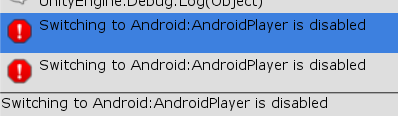 dawn forge
formal leaf
guys how do i make my VRC Pickup thing respawn after it falls off the world
dawn forge
formal leaf
guys how do i make my VRC Pickup thing respawn after it falls off the world
May not be your clear answer, but here is what I am doing when my pickup falls off the map or is too far from its pedestal/spawn
This is UdonSharp(U#) I don't do graphs, so somebody will have to show the meat and potatoes of the graph to do what you want.
    /// <summary>
    /// Check if the flag is wayyy too far from the map. Define the distance by measuring from the pedestal to the "edge" of your arena, NOT the scene.
    /// </summary>
    private void RespawnFlag()
    {
        if (Vector3.Distance(this.transform.position, FlagPedestal.transform.position) > 10.0f )
        {
            // Put flag back at the pedestal. TODO: Orient flag to pedestal appropriately.
            this.transform.localPosition = FlagPedestal.transform.position;
        }
    }
That is being called by a fixedUpdate on the object.
grand temple
that code can be used to make something respawn if it gets too far away, but just respawning when it falls off the world is something you don't need to code to do. Anything that has "sync position" checked on the udonbehaviour will have that
 chilly aspen
I have two game objects each with an udon sync variable. Do the sync variables always do PreSerialization in the same order at the same time, or is there variance? For instance, is it possible for one of the objects to execute more or fewer PreSerializations than the other object?
chilly crater
If I have an UdonBehavior set an animation trigger, do I have to send it as a network event to be synced?
chilly crater
grand temple
that code can be used to make something respawn if it gets too far away, but jus...
SyncPosition does that? I thought that was the scene descriptor.
fiery yoke
chilly crater
SyncPosition does that? I thought that was the scene descriptor.
Ofcourse the synced position behaviour is responsible for respawning/resetting a synced objects position. It just gets the world height from the descriptor.
formal leaf
Is it possible to make it so that not all players are loaded at the same time in a world? like, can u make it so that avatars will only show when their within a radius of you or something?
(Like, with world settings or something like that)
broken bear
will synchedposition automatically be updated to the unu to show late-joiners the position?
 normal swallow
Not sure if something changed but now whenever I build my project it doesnt keep the changes i made to the interaction text portion of my Udon behavior script (on an avatar pedestal)
Is that something anyone saw before?
stark adder
What do people do to invalidate SendCustomEventDelayed ? 🤔 I am sending an events through multiple frames and I want to invalidate all previous ones only keep the last one 🤔 I saw using two ints it could be possible 🤔 any other ways anyone though of ?
void ridge
stark adder
What do people do to invalidate SendCustomEventDelayed ? 🤔 I am sending an even...
stark adder
Yea I saw
rigid plume
Anyone know how to prevent a VRC_Pickup controller for a vehicle from lagging behind its vehicle at high speeds?
My vehicle consists of the vehicle itself and some child objects: VRC seats and a VRC pickup which functions as a controller. While held, the player can hold the trigger on the controller object to steer it left or right or throttle forward or backward. At high speeds while it is held, it starts jittering or lagging behind 1 frame.
Not sure if there's just some simple setting I'm missing here...
controller settings^
 dapper lion
sometimes the children with synced position will lag behind because the main parent will already be set to sync position
rigid plume
Should I try unsyncing the controller's position?
dapper lion
if its parent is set to sync. id try unchecking the sync position on its child if they are not already
dapper lion
hmm. im not sure then. maybe its a rigid body thing but thatd be a bit weird if its attached to the vehicle
rigid plume
The weird thing is that if I let go of the controller while going at high speed, it follows along with the parent vehicle just fine, without any jitteriness.
 fiery yoke
?whatisudon Youre welcome @sand lion
hidden martenBOT
VRChat Udon is a programming language built by the VRChat Development Team for use in VRChat worlds! It enables complex behaviors and logic in VRChat worlds. Read more about Udon in our documentation: https://docs.vrchat.com/docs/what-is-udon
VRChat
What’s this Udon thing anyways? VRChat Udon is a programming language built completely in-house by the VRChat Development Team. It is designed to be secure, performant, and easy to use via the VRChat Udon Node Graph, a built-in visual programming interface that uses nodes and wires (we call them “no...
 sand lion
fiery yoke
?whatisudon Youre welcome <@!771041459758563378>
sand lion
fiery yoke
?whatisudon Youre welcome <@!771041459758563378>
ty -w-
rigid plume
I think I found the solution to my problem. It was nothing to actually do with the controller. The problem was the seat. I changed its Player Mobility property from "Immobilize" to "Immobilize for Vehicle" and now it controls much more smoothly.
stark adder
How can I force custom startup parameters to Build & Test ?
I put them in so many places none of them world
fiery yoke
Pretty sure you can only do that with a custom bat that you set the startup path to
stark adder
🤔

What should the startup bat look like if I want the startup to work and non-vr checkbox to work too
fiery yoke
I dont really know anything about bats (neither in programming nor in biology lol) I used one that looked like this
@echo off
if not DEFINED IS_MINIMIZED set IS_MINIMIZED=1 && start "" /min "%~dpnx0" %* && exit
cd %~dp0
VRChat.exe --enable-debug-gui --enable-udon-debug-logging --profile=1 --no-vr
exit
But thats very over enginereed lol. I tried automatically minimizing the command prompt window
scarlet lake
There's this guy that was flying around and said he was a Admin and he could ban People so i have a question? Can Admins fly?
His name was something like Zzero but i cant remeber the rest
stark adder
fiery yoke
I dont really know anything about bats (neither in programming nor in biology lo...
That doesn't start the test worl though
fiery yoke
Yeah it does not. I manually joined my test world. You gotta adjust the launch parameters.
stark adder
 ah
ah
stark adder
@echo off
VRChat.exe --no-vr --enable-debug-gui --enable-sdk-log-levels --enable-udon-debug-logging %2

endlocal
And doesn't work Starts up VRC with these params but doesn't go into the test world
fiery yoke
ohh yeah
I remember that now
VRChat is weird
they dont fully expose all the stuff that is necessary to define an instance
stark adder
So what you need to do then
fiery yoke
No idea. I just uploaded everytime I had to do something with multiple clients lol.
fiery yoke
Maybe someone else knows. I dont sorry
stark adder
VRC stupid
fiery yoke
I mean maybe it is possible. Just some...documentation on that would be sweet. You know ¯_(ツ)_/¯
stark adder
Documetation
 unreal grail
How can I force players to respawn with Udon?
fiery yoke
unreal grail
How can I force players to respawn with Udon?
Guess what again: You cant.
You can only teleport them to the world spawn (which is effectively the same as respawning)
There is some gotchas to that as well as always tho
unreal grail
How do I do that? Since you can't teleport other players.
fiery yoke
Ohh yeah. Right. You could send a custom event to the owner of an object, or all. But that doesnt really help you I guess. So yeah.
unreal grail
So the question again is: how is it done?
fiery yoke
Depends on what exactly you need.
unreal grail
I need to respawn all players in the instance.
fiery yoke
You working with a graph or U#?
fiery yoke
SendCustomNetworkEvent("RespawnAll", All) => Respawn: VRCPlayerApi.TeleportPlayer(Networking.LocalPlayer, worldSpawnTransform)
Something like that
cunning mist
I actually just did a tutorial on SendCustomNetworkEvent. If you want to, you can just swap the object toggle event for one that teleports the local player, and forgo the late-joiner networking. I posted it in #udon-showoff
fiery yoke
Im also confused on why TeleportPlayer even has a player api parameter
if you cant teleport any other player than local...
cunning mist
A large portion of VRCPlayerApi events don't work on non-local players. Attempting to change a different player's walkspeed, for example, just breaks entirely.
fiery yoke
Yeah. Confusing if you ask me.
unreal grail
I don't have TeleportPlayer available under VRCPlayerApi
fiery yoke
ohh yeah sorry its called TeleportTo
unreal grail
The one preceded by an underscore?
fiery yoke
Ahh okay no. Its an instance method. Havent used them in a while.
Networking.LocalPlayer.TeleportTo() I guess
 rigid scroll
Is there any way to drive custom script data from within uson?
I currently am working on a commission and the client wants randomly moveing tail which would require some custom scripting.
My goal would be to drive variables from my dynamic bone component based on that. Is that possible?
dapper lion
on avatars no. but on worlds—technically
you can probs just set up a long animation that seems random
rigid scroll
Is there any way to do this sort of custom scripting for a character? Are there alternative solutions to randomly move bones?
 edgy ingot
rigid scroll
Is there any way to do this sort of custom scripting for a character? Are there ...
edgy ingot
rigid scroll
Is there any way to do this sort of custom scripting for a character? Are there ...
use a 2 axis blend tree, tailX and tailY, use an animation that changes a value that's valid but does nothing in your avatar (I use material values i'd never use) and use those as a "timer"
then go from "timer state" to "change state" and in the "change state" use the behavior "VRC Animator Parameter Driver" on the state and have it set the tailX and Y to random values
adjust the timer to taste and use dynamic bones to smooth out the rest
that's on the avatar side, so more #avatar-help but it's an idea
i did something like this for a friend's avatar with their eye color
but this is on the avatar side, i dont think Udon can force avatar parameters
rigid scroll
Thank you! Sorry for asking in the wrong chat.
edgy ingot
no problem, if you have any questions on what i said feel free to ping me in #avatar-help
 atomic bone
hey! how do i do arithmetic in Udon? like take the difference of two of my variables?
found it nvm! under the primitive types
fading cipher
Is there no way to specify which object you want to call SendCustomEvent on if you're calling it with an animation event?
Because right now it just calls it on all parents/children within the gameobject's chain and I'm trying to only call it for a specific child
atomic bone
what's the best practice for doing the equivalent of logging values to console in udon to test in game?
 abstract mesa
so random question but is it possible to set a texture to scroll along a given axis in a world? I feel like it should be possible but I'm quite a baby when it comes to udon so I'm not sure of its limits
fast prairie
Are there ways to catch errors? an odd edge case I cannot replicate appears sometimes. Thought I was okay with the if(player != null) but GetBonePosition in the brackets 'hits the fan'
unborn hornet
There is no exception handling in Udon currently. To check if a player actually exists, use Utilities.IsValid(player) instead of player != null
fast prairie
aha. this also applies to a list of players populated with VRCPlayerApi.GetPlayers U# ? I was warned from using this so maybe my own fault
unborn hornet
Yes the IsValid method was developed in-part with the GetPlayers functionality in mind.
fast prairie
I'm thinking now it could be a timing issue so that would make sense for it being hard to reproduce. Thank you muchly
flint urchin
fiery yoke
if you cant teleport any other player than local...
It’s the same method used by moderators to teleport players in game afaik
flint urchin
abstract mesa
so random question but is it possible to set a texture to scroll along a given a...
Yes and you would do it in a shader and not specifically in Udon
abstract mesa
flint urchin
Yes and you would do it in a shader and not specifically in Udon
Ah I see. I know it can be done shader and is likely the best way, I was just hoping there would be another method because I honestly am not much in the mood to go fiddling with shader code again. because I'm gonna need to make it scroll and be a fade texture which I don't even know how to begin with.
last swift
I'm working on an in-game joystick that a user can interact with. I put the VRC Pickup script on it and I set orientation to Grip, and Pickupable to false. Now I think I might need to write my own custom script to get the joystick to actually move/rotate with the players hand motion. Does anyone have an idea on how I could do that?
fair terrace
the ultimate limit of 80 people in one instance, is it possible to get experimental/temporary lifting of that limit on a world?
stark adder
There's 82 people max from what I know
grand temple
owner of instance and author of world can bypass the hard cap, yes
stark adder
And having stable 82 player instance.. GL HF
Though I heard someone saying devs had some kind of test or what with more than 80 people ? 
grand temple
yeah, it got up to 130 ish people. Definitely not a normal thing, don't expect to ever see that happen again
it was far from a usable experience though
despite everyone using avatars that were literally just a single white quad
stark adder
I really wanna see 500 people in instance lol
flint urchin
grand temple
owner of instance and author of world can bypass the hard cap, yes
Only if the instance is already full, it does not make the instance +2 if they are already in there
grand temple
yes, exactly
stark adder
grand temple
despite everyone using avatars that were literally just a single white quad
Lol
Mute every single person there and ez
 halcyon falcon
what is udon like? Javascript is what im most familiar with so i wanna know if theres any other code languages i might have to learn, or is it comparable to simulink/MATlab code?
grand temple
it's most similar to C#
Because it's based on unity monobehaviours
and most of the unity documentation and questions about monobehaviours will also apply to udonbehaviours because of that
halcyon falcon
does udon work well on quest 2 yet? Unsure if i should use it/learn it in my first attempt of a world or not
grand temple
yeah, totally
udon has worse performance than native unity code but it can still perform plenty if you're careful about how much you put in the update loops
halcyon falcon
eh probably wont do anything too crazy, At most this world is gonna be personal so i dont wanna worry too much on performance yet
 hybrid pivot
hey can i ask questions for vrchat here?
 rotund wraith
yeah
hybrid pivot
thanks
rotund wraith
noice
hybrid pivot
i cant seem to add my friends
i just started this game
we can search and find each other
but we dont receive the invite
rotund wraith
no, there should be a thing in your menu saying smth with social. click on that, find him, friend him by seaching on him, if you haven't already done it. then click on him, and then theres a button where it says "join".
hybrid pivot
How do I accept request
 rotund lion
I've been trying to do an udon graph that compares the states of 4 objects and if they are all equal to each other, set the object on the right's state to on/off accordingly, New to udon so I think I'm using something wrong but any help would be really appreciated.

 mighty fjord
Should probably switch out those boolean Equals nodes with boolean Equality nodes
rotund lion
for future reference what's the difference?
mighty fjord
Actually, do you want it to go through the branch when all objects are off and on, or just when they're on?
rotund lion
Just when they're on