#udon-general
59 messages · Page 39 of 1
 jaunty schooner
 void ridge
@halcyon falcon https://docs.vrchat.com/docs/what-is-udon
jaunty schooner
Wait... Every variable that is synced is sent 5 times a second? Not when it changes, or needs to be sent to a player that just joined?
 grand temple
Yep, all the time
 halcyon falcon
Can i use udon in quest 2?
grand temple
Yes
halcyon falcon
alright, Ill try it out when i make my first world once I reach New User rank
jaunty schooner
Well huh... I guess that might explain why leaving "change ownership on collision" checked crashed my world when people stacked up 25 cars in a hole.
grand temple
Well, ownership transfer on collision is a whole different problem. It's bugged right now and causes way too many ownership transfers
jaunty schooner
I feel like it should be disabled by default. Is there a good argument to have it enabled by default, while sync position which everyone usually wants for pickups, is disabled?
grand temple
You should leave it off until they fix that bug
Though for something like a vehicle you'd always want it off whether that bug existed or not because you want the owner to always be the driver
If it transfers to someone else while you're driving, you won't be able to control it anymore
jaunty schooner
Like I'm pretty sure you would need it to make a game like murder and have the knife tell the player that was stabbed who owned it....
But other than that, I can't think of many good examples.
grand temple
Huh?
 scarlet lake
Ok I found morgz on vrchat can I bully him?
grand temple
How do you figure that? Ownership transfer on collision just means that when you throw a pickup at some other pickups, you will take ownership of them all
Not sure how a knife in murder would ever need thwt
jaunty schooner
Yes, but you get ownership when you pick up something, right?
grand temple
Yes, but that's not related to transfer on collision
jaunty schooner
I wasn't referring to the collision thing except to say, I know what ownership would be used for for a knife... But why would you even want objects to change ownership on collision in 99% of cases. I think I saw bowling pins as the one and only example I know.
grand temple
Yes, bowling pins are a perfect example
jaunty schooner
Yes but bowling pins are only used in bowling alleys. 🙂
grand temple
It's a nice option to have for basic pickups
jaunty schooner
I'm looking for a more general useful example people would use often.
My pickups seem to collide just fine without it. You can pick up tiny cars and whack them with a bus like a bat and they go flying and look good local and remote.
grand temple
Yes, but only if you're already the owner
 mortal star
I have a problem, my ladder causes unusual client behaviour
jaunty schooner
Are you telling me that Udon waits a second or two before starting to sync a synced variable, but then transmits its value 5 times a second? Or is there several seconds of lag every time the value changes before it starts transmitting the new value 5 times a second?
Cause I can't see how it can be the former, since like, at least a couple seconds are gonna pass while you're waitng at spawn to load in, so if it was always syncing every 200ms after that, that wouldn't be a major issue...
But at the same time, why would they transmit it 5 times a second if it takes 1-2 seconds to update each time the value changes anyway?
 open ermine
was basically to the point of uploading a world, slapped in a script to uplaod thumbnails, removed it, and now the world refuses to upload builds and uploads at 21kbs
grand temple
It's the latter, and the reason why is because of network priority. Other things have higher priority like bone positions and network events
open ermine
any tools besides world debugger to find out whats causing a failed build
jaunty schooner
@grand temple But that doesn't make sense. It's transmitting the variable every 200ms anyway. So why would it wait to update the value its transmitting for up to two seconds? It makes no difference in network congestion.
grand temple
I don't have that answer, networking is complicated and I didn't make it, I only observe the results and limitations
 serene moat
the transmission rate does not have to do with the latency, those are two separate things. It transmits 5 ish times per second to make more certain some of the packets get received, and to make sure it has enough data to interpolate with
The latency of 2 seconds is because it takes 2 seconds for the other client to receive the data, but they're still receiving those 5 packets per second, they're just delayed by 2 seconds
jaunty schooner
So what you're saying is that no matter how fast I increment a counter... It will only sample its value once every second or so, and then transmit that result every 200ms until the next sample period?
serene moat
no
it will transmit around every 200ms, but it can take 2 seconds for the other client to receive the updated data
again, latency is not the same as transmission rate
jaunty schooner
Let's say I have a counter. I increment it by 1 every 200ms. After 2 seconds, my counter is at 10. Do the other clients not see anything for up 2 seconds, and then they receive regular updates 200ms apart, counting up to 10?
serene moat
yes
grand temple
If you try to change a synced variable every single preserialization, theoretically they should receive every one just delayed by a couple seconds. But in practice some packets will be lost. I try to limit it to 1 per second as a safe bet, though you could probably go faster
 sly lodge
I'm planning to create VRC Station with custom animation, so need to add VRC Animator Tracking Control to my Animator Controller but SDK3 for world seems not have that (only for avatars).
Anyone know to add this animator behaviour on my SDK3-World based project?
 vernal maple
Getting a really really reaaaaaaaaaally strange set of errors all of a sudden.
Assembly 'Assets/Udon/Editor/External/VRC.Udon.Graph.dll' will not be loaded due to errors:
Unable to resolve reference 'Cinemachine'. Is the assembly missing or incompatible with the current platform?
Reference validation can be disabled in the Plugin Inspector.
Unable to resolve reference 'Unity.TextMeshPro'. Is the assembly missing or incompatible with the current platform?
Reference validation can be disabled in the Plugin Inspector.
Literally all I did prior was add a reflection probe.
Anyone have any clue on what's going on with these?
 wheat rover
It's just pointing out you don't have cinemachine or textmeshpro installed. Everything should still work.
vernal maple
That's the thing though. They are installed. o_o
wheat rover
Oh. That's odd, then
vernal maple
Starting to think some corruption of files is amiss.
It's strange too, because I can still publish a world, but it refuses to let me launch build and test.
So I'm collaborating with another, they sent me the folder those files are in, and it's launching perfectly. Yeah. Corruption.
jaunty schooner
My goal for my world is to make it so that players can either hit buildings with their hands, or with pickups, and the buildings will take damage over time, and swap to progressively more destroyed models. (1-3 levels of destruction each) I'm pretty new to Udon, and Unity scripting in general since I've never had a need to use it before now, but I have a lot of general game programming experience. Still, while I have a few ideas how to approach this, I'd like some feedback from those who have more experience with Udon and Unity scripting on how would be best to implement this.
jaunty schooner
The first problem of course, is how to tell if the players are hitting the buildings. The buildings themselves are static meshes, each with an empty root object, and numbered children for the levels of destruction. Some have four levels, and some only two. I was thinking for each of these "LOD"s, I could have a box trigger collider that fits it closely. Most of the buildings get progressively shorter as they're destroyed, so the collider has to change with them.
However, this presents an issue, because it's my understanding that one of the collision volumes has to have a rigidbody to trigger a collision event. That means I'd have to somehow attach rigidbodies to the player's hands. But this seems inadvisable, even if it is possible, and I don't know that it is. If I stick rigidbodies on their hands then their hands would presumably collide with the world. Or there might be other weird effects.
I suppose I might be able to set the layer for the hand colliders to be something other than the default... I wonder for example, if making a new layer specifically for the buildings and hands would make sense? Thing is, I don't think I can edit the collision matrix with VRChat, and I'm guessing if I make a new layer and I can't set the collision matrix, it will collide with nothing. Or will it collide only with itself by default? In any case, if it collides with nothing, I'm guessing any rigidbodies on that layer could not trigger any trigger volumes on the same layer. Futhermore, I want the cars to be able to damage the buildings when they hit them as well, partly so desktop users can have some fun too. So whatever layer I use for that trigger, the pickups have to be able to collide with.
I think another world that does this resolved it by providing the player with pickups to use to hit buildings with. And sure, that might be the simple solution, but I'm really curious if and how one could make player's hands collide with the buildings without resorting to pickups. Can I attach rigidbodies to hands? What happens if I do? Will those colliders be global? Would it make more sense to attach trigger colliders to the hands instead and detect collisions with the building having a rigidbody instead? But then how would the car collisions with it be detected?
And then there's the question of how I should sync this up. One way I might be able to do it would be to have a script on each building that handles detecting player and object collisions with itself and then reacting appropriately. And to sync this... Well, I was told earlier to use a network event, so I guess I'd detect the collision, send out the event, and in the script I'd have a separate subroutine which looks for said events and updates the damage level? But I want the buildings to require a few hits to change the amount of damage they display.
I also considered the possibility of creating a game mode where players try to do as much damage as possible. And at first I thought to make this work I might have to keep an array of all the buildings in some master script and track things that way, but perhaps the right way to do it would be for the players themselves to keep track of how many hits they get in? But I suppose I can't do that because how do I treat the players as objects with their own script to keep track of that data? And how then would I transmit that data to the master to have the world declare a winner for the round? So it would seem like the master would have to keep track of all these players and the amount of damage each individual does. So perhaps each player should transmit an event to the master when they connect with a building that hasn't been fully destroyed yet, and it could tally the hits that way?
 obtuse agate
sly lodge
I'm planning to create VRC Station with custom animation, so need to add VRC Ani...
obtuse agate
sly lodge
I'm planning to create VRC Station with custom animation, so need to add VRC Ani...
import VRCSDK3A.dll and VRCAnimatorTrackingControlEditor.cs from SDK3 Avatar package
sly lodge
obtuse agate
import `VRCSDK3A.dll` and `VRCAnimatorTrackingControlEditor.cs` from SDK3 Avatar...
Awesome! thank you!
It worked
 unborn hornet
For posterity, regarding my previous question about the hand's raycast.
new Ray(hand.position, hand.rotation * (Vector3.forward + new Vector3(0.8f, 0f, 0f))) This get's pretty darn close in my testing. Just some tweaking on the 0.8f value is needed for better precision.
scarlet lake
I wanna create a button that lets me toggle music in my world so i can turn it of and on
 cold raft
easy, go for it
open ermine
pretty easy i use an udon script for it @scarlet lake
scarlet lake
Thanks it’s my first time using sdk 3 I uaslly use 2 for world creation
 mighty fjord
Is the type particlesystem.particle support in Udon or not? The nodes seem to be invisible or are just not getting added to the graph properly.
mortal star
to get WSAD movement on desktop is it this?
float AD = Input.GetAxisRaw("Horizontal");
float WS = Input.GetAxisRaw("Vertical");
or do you use
bool A = Input.GetButton("Left");
and stuff?
 shrewd mural
mortal star
to get WSAD movement on desktop is it this?
```cs
float AD = Input.GetAxisRaw("H...
shrewd mural
mortal star
to get WSAD movement on desktop is it this?
```cs
float AD = Input.GetAxisRaw("H...
(coming from a non-VRC Unity user) I'd go for the Axis method, unless you need it to be specifically the WASD keys on desktop, in which I'd use Input.GetKey() instead.
 lament scarab
System.NotSupportedException: Udon does not support variables of type 'OcclusionPortal' yet
No OcclusionPortals in Udon?
 quartz meadow
I've seen them used, maybe in another way?
lament scarab
I don't know, from any documentation I can read you have to set the open property to true
How can I do that if I can't get a reference?
 cunning mist
@lament scarab I haven't tested it myself, but you may be able to control the Open property via animations and then control the animations via Udon.
lament scarab
Hmmm, that's a good thought, thank you. I may noodle on that later.
cunning mist
No problem. If there's something you're like "I can't do this with Udon", always see if you can do it with Animations. It's the universal workaround.
lament scarab
Right now my keypads maintain three arrays for objects to show, hide, and toggle, but I can see all sorts of need for extensibility that could become a pain to maintain. Maybe animations will help with that in general
Or maybe there's an easy pubsub pattern I'm overlooking
 hoary ocean
Hey! I was gone for like 5 months, I was curious if there are any additions to http requests and/or variable saving between sessions of vrchat maps
I've been making an RPG for awhile now, something to really showcase the power of Udon, I just wasn't sure if there was any way to make things persistent
cunning mist
No http requests likely ever for security reasons, though some people have had luck saving information to a long string and having the user copy that string into notepad or something their computer.
 fresh cave
can baked lighting work with udon worlds?
 dapper lion
id hope so?
 robust stag
I put a video player in my world(AVPro) and tested it, when I put a URL in and loaded the video only I could see it but not others. What did I do wrong? Followed every step vowgan vr showed in this tutorial video: https://youtu.be/CQdjyHFxwK4

Check out Universe for VR development courses in VR! Use code "VOWGAN" to get $25 off any course when you enroll.
https://tryuniverse.com/
While there's no actual programming in this tutorial, there's still plenty to cover with the new Video Players being released! More tutorials will come soon with specifics on playlists, in-world URL changing...
dapper lion
so that video if iirc, does local work, its a bit iffy to in some parts for noobs but im not sure how that video player was supposed to become global
im sure vowgan might have a better explanation here
cunning mist
So here's the thing...
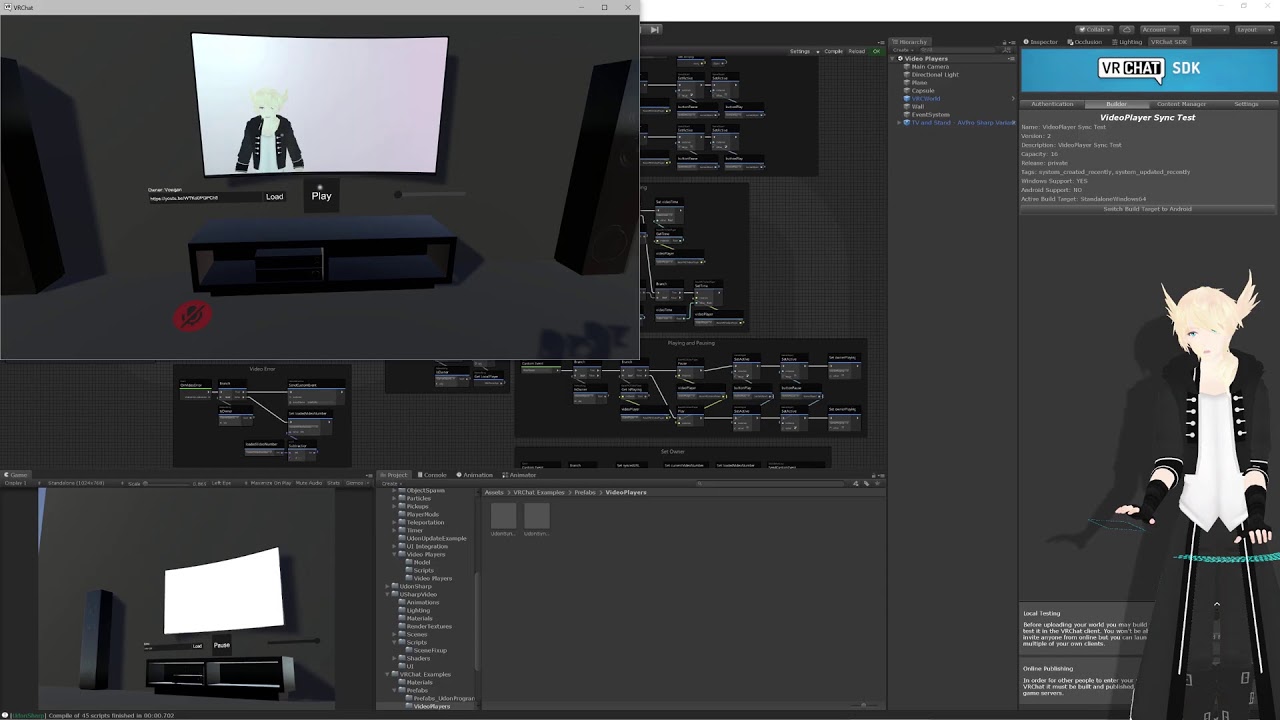
Video players were too difficult for me to condense their networking into a short, concise tutorial, so instead (and as a 1000 sub celebration) I'm doing a stream to show off everything in detail!
It's annoying and tedius.
robust stag
Do I need to scrap the previous setup or just add some code?
cunning mist
It would be a lot of re-writing, but still based on the same graph/script.
If you want an easy drag-and-drop, MerlinVR has a good one on his github. Requires UdonSharp.
https://github.com/MerlinVR/USharpVideo

GitHub
A basic video player made for VRChat using Udon and UdonSharp - MerlinVR/USharpVideo
dapper lion
@robust stag theres a few video players for udon out there
scarlet lake
my game randomly crashes and it says udon error
robust stag
Thanks Vowgan! Had no idea you were in this server.
I will power through the tedious part because I added surround sound to my player and I don't want to lose it now that I have heard how awesome it sounds
dapper lion
udon can in certain cases
scarlet lake
like i get disconnected from vrchat
robust stag
I'm more accustomed to graph then sharp
dapper lion
@scarlet lake do you mean like “timed out”
dapper lion
@scarlet lake ah, so the servers are bit “clogged” right now, i can only suggest switching from wifi to ethernet, or vice versa
cunning mist
Okay, right now my stream on the networked videoplayer's graph version will crash your game if the link you put in doesn't work. This is the patch.
scarlet lake
@dapper lion alright anything else or is that it?
dapper lion
@scarlet lake i mean, youre bound to time out, chabging it usually helps it for some odd reason so that it doesnt crash rapidly or time out
robust stag
Thanks a lot for the heads-up, would have ripped my hair out if I did all that work to suddenly get an error if the link was faulty
scarlet lake
ok
cunning mist
Happy to help
quartz meadow
I know theres some word about new network overhauls coming to udon, any word on what they are or when?
 unreal grail
How can I detect when a player presses a certain controller button twice in succession? In this case, it's the Left-hand second menu button (Y on Rift/Quest)
 paper plinth
I would put a counter on the action and don't let the action execute unless the counter reaches 2, and if that doesn't happen in the specified time, reset the counter
but I don't know where counters are
unreal grail
Right, but I mean how do I get the input in question
This does not work:
if(Input.GetButtonDown(Button.Four)
ALso is there a particular dependency I need, because Oculus documentation says I should use OVRInput, but that throws an error
cunning mist
@unreal grail Here is a list of all controller input name types.
https://docs.google.com/spreadsheets/d/1_iF0NjJniTnQn-knCjb5nLh6rlLfW_QKM19wtSW_S9w/edit?usp=sharing

Google Docs
VR controller summary
This page is a combination of the other pages. These
inputs are verified to work on every known controller, and
in cases where they don't an alternative is provided.,Use this world to test:
scarlet lake
im new to vrchat and im on pc does anyone know how to actually get on a world.. cause i thought you just needed to press launch but it doesnt work
dapper lion
@scarlet lake ask in #user-support-old and thats not a lot of info for people to help you
unreal grail
@cunning mist Thank you. Another question: I am having issues getting player tracking data. Multiple walkthroughs I find do not work. What is the correct way to get the vector of the LocalPlayer's head?
cunning mist
You need to grab the local player's VRCPlayerAPI variable, typically in start by saying "playerLocal = Networking.LocalPlayer." Then when you want to grab the head position, you do something like "playerlocal.GetTrackingData.Head"
unreal grail
for some reason this is throwing me a "doesn't exist in current context" error:
var headData = player.GetTrackingData(VRCPlayerApi.TrackingDataType.Head);
might need to recompile, because it should be working
ok, so now I have the head data, but how do I get a vector I can use to make a lookAt
oop, I got it, I forgot .position
quartz meadow
I personally just grab the avatar bones
 dusk nova
what dose udon mean
dapper lion
@dusk nova the food or code? cus in vrchat its noodle graph code. but irl, its just noodles
dapper lion
yes
unreal grail
Hey @cunning mist I got this error:
Input Button Oculus_CrossPlatform_Button2 is not setup.
Any ideas?
unreal grail
Also: asking once more: is there a way to avoid recompiling thousands of shader variants every time I change one thing in a script?
it takes between 10 and 20 minutes
 balmy bison
was recommended to crosspost this here! is there a more accurate way to detect avatar height in udon besides summing the lengths of bones from head to foot
quartz meadow
Look at the difference between the position from the head to the foot
dapper lion
i believe they were wanting a script that could detect such features on avatars
balmy bison
position from head to foot will vary depending on player pose though, and I don't want to ask them to stand up straight to calibrate haha
dapper lion
so youre wanting something that can do that before a vr user calibrates? so as if the calibration is done by the world?
balmy bison
yeah, the avatar height should be constant per avatar even before a fullbody user calibrates. but nothing like PlayerApi.AvatarHeight exists
dapper lion
i see, ive seen chairs that were able to change the height of avatars but having an animation that changes hip position, but ive never seen it work in such a way that people automatically become a set height
if anything, that would be a neat feature request. however i do believe there would be some kind of work around. but not with udon exactly
balmy bison
I don't want to change the avatar height, I want to be able to scale props/chairs/whatever to the players size
unreal grail
Still getting Input Button Oculus_CrossPlatform_Button2 is not setup.
been at this for 8 hours
anyone have an asnwer?
unreal grail
does anyone know why VRC stop detecting GetKeyDown after a few presses?
like, I set up it to use a GetKeyDown instead since no one can answer the above, and VRC only detects GetKeyDowna few times then stops
mighty fjord
Currently the best way I know of to get the height of an avatar is to measure out the distance between some or all of the bones, and it's usually pretty consistent. I would also be quite interested if someone else knows any other ways to estimate or get the player height.
dapper lion
thats such an interesting concept, it would be like joining a world that changes to your size
unreal grail
Is there a limiter that automatically disables GetKeyDown checks?
Here's the script in question https://pastebin.com/H6VfbCYe
Pastebin
Pastebin.com is the number one paste tool since 2002. Pastebin is a website where you can store text online for a set period of time.
 noble pagoda
hello, i have a short question:
how i get the material on the front side?
rotate the cube dosnt help
dapper lion
@noble pagoda wdym
noble pagoda
what you mean?
dapper lion
im not sure what youre doing to that cube rhat causes the problem. any ideas?
dapper lion
is this the default cube?
noble pagoda
yes
dapper lion
odd, what does it say in the inspector?
unreal grail
Can anybody from VRC clarify whether GetKeyDown stops working after a few keypresses?
noble pagoda
dapper lion
@noble pagoda and rotating makes the next face black? or only that one face?
noble pagoda
yes, the materials dont rotate with
dapper lion
what do you mean? by “dont rotate with”?
noble pagoda
it keeps on the same side
dapper lion
hmm, well my best solution is to hide the black side, unless this is a pickup cube?
dapper lion
stretch the cube out and compress it so the black side is on the side no one looks at
or create a quad real quick, and put that material on it and see if it blacks
noble pagoda
the black side keeps on this, no matter what i do
i test
ok, if i use other material, it works
hmmm
dapper lion
hmm, what does that texture look like compared to the other one?
dapper lion
hmm, well if its a cube, it should display the same texture on all sides if im not mistaken
noble pagoda
do i need change something on thze material?
unborn hornet
The UV map might be incorrect for the cube on the other material
noble pagoda
@unborn hornet it looks perfect good, but its on the wrong side
dapper lion
thats what i was thinking, but it shouldnt do that
try making a quad and put that material over it, and see if something black reveals itself
noble pagoda
i dont know what to do with that quad, its flat and transparent and i cant make any textur on it
dapper lion
select it, and drag the material from assets onto it
unreal grail
Can anybody from VRC clarify whether GetKeyDown stops working after a few keypresses?
dapper lion
thats odd, try draging the material to the quad in the hierarchy instead
noble pagoda
i did, nothing works, i tried other materiaös
dapper lion
odd, well im not sure what else is going on, add it as you did the cube
 tribal meadow
I'm still having issues with getting a grabbable object with a global toggle to go back to it's original position. Any suggestions how to modify this to make it work would be appreciated, not sure what I'm doing wrong (going afk will be slow to respond)
dapper lion
drag and drop the png file on the quad
acc on bunnys, you see where it says “standard” on top? change that to an unlit texture
i wonder if its just super shadowy on that one side
dapper lion
noble pagoda
i dont think its the shader, its standart on all thextures
but it makes sense when the working one is fullbright
dapper lion
youre not wrong, its just odd cus when you added that other material, the other faces were brighter
yea
noble pagoda
that looks completely different with the settings
dapper lion
im not sure, id just stretch the cube and hide that black part if possible, not sure why the uvs or whatever is causing that
oh look there, that one just uses emmisives, thatll make it visible too
try that and see if itll work
noble pagoda
it lights up the quad, but not the cube -.-
(the quad is only visible from this side)
dapper lion
thats super weird, cus the next fix i was gonna suggest is add the material to the quad, and you use the quad to cover that black side
but I don’t know why its not letting you drag it on the quad either
noble pagoda
it does now, just only on this side, i dint know its only visible from one side
 edgy moss
I'm not sure what I'm doing wrong... I know how to make a classic avatar pedestal because there are tutorials for that. But I just want an object that when you click it, you change into the avatar. i don't want the floating picture of the avatar. I have seen this done plenty of times. this is what I have. what am i missing? (happy new year! 😄 )
dapper lion
@noble pagoda its like a upright plane
dapper lion
@edgy moss ngl, that looks like itd work
dapper lion
@noble pagoda so what you can do now is put the quad into the cube in the hierarchy make a “parent to child” so when you move the cube, itll move the child (quad) as well
noble pagoda
why its so dark? the room ist just bright everywhere ingame
dapper lion
im not sure, thats why i was suggesting using an unlit shader
so whatever lighting is being absorbdd incorrectly. it wont need anyway
noble pagoda
it is just, someone made this room/map for me, and i now try to add things
noble pagoda
nah this makes no sense, its angled then
dapper lion
but did the black face move to a new face?
dapper lion
hmmmmm, thats so bizare
noble pagoda
yeah
dapper lion
and if you spawn a fresh new cube, does it look the same?
noble pagoda
yes
dapper lion
hmm, well does the quad and cube look good enough? if you need the quad face brighter, you can select the material and do “ctrl d” and drag and drop the new material on the quad, and edit it to your liking
noble pagoda
the map has one directional light btw
dapper lion
yea, if you tilt the cube, that face should change, unless it baked on... is auto generate turned on?
noble pagoda
i dont know, i do this since 2 days
dapper lion
hmm, i mean, i think youve done what i wouldve done, except check if the lights were baked on with heavy shadows
noble pagoda
i think he said something like heavy shadows .. hmm
dapper lion
check your light settings
noble pagoda
dapper lion
theyre under window->light -> light settings
oh theyre realtime anyway
is that the only light source?
noble pagoda
yes
dapper lion
that cube is an inigma
edgy moss
@dapper lion I got it! for some reason the mesh collider wan't working, but it worked with a box collider
noble pagoda
you see the texture on the right side, fullbright dosnt look good
dapper lion
@edgy moss very epic
@noble pagoda make the material on the quad have emmisives to make it brighter
dapper lion
big no problem 😃
lament scarab
@cunning mist Animations totally work for OcclusionPortal . Thanks!
 gloomy musk
Hi, I'm trying to use the Avatar SDK in Unity and it says I don't have access to it, so I can't change my model in game. How do I gain access so I can use custom models?
 spice crane
How do I find someone’s steam from their vrchat account
quartz meadow
gloomy musk
Hi, I'm trying to use the Avatar SDK in Unity and it says I don't have access to...
you have to be above visitor rank I believe. just play a bit more, you can go up quickly from there quite fast
quartz meadow
spice crane
How do I find someone’s steam from their vrchat account
I don't think you can from Udon for security reasons
paper plinth
Can I lerp the Y on this translate from 0 to 1? Any suggestions on that?
I am learning
this is my second day
mighty fjord
What version of Udon is this?
mighty fjord
If you open up the SDK control panel, you can go to settings, and the SDK version date should be in there, just curious, since it seems rather old
paper plinth
ok yeah it's pretty old
any ideas on the lerp thing? has that changed?
any problems importing the latest sdk3 on top of the old one?
mighty fjord
Do you mean that you'd like to lerp it over a few seconds or something?
paper plinth
yeah just let it move over a second
instead of jumping out of the way
wow I totally broke the entire project by importing the new sdk over the old one xD
surgery time
mighty fjord
Was about to sy that you can import the latest SDK over one of the newer ones
paper plinth
I haven't done anything complicated so I just nuked it
mighty fjord
But what you want to do is create a timer first that you use to lerp between a and b
mighty fjord
You have to make a timer, I usually use time.time, but I dont know if that's the best way to do it
paper plinth
ok yeah that's what I did for something else
works!
lol
felt like I was hacking the gibson tho, going into system, looking at clock functions...
mighty fjord
You probably want to reset it aswell when you press interact, so you store the current time to a float and then to time.time - stored time
paper plinth
I'm accustomed to "timer 1 second GO COMPUTER"
good shout to make sure I reset my variables
I was not doing that
mighty fjord
Actually, I'm curious, would there be any major differences between using time.time compared to time.deltatime?
paper plinth
back when I did this we addressed the seconds bit in the system clock
I suppose for what I'm doing you would probably just use keyframe animation and somehow bind the animation to doorknob or something?
that's what the door tutorials say
unless you were timing something of the determinate state of the timer? Maybe deltatime would give you the results you need for a game but would mess up a sine wave if you timed off it? just guessing lol
wow this is really different
tribal meadow
Still having issues with objects not going back to their original location.... this is my script below, anyone know what I might be doing wrong?
mighty fjord
Is the position in the Transform Set Position and Rotation the original location you want the object to be set to?
paper plinth
where's get variable now? lol
wait a minute it's gone!
they took it
it's drag and drop!
wow, this is exciting
mighty fjord
Yeah, and holding ctrl whilst dropping it means it creates a set variable node instead
paper plinth
yeah like ue4
I might be able to program in this now
I like "const this"
and you don't have to break that vector3 apart anymore, there's a float,float,float
that's handy
tribal meadow
mighty fjord
Is the position in the Transform Set Position and Rotation the original location...
Yeah I set the co-ordinates to where the object originally lives
I also tried setting it below the map to force a respawn and that didn't do anything either, so I'm at a bit of a loss
paper plinth
might be cleaner to get the object transform and put it into a variable to use instead of keying in the value
tribal meadow
I was going to try that yes, but was hoping I could at least get it to work first. The object toggles fine, and is global, and is grabbable, but just won't reset after it's turned off.
so what happens if someone runs away with it, the object is gone and nobody else can get it back
paper plinth
let me guess, the behavior to respawn the object is totally different in sdk2 and sdk3?
tribal meadow
Could it be something on the object itself I have set wrong?
mighty fjord
Another quick question, does it have 'sync position' ticked on the object?
tribal meadow
I believe I have that on
mighty fjord
Are you making sure that the owner of the object is the one who's pressing the button to reset the position?
tribal meadow
that I'm not sure on, I know in testing with just me in the world it doesn't work
mighty fjord
nvm, it's a network event either way
tribal meadow
would repositioning the object first maybe be the better way to do it?
mighty fjord
I would try to break it down a bit first to isolate the issue, have you tried just doing the set position and rotation node without the object toggling?
tribal meadow
not yet, I'll try that next and see if I can get it to work
paper plinth
you guys see any differences between the top and bottom?
the bottom one doesn't make the cube go down, it just keeps going up, up, up.
mighty fjord
try pluggin constant bools into the set bool var nodes
paper plinth
right on
paper plinth
in sdk2 there's a way to recall objects
but sdk2 doesn't have scripted objects
Also for some reason in my head those booleans are backward, it works now lmao
I'll make a video when I'm done
but I'll make sure to bleep out your name so you don't get a bunch of DMs lmao
this search for functions is driving me nuts
tribal meadow
What is throwing me off a lot, is that a lot of the tutorials online are showing older versions and things are named differently, so trying to follow them can be a bit of a challenge for the inexperienced
paper plinth
same
there's some basic functions that aren't here and it's tough because if I ever knew how to script a timer off a float totally forgot it many years ago, the first time I clicked "get time in seconds"
tribal meadow
I have zero C# experience so that doesn't help either :)
paper plinth
nodes make it easier, it's a lot more like structured text or programming an industrial controller
 hollow raven
Anyone know if custom network events are working? I'd basically like (udon program on pickup) putting a pickup in a collider to fire a custom event and (udon program on scoreboard) increment a score in a uitext. If there are better ways to do this im all ears. Right now my scoreboard isn't updating and I'm pretty sure i've identified that the event is not being communicated properly
I'm testing on the vrchat udon example scene
cunning mist
You're sending the event to only the owner, so it's probably only happening for one user. If you want it to happen for all users, changed the SCNE's target to be "All"
hollow raven
hmmm okay pretty sure i tried that, but i'll try that again for both scripts
And this does work on local build&test right?
Yeah sadly that didnt do it :/
 fiery yoke
OnDeserialization only fires with more than one client in the instance. So thats probably your issue.
Networking in VRChat is not very beginner friendly. A lot of things you have to know or just guess/try out...
hollow raven
OOOH okay interesting
Haha thanks, that makes me feel a bit better
trying now with 2+ clients
fiery yoke
And in this case you do probably only want to send the event to owner
the idea is that the owner syncs the stuff for you
so if everyone tries to sync their own thing individually its a big mess. Instead when you want to change something you inform the owner, and they will change it for you
In this case its the clickCount that is synced by the owner
 hardy fog
Does setting SCNE's target to all also send it to the Owner?
hardy fog
Okay, that's good
hollow raven
Okay so im going to try my pickup sending to owner, and the scorekeeper sync also to only owner and I'll see what that does
no dice, are we sure that these events work across scripts? there's no other configuration or anything i should be making for that?
fiery yoke
Yes they do you probably have something misconfigured
take for example the OnTriggerEntered. Are you sure it even fires at all? Putting in Debug.Log and opening the in-game console (if you dont know how to do that, then search for it, should be here somewhere) will often show you where things go wrong.
hollow raven
Well it def fires, because it's also hooked up to a delete object that successfully deletes the object
fiery yoke
Well if that is not on the same graph as the other part, then you need to provide it with an instance of an UdonBehaviour
the events are not global
you need to specify an UdonBehaviour that should receive the event
hollow raven
oooooh okay interesting, that would be the "instance" attribute?
fiery yoke
yes
hollow raven
okay i think i've done that right, dragged from the object with the script
Removed the delete for testing purposes
I assume nothing needs to happen on the other end? for ButtonSyncAnyone I can leave the event catcher as is
Yeah still no luck
void ridge
@grand temple for Hook Junkers, did you do anything to scale the size of the hook guns setup to match the scale of a player's avatar? Or did you just pick a good average size and leave it?
Like specifically, the distance between the guns on each shoulder. Since shoulder width is gonna vary with avatar height
hollow raven
@fiery yoke @hardy fog @cunning mist hooking up the BSA instance actually worked, I just had to go and set the attr in the object as well as in the udon script, thanks!
void ridge
What is the difference between LogicalAnd and ConditionalAnd?
 wild cedar
is there a way to use the sdk 3 to add an ik to an avatar in a Udon world? im trying to make a puppet. Any links on the subject would be appreciated as well :)
Also, is it considered bad to have both imported into the same project?
fiery yoke
@void ridge A Conditional And is whats used for most boolean checks. It checks if the first bool is true first and then if the other one is also true. The logical and works just like an and gate and evaluates both no matter what.
void ridge
ohhh so it's a resources thing? They both operate identically as far as logic is concerned, but ConditionalAnd can save you from reading stuff from memory if you're smart about it?
unborn hornet
One could probably make a 5 minute tutorial just on explaining those two nodes lmao
void ridge
wha?? is it really that much more complicated than that?
 warm cave
is setting an objects transform the best way to move a object and ensure it syncs to everyone? Mine seem to not always move
fiery yoke
Well yeah the biggest difference is just their use case: LogicalAnd (&) is used for bit-comparisons, while ConditionalAnd (&&) is usually just used for boolean logic
void ridge
it kind of sounds to me like LogicalAnd has almost no use case in Udon
fiery yoke
Well the true potential of them comes into place when you dont just compare booleans but integers
A boolean effectively is just a 00000001 for true or 00000000 for false
 high jay
Want to buy me VR glasses does somebody know which one good is ?
fiery yoke
void ridge
it kind of sounds to me like `LogicalAnd` has ~~almost~~ no use case in Udon
If you want to compare 10010110 and 10101010 then using a ConditionalAnd will just return true since the left side evaluates to true (as it is not 0) and therefore the && will just return true. While & will perform a bitwise and and then evaluate that.
Heres a good stackoverflow: https://stackoverflow.com/questions/3154132/what-is-the-difference-between-logical-and-conditional-and-or-in-c
wild cedar
Also does udon support midi/osc in triggers yet?
wild cedar
so the only way to get external data is video players?
wild cedar
what do you mean? are you saying video players are bad?
fiery yoke
Well VideoPlayers are not meant to be used to fetch any data other than video files to be played in a video player.
Enconding data into a video is probably fine
wild cedar
so making data found in the world into video?
is that what you are saying?
also if its not implemented what does this script do? https://docs.vrchat.com/docs/vrc_midinotein or is this only for 2.0
VRChat
Use this component to interact with Triggers in your world using a MIDI device. Fires when a Note message is received on a MIDI device.
fiery yoke
Thats SDK2 triggers
wild cedar
where is the documentation for only udon then?
fiery yoke
I dont think there is. But I could be wrong.
wild cedar
okay thanks for the info, im just trying to get any form of data in, in a udon world so there is that. Do you know of a way to parse video data even though its not recommended?
fiery yoke
Well you can get the Videos Pixel data by getting the Texture and then using Texture2D.GetPixels()
I'll let you figure out the rest :)
wild cedar
okay thanks
 wanton palm
is there any way to get the user's hmd/controller/trackers transform position? Not the avatar bone transform positions but the actual points that vrchat uses for IK. Do they expose that?
 jolly wharf
i can't open the udon graph
it says "copy assembly code" instead of "open udon graph"
anyone know how to fix this?
i can open udon graphs if i create a new project and, import SDK3, and view the udon example scene
 kind bone
So I figured out how to toggle a tail on and off but I can't seem to make another switch to toggle the other tail even though I did the steps just like the first one. Is there a limit to how many buttons I can add?
dapper lion
@kind bone technically theres no limit, just a hot key limit, your animator controller fo the parameters should allow you to do more. try asking in #avatar-help for more help as im not an avatar creator
(cool avatar tho)
void ridge
OnPlayerTriggerEnter has an output to identify the player who caused that event. How do I get the same information for an Interact event?
I'm trying to compare the identity of the player who interacts with a button to a variable it stores. Only the player who pressed that button is allowed to unpress it.
 tall vault
The local player is the only one who can invoke an interact event
In U# you can get the local player with Networking.LocalPlayer
void ridge
Hmm ok. There's a Networking.Get LocalPlayer node. But I've been getting errors when I try to compare LocalPlayer to the identify of another player
tall vault
Or Networking > get localplayer in the graph
 regal sequoia
Hey there 🙂 Im having an issue building and testing worlds for some reason. I am just sent to my home :/ Im on the latest VRC SDK3, and am on the correct unity version. Any help would be greatly appreciated!
Also if im in the wrong chat please lmk
void ridge
This is giving me errors, so I'm trying to figure out why
tall vault
Try PlayerApi > Equals to compare vrcplayerapi objects
void ridge
ok, thanks for the tip. instance and object are still terms that are confusing the heck out of me
Hmmmm so maybe the error I was getting was just that the Get playerId node was trying to get an ID from a VRCPlayerApi that hadn't been defined yet
tall vault
Whenever you see instance it's expecting an instance of whatever object the node is designed to work with, like a VRCPlayerApi object for the VRCPlayerApi based nodes
Since Equals is comparing two VRCPlayerApi objects to see if they're equal, obj would be an instance to another VRCPlayerApi object
obj might refer to something else depending on what the node is meant to do
But it usually means that an instance to some type of object is expected
void ridge
Still not working. I think the issue is that I'm dealing with this variable before it's ever been defined
Exception Message:
      Parameter Addresses: 0x0000000C, 0x0000000D, 0x0000000B

Object reference not set to an instance of an object```Probably, playerJPAttachedTo is probably null
void ridge
it must be. So I guess I should just make a whole separate branch of logic to handle when that variable is null?
ugh but that's so ugly. I'd have to declare a new bool just to track whether or not this player variable has ever been defined
there must be a better way
tall vault
Depends on what you're aiming for
dapper lion
@regal sequoia whatre errors\
tall vault
You can check the variable against the null node to see if it has been defined
void ridge
Uhhhh can I? I think I'd run into exactly the same error message I posted above
The answer isn't "this is defined as null," it's "error: not defined"
If it were defined as null, I'd already be good here, because Null is unequal to any player
regal sequoia
This and a lot of Bakery Errors :/
regal sequoia
ok! thank you! ill give it a shot
tall vault
Object reference not set to an instance of an object means that a variable somewhere is null, and VRCPlayerApi.Equals expects two non-null objects to be passed into it
regal sequoia
@dapper lion thank you so much! that fixed it! Do you have any advice for better light probe placement?
tall vault
Same with GetPlayerId, it expects a non-null object
dapper lion
@regal sequoia im in the mix of rewriting simple light probe-revised to work for unity 2018, sadly the one in asset store has a lot of issues that need help
void ridge
So then how would I do this:
check the variable against the null node
without usingVRCPlayerApi.Equals?
regal sequoia
@dapper lion ok gotcha, I guess just manual placement for now then
dapper lion
@regal sequoia yea, i believe there is another light probe placer/even baker that might work, but ifg what it was called thatd might be useful
but revising simplelights is on the list to make sure it doesnt act stupid
regal sequoia
@dapper lion awesome well thanks a lot for your help, I can finally get back to building this world!
dapper lion
@regal sequoia np
tall vault
Try comparing null with Object.ReferenceEquals
void ridge
Can't find a node like that
void ridge
Thank you very much
tall vault
Hope it works, I'm not familiar with the Udon graph editor since it's really tedious and buggy to work with compared to U#
void ridge
yeah. I'm wrestling with something else now, and I'm worried that there are graph bugs in play here
considering binning the whole graph and rebuilding it new 😭
tall vault
Probably worth considering if you're doing anything even slightly complex
 tribal tinsel
I'm new, what is udon
tribal tinsel
Thanks
fresh cave
i have tried to upload my world twice and its saying the upload/update was sucsessful but when i join my world i still see missing things like incorrect lighting and missing props that i have added in... any fix?
regal sequoia
Anybody have any advice on trying to get volumetric lighting in a world?
 rose shadow
 acoustic vale
Is there any way to keep worlds synced? E.g if the master of the world spawns a cheeseburger and I join the world later, how can I see the cheeseburger in the correct position with the correct attributes set?
Though I'm starting to think this can't be done because a lot of maps i've seen have a "press start when ready" button that kinda syncs the world by running the same code for everyone at the same time?
void ridge
I'm pretty sure it's quite possible. But networking is hard, and I'm starting to become suspicious that a lot of world builders just aren't bothering to do it fully
I'm also suspicious that synchronization between Quest and PC is another level of difficulty, which again, builders aren't bothering with
acoustic vale
Maybe there is a way to keep the world master informed of all changes and on player join, sending that info to them 🤔
fiery yoke
Unfortunately no. Networking in VRChat is very special
 hoary echo
Networking in VRChat is having a box of random adapters, and you're trying to go from HDMI to S-Video
It might be possible, but good luck and god speed
fiery yoke
Well I mean its possible to keep your world synced. It just takes quite a lot of effort, out of the box thinking, and well set boundaries...and a lot of expectation management 😉
Unless you just want to sync some pickups or maybe a door being open or closed
thats relatively easy
acoustic vale
objects that already exist are fine, it's new instances 🤔
fiery yoke
Yeah
in order to sync new objects all clients need to agree over what object they are talking about
Otherwise client B has no idea what GameObject youre referring to when sending position data
And currently thats not possible in VRChat
hoary echo
There was someone here a few weeks ago who was trying to build a sync system for new join players, but I don't know if that was just door status and what-not, or if it was more complicated like spawned gameobjects
fiery yoke
You could theoretically build your own sync system on-top of VRChats one, but obviously it will be slower, less optimized, and quite a bit more complicated. And ofcourse suffer from all of the bugs that synced variables bring.
hoary echo
I've totally abandoned sync'd variables in favor of networked events. Synced variables caused way more issues than they solved
fiery yoke
Well good luck trying to send a float in an event
hoary echo
Ok, I say that, but I'm not doing anything super complicated, yet, haha
fiery yoke
exactly
The best you can do is having one event for every combination of bits. For 1 byte thats 256 events
If you want to send a 16-bit number as an event you need 2^16 = 65536 events
(thats a short, half an int, or half a float)
So yeah as soon as you need to send any data that has more than just a few permutations, you need synced variables.
hoary echo
I'm sure I'm going to enjoy dealing with those on a future project, haha
void ridge
My big question is: what about syncing GameObjects between Quest and PC? Because cross-platform players are looking at two completely different worlds
Wouldn't it be true that no GameObjects are ever the same?
And is this why I always seem to be explaining to my friends on Quest that I don't see what they're seeing?
Except in Spirit Speak. Jar has got it figured out 🤷♀️
void ridge
Hello my name is Joker and I just spent three days figuring out how to do object pooling and I just learned I don't need to do object pooling at all 🤦♀️
I'm pretty sure, anyway... But I'm not very sure of anything at the moment 🤔
fiery yoke
Object Pooling is usually the prefered method
since you dont want "infinite" networked objects anyway
So there usually is a reasonable maximum amount
void ridge
That's the thing, though. I don't need to do any networking at all for what I'm building
I want each player who joins to get an object (a jetpack) attached to them, with a couple interactable buttons
So I was building a pool of jetpacks that people needed to put on
But I can just start each player's simulation by attaching a single jepack, and each of their simulations will have it attached to them, not others
I think I was misled by Blast Jump, which does something very similar. Zer0 made a pool of ~10 identical blasters that could be claimed by any user. But I think that was totally unnecessary??
I think object pooling is only necessary when you're doing something per-player that can or will affect other players' experience in any way except the position and rotation of players (because VRChat syncs that automatically and robustly)
So if I wanted players to see the jetpack represented visually as attached to other players, I'd need to make a pool of objects and attach them to players and do some synchronizing.
Does the IsUserInVR node actually work right now? I'm trying to use it and it seems to not be outputting True when I'm in VR
fiery yoke
It does
 native estuary
Apparently if you use IsUserInVR on start it doesn't have enough time to be set properly yet
void ridge
Boom, that's my issue
fiery yoke
Just VRChat things
fiery yoke
It properly depends on something that internally isnt set yet when Udon starts
void ridge
A+ for calling that out @native estuary, that saved me a bunch of troubleshooting 😛
native estuary
I wouldn't have known either I just by chance saw it mentioned in another discord today 😄
fiery yoke
There is many gotchas like that...mostly because VRChat offers little to no documentation on these things...
void ridge
Helper, thanks for trying, but if "ifs" and "buts" were candy and nuts... 😄
really though, thanks to both of you for jumping in on that
And yeah, I literally have a Trello card on my VRC project page labeled "Gotchas"
tall vault
Is there a canny for that? Probably something they should fix
void ridge
fiery yoke
Well I like to repeat that VRChat should really up their docs game every now and then.
At least I can say that I tried then.
void ridge
Two insights on that:
- They might not want to yet, because Alpha means alpha and documentation might get out of date so quickly that they don't wanna
- Could the community just do it? 🤔 If you have an account with ReadMe.com, you can suggest edits on docs.vrchat.com, and maybe we can also suggest page additions?
 celest olive
How heavy is the world load/lag generated by lots of moving 2D box colliders? Is it feasible to use them, or should I try and write smarter collision detection within udon?
fiery yoke
- Believe me Im aware. But if the logic is that you dont document an unfinished products, then VRChat will never get any documentation.
Documentation helps developers as well. - Some things yes. But a lot of behaviour (like this) is untransparent and needs to be tested, since we cannot look at the source code.
void ridge
But if the logic is that you dont document an unfinished products, then VRChat will never get any documentation.
1000x mood on this 😄 Rec Room has the same problem
acoustic vale
So i started with learning U# scripting, but I'm wondering if it's worth learning Node Graphs to get the jist of some stuff? or not to bother?
celest olive
Depends on if you have previous programming experience. Node graphs are a bit more intuitive, in my opinion @acoustic vale
void ridge
acoustic vale
So i started with learning U# scripting, but I'm wondering if it's worth learnin...
I'm kind of deliberately sticking with graph editing because I want to support its use. It's buggy, which can be frustrating, but it makes for a lower barrier to entry for people like me without other programming experience
acoustic vale
celest olive
Depends on if you have previous programming experience. Node graphs are a bit mo...
software engineer, haven't really touched C# in a long time though, mainly NodeJS
fiery yoke
Node graphs are usually just methods pressed into blocks. Its a little easier to visualize flow tho, so I gotta give em that.
However it also obfuscates a lot of things, like train wrecks.
tall vault
fiery yoke
Thanks!
tall vault
Gotta report it if you want any chance of it being fixed
scarlet lake
I want a player jump on a moving platform and then players movement should be relativ to the moving platform. Is that possible with udon?
celest olive
acoustic vale
software engineer, haven't really touched C# in a long time though, mainly NodeJ...
In that case both are feasible, I suppose. Syntax is really one of the smaller things to pick up for a "new" programming language, especially if you used C# before. The only thing that keeps me to using node graphs however is, that U# is a third party tool, while Udon Nodes are what is actively maintained by the developers.
To be fair, I'm kinda growing on visual programming a little. It's somewhat fun actually x) Also sharing what I'm doing with friends is easier, because as I said - it's a bit more intuitive to read for rookies.
Complicated programs might however get clustered really quickly, so text-based scripting might be more intuitive for you as you have a developer background already. If you want to feel professional about it, I'd propose sticking to U#, if you're up for playing around with something new, Node graphs are worth taking a look into. There's one or two slightly wonky things regarding naming (if statements being "branch" nodes that aren't found when looking for "if" for example) but that's just a minor inconvenience.
fiery yoke
The graph also starts to lag quite significantly at around 1000 nodes iirc
celest olive
Oh yeah.. True - it gets even laggier much quicker if you use groups.
That's actually a gigantic negative point - not gonna lie.
void ridge
Complicated programs might however get clustered really quickly
You just gotta be disciplined about managing space on the graph 🙂 at least with a graph, you know when your code is turning into spaghetti, because, it really is a pile of noodles!
acoustic vale
celest olive
In that case both are feasible, I suppose. Syntax is really one of the smaller t...
I'm really tempted to just learn the concepts of Node Graph and convert manually to U#, just so I can read it easier if I work with others
fiery yoke
You can have very disorganized code, looking very clean in a graph and vice versa. :P
acoustic vale
very true 😛
void ridge
eh, yeah, but if you're putting in the thought to manage things in space, that's gonna correlate with thought for managing the logic. That's kind of the motivating principle of node-based programming, I think.
fiery yoke
Sometimes, sometimes not
void ridge
Right, but that's why I said "correlate"
Anyone's free to be an outlier, but design is for how it'll work for people in the right groove
fiery yoke
Well I mean in Udon there is no SOLID principles or anything really since its not an actual language. The only thing there might be is DRY.
void ridge
huh?
fiery yoke
DRY stands for Dont Repeat Yourself. Which just means that you shouldnt be doing the same thing in multiple places, but instead defer those actions into one place.
The SOLID principles are principles of Object Oriented Programming.
Usually those things are what determine how "clean" code is.
But Udon isnt really a language. Its more so a C# wrapper
I mean I guess it is a language, but it doesnt directly get compiled or interpreted into CPU instructions like most other programming languages.
acoustic vale
Crazy idea, not sure if possible: Could you make Udon Node Graphs inside of VRChat 🤔 Like physical logic gates and stuff in the world
void ridge
heheh, so Rec Room? 😛
acoustic vale
What's that?
void ridge
Another VR app with UGC tools. Programming in RR uses a node-based programming language that you edit in-world.
acoustic vale
Oh, then yeah basically that
void ridge
It's an extremely different paradigm from VRChat, though. Updating content is completely different because it was designed to be more like a sandbox game.
paper plinth
I love rec room.
used to do that all the time and now I'm on my second day grinding udon
yesterday I moved some objects around
and damn if you don't know C there's a little learning curve because jump is real funny to see when you're not used to it all lined up along the left edge like that
the first thing I was going to do is just like you said though, take a cube and attach handles to it, manipulating the handles changes the shape of the cube
that was rec room before those programming widgets
perhaps a dial to set the color
void ridge
Well it's all based on Unity
paper plinth
scale handles would be a script you could apply to any object if you did it right
void ridge
Unity has done a lot to make its tools usable with a low barrier to entry. VRChat's SDK and Rec Room are making use of that in their own ways.
paper plinth
I am a supporter of things like Udon
bridges
so that's why I'm learning it
it's current and in development and an example of an accessibility mod that's really, really necessary
void ridge
Yeah, I'm sure you could produce a bunch of in-world editing tools in SDK3 to make a sandbox VRChat world. That would be pretty cool to see.
But there's no ability to save or export what you create. That would be really awesome for VRChat to have.
paper plinth
I think you would need to 1. attach handles to the object to mess with the scale and 2. parent it to other objects and make that next object similarly modifiable and people would be in there for H O U R S
tall vault
Yeah the tricky part is persisting any changes you make
paper plinth
they figured it out a long time ago, if you want to drive interaction, let people mess with their environment
easily you can spend an hour on character design in a modern mmorpg, that's how it ought to be and how it was supposed to be
but yeah persisting
void ridge
uuuuugh @fiery yoke is all of this really still necessary to delay execution? 😭
https://ask.vrchat.com/t/delaying-event-execution/1892
unborn hornet
Lmao @ the IsUserInVR issue. Yea I fought that battle yesterday myself.
 visual holly
i have a bug it wont let me unfavorite and favorite avatars its weird and makeing it hard to save avatars i like
void ridge
visual holly
i have a bug it wont let me unfavorite and favorite avatars its weird and makei...
Please ask this question in #user-support-old or #vrchat-support, this channel is for questions about Udon
@fiery yoke Thoughts? 👇
fiery yoke
That works too, but is generally more messy.
void ridge
messy? How so? 🤔 fewer nodes, doesn't worry about referencing time
 shut patrol
Is it possible to somehow get the VRCPlayerApi of the player object that the raycast is hovering over?
void ridge
I guess it's the same number of nodes. Your example has a bunch of context stuff that I left out
fiery yoke
Fewer Nodes does not equal better.
It takes away readability. On one glance you cannot decipher whats happening there.
void ridge
Sure, I guess you have a point. I'd argue it's just as readable, but less intuitive.
unborn hornet
One would have to decypher that 500 iteration / 50 ops/second = 10 seconds.
Whereas the time based one can have the delay as a public float pretty easily.
fiery yoke
Well yeah thats just a technicallity. But yeah adding that "feature" would add a few more nodes
void ridge
I admit I skimmed Helper's graph and didn't really notice that a chunk of this is just creating a custom event, which isn't essential to the delay
I can also probably simplify mine by using an And instead of two Branch nodes
 crystal osprey
in udon i am looking for the Get Variable and it seem to not be there was it changed to Get Program Variable
paper plinth
it's drag and drop
from the variable name
hold context for set variable
I mean control
unborn hornet
Here's my 30 minute exercise on making a reusable delay timer from scratch.
void ridge
unborn hornet
Here's my 30 minute exercise on making a reusable delay timer from scratch.
Why LateUpdate?
unborn hornet
Preference I suppose. Let the graphics finish first for the frame, then run some remaining logic.
Not sure if it matters but eh
🤷
unborn hornet
I kinda started using it more once I cluttered up Update on my TV too much causing it to break it's frame-perfect looping. Moved most of the non-critical logic to LateUpdate and that fixed it.
void ridge
I think good designers think in terms of "if this breaks, what breaks first, and which direction does it break in"
unborn hornet
Very much so yes.
paper plinth
ok I'm doing the timer thing now
the search is a little hard to use because you already have to know where to look for stuff
paper plinth
is there a sequence node for an event to drive multiple operations?
unborn hornet
Clarify?
void ridge
paper plinth
is there a sequence node for an event to drive multiple operations?
You're probably thinking of something like the Block node
https://docs.vrchat.com/docs/special-nodes#block
But the way execution flow is supposed to work is that every executed node has an execution output, and you're supposed to chain them together in order that way
unborn hornet
Block is black magic that doesn't quite work right. lmao. I usually just avoid it and make everything flow sequentially
paper plinth
sweet thanks
I know how it's intended to work lol
void ridge
Execution needs to have a determined order. I think the Block node tries to do that, but I'm scared of how it's trying to do that, so I avoid it 😛
paper plinth
guess I could use while
void ridge
uh, you shouldn't need to? What are you trying to do
paper plinth
make an instruction conditional on the status of a boolean
and stop executing when the boolean is false
unless I've got that wrong lol
void ridge
Oh, that's the Branch node. See the same link above for info on that one.
Branch = If
 zinc stag
looking for someone to help me in dms on how to get my udon ready world uploaded. world is commissioned and complete, just have 0 knowledge on how udon works so i don't know what to do next.
 chilly crater
Is it possible to locally change the orientation in the VRC_Pickup component?
I made guns, but use gungrip for desktop, and would like to be able to toggle that on/off for VR Players or people who want it off with a button.
I got this far, but is this local only? Or is it global?
regal sequoia
How would I do audio banks in SDK3?
unborn hornet
@chilly crater Are you wanting it to be synced (aka global)?
Here's what it might look like with just local operation
unborn hornet
?
regal sequoia
I replied to your reply to someone else🤦♂️
unborn hornet
ah. np
chilly crater
unborn hornet
<@!133348078001455104> Are you wanting it to be synced (aka global)?
I just want it local, so any player can pick what they want.
unborn hornet
Right, so what I posted should work for that.
@zinc stag are you wanting to learn Udon, or have someone else create the logic in the world for you?
chilly crater
Ah, that's what I had, you just made it a flip-flop toggle.
I was going to do two buttons. And the active one glows.
I got this.
unborn hornet
Ah, sure.
 unborn hornet
Yea that's fair. Stylistic design choice. Perfectly valid.
chilly crater
Teleporters were more for my sanity. Walking a kilometer in game for every test was going to make me psychotic
unborn hornet

scarlet lake
@scarlet lake This is my friend he is having issues
zinc stag
@unborn hornet more so guide on how to use pedestals & upload my world
void ridge
How does the For node actually work? 🤔 does it increment once each frame, or what?
The docs say this, but I still don't fully get it
Executes flow by using a counter. A counter is initalized with the value of
start. TheBodyflow is executed, and then the counter is incremented by thestepvalue. This continues until the counter's value is greater thanend. Once that has occured, flow continues along on theExitflow.
quartz meadow
tougher question, but how would I pull a float array from a shader into udon(sharp)? I have been looking at Shader.GetGlobalFloatArray however it returns a list, which udon does not support at this time
hoary echo
Is there an udon marker prefab floating around at all? I can only see to find SDK2 prefabs
void ridge
I'd like the answer to that one, too. Or at least to know the essential parts for creating something like that.
tall vault
You can get/set shader properties for a material, but the global shader getter/setters aren't supported
void ridge
So are worlds like "Just Paint & Chill" SDK2? Also, does stuff like that work for Quest?
tall vault
@unborn hornet was working on Udon pens, not sure if it's public though
void ridge
Is it like, a procedural texture that just gets defined by the transform of of a "pen" object while the pen is contacting a collider?
tall vault
The air pens are typically made with particle emitters
unborn hornet
The 1.0 release isn't public yet (still adding beta features to them), but I can grant access to the beta assets channel on my assets discord server. Just DM if interested (discord links are not allowed here for obvious reasons ||I'm a good boy Momo, I swear||)
CC @hoary echo
unborn hornet
void ridge
So are worlds like "Just Paint & Chill" SDK2? Also, does stuff like that work fo...
My pens only use the "Standard" and "Particles -> Standard Unlit" shaders. Afaik those are Quest compatible. Everything else would be dependent on how the udon logic performs on the Quest (I don't have one myself and have not explicitly tested for it).
Oh wait you were talking about in general. lol
 neat orbit
I have a playertriggerenter to teleport a player when i bonk them with a bat and it works but only once per instance per each player
unborn hornet
tall vault
The air pens are typically made with particle emitters
Mine uses custom logic that manipulates LineRenderers.
hoary echo
Thanks for the info! I can wait for the 1.0 release, I'm in no rush, just one of those nice to haves
unborn hornet
Ah. Sure np.
chilly crater
oof, just figured out that color variables by default have alpha set to 0
That was lots of fun beating my head on the wall...
unborn hornet
heh yea. The default value of color is equivalent to Color.clear
 crystal osprey
i need help i can not seem to make a working teleport to get from a Hanger to the main building so i dont have to have them connected in the SDK3 i have watched several videos but some of the option in the videos i can not find to make the noodle thing
chilly crater
And that transform variable? You just place an empty object where you want the teleport to happen
 sleek dew
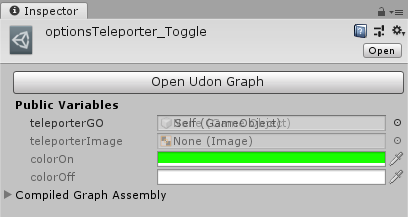
little question... i want to open a second udon script but i can only change the first Udon script... how can i edit the second Udon script?
just tag me
chilly crater
sleek dew
little question... i want to open a second udon script but i can only change the...
select it in the assets. And then on the righthand side should be a "open udon script" button.
sleek dew
in the inspector?
chilly crater
project window

udon scripts get put in assets/WORLDNAME_UdonProgramSources folder.
sleek dew
i know


 sleek dew
chilly crater
sleek dew
chilly crater
That's not a graph asset
sleek dew
oh yeah... im just dumb
chilly crater
you want a graph program asset instead of assembly
sleek dew
was the other thing xD
hoary ocean
Udon has a working video player right now, right?
sleek dew
yes
dapper lion
@hoary ocean yes maam
dapper lion
@hoary ocean whatre you looking for maam? and yes they shoiuld
cunning mist
Yes, direct links are also the only ones that work in Unity.
cunning mist
Unfortunately not
cunning mist
Glad to hear 👍
neat orbit
Why does my teleport with playertriggerenter only work once per instance?
cunning mist
Is it a player teleport?
chilly crater
what's your event?
neat orbit
Yes
chilly crater
Is it start, or update?
dapper lion
was it toggled?
chilly crater
wait, ignore me, I need more caffine
cunning mist
You should use OnPlayerTriggerEnter.
neat orbit
Its literally just on player enter trigger teleport
cunning mist
Oh wait that's what you're doing
neat orbit
Yea and i have nothing else
cunning mist
Are you getting any errors in the log? Have you tried testing it in Unity with CyanEmu?
cunning mist
Here, this will let you test things properly in Unity itself, and you'll be able to debug these kinds of problems easier.
https://github.com/CyanLaser/CyanEmu

GitHub
CyanEmu is a VRChat client emulator in Unity. Includes a player controller with interact system. Works with SDK2 and SDK3. - CyanLaser/CyanEmu
neat orbit
I do have it attached to a pickup
Idea was a joke in my hangout world with a bat to bonk people to horny jail essentially
For the time being i had stripped it down to just the teleport when you walk into it to test but it only works the first time in any instance
End goal was to make sure it only teleports if someone is holding it and not to teleport the holder
void ridge
re-bumping this question from earlier
How does the
Fornode actually work? 🤔 does it increment once each frame, or what?
I'm wondering if For can be used to make a cheap, sloppy execution delay
grand temple
No, it executes immediately with no delay
cunning mist
If you want a basic delay in Udon itself, you basically need to do a counter. This is an older video so the graph is way out of date and I keep taking pauses I didn't edit out, but the system still works. I'd probably do it with animations now but this is a Udon-enclosed timer setup.
https://youtu.be/7yuj7X0-OuI

Let's say you want something to happen when you push a button, but not right away. Well, we can set up a timer to do exactly that! My apologies for any audio weirdness, but I refuse to turn off the air conditioning right now and did my best to edit it out. The trucks going by however didn't manage to get edited out.
Note: If you'd like the timer...
neat orbit
thanx for the emulator at the very least, it should be helpful for testing and troubleshooting
dapper lion
@restive badge yes
 restive badge
okay thanks for the clarification
dapper lion
@restive badge theres other players that work with 3.0 if youd like
sleek dew
oh hey @cunning mist watching your tutorial right now xD
cunning mist
👍
hoary ocean
For udon delays, i just create a timer target variable, then set it to the system time + whatever seconds
sleek dew
uhmm how do i teleport the player?
hoary ocean
Locally or teleport a player by their id?
sleek dew
well if a object/trigger touches a player it gets teleported
to a gameObject/empty game Object
hoary ocean
Okay. So, let me check. I believe there is a method node for that
First, create a public variable for a target, or a vector3, if you prefer to add the numbers in manually.
Make it a transform.
Then do a transform get position.
sleek dew
ok ive got that before but now comes the hard part xD
hoary ocean
Then networking -> get local player.
Then put it on a playerapi Teleport To method.
Shoot it, I'm sure we can figure it out

VRChat Ask Forum
Player Teleport (Basic) Make a gameobject with a collider on it and add the graph to it. Then in the inspector set the location you want to teleport to in the public transform variable Udon Graph UdonSharp using UdonSharp; using UnityEngine; using VRC.SDKBase; public class TeleportPlayer : UdonSharpBehaviour { [SerializeField] Transf...
sleek dew
ok... where is the teleport thingy
-> this one
got it
something like this... right?
robust stag
so im having problems with my world uploading with Vowgan's synced video player script, i try to get to the world but it just spits me out and back to home here is a list of errors unity showed me
@cunning mist
cunning mist
That issue only exists because the player doesn't exist in your editor, and this doesn't matter. Your actual issue is that your free skybox asset comes with a bunch of scripts that don't work. You need to delete the "Free_Menu.cs" file, as that's what it's complaining about.
sleek dew
the props i created to pickup are just private and only one person can see them... how can i change it to publix?
robust stag
oh now i see, thanks a lot! now i just have to fint that rouge file
deleted that asset so we will see if it works now
unborn hornet
sleek dew
the props i created to pickup are just private and only one person can see them....
Private in what way?
sleek dew
only i can see the picked up object and the other see it in the default location
unborn hornet
So the position isnt being updated for them then.
easiest solution is to put an empty udon script (graph or sharp, doesn't matter) on the object, then toggle the "Synchronize Position" option.
sleek dew
ok.. why isnt that working?
unborn hornet
The empty script is on the same object as the pickup, and it's not working?
Also not sure how your screenshot of the player teleport relates to your pickup question, could you clarify?
 north wedge
im tryin to make a teleport button and it aint working either tbh and id rather just have someone that has expierience with vrcsdk3 to help me with it now cause ive watched youtube videos and rewatched to make sure i would do all the steps right so yeah someone pls dm me so i can screenshare and have some help
unborn hornet
Sure.
sleek dew
north wedge
im tryin to make a teleport button and it aint working either tbh and id rather ...
i made this lill one
teleport location is just an empty game object
i think you could put the variables manually in if you would delete the long bottom chain
Ping me pls bcs i go to sleep now...
How can i store something like a player ID on a Object? like that playerID 00101 has moved tzhe object last or something like that
robust stag
i fixed the previous problem with the world, now i can't load a video URL
the screen just turns black
i am sorry to be a pia but i really need help @cunning mist
cunning mist
You're going through the Synced video stream?
robust stag
yes, i went trough all of it and im now testing the world
cunning mist
The LoadURL button actually should call SyncURL or whatever the event it lol
There's also an issue where an incorrect url will insta-crash your game. Lemme find the patch.
robust stag
i arleady got it
cunning mist
👍
robust stag
so the button should call for syncURL?
cunning mist
I believe so
robust stag
so if i rename it, it might work?
cunning mist
Swap the name that the OnClick on the button needs to be calling. You should have an event called SyncURL
robust stag
i now renamed the on click event to SyncURL and it should send to UdonBehaviour.SendCustomEvent
robust stag
i think i got it, i forgot this part when editing my pre-existing programming
yes! that fixed it!!!
cunning mist
👍
sleek dew
sleek dew
Ping me pls bcs i go to sleep now...
How can i store something like a player ID...
@cunning mist
cunning mist
Store it in a VRCPlayerAPI variable
quartz meadow
anyone know how to use udon to update the pixel values of a specific texture? (locally)
robust stag
now there's only a problem with syncing between players
unborn hornet
mmm that's the fun part~
robust stag
i'll deal with it when im sober
unborn hornet
loooool
wild cedar
Hey, i asked a question the other day that resolved with the conclusion that i needed to get texture2d pixle data from a video screen but it seems im having trouble doing this. im currently trying to get the data from the AVPro screen material/shader like so:
Texture2D texture2D = (Texture2D)this.GetComponent<Renderer>().material.mainTexture; Im trying to use udon sharp because i need to implement other things later but any input would be appreciated.
quartz meadow
I am getting an error that a texture has to be set readable, but the import setting is missing that flag
does anyone know where it is?
dapper lion
is it a jpg or png? sometimes it act stupid
quartz meadow
wait wtf, the checkbox is there now
dapper lion
yea
quartz meadow
I swear the read/write checkbox wasnt there for the lat half hour
this is what I get for coding at 2 AM, ok
dapper lion
oh lol, well to be honest 🤔, sometimes unity dows this thing where it accs like a thing is read only, and never figures out how to write
edgy moss
I have a pickup object, let's say it's the sword in the stone. It's placed in the ground, and I can pick it up. I would like it so that, having already been picked up, when the sword gets close enough to the place it was taken from, it automatically snaps perfectly back into place in its original position. And then it can be picked up again. Anyone know how to make this happen? : ]
I guess it's sort of like a "station" but for an object. activated by proximity
quartz meadow
I would create a empty game object to use as the "home base" for the sword, and when teh sword gets within a certain distance within it, its dropped from the players hand and its transform location/rotation set to that of the homebase, before freezing in place
just make sure you have some game logic that lets the user actually remove the sword as well (perhaps a cooldown when the user picks up the sword before the homing function kicks in)
edgy moss
yeah the cooldown is exactly what I was thinking would be needed. otherwise it would sort of be un-take-able
thank you so much! 😄
quartz meadow
yeah, you could also have it check if it was taken far enough first instead
play around until you see what feels natural
no prob!
 ornate furnace
Hey, not sure if this is the right place to ask this or not, but I'm currently building a world in unity using the 3.0 sdk, the first few times I launched the build through the sdk menu, it opened perfectly, but now every time I launch it throws me into my default vrchat home world. I have tried launching the test world that comes with the sdk and same issues, loads into my home world instead of the world from unity. Any help/advice would be appreciated!
 glass bison
Ace, i have only tried to build my own world a couple of times and so i am not really qualified to be answering questions, but my guess would be that it is an issue with vrchat servers. Theyve been really crowded cause of holiday season and so there have been some hiccups. That is just a guess tho.
 hushed gazelle
Try pressing play in Unity and see if it actually works. You might well have something broken that's keeping it from compiling properly.
 storm whale
Yeah sounds like a broken world
ornate furnace
I get these unity errors on in initial project launch
but no unity errors when running the project through unity
storm whale
Local tests don't run on vrchat's servers so I highly doubt it's a server issue
Hmm it seems like a broken sdk to me I'm fairly certain these errors are not normally there
Are you building for pc or quest
ornate furnace
I assume pc? Not sure how to build for quest
storm whale
On the build page it tells you the target build
ornate furnace
Opening a new unity project and importing the sdk gives the same errors as that screenshot and still loads me into my home world when trying to load the udon example world
my active build target is StandaloneWindows64 if that's what you were asking?
storm whale
Ok so it's not that
ornate furnace
I redownloaded the sdk, imported it into a new project and still can't launch into the example udon world
storm whale
It could be a problem with your unity installation but I couldn't help you more than that
ornate furnace
2018.4.20f1 is the right version, yeah?
storm whale
Looks like it
ornate furnace
yeah, I have no idea then ;-;
paper plinth
can someone please tell me how to get the remainder of division of two floats?
just need to know if the number is even or odd
fiery yoke
If you divide two rational numbers, you will never get a remainder. Remainders are only typical for whole numbers.
paper plinth
I rounded the float, do I need to convert it?
fiery yoke
yes convert it to an int and then use the % operator
paper plinth
right on thanks
most helpful
if I'm going to convert it to an int32 I don't have to round it first, huh?
...what's modulus in English? I can't find it lol
 last briar
modulus is modulus in english
paper plinth
thx
I guess they just called it "remainder"
paper plinth
is there one-shot / do once in here?
I need to make that counter increment only one time on the transition of that boolean
UE4 has "do once"
sleek dew
The Event OnPlayerTriggerEnter doesnt work... i put a sphere collider on it and set it to Trigger on
but it doesnt work
paper plinth
How did you address the collider?
 bleak widget
sleek dew
The Event OnPlayerTriggerEnter doesnt work... i put a sphere collider on it and ...
bleak widget
sleek dew
The Event OnPlayerTriggerEnter doesnt work... i put a sphere collider on it and ...
I ran into a bug like that a while back. I believe that I found that creating an empty game object and putting a sphere collider on it behaved differently than creating a sphere object and removing the mesh renderer. I'm not sure what one was the correct one off memory but it might give you a direction to start looking
quartz meadow
ornate furnace
I get these unity errors on in initial project launch
you may have to install cinemamachine I believe
 inland gyro
I don't think I understand what to do here. TextMesh Pro appears to be in my packages.
scarlet lake
I have no idea what the problem is with the SDK 3, but it will not open for me. If any of you know please feel free to message me. If not, that is okay. I will find another way
quartz meadow
you should check the logs
quartz meadow
scarlet lake
I have no idea what the problem is with the SDK 3, but it will not open for me. ...
not sure on this in specific but beware of running anything unity editor projects within onedrive or any file syncing system. since it can cause problems
scarlet lake
@quartz meadow Alright, thank you ^~^
north wedge
so why is the sdk limiting me to 50 mbs for me to upload a world?
north wedge
isnt the limit for a upload supposed to be 200mbs?
dapper lion
@north wedge youre uploading to quest, and the pc limit is quite higher
north wedge
well it was more then that apparently cause unity likes to just screw with me
 glad oak
I'm attempting to make a teleport script but when i press the option to create a new script on an object with the udon behavior added, it does not give me the option to open/edit the script
any help?
paper plinth
that happened to me when my sdk3 import was screwed up, I reimported it
paper plinth
https://aaronswartzday.queeriouslabs.com/ASD2019/swartz-manning-museum/src/branch/vrchat
For folks just starting out I found this guy and he has some examples that work, which is super handy when people put them out there
basic examples

Aaron Swartz Day Hackathon
The Swartz-Manning’s first exhibit will provide a detailed history of Aaron Swartz Day.
swap material on timer, etc
 fiery glen
How do I make ui text disappear automatically after 5 seconds?
regal sequoia
anyone have a prefab for a music player? I cannot find any help at all online for sdk3
 valid badger
Hi we want to make teleport button but on go to test on vrchat we have not "use" on button (udon sdk3)
cold raft
i think the "use" comes from an other component, but i cant remember it out of the top of my head
like my objects have vrc_pickup on them to get the "pickup/use" but that doesnt seem right in this case
valid badger
Mmmm we go check
mighty fjord
From what I can tell, it should work, as long as it has a collider and an Udon script with interact, you should be able to see 'use'. If you go into debug mode in the Unity inspector, you can also change the 'Use' text.
valid badger
Dont work to 😦
cant interract we have try change collider and other but dont working
paper plinth
if you haven't set the value for the udon behavior in the inspector it breaks stuff
not sure if that helps, it's my 4th day with the platform
oops looks like it's there
cunning mist
@valid badger From the looks of it, your system should work fine. What might be the problem though is that large trigger colliders can block the hand's ability to interact with objects, as well as other colliders that will simply get in the way. You'll want to check out the surrounding area to see if any colliders are blocking it.
valid badger
Ok we go check dat
paper plinth
I think I'm going to make a game to learn this
Like Memory or Mastermind
Something where I have a whole bunch of entities that interact with each other in super simple ways
Any tips for me?
hoary echo
Good luck and god speed
Actual tip - just be patient, you'll probably have to do some trial and error. You won't always get a response from the discord when you have an issue. If you haven't already, look at Vowgan's tutorials on youtube!
paper plinth
Thx!
People have been quite busy
So there's at least some examples on github and other spots
I think I'll rotate the objects with a local rotation instead of an animation because I've been reading a lot about timers and the clock recently. And vrchat even puts the little halo around the interactive object for me, so that's taken care of lol... So it will be all about making variables available and being able to have the components interact by passing variables to each other, determine which cards match, randomize the position
So games like that have loads of basic functions
Games like that are also a pretty well traveled road when it comes to programming examples in other languages over the years
We made blackjack in basic for similar reasons
hoary echo
Yup, sounds perfect. And I guarantee you'll come out of it with a pretty damn good grasp of Udon. I built a ghetto little horror map with a variety of events in it for the same purpose
paper plinth
That's sweet. I've got a museum based on a scale model of the downtown of a city that drops in June or July, whenever the university girl gets done with her research. And if I don't learn it, it won't go in the experience, so I need to knuckle up!
hoary echo
That sounds pretty awesome. Be sure to slap that into #udon-showoff when you're done!
paper plinth
I need to release all my code examples too lol since the research was publicly funded
glad oak
Im using the old method of keyframes and moving an object to animate in Udon, and it is working in unity but not in-game. help? my frame-by frame toggle mesh animations work, but not transform animations.
void ridge
How does the automatic respawn in worlds work? Is there just a collision boundary automatically placed somewhere a distance below Y = 0? Or is it just that a player gets respawned after falling at max speed for some number of seconds? Either way, is there some way I can disable that?
fiery yoke
Its the respawn height in the Scene Descriptor
void ridge
Does it just respawn when player's transform is less than or equal? Or is it a limited volume?
Guessing it's the former. So moving it into positive numbers would be a bad idea if the world exists around 0 🤔
paper plinth
lol
you just gave me an awesome idea
instead of trying to program death
simply spontaneously relocate the player to the top of a torture tube and let them fall through it to their natural death at the respawn height.
maybe give them a way to escape
 olive orchid
I had the fairly ambitious idea today of making a ceiling of cubes that light up in patterns at a set BPM, but I have no clue where to even start lol
not even sure that is possible to do with Udon nodes
void ridge
paper plinth
lol
you just gave me an awesome idea
instead of trying to program death
simply s...
All players have a "Respawn" button on their watch 🤔
paper plinth
well yeah
the trick I guess would be to avoid killing yourself
which you could do anytime
@olive orchid convert your peaks to numbers somehow
scale those numbers to color values
and you wouldn't need to worry about BPM
cause the color intensity would pulsate for ya
olive orchid
😮
mighty fjord
You should be able to alter a material property using Udon
paper plinth
yeah I'm pretty new but I think that's a well traveled road for avatar folks
paper plinth
and you can animate the material property
you can do the same thing with background buildings you don't want to all look the same
olive orchid
That would make much more sense than making a bunch of emissions lol
paper plinth
dynamically set the material properties to some level of randomness
paper plinth
https://manual.audacityteam.org/man/sample_data_export.html
that's what you're looking for
set the right resolution and filter out values below a certain number using excel or something and you've got a file full of dB peaks with corresponding times I think
from there it's a bit of a chore but I guess you can use a matrix
start with a scaled value between 0 and 100 as the output
at each peak time add the scaled peak value to the output
at update reduce the output value by a certain amount
the intensity will increase with each peak but always fall off before the next one
I think that's how that feature works in audacity
can't unity do that though?
would be fun to make an audio player that had a graphic visualizer lol
particle emitters blasting out particles in time to the bass
unborn hornet
The visualizers i've seen in vrc usually just use a shader that is passed the audio data that was retrieved from the audio source and render rectangle sizes or something similar. Not sure about particle emmission though...
paper plinth
sweet then unity does it for you
unborn hornet
Kinda. You have to write (or find) the shader code.
Then grab the audio source data in udon and pass that as a property to the material/shader.
Somehow.
Not sure on the details, I just have passing knowledge of the general concept.
cunning mist
I consider shaders to be witchcraft, so when I made my visualizer I'm just scaling UI elements based on the AudioSpectrumData, though feeding it directly into a shader is by far the more preformant option.
olive orchid
Ahhh interesting!
mighty fjord
Yeah, would definitely recommend using the AudioSpectrumData to do visuals now using Udon
olive orchid
I will experiment with all this new information
mighty fjord
Then you could use those floats for however you'd like to animate stuff like emission
unborn hornet
Shaders are whichcraft, even for those that understand them. Lmao
cunning mist
I own Amplify, I need to learn how it works
unborn hornet
Is that like a shader generator for visualizers, Vowgan?