#quest-general
1 messages · Page 120 of 1
 cedar fern
 devout cobalt
Idk I just want a black skin man I can only find white ones
 prime verge
 quasi summit
Hello
 astral cape
'>')7
 upbeat girder
Hi
 haughty coyote
Yo
 obsidian zealot
Not a VRChat bug. Your bounding box on the avatar being worn is set incorrectly.
 oak linden
Hi I have a question I’m planning to get Virtual Desktop on my Oculus Quest 2 but I don’t know if it will connect to my computer Surface Pro 6?
 cosmic walrus
oak linden
Hi I have a question I’m planning to get Virtual Desktop on my Oculus Quest 2 bu...
cosmic walrus
oak linden
Hi I have a question I’m planning to get Virtual Desktop on my Oculus Quest 2 bu...
Have you checked if that computer is VR-ready?
oak linden
cosmic walrus
Have you checked if that computer is VR-ready?
I’m not sure how to check.
But for all other methods to connect it with my Oculus it doesn’t work.
cosmic walrus
oak linden
I’m not sure how to check.
What's the computers Graphics card, CPU and how much system RAM does it have? You can check using Task Manager in the performance tab.
oak linden
Let me check.
haughty coyote
HAHA no the surface only has integrated graphics
looks like it has a pretty beefy cpu though
cosmic walrus
haughty coyote
HAHA no the surface only has integrated graphics
Might want to ping them .
haughty coyote
good point
oak linden
I can’t find it 💀
haughty coyote
Graphics
Intel® UHD Graphics 620 (i5)
Intel® UHD Graphics 620 (i7)
haughty coyote
oak linden
I can’t find it 💀
Microsoft
Get all the Surface Pro 6 technical specifications right here. Everything you need to know to stand out from the ordinary.
usually you would find your specs in task manger or in dxdiag but you mentioned your system and it was specific enough
oak linden
haughty coyote
https://www.microsoft.com/en-us/surface/devices/surface-pro-6
So it won’t work if I get Virtual desktop right? 💀
cosmic walrus
oak linden
So it won’t work if I get Virtual desktop right? 💀
It won't work at all.
haughty coyote
intel 620 isnt built for vr gaming at ALL
oak linden
cosmic walrus
It won't work at all.
RIP no hope in getting to play the computer version of VRChat 💀
haughty coyote
I mean they got cloud pcs
oak linden
@cosmic walrus @haughty coyote I appreciate you both in helping me.
cosmic walrus
haughty coyote
I mean they got cloud pcs
I highly doubt they have a credit card to use cloud PCs.
oak linden
Sadly it’s not gonna work 💀
haughty coyote
im sure one of the services takes prepaid
thats what all de kids have are prepaid cards
haughty coyote
Any other quest users here that find it to feel weird playing vr chat on a computer or pc other than me😂😭?
upbeat girder
?
 velvet cedar
Good afternoon everyone! Just wanted to say I’m brand new to The Oculus quest and Om Vrchat. So I really have no friends. Or family who own Vrchat (I mean the quest)
If anyone wants to hang out. Please message me. I could use a bud to hang with and Kinda Maybe show me some good places to hang!
 marble kernel
anyone want to play? 🥺
haughty coyote
Any girl wanna make a girl group with me on vrchat almost had another but my game crashed and I lost her depresso espresso
haughty coyote
Anyone wanna play VRCHAT with me tomorrow? Preferably looking to play with people within my age range, like 16-18 or somethin like that
 desert coyote
 steep crescent
obsidian zealot
Not a VRChat bug. Your bounding box on the avatar being worn is set incorrectly.
steep crescent
obsidian zealot
Not a VRChat bug. Your bounding box on the avatar being worn is set incorrectly.
Quite odd that it seems Quest only the issue. My avatars have Playspace mover and can change height up to 4 meters. At around 75% the same happens in mirrors
 sleek ibex
hey so im planning on getting the quest 2 along with full body and im just wondering whether or not everything is going to work together or not
Im planning on getting:
Quest 2
3 3.0 vive trackers
2 2.0 steamvr base stations
And the pc i have right now is the acer predator helios 300 which i have already cleared it for the minimum requirements needed
im just wondering whether or not if all of this is going to work together because i keep getting mixed answers for example, are the 3.0 vive trackers and the quest 2 compatible i keep getting yes and no
 fiery sapphire
You can use trackers with quest I just don't know how good it's gonna be. Sound awsome tho (:
 steady prairie
@sleek ibex I use the quest 2 and full body since my vive died. The tracking works pretty good. I have the 2.0 trackers and the 1.0 basestations. Im upgrading to the 2.0 basestations this payday. You shouldn't have any problems with the setup you want. The tracking is took care by the steam vr software. You do need additional software to use them.
sleek ibex
steady prairie
<@595044865268514849> I use the quest 2 and full body since my vive died. The tr...
is it worth it to get the 3.0 vive trackers for full body? or should i go with the 2.0 vive trackers? im getting the trackers with the quest 2 and 1.0 base stations btw
i downgraded from the 2.0 base stations seeing as how there isn't much of a difference between the 1.0 and 2.0 just to save a bit of money
steady prairie
I'm going with the 2.0 so I can have three basestations for better tracking. As I have a large play space and the 2.0s basestations have a better FOV. The 3.0 are nice there smaller and better battery. But I don't notice the 2.0s trackers at all and I'm all over the place when I play.
The question you have to ask is which one you want.
steady prairie
@sleek ibex if want to see what my setup looks like and how it performs dm me as I will be on later tonight around 6 to 6:30 EST
sleek ibex
steady prairie
<@595044865268514849> if want to see what my setup looks like and how it perform...
sure
also i now dont even know if i want a quest 2 now seeing as how it all stands on a facebook account which can easily be messed with even with 2fa
i just want the setup i get to have full body along with a pretty decent range of games to play...
steady prairie
I'm going to get a new vive in a couple of months I'm going to keep the quest still. As it is a good headset I dont like the Facebook thing buut at the price it cant be beat yet. Also I need wireless as I'm all over the place and sometimes upside down. That's how I broke my vive I ripped the wires out.
sleek ibex
see now i want some wireless setup..
steady prairie
It's awesome I'm going to get the wireless adapter for the vive so I can stay wireless. I only use wired for games like half life alyx. I also did the battery pack mod for the quest so I can play for hours
I also have battery banks for the trackers I played last weekend for about 6-7 hours no problem
 golden lotus
Hello, is it possible to use my vive 2.0 trackers and htc vive pro 2018 controller wands with the quest 2?
 winter hornet
if you have a pc, yes
golden lotus
winter hornet
if you have a pc, yes
I do have a pc. How do I make them work?
cosmic walrus
golden lotus
I do have a pc. How do I make them work?
So you will need base stations, OVR space-calibrator, 5 watchmen dongles (those things that you used to pair your vive trackers) Now you might only need to two more watchmen dongles if you already have Vive trackers. this video should help with the setup and how to buy more watchmen dongles: https://www.youtube.com/watch?v=v9lR5LbSkdk.

Today we are connecting the Valve Index controllers, also known as knuckles to the Oculus Quest 2, this also works with the Oculus Quest 1. We will be doing this completely wirelessly through Virtual Desktop. Yes, you do need a VR Ready PC for this because the Knuckles will only communicate with SteamVR. So today I will take you through the tuto...
golden lotus
cosmic walrus
So you will need base stations, OVR space-calibrator, 5 watchmen dongles (those ...
Great thank you. I have 3 only
haughty coyote
I need help, my vrchat game is on left handed only...
 digital dove
Why do I see the robot skins in my game?
 keen bear
robots = PC users...quest cant see them
digital dove
ohhhhhh thank you :))
haughty coyote
keen bear
robots = PC users...quest cant see them
Most avatars now just have a base avatar for quest variety
haughty coyote
no since you need a computer of some sort to run and operate unity
even if someone got it on the quest it would be very difficult and slow to work with just using the controller lazer pointers
 hasty bough
digital dove
Why do I see the robot skins in my game?
hasty bough
digital dove
Why do I see the robot skins in my game?
The robot skins are avatars that are blocked. Either because their poly count is too high (+15k on Quest) or because of your safety settings (if you disabled avatars for Visitors for example). If you want to see the avatars instead of the robot, simply bring up the quick menu, point your laser pointer at a robot and press the trigger, then you should see an option to Show Avatar.
There’s also a bunch of default avatars, and when someone is wearing one, they’re either new to the game and didn’t find another avatar yet or they’re using a PConly avatar. You can open the quick menu and use the laser pointer to click on them and see the preview of their real avatar on their profile if they’re using a pconly avatar.
 manic mango
Ello fine gentleman and ladies,
 lone canyon
mentlegen
steep crescent
hasty bough
The robot skins are avatars that are blocked. Either because their poly count is...
The thing with seeing their avatar icon doesn't work with VRC+ users anymore
Since it'll get replaced if they made a custom profile pic
manic mango
lone canyon
mentlegen
legemet
lone canyon
manic mango
legemet
legitimate
manic mango
matilaget
lone canyon
manic mango
matilaget
nemeltneg
manic mango
engilamentalhealthcare
lone canyon
manic mango
engilamentalhealthcare
negeltnem
manic mango
lone canyon
negeltnem
engelamentgalmentgaelmentalnmentalheltheanmenatnalalsmans
I know dark magic
lone canyon
enough

 lone canyon
suit yourself if you get kicked for spamming
 tawny bridge
Help, I can not connect my Oculus Quest 2 helmet to Steamvr, there is a three-dot, and throws it into the main menu of Oculus, and Steamvr crashes, what to do?

 knotty thunder
I have a problem playing VRChat when I remove an avatar from the favorites and exit the avatar menu I return and even if I removed one I still have 25 left (before 24 I go out I return 25)
What I can do
Someone can help me pls
winter hornet
tawny bridge
Help, I can not connect my Oculus Quest 2 helmet to Steamvr, there is a three-do...
do you have the oculus software setup on your pc?
Is your pc able to handle vr?
cosmic walrus
knotty thunder
What I can do
That's a common API bug. It should resolve itself in a day or 2.
haughty coyote
anyone down to just vibe later
if you are just add me on vrchat its my nickname in here
 azure kestrel
Help me fine people
manic mango
on what
azure kestrel
I am new to VRC
manic mango
ohhhhhhh k
azure kestrel
And when I select the Oc button my Avatar doesn't meditate
azure kestrel
Hmm
manic mango
I think
manic mango
huh?
azure kestrel
The Oculus button it's flat
The menu button is round and raised on controller
Quest 2
azure kestrel
Lol
manic mango
2 times
azure kestrel
Seen that
manic mango
btw I play on quest 2 too
azure kestrel
Such a crime
manic mango
yea
azure kestrel
Ah ok right on bro
azure kestrel
Tried everything
manic mango
looked on the internet
haughty coyote
azure kestrel
Help me fine people
add my vrchat justpigeon ill be on later
haughty coyote
azure kestrel
And when I select the Oc button my Avatar doesn't meditate
and some avatars have a different afk then the normal meditation one, cause most if mine don't meditate
 crystal hare
Hey I just wanna talk to people I’m kinda lonely
 dreamy pebble
vr chat rig lookin good
 golden lotus
i didnt know we can do that with the cable its so uncomfortable for me rn
yea i dont have that cable holder thing i also got the elite strap
 stone ivy
My oculus had an update and now whenever I turn it on the screen is just black 👁
I can see the guardian and that’s it
 deep rapids


 dusty robin
@autumn sparrow
 autumn sparrow
?
dusty robin
in here
autumn sparrow
What in here?
dusty robin
to talk bout the vr headset
autumn sparrow
Oh I’m not talking about vr headsets
dusty robin
oh?
cedar fern
can someone help me please?
 harsh stratus
So I got my quest 1 like a long time ago, whenever I played I was experiencing very bad headaches while and after playing. Im getting back into vr now and its still happening. Does anyone have any solutions on more comfortability?
 plucky patrol
Just take breaks after playing for maybe like an hour or so
harsh stratus
sad thing is, it happens after like 30 min.
 upbeat flare
@everyone
Just need to copy & paste dat real quick
 worldly imp
Hay is their an older group of people i can hang with mine is offline
worldly imp
stone ivy
My oculus had an update and now whenever I turn it on the screen is just black �...
I have the same problem your gonna have to continue to power off and on or check your lighting also it could be because your right at the edge of your recent playzone and it keeps recognizing it but you are ever so slightly to far out and it keeps trying to set that gaurdien up
worldly imp
Np
My suggestion is to set up a playzone in another part of the house where your recent one is not in the go back to where you wana play and it should allow to set up gaurdian
harsh stratus
i dont know if im having the same problem, but ill explain whats happening, i hold the on/off button and i see the logo. it then goes black and then i see the 3 loading dots and then it goes black again. I hold the on/off button and it asks i i want to restart, turn off, or cancel. and it just wont do anything?
harsh stratus
i have the quest 1
harsh stratus
should i just email them?
 thorn gale
solues idk
i need pictures of what its doing any errors or anything
can you boot it in pcvr solues
tell me if that works
harsh stratus
i already tried that
thorn gale
ok
harsh stratus
and its not displaying any errors or anything like that
thorn gale
what was the results with that
harsh stratus
same thing, just black screen and not really responding, i shut it off, im just gonna see what happens in like a hour
thorn gale
ok
harsh stratus
ill let u know
harsh stratus
ok
thorn gale
did you shut it off in a middle of a update
harsh stratus
i dont think so, i have not picked up my quest in a long time
thorn gale
i dont know what to do
harsh stratus
ok ill prob just email them
thorn gale
i would try to get ahold of facebook
harsh stratus
ok thanks
harsh stratus
yea i just tried again, i think im just going to email the support
haughty coyote
i didnt make a vrchat account how do i change my name
winter hornet
change you oculus/facebook name or make a vrchat account
haughty coyote
do it on the website bc if you do it on quest it adds 4 random letters n numbers
steep crescent
@harsh stratus factory reset your quest
To do that use the oculus app or hold the volume up/down button pressed during start
 green rune
What should I know before I buy the quest 2
 hollow musk
Hiii idk exactly what to say here but I’ve made a few Avis for questtt,,,, from space channel 5 and ace attorney so like!! Should I make a world with them idk fbhdhehdjdkdkdke
WHO WOUOD BE INTERESTED
 soft venture
@green rune you get what you pay for, it can be optimized, sidequest is your best friend, it updates constantly, and it is actually a pretty solid pcvr choice at the price point. Also, quest 3 looking like q2 next year.
Anyone run Into the issue when streaming to Facebook not having comments or reactions showing up in the headset? Everything is switched to on and the comment bar wants to be there but it's cut off and only shows half of the oculus "O"
Can't seem to get answers anywhere else. Any discord geniuses have any helpful words?
 sterile quail
is anyone else not able to load into vrchat at all on quest?? Im usually a pc player but I'm trying to test one of my worlds through quest, and it wont even get past the first loading screen without freezing after 1-3 minutes of an endless loading loop. I tried uninstalling and reinstalling, and the old microphone access enable trick, and nothing is working. PC works perfectly fine for me as well.
stone ivy
worldly imp
My suggestion is to set up a playzone in another part of the house where your re...
I just tried it again, it doesn’t give me the option to set up my guardian and when I hold the oculus button the screen goes black again
green rune
soft venture
<@324398510906671106> you get what you pay for, it can be optimized, sidequest i...
What did you mean everything is switch to on? Is it glasses friendly?
 vestal parcel
@sterile quailis your home world pc only?
sterile quail
vestal parcel
<@!453800219319074820>is your home world pc only?
No, i cant even get to the screen where I can start loading into the world
vestal parcel
that can happen if you are forcing it to load something on pc
 mossy hare
I just drank a mosquito for keeping Neptune unsafe on shop yesterday on the sun it's cold tomorrow of morning last Wednesday died of lung cancer and became astronaut in the ocean
 stuck adder
... i think i got contact high reading this
worldly imp
stone ivy
I just tried it again, it doesn’t give me the option to set up my guardian and w...
This is a problem with the. Hardware then can u send it back
 hybrid apex
Dumb question probably - can you set quest 2 to show all avatars by default? I know how to click on people and click show avatar, but gets annoying 😜
 last oriole
hybrid apex
Dumb question probably - can you set quest 2 to show all avatars by default? I k...
last oriole
hybrid apex
Dumb question probably - can you set quest 2 to show all avatars by default? I k...
only avatars that go down to poor performance
all "very poor" must be shown manually no matter what
 knotty flint
Does any one know the code in the wprld crystal hub avatars
hybrid apex
last oriole
all "very poor" must be shown manually no matter what
Ok, got it 👍
soft venture
@green rune sorry mate, long day. Within the streaming settings there's a button to turn in in screen comments and reactions and thats what I was Referencing. Tbh a vrchat discord probably isn't the place for the question but ill take what any help I can get.
 glossy cedar
Any of ya'll figured out how to fix the infinite loading, I've uninstalled and reinstalled 6 times
keen bear
like, wont load the game at all or wont load a world when you select it?
thorn gale
how do i change to mobile shaders'
vestal parcel
thorn gale
how do i change to mobile shaders'
hit the material, hit the shader dropdown, go to "vrcmobile" and click 1 of those, i suggest the toonlit shader
thorn gale
ok
 pearl mountain
I just got the oculus quest 2 Wednesday. I haven’t been able to play it much since it was 2 days before vacation but I’m excited
vestal parcel
thorn gale
can you send screanshots to help better
in a bit i can send a ss of where the drop down is. but I have no idea how to ss the actual drop down. but give me like 20-40 minutes
thorn gale
theres no help on youtube
vestal parcel
id assume theres a youtube vid for switching out shaders
thorn gale
theres noone
@vestal parcel do i need to get toonlight
toonlit shader
@vestal parcel do i have to download toonlit
 thorn gale
ok so i need to make my vrm into a a vrchat thing then do that
vestal parcel
hm ok
glossy cedar
keen bear
like, wont load the game at all or wont load a world when you select it?
yeah
thorn gale
@vestal parcel i accaulty pulled it off
 spark ember
is the majority of avatars in rooms compatible w quest
 rancid crow
spark ember
is the majority of avatars in rooms compatible w quest
rancid crow
spark ember
is the majority of avatars in rooms compatible w quest
In what rooms exactly
 outer dove
I need friends
That’s all
haughty coyote
Wait so the VRCHAT on quest is the open beta too right?
 violet lodge
Only if you opt into it (instructions in #open-beta-info ) but if you are on open beta you won't be able to see people who are on the live version
haughty coyote
Oooo
 rigid sequoia
original headset wont load VRC. tried all updates and nothing has worked. please help
rigid sequoia
winter hornet
to me it looks like you're trying to start it up through virtual desktop
the virtual desktop version isn't the best if you can't fix this i recommend using the steam version
 mighty cairn
 wise oriole
Anyone down to play vr chat
 jagged trench
thorn gale
ok so i need to make my vrm into a a vrchat thing then do that
jagged trench
thorn gale
ok so i need to make my vrm into a a vrchat thing then do that
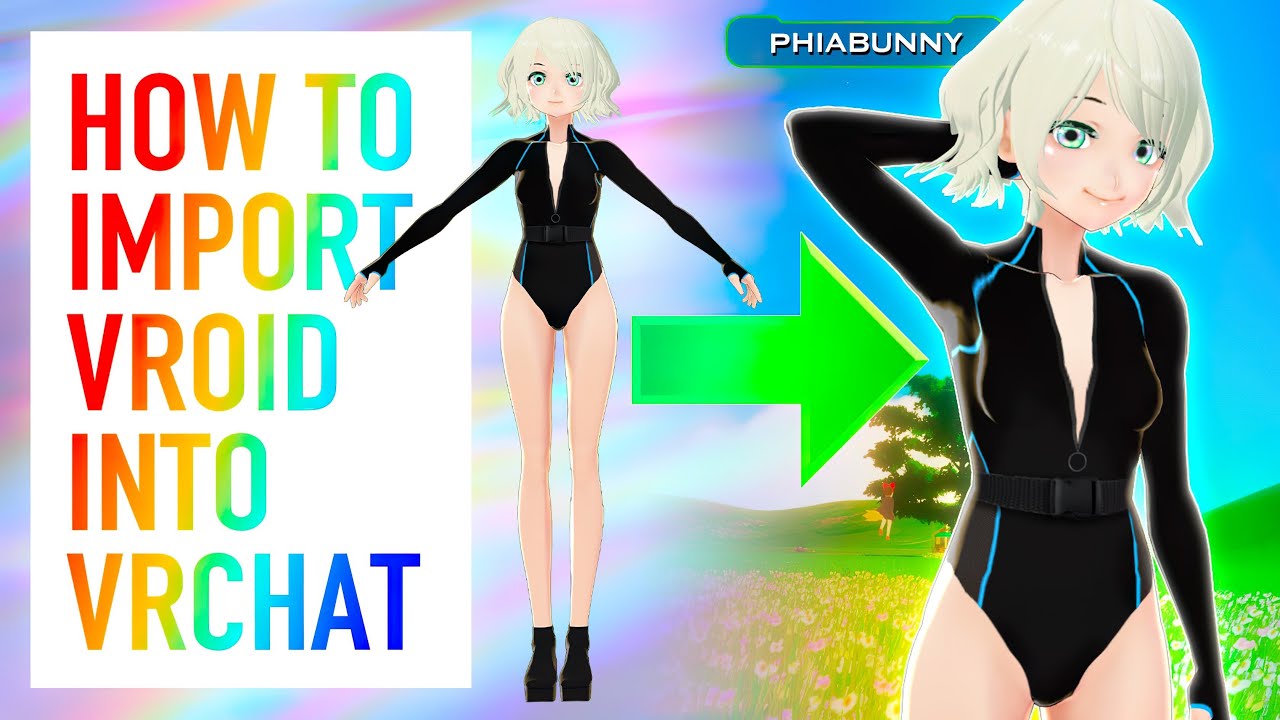
Almost finished up with finals! Been neglecting my studies to keep getting content out, so please forgive me for not having full episodes out at this given moment! I hope this tutorial was helpful, as I know the process is a bit confusing.
Make sure to double check compatibility of the VRM Converter in it's description. This video is up-to-date...
haughty coyote
Anybody plays gorilla tag.?
 silk estuary
Hi
 wicked horizon
So there has been a glitch where everything loads super slowly and it’s not my headset because I have checked in other games and it works perfectly so if anything know why it’s happening or how to fix it and it’s only been happening since the most recent update
steep crescent
winter hornet
to me it looks like you're trying to start it up through virtual desktop
That's not virtual desktop but Oculus Link
haughty coyote
hey im bored if anyone wants to hang hmu :))
 hoary crescent
Is anyone having problems with the quest 2 randomly recalibrating while playing vr chat? It will randomly go black and show my guardian for a split second and even freeze my game
winter hornet
that's a quest issue not a vrchat issue, try turning of boundary in your oculus settings and then It wont do that
rancid crow
hoary crescent
Is anyone having problems with the quest 2 randomly recalibrating while playing ...
Yeah it does that with the lighting sometimes as well as the calibration just being weird. If you can try to set it to roomscale and then set it to what you draw
haughty coyote
If you guys are gonna put shaders in Mobile and have particles and NOT allow those to be used for quest models, remove it please... It's misleading, thanks.
Thought I had fixed an issue when it worked the way I needed and was like hmmmmm nah not supported cause it's in VRC/Mobile/Particles not VRC/Mobile lol
vestal parcel
haughty coyote
If you guys are gonna put shaders in Mobile and have particles and NOT allow tho...
its for worlds. soz man
same with the lightmapped shader, also ment for worlds. not models
can be confusing
haughty coyote
It's fine, just misleading lol been working on a commission trying to get the version to have something similar to backface culling off, but I haven't found anything like that so rip that I suppose
vestal parcel
ye, quest version takes a lot of work arounds
haughty coyote
You have any idea for what I'm trying to achieve?
vestal parcel
hmm, not really. is it for particles or the main mesh?
haughty coyote
Hair
vestal parcel
i normally use the matcap lit shader and if it is hair, i would would put like a anime hair matcap of somekind
haughty coyote
Mmmm I can see what happens, but this commission is mainly for the quest version, I can make the PC version as great as possible, but they won't see it anyway
Rip, didn't work anyway lol
vestal parcel
ye, usually i think what most professional quest model makers do is bake a lightmap or just bake the textures in a way that they natureally look good
i normally use matcap, but standard lite or toonlit can also look pretty nice depending onstyle
haughty coyote
Correct, which is what I'm using, I'm using toonlit and it looks great from behind, but the front is stringy lol
I wonder if re UVing the hair would help, but that doesn't make sense to me
Im curious if that would change it
vestal parcel
there are weird tricks i have seen be used in blender actually... but idk
like uving
haughty coyote
Well, I mean she's fine with it the way that it is, but my brain is like... nah I want her to get the best out of it. I'll probably just finish it all and work on it after to see if I can fix that
https://gyazo.com/66b7c9fc019312fd4c978aaaebfeeb6a looks super pretty from behind, but then poof https://gyazo.com/203c1051e639bdca51dfa05539249e84 😂

 haughty coyote
its flipping time
haughty coyote
Doesn't make sense though, if I make a normal out of my hair texture it's not gonna magically just show on both ends and normals don't extend a texture or anything like that they're more so for depth
and yeeees, the AlphaBlended in particles worked perfectly
haughty coyote
Nope
vestal parcel
or additive, ik additive is allowed
haughty coyote
That makes it darker and nothing else
I've done it all sadly lol
I mean I did find one, but it doesn't seem take shaders, it just made it all grey
vestal parcel
hmmmmm. ig try replicating "fake" double sided meshes? ik thatd be a bit unoptimized. but to get that "emptiness" gone, i think that may need to be a thing
haughty coyote
Oh yeah, skybox lol but obviously that shouldn't be used
vestal parcel
lol skybox acc looked ok?
haughty coyote
No lol
vestal parcel
oh ok lmao
haughty coyote
I was just trying them all. I just wish that would be one feature that could be put on quest. backface culling to be off would be great, I understand why it's not on there, but still
vestal parcel
ye, backface culling is a bit much for a mobile shader. like you can do it. but youd add like 3 ms on the calc time, which is big
(i used a backface shader on a quad for a tv. and it hits hard)
haughty coyote
Sad day man lol
haughty coyote
Honestly I’m down bad at this point quick question are there any Quest Avatars Creators? Or People Who Can Teach Me How To? I Want More Brown Skinned Avatars That Atleast A Little Look Like Me Or Has Semi Traits That Resemeble Me
 dire garnet
So recently vrchat has been timing out constantly and wondering if it's my internet and if so why start now as I've been playing for months
haughty coyote
haughty coyote
Honestly I’m down bad at this point quick question are there any Quest Avatars C...
I think it requires a pc to create avatars
haughty coyote
dire garnet
So recently vrchat has been timing out constantly and wondering if it's my inter...
That happens to me too don’t worry
dire garnet
Is it a sever problem?
haughty coyote
Maybe- I’d assume so
haughty coyote
haughty coyote
I think it requires a pc to create avatars
I mean yeah ik that much I just Dunno how or where to do it I have an (acceptable) laptop I’m just a noob
I think Its just that vrchat isnt exactly compatible with all of the quest users in it now. Quest 2 was built cheap so people could afford it and like.. it shows.
(Not dogging on quest users. I use with quest- and I've been noticing how frequently it crashes as well!)
 frigid veldt
Anyone trying that new virtual desktop SSW mode? Noticable improvement?
 proud blaze
Yo
 tranquil lake
Anyone else up?
keen bear
unfortunataly
 late notch
hi
dire garnet
Haha
green rune
should I really buy the quest two lads?
dire garnet
Yeah
haughty coyote
 rose finch
Thought id make some quest vrchat friends
rose finch
Thought id make some quest vrchat friends
Heya!
 frosty glacier
So i got a question i have the quest two and i am wanting to connect it via cable to my pc does anyone know how to make it work?
 steel field


reddit
75 votes and 44 comments so far on Reddit
vestal parcel
steel field
https://www.reddit.com/r/Vive/comments/o1cl6a/facebook_begins_advertising_in_vir...
thats been a thing forevrer
rose finch
 carmine yew
Why cant I move my fingers
carmine yew
Why cant I move my fingers
Did the avatar used to move fingers?
carmine yew
@rose finch yes and it's not just one avatar it's all mine
rose finch
Even public avatars?
carmine yew
Yes
 old nova
okay i have a question , so i was just playing vrchat and one of my controllers keep making a beeping noise and making my avatars hand and arm float and i was wondering if its just vrchat or my controller?
 sick knot
old nova
okay i have a question , so i was just playing vrchat and one of my cont...
sick knot
old nova
okay i have a question , so i was just playing vrchat and one of my cont...
i believe that would be your controller losing tracking
old nova
ohh ok
sick knot
old nova
ohh ok
make sure your room is bright
overhead lamps/ fans usually are the best sort
sick knot
carmine yew
Why cant I move my fingers
this is a problem with 3.0 avatars. the easiest way to fix it is to change to a 2.0 avatar then back to a 3.0 avatar
 visual kelp
Is anyone else getting dead servers?
sick knot
visual kelp
Is anyone else getting dead servers?
when you say dead servers do you mean no one in them or them not working at all?
 short sand
seems the mirror and fov problems on the vive focus plus that got fixed in 1102 is back again...
everything looks tiny
visual kelp
sick knot
when you say dead servers do you mean no one in them or them not working at all?
No one in them
sick knot
visual kelp
No one in them
have you updated?
visual kelp
sick knot
there was an update
Ah ok thank you that was what I was thinking
rose finch
Good point
visual kelp
sick knot
np
It probably wasn’t ready for me in the first place
sick knot
visual kelp
It probably wasn’t ready for me in the first place
it did say it was ready for quest
sick knot
aight
visual kelp
Gn
old nova
sick knot
make sure your room is bright
just a question i did those things but for some reason its still doing it?
sick knot
old nova
just a question i did those things but for some reason its still doing it?
hmm might be a whole new controller issue altogether
q1 or q2?
old nova
q2 i think
sick knot
alright most of the issues i know are from the q1 because i had that for a year
old nova
it also has these lights blinking too
sick knot
do you have a picture?
old nova
not really
sick knot
what was the color of the light?
old nova
white
sick knot
old nova
white
if it was blinking that means you accidentally put it into pairing mode
sick knot
alright so what you need to fix it should be in this link https://support.oculus.com/2731665297108090/
under manually pairing controller
old nova
ty
sick knot
old nova
ty
np
 warm osprey
Has anyone else noticed any stuttering problems after the latest VRC Quest update? It seems regardless of what world I visit my Quest 2 has a large micro-stutter/stutter every X amount of seconds. I was playing in the same exact worlds earlier before the update was pushed I just had low framerate (which was expected) but 0 stutters. I could stare at a wall just so I don't render anything else and it will still stutter.
||Sorry if this is the wrong channel to post in there are a bunch of text channels i'm getting a bit confused as to where to write.||
sick knot
warm osprey
Has anyone else noticed any stuttering problems after the latest VRC Quest updat...
from my friends on quest 2 i did hear there were some stutters but I (im on pcvr) did not experience it myself but i do know that usually after a vrc update it breaks stuff
warm osprey
sick knot
from my friends on quest 2 i did hear there were some stutters but I (im on pcvr...
Thanks for the reply i'm extremely new to the Quest version of VRC, i'm typically Desktop VR VRChat user but got a Quest 2 since I wanted to make sure my World was ported to Quest 2 properly, ran a stress test of the world prior to the update and had a 13ish people with no stutters, was wondering why when I was alone in the same world later this night (after the update was released) it was stuttering xD. Seems from what your saying and from what i'm seeing by visiting other worlds the most recent update might be a little borked.
sick knot
warm osprey
Thanks for the reply i'm extremely new to the Quest version of VRC, i'm typicall...
yeah usually when vrc updates it breaks one thing or another
there was this one update that broke quest so much you crashed from just looking at someone changing their avatar
warm osprey
The Quest 2 is really powerful for its size tbh I was kind of blown away what it can do for how smoll it is, was expecting to put it on and hate the mobile experience but its actually pretty amazing.
warm osprey
sick knot
there was this one update that broke quest so much you crashed from just looking...
oh goodness thats bad xD
sick knot
warm osprey
The Quest 2 is really powerful for its size tbh I was kind of blown away what it...
the quest experience is great for beginners mainly due to the fact you get the normal side of vrchat and not the toxic stuff
 wheat lava
Hi, so I'm on pcvr but my friends can't see my quest main avatar, but they could see my avatar before the update so I've been wondering if some of you have the same problem or if it just the avatar that stopped being quest compatible
sick knot
wheat lava
Hi, so I'm on pcvr but my friends can't see my quest main avatar, but they could...
ok based on some experimentation whenever you are in a quest compatible then change to a pc only then back to a quest compatible it shows them the error avatar or something similar. the only way to fix this is for the quest user to restart their game/rejoin the world.
wheat lava
so if anyone is having that problem try to clear your cache, restart the game and then show avatar two of my friends did that and that solved the problem
haughty coyote
VRchat isn't letting me load in? Whenever I go in vrchat I have to uninstall it and then again in order for me to play. But it keeps doing the same thing. I go in VRchat and when it's loading me into my home it turns pitch black for hours?
sick knot
haughty coyote
VRchat isn't letting me load in? Whenever I go in vrchat I have to uninstall it ...
seems like this update really did break stuff for you guys. i suggest waiting for a patch
haughty coyote
Oh so it's the update?
sick knot
haughty coyote
Oh so it's the update?
if it worked before today then most likely yes
rose finch
Very happy to find many more worlds viable on quest
That udon thing really good
If only i could find a group of people who arent being lewd 🥺
short sand
how do I get in contact with whoever made the build for the 1102 viveport android build? since that one seemed to work fine with the right FOV and mirrors worked (albeit it might've been running a bit slower!). the 1106 build currently is broken in the same way as the 1097 build before with regards to FOV and mirrors.
the 1102 build, I think, seemed to have happened after I asked support for a network compatible build, so... (asking here, because there is no vive focus subforum)
also any way to get vrc logs out of an android device?
since the perceived speed diff. might it be that 1102 was not built using il2cpp, but 1106 is. and il2cpp is kinda broken on the vive focus?
it would seem that 1106 is using il2cpp at the very least (since it's leaving traces in the form of files)
interestingly enough it seems that mirrors are not broken in cameras (the FOV issue is not perceivable in screenshots)
 haughty coyote
I want to buy a quest but my parent don’t want me to and I want to give them some reasons to have one can anyone say good stuff about having a quest?
 lunar granite
Fitness apps & logging, social aspect, can take anywhere.
If you do get one just let them try it for a bit and all their doubts will be gone, at least from personal experience.
 fringe oracle
why do quest users like, aren't able to see a bunch of avatars and cant enter some worlds lol
kinda sad at this point
 marble marsh
fringe oracle
why do quest users like, aren't able to see a bunch of avatars and cant enter so...
marble marsh
fringe oracle
why do quest users like, aren't able to see a bunch of avatars and cant enter so...
PC and Android are entirely different platforms is why. Avatars / Worlds built for the PC (only) won't work on Quest, similarly stuff built for Android (only) won't work for PC.
Both need their own separate version of an Avatar / World in order to render it.
fringe oracle
marble marsh
PC and Android are entirely different platforms is why. Avatars / Worlds built f...
yeah but why lmao
nvm.
haughty coyote
Is anyone else’s VRChat broken after the update?
It’s pitch black when I try to load in, my avatars are glitched really bad and same with my worlds
Idk what happened but the game is really broken for me
 gritty igloo
fringe oracle
yeah but why lmao
gritty igloo
fringe oracle
yeah but why lmao
because the hardware is so different that it requires different software. The quest use ARM processors while PCs use x86
visual kelp
haughty coyote
Is anyone else’s VRChat broken after the update?
My screen was vibrating and completely destroyed the screens like ants scattering
haughty coyote
visual kelp
My screen was vibrating and completely destroyed the screens like ants scatterin...
Yupp
 knotty cairn
haughty coyote
I want to buy a quest but my parent don’t want me to and I want to give them som...
knotty cairn
haughty coyote
I want to buy a quest but my parent don’t want me to and I want to give them som...
Just don’t take them into vrchat, it’s all fun and games till someone wears something NSFW
green rune
haughty coyote
I want to buy a quest but my parent don’t want me to and I want to give them som...
Show something peaceful like a place to relax and feel less stress
haughty coyote
knotty cairn
Just don’t take them into vrchat, it’s all fun and games till someone wears some...
Yeah xD thanks for the advice
haughty coyote
green rune
Show something peaceful like a place to relax and feel less stress
Oooooo yeah yeah
Thx!
haughty coyote
Noticed something for Quest 2 PC/Steam VR players:
I just found out that if you stream audio with virtual desktop, the Quest 2 will slowly use its own battery power when plugged into 2.4Aor 3A qc usb port whether it's connected to the wall or a battery pack. 32% of the Quest 2 battery was used by virtual desktop with audio streaming in 2.5 hours, so it seems that it's best to use wireless usb headphones and microphone instead of streaming the audio to the Quest 2. It saves on needing to charge after playing for hours.
 shy heath
I don't know where to ask this, but this place seems most appropriate.
Suddenly, while playing VRC, my right Quest controller disconnected, and wouldn't reconnect. I tried changing the battery, and it still won't connect.
Anyone have any idea what the problem is? I've only had the Quest 2 for about 3 weeks now. I shouldn't be having issues already..
 rotund osprey
shy heath
I don't know where to ask this, but this place seems most appropriate.
Suddenly,...
rotund osprey
shy heath
I don't know where to ask this, but this place seems most appropriate.
Suddenly,...
did you try to redownload vrchat?
if your right controller works without vrchat*
haughty coyote
Exit VR chat and open it again and press go with the trigger on your right controller once you're loaded in. It always works the second time for me.
shy heath
I turned off the headset and turned it back on. Controller still won't connect, and more importantly, it won't even turn on. (No light flashing when I press a button)
And the battery is full
haughty coyote
Is the battery a minimum of 2000mAh?
Cause those work great.
These work well for the controllers:


 shy heath
haughty coyote
Is the battery a minimum of 2000mAh?
shy heath
haughty coyote
Is the battery a minimum of 2000mAh?
I tried switching the batteries in the left and right controllers with each other, and the right controller started working, and left stopped working. So clearly it's a faulty battery (thank God), but I don't understand what exactly the 'mAh' thing is. Can you explain it to me at all?
haughty coyote
The higher the number of mAh, the longer it'll last on one charge.
shy heath
Ah, I see. Thank you
haughty coyote
You're welcome.
shy heath
These ones are rechargeable, but they're also old. They've been sitting in my closet for years, unused.
haughty coyote
Yeah most rechargeable batteries come in 1.2V 2500mAh now. So it probably best to get a pack of four AA.
 twin harbor
what did the last update broke for quest avatars? my quest friends cant see any of my quest avatars anymore. they were able to see it before the update just fine. this is so annoying
haughty coyote
is Oculus Rift specified as Quest or PC in the game?
i mean like does it count as an oculus quest or as a pc?
cosmic walrus
haughty coyote
i mean like does it count as an oculus quest or as a pc?
PC.
 fickle merlin
Same
 rugged torrent
Same
 desert tapir
same thing happened to me but i dont use Quest i use pc vr
haughty coyote
I have been having an issue so I just started using the link cord and for some reason yesterday it just started happening to me i would join a quest friend but it wouldn’t show anyone in the lobby do you know why it isn’t working?
 mild smelt
Can someone help me my friend who uses a quest 2 for vrchat cant get in they get past the login screen then it's black with music still but wont go past that they have rebooted it reinstalled it and all that and it still wont let them in
 sturdy otter
Hey, I’m having an issue where my quest 2 controllers turn invisible when launching VrChat and won’t let me login, anyone know how to fix it?
 hazy solstice
hello all im getting an error while trying to login to vrchat on my quest 2
Im entering the right password and username but it still shows incorrect errors
and now after reinstalling on my quest 2 the controllers arent being recognised by crchat at all
 glossy sky
Why is vrchat having updates every hour or is that a glitch
violet lodge
See #announcements
 rough night
does anyone know what's going on with favorite avatars i can't see any of mine in the menu
haughty coyote
rough night
does anyone know what's going on with favorite avatars i can't see any of mine i...
Yeah me too or i cant favorite avatars or i just cant change them, then randomly is changed to said avatar
rough night
haughty coyote
Yeah me too or i cant favorite avatars or i just cant change them, then randomly...
finally someone else with the same problem people just keep saying restart your game but that won't work
haughty coyote
Yeah its pretty annoying and idk if this is a quest "feature" but my vrchat takes an abnormal amount of time to load up
rough night
haughty coyote
Yeah its pretty annoying and idk if this is a quest "feature" but my vrchat take...
like you go to your avatars and don't see anything in the favorites right
haughty coyote
Yep
rough night
not even the pics
haughty coyote
Yeah lol
sick knot
haughty coyote
Yeah its pretty annoying and idk if this is a quest "feature" but my vrchat take...
no its not a feature its another bug. these pop up on every single vrchat update so far
hopefully they release a patch soon
 limpid inlet
Hi
 toxic salmon
I am experiencing a problem with avatars for PC users when they change avatars and it’s Quest and my Quest has problems loading, it like loads it and then goes to a robot so I dunno if this is me or VRchat.
spark ember
can my quest get damaged if i sleep with it charging but stay ingame
gritty igloo
spark ember
can my quest get damaged if i sleep with it charging but stay ingame
Yes, but not likely. I sleep all the time with mine and it hasn't got damaged.
spark ember
gritty igloo
Yes, but not likely. I sleep all the time with mine and it hasn't got damaged.
i know the battery will be fine because it slows down charging at 80% to preserve the batteries health but my main concern is thermals
haughty coyote
same
gritty igloo
As long as you don't put any stress on it. It should be fine. The best thing is not to lay on the side with the USB ports. Or if you do, use right angled cables
haughty coyote
the front of my headset gets so hot that i can bake cookies on it and i use this cable that plugs into the wall its 10 feet and it stays on 100% the whole time
btw when is VRC+ coming to quest?
gritty igloo
You can get it by launching the steam version and buying it there. Just make sure you use the same vrchat account.
But I don't know when it will be available to buy in the quest version
gritty igloo
haughty coyote
the front of my headset gets so hot that i can bake cookies on it and i use this...
My headset gets hot but not too hot. Then again I don't actually run vrchat on the quest.
twin harbor
what is with this stupid "performance blocked" shit with quest since the last update?
none of my friends cant see now my avatar i made compatible for them because of this shit
it used to work just fine, but now they cant even see the avatars they use themself when others use those avatars
devs keep making things worse, ngl
gritty igloo
Because the quest can't run everything. And if it tried it would lag. But you should be able to click show avatar and you will be able to see it.
 molten totem
think his problem is the same as mine
pressing show avatar just changes the color of the perf blocked robot
 fossil carbon
Hey I have a question about quest?
haughty coyote
fossil carbon
Hey I have a question about quest?
sure whats up
fossil carbon
I have been thinking about getting a quest for christmas. One thing, Can you link your steam account to the quest version? It's just that most of my friends are on my steam account
haughty coyote
fossil carbon
I have been thinking about getting a quest for christmas. One thing, Can you lin...
yes as long you have a computer that can run steam and vrchat
fossil carbon
Thanks
haughty coyote
and if you do you can get VRC+ from the desktop version
fossil carbon
I don't wanna get vrc+. Its a waste of money.
gritty igloo
fossil carbon
I have been thinking about getting a quest for christmas. One thing, Can you lin...
Yes, but if you have a PC that can run vrchat. Then you can run the steamvr version on your quest. But if you don't you can link your account to the quest and have access to all your friends using the quest version
gritty igloo
molten totem
think his problem is the same as mine
Is the avatar quest compatible.
haughty coyote
Anybody know where the avatars arw in the quest church? That jump scare freaked me out lol
steep crescent
gritty igloo
Yes, but not likely. I sleep all the time with mine and it hasn't got damaged.
Yes you're a sleepy floof
gritty igloo
Sometimes I sleep the whole night sometimes only for a couple of hours and take off the headset. But I do like sleeping in vr cuddling with someone.
rough night
haughty coyote
Yeah lol
welp we just gotta wait for another update they said
rose finch
Should probably not sleep too deeply with anything electronic that heats up and you could break easily
Sounds like a bad sharp time
But maybe im just shaky
wicked horizon
So there has been a glitch where everything loads super slowly and it’s not my headset because I have checked in other games and it works perfectly so if anything know why it’s happening or how to fix it and it’s only been happening since the most recent update still going on after the two newest updates
 livid phoenix
Who else on quest is getting kicked and be on vrc as a quest user for "unusual" clients when I'm quest!!
I can't even use my PC all it's good for is avatars
I can't even join my friends
haughty coyote
A follow up to yesterday's post a about charging and virtual desktop:
I just tested a game on the Quest 2 (without a pc) with a QC 3.0 cable plugged in and it seems that the speakers and microphone hardware ignores the cable completely and always uses the battery (30% used in ~ 2 hours). However, with the speakers off the battery stays at 100% while in Virtual Desktop.
So it's best to use Steam VR games and virtual desktop with wireless usb headphones and turn off the Quest 2 speakers if playing for a long time.
spark ember
you can also use it wirelessly using air link or virtual desktop
 woeful spade
Little kids should not have vr headsets it actually annoying
molten totem
I get the feeling people with virtual desktop probably also went for the elite strap power back and link cable
which makes you wonder, why not just use the that $600 for a physical desktop
 plush gate
Same
steep crescent
haughty coyote
A follow up to yesterday's post a about charging and virtual desktop:
I just te...
That's weird. On Quest 1 i don't have such problems.
haughty coyote
Yo I’m having a problem with my link cord when I plug it in it isn’t showing the enable part so that I can get to my hub so I’m not sure what to do
@rose forum do you know why when I crashed why I can’t use my link cord anymore?
 rigid portal
I am trying to make a game and It is pc only... How do I make it so quest is available?
Wait do I make android support yes?
vestal parcel
basically
rigid portal
Im trying to make it so adroid support is on in the moduels but it isn't getting put on
rigid portal
boom its on private ):
autumn sparrow
molten totem
which makes you wonder, why not just use the that $600 for a physical desktop
Well considering they already have a desktop then I see no reason in them putting up $600 I’d say if you already have a gaming pc just buy a vive for $600 because you can get into things like full body tracking without having to shell out a butt load of money, but for someone just getting into vr and doesn’t have a pc the quest is hella compelling especially if you can use it as a pcvr headset later down the line.
I’d say look at your budget if you can afford something higher end then no, but if you wanna keep things cheap then ye the quest is probably your best bet considering the features it has, if you’re okay with selling your soul to Zucc then why not but just letting you know if you wanna get into things like full body tracking with the quest you’re gonna have to pay a lot for the equipment, you’ll need 2 base stations the cheapest ones are the 1.0 and they will work fine they cost about $135 each then you’ll need some trackers right now there are cheaper trackers being worked on, but I can’t comment on them since most aren’t released so your best bet for now at least is HTC and these will cost $100 for each tracker you’ll need 3 of them and then you’ll need a strap you can either buy a third party one or the one htc has which is $70 for the set so in total it’s $640 but if FBT isn’t a big deal then I don’t see a reason not getting a quest the price is just that damn good.
Ik a lot of people hate on Facebook and oculus, but the product is just so decent and there’s nothing really that can compete with the price point and features and I think I can say you’re getting your bang for buck especially if you’re just getting into vr so as long as you’re ok with the Facebook login trash then go for it I don’t think you’ll regret it.
haughty coyote
hey so whats with vrc.. my friends say they cant see me when i switch my avatar, and its perf blocked Idk why anyone know if thisll be fixed..? it wasnt happening until this update.
 potent tide
just a question im on quest thriugh vd and all of a sudden i cant use my right thumbstick for turn tried different binding but nothing works
winter hornet
Does this only happen in vrchat @potent tide ?
potent tide
yes just solved it wrong binding
 errant scarab
howdy : )
errant scarab
hows everyone doing?
 potent crane
How do Quest users get into the Mini Golf world? My wife has a quest 2 and can’t get inside
sick knot
potent crane
How do Quest users get into the Mini Golf world? My wife has a quest 2 and can’t...
im guessing the golf world is pc only correct?
well if so then the only solution is to either use oculus link with a pc or get a pcvr headset
sick knot
haughty coyote
hey so whats with vrc.. my friends say they cant see me when i switch my avatar,...
when an avatar is perf blocked that means that some part of it is high quality/ not good for performance. from what ive learned avatars with the good and exellent quality are always shown (this include the public avatars you can access from the menu that are the starter ones) most avatars on quest are very poor performance. the way to get rid of perf block is to show each avatar individually.
and the thing with the friends not being able to see it might be a bug
haughty coyote
sick knot
when an avatar is perf blocked that means that some part of it is high quality/ ...
this isn’t the case, my friends were able to see my avatars just fine before the update no problem whatsoever, and now i’ll switch to an avatar they have seen before just fine and will work in some parts of the day then it just shows as perf blocked and they are forced to restart their game and or clear their download cache
sick knot
haughty coyote
this isn’t the case, my friends were able to see my avatars just fine before the...
hmm they cant just hide then show the avatar again?
haughty coyote
sick knot
hmm they cant just hide then show the avatar again?
unfortunately no, when they show the avatar it shows as perf blocked still, and i’m hoping the devs fix this problem next update cause it’s becoming common amongst my quest friends and even quest players in general
sick knot
haughty coyote
unfortunately no, when they show the avatar it shows as perf blocked still, and ...
interesting thats a new one i guess (i used to be on quest and encountered a slew of problems so i try to help out others with the same or similar problems that i had)
hazy solstice
Apart from Vrchat and Rec room, where can I meet new people online?
autumn sparrow
haughty coyote
hey so whats with vrc.. my friends say they cant see me when i switch my avatar,...
They have to rejoin the world
Whenever your friends see you as a perf block even when you hide and unhide they have to rejoin I don’t know exactly why, but this has happened to me and my friends a lot recently and that’s our only fix it shouldn’t take long to reload the world as well.
hazy solstice
Is there a way to auto show avatars before poor perf in quest when you join a world?
autumn sparrow
hazy solstice
Apart from Vrchat and Rec room, where can I meet new people online?
Like in VR? Or people in general cuz you can talk to people on a lot of social platforms discord being one of the biggest. If we’re talking VR if you have access to a pc there’s Neos VR think of it like the Gary’s mod of VR and then there’s this new one called chilloutvr it’s kinda like vrchat but it’s still brand new and not fully fleshed out, but I’ve heard mixed things about it so give it a shot and see for yourself. If you solely play on the quest there’s this game called bigscreen which lets you watch movies with other people you can make your own room or join someone else’s but keep in mind if you wanna go to some events you have to pay a couple dollars for a ticket.
autumn sparrow
hazy solstice
Is there a way to auto show avatars before poor perf in quest when you join a wo...
Nah I think the lowest you can go is poor and seeing how many avatars are very poor it’ll stay performance blocked until you show it.
I’ll say this be prepared to unhide a lot of robots XD
sick knot
hazy solstice
Is there a way to auto show avatars before poor perf in quest when you join a wo...
i dont think so. there wasnt a way when i was on quest anyway.
hazy solstice
autumn sparrow
Nah I think the lowest you can go is poor and seeing how many avatars are very p...
Thanks a lot!
hazy solstice
autumn sparrow
Like in VR? Or people in general cuz you can talk to people on a lot of social p...
Yeah I’m looking for VR here. I like VRchat personally but I’m also open to finding more communities on other vr apps. Thanks for the insight though. I’ll check these places out
autumn sparrow
hazy solstice
Yeah I’m looking for VR here. I like VRchat personally but I’m also open to find...
Yeee there’s many communities outside of vr If you’re really passionate about a certain topic you should see if there’s a discord server for it chances are there’s probably one there’s also Reddit which to me is one of the coolest places to find communes it’s very diverse and if you wanna go a bit deeper in the vrchat communities there’s #community-servers-old which has some pretty diverse communities within vrchat so check those out as well :>
 severe jasper
does air link work with vrchat?
bc its not working on vrchat yet it works with anything else
hazy solstice
autumn sparrow
Yeee there’s many communities outside of vr If you’re really passionate about a ...
Thanks for the explanation! 
autumn sparrow
severe jasper
does air link work with vrchat?
It should work with every vr game
autumn sparrow
hazy solstice
Thanks for the explanation! <:vrcLove:585749770316808192>
Np
At least the ones on steam
severe jasper
idk why but it just refuses to work
is airlink better to use than normal quest vrchat on a decent pc
since the quest version is laggy as hell in most worlds anyway
autumn sparrow
Hmm so is it not launching or something?
severe jasper
the game launches but the link just doesnt launch
like it doesnt connect even though its stable wifi
i have to use steam vr with it right?
autumn sparrow
Yeah I think you need steamvr and the oculus software but I don’t really know because I’m only familiar with virtual desktop
severe jasper
i wish i could use virtual desktop instead but i dont have the money
autumn sparrow
oof yeh I mean airlink should do the trick lemme see exactly how it’s done so I can help
severe jasper
oki
autumn sparrow
Ok the only thing I can really recommend checking is whether or not the airlink option is enabled on the oculus software on your pc because it says if you don’t use it for 24 hours or something like that it will automatically disable @severe jasper
severe jasper
its enabled
severe jasper
it says it is
autumn sparrow
severe jasper
it says it is
Dam man I really dunno :(( it should for sure work how many times have you tried playing?
severe jasper
idk exactly but ive tried alot today
autumn sparrow
This is quite odd I know for a fact it works on airlink there’s people who play the game that way, there’s also a video of someone playing airlink and they even have full body tracking as well. I tried looking up what’s wrong with your game and the only issue I saw someone have with airlink is their right inputs not responding to the game there was no launching issues or anything like that.
So my only suggestion would to try restarting both your headset and your computer if you haven’t already.
sick knot
unfortunately i know nothng about air link since i didnt exist when i had a quest
molten totem
autumn sparrow
Ik a lot of people hate on Facebook and oculus, but the product is just so decen...
tbh the quest 2 is far from decent for its price
piss poor performance and being prone to crashes and networking issues are just a few glaring downsides
plus poor battery life, overpriced add-ons that should have been part of the product to begin with
its great as a vr gateway but should probably be ditched for a real vr headset by those passionate about vr
$100 might be a more reasonable price imo
jagged trench
$100 would not be doable as it's as cheap as it can be without going below manufacturing cost as Facebook is cutting out the parts that normally would be the price to make profit by data collection
hazy solstice
molten totem
$100 might be a more reasonable price imo
Lmao, you do know that they're selling this at a loss. We're getting a close bargain for the features with today's chip and lens performance. The product is targeted towards a low cost audience.
molten totem
lol
Facebook could give them away and they'd make the money back from everything else
the data collection alone makes up for any lost profit
hence its Facebook account req
jagged trench
like all the other stand-alone Chinese headsets using the same chipset are several hundred dollars more expensive cuz they cannot subsidized it by data collection
hazy solstice
molten totem
hence its Facebook account req
Thats not how it works with a restricted hardware system. FB's long term stratefy is to earn through the store commissions just like apple and android (and possible by including ads like google does on android but that's still a small margin in profits).
jagged trench

Pico launches Neo 3 headset as a consumer VR device in China, and the Neo 3 Pro as a a prosumer device in the west
molten totem
a Chinese headset with a b7ilt in strap
hazy solstice
Ads is not the big earner for oculus by a large margin. the media content is extremely limited for them to target you like the facebook app.
molten totem
now that is the dangdest thing
hazy solstice
jagged trench
https://skarredghost.com/2021/05/10/pico-neo-3-pro-eye-china/
This is neat, thanks for sharing. i'm glad we're getting competition this quick lol
molten totem
my standingpoint was simply that the quest 2 doesn't really do enough to justify a $300 price tag
it isnt made better by the $25 or $30 tech demos in the oculus store
its a truly bizarre piece of technology in its own right, very impressive for what it is
hazy solstice
molten totem
my standingpoint was simply that the quest 2 doesn't really do enough to justify...
Unless you're from the year 2030, this is the price you're going to get if you want to play VR games today without an expensive PC. I can go on but im tired so whatever
It's a matter of supply and demand
jagged trench
I would point out that that's a bit of an unfair comparison comparing the quest which has to do all the computations itself to a PC VR headset that has $1,000 computer hooked up to it
molten totem
what is cool is the quest can do pcvr
if you'd like to shill another 70 dollars lmao
or I guess 25 for VD
jagged trench
actually at this point the Oculus link work with the cable it came with
 ivory fulcrum
hiii
haughty coyote
Hellp
haughty coyote
haughty coyote
Hellp
with?
ivory fulcrum
Kon'nichiwa ai
 unborn flax
Yo
 jolly matrix
How do u use virtual desktop from the control panel on link
 next condor
sick knot
haughty coyote
how do i copy and paste on quest
next condor
sick knot
haughty coyote
how do i copy and paste on quest
i dont think you can paste on quest (at least from what ive experienced)
haughty coyote
you can but
molten totem
if you can copy you can paste
haughty coyote
reddit is just like
molten totem
have you tried holding the trigger in the text field?
haughty coyote
it says in the update log that you can but how
they have ¥₦₩₡Ωθᤶ
but not paste
ㅜㅑㅎㅎㅁ 조ㅛㅛㅛ
but no paste button
found itXD
haughty coyote
molten totem
have you tried holding the trigger in the text field?
i did it like 8 times but it didn't do but now it do it
 slender jacinth
hi does anyone have asus rog strix geforce gtx 1080 graphics card and is it compatible for oculus quest 2
i have pc with intel i5 ram 16gb and graphics card asus rog strix geforce gtx 1080 so will oculus quest 2 run smoothly on this pc or i need to upgrade graphucs card
please let me know
jagged trench
slender jacinth
hi does anyone have asus rog strix geforce gtx 1080 graphics card and is it comp...
yes you should be fine
 scarlet maple
is the deluxe strap with battery worth the money?
 torn palm
@vestal parcel - hey heard you might know something about Quest supported video player
 empty basin
yo the scarecrown avatar in vrchat is giving people mental breakdowns and panic attacks
and I'm afraid that little kids will get their hands on it and harras people
winter hornet
you would have to talk to the creator of the avatar for this.
lone canyon
empty basin
yo the scarecrown avatar in vrchat is giving people mental breakdowns and panic ...
wait why?
empty basin
idk maybe cause its very creepy
vestal parcel
torn palm
<@!657567702608642078> - hey heard you might know something about Quest supporte...
ye, also from where if i may ask lol
torn palm
vestal parcel
ye, also from where if i may ask lol
by X3417. in the udon support -
vestal parcel
@torn palm ah cool. so what exactly are you trying to do?: play youtube, streaming, just audio, radio stations, etc?
torn palm
vestal parcel
<@!163628425167241217> ah cool. so what exactly are you trying to do?: play yout...
well was considering yt or audio. or is both possible
vestal parcel
so to get youtube to work, you basically need the videoplayer to be hierarchy sync (which is usually rare) and have proper quest protocols (so usharp vp and norix vp is out of picture) but in theory, you can do this:
https://www.youtube.com/watch?v=H5RUDYbbfbM but do "gv" before youtube. example "gvyoutube.com/watch?v=H5RUDYbbfbM", and take the "download link". this is however not perminant. but you can make perminant audio only links using https://vocaroo.com/ (also using the download link button) and thats the base structure on how to do this stuff on quest

Премьера клипа группы АГОНЬ на песню "Лето"
iTunes http://smarturl.it/Agon-Ablum
Подпишись на WOW TV http://goo.gl/FxCScg
Это не моё лето.
Это не твоё лето.
Это наше с вами «Лето»!
#АГОНЬ
Режиссер-постановщик - Дончик Максим
Оператор-постановщик - Никита Кузьменко
Стиль - Назар Дидык
художник-постановщик - MONSTRA Decoration
Монтаж - Дончик Ма...
Vocaroo is a quick and easy way to share voice messages over the interwebs.
if you need a VP for quest, i highly recommend the pro/architect TV beta 6.8
torn palm
vestal parcel
so to get youtube to work, you basically need the videoplayer to be hierarchy sy...
Thanks 😄 gonne look into it. and try to set it up 😄
jolly matrix
How do u use virtual desktop from the control panel on link
 quartz forum
@jolly matrix You mean using a link cable or air link?
- Link cable: Just launch VD from your library?
- Air Link: Same thing? Just launch VD from your library?
- Neither: Launch VD on the quest and have it connect to the virtual desktop streamer service on your PC.
 sudden mirage
Hello
haughty coyote
can someone help me on how not to gte headaches on my oculus quest 2??
 opaque vector
So uh
Quest doesn't delete the cache when you restart after clicking delete content cache or whatever it is
It just puts you in an infinite loading screen once you boot up the game again
 pulsar agate
 brittle hazel
sooo there was a facebook data breach a few hours ago apprently. I found out the hard way when my quest bricked as though i had been ban from facebook. Loged on to face book and was forced to change all my passwords and factory reset the headset (its working now) but yeah if it happens don't panic just log in to facebook change passwords and factory reset headset
 steel sundial
Is it me or everytime i try to see friends and there in a quest avatar i still can't see them i get a performance block bot and they go to the same avatar I have and still cant see them even though I have my performance on poor or medium
sick knot
steel sundial
Is it me or everytime i try to see friends and there in a quest avatar i still c...
yeah thats a problem since the last update
sick knot
haughty coyote
can someone help me on how not to gte headaches on my oculus quest 2??
i would say the easiest way to have less headaches in vr is either to spend a whole day in it or just get used to it. (it might also be just too tight) when i first got my headset i had headaches for a couple weeks.
sick knot
haughty coyote
favorites been glitched for a couple days can’t unfave anything
the favorites glitch has also existed since last update
sick knot
sudden mirage
Hello
wassup
sudden mirage
Yo
 west surge
Not sure where to ask this but does anyone know how to fix my cache not clearing? When i reopen after clearing it, it doesnt load. Then I have to close and open it again but the cache never cleared. I dont want to have to reinstall each time.
sick knot
west surge
Not sure where to ask this but does anyone know how to fix my cache not clearing...
i dont know the problem with cache clearing might be a new bug although when i last tried it (about 5 days ago) it worked fine ill try again in a little while
west surge
sick knot
i dont know the problem with cache clearing might be a new bug although when i l...
Yeah ik there was just an update but it seemed to stop working a couple days after i updated
sick knot
west surge
Yeah ik there was just an update but it seemed to stop working a couple days aft...
ill see if it fails for me tomorrow and ill get back to you
west surge
sick knot
ill see if it fails for me tomorrow and ill get back to you
Thanks
 untold dust
Does anyone else have the issue where everytime you try to buy something from the oculus store, they just say no and dont let you buy it
 jolly bison
why is there no htc vive section? got a question I need advice on
obsidian zealot
jolly bison
why is there no htc vive section? got a question I need advice on
All PCVR headsets (including vive and Vive pro) can be covered in #vrchat-general-1 or #user-support-old
For vive focus, #quest-general is fine - since it’s not PCVR and is still the android version of vrc
sick knot
west surge
Thanks
alright im back seems like this a new problem if i find a fix ill let you know
seems like restarting fixes it for me
spark ember
how do i stop the quest 2 from trying to murder my cheeks
west surge
sick knot
seems like restarting fixes it for me
The only solution ive found is reinstalling which takes a long time on my internet. Not sure what else i can try
west surge
sick knot
seems like restarting fixes it for me
Thanks a lot for trying
sick knot
west surge
Thanks a lot for trying
np
 frank rain
I quick question. I’m not able to see too many avatars because of the polygons or whatever. Is there a way to increase the limit to this so I can see more people?
sick knot
frank rain
I quick question. I’m not able to see too many avatars because of the polygons o...
no you just need to show everyone individually
haughty coyote
will the quest ever get vrc+
jagged trench
sick knot
no you just need to show everyone individually
but that wouldn't help with PC only avatars
sick knot
yeah
sick knot
jagged trench
but that wouldn't help with PC only avatars
unfortunately the only way to see those is to upgrade to pcvr
 valid moss
i need help connecting connect quest 2 onto my laptop
sick knot
valid moss
i need help connecting connect quest 2 onto my laptop
are you using link cable?
valid moss
sick knot
are you using link cable?
yes
sick knot
valid moss
yes
install oculus on the laptop
valid moss
after setup my headset and updating, it prop me to were I need to pair my headset to my mobile device
valid moss
sick knot
install oculus on the laptop
its already installed
sick knot
alright then you should be able to connect the link cable to the headset
valid moss
It's already connected with the Link cable to my headset and laptop
Now my headset it's telling me that to pair my device onto my mobile device, I don't know why is it still saying that even though I'm connected to my laptop
sick knot
hmmm
valid moss
I'm getting a feeling this could be the wrong type of quest 2 that's only mobile compatible
jolly matrix
So i keep having a problem where people cant see me when i join. Sometimes only few can and other times no one or everyone can.. idk how to fix this.
And no i do not mean just the avatar, i mean everything, username and avatar and cant hear me either. Can someone help.. is anyone having this problem as well?
jagged trench
valid moss
I'm getting a feeling this could be the wrong type of quest 2 that's only mobile...
there is only one quest 2
valid moss
Well I'm having trouble figuring out how to connect my quest to my laptop with the Link cable
jolly matrix
valid moss
Well I'm having trouble figuring out how to connect my quest to my laptop with t...
Oh easy!.. if ur having trouble with the link cable being recognized try to disable air link on both oculus app and in your settings
Then retry and see if it works
 upper temple
jolly matrix
upper temple
jolly matrix
make sure in game ur mic is set on quest
steep crescent
valid moss
Well I'm having trouble figuring out how to connect my quest to my laptop with t...
Initial setup is done via phone
Dunno why no one said that
Everyone here had to setup their Quest with their phone at the beginning
sick knot
steep crescent
Everyone here had to setup their Quest with their phone at the beginning
totally forgot that damn.
 uncut steeple
hello
sick knot
uncut steeple
hello
wassup
uncut steeple
sick knot
wassup
i was looking to play some vr chat, but my game keeps crashing and i am tilting
sick knot
uncut steeple
i was looking to play some vr chat, but my game keeps crashing and i am tilting
the tilting thing might be a problem with tracking or your chaperone
is there something that happens before you crash?
uncut steeple
sick knot
the tilting thing might be a problem with tracking or your chaperone
i meant tilting as in im mad
sick knot
uncut steeple
i meant tilting as in im mad
ah
uncut steeple
sick knot
is there something that happens before you crash?
my game kinda just freezes then it disconnects me
sick knot
uncut steeple
my game kinda just freezes then it disconnects me
how often does it occur?
uncut steeple
sick knot
how often does it occur?
it seems to be whenever i load someones skin, so i kinda cant see anybody
sick knot
uncut steeple
it seems to be whenever i load someones skin, so i kinda cant see anybody
ok so this has happened before when i used to be on quest. we had to be looking away from everyone when we showed someones avatar and that sometimes fixed it
uncut steeple
sick knot
ok so this has happened before when i used to be on quest. we had to be looking ...
ok, that would seem like it would work
uncut steeple
sick knot
ok so this has happened before when i used to be on quest. we had to be looking ...
are you playing vrchat?
sick knot
uncut steeple
are you playing vrchat?
nope not at the moment i usually play around 10am cst
uncut steeple
sick knot
nope not at the moment i usually play around 10am cst
what time is it for you currently
sick knot
1:11 am
uncut steeple
sick knot
1:11 am
so for me you'd be playing at 11:00 am
sick knot
uncut steeple
so for me you'd be playing at 11:00 am
pretty much but i do sleep in a lot so i might be on later
uncut steeple
sick knot
pretty much but i do sleep in a lot so i might be on later
cool
sick knot
i feel sorry for quest users having to deal with ads in their games now
uncut steeple
sick knot
i feel sorry for quest users having to deal with ads in their games now
ads?
sick knot
uncut steeple
ads?
yeah the next update supposedly adds ads into some games. thrillseeker talked about it in this video

Hello and welcome to TUESDAY NEWSDAY! Your number one resource for the entire weeks worth of VR news. This week is so jam packed its insane. Oculus Quest ads and VR advertisements in general, Varjo announcing a new item, Valve Index 2 wireless patents continue, new lenses... PSVR news! It's really a crazy week.
I hope you enjoy!
My links:
htt...
rose finch
I wanna vr later
sick knot
good
jolly matrix
So i keep having a problem where people cant see me when i join. Sometimes only few can and other times no one or everyone can.. idk how to fix this.
And no i do not mean just the avatar, i mean everything, username and avatar and cant hear me either. Can someone help.. is anyone having this problem as well?
haughty coyote
should I get the elite strap? if I put it a little too tight my head hurts if I do it a little to loose it gets blurry if I do it just right I get headaches and it starts to get loose and blurry
or is there something im doing wrong?
 vestal lynx
So hey, I don't play on Quest, but I have hit a problem. One of my friends is on Quest, and we've noticed that Youtube players normally don't sync between us or play properly.
Does anyone know of a world with a youtube player that works well between quest and pc?
rancid crow
vestal lynx
So hey, I don't play on Quest, but I have hit a problem. One of my friends is on...
This is a reoccuring issue, I don't think there really is much of a sync ability between Quest and PC. There was a world that I remember that did it but got taken down forcefully for supporting Quest players.
vestal parcel
theres ways to get a youtube video to play on any worlds videoplayer (as long as the videoplayer follows the quest requirements)
you just cant do raw youtube
 opal gull
hey guys
need help
i tried to login with q2 account first cuz just got q2 when i logout i found out that when i try to login with my steam account i got banned and when i try to login its says coundnt log in
 clever creek
i have the issue when after a bit, when someone changes their avatar, they become a perf block robot avatar, when the avatar they're in is perfectly fine and shouldnt be in one.
 gusty solar
clever creek
i have the issue when after a bit, when someone changes their avatar, they becom...
gusty solar
clever creek
i have the issue when after a bit, when someone changes their avatar, they becom...
Did you make it so they're Avatar shows high intensity quest models?
clever creek
gusty solar
Did you make it so they're Avatar shows high intensity quest models?
yes indeed, its been an issue ever since the new update
haughty coyote
Wsppp
 meager sun
Good horror worlds?
 zinc widget
I dont think you can
gritty igloo
Get a better charger, I don't know what the quest supports up to.
 frosty nova
Day 1 of waiting for quest developers to add Audio sources and constraints
 faint prairie
meager sun
Good horror worlds?
faint prairie
meager sun
Good horror worlds?
That's what I'm looking for to
stuck adder
For the love of god someone help me
Neither of my quest 2 controllers will turn on anymore with new batteries and i just want to see my friends
Im so fucking over having everything i love ripped away from me, someone please tell me theres a fix other than buying new ones...
cosmic walrus
stuck adder
Im so fucking over having everything i love ripped away from me, someone please ...
I would suggest contacting Oculus support.
obsidian zealot
jolly matrix
So i keep having a problem where people cant see me when i join. Sometimes only ...
jolly matrix
Ty
 north axle
Am I correct in assuming the Quest doesn't actually sample a reflection probe for it's metallic and specular colors in the Standard Lite shader?
I just set my entire avatar to the Standard Lite shader with metallic = 1 and smoothness = 0.5 with specular reflections enabled but I look exactly the same as before. I should be a walking mirror at this point.
obsidian zealot
To my knowledge it does not use reflection probes, it uses the skybox
 candid sun
hi
 blazing sparrow
frosty nova
Day 1 of waiting for quest developers to add Audio sources and constraints
blazing sparrow
frosty nova
Day 1 of waiting for quest developers to add Audio sources and constraints
They aren’t going to add audio sources on avatars, they already exist in worlds. This is probably because it’s quite expensive to compute an audio source. The original Quest struggles with 12, the Quest 2 has double that. Each player is an audio source, so 24 playes on Quest 2. Then you add on an audio to every single person, and thats 12 players, 6 on the original quest. And they might actually add constraints to avatars: https://docs.vrchat.com/docs/quest-content-limitations#components
 shell sorrel
Hi
knotty cairn
hey what happens when you clear cache?
 west narwhal
I play a game and I need Guild name ideas that have something to do with slime or Tempest please DM me your ideas
vestal parcel
my world has 255 audio sources on the quest version and gets 50 fps on Q1. i dont think audio sources do too much damage anymore if they ever did
pretty sure they were disabled because of he meme avatars
marble marsh
Are all of these audio sources active at the same time?
vestal parcel
technically
heck, we regularially hit the unity audio source threshold when we were testing, no performance issues, just unity being unity
rancid crow
vestal parcel
my world has 255 audio sources on the quest version and gets 50 fps on Q1. i don...
They never did any damage. They were taken off because of meme avatars basically.
steep crescent
Funny how quest lets you disable/enable audio in safety settings despite it being not supported but for shaders it immediately tells you
frosty nova
@blazing sparrow Despite that, you can still have a quest player handle 5 different sources of particles. Also, there is no logical reason for disabling constraints of any sorts, for they don’t cause any performance loss, yet they are disabled.
vestal parcel
ye constraints is a weird one, however i wouldnt be surprized if it was also because meme avatars
lunar granite
I would appreciate if this canny got some traction. A bug introduced with or after the Identity update made PC users display as perf blocked to Quest users if they switched into a PC-only avatar and back into a cross-platform one. This bug completely ignores the Show Avatar setting that you can use to show avatars blocked by your current safety settings so it requires either user to rejoin the lobby for the Quest user to see the PC user properly.
https://vrchat.canny.io/bug-reports/p/1110-quest-shows-pc-users-as-perf-blocked-if-they-use-a-pc-only-avatar-and-then
The previous canny posts mentioning it were lacking details and didn't make the issue clear enough.
vestal parcel
this has been a issue on pc as well. will UV
 radiant marlin
can you operate the quest 2 without any controllers? cuz i wanna get into vr sim racing but dont wanna spend a ton of money, but instead just buy the headset and charger
like for example, can you maybe use a keyboard to get into the game within the vr menu?
or a mouse
haughty coyote
in a sense
hand tracking is very experimental
some games need the controllers like eco vr
haughty coyote
radiant marlin
can you operate the quest 2 without any controllers? cuz i wanna get into vr sim...
.
 cosmic tide
I went on the black cat and got a few people to put on an avatar with a monkey with an ak and we raided the uganda server
molten totem
radiant marlin
can you operate the quest 2 without any controllers? cuz i wanna get into vr sim...
the charger comes with the headset and so do the controllers, and there are no games I know of that support hand tracking
might as well buy t and just not use the controllers so you have them when you need them
 main quail
How do I login to vr chat website with my oculus account?
 plush oak
Damn
cosmic walrus
main quail
How do I login to vr chat website with my oculus account?
You need to create a VRchat account. You can't login to the VRchat website with an Oculus account.
 dry lodge
my quest link is giving me issues like it connects but my PC says its not connected but on the oculus app it says it is but my pc runs virtual desktop with it just fine and i tryed a different link cable and it still didnt work im using quest 1 btw
anyone else havin this issue?
 errant flicker
Is it just me. My vrchat keeps crashing. And saying either. Vrchat stopped responding or Lost connection. But it does it atleast once every like 10 minutes. I tried uninstalling and reinstalling and still does it. Is there any other possibilities to fix it
Your connection to Vrchat timed out i think it was
 placid heath
how do i upload my vrchat avatar to quest?
haughty coyote
So I had changed my home for vrchat and now when I log on and try to go into my home my screen is black so I can't go into the game anymore so I can't even play the game no more I don't know what to do.
blazing sparrow
haughty coyote
So I had changed my home for vrchat and now when I log on and try to go into my ...
Did you change it to a PC only world?
If not then.... uhhhhh. Reset it on the website.
 wind flax
Okay so I have a Quest 1 64GB and is it normal for VrChat to be pretty laggy when I'm in a room of 10-15 people?
I figured it was but I'm just curious
gritty igloo
wind flax
Okay so I have a Quest 1 64GB and is it normal for VrChat to be pretty laggy whe...
Yes
wind flax
Coolio, thanks
 elder cobalt
Anyone wanna play soon-
 rapid current
Hey, sorry if I'm posting in the wrong area. But I could really use some help, does anyone know of some established anime avatars that are Quest friendly? I could only find 5, and I've been searching for the past few days and turned up with nothing beyond that. I would really appreciate that the help!
 quartz pumice
So I’m trying to login with steam on my oculus cause my wifi on my ox has been buffering but there is no login with steam. Option?
gritty igloo
You can't login using steam on the oculus version.
quartz pumice
gritty igloo
You can't login using steam on the oculus version.
So what can I do instead to use the same account
gritty igloo
Make a vrchat account and link your steam account to it. Then login using your vrchat account.
rapid current
Hey, I'm a bit new to this thing. So, I was wondering. I notice how some worlds have a video player in there with a way to copy a URL. Sorry if I'm being slow, but does anyone know how to work those things?
 verbal saddle
If anyone is willing to make a vrchat map with me I'll credit u as the owner and me I can give u alot. Dms are open
steel sundial
anyone having trouble seeoing other people like you enter a world and someone will pull out a quest avatar and it won't show even if i hit show avatar thing is i can clone there avatar and then see me in that avatar but it wont show on them
 tawdry smelt
I still wonder. If bone works will ever be able to run on stand-alone quest.
 acoustic parrot
rapid current
Hey, I'm a bit new to this thing. So, I was wondering. I notice how some worlds ...
acoustic parrot
rapid current
Hey, I'm a bit new to this thing. So, I was wondering. I notice how some worlds ...
Unless its a dedicated movie world its most likely not gonna work, vrc on quest has no youtube support
acoustic parrot
steel sundial
anyone having trouble seeoing other people like you enter a world and someone wi...
It's a quest bug, it happens when pc users switch avatars it'll make them perf blocked in the instance almost always unless you or they reload the world and if they swap avatars well it'll just make it happen again
steel sundial
Well my bday was 4 days ago i been just enjoying the new age i hit that and chillin
rapid current
@acoustic parrot Ok, thanks for your help!
 true anchor
Hey so my boyfriend is having trouble with launching vrchat on his quest 2 thru oculus link, apparently it would attempt to update whenever he would launch it, but would say that it wouldn't update, any suggestions?
Also to mention, he launches the game thru steam
Nvm, he managed to get on fine, he had to toggle the unknown sources setting in oculus pc; however, he says he was able to play it without enabling that specific setting. Any ideas why?
 tawdry radish
Hello everyone how is everyone doing today would anyone care to become friends on vrchat feel free to dm me
haughty coyote
.
placid heath
Hey where are good places to advertise like avatar commisions ?
 dense bay
 buoyant ibex
So uh I’m a quest player and I have a small issue
gritty igloo
buoyant ibex
So uh I’m a quest player and I have a small issue
What is the issue?
buoyant ibex
In my saved worlds, not all of the worlds in each list show up, even when I click expand
Basically only half of them show up,
 solid isle
Hi i have issues for my oculus quest 2, i kept getting logged out/signed out everytime i try to move to other world. Is there any way to fix this? Thank u!
 split wraith
all my binds are set to one controler can anyone help
haughty coyote
if anyone just wants to hang out on discord dm me
haughty coyote
placid heath
Hey where are good places to advertise like avatar commisions ?
you could put in your bio or your status and people will most likely just ask about it
like just hang with people in the black cat and popular places like that and you'll find people who will ask
 tardy narwhal
having a issue where the quest app won’t let me go back how do i fix it
 rose finch
Whoever made the monstadt world rules
 sage basin
tardy narwhal
having a issue where the quest app won’t let me go back how do i fix it
sage basin
tardy narwhal
having a issue where the quest app won’t let me go back how do i fix it
you have to put a better graphics card in your pc
wind flax
Too bad they're $600+ even for low end ones
winter hornet
tardy narwhal
having a issue where the quest app won’t let me go back how do i fix it
what graphics card do you have?
steady prairie
I got that message Saturday my problem was a issue with the new drivers from AMD. Rolled back drivers on my 6700xt and it works now. Also now oculus says my computer doesn't meet the min specs.
winter hornet
 wind flax
It would be great to be able to upgrade my PC is graphics cards aren't $200+ more than they were a little while ago
 maiden plover
I cant unfavorite worlds? Even clearing the playlist world thingy doesnt work
haughty coyote
anyone wanna hang?
molten totem
wind flax
It would be great to be able to upgrade my PC is graphics cards aren't $200+ mor...
GPUs are as cheap now as they're ever going to be
don't expect anything good under $500
haughty coyote
i have a quest 2 and honestly i love it
wind flax
Maybe on FB Marketplace though
molten totem
I wouldn't buy a used GPU especially not for vr
wind flax
I’m just messing around lol
molten totem
I wish I wasn't a poor man
molten totem
spark ember
3060 is around 500
youre looking at a $1000 rig to even power that
not sure the prices of ram these days but it probably went up as well
 crystal sigil
Can 10 Females and 10 Males DM me I need people for a VRChat video must be 18+.
haughty coyote
why?
 subtle raptor
Hello
 wide glacier

Stop Using Your Link Cable Wrong... (Oculus Quest 2)
In Todays video I am exposing how various Oculus Quest & Quest 2 accessories are deceptive in their reviews on Amazon. I also showcase some very important tips for new Link Cable users to help get the most out of your cable by increasing resolution, refresh rate, bitrate, and how to disable t...
That really helped me get my resolution better
wide glacier
wind flax
GTX 1660 Super for $300 again
There seriously that much right now I got mine for 250
 shut shadow
Im not really good with this stuff, but I found an Oculus quest 2 with 64gb from game stop online. And I have a windows 10 desktop set up, would they be compatible and is it worth it? ( $300 ). I can send the link to them if needed
haughty coyote
if your pcs good enough then airlink or virtual desktop or normal link cable stuff should work fine
wide glacier
yes i think it is
shut shadow
Okayy! It comes with the hand tracking too. Do all of them come with those?
shut shadow
Then does it only support the hand tracking from the shop in steam?
haughty coyote
the quest has hand tracking for all units, any app can choose if they use it or not, but i dont think its used for when you do pcvr on quest
i know you can kinda do hand tracking in virtual desktop but it isnt really great if i remember correctly
shut shadow
There are a few videos on how to set up quest 2 hand tracking in vrchat but Im not sure if its on pcvr?? Ill look into it
haughty coyote
yeah send a video here whenever and ill try to reply
shut shadow
haughty coyote
yeah send a video here whenever and ill try to reply
Super quick video showing how to set up hand tracking for VRChat using an Oculus Quest 2! It’s pretty easy to do, especially with the new Virtual Desktop update. Check out my mini demonstration of how it works, and then go try it for yourself! Also, I’m going live in VRChat right after this video uploads, so come swing by :)
Twitch: https://www...
shut shadow

haughty coyote
oh yeah that would work in game, ive done that in virtual desktop
so yeah it'd work
you would need to get virtual desktop first tho, its like 20 bucks
shut shadow
ooh alrighty
 true parcel
Hello does anyone wanna play with me im 15
unborn flax
Yo
haughty coyote
oY
tawdry radish
Hello how is everyone
gritty igloo
If you have evidence then yes. Just having the loader installed can't be detected nor can most mods.
acoustic parrot
Honestly no point In going after anyone with melon loader, go for the people using malicious stuff
I mean it's something you can report people for only just melon loader and nothing malicious it's just kinda pointless cuz most of the low tier stuff isn't harmful but also isn't allowed by tos so it is technically not allowed
 exotic brook
Looking for new friends and ppls to hang out with hmu🙂
haughty coyote
will a gtx 1650 be good enough for vr gaming on quest? i dont want to buy a link cable and see I cant play decently
cosmic walrus
haughty coyote
will a gtx 1650 be good enough for vr gaming on quest? i dont want to buy a link...
Probably not. A GTX 1650 super seems to be the bare minimum for VR.
haughty coyote
cosmic walrus
Probably not. A GTX 1650 super seems to be the bare minimum for VR.
thank you
 granite marten
 elfin vector
Ha! Nice try
molten totem
haughty coyote
will a gtx 1650 be good enough for vr gaming on quest? i dont want to buy a link...
I've heard people having luck using a gtx 670 for things like beatsaber
of course what you consider good enough will be different, but generally 25fps and up is playable
haughty coyote
Anyone have a quest 2
gritty igloo
haughty coyote
Anyone have a quest 2
Yes, I think they sold over 5 million. So I think someone has at least one.
haughty coyote
Just making sure
I been having problems with mine
So I wanted to ask if people have the same
 grand steeple
Curious if anyone has experience with a quest 2 and full body with vive 3.0 trackers? Does it work well?
haughty coyote
true parcel
Hello does anyone wanna play with me im 15
I'd love too!
 granite swan
hello
 neon nest
hiiii
hi i'm new to vr and have a quest i was hoping someone would like to help me discover the world that is vr and be friends
haughty coyote
Hello, I'm a guy age 15 who really wants to make some friends.. I'm pretty bad at socializing but I'll do my best. lmk if your up for it. :)
haughty coyote
Is the thumbs up supposed to mean you want to or no?
haughty coyote
Oh alrightyy
Add my oculus acc. Its Riot3725
I'll be on soon. I'm going to eat some tacos 😋
haughty coyote
neon nest
the thumbs up is yes
I'm on.. just lmk when u good
neon nest
sorry iven been trying to find how to add you im super new to this
im good
just added you
JP-2000 661f
haughty coyote
So audio still doesnt work on quest unless you go through party?
 inland fractal
can someone help me real quick?
inland fractal
im a quest user, trying to log into VRChat on my computer, but i have no idea what my password is, and i guess if you play VRchat on quest, you dont have an email, so i dont have a way to recover my password
 slim birch
did they fuck up the quest microphone again? my microphone isnt picking up anymore
obsidian zealot
inland fractal
im a quest user, trying to log into VRChat on my computer, but i have no idea wh...
You need to convert your account to a VRChat account, then you can log in anywhere (crossplatform) Right now if you started on Oculus, you're exclusive there.
Same with steam accounts. both can be converted to VRChat
inland fractal
okay, i just created a VRchat account on the website, now what?
obsidian zealot
now you need to merge the two.
inland fractal
and how do i do that?
obsidian zealot
log in on your oculus account, go to vrchat settings page, and there will be a token there. copy that down, and put it on vrchat.com under the merge account section
you can only do this once, so make sure it's the Facebook/Steam/VRChat account you want, as they will all be permenently associated
inland fractal
i only have the one that i use lol
and for some reason, everything is taking so long to download, and didnt before, taking minutes for skins to download to see, minutes for a small, 35 Mb world to download so i can join
sick knot
inland fractal
and for some reason, everything is taking so long to download, and didnt before,...
for faster load times at least for a home world go to planck its quest compatible 4.18kb and great if you spend no time in your home small downsides include: no mirror
inland fractal
planck ?
sick knot
inland fractal
planck ?
yeah its a extremely small homeworld
molten totem
search it up or find it behind the train yard in vrc17
inland fractal
Oh, the thing is, everything is loading in very slowly now, not just a homeworld, at least the new worlds, and skins, it wasnt this slow before i merged my account
harsh stratus
slim birch
did they fuck up the quest microphone again? my microphone isnt picking up anymo...
same with me, but today it was working again
also anyone tryna play together? im 15
 midnight loom

haughty coyote
this sucks
 manic agate
harsh stratus
also anyone tryna play together? im 15
manic agate
harsh stratus
also anyone tryna play together? im 15
Sure <33 I’m 16!
haughty coyote
 haughty coyote
Imagine using quest 💀
 edgy ether
Don’t know if this is the right place but anyone got this before

Just got this never got it before
I use virtual desktop for months and never got this so confused
cosmic walrus
edgy ether
Don’t know if this is the right place but anyone got this before
Just click on proceed or do not ask again. It's not malware,virus etc. Clicking on "proceed" allows the game to launch when joining from VRchat links.
jolly matrix
So the link cable keeps disconnecting me I’ve gone through so many different cables and extenders and I just get kicked or disconnected every time I thought that when you play through steam it would mess it up but it’s not just steam and I have no clue on what to do to fix this
sick knot
jolly matrix
So the link cable keeps disconnecting me I’ve gone through so many different cab...
might be a problem with the graphics card or processor itself. when i first set up link it would keep disconnecting me until i got a 1060 or higher (tested on 2 desktops)
blazing sparrow
jolly matrix
So the link cable keeps disconnecting me I’ve gone through so many different cab...
Make sure your device meets the minimum requirements for Oculus Link (@sick knot this is likely why you couldn't run it until you got a 1060, as anything below isn't supported): https://support.oculus.com/articles/headsets-and-accessories/oculus-link/oculus-link-compatibility
Also make sure your cable doesn't suck.
 modest geode
I’ll be in a bright room and in the middle of a game it will say tracking lost and I look around and everything is fine with not a single part of my room not lit up. Sometimes I will turn it on and for a couple minutes it will say “tracking not found” or some crap and I have to turn tracking off to play
I got my quest 3 weeks ago.any thoughts on what to do?
 indigo warren
Is there any reason I can’t download vrchat? I can download other games but every time I try to download vrchat it loads forever unless I reload the page
modest geode
Hmm
indigo warren
And I’ve already done all the other stuff too, restart the headset, I logged out and back in.
All the stuff
modest geode
Check your enternet speed it maybe to slow to load it up but it still says your connected that or you don’t have enough space but it won’t tell you, I had that happen to me once. Other than that I can’t think of anything