#quest-general
1 messages · Page 113 of 1
 sour cloud
 steep crescent
Uhm what
 haughty coyote
anyone wanna play
 peak jay
I got a youtooz vrchat avatar link but I don't know how to put it on my oculus and I don't have VrChat on my computer. How do I use the avatar?
 woeful cypress
To upload avatar's you will need a PC and Unity 2018.4.20f1.
You will also need to use a VRChat account that is at least "New User"
 sour lance
Anyone know of any worlds where people talk for real?
 vital silo
^ The Mute Hangout World 👍
I've been gone from home for the last month, how's vrchat? Is it full of kids from christmas? Waiting for my i9 9900k and 3070 to come in 😫
sour lance
Oh absolutely. That's why I'm trying to find some conversation under all the cancer lol
Speaking of which if anyone's just tryna chill and hang feel free to say hi. My name is the same.
 brisk carbon
hi
 summer bone
brisk carbon
hi
summer bone
brisk carbon
hi
hii
brisk carbon
how are you?
summer bone
good, charging my quest, its almost done haha
brisk carbon
summer bone
good, charging my quest, its almost done haha
same here
haughty coyote
👀
summer bone
@haughty coyote ill take it as you don't wanna play lol
 shut flame
is your quest not charged yet?
summer bone
shut flame
is your quest not charged yet?
It is
shut flame
and you havent' gotten on yet? or have you finished for the day?
summer bone
I got on for a bit but I didn't run into anyone fun to chill with
summer bone
Yeah
haughty coyote
summer bone
Yeah
Sorry been playing summoners war
summer bone
All g
haughty coyote
Still waiting on my avatar to be finished
Friends uploading it from pc to quest compatible
summer bone
That's cool, what is it
haughty coyote

summer bone

haughty coyote

summer bone

 proud crow
Does anyone have that problem you cannot favorite keep saying I got 25 out of 25 I cannot delete or favorite
shut flame
proud crow
Does anyone have that problem you cannot favorite keep saying I got 25 out of 25...
ummm, i can't remember how to fix that problem or if there is even a way to fix it. did you try looking trough all the tickets?
summer bone
Do you guys have issues with your controllers not tracking properly
shut flame
summer bone
Do you guys have issues with your controllers not tracking properly
What's happening exactly? Is their rotation fine but their horizontal and vertical positions not being registered?
haughty coyote
Anyone know where I can get a good deathnote avatar I can’t find one
shut flame
haughty coyote
Anyone know where I can get a good deathnote avatar I can’t find one
Rule 15 please
haughty coyote
Is there a rule where I can’t ask for avatars
shut flame
No but there's a rule to post the same thing in only one channel. Not the 5 or how many you did
haughty coyote
Anyways do you know any deathnote avatars?
 shell canyon
No.
haughty coyote
are the requirements for quest 1/2 different or the exact same? i imagine the same cause i cant find anything on it
anyone on?
shell canyon
haughty coyote
are the requirements for quest 1/2 different or the exact same? i imagine the sa...
Exact same
 balmy gate
Hi! I'm new to vrchat and I have a problem getting the game to work on my oculus quest 2. I can load in worlds alone just fine by creating a new instance but whenever I join a world with people in it I get a black screen after load that takes me back to loading. And it loops like that infinitely
Can someone help me?
summer bone
@balmy gate that's just an issue with the quest right now, maybe try deleting vrchat and reinstalling
balmy gate
I tried doing that once, do you think I'll have better luck doing that a second time?
@summer bone
summer bone
balmy gate
I tried doing that once, do you think I'll have better luck doing that a second ...
Maybe, personally I haven't had the exact issue with mine
balmy gate
Still having the same issue after 2 reinstalls
summer bone
That's really unfortunate
 hearty bobcat
dm me if you have light yagami please.
 mossy lily
So I got gifted Oculus quest 2 today as a christmas gift and wanted to try it out today, was super excited, but then it was like cyberpunk..i got really disappointed.
And here are the reaons why:
The avatars that i had favorited did not support the oculus quest 2 system platform which does not even make any sense and kinda feel a bit "wtf" since I was hoping I could use my own avatars..but couldn't, this makes my favorite avatar list just kinda sitting there and not being used, and I'm pretty sure noone is going to update them to the oculus quest 2 aswell..not sure why vrchat hasn't put this as default so that ALL avatars works with ALL consoles automatically, but I digress.
Worlds takes forever to load, I've been sitting and staring at a loading world screen for 15 to 20 minutes, and when i press to 'Return Home' then I get another loading world screen for another 10 minutes, where I need to force quit Vrchat and start over from start, really great!
All of the other players avatars are on constant safety setting even though I have it shown in the safety settings that I can see their avatars, but they dont show up for me, is this another "can't support this platform" gig again? cause then it's really really really bad.
I'll be of course trying oculus quest 2 on other games, but vrchat is not one of them..what a shame! I was really hoping that i could finally be a vr person but apparantely its only desktop for now then..such disappoint.
haughty coyote
Lol, A stand alone headset can't comprehend pc avatars
shut flame
mossy lily
So I got gifted Oculus quest 2 today as a christmas gift and wanted to try it ou...
well, firstly the oculus quest system didn't come out till a while after the pc version of vrchat so there are going to be many many non-quest supported maps and avatars. Also, it takes work to alter an avatar to be used on the quest. Some avatars don't need to be changed in which case it makes no sense why they haven't been uploaded to the quest but some are incredibly detailed and shaving them down might make the model not be what the original idea was intended for. There are also animations and sounds that the creator might have to alter or delete.
Secondly, you should not be having that long of loading times. It should take maybe a max of a minute but most likely a few seconds. I'd say try reinstalling because it might be a problem with your files. Also, if you don't have high internet speeds it will slow it down but even then it shouldn't be taking that long to load.
Thirdly, you talked about avatars not being shown. This can be one of two things: 1. they're not quest supportive so they won't show up no matter what or 2. You have to manually make their avatar shown (i'm not sure why you have to do this but the ones being blocked are poor performance avatars). I don't think there is a way to toggle it so you always see poor performance avatars but you can search it up.
I've got a quest and there are plenty of amazing games for it. If you want opinions on games i've tried many of the games out there for it so i might be able to give you some insight.
mossy lily
well my oculus quest 2 is linked to the computer so it shouldn't have an issue with computer internet connection right? my computer's connection is fine so why should oculus have an issue then? lol
Also I think it's a bit primitive to not make it so that the avatars works for all consoles, we can send a man to the moon, but we cant make a simple avatar be optimized for new vr consoles? slightly weird...
And i do truly hope that Blade and Sorcery and job simulator atleast works on oculus quest 2, otherwise i'mma ship this shit back in a bodybag back to whatever hell hole it came from lol
 dusk fog
anyone trying to play ?
shut flame
wait, your quest is linked to your computer?
shut flame
mossy lily
And i do truly hope that Blade and Sorcery and job simulator atleast works on oc...
lmao, yes job simulator works for the quest and its runs well. Blade and Sorcery is there too but i have not tried that one personally
dusk fog
shut flame
lmao, yes job simulator works for the quest and its runs well. Blade and Sorcery...
it is so much fun
definitely worth the money
mossy lily
@shut flame yeah its linked with a d-link cable for better optimization, i only got 64 gb on my oculus.
dusk fog
mossy lily
<@!454743505701699605> yeah its linked with a d-link cable for better optimizat...
nice i had bought a quest last year but now switched to the rift, and im planning on getting full body tracking
shut flame
mossy lily
<@!454743505701699605> yeah its linked with a d-link cable for better optimizat...
but if you're using link then it's the same as using a rift or other pcvr headset. The internal storage of the quest is only used when in standalone mode
mossy lily
Oh yes, I know. 🙂
im just a bit disappointed for the avatar and the world loading forever.
shut flame
and you're getting blocked avatars in vrchat?
if you're using link then you should be seeing everyones avatar and, like i said, you should not be taking more than a minute to load a world
mossy lily
@shut flame Yeah, it is really weird.. shrugs also I have to ask, so if I wanna get job simulator or Blade & Sorcery, does oculus has its own steam app on the actual headset? cause when I used to borrow my friends' vive, he has steam vr opened on his comp and headset and could click through that, My friend wants to gift me job simulator, so therefore im asking.
shut flame
mossy lily
<@!454743505701699605> Yeah, it is really weird.. *shrugs* also I have to ask, ...
If you want to get it on steam you can or you can buy it in the oculus app as those two games are available to be played without being linked. I would say to get it through the app as you wouldn't need to be tethered and it will probably run faster
mossy lily
@shut flame i guess oculus then has a steam app then right?
mossy lily
Ah okay 🙂
summer bone
mossy lily
Ah okay 🙂
When you gonna get it
mossy lily
@summer bone get what?
summer bone
mossy lily
<@!752758537654108240> get what?
The quest 2
mossy lily
summer bone
The quest 2
i already got it 🙂
summer bone
Oh dope, did you get it all setup yet
mossy lily
summer bone
Oh dope, did you get it all setup yet
I did, but I'm a bit disappointed how oculus quest 2 works in vrchat, lol
summer bone
mossy lily
I did, but I'm a bit disappointed how oculus quest 2 works in vrchat, lol
Vrchat is shit regardless of what you use it on
shut flame
summer bone
Vrchat is shit regardless of what you use it on
Then why are you in the discord?
summer bone
shut flame
Then why are you in the discord?
Because I enjoy the game, it performs like shit because it is not optimized for any platform
steep crescent
mossy lily
I did, but I'm a bit disappointed how oculus quest 2 works in vrchat, lol
Huh if you're connected to pc you'll see the pc version of the game and therefore all avatars and worlds
 deft storm
@mossy lily wait how well a top of the line 1500$ gaming pc runs vr chat
not very good
mossy lily
@steep crescent thats not what i meant tho, most of the avatars does not even support oculus quest 2, which is really bad, like why not just make that universal so it will work for all consoles shrugs
steep crescent
Cause that's up to the creators
A pc avatar might not even remotely be able to work on Quest
The creator has to upload a second version of the avatar for Quest
deft storm
yeah lets display 500000 polygon characters on mobile hardware
most people dont care how shit their character is optimized
steep crescent
They could make automatic converters and stuff but you can be sure as hell that everything auto converted that isn't already like a Quest version on pc will be scuffed as hell
haughty coyote
Anyone know when hand tracking is coming to VR chat on oculus quest 2?
steep crescent
Probably never. How would you even move without sticks?
mossy lily
Well the thing is I find it weird that it's not automatically doesnt fit other new consoles (the avatars) that is..like literally right now there's only a bunch of furry avatars and I dont want to be that.
deft storm
what are you even saying
mossy lily
@deft storm if you didn't get what i said now and not check my initial post, and you gonna keep throwing that sassy attitude towards me, then it's literally not for you, xo
deft storm
loooooooool
shut flame
lmao, someone woke up on the wrong side of the bed
mossy lily
So does dynamic bones not work for the oculus quest 2? cause i dont see an option for it.
shut flame
mossy lily
So does dynamic bones not work for the oculus quest 2? cause i dont see an optio...
no, they're a performance breaker so they are not supported by quest
mossy lily
wow really?? wtf
shut flame
yea
shut flame
lmao, you could always use link and you'd get it
shut flame
i feel like you are getting mixed up. When someone says link they don't mean a d link cable they mean the link cable on the oculus site.
mossy lily
so whats the difference then?
deft storm
its a regular usb 3 type c cable
summer bone
Anyone wanna play tonight
steep crescent
@mossy lily you want to connect your headset to a pc to play PC VRChat.
Then you dont have these limits anymore
mossy lily
I cant see my friends on my online list anymore
 turbid hollow
yo
I KNOW im gonna sound like an actual idiot
but uhhhh how do you stream vrchat from your quest 2
onto discord
steep crescent
You have to use the cast feature from the headset and capture the output on the device you're streaming to
 trim pendant
ayo nobody helping in the questions chat so can someone tell me where to get attack on titan avatars
shut flame
haughty coyote
Nerds
lmao, c'mon. being a nerd is nice. you can admit it
haughty coyote
Maybe
shut flame
why thank you
haughty coyote
I am goat queen
haughty coyote
I am goat queen
shut flame
minus the queen
haughty coyote
😠
 shut flame
is your avatar at like the salon or something?
haughty coyote
Its being converted to quest compatible
So right now while my friend is redoing it im using a public avatar
shut flame
so...
haughty coyote
?
haughty coyote
The only avatar i want to use isnt usable rn
And i dont really go around using different avatars. So im using a public one till my tiny avatar gets done. Shouldnt take long
shut flame
Didn't you send it to your friend a few days ago?
haughty coyote
Nah i trust him
shut flame
Do you trust me?
haughty coyote
We already covered this
shut flame
Did we?
haughty coyote
Yes
shut flame
Lmao
haughty coyote
-_-
shut flame
Ah god, I'm such an idiot
shut flame
Huh
Well you already have someone working on it so there's not much point in me doing it
haughty coyote
-_-,
shut flame
My favorite part was when he died
haughty coyote
Okeh
shut flame
Irl
haughty coyote
Why do i even bother
haughty coyote
Like bruh if anyones willing to legitimately help me it would be nice. Cuz its just pissing me off at this point
shut flame
I meerly help with problems and glitches so I'm not good at the whole "socializing thing"
Hmmmm
But don't you like being "pissed off"?
haughty coyote
Ima just find someone else to ask and talk to. Have fun
shut flame
Mmmm k, sorry for bothering you mate
 thorn bluff
henlo people
 turbid perch
Sup how d yall
haughty coyote
@turbid perch good hbu?
haughty coyote
guys i need some help
so i bought the quest 2 JUST for pcvr, upgraded from a cv1, does it still run out of battery whilst being connected to a link? if so surely thats not good for a pcvr headset
deft storm
probably
but its like 5% per hour
so if you play 10 hours non stop get something else
@haughty coyote
haughty coyote
ah ok ty
 keen relic
I need some help my Friends they got a Aot Avatar on but i cant see them.All what i see is a Robot
haughty coyote
Go into your menu and hover over them with your other hand. Click on them through that and press "Show Skin" or something related to that
It should cover them in a transparent-blue pill-shaped thing if you do it correctly
Anyways, How do I check if someone who I met on VRChat is on this server?
deft storm
ask them if they are in vrc
 random oracle
Whats good
turbid perch
Hey just stared using quest
haughty coyote
Nerds
shut flame
haughty coyote
Anyways, How do I check if someone who I met on VRChat is on this server?
You could search for their VRChat name but it's highly unlikely to be the same. Or you could just ask them the next time you meet in VRChat
shut flame
turbid perch
Hey just stared using quest
And how is it?
haughty coyote
No u
shut flame
haughty coyote
No u
Not to sound mean but I was talking to Soul_puppeteer and not you
haughty coyote
O.o
This is a public chat room no?
And my comment was not at al related to your conversation
Nor was it intended to be
So there no need for you to get all defensive
shut flame
It did sound defensive didn't it
haughty coyote
I simply came in and said no u. Smh
shut flame
I'm just gunna yeet, before I make it worse
haughty coyote
Now that you involved my name in your comment the conversation im now apart of it
 upbeat geode
Nah mate that’s what I do best I always make things worse
 floral light
hi
haughty coyote
Hello
shut flame
upbeat geode
Nah mate that’s what I do best I always make things worse
It's an omen
shut flame
May i see this power in action?
shut flame
How about...
turbid perch
No I haven't dont have the money right now haha
shut flame
turbid perch
No I haven't dont have the money right now haha
C'mon now mate
turbid perch
Sorry I was playing vr chat and then I had dinner @shut flame
shut flame
You disappoint me
turbid perch
Im sorry
shut flame
Lmao, I'm kidding
turbid perch
Haha
haughty coyote
👀 christ jesus
shut flame
Hmmmm, that's quite the kink you got there mate
turbid perch
I just show some peps on thier how to use quest a bit even tho I've had it for 2 days
Haha
shut flame
Damn, you must be s m a r t
turbid perch
Not really fast learner tho
shut flame
I've had my quest for about a year and a half now
haughty coyote
haughty coyote
👀 christ jesus
cheesus chroist
turbid perch
I learn by others showing me or telling me what to do I pick up on thos things quickly
shut flame
Don't we all mate
turbid perch
Im a visual learner i can do the other
mossy lily
hey, is there a placespace mover for quest 2?
mossy lily
yeah where you can climb in the air
and moving around ur model, and adjusting for sitting and standing
turbid perch
No u can't climb but u can move in the playspace
mossy lily
someone "climbed" in air tho so thats why im asking lol
turbid perch
It is a pc thing
mossy lily
but i have a link cable tho
turbid perch
Thier is something u need to get from steam to do it then
I can't remember what it is rho
shut flame
placespace mover is for steam
mossy lily
so i cant use it at all? 😦
turbid perch
Idk i dont have pc to tell if u can or not
mossy lily
lol you dont have a pc? aight
shut flame
mossy lily
lol you dont have a pc? aight
If you use link and run VRChat from steam then you can download and use the placespace mover plug-in
mossy lily
@shut flame well steam doesn't recognize the oculus quest 2 though, it has its own Oculus program, but I'm not sure if it can run through steam tho
 cloud sigil
not exactly a quest but still oculus, anyone know how to fix connection problems?
it was working yesterday, i just had to unplug it to move my pc
 ruby kelp
Your using the Oculus App on PC correct?
(for you it will say Rift S) But in the devices it will let you know if there is an issue, and the Oculus program does have to do the hand off for Steam VR
shut flame
ruby kelp
Your using the Oculus App on PC correct?
I think they're using steamvr just based on the fact that it says "steamvr" in the corner
ruby kelp
shut flame
I think they're using steamvr just based on the fact that it says "steamvr" in t...
idk how the Rift S works, I just know Oculus hands over to Steam VR
mainly cause the Quest 2 needs to Oculus Link first
shut flame
I think link works in the same way for both rift and the quest. By that I mean the house menu that you start in
ruby kelp
The issue is I see his device list and Steam VR... but I don't know if they are using Steam Link
shut flame
I should try out steamvr again for my quest cuz I never know how to fix everyone's problem with it not connecting to steamvr but only being able to connect to the oculus app
haughty coyote
"Oculus Quest 2 buyers and owners are in for a treat, because Oculus has announced that this VR headset will be getting support for multiple user accounts and device specific app sharing starting next month."
"That means multiple users will be able to log into a single headset, with the option to share the same library of apps. So no more buying multiple headsets and duplicate apps just so everyone can have things their way."
Yay

 summer bone
I have no friends to use it with
turbid perch
Omg yes
 dense void
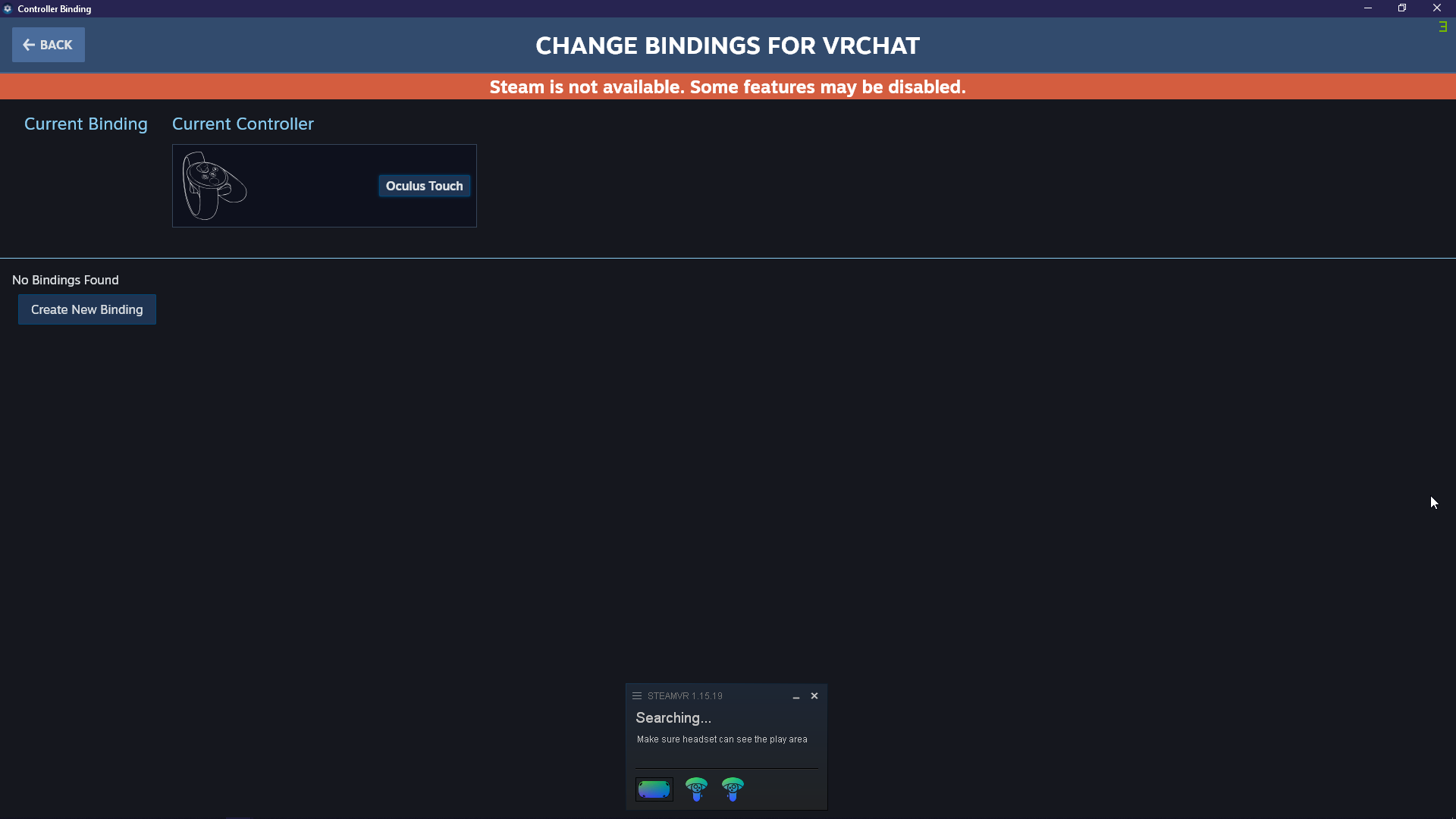
Any idea how I can fix an issue with the controllers not working when using Virtual Desktop and Steam VR with the Quest 2?
 sharp stream
hello
 astral musk
Hi
shut flame
heyo she/her
turbid perch
Sup
haughty coyote
idk what but i just found something weird
 dapper gust
can anyone one help me i lost all keybinding. my game dosn't work with my controllers anymore.
astral musk
shut flame
heyo she/her
-_-
shut flame
What? Isn't that what you meant by putting it there?
shut flame
Yes, I never would have thought someone would have a nickname that's a pronoun but I do not judge
shell canyon
🤦
 crisp fractal
anybody knows why vr chat kill my internet?
 pallid magnet
Anyone know how to fix the infinite loading screen on the quest 2
mossy lily
i just hope that steamvr can work for oculus quest 2 aswell but oh well, wishful thinking
not sure if a link cable can work with it aswell but who knows
shut flame
 potent moth
Anyone else lost the ability to guesture thumbs up ect?
potent moth
Anyone else lost the ability to guesture thumbs up ect?
Do you have gestures disabled?
potent moth
Yh thats what happened
shut flame
potent moth
Yh thats what happened
Lmao, alright. It happens to a lot of people so don't be too ashamed
haughty coyote
x.x
dapper gust
can anyone one help me i lost all keybinding. my game dosn't work with my controllers anymore.
shut flame
dapper gust
can anyone one help me i lost all keybinding. my game dosn't work with my contro...
Do other games work with your controllers?
dapper gust
Yes it’s just vrchat that I have no control
shut flame
You can't move or anything?
dapper gust
No I can’t move or do anything. I do have oculus link
shut flame
dapper gust
No I can’t move or do anything. I do have oculus link
So do your controllers not work while linked and unlinked?
dapper gust
They are linked right now and I can play other games but only in vrchat is where I can’t move or open menu or anything
 deep bone
excuse me, where do you go to ask questions about the Quest 2 and its controls on VR Chat?
shut flame
dapper gust
They are linked right now and I can play other games but only in vrchat is where...
It's probably your copy of VRChat then. You should try reinstalling it
shut flame
deep bone
excuse me, where do you go to ask questions about the Quest 2 and its controls o...
Just do it here mate
deep bone
Alright, well when I use my quest two, whenerver I move my hand it does one of the animations like pointing or something, any of u know how to fix that?
shut flame
deep bone
Alright, well when I use my quest two, whenerver I move my hand it does one of t...
Are your fingers touching any of the buttons?
The buttons have sensors in them so if you rest your fingers on them expect them to detect it
dapper gust
shut flame
It's probably your copy of VRChat then. You should try reinstalling it
i have tried to and it still dose the same thing. i was trying to use play space mover than i lost all my bindings
shut flame
Oh... I have no idea how playspace mover works
dapper gust
shut flame
Oh... I have no idea how playspace mover works
do you know how to reset bindings thats all i want to do
shut flame
I didn't know you could remove the bindings for moving and the menu. I could never remove them
dapper gust
shut flame
I didn't know you could remove the bindings for moving and the menu. I could nev...
I can’t even edit my bindings
deep bone
no they arent touching them
 austere tide
Hey if I block someone does it remove me off their friends list or just show me as always offline?
👆VR chat
shut flame
austere tide
Hey if I block someone does it remove me off their friends list or just show me ...
If you block someone they can't see you at all. You're avatar is invisible to them
Wait.. nvm, it's the other way around
austere tide
Yeah but will they see me on their social when they open it?
shut flame
Their invisible to you
shut flame
austere tide
Yeah but will they see me on their social when they open it?
I think you can't be friends with them
So I'm guessing you'll lose that friend
 supple cosmos
I buy emote reactif
dapper gust
@shut flame do you know who or where I need to go for to talk to some one. I’m lost
shut flame
dapper gust
<@!454743505701699605> do you know who or where I need to go for to talk to some...
Since you're using link with steam I'd say to probably go to #user-support-old but I'm not sure how long it will take before you get answered
mossy lily
Anyone else having an issue with oculus quest 2 mic? mine worked perfectly yesterday, i used my speakers headphones, and my oculus mic, and now its not working...lol this buggy piece of shit, this is why vr's should NEVER be forced mainstream.
shut flame
mossy lily
Anyone else having an issue with oculus quest 2 mic? mine worked perfectly yeste...
Try unplugging and replugging your headset back in. It worked for me
mossy lily
i did, didn't work
mossy lily
yeah
the oculus microphone
im just sensing that nobody on earth can ever fucking convince me that vr headsets is the new amazing thing lol
shut flame
So, when your in your menu in VRChat and you have selected the right mic. Does the audio level bar go up when you talk? (It should go up whether your muted in VRChat or not)
 wide bloom
hey im having an issue recently got an offbrand link cable says everything is fine in the software but oculus link on my quest 2 says it keeps stopping
 shut flame
But you mic audio shows its halfway
 restive yoke
ello, can u send me like 10 messages on my DM? its for a video
mossy lily
@restive yoke lol what
 brisk hemlock
Sup
 inland cypress
Hello
mossy lily
why is my microphone being this way??? like im literally wanna use oculus quest 2 microphone, and sometimes its working and sometimes its not
like wtf is going on
 undone mantle
mossy lily
why is my microphone being this way??? like im literally wanna use oculus quest ...
undone mantle
mossy lily
why is my microphone being this way??? like im literally wanna use oculus quest ...
Did you check your settings ON your headset,like,when its on.
On your face
mossy lily
@undone mantle yes, and it is on?
haughty coyote
where did you guys buy your vr head set from???
 left geode
i think i did something but now my triggers and what not wont work with the avatars
like closing their fist or pointing, or doing special abilities
it just stays as a normal hand even when holding triggers
steep crescent
haughty coyote
where did you guys buy your vr head set from???
Ebay
 mental crater

YouTube
haughty coyote
?
turbid hollow
haughty coyote
where did you guys buy your vr head set from???
i didnt buy it my aunt did
shut flame
left geode
i think i did something but now my triggers and what not wont work with the avat...
Turn on gestures
 glass reef
Anyone having issues today? Or is it just me
shut flame
If it's with the servers then it's everyone
 untold hemlock
haughty coyote
where did you guys buy your vr head set from???
untold hemlock
haughty coyote
where did you guys buy your vr head set from???
Best Buy
Best Buy is the best way
Not gonna lie
vital silo
haughty coyote
where did you guys buy your vr head set from???
Bought mines day one from Amazon
 mystic light
Idk why but adding friends isn't working for me
vital silo
@mystic light I think it'a currently broken, just like public instances
Can't wait to finish building my pc to use oculus link😩
 left yacht
hey people, my oculus link cable isn't working, but some random phone charger one is
i dont understand why
untold hemlock
...
Wait wait wait wait
So my oculus charger doesnt work, but it says it can link..
But something from another company,
Another charger,
Completely different from facebook and oculus
Works instead of a link by the company for 75 dollars.
Fuck it.
vital silo
As long as it's a type c cable
untold hemlock
Type c. Type c.
shut flame
Yes, there are other companies that make the cable for cheaper that is why I never recommend getting the brand one. Also your charge cable should work for link just not well
untold hemlock
What does that remind me o-
vital silo
You will have some latency depending on what type c usbs you use
untold hemlock
So, the charger is a type c.
vital silo
Got the link, but I may be using virtual desktop when my pc is built
vital silo
So it's not charging or what?
shut flame
Are you using that cord?
untold hemlock
No no no
vital silo
Also why are you trying to do pcvr with a cable that short?
shut flame
Isn't that for a pixel?
untold hemlock
The charging cable doesn’t seem like a- this is my oculus charger
That’s my oculous charger.
I don’t have a pixel, i have a apple ipad charger thats almost identical
vital silo
Are you trying to charge or link?
untold hemlock
Link.
vital silo
Cause you need the oculus app installed on your pc
untold hemlock
I do, actually.
vital silo
Do you have it installed?
untold hemlock
Yep.
untold hemlock
Uh I’m trying to do beat saber mods. Also bigscreen
Apple charger.
That’s almost identical to the oculus one
Does it work? No.
shut flame
They have different ports
shut flame
I believe the port you need is a usb C
untold hemlock
Does this weird shit work? Right now I’m charging my iPad with the oculus charger.
IPad Pro 11.
USB c type.
Is it vice versa?
Badly.
This is a thing.
shut flame
If you can charge your headset then it's the right port
I have a quest one so I have a different cable. Mine works for doing link (but I have a better one for that) so it should work for you
But the new cord might not have data transfer in it and only charging
left yacht
so my link cable isn't dead, but its not working with link - which is the one thing I got it for; oculus isn't picking up that its connected in the first place
if i go into device setup it stops at the cable screen
left geode
shut flame
Turn on gestures
how i do dat, where can i find it
shut flame
left geode
how i do dat, where can i find it
It's in your quick menu
shut flame
left yacht
so my link cable isn't dead, but its not working with link - which is the one th...
Is this the official link cable?
mossy lily
@left yacht im having the same problem right now, and im literally about to return this god awful headset LOL
who the fuck made this headset, a 3 year old?
mossy lily
@left yacht what was the last thing you did?
left yacht
i enabled and disabled a broken usb device in device manager
then updated windows 10 but didn't restart
i also plugged my link cable into my keyboard a couple times, idk if that did anything
mossy lily
into ur keyboard? what the fack lol
left yacht
yes and typed on it, to make sure the cable wasn't just dead
mossy lily
I keep getting device error on my quest 2 when its linked together with my pc, however, its connected to an USB port 2
it worked fine two days ago
and now its just completely pooped lol
left yacht
idk do you have usb 3 port?
mossy lily
i dunno if i have that
oh wait
i do have that, but the link cable does not fit that port tho?
left yacht
link cable is meant for usb 3, it will still work for usb 2, but there's a lot of wasted bandwidth
mossy lily
right but a link cable does not fit the usb 3 tho LOL its wider
unless the oculus link came with that shit
left yacht
you might need an adapter, usb c to usb 3
all link cables are usb c, if you dont have that port you'll need an adapter
mossy lily
omfg
and this is the reason why i didnt want to get a vr headset in the first place
first there's shit ton of bugs, then you have to buy a link cable for almost 100 dollars, and now an adapter, and i bet the adapter costs around 400 dollars
like they really want you to go broke
left yacht
its like 4 dollars
mossy lily
then buy it for me, im completely broke, kthx
left yacht
no thanks
mossy lily
then dont just say "its like 4 dollars" lol
left yacht
well its not 400...
mossy lily
the thing is that my vr headset worked fine yesterday and the day before yesterday
and now its not recognizing the fucking unit at all
oculus is sucha buggy piece of shit machine
left yacht
well i gtg, but if you don't have the usb c port an adapter is needed - otherwise try plugging it in to your keyboard 😉
mossy lily
its not a keyboard like that smartass
welp thats great, i got no headset to work anymore!! woooo!! oculus quest 2 is great everyone" best fucking vr headset in the WORLD! 😄
/r sarcasm
deft storm
@mossy lily maybe dont get something if you know nothing about it and are incapable of the simplest tasks that are required to use said thing
if you dont even know what a fucking usb cable is
 blazing sparrow
@mossy lily Also make sure that your computer even supports link. Because if it doesn't then no matter what you do, it won't work.
mossy lily
it did tho
mossy lily
@deft storm I blocked you since you had a lot of shit to say before, and to see ur latest message, you still have a lot of bullshit to say apparantely, and in ur logic its my fault that the oculus link cable only came with a usb 2 cable on the other end and not a usb 3? lol motherfucker, sit down please.
deft storm
@mossy lily i don't give a shit what your dumb ass has to say lol
shut flame
deft storm
<@267058665352200202> i don't give a shit what your dumb ass has to say lol
Mate, if they blocked you then they can't see you @ mention them
mossy lily
@shut flame I can't, which is fine with me, I don't give two shits about someone that wants to sit on their throne and give half-assed shitty messages cause their life is shitty irl.
shut flame
Did you have a question? There's a lot of messages and I don't want to skim through them
vital silo
Tf is going on?
shell canyon
They're having link cable issues where oculus won't recognize it
vital silo
I was talking about the arguing
shell canyon
And I was answering chicky
vital silo
Sorry
shell canyon
All good
deft storm
@mossy lily "high and mighty" "sit down please" "give half-assed shitty messages cause their life is shitty irl."
You are a literal joke
Bye 👋
 obsidian nacelle
Still @ing them?
steep crescent
mmh
Unfortunately i cant help with Link issues since i connect my headset with my PC via Virtual Desktop only.
haughty coyote
Does anyone know if there Is a way you can see who you’ve recently played with?
 gaunt heron
I know some mods add that functionality but I'm pretty sure mods are banned in the game so atm no.
Just gotta hope the devs add that functionality at some point, we're at their mercy lol
gaunt heron
Yeah It's been a heavily needed feature for a while now
If mods were not banned I'd have like 30,000 of them lmfao
 unborn grotto
haughty coyote
Does anyone know if there Is a way you can see who you’ve recently played with?
unborn grotto
haughty coyote
Does anyone know if there Is a way you can see who you’ve recently played with?
you can use my log parser to check what instances and who you were with in a timeline format https://nyanpa.su/vrchatlog/
A simple VRChat output log parser that shows you user activity in maps you have visited, as well as basic trigger, warning, error and exception summaries
wait quest nevermind i'm dumb
 remote forum
so im sure this has been asked before but any response would be great. I have a Quest 2 and run VRchat via virtual desktop. I have a GTX 1060 atm, if i was to upgrade my GFX card to a 2019/2020 card am I likely to see better performance in game? will i be able to raise the resolution alot higher or is the bottleneck the quest 2 / virtual desktop?
unborn grotto
with a 1060 you're definitely getting bottlenecked by it graphically especially if you're running at 100% or higher super sampling
but whats your cpu?
remote forum
running an i7-4790 @3.6ghz
unborn grotto
yeah you got room for improvement on both tbh
a better gpu would let you raise your supersampling higher
but a better cpu would also let you maintain higher fps as that will start to bottleneck you too
for reference I have a 4790k @ 4.4ghz and a 1080, and my cpu holds me back more these days
 orchid tapir
Does anyone know how to find that kon that explodes (into a bunch of blood, oh boy)?
 winter hornet
That avatar is made by fire of hades it’s not In a world
mossy lily
well i got the oculus quest 2 to move with my usb 2 port somehow again, however, the microphone situation still doesnt work...and there's no way to fix this shenanigans aswell so oculus gotta fix that with a new update
shut flame
mossy lily
well i got the oculus quest 2 to move with my usb 2 port somehow again, however,...
I dunno if I asked you (as I have absolute crap memory) but does the oculus app on your computer recognize your headsets microphone?
mossy lily
@shut flame no worries, and yes, it does, discord, windows audio settings, the oculuc app, all of them recognizing the microphone (however when talking in the mic, there's no sound coming out) but weirdly it worked yesterday, not sure if it's because of the usb port stuff that im having an issue with, or if its something else.
shut flame
Really? Is there no audio for all those apps?
mossy lily
@shut flame nothing at all, and i really hope its not broken, cause that'd be devastating for me
shut flame
Does your mic work without link cuz if so then your mics not the one that's the problem
mossy lily
i havent tried it out, but my mic worked yesterday without any issue
with the link cable connected to the pc
shut flame
And today it's not working again?
mossy lily
today its not working no.
shut flame
Did you do everything you tried yesterday?
mossy lily
@shut flame im not really sure what i did yesterday, the help I did get was that I had to make the headset have the oculus headset sounds and the oculus headset microphone, on discord, windows audio setting, AND oculus app audio settings, and just plug out the link cable and plug it back in, and then bam it worked weirdly.
it's like sometimes it wants to work, and sometimes it doesnt
shut flame
Hmmmm
Very odd
I don't think putting it on discord is gunna do anything
But I guess it's worth the try
I usually just use task manager and end discord so I get higher framerate and I don't get pinged while in vr
Another question ( and I also can't remember if I asked you this or if it was someone else so sorry in advance) did you click deny when it asks to share info or whatever when you plug it in?
mossy lily
@shut flame nope, i clicked allow
shut flame
Well, the oculus site tutorial thing says to deny that (don't ask why cuz I don't know)
I don't think that's your problem but it's worth the try
mossy lily
@shut flame why deny it?
shut flame
Like I said, I have no idea. The oculus site says to though
mossy lily
@shut flame and to deny it will fix the mic issue they said?
shut flame
I don't know, it's just on the tutorial to use link
mossy lily
@shut flame hmmm okay, ill try that soon when i get my adapter and such today, is there anything else to do to fix the mic issue?
shut flame
Lemme try to find a thing
shut flame
mossy lily
<@!454743505701699605> hmmm okay, ill try that soon when i get my adapter and s...
But here it is, Misutaaurufu sent me this. You can try it of you want:
If you are using Oculus Link this has been a common issue, as well as an issue with Rift as well. I was talking to some people at a VRC party last night and apparently the Rifts (and Quest in Rift mode) are drawing more power than they should and it can cause the audio to cut out.
To be sure this is happening though:
1.) Click the volume icon in the taskbar.
2.) Next to the name of the current sound device should be an upward chevron ( ︿ ). Click it.
3.) Select the Oculus Quest from the list that appears.
If the Oculus Quest is not in the list:
1.) Right click the volume icon in the taskbar.
2.) Click "Open Sound settings"
3.) Maximize the window.
4.) Select "Manage Sound Devices" from the right side of the window.
5.) In the list of playback devices find the Oculus or Oculus Quest sound device.
6A.) If it is greyed out, right-click it and select enable.
6B.) Right-click it and select "Set as Default Device."
7.) Select the "Recording" tab.
8.) Repeat steps 6A & 6B from this list.
The "audio dropdown" it is referring to is your system settings audio, but this looks different depending on the version of Windows 10 you use. (See the first set of steps for current versions.)
mossy lily
@shut flame ill try this tomorrow! will give you update if it works or not 😄
shut flame
Yea churro mate
remote forum
unborn grotto
for reference I have a 4790k @ 4.4ghz and a 1080, and my cpu holds me back more ...
damn so i may have to upgrade CPU as well
 dawn wyvern
Yo im having a problem, basically everytime i log into vrchat on my quest it loads in perfectly fine and signs in too, however as soon as i get into the vrchat home island, it tells me its signing in again and this time gets nearly signed in but then stops and doesnt let me sign in, its really annoying and i dont know how to fix it
 fresh quest
When is that vrc plus thing going to be available for quest 😂
shut flame
dawn wyvern
Yo im having a problem, basically everytime i log into vrchat on my quest it loa...
You could probably just reinstall it
mossy lily
that moment when i got an adapter for my usb 3 and oculus quest 2 still whines and complains that i am not connected to a usb 3 port and im connected to a usb 2 LOL
i swear to god..vr is more trouble than its worth, what the actual fuckery.
@shut flame i tried out the troubleshoot you got, and the mic still doesnt work loool
 past isle
got the same weird problem with my oculus quest 1 but i dont have any problems while playing with 2.0 it works great. 2.0 or 3.0 if im able to play pcvr then im happy anyway👍
mossy lily
@past isle are you having a mic issues tho?
past isle
nope i dont
shut flame
mossy lily
that moment when i got an adapter for my usb 3 and oculus quest 2 still whines a...
USB 2.0 and 3.0 look the exact same sometimes. Sometimes their color coded, sometimes not
shut flame
mossy lily
<@!454743505701699605> i tried out the troubleshoot you got, and the mic still d...
Damn... This is quite the predicament
mossy lily
@shut flame this is what it shows on the audio devices on windows https://gyazo.com/70108aabdf7a0f9f113abd280be8ff7d

its so weird, its like its activated at all times, and i dunno if there's a mute button
shut flame
mossy lily
<@!454743505701699605> this is what it shows on the audio devices on windows ht...
Oh my god, is that how you normally spell shows?
Lmao
mossy lily
normally spell?
shut flame
You wrote " this is what it sjhpws"
mossy lily
oh no, im just a fast typer
shut flame
Lmao
mossy lily
Anywho, so thats my audio devices, and as you can see, the oculus virtual audio device should work
and it worked a couple of days ago, and now it doesnt.
shut flame
Can you screenshot/take a picture of the oculus menu showing the quest 2?
 shut flame
Is the mic connected to the right mic? ( I can't read any of that sorry😂 )
shut flame
I'll take your word on it
shut flame
Yea, I'll look around but I don't see why it's not working
mossy lily
@shut flame how do you see which version of oculus you are running on?
shut flame
I'm not entirely sure but it's probably at the top
Like the very top of the screen
After the name
mossy lily
@shut flame welp since the mic issues is never going to get fixed for oculus quest 2, imma just return this crap of a device, lol, ive had enough of this, it was fun whilst it lasted, but oculus quest 2 does not work.
shut flame
Yea, I dunno. I don't think it's your what but more so your oculus app on your computer
mossy lily
@shut flame shrugs im just not suppose to have a vr headset then, lol, its fine, idgaf
shut flame
Sad, I feel you mate
haughty coyote
what he show I don t understand
shell canyon
@mossy lily I think my boyfriend had to uncheck "allow applications to take exclusive control of this device" under the advanced settings of the microphone for his to work
mossy lily
@shell canyon in where? lol
mossy lily
where is advanced settings?
mossy lily
yeah i know
shell canyon
The recording tab should show your quest mic
The right click on it and click properties
mossy lily
mhm properties
shell canyon
mossy lily
yep im in there right now
shell canyon
Uncheck "allow applications to take exclusive control of this device"
mossy lily
is it the first box or second box i need to uncheck?
shell canyon
The first...
mossy lily
well that also unchecks the second box too
shell canyon
Oh okay
 shell canyon
Yeah it'll still stay at 50 but it'll be working
mossy lily
are you sure?
shell canyon
Yes, my boyfriend has a Quest and his does that but his mic works
mossy lily
i see, ill try it later then 🙂
shell canyon
He posted his whole process earlier so if you're still having problems here's what he fully did
untold hemlock
nae nae
mossy lily
@shell canyon still not working lol, and im still working on this thing and restarting it
 clever sonnet
Hey i just got the vr a while back and started playing vr chat but i was wondering, is it better to link your quest to pc for better performance? am experiencing quite some lag while using the quest standalone
steep crescent
Yes
Also that's weird that you've lag but it's most likely a not good optimized game.
clever sonnet
yea in busy servers just a lot of loading in time and avatars not appearing sometimes
steep crescent
That's odd. I saw this a couple of times now but don't have a solution since i never experienced that.
shut flame
 shrewd iris
please helpppp
shrewd iris
please helpppp
But what's the problem?
 dense bloom
I don't understand VRchat. Most people are just sitting there looking at nothing. Are they not actually in a headset? Also how do you find rooms not full of 12 year olds?
steep crescent
you'll notice on the way they move if they're in VR or not and if you don't want kids you've to go to a PC only world which isn't possible on Quest VRChat unless you use Link.
dapper gust
m having a problem when i play vrchat in VR it wont let me play with my controllers just with my mouse and keyboard
 fossil spoke
Anyone know how to type in an input field (like Udon Video Player) in Quest world? I don't know how to bring the keyboard up in the Quest headset
shut flame
fossil spoke
Anyone know how to type in an input field (like Udon Video Player) in Quest worl...
Video players don't work with the quest
 gloomy mango
man all i want is vrc+ on quest
 stiff gazelle
Is there a Particles -> Standard Unlit equivalent shader specifically for quest that supports double-sided rendering?
 molten sigil
Hey, umm question ijust got a Quest 2 and i was wondering, is the Camera options not available for it? cause i dont see the "Camera: button when i open the menu in-game
shut flame
molten sigil
Hey, umm question ijust got a Quest 2 and i was wondering, is the Camera options...
No, the camera is not on the quest
molten sigil
Hmm well that's a huge bummer, oh well, thanks!
 warped trench
anyone wanna talk in vr
 brave rampart
Ah crap, I know a trap would try to kiss and touch me.....also it's my first time that ever happened to me
 steep socket
Hi, I'm having trouble sabotaging in vr among us. I try double clicking the menu button but it only opens the menu
 lime rune
you have to click it twice quickly
steep socket
lime rune
you have to click it twice quickly
I've tried clicking as fast as I can but it just opens and closes the menu and nothing besides the menu pops up. I've using either controller and it still doesn't work
lime rune
To verify, you're imposter when you try doing it, right?
steep socket
lime rune
To verify, you're imposter when you try doing it, right?
Yes
lime rune
Idk then
steep socket
lime rune
Idk then
It's so annoying. I can get by fine without doing sabotage but having it would help alot especially if it's final 3. I hope the problem fixes itself
shut flame
steep socket
Hi, I'm having trouble sabotaging in vr among us. I try double clicking the menu...
Mate, it's not the home button. It should be the button you use to mute/unmute yourself. Just hit it twice rapidly
shut flame
warped trench
anyone wanna talk in vr
I dunno mate, do you talk in VR?
shut flame
Congrats mate
 ripe scarab
thanks
steep socket
shut flame
Mate, it's not the home button. It should be the button you use to mute/unmute y...
I meant the menu button for in the game. The Y or B button. In the rules it says you can double tap either of those buttons and it's supposed to open the sabotage menu
 brittle ridge
@steep socket I learned that double clicking the mic toggle works
I tried the menu, but tht didn't work for me
steep socket
brittle ridge
<@390300884573093889> I learned that double clicking the mic toggle works
Okay, I'll see if that works the next time I play. Thanks
mossy lily
Bruh they really need to fix this fucking shitty microphone issue the oculus quest 2 got, like seriously, yesterday it worked fine, and now today it doesnt work at all
and i got audio settings ALL on the fucking oculus headset
god this is so frustrating, like why pay 500 dollars for a fucking headset and it doesnt even fully work...trash company, yikes.
shell canyon
mossy lily
Bruh they really need to fix this fucking shitty microphone issue the oculus que...
Try opening the voice recorder again. People have to do that to get theirs working every time
shut flame
brittle ridge
<@390300884573093889> I learned that double clicking the mic toggle works
Lmao, that's what I told him to do but I guess I'm just stupid
shell canyon
And I don't think Oculus planned for the Quest to be anything other than stand alone hence why it works perfectly fine in stand alone mode. Plus it's a new headset so you'll have to expect things like this.
mossy lily
@shell canyon I can just open discord to use as a voice recorder cause it can detect if there's any voice coming through it, and it doesnt, however, it worked fine yesterday and the voice picked up in the audio settings on discord, but today its completely not even working.
brittle ridge
Just because some bugs arise doesn't mean that the entire system is trash... You may just need to restart your oculus to make it work. Like Burritony said, it's a fairly new product, so it's not perfect. That's how tech is done... Make it, see if there's issues, fix the issues in a newer, better version. It's never gonna be perfect, but it can always get better.
If you're referring to the quest 1, the cpu in the system is actually a phone cpu, while the cheaper, improved quest 2 actually uses a vr processor. Even so, it will still have bugs. There could just be a communication error between the app and the headset (mic isn't detected,) or you just need to reset the headset for the headset to recognize you're trying to use the mic.
Either way it's not the microphone itself, Quest has a fairly high quality microphone installed, located under the right tracking camera.
Yes, I did my research
shell canyon
mossy lily
<@!133637165895778304> I can just open discord to use as a voice recorder cause...
The discord voice recorder doesn't work for my boyfriend either. He uses the voice recorder that's built into windows 10. It kinda "wakes up" the headset mic when it's plugged into a PC
mossy lily
@shell canyon aight will try it
@shell canyon still didn't work, when i play the audio recording by me saying "testing" several times, there's no sound at all.
So there we go, that doesnt work either. 🤣
shell canyon
🤷♂️
mossy lily
@shell canyon i appreciate the help, but im literally just thinking of returning it at the end of this week, cause obviously it doesnt work for me, and I don't want another buggy piece of hardware sitting around and sucking up my money.
maybe oculus will be better in the future, but that future is faaaar away from now sadly.
shell canyon
Why not get the rift s? It's meant to be plugged into a PC
 robust galleon
Yo anyone in here still rocking the quest 1
 median bay
mossy lily
shell canyon
Why not get the rift s? It's meant to be plugged into a PC
median bay
mossy lily
shell canyon
Why not get the rift s? It's meant to be plugged into a PC
cause im poor and 596 dollars is a lot of money, it might be throw away money for you, but i could only get a oculus 2 cause of its sane price range
Also christmas gift
shell canyon
Rift S and Quest are the same price. At least in the US. But if it was a gift then 🤷♂️
mossy lily
shell canyon
Rift S and Quest are the same price. At least in the US. But if it was a gift th...
dont get any ideas, im paying half of it
shut flame
robust galleon
Yo anyone in here still rocking the quest 1
Hell yea mate
robust galleon
AYYY
mossy lily
So update of the vr headset situation: The headset microphone doesnt work, and I honestly feel like I'm doing everything by the book and nothing happens, and it's getting quite frustrating, uyesterday it worked fine, then today it doesnt even work, so I've had enough of it, VR headsets are a major crappy product that people only wanna buy to get mainstream, VR headsets should never be mainstream, and they are not the greatest thing that's been made in the gaming history, and noone will ever convince me otherwise, so today was my last day on headset in vrchat, and I'm returning it to the shit hole it came from, rant over. ❤️ also im leaving this vrchat discussion since there's no point of me staying around, take care guys xo
shut flame
mossy lily
So update of the vr headset situation: The headset microphone doesnt work, and I...
Well, I'm sorry you had such a rough time. I hope you're not too angry about it as faulty devices happen with everything but have a grand vacation time from trying to figure out this problem

robust galleon
Thats sad that one small issue would ruin something this great for you but enjoy tge rest if life i guess
haughty coyote
Is there's a help channel for Oculus Rift S users ?
 marble marsh
Read the description of channels. If you're experiencing technical issues like bugs, crashes, etc then you can ask in #user-support-old to see if any other users can help you.
 supple drum
hello my fellow Quest users
gloomy mango
hello
 wraith aurora
Yoooo anyone wanna play some horror maps
haughty coyote
Hewo
 crisp cipher
shell canyon
The discord voice recorder doesn't work for my boyfriend either. He uses the voi...
crisp cipher
shell canyon
The discord voice recorder doesn't work for my boyfriend either. He uses the voi...
Simple fix is unplugging link cable then plugging it back in and testing mic like thru discord mic settings or something so u can hear yourself
crisp cipher
shell canyon
Why not get the rift s? It's meant to be plugged into a PC
BEcause its not gonna be supported soon and rift s mic.. ew.. also its same as rift s plugged in but better, and it can be used on the go
shell canyon
crisp cipher
Simple fix is unplugging link cable then plugging it back in and testing mic lik...
I was just letting them know what works for my boyfriend. Unplugging and plugging back in the wire doesn't work for him. He has to open voice recorder. (But he does mention in his full explanation earlier that sometimes the headset does need unplugging and replugging). And I suggested rift S for that person because they're clearly unhappy with the Quest being troublesome when plugged into the PC. Rift S would he easier for them even though Quest is the better headset all around
 sleek dew
crisp cipher
Simple fix is unplugging link cable then plugging it back in and testing mic lik...
sleek dew
crisp cipher
Simple fix is unplugging link cable then plugging it back in and testing mic lik...
It’s not as simple as unplugging and plugging back in the link cable I myself have a quest 2 and the actual fix for it is to have both input and output set to (Oculus Virtual Cable Audio) but yes after setting that if you want you can use discord or voice recorder to see if your mic is now working but I suggest to use Voice Recorder because it works for me every time.
crisp cipher
sleek dew
It’s not as simple as unplugging and plugging back in the link cable I myself ha...
Huh that doesnt work for me so i just unplug n plug
crisp cipher
shell canyon
I was just letting them know what works for my boyfriend. Unplugging and pluggin...
Makes sense x

 daring echo
Hey
shut flame
Hiya
clever sonnet
Heyo
 brave steppe
Haya
 nova geyser
so apparantely I cant see ppl's avatars and the quality is worst with the headset alone but I can use my audio but I CANT use my audio plugged into my pc....if thats one of the most R tardest things a game could do
shut flame
nova geyser
so apparantely I cant see ppl's avatars and the quality is worst with the headse...
It's probably derping and you gotta fix it
Here's a quick thing if you wanna look at it:
If you are using Oculus Link this has been a common issue, as well as an issue with Rift as well. I was talking to some people at a VRC party last night and apparently the Rifts (and Quest in Rift mode) are drawing more power than they should and it can cause the audio to cut out.
To be sure this is happening though:
1.) Click the volume icon in the taskbar.
2.) Next to the name of the current sound device should be an upward chevron ( ︿ ). Click it.
3.) Select the Oculus Quest from the list that appears.
If the Oculus Quest is not in the list:
1.) Right click the volume icon in the taskbar.
2.) Click "Open Sound settings"
3.) Maximize the window.
4.) Select "Manage Sound Devices" from the right side of the window.
5.) In the list of playback devices find the Oculus or Oculus Quest sound device.
6A.) If it is greyed out, right-click it and select enable.
6B.) Right-click it and select "Set as Default Device."
7.) Select the "Recording" tab.
8.) Repeat steps 6A & 6B from this list.
The "audio dropdown" it is referring to is your system settings audio, but this looks different depending on the version of Windows 10 you use. (See the first set of steps for current versions.)
gloomy mango
anyone know of any worlds that have like doom (2016 or Eternal) related avatars? I have a couple that are decent but I'd like to see some more options. Obviously quest support is a must
 glass juniper
if anyone has any attacl on titan avatars that would be awesome
shut flame
glass juniper
if anyone has any attacl on titan avatars that would be awesome
Mate, there's a #avatar-search-old
nova geyser
@shut flame I did that
 rare hare
 golden lion
Nope
 bold tide
Hey so with the quest 2 is it only arm tracking and nothing else?
shut flame
What else are you expecting to be tracked?
You can get full body tracking but that requires base stations, trackers(probably vive trackers), and a good pc
 sage basin
i think he's asking if oculus finger tracking is supported and as far as i know the answer is no
 lean geyser
Is anybody else having trouble with logging into VRChat for Oculus Quest? When I open the application it takes a really long time to load, and then eventually it will show my username getting logged in, but then after it does that the game just crashes with a black background and I can’t even get into my home :/
sage basin
have you tried uninstalling and reinstalling it?
lean geyser
I tried that multiple times sadly
sage basin
do you have your vrchat home set to something other than the default one?
sometimes in my experience that can cause problems if the world creator updates the world and breaks it somehow
lean geyser
I changed it from the default home to Home of the Time
So that’s probably why I can’t get in
sage basin
i think you can reset your default home from the vrchat website
lean geyser
Oooooooooo 👀
sage basin
man i just realized something funny, the oculus quest 2 has more ram than the gaming pc i was running the oculus dk1 on back in 2013
lean geyser
Wow lmao
golden lion
Naw
 timid cosmos
just curious but has anyone else had the problem where they keep getting sent back to their home world despite not wanting to? even if you reload the game it doesn't work
shut flame
timid cosmos
just curious but has anyone else had the problem where they keep getting sent ba...
That doesn't happen to me
timid cosmos
shut flame
That doesn't happen to me
interesting, I'm not sure what's wrong
 thin karma
I get quest soon, idk me is poor
 ancient hemlock
@eternal jewel having issues with new update when trying to select players to pull up their menu
A few players, my friend and i are having issues
 hearty lion
Why there is no camera button on quest how I can have it ?
 magic magnet
Does anyone know why it wont let me talk to others?
haughty coyote
Yeet
shut flame
hearty lion
Why there is no camera button on quest how I can have it ?
The camera is not available for the quest
shut flame
magic magnet
Does anyone know why it wont let me talk to others?
Are you muted? Do you have the wrong mic selected in your VRChat settings?
magic magnet
shut flame
Are you muted? Do you have the wrong mic selected in your VRChat settings?
I’m not muted, it’s set to the rift s mic, but it still won’t work and I don’t know how to turn it on if that’s what I’m supposed to do. My cousin has the same rift s and everything, but he can talk to others
shut flame
magic magnet
I’m not muted, it’s set to the rift s mic, but it still won’t work and I don’t k...
So you're using a rift and not a quest?
Well, anyways, try this out:
If you are using Oculus Link this has been a common issue, as well as an issue with Rift as well. I was talking to some people at a VRC party last night and apparently the Rifts (and Quest in Rift mode) are drawing more power than they should and it can cause the audio to cut out.
To be sure this is happening though:
1.) Click the volume icon in the taskbar.
2.) Next to the name of the current sound device should be an upward chevron ( ︿ ). Click it.
3.) Select the Oculus Quest from the list that appears.
If the Oculus Quest is not in the list:
1.) Right click the volume icon in the taskbar.
2.) Click "Open Sound settings"
3.) Maximize the window.
4.) Select "Manage Sound Devices" from the right side of the window.
5.) In the list of playback devices find the Oculus or Oculus Quest sound device.
6A.) If it is greyed out, right-click it and select enable.
6B.) Right-click it and select "Set as Default Device."
7.) Select the "Recording" tab.
8.) Repeat steps 6A & 6B from this list.
The "audio dropdown" it is referring to is your system settings audio, but this looks different depending on the version of Windows 10 you use. (See the first set of steps for current versions.)
 tawny pelican
If the player in murder 4 named Joe something sees this my quest died but it's my brothers so its charging rn and he says you're not supposed to play it while it charges so I'll see you in 2 hours when its charges if you see this bc I dont remember ur full name
haughty coyote
I can't access my favorite avatar bar, it shows me the number of favorites but I can't see them or select them. It was fine yesterday so I'm confused. Anyone else run in to this at all?
 barren belfry
I just got an idea:
since the quest 2 is so much more powerful than the quest 1,
why not have the option to make very poor avatars appear by default on quest 2, while you need to enable every poor avatars manually on quest 1?
just a thought
 cyan axle
thats not a bad idea
barren belfry
I mean, the quest 2 is so much more powerful, and anybody with an og quest at this point already knows how to enable avatars
i HATE giving the speal to EVERY SINGLE quest 2 owner
anyone over 13 understands the directions
but why are so many kids under 13 so LGBT phobic?
they just end up mocking me than listening to my advice
im sorry for ranting...
haughty coyote
barren belfry
they just end up mocking me than listening to my advice
well, if someone is under 13 they need to get banned. Discord TOS
haughty coyote
haughty coyote
ping?
Yes, Sorry, The bot deleted my message for "too many caps"
tawny pelican
Holy fuck I was playing superhot for like an hour dodging an weaving and in a hot room not a good idea I'm sweating a waterfall
 sweet adder
I started a monke cult on vrchat
shut flame
tawny pelican
Holy fuck I was playing superhot for like an hour dodging an weaving and in a ho...
Lmao, that was me when I played superhot. Now I like to play multiplayer beatsaber and some of the levels randoms select can get pretty insane
shut flame
Yea, superhot does get pretty intense if you want to do well
 radiant roost
barren belfry
but why are so many kids under 13 so LGBT phobic?
radiant roost
barren belfry
but why are so many kids under 13 so LGBT phobic?
ugh I hate it as well. Not the exact same ecplanation hut in general. I thinkt hey just lack the capacity to understand what happens to anyone besides themselves and a small group of people.
I've been spending too much time studing russian all the letters get mixed ;-;
 small apex
So I just want to know why Quest cant have Particles and Audio, I know audio was a glitch but it never affected anyone and if It does affect someone there should be a option to disable it, and for particles same with audio make a button to disable it. It just makes it less fun for quest users to be on quest.
 craggy fox
Anyone have troubles seeing avatars even after tinkering with the safety settings? I can still click on people individually to show their avatars but that gets so annoying when in a room with 20+ people.
blazing sparrow
craggy fox
Anyone have troubles seeing avatars even after tinkering with the safety setting...
Tip: Don’t do that, trust me, that’s how you crash
steep crescent
shut flame
Lmao, that was me when I played superhot. Now I like to play multiplayer beatsab...
I can't play Multiplayer Beat Saber :(
Only modded Multiplayer but it's not quite ready yet.
My own avatars are medium on pc but very poor on Quest unfortunately
 floral spear
How to make your own skin?
 half vault
Is anyone having the problem of the loading and login screen looping
Despite having good internet.
It was working a week ago or so
 glad plume
Do the vr chat makers ever actually talk
half vault
No
glad plume
Oh oof
glad plume
I can
glad plume
Yet again I have a brand new vr headset
half vault
I just got my quest
glad plume
I just got my quest 2 on Wednesday
glad plume
half vault
I just got my quest
Quest 1 or 2
half vault
2
glad plume
Ok
half vault
I have no use for my quest anymore
glad plume
If it was the 1 I would have instantly knew the problem
The problem would be the cpu does not have enough power
And the headset would be outdated
half vault
It would run fine about a week or so ago and now it wont even load the game
It just loops login
shut flame
small apex
So I just want to know why Quest cant have Particles and Audio, I know audio was...
The major reason for the audio is the quest has this weird thing where any audio sources lag the system. This includes just people talking. That's why when there are many people in a room and they all talk at once it gets extremely laggy
shut flame
glad plume
Do the vr chat makers ever actually talk
I see it all the time
glad plume
shut flame
I see it all the time
Where
shut flame
half vault
Can you help.my problem
I can try, what is it?
shut flame
glad plume
Where
By VRChat makers, do you mean the VRChat team in this discord?
glad plume
Ye
half vault
I've reinstalled and reset everything.
shut flame
Yea, a bunch of them were talking yesterday with eachother and the random people that were there
half vault
...?
glad plume
Ok did they actually make vr chat
shut flame
half vault
...?
Do you have enough space to load the world?
shut flame
And I'm guessing you tried reinstalling
half vault
Yes
I even reset my quest.
None of the vrchat team will respond so... I'm looking for any help
shut flame
Can you log in on the VRChat website?
half vault
Yea
 modern vault
hi
 dapper acorn
I cant login with steam account why?
 tulip magnet
because you're on quest
there is no Steam on quest
you should make a proper VRchat account and merge the steam account to it
so you can use the account on any platform
dapper acorn
What?
I download game form steam
This morning I was playing with my steam account
tulip magnet
are you playing the game on your quest natively, or through a PC using link or virtual desktop?
dapper acorn
I was playing form pc
tulip magnet
then you're playing the PC version, NOT the quest version, your quest simply acts like a normal PCVR headset when using link
that would not fall under quest support
you should be able to log in using Steam on the PC version
maybe restart your PC
dapper acorn
Okay thanks
tawny pelican
I wish superhot was multiplayer
haughty coyote
glad plume
Do the vr chat makers ever actually talk
They usually make disguise accounts so they can enjoy the game like everyone else. 😄
glad plume
Ok
glad plume
haughty coyote
They usually make disguise accounts so they can enjoy the game like everyone els...
I was talking like in the server
glad plume
Ok
glad plume
haughty coyote
Check <#449386885299830794> for an example.
In a channel I can actually talk in
I am not open beta
haughty coyote
They usually talk in public or vrc general and in some occasions random chat.
glad plume
Ok
haughty coyote
I guess you just have to wait until one talks in a channel
glad plume
Ok
haughty coyote
¯\_(ツ)_/¯
 restive glen
hi
 umbral gull
shut flame
umbral gull
shut flame
Damn, 10/10 mate. You hacked the mainframe with that word
 analog belfry
Help it won't let me in to the game I've tried restart both the game and my quest and even uninstalled it twice
 maiden vortex
 pseudo quail
Yes @maiden vortex
 quartz bough
Who’s online right now?
haughty coyote
My VR is coming today or tommorrow
 sage seal
nice
modern vault
hello
 celest minnow
Hey i have a question how do you take pictures in vr chat?
shut flame
celest minnow
Hey i have a question how do you take pictures in vr chat?
The quest does not have the VRChat camera.
celest minnow
:0 oh okiee thank youuu
shut flame
Is it plugged in?
summer bone
Anyone wanna play
summer bone
Nvm I'm off
 opal canopy
Anyone got any aot Avatars that arnt Titans
 rustic pike
Would anybody be able to offer a little help in life?
 stiff willow
hi
rustic pike
Hi
haughty coyote
Hi, so i have a problem with vrchat, evry time im joining a world is making me back to Vrchat Home after like 2 min, even if im in Vrchat Home
 gleaming hamlet
How do I use the selfie camera on quest?
steep crescent
You can't
 rancid wraith
Is anyone else having the issue of not seeing friend request or having your friend list update unless you relogin
shut flame
Sad times mate
haughty coyote
Hey everyone
analog belfry
Hey so is it me or can the quest 2 not use headset mics?
Because no matter what headphones I use it only uses the quest mic
shut flame
I'm not sure, is there an option to select which mic you are using?
analog belfry
Idk
warped trench
Anyone wanna talk in a oculus party
 cyan linden
question, are you able to connect steamvr to your oculus quest 2 wirelessly?
analog belfry
cyan linden
question, are you able to connect steamvr to your oculus quest 2 wirelessly?
Yes with virtual desktop but you have to buy it in the oculus store
warped trench
Anyone wanna talk in a oculus party
 warped trench
shut flame
<:sowwy:803882254551875604>
warped trench
shut flame
<:sowwy:803882254551875604>



 warped trench
shut flame
<a:excited:802591567768322048>
warped trench
shut flame
<a:excited:802591567768322048>
do you wanna play vr chat whith me?
shut flame
warped trench
do you wanna play vr chat whith me?
Sorry, it was 3 am for me then so I fell asleep
 viscid laurel
i didnt even know there was a quest general
 dull obsidian
can the devs update quest vrc please
like will it be so hard to add basic functions like selfie cam and video players
shut flame
dull obsidian
like will it be so hard to add basic functions like selfie cam and video players
Actually it wouldn't be hard, the reason they don't is because it would make the quest incredibly laggy cuz of the way it's coded
dull obsidian
shut flame
Actually it wouldn't be hard, the reason they don't is because it would make the...
the sdk reccomends all avatars for quest to be 10k polys for good rating. my avatars are over 150-200k and they work fine, minimal lag. the game is very smooth in most worlds, only laggy in public 20+ player worlds
vrc+ has a selfie camera, so i dont see why everyone can have it
 surreal rampart
why can't i upload this quest avatar?
the "build and publish for android" is greyed out despite there being no actual errors
nvm, it wasn't giving me an error it was supposed to be giving!
haughty coyote
I’m not a starter lol but thanks
I used to have the normal one but it’s stressful
shut flame
Oh, most people who ask are so that's why I said it
shut flame
haughty coyote
I used to have the normal one but it’s stressful
Wdym by stressful?
haughty coyote
Just all the lag and avatar optimization
shut flame
What did you have before?
haughty coyote
Oh yeah it would crash my game all the time
And I couldn’t see my PC friends avatars
But now I have one and can use the link
And don’t even get me started in the quest avatar requirements
haughty coyote
 dry niche
How can I get this down😭
dry niche
How can I get this down😭
Delete some polys
Any extras you don’t need to decrease the size
dry niche
Where would I go to delete em?
haughty coyote
dry niche
Where would I go to delete em?
Blender
shut flame
Just slap that bad boy till it's baby comes out simple
haughty coyote
Basically 😂
dry niche
Ight good to know I can’t rlly rn cuz my pc broken but I will do that when I can😭
haughty coyote
You can also delete any major animations if you can sacrifice that
dry niche
Ok ok
haughty coyote
Basically anything you don’t want or need
dry niche
Thanks man I’ll make sure to do that as soon as my pc fixed
 vital crane
Wouldn’t it be funny if quest users could only see quest general and not the other general-
Obviously not gonna happen
Just a thought
 topaz snow
Oof oculus delayed my quest by 3-5 business days