#quest-optimization
1 messages · Page 11 of 1
 warm jackal
 tawny apex
Thats gotta suck for public rooms
 pulsar turtle

1

am trying to upload a quest avater to vrc but i cant becuase i need to change the shader but it wont let me
 sharp zinc
just drag another texture or material on it and it will override
otherwise go to the model import settings of that and in the materials tab set the method thingy to legacy external mats
pulsar turtle
sharp zinc
just drag another texture or material on it and it will override
wont work
@sharp zinc these are where the texture are but i still can override it
 sharp zinc
nah like um click the square that has that play arrow icon on the right of it
then look in the inspector tab on the right
and then go to the materials section of the 4 options at the top
and then change it from use embedded to external (legacy)
 sharp zinc
add an animator
pulsar turtle
how
sharp zinc
it says at the bottom the red error
act like ur adding a avatar descriptor
but type in "animator"
 sharp zinc
Yes, so see where it says avatar and there is a box
pulsar turtle
 sharp zinc
pulsar turtle
sharp zinc
pulsar turtle
click the dot circle button to the right of that box and try to find something that sounds like it would go to ur avatar
sharp zinc
if there isnt anything but 1 that isnt relevent then dont
pulsar turtle
sharp zinc
if there isnt anything but 1 that isnt relevent then dont
ya there is only 1 thing
all there is a a damge speare
pulsar turtle
sharp zinc
your problem should be fixed now, go upload
its not
sharp zinc
have you tried uploading?
sharp zinc
yeah the errors persist
if you don't have clear on build, which I recommend you keep it off just incase unity does the funni and clears your errors when its not supposed to and then makes it hard for someone troubleshooting to figure out waht went wrong
im just paranod
sharp zinc
you switch the build from windows to android in the vrchat builder tab
pulsar turtle
kk
@sharp zinc i just tryed to look at the avater in game but the model is not there
its gone
sharp zinc
pulsar turtle
<@456226577798135808> i just tryed to look at the avater in game but the model i...
on pc or quest?
 sharp zinc
pulsar turtle
sharp zinc
pulsar turtle
what unity version are you using?
needs to be exactly 2019.4.29f1
not 2019.4.30f1 or any other one
 sharp zinc
pulsar turtle
<@456226577798135808> sorry for pinging you but um
sharp zinc
pulsar turtle
<@456226577798135808> sorry for pinging you but um
looks like the one her
pulsar turtle
the one thats pc only works
sharp zinc
oh so when you switch the build to android, you also need to republish it
forgot to mention that my bad
so it can publish while in android build and therefore publish to quest
pulsar turtle
sharp zinc
oh so when you switch the build to android, you also need to republish it
Ya but I accidentally lost that version of the avatar
sharp zinc
what do you mean lost?
sharp zinc
WHY
pulsar turtle
Do you think why it was not working was because I uploaded it onto quest first
sharp zinc
who told you that is a good practice
pulsar turtle
sharp zinc
WHY
It was a accident
sharp zinc
no I think it wasnt working because you just switched the project to android, but didnt upload again
unless you did?
pulsar turtle
I did not no
sharp zinc
that is why then
well, while you remake your avatar remember that and you should be good
 sharp zinc
means you need to make its rig humanoid
pulsar turtle
how
 pulsar turtle
k
 sharp zinc
go back to where you set the thing to be humanoid
should be a configure button near there
then set the red boxes to the bones they should be in the right panel
 sharp zinc
nice u figured it out!
 clear wasp
I remember thinking I had to make avatars like 25k or they would be laggy
I mean they can get laggy but I've noticed that you can get away with some stuff.
But holy crap I've seen 200k poly avatars and it's annoying
 weak moth
clear wasp
But holy crap I've seen 200k poly avatars and it's annoying
weak moth
clear wasp
But holy crap I've seen 200k poly avatars and it's annoying
Question for those are 200K polys active at all time or hidden behind multiple clothing toggles and so on.
200K with 5 outfits and 2 hair styles is alright, it won't render it all at same time anyway
 eternal mica
Quest fallback avatars are limited to Excellent or Good quality according to the vrchat documentation on the website, but the SDK allows Excellent, Good and Medium quest avatars to be uploaded as fallbacks. Which is correct?
 heady wing
eternal mica
Quest fallback avatars are limited to Excellent or Good quality according to the...
heady wing
eternal mica
Quest fallback avatars are limited to Excellent or Good quality according to the...
I'd stick to the documentation
sharp zinc
eternal mica
Quest fallback avatars are limited to Excellent or Good quality according to the...
Id email them about the documentation being incorrect or outdated if you can upload a MEDIUM rated FALLBACK, not just any quest avatar upload
Not sure what the correct line is but maybe "hello@vrchat.com" which is the general inquiry line could get your message to the right people
 jaunty crater
um so like it says my avatar is too big to import to vrchat (quest) how to I fix this, its only 00.90 mb over
 humble canyon
probably crunch compress some textures
jaunty crater
ok, thank you, I got it to work finally
clear wasp
humble canyon
probably crunch compress some textures
Some people don't use this feature but honestly it's very good, especially for worlds.
I crunch compress pretty much everything as honestly I don't see the difference when I don't do it
humble canyon
very important so you don't have to cut content on the quest
 final spade
most of the time crunch compression is a net positive
clear wasp
final spade
most of the time crunch compression is a net positive
Honestly I crunch compress everything. If I ever saw it look different and bad then I'd undo it
But have never had it make anything even really look different
sharp zinc
How do you put an avatar into your Oculus quest?
humble canyon
you use Unity on a PC to do the uploading
VRChat
Setting up a cross-platform world or avatar is actually quite straightforward! In short, all you have to do is use a duplicate project to build an Android version of the asset, and upload it to the same content ID as the VRChat PC asset. The client will manage which version it needs to download. If ...
VRChat
Before getting started ensure you have a Unity project with the SDK set up. Step 1 - Find a model Arguably the most important part, you must find a 3D model to be used as your avatar. As this is your first avatar we recommend getting one from the Unity Asset Store as they usually come fully rigged m...
 vale karma
Alright
That's it
I'm making my own VRchat avatar.

Me trying to make a VRchat for the first time be like:
Or.. better yet...
A world FULL of avatars...
(I'll give credit to the people who made them, of course.)
(Lots and lots of credit.)
sharp zinc
vale karma
A world FULL of avatars...
Give them your credit card
vale karma
I don't got one.
Ok so I got blender and unity up and running
Let's do this S-word!
clear wasp
I un-subdivided his eyes some but idk how else to optimize my boy

He's 19k polys
I want to get him down to medium cause rn he's poor
I don't want to really decimate but if that's all I can do I'll make a decimated version
 jaunty drift
clear wasp
I want to get him down to medium cause rn he's poor
jaunty drift
clear wasp
I want to get him down to medium cause rn he's poor
if its 19 k it wont be hidden by default anyway
 regal schooner
I'm no closer to getting any solid answers on how to rig this thing. All the tutorials use blender and I've never touched Unity. I also can't test the model because my computer doesn't support VR, and I can't upload because I'm a quest user with no Chat+ or whatever it's called. Will someone please help me??
 clear wasp
jaunty drift
if its 19 k it wont be hidden by default anyway
clear wasp
jaunty drift
if its 19 k it wont be hidden by default anyway
I thought it has to be medium
clear wasp
regal schooner
I'm no closer to getting any solid answers on how to rig this thing. All the tut...
You don't need VRChat+ to upload. You don't need VR to test it, you can use desktop mode. You need to use Blender to mess with the rig.
How did you get this image? If you don't use Blender
regal schooner
I'm using Maya @clear wasp . I'm currently watching a rigging tutorial that's been purposed for Maya users. Not sure if it's 100% correct but its getting there.
clear wasp
I've never used Maya. Blender is free and good enough for me
sharp zinc
clear wasp
I thought it has to be medium
On default, when you install VRChat on your Quest, it makes the range of avatars you can see automatically without manually showing from excellent to medium, but you can then change it to excellent to poor
so any new users wont likely be aware of this setting and then still not see their poor avatar automatically
unless they changed the default to poor which I dont believe they did or would do
 daring root
i have a quest 2 and a 3060 what render reseloution should i use while on 120hz????????
 abstract oar
what avatar shaders are optimized for quest players
(aka quest visible)
 nimble mica
hi
humble canyon
abstract oar
what avatar shaders are optimized for quest players
(aka quest visible)
you can only use the provided vrchat shaders for avatars on Quest
abstract oar
cause i used vrchat/mobile/diffused shaders
and the quest players saw me as white
but that should be a compatible shader
 shell jay
abstract oar
cause i used vrchat/mobile/diffused shaders
and the quest players saw me as whit...
shell jay
abstract oar
cause i used vrchat/mobile/diffused shaders
and the quest players saw me as whit...
Might be a texture or vertex color issue
Make sure the texture file format is supported on Quest like jpg or png
And remove vertex colors
shell jay
daring root
i have a quest 2 and a 3060 what render reseloution should i use while on 120hz...
Depending on if you're using Link, Air Link, VDT, or ALVR you could probably use 150% or higher
Just mess with it a bit in SteamVR
 idle widget
is it possible to have the same optimization that i would have on my gaming pc onto my oculus rift without using steam VR?
i can connect it to my PC but i'm wondering if i can play games that are on my oculus and having the option to connect it to my PC for better graphics and resolution
sorry if this doesn't make sense
i just don't know if i am restricted to buying games on steam only for better graphics vs playing without a PC with worse graphics
humble canyon
idle widget
i can connect it to my PC but i'm wondering if i can play games that are on my o...
unless the title has cross-buy you need to buy it again to have the better graphics of PC
humble canyon
https://www.oculus.com/experiences/quest/section/2335732183153590/?locale=en_US#/?_k=ke156z here's a list of oculus Quest titles that support cross-buy

Oculus
A selection of apps that support Cross-Buy for Oculus.
and I suppose you could check your like Rift software library page to check?
idle widget
humble canyon
https://www.oculus.com/experiences/quest/section/2335732183153590/?locale=en_US#...
you're a time savior
thank u so much
humble canyon
no problem glad to be of help
but I would note the cross-buy
between the quest and the Oculus PC not steam
idle widget
humble canyon
but I would note the cross-buy
between the quest and the Oculus PC not steam
but the graphics quality on oculus pc would be the same as if it was being launched on steam right?
as long as it's connected to my pc
humble canyon
idle widget
but the graphics quality on oculus pc would be the same as if it was being launc...
yes
idle widget
okay ty
 limpid pewter
VRChat.. please.. :c
 humble canyon
maybe do a little more crunch compression
jaunty drift
limpid pewter
VRChat.. please.. :c
How is your polygon count ?
limpid pewter
jaunty drift
How is your polygon count ?
Way too much, but don't worry, I can do it. ^^
It's just that VRChat's 10MB limit is sometimes annoying, especially for a few bytes.
jaunty drift
limpid pewter
Way too much, but don't worry, I can do it. ^^
It's just that VRChat's 10MB limi...
It's just that my avatar is horribly optimized and I'm not even near 10mb so I was wondering if u got way bigger poly count than 70k
Soon I will be merging meshes though

S00n
 dusky fog
i can't get my avatar below 13.5mb and i set mesh compression to high and these are the texture settings

and how do you use crunch compress? it isn't changing the file size
i tried crunch compress on 1, 50, and 100 and none of those settings worked
is there a way to fix this? the textures are already messed up and it still won't upload

 dusky fog
i can't get my avatar below 13.5mb and i set mesh compression to high and these ...
dusky fog
dusky fog
i can't get my avatar below 13.5mb and i set mesh compression to high and these ...
is anyone going to help me?
humble canyon
dusky fog
is there a way to fix this? the textures are already messed up and it still won'...
you can just put the settings back to normal so it doesn't look so low res
dusky fog
its a quest avatar, it was almost 30mb before
humble canyon
yes but that's literally N64 texture quality 32 max
https://github.com/oneVR/VRWorldToolkit this will let you know what stick you up file size as there's probably something else taking up space if you can't get under 10 megabytes the textures destroyed like that
GitHub
Unity Editor extension for making VRChat worlds. Contribute to oneVR/VRWorldToolkit development by creating an account on GitHub.
 humble canyon
you need to switch to PC so you can successfully upload
dusky fog
i already did the pc avatar, now i'm doing the quest version
humble canyon
yes but you need a completed upload for the build tool to work so you switch to PC and go test upload
dusky fog
 humble canyon
and as I mentioned you would need to swap to PC to get the build tool to tell you what's up
dusky fog
the pc version is already done
 humble canyon
as I can't help if I don't know what's taking up file size
dusky fog
now i know what you mean
 humble canyon
no wonder your texture compression wasn't helping
27 megabytes is big for an avatar
you need to take the Avatar Into blender the deal with that
dusky fog
i was able to make a 400mb avatar into a 10mb avatar once but i don't remember how i did it
 radiant osprey
dusky fog
i was able to make a 400mb avatar into a 10mb avatar once but i don't remember h...
radiant osprey
dusky fog
i was able to make a 400mb avatar into a 10mb avatar once but i don't remember h...
Some tips for mesh compression: I personally uncheck anything the mesh isn't using. I turn off Import Visibility, Cameras, and Lights as I never need them from Blender, as well as animations and materials (since I use Unity materials instead of the FBX's).
Another thing that can drastically lower size sometimes is "Tangents". Set these to "Import" and it should lower the size quite a bit.
Also I'd remove any blendshapes in Blender you know you aren't using in Unity
Blendshapes for high-poly meshes are a huge factor to filesize
dusky fog
thanks
 clear wasp
dusky fog
now i know what you mean
clear wasp
dusky fog
now i know what you mean
I'd recommend merging materials together with CATS
 shut quiver
im trying to port my pc avatar to quest. But when I switch shaders to the quest shaders, some things look really bad on my avatar since it switches to opaque instead of cutout or transparent
if theres a fix someone knows let me know, also yes im on the android build
humble canyon
you would basically have to cut out the transparent bit in blender as you cannot use any transparency on Quest avatars
shut quiver
humble canyon
you would basically have to cut out the transparent bit in blender as you canno...
Is there any video like on yt that shows how to do that?
 solemn canopy
shut quiver
Is there any video like on yt that shows how to do that?
solemn canopy
shut quiver
Is there any video like on yt that shows how to do that?
use the knife tool, it's easy peasey
 wispy epoch
What sort of things can be done to reduce quest world initialization time?
Here's what I've tried so far:
- Set music tracks to 'Streaming'
- Reduce world size via compression (to around 35 MB)
- Reduced max size of textures to around 512
The biggest assets in my world are audio files and meshes, both make up 1/3 of the file size.
I've checked VRChat's guide, but it's mostly focused on performance optimization, not load times 🤔 https://docs.vrchat.com/docs/quest-content-optimization#worlds
radiant osprey
wispy epoch
What sort of things can be done to reduce quest world initialization time?
Here'...
You can also compress audio files as well as meshes. Click the assets and in the inspector is an option to compress them. For meshes(/fbx), it'll be called Mesh Compression. For audio clips, it'll be the "Compression Format" and "Quality". If you're going for smallest filesize, set the Compression Format to Vorbix/MP3 for music/longer audio tracks, and ADPCM for short effects
wispy epoch
Oh yes, our audio has compression quality set to around 70-80
wispy epoch
radiant osprey
You can also compress audio files as well as meshes. Click the assets and in the...
The trouble in my case isn't file size though - it's world initialization time. But those are related, of course
I'll look into mesh compression, thank you. I was under the impression that it isn't lossless, which might break mesh colliders
I'm just surprised at the load time of our world. It's almost the same size as the VRChat home, but takes significantly longer to load. (30s compared to 8s)
radiant osprey
wispy epoch
I'll look into mesh compression, thank you. I was under the impression that it i...
It is not lossless so it will mess with things slightly. Low compression takes quite a bit off filesize with little impact on quality.
But if you're trying to improve startup times, you may have to profile your world. I'd also actually stay away from compression at all as the game will have to decompress the compressed assets on load which can increase load times.
wispy epoch
Thanks for the advice!
I don't think there's any tools to profile loading times, right?
Sorry, I realize it's a niche topic. Hoping to learn something from other people's experience 🙂
radiant osprey
wispy epoch
I don't think there's any tools to profile loading times, right?
The built-in profiler can profile what's going on in your scene but it can't really profile load times in specific. But it may show you if there's anything taking up CPU ms
wispy epoch
Hmmm I'd like to think it performs quite well, outside load times 😅
And with it being on Quest, it seems like it might be hard to track the root causes...
radiant osprey
Do you have a Quest 1 or 2?
wispy epoch
radiant osprey
Do you have a Quest 1 or 2?
Quest 2.
I assume that it's the mesh & audio size that's hurting the load times. Adding 2x more meshes and audio increased load times from ~20s to ~30s
Perhaps it's just something I'll have to live with 😔
Just a shame that it takes about a second per (compressed) megabyte to load! Doesn't quite feel right..!
radiant osprey
Combining meshes may help
wispy epoch
Oh they're combined alright!! 😄 I wish they were MORE separate!
The entire world only has... ten-ish meshes?
Or rather, there's usually around 10 unique meshes on screen at a time.
I appreciate your advice though! Makes me glad I haven't missed anything major so far.
radiant osprey
wispy epoch
I appreciate your advice though! Makes me glad I haven't missed anything major s...
Any video players in the world?
wispy epoch
Nope!
I do have a very high amount of scripts in the world, though only a few of them have start or update methods.
I'll take a closer look tomorrow, to see what else it might be 😘
wispy epoch
Turns out it was the scripts / big hierarchy. If I remove them, load times go to 9s (from 30s)
wispy epoch
Oh haha file size isn't too bad, fortunately.
Don't think I'd set music to mono! That would really detract from the experience, I think.
 slow plover
before setting audio to Mono I'd strongly recommend playing with the Unity OGG compression-- you can shove it really low with pretty minimal loss in quality. Vorbis is magic 
wispy epoch
slow plover
before setting audio to Mono I'd strongly recommend playing with the Unity OGG c...
Hmmm we've been using wav files so far, because... wait, I just checked the docs..!
[...] the audio data is compressed with either Vorbis/MP3 for standalone and mobile platforms [...]
OK cool! I'll re-encode them asoggthen. I was under the impression Unity would do that automatically..!!
wispy epoch
wispy epoch
What sort of things can be done to reduce quest world initialization time?
Here'...
In regards to my original question, I think there's nothing I can really do to optimize it - the objects I'm using are networked, so they'd probably have to be in the hierarchy when the scene is first loaded. (I could remove the networking, of course)
How about a different question instead!
I just discovered that reverb zones are whitelisted for Quest.
Are they cheap, or should I disable them if my world's performance is CPU-bound?
radiant osprey
wispy epoch
Hmmm we've been using `wav` files so far, because... wait, I just checked the do...
Unity does automatically compress them to ogg, as long as you set the compression format to it
wispy epoch
vorbis, right?
I think that's the default
In that case I suppose there's nothing I need to do..?
radiant osprey
wispy epoch
How about a different question instead!
I just discovered that reverb zones are ...
You will almost always be CPU bound in vrc. It's how the game works. Even on PC in a small world with virtually nothing in it using CPU, having 2 or 3 people causes me to drop below 120fps from cpu
wispy epoch
That part I completely understand! I'm just wondering whether reverb zones are something I should keep enabled or not.
I'm developing for Quest - on PC I don't see any issues either.
radiant osprey
You could profile them to see what they're taking up
wispy epoch
Heh, well I could! I was hoping to perchance learn from someone who's used them before.
I totally expected them to be blocked on Quest.
radiant osprey
I haven't really dabbled in them much so I can't say off the top of my head
sharp zinc
radiant osprey
You will almost always be CPU bound in vrc. It's how the game works. Even on PC ...
Is this often because of people's avatars having needless amounts of seperate meshs and material slots increasing draw calls
radiant osprey
It's due to the game itself. VRC does a ton of networking that results in a LOT of CPU usage. No amount of avatar optimization can fix that
 sullen bolt
are physics bones going to be added to quest?
heady wing
sullen bolt
are physics bones going to be added to quest?
The devs have said that if they perform well enough yes.
sullen bolt
Yeah, im tired of playing on the fricking pc to get dynamic bones
does anyone know when?
heady wing
Nope!
sullen bolt
Ok!
heady wing
They may not even come to Quest, it just depends of how well they perform (which so far is apparently a lot better than dynamic bones, so hopefully)
 pallid horizon
My particle effects on quest look terrible. Big and Blocky.. are there really no properly working particle shaders for quest?
heady wing
pallid horizon
My particle effects on quest look terrible. Big and Blocky.. are there really no...
You can use a mesh to fake cut-out on Quest particles, but otherwise, there's no transparency allowed on Quest avatars.
pallid horizon
heady wing
You can use a mesh to fake cut-out on Quest particles, but otherwise, there's no...
what would be the best way to figure out how to do that first thing you said a quick googling yielded nothing relevant
heady wing
pallid horizon
what would be the best way to figure out how to do that first thing you said a q...
Should be an option under the particle system renderer module called "Render Mode", you should be able to set that to a mesh.
Mesh particles can't be billboarded however.
pallid horizon
ah okay thanks for the info
 clear sphinx
So I use my Quest 2 for PC, but it like freeze lags everyone like every 5-10 seconds. Can anyone provide advice on how to make it not lag?
pallid horizon
are you using airlink, virtual desktop or oculus link cable?
clear sphinx
The link cable.
But it pulls up a different set up compared to regular occulus
I'm new to the whole thing 😅
pallid horizon
I wish I could help more, I've been trying to get my link cable to work with oculus support for over a week 🙃
clear sphinx
so virtual desktop and occulus link are different???
I thought the Virtual was what happened when you connected to PC
pallid horizon
the link is a physical cable from headset to pc, virtual desktop transmits what is on the pc to the quest over ethernet
clear sphinx
o.o Explain that one
clear sphinx
God Damnit
So I could do Virtual Desktop, but trying to do the Link or Airlink will mess with it
heady wing
clear sphinx
So Fiber
Not fast global internet, just local.
clear sphinx
Does gig internet work?
clear sphinx
I connected my computer to the Ethernet and my performance instantly became Perfect. I'm using Virtual Desktop and OMG I didn't realize my internet was actually able to go full 1200 mbps on me
 onyx ice
I went on my oculus quest 2 and went to vr chat and nobody can hear on me and I checked if I was on mute but it said it was on how can I fix it?
sharp zinc
How can i make my quest map night time/ add lights like uhh..lamps? it seems quest maps have those features
 cold quiver
Hey, I have an avatar that I want turned into quest and pc.
I have a base for it but I cant get some of the hair toggles, color toggles and body toggles to work. Can anyone help me?
 prime trench
how do i have my quest stop stuttering and lagging so badly
heady wing
prime trench
how do i have my quest stop stuttering and lagging so badly
A few tips to get a higher FPS on VRChat Quest (during actually playing):
- Don't go into worlds with high player count (~15 is a good balance between count, and performance on the Quest 2, but the lower the better)
- Don't manually show performance blocked avatars, especially if they have a
 rating.
 - Use an optimised avatar on yourself (using a
 on yourself won't be too bad)
 - Don't enable mirrors, if you need to, enable it as 2D (not all worlds support this) or avatars only.
If you have an original Quest:
- That player count shouldn't exceed 12.
- Set performance blocking to hide and worse.
- Use a highly optimised avatar (
 or better)
 - Never enable mirrors.
If these don't help, or you are lagging in practically empty worlds, report a bug on the canny, or send a ticket to #vrchat-support
prime trench
Thanks man
 weary jasper
heady wing
A few tips to get a higher FPS on VRChat Quest (during actually playing):
1. Don...
weary jasper
heady wing
A few tips to get a higher FPS on VRChat Quest (during actually playing):
1. Don...
This sucks since since the limitations are quite strict
heady wing
weary jasper
This sucks since since the limitations are quite strict
The limitations are apparently really loose, especially when compared to similar games. (can't confirm from experience, this information is based on what other people (who are knowledgeable in this) have said)
 glacial jay
is there any reason to why when i upload an avatar with 7.5mb size of only fbx and the vrchat sdk made it up to 15.95mb
sharp zinc
glacial jay
is there any reason to why when i upload an avatar with 7.5mb size of only fbx a...
because the model itself is 7.5MB, and all the textures you apply to it also add to filesize
assuming you got the 7.5MB number from looking at the model's filesize
sharp zinc
let me see
glacial jay
i try to lowering down the poly on blender and delete some bone it still dont work
sharp zinc
GitHub
Unity Editor extension for making VRChat worlds. Contribute to oneVR/VRWorldToolkit development by creating an account on GitHub.
import this
try to upload again
and it will say in the plugin what is taking the filesize
glacial jay
sure
sharp zinc
only after you attempt to upload it tho remember
glacial jay
sharp zinc
and it will say in the plugin what is taking the filesize
and where can you find the tab?
glacial jay
oh i mean how do i use it
im still confused. 28.8MB in unity while the real file size it 7.2MB
 sharp zinc
yeah im not sure how that happens
but it is prefabbed
unpack it and maybe it will be able to make filesize reports on the consituent parts on the next upload
right click the gameobj named "fix" and unpack prefab completely

 sharp zinc
glacial jay
after unpacking it and attempted upload
sharp zinc
glacial jay
after unpacking it and attempted upload
you have "shader" typed in ur search box delte that
 glacial jay
lel
 glacial jay
windows.
sharp zinc
do you happen to have alot of blendshapes? like a lot a lot
sharp zinc
glacial jay
windows.
windows build target
glacial jay
sharp zinc
do you happen to have alot of blendshapes? like a lot a lot
well ya
sharp zinc
it may be that
so make a dupe of your model in blender
and like delete all shapekeys
and see what unity has to say about it
glacial jay
sharp zinc
and like delete all shapekeys
i just deleted the blendshape on the duped models
glacial jay
lel i did that earlier when i try to fix the issue
only remove like 100kb of real size
but it still the same in the unity
15.5? on windows
 glacial jay
sharp zinc
am I able to test ur model
glacial jay
sharp zinc
am I able to test ur model
sure i guess. just dm me so i can sent you the model
radiant osprey
glacial jay
15.5? on windows
In the model import settings, look for "Tangents" and set those to "Import". This should reduce filesize a lot
glacial jay
Oki
radiant osprey
As well as setting Mesh Compression to "Low" (it may affect quality a bit depending on the complexity of your mesh)
glacial jay
radiant osprey
As well as setting Mesh Compression to "Low" (it may affect quality a bit depend...
Thanks
 dusty bone
my tip for quest optimization: as long as it vaguely resembles your avatar your g fam
 oblique remnant
the size displayed in the world toolkit is not the final size, the files will be compressed once packaged
some assets may be affected more than others
sharp zinc
It was shapekeys that were the problem
 terse olive
Am I able to have two materials to be quest compatible? Or am I restricted to one
 gentle kindle
You can make more than two
But for optimization is not recommended
 viscid notch
Bro why can’t my password change already
sharp zinc
terse olive
Am I able to have two materials to be quest compatible? Or am I restricted to on...

VRChat
The Avatar Performance Ranking System allows you to see how much a user's avatar is affecting performance via analysis of the components on that user's avatar. You can also use it on yourself to see how performant your avatar is. This system is provided to inform users what is likely the most perfor...
terse olive
Thank you!
sharp zinc
nah thank you for optimizing
humble canyon
yep better for everyone's framerate that you're interested in optimizing
terse olive
ofc!
Also want to make a good optimized model for Spookality.
I must refrain from adding a bunch of cool effects

humble canyon
any other questions you have about optimization
terse olive
I suppose its not about optimization specifically, but do Quest avatars have the option to have emissions? Such as glowing eyes using a texture mask. I have not messed around with the limited shaders
humble canyon
I do know about like material animation but worse comes to worse you could put the glowing eyes on a blendshape and hide it behind the regular eyes?
terse olive
No material animation needed. Masks are just second textures to tell where the emissions need to be. I'll probably experiment with the quest shaders when I get there
humble canyon
oh sorry Miss read the question give me a sec to go check if there is a emissive slot
VRChat
This page will describe various limits in place for the Oculus Quest version of VRChat. These limitations are in place in the interest of performance, user safety, and discouraging malicious behavior. Find more information about limited components on our Quest Content Optimization page. Although the...
this lists all of the shaders and the slots they have
Standard Lite A "Lite" version of Unity Standard. Supports diffuse, normal maps, metallic+smoothness maps, and optional emission maps. Channel mappings for relevant maps are identical to Unity Standard Metallic setup. The diffuse texture is tinted by the vertex colours
Requires a diffuse (RGB) base texture.
terse olive
Awesome thank you
humble canyon
hope you have fun with your avatar
weary jasper
Is there any other better ways to reduce polygons
Trying to reduce my avatar polygons under 20,000, trying to do so just makes my avatar have random holes in them and stuff
humble canyon
dissolving Edge Loops gets cleaner results

#b3d #blender #secrets #tutorial
Visit the Blender Secrets website: https://www.blendersecrets.org/book
e-Book bundle (20% Discount) : https://gumroad.com/l/IxofeY
weary jasper
Thanks
humble canyon
yeah that way is not going to have random holes in your avatar and you have a bit more control for keeping the spots where you need High detail for articulation
sharp zinc
Why did materials go down from 6 to 4?
My ultra low poly kobold
Is now rated poor from goof
Since this change
terse olive
is 20k the max it can be?
heady wing
terse olive
is 20k the max it can be?
You can go over but you really really shouldn't.
terse olive
If everything else is optimized-
1 material
normal bones
1 animator
ect.
How much lag would a 30k model cause
humble canyon
the problem is everyone would have to manually show your avatar which would be inconvenient
terse olive
ahhhhh
alright yeah, very inconvenient
Ill see if I can bake the textures on a low poly
heady wing
terse olive
If everything else is optimized-
1 material
normal bones
1 animator
ect.
How mu...
It wouldn't cause much lag, but most people tend to mix that 30k with 20 materials 50 animators, 2500 bones, etc. If everything else is optimised, the biggest issue is what Rainwolf said.
So yeah, it's probably worth the effort to find places you can cut down on tris.
humble canyon
and because of the fallback Avatar system your average user might not even notice your avatar isn't on for them
unless you go with one of those snarky custom fallback avatars
 short jacinth
ive been having trouble with converting unity to the android builder after uploading the SDK. i have my avatar uploaded on the pc platform but i would like to make it quest compatible. What happens is when i try to switch the platform to android, unity crashes... iv ebeen trying to trouble shoot for the past 4 hours and no luck. anything helps! (please @ me with info)
weary jasper
weary jasper
Thanks
nvm it just made it worse lmao
sharp zinc
weary jasper
nvm it just made it worse lmao
if you are still getting holes i believe its because you are dissolving on geometry that has verticies right ontop of other verticies when they should be merged but there not
or you are dissolving and the geometry next to it has that problem
shell jay
radiant osprey
As well as setting Mesh Compression to "Low" (it may affect quality a bit depend...
At least with Build & Test I found no significant file size difference using Mesh Compression aside from it increasing by 1kb
radiant osprey
shell jay
At least with Build & Test I found no significant file size difference using Mes...
How many polys is your mesh
shell jay
I tried it on one with like 160k+ tris on all Mesh Compression levels
sharp zinc
glacial jay
15.5? on windows
Blendshapes on your model are usually the cause of this
delete some
glacial jay
Lel yes
 grizzled bough
hello, hehe, I don't know where to send my question
humble canyon
so ask your questions so we can tell you the right spot
grizzled bough
humble canyon
so ask your questions so we can tell you the right spot
Well, the game does not open me on the full screen and I want to change the graphic quality
humble canyon

VRChat is a free-to-play massively multiplayer online virtual reality social platform created by Graham Gaylor and Jesse Joudrey. it has been out on Steam since 2017. however, it seems that there is an annoying bug that the game will auto fullscreen when you start the game. Screenshot The bug look as this screen below:...
 grizzled bough
okay thank you very much
wispy epoch
humble canyon
https://steamah.com/vrchat-how-to-set-fullscreen-2021-steam-version/
I wouldn't say that's entirely correct
VRChat currently has a bug where it retains the windowed resolution after entering fullscreen. You probably want this instead: https://docs.vrchat.com/docs/launch-options#resolution-and-screen-choice
(Though alt+enter is probably fine for most purposes)
VRChat
There are several launch options available for VRChat. If you are using Steam, you can set these easily in the Properties for VRChat, found by right-clicking on VRChat's entry in your game list. After clicking Properties, click on Set Launch Options, then put your desired launch options in. If you a...
#quest-optimization might not be the right spot for this type of discussion though.
Unless you're trying to capture quest content - which you can do by castint to your PC or a chromecast device
 worldly tundra
wispy epoch
VRChat currently has a bug where it retains the windowed resolution after enteri...
worldly tundra
wispy epoch
VRChat currently has a bug where it retains the windowed resolution after enteri...
thats a bug? its the most useful feature ever for low-end desktop players
wispy epoch
worldly tundra
thats a bug? its the most useful feature ever for low-end desktop players
Yep. Hope it gets fixed at some point
 clear nebula
Heyo, was looking at an old OC connect video and it has some nice resources to consider for optimizeing stuff

you cant just disable rendering on VR Chat though, so instead I would probably use OVR Metrics Tool (https://developer.oculus.com/downloads/package/ovr-metrics-tool) so you can stare at key pieces of data like CPU and GPU utilization to work out your bottle neck (not as accurate to gage your true bottle neck but its a start)
humble canyon
that's a handy flowchart
sharp zinc
i saved it
sharp zinc
Would anyone would let me have their avatar/world and properly Quest Optimize it? Free of course, I just need to make sure I can do it consistently 4 vrctraders
sharp zinc

worldly tundra
sharp zinc
Would anyone would let me have their avatar/world and properly Quest Optimize it...
if your still looking, maybe @fervent scaffold ..?
Ferret Lake would be real nice on Quest 👉 👈
 fervent scaffold
worldly tundra
if your still looking, maybe <@!160754037585608704> ..?
Ferret Lake would be rea...
fervent scaffold
worldly tundra
if your still looking, maybe <@!160754037585608704> ..?
Ferret Lake would be rea...

fervent scaffold
sharp zinc
shoot a dm katte if ur interested
You know, that would be a real blessing
I've been meaning to do it for forever, but work has been in the way.
But on behalf of the ferret community I know a whole lot of people would appreciate it! 😅
sharp zinc
fervent scaffold
I've been meaning to do it for forever, but work has been in the way.
But on beh...
oight just dm me so i dont forget
sharp zinc
i don't even have a head, second leg, or full arms and i'm already at 7,886 verts -_-
worldly tundra
sharp zinc
i don't even have a head, second leg, or full arms and i'm already at 7,886 vert...
you’ve got 20k to work with to be Poor, your fine
sharp zinc
Alright
 nova finch
@sharp zinc I'm really struggling to understand the material change for optimization. If there is a resolution limit then it shouldn't be an issue to have 8 materials per model concurrently. If my ancient code from 2003 can handle 36 material maps on its massively outdated renderer then I'm certain you can do better. Yet the opposite has occurred and now you went from 8 being good ranking to very poor. On a sub 500 vert low les model.
Top kek
Oh wait you're using unity
laughs even harder
nova finch
Yeah. It was contextual to your response earlier towards optimization.
sharp zinc
Replying would be handy
nova finch
Honestly material draw calls should not be eating up and making your game cpu bound. It really boggles my mind who is coding this sometimes.
sharp zinc
I suppose its unity?
nova finch
Unity is not really ever been efficient. It's just designed to lower the barrier of entry into development.
sharp zinc
Yeah it makes it easier for goofs including me to learn and get started with any kind of content creation
nova finch
But you can't blame unity for everything. I've seen even the trashiest of engines like torque be gutted by a competent team.
But at that point you should ask yourself why you're not just making your own project.
sharp zinc
My own engine?
heady wing
Unity is fine software, it kinda also gets a bad rap because it's so easy to use
nova finch
I see unity the same way I see unreal.
And a whole lot of "babbies first project" type deal with awful spaghetti code.
If else statements in place of number generators.
Hacked together functions
Truly goofy stuff
nova finch
Iunno man. I'm part of the unity station project of porting ss13 out of byond and it's been one hell of a collaboration. Never underestimate dedicated autists and engineers.
sharp zinc
I wouldn't even begin to know enough to understand how efficient/inefficient unity's code is so
nova finch
And of course you have passion projects like ducky who crafts stuff like dwarf fortress
Or Terry davis
God rest his soul
heady wing
Uhhhh... i don't really get where this is going now
sharp zinc
heh
sharp zinc
so uh vrchat is a game that lets completely incompetent people upload unoptimized garbage
thats a thing
thats what comes with it
f
nova finch
I'd rather have a hard geometry limit on uploads and a limit on complexity than to see one more secondlife like scenario.
heady wing
Well, there was one
nova finch
I still have trauma from the 3 million vert fire extinguisher.
humble canyon
that's why the quest makes it to where you can't turn on very poor by default
sharp zinc
nova finch
I still have trauma from the 3 million vert fire extinguisher.
with no lods???
at least have lods
right
nova finch
No lods
heady wing
3 million verts is more than would be needed for a world, and 15 people in VRChat
nova finch
The only thing protecting your precious gpu would be object occlusion making it not render within the level geometry until you have line of sight.
heady wing
But allowing user content comes with upsides and downsides
Ups:
- (Almost) Infinite creativity
Downs: - Fire extinguisher
Both digital and real
sharp zinc
yes
nova finch
But God Danm secondlife was full of that too. We actually had to setup script limiters for combat Sims because users couldn't comprehend why wearing 30 different multi gadgets was causing massive Sim time dilation.
heady wing
nova finch
But at that point you should ask yourself why you're not just making your own pr...
But as for this question, people don't do everything from scratch because why would you do that when someone's done it for you?
Sure, you could do it better, but you'd need lots of experience and knowledge
Experience and knowledge, that a lot of people don't have
sharp zinc
I am still learnin my poor dum brain I think its finally doing good things after 9 months
lots of people have no experience in this before they played VRChat
nova finch
Yes but I've seen the rise and fall of many softwares from not adhering the the fundamentals. Google especially loves to go through phases within its development cycle. Take chrome os for example. When it first came out it was a masterpiece of engineering made by people that really knew their shit. It had the most efficient low overhead kernel I ever saw out of any os and it was pretty much a heavily customized build of gentoo. But then after the greats establish the framework. The company doesn't understand why the fundamentals were important, and students are hired on and next thing you know it's just like every other OS that's full of bloat and the kernel is now so fucked you can't even install normal Linux onto the device anymore, holding your hardware hostage over really simple shit.
sharp zinc
What fundamentals do you think are essential for VRChat and its players to follow in order for its survival
heady wing
Chrome OS is based on Linux, and always has been, hence my point, "why do it yourself when someone's done it for you?"
According to Wikipedia (no I'm not bothered to look into it any further, I have other work to do) It was initially based on Ubuntu
nova finch
For one, cross play compatibility so that there isn't a major separation between the services of pc and quest, even if it means having to restrict the potential of pc users. I think having stricter limits to file sizes for example and having them be consistent between platforms for example is a major one. Though this model isn't really going to be feasible until physics bones are done. So it's not worth discussing.
Since there is just absolutely no way you are going to pull that off as is. It is very much cpu bound.
heady wing
stricter limits to file sizes
VRChat upping the Quest world size limit to 100mb:
 nova finch
The whole point of the new ui for example is to help establish the framework towards these goals.
And I'm certain this has been discussed within the company's roadmap.
heady wing
And the major separation isn't a VRChat issue, it's not a Unity issue, it's a CPU architecture issue
nova finch
Actually. I would argue that ARM is getting pretty efficient at virtualizing x86 instruction sets.
Have you not seen the apple m1 processor?
nova finch
You missed the point. You don't need apples optimized setup to pull it off.
heady wing
And Apple is also a highly specialised company.
nova finch
You can install full windows 10 onto a quest 2 right now.
heady wing
nova finch
You missed the point. You don't need apples optimized setup to pull it off.
You do though
nova finch
Even without root.
sharp zinc
without root?
nova finch
Yes.
heady wing
Windows has ARM builds
sharp zinc
oh
nova finch
Android based VMware applications can now virtualize a single x86 thread.
It's not fast.
But it works.
 sand mantle
ye m.1 is like a whole motherboard set up in the most optimizal way you could imagine, you cant really shove it into a phone, thats most likely why iphone12 = 13
heady wing
Which is the problem. It's not fast.
nova finch
Yes. But unity definitely isn't some random android app
They have their own api for this.
heady wing
I don't think the Unity editor has ARM builds nvm Apple m1 macs have compatibility I forgot
nova finch
Unity has had support for building and porting projects to android for a long time.
humble canyon
you would probably get a unusable framerate trying to shove a Windows install onto the quest 2
nova finch
It took me 3 minutes to open task manager
sharp zinc
bruh
heady wing
:|
sharp zinc
facebook should just put a pci lane on the top of the headset so u can plop ur gpu in ez solutuon
nova finch
Pffft
I really like arm based apu's
Ultra shit fill rate
But doesn't even flinch at absurd resolutions.
Xr 2 having such a high vert limit is nice too.
Fun little device really. I have the quest 2 build of neos vr as well
sharp zinc
quest 2 build of neos vr?
nova finch
Yeah
Honestly unity is just fucked right now with some things.
Like grab pass fucking up the rendering pipeline in single-pass instances.
Fuck unity tbh.
sharp zinc
idk what u said but sure
radiant osprey
nova finch
Fuck unity tbh.
You know Neos uses Unity's rendering pipeline?
nova finch
@radiant osprey yes. It's stated in their git.
dusky fog
is there any way i could lower the file size of my avatar?
 hard snow
Lower texture resolution, or use compression on them
Or just lower amount of polygons
@dusky fog
 azure marsh
Are they ever gonna make quest be able to hear avatars?
humble canyon
if you're referring to like avatars having sound effects/music basically never because it's fixed Hardware so it can't get better
as far as how many sound sources it can handle
azure marsh
Ah i see
humble canyon
basically the problem is The Voice chat is already using up like all of the available audio sources
azure marsh
Oh ok
 sharp bolt
contrary to popular belief, audio is expensive, especially on mobile hardware
see: https://www.gamedeveloper.com/audio/unity-audio-import-optimisation---getting-more-bam-for-your-ram

granted, those phones are a bit old now, but the trends are still similar
 spark mica
thx for this matcap btw, still using it today for my fur material https://media.discordapp.net/attachments/884676464010723328/907901593440104479/unknown.png

 leaden crane
How do people handle testing of Quest-compatible worlds without avatars in them? Do you just aim to hit the max framerate cap? Do people test with some kind of fake avatar kit?
I'm aware of the recommended draw call/geometry maximums defined by Unity but this isn't particularly helpful for my project.
sharp zinc
leaden crane
How do people handle testing of Quest-compatible worlds without avatars in them?...
people can kinda fake the effect of players if you had a bunch of avatar models you just import into the world as players ye
you would use a quest in standalone mode and just measure the fps wit the menu
leaden crane
Thanks, good to know. Time to find some avatars \o/
sharp bolt
Keep in mind each person in an instance adds to the cpu cost for things other than rendering the avatar, such as voice, network ik, udon network sync, etc. This will at best check for your rendering budget, but will not be representative of your expected performance with actual players in the world. Best to just invite some friends into your instance.
You will also want to test to see if your cross-platform sync is working correctly with actual players if you have any networked objects/behaviours in the world.
worldly tundra
yes i like this too thank u
 wheat nymph
how would i go about optimizing a VRoid skin to be quest friendly?
humble canyon

All Social Media Links, Shops and Merch here!
https://wlo.link/@artofant
I sell models and starting to sell merch! Feel free to buy some and follow my social medias! THX! :)
IG:artofant.me
Sketchfab for my models! Free and some you can purchase!
https://sketchfab.com/artofant
Apparel Merch Shop 1 (W/ backgrounds of model logo)
https://art-...
 minor comet
wheat nymph
how would i go about optimizing a VRoid skin to be quest friendly?
minor comet
wheat nymph
how would i go about optimizing a VRoid skin to be quest friendly?
CATS.
also, if you’re using 1.0.1, there’s a couple of key changes to the process
for example, in CATS, it’s recommended you make a texture atlas using all the materials at once, then I think use the decimation feature
if the atlas texture turns out to be too big, which I doubt it’ll be, then just downscale the atlas texture to 1280x1280
then, import the model into Unity, and then go to Materials. extract Materials, and then import the atlas texture.
Click on this singular material, click the box next to Albedo, and then drag the atlas texture into it.
If you’re familiar with PHIA’s tutorial then these locations should be familiar enough for you to extrapolate the details.
humble canyon
and make sure to have all the body under your clothing transparent in Vroid as it has a checkbox to automatically delete transparent triangles so you're not wasting your budget on stuff you can't see
wheat nymph
@minor comet @humble canyon thanks so much!
minor comet
say, if I have a few textures with transparency that I want to apply to the base face texture, how do I convert the transparent meshes to face textures?
(my model has a couple of small transparent meshes applied over the face and I want to apply these to the skin so it renders correctly)
 lone hawk
minor comet
say, if I have a few textures with transparency that I want to apply to the base...
lone hawk
minor comet
say, if I have a few textures with transparency that I want to apply to the base...
make a duplicate of the face mesh, then join the desired 2d textures to the original face, and bake diffuse with blender's cycles renderer to the new face
just make sure alpha clipping is applied to the materials being used in the bake
 primal snow
witch channel that help you fixing stuff
 shy isle
hey im looking for helo in converting a pc avatar to quest compatible
 normal rose
shy isle
hey im looking for helo in converting a pc avatar to quest compatible
normal rose
shy isle
hey im looking for helo in converting a pc avatar to quest compatible
I can convert it for you if you're willing to pay
shy isle
I’ve found out that I can’t download a avatar from a public world
So I can’t rlly convert it
It’s ok
I’m just tryna find couple avatars
 eager pebble
ive been working on converting this avatar to quest for a few hours now can somone help me figure out what to do
i removed the piomi shaders/dynamic bones from it and when i try to upload it it just says no camera rendering instead of showing the avatar upload menu
 plain veldt
did you replace it with the vrchat mobile shaders tho
plain veldt
screenshots would help a lot, i'm struggling immensly to make my own quest compatible

 sharp ocean
Have you put a camera in the unity scene if I might ask?
eager pebble
yup
minor comet
the part about mobile optimization that’s a pain is trying to fix cutout transparencies
sharp zinc
Can someone explain why when I tried to make my avi quest compatible it had a green tint on the shoes and shirt
 humble canyon
because the quest shaders show vertex colors and you might have some green vertex colors attached to the avatar
 nocturne relic
Who can create 2d expressions
spark mica
humble canyon
because the quest shaders show vertex colors and you might have some green vert...
Any recommended unity tool to remove them and reconfigure the mesh?
eager pebble
Is there anyone i can send an avatar for optimization ive had issues uploading it after following several diffrent methods of making it quest compatible
humble canyon
spark mica
Any recommended unity tool to remove them and reconfigure the mesh?

GitHub
Unity editor extension to support uploading VRChat avatars for Oculus Quest - GitHub - kurotu/VRCQuestTools: Unity editor extension to support uploading VRChat avatars for Oculus Quest
sharp zinc
Helloo i'm New when i play vrchat in quest 2 whzn i open menu / maybe someone change skin i think my game avec Glitch ( weird sounds )
Do you know how to fix it ?
 gentle grotto
sharp zinc
Can someone explain why when I tried to make my avi quest compatible it had a gr...
gentle grotto
sharp zinc
Can someone explain why when I tried to make my avi quest compatible it had a gr...
vertex colour, you can use the quest tool converter from booth to remove it automatically
oh yeah, above
 tardy gull
whats a good way to compress world file size? mine is at 90-100ish mbs rn
 edgy kraken
tardy gull
whats a good way to compress world file size? mine is at 90-100ish mbs rn
edgy kraken
tardy gull
whats a good way to compress world file size? mine is at 90-100ish mbs rn
download VRWorld Toolkit to examine asset sizes individually, you might be able to downsize some Normal textures
tardy gull
edgy kraken
download VRWorld Toolkit to examine asset sizes individually, you might be able ...
weres is that at?
edgy kraken
GitHub
Unity Editor extension for making VRChat worlds. Contribute to oneVR/VRWorldToolkit development by creating an account on GitHub.
tardy gull
edgy kraken
https://github.com/oneVR/VRWorldToolkit
i installed it but it isnt showing up in the toolbar
edgy kraken
tardy gull
i installed it but it isnt showing up in the toolbar
Are there any errors in the console?
tardy gull
alot yea
edgy kraken
tardy gull
alot yea
can you take a screenshot of those errors
 ashen stone
anyone know if there is such thing as a fake transparency for quest in unity?
humble canyon
if you're referring to avatars no not really
ashen stone
oh ok
sharp zinc
So for quest worlds. I need to swap out all the shaders for the mobile shaders from the SDK right?
sand mantle
you dont have to for worlds.
wispy epoch
... but I'd very much recommend it!!
The mobile shaders are optimized for quest. Most other shaders are not, with some exceptions
 shut crater
I'm trying to optimize an avatar using the Cats blender plugin for quest. I'm having an issue where when I combine the materials, the materials work for most of the model, but the undersuit is invisible. Any ideas on how to fix this?


Figured it out. The original texture used for the undersuit had transparency for some reason, and it is fixed by removing the transparency from the material
thanke anyways! 🙂
 cedar abyss
i made an avatar for quest it is within the quest limitations but i still can't see it in quest
sharp zinc
cedar abyss
i made an avatar for quest it is within the quest limitations but i still can't ...
you have to actually upload it to VRChat, while Android is the current active build (as opposed to PC/Windows build)
You need to upload an avatar to the PC and Android sides of the pipeline in ordrt for it to be cross compatiable
 scenic trench
I had a quest version of an avatar that was under 10 mb, but after a recent update, it nearly doubled to 17 mb, what happened?!
scenic trench
scenic trench
I had a quest version of an avatar that was under 10 mb, but after a recent upda...
also, i didn't change anything about the avatar
 waxen grove
I just need help uploading my 3d model into quest, I don’t have a way to get unity so I’m having a lot of trouble right now
 small spade
is it possible to have avatar stations on a fallback avatar?
I know how to set up PC avatar stations but how would you set up one for quest?
sharp zinc
small spade
is it possible to have avatar stations on a fallback avatar?
I know how to set u...
should be the same exact way I think? Never tried tho
if the VRCSDK whines abt it and makes your performance rank go medium or above then ig ur fcked
but else if it works do tell me
small spade
I tried but uhh you cant have colliders on quest -w-
which are needed for chairs
why qwp
I tried using my avatar's model as a chair but it didn't work
sharp zinc
small spade
I tried but uhh you cant have colliders on quest -w-
it automatically makes colliders on runtime for it afaik
if there r none
small spade
no workie qwp
could you create a prefab for one that works on quest?
I'd like to test it
spark mica
@sharp zinc lmfao all the visemes are gone
optimized the mesh too much
still not sure if i should do a poor model with 19k and 3 materials or an extremely mutilated one with like 8000 polys and 2 mats to get to medium :c
welp i want the ava to be seen, so here we go

optimization p*rn

who needs speech visemes
sharp zinc
spark mica
<@456226577798135808> lmfao all the visemes are gone
aaaaaaa
what I do sometimes is seperate the face gemoetry, move it to a seperate collection and disable the collection. Thats so I can decimate every other part of the avatar
spark mica
ooo clever
but the model had no proper mouth to begin with anyway
i just rotate the head when the char talks now, has an interesting effect lol
like into the neck and forward via a flap thingie
radiant osprey
spark mica
optimization p*rn
Medium, did not use as p*rn
spark mica
radiant osprey
Medium, did not use as p*rn
Hey, removing too many polys makes the model looks like shit
I also like my custom materials
sharp zinc
spark mica
Hey, removing too many polys makes the model looks like shit
well. Yes. hhahahahha
spark mica
sharp zinc
well. Yes. hhahahahha
I tried playing with lower polys in cats and everything else made the limbs look weird and especially the extremely lower ones were just a frikken ps2 filter
Gonna need to come up with some special mouth movement shader now since it ate all my viseme shapekeys and stuff
Like maybe an material replacer, size transformer etc that reacts to viseme changes
sharp zinc
ahhh I understand. Did you do the research in older games? (like, finding those products with the 3D style you are looking for and find the best example of lower limbs.
because sometimes by just looking at something really close to the image in your head you can come with an idea
or I'm not understanding you?
spark mica
I got inspired by this watchmen character https://youtu.be/JDR5JVrXBak

From the episode called: "It's Summer and We're Running Out of Ice"
All rights belongs to HBO!
You can checkout #avatar-showcase about what the mask currently looks like
spark mica
Cant really use a custom shader for quest so id need to make different materials and swap them or create a blendshape that that transforms the mask
Would having materials affect the performance?
I wanted to use the actual mouth shapekeys but since they been reduced to ashes with the mouth bones i gave up there
radiant osprey
spark mica
Hey, removing too many polys makes the model looks like shit
Not if you do it right. Mine is 7.5k with accessories on quest
And it's 1 material too
spark mica
radiant osprey
Not if you do it right. Mine is 7.5k with accessories on quest
Problem is the one i chose wasnt very optimized before and started at 32k polys with an unneccessary high detailed face and hair mesh
And also had 5 materials where only like 3 were actually used
radiant osprey
You can atlas all of them though
 rocky kelp
How do I make avatars quest compatible?
humble canyon
VRChat
Setting up a cross-platform world or avatar is actually quite straightforward! In short, all you have to do is use a duplicate project to build an Android version of the asset, and upload it to the same content ID as the VRChat PC asset. The client will manage which version it needs to download. If ...
VRChat
Creating content for VRChat Quest is a challenge-- you have to create attractive, compelling content all the while keeping the content optimized for a mobile device. These are the same challenges that game developers must deal with while building for mobile. Here, we'll give you some general guideli...
 fierce shoal
anyone know how to fix these textures on quest shaders?

the one that does work is this one
 fierce shoal
i am currently using the 3.0 SDK
sharp zinc
I can send you a old one of the 3.0
fierce shoal
oh so i can keep the 3.0 i just need the older versions with better shaders?
fierce shoal
aight bet
 ashen lichen
o?
sharp zinc
They are using either 1.) a modified VRCSDK and/or 2.) an old VRCSDK that for some odd reason allowed transparency into builds of quest avatars
radiant osprey
sharp zinc
They are using either 1.) a modified VRCSDK and/or 2.) an old VRCSDK that for so...
Most likely 1, which is against TOS
Also why they went to DMs
No versions of the 3.0 SDK ever supported transparency for quest
clear nebula
fierce shoal
anyone know how to fix these textures on quest shaders?
use the knife tool in blender and cut out the black bits
sharp zinc
2 because quest shaders are shit
realistic avatars are litterly impossible with them
a cutout shader will be more better than modeling every little strand of hair
if I used quest shaders my avatars would be crashers or look like shit
my newer avatars I still work on have toggles for the shader to be turned into quest shaders
example cutout to matcap or standard lite
I make the shaders for my avatars specificly as optimised as I can outside the quest garbadge most of us have to suffer from
unlike most Ive studdied mobile hardware for the last 3 years
I know what will work and what wont
if a shader takes 2fps off performance I wont use it
if it does any less it isnt a problem
cutout shaders are risky but it depends what else it does
the shaders I use do not more worse than standard lite
I am against some pc shaders but it has to be changed with limits
realistic as in like daz 3d looking models?
realistic as in rips from games like dbd and resident evil
I spend atleast 2 hours optimising them
oh and they have their hair in a way that typically require cutout shaders?
yes
rip
humble canyon
yes because they're not modeled for mobile phones in mind
sharp zinc
theres cutout in nintendo ds games
radiant osprey
sharp zinc
I make the shaders for my avatars specificly as optimised as I can outside the q...
The fact that you're not using the VRC-provided shaders properly leads me to believe this is false
humble canyon
a Nintendo DS and a Android phone have different rendering characteristics
and also the DS is not user-generated content
sharp zinc
don't we all love user generated content
ever made avatars before it was patched @radiant osprey
radiant osprey
sharp zinc
ever made avatars before it was patched <@!202922657308475392>
Ever notice the performance before it was patched
humble canyon
like someone could generate a model in vrchat that 5000 quads stacked in front of each other that are all transparent and the overdraw on that would give the quest a headache
sharp zinc
ever noticed my stuff?
radiant osprey
Have you benchmarked or profiled any of your stuff? How many ms of render time do they use?
humble canyon
sharp zinc
ever noticed my stuff?
I have not
sharp zinc
better try my stuff out then to see my point
humble canyon
I don't have a quest so I literally can't
sharp zinc
thats the problem
also @radiant osprey I made a demo showcasing with and ithout vrchats limits running on quest 2 hardware
I havent done quest 1 because some pc user decided to brick it
radiant osprey
sharp zinc
also <@!202922657308475392> I made a demo showcasing with and ithout vrchats li...
Where is this demo
humble canyon
and have you tried your avatars with like 10 of them on the map with the avatars overlapping in your line of sight
sharp zinc
yep performmance was not more than 2 fps lower than with standard lite
also my demo is on my trash yt channel @radiant osprey
humble canyon
how about with a mirror on
sharp zinc
ever heard of dont put mirror on no matter what your avatar is?
humble canyon
vrchat has to worry about the worst case scenario and they allow mirrors on the quest
sharp zinc
they need a lite mirror then quest would be completley fine
humble canyon
they are Avatar only mirrors on vrchat
sharp zinc
yes but the mirror itself needs more work done
humble canyon
so what would you do to the mirrors?
sharp zinc
following cameras
radiant osprey
sharp zinc
also my demo is on my trash yt channel <@!202922657308475392>
Looking at the demo, this doesn't really prove anything
radiant osprey
VRChat enforces these rules for shaders and stuff in order to keep up performance in as many situations as possible. This demo doesn't show any hard data, framerates, or performance tests in any situations. Of course quest is capable of all effects and shader types, but VRC enforces their own shaders in order to keep the system from dying in 40+ player instances.
Quest can't handle high fill rates very well, as well as other GPU-related effects. As you're literally running on a phone GPU
sharp zinc
their shaders dont do shit
radiant osprey
Any evidence for that?
Because I can actually pinpoint many areas of which their shaders work as optimized for quest hardware as it is
sharp zinc
its 4 in the morning
you want me to be shattered?
I have to message people bout their presents
radiant osprey
I want you to be optimized so you can keep everyone's game running well. There's a reason that people say quest runs like crap
sharp zinc
wait what
radiant osprey
It's not 50%, but it does take about 5-10 fps
sharp zinc
why not just make them opaque tf
that is a questionable descision
for quest at least
radiant osprey
sharp zinc
why not just make them opaque tf
For comfort. A bunch of solid bricks of text and images would clutter your screen super fast
sharp zinc
listen kid Ive had enough of your shit let me just get some sleep
sharp zinc
Im in university where are you?
humble canyon
and for reference vrchat cannot do Application space warp because that would require unity2021 and the universal render pipeline which would involve breaking all of the content in the game
radiant osprey
sharp zinc
Im in university where are you?
Teaching people how to code as a profession. I've been using Unity for over 8 years
sharp zinc
finding that hard to belive
radiant osprey
Well you're free to believe what you want
I'm just trying to give out some advice on optimization
From a semi-professional standpoint
sharp zinc
I have my own tricks
radiant osprey
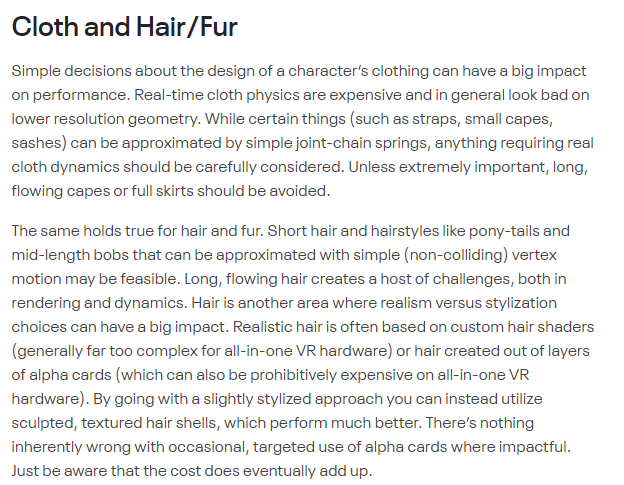
There's always a reason behind any change the development team makes. They don't just force no transparency for fun


 radiant osprey
sharp zinc
I have my own tricks
radiant osprey
sharp zinc
I have my own tricks
Oh btw, using old files from older SDKs is against TOS as it constitutes as modifying the SDK
radiant osprey
I imagine in many years since it has trouble running on PC
humble canyon
sharp zinc
soo whens neos quest port coming?
probably not for a while and its performance is even worse even with a gaming PC
because basically like the optimization people do on vrchat maps you can't do on neos
sharp zinc
welp guess who wont be sleeping tonight
humble canyon
well that's your own fault for keep talking to us
radiant osprey
xD
humble canyon
text chat is asynchronous communication so you can always bicker with us tomorrow
sharp zinc
ಠ_ಠ
sharp zinc
hey!
I have a question
I have had a quest 1 for almost 3 years now and I was wondering if there is a significant improvement with the quest 2 because I keep crashing and my battery keeps draining quickly or are there any settings that help performance
sharp zinc
sharp zinc
I have had a quest 1 for almost 3 years now and I was wondering if there is a si...
its got more vram I believe so thats a p big upgrade for a game like vrchat
and the battery problem is probably due to just having it for so long
and if you ever leave it in the charger past 100% then thats also not helping
are there any sidequest settings or something
I might get the headset coming out next year
 celest tapir
Can we buy vr chat plus I’m having issues with it?
 sour kestrel
just got a Quest 2 a couple days ago. Trying to play VR chat, but cant go into any other world without a crash, and when i bring up the side menu and click "avatars" , it just takes me to loading screen with the 3 dots, foreverrr...
open to any helpful suggestions
sharp zinc
dont go in public worlds
 distant geyser
Y
sharp zinc
And be alone forever? Kinda ruins the point of the game
But it’s not any one person’s fault. Nope, it’s tens of thousands…
At least
 cold sluice
sour kestrel
just got a Quest 2 a couple days ago. Trying to play VR chat, but cant go into a...
cold sluice
sour kestrel
just got a Quest 2 a couple days ago. Trying to play VR chat, but cant go into a...
Just don’t have everyone’s avatar on
 rare cove
One thing I like for quest, is the option to add dynamic bones, it be nice to finally not have static movement
heady wing
rare cove
One thing I like for quest, is the option to add dynamic bones, it be nice to fi...
Dynamic hones will never come due to their poor performance, the VRChat team is working on an alternative that performs a lot better and will likely come to Quest
rare cove
heady wing
Dynamic hones will never come due to their poor performance, the VRChat team is ...
Oh, makes sense, but what about avatar sounds? Wouldn’t they be able to have the input for that?
heady wing
rare cove
Oh, makes sense, but what about avatar sounds? Wouldn’t they be able to have the...
Sounds also don't perform that well, and the budget for those has to go to people speaking
rare cove
Ok then
heady wing
Like, the og Quest could handle ~12, the Quest 2 is ~24
rare cove
What about recording on the camera in vrchat, that just have to be possible
heady wing
Give everyone sounds and suddenly the amount of people the quest can handle is halved
Again, performance, recording is a lot more demanding than taking a photo, and the Quest does give you ways to record things, so there's already alternatives
rare cove
Wow, kinda disappointing, but that’s quest for ya. The optimization for quest is dogshit, they just simply made it preform like it like that, probably because it’s wireless. But that doesn’t explain how other game systems have good optimized settings. But I’m just sayin, don’t want to write the whole bee movie script
Once again the headset, not VRchat
heady wing
User-generated content, unless it has strict, enforced limits (which people will bypass), will always have performance issues
Plus, it's mobile hardware
rare cove
You’re talking to the people who made Facebook lol
But there’s different types of headsets too that run better than quests some how?
heady wing
doesn’t explain how other game systems have good optimized settings
Because those games are built to have good performance on the hardware they target
heady wing
rare cove
But there’s different types of headsets too that run better than quests some how...
The Quest is actually significantly underclocked
 simple meadow
sharp zinc
I have had a quest 1 for almost 3 years now and I was wondering if there is a si...
simple meadow
sharp zinc
I have had a quest 1 for almost 3 years now and I was wondering if there is a si...
Yeah, I've had a Quest 1 for at least a year now (perception of time absolutely sucks) and I recently got the Quest 2, and the amount of performance boosts that I got was awesome! I would highly recommend you getting it if you can. :)
Also on the note of SideQuest options: You can set your GPU/CPU levels to both 4 and it can give you a few extra FPS, but trying to change the texture resolution I don't think works, but I could be mistaken. (Tested it on a Quest 2 btw)
 patent ridge
changing the resolution does work but it can make ur game a bit laggier
 hardy horizon
heady wing
Give everyone sounds and suddenly the amount of people the quest can handle is h...
hardy horizon
heady wing
Give everyone sounds and suddenly the amount of people the quest can handle is h...
I feel like mixing avatar sounds with speech of the avatar user would work. Reduce the amount of processing necessary for 3D audio, with only minor overhead in mixing the audio.
Having an "instance sound limit" with a "sound priority ranking" based on safety settings first, followed by distance to user & playback age would also be a good way to handle it. — Prioritize speech over sounds, then those of higher safety based on user settings, then prioritize sounds based on approximate distance to user, rounded up to nearest [x] meters, followed by creation time (oldest first).
Also having a set fall-off for quest could also remedy a lot of the issues. Ignore creator provided spacial audio values, and use a conservative set of values that require a player to be fairly close to the audio source.
If all 3 were combined, I'd fail to see how that'd create any significant performance issues over no-sound.
It's confusing too, because the game actually has a sound option in safety settings. And particles too. The only thing the game disables is the shaders option. — If sounds are unavailable you'd think it'd also be disabled in UI.
—
In general, it feels like VRC' current restrictions for Quest creators are not only vague at times, or confusing, but also "the easy way out". Creators who wish to optimize, and take care for content get penalized for wanting to utilize certain features.
Meanwhile, users who don't care are literally uploading worlds that crash my headset, make me go cross-eyed, have no textures, freeze VRC, and more. Nothing seems to be stopping people who want to upload utter junk to VRC on Quest, and VRC neither provides ability to, nor requires testing, of VRC Quest content.
sharp zinc
if u make a vrchat canny on their feedback boards then you can suggest better limits
since they look at feedback boards and not discord for changing stuff with the game
heady wing
hardy horizon
I feel like mixing avatar sounds with speech of the avatar user would work. Redu...
Those are a lot of good points, and they could be done, but you wouldn't be able to have much audio with the Quest's 10mb limit anyway. I think allowing people who put effort into optimising certain parts should be allowed liberties in others (example: excellent except tri count (of say, 25k) still runs better than most very poor avatars)
And just a minor correction:
It's confusing too, because the game actually has a sound option in safety settings. And particles too.
You can use particles on Quest avatars, just no transparency (so no one uses them), and I feel like the audio option will be removed in the second part of the UI update.
hardy horizon
heady wing
Those are a lot of good points, and they could be done, but you wouldn't be able...
That's confusing because it's not documented anywhere. I've tried for 2 days to get a particle effect working on my avatar and it doesn't render at all.
Audio can also be compressed at build time. VRCSDK could provide the option to override the audio format, bitrate, and channels, downmixing to mono, at a set bitrate and frequency.
 civic compass
i need a gerudo model
from zelda that can be seen on quest
hardy horizon
civic compass
i need a gerudo model
from zelda that can be seen on quest
Ask in #quest-general this is the development optimization channel.
hardy horizon
sharp zinc
if u make a vrchat canny on their feedback boards then you can suggest better li...
https://feedback.vrchat.com/quest-creators/p/offer-avatar-sound-mixing-on-quest
That's one suggestion down.
hardy horizon
sharp zinc
Simple fix - matcap lit
 sage zephyr
Hello! So I've been having this issue a lot recently. When I import my PNGs into Unity, two of the three work, but one of them, (The main body atlas) doesn't show a thumbnail, or allow me to change the import settings. Does anyone know what's been going on? I'd love to know!

 radiant isle
Hey I'm getting a quest this week, can anyone recommend some headphones/mic to go with it?
I've got a hyperx cloud 2 for my pc, but that looks too big to go with the quest? idk
 tulip fractal
radiant isle
Hey I'm getting a quest this week, can anyone recommend some headphones/mic to g...
tulip fractal
radiant isle
Hey I'm getting a quest this week, can anyone recommend some headphones/mic to g...
the normal mic isnt that bad tbh
radiant isle
Oh didn’t realise it comes with a mic ty
 ornate spoke
radiant isle
Oh didn’t realise it comes with a mic ty
ornate spoke
radiant isle
Oh didn’t realise it comes with a mic ty
you cant use other mics bc the aux plug doenst support it only the built in one
i think the developers should add Aplication SpaceWarp to VrChat quest because im experiencing loads of frame drops in almost every world and ot would be amazing to see a 70% performance boost for VrChat
humble canyon
ornate spoke
i think the developers should add Aplication SpaceWarp to VrChat quest because i...
that would require them to upgrade to a new Unity version and break basically all the contents in the game because Aplication SpaceWarp uses a completely different rendering pipeline then vrchat uses
hardy horizon
ornate spoke
you cant use other mics bc the aux plug doenst support it only the built in one
I was always under the impression it supported TRRS headsets, but testing myself after reading this im shocked it seems to... not. At the very least, it does seem to use only the internal mic. Unsure if this is intentional though.
hardy horizon
sage zephyr
Hello! So I've been having this issue a lot recently. When I import my PNGs into...
- Check the file permissions in Explorer. Compare to the working textures.
- Ensure it's actually a PNG (file extension != file type); might be getting saved as another type with PNG extension.
 dusky stone
How do people get those cool materials that move and stuff on quest?
Like noise materials
radiant osprey
dusky stone
How do people get those cool materials that move and stuff on quest?
Probably a matcap
dusky stone
So like they would make it in blender of something
radiant osprey
Shaders are all Unity
dusky stone
Then how do they do it
radiant osprey
In the material in Unity
radiant osprey
They probably just apply a noise texture to the matcap shader
dusky stone
And how would they do that😂
radiant osprey
Find a noise texture, and simply apply it to the "Matcap" slot in the Matcap Lite material of your avatar
dusky stone
Wait then how do they get it to move and stuff
radiant osprey
Matcap is a reflection
sage zephyr
hardy horizon
1. Check the file permissions in Explorer. Compare to the working textures.
2. E...
I think I might've figured out my problem. The PNGs weren't originally saved on the same computer that I used to make avatars.
sage zephyr
hardy horizon
1. Check the file permissions in Explorer. Compare to the working textures.
2. E...
Thank you for answering, though!
hardy horizon
Is there any way to improve an SDK3 model's ranking when it has changeable clothes and objects?
My model has a max poly of roughly 28K, 3 mesh renderers, & 7 material slots at the moment, but:
- about 7K, and 2 slots of that is in 2 props sharing the same mesh, which only show with a specific gesture.
- around another 2K, 1 skinned mesh renderer, and 1 slot of that is in a toggleable clothing option.
Leaving sub-20K poly, 2 renderers, and 1 slot being the actual model that is shown under "normal" conditions.
I understand that when all of those are active at once, it'll hit performance harder, but I'm also wanting to add more outfits that are directly interchangeable from the action menu. — That is, future additions will be mutually exclusive.
The way the SDK seems to handle it now, it would appear even if objects are not shown under normal circumstances, the SDK still counts it, ranking the avatar pretty poorly.
The avatar seems to have no issues in small groups, and I've never really noticed issues with it compared to lower-poly models, and I can't exactly decimate the geometry any more than I have without breaking the model.
But I don't feel comfortable with the avatar being ranked VP in this state, just in case future changes to VRC remove these avatars.
 hexed tangle
hardy horizon
Is there any way to improve an SDK3 model's ranking when it has changeable cloth...
hexed tangle
hardy horizon
Is there any way to improve an SDK3 model's ranking when it has changeable cloth...
This is something I have a similar question to!
I was able to get by for now, having a single piece of clothing toggleable and two polys away from the 15k limit for medium (autodisplay) ranking.
Definitely start with atlasing your textures. That will cut down on material slots, but only gets you down to one material slot per mesh.
My question is, is there a way to combine all these meshes into one, and still have them toggleable? In a way where they still are considered one mesh & one material slot? I can think of really jank ways to do this, but not sure if there's a proper method.
heady wing
but I'm also wanting to add more outfits that are directly interchangeable from the action menu
Don't
Just make separate avatars for separate outfits
You also won't have to deal with the 10mb limit nearly as much if you do that
hardy horizon
heady wing
> but I'm also wanting to add more outfits that are directly interchangeable fro...
That seems to defeat some of the purpose of SDK3 avatars.
heady wing
You don't need to have 10 outfits on one avatar
hexed tangle
You also shouldn't be limited to uploading an avatar 20 times when you want to make a change that updates all of them. That doesn't really feel like a solution
Don't offer support if your answer is "you dont"
hardy horizon
hexed tangle
This is something I have a similar question to!
I was able to get by for now, h...
For atlasing textures, I would, but the problem with that is that I need emissive materials for my secondary materials, but matcap shading for the base model.
VRChat Mobile MatCap Lit doesn't allow for an emissions map. So I have to use secondary slots on both the primary model & its primary outfit, inflating the material slots by 2.
The latter, from what I can tell, that is a "no". I am testing to see if objects need to be skinned meshes or not; I converted my props to filtered meshes as part of the base model, and have them as children of the appropriate bone. — If this works, I will have successfully reduced myself into "medium" territory on the mesh rendering front. The only things pushing me into Very Poor will then just be the mesh count (primarily) and the material slots (secondarily), neither which I can really "fix".
hexed tangle
Is there a reason you need matcap for the base model?
hardy horizon
hexed tangle
Is there a reason you need matcap for the base model?
(Proper) Toon shading.
hexed tangle
Checks out
hardy horizon
Eyes are emissive though, as well as a pendant on the avatar.
(Essentially they're "unlit")
hexed tangle
You got your polycount under 15k?
heady wing
hexed tangle
This is something I have a similar question to!
I was able to get by for now, h...
My question is, is there a way to combine all these meshes into one, and still have them toggleable?
As for this, yes.
- Blendshapes, where the size of the prop is either scale 0, or 1, but I wouldn't recommend this as the more vertices there are, the worse it'll perform.
- Bone scaling, same as the above, but it performs better.
hexed tangle
heady wing
> My question is, is there a way to combine all these meshes into one, and still...
This was the jank method I was thinking of, haha. Doing that doesn't feel right, but it definitely would work.
Bone scaling would definitely be a better choice there
I have some of those to spare
heady wing
Some people actually split off meshes with blendshapes for performance reasons
Like, the face is separate from the rest of the body so calculations aren't done for the whole mesh, just the face
hexed tangle
Interesting. Well my model is not 100k+ polys so I can't imagine i'd get much performance benefit from that, but i can see where that might come in
hardy horizon
hexed tangle
You got your polycount under 15k?
Sadly, the best I could do for the "base" avatar in its current "base" outfit is around 18K, 19K. Not enough for Medium, but maybe enough for Poor? There's not exactly enough feedback on what values put you where in the SDK.
hexed tangle
Actually, there is!
hardy horizon
heady wing
> My question is, is there a way to combine all these meshes into one, and still...
That's actually kinda clever...
hardy horizon
hexed tangle
Actually, there is!
Where?
hexed tangle

VRChat
The Avatar Performance Ranking System allows you to see how much a user's avatar is affecting performance via analysis of the components on that user's avatar. You can also use it on yourself to see how performant your avatar is. This system is provided to inform users what is likely the most perfor...
While "poor" will still require most players to manually enable your model, users are able to change their setting to enable poor models by default
But if your main model is already at 19k, you might be SOL
hardy horizon
Oh that's why I couldn't find it. It wasn't in the Quest documentation.
hexed tangle
Yea it's not referred to anywhere in the quest docs for some reason
hardy horizon
That documentation needs some work, I tell you hwhat
hexed tangle
I find it really funny ||and annoying|| that bounds size can make your model "very poor" but the game will still display it by default if it fits the other categories.
heady wing
It doesn't necessarily cause performance issues in of itself, so it's understandable why they did that
hexed tangle
True, but then. Remove the bounds size as a limitation
heady wing
True
hardy horizon
heady wing
Espeically on the Quest side of things
Ive noticed. I still have trouble getting particle systems to work. Apparently its a thing, still, but the particle shaders in the SDK are removed.
hexed tangle
Why specify what makes it good, medium if it doesn't actually do anything. lol
hexed tangle
hardy horizon
Ive noticed. I still have trouble getting particle systems to work. Apparently i...
No: Particle Systems All Particle Systems removed
(unless this is out of date)
heady wing
That's if it goes over the maximum performance rank
hardy horizon
hexed tangle
No: Particle Systems All Particle Systems removed
Ive gotten mixed info on this.
hexed tangle
heady wing
That's if it goes over the maximum performance rank
Oh yeah this is right. My bad
hardy horizon
heady wing
That's if it goes over the maximum performance rank
Oh wait so if your avatar is very poor they shut off particles???
So it's useless even trying...
heady wing
hardy horizon
Oh wait so if your avatar is very poor they shut off particles???
If it's very poor (or poor if you set it to that) on particles only
hexed tangle
Yes. If it ranks poor you can have 200 particles active, 400 mesh particle active polys
medium and better have it completely nixed
hardy horizon
Im confused now.
hexed tangle
hexed tangle
https://docs.vrchat.com/docs/avatar-performance-ranking-system#minimum-displayed...
see above
hardy horizon
Short answer: Will ANY particle system work on a "Very Poor" avatar?
hexed tangle
I'm gonna go with yes because I feel like I have seen it in the wild, but i'm not sure how factual that is
heady wing
You'd have to manually show the avatar anyway, so idk why it wouldn't
hardy horizon
 hardy horizon
hexed tangle
I'm gonna go with yes because I feel like I have seen it in the wild, but i'm no...
hardy horizon
hexed tangle
I'm gonna go with yes because I feel like I have seen it in the wild, but i'm no...
It's looking like No, since you can't set the minimum to Very Poor on quest, but I have seen some in the wild I swear do.
hexed tangle
You can't set the minimum, but if you manually enable their avatar it should display
hardy horizon
hexed tangle
You can't set the minimum, but if you manually enable their avatar it should dis...
Does this reflect on your own avatar?
heady wing
hexed tangle
You can't set the minimum, but if you manually enable their avatar it should dis...
Well, you can the minimum display rank, but only up to poor
hexed tangle
That wouldn't make sense, the whole point is that it's autodisabled because it's not poor
it's outside the bounds of being considered poor and thus manually enabling it allows it to exceed those bounds uncapped
heady wing
I think I misread
hexed tangle
hardy horizon
Does this reflect on your own avatar?
Not sure what you mean. like if the avatar you're using is very poor, can you see it?
hexed tangle
heady wing
I think I misread
I see what you mean. Yeah the autodisplay maximimum is poor, however if you manually enable a users avatar that's ranked verypoor, it will render.
It will just always be blocked by default, you can't autoenable them.
heady wing
hexed tangle
I see what you mean. Yeah the autodisplay maximimum is poor, however if you manu...
I did edit my message to make it clearer, but yeah, that's what I meant
hardy horizon
hexed tangle
Not sure what you mean. like if the avatar you're using is very poor, can you se...
Yeah.
hexed tangle
Just logically speaking I would say yes. It's not like you get an option for yourself
But regardless, end goal is to get to poor ranking since they may not be compatible at all with quest in the future
heady wing
hexed tangle
Just logically speaking I would say yes. It's not like you get an option for you...
Whatever you use, it will always display (unless it's a PC avatar)
Even if you somehow upload over the 10mb limit, it will still show for you, but others can't see it
hexed tangle
That's true. If you set a PCONLY avatar and switch to quest you'll show up as a robot.
That also might happen if you bypass the file limit. But I imagine that's not possible
heady wing
From what I've heard from others, it'll occasionally let >10mb through, but other's can't manually show the avatar, and only you can see it
I've never experienced it though, and only know through reports of people wondering why others can't see it in #user-support-old
hexed tangle
Yeah i've fought that 10mb limit hard with my 8k textures so I know how it is....
hardy horizon
heady wing
From what I've heard from others, it'll occasionally let >10mb through, but othe...
My guess is the upload is somehow compressed in that it flies under the 10MB limit, but on download, the package exceeds 10MB on decompress.
Then again, before world limits were increased to 100MB, there were worlds being uploaded to Quest that were over 40MB. You'd get an error message saying the world was over limit and get kicked back home.
Even now I've encountered worlds that are over the new limit. So something is off.
hardy horizon
It's my best guess. Unity compresses textures and stuff, but I imagine the actual asset package is compressed further for reduced network load.
Basically like putting a JPG in a ZIP folder.
dusky stone
Anyone know how to make particles look normal and not blocky on quest
sharp zinc
dusky stone
Anyone know how to make particles look normal and not blocky on quest
use mesh particles instead
dusky stone
sharp zinc
use mesh particles instead
How do i do that
sharp zinc
load your img for ur particle into blender and cutout the geometry in a way that you could have it be opaque and not transparent and look fine
then use that as the mesh particle
dusky stone
i have not used blender ever
hexed tangle
dusky stone
i have not used blender ever
do you want the good news or bad news?
good news: ||blender is free||
bad news: ||blender is a bitch to learn||
cold sluice
Truee
sharp zinc
heady wing
From what I've heard from others, it'll occasionally let >10mb through, but othe...
I've saved one that goes past the limit, and if someone else copy's it then they can see it too
 fiery flicker
Which one is the best , air link or virtual desktop?
 flat granite
virtual desktop air link u need good good wifi
fiery flicker
flat granite
virtual desktop air link u need good good wifi
so the best is virtual desktop?