#quest-optimization
1 messages · Page 9 of 1
 regal summit
Or
t:SkinnedMeshRenderer
Must be spelled exactly with same capitalization
@manic pecan
 manic pecan
ah, invisible body mesh, i found it
 zenith oasis
hi
 balmy sorrel
yo i got a question
how do i reduce the file size of my avatar on unity ? it needs to be 10.00mb, i was at 14.00mb changed all shaders to mobile shaders and brought it down to 11.00mb
any idea how i can reduce it some more
im super stuck on this part
 left holly
 regal summit
Also, update your SDKs! - some issues like Legacy Blend Shape Normals get resolved in the newest SDK
 maiden aspen
Why is it that after i made sure all my materials were VRC mobile it still claims I have non compatable shaders in the warning list? I still have the same problem of quest users getting double vision in one eye
left holly
Delete the camera an create a new one and assign it in the descriptor
maiden aspen
ok so managed to figure out what you said, but
now if i click on upload world it does not respond. another interesting thing is that it claims I am trusted in community labs and i can make my world public, where as before i did not have that option, i feel this may be a bug?
I reimported SDK, no luck is wont let me upload at all, what would cause this?
regal summit
can you show the SDK showing the error? @maiden aspen any errors in the Console window?
maiden aspen
@regal summit no errors in console window. SdK is blank when I click up upload it is not responding
Only weird thing is. Normally when I can upload. Theres a disclaimer that I cant upload to community labs and such. But here its telling me I can upload this world as public .
regal summit
This usually indicates that you have errors in your project, but they get cleared when play in mode is entered.
Please disable Clear on Play - its' the 3rd button in the bar at top of the Console window. Then change something small in your scene, for example rename an object or add an empty GameObject. Now try another upload.
maiden aspen
Ok I'll do that. Thanks for the clarification! @regal summit
 rotund dragon
Can someone help me?
I have an avatar i want for oculus quest but I'm not sure how to optimize it, so can someone optimize it and let me clone it please
maiden aspen
Ok so it worked as you instructed @regal summit However now it seems to load into the world and then spawn me into the skybox without anything. I learned the whole, baking, reflection, light and occlusion culling process. and it seems my world is barely a megabyte? although I do have one test mesh in there, the rest is probuilder level. any workaround for this problem of being spawned into a blank skybox?
 cunning shoal
I swear I will literally pay for someone to optimize my character at this point
Good thing I saved a backup
left holly
what kind of optimization
 torn moth
im trying to export this for quest but her eyes aren't cooperating, if it was for pc i could just do cutout under the shader but i cant use it, wat do?
 crude cove
@torn moth use the particles shader that the sdk gives you you have 3 i think
the mobile particles shaders in the vrchat/mobile @torn moth
i use the shaders that the sdk gives me and the VRChat/Mobile/Particles shaders work like cutout so trees and bushes are not 2d papper you know just try one of the shaders till it works for you
torn moth
For the life of me i could not figure it out, i tried using the particle shader under mobile AND IT SAID IT WASNT SUPPORTED
 heady wing
Because, guess what? Particle shaders are for particles.
mind blown am i right
Use the blender knife tool to cut it out.
@torn moth
torn moth
pls im new i dont know this stuff 😭
heady wing
Have you ever used blender?
torn moth
very limited knowledge
heady wing
Look up a tutorial on the blender knife tool and use that knowledge to cut out the opaque part of the texture.
Then remove the transparent faces.
 lime jolt
can someone please tell me who thought it'd be a good idea to cap quest uploads at 10mb?
My avatar is as optimized as a goddamn ps2 model and it's 45mb. oh no. can't upload.
 mint iron
@lime jolt Checkmark legacy blendshape normals before uploading
lime jolt
I'll give it a shot. thank you.
mint iron
No prob 👍
 solemn field
@mint iron did that fix it?
mint iron
Ask Biadetes. They're the one with the problem lmao @solemn field
lime jolt
Yes. thanks a bunch :)
solemn field
i wasnt the one who said it, i was just wondering
ive never had thet problme but ive never messed with it
crude cove
@torn moth @heady wing here you both go
heady wing
@crude cove
- I didn't need help
- They need help with cut-out on avatars, you can't use that shader on avatars.
crude cove
you can use that shader on avatars @heady wing its the Quest shaders that the VRChat SDK gives you so yes it dose work
 autumn violet
Nope alpha blended is for worlds not for avatars the sdk will block the upload with that shader in use
 sharp zinc
do you know if it's possible or will be possible in the future to use the quest's hand tracking in vrchat?
 humble canyon
that's unlikely to ever happen as there wouldn't be any way to control locomotion
sharp zinc
how do i make my avatar quest working
 quasi wigeon
what is the problem ?
 fresh plaza
I mean you could just do the point gesture to move that way :P
but then again you would have people pointing all the time :3
 jolly totem
can you use hair cards with alpha textures or should i model the hair?
 quasi harness
you cant use alpha on quest, or any sort of cutout shaders
android handles transparency badly
@fresh plaza what if they just want to point at someone?
fresh plaza
@quasi harness Too bad, time to hug them!
:P
Maybe a way to get around that is to point with both hands
then again finger guns
quasi harness
I finger ttavking is pointless. My index has it and I barely use it in vrc
 timber swan
so with the new quest 2 being announced I truly hope that the optimal requirements for quest optimization will be reconsidered.
heady wing
There’ll probs be two versions. The og quest vesion and the more powerful version.
 timid veldt
i hope so too
 real leaf
Not too sure about that. It doesn't make a lot of sense to me, because if they kept the current limits for Quest then the Quest 2 could run much better with those limits. Or they could increase the limits but have similar performance to what Quest is now.
Plus I don't think a lot of Quest 1 users may be happy about people on Quest 2 being able to see more intensive avatars (and in turn more of them) then they can on their Quest 1.
This would also set different performance targets for each Quest, overall it seems too complicated and not ideal to do such a thing. Makes more sense to keep the Quest 1 and Quest 2 similar to what they can see, but ofc due to the Quest 2 having better specs it will likely run better.
 magic viper
I imagine it'll be exactly the same except with audio since that wasn't affecting Quest 1 users much at all.
humble canyon
yeah the Avatar limits probably aren't going to change at all as some of that new power would be going towards rendering resolution and yeah that's probably be better to use that for FPS then prettier avatars
 orchid estuary
How can I put blender avatars in untiy
magic viper
Export as FBX and drag and drop the FBX into Unity.
 dense finch
@raw smelt It doesn't seem like it would be that complex, all you'd have to do is change the polygon standard for Q2 appearances and roll out updates the same way saints and sinners is
left holly
 visual verge
I'm hoping the quest 2 will allow more complex avatar in VR chat
heady wing
no
@visual verge the quest struggles to run the game normally, we'll probably barely get 60fps consistent now.
magic viper
That's a huge upgrade, especially if they keep the limitations of VRChat Quest with that new hardware. At least you're still given the option to show avatar and that might not affect performance as much as it did.
 slate cradle
The only thing I'd expect from Quest 2 is to have the fixed foveated rendering disabled.
 timid crag
im gonna be honest, i feel like 40fps looks the exact same to like 144 fps
 dim ravine
Then something must be wrong with your eyes...
Or the display doesn't have a high enough refresh rate to show the extra frames.
timid crag
I searched it up, apparently your brain can only precieve at most like 60fps, any higher is nothing different
heady wing
I used common sense, that's not how it works.
 inland nacelle
orange is fake gamer
 eternal moss
Actually it is the hardware. The eyes can see approximately 1000 fps, but if a TV/monitor is only 60fps the best you can do is 60fps. "seeing" a difference is subjective however, as some people can be shown a movie (made at 60fps) at 24.9 fps, and the same movie at 30 fps, or 60. Typically, a good 60fps monitor would have good clarity, and the background would be discernible, but most people never play to the background, and concentrate on the action (foreground).
The main issues the Quest has: It runs on modded Android, and the chipset. The new Quest 2 eliminates some of the issues, but the fact it runs Android still is not good.
sharp zinc
hey quien habla español
dim ravine
The main issues the Quest has: It runs on modded Android, and the chipset. The new Quest 2 eliminates some of the issues, but the fact it runs Android still is not good.
Not exactly, Android is MUCH lighter on resources than Windows.
Which also results in better battery life.
 lusty gulch
sharp zinc
lusty gulch
sharp zinc
ok gracias
 vital osprey
alot of my friends on quest 2 hev the problem that when you change the avatar preformence sttings it doesnt actually work
so you have to manually show avatars
slate cradle
alot of my friends on quest 2 hev the problem that when you change the avatar preformence sttings it doesnt actually work
@vital osprey You can allow poor, but there is no way to allow very poor by default, since there’s no limit to how laggy very poor avatars can be, it’s the worst rank 
vital osprey
when they change it to poor, poor avatars dont actually show
slate cradle
when they change it to poor, poor avatars dont actually show
@vital osprey chances are they are not poor ,but very poor. Or they don’t have a quest build.
vital osprey
i've checked it and yes it is a quest avatar with poor preformence
they can see me if they show my avatar
but chaging the safity setting does nothing
slate cradle
In that case you might be over the file size limit which means you are auto hidden regardless of performance rating
slate cradle
Do you know what kind of robot they see before they show you
vital osprey
pref block
thay can see me when they show me
but not with normal setting
even tho it should
slate cradle
Would be interesting to have someone else clone it and inspect the performance within the game to see how remote users see it rated. Perhaps there’s a local/remote difference, and perhaps it’s different from the SDK’s rating
Just spitballing here. No idea really
 trim wind
Shaders maybe? You can't use anything but the approved VRC shaders (not even the unity defaults) on avatars. Anything else acts weirdly.
slate cradle
That’s possible although the uploader would have prevented you from doing that
trim wind
It should yeah. Bad/corrupted SDK? I feel like I'm reaching for an explanation here...
 knotty sedge
Is there a way to add multiple audio emotes if someone’s a mute on quest?
heady wing
@knotty sedge The Quest version of VRChat doesn't support audio sources, so no.
knotty sedge
Well what does anyone recommend
trim wind
If you’re a mute on Quest, your best bet is to use a pen prefab (attached directly to your avatar) to write out what you want to say.
Moon marker is a pretty good one and it works on Quest.
You could also use American Sign Language. Lots of people understand it in VRChat. You’ll have to find the right community though.
Check out the ASL world for more info.
Third option, you could pre-load audio clips onto a phone and play them into your mic (bottom of the headset). Really low-fi, and the audio quality will probably suck, but if it works, it works. 🌝
knotty sedge
Damn
slate cradle
Although you won’t be able to hear it you could always put audio on the PC version of your quest avatar. PC users will hear the audio play even if you won’t.
knotty sedge
I saw an texting emote could that be added for quest?
 wheat pollen
Is there any way for dynamic bones and audio?
humble canyon
no
trim wind
@wheat pollen There’s a way to make things sway with head tilt; like for example, I have ears on my fox avatar that tilt when I move my head. Achieved using some extra ear bones parented to the left eye and some creative weight painting. It’s not a technique you should use if your short on time or if you’re inexperienced in Blender. There’s a lot of tweaking, and it can take days. It doesn’t look like dynamic bones either, more like ‘mickey-mouse physics’. I would only use it if you’re seriously invested in your OP & you’re after that specific effect.
 arctic vigil
im sevearly confused i wasable to upload a model with 18k polys and when i did it again with another model with only 16k it doesnt work anymore anyone have a idea why or how i can encrece it to like 20k it wasnt the first time that this happend and now with the quest 2 its now better then before with the 1st quest version my oppinion its now better then rift s even
and it also doesnt make sence becauce it says that the mb size of the model cant be bigger then 10mb but preatty much all my models are not even 5mb or even less so i dont get it at all that drasticly poly limit thats just to retarted and makeing quest models like that is near to impossible
left holly
No
arctic vigil
okey how the hell did then several pplmade a quest model with 34k polys 17 meshes and 43 materials and 3 animators... explain how... and dont come with pc users see diffrent stuff then quest becauce im on a quest too
 idle nymph
are you inspecting from the quest side? If you are on PC side but inspect a quest model, it's showing the model uploaded to the PC build of the avatar_id
I think you can go over 10k up to 20k but it's performance blocked without a manual 'show avatar'
arctic vigil
i already said it im on quest too
sharp zinc
Yeah, the stats for Oculus Quest are over 10k and less than 20k polys
arctic vigil
not really i cant really upload models with 15k polys but i reasondly saw a friend useing a quest model with 87k polys i dont understand anything anymore
trim wind
I’m not sure if there’s actually a poly cap on “very poor” quality avatars...
mint iron
10k polys is the suggested max amount that the Quest can handle. You can upload an avatar with more but it's not recommended since the Quest doesn't have a lot of space to download large avatars.
humble canyon
and the recommended amount before it starts Auto blocking as the default the avatar is 7.5k
arctic vigil
despide the fackd that my models are always less then 5mb and my reasond quest model isnt even 1mb
trim wind
@arctic vigil What happens when you try to upload models with 15k, like do you get a warning or something? ⚠️
arctic vigil
no the build and publish bottun goes gray stays for abit like it then creates a blueprint then makes the bottum klick able again and nothing else
trim wind
What do you mean by blueprint?
Try unpausing the scene when that happens, sometimes that can work.
 halcyon dagger
i need some help so basically i cant get into my account on anything and im really mad ive changed my password and i can only get on the website so what do i do>
arctic vigil
@trim wind you dont get it at all
trim wind
You’re right. Try explaining it better. Maybe some screenshots would help...
arctic vigil
i already explaind it exactly how it is and how would i screen shot something that happens while trying to upload but goes not in the screen
arctic vigil
sure i record my screen upload it to yt and then delete it again... hell no
trim wind
Well I can’t help you unless you’re willing to explain the problem properly...Good luck I guess.
arctic vigil
good luck with your stuff youll need it sence you apperandly dont know what Blueprint is
 primal sleet
As far as I know there's nothing in Unity called Blueprint. To my knowledge that's the name of Unreal Engine's built in visual scripting language. The only reference to "blueprint" in Unity's own manual is Blueprint Mode in the Re Transforms component.
slate cradle
okey how the hell did then several pplmade a quest model with 34k polys 17 meshes and 43 materials and 3 animators... explain how... and dont come with pc users see diffrent stuff then quest becauce im on a quest too
@arctic vigil There is no upper triangle limit. But if you are over 7500, no one will ever see you unless they force your avatars to always be shown shown.
There is however a hard 10 megabyte cap for avatar files... if its over, it will not load no matter what
 tribal garnet
i get 15 fps in every game i have everthing off the max fps i get is 50
 south pelican
 faint dirge
All I want is for the pc and oculus versions to be as close to each other as possible
sharp zinc
Am I the only person who thinks they need to get rid of having to unperfblock almost everyone?
humble canyon
that's not going to help because all of those avatars would still need to be uploaded for Android
faint dirge
If you’re able to un perfblock an avatar
There’s no reason there can’t be a setting that does it automatically for every avatar on the map
Every time I’ve been through like 20 of them at once my game performs just fine
It’s just awkward having to stand around for a full minute pointing at all of those grey robots and manually enabling their avatars
magic viper
A lot of my quest friends seem to crash from showing about 3-4 anime avatars. Maybe it's better on Quest 2.
humble canyon
yay then maybe you would crash after sixth anime avatars
heady wing
Quest version is always going to be different from PC.
The architecture's different.
The power is different.
the people not caring about the fact that 100k tri avatars are really bad is the same tho
magic viper
It's really not hard to optimize, kinda surprised to see so many 50k+ tri and 30 material slot avatars with multiple particle emitters. I know those are the most popular though because it kind of gives a taste of the PC experience but at a pretty large cost.
humble canyon
triangles the basic building blocks of a 3D model
sharp zinc
@arctic vigil idk how you can't upload an avatar with 16k polys I made one with 96k
 whole kayak
my friend is setting up an avatar for vrchat but for quest it looks like this (first image)
https://cdn.discordapp.com/attachments/403671118826700811/775510224361619496/unknown.png
n pc it looks like this, which is what its supposed to look like (second image)
https://cdn.discordapp.com/attachments/403671118826700811/775515908168351794/unknown.png
any ideas what might be causing the issue?


 dim bluff
@whole kayak maybe it has vertex colors?
 wild edge
Any idea on how I can get my avatar under the 10mb limit again?
 sand mantle
compress textures
slate cradle
Compress textures, or reduce texture resolution. Atlas textures and then pack the UV’s to eliminate wasteful space on your textures which will let it look better at lower texture sizes
Most mobile game modeling techniques work very well since it’s a mobile chipset
Make sure you are utilizing every square inch of your UVs
 sharp rock
I've been trying to get better with my models optimization on quest with atlas texture but for some models it works fine first try but others just won't work for me or just use only one texture out of all of them
 stoic ether
how do i add people?
slate cradle
I've been trying to get better with my models optimization on quest with atlas texture but for some models it works fine first try but others just won't work for me or just use only one texture out of all of them
@sharp rock if you are using tools like cats to do it automatcially for you it is much more prone to errors. I recommend learning UV editing and baking to manually atlas your stuff, it’s less prone to errors and gives much better control of the result
sharp rock
Yeah I'll probably try and learn that then
 jaunty eagle
Is there any fix for major lag on quest 1
 it’s unplayable sometimes
Even in low spec worlds
slate cradle
Don’t enable poor avatars, and don’t force avatars to show.
That’s the best you can do.
sharp zinc
suggestion for optimizations
- make it so all the avatars load BUT if the ammount of players in are over (value in safety settings) then either lower quality or disable avatars for people far away from them
- Make an option to make vrchat run at high piority (risky) BUT could make performance better
- make a built in converter so lets say theres this one pc avatar make a built in option to auto convert ingame (might lag but add that in safety settings)
just some things I could think of because I just got a quest 2 and troed vrchat and had some ideas
 wraith heart
ok im having trouble with quest optimization, it says that the shader standard is unsuported, but i cant change it to another shader, plz help
dim bluff
Extract and dynamic remap maybe?
 cedar warren
I have big trouble with quest optimization, if anyone knows about that stuff well, please dm me.
 gaunt summit
@cedar warren sent DM
sharp rock
wraith heart
ok im having trouble with quest optimization, it says that the shader standard i...
You need to make new materials for the ones you can't change and place your textures onto the new materials in the slots of the ones that aren't changeable
mint iron
Change Location to "Use external materials (legacy)"
wraith heart
@mint iron where do I find that panel
mint iron
wraith heart
<@!133637165895778304> where do I find that panel
When you click on your avatar fbx
wraith heart
ok thanks
wraith heart
alright well now i have a bigger problem, when I go to vrchat and it publish to android, it just says future proofing your content then just brings me back to the control pannel
mint iron
wraith heart
alright well now i have a bigger problem, when I go to vrchat and it publish to ...
Uncheck future proofing
wraith heart
well now its not showing anything, the mousr icon has a blue wheel but nothing happens
wraith heart
Its saying that a prefab is missing, then when I click on it it just brings me to the vrchat sdk's code
mint iron
wraith heart
Its saying that a prefab is missing, then when I click on it it just brings me t...
Prefab missing is caused by other errors. Check the console for what's causing them. If you don't have a tab for it it can be found in Window --> General --> Console
real leaf
Missing scripts. Those need to be resolved
mint iron
wraith heart
Like Eternal Ohm said, you have missing scripts. The errors tell you which bones have the missing scripts so you'll have to go into your avatar's hierarchy on the left, select the bones with them and delete the scripts (Don't delete the bones themselves)
 hardy rover
I tried making a world for the Oculus Quest and every time i try to change it to android it crashes. Does anyone know how to fix this problem? Please ping me if you know how to fix it. Thank you.
slate cradle
I recommend making it in android from the start, I tend to have unity crash when I try to build a world I originally made for pc for android instead
Android has so many more restrictions that it could be any number of things
hardy rover
slate cradle
I recommend making it in android from the start, I tend to have unity crash when...
i did but it still crashed
i have a feeling that the SDK isn't compatible for some reason
sharp rock
Sounds less of a sdk issue and a unity/pc issue
sand mantle
sounds like you ran into support swap death, just recopy the project and reopen it and it should function better
hardy rover
sand mantle
sounds like you ran into support swap death, just recopy the project and reopen ...
i did that but it still crashed
sand mantle
oh then it might be a hardware issue
hardy rover
prob
 knotty grail
Uhhh
Im using the quest
and
My mic just dosent work there
im talking about the deafult quest mic
Does anyone know why xD
trim wind
@knotty grail New bug. Mute & unmute yourself & if that doesn’t work, adjust your world volume. 👏
 fading urchin
@knotty grail are you using a link cable?
 honest kestrel
 sterile jolt
my VRchat keeps crashing when i try to go into a world
sterile jolt
my VRchat keeps crashing when i try to go into a world
youll get better help if you post this in #user-support-old
sharp zinc
Tips for anyone:
#1: Unity and VRC are against you. Keep this in mind.
#2: Use standard shader hacks to get more out of Standard shaders.
#3: Make sure your model has top notch maps, even if the textures are not HQ.
#4: Don't (bet on) using HQ textures.
#5: BAKE YOUR LIGHTING IN BLENDER
thank you come again
dim bluff
Bake+premultiply AO, yeah
world of difference
What do you mean by 'standard shader hacks', though?
sharp zinc
You can download addons to the Standard Unity Shaders
Such as RERO, though it doesn't work on Quest.
But it's an example that comes to mind.
dim bluff
Oh, yeah I use rero, I've contributed a thing or two to them. Was just wondering where it applies to quest x3
 raw smelt
yeah... you cant use custom shaders on quest... so why is it in here.. 🤔
gaunt summit
raw smelt
yeah... you cant use custom shaders on quest... so why is it in here.. 🤔
Afaik, you can use custom shaders when making worlds. Its just tricky and quite limited
sharp zinc
hola
soy nuevo
alguien sabe como pueo optimizar vrchat para un procesador de 1.60Ghz??
sand mantle
@sharp zinc que instalado es gpu?
sand mantle
si@sharp zinc
tu procesador deberia esta bien. no es viejo
se es anitguo, es no posible que funcione para opitmizr
sand mantle
esta viejo mi amigo
necesita nueva procesador
a menos que este de acueder con los grafic
sand mantle
@raw smelt funny english man lol
i think they gave up on their processor optimization
raw smelt
well... then its not custom shaders on quest.. so my point still stands
raw smelt
why are you trying so hard..? these channels arent for people using link. so bringing it up to prove your point is just.. pointless..
 sharp rover
it wouldn’t be discord without some pointless meandering :V
raw smelt
next thing i expect him to say is "oh you can use fridges to cook things, just make sure you light your fridge on fire first."
like of course it can do that... when you make a drastic change to it..
sharp rover
don’t make them think too hard now, people have a hard enough time reading channel descriptions already
raw smelt
LMAO
raw smelt
no.. you are infact wrong for trying to insert a point that literally goes against the point of these quest channels... i dont get why you keep bringing it back up..
it seems more like you who are the one that doesnt want to accept that they are wrong 🤔
you just keep calling me "wrong" because you dont have anything to back your point up.. because it literally doesnt even have any purpose here..
you cant use custom shaders on the standalone quest port of vrchat < that version being the one these channels were made to discuss about
lmfao. god this place is so toxic....
it was never an argument. you have no point to stand on. you are only attempting to spread confusion to those who dont understand the platform fully.
hm.. last i checked the sdk flat out refuses anything that isnt whitelisted, that being the vrchat mobile shaders in the sdk. why do you keep trying here..? 🤔
 sharp bolt
the whitelist only applies to avatars, world creators can still upload their own
I do agree that the perception that some people seem to have with the link is allowing the quest to see pc models etc is semantically incorrect though, you're just using your quest as a pc vr headset
raw smelt
yes. he really is just the living definition of "WeLl AcHtuaAlly"
sharp rock
The vrc sdk with all that I've screwed around with it and tested only uses the vrcmobile shaders and then even at that a limited few of those for avatars. Anything else it just yells at you for
dim bluff
Standard lite does cover a lot of cases though. It's a PBR shader, so in general it covers 'most real objects'
 glad fossil
My friend on the quest 2 is having “internal errors” that keeps crashing her from worlds. She’s currently reinstalling the game. Any other fixes she could do?
 cold sluice
the quest crashes a lot I think that's normal, I crash every 30 minutes lmao
slate cradle
Crashing on quest is not normal. It should not happen unless you have some avatars that are normally blocked being forced to render
inland nacelle
everyone just uploads their 120k wolfboys and it kills the poor things ;_;
 silent turtle
can you make the czech republice room please
inland nacelle
ive seen quest avis with 100 mat slots
 hardy horizon
glad fossil
My friend on the quest 2 is having “internal errors” that keeps crashing her fro...
hardy horizon
glad fossil
My friend on the quest 2 is having “internal errors” that keeps crashing her fro...
Have her increase her Safety level in VRChat settings, and go into advanced safety options and increase the minimum display performance and lower the max avatar file size. If it's avatar related as @slate cradle suggests then this will prevent poor performing avatars from displaying and reduce the amount of features that display on avatars.
They can also enable safe mode by pressing all the triggers and face buttons at once, which will disable a lot of avatar features until they go into the safety menu and reset their level. This can be used to confirm whether it's the avatars.
dim bluff
https://github.com/GiveMeAllYourCats/cats-blender-plugin/releases/tag/0.18.0 it's readyyyyyyyyy
Don't have a quest model? Model isn't optimized on desktop?
- load your model up in blender
- click 'autodetect'
- click 'bake'
Now you do!

GitHub
Added Bake Panel!
This is a non-destructive way to produce an optimized variant of (almost) any avatar!
Full credit goes to feilen! Thanks so much for this awesome feature <3
Check out the wiki...
sharp zinc
hardy horizon
Have her increase her Safety level in VRChat settings, and go into advanced safe...
Wrong person I think 😅
hardy horizon
sharp zinc
Wrong person I think 😅
Lmao for some reason discord autofilled the wrong name and i didn't notice, sorry
sharp zinc
hardy horizon
Lmao for some reason discord autofilled the wrong name and i didn't notice, sorr...
All good!!
 jolly frigate
whats the most beautiful yet surprisingly well optimized quest world you guys have ever come across?
left holly
Quest church plus
magic viper
jolly frigate
whats the most beautiful yet surprisingly well optimized quest world you guys ha...
Atoll Of Ether
slate cradle
hardy horizon
Lmao for some reason discord autofilled the wrong name and i didn't notice, sorr...
I have been summoned
hardy horizon
lol yeah i was referencing you in an earlier message.
 frigid sigil
some of my emotes are set to loop but when i do them ingame they dont loop. is this a vrchat not updating my avatar thing or does it have something to do with the animation override?
 urban pilot
On the crewmate avatar that jar made how can i merge the visor and suit color material together?
sharp zinc
Poggers
cold sluice
sharp zinc
Poggers
facts mate
sharp rover
any cats users here try the new baking mode? for some reason no matter the baking type, it uses some weird garbage uv map that doesnt correspond to anything that i or cats generated
the island sizes look like they're all wrong too, none of the uv fixing settings work
all transforms applied, no modifiers, etc etc so im not sure whats wrong here
dim bluff
That's prooobably a bug
sharp rover
nevermind, somehow i missed that cats added a uv map to the model
sharp rover
im not sure how it got added to the original model though, thats weird
im glad i checked there though :V
dim bluff
That's very strange, yeah
sharp rover
the bake mode works great btw, im getting great results from it
dim bluff
:D
A friend tested it out yesterday, and confirmed that pretty much everything on their avatar carries over with no struggle (as long as the avatar config is the same). So like, they had a wingflap animation and that worked fine, expressions, everything
sharp rover
is there plans in the future to try to prioritize certain parts of the model (e.g. face, fingers, etc). i see its a feature of the standalone decimation already for fingers
dim bluff
Uh, see the 'Animation weighting' checkbox?
sharp rover
i tried that but the results were so-so, i don't use shapekeys either
i might have to tinker with it some more
dim bluff
That figures out what areas of the model are contested between shape keys or bone weights, and prioritizes them (so elbows always get saved, etc)
Unfortunately I haven't found a trick to keep it weighting shape still, so, WIP
sharp rover
ahh okay
dim bluff
it'll improve, basically
sharp rover
btw it doesn't check if the model has shapekeys, and will fail if it doesnt find any
just adding an empty shapekey works tho
dim bluff
but if I can nail that (especially in a way that doesn't need fine tuning) then like, hand-decimating stuff will only have minimal benefit
oh, yeah that's a bug
adds to list
sharp rover
this is how it looks with the default animation weighting options 😄
dim bluff
oof, yeah xD
Oh, for hair, I found it super beneficial to just boolean all the hair shapes together. It made it animate better too
But it wouldn't help with this problem
dim bluff
yeah
Boolean modifier then apply, so you get one watertight solid
I mostly did it cause I wanted to do ambient occlusion baking and animating with that got messy
dim bluff
(AO is a huuuge boost to detail)
Uh, maybe a tiny bit messy. Not too bad.
I -kinda- got it ready but didn't get it into this release, but I made a way to instantly copy-meshify-and-boolean selected bezier-curve based hair peices
sharp rover
now that interests me
dim bluff
so if that's how you do hair (and a lot of people do), you can turn it into a clean mesh without struggle
sharp rover
yes i would love that feature
and some way to automatically delete unused backfaces for stuff like bangs, where they never get seen anyway
dim bluff
and more importantly, copy it twice, one at absurdly high resolution and the other at game-ready resolution, then bake normals in
So you get hair that looks super high detail but is fast and doesn't eat up your poly limit
here's friend's model btw, I hope that having this bake-ready makes a lot more people abuse PBR for everything
dim bluff
Yeah :D Left is 56k tris, 5 materials @ 2k textures, 3 meshes. Right is 5k tris, 1 material at 1k textures, 1 mesh.
dim bluff
All their wing-flap animations, expression binds, everything still work
I do wish rotation constraints were available tho
sharp rover
thats the two big things im waiting for in vrchat in the coming years
a better dynamic bone/rotation constraint replacement, and moving off of the old unity renderer
and/or allowing certain custom shaders on quest, so we arent stuck with standard lite/fully lit 😄
dim bluff
Standard lite can pull a lot of weight though, in the right world! It's just a very light PBR shader
sharp rover
it can, im just longing for a better mobile toon shader
sharp zinc
Hey does anyone know why I keep getting the unknown error when trying to make an account
sharp zinc
So every time I try loading into a vr chat world my quest crashes, anything I can do to help?
cold sluice
It either has something to do with your WiFi or your quest
 lyric briar
sharp rover
a better dynamic bone/rotation constraint replacement, and moving off of the old...
lyric briar
sharp rover
a better dynamic bone/rotation constraint replacement, and moving off of the old...
changing the render pipeline is probably not gonna happen, because that would break all existing content, and needs to be reuploaded
sharp rover
yeah but it’ll happen eventually :v!
trim wind
@sharp rover Is MatCap affected by lighting? If not, you could always just add your “toon-shader” texture in the albedo layer and an outline or something in the matcap layer.
Matcap is additive, so you could even add cell shading...if you want.
Haven’t tried it yet, might be a disaster.
We definitely need a new dynamic bones replacement. It’s a shame that they didn’t include it in the avatar 3.0 launch. That would have been the perfect time to do it.
@lyric briar You’re totally right, which is why we’re likely going to have to wait for an avatar 4.0 before we get any of these changes.
I imagine that VRChat will probably give players like a year or two to update their 2.0 content to 3.0, then declare 2.0 deprecated before rolling out a 4.0.
raw smelt
for the sake of beginner creators i hope they keep 2.0 around for awhile. although i do see 3.0 as a straight upgrade in essentially every way.
if 2.0 somehow conflicts with a new feature then i wont mind much if it gets removed then
also i strongly feel that if we ever get a DB replacement on quest people are gonna abuse the shit out of it... which is why i think its not supported to begin with...
lyric briar
people shouldn't do anything with 2.0 anymore
it's pretty easy to replicate the 2.0 behaviour with 3.0, but you get so much more options if you need them
 turbid kite
Hey are there any tips for making vrchat run better on quest? my friends got quests for Christmas (I have a rift), and they can't run the game on the quests. Not only that, but the link cables are having problems too. Could anyone help us?
heady wing
turbid kite
Hey are there any tips for making vrchat run better on quest? my friends got que...
Tips for performance:
- Stay in worlds with low player counts.
- Use optimised avatars.
- Don't manually show
 avatars.
- stay in worlds that are optimised (not really a way to check this)
- don't turn mirrors on.
If it's still garbage performance, then turn down the performance cap to "Medium"
sharp rover
trim wind
<@534545980738240540> Is MatCap affected by lighting? If not, you could always j...
I was thinking a similar setup, but I haven’t played around with trying to fake it yet
right now my avatar looks fine in standard
sharp zinc
I mean also an optimization you can do is to lower the res of the screen your looking at
Enable higher proformance with code in the quest 1/2 and will will be so much better at a cost of battery dropping to 1 hour 30m or just 1h
FYI: quest 3 coming 2022 sometime if not sooner
left holly
One headset a year. That bad pr
trim wind
2022 is too far away. We’re supposed to have a Mars colony and nuclear fusion reactors by then.
sand mantle
quest 2 is pretty over powered, itll take them a but to make a better model
trim wind
If you look at the behind the scenes stuff Facebook reality labs (and their competitors) are doing, you’ll see that the tech is advancing at an insane pace.
Like those NVDIA screen/lenses they demoed a while back that are only as thick as an iPhone.
Or the magic leap AR tech (entreprise only for now).
Or the Facebook reality labs 3D scanning and real time facial tracking.
I tried out a prototype of something exactly like the Quest 2 (wired though) in 2016 as part of a closed demo; and the tech has only gotten better since then.
I guess the main problem for Facebook is how to integrate all of this tech together in a cost effective way. They’re probably waiting for certain breakthroughs to happen in the hardware space before they launch into a Quest 03. They’ve definitely proven the demand is there though; so sourcing should get easier.
sand mantle
either way, great technology is afoot
jolly frigate
is there a performance difference for backface culling vs. not backface culling?
dim bluff
It's pretty much double the GPU cost, I think?
jolly frigate
@dim bluff double GPU on or off?
humble canyon
if you have backface culling disabled it's double the cost
turbid kite
heady wing
If it's still garbage performance, then turn down the performance cap to "Medium...
where exactly is the performance cap settings?
heady wing
turbid kite
where exactly is the performance cap settings?
Under the safety menu, you click the button I circled in red, you can then set the minimum performance. (On Quest, you can choose poor or medium only, for better performance, pick medium)
turbid kite
Okay, thanks so much for the help man
 hardy nymph
When I get close to people they disappear. Can I change that?
sand mantle
@hardy nymph in settings, there should be a thing called “personal space”
hardy nymph
@sand mantle thanks
 inner nebula
im on quest link and my headset mic is not working, its been doing fine for the past two days and now its just not working (i already looked at the forms and it did not help)
any solutions?
sand mantle
@inner nebula this is quest optimizations
inner nebula
sorry im confused of what u mean
sand mantle
this isnt a support channel
inner nebula
oh mb wrong channel
 robust current
Whats the hard triangle limit for quest avatars? I cant find an answer as ive seen it range anywhere from 7000-7500 online
mint iron
robust current
Whats the hard triangle limit for quest avatars? I cant find an answer as ive se...
Here's the full documentation on it https://docs.vrchat.com/docs/avatar-performance-ranking-system
VRChat
The Avatar Performance Ranking System allows you to see how much a user's avatar is affecting performance via analysis of the components on that user's avatar. You can also use it on yourself to see how performant your avatar is. This system is provided to inform users what is likely the most perfor...
 abstract gust
Is Unity's 3D Text object recommended as an easy way to make some text in-world? I'm not sure I want to trust it. Does it perform OK on Quest?
It has a transparent background and I don't need or want that and I'm worried it's costing some not-insignificant amount of performance 🤔
 rigid arch
how do I enable full finger tracking?
 nocturne osprey
cold sluice
nocturne osprey
cold sluice
There is no full finger tracking for quest @rigid arch
rigid arch
oh right, so which VR sets have full finger tracking capabilities?
 willow laurel
I have a question, My model is exactly 10k polys yet it still don't allow me to upload (I.E the build & publish for android button is grayed out) is there any way to try and combat this, without going back into blender?
humble canyon
nope you'll have to bring it back into blender to make it less than 10K
willow laurel
Okay, now my model looks like it's from the PS2. Sounds about right for quest
humble canyon
GitHub
:smiley_cat: A tool designed to shorten steps needed to import and optimize models into VRChat. Compatible models are: MMD, XNALara, Mixamo, DAZ/Poser, Blender Rigify, Sims 2, Motion Builder, 3DS M...
this might be able to help out
willow laurel
I used that thanks.
inland nacelle
willow laurel
I have a question, My model is exactly 10k polys yet it still don't allow me to ...
could be a console error preventing you from uploading
willow laurel
I fixed it in the #avatar-quest , I have to disable all other avatars in the scene in order to upload for quest.
 shell jay
@rigid arch I wouldn't say any VR set has "full" finger tracking unless you're using gloves or something like a leap motion but the Index controllers have decent finger tracking which if you have a PC that's VR capable you can use ALVR and a Quest to emulate the Index controllers using it's built in hand tracking but it has the caveat that you can't use artificial locomotion while having more accurate hands as it doesn't emulate the joysticks on the Index controllers so you have to use your Touch controllers when you wanna move around etc
I wish the Quest let you use the Touch controllers as just button/joystick input while making use of hand tracking for most* positional data and obvs fingers
*I say most because I feel the gyroscope/accelerometers in the Touch controllers could still be used to make the hand tracking feel/be more accurate possibly
 lone palm
for the quest i have a link cable and my vrchat logs in using my oculus account but when i try loading it in steam its not working and also not logging in from my oculus account how do i chang ethat?
cold sluice
lone palm
for the quest i have a link cable and my vrchat logs in using my oculus account ...
do you have the oculus rift software on your computer?
it should automatically recognize the device once connected
 pulsar tusk
How can I combine materials to make one? I’m trying to optimize an avatar for quest but it’s too many materials
 real marsh
So just got my quest 2 loving it and wondering if anyone has any good recommendations how to increase performance
 rocky vector
can some make my pc vrcaht model quest also
heady wing
real marsh
So just got my quest 2 loving it and wondering if anyone has any good recommenda...
I made a list of tips here: #quest-optimization message
dim bluff
@pulsar tusk bake or atlas in Blender using cats blender plugin generally does a pretty okay job
sharp zinc
rocky vector
can some make my pc vrcaht model quest also
what do you mean?
 harsh delta
Question, if a model is all good with quest asside from more than the 7k poly and has dynamic bones, is it possible to make it quest compatable, It 2.0
sharp zinc
Dynamic bones are an absolute no for quest. Just doesn't work
 gentle geyser
hmm im so confused. i changed everything to vrc/Mobile/Toon Lit but the unsupported 'standart' message still appears. is there another way to check what's still in 'standart' ?
eveng changed the shaders in vrcsdk to mobile shaders lol.
autumn violet
You should just go through all the mesh renderers in your avatar and check their materials
gentle geyser
i cant change those shader settings can i? its the only materials i cant change. its not even connected to this avatar at this point so it doesnt even make sence why its complaining
autumn violet
That was from one of the mesh renderers on the avatar?
Like I mean if that was in one of the slots just replace it with a non embedded material
gentle geyser
not sure if i go through my body/ it looks like this.
thats the only materials applied to this model.
autumn violet
The amount of cropping you have it's hard to say where you are looking at
gentle geyser
Want to jump into a vc so i can Screenshare?
autumn violet
I'm in bed on my phone so not really lol
sharp bolt
on the mesh renderer component theres a section called materials with a bunch of material slots
you want to replace the materials there
in reference to the screen shot with the face with standard
oh wait, thats just from the imported asset itself uh
type t:skinnedmeshrenderer in your hierachy search and check every thing there i guess?
gentle geyser
ok there is a standart shader but tis greyed out?
sharp bolt
make a new material and set it accordingly, and replace the standard one in the material slots on that skinned mesh renderer
you just need to expand the >Materials selection
gentle geyser
legend. Thanks @autumn violet and @sharp bolt!
sharp zinc
Facebook
Log into Facebook to start sharing and connecting with your friends, family, and people you know.
any ideas or help?
sharp zinc
All the materials in my world are standard lite, but it still says standard shader is being used by something
any help?
autumn violet
https://github.com/oneVR/VRWorldToolkit/releases
Import this and check VRWorld Toolkit > World Debugger from the top bar
One of the messages in there will list you the materials
sharp zinc
tysm
 flat chasm
When I use oculus link, it’s like a slideshow, constant studdering, lag and disconnecting. Is there anyway I can fix this?
I’ve tried the oculus debug tool and it’s only helped a slight bit
 spare orchid
Same here, what are your specs?
flat chasm
I’ve just took a picture of the specs so I don’t have to type it out
robust current
CPU is holding u back for sure
flat chasm
Damn. Is there anything I can do right now or am I just going to have to wait till I can get a new pc or parts?
@robust current
flat chasm
It’s usb. I’m using an anker usb 3.0 to usb c with a cable creation usb 3.0 active extension cable
I was told not to use the official link cable
robust current
ah, nvm. Just wanted to see if ur were plugging it into the motherboard instead of GPU if it was HDMI
flat chasm
So I’m stuck till I get a new pc?
robust current
well you just need to get a new CPU. the GPU should still be fine kinda
flat chasm
Ok, recommendations for what I should get?
robust current
actually try seeing what your GPU/CPU usage looks like while using VR. Im like 80% sure the 1400 is a bottleneck because vrchat is cpu demanding
I see reviews that the 1400 is decent but thats in regular games not cpu demanding ones
flat chasm
How can I do that?
robust current
try seeing if frameview displays on the headset

Benchmark GPU power, FPS, and performance per watt!
 half ferry
hello, i have 20/25 fps in vr chat, i have (1660 6 gb, i7 2600 3.4, 10 gb RAM ssd500gb + 2tb HDD) any ideea
heady wing
half ferry
hello, i have 20/25 fps in vr chat, i have (1660 6 gb, i7 2600 3.4, 10 gb RAM ss...
- This is a quest channel.
That’s all I can say really.
half ferry
ok, sorry
 thick stirrup
half ferry
hello, i have 20/25 fps in vr chat, i have (1660 6 gb, i7 2600 3.4, 10 gb RAM ss...
thick stirrup
half ferry
hello, i have 20/25 fps in vr chat, i have (1660 6 gb, i7 2600 3.4, 10 gb RAM ss...
if you hold shift once you hit start, the game will load a settings menu which you can tweak
sharp zinc
There’s full body tracking with Xbox kinnect
And a driver
So you don’t have to buy the sensors lmao
sharp zinc
Yes
 peak pine
wireless?
sharp zinc
Yea
sharp zinc
How much for what
sharp zinc
Like 15$ or sum
peak pine
oh not bad
sharp zinc
gentle geyser
When i want to upload a Quest avatar it this error message? am i doing something wrong...? losing my mind soon
 vapid cradle
If I were to share a file with someone. Could they optimize it for me please?
gentle geyser
id love to but i worked on unity for 12h
heady wing
gentle geyser
When i want to upload a Quest avatar it this error message? am i doing something...
You have errors disabled on the console, and that is a lot of tris.
Uploading that and using it would likely cause a lot of fps drops.
gentle geyser
heady wing
You have errors disabled on the console, and that is a lot of tris.
OH DAMNED because i didnt import dyn.bone there was no error message.... Thank you.
only script errors
gentle geyser
Soo.. problem #238: so basycally that avatar has a (Standart: specular setup) material on the eyes. but unfortinately i didnt found a material i can use for the Quest version. any ideas? its for the eye lens.
sand mantle
@gentle geyser standard lite
gentle geyser
sand mantle
<@!310897587697876993> standard lite
its not transparent tho is it?
sand mantle
@gentle geyser ah so heres the thing about quest... transparency doesnt really exist
gentle geyser
sand mantle
<@!310897587697876993> ah so heres the thing about quest... transparency doesnt ...
interesting. Thanks
sand mantle
yea, the only real thing you can try is "additive" under the mobile shaders. but you have to set it up a certain way
vapid cradle
Can anyone optimize an avatar for me?
 crystal shuttle
How would I go about optimising a pc avatar for quest?
sand mantle
@crystal shuttle dissolve vertices and use smaller textures
crystal shuttle
So I gotta take it into blender?
sand mantle
yep
inland nacelle
how much vram (or i guess ram? idk howa snapdragon processes textures) does a quest have?
would be nice to know physical limits lol
heady wing
inland nacelle
how much vram (or i guess ram? idk howa snapdragon processes textures) does a qu...
Quest 1 has 4gb of ram, with about 2.7(i think) available for games, and the Quest 2 has 6gb of ram.
VRChat has hard limits on avatar and world sizes though, so no 8k textures on VRChat quest.
 hollow trench
Ay
 random fossil
So uh, if I have a PC Avatar I worked hard on, but just slapping mobile shaders on it makes it look terrible since transparent images don't work on quest. Would I be able to just use a similar different model that I made so it doesn't look totally terrible and upload that along with my PC version onto the same avatar? so would be like, two different models on one avatar for each platform.
heady wing
random fossil
So uh, if I have a PC Avatar I worked hard on, but just slapping mobile shaders ...
The way uploading to quest works is this:
- Pick a model for the quest upload
- Upload it to the same ID as the PC model
- that's it
You could have an entirely different avatar for PC and Quest on the same avatar, but what you see is different depending on the device you're using.
random fossil
Oh sweet. So long as anyone else using whatever device sees the model I set for that device, everything is fine. I attempted to upload a different model better for quest and it let me under the same pipeline blueprint, so just hoping it works like that and it doesn't bug. I'm a bit of a newbie, been at it for like a month learning unity.
random fossil
Update: people still see me as a robot on quest, even though the avatar says PC/Quest now. Even friends.
sharp bolt
if the model is very poor they need to manually click show avatar on you
random fossil
17K Poly and it still looks pretty rough  ugh. optimizing for quest is harder than I thought.
heady wing
Yeah, anything above 10k is blocked by default settings.
And some people have settings to block anything above 7.5k
random fossil
Figured out the issue, using VRM converter, accidentally duplicated it without checking "Duplicate for Quest". All my quest friendos can see my avatar for quest now, yay! Somehow even animations from PC carried over without my actually having to add it into the quest model.
 foggy vale
My wife is trying to play the quest 2 with virtual desktop and the game is super blurry for her. She is connected via ethernet cable to a gigabit router / 5Ghz wifi to the headset on a slightly older GTX 980m laptop (which can handle the game fine with wired vr).
She says the oculus menu is normal looking but steam vr / VRC is very muddy. She ahs gone through just about every fix she could find and nothing is helping her.
Anyone know what she can try?
sharp zinc
Switching to Android:AndroidPlayer is disabled
 warped zenith
sharp zinc
Switching to Android:AndroidPlayer is disabled
warped zenith
sharp zinc
Switching to Android:AndroidPlayer is disabled
File -> Build Settings... -> Platform: Android -> Download
Install the build extension that downloads and then try.
 warm igloo
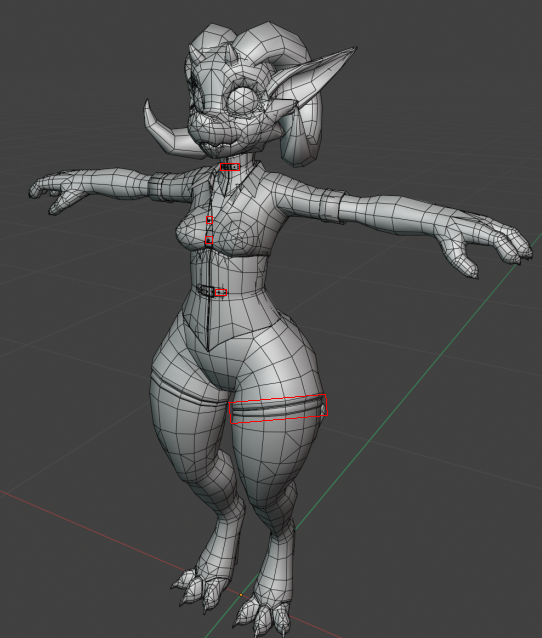
Making a quest-compatible version of a feature-rich avatar, had to shave down from ~70k

9 980 tris 😓
Carving off geo gets brutal towards the end
humble canyon
you seem to be doing a pretty decent job of edge loop dissolving
you could probably remove the holes from the belt buckle and maybe simplify the loops at the top of the leggings maybe also remove shirt buttons
 loud tendon
Hello all, I'm trying to optimise an avatar of mine, first call is combining materials together.
The avatar in question has a few materials that don't have a texture, and instead solely rely on various generic 'base colors' in the material settings.
Whenever I use CATS Material Combiner, it removes these base colours when generating the atlas, and as a result, they all end up white.
Is anyone able to point me in the right direction to solving this?
 pastel basalt
@loud tendon could probably add a small spot of that color on the main texture, and then modify the UV map so that all of the parts of the model that are supposed to be that color are mapped to that one point
loud tendon
I'm not too savvy with Blender unfortunately, what I've done for now is making 32x32 images that are just a solid colour and assigning them to each material as an image texture and then atlasing.
Anyway, further to my Quest optimisation journey, I guess there's no simple way to test the Quest version of the avatar on PC other than uploading a "clone" so to speak as a Windows build?
I don't own a Quest, I just wanted Quest users to see a rough version of what my normal PC avatar is.
sand mantle
question: what is the leading cause for quest users losing their right eye?
 weak sleet
Ummm, if a quest user losses their right eye it's not gunna be to a quest, it's most likely something like a bottle of soap
sand mantle
i ment like in worlds
autumn violet
Most common reason is if you use the build switch button inside the sdk
Then shaders
 outer goblet
Or light settings
 lone hawk
man the new bake tool in cats is great for making quest versions of avatars, 5,000 tris vs 20,000 tris
sharp zinc
Question : how many 40k avatars that are quest compatible have you made and will you make another world for them?
dim bluff
@lone hawk is that your model? :o
lone hawk
sharp zinc
Question : how many 40k avatars that are quest compatible have you made and will...
so far i've made a small handfull of them. i might make a world for them in the near future but i'm not gonna have a lot of time to work on stuff pretty soon
dim bluff
If you've got the rights to it I'd love to stick it under the 'examples' part on the Bake wiki page
lone hawk
sadly no, i was just playing around with that stuff. and even with fanmade stuff i'm not sure how games workshop treats it.
dim bluff
ahh fair enough
lone hawk
i do have fanmade models i was given permission to use but i've been struggling to get some good results with them because they use a lot of floating geo
dim bluff
next version that goes out will have several quality improvements... but I just moved so I dunno when that's gonna happen :v
ah yeah, blender does best with singular manifold objects
lone hawk
If i may request a feature it would be nice for pc to be able to break up the bake into up to 4 materials
for the sake of preservering detail on models that had a lot of textures
dim bluff
Well, ideally the only reason you should want different material slots is to use different materials. But yeah I'd like to be able to account for that
lone hawk
yeah you have a point
dim bluff
Have certain mesh+material slots left untouched while most everything gets baked down
lone hawk
even then sometimes you want to use a skin shader for skin and a normal pbr shader for everything else.
dim bluff
But yeah about quality loss, I figured out a way to kinda supersample intermediate normals so they'll be way more detailed in the final result
lone hawk
hmmm
dim bluff
that's the main improvement for the next release
lone hawk
sounds nice
dim bluff
I am also wanting to let you select materials/etc that it leaves untouched, so you could have like... hair that uses one shader and body using a different shader
oh, and we combine all meshes into the base mesh right now, which messes up some setups where like... you wanna have held objects that you can hide. I wanna add something where for each mesh it adds a shapekey that shrinks it down to nothing, so you get the 1-drawcall equivalent
lone hawk
hmm, i've never even considered doing props that way. smart
i'm kinda waiting to see if they ever let us use constraints on quest, then i can do fun stuff like guns and whatnot
dim bluff
I would really love constraints yeah
lone hawk
man if only there was an alternative to decimate that would auto-dissolve a certain percentage of edgeloops rather than decimating
oh shit i think i've had a breakthrough. if i use blender 3d-print tools to make a mesh manifold prior to decimating it gets much better results
dim bluff
Haha, I've done that before
The 3d-printify stuff is nice, but it tends to break models more often than just decimating in my experience
I've actually been experimenting with an automated edge-loop dissolve sort of thing
I wanna make animation weighting work better but... all of it is gonna take time
 void beacon
Should I use ETC2 or ASTC compression gor world textures. Also, 4x4 Block or 8x8 Block if ASTC?
sharp bolt
I generally just do crunched ETC2 for most textures on quest
and for lightmaps ASTC 4x4
 north ginkgo
I'm trying to upload an avatar and upload is greyed out. I'm aware the performance is poor, but would that cause me to not be able to upload?
Figured it out, you can't have non Quest avatars in the scene!
autumn violet
north ginkgo
Figured it out, you can't have non Quest avatars in the scene!
You can have them but they can't be enabled
 soft merlin
Is there a reason how a Quest user can don a 776k-polygon avatar, but they're not allowed to see my 51k-polygon avatar? 🙄
sand mantle
@soft merlin if they wear your avatar, itll unblock it cus theyll have to wear the avatar
soft merlin
That isn't the case. I saw a Quest user wearing a Very Poor avatar with over 700k polys on it, yet the SDK won't allow them to see my  Medium performance avatar since I'm on PC. 🤷♂️
Are Quest polygons calculated differently than polygons for PC avatars?
sand mantle
so a cross compat avatar is made up of 2 avatars
you got the pc version (with too many polygons) and then th quest version (with not enough polygons) so since youre pc, you can see the pc avatar, but not the quest
soft merlin
Oh, okay! :)
cold sluice
The reason they wouldn't be able to see your avatar is because it's over the download size
for quest it's 10Mb
sand mantle
the sdk will prevent you from uploading something over the limit
trim wind
I recon there wasn’t a quest version of this guys avatar.
sharp zinc
sand mantle
the sdk will prevent you from uploading something over the limit
Sdk has never prevented me from going over the 10mb limit even tho I know its there I can go over it without it denying the avatar
sand mantle
thats odd, shouldnt be able to but its technically possible to upload anything of any size
sharp zinc
Yeah it shouldn't be but I use a pretty malformed and old sdk
It shows me some whacky stuff while I use it but I got used to it
sand mantle
ah, so its probs just doing what it can basically and probs have less safety
sharp zinc
Yep
sharp zinc
Hello, I'm having a problem where people are only seeing my world I uploaded in the left eye, while the right eye is messed up. I'm attempting to fix it, but I can't do it properly, since I don't have a Quest.
I tried changing the shaders to the materials in Unity, but that didn't help.
sharp bolt
if you changed platforms in the unity editor through the sdk, there is an issue that causes that to happen
you can fix it by swapping platforms to pc and back to android through unity build settings
sharp zinc
Alright, I will try that.
So, it didn't work. But that might be because I changed platforms with the sdk in the first place, so I will make a new copy of the PC version and change the platforms through unity
It worked!
Thank you so much!
 sullen rain
Hello, I have a VRChat world that works on both PC and Quest, and I'm trying to optimize the Quest version as best as I can. The thing is I do not own an Oculus Quest, so I'm really doing it blindly.
Some people says it runs fine, some that they lag, so I don't really know if this is because of Quest 1 and Quest 2 users.
I was thinking of disabling the wind zone for the Quest version, do you think this will give better performances?
abstract gust
I have a question about transparency. Every guide tells me to avoid it, but I don't get precisely where the issue is. Is any texture with an alpha channel going to be a problem, even if all the pixels are at either 100% or 0% opacity?
I'm using a particle system with the default fluffy white particles, and I'm wondering it that's costing performance on Quest. There's not many of them, and they're not clustering together and drawing over each other, but they are transparent so I'm worried that's the issue.
And if it is, would the solution be to replace them with similar circles that are opaque? Or would the transparent corners of that sprite texture still cost performance anyway?
sand mantle
so quest cant see transparent materials as far as I know 🤥 except if youre using multiply>additive mobile shader possibly
abstract gust
Quest can see some transparent materials
real leaf
sand mantle
so quest cant see transparent materials as far as I know 🤥 except if youre usin...
Quest can as evident by how you can use it for worlds but performance is a huge factor so it's not allowed for use on avatars.
sand mantle
ah i c
then id assume its performance would be dependent from what is seen through the object then
abstract gust
I just don't get how it works. If you have a sprite that's an opaque circle, does the 0% opacity on the corners of that count as transparency?
Or if you have the leaves of a tree, the leaves are all opaque but the space between them is empty, does that count as transparency and thus cost the same way something like colored glass would?
heady wing
abstract gust
Or if you have the leaves of a tree, the leaves are all opaque but the space bet...
Yes, that counts as transparency, anything that you can see through (that has a mesh in the way) is transparent.
Transparency on mobile hardware is cursed.
Leading to having to redraw pixels multiple times for transparency.
abstract gust
OK, but do the opaque parts of the circle in that example also count as transparency?
Like, is pretty much anything with an alpha channel treated as transparency, and thus costs a lot on mobile hardware?
I'm mostly thinking about trees here
Trees and grass
sharp zinc
Does anyone know when using the link cable to fix the mic? Cuz in game nothing gets picked up
heady wing
abstract gust
OK, but do the opaque parts of the circle in that example also count as transpar...
Anything where the alpha channel has a 1 (or isn’t clipped through cut-out), also know as opaque doesn’t redraw (to my knowledge)
But trees are very bad.
abstract gust
Any image that has a 1, or any pixel? Because alpha channels are by pixel
And what about the inverse? Is a pixel with alpha 0 not drawn?
sullen rain
Hello, I am trying to optimize my world for the Oculus Quest, but since I do not own an Oculus Quest it is impossible for me to test it by myself.
I did some improvement, and some people says that it runs fine for them, but others says it lags (Both are on Quest).
I want to preserve a similar aspect in-between the two versions, so I remove only what is performances intensive, such as custom shaders, I lower the textures and lights, particles, etc...
I have a wind zone in my scene. My question is: Does removing this wind zone only will make the performances better, or do I need to setup something inside my trees in order for the game to not "just putting this script to sleep on all the trees but it's still running in the background and lagging the game" ?
 thin solar
iv noticed for me the quest 50mb upload limit is broke.
 tall pike
hey can someone help me setup my dell viser
 smoky locust
Does anyone know if you can automatically allow all avatars without using link?
humble canyon
nope it needs to be running linked mode to see the PC avatars
 silver jolt
smoky locust
Does anyone know if you can automatically allow all avatars without using link?
silver jolt
smoky locust
Does anyone know if you can automatically allow all avatars without using link?
i think you have to manually show performance blocked avatars for every user
 zinc rover
does anyone know how to do the ctrl z trick when uploading or if it even works? pls @ me if you can help
heady wing
abstract gust
And what about the inverse? Is a pixel with alpha 0 not drawn?
Pretty sure things that are 0 get drawn, then things behind it get drawn. Idrk tho
abstract gust
Yeah, that's what I'm afraid of
 hexed trail
Does anyone know if its possible to turn back culling off on the vrchat mobile shaders?
humble canyon
not doable and that would basically double your polygon count as far as the rendering is concerned so you should probably just spend the triangles to make it two-sided the stuff that needs it and not make the whole model two-sided
sharp zinc
anyone know how to fix avatars not showing up on the Quest 2? I did the whole "show avatar" thing when I selected the person but nothing changed.
 sharp berry
If you show avatar and it still does not display, chances are it was published from Unity as a pc only avatar, and not optimized and uploaded for quest.
sharp zinc
The problem with that is that most avatars i see aren't showing up
there are some that have pictures on their chest but the majority of them don't
cold sluice
The screen is on the chest is a preview image of the PC only avatar
sharp zinc
Alright, thank you, but how do I make the other ones appear? I can't even see other quest users when I see them change into an avatar that is quest compatible?
 haughty spruce
is there a way to remove backside culling on the quest? I think that's a pretty important thing in optimization to be able to render backsides
humble canyon
nope there's no way to turn off backface culling and that would be more work having to render the backside
haughty spruce
it would, but just adding more mesh instead would be worse imo
humble canyon
either way that's not changing anytime soon so just use the extra geometry to make it double sided
haughty spruce
i will, if i can fit it into the 5000 budget heh
left holly
Instead of doubling the entire thing. You duplicate what you need.
sharp zinc
Do you know how i can modifi the shaders
 tulip moss
@abstract gust Cutout is particularly bad on Quest. A single layer of transparency isn't terrible depending on how much is behind it. For example, I have a world with thousands of fireworks particles viewed at once, but against the skybox, minimal performance impact. You will see pretty terrible frames with cutout grass and trees.
As discussed above, mobile chipsets are often “fill-bound,” meaning that the cost of filling pixels can be the most expensive part of the frame. The key to reducing fill cost is to try to draw every pixel on the screen only once. Multi-pass shaders, per-pixel lighting effects (such as Unity’s default specular shader), and transparent objects all require multiple passes over the pixels that they touch. If you touch too many of these pixels, you can saturate the bus.

As a best practice, try to limit the Pixel Light Count in Quality Settings to one. If you use more than one per-pixel light, make sure you know which geometry it is being applied to and the cost of drawing that geometry multiple times. Similarly, strive to keep transparent objects small. The cost here is touching pixels, so the fewer pixels you touch, the faster your frame can complete. Watch out for transparent particle effects like smoke that may touch many more pixels than you expect with mostly-transparent quads.

Also note that you should never use alpha test shaders, such as Unity’s cutout shader, on a mobile device. The alpha test operation (as well as clip(), or an explicit discard in the fragment shader) forces some common mobile GPUs to opt out of certain hardware fill optimizations, making it extremely slow. Discarding fragments mid-pipe also tends to cause a lot of ugly aliasing, so stick opaque geometry or alpha-to-coverage for cutouts.```This is from the oculus Gear VR post, but probably relevant

Unity Forum
Hello!
Maybe you remember me from threads like this one, where I exposed that my instanced impostors where performing badly in Oculus Quest.
At that...
heady wing
Finally, someone posted a multi-paragraph message about it.
tulip moss
TL;DR is: small particles using the VRChat or Unity Mobile particle shaders are fine. Try to avoid overlapped particles or particles that cover the view (particle fog is terrible). Don't use cutout plants, sub with low poly mesh objects instead.
abstract gust
tulip moss
<@!156942003236634625> Cutout is particularly bad on Quest. A single layer of t...
Thank you so much for all this info! Taking another pass at optimizing my vegetation later this week, and links like that are very needed 🙂
Yeah, tidbits like this are exactly the kind of stuff I'm trying to do less wondering/experimenting about and actually just know 😛
Adreno is a tiled deferred renderer, meaning it renders the depth of everything, then renders the scene, ensuring only the closest opaque surfaces get rendered.
tulip moss
FYI that is like super old info for GearVR, not necessarily relevant. It was more about mobile gpu in general with transparency
abstract gust
That's fine, the basic concepts are still much needed food for thought
 spring sandal
Hello - I am having problems running VR Chat app on my Oculus Quest 2 - After several uninstall, reboot, re-install attempts here are the problems I am having: The VR Chat launchs and brings me to login (choose VR Chat or Use Oculus account). _ I just chose use Oculus account, the next screen I see is the Terms and Conditions and I hit check box on I agree. Then It says Initializing World and it starts blinking after the World takes me in front of the mirror to change my avatar. It is blinking so fast that i can't do anything but exit the app or reboot my Oculus Quest 2. How do I resolve this?
I have Uninstalled and Rebooted and Reinstalled 7 times now
 molten apex
Don't look in the mirror
 hazy bluff
haughty spruce
i will, if i can fit it into the 5000 budget heh
hazy bluff
haughty spruce
i will, if i can fit it into the 5000 budget heh
If it helps medium budget is 7500
haughty spruce
hazy bluff
If it helps medium budget is 7500
ohh, when my avatar goes into medium anyway, i might as well...
slate cradle
haughty spruce
it would, but just adding more *mesh* instead would be worse imo
Exactly as worse, so just do that where you need it.
Better than having a shader that doubles it all
haughty spruce
I actually had to look to posts in 2005 to see people suggesting a performance difference of not using culling, huh.
For me, the problem isnt rendering the backface, but the skinning (that is on the cpu!) having to be done for more polygons
 glass grail
Hello guys I just switched to quest 2 and noticed that everything far from is impossible to see (steamvr via link) can anyone help?

 hybrid echo
@glass grail
glass grail
No it’s a kon, tried different sizes same
hybrid echo
Is your guardian set up correctly?
glass grail
I guess
hybrid echo
Alright are you able to use the menu in Vr chat?
glass grail
even stationary mode same result
glass grail
hybrid echo
Alright are you able to use the menu in Vr chat?
Yes I can
hybrid echo
Alright what I think is that the avatar size has bugged and you have to change avatar
But if your hands are too big for the menu
You need to reload vr chat, go into a world with avatars, load in, when you spawn in there will be a moment where your avatar needs to load, if your able to change avatar before the big one loads you should be set from there
During the time your avatar needs to load you will be normal size
But you need to be quick before it does load
That’s the best thing I can think of
It might not fix but I think this is the best action
glass grail
I don’t think the issue is avatar size but I will give it a try
glass grail
No good problem still there
heady wing
glass grail
Hello guys I just switched to quest 2 and noticed that everything far from is im...
What‘s your computer specs?
Because the Oculus software adjusts resolution based on your computer’s specs (i think)
And I would also recommend using the Oculus store version of VRChat when using link.
It’s fixes some other problems.
glass grail
heady wing
What‘s your computer specs?
Ryzen 3600x gtx 1080 16gb ram
sharp zinc
he is good its not the computer specs
 amber badge
I heard that a lot of avatars don't show up on the first quest. is this still true after almost 2 years?
humble canyon
yeah cuz that fundamentally cannot be changed as those avatars are not compiled for Android
amber badge
humble canyon
yeah cuz that fundamentally cannot be changed as those avatars are not compiled ...
thanks
humble canyon
and most folks don't have the motivation to make Quest builds
amber badge
humble canyon
and most folks don't have the motivation to make Quest builds
If connected to a pc that runs VRChat well, the quest will play it from pc, and load the models, yes?
humble canyon
yes as at that point you're just using it as a PC headset
amber badge
humble canyon
yes as at that point you're just using it as a PC headset
Epic. thanks for the tip!
heady wing
glass grail
Ryzen 3600x gtx 1080 16gb ram
Have you tried not using Steam VR?
glass grail
heady wing
Have you tried not using Steam VR?
if you mean Quest store yea I've tried it same result
heady wing
glass grail
if you mean Quest store yea I've tried it same result
Check your oculus link settings to see if the resolution is low.
glass grail
I’ve checked and set the Resolution to 1.7X and this is what i get the 3 avatars are not too far from me ..

 humble anvil
is there any difference between using the link version of vrchat and the steamvr version?
I'm having some problems with lag but only sometimes on the steam version, I have a 5600x and 3060ti
heady wing
have you tried changing the graphics settings when vrchat opens? Or have you tried changing your config files for vrchat? And if that screenshot is taken using vrchat’s own feature, then I have no way of seeing what you mean, as screenshots are taken at a different resolution.
 quartz mountain
Im getting problems where when i join a persons game it sends me to that same game on my own for some reason?
glass grail
i think config file will do only if someone can help me writing it
 forest nacelle
Some real optimization

 iron path
how much better is the quest 2 vs quest 1 for vrchat?
sand mantle
much
 dusky fog
Will there be an update that adds features from the pc version of the game to the Oculus Quest 2 version of the game? Like the camera, pc avatars, pc worlds, and custom sounds for avatars like music?
sand mantle
possibly avatar sounds but everything else is basically impossible
 plush jacinth
i doubt it oculus is not that powerfull
dusky fog
the Oculus Quest 2 is more powerful that the Oculus Quest 1
sand mantle
yea, when people do direct pc-quest avatars and stuff. it doesnt quite go so well
also remember that the quest is mobile hardware and uses a different architecture than pc
imagine it like mincraft bedrock and java were cross compatible
plush jacinth
maybe next gen quest will be able to do that
dusky fog
sand mantle
imagine it like mincraft bedrock and java were cross compatible
minecraft bedrock and java are cross compatible on some servers
 pseudo violet
sand mantle
imagine it like mincraft bedrock and java were cross compatible
pseudo violet
sand mantle
imagine it like mincraft bedrock and java were cross compatible
tbh not great example cause bedrock can run on xbox pc mobile etc
issue is just the packets are different
sand mantle
exactly
dusky fog
i have avatars that have sounds and music that i can't hear on the quest 2 version
sand mantle
i feel like audio should work on quest eventually since its not like a heavy feature or anything
but i dont make the game so idk
dusky fog
it would be cool if the camera was on the quest 2 version too
sand mantle
the way other games handled quest is that they only used the android support and not both pc and android support.
since vrc chose to do both. its probs not going to ever allow pc stuff into the android “realm”
also i thought there was like a camera for quest, its just not built into vrc
dusky fog
the selfie camera for vrchat?
 distant vigil
does anyone know why the oculus quest 2 can't run steam vr at all?
 flat gust
the quest is an android device, it is incompatible with steam and everything on it
if you want to use your quest for steamvr, you can use a link cable or a third party program like virtual desktop or ivry to use the quest like a normal headset rather than a standalone device
 celest cosmos
!online
 past marshBOT
There are 38807 users in VRChat currently
 foggy spoke
!online
past marshBOT
There are 39232 users in VRChat currently
glass grail
heady wing
Check your oculus link settings to see if the resolution is low.
Problem fixed thank you
lone hawk
anyone familiar with the CATS bake function know why it would put my uv's in these narrow strips like this? i have uvpackmaster btw
 humble canyon
have you applied scale on your model
lone hawk
yes
humble canyon
no clue then
humble canyon
cool
dim bluff
That's very odd
 solar spade
I'm having an issue tonight where no matter how many MB i take out, it still says I'm 62 MB when i try to upload for quest. anyone else had this issue?
solar spade
I even tried switching it over to PC and back to try and reset it, but even as a PC build it says, "62MB is too big for this platform" :/
autumn violet
solar spade
I even tried switching it over to PC and back to try and reset it, but even as a...
You might want to restart unity since the counter can get stuck like that sometimes and maybe check the build report to see if the builds are failing
https://github.com/oneVR/VRWorldToolkit/releases
solar spade
i have tried so many things...restarting the computer. detaching the blueprint, closing unity, then reattaching it. deleting and reinstalling the SDK. switching over to a PC build and then back to android. eventually it actually went through and allowed me to upload. i uploaded it as a completely new world as a test, to make sure i didn't corrupt my real world, and I'm glad I did because when i loaded it in game, it was there but the moment I clicked it there was an error saying "THIS BUILD IS TOO BIG TO BE LOADED." and it said it was still 62 MB. so frustrating 😦
@autumn violet thank you so much for sharing the Toolkit, I have heard it's really amazing. I actually tried to install it a few days ago but kept getting this error so it wouldn't compile or something and wouldn't even load. :/ i tried updating my SDK, but that completely broke my game, so then I tried three different versions of the older toolkit over the course of the last 6 months, but kept getting the same errors:

i'm not even using bloom lol!
this just isn't my week lol
ugh technology
autumn violet
You have some script with the class name Bloom in the global namespace causing confusion between post processing and that script
You can double click the error and check where the wrong bloom class is by mouse overing it in the IDE
solar spade
first off, thank you for taking the time to read and reply, i really appreciate it
okay so i double clicked it and it opened up visual studio
what is the IDE that i need to hover my mouse over?
if that's even what you meant
autumn violet
Visual studio is the IDE in this case
autumn violet
You should see the GetSetting<Bloom> with a red underline
This might be easier if we get on a call
solar spade
oh wow! thanks for the offer!
yes absolutely, give me a sec
if indeed you mean now
autumn violet
Yes
 warped cairn
I’m not sure if this is the right place for this, but I was wondering if this model is able to be made Quest-compatible? https://booth.pm/en/items/2554585

[オリジナル3Dモデル "狐雪"] VRChatでの使用を想定した3Dモデルです。 以下に利用規約、モデルについての説明等が記載されておりますので、 購入前に必ず一読してからご購入をお願いします。 商品内容 FBX File PNG File PSD File Unity Package Blend File モデル情報 ポリゴン数: 55918 シェイプキー: アイトラッキング、リップシンク19個 / その他162個 メッシュ数: 9個 アニメーション: 7個 マテリアル数: 5個 テクスチャー数: 11個 シェーダー:UnityChanToonShader2.0
I don’t want to buy it only to be unable to use it.
plush jacinth
it looks too heavy for quest
when you buy it, it won't be quest compatible out of the box
warped cairn
Yeah I figured, thank you for your help
dim bluff
vertex color baking!
 distant vigil
Ok I have quick question!
So I was able to make steamvr work on my quest2 with virtual desktop and all that.
I'm currently having an issue where if I bring out the camera, my frames basically skip horrendously.
does anyone know how to fix that issue? I'd love to be able to take pictures with friends
distant vigil
ohh I fixed it, I had to turn down the eye render quality option in the steam vr settings to around 20-38 %
 wet yarrow
Can someone link me a video/tutorial on how to reduce polygons in blender?
sharp zinc
CATS has a 'Smart Decimate' feature that is, in general, able to reduce poly while preserving important stuff like shapekeys and weighting
Just look in the CATS plugin menu
Blender's native decimate is a bit more destructive, I wouldn't use that unless you know what you're doing
Make a backup before you do it, and test thoroughly immediately after the decimate to find if theres any issues or destroyed shapekeys/weights/etc
dim bluff
Smart decimate is just Blender's native decimate with a workaround to fix shape keys, yeah
 near wedge
Disolve edges for meshes affected by bones, decimate for static pieces
dim bluff
Yeah. Bake's intent was to give you an ultra-performant model, for either quest or desktop, with zero effort
Or, to put it another way, 'Your VeryPoor avatar has no excuse now'
wet yarrow
sharp zinc
CATS has a 'Smart Decimate' feature that is, in general, able to reduce poly whi...
Okay, thanks!
 solemn marsh
2 things that annoys me the most are that you can't see all skins and you cannot enable dynamic bones. Why not atleast give the user the option to enable it and when it gets laggy they can just disable it.
mostly im just chilling with friends in a private world so it wouldn't really be a performance issue
sharp zinc
Oh I assure you its a bad idea
Ive seen what it does with performance
Although it can run well if done correctly
humble canyon
not even having the option is probably because it might get them kicked off of the Oculus store for the performance being way too bad
solemn marsh
this is much to ask but they could make a sidequest version so people can sideload it with the extra options for advanced users
humble canyon
that would be too much effort to maintain 3 versions just to results in most of the side quest users complaining because the FPS is bad because they turned on the extra options that they currently have turned off for a reason
left holly

 bleak meadow
How do I add freinds without being in the same world as them
distant vigil
bleak meadow
How do I add freinds without being in the same world as them
As long as you know their username. You go to social, and hit the search bar I believe. Type in their name, and relevant searches should pull up for u.
bleak meadow
It doesn't work fsr T^T
 lime moth
Can I unblock avatars that don’t work even when I click Show Avatar? Or are they just hard blocked from not being able to run it on the quest
humble canyon
there is no way to show non Quest compatible avatars on the quest
lime moth
humble canyon
there is no way to show non Quest compatible avatars on the quest
Aw bummer thanks for the help
humble canyon
if it's helpful info for why the PC avatars and the quest avatars are compiled for literally different operating system languages as PC is x86 and Quest is arm processors
 fast brook
Anyone else not able to load into the game??
 fast light
humble canyon
if it's helpful info for why the PC avatars and the quest avatars are compiled f...
fast light
humble canyon
if it's helpful info for why the PC avatars and the quest avatars are compiled f...
The reason this is happening is because Oculus Quest runs Android. For the avatar to work on Quest 1/2 it would have to be optimized for Android.
The Oculus Quest 1/2 processors are nowhere near as powerful as a desktop PC's processor and to lower the load on the Quest everything has to be built specifically for quest.
This also applies to worlds that are not quest supported. The world owner/build team have to optimize it for Android
heady wing
fast light
This also applies to worlds that are not quest supported. The world owner/build ...
Should be replacing optimise with build, as while yes, the quest processors are less powerful, they also speak a completely different language to PC processors
You can make a PC world with quest-optimisation techniques, but it still wouldn’t run on quest without being specifically built for android
near wedge
oh yeah
 sand mantle
quest 1 gon' die
lone hawk
facebook is gunna kill it off in a couple years anyway like they did the gearvr and go
tech marches on
 sharp adder
Would the implementation of mesh memory optimization be a potential thing that could help quests? I don't have a way to benchmark one.
But the basic idea is to pass the mesh data through an optimizer (i.e. https://github.com/zeux/meshoptimizer) that reorders the vertex and index data to be a straight-shot thing, which drastically helps with overhead from transformations and other mesh mutations
left holly
At a small scale. I don't think so. On large mesh probably
dim bluff
@sharp adder unity already does that I believe

 dim bluff
@lone hawk
lone hawk
I guess its just gonna look super muddy
dim bluff
@lone hawk if you make your islands neater it'll avoid that
lone hawk
The islands on the original were neat but the decimation out a stop to that
dim bluff
@lone hawk decimation doesn't change the islands. You probably left 'Reproject' on
dim bluff
Are you using the development version btw? I added a bunch of goodies in that
lone hawk
Ill have to look into that
lone hawk
dim bluff
Are you using the development version btw? I added a bunch of goodies in that
ahh you've changed the decimate defaults
dim bluff
For the new limits yeah, also normal baking is higher quality and a few bugs are fixed
lone hawk
ah i see, does it have less of an issue with smoothing groups?
dim bluff
Well it can't do much about smoothing groups when the geometry changes. But it bakes normals in world coordinates, decimate, then rebake to tangent. Now it super samples in the intermediate step so the resulting tangent normals are sharper
lone hawk
ah
it's a real shame the hard edges on the model i'm working with aren't already baked into the normal map
dim bluff
Yeah... hard edges are geometry-dependent, so it's difficult to decimate in a way that preserves it (the decimation/normal map baking works best with organic objects)
I could throw something in that detects hard edges and tries to preserve them, at the cost of other geometry? Not sure how that'd work though
lone hawk
anyone got a good recommendation for a material atlasing system for worlds?
 tidal beacon
so after baking my quest avatar my colors got messsed up
dim bluff
@tidal beacon how so, have a screenshot?
 low basalt
Is there a way to make the pictures that show Avatars not blurry?
 night igloo
Hello, So i am converting my avi until a quest compatible one. what shaders should I be using... anyone know or where to get them
 elfin cave
night igloo
Hello, So i am converting my avi until a quest compatible one. what shaders shou...
elfin cave
night igloo
Hello, So i am converting my avi until a quest compatible one. what shaders shou...
Tbh i wouldn't use any just use a standard material
sand mantle
@night igloo mobile standard lite
night igloo
and which SDK
sand mantle
whatever sdk you were using before
night igloo
i use SDK for 3. PC can i DM u
night igloo
i am lost lol
ok so i made a model for pc then i was able to get my tris down to 15000 to make it quest compatable
sand mantle
sdk3 avatar should work for quest, you just need to go to file->build settings->android->switch platforms
then reupload to that platform and then boom. questified
dim bluff
As long as it's not too high poly/wrong shaders/wrong components
sand mantle
15k is quite a bit but technically it doesnt go above the limit
dim bluff
yeah that's fine (now?)
night igloo
yeah i think its considered med
dim bluff
Ideally split that into 'shapekey' and 'non-shapekey' meshes
but if you don't wanna edit anything that's fine too
sand mantle
15k polies make my quest 1 testers go barf
night igloo
i mean i brought it down form 200k lol
sand mantle
android can literally handle shaders and even distortion stuff that doesnt work on PC. but then poligons come in and are like "SIT BACk DOWN" and fps goes all poopy
night igloo
so ur saying its best to lower it to 10k
sand mantle
200k to 15k, dang thats crazy
night igloo
lmao yeah i made an opt for pc and said hmm lets try quest lol
sand mantle
technically, but it depends if you actually care for the performance marking or not
night igloo
i would want my shit to stay good for sure but i dont wanna crash peopel
sand mantle
i would say the hardest limits you can hit would be 20 material slots. and 35K polies. for Q1, fps starts falling aftr 5k polygons and 3 materials
sand mantle
thats good enough imo. especially if it is from a 200k poly model lol
im assuming there were chains?'
night igloo
nope lol
jewlery and multiple hairs and particle systems and yeah
lol
it was like 190 or some shit
sand mantle
thats a lot to go thru still lol
night igloo
true lol Just gotta wait for VR to function again to try to upload the quest version and hopefully it can work as someones fallback
sand mantle
yeash
 autumn crane
night igloo
i have 15k and 5 materials lol
autumn crane
night igloo
i have 15k and 5 materials lol
I started with a 151k tri model and got it down to 63k for PC, and then I just made a quest ver last night at 9.6k (you need 10k or under for a fallback avatar despite the new 20k min for quest)
Lots of decimation and I actually was lucky enough to find a lower poly version of the exact hair model I had so I didn't have to decimate the hair. Just replace it.
I had to delete extra stuff like earrings though
So if there is anything extra like jewelry might need to delete it so you can save tris for the more important stuff
You should also try to Atlas the texture to cut down on more material slots. You can't even do transparency with the default VRC Materials in Unity (afaik) so even 1 material slot for the atlas would work.
 trail trellis
My decimated model was so bad I could see through his broken fingers :p
autumn crane
Yeah that's why you want to avoid decimating stuff like the hands. Clothes can be very simple. I took my 2-5k clothes and made them less than 800 each
You have to be very careful when decimating and make sure you make a save before decimation so you can revert if it gets too bad
dim bluff
Further improvements to Bake! Now my model is pretty indistinguishable from the Desktop original at 7500 tris :3

 jovial sluice
I downloaded Samsung version at 11:00 am my time it is now 1:30 pm and it still wont load anyone can help me?

 true sapphire
Thats suppost to take like 5 minutes
i would reinstall the ver of unity
and when your install it again tick the android box so that it installs for you
@jovial sluice
 tired python
is there anyway to use normal maps without using alot of materials?
sharp rover
what does normal maps have to do with material count?
they are an aspect of a material, not one itself
tired python
Is there any cutout substitute in the mobile shaders?
or any quest compatible shaders
sand mantle
ye, use "additive" under particles i think
tired python
sand mantle
ye, use "additive" under particles i think
Wheres that?
sand mantle
vrc mobile shaders and then particles
tired python
👍 cheers ill try it out
tired python
When ever i create an atlas i get it purple like a normal map
any one know why this might be happening
sand mantle
send pic?
 sand mantle
is the atlas thing set to make a normal map? cus that def is a normal map.
sand mantle
on CATs, i think its in the window itself right?
on CATs, i think its in the window itself right?
tired python
 sand mantle
hmm. check what the materials have in them. other than that. im not sure. id try google
tired python
wdym by whats in them
sand mantle
in the tab for materials. do the materials have normal maps with them as well?


 sand mantle
yea. im not sure. but i can tell you that using .dds textures are rare and im not even sure if they work on unity. so that might be a theory on why the material combiner isnt combinding those
tired python
oh i got pngs should i replace them?
when i was doing pc version i would just make new materials in unity and put on the pngs that way
think i mightve got it now
tired python
looks good now , but in unity it doesnt apply right
do i need to delete all mats ?
for it to apply properly?
sand mantle
in unity, it its 5 different meshes, each mesh should have the same material
also you may need to export the fbx after the atlas since atlasing changes the UV map
tired python
yeah thats what i need to do
also is there a way to apply a normal map in one atlas or no?
sand mantle
i think you should have 2 atlases. the png atlas and then the atlas where it was purple
tired python
alright
sand mantle
in unity, the material setting should have a normal map slot
tired python
got it all working , finally can make quest versions , cheers mate you saved me so much time
also is there anyway to have a cutout texture for a quest version?
sand mantle
ye, theres a mobile shader that comes with vrcsdk called “additive”
tired python
in mobile i only have toonlit
sand mantle
its technically ment for particles but you can use it as cutout for quest
hmm. you may need to use 2 materials
or you might be able to get away using additive
tired python
maybe , dont think i can use 2 mats since its one mesh now
sand mantle
where is the cutout needed?
sand mantle
is there black or white stuff over it now? you may need to cut that shape out or make it a seperate mesh
tired python
yeah black where its not cutout