#avatar-quest
1 messages · Page 21 of 1
 midnight birch
 random comet
midnight birch
do people hear sounds through toggles on quest if your on pc? or is it just peop...
random comet
midnight birch
do people hear sounds through toggles on quest if your on pc? or is it just peop...
avatar audio is not available on Quest
midnight birch
dang
 royal hollow
Anyone know of a female avi with a smart phone
 sand jolt
Anyone know any cute free Chubby girl avatars?
 limpid prism
 magic slate
<#1138520828556890214>
magic slate
<#1138520828556890214>
How do I use this?
magic slate
make a post I guess? I've never done it
 dapper fractal
how do i upload an avatar i bought to my quest ?
 torn moon
dapper fractal
how do i upload an avatar i bought to my quest ?
torn moon
dapper fractal
how do i upload an avatar i bought to my quest ?
are you familiar with pc uploads already?
its the same concept except you tick "android" in the upload menu instead of "windows"
but ofc youll need the android module beforehand of u dont have it already
 tired crypt
hi I neep help so I was trying to add a Item for my avatar and some reason its invisible I don't know whats going on and vrcfury is not fixing it I don't know what to do heres a image on the object but its not there

 steady idol
what is said "object"
what exactly do you expect vrcfury to do if the object iself isnt there
dapper fractal
torn moon
are you familiar with pc uploads already?
i am not, this is my first purchase 
torn moon
o
torn moon
dapper fractal
i am not, this is my first purchase <:vrcTupCry:826890325313454100>

In this video you will learn how to upload VRChat avatars that you purchased on Gumroad, Payhip, Booth or other platforms for both PC and Quest.
This tutorial is aimed at complete beginners that newer touched Unity or anything like that.
0:00 What do you need to be able to upload avatars
1:22 Creating a new avatar project
3:43 Login into the V...
dapper fractal
torn moon
https://youtu.be/T0Zu3PeLUWE?si=wh1NA5hQApvIXylw
aaaaa tysm !!!!!


 proper notch
holy unoptimized, but its definitely the face mesh. what does select take you to?

 arctic slate
go to lipsync (or view i cant remember) and drag the face (or body if they're merged) mesh into the slot
then choose the correct viesemes for each sound
proper notch
^^^^^ this; your main focus is the inspector tab
 versed parrot
arctic slate
go to lipsync (or view i cant remember) and drag the face (or body if they're me...
versed parrot
arctic slate
go to lipsync (or view i cant remember) and drag the face (or body if they're me...
wheres that at
waitnvm

this is what it says
arctic slate
drag in whatever mesh is your face's (likely listed as head or body) from the left of your screen (close the armature dropdown here to find it quicker) into there
 versed parrot
i dont see armature anywhere but i see it on the avi thing
 arctic slate
you're not dragging the armature into that slot
choose the one listed as Body, its likely your face's mesh
versed parrot
ohhh aight
oh yeah i see it all

its letting me upload it now appreciate yall

its saying this now
 versed parrot
arctic slate
choose the one listed as Body, its likely your face's mesh
versed parrot
arctic slate
choose the one listed as Body, its likely your face's mesh
It’s saying It failed to upload it
versed parrot
nvm guys i fixed it
 cedar blaze
so how the hell do i make it so it shows up like the second image???? im trying to make this avatar quest compatible and i genuinely cant figure it out. this tutorial is recent too so i just dont know what to do


im very new to uploading so any help is appreciated 👍
nevermind i figured it out bruh im literally so smart im cracked at avatars
nevermind i did not figure it out bruh
 dapper fractal
im uploading my purchased avi and i cant get past the step where i open the project after creating it in creator companion ?
it wont show up under the projects tab
even tho when i go to 'create new project' and click 'pick new folder' i can see the folder the project is under
did i do something wrong or miss a step ?
 young granite
what does the error says?
dapper fractal
that's the thing it doesn't give me an error. it says "creating project" and when it's done loading it doesn't show up at all under my projects tab
 tulip plover
cedar blaze
so how the hell do i make it so it shows up like the second image???? im trying...
tulip plover
cedar blaze
so how the hell do i make it so it shows up like the second image???? im trying...
based rindo
 solar venture
after the new builder menu, how uploading to quest works?
I need to mark Windows + quest and upload, or I can only mark quest, make my quest version and upload with the same name?
i already have a windows version of the avi
arctic slate
as long as the model uses the same Blueprint ID in the pipline manager as the PC version it should just upload a quest varitation for it
 storm spade
why is the Alpha Blended shader IN THE MOBILE SECTION not allowed??

 weak basin
storm spade
why is the Alpha Blended shader IN THE MOBILE SECTION not allowed??
weak basin
storm spade
why is the Alpha Blended shader IN THE MOBILE SECTION not allowed??
It's for worlds. The error message is the stupidest error message though
Additive and multiply work sometimes
Some cases, it will white out in game for many and specific secret reasons that vrchat changes with updates randomly
weak basin
dapper fractal
that's the thing it doesn't give me an error. it says "creating project" and whe...
Try adding an existing project (click the arrow on the create project button) and find the project in the files.
 autumn imp
how can i get a vroi avatar into my vrc account through vcc and unity? i've been researching and none of what im seeing is helping and i need help
magic slate
vroid? there are quite a lot of tutorials on this
I'd suggest using the VRM importer plugin for Blender, then exporting from there as FBX into Unity. Then it's the same as any other model.
autumn imp
magic slate
I'd suggest using the VRM importer plugin for Blender, then exporting from there...
i've been doing that but everytime i try to download which ever vrm it's asking me, it just bring me to unity with the icon glowing yellow and i cant find it anymore unless im stupid and not looking hard enough lol, it's my first time ever doing this and it's already a pain 🥲
magic slate
I have no idea what that means, but feel free to share some screenshots or error messages
 glad portal
Bro this update has been killing my work
People have been messaging me about why the flashlight for the MD avatar for quest don't work anymore :(
I think this update is actually killing my avatar
arctic slate
constant complaining in here about it isnt gonna change anything. you're not gonna farm sympathy points here man, literally all you've done the past 2 days is whine that your bypass got patched
go make a canny post about it or sumn if you actually want a chance at it getting reverted (though its majorly unlikely)
glad portal
Why are all of you guys so damn mean
This is exactly why I hate the PC players of VRchat
arctic slate
not a PC player but go off
glad portal
The only people who seem to actually understand me are the quest users
Bro I don't care about your opinion, I'm just expressing my frustration
arctic slate
which isnt what this channel is meant for
glad portal
I know I ain't going to do anything reverting the change.
young granite
glad portal
Why are all of you guys so damn mean
not about being mean but expressing it here won't get you anything
glad portal
arctic slate
which isnt what this channel is meant for
Cool
I don't really care
I'm annoyed currently and have been getting nothing but constant disrespect from this community for over a year now
arctic slate
lmao, if you're not gonna follow the rules set by the discord and be pissy all the time nobody is gonna act friendly with you
not sure why that's hard 2 understand
glad portal
Broke this update is killing the only Avatar I was able to make successful
Of course I'm mad
young granite
But what this server members has to do with you being mad.
glad portal
I wasn't even arguing to you guys to begin with
And mentioning this to the actual developers will only give me the same outcome I had last time
arctic slate
theres nothing that people in this server can do to resolve you're issues though?? + id imagine the majority of users here arent fans of bypassing to being with.
again make a post at the canny, its gotten stuff reverted or changed in the past before its just a matter of others deeming it worth needing a change
glad portal
What even is the canny
arctic slate
Please check out the following guidelines before suggesting a feature! Off-topic posts will be deleted.
http://bit.ly/vrchat-feature-requests
glad portal
I'll see
But I know this will be pointless
I'll just have to watch my avatar die off because of a small flashlight that used to work
arctic slate
used to work via a bypass, again breaking bypasses breaks the community guidelines be glad they dont generally issue bans over stuff like that
glad portal
Dude there was prefabs for this
glad portal
I try to avoid that stuff.
arctic slate
so because you found a prefab on a pirater/ripper site it should be okay to do? people whom use those sites generally have no morals or care for if other users experiences suffer
jeez...
also you should delete that screenshot
glad portal
So now you're calling me a bad person, that's cool
arctic slate
if you use stolen stuff and are trying to defend the usage of it? yeah you're a bad person
lmao
glad portal
I do not use stolen shit bro
Whenever I use the prefab I make my own flashlight model
Get it right >:(
arctic slate
okay then not a bad person but still a gross mindset, really doesnt change my suggestions or view of you :P
hope you get better man
glad portal
I'm just mad because I used the flashlight a lot for games like horror stuff.
This update basically halted ALL of my avatars
The ones I didn't even get a chance to finish can no longer be updated just to ensure the flashlight stays working
 reef prairie
Is there not a way to make a flashlight that doesn't break bypasses?
magic slate
reef prairie
Is there not a way to make a flashlight that *doesn't* break bypasses?
lights aren't allowed on quest avatars, so no, not possible.
storm spade
how do i make a togglable animation that loops? based on what im seeing in unity just setting the animation to loop doesnt work - it loops fine in the animation preview but when pressing play and using gesture manager it doesnt loop at all
weak basin
storm spade
how do i make a togglable animation that loops? based on what im seeing in unity...
what is your fx setup for the toggle?
storm spade
in the unity animator or where?
weak basin
in animator yes. Where you made the toggle. On the avatar descriptor you can find the FX animator and click it, it will open it for you
storm spade
 weak basin
thats the animation window. Find the FX animator in the avatar descriptor and click the fx to open it in the animator (not animation) window

animator window looks like this

 weak basin
try making a new layer for the loop toggle. Make it look like the image I sent
storm spade
so like one that it goes into that has the actual effect and then drops back to a neutral position?
weak basin
yes.

the off state has no animation. The loop state just has the looping animation
the transitions check for the parameter to be true, and then for the parameter to be false respectively
storm spade
ok changed it to this - it still only plays the first frame of the animation and stops :P

 storm spade
no do i need to?
magic slate
what else is in this layer, if there's an AnyState situation going on here?
storm spade
magic slate
what else is in this layer, if there's an AnyState situation going on here?
its a bunch of other expressions that are all controlled by one 'emotion' parameter
(when emotion = 1 do emotion 1, when emotion = 2 do emotion 2 etc.)
weak basin
ok, so your loop is controlled by this emotion param?
storm spade
none of them should interfere with this because they cannot run multiple at once
magic slate
oh ok yeah, only one thing in this layer will be active at any given time.
storm spade
weak basin
ok, so your loop is controlled by this emotion param?
the loop starts when the param is set to 8 and it should continue until that value changes, but as is now the first frame of the animation plays when the param is set to 8 and it doesnt progress further (swaps out when the value changes)
weak basin
the problem with using anystate is that it doesn't give us the off state and on state set up. You might need a new layer to handle the loop specifically.
so like the true would be param = 8
and the false would be param =/= 8
magic slate
storm spade
the loop starts when the param is set to 8 and it *should* continue until that v...
you don't have "can transition to self" checked on any of those anystate transitions, do you?
storm spade
where would i see that
magic slate
you do not want this.
magic slate
probably, yep
weak basin
ok that might fix it, let me know if it doesn
if it doesn't fix it, might need a seperate layer
storm spade
yeap that was it
time to go through and change all of my layers to disable that (why is it on by default 💀)
storm spade
yo why am i getting this error on reimporting my avi's model

that bone shouldnt affect the rig's overall layout
i cant enter play mode because gogo loco hates the fact that my model has a root for the physbones
ah wait got it
after i added a bone parented to the head containing the face, rather than just having all of the face parts be attached to the head bone, whenever i enter play mode they lock into place above where their intended position is, no matter where in the scene the face bone is - it can be really far away and no matter what they always snap to this one point and idk how to fix it


ah it was one of my default anims nvm
arctic slate
ooo i love seeing other reb00t userss 
storm spade

 rose raft
Hello, could someone help me upload an avatar on VRChat? (or if you know someone who can put avatars on VRChat ;-;)
 solid scroll
There's plenty of videos on this
arctic slate
rose raft
Hello, could someone help me upload an avatar on VRChat? (or if you know someone...
account sharing is an unsafe practice especially between random users, if you really cant upload a model yourself and its a purchased model contact its creator about it
storm spade
is there a way to make a billboarded object on your avatar for quest or does that require PC only shaders
magic slate
you can do it with particles
steady idol
storm spade
is there a way to make a billboarded object on your avatar for quest or does tha...
Only particles can do that
dapper fractal
does someone have a link to a step by step on uploading an avatar i purchased to my quest ?
magic slate
dapper fractal
does someone have a link to a step by step on uploading an avatar i purchased to...
Welcome to the third edition of my basic avatar setup tutorial! This video focuses on how to use the VRChat Creator Companion to set up your project, import your avatar files, and set up eye look and lip sync! I hope it helps you out!
Join my Discord! 💬🛠️
https://discord.gg/PrzeWMNqKG
Buy me a coffee! ☕💝
https://ko-fi.com/sippbox
...
dapper fractal
magic slate
https://www.youtube.com/watch?v=bSwMz4WcajQ
this says 2023, is it still up to date on the process ?
magic slate
pretty much. might not look exactly the same but close enough.
dapper fractal
alright sounds good !!!! tysm :3
glad portal
Bro I swear, I really hate when this happens..
So basically I was uploading an avatar, the physbone count was 71, normal but a little bit over the quest standard
I brought it down and uploaded it, the ears and stuff was stiff, so I decided to check the physbones
WHY DOES IT SAY 166


I'm like, genuinely so exhausted
I don't even know what I did wrong bro :(
arctic slate
are you adding anything with scripts like VRCFury during the upload?
glad portal
The only time I use VRC fury is when adding emotes and Google logo
Everything else is made by hand
I just really want help man
I genuinely feel like I'm the only person who always has this issue
glad portal
But the problem is that the numbers are not accurate
magic slate
did you count?
glad portal
I have to count every bone?
magic slate
you said they aren't accurate...
glad portal
That's because I know what is the correct amount..
There are two ears, both has 4 bones.
A tail, that has 7.
The chest tuff has one, there's 2, so that makes 2.
There's one object that has the same properties as the tuff, another object that has 8 bones + another set of armature which adds another 8
Another one which has 5 + another armature which adds an extra 5
We also have to include all the leaf bones
Adding that together left me with 52 overall physbones
glad portal
please, I just need help 😭
glad portal
magic slate
but yeah, it seems to be counting 64, where are the rest?
There is no other "rest"
That's all I added to the character
magic slate
it's counting something though
glad portal
Before some reason it adds up to 71
glad portal
magic slate
it's counting something though
You know what I think I know what it's counting :3
magic slate
no
glad portal
Ghost components! :D
glad portal
Listen
I made this project before, and every time I updated the character more and more physbones were added to it even though they didn't exist on the avatar.
I'm guessing the same thing is happening to this character, but way more severe than the first one.
magic slate
I didn't say that at all
I don't believe there is such a thing as "ghost components" though.
glad portal
That's what the stupid AI thing said the first time I tried asking for help on this
magic slate
I've not yet met an "AI" thing that was worth talking to.
glad portal
I'm just clueless :(
This issue or whatever it is is genuinely aggravating
I've tried to research everything I could to find out what the issue is, and I think I'm the only person to ever have it
I'm guessing it's another one of those things
Then I just can't fix 😔
 misty roost
@unreal holly Hello. I was wondering if I can get my hands on Area 51 Alien Model. I want to put it in my scene, so I decided to ask you directly.
 austere lodge
glad portal
Listen
I made this project before, and every time I updated the character more ...
austere lodge
glad portal
Listen
I made this project before, and every time I updated the character more ...
When you export from blender. Make sure to uncheck ”add leafbones” it adds extra bones to the end of all bone chains
Oh wait you said you included them
Erm
Goodluck? Its probably some obvious thing that nobody remembers to check or look at
glad portal
I probably have to remake the fucking project again >:(
I swear, shit like this is the reason why I would quit making avatars bro
 unreal holly
misty roost
<@286600542422040587> Hello. I was wondering if I can get my hands on Area 51 ...
unreal holly
misty roost
<@286600542422040587> Hello. I was wondering if I can get my hands on Area 51 ...
It’s a Unity Asset store character, you can find it here:
https://assetstore.unity.com/packages/3d/characters/humanoids/sci-fi/alien-grey-28059
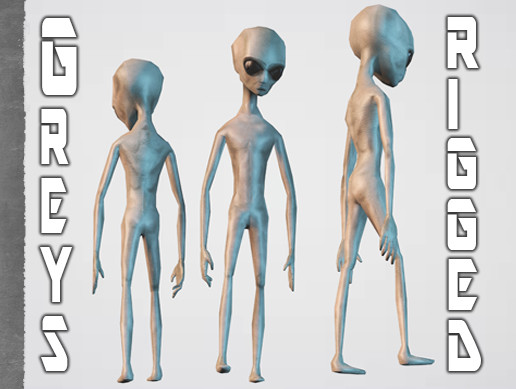
Get the Alien Grey package from GamePoly and speed up your game development process. Find this & other Characters options on the Unity Asset Store.
 plush narwhal
is audio link just completely unusable on quest could i not make an animation clip and somehow link that to the audio link instead of using a shader like poiyomi, i just want to adjust the emission intensity on toon standard, is there any way i can make that happen or does audio link just not work at all on quest
arctic slate
pretty sure audiolink isnt possible on quest avatars currently
it can be done for worlds maybe and be kinda used with the little items things that vrchat added but thats about it
 flint forge
plush narwhal
is audio link just completely unusable on quest could i not make an animation cl...
flint forge
plush narwhal
is audio link just completely unusable on quest could i not make an animation cl...
No, that can't work.
Putting it really simply, audiolink only exists on the GPU (the chip doing the renderering), it is using one of very few ways to do any sort of communication between an avatar and a world, in this case the world makes a global texture available and any shader that knows to look for it can find and use it.
The logical, CPU, side has basically no idea any of this is going on and even if it did there is no uncompromising way to send data similarly.
It could work if the Quest shaders supported it, but they don't.
Audiolink is entirely a community made feature.
 stray fjord
How do I add
A. Lights to my avatar
B. Sword slashing effects (I could
C. particle trail
model the slash or smth if needed I need help trying this in general )
(Even a answer to one will help)
steady idol
stray fjord
How do I add
A. Lights to my avatar
B. Sword slashing effects (I could
C. parti...
you cant have lights on quest
stray fjord
steady idol
you cant have lights on quest
I’ve seen flashlights tho
steady idol
stray fjord
I’ve seen flashlights tho
you cant have light sources on quest
any time you have seen it would be a bypass
stray fjord
Well how do I do that?
magic slate
you don't bypass.
arctic slate
stray fjord
Well how do I do that?
all bypass methods got patch and update or two ago but even if there were still a working one nobody here would assist with setting it up
misty roost
unreal holly
It’s a Unity Asset store character, you can find it here:
https://assetstore.un...
Thank you man, You are a lifesaver
steady idol
stray fjord
Well how do I do that?
You dont?
Like it should be a no brainer that you shouldnt bypass the restrictions
They are there for a reason
storm spade
the 'flashlights' you've seen are more likely just cones with translucent white textures that make objects behind them appear brighter, though they dont function as actual light sources, just white filters
flint forge
storm spade
the 'flashlights' you've seen are more likely just cones with translucent white ...
Unlikely, it was entirely possible to put full on lights on Quest avatars without a modded sdk, but the server-side checks now detect them.
 celest turret
flint forge
Unlikely, it was entirely possible to put full on lights on Quest avatars withou...
celest turret
flint forge
Unlikely, it was entirely possible to put full on lights on Quest avatars withou...
that was a thing? sounds cool, until you realize it would fuck over the quest players
weak basin
If I made a Canny post for a quest feature request, am I allowed to post it here, like to advertise?
I think it would be cool if vrchat made a VRCAudio Component that was more optimised for vrchat so that it could be quest compatible
magic slate
weak basin
If I made a Canny post for a quest feature request, am I allowed to post it here...
#feature-requests possibly
but you probably won't see audio on quest
celest turret
probably for a while sadly
 tough swallow
Hello
 nocturne sinew
austere lodge
When you export from blender. Make sure to uncheck ”add leafbones” it adds extra...
nocturne sinew
austere lodge
When you export from blender. Make sure to uncheck ”add leafbones” it adds extra...
Oh is THAT what leaf bones are
austere lodge
nocturne sinew
Oh is THAT what leaf bones are
ya!
nocturne sinew
I’ve always been told to turn them off without knowing what they are
austere lodge
they can be usefull to leave on sometimes. depends on the situation
nocturne sinew
austere lodge
they can be usefull to leave on sometimes. depends on the situation
Do they even register when you set humanoid
austere lodge
nocturne sinew
Do they even register when you set humanoid
They appear in unity. But arent weightpainted to anything
But usefull for physbones…. Since a physbone usualy NEEDS an end bone. A leafbone and an end bone is the same thing
If you put a physbone on a single bone it wont move. But if you put it on a bone with a leaf bone. It will move
nocturne sinew
austere lodge
But usefull for physbones…. Since a physbone usualy NEEDS an end bone. A leafbon...
I’ve always just set my physbones end manually with the component
austere lodge
Im too lazy for that XD
but that also works
Probably better to do that for quest but overall. It does the same thing
nocturne sinew
I don’t use physbones very often so it’s never been an issue
austere lodge
I rely on them too much XD
nocturne sinew
Ok i had a question idk if you’d know the answer or not
I see a lot of avatars with absurd amounts of bones but not many physbones why is that
Like where exactly are the bones on the avatar
austere lodge
nocturne sinew
I see a lot of avatars with absurd amounts of bones but not many physbones why i...
cause people suck at making avatars
nocturne sinew
Oh lol
austere lodge
nocturne sinew
Like where exactly are the bones on the avatar
duplicates of the whole armature from multiple outfits for some reason.
austere lodge
as said: people suck at making avatars
nocturne sinew
I over optimize the shit out of my avatars
One thing though the quest ratings system pmo
How is 20001 tris very poor when every other stat is excellent
austere lodge
nocturne sinew
I over optimize the shit out of my avatars
i try to, but sometimes im lazy and my avatars end up poor rated instead of good or medium
austere lodge
nocturne sinew
How is 20001 tris very poor when every other stat is excellent
cause the quest is a shitty phone strapped to your head. weak hardware cant render as much
whenever i make my stuff quest compatible i do it overkill... i just remesh my whole PC avatar and bake the textures onto that XD
nocturne sinew
austere lodge
cause the quest is a shitty phone strapped to your head. weak hardware cant rend...
What i meant is that the ratings system should be points based or something
One stat going over the limit tanking the rating is so stupid
- like 80% of the “quest compatible” avatars have 300k tris, 100 materials, and 50 skinned meshes
 stoic iris
How would I go abt rigging this?

well the bottom half
i should say
would that be entering more custom rig and not humoid rigs?
random comet
stoic iris
well the bottom half
It'll still need to be "humanoid" to Unity if you want the arms to move and have an IK, you could simply have the entire lower half rigged to the hip
magic slate
hard to say without seeing the actual armature
ooh scrolling down to present is good, don't forget to do it
austere lodge
stoic iris
well the bottom half
Id do it on a third leg that you later add rotation constraint to follow both real legs
 dim cove
austere lodge
Id do it on a third leg that you later add rotation constraint to follow both re...
dim cove
austere lodge
Id do it on a third leg that you later add rotation constraint to follow both re...
that might look cursed tho 😅
stoic iris
stoic iris
How would I go abt rigging this?
Sigh... it doesnt matter anyways, the whole model was one object 💔
Id have to take it from the actual game if I really want the model
magic slate
nothin' wrong with it all being one object
 sour pollen
heyo! so i'm extremely new to making avatars and im trying to make one for myself but i keep running into the same issue of not being able to upload to android, can anyone help?
magic slate
provide detail - error message or something
sour pollen
i just cant select android when trying to change the build


 queen axle
Yall I just got my butt beat by a black panther man iqt
 pastel storm
I realized on Quest the blush for my avatar is INSANE, but I don't know how to delete it or where to even find it my hierarchy.

 dusky oar
can someone help me fix this error please
 weak basin
pastel storm
I realized on Quest the blush for my avatar is INSANE, but I don't know how to d...
weak basin
pastel storm
I realized on Quest the blush for my avatar is INSANE, but I don't know how to d...
It's usually attached to the body or face mesh. Go find the facial expression animations and edit them. Remove the shapekeys for the blush and it should not come out
weak basin
dusky oar
can someone help me fix this error please
Says it's mipmaps, it wants you to enable mipmap streaming
Usually there is an auto fix option at the top of validations
 strange patio
where do I go to fix this because I was converting my avatar to quest and it was at 10.01mb and when I lower one last texture it hit me with this?

 opaque estuary
is it still possible to upload for ios/fallback?
magic slate
strange patio
where do I go to fix this because I was converting my avatar to quest and it was...
it may not be textures - might be blendshapes, or meshes
 burnt mural
dusky oar
can someone help me fix this error please
burnt mural
dusky oar
can someone help me fix this error please

Looks like you tried uploading an avatar that you do now own. Make sure you are logged in to the right account, and create a new avatar / blueprint id or copy one from the avatar if you already uploaded it
 rancid ruin
Is this that weird vrc server? In here
I dont see myself asking for a avatar
I knew they cost money
That y i never asked.
Anyone to make me one
pastel storm
weak basin
It's usually attached to the body or face mesh. Go find the facial expression an...
I have no idea what that means 😭
weak basin
pastel storm
I have no idea what that means 😭
Click on your avatar, find the vrchat descriptor and find playable layers in inspector. Then click FX. The first couple of layers will be your facial expression layers. Click on one, and see the boxes for point, open, peace, etc.
Then click the animation in the inspector and you can delete any blend shape in the animation that says 'blush' or something like that. Do that for all the facial animations.
 grizzled tapir
can someone help? when i upload an avater the vrc pov is a little above their head. and the toggles dont show up
burnt mural
grizzled tapir
can someone help? when i upload an avater the vrc pov is a little above their he...
Make sure your view point is set correctly.
I suggest setting it between the head, slightly sticking out of it.
That way, if you look down in vr, you won't look inside your body.
If your toggles are missing, also make sure you set the fx layer and stuff
Both can be found in the avatar descriptor
grizzled tapir
burnt mural
Make sure your view point is set correctly.
I suggest setting it between the hea...
I fixed that, but now when I move her head, only her head moves and not her POV/sight
burnt mural
Wtf xd
grizzled tapir
And all her toggles are on at once, took so long to take all her hairs off to get to her eyes XD
burnt mural
What did you do lmao
grizzled tapir
I'm not sure Im afraid its something I didn't do but also Idk. Shes my first upload
 pure fiber
grizzled tapir
I'm not sure Im afraid its something I didn't do but also Idk. Shes my first upl...
pure fiber
grizzled tapir
I'm not sure Im afraid its something I didn't do but also Idk. Shes my first upl...
what tutorial is followed?
grizzled tapir
pure fiber
what tutorial is followed?

Uploading an avatar to VRChat in 2025 is super easy. In just 4 minutes, Madeline walks you through the whole process step by step using MoyashiChan’s Quanstella avatar from Virtual Market (Vket). You can even download this avatar using the link below and follow along to learn how to upload your first model to VRChat!
A huge shoutout to Moyas...
pure fiber
vive making vrchat tutorial, wtf
grizzled tapir
stoic iris
unity is somehow saying this is not a humanoid rig even tho ive uploaded avatars with rigs that look EXACTLY like this before

it said smth abt having to rename a object so I did and its STILL complaining abt the object ALREADY renamed
So my way of fixing it is Enforce T-Pose so I do that
and it DOESNT SAVE even after hitting apply
so everytime i try to fix it Unity RESETS itselrf
I have No idea why its causing so many problems now when ive been doing this exact process for abt 4 days now
random comet
stoic iris
and it DOESNT SAVE even after hitting apply
That leads me to believe you have import messages on your rig, check this area and show what the error is
 stoic iris
random comet
That leads me to believe you have import messages on your rig, check this area a...
stoic iris
random comet
That leads me to believe you have import messages on your rig, check this area a...
it only talks abt this

and i renamed that head object
and for some reaosn its still complaining abt it even tho its gone already
random comet
you look to have multiple head objects, you need to fix this in blender and overwrite the FBX, this can't be fixed within Unity
stoic iris
I just rerigged the whole avatar for the 3rd time and its still complaining abt the same things that dont exist

I dont get it
i use this Same rig for EVERYTHING
why is this model in particual causing problems
I use the same rig cus ik it WORKS
Okay well i re-rigged it and now its complaining abt smth else
 magic slate
Shoulders look a little weird, but given that model, that's probably fine. We'd have to see the hierarchy to provide more detail - seems like you have duplicated stuff on that avatar.
not sure why you have a Left Leg under Right Toe - might want to investigate that
random comet
yeah the rig looks all sorts of messed up
stoic iris
this is what I always do

its how i rig r6 roblox avatars and they never have a problem
EXCEPT this one
 stoic iris
I dont personally assign stuff i like unity do that and I fix the red
And then it works
magic slate
it's not about assigning things
The error message clearly says you can't have other objects the same name as a humanoid bone, and here it strongly suggests that's an error, so again, I ask what is that bone doing there?
stoic iris
heres one that works that uses the same rig structure
 stoic iris
magic slate
The error message clearly says you can't have other objects the same name as a h...
stoic iris
magic slate
The error message clearly says you can't have other objects the same name as a h...
I dunno ig thats just where it put it
magic slate
no, that's not the same, those bones are differently named
you don't know what that bone is?
huh.
okay.
stoic iris
i barely know anything abt rigging all ik is that what i was doing was working
magic slate
again, it's not the same as your "working" one even if we ignore what that bone might be
I'd suggest not having stray bones that don't do anything though.
stoic iris
does this mean i have to rerig it again
magic slate
not from scratch, I'd just go see what that weird bone is, and if it doesn't do anything, delete it
stoic iris
i wouldnt know what that bone is its a pretty simple rig
 magic slate
it's not shown there for some reason, but it was shown in your unity hierarchy
this image looks reasonable, but doesn't match what you showed in Unity, so.....
stoic iris
no everything here is what gets ported into unity
magic slate
Based on images you have shown, I think that is not true
stoic iris
ill try rq
i revealed hidden and it didnt do anything

every bone there is the same on unity
or ig apparently not
cus ig new bones spawn in now
magic slate
look in the hierarchy, not the 3D view
make sure if you use bone collections, they are all visible
(I use them a LOT)
stoic iris
seems to be the same
 magic slate
open up left foot to be sure
but yeah, seems right.
did you do some weird merging in unity? Try dragging a new copy of your .fbx into the scene and see what that looks like
stoic iris
okay well all the bones from the unity project has moved into the blender project so i literally have NO idea where these extra bones come from
 magic slate
not sure how bones from unity move into blender?
stoic iris
well ig i shouldve said that i have no idea where the .fbx got all the extra bones from
magic slate
... so are they in blender or just unity?
stoic iris
well what i can tell is that when i make the rig and export it as a .FBX for some reason the rig gets super complicated and by time it gets into unity and that stupid mess
so its neither blender or unity its the .fbx
id assume
magic slate
I'm definitely not sure what would randomly add a leg bone below your foot bone
stoic iris
Im just gonna grab the rig of the model that worked and see if i can force it to work
cus if the rig of my other model worked then maybe im just using an outdated template or smth
Im gonna do it this time
same rig
different results
how
did unity have like a update?????
or smth that breaks ALL of my rigs??
random comet
Unity doesn't update by itself, you keep the exact editor you install


 median prism
Standard lite is washing out my textures for some reason?

 magic slate
can you show the shader settings?
 median prism
magic slate
can you show the shader settings?
median prism
magic slate
can you show the shader settings?
tada
 hexed knot
Anyone knows how to add seats to my avi on quest?
flint forge
hexed knot
Anyone knows how to add seats to my avi on quest?
You add the vrc_station component, you can't add and edit a collider like you do on PC, but a station missing a collider will create a collider on its own so it will still work.
Only way to turn it off and on that I am aware of on Quest is to move the entire station really far away, might be some other way.
hexed knot
flint forge
You add the vrc_station component, you can't add and edit a collider like you do...
Oh I see so if I add it for quest I can't turn them off.
Thank you I'll try that!
 odd maple
i'm making a Quest version of my avatar, how can i make this material transparent/invisible ?
 magic slate
You can't use alpha transparency on quest, ideally delete the mesh you want to be transparent.
 astral ruin
median prism
astral ruin
median prism
Just mess around with the metalic and smoothness. For warhammer avatars i see 0.7 and 0.8
median prism
astral ruin
Just mess around with the metalic and smoothness. For warhammer avatars i see 0....
Is star wars and I made the textures myself so
im not sure what triggered it
astral ruin
median prism
Is star wars and I made the textures myself so
I can tell dwwwww
But yea id say mess around with the smoothness
I also substance my own textures
median prism
I was it didnt fix anything like it seems like the occlusion got busted?
astral ruin
Ussually if i see that i just mess around with the smoothness
astral ruin
median prism
I was it didnt fix anything like it seems like the occlusion got busted?
Guh
Weird
Put in your secind normal map
See if that fixes it
astral ruin
No you only use one

Put your normal map here
I js noticed it
Idk if like
Itll fix it
But it ussually does for me
median prism
noted...
astral ruin
Mb queen am i being to gay 💔
median prism
o no is ok
median prism
LMAO
median prism
 astral ruin
Nooooo
median prism
when I get home (on campus rn) ill mess with it
astral ruin
Okiiii
 honest coral
Question
What do i do if i get stuck in a crasher avatar that crashes my headsrt whenever i try loading in to vrchat, and I cant sign in to the website and swotch it that way because when I merged accounts a few years aho, it merged the wrong way and now my meta account has the otger vrchat account name, oh and also yes I did try uninstalling and reinstalling, and bo i dont know where to find the clear cache button outside of vrchat in the new update
Please help, i couldnt find the support channel
random comet
honest coral
Question
What do i do if i get stuck in a crasher avatar that crashes my headsrt...
hold Y and B on your controllers whilst loading into the game until you notice you get past the time you usually crash and are in a robot avatar
 median prism
astral ruin
Okiiii
median prism
astral ruin
Okiiii
improved the normals quality sure but textures are still washed


fixed!
"specular light probe hack"
 austere matrix
Is there a quest compat shader to remove the black

I wish alpha blended was quest compatible
It should be
Theres no reason not to
Quest CAN handle it
arctic slate
if it something that requires transparency then just take the mesh to blender and use the knife tool to cutout the mesh around the texture
flint forge
austere matrix
Quest CAN handle it
Yeah it can do it, but not well, the hardware literally doesn't handle transparency as well as PC hardware.
 abstract plume
I have a avatar i bought but it doesnt have a quest ver. so being a noob with unity I converted all the stuff except all the outfit and hair is ON but not visible from hierachy or any toggle to turn them off, what can I do to turn off some items?

 austere forge
The outfit and hair are likely merged into one mesh or hidden under blendshapes check the Skinned Mesh Renderer or separate them in Blender to toggle them.
abstract plume
what is skinned mesh renderer?
magic slate
the component on your mesh object that renders it, if it's "skinned", or weighted to move with an armature
 abstract plume
wth XD
 magic slate
did you just export from blender into unity? did you not set "apply scalings" to "FBX All" in Blender's export dialog?
abstract plume
i did not
magic slate
probably you want to do that.
abstract plume
now the model is invisible ... i wanna die
 primal bramble
magic slate
probably you want to do that.
primal bramble
magic slate
probably you want to do that.
You need a raise, you've been here for too long helping people out
magic slate
I support this idea
hexed knot
flint forge
You add the vrc_station component, you can't add and edit a collider like you do...
Hey
I tried it out and it didn't work 😕
Nvm! It did but i can't sit in them
magic slate
remember that you can't sit in your own stations
storm spade
does anyone know why alpha multiply isnt allowed on quest avis if it is on worlds? is it particularily taxing on the GPU or something hence its ban? i feel like out of any material it would be the most worth to add in out of any disabled shaders
magic slate
yep, Alpha transparency is heavy on the GPU
flint forge
storm spade
does anyone know why alpha multiply isnt allowed on quest avis if it is on world...
Worlds are, ideally, a curated experience where a skilled world creator knows to not stack transparency, but with avatars it is uncontrolled and you don't know the situation beforehand, could be no transparency one second and tens of transparent materials the next.
And mobile GPUs, like the Quest GPUs, were optimized for mobile workloads in such a way that it also just straight up doesn't handle transparency well compared to PC hardware.
 elfin elm
odd maple
i'm making a Quest version of my avatar, how can i make this material transparen...
elfin elm
odd maple
i'm making a Quest version of my avatar, how can i make this material transparen...
VRChat/Mobile/Particles/Multiply with no texture should do it
 river root
i need help with the blueprint id because when i go to content manager in the verchat sdk it doesnt show the avatar and the copy id thing to copy the blueprint id
@fluid kiln could you help?
odd maple
elfin elm
VRChat/Mobile/Particles/Multiply with no texture should do it
i used blendshapes to remove it
 bright sky
is additive particle shader the only way to get transparency on quest?
elfin elm
bright sky
is additive particle shader the only way to get transparency on quest?
I think so
You can also use multiply though
Downside is you cant shade them or add matcaps and reflections
bright sky
yeah, hmmm
im comfused on the multiply thing
additive is way too bright, multiply is way to dark, thats fun
im making an avatar for a friend and he has this fluffy tail thing, and i decided to just do it with a couple of planes and a transparent texture, alpha blended could look perfect for it but of course that doesnt work :V

 flint forge
river root
i need help with the blueprint id because when i go to content manager in the ve...
flint forge
river root
i need help with the blueprint id because when i go to content manager in the ve...
Either SDK is broken or you aren't logged into the correct account, I am leaning towards latter.
 silk herald
Tf happened to particle lighting
flint forge
silk herald
Tf happened to particle lighting
You mean using particle systems to hide lights from the metrics?
river root
flint forge
Either SDK is broken or you aren't logged into the correct account, I am leaning...
I got it
steady idol
silk herald
Tf happened to particle lighting
you mean something that wasnt meant to exist?
 worldly spoke
silk herald
Tf happened to particle lighting
worldly spoke
silk herald
Tf happened to particle lighting
I noticed that too before, looks like something messed with the lighting settings or shaders. Did it break after an update?
steady idol
adding lights via particles to quest avatars wasnt an intended feature
silk herald
But it was a smart and optimized way to do avatar lighting on quest
magic slate
Optimized when not on, sure.
steady idol
silk herald
But it was a smart and optimized way to do avatar lighting on quest
that is VERY incorrect
particle lights are still lights
they are in fact even less optimized than a regular light component
silk herald
Well the way friend did it on their avatars it worked pretty well
steady idol
silk herald
Well the way friend did it on their avatars it worked pretty well
it was entirely unintended as lights arent allowed on quest AT ALL
you doing the particle thing was exploiting a bug
lights are very performance heavy even for pc
magic slate
yeah I imagine that being really disruptive on a Quest except in the most ideal conditions
silk herald
For me it never lagged me
steady idol
easily causes crashing
silk herald
Unless it was like a crasher than yeah ofc but like
steady idol
silk herald
For me it never lagged me
good for you?
you arent the ENTIRE platform
particle lights were never allowed and it was inevitable that it was going to be patched
silk herald
Hm it would be awesome to have a avatar lighting system on quest though
steady idol
the quest is literally mobile hardware strapped to your face
if its causing issues on pc
then it sure as hell will on quest
steady idol
silk herald
Hm it would be awesome to have a avatar lighting system on quest though
yea no
realtime lighting is AWFUL in every regard
even for worlds
there is no possible way for it to be optimized enough to be allowed
silk herald
Then why not a baked lighting system for avatars?
It's practically just a texture overlayed on top of another
steady idol
do you not know what baking lighting is?
like yknow? baked? not moving?
baked lighting cant just be freely moved
thats not how it works
silk herald
I don't mean like LITTERAL baked lighting
I mean something equivalent to it
Like say you have the lights set up in unity
And it bakes the lighting to the texture itself and makes it have emission so it glows
I mean one of my friends basically did that with their avatar and it works perfectly fine
steady idol
thats not how that works
magic slate
None of this works on avatars because they're entirely dynamic
steady idol
avatars are in fact not static
magic slate
In a world you can have emission light other surfaces because you're baking the lighting
steady idol
baking time at best takes several minutes
you also cant just expect it to behave like realtime
steady idol
silk herald
I don't mean like LITTERAL baked lighting
I mean something equivalent to it
Li...
it glowing is realtime with extra steps
astral ruin
Gonna shove this thing on quest, what we thinking about my beautiful old prince?

 pastel storm
I'm making a png avatar for my friend, is there any way to remove the black background for quest or do I have to make a new mesh, if so, how?
 steady idol
pastel storm
I'm making a png avatar for my friend, is there any way to remove the black back...
steady idol
pastel storm
I'm making a png avatar for my friend, is there any way to remove the black back...
Quest cant have transparency
 versed notch
bright sky
im making an avatar for a friend and he has this fluffy tail thing, and i decide...
versed notch
bright sky
im making an avatar for a friend and he has this fluffy tail thing, and i decide...
i feel it too i have a low poly butterfly that has 2d plane wings now i have to make the wings high poly for the block pixelated wings
we cant make optimized a thing. we can add pets stickers (stickers use what i would assume cutout/transparency shader) and emojis same goes for it like come on vrchat saying we need to optimize look at what your doing
steady idol
versed notch
we cant make optimized a thing. we can add pets stickers (stickers use what i wo...
Transparency can run on quest
But its like driving in first gear on the highway
Its incredibly slow to process
So its used sparingly and in complete control of the devs
honest coral
Yall be careful of the avatar Ghoul Whisker by CementoO
Its one of thosr avis that crash you when you try loading it
arctic slate
honest coral
Yall be careful of the avatar Ghoul Whisker by CementoO
Its one of thosr avis th...
rather then putting the model name here report it properly at https://vrch.at/support
putting the name here just provides malicious users with another avatar to harass others in
 floral mulch
pastel storm
I'm making a png avatar for my friend, is there any way to remove the black back...
floral mulch
pastel storm
I'm making a png avatar for my friend, is there any way to remove the black back...
might aswell just go in blender and use the knife tool to cut out the blacks in the image
honest coral
arctic slate
rather then putting the model name here report it properly at https://vrch.at/su...
Sweet ive been tryna find the repirt thing for a while, im kinda dumb so its hard for me to find stuff
austere matrix
steady idol
Transparency can run on quest
But its like driving in first gear on the highway
...
Seems like it always ran fine before
Quest can process it in quantities
Obviously large groups with 15 transparent materials would be laggy and crashy lol
In a small controlled group, it runs just fine tho
Im still extremely salty that Quest gets functions removed just because "it cant handle it" as if its like some old blackberry or something
steady idol
austere matrix
Im still extremely salty that Quest gets functions removed just because "it cant...
My guy
The hardware literally doesnt have what it needs to process it
austere matrix
Whats needed to process it?
steady idol
The chip used cant handle transparency properly
austere matrix
The CPU chip?
steady idol
Not sure which chip but they stated that its one of the reasons
austere matrix
It uses a snapdragon XR2
 blazing shoal
the quest gpu can obviously do transparency, but it is very taxing
austere matrix
I know it cant be limited to a "number of transparent materials" thing. but why cant there be some replacement?
I just want something for hair
Its awful in its natural state
steady idol
austere matrix
I know it cant be limited to a "number of transparent materials" thing. but why ...
Replace it with what exactly?
Its either opaque or its not
austere matrix
There has to be some form of thing able to be utilized
Or just let us use alpha blended overall
Additive and multiply work too
austere matrix
Couldnt something similar to additive be used then?
steady idol
If there was an option they wouldve given it to you by now
blazing shoal
i mean there is the particle additive shader, im pretty sure that's allowed for quest uploads
austere matrix
It is, but what if there was a shader that was additive but less bright so it looks like proper transparency
Even if its still noticable
steady idol
Like the devs are actively always looking for alternatives
steady idol
austere matrix
It is, but what if there was a shader that was additive but less bright so it *l...
Thats not how additive works
Its the texture added to whats behind it
pastel storm
floral mulch
might aswell just go in blender and use the knife tool to cut out the blacks in ...
How <\3
 coral ruin
using the quest Particle Additive and Particle Multiply shaders, i figured out how to make transparency on quest


 coral ruin
pastel storm
How <\3
coral ruin
pastel storm
How <\3
lookatda the message above, and see if it helps
put da multiply layer a lil behind too

and prolly set the multiply layers render queue -1 from the additives render queue
 pastel storm
coral ruin
using the quest Particle Additive and Particle Multiply shaders, i figured out h...
pastel storm
coral ruin
using the quest Particle Additive and Particle Multiply shaders, i figured out h...
thanks man its slightly transparent but it works 🥹
coral ruin
pastel storm
thanks man its slightly transparent but it works 🥹
i havent tested if it works in-game on quest though, so hope it actually looks how it does in unity
arctic slate
asking for commissions here is just gonna get you scammer/bot DMs, you're better off going to somewhere like VRCTraders (link in #1204490664637890580 ) and seeing if you can find a verified commissioner that'll do touch-ups like that
 vale scaffold
arctic slate
asking for commissions here is just gonna get you scammer/bot DMs, you're better...
vale scaffold
arctic slate
asking for commissions here is just gonna get you scammer/bot DMs, you're better...
tysm! I deleted my msg because I am starting to get bots 😭
burnt mural
My parameters don't seem to sync like they should from pc to quest and the other way around
I am using vrcfury, the align is set


-# Warmers enabled on quest
 west torrent
so i uploaded the avi, on pc its fully colored and stuff but on quest its bright neon pink
arctic slate
bright pink usually means broken/missing shader
west torrent
arctic slate
bright pink usually means broken/missing shader
how can i fix that? im very new
magic slate
depends on what's wrong - could be simply installing the package for the shader which the avatar creator specified.
if not that you'd have to look at the problem material in the inspector
oh, you posted this in two places
 long ivy
how do i clothes swap?
steady idol
long ivy
how do i clothes swap?
Thats incredibly vague and open ended
 young tusk
how do I do that transparent parts work with a quest shader ?
 steady idol
young tusk
how do I do that transparent parts work with a quest shader ?
steady idol
young tusk
how do I do that transparent parts work with a quest shader ?
Quest doesnt support transparency
 novel jacinth
I wonder why no one made this avatar version of Kerfus?
 dapper fractal
i keep getting the 'build failed' message whenever i try to priv upload this avatar i bought, an ive never uploaded an avi before so i have no idea what these mean and how to fix them. anyone got some pointers ?


 coral ruin
dapper fractal
i keep getting the 'build failed' message whenever i try to priv upload this ava...
coral ruin
dapper fractal
i keep getting the 'build failed' message whenever i try to priv upload this ava...
can you use Win + Shift + S please so its easier to read the text
 exotic dawn
young tusk
how do I do that transparent parts work with a quest shader ?
exotic dawn
young tusk
how do I do that transparent parts work with a quest shader ?
I heard people using bloodborne. It’s very possible since I see avatars that people make that has transparency for quest
magic slate
exotic dawn
I heard people using bloodborne. It’s very possible since I see avatars that peo...
That's a hacked SDK and disallowed, so we shouldn't be recommending it.
Also that won't work, since I believe uploaded quest shaders are replaced server side now
magic slate
dapper fractal
i keep getting the 'build failed' message whenever i try to priv upload this ava...
one of those errors is "missing script" - install whatever prerequisite you are missing. notice the error shows the name of the game object it's on, that should be a clue.
dapper fractal
magic slate
one of those errors is "missing script" - install whatever prerequisite you are ...
thank you muchly !
flint forge
exotic dawn
I heard people using bloodborne. It’s very possible since I see avatars that peo...
You can use the additive and multiply particle shaders, it isn't good looking transparency but it is still transparency.
steady idol
exotic dawn
I heard people using bloodborne. It’s very possible since I see avatars that peo...
Thats a modified sdk
Its banned entirely
Every single time that dip shit sdk tries to bypass vrchat just fixes the bypasses causing people to go crying here about it
Dont try to bypass as it just leads to it getting fixed or at worst you banned for modifying
 teal rivet
I've gotten this far

This is MISERY my 1st ever avi
i spent like an hour jst figuring out how to download the android thing alone
I have crazy respect for ya'll now though
teal rivet
I gave up im gonna find someone to pay 8 hours later fuh dah
steady idol
teal rivet
I've gotten this far
You need to upload
Not build and test
teal rivet
Woops no all caps.. wait thats it!?!?
All these hours.. it was in a single button click
Thank you so much
steady idol
You cant build and test android
teal rivet
Ohh that actually makes alot of sense but I never would've guessed
Ohhh thats why theres so many rough copies of quest avatars from the same author 🤔
steady idol
Well no
Build and test are locally built for testing only
Like only you can see the avatar
You cant build and test for android because of that
 shrewd flame
hello guys. I’m tryna find mostly Eboy avatars without having to pay solo on quest. without converting. in prismic what do I need to search or worlds to find eboy? (a lot of accessories also)
steady idol
shrewd flame
hello guys. I’m tryna find mostly Eboy avatars without having to pay solo on que...
elfin elm
Any of y'all know why when I switch my project to android, all reflective materials have a cyan tint?
austere forge
elfin elm
Any of y'all know why when I switch my project to android, all reflective materi...
That cyan tint usually means your reflection captures or skylight aren’t set up right on Android mobile shaders handle reflections differently. Try updating reflection captures, disabling mobile HDR, or checking your reflection texture format.
elfin elm
austere forge
That cyan tint usually means your reflection captures or skylight aren’t set up ...
Can you explain that to me like I'm a 5 year old child
Sorry I'm not too familiar with all of this lol
austere forge
so like when you switch to android the game forgets what the world around them looks like so instead of real reflections, it fills the mirror with a cyan color.
To fix it, you just have to remind the game what to reflect by
Turning on HDR (so it can see colors better), and Re making the reflection captures (so it knows what the world looks like again).
Then your shiny things will stop being cyan color
austere forge
elfin elm
Can you explain that to me like I'm a 5 year old child
This is the simpliest I can explain
 full crystal
How do you fix this

 full crystal
How do you fix this
full crystal
full crystal
How do you fix this
Anyone????????
 smoky wagon
so everytime i upload for quest when my pc sides are done, it always says "window security checks failed" how do i fix that?
i remember i clicked something in unity hub that made it work. but i dont remember how i did it. can someone help me?
 craggy wing
my avatar lit chat

 minor cedar
 brittle plume
after deleting the psybones like it asked (and converting the materials liltoon) it gives me this
 plush narwhal
flint forge
No, that can't work.
Putting it really simply, audiolink only exists on the GPU...
plush narwhal
flint forge
No, that can't work.
Putting it really simply, audiolink only exists on the GPU...
just seeing this now but actually crushing, i just had to link it to voice activation instead 😔
thank u for explaining though i appreciate the understanding
arctic slate
minor cedar
bit late but they likely just inverted the normals so you see the inside but not the outside of the mesh, it'd atleast give the same effect as they've got here if that isnt their actual method
i did something similar awhile back for a quest model to give it aquarium legs: #avatar-general message and other then it being a bit weird when bending in certain positions (like where joints meet when they bend) its a pretty solid effect
exotic dawn
magic slate
That's a hacked SDK and disallowed, so we shouldn't be recommending it.
Also tha...
I only recommend it since I thought it was fine. Since there’s a couple of avatar creators who use it
Didn’t know it was bad
arctic slate
sadly theres a large majority of model creators/commissioners who use it and actively promote it to customers since they dont care about the rules or making their content optimized within the limits
t'was one of the reasons i got into making fully personalized content
 tribal harness
So i got a prefab called sync dances for my avatar. on pc the emotes work fine but when I try it on quest none of the emotes work at all
I've tried using the quest version of the prefab but it still didn't do anything
maybe i did something wrong?
dim cove
tribal harness
So i got a prefab called sync dances for my avatar. on pc the emotes work fine b...
what does sync dances even do?
also make sure the quest version has all the parameters in the same order, otherwise it will not work
tribal harness
dim cove
what does sync dances even do?
also make sure the quest version has all the para...
It's just a bunch of emotes. Where can I find the parameters?
dim cove
tribal harness
It's just a bunch of emotes. Where can I find the parameters?
uuuuuuhhhhhh
i hate to be that person but
there should be tutorials for it online
tribal harness
dim cove
uuuuuuhhhhhh
i hate to be that person but
there should be tutorials for it onlin...
Yeah
I know
Just nvm then ig
 knotty junco
i need help with vrcfury when i make a world drop the object (at least in unity in play mod) is always showing
magic slate
toggle the item off via animation
knotty junco
magic slate
toggle the item off via animation
where can i do it
magic slate
make a toggle which turns the game object on or off. There are lots of tutorials on how to do this.
I don't use VRC Fury so I can't comment on how to do it with that.
steady idol
is there a reason you are even using fury for it
knotty junco
steady idol
is there a reason you are even using fury for it
this is the first time i make a avatar vrcfury looks simple
steady idol
you definitely shouldnt use vrcfury if you dont know what you are doing
its significantly better to learn how to actually do it
knotty junco
steady idol
you definitely shouldnt use vrcfury if you dont know what you are doing
i would have to learn how to code i dont really know where to start
magic slate
Nope, there's no coding on avatars.
steady idol
knotty junco
i would have to learn how to code i dont really know where to start
there is no coding at all with avatars
knotty junco
magic slate
Nope, there's no coding on avatars.
oh...
steady idol
its entirely just animations
magic slate
you can write code for worlds, but you can also use a node-based flowchart system instead.
knotty junco
magic slate
you *can* write code for worlds, but you can also use a node-based flowchart sys...
i fix it but when i enter play mode the object turns purple
knotty junco
steady idol
missing shader
you where right fixed it thank you
magic slate
knotty junco
i fix it but when i enter play mode the object turns purple
Please don't ping me specifically for new questions, anyone can answer you.
knotty junco
magic slate
Please don't ping me specifically for *new* questions, anyone can answer you.
sorry
i just added gogoloco and i noticed that on the legs the pants are like this
 knotty junco
steady idol
thatd be a blender thing
knotty junco
steady idol
thatd be a blender thing
i got the base model on i site i tink it was gumroad this was the only free one i found and then i got the pants and shirt from a chell model i found on sketchfab
steady idol
thats definitely a blender thing
magic slate
yeah, bad weight painting
knotty junco
magic slate
yeah, bad weight painting
how can i fix that
magic slate
weight paint it better, of course.
 knotty junco
magic slate
weight paint it better, of course.
knotty junco
magic slate
weight paint it better, of course.
i have to make weight more right??
magic slate
knotty junco
i have to make weight more right??
it's really hard to give you specific suggestions without having the project in blender in front of me. My best suggestion is that you want to weight paint it so it moves how you want it to move.
knotty junco
magic slate
it's really hard to give you specific suggestions without having the project in ...
if you want and i dont disturb you of course i can send the blender file to you
steady idol
knotty junco
if you want and i dont disturb you of course i can send the blender file to you
learn weight painting
knotty junco
steady idol
learn weight painting
ok🥹
magic slate
knotty junco
if you want and i dont disturb you of course i can send the blender file to you
Sorry, I'm not taking commissions at the moment.
knotty junco
magic slate
Sorry, I'm not taking commissions at the moment.
should it be like this??
 magic slate
knotty junco
should it be like this??
magic slate
knotty junco
should it be like this??
does it move properly?
knotty junco
magic slate
does it move properly?
how do i move the single bones ?? i dont remember
magic slate
ctrl+shift right click a bone to select it while in weight paint mode. Then you can rotate it, but shouldn't try moving them.
knotty junco
magic slate
ctrl+shift right click a bone to select it while in weight paint mode. Then you...
i found out how to do it but even if i make it weight as little as possible i still have the same problem
magic slate
I really suggest a tutorial on weight painting, there's nothing I can tell you from here
well one more thing: weights are relative, and without normalization the color is misleading. So something weighted at .8 to one bone must be weighted at .2 to some other bone, or that .8 is automatically 1
Probably those parts that are wonky are weighted too much to some other bone instead of the leg bone.
knotty junco
magic slate
I really suggest a tutorial on weight painting, there's nothing I can tell you f...
i think i found the problem but i can paint on the top of those long ones

 median lantern
I hate that this is still happening AAAAAAA
 sonic canopy
ik theres no way quest can have transparency. but is there at least any chance quest can have sps?
dim cove
sonic canopy
ik theres no way quest can have transparency. but is there at least any chance q...
🤨
 silent siren
median lantern
I hate that this is still happening AAAAAAA
silent siren
median lantern
I hate that this is still happening AAAAAAA
The point of allowing you to upload even if you have too many components is because an avatar post-processor (e.g. VRCFury or Modular Avatar) may remove some of those components.
austere forge
sonic canopy
ik theres no way quest can have transparency. but is there at least any chance q...
no it's not quest has really strict shaders limitation
silent siren
silent siren
The point of allowing you to upload even if you have too many components is beca...
similarly, you can try to upload even if your current parameter list has too many synced params in it
 robust whale
silent siren
The point of allowing you to upload even if you have too many components is beca...
robust whale
silent siren
The point of allowing you to upload even if you have too many components is beca...
Couldn't they stop it while building?
silent siren
ah, yeah, now that i'm thinking about it: if you have too many parameters after the postprocessing, it throws an error and stops
i was conflating two things here:
- letting you try to build the avatar
- silently removing components if the result still isn't acceptable
median lantern
silent siren
The point of allowing you to upload even if you have too many components is beca...
but that's not the case here because VRCFury doesn't even have anything physics bones related
median lantern
sonic canopy
ik theres no way quest can have transparency. but is there at least any chance q...
literally I fucking WISH it could already
(again the transparency in particular)
tho I think I found a workaround for it (why do we always have to keep finding so many workarounds? AAAAA)

 silent siren
median lantern
but that's not the case here because VRCFury doesn't even have anything physics ...
silent siren
median lantern
but that's not the case here because VRCFury doesn't even have anything physics ...
I have a package I wrote that adds physbones, so the number could go up or down 😉
silent siren
median lantern
tho I __think__ I found a workaround for it (why do we always have to keep findi...
You can't use that shader on an avatar. It won't work when you upload it.
median lantern
silent siren
You can't use that shader on an avatar. It won't work when you upload it.
except it does allow me to upload it tho without error?
aka, no build/upload fail
because the question there was about transparent lenses for glasses
magic slate
median lantern
except it __does__ allow me to upload it tho without error?
doesn't matter - quest at runtime will not use shaders in your avatar package, it uses server-provided shaders.
silent siren
confusingly, the Quest Content Limitations page says you can use the Multiply shader, but it also says it should be used on particle systems
median lantern
https://old.reddit.com/r/VRchat/comments/vplews/transparent_glasses_on_quest_how/ I discovered it from this post when trying to look it up
Reddit
Explore this post and more from the VRchat community
arctic slate
translucent =/= transparent but its likely that on-upload it'll change the shader so its not see-through, especially since that post is 3yrs old if it isnt giving warnings/errors when attempting
blazing shoal
i'm pretty sure the multiply shader works fine on quest
elfin elm
There’s no iOS channel here so I’m just gonna ask about it here, I tried adding an iOS version to one of my avatars and it says security checks failed. How do I fix this?
There was nothing that said it wouldn’t work on iOS in the sdk
arctic slate
are you adding stuff on upload via something like VRCFury? or are any of the stats too far past the limits?
elfin elm
arctic slate
are you adding stuff on upload via something like VRCFury? or are any of the sta...
Yeah I'm using vrcfury, it doesnt reference anything that isnt on the root avatar object though so it should show up in the sdk
only warnings i get are performance which i dont care too much about as its a personal avatar
arctic slate
if the VRCFury stuff hasnt already been added it wont add to the stats listed in the upload panel
elfin elm
all i have vrcfury doing though is toggles and armature link and the android version worked to an extent before i added the ios one
arctic slate
well i cant speak for how the armature link works since ive never used it but are any of the toggles external prefabs you're trying to add to the model?
elfin elm
arctic slate
well i cant speak for how the armature link works since ive never used it but ar...
all armature link does is automate dragging all the bones for addons like clothes onto the main armature, and none of the toggles reference external objects, everything is on the base gameobject
ok so gogoloco was whats breaking it i guess, i forgot it has a full controller module on it
tried uploading without it and boom worked just fine
that... really sucks. gogoloco is super useful
ok so tried uploading again and it suddenly works
ok then
 final jewel
I heard you can put out lines for quest is that true?
steady idol
final jewel
I heard you can put out lines for quest is that true?
you could always do that? you just need to make the outline in blender
 hazy aspen
Excuse me what??
 steady idol
alpha blended is a world shader
hazy aspen
well what shader do i use for avatar transparency
steady idol
quest doesnt support transparency
 sullen heath
arctic slate
translucent =/= transparent but its likely that on-upload it'll change the shade...
sullen heath
arctic slate
translucent =/= transparent but its likely that on-upload it'll change the shade...
i know this is from yesterday but it works perfectly fine. this is the quest side for 3 of my avis that use the shader, i used it for full transparency on the Uruki as well, she has an "eyeshadow" material that needs to be transparent or else it looks fucky


 hazy aspen
steady idol
quest doesnt support transparency
hazy aspen
steady idol
quest doesnt support transparency
well why the hell are people telling me to use a particle shader for quest transparency
steady idol
you only got additive and multiply which are not alpha based
hazy aspen
steady idol
you only got additive and multiply which are not alpha based
how do i make vroid avatars work on quest then
steady idol
cut the parts that need to be transparent in blender
sullen heath
i did transparency on my most recent avi quest side just fine
hazy aspen
steady idol
cut the parts that need to be transparent in blender
i don't have that level of skill
steady idol
sullen heath
i did transparency on my most recent avi quest side just fine
additive and multiply are the only allowed shaders
hazy aspen
ehh, multiply looks alright
sullen heath
steady idol
additive and multiply are the only allowed shaders
yeah i used multiply then just put a blank transparent square as the texture for the eyes on my uruki, you can see in the pic above, if she didnt have it the upper part of the eyes would be covered by white
or i mean, in the "eyeshadow" material it already had
 steady idol
sullen heath
yeah i used multiply then just put a blank transparent square as the texture for...
steady idol
sullen heath
yeah i used multiply then just put a blank transparent square as the texture for...
making it not render is not the same as using transparency
sullen heath
hazy aspen
cant even tell where you're trying to put it and thats probably a good thing since its supposed to be transparent anyway 
steady idol
also an unintended use of particle shaders
sullen heath
steady idol
making it not render is not the same as using transparency
to most people whatever the difference is doesnt matter probably
hazy aspen
typical vroid optimization
 sullen heath
ouch
dim cove
O.O
sullen heath
hazy aspen
typical vroid optimization
vrcquesttools is nice to help remove physbones btw, i usually just keep whatever i think is the bare minimum to balance looking nice and actually running somewhat well on the platform
hazy aspen
sullen heath
vrcquesttools is nice to help remove physbones btw, i usually just keep whatever...
I need someone to teach me avatar stuff.
I don't know how to do any of ts
sullen heath
ive learnt everything i know so far from the past year from youtube lmao
that and some questions here about the really hard stuff
hazy aspen
i tried yt tutorials, they never help me
sullen heath
well, im sorry but gotta figure out how to do it yourself anyway cuz there aint anybody on earth who can constantly help with this when you need them to, i think just following a tutorial on something you dont understand step by step definitely helps to teach the concept pretty easily
gotta start small and work your way up
hazy aspen
sullen heath
well, im sorry but gotta figure out how to do it yourself anyway cuz there aint ...
Like I said, I tried YT tutorials on ts many times, but it never helps
sour pollen
im having an issue with my avatar, i made a mask for it but for some reason the mask doesn't stay with the head and it shrinks after it moves a certain amount. can someone help?
tribal harness
I'm still having issues with my emotes not working on the quest version. someone told me to check if the quest version of the prefab has all the parameters in the same order but i dont really know what I'm looking for
smoky wagon
so everytime i upload for quest when my pc sides are done, it always says "window security checks failed" how do i fix that?
i remember i clicked something in unity hub that made it work. but i dont remember how i did it. can someone help me?
everytime i still upload for quest, it wont work
ive done it over 4-6 times but no luck or anything
tried self converting but nothing worked
 placid shoal
Trying to upload an avatar to quest and it keeps clearing the blueprint ID before loading up the SDK to upload.
placid shoal
placid shoal
Trying to upload an avatar to quest and it keeps clearing the blueprint ID befor...
Update to this: now it removes the blueprint ID of any avatar I select for some reason. Fresh new project, unsure why it does this.
I can explain more or go into a VC to stream the issue.
magic slate
placid shoal
Update to this: now it removes the blueprint ID of any avatar I select for some ...
Look for error messages, that blueprint one is often a side-effect of the real error.
elfin elm
steady idol
making it not render is not the same as using transparency
Ah yes, transparent textures aren't transparent. Anything but admitting you're wrong💔
magic slate
because they were a workaround that allowed a thing that was never intended to be allowed
steady idol
since quest avatars first became a thing lights were never allowed
flint forge
 warped parrot
Why did vrc remove particle lights
warped parrot
Why did vrc remove particle lights
And lights are notably bad for performance, everything the light touches has to be rendered again basically dubbling its cost and that is assuming you didn't turn shadows on which makes it even worse (which I forget if you could even do with particle lights.)
steady idol
flint forge
And lights are notably bad for performance, everything the light touches has to ...
particle lights are literally just lights but emitted from a particle
magic slate
 fresh nest
magic slate
<#1138520828556890214>
fresh nest
magic slate
<#1138520828556890214>
lol yep just saw, thank you!
warped parrot
steady idol
since quest avatars first became a thing lights were never allowed
There was a workaround that if it was attached to a particle it worked for quest and it barely affected performance
steady idol
warped parrot
There was a workaround that if it was attached to a particle it worked for quest...
so thats called an exploit/bypass not a "workaround" and it was literally just a light so it in fact did heavily impact performance
like lights are quite literally very performance heavy
warped parrot
Ive had people shine dozens and had little to no impact even on quest 2
arctic slate
if it didnt impact performance vrchat would allow it on the platform
they dont just set their limits willy-nilly they do some pretty good testing
 amber onyx
warped parrot
Ive had people shine dozens and had little to no impact even on quest 2
amber onyx
warped parrot
Ive had people shine dozens and had little to no impact even on quest 2
That's just factually inaccurate it doubles the draw calls of any mesh you shine it on essentially doubling the the poly count I've had them crash me many times on quest 2 they're easily one of the worst optimized components in the unity engine
elfin elm
arctic slate
they dont just set their limits willy-nilly they do some pretty good testing
they testing it on a rasberry pi?😭
what kind of potato you gotta be playing on for that to lag you
amber onyx
Once again easily one of the most unoptimized components in the unity editor
robust whale
warped parrot
Ive had people shine dozens and had little to no impact even on quest 2
Anecdotal evidence doesn't prove anything though. They are extremely performance heavy, as others have pointed out, but if you are in an environment that has the budget for it, you wouldn't notice any performance hits.
 fiery depot
https://x.com/ropevrc/status/1986289429670207679?s=46&t=3br2fYkaUnJ6cKl4DhLNlA
Not mine, but this creator makes a few free low-poly avatars with face tracking that are pretty decent for bases or even just using if you arent confident with optimizing higher poly models to quest.
Anyone know other similar creators for good starting points?
Helped me learn a bit so I figured id ask. Im not confident in making topography from scratch yet, but modifying and retexturing a bunch of different creator’s models alongside tutorials works for me
Here comes #HatsuneMiku , #KasaneTeto , #akitaneru showing off their face tracking!
They are made to work in #VRChat , and are available for download now, for free on my Booth!
The song is Triple Baka by LamazeP

 X
·
X
·
 austere locust
Does anyone know a avi that is chubby but not like super overweight
Preferably a girl avi
 foggy trail
Does anyone have a link or know were you can get this pale king avatar or if it's public or private
 magic slate
foggy trail
Does anyone have a link or know were you can get this pale king avatar or if it'...
foggy trail
magic slate
foggy trail
Does anyone have a link or know were you can get this pale king avatar or if it'...
foggy trail
Thanks
 magic slate
FYI there's a VRCFury discord too
 fast flint
Kk. Last night hot me a gaming laptop for light gaming, streaming, 3d modeling (finish work), and maybe a couple other light tasks. Is the hp victus worth it? Didnt have much in terms of spending money. Intel core i5, 16gb ddr4, nvidia geforce rtx 4050, 512gb ssd, and 15.5in display. I get i wrong be able to really run pcvr, but its not exactly why I got it.
 brittle dirge
You can get much more for your money with a desktop than a laptop 😅
 coarse stump
if i already have a pc avatar I can upload an android version by just switching unity to android and using the same blueprintid right?
magic slate
You may have to change it to be android-compatible, but yes, that's how
coarse stump
And is there an addon to show what parts of an avatar use the most "size" like if it's too big (in mb) for quest
magic slate
Thry's Avatar Tools has a thing for this, yep
weak basin
coarse stump
And is there an addon to show what parts of an avatar use the most "size" like i...
GitHub
A script for viewing the build size for VRC worlds and avatars after building. - MunifiSense/VRChat-Build-Size-Viewer
 velvet nimbus
anyone know of any quest compatible toon shaders?
magic slate
the ones vrchat offers in the 'mobile' directory
weak basin
velvet nimbus
anyone know of any quest compatible toon shaders?
Vrchat > mobile > toon standard
Comes with the sdk
 keen burrow
Need help with a strange avatar issue I’m having on quest,
For some reason, in the spinning avatar preview you can see in the avatar selection menu (and expanded avatar info screen) the main body seems to render as the menu background colour (or just invisibly or masked away, due to some stuff being blocked by it’s shape despite being invisible, not fully sure what the issue is just what it looks like)
The only fix I’ve figured out for this so far is toggling off the animator on that body, but that is FAR from ideal as that then makes any animations the mesh/material the mesh has, not play at all
It’s definitely not a material problem because the hair uses the same material and it shows up fine, and I’m not sure what else the issue may be because it’s not a problem on pc, nor is it a problem ingame seemingly it’s specifically just on the preview

 rancid gazelle
Greetings i need some help with an avi, whenever i upload to quest shows no physbones even tho the components are 8 and transforms 63, on limit and idk why its uploading with no phys
magic slate
Are there errors in the build console about stuff being over limits?
rancid gazelle
only one

but doesnt seem to be an issue for phys
just fixed that one console error
may try now but still i think is smth else
rancid gazelle
magic slate
Are there errors in the build console about stuff being over limits?
and in sdk console says nothing over limit niether the vrccquesttools
magic slate
sorry, I didn't mean error console, I meant the SDK build window where it lists your avatar stats
rancid gazelle
 rancid gazelle
for some reason i quest shows it has 26 phys and 300 transforms
 magic slate
that looks like your problem
rancid gazelle
mmok
 rare storm
smoky wagon
so everytime i upload for quest when my pc sides are done, it always says "windo...
rare storm
smoky wagon
so everytime i upload for quest when my pc sides are done, it always says "windo...
im having this exact same issue
elfin elm
noticed vrcfury makes the submenus nested inside the main one, is it possible to do this normally?
 magic slate
elfin elm
noticed vrcfury makes the submenus nested inside the main one, is it possible to...
magic slate
elfin elm
noticed vrcfury makes the submenus nested inside the main one, is it possible to...
You need basic knowledge about /Documentation/Manual/class-AnimatorController.html">Unity Animators to use expression parameters in your avatar's animators.
elfin elm
magic slate
https://creators.vrchat.com/avatars/expression-menu-and-controls#types-of-contro...
Oh no I know how to make sub menus, i just want to know how vrcfury does multiple menu assets in one file
 ocean arrow
My thing keeps saying the avatar is to big beside crunching the textrures how else can I fix it
weak basin
ocean arrow
My thing keeps saying the avatar is to big beside crunching the textrures how el...
GitHub
A script for viewing the build size for VRC worlds and avatars after building. - MunifiSense/VRChat-Build-Size-Viewer
This tells you what's taking up the most space
ocean arrow
Thank you I have have another problem now…….how to I get rid of this extra floating hair without deleting it because it’s literally the rig idk how but it is
 steady idol
ocean arrow
Thank you I have have another problem now…….how to I get rid of this extra float...
steady idol
ocean arrow
Thank you I have have another problem now…….how to I get rid of this extra float...
its either there or its not
ocean arrow
Eh?
steady idol
you either have it there or you delete it
which if its a part of the fbx then you need to use blender
 rain herald
excuse me? i thought it was 10 MB why did it change mid way of trying a millon times trying to upload for quest T0T, it fr went from 11.35MB telling me its too big to fit the 10MB limit to changing to that mess am i being ragebaited rn 🗿

is vrchat changing their dumb 10 mb limit finally or did my project glitch some how after trying to many times?
flint forge
rain herald
is vrchat changing their dumb 10 mb limit finally or did my project glitch some ...
"Uncompressed"
The 10MB is the entire asset bundle after being built and compressed, the 40MB is the true size of the avatar, the only one that really matters.
Generally it is as simple as, don't use crunch compression.
It should not be used on avatars, it just causes other people stutters as they load in your avatar.
 steel fern
I could use some help, I'm running into the physbone transform limit on quest, any tips to bring back into limits?
I'm at 72.
magic slate
reduce number of bones in the physbones or delete physbone components
knotty junco
why is it doing this????

 pearl radish
magic slate
vertices without weight paint
pearl radish
magic slate
vertices without weight paint
am i supposed to extract zip files of an avatar?

i want to import my entire avatar as one asset
so i dont have to put all the files together individually
magic slate
not sure why you replied to that message with something completely unrelated
knotty junco
magic slate
vertices without weight paint
i cant remove the paint on these ones
 magic slate
knotty junco
i cant remove the paint on these ones
magic slate
knotty junco
i cant remove the paint on these ones
Weight painting is relative - if a vertex is painted to only one bone then it'll always be 100%. Probably you'd need to paint that to another bone also, such as Hips (it's a good default)
knotty junco
magic slate
Weight painting is relative - if a vertex is painted to only one bone then it'll...
ok thank you
magic slate
I don't know what that part is, but often you can be smart about which "default" bone you use. Like stuff on the head (ears, hair, whiskers, hats, etc.) should probably default to the head rather than hips
knotty junco
magic slate
I don't know what that part is, but often you can be smart about which "default"...
i think i fix it but i found another problem is this related to weight ?
 magic slate
that is also bad weight painting, yep
but see if your model has extra bones to shape the rear when the legs move, it's a popular technique. Requires rotation constraints to work right, usually this is only done in Unity, but personally I set them up in Blender also so I can see how things move
 round girder
Do Floor Colliders work on Quest?
magic slate
physbone colliders in general do, so I would assume so
round girder
Idk they work fine for pc but on Quest they don't show
knotty junco
magic slate
but see if your model has extra bones to shape the rear when the legs move, it's...
i cant take it any more
 magic slate
yeah isn't weight painting fun?
knotty junco
magic slate
yeah isn't weight painting fun?
pearl radish
magic slate
not sure why you replied to that message with something completely unrelated
because i needed help
this is hard
magic slate
ok well don't reply to unrelated things. Anyway nothing in Unity expects a zip file, so probably unpack that. But I don't know what the file is or what's in it, so that's about the only answer I've got
 scarlet citrus
is there any way that i can make this scythe open like spinels gem rejouvinator from steven universe?


 solid dock
Anyone help me with uploading to PC and quest pls ????
steady idol
solid dock
Anyone help me with uploading to PC and quest pls ????
You gonna state a specific issue or?
solid dock
Well I’m on quest, I have no pc so I want help and someone to do it for me
Uploading it into my vr account
arctic slate
sharing account info is unsafe especially with random people, id also check that w/e model you're trying to get uploaded says it can be fileshared (as 99% of them dont allow that) and if it doesnt you'd need to buy a version for your uploader
solid dock
OR upload it into their account and have me get the avatar from the persons account
Like clone
 wintry junco
 hot surge
Does anyone knos any goth avatar worlds i do need some! :3
hot surge
Does anyone knos any goth avatar worlds i do need some! :3
I could definitely look to see what I have saved and I'll let you know
hot surge
oh tysm!!
magic slate
solid dock
OR upload it into their account and have me get the avatar from the persons acco...
an avatar must be public in order to clone it
hot surge
magic slate
an avatar must be public in order to clone it
Yeah true
I dont make avatars but i do wanna start to!! Maybe
solid dock
magic slate
an avatar must be public in order to clone it
Yeah they can make it public
hot surge
Oh ok!!
solid dock
Yup!
arctic slate
solid dock
OR upload it into their account and have me get the avatar from the persons acco...
still check the model's TOU, being allowed public is another thing alot of P2U model's dont permit (and check for filesharing permissions still)
 dim nimbus
I am having trouble uploading a quest avatar for a friend, keeps failing to build
arctic slate
What does the stats in the upload panel look like?
dim nimbus
What stats in particular? Lot of information
I have the consol error if it would help

I think something might be wrong with my unities android build but not sure
arctic slate
that error doesnt list anything it just tells you it failed
just screenshot all the stats on the model in the panel
im guessing you've got something thats too far outside the limits
dim nimbus
Yea, still tinkering, now I got it doing that thing where it says you do not own the avatar despite clearing the blueprint
magic slate
dim nimbus
Yea, still tinkering, now I got it doing that thing where it says you do not own...
that error is also a side-effect, always look at the first few errors (at the top) for the root cause.
hot surge
steady idol
<#1138520828556890214>
Oh ty
dim nimbus
magic slate
that error is also a side-effect, always look at the *first* few errors (at the ...
My android debug is missing?
magic slate
I have no idea what you're talking about?
dim nimbus
Looked at the first few errors and saw that
magic slate
there's nothing I can help you with unless you share the error message
dim nimbus
 magic slate
what did you do, click "build and test"?
dim nimbus
I did, trying to see if it will upload at all since all other attempts were not working
magic slate
That requires the android debug tools and an attached android device or emulator. Probably not what you really wanted to do. Test in play mode in Unity, then use build and publish
dim nimbus
I'll get back here if this next attempt fails
 high marlin
Is there a way to mark avatars as quest and pc? so that i can just upload one after the other?
if i try and click build while both are enabled it just tries to double upload whichever version i have selected
elfin elm
high marlin
Is there a way to mark avatars as quest and pc? so that i can just upload one af...
not that i know of, i usually just have to upload the pc version, then once it uploads i have to do it again with the quest/ios one
high marlin
elfin elm
not that i know of, i usually just have to upload the pc version, then once it u...
yeeeahhhh, unfortunately just the way of it right now. kinda feels like the team didn't really think the "let's spam upload one avatar after the other" through fully. it's still very deeply embedded that people use custom shaders, so without a way to account for that the feature isn't gonna get used
elfin elm
high marlin
yeeeahhhh, unfortunately just the way of it right now. kinda feels like the team...
I mean it's at least nice for uploading to android and ios since they basically have the same limits, you just have to compress the textures differently for ios
high marlin
elfin elm
I mean it's at least nice for uploading to android and ios since they basically ...
True, i dont build for IOS, but that is Acurate
elfin elm
wondering about the detail tab in the toon standard shader, how do you toggle the detail texture on and off with an animation
knotty junco
im making a medic outfit for runa this is not the first time i see this why some of the vertices are blue ?? im color blind i think thats blue
 magic slate
those blue edges are marked sharp
 low raptor
anyone use unity for avitar making? i have a simple likely stupid question. im teaching myself how to edit my own avatar but the model im using as my base is in japanese for all the tags avice?
magic slate
everyone uses Unity for VRChat avatar making
low raptor
its the first time ive looked into it so i genuinely didnt know lol
magic slate
yeah what I mean is, you must ultimately use Unity to build and upload an avatar, no matter how you create the model beforehand.
low raptor
so what im gathering is if i wanna add new models (mainly props) to an avi i have to build them in blender or something of the like. what about the fact everything on the model i got from booth is in japaneese. if im able to figure out what thy are is it safe to rename them or is there a problem with that pretty much ive gathered like what folders are what and some small things like one thing is linked to the coat. so if i change the names will it break something?
magic slate
Yeah, if you rename an object in your hierarchy and an animation is expecting the old name, you'll have stuff break.
low raptor
ah well that complicates. . . alot
magic slate
there's a nice animation repathing tool from hfcRed if you want to go actually try that
low raptor
currently i have a friend working on the textures. this is just a project since she was nice enough to draw my oc for me and offered to help so ive basicly pulling a "learning to avatar for dummies" for the past few hours lol so ill research it if you think it will help. in the long run im mainly just doing a few things . 1. changing the texture. 2. making the neck floof slightly larger. and 3. adding some props if i can figure out what i need to do for that at some point
low raptor
might have to explain whats happening here this is a file from the makers booth so im not sure where the scrips could have came from to worry about or if thats something i should contact them for (even if its an older model
 steady idol
low raptor
might have to explain whats happening here this is a file from the makers booth ...
steady idol
low raptor
might have to explain whats happening here this is a file from the makers booth ...
Why are you in prefab view
low raptor
steady idol
Why are you in prefab view
Mainly to show those warning things but mainly since I have no idea what im doing lol
magic slate
you probably don't want to be in that mode
low raptor
magic slate
you probably don't want to be in that mode
Mainly just used that to show all the errors wondering if that was "normal." I dont even know what prefab mode means or is for yet. Im primarily learning one step at a time in a way akin to an idiot setting things on fire to see what explodes and what doesn't
weak basin
low raptor
Mainly just used that to show all the errors wondering if that was "normal." I d...
so you can tell you are editing a prefab instead of the whole scene because the skybox is replaced with blue, and the top of the hierarchy has the prefab name. Click the arrow on the left of the prefab name in the hierarchy to stop editing the prefab and to get back to the scene.

the skybox usually looks like this, but some projects have custom ones.
 low raptor
And what about those warnings. It says they are missing scripts is that a concern?
weak basin
uhhhh you don't have to worry about the console warnings unless it prevents you from upload or something is broken in-game
I don't remember what those specific errors mean but missing scripts will throw a different error
the sdk throws so many junk errors to console so don't worry about it until something is broken
here is the hierarchy when you are editing the ecene (what you want to be doing). You can tell its a scene because of the icon here. The name by the icon is the scene name
 weak basin
low raptor
currently i have a friend working on the textures. this is just a project since ...
weak basin
low raptor
currently i have a friend working on the textures. this is just a project since ...
Swapping textures can be done in unity. You need to click on the mesh you want to texture swap, and edit the material. drag the new texture into the material where the old texture was. Where the textuer will be in the material depends on what shader you use
alot of booth stuff uses lilToon, here is where to find the base texture in lilToon

 low raptor
Would it be as easy as giving the texture files to my friend who's doing the digital art of it? Then just inserting the new files in their place?
low raptor
Neat. That's the first change we are gonna make when she's done. The next one is making the chest floof bigger
weak basin
low raptor
currently i have a friend working on the textures. this is just a project since ...
making the neck fluff larger might be more difficult. If there are fluff bones, you could go in the armature and scale up those bones. If the neck fluff is weighted to the neck/chest, then you will need to do some blender work. Alternatively, the creator of this avatar might have included a blendshape for the neck fluff size. That would be the first place I would check
click on the mesh with the neck fluff, and in the inspector click the down arrow for Blendshapes
 low raptor
Its not gonna be much bigger. Just a little bit thankfully
 weak basin
now im going to take a guess and say that your blendshapes are going to be named in japanese. this will make things more annoying, because to see if a blendshape controlls the neck fluff, you are going to have to test all of them

by dragging the slider, something on the mesh should change or move. See if one of the blendshapes is either named something like "fluff" in english, or test all the japanese ones you can't understand
low raptor
Loading up my PC now. Just got home from work as was resting lol
weak basin
I do have to go, but I can check back later to see if you need more help. Pray you have a fluff blendshape or else making the neck fluff bigger is going to be much more annoying and difficult.
low raptor
I'll use what you've explained to see what I can see thank you for the help
No such blendshape thing. Sadly. Problem for a future me lol
weak basin
low raptor
No such blendshape thing. Sadly. Problem for a future me lol
alright, next best thing is bones. In the hierarchy, the first object is the avatar, the next object should be the armature. opening that up, it should be Hips, then Spine, and then Chest (all in japanese of course, just try your best). Look in the chest and click on the bones, see if any of them look like they are near the neck fluff.