#avatar-quest
1 messages · Page 20 of 1
 steady idol
 sonic canopy
steady idol
all an outline is is the mesh but inverted
sonic canopy
steady idol
all an outline is is the mesh but inverted
but the thing is
for some models outlines in blender being too fricking thick
sonic canopy
steady idol
then just make it not as thick?
its 0.01 still thick as hell
steady idol
then your avatar's scaling is fucked
steady idol
if .01 is causing issues then your scaling is either incredibly tiny or massive I forgot which
 north tulip
sonic canopy
its happenes for most models
north tulip
sonic canopy
its happenes for most models
it happens when you don't set the export scaling to FBX all
or, when you forget to apply transforms.
-# assuming i understood the topic correctly
sonic canopy
north tulip
it happens when you don't set the export scaling to `FBX all`
i meant this

i use blender to add outline for quest versions but it makes it thick as hell
even at 0.01
idk why it happenes in some models
in some models its ok
wait a sec i just found a dif way lol
 north tulip
oooh nevermind, i missunderstood it complitely.
 gaunt ibex
 sonic canopy
gaunt ibex
sonic canopy
gaunt ibex
same thing with mom can i get fortnite battle pass lol
 drifting quest
Can someone please DM me how to fix physbone on a model I bought
The physbones work just fine in unity but they disappear in quest
I’ll send you images of the issue and you can tell me what to fix
Please help asap!
 magic slate
you'll get more help if you send those images here
drifting quest
magic slate
you'll get more help if you send those images here
Alright then
One sec
My friend is uploading the avatar for me because I don’t have a pc
So I have to get images from him
 thick heart
having issues with a gun shooting but then disappearing after the shoot gesture (fist) is released
looking for a bit of help in possibly fixing jt
this is only for the quest side
 wooden fable
drifting quest
The physbones work just fine in unity but they disappear in quest
wooden fable
drifting quest
The physbones work just fine in unity but they disappear in quest
The issue is most likely that there are too many physbones or too many physbone transforms. If you have over 8 physbone components or over 64 physbone transforms, they will all be removed upon upload.
drifting quest
wooden fable
The issue is most likely that there are too many physbones or too many physbone ...
We fixed it, thanks for the info tho!
 brisk ibex
Odd place to ask, this is an avatar channel
 pastel storm
Job...
 high ore
How can I add outlines to my avi for quest I’ve seen it done but I’ve been told it’s impossible
steady idol
high ore
How can I add outlines to my avi for quest I’ve seen it done but I’ve been told ...
itd double your tri count
high ore
steady idol
itd double your tri count
Damn ight
steady idol
which for some people would be impossible for their barely optimized avatar
you just take the fbx into blender
duplicate the mesh
invert normals
scale it out a bit
high ore
Thank you!😭❤️🩹
 plain ridge
does anyone have any avatars that are similar to this? preferably with some quest toggles <33
 magic slate
plain ridge
does anyone have any avatars that are similar to this? preferably with some ques...
magic slate
plain ridge
does anyone have any avatars that are similar to this? preferably with some ques...
 wispy talon
How do I remove transparency from a material to make it quest compatible
steady idol
wispy talon
How do I remove transparency from a material to make it quest compatible
blender
wispy talon
steady idol
blender
I lack those skills
magic slate
they can be acquired.
wispy talon
Not now, Im already too busy trying to understand unity
 loud prairie
Hello everyone
 worldly magnet
plain ridge
does anyone have any avatars that are similar to this? preferably with some ques...
worldly magnet
plain ridge
does anyone have any avatars that are similar to this? preferably with some ques...
Oo that's poppy, if you like avis like that them U might like woofles

They're avis have quest toggles, even hair hue works
I highly recommend them
 muted steeple
So this new shader Vrchat/Mobile/Toon standard, is it really quest compatible? Seems too good to be true.
 jagged sequoia
muted steeple
So this new shader Vrchat/Mobile/Toon standard, is it really quest compatible? S...
jagged sequoia
muted steeple
So this new shader Vrchat/Mobile/Toon standard, is it really quest compatible? S...
yes it's Quest compatible and the only feature not available on Quest is outline Shader variation of it every other aspect of the new Shader is Quest compatible
muted steeple
This is huge, like oh my god. Ive been making personals since avi 2.0.
jagged sequoia

To get the shader, also enable Show Pre-Release Packages.
Video tutorial here: https://youtube.com/shorts/xYl0PEPcv5M
In this video you will learn how to use the new quest compatible shader Toon Standard for VRChat avatars.
With this shader you can have a normal map, details texture or normal map, specular (metallics, etc), emmission, occlusion...
muted steeple
I just watched that, I cant believe it, like I thought I was getting trolled.
Thank you for your time, im gonna go freak tf out.
jagged sequoia
have fun with the new Shader
 dim echo
heyy
I just done my quest version of my current avatar and wanna upload to vrchat
I've already delete the phys bone to have only height and turn matérials quest compatible and. . . . . . . .in the control panel why does I can't turn it on quest platform?
need something more?
(I'm kind of a newbie in that )
magic slate
Possibly you did not install the quest build tools?
dim echo
uh?
we need it ?
how get it tho
magic slate
yeah you can't build quest content without that. I added by clicking the gear icon in the "installs" section of unity hub. Not sure if you can via VCC as I don't use that.
https://creators.vrchat.com/platforms/android/setting-up-unity-for-creating-quest-content might help
If you're starting a brand new project, this won't take long at all. However, if you're converting a Windows platform project to an Android platform project, you will have to convert your assets appropriately. This can take quite a while for larger projects.
 muted tartan
Welp.... I got scammed
 arctic slate
how'd you get scammed?
 flint lynx
Does anyone know what's happening? The quest version uploads but isn't accessible ingame?
 magic slate
flint lynx
Does anyone know what's happening? The quest version uploads but isn't accessibl...
magic slate
flint lynx
Does anyone know what's happening? The quest version uploads but isn't accessibl...
is it very very poor or something?
flint lynx
Is there a difference between very poor and that?
magic slate
those security checks usually trip when there's something way outside of reasonable boundaries.
arctic slate
posting a screenshot of the stats in the unity upload panel might help with figuring out whats causing it to fail the security checks
flint lynx

This is from another creators and I am troubleshooting it, but I am assuming it is because of going over the limit of 8 physbones
magic slate
yeah that doesn't surprise me it failed checks
remember that your own headset/computer has to render your avatar 2-3 times, so something this bad is going to absolutely affect your own performance too
flint lynx
Yeah but it's never been a problem before
magic slate
with this exact avatar?
flint lynx
No this is a commission I did for quest but it won't upload for them
magic slate
You made this? Huh, okay.
arctic slate
flint lynx
nearly every stat is far outside the maximum limit set, optimize it and it'll work. the quickest ones to fix would be your texture memory and phybone components the rest will need some messing around with in blender though
flint lynx
Like I said before this was never an issue, tons of avis go over the limit
magic slate
the security checks catch things like this because yes, they are an issue. The checks have been increased somewhat recently, so that's probably why this is getting flagged when perhaps it didn't before.
arctic slate
flint lynx
Like I said before this was never an issue, tons of avis go over the limit
just because others do it doesnt make it right, making your uploaded content optimized (or in this case your customer's) should always be the priority when making quest compatible models due to hardware restrictions especially if its meant to be a commission and in your specific case very much is the issue currently
doing the most barebones support for a model that someones paying you to setup is kinda scummy imo
flint lynx
??? It's a realistic model and not anime style so it is to be expected that it be high poly and such??? What you said makes sense for an anime styled avi but not an e boy and e girl model, let alone a quest version. What do you want me to do? Have the base be 10k polys and all toggles be 1k? You're able to click my link in bio and see that I don't do "bare minimum" this is honestly a braindead take and I'll be asking somewhere else where I will get reliable info from creators and not being insulted for my work by someone who isn't even a creator and by someone who makes assets for children. Have a great day!
 mellow fulcrum
@magic slate @arctic slate the issue is the avatar did upload and work fine for a bit. They are within the limits as much as i can make them for this avatar
the texture memory above is before compression on upload
This is what the vram is again before further compression on upload

The physbones were also removed to fit
I had this avatar upload mutliple times untill about last night without having made any changes to the avatar or project at all
It sorta just stopped working, was there an update to limits is more the question
Ill grab the SFW stats that is still up.
sonic canopy
i wonder why poiyomi shadered avis looks the same in every single world's lightning but some quest shaders even toon standard looks bad in some world's lightning?
whever i go with a poiyoi shadered avi it looks same
same good look but when its toon standard in some worlds it looks good but in some the speculer effect gones
mellow fulcrum
sonic canopy
i wonder why poiyomi shadered avis looks the same in every single world's lightn...
Depends on the way the creator has set their shading up in poi. Poi gives us more control with how we want light to hit and interact with our models and we can restrict it or force it to behave certain ways with poi. However the quest shader is not set up to do this the same however it has gotten a lot better
sonic canopy
i just wish my avi's shader was looking same in every single world
mellow fulcrum
sonic canopy
i just wish my avi's shader was looking same in every single world
Worlds have different lighting set up to so this wont always be the case.
sonic canopy
in a world it looks so realistic
sonic canopy
mellow fulcrum
Worlds have different lighting set up to so this wont always be the case.
no way to pass the worlds lightning tho?
like the world's lightning wont effect on avi;s shader and look
mellow fulcrum
Not from what ive seen with the quest shader. Poiyomi you can i think
sonic canopy
aw
mellow fulcrum
its something you would have to research into with the quest shader
sonic canopy
i wonder why toon standard's speculer looks more darker then standard lite
would standard lite's too much for it?
mellow fulcrum
As i said i would play with the shader and learn about it
 shell swallow
I'm trying to convert a VRoid model into a quest compatable avatar, but the VR chat toon shaders aren't treating the transparent parts very well, what should i do?
 manic ore
shell swallow
I'm trying to convert a VRoid model into a quest compatable avatar, but the VR c...
manic ore
shell swallow
I'm trying to convert a VRoid model into a quest compatable avatar, but the VR c...
If it's for the PC version, try using a different shader that supports transparent like poiomi toon. If it's for the quest version, try the vrchat mobile particle shaders
shell swallow
manic ore
If it's for the PC version, try using a different shader that supports transpare...
It's for quest, and the particle shaders didn't really bode well...
manic ore
Yeah its either that or nothing
Quest doesn't support transparency except for the particle shaders
arctic slate
mellow fulcrum
It sorta just stopped working, was there an update to limits is more the questio...
there wasnt any mentioned update about the limits recently based off the #announcements so i doubt thats the case 
mellow fulcrum
arctic slate
there wasnt any mentioned update about the limits recently based off the <#33676...
im ngl, i think i had the blondest moment of my life.
It was pending being checked.
💀
Ofc it wouldnt work right away 💀
I never realised that it took time after the upload for the quest version to be checked-
Either way i went back and further optimised it n stuff
 eager zenith
New to the discord
I'd like to ask about getting an avatar for free since I got no money
DM me for info about the avatar
magic slate
You'll probably have people trying to scam you in DM now, be careful.
Though I suppose if you aren't paying, nobody is going to waste their time.
arctic slate
eager zenith
I'd like to ask about getting an avatar for free since I got no money
VRCTraders (link in #1204490664637890580 ) has a free section for commissions you could try
eager zenith
Thank you
 mortal remnant
Hello
 dim cove
mortal remnant
Hello
dim cove
mortal remnant
Hello
hi?
high ore
Does anyone know how to fix this?

 magic slate
high ore
Does anyone know how to fix this?
magic slate
high ore
Does anyone know how to fix this?
there's a vrcfury discord but if this is from an asset you didn't create yourself, probably the creator of it should look at it
or.... maybe it's trying to add a controller you already have, such as you manually installed gogo loco then also are trying to use the vrcfury prefab
high ore
Ok! I'll join their discord and ask there!
 slow roost

Anyone know how to make it work for Andriod
I will pay someone at this point to help.
magic slate
did you click "generate impostors" there?
slow roost
magic slate
did you click "generate impostors" there?
No, i have not.
magic slate
well if you want to pay me $100, I'll click it for you 🙂
in all seriousness, if you want impostors, click that. If you want something else, explain.
slow roost
Will that make it work for meta?
magic slate
it will create an impostor, sure.
slow roost
Alrighty, let me upload my new version give me a momento.
slow roost
magic slate
it will create an impostor, sure.
I pressed it it just refreshed the page.
slow roost
magic slate
it will create an impostor, sure.
Nvm thank you.
 minor cedar
please tell me some ready-made assets of third person view that will work on android/quest, and that can be installed using modular avatar or vrcfury
 half fable
minor cedar
please tell me some ready-made assets of third person view that will work on and...
half fable
minor cedar
please tell me some ready-made assets of third person view that will work on and...
If it uses a puppet yes if it uses a camera no
 peak arch
quest user can only have 10 mb
minor cedar
half fable
If it uses a puppet yes if it uses a camera no
Ok, suggest something that can push the character forward, like gogo freeze, but using modular avatar
mortal remnant
dim cove
hi?
How are you d6
 jaunty chasm
Can somebody help me find this avatar?

I used to have it and I can't find it, I don't remember it's name
 radiant folio
Hᴇʏ ᴜʜᴍ.. ɪᴍ ʀᴇᴀʟʟʏ ɴᴏᴛ ᴜsᴇᴅ ᴛᴏ ᴛʏᴘᴇɪɴɢ ɪɴ ʜᴇʀᴇ ʙᴜᴛ ᴄᴀɴ ʏᴀʟʟ ғɪɴᴅ ᴍᴇ ʟɪᴋᴇ ᴀ ʀᴇᴀʟʟʏ ᴄᴜᴛᴇ ᴀᴠɪ ʟᴋᴇ ᴇᴍᴏ ᴀɴᴅ ᴘʀᴇᴘᴘʏ? ᴀɴᴅ Aɴᴅ ᴏɴᴇ ᴛʜᴀᴛ ʟᴏᴏᴋs ʟɪᴋᴇ ғᴀʟʟɪɴɢ ʀᴀɪɴs ᴀᴠɪs? ɪ ᴡᴏᴜʟᴅ ʙᴇ sᴏ ʜᴀᴘᴘʏ ɪғ ʏᴀʟʟ ᴅɪᴅ ᴛʀʏ :3
arctic slate
radiant folio
Hᴇʏ ᴜʜᴍ.. ɪᴍ ʀᴇᴀʟʟʏ ɴᴏᴛ ᴜsᴇᴅ ᴛᴏ ᴛʏᴘᴇɪɴɢ ɪɴ ʜᴇʀᴇ ʙᴜᴛ ᴄᴀɴ ʏᴀʟʟ ғɪɴᴅ ᴍᴇ ʟɪᴋᴇ ᴀ ʀᴇᴀʟ...
several of their models are pirated as alot of them are booth edits but you could make a post in #1138520828556890214 for something similar that isnt a booth edit of some kind
radiant folio
Oʜ ᴏᴋ ᴛʏsᴍ ғᴏʀ ʜᴇʟᴘɪɴɢ ᴍᴇ
 hearty plinth
May someone please help me with blender im trying to figure out how to use the cutout took to exporr it to ujity
magic slate
what have you done and where are you stuck?
hearty plinth
Ive been stuck on tjis for days
A guy helped me and it was actually compatible with quest but he went to blender and cutout the image and it worked idk how to do it tho
magic slate
probably using the knife tool, there are a bunch of tutorials for this, it's a pretty common thing to do
no, I don't have any links quickly available
magic slate
yep
magic slate
did you want to commission someone?
hearty plinth
Just for me personally
magic slate
that didn't really answer my question
maybe this helps though: https://www.youtube.com/watch?v=fb3qod9-9DM
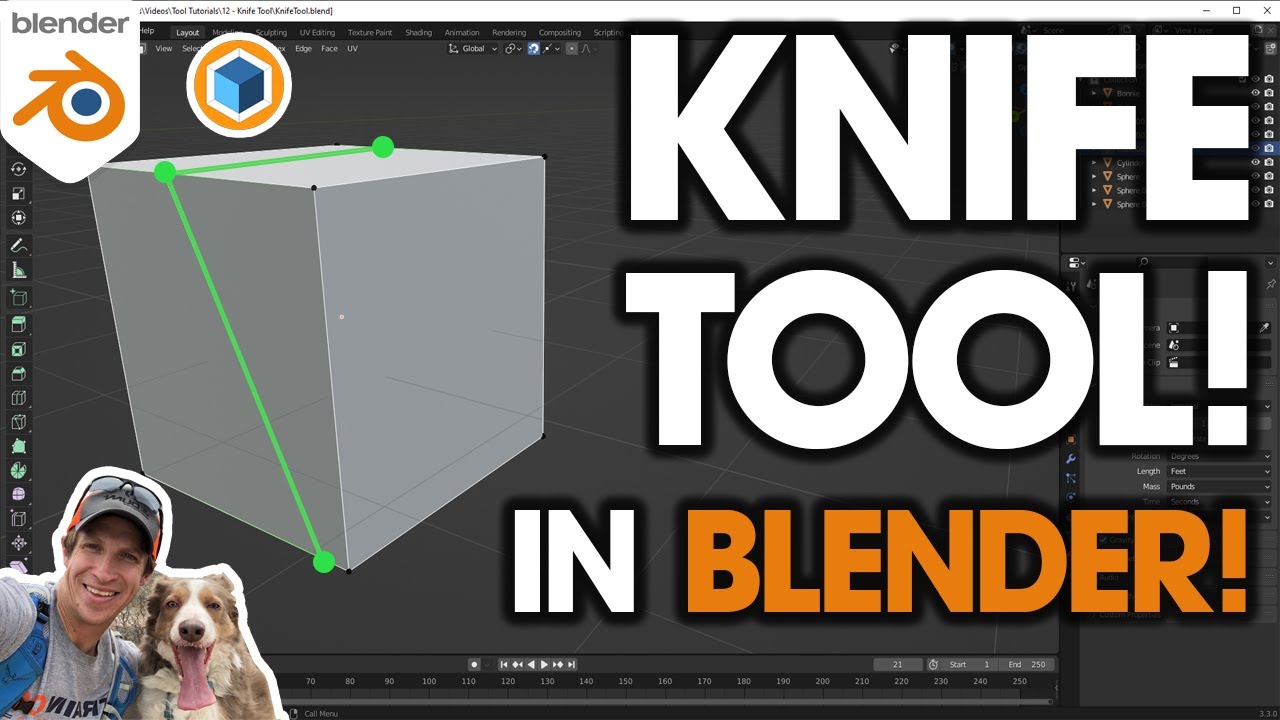
In this video, learn to use the Blender Knife tool to quickly slice and dice things in your models!
Want to Support The CG Essentials?
http://www.patreon.com/thecgessentials
Add-On Links (Affiliate Links)
Scatter - http://www.thecgessentials.com/scatter
Flip Fluids - http://www.thecgessentials.com/flipfluids
Car and Transportation Rigged Vehi...
 kindred fractal
^ this tool is supah useful :o
magic slate
honestly I can't think of a time I've actually used it
kindred fractal
It’s good for cutting out stuff thats transparent. I’ve used it for eyebrows, the occasional eyelashes, blush
magic slate
yup, I've seen the use-cases, it makes sense
hearty plinth
But i wanna use photos
I need helping figuring out how to do this
Somebody else did it for me
magic slate
do what?
 pure fiber
kindred fractal
It’s good for cutting out stuff thats transparent. I’ve used it for eyebrows, th...
pure fiber
kindred fractal
It’s good for cutting out stuff thats transparent. I’ve used it for eyebrows, th...
redoing shapekeys is required.
pure fiber
hearty plinth
Cutout
import the image into blender,
use knife tool, cutting image
pure fiber
no :) please learn it well ~
 main kernel
Does anyone know where to find like female avatars that have like weapons that can move around
arctic slate
main kernel
Does anyone know where to find like female avatars that have like weapons that c...
look for an existing post in #1138520828556890214 or make your own there
if you're gonna make your own post make sure to specify free or P2U, what platform it'd need to support, maybe specific types of weapons etc
 vernal vale
Is there any apps you can use on mobile to make your own avatars?
 robust whale
vernal vale
Is there any apps you can use on mobile to make your own avatars?
robust whale
vernal vale
Is there any apps you can use on mobile to make your own avatars?
i think you can use readyplayerme
but other than that, no
you need a PC (anything but a chromebook) to use unity, which is needed for uploading avatars
vernal vale
Alright thanks!
 proud hollow
magic slate
maybe this helps though: https://www.youtube.com/watch?v=fb3qod9-9DM
proud hollow
magic slate
maybe this helps though: https://www.youtube.com/watch?v=fb3qod9-9DM
Can I get some help?I made a new account, but you aint letting me play in natural VR chat.
It's saying I have a VR chat on Google and I can't figure this now.Can I get some milk
Help
.
So I found that i'm on vrchat.com/home
And I don't know how to get on the actual v r chat
Can I get some help
Please
pure fiber
vernal vale
Is there any apps you can use on mobile to make your own avatars?
https://avatarmaker.vket.com/en/
https://xr-marketplace.com/en/makeavatar
https://readyplayer.me/vrchat

Avatar Maker - Easy 3D Avatar Creation in a Web Browser with VRChat Upload Support
Avatar Maker is a service that allows you to easily create and edit avatars. It features the ability to upload avatars directly to VRChat and export them as Unity Packages. Customize your original avatar freely and dive into the world of VRChat!

XMarket
MakeAvatar, your own avatar made with your smartphone! Let's go out to the virtual world with original costumes or collaboration costumes of popular anime!

Create a 3D avatar from a selfie. Use it in VRChat
pure fiber
proud hollow
And I don't know how to get on the actual v r chat
install the vrchat app on Quest Headset, Steam (PC), or Android Phone Mobile
magic slate
proud hollow
Can I get some help?I made a new account, but you aint letting me play in natura...
Please don't ping me directly for new questions, anyone here can help.
 harsh wedge
Is it me or did converting avatars for quest get even harder ?
 flint forge
harsh wedge
Is it me or did converting avatars for quest get even harder ?
flint forge
harsh wedge
Is it me or did converting avatars for quest get even harder ?
Aside from server side blocking (stopping modded sdks) and the introduction of the 40MB uncompressed size (download size is still 10 MB), there has not been any changes.
pure fiber
many additions… really 😌
 foggy terrace
harsh wedge
Is it me or did converting avatars for quest get even harder ?
foggy terrace
harsh wedge
Is it me or did converting avatars for quest get even harder ?
the only change recently has been their attempts to stop bypasses for transparency on quest. this is because the quest's hardware simply cant render transparency fast since it is fill rate limited and since the quest uses tile-based rendering.
they havent been changing quest performance requirements any, only enforcing what already was bannable.
 tiny rain
Has anyone got a guide for translating settings between Poiyomi, and Toon Standard?
There is a fair bit of content talking about how good it is, and what options it has, but I am really struggling to get anywhere close to replicating the look of the avatar with Poiyomi.
Like Poiyomi's Environmental Rim doesn't cleanly translate to Toon Standard's Rim Lighting for example
pure fiber
tiny rain
Has anyone got a guide for translating settings between Poiyomi, and Toon Standa...
true, it’s hard… i’m interested too!
 fluid spade
It won’t let me select android, what should I do?

Is there a version of unity I have to download for android ?
Can someone pls help
magic slate
2022.3.22f1 but you do need the android build tools too, see this: https://creators.vrchat.com/platforms/android/setting-up-unity-for-creating-quest-content
If you're starting a brand new project, this won't take long at all. However, if you're converting a Windows platform project to an Android platform project, you will have to convert your assets appropriately. This can take quite a while for larger projects.
magic slate
probably you're seeing their fallbacks because their avatars are VeryPoor
robust whale
Your toggle must be set up wrong on quest
Impostors? Just fully enable their avatar
Impostors are basically sprite/png versions of an avatar. They are used for unoptimized avatars so you can still see what someone looks like without actually having to load the whole thing in. It's basically just an advanced png. If you want to load it in, then you can select the player and click the eye icon to fully show their avatar. Keep in mind that this only works if their avatar is uploaded to the platform you are on.
magic slate
probably everyone you're looking at is a very poor
 ripe igloo
yeah
dim cove
hey uhh it says you're using bloodborne 🤨
its against vrchat's tos to use modified sdks
you wanna get banned? 🤣
vrchat
we got a ban evader here bois
ripe igloo
what did he do?
dim cove
no clue
ripe igloo
well maybe he is just playing...
ripe igloo
oops
well maybe you should warn and explain him about it 1 time
maybe he doesn't know...
dim cove
i did
dim cove
dim cove
hey uhh it says you're using bloodborne 🤨
its against vrchat's tos to use modif...
.
ripe igloo
oh then it's okay
 astral scroll
😬
 vast gyro
 mystic rapids
One message removed from a suspended account.
magic slate
probably it's way over the limit in some way
 sage belfry
First time using Toon standard and it's really impressive

 weak basin
So the new bubble gun item has liquid physics that work on quest. Doesn't this mean quest could have a working liquid physics shader for avatars possibly?
magic slate
no custom shaders on quest, so it must do it another way
steady idol
weak basin
So the new bubble gun item has liquid physics that work on quest. Doesn't this m...
wdym liquid physics
flint forge
magic slate
no custom shaders on quest, so it must do it another way
It is an item, so VRC can put whatever they want on it.
flint forge
weak basin
So the new bubble gun item has liquid physics that work on quest. Doesn't this m...
No reason why VRC couldn't add it, does seem to be a shader (although I would guess that this one requires a script or physbone to actually have physics, it is definitely not doing physics in shader), but VRC could have added a lot of other small shaders, they just haven't so seems unlikely they would for this.
steady idol
flint forge
No reason why VRC couldn't add it, does seem to be a shader (although I would gu...
its just a stencil
flint forge
steady idol
its just a stencil
That would make sense (although did recently hear that stencils aren't great on mobile chips either).
steady idol
they are in fact not
weak basin
However they've done the physics on the liquid, it must be quest compatible, or else it wouldnt work on quest and it clearly does. They should port these methods via a shader or whatever they used to do it so quest avatars can have liquid just like PC Avis

The new bubble shooter item has a liquid shader that is calculating the liquid position for the bubble bottle that works properly on quest (Quest images
dim cove
weak basin
https://feedback.vrchat.com/feature-requests/p/add-a-liquid-shader-for-quest-ava...
but why?
magic slate
flint forge
It is an item, so VRC can put whatever they want on it.
oh is there a new VRChat-provide item? I must have missed it
steady idol
weak basin
However they've done the physics on the liquid, it must be quest compatible, or ...
"poiyomi works on quest worlds so it must be quest compatible"
avatars are significantly more strict than other limits for a reason
items being its own unique thing that you cant compare to avatars
 fading nymph
weak basin
steady idol
items being its own unique thing that you cant compare to avatars
fading nymph
weak basin
steady idol
items being its own unique thing that you cant compare to avatars
You can only be in one world at a time, but everyone in your instance can spawn the item. It's like having a bunch of avatars with the shader. It should be fine on quest.
dim cove
weak basin
You can only be in one world at a time, but everyone in your instance can spawn ...
nope 😅
assuming you're talking about water shaders, they are very performance heavy, especially on quest
steady idol
dim cove
nope 😅
assuming you're talking about water shaders, they are very performance h...
the one on the bubble gun is literally just a stencil
which is not good for performance
dim cove
yeahhh
steady idol
cause like if there wasnt any issue you would yknow have it already
weak basin
steady idol
cause like if there wasnt any issue you would yknow have it already
unlike pc, where the community can come together and make anything possible, quest is reliant on a company or team of people to make everything we can use. There is probably loads of things we could have that a team just hasn't thought of, cared to do, or maybe didn't have enough people to do it.
I don't understand how it could be so bad for performance and at the same time be 1) implemented on quest officially though a spawnable item, 2) cause no lag issues on quest, and 3) function perfectly. I've done my testing on the quest 2 - the weaker of the two supported headsets - and have had no issues with multiple users having the guns out at once, twirling them around and really making the shader render all that liquid.
But I'm not in the backend coding shaders, so if there is some sort of programming exception to implementing this in the sdk I'd love to know more about it.
 fossil garnet
Trying to upload an avatar with a 2D Transparent face on Quest, with a material that usually works, but it just keeps telling me these over and over. it's even weirder because just a couple weeks ago I could use actual particles on quest, so I don't know why the shader would be the issue, nor is anything else here usually a game-breaker, so I'm just confused as to why quest keeps saying "no".


 delicate quail
there's been an update that fixed the bug that allowed for this material trick to work.
steady idol
weak basin
I don't understand how it could be so bad for performance and at the same time b...
its a similar reason why you cant have transparency
robust whale
weak basin
I don't understand how it could be so bad for performance and at the same time b...
I think that's kind of the reason why they're allowed when vrc wants to. They test their use case for them extensively to make sure it doesn't cause any performance issues. But if someone can easily use it in a very unoptimized way and cause lag, then they won't allow the general public to use it. They know how to optimize and they set their own standards for the game. Performance rankings for avatars however, are based on a worse-case scenario because 1) they can't trust the general public to know how to use all their tools in an optimized way, and 2) they can't manually review every avatar, so even if something performs well in practice, there's no way for then to make exceptions for these avatars (not without redesigning the whole system). That's why things that are hand-picked like the marketplace avatars can have exceptions (they will sometimes allow very poor), because they manually review its performance.
 burnt mural
5F nardo warmers...
https://blackwolfwoof.com/s/LWWTLgypW86XibM/preview

Even with decimating polys...
https://blackwolfwoof.com/s/ya6NBqfiMt84GdL/preview

still over 15k


I doubt i will be able to have clothing for quest this way
One thing i can do, is split up the avatar into 2 materials i guess.
Use one material for the atlas of textures of the avatar, and then use material which just has the arms and stuff with a different material, and material swap that. That way, i could re-use the polys on my avatar and still have warmers (2d) on the avatar with toon standard
So basically like this and then add a material just for the arms and legs
https://blackwolfwoof.com/s/XzDj6K8Mpp2APED/preview

How else would you (the one who is reading this) do it?
 burnt mural
I merged the meshes back and made sure to re-connect them again by merging vertices.
This made it way less noticeable.
I also assigned the materials while it was not yet merged which made it a lot easier to have 2 materials for the avatar. The more i know
 dim cove
i made a fallback for my avatar but people keep seeing an "impostor" despite the fact i deleted all impostors?
burnt mural
dim cove
i made a fallback for my avatar but people keep seeing an "impostor" despite the...
You have to disable imposters in your settings. It should be in the big menu under avatars
i think it can also be found in the small settings menu
Then people will start seeing your fallback instead of the Avis imposter
dim cove
burnt mural
You have to disable imposters in your settings. It should be in the big menu und...
i tried that
apparently i'm invisible???
 flint swallow
Hey can i get help with an avatar being uploaded to my account? I don’t have a pc to load it to quest?
magic slate
you'd need a computer that can run Unity. Otherwise you'd have to give someone your account credentials, and cause your account to be linked to theirs, risking potential ban if they get banned... not a great idea.
flint swallow
Can’t it be done without the linking?
magic slate
no
flint swallow
What accounts would be linked?
magic slate
VRC apparently treats you as alternates
flint swallow
Even if they sign out of their accounts first
magic slate
apparently
flint swallow
That’s not very consumer friendly
magic slate
I think they expect people without PCs to purchase avatars from the marketplace nowadays
flint swallow
Well all of those suck
dim cove
does anybody know why my fallback is "invisible"??
for context, it's a 2d image (both sides duplicated so that there would be no backface culling) attached to a humanoid rig, using the quest toonlit shader
it should work fine, and yet people tell me its invisible? and yes, i did parent the image to the armature
 nova token
magic slate
I think they expect people without PCs to purchase avatars from the marketplace ...
nova token
magic slate
I think they expect people without PCs to purchase avatars from the marketplace ...
Normally I can I get it upload for you tho or make it for you
If anyone interested
 regal kiln
dim cove
does anybody know why my fallback is "invisible"??
for context, it's a 2d image ...
regal kiln
dim cove
does anybody know why my fallback is "invisible"??
for context, it's a 2d image ...
Didnt they remove fallbacks? Im more surprised you can still select one!
dim cove
regal kiln
Didnt they remove fallbacks? Im more surprised you can still select one!
yes?
you can select a fallback on the website
also, im using the latest version of the sdk, which still allows me to upload fallbacks
 viscid snow
 regal kiln
dim cove
yes?
you can select a fallback on the website
also, im using the latest version ...
regal kiln
dim cove
yes?
you can select a fallback on the website
also, im using the latest version ...
Oh shit your right!
Is it just new accounts dont get one by default anymore? Half of my lobbies have become robots again ever since
Anyway to your actual question, did you weight your mesh to any bone? VRChat might be freaking out when trying to scale it to match whatever avatar you have on
magic slate
so like, most of them?
magic slate
this channel is about building content for the game, probably try a general one.
ripe igloo
and no one here is making free avatar for you....here
ripe igloo
he's not here to commission..lol
 cyan agate
I love the part where vrchat devs didnt want cnstraints on quest yet when they made VRC Constraints that 30 is the max for an avatar's performance rank to still be excellent
like how
and it legit does the exact same as normal constraints minus seats since they dont work properly with world constraints but thats besides the point
flint forge
cyan agate
and it legit does the exact same as normal constraints minus seats since they do...
It comes to the same-ish result, but it doesn't get there the same, ignoring how a lot of Unity's systems just aren't very optimized overall, VRC Constraints are highly optimized and specifically for VRChat, Unity constraints are supposed to work in every use case you could use Unity for.
Take it as an example of just how bad Unity constraints are and how well optimized VRC constraints are.
cyan agate
are cameras now allowed on quest?
i have the third person thing on my avatar and on the quest build thing it doesnt say i have any illegal scripts :p
same with audio sources?
wha
weird
flint forge
cyan agate
same with audio sources?
Not sure about cameras, but audio sources are definitely not allowed and have not been stealth allowed.
If you manage to upload an avatar with them then server side checking will fail your avatar.
cyan agate
nvm something just errored and didnt let it update what it was :P
and yeah cameras are bad
sadge
no way to remove cameras only for quest/ios when doing multi-platform uploads sadly
atleast i dont think so
flint forge
cyan agate
no way to remove cameras only for quest/ios when doing multi-platform uploads sa...
You can in theory upload different avatar objects in the hierarchy to different platforms, never used it but that is one way to do it.
VRCQuestTools probably does the removing of such components automatically though
 wanton scarab
That’s what I used to do. I used to have a pc model and a quest model where the quest model was just a more optimized version of the pc one
 crystal depot
fossil garnet
Trying to upload an avatar with a 2D Transparent face on Quest, with a material ...
crystal depot
fossil garnet
Trying to upload an avatar with a 2D Transparent face on Quest, with a material ...
I know im late but nowadays you have to actually HAVE the face into textures with material swaps as far as im aware. If your using a base, your out of luck unless you know what your doing.
 bleak herald
Any quest dev's here know any tricks or workarounds to getting transparent/cutout materials working on mobile? An example being a 2D face that's tied to a transparent atlus texture
steady idol
bleak herald
Any quest dev's here know any tricks or workarounds to getting transparent/cutou...
The workaround is not using transparency
flint forge
bleak herald
Any quest dev's here know any tricks or workarounds to getting transparent/cutou...
Don't stack transparent objects and I believe using the alpha blended shader would be your best ready to go choice, because it is meant for Quest worlds.
But yes, if you can get away with not using transparency they don't.
Also you could maybe manuall cut out the meshes as in cases more polygons is better than transparency.
pure fiber
bleak herald
Any quest dev's here know any tricks or workarounds to getting transparent/cutou...
knife tool in Blender
steady idol
flint forge
Don't stack transparent objects and ~~I believe using the alpha blended shader w...
dont think you can use alpha blended on avatars
flint forge
steady idol
dont think you can use alpha blended on avatars
Missed what channel this was in.
 crude smelt
Hello !! I have this issue that when i upload my avatar on the android version its just turn my avatar into a "securtity failed" avatar do any of you guys know why ?


even it say that is uploaded corecctly ...

Latest version of Creator companion
i just chekc evertyhing i cant find what wrong
 vital schooner
im getting this issue too, not sure why
steady idol
crude smelt
even it say that is uploaded corecctly ...
just because it uploaded doesnt mean its absolute dogshit for performance
 harsh sluice
Does anyone know why a wildfire avi I used to wear doesn't have a transparent shield anymore. It used to be see through
crude smelt
Ok might be helpfull for you guys
The problem was the mixed write default on & off
so i just fiexed it with the vrlabs thing by forcing them to be the same
steady idol
harsh sluice
Does anyone know why a wildfire avi I used to wear doesn't have a transparent sh...
quest doesnt support transparency
harsh sluice
steady idol
quest doesnt support transparency
When did that happen
steady idol
harsh sluice
When did that happen
always was a thing?
the only transparency that is allowed on quest is the 2 particle shaders
harsh sluice
steady idol
always was a thing?
I thought I saw a bunch of transparent stuff
Wonder of it was the bloodborn update
steady idol
harsh sluice
I thought I saw a bunch of transparent stuff
there were bypasses but vrchat keeps patching them out
steady idol
harsh sluice
Wonder of it was the bloodborn update
that is a modified sdk
which is banned entirely
 sullen kayak
Hey I am having some issues with switching my unity project to build for Quest, When I open the project it claims I dont have the android packages installed, but in Unity hub they are installed, if I try using the manual installer for the andoird package, it gives me an error that it failed to delete the previous android installation files.
I dont really know what to do here and its extremely frustrating, I tried reinstalling Unity and the android packages several times with no luck. What can I do here?
robust whale
Unrelated but I love your pfp/banner
Normal map dot com
Ik that's not the actual url
Normal map online or wtv
A very helpful resource
 trail cipher
20 mbs when
 magic slate
trail cipher
20 mbs when
magic slate
trail cipher
20 mbs when
likely never while existing devices are still supported.
 pastel prairie
How to get avatars mobile
sonic canopy
what else options could toon standard get in future
flint forge
sonic canopy
what else options could toon standard get in future
Going by the roadmap it is probably done aside from potential bug fixes.

VRChat Ask Forum
We’re back! Our latest creators roadmap gives you an overview of upcoming or new features for world and avatar creators. Please remember that it’s not a complete list, and that our plans might change. Completed Roadmap Items Since our November 2024 roadmap, we completed 2 out of 7 announced roadmap items: Status Name Complete Build...
 true burrow
make Nwo 4 Life render in Honore of Hollywood Hogan
 formal sandal
anyone got some tips on making transparent shaders work on mobile? or something similar
robust whale
formal sandal
anyone got some tips on making transparent shaders work on mobile? or something ...
You can use particles/additive and particles/multiply
formal sandal
robust whale
You can use particles/additive and particles/multiply
the multiply one i tried but did not seem to work?
robust whale
formal sandal
the multiply one i tried but did not seem to work?
Multiply and additive both work. Multiply and additive are both blend modes. In short, Multiply makes things darker while keeping light colors transparent, while additive makes things lighter while keeping dark things transparent
Additive can be used to make something glow, while multiply can be used to make something shaded or black
It's also possible to combine them together to make a cutout transparency. First use black in the shape if your image with the multiply shader, then use the regular image with additive on top of it
formal sandal
robust whale
Multiply and additive both work. Multiply and additive are both blend modes. In ...
well it diff did not work for me i can tell you. in unity yes. but ingame nope it just makes the texture appear as its not really there? but then again now i am thinking about it could be due to a masking issue
robust whale
formal sandal
well it diff did not work for me i can tell you. in unity yes. but ingame nope i...
There can be issues with mirrors if the image isn't transparent, but otherwise it should work the same as in unity
formal sandal
wasn't even a mirror or any of it
it just doesn't show for my friend who has a quest 2 i believe it was?
formal sandal
robust whale
It's also possible to combine them together to make a cutout transparency. First...
wait how? isnt that two materials to make that work unless you can combine them somehow?
@robust whale any knowledge of Alpha blended works within particles?
robust whale
formal sandal
wait how? isnt that two materials to make that work unless you can combine them ...
yes, two materials, and alpha blended does not work
you're not allowed to use it on quest avatars
wanton scarab
The particle shaders only really works if it has an object behind it to make it stand out. For example if you had a tattoo image on the arm, you could use multiply for the tattoo to appear in front of the arm and it would look perfect. However the particle shaders aren’t very useful when they are used by themselves, for example emoticons. It just depends on the situation really
robust whale
wanton scarab
The particle shaders only really works if it has an object behind it to make it ...
They are useful by themselves, it just depends on the use case
 frosty temple
 onyx zephyr
Anybody got guy avatars that aren’t furry
onyx zephyr
Anybody got guy avatars that aren’t furry
you can check in the #1138520828556890214
onyx zephyr
frosty temple
you can check in the <#1138520828556890214>
Thankssss
sonic canopy
Is sparkle effect too much for quest?
 lyric cipher
I don't think it works on quest. I can't remember. I haven't been on standalone quest in over a year
magic slate
yeah none of the quest-compatible shaders do that, as far as I'm aware
weak basin
sonic canopy
Is sparkle effect too much for quest?
You can do glitter on quest. You just need to texture it manually instead of using a shader to do it

Look up like sparkle/glitter on Google to get a texture, and use it as an emission or detail layer on toon standard (set the tiling number on the x and y until it looks good). Don't forget to turn off mipmaps on the glitter texture or it won't work
magic slate
okay that's kinda clever
sonic canopy
at least can alpha blended be useable for quest?
robust whale
sonic canopy
at least can alpha blended be useable for quest?
Not on avatars
sonic canopy
i mean its just a little transparency how heavy it could be? im guessing vrchat used it for emojis stuff
how heavy it could be?
robust whale
sonic canopy
i mean its just a little transparency how heavy it could be? im guessing vrchat ...
Doesn't really matter
It's not allowed
If you try to upload it won't let you
magic slate
"a little transparency" is the basically the same as "a lot of transparency"
flint forge
sonic canopy
i mean its just a little transparency how heavy it could be? im guessing vrchat ...
It was covered here not long ago by someone that knows this stuff, any transparency is pretty much the same as all transparency, so it is surprising that they even allow additive or multiply, but because of their niche usecases at least people won't use it for much, which is good for performance.
sonic canopy
flint forge
It was covered here not long ago by someone that knows this stuff, any transpare...
so toon sandard outline will never be in quest too?
flint forge
sonic canopy
so toon sandard outline will never be in quest too?
Well no, they've already decided to not include it so definitely not any time soon (with that I mean years).
But it doesn't use transparency, it instead duplicates the mesh in the shader (I assume), which is on mobile hardware also a pretty expensive operation if it even supports it.
sonic canopy
hope i can get a new pc what can i say lol
 reef prairie
What shader is used on the hair of this?
 steady idol
matcap probably?
 spring kernel
So, out of nowhere the shader on my avatar on Quest and iOS end now shows pink despite using VRChat’s mobile shaders that worked before. I haven’t even updated the avatar on those platforms for the shader to stop working.
steady idol
and what are these "mobile shaders that worked before"
sonic canopy
reef prairie
What shader is used on the hair of this?
Rim lightning option on toon standard
reef prairie
Nice
spring kernel
steady idol
and what are these "mobile shaders that worked before"
Standard lite. I know that VRChat has now added more for mobile but i’m still using Standard lite.
steady idol
spring kernel
Standard lite. I know that VRChat has now added more for mobile but i’m still us...
you using the official vrchat sdk?
spring kernel
Yup
spring kernel
Unity version is 2022. I’ve updated the SDK to the latest version
steady idol
got any material swaps
spring kernel
Well yes but only on the pc copy of the avatar. The quest version i haven’t touched at all.
steady idol
and you sure you arent trying to matswap to a pc only shader
spring kernel
Hmmmm, i think i see what happened. But it shouldn’t have.
I didn’t think that the matswap would apply to the quest version.
steady idol
well if you have the toggle then ofc its going to still do it
spring kernel
Either way, thank you for having me double check.
 solid sentinel
reef prairie
What shader is used on the hair of this?
solid sentinel
reef prairie
What shader is used on the hair of this?
Toon standard with rim lighting.
Super simple just update the SDK to the most recent.
reef prairie
Yup I've been told, I'm not making an avi I was just curious
 jade inlet
i'm trying to set up a hueshift for my emission but its only doing 3 colours instead of the full rainbow would anyone know why?
frosty temple
That usually happens if your hue shift is using a gradient with only 3 color keys or the hue range is limited.
jade inlet
frosty temple
That usually happens if your hue shift is using a gradient with only 3 color key...
its not using a gradient, and when i drag the slider on the actual hue shift tab it can go in all the colours so its not limited??
frosty temple
Make sure the shader’s hue shift is set to cycle 0–360° smoothly, not just blend between a few preset colors. In Poiyomi, use HSV mode with time-based offset for a full rainbow.
jade inlet
uhmm this is all im seeing
 jade inlet
frosty temple
Make sure the shader’s hue shift is set to cycle 0–360° smoothly, not just blend...
jade inlet
frosty temple
Make sure the shader’s hue shift is set to cycle 0–360° smoothly, not just blend...
and this with my vrcfury, i'd use poi but its not compat with quest, so im using the new toon standard
 frosty temple
jade inlet
uhmm this is all im seeing
frosty temple
jade inlet
uhmm this is all im seeing
The reason you’re only getting 3 colours is because right now that slider is a fixed value it’s not animated. If you want a smooth rainbow, you have to animate that Emission Hue Shift slider over time instead of setting it once.
frosty temple
jade inlet
and this with my vrcfury, i'd use poi but its not compat with quest, so im using...
You’ll need to animate the _EmissionHueShift value from 0 to 1 in a looping animation so it cycles smoothly through all colours. Right now it’s only changing when you move the slider, which is why you only see 3 colours.
jade inlet
ooohhh okay
jade inlet
how fix? :(

 silent siren
jade inlet
how fix? :(
silent siren
jade inlet
how fix? :(
Select the model and go to the "Rig" tab in the inspector. Hit "Configure" to look at the humanoid avatar definition
You should see something like this

click the "Head" button and see what bones are assigned in there

notably, if you click on the bone in the "Head" slot, what gets selected in the 3D view?
jade inlet
silent siren
notably, if you click on the bone in the "Head" slot, what gets selected in the ...
the head :(
 steady idol
jade inlet
how fix? :(
steady idol
jade inlet
how fix? :(
it literally tells you in the last sentence
the name for rigged bones needs to be unique
nothing can share the name
jade inlet
but it wont let me change the fbx name from "head" to "body"
if i do it in the normal heigh it doesn't change
steady idol
you do that in blender
silent siren
ah, right, you probably have an object named "Head" (like you have one named "Body")
and yes, that's the fix
I just realized that's why the head mesh was called "HeadGeo" and not just "Head" on one of the models I've used
 glad haven
Not sure if this is a quest issue since its only happening on quest but I have found that for whatever reason one of my avatars doesnt have the purple spheres that you use for grabbing physbones. And hand colliders in general.
glad haven
Well not sure what the problem was I basically just started over from scratch :/ oh well.
 orchid halo
I was use trying to use an avatar with audio but I can’t hear anything and I don’t know if a setting thing or something else
silent siren
Quest avatars cannot use audio sources
orchid halo
silent siren
Quest avatars cannot use audio sources
Oh that’s why it won’t work oh well thank you
 true frigate
glad haven
Not sure if this is a quest issue since its only happening on quest but I have f...
true frigate
glad haven
Not sure if this is a quest issue since its only happening on quest but I have f...
Purple spheres? I also don't think you can erase hand colliders from avatars, those are automatically made far as I'm aware. I did see one time in VR chat that all phys bones broke until I restarted VR chat, but I'm not sure what you mean in general?
silent siren
I presume they turned on the Avatar Overlay view to show physbones and physbone colliders
There may be a problem with the Avatar Descriptor
you can configure things like finger colliders there
glad haven
true frigate
Purple spheres? I also don't think you can erase hand colliders from avatars, th...
Yeah I have no clue what caused it. But I got something working anyhow.
 hot sparrow
God, I wish I had like, 5-10 more megebytes to work with. I've already compressed these fucking texture files down to 154.7 kb and I just need a smidge more space to get them to fit

 raw relic
hot sparrow
God, I wish I had like, 5-10 more megebytes to work with. I've already compresse...
raw relic
hot sparrow
God, I wish I had like, 5-10 more megebytes to work with. I've already compresse...
textures aren't the only source of "large download size"
dim cove
hot sparrow
God, I wish I had like, 5-10 more megebytes to work with. I've already compresse...
try removing stuff you don't need, reducing polygon count, removing blendshapes that aren't in use, etc
 plush latch
Is android building what you use to build for quest?
magic slate
plush latch
Is android building what you use to build for quest?
Yes, quest runs Android
 limpid pilot
magic slate
limpid pilot
magic slate
yep, also Pico
plush latch
magic slate
Yes, quest runs Android
Thought so
plush latch
Is there a shader for Quest avatars that supports Cutout transparency?
magic slate
no
plush latch
magic slate
no
Is there a quest compatible shader that does?
magic slate
is that somehow a different question than your previous one?
plush latch
magic slate
is that somehow a different question than your previous one?
Is there a community shader that supports it, I mean?
magic slate
you can't use community shaders for quest avatars
plush latch
magic slate
you can't use community shaders for quest avatars
blyat
magic slate
I do not speak that language 🙂
jagged sequoia
plush latch
Is there a shader for Quest avatars that supports Cutout transparency?
basically transparency is completely unsupported on Quest avatars as you can only use the VRchat provided shaders for Quest avatars
plush latch
magic slate
I do not speak that language 🙂
It's "Fuck" in Russian/Ukrainian
magic slate
didn't say I didn't know what it meant 🙂
minor cedar
plush latch
blyat
Опа, русскоязычный?
minor cedar
plush latch
Is there a shader for Quest avatars that supports Cutout transparency?
Попробуй Particles/additive, там 3 варианта есть, 2 не работает, а верхний и самый нижний должны работать. Я их использую как обход в прозрачности
 sage acorn
I just finished the pc version of an avatar I’m working on and am about to start optimizing it for quest. The pc version has a hair material toggle to change hair colours, and I was wondering if that is possible to port onto quest via like a texture swap or something
Im using modular avatar rn for it but also will use vrcfury in future for some of my assets to put on
Also if there is any general advice on quest optimizing that would also be appreciated, new to this stuff
plush latch
minor cedar
Опа, русскоязычный?
I don't speak Russian, I just say blyat because it's funny.
I do have a few friends who speak Russian though, one of them is actually Russian, one is Canadian and one is Russian-Ukrainian
minor cedar
plush latch
~~I do have a few *friends* who speak Russian though, one of them is actually Ru...
I am from Ukraine, I have been to Canada before
plush latch
plush latch
minor cedar
I am from Ukraine, I have been to Canada before
Look at the sticker I sent. c:
minor cedar
plush latch
Look at the sticker I sent. c:
C:
 dawn tapir
Dm me if you can make a good avatar quest compatible
magic slate
Good way to solicit scammers, be careful.
dawn tapir
Okie idc if they scam I just Want a avatar with ability’s u might know him it’s vecna from stranger things
arctic slate
dawn tapir
Okie idc if they scam I just Want a avatar with ability’s u might know him it’s ...
go to VRCTraders (link in #1204490664637890580 ) and find someone there
you're only gonna get bots and scammers like said above which wont give you an avatar
dawn tapir
I’ll just get them to make it first
dim cove
dawn tapir
Okie idc if they scam I just Want a avatar with ability’s u might know him it’s ...
there should be avatars of him out there
try making a post in #1138520828556890214
dawn tapir
I had a different idea with ability’s so that’s why I want it custom made
frosty temple
dawn tapir
I had a different idea with ability’s so that’s why I want it custom made
for the custom made avatar Vrc trader is the best spot cz here there are a lot of scammers that are just after your money..
pastel storm
So I don’t know if my idea is kind of crazy but I’ve been on PC to some world I have free avatars so I know they are free ones and I’ve heard some streamers for VR say they are free ones too, but I had this idea even though I am not a furry, but I want adog or a cat cowboy outlaw like holsters and a hat and boots. Yeah kind of like Puss in boots, but with guns
Is that possible to find for free or no?
steady idol
pastel storm
Is that possible to find for free or no?
Blender is free
 covert apex
pastel storm
Is that possible to find for free or no?
covert apex
pastel storm
Is that possible to find for free or no?
start a looking for thread on avatar search.
magic slate
or make one
 unique seal
Can someone upload an avi for free I need help
magic slate
unlikely, because it's risky - but maybe if you provide details about what you're doing and where you're stuck, someone here can help you with that
unique seal
magic slate
unlikely, because it's risky - but maybe if you provide details about what you'r...
I just have these to models there quest and pc I can text more details if you want in DMs
magic slate
I meant here as in in this channel
 kind hollow
magic slate
unlikely, because it's risky - but maybe if you provide details about what you'r...
kind hollow
magic slate
unlikely, because it's risky - but maybe if you provide details about what you'r...
Hey Kazin
You still up to help someone?
magic slate
Please don't ping me for new questions, just ask in the channel.
kind hollow
I… sorry…
robust whale
you do not need to keep posting in different channels. If you would like to commission an avatar or take your chances at someone taking it for free, you can go to the VRCTraders discord server. I will warn you though that such a tight deadline will mean it's unlikely for people to take on the project, unless you have all the models you need in question, and just want someone to put them together (as in, having the character model + wedding dress model)
Your best bet for getting something in such a short timeframe is searching for something that already exists.
 urban mesa
best bet is to just look it up in a avatar search world and see if anyone made it already. if no one did already then it is not going to be made by Wednesday unless they already started working on it or you find someone crazy enough to crunch work on it but that'll be super costly.
 novel moth
robust whale
you do not need to keep posting in different channels. If you would like to comm...
novel moth
robust whale
you do not need to keep posting in different channels. If you would like to comm...
Where do I go For the trade thing
robust whale
novel moth
Where do I go For the trade thing
it's not "trading" jsyk, It's "traders" as in, "in the trade". It's for commissions, so it's gonna cost money. They have a free request channel, but most requests don't get taken.
Here is the link to the server: https://discord.com/channels/189511567539306508/1204506421631393913
 sullen swallow
why does vrchat keep making it harder to quest convert... 😓
dim cove
sullen swallow
why does vrchat keep making it harder to quest convert... 😓
there's no recent change from what i recall?
 mellow ore
i need help how do i fix these and where in unity ?
 sullen swallow
dim cove
there's no recent change from what i recall?
sullen swallow
dim cove
there's no recent change from what i recall?
I js converted an avi, 150k tris and kt came out to 19mb…
Out of 10
I used to be able to convert avis that were 200k tris
dim cove
sullen swallow
I used to be able to convert avis that were 200k tris
it may be the textures or animations taking up most of that space
sullen swallow
It isnt
Like
Something with my actual unity has changed or something
I make my own avis all the time and ive made avis w sm more
Its happening to my friends too
magic slate
or too many blendshapes, those take up lots of space.
 random comet
sullen swallow
I used to be able to convert avis that were 200k tris
random comet
sullen swallow
I used to be able to convert avis that were 200k tris
Triangles don’t relate to bundle size. Use tools like VRWorldToolkit’s build report feature to see what’s taking space
kindred fractal
mellow ore
i need help how do i fix these and where in unity ?
transparency isn't compatible with quest, so I'd say check if the head has a blendshapes for quest lashes
mellow ore
Okay
pastel storm
Hey guys idk if it’s the good channel but can someone help me with the quality of the avatar

Idk why it’s like this on my friends avatars
It is because of the impostor ?
 gilded gulch
pastel storm
Hey guys idk if it’s the good channel but can someone help me with the quality o...
gilded gulch
pastel storm
Hey guys idk if it’s the good channel but can someone help me with the quality o...
Hi! I noticed it was like this because I didn’t turn their avatar on. If you have that on, Ill definitely use the community support here.
pastel storm
Thx someone helped me
gilded gulch
alright :)
gilded gulch
of course!
 stoic iris
How would I go abt rigging this ... I barely rig but either way I still wanna try ..
 magic slate
stoic iris
How would I go abt rigging this ... I barely rig but either way I still wanna tr...
magic slate
stoic iris
How would I go abt rigging this ... I barely rig but either way I still wanna tr...
if you want the second arms to match the first set's movements, rig both normally and use rotation constraints to on each bone in the second set to copy from the same bone in the primary set.
stoic iris
Mhm alrighty
fluid spade
can anyone send me a good video link of how to upload on quest
 little latch
Hi! The realistic shadow ramp texture on Toon Standard is wrong, made a canny here with a workaround
https://feedback.vrchat.com/sdk-bug-reports/p/382-toon-standard-wrong-realistic-shadow-ramp

The Realistic shadow ramp doesn't match the look of Standard Lite, Diffuse, etc. shaders. The images contain two spheres, the upper one with Toon Standard, and
weak basin
mellow ore
i need help how do i fix these and where in unity ?
Vrchat > mobile > particles > multiply
mellow ore
Ty!
burnt mural
Lol i managed to get my quest fallback avi created manually (not polytool as that looked ass)

 frail garden
Sorry that you have a fnaf fan asking this question but why do the normals do this when I port to Android on Unity with the material Standard Lite
 steady idol
fluid spade
can anyone send me a good video link of how to upload on quest
steady idol
fluid spade
can anyone send me a good video link of how to upload on quest
You do the same as how you would upload pc side?
dim cove
frail garden
Sorry that you have a fnaf fan asking this question but why do the normals do th...
i had a similar problem, i forgot how i fixed it, all i remember is that the fix made the texture memory skyrocket
stoic iris
I dont understand how this is not a Humanoid rig according to Unity when the APP itself is checked off as perfect

anything that is Grey is optimional so there shouldnt be any problems
arctic slate
pretty sure you still need a neck bone in the setup even if it isnt rigged to a bodypart
theres also 1-2 bones that'll be listed as not required but are needed for vrchats base movement set iirc so its better to just have them attached even if not actually rigged to a bodypart
stoic iris
arctic slate
theres also 1-2 bones that'll be listed as not required but are needed for vrcha...
I fixed the neck parts but what are the other bones that I need to connect/parent
magic slate
limbs down to (and including) hands and feet, hips -> spine -> chest -> upper chest (optional) -> head -> neck, and shoulder bones coming off the chest or upper chest.
stoic iris
it should be doing that
 magic slate
yep, that part looks right.
 arctic slate
id remove the jaw bone but other then that it looks good
 tropic pendant
Anyone good at making nova beasts here ?
arctic slate
tropic pendant
Anyone good at making nova beasts here ?
if you're trying to find someone to do model work for you go to VRCTraders (link in #1204490664637890580 ) and get a verified creator there
otherwise if you're looking for super specific help with the Novabeast base you might be better off asking in the Novabeast's offical discord
 empty knoll

anyone know how to get rid of this blue tint on quest?

(this is how its supposed to look. but all quest shaders I try using puts like a blue filter over it?)
steady idol
remove vertex colors
empty knoll
how would one do so..
steady idol
blender
steady idol
time to use it then
empty knoll
is there absolutely any way to get rid of it on quest? or just make it look less- blue
steady idol
like I said already
remove vertex colors
silent siren
i'm kind of surprised you can't just strip vertex colors in the model importer settings
steady idol
would be useful
empty knoll
fml
silent siren
empty knoll
you could also swap to Toon Standard, which should have an option to skip vertex colors
steady idol
I dont get why people are so deathly afraid of blender
random comet
empty knoll
how would one do so..
VRCQuestTools has this function as well
frosty temple
steady idol
I dont get why people are so deathly afraid of blender
it's just in their mind
 undone granite
chat i'm confused about something
do i have to redo shaders using a different kind when i want to upload my windows avatar to quest?
robust whale
undone granite
do i have to redo shaders using a different kind when i want to upload my window...
yes, if you are not using quest compatible shaders already then you need to switch to those to upload to quest.
undone granite
robust whale
yes, if you are not using quest compatible shaders already then you need to swit...
i was using MToon and GogoLoco
is that bad?
robust whale
undone granite
i was using MToon and GogoLoco
gogo loco is not a shader
undone granite
well gogoloco is a controller yeah but will it give me an error too?
robust whale
but quest has a whitelist for shaders, you need to use one from the VRChat/Mobile category
everything in that folder except for particles/alpha blended, lightmapped, and skybox should work
robust whale
undone granite
well gogoloco is a controller yeah but will it give me an error too?
no, again, it's not a shader
gogo loco is compatible with all platforms
undone granite
oh cool
robust whale
it says that on the download page i'm pretty sure
most assets should inform you if it's quest compatible or not
but know that any custom shader won't be
since again, the only shaders you can use on quest are ones provided by VRChat specifically for the platform
robust whale
undone granite
i was using MToon and GogoLoco
If you want to look the most similar to MToon, I would reccomend using the shader VRChat/Mobile/Toon Standard
you need to have the latest version of the SDK to get it though
or a very recent version
undone granite
robust whale
If you want to look the most similar to MToon, I would reccomend using the shade...
yeah i was trying to use that but
how do i put this
robust whale
you need to mess with the settings to get it to look how you want
undone granite
the renderening type i was using in mtoon isnt on the other one
robust whale
right, it's not going to look the same
but it's probably what will be the closest
can you show me what your avatar looks like with MToon?
undone granite

 robust whale
alright give me a second
robust whale
undone granite
set the shading to custom, I'm going to send you a texture to put in the shadow ramp slot it gives you
okay put this in your project and then use this as the shadow ramp texture
also set the shadow tint setting to 0
@undone granite
undone granite
i'll try
robust whale
let me know if that works
oh I will say quest doesn't really support transparency btw
so your eyelashes might not work
but if they happen to be on their own material slot, you can use the shader VRChat/Mobile/Particles/Multiply with a black texture
although it won't fix the other transparency issues
the best solution for the transparency issue is to go into blender and cut out the transparent parts using the knife tool
undone granite
robust whale
let me know if that works
 robust whale
the knife tool can sometimes mess with weightpainting and shapekeys though
i'm trying to see if there's a tool that will interpolate when using the knife tool rather than just setting all the data to 0
basically what happens is that when you create new vertices with the knife tool, blender doesn't know what to do with them so the data is reset to 0
undone granite
I’m like, more concerned about all the black spots that would be gone if the renderings style was cutout
I’m not sure what it means tho anyways
robust whale
undone granite
I’m like, more concerned about all the black spots that would be gone if the ren...
right, that's what i'm trying to help fix next
you need to actually cut them out in blender
but that can create issues
some i'm trying to see if there's a tool that fixes those issues
robust whale
@undone granite after looking around this was the best solution I found


the idea is that you DONT do this ^


but something like this
so you're always connecting two edges
this can still mess with custom normals
but it should keep your weightpainting and shapekeys intact
@undone granite let me know if you need any help with this
undone granite
Sorry I disnt see the notification
robust whale
you're fine dw
undone granite
robust whale
<@1315476711588233266> after looking around this was the best solution I found
the problem is i dunno much how to use blender
so i have no clue how to go about doing this
robust whale
undone granite
the problem is i dunno much how to use blender
- open blender
- go to file>import>fbx
- find your unity project folder and select your avatar's fbx, then click import
- *click on the mesh you want to edit and press tab
- press K to use the knife tool. It's just point and click to define the edges, then space to finish the cut
- make sure to follow the instructions i gave before with the method you cut so that you don't create any issues on the model
- when done, press tab again, select another mesh to edit, and press tab again
- repeat these steps (from the *) until finished
- in unity, duplicate your fbx (you can rename it something like <name> quest)
- look in the inspector and click "model", then check if it says
1m (File) = 1m (Unity)or100cm (File) = 1m (Unity) - in blender, go to file>export>fbx
- select the new duplicate file, and go to the settings panel on the right
- go to the armature section, and disable
add leaf bones. If your file said1m (File) = 1m (Unity), switch theApply Scalingssetting (in the transform section) toFBX All. If not, keep it atAll Local - click export
 brittle dirge
(I'd like to make a note that the Blender add-on "Unity FBX Exporter" makes those last few steps just a single click)
 elfin scarab
Are physbone components on quest being lowered to down to 6 from 8?
steady idol
no?
wanton scarab
I don’t think so no
flint forge
elfin scarab
Are physbone components on quest being lowered to down to 6 from 8?
Where did you hear that from?
 steady idol
elfin scarab
steady idol
elfin scarab
thats the performance rating limit
elfin scarab
Just log into quest, and check any avatar details,
it used to say 8/8,
It was 8/8 before, not 8/6
Same thing for physbone transform,
used to say 38/64, now it read 38/32
flint forge
elfin scarab
Which are the max for being medium or better.
robust whale
elfin scarab
Just log into quest, and check any avatar details,
it used to say 8/8,
no, it's always said 6. The "max" is the maximium for medium ranking
steady idol
medium rank in the name being the recommended midway point of optimization
sonic canopy
what does lightmapped do? why its in vrc mobile if its not useable for quest?
random comet
It's for worlds
if you're using it cause your avatar looks like the correct color with it, look into removing vertex colors from your avatar either with VRCQuestTools (Unity Script) or Blender
flint forge
sonic canopy
what does lightmapped do? why its in vrc mobile if its not useable for quest?
It supports baking lights in worlds, it has no reason to be used on an avatar.
If you are using it because all other ones look wrong then remove vertex colors.
 fresh silo
Anyone do rigging and that shit for free??
frosty temple
fresh silo
Anyone do rigging and that shit for free??
I don't think so anyone will do it for free
arctic slate
fresh silo
Anyone do rigging and that shit for free??
Be wary of bots/scammers you're gonna get from messages like that
you can try your luck in VRCTraders (link in #1204490664637890580 ) but most wont do work for free
frosty temple
arctic slate
you can try your luck in VRCTraders (link in <#1204490664637890580> ) but most w...
exactly
 civic ledge
Useless fact: There are 23 shy guy avatars on vrchat that are quest compatible and 44 shy gal avatars on vrchat that are quest compatible
 frail bear
civic ledge
Useless fact: There are 23 shy guy avatars on vrchat that are quest compatible a...
frail bear
civic ledge
Useless fact: There are 23 shy guy avatars on vrchat that are quest compatible a...
Good to know, Thank you Goolbob2
civic ledge
frail bear
Good to know, Thank you Goolbob2
You're welcome
 jaunty fjord
I can make a avi for anyone I make every type of one u could want
I used to make the bad ones lol
true burrow
Make showdown: legends of wrestling in Vrchat
frail bear
jaunty fjord
I can make a avi for anyone I make every type of one u could want
Is this an offer or scam...🧐 Time will tell
But If not I would love one👉👈
robust whale
frail bear
Is this an offer or scam...🧐 Time will tell
likely a scam
frail bear
Dang😔
 simple scroll
?Tag scam
 tough atlasBOT
Hey ho 👋 I see you're looking for commissions.
You will probably receive DM's or friend requests from scammers now (or later) that will try to offer you their services. 😖
🚫 Absolutely DO NOT engage with those, regardless of how competent they might seem or their excuse to why they contact you.
This is unsafe practice used by scammers, and also breaks this Discord's rules. 👮
If you seek a creator, check out VRCTraders and follow their protocols strictly 🥺
(You will get DM from bot to verify your account upon join.)
🌠 It's extremely important to always DEEPLY investigate the account and social media of the person you plan to commission.
Is their social media linked in Discord? Is it legitimate? Are the references stolen? (Try to reverse image search posts to check.) 👀
The quality of fake profiles out there can be crazy good, be aware of that and NEVER engage with DM or friend requests that originate from the artist.
When in the slightest doubt, do not commission them and contact the moderators of the involved communities. 😱
sonic canopy
what are theese work for in standard lite shader?

 obsidian moat
y'all make quest physbones annoying 😭 and makes my avatar look stupid from no wing physbones or tail physbones
 jagged sequoia
sonic canopy
what are theese work for in standard lite shader?
jagged sequoia
sonic canopy
what are theese work for in standard lite shader?
those are not usable for avatars that's only for baked lighting for worlds monosh
 random comet
 austere matrix
Then why have it be in mobile
austere matrix
Then why have it be in mobile
Worlds can use it
austere matrix
There should probably be a different folder for world shaders then
arctic slate
theres likely several canny posts about it you could go upvote, personally i wish they were in the world SDK rather then the base one so it wouldnt even show up when setting up avatar stuffz
 proper seal
Idk if this is where I would ask but does anyone know how to get the skinned mesh renderer to work or a fix on quest? I'm trying to upload an avatar and the cloths won't work correctly since they're always visible
frosty temple
you clothes must be having transparent shaders that don't work on quest
 brazen quest
https://www.deviantart.com/tal25/art/Tony-Stark-from-IRON-MAN-Armored-Adventures-1220600592 https://www.deviantart.com/tal25/art/Iron-Man-Armored-Adventures-MK-I-Model-Preview-1080856398 https://www.deviantart.com/tal25/art/Iron-Man-Armored-Adventures-MK2-Model-Preview-1160108949
https://www.deviantart.com/tal25/art/Iron-Man-Armored-Adventures-Stealth-Suit-test-VRC-1129359882
ILL DO ANYTHING

like it would go crazy
arctic slate
brazen quest
https://www.deviantart.com/tal25/art/Tony-Stark-from-IRON-MAN-Armored-Adventures...
find a commissioner in VRCTraders then (link in #1204490664637890580 )
or you could make a post in #1138520828556890214 to see if someone's already made one in-game
 honest coral
Yall know any good caine avatars that are up to date with stuff from the tadc show?
Rn the one i use is tje Baine one from prismics
frosty temple
honest coral
Yall know any good caine avatars that are up to date with stuff from the tadc sh...
you can check in #1138520828556890214
 stiff umbra
Does anyone create avatars for other but for free?
magic slate
same as one of the answers right above - VRC Traders discord. But don't expect much for free.
frosty temple
stiff umbra
Does anyone create avatars for other but for free?
you can try free request channel in Vrc traders but it's really rare taht artist there make it for free
 solar wolf
could anyone help? ive tried everything to upload an avatar to vrchat but its impossible to convert it to quest
it has medium rating but every time i upload it it says pc only
magic slate
Did you also upload it to quest?
frosty temple
you avatar might not be compatable to quect it might be using the wrong shaders
frosty temple
magic slate
Did you *also* upload it to quest?
is it only me or you 'also' in your msg really looks different?
solar wolf
magic slate
Did you *also* upload it to quest?
yea i converted it to quest and uploaded it like normal? is there a different way to upload it to quest
ive followed every quest uploading tutorial possible i dont know what else to do
frosty temple
did you chaged the shaders to make it quest compatable?
solar wolf
i put poiyomi shaders
magic slate
those are not quest compatible.
solar wolf
what do i put then
frosty temple
you have to use mobile shader to make it work
solar wolf
how do i get that
magic slate
This page will describe various limits in place for the Android version of VRChat. These limitations are in place in the interest of performance, user safety, and discouraging malicious behavior.
 ionic lantern
Not a single shader is standard, i checked and every single material is "VRChat/Mobile/Toon lit" can some1 help me ;-;
 half fable
It’s in there somewhere god speed
stiff umbra
frosty temple
you can try free request channel in Vrc traders but it's really rare taht artist...
Yea its rlly looks dead in there😭
magic slate
same as the person above, somewhere you're using an incompatible shader, you'll have to find it and switch to one that's compatible
magic slate
if you still had the issue, you missed a material
simple scroll
you can report them from right click next time so we can moderate.
 stoic iris
I uploaded this avatar to unity expecting to work with terrible rigging

But...
Omg
It uploaded perfectly
I've been saved...
I didnt have to do anything with rigging..
unique seal
can someone upload avi for me bc I don’t have pc and I need it done for free
magic slate
you can commission people at the VRC Traders discord, link is in #1204490664637890580
Remember that the uploader would need to own the assets you have too...
unique seal
magic slate
you can commission people at the VRC Traders discord, link is in <#1204490664637...
I think I got banned from there
covert apex
unique seal
I think I got banned from there
from... the thread, or the discord server
unique seal
covert apex
from... the thread, or the discord server
The sever idk why tho
 deep pendant
This is a medium over on the PC version; i for the life of me cannot get it to be better so i can even upload it onto quest. It keeps saying im nearly 6MB's over the limit.


Also, it's saying there's 8 materials. there's only 5 being used.
ended up changing the textures from 2k to 1k resolution to fix it.
steady idol
deep pendant
Also, it's saying there's 8 materials. there's only 5 being used.
thats literally impossible cause you have 7 meshes right there
 deep pendant
steady idol
thats literally impossible cause you have 7 meshes right there
deep pendant
steady idol
thats literally impossible cause you have 7 meshes right there
3 of those use the same material
steady idol
deep pendant
3 of those use the same material
its material slots not materials
deep pendant
steady idol
its material slots not materials
ah
 spark lantern
Hello hi, i need some help with physbones on my avatar.
So, after the latest update (as of september 1st, 2025), all of my physbones on quest no longer work. I'm at the limit of 64 physbones, and everything was working properly before the latest update, but now nothing will move on quest. I hadn't updated my avatar at all in that time, and re-uploading the avatar didn't seem to help. Does anyone know how to fix this?
magic slate
show us the SDK's build report where it shows the stats on your physbones
spark lantern
Here's the build report as well as my physbone setups. Its on the limit, yes, but I've never had an issue with 64 bones on quest until now


 sonic canopy
i wish toon standard's speculer was similar to original standard shader's
i want a light over the avi without specular it makes the avi look wet even tho it shouldnt be
weak basin
spark lantern
Here's the build report as well as my physbone setups. Its on the limit, yes, bu...
how many collision checks? and how many components does it say? (you show 5 but maybe you missed some?)
you are looking for these stats


 ornate field
im trying to make a custom avatar for quest and its going awful, some help would greatly be apreciated.
 lunar forge
I could help for a compensation, send a dm
magic slate
ornate field
im trying to make a custom avatar for quest and its going awful, some help would...
ideally ask detailed questions, and beware of people like this last one, lots of scammers around here.
ornate field
yea i could tell this dude was sketch
magic slate
good
ornate field
But i guess my reall problem is im not sure how to take a model that im editing in blender and make it so do the things it needs to do in unity.
magic slate
that's quite vague, unfortunately
ornate field
okay, i first made a vroid model, then i brought it into blender to optimize and fix meshes (fixing the weird textures that happen due to transparent textures)
then once i try to move over to unity to upload, nothing seems to work right.
ornate field
okay, so at this point ive actually fixed or improved everything i can in blender (to my knowledge)
 silent wind
Can somebody make a ralf schumacher avater and then ask the players du willst wissen wie viel dein auto wert ist?
magic slate
haha
lunar forge
😄😄
 pure fiber
 native leaf
hello
 crimson oriole
is there any way to see the quest version of my avatar on pc?
kindred fractal
crimson oriole
is there any way to see the quest version of my avatar on pc?
To test?
crimson oriole
yes
kindred fractal
You could do a separate upload of the quest version but do it to windows if you wanna see what it looks like
crimson oriole
mannnn
i don't wanna do a seperate upload just to see what my quest version looks like
magic slate
it's pretty easy, just clear the blueprint ID and upload and it's a separate avatar. Put the old one back after done.
you could also build & test on an actual android device
native leaf

 night solar
i installed the adroid sdk stuff but i cant use it in the editor it says no module
android sdk

 oblique gate
how does this make sense at all.
 random comet
oblique gate
how does this make sense at all.
random comet
oblique gate
how does this make sense at all.
Quest avatars cannot use transparency effects for performance reasons
that specific shader is for worlds
oblique gate
ok but

multiply works??

doesn't that also have transparency
?
guess ill just use multiply.
random comet
that's not alpha blended
steady idol
oblique gate
doesn't that also have transparency
multiply is multiply
oblique gate
what?
steady idol
oblique gate
what?
entirely different render option
oblique gate
exactly but to blanks point "Quest avatars cannot use transparency effects" doesn't seem right because I can use multiply to have a transparent texture?
anyways my issue is fixed
i do not care anymore
thank yall for your time.
steady idol
oblique gate
exactly but to blanks point "Quest avatars cannot use transparency effects" does...
particles are the exception except alpha
 torn moon
transparency isnt even worth bothering with for quest
night solar
it says the wrong shaders but ion know how to do shaders
 wooden fractal
Nah
night solar
NAH
pure fiber
oblique gate
exactly but to blanks point "Quest avatars cannot use transparency effects" does...
alpha blended is harder on quest than particle shader as multiply.
i think it is just general words for easy understanding.
 versed notch
give quest cutout shader so we can finally do this and i would love for it to work with the standard instead of using alpha blended like the last photo helps us creators make more optimized models with just the same amount of detail the pc could have but this is like yha its there but its transparent you can see through it even in the fully there parts


 pure fiber
versed notch
give quest cutout shader so we can finally do this and i would love for it to wo...
pure fiber
versed notch
give quest cutout shader so we can finally do this and i would love for it to wo...
we must wait until powerful quest hardware. currently, quest system gpu cannot handling transparency well
versed notch
pure fiber
we must wait until powerful quest hardware. currently, quest system gpu cannot h...
qwq i need it to make my avi optimized or i have to model out the hard spots out
but also im showing off a work around for my issue and im going to use this method until we do get cutout
also didnt we say that with the quest 1 is the other headsets not any better?
arctic slate
for the quest version you should look into the knife tool in blender
but no the currently supported headsets are not good enough to handle that many trasnparent meshes, they are better then quest 1 though
sonic canopy
is it possible for quest avatars to have dissolve animations?
i can swear i saw a quest avi's clothes dissolved
kindred fractal
dissolve is more of a poiyomi thing
steady idol
sonic canopy
i can swear i saw a quest avi's clothes dissolved
quest doesnt support transparency
sonic canopy
man i can swear i saw a clothing dissolve
 sage mesa
sonic canopy
man i can swear i saw a clothing dissolve
sage mesa
sonic canopy
man i can swear i saw a clothing dissolve
In the past there were exploits that allowed transparency on quest but as far as I'm aware they've all been patched, so it's possible you did see that
 civic sky
sage mesa
In the past there were exploits that allowed transparency on quest but as far as...
civic sky
sage mesa
In the past there were exploits that allowed transparency on quest but as far as...
They are not all patched, I still ever so often see Avatar so I can go transparent and they've been public for years
 tight briar
magic slate
tight briar
magic slate
except your performance wouldn't be better
civic sky
magic slate
except your performance wouldn't be better
I'm not going to lie, I don't know how people have bad performance I'm on quest 3 stand alone, I rarely get below 40
Mostly avatars I see are pretty damn high quality even the ones are transparency don't seem to affect my frame rate the same level some other ones do
robust whale
versed notch
give quest cutout shader so we can finally do this and i would love for it to wo...
alpha blended does not work on quest, only multiply and additive
pure fiber
civic sky
I'm not going to lie, I don't know how people have bad performance I'm on quest ...
in this case, Quest 2 is still supported.
civic sky
pure fiber
in this case, Quest 2 is still supported.
Oh yeah I forgot they exist
 crisp narwhal
is there no way to have transparency on quest? im usig the nova beaast model and it has a kind of lens mat over the eyes and without transparency or a way to set it invisible it will make the eyes dead ass white
 hardy rover
crisp narwhal
is there no way to have transparency on quest? im usig the nova beaast model and...
hardy rover
crisp narwhal
is there no way to have transparency on quest? im usig the nova beaast model and...
You can use vrchat/mobile/particles/multiply or addictive to make stuff transparent
arctic slate
for the quest version of my novabeast i just removed the lense layer over the eyes, its meant to give a glossy visual over the eyes but honestly isnt needed for anything
magic slate
I remove those for PC also, and just do that with a shader.
vernal vale
is anyone here good at helping a new modeler with making avatars?
vernal vale
my partner is new to modeling.. and they are having trouble with a lot of things
steady idol
why isnt that person here
vernal vale
social anxiety.
vernal vale
does someone here do commissions for nitro or for free? i will specifically say that my fiancee milo will be giving nitro, no scams please because I've been getting them a lot:<
arctic slate
vernal vale
does someone here do commissions for nitro or for free? i will specifically say ...
you will only get scammers here, go to VRCTraders (link in #1204490664637890580 ) and try their free section
fair warning though its very very unlikely for someone to do free/nitro work generally unless its something cool to them or part of something they're into
vernal vale
i can't find anything that says free
arctic slate
its their free requests section: https://discord.com/channels/360224648132296704/439883144863154187
magic slate
Don't expect a lot for free though
 brave lake
Is anyone in this server if so can you dm like an invite to it please and thank you
 brave lake
Or any of these ones

 near scroll
Anybody know any good shark avis?
arctic slate
near scroll
Anybody know any good shark avis?
look for existing posts in #1138520828556890214 /make your own there
 lapis jolt
Hello, I'm looking for someone to aid me in optimizing my Novabeast for quest
I've already done a fair bit, but it still doesn't work yet
I'm at work right now, but would like to start on it at about 7pm MST
( <t:1758247246:R> )
magic slate
feel free to ask questions in here whenever
 young granite
lapis jolt
Hello, I'm looking for someone to aid me in optimizing my Novabeast for quest
I...
young granite
lapis jolt
Hello, I'm looking for someone to aid me in optimizing my Novabeast for quest
I...
you can send screenshots here to explain when you get stuck somewhere:3
vernal vale
sure
jagged sequoia
this server is not the appropriate venue for handling commissions
dim cove
stop tryna scam people 😭
then how come the last sentence you spoke made absolutely no sense?
and you created your discord account a month ago
and have no portfolio or anything
how can i be a scammer when i have never offered anyone any services? 😂
simple scroll
dim cove
how can i be a scammer when i have never offered anyone any services? 😂
Next time, you can ping "Active Chat Mod" role to deal.
simple scroll
no worry
 versed belfry
is there a way to deal with this with the quest shaders? the black areas are transperency on PC shaders
 arctic slate
versed belfry
is there a way to deal with this with the quest shaders? the black areas are tra...
arctic slate
versed belfry
is there a way to deal with this with the quest shaders? the black areas are tra...
quest doesnt have transparency but you could take your quest version's FBX and use the knife tool in blender to cut out the hair's shape

 mystic belfry
any other ways besides textures to optimize a booth model for quest?
magic slate
depends where it needs optimization
 sour lintel
When I change a material from the default standard to standard lite, it turns black! I had no problem with the other materials for the avatar. What's up with that? Changing the albedo does nothing.
 magic slate
probably vertex colors, the vrchat shaders use those
sour lintel
magic slate
probably vertex colors, the vrchat shaders use those
K, how do I fix that?
magic slate
I'd do it in blender, but some other stuff can, like vrc quest tools I think?
 lavish kayak
I have a question
So basically im tryna do partical lighting for vrchat for my avatars but People can see it but i cant see it on my personal mirror
 clever hound
I wanna have eyes and mouth for mine be images on planes. Does that work for quest?
pure fiber
clever hound
I wanna have eyes and mouth for mine be images on planes. Does that work for que...
if have transparency, not well
pure fiber
lavish kayak
So basically im tryna do partical lighting for vrchat for my avatars but People ...
the quest particle shader is not working well with mirrors…
clever hound
Ah right yeah, quest can’t do transparency
pure fiber
clever hound
Ah right yeah, quest can’t do transparency
particle shader can give effect, but not so well for a proper color
torn moon
clever hound
I wanna have eyes and mouth for mine be images on planes. Does that work for que...
it can kinda, you can do it with static images
can have different planes and use blendshapes to move them in place with the viseme parameters maybe or even take advantage of sprite type of UV layout and animate the UV's X and Y value
clever hound
Oh yeah I’ve seen people do that

 random comet
 last vine
how does uploading to quest work in the recent SDK
last vine
how does uploading to quest work in the recent SDK
It's greyed out cause you don't have the android build module installed. Press Ctrl + Shift + B in your project, click the android tab, and follow the instructions
last vine
thank you
 molten swallow
so im tryna edit an avi into a oc one for a friend, having changed and made custom textures of the avatar and remodeled some stuff, i tried to upload it.
In Play mode it completely turns all materials red with an opacity of 75% and idk why it does this as thats not whats its supposed to do.
Out of play mode it looks like its supposed to but the second u go to play mode it does the EXACT thing. Even in game its red and idk why nor how to fix this.. could anyone help?
Left is what its supposed to look like, whilst the Right image shows what it does in play mode and in-game


heres what its doing in a screen recording
 balmy pine
molten swallow
so im tryna edit an avi into a oc one for a friend, having changed and made cust...
balmy pine
molten swallow
so im tryna edit an avi into a oc one for a friend, having changed and made cust...
The red is caused by vertex colors. You can remove them in blender or import VRCQuestTools to remove them automatically
molten swallow
balmy pine
The red is caused by vertex colors. You can remove them in blender or import VRC...
actually was caused by a hue slider toggle i forgot to fully remove in the fx
but ty for the help anyway
balmy pine
Ah
 slow sinew
i am under the limit of phys bones on a quest avi (supposedly), yet they do not function when i load the avi on quest what do i do about this to solve it?
it works in unity when i test it with gesture manager
slow sinew
nevermind i figured out the issue it was due to too many transforms 💔 I Hate Unity
magic slate
that's not a unity problem though
slow sinew
im not used to unity i just blame it for everything 💔
magic slate
okay, fair. It often is to blame
 ocean galleon
Is it possible to have all the text of a book put on a avatar and be quest compatible still
Like if I wanted Harry Potter books I could read or something
arctic slate
depending on the page count it might be too large to be possible but readable books are possible for sure, only ones ive personally seen in-game were short children's books though
steady idol
ocean galleon
Like if I wanted Harry Potter books I could read or something
Rather not have over 16k texture resolution for multiple pages each
Sorcerers stone alone has 309 pages
steady idol
ocean galleon
Like if I wanted Harry Potter books I could read or something
you do know youd have to animate swapping pages at least 160 times right for sorcerer's stone
ocean galleon
steady idol
you do know youd have to animate swapping pages at least 160 times right for sor...
Worth it if it works
steady idol
ocean galleon
Worth it if it works
that is 309 pages that you need to have a texture for
ocean galleon
Again. If that would work on quest I'd do it
 amber onyx
I don't think that would work on PC lol
ocean galleon
I have a idea of how to get books for pc but not quest
amber onyx
The VRAM usage would be insane
steady idol
that would be ~38 4k textures
or roughly 20 8k textures
assuming you are atlassing 512 resolution pages
the texture memory would be insane just to have it even be readable pages
amber onyx
It'd be more efficient to use text mesh or legacy UI text but I don't think those are supported on quest
steady idol
Is that even supported on pc
amber onyx
I have no idea lol
ocean galleon
Have yall seen the readable Bible on gumroad?
steady idol
thats pc only because it requires poiyomi
ocean galleon
Ye
ocean galleon
Actually. What about blend shapes?
amber onyx
ocean galleon
Actually. What about blend shapes?
That'll also drastically increase VRAM usage and file size
ocean galleon
Right
steady idol
thats 309 512 resolution images
ocean galleon
I was thinking braille typa thing
steady idol
ocean galleon
I was thinking braille typa thing
that doesnt change my statement
steady idol
your idea sucks
ocean galleon
Both can be true
amber onyx
As a reminder quest 2 which is the hardware they're optimizing for at the moment until it's no longer supported only has a couple megabytes of VRAM available for avatars after everything's loaded in
steady idol
if you are wanting to read harry potter then just get a digital pdf of the book
steady idol
amber onyx
As a reminder quest 2 which is the hardware they're optimizing for at the moment...
4gb of usable for quest 2
6gb for quest 3/3s
since 2 of it is being used by the system itself
ocean galleon
Yall have a good one
amber onyx
Nowadays it's closer to to 3 since Meta keeps adding things we don't need
 tired crypt
Hey Idk if this in the right text channel to ask this but what version of blender do I need to make vrchat avatars or does verions not matter?
magic slate
doesn't really matter, but I'd suggest something recent - I just use the latest.
wanton scarab
Doesnt really matter but some plugins for blender can require you use a certain version. But if you’re not using those you don’t have to worry
 tardy yacht
All of my Quest avatar issues would literally be gone if they just bumped up the avatar download size to 15mb, and the uncompressed size to 60mb. Why can't they?? Genuinely
dim cove
tardy yacht
All of my Quest avatar issues would literally be gone if they just bumped up the...
because quest wouldn't be able to handle it? i mean i thought that would be obvious
tardy yacht
dim cove
because quest wouldn't be able to handle it? i mean i thought that would be obvi...
With the Quest 3, it would be, but I guess the majority still use the Quest 2
dim cove
tardy yacht
With the Quest 3, it would be, but I guess the majority still use the Quest 2
yes, since quest 2 is still supported
torn moon
tardy yacht
All of my Quest avatar issues would literally be gone if they just bumped up the...
should be no reason to even hit the limits at all

just cause theres limits, doesn't mean u should always be .00001MB away from it
people complained even when it used to be higher
random comet
Quest 2 has a bigger adoption rate than the Quest 1, 3, and 3s together
 desert junco
Nvm I’m sorry!! I found it
 graceful wedge
well ig you should delete it coz it'll attract bots
and check you dms i just sent something there
graceful wedge
 tawdry raptor
Imm bouta delete them
tawdry raptor
Imm bouta delete them
ahh you blocked me tooo lmao i just wanted to point you towards the right artist who is working on my avi it was just to save you but np ; )
ahh they are kicked from server ig lol
🫡
i ain't a scammer guys don't gimme that look:')
 celest falcon
Ooo so cool art of avatars😀!!
 rocky vector
Hey is anyone familiar with the issue where you can’t close your left pointer finger on quest
Because I just wanted to see if anyone knows how to fix it or why it happens or if it’s a avatar issue or a software issue etc