#avatar-quest
1 messages · Page 12 of 1
 robust whale
 primal oriole
one other thing a friend of mine found an avatar that worked on their quest that somehow supported texture switching and asked me how and I dont know. Some kinda hack like atlasing + UV switching areas?
robust whale
primal oriole
one other thing a friend of mine found an avatar that worked on their quest that...
oh you can do texture swaps via material swaps or animated UV offset. I'm actually using both on an avatar I'm uploading rn :>
both work perfectly fine on Quest and PC. I'm not really sure how else you'd do it lol
 mossy marlin
For ppl who stuggle transfering to quest
if ur confused its vrcquesttool
GitHub
Unity editor extension to support uploading VRChat avatars for Oculus Quest - kurotu/VRCQuestTools
there
it works wonders
 nocturne agate
mossy marlin
https://github.com/kurotu/VRCQuestTools
nocturne agate
mossy marlin
https://github.com/kurotu/VRCQuestTools
is sure?
mossy marlin
Yeah, i used it. it doesn't cover everything but with a pc only avatar, it gets it down a lot, lets you go through all the physbones, colliders. lets you choose what u want on the Quest version.
 dapper fable
Can some one tell Me how to get a base shape from vrchat?
 wide heart
What?
dapper fable
A avatar model that į can use how do i get it from vrc
wide heart
You don't get them from vrc, you get them from websites like booth or gumroad.
dapper fable
Oh
 mild pagoda
Thing I noticed on a quest avatar
How are some creators able to make a quest compatible world constraint using physbones? I know that using a single mesh particle would work as well but I do want to keep the avatar perf high

 patent narwhal
 ashen latch
how i fix this
ashen latch
how i fix this
click on the "auto fix" and see what happens
 random comet
The issue is there's no VRCExpressionParameter asset assigned in the avatar descriptor
 full bear
How much would it cost to get a custom avatar of myself?
 finite flower
Depends who makes it, can range from 60 too 500+ usd
finite flower
Be careful though
full bear
🧑🏽🦲
finite flower
Lots of scammers here
You will get dm’d endlessly about scam model makers
I don’t trust this dude
New profile
No PFP
Poor grammar
full bear
I ain’t with the cash up front if they trust me they get the money but if they don’t then no money and no avatar win win
finite flower
Yeah
finite flower
full bear
I ain’t with the cash up front if they trust me they get the money but if they d...
Fair
full bear
Yeah
full bear
I have no reason to lie😭
full bear
Not to much on me wtf I’m trying to help you 💀
finite flower
full bear
Not to much on me wtf I’m trying to help you 💀
they're a scammer, another server confirmed it
full bear
Nvm bruh
finite flower
full bear
💀
its just an alt of another dude who tried lol
full bear
Dude what?💀
random comet
oh wow, you got a t-posing avatar in your PFP. you look even more convincing!
finite flower
random comet
oh wow, you got a t-posing avatar in your PFP. you look even more convincing!
LOL
random comet
certainly all credible artists do that!
 ocean nest
i got hacked anything else that gets sent isn’t me

 jagged sequoia
 shy burrow
lower the resolution on some of your textures
robust whale
ocean nest
i got hacked anything else that gets sent isn’t me
If you still have access to your account change the email and password. If you can't do that, disable your account and/or contact discord customer support with the email that you created this account with
ocean nest
I have ownership of other servers
Also it seems like they stopped because it ran out of servers
robust whale
ocean nest
I have ownership of other servers
Just change your email and password and disable your account to force them to log out
Then enable your account again
Don't delete it, disable it
I believe that's still an option
 magic slate
can you explain what you mean?
 nimble prairie
 upbeat wind
I cant seem to make toggles on VRchat
upbeat wind
I cant seem to make toggles on VRchat
Ur gonna have to be more specific
 magic slate
 dull crown
Help.
dull crown
Help.
show the avatar stats maybe? We can't figure out much from just that message
 azure folio
Hi guys. I´m having a big issue with this situation. I attempted following some tutorials for some solutions.. At least the shader solution I already know. The big issue is whenever I go to blender to attempt using Cats plugin It just doesn´t show up. I need It to decimate a bit in order to reduce some triangles. I attempted withouth the cats plugin and got the conflict with key bindings. Even thought I didn´t decimated the hand or the head. Litteraly the clothes are part of the body. It doesn´t have skin in some parts as the arms or the legs and the clothes do the job as if they we´re the body so I dunno if that´s affecting. The model has wings and a tail. When I go to fix the pelvis angle by changing rotation of the feet the feets just go into the opposite facing direction that they should be on puting rotation to -180. The skinned meshes issue I think I might be able to do something about It, But I do feel some conflict when It comes into fixing the material slots quantity. I think the very poor perfomance is due to all those other errors but I don´t have much knowledge about It.

I want to upload It throught android build to be used in quest. I could use a hand in this case really. I don´t have idea about what to do at this point.
This is a customized model I requested 2 months ago to someone that delivered me today. I want to fix this stuff to be able to upload It. I really didn´t wanted to say this.. But I do need some guidance.

It keeps the same angle pelvis error wether I change the rotation to -180 or -360 and normally stays on 0 with the error and -360 pratically equal. I dunno if It has something related with fixing that error
The most important right now is getting a way to reduce triangles and discovering how to deal with material slots. But I really don´t have a clue.
magic slate
you're not going to fix that error in Unity.
azure folio
magic slate
you're not going to fix that error in Unity.
Last time before I comissioned to the author It was the same pelvis error and triangles thought he said he didn´t saw anything wrong with It. I really dunno if explaining to him he´ll do something about It.
I know It´s on blender
magic slate
without seeing it I'd guess the upper leg bones are upside-down
azure folio
magic slate
without seeing it I'd guess the upper leg bones are upside-down
Would you accept a request of mine just to show you on a call of a screen share in order for you to give me some advices on how to deal with It? I don´t ask too much. Just advices. I´ll try do the rest alone searching throught tutorials and stuff.
magic slate
I don't really do that and definitely can't at the moment, but this channel can be quite helpful.
and honestly, the leg bone thing is minor compared to the rest of the work you probably need to do , that material slot thing is a problem
azure folio
Sure. I´ll be waiting if someone else could advice me in that case.
Some helpfull tutorials would also be a great advice in this case.
I don´t have much experience on this so I really need some with good explanations.
The feet are in normal direction at 0. So It´s more 1 thing I don´t have a clue.
 arctic slate
id ask in #1138520828556890214
 junior palm
Kk

 steady idol
 untold blaze
 scenic summit
steady idol
<#1138520828556890214>
scenic summit
steady idol
<#1138520828556890214>
Everyone gets sent there but no one is helped ( almost no one )
steady idol
its literally just make a thread there
arctic slate
scenic summit
Everyone gets sent there but no one is helped ( almost no one )
most dont get helped because they're asking for someone to make something free or they're looking for something that doesnt exist
patent narwhal
or something that they could easily type and find in prismic's avatar search world
arctic slate
honestly hate that world most avatars in there aren't meant to be used by other's/public in general or are ripped :/
scenic summit
arctic slate
honestly hate that world most avatars in there aren't meant to be used by other'...
Yeah
robust whale
arctic slate
honestly hate that world most avatars in there aren't meant to be used by other'...
for bought avatars I can see that being an issue, but it usually doesn't add avatars that lots of people aren't using anyways, and also if it's a bought avatar and it's public against TOS that's the fault of the person who uploaded, not prismic
the YAAS world though does seem to get avatars that are "private" public aka set to public but usually only shared between friends
like I had an avatar that was just meant for me and my partner, so we were sure nobody else had it. It still ended up on that search world
I just ended up uploading it to their account instead
arctic slate
robust whale
for bought avatars I can see that being an issue, but it usually doesn't add ava...
prismatic's world lets you search by description, avatar name and creator name so alot of people tend to use avatar's that arent meant for rando's to use. ive personally had alot of banning issues and hate DM's because of avatar's i share between friends and family members being used by randoms that found it in that world which is the main reason i h8 it
robust whale
arctic slate
prismatic's world lets you search by description, avatar name and creator name s...
if it's not meant for other people then upload it as private
just have the avatar uploaded to the accounts of people who are supposed to use it and make sure they set it to private
wide heart
arctic slate
prismatic's world lets you search by description, avatar name and creator name s...
Add a password to the avatar. There are a couple prefabs out there for it
magic slate
arctic slate
prismatic's world lets you search by description, avatar name and creator name s...
Prismatic has said they'd remove stuff on request though too
wide heart
Only one world. All the other worlds that use that same database don't do that
magic slate
this is true
robust whale
yeah but there's no reason to hate on prismic's
that search world works fine
they do requests to add or takedown avatars
you can also keep it from appearing in the world by putting private in the title
magic slate
ooh I didn't know that one
robust whale
i think you might have to put in brackets
i don't remember exactly but it says it somewhere in the world i believe
like [Private]
something like that
arctic slate
wide heart
Add a password to the avatar. There are a couple prefabs out there for it
i would but spending money on vrchat for anything other then the vr gear itself is kind of stupid to me
arctic slate
robust whale
just have the avatar uploaded to the accounts of people who are supposed to use ...
i dont have access to alot of the accounts that i share my avatars with and i dont send files over as i love downloading malware etc and wouldnt wanna risk other peoples PC's getting ratted or something
robust whale
arctic slate
i dont have access to alot of the accounts that i share my avatars with and i do...
i think you can put [Private] in the title (or smth else it says it somewhere in the world) or contact prismic's discord and you can get the avatar(s) taken down
wide heart
arctic slate
i would but spending money on vrchat for anything other then the vr gear itself ...
They're free ones
arctic slate
wide heart
They're free ones
free ones are quite easily bypassable
 coral ginkgo
robust whale
i think you can put [Private] in the title (or smth else it says it somewhere in...
coral ginkgo
robust whale
i think you can put [Private] in the title (or smth else it says it somewhere in...
Name or description, yeah. And I also make myself very accessible for people to send avatar ids of theirs they want removed, or their entire user id if they want.
wide heart
arctic slate
free ones are quite easily bypassable
The one I used doesn't seem so. The common VRChat User wouldn't do more than attempt a few passwords and give up
robust whale
it shouldn't be too hard to make your own
just lock your tracking with tracking control until the right password is input
and to make sure the right password is input, just have transitions that require an Int parameter to equal a certain value before moving on. Have it transition to exit if the value does not equal that value or 0 (0 not being any of the controls because you can set them to buttons which sets the value to 0 after you stop pressing the button). This essentially freezes it at each stop until you get a certain number, and if you input the wrong one, you're sent back to the beginning. This setup makes it VERY easy to control the length of your passcode. If you want to make it more complicated, you can even use letters instead. You have up to 255 inputs to play with, and an infinite length to your passcode. Just take your max input characters and raise it to the power of whatever you want until you're satisfied with the large number of possibilities
and also just realize that anything beyond 3 digits nobody will reasonably try to crack
nobody cares enough
just give it like 5 or 6 digit passcode and there's no way in hell anyone would try to crack your passcode. I don't believe you can automate the process, and even if you could, the setup to get that automatic or the work to manually brute force the passcode is too much work for anyone to care to do for one avatar
 chilly night
Facts
 round girder
What's the best way to make a transparent glass shader for quest? Can't figure it out
steady idol
round girder
What's the best way to make a transparent glass shader for quest? Can't figure i...
you dont
quest doesnt support transparency
round girder
Gosh they smell lmao
 flint forge
round girder
What's the best way to make a transparent glass shader for quest? Can't figure i...
flint forge
round girder
What's the best way to make a transparent glass shader for quest? Can't figure i...
Using the particle shaders in the vrchat shader folder.
Example of how they look here.
#avatar-quest message
It needs to be a separate material entirely dedicated for the see-through part.
robust whale
Well it also has to be a particle I'm pretty sure
Like it doesn't let you use the particle shaders on meshes I think
Like even mesh particles
flint forge
robust whale
Like it doesn't let you use the particle shaders on meshes I think
A friend of mine uses the additive particle shader for their visor on Quest.
 magic spire
Hey so I have a friend that can only see my vr avatars fallback avatar and not the one I want to be able to show them. Even when changing it to a quest compatbile avatar they still can't.
flint forge
magic spire
Hey so I have a friend that can only see my vr avatars fallback avatar and not t...
If your "Quest compatible" avatar isn't medium or above then your friend has to forcefully show it.
This can be changed so poor avatars can also be automatically shown, but when it comes to very poor avatars they always have to be shown manually.
Also, a reminder that the performance ranking for the Quest and PC version of an avatar can be entirely different.
magic spire
oh ok ty i think i had told them to do so and then it worked
 gusty basin
No matter what the fbx is, brand new unity projects, nothing added, I get the same exact errors preventing upload to quest. please help
 arctic slate
the errors are making it look like you're trying to upload a model with an ID you dont own and doesnt exist yet
 old knot
It’s been an issues where if you have script errors it’ll throw the blueprint id error but it’s missing or broken scripts on the avatar. You’ll just have to hunt them down
gusty basin
there are no scripts, its just an fbx with an avatar desriptor
gusty basin
old knot
It’s been an issues where if you have script errors it’ll throw the blueprint id...
no packages and nothing premade. nothing added, no packages, prefabs, shaders, absolutely nothing but a blank project with an fbx added and an avatar descriptor. I dont even open the hierarchy to reproduce this error. Just an SDK and an fbx
gusty basin
arctic slate
the errors are making it look like you're trying to upload a model with an ID yo...
Just an empty unity project with the SDK, FBX with a avatar descriptor. Ive tried uploading to blueprint IDs that I own and with no blueprint ID. These avatars upload fine on Windows platform and only throw these errors on Android platform.
I just dragged a straight fbx in a blank project, mobile shaders, and try to upload it. This happens with the same fbx I have uploaded in the past successfully before this error came along, and also with an fbx that is basically just an armature. Multiple different fbx's just in case that file causes the problem and I get this same error on android only.
I googled "Native Array" and this is a feature within unity itself. I think Im just going to have to ininstall all unity versions entirely and reinstall everything because maybe a previous script has completely ruined unity's own code because no matter how many time I make brand new projects with nothing not native to vrchat added in the scene this same thing happens
 hexed canyon
Hi there! I'm currently having an issue where between quest and pc the parameter selected on PC is 35 parameters away of what should've been selected. I've tried adding to the parameter list a fake parameter but it doesn't effect the preset list.
Has anyone had a similar experience or have any thoughts?
gusty basin
By the way I fixed that issue by going to the unity hub, choosing the project, choosing the 3 dots, and enabling android build support
and downloading the modules
 sage tendon
If I upload a Quest compatible avatar will I be able to set it as my Fallback?
 kindred fractal
sage tendon
If I upload a Quest compatible avatar will I be able to set it as my Fallback?
kindred fractal
sage tendon
If I upload a Quest compatible avatar will I be able to set it as my Fallback?
You can’t set it as a fallback unless it’s optimized enough to meet fallback requirements
sage tendon
kindred fractal
You can’t set it as a fallback unless it’s optimized enough to meet fallback req...
Where can I find said fallback requirements?
I've been looking around for somewhre that has them listed but haven't been able to find anything yet.
kindred fractal
sage tendon
Where can I find said fallback requirements?
Needs to be excellent ranked meaning you’d need to optimize it to that.
Here’s the diff stuff on Performance Ranks:
https://creators.vrchat.com/avatars/avatar-performance-ranking-system/
The Avatar Performance Ranking System allows you to see how much a user's avatar is affecting performance via analysis of the components on that user's avatar. You can also use it on yourself to see how performant your avatar is.
steady idol
kindred fractal
Needs to be excellent ranked meaning you’d need to optimize it to that.
Here’s...
good or better not specifically only excellent
kindred fractal
Good too? Good to know. No pun intended
steady idol
I dont like the naming scheme of the performance ranks
it shouldve been named very good instead of excellent
kindred fractal
Yeah that’d prob make more sense HAHA
Excellent does sound fancy tho
Imagine they change very poor’s rank name to “shit” or something
 west iron
never had this issue--whats the easiest way to lower the size?

 sour vault
west iron
never had this issue--whats the easiest way to lower the size?
sour vault
west iron
never had this issue--whats the easiest way to lower the size?
Lower texture resolution
 pastel storm
west iron
never had this issue--whats the easiest way to lower the size?
pastel storm
west iron
never had this issue--whats the easiest way to lower the size?
Make it low poly
 errant wharf
ANYONE HAVE A WALLY DALRING AVATAR?!?! I NEED IT ASAP! It looks exactly like this!

It has toggles for a coffee/tea mug, arm swap and more, please message me if anyone has it!
arctic slate
errant wharf
ANYONE HAVE A WALLY DALRING AVATAR?!?! I NEED IT ASAP! It looks exactly like thi...
ask in #1138520828556890214
 dense saffron
Looking for this
 arctic slate
dense saffron
Looking for this
arctic slate
dense saffron
Looking for this
make a post in #1138520828556890214 dont ask here
 fresh zinc
Can someone help me no matter what I do the mb for my avi won't go below 10 mb
sour vault
Remove extras, lower poly count, combine materials, lower texture resolution
 foggy terrace
fresh zinc
Can someone help me no matter what I do the mb for my avi won't go below 10 mb
foggy terrace
fresh zinc
Can someone help me no matter what I do the mb for my avi won't go below 10 mb
use d4rk's avatar optimizer to reduce the number of blendshapes, try lowering the texture resolution even further to 1024 or lower, or 2048/4096 if atlased, set the quality of them to Medium, if you havent, atlas your materials and textures to reduce size or join meshes and decimate to make the mesh simpler (needs blender + cats)
robust whale
Dissolve edge loops and don't use cats, it's deprecated and the newer one still tends to break stuff
 mystic idol
whoever makes the first toki wartooth avi ill explode (i have mo money chat)
 primal bramble
mystic idol
whoever makes the first toki wartooth avi ill explode (i have mo money chat)
primal bramble
mystic idol
whoever makes the first toki wartooth avi ill explode (i have mo money chat)
explode you will not* good avatars take a very long time to make
mystic idol
primal bramble
explode you will not* good avatars take a very long time to make
it doesn’t have to be good, the only toki avatar out there is him as a furry:(
upbeat wind
nimble prairie
Ur gonna have to be more specific
I followed the exact same as the tutorial
and it didnt worked
idk whats going on
nimble prairie
upbeat wind
I followed the exact same as the tutorial
But want exactly Is t working
upbeat wind
thats the thing I dont know
primal bramble
mystic idol
it doesn’t have to be good, the only toki avatar out there is him as a furry:(
Download blender for free, try making some clothes etc. You'll quickly understand
mystic idol
primal bramble
Download blender for free, try making some clothes etc. You'll quickly understan...
thank you!
 spare egret
can anyone upload this avatar i just got please, i dont know how
old knot
Don’t ask in every channel bruh. You’ll get the same answer or scammers asking for your account details
 vale cloud
spare egret
can anyone upload this avatar i just got please, i dont know how
vale cloud
spare egret
can anyone upload this avatar i just got please, i dont know how
If you’re above visitor rank then you can download vrchat creator companion. They have tutorials online and it’s what’s used to upload avatars usually. Dw it’s not too complicated of a process as some may think lol.
spare egret
ooh okay dm me the link
 molten elm
does the vrchat mobile additive particles shader actually show up on quest now?. simple asking cause i remembered that any mobile particle shader will just go invisible. here is the post that I saw to make me question
 robust whale
molten elm
does the vrchat mobile additive particles shader actually show up on quest now?....
robust whale
molten elm
does the vrchat mobile additive particles shader actually show up on quest now?....
Yes it does work now
molten elm
robust whale
Yes it does work now
awesome thank youuu
foggy terrace
molten elm
does the vrchat mobile additive particles shader actually show up on quest now?....
btw, whats the name of this asset if its fine to ask :o
molten elm
foggy terrace
btw, whats the name of this asset if its fine to ask :o
Spray bottle for VRC!
it is a gumroad asset that is free
foggy terrace
pawesome, thank you
 north sand
Hello is there a way to get anime shaders for quest
I could only find poiyomi which I can't use
foggy terrace
Toon Lit is as close as you can get
steady idol
north sand
Hello is there a way to get anime shaders for quest
Matcap with cel shading texture
steady idol
foggy terrace
Toon Lit is as close as you can get
Matcap exists
steady idol
pastel storm
Please anyone here make an Avatar for me
Go to vrctraders
pastel storm
How can I find that
pastel storm
steady idol
Go to vrctraders
Any link or something
steady idol
north sand
steady idol
Matcap with cel shading texture
Cel shading?

I did this with poiyomi then it said unsupported 😂
Now it looks like straight trash
HOLYBSHIT
north sand
It's a little dark but it's still goooood
north sand
foggy terrace
Toon Lit is as close as you can get
U gotta try thus matcap with shading texutes
It's so goood
foggy terrace
i must learn
robust whale
north sand
It's a little dark but it's still goooood
don't use the default ones, make your own
personally i don't like using gray for shading as it dulls the colors
i use a light purple/magenta on a white circle
white gives no change to the color on a matcap
i believe matcap lit uses multiplicitive color mix? but i could be wrong
so a light purple will darken the color a little bit and give it a slightly purple hue, which in most lights will simply look "cooler"
the average light is a yellowy off-white, since that's the color of sunlight. Given that, just using basic color theory, highlights should be yellow and shadows should be purple (opposite of yellow)
i have one that i made where the unshaded part is a very light gray (so that the highlights appear lighter), the highlighted part is yellow, and the shadows are purple

try this matcap if you'd like
north sand
What's the best unity to use
Because I'm using a newer one and it won't show my uploaded avatar in vrchat
 tender dagger
north sand
Because I'm using a newer one and it won't show my uploaded avatar in vrchat
tender dagger
north sand
Because I'm using a newer one and it won't show my uploaded avatar in vrchat
2022.3.22f1
 summer delta
Hi I’m new here
robust whale
north sand
What's the best unity to use
there are only specific versions you can use
the most up-to-date one is 2022.3.22f1
north sand
robust whale
there are only specific versions you can use
I was using 2022.3.33f1
O think
robust whale
north sand
Because I'm using a newer one and it won't show my uploaded avatar in vrchat
did you restart your game?
north sand
robust whale
did you restart your game?
Does 2019 work?
Last question

Do I use this
jagged sequoia
north sand
you use the 3D built-in render pipeline
jagged sequoia
north sand
Does 2019 work?
The current Unity version used by VRChat is ">
2022.3.22f1
 pliant summit
Is anyone else having issues uploading avis?
steady idol
depends on what you mean by issues
arctic slate
north sand
Do I use this
it can work but it's suggested that you use 2022
pliant summit
Failed security check?
arctic slate
avatar isnt optimized enough probably
its an error you get if your stats are too high/past the limit
pliant summit
But I have an avid just like it and it uploaded fine, bit this one has less toggles
north sand
steady idol
Matcap with cel shading texture
Bro thank you everyone has been saying it looks so good
robust whale
north sand
Is that for toon stuff?
yes that's what i usually use it for
mostly cartoon style
you can pretty easily make your own matcaps in blender as well

In this tutorial, I will show you how to create your own Matcaps for Blender. Download my Free Matcap Pack:
● Gumroad: https://ryankingart.gumroad.com/l/DBCfM
● Patreon: https://www.patreon.com/posts/43977539
● Download More Matcaps Here: https://devtalk.blender.org/t/call-for-content-matcaps/737
● Help support the channel:
• Patreon: https://...
use this tutorial to set up the camera and sphere
then just set up your material however you'd like
for example if you want to use cel shading, try using color ramping
you can always look up tutorials
I sometimes just draw my own in an image editor/drawing software
 runic garden
arctic slate
its an error you get if your stats are too high/past the limit
runic garden
arctic slate
its an error you get if your stats are too high/past the limit
can confirm this is false. my model which is green ranked is getting affected by this bug too.
(nothing i do fixes it too)
my model is now greyed out, and people cant use my model anymore in my map.
arctic slate
it's the original reason you'd get this error so it isnt false but looking at how many people are getting it now it's probably a vrchat bug
north sand
How do I kitbash avatrs
Like js it possible to grab a head from another avatar and add jt on a different
arctic slate
it is just delete the body mesh from the one avatar and the head from the other (make sure both head bones have the same name) and merge them together
make sure that the meshes you use allow that though
north sand
arctic slate
make sure that the meshes you use allow that though
For some reason
I click the bones
And it selects every single bone
arctic slate
click the bones then press TAB
 arctic slate
unless most of those bones are for the hair you're gonna wanna delete those extra bones (only need eyes hair and head bone any others will be unnecessary
 cyan agate
vrchat is gonna lower quest avatars max size to 5mb? how?!
an avatar creator friend told me that. i hope thats not true
foggy terrace
im like 99.87% sure thats fake
north sand
arctic slate
unless most of those bones are for the hair you're gonna wanna delete those extr...
I ended up delete the body's neck and keeping the heads neck🤦♂️
arctic slate
make sure to join the verts together where the neck ends then
 vestal path
What’s the best matcap for toon lit shading guys? 
robust whale
runic garden
can confirm this is false. my model which is green ranked is getting affected by...
it seems like there's been a recent influx of people reporting this issue.. i wonder if there's some bug with the avatar security check?
robust whale
vestal path
What’s the best matcap for toon lit shading guys? <:vrcBotThink:8222473081449349...
depends on the style you're going for. If you want a specific style, try making your own matcap in blender
vestal path
robust whale
depends on the style you're going for. If you want a specific style, try making ...
Nah I’d like the anime ones
Or anime shadings
If anyone can share some of their matcap shading it would be great
robust whale
vestal path
Nah I’d like the anime ones
?
you can make one in blender..?
you can make it the same way
robust whale
for cel shading you would probably set up a color ramp
 vestal path
Ohh thanks
north sand
arctic slate
unless most of those bones are for the hair you're gonna wanna delete those extr...
Hey
Would I delete the neck off the head or the body for the kitbash
arctic slate
doesnt matter though most people use the neck thats attached to the body because its easier
north sand
Ok thanks you
north sand
arctic slate
doesnt matter though most people use the neck thats attached to the body because...
I'm trying tk make a demon slayer avatar without just changing the textures
So
 arctic slate
wow thats alot of bones
make sure to get rid of unnecessary ones or you'll have a poor avatar rating
north sand
arctic slate
make sure to get rid of unnecessary ones or you'll have a poor avatar rating
I'm not worried about the rating as of rn I just want my character 😂
north sand
arctic slate
make sure to get rid of unnecessary ones or you'll have a poor avatar rating
Just making sure I'm doing this right so I delete everyone head and hair bone if I'm using the body?
arctic slate
delete all the bones on the head area aside from the actual head bone itself
north sand
arctic slate
delete all the bones on the head area aside from the actual head bone itself
Wowwww
🤦♂️
 arctic slate
thats alright
you can make another one just click on the bodies bones press tab to go into edit mode click the neck bone select the top ball on the neck bone then press E and extend the new bone off the neck
make sure to rename the new bone to Head
north sand
arctic slate
you can make another one just click on the bodies bones press tab to go into edi...
Ik I said last question but I delete every bone for the head that's not involved in head
arctic slate
no you'd keep the main body armature (like in pic) and any required to make the avatar look nice so like any on the bottom of the coat (the ones on the sleeves should be removed imo)
 north sand
arctic slate
no you'd keep the main body armature (like in pic) and any required to make the ...
north sand
arctic slate
no you'd keep the main body armature (like in pic) and any required to make the ...
My bones don't look like that
arctic slate
yeah you have them in wire mode

change ur settings if you want them to look like the picture i sent
north sand
OOOOOO
Yikes

Can someone tell me how to merge the armature bc I feel like I'm doing it wrong
arctic slate
as long as you've done it right it should work
north sand
arctic slate
as long as you've done it right it should work
I tried to upload it
And it said

How do I fix
arctic slate
take a screenshot not a photo of the screen and show the topmost error in the console but it looks like you might have some broken/missing scripts
north sand
arctic slate
take a screenshot not a photo of the screen and show the topmost error in the co...
Oh
north sand
arctic slate
take a screenshot not a photo of the screen and show the topmost error in the co...
 north sand
arctic slate
take a screenshot not a photo of the screen and show the topmost error in the co...
north sand
arctic slate
take a screenshot not a photo of the screen and show the topmost error in the co...
This is what happens
 arctic slate
north sand
arctic slate
north sand
thats not the top most error
arctic slate
north sand
This is what happens
did you make sure to merge the armatures?
if you did then did you make sure to parent the head to the neck bone? (incase it didnt already do that for some reason)
north sand
arctic slate
if you did then did you make sure to parent the head to the neck bone? (incase i...
how do i parent
Bc if I'm I'm right
Do I just drag one and place it on the other e
arctic slate
in blender you go to the bone menu and choose the parent to be neck

if thats already setup did you check that you weighted the head to the head bone?
 true ibex
Is there a In game forced limit of number of Partical systems on an Avi?
true ibex
So I take that as a no
steady idol
Eventually it wont upload and get security checked
robust whale
true ibex
Is there a In game forced limit of number of Partical systems on an Avi?
kinda:
there is a limit on each particle system (that you set)
there is a limit for how many max particles you can have per performance rank
people may either performance block your whole avatar or use shield levels to disable your particles
if you have too many, your avatar might fail security checks, and then it won't work at all
true ibex
robust whale
kinda:
there is a limit on each particle system (that you set)
there is a limit ...
I'm having a weird Thing where the Particles on the last two weapons on my Hierarchy break
If I change the order it's still the Last Two
It's not failing security checks or anything
My guess it some kind of Hard Limit that's not user setting controlled
north sand
arctic slate
in blender you go to the bone menu and choose the parent to be neck
I did it totally wrong then
north sand
arctic slate
in blender you go to the bone menu and choose the parent to be neck
Hey
Look

 calm silo
Has anyone else been having issues with the particle shaders?
north sand
Can anyone tell me why when I move my head the hair doesn't follow
magic slate
north sand
Can anyone tell me why when I move my head the hair doesn't follow
the hair isn't properly weight painted to a bone that's a child of the head bone
 sinful badge
Can anyone here tell me why I am now unable to upload an avatar that was already uploaded once before for Quest using Unity 2019 but updating it to Unity 2022.3.22f1 without making any changed to the quest version makes it invalid? Also apparently there is a new error message for uncompressed size? I dont remember seeing this in the SDK patch notes. I have tried the whole uploading it to a new ID both PC and Quest. Any info on this would be great thank you in advance.
 pliant summit
Vrchat mpds, fix your stuff, I hope shit is fixed in the next update
north sand
magic slate
the hair isn't properly weight painted to a bone that's a child of the head bone
How do I fix that
magic slate
I'd suggest tutorials on weight painting, it's not something easily explained in text, especially if you don't already know what that means.
foggy terrace
sinful badge
Can anyone here tell me why I am now unable to upload an avatar that was already...
avatars now have a limit to how much RAM they can use, and starting in July, anything above 40MBs will be unusable
you can reduce the amount of RAM your avatar uses by removing unused blendshapes and lowering texture sizes. make sure your avatar isnt using too many polygons either, as these will increase RAM use even further with blendshapes
 manic ore
I got two avis with this glitch that I cannot seem to figure out why it is happening.
It is only on the quest version of the avi, weight painting in blender is fine, configuration of the avatar is fine, cant think of anything it could be
I use vrcquest tools to help convert

 robust whale
manic ore
I got two avis with this glitch that I cannot seem to figure out why it is happe...
robust whale
manic ore
I got two avis with this glitch that I cannot seem to figure out why it is happe...
check your weights, they may have more than 4 bones on those verticies, which isn't allowed in vrchat
in blender if you press N and select a vertex, you can see the weights on it
manic ore
robust whale
in blender if you press N and select a vertex, you can see the weights on it
like this?
 robust whale
manic ore
like this?
robust whale
manic ore
like this?
yeah, see how under vertex weights it has more than 4?
you can have 4 maximum in vrc
i believe there is a way to weight paint with this limit
like limit to 4 bones
i believe it's clamping?
i haven't used it before
manic ore
thats so weird, I have never had this issue before?
is this a new thing?
steady idol
manic ore
thats so weird, I have never had this issue before?
is this a new thing?
its not new
robust whale
manic ore
thats so weird, I have never had this issue before?
is this a new thing?
you just probably haven't had issues with this limit before
manic ore
robust whale
you just probably haven't had issues with this limit before
do you know how I can go about fixing it? Im not sure what you meant by clamping?
robust whale
manic ore
do you know how I can go about fixing it? Im not sure what you meant by clamping...
i'm not really sure, i just know someone offered this as a solution for someone else recently having the same issue
 scarlet dagger
I am trying to sync toggles between quest and pc and I have no idea what I'm doing with the network id tool
steady idol
network id tool?
scarlet dagger
I'm using the world network id tool to manage the ids so that the toggles match
steady idol
for an avatar?
steady idol
all you do is have the parameters in the same order
scarlet dagger
okay, but I had that and the toggles wouldn't sync
steady idol
do they have synced enabled?
scarlet dagger
hmm, I reckon these should have sync enabled for gogoloco?
 scarlet dagger
okay, then otherwise, yes
steady idol
are they using the same parameter list or different ones
scarlet dagger
different list
robust whale
use the same ones
scarlet dagger
I think
robust whale
just
scarlet dagger
let me double check
steady idol
the parameter lists need to be identical
robust whale
whichever one has more use the same one
scarlet dagger
okay, give me one moment to see if that's the problem
robust whale
most people think if you have extra toggles on PC you can use a different Quest parameters list, but this offers no benefit and also will mess of the syncing cross-platform
scarlet dagger
okay, they're using the same list
let me make my changes and see if it's broken
robust whale
unintuitively, the parameters end up being sorted by type first, then order, which is why you need to use the exact same parameters
scarlet dagger
so uh, was messing with network ids using the utility
will that break anything?
robust whale
scarlet dagger
so uh, was messing with network ids using the utility
will that break anything?
probably not, that's intended for worlds though
robust whale
ofc you can always have PC only options like constraints, custom shaders, transparency, and audio, but for things like texture size, draw calls, polygon count, and physbone transforms (or at least physbone components), try to make it more quest friendly. then it's just a matter of removing/replacing a couple PC only things
for physbone transforms, you can always use the bone merger tool in blender to easily reduce them
scarlet dagger
yeah
scarlet dagger
robust whale
unintuitively, the parameters end up being sorted by *type* first, then order, w...
the menus don't have to be the same though, correctt?
scarlet dagger
robust whale
unintuitively, the parameters end up being sorted by *type* first, then order, w...
will vrc fury installing the parameters at runtime mess with this?
I have a prefab that uses the vrcfury at runtime installer to add parameters and animations existing lists and controllers
robust whale
idk i don't use vrcfury
 cosmic cradle
can someome help me optomize my avatar so i can add clothing to my rex pls i need my stuff quest compatible if so dm me pls
 cedar crystal
my friend is having fun making a quest avatar! 🤸


 velvet badger
cedar crystal
my friend is having fun making a quest avatar! 🤸
velvet badger
cedar crystal
my friend is having fun making a quest avatar! 🤸
Same here, but I don't get as much errors as that, but I'll run into it eventually while playing with contacts and physbone testings.
north sand
How can I get particles on quest that aren't looking like boxes
robust whale
north sand
How can I get particles on quest that aren't looking like boxes
Mesh particles
north sand
robust whale
Mesh particles
Now it's saying failed to find entry points
 hot ocean
Hey what are some good mobile apps to use to create an avatar cause I don’t have a pc
If there’s any oculus apps too please tell me
old knot
You’ll need to use a windows based platform to upload avatars with Unity. You can use a Mac based system with some work arounds but that’s a different story. I know some people that don’t have a windows pc but like a chrome book for example pay to use a “shadow pc” which is basically streaming a pc through your Chromebook
#1204506421631393913 message there’s also vrc traders where you could find someone to commission but be weary of scams. I’m not in the server but I’ve heard they do a good job to vet to people that take commissions
 proud roost
Anyone know why this model is failing verification check?
Quest model, normally uploads fine. My thoughts might be bones, collision check, or maybe even material slots? 🤔
 magic slate
old knot
You’ll need to use a windows based platform to upload avatars with Unity. You ca...
magic slate
old knot
You’ll need to use a windows based platform to upload avatars with Unity. You ca...
Linux works fine too FYI 🙂
robust whale
old knot
You’ll need to use a windows based platform to upload avatars with Unity. You ca...
Apparently mac and Linux are surprisingly simple to use, just no vcc. You just have to manually install/update the sdk/packages. Which isn't actually hard, just slightly annoying
magic slate
You use the vpm command-line tool: https://vcc.docs.vrchat.com/vpm/cli
The VRChat Package Manager is available as a Command Line Interface application, for advanced users and automation.
 lavish ivy
does poi toon work with quest?
magic slate
no
magic slate
Can you explain what you have and what's happening?
 scenic mural
its more easier on a call
because it makes complerte no sense at all
its a shader problem 100%
none of the quest shaders work
in game
for it
just on the
unity
im just purple
its a vurith avatar

Gumroad
A shark avatar base to use in VRChat! Comes with a TON of texture variations! I highly encourage you to mix and match them or even make your own edits out of any of them! This includes:6 Body textures7 Clothes textures7 Soda textures16 Hat texturesPSD files are included for every single one of these, feel free to edit them and add/change as much...
this one specifically
the demo works fine
but idk why when i upload it
is it to do with vrfury
ive redownlaoded the avatar a thousand times
tried multiple thiongs to fix all my probelms
adn this is the one that stays
@magic slate
magic slate
please stop pinging me
magic slate
That's two.
scenic mural
i mean yea
one was to get u to see my fist mesasge
and then the second was so u could see i told you my problem
sorry
i just didnt know if u were here or not
magic slate
oh I'm here, but doing other things, I have no idea what your problem is.
scenic mural
thats why i need to call somone to help
to show me through to upload it
its what i keep asking
to do
😭
ive been trying to fix probelms for about 26 hours now
maybe more like 20
but yea
arctic slate
if quest shaders "arent working" then trying a new project might help or switching unity versions
robust whale
magic slate
You use the vpm command-line tool: https://vcc.docs.vrchat.com/vpm/cli
oh yeah that is true, i guess i meant no official vcc
 celest plank
hello! im having problems with toggling something on pc and then nothing happens or it toggles the wrong thing on quest, for example i toggle a sword on PC and it toggles a banana on quest. how do i fix this?
magic slate
celest plank
hello! im having problems with toggling something on pc and then nothing happens...
You should use the same parameter list for both, otherwise things get confused.
it's actually the list and the order in the list, not just the variable names, which matter
celest plank
i had copied the PC avatar and the only modification i did was switch to the quest shaders and remove the pc assets, not even modifying the vrcfury toggles
magic slate
not sure what else would be wrong then, this is usually the problem.
celest plank
alright, thank you though!
flint forge
celest plank
i had copied the PC avatar and the only modification i did was switch to the que...
Did you remove any PC assets that were linked to the avatar using VRCFury?
magic slate
ohh I forgot fury messes with that
flint forge
Yeah, what I do is take those prefabs, remove the mesh renderer and just let VRCFury treat it as normal.
celest plank
flint forge
Did you remove any PC assets that were linked to the avatar using VRCFury?
yup!
celest plank
flint forge
Yeah, what I do is take those prefabs, remove the mesh renderer and just let VRC...
ah alright, ill try that
also sry for the ping, i forgot to disable that
flint forge
celest plank
ah alright, ill try that
Make sure they are blue in the hierarchy before removing
celest plank
oki
flint forge
Means it is a prefab and won't permanently remove the mesh renderer.
celest plank
fixed! thank yal a ton!
 unkempt hound
Can anyone help me find an avatar with a JDM style hoodie?
unkempt hound
magic slate
<#1138520828556890214>
I did, me and a few other people have been bumping my post for 2 almost 3 weeks
 stiff summit
I need help, i need a free astronaut avatar with various space tech.....
magic slate
stiff summit
I need help, i need a free astronaut avatar with various space tech.....
also #1138520828556890214
 rustic siren
i literally cannot remove anything else from this avatar or she will be NAKED, textures are already down and i've used crunch compression; are there any tips and tricks to get this to just get rid of the little mb left??
this is the official sdk btw
 robust whale
rustic siren
i literally cannot remove anything else from this avatar or she will be NAKED, t...
robust whale
rustic siren
i literally cannot remove anything else from this avatar or she will be NAKED, t...
Use build size vewier to find what is causing the issue (taking up the most space) instead if blindly removing things

 kind wigeon
whyyyyyyy
flint forge
rustic siren
i literally cannot remove anything else from this avatar or she will be NAKED, t...
Crunch compression is part of why the "Avatar uncompressed size" exists, it is there to catch you abusing it, since crunch compression only lowers download size, but causes stutters and takes up the same RAM/VRAM when in game as if you weren't using crunch.
rustic siren
flint forge
Crunch compression is part of why the "Avatar **uncompressed** size" exists, it ...
i’ve fixed it already; but thanks for the input!
flint forge
👍
unkempt hound
Can anyone take an existing avatar (like the one i am using) and add a design to the clothes on it? Like the front and back of the hoodie?
Asking because i like my avatar but i wanna add JDM car themed stuff on the hoodie
robust whale
unkempt hound
Can anyone take an existing avatar (like the one i am using) and add a design to...
Go to vrctraders
unkempt hound
robust whale
Go to vrctraders
Is that a website?
unkempt hound
Oh ok thx
robust whale
unkempt hound
Oh ok thx
make sure to ONLY accept offers from people with the authorized role
otherwise you are being scammed
unkempt hound
Sure
robust whale
unless you are asking for a free avatar
but you likely won't get a response if you ask for it for free
it won't cost that much since you're not asking for a whole avatar, just a texture edit
unkempt hound
Yeah
Ur gonna need to send me an invite to the server cause the google invite isnt working
robust whale
unkempt hound
Ur gonna need to send me an invite to the server cause the google invite isnt wo...
i just did
unkempt hound
Oh
robust whale
robust whale
https://discord.com/channels/189511567539306508/1204506421631393913
^
this is a link to a post in #1204490664637890580 that has a perma invite to the server
 pine quail
celest plank
fixed! thank yal a ton!
pine quail
celest plank
fixed! thank yal a ton!
do you think you could help explain what you did exactly? cuz I'm having the same problem. I could really use the help
celest plank
pine quail
do you think you could help explain what you did exactly? cuz I'm having the sam...
i had cloned the pc avatar, removed pc-only prefaps for vrcfury (as i was 2 lazy to make it function on quest), made a copy (file) of the materials that pc used and converted them to quest and put them on the quest version
pine quail
okay! Thanks lots!!
 soft hedge
anyone else having issues with quest avatars uploading correctly but then quest users can’t see it? it’s happened to me twice now
 hexed knot
soft hedge
anyone else having issues with quest avatars uploading correctly but then quest ...
hexed knot
soft hedge
anyone else having issues with quest avatars uploading correctly but then quest ...
Yup had that too rn.
That's so weird
 misty horizon
do parameter drivers work for quest?
reason i'm asking is because on quest, some toggles for an avi I converted flash on and then back off on quest platform. when i tested these toggles, they functioned fine in unity testing and uploading quest to pc to test in game
it's not a desync issue as it's not all of the clothes that do this
 ionic zephyr
misty horizon
do parameter drivers work for quest?
ionic zephyr
misty horizon
do parameter drivers work for quest?
Yes, parameter drivers work on Quest
However, if you are playing on PC, then the Quest side's parameter drivers will mean nothing, if they try to override a synced parameter
The PC side's synced parameter value will take priority
You should also use the same Expression Parameters list on both the PC and on the Quest version, because there is an issue with how parameters are handled.
They are synced by their position in the list, rather than by their name
You can however use separate FX layers. That is fine
misty horizon
I use the exact same parameters and fx from pc to quest
the tops and bottoms are both in separate toggles, the tops on this model use param drivers as well as bottoms, and the tops toggles show fine on quest, however the bottoms turn on and off, regardless of what is turned on or off
ionic zephyr
Can you show that layer?
misty horizon
the layers for the bottoms? or the whole fx
ionic zephyr
The layer for the bottoms
misty horizon
please do not mind the amount, there is multiple different bottoms


all toggles are done via bool
ionic zephyr
Oh god, that's quite a few different layers
I know you said don't mind the amount, but damn
But.. why don't you turn all of this into 1 layer?
That would make things less complicated
I can make a sketch about how I usually handle these things, if you are interested
misty horizon
I'm not the creator of the model unfortunately
I was just commissioned to make it quest compatible ;;
so the layer logic is theirs
ionic zephyr
Well if you have some experience, you can fix it still, and it would be more optimized :P
(If they don't mind)
And by some experience, I just mean being able to set things up yourself, based on my sketch
misty horizon
I'd have to ask them and see, as i'd have to scratch the entire model's toggles and redo 80% of all unity work of it ;;
ionic zephyr
How many layers are there?
misty horizon
80
ionic zephyr
misty horizon
80
But yeah, if you feel like it, ask them
And if they say yes, then you can reach out to me, if you want
misty horizon
and with multiple packages ( 5 different package variants) that would be awhile to complete ;;
thank you.. just hoping i get this issue fixed
ionic zephyr
At least I can tell you about the logic I'd use for just these layers
I helped someone fix their avis, that they sent over once, that had 90 layers
Which took me 1.5-2 hours
So I definitely wouldn't do that for 5 variants myself 😅
But I hope my setup will help with these issues at least (if they accept)
magic slate
direct blend trees ++
patent narwhal
what would be the best way to fake a gun bullet particle for quest 


 sage arch
Can someone tell me the contact limit on quest? please
robust whale
sage arch
Can someone tell me the contact limit on quest? please
16 iirc
ionic zephyr
magic slate
direct blend trees ++
Indeed
DBTs are the way
 urban mango
Can anyone make me a transformers avatar
 vivid geyser
ok so im trying to make my custom mamehinata avi quest compatible how do i keep the outline
robust whale
vivid geyser
ok so im trying to make my custom mamehinata avi quest compatible how do i keep ...
add it in blender
duplicate meshes, press alt+s and make it the size you want
then go to UVs, select all of the outlines and scale them to 0
then put them all on one material in a black pixel
vivid geyser
ok
vivid geyser
robust whale
add it in blender
after will i have to reapply toggles i added to the model
vivid geyser
robust whale
no
ok
vivid geyser
i might have to accept defeat and try to tackle it another day im too dumb and inexperienced for this
patent narwhal
i need help... Ive made an avatar where the pc version and quest version are in different scenes in unity. When i try to upload both of them for the same avatar, it instead makes them two different avatar, and refuses to upload them for the same avatar. What do i do... 
robust whale
patent narwhal
i need help... Ive made an avatar where the pc version and quest version are in ...
Copy blueprint ID from one and paste to the pipeline manager of the other then click attach
 manic moth
Could we get an official statement on whether or not the Quest Additive Particle shader is intentionally whitelisted now? I haven’t seen any official word on it it just kinda started being allowed one day. I’m afraid to use it my products if there’s a chance that whitelist might be revoked again in the near future.
magic slate
Probably make a canny for that
 high prism
When it comes to an Albedo for Quest, how do you all manage to change the color of something white if other white elements exist?
magic slate
Paint just the one part?
robust whale
high prism
When it comes to an Albedo for Quest, how do you all manage to change the color ...
different material slot or material swap w different texture
 tiny current
When i try to upload this avi for quest, it keeps giving the "can not save a preview scene" error in the console... any ideas?

or gets stuck on this without any logs
 robust whale
tiny current
When i try to upload this avi for quest, it keeps giving the "can not save a pre...
robust whale
tiny current
When i try to upload this avi for quest, it keeps giving the "can not save a pre...
you are in prefab mode
tiny current
so how do i exit

 robust whale
tiny current
Ok and now i cant upload the quest version
robust whale
tiny current
Ok and now i cant upload the quest version
okay select it and enable it
in the inspector
click on the prefab in the heirarchy, then in the inspector click the check box next to the name
tiny current
like this?
 high prism
robust whale
different material slot or material swap w different texture
high prism
robust whale
different material slot or material swap w different texture
Got it. Had someone help me last night basically repaint the other parts. Took us like 6 hours to fix but we got there. Thanks.
steady idol
manic moth
Could we get an official statement on whether or not the Quest Additive Particle...
It was never whitelisted but instead fixed
You could always use it but it didnt render on meshes
 maiden forge
urban mango
Can anyone make me a transformers avatar
maiden forge
urban mango
Can anyone make me a transformers avatar
i know someone who can make the transformer avatar
 rugged bobcat
How do I make this a smaller file size for quest? (The avatar is already a quest file)
 steady idol
reduce the texture sizes
magic slate
rugged bobcat
How do I make this a smaller file size for quest? (The avatar is already a quest...
ooh that's huge. Probably start by decreasing texture size and deleting unused blendshapes on the mesh
rugged bobcat
Thank you! ^^
pastel storm
Does anyone have boy NSFW avi I can have
steady idol
pastel storm
Does anyone have boy NSFW avi I can have
bold to ask for nsfw
robust whale
pastel storm
Does anyone have boy NSFW avi I can have
nsfw isn't allowed
you're asking in the official vrc server...
 stable heron
does anyone convert files here and also maybe upload ill pay :p
steady idol
stable heron
does anyone convert files here and also maybe upload ill pay :p
thats a very easy way to summon every single scammer in this discord
 pastel plinth
steady idol
thats a very easy way to summon every single scammer in this discord
pastel plinth
steady idol
thats a very easy way to summon every single scammer in this discord
Yeah I think so
pastel plinth
pastel storm
Does anyone have boy NSFW avi I can have
Hmmm
pastel plinth
stable heron
does anyone convert files here and also maybe upload ill pay :p
???💯
 versed spade
stable heron
does anyone convert files here and also maybe upload ill pay :p
versed spade
stable heron
does anyone convert files here and also maybe upload ill pay :p

LetMeGoogleThat.com
For those who think it's easier to annoy you than to Google 'How to convert files in unity' themselves.
arctic slate
stable heron
does anyone convert files here and also maybe upload ill pay :p
convert what type of files 🤨
pastel storm
what are some avatars with good skirts that I can analyse next time I log on?
foggy terrace
the what
 reef dome
Fear god
 warm ether
Anyone know where to get some good male avatars
 obtuse sundial
The type of avatar I'm wearing there. With a type of chibi look to it. Does anyone know what the name of the model is? Or at least where I can find more ones that look like it? I've tried and only found 1 other but it was someone else's avatar
 arctic slate
obtuse sundial
The type of avatar I'm wearing there. With a type of chibi look to it. Does anyo...
arctic slate
obtuse sundial
The type of avatar I'm wearing there. With a type of chibi look to it. Does anyo...
looks like the model might use the deira base
foggy terrace
it looks like a modified deira, yeah
 distant whale
I have a problem every time I upload an avatar in Quest it displays as robot error in yellow despite it being optimized, does anyone have an idea please??
pastel storm
Does anyone know what avi this is?(the one with the red/black braids)
 pastel storm
steady idol
<#1138520828556890214>
pastel storm
steady idol
<#1138520828556890214>
Ty
 steady viper
Anyone able to offer a suggestion as to why my quest models which are fine when other people upload it, but when i do it it makes it an error bot to others but i can see and wear it?
 torn moon
steady viper
Anyone able to offer a suggestion as to why my quest models which are fine when ...
torn moon
steady viper
Anyone able to offer a suggestion as to why my quest models which are fine when ...
if you go to your console logs
itll tell u what issues are happening
there could be many reasons as to why an avi wont upload
steady viper
torn moon
there could be many reasons as to why an avi wont upload
It uploads completely fine, but in game other ppl get an error bot while i can see it, this is on the quest side.
 wicked parrot
they might just be falling back and not telling you?
@steady viper (i didnt reply ping and iirc editing in a ping doesn't actually ping the person)
steady viper
wicked parrot
they might just be falling back and not telling you?
wat do u mean by that
wicked parrot
they might not be seeing your avatar
steady viper
they have me shown, i can see my quest side but they cant
wicked parrot
ok
youve definitely uploaded it right?
and you definitely set the build target to android right?
steady viper
yes ive uploaded it 6 different times now with all the same result
steady viper
even as stand alone quest avi other quest users cant see it
wicked parrot
yeah i'm saying upload a default robot as a separate avatar, with a change that makes it obvious whether or not people see it or not
if people still can't see it, then it can't be an issue with the avatar you're trying to upload
also youre not visitor right?
steady viper
trusted for 2 years
wicked parrot
i guess check your unity logs to make sure it definitely has uploaded properly
@steady viper I just logged into VRCX to maybe see if I could get more insight: can't click onto the avatar page, but the thumbnail is entirely black
The name is "Sho" but as I said i don't have more details
steady viper
all my thumbnails r black, im a quest converter so i wanna keep my avatars safe from rippers XD
steady viper
the problem is if it was a unity issue wouldnt i not be able to be in the quest only avatar?
wicked parrot
I don't know; it's worth checking
steady viper
which logs am i looking for?
wicked parrot
i'm not sure, i read something about output.log tho so maybe find that?
im just trying to make it easier for you to get help from someone else. It's usually what I do if I can't help directly.
steady viper
that would be helpful since i am using vcc for this as well(only reason i came here)
steady viper
wicked parrot
i'm not sure, i read something about `output.log` tho so maybe find that?
apparently u go to the console, press the 3 dots then open editor log, to get to the logs.
 unique ferry
I have an avatar with two different hair options that I want to make Quest compatible. One of the hairs uses transparency, the other one doesn't - how can I remove the hair that uses transparency on Quest without breaking the menu/going bald on Android when I use that hair option on PC? So that there is only that one hair visible on Quest
magic slate
As long as the avatar parameters list stays the same, you can do whatever you want with the Quest version.
unique ferry
I see, so I can remove the animation for the hair in the FX layer without breaking anything?
magic slate
yep, they could be totally different avatars really
unique ferry
That's awesome, appreciate it! <3
 vocal ledge
im trying to upload my avi for quest, but this keeps happening
 steady idol
have you tried looking at the console
vocal ledge
yeah but idk what it means
steady idol
then screenshot the console
 steady idol
show the entire console
thats literally just the error message telling you it failed to build
robust whale
vocal ledge
Scroll up until you find the first red stop sign error
Then send that here
vocal ledge
these are the first things
 steady idol
r i g h t .
so how buying stuff for other people works is they dont send you a package
they send you it through your email address
vocal ledge
oh he sent me a mega link file thing
robust whale
vocal ledge
my friend bought it for me
Yeah if they bought it for you, they would send you a gift link, which just sends you to gumroad and adds it to your library
vocal ledge
oh so should i delete it
robust whale
vocal ledge
oh so should i delete it
Idk it seems like it might be ripped
Ask him where he got it
steady idol
or pirated
robust whale
Yeah, stolen either way
steady idol
if you just completely ignore us and upload it anyway you can get dmca'd
vocal ledge
oh alr i wont
steady idol
what did the model even look like
vocal ledge
how much do avis cost average
steady idol
vocal ledge
how much do avis cost average
yes
robust whale
vocal ledge
how much do avis cost average
Buying a pre-made avi is usually $30-$60 from what I've seen
steady idol
the average is yes because it changes between every avatar and creator
robust whale
A custom avi is like anywhere from $150-1k lol
They are very time consuming to make
vocal ledge
steady idol
what did the model even look like
i deleted the unity project sry
it was just a basic girl avi
steady idol
avatar bases can range from free to couple hundred
steady idol
vocal ledge
i deleted the unity project sry
did it look like either of these
 robust whale
For like a publically sold model
vocal ledge
steady idol
did it look like either of these
the right one, but the hair and clothes were different
do you have a gumroad link for her?
steady idol
vocal ledge
oh

Gumroad
Limited Model Updates And Showcase here HERE: https://discord.gg/3KaBpJGmBB
40 dollars
steady idol
its also not quest compatible
steady idol
it says at the bottom it isnt quest compatible
vocal ledge
its fine i was just trying to upload to quest so my quest friends could see it, but if i need help when i upload it is it ok if i ping you?
robust whale
vocal ledge
its fine i was just trying to upload to quest so my quest friends could see it, ...
You can always try converting it to quest
If you feel like making a project out of it
steady viper
vocal ledge
i have zero experience with unity
there are thousands of models out there that are already quest compatible, just gotta look around.
 green ledge
why is the tail on my character moving in unity but when I am in the game it does not move and the ear's have contact point's on them but can't interact with the ears or anything on the character can I get help fixing this please
I use physbones for tail and ear's to move and use armature as my main root point
 wanton seal
s
torn moon
green ledge
why is the tail on my character moving in unity but when I am in the game it doe...
there could be dozens of reasons for this
check to make sure ur animations/toggles arent disabling them by default
tick is animated on physbone component
make sure ure using the correct FX layer type (override etc.)
make sure the layer is setup correctly for contacts with the correct contact type + self contact enabled
green ledge
What does is animated do for the physbone componet?
wicked parrot
steady viper
there are thousands of models out there that are already quest compatible, just ...
@vocal ledge also this guy is literally a quest porter, like i was trying to help him solve an issue the other day
just pointing it out
vocal ledge
wicked parrot
<@727214769781604486> also this guy is literally a quest porter, like i was tryi...
ill learn someday
but i dont play vrchat enough rn to spend hours trying... ill proly just buy an avi with a quest version in the thing
robust whale
green ledge
What does is animated do for the physbone componet?
It allows transform animations to apply to bones affected by the component
If you don't do this your animations for them won't work


 dim cove
green ledge
I have it on but in game the ear's don't move they are just staying in one place
dim cove
green ledge
I have it on but in game the ear's don't move they are just staying in one place
perhaps you have too many physbones?
green ledge
i have 3
 wanton scarab
green ledge
I have it on but in game the ear's don't move they are just staying in one place
wanton scarab
green ledge
I have it on but in game the ear's don't move they are just staying in one place
Can I see the hierarchy??
dim cove
green ledge
i have 3
3 components or 3 physbones?
a physbone component will only work if there are atleast 2 bones.
green ledge
3 componet 2 physbones
 steady idol
 ancient halo
alpha blended is meant for worlds
flint forge
ancient halo
VRChat made SDK confusing, so yes, it is only meant for worlds.
What is your reason behind choosing it over the others?
magic slate
I'd bet the word "alpha" 🙂
 frigid hamlet
magic slate
I'd bet the word "alpha" 🙂
frigid hamlet
magic slate
I'd bet the word "alpha" 🙂
alpha just means transparent
magic slate
yes of course it does
ancient halo
flint forge
VRChat made SDK confusing, so yes, it is only meant for worlds.
What is your rea...
I just chose alpha because I wanted the transparency for a blushing but aperentely multiply gives the same result when displayed on another mesh
Anyways thank u both for answearing

steady viper
wicked parrot
<@727214769781604486> also this guy is literally a quest porter, like i was tryi...
Ty XD I hate promoting myself cause it feels scummy to me lol
wicked parrot
there you go free promotion
 hollow arrow
is there a chat for quest world questions?
I switch to android build target but it added a toooon of fragments to my baked lightmap

on windows worked fine

4k is the highest i can set the lightmap to
ended up being some atsi texture issue thing
 opal laurel
how to fix the wings for the quest
 robust whale
opal laurel
how to fix the wings for the quest
robust whale
opal laurel
how to fix the wings for the quest
Duplicate wing mesh in edit mode, then go to mesh>normals>flip
Also this is better than having backface culling disabled, which I assume you did for PC
That is an unoptimized method
opal laurel
robust whale
Duplicate wing mesh in edit mode, then go to mesh>normals>flip
in blender or unity?
magic slate
Blender
 solid wave
how do I do this? after I managed to compress the avi to 10.04 mb, the error changed from 10.04 mb > 10.00 mb to 41.76 mb > 40.00 mb, now im confused what to do, been compressing stuff and it seems that there is no change what so ever

 cyan apex
solid wave
how do I do this? after I managed to compress the avi to 10.04 mb, the error cha...
cyan apex
solid wave
how do I do this? after I managed to compress the avi to 10.04 mb, the error cha...
reduce resolution of textures or delete something off of it
solid wave
yea I just found out its the vram thing so textures are in the good and its more on the mesh issue so im reducing the number of meshes it have right now
robust whale
solid wave
yea I just found out its the vram thing so textures are in the good and its more...
Try reducing blendshapes and poly count
Also you can try enabling mesh compression
That just rounds the positions of the vertices
solid wave
robust whale
Also you can try enabling mesh compression
how can I do this?
robust whale
solid wave
how can I do this?
In the fbx import settings in the model tab
solid wave
kk gotcha tnx
cyan apex
the crusty screenshots you stole? yea
 thick dock
i'm on my way to convert a pc avatar that had over 100 physbones to quest. i got the physbones down to 8 and managed to get rid of all the other problematic errors, but i have no idea how to reduce this number

 quiet path
Why does my albedo texture cease to exist when I put it on Standard Lite? It works perfectly in standard, but as soon as I switch to standard lite it just decides it doesn't feel like it today or something idk
Normal map works fine, metallic map works fine, emissions work fine, but albedo does not
This affects both the editor and in-game
Oh, I see, vertex colors are used and I have some garbage data in there from a PC optimization.
flint forge
thick dock
i'm on my way to convert a pc avatar that had over 100 physbones to quest. i got...
That number is the amount of bones affected by physbones.
All you can really do is remove physbones or use the ignore list in the physbones to list which bones shouldn't be affected.
Otherwise you'd need to bring it into Blender and merge the bones and their weight painting, pretty sure CATS can do that in one swoop.
thick dock
yeah i jsut removed the physbones with the most bone transforms and got it down to 63
its tough to get an avatar on quest when there was zero consideration of optimization from the creator
 outer heath
Hm
 lofty bison
does anyone have a woman police officer i can get?
arctic slate
lofty bison
does anyone have a woman police officer i can get?
ask in #1138520828556890214
pastel storm
So I have an avatar I want to use on my quest, but it’s a pc avi. Can anyone help me convert it to android? I would, but my CC is messed up from where I had to delete it and reinstall.
scenic summit
any boy x femboy avis?
 grave flicker
Anyone know where I can find any like tactical Avis that are male and not femboy?
magic slate
grave flicker
Anyone know where I can find any like tactical Avis that are male and not femboy...
north sand
What unity do I use for quest and pc avatars
magic slate
2022.3.22f1 but you should follow the getting started docs here: https://vcc.docs.vrchat.com/guides/getting-started
This guide will show you how to install the VRChat Creator Companion (VCC) and how to use it for the first time. Here's what you'll need:
north sand
magic slate
2022.3.22f1 but you should follow the getting started docs here: https://vcc.doc...
Oh I have it now
 cerulean turret
"Switching to Android:AndroidPlayer is disabled" how do I fix this
robust whale
cerulean turret
"Switching to Android:AndroidPlayer is disabled" how do I fix this
Install android build target. Go to file>build settings.
Then once it's installed, close out that window and only switch build platforms from the vrc control panel
steady idol
robust whale
Then once it's installed, close out that window and only switch build platforms ...
Or switch in build settings since you can do it there as well
robust whale
steady idol
Or switch in build settings since you can do it there as well
iirc this can sometimes break things with the sdk so it's only reccomended to switch via the control panel, which is why i mentioned it
steady idol
robust whale
iirc this can sometimes break things with the sdk so it's only reccomended to sw...
The button in the descriptor does the same thing as build settings
Which the build settings window does actually fix more than break
The one error where you are on windows but it thinks its android you can just open build settings and close it and it fixes it
 sharp saffron
Anyone know how I can apply particle lights, for quest avatars, so I can allow my characters eyes to glow, even though they're using a matcap?
 ornate igloo
use a Quest compatible light source, change the light color and type (Directional, Point, Area) according to your needs👌Also Keep your lightmap resolution low. Even with low lightmap resolution, lighting can look very good
Your welcome😮💨👌
sharp saffron
Not really what I asked for. I know what I'm looking for, I just don't know how to apply/add, one of those.
A friend of mine applyed a light partical system, for quest. So the light emits whatever is around that area of his avatar. And I'm trying to apply the same concept with my characters eyes. Because I would usually use a emission, but since I have to fake a animated partical with a matcap. I have to also use a custom partical light.
ornate igloo
Just ask your friend
sharp saffron
He isn't responding
Welp. I suppose I'll ask him whenever I can. I'll just stop editing this.
 timid stump
Does anyone have destiny 2 avatars?
 hushed monolith
Can anyone please help me upload an avatar to quest ??
magic slate
hushed monolith
Can anyone please help me upload an avatar to quest ??
ask specific questions, what do you need help with?
hushed monolith
magic slate
ask specific questions, what do you need help with?
I’m trying to upload Kalico by Zoxl, and the file seems to be too big (11.51 MB > 10.00 MB) I really want to keep most of her clothing toggles . I figured since Zoxl is able to upload it to quest like that I could too but I’m really struggling figuring out how to optimize it . I kinda thought someone else would know how to upload her to quest
magic slate
Yeah you'll need to decrease the size of things, probably try starting with texture sizes. There are lots of tutorials on this.
hushed monolith
I’ve deleted majority of the textures except for the ones I want to keep .
magic slate
see also #quest-optimization
you can probably reduce the size of the textures you still have. Possibly remove unused blendshapes.
hushed monolith
I dunno how to do that
magic slate
that's why I mentioned tutorials
hushed monolith
Alr, I’ll search some up
Alr, I reduced texture sizes and she uploaded . But she only uploaded to PC, even though I have it switched to android
robust whale
hushed monolith
Alr, I reduced texture sizes and she uploaded . But she only uploaded to PC, eve...
Did you install the android build target?
hushed monolith
robust whale
Did you install the android build target?
Yes, I have the problem solved now
 jolly heath
LOSING MY MARBLES
I was able to size down my avatar to fit within the compressed size limit of 10, but somehow its still above the uncompressed size.
I tried uploading WITHOUT ANY TEXTURES, just the 4 skinned mesh renderers. AND STILL its above 40
I don't understand what else could be taking up so much space on this avatar :[
what are some common culprits that are responsible for this issue?
the avatar fbx file is only 8 mb
robust whale
jolly heath
LOSING MY MARBLES
I was able to size down my avatar to fit within the compresse...
try reducing polygon count and blendshapes
btw you can use build size viewer to see what is taking up the most space
also the download size and actual fbx size can differ so much
apparently my avatar's download size is less than a mb but the fbx on my computer is 38 mb 😭
no idea how that works
it's probably smth with the animations maybe
i have lots of baked animations in my fbx
jolly heath
robust whale
btw you can use build size viewer to see what is taking up the most space
thanks! I'll check this out!
flint forge
robust whale
i have lots of baked animations in my fbx
Yeah, animations, especially high quality ones, can take up a lot of space.
robust whale
flint forge
Yeah, animations, especially high quality ones, can take up a lot of space.
that's also probably why my model takes so long to export from blender
it's baking the animations each time
 dull patrol
anyone know this?
robust whale
dull patrol
anyone know this?
wanton scarab
So I was cutting out the transparent mesh on this model but for some reason when I go into object mode the mesh like droops down to the center


It seems to be affected by shapekeys, does anyone know how to fix this???

 robust whale
wanton scarab
It seems to be affected by shapekeys, does anyone know how to fix this???
robust whale
wanton scarab
It seems to be affected by shapekeys, does anyone know how to fix this???
is it supposed to be affected by any shapekeys?
wanton scarab
robust whale
is it supposed to be affected by any shapekeys?
There’s a shapekey that makes it disappear
robust whale
wanton scarab
There’s a shapekey that makes it disappear
you might have to redo that one then
try going to basis, selecting the umbrella, then go to vertex>propagate to shapes
then remake that shapekey
this will apply the basis shapekey to all others
for the umbrella only
 late eagle
Can someone help with the quest uploads,,I uploaded one of my avatars for pc AND QUEST,,The quest version won’t work,,Idk why.
Can you tell me what’s wrong,,or what I’m doing wrong about itt
I just need help on finding out why it won’t show up for quest
 deep matrix
Hi, I'm uploading an avis for quest but everytime I upload, people see me without my shirt :/
late eagle
Same problem here but with the whole modell‼️
steady idol
late eagle
Same problem here but with the whole modell‼️
not the same problem
steady idol
deep matrix
Hi, I'm uploading an avis for quest but everytime I upload, people see me withou...
its an animation and/or parameter issue
late eagle
steady idol
not the same problem
somehow is ;;
misty horizon
late eagle
I just need help on finding out why it won’t show up for quest
There's an upload glitch going on right now
You have to either keep reuploasing quest a million times until it shows up, or upload it by itself and then upload pc on top of it
 trail furnace
Im unable to figure out how to make the inside of this asset not seethrough when trying to make this avatar Quest Compatible, In Liltoon and Piyomi shaders i have no issues at all with it, this specifically only happens with the VRChat Mobile Shaders. I have been scratching my head over this for a few days now.
The solutions to similar issues ive found online talk about Backface culling being enabled on the FBX in blender, but this is not the case for this one, and changing backface culling from off to on doesnt change anything either. Exporting the avatar to VRC doesnt resolve the issue either so this isnt just a bug in unity.
im still extremely new to unity and blender aswell as avatar creation so if this is extremely obvious and this is a dumb question then im sorry but i would love to learn.
Thanks in advance!
 arctic slate
easy fix would be duplicate the hood part of the onsie/hoodie and then just flip its normals and merge it to the full outfit
 dense finch
can someone here help me with making a pc skin quest too?
steady idol
just state your issues with uploading the avatar to quest instead of giving a vague question asking to ask about it
late eagle
oh stars
late eagle
misty horizon
There's an upload glitch going on right now
Thank youuuu ^_^!!!
 coarse wharf
How do I change my avatar, I don't mean use a different one but it says my avatar can transform, how do I do that
arctic slate
coarse wharf
How do I change my avatar, I don't mean use a different one but it says my avata...
nobody aside from the creator will know that answer
either mess around with it more or ask the creator
robust whale
trail furnace
Im unable to figure out how to make the inside of this asset not seethrough when...
Each face has a direction. When the direction is facing outside for a solid object, there is no need to ever render the backside of a face, since it will always be inside the obiect. This is called "backface culling" because it culls the backface (hiding the inside). This means that you have to render only 50% of what you would before, which is much more performant. Disabling backface culling makes your avatar's performance worse as it has to be rendered twice. The better solution for smaller areas is to duplicate these parts so they have their backfaces touching, meaning like a solid object, you will only ever see the outside faces. In order to flip them "inside out" you just select the parts you want to flip and go to vertex>normals>flip. Just duplicate and flip. Then once you do this, you can enable backface culling on your shader. Mobile shaders always have this enabled since it is more performant.
trail furnace
robust whale
Each face has a direction. When the direction is facing outside for a solid obje...
backface culling was disabled but it still did this, how i fixed it was by just copying the FBX of the onesie and then deleting all the vertisies other than the hoodie then inverting the vertisies of the hoodie, then reimporting that FBX and linking it to the armature, it works but its probably really jank
robust whale
trail furnace
backface culling was disabled but it still did this, how i fixed it was by just ...
That is pretty much exactly what I said to do
Except that's very unoptimized
To have it on different meshes
Just combine them together
Mobile shaders cannot disable backface culling
trail furnace
okay ill try to merge them together into one mesh next time im working on it, ive only been learning blender and unity for like a week now and i still barely understand anything people tell me when i ask for help lmao
 split mist
hi! would anyone be willing to help me upload my avatar as quest and pc
i would just like someone to help me on call because im a little slow
the quest and pc versions are already done idk how to make it upload to vrc thooo

 thorn mauve
go to the fbx of the thing your trying to change the material on and go to the material tab. set a material where it says none and it should change

 lofty locust
Hii, can anyone help me with a problem im having trying to add a hoodie to my avatar?
the hoodie doesnt follow the arms/hands

neither chest
magic slate
how did you attach it?
lofty locust
adding the hoodie to the scene and moving it to the character
im pretty bad at unity 😭
magic slate
that won't make it move with the avatar's armature, you should look up a tutorial video on how to add clothing items
lofty locust
i did
they told me to unlock the prefab or something like that
but that just makes it fail when trying to upload
magic slate
don't do that unless you really have to and know what you're doing
lofty locust
magic slate
don't do that unless you really have to and know what you're doing
okay, ill try anothet tutorial
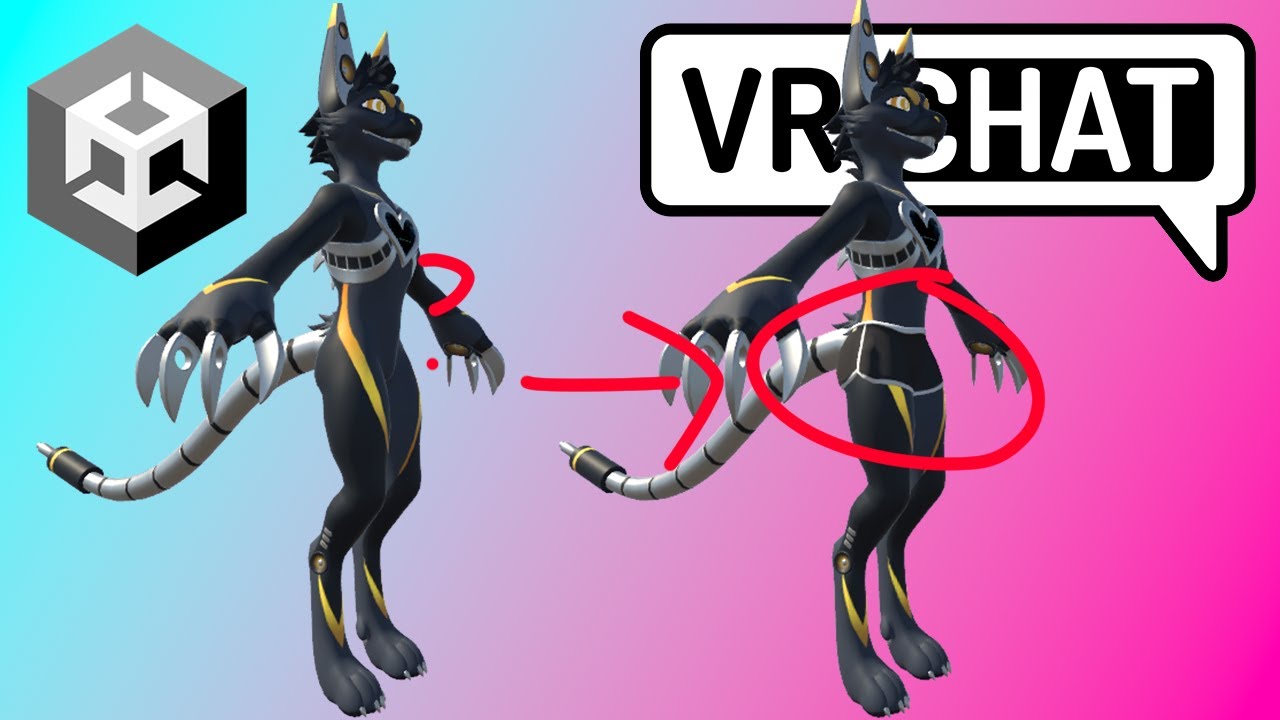
This Tutorial Will Show The Unity Process To Adding Clothing To Your Avatar!
If You Want To Toggle It Follow This Tutorial: https://youtu.be/089HQiyn6-E
Ampwave Avatar: https://jinapark.gumroad.com/l/JinsAmpwave
Hot Pants Asset: https://su5h1.gumroad.com/l/qrkhu
Join...
they seem to all unpack prefab?
magic slate
if you never want to update your FBX file, sure, yolo. But I never recommend it unless there's absolutely no other choice.
lofty locust
magic slate
if you never want to update your FBX file, sure, yolo. But I never recommend it...
i wont update the FBX file so im fine i think
lofty locust
then what's the correct way?
 toxic vale
how do i get rid of this shader (i got my model from vroid)

 night rapids
I've been unable to find anything usable by googling, so I thought I'd ask here: Are there any good ways to make sure physbones sync up between quest and PC versions of an avatar, when you have to remove some physbone components on the quest one. I have heard of a hack where you make the PC-exclusive ones using dynamicbone components and let them auto-convert, but this is far from optimal. I have tried fiddling with network IDs, but to no avail. Not even sure if they are supposed to work for avatars. All info on network IDs I find talks about it in the context of worlds.
magic slate
toxic vale
how do i get rid of this shader (i got my model from vroid)
find the material which uses the wrong shader and switch it to one that works. you'll have to look at them all.
lofty locust
magic slate
find the material which uses the wrong shader and switch it to one that works. ...
Shouldn't clicking select select the material with the wrong shader?
magic slate
Possibly yeah - sometimes you have more than one and sometimes it's not really clear which gets selected
 frozen orchid
Is there a way to fix the soulless eyes of most public platform avatars especially taidums because that kind of bugs me and it should bug most of you
 ancient verge
any suggestions that i should download for free or under the 40 euro
arctic slate
frozen orchid
Is there a way to fix the soulless eyes of most public platform avatars especial...
unless its an avatar you've uploaded/created yourself you cant really fix it
arctic slate
ancient verge
any suggestions that i should download for free or under the 40 euro
what?
 spiral pecan
Can anyone make me an avatar for free
magic slate
why would anyone do that?
spiral pecan
Idk to be nice I would buy the stuff tho
magic slate
want to come mow my lawn for free?
spiral pecan
Nah
 tall gust
I make avatars DM me if interested
magic slate
Be careful of scammers around here
sage arch
Ok so I uploaded an avatar and it said security checks failed idk what to do
magic slate
post a pic of the SDK control panel where it shows the stats