
#shaders
2 messages · Page 25 of 1
 past pewter
also shown in this image

I don't believe anyone had made requests for a ocean shader that was meant for view UNDER or IN the water, rather overtop
 leaden tartan
past pewter
Does anyone know of any water shaders that are specifically designed for the Use...
leaden tartan
past pewter
Does anyone know of any water shaders that are specifically designed for the Use...
Red_Sim's water shader supports Caustics and looks really nice under the water. Lots of customization. It's on his Patreon.
Can easily make it look like an ocean as well, with wave and foam settings.
past pewter
yesss amazin thanks u
ill have to buy that I hope its not too much
oh wow 5 bucks for the full version of it perfect
 glacial abyss
oh, no snell's window 😦
leaden tartan
Yea... If only. Would make it perfect. Your brain kinda goes "something is off" without that, but I haven't really seen that in other water shaders.
glacial abyss
It's kinda crazy how you can get like 3 out of any 10 features and your brain goes "ok, looks kinda like water"
past pewter
Oh hey its the ball pit guy
past pewter
past pewter
Oh hey its the ball pit guy

You spelled Online wrong
I know
people rarely notice thats the joke
I like to observe holes in human observation sometimes
That's one of them
👽
 raw perch
Hi, I am looking for a shader that is able to achieve a 3D sphere/planet effect, similar to the linked video timestamp. It should give this parallax effect on a 2D plane.

Pixar's Soul official movie clip + trailers starring the voices of Jamie Fox, Tina Fey, Ahmir "Questlove" Thompson, Phylicia Rashad, Daveed Diggs.
Clips are licensed from Disney. Please contact copyright@flicksandthecity.com for any issues.
PLAYLISTS YOU MIGHT LIKE
Pixar ► http://bit.ly/PixarVideos
Disney Animation ► ...
 bold iris
raw perch
Hi, I am looking for a shader that is able to achieve a 3D sphere/planet effect,...
bold iris
raw perch
Hi, I am looking for a shader that is able to achieve a 3D sphere/planet effect,...
have u tried experiementing with the poiyomi shader ? its deff 10/10 my favourite shader of all time to nearly anything, the thing with this shader is also that u get such as rim lighting with hue shifts, u can make emissions that are scrolling or coming from inwards kinda etc(which i though might could be used for what u're looking for)
i even used poiyomi on some of my springjoints to create fancy emissions inside
raw perch
bold iris
have u tried experiementing with the poiyomi shader ? its deff 10/10 my favour...
Ye, Poiyomi is a great and advanced shader, but I'm not sure that it has any effects for parallax fake-3D effects I'm trying to achieve there. Thank you anyways ^^
bold iris
like u could make a 3D Circle like a '' O '' then drag in a cube inside of it to fill the space u wanted 'animated' or how to say and then make the cube transparent, and layer it with different masks of ur wanting and then use emissions to make the effect
make sure the cube inside is transparent and no colliders ofcourse
poiyomi has 2 emissions which could create 2 layers of the paralax but from there u would be limitated / have to duplicate and make more to proceed the process
raw perch
Yeah, but the thing is I don't really have a sphere object, just a plane (the black hole in the ground like in the video), and I want this kinda fake-3D effect like you are looking at an actual sphere
bold iris
raw perch
Yeah, but the thing is I don't really have a sphere object, just a plane (the bl...
ProBuilder + ProGrids
its free and gives u so much more possibilities in form of.. like creating objects
it can also make sphere's, even hollow spheres
raw perch
I know how to make spheres etc. It's just I need to achieve this on a plane, that's it
bold iris
yeah i see, i prob cant help much i barely know what parallax fake-3D effects are tbh xD but ye i hope u find a way tho ^^
 little cape
Maybe this? https://s-ilent.booth.pm/items/2947697

A shader that renders a multi-layered parallax effect suitable for posters. To install, place the Shader/ folder with the shader into your Assets/ directory. This shader is licensed under the MIT license. Image assets are licensed under CC4.0-BY-NC-SA. In short, please use this poster as you like.
 sharp pike
raw perch
Hi, I am looking for a shader that is able to achieve a 3D sphere/planet effect,...
sharp pike
raw perch
Hi, I am looking for a shader that is able to achieve a 3D sphere/planet effect,...
Are you not able to use stencils for this? That's what's usually used when you want to be able to see a particular scene, but only when looking through a 'window'. In this case I have a 'window' just barely above the ground. The checkered plane is just standard shader, the 'window' is .poiyomi/Extras/StencilInvis and the space background and 'planet' are using poiyomi toon (poiyomi toon has all the same options as StencilInvis, StencilInvis is just a cut-down shader that doesn't render anything, but does give you easy control of writing stencil values). The 'window' sets the stencil value where it renders, in this case, it's a cylinder where the top is just barely above ground, and then the insides render ignoring depth testing, but with requiring the stencil value set by the 'window'. Since they are all separate objects in this case, I made sure they rendered in the correct order by increasing the render queue of their materials (planet>background>window>Geometry). I think if they're part of the same mesh, material slots with materials in the same render queue will render in the order of the slots, though I'm not sure, since I barely ever use stencils.
 raw perch
sharp pike
Are you not able to use stencils for this? That's what's usually used when you w...
raw perch
sharp pike
Are you not able to use stencils for this? That's what's usually used when you w...
That looks really promising, thank you!
raw perch
little cape
Maybe this? https://s-ilent.booth.pm/items/2947697
Thank you, I'll have a look
 mental crane
I've got this shader I downloaded, and for some reason it doesn't cast shadows, despite the model being set to cast shadows. Is there perhaps a line of code I can add to the .shader file to fix this? Tried looking it up and couldn't find a good solution.
 mental crane
Figured it out lol. Just had to change the fallback to "Diffuse" and add #include "AutoLight.cginc"
 tired token
mental crane
Figured it out lol. Just had to change the fallback to "Diffuse" and add `#inclu...
tired token
mental crane
Figured it out lol. Just had to change the fallback to "Diffuse" and add `#inclu...
Best to use Standard since Diffuse isn't in the client and won't fallback.
mental crane
tired token
Best to use Standard since Diffuse isn't in the client and won't fallback.
Ah, thank you! Seems to work the same as previously mentioned.
tired token
Yup
 fierce sorrel
I asked a question in #avatar-help , but I'll post it here too. My friend and I are making the same model with the same settings, same shader (alloy), and same version of unity+sdk.. yet his model is getting completely different results. There should be transparency here but there isn't for some reason. He has this issue with other shaders too, not just alloy. Is there any reason for this? We suspect it's a Unity issue.

This is mine for reference. There's a lighting difference between our projects, but lighting shouldn't be causing this since my models look fine in default Unity lighting. His issue also shows up when the model is uploaded to VRChat, mine is fine.

He is using transparency as am I.
Please @ me if you know the reason for this :0
 thorn moon
Does anyone know what the shader the "blind" avatars some people have is called? The one that makes everything black, save for what's in the radius of the spheres placed on the hands.
leaden tartan
thorn moon
Does anyone know what the shader the "blind" avatars some people have is called?...
Mochi's blind shader. It's available from his Patreon Tier 2 sub and DL through Discord. https://streamable.com/jupeb


Patreon
Become a patron of Mochie today: Get access to exclusive content and experiences on the world’s largest membership platform for artists and creators.
 daring lichen
hey, is there a way to only render something on the desktop view? I know there is unity_StereoEyeIndex for left and right eye, but what about flat-screen?
glacial abyss
daring lichen
hey, is there a way to only render something on the desktop view? I know there i...
(Under Scruffy Ruffles Utility Functions)
Note: this hasn't been tested in the newest version of VRC.
daring lichen
This should render to the flatscreen display, without appearing on either eyes, right?
glacial abyss
You could add a if( isVR() ) discard; in your fragment shader or if supported by your chosen SM, vertex shader.
daring lichen
I'm trying to display a hud on the desktop display, while the game is running in vr. doing if( isVR() ) discard; removes the hud entirely.
sharp pike
If you're not using the stream camera, then I guess the desktop view is still considered to be VR rendering. Perhaps you could use the ratio between _ScreenParams.x and _ScreenParams.y since the VR screen resolution is much wider than it is tall due to having both eyes next to each other? Or if you know ahead of time what the exact size of your VRC window will be, then you could check for exact _ScreenParams values? Though I wouldn't be surprised if there's a better solution that makes use of specific matrix values or a #define you can check.
I still find it weird that VRC (maybe Unity in general?) has a separate rendering for the desktop view instead of what other game engines apparently do, which is copying across part of the pre-warp VR display rendering. I struggle to find any info on how the desktop window display works in Unity. There's tons of misinformation everywhere saying there isn't a separate rendering for the desktop window, but there clearly is for VRC at least.
glacial abyss
I find it strange... if( isVR() ) should still return false when displaying on desktop. Maybe that's why scruffy uses this for IsDesktop.
bool isDesktop() {
    return !isVR() && abs(UNITY_MATRIX_V[0].y) < 0.0000005;
}
 worn moss
anyone know why this default unity shader for particles doesnt show up in mirrors and if there is a fix for it?

 ancient wigeon
Looking for a shader that turns a material to look like a bunch of mini circles that look like the mesh.
leaden tartan
worn moss
anyone know why this default unity shader for particles doesnt show up in mirror...
It's culling the backface. The mirror sees the backface and doesn't render. Use a shader that supports disabling culling.
worn moss
leaden tartan
It's culling the backface. The mirror sees the backface and doesn't render. Use ...
okay thank you, do you happen to know of any that allow for the Additive with the Overlay so the whites of the texture remain white? every other shader just kinda paints the whole texture whatever color
worn moss
For posterity, I managed to figure out why that shader in particular wasnt showing up. I unchecked Soft Particles and that made it show up in mirrors 🤷♂️
 vague pawn
Is there any possible way that result of "Neitri/Depth Mirror" which has inactivated object is shown for the late joiners?
The result of "Neitri/Depth Mirror" is kind of rebuilt geometry based on render texture. so I think new gameobject should be created based on that shader. Is there any possible way of that?
 safe geyser
Would any shader wizard be interested in helping me figure out a fix for silent's anisotropic hair shader? I'm poking at it myself but more experienced help would be appreciated
The issue is that it reflects oddly if there is no directional light present
It functions as expected with any directional light, even if the light is black
WIth maximum specular to help illustrate the problem, here's a scene with one directional light, slight yellow tint (the specular reflection accurately represents the direction the light is coming from)

Same scene with zero directional lights

Same scene with one directional light set to black

I'd like B to behave like C, instead of as if the viewer was a shiny white sun
daring lichen
is there any way to have a shader bypass all world postprocessing?
safe geyser
I am also interested in the answer to this question
Although "ignore" would probably be the more accurate term
safe geyser
Located the problem. In all fairness it's properly commented (thanks silent) I just didn't see it right away
past pewter
Not sure if this would fall under shaders but what would be the ways to create the effect of rain and rainclouds for Unity worlds? I would prefer the ways that look nicer even if they are heavier as the world is intended for very few users
also if anyone happens to know a good resource for 'realisitc' rain/thunder ambient noises that would be great
 storm ice
Does anyone happen to have a good HUD shader, maybe Errors shader? I tried the links on Google but they're dead
safe geyser
If the old forum link is no longer available I don't know of an official source
@pine ibex If you're alive - is it OK to distribute your HUD shader here?
storm ice
safe geyser
<@206450123117428749> If you're alive - is it OK to distribute your HUD shader h...
I actually managed to get the original download link via Waybackmachine archives
 storm ferry
Question! How do you exactly download Errors shader? Found the form on way back but I don't see a download link anywhere
 limber vine
safe geyser
WIth maximum specular to help illustrate the problem, here's a scene with one di...
limber vine
safe geyser
WIth maximum specular to help illustrate the problem, here's a scene with one di...
Is this supposed to be physically based?
or is it stylized
safe geyser
Those are actual screenshots from unity
Gregory: Glad you got it, I have it too, I just don't know if it's OK to distribute
storm ice
storm ferry
Question! How do you exactly download Errors shader? Found the form on way back ...
The download link is the thing that looks like an ad, the box that says download. It is actually the download lol
This thing
 storm ferry
Oh thank you!! I was confused at first as it looked... Well, like that xD


 lament wasp
hi, im trying to use a shader using ShaderForge but it seems like it only works with HDR off on the camera or only with directional lights.
Is there anyone who knows how to fix this?
storm ferry
anyone know of just a face camera that follows your avis head to see facial expressions?
 agile totem
safe geyser
Would any shader wizard be interested in helping me figure out a fix for silent'...
agile totem
safe geyser
Would any shader wizard be interested in helping me figure out a fix for silent'...
Theres hairshaders? Oo
safe geyser
https://gitlab.com/s-ilent/hair-with-anisotropy
I believe poyomi toon has a similar module too
little cape
storm ferry
anyone know of just a face camera that follows your avis head to see facial expr...

■導入手順 https://docs.google.com/presentation/d/1DIJxBg6PYJO8RhHwNQqH0dSFkjCAW2HFUrdlgvYJ0Qs/edit?usp=sharing ■テストワールド 本作品の試用が無料でできるワールドです! 購入前の動作テストにぜひおこしください! https://vrchat.com/home/launch?worldId=wrld_54086f8f-78ef-408c-b6ef-505e4cc0e186 ※本作品はアバターに仕込むツールです ※ワールドにあるSelfViewMonitorはワールド用に改造したものです
storm ferry
Thank you!!
I found one that seemingly works, though my head is chopped off so I'm not sure how to fix that lol
little cape
Might be showing PlayerLocal layer instead of MirrorReflection layer. PlayerLocal layer shows your avatar as you see it from 1st person view, with head bone scaled to zero so that it doesn't obscure your vision.
MirrorReflection layer is entire avatar as you see it in mirror.
worn moss
https://gyazo.com/ba373ddc8b8ea427b79ee80150dc3df5 Does anyone know if its possible to achieve this effect with a single material? This is using the Poiyomi Inside/Outside Stencil materials but I am trying to get one of these spheres to work as a particle but you're only allowed 1 material slot for a mesh particle
worn moss
doesnt work, because you'll still see the inside material that was my first thought but nah, needs to use stenciling
actually I might have found a way around the particle limiting a single material
 brisk gull
Yea, you need a custom shader for the particles for the 1 material one. Since culling is off for the normal ones, I believe.
Forgot I had a shader that had culling modes on my avatar that I was thinking of
worn moss
okay I found a work around, instead of a single particle with one mesh and 2 materials, I did 2 particles that each spawn a sphere, one with the outside material that stencils out the slightly smaller one inside with the other material 🙂
awesome. ive been trying to figure out how to do a basic hit detection system for avatar guns forever. Still gotta deal with VRC's horrid server syncing but its better than nothing
 storm ferry
little cape
Might be showing PlayerLocal layer instead of MirrorReflection layer. PlayerLoca...
storm ferry
little cape
Might be showing PlayerLocal layer instead of MirrorReflection layer. PlayerLoca...
That's what I assumed too! Though I deleted PlayerLocal from the layers and set to UI/Mirror on the camera, though it's still stuck lol
 astral plover
storm ferry
That's what I assumed too! Though I deleted PlayerLocal from the layers and set ...
astral plover
storm ferry
That's what I assumed too! Though I deleted PlayerLocal from the layers and set ...
Make sure it's the correct layer number rather than the name. Unity doesn't use names to determine layers, it uses the index number.
I don't remember off the top of my head which layer number mirror reflection is but they are correct in that that is the layer you need to make the camera see.
little cape
It's layer 18
safe geyser
Asovrix, any idea which layer someone might have put world terrain in?
I will eventually set some time aside to test one by one but it would help if someone just knew
storm ice
 frozen plank
Is that supposed to be a halo bubbleshield? Also, is that on an avatar because that looks like the Among Us map.
safe geyser
Terrain was in layer 25, could be a world specific thing
safe geyser
Anyone experienced with setting up audiolink on silent's cel shader?
 narrow juniper
question: does VRChat support using _CameraDepthTexture in shaders?
having some trouble getting it to work
 undone hound
narrow juniper
question: does VRChat support using _CameraDepthTexture in shaders?
undone hound
narrow juniper
question: does VRChat support using _CameraDepthTexture in shaders?
to enable this the easiest way you will need to add a directional light
here is a reference on how to make it happen with the smallest performance hit:

source for the image: https://github.com/netri/Neitri-Unity-Shaders#types
narrow juniper
I am a bit confused, I am trying to get a depth texture for the view
something like this:

this is also for world design, not avatars
I am writing my own shader also, not using Neitri
but if I understand this correctly, it it just doesnt render it cus no realtime light is enabled?
yeah, this did seem to do something xD
perfect, thank yoU!
undone hound
you are welcome!
 tribal flame
I need a refractive glass shader [Unity 2019].
narrow juniper
ok, I am completely lost with this, so, I am rendering a "dot" of lasers where they intersect with meshes to make them look more realistic, and I use the DepthBuffer (as mentioned previously) to achieve this
for some reason, my ground shader does not seem to end up in depth buffer within VRChat but other meshes (with a different shader) do, and I am completely lost
this works 100% fine within unity
looks like this in unity, all seems to be fine

looks like this in vrchat, the bench is fine, but no dots (so no depth buffer) on the ground
 narrow juniper
some digging has shown that using the unity standard shader, or many other shaders including for instance Poiyomi will work just fine, but as soon as I try to make a new basic Standard Surface shader, it does not show up in depth buffer within vrchat
narrow juniper
so, the solution was to simply use Amplify Shader Editor to create the shader, whatever
 narrow juniper
to extend on this - anyone knows if there is a way to fix the depth buffer on the vrc camera? my shader seems to be using the one from my viewfield when viewed through vrc camera
leaden tartan
narrow juniper
to extend on this - anyone knows if there is a way to fix the depth buffer on th...
This is a current bug with the new camera. Depth effects will break as you've described. It can be fixed by toggling autofocus off/on as this bug relates to how they are doing autofocus.
narrow juniper
thank you!
 stable plover
I'm using a 3rd person camera for my avatar here. The pause menu is always in front of my avatar's face rather than my screen. Is there a shader that projects the UI/pause/menus/etc. onto the screen and the camera's target texture right below it? This should only be available for the wearer and it shouldn't crash anyone; whether me by a camera>texture>shader>camera recursion or someone else by forgetting to implement disabling of the shader with a IsLocal safeguard.

 velvet sorrel
frozen plank
velvet sorrel
frozen plank
Use a fade by distance node and get the min/max. You essentially need to check the distance between the depth position and depth position and min/max it with your fresnel
velvet sorrel
safe geyser
Located the problem. In all fairness it's properly commented (thanks silent) I j...
Feel free to submit a pull request or something, I haven't updated Hair with Anisotropy for an embarassingly long time so any push to work on it would be appreciated!
 pulsar flume
hey does anyone know how to create a screen shader and have it only apply to my camera? unfortunately I haven't really been able to find any useful tutorials on screen shaders. I wish to create a zoom screen shader that of course only affects my avatar and will allow me to zoom in and see things far away (kind of like minecraft optifine zoom). I also want to try and create a HUD shader that'll show my current real world time. if anyone have any guidance or resources I could look at for more information then please let me know
pulsar flume
stable plover
I'm using a 3rd person camera for my avatar here. The pause menu is always in fr...
btw if you ever find a solution I'd like to know. I tried to do something similar a while ago and the best I could get was to use a second camera to render the UI but it didn't line up correctly wasn't following the screen properly
stable plover
pulsar flume
btw if you ever find a solution I'd like to know. I tried to do something simila...
The way I see to go around this is to have one huge locally enabled cube which has a shader that renders the target texture of the camera right below the UI. No cameras for the UI, no stamping of a large plane in front of wherever the avatar is assumed to be looking, but only through the shader. I can enable the cube locally, yes, but I don't know how to make a shader. I've seen this done before on YouTube tutorials, but nobody has ever given the solution. There is some very old implementation by Error in their HUD thing which has a viewport, but I don't think it will work since it's so old and since it requires somehow encapsulating the existing project into another project. It's so weird and it sounds like it could break something seriously in the current version.
pulsar flume
stable plover
The way I see to go around this is to have one huge locally enabled cube which h...
tbh I never thought about using a screen shader for that purpose but I also saw a video of someone using it for a HUD UI so I guess it makes sense that it could work but tbh I don't know how it works either. but I've only just discovered that HUD shader on youtube today so maybe I'll look into more on it. but there ain't a lot of learning resources on the topic so it's kind of difficult to find any information on
safe geyser
I have binoculars in my version of the HUD shader. I use a forward facing camera -> render texture -> big HUD panel and then animate the camera's FOV using the controller trigger, but of course it's not as nice as if you could just zoom the main camera
Let me know if you figure it out too
 true cosmos
This is a kind of a long shot but it's worth the try, hope this is the right channel for it. I'm looking for a shader that has an effect with a still background image regardless of the avatars movement, kind of how the animation on the animated show chowder worked, with a background image with the characters overlaid on top.
 brazen jackal
true cosmos
This is a kind of a long shot but it's worth the try, hope this is the right cha...
brazen jackal
true cosmos
This is a kind of a long shot but it's worth the try, hope this is the right cha...
For clarification, you're looking for a premade shader that would use a 2D texture, and create a cut-out like effect, similar to using env map?
true cosmos
Yes , or a way to make one, i swear I've seen it on a avatar before
 bitter bane
true cosmos
Yes , or a way to make one, i swear I've seen it on a avatar before
bitter bane
true cosmos
Yes , or a way to make one, i swear I've seen it on a avatar before
If it's what I think it is, then poiyomi has it, pretty sure it is the Parallax settings. Silents shaders probably has it too.
narrow juniper
question: is there a way to detect that rendering is done in a vrc mirror and disable depth buffer effects?
maybe some global variable I can read in the shader
safe geyser
 spice tide
Does anyone know what the render queue number is that the new camera operates on?
I'm having depth issues with some shaders, but only when taking photos. The actual view and screenshots don't have depth issues.
safe geyser
I don't know, but out of curiosity what queue priority are those shaders using?
leaden tartan
spice tide
Does anyone know what the render queue number is that the new camera operates on...
There is a bug with the current implementation of the camera that breaks depth based effects in the camera/photo.
This bug is relating to how autofocus is done and can actually be bypassed by toggling Autofocus off and then on again.
https://feedback.vrchat.com/bug-reports/p/1151-depth-effects-break-with-new-camera-update should upvote.
 true cosmos
bitter bane
If it's what I think it is, then poiyomi has it, pretty sure it is the Parallax ...
true cosmos
bitter bane
If it's what I think it is, then poiyomi has it, pretty sure it is the Parallax ...
Is it a non pro feature?
leaden tartan
true cosmos
Is it a non pro feature?
Yes Parallax is a non pro feature that is included in Poi Toon
true cosmos
Awesome, ill try to see if its the one im looking for
spice tide
leaden tartan
There is a bug with the current implementation of the camera that breaks depth b...
Ah ha! Will very much upvote that then. Thank you~ ¦3
true cosmos
bitter bane
If it's what I think it is, then poiyomi has it, pretty sure it is the Parallax ...
It achieves the effect i was looking for if not a little toned down, thank you~
 sage summit
hi, how to show 2 faces material? i use poiyomi toon

opaque vs cutout is no helpfull
 split girder
sage summit
hi, how to show 2 faces material? i use poiyomi toon
split girder
sage summit
hi, how to show 2 faces material? i use poiyomi toon
At the bottom, rendering options > Cull > Off is what you're looking for i think ?
sage summit
split girder
At the bottom, rendering options > Cull > Off is what you're looking for i think...
It works! Thank you so much 
 polar flume
Hey guys, real quick question, does anyone know what the name is for that material/shader that makes the object look like it is moving along a texture?
I cannot for the life of me remember
bitter bane
polar flume
Hey guys, real quick question, does anyone know what the name is for that materi...
Possibly a parallax effect, Poiyomi Toon Shaders has it as an option, as well as a lot of other things that might actually be what you want. Silents Shaders also might have it but I've not checked
polar flume
it's kind of like parallax except instead of being a bunch of different layers, it's just the flat texture
it was like stenoscope or stethoscope or something like that
bitter bane
I still say check Poiyomi, there are so many effects you can do, it would at least get you knowing the name of the effect if it has it
polar flume
aight... i swear it was default in the sdk or something though
cheers for the pointer
bitter bane
Ive never messed with any effect like that so it very well could
 hasty raven
you know what I wish? that there was a way to make the unity shaders close to the ones we have in blender 2.93 with color ramps of each texture to make it feel like the real deal
you see, I was testing out accuracy for the Five Nights at Freddy's characters, Freddy being a good example of one

and I got this
if anybody wants to recommend a better shader please tell me now so I shall consider it
safe geyser
On the PC?
There are shaders with color ramps on unity
You did not say which shader you're using
past pewter
hmm any idea about where to download this shader? QuantumShaders
bitter bane
Did you Google it?
past pewter
yep i get nothing
bitter bane
past pewter
yep i get nothing
It looks like you'll need to find the discord for user QuantumHero, but I tried and didn't see where or if the person is even still active
 burnt fulcrum
I have a shader that produces some rainbow effect, but it seems to be different in both eyes.
I have a basic understanding of programming but struggle to understand shaders specifically a lot.
Can anyone here begin to start helping me diagnose and fix that?
 void mulch
Hi I'm making a experimental raymarching shader.
Right now it is using a normal unlit shader and thus it is limited to the objects bounds.
I have seen screen space effects in vrchat but can't find anything on how they are achieved.
One thing I found was on reddit and that did not have any useful answers just people saying that its obnoxious and that they should not add it and with that I agree.
But as my thing will not be my main avatar and it will most likely not be obnoxious. could someone please tell me how the screen space effects can be made from scratch? is it something already in unity?
 glacial abyss
I recommend not doing it in screen space, otherwise even when it's very small on some people's screens, it will force everyone in the instance to render the whole screen's worth of pixels.
This is will hurt everyone's framerates signfiicantly.
However! What you CAN do is make your volume large enough to encompass all that you would want to render.
And if you render backfaces instead of front, you can go "inside" the volume to see everything.
void mulch
It will be capped at a certain distance plus ill use the depth buffer if possible for occlusion
glacial abyss
Early z cull is not as effective as you may expect.
void mulch
hmm okay
glacial abyss
And it varies between hardware.
void mulch
glacial abyss
And if you render backfaces instead of front, you can go "inside" the volume to ...
ill use this
Thanks!
glacial abyss
If you really do need it we can chat for a bit, it's not hard to expand a quad to cover everyone, within view's whole screen.
But, I strong advise against it.
glacial abyss
Github is down right now, but when it's up I'll link you some code.
void mulch
Alright thanks!
glacial abyss
I aim to make shadertrixx pretty much a compendium of shader knowledge from the shader people's discord.
void mulch
Nice
 crystal stone
Does anyone know how to stencil the outline along with the mesh using ASE
 past pewter
yo wtf
 proven moat
I love men
 glossy sky
hilarious
 fallen ether
bRo
 signal flame
aa
 lofty lynx
Bruh what the fuck stop
 hard willow
Wooah
 signal grove
rad
 cobalt trellis
what
signal grove
im good how r u
 quick berry
stop or i will stab everyone here
hard willow
Impressive
cobalt trellis
i’m good thanks for asking
 stuck haven
bruh
proven moat
I'm quit good today thanks for asking
 hallow nest
facking returds
hard willow
Holy
past pewter
Nice.
 limber gulch
😂
cobalt trellis
i’m good thanks
 sour spear
thank god
 stark belfry
what the fuck
 glossy sequoia
Tf
past pewter
reeee
 hybrid magnet
um...?
 short raft
💀💀💀
quick berry
MODS HELP
stuck haven
shaders for vrchat? since when?
 maiden pumice
😩
 terse wraith
Uh oh
past pewter
How are you doing today @buoyant loom
 fluid crest
I'm doing great! A lot better than you, probably. How are your parents doing? Still dissapointed in you? Oh well, keep at it, they'll come around eventually! Have a nice day!
 sage solar
…?
 vagrant moss
um, anyone else get pinged?
 void solar
velvet sorrel
void solar
velvet sorrel
Yeah, there's some kind of raid going on but the bot is cleaning it up
 steep acorn
big sad.
 paper jasper
Did someone individually ping every single username?
 uneven loom
there was a bunch of spam Bots
 ancient garden
Oh I thought it was a notif
 north robin
Who pinged me?
 analog tiger
brazen jackal
analog tiger
brazen jackal
I've been at this way too long. I'm trying to make a shader repeat part of a texture (on the x coord) and ignore the rest. This function should work, right? float xCoord = modf(uv.x, cellWidth); It should (effectively) move any uv coorinates to a range between 0 and cellWidth. For example, 0.625 should be changed to 0.125 if the cellWidth is 0.5, or -0.125 being changed to 0.375 if the cellWidth is 0.5. Am I missing something here?
Even when entering a cellWidth of 1.0f, I seem to be getting values above 1.0, or below 0
nvm. Figured it out. modf doesn't work with negative numbers.
glacial abyss
@brazen jackal you are missing the most important trick: https://github.com/cnlohr/shadertrixx#the-most-important-trick
#define glsl_mod(x,y) (((x)-(y)*floor((x)/(y))))
Note that on HLSL, this, at worst is the same number of instructions as modf, at best it can be even more concise. Don't let the verbosity fool you.
That makes negatives work in a sane way.
brazen jackal
Thank you!
hasty raven
I've got a question for everybody
Is it possible to mix a fresnel color with a mask to make stuff more accurate?
Like the Five Nights at Freddy's models?
 amber oasis
Anyone know that shader that makes avatars look blocky? Sorta like PS1 or something
uneven loom
that would be on the modeling not something a Shader could do
amber oasis
No, theres a shader that does it. Makes it look kinda wobbly
I found out Poiyomi can do it
leaden tartan
amber oasis
No, theres a shader that does it. Makes it look kinda wobbly
Pretty sure this is what u want.
PSX Retro Shader
https://github.com/dsoft20/psx_retroshader
GitHub
Shader that "emulates" the rendering style of ps1. Contribute to dsoft20/psx_retroshader development by creating an account on GitHub.
The PSX shader will make things kinda shake like old playstation 1 games and pixelates things. My guess is that's what you're talking about. I've used it a lot in vrc and it works good.
amber oasis
leaden tartan
Pretty sure this is what u want.
PSX Retro Shader
https://github.com/dsoft20/...
Yoooo, thanks man
astral plover
Anybody know what could be causing this? It's not Mipmaps, or nearby colours in the UVs... https://cdn.discordapp.com/attachments/602917015883350041/915397385524490300/unknown.png

Hair islands are completely isolated
 thorn moon
Anyone got a recommendation for a snow shader similar to this one - https://booth.pm/en/items/1677650 - that can take a ground shape that isn't a quad square? I've got a rounded area I'd love to fill with snow, but that's not exactly doable with a rectangular quad mesh.

- 内容 - 雪ジョンシェーダです。 次のようなパッケージ構成を持っています ahzkwid_simple_snow_shader.unitypackage 商業的利用が可能で、もちろんブースでモデルに追加して販売も可能です。 このファイルを使用することで起こる問題と損失に対して責任を負いません。 他人を気持ち悪くできるコンテンツ(宗教的、政治的、詐称、詐欺)や不当に差別もしくは誹謗などの利用を禁止します。 著作権者の名誉と信用を毀損する目的の使用を禁止します。 - お問い合わせ - twitter:@ahzkwid https://twitter.com/ahzkwid
uneven loom
dumb suggestion you just make the quad bigger than your play area on your map
as like any Shader like that is probably going to have a square shape to the tracking area if it's using a camera to handle where people have gone on the snow
thorn moon
Yeaaaah, that's not gonna work. It's what I'd do if I could but...
 uneven loom
okay fair that's a bit more complicated
wouldn't hurt just to see what happens if you put the Shader on your ground
leaden tartan
thorn moon
Yeaaaah, that's not gonna work. It's what I'd do if I could but...
The example uses a quad, but a quad isn't needed. It's okay if the camera extends past the bounds of your map. Just remove the default cube and replace it with a cylinder or literally just dupe the floor of the world in blender and use that, you may need to tweak the settings on the material slightly, but the material can be used on bout any mesh
thorn moon
I'll give it another go then, cheers.
leaden tartan
thorn moon
I'll give it another go then, cheers.
Depending on your mesh, you may need to edit the shader, line 11, change the max value for how tall you can make the snow from 1 to idk whatever, I had to up it to 5 to be thick on my cylinder but it worked fine otherwise.
 thorn moon
Height's no problem, it was just the general shape giving me issue.
leaden tartan
thorn moon
Got it working!
uneven loom
nice have a screenshot?
astral plover
tired token
If you increase Aniso on the texture does that help?
It doesn't help past 1.
 rich plover
can you animate anything shader keyword related with 3.0 or how does that work? such as if you have different color modes or etc and that can be changed via a custom editor,
safe geyser
Create one material for each variant and swap the material
 wooden mango
how do artists generally achieve a cel-shaded look using quest shaders?
sharp pike
With a matcap that looks like cel-shading I think
 still fog
Anyone have outline shaders for quest??
sharp pike
You can't use custom shaders on quest avatars so there aren't any. You can either use a matcap that has a black or dark edge (looks a bit different), or create an inverted hull manually in blender, what outline shaders normally do for you, where you duplicate all the polygons in your mesh, fatten the duplicates slightly and then flip the normals (this effectively doubles your polygon count)
 lusty valve
I built a pretty nice rainy glass shader using Amplify Shader Editor. It works great on PC, but on the Android side, it simply doesn't appear at all. Is there a safe way of translating an Amplify Shader to make it compliant with VRChat's Android shader restrictions?
lusty valve
The only particularly weird thing the shader is doing is using a grabpass to fake refractions. It's otherwise just some texture tricks.
I feel like I've seen other people get rain shaders working on Quest... I just don't know how to get an Amplify shader to translate, if it's at all possible.
little cape
From what I know you should not use shaders with grabpass on Quest, since they will make one eye render black.
lusty valve
is there another effective refraction fake for quest?
undone hound
yes, asovrix is right
i would avoid refraction on quest, it does not perform well with transparency reliant shaders
i never tried this on quest, but you can try https://gitlab.com/s-ilent/fake-glass
sharp pike
Yes, Silent's fake-glass uses the reflection probes rather than a grab pass so is much more performant in general. Just note that normal transparency isn't available on quest avatars for a reason and while it may be allowed on worlds, it's advised that you don't use it. From the vrc quest content optimization documentation:
You should avoid needing transparency completely. Alpha fill rate is a significant performance sink for mobile GPUs, so design around not having transparency whenever possible.
astral plover

My one friend sees my avatar like this. Is this a GPU error?
Nobody else sees it
lusty valve
undone hound
i never tried this on quest, but you can try <https://gitlab.com/s-ilent/fake-gl...
thanks for this. i can reverse engineer his reflection lookup and use it with my rain textures... it's looking very promising
undone hound
lusty valve
thanks for this. i can reverse engineer his reflection lookup and use it with my...
you are welcome. silent is she/her
 grizzled plover
Hey everyone ! I'd need some help with a shader. Would anyone know why my shader is doing that ? : ( lights casting though ears )
 safe geyser
Transparency?
grizzled plover
I'm rendering as opac so i don't think ( unless i messed up of course )
brisk gull
Which shader?
safe geyser
That was going to be my next question
Regardless, you can probably prevent this by adjusting the render queue priority at the bottom
But yeah, it's hard to tell what the shader's doing without knowing which shader it is
grizzled plover
I stripped the shader to make it as simple as possible and it's still doing it:


( sorry i tried copy/pasting as text but the bot told i was spamming, so picture it is ^.^ =
 hexed garden
grizzled plover
I stripped the shader to make it as simple as possible and it's still doing it:
hexed garden
grizzled plover
I stripped the shader to make it as simple as possible and it's still doing it:
almost looks like a messed up shadowcaster pass, try adding a pass like this to your shader
        Pass
        {
            Tags {"LightMode"="ShadowCaster"}
            Cull Off
            CGPROGRAM
            #pragma vertex vert
            #pragma fragment frag
            #pragma multi_compile_shadowcaster
            #pragma multi_compile_instancing
            #include "UnityCG.cginc"

            struct v2f {
                V2F_SHADOW_CASTER;
                float4 uv : TEXCOORD0;
            };

            v2f vert(appdata_base v)
            {
                v2f o;
                UNITY_SETUP_INSTANCE_ID(v);
                TRANSFER_SHADOW_CASTER_NORMALOFFSET(o)
                o.uv = v.texcoord;
                return o;
            }

            float4 frag(v2f i) : SV_Target
            {
                SHADOW_CASTER_FRAGMENT(i)
            }
            ENDCG
}```OMG it works !!! Thank you thank you thank you thank you !!!!! ♥️
past pewter
Anyone know a shader that allows emission and doesnt look bad on quest
sharp pike
For avatars I guess the only option is Standard Lite. Kind of weird that there's no unlit shader for quest avatars, I get that it can be painful on the eyes in VR when its on an entire avatar, but it should be the cheapest shader to render and it would be effective as an emissive shader.
 subtle ingot
Kinda new to writing shaders and compatibility seems kinda weird. For use in PC vrchat, can you write shaders in shader graph through the Unity Universal Render Pipeline or do you need to write all shaders in hlsl?
I get that the shader graph basically just simplifies and visualizes hlsl for node work but I don't know if you can use the shaders as is after making them with URP
brisk gull
URP is another render pipeline, doesn't work. Game uses built-in.
You can make shaders in;
Shaderforge, Amplify, HLSL
subtle ingot
are shaderforge and amplify tools for working in hlsl or are they something completely different?
subtle ingot
Ah ok. I tried making a shader or two in visual studio but I couldn't get a hold of what was going on in the tutorials.
At least not enough to apply ir for myself
Nodes will be a real help. thanks
 winged pagoda
how to make emission on quest?
winged pagoda
leaden tartan
<a:shaderspinner:668308535100309504>
what server is that emoji from
past pewter
Standard lite looks like ass
subtle ingot
shader forge makes me so angry but amplify costs money!
the tools are mostly functional but unity compatibility is so messed up. That's fair though since it's not being developed anymore.
agile totem
sharp pike
For avatars I guess the only option is Standard Lite. Kind of weird that there's...
MatcapLit?
sharp pike
No, as the "Lit" implies, that shader responds to lighting. The matcap part of it is simply multiplied with the texture.
leaden tartan
Indeed. Standard lite is the only option as if you give it an emission and remove reflections and specular you basically are left with unlit.
 slender plume
hey so im having a little bit of an issue and im not sure if im just dumb but can somone help me ?
leaden tartan
slender plume
hey so im having a little bit of an issue and im not sure if im just dumb but ca...
Don't ask to ask, just ask :3
 slender mountain
Hi, everyone! I'm having an issue with a water shader that I'm trying to use in a world I'm building. Since VRC uses forward rendering I think I need to add a special script that they've given me for a depth texture. Their instructions just say to add it to the camera. Otherwise the water is invisible. When I add it to the "Main Camera" in the scene then it lets me see the water in Unity but not when I upload the world.
Does anyone know where else I can add that script so that it's visible correctly in VRC?
This is for the Lux Water Shader.
 stiff berry
slender mountain
Hi, everyone! I'm having an issue with a water shader that I'm trying to use in ...
stiff berry
slender mountain
Hi, everyone! I'm having an issue with a water shader that I'm trying to use in ...
Directional lights with shadows enabled can generate the depth buffer, and also some post processing effects. Read the bottom of this page https://github.com/Xiexe/XSVolumetrics
GitHub
World of Warcraft inspired Volumetrics that hold up well in VR with small cost to performance. (You have to not be dumb when placing it though :P) - GitHub - Xiexe/XSVolumetrics: World of Warcraft ...
that explains how to enable it with minimal impact to performance
slender mountain
stiff berry
Directional lights with shadows enabled can generate the depth buffer, and also ...
Oh, hi Toocanzs! It's been a while. I hope you're doing well!
Also thank you. I'll try that.
slender mountain
stiff berry
I'm doing well
I'm really happy to hear that. I still use that leash shader you made for me. ❤️
agile totem
standard eats matcaplit help
what am i doing wrong here?


yeah standard doesnt like matcaplit. using standardlite fixed it
agile totem
grizzled plover
Hey everyone ! I'd need some help with a shader. Would anyone know why my shade...
did u fix it? try standardlit instead of standard
 naive wagon
i can't seem to find the billboard shader to add to my sprite, i'ma need help for this
naive wagon
well, got it working, but using the shader, there's no cutout option to remove unnecessary background of the sprite
naive wagon
i'm looking for a billboard shader that supports cutout
 granite jolt
Anyone know a good shader that cant take substance painter realistic skin? since this is what it looks like in substance painter. Any good shaders to make it look almost like this? other than the standard or autodesk material.
 uneven loom
the standard one should work unless you're doing like subsurface scattering which I'm not particularly seeing any in the screenshot
astral plover
Reros standard or mochies
 thick tendon
 limpid bronze
Is there a way to test the shader fallback system without spooling up an alt account on another PC and joining the same world?
limpid bronze
Matcap is listed as one of the supported fallbacks, but _MatCap isn't listed as one of the copied parameters. Does it not get copied over? I can't get it to work.
 carmine edge
Did I do something wrong after I imported?

 fringe sand
To me, it just looks like you haven't added the textures to the materials on the model.
carmine edge
I have the texture file for the model
fringe sand
Sometimes if the textures don't show up on the model, you have to extract the materials in your Unity project and apply the textures to the model.
 fringe sand
Click the model fbx file, go to the materials section on the right, and click extract materials.
carmine edge
Isnt the fbx file located at import?
fringe sand
It's the model that you dragged into the Unity scene.
carmine edge
Oh
fringe sand
Yeah
carmine edge
Where do i find the material section?
fringe sand
It's on the right. You should see a section called Materials, click that.
carmine edge
 fringe sand
Click extract materials
carmine edge
I tried and it says the samething
Ill show you

it doesnt show the texture since the file is blender
fringe sand
Wait a moment, the model is a blend file? You need to export it as an FBX.
 fringe sand
Is the model in Unity an FBX or is it a blend?
carmine edge
Blend. I should have said something specific

so is there something that I missed before I fbx
fringe sand
You need the model to be FBX or DAE for Unity to properly load the model. If you have Cats Blender Plugin, it should have an option to export the model as an FBX.
carmine edge
I have cats plugin installed
fringe sand
Then all you have to do is bring up the tool menu for it to export the model as an FBX.
carmine edge
this right?
 fringe sand
No
carmine edge
I clicked on the tool menu
fringe sand
There is a standalone section calls Cats
carmine edge
at cats
fringe sand
There should be a thing in the cats section called export, you click that.
carmine edge
 fringe sand
Just click continue to export.
fringe sand
Now you should be able to extract the materials from it.
carmine edge
got a error message since the texture isnt there. So its on blender
 fringe sand
Like I said, you have to extract the materials from the fbx and apply the textures to the material.
carmine edge
ok
carmine edge
I looked it up and found out that I didnt saved the picture
carmine edge
so I am wondering about the face
 fringe sand
You look to be missing eyelash textures, and you need to make sure to set the eyelash material to fade.
 steel nebula
Does anyone know how to make an avatar go invisible by dissolving away.
Is it a shader or is it a plug in that you download
naive wagon
can i get some help with a shader? I want to use a billboard with a cutout option of a sprite for my world, and the one i have does not include the cutout option

 fringe sand
Did you make sure to set the material for the eyelashes and eyebrows to fade?
past pewter
Is there a shader that can constantly and randomly go through a series of textures, also at random speed intervals if possible? Say like a shader that I can plop 5 textures in and it cycles through them every .5 seconds for the Albedo
glacial abyss
I don't think any out-of-box, but it is particularly easy to do this. You can right-click, make a new "Surface Shader", then copy the _MainTex property several times (wherever it's referenced) And name them _MainTex0, _MainTex1, etc...
Then, you can write something like
float looptime = mod( _Time.y, 50 ); // Makes a number count of 0..49.999 in seconds
int image = int(looptime / 10.0); // Makes
if( image == 0 )
   c = tex2D (_MainTex0, IN.uv_MainTex);
else if( image == 1 )
   c = tex2D (_MainTex1, IN.uv_MainTex);
... etc
You're likely to have some bugs but I'd rather go into teach-a-man-to-fish mode @past pewter if you're up for learning.
past pewter
glacial abyss
You're likely to have some bugs but I'd rather go into teach-a-man-to-fish mode ...
sure why not how hard can it beeeeeee
that was sarcastic but im still willing
glacial abyss
 past pewter
is the ... etc part of the code
or
thats just implying more lines of the same code right
past pewter

now there r 3 slots for albedo texture in the material settings
they dont work but they exist
I BROKE IT
glacial abyss
Correct! You will need to add more sampler2D _MainTex1, _MainTex2...
glacial abyss
past pewter
I BROKE IT
You will do this a lot. For even a slightly complicated shader, several hundred times.
Relax, errors are your friends, acting as guard rails on this mad ride we call life.
past pewter
oka
i trust

this is def not where its supposed to go
I wouldnt put it directly under the property would i
I cant figure out where to place the logic

english?
HELP
its something with struct
these errors are hyper specific https://forum.unity.com/threads/surface-shader-with-structuredbuffer-error-solved.458403/

Unity Forum
Hi,
How can I use Surface Shader with StructuredBuffer input?
Shader "Custom/DirectX 11 Diffuse Mapping" {
Properties
{
_MainTex...
glacial abyss
ah! so!
Your code needs to live in the surf function
outside that you can only have definitions.
past pewter
ah okok
glacial abyss
see past line 49
past pewter
under void surf? ok
glacial abyss
yep
past pewter
it didnt work so I made a whole new shader and copied the naming conventions you did and its still breaking


like the _MainTex0 and _MainTex1
 past pewter
oh between them?
glacial abyss
yep
semicolon says like "I'm done with this thing totally"
whereas comma kinda says "more coming"
 glacial abyss
So, to keep things simple, after thinking about it, I recommend keeping _MainTex, and just adding _MainTex1, _MainTex2, etc.
it's a quirk of the way the surface shaders work.
past pewter
ah ok
glacial abyss
On many of mine, I just keep a _MainTex so I get access to uv_MainTex
past pewter
would I also have to say _MainTex1 somewhere too
why tf is visual studio not making fixed5 blue
i t nedds to be blue to work
oh fixed 5 isnt a thing
not 5 dimentions
2 seeds is unesseccary
it doesnt like your code

wt tf does it want me to declare about it

do I just do #define mod
what the fuck it actually worked
50 seconds is insanely long so im just going to make that 1 and hope no breaky
its not changing in play mode

did you intentionally make the code broken
I changed it to frac(_Time.y / seconds) past looptime =
now there r no errrs but it still doesnt change between the 2 images i placed in the material settings
in play mode when I let it sit
why tf is it dividing looptime by 10 how is that going to make an integer
i have this so far
 glacial abyss
sorry back
past pewter
ur fine
 glacial abyss
I shouldn't have said mod, I recommend using glsl_mod, normally, it actually translates to the minimum representation.
#define glsl_mod(x,y) (((x)-(y)*floor((x)/(y))))
you can paste that in the area above.
past pewter
so I should go back to using mod and not frac
glacial abyss
if you say frac(_Time.y/1) that's going to cause looptime to reloop every second. It will never exceed 1.
I recommend using glsl_mod
frac will keep your value between 0 and 1.
past pewter
oh ok
glacial abyss
with glsl_mod, you can say glsl_mod( number, 2 ) and it'll go 0 up to 1, then when it hits 2 it'll go bac kto 0.
past pewter
ooh ok and then what does the y mean in the _Time
because i saw a post and it said x divided by 20
for some reason
glacial abyss
yep
Look there for some of the things you get access to. _Time looks weird, but it's reasonably good.
past pewter
and if I do just _Time then its just time thats it nothing facy
OH its 20 because 1/20 of a second is a tick
glacial abyss
I didn't know that.
Anyway I normally use _Time.y because I think in seconds.
How is the fight going?
past pewter
its not working
or wait
wait
why is the logic dividing looptime by 10
when a float is taken as an int does it round to the nearest whole number
glacial abyss
not nearest
lowest
it's the same as floor(x)
Can you copy-paste your code, as it stands?
And I can review it?
past pewter
        int image = int(looptime / 10); // Makes
            if( image == 0 )
        c = tex2D (_MainTex, IN.uv_MainTex);
            else if( image == 1 )
        c = tex2D (_MainTex1, IN.uv_MainTex);
}```how long is it supposed to take to change the texture
i need > and < signs its going to hit exactly 0 and 1 for like 0.00000001% of the time I see this
        int image = int(looptime / 10); // Makes
            if( image >= 1 )
        c = tex2D (_MainTex, IN.uv_MainTex);
            else if( image <= 1 )
        c = tex2D (_MainTex1, IN.uv_MainTex);
}``` float image = float(looptime / 10); // Makes
if( image >= 1 )
c = tex2D (_MainTex, IN.uv_MainTex);
else if( image <= 1 )
c = tex2D (_MainTex1, IN.uv_MainTex);
}```no I mean the whole shader
but also your logic is wrong
well it's right but weird
normally things are structured like:
if( image < 1.0 )
   ...
else if( image < 2.0 )
   ...
else if( image < 3.0 )
   ...
But I think your bigger issue surrounds the way you're using this
One thing you can use to test is you can set your output albedo to specific colors to test what code is running or not.
I.e.
set the color to red (float4(1,0,0,1)) in some condition. If it turns red, you know the code is being executed.
past pewter
okay
and what does c mean I cant find anything on google because it thinkgs im talking abt the C in C#
it seems very important
glacial abyss
please just send your whole shader, I can explain from there.
past pewter
My code isnt being run because I switch the < to > and > to < and it doesnt change
ok
{
    Properties
    {
        _Color ("Color", Color) = (1,1,1,1)
        _MainTex ("Albedo (RGB)", 2D) = "white" {}
        _MainTex1 ("Albedo (RGB)", 2D) = "white" {}
        _Glossiness ("Smoothness", Range(0,1)) = 0.5
        _Metallic ("Metallic", Range(0,1)) = 0.0
    }
    SubShader
    {
        Tags { "RenderType"="Opaque" }
        LOD 200

        CGPROGRAM
        // Physically based Standard lighting model, and enable shadows on all light types
        #pragma surface surf Standard fullforwardshadows

        // Use shader model 3.0 target, to get nicer looking lighting
        #pragma target 3.0
        #define glsl_mod(x,y) (((x)-(y)*floor((x)/(y))))
        sampler2D _MainTex, _MainTex1;

        struct Input
        {
            float2 uv_MainTex;
        };

        half _Glossiness;
        half _Metallic;
        fixed4 _Color;

        // Add instancing support for this shader. You need to check 'Enable Instancing' on materials that use the shader.
        // See https://docs.unity3d.com/Manual/GPUInstancing.html for more information about instancing.
        // #pragma instancing_options assumeuniformscaling
        UNITY_INSTANCING_BUFFER_START(Props)
            // put more per-instance properties here
        UNITY_INSTANCING_BUFFER_END(Props)

        void surf (Input IN, inout SurfaceOutputStandard o)
        {
            // Albedo comes from a texture tinted by color
            fixed4 c = tex2D (_MainTex, IN.uv_MainTex) * _Color;
            o.Albedo = c.rgb;

            // Metallic and smoothness come from slider variables
            o.Metallic = _Metallic;
            o.Smoothness = _Glossiness;
            o.Alpha = c.a;

            float looptime = glsl_mod( _Time.y, 20 ); // Makes a number count of 0..49.999 in seconds
        float image = float(looptime / 10); // Makes
            if( image < 1 )
        c = tex2D (_MainTex, IN.uv_MainTex);

            else if( image > 1 )
        c = tex2D (_MainTex1, IN.uv_MainTex);


        }
        ENDCG
    }
    FallBack "Diffuse"
}
c is just a temporary value, a place to store color before setting o.Albedo to that!
Ah!
that is the issue
you are setting C but never updating o.Albedo
This is not your fault, I never told you where to put the code
past pewter
it worked
it takes ages to change but it works
ok I sped up the logic
instead of 20 and 10 its 2 and 1
works just about how id want it to
ok time to make more
glacial abyss
wonderful!
past pewter
        float image = float(looptime / 1); // Makes
            if( image < 1 )
        c = tex2D (_MainTex, IN.uv_MainTex);

            else if( image < 2 )
        c = tex2D (_MainTex1, IN.uv_MainTex);

        else if( image < 3 )
        c = tex2D (_MainTex2, IN.uv_MainTex);

        o.Albedo = c;

        }
        ENDCG
    }
    FallBack "Diffuse"
}```seems to work
is there a more efficient way to do this
glacial abyss
Lots more efficient ways!
But, don't worry, this is already like 10x faster than any of the normal shaders people run around with.
glacial abyss
💯
carmine edge
@fringe sand want too see the texture file on unity that I have w/ the model?
 dapper rivet
quick question, which shaders are blocked by other users, like if they disable shaders in the safety, which shader should i use for my avatar to not be entirely pink/purple to them
sharp pike
dapper rivet
quick question, which shaders are blocked by other users, like if they disable s...
There is a shader fallback system that changes the shader on your avatar when someone disables your avatar's shaders in the safety system: https://docs.vrchat.com/docs/shader-fallback-system
It had a fairly recent upgrade to give shader creators easier control as well as adding more shader properties that get copied over to the fallback. At worst, if the system can't guess anything about the shader you're using in order to give a suitable fallback, you'll end up with a matcap shader with the colour set to match the colour of your trust rank. This picture shows how such a fallback looks on someone with the User trust rank.

VRChat
This page serves as a description of the Shader Blocking System, how it operates, and how shader authors can work with it so that their shader falls back gracefully when a user has Shaders blocked on an avatar using a given shader. VRChat 2021.4.2 Fallback System Upgrade Shader fallback improvements...
dapper rivet
Ah gotcha, thank you!
agile totem
sharp pike
There is a shader fallback system that changes the shader on your avatar when so...
Lol the color fallback is still a thing? Havent seen that recently, shader ppl are getting better at choosing (the wrong) fallback shaders lately
 hearty fulcrum
anyone know of a shader that simulates liquid movement that works on avatars?
carmine edge
what do you mean set the material for the eyelashes and eyebrows to fade? @fringe sand
bitter bane
they probably mean to use cutout or transparent, cutout is usually what you want, but you cannot do so when uploading for quest
carmine edge
never mind its on render mode
I am wondering about the highlight for the eyes

so is there a way too fix the gray area of the eyes around the eyelash and highlight

 modest smelt
Is there a VR-friendly shader that I can use to mask away everything that isn't the skybox?
I'm creating a world where you can travel to the middle of a 360 bubble to watch 360 videos, but I don't want players to be able to look out the window, look down and see the bubble.

I've tried a standard depth-mask shader, but all I get from that is after-images that display what the camera last saw like the cards that bounce in old Windows XP Solitaire
bitter bane
modest smelt
Is there a VR-friendly shader that I can use to mask away everything that isn't ...
couldn't you just set the render distance lower and move the dome far enough away from where they could look out so they can't see it?
uneven loom
maybe you could just have some local rendering triggers to toggle the stuff on and off
modest smelt
I'll try both, I suppose. Thanks.
 surreal goblet
Hey all, quick question- can I make very simple shaders in shader graph and still have it be okay for vrchat?
Going to keep it all mobile friendly but there is some functionality I’d really like in some shaders that is not present in standard and the vrchat material library
bitter bane
For PC, possibly, for Quest, no, you have to use the VRChat provided shaders
 tropic gate
Is there some way to get the shadow camera position in shadow casting passes? I have a raymarched volume that I want to cast shadows, but the rays are still originating from the view camera in the shadow pass, so I get the wrong shadow. Previously I have been initializing my rays by using the direction between _WorldSpaceCameraPos and the fragment location in the world.

wait, that's probably not a good way to do things, since there are directional and point lights that all cast shadows. Anyone have experience with making raymarched shaders play nicely with unity lighting system?
 hybrid solstice
This might be a dumb thing to ask, and I can't remember if I asked this a long time ago, but when dealing with shaders, I assume the process is that after you model in Blender, you then do all your shader work in Unity? Since I assume that Blender shader stuff won't transfer over to Unity.
 brittle plinth
Correct
hybrid solstice
brittle plinth
Correct
Thanks!
glacial abyss
tropic gate
Is there some way to get the shadow camera position in shadow casting passes? I ...
I've been using bendotcom's code. https://github.com/cnlohr/shadertrixx/#raycasting-with-orthographic-and-normal-cameras
GitHub
CNLohr's repo for his Unity assets and other shader notes. - GitHub - cnlohr/shadertrixx: CNLohr's repo for his Unity assets and other shader notes.
tropic gate
wait, does VRC even have shadows? Now that I think about it, I feel like I don't tend to see them in the game
uneven loom
yes it can have shadows just most map creators don't tend to put on a real time light in their map to cast Shadows for avatars because of performance reasons
tropic gate
does VRChat have any minimum directX requirement? Is it okay to use #pragma target 5.0 in shaders?
(I need SV_DepthLessEqual to allow occlusion culling for raymarched impostors)
glacial abyss
tropic gate
does VRChat have any minimum directX requirement? Is it okay to use `#pragma tar...
Yes, pretty much any discrete GPU made since 2011 support SM5.0.
 molten mica
Anyone know of a good pc shader for use with unreal engine 4 textures for avatars
I wanna upload some Final Fantasy 7 remake models but can't quite get them looking close to original game with the shaders I have, and feel free to DM me and or Ping me with any info
thorn moon
How do I use the hue toggle slider on Poiyomi Toon in an animation? The shader locks when I build my avatar and won't change in-game.
little cape
You need to right click on a property before locking shader. It will show a clock icon and will be still affected by animations after you lock the shader.
agile totem
help my body matcap is black

 nimble vector
agile totem
help my body matcap is black
nimble vector
agile totem
help my body matcap is black
Prob due to baked lighting of the world
leaden tartan
agile totem
help my body matcap is black
Why is the fern also pitch black or is that part of your avatar cuz I don't remember that being there? was this on Quest or PC? are you using the Mobile MatCap Lit Shader?
Have you attempted to restart the game? What MatCap are you using?
agile totem
leaden tartan
Why is the fern also pitch black or is that part of your avatar cuz I don't reme...
matcaplit
agile totem
leaden tartan
Why is the fern also pitch black or is that part of your avatar cuz I don't reme...
Nvm that was a different problem i messed up an animclip
But still matcaplit sometimes behaves weird with the Standard material behind it
Only copying a material i made before fixed it
It otherwise was transparent
 scenic peak
quick question
if i want to make my models skin slightly brighter do I use emission for that?
or will that glow ingame
the lighting in most VRChat worlds is making for a very gross looking offwhite the way i have it now
Im using Poiyomi Toon if that makes a difference
bold iris
scenic peak
quick question
if i want to make my models skin slightly brighter do I use emiss...
emissions, matcaps, the main color, etc can all do that, emission doesnt neccesarily glow ingame depending on how heavily u use it kinda
i mean it always glows a little i assume ? it is a emission afterall but not to the point where it is noticeable atleast not if u ask me, i use it on all my skin
 pine venture
I wanna try to make a Shader that does not Z-Test (Its a wristband thats around someones hand, sometimes the avatar covers it, want it to render through the avatar), is there a good way to do that
I tried putting ZTest Always but its not rendering in VRC (Still rendering in Unity through)
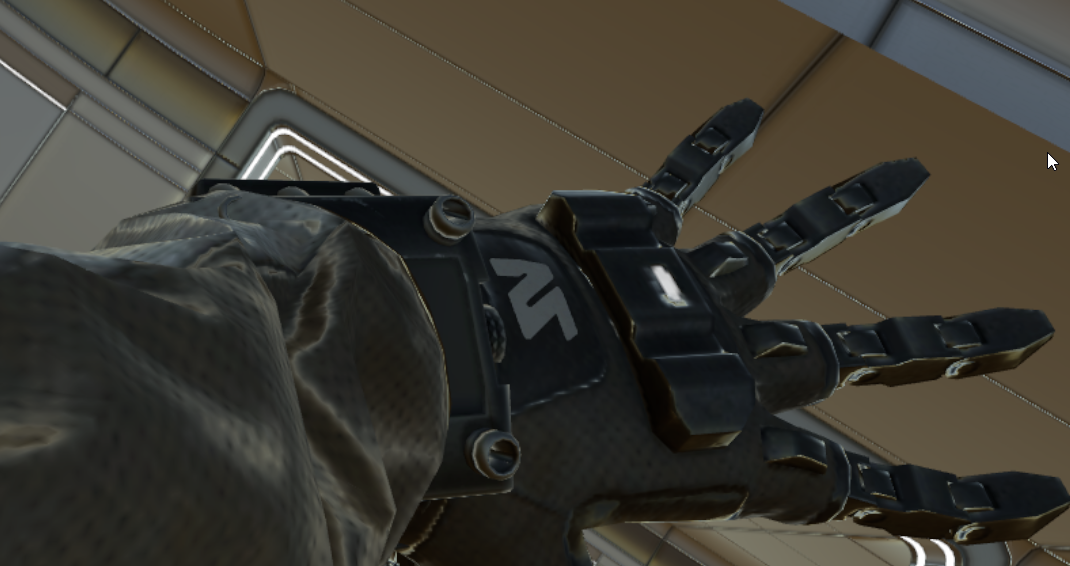
Basically peoples sleves are getting in the way
(Also ideally this would work on quest as well)
uneven loom
you cannot use custom shaders on Quest avatars
pine venture
This is for a world (The wristband is given by a world)
I'm trying to make it so the Wristband isn't blocked by the avatars sleeves/whatever and renders on top
uneven loom
I don't write shaders so I have no clue and hopefully that works on Quest if you find someone who does know how to
 somber widget
Note that that will be kind of annoying as it'll render through everything, even if it's far away. I'd consider using stencils instead
 honest jackal
might be the wrong place to ask , but how do people get this kind of shader on quest avatars?

it acts kinda like a refelction? when you move around it it warps
 uneven loom
Matcap Lit probably
honest jackal
Oooh i will chek , thanks
fringe sand
Okay, I've managed to import a model into Blender to use in VRC, and I noticed the textures it uses are diffuse, normal, weathering, weathering mask, detail gloss, metallic gloss, detail mask and colored Occlusion maps. Are there any shaders that can handle those textures properly?
brittle plinth
You'd probably be better off baking out the textures to just diffuse, normal, gloss/roughness, and occlusion.
 restive badge
How can I hide my avatar when its inside an invisible box? I tried setting my avatar to queue 2002 and enabling z-writes in Poiyomi on a transparent object with the StencilInvis shader in queue 2001 but the shadows of my avatar are still rendered. I also tried using Poiyomi Transparent shader in queue 2001 with zwrites enabled, but it does nothing as if it never wrote the zvalues.
I thought about using stencils, but I can't think of a way to use those which would hide my avatar only if it's inside the box, unless its possible to combine the stencil test with a z test somehow. I realize it may be impossible not to hide the avatar if its outside but behind the box, as the box will definitely render on top of it then. Though I suppose... if I were to render the inside faces with a different material and use stencils in some clever way, maybe I could stop the front faces from hiding the avatar if they're behind it too? Hm... I have zero experience using stencils.

Hm... So it seems like I can do z compares with stencils. But do I even need to?
If I have the back faces decrementsaturate on pass (which means they'll attempt to subtract 1 and clamp to 0) with the compare function being always, and then I have the front faces incrementsaturate on pass, again with the compare function on always, then if the pixel being written ever encounters a stencil that is greater than 0, that should be...
Well, hm... I suppose that depends on if the renderer is drawing front to back or not. The back face has to be drawn after to be able to decrement the value. And the player has to be drawn last. Though I suppose if I use render queue I can control the order in which they render...
So...
frontface material = incrementsaturate, always, queue 2000
backface material = decrementsaturate, always, queue 2001
player material = keep, stencilcompare equal, queue 2002
and then for my transparent player materials = keep, stencilcomparequal, queue 3000
I'm not sure but I think I might need to also adjust the stencil reference value to 1 for the backface and frontface as I think that would be used as the amount to increment and decrement by. The others would leave that at 0.
So to put it another way...
I draw the front faces first, incrementing the stencil by 1. If there's two front faces at the same location that would give me a value of 2 in the stencil buffer.
Then I draw the back faces, decrementing the stencil by 1. If there's an equal number of backfaces at that location as there are front faces, or more, then my stencil buffer will be reset to 0 at that location.
Then I draw the player's opaque and transparent materials, only where the stencil buffer is 0.
Hm... I'm thinking this will work fine for a single cube, though if the player is standing between two cubes.. Well, if they're standing between two cubes they should be visible... But... Hm... Actually, I'm not even sure this will work at all as I have it.
I think the player needs to be able to block the backfaces and front faces from being able to update the stencil buffer if they're on top of it. That way if the player is inside a cube, behind the front face, the backface won't disable the stencil there...
fringe sand
brittle plinth
You'd probably be better off baking out the textures to just diffuse, normal, gl...
What about the weathering map?
brittle plinth
The weathering map is likely used to determine blending of other properties, so it’ll end up baked into the other maps.
fringe sand
Ah, okay. I know the game the textures came from was built in Unity, so I at least know that Unity is capable of supporting those textures.
brittle plinth
The game being made in Unity means pretty much nothing when it comes to shaders
The shaders used in that game were likely entirely custom, which means the default shaders you have access to would not be able to do the same stuff.
fringe sand
Which is why I asked if there might be a shader that supports those types of textures.
The shaders I've got are. Poiyomi, Standard, Autodesk, SCSS, Silent's Standard Shader and Mochie's Uber Shader.
brisk gull
fringe sand
The shaders I've got are. Poiyomi, Standard, Autodesk, SCSS, Silent's Standard S...
https://www.merriam-webster.com/dictionary/weathering
Weathering map and mask are most likely for some sort of dirty/grimy look that can be manipulated.
Might be helpful to state what game it was used in?
Linking the dictionary just to explain more in what I mean.
pine venture
somber widget
Note that that will be kind of annoying as it'll render through everything, even...
Its only going to be for the player who is currently wearing the wristband, the only thing it obscures thats important is the other hand, but I'm working around that atm
somber widget
Ah yeah if it's local that might be fine then
pine venture
Ye its local
I know I can't make it so it renders through the left side of the avatar but not the right
Since its on their left wrist
So I'm placing a marker on the index finger of the right hand to allow them to still use the menu properly
somber widget
You can if you use stencils
Basically you'd have a stencil write material on the left arm, then draw the wristband twice, once normally and once with ztest always but a stencil test
Make sure the stencil write happens after the right arm renders with normal ztest
Downside is you're burning two extra passes on this
And might interfere with other stencil users
fringe sand
brisk gull
https://www.merriam-webster.com/dictionary/weathering
Weathering map and mask ar...
The game in question is A.I Shoujo. I liked how the characters in the character creator looked, so I decided that I wanted to port a character I made in it to VRChat.
fringe sand
Here's a screenshot of a character as reference to give an idea on the look I'm wanting from the shader for the model.
 surreal goblet
Hey so, we cannot use shadergraph for quest worlds? Or can we, just ensuring that it doesnt cost too much on the quest hardware?
little cape
You can't use Shader Graph at all in VRC, since it is made for a different pipeline.
 elfin tendon
where do i find shaders to use on my quest as when i try to use the normal mobile option it says its the wrong shader
fringe sand
Quest shaders are included with the VRC SDK.
 gaunt yew
any idea on how to make this work with UTS or Poiyomi?
https://github.com/Vilar24/VilarVRC


GitHub
Vilar's Shaders for VRChat. Contribute to Vilar24/VilarVRC development by creating an account on GitHub.
 hardy sierra
<@&397642795457970181>
 bitter pilot
gaunt yew
any idea on how to make this work with UTS or Poiyomi?
https://github.com/Vilar2...
bitter pilot
gaunt yew
any idea on how to make this work with UTS or Poiyomi?
https://github.com/Vilar2...
I haven’t done much with it, but it might be a dissolve effect in the shaders
leaden tartan
It's a hardware limitation. A lot of shaders would absolutely destroy the performance of the quest. Many shaders are outright not even supported on Android. There are very valid performance limitation reasons why you can't just use any shader on avatars. Course, as tech improves, this may change down the road, but for right now, you have to use the Mobile shaders provided by VRChat. However, if you wish to make a world, you can upload unsupported shaders and depending on the shader, it may or may not work and performance may or may not be ass, but it's up to you to test each unsupported shader you use.
 solar pine
Every time I try to use a semi-transparent texture with any sort of alpha in the Poiyomi shader, this always happens. The level of transparency is correct, however everything just starts rendering through itself for some reason. Does anyone know what might be causing this?

 sick fossil
Hey, I was wondering what shader I should use if I want my spartan's visr to light up when I speak. I want it to work like wheeljack's ears do in the original transformers show.
limpid bronze
solar pine
Every time I try to use a semi-transparent texture with any sort of alpha in the...
Is this a single material on the whole thing?
solar pine
Yeah, it's just one material
limpid bronze
Then you need to separate the transparent part to a separate material. Transparent things can draw on top of each other, Unity will try and draw them from back to front but it can't do that if it's a single mesh
It looks like it draws the wheels last, but since the whole thing is a 'transparent material' it doesn't store depth information and the wheels get drawn anyway
If you don't want realistic transparency (ie. the glass effect) you should be able to set it to 'cutout'
transparency
which will just not draw transparent parts, but should make things look okay if you want an easy solution
fringe sand
I'm still looking for suggestions on shaders to use for a model from A.I Shoujo. Another thing I should note, the hair, eyebrow, eyelash, and eye textures are set up in such a way that they start out a certain color, and you have to adjust the texture in such a way, that it looks like a completely different color. It also appears to be more than just a usual hue/saturation change.
 bitter widget
solar pine
Every time I try to use a semi-transparent texture with any sort of alpha in the...
bitter widget
solar pine
Every time I try to use a semi-transparent texture with any sort of alpha in the...
Try using the Fade render mode rather than Transparent
 sudden badge
Hey does anyone know the name of the shader (or something similar to) the one used in Dream Waves as a waterbed?
link to the world -> https://vrchat.com/home/world/wrld_860bdea8-0499-4c16-8170-5683a3a3ab8a
uneven loom

画像をふわふわもちもちにするシェーダーです つかいかた VRCSDKをインポートしてからprefabを配置してください。 各prefabは共存できません。どれか一つを配置してください。 MochiRootというprefabはパンケーキ、ゼリー、プリンの切り替えが可能です。 ゼリーを使用する場合は、影付きのDirectional Lightが必要です(空のレイヤーを対象としたDirectional Lightでもかまいません)。また、Pickupではない背景のオブジェクトをEnvironmentレイヤーに指定しておくと綺麗に見えるようになります。
sudden badge
uneven loom
https://booth.pm/en/items/3129610
Thank you so much 😄 !
uneven loom
glad to be of help
 indigo echo
@halcyon kestrel sorry if it's not okay to @ you, I apologize but I have a question/ bug about your shaders , why do matcaps on XS toon get flipped in vrchat's mirrors. Can you fix this?
tired token
indigo echo
<@124853640065187840> sorry if it's not okay to @ you, I apologize but I have a ...
because the mirror is looking at you.
indigo echo
tired token
because the mirror is looking at you.
No they're flipped vertically
tired token

 robust fable
honest jackal
might be the wrong place to ask , but how do people get this kind of shader on q...
robust fable
honest jackal
might be the wrong place to ask , but how do people get this kind of shader on q...
i used matcap and keyframed it
 umbral osprey
Fellas, I need help.
I am making some shaders in Shadergraph that are going wonderful so far, and I have plans to compile them for use in VRchat.
Though, if I ever use a Position node set to Object for UV coordinates, they won't work on anything that isn't a primitive. If I set it to World, it'll display as intended, but... if you know how this works, it means the texture will scroll if the object is grabbed and moved about. Not ideal for the intended implementation.
I am on Unity 2019.4.30f, with the latest supported version of URP.
Suzanne on the right functions as intended, because the scrolling bubbles utilize a totally normal UV node for that beautiful wobbly scrolling to work as intended.
So, does anyone know why this is?
little cape
umbral osprey
Fellas, I need help.
I am making some shaders in Shadergraph that are going wond...
You can't use Shader Graph for creating shaders for VRC, since VRC uses Built-in Render Pipeline.
sharp pike
umbral osprey
Fellas, I need help.
I am making some shaders in Shadergraph that are going wond...
Regardless of the incompatibilities of Shader Graph and VRC, note that object position will be affected by draw call batching since it combines meshes together https://docs.unity3d.com/2019.4/Documentation/Manual/DrawCallBatching.html and I think object position will also require you to take into account the object's scale.
umbral osprey
Oh, I thought if I compiled the shader graph into a shader script, I could put it in.
umbral osprey
little cape
You can't use Shader Graph for creating shaders for VRC, since VRC uses Built-in...
Like, there's a compile and show code button. Can I use it in VRchat after converting it to a traditional script shader, or are they designed to only work on URP regardless?
I know NOTHING about coding, that's why I'm using the node-based approach.
Oh. I have to switch to Amplify if I'm gonna be stubborn on nodes. Welp, this is gonna hurt.
 hollow ermine
anyone know where i can get a good shockwave shader effect
umbral osprey
Good news, Amplify's built-in vertex texcoord node solved my issue with the custom meshes. Thank god it's 50% off right now.
umbral osprey
It's not as blue as it was, but I am confident that I can fix that.
I just need to figure out how Amplify handles iridescence and I should be set.
I hope to get it somewhat close to how it appeared with shadergraph. Well, colors-wise, anyway. Perhaps not THAT flashy.
umbral osprey
Ah! I think I got it!
 spare dagger
hey guys, I need a shader where I can adjust the specular reflections of an animatronic
because this ain't getting me anywhere
 umbral osprey
Real quick, before ANYTHING else, a 4096x4096 texture square is OBSCENELY large.
little cape
yeah it is, you should avoid using more than one of it per avatar
umbral osprey
Aside from that, and I can check real quick, I'm pretty sure most of those can just be plugged into the standard shader.
little cape
But then there are avatars with 8k textures...
umbral osprey
Ah! So THAT'S who's been making me throw up in VR when they enter the room!
I'm on my way to restoring my soda shader to its former glory... in the CORRECT render pipeline.
Dunno how accurate it'll be to actually viewing these in VRchat, but I'm using that gross super deprecated oculus camera package thing so that I can just slap my headset on to preview these in stereo vision.
fringe sand
@spare dagger Nice little trick I've started doing for PBR based avatars. Get Mochie's Uber Shader for free, take the time to learn how to pack the Metallic, Roughness and AO maps into a single texture, and use that in place of individual texture maps so you can take it from three textures plus diffuse and normal down to just one plus diffuse and normal.
spare dagger
some of them are actually used to make 3ds Max Materials tho.
in the 2013 version, they use a ramp shader
while also maintaining other things so while it's easy to do in other programs like blender and SFM, they're not very easy to replicate when it comes to porting them to VRChat
3ds max uses different kinds of materials
I simply have to use the ones that are the most logical
bitter widget
umbral osprey
Ah! So THAT'S who's been making me throw up in VR when they enter the room!
Set download limit to 30mb. Smooth sailing
spare dagger
Five Nights at Freddy's models are complicated
 bitter widget
 somber sedge
hi so i have windows and i would like to add a rain effect on them
somber sedge
hi so i have windows and i would like to add a rain effect on them

GitLab
A shader for Unity that (ab)uses some Unity features to produce glass-like glass.
 bitter widget
There's literally an "Installation" section of the readme
spare dagger
Can anyone make a 3ds Max looking shader for VRChat or at least make a modified version of Mochie's shader for accuracy of the FNAF animatronics? Or is that beyond your guy's expertise?
ancient wigeon
3d sbs image shader?
ancient wigeon
its something I'm looking for
spare dagger
I have no idea buddy
 harsh violet
Anyone know any good shaders for video game models that I want a look like this.
 uneven loom
looks like PBR materials with some subsurface scattering for the skin so you could probably cover most of that Avatar with just the standard Shader
 gloomy socket
yo i'm trying to make a shader that uses the grab pass but in vr it like shows like, both eyes in one eye.
does anyone know how to fix this
harsh violet
uneven loom
looks like PBR materials with some subsurface scattering for the skin so you c...
Really standard would work fine, what about in worlds that have bloom and other kinds of lighting?
uneven loom

GitLab
A surface shader for Unity providing cel-shading. (Forward rendering only)
also probably using the standard Shader
harsh violet
uneven loom
https://gitlab.com/s-ilent/SCSS/-/wikis/Other/Post-Processing
That’s pretty cool I’ll test out the standard shader first also do you think the standard shader could get a look similar to Overwatch that mix between realistic and toon or is there a shader capable of getting this
 uneven loom
that would be all on the model maker to make a model that looks stylized like that
 tired cliff
uneven loom
that would be all on the model maker to make a model that looks stylized like th...
tired cliff
uneven loom
that would be all on the model maker to make a model that looks stylized like th...
This basically. A lot of games achieve a stylized look through the mesh and textures alone, while using more realistic shaders.
Stylized is not the same thing as toon.
harsh violet
tired cliff
Stylized is not the same thing as toon.
I never knew that I always thought it was a lighting/shader thing because someone told me that blizzard’s engine had something to do with the look of their models
thorn moon
Can someone point me to decent shader with stereo rendering? I'm trying to get render-texture portals working and I've got it cracked for desktop but it's coming out wrong in VR.
 raw echo
Hey guys, i've dusted off a frosted glass shader i made a while back
however the material doesn't appear in mirrors or cameras at all
is there a way to edit the shader so that it appears correctly?
 main jackal
The shader menu is grayed out and i cant change it.... How can i fix this

 night knoll
In the import settings of the avatar's fbx, go to the materials tab and hit "Extract Materials".
Alternatively, you can just create new material assets and apply those manually.
main jackal
Got it thanks, i have it fixed now
 umbral osprey
Messing around today, made a lil procedural fuzzy shader based off of a plush shark I keep on my desk.
Wow! That looks HORRIBLE on video! Let me just take a screenshot instead.

 uneven loom
nice
umbral osprey
Dunno how to do that weird "shells" technique purely in a shader, but I'll figure it out eventually.
In other words, I'd like some input on what the most EFFICIENT method of generating visibly fuzzy edges on an object is.
Not blurry, not HAIRY, just... fuzzy, like this model someone threw together in blender.

I think it doesn't even HAVE to be shells.
uneven loom
very fluffy bird
ancient wigeon
looking for a sbs image to 3d shader
umbral osprey
https://i.imgur.com/S0i4FEU.png
I have an idea, I'll look into it tomorrow
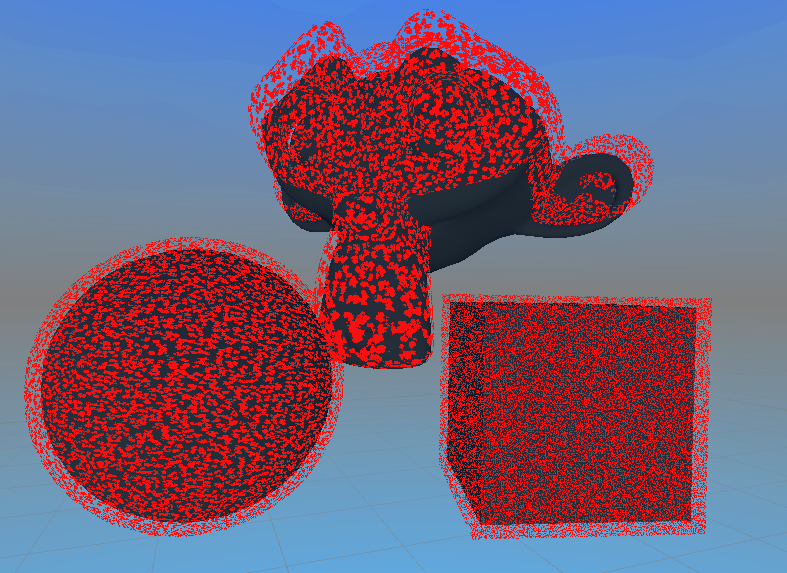
 jovial charm
when defining a float array in HLSL, the format is "float1 _ArrayName[NumElements] = {csv items};" correct?
I cant get my shader to compile, though I swear I did this before
ok it just started working
after restarting unity
ok then
umbral osprey
If any swollen brains out here can tell me how to stack MULTIPLE outlines on a single object, ping me and I'll check it out in the morning.
I would love to know the best method to make shell fur shaders using purely... well, shaders, and not actually fumbling around with a layered mesh.
And by best, I mean... VR friendly. Very very performance friendly.
umbral osprey
https://i.imgur.com/pr3bVri.png
I kinda got what I was trying to do, but I'm gonna look into how to make the outline pick up shadows...
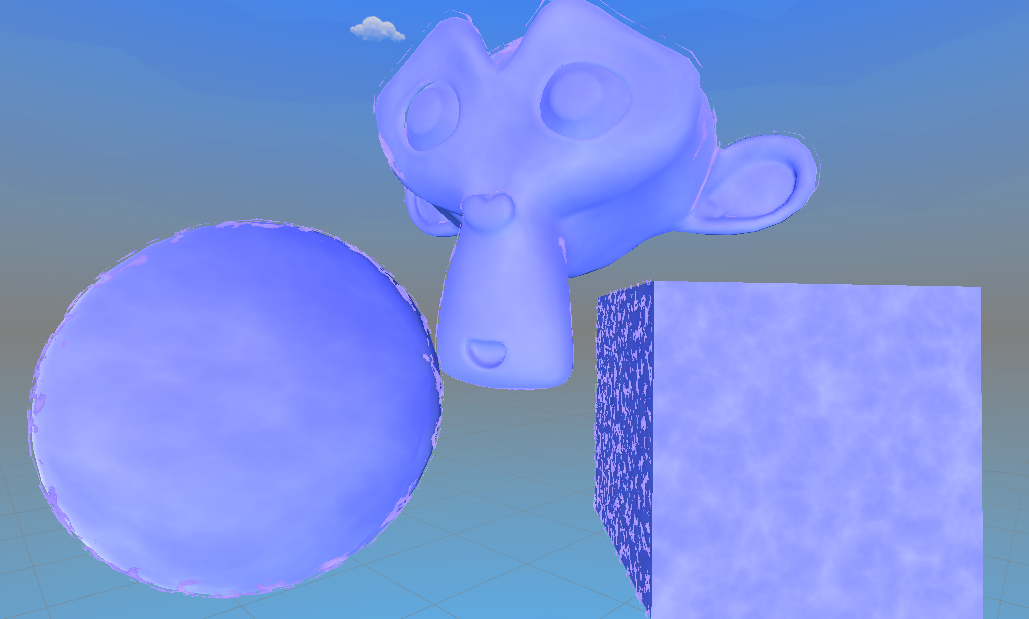 umbral osprey
Nvm I got it, I'll fine tune it tomorrow
 thorn moon
Could someone give me some pointers on how to get a screen cutout shader working in VR? I've got it working fine in desktop to make a portal, but it's severely distorted in VR. I've got the relevant declarations for a VR shader (Initialize stereo vertex output, etc), as far as I know, but it's just not outputting correctly.
bitter widget
thorn moon
Could someone give me some pointers on how to get a screen cutout shader working...
You're using this on a render texture, right?
thorn moon
That's correct.
bitter widget
I don't know how well that'd work in VR since your camera for the render texture only will output one eye (the camera itself)
thorn moon
I thought it would do both if you tell it to?
bitter widget
I'm not too informed about shaders so I don't know for sure
thorn moon
That's from a single camera and render texture, so it sure looks like it's trying to do both eyes to me.
 sharp pike
I don't know what you mean by "initialize stereo vertex output", most of the stuff you need to know about for supporting VR in VRChat is here: https://docs.unity3d.com/2019.4/Documentation/Manual/SinglePassStereoRendering.html
The other useful bits are the names for all the matrices and camera positions for each eye, usually in the case where you need to account for both eyes simultaneously. For example, I use the average eye position when calculating my toon specular highlights because I think it looks better. Most of the names of the built-in stereo variables can be seen in UnityShaderVariables.cginc, e.g. https://github.com/TwoTailsGames/Unity-Built-in-Shaders/blob/master/CGIncludes/UnityShaderVariables.cginc note that when working with them, you'll typically need to surround the code with a check that USING_STEREO_MATRICES is defined, since the variables won't be defined outside of a non-VR environment.
The one thing to note is that mirrors, sadly, do not use stereo rendering.
thorn moon
Yeah, I learned that while digging into the mirror shader and scripting to see if there was anything useful there.
 white adder
Hello! So I've been having this issue a lot recently. When I import my PNGs into Unity, two of the three work, but one of them, (The main body atlas) doesn't show a thumbnail, or allow me to change the import settings. Does anyone know what's been going on? I'd love to know!
 agile totem

having a major issue with matcaplit
where it would do this instead of applying the correct texture (right)
 loud plinth
Hi, um i need help with putting poiyomi shaders into unity
agile totem
like everything i put turns extremely frikken dark, even toonlit

happens with toonlit too, the mesh looks different at this point
 sharp pike
Most of the quest shaders multiply the texture by the vertex colours, could be that. You can remove vertex colours in blender or there are some unity scripts around that will let you remove them in unity.
agile totem
sharp pike
Most of the quest shaders multiply the texture by the vertex colours, could be t...
The white mesh is from a different pc shader tho but ill try thx
agile totem
sharp pike
Most of the quest shaders multiply the texture by the vertex colours, could be t...
yup thx it was vertex colors, learned how to remove them in blender and the problems gone

frikken hell
 valid coral
Hey, I'm looking for the name of a type of shader I've seen around before. It renders as a 3D pattern within the bounds of the object you apply it to, but it's fixed in world space, so when you move the object, the pattern, like, "scrolls" through the volume. Does anyone know what incantations I can put into google to learn more about that?
stiff berry
sounds like raymarching
valid coral
Oh hell yeah that's it, thank you! https://youtu.be/Cp5WWtMoeKg?t=150

In this coding adventure I explore ray marching and signed distance functions to draw funky things!
If you're enjoying these videos and would like to support me in creating more, you can become a patron here:
https://www.patreon.com/SebastianLague
Project files:
https://github.com/SebLague/Ray-Marching
Learning resources:
http://iquilezles.or...
(Referencing the video) The demos I've seen involved the cube moving through some kind of volumetric pattern that was fixed in world space, but I think it's the same concept, use an object as a sort of "mask" over some other object.
stiff berry
yeah there's a lot of examples of this kinda thing on https://www.shadertoy.com/ but they're in GLSL
Basically to get the fixed in world space thing you change the ray origin to be _WorldSpaceCameraPos and the ray direction to be the view direction
a tutorial for converting them can be found here https://www.youtube.com/watch?v=CzORVWFvZ28
Twitter: @The_ArtOfCode
Facebook: https://www.facebook.com/groups/theartofcode/
Patreon: https://www.patreon.com/TheArtOfCode
PayPal Donation: https://paypal.me/theartofcode
Ever wondered how to get a shader from ShaderToy imported into Unity? Well wonder no longer because in this video I will explain how to do it. Its really not that hard.
Ru...
valid coral
stiff berry
a tutorial for converting them can be found here https://www.youtube.com/watch?v...
I just found this guy via this vid, what a great channel! https://www.youtube.com/watch?v=S8AWd66hoCo

In this video we'll code a ray marcher inside of a shader in Unity that allows you to render 3d objects on the surface of other 3d objects, like a hologram!
Twitter: @The_ArtOfCode
Facebook: https://www.facebook.com/groups/theartofcode/
Patreon: https://www.patreon.com/TheArtOfCode
ShaderToy: https://www.shadertoy.com/user/BigWIngs
PayPal Dona...
stiff berry
yea his channel is a good resource
thorn moon
Is there something I need to do with my Unity Project to enable single-pass stereo rendering for world shaders? To my knowledge I just set Project -> Player -> Stereo Rendering Mode to Single Pass, but my shader's not clearing a check of #if SINGLE_PASS_STEREO.
sharp pike
thorn moon
Is there something I need to do with my Unity Project to enable single-pass ster...
It's UNITY_SINGLE_PASS_STEREO. It probably doesn't matter, but I would also advise doing an #ifdef or if defined(UNITY_SINGLE_PASS_STEREO) since its value isn't particularly documented as far as I can see. If it's not something specific to the single pass mode of stereo rendering, you could also instead check if USING_STEREO_MATRICES is defined, since that is defined for each of the different stereo rendering modes.
Setting up the correct stereo rendering settings in Unity is useful if you want to preview how things look with your VR headset from within Unity itself when you enter play mode.
thorn moon
Cheers @sharp pike, I figured it had to be something simple I'd missed.
spare dagger
I need help with something
Is it possible to make something like Freddy to look as accurate as possible?
With quest shaders?
bitter pilot
Using standard lite yeah, and making a metallic and normal map for the textures
fringe sand
I'd like some advice on something. I have a model that uses a cubemap texture to produce the eye highlight, is there a shader that allows you to do that properly?
spare dagger
bitter pilot
Using standard lite yeah, and making a metallic and normal map for the textures
if you say so
thorn moon
@sharp pike is there something specific in Unity I need to toggle or change for comparable Stereo Rendering in Unity itself? I can't seem to select Right or Both Eyes in the game window.
 silk sierra
Are there any line art-style shaders current available for VRC? Blender's got a way to emulate one an' I'd like to do the same in-game.


 eager quartz
Looking for a good shader for a dragon ball character. I tried Silent's Cell Shaded, but the hair got washed out. Poiyomi is great, but takes way too long to compile. Are there any multi-pass shaders like that?
sharp pike
thorn moon
<@!109032924476649472> is there something specific in Unity I need to toggle or ...
Go into Player in the Project settings and drag your choice of OpenVR or Oculus above None in the Virtual Reality SDKs. Then when you go into play mode, unity will start up your VR and the Game window in Unity itself will be VR enabled, letting you change eyes and previewing the scene as if it were VR. It's a bit annoying having your VR start up each time and the main camera gets forced onto your HMD too.
This whole system is deprecated and the newer replacement is meant to be with the XR Plug-in Management in the Project settings. Unfortunately, SinglePassStereo doesn't seem to be supported by it, only Multipass and SinglePassInstanced. You also have to download the Open VR plugin separately if you want to use that.

I get the feeling we're going to have a shader exodus if VRChat updates to Unity 2020 with SinglePassInstanced mode, at least for the random shaders people find on the internet. Stuff like Poiyomi and SCSS will all be fine since they already support instancing.
thorn moon
Ahh, that's what I was missing; I didn't realize it was hierarchical.
 long plinth
for some fucking reason the texture of the face on my avatar is being rendered inverted does anyone have any idea why this may be happening?

nevermind
I fixed it
no actually
that made a different problem
brittle plinth
For future reference, that happens when you have an alpha blend material on an object overlapping itself or another object with the same origin location. Fixes are to either not use alpha blend, or make the different sides of the object different meshes at different locations.
long plinth
im sorry im really fucking stupid how do i fix that?
brittle plinth
What shader are you using?
long plinth
i dont really have one settled right now, none of them seem to be working
ik its a unity issue becuase I properly uv mapped my model and it has no problems displaying in blender
bitter widget
brittle plinth
For future reference, that happens when you have an alpha blend material on an o...
Or enable ZWrite
long plinth
It was the normals it wasn't a shading issue at all
brittle plinth
bitter widget
Or enable ZWrite
Doesn’t that write based on the mesh origin, not vertex position?
bitter widget
brittle plinth
Doesn’t that write based on the mesh origin, not vertex position?
It writes based on the depth buffer, which is per pixel
brittle plinth
Zwrite draws to the depth buffer, but I'm pretty sure it draws the depth of the object's origin, not the per-pixel or per-vertex depth of the mesh.
bitter widget
A memory store that holds the z-value depth of each pixel in an image, where the z-value is the depth for each rendered pixel from the projection plane
From Unity's docs
bitter widget
brittle plinth
Zwrite *draws* to the depth buffer, but I'm pretty sure it draws the depth of th...
ZWrite off

ZWrite on

This is for a transparent Poiyomi shader, all one single mesh
brittle plinth
Huh
 orchid cobalt
https://www.youtube.com/watch?v=eSisWCLqgwE Check out my Epic! shader Video and i also do voices 😉

just showing you guys the basic shaders
Guys if we can get Get 100 Subscribers i will be doing over 20 voices!!! on Vrchat :) maybe also spit some barz :O
 pearl root
Where can I find the amplify nodes for audio link?
raw echo
Hey all
last time i was working with unity i was using shadeforge for visual shader creating, but its since been deprecated
is there any other node-based shader plugin that is compatible with vrchat?
undone hound
i know of amplify shader editor
valid coral
What is the best way to get a depth map from a different camera as an input to my shader? I have a directional light and an orthographic camera set up to define "the silhouette of a mountain" and I want to render some volumetric lighting outside that shadow. My plan is to raymarch out from the player's camera, and use a depth texture from the "shadow camera" to determine whether the ray point is in sunlight or not.
I can rig up a render texture and call Camera.RenderWithShader with a custom depth shader, and then pass that render texture into my volumetric lighting shader on my main camera, but maybe there's an easier way?
CustomRenderTexture seems like it might be helpful here... I actually might write my own depth shader anyway, because then I can pack other information about the sun/silhouette into it in the RGBA channels. I think I want Update Mode=OnLoad... and I'm not sure what the Material field on it does, does that just let me use a custom material on any geometry it tries to render? 🤔 (just thinking out loud)
Oh, no, never mind, customrendertexture isn't right, I get what that's for now. Seems like RenderWithShader is the way.
valid coral
Progress! 😄 Here's my depth buffer in case anyone's interested, the red channel is the depth buffer of the front faces, and the green channel is the depth buffer of the back faces. So later I'll be able to tell how thick things are too.
 robust fable
I know theres a shader for avatars that when one touches it it moves around anyone know the name or even have it?
 hardy arrow
I have a question: my avatar has a material on the body that I want to change color when I speak. I have two shape keys in blender, one for each color (basis is 1 color, Speak is second color). I'm trying to make this work in unity now, and I'm getting lost trying to figure it out.
I've heard to use animator states, but I'm not sure where to start
am I on the right track?
(Edit: Posting in a couple channels, not sure what category this falls under and who can help me)
thorn moon
Use the Visemes parameter to drive the animation and put the animation in the FX Layer animator
solar pine
So I found this one avatar that has a dance emote that when activated creates an AOE shader that changes the color and lights anyone near by sees (ie. high contrast and flashing colors). Does anyone know of any tutorials/documentation or how to do such a thing, as I'd like to create an emote for my own avatar with something similar if possible, but less flashy.
 upbeat portal
how do i change it from standard

 cold laurel
Anyone know where to get/how to make shaders like these that have the really bright sparkles? 💖 (Avatar found in Nony's Avatar World)
 past pewter
Why does it look like this when I test it?

 torn zinc
what shader are you using
 pine venture
cold laurel
Anyone know where to get/how to make shaders like these that have the really bri...
pine venture
cold laurel
Anyone know where to get/how to make shaders like these that have the really bri...
Unlit shaders give the illusion of brightness
It also may be a particle
cold laurel
past pewter
Why does it look like this when I test it?
It looks to me like you're using the wrong texture for the walls/ceiling?
cold laurel
pine venture
Unlit shaders give the illusion of brightness
Okay, thanks ^^!
past pewter
cold laurel
It looks to me like you're using the wrong texture for the walls/ceiling?
The sun was not static, thstas all
cold laurel
past pewter
The sun was not static, thstas all
Not sure what that means but sounds like you've got it figured out, in which case, congrats! ^^
 jaunty night
Quick Question: What is the shader that VRChat uses when shaders are disabled?
brittle plinth
That's determined by the shader fallback system, isn't it?
bitter bane
it's supposed to be set up by whoever creates the shader, otherwise it does a best guess fallback
VRChat
This page serves as a description of the Shader Blocking System, how it operates, and how shader authors can work with it so that their shader falls back gracefully when a user has Shaders blocked on an avatar using a given shader. VRChat 2021.4.2 Fallback System Upgrade Shader fallback improvements...
agile totem
goddammit i still didnt find the magic word to make matcaplit not see thru
agile totem
making progress, this is what it currently looks like, it seems to be related to the render queue

fixed it


3000 seems to be a good value
the default ones dont cut it and let light / shadows through
agile totem
agile totem
@grizzled plover try this
 fossil owl
Hey there 🙂 question please: so, I have a few awesome shaders that work on PC, but they don't seem to work on Quest. Which is of course understandable. HOWEVER the weird thing is, these shaders DO show up in Quest in the reflection of VRC Mirrors. So this implies that maybe there is a way to make them visible in Quest after all? 🤞🏻
 true kernel
fossil owl
Hey there 🙂 question please: so, I have a few awesome shaders that work on PC, ...
true kernel
fossil owl
Hey there 🙂 question please: so, I have a few awesome shaders that work on PC, ...
thats def not right, if you can reproduce it then you should report it as a bug.
leaden tartan
Are u talking about shaders on avatars or shaders in a world? Because you can upload unsupported shaders for quest worlds but not avatars though certain types of shaders will break or cause issues, such as geometry shaders or grabpass. Would have to see what you're talking about tho, can't think of a way this would be possible as described.
 last nexus
fossil owl
Hey there 🙂 question please: so, I have a few awesome shaders that work on PC, ...
last nexus
fossil owl
Hey there 🙂 question please: so, I have a few awesome shaders that work on PC, ...
That’s a typical example of shader not supporting Single Pass Instancing (multiview). You might need to ask the shader author to fix it since it’s a bit technical
 low root
i cant seem to figure out how to get the particles on my avatar to render properly on quest. none of the options in the menu pictured seem to work, is it a shader issue?
 pine venture
low root
i cant seem to figure out how to get the particles on my avatar to render proper...
pine venture
low root
i cant seem to figure out how to get the particles on my avatar to render proper...
Its likely the shader on the material you are using
You have to use a supported Quest material for them to be able to see it 9/10 times
low root
its set to vrchat/mobile/particles/additive. if i recall correctly alpha blended aand multiply didnt work either but im going to test them again
leaden tartan
low root
its set to vrchat/mobile/particles/additive. if i recall correctly alpha blended...
Those only work in worlds. Need to use standard lite, matcap, or something that isn't transparent. Alpha blended, additive, etc. Are for worlds, not avatars now a days.
low root
all of those shaders break the particle system
leaden tartan
Then I'd suspect the issue is something else with the setup. Also note quest shaders cull the back face so you need to ensure the front face is facing the viewer or you'd see nothing. May want to try using a mesh instead of billboard as well but need to keep numbers low. Could be a lot of things. Pretty much all of the mobile shaders should work, but iirc transparency on avatars for quest no longer works and just uses a fallback, with transparency only working in world content. Good luck
low root
hmm alright thanks
fossil owl
last nexus
That’s a typical example of shader not supporting Single Pass Instancing (multiv...
Great to know, thank you!
fossil owl
leaden tartan
Are u talking about shaders on avatars or shaders in a world? Because you can up...
Yeah it's crazy. Specifically, it's the last 30 seconds of Club gumball. When those giant rainbow shards come out and they're pulsing to the beat of the music. You can't see them at all. But when you look down at the mirror at your feet you can see them in the reflection
 zealous sedge
is there an up to date fur shader I can use for carpets, or is it still poiyomi
 hollow tusk
Can someone help me figure out how to fix this issue. the avatars textures are .dds textures. I was able to import the 3d model into blender and now i'm just trying to apply the textures and normal maps but they're coming out weird. This is what they look like setup the way a texture should normally be setup.

It's like they're doing the opposite.
and this is the texture for the eye lashes. It's different then most textures i've used for hair. It doesn't have a transparent background.

here's the normal map for it.
 sharp pike
hollow tusk
Can someone help me figure out how to fix this issue. the avatars textures are ....
sharp pike
hollow tusk
Can someone help me figure out how to fix this issue. the avatars textures are ....
The Color Space for normal maps needs to be set to "Non-Color" since the image data is used directly as opposed to the colours of the image.
hollow tusk
I will try that
sharp pike
Also, if you're rendering with Eevee or looking at the material preview, if you want to use alpha, you'll need to change the Blend Mode of the material, since the default is Opaque.
hollow tusk
I'll check that too. Thanks for the info. I'll let you know if it works.
hollow tusk
sharp pike
Also, if you're rendering with Eevee or looking at the material preview, if you ...
Ok. I was able to get it. Thanks for the help. I changed the blend mode of the normal map to alpha clip and it worked. Hopefully i can transfer this into unity. Just got to find a decent shader. I was just checking in blender to make sure it works because i was having trouble with the hair for another model.

 sweet ether
hi, is it okay to ask where I could get a certain shader in here? I've seen it around but I have no idea where to find it

 bitter widget
sweet ether
bitter widget
sweet ether
This can be achieved using Poiyomi and using Parallax or Panosphere
sweet ether
i'll look into it, thank you
agile totem
bitter widget
This can be achieved using Poiyomi and using Parallax or Panosphere
Sth tells me matcaplit can do the same
bitter widget
agile totem
Sth tells me matcaplit can do the same
Matcap can do something similar but not exactly the same
This effect I see in the pic looks more like Parallax
agile totem
you could still use it as a fallback or for quest

a matcapped galaxy looks a lil bit stretched at some angles but cool
valid coral
Does Poiyomi still display if people have shaders blocked? Or if not what does it use for a fallback?
agile totem
the one you setup in the .cs
agile totem
valid coral
Does Poiyomi still display if people have shaders blocked? Or if not what does i...
did it ever do that?
valid coral
agile totem
did it ever do that?
No idea! That's why I was asking
agile totem
I have NEVER seen a shader that does that
Theyd always fallback to rather broken or default ones
valid coral
Well I wasn't sure, since it seems really popular, if maybe VRC made an exception the way they do with the standard shaders. But it sounds like the answer is no. Thanks! 🙂
agile totem
You should ask in the pyomi discord. Afaik pyomi sets default textures and it would fallback to them. So at least not a rankcolor (eg whole avatar green)
bitter widget
agile totem
Theyd always fallback to rather broken or default ones
They should be less broken now, as a recent update made materials copy over to standard properly
raw echo
Hey all, sorry if this is a recurring problem but its really hard to search for
i'm using transfer attributes/transfer data to get floating hair card geometry normals to match the base mesh
however on loading in VRC theres still a visible seam where the surfaces meet
In editor

In-engine

Is there a setting i'm missing or a known fix for this?
sharp pike
raw echo
however on loading in VRC theres still a visible seam where the surfaces meet
Are they in different meshes? If you have multiple meshes and they need to receive the same baked lighting and reflection probes, you need to set the anchor overrides of those multiple meshes to the same Transform as one another otherwise they will do their sampling from different places.
raw echo
sharp pike
Are they in different meshes? If you have multiple meshes and they need to recei...
Aha! Thank you so much!
raw echo
sharp pike
Are they in different meshes? If you have multiple meshes and they need to recei...

If you have 2+ skinned meshes and you want them to have the exact same lighting you can force them to calculate lighting from the same position by dragging the spine(or any bone) into anchor override. This will force both meshes to sample lighting from the same location

 Twitter
·
Twitter
·

Is this what you mean?
sharp pike
yes
 last laurel
anyone know what shaders were used on the hands?
 velvet sorrel
My shader can do that, check out Crosstone!
 knotty iris
I'm building something that uses flipbook animation for visemes and expressions
Does anyone know of a better workflow for generating texture2darrays than creating a new one every edit?
 devout shell
Hey I've seen a lot of avatars of anime characters that kind of have some sort of black outline and when I look inside of the avatars that have this instead of being clear they have the same black outline on the inside how do I do that. Sorry if I'm not explaing this well I'm relatively new to avatar creation
Some people have called it toon shading from what I've heard but i know that the toon lit shader dosent do that so is there an extra step
last laurel
velvet sorrel
My shader can do that, check out Crosstone!
I tried it but it just turned pink and created errors in the consol
 quick totem
anyone got a shader that could recreate this?
 spare dagger
I keep getting these errors on my Unity Project here
hold on

this
how do I fix it?
how do I fix this issue?
 rustic umbra
spare dagger
how do I fix this issue?
rustic umbra
spare dagger
how do I fix this issue?
try reimporting shaders
spare dagger
I'm trying that
still nothing
hold on while I figure something out
I'm currently reimporting the stuff as we speak
valid coral
@spare dagger I'm not totally sure on this, but you might need to restart unity. That error means it wasn't able to find System.Drawing, which it seems might not be available in Unity by default, but Mochie imports it here: https://github.com/MochiesCode/Mochies-Unity-Shaders/blob/master/csc.rsp
But I don't know when those imports are evaluated, it might only happen when the project is first opened.

GitHub
Contribute to MochiesCode/Mochies-Unity-Shaders development by creating an account on GitHub.
rustic umbra
valid coral
<@!920653925890293761> I'm not totally sure on this, but you might need to resta...
We already fixed it
spare dagger
I have a question
how do I fix the shadows of the lights I imported?

you know, this?
 outer sphinx
How do I fix this text to not be seen through the walls?
 spare dagger
I'm still having trouble with the lighting
outer sphinx
outer sphinx
How do I fix this text to not be seen through the walls?
nvm turned on culling
 hollow tusk
Any recommended settings for realistic skin shader settings. I'm using poiyomi.

This is what i have so far.
 uneven loom
out of curiosity is there a particular reason you're using poiyomi on a realistic Avatar
hollow tusk
uneven loom
out of curiosity is there a particular reason you're using poiyomi on a realisti...
That's what i was recommended a while ago for a nathan drake avatar i did. Is there a better shader you recommend? I don't know of a lot. I wouldn't mind using something that is better. This is a wrestling game character.
uneven loom
honestly just be Unity standard Shader would do you fine as you don't have any special effects that actually utilize poiyomi
hollow tusk
I'll try it out and see how it looks then.
hollow tusk
sharp pike
The Color Space for normal maps needs to be set to "Non-Color" since the image d...
Do you happen to know how I would do the same thing that was done in blender in unity? The eyelashes for my character are just black shapes. You told me set the normal to non color. Is that possible in unity using poiyomi on the regular unity shader.




 hollow tusk
That didn't work. with either shader
uneven loom
I suppose you need to click on the texture for the eyebrows and tell it to be transparent
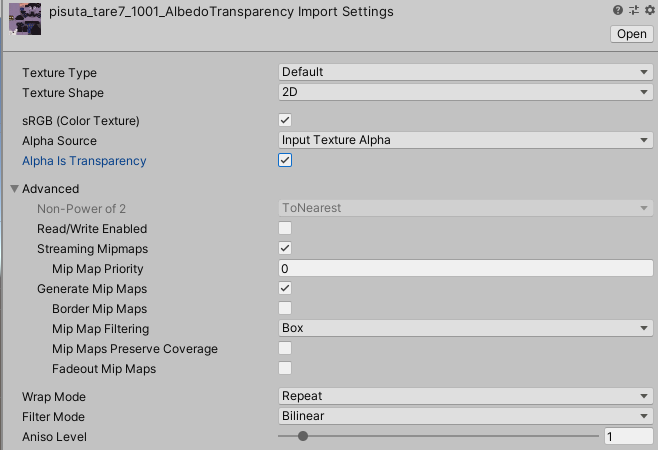
 hollow tusk
Nope. that's not working for me. It got close. but it was because i turned the normal map into a default texture and did transparency. but i still had the polygon shaped eyelashes. and it didn't like that the normal map wasn't a normal map. I tried it for both in different combinations
This is what the eyelash textures look like. I was able to make it look right in blender.

