#shaders
2 messages · Page 22 of 1
 rustic lodge
 rustic lodge
If you max it more, the shiny Metalic things will disapeared
@static frigate may i know your Blender version?
 static frigate
2.90.0 in the bottom right
rustic lodge
I hope it will fix the problems, you can also download Blender free on steam, and also its auto update
rustic lodge
static frigate
anyway i can save the project over to the new version?
Seperate the save files from blender folders
Idk if its will work
I have the 2.91 save files and its still working
static frigate
how do i seperate save files?
rustic lodge
Just save it in different folders
static frigate
alright
@rustic lodge yeah the new version still has the same issue
if i hide the pants the enitre model is hidden
i dont know why
cuz all the pieces are seperate models
static frigate
maybe the model is binded to the pants or som?
rustic lodge
hhmmm, try ask the others, might help you more
static frigate
alright np
 little barn
rustic lodge
little barn
rustic lodge
Set it as emission
Then set the strength depends what you would like
Idk i haven't try making a crystal shaders before
 barren fractal
Does anyone know where I can get sun wukong from rwby
 subtle cobalt
Assistance, please. I'm trying to make certain parts of a texture glow.
Is it possible?
 foggy mauve
@subtle cobalt emission map?
static frigate
anyone know any good shaders for leathery cloth materials? need them for my NCR Ranger
foggy mauve
static frigate
anyone know any good shaders for leathery cloth materials? need them for my NCR...
Standard shader with the right pbr maps I'd reckon.
static frigate
Standard makes this avatar go like metal glossy weird
foggy mauve
You need the roughness, metalness etc maps too
static frigate
doesnt have any metalics tho
foggy mauve
Metalness is 1 to 0, so it can specify things not being metallic too
static frigate
still is messed u[
 foggy mauve
Roughness is how clear reflections are (like glossy specular highlights) and metalness is how much reflected colors override albedo
static frigate
only seems fine with shaders
i used xiexe and also silents cel shading
they work fine
foggy mauve
What's messed up with it? Not sure what it's supposed to look like
I mean if you want cel shaded then there you go, use those
But that's not the style they used in fallout right?
If the asset is ripped from game files then it was built with a specific look in mind
static frigate
i just want to retain the color and have it look somewhat realistic

not looking for any certain fallout style
foggy mauve
Can you put some simple walls and floor and lamp in your scene? You're not looking at it under lighting conditions you're likely to encounter in game
static frigate
how do i go about doing that? never done anything of that sort
foggy mauve
Right click add 5 cubes and a point light, rescale the cubes so they make 3 walls, a ceiling and a floor, and put the light somewhere by the ceiling
Also go to windows->render->lighting and change your skybox to something other than the default grey thing
You can find skyboxes for free on the asset store if you need one
 upbeat plank
static frigate
i just want to retain the color and have it look somewhat realistic
upbeat plank
static frigate
i just want to retain the color and have it look somewhat realistic
that looks epic
static frigate
alright im getting the skyboxes rn
static frigate
foggy mauve
You can find skyboxes for free on the asset store if you need one
soemthing darker or what type should i go for
foggy mauve
Generic afternoon or sunset is fine
foggy mauve
Doesn't effect the lighting as much as how the model looks in contrast to it
Nah that part's fine
But yeah if you want stuff to look like leather and not plastic you need a normal map and a roughness/metalness map at the very least
foggy mauve
Is it using an atlased material or do you have several?
static frigate
its multiple mats
how do i put the light at the ceiling, i never worked much with lights
foggy mauve
Just drag it upward lol
static frigate
doesnt seem to do anything
its pitch dark
the light comes from the sky i belive
foggy mauve
Pitch dark with standard shader on?
static frigate
the light doesnt do anything
foggy mauve
It's a point light, not an area light, right? And it's set to "real time"? Play with the intensity too, depending on how big your box is
static frigate
alright yeah thats what i was asking , ill do it now
foggy mauve
static frigate
the light comes from the sky i belive
If there's a directional light in the scene the sky light coming from there
static frigate
so have this as a point yeah
foggy mauve
Yep
static frigate
got it working, should the enitre avatar be visable?
foggy mauve
It should look like it's in a room with a single overhead light
 foggy mauve
And if you move the light around the avatar it responds correctly?
 foggy mauve
Perf. So now all you have to do is put the light (and maybe add a few more) around the avatar to recreate a realistic-ish lighting scenario you might see in-game, and from that scene you should judge how a shader looks
static frigate
alright ill mess around with some setting so , cheers
foggy mauve
Everything looks washed out in the default scene you get when you make a project lol
Make it look good here and it should look good in game (in any world where the creator did the bare minimum effort to set up their lighting correctly, but IMO it's not worth it to cater to improperly constructed worlds)
In general, stylized shaders are more designed for a specific look- usually either anime or furries. Since what you're making is from a game that used a traditional lit / bumpmapped shader, you want to use the equivalent things in unity to make it look right. Plus, it means your avatar will look correct to everyone, whether or not they have your shaders enabled
rustic lodge
subtle cobalt
Assistance, please. I'm trying to make certain parts of a texture glow.
Set some of the part into Emission maps, then choose the color and then increase the strength
subtle cobalt
Right on. I'll give it a try.
rustic lodge
subtle cobalt
Right on. I'll give it a try.
like this
 subtle cobalt
Yeah, there you go.
rustic lodge
did you did it?
subtle cobalt
I'll go grab Blender.
rustic lodge
Cool
 topaz quarry
HR
 past pewter
??
 mild finch
anyone has a FX/Flare shader with HDR emission, I've tryied to make my own but it keeps getting purple
 left orbit
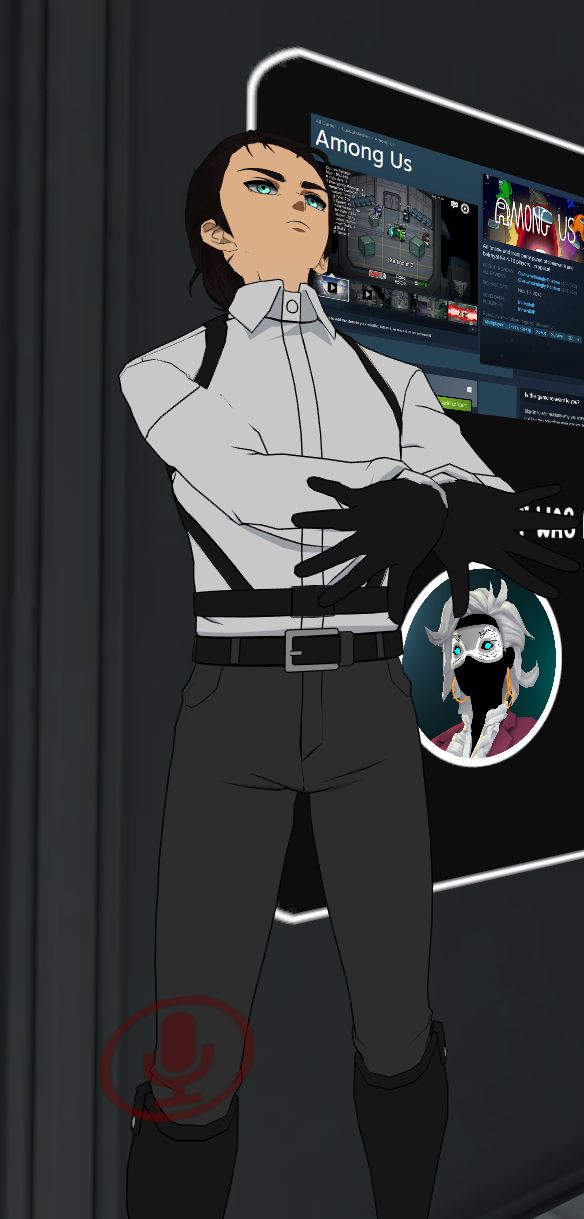
Hey y'all, I've been seeing some really nice looking cel/toon shaded characters recently... Can anybody see from looking at this what this shader is? https://i.imgur.com/N327zcb.png
It just looks really nice
Is that s-ilent?
 lofty dragon
left orbit
Hey y'all, I've been seeing some really nice looking cel/toon shaded characters ...
lofty dragon
left orbit
Hey y'all, I've been seeing some really nice looking cel/toon shaded characters ...
Judging by the minimal shadows, I'd say that's a very well-textured model with a regular outline shader
 fast basin
does there happen to be a shader with pixel dithering
left orbit
Well that’s a pretty dang good outline shader still, I’ve seen a lot that clip and there’s barely any on that thing 🤔
 tired token
left orbit
Hey y'all, I've been seeing some really nice looking cel/toon shaded characters ...
tired token
left orbit
Hey y'all, I've been seeing some really nice looking cel/toon shaded characters ...
who's the author of the model?
left orbit
Uhh
I do not remember
Something and then the word "DIA" but y'know that could be anyone
fast basin
is there a toon shader that makes the shadows look like screentones
i tried xiexes but it's not the style i'm looking for, that does a bunch of lines where i'm looking for a bunch of dots
left orbit
Reading a shader tutorial and I have to say
If the CPU cores are like the fellowship of the ring, communicating and caring for each other and having specific common goals, GPU cores are like Uruk Hais tearing apart whatever task they get their hands on first.

Why am I telling you all that, though?```This takes the cake
 calm scroll
@past pewter this made me laugh out loud because pretty much most of the shader creators hate this. What you are referring to is “unlit”. You can do that, but in dark worlds you will look like an obnoxious neon sign. You may instead want to find a shader that adjusts brightness evenly, I think most of the main toon shaders out there can have a compromise of settings that will work for you.
You light also look into matcaps for this
 brisk gull
You could use Poiyomi math setting and put the gradient setting to be the same.
 faint fulcrum
Poiyomi has "monochromatic lighting" which makes it use only the brightness of the world but not color so for eg in a blue light will still see the original colors
static frigate
in blender it looks good but then in unity it doesnt work properly, how do i fix this?

 jovial urchin
Try a cutout shader setting
static frigate
oh yeah that works, cheers
lofty dragon
Can anyone here recommend a good blur shader that works in a volume?
I've been using a post processing volume with depth of field set really high to blur the camera, but that blurs all the menus and makes them unreadable.
 rain cairn
@lofty dragon I am not sure, but isnt it possible to exclude the UI layer from the post processing?
 brittle solstice
uh, is there any difference between the VRChat>Sprites>Default shader and the Sprites>Default shader? Seems to look exactly the same
 velvet sorrel
At a cursory glance, the Unity one is a vert/frag shader while the VRC one is a surface shader, so the Unity one may have issues in VR
brittle solstice
velvet sorrel
At a cursory glance, the Unity one is a vert/frag shader while the VRC one is a ...
I see, thanks!
static frigate
anyone know how i would go about adding chainmail to specific parts of this texture
 velvet sorrel
Very carefully
 burnt rivet
with vigor
 quartz atlas
the one with dark hair is how its suposed to look but the vrchat mobile shaders change it and i dont know ho to make it work right

 weak belfry
ooo~
 slow harbor

 brisk gull
Looks like a transparent outline shader with objects inside it.
tired token
no outline, just fresnel, aka rimlight
 exotic frost
How would I make something glow? Say a light, or an item, without actually putting a lighting thing. Like that above^
 pine venture
Unlit shaders that don't care about light, and "Show" whatever color they want
For instance a bright blue transparent mesh
static frigate
anyone know how to get a inported picture to transfer over well? for example if i put a circle over the texture on the right then apply it in unity it will be messed up since the positioning and spacing is different

 sharp pike
static frigate
anyone know how to get a inported picture to transfer over well? for example if ...
sharp pike
static frigate
anyone know how to get a inported picture to transfer over well? for example if ...
I don't understand your question, the uvs are going to be the same in both unity and blender, if you use the same texture in both, they'll look the same. If you want to add a circle to the texture of an existing texture on a model, you can draw it on in texture paint mode or project from view the uvs of the polygons that will have the circle on them so there's no distortion when you line up the uvs with circle you've drawn on the texture.
static frigate
sharp pike
I don't understand your question, the uvs are going to be the same in both unity...
i wasnt using blender for texturing but i figured how to now , just dont know how to inport a pic into uvs

like into this section
 keen jay
Hey hey, I'm looking for someone who could help me with a custom shader
 proper siren
static frigate
proper siren
static frigate
On the uv layout tab in 2
8, the left side should have say image, you can load it in there with the lil folder icon and subsequently save it to be used as a material(pretty sure) I'm new to blender, check with the 3d modeling text chat, someone will probably have a clearer answer for you or point you in the direction of a tutorial
 round inlet
Does anybody know of a specific shader that acts as a standard shader with a slider or something to control the lightmap opacity?
 split girder
@solid grail Yo, trying to use the standard metallic setup, looks like roughness doesn't use my mask, any idea ?
It doesn't work with its own mask, but works with advanced channel selection and the alpha channel of my metallic map where the smoothness is on
 solid grail
what textures are you using
solid grail
could you send them to me? when you select advanced channel selection, the defaults there are what are expected without.
split girder
i guess i'll have to re-export my roughness on alpha channel
solid grail
metallic reads r channel as well as roughness

 solid grail
half2 MetallicRough(float2 uv)
{
    half2 mg;
#ifdef _METALLICGLOSSMAP
    mg.r = tex2D(_MetallicGlossMap, uv).r;
#else
    mg.r = _Metallic;
#endif

#ifdef _SPECGLOSSMAP
    mg.g = 1.0f - tex2D(_SpecGlossMap, uv).r;
#else
    mg.g = 1.0f - _Glossiness;
#endif
    return mg;
}```
from `UnityStandardInput.cginc`So for roughness i need to use the alpha channel specifically ? It defaults to R hence my confusion
The second texture is the metallic glossiness
solid grail
They are both reading the red channel by default. Though this texture's r channel looks like this
 split girder
kk, i'll edit the roughness mask to be fully white and black, seems like it's the issue then, it's grayscale but roughness still affects everything else way too much, thx !
solid grail
for contrast, here is one of my metallic textures.
i think that's the issue 👍

I pack my textures into these:

advanced channel selection was added to do so
split girder
makes sense, ty
 wintry belfry
does anybody know a free water material/shaders that give a reflection/moves?
 dense canopy
i have a kinda of complicated shader question for a world lmao, would it be possible to make a shader (or multiple) that allow me to "cut" into an object with a sphere, and retain that object's texture?
something like this

the texture on the cube in this drawing would be repeated around the whole cube, i just got tired of drawing x's
i've seen stencil shaders being used for something similar, but they usually dont retain the texture of what theyre cutting into
 neon herald
so look for led 7 segment display
tired token
what is that in response to? lol
past pewter
dense canopy
something like this
Idk any stuff, but there's a thing called "boolean." I don't know if it works with VRChat but I know it works in unity somehow
dense canopy
perhaps, i was looking at boolean subtraction, but since i dont really know how to make shaders its been hard finding an implementation that preserved textures lol
alternatively, boolean addition could work. the cube in my example is less important than the spheres. if i could "combine" the spheres and give them inverted normals, then i could achieve something identical to what im going for
unfortunately its really hard to find examples of an addition shader online... :/
 cosmic fable
Maybe a projection shader could be in line with your goals?
dense canopy
i dont think im explaining what im after very well, sorry
hold on, i made some gifs in 2d that explain it better

^ this is option 1, where a sphere cuts out a main object

^ option 2, where, from the inside of the circle, it would look exactly the same
of course, this would be in 3d. the players would also pretty much only be inside the circles/spheres
im thinking about it like a dark room, and the spheres are causes by lanterns that illuminate a radius around them
but the "darkness" in this case shows as a texture
 pure raven
This is a much more confusing explanation than your first....
But based on your last point; I think you're looking for black volumetric fog (additive).
Not sure how to achieve this; but there are lots of talented people here who could help.
dense canopy
its a similar concept i think? i was looking at making the "fog" completely opaque though
pure raven
Okay, so not additive.
So Unity has fog built right into the lighting settings...You can change the color and overall density, but I'm not sure if you can add volumetrics (make it thicker/thinner in some spaces).
dense canopy
im not sure that i really want it to be soft around the edges like fog would be? im fine with having it completely fill the spaces it's allowed to fill
trying to think of a better way of explaining it :P
pure raven
Let me PM you. It'll be faster.
dense canopy
okay ty lol
solid grail
Do you have control over the shader on all of the objects you're talking about?
If so, look up stencils.
If not, give up.


 light urchin
Change culling to off undering rendering options in the material
 worldly jungle
im looking for that fire shader that a lot of the crashers have so i have another fun shader to play with
 trim vortex
light urchin
Change culling to off undering rendering options in the material
trim vortex
light urchin
Change culling to off undering rendering options in the material
thanks
solid grail
worldly jungle
im looking for that fire shader that a lot of the crashers have so i have anothe...
you must be straight up dumb huh
past pewter
Lol
 neat finch
Toon shading on a wood chest 🤢
 knotty rivet
Is there a specific shader that can do 2 outlines? Or is there another method to do so?
Saw someone with a black then white outline and it looked great.
tired token
Probably a @steep swift model 😆
But probably not, you could always do the outlines in the actual mesh
cosmic fable
I'm exporting a model for someone and it used Poiyomi shaders, what should I export and what shouldn't I to adhere with the "no distribution of the shader source code" rule?
 halcyon dove
cosmic fable
I'm exporting a model for someone and it used Poiyomi shaders, what should I exp...
halcyon dove
cosmic fable
I'm exporting a model for someone and it used Poiyomi shaders, what should I exp...
Sounds like something you should ask in the Poiyomi Discord server.
Regardless looks like Poiyomi has addressed that already #550477546958094350 message (link only works if you're in the Poiyomi Discord server)
cosmic fable
I did ask, but yeah that clears things up. Thanks!
past pewter
Dose anyone know where I can find a aura shader kinda like this?

 topaz thicket
does anyone know any good fur shaders?
trying to get close to the one the Cotton Fox avatar uses
tired token
topaz thicket
trying to get close to the one the Cotton Fox avatar uses
The fur shader that the Cotton Fox uses is kinda bad for performance
topaz thicket
nevermind I already got one
topaz thicket
a friend gave one to me
tired token
that's not a name! 😆
 fierce vine
Fur shaders in general are kinda bad for performance, really...
And @topaz thicket I sincerely hope the shader they gave you isn't meant to be paid for. Too many people sharing around paid assets already.
lofty dragon
fierce vine
Fur shaders in general are kinda bad for performance, really...
I found this really good fur shader years ago, made by some game company as a freebie
Annoyingly they expanded on the fur shader and turned it into a paid game for non-VRChat unity stuff
 brisk junco
does anyone kno how to fix the problem where animating a parameter on one material animates parameters on other materials on the same model
as a workaround i was trying to make an edit of the standard shader where all the variables were renamed but then there was 17 thousand cgincs and my brain imploded in on itself and then i gave up
past pewter
Anyone know a cartoon shader like this one? or something like it
 velvet sorrel
My shader's designed for anime, you can find it in the pins
past pewter
velvet sorrel
My shader's designed for anime, you can find it in the pins
Just checked it out, looks good! Thank you!
 quaint wyvern
does anyone know any good cell shaders that will outline an avatar?
 vale hemlock
Silent's or poiyomi's probably can, you just have to tinker with the options.
 fringe sand
Well, I've got an odd issue going on. I've imported Silent's Fake Glass Shader. In other projects, the shader works perfectly, but any new project I try to use gives me this, "Shader error in 'Silent/FakeGlass Rain': undeclared identifier 'perceptualRoughness' at line 150 (on d3d11)" Anyone know what the issue is?
past pewter
Im not sure with that at all tbh, but try re importing it, if you havent already.
fringe sand
That didn't fix it.
velvet sorrel
fringe sand
Well, I've got an odd issue going on. I've imported Silent's Fake Glass Shader. ...
Do you have the SDK set up?
It looks like that only happens if you're using gamma instead of linear colour space, which isn't really supported by the shader or VRC
 safe geyser
Noob question: If my model comes with a "lightmap" texture that seems to match the atlas and is in greyscale, what is a typical name (or names) of the field in a shader where I would normally want to plug that?
pure raven
I mean, I’m no expert, but I’d assume it’s the lightmap field.
safe geyser
Sure
There is usually no field with that name in the shaders I've seen so far
Let's say I have a skin material and I want to use Silent/Subsurface scattering with it
Do I want to plug this lightmap anywhere, and if so, where?
pure raven
I think you add custom lightmaps in the asset importation options, not in the shader/material options.
Again, not an expert though.
Quick question: are there particle shaders out there that support more than just additive & subtractive blending modes? Maybe something like “overlay”? I’m looking for a particle shader that looks opaque; (or close to it), but that doesn’t rely on alpha transparencies. I’m trying to make realistic foliage for Quest...
 lethal rock
Extra maps are typically added in the material
fringe sand
velvet sorrel
Do you have the SDK set up?
I haven't even added the SDK yet.
velvet sorrel
There you go. Go do that.
fringe sand
Apparently it was due to the SDK being absent. Some reason I thought that the shader could be used with any Unity based project, and that it didn't need the VRCSDK.
 tropic tusk
mh. I tried using a cel shading shader but character turned purple in VR Chat. I kinda thought all shaders worked on vr chat
 scenic wolf
probably had some kind of error when it compiled
velvet sorrel
fringe sand
Apparently it was due to the SDK being absent. Some reason I thought that the sh...
What you found is a legitimate bug, but gamma colour space is not supported. If you're not making a VRC project you should still be using linear colour space. So in the context of VRC, the simple fix is to install the SDK and let it switch for you.
 rotund loom
Someone know why the quest compatible shaders makes that green?

 hardy dagger
what shader is?
hardy dagger
what is it supposed to be? did you copy the right settings?
 hardy dagger
ok yea, i think your color setting is set to green
 hardy dagger
try standard lite


 hardy dagger
huzzah, that was weird tho
rotund loom
Ye
tropic tusk
wow, why
i had similar problems with PNG transparency pulling color in places where the textures was supposed to be transparent
tropic tusk
scenic wolf
probably had some kind of error when it compiled
that's a shame, that shader was amazing. https://assetstore.unity.com/packages/vfx/shaders/flexible-cel-shader-built-in-pipeline-112979
Add depth to your next project with Flexible Cel Shader - Built in Pipeline from Zachary Petersen. Find this & more VFX Shaders on the Unity Asset Store.
maybe i missed something?
sharp pike
tropic tusk
that's a shame, that shader was amazing. https://assetstore.unity.com/packages/v...
Dunno, I just tested the shader in desktop and it worked fine. I'd recommend a different shader either way, as the only aspect of lighting this one responds to is the direction of the main dynamic directional light if there's one in the world, and its shadows.
left orbit
What exactly do you “call” a shader (or particle?) that automatically projects its effect onto the surface of a mesh? For instance, Lolathon’s spider shader that makes a spider crawl along the surface of an avatar or in-world object
past pewter
how do i get screen shake shadere
past pewter
Does anyone know how to convert a shader from ShaderToy to Unity?
I followed this video, but haven't gotten the result I wanted since I just got started today
https://www.youtube.com/watch?v=CzORVWFvZ28&ab_channel=TheArtofCode
Twitter: @The_ArtOfCode
Facebook: https://www.facebook.com/groups/theartofcode/
Patreon: https://www.patreon.com/TheArtOfCode
PayPal Donation: https://paypal.me/theartofcode
Ever wondered how to get a shader from ShaderToy imported into Unity? Well wonder no longer because in this video I will explain how to do it. Its really not that hard.
Ru...
https://www.shadertoy.com/view/wdjSRc#
the Shadertoy I have been trying to get working
This is what happens when I tried to get it working myself


here's the code

 onyx pecan
how do i get a screen effect like picture in your screen i am new
past pewter
That's...embarrasing
Is there no tool to just convert the syntax? You could easily do it with regular expressions
Instead of find and replace over and over
Someone must have a made a conversion tool right
Yep...seems someone did it. https://github.com/smkplus/ShaderMan

GitHub
Convert ShaderToy to Unity HLSL/CG. Contribute to smkplus/ShaderMan development by creating an account on GitHub.
@past pewter This should answer your question
@past pewter Already checked it and the owner didn't fix it for the version its has updated to
but its fine since I found another shader that is closer to what I wanted from a shader that I need
Okay 👍
 stiff berry
shaderman will give you basically a 2d texture version of a shadertoy. Generally when you want to bring something from shadertoy into VRC you want it to work in 3d and in VR, which requires some manual editing
it's usually just changing the ray start position to be the camera position and the ray direction to be the view direction
but you can't detect that with simple regex
and every shadertoy does it differently
 late knot
Anybody got any good raymarching shaders?
 weak bramble
does anyone know how to add a dissolve shader to an avatar emote? i'm trying to add one but i can't open those shaders in the same project my avatar is in
 calm frigate
https://youtu.be/vL_xcswZx0c?t=10
would it be possible to make this? a "rotating cutout mask" with a bit of lingering, maybe gradient or something like that

Gizmag got a look at Suns & Moon Laboratory's amazing Anipov project at the Tokyo Make Meeting. The system uses LEDs outfitted to a bicycle wheel to output a digital picture using special software.
 shell temple
?

 wise shadow
velvet sorrel
wise shadow
velvet sorrel
It shades
 brittle plinth
A shader is a program that renders a 3D object into the 2D space of a computer screen, typically incorporating lighting functions to make the object react to lights in a scene and texture sampling that maps a 2D texture to the 3D object.
In other words, they’re the programs that let you see maps and avatars on your screen.
 lean forge
Would anyone know how to make a shader like revenant's shadows from Apex legends?
 serene sapphire
I'm setting up the NKD Protogen model for a friend, how would you go about giving the visor a glossy, reflective shader?
hardy dagger
@serene sapphire standerd is pretty good at that, you could also try rero's shaders. ive heard theyve gotten good results
lofty dragon
Does anyone here know a good water shader for quest worlds? I thought I found a good one but it turns out it doesn't actually work.
hardy dagger
noriben water shader works pretty well on quest
 hasty raven
okay so I need a shader that can make images fade then go back to blinking
like lightning
 slim stag
does anyone have this cartoony outline like shader?

 vale hare
this is more of a unity question, I get in the console, keyword warnings, but ive already gone through my avatars to delete keywords, which leads me to believe it's other shader shit in my project which the tool doesnt pick up because it isnt being currently used.
should I just delete my Library shader cache folder? or is there a neater way to deal with it
lofty dragon
hardy dagger
noriben water shader works pretty well on quest
The issue I have with that shader is that it relies on a cubemap to work, which is an issue because I need the shader to work in a pool
vale hare
I tried deleting my shader cache. It has honestly made no difference other than making my project open quicker. the moment I go to the shader list on a material the same warning appears
lofty dragon
If people stand in the pool, it ruins the illusion
 outer oracle
slim stag
does anyone have this cartoony outline like shader?
outer oracle
slim stag
does anyone have this cartoony outline like shader?
I believe the outline on those FNF models are actually part of the model itself, rather than a shader thing. Basically there's a layer of flipped faces that are entirely black surrounding the main model.
 steep swift
Yes, it's a good technique: Octuplex uses it on their cartoony style models (highly recommend them), and quest compatible, too!
It does double your poly count (though you can get away with not doing it for the face or other high density areas). But now that quest increased poly limit to 20k it isn't as hard as it used to be
slim stag
so what can i do
late knot
Trying to find a raymarching-capable shader and all the google results are just "how to set up your own raymarching shader!"
sharp pike
late knot
Trying to find a raymarching-capable shader and all the google results are just ...
What do you mean by 'raymarching-capable'? Are you look for a shader to edit or learn from?
late knot
I'm just looking for a shader that'll blend meshes together
late knot

Something that won't take me setting up C# coding, having to try to get that ported to Udon and whatnot
sharp pike
late knot
I'm just looking for a shader that'll blend meshes together
I don't think you can do that, raymarching doesn't work with meshes, those are mathematically defined shapes
late knot
Dammit, all this effort to try and figure out just how to make some 3D floating lava in a VRChat map
hasty raven
ikr
 vestal solar
what would be the best anime / cel shading shader to use right now?
 cosmic plume
the newest ver of poiyomi made it more simple, and you can get the "pro" version for a sub to their patreon
6.0 has the "pro" ui and tools, but not as many features as 7
vestal solar
I see
cosmic plume
I'm still on 6.0 and haven't needed anything too extreme yet so take that how you will
vestal solar
well, what I need it for isnt extreme or anything
cosmic plume
so yeah either ver should be fine
vestal solar
also, while I'm here, where can I grab the latest version of the avatar sdk?
 neat crag

VRChat lets you create, publish, and explore virtual worlds with other people from around the world.
vestal solar
thanks
cosmic plume
vestal solar
also, while I'm here, where can I grab the latest version of the avatar sdk?
As you said you haven't messed with anything in a while, you need to make sure to backup your project before upgrading
Are you upgrading from SDK2?
neat crag
oh thats def sdk2
cosmic plume
Yeah you'll need to make a new project and move stuff over
vestal solar
this is a completely new project
neat crag
its installed per project
vestal solar
what version of unity do I need to be on?
cosmic plume
oh ok so you should just be able to drag and drop the sdk in there then
neat crag
2018.4.20f1
cosmic plume
VRChat
This page lists the current Unity version you should use when creating content for VRChat, as well as links to the correct version for both Unity Hub and direct downloads. Current Unity Version The current Unity version in use by VRChat is Unity 2018.4.20f1. Ensure you are using this precise versio...
cosmic plume
there is some links on this page to get it setup more easily
vestal solar
wait
I already have that version installed
I just didnt create the project in the right version
🤦♀️
vestal solar
uh
another question
I remember having this issue a long time ago
and not remembering how to fix it
how come everything is grayed out in the inspector tab for shaders?
velvet sorrel
vestal solar
what would be the best anime / cel shading shader to use right now?
Try mine in the pins, I don't compromise on quality and I won't try to sell you anything
vestal solar
ill take a gander
past pewter
anyone got silents shader ?
velvet sorrel

GitLab
A surface shader for Unity providing cel-shading. (Forward rendering only)
lethal rock
You can also check the pins, it’s in there.
 heavy topaz
Is it not possible to make an animation that changes shader parameters made in shader graph?
heavy topaz
Or how else can I play a shader NOT on a loop?
sharp pike
use an animator to animate a property of the shader?
heavy topaz
shader properties don't seem to be visible in the animator under skinned mesh renderer, or mesh renderer
The only thing I can change is material properties
sharp pike
yeah, that's what I mean
like how you can do scrolling textures by animating the texture offset
heavy topaz
right but you can do that inside the shader graph without creating an animation with a time node
 round berry
does anyone know if rendertexture is allowed in any way in avatars? I'd like to use some shaders with frame to frame persistent state in order to do gpu approximate fluid simulation for some particles
they'll be relatively small on screen so it shouldn't have too high of a cost, I'll test it of course, but I'm just curious if this is even possible or if I need to use shaders that are entirely procedural rather than simulated with state
heavy topaz
I now have two shaders, one for my dissolve in and one for dissolve out. The two shaders divide sine time and cosine time in different configurations
out:

in:
 sharp pike
round berry
does anyone know if rendertexture is allowed in any way in avatars? I'd like to ...
sharp pike
round berry
does anyone know if rendertexture is allowed in any way in avatars? I'd like to ...
I forget precisely the conditions placed on cameras on avatars, but I think it's that the camera has to start disabled in order to show for people other than yourself and even once enabled by an animation, they'll only show for friends, rendertextures are otherwise fine I think.
heavy topaz
Even with the two shaders and switching between the materials with each assigned, I can't control the time the shader is currently playing at to get a proper start - end result.
EDIT: I'm testing out PoiyomiToon shader and I can see the shader parameters in the animations window
round berry
sharp pike
I forget precisely the conditions placed on cameras on avatars, but I think it's...
sounds like very reasonable restrictions
hasty raven
I need help trying to find a blinking emissive shader
hasty raven
does anyone have any:?
I want one that flashes quickly bright then fades to black
does anyone have that kind of shader?
 sinful pilot
poiyomi's shader has a feature like that
hasty raven
I've already figured it out
 nocturne birch
Does anyone know how to get a glow shader or a holo gram shader?
 nocturne birch
velvet sorrel
https://gitlab.com/s-ilent/HologramShader
nocturne birch
velvet sorrel
https://gitlab.com/s-ilent/HologramShader
thx
left orbit
Where can I go to get syntax highlighting for .shader files in newer versions of Visual Studio? I'm using 2019...
 fiery sentinel
left orbit
Where can I go to get syntax highlighting for .shader files in newer versions of...
fiery sentinel
left orbit
Where can I go to get syntax highlighting for .shader files in newer versions of...
This MIGHT work? https://marketplace.visualstudio.com/items?itemName=slevesque.shader
Extension for Visual Studio Code - Syntax highlighter for shader language (hlsl, glsl, cg)
fiery sentinel
left orbit
Where can I go to get syntax highlighting for .shader files in newer versions of...
Nevermind, here you go! https://marketplace.visualstudio.com/items?itemName=TimGJones.HLSLToolsforVisualStudio

Extension for Visual Studio - Enhanced support for editing HLSL in Visual Studio
left orbit
@fiery sentinel thanks! I forgot to mention it here too, I just installed VSCode cuz I couldn't be arsed
round berry
how does one apply a custom shader to a world? I want to try out making shader based worlds
 whole crypt
man im so glad that unity's shader graph comes with compile errors by default

 wild oxide
that's because shader graph isnt compatible with the default render pipeline used by vrchat
whole crypt
this was in a LWRP project, i wanted to see if i could use the generated code from the pbr master node to convert it into a standard HLSL shader

makes it really annoying to make shaders for vrchat worlds, i dont really know what to do
and amplify being $80 makes it completely infeasible
tired token
Makes programming shaders yourself seem appealing. 🤣
brisk gull
There's shaderforge for 2018
brisk junco
so i'm having trouble with some screenspace shaders, since whenever i offset the UVs the depth looks all wrong, and i think it's because i really dont understand how stereo matrices for VR work
does anyone have a simple explanation somewhere
 hardy island
Can this be added to neitri's clock? https://github.com/acertainbluecat/vrchat-time-shaders/commit/f2c5e904aecad8140750cb0c0122ad0872f6307b
wild oxide
I cant recommend doing this method for a time shader when you can easily access local time in sdk3
hardy island
How would you incorporate it into a shader being used on a avatar?
wild oxide
if we're talking about avatars then the above 2 examples are not going to work, as they rely on vrc_panorama's in sdk2, which is only for sdk2 worlds
you can't get a local time shader on an avatars as local time isnt exposed to avatars in any way
the only thing you could possibly do is have a world with a shader that can share a global texture with avatars that encode local time, and the avatars has a shader that reads that texture to translate it
hardy island
Was your fork before udon?
wild oxide
yeah
hardy island
ah
wild oxide
before udon that was the only way to get local time, but now with udon its just way too much effort when you can just grab local time directly
hardy island
Combing through forks to find improved shaders. whew..
wild oxide
fwiw momoma's starter kit has the most up to date shaders for the above ones https://gitlab.com/vrchat_projects_momoma/vrc_starterkit/-/tree/master/SampleAssets/VRChatTimeShaders/Shaders
fixes a few graphical issues with it mainly
hardy island
Is there a way to comb through forks that doesn't involve click on all the copy pasta forks?
hardy island
wild oxide
fwiw momoma's starter kit has the most up to date shaders for the above ones <ht...
Thanks
wild oxide
but still, relies on sdk2 vrc_panorama
if you need a clock just use DateTime.now in SDK3 Udon lol
hardy island
Just a world feature for now unless they add that to avs too?
wild oxide
yeah
hardy island
Im thinking about the future. With flying cars and everything... ha...
brisk junco
brisk junco
so i'm having trouble with some screenspace shaders, since whenever i offset the...
was looking into this, is the screen grab on VR literally just the left eye and the right eye stuck together horizontally
sharp pike
brisk junco
was looking into this, is the screen grab on VR literally just the left eye and ...
VRChat uses Single Pass Stereo Rendering for the VR view (notably it is not used for mirrors) https://docs.unity3d.com/2018.4/Documentation/Manual/SinglePassStereoRendering.html

There's a few functions for helping with screenspace uvs
 frank torrent
was sent over here from #3d-modeling
i'm trying to make a model of my slime girl, but uhh.. unity does this with the hair
i have no idea how shaders work, nor did i know i can just get new ones
could anyone help?

 real shore
What shaders can I use on VRChat that makes my avatar look more Persona-like?
Like any Toon shaders?
 crystal solar
real shore
Like any Toon shaders?
crystal solar
real shore
Like any Toon shaders?
Poiyomi is an anime shader that’s really popular
There’s plenty more, but poiyomi is just the first that came to mind
 tardy veldt
anybody got fallback transparent working for their shaders?
its not rlly working out for me I've read the vrchat and unity documentation on it.
velvet sorrel
real shore
What shaders can I use on VRChat that makes my avatar look more Persona-like?
Try my shader in the pinned messages!
Or here: https://gitlab.com/s-ilent/SCSS
 astral plover
frank torrent
was sent over here from <#390924397726138370>
i'm trying to make a model of my ...
astral plover
frank torrent
was sent over here from <#390924397726138370>
i'm trying to make a model of my ...
I would recommend trying Poiyomi Toon Shader
frank torrent
astral plover
I would recommend trying Poiyomi Toon Shader
can that do translucent materials?
astral plover
frank torrent
can that do translucent materials?
It can
But I'm not 100% sure if it can produce the effect you're looking for. You might want to check it out though
it is quite the capable shader
 astral plover
frank torrent
holy shit that is 100% exactly what i wanted
astral plover
frank torrent
holy shit that is 100% exactly what i wanted
Hell yeah! Glad it worked out for you!
frank torrent
tysm for telling me about it
astral plover
No Problem!
tropic tusk
I wonder if there's a shader out there that supports color, emissive ,roughness and metallic with cartoony outlines too
sharp pike
tropic tusk
I wonder if there's a shader out there that supports color, emissive ,roughness ...
Color, emission and outlines are common features of most big shaders people use with VRC. Silent's supports smoothness and metallic like standard shader: https://gitlab.com/s-ilent/SCSS
You would need to invert your roughness so it becomes smoothness. Then set the Specular Type to Standard, drop your metallic map into Specular Map and tick both Use as Metalness and Use Energy Conservation
Standard on the left, Silent's on the right

GitLab
A surface shader for Unity providing cel-shading. (Forward rendering only)
tropic tusk
sweet, thank you!
brittle plinth
I've got a shader that's used for both opaque/clipped and blended alpha, is there any way to fix the depth sorting issue without messing up how it renders over other transparent objects?

It's an Amplify surface shader that I'm tweaking the code for.
 warm meadow
Here's a pretty simple question: What happens when trying to use the VRC mobile shaders on a PC avatar?
hardy dagger
nothing much. it just uploads the avatar with the mobile shaders onto the pc version
it shouldnt look any different
warm meadow
I mean, I thought mobile shaders simply wouldn't function when uploaded to PC.
Concidering the same applies to PC shaders on mobile.
hardy dagger
certain android shaders may not work on pc. but its more rare to find an android only shader than a pc only shader because most of the shaders that exist are made for pc and most limited mobile shaders are usually able to do both pc and android just fine
since most mobile shaders are not that complex
past pewter
Question, how can I make a shader/get one?
 pastel canyon
past pewter
Question, how can I make a shader/get one?
pastel canyon
past pewter
Question, how can I make a shader/get one?
Yt mate
 long marlin
Anyone know where I could get a good wireframe-style shader with emission?

Making a vector style gun
 dull tangle
frank torrent
tysm for telling me about it
dull tangle
frank torrent
tysm for telling me about it
Poiyomi Pro shader has a dedicated slime shader that's even more slimey than just using transparent. It's the paid version thru Poi's Patreon if you're interested in that.
 slim raptor
long marlin
slim raptor
long marlin
id be interested in this too if anyone finds one
I want to make this blender preview a real charictor :p

 sweet ore
somewhat different
that one is more like outlines
for that vector gun I'd probably go full custom but there is a good example at https://github.com/Chaser324/unity-wireframe @long marlin
GitHub
General purpose wireframe shaders for use in Unity. - Chaser324/unity-wireframe
drawing dashed lines in a shader is something that I've never actually tried 🤔
long marlin
Noted
 tawny patrol
Anyone notice shader made in Shader Forge looking different in Unity vs in VRChat? I don't know why my avatar casts shadows in the editor but not in an actual world- same light and everything
I also noticed weird draw issues in VRChat only, like shadows on objects behind me always drawing on top, but only with Shader Forge shaders
past pewter
Anyone got ideas for how to get a texture fade/blend between two textures? I have meshes that I went blended into each other (Like terrain texture smoothing sorta) but I need it done in Unity. Help?
https://cdn.discordapp.com/attachments/588350770777161748/830229054228791306/unknown.png

Example of what I require: Blended textures that have an edge fade. Additive/Multiply shader?

 midnight tide
it looks like your file has separate objects with 3+ UV maps, while your example image is one object with the whole terrain sharing 1 UV map
pure raven
Quick question, is there a block of code that I could add (or an edit I could make to) to the Standard Lite shader that would disable back-face culling ?
brittle plinth
Near the start of the shader, around the #pragmas in the first pass, add a line that reads Cull Off
 static warren
what shader pragma targets are supported on VRchat?
or is it entirely down to individual users' GPUs?
(and if so: are there any decent stats on what percentage of players support particular targets/DirectX versions?)
pure raven
Thanks Bios, I knew it was something simple, just didn’t know the specifics.
slim raptor
So i found this cool avi world in community labs where all the avis have ps 1 style shaders im really interested in getting these shaders the athstic is awsome anyone know where I could.
lean forge
Anyone know a shader that can achieve something similar to the effect in this recording?
sharp pike
That looks like a scrolling emission texture with an emission mask
I don't know which shaders have emission masks, they're not really needed unless you want the emission to scroll, poiyomi's probably has emissions masks though
lean forge
Who's poiyomi?
halcyon dove
A shader developer who makes a shader called "Poiyomi Toon Shader" a popular shader in VRChat.
lean forge
Well that really helped alot! and now the shadow squad exist in VRchat
 sudden fox
so! ive seen this shader on some avatars that i really want to add to the one im making for a friend. its like a reflective golden one, mostly used on Egyptian style avatars. i need to make a section of the legs like that but silver, but i have no clue how
for reference, this is what im attempting to recreate. the upper thigh is the part im on right now, and i want it t be metallic and ot jsut a flat colour like the rest of the body.
 brittle plinth
Are you looking for a metallic shader like these?

Or specifically the toon reflection lines effect?
sudden fox
brittle plinth
Or specifically the toon reflection lines effect?
hmm.. im not too sure really. whats the toon reflection look like?
this is what the model currently looks like. im not sure if something realistic would look good or not
 brittle plinth
Exactly what’s in the drawing. Diagonal lines that makes the material look kind of shiny, without actually adding reflections.
 trim heath
A gradient for that leg patch would do nicely, but you could take it a step further and apply a matcap shader with some smooth blues.
Should look nice on the tail and feet too.
sudden fox
trim heath
A gradient for that leg patch would do nicely, but you could take it a step furt...
no idea how to do that. this is my first model lmao
trim heath
Literally select matcap shader and toss in a generic space / sky texture 🤣
Everyone does it it's the coolest dumbest shit
sudden fox
trim heath
Literally select matcap shader and toss in a generic space / sky texture 🤣
okay so, im not an idiot, but incase i was an idiot and needed an explanation ( not that i do or anything...) whats a matcap and how do i do any of that
brittle plinth
You might need to set up separate material slots, since the metal and other parts are on the same mesh
trim heath
It's just a material type. It stands for Material Capture. It reads a texture based on the incoming surface direction.
brittle plinth
You know those galaxy effects that some avatars have that look like they stay in place even when the avatar moves?
Those.
sudden fox
im a 3 year old child that just got a computer and is trying to learn substance painter before learning how to read
sudden fox
brittle plinth
You know those galaxy effects that some avatars have that look like they stay in...
yeah ive seen that
ahh i see
not sure if that would work or not
 sudden fox
okay but how would i make it so the material is only in those sections? i dont know how to do that
wouldnt that require blender or something ?
brittle plinth
In Blender, you can assign materials to specific faces of the model. You could also make a material mask and use that with a shader that supports it, although that might be harder to do.
Oh, actually, material slots would require you to cut up the faces on the edges of the metal parts to make a clean edge between the two slots, so both methods have their issues.
sudden fox
is there a way to just make it shiny in substance painter?
trim heath
Materials are too application specific and don't carry between applications.
sudden fox
ah okay
trim heath
You setup all your materials in Unity, exporting just provides the slot which references what faces the material is used on.
sudden fox
hmm oaky
brittle plinth
If substance painter supports having multiple materials on a single mesh, the slots might carry over.
sudden fox
no idea if it does or not
well then
do you guys perhaps have any videos on how to do the things youre saying? i wouldnt even know what to look up
brittle plinth
This might be outdated, I don’t use Substance so I’m not sure https://m.youtube.com/watch?v=qJA9NICHCM0
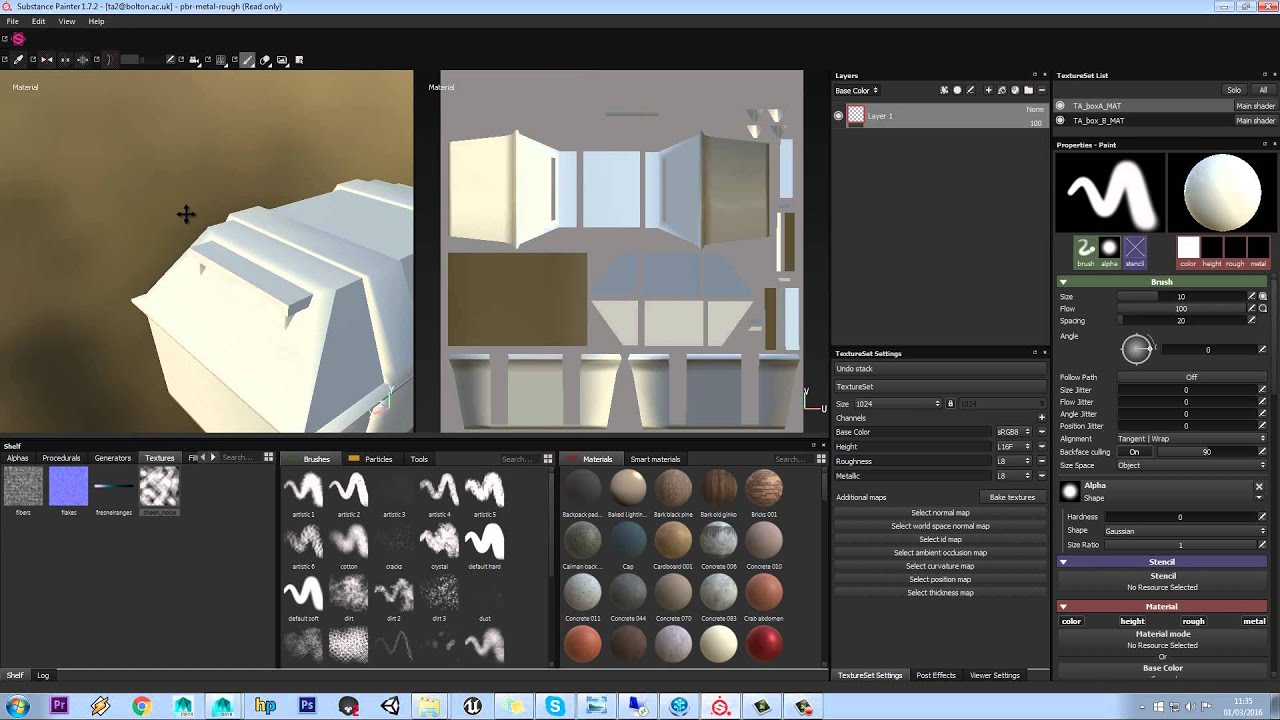
How to apply more than one material in Substance Painter using Maya
Support my free tutorials, buy my game on Steam
http://store.steampowered.com/app/556960/Lost_Wing/
And the matcap/metallic thing is just a matter of which shader you pick for the material in Blender.
sudden fox
brittle plinth
This *might* be outdated, I don’t use Substance so I’m not sure https://m.youtub...
ill give it a look in a bit
been at this mfor hours, taking a break
long marlin
This is somewhat similar to my last question
But does anyone have that shader that switches to wireframe, then fades away?
I've seen some avatars with it lately
sudden fox
i know this isnt a shader question, but idk where else to ask. why is it that when i draw on a layer below the chest fluff, it draws ON the chest fluff too? i need the fluff to be a different colour from whats under it
 midnight tide
sudden fox
still an issue lmao
midnight tide
sudden fox
still an issue lmao
your UV map might have mesh layered on top of other mesh.
so check that none of the islands in the UV map overlap.
other possibility; the mode used on the brush might be going where you don't want it to
adjust the 'alignment' pulldown menu to something else (tangent wrap is default, if that doesn't work, try UV)

 azure pike
Just updated to the most recent poiyomi and with the whole re-organization of the shader im unable to find where to make it a cut-out, anybody know how to do this?
light urchin
azure pike
Just updated to the most recent poiyomi and with the whole re-organization of th...
You just change the preset at the top to cutout
slim raptor
azure pike
Just updated to the most recent poiyomi and with the whole re-organization of th...
also many of the fetures from earlyer versions are in the advanced tab be shure to change to it
 muted osprey
I've heard several times of the elusive "no pass shader", but no leads googling around for how to make one without it rendering as a bright pink broken shader. Anyone know how to build one? Specifically a shader that just makes no draw calls, doesn't render anything
hasty raven
I'm looking for a shader that is similar to the Toony Colors Pro 2, does anyone have anything like that?
slim raptor
I need some shaders i can use when makeing quest compatablity..VRchat devs give you the worst shaders ever for that..im super lmited to what I can do for quest compatable avis need more options
 little cape
You can't use shaders other than those provided in VRCSDK on Quest avatars for performance reasons.
velvet sorrel
slim raptor
I need some shaders i can use when makeing quest compatablity..VRchat devs give ...
My advice: Paint the shading into the textures.
brittle plinth
muted osprey
I've heard several times of the elusive "no pass shader", but no leads googling ...
What exactly do you need that for?
muted osprey
brittle plinth
What exactly do you need that for?
Would be helpful to reduce draw calls on fully transparent materials
Not too hard to think of a use case: one of 5 materials on a skinned mesh dissolves to alpha. Swapping that material to a "no pass shader" would ensure only 4 materials are rendered. The alternative is a separate skinned mesh.
 vital lichen
Is anyone really familiar with amplify that has a moment to help me? I'm trying to convert a unity default shader graph built shader to amplify, but I'm having trouble passing a world position into something similar to tiling and offset as amplifys version can only have "tex" fed into it, and not UV
vital lichen
Or does anyone know any one more competent with amplify that you know wouldn't mind me asking them a question or two. I'm familiar with shader work in unreal, but not in unity or amplify.
brittle plinth
muted osprey
Not too hard to think of a use case: one of 5 materials on a skinned mesh dissol...
If any portion of the mesh needs to be visible, you can use the clip() function to discard pixels that have an alpha of 0.
tropic tusk
you guys got a nice way to test the shaders of your avatars in unity?
id love to test it in some environement
something to reflect
brittle plinth
Best bet is to set up a small scene in your avatar project and switch over to scene lighting.
tropic tusk
yeah and i forgot to turn on lighting and click generate lighting in the lighting settings ah

my boy looks great ;v;
btw anyone would know a shader with transparency and rim light effect? (also with specular)
maybe i can frankenstein a shader code together but im not sure i can really do that
hardy dagger
i think rero has rim light but i can’t remember. poi does but im not shre if you need the pro or if you can do the same with poi toon
sharp pike
muted osprey
I've heard several times of the elusive "no pass shader", but no leads googling ...
I'd been having the same struggle trying to get a shader better than one with a single pass that does basically nothing, but I managed to make this after seeing your message:
It has no draw calls whatsoever when I look in the frame debugger in unity and falls back to a cutout shader when shaders are disabled. Annoyingly, I have discovered that VRC's cutout fallback casts and receives shadows for entirely cut-out parts lol. So I guess I'll try and get it to fall back to a transparent shader instead, but I already wasted over an hour trying to get the fallback shader to work properly, so maybe another time, this should do for now.
// Name must contain ToonCutout, just Cutout is not enough for the fallback to work
Shader "Em/NoPass_ToonCutoutFallback" {
    Properties {
      // _Color property must be present for the fallback to work, it's value is irrelevant
      [HideInInspector] _Color ("Fallback Color", Color) = (0,0,0,0)
      // Above 1 to ensure it's always cutout
      _Cutoff("Fallback Alpha Cutoff (ensure above 1)", Range(2.0, 3.0)) = 2
    }

    SubShader {
        Tags {"IgnoreProjector" = "True" "ForceNoShadowCasting" = "True"}
        Pass {
            Tags {"LightMode" = "ShadowCaster"}
        }
    }
}
where's rero's shader?
past pewter
hasty raven
where's rero's shader?
 hasty raven
thanks
knotty rivet
How do I get poiyomi's distance fade to work?
I want a ghost to vanish at distance.
hasty raven
Got any tips? I'm trying to make the blue parts transparent but it acts weird when I do it

It clips weirdly for some reason
vital lichen
I'm a big dumb dumb and was making a shader in a shader graph in hdrp in 2019, can I then use that shader in 3d in 2018? I assume not, but I thought I would ask. I was trying to get shader graph to work in 2018, but I couldn't get it to work, and so I don't know if it was even available in that version of unity, or I just imported it incorrectly.
brittle plinth
Unity's internal shader graph is a completely different pipeline, it's not compatible with older versions and doesn't work in VRChat.
 rocky moat
can anyone tell me if the shader from this works in vrchat? did somebody try? https://assetstore.unity.com/packages/3d/environments/pbr-rocks-nature-pack-100777

Elevate your workflow with the PBR Rocks - Nature Pack asset from ANGRY MESH. Find this & other Environments options on the Unity Asset Store.
brittle plinth
It includes Amplify stuff, so the shaders are probably ShaderLab. Should be compatible.
rocky moat
ok thanks
 heady tiger
Is there a VRchat compatible shader for adding outlines to a character?
hasty raven
Let me guess, is it because of my Ultimate armor X port?
astral plover
heady tiger
Is there a VRchat compatible shader for adding outlines to a character?
Pretty much any toon shader will have outline options. Poiyomi toon has it, and I think Silent's shader has it as well
heady tiger
astral plover
Pretty much any toon shader will have outline options. Poiyomi toon has it, and ...
Do you have a tutorial? I've tried googling around but i can't seem to find one
astral plover
heady tiger
Do you have a tutorial? I've tried googling around but i can't seem to find one
I do not. But you can join Poiyomi's server if you choose to use his shader. They will help you out with a bunch of stuff
And the shader itself has a lot of tutorial videos linked directly in the material settings section. So if you are confused about what each section does, you can watch a video made by him that explains that feature
Super useful
heady tiger
I'm not sure which shader I'm looking for in the package
astral plover
Poiyomi toon
Select it in the material settings once you have the package imported
heady tiger
I've got that much, I mean one specific for outlines. I'll hit up the poiyomi discord though
astral plover
heady tiger
I've got that much, I mean one specific for outlines. I'll hit up the poiyomi di...
It's just the main shader. There is a section for outlines
Make sure you have the custom tab selected, so that all the features are shown
heady tiger
Oh, wow I'm blind. Found it
astral plover
Hella
sudden fox
question, is there a shader that makes a vhs glitch type effect?
 uneven loom
so far all of my Googling on that has shown post-processing effects not something you could put on an avatar
sudden fox
uneven loom
so far all of my Googling on that has shown post-processing effects not somethi...
Same. I just want an effect on the eyes of my avatar so it flickers like a vhs
safe geyser
Pardon my ignorance, but where in a unity shader (if at all) am I supposed to plug these "bump" files with light blue backgrounds that often come with various models? Normals?
little cape
yes normal map
safe geyser
It wasn't looking good but I tried another mesh and it does so it must have to do with the unity scene lighting
Thanks
safe geyser
I'm having some issues with the poyomi toon shader. A popup panel with something about preset management appeared in the top right corner of the unity window above the inspector and it's not going away. Even after restarting unity there's still a grey rectangle there covering a part of the interface. There are a bunch of errors in the console about thryeditor. Updating the shader didn't help either. Any idea how I can fix this?
trim heath
Try deleting the material and starting it from scratch? May just be corrupted.
safe geyser
The SDK panel disappeared. There's still an SDK menu, but the only thing there is clear cache. The avatar descriptor is still there but it looks different from how it did. Attempting to reimport the SDK it just says all files are already in the project...
At least the irremovable panel disappeared
 noble sonnet
Dont just import the package while the SDK folder is there.
delete the folder and then import the package
safe geyser
Is that safe? Won't I lose my SDK-related settings?
Well, I did it anyway. After reimporting, I still only have clear cache. Restarting doesn't help either
What the fuck
I'm going to try to delete poyomi entirely and restart
Didn't even have to restart. After deleting poyomi the sdk is back 😐
There was an error about lock inspector or something like that in the console, in case it matters to someone involved in this shader
light urchin
safe geyser
There was an error about lock inspector or something like that in the console, i...
That's way too vague for anyone to say what was happening, need to properly know what the full error messages was of the ones stopping the compiling from happening
safe geyser
Is the log saved somewhere?
No, I don't think so. Sorry
I wasn't quite sure what was going on and since multiple restarts were involved and the error was mixed with a bunch of warnings I don't have the errors anymore.
light urchin
If something is stopping unity from compiling it won't disappear from the console until the problem is resolved
All you need to do is press clear on it once to narrow it down to currently existing errors
noble sonnet
safe geyser
Well, I did it anyway. After reimporting, I still only have clear cache. Restart...
Did you check Console for errors?
safe geyser
1, unfortunately that is no longer the case after I deleted the poyomi shader from the project, as I explained above. So I was only quoting from memory
light urchin
Well yes, I was telling you for the future
safe geyser
Got it, thanks
safe geyser
Anyone here experienced with silent's anisotropic hair shader? I'm trying unsuccessfully to make the result a little duller, but otherwise the same
It's reflecting more light, under bright conditions, than I'd like it to, in VRChat
It's difficult to test because I don't observe this effect in the scene preview/emulator
safe geyser
Lowering 'tint' seems to help
 fervent orchid
when people put gifs on their avatars, I assume it's a shader, anyone knows which one?
trim heath
 long marlin
Can anyone send me over to some good weapon shaders/particles?
I'd love to get a shotgun or flamethrower
 dapper breach
Hey can i get some help? the Poiyomi shader suddenly decided it didn;t exist anymore in the project and deleted itself. IS there a way to reimport the shader?
lofty dragon
Does anyone know of a shader that flattens a model from another person's perspective?
 restive badge
lofty dragon
Does anyone know of a shader that flattens a model from another person's perspec...
restive badge
lofty dragon
Does anyone know of a shader that flattens a model from another person's perspec...
Are you trying to flatten your own avatar? Do you want only other people to see it flattened but not yourself? Are you trying to flatten someone else's avatar? If you're just trying to flatten your own model you can just scale the whole avatar in an animation. If you're trying to scale someone else's avatar, or scale your own but only for others and not yourself, well, I have no idea if that's possible.
lofty dragon
restive badge
Are you trying to flatten your own avatar? Do you want only other people to see ...
It's a bit tricky to explain
I'll DM you in case other people want to ask stuff
 elfin sky
I'm trying to find a shader that looks like this, any suggestions for where I should look, or would I be better off trying to make it from scratch myself?
 brittle plinth
Probably need to make it yourself.
 spiral flicker
does anyone know the name of the shader which allows for infinity textures? So you look at the clothes and it just goes on forever like a skybox?
Using it for a bingus avatar
 queen trellis
spiral flicker
does anyone know the **name of the shader which allows for infinity textures**? ...
queen trellis
spiral flicker
does anyone know the **name of the shader which allows for infinity textures**? ...
I believe what you're referring to is a Matcap. If you search up Poiyomi shaders you can "easily" make it. Or you're talking about a panning texture. I strongly recommend playing around with Poiyomi shaders
spiral flicker
I want it like this. Of course changing the texture to bingus. So when you move your head, the picture moves inside.

nsfw ^^
I've used poiyomi for a long time and I haven't been able to get that result unless I missed something
queen trellis
spiral flicker
I've used poiyomi for a long time and I haven't been able to get that result unl...
Matcap
Ill help later
 barren escarp
Anyone know where I can find an aura shader - outline ?
past pewter
Hey are there any particles shaders that will work for quest
safe geyser
Can you animate specular lighting off in a material?
 tough ore
I'm working on a world which has some planes that I had planned to each have their own skybox materials, I don't think this is possible with the skybox shader.
The idea is different windows show a different skybox, can someone point me in the right direction to accomplish this? I don't need the lighting or anything else from them I just wanted to create some different views across a set of objects.
trim heath
Is there a shader that does this sort of effect?

I think it could look really cool if each silhouette copy was a solid color.
Maybe even random 0v0
I know how to program it using an accumulation buffer, but don't know if any shaders exist for it yet...
safe geyser
Let me explain my problem here. I'm trying to set the base _Color field of the silent anisotropic hair shader using an animation but the result it yields is completely different from what I get if I set it manually, or in other words, I can't animate it back to default
It's much darker
What might be causing that?
The desired color is exactly #59554A, nice and simple
IDE

Animated
 safe geyser
The mere presence of these animations in the layer is enough to mess up the meshes, even if they are not connected to anything or the layer weight is set to 0
I mean to mess up the shading
Could this be related to gamma correction?
I think if the project in gamma mode it's always the incorrect, darker shade, and it exports with the darker shade too
 lucid fog
how do i make shiny materials like this
 safe geyser
Hard to tell how shiny they are from a static image
Regarding the gamma difference problem, my videogame developer brother suggested applying gamma conversion in the shader, but that makes me wonder if there's any way for the shader to tell if the color is being provided from linear or gamma mode
If I just convert it every time then it will break the field when used with default (not subject to animation) values only
This is a question by the way. Is there a way to tell?
lofty dragon
lucid fog
how do i make shiny materials like this
The easiest way is with a metallic map and a roughness map
PBR stuff
 hollow dome
https://imgur.com/a/nPXNYBB im just wondering, if i set shaders to standard, this is what other users see if they have shaders disabled?
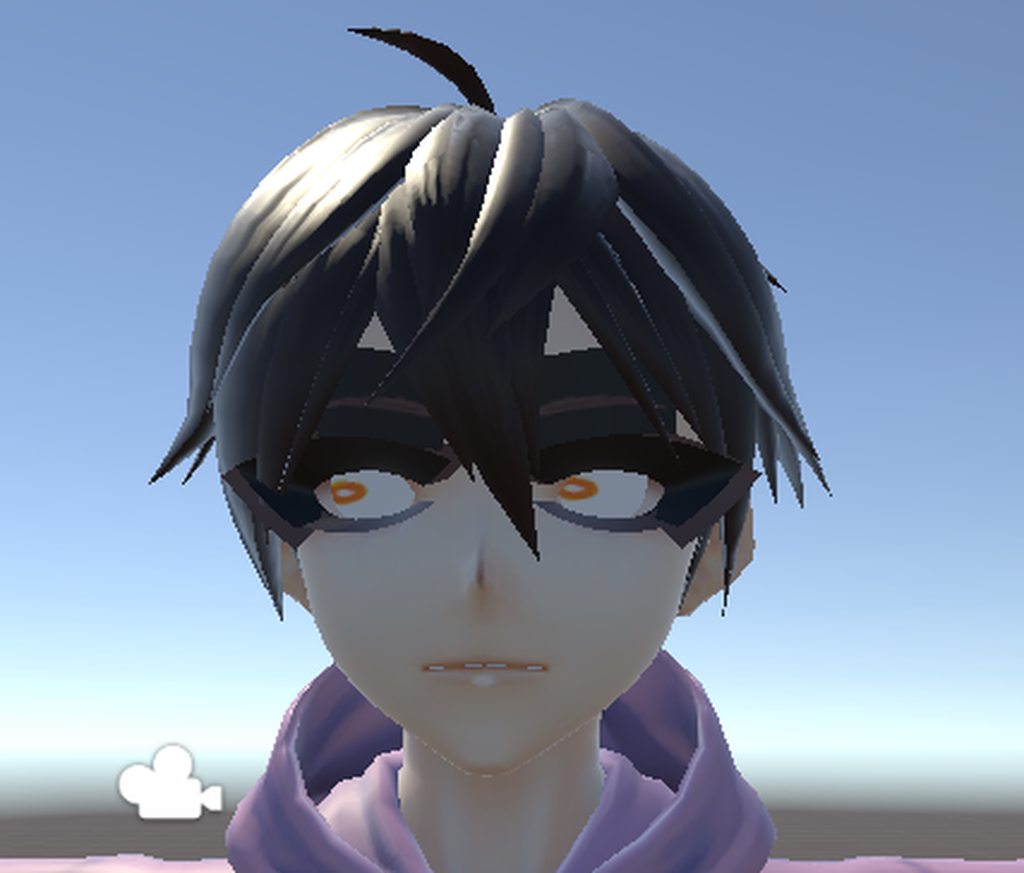
it truly looks like a demon and im wondering if thats actually what other users see
safe geyser
Not necessarily
Shaders can have a fallback set and vrchat also makes some informed guesses from the name of the shader or its parameters, it's in the documentation
It can use more than the standard shader even if the user is blocking custom shaders based on trust (someone correct me if I'm wrong)
Still trying to resolve Unity gremlins eating my colors
safe geyser
Alright shaderpeople, I have the solution for my mysterious darkening problem and I'm going to explain it for the next victim in case they search the channel
If your shader's color property is marked HDR, its color channels can go beyond 0-1 but if you animate RGBA they're clamped back to 0-1
You have to animate XYZW
Probably obvious to some if you already know about this stuff, which I don't
elfin sky
is there an explanation for what the 3rd and 4th numbers in a vertex position are exactly? I found out the first two are X and Y positions, but I can't find anything about this online
 fast crow
Any shader for Rain?
 hearty island
hollow dome
https://imgur.com/a/nPXNYBB im just wondering, if i set shaders to standard, thi...
hearty island
hollow dome
https://imgur.com/a/nPXNYBB im just wondering, if i set shaders to standard, thi...
you need to adjust both the texture and mesh to avoid transparency
in vroid, you adjust the texture so that it's inside the guide grid
lofty dragon
Would anyone here be able to help me smash 2 existing shaders together? I need the properties from both shaders to be in one single shader and I've made a mess of it trying on my own.
 fading latch
hollow dome
https://imgur.com/a/nPXNYBB im just wondering, if i set shaders to standard, thi...
fading latch
hollow dome
https://imgur.com/a/nPXNYBB im just wondering, if i set shaders to standard, thi...
Transparent textures dont work for quest
it isnt abt shaders
 alpine wasp
hey, im looking for a pulsating/chasing emission shader, anyone know where I can find one?
 indigo echo
anyone know why this material (poiyomi shader) is showing up in unity but not in vrchat? culling is off, doesnt display in mirror or normal view. but i can see it fine in unity
indigo echo
fast crow
Any shader for Rain?
just use particle spreadsheets
sharp pike
You can reuse one that will always be loaded by unity: https://pastebin.com/83fQvZ3n
You can then use defines so that your code remains readable:
      #ifndef HMD_HUE
          #define HMD_HUE
      #endif
  #endif```
Pastebin
Pastebin.com is the number one paste tool since 2002. Pastebin is a website where you can store text online for a set period of time.
 crude lion
anyone know of a shader that tracks other ppl ,for example as one ive seen years ago where it looked like an avatars head was turning to face you all the time
tired token
sharp pike
You can reuse one that will always be loaded by unity: https://pastebin.com/83fQ...
Fun fact, they're not always loaded by Unity 😉
midnight tide
crude lion
anyone know of a shader that tracks other ppl ,for example as one ive seen years...
wouldn't setting the head to an eye bone grant the same effect?
brittle plinth
No? Eyes don't track other people.
 honest stump
I'm looking for a way to make a material dissolve based on the distance you are from the avatar, is that possible?
little cape
Poiyomi shader has this function.
past pewter
elfin sky
I'm trying to find a shader that looks like this, any suggestions for where I sh...
Docme amazing shader or dopplerganger dope 2.18 or lavender tuber 2.9
With this 3 shaders u can do all kind of screen fx
 bleak lantern
does anyone know how to get a 1 way mirror to work with poiyomi or some other shader? made a wall to hide an interior room but it hides both ways

 shadow scroll
lucid fog
how do i make shiny materials like this
shadow scroll
lucid fog
how do i make shiny materials like this
matcaps can recreate that effect
 nimble beacon
Any recommendations for shaders that work for less cartoony avatars? I find my avatar looses detail from the normal maps when using toon shaders, but the normal unity shaders cause it to be way to dark in low lighting.
 ancient acorn
Is there a shader that would make something invisible to everyone but the one holding the object?
Asking for a friend.
sharp pike
If this is an object on an avatar, not an object in a world, with shaders you're probably limited to something like making it disappear when it's too far away. But with animations on your avatar you can use the isLocal parameter to enable/disable something only for you.
brisk gull
@nimble beacon change lighting type in Poiyomi, it shows normal map qualities then.
ancient acorn
@sharp pike, it's an object attached to the avatar my friend wants only visible to them, using a standard toggle animation to pull it out.
sharp pike
ancient acorn
<@!109032924476649472>, it's an object attached to the avatar my friend wants on...
Then in transition that enables the object, as well as the existing condition that <your toggle parameter> = true, add a second condition of IsLocal = true. The transition will only happen when both conditions are met, so the transition will only occur for the person using the avatar so the object will only become enabled for them.
If the FX animator isn't already using the IsLocal parameter, you'll have to add it to the animator, VRChat will control its value when in the game. IsLocal is especially useful for things like preventing other users from seeing seeing your custom HUD shader when they get close to your head.
If you need more help with the animations for avatars 3.0, I suggest you head over to #avatar-help
ancient acorn
Mmm. That's a problem. You shouldn't be assuming everyone uses 3.0 nowadays.
Myself and my friend still use 2.0 (for its simplicity).
That's why he's asking for a shader (why I'm asking in this channel, that doesn't say 'sdk3-shaders'). A friend of mine says someone they knew had such a shader (for 2.0).
I was hoping someone who knew someone with said shader, could help my friend. Sadly that doesn't seem to be the case.
sharp pike
Avatar 2.0 doesn't have any such 'standard toggle animations' hence my response. You're stuck with holding down gestures or using a mess of prefabs with separate animators.
 keen tusk
anyone knows which shader that hair is?
keen tusk
 glass torrent
Is there any shader that allows an object to make whatever it touches see-through? I've got a vending machine prop with an opaque glass-window (one material, can't apply a transparent shader to the opaque plane alone without touching the entire model in Blender first). I'd like to use the orange-outlined 'replacement window' to hide the opaque grey plane to see the contents of the vending machine. Somewhat new to Unity, I apologize if this is a silly question.
 safe geyser
I think you need to put the shader on the grey plane's material
Or, well, maybe not, if it's just for a specific case
sharp pike
You could change the vending machine's material to cutout instead of opaque and then make the part of texture where the opaque glass-window is transparent. That would 'cutout' the opaque glass-window
safe geyser
It does seem like the easiest way
 dawn holly
Good day everyone, anyone knows a good shader for videogame avatars?
Specifically for models of Resident evil 4
safe geyser
I could probably use some advice right now
I'm trying to make a mesh display a transparent png
But no matter what I do, the mesh either displays the full png or is fully transparent, which is baffling
The same shader is successfully used to display a transparent png elsewhere in the model
These are the settings I'm using on both meshes, the one that works and the one that doesn't

I've double checked the images and they are similar in composition (merely contain different things)
The meshes behind both of them are in position 2450 and not transparent, and render properly
The only way to make the mesh that doesn't render visible is to set cutout to exactly 0, in which case the image fills the whole mesh (no transparency whatsoever)
The import settings for both images are exactly the same
I just don't get it
sharp pike
What happens if you use the material that is working correctly and use it on both meshes (or the material that isn't working)? What happens if you swap around the materials between the two meshes? The answers to these questions may help to pinpoint where the issue lies.
You could also try taking the material that isn't working and changing its texture to the same as the one in the material that is working. Try to find out if it's the texture, the material, the shader or something else that is causing your unexpected result.
safe geyser
Oh, I did. I think the mesh that works always works and the mesh that doesn't never does
I'm thinking instead of doing this I'll modify the shader to take the transparent texture and use it where needed
sharp pike
There's one thing that comes to mind and that's that your shader is both on the Transparent queue and is alpha tested (cutout). Cutout shaders normally would write to the Z buffer, which you normally don't want when you're at the Transparent queue.
safe geyser
I tried fiddling with that though - whether I'm writing to the z buffer or not - and it didn't change the result 😦
I was assuming it was UV shenanigans or something
dawn holly
So, any good shaders? or should i just apply a toon shader on a semi-realistic model?
sharp pike
Typically models in video games will use a variety of different textures for different things, like how you might have textures for Albedo, Metallic/Smoothness, Occlusion and a Normal Map for a unity game using the standard shader. What textures you have and which of them you intend to use will be what limits your options for shaders.
safe geyser
Not much luck modifying the shader so far. I don't seem to be able to read useful data from the sampler containing the (mostly transparent) texture I want to use as a reference, which is the same one I mention above that wasn't rendering transparently
The image previews well in the unity IDE and has the same size as the main texture, but if I try to plug the data I get from it into the shader output I get a uniform color if the texture was imported in clamp mode or a bunch of parallel lines if it was imported in repeat mode. Any ideas? I'm very baffled
Nevermind, I repeated the same steps and got a different result, so I must have done something wrong here. I can see the mask projected into the surface now, so no texture-related issues
 cloud steppe
 sharp pike
Looks like Rollthered's fire shader
The glowing outline around the bottom text might be something else though
hardy dagger
i think thats just the use highlight
left orbit
Has anybody ever gotten or used a shader that refracts light for crystals?
vale hare
I feel like this belongs here due to these being maps used for specific shader tricks-
If i have in addition to albedo and normals, maps labeled "atoc" and "maskm," what might those be for? anything with the atoc designation, is bright, almost white, with yellow parts, while the maskm is pinkish with purple bits.

 brisk gull
ATOC = Alpha to Coverage
maskm = Metal mask probably? (Could be doubled as metal and roughness mask)
@vale hare
 sinful stag
from the googling I've been doing in the past five minutes these answers seem likely ^
 urban vale
 lofty saddle
so when i go in game my avatar is completely black but in unity it seems fine
lofty saddle
so when i go in game my avatar is completely black but in unity it seems fine
hayeeyaaaaaaaa
velvet sorrel
lofty saddle
so when i go in game my avatar is completely black but in unity it seems fine
Test your shader with no realtime lights.
 potent talon
Pyomi had sparkle feature that I forgot about, so I’m obviously going with the right choice here

 haughty adder
hey can anyone help me figure out why this is happening. i got an asset with a planet shader.
https://cdn.discordapp.com/attachments/361741445352259584/839550135070752838/unknown.png
it looks like this in unity. also works in play mode

but then it looks like this in vrchat itself

https://cdn.discordapp.com/attachments/361741445352259584/839551921539121192/unknown.png this is what the shader looks like in unity. it does have a script to determine where the "light" is coming from. but even when this script is removed it looks normal in play mode. just not in vrchat

 undone portal
Hello, new guy here, I was wondering if there's a shader where you can see your avatar's eyes thru hair? Thanks.
potent talon
Does anyone have a shader that makes multiple copy’s of a model?
 willow wasp
lofty saddle
so when i go in game my avatar is completely black but in unity it seems fine
willow wasp
lofty saddle
so when i go in game my avatar is completely black but in unity it seems fine
Ah so that texture might be a Dds and those can’t be compressed into a lower quality or can’t be seen in game, go look for a dds converter and convert it, that should do the trick
haughty adder
haughty adder
but then it looks like this in vrchat itself
Anyone got any idea why this happens?
sharp pike
haughty adder
Anyone got any idea why this happens?
A lot of vrchat worlds don't have any dynamic lights and a lot of random shaders you find on the internet work only with dynamic lights.
haughty adder
but i dont get why it works and looks fine in unity if i go into play mode?
sharp pike
Because you have dynamic lights in unity
haughty adder
all my lights are set to baked
im pretty sure this shader even works in a scene with no lights cause if i understand it it will simulate its own light direction and draw the planet accordingly.
haughty adder
sharp pike
A lot of vrchat worlds don't have any dynamic lights and a lot of random shaders...
but if this is the case, then i can fix this by having like a realtime directional light?
sharp pike
And you put light probes in your unity scene and generated the lighting in the Lighting tab? Without doing so, setting lights to 'baked' will leave them acting as realtime lights.
haughty adder
yes light probes are in my scene and they are baked
but again, im pretty sure this shader isnt effected by the normal lighting system
the shader uses a script where you can set an object as the "light source" can be anything even an empty object, and then its position will simulate how a planet will look with light coming from that direction. Even with this script removed the shader works in play mode, it justs assumes a default position for a "light source"
sharp pike
Just in-case, you did enable scene lighting?
 haughty adder
yeah, it looks the same either way
in play mode and in the scene, in unity it always looks correct
sharp pike
The rings looking white instead of black has me thinking it could be something else. Does the shader need the camera to have a depth texture perhaps?
haughty adder
i have no clue, ive never really worked with shaders before this. how would i check?
sharp pike
Have you tested the shader in vrchat in a world that has a dynamic directional light and one with a dynamic directional light with shadows enabled, since shadows enabled forces the depth texture to be enabled?
haughty adder
just making sure with dynamic you mean realtime right? and no i have not. im currently not at my home pc so i sadly cant try it just yet.
sharp pike
Yes, I mean realtime, specifically directional realtime
haughty adder
alright, yeah i havent tried setting up a seperate world yet
my current world does not have a directional light at all
https://assetstore.unity.com/packages/3d/environments/sci-fi/next-gen-planets-163061 incase it helps, this is the asset im using that provides the shader

Elevate your workflow with the Next-Gen Planets asset from Nova Shade. Find this & other Sci-Fi options on the Unity Asset Store.
sharp pike
Quite a few worlds have settings where you can enable a realtime light, though I don't know many off the top of my head that have a realtime light with shadows. Both testing conditions will hopefully give an idea of where the issue lies. While pretty rare, worlds with depth-of-field enabled also enable the depth texture.
You can forcefully enable depth by putting a realtime directional light with shadows on your avatar
Directional Light
Mode: Realtime
Intensity: 0.01
Shadow Type: Hard Shadows
Culling Mask: UiMenu (very important!)
haughty adder
wait on my avatar? or can i just place one in the world?
anyway, ill try that as soon as im back home. Would it be okay for me to reach out to you on discord once i try that?
sharp pike
If you want a planet on your avatar then on the avatar, otherwise in your world. People who use shaders on their avatars that use the depth texture will add the light so that the shader works in every world. And sure.
haughty adder
yeah its for my spaceship hangout world. and thank you for helping, i really appreciate it 🙂
potent talon
this shader is so good
 willow wasp
What is it?
bleak lantern
anyone know how to create a 1 way shader so that a sphere would be invisible unless i stick my head inside it without stencil? messed around with cull settings in poiyomi but it only gives me the opposite of what I want
sharp pike
It would only work with a sphere, but I guess you could cull front faces and additionally not render anything until the distance between the centre of the sphere and the player's camera is less than the radius of the sphere, i.e., your head is in the sphere
 trail pendant
https://assetstore.unity.com/packages/vfx/shaders/liquid-shader-173635 is this the shader the Great Pug and other worlds use for liquid inside drink cups?

Add depth to your next project with Liquid Shader from Triple Axis. Find this & more VFX Shaders on the Unity Asset Store.
sharp pike
I doubt it, the one used in the Great Pug is very simple. I've seen people use edits of the one by Minions Art and it's generally a good starting point for someone trying to make their own, you just don't get to do the wobble part since that uses a script https://www.patreon.com/posts/quick-game-art-18245226
 tropic halo
so i'm trying to use silent glass shader for the lenses here. i apply it and it's just white. i tried messing with the settings, how do i make it look like glass?
 tired token
tropic halo
so i'm trying to use silent glass shader for the lenses here. i apply it and it'...
tired token
tropic halo
so i'm trying to use silent glass shader for the lenses here. i apply it and it'...
Reduce the main colour's alpha
tropic halo
tired token
Reduce the main colour's alpha
where on the side do i do that? changing the "diffuse color" does nothing
changing any of the settings doesn't do anything
 proven sun
I’m writing a particle shader where I fade the color between two colors based on camera depth. Is there a way to set the fade length so that it starts at the closest and ends at the furthest particle/vertex currently rendered on screen so that no matter how close all of them are as long as you have multiple on screen with different depth they would have different colors
 ancient bear
tropic halo
so i'm trying to use silent glass shader for the lenses here. i apply it and it'...
ancient bear
tropic halo
so i'm trying to use silent glass shader for the lenses here. i apply it and it'...
:O my favourite rec room player plays vrchat?
I love u
velvet sorrel
tropic halo
so i'm trying to use silent glass shader for the lenses here. i apply it and it'...
If you click on the field for Diffuse Colour, you'll see at the bottom R, G, B, and A sliders. Reduce the A slider to 0. The alpha controls the opacity of the glass.
 indigo frigate
I've been fumbling my way through adding stencil testing and messing with ZTest/ZWrite on some shaders for a spring joint and I've run into an in-game only issue that I can't wrap my head around. The ball itself is a multi FX shader with distort/neon + sphere wireframe, then the trail is a simpler neon only shader + wireframe shader. I want the trail to not appear where the ball is being rendered because it looks nicer, so I've set up the stencil testing to accomplish that. In unity it looks perfect no matter the angle, in game it seems to sort of glitch back and forth between rendering and not rendering the trail inside the ball. Image is unity, video is in game

I have pretty much no shader experience save for simple edits I've done here and there, so I've just been kind of googling my way through this and I'm hoping someone with shader experience might know what could be causing this
tropic halo
velvet sorrel
If you click on the field for Diffuse Colour, you'll see at the bottom R, G, B, ...
that didn't work either! agh, no matter what i do they stay pure white. thanks for being descriptive though
proven sun
indigo frigate
I have pretty much no shader experience save for simple edits I've done here and...
Check render queues
indigo frigate
proven sun
Check render queues
That was my first thought too but they all seem correct. Render queues are all different and the ones reading from the stencil buffer are after the ones writing to it
past pewter
Is VRChat/Mobile/Lightmapped not supposed to work for Quest? The other shaders in VRChat/Mobile seem to work... https://gyazo.com/380867c4f4e5037d9375ca78d54ea0fc
 light urchin
past pewter
Is `VRChat/Mobile/Lightmapped` not supposed to work for Quest? The other shaders...
light urchin
past pewter
Is `VRChat/Mobile/Lightmapped` not supposed to work for Quest? The other shaders...
It's only for worlds
 hard sage
I've been trying to find a solution for a water shader. Is there a solution that others here have used successfully? I'm currently trying to get the Lux Water shader to work, but I'm getting frustrated. Tips on how to use that shader are welcome as well.
hardy dagger
@hard sage ive not used lux but may i ask what youre having issues with for that shader?
hard sage
@hardy dagger With the lux shader, when I apply the shader/material, it appears to be present, but it is completely transparent.
 rich plover
does anyone know how to calculate in a shader IPD/FOV consistently across avatar heights/vr headsets for the sake of screenspace texture with depth/stereo so its just not on your face
sharp pike
I found and used an FOV calculation a while ago, but it had minor fluctuations in value at runtime so it wasn't viable for what I wanted to use it for. I don't remember where I found it, but there are a few in the google search results: https://answers.unity.com/questions/770838/how-can-i-extract-the-fov-information-from-the-pro.html https://www.gamedev.net/forums/topic/609769-derive-fov-from-projection-matrix-how/
Unity is the ultimate game development platform. Use Unity to build high-quality 3D and 2D games, deploy them across mobile, desktop, VR/AR, consoles or the Web, and connect with loyal and enthusiastic players and customers.
lofty saddle
how can i make this render in front of my avatar
 hardy dagger
@hard sage does it use sound? is there a way to change its alpha values in anyway?
sound = noise maps. and what i mean is how grainy it is
@lofty saddle can you elab?
like renderqueue style render?
lofty saddle
yeah renderqueue
hardy dagger
may need to use a different shader. unless it is actually a particle
lofty saddle
yeah its supposed to be a particle
hardy dagger
hmm. im not sure then sorry
 zinc orbit
Don't know if this should go here, but I'm trying to get the shading of the model to at least vaguely resemble the art that goes with him in game, accounting for the fact that the colors for the model are different from the art. Is this... good enough?
 past pewter
I think it looks very similar so far definitely
zinc orbit
alright! i'll upload now, then
 remote valve
I think this is a shader question.

If I wanted to make one of these arms see through
would it require my to make that arm its own seperate object. From what I can tell in unity shaders apply to the entire mesh.
brittle plinth
@remote valve


And then in Unity you apply the materials through the asset's import settings, not by dragging them onto it.
remote valve
Thank you.
brittle plinth
Np
 robust zodiac
hello I have a question how can I erase the worlds I download and the characters ?
remote valve
Okay I know I said thank you earlier as if I understood
I actually don't understand the response I got at all in the slightest.
sharp pike
In blender, each mesh can have multiple materials, each material in blender will become a material slot in unity. The first picture shows how to add a material to the mesh. In edit mode, you can then select faces and assign them to a particular material, which is what the second picture shows. The last part about applying materials in unity through the import settings you can ignore. Dragging your unity materials onto the mesh in unity is fine too.
remote valve
Ah. Now I really do understand.
sharp pike
So in blender, you would add a new material for the see-through arm, then go into edit mode, select all the faces of the arm and assign them to the new material you created. It doesn't matter if the arm doesn't look see-through in blender.
Then put your unity materials onto the mesh in unity in whichever way you prefer
remote valve
Yeah its coming together now. I should be able to do what I'm thinking of.
 harsh jungle
So idk if this counts as a shader question but I’m trying to make a moving texture does anyone know how to do that
Dm or reply with answer please
 velvet raven
Is there a standard roughness shader for unity?
sharp pike
That might've been the one that got renamed in Unity 2018 to Autodesk Interactive
azure pike
Anybody know of a shader that would function similar to the cancerspace shader (bascially one that allows me to basically run an overlay over the camera), but does not show through walls, and preferably is only seen from within the mesh it's placed in (ie. is affected by culling)?
sharp pike
The cancerspace shader exposes ZTest in its shader properties, is it not shown in the shader's gui? You want LEqual for 'normal' rendering of only rendering when there's nothing in front of it.
 stiff oak
Anyone know where I can get the doctrina fur shader, The website link is broken on youtube, and I can't find it anywhere else.
sharp pike
stiff oak
Anyone know where I can get the doctrina fur shader, The website link is broken ...
The Internet Archive's Wayback Machine has the page archived https://web.archive.org/web/20200221010139/https://doctrina-kharkov.blogspot.com/2019/05/unity-fur-shader-free.html
Курсы программирования в Харькове
I have a feeling the shader may not work quite as you expect, it's more of a 'foliage blowing in the wind' shader than it is a fur shader
stiff oak
ty sm!
 feral coral

I wanted to ask, is there a way to make part of an object semi transparent or does it have to be a separate material? I have an alpha channel on the clear part but seem like I can only have it opaque or transparent with the cutoff and I don't see an other way.
 fringe sand
Anyone know of a good shader for use in worlds that allow for an animated texture scrolling effect and use emission for use with signs?
velvet sorrel
fringe sand
Anyone know of a good shader for use in worlds that allow for an animated textur...

A simple shader for Unity to create seemingly complex particle effects. To install, place the Shader/ folder with the shader into your Assets/ directory. Gradient ramps can be created using the editor tool included in SCSS. https://s-ilent.booth.pm/items/1894974 Licensed under the MIT license.
fringe sand
Worked out perfectly. Thanks.
 golden mesa
yoooo anyone got a good resource for the PS1 style shader that a lot of folks use? can't find anything that works with the 2018 unity engine
@brittle rose I know you wrote a really nice one, but it only seems to be available for unity 2020 . is there any chance you've got an older one or..?
 gloomy socket
Does anyone know if there's a way you can send an objects transformation matrix to a shader? Which, is to say--a transformation matrix of an object that isn't the one being rendered.
Unity performing skeletal transformations before the vertex shader executes brings me no end of pain.
past pewter
anyone know of a shader that gives an LCD screen look? so when you get up close you can see the RGB pixels?
lofty dragon
past pewter
anyone know of a shader that gives an LCD screen look? so when you get up close ...

HI, I'm WACOMalt!
So I make stuff for social VR games, namely VRChat these days, and I like to share stuff back to the community :)
Enjoy some of my assets I've packaged up for VRChat devs! Probably most of these will also be usable in other Unity projects.
If you do use these, I do request that
There's a TV shader on here
It's a CRT shader but I'm sure you can disable the vignette
jovial urchin
What is the use case for having a shader set to not batch. For example, a basic shader for world objects that are duplicated in a scene (think rocks and trees). It seems this really should be batched but I don’t really understand what disabling it may inadvertently cause
sharp pike
Do you mean GPU instancing? That's a different thing from batching.
https://docs.unity3d.com/2018.4/Documentation/Manual/GPUInstancing.html https://docs.unity3d.com/2018.4/Documentation/Manual/DrawCallBatching.html
azure pike
Anybody know of a shader that functions as the attached image? Ie. I want to use a shader that only shows certain stuff when looking through one side of the mesh the shader is applied to, akin to looking through a portal; any ideas of shaders that would work for this?
 stiff berry
@azure pike Stencils
i believe these should do what you want https://github.com/x753/True-Shaders-for-Unity
but the mechanism that does this is the stencil buffer and stencil operations https://docs.unity3d.com/Manual/SL-Stencil.html
GitHub
A pack including several experimental Unity shaders that allow you to see objects through walls and more - x753/True-Shaders-for-Unity
azure pike
Alright, I'll look into it; thanks
stiff berry
i also have a tutorial on a portal shader if that's what you're looking into https://www.youtube.com/watch?v=SySnHIhiVgM
azure pike
Aye, I remember the portal shader; I've considered trying that though I wanted to check for an alternative that may work better/easier before throwing any real attempt at it
 raven harbor
hello
lofty saddle
im having a problem where most shaders dont work on my avatar and they just show up as just black when there is no light

The only ones I know that work are the ones that always have lighting which causes me to stand out like a soar thumb
sharp pike
Quite a few shaders you find on the web only support realtime lights, you won't be able to use them properly on an avatar because a lot of worlds don't have any realtime lights.
 rapid granite
Anyone have tips for best Quest compatible shader for VRChat? Toon lit looks dark in some worlds / solid black. I saw some one that had a toon like shader and I could see it in those same worlds?
 spice zealot
Heyy does anyone have a white color with a black outline i can use for unity models, if you do can you DM me it plz
 woven tartan
m'really confused, when i swap out a constant that i can modify in source code to a shader property, the shader property doesn't seem to work properly?
in properties: _SourceRadius("Source Radius", Range(0.0, 2.0)) = 1
declaration: float _SourceRadius;
usage: Out.sourcePos.xyz = Out.sourcePos.xyz + normalize(cross(cross(sourceNormal.xyz, -h.xyz), sourceNormal.xyz)) * _SourceRadius;
(the goal here is to project the vector h onto the plane defined by sourcePos and sourceNormal, then move the point sourcePos _SourceRadius units along that projected vector.)
if i swap out _SourceRadius for a constant 0, 0.1, 1, or whatever, it seems to work properly, but with _SourceRadius present it just seems to hold a single, unchanging value regardless of how i mess with the slider in unity.
 chrome urchin
Does anyone know what shader is being used for this shiny necklace?

 tired cliff
Probably the standard shader, you can pull off some decent looking fake PBR with it like that.
 solid cobalt
soooo im trying to make a shader i found have culling off and when i change it it just makes the inside of the mesh white anyone know what might be going on?
i can send picks of the code
ok better way of saying that i turned backface culling off and instead of the texture mirrored it just shows up white
 chrome urchin
tired cliff
Probably the standard shader, you can pull off some decent looking fake PBR with...
chrome urchin
tired cliff
Probably the standard shader, you can pull off some decent looking fake PBR with...
It's suuper shiny though, it sparkles and reflects. Been trying to get that effect but no luck. :(
 arctic oar
chrome urchin
It's suuper shiny though, it sparkles and reflects. Been trying to get that effe...
arctic oar
chrome urchin
It's suuper shiny though, it sparkles and reflects. Been trying to get that effe...
I think that can be achieve with poiyomi's shader when assigning baked cubemap with extra intensity on it. It still rely on world post processing effect for bloom though.
 broken remnant
i've been trying to look at as many different vtubers as possible for reference, but I've been wondering if anybody knows if lighting is produced by vtuber programs to get shadows, or if that kind of thing needs to be built into the texture/made into a shader?
tired cliff
chrome urchin
It's suuper shiny though, it sparkles and reflects. Been trying to get that effe...
The glowing effect is called Bloom, and that's a world post-processing effect.
Not something you can put on an avatar directly.
 elder bear
I'm trying do do a diamond shader for a ring. Do anyone know a great script I can pasta.
 chrome urchin
tired cliff
Not something you can put on an avatar directly.
chrome urchin
tired cliff
Not something you can put on an avatar directly.
Thank yall tho, I appreciate the help. I managed to get something like that with poiyomi.
elder bear
I have been trying like crazy to get refraction standard shader to work
lofty dragon
elder bear
I have been trying like crazy to get refraction standard shader to work
How big is this ring?
uneven loom
probably not terribly big unless it's a ring for a giant
lofty dragon
Yeah, unless the diamond is huge I wouldn't look for a shader
waste of a material slot really
uneven loom
yeah you could probably just paint a high shininess on your PBR Maps
elder bear
Ok its gonna be small,
 arctic oar
Probably emissive rim light plus emission map on texture.
past pewter
arctic oar
Probably emissive rim light plus emission map on texture.
It’s a world shader tho if you know what I mean, everyone can see it
 elder bear
Standard shader prolly
 bold flower
 past pewter
elder bear
Standard shader prolly
past pewter
elder bear
Standard shader prolly
?
elder bear
@past pewter The effect is prolly using the standard shader but using bloom post processing. Idk im not an expert but i now it is showing a red emmission with some bloom
past pewter
elder bear
<@456226577798135808> The effect is prolly using the standard shader but using b...
Do you know any tutorials?
elder bear
past pewter
Do you know any tutorials?
sadly i dont know any, I work from the unity myself experimenting i wish i could help i just know what is going on.
if its the whole scene being wrecked idk is above my head.
fierce vine
elder bear
if its the whole scene being wrecked idk is above my head.
That's what it looks like to me: a full-screen effect. Also beyond my knowledge; I grossly detest full-screen effect shaders because so many people misuse and abuse them, and many of them make me physically ill and want to throw up. So I avoid them like the plague and always advise against using them.
past pewter
I’m not planning on using some insane shit
It’s a screen space shader I just don’t know which 1
static frigate
Anyone know why my metalic makes the piece not react to lighting well ? just seems very very dark rather than shiny
yeah im using rero for the culling options but still seems messed up for me
no not the culling, the metalics
past pewter
past pewter
what shader can do this?
maybe poi pro
fierce vine
What's wrong with Unity standard? It's a PBR shader, the metallics are pretty accurate. That's kinda the point of a PBR shader, is to provide Physically Based Rendering.
Metallic surfaces are more reflective. They reflect light/the environment. If there's no light or environment, or if the light/environment is very dark, it's going to appear dark.
If this isn't the behavior you want, then perhaps PBR isn't what you should be using.
 gloomy isle
so I have a thing I wanna do with shaders but idk how
the stuff in solid red I want to render as though there is nothing there, the black parts from the outside I want to render as though there is nothing there, and the view from inside is fine

so basically I am trying to find a way to hide things inside an area from the outside
without disrupting the surrounding area
past pewter
shaders does not work on quest
past pewter
is there a shader in unity that allows matcap and emission
 dusky fable


 lofty dragon
past pewter
is there a shader in unity that allows matcap and emission
lofty dragon
past pewter
is there a shader in unity that allows matcap and emission
Doesn't the VRC SDK include a matcap shader?
tired token
 lime parrot
Heh, you might wanna get rid of that ;)
lime parrot
Heh, you might wanna get rid of that ;)
Why?
It's not mine, it's a screenshot of someone else's that they deleted. 😂
 green crane
solid cobalt
ok better way of saying that i turned backface culling off and instead of the te...
green crane
solid cobalt
ok better way of saying that i turned backface culling off and instead of the te...
nice Astolfo btw
left orbit
Thanks to Google, I think I’ve officially found the water shader Genshin used. I very much am striving for Genshin (and therefore BOTW)‘s stylized shader style for my world, so this is going to be a must have!
Add depth to your next project with Stylized Water Shader from Staggart Creations. Find this & more VFX Shaders on the Unity Asset Store.
I’ve confirmed it’s not intended for Scriptable Render Pipelines, and it says it comes with both a PC and Mobile version, which will be great for us
 rugged solstice
past pewter
rugged solstice
past pewter
why tha look like the nine tails fox
past pewter
Idk
tired token
left orbit
Thanks to Google, I think I’ve officially found the water shader Genshin used. I...
Chances are it's custom made.
Here's someone recreating it: https://qiita.com/uynet/items/f8b087d47f5cf316eb7e

Qiita
BGMが良いと話題になってた原神を最近やってみたのですが、グラフィックすごい感動したので作りたくなった
これがスタート地点の海なんですが、もうすごい
海、メチャクチャ良いな~となって、海のシェーダを書いてみました。
できたものがこ...
left orbit
👀 so I don't even need to buy it oof
 prime pebble
what is a good shader to start with
fierce vine
For what purpose lol
prime pebble
no clue
fierce vine
... ??? Water? Sky? Trees? Avatars? Robots? What? lol
prime pebble
avatars i guess
fierce vine
What style? Realistic? Toon shading?
prime pebble
realistic
prime pebble
fierce vine
Poiyomi's has good PBR as well
got a download link?
fierce vine
 shut robin
I need that shader that everyone uses for their "PS1" models
Or anything that can imitate it
prime pebble
fierce vine
https://discord.com/channels/189511567539306508/407970838294560769/6457781348720...
how do i install it lol
fierce vine
Import the unity package
I'd recommend against using poiyomi if you don't even know the basics of Unity, tbh. It's complicated.
prime pebble
alr
cosmic fable
shut robin
I need that shader that everyone uses for their "PS1" models
Poiyomi's vertex snapping feature replicates the effect well
shut robin
@cosmic fable Okay, thanks
lime parrot
Question, can you throw pre-existing shaders at unity and your project look and perform well? Or do you need to know hlsl? And I'm not just talking "good" in terms of vrc.