#shaders
2 messages · Page 3 of 1
 vocal wadi
 lucid cedar
Oh, that's difficult but not impossible. For kicks, start out with a geometry shader that duplicates every tri.
Once you have the shader basics down that is
vocal wadi
All example I can find just edit geometry. I want to generate it from nothing. That's doable right?
 past pewter

This is a simple geometry shader written in CG language in Unity3D editor. Geometry shader, in ShaderLab term, is actually a method in Unity shader program. Even though in other game engines, geome…
also you can't start from 'nothing' a geometry shader needs a trianglestream to work with
 last token
can u use those for heightmaps
vocal wadi
Aww, alright, guess I will modify cubes then. Thanks for the link
 near flax
yeah you can use that for heightmapping
last token
wait can u set max verts without constants
near flax
although i think it'd be more efficient to just displace verts for that instead of generating new geometry
last token
so u mean like a fragment shader?
near flax
what do you mean
last token
if u have a single plane
and u put a heightmap on it
it should emboss or engrave ur plane
not just verts
like it does in blender
near flax
there are other techniques you can use for heightmapping, but they can also be less performant
kind of depends on the situation
here's one that just does vertex displacement on unity terrain
last token
ye but thats bc it has a lot of verts
near flax
yes
last token
purpse of heightmap is usually 2 increase detail with less physical polygons
near flax
the geometry shader would have the same issue, but you're adding more vertices
for that purpose, i think tessellation would probably more appropriate tbh, but i don't know how the performance would compare
last token
oh nvm thats not how it works in blender
in blender it is the same thing as normal map except it can displace verts also

i didnt use a lot of verts so it looks ugly
lucid cedar
If you wanna generate geometry from "nothing", you can technically do that with just a single triangle mesh. @vocal wadi
That will make the shader run once
You can even choose to completely ignore the original triangle's vertex positions
vocal wadi
Can't get the online example to work. Adding "#pragma geometry geom" breaks it (gives unexpected '}' just before the fallback declaration, makes the declaration unsupported, and complains about a missing vertex or fragment program)
If I keep theo hter pragma, it complains that it has both #pragma surface as well as another kind
past pewter
you can't use a surface shader template
last token
exactly
vocal wadi
Thanks, I found another template on shaderslab
last token
u can only use surface in its own pass
otherwise u gotta use fragment
so u can use geometry and stuff
vocal wadi
Ah, I see! I haven't really learned the basics yet. I'm not patient enough
last token
just make it simple shading like diffuse * (dot(normal,surf)*-0.5+0.5) * atten
last token
^^^^^
y would u learn about geometric shaders and etc
w/o first learning about surface and fragment shaders, shadow casting etc
vocal wadi
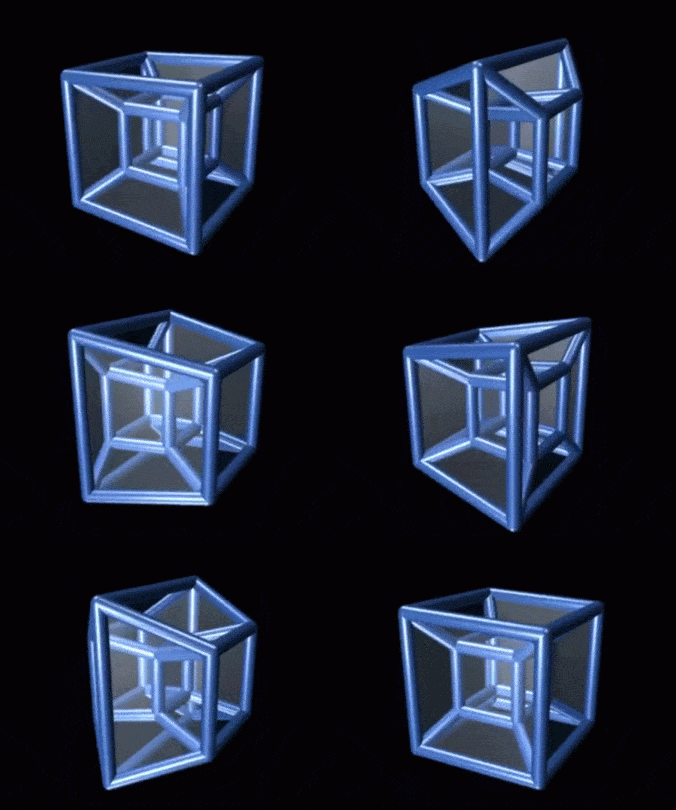
I want to make a spinning tesseract
past pewter
how do you plan on doing that?
last token
u cant make those without knowing any of this first
cuz u are morphing the shape of the object
a surface shader wouldnt work in this case
unless u had like a vertex thing on the forward pass
vocal wadi
I've read a few pages about making shaders, but none said what surface actually meant
I was hoping I could just create everything mathematically (making points and doing some linear algebra with them shouldn't be too hard)
last token
surface shaders are a part of the forward pass (ftmp)
and ur not rlly making points unless ur creating new geometry with the geometry shader
otherwise u would be morphing original geometry
past pewter
@vocal wadi but if you have a set of points, what do you plan on doing with that?
last token
i mean u could have a bunch of if statements and be like
'if coordinate > this move it here'
but thats like def not how u should do it
vocal wadi
Can't EmitVertex(); connect them?
last token
what
easiest way 2 do this would actually b 2 use a geometry shader and generate the shape manually
also means u have 2 do manual shadows and lighting
cuz if u generate it using shader instead of using existing points it easier 2 actually move the shape
past pewter
@vocal wadi you would have to figure out where all the tri corners of a tri strip should go for every box
vocal wadi
I don't need fancy colors or anything. And maybe it's just difficult to do 4D stuff. It's not like I can make it in Blender
last token
its not really that hard
past pewter
4D with meshes? not gonna work
last token
yea u cant make a 4D mesh but
the animation of that 4D box thing would be pretty simple using trigonometry
and for best results u can use a single triangle mesh
otherwise ye good luck trying 2 find each individual side and offset from existing verts
past pewter
you both are going way too fast and confusing things
please try easier examples first
last token
ye
past pewter
try making a shader that draws a tesseract using line primitives first
before you start turning it into tris
last token
i need 2 figure out the shadow stuff firs tho
i understood most parts of making a shader however
idk what its doing for shadows
past pewter
it's impossible to use surface shaders and geometry at the same time so shadows and lighting are not something to consider at all at this point
the forward rendering pipeline ignores the geometry stage (!!!)
vocal wadi
Don't you need triangles though? Lines are infinitely thin, I don't think I'd be able to see if it works
past pewter
I'm not sure what you mean, you said you wanted to generate tesseract points and draw them
having simple lines show and connect those points is a good start
you'll learn about projection and transforms needed
vocal wadi
You can't draw a line, there's nothing to render since it's 2D (in my mind, anyways)
last token
yea but if draw line will be reaaally thin
past pewter
did you ever try?
last token
me?
past pewter
how can you say all these things and never tried any of them?
last token
?
vocal wadi
Nevermind, a line is 1D. If it's visible then I'll admit I don't know how it's rendered
last token
no
a line is a connection between 2 points
a polygon is a connection of 3 or more points
 steep swift
Can't you just build all the geometry in advance into vertex.xyz color.r for example
And then you only need a vertex shader
last token
u can perfectly fine have a 1D, 2D, 3D, 4D+ line
well yea but ur gonna have 2 figure out where everything is and where it goes
vocal wadi
In that sense you're right
last token
probably easier 2 just generate the geometry on the fly
vocal wadi
Man shadertoy is bricked
last token
idrk
steep swift
Unity supports rendering lines. Don't know how to control the thickness
last token
wym shadertoy
last token
yea u can draw lines
vocal wadi
A program to convert shadertoy shaders into Unity ones. It's generating shit like "blackbi.uvragColordy(i.uvli.uvragColorat Temp);"
last token
but they will not be like drawign a box
ew thats bad
write it in unity or use amplify or something
past pewter
@last token please stop telling people what to do without ever having done it yourself
it's wrong
steep swift
I'm confused. If You want a tesseract why do you need to raymarch it? Isn't it easy to rasterize a projected tesseract
last token
it wouldnt look like drawing a rectangular prism
past pewter
this conversation is making my head spin
last token
it would look like wireframe
steep swift
That's what drawing lines does yes
past pewter
please learn the basics before helping people
last token
i know basics shut up
past pewter
be civil with me please
last token
i am but u wont stop complaining
past pewter
you keep explaining things that are not true
last token
like what
past pewter
it's not helping anyone
last token
like what
past pewter
like lines being invisble and doing shadows in geometry shaders
last token
i didnt say theyre invisible
last token
ye
past pewter
stop just blurting out random things
last token
but it will be thin line and not a box
u can make the whole thing wireframe / only use lines sure
but it not look the same as a shaded one that uses actual geometry
past pewter
forget about doing that for now
steep swift
I think this is just a simple misunderstanding-> everyone has a different idea of what the question author wants
past pewter
I was trying to take it step by step
last token
also is this wat they mean https://media2.giphy.com/media/AK986lrhNHiZq/giphy.gif
 last token
i dont care i didnt say 'this is what they mean'
steep swift
I shouldn't have butted in but I wanted to point out that it is possible to pre-generate geometry and then you only need a vertex shader to render a 3d projection of the tesseract
last token
wouldnt u also need a color to specify the 4th dimensional coordinate or something
steep swift
Yes
last token
wait unity has vertex colors right
steep swift
Yes or you can use uv
steep swift
However it gets a bit complicated when you want nice thick (prism or cylinder) lines because you might distort those if you build them in 4d geometry. Using a lines might be an easy way to start out like 1001 was suggesting (though he was going after the raymarch approach which could work too nevermind)
last token
yea but wont raymarch one be less performant
steep swift
If it's simple lines I think it's just 16 vertices
past pewter
I didn't even mention raymarching, and I won't because caffeine was trying to learn geometry shaders
last token
also they probably nt make their own raymarcher..?
steep swift
Oh good sorry I was trying to figure out amidst all the noise
past pewter
yeah I was trying to reduce the noise
but it's no use trying to take it slow
going back to lurking and not helping anyone, peace
vocal wadi
I appreciate the comments by the way! I figured out that I could modify another vertex shader and then modify the vertex points and such. It's not a tesseract, but it still looks cool
last token
u definitely learned ..
past pewter
np, I hope it helps a little @vocal wadi
vocal wadi
It did, thanks! And at the very least I learned that shaders are difficult. I can make fun objects for now, but nothing actually useful (like a fur shader)
past pewter
you can look how xiexe's fur shader works, it's very cool https://xiexe.booth.pm/items/1084711

VRとパフォーマンスを主にした本格的獣シェーダー ほかの似たようなシェーダーはレンダリングパス数が多いため、ラグなどを起こしやすいのが多いです。 私のは、すべてワンパス。 毛と肌のレーヤー別...
last token
it a lot more complex tho isnt it than the typical shader
cuz it was optimized quite a bit according to xiexe
steep swift
No it's quite simple and well written
steep swift
I mean it also has a geometry shader so the lighting model is simplified into a vertex fragment approach compared to the feature support in XSToon
Optimized doesn't mean complex
last token
o ok then
yea but sometimes people can optimize stuff to the point where a lot of information is lost
i.e. sum of range of numbers from using a for loop to using a formula
steep swift
I'm sure compromises were taken to keep it simple while being as fast as possible
 silk gorge
gotta have that perf
 stiff berry
@past pewter by "forward rendering pipeline ignores the geometry stage " do you mean shadows won't follow the newly generated geometry?
Can't you just copy the geometry pass to the shadowcaster pass and it will actually show the correct shadows?
or is something else in the pipeline the problem?
 faint fulcrum
Nope, can render shadows fine by doing so, working on one geom shader myself atm to replicate the "living particles" of extruded geometry floor
Geometry shaders can be used to both generate and discard vertices (cant discard in vertex stage), but theres an upper limit of how much you can generate. Tesselation was designed for doing the finer geometry control and subdivision (so you dont have to pump high resolution meshes for heightmapping)
stiff berry
in my limited experience(just a grass shader) generating using high vertex counts with tessellation was slower than using a high vertex count mesh without a tessellation stage
last token
the limit is set by the shader but theres also like a memory based limit right
stiff berry
may or may not apply to other things
last token
well yea isnt it supposed to be
ur generating them on the fly as opposed to using existing ones
faint fulcrum
Most likely yeah, it is quite heavy
last token
honestly tessellation shader only good for like super up close detail
cuz otherwise using LOD would be better bet
steep swift
@stiff berry i read that comment as referring to surface shaders being incompatible with geometry shaders, but that's due to a technical unity complier limitation not a general issue with forward rendering afaik
As long as you implements the correct geometry in a shadowcaster pass as well I don't see the issue
past pewter
try it 😉
 halcyon kestrel
Tessellation is slow because it requires two extra stages in the shader. Surface shaders with geometry stages dont work because unitys macros are finnicky and not scalable. You have to do some stupid things to get them to work with geometry stages for lighting and shadows.
So it's a unity compiler issue. Not a forward rendering issue.
past pewter
kejiro's take on this https://github.com/keijiro/StandardGeometryShader
GitHub
An example of a geometry shader with Unity's standard lighting model support. - keijiro/StandardGeometryShader
steep swift
// This shader only implements the deferred rendering pass (GBuffer
// construction) and the shadow caster pass, so that it doesn't
// support forward rendering.
halcyon kestrel
Kejiro does everything in deferred.
steep swift
Never seen how deferred works but it outputs SV_Target0-3 for each type of lighting
Does that work in VR
halcyon kestrel
I mean....
It works...
It's not pretty
But it works.
No AA good enough for deferred VR
TAA is kind of close but things get jittery
You can actually try out TAA in vrchat using post v2, you'll see how bad it is.
steep swift
But the whole game has to be set to deferred? Or can you run this in vrchat
halcyon kestrel
You can't run it in VRC unless unity has a similar fallback system for deferred to forward
If you have a forward rendered shader it'll be render using forward while the deferred stuff is rendered using deferred.
faint fulcrum
Yup, added forward compatibility to this one today and using as base
halcyon kestrel
For instance, XSToon just renders with forward shading even if you swap to deferred.
Vrchat forces forward rendering if you set it to deferred on your reference camera for your world.
steep swift
Oh interesting. Do you have an example of how you would add forward to keijiro's geometry shader without redoing all of what standard shader does
steep swift
Haha
halcyon kestrel
No but really
If you look at cat-like codings tutorials
He goes over standard lighting and you could implement that here
You'll have to fuss with a few macros, namely stuff to do with shadow coordinates, but it's fairly straightforward.
faint fulcrum
This one specifically https://catlikecoding.com/unity/tutorials/rendering/part-13/
halcyon kestrel
Also, XST2.0 will have support for all of the standard lighting features, and it has a geometry stage in a variant for outlines. So you can take that from me if you want, once I release it.
steep swift
😃 I really need yo go through catlike's tutorials. This explains exactly what deferred does vs forward
halcyon kestrel
I can tell you from experience though, the UNITY_TRANSFER_SHADOW macro requires very specific naming.
o.pos is required for clip pos, otherwise you'll get an error. That one was annoying to figure out.
Unity: "Default shaders have o.vertex, but let's make our macros need o.pos!"
faint fulcrum
Mad props to that guy, explains stuff so well including the little to none documented built-in functions/macros
steep swift
Yeah I'm familiar with the shadow macro because I've had to abuse that in geom shaders. Usually filling in a struct named v with a vertex and maybe normal member
Well I always look at the source in UnityCG or HLSLSupport or UnityShaderVariables etc . Pretty much a must as unity's docs are gone or misleading
 strange crown
Does anyone here know how to use SSR in VRChat? Iv'e seen it done in game, but whenever I try to do it myself through the post processing stack it doesn't show up in game.
past pewter
Can someone help me out with Model crap cuz I can't use a DAE File in Blender and its making me mad
strange crown
You gotta ask that in #3d-modeling
past pewter
already did
stiff berry
you need to write or acquire your own SSR shader designed to work in forward rendering
it's only going to work on objects with that shader though
no one is going to write a forward SSR shader outside of VRC though
strange crown
@stiff berry Do you know someone who has made one already? Or do you also have commission for this sort of thing?
I'm not sure how hard it would be to create, I never dabbled in code.
stiff berry
@pine ibex
strange crown
I already asked him, but i was under the assumption that it wasn't public use.
If it is i will be fine with paying though.
stiff berry
it probably isn't idk
 rancid stirrup
faint fulcrum
rancid stirrup
faint fulcrum
@high osprey @steep swift And whoever else uses camera depth for their shaders - method that works in mirrors.
https://github.com/lukis101/VRCUnityStuffs/blob/master/Shaders/DJL/Overlays/WorldPosOblique.shader
last token
are texture colors stored as integers or are they floating point values
lucid cedar
In shaders, it's floats @last token
0-255 gets turned into 0-1
I think textures are float4's
lucid cedar
Yes, you can store arbitrary data in textures beforehand and read it out in the shader
It's pretty cool
steep swift
Using rgba half textures you can store half precision floats (hdr)
faint fulcrum
Yes, but beware of resolution. Also couldnt get multi-channel packing to work...
steep swift
Or just encode numbers as 4 fixed 8bit values
It's a good way to index extra data either by SV_VertexID or SV_PrimitiveID
faint fulcrum
Tired wave propagation on 8bits - na-uhh, couldnt get packing to work so resorted rto RGHalf
steep swift
I'm super skeptical of your 0.21582022 like what
faint fulcrum
Exactly, even can link ya a world with this working
steep swift
I mean it works for you but is it driver dependent? Unity dependent? Hardware specific?
faint fulcrum
Barely tested but i dont like it either
steep swift
Sure I can try on my win7 machine with old nvidia drivers and 9 series gtx
faint fulcrum
With depth unavailable, in 5.6 unity getting 0s, and in 2018.1.6f1 (Beat saber version) getting ~0.5019606
I suspect a current unity nuance 😂
past pewter
@faint fulcrum you know how to force a depth texture right?
_CameraDepthTexture is enabled only if world has at least one light with shadows enabled (or a unity script sets Camera.main.depthTextureMode = DepthTextureMode.Depth)
so adding a directional light with minimal shadow settings to your avatar forces any vrchat world to enable the depth buffer\
lucid cedar
Setting the culling mask to an unused layer also helps a lot with performance
faint fulcrum
Yes, I'm aware and doing so already. But it could be useful in worlds having the shadows toggleable. Some effects break without depth information (water distortion in my case) so a full material swap is also needed
past pewter
ideally you set up the directional light on your avatar like this https://camo.githubusercontent.com/080d4e37120125f67441f1194152099fbe1d7a85/68747470733a2f2f696d6167652e70726e747363722e636f6d2f696d6167652f666859506c59345154614767613168326c7058364f672e706e67
 faint fulcrum
Culling layers reduces the depth prepass complexity, but in case of mirrors in my tests i still needed MirrorReflection layer active
past pewter
also I was reading about the unity version differences, remember that reading from a depth buffer gets less precise the further you are from origin
lucid cedar
Doesn't the depth buffer also rely on the camera's near and far clip planes?
For some small camera effect I remember having to set the near clip very far away to get good results, which in turn turned the camera into an "outdated 5.6 avatar" detector
Because 5.6 avatars don't respect the near clip plane and instead invert themselves
faint fulcrum
It does, thats why it needs to be linearized and clip rnage is used for that
past pewter
that's how linear depth .. oh, lukis got it 😉
that step is also the one that introduces the float precision thing
faint fulcrum
The common method however does not work in mirrors because they have clip planes modifed (Thats why im informing of a different method, the depth detection is just a small bonus thing ive tried to achieve)
past pewter
yeah it's neat, thanks for sharing
mirror clip and projection is weird but detectable
faint fulcrum
I guess calculating clip ranges and comparing to ones reported in _ProjectionParams can be also used to detect if rendering on a mirror, but that can false-trigger at perfect alignemt
past pewter
you probably saw this before too bool IsInMirror() { return unity_CameraProjection[2][0] != 0.f || unity_CameraProjection[2][1] != 0.f; }
robust way to check if you're in a mirror
faint fulcrum
Yeah, simpler than actually trying to extract clip values😅
past pewter
cool 😄
lucid cedar
That snippet can be used for some neat effects too
And apparently it's necessary if your shader uses VFACE
I think that's what it was called?
I think I had to use it once when i wanted a different inside texture but it was flipped in mirrors
past pewter
I had my mirror image bleed from the eyes during halloween 😇
oh yeah the VFACE is the flipped projection bugging out
lucid cedar
Oh that's cool actually
I simply had an avatar whose skin didn't render in the mirror, clothes still did
 tired token
@faint fulcrum Quick gripe, but why redefine UNITY_MATRIX_P?
faint fulcrum
Completely optional, did so only to make the name shorter
stiff berry
const static float hz = 0.21582022;// what the fuck?
const static float zeps = 0.000001;
bool depthgray = abs(z-hz) < zeps; // evil floating point bit level hacking
bool depthconstant = fwidth(z) == 0; // 1st iteration
if (depthgray && depthconstant) return float4(0.25,0,0,0.25); // 2nd iteration, this can be removed
sorry had to meme that
faint fulcrum
Alright, alright, I'm removing that nonsense :D
Ask unity about that 0.21582022 😛
stiff berry
i tried to figure out where that came from, GammaToLinearSpaceExact(0.5) is almost that number
0.21404114048
it's probably something to do with that
hmm i bet if you change the color space from linear to gamma it will actually be 0.5
faint fulcrum
I tried to figure too and was suspecting the same, but did not hit that function
Yup, getting ~0.50196 in gamma space (Why did I go lazy and not actually try before..)
 fiery field
Is there a shader that make the model like it play at a lower frame rate?
stiff berry
i think you can use dynamic bone update rate to achieve that
like a dynamic bone on the root that doesn't actually stretch or lag behind at all
then change update rate to be really low
 little moon
how can i fix this?
Shader is not supported on this GPU (none of subshaders/fallbacks are suitable)
past pewter
@little moon what is your shadermodel target? #pragma target x try a newer shadermodel
past pewter
that's how you can fix that, whatever the shader is doing is not supported by the shadermodel you are targetting
there will be a line in the shader saying `#pragma target x.x', you can edit that line to a different version that supports whatever the shader is trying to do
 little moon
there is no line that says #pragma target
lucid cedar
I think if not given, it's implied.
This error generally means you have an error in one of your passes/subshaders
Not that your target is set wrongly
Any other errors when you click on the shader itself?
past pewter
if you have an error in your passes it shows that error
faint fulcrum
Also can be caused by unity disabling some stuff https://discordapp.com/channels/189511567539306508/534472629013315606/548079230253269002
little moon
Parse error: syntax error, unexpected TVAL_ID, expecting TOK_SETTEXTURE or '}'
stiff berry
post the line from the source code it's telling you the error is on
lucid cedar
Usually just a missing bracket, parenthesis or whatever
lucid cedar
Coding basics is pretty much a prerequisite for hand-writing shaders
stiff berry
ya i mean it's probably not the best idea to try to fix someone else's code without any knowledge
i hope that's not just some shaderman error 😞
past pewter
don't get me started on people sending me those.....

Learn how to wrirte shaders in Unity. Free shader tutorial with examples and source code ready to download.
you can try adding a cheeky '#pragma target 4.0` but other than that ... oof
little moon
in what line do i add it
past pewter
under CGPROGRAM
little moon
there is no cgprogram
past pewter
then its not a shader
past pewter
it could be shaderman or maybelline
lucid cedar
Well some shaders lack a CG block
I don't understand the syntax for those, usually some surface shader magic
The ones with a Category { block
And then SetTexture { in a pass
stiff berry
expecting TOK_SETTEXTURE 🤔
sounds like what it is
well maybe not cause it's expecting that
🤷
past pewter
it could be anything, there's unparseable code in the shader, it's not 'his shader', everybody is just wildly guessing
sounds like a botched copy paste job
 crystal wadi
so any one ever work with HAOSR textures from unreal engine shaders , they are a combined height , occlusion, detail and roughness texture data map but readable from a single pass in a single texture
lucid cedar
Reminds me of Alloy's Packed Maps
They have metallic, roughness, specularity and AO in a single texture
Probably a bit more performant than Standard's approach which essentially wastes color channels on modern desktop platforms
crystal wadi
the key idea for this is to have the HAOSR texture animated similar to a water or hair shader so its breathing
do you have a custom shader for this ? something i can use for translating this data
i try importing on grey scale normal helps but standard shaders just cant control the settings ah
lucid cedar
I think Amplify is the way to go for this one
 velvet sorrel
Yeah. If you want to use custom packed maps and can't write it yourself, Amplify makes it very easy!
past pewter
anyone got docme shaders?
 lyric sinew
does anybody know of a way to implement a reflection probe or something along those lines for use with materials/shaders on an avatar? I was about to upload, but saw vrc will remove the default system's reflection probe.
 grave hatch
@lyric sinew you would need to have/make a shader that takes in a cubemap in place of environment reflections
lyric sinew
@grave hatch yeah, thank you for the response, i just came to that conclusion too while asking the lighting channel. thanks!
past pewter
What shader let's you have emissions with pulsing effects?
steep swift
Poiyomi's toon shader should support scrolling emission.
lucid cedar
And also pulse
But I think you can make any kind of emission pulsing with an animator
past pewter
okay thanks
 ancient chasm
is it possible to change shader properties in-game using emotes?
last token
yea
ancient chasm
what's the keyword to search for?
steep swift
Yes it's listed under (Skinned) Mesh Renderer and all the _ properties in Material
last token
if other shaders share the same property or use the same property behind the scenes, however, it will change it for any others that are on the same object
steep swift
In Body
last token
for example if it is the diffuse property and u wish 2 change the color of a single material
u would end up changing all material colors
ancient chasm
that's fine
last token
kk just saying
ancient chasm
how do I tie it to an emote/gesture?
ancient chasm
also another question
is it possible to select from a range of values in-game? for example, let's say I want to choose the RGB values for my shader in-game. sounds complicated, but I just wanted to check
last token
wym
with animations u would only be able to do that if the shader itself had separate components
or u had animations for every combination
or again a cycler
but cycler sync sucks
ancient chasm
right, so you mean it needs to be tied to animations or be cycled
which makes sense
last token
ye again unless ur shader has r, g, and b in separate properties
and again if u want 2 toggle it or cycle it thats a different process
ancient chasm
i was giving an example
more generally, i was wondering if there was a way to pick and set a value of the property of a shader in-game. for example, the property has a range of 0-100, i would be able to set it to any value in that range in-game
last token
yes
but only for while that animation is active
unless using the processes for the other things
steep swift
Worlds or avatars @ancient chasm are you able to use a camera?
There are a few ways to have analog values/pickers so that's why I'm asking. Also local or synced?
last token
im sure they mean avatars, they said emotes/gestures
steep swift
For avatars there are some easy ways depending on what you are using it for: put a gesture on fist: this is an analog control and lets you choose pretty precisely between 25 values at least on vive through holding the grip precisely. use your avatar (actually hips) orientation - nice for FBT users. Time based animators for each of r,g,b that are attached to a gesture and otherwise freeze in time at what you selected - roughly what wulfe suggested. More advanced: Rigid body bone disabled by default, activated by a gesture and attached to your hand, using a skinned mesh to access the position/rotation of that bone relative to the rest; grabpass and a ui to store information on the screen (poor performance)
last token
i think those are a bit more convoluted 0.o also yes but that would mean the shader would need to interpolate things based on the value (for the first two)
 paper parcel
Guys hello there! Can any1 help me? What kind of shader i need for apply to my mesh (mesh particle) to see texture (alpha\transparent) on another mesh where i place my shadered mesh? I try to use like bullet that collision on object and explode and want to place on another objects (avatars too) my own textures like smoke and blast marks on them but not see this textures in air or empty space (only on meshes). Did anyone know how to do this? See several times shaders like this... But dunno it name or dunno how to actually do this kind of effects.
paper parcel
oh kk thx try search for it now ))
 somber widget
what could cause my avatar to render with fallback shaders in my own camera and my own first person view, but render correctly in the menu avatar preview and in mirrors?
steep swift
You may have a bug when SINGLE_PASS_STEREO is enabled
Oh in avatar preview too. That's weird
Also your own handheld camera has the same layer as mirror and also not stereo.
You sure it's a fallback? If you comment out the Fallback line of your shader it should be pink in that case
somber widget
well.. it becomes the standard shader instead of using arctoon for whatever reason
and only in one specific world it seems
steep swift
Oh it could be lighting related. Possibly the world has fog or vertex lighting, and your shader declares support for those using #pragma multi_compile_fog or so on but doesn't compile in that case
I don't know anything about vertex lighting or whether a world can be set up to use that instead of normal forward lighting. Do you know which world it is?
(I'd still be curious what happens if you edit arctoon and remove a fallback line from the bottom. Also what makes you think it's falling back and not just applying something like a funny looking screenspace AO
somber widget
hmm. it could just be a really weird looking interaction. the world is https://en.vrcw.net/world/detail/wrld_e828edb9-39b8-49c5-b834-2d870128ff1a
Tam's Home World。Introduce worlds on VRChat
I'll ask the world author next time I see him I guess
 thorny cedar
Anyone know how I could make one of those shaders that makes an image show on another person's screen, I basically want a little tf2 trade request to show up in the left side of the screen.
silk gorge
It's not cool to put stuff on other people's screens. Please don't.
In VR it can be painful to look at.
silk gorge
making it appear as a particle floating in the world might work just as well for the joke
thorny cedar
true, that might be the best way to do it then
silk gorge
And it can be billboarded so it faces all viewers looking at it
thorny cedar
k, ill look into that, thanks for the advice
ancient chasm
Thanks for the help @steep swift
i tried looking at the skinned mesh renderer for the material shader properties, but it didn't show up... I think it's because the material and shader are ones that I created in Unity and not imported from Blender. Any Unity tips on how to add them to the skinned mesh renderer?
last token
is the only way to make a flashbang-like or drunk effect to draw a grabpass onto a temporary texture?
faint fulcrum
Almost done with near-full-featured standard shader with geometry pass and just figured one quirk about emission used for lightmapping.
https://docs.unity3d.com/ScriptReference/MaterialGlobalIlluminationFlags.html
EmissiveIsBlack must not be set in the material and need to clear it either by script or via debug inspector.
@lucid cedar This could be why your screen emissions were not being picked up
lucid cedar
Ohh, I see. Thanks! I'm currently rewriting the shader so I'll keep this in mind.
lucid cedar
I'm trying to scale an object in the vertex shader like this:
v.vertex *= _ObjScale;
o.pos = UnityObjectToClipPos(v.vertex);
However, this seems to scale the object by its center, meaning that the object will be half in the floor. Is there a way to scale it by its origin point instead?
lucid cedar
Alright, and how do I do that? I tried looking up how to get the origin point but pretty much zero useful results
last token
isnt the origin point <0,-size/2,0>
lucid cedar
¯_(ツ)_/¯
last token
also i dont think that would work very well
considering it would clip out a lot bc of the AABB
unless u set the AABB to not cull
lucid cedar
Bounding box size is not an issue right now, it's only for small adjustments
last token
o
lucid cedar
Not sure how to get outDir
last token
i mean just make ur own value
where u can specify the center
cuz its in object space
and outdir is like
normalized(v.vertex - originpoint)
or whatever u do 2 normalize in unity shaders
lucid cedar
I'll try that, thanks
last token
yea just add a property where u can put the x,y,z
past pewter
that will not work and warp the object
your scaling is correct @lucid cedar, just raise the object ]
lucid cedar
Is there a way to know the right value to raise/lower it by? It floats when I scale it down. Ideally I'd want a solution where it just behaves like the game object scale @past pewter
last token
here if u have the offset calculated
v.vertex += (v.vertex + offset) * _ObjScale
it like the other one except the offset scaled also
so if u know what offset from center
it should scale from that point
past pewter
you want uniform scaling though, not warping
last token
doesnt that do uniform
it just scale from an offset instead of scaling from <0,0,0>
o wait u would need to change it so that
vertex*_ObjScale + offset*(_ObjScale - 1) or sumting
instead
cuz at scale of 1
should have no offset
past pewter
learn about world space, object space and local space
last token
which is same as vertex + (offset - vertex)*_ObjScale
past pewter
you are not respecting those and just moving the verts with an offset
screwing up localspace
last token
i mean if u wanted 2 transform all the verts in object space
wouldnt u just use vertex += offset
past pewter
learn about matrix transforms and going from one space to another
last token
i mean arent the .vertex already in object space
steep swift
@lucid cedar I believe the origin is defined by the mesh independently of the value put in the bounding box field. Based on your question I'm going to assume you are talking about skinned meshes. For Skinned Mesh Renderers oddly it appears that the center is not the position in the unity hierarchy (this is ignored) but rather the transform of the Root Bone. If you want to adjust it you might be able to set the Root Bone to be your Armature instead of Hips
If you're talking about an ordinary mesh, you are probably best of adjusting the origin point in blender and moving them appropriately in unity (you can assign an Anchor Override to an object at the old center point like Hips if you want to keep lighting the same)
Forgive me if I'm wrong but I've been confused about this before and I'd not be surprised if my understanding about this is still wrong despite making a shader that heavily depends on the object space origin
lucid cedar
Ahh, I see. That might explain a lot. Currently it's a skinned mesh and the root bone is indeed the hips
That would explain why it's doing this
steep swift
I don't know if you can change it safely but they have a UI for it so maybe give it a try
lucid cedar
Yeah, I'll try changing it to Armature and see what happens
steep swift
Most properties of skinned meshes aren't exposed in the editor
past pewter
@steep swift nah, you're right, if you want to scale an object, you keep the center/local origin in the center or any transformations later on will mess up/end up in the wrong position
offsetting the verts is a disaster and bad advice
lucid cedar
Do you need a "Meta" pass, especially for regular toon shaders?
There is 0% chance of me or anyone else actually using this for lightmapping
paper parcel
Hello there! Try yesterday to find decal shaders.... Only found reprojectors (they don't work in vrchat) and not worked as well shaders.... Did anyone know - where i can find working in vrchat decal shaders (to apply in particle meshes and mesh objects to interact with avatars)
ancient chasm
my shader isn't being reflected in most mirrors, is there an option that I have to enable?
ancient chasm
I don't have it in the fragment shader - I have Cull Off ZWrite On ZTest Less
lucid cedar
Shouldn't ZTest generally be ZTest LessEqual?
ancient chasm
Honestly I am noob so it's from a sample shader that I copied
tired token
@lucid cedar You mentioned reflection probe checking in #development-advanced , I can't remember if you do shader stuff but the alpha channel of the probe sample (not the decodehdr) is 0 if it can't find a probe (skybox is a probe)
lucid cedar
Ah I see, good to know
Thanks
Actually speaking of shaders, I'm doing a toon shader but it currently doesn't react to the light color. It only takes the light intensity and color intensity in account. What's the "correct" way for a toon shader to handle light color, does anyone know?
Multiply the color by the light color?
tired token
Quick note, I have no idea what the alpha channel is actually for but I did notice that 'feature'.
lucid cedar
I probably won't be using reflection probes on any of my own shaders soon, but it's good to know. Maybe I can use it for debug purposes
faint fulcrum
Cubemaps are RGBM encoded - alpha is magnitude and DecodeHDR takes care of colors.
Not sure whats in alpha with non-HDR cubemaps/probes.
faint fulcrum
Non hdr probe cubemap shows up as DXT1 so might be implementation specific? 🤔
past pewter
@lucid cedar if you make worlds, if you add any reflection probe it will only work inside the zone for it, that's why in a lot of maps it can turn black (you left the zone of the 1 ref probe that was specified) ... the fix is to make one of the reflection probes cover the whole map so there's always something to read
grave hatch
@lucid cedar yeah you'd wanna multiply the light color by the surface color
you can use the default shader as reference
taking say a red object and a cyan light would turn the object black
steep swift
Ref probes are black and don't default to the skybox?
past pewter
@steep swift when you don't add refprobes to your world it's the skybox, when you add a refprobe but go outside their zone, it will be black since there's no fallback global refprobe
just the area of the one you added will read as a refprobe in your shader, outside it will read pure black
last token
dont some shaders let u specify a custom fallback
steep swift
What's your question exactly? Are you asking about unity subshader fallbacks (unsupported hardware or error) or vrchat safety system fallbacks?
somber widget
is there a way to tell in a shader the relative vector to the viewpoint position that takes into account mirror reflections?
steep swift
The camera (view position) is the position of your reflected position in a mirror (going "through" the mirror). However for effects that want to use this you may want the average of left and right eye #if USING_STEREO_MATRICES ... in mirrors you do not use single pass stereo so cannot access each eye
somber widget
hmm. I've been trying to react to when the relative angle between the viewpoint position and the vertex normal is smaller than a threshold using dot(normalize(ObjSpaceViewDir(v.vertex)), normalize(v.normal)) > cos(radians(angle)) but it never seems to be triggered in a mirror at all...
will look into USING_STEREO_MATRICES though
steep swift
float3 leftEye = unity_StereoWorldSpaceCameraPos[0];
float3 rightEye = unity_StereoWorldSpaceCameraPos[1];

float3 centerEye = lerp(leftEye, rightEye, 0.5);
#else
float3 centerEye = _WorldSpaceCameraPos;
#endif```I can't tell you why mirrors would behave differently there... except maybe normals being inverted (due to being reflected and with flipped culling)
somber widget
hmm
steep swift
Oh so if it's flipped that dot will always be negative, while normally you can't see polygons behind you
So you could throw in an abs()
somber widget
I'll try just using a Y vector translated to world coordinates instead of normals
steep swift
I saw v.normal
somber widget
I was using v.normal 😃
grave hatch
Is it possible to write the Zbuffer value from the frag function?
Since from my understanding it's per pixel
I'm messing with raymarching and I want it to act like normal geometry
steep swift
Yes you can add a parameter in your frag function , out float depth : SV_Depth
grave hatch
any specific parameter I need for ZTest and ZWrite?
steep swift
https://stackoverflow.com/a/34535613 implies to use ZTest Always ZWrite On and use an early render queue. I imagine you could try to do the discarding yourself if you know something about the scene

Stack Overflow
This shader (code at the end) uses raymarching to render procedural geometry:
However, in the image (above) the cube in the background should be partially occluding the pink solid; it isn't becaus...
grave hatch
alright I'll look into it, thanks
steep swift
There's also SV_DepthLessEqual(depth) to test against the depth buffer
grave hatch
ah I got it working, thanks
link also had something about getting the depth from clipspace with the raymarch which was something I had in mind but wasn't sure how to do
 waxen pagoda
would anyone happen to know what the virtual boy racoon uses for its shader?
its like the xray thing in the Avatar Testing world but red and black and is more solid
somber widget
@steep swift I figured out why my shader wasn't working in the end, somehow in mirrors it was getting backface culled (probably because it's using a billboard vertex shader but not recalculating normals accordingly), so turning culling off seems to have fixed things. Thanks for the stereo viewpoint averaging tip btw
faint fulcrum
@grave hatch preferably use alphatest render queue with that shader - before transparents so depth is actually written and after opaques to keep early-z optimisations
 restive vessel
hey does anyone know how to make the name tag in vrc invisible?
ancient chasm
@somber widget was your shader not showing up in mirrors?
somber widget
@ancient chasm yes, turning off backface culling did the trick. I'm manually culling it using camera view angle anyway so no point in the normal based culling
lucid cedar
VFACE is reversed in mirrors @somber widget
Maybe I already told you that
So if you use the view angle that could have been causing it
somber widget
Ah yeah, that'd do it for sure
lucid cedar
There's a way to check if you're rendering in a mirror in the shader
somber widget
I don't think I need that. It seems to be working properly now :)
ancient chasm
ok.. my shader isn't showing in mirrors. still gotta fix it
steep swift
Materials with Cull Back set will be switched to Cull Front in the mirror. Needed since polygons render clockwise and in the mirror they become counter clockwise
ancient chasm
Cull Off turns Backface Culling off, right?
last token
no
Cull chooses which sides of a polygon to cull
Cull Front culls front faces
Cull Back culls back faces
Cull Off doesnt cull either
lucid cedar
Cull Off would then turn off culling altogether which is generally what people want when they say "I want backface culling off"
ancient chasm
ok. i have Cull Off but my shader still isn't showing in mirrors
steep swift
What does your shader do? Are you in vr or desktop? If in VR, Does it show in your handheld camera?
If you are doing certain things related to particles or material changes, those will not show in your own mirror reflection
The camera "mirrors" on the volt dancefloor are set to also show PlayerLocal layer so that would be another interesting place to test it
ancient chasm
it's a pixel shader, in VR
it shows in "camera" mirrors, but not mirrors like the Nier World mirror
steep swift
Does it show in your handheld camera
steep swift
"Photo Camera" or "Stream Camera"
ancient chasm
handheld camera as in those handheld cameras in custom world?
steep swift
Those use the same MirrorReflection layer that vrchat mirrors use, as opposed to world cameras that often leave all layers checked
ancient chasm
it doesn't show
in the photo camera/ stream camera
do I need to write something in my shader particularly to get it to show up in mirrors?
actually I guess I can test it by putting the shader on another part of my avatar instead of a particle '
steep swift
No it's due to it being turned on from an animation
MirrorReflection shows your head but because of that a lot of animations don't affect it properly and some things don't show for you
Everyone else will see you fine. It's just the usual evil twin mirror shenanigans
steep swift
ancient chasm
oo ok
steep swift
It's a long time bug- not much you can do about it unless it's enabled by default
ancient chasm
haha it's not a big deal
steep swift
I think mesh toggles do work
 wild oxide
i believe mesh toggles dont work but togglign the entire object does
oddly enough it used to be the other way around
lol~
last token
if u wanna check 100% it should work on world cameras (actual cameras like in avatar testing) and would also work if using holoport motion and moving into third person
ancient chasm
it works in world cameras
steep swift
The inworld cameras such as avatar testing and volt because they also capture PlayerLocal which is the "real" copy of you without your head
past pewter
I want to have one of my avatars be unlit, but at the same time have an outline like from cubes, is there one that already exists for this?
past pewter
@past pewter this is a simple 2 pass unlit outlined shader
oh my gosh, thats actually exactly what I was looking for
crisp, cheap and toony 👍
 astral plover
Anybody know where I can get ahold of a screen whiteout shader for my world?
something that I can animate to fade your vision to white
last token
should take like a couple of seconds to make one
just make it render on top of everything and output pure whote
probably a bad idea for vr users tho
 acoustic oak
maybe black instead of white... white would just be annoying and hard on the eyes
astral plover
Unfortunately I don't know the first thing about making Shaders
steep swift
You can play around with shader forge or amplify if you want to get started with a graphical approach. Also about bad idea for VR users, tell that to vive which flashes blue light into my eyes every 5 seconds for no reason in laggy worlds. I hate that so much
last token
oof
grave hatch
yeah white would be too bright, fading to black is much easier on the eyes
last token
a tolerable shade of white mayb but yea still
 lime widget
I saw a water surface shader that reacted to objects (and particles) to collide with it today, I would be curious into knowing how something similar can be archived without using custom scripting.
Don't worry, I'm not asking about a tutorial or anything here, just hoping for a few technical keywords that can lead me into the correct direction ^^
past pewter
@lime widget it works with a camera overhead or under the water filming the surface of the water onto a texture
the water has a shader that reads that camera texture and does ripples etc
lime widget
Oh, so just a camera with near and far clipping to match the distance of the water surface?
lime widget
Awesome! Thanks, I would not have come to that conclusion, I'll definitely write this neat little trick down for the future ^^
past pewter
you also want a feedback system so you can interpolate the last frame of the water ripples
and you can do that with another camera or double buffered custom render textures
lime widget
About a year ago I tried myself at shader programming, became horrible headaches from all the math involved and decided to leave it be...
Looks like it's time for headaches again, lol
past pewter
so when you select culling layers for the water camera, you're essentially picking layers that will interact with the effect
past pewter
(players, pickups, particles etc)
there is a couple of examples of this around to examine
lime widget
I just joined the builders club today, and am only on VRChat for 2.5 days, I'll need some time to get into it, but I can definitely see myself making quite some awesome content in the future
past pewter

Sound was a little quiet in the last version so here's the reuploaded one that's a little louder. So I've decided to finally release my personal water shader...
it's the one used in the hot springs world
lime widget
(Wait, on another note, did that guy record himself through an ingame camera? o.o Can you store the output of a rendered texture to a file? :D)
And yeah, I've been at that place, that's where I saw it ^^
past pewter
dunno about streaming a rendertexture to a file in the editor
i guess you could script something like that (in the editor ofc)
lime widget
Oh, I'm certain that it works in Unity, I'm just curious how that person made the video 😛
steep swift
@lime widget the link in that video might point to an older version. you're going to want SilVR 2.0 (download link is on [redacted] or in the prefabs database in pins of #world-development ). Also you can use the ingame stream camera to capture stuff on the desktop window without interrupting VR, and capture that using OBS. It could be that's how it was recorded.
lime widget
Hey, sorry for the weird question but where is [redacted]? :D
 merry cradle
That's an SCP term
 split girder
Military/government term originally
lime widget
Yeah, what does it mean in this context? Is there like a channel with links somewhere called [Redacted]?
faint fulcrum
In this context it was a link but edited out by message author or moderators
tired token
author, no one else can edit your messages.
 fading schooner
Does anyone have some advice on shaders for robotic characters? I'm having a bit of trouble finding a nice one that's sort of inbetween shiny realism and cartoony. I've seen people with some good ones in game though.
steep swift
I'd highly recommend a standard setup, various matcap or specular setups could work for metallic surfaces. If you really want Toony, you should take a serious look at XSToon by Xiexe. It is a toon shader but also designed to have the same lighting and most capabilities from Standard, including PBR and Matcap or metallicsetups. So if you get something that looks good in standard it should be possible to make the same thing work in XSToon @fading schooner
fading schooner
@@steep swift Thanks for the help I'll try that 😀
halcyon kestrel
I'd like to add to what Lyuma said and say that the rewrite, which is coming out soon, will 100% fully support the way standard looks, as well as toony.
I.E. you can set up a material in standard shader, switch to mine, and everything will transfer, or should transfer, pretty seamlessly.
You can then adjust your ramp etc to make it toony or just use the extra features such as rim lights, shadow rims, etc.
crystal wadi
@halcyon kestrel have you had time yet to look at the new bakery shader non linear light probe SH
halcyon kestrel
I've been expirementing with it a bit, yes. I've also been expirementing with directional lightmaps specularity using bakery, and that seems to work just about as well, assuming the shader supports it.
crystal wadi
nice
past pewter
anyone know here how to convert glsl to hlsl
steep swift
unity ShaderLab has some custom #pragma lines to declare which function is your fragment and which is your vertex function, instead of using void main()
just did a simple google search and got this page https://anteru.net/blog/2016/mapping-between-HLSL-and-GLSL/ for a list of which functions are different.
Variables are float3, float4x4 instead of vec3 and mat4, for example. and instead of using global variables for varying , you use struct elements with a semantic like :TEXCOORD0 and instead of writing to gl_FragColor you return the color and declare your frag function "float4 frag(v2f input) : SV_Target {"
look at some examples and you should be able to pick up most of the differences. that blog post should cover most of the stuff that isn't obvious (like function names)
lucid cedar
Automatic translators will not always do the job well
Your best bet is reading and understanding what the GLSL does, then rewrite it in HLSL.
This goes for those shadertoy shaders, too.
 lost storm
I'm looking for a shader that shakes the screen in an AOE for a battle animation I'm doing
Anyone know how is it called and how to get it?
lucid cedar
crystal wadi
lol
past pewter
Anyone have a modified poiyomi shader with a gif shader built in with working offset
?
@lucid cedar
Pls
lucid cedar
Not sure why you are pinging me
past pewter
Can you send me
lucid cedar
You're assuming I already have something like that premade
lucid cedar
I tried making a simple toon shader but I realized the lighting is too difficult for me to grasp so I went with PBR
past pewter
Ah
lime widget
What ways are there to make my shader "win" the clipping battle against another?
Example:
The best solution so far was setting the ZWrite of the shader to "Always", however that resulted in it to also be drawn over objects in front of it, which was not ideal. I'm quite new to shaders and will need some time to get into it, especially because I'm not the best at math which seems to be a skill that is quite useful for shader programming
I would assume that changing the Render Queue value in the Shader (Or Material properties) would be a simple way to resolve issues like this, however it seems to not have any effect on the situation.
grave hatch
put the one you want to "win" have a higher queue value
so it'll render after
you can do that in code by something like
"Queue" = "Geometry+1"
In the shader tags
faint fulcrum
Wouldnt it still fail ZTests?
grave hatch
or just raise the mesh slightly above it
lime widget
Yeah, I could raise the mesh, but I think it has more educational purpouses for me if I try to make it work with the shader ^^
grave hatch
ah yeah nvm the queue thing doesn't work for that
you can use offset though
https://docs.unity3d.com/Manual/SL-CullAndDepth.html
lime widget
That's actually what I just found as my solution 😄
Works like a charm. Offset -1,-1 solves all clipping problems for me.
lime widget
Thanks for your help, it was definitely valuable today ^^
near flax
i do lol
near flax
i'll dm it to him instead then if it makes you feel better
near flax
lol
past pewter
I don't mind people finding out how, but this makes it too easy for people to use them 😉
 fluid hamlet
someone knows how to use the Vilar’s eye tracking shader ?
and can tell me step by step (or point me a detailed tutorial vid for it)
lucid cedar
I think his Github repo or the vrcat thread has a dedicated tutorial
You need to turn the eyes into non-skinned meshes that are parented to the head bone
And run the eye tracking setup in tools
past pewter
GitHub
Vilar's Shaders for VRChat. Contribute to Vilar24/VilarVRC development by creating an account on GitHub.
 frail abyss
Hey everyone! I have an interesting result that I'm chasing after and I think at least for VRChat the process to get their lays in the use of a shader. It's a "surface" placed in an environment that acts as a real-time camera into another space. It would function like this: https://www.youtube.com/watch?v=90DRrYZp37c&feature=youtu.be&t=17
If this truly is a shader-related issue, is there anyone that has some tips or full-out solutions for achieving this effect? I've seen it before in VRChat so I'm confident that it's doable, just am not very skilled in writing code, let alone for shaders.
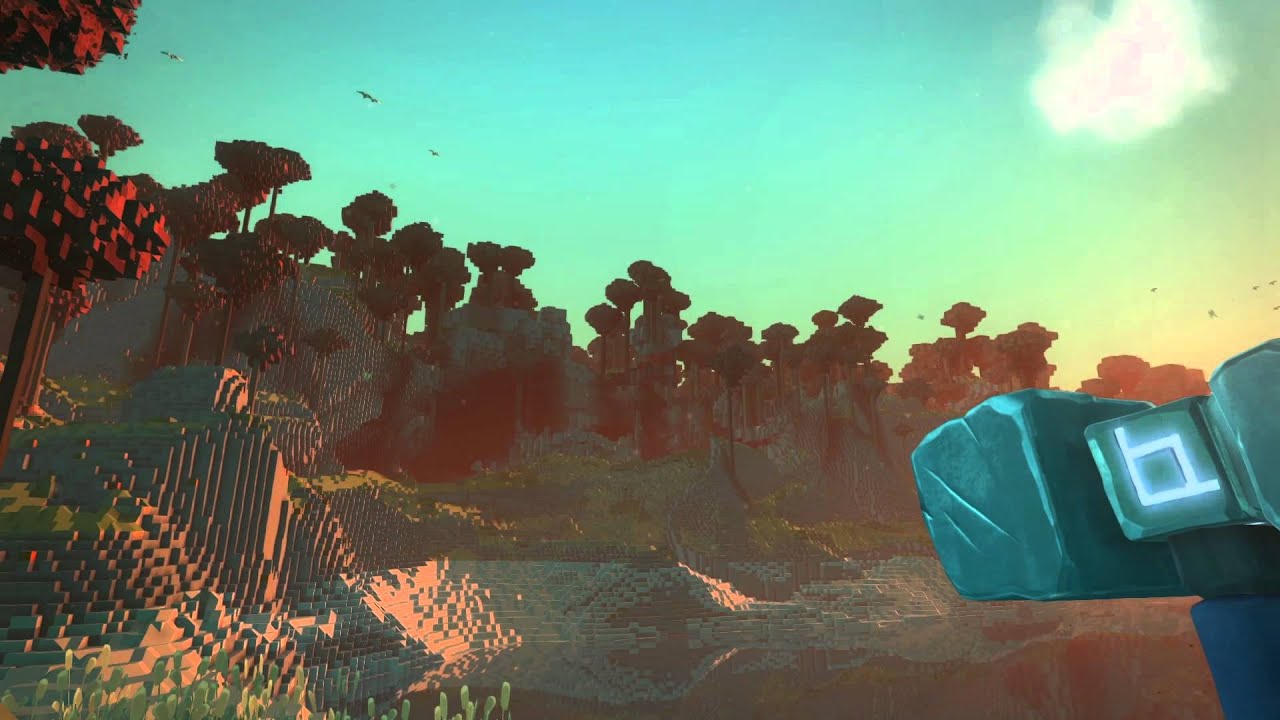
Passing through is not the primary goal, just the ability to see into separate free-standing space.
lucid cedar
Seems like something you could do with stencils.
You would essentially have both sets of geometry overlaid at once. One has a stencil with Reference value 1 and comparison NotEqual, the other set of geometry has a stencil with ref 1 and comparison Equal.
Then when you look through geometry that writes 1 to the stencil buffer, you can see the other set of geometry through this frame.
frail abyss
Will this involve the use of a camera?
I'll take what you said and try to find some unity tuts for it as well
lucid cedar
No cameras necessary
Which is what makes it a rather clean solution since the geometry will actually be there
I can foresee some issues with lightmapping though
Perhaps you'll need to put them on separate layers and adjust the culling masks
frail abyss
Right on, I'll work on it soon. Thanks!
steep swift
@frail abyss check out the world called spatialgate demo
 glacial siren
I know barely anything about shaders but i wan't to try to solve this anyways...
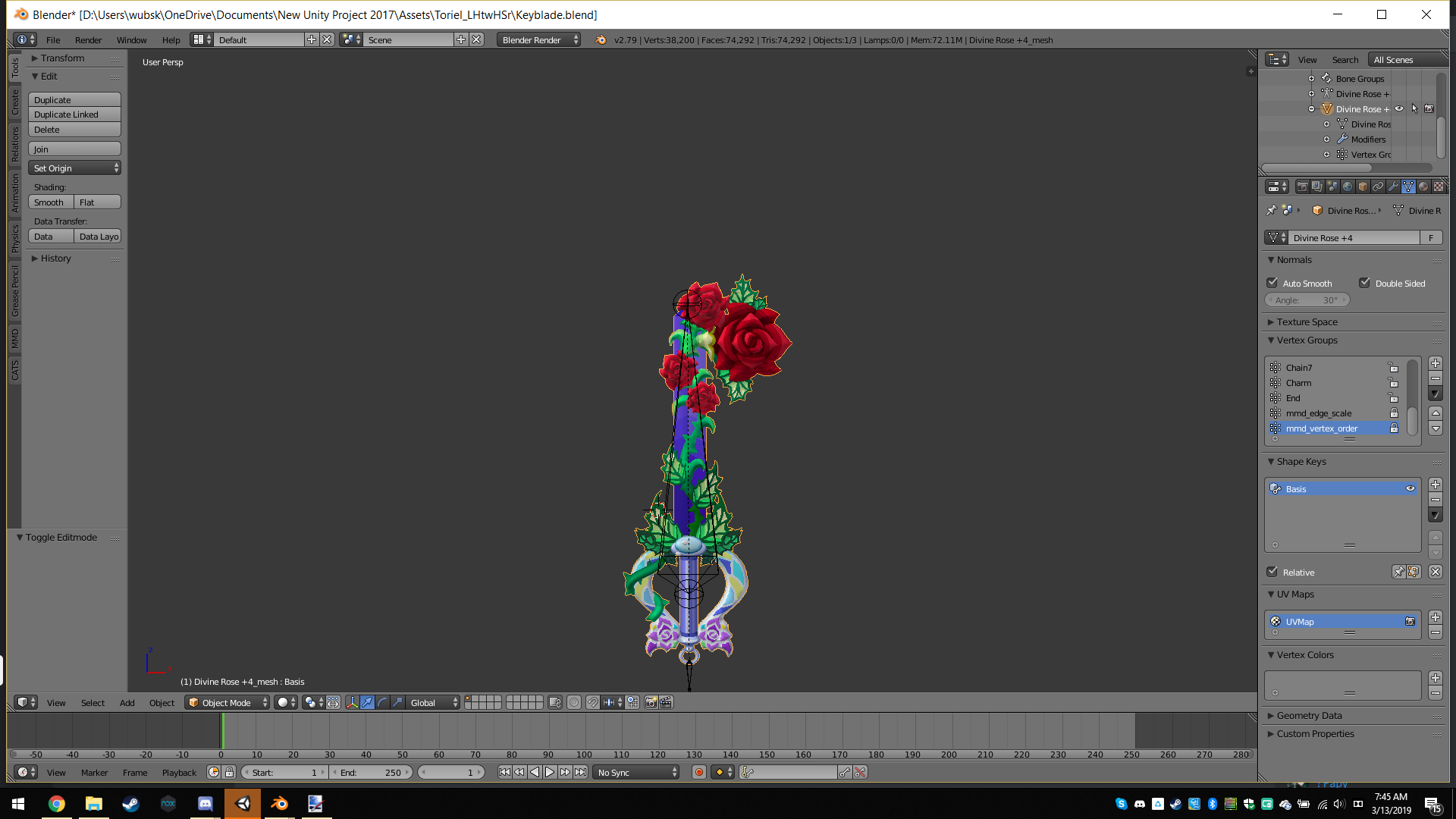
I'm trying to make a weapon appear using a special shader that gives a reverse dissolve effect, the problem is that it isn't a double sided shader.
usually i'd double the normals but it's already a ton of polygons, on top of that, i can't reduce the polygons on the weapon at all due to how complicated of a mesh the weapon uses.
the only solution for me is to turn this dissolve shader into a double sided shader, i turned culling off, but now i need to fix the lighting, what do i do?
I get the feeling this is going to be much more complicated then I think it's going to be...
near flax
what's wrong with the lighting?
also keep in mind that you don't necessarily need to double all the normals, only the parts that need to be double-sided
glacial siren
sadly, that's all of them T_T
anyways, basicly the lighting on one side of the polygons is fine, but the other is really REALLY dark
so dark that it's almost pitch black
tired token
Invert the normals based on the vface direction.
Here's a thing I did to fix it.
ps ty Merlin for idea
https://github.com/Xiexe/Xiexes-Unity-Shaders/blob/master/Main/CGIncludes/XSVertFrag.cginc#L97-L108

GitHub
A re-write and restructure of XSToon. . Contribute to Xiexe/Xiexes-Unity-Shaders development by creating an account on GitHub.
@glacial siren Here's a mention for it^
glacial siren
Here's a thing I did to fix it. I would use that, but I HAVE to use the dissolve shader because it allows me to have a dissolve effect that i'll be using for the animation to summon the weapon
and as for inverting the normals...
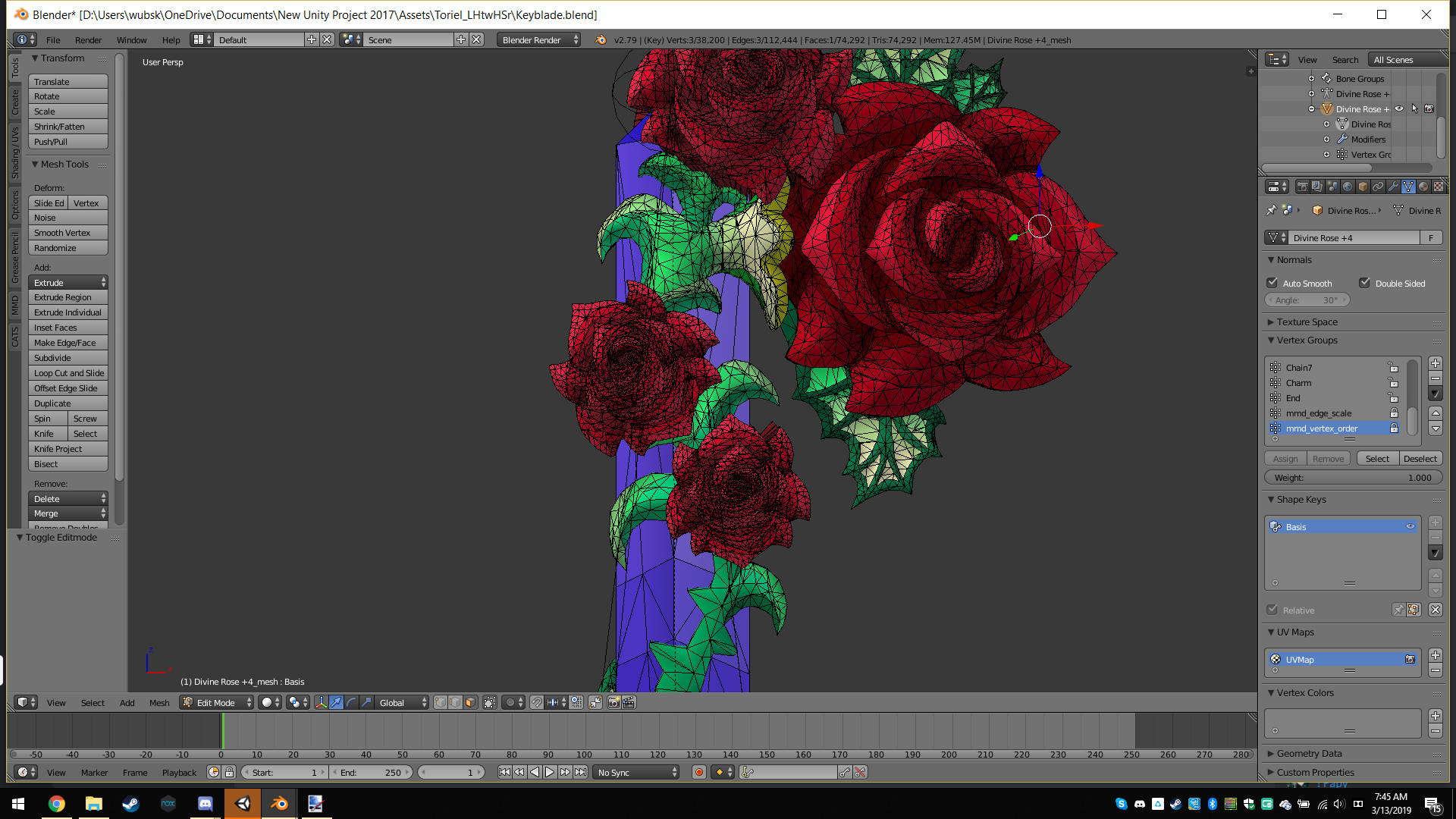
last token
also yea lighting is based on vertex normals
if u show the normals in blender
it show blu line pointing away from vertex
glacial siren
 last token
if u use smooth shading it gonna blend the lighting
glacial siren
 glacial siren
no, more like the lighting itself is inverted for the opposite side
lucid cedar
You'll have to edit the shader probably
glacial siren
which i have no idea how to do, not without a ton of help
this is the first time i've ever even touched shader coding
i don't even fully know which part of the coding i spammed "cull off" into did the trick to actually turn cull off, or if they all did
i can post the code of the shader if need be
the point of the shader is that there's a slider that when you move it will give the item a dissolving effect.
last token
o ur gonna have 2 do stuff against shadows and such
that or u can just double faces only where needed
glacial siren
to be honest, i don't know which option would be harder, and that fact scares me since i'll have to do this multiple times with multiple keyblades O-O
 tranquil belfry
Would anyone know of like a sparkle shader? Can change the color n such?
 hasty patrol
I just downloaded Xiexe's Toon Shader and am comparing it to his older versions. The new version is making shadows very dark and I believe this to be caused by using world lighting. I remember a dropdown in an older version (1.4) that allowed to to switch off of world lighting. I am not seeing this in the newer version. On VRCat, he describes this issue and recommends "resetting the material". I'm not too sure what is meant by this. I created a new material from scratch and applied to my avatar. Same issue.
steep swift
Can you see the problem in vrchat too? Which world?
The way to test is try Standard and see if it has similar lighting
If Standard looks very different, it could be a bug.... if standard also looks dark, it is an issue with the lighting of the world you are in
What ramp are you using?
@hasty patrol
hasty patrol
@steep swift That's the thing. I cant find that ramp dropdown that I remember seeing in older versions. It is the world's lighting that is affecting the avatar. I remember switching that setting in older versions to resolve the dark shadow issue.
velvet sorrel
Are you using his newest 2.0 version?
 wild robin
@hasty patrol This is a result of world lighting. Right now, it isn't ignorable unless you tell your mesh to not cast shadows.
If you'd like to see a new "don't cast shadows from world lighting" feature built into the shader, you might want to try asking on the XSToon Discord.
hasty patrol
Thanks @wild robin! I was going to tests out not casting shadows. From what i saw from my tests yesterday, im liking xiexe’s shader. Still seeing if i can get a “fade” effect working on it for blush, tears, etc. going to mess around with it a little more today
wild robin
Fade works pretty well in XS2, I use it for my eye highlights and a bit of mesh that floats above my face to avoid stretching.
Make sure you set the shadow ramp on any Fade bits to a white texture/none if you don't want it to get shadow ramp'd.
fluid hamlet
so i was looking for the shader that is used on the totally normal hoppou , but it seems it is not Vilar’s eye tracking but more the same used on the name tags ... anyone an idea or what the code is for that
near flax
if you mean the one that stares at you all the time, you can definitely do that with an eye tracking shader
fluid hamlet
any explanation how as Vilar’s only seems to face forwards for me even with the backwards slider to max
near flax
i've never used vilar's tbh, i can dump mine in here tho, one sec
steep swift
Vilar has very specific requirements regarding eyes being separate non skinned meshes and orientations. You would have had to follow all of that
near flax
separate the hoppou's head as it's own non-skinned mesh with the origin of it being the center of the head
then stick this shader on it
@fluid hamlet
near flax
not sure what you mean
past pewter
neck shaders?
near flax
are you looking for a screenspace shader or are you trying to figure out how to use one?
near flax
i'm asking which
past pewter
like this http://prntscr.com/myiib9
 near flax
i'll DM you one since people get pissy about posting them in public


 past pewter
yo does anybody got that shader that zooms in on an avatar?
lucid cedar
Zoom shaders are obnoxious and very nauseating for VR users. You won't find anyone here willing to help you with that.
I get that "haha funni zoom xd" is fun on desktop but it isn't in VR.
fluid hamlet
So i came across a mmd shader that creates a wet skin look ... but its .fx can i still use this or do i need to convert it somehow and if so how?
lucid cedar
You can't really
steep swift
You can probably take inspiration from it... the lighting model is very different but some things are quite similar between shaderlab and mmd fx.
What's the name of the mmd effect you are looking at?
fluid hamlet

bowlroll.net
ぬるぬるなスフィアマップが自動的に適用されるシェーダーです。適用されないバージョンもあります。早い話がアダルトシェーダーの超多機能バージョンです。紹介動画 → http:...
this
 vale hare
im at my wits end here. its driving me crazy. how can i get an object with a fade material to show up behind an object with a transparent/fade material?
Ive got a glass display case, and a figurine box behind it. but the box for the figurine, for the "plastic" on the case to work, is set to fade.
But this causes problems, and no matter what I do, i get one of the following issues:
the box shows up full strength behind the glass, ignoring it,
the box disappears behind the glass
or the box shows but the figurine inside is overpowered and culled by the box itself.
and to top it off, sometimes it will look right in unity, but then ingame it gives me one of those issues.
why is this so difficult
vale hare
at this point ive tried mix and matching several. standard, cubed, poiyomi, noe's, hell, I even tried tossing arktoon in there.
this is the goal. and like I said, I often get it to look fine in unity, only to have vrchat disregard that.
Ive tried messing with render queues too, with again, vrchat often disregarding the changes
lucid cedar
Render queue changes don't work at all on anything other than Standard
Custom render queues set in the material don't work
It always uses the shader's "default" render queue, except for Standard and Standard Specular (roughness has the same issue)
vale hare
not to mention the issue with changing the render que, is that if I, say, change the render que so that the glass renders over it, across the hall there is more glass that then renders on top of the box from the other side
also you say render que changes work on standard?
faint fulcrum
Only render queue specified in the shader itself will be used Tags { "Queue"="Transparent"...
lucid cedar
Render queue changes don't necessarily work on standard
It's more likely that the "Transparent" dropdowns are accounted for, is all.
If you use other shaders they need to have a "dedicated" transparent version
But it sounds like that was the case if you were using Noenoe
vale hare
mm. to be fair I havent updated my noe's in a while, so ill try that too. see if that does anything
last token
are those shaders set up for lightmapping..?
because a lot of shaders dont actually work very well or at all with lightmapping (baking lighting) so it would be a poor choice for a world
vale hare
there isnt anything baked. (yet)
past pewter
anyone got the zoom shader lol?
somber widget
@faint fulcrum that explains so much, now I need to go make four copies of arctoon, sigh
tired token
Just an FYI, Arktoon has separate shaders for Opaque and Fade.
But if you do want stuff to sort properly you'll need to make duplicate shaders and change the queues
steep swift
Didn't see it mentioned but you can change the queue in a shader file by taking base queue and adding or subtracting like "Queue"="Transparent+1" or "Queue"="AlphaTest+1".
Also important-after duplicating make sure to edit the shader name at the very top of the shader file. @vale hare
somber widget
@tired token in my case I'm doing things with stencils and have been wondering for a while why it's been unreliable
tired token
Ah okay
 tiny linden
Hello. I have published Arktoon-Shaders v1.0.2.2. This version have no shader keywords and variants.
I am sorry for inconvinience this keyword-limit issue. 😭
https://github.com/synqark/Arktoon-Shaders/releases

GitHub
Alternative Unity shaders made by synqark. Contribute to synqark/Arktoon-Shaders development by creating an account on GitHub.
lucid cedar
Sweet!
Not sure what [ATSToggle] is, I'm assuming it's used in your shader's editor. Alternatively you can use [Toggle(_)] to have a toggle without generating a keyword
faint fulcrum
Well, when using custom editors you dont even need the [Toggle(*)]
tiny linden
btw, Unity adds [UIToggle] in 2018.2 that is similar to Toggle without controling keywords. is it same?
Adding checkbox by Custom editor takes more time to me 😭
lucid cedar
Either way the new version seems to generate no keywords, so that's good 👍
I can't find any documentation on UIToggle
 stiff basin
im trying to ask a question but the bot keeps removing my message
split girder
because we don't allow mentions of the website you're trying to refer to
stiff basin
Oh my bad
split girder
no worries
 golden shadow
Can i use any shader in a map? or is it locked like scripts?
lucid cedar
You can use whatever shaders you like
But sometimes, shaders may depend on scripts which won't work in that case
And obnoxious shaders or stuff that is broken in VR will not be accepted into the public
wild oxide
i read somewhere that shader keywords are stored on a material for past shaders applied to it. is there a way to quickly "clear" this backlog of keywords and regenerate the ones needed for the current shader?
steep swift
I think there are some tools floating around or at least discussion about making it easy
but I don't actually know of any....
But you can also switch your inspector to debug mode (Actually I recommend doing this and then opening another Inspector through Add Tab in the rightmost tiny button) and delete Shader Keywords
It works fine with multi-select too. Just shift-click all your materials (if you're really ambitious, search for t:material in your project directory), click the Shader Keywords line (will have a greyed out "—" in the box) and just hit backspace. That will clear it for all materials @wild oxide
now that will cause artifacts in some materials until you update them, so you need to click on each material inspector and have it render one by one. Rendering the inspector should fix any keywords that are required to be there
wild oxide
gotcha, thanks!
tired token
Fun fact Arktoon has a keyword clearer script in the toolbar.
 tender haven
HI
past pewter
Hi, need help with something?
 drowsy field
not sure how the [ATSToggle] works but as i brought Arktoon to its raw properties without the custom GUI, none of those toggles were setting auto keywords enabled which is surprising and good.
lucid cedar
ATSToggle is probably interpreted in the custom editor GUI as a toggle that just sets the value to 0 or 1
Which is more work but does prevent keyword use
Although [Toggle(_)] is easier
It's not documented anywhere
drowsy field
yeah but i commented GUI import off
the gui script shouldnt be loaded then yeah?
it was just the raw shader properties
im not sure whats going on with the [ATSToggle]
tired token
You're looking for line 865 ACIIL.
internal class MaterialATSToggleDrawer : MaterialPropertyDrawer
drowsy field
found those on search and they looked empty.
inherenting something
but then
no auto keyword naming?
which is good
tired token
Yup
lucid cedar
It's weird that Unity would auto generate a keyword like that
Considering enums don't unless explicitly specified
tired token
Just Unity things
lucid cedar
I guess it matters less in the context of a regular game
Where most people use built-in shaders, very simple shaders, and/or one very big keyword-heavy shader like Uber
Whenever I look in my logs for exceeded keywords, it's always those stupid meme zoom screenshake shaders taking up like 50% of the keywords lol
tired token
I made a Material to 'cache' all the Unity Standard and Post Processing Stack V1 & V2 keywords and threw it on my avatar. lol
tired token
Pretty much
lucid cedar
That's cool
tired token
I'll never have a PP issue ever again.
lucid cedar
Wait, is that the reason PP sometimes fails?
drowsy field
its the shaders that need keywords defined and fail to work otherwise that pay
tired token
I believe so
lucid cedar
I have had cases where color grading was not applied and/or the bloom was like super bright
And flashy
After playing for a while
tired token
In most cases keywords are used for features, so I don't care if your shitty shader's features don't work. :))
drowsy field
makes me think if the pps v1 v2 shaders should be special written without keywords and solve that problem?
lucid cedar
Unfortunately an older Arktoon version could make a material fully metallic if keyword limit was reached
tired token
You can rewrite PPSv2's shaders.
tired token
cough
lucid cedar
I can see that being very useful for certain screen effects in worlds
drowsy field
is it true that we are using a custom pps v2 for vrchat?
tired token
Yeah you can do custom things.
drowsy field
someone tell Reflex to clean keywords and toggles. I think its the last popular shader that needs it. More so with all the booth models using it.
i inspected the code and there are defines being used from toggles which means refactor work.
steep swift
I just don't see every random Joe Avatar Uploader updating their sjaders
grave hatch
Post processing is pretty much just shaders
steep swift
A public avatar world keyword check would be nice but they are going to get rid of those... or ranking system to encourage people to fix and update stuff en masse.
halcyon kestrel
You have to clean the materials still even after updating the shader so the keyword thing isn't going away anytime soon.

steep swift
The big thing for having shaders with no keywords is they won't break when something else uses up your keywords. So updating is still a worthwhile cause
halcyon kestrel
True facts
drowsy field
yeah
lucid cedar
Manually assign the shader to the materials, then.
lucid cedar

This tutorial will go over installation of all needed plugins and the SDK. After that it will go over how to get a model ready in Blender, fix a few things t...
Skip ahead to the Unity section
past pewter
where's the unity section tho'
lucid cedar
It starts around the middle. It's not a long video, just watch it
lucid cedar
Does anyone have a good matcap shader that supports .spa and .sph textures?
For metal.sph that you see on many MMD models, for example.
tired token
Don't you need Unity to import them correctly first?
lucid cedar
That's not really the issue, I usually convert them to PNG's by opening them in GIMP.
They're basically renamed bitmaps as far as I know. The problem is using the resulting texture in a shader
I need a good matcap shader which supports those textures
So far I've found one but it's slightly overkill and uses a bit too many keywords
I had the matcap part break on me resulting in a flat white color instead
tired token
Can you send me one, kinda curious what they look like.
Unless they're actually just matcaps.
 hard siren
So guys I updated my nanachi and for some reason I have an outline (I didn't enabled it, but for some reason I can see it in vrc), how do i remove it?
lucid cedar
Don't use the non-lite version of Cubed's
Use the lite version or choose a different shader
past pewter
What shaders look good but don't crash people?
crystal wadi
standard
steep swift
shaders don't cause crashes, unless you have old drivers, tesselation type features or overdraw can cause heavy lag ("crashes") or running on Linux with certain types of geometry shaders like fur can crash
Standard for standardy stuff, XSToon if you want lighting of standard but a toony look with ability to set custom ramps
steep swift
Those people are doing it intentionally. You can find their username in the output log and send #moderation-reports
Your shaders generally won't do something malicious unintentionally, don't worry about it.
past pewter
Got it
 waxen fjord
Where can I get a sprite sheet overlay shader?
past pewter
A sprite sheet overlay shader? I'm assuming you want to use this for the sake of Particle systems, Unity has wonderful inbuilt particle shaders, which are compatible with sprite sheets, perhaps give them a go?
fluid hamlet
So i figured out that the totally normal hoppou avatar head is a billboard shader and not a eye tracking shader ... only thing i have is the albedo texture becomes invisible with the one i found through google
lucid cedar
Well it's pretty much the same thing
Orients the mesh towards the camera
You can do that with Vilar's eye tracking shader
fluid hamlet
Vilar’s never works for me even with follow at max the demo eyes stay in a single orientation and just do what the vrc realistic eyes plugin already does (except with iris dillation added)
lucid cedar
It works for me if I don't run the setup and fiddle with the settings some
So the follow ratio is 1 on the material
 safe heron
furr shader for a very fluffy tail pls?
somber widget
@safe heron xsfur?
safe heron
@somber widget got link?
somber widget
VRとパフォーマンスを主にした本格的獣シェーダー ほかの似たようなシェーダーはレンダリングパス数が多いため、ラグなどを起こしやすいのが多いです。 私のは、すべてワンパス。 毛と肌のレーヤー別...
it's one of the few fur shaders that won't kill everyone's performance
lucid cedar
It still will, just not quite as much compared to others
Also depends on how high poly the mesh is
 sly coral
anyone got the screenspace shader name. ive been googling for an hour and ive found nothing.
sly coral
or a different way to add a slight grey tinge to sorrundings
 ashen dagger
accidently deleted my toon shaders, can someone link me to a good toon shader thats updated?
lucid cedar
Try Noenoe, XSToon, Silent's or poiyomi
ashen dagger
Alright ill take a look at xiexe thank youu~
vocal wadi
A bit late, but having multiple flat-lit-toon shaders in the same project can break it.
My avatars starded added outlines to themselves when I duplicated flat-lit-toon and made edits to it. In the end I had to remove the outline feature from both versions of the shader files
past pewter
copying and/or editing shaders to fit your preferences has no impact on anything and doesn't cause issues with people using the original one, thank god
lucid cedar
Flat Lit Toon just randomly bugs itself and creates those outlines
It's one reason why you should avoid using the non-Lite version
 lethal rock
Bugs itself?